#ue4-general
1 messages · Page 660 of 1
 green sky
 opal lark
yeah
 glad karma
Someone know what can be problem?
green sky
how or what value i would have to use to have like a pocket or button follow cloth simulation
 plush yew

Mixture of currency and potential loot drops upon enemy death, right now, the currency drops are set as small/medium/large/huge. and those would tick depending on the enemy that was slain. Also, to ensure better performance, currency actors despawn after around 10 seconds
Any1 knows how i can drop items like this?
 digital anchor
does anyone know if i can change the serialization name of a prop without losing its value?
plush yew
i been googling for hour 😄
digital anchor
specifically bp components that are now c++ components
plush yew
Am i going to spawn a Bp item?
plush yew
@light lintel any clue where i can find such a texture?
 glad quail
Hey guys does anyone know if building an FName has any performance implications? I remember someone telling me ages ago that you should cache your FNames as the construction process is slow due to hashing etc but I cant find any info on this from epic?
Example being that each time I fire a bullet I get the muzzle socket location using an FName
should I cache it?
plush yew
tidii
is there a way i can change scale in a smooth way?

i want it to go from 0.1 to 0.8
but in a smooth way
is that possible?
TimeLine is the only option?
glad quail
you could use interpto in tick
glad karma
I can't find root motion in animation in asset details. Where is it?
 opal lark
glad quail
opal lark
glad quail

What are Lerp Nodes in Unreal Engine 4?
Source Files: https://github.com/MWadstein/wtf-hdi-files
opal lark
There we go its says in active could that be the reason my ai wont move
 grim ore
did you walk thru the blueprint for the character to see if the nodes are being called correctly, valid AI controller being set up, valid possess for the AI controller being used, etc.
 grim ore
@glad karma that is a blend space, that is not an animation.
grim ore
Is the AI in the world @opal lark , if so have you set this up properly?

 rotund scroll
@glad karma dude please learn to take screenshots or use the snipping tool
plush yew
i will test it again
glad karma
Sorry I'm on phone because don't launch discord on PC and going to night shift 😅
opal lark
i have a nav mesh
plush yew
Alpha is not working for some reason
glad quail
plug your currently location into the lerp nodes a
your target location into b
then deltatime * speed into alpha
it will move towards that location at that speed
opal lark
th ai is not reconizing player in it capsule
 cobalt bough
Is there a way to find all references to an instance of an actor placed in a level?
If I try to delete something with references to it, they are listed in a warning message; just wondering if I can look at that list without beginning to delete the actor...
opal lark
set to simulate physics but Collision Enabled is incompatible
plush yew
I give up
opal lark
i get this error any ideas why
opal lark
hi
just lookintg
yeah
he does
but behaviour tree says inactive
but his bp is working
hes got a nav mesh
plush yew
Is there any way i can make the actor launch for a sec?
Like as it spawn launch in the air
If it was the Character controller i would use launch character
but in actor there is no option like this
 warped tangle
projectile movement, physics based impulse, explicitly setting location on timer/timeline, there are ways
grim ore
@opal lark have you done any of the suggestions from earlier? walking thru the BP using debugging to make sure its all hooked up and making sure the posess for AI is correct
opal lark
debuggin with a string
grim ore
use breakpoints, F9 on the first part after begin play and step thru it looking at each value. Make sure you have a valid ai controller when you assign your blackboard. Make sure possess is correct in the details panel.
 summer zealot
How can I reverse gradient? I need blue to be on opposite side.
 grim ore
there are some things built in like random point in bounding box and some that are based on navigation meshes but for other shapes you can do random vectors and go from there
does implement interface is how you check if the item you are talking to ..... implements the interface
"Hey can you do this?"
yes
they are different
one adds it to the blueprint so it can do the events or functions
the other is a node to check to see if the blueprint you are talking to has that interface added on it
you never need it ever
you want to use it if you want to check something easily
I put an interface called "CanBeDamaged" on somethings
I can use the "Does Implement Interface" when I hit something and check for the "CanBeDamaged" interface and know if it has that interface on it
its better to use as many as you want
organization is good
you could have one for can be damaged, one for can be shot, one for can be blown up, one for can interact with
and then just drop on the ones you plan on using
casting is not bad, casting is part of programming
interfaces just make times you need to cast easier
they are NOT the same
they both have different uses and you should use both as needed
grim ore
I have a barrel, a dog, and a door. all 3 are blueprints (bp_door, etc.)
I fire a bullet and it hits something
now I need to tell what I hit to take damage if it can (the dog and door does, the barrel does not)
how do I deal the damage?
hit something -> cast to dog -> if dog deal damage? if not dog -> cast to door -> if door deal damage? if not door -> cast to barrel? etc..
with an interface I can hit something -> use the interface event to deal damage and I am done
the dog knows it can take damage using the interface, the door does as well, and the barrel doesnt care
rotund scroll
@grim ore you remember a couple weeks back you found the override function for SpawnDefaultPawnFor ... I was hoping you could help me out with a similar case. This time I'm looking for the same sort of relationship, but with actors and their components
grim ore
cleaner code, more efficient flow
summer zealot
Nobody knows how to revers gradient? :/
rotund scroll
interfaces are generally only needed if you have multiple hierarchies though
base classes can stand in for an interface
class hierarchies
grim ore
yes base classes are great but do you want the same base class for a dog and a door?
rotund scroll
well no but a door might not take damage necessarily
I'm not saying interfaces aren't useful, I'm just saying it's about three steps ahead of the curve
when perhaps getting to understand one step at a time would be beneficial
although even for unreal they made actor be able to take damage, so I reckon there is a strong preference for class hierarchies over interface use
but that may just be my interpretation
@light lintel yeah so all goblin types would probably be under a single "base goblin" class, which would be under a "base humanoid" class, which would be under "character" etc.
rotund scroll
I'm not sure what you mean by that
it sounds like you only ever want to lock on to something very specific
whereas the ideal way to do things is through modularity
rotund scroll
e.g. your lock on function has an input parameter of "actor" or "character" or "pawn"
@elder moat anywhere really. here is fine, but there are also specific channels if you read #more-resources
 elder moat
Ok
rotund scroll
I mean that can work. the way you have done it is not great but it'll do the job
yeah if they all have the same parent class, then yes you would also get the children
the better way is by understanding how blueprints communicate and the general rule that information only flows when it needs to. so an actor only needs to know about another actor when they come into contact with each other somehow
timer is the best way
 undone sinew
Has anyone experienced an issue with the rotation of models when using "Import to Level"?
I'm using it to preserve the hierarchy of the scene, and importing into Unity is flawless, but in Unreal I get issues.
this is how it looks in max
rotund scroll
have you checked if it's any different than importing it to the asset browser?
undone sinew
it is, but i dont have any hierarchy if i do it that way
whats weird is that, the model has identical meshes
the left side imports screwed up, right imports fine
undone sinew
the one thats flipped, is the right side
which is the one that imports properly
I used the mirror & clone for that.
and that would be along the X axis
im trying to demonstrate how it looks in unreal, but everytime i have to delete the import, it freezes for 5 minutes
 severe ibex
I can't say for sure but I know mirrored geometry from max can often have buggered normals and x-forms
undone sinew
yeah, but the odd thing is, the mirrored geometry is the one working
severe ibex
maybe it's working because of the difference from Max and UE4 with the Y and Z changed?
undone sinew
is there a better method of importing models with hierarchy, besides "import to level"
I can try
severe ibex
not sure if Datasmith is any better than FBX for stuff like this.
rotund scroll
it might be
undone sinew
yeah i just confirmed the import to level is definitely broken
cause now, there is some kind of cache issue
where it doesnt fully reimport
rotund scroll
try datasmith then
undone sinew
so i get half of the geometry imported from the same fbx
okay, thats the issue
positions are correct, just not local rotations
i dont doubt its something to do with max to ue4 conversion either
but there is something that makes me wonder something
rotund scroll
look man why don't you try and see if datasmith does it for you
undone sinew
unity
yeah im gonna try datasmith too
but im wondering what unity is doing differently
or if maybe i can run my fbx through another program before importing into unreal*
rotund scroll
unity has different coordinates than UE, which has different coordinates than max, which has different coordinates than maya etc.
translating between these differences sometimes breaks
undone sinew
yeah, thats why i was thinking, maybe bringing it into something else first
rotund scroll
it's not going to help
undone sinew
ive seen the weird stuff each program does to other formats, like obj*
rotund scroll
like it stays fbx regardless of which package or engine you use
so idk what you would hope to achieve from this
the best case scenario is to update your fbx exporter to be the recommended 2018 version
undone sinew
so the issue is that unreal just isnt converting properly then?
rotund scroll
for your particular fbx, apparently
undone sinew
ill try a different version, didnt think of that
as far as datasmith goes, it doesnt work with the latest version of unreal, so i have to download and install the previous engine first, thats what im waiting on.
grim ore
heh. Had a pure function that was getting an animation out of an array, using modulus to increment to the next valid value in the array, and returning the value and animation. I was plugging the value out into a setter, the animation out into a play montage node, and using a print string to make sure the value was correct from the animation. Anyone notice the problem...
undone sinew
oooo 😮
undone sinew
is that the datasmith exporter?
 kindred viper
if we are talking about googling first, may I recommend googling Blender. I am current on one of those "I just got a new religion" phases and have to tell everyone about it until I annoy everyone and they say "oh no here comes that Blender guy again".
rotund scroll
meh, I tried and gave up on blender
kindred viper
in 2.79 or 2.8?
rotund scroll
2.8
kindred viper
really im surprised. It's so much faster than 3ds on the workflow
rotund scroll
I really like the sculpting
kindred viper
until you hit an obvious caveat I guess but thats the same with 3ds
rotund scroll
but using it for anything else is a massive chore
like there are so many small things it becomes death by a thousand cuts
kindred viper
hmm I used 3ds from max 5 until 2016 and I have to say, it feels better to a non-artist. Perhaps someone serious about modelling would pick it apart but for me, it's pretty easy and quick to run up a model
rotund scroll
my biggest issue is that it doesn't allow for modular workflows like most 3d packages do
it's do it the blender way or don't do it
kindred viper
well it does as its python based
rotund scroll
and for someone brought up on extrude based workflows, it's a hard sell to move away from
yeah but attempting that proved to be another rabbit hole
kindred viper
definitely. its as complicated as UE4 is as a whole. So much learning curve.
rotund scroll
the best example is the delete command bringing up a menu instead of understanding the context of the deletion by default
 abstract relic
stay out of .24 anyway
grim ore
Datasmith was a separate item in .23 and before, it's now part of the core engine install
rotund scroll
^
kindred viper
thats why it randomly updated and forced a rebuild for me . hmm
grim ore
what you see there, the install to engine, is for .19 thru .23 as it was separate
undone sinew
Well, I'm glad there is youtube
unfortunately, datasmith isnt any better
it has the same issue and also adds a new issue, removes all hierarchy
abstract relic
go to #datasmith if that's the route you want to go. Antoine keeps a close eye on it
undone sinew
I'm just looking for a solution to the orientation issue, not specific to datasmith.
Cause, I know this won't be the last time it happens.
 fallen marten
Did you collapse the stacks before saving as fbx? To bake the modifiers in rather than have ue4 try import a modifier
A different way to go about it could be If the parts of your mesh don't have to move, you could add a root bone, skin all the mesh to it, and when it imports to ue4 it should lock all the local rotations.
There's aways more than one way to skin a cat man -
undone sinew
I was thinking of the bone method you mentioned.
I'm gonna try a couple of other things first, and then that, and see what works.
I suspect the issue might actually be Max, because I've had so many issues in the past with scene glitches persisting in FBX exports.
I'll let you know how it goes 🙂
fallen marten
Cool 🙂 I use max 2016 and haven't really upgraded it in any way, and haven't really had any trouble getting complex meshes like destructible cars etc into ue4
undone sinew
I deal with alot of icky CAD conversions 😛
 unreal sable
I can't open game project anymore.
Crashes at 93%
LogWindows: Failed to load 'aqProf.dll' (GetLastError=126)
LogWindows: File 'aqProf.dll' does not exist
LogWindows: Failed to load 'VtuneApi.dll' (GetLastError=126)
LogWindows: File 'VtuneApi.dll' does not exist
LogWindows: Failed to load 'VtuneApi32e.dll' (GetLastError=126)
LogWindows: File 'VtuneApi32e.dll' does not exist
undone sinew
is that a plugin?
unreal sable
I don't have any plugins.
unreal sable
I have that on my computer, what do?
undone sinew
this make any sense?
when you google the dll file, its a bunch of people with the same issue
i was just trying to figure out what the dll actually does

In Unreal Engine* 4.19, Intel® software engineers worked with Unreal* to add support for Intel VTune Amplifier instrumentation and tracing technology (ITT) markers. This guide shows the user how to take advantage of the new integration to generate annotated traces of Unreal En...
unreal sable
I think i googled that, did exactly what 2nd picture said.
Then unreal wasn't installed anymore and the unreal launcher started installing .24 ( i have .20)
grim ore
those logs entries with the DLL are normal, chances are that is not your issue
unreal sable
I think the last thing i did was fiddle with project settings
Happend once before, then i used a backup.
But right now i have lots of unsaved progress ;_;
I changed project name, project title, version name. <== i assume this is the cause.
Swapped between editor/default level.
grim ore
if you put the entire log somewhere like pastebin there might be more accurate information to figure it out
unreal sable
 unreal sable
[2020.02.20-22.52.31:261][ 0]LogLinker: Error: Bad name index -1/227
[2020.02.20-22.52.31:262][ 0]LogWindows: Windows GetLastError: Operasjonen er utført. (0)
Is this normal?
grim ore
it's definitely weird, this is when you open the project?
unreal sable
Yes, getting stuck at 93%.
As i've said before, i believe it has to do with changing project settings as this has happened to me before.
grim ore
stuck at 93% or crashing? 93% might be compiling more shaders
 brazen hull
any tips on making the trigger box easier to hit? ive got so you gotta go be in a specific position
grim ore
especially if you changed stuff like rendering types or shader permutations
unreal sable
I get a crash report window.
grim ore
ah in there should be what actually crashed then if you install the debug symbols from the launcher
the actual crash stack address
otherwise you could go thru your config directory and move the configs out of there and try to relaunch to see if it's a setting you put in
the Config folder and the Saved folder both have settings that you might have changed, you can temporarily rename them to see if it loads (bad files) and then try to fix or go one by one and change them out to see if you can narrow it down or see about getting the full crash stack
unreal sable
I tried to launch with debug logging enabled, not sure if it did anything.
I'll try the config swap.
Still crashing after swapping out with a backup config.
grim ore
its normal if its not running, if it was running it would be at the top
do you have your current running character selected in the debug filter in the window at the top?
unreal sable
I swapped out folders 1 by 1.
Still crashing at 93% when loading project 😦
opal lark
sorry what was the question
abstract relic
Don’t look at a gifted tomato in the mouth
fallen marten
Daz I had your AI working, roaming, chasing, attacking.... Wtf happened?
unreal sable
Debug symbols are like 18GB ._.
opal lark
oh this is a side project
grim ore
do you have your current running character selected in the debug filter in the window at the top?
opal lark
yes
grim ore
do you have your behaviour tree set to run on your AI
opal lark
i do
grim ore
show that code
grim ore
Where in there is it running the behaviour tree?
unreal sable
Changed "Content" to "Content2", no crash 🤔
grim ore
one of your blueprints is fubar then
so start going thru and pulling them out a group at a time lol
or see what you changed last? maybe sort by dates
rotund scroll
@unreal sable can you view any of your files though?
opal lark
unreal sable
PlayerController blueprint
F M L
opal lark
tis might be the problem
unreal sable
Can blueprints get too big?
opal lark
how do i resolve this depracted error ? Im not sure if bp can get too big
opal lark
im not sure i think so
grim ore
and if you right click that node and refresh it, it might give you the newer version otherwise just replace it completely with the updated node
but thats INSIDE the BT, it wont cause the issue of it not running because it never gets that far. you kinda need to tell the AI what tree to use or should it just guess?
opal lark
the ai is set to use behaviour tree
grim ore
where did you set that at?
opal lark
it was a market place pack i will have to look
fallen marten
You have to tell it which blackboard you are using too
grim ore
you dont have to tell it which BB you are using if the BT is set to use it
I literally have just that code above and my BT runs and finds the player
you literally don't have that code and yours does not work
maaaagic 🌈
fallen marten
If there's a deprecated node I'm just guessing he is using some of my old code which uses a specific bb
I do know a bt uses its specified BB on its own
opal lark
its from a pack this part was ballsed up
 hidden aurora
Does anyone knows where to get the gamelift plugin for 4.24?
The latest version that is compatible is 4.21 😦
opal lark
how do i fix the depracted node then
unreal sable
Is there a way to fix a broken blueprint?
fallen marten
@unreal sable look in your saved folder, there might be an older version in backup that might work
Just copy the file to your folder where the broken one is
opal lark
Ok ive done it
thanks for the help thou
@fallen marten some of your houses are textured
 robust hedge
Is answer hub still down for everyone else?
plush yew
yup
robust hedge
Yikes
plush yew
Is there a way to make particles shine in the light. For example, if I had dust particles and I wanted them to be visible in light and not in the dark, how would I do it?
At the moment, my particles look like this in the dark
rotund scroll
well consider that most particles are emissive, so they are light sources themselves
it also means that they cannot be lit
robust hedge
What if you made volumetric dust?
rotund scroll
if you change the material you could make them accept light, especially if they are meshes and not sprites
robust hedge
Something like this https://youtu.be/Xd7-rTzfmCo
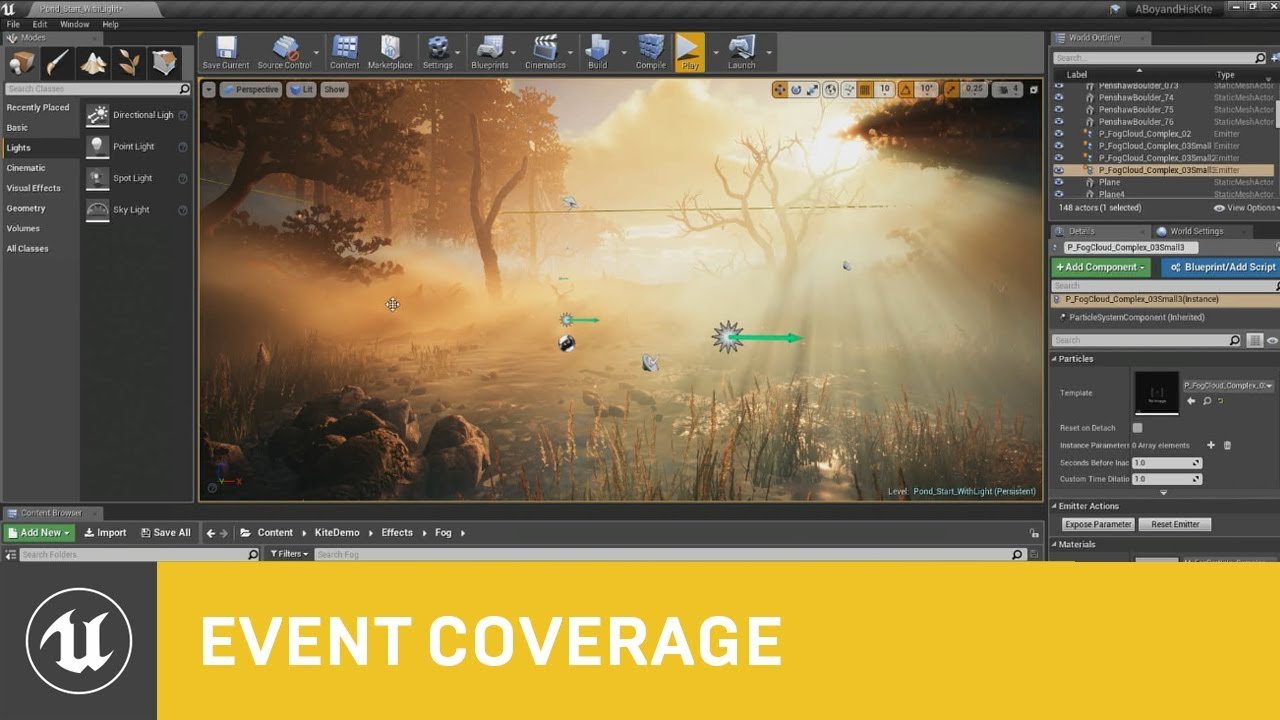
This session by Epic's Sjoerd De Jong covers the latest improvements to Unreal Engine's Volumetric Fog and lighting features.
Within a beautiful nature scene you will learn how to set up these effects, and how you can achieve spectacular results by authoring Volumetric Fog t...
An overview of the Effects Gallery example level.
rotund scroll
yep
plush yew
i'll try that
awesome
thanks guys
is it possible to make multiplayer game with blue prints?
 placid arrow
yes
in fact some multiplayer stuff is friendlier in blueprints
im making a multiplayer game which is both blueprint and C++
 craggy flax
I had heard Fortnite is almost exclusively BP but dunno how true that is tbh
abstract relic
Very much doubt it
rotund scroll
someone came in saying it was all made in ue1 but reskinned with modern graphics
abstract relic
Only so much you can do with one thread
opal lark
how diffucult is it to make a vr character walk instead of teleport
abstract relic
Rated 3 out of a purple banana. You gotta be creative or be more specific
rotund scroll
those are good odds
 normal burrow
purple banana is a high bar
grim ore
it's not hard at all you just move the character around like normal it's just really really disorienting
opal lark
so you say telports better
abstract relic
You’re just strapping a screen to your face. Nothing special about it 😜
opal lark
my characters teleporting everywhere up the ceiling through the wass its annoying
walls sorry
abstract relic
It’s a developing technology. You are with the wave of developers who must solve vr challenges for the (relatively) first time
normal burrow
most games just let you put head through wall
grim ore
yep lots of things you can do. I tend to not allow moving that close to a wall when teleporting and then you can fade out the view to black when you are trying to go thru a wall with your head
lots of options
abstract relic
There was a gladiator game where you have to grab the floor and drag to move. Very creative
opal lark
how would i do this this is a resident evil 1 remake in vr no looking through walls lol
grim ore
thats up to you and your gameplay design to decide
abstract relic
How to do what? Find the problem, break it down.
opal lark
I mean fade to black when close to wall
rotund scroll
but also, lower your expectations, especially if you're a first time developer without capital
opal lark
just a trigger effecting post process
rotund scroll
I think camera modifiers can fade
so if you create a child class off that
sorry derived class
abstract relic
So break it down. What would be the things you need. Where are you in relative to a boundary, how to define a boundary, how to visually fade, how to reteleport, where should it reteleport, etc, etc, etc
normal burrow
you also have to think of what not-behind-wall means
opal lark
also i got my ay working but he hits me once and thats it does not try to reattack ? Ok and thanks
normal burrow
remember, you don't know where the persons anything-other-than-head-and-hands are
(as in which direction to push the head out?)
normal burrow
on their own?
plush yew
yup
abstract relic
With a cow I assume
craggy flax
If assets include 3D art, yes? 😛
normal burrow
made money or an asset from it?
abstract relic
Would also assume the asset made money
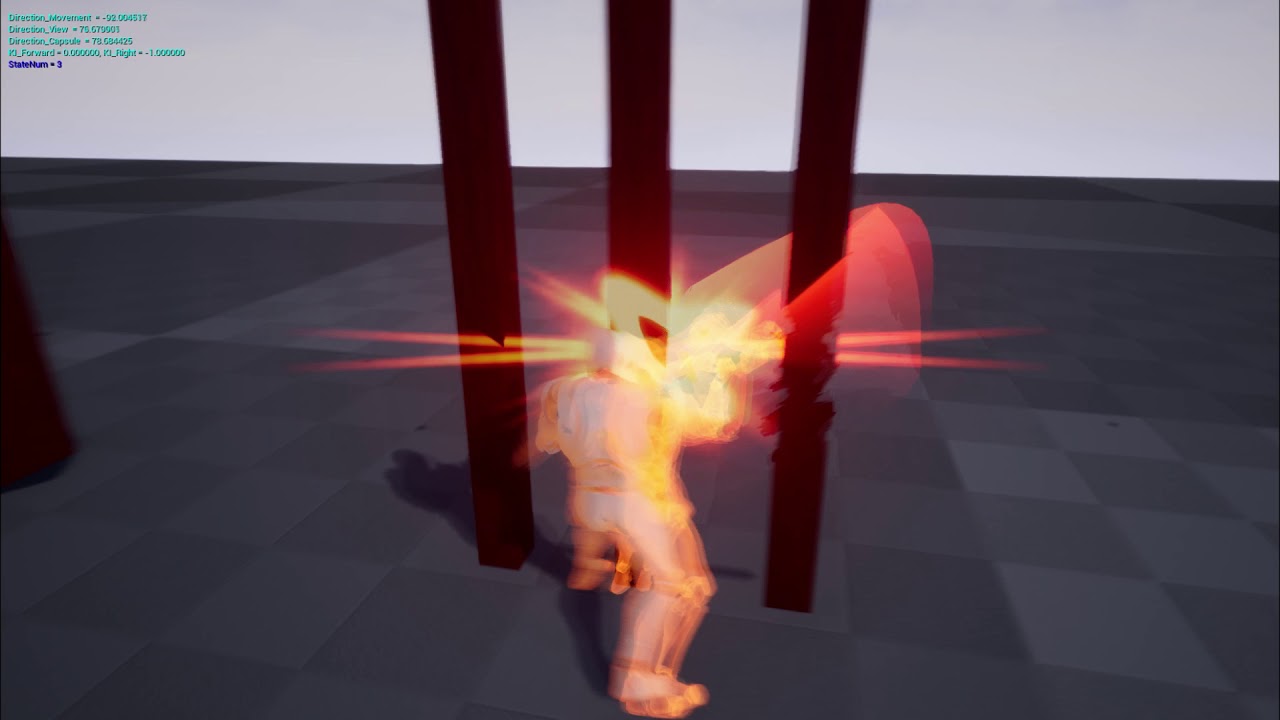 normal burrow
?
warped tangle
"at the exact time I showed, except a little after"
plush yew
1:04
warped tangle
lol
normal burrow
?
grim ore
which part are you asking about, and #graphics or #visual-fx might have more info on it. even #niagara
 frail sail
Guys MP replay system works on 4.24?
grim ore
you can set the play rate to 0 on hit
 lofty imp
looking for a tutorial to show me how to make a orbit camera like ark survival any suggestions?
 ancient otter
grim ore
ancient otter
grim ore
@lofty imp a camera that moves around automatically or one you control?
lofty imp
one i control . the character is the center point and it can spin 360 around the character and move up and down
grim ore
uh have you checked out the default third person character template?
normal burrow
lol
lofty imp
thats not it
grim ore
what does it not do?
lofty imp
my bad tinkering i made it turn the character
grim ore
ah
lofty imp
when i moved the mouse
thanks for bringing me back to earth
it is a bit different tho, in ark survival when you go into orbit cam and you're pressing wasd it doesnt turn your character toward the camera it makes it to where you cant accurately play in that mode.... i wonder what the heck they did lol
normal burrow
maybe its orbit with follow?
lofty imp
🤔 not sure... you can walk in all directions but your character doesnt turn
grim ore
well you can lock movement or the camera or lock movement to the camera or camera to movement theres a ton of options to fiddle with in the character, the spring arm, and the camera itself
 halcyon flame
when using absolute shape keys in blender (as in importing a skeletal mesh that has multiple shapes as keyframes in a single, linear progression)
what is the name of the shape key/morph target according to UE4?
 idle compass
hi everyone, I'm new to UE4 and currently reasearchig on material blending by painting vertex map, I tried looking for tutorials on utube but everyone has a different technique. Can someone recommend me a good and easy to follow tutorial?
normal burrow
If you make your mixing materials in material functions that return material attributes you can properly author each layer felixonaorato, then take the output from the function in your master material and interpolate them pin by pin
 merry galleon
halcyon flame
merry galleon
halcyon flame
hey
normal burrow
Did you see this @halcyon flame ? https://discordapp.com/channels/187217643009212416/221798806713401345/679132029002055732
Believe the term is blend shape
halcyon flame
thanks dude. they're called morph targets in blueprint and shape keys in blender
I have a bit of a different case bc I'm using absolute shape keys (where each key is a single key frame on a linear progression) as opposed to relative keys which each have an individual value
halcyon flame
most of these tutorials are related to facial animation, which is fine
but if you had something that you wanted to change between multiple shapes, kindof like a transformer, which had multiple shapes all along the same line, you'd use absolute shape keys
grim ore
Any of the content examples help with that https://docs.unrealengine.com/en-US/Resources/ContentExamples/MorphTargets/index.html from the learn tab?
it has examples for like cube to sphere and such
idle compass
@normal burrow do u have a good tutorial on utube? since understanding by text only is pretty difficult for me
halcyon flame
@grim ore @normal burrow it looks like UE4 doesn't import absolute shape keys...
I just did some basic testing with mine. when you set the shape keys to absolute their times are set on 10 unit increments, however, plugging time seconds % 10 into set morph target value did not have the desired effect. it treated it like a relative shape key which has t from 0 to 1.
normal burrow
Yeah I’ve never heard of absolute keys but I’ve not worked with normal ones much either
 winged crypt
Do we have a friendly way to allow modding in our UE games? I've been digging around and I'm only finding very old posts that talk about giving the full source project to modders to have to recompile and work inside UE to do this
normal burrow
Mechwarrior might be a game to try sinn
idle compass
@normal burrow I couldn't find anything related to blending materials :/
normal burrow
Apologies I got mixed up
These expression nodes serve as a way to separate or combine various Material attributes, which is particularly useful when creating Layered Materials.
 pulsar badge
Got a question
so do i set the objects to static or stationary or even movable for a AAA open world game?
which is best
for my modular buildings
normal burrow
https://youtu.be/UZghyZLzRyM @idle compass pay attention to the first half. The newer thing may or may not exist still

In this video tutorial, I'll walk through setting up Layered Materials in UE4 and show the workflow differences between the older setup process and the new workflow.
Old/Original Layered Material Method:
1:57 - Basic Setup
4:20 - Material Setup & Function inputs
7:29 - Layere...
Troy if the light moves it must be moveable, if it changes color it must be stationary, use static otherwise
pulsar badge
It doesnt move it just sits at a light place lighting the place up
What do you mean changes color?
normal burrow
If you want to turn the baked light on and off or to different colors you must use stationary. If it’s not baked then it’s moveable
 fiery summit
Hi all, working on a music sequencer right now. Wanted to know if there was anyway to view waveforms in the editor? I notice when you import it shows a thumbnail of the waveform...
idle compass
from what I see the blending is just directly on the material, what I meant to study was for example having material a and then vertex paint it so there's some part that's material b
normal burrow
Felixonorato, it’s how you do it. Theres no built in way
If you have the material functions return attributes you just interpolate multiple of these with vertex color
idle compass
ah okay, because a while ago I saw some utube tutorial that kinda paints the texture, but on the video that u gave me he doesn't use any brush
abstract relic
There’s a difference between painting texture and painting material
Which are you referring to
I'm too tired to care. Here's the basic.
@idle compass
idle compass
I was talkimg about this
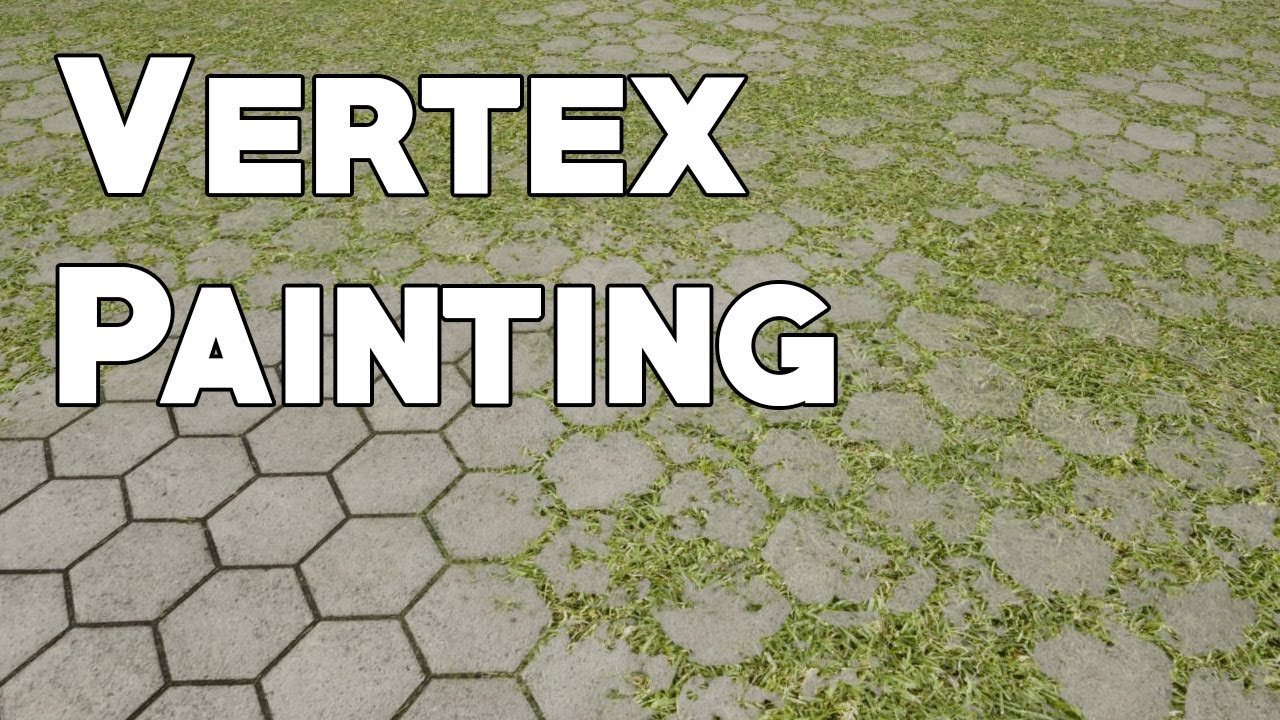
This video has been featured in 80lvl! Check it out here: https://80.lv/articles/tutorial-vertex-painting-in-ue4/
How to create AAA quality surface materials using vertex painting. This tutorial demonstrates how to combine several textures in one material and blend them onto ...
@abstract relic
abstract relic
That's exactly what I posted
idle compass
but I feel like the setup in the node editor is way too complicated for a beginner like me lol
the one in the video I mean
abstract relic
Couldn't be simpler. I don't know what to tell you. Study the basic of materials first if this is the case
normal burrow
 normal burrow
Mathew does not disappoint
abstract relic
I don’t understand how there can be a 15 min video on the basic of vertex painting. It takes less than a minute to actually make it
idle compass
I was actually really excited to start making things in unreal
but I guess I'll need to learn the basics now 😂
I actually have a 3 years experience of doing 3d but this game engine is kinda new to me
normal burrow
By all means, connect things to other things and see how it goes
abstract relic
I love the sparkles, hide the calcified baby corpse though.
idle compass
haahha thanks ! it was just a simple practice though
I am tempted to try unreal is bcs my laptop is just so outdated that I prefer baking light shadows than waiting for 5+ hours render time :/
abstract relic
Did you run a post process pass or was that all in the scene?
idle compass
It did use post process
the original plate was by using octane in c4d
i used z depth pass to add some smoke and particles
It'd be too heavy on my laptop to use smoke directly on c4d
abstract relic
Limitations are great. Forces you to get creative such as you did.
normal burrow
Are those sparkles sparkly or dusty?
idle compass
it was actually dust but I added some gloom to make it sparkly 😂 @normal burrow
abstract relic
Glitter dust 👌
 rancid lynx
How do i lesson the contrast between light and dark on the opposite sides of this grass, other than addding a second directionl light..... ? Im already using a wonderfully balanced cubemap and skysphere skylight for even lighting ,

From one side, soutth view, light is very nice, even contrast sith terrain texture , but from the other, muxh different
Maybe a lighting option from the material shader, when you click on texture sample inside the material? Default lit, or something? Opacity by .5 isxone interesting option, it cuts the contrast down alot. And an interesting effect
In one smll way, i like the grass, but the artist side of my thinking says, the light is so terrible, no grass would be much better
 scenic storm
Hi all
<----new here
 brave salmon
finally I'm stuck in something pretty easy and someone can help me)
what could be the reason pawn rotation not replicating to clients while it's changing on server?
double checked all settings, everything seems default, net load is almost 0
scenic storm
hope someone can help me.
for a projekt in unreal i use the collab viewer template (because its easy to change fly-, walk- and VR mode)
is it possible to change the settings in flymode so the camera can not through evething?
collison and camera blocking volumes not working in fly-mode...
(yes my english is bad^^)
plush yew
Hey everyone!
I am looking to have a chat with a few individuals who regularly hire freelancers. Anyone would be open for a few minutes to answer some of my questions? Thank you! 🙂
 glacial pecan
wtf, did 4.24.2 change the way Unreal compiles shaders?
it completely tanks my computer performance, locks up all CPUs 100%!
and I tested this both on a PC workstation and a Mac Pro, same issue
it didn't used to be like this... befor eyou could actually work in the background
even typing is slow now
 tawdry lily
Hi guys, we have a tricky problem (please redirect me if another channel would be more helpful). Our project does not package anymore in 4.23 and in 4.24 it crashes when trying to open any of our blueprint assets. The error message is extremely vague. And our attempts to identify the cause have not lead to anything after 2 days. This is the error message:
Ensure condition failed: ReferencingPin->LinkedTo.Num() > PinData.ArrayIdx [File:D:/Build/++UE4/Sync/Engine/Source/Runtime/Engine/Private/EdGraph/EdGraphPin.cpp] [Line: 1733]
[2020.02.19-09.20.57:778][634]LogOutputDevice: Error: Ensure condition failed: ReferencingPin->LinkedTo.Num() > PinData.ArrayIdx [File:D:/Build/++UE4/Sync/Engine/Source/Runtime/Engine/Private/EdGraph/EdGraphPin.cpp] [Line: 1733]
Does anyone recognize this or know a way to solve it?
@tawdry lily
Just reporting back for other people that might encounter this issue. In our case it was caused by a math expression node. Not sure what the problem with it was exactly but deleting it made the problem go away. Hope it helps someone in the future 🙂
 honest vale
@glacial pecan compiling shaders has always taken 100% of cpu
 mossy nymph
@tawdry lily are you using custom engine or do you have an editor customization module?
tawdry lily
@mossy nymph I do have an editor customization module in my plugin, but it I don't think it has anything to do with this math expression. Not using a custom engine btw
mossy nymph
well, should be easy to check, just don't load the customization module
EditorGraphPin error strongly suggests it is the culprit
if it is, you should be able to open blueprint assets that don't use any of the customized types just fine
idle compass
hey guys, what is the meaning of modular workflow?
mossy nymph
also, running a DebugGameEditor build from VS should provide a full callstack how it got to that error
plush yew
hey guys, what is the meaning of modular workflow?
@idle compass depends? Are u talking about 3d art or software engineering?
idle compass
@idle compass depends? Are u talking about 3d art or software engineering?
@plush yew can u elaborate in both aspects?
tawdry lily
@mossy nymph Yeah I've done that, it was failing on a float / float node... so I got a little bit stuck there.. But as I said, I managed to fix it by deleting this math expression node. There was a float / float node in there with the exact same values as the node that it failed on. So I assume this was the culprit. The mystery remains why unreal would crash on a valid math expression though..
 oblique tangle

Can someone help me out with recreating the movement @0:10?
Where the player can only move on the railing
plush yew
I formated my PC and reinstalled UE (4.22.2) a few days ago. Visual Studio was installed automatically with UE4. So, did it automatically install the last version of Visual Studio ? Is it up to date ? Or should I download the last update ?
glacial pecan
@plush yew when I make a build on a fresh PC, I always get an error message telling me to run the VS installation manager and add an option or two, so perhaps just try to package your project and see what errors pop up?
 languid flax
@plush yew There is a page with infos https://docs.unrealengine.com/en-US/Programming/Development/VisualStudioSetup/index.html
Tips, tricks, and techniques for setting up Visual Studio to work with Unreal Engine 4.
plush yew
@glacial pecan Aaah great advice ! I've just try to package a little project and I had this wonderful blue screen :
So yep, I think I have a problem with Visual Studio... 😆
( I was asking this because I have many crashes with UE each time the shaders are compiling... )
Moreover, I see that I have tons of Visual Studio's versions installed on my PC. I don't know if it's normal... 🙄
Ok, I've just try again to package the project. No blue screen this time but I have a message error which says, in resume : "No Visual C++ installation was found. Please download and install Visual Studio 2017 with C++ components."
However, you can see that Visual C++ 2017 is installed on my computer, in the screenshot above...
I don't understand...
glacial pecan
@plush yew you don't have visual studio installed at all according to that list
 somber quail
Oh yeah, I didn't even look at the image 🤣
@plush yew here: https://visualstudio.microsoft.com/downloads/

Visual Studio
Download Visual Studio Community, Professional, and Enterprise. Try Visual Studio IDE, Code or Mac for free today.
plush yew
Ah, my bad ! You're right ! It's Visual C++, no Visual Studio ! I was confusing !
So I think I've figured out why my UE crashes all the time ! 😅
Thanks !
 crimson lake
oi bois, anyone got an idea on how to make a similar system to the ocarina in legend of zelda?
 brave gate
yes, I've heard programming is a pretty usable way of making systems 😄
 icy egret
hello I need help
how to cancel aiming while starting to sprint?
I don't want my character to sprint while aiming
it works but camera still moves when I release aiming although my character canceled aiming
unreal sable
Use a Gate
unreal sable
Or create boolean on press > false / release > true
Aim then takes bool into a branch to enable / disable
placid arrow
question: if ive made my game so it isnt using pak files, and someone who doesnt have the source for the game wanted to make a map, could they just make a map in any instance of unreal editor against any dummy project, cook that project also without pak files, and take the cooked umap, drop it into my games content dir, and play that map from the commandline? assuming of course that my game has no requirements for any special code within the level blueprint?
or will it just break horribly.
icy egret
@unreal sable Thank you!
Using gates works well!
brazen hull
Does texture streaming pool over 167,478 MIB budget matter?
Would I need to delete materials or how does one fix it?
pulsar badge
Anyone know why my lighting is doing that?
 shy goblet
is doing that what? and please make a screenshot, don't take pictures with your phone
 iron pilot
@shy goblet
Not lighting the full object
pulsar badge
Those lines in the lighting
 lean crown
hi guys would anyone like to help me with a very basic project, im a student and have no experience in ue whatsoever
unreal sable
@lean crown Pick up a tutorial relevant to your idea.
Better to learn yourself then to expectsomeone to do your work for you.
lean crown
i just need guidance to what i should exactly do, i have tried tutorials and now im stuck
unreal sable
Solving your own problems and googling is part of the learning curve unironically.
unreal sable
@lean crown I sorta just recommend following a tutorial religiously until you feel confident enough to take liberties and add things yourself.
lean crown
alright thanks
btw is there an assets site i can download other than the marketplace?
unreal sable
I haven't found any good places for FREE assets if that's what you mean.
Even if models and such are free they come with a lisence that can make commercial release a problem.
Humble bundle has a pack for 1$
https://www.humblebundle.com/software/best-of-polygon-game-dev?hmb_source=humble_home&hmb_medium=product_tile&hmb_campaign=mosaic_section_2_layout_index_2_layout_type_twos_tile_index_1_c_bestofpolygongamedev_softwarebundle
Beware one-seat lisence though, not optimal for commercial use.
lean crown
thanks alot
unreal sable
The models aren't animated either, but it's pretty simple to swap animations from character to character in UE4.
pulsar badge
@honest vale how is you fix that?
lean crown
@unreal sable i have tried inserting from sketchfab but that doesnt work
although it says that its compatible
honest vale
@pulsar badge the light should have some settings for changing shadow map bias
 mossy cloud
Any way to remove the absolute "center" in a sound? i'm trying to put a sound effect (rustling trees) in a forest, and there's a very clear "middle" that makes the sound. any way for the inner radius to just be a constant sound with no stereo settings?
(using attenuation)
Spartialization! figured it out.
 grave radish
How can you share an unreal project between 2 computers? I want to work on my game stuff on my desktop and laptop.
 thin tendon
Has anyone else had issue setting screen resolution? My code should be working but the screen size is always the same size
But swapping from fullscreen to window works
grim ore
@grave radish traditionally one would set up source control and use it to keep multiple machines in sync on a project. if you don't want to do that you can just zip up the project folder and move it to the other one
 hexed dock
hoo boy, Epic's bug reporting responses are a comedy of errors
thin tendon
I reported a bug waited 2 weeks for a response. They asked if I tried setting a particular option. But the first line in the bug report said I ticked said option. I pointed this out in my reply to them. A week later and I still haven't heard back
hexed dock
report bug. wait for response. finally get response. read response and realize it's clear they didn't even pay the minimal amount of attention. reply and point this out. repeat.
I reported this bug: https://issues.unrealengine.com/issue/UE-89272 (feel free to vote for it!)
The first reply was "you're not assigning the texture object". I reply back with "yes, I am. Right here in the blueprint where it says "Set (TextureVariable) to result of Create Object From Class". I even attached a screenshot of it being debugged, with a mouseover showing the value that got assigned. They replied that they had created the bug report. I checked it and it said "The Texture is never assigned a value".
🤦♂️
I replied back and basically told them "didn't I just show you that wasn't true". Luckily, they updated it to what you see now (incredibly verbose, isn't it? so glad I put all those details in the bug report) before someone else could jump on it and close it.
plush yew
@plush yew can u elaborate in both aspects?
@idle compass yes.
In general it means modules. Entities that are seperate, and reusable.
In 3d art if you build a house you may have 1 model.
How about having 30 models (walls, windows, furnitures, pipes etc..) allowing you to build many variations and reuse the same assets.
In software it's kind of the same. You can splitting an application into modules so each part is separate from an other.
For example a webshop may have a product listing module and a cart module. They may interact, but u can also reuse these building blocks in an another application.
For example you may turn your product listing block into a blog module by just swapping a few elements around.
The benefits are obvious, but they also have cons.
And others please don't beat me for this. I tried an ELI5.
 tulip sigil
not sure where to post this, but i need some help with my custom model/ its animations. The right is what should be happening, but for some reason it appears upside down in the test area. if i rotate the mesh, most of the animations work ask well, but some still use this vertical pose.
any ideas on what i did/ can do to fix this?
tulip sigil
i retargeted them from another animation tho. plus, the way that the bugged animations are, if the montage works, its the normal animation thats off, and vise versa
 unique kraken
anyone knows what ue4 does with the tangent/binormals when importing?
im not importing the tangent space.
just would like to know how they get created
thin tendon
Could be an issue with your skeletons pose when retargetting
tulip sigil
maybe? but both are identical.
thin tendon
If the skeltons are identical, why not just make both meshes share a skeleton so you don't need to retarget animations at all
tulip sigil
theres a significant size difference, would that matter?
thin tendon
Thats probably your issue if there is a significant size difference
grim ore
the skeleton setup might be the same but is the rotational of each bone the same?
tulip sigil
they should be identical
i took the original skeleton and model, and just duplicated them, and then scaled down both. and of course the new mesh is slightly different (as in, thinner neck, different sculpting and normals etc)
plus, if a bone was rotated, wouldnt all the animations have that issue? and not a select few?
thin tendon
Didn't you say it was only the retargetted animations that are broken?
tulip sigil
no, i retargeted like 2 dozen animations, and only 3 or 4 are goofed up
(its 3 animations and 1 additive animation)
thin tendon
ohh wait I think I remember seeing this before. Try checking out your root motion settings for those animations
tulip sigil
what should i look at/ check for?
 hot grotto
how can i call a socket from sequencer (a sword that is already attached to my character) to make the socket to appear at a specific frame?
tulip sigil
are those available for both montages and normal animations?
thin tendon
I just got that one out of a regular animation
tulip sigil
ok cool.
idle compass
@plush yew ah I see, so it just basically means kitbashed model right ?
tulip sigil
i played with the root stuff, and there was no change
just doesnt make sence. ive retarged animations before, and never had this issue.
 azure shore
hahah I love how I only just realised selecting geometry verts from the right ortho camera view selects all the vertices that are lined up, before that I kept going into perspective then selecting them all then going back again
plush yew
.
I did never understand this point about this kind of licenses... I understand that it means that you can't resell assets itselves to make money but, what if you use the free assets within a commercial game (compiled and packaged) ?
Those licenses almost never interfere with releasing a packaged project. They just want to make sure you're not redistributing the model in a format accessible by the end user.
Ok so it was my understanding. Great 🙂
 mint raptor
With the Demo Replays what are Checkpoints?

 fierce tulip
set loop to 1 (or whatever) in the required module
also, again, please dont ask the same question in multiple channels. thanks
 fathom abyss
my guess would be either less textures (or lower res) or increase budget
plush yew
How would I add "weight" onto a physics constraint?
 spare steeple
im having and issue where my engine stops loading my project at 73%, which is always an asset loading issue
i found the blueprint causing it, and removing it allows it to load
it works after dragging it back into the content folder
 celest creek
@spare steeple How long did you allow it to try loading for? I've had similar problems and it just took a very long time
spare steeple
a while
celest creek
Otherwise I'm not sure what to suggest, apart from waiting a bit longer... :/
spare steeple
cant package either
i remade the blueprint from scratch since its small and it still happens
ive also got it narrowed down to a few different nodes causing it
celest creek
Hmm... hard for me and my so-so skills to help troubleshooting without digging in, sorry.
spare steeple
but i dont see any reason theyd give an issue considering they exist in other blueprints
celest creek
Maybe rebuild the BP from scratch?
spare steeple
tried it
celest creek
I've done that a few times, works sometimes.
Sometimes I've had to disconnect a few things and connect again to get things up and running, recreating BPs usually clears dodgy connections etc up
It's not a sexy process
spare steeple
yeah ive had the issue before especially if i accidentally hot reload with changes to a cpp struct
celest creek
Luckily copy/paste nodes between BPs, compile, then use 'create variable' on the red nodes after the compile makes it not super annoying
yup, it can be a little flaky at times
Does anyone know how to disable navmeshes?
I have some characters running around that I record, but when I play those back in sequencer the navmesh updates as they run around.
 pallid talon
[Niagara Question] I have two Emitters inside my system. The first one has a “Generate Location Event” and spawns one particle. The other Emitter has a “Event Handler” with the source set to the first Emitter. But when the second Emitter’s particles spawn, they do not link off the world space of the first spawned particle. What am I doing wrong or missing?
plush yew
Got this Bug, where you start off really slow and then when you sprint and go back to walk pace it is normal, anyone now a fix?
Fuck ! I've just realized that I don't have the crash issue in 4.23. So that's clearly my 4.24.2 which does'nt work... 🙁
^ welcome to our hell aswell
We've been dealing with lots of crashing on our end here
pallid talon
Are you using datasmith?
plush yew
@plush yew Oh, you too ? ^^ I know at least two others persons that are exactly the same issue (crash when the shaders are compiling if clicking or moving the cursor in the viewport). Hope that Epic will fix this but if we are just 3 or 4 guys, I doubt about that... 😅
We have more issues in compiled game than in the editor
One of our main issues is if you alt tab before the game loads it crashes
We're unsure what causes it but it only happens on 4.24
fathom abyss
these crashes are annoying
plush yew
Our programmer has had to redo code countless times because of it
Because when it crashes, for some reason it corrupts the files
damn 😅
fathom abyss
Yeah, I nearly lost whole map (few square kilometers) because of these crashes
plush yew
Tell me about it. I lost an entire map I was working on for months because of these issues
I was extremely pissed
fathom abyss
ue4 did recovery after start
plush yew
Source control saved my ass but we only really push maps when we have massive changes to them to not overload our bandwidth
It did for us but there was so many things lost
fathom abyss
I learnt to save manually every few changes (even small changes)
plush yew
And the last upload was like a month previous because if we pushed every day we'd reach our data cap pretty quick
Well it corrupts the files for us
@plush yew "What makes it worse is the crashing during code compiling" -> Do you mean it crashes like during some compilations when you're working in the editor or during the final packaging of the project ?
it can be both
ok 🙁
plush yew
@plush yew can you show me your sprint code?
 rugged sparrow
why cant i look up and down with my player character?
mouse left and right is working
abstract relic
I have no idea what camera behavior you want. You’ll want to enable either Orient Rotation to Movement or Use Controller Desired Rotation. And make sure you don’t have an axis locked
celest creek
Ah cool, check out the Mandalorian featurette on the launcher's main UE4 page - shows some shots I was lucky enough to work on. @^_^@
brazen hull
If I resize a image using compression does it resize the size of image file or only just resizes image but still takes same file size
tryna optimize file size and got some 4k textures I need to lower res on
and dont want to use 5 hours reimporting
 carmine garnet
@plush yew looks like the walk speed on the charecter movement is less than what it sets it to when you leave spriint
anyone know a good source of free particle alphas
or particles
 obsidian nimbus
abstract relic
obsidian nimbus
abstract relic
in the marketplace, there's some free ones plus I believe a particle project within the Learn tab
obsidian nimbus
np 🙂
carmine garnet
oh my GOD
obsidian nimbus
i like the animated flowerfun
carmine garnet
did you see the normal map version
obsidian nimbus
you can also do animated spritesheets
obsidian nimbus
yea that site is super dope, im not 100% sure u can use it in commercial tho but i think u can
 delicate needle
Is it possible to modify a static mesh's UVW's after the fact. For instance I created cube with a 3x3x3 meter Box UVW, and in unreal I would like to scale it to 6x6x6. Possible? I saw something about a new tool, but I don't see it in 4.24.2
 midnight bolt
is it possible to limit search in Details window? like i want it to filter only to 'material' and 'nav'
 dull hawk
has anyone ever had a problem where, when they go to create a new level you choose the default and it still comes up as a blank level?
 unreal comet
How do you make a copy of a level in UE4 without crashing the editor? Everytime I make a copy it crashes. 😦
abstract relic
Logs please
unreal comet
So I'm not sure where to get the logs but here is what comes up: ```
Assertion failed: LightMapCoordinateIndex >= 0 [File:D:/Build/++UE4/Sync/Engine/Source/Runtime/Engine/Private/Rendering/StaticMeshVertexBuffer.cpp] [Line: 603]
UE4Editor_Core
UE4Editor_Core
UE4Editor_Core
UE4Editor_Core
UE4Editor_Engine
UE4Editor_Engine
UE4Editor_Engine
UE4Editor_Core
UE4Editor_Core
UE4Editor_RenderCore
UE4Editor_RenderCore
UE4Editor_Core
UE4Editor_Core
kernel32
ntdll```
does that mean anything? lol If not where do I find the log file you need?
abstract relic
/Saved/Logs
unreal comet
So I think by just clicking "file->save level as" I can just save a copy of my level and it works. Instead of duplicating and crashing
plush yew
How i can change my camera scene color whne i get hit
i do have a cam particle ready to go
any thoughts?
craggy flax
Aight somehow I screwed up my entire project lol. I click "play" and it looks essentially like im in editor still and then gives me a list of errors. If I right click landscape and click "play from here" everything functions properly.
if I launch it works too
plush yew

How i can change the camera color as the exact time in this video
i did put the time just press it 😄
craggy flax
fixed. It wont simulate but will play. Weird.
 crimson plume
Is there a modelling channel
plush yew

How i can place these particles on my camera?
Yup 😄
only the effect hit
when you get hit the screen get red
opal lark
Material option missing on function input what do i use instead
?
Hello
Anyone here to help ?
abstract relic
<@&213101288538374145> spamming
opal lark
thats from a video tutorial Its says material. is this option not avaible in new engine or is it caled something else ?
plush yew

Is there away to make this random?
Sometimes it happen and sometimes not?
is that possible?
abstract relic
Sure, you can use a variable with weights (random success percentage)
grim ore
no problems here in .24 with a material as an input variable type
opal lark
Thank you matthew Im doing the course. learning bp.
abstract relic
Random Bool with Weight
 manic pawn
the random bool node has an input for the probability of it being true
 opal lark
For the record i dont see how i was spamming by asking a simple question. Matt helped me with. Nice community
manic pawn
I don't think you were spamming, just really had no idea what you were saying until the screenshot
plush yew
😄
grim ore
sigh this side project for learning animation has grown large enough that I should put it into source control. Stupid real work lol
It's got me curious tho. Let's say you were watching a course or sitting thru a lecture on "intro to ue4" that was intended to be... and introduction to unreal engine 4. Structured around going from the launcher to a finished product you can show someone and touching on what I think are the basics so far (blueprint, landscape, materials, meshes, the editor, sounds, etc.) would you consider personally any of these to be important in an intro course? AI, Sequencer, Niagara, Animation
manic pawn
from the launcher to a finished product sounds like a 3 years long video
manic pawn
but you can only reasonably watch for like 8 hours a day, so we get to 4.5 years
 lapis vine
@grim ore Anyway, my idea was that if you can replace something with pre-made asset might be better for introduction. Only exception if you target freakin' long course or multi volume one.
Bah, if you look 8h you never gonna be game dev. Need optimizations, hacking.
manic pawn
well you also have to actually do the thing after watching the video
so you're looking at 16 hour day + no weekends
normal burrow
bar for source control should be lowered :)
manic pawn
what if instead of mega scans, epic provide free p4 for everyone
manic pawn
works great for all those binary assets tho
kindred viper
free source control is easy to come by. I mean, you get some free with Visual Studio, but Megascans assets are tangiable assets. Everyone benefits
manic pawn
well the problem with all those free source control is it's always git garbage
tulip sigil
i just got this error. im trying to add a saddle to a creature. they both need the same skeleton to work. any ideas on what i can do to fix this issue?
normal burrow
svn tho
kindred viper
yeah thats what I learned from my experience too, and also why I run my own p4 server now. Perhaps thats a good experience for users to have in order to make them learn they need something more like p4 🙂
normal burrow
@tulip sigil take a picture of the each characters bone hierarchy as reported by the engine
tulip sigil
well, one is being imported from blender.
normal burrow
example
kindred viper
my real issue with git right now is LFS requiring cloud storage. I dont have the upload speed to facilitate that, so local P4 server to backup disk to hard copy is my preferred method. If I had upload though, I would probably use git a little more for engine purposes these days. It's getting there.
abstract relic
You don’t need fancy rocks but everyone needs source control
normal burrow
but svn is free and p4 is no good
tulip sigil
oh! i didnt relize that my model's skeleton is differnt. i coppied it right from unreal to make sure they matched
kindred viper
tortoise svn is the only thing like that I used and it was easy enough to manage. But then I've had no issues with p4 except the learning curve with it. The initial setup was a nightmare for getting old projects setup
normal burrow
if you have a root bone, you can name your armature "Armature" and re-export
tulip sigil
yeah, i did that
kindred viper
sorry didnt realise this was unreal chan. should talk about this in source control. 🙂
tulip sigil
is there a way to clear the bone history? so its as if this saddle model had never been rigged b4?
normal burrow
tortoise svn works well

 kindred viper
@tulip sigil just import it as a static mesh
 timber birch
not cool 😂
tulip sigil
ah i see. ill have to see how to do that
kindred viper
you can select no skeleton under skel mesh options tho
abstract relic
I’m curious what a humanoid saddle looks like
normal burrow
me too
tulip sigil
its not for a humanoid lol
normal burrow
saddle with 3 spines
abstract relic
Now I’m really curious
timber birch
https://i.gyazo.com/552fe03687a43e667502a412dcef6902.png we can always go further 😬

 abstract relic
300 isn’t bad
normal burrow
lol 😂 i was gonna say
 trim pike
10000 is
normal burrow
326.220 isn't horrible
timber birch
You guys had more?
Man im happy i upgraded my pc tho. my i7 would be stucked at 50.000
normal burrow
I assume your commas are our decimal points
timber birch
Why so many tho? i mean. everytime i hit apply, it adds up. so is it compiling the same shader a couple of times?
frail sail
cOmpiling shader isn't main problem tststs 
timber birch
Wich tool is that? @frail sail
frail sail
hwmonitor 
abstract relic
It’s compiling everything. Every single material. It shouldn’t, just the material you are updating
timber birch
It shouldn't?
timber birch
👏 it crashed
abstract relic
Afterwards it should be cached
normal burrow
frail sail
Wh3eres world record guinness?
normal burrow
timber birch
Look at that threadripper
3k was enough for me
didnt want to buy a threadripper lol
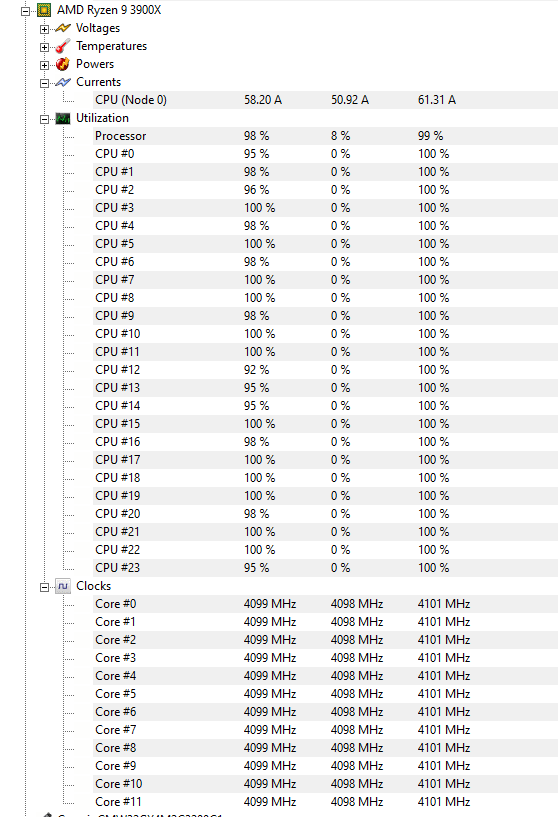
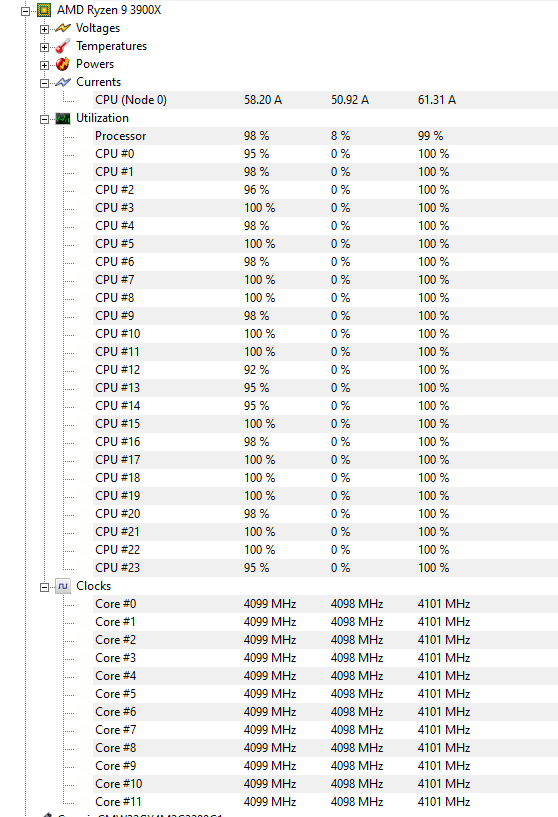
Gotta say tho Ryzen 9 is holding up very nicely
abstract relic
It looks like it’s crying
normal burrow
not really with the leverage they have
timber birch
@abstract relic Oh no not at all, can open anything i want, while its loading a level haha
manic pawn
not really
frail sail
Gib some cores to me 
manic pawn
thread ripper are overpriced af
timber birch
https://i.gyazo.com/8f426dc42d5ebb0149f6dc8057104148.jpg im working on this, but needed some changes
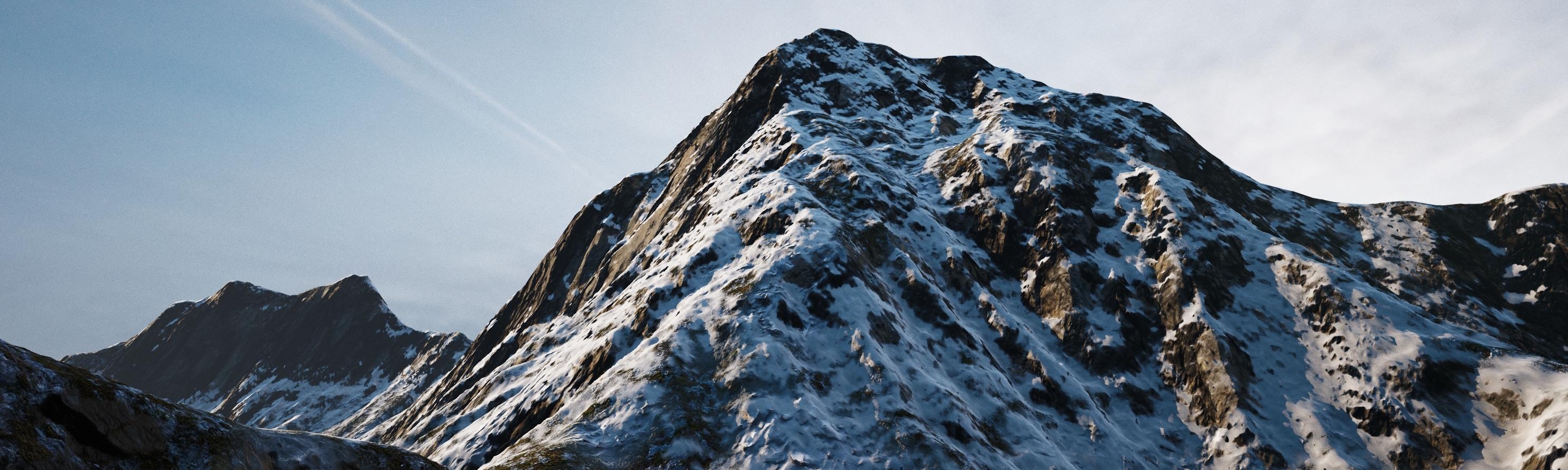

ugh
manic pawn
the 3970x has less than 3x the performance of mine yet costs more than 4x as much
where is the logic there
things are supposed to get cheaper as you buy more at once
timber birch
Good point 🤔
abstract relic
Brushfy Revolution?
timber birch
@abstract relic Nope, its my own landscape mat
abstract relic
Very nice! That was a pleasant surprise
timber birch
Thank you!
abstract relic
Do you have an ArtStation or something similar?
timber birch
I was in the process of adding subsurface to the snow. not sure if its worth it yet
Yeah i do
 abstract relic
You got some lovely trees in here Revolution
normal burrow
trees are good
timber birch
Thanks @abstract relic
Ive improved the redwood trees much further now. But haven't got a good shot yet
https://i.gyazo.com/29cd5607720dfc7a2a487e55c7520ad2.jpg Same level different biome (its all heavy wip)
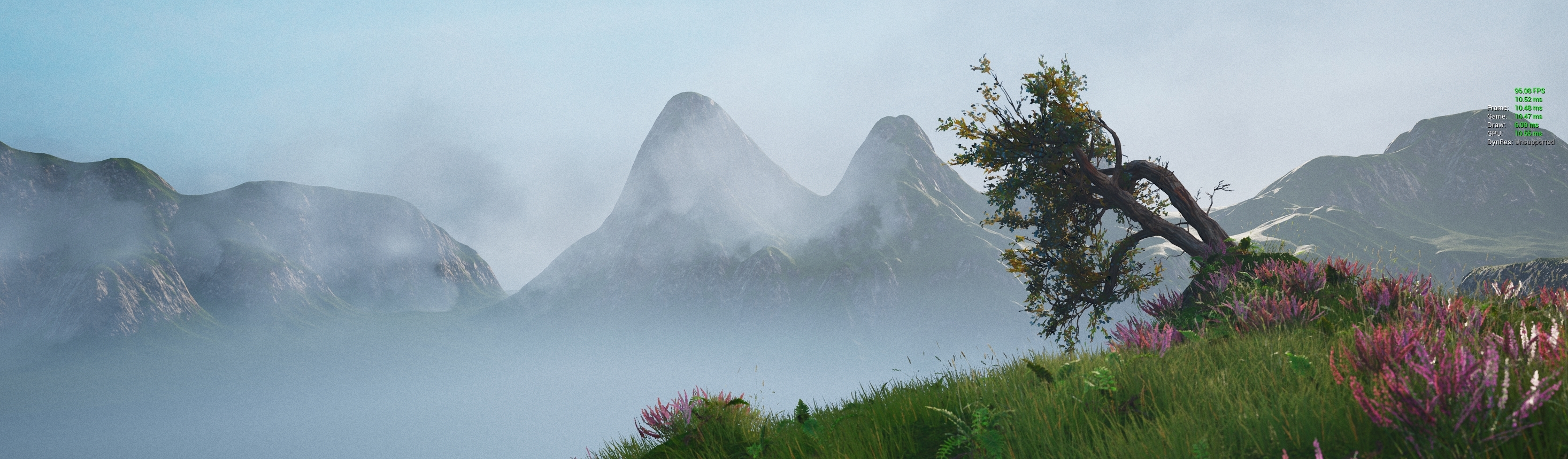
 normal burrow
what is wider than super ultra wide?
 polar hawk
me
timber birch
Hahaha
abstract relic
Super duper 64bit ultra wide
manic pawn
you just keep chaining it now
timber birch
I think super ultra wide is the most?
manic pawn
super super super ultra wide
normal burrow
/w blast processing
timber birch
😄
polar hawk
super turbo hd remixxx wide: the embiggining
abstract relic
Pigeon eye mode
normal burrow
pigeonhd
polar hawk
you were assimilated by the borg and all they had for an eye was one of those 360 vr cameras
timber birch
yeah thats the furthest they go, unless you put 2 of them beside eachother
abstract relic
You forget about the other axis
polar hawk
depth
normal burrow
up
polar hawk
I have 100 screens behind my first screen
abstract relic
Hamster ball monitor
timber birch
And im not very happy with this new super ultra wide... might sell it
polar hawk
is it not wide enough
manic pawn
wtf its not 1440p?
polar hawk
so it isn't wide enough
timber birch
its 1200
normal burrow
if you take two ultra super wides and put them on top of eachother, is it double ultra super wide?
manic pawn
🚮
timber birch
3840x1200 😛
polar hawk
thats probably a firehazard
timber birch
@polar hawk yeah fair enough
normal burrow
two x super ultra wide tall
normal burrow
i also have 4k, i do think people with the crazy fov have it nice though
polar hawk
you're right I don't turn my head enough
timber birch
yeah my 52" 4k tv maybe i should use that 🤔
abstract relic
Skip all those steps and move your office into a redwood forest
timber birch
I'd sign for that 😄
normal burrow
my 43 inch 4k display has been broken the past two days of houdini, doing things on 1080p is a struggle
manic pawn
how come no one tried ultra tall monitors yet
imagine an ultrawide but turned on the side 90 degrees
timber birch
my 43 inch 4k display has been broken the past two days of houdini, doing things on 1080p is a struggle
@normal burrow Indeed


this is the one i had
or still have, but its in a closest
Don't want to sell it, because it is beautifulllll
manic pawn
that looks like it has no gsync
timber birch
Yeah its a design monitor not a game
normal burrow
gsync is kinda garbage
manic pawn
nah
timber birch
I don't game often honestly
manic pawn
gsync is fantastic
timber birch
I just develop games
manic pawn
especially if the resolution is so high that constantly running all games at 100 fps is impossible
timber birch
but its hard to swallow going from 1440p IPS to a 1200 super ultra wide VA 😦
normal burrow
its still vsync though
manic pawn
its not
normal burrow
game waits on it to show at the refresh rate
manic pawn
not if the game is running slower than the monitor can display
timber birch
4k on 32inch is to much and not enough. 2 of them is insane
normal burrow
yeah it wouldn't wait if it were faster :)
manic pawn
then the monitor will display immediately when the game has a frame ready, inverting how the sync works
which is exactly what you want
no stuttering or tears
normal burrow
with frame dependent physics like in unreal though, you give up smoother simulation by enabling vsync, its why the pro-gamers don't enable gsync
abstract relic
Is there even such thing as a pro gamer dev?
normal burrow
I think we had one on here awhile back
abstract relic
I mean beyond self proclaimed ones
normal burrow
By what authority then?