#ue4-general
1 messages · Page 659 of 1
 frigid needle
 nova kelp
hehe at least I'm not alone in struggle 😄
 midnight gate
how can i lock a particle in an axis?
its just a plane right so why does it face the way i face it?
how do i only make it face the z axis
midnight gate
so how do i do the not face
 rotund scroll
I suppose you can make 3d particles as well
or not even particles, just a mesh with emissive materials
because if you think, the sprite has no backface, so you won't see anything from the back
 wise linden
In cascade there's an option to Lock Axis
 next badger
@ebon linden you can fake underwater caustics, there are generators, you can stitch a flipbook and i think it will be cheaper than generating it in realtime
https://softfamous.com/postdownload-file/caustics-generator/24150/9566/
wise linden
You probably want RotateZ
 plush yew
Am trying to knockback an cube when i attack it
But
this node wont work on the cube blueprint as it work in the mannqine bp

Any thoughts why?
next badger
@ebon linden how...can you make it yourself?
generator makes animation (Fourier based)
midnight gate
@wise linden i did the lock axis and sadly it doesnt follow the character rotation axis
but hey atleast its locked in z axis so thats great
 midnight gate
but the particle wont follow my character axis
midnight gate
wise linden
You may also need to set local space on it, and choose a non-rotate option. This stuff gets super fiddly very fast
 astral pond
@midnight gate looks like wings right? would be better to rebuild that as mesh
locking axis in particles are mostly good for flat things.. like a water effect on the surface from a fountain or something
but in most cases its doesnt looks good
 viral flame
is there a way to disable smoothing on images that i import?
midnight gate
@astral pond so how do i make the particle work
viral flame
you can see a little bit of blur and its annoying me
midnight gate
cuz i need it to activate when spesific events happen
and i cant do that with mesh its too complex
it will be much better with particles
how do i lock the particle axis to the character rotation?
viral flame
hello?
 uncut onyx
wasn't sure if there is a support channel but occasionally im getting this "Unreal Engine is exiting due to D3D device being lost." error when i try to add new nodes
astral pond
ah, if it in your charackter bp and you locked the right axis, and rotate it in the bp it should be following.. but there is still the problem with the camera... you can make the material from the particle two sided but still not the best approach
viral flame
can someone help me
how can i disable image filtering
so the image doesnt stretch and blur
astral pond
for what you want to use the texture for hud? or as texture on mesh?
 grim juniper
There's a filtering option when you open the texture
grim juniper
viral flame
how can i access that menu
grim juniper
You open the texture and it's in the details panel
 tender flume
Material instance is my best friend.
grim juniper
might need to expand the little arrow at the bottom of the category
grim juniper
Open the texture. Double click it
grim juniper
Screenshot it
viral flame
grim juniper
click the arrow under the texture category
viral flame
thanks
midnight gate
how do i lock the particle axis to the character rotation?
 midnight gate
when i rotate my charcter particle system doesnt rotate pls help
allrit i figured it out i had to figure out where to switch from world to local and lock the z axis yAY
WHY IS IT SO HARD TO SET IT TO LOCAL XD
tender flume
Just do it haha.
I spent weeks learning how to fix several issues so it doesnt appear on the sand
or any surface which i do not want to
plush yew
@tender flume and what do you press to take a vidoe with gayzo 😄
 craggy flax
Can anyone point me in the right direction with this? I have managed to create a Grid from a BP to spawn under my building as a way to check the 'grid' map space for placement. My issue is that I want to have each square checking for validity (like the house does in the gif) and need to be creating this grid as child actors I gather so that I can have them ignore the building itself, as currently they will block it from placing if they have collision.
eff file too big one sec
tender flume
@plush yew Ctrl + Shift + G
plush yew
You got Gayzo prem?
uncut onyx
my ue keeps crashing anyone who could help me find a solution?
Fatal error: [File:D:/Build/++UE4/Sync/Engine/Source/Runtime/Windows/D3D11RHI/Private/D3D11Util.cpp] [Line: 198] Unreal Engine is exiting due to D3D device being lost. (Error: 0x887A0020 - 'INTERNAL_ERROR')
tender flume
I dont know about that sorry @plush yew
uncut onyx
already updated ue
 pallid talon
@uncut onyx When does it crash? What were you doing when it crashed? etc.
plush yew
Hey ! My UE crashes very often too... 😆
midnight gate
same
pallid talon
@uncut onyx A node in blueprints? A node in materials? A node on Widgets? Can you be any more informative?
uncut onyx
blueprint
plush yew
but for me, it's each time I attempt to do any action while the shaders are compiling...
 grim ore
@uncut onyx thats usually a driver or hardware issue, make sure your drivers are either up to date or using an older version that is supported.
uncut onyx
okay thanks ill check it out
tender flume
Drivers
midnight gate
i updated all my drivers it still crash
grim ore
from what I have seen the latest ones cause random issues, especially with RTX. I run 441.66 and have no issues here
assuming this is nvidia
craggy flax
Hey Matthew, is there a way to spawn actors from a diff class as a child of current class?
plush yew
Nvidia for me and I crash too... 😅
Oh and the log says :
LoginId:67f86bc049badc5ef5882fb1317d3778
EpicAccountId:f69f6e1f984f4494bf1ae0c02c91ef21
Fatal error: [File:D:/Build/++UE4/Sync/Engine/Source/Runtime/Windows/D3D11RHI/Private/D3D11Util.cpp] [Line: 198] Unreal Engine is exiting due to D3D device being lost. (Error: 0x0 - 'S_OK')
UE4Editor_D3D11RHI
UE4Editor_D3D11RHI
UE4Editor_D3D11RHI
UE4Editor_D3D11RHI
UE4Editor_D3D11RHI
UE4Editor_RHI
UE4Editor_SlateRHIRenderer
UE4Editor_SlateRHIRenderer
UE4Editor_SlateRHIRenderer
UE4Editor_Core
UE4Editor_Core
UE4Editor_RenderCore
UE4Editor_RenderCore
UE4Editor_Core
UE4Editor_Core
kernel32
ntdll
midnight gate
d3d is actualy just direct x from mcrosoft
updating it to latest helps a bit but it still crashes
what i figured out is that ue4 has a ram limit and once it uses up that ram limit direct x crashes
uncut onyx
whats the ram limit?
midnight gate
i thin its based on your total ram
like a %
but its just my theory im not an expert
pallid talon
Hey @grim ore I have a successful local connection with Pixel Stream. I switched my -PixelStreamingIP from localhost to my external IP address to connect out of network, but when trying to connect via external IP and port. "This site can' be reached". So I used https://www.yougetsignal.com/tools/open-ports/ and it says my Port is closed. Is this a router problem?
The port forwarding tester is a utility used to identify your external IP address and detect open ports on your connection. This tool is useful for finding out if your port forwarding is setup correctly or if your server applications are being blocked by a firewall.
midnight gate
but from my experiments its what ive got
uncut onyx
only using 800mb ram
midnight gate
ue4 8mb ram is the limit?
uncut onyx
no it just shows that its using around 800mb at the moment
midnight gate
for me it can use 1.5gb
 somber quail
3gb here
uncut onyx
i got 32gb
 hidden aurora
Im using ue 4.24 built from source, when i package the game it compiles like 6k classes, this is supposed to happen just the first time i package the game or every time?
midnight gate
weird
 jade ice
Guys does anyone know what this means?
Im trying to package my project.
UATHelper: Packaging (Windows (64-bit)): LogInit: Display: LogChildActorComponent: Error: Found cycle in child actor component '/Game/Festival.Festival:PersistentLevel.BassPedal2_2.BassPedal2'. Not spawning Actor of class 'BassPedal2_C' to break.
hidden aurora
Cause compiling 6300 classes is so annoying and takes hours lol
 dim scaffold
Anyone know if there's an easy way to get a new unreal install to recognize all your old projects without launching them all one by one?
plush yew
My GPU drivers wasn't udpated. So I've just update them...
but UE is still crashing... It has change nothing... 😩
plush yew
aaah ok, you're probably right
I'm gonna check it
You can attach the Damage Volume to the enemy?
 glossy kayak
@plush yew If u can fix it, can u please tell me about solution this problem? I haven't can repair this trouble for 2 weeks.
pallid talon
Hey @grim ore I have a successful local connection with Pixel Stream. I switched my -PixelStreamingIP from localhost to my external IP address to connect out of network, but when trying to connect via external IP and port. "This site can' be reached". So I used a port checker website and it says my Port is closed. Is this a router problem?
next badger
@plush yew "3D device being lost" is a common bug of GPU hung, cause UE4 stress it really heavily
but in most cases it's related to GPU/Drivers
not to ue4 directly
 unreal sable
Useful yes, how to use no fucking idea lol.
Interface saves time and efficiency by not having to use "Cast to X" or setting up a bunch of "Reference Casts"
 abstract relic
(Probably at his job)
unreal sable
You create an interface, then go to the two (or more?) blueprints and add that interface.
Now they can talk to each other without you having to use Cast to Blueprint all the time.
At least thats how i think they work?
rotund scroll
@plush yew why don't you google it
unreal sable
Hmm i think the Unit you have should have the HP variable with (Expose on spawn)
Then you subtract HP from the unit when it takes damage.
abstract relic
Lucky for you Mathew has videos so you can get your Mathew fix

What is a Blueprint Interface in Unreal Engine 4 Blueprints?
Source Files: https://github.com/MWadstein/wtf-hdi-files
unreal sable
Ah yes.
If i want to make a flexible icon button i can use in multiple places in the hud.
How would i go about adding a flexible function call to it?
"Set Timer to Function Name" doesn't work on functions outside the Blueprint if im not wrong.
rotund scroll
what are you fixing to do @unreal sable
unreal sable
I'll draw on an image to show you.
plush yew
@next badger I've just updated my driver's GPU and DirectX but I have still the same problem... 😢
@glossy kayak Oh really ? It crashes while the shaders are compiling ?
I have this problem for 2 ou 3 weeks too. I'm not sure but I think it's since I've gone into the 4.24...
unreal sable
@rotund scroll
grim ore
@pallid talon that does sound like a router issue not forwarding the pixel streaming ports to your local machine
unreal sable
@plush yew Sphere+Material
 fiery mortar
hello everbody
I want to ask something because ıt's driving me crazy I've been trying to make a interactable door but every tutorial I watch is outdated (I guess) so I want to add "play" action as a node but it's not there does anybody know what's the new word for play or what am I doing wrong?
grim ore
what is play action? what should it be doing
fiery mortar

Completely Ignore my other door tutorials this is as simple as it gets with very minimal blueprint nodes i hope this helps
Leave a like for Unreal 4
follow me on Twitch, Twitter, and Facebook
Twitch.tv/Gm_Dre
Twitter.com/Gm__Dre
facebook.com/SuperAundre
all rights belong to...
this is where they use it
grim ore
that is play sound at location, you don't have that?
oh the videos is not that screen, no you cannot do that anymore
 slow scarab
I have a blueprint actor with a Cube Collision as the root and a skeletal mesh as a child of the cube Collision. For some reason as soon as the game starts the actor starts flying away non-stop. Does anyone have any idea why?
 clever sequoia
Hey Guys, I skipped accidentaly the window for choosing restore file. Is there a way to get it back?
grim ore
matinee has been removed, you would have to use sequencer or just moving it with a lerp or timeline @fiery mortar
ue4 docs has an open door page https://docs.unrealengine.com/en-US/Engine/Blueprints/UserGuide/Timelines/Examples/OpeningDoors/index.html
there is a matinee door open one as well https://docs.unrealengine.com/en-US/Engine/Matinee/HowTo/MHT_1/index.html and you can use the convert matinee to sequencer tool or follow this and just replace matinee with sequencer when doing the animation
slow scarab
Also, if I remove the skeletal mesh then the actor does not fly away
grim ore
alternately https://vrayschool.com/ue4-door-rotation-blueprint/ uses timeline and is a video that would work
slow scarab
Hmm, I guess I figured it out. The mesh had a physics asset assigned. I cleared it and it worked alright.
What is the physics asset responsibility and why would I use it?
rotund scroll
@unreal sable create a widget that has that icon, then let clicking that icon trigger things?
grim ore
usually when you use physics it uses the physics asset, so for example dropping a static mesh into the world and making it use physics it would use the physics asset and the bodies defined in it to ragdoll the character
so in your case you removed the physics from one of the items and now they did not conflict
unreal sable
@rotund scroll Yes.
viral flame
how can i fix this on borders
plush yew
ScreenShoots
rotund scroll
@unreal sable why dont you use event dispatchers? this is the exact purpose they were setup for
grim ore
health system?
unreal sable
@rotund scroll I'll give it a try, no wonder how they work though.
rotund scroll
@unreal sable they create events that can be called by subscribers
pallid talon
@grim ore Should I change my -PixelStreamingIP=localhost to my external IP address? I've done this, but curious if this is a necessary step.
grim ore
in the project, that should be for wherever the server is at yes so if its local it should be the local ip or if its somewhere else it's that IP
pallid talon
Ok, yeah, the "Streamer" is the local computer. Just curious if it needs to have the external IP set to allow external users....
rotund scroll
lol the irony
plush yew
I deleted my original message because I thought I found a way but guess not
plush yew
On an input action
rotund scroll
sure
plush yew
Instant
rotund scroll
just use get float var -> + increment value -> set float var
 high nebula
Hey guys and girls, does anyone know how to make audio play across levels? I am trying to start the music on the splash screen and have it still play when the game moves to the menu screen. Thanks awesome people.
plush yew
Thanks
rotund scroll
@high nebula easiest way: have the splash screen and the menu screen be in the same level
unreal sable
Where do i set the event dispatcher?
In the function the icon is calling to or in the icon button function that is calling?
high nebula
@rotund scroll I would normally but I am using a marketplace project called ProMainMenu 2 for this game and it has them split up.
rotund scroll
@unreal sable consider who is the one calling the dispatcher and who the subscribers are
@high nebula then it's going to be a lot harder for you
high nebula
@rotund scroll I thought I could use the gameinstance as it should work across levels? but cant work it out.
rotund scroll
yeah but opening a new level is a blocking call
which means that it will take priority over all other activity to load the level
not to mention that as far as I know music has to be linked to an actor and can't exist on its own
but that may be my wrongful understanding
 magic bronze
CL 3525109 What version?
high nebula
@rotund scroll I dont think it does as long as it is a audio component.
 naive comet
hey guys if anybody knows alot about blender can u please please please help me and fix all da uneaven lines on dis 3d module
high nebula
@rotund scroll Agreed
viral flame
can someone help me please
rotund scroll
so I don't think it's possible
or well
you could do some things
like save the time of the audio playing and then start from there on the level load or loading screen
that may work
but you'll probably not get it to work seamlessly
frigid needle
Ask your question, Shadept. Don’t ask to ask. If someone’s got an answer, they’ll give one
rotund scroll
people forget that people here are volunteers
plush yew
They did post the question, poorly worded, but it was posted about 20 minutes ago.
 lapis vine
Aah, poor fella. Happens.
And one of these questions that you don't remember as you just do it without remembering. Have no UE in hand to tell.
 rancid lynx
Whats the easiest way to swap between a blueprint actor and a normal static mesh, if the bpActor is further than say 20 foot away from the player? Is it simple?
For example. A brick.
rotund scroll
are you talking about LODs?
rancid lynx
Well, is that the easiest way? I want to swap between actor and mesh. So all the bp code is ignored if not close to player
Idk
rotund scroll
oh like that
rancid lynx
Lod just seems like lower res mesh. But not removing actor blueprint?
 brave gate
@rancid lynx what's the point of such swap?
rotund scroll
deactivate most of the functionality internally
rancid lynx
If i have 3000 bricks in vr.
3000 actors, even with no shadows and physics off, lags a little in vr
brave gate
use HISM for them
clever sequoia
Hey Guys, I skipped accidentaly the window for choosing restore file. Is there a way to get it back?
brave gate
not separate blueprint actors then
you can still operate on individual instance from script, move them, scale to zero (hiding)
but it would be just one draw call per entire HISM
rancid lynx
How do i recall the actor once im close?
brave gate
3000 meshes would be basically the same for renderer as blueprint actors (both having static mesh component)
recall?
rotund scroll
might be worth making it something like a foliage instance
those are low performance and turned off when not in vicinity
rancid lynx
Well. Instances mesh cant be physcially moves by collisions right? So i need to swap between physics actors and instance meshes
brave gate
yep, foliage often used for placing a lot of rocks, chests, etc
rotund scroll
well no
so you have to choose
or if you want both, likely hard code
there's no easy way out
brave gate
you not gonna have both: VR-ready performance and 3000 bricks ready to move on physics 😉
rancid lynx
I can disable physics on 95% of meshes
I just need to be able to enable phsyics on a dozen meshes when im close. Thats easy but
brave gate
you could lay out all the bricks as HISM or foliage (supporting blueprints as foliage element since 4.23) and hide wanted instances - spawn brick actors from actor pool in the place of the ISM instance
rancid lynx
Should be an easy way to swap between basic mesh and actor based on distance from player right?
Okty. Ill look into that also
brave gate
you have hide/destroy one, and spawn interactive one (that's why I mentioning pooling)
but don't expect performance if every single of brick gonna be an individual mesh
rotund scroll
I mean none of this is really easy
brave gate
we have dynamic instancing in engine now, but it's also have some cost
in flat games 3000 dynamically instanced brick maybe would be ok, I wouldn't go there in VR...
HISM + mechanism for actor pooling
you need a bit of coding, but it's NOT crazy complicated 🙂
or foliage but I didn't try accessing it from code, can't say a thing
not sure if foliage can be accessed from blueprints/scripted
rotund scroll
pretty sure they can be extended as blueprintable
 idle mesa
Hello everyone, I am mostly a web-dev getting interested in game creation, and I am taking my first steps with Unreal. I found that there's plenty of documentation about how to create stuff, but I haven't seen much about how the engine itself actually works, and how the generated games are structured (I've tried looking into the code, but all those C++ preprocessor macros are quite confusing ...). For example, something that would explain what threads will typically be running into a basic sample game. Ideally I'd want a guide such as this one for Node.js:
https://nodejs.org/en/docs/guides/event-loop-timers-and-nexttick/
rotund scroll
@idle mesa that's available as documentation on https://docs.unrealengine.com/
Complete resources for learning to use Unreal Engine 4
idle mesa
Hmm, I must have missed the relevant section then, thanks 🤔
rotund scroll
I'm sure if you search for threads it'll give you a solid answer
brave gate
@rancid lynx just be sure - don't spawn a new actor when you need a new interactive brick, get a brick from pool, move to the right place, make it visible, enable collision
limit amount of pooled bricks, easy to adjust performance
nova kelp
question how would i make my character reach for some part of enemy body lets say arm
plush yew
GitHub is the best way for PROJECT COLLABORATION ?
plush yew
@next badger i just watched a video there is live collabration thing?
real time editing
 tropic horizon
Regarding UFloatingPawnMovement, is it possible to sweep with a static mesh that only has complex collision and set up to use complex collision as simple? From what I've tried so far my mesh just goes straight through other meshes but if I add a simple collision then it works just fine so I assume it's something to do with the complex collision but is there any way to work around that?
plush yew
That works for bps and other stuff?
next badger
mue requires own server
A conceptual overview of how the Multi-User Editing system works.
it's not how people generally collaborate in gamedev, just FYI
plush yew
Alexey github can push more than 100MB
if you have textures models etc
that wont work
or have you tried it?
 serene birch
for a project collaboration, you might want Azure Teams rather than Github (for a UE4 project)
because it has pretty insane allowance in repository size 🙂
plush yew
@serene birch

Get started with 12 months of free services and USD200 in credit. Create your free account today with Microsoft Azure.
This one?
serene birch
Azure DevOps to be exact
though I haven't tried it personally yet because I didn't have the need for it
clever sequoia
Hey Guys, I skipped accidentaly the window for choosing restore file. Is there a way to get it back?
viral flame
is there a way i can lock the hands to the camera but keep the third person shadow and all that
i just need to make the shadow from the third person character in first person
while keeping the arms as if theyre a viewmodel
next badger
@plush yew are we talking about realtime collaboration or about version control?
next badger
then read section on version control there
https://docs.unrealengine.com/en-US/Engine/Editor/MultiUser/Overview/#multi-usereditingandsourcecontrol
 hollow tusk
hey guys, i want to reset my player rotation after a certain event, whats the best way to do that?
 smoky sonnet
hey i have a question im taking screenshots right now with the built in tool in ue4, basically i screenshot my 2d game and change something every frame and screenshot it again, at the end i have around 20 screenshots to make a sprite->flipbook->material and so on but they might be not the same x-y because parkinson im shaking a little bit and some might be bigger than others is there a way to change them into the same x-y automatically i know i could do it for every screenshot in photoshop manually
but is there a better way?
next badger
@hollow tusk set an event, set the rotation on that event...
@smoky sonnet add camera capture
smoky sonnet
is ther ea tutorial for it
is it the same like high resolution screenshot where i can screen with 7x multiplier of size and so on
but without adjusting my own viewport over and over again?
next badger
search for Scene Capture 2D
next badger
@hollow tusk reset is -> re-set
smoky sonnet
okay saw a video
next badger
so you set ti to some value, it's just how you decided what this value will be
hollow tusk
no no , i mean reset
as in, make it look the same direction it does when you open the level
next badger
@smoky sonnet you can't , camera capture is using different camera, but no shaking in hands...
@hollow tusk well, you need to save that state to reset to it
smoky sonnet
oh you mean to jump into the camera and then screenshot it?
next badger
@smoky sonnet no, i was suggesting to use camera capture (it writes image to texture)
smoky sonnet
okay can i put the texture thats live updating in an UI?
and then the ui image/texture also gets changed live?
is this possible
abstract relic
that's called a dynamic material
abstract relic
Yes
smoky sonnet
really
ok
that will keep the energy low
i already made 12 screenshots
but i will give it a try with camera capture
next badger
why i keep caling it camera capture, it's scene capture...whatever -_-
plush yew
Is there a node that i can set the health
between 0 - 100?

What this one do?
of the two values plugged into it, it returns the value which is the smallest, aka in your example it compares the value of pin 1 against the value 0 and returns whichever is smaller
 harsh tiger
https://youtu.be/ScEeRs-u1Lw?t=447 i've time stamped that video at 7:28. how would you go about doing something like that? they draw a shape and its made into some sort of mesh thats used in game

DRAW CLIMBER - Walkthrough Gameplay Part 2 - HELICOPTER SKIN (iOS Android)
★ SUBSCRIBE: http://www.youtube.com/c/PlaygamedroidPro?sub_confirmation=1
★ Playlist Synthetic: https://www.youtube.com/playlist?list=PLrGU5x46C4Yp9Z8AIaRekiFWWKUGDRDzo
===============================...
smoky sonnet
are they even using ue4?
harsh tiger
not sure, but i'm sure it would be possible. no?
hollow tusk
Seems like a mesh that is just rotating around the player right?
harsh tiger
its made by voodoo. just went to their website an looked at jobs an they are looking for unity people
smoky sonnet
so its made in unity?
harsh tiger
looks like it
smoky sonnet
idk if i should stick on ue4 or unity many say unity is better for 2d and ue4 is only for 3A games and 3d idk mhhh
 harsh tiger
ah looks like a cpp thing. thank you!
i thought it would be like a spline type of thing
plush yew
There are Blueprint bindings but I'd have to do a bit more hunting to find them
frigid needle
You don’t need to put in a loyalty to an engine. Use what you enjoy using the most, and barring that, use what is the best tool for the job in your hands.
harsh tiger
right okay, thank you @plush yew for the link. i seen an ad for that game and thought it looked interesting
plush yew
yep, they're just tools to accomplish your goals; that said the more you put into one tool the greater your craft and skill becomes with that tool
harsh tiger
is there a quick suggestion for how i would go about actually drawing the lines in a widget to create the mesh? i've never seen anything like that in unreal before
plush yew
widgets support a few drawing functions, you can capture mouse points and then feed them into a series of Widget DrawLine calls
https://www.youtube.com/watch?v=6FP6pvgh-rs

What is the UMG: Draw Line Node in Unreal Engine 4
Source Files: https://github.com/MWadstein/UnrealEngineProjects/tree/WTF-Examples
Note: You will need to be logged into your Epic approved GitHub account to access these examples files. https://github.com/EpicGames/Signup
those same points can be reused when building the procedural mesh
 regal mulch
Well yeah, but without binaries, it won't work anymore until you recompile them.
 open eagle
How would I transfer data through levels for multiplayer
Like
If a player sets their skin in the lobby and the game travels to a new level, where should I get that information from when spawning the players
regal mulch
PlayerState/PlayerController, given you use SeamlessTravel
PlayerState has an "OnOverrideWith" and "OnCopyProperties" event to pass from old to new PS.
GameMode has an "OnSwapPlayerControllers" event to pass from old to new PC.
Also
#multiplayer is a thing
regal mulch
You should make them share a common parent class
As well as your PlayerState and PlayerController
So you can have stuff that are available in both be stored in there
Then you can blindly cast to the parent class and move the data
plush yew
SomeTimes when you are followed with enemys and they get into the camera way
the camera get missed up a littile bit like zooming in and out etc..
regal mulch
Use a test channel that your AIs aren't blocking
Or create a custom one for more control
open eagle
So I should put the player skin in PlayerState
regal mulch
For example, yes
serene birch
Turn Based
regal mulch
Not really
 atomic onyx
to fix that camera problem just check ignore to the camera collision in the meshes that get in front of your camera
so pretty much just select the mesh that does this, go to collision, make it custom and check ignore to the camera
regal mulch
@serene birch Think that's for Subsystems that implement turn-based backend stuff?
It's part of the OnlineSubsystemUtils
serene birch
hmm, I'm not sure which one does that, interesting anyway
I was looking at info on how to organize the animations playing in a turn based game (the actions)
and found that 😄
 crimson lake
Hey guys
anyone got an idea on how to approach making something like the Ocarina system in legend of zelda?
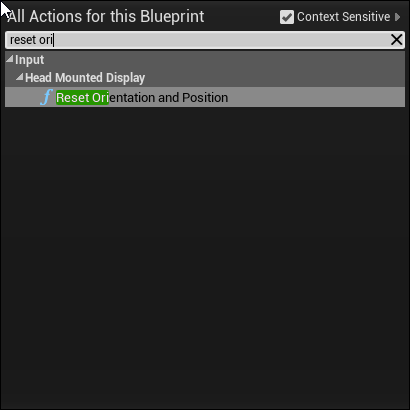
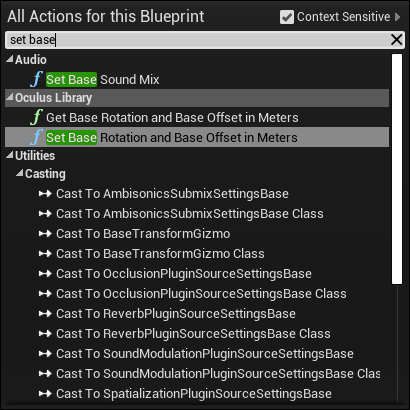
hollow tusk
Can someone tell me why this does nothing to my player ? It's supposed to reset the position and rotation but it doesn't
somber quail
Pretty sure those are VR specific.
hollow tusk
Oh darn it
 manic burrow
ok so when i try to import a fbx file to ue4 (which has 2 planes it) it imports as 2 different 3d files. Im exporting from maya btw. Any help?
somber quail
Either merge the mesh in maya or check the "combine meshes" option in the UE4 import dialogue
somber quail
Store your intial rotation on being play then reference those whenever you want to reset
 kindred viper
@manic burrow you can check the box that says "combine meshes"
manic burrow
but there is no box that says that when importing for some reason
crimson lake
Hey guys
anyone got an idea on how to approach making something like the Ocarina system in legend of zelda?
 severe ibex
Does anyone use a touch screen monitor to test or use UE4 stuff? Or with other programs?
harsh tiger
 noble barn
my animation sequences aren't importing with the skeletal mesh, does anybody know any general fixes.
I've been googling for ages and I still haven't found anyone with the same issue
plush yew
when i put about like 30 ai in my scene
it gets laggy as hell
is there any way to reduce that?
i thought about putting around 200 ai 😄
or some place i can read from
 thin tendon
When using world comp is there a way to tweak the distances at which tiles load in and out?
 frozen pollen
how do you make a box trigger only trigger once
 worn granite
destroy it
somber quail
cast it into the fire
abstract relic
Or use a Do once node
thin tendon
You could also use a variable to gate it. Saying if its = 0 after trigger do this. Then have the first thing it does is set the variable to 1
frozen pollen
ill try those thanks
 frozen pollen
exposure maybe?
abstract relic
Project setting >>> Rendering>>> disable Auto exposure
disable auto exposure in your post processing volume and camera too
 remote roost
@remote roost yes but if y attach the camera to the head of my character the bug happen
@Mr Moine#0151
what bug?
rip that @
 solar temple
COOM
crimson lake
Hey guys
anyone got an idea on how to approach making something like the Ocarina system in legend of zelda?
 wet brook
when ever i try to use the new sun sky BP and a skybox(sphere) there is weird clipping at the edge of the horizon. anyone know who to fix this?
 warped tangle
I don't think that's supposed to be used with a skysphere?
manic burrow
how can i make this not glossy?
warped tangle
roughness value?
craggy flax
What would be the best way to approach roads for a city builder type? Im currently working under the assumption the idea would be to procedurally build them as new grids worth of length are added to it, but ive got no real direction in terms of ideas for AI pathfinding for roads that im building during the game and not just prebuilding as level design
thin tendon
Using world comp is it possible to adjust the distances at with levels stream in and out?
nvm found it you have to create a new layer with a set distance and assign them to that
 opal lark
Hello guys i need help
When i loose grip of mt VR object e gun it just floats i have gravity enabled. ?
can you help
harsh tiger
@opal lark simulate physics?
opal lark
yeah ive tried that its a skeletal mesh
i have a phsics volume set up
ok where is this found.
does that work if the bp is made up of 2 skeletal meshes. the gun body and slide
yeah its a BP
made of 2 skeletol
but does not fall just stays in postin when i release
position sorry
the whole weapon
its a vr weapon
 tame stag
Is there a built in console command to enable a free camera mode (or something similar) in a development build?
 spark sonnet
You can press F8 while playing in the viewport @tame stag
tame stag
@spark sonnet Thank you, but unfortunately I'm looking for a way to do that but in a packaged version of the game. I'm getting an issue that only seems to occur in the build of the game, not in editor.
spark sonnet
What is the issue?
opal lark
thanks
wet brook
@warped tangle I need to have something behind it because when it's night the sky it pitch black
 glad quail
This might be a bit of a long shot but does anyone know a fairly simple way to calculate the thickness of a wall in the context of bullet penetration?
I'd love to just be able to set a density on objects and have the bullet penetration work the rest out
opal lark
Not sure sorry
 wary wing
@glad quail When you detect a wall hit (presuming from a line trace), pick a point 100 units or something forward along the same line, then trace backwards until you hit the 'other side' of the wall. Take the difference between the two his positions, that will give you the thickness of wall your bullet has to go through. Multiply that by density - you can probably get that from the Physical Material of one of the hits and you're on your way to having a way to 'work the rest out'
solar temple
Should I convert all my BSP to static meshes when I'm done?
glad quail
@wary wing
@solar temple it's probably not worth it incase yo uneed to re edit something
wary wing
I normally convert mine, but keep a copy off to the side, or in another level, in case I need to make edits
Hmm so you need something simpler than two line traces MissKraya?
glad quail
it's not the most performant thing in the world but it has a lot of potential edge cases
wary wing
You could just straight read it from the Physical Material and presume that all walls of the same material are 'about the same' thickness perhaps?
glad quail
it's more that it's not a perfect solution that annoys my ocd
glad quail
The reason that I'm trying to make everything as systems driven as possible is that if I ever finish this project I want to release a mod editor where people dont really need to worry about all the internals
next badger
@glad quail have you seen this one? https://www.youtube.com/watch?v=jNVEimfgvm4
glad quail
Will give it a watch now
looks lik he's using Jettes suggestion but that has an issue imo
probably not the end of the world but if any geniuses here have an ideal solution that's be awesome
wary wing
You could trace from source->destination and from destination->source. Both traces for multiple hits
Reverse the order of the hits and the 'Time' (proportion of line travelled) in the destination->source trace
Combine the two lists of hits, order by 'Time', somehow marking the 'Forward' hits as 'Entry' and 'Backward' hits as 'Exits'
Traverse your list looking for Entry/Exit pairs. When you find one, pull the density of one of both materials and do what you wish with it
glad quail
yeah that might be the way forward
wary wing
So in your example there you would get
Source->Destination
Wall1 at Time 0.4
Enemy at Time 0.5
Wall2 at Time 0.7
Destination->Source
Wall2 at time 0.25
Enemy at time 0.4
Wall1 at time 0.55
Combining the two
Enter Wall1 at 0.4
Exit wall1 at 0.45 (1 - 0.55)
Enter enemy at 0.5
Exit Enemy at 0.6
Enter Wall2 at 0.7
Exit wall2 at 0.75
glad quail
yeah that works and probably wouldnt kill performance that much actually
 karmic galleon
does anyone know why my game crash using 4.24 everytime something inside my game explodes?
wary wing
Yeah it's two traces as opposed to the one you were going to make anyway, and doesn't need a backwards trace for every thing you hit, which is nice
wary wing
When it crashed it will have dumped a bunch of text at you in a window
glad quail
okay so, right click on your uproject file
generate project files
open them in visual studio and then hit f5 when it's loaded
it will start the editor, then cause the crash to happen
it will take you right to the line that caused
karmic galleon
okay, i havent installed visual studio XD
glad quail
if you're only using blueprints then it's proabbly an engine bug
karmic galleon
ohhh okay, is there a way i could show live footage?
glad quail
@wary wing if they download editor symbols from the epic launcher will the engine crach screen give a decent call stack do you know?
glad quail
first show us what the crash window looks like
karmic galleon
ok just a sec
glad quail
but you might need to download some debugging stuff using the launcher in a second
incase you need it
make sure editor symbols for debugging is selected, it should only be a 3gb download but will unzip to 20gb 😦
wary wing
Ah I was going to guess sounds 😄
solar temple
How to select multiple bsp vertices?
glad quail
it's crashing because it's trying to initialise a mixerbuffer but it already exists...
odd yeah that sounds like epics fault
not sure you can mess that up in blueprints 😛
wary wing
@solar temple Ctrl+Click I think it is
solar temple
Ty
glad quail
but yeah it's the sound doing it, try playing around with it and if it still doesnt work then disabling it and sending in a bug report
karmic galleon
@glad quail yes i had a feeling it was epic because in 4.23 everything worked f ine but now its these errors
pallid talon
Is the material node "Decal Lifetime Opacity" no longer supported? I can't find ANYTHING on it, and its not working properly for me.
solar temple
I NEVER THOUGHT I NEVER DREAMED
glad quail
I think this is the first version where audiomixer is the default sound engine
Does anyone know if we can go back to a previous sound engine?
karmic galleon
i cant even revert my project to 4.23 cause non of my stuff will load
abstract relic
Well projects can’t revert to previous engine version regardless unless you have source control
glad quail
Always use source control and at the very least keep backups!
wary wing
^ !
karmic galleon
how do you get souce control
abstract relic
Depends on what you want. The emoji above list some of the most common solutions for source control
grim ore
google ue4 source control for ue4 specific tutorials, or just source control as it's not specific to UE4
frozen pollen
i have a first person story adventure template from the marketplace with door blueprints included, and the doors work in the showroom, but i cant get them to work in any other level. what should i do
grim ore
read the instructions if it came with them, otherwise look at the blueprints to see how they work
 swift spindle
I'm always amazed when people don't read the many many warnings certain software uses 😛
frozen pollen
?
swift spindle
upgrading projects without backups...
frozen pollen
oh i thought you meant what i was talking about lol
swift spindle
lol
in your case.. it's most likely some refs got busted... or you did not migrate assets without doing a redirector cleanup or it needs object refs set inside the scene
 shrewd mulch
All my info inside my Data Assets keeps getting set back to default when the engine crashes, even after saving. Is there something I forgot to set? Nothing else I've done in the engine reverts like that.
 broken stream
good day, so i did find this site http://epicleaderboard.com/
its a scoreboard site. is it any other like this ?
 abstract relic
I wonder how privacy is handled with that.
broken stream
what do you mean ?
 normal burrow
Probably something you need to declare as recording user interaction and sharing with public
abstract relic
Lol very sneaky. It states that they will not share personal identifying information only
normal burrow
Something that has little precedence? Yeah lol, non identifiable information lol
Believe this is what amazon shares with echo too
abstract relic
Just how it’s worded
normal burrow
Yea super sneaky
abstract relic
I alway find it funny
normal burrow
Especially when it’s a user ID
abstract relic
It makes it sound like all data will not be sold to a third party
broken stream
i did see this video about it and it looks okay, as i can see
 pulsar badge
is there any water in megascans already made?
abstract relic
First thing you should read when looking for a online any service is the Terms of Service and Privacy Policy
thin tendon
With exponential height fog. Is there a way to reduce its cost? I'm losing about 10 fps just by having it in my map
abstract relic
You can make fake fog through post processing. Not as robust but cheaper
thin tendon
Thanks. I'll give that a try
broken stream
it sounds like all sites you enter this days.
solar temple
Where can I get material/texture that has measurements on it in units or whatever
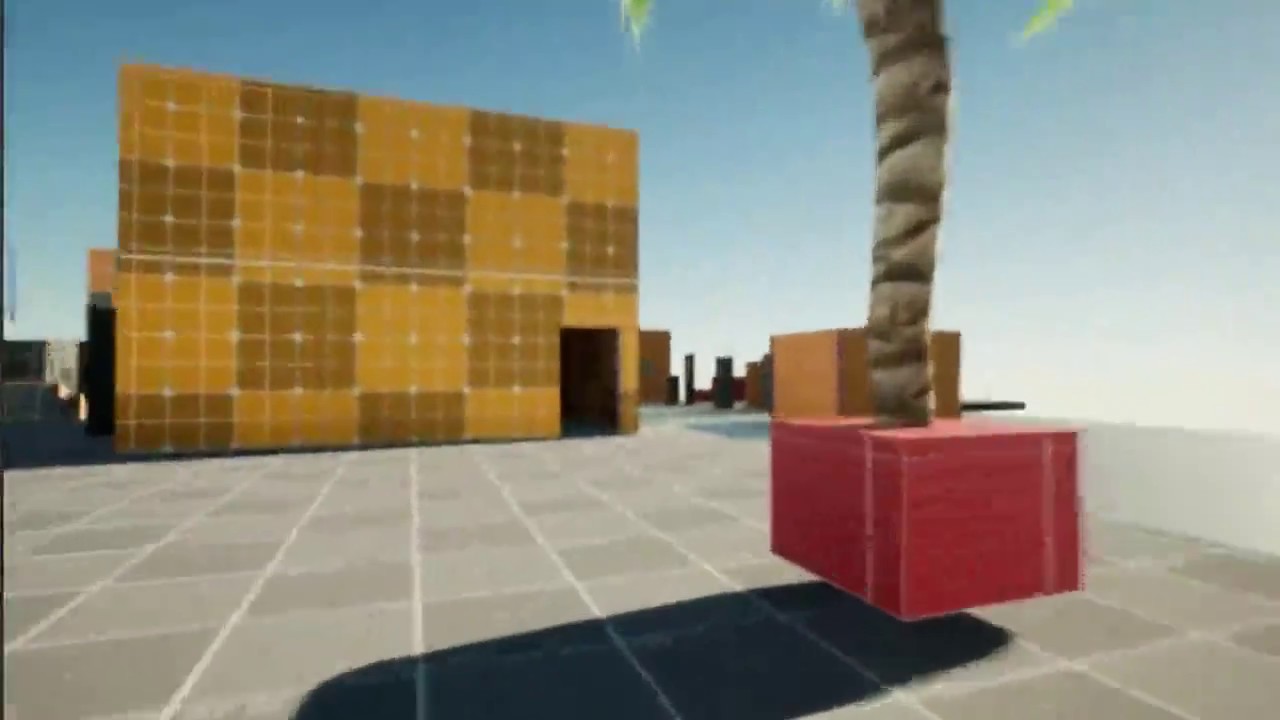
COD4 Scale & Proportion - mp_CRASH - TEST003 - unreal engine
make by only me without knowledge and for entertainment only, if you want to contact pm me.
Like this guy has
See on his BSP
 deep stump
Hello, does anyone know why my dedicated server, no one is able to connect to it? It loads my entry map which targets an open level blueprint to an ip but when you launch the game you get a black screen
 autumn elbow
Anyone know if there is a way to sample the texture of a geo?
Trying to make a sort of camo suit like metal gear solid 4
 magic tinsel
@solar temple Looks like the materials in the Super Grid addon. https://www.unrealengine.com/marketplace/en-US/product/supergrid-starter-pack

Super Grid is a pack of materials and modular meshes designed to make level prototyping faster and easier!
solar temple
TY
 sly hare
So, I have recently upgraded to flipbooks.
Is there a way to make a weapon with flipbooks?
For an FPS?
 lusty spire
Is someone can open https://issues.unrealengine.com/ ?
I have Error code: SSL_ERROR_INTERNAL_ERROR_ALERT
 manic pawn
it's dead
 maiden swift
Same issue here. Might be related to the AnswerHub downtime.
 umbral pagoda
How do I spawn a large number of particles and then make them continue to spawn at a slow speed one at a time?
 gleaming temple
Are there any guides on how to get started with microtransactions with steam?
all i'm finding is this https://partner.steamgames.com/doc/features/microtransactions/implementation
but it seems to me there should be a more ue4-integrated way rather than constructing post / get http requests manually
thin tendon
So I noticed that adding trees to foliage density scaling will remove the mesh but leave the collisions behind. I'm wondering if anyone knew of a solution for this to also remove the collisions?
plush yew
I installed UE (4.22.2) a few days ago. Visual Studio was installed automatically in the same. So, did it automatically install the last version of Visual Studio ? Is it up to date ? Or have I to download the last update ?
 old fulcrum
Hi guys, noob question. Is there a way to add node/instructions to a child actor's inherited function?
im using blueprints
plush yew
I'm asking this because I have crashes on UE (more exactly : when shaders are compiling if I tried to move around in the level even a little movement, or play the level) and I can't find the reason...
thin tendon
@plush yew Check your resource usage and your pc specs. Alot of the time Ue4 crashes its because poor optimization and the PC not being able to handle the amount of resources the engine is asking for
plush yew
Wait !
Uh...
I had the problem until yesterday
but just now, it seems that all is working good
Damn UE... I don't know what sorcery it is but... well, ok... it works now... >_<
thin tendon
I have the weirdest thing going on. I'm adjusting my quality settings. I can see visually stuff changing to match the quality. But no matter what I set my FPS remains the same.
Even changing my foliage cull distances from 10k - 70k still no change
umbral pagoda
@thin tendon You set smooth or fixed FPS?
thin tendon
how do I do that?
umbral pagoda
@thin tendon in project settings in frame section
thin tendon
neither are set
umbral pagoda
So what FPS you have?
thin tendon
80fps it does fluctuate by small amounts at runtime. But I can't find any way to drastically drop or raise it
umbral pagoda
To drop you can set lock FPS in framrate project settings.
thin tendon
I more need to figure out why. Because I'm building on an 8gb card. Players probably won't have that. So I need them to be able to make changes that will actually affect framerate
rancid lynx
if i have 1000 brick actors in a scene, only using 1 Material on all 1000 bricks, would i gain and cpu gpu performance by changing that 1 material to 1 instance material for all 1000 blocks? 1 material vrs 1 instance.
abstract relic
Both are compiled before runtime so it doesn’t matter
rancid lynx
i would imagine it shouldnt. but the instance term made me double think it. thankyou.
are there usually performance gains between a editor gameplay and a cooked build ? especially for VR? my games stable 90fps, im just curious
going to test it now.
abstract relic
Very much. PIE tends to be slower
thin tendon
what thats a thing? Editor has bad FPS compared to packaged build?
rancid lynx
well, editor does run impressively well but.
its just like "closing all shitty windows" in the background, probably.
editors gotta be a shitty window
thin tendon
I was just wondering if I interpreted @abstract relic 's comment right. because I am having fps issues atm
abstract relic
Performance in editor is generally much poorer than packaged build. At the very least, does not accurately represent the performance you’ll receive once you make a packaged build
somber quail
Having the editor running in the background WILL affect performance
That's why it's important to package and profile regularly if performance is an issue
thin tendon
ohh damn. In that case I need to start testing FPS once cooked and packaged
Yeah performance is a big one for me. Because its an open world game with lots of wide open space
somber quail
depending on the situation the difference can be like 20fps
thin tendon
I'm having the issue atm that no matter what my quality settings unreal tells me 80fps on the dot. Without fps being capped
abstract relic
Generally you want to make a build every now and again during development. Bugs will appear and performance will be different
thin tendon
Yeah sounds like I probably shouldn't trust Ue4's fps counter
somber quail
the fps counter is accurate but if you're using that to profile performance - you're doing it wrong.
There's many ways to profile performance. The stat commands will give you an overview of where your ms are going but using the profiler and Unreal Frontend will give you a more in-depth breakdown. There are third party tools that will break it down even further and let you see every piece of data being sent to the GPU

This session by Sr. Dev Rel Tech Artist Zak Parrish explores performance concerns for shipping games, focusing on how to track down problem areas on both the CPU and GPU. Learn how to set up a test environment and how to employ the necessary tools to identify key performance p...
thin tendon
Thanks for the link I'll give it a watch. I have been paying close attention to the different stat command windows. As far as I can tell the only 1 I have issue with is texture streaming poolsize and texture memory size. This is even after I limited all my textures to max displayed resolution of 512.
rancid lynx
Oculus VR - Packed Project loads to a black screen. the game shows on my desktop 300fps, the headset is black . Ive set Default maps, I set tracking origin to floor , inside the Headset is Blackscreen. I cant remember how i fixed that last time X_x. anyone know?
might not be a instant focus thing, im not sure, if i mouse click the window, nothing changes. but i didnt set any instant focus things in game, so im not sure.
 red crane
Does anyone know why my projectiles dont activate the hit component thing
it just goes through it and does nothing
tag me if youve got any idea
s
rancid lynx
does the target item have "generate hit" toggled on ? its off by default. im not sure, i never use hit events, i just use overlaps. im really new.
generate overlaps is ON by default, i think generate hit is off by default. that miiight be it. idk.
red crane
I've tried that but still no response
 mossy nymph
All about collision, collision responses, and collision presets.
rancid lynx
youtube hit videos will help also, wtf is hit event, are great videos. idk.
rancid lynx
if i knew. i would : )
if i could see it. i could poke shit untill i figured it out. but im still trying to fix my problem lol
thanks : )
mossy nymph
btw Rob, is your default map packaged?
rancid lynx
i deleted all maps, and made my own map, then set the editor preferences to mapes and modes to point to my map
its called lands. im not sure what your asking. sorry
mossy nymph
you also need to set cooking to actually package it
otherwise your packaged project won't have that map at all
rancid lynx
ill check that but. when the game runs. i can see the working game showing fine on my desktop monitor
it just shows black in the headset.
the map does show on the desktop monitor.
just no interaction with the headset
mossy nymph
nods not that then
rancid lynx
i think i had this problem last year. i forgot what the dumb trick was
 dim merlin
Hi, how is it possible to render a actor only to rendertarget with a transparent background in 4.24 ?
rancid lynx
this was part of it. in the level blueprint X_x. tricky to remember this turdle
thin tendon
So you can use stat AI to get the amount of AI in world. Is there a way to get that number in blueprint?
rancid lynx
if I use 1 material INSTANCE for 1000 bricks, 100 seperate meshs on my scene, i still have 1000 draw calls, 1 for each mesh right ? if im not using instanced meshes
material instances dont help performance, other than easier access to sliders and values change without compiling shaders, basically right ?
rancid lynx
how do i profile? i dont know about that yet
i mean. i can copy paste 2000 bricks and see it cut my fps
lapis vine
Hmm... I would just surf the web about UE profiling.
There are some officla tutz even.
rancid lynx
ok ty. i watched a 40m unreal vid last week but maybe it wasnt profiling
lapis vine
Try about profiling. There are console commands, gui tools and etc which are used. You can monitor draw calls, different stages times and etc.
 fallen wing
hey! i'm wondering how i can make a scanline widget in ue4? like your playing as a robot

DONATE to PAYPAL : dvdangor@gmail.com
Free video , CG background, Green Screen, VFX, Effect footage for your private ,educational, wedding use, small bussiness or offline use in video projects.
Credit of my name...
somewhat like this but thinner maybe?
 violet goblet
i have a general question:
can we adjust the slider in a more finer granular way via mouse?
 cyan robin
guys i have a fail trying to compile a plugin:
1>Module.TCPSocketClientPlugin.cpp.obj : error LNK2019: unresolved external symbol "public: bool __cdecl UTCPClient::bCloseSocket(void)" (?bCloseSocket@UTCPClient@@QEAA_NXZ) referenced in function "public: static void __cdecl UTCPClient::execbCloseSocket(class UObject *,struct FFrame &,void * const)" (?execbCloseSocket@UTCPClient@@SAXPEAVUObject@@AEAUFFrame@@QEAX@Z)
1>Module.TCPSocketClientPlugin.gen.cpp.obj : error LNK2001: unresolved external symbol "public: bool __cdecl UTCPClient::bCloseSocket(void)" (?bCloseSocket@UTCPClient@@QEAA_NXZ)
1>Module.TCPSocketClientPlugin.cpp.obj : error LNK2019: unresolved external symbol "public: int __cdecl UTCPClient::bGetSocketStatus(void)" (?bGetSocketStatus@UTCPClient@@QEAAHXZ) referenced in function "public: static void __cdecl UTCPClient::execbGetSocketStatus(class UObject *,struct FFrame &,void * const)" (?execbGetSocketStatus@UTCPClient@@SAXPEAVUObject@@AEAUFFrame@@QEAX@Z)
1>Module.TCPSocketClientPlugin.gen.cpp.obj : error LNK2001: unresolved external symbol "public: int __cdecl UTCPClient::bGetSocketStatus(void)" (?bGetSocketStatus@UTCPClient@@QEAAHXZ)
1>D:\Documentos\Unreal Projects\TCPPluginCreator\Plugins\TCPSocketClientPlugin\Binaries\Win64\UE4Editor-TCPSocketClientPlugin.dll : fatal error LNK1120: 2 unresolved externals
i tried to search on google but didn't find anything useful. anybody had idea?
 glacial pecan
@ebon linden not sure, but what I do is just count my gray hairs...
 hearty walrus
@glacial pecan lol
red crane
Is it possible to only remove one widget?
opal lark
Hello
 timber minnow
Hi, i'm trying to create level streaming LOD , but i get this result .
i have two question :
- why my lod is all black ?
- why no matter if i put 1 or 99 in static mesh details percentage , i get same amount of triangle on my lod ?
opal lark
Not sure on that one
This is an easy one but i cannot get my head arpund just want to set up in game music enter one area music plays and stops previous track. ? how can i do this thanks
dim merlin
So anyone, did the last unreal updates for render target broke the ability to render with transparent background?
opal lark
Can anybody help me please
thin tendon
@abstract relic Thanks for the help earlier with FPS counter. Turns out you are 100% correct. Once packaged my games FPS was double what it was getting in Unreal and the quality settings were affecting it.
I'm actually pretty happy about it because its running at 150 fps
opal lark
?
 edgy halo
i have a mag thats attached to a gun (not welded) whenever the mag is sitting at 0, 90, 180 degrees, it flickers, why is that ?
 sudden agate
gimbal lock maybe
edgy halo
i fixed it by unticking this in the mag mesh
 tawdry storm
An overview of a video-scanline post process material
fallen wing
<3333
jade ice
Sorry to ask again.
Does anyone know what this means?
Im trying to package my project.
UATHelper: Packaging (Windows (64-bit)): LogInit: Display: LogChildActorComponent: Error: Found cycle in child actor component '/Game/Festival.Festival:PersistentLevel.BassPedal2_2.BassPedal2'. Not spawning Actor of class 'BassPedal2_C' to break.
warped tangle
have you checked that actor to see what's going on?
opal lark
So nobody helping with my question then ?
warped tangle
People get on at different times, what's your issue?
alrighty then, I guess you solved it
opal lark
Nope
Ok no problem thanks for responding. Bassically i want music to start when i enter an area i do this by trigger in level bp but i want the last track to stop when new one begins,
warped tangle
well if you're using level bp, you should have a saved reference to the currently playing sound. Before playing the next one, stop the current, play the new, then set the var to the new one
 strange moat
not too sure where to ask this but i'm following a how to create your first fps game tutorial and I've come across an issue with the animations, the tutorial says to create a state machine but there's nothing when I type it into the search, any assistance would be great, thank you
 junior solstice
warped tangle
junior solstice
warped tangle
@opal lark It's P, if it's not showing, adjust it and see if it populates
opal lark
Adjust ?
warped tangle
move the nav mesh bounds volume like 1 unit and it'll refresh it
 plucky reef
just a quick question, shave and haircut still not out for maya 2019?
warped tangle
did you try using another skeleton when importing? or did you create a new skeleton?
 glad karma
@light lintel what should I do? Leave and will be okay or must find another way
@warped tangle I downloaded from mixamo site and used two of different pose like T-pose and Original Pose and is the same
warped tangle
well...here
warped tangle
depending on what it's related to, you may be directed to another channel
 muted tree
Ok so is there a simple tutorial on how to make procedurally generated terrain??
glad karma
On YouTube you can find a lot of this stuff
warped tangle
tons, check out youtube
muted tree
Link to a good one?
glad karma
Write for example open world unreal engine and over there in playlist is a lot
warped tangle
none that I know of off hand, just start looking around, some will be trash, but you'll still learn little tidbits here and there
glad karma
@warped tangle but back to my question, how you got some kind of idea?
abstract relic
Here you go

voxel plugin™
Create infinite terrains procedurally using in-engine tools. Edit landscapes in realtime. Join an active community and benefit from frequent updates!
muted tree
thanks
warped tangle
@glad karma try re-importing that mesh, on import options check T0 as ref pose
 brazen hull
I am retarded how do I set a simple E click to hide a object like the BP itself with E I have set like this https://gyazo.com/363cbfda4f39c2c6ff20fa594aad7c14

basicly tryna hide a object with E press
abstract relic
You need to set up communication between the pawn (that’s giving input) and the actor (receiving input)
warped tangle
you want set hidden in game
muted tree
Hey I just want to say if I ask for help here in the next year or so please be nice and try to be helpful as I'm new to ue4
warped tangle
I have to be nice for a YEAR?!
abstract relic
I would use bpi for this https://docs.unrealengine.com/en-US/Engine/Blueprints/UserGuide/Types/Interface/index.html
Blueprints that declare functions to define an interface between Blueprints.
brazen hull
@abstract relic ye what I am trying to do just new at UE4 still so dont know shit lol
abstract relic
What is a Blueprint Interface in Unreal Engine 4 Blueprints?
Source Files: https://github.com/MWadstein/wtf-hdi-files
glad karma
@warped tangle I choosed t0 as ref pose and those problem go out, but I've now no smoothing group information was found in this fbx scene
muted tree
@warped tangle hard right
glad karma
Check out export smoothing group? Or not?
abstract relic
Don’t worry about smoothing
glad karma
So can I leave it?
warped tangle
yep
abstract relic
If you really want to remove the error (it’s a false negative anyway). Set smoothing to faces
warped tangle
@muted tree Just a tip for you, try to post in channels related to what you're looking for help on (ie #blueprint , #graphics , #gameplay-ai , #animation to name a few). And try to post questions with supporting pics/vids to help people understand your question better without having to dig for info
grim ore
 abstract relic
It is! Everything is fine 😜
muted tree
Ok ty
glad karma
Haha okey, so check out option like "preserver smoothing groups" and should be okay? :D
abstract relic
Don’t worry about it
abstract relic
Old bug
glad karma
Okay if you say that it not important so I'll leave it :D
warped tangle
huzzah!
abstract relic

warped tangle
queue root motion with mixamo questions
glad karma
So just lust question I hope kn this moment. What a different is with T-Pose and Original Pose(.fbx) in mixamo? Because before I saw on video was with skin and without skin :D
 abstract relic
 bitter iris
hey just dabbling into this, could anyone point me in the right direction for entering a username so it saves then i can join a server with that username? Thanks
plush yew
سلام
warped tangle
Hi
 lavish python
Hello👋
I want to recreate the Territory system from the settlers 6 in ue4
The System: The howl Map(red mark on the image) is diveded in territories and the borders are marked by stone(light blue mark).
My Goal would be to paint the territories on the map in the editor and then let BP spawn the stone at the start of the game.
The BP should also act as a hitbox for any Player that enter the territory.
My first Idear would be that I create an actor based of an TerritoryTexture is that possible? Didnt find anything like that yet on the internet.
glad karma
Okay I took tpose but I've got problem I haven't got skin of my character.
Okay, fixed
plush yew
Guys, im trying to find a tool to create landscapes and fast Levels, i have seen blender but its to complex for a starter, thanks
 brittle gulch
I feel like I have too many objects in my scene. What do you think would be a solution?
I though about HLOD and Level streaming.
abstract relic
@plush yew Gaia, world machine, voxel plugin, Houdini
 stone pilot
What are the default ports when hosting a unreal online game (steam subsystem)?
brittle gulch
@plush yew do you mean assets modeling? Because level design is best to do in UE4 directly
Or in Houdini and then use the Houdini plugin, but it's not for starters
abstract relic
For white boxing? Unreal’s ancient and built in Box brush tool
plush yew
im going to explain my situation, i want to make a farm level, with grass and mud road and a barn and some corn in the back, i want add a barn house and a backyard in a desert-lake environment. teach me how can i make this as a starter, i can bring the assets like Barn and house from a website so dont worry about that
@abstract relic @brittle gulch
brittle gulch
okay so do it in UE4. You can use the landscape tool and the foliage tool. And for the buildings you just place them in the world
abstract relic
Guide to creating new Landscape terrains.
The doc and YouTube will be your best friend
plush yew
@abstract relic @brittle gulch thank you. gonna start working on it now
brittle gulch
You have wonderful live streams on the ue4 YT channel, they explain you well how to use their tool 😉 Type landscape in the search of their channel
plush yew
Last question, There are 2 softwares that has amazing textures, how can i get them inside UE4
1- Brushify.IO
2-Poliigon
@brittle gulch @abstract relic
megascan too
plush yew
@brittle gulch @abstract relic https://youtu.be/I2yHeydcnOg
please man please i want to live in this environment , TEACH ME LIKE HIM PLEASE

You can purchase the Brushify Natural Roads pack here: http://bit.ly/BrushifyUE4
Find out more at https://www.brushify.io
Support me on Patreon:
https://www.patreon.com/user?u=16149910
Create massive open worlds in Unreal Engine 4 using Brushify!
All content in this video ...
serene birch
well you can use Quixel Bridge 2020 to import Megascans in UE4 if I'm not wrong
grim ore
but the video you linked is literally a tutorial
plush yew
please someone teach me how i can do like him please i want to live here too

This tutorial is now outdated
New tutorial here: https://youtu.be/YPR1XFOUvp4?t=46
Specifically, the part shown at 7:30 is outdated. Drag and drop MI_Landscape instead.
You can purchase the Brushify Grasslands pack here:
https://www.unrealengine.com/marketplace/brushify-gra...
grim ore
and now they are just spamming, not off to a good start lol
plush yew
if someone makes a 3rd person shooter in this exact environment, you will be a billionaire in a day. just 1 map thats all u need
This tutorial is now outdated
New tutorial here: https://youtu.be/YPR1XFOUvp4?t=46
Specifically, the part shown at 7:30 is outdated. Drag and drop MI_Landscape instead.
You can purchase the Brushify Grasslands pack here:
https://www.unrealengine.com/marketplace/brushify-gra...
abstract relic
Please stop spamming Cyber
muted tree
@plush yew that's arma
plush yew
arma textures are outdated
we want a new next gen graphics

I dont want my health to go above 100 or below 0
any way of doing that?
clamp
Clamp (integer)
set min to 0, max to 100
Thanks ❤️
grim ore
I want an item to pass thru something else, overlap. I want something to stop when it hits something, hit.
I want a "trigger" I would use an overlap. I want something to smack something else I would use a hit
frozen pollen
i figured out how to fix the doors so yay me
i do still have an conundrum tho
i need to have the door close when a trigger goes off
im not sure how i would go about this in the blueprint
grim ore
how do you get the door to open?
grim ore
so you click your mouse on the door and it opens?
frozen pollen
yes
grim ore
I am guessing the door is a blueprint? and it has an event to open it then. does it have one to close it?
frozen pollen
what i plan on doing is having it close and then lock so the player cant open it
yes it is a blueprint
you can close it by clicking again
do you want a pic of the blueprint
grim ore
You can create a new blueprint, that has a trigger in it (box collider or another collider) and set up it's overlap event. When the player walks into it, the overlap event fires and it can tell the door to close. You can put the trigger blueprint into the world, set up a variable for the door blueprint and click the eyeball to expose it to the world, then you can click on that trigger blueprint while it's in the world and select the door. this will set up your connection between the trigger blueprint in the world and the door blueprint in the world.
frozen pollen
so another door blueprint with a trigger or just a blank blueprint with a trigger
grim ore
a blank blueprint with a trigger, all you want is an invisible trigger somewhere that closes the door right?
frozen pollen
yes
but how do i get it to tell the door to close? im confused on where the door closing event actually is in the original blueprint, which is why i wanted to send a pic
grim ore
you said when you click on it the door closes
so there has to be something you run in the blueprint to close it
you would call that same something
plush yew
Destroying 100 actors at the same time
will cause a problem?
are you creating and destroying very often?
if its not often, ie, on level reset then it's fine
if it's happening potentially every second, then it's not fine
 forest tree
Guys, I renamed my project and now whenever I click play in editor, it freezes for a few minutes. Anyone ever had that possibly?
plush yew
@plush yew i think it will be like creating 100 zombie then destroying them as they die
it will take a while as they die i think about 5min
you think that will be a problem?>
I'd go ahead and try it and see what happens, if it's fine then great, if you find performance spikes then you'll want to look up "object pool"
Yup i think i have to test it out
thanks for the tip
frozen pollen
@grim ore i cant find the thing that runs the door closing and opening on the blueprint
thats the problem
grim ore
@frozen pollenit sounds like you didnt make the BP? We can try and look I guess
forest tree
[2020.02.20-18.50.42:731][728]LogNetCore: DDoS detection status: detection enabled: 0 analytics enabled: 0
[2020.02.20-18.52.42:737][728]LogInit: WinSock: Socket queue. Rx: 131072 (config 131072) Tx: 131072 (config 131072)
Re: my earlier question. I got this from the log. There's 2 minutes between those two steps...
plush yew
MathewW is there a node like on OnActorDestroy so i can spawn item lets say?
is there such a thing?
when enemy dies 😄
grim ore
there is a function override yes
dim merlin
So could please someone explain what happened to the ability to draw e.g. a character to render target with transparent background. it aint work anymore
jade ice
have you checked that actor to see what's going on?
@warped tangle Sorry for the late response. Yes i have checked it but i dont know what the error message means so i dont know what to look for?
grim ore
@plush yew go to the left where it says functions, mouse over the + and go to overrides, then you can go to destroyed and override the built in destroyed function
 delicate needle
Curious question. Prior to Unreal 4.24.X, was it not possible to migrate specific files? Were you forced to migrate everyting?
dim merlin
i mean, i really think transparent backgrounds are broken from like 4.22 or so on
glad karma
Guys, my character walking like with lags. Do you have any idea what can be problem? I created animation blendspace where I put animation and later I created animation blueprint.
And set everything like in one video and mine not working correctly 😫
grim ore
you would have to show more info on what "lags" looks like to you for us to even guess
its one of the other is what you want to choose, most weapns would be overlap in most games (some might go for realistic which is different)
for a bullet hit might be good as it hits, does damage, gets destroyed
so "what happens" when something touches something else should determine if you want overlap or hit. bullet hits a target and goes away, its a one time thing normally unless you want something like penetration then you would do overlap and keep checking what else it overlaps with as it goes thru
dim merlin
Unreal Engine Forums
Hi,
What happened to the ability to draw e.g. a character with transparent background to render target using SceneCaptureComponent2D? i cant manage to get a right setup for the scenecapturecomponent and render target texture. I remember it did work fine a while ago, before 4....
grim ore
you could do hit on a bullet penetration as well but usually "hit" is associated with stopping while "overlap" continues
yes for the 2nd, the first would be either one as once you react to the overlap or hit you would then do something with the sword (like make the animation stop and go back to idle)
 green sky
Anyone here has some experience with cloth in ue4
grim ore
I would assume using hit because once the item he is firing hits the ground he is not going to do anything else with it so he wants the actual hit event not when it enters or leaves it
and if its solid your going to be using hit events since you cant go thru a solid object (which is when it overlaps)
green sky
I wanted to know how or what value i would have to use to have like a pocket or button follow cloth simulation
grim ore
correct if its blocked it wont overlap
opal lark
a long shot but any idead why an ai is not attacking a player ive set up nav bounds but he just stands . I must be missing something
yerh
yeah
grim ore
I fire a bullet at a player, I want to use an on hit when it hits the player (collision)
green sky
Wow! so know one here works with cloth?
grim ore
when its a solid check for collision its a hit, when its not solid and it goes thru its overlap. Its your choice on which you use
glad karma
@MathewW#9472 my character making like 2 steps and going back to same position
grim ore
you probably have a root motion issue then
opal lark
green sky
For Melee hits use traces there more accurate and can also ignore self, unlike regular collisions that dont ignore self
glad karma
@MathewW#9472 my character making like 2 steps and going back to same position
grim ore
you probably have a root motion issue then
abstract relic
enable root motion
glad karma
@grim ore my character making like 2 steps and going back to same position
That's about root motion to me message?
grim ore
warped tangle
LOL I think earlier in this thread I had said "queue root motion issue"
grim ore
assuming this is the issue because we have to guess because we never saw the actual problem
opal lark
ok
grim ore
@opal lark walk thru the code and see whats broke. When you run and debug do you have a valid AI controller for that character? Is it set to auto possess correctly on spawn or placed in world depending on how you have it
after that since you are using a behaviour tree, open it up while its running and set your actor as the debug target and see what it is doing
 radiant haven



 glad karma
I tried changed for everything this root motion but not working.in animation blue print?