#ue4-general
1 messages · Page 651 of 1
 honest vale
 sharp crest
do I need to select anything for this to work
ERROR: Visual Studio 2017 must be installed in order to build this target.
nv answer is the game development c++ (googled it)
 glass geode
Is there a way to stop DBuffer decals appearing through masked foliage?
 maiden sundial
@sharp crest Desktop development with c++ and the .NET desktop development for the newer unreal versions
That's at least what i did -> into download the engine over the epic games launcher
 celest creek
Sup peeps
sharp crest
I already did the game development c++ only.. let's hope that works 😅 @maiden sundial
celest creek
Does anyone know how I can get the velocity of a joint?
sharp crest
@celest creek
 stuck chasm
Does anyone know how to refresh A blueprint?
I am currently making a zombie spawner and when the zombie is spawned it wont react as if I were to play a standalone zombie
 white canyon
😦 i still cant figure out whats wrong with my navigation
celest creek
@sharp crest I didn't see any good answers when googling it, and your search shows some unanswered questions and no real answer (so far). I guess it's not an easy question but I'll keep googling. I tried the 'Get Physics Linear Velocity' that the first result mentions but no real luck.
Maybe I can use sockets instead.. I'm just trying to figure out when a ragdoll has calmed down, thought that if I can get velocity of a joint I could just check the mag of that.
 brazen hull
working on a ship how can I make it go down when I go into hover on button press
celest creek
I used my mesh's 'get component velocity' instead, couldn't get joints nor sockets to work but think it's possible somehow still.
@brazen hull Are you using physics or driving the locations in any other way?
brazen hull
well I am new to ue4 and its basicly just the starter ue4 ship and I want it to like hover and then make it land and go downwards
dont know too much about ue4
celest creek
I think that's using physics.. it's not a quick answer for that, a fair bit is involved for it
Unreal Engine Forums
Talk about Level Design, Static Meshes, Physics, and more.
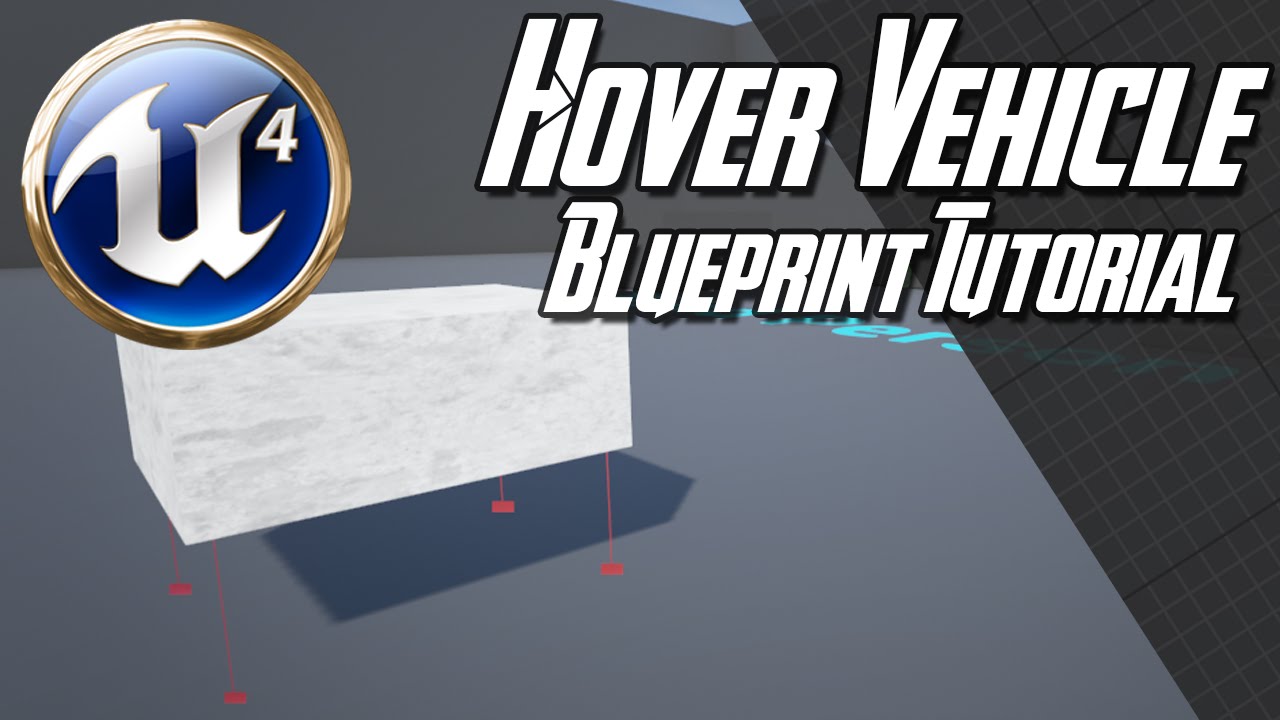
Update 17/05/2018: Tutorial from Marco (with proper damping): https://www.youtube.com/watch?v=ko6lDSSNhV8
How to create a Hover Vehicle in Unreal Engine 4.7+ with blueprints. I used Unreal Engine's Hover Component Tutorial as a basis, be sure to check it out here: https://www.yo...
Maybe look at those things
 lime gull
I need assistance
I basically wanna spawn in an actor that spawns other actors within a certain area
But the area is the outside of a square
 plush yew
I want to make a death animation and death function but the question is where I need to do it in the character- in the hud or where?
 kindred viper
make it in a base character and dynamically add it to anything from there. Because you can 🙂
 normal burrow
also, interfaces
kindred viper
interfaces are my fave thing after slate
normal burrow
heh
kindred viper
both I guess 😄
kindred viper
depends how you animate really. Some people use pure anim graph. Some use programmatic methods. Presuming you are doing it in anim graph, then you have options based on parent child structure. If you want a base char that inherits the anim graph to share anims, then put it there, otherwise just in the character as associated with the SkMesh. Otherwise if you want a truly dynamic approach, you can pass anims by name and play them on an appropriately targetted SkMesh from anywhere really if you keep a solitary anim graph setup for it
the new anim sharing methods are something I haven't really looked into because I had a setup down before they added that, but that might help too
 abstract relic
animation montage
plush yew
oo gg bro, so complex-xD
I just want when the health is on 0 the chaarcter to be death-xD nothing complex
and some animation like to fall down-xD
kindred viper
then anim graph associated in the character
kindred viper
then its tutorial time

 normal burrow
montage would not be complexe
plush yew
which montage?
abstract relic
They still need animation bp to run montage regardless
normal burrow
yeah, even when you don't have an animation bp, the engine generates one for you. so there is not a lot of point in avoiding them
brazen hull
anyone know how I would go about making a elevator with 3 floors? looked on yt but most are just lifts where you go on top of it and it auto goes up
kindred viper
make a platform follow a spline. Have a spline point at each floor. Give the option to stop on a boolean check at each point based on what floor the user selected.
 abstract relic
Many ways to do it.
You could hard code the location of course. You could have an trigger set up. You could have an array of empties to store location and adjust them per instance.
 grim ore
@plush yew so when you are using dynamic lighting (not built) it's fine but built it's low quality?
what do you mean by preview quality?
 sweet relic
maybe its lightmap uvs?
grim ore
so when you build lighting on preview it's fine but on production it's not?
 boreal plinth
I gotta get rid of these black walls man
grim ore
but you did bake on preview, we are not talking about when it says preview in the shadows before baking
because that is NOT the same as building light on preview
grim ore
put that item into a different light channel so it's not affected by your light build?
grim ore
Lighting Channel
boreal plinth
Would the light channel be under the static mesh properties or the directional light properties? Trying to find it now.
grim ore
they are in the item itself (so the static mesh) and in the light itself
both under the Light or Lighting category
grim ore
yep, tell it not to accept light from channel 0 and it will not be affected by a light casting in channel 0
you can use no channel if you want no lights
boreal plinth
Nah I meant it looks perfect with 'unlit' view :
It's one single static mesh with 160 mats and 1 LOD
So lit looks like garbage
grim ore
what if you changed your shading model on your materials to unlit then
 dark depot
^
thats goijng to be the same as unlit mode
also you can just adjust your spec that looks like its what your complaining about if you dont want to make everything unlit
boreal plinth
Ahhhh
abstract relic
That all one mesh? Lightmap must look terrible
 cosmic matrix
Hello,
Anyone can tell me where playerName in playerstate is generated?
impossible to find it in Aplayerstate.cpp
where can it be generate?
i m talking about the generation method not the property
boreal plinth
So basically, I ported a 1.6 map into blender as .OBJ, then exported as .FBX, my end goal is to port it to Pavlov so I can enjoy it in VR, however any time I separate and parent a model in Blender it doesn't import together in UE.
 summer turret
I am on 4.24 but I cant find the blueprint brush in the landscape editor, can someone help me?
 grim juniper
 royal crest
is it possible to convert scripts for unity to ue4?
grim ore
@cosmic matrix it looks like AGameModeBase::InitNewPlayer( is where this gets set by default
 vital oar
https://www.youtube.com/watch?v=XQWjHWRw8yI&lc=z23zsn1abyqbdbv4104t1aokgzpjaphfxbiard3kydofbk0h00410

Earthquake 8.2 - Official GameTeaser
8.2 Büyüklüğünde bir depremin yarattığı tahribat ! Karakterimizin büyük yıkım sonrası yaşadığı zorlukları anlatan üzücü ve zorlu hikayeye heyecan verici bir bakış.
Videodaki sahnede deprem olmuş, yıkım gerçekleşmiş, fakat hala büyük artçı de...
boreal plinth
Got it!
grim ore
@plush yew what does it look like with preview quality built?
cosmic matrix
@grim ore will check right now
 forest tree
Has anyone ever seen this behaviour? I'm not sure why, but rubbing up against trees seems to make my character think he's eating a Mario powerup.
abstract relic
Your foliage instance is way too big. So it killed shadow to save performance
 somber quail
@royal crest If you're fluent in C# and C++/Blueprints you could probably replicate a script but it's impossible to just convert. I've taken some basic mobile AR scripts and made BP equivalents before.
grim ore
the reason it looked fine before was you had dynamic lighting on more than likely so the shadows were realtime not baked
find your foliage and tell it not to use static lighting
you can also look thru here for tips https://forums.unrealengine.com/development-discussion/rendering/39490-lightmap-too-large-warnings
uncheck the cast static shadow that is an option
 grim ore
thats going to depend on your project, you need to start playing with stuff and see what works
 smoky sonnet
and fixed some mistakes i found 😄
abstract relic
This is a perfect opportunity to turn those comment bubbles into a rainbow
abstract relic
No
 ocean merlin
hey guys: I passed to new 4.24 and when I open project, it doesnt open my old assets, that I let opened from last time
I found this parametr, but nothing changed
cosmic matrix
@grim ore thank s that s what i m looking for but there is a defaultplayername declare and used but no value set do know where the value is set
plush yew
Hey, I don't know if this is the right channel for it, but I need some assistance with my UE4.
Ever since I've updated my UE to 4.24.2, my Swarm Agent hasn't been able to build lighting. Each time I chose to build lighting, my UE froze and Swarm Agent kept spamming the following in console.
 1:12:39 AM:  ... registering SwarmAgent with remoting service
 1:12:39 AM:  ... registering SwarmAgent network channels
 1:12:39 AM: [ERROR] Channel registration failed. Reason: No such host is known
 , Callstack:    at System.Net.Dns.GetAddrInfo(String name)
    at System.Net.Dns.InternalGetHostByName(String hostName, Boolean includeIPv6)
    at System.Net.Dns.GetHostEntry(String hostNameOrAddress)
    at System.Runtime.Remoting.Channels.CoreChannel.GetMachineName()
    at System.Runtime.Remoting.Channels.CoreChannel.GetMachineIp()
    at System.Runtime.Remoting.Channels.Tcp.TcpServerChannel.SetupMachineName()
    at System.Runtime.Remoting.Channels.Tcp.TcpServerChannel..ctor(Int32 port)
    at Agent.AgentApplication.Main(String[] args) in D:\Build\++UE4\Sync\Engine\Saved\CsTools\Engine\Source\Programs\UnrealSwarm\Agent\AgentApplication.cs:line 133.```

If anyone knows a possible fix, please mention me.How should I start to do a Line trace weapon shooting that is replicable on network?
Anything that should not be used?
plush yew
i have a cape
and for some reason when i import it in
it looks like this

why?

from the other side its normal
am confused why this is happening and thanks
 honest stone
Hey there i want to ask have Someone experience with 2D fighting games in UE4 ?
 rotund scroll
@honest stone what do you want to know?
honest stone
So in fighting Games it US usual That Player one and two always Face each Otter whereever they are so i want to ask how can i make That in blueprint i have Player one and two when i Jump over a Player they dont Face wach Other
Sry for My Bad english 😅
plush yew
Simply put, you want your character to face the direction you move (Pressed D, character faces towards the right), correct?
sweet relic
@plush yew in material turn on 'two sided normals'
 honest stone
@plush yew no so i want That Player one and two are facing Esch other wherever they are
plush yew
Ok I misunderstood
honest stone
So Does anyone Knows how to handle this ? I will that this will be like all fighting Games Player one and two wherever they are they Need to Face wach other
Each other*
summer turret
How do i get the landscape deformities to stay? if i am dragging my spline the landscape deforms, as soon as i let go, the landscape goes back to default and the deformities dont stay. Help please!
 candid stratus
i tried a lot of things on the internet but i can make it so a static mesh is all ways lit not mater if their is a light source or not
sweet relic
@candid stratus set the material attached to the mesh's shading model to "unlit"
candid stratus
ok ill try
smoky sonnet
anyone know why this isnt working
i want to set a limit to my falling speed value with clamp
but it isnt working like i want
summer turret
no one here knows how to setup the spline to deform the landscape?
plush yew
anyone using alsv4?
candid stratus
@sweet relic i tryied it and this happened. Instead of the mesh being lit instead it the green turned black
sweet relic
@candid stratus Edit the material and plug the wire that is connected to "Base Color" into "Emissive Color"
candid stratus
k
Omg thankyou so much. I tried to fix this for ever and the answer was so simple. God bless you.
 open eagle
Is there any way I can have certain actors change the parameters of the custom depth post process material
rotund scroll
dynamic instance material, though I'm not sure how that works with post processing
open eagle
exactly like this
Unreal Engine Forums
For discussions about Materials, Textures, Lighting, Particle Systems, and Post Process Effects.
No its a post process material
rotund scroll
I mean dynamic instance materials are supposed to work with all materials
but I haven't tried that particular combo
plush yew

How i can make it appear as i start the game?
i did put it in the skeleton
but as i start
its not showing up
if any1 can help and thanks
open eagle
post process materials are put in the camera
you put different post process materials in the camera post process
rotund scroll
I'm aware of what a post process material is
open eagle
they are not placed on the actors themselves
rotund scroll
doesn't mean you can't act on them
 next current
i still cant seem to get rid of this error, i only have 1 sky sphere. i could just set it to false but i am curious as to what it is causing it in the first place.
rotund scroll
technically they are part of the camera modifiers
so you can look into making different instances that you can swap out for your camera manager class
open eagle
these weapons look like this because of the post process material
how can I make one of them purple and one of them green
rotund scroll
I just gave you a pointer on where to start
open eagle
I am using custom depth
rotund scroll
why do you think that matters?
plush yew
https://gyazo.com/4f2d8c9c54aaf85d246708ce6697b826 Am sorry for asking this again but i cant see this cape as i start the game

even tho i did put it in skeleton
why isnt it showing up?
open eagle
I want to be able to have multiple custom deptj
rotund scroll
if you're not getting an answer then people most likely don't know @plush yew
spamming won't make it better and will just get you banned
@open eagle do you know cpp?
open eagle
Kinda
not really
Wait
i think i can change the material to act on this stencil value
 tired oracle
I downloaded 4.24.2 and forward shading is enabled by default?
rotund scroll
@tired oracle are you doing VR?
tired oracle
No, I'm just wondering if thats normal now lol
never seen it enabled by default
was wondering why it was taking forever to compile
rotund scroll
if you're using VR or mobile
summer turret
Guys I am using the "Editor Apply Spline" node to deform the landscape using normal splines, it works as it should when I am dragging the spline (It deforms the landscape) but as soon as I let go, stop using the spline, the landscape deformities go away. How can i make it so that the landscape deformities stay after i stop dragging the spline?
rotund scroll
then it'd be normal, but I honestly haven't seen it for any project I have on 4.24.2
tired oracle
yeah weird. First time loading it up
 bitter iris
how can i do this but instead of static meshes id like blueprints if possible
rotund scroll
@bitter iris is StyleArray your own variable?
bitter iris
yeh
rotund scroll
create a blueprint type
then just look for that blueprint type when choosing the array variable
and voila
plush yew
Hey, I don't know if this is the right channel for it (if it isn't, please correct me), but I need some assistance with my UE4.
Ever since I've updated my UE to 4.24.2, my Swarm Agent hasn't been able to build lighting. Each time I chose to build lighting, my UE froze and Swarm Agent kept spamming the following in console.
1:12:39 AM: ... registering SwarmAgent with remoting service
1:12:39 AM: ... registering SwarmAgent network channels
1:12:39 AM: [ERROR] Channel registration failed. Reason: No such host is known
, Callstack: at System.Net.Dns.GetAddrInfo(String name)
at System.Net.Dns.InternalGetHostByName(String hostName, Boolean includeIPv6)
at System.Net.Dns.GetHostEntry(String hostNameOrAddress)
at System.Runtime.Remoting.Channels.CoreChannel.GetMachineName()
at System.Runtime.Remoting.Channels.CoreChannel.GetMachineIp()
at System.Runtime.Remoting.Channels.Tcp.TcpServerChannel.SetupMachineName()
at System.Runtime.Remoting.Channels.Tcp.TcpServerChannel..ctor(Int32 port)
at Agent.AgentApplication.Main(String[] args) in D:\Build\++UE4\Sync\Engine\Saved\CsTools\Engine\Source\Programs\UnrealSwarm\Agent\AgentApplication.cs:line 133.```
If anyone knows a possible fix, please mention me. shy silo
@plush yew Check That your material is double sided
If you are showing inside faces and they aren’t shaded
abstract relic
#looking-for-talent read pinned messages
 sly hare
I don't mean talent...
I am looking for someone to assist me cultivate talent.
Like someone to help tach a bit?
abstract relic
Don’t ask to ask. What would be the purpose
sly hare
WHOOPS TEACH!
abstract relic
Ask your question and maybe one of the few thousand people will answer
If you want a tutor. Go to #looking-for-talent
 fierce tulip
(and read the pinned message there :) )
abstract relic
Goodluck. This is not said with sarcasm.
rotund scroll
@plush yew google for tutorials before asking
 tawdry storm
why are people often times so offended when nobody is answering their questions on the fly?
sly hare
@plush yew hit support voice chat.
rotund scroll
because people think this is a service they're entitled to
tawdry storm
:/
 mild belfry
summer turret
mild belfry
summer turret
I cant get to deform the landscape using the "Editor Apply Spline" node. someone help I am stuck in this since this morning.
rotund scroll
I know right
abstract relic
Yall are salty tonight
rotund scroll
it takes a better person than me to be spat in the face and still put a smile on
tawdry storm
like me 🙂
normal burrow
lol
 polar hawk
it is always salty in the salt mines
summer turret
any help would be appreciated, regarding the "Editor Apply Spline" node.
 strong moss
has anyone ever had an issue where an uninstalled plugin tries to still load when starting ue4 and doesnt let you package?
rotund scroll
nope but maybe #packaging has the answers?
normal burrow
how are you uninstalling it marley?
strong moss
it wasnt on marketplace so just moving folders out of the project
normal burrow
open up your .uproject file
tawdry storm
^
normal burrow
in notepade and delete them out at the bottom
make sure the last } before the ] does not have a comma after
you can also probably set  Enabled
 to false but idk, try delete first probably
strong moss
didnt work
normal burrow
did you close editor
strong moss
yeah :/
normal burrow
whats the error exactly?
also re-open to the uproject file in notepad to verify it didn't repopulate
strong moss
On start up it says "fail to load" a bunch of components from the plugin, even though the files arent in, and its not enabled
normal burrow
the uproject file still does not reference the plugin?
rotund scroll
does it exist in the plugin browser?
strong moss
nope
for both questions ^, not in browser and the uproject in notpad didnt repopulate
plush yew
how do you turn a staticmesh back into geometry? ping me when u respond
rotund scroll
do you have a have an intermediate folder you could try deleting?
normal burrow
lol i should have thought of that one cranz
thats been the answer to like every question as of late
and it usually works
strong moss
its no where in my project files, no where in the cpp files
normal burrow
yeah delete the intermediate folder though
it'll force a shader rebuild and cpp rebuild
 icy egret
hi
I have question
how to flip horizontal object?
normal burrow
but will likely terminate the issue
strong moss
like the plugins folder?
strong moss
oh delete the whole thing?
normal burrow
yup
rotund scroll
@strong moss did it fix it?
 rancid lynx
Can i get the impact location between two collision boxes using on begin overlap?
strong moss
@rotund scroll everytime i open ue4, i see a bunch of references being populated in here. Not sure if that can help
rotund scroll
@rancid lynx only hit events give off impact locations
@strong moss idk, I haven't had this particular issue. worst case, try and migrate all of your content to a fresh project and see if that works
but before that double check your .uproject file and see if you haven't forgotten a } somewhere
 vale silo
lol, just encountered weirdest issue
I have T_TestSky_4096.tga file that UE4 refuses to import allegedly due to https://i.postimg.cc/SKGvp6mB/UE4-Failed-TGA02.png However, if I rename it into T_TestSky_4096_poop.tga it gets imported just fine.

 exotic cave
Hey all. What's the best choice for collision category for my landscape static meshes?
In other words, basically stuff that doesn't ever need to collide with each other? I'm loving my scene but getting slightly worried about the number of mesh colliders I'm going to have in the final version.
There's gotta be some way to exclude them from collision testing with each other, right?
exotic cave
Guess I'll take a look at some point tonight
 fathom glade
haha yeah, i figured it out lol
 mossy nymph
meshes had no collision?
plush yew
Best way to do Cloth component in unreal?
normal burrow
cloth component?
plush yew
Is there something better than that?
normal burrow
nah its built into the mesh on unreal
plush yew
to do cape
normal burrow
no component neccisary, assume your thinking that other engine
normal burrow
nah yeah, capes = cloth sim which is configured on the model. not any component
keep in mind, that that thing they are painting with is centimeters
where its 100 by default, you can go much higher
 stark acorn
hello humans , 😄
any ideas how to add colissions to a data smith file quickly !
it's a pain to add manually to each wall and each floor and each opject and actor !
lime gull
When using the component begin overlap node, it activated multiple times despite having a do once node
stark acorn
@lime gull you answering me ?
normal burrow
consider adding a boolean and doing the do once yourself @lime gull
is your actor a character @candid stratus ?
lime gull
Ill try that
candid stratus
yep @normal burrow
normal burrow
are you in a physics volume defining the gravity?
candid stratus
what do you mean
normal burrow
how are you setting gravity z to 0
candid stratus
sharp crest
did they fix it so you can make dedicated servers without a custom engine build already?
normal burrow
yeah that doesn't do anything for character movement component
candid stratus
on enable gravity
normal burrow
use gravity z scale on the movement component leprechauns
lime gull
I used a Boolean but it still activates multiple times
candid stratus
ok
normal burrow
hm lightsaber
it should activate once per instance
do you have multiple of these?
lime gull
Yeq
rancid lynx
How would I blueprint a chest that I can open with a vr controller? I'm good with attach to component. But that would disconnect the lid.
normal burrow
each one will allow one activation
if you want the first one to not allow any others to run, yould have to get all the instances of that blueprint in your level and set their booleans to false
or some other mechanism
lime gull
Hm
Its weird cause I did this on another project and it works fine
But for some reason on this one its not doing it
rancid lynx
Hmm maybe a look at node
How the heck does he pin the door blueprint to the mouse controller? How would I do mthis with a vr collision box. https://youtu.be/12rAYeEMc4E
In this free step by step Unreal Engine 4 tutorial video (UE4 how to) you will learn how to make a hinged swinging door using physics constraints.
All my UE4 tutorials: https://www.youtube.com/watch?v=BT0jFArPtGM&list=PLEp7216xGGILh3i2BZe2E0ZEuiIGa-VQT&index=1
Join me for Live ...
How does he pin the door blueprint to the mouse? I want to pin it to my motioncontroller
 uncut vigil
physics handle at location?
 tawdry heath
hey guys if I want to make my character max speed to be 200 when reloading, do I use event dispatcher?
rancid lynx
you can manually change max speed of walking
just call the "set max walk speed" node, when the reload starts, and set it back to default when it finishes. i forget the exact node name.
get pawn controller, or get character controllers, should give you access to "movement something" node
gotta afk
tawdry heath
ok and I would have to disable sprint and crouch during the reload, right?
normal burrow
@solid whale you could make it out of static mesh components instead of individual actors
might not be a design question
 solid whale
@normal burrow I am using static mesh component
tawdry heath
why is my entire Unreal Engine 4 frozen by opening a file that has like 5 images
I can't even open task manager
normal burrow
Yeah I just meant, you can have many of those on a single actor
if they are static, the less actor overhead the better
doesn't really matter if you convert the actor to a blueprint on file or not afaik funk
in terms of performance i don't think it makes a difference
solid whale
Thank you @normal burrow that is a much clearer answer than what I got before haha
normal burrow
yeah thought originally you were saying 1 plank 1 actor but yeah if its just between if it lives in a blueprint or in the level, i don't think this matters
stark acorn
guys
after applying collisons
i can't move into tight spaces
like this
any way to make the guy like thinner 😄 ?
stark acorn
how 😄 ?
stark acorn
it's 1 m
normal burrow
if you find the fps character in your project, you'll wanna adjust the radius of the capsule component
things might get weird
normal burrow
yeah find the capsule component and change its radius to 40 to clear 1meter
normal burrow
is this the blueprint editor?
You will want to select the CapsuleComponent in the list of components and it should be under Shape category Capsule Radius
you could type it in to the search details box to quick find it too
tawdry heath
why does it take so long to delete files?
normal burrow
it has to verify they aren't in use
and if they are in use it has to shut down things
plush yew
Or you can do it at the OS level and deal with the aftermath 🙂
normal burrow
What’s connected to the sink?
normal burrow
Sink is on the right
normal burrow
Try normalizing worldvertexnormal
Also try expanding the last multiply node before displacement to see its visual value
 stark acorn
it's blue
normal burrow
I think maybe that was for me?
stark acorn
what is it though
abstract relic
Go to bed
normal burrow
It shows you the output, try it everywhere
 grave osprey
Dem displacement.
stark acorn
?
 frosty creek
Hey, anybody know how to give a VectorPerameter UV coordinates?
Ive got UV math to make UVs wiggly, but I need to apply that to my mix of colors.
abstract relic
Might be misunderstanding you. You use the texture coordinate node to get uv index
frosty creek
Indeed I would, but how do I apply that to my color mix?
What im looking for is:
Color mix>Wiggly UVs>Output
Closest I can get to that is multiplying my mix, by a Texture Parameter with wiggly inputed to its UVs. But obviously thats an issue, cause I dont want it to look like the texture.
abstract relic
You can append them and set it to Tex in an empty texture node
 lilac wedge
my vertical scroll box doesnt work with left click and drag (i have disabled the scroll bar and am scrolling by clicking on the buttons within the scroll bar)
exotic cave
@stark acorn : Save that for a horror game 😄
I think I'm finally getting a hold of this whole "grass" thing!
stark acorn
grass is another pain my ass that i'm trying to avoid
i couldn't pump anything correctly till now
it just ruins the geometry of the surface
it works here
but not here
exotic cave
Those uv's seem off, yeah
exotic cave
Take that same screenshot in unlit/wireframe mode?
You have displacement map issues, huh
exotic cave
Hmmm
stark acorn
that's annoying T.T
exotic cave
I can't put my finger on it exactly
exotic cave
But it looks like your UV's are getting mangled before they head in
No, I gotta go to bed here soon
stark acorn
T.T
exotic cave
Try it without all that UV math you're doing. See if you can get a basic displacement map working first on as simple a surface as possible
stark acorn
okay
exotic cave
I see it now
Your scale is off
That little groove in the surface that you're hoping to make little cracks with is getting multiplied huge somehow before it displaces anything
stark acorn
exotic cave
Yes, all that
stark acorn
umm the uv value is 0.2
abstract relic
Just plug in texture coord to uv for now
abstract relic
Then mesh has bad uvs
exotic cave
Yeah, that's still very possible
stark acorn
i have no clue how to make good uv's though ! , what i did is installed datasmith exported from revit
imported to unreal
abstract relic
It’s a basic that you’re going to have to learn.
stark acorn
i'm not a 3d max user at all , i don't thank it's possible to control uv's in revit !
abstract relic
You can use blender, Maya, rizom, etc. You’re not limited with options
abstract relic
None
abstract relic
Blender is free is all I gotta say
 lapis vine

Batz ᛝ quest for job - Countdown timer to Sun, 16 Feb 2020 00:00:00 +0000 (UTC)
plush yew
Hey, I don't know if this is the right channel for it (if it isn't, please correct me), but I need some assistance with my UE4.
Ever since I've updated my UE to 4.24.2, my Swarm Agent hasn't been able to build lighting. Each time I chose to build lighting, my UE froze and Swarm Agent kept spamming the following in console.
 1:12:39 AM:  ... registering SwarmAgent with remoting service
 1:12:39 AM:  ... registering SwarmAgent network channels
 1:12:39 AM: [ERROR] Channel registration failed. Reason: No such host is known
 , Callstack:    at System.Net.Dns.GetAddrInfo(String name)
    at System.Net.Dns.InternalGetHostByName(String hostName, Boolean includeIPv6)
    at System.Net.Dns.GetHostEntry(String hostNameOrAddress)
    at System.Runtime.Remoting.Channels.CoreChannel.GetMachineName()
    at System.Runtime.Remoting.Channels.CoreChannel.GetMachineIp()
    at System.Runtime.Remoting.Channels.Tcp.TcpServerChannel.SetupMachineName()
    at System.Runtime.Remoting.Channels.Tcp.TcpServerChannel..ctor(Int32 port)
    at Agent.AgentApplication.Main(String[] args) in D:\Build\++UE4\Sync\Engine\Saved\CsTools\Engine\Source\Programs\UnrealSwarm\Agent\AgentApplication.cs:line 133.```

If anyone knows a possible fix, please mention me.Okay, I'm enjoying being a crunch master 😄 We all appreciate the hard effort. But you have to be wise and listen next time when somebody tells you that you are a bit overestimating yourself. @stark acorn
Anyway, keep the hard work 👍
 long vigil
4.24.2 seems quite troublesome for me, is it the same for others?
 elfin canyon
Thank You for Unreal Engine! https://youtu.be/MjWBHNktuiI

3d USSR Audio Listovka 2 2020 02 11 11 21 51
long vigil
getting errors from basic things
smoky sonnet
hey i just wanted to ask a question
i want to spawn a portal that moves at the black line and stays still at the red circle
i thought a spline would be a good idea
but is it possible that the actor (my portal) stand still at the end of the spline
or is it not possible to deactivate the loop that it doesnt start again at the beginning
stark acorn
Okay, I'm enjoying being a crunch master 😄 We all appreciate the hard effort. But you have to be wise and listen next time when somebody tells you that you are a bit overestimating yourself. @stark acorn
I'm not over estimating my self at all, i'll keep pushing until i get it , the thing is i really like it , regarding the job thing , i don't care about it tbh ! , it's just i wanna do it .. be able to make cinematic grade renderings , vr and animations .. even if it's gonna take me couple years or something .. i'm fine with it 😄
@lapis vine
stark acorn
i'm following something on udemy
stark acorn
but it doesn't cover everything i need :/
long vigil
that's why I'm saying
stark acorn

Udemy
Use Unreal Engine 4 (free) to turn your 3d projects into a real-time / VR project in just a couple hours, from scratch.
this one ?
long vigil
a few years ago I followed a wither 3 style crossbow making master class
from modeling to texturing
it was amazing
don't know if you can still find it
stark acorn
the thing with modeling , i use revit !
and i'm facing tons of problems because of that :/
stark acorn
i'm an architect hehe 😄
long vigil
and can't you make the buildings instead in max or blender?
there is a course of modeling architecture for blender that is very good
stark acorn
nah, i have no idea about anything in these softwares
+revit is a thing when it comes to buildings
long vigil
if you say so, I believe you, I don't know it 🙂
stark acorn
it's specificly made for buildings and architects
the problem is it uses data to make 3d models
not vertices and polygons and such a stuff
stark acorn
it's cool 😄
long vigil
if you say so 😄
I'm too used to vertices
even z brush is weird for me, because it has too many vertices 😄
stark acorn
i don't know , i agree 3d max and blender and such stuff is way easier to use when it comes to UE
the thing is , i don't know how to use them at all.
long vigil
that's why I said that courses matter
they are hard to grasp without them
too many shortcuts, functions you can't really know without seeing someone use them
stark acorn
i don't know , at the beginning of every software i use , i start with knowing a process of doing something specific
and then i keep expanding until i'm able to do what ever i want
 austere scroll
does anyone know how to request a dev code for steam , for networking
long vigil
I guess you could try that, Batz, maybe it will work for you
didn't for me, but everyone learns differently
stark acorn
this is how it works for me
now can you help me out with the displacement 😄
i've been fighting with ue for more than 8 hours with no results !
long vigil
but with revit no idea how it works
long vigil
I'm not an expert, I don't want to be even more trouble for you 😄
stark acorn
hahahahaha nothing bad will happen
wanna show you screen share of what's happening with me
maybe you can help 😄
long vigil
can't you screenshot and post here?
long vigil
ah, scrolled up and saw
stark acorn
yeah
stark acorn
will try find someth uvw
any scripts or plugins for 3ds max that could help me out with this ?
long vigil
from what I remember 3dsmax has something to automatically fix uv's
stark acorn
i don't know , guys up there said it's a corrupted uv
so import export to 3ds max will fix it :/ i don't think so honestly !
long vigil

The Unwrap UVW modifier lets you assign mapping (texture) coordinates to objects and sub-object selections, and to edit those coordinates by hand as well as with a variety of tools. You can also use it to unwrap and edit existing UVW coordinates on an object. You can adjust ma...
stark acorn
will check it out
as soon as i come back i have to go to super market , i'm out of dry food my cat will kill me
plush yew
I want to put a wep in my hand
the best way is to use socket on skeleton?
Cuz i saw people putting it Static in the view port of the player
Any thoughts?
 west jewel
A game instance is not player specific right? if I wanted to pass a character name or anything from one level to another, how would i do that? can the player controller somehow be passed?
 lament star
plush yew
lament star
plush yew
Have you ever seen this blend method ? https://www.youtube.com/watch?v=KY2PEN8MXYA
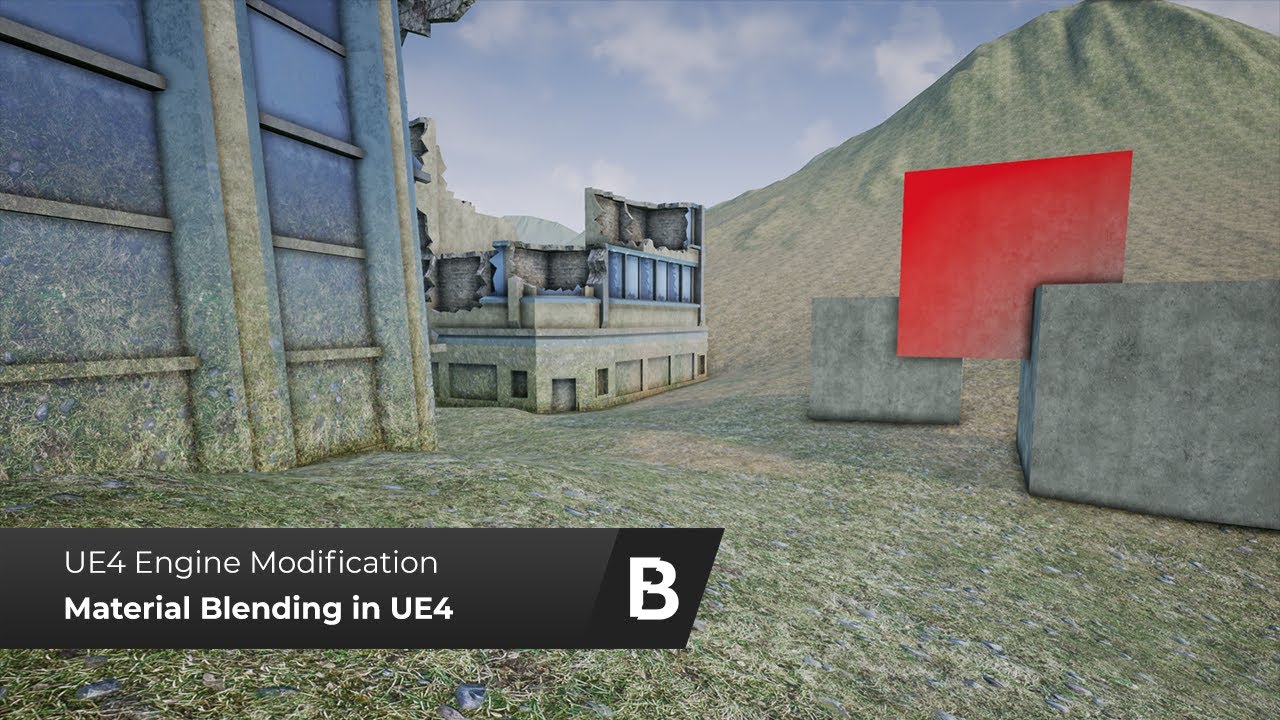
This is an overview video for a custom engine modification that adds Material blending feature to UE 4.21.2
It is capable of blending two materials with a user-defined mask. It also adds an ability to blend objects seamlessly into Landscape.
You could learn more about this e...
lapis vine
no
plush yew
It looks awesome but I'm not sure to get it... It says in description that it's a "custom engine modification". There is a thing to download from GitHub. Does it mean that it's a special version of UE, a kind of specific build or I dunno ? 🤔
( this thing allows to blend a mesh with another mesh, what it's not possible normally... I believe... Normally it's possible to blend just between mesh and terrain )
plush yew
How i can tell the animation that if am holding my wep do these animations
and if not go back to normal
 sudden agate
dedicated Bool that indicates whether you hold a weapon
use two states, one for the weapon, one without
done
 thorny roost
hey I'm making a mobile game, whenever I launch the game in a new window I need to resize the window every time. Is there a way to change the default window size?
 molten bobcat
@thorny roost Hey there! Yes! click on the little arrow on the right of the play button, go to advanced settings, set your viewport screen size there!
Guys i have a probably stupid question, is it normal that when i'm building it tryies to build even the engine content??
It compiles like 9k shaders when i only have maybe 200? i find it weird, could it be i'm doing something wrong?
thorny roost
@molten bobcat Fantastic, thanks. That will save me minutes of time for sure
 zealous spear
@molten bobcat how do you know that you have only 200 shaders?
molten bobcat
@zealous spear Hello! i can call for a validation and read the paths, "out of scope" assets (engine content) is around 2k while my overall number is less than 200
molten bobcat
Data validation SUCCEEDED. Files Checked: 2.204, Passed: 128, Failed: 0, Skipped: 0, Unable to validate: 2.076
zealous spear
But this could make you an idea
molten bobcat
i think i found an option in the packaging settings menu, im going to try
nope, nothing still not working, one more weird thing is that while packaging looks for a file that i once removed and gets me a warning... the file (a particle system (niagara which i disabled) ) is nowhere in use or mentioned, i just safely removed it
and yet there it its
zealous spear
I have niagara too
molten bobcat
but i don't think it is necessarily the problem
zealous spear
Yea
molten bobcat
niagara doesn't work on mobile sadly so i had to disable it
molten bobcat
glad to hear 🙂 i had to convert all my VFX to cascade once i realized
zealous spear
Well
So you know how to make mobile games...
Can you add me when I'll have some questions
Thanks
molten bobcat
Unknown Cook Failure
Unable to find package for cooking /Game/Particles/test_System
Runnable thread PoolThread 9 crashed.
[Callstack] 0x00007ffbd483f763 UE4Editor-Engine.dll!UnknownFunction []
HandleError re-entered.
Runnable thread PoolThread 13 crashed.
Runnable thread PoolThread 10 crashed.
HandleError re-entered.
begin: stack for UAT
[Callstack] 0x00007ffbd4846d54 UE4Editor-Engine.dll!UnknownFunction []
[Callstack] 0x00007ffbc9509dd1 UE4Editor-TextureCompressor.dll!UnknownFunction []
HandleError re-entered.
HandleError re-entered.
=== Critical error: ===
[Callstack] 0x00007ffbd484672a UE4Editor-Engine.dll!UnknownFunction []
Runnable thread PoolThread 8 crashed.
[Callstack] 0x00007ffbd484652e UE4Editor-Engine.dll!UnknownFunction []
[Callstack] 0x00007ffbd7239f88 UE4Editor-Core.dll!UnknownFunction []
[Callstack] 0x00007ffbc95084b3 UE4Editor-TextureCompressor.dll!UnknownFunction []
[Callstack] 0x00007ffbd7579f5f UE4Editor-Core.dll!UnknownFunction []
Fatal error!
[Callstack] 0x00007ffbd75704b1 UE4Editor-Core.dll!UnknownFunction []
Runnable thread PoolThread 11 crashed.
[Callstack] 0x00007ffc3e337bd4 KERNEL32.DLL!UnknownFunction []
[Callstack] 0x00007ffc3f54ced1 ntdll.dll!UnknownFunction []
Unhandled Exception: 0xc06d007e
Crash in runnable thread PoolThread 9
Runnable thread PoolThread 12 crashed.
Crash in runnable thread PoolThread 11
Crash in runnable thread PoolThread 12
[Callstack] 0x00007ffc3ce8a839 KERNELBASE.dll!UnknownFunction []
end: stack for UAT
HandleError re-entered.
Cook failed.
Unable to find package for cooking /Game/Particles/test_System
these are the warning\errors
abstract relic
Delete /intermediate folder (half joking)
normal burrow
It works
 dim merlin
Hi so anyone could explain the material quality level?
 wary wave
materials get compiled out into different quality levels; high is generally always used, but it is possible to defer to lower quality levels on weaker platforms where entire features (e.g. subsurface scattering) get dropped
I've not looked into the specifics, but I'd hope it's documented somewhere
dim merlin
okay so yeah, i was just trying to set it to medium so i thought it would speedup the engine a little 🙂
is this 'Material Quality Level' not a scalability settings for runtime @wary wave ?
wary wave
the drop down you're looking at is for previewing the run time settings
dunno if it would actually increase editor performance much
wary wave
I assume it would, but the editor has a load of stuff on top that makes it a lot slower than the run time
dim merlin
just wanted to be sure as its compiling shaders all the time :/
wary wave
it'll only be compiling shaders when you change materials - in which case it is probably compiling for all quality levels
dim merlin
its a interesting setting, hope to get faster 🙂
 obtuse path
Hey all, can someone do a test for me in engine (4.23). I've just created a new Curve Table and the source file button doesn't work (Browse). Everytime I click it, it just puts a string below of 0001.01.01-00.00.00
plush yew
Any1 tried Combo attacks using Play Montage
If any1 can explain it
or have a bp how its works 😄
normal burrow
@grim ore has
obtuse path
@plush yew Take a look at the ActionRPG project - it shows you how the Combo attacks work
plush yew
Am watching it atm
its amazing
but he is doing it in a weird way
😄
@normal burrow MathewW has everything hehe
normal burrow
It’s true
plush yew
really wanna know how it works
 radiant haven
how can i call the event if something is in hit with smth
 willow gull
hello
 lost niche
Is it possible to find the sound played when the game compilation succeeds?
vale silo
I see UE4 roadmap got quite a few goodies on it for 4.25
I wonder how many of those are going to work on mobile (without mobile HDR)
molten bobcat
@abstract relic in all seriousness any idea why this is happening? i even updated all my AndroidWorks packages but nothing, i think i might just try with an empty project 😦 what an hussle
fierce tulip
I cant believe that anno 2020 ue4 still randomly moves a selected mesh when flying trough the viewport
 swift locust
Hi guys, I have a problem with launching editor (whether through source or project file). It is stuck on 72% loading. It happens after modifying an asset and then restarting the editor - doesn't matter if the asset is a blueprint, animation, montage or data table. I can point exact asset that cause it (I got it by reverting files one by one). There is absolutetly no errors nor warnings in output log. When I pause execution in visual studio I can see that it is stuck on:
return (WaitForSingleObject( Event, WaitTime ) == WAIT_OBJECT_0);
inside Wait function inside WindowsPlatformProcess.cpp.
What's worth mentioning is that it happens on every engine version: 4.22, 4.23, 4.24.
Unfortunetly I cannot give any repro steps cause it happens randomly (nor can't provide project sources).
I fixed it once or twice copying troublesome asset and working on a copy of the asset - it worked just fine, but this is super annoying since I do not always know which assets cause the issue after editor restart.
Have you guys ever experienced something like this?
 hollow tusk
can I ask questions in here?
can someone tell me if its possible to export .uasset files and change them to .FBX files?
Ive bought an asset pack but I cant get it to work.. 😦
fierce tulip
you can export as fbx inside ue4
normal burrow
You right click on the skeletal mesh and go to asset actions -> export
hollow tusk
animations as well? I can only find the export all option, how do I expert just animations for example?
normal burrow
Yes exact same process
hollow tusk
thank you!
obtuse path
@light lintel Take a look at the BP_PlayerCharacter functions "Do Melee Attack", "Jump Section for Combo" and at the asset "JumpSectionNS" which is a notify state that enables a combo period in the player character (basically animation says "Okay our combo window has started" and the player character can use this boolean to see if it should trigger a combo to jump to the next montage section)
stark acorn
guys can i move material from a project to another one ?
 brave salmon
why 4.24 BP graph opens up new tab even if it's existed already? How to fix this bug?
 silent zodiac
how do i remove this lines without enabling game view?
 gleaming lotus
I'm having issues with my vehicle flipping all over the place when I'm driving - Not sure why, think it could be due to how I've set up the collision? You can see the issues at this timestamped video: https://youtu.be/_SRss_khsCk?t=212
hollow tusk
@normal burrow what do you mean?
normal burrow
Where did you get the animation Milan?
hollow tusk
both the animation and the assets from the marketplace
the animations on is the free one that almost everyone uses i think, cowboy pack i bought
normal burrow
Different packs?
hollow tusk
the western pack didnt come with animations 😛
is that the issue, sorry im new to all of this
 rustic python
Does anyone know why I might be getting this when I try to import my rigged char? 'Mesh [Geometry have no name] in the fbx file is not reference by any hierarchy node. '
stark acorn
p@t 😄 you are my guardian
@normal burrow
the material issue i talked about !
i created simple box in UE4
same problem happens to it :/
how to fixx this 🙂
normal burrow
Milan: probably. You gotta look at the direction the bones point.
 burnt ether
I've got a Problem too :(
normal burrow
If animation says x forward and bones say y forward you get twistyman
normal burrow
Disable tesselation @stark acorn
stark acorn
i want it to work 😦
normal burrow
Need to know what it looks like without it
grim ore
@stark acorn if your surface is going to be flat, not a box, then you can use tesselation/displacement. if not you are going to have to limit it to the non edges using a mask or something else. You are basically saying "hey lift up the faces of this object" and that means the edges will not meet anymore
stark acorn
okay how to do mask to a single face ?
sweet relic
@stark acorn did you try turning on "crack free displacement" in tte material tessellation settings?
 fierce forge
hello from where i can buy server like from amazon , for my server ?
normal burrow
normal burrow
And digital ocean is same thing but cheaper
fierce forge
and there's easy to use ?
fierce forge
at amazon is 1 free year
plush yew
There are Windows Servers
stark acorn
crack free ,
sweet relic
digital ocean is a bit easier to set up than an EC2. But ya you will need to use ssh and set up p4d or whatever yourself
normal burrow
Or svn for a less horrible experience lol
fierce forge
and i have a problem , i can't find lan servers from a another pc on the same network
normal burrow
Firewall settings on either computer with your app need to allow private networks
fierce forge
it is
normal burrow
It defaults to public
fierce forge
it is default to private at me
 serene birch
use a cube with rounded edges if you want to apply tessellation all over it
plush yew
Hey, I don't know if this is the right channel for it (if it isn't, please correct me), but I need some assistance with my UE4.
Ever since I've updated my UE to 4.24.2, my Swarm Agent hasn't been able to build lighting. Each time I chose to build lighting, my UE froze and Swarm Agent kept spamming the following in console.
1:12:39 AM: ... registering SwarmAgent with remoting service
1:12:39 AM: ... registering SwarmAgent network channels
1:12:39 AM: [ERROR] Channel registration failed. Reason: No such host is known
, Callstack: at System.Net.Dns.GetAddrInfo(String name)
at System.Net.Dns.InternalGetHostByName(String hostName, Boolean includeIPv6)
at System.Net.Dns.GetHostEntry(String hostNameOrAddress)
at System.Runtime.Remoting.Channels.CoreChannel.GetMachineName()
at System.Runtime.Remoting.Channels.CoreChannel.GetMachineIp()
at System.Runtime.Remoting.Channels.Tcp.TcpServerChannel.SetupMachineName()
at System.Runtime.Remoting.Channels.Tcp.TcpServerChannel..ctor(Int32 port)
at Agent.AgentApplication.Main(String[] args) in D:\Build\++UE4\Sync\Engine\Saved\CsTools\Engine\Source\Programs\UnrealSwarm\Agent\AgentApplication.cs:line 133.```
If anyone knows a possible fix, please mention me. gilded igloo
Hey guys, I have this door and I want to make a hitbox around it, how do I do that? I tried making a Shape_pipe and hide it but it's hitbox is filled in...
burnt ether
So I've made this little Foliage andas you can see the Grass is moving way too fast... Is there any "possible" problem ? I have no Wind volumes in there so...
normal burrow
@plush yew restart computer
hollow tusk
@normal burrow thanks, is there an easy way to do that? which way do you recommend?
normal burrow
If that doesn’t fix it, rebuild lightmass
Assuming you run github source
Not really an easy way to correct bone orientation
plush yew
I'll try that
hollow tusk
should I try to find a different animation pack then?
normal burrow
https://youtu.be/KIQupdGzr-A @hollow tusk

Download the Auto-Setup Tool (Beta) for Unreal Engine here: https://www.reallusion.com/character-creator/game.html#auto-setup
Read over the special notice and learn from our community: https://forum.reallusion.com/Character-Creator/Export-to-3D-Realtime-Engines
Beretta from ...
@plush yew I had that same problem so I’m giving you what fixed it for me. Restart required
Delete intermediate folder if nothing else works
fathom glade
Morning y'all!
normal burrow
Hm idk what is wrong then
fierce forge
is there a method to host the server from my pc to everybody ?
rustic python
Ok so I managed it so I could import the character but now I get these messages instead. Any ideas as to why?
plush yew
@normal burrow I have done the things you said, none of those worked. Should I try reinstalling UE4?
normal burrow
deleted intermediate folder?
plush yew
Yes
normal burrow
try restarting once more, the program crashes and keeps the port open
plush yew
Swarm Agent is throwing C# exceptions when clicking pn Network pings in its UI
normal burrow
so maybe somewhere along the line you fixed it again but the one failure is hanging
plush yew
Alright
I'll try
hello I want to create death function-I mean when the health is 0 the player to be dead-the function needs to be custom event or function?
Still the same error.
I'll reinstall UE I guess. 
 heavy wadi
hello everyone, question is as follows : when combining multiple meshes as a single blueprint all collision breaks, is there any way around this or am I forced to either use separate collision volumes ( to the combined BPs ), convert the combined BPs into new static meshes or simply use single static meshes everywhere?
hollow tusk
@normal burrow could you dm me?
plush yew
I setuped the death function-now how to do the animation?
Update your animation sequence to include a function or branch stemming from player health
 night bridge
my UE4 lags alot what to do
 jolly steppe
Anyone know how I can blend my character's hair color to the mp bar so that the hair gets closer to red as the bar gets closer to zero?
I'll ask in #graphics too
sweet relic
@jolly steppe Use a dynamic material instance?
Hierarchical material relationships that allow modification of properties to alter behavior and appearance of child materials without shader recompilation.
molten bobcat
Guys, pls help, i installed the latest ue4 version from fresh, created a new empty project, even with that when i try to pack it for android i get errors
UATHelper: Packaging (Android (Multi:ASTC,PVRTC,DXT,ATC,ETC2,ETC1)): LogThreadingWindows: Error: Runnable thread PoolThread 9 crashed.
and more and it fails the build!
i don't get it!! what's wrong with it
this is the complete error log (just the errors)
hollow tusk
My mesh is still twisting, where can I change the bone direction ?
^ permanently I mean by that
normal burrow
you need to retarget the animation
i mean 'need' as in, this will be easier than changing the above
 lofty wave
Is it possible to launch an external process/program via ue4?
normal burrow
heres probably a better video https://youtu.be/xy9aLbZLdeA @hollow tusk
grim ore
@lofty wave out of the box no, you can if you make a C++ function to do that.
lofty wave
How would that look like?
molten bobcat
@hollow tusk if you are using blender to animate tough luck my friend, i had the same problems, unfortunately Blender has non compatible animation rigging values (bone roll)
willow gull
hey is there a place I can post concept art
molten bobcat
i solved using a free plugin called mr. mannequin tools that helped me retarget the standard ue4 skeleton to mine
normal burrow
if fire and forget slenlen
you'd make a new blueprint function library in c++ from the class list
then make a function in it that calls system() in c++
taking the string to run as command as an argument etc
if you need to actually track the process and wait for it to finish slenlen it becomes way more involved
hollow tusk
@normal burrow i watched that video, but i think that only works if the skeletons are configured in diferent ways, and these two are the same i believe
normal burrow
the names are the same milan but the orientation of the bones are not
lofty wave
Ok and would it be possible to create files trough ue4?
normal burrow
retargeting will fix it, you may need to make a duplicate skeleton @hollow tusk to retarget but, retargeting is what you need because the orientations aren't the same. If you really want to fix the orientations to match the source animations you'd have to open the mesh up in blender and edit the armature, with axes displayed and match X and Z to what the other skeleton has for X and Z
if you want to see what i mean milan, and have blender, export each character to fbx, then compare the bone directions as imported by blender
at the end of the day, you'd still likely want to retarget even with fixed bone orientations unless the biometrics (arm lengths, fingers) are identical between characters
@lofty wave create files?
normal burrow
hmm yeah idk tbh about text files as far as what comes with unreal and blueprint ready
hollow tusk
Sorry I'm really trying my best, but I still don't understand what im doing wrong, Ive watched the last video, but he isnt mentioning the direction of bones there as well right? where do i change these?
plush yew
hello I want to create death function-I mean when the health is 0 the player to be dead-the function needs to be custom event or function?
grim ore
events and functions functionally are the same
so yes you should make a custom event or function and call it whenever you need to call it from wherever you need to call it from
normal burrow
blender or a 3d modelling package @hollow tusk , you don't adjust these things in engine, its an asset issue. so you must retarget the animations or re-author things yourself
grim ore
@plush yew call the montage to play the animation from the BP. play just the animation. Tell your anim BP that the player has died and to trigger that transition. swap out to a new anim bp that has the death animation. any of those would work it depends on what you are doing now.
plush yew
so to write play animation in the vent graph? here where are the other events and stuff or?
@grim ore
grim ore
if thats what you want to do yep. It's up to you there are many ways to do this. I dont know your code or where you wnt this to happen
plush yew
so what to do next to choose the aniamtion?
I need when the heal went to 0 to play animation for death and disable movement as it is
grim ore
you would make a montage to play since you chose the play montage node
or you can use the play animation node and play an animation
plush yew
yup I need to play animation I think?
smoky sonnet
hey i want to reduce the size of my code so im using macros but dont know how to do it with my current situation because
i cant get the location of the element
plush yew
which?
smoky sonnet
because its just an object
and im getting 3 different object arrays
(references of the bp)
grim ore
@plush yew none of those. Those are for UI. You should watch some videos or read some documentation on the animation system.
plush yew
ok send me link
grim ore
@smoky sonnet Your macro should take in an Actor not an object, change to Actor since you are passing in an Actor right?
grim ore
plush yew
ty
I want to add an explosion of my grenade and when I add it (Create 2d Sound) I dont hear enything, Help? :/
jolly steppe
@sweet relic I did it! I got the hair to change with the mp! Thanks! :D
grim ore
@plush yew which node are you using, Play in editor or standalone or built package, does the sound actually work when you play it in the editor, etc.
jolly steppe
Mathew, your video also helped with my color hair color thing! :D Thanks!
grim ore
create sound does not play it
so you need to play it after you create it or use a play sound node
so for example you could use a Play Sound at Location node and since you are inside the grenade feed in the actor location so it plays it there
plush yew
Ahhh I used Create and I need Play ahhh Thanks Mathew 😄
If any1 can help with this
Am trying to attach my wep to my hand
Socket is the best option"?
hollow tusk
@plush yew I believe so
plush yew
Milan what i have in mind is
when ever i press 1 the wep show up to my hand
and when ever i press 2
it gose to my back
without animations
Am kinda confused where to start
hollow tusk
Start with 1 weapon

We take a look at how we can set up a gun for the character, more specifically the AK-47. We show you how to import the weapon into the game and have it spawn inside of the player's hands.
We also go over how to align the gun and set up the socket for it.
► Resources: https:...
This video explains it really well
plush yew
Ok thanks mate
smoky sonnet
anyone know why i cant access my delay variable in background in another bp
or just in the second screenshot?
wow
solved it
now it is
variable type wasnt correct
weird
wary wave
err, what?
abstract relic
What you can’t mind read ambershee?
abstract relic
I took the class but apparently it was useless for real world application 🥁
 craggy flax

 normal burrow
ye probably goes to #work-in-progress @dry merlin
 dry merlin
oops sorry
smoky sonnet
anyone know how can i bind a value of a bp to the UI progressbar
it doesnt work how i done it
any tips?
 midnight bolt
is it possible to grab world outliner content list as a simple text? 10 objects, 10 lines etc; not for in-engine use
 teal tulip
when you name files do you name the type before or after ?
BP_HUDPlayer
or
BP_PlayerHUD
smoky sonnet
me?
teal tulip
no, just asking in general
smoky sonnet
just asked because i dont know why it should affect the functions
thats why i thought you are asking somebody else
grim ore
dontbinddontbinddontbinddontbind....dontbind
for the next part have you tried debugging to see what value is being sent to your progress bar in that binding?
@midnight bolt there are blueprint scripting utilities nodes in the engine that can get the current level actors and you can do what you want with that
grim ore
tick, get all actor, get value, update. tick, get all actor, get value, update. tick....
unless you change your score every frame binding is bad
jolly steppe
anyone making a sprite base game? I found this and I think it's super cool :0

You can download the application for windows from our Patreon:
https://www.patreon.com/DAINAPP
If you want to discuss the project, join us as Discord:
https://discord.gg/fF7rcgS
DAIN let you create interpolations with all kind of video and animation, here are some examples u...
smoky sonnet
ok mathew thanks
grim ore
in your binding after you get your score but before you return it, use a print string and see what it is actually using
fierce forge
what i need to put here ?
sweet relic
@fierce forge an actor ref (the actor who's rotation you want to get)
grim ore
@smoky sonnet if nothing is coming out then your binding is not being called, its possible you need to assign it again
it can also fail if you change it anywhere else in addition to the binding
fierce forge
if i put get owner i have a problem with replications
jolly steppe
If you don't connect anything to those pins it will use the actor of that blueprint
hence why it sais (Self) in the box when nothing is connected
fierce forge
it is worst if i don't connect with anything cuz i have an animation glitch when it is self
jolly steppe
ahh
 blissful sorrel
hey everyone I'm new here 😄
 sleek swift
Finally release something from my Mega Grant 😄 https://www.youtube.com/watch?v=Il6LVXqSlRg

This is a short lesson on how to best capture a full object. without having to mask your images.
This video was made possible thanks to my Epic games Mega Grant
Save time, do it right.
For more scanning related stuff, check out my social media:
plush yew
I want to add Emission color to some parts of my wep
not all of it
is that possible?
blissful sorrel
have any of you guys tried pixel streaming? I'm trying to set mine up
plush yew
Yup
jolly steppe
I think you can add a texture with white and black color data. White areas will have the most emission and black would have non. You'd have to use a multiplier to make it brighter though.
plush yew
The problem is
The material is covering the whole weapon
Am using your way Torbulous
But my wep got 1 material for the whole thing humm
Bone*
grim ore
you would have to use some add and multiply nodes on the material and use a masked texture
or pack an emission channel into your texture if you aren't using one of the channels and use that
plush yew
@grim ore can you just explain more about masking?
jolly steppe
Yeah if my whole weapon had one texture and needed emission on only certain parts that's how I would do it. Make a texture to make the emissive parts white. The hard part would be making the texture though
grim ore
the "material" and the "texture" are different when referring to how you make stuff look in UE so you need to keep that in mind @plush yew You can have multiple textures in a material so even if it's one material on the gun it might be multiple textures. If it's one texture in the material you can still add more things to the material for extra effect.
I wonder if there is an easy free windows compatible png editor that supports channels so one could easily make a mask in the alpha channel on a texture
normal burrow
gimp, oh wait easy? no hah
grim ore
like load up the texture, clear out the alpha channel, overlay the RGB and then paint in white on the alpha your emissive mask
save the png and wham packed mask in the alpha for your material
hollow tusk
@normal burrow could you link me a tutorulaon how to rotate bones in blender?