#ue4-general
1 messages · Page 644 of 1
 normal burrow
 plush yew
Hi
I can start something acceptable with the following system? It will run ue 4? I3 2nd gen, gt710 2gb, 8gb ram?
 marsh swallow
So this is interesting. I have been playing subsurface and masked options, but nothing seems to work. This is 2 sided foliage and its got a shadow/lighting issue? I have been messing around with tons of options but cant seem to find something solid.
material
what its looking like in the world
any ideas why i might be coming across this?
If i put the material in unlit mode it looks the way i would expect
marsh swallow
yeah and you can request more
also.... i found the issue but im wondering what the repercussions are?
 abstract relic
How else do you think people upload their game jam submissions
marsh swallow
Tangent Space Normal had to be unchecked
 tawdry heath
my game unzipped is 4.5 GB, do you think they will accept it?
abstract relic
Are you sending it unzipped
tawdry heath
I don't think I can
abstract relic
Then they don’t care
marsh swallow
i think you need to request it
then you still have to use butler
if you have used Steam or Discord then you can use butler
tawdry heath
when I package my file in unreal engine do I package it for windows?
 heavy anchor
@deep vortex What did you block me for? i was trying to get your help
@deep vortex hope your having a good day
marsh swallow
Just so you know... if he blocked you, hes not going to get tagged. lol
marsh swallow
Anyway here is the updated image of grass shading.
before it was very black in random spots on the foliage itself. The fix was Tangent Normals needed unchecked.
tawdry heath
@marsh swallow isn't butler used when updating the game? I need to upload my game to begin with so do I still use butler?
 summer zealot
@plush yew is it available inBP too?
marsh swallow
anything over 1GB must be uploaded by Butler
anything over 1GB must be uploaded by Butler
plush yew
@summer zealot Yes, absolutely, any Kismet libraries is for blueprints focused. 🙂
Kismet is the legacy name for blueprints in unreal engine 3, the previous version of visual scripting
abstract relic
Kismet? Only the greybeards know of this
 manic pawn
I don't get why they didn't just find&replace all kismet to blueprint
 hallow shell
hi! i am using the free plugin good sky and was trying to change the material dependig on the directional light.
using material attributes is a good way to blend them together. but i can't get it to work properly.
i have made a timeline for fade in and fade out. the problem is that it should work with other time scales too.
and it also should work for any actor with a tag or class etc.
any ideas?
 worn sparrow
https://www.youtube.com/watch?v=BrI3i5FfmLc
Free terrain software
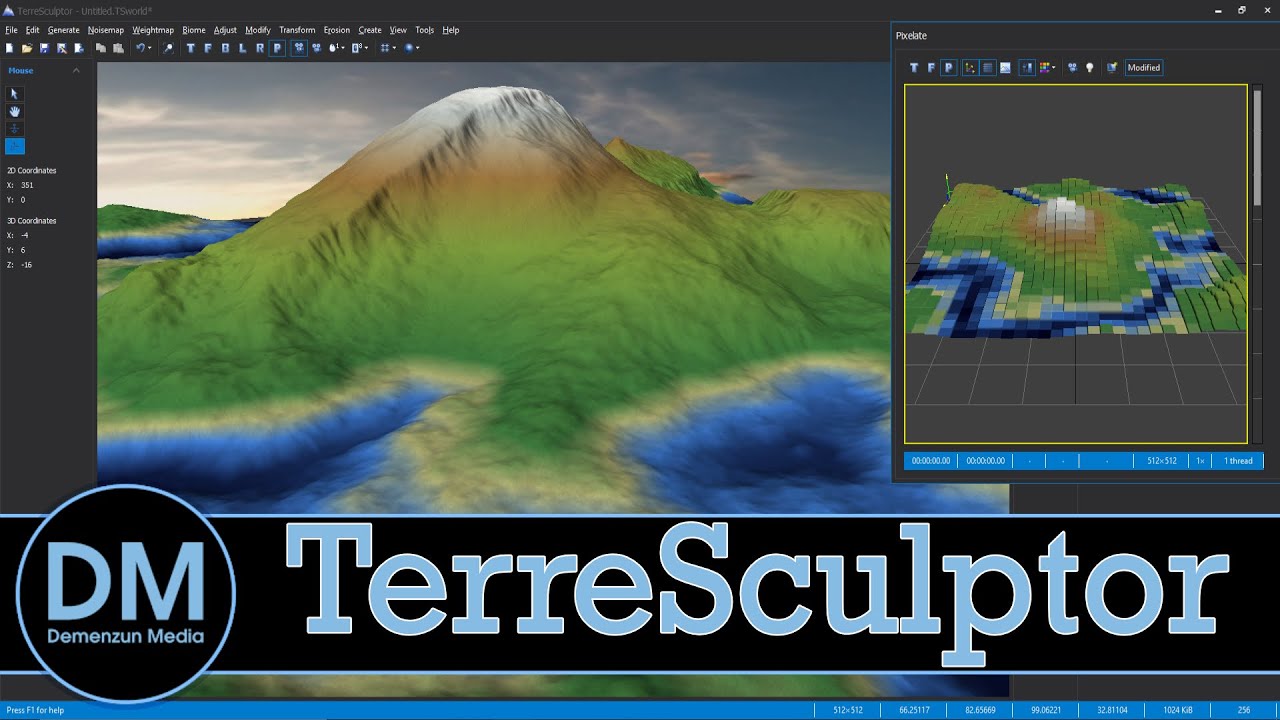
Looking to create terrain for you game? You really should check out TerreSculptor, an amazing powerful (but also free) height map creation tool. Originally developed for Unreal Engine, TerreSculptor should be able to quick create worlds for any game engine or 3D software.
...
tawdry heath
hey guys I accidentally deleted my sky sphere and saved the file and restarted then realized I had deleted it. How can I get it back?
tawdry heath
yes it doesn't show
worn sparrow
enable editor content
plush yew
how do I put clothes on the character?
tawdry heath
how do I enable that?
worn sparrow
one sec, image thinggy isnt workingh
view options>show engine content
if for whatever reason it doesnt show
can find it manually in the engine content and plug-in folders#
tawdry heath
sorry where did you right click
oh I see
it's still not there when I search for it
I found it thank you
worn sparrow
Im not an AI guy and only done basic nav mesh movement, not sense or eqs haha
is the nav mesh (P to visualise) going through the door instead of detecting it?
What makes this door unique compared to the geometry in your scene which your ai obeys?
#gameplay-ai section if you haven't
 fluid ore
@grim ore thanks for helping me with my weird spawning problems where the mesh split from the capsule. My problem came from spawning in a constructor :/
 fiery field
any way to get a GPU to compile shaders instead of the CPU. Compiling shaders takes a really long time on a 6000 series Intel processor
 drowsy kite
Hello,
I have question, I want to use reflection sphere , to give some reflection on eye, But I want the reflection to only works on some shaders not all of them.
kind of filtering out the shader on which i want reflection sphere to work.
plush yew
I've got a vehicle that clips through the world, how can I set collision up so that that doesn't happen? It's got a complex shape so a simple capsule or box won't work, I'm gonna need multiple components
fiery field
about how long should it take to compile 3K shaders?
fiery field
4core/8thread
but how long does it take for you to compile and what is your processor?
Mine takes about 4min 15sec to compile 3k shaders
 random hawk
eh I haven't compiled a lot of shaders lately, only the engine itself
that doesn't sound too bad : )
fiery field
I think that the earlier shaders took more time
do some shades take longer to compile than others/
?
random hawk
i would imagine so depending on their complexity
 weary basalt
Has anyone used AsyncLoadAsset from blueprint?
Wonder if there are any specific prerequisites to using this. Works fine in Editor build. Packaged build, doesnt work at all for some reason.
The SoftObject Ref resolves fine.
Just want to know if ive completely overlooked a step or something...
fiery field
any of you know how to solve this issue?
normal burrow
@weary basalt the cast is synchronous
Does it never complete?
It’s likely not packing the asset
fiery field
do you know what I need to do to fix it?
got to go to bed now, sucks, but I may need to do the whole thing over, I didn't think I would need to zip my files before I close ue4 every time. It was working before I shut it down, try and re-open and this happens. not fun
just found solution
mv .\BattleTank\Content\BattleGround.umap .\BattleTank\Content\BattleGround.umap_old basically deleting it
that is not the umap, just points to it
then
weary basalt
@normal burrow It completes. It just returns nothing.
fiery field
File >> Validate Data
normal burrow
Probably not being packed
 dim plover
DevilsD, no error in the logs? Should say something about not being able to find the asset.
fiery field
then go to Content Browser> Maps > open your maps and got my map back
@dim plover It was consering this error
oh, mis-understood
weary basalt
@dim plover Yeah good point i might check that.
fiery field
correction, you don't need to do that file move like I did, after you pull your map back up, you must go to
settings > project settings > default maps > and re-set your editor startup map and default game map
then you won't get that error I posted.
weary basalt
@dim plover @normal burrow You were right, they arent being packaged....
 silver compass
Hi
dim plover
Where do you assign the path of the SoftObjectPtr/Path?
weary basalt
In a DataTable.
dim plover
I assume that would be a BP datatable? If so... that should be marked for cook if the datatable is too.
weary basalt
Ive defined the directory that the assets are in as Additional though.
I would have thought that would be enough.
dim plover
Ive defined the directory that the assets are in as Additional though.
I don't understand what you mean by this.
weary basalt
Additional asset directories to Cook within packaging settings.
I have an entry that points to the directory of the SoftObjects that im trying to load.
dim plover
https://forums.unrealengine.com/development-discussion/c-gameplay-programming/49049-packaging-additional-asset-directories-does-it-actually-work
According to this, perhaps you have PS4 or Xbox or another platform name in your folder path?
weary basalt
Im using Pak files though. Apparently according to that links AH post, it only affects non Pak builds.
Assuming its still the case since it was a few years ago now that it was posted.
dim plover
Is this for a plugin? I vaguely recall there being some issue with this sort of thing.
weary basalt
Nope.
Im wondering if its because they are compressed as well...
Ill play around with the settings and see if i can work out why they arent being packaged.
dim plover
Alright, I'm out of guesses anyway. But you shouldn't need to specify the "additional asset directory" if you reference the asset (with SoftObjectPtr/Path for default values) in BPs.
weary basalt
Thats what i thought, also, the blueprints are directly referenced elsewhere...
So i would have thought they were already packaged.
I might not use Pak files and verify they actually are on disc.
plush yew
Is pawn sensing deprecated in 4.24?
@plush yew I would consider it so, yes. Use AI Perception instead
I checked out that project @plush yew its confusing
I'm sorry to hear that ! 😦
 tender flume
If there are many lights in one building.
Should they be set to movable or stationary or static?
 lapis vine
@tender flume static likely, but this is not universal answer. You really must get some understanding of what these 3 types mean. Go read a bit.
tender flume
Wiki?
 sudden agate
Prefer Static over Stationary over moveable
if your world is static and not too big
"Open" World should not have Static Lighting, since the baking takes aeons and consumes lots of disk/memory space
plush yew
@light lintel Double check your translation retargeting settings
Most of your bones should stay as skeleton But you need to tinker with root and its immediate child in hierarchy, see in my example
My example is not mixamo related specifically, it's an example of how I solved my retargeting issues between my skeletons I was using in my project, which is not mixamo
Animation scaled option is usually usefully in these kind of situations like you described. But it may still require some trial and error 🙂
I have no other idea 😦
tender flume
I guess it can't all be good huhuhu. Broken animations, looks like i'll have to deal with it and find a way to hide it :p
tender flume
Some are broken
But not that broken
Just that the leg looks a little off-position
but that's okay huhuhu
 brave salmon
Anyone know how to turn off new 4.24 "feature" in blueprint graph that everytime open a new tab upon double clicking on call function? annoying af
it shoudn't open another event graph tab
the reason I never used collapsed nodes. And now even call nodes have the same bug
 lament saddle
I haven't noticed any change in behavior in 4.24... maybe check your Editor Preferences --> Blueprint
brave salmon
nothing new there
lament saddle
Yeah what's happening in your video is very strange. Does it happen in a new blank or template project?
brave salmon
maybe. I rarely work in new projects
 spark spade
Guys did you know you could hold ctrl while opening folders in Content Browser and open several folders at once?
tender flume
That's good stuff :p
spark spade
Other way around
in place is the opposite of root motion anims, usually
in place = no movement, played in place
as opposed to root motion, where it moves your character with the anim
(it should be noted that you can just turn off root motion for any period of time, and then any root motion anim will work just like in place)
You can do this as a function call on Anim Instance (anim bp), or via Anim Notify Window.
@light lintel Ok so here's how they are usually set up in anim packs:
- In place: character stands in place. Even if he moves legs, he's on the same spot, as if the floor is moving below him. You want this to keep char without movement OR if you want to move him yourself, via code.
- Root motion: anims which have root motion in them can actually be used 2 ways.
1) Root motion off, changed in anim sequence Details: animation moves char forward, but after the last frame he is glided back to original point, just like you mentioned. Please note that in this mode, only the mesh is moving. Character/Pawn itself always stays at original point, including capsule and other components
2) Root motion on: With the movement of the mesh, his whole Character/Pawn blueprint is moved, including collision capsule etc. They don't return back to original place, so playing e.g. a step animation seven times will move char 7 steps forward, one after another.
Warning: Root Motion overrides SetActorLocation(). If you are in the midst of root motion anim, you can't move char by code until it's finished or until you turn the RM off.
Warning 2: Root motion that lifts character off the ground will not work properly unless you disable Character Walking mode (In CharacterMovementComponent) and instead use Flying, where there's no gravity to pull him down. This is somewhat a chore to set up, but totally doable. Just listen to the end of anim and then turn Walking mode back on
Sure. When you select animation sequence, head to Asset Details. Note the Root Motion checkmark here:
If animation is In Place: checkmark will have no effect
If it's RM:
- no checkmark will show you preview where char moves during anim and then is returned back.
- checkmark will show you char in place in preview, but in game this anim will be moving char.
No, animations with no built-in root motion (in place) will not move char forward nor back at all. Both on preview and in game they will just show char in place.
(needless to say, RM is something that the animator has to incorporate into anim asset)
answering your other question, when facing the wall, root motion anim will just move until the wall. It does have collision detection.
If you have RM anim and you want to to be played in place, just use Force Root Lock:
 gaunt void
is there any reliable way to fix those update issues in unreal by now?
i just spent 30minutes again to fix a bug that wasnt there.
spark spade
just check EnableRootMotion on them. They will not move char in preview, but will in game, assuming they have root motion data. As simple as that.
 crystal ruin
how can i export these textures from uasset. to a normal texture /png/jpeg etc. ... in unreal
how do i know if they r cooked or not ?
spark spade
@crystal ruin right click on the asset in Cont Browser -> Asset Actions -> Export
crystal ruin
yeah i tried it but there is no png or jpeg
spark spade
Ye it's TGA or smth like that, IIRC. But correct me if I'm wrong, Photoshop or even some online web tools could convert those to PNG no prob
spark spade
Hm. Not sure if it's because of the tool. Unreal does store full original texture quality.
crystal ruin
ill try all the formats .. thanks anyways
btw . there are few textures i cant export ...
ttheres no export button for them
sorry i mean option not button ...
tender flume
It's so fun when you discover how to fix certain bugs lol.
 thorny perch
f*ck this, is swarm bugged or something? =/
tried all I can find that could be causing issues
tender flume
@light lintel Using the one that's provided in Mixamo.
There's a model that looks the same as UE4
 thick herald
Terribilis have a free Mixamo to UE4 convertor program 🙂
plush yew

thick herald
@light lintel no, it's a stand alone app. http://terribilisstudio.fr/converter
it handles renaming of bones etc. It's not perfect, there are known issues. It's a simple process when you follow their guide though.
thick herald
Yup, some of the IK stuff doesn't transition well but for basic stuff it works well.
tender flume
That's the thing haha
thick herald
Can't say for certain either way, man. I've used that converter for several dozen animations and it's worked well for the vast majority of them. It can do bulk conversions too. Certainly worth giving it ago and seeing if it works out for you though seeing as it's free. 🙂
summer zealot
@plush yew It worked. Thank u so much
 atomic onyx
is 4.24 crashing for anyone else?
I have a weird use where the editor keeps resizing to fullscreen (like a small shake) and keeps crashing the whole time while 4.23 runs good for me
what could be the issue??
 midnight root
Dunno about that but ya various issues with 4.24 over on forums at least- did you apply .2 hotfix ...
Lighting as always is my biggest hurdle,,prob. for everyone
Especially w/out a mighty RIG 😉
summer zealot
Anyone knows why I'm not getting an update to 4.24.2? still at 4.24.1
midnight root
Have you restarted recently
summer zealot
I even update epic louncher version today, but still nothing
Probably gonna verify files later. Maybe it will help
manic pawn
x forward y right
 grave nebula
I disagree
 cloud cobalt
It's simple, really. On the GPU, Z is forward (depth), Y is up. On the CPU, X is forward, Z is up.
There, you can stop debating ❤️
cloud cobalt
I also indent with tabs and align with spaces, as a man of compromise.
manic pawn
what if we made Y slightly diagonal so X and Y affect each other?
 jolly steppe
if you did that? wouldn't there be an empty area on the other side of where X and Y affect each other?
sudden agate
how funny
grave nebula
spacewars ❤️
tender flume
Is there any way to resolve memory issues for UE4 terrain?
 wary wing
That's a pretty vague question @tender flume. Can you tell us a bit more about the types of issues you're having? Perhaps screenshot any errors you have?
wary wing
That's your graphics chip?
tender flume
Ya.
wary wing
So you're having trouble with texture memory?
wary wing
@tender flume Have you adjusted your scalability settings?
wary wing
From the Settings menu
tender flume
Or does that only affect in-game?
Because the resolution seems to have an effect only when its in PIE
tender flume
Yes.
wary wing
Under that there's Scalability
tender flume
What is that for?
lament saddle
re: UE4 coordinate axes... https://twitter.com/TimSweeneyEpic/status/952661474501111808

Sorry y’all I was young and this coordinate system stuff was confusing https://t.co/S2tkQRfAHr
Retweets
606
Likes
2329
 Twitter
wary wing
Twitter
wary wing
It's like the quality settings you would get in a game
You can turn things down to make it run better
tender flume
So it would take effect in studio too?
wary wing
@light lintel That's an animation from a state in your state machine
@tender flume Huh?
tender flume
It's loading haha

 frosty bloom

Unreal Engine
Unleash a horde of enemies, set your mood lighting, and so much more with this month’s free content.
wary wing
@light lintel It's another animation in the graph. You have to have that animation or it won't be there
tender flume
Yes. It's fixed.
Okay scale settings
Does setting material level to low will help?
With performance, a bit
wary wing
@light lintel Just type its name into the right click box
@tender flume Set everything to low
Work your way up
wary wing
If you're really struggling
tender flume
🐷
Then again, i'm running a potato
so yes.
0.0000001% resolution scale here i come.
tender flume
But that's in engine scalability
wary wing
Yes but it's probably not your main problem
Just hit the Low button at the top for everything
thick herald
wary wing
@light lintel It's the first suggestion in that box
wary wing
Err sorry
tender flume
👏
wary wing
The second to last in the top set
Time remaining (ratio) (ThirdPerson_Jump)
What's different about it?
tender flume
You know your GPU loves it when it doesnt make fan screeching noises.
wary wing
The word "Asset"?
tender flume
OH YES, THE GPU LIKES POTATO GRAPHICS.
wary wing
That's just the name of the animation
tender flume

wary wing
Nice @tender flume 🙂
wary wing
@light lintel It looks to me like you're using an animation with a slightly different name
tender flume
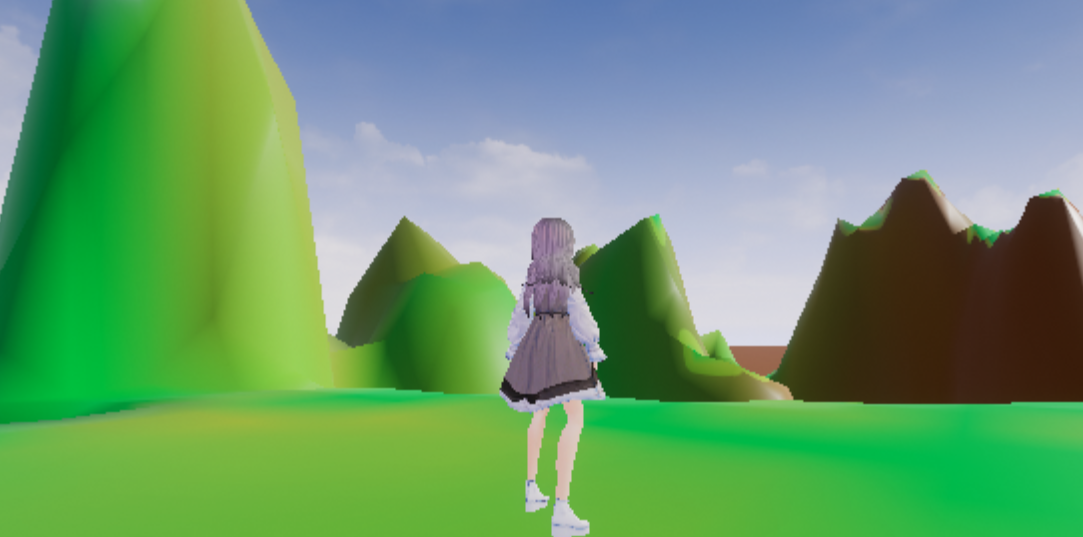
This is what i'm talking about.
That N64 graphic fidelity.
4K?
What's that?
1080p? What's that?
wary wing
@tender flume Try putting the resolution scale back to 100 but leave everything else low
tender flume
👌
wary wing
You might find it runs ok
 wary wing
Nice 🙂
wary wing
Motion blur is controlled in the Post Process Volume
Tick it and set its Amount to 0
Do you have a PostProcessVolume in your level?
tender flume
I smell lots of optimisations will have to be done while developing.
wary wing
You'll need one then 🙂
wary wing
@tender flume You could try increasing some of those other settings too, see what your PC can handle
thick herald
Motion Blur can be turned off in settings, you don't need to add a PP to do that
same with bloom etc
wary wing
@light lintel You can control the default value for it in Project Settings
But bear in mind that's only a default
 slim gazelle
Just wondering what would be the best tool to use to make diff against Unreal version ?
wary wing
@slim gazelle Do you mean a diff of the source code of two engine versions?
@light lintel Yep, that's how that works 🙂
slim gazelle
Yes
wary wing
(So long as they share a skeleton)
@slim gazelle There are a lot of tools available. If you have a source control tool that probably includes a diff tool already. There are also stand-alone options available. Beyond Compare has a good reputation but is paid, kdiff3 is perfectly adequate and is free and open source. Meld is another good free option
These are for diffing source code as text by the way, not for blueprints etc. If you want to diff BPs the UE4 has the capability to do so
slim gazelle
Ok great, i'll take a look on that, for now i just took winDiff but kDiff seems a good option too
wary wing
WinMerge? WinDiff is, like, super old 😄 WinMerge will do a fine job. It's much the same as the ones I mentioned
wary wing
Wahoo! Glad to hear it @tender flume 😄
 hexed dock
trying to make sure i understand something. If I create a Media Player object in the editor and drop it in a directory, have I instantiated an object (which will also be instantiated at runtime), or have I actually created a class (with property values), and that class is available for instantiating into an object later?
tender flume
I'll just to optimise a lot of stuff
 hidden aurora
https://www.unrealengine.com/marketplace/en-US/assets?tag=4910 Don´t know if someone already post this but these are the new assets!
Take advantage of our sponsored content program and get 5 packs free each month.
 wary birch
I’d like to make a custom terrain generation using some noise texture, but how can I dynamically kind of bump the mesh up? Should I just put vertices higher one by one?
plush yew
I can't make hands for my fps game enyone wanna help
wary birch
Probably not 😄
wary wing
You could use all Static lighting
You won't get shadows from moving objects, but the shadows you do get will be very cheap 🙂
 carmine garnet
no help came from the elves that day
thick herald
plush yew
Thanks but I would like non VR hands
Hello, are non skeletal animations allowed in UE4? I was trying to import a simple animated cube and if i import it as skeletal mesh it crashes the engine altogether
abstract relic
What version of the engine
plush yew
4.24.1 and the fbx was made in cinema 4D if that helps
abstract relic
Yep. Update to the latest hot fix asap. In the mean time, it crashed because you didn’t assign a material to it before exporting.
plush yew
Oh okay i'll try that then. Thank you
tender flume
Non vr hands.
That, i'm confused already
🔫
I can hear my GPU crying.
It's okay, 840m.
We're together in this!
🐷
 gleaming lotus
My vehicle's wheels are spinning too quick, any idea how to slow it down? Changing the Alpha just makes the rotation flicker
thick herald
 grim ore
6 weeks to GDC, the question is..... do we get .25 final before then?
 honest vale
I'm guessing after GDC
grim ore
I am hoping for pre GDC but without any previews at this point I dunno now 😦
thick herald
While I'm keen to see more of the features, I'd settle for more bug fixes and stability first 🙂
grim ore
We are due for a nice bug fix only release but 😦
 azure shore
hey anyone know why almost all physics objects are being broken? everything I spawn in the world with physics just either sits there pinned in one place or shakes around, but my player ragdoll works fine and everything is fine in physics asset windows
this is really annoying me because Ive checked and theyre not colliding with anything they shouldnt be, the collisions fine, the hitboxes are fine, I DONT GET IT
grim ore
is this map specific? if you spawn that object in a new world (like a new level with just the floor) does it happen?
azure shore
was just about to mention, made a new map and it seems to be fine 🤦♂️
I do tend to have a lot of non-problems
grim ore
is it possible something has collision enabled around the objects, like a collider or the sky sphere
 vale silo
I want 4.24.3 first
azure shore
I was thinking that, but in the broken map I only seemed to have mainly just geometry shapes placed
vale silo
and updated roadmap
azure shore
also that map was making camera lag not work for some reason
vale silo
@gleaming narwhal are there any plans for 4.24.3 hotfix ?
normal burrow
Would rather 4.25 imho, but yeah I am curious too
thick herald
casting is expensive
grim ore
hit something and want to interact with it? Ok what is it? A barrel? sure cast to barrel? Its not a barrel uh.. is it a cat? cast to cat. nope not a cat ok cast to uh a door? not a door. fuck how many casts do I need to do
or.... hit something and want to interact? use interface and be done
 crude vessel
@grim ore I watched your video on data assets, I'm still not 100% sure on that vs data tables but it all seems pretty powerful
Is there any further reading beyond the ue4 docs?
grim ore
data tables are data tables, its a table that stores a ton of data. Great if you want a ton of data in one place. Data assets are interchangeable pieces of data that allow you to create interchangeable pieces
the action RPG doc pages has some more info as they use data tables
in essence they both do the same thing just differently
one nice thing about a data asset is it can have functions on it so you could ask a weapon data asset to calculate it's damage itself
crude vessel
So would you say a data asset is less insane than a struct in some cases?
As far as storing discrete collection of information ? I guess it is read only?
Sorry if I'm being a noob I'm still learning a lot of new things about ue4 and it's a lot to take in. I don't want to get caught up in bad practices of there is a better way.
grim ore
a single struct of data and a single data asset can mimic eachother yep but a data asset is an actual asset that exists somewhere in the project while the struct has to be somewhere to exist and hold data
and there is no good or bad practices most of the time, you try and use what works for your project
All 3 of those things can all accomplish the same thing if your goal was to just store data to use later
crude vessel
But what your saying. Makes sense, and I liked your example of adding a new data asset is automatically able to be accounted for, so that's helpful.
But being able to store a function sounds super useful, since sometimes my data table info is used with a specific function
tender flume
Why is my landscape only showing 1 material?
grim ore
if you think of the data asset being useful for a game designer they can go "I want a new sword" and all they have to do is make a new data asset for a weapon, set up the properties on it, and it's done
tender flume
I'm confused
plush yew
I have a little problem,when I hit the Play Burton the game start with the viewport camera and the first person charcater disappears,how can I solve it and use the character?
crude vessel
Yeah that part seemed like a really appealing way to handle stuff like world objects that are similar but have different stats
grim ore
@plush yew how is your project set up to use the first person character? did you just drop it in and expect it to work or is this a template that is supposed to be using it?
@crude vessel if you check out the recent inside unreal video with gearbox they use data assets for stuff like the sky settings so they can easily just choose which set of data is used for the current sky system on the planet and blop it works. it's useful in that way as it's a single unique set of data you can change out as needed.
 night stirrup
Does anyone know what's the console command that shows on screen all raw input?
its not listed on the commands, but i know it exists
crude vessel
Thanks for that into Mathew your videos are often a lifesaver!
I'll check out that stream
grim ore
awww yeah GDC info is up but no mention of the next version 😦 https://www.unrealengine.com/en-US/blog/find-out-what-s-next-at-gdc-2020
you would use the crouch and uncrouch nodes, however you still would need to code animations if you need them
then you can hook them up in your anim blueprint similar to the way jumping works. Ask the character movement component if they are crouching and set the variable. Your state machine can transition based on crouching
plush yew
@grim ore I've just dropped it expecting it would work,I'm learning so probably I'm missing some simple things
grim ore
@light lintel if you use the preview options in the anim graph and check the boolean for is crouched does it play the crouched animation?
@plush yew yes, the engine has to know what to use as your character. If you want to use something you dropped in you need to go to the details panel for it, find auto possess, and set it to player 0
plush yew
@grim ore Thank you
grim ore
that would be changing the default, look at the other window next to it for preview
if that is working then that means your animation bp is set up right, it means the issue then is your blueprint is not right
so the problem I can see is you have a variable in the player called "is crouched" that you are using for some reason and if it's true you are then trying to crouch
for testing remove/unhook the IF and just have it when you press your input it does the crouched node
you would have to move it manually over time with a timeline or something similar
if you are using an animation BP you can also adjust the time the animation takes to blend
yes you can adjust that value over time
 maiden swift
@grim ore Oh yes. The GDC hype train has left the station.
 fleet stirrup
@grim ore I'm relatively new to Unreal, and I've already found your videos super-helpful. Thank you!
grim ore
you would need to adjust your blendspace so it can jump from the crouch, either making special rules and connecting them or just duplicating that part for just crouch -> jump
fleet stirrup
Although I come from a Maya background, I'm totally okay with Unreal having Z-up. What confuses me is that some people say that Y is forward in Unreal, and some people say that +X is forward in Unreal. Are both correct? https://forums.unrealengine.com/development-discussion/content-creation/18301-what-is-considered-forward-in-ue4-y-or-x-axis
Unreal Engine Forums
Talk about Level Design, Static Meshes, Physics, and more.
"Yup, UE4 Forward axis is +x" -- AnadinX
grim ore
If you ask for the forward vector on an object it should return +X
fleet stirrup
But ... in every video involving characters, it looks like Y is forward ... visually at least ...

How do we adjust an animation that already exists if we want to change it slightly in engine. This video will show you how you can record a new animation in engine as well as adjust an existing one using keyframes and additive layers.
grim ore
And Right Vector should be +Y, Up vector should be +Z
fleet stirrup
I'm 100% okay with Z being up ... easy to get used to.
But, every video I see with character animation, it looks like the character is running toward +Y
grim ore
you might be seeing the bones which can have different local rotation
grim ore
yep the default mannequin is not rotated so its forward is X
but in engine, forward is +X
fleet stirrup
... confused ... i am .... 🙂
grim ore
it's why you have to rotate the mannequin when you drop it into a character so it faces forward lol
grim ore
basically your DCC, maya probably in this case, can do whatever you want. When they created it in maya they created it with Y+ forward
normal burrow
Front view is down Y
fleet stirrup
(actually, in Maya, "Y" is up, Z is forward)
normal burrow
My discord is acting funny but yeah maya is left handed
grim ore
yep I dunno i don't art, all that matters is the person who made the default mannequin exported it out with Y+ as forward
normal burrow
Yeah it’s standard to have to rotate -90 on z for some reason
fleet stirrup
So, when it comes to characters, Y is (more or less) forward?
normal burrow
Technically mesh component y is forward
grim ore
they could have imported it with Z+ as the forward for animation if they wanted
normal burrow
But you use capsule forward in game
grim ore
yep what p@t said
normal burrow
Our dolphins use z forward cuz capsules
grim ore
the "character" class in the game is designed around a capsule that is oriented so X+ is forward
if you want your mesh inside the capsule to look right and you use the default manny you have to rotate it so it's facing forward visually
lapis vine
Fun!
fleet stirrup
ok, my brain is spinning a bit ...
normal burrow
Root component Olaf
normal burrow
Yeah I alluded to that takain lol
fleet stirrup
So, here's what I understand so far:
- "If you ask for the forward vector on an object it should return +X"
grim ore
correct
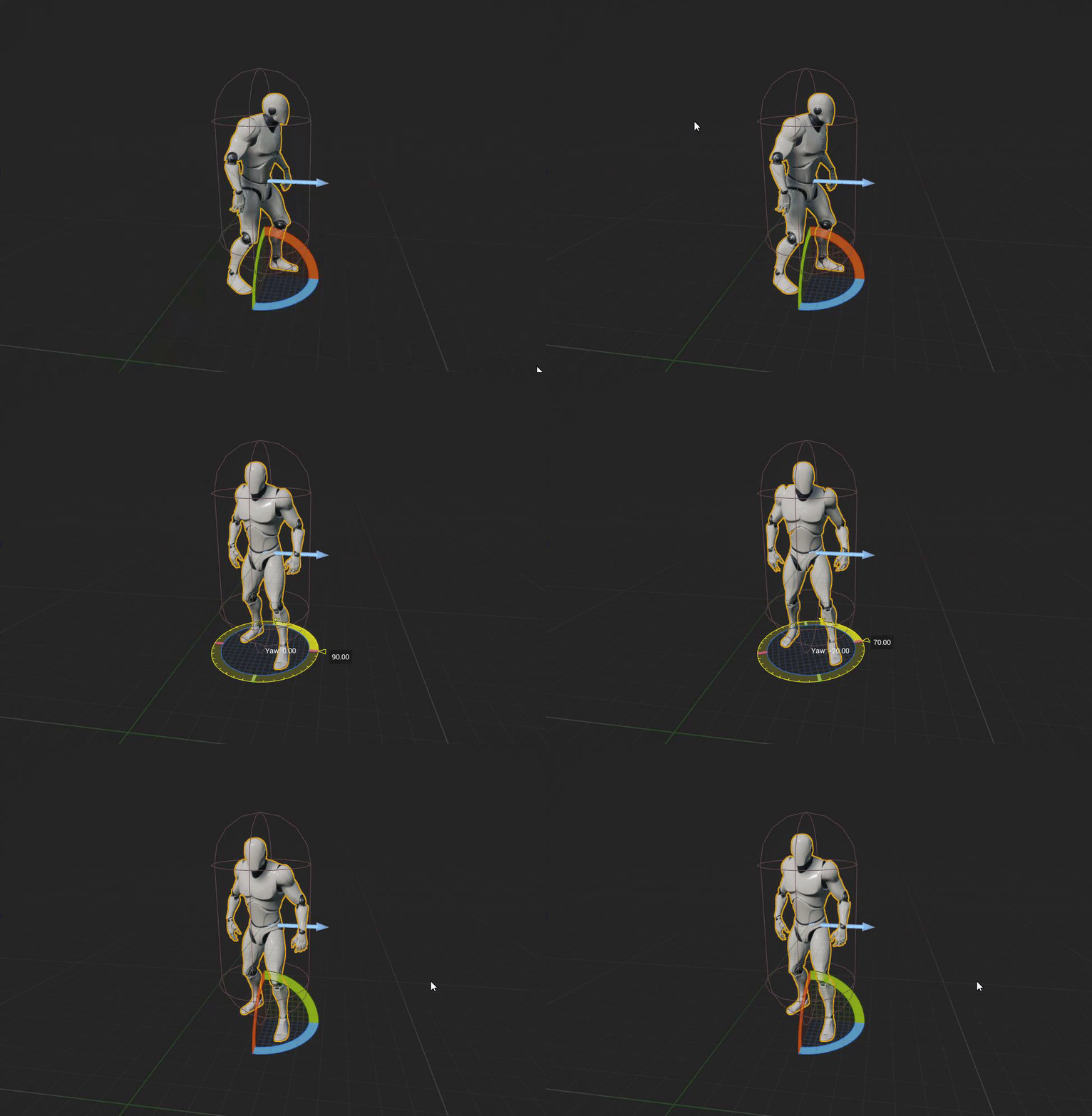
the first video is what the character looks like running around with the mesh not rotated, with it being used as it was created
so it looks ... weird
fleet stirrup
- the default mannequin and many other rigs, at least in videos, have their noses facing +Y by convention?
grim ore
the second one is the character class , the blue arrow is +X forward, and me rotating it from the default which is facing the wrong way (the first gif) to the "correct" way so it looks right
#2 is correct and it is just what it is. I think they will fix it when they redo templates
this is only odd because the manny is odd. If you were to use Maya, make a character that looks correct facing +X, and imported it into UE4, then dropped it into the "character" class as the mesh it would "look" correct without any other changes
thick herald
^was just typing that 🙂
grim ore
keep in mind the visual appearance of a mesh is subjective and should fit your project. You might want the "face" part of a mesh to be on the +Z just because they are laying on their back for example
 tacit girder
anyone have issues with character movement speed? I've increased "max movement speed" and it doesn't seem to increase my characters movement speed lol
abstract relic
Consistency is the key though
fleet stirrup
ok, i think i get it ... more or less ... +X is true forward in Unreal. But, sometimes you see characters facing +Y just because of how they were set up in a DCC
Whew, I can totally buy that 🙂
Thanks @grim ore and everyone for clearing that up! It's the kind of thing that trips up Unreal newbies like me 🙂
grim ore
@tacit girder where did you change it and is this single or multiplayer?
fleet stirrup
(PS. +X forward could be an interesting topic for a WTF video 😉 )
grim ore
@fleet stirrup It's a good thing you mention it I can let Epic know that this is something that should be fixed if they replace template. Having honest "wtf is going on" feedback from people learning the engine is good to pass on
abstract relic
Wtf is 🍅 would be good too
tacit girder
i just needed the default much faster, found it
grim ore
you shouldnt have to change the custom speed unless you are using custom movement mode
Walking is the default movement mode for the character
tacit girder
i increased the max walk speed but it still never moved faster
so i tried the custom and it worked, would you recommend another way?
grim ore
maybe you change your default movement mode on accident?
abstract relic
What movement mode is it on
tacit girder
default land is walking
grim ore
super duper weird but hey if you got it working 🙂
tacit girder
wow weird
i changed the custom back, and kept the walk speed change, and it works now lol
so oh well, i'll take it
thanks for the help
 iron stone
Question, just built a landscape paint material, done it a ton of times before, but this time the resulting material is simply grey. I've cleared a few tuts to make sure I'm not doing anything stupid. Any ideas?
abstract relic
First question would be how many textures does it have
grim ore
how many textures do you have damnit... High Tide
iron stone
Two, would you like a ss?
grim ore
is the material a custom landscape material (like using layer blends and such) or just a normal throw crap on something
iron stone
iron stone
Yeah they are assigned.
grim ore
yeah I am tapping out, it's all yours
normal burrow
Is weird how much is in that folder
grim ore
the material looks good here, I don't think you did anything wrong lol
iron stone
Yeah like I said, I'm not really new to the system by any means. Just kinda weird.
 serene birch
the free content of the month feels underwhelming 😢
abstract relic
Says the folks with a hoard 😜
iron stone
Hoping it was something easily identifiable.
grim ore
oh weird the preview ball is grey
serene birch
the landscape preview material doesn't really feed working layer weights
abstract relic
Nuke option would be to delete layer and rebuild
serene birch
unless you specified some values for the preview 🙂
grim ore
oh yeah I normally set the first layer to 1 for the weight
serene birch
the landscape materials will not display anything if all the layers are empty!
iron stone
Okay I'll trash it and do it that way.
serene birch
you don't need to trash it, should be possible to set the preview weight
grim ore
oh neato
abstract relic
The issue is that it won’t show up on landscape yes?
iron stone
Yeah, just the resulting grey.
serene birch
did you paint one of the layers at least? 😛
grim ore
ugh........ Epic... why....
changing so many parts of the editor while I am in the middle of a new user course.... /rude https://i.gyazo.com/ce6586aba065cd489f9d8ea5f622eb90.gif
iron stone
Epic: Because the alternative is Unity.
abstract relic
Delete /intermediate folder Mathew! 😜
grim ore
Epic is pulling a Unity right now lol
iron stone
xD
grim ore
Unity: "Whooo we are changing all of the UI because it's so old". Epic: "Whooo we are changing all of the UI because it's so old"
damnit
normal burrow
Binaries as well
iron stone
Blender: I identify as a borderless tv now.
serene birch
it's like buying an old appartment and not noticing that the front is ugly/old so you'll have to pay soon to refresh it 😛
normal burrow
They’re keeping slate right?
grim ore
slate yes but moving stuff to more like flatter and toolbarier
abstract relic
You can throw an corrective image layer on the ui. Photoshop it and they’ll be none the wiser
grim ore
ok ugh this has got to stop
Blueprints button with an arrow next to it, you click the arrow or button and a drop down shows up
Play button with an arrow next to it, you click the arrow and a menu appears or the button is a separate action
U N I F O R M I T Y
 unreal wasp
what are some good courses/tutorials for unreal FX? Cascade or Niagara. Thanks
grim ore
maybe we will get the ability to change the buttons at some point. I have never used the Content or Marketplace buttons
abstract relic
...there’s a marketplace button?
normal burrow
I was surprised zeb and high tide didn’t know of the save all button
abstract relic
That’s normal
grim ore
ahaha. So the in editor tutorials are not updated to the new layout so they are freaking out when I walk thru them
normal burrow
But I’ve not seen a marketplace button
grim ore
it's on the main toolbar next to content and settings no?
normal burrow
Looking
grim ore
you can always try using one of the nodes to set focus and input to the screen
abstract relic
Launch on separate viewport will get around that I believe
grim ore
ugh.. dont like I want my old modes panel back. Now you can have the landscape mode enabled AND be on the place actors mode at the same time and be completely confused on why you cant select stuff
Time to start a petition to save the old UI
abstract relic
Bug report: you need a better sales force
grim ore
My only hope is I caught this build in the middle of it being worked on and they will fix it before .25 goes live 🙏
 smoky sonnet
hey i programmed in java and know a bit of object references etc. But am i retarded i dont get it in ue4 with casting pls look at my current problem. [wait a minute need to write it 😅 ]
smoky sonnet
created a triggerboxblueprint where a component should spawn
saved the location to get access to it in another blueprint [blueprint of triggerbox]
lapis vine
Like how the answer landed before the question 👍
abstract relic
Watch the video
grim ore
Is that 2nd screenshot the level blueprint? If so you're gonna have a bad time
abstract relic
His mind reading is on point today
smoky sonnet
in my enemy blueprint i want to set the location of the triggerbox to the location variable of enemy to spawn the actor on this location
idk which reference should go in my casting
😦
abstract relic
grim ore
well i dont know if your location will even help in the first place with it being a relative location and not world location
ignoring that what is the first blueprint, where you store the value/property/variable you want to get ?
smoky sonnet
my enemytriggerbox blueprint
where the enemy should spawn
im saving the location of the triggerbox as a marker for the enemy blueprint
grim ore
so you have 2 blueprints, one is the enemytrigger blueprint and the other is the enemy bp?
smoky sonnet
yes
 unkempt hazel
does anyone know of similar free projects set up like the Blueprint Examples or Content Examples? Where you walk around and see a bunch of different things you can do like a museum?
grim ore
is the enemy in the world in the editor before you hit play or are you making it somehow?
smoky sonnet
yes it is placed in the world
grim ore
any reason you just don't put it there then?
smoky sonnet
what do you mean to put the enemy in the world instead of the triggerbox?
grim ore
i asked if you have both blueprints in the world in the editor before you hit play
smoky sonnet
my triggerbox spawn an enemy
and my enemy blueprint should let the object "move" down
but im not getting access to the location
grim ore
so there is one blueprint in the level, your enemy trigger box, that is supposed to spawn enemies?
smoky sonnet
yes
grim ore
the nav mesh is P not V
so the location to spawn them in is part of the enemy trigger blueprint?
it looks like you are trying, and trying hard to make something work, but have done no actual learning of how the engine works together. It's good effort but you are just going to be making stuff not work
smoky sonnet
yea because i spawn it at the location of the enemytriggerboxblueprint
grim ore
I think the main issue is you are trying to get it to use the relative location of the capsule component and not the world location
and you can get the entire transform if you want not just the location and plug it in (assuming the spawning location collider you are using is sized/rotated the correct way)
smoky sonnet
mhh okay i will try it with the world location but i need to go mahh okay thx anyway ❤️ know any good tutorials to learn about engine?
grim ore
in this case you wouldnt need casting in your enemy as you are telling the enemy where to spawn when you spawn it. You just need to use the correct location
smoky sonnet
you mean a static value to write "hardcoded" set Location (200/100/50) without a variable?
 keen moss
is anyone else having issues with 4.24.2 and GPU lightmass not working with skylights? i have a basic new scene with a static skylight in it and when i do a lightbuild it is 100% black?
grim ore
Your spawn point is at 100,100,100 in the world. Your spawn point is part of another blueprint and inside the blueprint it's location is 10,10,10 away from the center of that blueprint. The "relative" location is 10,10,10 and the world location is 100,100,100. If you tell something else to show up (spawn) at the relative location it will be completely different than if you told it to spawn at the world location
abstract relic
World origin is actor origin when it comes to relative location
 stuck chasm
Unreal Engine keeps crashing upon launch any fixes?
abstract relic
/logs
keen moss
@stuck chasm verify the engine install in the epic launcher
grim ore
crashing on starting the editor or opening a project
keen moss
is anyone else having issues with 4.24.2 and GPU lightmass not working with skylights? i have a basic new scene with a static skylight in it and when i do a lightbuild it is 100% black?
grim ore
did you check the forum thread to see if it is a known issue? they mention that skylights need a cubemap to work properly else it will not use any light info (so black)
 deep stump
When does the new free assets come out for this month?
grim ore
This morning
grim ore
check #unreal-news . it's the first tuesday of a month
keen moss
@grim ore i have not seen anything on the forum about it
 edgy halo
i have a pawn that gets ragdolled on death, but as soon as its unpossessed, it despawns, how can i keep it ?
grim ore
it shouldnt despawn unless you have something doing that
edgy halo
hmmm
grim ore
do you unpossess on ragdoll? possiblty is it being flung out into the world due to physics now working on it
or even I guess falling thru it
edgy halo
i mean
if i remove un posess node and kill myself ingame, i see the body flop to the floor, if i then have a delay on 3 seconds to spawn a new pawn for my controller, the old one dissapears (because im not posessing the old one?)
removed ragdolling and still same thing
 tawdry mesa
So, GDC, will be there that thing about Blender "Send to UE4"?
lapis vine
Wait for the upcoming stream.
grim ore
the stream thursday will be about blender so 2 days
edgy halo
@grim ore ugh, my bad, a buddy of mine had implemented an "on unpossess" event, hadnt noticed. thanks 🙂
 waxen raven
Why....
 warped tangle
The short answer is no, that's not normal
waxen raven
I can't imagine what they're doing in there... but I'm assuming they don't know loops bare minimum.
warped tangle
whelp
waxen raven
What are you trying to do?
carmine garnet
i need constant on events for certain things
like raytracing
and checking varyables
and
waxen raven
Ok, there is a way to set up event response
warped tangle
I bet like 90% of that stuff can be event based
waxen raven
But really, you need the basics first
carmine garnet
belive me, i have the basics
waxen raven
Easier in this case, to set up the variable, get them and check as you go
carmine garnet
what is event responce
waxen raven
I do not believe you, but that's because I'm very... very sure we define basics differently. Nothing person,.
personal.
warped tangle
If you don't know what loops are, then you don't have the basics
waxen raven
It's perfectly understandable.
warped tangle
you can essentially have things happen ONLY when an event is triggered
by any number of different ways
carmine garnet
but i have the non basics
waxen raven
But regardless, you can do if checks etc on your values at the start
and if it's just yes or no, boolean, otherwise you can just do value checks to guide your logic.
carmine garnet
just
waxen raven
Not terribly uncommon to say do a bIsDead off the start of logic flow... if true, do nothing
carmine garnet
tell me how to use loop node
waxen raven
If you're checking values you might not need loops
I just assumed loops because of the numbers
warped tangle
check out youtube, there are tons of vids about each loop function
carmine garnet
okay
waxen raven
yeah indeed, wtf is here has a ton of stuff that will carry you far
warped tangle
yep

YouTube
This channel is dedicated to exploring Unreal Engine 4 and the Blueprint programming language that it uses. You can think of it as a companion to the API doc...
warped tangle
ok, so you can run stuff like that on start, then whenever you have an event that changes the value of a bool, update your other bools and whatnot
that does not at all need to be done on tick
carmine garnet
is there any downside to it?
warped tangle
to using tick? yes, it's happening every single frame
so it's unnecessary overhead
carmine garnet
im using at least 23 custom tick events for just the movement
warped tangle
You can do vast majority of things without tick
 thorn cipher
Hi! quick question, does anybody know how to go back to the last edited blueprint? i don't know exactly how to explain it, similar to what you have any almost any IDE to jump to the previous classes you edited
grim ore
@thorn cipher You can do that in the graph itself at the top left but between separate blueprints no 😦
thorn cipher
@grim ore I see, that's a shame, once i start opening many blueprints at the same time i always get lost from where i came when i'm digging down through functions
grim ore
yep 😦 there is no breadcrumb or backtrack between separate blueprints or windows
 viral sluice
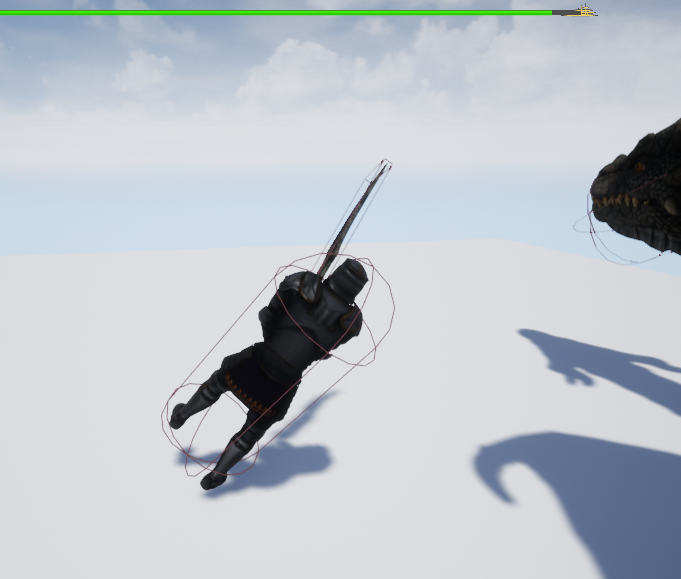
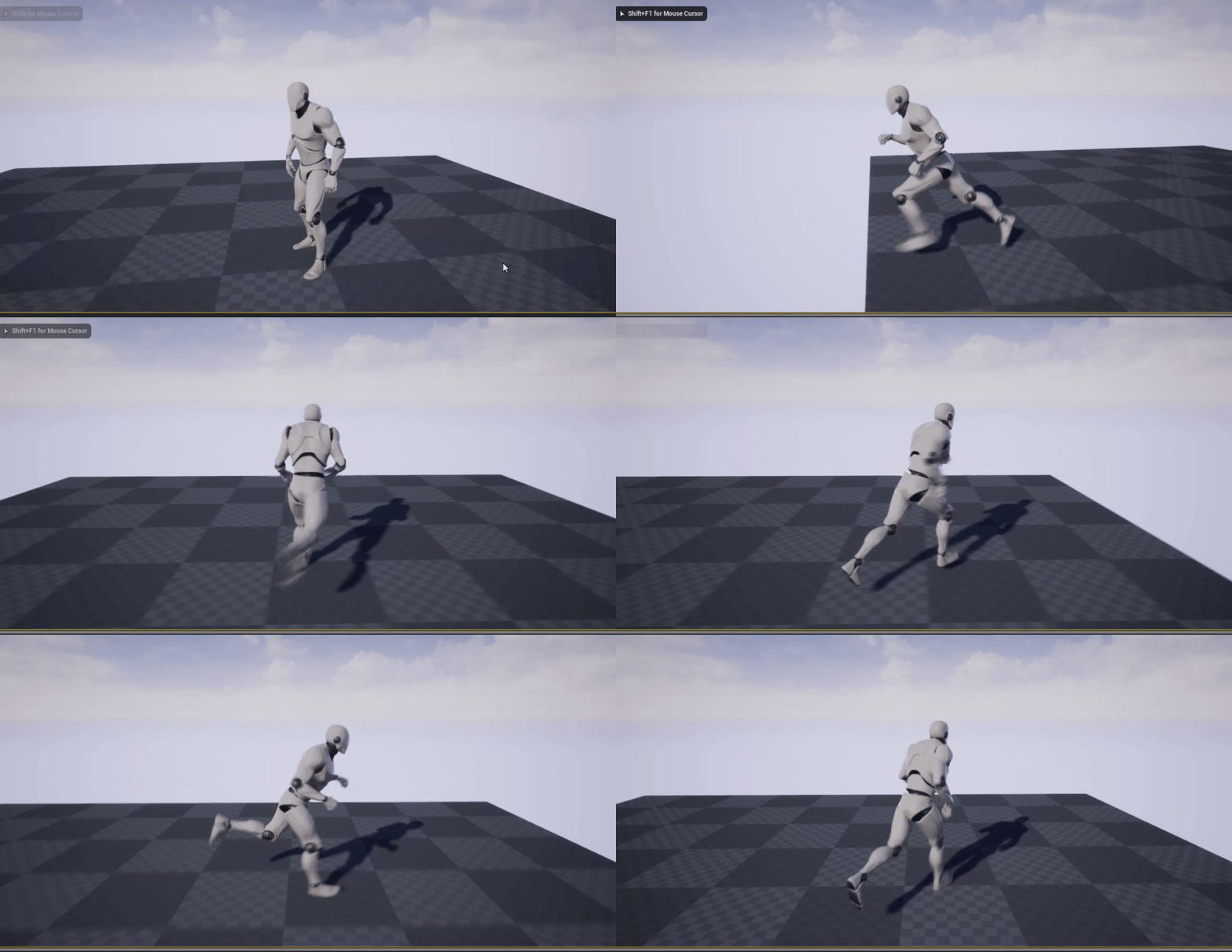
Hi all, I'm having problems with a mixamo character + animations. In some animations (like attacking with a sword) the character moves forward a bit (the capsule stays on the same spot though) and when the animation finishes the character is dragged back like he was on a treadmill. How can I fix that?
 fading vector
How come when I'm just sitting on a floor its adding continuously?
viral sluice
I can't use root motion. If i use it, after the animation is played the character is rotated. This is after a few attacks
https://i.imgur.com/yE6ApQl.png

 fading vector
Yup thats usual
Mixamo is broken and you need the root motion
http://terribilisstudio.fr/converter @viral sluice
I use this
But since its not known software download at your own risk
viral sluice
Since it's just a little project I'll just set the capsule component rotation to 0,0,0 after each problematic animation. Anyway thanks for the link, I'll save it in case I need it for another project
fading vector
np
plush yew
Am new to unreal and i just want to know why Unreal is much easier for Third person games / FPS
If any1 can give me a clean answer and thanks ❤️
plush yew
to unity
abstract relic
@normal burrow
plush yew
why 😄
abstract relic
my opinion is very coloured 😛
normal burrow
Mine as well. lol
to put it lightly, you will have 90 percent more of a chance of finishing something in unreal
 lilac wedge
so my game is only 2d using umgs, is there a way to not calculate the 3D world to reduce package size or is the world not calculated if there are no objects in it? (including shaders, and so on)...
plush yew
@normal burrow if you can explain more please
Cuz am in unity atm and people recommending unreal 😄
abstract relic
from an artist standpoint, unity is laughably lacking in tools
oh dear
that's really bad
normal burrow
at the risk of offending some people that consider unity an option qBersp, i'll say that you are unity's end of the rainbow when you pay for dark theme. the more they can keep developers developing the more subscription money flows into them. They make things utterly easy to prototype and if your unfamiliar with game development you'll be learning how to do most things the wrong way because of their easy documentation over functionality approach on nearly every api.
grim ore
to risk offending everyone try them all and figure it out on your own which works best for you.
normal burrow
offended
abstract relic
banned
normal burrow
I used unity for 8 years qbersp. would primarily be speaking of the coding side
if its improved within the last 2 years I wouldn't know
 lime gull
How would I make a mist particle, or mist in general?
grim ore
You literally cannot know if UE4 is better for your project or you compared to say Unity or GoDot unless you try all 3. Going based on everyone elses opinions and experience can help but in the end my dev process is different than everyone elses so I go with what I like
normal burrow
yeah but matheww would you recommend someone drive a screw with a hammer?
grim ore
I wouldn't but I have had to do that when I had no screw driver lol
normal burrow
lol 😂
grim ore
like i said other peoples experience can help but you wont know for sure unless you try it and stuff like game engines are super easy to try out now
its not like you have to pay to see if UE would work for your game like 10 years ago
plush yew
I just wanna start at the correct path thats what am saying
grim ore
If i was doing another 2d game that was mainly UI driven there is a very good chance I would use Unity again with something like nGUI for the ui framework.
your attitude is commendable but misguided, there is no correct path
I mean honestly if there was a correct path would we even have this question or more than 1 engine?
you should try UE4, you should see if your project would work well in it. spend a few weeks if you can afford to learning the systems. Do the same in Unity or any other engine that might fit your needs. If you just "want to makes gaem" your first ones are going to suck so do it with anything just to learn what you like and how you like to do it
stuck chasm
I cant find motion controller in the input tab, is there a plugin I need to install?
grim ore
as one of the key options for input?
stuck chasm
yea
grim ore
which input are you looking for, on a clean .24 project I have Oculus Touch and HTC Vive as keys for input mapping
if you mean the old generic motion controller events in a blueprint I am pretty sure they got rid of those a few versions back
grim ore
you would set up a input and tell it to use that as the key
it would be just like setting up a key for the keyboard
 brave gate
returning to specific @plush yew question....
"Am new to unreal and i just want to know why Unreal is much easier for Third person games / FPS"
let's start from the key difference in engine approaches
- Unity is easy to start and create tiny game, difficult and troublesome to create big projects and working with big team. Unreal has step learning curve at the beginning, expecting you to learn many tools - it pays off as your project gets complex
- Unreal is going in direction of 3D photorealism, awesome lightning, procedural skeletal animations, open world, cinema and visualizations.
- Support for 2D games in Unreal is almost non-existent, it's just sill Paper2D plugin. Unity loves 2D more and more, there are lot of tools like animation tools for 2D sprite characters, 2D lightning.
Unreal is built by studio working on FPS/TPS titles or licensing engine to such studios.
 ruby ocean
Can blendweight textures be added to a MIC? I recently got a model which has those alongside the standard normal map and skin textures.
stuck chasm
I can use either right or left? @grim ore
grim ore
sure you see that says (L), you would just use the (R) one
stuck chasm
Its crazy bc all this wasnt here before i restarted my project
brave gate
@plush yew Unreal's animation system is all focused on developing games rich in skeletal animations for 3D characters. It's what daily used on titles like Fortnite, Gears 5 and perhaps every fighting game recently (Tekken, Mortal Kombat, etc.) since animating characters is vital in such game. If you'd work on Third Person game than every action in the game requires feedback from player character. And probably you gonna have other animated characters.
You got blueprint-based scripting for animation, animation graphs, live link to connect Unreal with animator's tools, integration with Sequencer (which can be used for every gameplay animation, not only cinematics) and Sequencer itself is well-designed system allowing you to "direct" a game scenes (i.e. you can easily embed one sequence asset into another one, reusing part of "gameplay animation"). And there are coming improvements like Control Rig (procedural animations), animation streaming, shared animation playback for crowds (the biggest cost of animating skeletal meshes is to update their moving bones/vertices every frame, cost of script update is relatively tiny).
One could say similar praise about Unity's support for 2D animations, they develop dedicated tools for that.
plush yew
@brave gate Thank you mate so much for this you got me excited to use UnReal Enginge
brave gate
@plush yew oh, and you got Mannequin skeleton/character to easily start development, marketplace either work on that or - please somebody correct me if I'm wrong - you can retarget that to Mannequin
there's even plugin for retargeting Mixamo animations to Mannequin or other humanoids
plus Unreal comes with ready-to-use game framework: built around control of humanoid characters which is also multiplayer-ready
 harsh tiger
would anyone mind telling me what im missing?
this is on the ue4 docs but i dont care about the other stuff an only need the level name
plush yew
@brave gate About the coding side
Most of the videos i been watching not many ppl been coding
they using kind of a tree
brave gate
@plush yew haha 😄
you probably referring to the anim graph
basically every character has animation states (idle, walking, running, jumping) performing animation on loop and transition between these states (blending from one animation to another)
but transition to another state need to be triggered by the gameplay script, changing some variable - and possible transition rules (if you're in Walking state, you can go Idle or Running) are constantly checking these variables
you want to keep this logic as clean and simple as possible - but that's the "natural" way of thinking for animator
with them you want play with layering animations, IK, blend spaces - but these tasks are exposed as nodes
it doesn't seem like coding, but you actively building logic of every-frame animation by composing network of specialized nodes
and Control Rig gonna be all about scripting animations, introducing advanced procedural workflows
 fathom glade
qBersp the only way to truly know which one you like, is by trying both of them out.
Both have shipped high quality games, that's a fact. This means that both are very good!
grim ore
@harsh tiger you are better off asking in #cpp but the basics is your code is absolutely wrong for calling OpenLevel as 1:) you don't use FName like that and 2:) you don't have the required parameters you need being used in that function call
harsh tiger
@grim ore hello mathew, after some more googling and trail and error i got it working!
grim ore
Yay
harsh tiger
First time using CPP without a tutorial in my own project haha. would you mind explaining what the L is for in the FString at the end
i use VA assist and it was in the tool tip for this function. but it seems like a typo more than anything
thick herald
on a side note (on an earlier comment), yes using a hammer with screws works. Sometimes even more effectively than a driver 😉 😄
harsh tiger
@grim ore
fading vector
does anyone have any suggestions as to how I can improve this in air/jump system?
grim ore
@harsh tiger it's just a string of optional options. You are just sending nothing useful basically.
The L"" part is just how VA is interpreting the reflection for the code signature. https://stackoverflow.com/questions/6384118/what-does-the-l-in-front-a-string-mean-in-c
It's complicated basically if just learning which is why I prefer not to use code anymore it's just full of annoying stuff lol
 twilit grail
Anyone here knows how to enable RTTI in unreal for c++ classes
harsh tiger
ahh okay thank you! an you prefer not to use code anymore? do you just use bp for your projects
grim ore
If I can yep. Working on code for real work and then doing it for game stuff just isn't fun for me. I like the fun of bp
harsh tiger
fair play
twilit grail
would like to know if its even possible to use unreal's RTTI for dynamic casting.
normal burrow
@twilit grail no
unreal has no rtti
as far as i know its incompatible, to enable it
but do head over to #cpp
twilit grail
ye I'll remeber for future questions
 tawny hare
Hallo in new
grim ore
Hola new
plush yew
How can I make my ai open multiple doors? I tried get all actors and then for each but it still only works with one
How can I make my ai open multiple doors? I tried get all actors and then for each but it still only works with one
grim ore
How does it know it's near a door?
 rancid lynx
Can rift s change to 90hz ? Or are there no mods that do this?
I'm considering swapping rift1 for RIF's s. But surely I shouldnt
Anyone here consider that also?
I tried 60hz in ue4 vr, and it was impressivly noticeable. I'm pretty sure 80 won't be much different
fleet stirrup
I'm an Unreal newbie ... Someone suggested to me that we should only put anim graphs / state machines in the Animation Blueprint. Is this true by convention? Or an absolute truth?
For example, if I have keypress events to trigger animation, should i not put the keypress events in the Animation Blueprint?
plush yew
@fleet stirrup The animation instance/blueprint is tied to your character, which gets inputs. So it makes sense to have the inputs in your character, which just passes the request down to its animation instance class naturally
 digital anchor
its not an actor, not everything will work there
and it may not tick every frame, so it shouldnt be used for gameplay
fleet stirrup
These are good answers!
Very interesting that Anim BP is not an actor ... that's a very good point ... so it doesn't live in the world hierarchy / outliner
plush yew
Animation instance inherits from a U whereas the character inherits from a A class, so one is an object the other one an actor
As a U, it cannot exist in the world by itself
fleet stirrup
I'm guessing that "A class" is "Actor class", what is "U class"?
plush yew
UObject
fleet stirrup
aha, ok, i've seen that somewhere
ok, this actually makes sense
When you create a Blueprint in Unreal, are you actually creating a C++ class subclassed from UObject or Actor, but visually? Or is it technically different than subclassing from the relevant C++ class?
plush yew
It's just the naming convention: classes that start with A means they are actors that can exist in the world, U means they are objects that need to be a component of an actor in order to have access to the world. Just a simple inaccurate description 🙂
some blueprints inherit from A, and some from U, I think, I actually never use blueprints 🙂
fleet stirrup
oh wow, you just do everything in C++ directly?
plush yew
Yes, I proudly do! 😄
fleet stirrup
nice!!!
Hey, do Unreal C++ classes have automatic garbage collection? (like C# or Java) ... I heard some rumors that they have some extra juice like that
plush yew
yes!
fleet stirrup
nice! So it's almost like working in Java/C#?
plush yew
yes, In some aspects, that's right
fleet stirrup
oh, that's nice ... the most painful part about plain C++ is memory management
fleet stirrup
So Unreal Java'fied C++?
 mossy nymph
and garbage collection works via reflection
 dense gate
Doesn't Unreal have garbage collection all the way from Unreal 1 times?
P sure it's redundant to have it in newer releases too
fleet stirrup
(I have no idea, since I'm new to Unreal ... but isn't Unreal 1 from the mid 1990's? If Unreal 1 had garbage collection, that's pretty cool since Java became real also in the mid 1990's. So if Unreal 1 had garbage collection, it was really forward thinking!)
lament saddle
Unreal 1 flyby & theme music plays in head
plush yew
Unreal 4 uses C++ natively, whereas the previous versions were using C++ for backend and unreal scripting at front end
that's what makes unreal 4 C++ reflection and GC a novelty 🙂
 thin tendon
Has anyone here been able to add localisation for Arabic? I have a couple other languages working but when I try arabic. All my texts are printed as the same symbol over and over
I think its because arabic text aligns to the right and not the left
plush yew
@thin tendon Look at https://docs.unrealengine.com/en-US/BlueprintAPI/Utilities/Internationalization/SetCurrentLanguageandLocale/index.html is being used here in China without any problems 🙂 not by me, I speak English only, but by others around me 🙂
Set Current Language and Locale
thin tendon
@plush yew Thanks for the link I'll look now. I already have Chinese working perfectly. Arabic is the only one that bugs out for me
 heady quartz
@thin tendon the font you’re using doesn’t support arabic
thin tendon
@heady quartz Thanks I'll look into this. I'm just using the default Roboto
tacit girder
I'm having an issue trying to restart my game... :/
i have a "on hit, print hit, end game" but i can't figure out how to instantly restart once the player its the obstacle
fleet stirrup
Hey, so maybe this is a weird question, but is there a way to view a .uasset file in some readable way?
(Besides in Unreal engine)
ie. is there a .uasset ASCII equivalent?
random hawk
I mean you can open it in a text editor and view the hex data directly....but I don't think you mean that?
fleet stirrup
I can't read Matrix yet
plush yew
I can, no joke!
plush yew
@fleet stirrup What would be your goal to be able to see the ASCII?
fleet stirrup
Sure, the more human readable ASCII the better 🙂
plush yew
What would be the reason?curious, I just don't know why you're looking for this
that's just serialized date
data*
fleet stirrup
I just want to take a look at what data is stored ... purely out of curiosity at this point
(Well, I used to read and edit Maya Ascii files by hand, but that's a different story)
plush yew
no issues at my end, I've done reverse engineering semi-professionally for years
What you're looking for is a plain text equivalent
fleet stirrup
Yes
plush yew
For that you would actually need to create your own mechanism to deserialize uassets to any text readable format
fleet stirrup
Ah ok ... yeah, no biggie ... i was just curious to see what data was actually being stored.
It's interesting that Unreal doesn't keep the FBX files that it imports, but converts it into its own data format
plush yew
which you can do if you poke around at FArchive
Years ago I've done reverse engineering of the Bethesda and Bioware serialized format, and I made my own deserializer And dumped the data into XML, so it's possible, of course
fleet stirrup
I'm not that hard core 🙂
plush yew
I am!
fleet stirrup
Cool! That's power!
I was just wondering if Unreal had a uassetBinary2uassetAscii converter or something
plush yew
not that I know of, but again FArchive is your answer
fleet stirrup
Sounds good! Thanks @plush yew !
thin tendon
Thanks for the help its a font issue. Now I just need to some how find a font that will support all the languages I want
rancid lynx
Why do Comment Boxes have Comment Boxes on by default? thats like giving a toilet paper a toilet paper. yes.. i grabbed a toilet paper.. but my toilet paper doesnt ALSO need a toilet paper..
i understand that i can uncheck the toilet paper manually, every single time i try to wipe my grass .. butt..
is there an option to disable "comments on comments by default ? " i cant find it
?
normal burrow
are those custom comments?
rancid lynx
well, i pushed C, to create a new comment
i know i can manually delete (uncheck) every single comments comment option. which ive done hundreds of times.
or i could just leave everything ugly.
or i could copy and paste old boxes, and just f2 in a new cmoment.
anyways sorry spam.
just seems like they forgot to add an option to the editor preferences "auto comment all comments"
clearly the guy in charge knows something i dont i guess. he found a reason they should be on
fiery field
About how long does it take to get good-enough with Unreal to publish a game given that you are already quite good at C++ and that you will buy your audio, game-assets and animations?
rancid lynx
i cant imagine any other way ever being easier.
youtube has videos for 80 percent of all questions ive ever tried to search
ive been working 1 year. as a small part time hobby. i have a playable game thats almost ready to sell.
im terrible. but the engine made it possible.
results will varry
fiery field
very nice 🙂
rancid lynx
i use zero c++. blueprints are enough for me.
rancid lynx
so if you know c++ on top of what i know. itll be even easier for you.
fading vector
@plush yew You still here?
rancid lynx
yea blueprints can do alot. alot alot.