#ue4-general
1 messages · Page 643 of 1
 valid vale
 plush yew
but the project has gone to hell
 heady moon
Lol
valid vale
@heady moon i think this last option
plush yew
I cleaned it up but I just ended up breaking lots of stuff
 zealous spear
@plush yew what do you mean.. like migrating?
 blissful trail
blissful trail
blissful trail
:/
zealous spear
There is a migrating option in the engine to migrate things from a project to another or just copying and pasting the uproject files from a project to another one
Depends on what you are moving
Like... if you move a map and the assets, you should move it using the migration feature
If you move bp's you can just copy paste them into another project @plush yew
blissful trail
any idea's on how to fix my thing ?
zealous spear
Not too much @blissful trail
valid vale
AddaRange to Add @blissful trail try
 rotund scroll
you've already defined your variable or function
valid vale
Delete intermediate folder
zealous spear
@blissful trail so how do you get this error?
What are you doing?
To replicate it
When packaging or what?
blissful trail
i was adding steam multiplayer but it kinda just broke for some reaosn
zealous spear
Well
I can help you a bit
With multiplayer and stuff
Since my game has this too
blissful trail
i know how to do steam multiplayer ive done it many times its just for some reason it litterally just broke
blissful trail
i moved the intermedient to a backup folder
zealous spear
You could still try to take a template
blissful trail
it might build
zealous spear
A project already made with mp
valid vale
Generate new files
zealous spear
And make it as you want
blissful trail
this is further then it got before
last time i did this it just closed imdediently
zealous spear
Wait for it until is done
blissful trail
ye
valid vale
थी @blissful trail working fine
blissful trail
so deletintg the intermedient folder solved it ???
zealous spear
@blissful trail so you say you know mp and networking? Maybe you can help me if I have some questions. I am not too good with that but let me know
blissful trail
i only know how to set it up and stuff im terrible with replication and stuff like that
zealous spear
Sure, even this is good
I did most of replication but... I will need some more help
valid vale
@blissful trail intermediate folder contains generate classes some time when we add apis or another framework to our code that ue system don't delete that files. So we do it manually.
zealous spear
Because I am planning an update before alpha that uses replication
 flat trail
Is there anyway to reset project settings?
valid vale
@flat trail yes
 radiant haven
blissful trail
radiant haven
blissful trail
i kinda gave up on third person xd
 cloud cobalt
ProjectDir/Saved/Log
or the output log window if you have the editor open (window -> dev tools or something)
heady moon
Is it possible to see it while playing
cloud cobalt
or the Visual Studio output log window when debugging
cloud cobalt
Yes, output log window like i said
 tawdry storm
quick question, if I have an fbx with multiple meshes, is there a way to not include the fbx name in the mesh names?
plush yew
What do you mean?
 hard quarry
Hi guys, any ideas why the terrain geometry is different inside the editor and the simulation?
tawdry storm
well if I import something with multiple meshes, all of them have the fbx file name as a prefix
plush yew
Oh you can rename the meshes
tawdry storm
well I would prefer if there wouldn't be a prefix to begin with as it's quite a few meshes
plush yew
Hi guys, any ideas why the terrain geometry is different inside the editor and the simulation?
@hard quarry It's a bit strange
well if I import something with multiple meshes, all of them have the fbx file name as a prefix
@tawdry storm Sorry I don't know how to do that, I rename them manually
tawdry storm
sadly that's not an option with the 500 meshes that I have here 😄 oh well I'll just pick a short filename
hard quarry
@plush yew What do you mean with its a bit strange?
Did this ever happen to you?
tawdry storm
I didn't make the 3D asset, but the fbx was saved in Maya, why?
plush yew
I don't know
@tawdry storm Total commander, a file utility for Windows and other OS, Has a quick rename tool,
hard quarry
Anyone experience a change inthe landscape Geometry insde the editor and with the finished build?
tawdry storm
@plush yew yeah I know that, can you just rename files outside of unreal?
plush yew
I thought they are outside, as FBX?
tawdry storm
haha it's fine
it's really not that big of a deal, I thought there might be an option for it
heady moon
where is the "Progress" section that used to be in recent versions of UE4 when putting a UI, was it replaced or removed?
tawdry storm
I guess I could try the 'import into level' thingy. pretty sure that's for cases like this
where was that section before?
heady moon
dont mind my drawing
it had the bar fill type, and things like that..
and the percentage
plush yew
@heady moon Seems to be of the wrong type
Slider versus progress bar
I'm assuming you're looking for a progress bar?
heady moon
Yes
tawdry storm
yeah that's a slider. I'm pretty sure they never had a 'progress' section
heady moon
Well by what I remember they used to have
I want to make its fill from left to right
im doing a healthbar
tawdry storm
plush yew
once again that's a progress bar
tawdry storm
like that?
heady moon
Yess
tawdry storm
that's a progress bar
tawdry storm
happens to the best 😄
 leaden dust
I just updated to 4.24 and the viewport is having serious lag spikes
is it a common issue?
 grave osprey
Now i know why anination the hardest thing to make.
heady moon
lol.
grave osprey
:(
heady moon
what is the best colour for a health bar? orange or red?
grave osprey
Green
tawdry storm
green
heady moon
Oh yeah
tawdry storm
going into red when it goes down
tawdry storm
maybe even taking a detour over yellow in the process 😄
hard quarry
Inside the editor the Landscape gets displayed, but inside the build game, the landscape is completly missing? Any ideas why?
I found the following:
"Is it possible that the terrain is in a different streaming level, and It needs to be set to always loaded? Unusual that it disappears; When in game view try pressing Alt + L, this should toggle terrain visibility."
If I press Alt + L, the terrain also disappears in the editor, where can I set the streaming level?
tawdry storm
in the editor at the top under 'Window' you should find a level editor or something like that
that'll show you the sub levels
you can either set them to permanently loaded or to blueprint controlled
https://docs.unrealengine.com/en-US/Engine/LevelStreaming/HowTo/StreamWithBlueprints/index.html for loading and unloading this might help
How to stream levels with a custom streaming Actor created with Blueprints
 calm sphinx
tidied up modes panel in 4.25
tawdry storm
woah spoilers
hard quarry
@tawdry storm thanks, but I am a bit lost here.
What exactly is the problem why the Landscape does not get shown?
I never touched anything like streaming
tawdry storm
I'll let you know when I've developed psychic abilities.
I have no idea what your project setup looks like 😦
what does that levels window look like?
 tawdry lodge
if you only have one persistant level you shouldnt be having problem with your landscape not loading
you can look just in case if you go to Window>Level Details
if you only have Persistant Level then the problem is elsewhere
maybe there is something that is checked in the details panel on the landscape that make it disappear
hard quarry
It looks like that
tawdry storm
so yeah no streaming level stuff needed. weird
tawdry lodge
it comes from something else
try creating a all new landscape
just brush it randomly
then play to see if it show
if it doesnt show then there must be some shitty option checked somewhere that make your stuff not appearing
like in the viewmode, you can filter stuff like landscape, bsp, etc...
you might want to look that too
hard quarry
@tawdry lodge Thanks, I will have a look at that
plush yew
Hello guys I made the day night cycle but I have a little problem-I think it doesn't change from night to morning but I think the problem is from the location of the wather manager
this is what I have
where need to be located the things?
 serene birch
the position of the sky generator node doesn't matter
plush yew
idk or I don't wait enogh? cus I star tthe game and wait 20 seconds and it is still dark 😦
hmmm
it should move from night to sun and then back to night
as cycle?
serene birch
20s? where do you see that?
plush yew
also this I set it to movable to move
no, when I start the game I wait to see it moves or not but it doesn't move 😭
this is when I start the game
 hidden aurora
Is there a way to control cable component with a spline
tawdry storm
@plush yew in your first screenshot it's set to 0 minutes per day
maybe set that to 1 and see if that does anything?
tawdry storm
delete the node?
 misty creek
Don't worry that won't be the last time you crash the engine 😄
misty creek
When using lots of c++ I crash the engine pretty regularly
heady moon
ps thanks for the motivation 😄
misty creek
Hitting the save button has become a habit
 tawdry storm
can you show your setup?
tawdry storm
oh you're using C++? nvm
heady moon
yes C++ & BP
misty creek
I can probably help with blueprints, not so much with c++ although I would try
heady moon
flat trail
@valid vale so how can i reset the project settings?
valid vale
Use default ini files @flat trail
Check upper corners here a option default settings
cloud cobalt
Just revert in source control
 glacial pecan
what's the keyboard command for the console in development builds of Unreal?
cloud cobalt
Defaults to ² IIRC
glacial pecan
sigh... need to force windows to english keyboard layout apparently 😦
cloud cobalt
@glacial pecan Or just set the console key in project settings
glacial pecan
@cloud cobalt good tip, thanks!
valid vale
@flat trail can reset all project settings or a proper option
flat trail
All project settings, but i want to reset physics settings as im loosing an actor when packaging the game, thinking there is a fault within the projects settings apparently
plush yew
no I didn't configurate anywhere but t doesn't change 😦 @serene birch
ok I will set @tawdry storm
yup it works now with 1 minute-nice thank you man
but 1 minute so fast it change from morning to night 😦 hmmm
serene birch
then try 2 minute
zealous spear
So, I found a nice ambiental music for my game main menu from soundcloud free for commercial and I wanna use it in my game but is only mp3 and I need it as .wav file to import it
 fierce tulip
google: mp3 to wav converter
plush yew
hey everyone. I have an issue with the new landmass plugin and would like to know if anyone can reproduce this issue?
would appreciate if anyone finds the time to check this. thanks for reading! 🙂
zealous spear
@fierce tulip yes but is it safe for getting a game up on steam?
 abstract relic
google “mp3 to wav converter”
zealous spear
yes man but i am supposed to get this game to steam, i don't think is safe to use random converters from google
 exotic thicket
ffmpeg can convert pretty much anything to anything
 grim ore
Look at wherever you got it from for the license. If there is no license then ask the author. If not assume no
exotic thicket
it's a bit tricky to use being a complex command line tool but it does everything :)
abstract relic
The .wav itself isn’t going to have a virus or anything. That’s not how it works
exotic thicket
if you use a tool to convert file from A to B it has nothing to do with steam or "law things"
anyway use ffmpeg, ffmpeg is free and safe
serene birch
you aren't putting the wav file on steam anyway
the engine will encore it and package it
abstract relic
Yes ma’am
zealous spear
i can't trust just a random convert website....
exotic thicket
use ffmpeg
abstract relic
There’s also audacity
zealous spear
no, i am not putting the wav file but the "converter" is like telling your friend to make a song but he makes it somewhere, where the program is supposed to be paid license but is basically cracked license
this would be bad
is like using c4d cracked instead of blender
if you don't have a good budget
@abstract relic "ma'am"?
exotic thicket
both ffmpeg and audacity are opensource and licensed such that you can use them for whatever
abstract relic
Do you want help or no? Both suggestions are free
abstract relic
You kept calling me man 😜
zealous spear
i don't know your name... i don't understand what is the problem
you know what ma'am means?
abstract relic
Now you’re just making a mountain out of a molehill
 tender flume
Skylight should be Movable or Stationary?
zealous spear
you just called me like that for no reason
 thorny perch
anyone know how to setup swarm over wan, if thats even possible
zealous spear
@abstract relic
abstract relic
 exotic thicket
lol what is going on
zealous spear
he called me ma'am and i asked him why he did that
tender flume
Will you even get a prize for finding out why lol
zealous spear
if he knows what that mean
abstract relic
His insist I’m a male 😜
 pallid talon
@upper heart This is usually where the Moderators step in.
abstract relic
Indeed
exotic thicket
@zealous spear High Tide was remarking that she is not a man, she was not calling you a ma'am :P
zealous spear
at least to understand what that means to not call every single person ma'am
tender flume
There is no rule
that says you cant.
🐷
You trippin
Over a name.
While 1 like and share can save a hungry pig.
exotic thicket
lol don't worry about it

 grave nebula
I see people linking discord messages.. How.. How they are doing it ? Sorcery beyond my grasp.
exotic thicket
There is a discord plugin thing or something that lets you do that I think?
tender flume
There's nothing wrong with being called a whamen or a boi.
abstract relic
No one was calling you anything, I was respectfully correcting you😜
tender flume
You're making a big fuss over a small issue
while you can like and share to save a hungry pig.
🐷
1 Like = 1 Food.
abstract relic
You need to enable developer mod Death
zealous spear
@grave nebula you just right click and copy id and you have the id of the message
thorny perch
ffs....
 tender flume
This is so sad.
zealous spear
not to call me what he doesn't know what it means
grave nebula
You need to enable developer mod Death Told you. Sorcery. I barely managed to master code tags.
zealous spear
yes, then you can do that
exotic thicket
@zealous spear you talk about respect but you keep calling her a man still :P
zealous spear
no, by man i wasn't talking about him itself, i was talking to the ones that were helping me....
abstract relic
It’s not scary, I promise Death
thorny perch
why dont we try this simple exercise
zealous spear
is like: man, do you understand
thorny perch
STFU 😄
zealous spear
or i mention
exotic thicket
@zealous spear okay maybe it's a language thing... "him" is for men, "her" is for women
zealous spear
just go do your job....
 upper heart
Okay, lets all calm down here please
zealous spear
cool
@tender flume You're making a big fuss over a small issue
while you can like and share to save a hungry pig.
🐷
1 Like = 1 Food.
abstract relic
I appreciate the advocacy zomg but it isn’t worth it
fierce tulip
ya all better ffin behave because I am in no mood to do this gently and with care.
tender flume
@zealous spear Ayeeeeee.
zealous spear
do it again, be the 3th time...
tender flume
🍚
exotic thicket
@abstract relic yeah I'm getting that feeling but I try to give people the benefit of the doubt
My native language doesn't differentiate genders in pronouns and even I mess that up from time to time even though I'm fluent in english :P
tender flume
Genders should never be an issue in the first place. It's only misunderstandings but somehow someone can turn it into war. Huhuhuhu.
abstract relic
Never thought my quick aside would make such a mess that the mods had to enable slowmode
Tldr: use ffmpeg, audacity, or do your own research
zealous spear
why do you keep mentioning that?
i got the information i needed, is enough. Thanks all.
abstract relic
That was your question
zealous spear
i got the information from the first... don't need it that many times
fine
oh i just realized i can talk even if i got slowmode by using edit :)
 calm widget
I can't really find much information on 'texture sampler source' and its options from google or documentation. What's the pros and cons of using shared or from texture asset, anyone knows? I get i can get around the 16 sampler limit with shared.
 midnight bolt
when fixing redirectos in UE, does it save progress constantly? my UE crashes at some point, and i dont know if doing it again continues the progress or go from scratch again
abstract relic
Treat it as it doesn’t save.
 barren bear
I think you can set it to save automatically in the project settings?
but don't quote me on that. I know almost nothing
midnight bolt
i disabled auto save cause restoring it never really did anything, i think its for content and level only anyway.
i just want to get rid of redirectors, as i moved some assets around that were referenced in other level
barren bear
Oh yeah I just ran into that about 20 minutes ago. I just deleted the old folders
abstract relic
Are you using source control. Just know redirectors are a fast way to break a project if not saved properly
midnight bolt
no, i don't
abstract relic

midnight bolt
overall everything works fine in my project, i just couldnt rename certain stuff cause redirectors existed, so i want to clear them up now... anyway doing it again seems to continue further. will report back if it crashes agian
well, i dont know what source control is to be fair. i haven't enabled or disabled it :)
abstract relic
Be sure to delete the /intermediate folder every now and again. It’s known to cause such issues too.
tender flume
What's that folder for?
midnight bolt
life pro tip
abstract relic
Temporary files
tender flume
But whats the purpose for, what are those temp files related to?
 craggy perch
hmm, what is VisibilityCommands in GPU Profiler / Stat GPU ?
abstract relic
That’s somewhat life’s greatest mystery 😜 it holds shaders but that’s all I can 100% confirm. A dirty intermediate folder will prevent assets from saving without any warning that they failed to save and cause packaging errors.
https://docs.unrealengine.com/en-US/Engine/Basics/DirectoryStructure/index.html
Overview of the directories that make up the engine and game projects.
And I do know it’s best to regenerate visual studio project file after deleting the folder (if it’s a vs project). This is more so if you deleted binaries though. This is just paranoia
tender flume
Is it possible to copy a blueprint from another project and apply it onto my other project?
abstract relic
Asset action > migrate
 midnight root
ODD, this proves https://www.geforce.com/hardware/technology/cuda/supported-gpus?field_gpu_type_value=All&page=1 ,my gtx 950 is supported for CUDA, yet having latest driver and installing latest CUDA, CUDA is not listed under GPU COPY or any other graph under task manager,,any ideas why ?
Compare GeForce graphics processors that support your PC gaming system, including GPU performance and technical specifications.
windows 10 pro
only reason I'm asking is I'm wanting to try out GPUlightmass
Sigh sorry I'mm moveto graphics
 jolly steppe
I have an issue with my animation start up when I attack. I'd like the animation to just snap in place at the start. Anyone know how I can do that?
midnight root
well I guess this is fine here nvm
jolly steppe
it's suppose to look more like this (but twice the speed)
tender flume
@abstract relic It works, thanks.
midnight bolt
@abstract relic fixing redirectors finished. crashed only once before.
jolly steppe
I'm using an animation montage. I set it up like how it was set up in a stream on the Unreal Engine channel
midnight bolt
didnt remove anything, just did it again
 vale bison
hello when this marketplace on sale end
 crystal ruin
who here knows in character targting rigg i need some help
 opaque vector
How would I find an blueprint class inheriting from class "A" in the Content Browser?
opaque vector
yeah but isn't that just all blueprints classes?
zealous spear
you select filter to be blueprint classes and you search the class?
opaque vector
No, what I'm looking is finding a blueprint class that inherits, from lets say "MyClass". Appreciate the effort regardless.
zealous spear
oh... i am still learning unreal so i am trying to help at least however i could...
can't get it without trying at least hah :)
crystal ruin
Hello everyone so i am retargeting some animations from anime sets i bought from epic marketplace and from some free characters there but when i retargeting it and apply it to humanoid rig and i set all my bones to skeleton only pelvis to animation scale when i retarget it my character arms and hands are out of place and not doing a good job i attached a pic down below pls check it out
jolly steppe
Are you sure all the bones are set correctly? I would double/triple check to make sure each bone is being retargeted to the right bone. It's annoying and time consuming but it looks like that's what's happening.
crystal ruin
brooo
jolly steppe
I do it all the time
 frosty bloom
@opaque vector You're looking for ClassIsChildOf
crystal ruin
pls help is there is away somone can help am crying
jolly steppe
Yeah retargeting is really annoying. I thought I set up everything perfectly then this happened, lmao
crystal ruin
ooofff
jolly steppe
check the bones on both the skeletons. Maybe something is named different.
opaque vector
@frosty bloom Thanks for the suggestion, but ClassIsChildOf looks like a BP Node. I'm looking for a way of finding the class within the Content Browser.
jolly steppe
check the names of the bones on the other skeleton then. There might be something weird.
for example: The UE4 mannequin's forearm is called hand and if you retarget that to a hand it will jack things up, lol
grim ore
@opaque vector in the search bar type in TYPE='classname'
frosty bloom
@opaque vector Sorry about that, didn't read the whole convo.. Check the reference viewer, or that ^
jolly steppe
@grim ore I just realized who you are, lol
crystal ruin
ill show
you my retarging setup
and if u saw somthing weird am missing tell me is that ok ?
grim ore
@opaque vector also if you actually want to find anything that matches a native parent class you can use NativeParentClass='whatever'. If you mouse over an object in the browser any of the meta data (the crap in the popup) can be searched
jolly steppe
If I spot something. but I can't spend too much time on it. I'm also trying to work on something >_<
opaque vector
ooh, the TYPE thing didn't work for me, but NativeParentClass works wonderfully well. @grim ore thanks 🙂
grim ore
yeah sorry about that the type is more for the "types" which is basically the filter (bp/anim/etc.)
opaque vector
@crystal ruin Try the Animations channel in Discord, the likelihood of someone helping here isn't high.
grim ore
it might not be the retargetting but needing to change the translation type
check the options in the skeleton tree and swap them to animation instead of skeleton for the retarget type
 stuck chasm
I cant find where to change android toolchain NDK's, does anyone know where?
jolly steppe
Yeah it's really hard to tell like that. you should look at the bones on the mesh you're grabbing the animations from. Look at the bone names.
grim ore
even if you get the retargetting right check out the translation retarget type like I linked above. If the bones match but other stuff is odd like the lengths between bones are not close even if the bone names are correct changing to the animation type helped me when I was having issues with the nvidia sol characters
 maiden sundial
Are there any knowing issues from upgrading a 4.22.3 c++ project to 4.24.2 ?
jolly steppe
My hair looked blurry af when I upgraded.
whenever I moved the character, the motion blur on her hair looked like garbadge.
I'm sure there's a fix for that, but I'm lazy, lol.
maiden sundial
Aight, i'll give it a try and hope nothing breaks xD
jolly steppe
gl
stuck chasm
Does anyone know how to change android toolchain ndk's?
grim ore
@maiden sundial if you look at the release notes for .23 and .24 there are upgrade sections at the bottom that call out specific changes you might have to look out for
maiden sundial
I'll take a look. Got enough time with the backup i'm doing rn xD
grim ore
@stuck chasm if you go into your install folder for your NDK, possible NVPACK if you used the ue4 installer for it, you can run chooser.exe and modify your NDK install
if you mean where do you change it in the project, to point to another diretory or settings, it is in your Projects Settings -> Android -> Project SDK Override and Project Settings -> Android SDK
 dense tundra
hey anyone got a hint as to why epic is such an amateur pos company? i havent been able to get a single verification email for my account since last august, every other kind of email including password reset, marketing spam, etc go through perfectly, but the codes don't even appear in my email servers queries nor any sign of such mails being sent at all
is this a joke or some passive agressive way of ridding people of their accounts? ty
it's not like i got over 2k$ worth of asset store bundles on it nah
support hasnt responded
cloud cobalt
Did you try resending the codes ? I haven't had issues here, maybe they went to spam
dense tundra
purged all registries, theres no codes
just reset password again, yep arrived instantly
????
barren bear
"amateur pos company" is pretty harsh
dense tundra
having a non functional 2FA is not harsh
cloud cobalt
So did you try resending the codes to log in ?
grim ore
ah, if you want to change the NDK itself completely you need to redownload it from Nvidia at https://developer.android.com/ndk/downloads/older_releases.html or use the included installer with the engine located at INSTALLFOLDER\ENGINEVERSION\Engine\Extras\AndroidWorks\Win64 @stuck chasm
barren bear
its not non functional. I used it just yesterday to change my email and it worked perfectly
somethings wrong on your end
dense tundra
they arrive from the same domain anyway so theres no filtering going on, both the security code and password reset come from help@epicgames
except the codes dont arrive
everything else does
barren bear
unfortunately, I don't have the wherewithall to actually help you or else I would have
cause frustration is the worst
cloud cobalt
I can only say that I have no issue here - might possibly be an icloud problem here, tbh
grim ore
I get 2FA codes to gmail every day as I swap machines and VM's daily. no current issues so it sounds like it's on your providers end or something specific with your provider and Epic's email service
thorny perch
why wont my remote agent work? enabled all i can do in firewall etc but it wont get any work
grim ore
it doesn't mean it's the same system on their end
dense tundra
this pops and
nothing, crickets on my inbox
and they want to compete with steam
... lol
cloud cobalt
The 2FA address is help@acct.epicgames.com
Maybe add that to your contacts and retry
grim ore
It's a common mesh that is used for showing materials
cloud cobalt
@dense tundra Last I got was a different one
grim ore
in the sample map, you can delete it. just don't delete the actual mesh from the engine lol
cloud cobalt
This month
grim ore
dense tundra
i introduced no blacklists or blocks, i dont get the code, i get every other type of email
cloud cobalt
The address changed september last year, so maybe it goes to your spam folder now because it's a new one with an identical message and your provider decides that's suspicious
In any case, everyone here gets these emails just fine, so it's logical that your email provider does something
I don't think Epic specifically wants you to not log in 🙂
I've seen some large email providers reject and even ban email senders for way less than that
dense tundra
but dude
i got a few friends who use apple email too
they got no issues with it
so how
im the only one who cant get anything since august
grim ore
"Epic is an amatuer POS company, everyone I know has no problems with them and everyone I talked to said they had no issues but Epic has got to be the worst company ever who can't handle this simple thing"
dense tundra
nah, its the fact that im the 1% where their 2FA fails to work
rotund scroll
a perfectly reasonable review
dense tundra
and from all the research ive seen, epic has had dodgy email certificates last year and was banned from google anyway
so yeah, not professional
fantastic, i'm locked out of over 2k$ of asset purchases and can go fuck myself because support thinks im trying to hijack the account or whatever they think
10/10 company
grim ore
@light lintel https://docs.unrealengine.com/en-US/Engine/Rendering/LightingAndShadows/LightTypes/index.html but basically the sky light is more of an ambient light that adds an overall light to your level
tender flume
@dense tundra Contact epic.
 whole vine
Is there a general "Help w/ UE4" channel? Would that be this one?
tender flume
Finally figured why my skeleton broke.
grim ore
@light lintel Make a new level, the one with the platform in it. Adjust the light source (directional) and skylight to both movable so they are realtime. Go to the light color on the sky light and change it to something obvious like red. now manually slide the intensity scale up and you will see your scene takes on an overall color of the red from the sky light
tender flume
I forgot to check the other fingers.
🔫
So it was like doing a thumbs up when it was attacking lol
grim ore
@whole vine This is the general help channel unless the question fits better in a specific one (my animations are broked might be better in #animation for example)
whole vine
👌
 normal burrow
one is just a file full of names and hierarchy information
grim ore
... playing with animations I used the Disable Movement node when playing attack animations to prevent them from moving. Apparently if you are in mid air in a jump and use that node you kinda just hang there lol
normal burrow
yes the mesh file will utilize a skeleton file
as well animation files, utilize the same one
grim ore
skeletons are spooooky, you better put a mesh over it
tender flume
Why is the feet stuck to the ground for the animation?
normal burrow
 grim ore
when you export the character from mixamo if you use one of the characters it should be a skeletal mesh
tender flume
 grim ore
unless you are just talking about exporting the animations, then there is an option in the download to include the mesh
tender flume
Retargeting default UE4 animations work.
But, retargeting Mixamo ones end up like this somehow.
grim ore
mixamo stuff has a few issues, #animation might have more help otherwise I know there are a few videos/docs/plugins out there to help with that
normal burrow
mixamo needs cleanup on ue4 and mixamo characters have no root bone, so they are not super ideal
grim ore
I think the root bone is the biggest issue people run into, it can be fixed outside of it in like blender but man it causes issues
normal burrow
yeah thats what i was referring to clean up as well matheww
best case, it treats the root bone like a disconnected pelvis
grim ore
Virtus has an updated video so maybe he covers it all? https://www.youtube.com/watch?v=bHv8masC28s
I just simply gave up on using them lol
normal burrow
your best to watch that video mathew posted
i haven't seen it but imagine its correct. I just use constraints in blender to re-export and yes its tedious
grim ore
an issue with mixamo is it used to be directly supported back in the day as an export with the correct skeleton but now it's not
I guess I will take one for the team and watch the video lol
go go 2x speed
 keen moss
Hey all, is im looking for a way to give the end user the ability to create a custom camera path and export video/stills from a simple scene, is that possible?
pallid talon
VehicleMovement Question:
There is a "Set Throttle Input" and a "Set Break Input" option. When I set the Throttle to 1.0. Vehicle moves. Perfect. But when I want the vehicle to stop, setting the "Set Throttle Input" to 0.0, it quickly stops without using the break. Shouldn't the vehicle coast when Throttle and break are 0.0? Otherwise, the Break Input is useless.
grim ore
epic marketplace, gumroad, the interwebs
 restive mauve
INB4 GODOT GETS RENAMED UE4 LITE
grim ore
if you are bored you can get the cambridge mocap files and fix them all up manually lol
tender flume
Yep. It's the way I retargeted it.
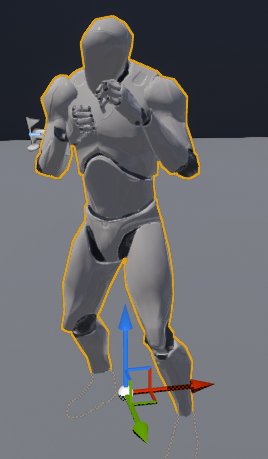
Time to find what's the issue with my retargeting
Because the default anims retargeting to my custom character works fine
But if it breaks for Mixamo anims, then its my retarget.
Yes because of the retarget
There's an issue somewhere
grim ore
aww I take it back, that virtus video won't help it's using pure mixamo and not the default UE4 skeleton/anims at all 😦
tender flume
It's okay this is on my end already haha
pallid talon
@grim ore Hey Mathew, would you happen to know the answer to my Vehicle question?
tender flume
Since I made a small system for me to use Mixamo on all rigs which i have.
grim ore
just meant in general I was hoping it was an updated video to help out people
tender flume
It works 90% but 10% is mostly bugs.
grim ore
@pallid talon I don't. I have not used the vehicle movement components
tender flume
And if you are 1 person doing everything, there's always the need to have automated systems doing it for you i guess huhu.
I figured out the solution but I need to think a little because i have lots of backup project versions for me to test rigs on yikes.
pallid talon
@grim ore No problem, thanks for replying!
tender flume
That video you sent helped a little @grim ore
grim ore
there is a UE4 plugin for mixamo stuff so I guess money might be able to fix all the problems lol
tender flume
Lol. But I prefer to learn how to create something similar to that kind of system
So at least if my skeleton does break or anything, i know where's the issue coming from since i set it up haha
plush yew
is it possible to make a flight sim with whole planet in ue4?
or do you need a special engine?
grim ore
oooh I did find a free video and some source code tho lol http://jollymonsterstudio.com/2018/11/10/animation-re-targeting-with-unreal-using-mixamo-assets/
I think the end result of all of this is the Mixamo stuff is sooooo janky that it takes an army to fix it 😛
grim ore
@plush yew You can make anything inside Unreal Engine, it just takes time and skill
tender flume
I think it took me a few months to figure out how rigs work and all just to implement something that is automated.
That was difficult but worth along the way
grim ore
yeah it is doable but man it's not a simple click click download import whoooo free animations
tender flume
Hahah
maiden sundial
Anyone know how to fix this after updatin the project version ?
(sry for german)
stuck chasm
Didi Install the NDK the right way?
 valid flax
I have really tried to look for an answer and can't find out anything to help. when I import my maya model into unreal engine and no matter what I do it creates this weird dark shadow around certain parts of the model. I have tested adding diferent textures/lighting ect. I appreciate any help with this.
grim ore
@stuck chasm that looks like what I have
tender flume
@light lintel But it's not with UE4 skeleton
grim ore
@maiden sundial you need to change the target project it is building. In VS in the top change it to your project or right click your project in the right solution explorer and set it as the startup project
tender flume
It's with my custom rig haha
And that never goes well with just Mixamo's help.
Mixamo ruins it more
Somehow.
maiden sundial
you need to change the target project it is building. In VS in the top change it to your project or right click your project in the right solution explorer and set it as the default project
I actually don't understand both ways ^^"
tender flume
@light lintel Some has capes and stuff like you mentioned, tails yes.
grim ore
@stuck chasm It should default to using that one, otherwise you can force it in the project settings -> android SDK or I guess unistall the newer one
stuck chasm
Like this?
grim ore
@maiden sundial
change the Set as Startup Project from the UE4 project to your project
@stuck chasm the first one is right, you dont need to change the API levels (and that is not the correct way either heh)
tender flume
@light lintel Wait. Cloth can be done in UE4?
grim ore
@stuck chasm keeping the SDK api on 'latest' or 'matchndk' and NDK api on 'android-19' should be safe
maiden sundial
@grim ore ty ❤️
stuck chasm
Ok, testing it now @grim ore
plush yew
Hi,are 2 million tris with post processing shader too much for a completed level?(I use about 5 materials in it)
grim ore
is it too much? What is the performance on your target machine
keen moss
Hey all, is im looking for a way to give the end user the ability to create a custom camera path and export video/stills from a simple scene, is that possible?
heady moon
Guys which is better, MakeHuman or Blender?
plush yew
It must run at 30-60 fps in 1080p on mid-level pc @grim ore
grim ore
@plush yew What I am saying is we cannot answer that, you need to test it.
plush yew
@heady moonIt depends for what you will use it
heady moon
character design
plush yew
@grim ore oh,ok
heady moon
I suppose "MakeHuman" since they have alot of built in tools for such things right?
like character designing
 kindred viper
@heady moon if you want a quick prototype mesh, Make Human. If you want a base mesh to work from for your custom chars, Blender
heady moon
oh okay
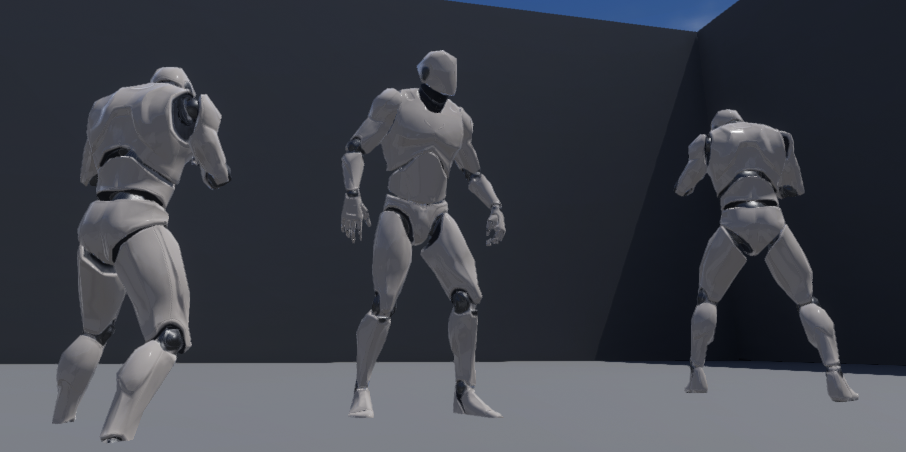 tender flume
Yep.
That took a while to figure out haha
But that video you sent helped, thanks @grim ore
🔫
That thing which is in the middle
Pelvis and root.
grim ore
yep the root bone strikes back... dun dun dun
grim ore
the good thing tho if you use Unity they all work great lol
plush yew
@grim ore have you seen fs20?
grim ore
@plush yew I have heard of it. Yes you can make a flight sim in UE4. doing something exactly like FS might require some custom code and obviously a ton of data. UE4 is just an engine that you can make do whatever you want, sometimes it might be quick and sometimes it might take skill and time
plush yew
@grim ore why arent xplane and p3d using current tech? their engines are soooo old and shit
tender flume
That's mixamo right there for you.
🐷
But when you figure it out and all
Wows, that library of animations is yours to take.
#Freeloader
grim ore
@plush yew money, time, effort
 primal furnace
I don't know if I enabled something by accident, but I now get that effect in blueprint editors:
tender flume
I'm sure they didnt upgrade their engine because of performance.
Their engine might be optimised to run on older versions of Windows
grim ore
@primal furnace the giant orange button at the top
primal furnace
"Hide unrelated" Thanks @grim ore ! Useful feature in the end!
grim ore
@primal furnace It's super handy in the material editor if you use that
primal furnace
Use it at a beginner level for the moment, but I can see that!
tender flume
I'm trying to finish the movement system before 5AM
It's 3AM currently haha
Just fun stuff to do yeee.
stuck chasm
Thanks alot @grim ore It worked and next time I launch to my oculus go will it overwrite the file or should I delete the previous file?
grim ore
it should replace the files with the new ones as needed, if you are just launching on device it doesnt really package it but more move over the files needed individually
so yep you can update the project and just hit launch on device and it should launch with the latest changes
tender flume
@grim ore Skylight movable or stationary is ideal for performance?
grim ore
I guess I assumed you are talking about the Quest but if you are talking about a rift then the project is on your machine always up to date
 tawdry heath
hey guys, does anyone know where to get blood particles?
tawdry heath
that's free
grim ore
@tender flume performance? best is static -> stationary -> movable is worst but what you choose depends on what lighting you need.
best and worst being subjective to the scene and blah blah art
tender flume
Do I need movable if I want the sun to move with the lighting?
Or stationary will do?
grim ore
for the skylight that won't matter, for the directional if you want the shadows and such to move and the sun to look like it's moving (using a sky sphere) then it should be on movable.
grim ore
there is an actual light class called sky light
but the directional light in the scene might be named sky light as well lol
tender flume
Yes thats the one, Skylight.
You get when you create a scene with just the rectangle floor.
serene birch
skylight is super important
 dusky inlet
that gives you ambient lighting, its not the equivalent of the sunlight
grim ore
yep if it says "directional light" as the type on the right then thats the one that is your primary light that makes shadows and stuff and where your sky sphere fakes a "sun"
tender flume
So, the light should be set to movable?
tawdry heath
@grim ore do you have any games you have completed
grim ore
@tender flume it depends on what you need from the light, check out that link it tells you. If you need moving shadows you can use stationary or movable, if you dont you can use static.
 worthy flame
hello, how can I make my particle spawn only once so it doesnt spawn more when I press a button?
tender flume
I need moving shadows.
heady moon
hi, does anybody know if there is a separate documentation for fps/third person games or are they all just in the normal documentation??
tender flume
So, i'll go with movable in that case
Thanks.
So, I only have to apply this to the skylight and the shadows would be dynamic/realtime? @grim ore
 ruby ocean
I can install UE4 on my local drive right?
I'm running low on space on my D drive because of various updates for other programs
tender flume
I installed UE4 on my D drive
heady moon
same
tender flume
so i'm sure you can install it on C drive too.
ruby ocean
okay perfect
tender flume
🐷 Huhuhu
ruby ocean
The ark dev kit had a 30 gig update the other week, and I'm 8 gigs short on D
my project just took off too lmao
tender flume
Ark dev kit?
grim ore
@tender flume Stationary on the light will let the item's shadow be dynamic when the item moves. Movable on the light will let the items shadow be dynamic when the item OR the light moves.
grim ore
@heady moon the documentation is not seperated on project type, it's the same documentation for the engine regardless of how you use it
tender flume
It starts with the bone. @light lintel
It wouldn't be flying without any bones.
:p
What. Haha
It has to be a bone.
It can't fly without a bone, thats the thing
Hm.
It can't be. Haha
Has to be something
 dawn gull
@heady moon I don't have a velocity
dawn gull
Yes
heady moon
the negate vector
dawn gull
I have that but I can't edit the inputs
 pulsar cove
Hello, I was wondering if anyone was available to speak a bit on paper2d character and showing cursor and to use said cursor to move the direction of the character
dawn gull
@pulsar cove Like a point and click kinda thing?
pulsar cove
@dawn gull no sir, talking about a top down and were your mouse cursor would be would be the direction your character is looking.
dawn gull
Hmmmm
Ok so this is a tutorial for a point and click and you can edit the code from making it so that when you click it gets your cursor x and y but hook it up to event tick so it is always doing that

In this tutorial, I show you how to create a Point & Click control set-up using Blueprints within the Paper2D project in Unreal Engine 4.
My Portfolio: http://goo.gl/DGjXnH
Network: http://goo.gl/RWr2sT
The Afflicted: http://goo.gl/gWo2SU
Twitter: http://tinyurl.com/kl6sg...
dawn gull
Thats it in the character those were all of them
pulsar cove
@dawn gull its wasd movement, and paper2d characters. So the option like said video that you linked does not have the mouse options since its a paper2dcharacter
dawn gull
But the video tells you how to add that
heady moon
so they are this https://cdn.discordapp.com/attachments/225448446956404738/673671281333501974/unknown.png this https://cdn.discordapp.com/attachments/225448446956404738/673671355018772480/unknown.png and this?https://cdn.discordapp.com/attachments/225448446956404738/673671591569391616/unknown.png


 pulsar cove
sent you a video on the what im trying to say
dawn gull
Yes @heady moon
heady moon
aight let me have a look
dawn gull
@pulsar cove it is a series go to the guys channel and search up point and click
pulsar cove
and you dont have to use the point and click?
dawn gull
yes
heady moon
@dawn gull try setting Alpha in each lerp vector to 0.0
that is something i saw in the documentatioon
*tion
heady moon
Mk
 restive mist
Hello everyone, I just joined, I have a question and Im not sure which channel should I post at? Im getting different results in editor and actual build, if that helps
heady moon
what results?
do you mean by editor unreal and do you mean by build visual studio?
or are you using Blueprint
restive mist
Im line tracing the spline mesh, and trace complex doesnt detect the mesh at all, while in editor it works fine, If I untick the complex, it traces as if the spline was zigzag, you know, without any smoothing
I mean Editor and if I make a packaged build from the project in editor
Im using blueprints
pallid talon
@grim ore Can you or anyone else explain this to me? Why am I getting a negative output when I have a "Normalize to Range" and a Lerp from 1.0 to 0.0? The final output should not be a negative number. Am I missing something?
grim ore
@pallid talon if your max is a negative number it can certainly be normalized between 0 and a negative
restive mist
@grim ore I watched a ton of your youtube, you are an amazing person thank you
dawn gull
@grim ore Hi, sorry if I am interrupting, but I am following this tutorial:
https://www.youtube.com/watch?v=pwtKcDA-RTI
I finished but I can't move the character at all. The inputs do nothing. I have checked the commenta and done what they say, but it still won't work. I am willing to get in a screenshare call or get in a TeamViewer call. I have tried everything I know
This is my solution for scripting nice feeling Jet like movement in Unreal Engine 4.
pallid talon
@grim ore Thanks! I'm looking into this now.
grim ore
@sick stirrup MF_ nodes are normally material functions and there is a good chance that was a custom one they created and not one part of the engine
pallid talon
@grim ore I think my Distance By Velocity is incorrect, would you this is not the correct way to determine the distance by velocity to a location? I'm basically trying to smooth the breaking of a vehicle when it reaches a location in the world...
grim ore
@pallid talon velocity is not normalized in a direction so it's going to be plus or minus depending on which direction you are going and which axis you are going on. do a print string on the Get Velocity and see the results
 sick stirrup
@grim ore That's what I didn't wanted to heaaaaaar ahah, but thanks!
But actually, they didn't write about how they made it (what's pretty bad for understand the tuto) and if it's a custom, it's shouldn't have empty case right?
grim ore
its possible they are using a sample project, like content example, that has that node in it and they didnt realize it
@dawn gull have you tried to debug to see if the inputs are being called in that blueprint?
sick stirrup
Ho okey, that's bad new ahah, but thanks for your help!
dawn gull
@grim ore i will try that now
 gleaming creek
I've been working on a system for playing AI broadcasts, thinking of putting it up on the Marketplace.
Kind of looking for some advice on if it sounds useful enough, or what someone might want from such a system.
Right now it's really just about picking a line to play on a given topic from a voice set, with support for various rules based on states that can be passed into the request.
(For example: Play a line about having spotted an enemy, with the tag that the enemy is standing near some crates)
restive mist
@grim ore could you please take a look in the packaging channel 🙏
 eternal patrol
Hi, I am trying to create a target board for my game and I am not sure what tools I can use for it. Can someone please guide me or share some links that i can use?
grim ore
I would love to help but I haven't worked with splines much 😦 I saw the question earlier all I can think of is whatever code you are using that uses that spline do a print string or another sanity check to make sure it's actually valid. If it's not you can use the packaging section of the project settings to force it to be packaged (maybe it's being skipped) @restive mist
restive mist
what do you mean exactly? sorry language barrier and also pretty new to this stuff
I know there is a way to make all of the debug stuff to appear in the package, is that what you meant?
gleaming creek
Are you packaging to mobile?
Because mobile has limited support for spline meshes IIRC.
restive mist
no, windows x64 and 32, neither works
gleaming creek
You may have to bake the splinemesh down to a static mesh before packaging
restive mist
how do I do that?
would work for me because I delete the spline after I trace it anyways
cloud cobalt
You definitely do not have to
restive mist
I would like to try
cloud cobalt
I have spline meshes in my shipped game
gleaming creek
I know I had someone who used my Spline Tools ask me about physics not working in shipping, but it was specifically for Android. I don't think they ever came up with a good solution other than converting the splinemesh to a static mesh before shipping
cloud cobalt
I can attest that spline meshes work perfectly fine on packaged PC, inc physics
restive mist
you mentioned that I can bake it into static, how do I do that @cloud cobalt ?
restive mist
@cloud cobalt sorry, mistaken with @gleaming creek
This is what happens if I drop a ball on top of everything, notice the spike, thats a trace hitting the ball, also ball treats spline same way as if it wasnt complex
gleaming creek
Oh, you just select the splinemesh(es) in the editor, right-click, and Merge Actors
you shouldn't have to do it, though
restive mist
@gleaming creek can I do that in runtime? because the spline is randomly generates every time I start a level
dawn gull
@grim ore for some reason whenever I try to add anything other than the code that I was told to put it immedietly quits
gleaming creek
Ahh. No, probably not
restive mist

grim ore
@dawn gull that is weird. You should be able to either breakpoint (hit F9 on the node for input) or add something like a print string after it to see if it works when you press it
dawn gull
ok so I am trying to make it so when you press the boost it says joe mama once but instead it says it immedietly forever @grim ore
 neat forge
I made a respawn system and it works great other than the fact that it randomly crashes after a few seconds, can anyone help me with this? Could it be because Im using player controller? This is whats causing the crash
grim ore
@dawn gull Paste a screenshot of your code when you press the button or wherever this is at maybe we can figure it out
dawn gull
@grim ore ok I will do that later when I get back on my pc
stuck chasm
How can i setup input for my oculus go controller in 4.24?
grim ore
the VR Sample template has input example maps that show how VR controls are handled, it should work out of the box and you can migrate them over to your project if you want. Alternately you can add the VR template pack to your project and remove what you don't want
 fading vector
@grim ore Do you have any videos covering setting up a character from scratch?
stuck chasm
Ill try that out @grim ore
 tacit girder
Howdy all. I'm completely new here, and trying to make a simple project in UE4. I had one question regarding scaling pixel art if that's ok. I have a pixel art character created in photoshop. 32x32 dimensions. I put it in game and created a flip book and everything. But it came in as blurry and extremely small. Is there something I'm missing in regards to turning off the blur and being able to work in those pixel dimensions without the game making it extremely small?
grim ore
@fading vector technically a FPS character in the MVP FPS Series but no animations since its FPS
 thorny coral
hey so UE4 wont display info if the lighting in the game engine needs to be rebuilt
 sleek spear
does anyone else get crashes when trying to use material layers?
 harsh comet
@tacit girder I tested a little bit around with sprites before. could it be your flipbook is 32x32? So if you have 4 pictures, it will be 8 x 8 per picture at the end and that causes the blurriness?
stuck chasm
Every time i try to launch a vr template, it stops at 45%
tacit girder
@harsh comet yeah, i have a run cycle flipbook, 4 images. I throw it in the test level and it's extremely tiny and blurry
where can i check the size of the lfipbook?
harsh comet
I think there was 2 methods in UE4 if I´m not wrong. I just checked my project. Also I used the classic method from UDK. That is 9 images included in 1 image. That means 512x512 -> x9 images = 2048x2048. And then I setup the UV inside the material.
stuck chasm
If someone could take a picture of the input page in a vr template, I would gladly appreciate it, thanks in advacnce
harsh comet
@tacit girder And maybe important for you. I used a tool called GlueIT 1.06 very useful to easy create flip books for UE4.
tacit girder
i'll check that out then. thanks. I was just going to result in scaling up my pixel anims in photoshop.
but its just an extra step i dont wanna deal with ya know?
but i'll check out that tool
it's a really minimalist game, just an infinite runner copying 8 bit NES style
grim ore
@stuck chasm 45% is normal you just have to wait for the shaders to compile.
harsh comet
@tacit girder It could be that was the problem. Or maybe it was another setting in the material? Did you tried to change inside the material setting to change the "Material Domain" or maybe the "roughness"? But it sounds to me like the flipbook reduced the resolution, maybe I´m wrong. But this GlueIT 1.06 is very helpful. Not sure if photoshop could do the same job, because I use another software.
NES retro is always cool. ^^
tacit girder
@harsh comet It came into the engine blurry also, without the flipbook
so maybe its a setting i missed or don't know about
i'll check those attributes you mentioned
harsh comet
hm? okay I´ll try it too. I will import a 32x32. But you used 4 different images, not like me 1 image with 9 images combined to eachother?
harsh comet
OH I think I know what you mean now. The engine blur it and you don´t want it to be blurred. I think it is the anti aliasing from the engine blur it.
tacit girder
yeah!
sorry, i should have made it more clear, my fault
where would i find the anti aliasing check mark? lol
harsh comet
Oh it´s okay. I wasn´t aware when using a very very low res texture the anti aliasing blurriness would have such a big effect. Yeah that is a good question how to deactivate it... xD
Got it. Click your image and there is a group Level Of Detail, change Texture Group to 8 Bit Data or 16 Bit Data.
harsh comet
And I learned something too ^^
tacit girder
lol, now i gotta figure out the sizing lol
plush yew
Can someone help me? My box collider isnt working
i have both my player and box collision on generate overlap events
grim ore
@dawn gull so that is an axis, and if it's printing that means it is atleast getting input into that blueprint. for the first one, inputaxis thrust, if you put an actual # into the set physics linear velocity (like 200,0,0) does it move? If it does then your code is bad (using a lerp with a fixed value for example is not going to work well.
plush yew
please someone help
grim ore
how do you know it's not working?
grim ore
does the overlap not happen or the create widget not happen?
plush yew
the overlap
grim ore
if you change the collider box to block all does it block the player?
plush yew
hold on
grim ore
and we dont know how you set this up so it's hard to figure it out besides random guessing
 spare kernel
 fading vector
quick q, how can I set the color of a plane. Turned into a blueprint and have a begin overlap with box collision.
grim ore
ok so what is your setting, or what was it before you changed it to block all?
plush yew
its working now for some reason a new node was randomly placed in the bp
i didn't do that
fading vector
Is there an easy way to change color via BP?
grim ore
you would adjust the material by making a material that has a color parameter you can change.
grim ore
meshes use materials to show stuff on them (textures, colors, effects). materials use parameters to allow materials to be changed by a blueprint.
so you need to look into making a material that you put on your mesh that has a color parameter you can change. Then you can use the blueprint nodes to change the parameter on the material that is on the mesh
 topaz thunder
Why don’t we define functions in header files? Sometimes I do it and I don’t really notice a difference
 rustic atlas
hi, i have this problem, anyone can help?
 wary wave
no, because there is literally zero information on that screen
you have not installed debugging symbols
rustic atlas
this is KOVAAK'S FPS Aim Trainer, and just need to ectract files
and after this it will work (theoretical)
 summer zealot
Good evening. Any way to get integer input?
Player in game need to set price, it should be an integer.
Text box, gives only value as text
rotund scroll
@summer zealot rich text?
summer zealot
Will check it
Ah wait, thats an output no?
I need window, where player enter price. Atm using spinbox, but hate that it's float
plush yew
@summer zealot I would recommend using the built-in text to string to int conversion methods from Kismet library. Would that work for you?
normal burrow
abstract relic
Dang that asking price is a scam
upper heart
@fast berry Wrong channel
thorny coral
how do i make this an enemy that attacks
normal burrow

How do I use the Behavior Tree to create simple basic AI in Unreal Engine 4. We cover from a blank scene creating everything we need to have an AI chase down our player.
Source Files: https://github.com/MWadstein/wtf-hdi-files
thorny coral
thx m8 👍
 hybrid shale
Yikes.
normal burrow
its a big number yes
hybrid shale
Any way to prevent it when adding things like megascans or marketplace items?
Gonna take hours 😦
normal burrow
depends on how you install them
i think materials lay dormant until they are needed.
if your using bridge or something, it makes the materials so i don't think that'd work
hybrid shale
Just straight from the epic launcher library > add to project
It's odd since i just put one grass material on a landscape
normal burrow
your project was closed when you did that yeah?
abstract relic
hybrid shale
Bad idea?
normal burrow
mh yeah you should close it when you do such things
engine is like: the hell is going on right now, check everything
just let it run though, too late
hybrid shale
Aha, i've been using UE4 forever and have never known this. Duly noted 😄
abstract relic
you only keep the project open if you're using quixel bridge
you'll get a port error otherwise
normal burrow
same with source control, your better to close editor first
 fathom glade
I'm wondering if it's more efficient in blueprints to go down a logic tree or use logic nodes to do determinations?
gosh it's so hard to explain what my question is LOL
pictures, pictures
one sec
normal burrow
answer will likely be: test it
you can dump the bitcode and see the difference between the two, but you'd likely just want to time the different approaches
fathom glade
ok so I can do it like this


or I could use a ton of branches so that I don't have all those red lines all over the place, the middle part is what confuses me
when I initially did it, I was thinking a decision tree, but then I realized there are only 3 possible outcomes
grim ore
if you are using landscapes and 4.24 there is a bad shader compiler bug with the new layer system. https://twitter.com/HighlySpammable/status/1224228113913008128
fathom glade
so I made a truth table based on the inputs of 4 condition types
normal burrow
if your saying you can use an OR node for the first two, go ahead and do it q0999
but i'm assuming that the boolean values your getting are not heavy to retreive
fathom glade
oh right I should have done that lol
gleaming creek
It all depends on how crazy you are for optimisation
normal burrow
so that OR node will decomplicate redundant calls between the two potentially
gleaming creek
I think technically two branches are more efficient than a single branch with an AND, because it has to calculate both sides
normal burrow
you see that sequence node nameless voice?
fathom glade
Yeah you're right this is more of an efficiency question
gleaming creek
Blueprints doesn't use short-circuiting
normal burrow
it'll run the whole thing either way, one has the added overhead of an exec
gleaming creek
Yes, that was my next point, they should be if/else not three ifs always checked
But at the end of the day, unless this is being run every frame or something, you probably want to just go with making it readable over being the most efficient
grim ore
turn it into a switch on XXX node somehow and profit!
gleaming creek
Also, if you're really looking for efficiency.... write it in C++
grim ore
Blasphemy!
normal burrow
yeah
If anything, when not using C++ looking for efficiency is more attainable
with blueprints the thing that does the least lines wins usually.
overhead from cast is more that its an exec or a pure get than the actual cast itself
grim ore
but what if it's a pure cast.... 🤔