#ue4-general
1 messages · Page 642 of 1
 abstract relic
 fading vector
oh
 exotic thicket
It's kind of interesting how much people talk about interfaces interfaces interfaces here :)
I never realized that a lot of people don't necessarily know about that concept
abstract relic
Imagine you wanted to be able to damage a tree, dog, alien, etc
You’d have to use each of their cast node to check if you hit one of them
fading vector
Ohh
I see
Thats pretty helpful
I only have 1 ai enemy atm
so I didn't think to much about it
exotic thicket
Depending on your architecture you might not always need interfaces
For example, if you have a BaseEnemy class and your enemies all inherit from it
but a lot of the time, using a base class constrains you too much if you have different types of things
abstract relic
Understandable. Making your functions as modular as possible will help with readability and reduce time reproducing identical logic
And there’s always making parent classes as zomg said
exotic thicket
I think the good thing with interfaces is that they're very flexible
Let's say you started with an interface... you can very easily move into a base class later, the interface will still work just fine
exotic thicket
but if you start with a base class and want to use interfaces it probably requires more work :)
fading vector
He cast to the character anyway
abstract relic
I’m not behind your eyeballs. What video 😜
fading vector

What is a Blueprint Interface in Unreal Engine 4 Blueprints?
Source Files: https://github.com/MWadstein/wtf-hdi-files
Oh wait
I think its to update something outside of the interface
wait again, no it isn't
abstract relic
Time stamp?
 grim ore
That casting part is just to update the UI widget
You will notice the interface event is being called on a generic actor, the one overlapped, and not specifically any class
fading vector
The man himself
 tawdry heath
@grim ore are you Mathew Wadstein on YouTube?
 normal burrow
hahaha
fading vector
xD
grim ore
@tawdry heath yepper
grim ore
And right now im the Mathew wadstein in bed, not on YouTube 😆
abstract relic
Potato Mathew, not tomatoes
grim ore
You say 🥔 I say 🍅 Same thing
fading vector
xD
 manic burrow
could someone help me with this. I have a camera sequence and a level i want to render out to .avi. But whenever i render it out i get only the stars and no camera movement, Also when I import it to after effects it says "this files has no alpha channel" or something along those lines. Here are the render settings
normal burrow
you can do either crypto
fading vector
@abstract relic Can I use the Apply damage (built-in) with a blueprint interface?
exotic thicket
Is setting ticking actors to During Physics actually more performant than having them tick at Pre Physics (which appears to be the default)? Just curious since it seems that there's really no actual reason to have them tick at During Physics unless there's some advantage like that
 green gorge
Can someone help me understand for what "DefaultAnimCurveCompressionSettings" could be responsible for? I keep getting an error related to it, as it is Editor only, but I cannot find anything in my project related to it
normal burrow
try asking the question to the general public crypto
fading vector
How difficult would it be to have my character swing the weapon he has towards the mouse cursor?
 fathom glade
can you add a force downwards to a mesh with collision without simulating physics? Either in CPP or BP?
exotic thicket
afaik forces are handled by the physics system, so if you want to do that, you would have to roll your own
for basic forces it shouldn't really be too hard, effectively you would have to calculate how much your velocity changes per tick based on the amount of forces applied, and then run any effects like reduce velocity by some drag amount, and apply the velocity
fathom glade
I just want a mesh to fall, I'm trying to do it in multiplayer but it lags too much when I try to simulate physics at all. So I'm trying to do it some other way.
exotic thicket
from what I understand those sorta things can be a little bit tricky to sync yeah
a super simple way to do what you want would be to for example set a boolean "fallinng" to true, and then on each tick move the object down deltatime * fallspeed (define fallspeed yourself), and stop it if it collides with something
it may or may not work the way you want it though since detecting when it should no longer fall may be a bit tricky
 thorny coral
GTA V but on a 5$ budget
tawdry heath
don't worry about it
tawdry heath
a zombie game
thorny coral
ah ok
hey btw have you had any trouble with porting projects from 4.22 to 4.24?
or opening them in 4.24
tawdry heath
I did not update versions ever since I started my project
thorny coral
ok cuz everytime i open an old project from 4.22 in 4.24 in a new project this happens
then the map is just a black screen
grim ore
remove the . and - from the project folder
grim ore
and the spaces if you want to be correct as well
I have no idea if that is the issue but when you make project folders it tells you not to use . or - or space
and that can all cause issues (it might think that .24 - 2 is the file extension for example)
exotic thicket
Please don't tell me UE developers have rolled their own broken filesystem functions to determine what's the file part and what isn't... :D
thorny coral
by default 4.24 creates projects on my desktop
aka my main hard drive which is kinda filled up atm
is there anyway to change the file destination?
grim ore
when you create the project it asks you where to put it, its the left part of the dialogue box with the right being the project name
I beleive after you set it once it will remember it
thorny coral
ah ok, cuz when it asked me to copy the 4.22 project of my game for 4.24 there was no option like that
grim ore
no when it copies it should put it side by side, the option is there when you create a new project
thorny coral
ok i see, i think it would still be more convenient if they gave you the option for changing the destination option when copying a project into UE4 4.24
grim ore
no argument here, might be a good thing to complain about and get someone to fix 🙂
more options should help!
thorny coral
oh um...
i found out why 4.24 thought the 4.22 project was a asset file...
there was a...conversion option, and i didnt convert the project for 4.24
 halcyon flame
is it in any way possible for child classes to access macros without needing to convert them to fns or make functions that just call macros?
thorny coral
anyway, how do i make the sky in UE4 dark? like its nighttime
 woeful ingot
the colors of my cinematic do not match my viewport, the viewport has a lot more saturation, and the cinematic comes out washed. rendering in AVI, not using linear or anything
how can i fix this?
grim ore
If using the sky sphere BP rotate your directional light in the scene so it's facing up and then click refresh material on the bp
thorny coral
ok thanks
fading vector
I'd check in the #graphics or maybe #animation
How can I make a delay based on an animations time to finish?
 round axle
noones awnsering there
round axle
fbx?
fading vector
Whats the output log say?
 brave widget
Learn how to import content to your UE4 project.
Unreal Engine doesn't know what to do with .blend files
You need to export it as FBX (or obj, but FBX is my preference)
round axle
i did
brave widget
The output log says your trying to import the blend file. You need to import the FBX file
brave widget
According to this:
https://cdn.discordapp.com/attachments/225448446956404738/673381641477029898/unknown.png
You're importing chest.blend file from you Documents folder.
It wouldn't know anything about that file unless thats the one you chose.

 plush yew
@fading vector How can I make a delay based on an animations time to finish? The answer is yes. Let's work on this together. Who is playing the animation, and what type is the animation? Such as, Is it a montage, like a movie sequence? Or is it an animation being played by a character?
fading vector
Montage boss, its being played on my main character 🙂
round axle
@brave widget im importing chest.fbx :/
fading vector
Need a delay thats accurate because I'm using a do-once
So I need the animation to finish and then they can repeat the attack
plush yew
@fading vector Perfect, Where are you playing the animation? In which specific blueprint? Or in C++?
brave widget
@round axle Try again, triple check what file you're importing and if it fails post what the output log file says again.
plush yew
@fading vector Excellent, Your montage play has several exits, such as on completed, and on notify end
pick one, and do your thing
plush yew
no problem 🙂
round axle
Failed to import '../../../../../../Users/Brandon/Documents/Unreal Projects/FirstGame/Content/chest.fbx'. Failed to create asset '/Game/FirstPersonBP/Blueprints/chest'.
Please see Output Log for details. same thing
thorny coral
question
if i release a pay to download game
do i have to pay epic games some money for using the engine to make the game?
i heard something about a publishing fee one time
brave widget
If you use any Unreal Engine code in your product (even just a little), then your entire product is governed by the Unreal Engine EULA for Publishing, and is subject to 5% royalties when your gross revenues from that product exceed $3,000 per quarter.
Source: https://www.unrealengine.com/en-US/faq

Thanks for considering Unreal Engine 4 for your development needs. Here you will find a list of common questions answered to make informed decisions with little guesswork.
brave widget
No, you pay 5% royalty
 wheat dirge
Reading Comprehension FTW!!
thorny coral
oh
brave widget
If your profit exceeds $3,000
thorny coral
ah right
sorry im kinda tired rn and its like 11:55 PM so sorry if i misunderstood heh
brave widget
No worries, it happens 😛
thorny coral
ye
also
something from a horror game im making, first game im making in the engine too, how does it look?
tawdry heath
looks very reflective, could u do ray tracing?
thorny coral
not really a full on expert on this yet lol, this is my first time, i have no idea if UE4 can do that or how to do that
but if it can, well done epic games 👏
woeful ingot
can someone tell me how to increase the view distance? my mountains in the back are cutt off by fog for some reason
plush yew
If I uninstall unreal engine do I lose my projects?
grim ore
You should not unless you installed them into your engine directory (and even then probably not). The engine install is separate from the projects
plush yew
Alright thanks
 zealous spear
Hello, I have a fuse box and I want to add the door to it to match the position and even to open and close, can someone help me with it?
exotic thicket
Oof, how do I do a multilinetrace against things that just overlap...
it works fine as long as there's something that blocks at the end of the trace... but sometimes there isn't
if there's nothing blocking, it won't return just the overlapping hits for some bizarre reason and there doesn't seem to be any alternative variation of the function that would return them either...
 dim plover
That doesn't sound right. It should return the overlaps.
exotic thicket
it detects the overlaps because the debug line shows a green box at the overlapping collider... but if there's nothing that blocks, it won't return anything at all
WAIT
I think I just realized what's going on
I randomly decided to hover over "return value"... and it says it's true if there was a blocking hit
out of habit from doing singular traces I of course did a branch off that :P
dim plover
I think that should be true even if it was just an overlap.
exotic thicket
Yep that was the problem... Gah
It definitely is false if there's only overlaps
dim plover
Uhh, maybe they changed how it works in 4.24 or whatever.
I'm in 4.21 and I'm like 90% sure it returns true on overlap.
exotic thicket
No idea but I definitely expected it to behave the same way as with a "normal" LineTraceByChannel
Oh well, next time I won't make that assumption :D
dim plover
UWorld::SweepMultiByObjectType
// object query returns true if any hit is found, not only blocking hit
        return (OutHits.Num() > 0);
What file is that in? I'mma check what it does out of curiosity
dim plover
WorldCollision.cpp
exotic thicket
Oh right that's in ObjectType, not by Channel
ObjectType still behaves that way in 4.23 which is what I have
Good thing you said it though because I don't think I would have checked the return value's description otherwise :P
dim plover
Hmm... that seems really mindblowingly inconsistent.
exotic thicket
heh :)
 ruby crow
Having trouble getting one parameter in a material instance be driven by blueprint, and a different one driven by an anim curve. Seems like when I make a dynamic instance of the material and assign it in the constructor, all the parameters of that material stay at 0 except the one I'm modifying in blueprints, causing my anim curve to stop having an effect on the other parameter. The anim curve was working fine until I did this dynamic instance material creation stuff.
Am I going about this the wrong way? Or maybe having parameters driven by curves isn't compatible with different ones being driven by blueprints?
zealous spear
I have a image on a widget (main menu widget) and when i start the game it just loads up pixelated for like 3-5 seconds and then is looking as it's supposed to look, what should i do?
 heady quartz
Its loading
zealous spear
yes but is looking pretty bad to wait a few good seconds and look at a pixelated image
i am using advanced sessions and i just changed the map when creating the session and the character spawns somewhere on the map, not on the landscape where i want him to be, what should i do to spawn him correctly?
heady quartz
Personally i create widget in the “loading” screen and save it to a variable and then just add it to viewport and remove it from parent when i want
zealous spear
@heady quartz do you know about sessions too?
heady quartz
Didn’t make a multiplaye game but you are using widgets so..
zealous spear
when i create a sessions the game just spawns me somewhere in the world, not where i would expect him to be (on the landscape)
heady quartz
Player start tags ? I have NEVER played with multiplayer so thats all i have 😅
zealous spear
and i have NEVER heard of this before :))
i am still learning some...
@heady quartz so if i use a player start it works but it spawns me the basic ue4 character, not the one i want
heady quartz
Default pawn in gamemode
plush yew
hey
can i update ue4.24 to latest hot fix via luncher ?
or i have to down it again ?
normal burrow
Yes
plush yew
@normal burrow yes as i have to down it again or just rehash it with luncher ?
normal burrow
Launcher
 daring prairie
Pls don't kick me out
But how on Earth do you save project files??
ctrl+s only saves certain edits. It does NOT save added materials/meshes/etc.
I learned that the hard way, and it took me way too long to figure that out
plush yew
@daring prairie
daring prairie
Thanks! Didn't know about the shift
plush yew
I use this shortcut all the time, and it works perfect 🙂
daring prairie
Ugh, wish I knew it earlier!
I was always spamming ctrl+s and eventually the editor would crash
I'd lose hours of work each time and couldn't figure out why
Until I noticed a popup on the bottom right asking me to "update project files" ugh
Seriously, thanks!
plush yew
@daring prairie ctrl+shift+s Is a shortcut for virtually any Windows editor/software. It works in Notepad++, Visual Studio, etc.
This shortcut is not used only in unreal
zealous spear
so i have SETTINGS in my game and i wanted to set them to low and then when i pressed apply my game just freeze and stopped responding... when i switched to play as selected viewport and pressed play the engine just freeze, what should i do?
i see that after deleting the PlayerGraphics.sav file works but what do you expect again when i will se them to low?
oh guess what, i have a slider thing that resets my fps to 0 and that's why my game is just unplayable even after restart
so i should make this thing min fps, 15
not 0
 plain tinsel
How can I make a drag drop operation not end after clicking any button on the mouse? I'm trying to make it so you can right click while dragging but it keeps ending the drag drop operation
zealous spear
ok so the problem is not that
when i apply low, medium, high or epic settings it just freeze
i have no idea....
the problem could be that I am not doing it while the project is packed but... i am just thinking, it should've worked even in the ending
plush yew
Anyone know how to do good facial animations in UE4, PM me please
 crystal ruin
@plush yew as far as i can tell tou have to make your own on blender or other but if anyone knows better i am happy to hear it too
plush yew
@crystal ruin yer same, I am using Iclone 7 at the moment
crystal ruin
guys i have q in epic unreal marketplace there are couple of free characters ! can we use them in our game with no copyrights or what exactly!
what is iclone 7 tho
plush yew
I is a software by reallusion, for animations
crystal ruin
but you will need same face rigg as whats in maxiamo ?
plush yew
Look it up
crystal ruin
i am talking about face ani9mtions
plush yew
Oh
For face animations Iclone 7 is quite good
But you need to buy like 5 other software to be able to actually import it into UE4
crystal ruin
i never used it tbh its first time i hear of it
wtf
what are they
cant u just import from blender to iclone then export to unreal ?
crystal ruin
yes
bruh
blender is gold
maya 3d max all of these
are over run by blender
its free
easy
plush yew
@crystal ruin Are blender experts automatically rigged for animation?
crystal ruin
nope u have to do it all by yourself
plush yew
Okay well when you have rigged it, you can import into into Iclone7 via FBX file
I would also recommend a partnered software with Iclone7 called Character Creator 3
And you have to get a software called 3dXchange7 to be able to import it into UE4
But with all those software combined, Reallusion (the company) give you a free UE4 live link plugin
 dense imp
there is a possibility to implement voice chat even without Steam
 frank escarp
blender supports fbx but badly
next week unreal engine is doing an stream about it
and they are teasing a new specific ue4 plugin to export stuff from blender to ue4 easily
exotic thicket
Oh? A new UE thing for Blender? That sounds pretty nice, there's a couple things in there that are a bit of a pain even for a noob like me lol
 hasty osprey
This may not be the appropriate place to ask but a quick question about modding, I have a particle effects Uasset and Uexp that comes from a game. Question is, is it possible to edit the particle effects lifetime, color and such by means of a hex editor?
 fierce tulip
@hallow sparrow yo buddy.
Made sure nothing is inverted? or has weird quads with verts that might cause macro-overlaps?
crystal ruin
can somone help me
i have character with clothes
do i have to wight paint the clothes in blender first?
then export the character to unreal ?
i just need somone to explain to me how to do clothes sim
i watched videos but they are old i cant even find cloth tools
your object are overlaping
@ebon linden https://www.youtube.com/watch?v=uCaaZF-Zo4c
This is how to resolve issues with the UV light map overlapping error message
+++++++++++++++++++
Donate - Paypal - paypal.me/markom3d
www.markom3d.com
https://www.patreon.com/Markom3D
www.facebook.com/markom3d
https://www.instagram.com/markom3d/
this should help
how to activate clothe tool???
fierce tulip
@ebon linden did you manually place 4800 corn cobs?
crystal ruin
your issue is overlapping i am not xpert but search overlaping issues u will know
fierce tulip
and you didnt check the video thorrough, as it gives you all the info you need to fix lighmap errors
crystal ruin
what clothes plugin ?
i just have character and i need to make her clothes sim but i saw videos they are not helping
fierce tulip
<_< that only works if uv0 has no mirrored, no self-overlapping uv islands
it does not magically generate the uv's, it just uses uv0 to rearrange the uv-islands
crystal ruin
cannn somoneee pleasaaeee tell me how to activate clothing paint tool!
 harsh tiger
does anyone know what the wildcard is for this node?
plush yew
@crystal ruin Nothing useful here https://docs.unrealengine.com/en-US/Engine/Physics/Cloth/Overview/index.html ?
An overview of Cloth creation using the in-Editor tools with Unreal Engine 4.
crystal ruin
thanks but i find it it was so stupid
harsh tiger
note: im doing this in a EUW
 novel mauve
Hello everyone, I want to make annotation in 3d for annotating actors in gameplay, i want the annotation with line drawn like this image.
i want to draw lines in 3d with text floating like this.
i can make a text floating but the underline i wonder what is the best way to achieve results like this ?
putting in mind that i might be scaling the actors and i want this text shoulder to snap to the target as it scales up without scaling the text
 midnight root
Iv'e posted about this on ue forums about CUDA not showing up on task manager under performance >3d graph, its just not there, so is the CUDA sdk required for this so I get get a boost on light builds with gpulightmass OR is my gtx 950 2gb which yes I know is showing age for sometime, not sufficient for this ?
harsh tiger
@novel mauve could you make a widget and attach it to the actors in the scene that displays the info?
novel mauve
@harsh tiger i have multiple objects in the scene and i want all of them to be called out like this, do you mean make that widget and attach it as a component for each actor ?
harsh tiger
its situational, ideally you would have 1 bp thats a master and have the widget in there and then feed info into the widgets from the childs. depends on how many different types of actors you have
novel mauve
yeah i did that, all childs are derived from the same blueprint, and yes i can make the text takes the info from the variables created from the BP,
My question is : How can i make a widget to draw lines like this one, and it's always facing the camera, and has fixed text scale over the screen?
@harsh tiger i don't want the text and it's shoulder to get bigger as i move close to the actor, i want them to be with fixed size no matter how close or far from the actor during gameplay.
exotic thicket
You can probably overlay that on the player HUD and to draw the lines you'd draw lines on the HUD, but you'd need to find the screen coordinates for the actors
 brittle gulch
Hi there, if I scale a static mesh by -1 in, let's say, the X axis, will it mess up the materials with inverted normals and such?
plush yew
Which is better for ai, pawn sensing or behavior tree?
 teal tulip
 lapis vine
Well, you can make only sensing I guess. Or only tree.
 tender flume
Material quality level, what are the differences?
Do they improve performance by setting to low?
lapis vine
Most likely. Try? If you don't notice difference, why bother even?
plush yew
Does anyone know if you can use pawn sensing to enable blackboard entries?
crystal ruin
I made clothes sim i painted the clothes and it did simulate the clothes but not the clothes mesh itself my character have skirt i painted the skirt and it did it but the skirt still stiff! and clipp witht he body !
lapis vine
That's hardly a skirt, but anyway - clothes collisions require tweaks and investigation. See what works for yourself.
novel mauve
@exotic thicket yeah i probably gonna try that, thanks
fierce tulip
technically its a loincloth
 calm widget
Anyone got a clue about this one?
Getting that when i add a normal to my material, other normals are working fine, i used same method to make this one as every other one, it has the same import settings and size
fierce tulip
using too many samplers
click on the texture samples in the material and set them to shared wrap
 primal furnace
Is there a way to change "Jump Max Count" on a character in blueprint?
I guess there are many workarounds, but I was wondering.
fierce tulip
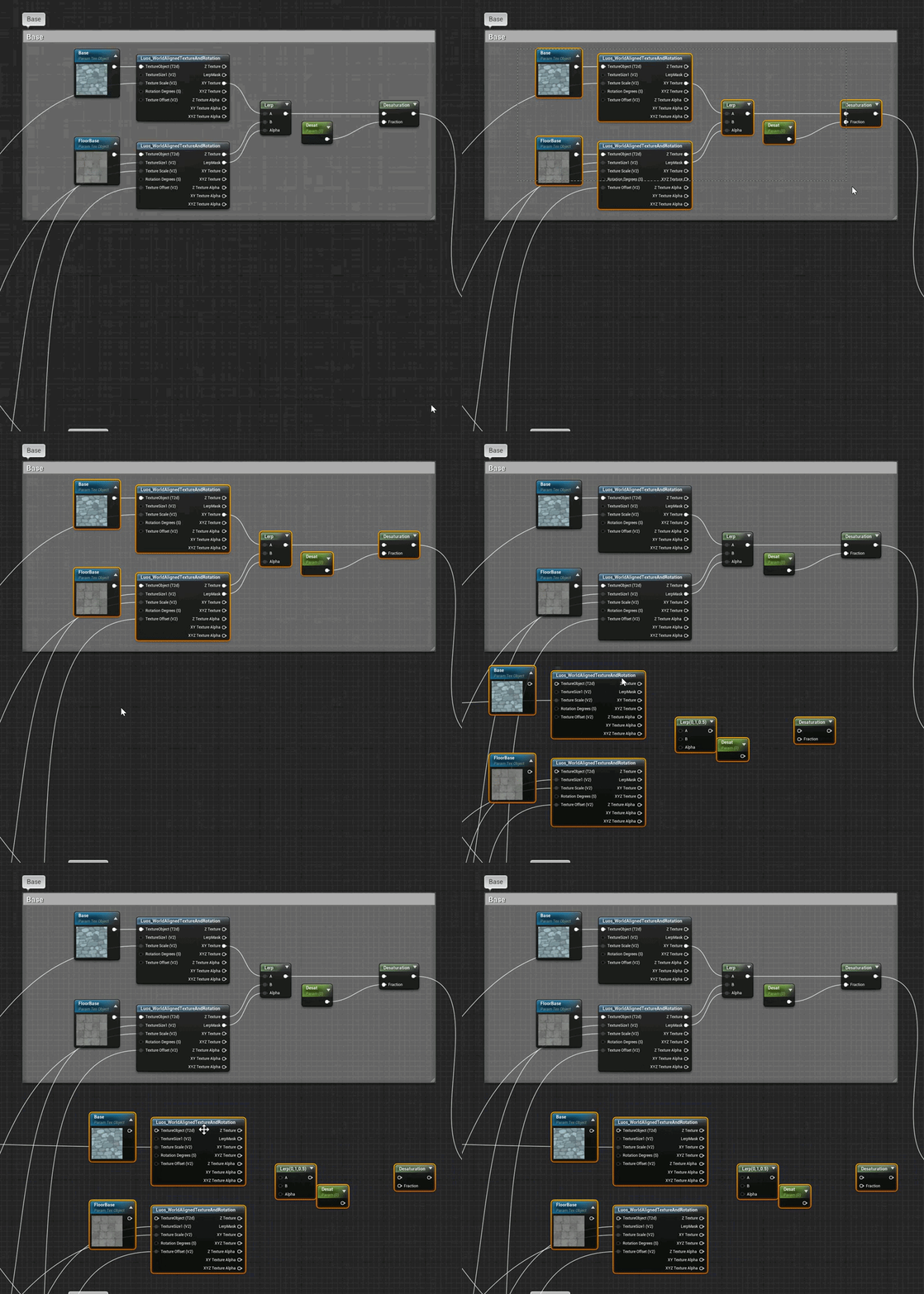
 lament saddle
I've noticed that too
 heady saddle
@primal furnace yes, i think it's inherited from CharacterMovement but in the default ThirdPersonCharacter bp there's a Jump Max Count property you can set
zealous spear
how do i set players random spawn location on advanced sessions?
 real iron
lol Luos, call some priest, do exorcism!
fierce tulip
ikr
primal furnace
@heady saddle I meant during gameplay, but thanks anyway! As mentioned, I simply used a workaround for that one.
 marsh swallow
does UE4 have a function to check is the number is even or odd?
 thick herald
@fierce tulip not seeing it on mine
@marsh swallow yarp can't recall what it's called though, just divide by 2 and check for a remainder... modus? or the other one..
fierce tulip
might be the node plugin
heady saddle
@primal furnace this works for me, or maybe I'm misunderstanding the issue?
marsh swallow
this also should work... i think
thick herald

What are the Modulus/Modulo/% Nodes in Unreal Engine 4
Source Files: https://github.com/MWadstein/UnrealEngineProjects/tree/WTF-Examples
Note: You will need to be logged into your Epic approved GitHub account to access these examples files.
primal furnace
@heady saddle You're right it's totally there, how did I miss it?! Thanks mate!
 chrome moss
How can I see the input level (Voice Chat) in UE4?
brittle gulch
Hi guys, I reiterate my question cause it got lost.
If I scale a static mesh by -1 will I have problems with inverted normals?
grim ore
have you tried it?
lapis vine
That's... innovative 👍
 past flicker
How do you get a line trace to match the projectile movement bouncing in UE4? It always seems to be off
 dense gate
Something like this? https://www.youtube.com/watch?v=QmHqS6XwhnM

Shape trace, but it's kinda the same idea
This is the BP I used for it
Last Bounce, Bounce and the Branch aren't needed, I've added them for a case where there's bounces too frequently
The rest of the BP is what you need
Should work with line and shape traces alike
"Projectile Hit" is the function I call when the trace hits something
 scarlet knoll
Hey can anyone reccomend any good books for beginners on ue4 and blue prints?
thick herald
Most books will be out of date pretty quickly. Video tutorials are usually more uptodate, but your mileage may vary 🙂
This guy knows a thing or two about BPs https://www.youtube.com/channel/UCOVfF7PfLbRdVEm0hONTrNQ

YouTube
This channel is dedicated to exploring Unreal Engine 4 and the Blueprint programming language that it uses. You can think of it as a companion to the API doc...
 worthy flame
anyone know a site with free particles i need to test out
fierce tulip
I dont know of websites with free particles you need to test
worthy flame
thanks
 rotund scroll
has anyone worked with changing the sizes of collision components at runtime?
past flicker
@dense gate thanks for that, I might not have explained the context well, we are trying to get it to be a trajectory that draws on click to predict the bullet path and where it will bounce to before the rocket goes off. What's the best practice for this?
dense gate
I essentially have a "parabol generator" that draws simple meshes based on approximation of where a projectile would go
Very early version of it: https://www.youtube.com/watch?v=Z0mzVXpJruc
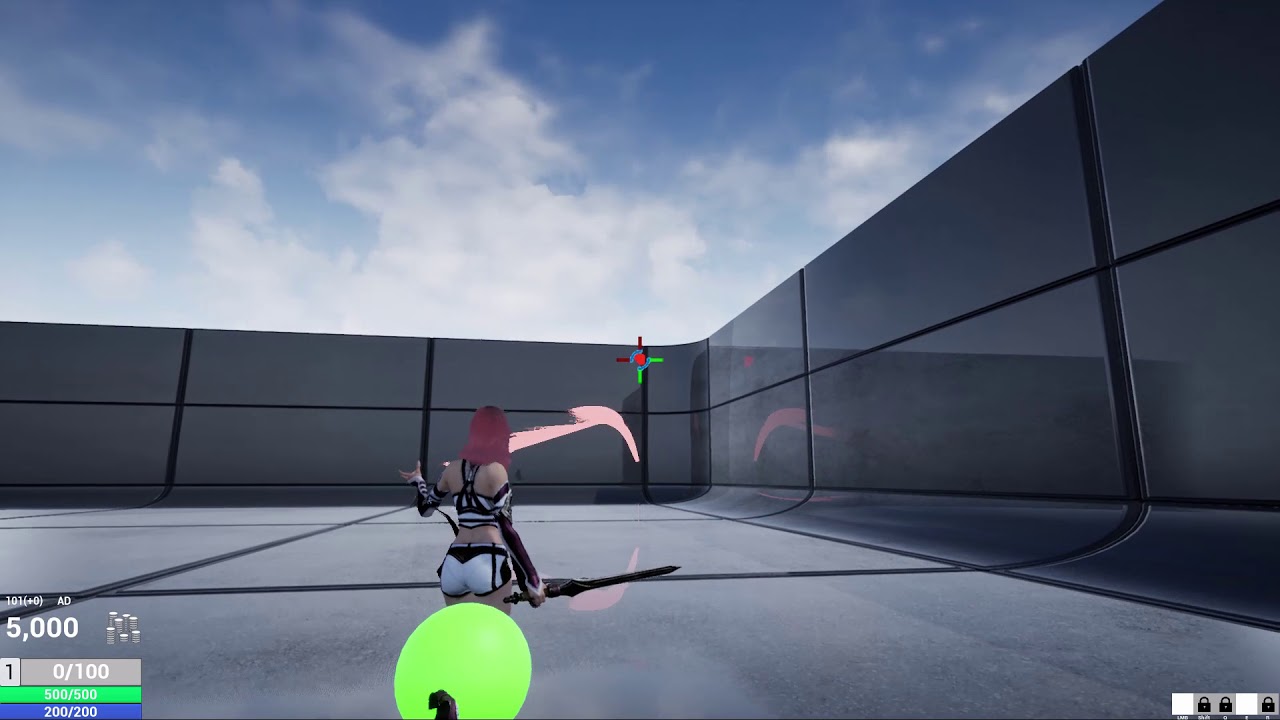 thick herald
Damn. Thought you made a parable generator. Disappointed. 😄
dense gate
It emulates a projectile's path (hardcoded inside the BP tho) and then draws a procedural mesh based on where it would end up
normal burrow
you should use don instead
dense gate
Stitch those images for the BP
normal burrow
prefer Don over that for loop
dense gate
Tbh I wanted to do it myself so I can customize the BP in case anything needed changing
brittle gulch
@grim ore Sorry for the late response, I did try it (put a scale of -1 for a static mesh). I don't see any problems so far, but I'm afraid that later on problems might come on my way.
I mean, is it something people usually do?
dense gate
Plus it runs smoothly, keeping in mind I spawn one of such actor every tick to generate it
normal burrow
yeah, i just meant for the one node. looks good
dense gate
If you need to simulate ricochets in the "targeting", just make a reflection based on normal
And trace lines from the middle of the targeting
To give you an idea
The targeting generates the curved cross, you run traces in the middle
dense gate
On a laptop i7 @ 2.9 Ghz and a Radeon GPU that's a bit faster than a GT 440
Actually it doesn't dip
There's no noticeable difference
Goes from ~40 fps to ~39.5
And that's kinda margin of error
What helps to make it not dip is the "tickrate" variable
Essentially, it emulates tick delay, I've left it at 0.016
Or, how the server would calculate the projectile at a tickrate of 66.6 TPS
plush yew
Hello everyone. I made a little game for android and i want to release it to play store but I have 1 problem.
I cant implement interstitial or reward ads.. In the UE4 documentation there is no much about it. I wonder if someone already did that and can help me?
Thank you
manic burrow
is it possible to switch this? my directional light is coming from the south but it wont light the scene, when ever its coming from a different angle it wont match up with the shadows from the scan and looks trash
 novel parcel
Guys
im having some trouble with one of my textures and i cant figure it out
not sure if this is the place to ask
thats my screen from painter
but when i import into UE4 and connect to the correct slots
it looks blown out like white washed
 midnight bloom
Hi everyone, I'm seeking advices. I'm a programmer in a small team made of other developers, designers and artists and we have troubles working together. We are using perforce for versioning and due to that, we can't modify maps efficiently as files are checked out and locked. That's the first problem, how do you handle that? Is the way we use perforce wrong?
Second problem is assets. Artists replace the placeholders with their actual props but it is really tedious to do that in each map for the same props. Should have we used a blueprint for each prop so that once a mesh is replaced in the blueprint, it's replaced everywhere? Is that even a good practice?
In advance, thank you
grim ore
Is the lighting in your UE4 scene exactly like the lighting in your Painter scene? @novel parcel
novel parcel
No not really buddy, but i have tested some diffrent lighting situations it is not that, if you notice in the second image the diffrence between the texture once its in the slate
its like its automaticly applying some gamma or something
abstract relic
Use level streaming Charles. Think of them as layers but for levels
midnight bloom
thanks but I don't think that will help, our levels are essentially just apartments of 4-5 rooms
but maybe I'm wrong? How do you suggest we use that?
grim ore
@novel parcel ok so the next thing is to see if the SRGB is checked in the texture itself (double click the texture in the browser and see if it's checked)
abstract relic
Again, you can use them like layers. You give a layer to each team member so they can check out on the repo
novel parcel
yea it should be SRGB right mate for a color texture
abstract relic
That way you all can work on the same map. You just need to merge the layer once you’re done working on the scene in final production
midnight bloom
oh I see
grim ore
so is it checked or not?
midnight bloom
so that will definitely help, thank you!
 craggy flax
So I know this is a forever-debated question but when should I rely on C++ over blueprints as far as industry practices go
abstract relic
Use both
grim ore
everyone should watch this https://youtu.be/R0-ynCTdCow
it answers the layers quetion, it answers the C++/BP question
craggy flax
👍
rotund scroll
generally you can segment it as BP for design, cpp for programming
grim ore
its a real studio using real ue4 in a real production answering real questions
craggy flax
will watch, thanks @grim ore
abstract relic
You forget bp for fast iteration
grim ore
it's also about ^^
rotund scroll
well yeah but that's in the domain of the designer, still
BP prototype > fast iterations > hard code into cpp
grim ore
the Gearbox video goes thru alot of their stuff and they showcase their custom BP systems they created and talk about how they segregate code etc. etc.
they don't hard code a ton of the design/interaction stuff, they leave it in BP
basically if it's not performance required they left is in BP
I really really hope people who have the Cpp/bp question watch the video and understand it's not "code it all in C++ or you are gonna have a bad game"
rotund scroll
I agree
abstract relic
Just tools for the trade
rotund scroll
it's always good to follow the mantra of: make it work, make it neat, make it fast... in that order
grim ore
when you have a legit AAA studio like gearbox being asked "do you use naming conventions or a naming guide" and they just shrug and go "yeah we have one but we don't always use it" maybe people will just think of making a game and getting it done lol
rotund scroll
team size increases complexity
is one thing people don't really understand
so for bigger teams you need more rigid structures
grim ore
yep they touch on that in the video basically by creating asset auditing tools in engine to assist. ID the problem, figure out a tool to assist with the problem, move on
abstract relic
You need people who know how to work in a team 😜
rotund scroll
it's more complex than that
green gorge
Hi everyone, I've posted yesterday regarding this issue. Can someone please help me? Here's my forum post: https://forums.unrealengine.com/development-discussion/c-gameplay-programming/1716125-dedicated-server-crashes-on-source-engine
Unreal Engine Forums
Hello everyone
I am having serious issues with source engine versions when trying to run a dedicated server executable. It always gives me the same error no matter what's in the project or the engine itself. First of all, this error occurred to me when I tried to build my ow...
grim ore
they use collections in a great way, their audits are all collections and then they run tests on the collections for audit purposes and spit out reports for fixing stuffs
rotund scroll
for instance people hate stuff like reading documentation, but documentation is a necessary part of the process. so how do you ensure people will read the documentation to the point where it's understandable?
grim ore
never thought of using collections like that but they are developer facing and make it easy
abstract relic
I just find it’s the point where failure occurs most often. And the most fundamental
rotund scroll
well if we abstract it and say communication in general I agree
grim ore
@green gorge I think you are looking at the wrong issue. A warning should not crash the engine, the actual assertion is your problem
green gorge
Nope, that's the issue right there, but thank you for trying to help
I just cannot wrap my head around it, why it fails on different projects and different engine versions?
There's only one hit on google regarding this issue and it has not been answered, so I can only assume the person removed everything ue4 related and fucked off
rotund scroll
@grim ore is there a tickbox on collision components that allows them to generate sweep results?
grim ore
@green gorge if it fails on different engine versions and projects perhaps its your build target files or the targets you are using in VS itself when building your your server?
green gorge
@grim ore Server targets are simple with nothing else added, I copied over the editor target and changed editor to server, but I don't think that is causing this
here's another post that has not been solved, with literally the same issue: https://forums.unrealengine.com/development-discussion/c-gameplay-programming/1629881-crash-dedicated-server
Unreal Engine Forums
Good day! Please tell me, compiled the editor with github, compiled a clean project, followed the instructions for running a dedicated server described here
grim ore
well there is no followup, doesn't mean it was not solved
and that would indicate it's not something specific to 4.24 as that would be an earlier version
which means its a user error more than likely with their setup
I can say I have never had that issue pop up over the last few years with source builds following the instructions for building dedicated servers which is why I was trying to see which process you are using
green gorge
But that's so so weird. I don't understand why it's failing, it seems so stupid
Clean built source engine, clean built example project and it still fails
grim ore
if you look at the source code for the file that is failing there is editor only data define around part of the code
IE if you are making an editor build it will include that and if not it will not
which makes me curious if you are building out an editor build on accident somehow
green gorge
Yep, but there's nothing editor related in the "project" itself
grim ore
doesnt matter its an engine file that is failing
green gorge
I'm just opening the project in VS2019 and selecting Development Server on Win64, that's it. It builds fine and when I try to launch it fails
grim ore
@green gorge I am assuming you compiled the game itself and packaged/cooked all content before building the server?
fierce tulip
drivers license
 restive coral
@fierce tulip Ok, thanks on my way
thick herald
Alcohol License. Don't drink n drive though.
restive coral
@fierce tulip Will I be informed about the Engine properly?
abstract relic
Government issue license if you don’t have the privilege of driving
thick herald
I've got a Tank license, not much use in civvi street but there ya go.
abstract relic
You’ll need to ask the car dealer or manufacturer about the engine
normal burrow
I hear passports work as well as drivers licenses in most places
abstract relic
That’s true. Pretty much a universal id
restive coral
How about my McDonalds GoldCard?
normal burrow
Come october, we'll all need real id to fly 😨
rotund scroll
for domestic flights?
normal burrow
well Americans, yes
abstract relic
Just move to a less insane country
brave widget
Yeah, not looking forward to going to the DMV to "upgrade" my license 🤦
normal burrow
Apparently, not all dmv's have cameras. protip
brave widget
wtf 😕 How... what... 😂 How does that work exactly? 🤔
plush yew
Kinda brain stuck these days
normal burrow
"We don't have cameras, sorry go to the other dmv" (Some just do plates and tag renewals)
plush yew
Don't know how to make a external weapon inventory without using a component
abstract relic
DMV: the even shitter one
normal burrow
MVD or DMV, that is the question
brave widget
Oh, like my state. One of the offices isn't really a DMV, for some stupid reason, they separate the offices
normal burrow
yeah new mexico privatizes their dmv's
brave widget
And they claim its for convenience >.>
abstract relic
Out of context question got a out of context answer
normal burrow
yeah, plus its semi relevant some how
grim ore
I know the feeling i have to get my real id this year and passport so double whammy
grim ore
doing mine all at the USPS so I can make sure the photos are correct and it's all processed properly I hope
abstract relic
That’s the way to go
grim ore
$150 bones tho for normal slow processing is.... not nice
ah well it is what it is if I want to fly around the world doing stupid stuff
normal burrow
much more than license yeah
restive coral
Ok, so their asking me if I want a Publishing License (under GAMES) or a Creators License (NON-GAMES), for getting UE4, which I already used years before, but now getting back to it. I think I just want to make some stupid little games for myself and some non-monetized VR-tech demos [now], so I dont see me making money with those, but since I still want to make "Games" NON-GAMES feels a little akward to choose...?
grim ore
Where is it asking you for this?
restive coral
Sorry I love throwing questions in just out of context
abstract relic
restive coral
So...?
brave widget
Pretty sure you don't need to worry about any of that until/unless you are getting ready to publish your game/product to the public and make money >$3,000/per quarter
restive coral
abstract relic
One is just so you have access to the financial report forms
restive coral
abstract relic
I’m guessing this link https://www.unrealengine.com/en-US/get-now/non-games
lament saddle
If you have to ask, you're not a Custom Games License or an Enterprise user.
grim ore
i dont think it does anything it's just a "hey here is your info"
restive coral
There´re literally two different licenses
lament saddle
Just get the Games one
restive coral
Which did you get?
abstract relic
Again. No difference in access
lament saddle
Idk, I just downloaded the engine through the epic launcher.
normal burrow
Don't take my understanding on it as true, but i believe the enterprise is just udn?
gives you access to the secret society
abstract relic
It’s just for reporting if you’re monetizing
grim ore
that's a trip since there is really only one license for the engine for general use thru the launcher lol
because if you select creators then sell your content it's not like you don't owe them money
"I agree to the other license, you can't make me pay you I never said I was a gamer!!"
abstract relic
Basically a, “are you selling?” check box
restive coral
It can be as simple as you want, if your dumb like me, it says literally nothing.
 cloud cobalt
Are you selling games for people to buy and download
restive coral
@cloud cobalt Thanks for asking, solved it
Anyways, is it just me or did the launcjer become incredibly slower?
tawdry heath
hey guys I am changing my sky spehere but nothing is happening
 smoky sonnet
hey i have a question and i hope somebody may help me. I want to program a android game where you need to take a photo with your phone camera. After you took the photo you can draw something on it and i want to track the lines he draw with little markers in a txt file or something like this. So is it even possible in ue4 to take pictures with your phone and work with it?
smoky sonnet
really is it that hard i will explain it with more details to hear your oppinion
fierce tulip
Issa means they lack the knowledge atm
smoky sonnet
-game starts
-user clicks on button "Take a Photo"
-He takes a photo of idk a bottle
-Then the user needs to touch smth on the picture for example the left bottom of the bottle
-I want to save this touch event in an file
-i Want to get the idk x and y coordinates of his touch on the picture idk if this is even possible
does anybody know if this is possible with ue4?
or should i use some other engine or programming language?
tawdry heath
I think C++ would work
smoky sonnet
with ue4 this isnt possible?
does it have smth like a camera feauture?
i mean with blueprints of course
sorry i didnt mentioned that
tawdry heath
maybe Visual Studio will be the better option
lament saddle
Image processing isn't UE4's forte afaik...
tawdry heath
I have never used Visual Studio but I believe it is used to create programs, websites, web services, and mobile apps. You can use C++ with it
tawdry heath
so you talking about a game camera or real life?
smoky sonnet
reallife
user takes a photo of his bottle in his room or smth like this and presses on smth on the picture and i want to save this touch event coordinates
to idk display a dog on this coordinates
for example
 maiden swift
@restive coral If you're making games, regardless of monetization, you want the Publishing License.
fierce tulip
should be easy enough to get x/y of screen
tawdry heath
so this? https://youtu.be/4Zm_uOjyImI

Unreal Engine 4.18 now supports Android Camera devices using a native plugin. Using the media framework and this new plugin you can capture video from any supported camera on your device and place it into your scenes.
 heady moon
Creator's license is for Open Source contributors
tawdry heath
hey guys what y'll think?
thick herald
I think it's a picture. Could be wrong though.
tawdry heath
🙂 What should I add? Change the sky?
I think I should make it feel like it's the morning
cloud cobalt
#work-in-progress
restive coral
@maiden swift can I change my chosen license afterwards?
heady moon
@restive coral I know you're not asking me but, you choose your license when you publish your game. And I'd rather go for the publishing license since it's only 5% of your earnings while the other license will require you to contact epic games, do some agreements, and a lot of hassle etc.
restive coral
So "setting" my license while downloading is worthless
heady moon
Basically if you're an individual freelancer or working in a small company, publishing license is for you 🙂
Yes
cloud cobalt
The default is publishing, no need to sweat it
 dawn hedge
guys i have a bunch of textures for grass, but when i add a jpg it only shows the outline, and when i add a png it is invisibe heres some screenshots to show what i mean
heady moon
^
dawn hedge
jpg
restive coral
Ok, wow too much confusion, for little dumb me, they´ve changed so much
dawn hedge
and on png its just ivisible
maiden swift
The license page is just there to raise awareness of the licensing options available. You're not really committing to the license you pick: just learning about how your use case works.
heady moon
Exactly
I've been watching a course but I didn't catch up with that the tutor said. Can anybody explain atleast with one word about what each one of these Booleans do?
fading vector
I've got a sliding animation that I want to loop based on speed, would this be similar to the jump animation in the state machine from sidescroller game?
 dawn gull
Hi, sorry if I am interrupting, but I am following this tutorial:
https://www.youtube.com/watch?v=pwtKcDA-RTI
I finished but I can't move the character at all. The inputs do nothing. I have checked the commenta and done what they say, but it still won't work. I am willing to get in a screenshare call or get in a TeamViewer call
This is my solution for scripting nice feeling Jet like movement in Unreal Engine 4.
plush yew
@fading vector Sure, you just have to change your condition
fading vector
@plush yew I'm trying to use the jump and its 3 parts, start, loop, and end. I created similar parts for my slide animation.
 summer zealot
Anyone knows good practice how can I achieve these - I have train. I need train doors to open when train is at station. I know how to do it. Proble mis to figure out right rotation.
I was trying to move doors depending from socket location, to what it's attached
but it donst oppen right
it goes sideways etc.
plush yew
So you want to rotate the door around a point/socket, won't you?
dawn gull
@ancient lotus Hi I am that guy Bub from a long time ago can you help me with my question
plush yew
@dawn gull Does he message log say anything?
dawn gull
nope
plush yew
*the
dawn gull
it doesnt say anything
plush yew
Have you tried to do all the stuff for a second time?
dawn gull
yes
plush yew
It's similar to what happened to me with animations
dawn gull
?
dawn gull
oof
plush yew
There's the possibility that you can't follow the tutorial correctly with the newest ue4 version
summer zealot
@plush yew I want doors to go always sideways. Train can stop facing any direction
plush yew
The video is three years old
@summer zealot without any rotation?
Similar to shopping mall doors?
fading vector
@plush yew Could you lend me a hand with this animation process? I'm fairly new to it all, and its a bit to get my head around xD
plush yew
It's a pleasure
fading vector
Much appreciated 🙂
So I mimicked the jump animation
However, I'm not sure on how to trigger the slide
I have an input action
the transition rule part is what is mostly confusing me
plush yew
So the problem is that you can't set up correctly the input as a condition on the transition rule?
fading vector
I think thats where my issue is
So the jump start:
Looks like that
But obviously sliding isn't in air
plush yew
You have followed a tutorial on YouTube, haven't you
fading vector
I've seen some, but none that directly cover this
heady moon
@dawn gull usually older versions of unreal engine aren't similar to to new versions
fading vector
If you have one in mind, I am totally fine with a tutorial on youtube
plush yew
This one is very useful https://youtu.be/RPdPmys9JWY

Today we take a look at how we can import a customer character and set up the animations. We go over step by step how we can begin creating the animation blueprint and animation blendspace to start bringing our character to life.
► Resources: https://www.virtushub.com/game...
heady moon
for a new, 5 hour course this is a good one: https://www.youtube.com/watch?v=LsNW4FPHuZE

Learn Unreal Engine in this full tutorial using C++. In this beginner's course, you will how to create three full games with Unreal Engine and Blueprints.
🎥 Course from Awesome Tuts. Check out their YouTube channel: https://www.youtube.com/channel/UC5c-DuzPdH9iaWYdI0v0uzw...
this is a new course
1 month ago
fading vector
I'll give it a watch, thanks 😄
dawn gull
yeah but the comments have resolutions for newer versions and I did those but it didnt work
plush yew
Interesting
 plush yew
yeah but the comments have resolutions for newer versions and I did those but it didnt work
@dawn gull try to recreate a movement system similar to the first person character template but without physics.
plush yew
It's 12 o' clock in my country and I have to go to school tomorrow, but I suggest you this video https://youtu.be/0mgm16ki8zM
In today's episode we take a look at how we can setup the true first person camera by converting the third person camera to first person, giving us a realistic look and feel to our FPS game.
We also take a look at setting up our project and adding the animation starter pack ...
Nono
dawn gull
wait but im trying to make a ship why do I need first person controls
plush yew
Sorry I was confused
dawn gull
ah ok
plush yew
I never made some spaceship controls so I'm afraid to say some idiocies
dawn gull
o o f
plush yew
Tomorrow I'll do some research
dawn gull
k
heady moon
What exactly do you want to put in the controls?
do note that I am a beginner aswell but I can lend you some code
plush yew
what is the best way to put clothes on the character and put on physics?
dawn gull
I can show you the code in a call or something
dawn gull
I am using BP 😦
heady moon
ahhh
heady moon
maybe there is some familiarity between BP and C++? Show me your Blueprints @dawn gull
heady moon
Currently im not coding the thrust but im coding the rotation
so lemme see the rotation
dawn gull
its the first one at the bottom
dawn gull
heady moon
for me velocity is 600 degrees
could u try increasing the degrees of rotation?
if it didn't work put it back to 20
*rotation velocity
@dawn gull did you try it and did it work?
for me it works like that
plush yew
what is the best way to put clothes on the character and put on physics?
abstract relic
Marvelous Designer is a good tool for that
fading vector
Hey High tide
Quick q
Instead of just using a linetrace for my sword
which I got working
could I not use that with a box collision attached to the sword for more precision?
I could also use the out hit - hit actor to check and make sure they pulled the same actor?
abstract relic
fading vector
Well, I do have a reason for more than extra precision.
The sword swings
and I want to draw blood where it hits
as well as have the sound play on hit
not on linetrace hit
abstract relic
Line trace would be the most precise
fading vector
Linetrace is just a line tho?
abstract relic
Make a set of them along the blade
fading vector
Oh thats what you mean
abstract relic
You can use box collision if you wish. Just know that it is performance heavy and will not as precise in comparison. Whether it’s precise enough is up to you
fading vector
You're right
I never thought to put linetrace on my sword
It's just a 2.5d game so extreme precision isn't needed but some precision is
fading vector
Is there a way to line trace multiple targets without having to use the LineTraceByChannel multiple times?
abstract relic
This how-to shows using a Multi Line Trace by Channel Blueprint node to return a the all Actors that respond on the Visilibity channel, and prints their names.
fading vector
ty
abstract relic
Not sure if that's what you wanted
fading vector
Well I made several boxs for my sword
to cast the linetrace
but I figured there was some code I could use to not have to call the linetrace for each 1
I have this for the location, could I maybe do some sort of array for all my boxes?
Maybe I'm going about this all wrong
grim ore
if you want multiple traces you would have to call them uniquely yep unless you want 1 trace with multiple hits
fading vector
@grim ore I have a sword, its 2.5d game, how would you suggest getting the collision on another actor?
grim ore
overlap won't work?
fading vector
overlap could work, but I thought a linetrace was more precise.
not that I need high precision, but at least some.
grim ore
each has their uses, I dont know how your attack is being done
fading vector
I plan to draw blood where the actor is hit
grim ore
collision has contact points
fading vector
How my attack works left click -> play character animation -> line trace -> actor hit -> damage that actor
grim ore
I dont think I understand how a line trace would be good for that? are you like tracing along the edge of the sword and seeing if it hit something?
fading vector
Atm, there is no line trace
Since it was a 2.5d game I just had it cast out from the character
but now that I want to draw blood that doesn't work
grim ore
so before you would play animation, cast forward to see if something was in range, and damage it?
fading vector
Yup
grim ore
and now you want to show blood but at the spot that is hit and not a generic splurt
fading vector
Correct
I also want to add gore such as decapitation
I also want to add a way to aim said sword with the mouse cursor
but thats all a different project
grim ore
I think traditionally you could use a collision object on the weapon and when it overlaps another object you would do something. Using collision objects you can get contact points so you could see exactly where on the enemy you collided with it's collider and spawn a particle effect there if you wanted. You could have unique colliders on the enemy (head,arms,etc) if you wanted to make it easy to see where they are hit for example
fading vector
The colliders in different spots would be necessary for dismemberment as well
plush yew
@fading vector Take a look at the action RPG template from epic marketplace. How they handle it there
grim ore
here is some people with the same question https://forums.unrealengine.com/development-discussion/blueprint-visual-scripting/73057-get-sword-hit-effect-at-impact-location and the pitfalls of doing collision detection for fast objects like a sword
plush yew
they are using animation notifies states with begin and end and they enable query collision on the capsule around the weapon
grim ore
the basic answer is lots of custom checking heh
grim ore
the action rpg is good to pick apart for the basics but it's a pain in the ass to reuse for most people due to the gameplay abilities being used for a ton of stuff
plush yew
@fading vector I was surprised to learn the approach they took in the action RPG template for weapon hit, but I'm glad I took the time to study it 🙂
grim ore
the annoying thing for me was I was using it to research animations and all of that stuff is basically handled in montages (fine) triggered from the GA system (not fine lol)
grim ore
yep they will and there are multiple ways of doing them for the same goal lol
plush yew
@grim ore One of the best learning experiences I have had in recent memory was converting the blueprints from pretty much all the systems in the action RPG templates to C++, and I learned amazing things such as how to do animation notifies in C++, or how to create a decorator in C++, etc. etc., I get giddy just remembering 😄
grim ore
just got to find one that you want and make it work
fading vector
Yeah, I'm constantly asking in here about animated related things. Luckily I found a tool online that fixes almost all the mixamo animations so those atleast work now.
dim plover
Can anim notifies from C++ be done on the skeleton level like they are in BPs?
plush yew
@dim plover I apologize, I don't understand what do you mean by skeleton level. They can be applied on your animation track sure
dim plover
Normally when you create a BP one, it creates it for that skeleton. So only animations bound that skeleton can call that notify.
Whereas the ones I did in C++, they can be accessed by all skeletons/animations.
plush yew
@dim plover I never use blueprints, I do everything in C++ for any unreal system, so I don't know how animation notifies for blueprints work. But for sure the animation notifies I made in C++ work perfectly for what I need 🙂
dawn gull
@heady moon ill try in the morning
summer zealot
@plush yew they should move side ways, like subway doors.
 wind magnet
Hi All,
Can anybody guide me Where can I ask about render realtime raytracing ?
wind magnet
@plush yew Tks you !!
exotic thicket
You know the one thing I miss from Unity... the Enabled checkbox :P Especially as I'm prototyping a buncha stuff, being able to quickly just turn some stuff off would be super handy
Instead I have to delete or move things, and then half of the time when I try to undo it doesn't because there's some rule like "if you save the level then you can't undo this completely unrelated operation!"
(I can work around these but this is just one of those weird things that annoy me with UE lol)
abstract relic
... like the Hidden in game option?

What is the Hidden In Game Node in Unreal Engine 4
Source Files: https://github.com/MWadstein/wtf-hdi-files
exotic thicket
That just hides it, I don't think it turns it off?
 south dagger
Pretty sure the enabled checkbox also disables ticking and stuff
And even initialization
exotic thicket
Really... then it's named extremely confusingly :P
exotic thicket
Ahh,
yeah the Enabled checkbox in Unity in effect just makes it as if the object doesn't exist at all
abstract relic
Give it a whirl
exotic thicket
nah it just disables the rendering
and I can't even undo checking that because
it refuses to even start play mode unless I save the map so basically it makes undo completely useless...
south dagger
It doesn't force you to save for PIE, just for the standalone play mode
exotic thicket
Ah, that's it :)
I was using PIE, but I had the use same process disabled because I had been testing some multiplayer stuff
Okay at least that problem is solved lol
(but it's still super bizarre that saving would kill undo)
south dagger
Yeah, it's kinda odd, but the lack of an enable checkbox is also kinda weird, you can disable ticking for the object, but it will still call begin play and will still render
exotic thicket
Yeah
I recall someone here said that the enabled property in unity is a sort of a "helper" in that it does a few things to turn stuff off for you
I guess if you really wanted you could do an editor plugin or something that adds a similar checkbox :)
 thin tendon
Anyone had any success with localisation? When I try to compile my translations it just keeps closing ue4 down
plush yew
@thin tendon What does the call stack say? Like the method or line number in the class?
thin tendon
I didn't get any errors or anything it just closed. But oddly restarting my pc fixed it.
fading vector
Hey @plush yew
plush yew
@fading vector Hi
fading vector
Do you know how I could make my camera not rotate with a ball. The ball has physics on and I want it to roll.
plush yew
It's in the camera settings attached to your character blueprint
one sec
@fading vector
fading vector
oh cool thanks 😛
plush yew
@fading vector I basically never use blueprints, sometimes I'm surprised at myself I know some answers like this 🙂
plush yew
It's really up to you, but the recommended approach is yes, at least based on unreal design patterns, as far as I know
but usually my characters are humanoids
plush yew
not sure what the recommended approach is with the ball
fading vector
seems okay that way, plays pretty well
plush yew
I learned some stuff just by studying the templates that unreal engine comes with
but again, I do all my logic in C++, so blueprints really not my thing ...
fading vector
Same, I learned a lot of animation stuff through them
I watched tutorials for blueprints
plush yew
Of course, I use blueprints as very basic Object templates, but that's about it
plush yew
sure, go ahead
fading vector
Such as Add Impulse
plush yew
I apologize, I don't understand your question
plush yew
I also never used physics before, so I cannot say much about it, my thing is Western RPG game design systems, Such as fancy conversations, questing, tactical combat...
fading vector
Ohhh, I see
Well the physics will be pretty basic, impulse seems a bit wonky tho lol
plush yew
Don't have an opinion about it either way, never used it
normal burrow
impulse isn't for that
normal burrow
add force is meant to be called every frame
fading vector
I thought so haha
normal burrow
so if you want to do a punch to something like impulse would, you should do it over multiple frames with add force
fading vector
I'll use impulse with like a spring board
normal burrow
impulse is not more than just adding to velocity
fading vector
So @normal burrow What's your suggestion for checking to see if the player/ball is in the air?
Since I have a blank game, I dont have the is falling stuff
normal burrow
you will get notifications of when you collide into things
to check if your in the air would be more a question fo checking that your not on a ground
fading vector
So use a collision with a bool and set it true or false based on where the ball is?
normal burrow
depends on your definition of in air
if in air means not colliding with anything that would work
fading vector
I mean that would work, and sounds pretty simple
It's just a 2.5d ball game
Nothing crazy
normal burrow
woudln't get stuck into the thought cycle of how simple something is and effort
fading vector
Yeah I gotcha
 sullen wraith
I'm really wanting to create a political map like EU4, almost no tutorials for this out there, would someone be able to teach me? or give tips
exotic thicket
I would imagine it could be done using a flat plane with polygons used to define each area of the map
or something along those lines
plush yew
And you can also create procedural meshes from vertices, so you can basically have different countries layout that changes based on territorial win/loss.
exotic thicket
I wish there was an "Inspect Element" for games lol
plush yew
And apply different materials, slightly increase the size when the mouse hovers over, and so on @sullen wraith
sullen wraith
so in terms of actually making the world for example
how would i seperate countries/states?
plush yew
I already mentioned, it's all procedural mesh with vertices that change position, therefore carve a different polygon visually
it's all just triangles 🙂
plush yew
Look into procedural mesh, it's very simple to create a polygon from multiple vertices of different coordinates
I do it in C++ though
sullen wraith
will look
exotic thicket
It kind of depends what you wanna do... If the areas of the map can't change owners, or if the owner gets the entire area immediately, you could probably model it pretty easily via a couple of static meshes too
but yeah if you need something where it's a bit more dynamic in terms of how the visuals and ownership changes, then adludum's thing is probably the way to go
sullen wraith
like you can take over other countries, and their colour changes
just want a 3d world map like europa, empire war etc etc
plush yew
@sullen wraith To get you going, should you need, I can give you my C++ class I use for procedural mesh, I usually use it to create triggers of different shapes in my levels at runtime, but you can study the class to understand how it works. It's not really my class, I learned it from somewhere long ago, I just don't remember from where 🙂
sullen wraith
I only use blueprint personally, probably would just confuse me more
fading vector
How could I apply my speed to only one of these values:
exotic thicket
You can right click the force pin and split it to individual X/Y/Z values
fading vector
Oh sweet ty
exotic thicket
there is also a make vector node :)
fading vector
ah, this works tho 😛
 thorny perch
I saw that one can split workload on many computers for building lightmaps via swarm, but are there more tasks I could split up on other computers?
have a main box I do most work on and a renderbox with a RTX-card and threadripper I wanna use a bit more
fading vector
I have this bit of code and it doesn't seem to be working. Would this not set this to false anytime it overlaps literally anything?
exotic thicket
Anything the sphere is set to overlap with
plush yew
so im getting a infinite loop error, how kind of unreal. Issue is that I want a infinite loop that spawns tiles and removes them after i'm through them
cloud cobalt
Infinite loops cannot work
plush yew
Hmm
cloud cobalt
If you have an infinite loop, it means you will never update input or render the game
plush yew
Well im trying to make a infinite runner game, did i probably mess something up?
ah
probably messed something up
Ill go check everything, ty
cloud cobalt
The mess-up here is the loop part
fading vector
Is there a way to check if a collision collides with anything at all?
cloud cobalt
@plush yew Just make the inner part of the loop a process to run on the Tick event
fading vector
Let me explain a bit more
So I have a ball, when this ball is in the air I want a certain bool set false.
I was trying to use
However this only checks for the one I set it to.
nvm figured it out
Quick q, is there a way to have my collisions be the same exact size as the object/actor etc?
 timber minnow
Hi everyone, does anyone knows if it's possible to update the tiled heightmap in world composition ?
instead of deleting all the scene and re creating evrything from scratch with the updated heightmap
thin tendon
Does anyone know how larger companies handle localisation? I'm already seeing a flaw in Unreals dashboard system. In that you can't translate anything that wasn't stored before runtime as a text variable. So for example a float being printed to a healthbar won't translate.
plush yew
@thin tendon Here in China I've seen KismetInternationalizationLibrary being used along with SetCurrentLanguageAndLocale. I don't extensively use it, because I don't speak Chinese 🙂
thin tendon
@plush yew thanks mate. Looks like I might finally have to use some c++ on this project
plush yew
@thin tendon It may work from blueprints, I don't know for sure though because I never use blueprints, only C++. But try from blueprints first, see if it works 🙂
thin tendon
Using blueprint if I use set current language. It kind of works
 rain venture
is it normal if unreal engine suddenly starts lagging like crazy after stopping the gameplay test?
does using t.maxfps 60 has to do with it?
 ember quest
The light is leaking through the wall in 1 of my levels, I increased lightmap resolution(that helped in other map where I had similar issue), checked the mesh but there isn't anything that should cause anything like this, what else could be issue?
 sudden agate
ember quest
sudden agate
ember quest
@sudden agate I've done quite big padding, what more can I do
 honest vale
show a pic
 cursive kraken
trying to understand quixel licensing; can one make commercial game using megascan content without any subscriptions to quixel? (assuming using Unreal Engine of course)
 dusky inlet
Yes
cursive kraken
ok and it's not limited only to the megascan packages found through the epic marketplace?
dusky inlet
Correct
cursive kraken
thank you very much @dusky inlet 👍
cursive kraken
yeah feels unreal 🥁 to have access to such high quality content and not having to pay anyone
dusky inlet
Yup epic games really knows how to win the favour of their clients. It's great that they play the long game. too many companies sit on their cash doing nothing with it
cursive kraken
indeed
dusky inlet
Yeah true. But it's not more than before so it's at no additional cost to commercial ue4 Devs
cloud cobalt
Not saying the Quixel deal isn't good for us 🙂
dusky inlet
I know don't worry
plush yew
It's a valid Nash equilibrium strategy for Epic: "if you win I win, if you don't, no biggy" 😄
I'm branching into bigger entities and I need them to spawn attached actors at certain points on themselves. Are there components that let me mark a certain point as a "spawn" point for my actors? Like, a turret on the hull of a ship.
oh, "child actor"
hmmm, that's not quite right. I just need a component with a vector so I can spawn the actor at that location. I guess I could convert my static mesh to a skeletal mesh and use socket locations. I could also use arrow components
 uncut vigil
@plush yew you can use sockets on static meshes and empty bones on skeletal meshes
plush yew
@uncut vigil Wow thanks I didn't know static meshes even had sockets. That's exactly what I needed
plush yew
skeletal meshes have sockets thats where I use them
uncut vigil
And link them to bones
Hmmm
Thats right, i was thinking of sockets imported straight from the dcc software
sullen wraith
how can you make a map outlines like this
uncut vigil
@sullen wraith https://forums.unrealengine.com/development-discussion/rendering/121539-edge-detection-postprocess-feedbacks
Unreal Engine Forums
For discussions about Materials, Textures, Lighting, Particle Systems, and Post Process Effects.
 thick rapids
Hello
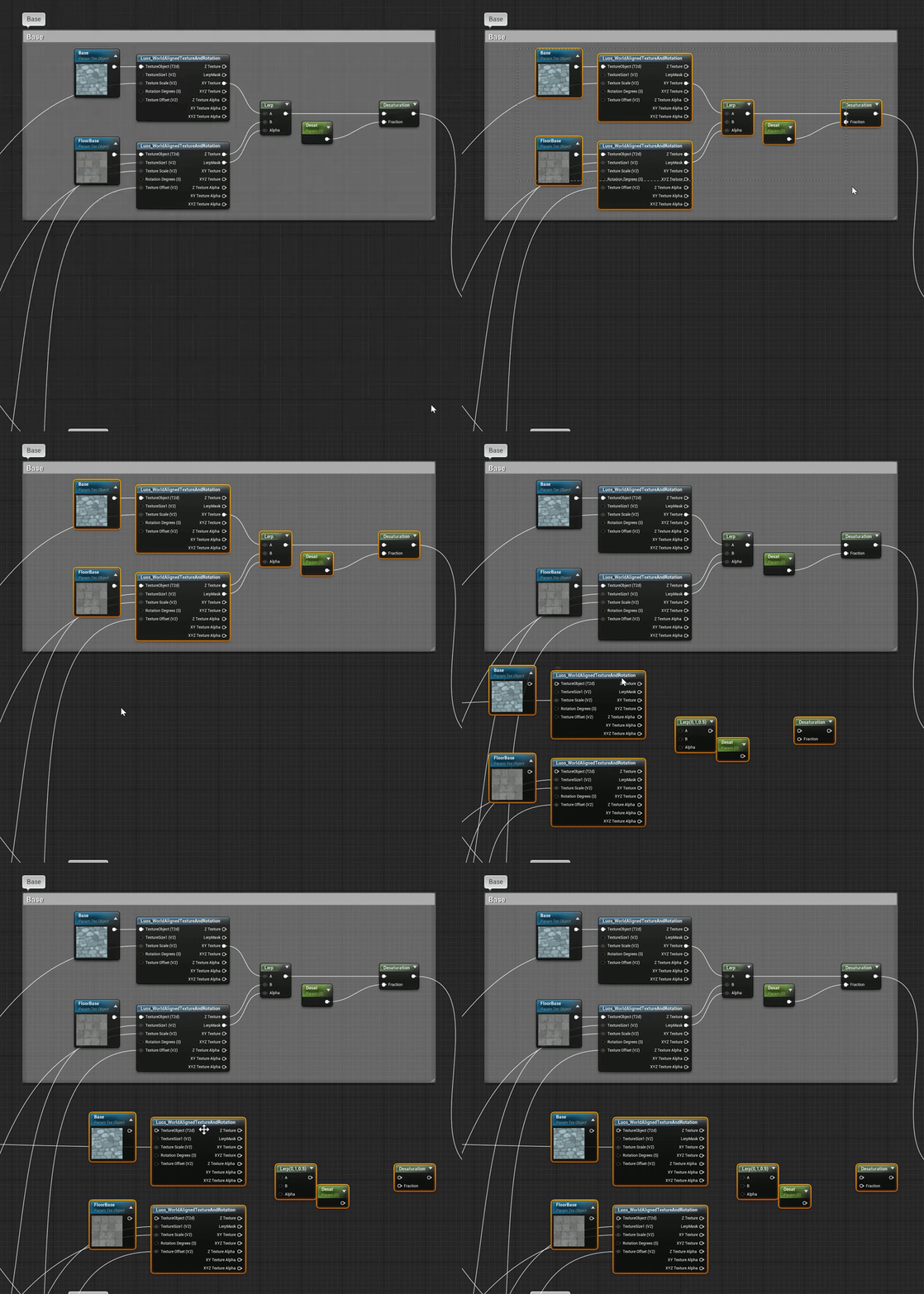
Im am trying to lern some blueprints. Im am stuck and cant figure out what the blueprint without name is
https://gyazo.com/c022e2966b93bc2b5b21bf070e5dbf7d


 uncut vigil
@thick rapids greater / less than?
thick rapids
I dont thinks so. Im trying to follow this tutorial. https://docs.unrealengine.com/en-US/Gameplay/HowTo/CharacterMovement/Blueprints/index.html
A How To Guide for Setting Up Character Movement in Blueprints.
 valid vale
@thick rapids this is a character BP script is jumb when player is running
thick rapids
But on the jumping part it does not say what i should add
thick rapids
Sorry. I feel kinda stupid. Just started jusing ue4. the blueprints in the picture without any name above
I have no idea how i find them
valid vale
That's problems with that you don't found reference of character movement or
exotic thicket
those are greater than nodes, type a > and they will show up
thick rapids
Thank you. Found it
uncut vigil
thats exactly what I said, really!? 😦
thick rapids
yeh sorry. but did not know how to search for it 😅
😅
did not pop up with greater or less than
exotic thicket
in general you can usually type what you see to find them, some of the other math or comparison related operators show up with =, + etc.
uncut vigil
just type greater, yeah
thick rapids
ahhh
valid vale
@thick rapids you need character movement ref. Drag and a search for < or > you solve your problem
thick rapids
Thanks for the help all😊
plush yew
thank god for auto save
plush yew
\Saved\Logs\ Can you share the logs from your project path plus saved plus logs @blissful trail
cloud cobalt
Open your project in Visual Studio, compile, give us the Output Log window content
 blissful trail
valid vale
blissful trail
valid vale
@blissful trail open your project folder manually open .sln file in visual studio and Compile
blissful trail
wheres that located ?
valid vale
Documents/Unreal Engine / projectname
valid vale
Yeh
heady moon
probably
valid vale
Right click on .uproject and generate visual studio files
heady moon
u can copy the code u did on it and put it on another project, unless u also used Blueprint thats another problem 🤷
blissful trail
its mainly all bp
heady moon
Oh
blissful trail
i was just importing steam multiplayer
heady moon
ahh i see
valid vale
Open your build.cs and check
heady moon
Does anybody know if custom animations are possible with C++ or Blueprints?
blissful trail
zealous spear
@heady moon bp for sure
heady moon
oh ok
plush yew
is there an easy way to transfer all the code to a new project
heady moon
yes, copy the project 