#ue4-general
1 messages · Page 641 of 1
 fleet stirrup
Once my FBX files have been imported into Unreal, from Unreal's point of view, are these FBX files needed any more?
Does Unreal convert these FBX files to some kind of internal file format?
 gleaming wing
It converts @fleet stirrup , save it somewhere else if you need a backup tho
 spice canopy
@gleaming wing what do the insides of your anim BP state machine graph nodes look like? Both the states and the transitions
Maybe the problem is there. You can open each one by double clicking it
 onyx merlin
i got a question regarding the editor, is there any way to show inherited variables/functions etc, but only those that are inherited from blueprints/classes i created myself?
gleaming wing
X for stop is which foot are on the ground, not related to play rate or anything btw
 barren cargo
Hey, I'm currently working with a few people on making a level for Unreal Tournament. Our goal is to keep the stuff we add under 400mb, including the map itself, because we learned that people are less likely to download a map that is larger than 400mb.
My question is, is there a nifty way to keep track of the data you're adding to the game? (excluding recycled assets from existing maps)
gleaming wing
@spice canopy can we talk by DM? I think its best so i can just show you
 brave gate
@barren cargo you could set up automation server like Jenkins and make him run packaging your content every day/night + add simple script writing down total size somewhere...
(although have no idea what's the setup of preparing map to distribute with UT)
this could be overkill for tracking map size itself... but once you automated packaging, you could also run simple automated tests - track performance, memory usage, check for crashes, etc.
 pallid talon
Question. Im LineTracing in BP from a skeletal mesh. Works great. But I want to offset it. I've added the location of the skeletal mesh by an float, but when the mesh rotates, it doesn't offset correctly. How could I offset the location of this line trace to be relative to the location of the mesh?
brave gate
@barren cargo or maybe sth simpler, if you're using source control like P4 - there's way to set up trigger script after every submit (literally called p4 trigger) that would check total size of your assets, but that's editor data size
barren cargo
How similar will that be compared to the build size?
I assume there will be quite some compression
I'm a simple artist, so I don't know too much about this haha
brave gate
yeah, but if somebody would shamelessly add 8K texture, you'd notice that
barren cargo
true
 dense gate
@pallid talon get difference of end and start location (essentially the vector), multiply it by a small offset (like 0.05, 5%) and add it to the start location
Also familiar name
barren cargo
But thanks! I'll check out Jenkins, and I guess I'll simply check the folder size in the meanwhile, and hope it's fairly accurate 😛
dense gate
Alternatively, if you want to control how much is offset in specific distance, normalize the difference and multiply it by how much you want the offset
brave gate
size of heavy assets in packaged game would proportional to the editor's size, not the same, but you'd notice "trend"
pallid talon
@dense gate Thanks! I'll try that!
barren cargo
alright, sounds fair
 open eagle
How do I use my C++ BlueprintType struct in a data table
pallid talon
@dense gate Are you saying something like this? I couldn't get this to work...
 spare dust
Does anyone here have an unwrapped texture for Unreal's default 100x100x100 cube?
pallid talon
I changed from add to multiply.
dense gate
@pallid talon get yourself a node that's <original trace end> - <original trace start>
That's the vector that your trace would be going through
Multiply that vector either by a % or normalize it then multiply by a number to get a specific distance
Once you've chosen which one, add that %/offset to the trace start
Trace end remains as is
Also I don't know why you'd multiply the WorldPos Y by 1.5, that just makes things a lot less predictable
pallid talon
I just need it to shift on the Y a little.
I thought that was what your original reply was instructing.
dense gate
Ah, then I assume you need to start a bit from the side then rather than offsetting the trace
What I said is basically, to avoid collision issues from trace going 0-400, you go 50-400
Has happened a few times to me
pallid talon
Basically it's a car. And Im trying to line trace in front of it for when it hits another car. But I dont want the trace in the center of the car. One trace will be on the right side, another trace on the left side. So Im trying to offset a line trace on the left and right side of the car.
pallid talon
Because I need to trace multiple directions after I resolve the front trace. It would be nice if I can offset its starting position manually.
dense gate
Shape traces aren't that much more expensive compared to line traces, I can confirm that since I've made my own projectiles based entirely on shape tracing
spice canopy
@gleaming wing sorry I cant I am driving now
dense gate
I think it'd make it significantly easier for your case
spice canopy
@gleaming wing the screenshot for the Stop state wont load.
Sorry I have to drive now but when i have these kinds of problems I check:
- did anim BP set the variables?
- Do may states use the variables correctly?
- Do my transitions nodes use the variables correctly? Double click them to open them and see how they set the transition.
 slender veldt
Is 4.23.1 using Chaos by default in some capacity? Compiled a new project and saw it being built.
 limpid surge
Does anyone know how to use the localization dashboard to gather key/source data stored as a .csv file?
 fervent sigil
Any idea how to create destructible mesh (APEX plugin) for skeletal mesh?
fleet stirrup
Fascinating that in Unreal, an FBX is internally stored as a uasset
I'm totally okay with this
Just that in other projects, usually, it's required to keep the FBX around
not-Unreal projects, that is
 abstract relic
you always want to author the fbx outside of the project
fleet stirrup
yes, definitely
I keep the FBX files on the authoring side folders
Maya, in my case
just super interesting that when you import the FBX from the Maya folders, it doesn't save the FBX file on the Unreal side. Totally cool.
 crisp fable
fervent sigil
crisp fable
fervent sigil
lol
abstract relic
you already pasted the answer
 brave turret
I have visual studio tho
abstract relic
literally tells you what to do
fervent sigil
I've started implementing a save system for game, currently working and saving & loading the player position.
What's the common way of dealing with all enemies around? My current idea is for each npc to save it's own data to a TArray<NpcData>, destroy it self, and on load spawn them and set data.
What do you guys think? any better way / other common method?
 spice rune
there is an existing save game system you can use
 dreamy lake
ANyone who would possibly know if it would potentially be better, if using world composition, to have your inventory based on structs, aka - you destroy the object when picking it up, and then store its values in a struct to generate the object again when its going to be used, or instead; destroy the object, then recreate it as a new actor, hide it when its not in use, and then teleport it and otherwise unhide it in the game world when its in use ?
Edit: I should probably add that my items are procedurally generated as well, so mostly anything could be different from that of another object
brave gate
@dreamy lake IDK what world composition has to do with it, but generally yes - usually you want to have Inventory Item Definition as struct entry or object or data asset (whatever suits you) and separate actor to represent it in the world - so you can spawn it and pick it up, on pickup Inventory would add new Inventory Item but actor would be destroyed
dreamy lake
@brave gate Well I mean, World Comp will unload the item as well when the that part of the world is unloaded, and simply just trying to wrap my head around how I should do my inventory system, especially with so many different variables for each type..
I guess like I would create different arrays for different item structs then that would fit into the inventory, like one for weapons and one for consumables then ?
Is it possible to create a new data asset at runtime ?
brave gate
common thing is to have "inventory slots", this is how you group items in inventory
yes, UDataAsset is UObject, you can create a new one and fill it with procedurally generated data
at least in C++ 😉
dreamy lake
aaah thanks man
This should def make it easier for me
Ive been using data tables so far - But often run into the problem of being unable to write to them - Data Asset it is
brave gate
if you procedurally generate loot, spawn them, then actors by default belongs to persistent levels, not sublevels
and you're picking up items, they should be either destroyed or attached to the player (persistent level again), so still I can't see why streaming would unload item's actor?
Data Asset can be easily "discovered" in runtime (look at Primary Data Asset and Asset Registry), so you wouldn't even have to create manual list of items
dreamy lake
I suppose I could spawn them - though the actor - like a chest, that would container loot in it would belong to a sub level, so the item, in case it was an actor, would then be unloaded with that sublevel in case I wouldn't destroy and recreate the item, or convert it into a struct, on in this case uasset
man.. uasset should def help a lot.. Why diddent I think of this before lol
brave gate
dunno, if container with loot hasn't been looted why to keep its loot while unloading level?
spawned actors belongs to the persistent level by default anyway AFAIK
dreamy lake
essentially items such as weapons will have different metal values, and otherwise a quality level to them, which further modifies its stats - I suppose I could keep the resources values that is used for crafting in a datatable - though Hm, or maybe I should just create an data asset out of it as well as it would be difficult to loot otherwise.
right.. sorry just trying to wrap my head around it all
brave gate
resource would be an inventory item to, I guess
 spark sonnet
@autumn crystal You can try this
dreamy lake
Yeah data asset for all of it
spark sonnet
Then use an interface or cast to the clicked actor to trigger whatever you want
dreamy lake
thanks man
brave gate
happy crafting 🙂
abstract relic
I recall you need to enable collision(?) or enable generate hit in the detail panel. Something along that line
Generate hit on?
spark sonnet
This should work then
abstract relic
Nope. It has been a long time since I used on click events.
spark sonnet
The OnClicked(StaticMesh) works for me with this collision preset @autumn crystal
Are you showing the mouse cursor ingame?
Have you tried the solution at the top of this page?
https://forums.unrealengine.com/development-discussion/blueprint-visual-scripting/54607-onclick-ontouch-not-working
Unreal Engine Forums
Build powerful visual scripts without code.
If this is ticked, that could be the issue
In the project settings ^
 crimson plume
Not sure which channel this question falls under, but how can I safely transfer .uasset files from one project to another? More specifically, is there anything wrong with copying one .umap from one content browser to another?
It works, but just wondering if there's a more official way of doing it
abstract relic
Asset action >>> migrate
 fathom glade
Does anyone know of a way to calculate the midpoint of a mesh? Just taking like a chair or something and trying to find the middle of it for easier rotation?
 craggy flax
can someone help me figure out whats wrong with a variable type setting? Ive got a pawn/springarm/camera named MayorPawn, which I create a variable for named "MayorPawnRef" and set its Variable Type to Mayor Pawn (Object). when using it in blueprinting for some reason its not getting assigned properly and giving me "Blueprint Runtime Error: "Accessed None trying to read property MayorPawnRef". Blueprint: MayorController Function: Movement Speed Calculation Graph: MovementSpeedCalculation Node: Return Node "
 warped tangle
@craggy flax you have to set the variable to the instance of the actor you are trying to reference
just having the variable gives you access to functions/components of that class, but you have to point it to the actual instance of that actor still. So if it's a pawn that you're possessing, you can do "get player pawn" and cast to your pawn class, then use that to set the var
fathom glade
Is there a way to actually get the height/width? I can't find a function like that in blueprint
craggy flax
@warped tangle I believe thats what I am doing here right?

details panel is MayorPawnRef variable settings btw
warped tangle
yep. So if you're getting a accessed none error at runtime, you either forgot to call that macro somewhere on your graph, or there isn't currently a player pawn (maybe you're simulating instead of playing?), or it's the wrong class
warped tangle
you got bullets?
warped tangle
can't at all read that
 jovial pollen
line trace for objects start is the player, end is the enemy. out hit is break hit result, cast to enemy ai destroy actor
warped tangle
is that a "get owner"?
warped tangle
yeah that all doesn't work
jovial pollen
what should I put
warped tangle
you need a reference to the "enemy" actor you're trying to get the location of
jovial pollen
yes
warped tangle
the easiest way is a get all actors of class -> get(0)....this is not normally how you want to go about this though
also, you're making it so you can't ever miss?
 fading vector
Question, I'm trying to change the animation in the state machine based off of a variable on my character. My state machine is in my Animation blueprint, could anyone help me with this?
abstract relic
Well you have a bp interface set up. So I applaud you for that.
fathom glade
@autumn crystal Thank you!!
 jolly steppe
anyone know why this happens? that's not the texture, lol
fading vector
@abstract relic Yeah, I've had some help but its really confusing. No videos are helping with this part either. So far I have:
Thats in the event graph of the animation blueprint.
I called a function, not for any reason exactly but just to see if I could.
I have a death variable on my character but I dont know how to actually make the animation play when that variable is true
abstract relic
animation montages
abstract relic
letme send you an old sample project I used to teach
 humble stirrup
Sup follks
On the global game jam to
So, if I animated a mesh with pareting instead of joints, would it also update the mesh in Unreal?
Like, i am not updating the frames through joints position interpolation, but rather applying transposiion within the mesh, trough parent constrainning.
jovial pollen
@abstract relic ive been using unreal for 2 months. I havent coded a gun in VR yet so thats why im stuck
jovial pollen
ok I got it to shoot but it shoots only when you pick it up
I need it to be the trigger button
@warped tangle got any ideas
fading vector
@jovial pollen Do an input action
fading vector
I mean its gonna be roughly the same, obviously visuals are different
If its not shooting
that means it caught up somewhere
jovial pollen
mhm
jovial pollen
no the code is fine, it draws a line to where it hits and if I put that on pickup event then it will only shoot when I pick it up and I dont want that to happen
jovial pollen
bro I know
fading vector
Do you have like a bool saying pickup is true?
jovial pollen
no
fading vector
Im no pro but on pickup I would set something like that
jovial pollen
ok
fading vector
So that you know you're allowed to shoot
It wont fix the issue, honestly hard to say what the issue is without looking at it all
I'd just look over and try to see where the issue might be
 cerulean sorrel
am i a noob how tf do you get something location in anether blueprint
like i wanna get the door location in my char blueprint
jovial pollen
there isnt an issue everything is working its just the pickup thing is calling the shoot and I dont want that to happen
cerulean sorrel
NOOBB
jovial pollen
wait thats an issue
fading vector
^^
jovial pollen
nvm then
fading vector
Haha
jovial pollen
my friend gave me a plugin
fading vector
Yeah that is likely it
jovial pollen
but
I cant get it to work
the tutorial doesnt give me shit about it asking to readd the plugin
and it ALWAYS FAILS
fading vector
@cerulean sorrel I'm pretty sure there is a simple way to reference location
You cast to "name of blueprint"
jovial pollen
like why the fuck do you make a plugin FOR FREE and not put it on the epic marketplace
fading vector
xD
cerulean sorrel
@fading vector yep im a noob but how?
fading vector
1 sec
fading vector
^
cerulean sorrel
oh
fading vector
fading vector
jovial pollen
JUST ONE QUICK GOOGLE SEARCH
cerulean sorrel
would i cast char to door or door to char
jovial pollen
AND THERES A PRE-MADE GUN PACK FOR FREE
fading vector
Depends on what you're trying to do
jovial pollen
HAHA!!!
fading vector
If you're wanting the car to have the door location
You cast to door in the car blueprint
cerulean sorrel
yes i'm a conpelete noob to this
cerulean sorrel
how?
cerulean sorrel
ah
fading vector
Thats not exactly what you want but something off a video I saw a bit ago
I'd honestly go through a video or two for some basic reference
cerulean sorrel
i think i got it now thanks
fading vector

In this part we will create the first enemy for our player - a simple trap! Leave anything you'd like to see in the comments below so I can work them in as I go!
UE4 Download: https://www.unrealengine.com/en-US/what-is-unreal-engine-4
Assets used: https://www.gameart2d.com/f...
Pretty easy series if you wanna try it
Welp the animation channel is dead, would anyone mind helping me retarget an animation? It's just a duplicate of the skeletal mesh.
 rancid lynx
when i spawn an actor from class, and try to set a player reference for the new actor, it doesnt get set before the begin play happens. how can i set variables in a new actor before they begin play, ? for example, if my PLAYER character spawns a rock, and i try to make the rock "look at target'", i have to give that rock a player reference variable . then inside the rocks begin play, face target ((or what ever more important code))
how can i spawn a actor from class, and add a reference to that actor, before its begin play ?
begin play > delay .1 works, but thats a trash hack
 ruby crow
Does attempting to add that reference in the constructor (or construction script) of the new actor work?
rancid lynx
well i assumed constructor happened before begin play. ill try that also, just to be sure.
i have to pass the ref from the spawn"ER"
ill try and find a way to do it with level blueprint maybe. idk
can i access variables inside the level blueprint inside random world actors ?
ruby crow
hmm, looks like referencing the level blueprint in arbitrary actors isn't good practice https://forums.unrealengine.com/development-discussion/blueprint-visual-scripting/34951-how-to-reference-level-blueprint
Yeah, the constructor happens before BeginPlay(), but I see what you mean now about getting the spawner to give the spawnee a reference to itself
Unreal Engine Forums
Build powerful visual scripts without code.
you can try putting that logic in the game mode / game state instead?
I'm with you on the hunch that it feels like there should be a better way to do what you wanna do
rancid lynx
i just read that on google also, game mode. i know nothing about gamemode or state yet. ill check those. thanks alot ! and also, maybe i can just use 'get player controller ' cast to '
there should be a list of references i can place somewhere.
ruby crow
oh yeah, if the spawner is the player character that actually makes it super easy
i was assuming the spawner was some random actor that wasn't necessarily the player character
rancid lynx
cast too X is not bad for CPU right ?
i know get all actors of class is not technically fast.
but i guess cast too's are fine
ruby crow
*shrug * I'm still pretty new myself so I'm not super sure what the performance impact of a cast in blueprints is, lol. C++ side it's generally not bad enough to really care unless you're trying to do some really intense micro-optimizations
 rigid ocean
hey guys, i got a question, is there any way i can transform the player character on a button press ? Im trying to google it but i can't find anything about it and i got no idea how to do it cause im new
abstract relic
Pawn Possession would be the magic word
ruby crow
lol, wait by transform what do you mean exactly?
like, move, change its shape, or switch the mesh?
rigid ocean
well, it would be like swapping betweens characters so the size, mesh, speed and everything else i add would changes
 normal burrow
lol
ruby crow
okay, like in place?
rigid ocean
like in place ? What do you mean ?
abstract relic
This will be your best friend
https://docs.unrealengine.com/en-US/Gameplay/HowTo/PossessPawns/Blueprints/index.html
Illustrates using the Possess node in Blueprints to switch between and control multiple characters.
rigid ocean
yeah so i just got an exemple in mind, the werewolf/vampire lord transformation in skyrim
thats what i want to do
 marsh swallow
@rigid ocean do u want to replace current controlled character with a different one and make the first one go away (in place) or just control another character?
abstract relic
Morph target will be another key word
You did pick a difficult topic
I wish you luck
normal burrow
yeah hard one
rigid ocean
its most likely difficult but its inspiring
marsh swallow
yeah you have morph target, swap BP, change controlled character, or simple swap mesh
abstract relic
Dissolving material will be another one
abstract relic
Lots on moving parts to make that come together so to speak
ruby crow
yeah, so in place meaning like how pokemon trainer switches pokemon in smash bros. For that you'd want to swap out the mesh. or if all these characters already exist in the world and you want to switch perspectives/control between them, you'd want to look into Pawn Possession like @abstract relic 's suggesting.
normal burrow
if it were sparkles, maybe.
rigid ocean
no it would like pokemon dresser in smash
abstract relic
Lots of smalls thing in-conjunction to get the effect
ruby crow
okay, yeah, i think the easiest way would be to look into swapping the mesh on a character
normal burrow
how long is the effect? (in seconds)
ruby crow
I'd start with a really simple instantaneous swap as a first pass before trying to apply fancy effects, but that's just me, lol
normal burrow
was gonna say vertex animation with vertex colors or something if we're listing complicated approaches
abstract relic
Nah that’s smart. We’re more hammering in how “complex “ a simple concept is 😜
normal burrow
👍

Don't forget to subscribe!
Houdini & Unreal project files:
https://bitbucket.org/mamoniem/houdini_4_ue4/src/master/
For more tips, tutorials and free stuff:
http://www.ue4u.xyz/
Lessons plan:
https://trello.com/b/iTdModlp/ue4u-tutorials
Don't forget to follow on twitter t...
normal burrow
that would be harder with skeletal mesh
 humble oyster
QUESTION
Why do when I right click to make something new like a material or a blueprint half of those options go off screen where I can’t even click them
normal burrow
what is your resolution?
humble oyster
What
abstract relic
Screen size
normal burrow
ye, the pixels horizontally/vertically
theres this button in the area you look least
i made the mistake of thinking it was green yesterday
er, saying import was green
but the Add New big green button will do the same thing right click will do malachiosss
it may be better at not running out of space on the left side as it is
jovial pollen
I should make a tank game
jovial pollen
Need to work on my ai though, all they do (when they are humans) is walk around and just do a line trace when they see the player and they can see through walls and I'll have to fix that
normal burrow
ouch yeah that screen resolution is low or you've got your ui scale way up
jovial pollen
The res looks like a 1920x1080 🤔
normal burrow
hm maybe i made my content browser icons smaller then
it kinda looks like 720p to me, but idk. kinda tired
jovial pollen
Hey pat you know how to code right? Mind helping me on a shooting script for vr? Everytime I grab the gun it just shoots so if you want to shoot you have to grab the gun but I dont want that to happen. I want it to be if it's being picked up then you can shoot. But how do I do that if its bot connected to the pickup?
Also I'm not at my pc atm
But since you're here I thought I'd ask
Before I forget
normal burrow
unsure what controls are like on htc, but with oculus grab is usually the middle finger button and shoot the trigger.
jovial pollen
Yeah I'm using oculus
normal burrow
they are on the same button? grab and shoot
humble oyster
Ok so new problem
humble oyster
I’m tryna use miscellaneous and it’s like glitching so hard
jovial pollen
I've connected it though
humble oyster
I can’t scroll up and get what I need
jovial pollen
And I dont want it to shoot when you arent holding it
So I connected it to the pickup event but it just shoots when you pick it up and doesnt call my trigger function
normal burrow
@humble oyster make sure your ui scale is 100 on windows (right click on desktop and go to Display Settings)
humble oyster
Thanks man your the best
jovial pollen
Lol
normal burrow
does the gun shoot itself or does the character shoot it?
normal burrow
Rather is the input event on the character or the gun?
normal burrow
make a new event on the event graph called Fire for your weapon
humble oyster
UGGGHHHHH
jovial pollen
Ok
normal burrow
then when the character pulls the trigger
on the character blueprint
check if the character is holding a weapon
if it is, fire the fire event on your weapon
humble oyster
So I did everything the person told me to do and the landscape didn’t turn black nor is the material in the paint thing
jovial pollen
Would I make a custom function called bIsHolding?
Then branch then cann fire event
Call*
normal burrow
You'd probably want to just return the thing being held instead of a boolean
jovial pollen
Ok
normal burrow
so either a variable of what is held or a function that finds it yea
humble oyster
Why ain’t this shiznet black yet?!
And why won’t it paint
These gosh darn videos
humble oyster
It’s not painting
jovial pollen
You'll get used to it over time and then itll be easier
I've never painted befor 😳
jovial pollen
Try another tutorial
humble oyster
EVERYTHING
jovial pollen
Maybe a more recent nine
humble oyster
I’ve been trying
jovial pollen
Recent one
humble oyster
Every tutorial is the same over and over
jovial pollen
Those could be out dated
humble oyster
And once you do this it should turn black and show up here
Everyone says that
And it won’t work for me
jovial pollen
The engine is 4.23 or somethin like that those tutorials could have been made with like version 4
Anyways gtg to sleep
Hope you figure it out mal
 fallen lake
hi guys the skeletal meshes have a 90 degree offset how do I make it 0?
normal burrow
https://discordapp.com/channels/187217643009212416/225448446956404738/669067509877440524 all of these are good resources @humble oyster
fallen lake
the root bone is not facing the same direction as the mesh
humble oyster
Thanks
normal burrow
people like the nana one
@fallen lake find the character blueprint
locate the mesh component and modify its rotation to the right value
it'll be directly under the capsule
fallen lake
@p@t thank you, but the root bone still wont face the same dir as the mesh
maybe cuz the mesh is made using may which has a different coordinate system\
maya
normal burrow
for whatever reason this is stanard for characters in ue4
mannequin also has a 90 degree off rotation
and if you look at the viewport, when you choose front
it shows XZ for some reason (looking down Y)
its not real consistent lol
fallen lake
is there a way to change that?
normal burrow
not really
you can put a rotate root bone node at the end of your anim graph
but then it makes any world operations wrong
humble oyster
Do y’all know any websites where I can import low poly skeletal meshes
Or idk literally anything
normal burrow
marketplace has some freebies
 lethal briar
Hi guys!I'm new in game industry.I wonder how the big game maps are made?Because I played silent hunter 5 and it has the whole North sea.Is that map made with heightmap or its sculpted?Thanks
 whole quarry
I would assume that a sea is mostly a plane
 forest tree
Hey guys, looking for some advice on rigs/animations in UE4.
I have 2 animals that are very similar, but are different enough that I was screwing with 2 different skeletons. Unreal seems to be pushing me towards having 1 shared skeleton (and 1 base animation blueprint), so I was trying to figure out ways of doing that. Leads me to two questions:
1): Both animals have a tail, but one is much more flexible and mobile than the other. To show that in the animations, I previously just removed bones from one of the animals, but this leads down the path of having 2 different skeletons. How would you approach this problem?
2): How would you handle the problem of having to move bones around to better fit the anatomy of the other animal? That is to say, would it not constitute a new secondary skeleton when I have moved the bones around?
 plush yew
there was a tutorial that included a green beam shader i saw once and can't find anymore i think it was from epic
 fleet scroll
new record for laptop?
 thorny perch
anyone stepped upon this error when loading a scene?
Fatal error: [File:D:/Build/++UE4/Sync/Engine/Source/Runtime/Windows/D3D11RHI/Private/D3D11Util.cpp] [Line: 198] Unreal Engine is exiting due to D3D device being lost. (Error: 0x887A0006 - 'HUNG')
just for a VR project, others work fine
fleet scroll
That happened to me earlier. Restarting seemed to fix. Googling leads me to believe it was related to going afk with the editor open, but another application focused on. Its apparently been an issue for several years that hasnt been fixed.
 unique kraken
okey im going insane about a small detail
for some reason i can alligne my widgets in the widget editor?
it makes me go insane
like how does that make sense
im the first time in this editor but i learned print design. i know all this stuff, it just doest react
anyone of help here o.o
thorny perch
@fleet scroll just booted up 🙂
fleet scroll
cool
fleet scroll
What I've gleamed, it's got something to do with the data to and from the graphics card getting out of sync.
Not sure beyond that
the only real info on the internet about it is here
https://appuals.com/how-to-fix-the-error-unreal-engine-is-exiting-due-to-d3d-device-being-lost/

Appuals.com
Users experience the error message ‘Unreal Engine is exiting due to D3D device being lost’ when Unreal is unable to connect with the D3D device on your
 patent apex
hey guys, i've upgraded to 4.24.2 and i have a specific blueprint that if i change any default property it crashes on FSerializedObject::SetObject, any idea why?
lethal briar
I would assume that a sea is mostly a plane
@whole quarry yes it is, but the coasts and ports are made too
 heady moon
" #include found after .generated.h file - the .generated.h file should always be the last #include in a header "
Unreal Newbie here.
Any help?
patent apex
@heady moon you can't have includes below the .generated.h file. Examples:
Bad:
#include "TestActor.generated.h"
#include "CoreMinimal.h"
Good:
#include "CoreMinimal.h"
#include "TestActor.generated.h"
heady moon
Thanks let me try it (:
patent apex
it should, compile and try it 😛
patent apex
not sure about that, make sure you have visual studio properly installed
heady moon
I did
it is saying that this line exited with code 5 - access denied
please verify that you have sufficient rights to run this command
** The command ""C:\Program Files\Epic Games\UE_4.24\Engine\Build\BatchFiles\Build.bat" ActivityOneEditor Win64 Development -Project="C:\Users\(my username)\Documents\Unreal Projects\ActivityOne\ActivityOne.uproject" -WaitMutex -FromMsBuild" exited with code 5. Please verify that you have sufficient rights to run this command.
**
patent apex
he typically says that when he has another error
like a compilation or linking error
brave gate
@rancid lynx @ruby crow if you're casting to a blueprint class, blueprint gets loaded no matter if you do anything with it later
that's reason why you should avoid casting to big blueprints and one more reason to use soft references in blueprints where possible - so loading blueprint A won't automatically load all assets used by this blueprint and then loading all the reference chain
https://docs.unrealengine.com/en-US/Resources/SampleGames/ARPG/BalancingBlueprintAndCPP/index.html
Describe how to make a combination Blueprint/C++ game, and decisions you might make along the way.
 icy egret
hello
can i ask some question in here or other channnel?
plush yew
@icy egret Try here, for general question, there are channels for more specialized questions
icy egret
okay thank you
I have question
I use retargeting AnimStartarPack's Motion to MMD model
but she won't look front but diagonally...
how can I fix it?
 fierce forge
how i can make this destructible mesh to be destructed by objects but not from character , how i can do this ?
plush yew
@icy egret I personally do not know the answer to your question. But do not be discouraged because other people may 🙂 we also have #animation , You can post the question there if no one answers here, but etiquette dictates that some patience may be required before reposting
icy egret
of course! thank you
 tender kraken
Hello, I'm looking for some explanation about how UObjects are being removed, basically I have an object which outer is the gamemode blueprint, would that mean object will stay alive as long as gamemode is alive?
plush yew
@tender kraken https://docs.unrealengine.com/en-US/Programming/UnrealArchitecture/Objects/index.html
`Destroying Objects
Note that Weak Pointers have no impact on whether an Object is garbage collected or not.
Object destruction is handled automatically by the garbage collection system when an Object is no longer referenced. This means that no UPROPERTY pointers, or engine containers or smart pointer class instances should have any strong references to it. When the garbage collector runs, unreferenced Objects that are found will be deleted. In addition, the function MarkPendingKill() can be called directly on an Object, and this function will set all pointers to the Object to NULL, as well as remove the Object from global searches. Once again, the Object will be fully deleted on the next garbage collection pass.`
Explanations of the basic gameplay elements, Actors and Objects.
 dire flame
https://i.imgur.com/5daWYhu.png how do i Create the bottom thing? where the index, where the green line goes in the purple one goes out. how is that called
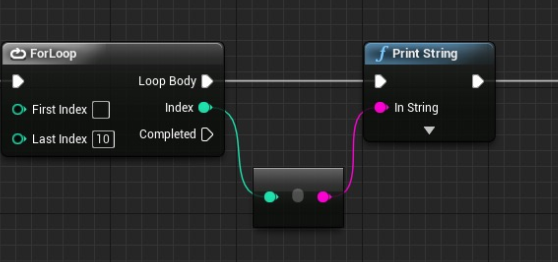 plush yew
@dire flame Hover over, it should tell you the library and the function
dire flame
I only have a screenshot of it
plush yew
it's basically converting an integer to string
dire flame
And how do I create that one in a blueprint? What do I need to put in? Function? Sorry im really new to UE
plush yew
one sec
 lost reef
@plush yew for each loop to a print string, when you drag off index into the string it will automatically give you the conversion node
tender kraken
Hmm how often garbage collector is running? As I've tried listing objects in log and they seems to be still valid even after a couple of minutes
lost reef
@tender kraken look in project settings, i do believe you can adjust that in there
plush yew
@dire flame
@lost reef Thank you Paul, but @dire flame was actually asking this question 🙂
tender kraken
Thanks will check it out
abstract relic
Slap that teacher 
 dawn gull
Hey so, I am making a game with planetary gravity using this video:
https://www.youtube.com/watch?v=l2J45z6aoJQ
and I got to 12:40 and pretty much the character is always moving to the right of the camera and when I rotate the spring arm to the right it moves backwards. Here is a picture of my code:

Use Blueprints to create a pawn that can be controlled while moving around a planet while maintaining correct camera orientation!
YAY!
 thorn vector
hey guys so another problem with the mount okay im trying to attach the character to the mount but i got bounce back https://gyazo.com/3c4e4d2e499d3132cb727c7551488c29
here the code https://gyazo.com/9161be172328bd9566283525ffed2ee0
 plush yew
is this get everything from the market and make a game challenge?
 azure shore
hey whats the best substitute for event tick? if for example I have the players eye watching where the cursor goes along with a bunch of other stuff Id like if theres something else I could use
@hoary silo I think theres a bloom setting in project settings but idk if itll help this problem specifically
 hoary silo
Ok thanks I take a look at it
 heady quartz
Does anyone here know how to make animtrails smooth?
tender kraken
so I need to get back to my question of I have an object which outer that is the gamemode blueprint, would that mean object will stay alive as long as gamemode is alive?, adludum gave me this link https://docs.unrealengine.com/en-US/Programming/UnrealArchitecture/Objects/index.html which if I understand correctly basically tells me that as long as anything holds onto the object it will be kept alive, so in this case as long as outer is alive object will be alive. Did I get it right?
Explanations of the basic gameplay elements, Actors and Objects.
 frail sail
@hoary silo yo whatsup linus
 vital cosmos
is it possible to have a spine with multiple meshes
 thick herald
@vital cosmos yes
frail sail
Very memeal great 
vital cosmos
I tried doing that with segmens but the issue is the meshes are not appearing both the same point, for some section along the spline, one mesh appears and for the rest the other mesh appears
not both simultaneously
thick herald
It's been a while since I looked at my splines, but it is possible to have different ones at different segments.
vital cosmos
nah I want it so that both of the meshes appear in the same segment, which they do but they dont overlap, which is what I want them do to
this is the issue im having
the road appears for some part and the side appears for the rest
thick herald
What are you expecting to see here? Just so I can understand better.
vital cosmos
basically the sidepart should go all along the side of the road
not appear on its own in some random part along the spline
thick herald
Sorry, I've not used splines for roads or in that way before. It's also impossible to know what's going on without seeing the code, which should be in either #graphics or #blueprint probably
vital cosmos
there is no code?
plush yew
hi guys quick question - should blackboards be set in the AI controller or the AI character? it's possible to do both? or is it just based on preference
thick herald
There must be on the spline itself.
thick herald
check this out https://forums.unrealengine.com/community/community-content-tools-and-tutorials/1492096-free-modular-road-tool
Unreal Engine Forums
Hi everyone!
I'm really excited to finally share my Modular Road Tool with the community!!
Trailer:
https://www.youtube.com/watch?v=JLIJxV2XSYU
Tutorial:
vital cosmos
yeah I alr used that, its way too heavy and requires too many draw calls for my liking
thick herald
You can always combine the spline meshes into a single asset. But as I said, this is probably a blueprint or graphics type of issue, and without more info on how you set it up it's hard to diagnose
craggy flax
can anyone tell me why my event beginplay isnt triggering? I have a print string set up immediately after it I never get any messages from it. GameMode Override and settings are proper but for some reason nothing seems to start.
event beginplay being in my controller
forest tree
Is it normal that adding an animation class changes the scale of a model?
I have an issue where the scale of my skeletal mesh changes when I add an animation blueprint
 heady saddle
@craggy flax did you change to your custom game mode in project settings?
 summer zealot
Anyone has idea, why can't open FL_CPP_Info.h? The file is there. I try to convert project for 4.24
forest tree
Rather, toggling animations seems to scale the character....anyone know why? It seems to scale the mesh to the skeleton, instead of the skeleton to the mesh
@summer zealot Is it an intellisense or build error? I had weird intellisense errors but could build just fine.
heady quartz
Is there a clean editor UI i can download? Like this maybe:
forest tree
Holy shit, is that a real UI or a mock-up @heady quartz ?
heady quartz
I dunno i found it online while looking for a way to enable a "dark theme"
forest tree
Looks awesome, hope you can find it. That would make me so happy.
heady quartz
Unreal Engine Forums
Hey guys, first of all, thank you for the awesome product!
UE4 and its community are awesome!
Summary: This is a re-design of the UE4 editor.
So far the majority
forest tree
@heady quartz https://github.com/Sythenz/UE4Minimal

GitHub
My Minimal Dark Theme for Unreal Engine 4. Contribute to Sythenz/UE4Minimal development by creating an account on GitHub.
From that thread
heady quartz
Try it and let me know if it works currently not in home and doing a dark theme just popped in my head
This ue4minimal looks promising
fading vector
I'm having some troubles activating a nav mesh bounds volume, I pressed P but nothing happened.
jolly steppe
@hoary silo did you fix the bloom issue? You could also try a post process volume. I usually use that to adjust exposer, but it could work for bloom if you have a specific area in your map that you want to adjust.
hoary silo
I haven't fixed the bloom problem
It has happened in the past with other graphics cards if that gives you any info
Is it happening to you as well?
jolly steppe
It only happens on certain graphics cards? You sure it isn't a graphics setting or something?
jolly steppe
I'm not too sure yet. I'm new to the engine and been working on gameplay mechanics and stuff. I've only done minor stuff to graphics.
 crystal ruin
Hello everyone I have simple question... I have character i imported in unreal.. She have skirt.. The skirt is not rigger or have a bones.. And if I added run animtions the skirt is clipping in her body... How would I fix that?
hoary silo
@jolly steppe That's fine, I think it may just be a bug, ill try to work around it
jolly steppe
ahh okii. good luck!
hoary silo
thanks
 honest rune
actually, I'll move that to source channel
ruby crow
@brave gate cool, didn't know that, thanks for the info/link!
crystal ruin
Any help maybe!
crystal ruin
@heady quartz is there a good tutorial about it?
heady quartz
Tons of tutorials in YouTube just search "UE4 Cloth simulation" or "Ue4 Skirt cloth simulation"
crystal ruin
Ah thank you but generally I don't need to rigg the clothes or add bons to them I can do it without these in unrela
heady quartz
I'd recommend using bones and simulating physics if your character is an anime girl or whatever
You don't need to rig clothes if you're doing cloth simulation
crystal ruin
Ok
I have the character with clothes with high ends like akirts and not attach or intact with the body
heady quartz
What
summer zealot
@forest tree It's a build error
crystal ruin
Nvm thank you tho
fading vector
Could anyone give me some tips? I have a "zombie" with basic AI. The zombie chases my player, but I'm not sure how to go about the damage part, I have a box collision on the front of the zombie.
heady quartz
https://youtu.be/v4nO1igc09A you can look at the cape here, i used bones and simulating physics to get this effect


 heady quartz
@fading vector if you have an attack animation just do an anim notify with "start attack" and "stop attack". These notifies will start a timer that will linetrace from the start of the hand to the end if it hits the player at will cast to the player that it was hit. Pretty simple 😉
@crystal ruin https://youtu.be/OO8v-yzeuBo

It has never been so easy to create Cloth Simulation in Unreal Engine 4.
So I had to showcase the workflow :D
What better model to use than Zelda
DOWNLOAD LINK to techdemo (bonecloth):
https://goo.gl/eDM147
Video demonstration of Zelda Level:
https://www.youtube.com/watch?...
fading vector
@heady quartz atm not attack animation, just trying to put the damage in for the zombie. I know a way it could work but I'm trying to learn how to be a better programmer.
Normally I'd just do a begin overlap cast to character, set bool inrange to true, then if thats true call damage function
crystal ruin
Thank you man
heady quartz
Do you want to damage the player or the zombie
heady quartz
I don't like using begin overlap because i can't get the location of the impact to spawn a particle
fading vector
Fair enough, it is a rather basic form haha
This is also why I ask
I'm still new, still learning, people like you and such have a lot of info that is very useful 🙂
heady quartz
Also using begin overlap if the player is hit and is still overlapping ot will not fire another event
fading vector
Correct
heady quartz
Thats why using a line trace is way better
fading vector
Mmm, I've heard of line trace but have never put it to practice.
heady quartz
I use linetrace for everything lol.
fading vector
Is there a video you would suggest?
heady quartz
I dunno i made my own system but you can probably find tutorials
fading vector
Will do
heady quartz
Look up how to use linetrace not how to make a zombie damage the player
heady quartz
This is what i used to do at the beginning and never made any progress because i was just following tutorials not knowing what things do
fading vector
Yeah, it can be rough at the start
heady quartz
https://youtu.be/yo9VrxFgUJY this channel is my goto channel for info

What is the Line Trace By Channel Node in Unreal Engine 4
Source Files: https://github.com/MWadstein/wtf-hdi-files
fading vector
That was actually the video I was watching xDD
 vast fossil
tomatoes
fading vector
I think I've got a decent understanding of a linetrace, but still not sure how to fire it off. What should my method of detection be for the zombie detecting the player?
 worthy flame
is there a way to remove 1 foliage without it affecting other foliage? so it deletes everything from that one
?
nvm figured out
heady quartz
For my "zombies" i check the distance between the player and the zombie if its greater than 300 it moves to the player if its less it attacks and when the "attack" animation fires there are anim notifies that start a timer and clear it with "start attack" and "stop attack" and this timer does a line trace every frame and if its blocked by something it checks if the player was hit and then it fires my with do once "hit event" and a delay at the end that resets the do once node
fading vector
Yeah but what is telling your zombie attack animation to go off?
heady quartz
Its a behavior tree
fading vector
Ohh
I see
I don't have that part
All my "zombie" does is run towards the player
heady quartz
Read about behavior trees
heady quartz
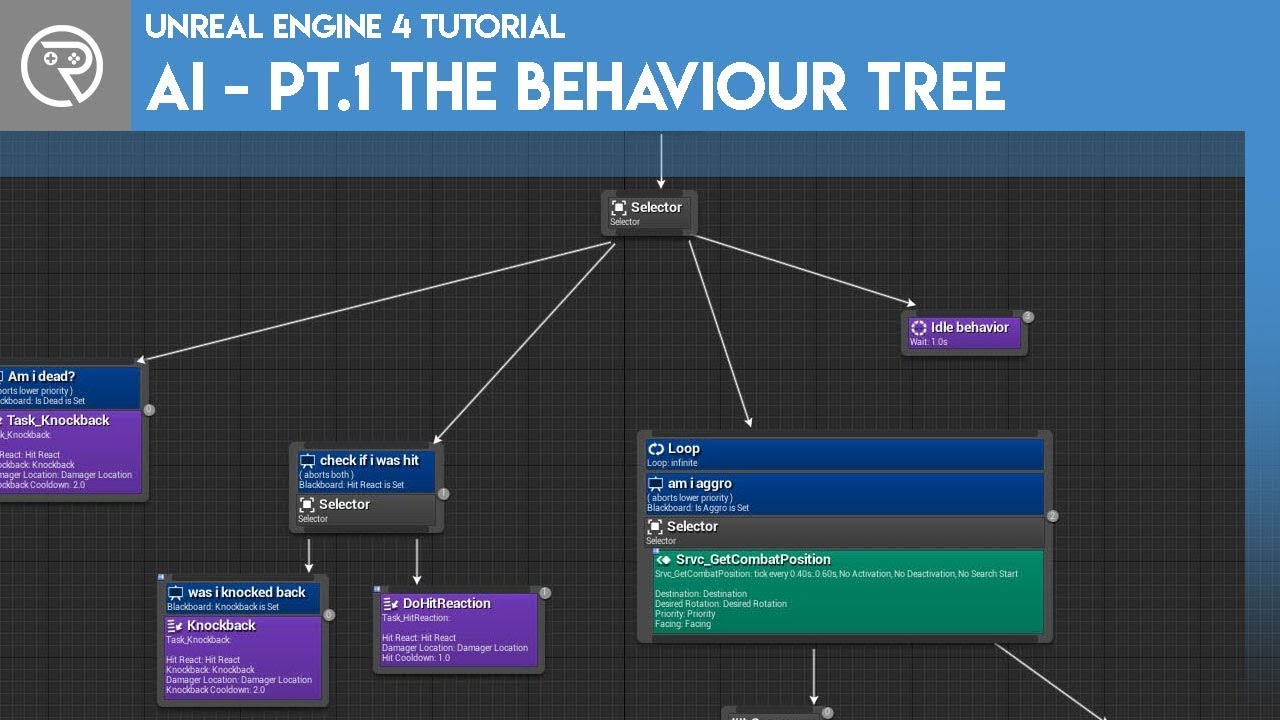
Welcome to the start of a brand new series. This time we are diving into AI for games. This episode introduces the concepts being used in AI design and in particular, the behaviour tree. In this episode we add an NPC that can randomly roam around the level.
Support me on Pat...
I watched this series
rancid lynx
Are there different physics engines for UE4 that i can try? Or just the one that comes with ue4?
heady quartz
Why
rancid lynx
If the cavemen said that after inventing pointy sticks, we wouodnt even have diapers
Physics are the coolest part about engines. Im just curious
Also, block overlaps seem to be pretty finiky in ue4
Is there a way to make blocking more stable?
Its really easy to get blocking items to overlP in ue4. Are there Ny optionz to make blocking collisions much more solid?
heady quartz
I haven't working with physics to the point that i wanted to look up alternatives
rancid lynx
Ue4 physics are great. Im just curious about other optionz
What is nvidia physx? Those videos always look impressive. For example
 wary wave
....UE4 uses Physx
heady quartz
🌚
rancid lynx
As easy as it is for two rectangular cubes to mush into each other. ThT surprises me.
heady quartz
Did you check the settings in the physics there are alot of settings to achive alot of different "physics?"
rancid lynx
Ill look harder.
 next badger
Have anyone here issues with Epic logging you out too often? (website)
rancid lynx
No. But my nvidia experience shadowplay will never stay logged into youtube. Which is annoying as hell
heady quartz
No. But my Google account will never stay logged into mixamo. Which is annoying as hell
 lilac crow
Hi, does anyone knows if you create project on low end GPU to run at for example 30fps, later on if you use better card to run the build will the fps increase? I created my project on 1060 gtx and I feel like it has few areas where fps drop down, so I was thinking to use my friends 1080Ti GPU to present my Thesis work.
 exotic thicket
It will almost definitely run better on high end hardware yes, it's same as with any game really
 lament saddle
If you have no framerate limit set, then yeah
OTOH if it's slowing down due to CPU reasons (game thread, draw thread) then no...
 tawdry heath
hey guys how would I be able to disable jump when reloading weapon?
 carmine garnet
I cant seem to figure out casting
It needs an object input
But im casting to an anim blueprint and nothing seems to work
What is the object input supposed to be
exotic thicket
you use casting to go from a "generic" class to a more "specific" class, ie. from parent to child class
for example, if you have an actor object, and you know it's a pawn, you can cast it to pawn
@tawdry heath you could probably have a bool variable IsReloading or something, and set it to true when you start reloading and to false when reload finishes. Then, check in your jump handling code whether the value is true or not
tawdry heath
I got the first part but wym by jump handling code
exotic thicket
Well, you need to have some code that decides when to jump :)
tawdry heath
it's when space is pressed it jumps
exotic thicket
Right, so you could check it there
tawdry heath
so I have to create a variable for jump?
exotic thicket
If you're using a Character, it might have a value that tells you if it's jumping, not sure
if it does, you can probably use that, but otherwise you would need to create your own variable
fading vector
I have this bit of code on my zombie, I'm using an AIPerception for touch and I have the stimulus on my player, however this is not working, any suggestions?
plush yew
Can someone help me with my problem I want to attach a gun to my character and when I do it its not there when I play error code: AttachTo: PersistentLevel.ThirdPersonCharacter_C_0.CollisionCylinder' root component cannot be attached to other components in the same actor. Aborting.
heady quartz
Check if you are attaching your player to the gun or the other way around
tawdry heath
@exotic thicket so this?
exotic thicket
@tawdry heath something like that could work, but note that it would turn it off as soon as you release the jump key
tawdry heath
so connect the released to the branch?
heady quartz
Add a print to the updated event alone without the cast or branches
heady quartz
And check if its firing if its not then you found the problem
heady quartz
Did you add a hearing sense
fading vector
touch
plush yew
My gun is in da floor
fading vector
I could try another sense
I got sight to work, but had to enable enemies neutral and friendly
tawdry heath
@exotic thicket thanks I figured it out
heady quartz
So sight is working
You need to make a decerator that check for the player distance in the behavior tree
like this
heady moon
anybody knows the official resources? Cuz the course i enrolled in turned out to be outdated :/.
heady quartz
to achieve this
worthy flame
can anyone check this vid https://www.youtube.com/watch?v=z1mSSi6PcfM&t=127s
and tell me how to get the aicontroller node in the CanSeePlayer Service

Expanding on our first video we add in fleeing from the player if we see them as well as adjusting what they look at when they flee.
Source Files: https://github.com/MWadstein/wtf-hdi-files
heady quartz
this is the decorator
@worthy flame
that video was before they added "pure" functions i believe so this works the same just type "get AiController" after dragging owner actor
worthy flame
ok thanks
plush yew
I have a mechanic where you shoot a stun gun at a enemy and he flees. Can I do this with pawn sensing or do i have to use behavior trees?
heady moon
anybody knows the official resources? Cuz the course i enrolled in turned out to be outdated :/.
sorry for asking this question twice
im just really concerned
worthy flame
@heady quartz can you check the vid again at 2:58? the decorator doesnt exist
sorry for ping
fading vector
worthy flame
2:50* the decorator in the sequence
fading vector
I got this so far
 supple totem
hi all, does anyone know if it is possible to hide a bone but show the children bones?
I might just have to use a material mask, but if I could do it in code I'd prefer it
thanks
heady quartz
@worthy flame what decorator?
worthy flame
ok thanks
fading vector
@heady quartz So I added another perception to my AIperception on my zombie. So at this point I have touch and sight. I'm currently using sight to determine when the zombie will run at the player. However I'm not sure how to call on my touch..
thick herald
touch isn't the same as damage. #gameplay-ai
fading vector
I know touch and damage are different, I'm literally just trying to set a bool based on touch. I guess my question is how do I call on touch if I'm already calling on sight from the Break Stimulus.
 undone sinew
What is the Concert Frontend module?
thick herald
@stark patio if you've not saw this before, it may help. it covers finding what sense is sensed. https://youtu.be/sbV7MT1nn28?list=PL4G2bSPE_8ukuajpXPlAE47Yez7EAyKMu&t=475
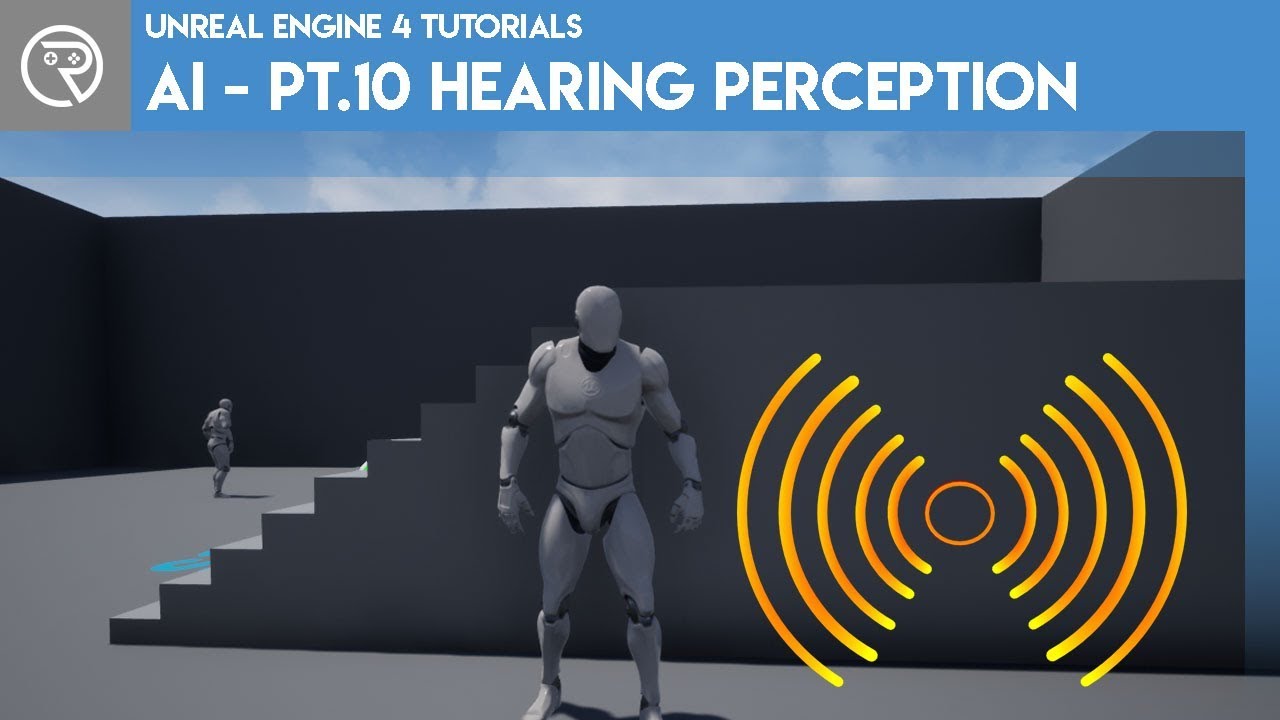
We first improve our existing AI perception, and then we go through to how to make a distraction to distract a guard and call their attention. The guard will then investigate for hostiles.
Support me on Patreon and get access to videos early, join our developer community on ...
time stamped at the relevant bit.
marsh swallow
so i am not quite sure what i need to look at here. We are using Ultra Dynamic Sky and I am not sure its that because even if i disconnect the execution part of it the issue still occurs. Here is what the lighting looks in PIE when not in play
this is that same area.... while in play
the Skylight/sunlight are set to moveable.
Is this some post process setting or something
thick herald
adaptive eye/lens thingy?
abstract relic
If it is. Check in project setting and the post process volume
abstract relic
Blame the candles then
 west jewel
does servertravel work when testing in standalone game mode? I saw it does not in PIE, but what about stand alone game mode?
marsh swallow
oh wow.... im done for the day yall
abstract relic
Without proper set up at least
marsh swallow
ive had a post process setup on our character.
abstract relic
Nooo
marsh swallow
i did this like.... 4-5 months ago.
marsh swallow
to fight trueskys issues
we dumped truesky so now im still cleaning up
there was quite a few settings
normal burrow
DBZ uses "ultra dynamic sky sphere" on mp
abstract relic
To be fair. I’d like to know a better method to organize dumpster fire fixes too
marsh swallow
u serious?!
normal burrow
kakarot ye
marsh swallow
neat.
normal burrow
i dunno much about the skies on mp, but i think a lot of games go with that one.
marsh swallow
well i was wondering if he replicates the skies
i dont see it
but controlling the time variable literally controls the rest of the setup.
so im sure it would be easy to just replicate it.
he doesnt advert it as one however
normal burrow
idea of a single float in charge of so much makes my face want to implode a bit
but yeah, could base it on server time too
heady quartz
because whatever is connected to the "spawn actor" is not connected to anything
plush yew
can you send what does the message log say
heady quartz
if its connected to something that fires it will go away
fading vector
Okay so good progress, but I ran into a bug
honest rune
was UWorldSubsystem just added in 4.24? I have never seen this one before
fading vector
I am the left character and my AI is the right. When I move back into the AI I instantly die, regardless of my health (max 100). The AI damage is set to 20 atm.
The code is a bit messy, but a lot better than my original stuff lol
 atomic onyx
Show the Damage Player event bp
honest rune
try stepping through the blueprint's execution.
honest rune
CheckPlayerDeath
fading vector
Well, I should note it damages normally in almost every other regard
Also traps work perfectly as well
It's just in this weird scenario that he 1 shots me
I'm thinking its an AI bug
honest rune
I'd step through the bp's execution to see if its being fired several times in sequence for some odd reason
thick herald
^ it looks like that would happen.
every time the receive activation runs it checks distance and if in range deals damage, so as long as the AI see's and is in range it will fire. Every frame, unless you've limited it elsewhere.
open eagle
I was bored
 topaz thunder
Does anyone know how I can navigate through these files with only keyboard?
exotic thicket
Doesn't ctrl-tab go between the files at least?
ctrl-shift-tab probably in reverse order
 worldly dust
So you cant reference the level blueprint, meaning you can't get or set variables, if you had UMG buttons to set and warp to locations, how would you go about setting those warp vectors per level?
marsh swallow
u would use blueprints.
with names and whatnot
and actually u can reference the level BP
i have done it for testing, but i dont think its good practice.
u can store the reference in game instance on level begin play.
craggy flax
Do I need anything special to display printed strings in viewport of game?
worldly dust
I am not able to figure out how to reference the level BP, other forum posts say it's impossible, it's only to allow others to quickly set and warp to points per level
 fluid ore
howdy
 grim ore
please try to not use the level BP if you can help it. Do you need level specific information? You can try setting it into the game mode for that level if you want to have multiple game modes. Alternately you could have something specific in that level that you could grab, say a BP actor called "LevelSpecificInfo" that just holds data you want to reference. Alternately if this is just data you can create a data table to hold the data and pull from that
worldly dust
I was just trying to create a simple way to get and set warp points with UMG buttons, I thought it would be best to store the warp point vectors in the level blueprint, so whenever someone else loads up the project with a different level, their buttons would be able to get and set the warp vectors from the level they have open, this would just be for development and removed on project completion
fluid ore
has anyone had success spawning actors? I am running into a weird issue where I'm trying to spawn a Character Blueprint, but the mesh stays floating in space while the capsule falls to the ground and does all of the actual movement. The mesh does all the correct animations as the capsule moves, and the only fix is to change any setting on the blueprint at runtime during simulation. I am starting to think that I've run into a weird UE bug.
grim ore
yep you can just use an editor only BP to store that info then if you want. new blueprint actor. make sure it's tagged as editor only inside of the details panel for it. Expose an array variable of your warp points and you can set them from inside the editor itself .
alternately you can technically push your points to the umg itself if you want, your level blueprint can find other stuff its just other stuff really cant find the level blueprint. It's a remnant from a day long ago and is reaaaaaally not the best place to do anything if possible
there are a few ways of doing it but I have a feeling you are using the level BP just due to the ease of being able to hard reference an actor in the level by right clicking in the level bp
worldly dust
I see, I also understand now that level BP is kind of a unique deal, maybe it would be best to, as you say, create a BP or datatable for LevelSpecificInfo to hold the vectors for each level
grim ore
in the olden days of the engine kismet (blueprints now) was tied to the level. there was no real concept of unique actors holding the kismet code it was all done in the level but with UE4 they have changed that but the level BP is there because some stuff used to need it like matinee events (which is no longer the case)
 grizzled ember
Hey guys. Can you help me? I have a problem with skeleton virtual bones. They cannot be found/disappeared when I test the build.
grim ore
@fluid ore they should work fine when spawned. Is this just a new blank character bp you added your mesh to? it sounds like you might have changed some of the collision settings somewhere if this is happening
fluid ore
worldly dust
Ah okay, thank you for the help!
grim ore
eliminate the obvious first, make a new level using the level with just the sky and the ground and hit play
fluid ore
it was first my own cpp character extending class, I am able to reproduce it with just a Character that I made into a blueprint
@grim ore manually placing the Characters has them working perfectly
grim ore
in a new level hitting play will use the player start point and they will spawn in
fluid ore
ahhh ok, thanks ill try the new level
grim ore
that will let us know if its the level, the character, the way you spawn it, etc. depending on what happens
fluid ore
is it ever advisable to update projects from 1 version to another?
grim ore
assuming you make a backup, yes. A new version might have a feature or fix you need. On a long term real project? Normally you commit to a version and ship on it.
grim ore
so in a new level it spawns in your character without you making any changes but your character is not attached to the capsule anymore?
 main fulcrum
Has annyone used TrueSKY? I am trying to make a ship mode float and bounce reacting to waves and following the tutorial from them i can seem to make it to work
fluid ore
@grim ore if i change anything it snaps back
fading vector
How can I reference a variable from my blackboard on my character/ai
 hearty walrus
Hey has anyone got a FIXED svg of the unreal engine's logo. Every time I open it in blender it just shows a lot of blank squares
grim ore
all of the logos on the branding page work for me in AI or Inkscape. maybe import it into one of those then re export it out?
@fluid ore that is weird. since this is custom code I dont know if I could even guess without seeing more but even then 😦
hearty walrus
Here's what all the files look like in blender
fluid ore
@grim ore thanks for looking at my question, do you know if there's a way to have super verbose logs?
hearty walrus
Also, how do I design and use icons for games
grim ore
@fading vector it looks like you should be able to get the blackboard from the AI character itself, then do a get value from that blackboard for what you want
hearty walrus
They've always stumped me - i'm talking about desktop icons e.g.
hearty walrus
It's converted using online-convert
How do I design good logos
The game I'm focusing on is about stormchasing, with a planned sub-zero DLC
grim ore
your literally asking how to do art
grim ore
@fluid ore by default the logging level is kinda set by the log command itself when it's called and the output log has it all enabled. can't really get more unless you were to do some weird stuff like walking the code stack in VS debugging mode
 trim trail
were there any hints for new lightmass baker in 4.25? 😦
fading vector
Is there a way I could enable a ragdoll effect using the mannequin's bones?
In blueprints that is
fading vector
nvm
fluid ore
@fading vector dont you just enable physics on the mesh?
fading vector
Kind of
I didn't know that was a thing lol
Also had to set the collision to ragdoll
 manic burrow
how do i make the sky all black, so there is no light on the bottom?
im using bp_skysphere
carmine garnet
Yikes
manic burrow
do know? @carmine garnet
abstract relic
Set the horizon colour in override setting to black
 placid arrow
argh
whats happened to copy and paste in the ue4.24 editor?!
if i select a bunch of cubes static mesh components and paste them, it pastes them all with one of the objects i paste set as its parent
i dont want one of them to be the parent of the rest, can this new behaviour be turned off please?
manic burrow
@abstract relic doesnt seem to work
i tried making them all black, and still doesn't work
fading vector
Could I get some assistance with this line trace?
I'm trying to make it to where if my character is not facing an enemy they don't do damage
Because the animation swings the sword and the back of it keeps hitting them
Like behind the character
I'm like that shouldn't do damage...
abstract relic
Grab from On hit, then add Break hit result
fading vector
oh ok
abstract relic
😜
abstract relic
Regardless of everything, you’re going to need break hit result
fading vector
Fair point
Can break this down for me?
Linetrace is a new concept to me entirely
abstract relic
Basically you want to sort what’s triggering the line trace
Otherwise it’ll always trigger if you point it to a cube or wall or literally anything
fading vector
little messy but will this do?
abstract relic
This is in the player bp?
abstract relic
Alright time to learn something new
abstract relic
Use blueprint interface
fading vector
bp interface?
Ohh
See I'm using a combat interface from a tutorial
is it sorta like that?
abstract relic
It’s a declare function. Good for when you need to send information to another bp based on events
Blueprints that declare functions to define an interface between Blueprints.

What is a Blueprint Interface in Unreal Engine 4 Blueprints?
Source Files: https://github.com/MWadstein/wtf-hdi-files
fading vector
Hmm, so I should re-do my damage system then?
Because atm damage is based off of a function in each character/ai
abstract relic
You hurt my heart
fading vector
I'm sorry ;-;
abstract relic
There should already be a Damage node
fading vector
Like built in?
abstract relic
Yes
abstract relic
Double checking that the node exist
Damage
Yeah
You’ll still need to hp logic
Of course Mathew has a video for everything

What are the Apply and Receive Damage Nodes in Unreal Engine 4
Source Files: https://github.com/MWadstein/wtf-hdi-files
rancid lynx
CAST TO Actor is much faster than Get All Actors of Class, right ?
fading vector
Haha, I'll check it out
rancid lynx
cast tos are alot safer to use, correct ?
normal burrow
Cast is not slow in general
Get All Actors of Class is going to be many times worse when you are looking for a single object
Basically, you use Get All Actors of Class when you need all actors of the class.
you use cast when you want to check if something is of that class
having a list of all actors and trying to cast all of them to your type should be avoided
rancid lynx
oh pat, what if there is only 1 instance of an actor, and then i "get all actors"
is that much much faster?
normal burrow
not faster than cast
fading vector
I wanna cry
So I could've used this whole damage system
and made my life a lot easier
normal burrow
cast == very fast
fading vector
Not to mention its more hack/cheat proof because its on the server
abstract relic
You learnt stuff though yes?
fading vector
Yes
abstract relic
Then it’s never a lost
normal burrow
You should enjoy the days where you learn things :D
rancid lynx
yea. it took me a long time to find interface information. but once i did, the editor got much stronger.
normal burrow
having a day where you put effort in and learn nothing happens sometimes
rancid lynx
ue4 interfaces really should be a sticky video tip when you load up ue4 X_x haha
normal burrow
important to remember that your the one in charge
but yeah knowing the procedures is good
rancid lynx
i started making "goal" "notes" on twitter.
when i sit down at ue4, sometimes im blank about what to do next.
so i just check my 4am wake up idea twitter
i used to use pencil and paper, it was really fun feeling.. but a hastle, when i want to sleep haha
abstract relic
Experience is the bitterest yet the most powerful
exotic thicket
I like using the OneNote app in Windows 10 for notes and other quick things
rancid lynx
my wife loves that app
exotic thicket
It allows just enough formatting and stuff like images to be nice, but not so much that I'd spend all day formatting things lol
rancid lynx
oh
tawdry heath
hey guys why does this not work? https://blueprintue.com/blueprint/dkz-58x7/
BlueprintUE
rancid lynx
do you have to jack with saving the notes? i dont like trying to fish thought old notes.
thats why i just use "wtf was i thinking 2 days ago " twitter
exotic thicket
OneNote saves and syncs whatever you put in it automatically
rancid lynx
ahh. thats why my wife loves it i guess.
abstract relic
Twitter is a place for word diarrhea
exotic thicket
@tawdry heath that looks like it should work. Are you sure the problem is in that block and not in Deactivate ADS?
rancid lynx
it also doubles as a free auto sync across everything notepad : )
normal burrow
On twiter, can i complain about stuff?
exotic thicket
I've taken to unfollowing people who bitch and moan too much on twitter :p
abstract relic
google drive
tawdry heath
ok so I set an animation notify where if it starts to jump it disables ads, that works, but when character jumps then you can ads in the air
exotic thicket
because I've noticed most people who do that never actually do anything else so I have no reason to follow them lol
tawdry heath
is it possible to set an animation notify for the whole animation?
exotic thicket
Before you go into ADS, you could check for the variables, no? Ie. check is jumping and check is in the air
There is a "Can Jump" value in Character - you might actually be able to use that
I would assume that Can Jump will be false if you have jumped or are in the air, because obviously you can't jump when that happens
although you probably should check to make sure it actually works that way, I'm just going based on my assumptions :)
fading vector
@abstract relic Do you think it would be smart to use a line trace with a sword?
abstract relic
Yes
fading vector
Okay
tawdry heath
I am confusion
are you saying I should do it here? https://blueprintue.com/blueprint/z4phpg-9/
BlueprintUE
abstract relic
You don’t want to use a box collision or similar on moving objects. Unreasonably performance heavy
exotic thicket
@tawdry heath yeah, if you don't want to be able to ADS during jumping or while in the air, you would need to check those conditions when the user tries to ADS :)
tawdry heath
ok that works, now when my character lands he no longer can ADS
exotic thicket
It sounds like one of the booleans maybe did not get reset correctly after landing
Maybe try using the Can Jump value from Character instead?
tawdry heath
so now I need a "Landed" variable?
exotic thicket
I think the Can Jump property should update automatically depending on if the Character is landed or not, so you could just check that instead of having to use several variables to track the state
 halcyon flame
hey guys just wanted to share a beautiful little bundle of nodes. they rarely fit together this well.
fading vector
@abstract relic The reason I'm supposed to use the BPI is so that I don't have to use different variables on each ai/character?
tawdry heath
ok everything works but now when my character lands the ADS no longer works
abstract relic
More so you don’t need to cast to every possible actor that may be able to receive damage. Instead, you’re telling it to check if the affected actor has the interface and running whatever function you set up for it
fading vector
Oh, because casting is expensive right?