#ue4-general
1 messages · Page 626 of 1
 sweet relic
 modern ginkgo
thanks
 abstract relic

raywenderlich.com
In this Unreal Engine tutorial, you will be guided through installing the engine, navigating the interface and creating your first game object.
 forest tree
I feel silly, but I'm having some issues with overlap events and spline meshes. While I am able to actually get the overlap event successfully, I am unsure how to discriminate between spline meshes.
Imagine I have 3 different spline meshes that represent water: river, lake, ocean.
If the player overlaps with river or lake, they should be able to drink. Overlapping with the ocean, not. How can I know what "thing" I am overlapping?
Ideally I'd add a class/component to the segments of the river/lake splines with type "drinkable water" or something. Which I can then cast to.
Oh, I am using splinemeshes with the landscape layers. Perhaps that's not what I should be doing.
 plush yew
this should work, right?
hello guys I have this problem from today-I didn't do anything-I started doing some code in third person bp and I can't save it -wtf
how to fix the problem?
 uncut vigil
Do you have the project opened twice?
abstract relic
Open task manager and verify that there’s only one project open
plush yew
ok
@abstract relic
nice i got the forwar movement
yeah
XD
how to fix this problem I can't work now 😦 but I want-wtf
 normal burrow
check the log thebigfish
plush yew
which log?
normal burrow
output log window
under window -> developer tools
try to save, then watch it for messages.
normal burrow
how much space do you have available 
plush yew
in my disk?
don't worry I have 13gigs left cus fortnite 80-XD
250gb ssd is not enough-xD
normal burrow
13gigs is not much
plush yew
now the problem is fixed-it didn't can verify cus one ue 4 I had open but not shown and I closed it from task manager so all is done 🙂
yup I know-xD
 regal yoke
What is best way to create chunk system in UE4
do i put just 16 x 16 collisions and put voxels to that or is there better way?
plush yew
guys other problem: I want when i press Escape to pause the game and when I press again Escape to unpause but it works only when I pause it-then I can't unpause 😂
normal burrow
what if you click the viewport after pause?
plush yew
you cannot move after you pause the game
normal burrow
perhaps setting your actor to update while paused it does something?
normal burrow
shooting in dark rn, idk
sweet relic
select the Escape input node and check "receive input while paused"
plush yew
I will do it with the visibility
it works!
like this?
I think this should work
yes should work
but no
no working
wtf
i dont know about the released but yes
I started it as standalone and spamm the escape button and nothing-wtf
normal burrow
plush yew
receive input while paused will be boolean variable?
youre trying to create first player movement too?
??
sweet relic
@plush yew it is in the input node 'Escape' in your case
sweet relic
select it and set 'recieve input while paused' to true
sweet relic
it does what it says on the tin: the input event will still fire while the game is paused
by default input is blocked while paused
normal burrow

that screenshot the big fish
click escape. make it glow
then look on right side of window
plush yew
what the fuck?
I click one time only on the escape button and it pause and unpause-why
 warped tangle
when you put it ui only, I believe that won't handle input, so it's probably immediately releasing
plush yew
so I want when you pause to stop moving-disable movement and UI enabled
sweet relic
select the 'Escape' NODE in the event graph. The 'receive input when paused' property will be in it's details
plush yew
uncut vigil
you have to hold it to pause like it is now, use a flip flop node?
sweet relic
"Execute when Paused" is what you want
sweet relic
yes
plush yew
so why on this way it doesn't work with the escape button?
anyone want to have my firstPersonChar i made?
so n ow if I test it will work?
same result 😦
normal burrow
set it back to pause on and off
idk what input mode is, but per your original question. that setting will fix it.
plush yew
ok
but I want when you pause to don't freeze the game, to disable movement and the rest enabled
again the same bullshit 😦
normal burrow
is it intended that a menu be in place at some point?
normal burrow
do the menu first.
plush yew
that's why I think to do it with visibility
ok
for now is one button
I won't do design or something
normal burrow
it should consume input from the controller when done properly.
plush yew
I want to make the mechanic first
normal burrow
one button is fine.
normal burrow
so what you want is, when you throw that menu up, that menu gets the key events instead of your blueprint.
then they don't reach the blueprint at all
plush yew
idk what are you talking about
this is better?
and now is working
now I need to add the inputs
 mint horizon
Is it possible to put datatable rows of subtypes in a datatable?
plush yew
in this way it siable the movement but then doesn't enable it-idk why
abstract relic
Have a tut Fish https://m.youtube.com/watch?v=h1YPFOnvroc
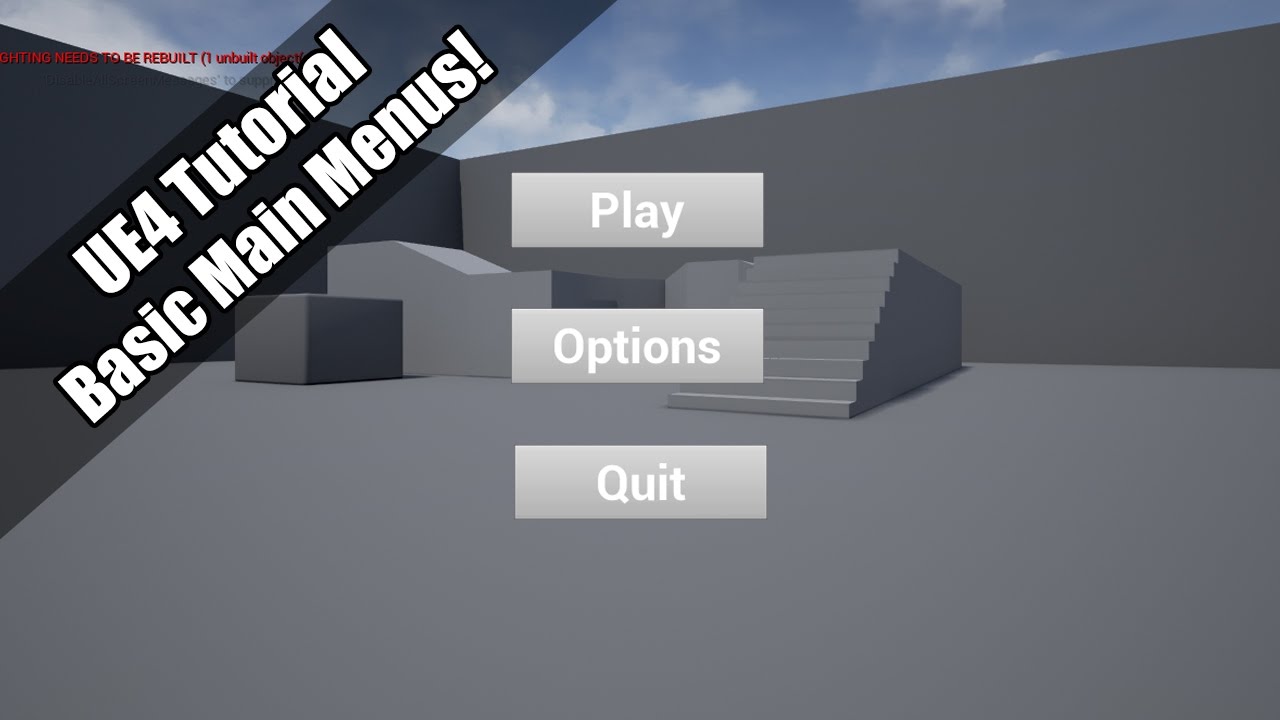
A quick tutorial into basic main menus! Uploading on a train! Such dedication! Lol.
normal burrow
Lupix, I believe rows are only by FName
but you could use the type's name as row name
mint horizon
I mean subtypes of the struct? So I would have extra columns from the subtype
or is it only one FTableRowBase type per DataTable? even with child types
normal burrow
unsure what you mean there lupix
columns can be of any type
that is accessible in blueprints at least
 timid basalt
Hey I have a problem launching Unreal Engine I've tried resetting my pc and have the latest drives and I have no idea on how to fix this issue, the engine never gave me any crashes but never started up, any help
abstract relic
Go to [project]/Saved/Logs
Grab the logs Fuze
timid basalt
ok
abstract relic
Also, file downloads are sketchy. Show a video instead
normal burrow
youtube
plush yew
ok
abstract relic
YouTube
plush yew
now I did it 50% with the pause-when I press escape it shows the pause menu but when I click again it doesn't remove it-hmmm
I did it with 2 functins
@normal burrow
normal burrow
watch video HighTide found you
plush yew
nah, his way is so complex-I want to make it simplier
normal burrow
K well, shrug
abstract relic
goodluck
mint horizon
@normal burrow For example if I have a datatable of a certain struct that inherits from FTableRowBase, is it possible to have rows in that same datatable that are subtypes of the struct that inherits from FTableRowBase?
normal burrow
Probably not
no idea though.
you'd have to try it.
But would not expect a column of type row to be functional
Structs aren't very smart in unreal
there are some exceptions
like FAnimNode and graph related things
but most of the time just inheriting a struct doesn't provide you means of overwriting functionality of something using the lower type already.
You could search the code for FTableRowBase usage @mint horizon. if its something you see scattered around frequently,. observe how its used.
normal burrow
What version of windows is that?
timid basalt
10
normal burrow
32bit?
timid basalt
64
 regal mulch
Launcher Version of UE4?
timid basalt
4.24
regal mulch
Folder says 4.23
timid basalt
4.23 sry
regal mulch
So, Launcher Version?
sweet relic
try verifying the engine install
regal mulch
I guess so, did you try to verify?
timid basalt
I've tried 4.24 and below and get the same error or it just doesn't launch at all
but ok ill try verifying thx
regal yoke
how to make it do this part 20 times
stop when inder is 20
but always do location * 2
normal burrow
I call it Don
lol
Don helps
just remember to use a seqence node before don if you need done
 exotic thicket
Do N Draper 🤔
sweet relic
Don: Make Flow Control Great Again
normal burrow
Over and over*
plush yew
im still not sure what game i should make...
normal burrow
options?
plush yew
i think about like a time travel game where you have to chase another guy through different time periods
exotic thicket
Sounds like a fun idea
regal yoke
 rotund scroll
but also, just make it one time period because you don't have assets
rotund scroll
take your wildest idea and try to do like 1% of the scope of that idea
exotic thicket
My game is in one time period and I'm slowly realizing how freaking huge some of these things I want to have are and it's never going to look good with my skills lol
normal burrow
https://www.youtube.com/watch?v=C5WiHKvqQr8 @plush yewlearn from these mistakes when you do
exotic thicket
I think it'll just have to forever be BSP brush blocky geometry with the default checkerboard texture. I'll just pretend it's a retro aesthetic
regal yoke
@normal burrow how to
plush yew
well this game is terrible XD
normal burrow
that game is one of the first direct x titles out there 😂
normal burrow
i think the demo is all most ever played lol
regal yoke
what ever
plush yew
yeah but you need different animations
regal yoke
yes i want 20 x 20 x 20 group of cubes
rotund scroll
imagine a game where you travel to different time periods, but they're all BSP brushes so really you can't tell them apart
plush yew
not just one
rotund scroll
now that's a well scoped game
regal yoke
it just creates that stair so how to make it so
exotic thicket
solid 5/7 bsp brushes
plush yew
my idea is like that there is a building and you can like go 20 years back and you see it is being built or you can go 100 years ahead and you see the ruins of it
normal burrow
ocarina of time style?
plush yew
i dont know i never played it
plush yew
LOL ok..
rotund scroll
lmfao
 crystal topaz
Does anyone have any idea why Chinese simplified (zh-Hans) doesn't want to work when switching languages ingame?
I've done the translation into this language in the localization dashboard, I've added culture when packing, but still no luck
rotund scroll
@plush yew ok that could actually work if you just make the same area pre/during/post construction
plush yew
yes
plush yew
i will make a small village i think but yeah maybe a test with one building would be cool too
 crimson lake
Hey everyone, any clue on how to set up an Isometric scene?
block coordinates and the classic isometric camera that follows the player?
 karmic cloak
Anyone able to help me with unreal I have 2 issues 1 ai model floats even tho I set feet on ground and 2 the blue movement arrow is pointing out its side so it moves sideways
plush yew
ok should i create the files in unreal or blender?
crimson lake

Announce Post: https://forums.unrealengine.com/showthread.php?145938
DOWNLOAD BLENDER ASSET HERE: https://s3.amazonaws.com/contentplugins/BlendMann.blend
Tom Wright and Mike Erwin are joining the livestream to talk about using Blender to make assets for UE4. Together they w...
plush yew
ok then ill use blender
crimson lake
Hey everyone, any clue on how to set up an Isometric scene?
block coordinates and the classic isometric camera that follows the player?
plush yew
When I start a new project using the ArchViz template, I get the following warning:
Memory Allocation Warning
A resolution of 2048 will require 256 MiB of video memory PER Reflection Capture Component. Are you sure
Where do I change the settings so this doesnt happen?
normal burrow
the warning or the running out of video memory?
plush yew
Both
but particularly adjusting things so Im not getting the warning, and I'm not a risk of running out of memory
plush yew
ya, thats what I;m running up against too -- I kinda figured that was the solution, finding the setting amongst the thousands is the problem
normal burrow
did you check project settings? Edit -> Project Settings
normal burrow
Doin alright, thanks
crimson lake
(tell me when y'all done so I can re copy pasta my question don't wanna be rude lmao)
normal burrow
normal burrow
i found this, its 128 in our thing
crimson lake
thanks boss ❤️
Hey everyone, any clue on how to set up an Isometric scene?
block coordinates and the classic isometric camera that follows the player?
 fleet scroll
How do I assign the shift key to a gamepad so I can get extra button space out of it?
regal yoke
HOW TO TAG 3D MODEL
fleet scroll
Gamepad left shoulder is what I'd like it to be
@regal yoke click on it's mesh and it should be in the details panel
crimson lake
Hey everyone, any clue on how to set up an Isometric scene?
block coordinates and the classic isometric camera that follows the player?
plush yew
Is there a way to keep my arch viz character from rising or falling as I look up and down while I am moving?
 supple totem
@crimson lake I don't think itd be simple. You'd have the build the systems from the ground up. It's be an advanced project I think.
crimson lake
@supple totem Camera angle following at least? I can count on grids for the coordinate system and let the character move freely
just some keywords I can start researching the hell of, just need to know where I'm stepping
supple totem
I've seen tutorials out there, can't remember the key words
Like resident evil style camera?
The old ones
crimson lake
more like

One of my older works. It’s inspired by Ikea’s interior design. Originally, the lamp and the TV emitted more light, which can’t be fully seen on here, but I still like the look of it on Sketchfab. - Isometric Living Room - 3D model by Curlscurly (@curlscurly) [8c4123c]
lara croft go ?
monument valley
 heady mist
wouldn't it be a camera follow and you lock rotation based on the angle to the player?
and if you're talking about oldschool games with their cell movement in isometric games I think there's a free asset on the marketplace that might have that sort of thing
crimson lake
cell movement would be a cool extra
but as a major approach the angle is what I care for most
heady mist
maybe removing the inputaxis turn events?
or setting up a branch with the condition based on the camera mode you have
so say if you wanted to have both isometric and third/ first person, you'd have those conditions determine if you rotate the camera
crimson lake
so to set the camera and screw with the focal length, lock rotation and follow player?
heady mist
if that's what'd get you your results
since the isometric camera is always either locked in a certain area and moved by tiles, or it follows the player, similar to how diablo acts with it
 open eagle
@normal burrow I think I found the problem why the hand moves from my character
for my 1D aim offset, there are 2 anims, up, down, and center
when the engine tries to interpolate between them, the hand_L moves unexpectedly a bit but when the axis value reaches the closest to the anim, the hand gets corrected
so the farther away I am from an animation on the axis, the more the hand deviates
 crimson vector
Anyone know how to deal with this problem? UE4 crashes when attempting to load the project, same crash every time. Tried rebooting machine and reinstalling UE4 and the problem persists:
 tame salmon
landscape question: I created a simple landscape (scale x-y-z 100, section size 63x63, sections per component 1x1, number of components: 1x1). I was expecting to have an actor of size 63x63 meters where each vert-section is one meter away from each other. However, it is smaller than 63x63, 42x42. should it be 42x42 meters. what am I misunderstanding
 mossy nymph
@crimson vector install editor debugging symbols
then that crash report starts to become useful
karmic cloak
Ok fixed one of my issues now I just need to figure out how to fix the sideways run anyone able to tell me how to adjust the movement arrow
crimson vector
@mossy nymph Does that require compiling UE4 or can I just install an addon somewhere?
mossy nymph
epic launcher - your engine version - options
takes 20 or so GB of space, but download is just 2-3
 obsidian lily
I have I guess I believe that nothing exists since that's what I was told when I asked, but I'm really surprised that there really aren't any fully-featured third person controllers that are animated and can handle all the normal character movement. It's especially surprising given how many tutorials are out there about how to set up a character and how many animation sets exist in the marketplace. Not one of those people thought it would be worthwhile to bundle their animations up into an animation blueprint that targets the mannequin skeleton? With a basic controller to drive the blueprint as an example?
it's not that it's super hard to do, but it's not trivial either, and it's such a universal need that it's fucking with my intuition about which assets probably exist already
mossy nymph
some of the paragon characters have the working anim BPs
maybe all of them by now, they have been adding them
normal burrow
@open eagle that sounds right
mossy nymph
Shinbi was the first one with the anim BP
 scenic hatch
so u can download their characters and then go in the BPs are look at the fully built anim graphs?
normal burrow
if you think of your arms and your fingers
interpolating between these poses of joints
its moving between the angles in each connection
open eagle
Is there any way I can change the curves
normal burrow
so the point where the hand ends is not mathematically guaranteed stable.
Changing the curves wont make it blend better unless you have some really well thought out blending mechanism in place to specifically allow for it.
What you can do
open eagle
is make more anims between?
normal burrow
If you bring the animations into blender for example, set up bone constraints on ik_hand_... bones to position to the fk version of them then re-export the animations you'll be blending the translations in a space that makes more sense
open eagle
what is a bone constraint
normal burrow
COPY_TRANSFORMS is the type of constraint in blender you would use
its a blender armature thing
normal burrow
I don't really have any other ideas on how to address the blending issue though. you can't blend the forward kinematic pose and expect them to line up
Yeah blender will work though
open eagle
normal burrow
is that maya?
open eagle
No it's UE
normal burrow
ah yeah no, not in UE
open eagle
I'm asking if that is what a constraint is?
normal burrow
its not the kind i was referring to
The aiming animations don't animate the IK bones
so i'm suggesting you do that via a 3d program
and reexport
open eagle
I am still currently using hand_r
Here's the thing, These anims are from the animstarterpack which does not include the FBX source
normal burrow
right click -> asset actions -> export
plush yew
I made a animation in blender, and tried to import it to UE4 and had an error of "Multiple roots are found in the bone hierarchy". Should i post it in the animation tab?
 digital anchor
if your armature is named Armature, ue4 deletes it on import, leaving multiple roots
you can either rename to something else, so it doesnt delete, or create an extra root bone, whatever you prefer
plush yew
ok, should i name it Skelleton?
digital anchor
im assuming your armature is fine, if you already have multiple roots you cant have it
abstract relic
Naming it Armature will just make the skeletal invisible. It's an old issue.
regal yoke
...
plush yew
Nice, it worked. Many thanks.
open eagle
oh btw
Since my game is multiplayer, how can I make sure my aim offset is replicated and everyone can see it
normal burrow
shouldn't matter so long as the animation blueprint gets the same data
open eagle
It is not really working
I have some really weird replication issue
only the server can see the client's aim offset working
other clients can't see eachother's aim offsets
but only the server can
and it seems only the server can see it's own aim offwets
regal yoke
where is perlin noise
plush yew
Hi, I am new to this industry and I have a little question that grinds me, I do not excel in mathematics and my question is, how much math do you have to do a car type simulator game, simulator bus for android and tell me like what math stuff I have to learn, formulas, etc.
 short onyx
Why can't i do a realistic laser like this ?
I have search but i can't even find someone that did something great on Unreal...
 fierce cave
Nvm
sweet relic
@plush yew you can get by most simple game dev problems with simple maths, linear algebra and wikipedia. For sims you will probably want more accurate, so familiarity with physics etc will be a plus.
Join us for an afternoon of math... for artists! Bill Kladis and Wyeth Johnson, senior VFX artists at Epic, and David Hill, our Principal Mathematician, will walk us through examples such as Derivatives, Cross Product, Vector Transforms, Sobel Edge and calculating gradients a...
^ a good primer for gamedev maths
karmic cloak
How do I fix this
This is the one thing I haven't seen online and it's getting aggravating
 solid sierra
rotate it? (keep in mind I'm a complete noob so 🤷 )
karmic cloak
No
 kindred viper
is it a problem with your screen? Looks like it only dumps screenshots from the "I'll angle my phone and something awkward at not post an actual screenshot" angle. 😄
sweet relic
@karmic cloak you should be able to rotate the skeletal mesh component within the Character BP to match the forward vector
rotund scroll
asked this in #animation as well, but let me throw it in here too: is there a way to freeze position in the UE4 animation editor, so that frozen bones keep their position while other bones rotate in relation to them?
karmic cloak
Ok that helps @sweet relic but have to find forward vector in bp now :)
kindred viper
@rotund scroll I would get used to Pose Assets. You can snapshot the bones, then interpolate between the next pose, only manipulating whichever bones you like.
sweet relic
the forward vector is the little blue arrow
rotund scroll
@kindred viper interesting, recommend any tuts on this?
sweet relic
or +x
rotund scroll
wait nevermind that's just what I am doing right now
kindred viper
https://docs.unrealengine.com/en-US/Engine/Animation/AnimPose/index.html I dont know any others. I just worked it out myself
Describes the Animation Pose Asset which can be used to drive animation through weighted curve data.
rotund scroll
and keyframing them down
the point of a freeze would be to make this easier by rotating adjacent bones to fit
kindred viper
oh you mean like twisting a body and the hip sits right, but the ribs follow?
you dont need curves tho pat. You can do it anyway you like
normal burrow
you have to make curves
rotund scroll
yeah so for instance freezing the feet (because they are in the correct position) while you fold or unfold the knees, hips etc.
normal burrow
to evaluate the pose
kindred viper
not last time I did it
normal burrow
single frame animation is way way less overhead
don't believe there is any other way than using modify curve to make a pose selection?
kindred viper
@rotund scroll I would say that comes more under IK or FK at least.
rotund scroll
@kindred viper sure but this is editor time not runtime
I don't actively need to adjust the feet to a surface, I need them to stay still while I rotate the rest of the body in relation to them
kindred viper
@normal burrow perhaps its changed but last time I used them, I was snapshotting the end of anims, manually interpolating into the next pose (by matching member ref), and chaining it that way. If I was using curves, then its completely wiped from my memory, which is not an uncommon thing to occur 😉
rotund scroll
anyway the question was, does the functionality exist?
kindred viper
perhaps I never used it and left it on default for a linear effect perhaps
normal burrow
yeah, pose assets are real specific to that usage, its a confusing name in general.
I've never used animation editor in ue4 btw cranz
so unsure on that
kindred viper
technically there is a UWorld in editor, or one of them at least. So I would also presume that some form of IK/FK would be applicable in engine too. Especially with the anim editor showing it
I mean, thats a vizualiser technically so I dunno
rotund scroll
I guess I'll have to brush up on my math skills and create a blutility
normal burrow
yeah every viewport is a uworld, you can set a post process anim blueprint but i don't know that it helps with the animation editor or not.
forest tree
Encountering a weird issue: AI perception with the same set of characters works fine on one map, but does not work on another map. Player is not being perceived. Anyone seen that before?
obsidian lily
oh dear. I played with a paragon character, got what I needed from it (blueprint ideas, that sort of thing), and now I want to remove it. It's now locked up UE twice trying to remove it. It takes a long time "deleting" everything, then tells me to force delete it. when I do the editor locks. Maybe it's just working and I should let it? Last time I let it run about half an hour before killing the process. what should I do here?
mossy nymph
i usually don't import stuff i just play around with into the project i'm working on
kindred viper
if its telling you to force delete it, there may be some reference hanging around
mossy nymph
if its memory reference, its just undo history
kindred viper
aye probs
rotund scroll
ah fuck I almost had it with an animation modifier class
until I found out I can't make a hashmap in utilities
obsidian lily
yeah I mean, I just dragged the character into my scene, checked it out, then deleted it
then I tried to delete the folder
and now I'm stuck
will I break things if I just delete the folders from file explorer?
 thorny quarry
I am designing a Houdini Digital Asset land asset for Unreal that can generate bodies of water and am adding a "Water" Component Tag by including an unreal_uproperty_ComponentTags attribute to the HDA in Houdini. This is working great, but I also need to be able to remove that tag if water is toggled off. Does anyone know how to do this (or where to best post for help with this)?
obsidian lily
holy crap, it unfroze. It actually was doing something
how the hell did deleting a folder take my rig all thattime?
like 45 minutes or something. It's not even done, it's just not frozen anymoer
abstract relic
Finding refs and making redirectors
obsidian lily
what in the fuck. It just finished after 50 minutes
and the folder is still there!!!
normal burrow
it gave up
abstract relic
Yep. Now you gotta fix up redirectors
obsidian lily
wait, I think the folders are all empty?
there shouldn't be anything to redirect, there's no references in the project
abstract relic
You need to enable show redirectors
obsidian lily
buh.
normal burrow
buh?
abstract relic
It is the devil. I know
obsidian lily
ok, is it in view options? I'm not seeing it
note to self: never add anything to my project, ever, for any reason
 manic pawn
you can show redirectors? 
normal burrow
obsidian lily
ok, got it
normal burrow
slap @manic pawn
obsidian lily
actually there are none, it's just an empty directory tree now
manic pawn
that is epicly hidden
obsidian lily
the files are still there in explorer, but I guess they just aren't in the project anymore
I see delete the folder now, in explorer? without it breaking?
 brave widget
@obsidian lily Look in the folders in Explorer. You might be surprised an non-unreal file might be there
Did you do the Fix Redirectors thing first?
abstract relic
obsidian lily
well I did view redirectors, and I see that nothing is there
brave widget
But did you run the process to fix redirectors?
obsidian lily
@normal burrow yes, I tried deleting again in the editor, it doesn't complain, it just does nothing at all
@brave widget no, how do I do that?
abstract relic
do it anyway if you don't see them. That's how sneaky they are
obsidian lily
so sneaky!
normal burrow
commit first doctor, assuming you have source control
brave widget
Right click the folders and click "Fix Up Redirectors In Folders"
normal burrow
you will not want to have to remake those redirectors yourself
obsidian lily
ok, will do
abstract relic
always assume you have source control
normal burrow
always.
brave widget
You might want to run it on the entire Content folder but that can take a LONG time to run if you haven't done it
obsidian lily
I am running it now on the character folder at least
it doesn't indicate it's doing anything, but I assume it is?
 rancid lynx
should i use "SRBG CHECK ON" or OFF ? i dont understand
obsidian lily
I am not, this is just my hobby project
abstract relic
but the project must be organized damn it
normal burrow
aw
rancid lynx
keep working doctormono. i dont think it will ever get easier.
brave widget
@rancid lynx sRGB in the texture window, you're asking about, correct?
obsidian lily
eh, I'm certain it will. There is always stuff I won't know, but having basic orientation around how to get stuff done will come. This isn't my first rodeo
brave widget
If its a texture for color information, you want sRGB on. If its for say, a normal map or roughness map, you want it off.
normal burrow
unreal is like: damnit i don't want you to delete things
obsidian lily
ok so... I ran fix up, I still can't delete the folder, so I think I'm going to nuke it from file explorer
rancid lynx
backup your folder first
abstract relic
and run clean up
rancid lynx
in case it crashes. cause it sure may
obsidian lily
my remote master has a good working copy, I'm not stressed
normal burrow
ye, just
when you run into a crash later, and you don't know why
thats why i avoid doing those kinds of operations
but its probably fine
a sanity thing to do would be open every level after you delete it. and make a mental note that you did that
obsidian lily
open all levels to trigger whatever lurking crashes may be there, you mean?
normal burrow
have to think the reason it really does not want to delete the thing is because something triggered it to think so
i don't beleive fix up directors is bullet proof in that it does not scan everything afaik
obsidian lily
I mean, I have one level, and dragged the thing into one place before deleting it from the outline, then this whole saga began
normal burrow
could have easily been a failed fbx import or something that set a red flag too cough cough
obsidian lily
it seems all good now though -- removing the folder worked, I exited the editor first to be safe
normal burrow
cool
obsidian lily
one thing
I see a bunch of plugins that weren't there before
I think they were maybe enbaled when I imported the character
I can just go disable them again, right?
well, I'm not so sure really -- some of them are clearly plugins I previously disabled
like media player and VR plugins
some of them are thing that I couldn't see before but seem like like are more core, like...
EditableMesh
and ActorLayerUtilities
for example
obsidian lily
well, I wasn't before I imported the character, I know that for sure
normal burrow
Unreal rarely saves over something after encountering an error. in fact it'll really try to not reserialize old things at all, which makes projects load slower.
normal burrow
So its unlikely you'd run into a critical/corruption problem turning stuff off. (but probably possible, wouldn't assume anything, (except source control))
what is it?
 oak sequoia
Does anyone know why none of my lights work except for skylight once i build the lighting?
manic pawn
it's their first attempt to make a mesh editor
it was too slow to be practical, so they threw the whole thing away, and started over from scratch with FDynamicMesh3, GeometryProcessing module, etc
obsidian lily
ok good to know
yeah my old theory was that these plugins were enabled becausethe character need them, now I don't think so
for example all the SCM plugins are on now
I disabled all of them except git a couple days ago
it's like the editor just forgot which plugins I wanted
normal burrow
ouch
manic pawn
now it sits around for some reason
basically, UEditableMesh was a wrapper around FMeshDescription with the purpose of making it even slower and the api even worse for seemingly no reason
normal burrow
That stuff is a nightmare, took a look at the skeletal import process recently and oof I assume there are reasons but its hard to comprehend.
plush yew
I have a couple lights with Red X's on them -- how do I figure out whats wrong?
normal burrow
they are too close to be stationary
you have to set at least one of them to static
or dynamic
manic pawn
that is so big brain lol
manic pawn
there are even nodes for editing mesh description with bp now
imagine how slow that would be
brave widget
The Geometry Processing, all of that is editor only, correct? Not runtime? 🤔
manic pawn
geometry processing is a runtime module
brave widget
Oh, interesting 🤔 Probably not performant enough for what I'm thinking though
plush yew
I have a ArchVis character in my project as well as a CineCameraActor, and A camera that imported from blender, how do I choose between them for which one I want to be viewing through -- the Cine camera and the blender cam should not be mobile, which is fine
manic pawn
they use it for the new mesh editor in 4.24, chaos fracturing, etc
plush yew
im embarassed to say this but, i copy and pasted an actor and got nothing
i just want another actor
normal burrow
ctrl+w duplicates iirc
plush yew
thank you
kindred viper
anyone had any issues with Nvidia drivers (im on the most recent one), and Raytracing causing the editor to go entirely black and only show tooltips?
brave widget
Marc, 1 GPU or 2 of them?
 lilac crow
Hey guys is this the correct room to ask for references? I am a student, started messing with unreal around 1 year ago, now working on my final thesis project which is going to be environment level design where focus is mostly on assets and how assets arranged in composition and available to try out interactively have more visual impact than assets that are presented just as a single rendered models that we often see online. I need few people who are into game dev who are willing to review it by video or just write few words that I could use at my final presentation. (Of course, everyone will be credited appropriately.)
kindred viper
@brave widget Just one. 1080ti
brave widget
Ok, nevermind then. I had trouble with DirectX12 and SLI some time ago and thought maybe it was related. Symptoms were similar.
 fierce tulip
@lilac crow not sure there is any proper channel for that, but Ido feel such a question might be better asked on the forums, along with the video or so.
lilac crow
Oh ok, didn't know there is a forum too. :):) I am a newbie here.
kindred viper
think its broken :/
fierce tulip
that kinda gives people the time to read it, reply. it will probably get lost here really soon. @lilac crow
lilac crow
@fierce tulip Thanks for the link. Yea you are probably right.
 inner finch
Is it possible to add a ‘show only this material’ to a scene capture camera?
crimson vector
UE4 hard crashes when trying to load my project. Any ideas?
(This is a repost from earlier but with the editor symbols for debugging turned on)
normal burrow
log?
crimson vector
which log and where do I find it?
 lapis narwhal
hey guys,
does UE "store" some data about "old" assets? like, i rename an asset and when i save it tells me it cant save "the old asset"... well duh, because its been renamed!
so i wonder, how to delete "cache" of UE
normal burrow
In project folder Saved/Logs (Elyot)
crimson vector
normal burrow
Here it looks like the engine is crashing while trying to make a class default object.
if this is at start of editor
the class its crashing in will be referenced by the game rules / game instance / types you might provide (if not these explicitly) or something in the first level loaded by the editor.
does not look like it loaded the level
crimson vector
Before this, it crashed in the engine while running normally, maybe when saving?
normal burrow
but its crashing inside of UE4Editor-Sophia-9053.dll!UnknownFunction []
which may be a lambda?
regardless
start the project up in visual studio, it should break where the crash happens in a way you can locate it.
crimson vector
it opens fine in visual studio
normal burrow
with F5 to debug?
@lapis narwhal i believe its referring to removal of the old file. there are autosaves in the saved folder but it doesn't keep a redundant copy of things
crimson vector
normal compile works, F5 compile says
Exception thrown at 0x000007FE96C9311F (UE4Editor-Sophia.dll) in UE4Editor.exe: 0xC0000005: Access violation reading location 0x0000000000000000.
I mean that's the same useless error message, it's just referencing a null pointer somewhere
normal burrow
It should be stuck and paused yeah?
crimson vector
yep
normal burrow
is it paused on any code you wrote?
crimson vector
Cast<APlayerController>(GetController())->SetInputMode(FInputModeGameOnly());
let me try commenting it out
hmm seems to have fixed it
so I think the lesson is that constructor code runs on editor load, which I did not know. And apparently there is no controller then.
damn
Thank you for your help ^_^
abstract relic
Ah yes. That’s a bitter lesson. Constructors run the moment the project does. Begin play, when the game session runs
normal burrow
That exact exception is from GetController() returning nullptr OR not an APlayerController
but yeah, constructors are .. like don't think of anything as being part of any world in c++ land when constructors run.
OnConstruction(FTransform) is the equivalent of constructor script @crimson vector
crimson vector
Yeah the thing that really got me was that hot-loading the code didn't cause any problem
I just laid a landmine for next time I opened the editor fresh
 polar hawk
Constructors run at 7am
when you're trying to sleep
and they always opt for the biggest loudest machinery
brave widget
lmao 😂
rotund scroll
why does unreal hate BP maps so much they cannot go into util BPs?
 dim plover
By util BPs, do you mean BP function libraries?
rotund scroll
I mean utility blueprints
open eagle
Is it that bad to make a server RPC on event blueprint update animation
 fleet stirrup
Learning Unreal .. I love it! Just trying to wrap my brain around why Unreal has a completely different hierarchy outliner just for Skeletons called the Skeleton Tree? Anyone know why it's in a different hierarchy outliner?
User guide for the Skeleton Tree inside the Skeleton Editor.
rotund scroll
@fleet stirrup becuase it's a tree?
fleet stirrup
Hmm ... yes, but say, in Unity or Maya, meshes, joints, etc are in the same outliner
There isn't a separate outliner for skeletal joints and all the other stuff
rotund scroll
you know a skeleton doesn't necessarily have a mesh, yes?
fleet stirrup
Of course not, meshes are skinned to skeletons ... different object types
 next badger
skeleton in ue4 is hierarchy
rotund scroll
I think he's asking why he can't modify the mesh in the same hierarchy
fleet stirrup
Yes, skeletons in Maya and Unity are also hierarchies ... in Maya and Unity, however, skeletal joints are in the same hierarchy as the other actors/objects such as meshes, lights, etc ...
They live in the same outliner UI. I don't mind that in Unreal, it's in a different outliner ... just trying to understand the reason
rotund scroll
generally it's the concept of low coupling, that you keep everything apart that doesn't need to stay together
this way it's modular
so you can replace the skeleton of a mesh with a different mesh for instance
or you can retarget different animations onto different skeletons without having to consider the mesh
fleet stirrup
I like those reasons! Very cool!
rotund scroll
I can understand the case of maya having everything in one outliner, because maya's a simple modeling tool and not an engine
but unity's setup is just lazy at this point
ideally when moving lights around you should not need to be concerned with the location of joints
or bones
or anything
in that regard
fleet stirrup
But what if you want to parent lights to joints?
rotund scroll
then you do that through script
fleet stirrup
Fair answer
rotund scroll
you only couple when necessary
fleet stirrup
So the "low coupling" is for efficiency
Optimizing for replacing the meshes that are driven by the skeletons vs optimizing for parenting a light to a joint in the UI
rotund scroll
it's for a few different reasons
it's mostly the idea of modularity
that each component is individually replaceable without affecting the greater system that the component is a part of
 fossil ore
 swift spindle
just you
you can add them using the launcher
click the arrow next to the launch
click options.. and add templates and feature packs
 feral crow
Is it possible to import .OBJ assets?
abstract relic
yes
feral crow
Okay.
 zinc lava
Hi, i have a simple question how do i export certain blueprints to other people so he can integrate in their project.
next badger
@zinc lava right click in content browser - asset actions - migrate
 thin tendon
Is there a node when using blueprint that will let me request the loaded sublevels? So that I can unload them manually.
zinc lava
@next badger There is no other way to do it?
thin tendon
I have an issue when trying to close my game. It starts to not respond. I think this might be because of sub-levels still loaded
next badger
@zinc lava what's wrong with migrate?
zinc lava
@next badger noting, i was wondering if there was other way like in unity to make packages to pass to another project...
next badger
well, it's what migrate does, you can make asset/content pack out of it...but that's more for mass distribution
@thin tendon i'm not sure there's a node to get all streamed levels
zinc lava
@next badger Thanks 🙂
 latent flume
I'm trying to build UE4.24 on Linux and getting a error. Maybe someone has a idea of what it means.
ERROR: Output binary "UnrealEngineRelease424/Engine/Binaries/Linux/libUE4Editor-Core_XXX.so" is not in a XXX folder, but references "UnrealEngineRelease424/Engine/Platforms/XXX/Source/Runtime/Core" via Core_XXX.
ERROR: Unable to create binaries in less restricted locations than their input files.
Makefile:908: recipe for target 'UE4Editor' failed
 humble oyster
Yea um
Gonna be honest I have no idea how to use this thing
I’ve tried so hard to learn but nothin makes sense
Someone for the love of god help me
I just wanna make a simple game
Please someone anyone
brave widget
I recommend starting here:
https://www.unrealengine.com/en-US/onlinelearning-courses
plush yew
I got a fucking problem
humble oyster
Yea me to bud
plush yew
My enums are being replicated,but my rotations and booleans are not
brave widget
Firstly, language. Don't want you to get in trouble
2. No NSFW (Not Safe For Work) content of any kind, period.
plush yew
What are you trying exactly @humble oyster
humble oyster
You’d think after a few weeks watching videos and tutorial on it would work
brave widget
Because computers are complicated pieces of machines.
plush yew
Is your problem the whole game in geberal?
humble oyster
Yes
plush yew
General*
plush yew
And what do you want us to do?
humble oyster
I don’t freaking know
brave widget
Without something specific to allude to, not much help we can give.
 weary basalt
@humble oyster Making games does not happen overnight. If your expecting to become an expert after watching a few videos, you are in the wrong industry.
Please be constructive when asking for help.
humble oyster
Haha a few videos
weary basalt
Read the #old-rules. If someone is able to help you and they have the time, they will.
humble oyster
Bold of you to assume I’ve watched a “few” videos
plush yew
I have given my game 2-8 hours everyday for a year and a half and I still don't know a lot of things.
Go back to grind and don't cry.
plush yew
Made my point ^
weary basalt
Ask a specific question in regards to your project that has to do with UE4.
humble oyster
Ok uhh
weary basalt
What are you trying to do.
thin tendon
So I was looking for a solution to my problem. I found a node "Flush Level Streaming" I can't make sense of the description. Will flushing the level streaming unload it all for me?
humble oyster
Make a game
humble oyster
Everything
humble oyster
It’s like first person open world space kinda thing
Open world strategy game I guess?
That’s about it yea
Idk what else to call it
dim plover
There's a First Person Template provided by UE.
humble oyster
Nobody wants to play a template
Nobody’s gonna download the game and play the template
It needs to be a full game
Not just a template buddy
dim plover
Eh, that's a marketing issue. People love playing templates.
weary basalt
You know what Template means right?
humble oyster
😤
dim plover
That too, you can start with a template.
humble oyster
Yes I know what a template means
The template won’t tell me how to build my whole game though
It’s not Gonna help me
It’s gonna give me blocks bullets and a gun
thin tendon
Trust me you are wrong on that. I have spent the last year building off a template. As soon as people recognise the template. You will get labelled an asset flip and no one will play
dim plover
You can buy other more feature-rich templates on the market place.
weary basalt
You have to LEARN how to make games, not be TOLD.
thin tendon
Watch tutorials work on 1 feature at a time
plush yew
anyway, I have a behavior tree that has my AI move towards its target when it doesn't have LOS. I made a service to continually check LOS, and once I have it I want the movement to stop
humble oyster
Wtf is an los
plush yew
I'm just not sure how to get the service to influence the behavior tree
humble oyster
What
plush yew
bro I literally teach 3rd graders UE4, you can figure the engine out with some tutorials I'm sure
thin tendon
Line of sight
plush yew
Are services just for monitoring specific things? Or can you use them to influence the BT?
weary basalt
@humble oyster Go and work out what features you want your game to have. Be very specific and detailed, then approach each feature individually. Do some RESEARCH on how to implement them.
thin tendon
Use a behaviour change state kind of set up. Once LOS is lost pick a behaviour to run
humble oyster
Ugh
weary basalt
You havent asked a single UE4 related question....
So how do you expect us to respond.
Figure out what you want, then figure out some actual questions to ask.
Then come back.
plush yew
Yeah that's where I'm lost atm. The service can let me know if I have LOS/ if I'm maintaining it but I don't know how to change behaviors though. The moveto node is a task, is there a way I can interrupt the task from my service?
plush yew
Oh, could I have the task fire an event that would translate to the task?
weary basalt
A link of what, you havent given us any idea of what your issue is mate.
humble oyster
Open world strategy game
weary basalt
There is no link thats going to tell you how to make that.....
plush yew
Like, turnbased?
humble oyster
No
weary basalt
Thats why i keep telling you to BE SPECIFIC
plush yew
you need to start small and build up
thin tendon
@plush yew Set up conditions in your behaviour tree. To say if behaviour state enum is = to idle do the idle behaviour. That way when you change the state it will move to the correct task
humble oyster
How am I supposed to start small if I don’t even know how to start
weary basalt
Do some research.
plush yew
an open world RTS is probably one of the hardest things I could recommend you make starting off
Make a basic chase game or something
weary basalt
Find out what makes up an Open World Strategy Game
Deconstruct the features of one.
Write down IN DETAIL what makes them tick.
plush yew
okay so go look up basic gun tutorials
weary basalt
Dont tell us mate.
plush yew
for FPS/ TPS
weary basalt
Go and write it down yourself.
weary basalt
....
thin tendon
Take you like 5 seconds
plush yew
and I use bing
Get the full UE4 course:
https://devslopes.thinkific.com/courses/intro-to-unreal-engine
Unreal C++ Beginner Tutorial:
https://youtu.be/1dl91ORwmy8
In this video you are going to learn how to build a very simple game using Unreal Engine and Blueprint.
The goal of this less...
make this
come back when this is done
humble oyster
Oh no
Please for the love of god don’t make me do that again
That took me like an hour when I first did it
plush yew
that's good time
for a beginner
game dev can take actual years
look at the credits on COD
plush yew
it's a basic cookie cutter fps with hundreds
How is this guy still here but the man who jokingly suggested piracy was wiped within a minute lol
humble oyster
Video link?
plush yew
after ammo look up weapon swaps
brave widget
A place to start is here: https://www.unrealengine.com/en-US/onlinelearning-courses
Without learning the basics first, your not going to be able to create the game you want. Rome wasn't built in a day and neither will your game if you don't learn the basics and understand the basics.
plush yew
that was a trap, an ammo system wouldn't require a video tutorial. It's literally ints and booleans. go learn the basics
humble oyster
Another bold assumption thinking I started today
brave widget
Doesn't matter whether you started today or 30 years ago. You need to learn the basics first.
weary basalt
Your attitude towards this endeavour and on this server towards people trying to help you is not helping.
Try being more receptive mate.
Learning how to make games does not come to people overnight.
Learn how to use the Editor first.
Make some random stuff.
Before trying to make an Open World Strategy game.
Take it one step at a time.
plush yew
@thin tendon When you said behavior change did you mean like changing the entire tree? Sorry for all the questions this seems really basic but I just cannot figure out how to interrupt this task
Because if I swapped out the whole tree I could probably get where I want but I'm not sure that's correct
I feel like I'm interpreting wrong
thin tendon
@plush yew Thats what I did had different code set up for each behaviour state
plush yew
Cool, I have different trees set up for different scenarios like if they're supposed to be retreating or attacking so getting more granular shouldn't be a problem
thin tendon
So its all one tree. But at the top is each state. Then out from each one saying if the state is true. Then branching behaviours down. This will interrupt the way you want.
plush yew
OH, I can swap the task around. My B I set this up totally inconveniently. That's why this hasn't made sense. My task doesn't complete until movement explicitly succeeds or fails. I should just make it move to and immediately consider the task a success. This will also help me in the future since I couldn't fathom how I'd pull off behavior trees and movement at the same time with nothing but simple parallel nodes
thanks!
 coral heart
Okay, I've been through every thing I can think of, but... How do I get APEX destruction working in my game? I'm trying to hit objects with a car and make them fracture, but they won't. I go through them. This is in the built version of the game. In the editor, they fracture just fine.
I'm almost to the point of insanity because it will not work in a built version of the game no matter what I do.
scenic hatch
@normal burrow i figured it out
normal burrow
what was it?
 worn granite
@weary basalt having fun m8?
plush yew
I've never seen that before I wonder how often the mods/admins have to deal with that
normal burrow
Old school?
weary basalt
DE
normal burrow
Cool, they change it much? (Pat missed whatever happened here btw lol)
 scarlet birch
I also want to know how it is. Use to play the original when it first came out. I was gifted a copy of DE but haven't played it yet.
humble oyster
I just watched 1 hour of a 4 hour video
And only learned about landscape
Tbh it was helpful
Kind of I got a nice big ol land thing now
It looks beautiful
Buuut
I need a tutorial on actual gameplay
Actions and character things
Gun mechanics
Magic
normal burrow
gameplay is in another castle
normal burrow
You can pull apart shooter game to learn most of those things
normal burrow
Idk how much of shooter game is blueprints tbh
worn granite
As somebody who started where you did and got "up and running", I know you keep saying you try stuff but.
 leaden dust
Hello ya'll
worn granite
ShooterGame is primarily C++ last I checked. If Detective doesn't wanna do C++ that's a poor example.
leaden dust
I am a newbie but I think people should learn blueprints before cpp in ue
normal burrow
Yeah I mean, stick with the tutorials. I’ve never used shooter game, idea was to say you could pull apart some project for things like gunplay
worn granite
y'know what @humble oyster? I'd normally never do this, on principle, but here you go. https://www.youtube.com/watch?v=pgIJqiZQ-2Y&list=PLL0cLF8gjBpqA8DcrhL_O9kD4jsUqhDR6
If you've ever wanted to create a role playing game (RPG) but wasn't too sure where to start, this is the tutorial series for you. You'll learn everything you need to create an RPG from scratch using Unreal Engine 4.
You'll learn everything ranging from creating character cl...
If you haven't given this channel a try I think it'd be a great fit
humble oyster
Thanks dude
kindred viper
oh so the rest of us don't deserve a good link. Fine ! I'll be on my way. /gets UE4 hat, coat, umbrella and life-size cardboard cutout mannequin
kindred viper
"emag GPR na gnitaerc". hmmmm. I dont think the tutorial is as good interpreted the other way around.
ahh crap. just realised. thats one of my 6.35am joke attempts that misses the mark. Must be time to go do something constructive before bed. No euphamisms intended.
worn granite
@kindred viper lol? it's okay you can attempt again after sleep :P
kindred viper
that is 100% going to happen.
right now though, im finishing a donut.... tutorial in Blender 🙂
 wet oriole
hi everyone! I'm new here! what's up?
 earnest cape
Why does this happen when I enable distance fields?
regal yoke
how to make it so that when i click box collision something happens?
 fickle wharf
i don't think box collisions are supposed to do anything when clicked, they are triggered by overlap events
fickle wharf
i honestly wouldn't know, i don't work with meshes much
regal yoke
I had to enable mouse events
 honest vale
 thin tendon
I got something weird going on and I have no idea how to approach it. My save and load feature works perfectly inside the editor. But once the game is packaged it doesn't work
earnest cape
Exact same project but now in 4.24
 drowsy hamlet
it's magic.
earnest cape
Still has smearing though
not sure how to fix that
It's on the mesh
Distance fields worked fine in 4.22, what changed that broke everything?
 grim juniper
Distance fields have been working fine for me in all recent versions ¯_(ツ)_/¯
forest tree
Reposting this in case someone might still know.
Encountering a weird issue: AI perception with the same set of characters works fine on one map, but does not work on another map. Player is not being perceived. Anyone seen that before?
brave widget
@regal yoke Compression settings maybe?
earnest cape
Alright I'm just going to make another new project. I'm having an issue with performance degrading. In a blank project it went from 200 fps to 20 in like five minutes
 whole quarry
@regal yoke google first, then ask here plz
 hardy granite


rip me
@forest tree i had that when using unreals Ai system, idk how to fix it within its system so i made my AI a regular blueprint and i control it via nodes and that seemed to fix
but i prob not doing it right as see my post above (im re orginizing my game files that is wehy its so bad)
forest tree
It only worked sometimes for you too @hardy granite ?
It's weird because on some maps it works great, just not on this particular map
I have no idea why
hardy granite
idk my first game i made ran into that issue
try many AI's in at once, see if they for some reason share a health pool or only one can die every 5 seconds. i was having that happen to me as well
but that was back in 4.12
hardy granite
what are you trying to do exactly?
give anything that walks though a tag saying they walked though?
@regal yoke
regal yoke
i want to put actor with to other actor
i dont want it to activate when it hits that actor with that tag
hardy granite
Cast To 'ThirdpersonCharcter' if you want to tag that class
then you can pull varibles from that class and that object though the class and do whatever you want witht he varibes
right now you will send an event on anyoverlap. so you need to make a branch to see if its the thing you want to be checked, then you can go from there
plush yew
hi i dont quite understand how to model in blender can someone explain how to move things with coordinates?
 cloud cobalt
You should look for a Blender tutorial ! Few people here use it, and it's not easy at all to teach it to you here
plush yew
what should i use instead?
cloud cobalt
Blender is fine, just, you need to take some time to learn it
plush yew
what are you using?
cloud cobalt
Blender
cloud cobalt
You can try, but Blender can do anything you'll need
plush yew
yeah but i dont know how to use it at all
plush yew
what file format can i use?
brave widget
@plush yew Here is a Blender beginners tutorial in easy to use series
https://www.youtube.com/playlist?list=PLjEaoINr3zgEq0u2MzVgAaHEBt--xLB6U

YouTube
The new Blender Donut tutorial, completely remade for Blender 2.8
cloud cobalt
And then you can import into UE4 : https://wiki.unrealengine.com/Static_Mesh_from_Blender
plush yew
well then ill need a week to use blender probably...
brave widget
Probably longer than that, I've been using it for almost 2 years and still learning. But you should get the very basics pretty quick. Just takes time honestly.
plush yew
ok then goodbye ill now learn the basics
cloud cobalt
You will definitely need time yes
3D art is a job
People learn it over years, get paid to do it all day
earnest cape
Figured out why I had fps issues lol