#ue4-general
1 messages · Page 622 of 1
 midnight gate
 latent moth
@grave nebula I'm ok with options: what are the params that I need to implement a blur like I used to in an Aim Down Sights
 grave nebula
@latent moth Camera focal distance and aperture.
latent moth
cannot reproduce needed effect though in ADS. Thanks anyway.
grave nebula
No clue what is ADS, but yeah, you can get quite good sight blur with circle dof.
latent moth
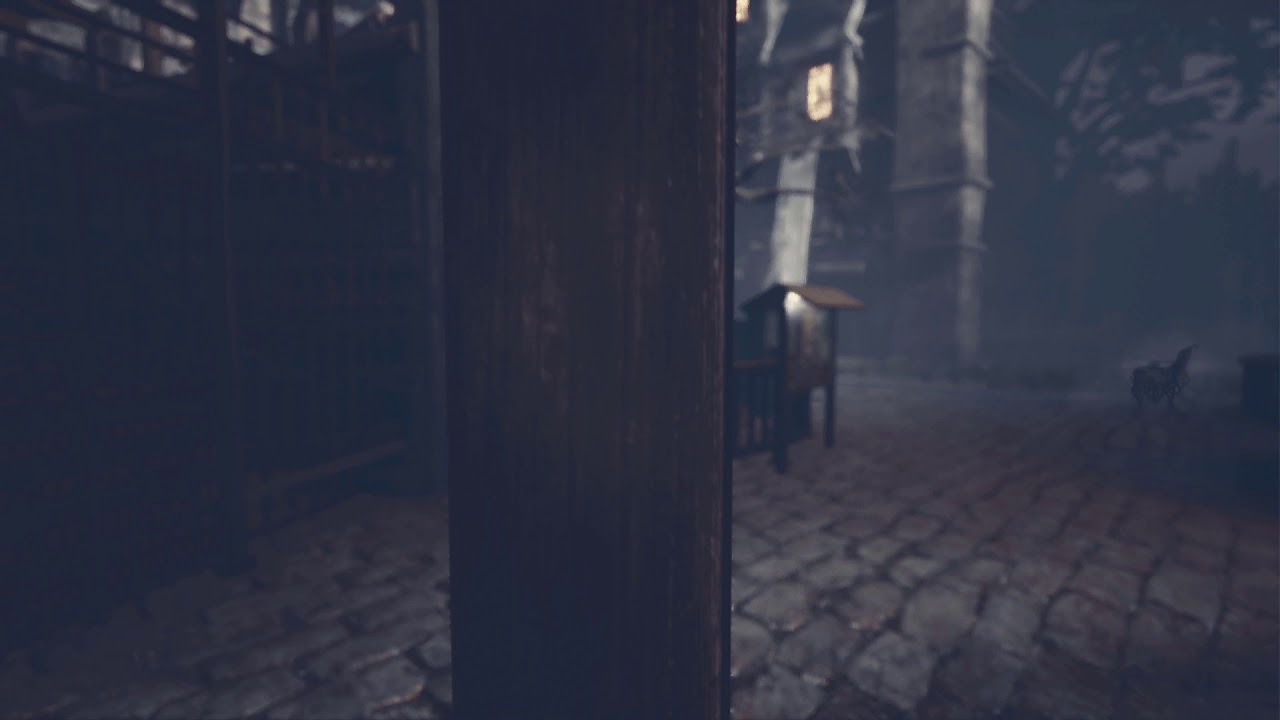
I'm talking about this: https://www.youtube.com/watch?v=7IRstJOoJE4&feature=emb_logo
 grave nebula
Even simpler than before. Just set focal distance.
latent moth
i've tried, it does't work for some reason:
let me rephrase that. it works, but since I have a gun in front of my camera, i need to reduce the amount of blur in front
 wary wave
it doesn't work because that struct probably isn't being used anywhere?
ah wait, no, that looks like it should work
misread it
 normal burrow
Aim Down Sights
midnight gate
OOF THATS HOT
 rotund scroll
looks amazing, ship it
midnight gate
guys i have actors like coins right? and they have particle effects right? and also when the particle effect appears the material turns very emisive but when i collect it it doesnt turn back the problem is that ALL THE ACTORS ON LEVEL get +50 emisive
i only need the one that juts did the particle effect
any way to fix this
HELP ME
rotund scroll
you sound like you're drowning
midnight gate
yes i am
rotund scroll
have you tried wearing a life vest
 exotic thicket
I'm not a 100% sure but I seem to recall reading something about instanced materials?
Maybe that's something that could help with the issue of everything getting the emissive bump
rotund scroll
it's almost as if you can create as many material instances as you need and expose values to them to modify them as you see fit
midnight gate
i will hard researc that thank you
grave nebula
@latent moth For best effect, focal distance should be distance to the target or otherwise any far away focal point and aperture should be larger so you don't turn gun into blurry noisy mess.
latent moth
here aperture is already 12.
and yes, focal is updated as per the code above
¯_(ツ)_/¯
 red crane
targets not reacting to hit ue4
 jade hawk
Why does ue4.24 force me to have steam VR open when I have Oculus HMD's?
normal burrow
Something about oculus having their own engine build
 plush yew
that is some aggressive blur
normal burrow
I don’t know myself stuff with VR but have heard to get the latest oculus stuff you need their maintained build or something like that hatter
jade hawk
Yeah 4.23 runs in Oculus. 4.24 forces Steam VR open and runs though that even though that is running off Oculus... They have just added extra steps for no reason.
jade hawk
Also I just went and uninstalled Steam VR. UE4.24 launches just fine without it. Wondering now why they make Steam VR pop open for no reason.....
 thin tendon
For anyone who was interested in my bug from before I fixed it. And what I discovered is that sub-levels when using world composition will stretch to try and fit actors in. And increase their extent. So if you create a spline or something and stretch out past the bounds of the sub-level. The sub-level will grow to match it.
Ohh and the steam VR stuff has been going on for a while. Back in 4.21 I was using a plugin to allow steam called advanced sessions. It was also opening up steam vr if a person had a vr device plugged in.
 ashen brook
reading up: loss of other DoF options really sucks.
also using gaussian for a stylized project
normal burrow
I enjoy the new dof. It doesn’t replace old methods entirely?
 cloud cobalt
Yeah, they removed gaussian from PC
normal burrow
Er I meant it doesn’t properly replace them?
Missing features from old one that make it incompatible etc?
cloud cobalt
The old one is gone
Unreal Engine Forums
I understand that CircleDOF is super-fancy and has all the bells and whistles - and I appreciatte that, but CircleDOF can't do blending or summation between
And yes, some features didn't make it
normal burrow
That’s a shame
cloud cobalt
visible
midnight gate
true = visible ok
wary wave
...try it and find out
cloud cobalt
Honestly removing features has some merit - UE4 has a lot of features that flat out don't make any sense anymore and they should be doing more removing. Removing stuff that's very work-in-progress yet though...
 thick minnow
Yo is there an option to make an skelet for a static mesh because i downloaded an fbx motorbike and i want to do physics
normal burrow
Or things that are just poorly maintained BSP Cough wheeze
cloud cobalt
Think LPV, etc
Hell, if light actors alone could be upfront about which settings actually work depending on which mobility, we would be better off
 left citrus
Still unable to fix this:
Skeletal mesh inside a blueprint, added to a sequencer
can't get animation to run on it
is this even possible?
 dim arch
sequencer can be buggy at times, I remember it would refuse to add camera actors for a level file, but would work in another
you can try using an event track, to grab that actor and trigger it
make an event and send the object reference in and then activate the animation or sth
left citrus
hmm, I'll give that a go - I presume that would leave me without the ability to scrub through animation
which is sort of the whole point of the sequencer
 alpine elm
hi I'm trying to figure out how can i press a button in the pawn character to posses anyone that can help me
 near notch
Hello. I want the tree to have auto LOD settings with LOD 1 as the starting default. How do I remove LOD 0? It is too high poly for my requirements.
alpine elm
it grays out
 verbal oar
hi ppl, sorry, this is a liuttle Off Topic, but wat text do i message UnrealBot to start an ad in Looking for telnt? plz i just got over the flu
its for an unreal projkect that needs help, Roalities if grant by epic is avail
 fierce tulip
lol
 warped tangle
@alpine elm Not sure I understand your order of operations here...you're trying to possess a pawn with a key press...but you haven't possessed the pawn yet? You would need to put that input in the player controller, not the pawn, to make that work
verbal oar
@near notch it seems lod auto is greyed out? i recommend exporting to something like Blender, the static mesh, and optimizing, Blender is free and very useful, tutorials on YouTube for it
Why don't they use Bokeh for DOF and simply modify the geometry of the math?
near notch
@near notch It is greyed out because I chose custom lods. I will try the blender option. However isnt there a way to reduce the default LOD poly count or just disabling it altogether?
verbal oar
hmm, i don't thik UE4 really does any modelling, even if you converted to additivie brush it would be stuck with tris and verts as-is
you can try HLOD , i would google it, and maybe if there's an option for distance simply convert to HLOD when not in direct use
ie. when you're not using the meshes as gameplay models, it's an HLOD, which merges meshes, and it has an LOD effect
hmm, i havent used HLODs before yet, but i think you might need to model the HLOD too, so that would leave Blender necessary as well
near notch
Sorry, I didnt mean modelling, just any options I can fiddle through. I tried to disable auto LOD and use a single LOD but it reverses any changes when I close the window xD
 hot thistle
Did they remove camera shake? I don't have any options in my camera shake blueprint
verbal oar
well i know you want to reduce the hit the system takes due to poly count, in any event remodelling the mesh and maybe using HLODs would be your best option
near notch
Thank you, will give it a try. Also my AI doesnt seem to be moving on my world composition landscapes? They work fine on other maps. My navmesh and everything is in place and they can even shoot me just not move
verbal oar
not sure about that AI issue, hope you fine help though
find
BTW LOD is usually set in the Static Mesh's Export from a modelling propgram
hmm, actually if you try setting the Properties of the AI to Always Spawn, try not to collide (and move, i think is the ssetiting) but that may not be the issue, it's a trouble shooting step
@upper heart Hi, what text message should i send UnrealBot to advertise in lft please?
 gilded lichen
how do I change the play rate of a animation through blueprints?
 upper heart
@verbal oar talent
verbal oar
not !something?
near notch
@verbal oar Thank you again.
upper heart
no, "talent"
verbal oar
i se, lft works too, i went back through my DM's i have 2 projects, one sort of mini and one like a AA A title if we get the needed help
NP @near notch
 rustic idol
Maybe a stupid question but - I got something from the marketplace written in blueprint and don't really like how they wrote it. I'm much more comfortable with C++, is there any way to convert it to C++?
verbal oar
you may be able to export the BP and edit from there, probly no C++ but should be more plain text than C++
not sure never tried but UE is generally exportable
copy/pasting a mesh or pawn to notepad yields a string of text
latent moth
do you guys have hints on what could be causing this movement on aimsets and when I start/stop walking? Animations seem to be ok...
https://gyazo.com/9b2ea79769a6d6832701f43e948c1f14
verbal oar
My 1st guess, camera alignment issue
latent moth
camera is aligned on gun... you can see that the gun doesn't move
verbal oar
my second, is blueprint conflict, i had this when i used 2 versions in the same project of Player Pawn
latent moth
blueprint conflict...?
verbal oar
ie with 2 updates of Char, Anim BPs i started to twich once i put together the Anim BP as Updated
yeah when an update of the Anim BP goes "wonky?" i'm sure i could replicateit ut the point is you might need to redo the cam alignment (even space is way out with large FOV to see if it still wobbles) and it it does, then it gotta be the anim BP
latent moth
you insist on camera alignment but it has nothing to do with it, as you can see gun is always aligned. it's where the left hand is that is not consistent.
 frail sail
Can someone run Unreal engine 4.20 Ver game with AMD 5700X Graphic card?
verbal oar
yes but in some cases the camrra lignment will self-adjust, unless you're using 1st persson Cam? then that's liekly not it, i use 3rd person for my 1st PErson cam, because like Ghost Recon Advanced Warfighter series (GRAW, 2) when you look down feet should be visilble and legs, happens when you use a 3rd person with preferable not a head p[ice of model in the way, feet to neck model
3rd person self-adjusts, mentioned it as a possibility
here's what i have been following, qquite brill IMO: https://www.youtube.com/playlist?list=PLL0cLF8gjBprG6487lxqSq-aEo6ZXLDLg

 tawdry heath
virtus skips a lot of steps
also if you are a starter like me then use first person because third person animations is very hard
 forest tree
Any TrueSky users around? My DirectionalLight is incredibly bright after installing TrueSky, and the intensity seems to be locked to 24. Can't lower it.
plush yew
jesus it made me wait 10 minutes
@forest tree
if you're still here
I believe the intensity is tied to the control setup in trueSKY
I had the same issue when I got it yesterday let me try to figure out exactly how I fixed it
I assume your auto exposure is off
 timid jacinth
How should I store money variables for multiplayer
forest tree
@plush yew Thanks!
That would be fantastic
All I could do is change the "brightness" modifier on TrueSky, but that's a fucking hack 😄
I assume your auto exposure is off
Yes 🙂
plush yew
Could you send a screenshot of how it's affecting your scene, just so I know it's the same issue I was having
I don't want to end up leading you in the wrong direction
forest tree
I tried isolating it to a new map or a new project, but in both cases it just goes apeshit with the intensity 😄
Real weird
plush yew
In TrueSkySequenceActor the Meters Per Unit is 0.01?
plush yew
ow damn it
The three things I did to correct my issues youve already pretty much done
Aside from me also reducing texture brightness and saturation on my trees but they were too bright to begin with
I'll try to replicate what you have going on still
forest tree
It's just weird as hell that I can't change the intensity of the directional light
Brand new project, new map and I initialise TrueSky, everything is SUPER bright
Smells like a bug...
plush yew
If you have trueSKY initialized you wont be able to change the directional light intensity
as the truesky actor controls it
So when you change the time in the slider it'll affect the intensity
 solid sierra
Can anyone help me with a liquid-type thing in my game? Basically, I want to throw/shoot a piece of fruit and it splatters on the ground. (Think splatoon, it's a gel-like liquid that can maybe merge together.) I just don't really know how to go about this, do I use mesh? materials?
plush yew
Mine's also at 24lux at midday setting
But you're right mine doesn't look as bright as yours
Although my scene is nowhere near as big so I can't really compare yet
Not until I fix this damn Bridge export
forest tree
Oh it's the same issue with the unreal test map @plush yew
Small maps
I wonder if it's me making a stupid mistake somewhere, or if it's bugged...
plush yew
Well in your defence, this plugin is very buggy
forest tree
I do remember screwing with exposure settings, but on a new project those changes shouldn't have been present anymore
 sweet relic
@solid sierra you may be able to leverage decals for this purpose: https://docs.unrealengine.com/en-US/Resources/ContentExamples/Decals/index.html
An overview of the Decals example level
forest tree
Ah, it's buggy in your experience too?
plush yew
Yeah very
forest tree
I really want to love it, the previews look amazing
The water is great too, though KILLS performance
plush yew
If you have epilepsy uninstall it now, because every time you change the day time it'll flicker like crazy
I haven't tried water yet
But yeah it's great, saves me setting up HDRs, which is basically impossible in UE4
I just recently switched from Corona to Unreal so I'm still getting used to it
forest tree
because every time you change the day time it'll flicker like crazy
Wut? Really? I want to use it for day/night cycles.
plush yew
It should be fine if you have code controlling it
But if you have the control window open it flickers
I had no idea what was causing it for like an hour it was driving me crazy.
forest tree
😂
plush yew
It looks so awesome with lightrays tho omg
 thick herald
eyes burn out
forest tree
True that hahaha
plush yew
lmao
solid sierra
ah, thanks @pastel glen
tawdry heath
hey guys I did a project it has weapons, ammo, hud, animation, etc. I have decided that I no longer want third person. Is there an easy way to do that without having to restart? I'm new so YouTube video would help
 abstract relic
It’s merely a matter of camera placement and constraints
tawdry heath
I my character to only have arms just like first person content
I don't really want it to have a body cuz then I will need so many animation
 grim ore
You can create a new template using the first person character and look at how it's set up. You can migrate the First Person character into your project if you want to try and use it or copy your code into it for example.
like suggested you can change your camera placement in your existing character to match the one in the first person template then replace the mesh with just the arms
tawdry heath
yes how do I remove the body and have just arms
hold up let me turn my pc and let me look at it
 zealous spear
@tawdry heath so you wanna make it realistic first person camera?
tawdry heath
no I want to copy exactly what the first person template has
abstract relic
Do what Matthew says
tawdry heath
ye but how do I do it
abstract relic
You can import it directly from within the project
zealous spear
Look here
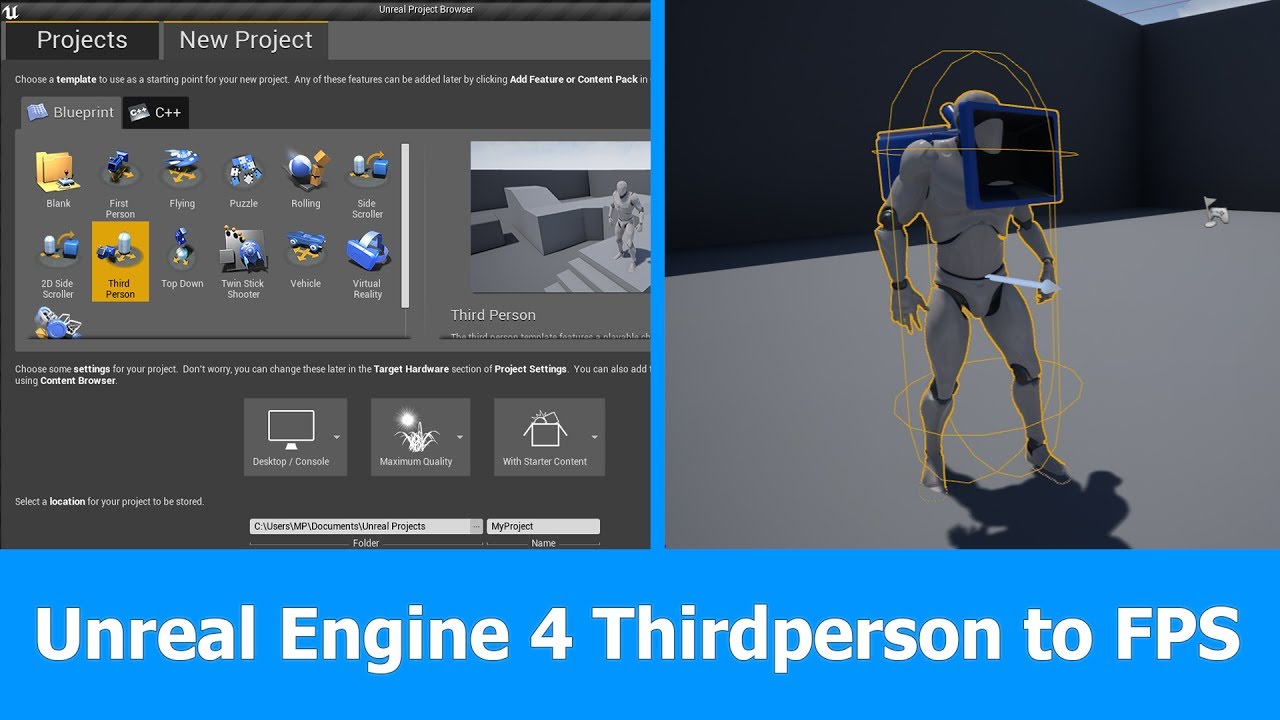
In this short Unreal Engine 4 tutorial I want to show you how to turn a Thirdperson Player and Camera into a First person Player for FPS games in which you can see the whole character.
See my social profiles here
G+: https://plus.google.com/+JayAnAm
Twitter: https://twitter...
Is really simple to make it first person
If you follow his instructions, you will get it
abstract relic
There’s a big green button above the content browser
abstract relic
You can import template from there
zealous spear
I thought you wanted to make a first person
tawdry heath
let me see my game is already 16gb might as well
abstract relic
Punch it
tawdry heath
how about I make a new project and just paste all blueprints in there. But how do I copy Variables and such?
abstract relic
Asset action >>> migrate
grim ore
 vital cosmos
just do add new->feature pack -> first person shooter if your not on ue 4.24
tawdry heath
hold up you guys might of just answered my question, let me try it
abstract relic
Well, we weren’t talking to a wall or spouting nonsense
 exotic otter
BlueprintUE
hi I have a car and it has a targetpoint as child
and i have a volume in my level when my car drives into the volume
i spawn an actor and try to attach it to that point
and stay at that point in the car
but it completely fucks up
 naive glade
i cant get nvcloth to work in ue4.24, simple test runs fine in 4.23 & 4.22, but iin 4.24 nothing moves after painting the verts for cloth
grim ore
@exotic otter Where is this code at?
exotic otter
level blueprint
beginplay
i bind the overlap event
to a volume
on enter
attacvh
exotic otter
but the attaching is super funky
from a volume
target point is a child from the car
its also in the level
grim ore
the target point is a component in the car blueprint?
grim ore
oof so your car is a blueprint in the level, then you added a target point into the level then attached it to the blueprint?
grim ore
If you wanted a location from something in a blueprint, like an offset, you would typically just add a scene component as thats what they are for. You could add a scene component to your vehicle blueprint, name it whatever you want, and use that for your location
but your code itself seems fine your attach to actor might not have the correct rules for what you want
collision could also be an issue, we have no idea what is exactly happening in regards to "it completely fucks up"
grim ore
Is there more than one trigger in this level or just the one and the one overlap in the level bp?
exotic otter
1
grim ore
also... you have the cast failed as the event that fires after you check if it's the car bp
If this is just a one time thing and specific to the car blueprint, perhaps have the car handle all of this and not the level. If you still want to use the level blueprint and the overlap event, you can still do that part, but after the "is this a car, we want to do something" part just call a custom event on the car and move all your code into the car. Is the BP Simon Says a large or heavy blueprint or something simple?
exotic otter
pretty large c++ actor blueprint
grim ore
Level Blueprints are dirty, if you say wanted to make a new level and do the same stuff in it you would have to copy/paste or redo all the code (it's not re usable or portable). If you put the code in the vehicle itself or put the trigger volume in it's own BP you can easily re use them
exotic otter
its pure for this level
but what happens is basically it being attached
but not moving with
grim ore
yeah the code looks fine, so its not moving with its staying still?
exotic otter
yup
grim ore
well relatively fine, I dont know what the spawned BP is, or its collision or movable settings
exotic otter
grim ore
are we sure this object is not intended to be in one place and not move around?
grim ore
so your car is not in the active level when you spawn in the object?
grim ore
I would assume level streaming should not be the issue, more the item is either static and not intended to move or collision or some other setting. If the object is spawning in the correct place that part is atleast correct
exotic otter
but maybe the object spawning spawns in another level
 hushed hare
how do i zoom to an object in the actor editor
my camera bugged
and its prob billions of units out
i dont even see a grid
grim ore
click on an object in your world outliner and hit F (Focus) to zoom in
hushed hare
epic thanks
grim ore
I tested and when I spawned in a new actor and attached it it spawned it into the same map as my character but besides that it should not be an issue
at this point you will have to go thru your settings on the objects and check for collisions and mobility and such. I tested and your nodes atleast look correct if they are hooked up. Spawn an actor in a spot, attach it to a component, and it moved with me. I had to adjust my mobility and collision but that was due to my spawned actor having settings that were not compatible which I assume your blueprint is already set up correctly.
grim ore
any mobility would be on the top of the details panel, in the transform section
but as this is a c++ class as the parent and those are all inherited from the parent I don't know what will be exposed for editing, etc.
hushed hare
my collision wont work for no reason ive literally never had this problem before
its such a beginner problem wth
not asking for help just ranting
exotic otter
@grim ore can i set mobility of a skeletal mesh in c++
 tame salmon
where is the modding tab in the ue launcher? some training videos reference it for v4.19 is it still around and if so where?
 low violet
This used to open the project in unreal editor when I clicked start, what happened?
grim ore
@tame salmon All of the items that were in the modding tab are now in the store if you scroll down far enough in the Browse section
grim ore
yep yep
grim ore
🙂
tame salmon
ty @grim ore
thick herald
Mathew's videos are the equivalent of UE4 Bible. 🙂 a great resource.
 lusty saddle
Hey can I ask someone for so help it’s a small thing but I feel like I’m going bonkers over it
normal burrow
end up getting some ue4 in over the weekend matheww?
 swift hearth
Dumb question here, but can I change the size of the transform gizmo in unreal? Like how in maya the + and - keys change the size?
lusty saddle
Like I’ve looked all over the web before coming here. Say I want to edit a cube but specify I want to do so by selecting a face, edge or vertex, how do I do that. I’ve tried doing geometry editing but it’s not working. Pls help.
grim ore
@normal burrow some stuff here and there, mainly prep work for work work this week
@swift hearth You can in the editor settings, you can also use ALT-[ and ALT-] in the viewport
forest tree
Hey guys, I'm trying to have sprinting working in multiplayer, but my character jitters like mad. It works fine in SP, this is how I did (part of) the BP:
I feel like I am missing something silly. Replication maaaan 😄
grim ore
@lusty saddle Are you asking about Geometry Brushes/BSP items in the editor or Static Meshes?
swift hearth
@grim ore Thanks! I appreciate it
tame salmon
actually, i was watching @grim ore ue training videos Comprehending Projects and File Structure when I had the modding tab question, and vid creator answered question , sweet
grim ore
@tame salmon yeah we havent updated the older videos when major changes happen 😦
lusty saddle
I don’t want to use brushes I Just want to move the face on a static mesh. I was trying to make walls but I couldn’t figure out how to select one face rather than the whole mesh.
plush yew
I just got done with a sick ass video editing session bruh, next video gon be lit
grim ore
@lusty saddle If you are using .24 or later you can enable the new Mesh Modeling Toolset/Modeling Tools Editor Mode plugins and use those otherwise the engine does not support changing Static Meshes like that
abstract relic
So, anyone enjoying the broken submit bug report button? Happy Monday 😛
 tawdry raptor
I have discoverd a bug in 4.24.1 unreal keeps bring up the streaming level and light mass importance after you tell it not too
grim ore
craaaap.... Editing the default cube with the new mesh tools changes the default cube in the engine content. I knew that would happen but didnt actually think it thru lol
thick herald
oops
grim ore
thankfully the edit is non destructive until you save
thick herald
ctrl+z hit hit hit hit... lol A friend who is learning UE, kept hitting undo to try and fix something... I'm like nooooo!
grim ore
heh
forest tree
Nice to see that even the sage still find surprises in their work @grim ore 😉
grim ore
the engine is sooooooo large no way to learn it all so always new stuff to find 🙂
forest tree
Hey guys, I'm trying to have sprinting working in multiplayer, but my character jitters like mad. It works fine in SP
Fixed it. I added a client side movement speed increase event before I had the server run it. I'm not sure why that fixes it though. Can anyone comment?
lusty saddle
Oof well I guess I’ll just have to scale the whole thing then cuz it won’t let me select just a face lmao. I’ll be fine. It was only slightly annoying.
forest tree
the engine is sooooooo large no way to learn it all so always new stuff to find 🙂
Yeah, I've heard from multiple people that it was so overwhelming they quit for that exact reason. I enjoy the expansiveness though, feels like a never-ending toybox.
grim ore
@forest tree When you have the server change the speed of the character on the server, does that change tell the client to update as well?
forest tree
Good question, I thought that this would happen automatically if I chose "Executes on server" for the replication setting.
That is not the case, I take it?
I tried "multicast" too, but no dice.
grim ore
depends on what you are doing to set the speed
grim ore
ah so just setting max walk speed on the character movement component over time?
forest tree
Not sure about the "over time", but yes
Hit shift -> increase max walk
Release shift -> decrease max walk
lusty saddle
Anyways thank you Mathew!
grim ore
yeah sorry assumed over time lol, anyways yeah that property is not replicated
so you have to change it on the client and server, or have the server tell the client to change it when it changes
forest tree
Oh! I thought movement was replicated by default
grim ore
movement is yes but not the entire component so the max walk speed property is not for example
forest tree
Ahhh goshdarnit, I should have been able to find that myself. Thanks Mathew! Appreciate that a lot 🙂
grim ore
yeah networking and replicating is full of gotchas 😦
always seems so complicated and it is lol
forest tree
The joys of programming 😄
 scenic hatch
@grim ore u know about cloth in ue4?
grim ore
@scenic hatch not enough to help
normal burrow
@scenic hatch
this is all you need to know
and all the information in the world
about cloth
verbal oar
@scenic hatch i've used PhysX clotch, its a pain to learn but worht it for characters
anything specific cuz there are some tutorials on YT
normal burrow
There is almost nothing on backstops on YT. but yeah there is one 3d studio max video that explains it. not as well as that picture but yeah.

This tutorial provides step by step instructions on how to author physcially simulated clothing pants using backstop offset and backstop radius. Backstop is a fast way to provide small degree of movement without actual collision volumes.
Prerequisite: http://www.youtube.com...
(that but in unreal)
verbal oar
just one tutorial i have seen, where thee tesellation of an object is inherently high so that the cloth simulation is accurate too
normal burrow
yeah backstop is like.. thickness of the lcoth and no one explains that part is all.
verbal oar
i see, ty
i always figured there ws some magic to why cloth reacts in 3D that way, i am guessing it's a buffer to the cloth object then
cloth
normal burrow
yeah you paint up to three params
verbal oar
i tried max physX but didn't get to deep, i'm a level designer and wanted wind-ractive cloth, but i thought it had to be cloth object and simulated until i learned about wind reactions in Materials
normal burrow
backstop distance, backstop radius and max distance
 tawdry osprey
hey does anyone know what the node for materials is called that inverts things or makes them opposite to what they where? its got like a name of "-1x" i think but i dont remeber
 wheat dirge
i think thats oneminus @tawdry osprey
tawdry osprey
o my goodness thank you so much
thick herald
thought it be multiply by -1.
 winged crypt
maybe it's just me, someone please explain if there's a reason for this:
why do most anim packs on the marketplace have attack animations (melee) in which the character walks forward during the attack? I'm trying to put myself in the mindset of the animator deciding that every time a character attacks, they must also walk forward.
😩
🤔 hmm, true
I'm trying to use these for AI in VR and it's weird having them close the gap every time they come in for an attack but I do see what you mean
 hoary silo
ue4 is crashing every time I import a certain skeletal mesh
does anyone know how to fix this?
grim ore
check the logs and fix the mesh would be the answer
rotund scroll
anything specific I need to do to make macro libraries show up in all classes?
currently those macros are not showing up
winged crypt
@rotund scroll are you setting them up in a BlueprintFunctionLibrary class?
grim ore
macro libraries have a parent class they will show up under
abstract relic
@hoary silo make sure a material id is assigned before importing
abstract relic
 hoary silo
I am using blender, and dont think it supports material ids
abstract relic
it does
normal burrow
HighTide found the fix for it.
grim ore
@hoary silo if this is a skeletal mesh, make sure you don't have too many roots or armatures
abstract relic
we just had an adventure finding out the source of the issue yesterday
hoary silo
so others have been having the same issue
abstract relic
yep
hoary silo
huh
abstract relic
if it's complaining about array being out of bounds, it's a material issue
rotund scroll
@winged crypt I set them up under the standard macros class
@grim ore show up how?
grim ore
@rotund scroll when you created the macro library it asked you to pick a parent class, what did you pick?
normal burrow
Seems like everyone it happens to is running 4.24
hoary silo
@abstract relic its crashing without a log
hoary silo
im guessing its being fixed?
grim ore
oh so you chose the All Classes -> Object -> StandardMacros as the parent? If so that would be why
rotund scroll
so the class needs to be BlueprintFunctionLibrary?
grim ore
no, if this is a blueprint macro library the parent needs to be the class you want to use them in
abstract relic
someone swap Mat null to Mat none. So it's reading an out of bounds array
normal burrow
Object works fine
grim ore
a function library can be yes, a macro library has to have a parent class assigned to it
tho like was pointed out if you use Object you can pretty much use it anywhere
normal burrow
Yeah, thats what i gathered from it as well. Totally fixable inside blender by just.. uvs right?
rotund scroll
object isn't valid, dammit
abstract relic
assign material in blender and it'll be fix
grim ore
Object is valid, it's just weird because you normally restrict them to where you want to use them (actor, etc.)
abstract relic
if not, assign uv channel as well
rotund scroll
no I mean it doesn't show up as a choice for the parent class
rotund scroll
well yeah
normal burrow
you likely have to start over cranz
grim ore
then no it wont work, you should create it correctly
rotund scroll
is this an engine limitation or why is it an issue to reparent to object?
normal burrow
kind of lame that theres no branch between actor component and actor
oop is hideous like this
does it need to be a montage?
if its a sequence
you right click the node for it and convert to evaluation
it will be in seconds though for some reason
if its a sequence player node in animgraph, right click it and convert to single frame evaluate
then you just hook in the time
 fallen marten
The lead animator for epic did a tutorial on it with a paragon character to have him scrub through an animation to turn on the spot. Wish he'd shown how to make that bad ass animation to go with it -
rotund scroll
is square distance cheaper than distance even if you have to square the other number for a comparison?
rotund scroll
cool thanks
normal burrow
you may lose precision in it but its not a huge consideration more than likely
fallen marten
Has anyone ever tried to do an eqs type test from a static actor? Basically I want to calculate where the player is looking and spawn enemy out of view and not inside a wall or whatever
Guess not lol
normal burrow
i dunno how the visibility in ai works. but its a thing
fallen marten
I have an enemy spawner BP I'm trying to make more versatile instead of just spawning shit at Target points
It's for a TP brawler
Yeah I'd make it a skel mesh. Simulate physics or physics handles might allow you to do something, or perhaps have the fish get your socket location on tick and have it interp to that position? 🤷♂️
If it was physics handle setup, perhaps it would look nicer as the fish can be given a weight and it might feel more natural once it gets out of the water
Little bit of bounce
Just exeperiment
Yeah and it's fun stuff 🙂 I did a physics handle setup with a petrol pump so you could hold it and use it like a flame thrower and as you moved the hose dangled around like in RL
Only problem was once you reached the extremes of the hose the handle would leave your hand. But I was a noob back then and could probably fix it now haha
No problem @plush yew 😁
thick herald
Hmm. Just signed into the launcher to find that it's decided I don't have any engine versions installed. It also seems I can't get 4.24, 4.23.1 is the latest it's showing. Anyone got any tips on wtf is going on ?
fallen marten
Click the little drop down in the engine launch button and you can choose a version to install
So + button, go to engine Install, dropdown on the install button, choose a version
Boom
scenic hatch
quick question
i got my cloth material setup with wind, its working decently
but it seems almost like one part of the flag is like "stuck"
as highlighted in this picture
that part just seems to not move at all really
 scarlet birch
If I have a BP actor that has active event timers and I disable tick,
I still need to stop/pause the timers. Is that correct?
I mean that disabling tick will not stop the timers is my assumption.
fallen marten
I would, just to eliminate any loose ends
rotund scroll
I accidentally closed a tab in the blueprint debugger
how can I ever get that to open again?
normal burrow
@scenic hatch your max distance isn't high enough i think
scenic hatch
@normal burrow what max distance?
normal burrow
when you paint on the flag
did you use 100? it looks like you need to use 1000 or larger distance ( I have no concept of how large that flag is )
 lilac wedge
where are plugins stored? (in filed explorer)
found it C:\Program Files\Epic Games\UE_4.22\Engine\Plugins\Marketplace
scenic hatch
@normal burrow u mean when i use the "Clothing paint" tool?
scarlet birch
He's saying it looks like those verts aren't weighted for cloth
scarlet birch
When you look at the mesh in the cloth paint is it all one color?
scarlet birch
how subdivided is the mesh?
scarlet birch
cubes?
scarlet birch
you paint vertices
normal burrow
you just need to increase the value your painting for max distance. the part far away from stuffhas to move further to bend down fully.
scenic hatch
this is while im painting it using the cloth tool pat?
normal burrow
just paint everything except the verts that connect to the pole 1500. Yes
scenic hatch
max it goes is 100
normal burrow
it defaults to 100 i think, but its cm, not percent.
scenic hatch
and i have done that already
normal burrow
you can enter higher values than 100
normal burrow
its a type in on the panel
hushed hare
anyone know how i could do something when a line trace by channel ends
scarlet birch
a veritce can only be wieghted 100%
hushed hare
like, when an object goes out of view instead of coming into view
scenic hatch
it still sits unnaturally like this, even when repainting it at 1500 @normal burrow
its almost like its pinned up in the top right corner
scarlet birch
Is the whole thing pink in the painting window? The image you showed before was only partially wieghted
normal burrow
how big is the flag?
scenic hatch
normal burrow
1500 is not big enough then
scenic hatch
oki
normal burrow
60000 maybe
scarlet birch
This is not correct. You can fill it, or paint. Brush size does not matter. You are painting a value between 0 and 1 for how much the vertice acts like cloth.
normal burrow
nah
you define what white is
white is just a color to display a number here. literal values go into max distance
normal burrow
white is whatever you set View Max to @scarlet birch
scarlet birch
He could have just selected fill.
scarlet birch
It still represents a value from 0 to 1 though with max being 1.
normal burrow
no
the view max makes no difference at all
just the colors shown to you
you paint in cm
Its not a mask
goes directly to vertex data
scenic hatch
how come placing 1 small wind thing has the biggest radius ever
even when its set to 0
normal burrow
have not played with wind haha
scenic hatch
tried placing a flag on the other side of the map and its still being effected by the wind
crazy
scarlet birch
I see now.
normal burrow
its super confusing
scarlet birch
I had to reread the code. It's been a while
 marsh swallow
Is there a way to run build many maps at once?
verbal oar
would lag
doubt it's worth it darius, or just make one big map oout of many small ones if low detailed, (polygons, Shader depth low)
darinius sorry
wind is magic in a sense, it is just global no matter where placed, based on direction
verbal oar
WIP has some really cool level design info about volumetrics that i commented on, so i have some examples ther,e to show a sample of what it can do, the issue came up when i commented on someones work, i though of it then
 sinful osprey
Can anyone help me figure out what's causing this crash? My editor crashes all the time now (since the last 2 weeks) with this error...
Fatal error: [File:D:/Build/++UE4/Sync/Engine/Source/Runtime/Windows/D3D11RHI/Private/D3D11Util.cpp] [Line: 372] SwapChain->ResizeBuffers(0, SizeX, SizeY, RenderTargetFormat, D3D11GetSwapChainFlags()) failed at D:/Build/++UE4/Sync/Engine/Source/Runtime/Windows/D3D11RHI/Private/D3D11Viewport.cpp:273 with error DXGI_ERROR_INVALID_CALL, Size=678x256 Format=DXGI_FORMAT_R10G10B10A2_UNORM(0x00000018)
I can't find anything useful with a Google search
verbal oar
i suspect a driver for VGA issue
or a Dx setting you may have
D3D is gfx card related
you have Dx 11, is developing in Dx9 and coding support for Dx11/12 (either) before cooking an option?
otherwise i don't know but a reinstall of drivers might fix, then submit bug report, doesn't matter what else i think
@zenith night Read my diag above
might help
Also has a diag error for RGB settings or functions in the 10's
scarlet birch
@sinful osprey I'd update your video driver and increase the TDR delay. You'll have to google it but substance has a pretty good write up on their site how to do it.
verbal oar
ty nice
sinful osprey
TDR delay? What's that stand for? I just rolled back my drivers since they are recent and it started around that time. We'll see, but I'll check out the delay thing. thanks
verbal oar
hmm there should be a plugin for major 3rd party (not EMP)
plugin check box for diag related Discord questions
liek the role funcktion
or a funckiton to message like @ a L L
marsh swallow
@verbal oar i work with individual levels and UE4 constantly breaks the Nav Meshes and they stop working randomly.
so thats why i wanted to know if i could sequentially build them.
 obsidian lily
@sinful osprey https://gamedev.stackexchange.com/questions/71451/how-to-debug-dxgi-error-invalid-call-errors

Game Development Stack Exchange
I am developping an application using SharpDX and on one of my machines the call
_swapChain = new SwapChain(factory, _device, desc);
fails with the error message
HRESULT: [0x887A0001], Module: [
verbal oar
hmm, maybe level stream on a very low square radius of levels, like behind cover is a level stream, maybe that could workaround?
so in the city, intersection to another, is one level, around the corner out of view is another, but need to be careful of mission levls
missing levels (not appearing on time
obsidian lily
inside my player controller, how do I get the movement component? I'm trying to get running to work and I think I need to get that movement subcomponent and change the MaxSpeed, but I'm not sure what the call is
 weary basalt
@obsidian lily Your pawn should modify its movement speed, not the PlayerController.
But to answer your question, you will most likely need to Cast your Pawn to the correct class, then use the GetCharacterMovement node.
obsidian lily
yeah I wasn't sur I was doing it right, I just couldn't find a better example -- I wantthe movement speed to change when I hold shift, so I set up a key bind, and hooked up the event on the player controller -- what should I do instead?
also, why doesn't the movement class already have the concept of running built in? it has things like swimming and flying and crouching, but not running?
normal burrow
Walking and running are similar things
They kinda draw a line at things
No built in crouch button. Left ctrl vs C drama
obsidian lily
I got it working, although it seems clunky to keep changing the MaxWalkSpeed, maybe when I feel more brave I'll change the movement class
normal burrow
Keep in mind that they are pretty inseparable
So handing max walk speed in character isn’t unheard of
obsidian lily
is there a normal way to do it? I made a new input action called Run which I just toggle the speeds inside of
I could make StartRun and StopRun separate, but I just made it toggle
normal burrow
float WalkSpeed;
float RunSpeed;
obsidian lily
I also cached the speeds in the ctor which feels gross since they could theoretically change at runtime. I guess I could cache the current walk speed when I begin running instead of caching it when the player is made
normal burrow
MaxSpeed=InterpToConstant.. bSprint?Run:Walk etc
No need to cache if your just set it constantly
obsidian lily
wait, I don't have a InterpToConstant in there, I just set them directly -- I assume that's to handle acceleration?
obsidian lily
can you do me a favor and be more specific about how you'd write that line? I've learned about a billion things today, I'm pretty fried on new esoteric api calls
obsidian lily
I appreciate it 🙂
normal burrow
Interpolate float from Current to Target with constant step
obsidian lily
is there a way to use that in a fire and forgot sort of way? Or do I have to keep track of it while I'm holding shift?
 lyric tusk
Holy hell y does my gpu go up to 80°c while sitting in viewpoint in unreal wth
obsidian lily
also, I assume the speed is in seconds?
lyric tusk
Is that supposed to happen
obsidian lily
you didn't know about unreal's egg frying feature?
normal burrow
For target bSprint?Run:Walk
 runic narwhal
How is it all of the Unreal documentation is in English, but this page is in Japanese and it can't be switched to English? :D
https://docs.unrealengine.com/ja/Gameplay/HowTo/UsingCameras/SpringArmComponents/index.html
Spring Arm コンポーネントを使用して、妨害されるときにカメラが状況をどのように扱うかを自動的に制御します。
lyric tusk
I didn't know that I could cook an egg on my graphics card while it was just sitting in the viewport
 rancid lynx
does "Set Enable Tick False" node trigger a reset on overlaps inside blueprints ? my skeleton seems to "re overlap check" if i toggle tick OFF or ON.
viewports a 3d scene i guess.
normal burrow
Are you clicking or using the node?
rancid lynx
so you can cook your egg
i have an event that calls the "set enable tick to false" node. thats how it triggers.
normal burrow
And that resets overlaps?
rancid lynx
when my spehere collision exits, it disables tick
when that happens, the "laugh audio on overlap" also happens
normal burrow
Hm
rancid lynx
ill check which component is causing the overlap. maybe my playercharacter has another collision i dont know about. but im pretty sure i did that yesterday also ^ ^
ill print node some components i guess.
time to work and shower first X_x
obsidian lily
ok I have crouching "working" but it's instant. I thought WantsToCrouch would handle interpolation for me, but it's apparently not? unless it's something I need to set every frame?
runic narwhal
Try using a timeline to control alpha of a lerp
normal burrow
There’s no interpolation for crouching
Believe the idea is to interpolate the camera and not the characters capsule
obsidian lily
why would I set WantsToCrouch instead of calling Crouch() directly?
normal burrow
Doesn’t have to do with Interpolation
fallen marten
Just make the crouch animation play slower
normal burrow
Can’t remember if setting that is the thing to do or not tbh
fallen marten
Forget the capsule
normal burrow
You want the capsule to be immediate really. An accordion capsule pops through ceilings
Animations yeah
fallen marten
If the camera is parented to the head, then a slower animation will equal a slower camera speed
Easy
obsidian lily
I have no idea how to do any of that, but I'll poke around and figure it out 🙂
I'm just happy I've made any progress at all. The moment I got running working like an hour ago was the first progress I've made in like 4 days
it was very sad for me, you should feel pity and sorrow
😉
fallen marten
No pity for noobs lol
normal burrow
Good thing with ue4 is you retain progress
fallen marten
Biggest secret is don't overthink things. The simple most obvious way is often the right way
 grizzled willow
Guys, is there any way to capture the unreal editor window nicely? Currently I'm settling with OBS, but this isn't ideal.
Looking around at marketplace there's no good (and um free) ones, while Unity provided a capture plugin that works awesomely with their game mode and very easy to use. Or is there any feature in UE4 that I miss? Thanks in advance.
sinful osprey
Nvidia's shadow play works well for me
 mint sequoia
sinful osprey
mint sequoia
sinful osprey
guess it depends what you're trying to do
abstract relic
There’s always sequencer
normal burrow
Sequencer is a constant
grizzled willow
Oh sequencer can do it eh? I haven't touched UE4 much other than cascade but I'll take a look
I just need to capture full screen editor window in playmode without all the junks and the UIs
capture different effects so I can compile them into one movie
grim ore
You can disable UI in viewport. Then f11 full screen. Record monitor on obs. Profit?
grizzled willow
sorry my pc crashed lol
 humble ridge
Whats the best way to add communication between widgets
grizzled willow
it does work but like I said not ideal
 lusty flame
Hi, on 4.24.1 when I try and delete a or create a game save it will freeze for 30seconds, the save game is 2kb holding one variable in it.
Is anyone else experiencing this?
Thanks
 quick dirge
What's the best channel to discuss Chaos? #visual-fx ?
I'm trying to figure out how to check how much of a GeometryCollection is destroyed but can't seem to find any functions for it.
wary wave
physics
verbal oar
the link can be switched to /us instead of/ja, and bam!
The Spring Arm component is used to automatically control how the camera handles situations where it becomes obstructed.
@runic narwhal Above is link and how it happened
it will auto-add en-
exotic thicket
I have the same problem as Dave... sometimes it just completely refuses to switch even if you try to change it in the URL
I switched browsers, nope, switched to a third browser and then it worked... the language selection thing in the docs is a bit weird :P
 signal rover
having a problem where the navmesh of a level does not seem to be saved and has to be manually rebuilt every time i reopen the level, and it also does not seem to exist during PIE. This only happens for one particular map and it worked fine last week. Anyone have any idea what might be happening here?
no matter, deleting the RecastNavMesh and rebuilding seems to have fixed it
plush yew
Can someone give me a case scenario for using FillDataTableFromCSVFile. Can it be used at runtime in the shipped project? Or some scenario where it's useful at runtime. Or any scenario. I'm drawing a blank...😕 Please tag me when answering. Thanks!
rotund scroll
@plush yew data tables cannot be modified during runtime. the idea is that it acts like an import since most often you have separate software for your spreadsheets
grizzled willow
Hi what is the proper way to exchange files between UE4 installations across different PCs?
I just tested, using migrate definitely destroyed the link between files
like texture is not applied within material and the material is not applied to the object, etc
rotund scroll
migrate assets should handle dependencies
it's likely that it doesn't update the links however, so technically it's referencing a file that does not exist within the scope of the project
you just have to reapply it from the new location you're using
grizzled willow
dependencies were fine, my test was a cascade particle, material and texture applied to that particle
seems that the cascade settings become messed up aswell
@rotund scroll so we have to relink everything each time?
probably I miss not including the dependencies somehwere between the steps I'll try to look out for the setting
rotund scroll
dependencies automatically get moved
it will automatically pick the folders with dependencies and migrate them as well
but let's say you have a texture in a material
and you transfer both
the texture link in the material will still link to the old texture location on disk, which is now out of scope for the project
so you'll have to reapply it
grizzled willow
🤔
that's odd
it should be relative to the "content" folder within the project, correct?
the path I mean
rotund scroll
I suppose it should but due to how redirectors may screw stuff up it may not work or be wonky
grizzled willow
I'll test again later
but I don't believe UE4 not able to do such simple task properly
thanks btw @rotund scroll
abstract relic
cough Source control cough
grizzled willow
please elaborate @abstract relic ?
rotund scroll
well if it's between projects 🙂
rotund scroll
oh so the same project?
abstract relic
Between projects or between PCs?
rotund scroll
I thought it was separate projects, separate PCs
grizzled willow
between PCs
rotund scroll
yeah you need source control
abstract relic
Yep, source control
grizzled willow
ahhh okayyy
 turbid wigeon
Hi everyone! New here, so thanks for having me.
rotund scroll
so then migrate is what you need
grizzled willow
since we don't actually centralized
the content
*centralize
@rotund scroll okay will try again then let see how it goes
 civic cobalt
anyone might have a clue why i cant set post processing/effects to high or why it crashes when i set textures to high (virtual texturing) https://youtu.be/IykRX7AIboQ ?
 grizzled willow
again thanks @rotund scroll and @abstract relic for the heads up on source control
might need that on the future
plush yew
@rotund scroll data tables cannot be modified during runtime. That's what I thought! 🙂 that's the reason I'm confused why make available a blueprint helper function, when I guess it's easier to drag-and-drop the CSV file in the editor. I cannot fathom a logic flow where this function comes in, that's why I'm running in circles hoping for a specific scenario that would make sense to me 😄
rotund scroll
because blutilities exist?
plush yew
This is the description Empty and fill a Data Table from CSV file.
rotund scroll
I can imagine macros of importing csvs then doing some function on them before importing them as data tables
plush yew
It's possible, I never use blueprint logic, I just accidentally ran into this function, I was asked about tables by someone of the Chinese forum here in China, and my answer was data tables cannot be modified during runtime. to which they pointed to this function and I got BSOD 😄
rotund scroll
it might also be the default function actually importing the csv when you drag and drop
plush yew
The bottom line is, for my own sanity, it does not have any use at runtime, right? @rotund scroll
rotund scroll
nope
plush yew
If the answer is no, I can sleep good at night 🙂
thick herald
Didn't MathewW do a vid recently about reading live values from a csv
plush yew
Great, thanks! 🙂
rotund scroll
@thick herald reading is available, writing is not
plush yew
we're discussing the philosophical implication of A blueprint helper function FillDataTableFromCSVFile Muad'Dib 🙂 @thick herald
thick herald
ah.
 floral aspen
Why is my object knocked over in the static mesh editor when it is not in my scene?
 zealous cloak
https://docs.unrealengine.com/en-US/Engine/Sequencer/HowTo/TracksEvent/index.html try to follow this sequencer tutorial, but i dont get the event payload option. im working on 4.23 but perhaps its only possible on 4.24
Example of how you can use Sequencer's Event Track to fire off Events in Blueprint.
 viral sluice
I'm trying to use the "record" animation thing to create a new animation but the mixamo character appears in the new animation missing some parts of his body. Any idea of how to fix it?
 rain venture
my system is literally using directx 11, I just took a peek in the dxdiag window, and it says directx 11
cloud cobalt
Did you add -dx12 to the engine ?
cloud cobalt
UE4 defaults to DX11 so this is weird
rain venture
how do I change this setting ?
I can't open the program at all
so idk if there is another way
rain venture

 wary wing
Did you try to make a project with Ray Tracing enabled? Because that will use dx12
rain venture
ah!
so thats why!
welp, guess I won't be using ray tracing :/
thought it was something else
wary wing
You're on an older version of Windows I presume?
rain venture
windows 7 sp1
64 bit
let me try creating a new project without ray tracing enabled
cloud cobalt
Yeah, ray-tracing requires DX12
Which requires Windows 10 and a 10 series Nvidia GPU
wary wing
^
rain venture
I see
wary wing
What are we looking at here @spare kernel ? It looks like something is moving on your client but not your server?
wary wing
Ah
 spare kernel
like there is no reason they should
wary wing
Does the floor exist on the client?
spare kernel
yes
rain venture
ah there we go, the project opened now
spare kernel
wary wing
Are the actors spawned the same way on both?
spare kernel
causes issues like this
wary wing
Nice @rain venture 🙂
spare kernel
they are spawned on server and replicated
they are not moving they are in null navmesh
but on client they just fall through the floor
zealous cloak
can i call events with variables in the level sequencer?
wary wing
Do they fall through if you don't ask them to move?
 fiery furnace
I want to check if in Editor, google and got an answer, use "With Editor" node, but I can't find it, anyone has idea?
 jaunty zinc
what do you mean
plush yew
hello guys I follow this tutorial but I have some problem with the inventory I did the bp-s but I have this:
but in the tutorial is this:
how to fix the problem?
 whole quarry
what is the problem?
plush yew
I have one slot in the tutorial is more than 1 slot
whole quarry
so add more slots?
plush yew
I folllowed the tutorial series the videos about the inventory and now he has more than 1 slots I have only 1
how to fix this problem?
whole quarry
i dont know that tutorial, neither can i see your code
you sure you have only 1 slot and not that they're all overlapping on the same spot?
plush yew
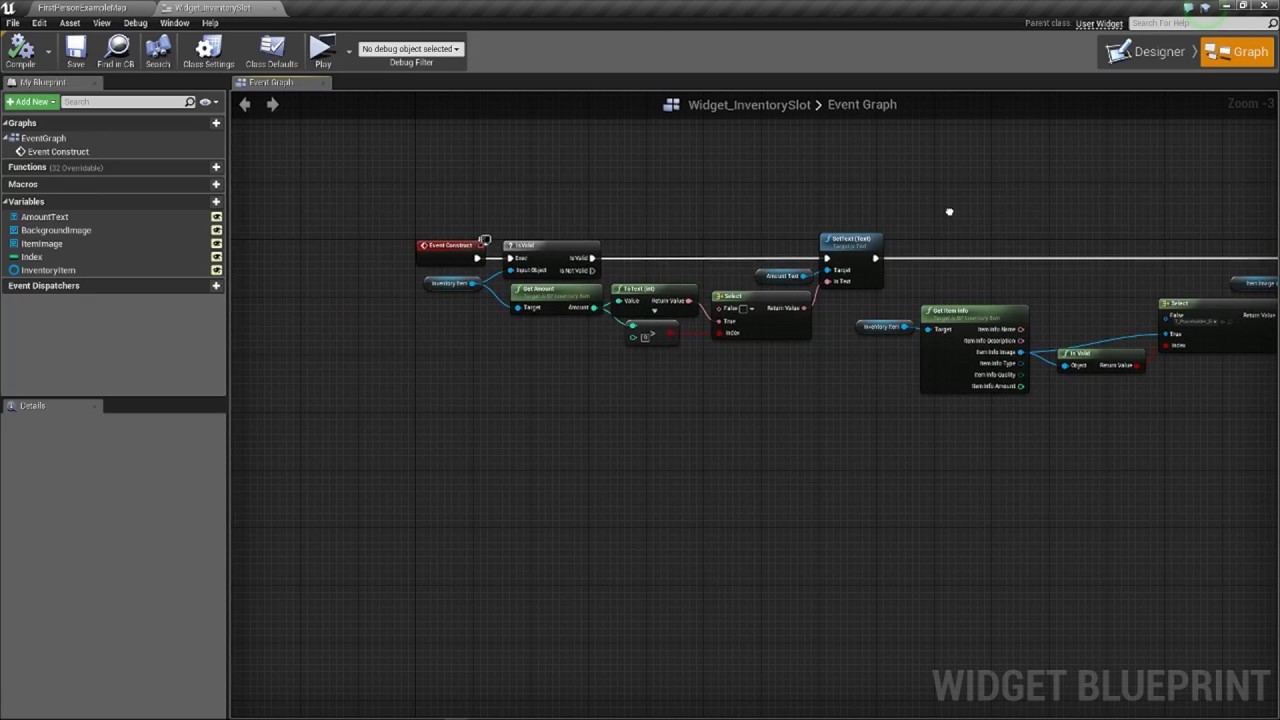
In this video we get started setting up the inventory interface for our inventory component.
Link to the inventory placeholder images https://drive.google.com/file/d/0B7SMceEfYyHYWTFxS19aMEpGTGc/view?usp=sharing
Join our Discord server to get connected with our awesome ever...
whole quarry
so, are you seeking help or are you seeking someone to fix it for you?
abstract relic
You’re going to have a tough time finding someone to watch a 30min video to help someone who didn’t provide their current code or otherwise provide elaboration.
plush yew
which code to provide?
whole quarry
dunning kreuger effect
abstract relic
Hey now 😜
whole quarry
@plush yew Well, you have a problem with your code, so.. perhaps.. the code that you have issues with is worth sharing so others (that currently have no idea how your code looks like) can perhaps take a look at it and point you in the direction to fix it
just a wild idea
exotic thicket
no need to be snarky, new users don't always know how to ask :)
whole quarry
its the same thing with kids, traumatize them early and they will never forgot
exotic thicket
lol :P
whole quarry
😛
abstract relic
Mind reading is an pretty unreasonable assumption to be fair
 gleaming creek
Anyone know if there's a way to delete an asset from a blutility? Somehow such a node doesn't seem to exist
whole quarry
blutility? is that new?
whole quarry
2014, guess not
gleaming creek
(Come to think of it, I should probably ask in #editor-scripting ...)
abstract relic
Best to do so. We’re just stupidly drooling over here 😜
gleaming creek
It's not supposed to be, it's blueprint nodes to run in editor
whole quarry
i've never noticed and nor used it 😄
gleaming creek
You can use them in Call In Editor functions and in Editor Widgets (those are new, since 4.22)
whole quarry
love to help the files are not in my archives
whole quarry
@plush yew 2nd screen
plush yew
but when I click again on "2" it makes the slot darker
abstract relic
In row and in column are both 0
whole quarry
those 2 needs to be updated accordingly
plush yew
so?
abstract relic
So you have no row or column
plush yew
I have only this
whole quarry
not sure what the functions Set Row and Set Column do
whole quarry
but your inventory is being thrown in row 0 and column 0
the darker is because it keeps adding a new widget
plush yew
I will check the video rn to see
abstract relic
so you have no row or column
whole quarry
When you press 2, it creates a new widget, and adds it
it doesnt recycle a precreated widget
whole quarry
you will need to make a widget reference, check if its valid, if valid add the widget to viewport, if not valid then create a new one and add it to viewport
plush yew
I have these 2-idk why
whole quarry
how many parts did you skip from that tutorial?
plush yew
wdym?
what parts to skip?
I don't follow the whole series-I started doing the inventory and hunger system
whole quarry
dont just randomly start somewhere in a tutorial
plush yew
the inventory starts from video number 18
whole quarry
especially if you dont know what youre doing
plush yew
but I don't need the other videos
whole quarry
dunning kreuger effect
plush yew
I want to create the inventory that's why I started doing it from the inventory and he started doing it from scratch and no errors
abstract relic
Do you want a hug Remco?
abstract relic


 plush yew
so there is some problem with the blueprint Add Child to Grid cus my has column and row-he hasn't got it-how to remove these 2?
whole quarry
remove the 2 int vars from the Return node in the function
but that you have to ask that tells me how far you are in the "beginner level" 😛
abstract relic
Gotta start somewhere
plush yew
I don't have 2 int vars in the return node
abstract relic
Trial by fire
plush yew
whole quarry
yes, but starting at the start is generally a better idea than going for a complex game with various sub systems like inventory, day night cycle, weapon systems etc
ambition is more often a bad companion than a good motivator
whole quarry
these 2 are INTs in the Return node of that function
abstract relic
You need to tell it how many rows and columns it has before making a grid
plush yew
0
abstract relic
Then you have no issues. It is behaving as it should with no rows or columns
plush yew
ok
so I need to do it with colums and rows
so why then in the tutorial there is column and rows?
abstract relic
Because they have columns and rows
plush yew
ok hmmm
he didn't show them in the videos for the inventory-hmm
okay so what to do then? is it problem or the inventory is not done and in the next videos the inventory will has colums and rows?
whole quarry
You have an array of the items,
You have in the inventory a grid, of i.e. 5 columns per row
From the ForLoop you take the item from the inventory, throw it in a column
Add a Column var to keep track of currentColumn, when the currentColumn = 5, reset currentColumn to 0, increase row +1
abstract relic
You tell me, you watched it. So far, it’s just flawed logic. Most likely you missed a step. Rewatched and follow it from scratch
plush yew
I can't start it again from scratch cus I have time to finish it
whole quarry
inventory systems sucks without drag and drop of items to arrange the inventory to personal preferences anyways
plush yew
I will do the steps that remco told me
so let's do the inventory with drag and drop then?
I think to make the inventory with drag and drop items, moving them from slot to slot
whole quarry
iirc @vale halo made a nice marketplace item which isnt that expensive but has all of that
much cheaper than hiring me :E
abstract relic
Let’s get the basic down first 😜
whole quarry
^ that
plush yew
ok
I am hearing
give me link to the system
also I download each free package for each month-xD
abstract relic
Either time and/or money will be spent. There’s no getting around that fact
whole quarry

A complex Drag 'n Drop inventory system with features like crafting, a hotbar, stacking, item dropping, a datatable and more!
but, imho, its better to learn it yourself
plush yew
ok
whole quarry
starting with baby steps
whole quarry
like a super mario game
plush yew
what baby stems?
whole quarry
only move and jump 😛
plush yew
I did it already
whole quarry
including a level system, savegame, enemies, teleportation pipes to different parts of a level?
plush yew
next step I want to make a bigger project with inventory, day night cycle, then the next step crafting system and yeah?
enemies no, I just made a runner game
jump and score points collect money
whole quarry
i would say that the next step would be something like a breakout game
or ping pong
seems easy, but its a real hair puller
plush yew
I have this system -what to do with it?
whole quarry
install it from the launcher to your project
whole quarry
it should be in your launcher vault
read the docs first
always, always read and consult the docs
plush yew
ok
whole quarry
RTFM is a big source of info
plush yew
which docs?
whole quarry
lol
plush yew
of the package?
whole quarry
yes
plush yew
ok
 surreal glen
Is the best way to handle turn based battles to store all your world information, load a new level for the battle, then reload the world using the stored information when it finishes?
Is there any built in support for this I am not aware of?
whole quarry
how big is your persistant world?
surreal glen
undefined atm
plush yew
bad thing 😦 why create project not adding it?
whole quarry
if its not so super bigisch, i would level stream the battle map
in some cases you need to migrate it from one project to another @plush yew
plush yew
ok
abstract relic
Make new project >>> select assets >>> asset action >>> migrate
plush yew
now I am reading the docs as you told me 🙂
whole quarry
development of software (includes games), require a lot of knowledge, for this you will usually have like 10 tabs open in your internet browser, thats normal
abstract relic
This document covers how to migrate assets into other projects within the Content Browser
whole quarry
google, docs.unrealengine.com, stackexchange etc 😛
whole quarry
those are rookie numbers, you need to pump those up!
plush yew
?
abstract relic
looks at my 52 tabs
midnight gate
whole quarry
my pc crashes currently twice a day (minimum) due to haveing like 50 chrome tabs open, vs2017, eclipse and ue4 😛
midnight gate
is this how i save wich map my charcater is on
plush yew
52tabs-holly xD
midnight gate
help
whole quarry
trying to make a multiplayer game with a own made online system
things tend to explode occasionly
@midnight gate what are you trying to do?
midnight gate
save what level my player has finished so next time he opens game and has level 1 finished spawns in level2
whole quarry
Isnt it beter to use a boolean array?
plush yew
xD
abstract relic
Well then
thick herald
way
whole quarry
array starts with index 0, knowing this, you can consider index 0 as level 1,
then you just loop trough the array to set the completed levels, and you have the same array to check which levels are completed
midnight gate
so i basicly cant save my game with simple set variables
plush yew
wtf
midnight gate
ok thanks for the info
whole quarry
well, you can
plush yew
I opened the project that I get it from the package and when I started it I got errors-wtf
whole quarry
but if you want to end up with 500 vars to store 500 level completions, you are in for a long ride
plush yew
how it has errors when I didn't do nothing I just download and created it and I decided to open and test
midnight gate
well i have like 4 levels
thick herald
just store the last level completed as a variable and use that :/