#ue4-general
1 messages · Page 611 of 1
 warped current
So like this?
its not working for me @ _ @ ... it's not changing the variable ( i put random name inside "Sub Name")
 grim ore
how do you know it's not changing it? is the cast failing or passing
your code looks fine, maybe your check is not valid
warped current
oh wait actually it is working
there's something else that's broken, the variable has definitey changed
thank you @grim ore 😄
 ornate ice
Hey anyone knows how to make the capsule collider of the character match the mesh position when jumping?
cause I'm jumping a certain altitude with the Jump function but the animation jumps higher than the actual character collider.
grim ore
you will have to adjust the size then or adjust the animation so it doesnt go outside of your collider. When you jump the collider is what is moving, the animation is just for show
your animation in theory should be played back in place anyways so it would not go out of the collider
 steady owl
Anyone know how to stop jumps being absorbed by a slope when moving up a slope at speed and jumping?
Tried MaxStepHeight / most of the CMC params etc.
ornate ice
@grim ore yeah but usually jump animations tend to pick some vertical space
they play in the same spot
but it actually goes up
 runic iron
wdym, like when you jump the mesh goes out of the collision capsule ?
Maybe you have some root motion jump anim then, but z movement isn't taken into account unless in flying mode so that'd be surprising. Try enabling root motion on your anim though if that's the case, should solve the issue
grim ore
which jump animation is this on mixamo?
the default UE4 jump animation does leave the capsule but only by about half the head
 open eagle
Will deactivating a component deactivate it's attached children?
 naive comet
anyone wanna join general voice chat its getting kinda lonely over here
grim ore
somebody thinks you do lol
 crude vessel
how do I find a static mesh on a character blueprint... when it has no static mesh? and yeah I tried searching
grim ore
does anything get added at runtime?
 regal radish
Does the ue4 doc page on the web have everything about unreal engine on?
Where can you find everything about the unreal engine
 wooden mango
Hey guys, I'm wondering if this is a bug or if it's not how UE blueprints are supposed to operate.
I have a blueprint where I made a variable type of actor class and have specified it as the end node. when called it fails to read the property "CallFunc_Array_Get_Item" but if I manually specify the actor class without a variable to the same settings, it works.
Here it is set in the blueprint with the variable
This is the only way it works though
 chrome ivy
Happy new year!
 verbal jackal
Anyone has any ideas there is any common issue when exporting from blender fbx and importing in unreal that after numros tries I have the character model i have the skeleton and they are showing up correctly, but i also have all the animations but they are not showing any preview?
wooden mango
ooo, have you tried the blender to unreal addon?
it makes the scripts and everything you need to export/import them easily
 golden lotus
Just had a quick random question. Is there any simple way to make an actor's net relevance range only considered on the XY plane, as opposed to in 3 dimensions?
wooden mango
I would split output struct on the 3D vectors, plug them into 2D, and calculate distance from that
or put them into a new 3D vector with Z forced 0, and calculate distance on that
golden lotus
Where in UE's source would this code be located? I'm a bit unfamiliar with it.
wooden mango
is this blueprints, or CPP?
golden lotus
This is cpp
If there's a function I can easily override to change this behavior that'd be ideal
I'm just not sure which class I'd need to look at to start with it
Only for this specific actor as well, so I'd rather not go change a line of source code and have it be present for all actors.
wooden mango
https://docs.unrealengine.com/en-US/API/Runtime/Core/Math/FVector2D/index.html
https://docs.unrealengine.com/en-US/BlueprintAPI/Math/Vector2D/Distance2D/index.html
A vector in 2-D space composed of components (X, Y) with floating point precision.
Distance 2D
golden lotus
I'm aware of how to calculate a 2D distance, as opposed to a 3D distance. I'm just not sure where in UE4's code this net relevance distance calculation is handled, nor how to override its behavior for only a specific actor subclass.
wooden mango
I'm not aware of a specific function to handle all of it, but you should be able to do it without editing source code, just a new function to grab the InX and INy from the Fvector, and plug them into two new FVector2D then get Distance 2D from those
 white canyon
could someone please help me set up my source tree repository? because i followed a tutorial perfectly, and it isnt letting me push modified files to the repository
please.
verbal jackal
@runic iron IDK default
you mean this addon?
https://www.blendernation.com/2018/09/16/add-on-blender-for-unreal-engine/

BleuRaven writes: This addons allows you to export content created with Blender to Unreal Engine 4. Working on object packs for Unreal Engine 4 can be complicated with Blender. That's why I created the Addons "Blender for UnrealEngine". It simplifies the procedure of the expo...
wooden mango
Yeah, that one
golden lotus
That's not really what I'm asking, Nowski.
I know how to do this
float Distance2D = FVector::Distance(ExVector.X, ExVector.Y, 0.0f).Size();
Sorry for the misunderstanding
runic iron
@verbal jackal Try this https://discordapp.com/channels/187217643009212416/225448446956404738/656123154820890636
golden lotus
I need to change how UE4 computes the net relevance condition such that it does this, specifically, when determining whether or not an actor is net relevant to a specific client.
verbal jackal
I checked now the characters height in blender is around 3.75meter
runic iron
@verbal jackal My fix assumes that your character was modelled with blender's default scene settings, like you didn't change the units
Just before exporting do the steps I linked above, should work hopefully, works for me at least. Had the same issue as yours
verbal jackal
I havent change them, just now to the 0.01 as suggested, should I do so in the fbx exporter too or is it expecting use of the plugin?
runic iron
Need to go rn so can't help much more sorry, hopefully it'll help
wooden mango
As far as I'm aware, the plugin when used for exporting to unreal makes it a 1:1 size ratio with default settings
runic iron
Yeah my fix doesn't use the plugin at all, just export to fbx
Really need to go now lol, feel free to dm me if that don't work for some reason, I'll answer later
 verbal oar
doesn anyone know a doc or guide to bone naming convention for UE$ skel to simply replace the skeleton and mesh so i can use a prebuilt anim BP?
wooden mango
@golden lotus, Just making sure I understand, Do you want it to replicate only the 2D Vector Distance when it is net relevant, or do you want it to only calculate the 2D vector distance when net relevant?
verbal oar
UE4 *
i simply want to use a UE4 skel anim in mo cap from EMP and swap out the mesh with skel
hmm, far more complicated than i'm used to
i searched the docs for Uen
golden lotus
That's not what I meant either.
Let me try and explain what I need to do.
Right now, you can set the NetCullDistanceSquared property in any class derived from AActor, such that it will not be net-relevant to clients who are further than that distance in the game world.
The dilemma I am experiencing, however, is that this distance is computed as the 3-dimensional, euclidean distance between the location of an actor, and the location of the client's currently controlled character pawn.
The functionality I desire is such that, for only one specific class of AActor that I have created, it computes this net relevance distance as the euclidean distance only with the X and Y coordinates, while neglecting the Z.
The context is, I have a system I've been working on that involves a grid of actors to handle a procedural building system. When players go too high above the actor, it becomes non net relevant. I want each actor to be responsible for a specific cell on the map. The last resort is, obviously, to increase the net relevance range such that it'd never be an issue for any map we have, but It'd be a lot cleaner to just handle this as described above.
wooden mango
@verbal oar would animation retargeting be what you're looking for? This way you match only certain bones, or is it more than biped actors?
crude vessel
I don't think anything gets added at runtime
this message only appeared during lighting build
grim ore
definitely weird there is no missing mesh then
verbal jackal
eej the plugin works for unity too
wooden mango
@golden lotus oof, makes more sense now I apologize. I can't think of any quick way to do that. Would it be possible to place a hidden mesh for that actor locked on the z axis, then pull the NetCullDistanceSquared from the z-locked hidden mesh instead of the owned actor?
z-locked to the terrain if possible
golden lotus
Well, I found this:
ActorReplication.cpp
bool AActor::IsWithinNetRelevancyDistance(const FVector& SrcLocation) const
{
    return FVector::DistSquared(SrcLocation, GetActorLocation()) < NetCullDistanceSquared;
}
I thought about doing that, actually, but players may end up going up or down 20,000 UE units anyways, which is its current relevance radius
 normal burrow
Is there a way to add a component to a socket without making a bp?
golden lotus
well, I cannot in my actor class
 dim plover
Pat, I'm 99% sure yeah. I'm pretty sure I do that.
normal burrow
In the details panel?
dim plover
Oh, I thought you just meant in code. Now I understand, kind of.
normal burrow
yeah, I don't see the option to pick a socket
wooden mango
If you have an actor with a socket on the skeletal mesh, you could enable socket snapping
golden lotus
Are you doing that in c++ or blueprint
verbal oar
yes retargeting would be fine , would i be able to export the UE4 skeleton to 3ds max format and then rig the mesh to it, then retarget, yes?
normal burrow
Basically I can't make a blueprint but would like to be able to add component to a bone on a sk mesh component (in details)
dim plover
Which details panel?
wooden mango
So if you have the socket created already, just enable socket snapping, then select the actor you want to attach in the viewport and click on the socket it should snap to
if you don't want to enable socket snapping, you can use the context menu
there will be a menu that pops out (details panel) and you can select the bone or socket
verbal oar
i'm a modeller and level designer so modelling a character is one thing, i would need to rig according to an exported skeleton if possiblwe
i'm not really big with Animation according to UE4
only made experimental rigs on characters for an online class with 3dbuzz
generic human IK
normal burrow
Appreciate it Nowski
Wasn't able to get it to work, was dealing with cinematic actors so i couldn't get to all the options really
wooden mango
@verbal oar Got it, so as a shortcut I would export the UE4 Mannequin_Skeleton asset from unreal or you can see some default rigs in the unreal docs from https://docs.unrealengine.com/en-US/Engine/Animation/Skeleton/index.html
If blender rigging isn't working out (my biased recommendation), there also is a decent tool for animation and rigging called akeytsu (they have a 30 day trial so you don't have to pay to check it out).
An overview of the Skeleton asset and how it applies to animation in UE4.
verbal oar
i have 3ds max
it has bones and naming convention means
but ty much! exporting the skel to a useable format would be excellent
gonna read thru the doc soon
dinner
wooden mango
3DS Max works too 😄 What I would do then is either grab the UE4 mannequin skeleton or grab any of the skeletons available from the Infinity Blade packs (free) that are close to the size of your mesh. then you can rig it up to yours and retarget or use the already completed animation
golden lotus
Nowski, I figured out how to do what we were discussing earlier.
verbal oar
ok, can i retaget a mo cap anim and skel too?
wooden mango
should be able to, are you recording the mo-cap on the fly, or do you already have the anims available?
verbal oar
cuz i have a rock climbing aimation BP and i want to simply replace the mesh so it will be faster and easier, no need to create my own rig if the Mo Cap uses Ue4 stock
wooden mango
@golden lotus That's awesome, which way did you go?
golden lotus
You need to take your specific Actor and do this in your header file:
    /*Override on ActorReplication.h's IsNetRelevantFor function.  The intent is to replace the 3D euclidean check for net relevancy with a 2D net relevancy check instead to fix the bug
    where tunnel networks unload if the player goes too far above or below the XY plane.*/
    virtual bool IsNetRelevantFor(const AActor* RealViewer, const AActor* ViewTarget, const FVector& SrcLocation) const override;
no i got mo cap from EMP
golden lotus
And this in the cpp file
bool ATunnelNetwork::IsNetRelevantFor(const AActor* RealViewer, const AActor* ViewTarget, const FVector& SrcLocation) const
{
    // This was copied directly from ActorReplication.cpp's IsNetRelevantFor function
    bool bRelevant = Super::IsNetRelevantFor(RealViewer, ViewTarget, SrcLocation);
    if (!bRelevant)
    {
        //Do a specific check here.  If the actor normally is not net relevant due to being outside of net relevancy range, we do an additional check here to see if it lies
        //within net relevancy range if the Z coordinate is neglected.
        if (!IsWithinNetRelevancyDistance(SrcLocation))
        {
            if (FVector(SrcLocation.X - GetActorLocation().X, SrcLocation.Y - GetActorLocation().Y, 0.0f).SizeSquared() < NetCullDistanceSquared)
            {
                bRelevant = true;
            }
        }
    }
    return bRelevant;
}
Yeah, UE4 should be able to retarget as long as you've got the same "basic" features like a pelvis, elbows, knees and such
golden lotus
That fixes the issue!
verbal oar
would prefer an exact match, can do it just wanted a simplified version or an export, UE4 is fairly new to me
wooden mango
Nice! so no source code edits!
golden lotus
thankfully, no. That is always, always a last resort
Source code edits make upgrading your UE4 to the latest version a royal pain
grim ore
@normal burrow have you looked at using an event track on the SKM to add the item to the socket during playback?
normal burrow
well the bug was with attach animated
verbal oar
Does anyone know how to post to Looking For Talent?
normal burrow
I some how fixed it by forcing a change state set
 glass ginkgo
Happy new year everyone!
golden lotus
I've posted there a few times, Gypsy
verbal oar
seems only trhe bot posts
wooden mango
@verbal oar To get started, send a DM to Unrealbot with the word talent (you can also say lft). The bot will ask you a series of questions, automatically format a message based on your answers and post it to this channel.
golden lotus
hmm that's odd, it's been a year or so since I posted, but we were able to find contact with an animator through there
wooden mango
You can see the pinned messages on the channel 🙂
golden lotus
they must've changed things since I last posted, I didn't have to do any of that
verbal oar
ok i posted, ty guys
 rancid lynx
does unity have a lesser version of blueprints ? of some type ? some system i can learn to do basic things without programming? i understand java and classes, but i dont think i understand nearly enough to code junk like "attach mesh A to mesh B" or "move to location " etc etc
grim ore
they do in alpha (visual scripting) as well as addons like Bolt
rancid lynx
i like ue4 alot more. i m just curious .
oh hey thanks tomatoesSan !
happ y new year buddy.
your the guy that makes those wonderful gift to earth "WTF " video tutorials right mathew?
grim ore
yarp
rancid lynx
im gonna see if i can send 10 bucks on youtube somehow nice and easy
a pizza from me haha
 abstract relic
How many pizzas have you received over the years from fans Mathew?
grim ore
nada 🙂 I don't take donations
grim ore
if I had a patreon sure
rancid lynx
so patreon just has like, all your pizzas, in a fucking room ?
google sure linked me to patreon. automatically
grim ore
oh weird
rancid lynx
well i clicked the donate button
abstract relic
Sounds like someone masquerading
grim ore
aww well I don't know where that is. I did start one at one point but realized it was just to make sure no one else did and I never launched it lol
so as far as I know it doesnt exist to donate to or subscribe
yep nothing comes up on search for patreon
rancid lynx
i didnt send anything yet . i was still trying to create an account first
ill try and send 5 bucks
half a pizza : (
grim ore
what is the link for this? or the name to look up
abstract relic
Gotta spend money to waste money
rancid lynx
goto your youtube channel
then click the donate button
that should take you to your patreon i guesssss
grim ore
oh lol you can do that?
rancid lynx
i have no idea. this is the first time i ever tried
if i see your video, i see a donate button below, near subscribe
so im guessing google knows how to find your patreson idk
 scarlet birch
I don't see one
rancid lynx
great guess, ill try chrome next
scarlet birch
Some script kid thanks you for your donation
rancid lynx
ive never personally tried to add addons recently.
grim ore
as far as I know i have no donate or subscription stuff on purpose so if one was to show up I would be sad 😦
rancid lynx
firefox shows a donate button. chrome doesnt.
abstract relic
Please don’t touch shady buttons
rancid lynx
lolol catshit. i guess i did install youtube downloader last year
normal burrow
someone owes you dollars matheww
abstract relic
Google has your bank information apparently 😜
rancid lynx
i didnt send any cash to that donate button , great guess
ill try and find your patreon info on youtube
ive seen like 52 of your videos at least
abstract relic
Thought he said he doesn’t have one
grim ore
well you shouldnt be able to find it so 😛
abstract relic

rancid lynx
yea. i dont see any.
grim ore
and google does have my bank info since I do have passive ad income from the videos
man I was worried I had some secret patreon account set up somewhere with hundreds of pizzas going to waste
abstract relic
Google opens money wiring accounts for you now. Very thoughtful of them /s 😜
rancid lynx
heheheh
well i hope google at least gives you some cash for the awesome videos i watch
they need afucking donate button
its not 1992 anymore
grim ore
i have it disabled on purpose
donations/subscriptions = direct money for doing stuff = I feel like I need to do stuff
right now I can take a few months off to work with epic or research stuff and not feel like I have to post to make subscribers/donators happy
normal burrow
sacred internet pizza
abstract relic
Pay him directly at least. A good chunk gets eaten if you use patreon or YouTube. They really like pizza.
normal burrow
They sure do
normal burrow
 no
no
grim ore
I do contract work for Epic so pizza money is not an issue 🙂 I like to know that all the videos I do for the channel I do out of enjoyment of doing them
normal burrow
I heard once, they have cone pizza at epic.
grim ore
Epic literally has everything
rancid lynx
oktyvm. did you ever talk to that one guy.. whats his name.. from 3dbuzz.. uh... zack? which ones the black guy, i forget
abstract relic
 rancid lynx
i used to learn from 3dbuzz like 15 years ago. that was a pretty good site a long time ago
normal burrow
3dbuzz is a thing still?
rancid lynx
surely not. lets checkit out
grim ore
Zak Parrish and wes bunn probably?
and the main personality at 3d buzz passed away a few years ago
rancid lynx
yea haha zak and wes. that was it
yea i read that news recently actually
: ( stinky
grim ore
yeah. I learned a ton of Maya and C++ from them yeaaaars ago
rancid lynx
i learned a little about alot of things , from there, long ago also hehe
before youtube was full of content
good times
i still never made a game though
but im half way there now
skyrim and zelda botw taught me to despise menus. this VR game works hard to avoid all menus
the deepest menu i have is "press B" to spawn an open backpack. but the games not very fun yet so.
 next current
bruh how do i make a BeginPlay node in a blueprint widget
 exotic thicket
I kinda wanna do a VR game with no menus or anything.. you just have to do everything physically. Ie. backpack is on your back and you have to pull it off, open it, etc.
But that sounds like such a pain I have no idea if I'll actually ever get around to it lol
rancid lynx
i have a good idea for crafting.
exotic thicket
you have to take a pen from your backpack, draw a 3x3 crafting grid on the ground, and then place items into the grid
...or maybe not, I just wanted to make a minecraft joke
rancid lynx
that does sound fun. idk if i could do that
exotic thicket
well, aside the "draw grid on ground", it's probably not insanely tricky :)
rancid lynx
when i used to "load level" in ue4 4.2, the load level was instant, in 4.24, the first time i click loadlevel its instant, and the second time it takes like 6 seconds to load, and flashes a tiny empty Steam home window.
scarlet birch
I love the slimes.
grim ore
@next current You should be able to right click and type in event begin play
next current
i did, but all i get is event construct
grim ore
that is in a widget then
grim ore
then event construct is what you use, its the same as begin play for a widget
rancid lynx
when i use the "OpenLevel" node, the first time i activate it, it works instantly, sending me back to spawn. but the second time i press it, ue4 locks up for 12 long seconds while a tiny oculus style loading hourglass displays, then the open level completes and returns to full framerate. anyone have any idea wtf why ? the first OpenLevel is flawless, instant, every OTHER activate is plauged with a strange load screen that never happened in the entire last year.
i upgraded ue4 2.4 to 2.42 and installed unity and unity downloaded some oculus driver. those are my only guesses.
exotic thicket
I wouldn't be surprised if the Oculus stuff had something to do with it... their software is sometimes really freaking broken
like.. I'll start PUBG, and the Oculus client launches? Why would it do that.. etc. :D
rancid lynx
oh i love that wolf3d boss you got on your icon
exotic thicket
:D
exotic thicket
yeah I probably did some really bad edits of some of the sprites back in the day as well
rancid lynx
i made the white suit enemies arm fall off on death, like the gun blasted off his arm.
it was so easy, but looked so authentic. i was really happy
next current
@grim ore thanks :)
rancid lynx
anyways sorry spam
exotic thicket
Another random idea I had was a VR horde shooter where you carry around two miniguns ;)
abstract relic
Use mask component
 wispy pasture
I'm thinking of using UE4 for a simple driving simulating game. Does anyone know of any examples where this has been done successfully in the past using UE4? I'm mostly interested in seeing realistic vehicle handling and physics.
grim ore
I don't know if "simple" and "simulating" go together. There are 2 vehicle templates you can look at in the engine to see the simple and "advanced" setups they have
wispy pasture
Sorry, by simple I meant that I'm making a proof of concept
So I'm only interested in how the vehicle physics will behave, as opposed to things like environment/materials/whatever
And thanks, I'll check those out
grim ore
according to the internets GTR3 is an upcoming professional racing sim using UE4. Beyond that I can see some concept stuff on youtube and some starter templates on the marketplace
in terms of physics and stuff the advanced vehicle template does have quite a few options for realistic handling
wispy pasture
Yes, I saw those too - I was a little surprised there weren't lots of examples, but it might just be that it's too niche a genre
grim ore
I think so plus most AAAAAAAA games take YEARS to develop and we are only at the point now where those games are starting to become released
wispy pasture
Yes, that's a valid point. Thanks for your advice, I'll check out the templates in the engine and on the marketplace
grim ore
at the worst the test track with the advanced template is fun to drive around on lol
set up a few blueprint checkpoints and bam ship it
 calm widget
@abstract relic that function only takes texture 2d, i couldnt really figure it out but i created 3 separate functions with the texture i need. seems kind of redundant, but it works. if anyone got any other ideas? : )
wispy pasture
I'm not experienced with UE4 which is why I was hoping to see examples of past success before I spend much time on learning how to do the basics, but actually that GTR3 game looks very promising, so if that can be done then I'm sure UE4 can meet my requirements
grim ore
@calm widget It looks like if you just wanted to put a texture 2d into the function you could plug a texture object right into it
calm widget
yes, but the problem i had was that my texture was packed
just solved it like this instead
im a bit confused with the texture object thing
grim ore
ah you only wanted one of the channels from the texture was it?
calm widget
ye : )
abstract relic
It wants two channels so just use the component mask
grim ore
it doesnt want 2 channels, it wants a texture 2d object is the issue
normal burrow
this is like a surface normal blend thing?
grim ore
its funny because https://forums.unrealengine.com/development-discussion/rendering/1499163-how-to-use-a-material-function-with-a-channel-packed-texture covers what we are talking about lol
even down to the "just use a component mask"
calm widget
oh, thanks. i'll check it out
grim ore
the basic answer was "rewrite the material function to do what you want, epic didn't design it that way"
calm widget
yeah, it makes sense. i looked throught it, and i could basically delete all of it and add my texture and lerp both xz and yz and it worked fine : )
grim ore
yep yep I never even knew that was in there I always did that function manually lol
white canyon
can i use a starter material to paint an outline on a landscape?
grim ore
for that you would normally use Layer Blends for Landscapes https://docs.unrealengine.com/en-US/Engine/Landscape/Materials/index.html you can assign one texure for the landscape then another to pain on top of it with the paint tools.
but its normally meant for things like grass and dirt and such on the landscape itself
rancid lynx
Sometimes my game runs at 11ms refresh and sometimes 16ms refresh. ffffking randomly. zero windows open in the back, no other processes. each time i "play vr mode". any ideas why ?
if it starts in 11ms, it doesnt fluxuate, if it starts in 16ms, it doesnt flux, more than the standard .xx spam
grim ore
well the 11ms is 90fps and the 16ms is 60fps. I am guessing it's locking FPS since this is VR and it does that
if the devices cannot hold the FPS mark (90) then it drops it down to the next level and holds it there
rancid lynx
wonderful guess. i use oculus debug tool to insure that autosyncronous space warp trash is disabled.
88 frames should never translate to 45. john carmacks worst fucking idea ever. in the intire history of all dooms
grim ore
I want to say that is reprojection
rancid lynx
im sure he knows something i dont. and i dont care. id rather have tearing or what ever it was ^ ^
well, i disabled the reprojection i believe.
grim ore
and I agree it should not do it but It's something they insist on doing to keep people from feeling sick
rancid lynx
45 fps makes me sick. its the only tihng that makes me sick. but i agree with your answer.
surely that must be why
grim ore
I think you can disable it but its on the software side not UE4 side
 high void
Quick general practice question. Let's say I want to add a DoorHinge to my Door blueprint that will allow me to toggle open and close the door. Would this be best implemented as a SceneComponent, or would an ActorComponent be better suited?
grim ore
what is the door hinge going to be used for?
is your Door Blueprint just a static mesh of the door you put in the scene or more than that?
high void
Door BP is an actor with a Static Mesh root (door frame) and a child mesh (door). DoorHinge is solely used to open and close the door, by rotation
grim ore
I would assume it would not be needed as you would be rotating the door mesh no?
high void
My current implementation is a SceneComponent called DoorHinge with a function that opens the door by rotating itself, which also rotates it's child (the door)
If I was doing pure BP no, I wouldn't need it. But I'm doing the rotation in code
grim ore
yep that sounds like how it should be done assuming you need to use the hinge to offset the door (the door doesnt have a pivot in the corner)
high void
Then executing it in BP
The door has a pivot in the corner, just using the starter content door
grim ore
if you can do it in BP you can do it in C++, the BP just calls C++ code. its just a static mesh component so calling rotate on it should have no issues
high void
But where would I write the code? I'd like to make it modular, so having a component with the implementation makes sense to me.
I'm writing a custom component currently. I wrote a custom actor before, then derived a BP from it, but I feel like that's not right, especially if I want the door to be able to do more
Though I'm not sure, that's why I'm asking :)
grim ore
gotcha so you want to be able to just call a function on this component and have it do open/close rather than have your blueprint with this code doing it
 cerulean nova
Im currently working on a pawn i want it to behave like a car but without physics so far so good... i controll the input with input axis and the steering is a "Add Controller yaw Input" but its possible to "Turn" in place currently i dont want that and i dont want to use the wheeled vehicle preset from ue because its physics based and i want the cars to feel fast and responsive 🙂
grim ore
seems a bit complicated but if you want it self contained an actor component could do it. You could make it super modular where it takes a mesh, a time to rotate, and starting/ending vectors then it handles it all internally
I personally just make one master BP door and handle all the code inside of it but I just re use that one blueprint and not piece it together for re use
you are thinking ahead, I just think of getting it done with minor re use 😛
epic has components for rotating stuff so what you are asking doesnt seem out of ordinary
high void
I can definitely see that working. You think that'd me more in line with convention than a SceneComponent? I was trying to ask more in the sense of "which type of component is more purposed for that operation". I'm trying to discern the meaningful difference between the two xD
grim ore
well scene is just meant to represent a transform
actor gives you all the benefits of an actor
high void
I think I need to read up on the benefits of an actor
ActorComponent can do more than just "change transform". Iirc it doesn't even have a transform
grim ore
that is actually a good point
high void
So SceneComponents are used to represent and manipulate transforms and rotations, and ActorComponents are for functionality beyond just that? E.g. manipulating other components, such as StaticMeshComponents
 jovial solstice
since a few releases ago the editor pivots around the thing you last selected, is there a way to only focus on something when you press f?
high void
Oh jeez I didnt even think about those lol
This is the page I've been scouring for ideas
The one you linked
grim ore
@jovial solstice that is not the default behaviour
wait do you mean it auto focuses or it's auto pivoting or?
jovial solstice
the camera pivots around the thing selected
 digital anchor
you wouldnt normally inherit primitive component, unless youre doing another mesh type
jovial solstice
when you alt+left mouse press I mean
high void
Yeah primitive components seem to be used for animation and rendering specifically
If I understood UE docs definition correctly
Apparently SceneComponent inherits ActorComponent
Maybe a more streamlined definition: if it needs a transform, use a SceneComponent
If it doesn't, use an ActorComponent
I.e. inventory doesn't need a transform; ActorComponent
grim ore
@jovial solstice weird. when I alt-rotate around it rotates around the center of my screen not what I focused. I thought there was an option to enable what you are saying but it's not on default.
high void
Sword needs a transform; SceneComponent
jovial solstice
@grim ore I've looked around for options but I can't find any, maybe I'm blind
digital anchor
Sword normally needs a hierarchy, mesh, particles, sound, etc. so i would recommend an actor for that
unless of course you dont need it :p
high void
But if I had a Player BP, would I be able to add a Sword to it's heirarchy?
I thought you couldn't put an actor in another actor
digital anchor
yep eighter with ChildActorComponent or AttachToActor
high void
Ohhh that actually explains a lot. When I was first messing around with that, it made a ChildActorComponent when I dragged one actor into the BP I was working on
But does it retain its type? I.e. if my Player BP had an action that required a sword, I'd be able to use that child actor?
grim ore
@jovial solstice I can't seem to find anything but if you install a new version, or find an old version that doesnt do it we can check the release notes. for me if I click on a building and focus it, then alt-shift-mouse it will rotate around the middle of the screen (the focused object). I can then click on anything else anywhere like off to the side and when I rotate it still rotates around the middle of the screen it does not go to the selected item or rotate around it
jovial solstice
@grim ore ah I found it actually, it's "Orbit camera around selection" in editor preferences... I don't know when I checked this but it all worked out, thanks
grim ore
I think lol yep I just found it
pivot and rotate would not work as keywords but the docs pointed it out and 4.22 is when it was added
high void
Also thanks @grim ore and @digital anchor for your help, gave me a lot of good info :D
grim ore
I am super curious on how it works out in the end. I am really bad at encapsulating stuff into smaller stuff like that so I would like to see how it ends up working
high void
Gotcha. I have the SceneComponent one working, doesn't even need a mesh reference. The ActorComponent one will tho
Both "work", but one might be more efficient. Tbh I think it'll be the ActorComponent. Since the pivot for the door is already in the corner, I don't need another transform. Having one less object in the hierarchy is worth having to pass one more parameter, which is one more getter in the BP
grim ore
sounds smart 🙂
 eager minnow
Hey gang - question (sorry for interrupting). Is there a way to have multiple physics materials on a landscape? I made a simple two layer material for my landscape but there’s only one slot for a physics material. I can’t find any info online about it other than something about a bug where the landscapes were not returning results from hit casts, but that was an old bug.
grim ore
if you have multiple materials in the landscape it should detect the physics material inside the landscape itself that is hit, the other one in the main material is used as a default. The issue is that bug is present in 4.24 from what people are saying where it does not return the physics materials on landscape hits from the hit result anymore
 thin tendon
I want to add power poles to my game. What is the best way? I'm thinking place each pole manually and spline the cables.
 steep ferry
damn seriously? I guess that will be a usefull info Mathew
eager minnow
@grim ore oh really? Interesting. I didn’t realize the bug was still present. I only have one material but with multiple layers. Maybe I should try refactoring to the new material layer system. I have it set up with material attributes so the only place for a physics mat is in the base material (if you follow what I’m saying). The material attribute component itself doesn’t have a physics material input.
Ps - happy new year folks!
 hoary silo
WOOOOOOOOOHHHHHHOOOOOOOOOOOOOOO
grim ore
@eager minnow yeah apparently it was fine in .23 and broke in .24, probably due to the new material layer system added 😦
eager minnow
Ah. Well then I’ll be putting that bug aside for now. Lol. Thanks for the info!
 coral shoal
Does anyone know why a Set lifespan .0001 destroys an AI controller fine, but the "destroyActor" node never actually destroys it
grim ore
an ai controller? i would assume due to it not being an actor?
coral shoal
ai controllers are definetly actors :p
normal burrow
Believe their lifespan isn’t traditional actor
coral shoal
ah, so there's some special handling further down. they do inherit from AActor
"void AController::K2_DestroyActor()
{
// do nothing, disallow destroying controller from Blueprints
}"
lol
i mean
fucking why
coral shoal
If there is some odd side effect they were trying to avoid it would have been nice to include the reason in the comments
needing to destroy a controller isn't exactly super outside the bounds of expectations?
normal burrow
Are you trying to make it brain dead kinda? I think ai basically is owned by the pawn it’s made for. Could try ejecting it from its pawn
coral shoal
For what im doing, the AI Controller is supposed to keep existing in some cases after the pawn is destroyed
similar to how a playercontroller would
the controller owns the pawn afaik
normal burrow
I don’t know enough about it to say much but do wonder if that’s something that wasn’t intended for
coral shoal
if they reversed it for player controllers and ai controllers i cant imagine they intended much for it to begin with, heh
the most obvious use case would be something like an Unreal Tournament bot right. The controller and it's playerstate has to keep existing to store the bot's score even if the pawn and character gets destroyed and respawns somewhere else later
normal burrow
Not sure, but would say it’s convoluted enough just to support the two things identically but not at all to where you just accept when stuff bends to satisfy
coral shoal
It is easy enough to work around
that //do nothing won't stop being a headscratcher anytime soon though
normal burrow
Personally would like a big write up of object ownership and flags too.
Just have to read the source code more sometimes unfortunately
 burnt hull
hey guys, my open asset tabs aren't restoring when reopening a project that i just ported over to 4.24
i have the setting checked, but it still just opens the project up with all assets closed
is there a config file somewhere that i can put this setting in manually or something?
burnt hull
apparently this is an actual bug in 4.24. i've submitted a bug report on this, but if anyone knows if there is any way around this please let me know
 tawdry heath
I feel so smart having all these blueprints
grim ore
+1 for having comments!
tawdry heath
Hey how would I make my character finish his reload animation before he is allowed to sprint?
oh wait I got it
 bold shadow
tawdry heath
bold shadow
tawdry heath
Blueprint Runtime Error: "Accessed None trying to read property K2Node_DynamicCast_AsThird_Person_Character". Blueprint: Weapon_Base Function: Reload Graph: Reload Node: Return Node
HALPP
 cloud cobalt
Sounds like your player character is not a ThirdPersonCharacter.
tawdry heath
It is
tawdry heath
cloud cobalt
I'm just translating the error message for you here
Find out more by using debug messages in the graph
tawdry heath
I got it from this video
Today we show you how to make your reload system play an animation when the player is reloading. We go over everything we need to setup the reload state and variables/logic to make it transition.
► Resources: https://www.virtushub.com/game-dev
Unreal Engine 4 Beginner Tut...
people in the comments having same issue but I barely understand anything because I'm new 😦
cloud cobalt
Then debug it
tawdry heath
where's that
cloud cobalt
Print the values, names of actors etc
cloud cobalt
Your Blueprint code has a flaw, find it
The error tells you the character was either null or not the expected class
Just start by printing the name of that character in the same graph
cloud cobalt
Nothing much
tawdry heath
cloud cobalt
Look, I told you how to start debugging your bug, I'll stop there until you try that
cloud cobalt
Using the built-in save system, you'll have to load it again to read it.
So you can't know if the reading or writing is wrong
So, you can't know and you'll have to check both loading and reading to know.
I'd start with the writing since loading is usually more straightforward
cloud cobalt
@light lintel Sounds like the writing is wrong on exit then. Check if you do it differently
bold shadow
cloud cobalt
Show me your save system.
tawdry heath
I FIXED MY ERROR!!! ☺️ 🙂
cloud cobalt
So what does SaveGame do ?
bold shadow
cloud cobalt
@light lintel You should always create a new save game object. It's not a save file - it's an object that saves data to it.
Skip the IsValid on SaveGameRef
Only keep the invalid branch
Just try what I tell you
I don't make the tutorials, and I don't care much if they are wrong
What's the graph like now ?
Check that the code reaches the end with a debug message
What's PlayerInfo, by the way ?
 sullen rain
guys- do anyone of you have this pack available, it was free in Jan but i didnt add it

Game Ready dynamic optimized Grass Foliage Pack
cloud cobalt
You should remove the savegameref, too, it's pointless
Just plug the output of the cast to your set node
Looks like the saving code is correct, other than that
dim plover
For an FPS, is having a First Person arms mesh and Third Person mesh the preferred/standard set up?
exotic thicket
@dim plover it depends on what sort of "feel" you're going for. More realism oriented shooters may use the same visuals which are seen by other players in first person as well, but those can be harder to set up in such a way that it looks nice from a first person POV
cloud cobalt
I mean, start by fixing the errors
dim plover
Yeah, I thought having two separate meshes for First Person and Third Person would be easier and more flexible, but...
Managing both meshes' animations seems to be quite cumbersome as well.
Also, certain animations would look wonky in FP, but good in TP and vice versa if they shared the same mesh.
cloud cobalt
Failing that, the doc shows very simple examples : https://docs.unrealengine.com/en-US/Gameplay/SaveGame/index.html
Overview of how to save and load your game

This example uses async but it works the same with SaveGameToSlot instead
Loading is like this : https://docs.unrealengine.com/Images/Gameplay/SaveGame/Blueprints/LoadGameBP.jpg
 exotic thicket
I know "traditionally" fps games have had separate "view" and "world" models - but that was probably mostly done out of necessity for performance (ie. don't show the extra view detail when it isn't needed)... and I don't know how much of that is still done "because that's how it has always been done" lol :)
dim plover
🤷 Well, if the traditional way works, I guess I'll just stick with that. But wow, the managing of animations is really more difficult than I thought.
exotic thicket
I think PUBG is one which uses the same world and view and at least for someone like me who's used to typical fast paced shooters, the camera action in that often feels extremely clunky (although I do still enjoy PUBG quite a bit)
 wary wing
It would be (or was) pretty standard to have two versions of each animation in that case, often a much simplified version (or none at all) for players looking from 3rd person
dim plover
Hmm, I wanted to avoid duplicating animation assets. I'll have to keep working on this to make a conclusion.
Thanks y'all.
cloud cobalt
Well it sounds like your menu doesn't properly updates the data
Maybe something else in your code changes it.
 lament star
Does anybody know how to enable "Ground-truth ambient occlusion (GTAO)"?
apparently added in 2.24
verbal oar
@dim plover you can use 3rd person template for realistic feet and rest of body, just open the BluePrint, go into view and adjust the camera node...
In today's episode we take a look at how we can setup the true first person camera by converting the third person camera to first person, giving us a realistic look and feel to our FPS game.
We also take a look at setting up our project and adding the animation starter pack ...
dim plover
I had problems with that approach before, but it definitely would be simpler, I think.
 regal yoke
How do i save variables between levels?
cloud cobalt
Sounds like you need a save system.
cloud cobalt
If you only want to persist between levels and you don't ever plan on saving progress after closing the game, you can put the data in game instance
Don't tag me for every question
Everyone can answer
regal yoke
I made it work with instances
@cloud cobalt Can i put later thing that saves when closing game?
cloud cobalt
Don't tag me for every question
regal yoke
@cloud cobalt Answer to my queston
 earnest pawn
hey
does anyone use livelink with maya?
I'm having some problems with it, my rotations are all fucked up and it looks like half my characters body is laying on the floor and the upperbody is sideways
 alpine zephyr
hey guys, my C Partition is full. I've less than 500mb storage available.
So i need to move my Unreal Marketplace assets to another Partition
My question is if i just copy them and paste them would i be able to import them again easily?
or is there any automated (supported by epic games) way of doing this ?
 regal mulch
Since you can always redownload them, why don't you remove them from your pc?
alpine zephyr
i cant always redownload assets because i am only limited to download 500GB per month
earnest pawn
nvm guys, i was using 4.23 and it seems to be fixed in 4.24.1
regal mulch
@alpine zephyr My bad, always forget that some peeps still have no flat. Don't think there is an automated support. I would suggest you try it with one asset.
 gleaming creek
Has anyone done much with editor widgets? There doesn't seem to be much documentation on them
Seems to be some oddities with them, such as you can't create an asset (I think you need to write a custom factory to use that node?), though you can duplicate an existing one
Also doesn't seem to be any way to open them from a standard call-in-editor function (I was thinking of having an "open custom editor" button on a blueprint)
 drowsy kite
Can some please help me with this .
I can open the blueprint but cannot save it
Fatal error: [File:D:/Build/++UE4/Sync/Engine/Source/Runtime/CoreUObject/Private/UObject/UObjectGlobals.cpp] [Line: 3067]
Illegal call to StaticConstructObject() while serializing object data! (Object will not be saved!)
gleaming creek
@edgy moat UE_4.24\Engine\Plugins
 edgy moat
İn progam files? or progam files x86
gleaming creek
UE4 is a 64-bit application, so Program Files
But really, wherever you installed the editor to
Since EGS it keeps wanting to install it to my games folder if I'm not careful
 dreamy lake
Does DX12 and spotlight raytracing have tendencies to make the editor crash ? - Tested raytracing out for the first time yesterday, and playing around with the spotlight had the editor throw an exception saying LockedData.bLocked = true 😒
 opaque cobalt
Hello. Where else I can download assets for UE besides EGS?
gleaming creek
Quixel?
regal yoke
How do i save these visibility settings
even if i leave from level to other one and come back
Is there something like "when level opened"
drowsy kite
@regal yoke save it inside Game instance
regal yoke
can i do event begin play = branch (equal boolean) A = Yes yes boolean from game instance and B = yes yes
@drowsy kite
drowsy kite
yeah , check on begin play of the map, if Game instance has saved values , then use those other wise use defaults .
drowsy kite
Great !!
regal yoke
What is easiest way to create world border
normal burrow
@opaque cobalt there are other stores like turbosquid, cgtrader but you want to be careful and read licenses. Your unlikely to find as much unreal specific stuff outside marketplace. So you’ll be importing yourself. Gumroad is where you’ll find more than art but be even more cautious with licensing there
 gilded lichen
Hello, can someone explain what 'Set By-Ref Var' does?
As I have two arrays, one with all socket names and the other one with the sockets that are being used. So what I want to do is find the ones that arent being used.
 forest tree
Anyone out there that can give some feedback on animation workflow? I have animations with 2 different skeletons and it seems impossible to share the animation state machine between them, is that right? How do you guys handle this issue? I'd imagine it becomes tricky to maintain a duplicate of the animation state machine for the other skeletons.
gleaming creek
"Set By-Ref Var" updates the value of a referenced variable
gilded lichen
oh ok
nvm then
I think I have a method
using the contains node as well as a for each loop
 sterile hill
amd rx 590 is going well in UE4?
normal burrow
It’ll work, it’s about as powerful as a 1660ti
 neat rune
Hey guys I'm trying to get a cheap laptop to participate in the global game jam this year any suggestions?
 plush yew
anybody know a fix for the package is not registered on the console? followed the documentation and even ran a bunch of searches and nothing is saying about it
neat rune
@plush yew you might want to try posting that on #packaging
plush yew
@neat rune I would but im not trying to package the game I am trying to debug it on xbox
neat rune
oh ok my apologises
normal burrow
What is the price range el Fideo?
neat rune
ufff very very cheap since it's just going for events 400€ max and if it could be cheaper the better
normal burrow
Hm yeah I dunno if you can do it at that low
You’d be hard pressed to find something with dedicated graphics
sterile hill
@normal burrow I am thinking of setting up a computer with Amd 2700x and amd rx 590. Will it work with big projects?
exotic thicket
Maybe see if you can find refurbished business laptops or something? I hear those can be a fairly good deal
 fair bough
Does anybody have experience with UE3?
got a couple of people working on a project right now and we could do with some help
neat rune
I get a page not found
normal burrow
That doesn’t have a gpu, only 8gb memory. It might run ue4 but would be a hard life
exotic thicket
Might be kinda tough to get a decent CPU and a discrete GPU on a laptop with that yeah
normal burrow
For 100 more you get 12gb and the best integrated graphics https://www.bestbuy.com/site/lenovo-s340-15api-touch-15-6-touch-screen-laptop-amd-ryzen-5-12gb-memory-1tb-hard-drive-platinum-gray/6350523.p?skuId=6350523 but no where near as nice as a dedicated gpu still
exotic thicket
not sure if the Intel GPUs really work so well
normal burrow
Well that is the best integrated you can get in second link
Ryzen 5
https://youtu.be/i1j_yr0WL2U 9900k vs old generation ryzen 3
||40 dollar cpu wins||, that ryzen 5 is going to be considerably better than the 2200g too
@neat rune second though, I dunno if that first one I linked would run ue4
It’d be 8gb between graphics and system memory
That may be too little system memory
You’d be better checking Craigslist or other resale/used things
neat rune
@normal burrow it's going to be pretty tough all the computer I've seen with 8gb of ram sit at the range of 500€ and they only have i3s with integrated graphics card
thanks for helping me out though @normal burrow
normal burrow
In the price range you do not want intel
The value isn’t there and yeah their integrated is light years behind amd
Ideally look out for used deals with a real gpu
Your probably looking at 800 to 1100 for a capable laptop with 1660ti
neat rune

what do you think of it?
normal burrow
There is a good chance unreal editor wont work on it
 half mason
im new to unreal, but i was trying to figure out if u could bring a mesh/ asset to unreal from blender, texture it in unreal then bring it back to blender for rendering or tweaking, but when i did, the mesh came back with no texture
neat rune
@normal burrow why it as 8 gb cpu is 2.6ghz the card is compatible with directx 12
normal burrow
the A6 with R4 graphics will struggle harder than the R5/R7 on amd ryzen
keep in mind el fideo rubio when you have integrated graphics like with that R4 on the A6-9225 you have to set aside some of your system memory for graphics
You get to decide (I think) how much of that 8gb goes to graphics memory
But anything less than 3gb and your going to have problems with textures, and anything less than 8gb in system ram you might run out of memory on the cpu
neat rune
so far as I understand you can decrease the graphics on the settings pannel
normal burrow
Yes but you need graphics memory
neat rune
at this point Im thinking just to go to the jam with pen and paper, and draw bps haha
normal burrow
Really
what you want is a portable desktop
You could get very decent parts for unreal editor at 400 if it weren't a laptop
even if you had to fit a monitor into the budget
neat rune
hey that's not such a bad Idea I could get the pieces and a really small case
normal burrow
yeah, if you go older hardware
neat rune
I have an old asus monitor I can grab
normal burrow
you can get a mini itx mainboard for 60 dollars
regal yoke
I still dont understand how the fuck i make this shit so that it doesnt make overlap event with specific actors
neat rune
@regal yoke cast to the actor that you want to react to
 vital parcel
@regal yoke Manually exclude what you don't need.
regal yoke
Lol what do i do? Cast to what i want to react or cast to what i dont want
neat rune
@regal yoke when you cast to stuff you get 2 pin cast success and cast fail, run all the logic out of fail and if it success don't do the logic
neat rune
which on is the one you want to exclude?
vital parcel
@regal yoke print something on the 'Cast Failed'. Maybe you are not casting the right thing to the right stuff.
Are you sure you don't receive a component instead of an actor? If it's a component check out the component's owner.
vital parcel
B4 that print the actor that you are receiving. See what type it really is.
neat rune
 vital parcel
Always helps to see what you are receiving. Might be surprising.
neat rune
that example would be if you want to overlap with everything but want to exclude one
@regal yoke you can also use this method https://gyazo.com/433b7d65eda01430475030776dc37f31

you will have to ask the tag to the actor you want to exclude
normal burrow
@neat rune https://pcpartpicker.com/list/f6qCwh
thats 57 over budget but would say some of those things are overpriced on there
and i'm equating dollars to euros lol
I think you could get those parts within budget
You'd need a windows key on top of that price too
but if you cut down the storage, lower the video card specs or save 20 on a chepo psu you'd still be in good shape
(also no case there, hmm)
https://pcpartpicker.com/list/y8Pw3t @neat rune case and everything at under 400 (387 usd) but can't stress enough how much better the 457 build is. admittedly your gonna need some more storage too lol, could go full hard drive and no nvm easily but quality of life would be so in the gutter at that point
 ornate hamlet
has anyone ever figured out a way to render certain meshes or blueprint components at a different fov?
I have been googling for a while but I cant find anything, I found some old trello ticket on this marked as done for 4.9 but there are still unanswered threads about the same question since then
normal burrow
Like how many games render the weapon your holding at a beefier lower fov @ornate hamlet ?
anyone know if a 4.24.2 release is imminent?
ornate hamlet
@normal burrow yeah exactly
the only thing I found that seems like a possible solution was to use a panini projection
Aparenyl UT uses something like that, but I will have to download the repo to check that out
normal burrow
lol panini is a funny name for it
I am not sure how to go about it best, but generally before deferred rendering was a thing you'd just draw the weapon on a separate camera over the world one
Doing the tricks on deferred involves distorting the model and lying to the gbuffer just to get semi correct lighting and shadowing
the name panini kinda implies its doing things right haha so would look into that. but not sure exactly on how to do with unreal
opaque cobalt
@normal burrow thanks for the information
normal burrow
yeah, just again be careful with stuff. gum road specifically, people could sell you screenshots of things
neat rune
@normal burrow Hey pat I'm looking at it now you did a great job fitting it into budget, I'm going to see how much would that cost over here but thank you so much for taking the time 🙂
normal burrow
enjoy hardware, np
storage would be the thing you most desperately need in it, but going to a rx580 or rx590 for 50 dollars more would be the best spent overage
grim ore
what? Everyone can't afford a 2080ti in their dev rig? Why must we all be animals!
normal burrow
lol
normal burrow
Yeah, I mean an rx560 to rx580 is a difference of 60-80 dollars. the rx560 is overpriced imo. But yea its what it is
and happy new year roby
 true root
😃
abstract relic
I'm sure one of the 7k people online might
 autumn elbow
Hellloo....Happy New Year !
 exotic cave
Happy Hangover Day everyone!
autumn elbow
Are render targets always live? Or can I create 2d static thumbnail also?
 next badger
@abstract relic keep in mind, many people are stick to specific channels, and may never visit another
@autumn elbow they are only live while you're rendering to one...you can just render once
autumn elbow
Thanks @next badger
Is there an option in the ScreenCap2d to render just a frame and save it?
next badger
what is ScreenCap2d ?
Scene Capture 2D ?
when CaptureEveryFrame is unticked it should capture only one frame
autumn elbow
Ok awesome Thanks!
normal burrow
https://discordapp.com/channels/187217643009212416/225448446956404738/661885280277495818 @light lintel this is what you need help with?
perhaps revisit it then and check where things went wrong
well, what is the problem right now? does it show no text?
start logging
find out what actually runs and what does not actually run
assume stuff isn't running, but verify (ie, code you have to set the text, may not even be executed)
wouldn't bother referencing the tutorial this point if you've gone over it as much as you have. just start trouble shooting the problem like i'm suggesting and find where the execution is and is not
is there something you have to run to make the binding happen?
I'm not super familiar with umg, but check what your binding returns by logging it, and see when its checked
believe you can make bindings that run a function instead of variable lookup. it might be a good way to verify whats going on, then put it back to member lookup when you figure out the problem
 deep crest
I'm using vs2019 and the latest ue4 installation. Why do I get these intellisense errors? The program compiles though. I just copy pasted the sample project from their programming guides.
grim ore
intellisense has issues with the UE4 codebase. Disable it, learn to live with it, or install a 3rd party program like visual assist X
grim ore
2019 is actually better than 2017 out of the box for this
 vernal dock
is there anyway to view through the camera component inside the third person char blueprint?
 idle garden
VS Incredibuild works in Unreal Engine? Or just don't do any difference because that is to older versions?
vernal dock
@autumn elbow i need to move the camera in a precise location to view the gun through the iorn sights
 crisp fable
we just had a fire drill at my apartment building, im on the 11th floor
i got wallet keys phone and cat
then i got downstairs
and realised i had some unpushed commits
 fierce forge
hello , i have a problem with apex destruction , when i'm making a destructible mesh it look like this :
but the static mesh is this :
what i can do ?
 gilded plinth
Hey peeps can we have multiple bind poses in our dcc that we can import fine into ue4 or has to be one bind pose only?
autumn elbow
I would assume as long as the skeletons are different you are fine.
You will run into issues..or should i say might run into issues, as I have not tested it, when/if you try to retarget.
with?
gilded plinth
@autumn elbow the idea is just one skeleton with multiple bind poses crated in maya. The reason i need the bind poses is so i can bind different clothing items
but maya does have ways to collapse all the bind poses, but not sure if i need to go through the trouble
 cosmic matrix
Hello,
Anyone good in blender plz contact me
got problem to "merge" armature and mesh
if anyone can help me
crisp fable
what room should i go in to talk about general game dev project management?
jenkins and shit
plush yew
I'm stuck on discovering asset data on my project. Is there anyway to cancel it?
My project is fine just 18 files are left which dont matter
what topic should i post in for shaders? Graphics?
normal burrow
yep
 pulsar kraken
does anyone know how to get a base unit (actors) object for percent?
I can set it just fine but it does not replicate to the health bar
 misty creek
@pulsar kraken I'm not exactly sure what you are trying to do, but if you are just trying to get the health of the object get the current health and divide that by the maximum health and then plug that into the return value
plush yew
Can anyone please help me?
is there a way i can see what files are currently being discovered because my project is stuck on discovering and then crashing
exotic cave
How do I change a foliage's material?
exotic cave
I can't, sorry 😦 Thank you for helping me. I just started in UE three weeks ago
But maybe others can?
plush yew
apparendly no
exotic cave
There have to be log settings, right?
vernal dock
is there anyway to view through the camera component inside the third person char blueprint?
i need to precisely move the camera in the third person bp
normal burrow
which one?
normal burrow
if you possess the pawn you'll see out of its camera i believe
vernal dock
@normal burrow i have to adjust the camera in the blueprint precisely tho inside the blueprint
because i want to aim down the gun sights
do u know what i mean?
scarlet birch
@vernal dock run in editor window, modify the instance of the BP, right click the instance in the list panel and select something like "apply changes to bp"
scarlet birch
That may not be exactly right but it's close
verbal oar
here's SC BL Gitmo footage
was hoping for a higher tech version of this, i can model the Extreior and implement BSP into the interior with mesh decor'
wait thats the intro, still cool if you havent seen
1 second vid\
my b
open eagle
how do I add a weight to a skeletal mesh component for simulating physics
 fallen marten
Guys - who can help or where can i get some epic launcher help? Ive uninstalled and re installed, used ccleaner etc every install leaves me with only being able to add 4.23 and 4.24 (it wont recognise my already launcher installed previous version engines anymore) but it must know something because the add new engines + symbol is greyed out.Then once ive installed the newer egines, they crash at 96%
@open eagle you can assign weight to the skeletal mesh components physics asset
Or in the physics tab inside your BP with that skeletal mesh in it
fallen marten
click your skeletal mesh first
fallen marten
ok hang on - ill open something and have a look - my memeory might be off
The capsule you can assign weight
but the mesh weight has to be done in the physics asset
So open your physics asset, select a capsule or whatever and then look at the tab on the riht. Click the mass in kg button and then assign a value
do that for each physics body on the mesh
pulsar kraken
@misty creek just trying to make the health bar work for the object.. its subtracting health just wont decrease the bar visibly
open eagle
How can I make my skeletal mesh ignore other actors trying to push it around
fallen marten
The health percentage is bound to the bar. Look in the progress section
@open eagle If its simulating, then you have to set its mass higher than everything else
Or dont simulate anything
Now does anyone know who can help me with this stupid fkn epic launcher?
@open eagle also you can go to character movement component, look down the details panel at physics interactions and set the touch force values etc.
 slow cape
Hey so I had a project crash and when it came back it was missing about an hour of work. I have AutoSave enabled for every 10 minutes, anything im missing here?
When I check Game > Saved > Autosaves > Game > Levels it looks like it is not saving consistently
fallen marten
if you were saving intermittently then that would explain the time differences
slow cape
Like if I had manually saved?
fallen marten
Yeah im pretty sure. If any of those files listed are the ones you want, just drag them into your work folder and they will work
slow cape
Well it crashed around 8:45 pm
fallen marten
oh
slow cape
I am not finding anything within 10 - 15 minutes of that
slow cape
So is this autosave function just broken then
fallen marten
I dont think so, i mean, it works for me, but then again i save heaps anyway so i dont rely on autosave. I learned my lesson a while back after losing hours of work a few times
From engine crashes over stupid stuff
slow cape
Yeah I would like to avoid losing an hour again
fallen marten
Like connecting a pin to a node...
slow cape
How do you do it?
fallen marten
do what?
fallen marten
man i save my shit after every couple of compiles if what im doing is working
slow cape
Ah I see
fallen marten
If im just messing around i dont save as often
slow cape
Hmm yeah i've just been adding a lot of geometry to the level and stuff
fallen marten
But man, when you are on a roll, SAVE
slow cape
Rip
fallen marten
SAVE SAVE and then save some more lol
Cos honestly, you just never know when the engne will crash
Mine tends to crash making adding shit to blueprints
slow cape
I mostly get it when I try to run PIE
fallen marten
Oh? damn
slow cape
But it happens every so often doing other things
fallen marten
You can set break on exception in the editor settings which may help. Itll go straight to the offending node rather than continue the sripts and make trouble
And when it does, execution will stop and give you a chancce to close the PIE session
slow cape
Hmm maybe I should upgrade my engine version too
Running 4.21
It sometimes breaks my projects though
tawdry heath
Every time my character shoots, there is an explosion that happens at my muzzle. But when my character moves the explosion does not stick with the muzzle. How do I fix that?
fallen marten
Attach the particle effect to the muzzle
so attach to component, then pick the gun, and choose the muzzle socket if it has one
or the point where you linetrace/bullet originates/spawns from
fallen marten
instead of spawn emitter, use spawn emitter attached
yeah
that should work
I use that for blood spurts from an amputation
normal burrow
sounds logical
normal burrow
muzzle flash problem is a very game problem thing as they are near instant
plug the attach to component
 dark stag
anyone have any experience streaming video into UE?
normal burrow
set it to the skeletal mesh of the gun
dark stag
locally or otherwise
normal burrow
what are you trying to do?
tawdry heath
still not working :/
dark stag
well long sotry short, im virtualizing my stage show in UE... so ive got all the fixtures in, and UV maps all set and whatnot but i basically need to either embed or stream in video from an ext app, like touchdesigner or something via spout ? or something
to a mat probably
normal burrow
So no real latency would be acceptable right?
dark stag
welll.... thats where im having to make some descisions.... obv embedding it wouldnt incur any, and probably easier to sync to audio
its a weird project... simple in form and function.... just having the content sync or which method i should do is probably going to be the next phase here
normal burrow
its a ar device that you fit to vr headset. The amount of edits they put in to get the video in was absurd and required a custom engine build
dark stag
ah
normal burrow
not assuming your taking live video
dark stag
well, end game is... https://www.youtube.com/watch?v=RXwLaq5OIvM basicly doing this... in UE.

deadmau5
cube v3
"Cthulhu Sleeps"
live @ The Fillmore Detroit
Detroit, MI - 17 Oct 2019
recorded on an LG G7 ThinQ
in actuality, i use alot of GLSL and whatnot
which outputs to the media servers via TD and whatnot.... now, ive gotten as far as building the structure and all the fixings and mapppings in UE... now its about "well, whats the best way to pack audio and video content in"
been talking to Kim Libreri a bit about this, and hes going to pass me off to the Toronto Epic team, but i wanna get a better understanding and headstart on this before i walk into that meeting like a dumbshit
nobody likes a dumbshit 😄
normal burrow
haha yeah
dark stag
i find with UE you either specialize in it, or you dont.... nothing in between
so ive borken the project up into at least 4 "doable" phases.
normal burrow
good on you for taking interest anyways. your a little familiar with the whole childish gambino ue4 thing? I'm uncertain about streaming video in to the engine or how much they used of that vs, just actual 3d things
dark stag
most of that was TD
feeding the content in.... i know about that side of things, but no idea what they did on the UE end
what sold me on UE for a "desktop version" opf the show was the rendering engine / volumetrics, all the "pretty" i could easiy do all of this in TD... but... who wants a .toe file and a 600$ software suite as a deliverable?
plud theyre renderer is pretty bunk comparedly
cant type today.
normal burrow
yeah hm
ornate hamlet
Anyone got any clue where the UT radial menu can be found? I looked at every Widget Blueprint in the UT project as I got it from the marketplace, but I haven't found it
normal burrow
What is tD btw @dark stag ? is that something for stage related stuff?
normal burrow
haha this is a rabbit hole i've not travelled down yet
dark stag
yeah its scary
really great for "fast" like... GLSL stuff or HAPq video decoding / really, you can do a billion things with it
normal burrow
Very curious what they offer you at the meeting
dark stag
yeah itll be a discussion.
probably end up something closer to their virtual studio template stuff.
normal burrow
c++ templates?
dark stag
yeah
i mean, whon knows, i just need to sit there and talk about the goals here really.
im sure theyll come up with the best approach
for now, im just fnagling things together
 trim trail
hey, I've got a general question about managing shared assets for various ue4 projects. Let's say there's one universal shader or a few material functions used often in various shaders. I've used to have all ue4 projects and others stuff inside one giant ue4 project (sort of library), but it proved to be more problematic on longer run due to new features being added with ue4 updates, some editor/project settings being global and compiling a large amount of shaders when settings/changes are done. I'm thinking I'm going to migrate these sub-projects into separate ue4 projects to make it somewhat cleaner/simpler, but I wonder how do you guys manage with updating shared assets? Just copy from project to other projects? Any tips would be appreciated!
 fathom glade
In one of the beginner tutorials I completed it suggested that you "listen" to a folder after importing it through one of the options.
That would make it automatically update itself, in combination with github.
trim trail
can i ask for some specifics? I'm not sure where to look around for more info @fathom glade
fathom glade
This document outlines how to the auto-reimport functionality of UE4 works, and how to set it up to get the most out of the feature.
trim trail
looks promising, thanks a lot!
scarlet birch
It's a great feature but I wouldn't recommended it for assets stored in what is meant to be a shared library of assets. You don't want changes made to an asset to be forced on every project referencing them.
 kindred viper
unless you do, in which case its awesome :p
trim trail
what would you suggest then? Manual copying/importing when necessary? Seems to give best control, but admittedly, I'm not good with managing/remembering where and what
scarlet birch
If the source file is going to referenced in multiple projects, I'd manually reimport when needed. If it is not then auto reimport makes life easier.
trim trail
also, this option seems to be a one-way auto update? If I introduce some changes to standard material in sub-project, it won't be updated back to source project/library? (aka two-sided sync?)
scarlet birch
It's not about linking projects. It's about recognizing changes to an asset source file and auto-updating the engine asset. So if you change UVs or something on a model in Maya or something the project imports the new model.
plush yew
Does anyone know of a good method to implement the typewriter sort of text effect that one knows from rpg dialogues and such?
I do an append string thing and set the text but it does do visual text wrapping at certain points and I wonder how to work around that
trim trail
oh, source assets files only? Somehow I was thinking about source ue4 project. Recently I've made a separate ue4 project where I'm making new stuff, learning, experimenting on materials, vfx and so on. I imagined that once something is ready to be used in other ue4 project, I would copy it either manually, or use some automatical way. Would auto-reimport work there, or is it purely for source files? (like .fbx files for meshes)
maybe I should make a folder structure in all projects (source library project + other, let's say, archviz projects) in a way that makes sharing/importing easier. Project root folder -> 1. Shared Assets 2. Project name. '1. Shared assets' contains master materials, material function etc. in '2. Project name', anything related only to project, material instances, textures etc. That way I can quickly migrate to source project and vice versa, sounds good?
thin tendon
I'm on 4.24 and I am getting a weird issue with spline mesh actor components causing my editor to crash. Is anyone else experiencing this?
vernal dock
hey guys i am having a problem where i want to edit the bones location in ue4 animation to adjust the left hand to make it look like hes holding the forearm of the left hand and its not saving...
here is a video of what i mean https://www.youtube.com/watch?v=nOIy5VqrESw&feature=youtu.be
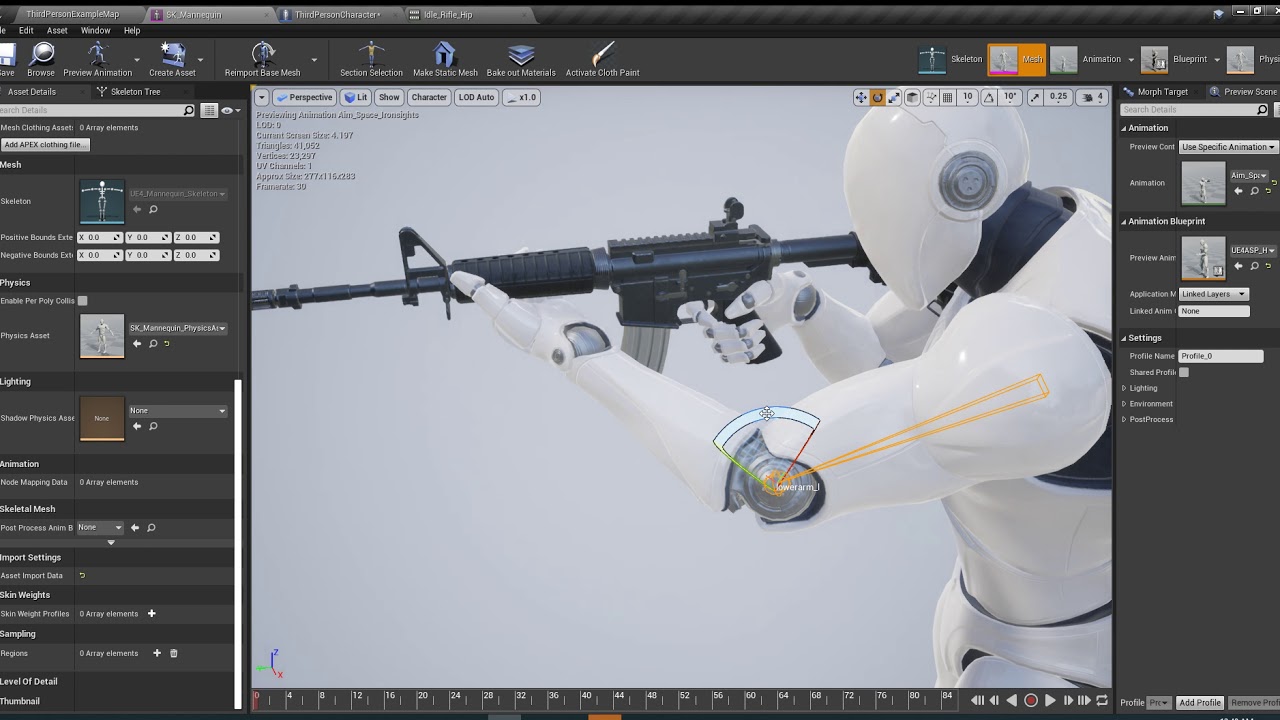


i know there is a way to do this but i forgot how i did it
plush yew
@vernal dock use retarget manager
plush yew
I don't know IK, But I used the target manager for rotations before
fallen marten
then you can set a common socket on any gun mesh and the hand will go straught to it
Its all done in the Anim BP
vernal dock
i need to move the left hand up to to hold the gun right not the trigger hand but the foregrip
 pliant yoke
does anyone know how to capture mouse axis input while also having the cursor visible? this issue: https://forums.unrealengine.com/development-discussion/blueprint-visual-scripting/1373316-how-to-rotate-look-camera-without-holding-mouse-button-down
Unreal Engine Forums
ok im at a loss here and cannot figure this out at all. im using the top down template but i changed the controls to 3rd person (bought a marketplace item that was
vernal dock
figured it out u have to go to the animation set time line to 0 move the bones then add key and apply
pliant yoke
this is what I'm working on... a 3D graphical MUD... I would really like if I didn't have to hold down the mouse button to look around
exotic cave
Anyone here experienced with PlantFactory-Unreal integration?
plush yew
@pliant yoke Not directly related, but perhaps you can consider autohotkey Or something similar With a macro to hold down the mouse button for you
pliant yoke
I mean, I am planning on releasing this
exotic cave
Nah, there should be a better solution than that in code
pulsar kraken
If anyone has done healthbars etc can you message me. Having some difficulty.. even though I put it together a d technically it should work
plush yew
@pulsar kraken What's the issue you're having?
pulsar kraken
@plush yew when debugging the health percentage goes down and object gets destroyed on 0. However when updating the percentage the health bar is not taking effect and showing the health going down.
in #multiplayer I added screenshots and kind of story telled the issue at hand.
fallen marten
@vernal dock i would advise you to learn how to use IK so you dont get backed into corner, otherwise youll end up needing animations for every single different weapon, rather than a common animation. Less code for ik than to code in every variation of animation
@pulsar kraken does the healthbar float above the head of the pawn?
fallen marten
Ok, well your health variables have to be set to replicate for a start
pulsar kraken
thats correct.
vernal dock
@fallen marten can u send me a youtube link to learn IK because i dont even know what to know about it
fallen marten
Ok, the health bar should run on tick as its a server only function
dim plover
Are you updating it manually -- every time you want it to update?
fallen marten
Or at least be updated by a server ony function event
@vernal dock there is heaps in the ue4 docs - and even a section dedicated to setting a weapon hand i do believe
fallen marten
ok, ill have to boot my project up to give you more details, as i have it setup in mine
dim plover
Apply damage is only run on the server.
pulsar kraken
well I set it up previously for players.. Doing it for the base objects now.. Just is not working.
fallen marten
Hmm
vernal dock
@fallen marten ok great thank you
fallen marten
No problem man
To explain it all over discord chat would be a nightmare
docs are best
vernal dock
i understand man i found a yt vid looks really cool
thin tendon
Does anyone know of any good tutorials for setting up optimization features like frustam culling?
cloud cobalt
Frustum culling is built-in in UE4
thin tendon
ohh okay cool. Do I need to activate it?
thin tendon
ok cool thanks. I'm just thinking I might need to optimise my project. The game itself once packaged outside of the engine runs amazingly. But when working on it in the editor its constantly freezing up getting spikes and occasionally something like splines will crash it.
 humble ridge
Is the array index out of bounds issue fixed in 4.24 when retargeting anims?
Ugh dont tell me i have to do them all individually
if i do anymore then 4 it crashes
dim plover
Someone mentioned a workaround for 4.23.
humble ridge
oh yeah?