#ue4-general
1 messages · Page 606 of 1
 midnight gate
i dont understand
this is an animation fbx i imported it wont work
where do i select for it to import the animation is it stupid i dont think it understands its an animated file
what am i doing wrong
 digital anchor
i mean, my dog could import animations, i press export, drag into unreal, everything is perfect
try to find a tutorial, youre doing something wrong obviously
first import the mesh
then try to export animations separatelly
midnight gate
i have it imported as tpose
thats exacly wat im doing
WHY WONT IT READ MY 24 FRAMES
 runic iron
start and end frame are 0
digital anchor
oh ye i forgot about that
 merry geode
...
digital anchor
gotta use unity to have animations
runic iron
Come on, I import all my anims from Blender
digital anchor
its a very advanced feature
merry geode
@midnight gate That has nothing to do with what mixamo...
runic iron
Calm down and tell all the steps you did in Blender
midnight gate
well i animated my character and selected the mesh and the bones
then used this export settings
and cried in disapointment
okai so i did somehting but my character wont show i cant preview if the animation is working or not
midnight gate
idk
midnight gate
the scale is fine
runic iron
On your model probably but anims need that
midnight gate
well i have no idea how to do that slacing it up wont fix anything for me
midnight gate
i need to see the anim file working not to slace it up
theres nothing to slace up the mesh is non existant in the animation file
and i cant even preview if the armature is moving
runic iron
And then choose 100 in the uniform scale parameter
runic iron
When importing your file you have some import dialog window with options
So delete your files, reimport them and you'll have the options again
midnight gate
i dont think there is a dialog window in the import settings
 plush yew
@midnight gate Perhaps you can try and watch some YouTube tutorials about blender and unreal, it may shed some more light that may be useful...
runic iron
Talking about this
midnight gate
@plush yew you have no idea how many tutorials i watched
runic iron
In these settings find the uniform scale option or whatever it's called and choose 100
runic iron
Yeah cause I found my above screenshot on google image, yours is fine
Just find that parameter I talked about
 silk sleet
im using instanced static meshes to create random rectangles for cover on the map, just for testing in multiplayer
doing this, the server creates all the meshes but they're invisible to every client (though the clients can collide with them)
can someone help me with this?
this being in a blank actor's event graph
plush yew
@midnight gate @runic iron Let me take a look at my end, to see if I find the setting
midnight gate
but arent i suposted to import the tpose file for the animations to refrence from?
runic iron
No
 light bone
How can you set variable default values while simulating?
runic iron
Your rest pose should be the one defined in Blender
midnight gate
but i cant use the default skeleton
plush yew
@midnight gate Empty skeleton at the import means the engine will generate one for you
midnight gate
oh look an error
but i need to use my own skeleton
i cant have it autorigged the character isnt very humanoid
runic iron
Your skeleton is in your fbx man
plush yew
It will create using engine format, but it would be based on your skeleton
runic iron
Just let it empty as @plush yew said
midnight gate
hey btw slacing it to a 100 made it giagantic
didnt fix anything
i knew it wounlt fix anything
and it did not
plush yew
okay, perhaps we can revisit this later, after we take a break
@midnight gate also, I don't mind testing your fbx files should you be willing to share them
midnight gate
its imposible to use blender for animation
runic iron
Your units are set wrong in Blender or you didn't apply scale or something.
midnight gate
sure whatever i bet ya you wont be able to import them into ue4 anyways
MY UNITS ARE FINE
digital anchor
ye just use unity and maya
runic iron
I give up
midnight gate
no thats disqusting
plush yew
I agree with @runic iron About the possible scaling issue, I've seen it before
digital anchor
maybe also switch to mac instead of windows
midnight gate
who do you think i am a slut? why would i use unity you cant even animate in it
plush yew
regardless, @midnight gate , Share your FBX Files With me, I'll test them momentarily
runic iron
You probably won't be able to import it @plush yew if there are some units problems in Blender
Cause either they didn't apply scale or chose the wrong one
midnight gate
THE UNITS ARE PERFECT
runic iron
Then why are your anims tiny ?
digital anchor
cuz its not mixamo
runic iron
lol
runic iron
Invisible means tiny in this case
midnight gate
but when i go to the animation tabs well gg mesh is gone
im sure if it was tiny there would be a button to select the object in some outliner but its imposible
runic iron
Had the same issue once and it was cause of units
midnight gate
slacing it to 100 would fix it but it didnt so youre wrong here
runic iron
So once again either you didn't apply scale on the armature/mesh or you set the units wrong
Well I have my Blender anims though
On my prototype character, made in Blender
I recommend a scale factor of 100 cause I assumed you used the default Blender units. When exporting if you choose centimeters before that your model results tiny so you have to put a scale factor in Unreal
If your scene units were in centimeters from the beginning either the proportions are wrong or you did some scaling at the end and didn't apply scale (CTRL+A). You can check this with N if your scale vector is all 1
Anyways will not post anymore cause I don't want to monopolize the channel.
 dim merlin
i guess its okay inhere, lots of ppl should know about it since its owned by epic now 🙂
 exotic lion
Well I have the export set up right, Even set it's destination the content folder in my project, and when I hit export, it does it and says "successfully exported" but nothing shows up in my project. It worked fine before the update to 2019.5 I've uninstalled it and reinstalled it to fixed the bad port error, now it says its exporting, but again it's not.Followed Quixel's how to guide
 copper elk
@plush yew Ik how animations work... I'm asking how to make the shine effect for umg
midnight gate
@runic iron lucky you
plush yew
@copper elk On the top of my head, I would probably have 2 separate layers, one with the actual text to see at any time, and one with a more metallic texture, and you play with transparency
I'm not an artist, unfortunately, so I can't help with the visual ideas 😦
midnight gate
even if i set my slace to 100 its still barely visable
how do i fix the animation slacing my model to 0
plush yew
@copper elk But, long ago I used to look at Flash visuals, and I'm pretty sure there is a way to reproduce the way shine effect was handled in good old Flash, and basically manually re-create it in UMG
midnight gate
ok this is how hard i had to scrool
took me 5 minutes maybe
how do i make it normal size tho
the mesh view is fine but animation view is not
its a big issue ya know
plush yew
@copper elk Just find any inspiration from old Flash or new HTML5 for your actual widget
 calm widget
@midnight gate I've had this problem before in blender>ue4. But animations from them works fine if you do it right. Mind if i also take a look?
midnight gate
ya want blend files?
calm widget
Sure if you dont mind
copper elk
@plush yew thx
exotic lion
Okay I got a whole new issue today. Now when when I open a certain level loading a level I've always been able to load before it crashes DISCORD and the editor...
Is that a GPU load issue?
Maybe Ram?
 humble ridge
Welcome to my world lol
exotic lion
But it doesn't crash anything expect Discord...
copper elk
Ok, so I found the solution to my question, kind of https://www.youtube.com/watch?v=K5xv5NZEj9k 27:30 - 34:00

This is the 3rd tutorial in the series, this video covers the creation of the Mystery Box & implementation.
If you enjoyed the video, please head over to my forum post and let me know: https://forums.unrealengine.com/showthread.php?77631-Tutorial-CoD-Zombies-Blueprint-Tutori...
exotic lion
Interesting. All my projects even brand new ones say "out of date" and I have to click the update option.
And now my 4.23 bridge doesn't work either....
Okay I'm at my wits end and I haven't slept in who knows when so maybe I'll find something when I wake up
 hallow compass
Hi all, does anyone know much about world machine?
 ebon bough
Hi, I'm coming from Unity3d and trying to migrate my game to Unreal Engine but I'm struggling to find some good resources on how I could achieve this functionality.
2 distinct features of this gif are visible;
1 - The player is allowed to spawn objects on a grid cell in real-time, thus blocking the player's path as they are moving (using pathfinding).
2- The movement of the player is "free" in a sense where although they are moving in a grid-based map, they can still move in any direction they want.
3 (i suppose) - other players (enemies) occupy grid cell based on their position in the world in real-time. (You can see this behaviour at the beginning of the gif towards the right side of the screen).
Could someone please give me an idea of what resources I could use to simulate this behaviour? In unity3d I used a a* pathfinding plugin and some custom logic that allowed me to do this.
humble ridge
Well it took me changing engine versions and building it 3 times but i finally got my level back.. whew what a ride
copper elk
Actually nevermind, it didnt fix my problem
midnight gate
so this is the tutorial
and this is me
help

We take a look at using the animation blueprint to finish up our player character, creating the logic to generate the player's direction, speed & feed it into our blendspace.
We also go over changing the mesh in the character blueprint.
Unreal Engine 4 Beginner Tutorial Ser...
 misty creek
@midnight gate The removal of the execution pin doesn't make a difference
humble ridge
Its a pure function so not needed
runic iron
@ebon bough Not sure if I understood well, is your game multiplayer or the enemies are AIs ?
If it's a solo game you may want to check these https://github.com/jinyuliao/Grid
https://github.com/larsjsol/NavGrid

GitHub
An UE4 plugin for grid-based game. Contribute to jinyuliao/Grid development by creating an account on GitHub.
 humble ridge
How do you recompile lightmass if your project is not using source?
i switched from source to launcher version of 4.23 because i was having issues and it says i need to recompile lightmass
runic iron
Also this could be interesting too for you https://www.unrealengine.com/marketplace/en-US/product/advanced-turn-based-tile-toolkit

This blueprint provides all the basic components needed to start making your own turn based strategy game.
 boreal basalt
Hello ..I have a big problem with "open level" in 4.24.. it takes like 30 seconds to load now or crashes... I also tried it in a new blank project with the original simple start scene.. Did anyone know why is it happening in 4.24?
ebon bough
@runic iron Thanks for the resources, I'll check them out.
And multiplayer
 open eagle
only OGs will remember this
 timid jacinth
plush yew
timid jacinth
plush yew
what's better practice, for bullets to be block or overlap?
humble ridge
There is a projectile collision profile thats probably a good place to start
hallow compass
Hi guys, how can I add collision to each individual shelf so I can place items on them?
 radiant haven
how can i make a particle random color
plush yew
@humble ridge i dont see a projectile collision preset anywhere
humble ridge
what version are you on
plush yew
4.23
humble ridge
There is a projectile profile in presets
 grim ore
@hallow compass your original mesh should have collision other wise you can use add box collision to the shelves in the editor or tell it to create custom collision that wraps around the mesh parts themselves
hallow compass
So it doesn't have collision so I have tried within UE4 to add it but no luck.
plush yew
@humble ridge really doesnt seem like it
humble ridge
Maybe i added it awhile back 😐 let me check
grim ore
@hallow compass what have you tried?
hallow compass
Convex and box collision. Basically I need the player to be able to get onto the shelf
grim ore
Auto convex should do what you want but if it's not you might need to create it in your dcc program or create the individual collision blockers
hallow compass
I purchased a set from the marketplace so I have no knowledge of 3d modelling as such
grim ore
what happens when you tell it do do auto convex? its weird it wouldnt have collision set up on it
hallow compass
It blocks the player but I cant get onto the shelf
grim ore
maybe your capsule is too large to fit then
 slender vale
No matter what I place, there are no shadows and ALL foliage looks very ugly.
plush yew
@humble ridge thx
grim ore
that shows 4 collisions, did you delete all collision then do convex only?
besides that is it large enough for the entire player capsule to fit in?
plush yew
@humble ridge so when you're spawning the projectile do you spawn it a bit in front of the actor instead of from the center?
hallow compass
So when I remove all collision, click add convex colission and then click apply it shows like this
grim ore
@hallow compass if none of this seems to be working the alternative is to use complex mesh based collision. Remove any collision in the editor, then go down to Collision -> Collision Complexity and turn on Use Complex Collision as Simple and it should then use the mesh itself for collision
grim ore
in the details panel
humble ridge
@plush yew yeah my projectile sockets are always just out of any collision with whatever actor fires it
hallow compass
@grim ore that works. OMG you are a god, I owe you a pint good sir
grim ore
well it's not the best solution, mouse over the description in the panel for that but it might work if it's not used all the time
humble ridge
Will give you warnings if you simulate physics on it
i need to look into that for some of my actors actually
 abstract relic
Own him a subscribe at least 😜
hallow compass
Is it expensive to do a multiplayer game?
 normal burrow
Like and subscribe
abstract relic
Hit the bell icon
 harsh tiger
any idea why this is returning false, which is right but in the other blueprint its returning true?
its like the boolean is being flipped which doesnt make any sense
 solid matrix
every time I start my project, it has to rediscover assets. Is that intentional?
grim ore
in the newer versions of the engine yes so it doesn't wait to load them all before the editor starts
slender vale
Why does everything look so grainy, and why does nothing have shadows?
Been having this issue for 3 years
grim ore
your settings are bad?
slender vale
What settings? I re-download the unreal engine quite a few times
Downloaded on my laptop, now my desktop. Same exact graphics.
grim ore
when you go to settings -> scalability, what does it show?
slender vale
I don't see that in the project settings.
grim ore
because it's not, its in the settings button in the toolbar above the viewport
slender vale
Scaling options?
grim ore
Engine Scalability Settings
slender vale
It's at 0.25
harsh tiger
slender vale
They were all set to epic with high material quality
I tried cinematic, nothing changed.
grim ore
you wont see a change between epic and cinematic. what was set to 0.25?
grim ore
ah that is for scaling
and snapping and such, its grid size
well if it's at epic and its not running at 2fps then your machine should be fine. Have you tried opening an example project to see if it's your project or UE4? your scene looks fine it's just not very high quality
your tree does look like it has self shadowing tho
slender vale
Sure. Lol that scene is with the best post processing I could make. Without it, it looks like absolute crap.
Everything looks super grainy
Like there was no aliasing at all
grim ore
did you disable anti aliasing?
 crude vessel
Lets try here, why is it when I create a physics asset (with no collision or gravity turned on) some joints are static and proper and some joints are wiggling widly when simulated?
grim ore
maybe #graphics can help narrow down the issues then. all of your stuff just looks normal. no normal maps, roughness maps, etc. on the materials. Anti aliasing may be off or it just might be low resolution
slender vale
grim ore
but it's hard to guess as we can't see the source assets. You could be using mobile assets for example
slender vale
I'm using assets from high quality libraries such as Brushify
Even Quixel assets look like this to me
This one guy showed me on his PC, they look NOTHING like what I see. What he saw was WAY better looking.
grim ore
sounds like it's your pc then. what specs?
and i know you said you tried it on laptop and pc
slender vale
GTX 1660 TI, Ryzen 5 1600 3.9Ghz, DDR4 8GB 3600Mhz, 1TB SSD
grim ore
monitor resolution, windows desktop resolution, and scaling?
slender vale
1080p on both
 grave nebula
Ram! Ram! I know! It is the ram !
grim ore
well it all checks out but you have confirmed it's not unreal engine itself since it works on someone elses machines
none of your materials looks right now if they are hero or high quality assets
slender vale
Exactly. I think somethings wrong.
grim ore
no normals, no anti aliasing
slender vale
I don't understand why this is happening to me on all my machines.
grim ore
the only commonality is the assets assuming you tried the same assets on them
slender vale
Well I made some grass, and gave it to this one guy see. Then he tried it and showed me it looked TOTALLY different and significantly higher quality.
grim ore
I would say go to the learn tab, go to the open world demo collection, and create a new project and open the sample map and see what that looks like
that is a high quality sample project out of the box, it might not run well but it should look well and this can let you know where to look further
its weird it would be an engine install issue if it's the same problem on 2 machines
abstract relic
Are you trying to blow up their computer?
grim ore
for this test, yes lol
grave nebula
Last time I've opened open world collection, its loading times could be safely measured in fractions of a dev cycle.
grim ore
no arguments but none of the other samples have high fidelity out of the box since that is the problem here
especially since the stuff in question is foliage and such or else I would suggest infiltrator
abstract relic
I’d download the content example instead
grim ore
what is high quality in there? even the landscape stuff is all static and mobileish
abstract relic
True
grim ore
I know its silly and overkill but 😦
grim ore
not foliage
grim ore
i mean if this was a arch viz compare then the new arch vis stuff or realistic rendering would be fine but his samples are literally grass and trees so 🤷♂️
slender vale
I mean you place some Quixel grass down then I'll do so and take a look at the differences lmao
grim ore
quixel is an unknown since it imports at your settings, the open world demo collection is a fixed variable
all that should change it's appearance is hardware and the settings once it's open but it should default to high with that machine and can compare 1:1
abstract relic
Praise your computer and give it treats after this
slender vale
I opened a demo project, it opened a totaly blank map project???
grave nebula
@abstract relic What treats do you serve to yours, Tide ?
grim ore
correct, the sample map is a large load so they don't want that to be the default
abstract relic
Mostly fish boids
grave nebula
mm
slender vale
I have an idea
I add the assets to one of those demo assets with alreadyvery nice graphics
normal burrow
Delicious fish boids https://www.youtube.com/watch?v=l1UzggkzUNw
normal burrow
You need more fish boids in diet
plush yew
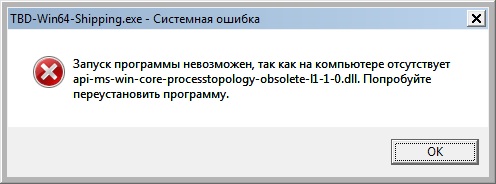
Hello. A little question about UE4. Is it supported by Windows 7 x64? My friend made a demo and sent to me, there is an error of dll not found https://i.ibb.co/BgcYB43/image.jpg , and it seems it's because of OS version(not win8+), installing visual studio redist 2017 /2019 doesn't help. The only idea we have yet is to try compiling a demo with OpenGL instead of directX.
 slender vale
How long does it take to add a 20GB content pack to a project on an SSD?
grave nebula
Just a blink of an eye. Perhaps, slightly longer.
normal burrow
I like your new cool pfp death
grave nebula
Courtesy of GeorgeR
@plush yew Should run fine, provided that your friend packaged it properly and you are using a proper up to date windows.
slender vale
These are some of the assets I'm using. They look NOTHING like that in my editor lmao
The tree's don't even look crisp like that.
plush yew
Thanks, it's probably windows updates.
slender vale
How it looks in the demo project ^^^ AMAZING
How it looks in my project ^^^
Is it me, or does the quality look worse?
Also no precise shadows
grim ore
so the demo project looks fine on your machine then?
slender vale
Yes the demo project looks SIGNIFICANTLY BETTER
It has REAL SHADOWS, no fake soft shadows
And everything ain't EDGY
slender vale
No idea, how do I check?
Up-close shots, top looks WAY worse
I mean in the demo project, everything is just SO high quality
Demo project ^^^
My project ^^^
grim ore
stupid map is opening or I could tell you the exact setting lol but I beleive its 2 options under the engine scalability settings in settings
slender vale
Previewing? Shader model 5
grim ore
yep
and unless the default windows RHI got changed in project settings -> rendering it should all be the same 😦 but your materials looks like they are all low and missing features like normals
slender vale
I can tell in the demo project everything looks slightly softer as well
grim ore
the softer is probably the anti aliasing
hallow compass
Has anyone done multiplayer before?
grim ore
I would almost say it looks like you are running on ES2 but that would be odd 😦
slender vale
ES2?
grim ore
openGL ES2, mobile renderer, but your preview is SM5 so it shouldnt be
slender vale
That's weird???
It feels like that tbh
See I don't understand this
My project shaders are on production for shadows and I tried high
No shadows. On demo its medium but produces AMAZING shadows
grim ore
the settings under build?
slender vale
Yes
grim ore
those arent real time, you wont see any changes till you build. the shadows on the demo are probably in realtime
slender vale
Yeah I click "build" and it builds. Nothing changes at ALL
grim ore
your lights might not be set to high quality or to cast shadows but thats easy to check just make a new level and drop the plant in and see what happens
normal burrow
looks like your lights aren't very strong either, maybe turn off tonemapping if they are
 glacial basin
@slender vale have you enabled Inset Shadows on the mesh?
slender vale
No idea. Default settings?
 regal yoke
Does player see print string and text stuff when playing .exe file
grim ore
they should not, the nodes marked as Development Only should be removed when making a shipping build
regal yoke
How to make it so that they see it @grim ore
 violet crane
Here's a dumb question: is anyone else getting random pages in Unreal's documentation that will only display in Chinese?
Tool that enables analyzing realtime gameplay data at runtime.
regal yoke
no
grim ore
you can build a development build and share it if you want
violet crane
If I click that, it redirects to the Chinese version 100% of the time...
Someone else in my studio is having that same issue.
So I figured I'd ask if anyone else sees that.
regal yoke
@grim ore I have chat in my game that prints that stuff. Is there another way
 jovial shuttle
when i make levels, my 2dsidescroller character spawns without me even putting it in there, can someone tell me why this is
regal yoke
Choose gamemode
to your world
/choose it so that your character is one that is played one
jovial shuttle
oh, thanks!
grim ore
@regal yoke I have no idea how your game is designed but UI stuff is typically UMG , print string is for debugging
regal yoke
Okay
 royal sluice
I'm a beginner to UE4, but not to programming in general. I recently created a 3rd person project, created a HUD, and made a few widgets. I'm trying to make a menu system for when the game starts and watched a few tutorials online. I understand most of the concepts, but there is something I'm a bit confused on. I have a level that displays the menu widget, but if I have selected the 3rdPerson level and then hit the PLAY button to start the game, the 3rdPerson level loads and not the main menu. If I select the main menu level and press PLAY, then the main menu level loads. I have the GamePlayMode set to use the HUD I created and added nodes in 3rdPersonBP to set the starting widget to main menu.
hallow compass
cant get rid of the light bleeding through walls
grim ore
@hallow compass https://polycount.com/discussion/188536/ue4-lightmaps-rules-and-guidelines-for-creating-rooms is a good reference to start with
hallow compass
Thanks but still no jhoy, now it looks like this haha
grim ore
actual mesh design is going to play a big part in it as well. thickness, overlapping, modular, and such
hallow compass
The meshes themselves seem pretty well made so not too sure. The walls are not that thick however
Also do I need to use stationary on both sky light and the sunlight?
grim ore
you can look at the new arch vis learning example to see how they put the pieces together
static if building lights only, stationary if you are building but the lights or objects might move, movable if you are not building lights and want it in realtime (this one fixes most leaking and such btw if done right)
 scarlet birch
Any idea what might cause custom depth to work in the editor window when piloting the camera but not work once the scene is played in PIE or standalone?
I'm trying to exclude objects from a post process effect.
normal burrow
you tried looking at it?
hallow compass
Well ill try moveable then. Seems a better option
 gray cedar
Hey everybody! Whoever's up for an "adventure" of "thrilling" bug investigation should check out this answerhub question I just posted. I would appreciate any help, especially from anyone who's dealt with exotic and unusual Apex destruction issues in the past:
https://answers.unrealengine.com/questions/940469/view.html
The summary: our destructible mesh is spawning in looking like it's already broken, except it's not really — it's in some kind of invalid state where depth 1 is showing along with depth 0. Attempts to damage/shatter the DM fail silently. This issue only affects packaged builds.
Please let me know if you've seen anything like this before, or if you have some ideas for how to fix it! Thanks!
 deep swallow
Actually this might be more of an Engine issue since it has to do with nativization: I can't for the life of me successfully Nativize my project, and I can only find one instance of someone else getting this same problem: Could someone help me out with this error? "Async loading event graph contained a cycle" is a very abstract error message https://www.reddit.com/r/unrealengine/comments/eepwvh/help_getting_desperate_crash_at_startup_when/?

reddit
Issue: When nativizing the project through exclusive nativization, the packaged game crashes upon startup with the message "Async loading...
slender vale
@grim ore When I create a level, the setting is "High quality" but no shadows
 split ingot
Trying to put together animations, but I cannot find this in any part of the event graph.
grim ore
the reason for using a new level is the lighting should be at defaults so shadows and such should just "work" if you drop a mesh into the level. If they don't then it's something in the project itself
split ingot
(Yes, I've unchecked context sensitive)
grim ore
@split ingot which graph are you in?
slender vale
I'll check it out when I get back home.
split ingot
Event Graph. I'm using 4.24.
grim ore
so you are in an animation blueprint, in the main Event Graph (not a sub graph or an animation graph)
split ingot
Yeah, animation blueprint, main event graph.
grim ore
is this a new anim graph? it should have started iwth one by default. did you choose a parent and avalid skeleton? if all of this is yes then have you tried making a new one
if it doesnt show up the engine is not detecting you in the correct graph
slender vale
Also the textures placed in the demo project are of higher quality.
split ingot
This was what I'd started with.
grim ore
that is not an anim bp then
split ingot
Huh.
grim ore
what does it say is the parent in the top right
split ingot
Character.
grim ore
yep that is a character then
split ingot
Siiigh.
grim ore
character is an actor with a movement component and a static mesh, set up to drive a character
animation blueprint is a blueprint designed to plug into a skeletal mesh to drive animation
normal burrow
don't think anim bp has overlap nr. be way scrolled up
grim ore
@slender vale unless you want to strip out anything important and share your project so other people can see if they can figure it out (project based or pc based issue) I don't think we can help you besides you creating new projects and going from there or even stripping out the sample stuff from the open world and using it as a base.
split ingot
Ok, I have it now. Brainworms.
deep swallow
Does anyone here know a lot about Nativizing blueprints? I am having severe issues with it and can't figure out where the problem lies
slender vale
@grim ore The project is nothing but the brushify landscape loaded. Nothing else changed except for the added post proccessing effects.
grim ore
and it's still an issue with the post processing disabled? and if the assets look "fine" in the other project and none it this one then the project has to have something weird
slender vale
It looks way worse with it off. I showed you pictures with it on in the bad pictures
I'll show you what it looks like without post proccessing effects
 unreal wasp
Hi everyone, I'm in the process of creating a system that keeps track of my player unlocks. Right now I'm focusing on map unlocks, but later I'll reuse the code to track available ships, upgrades and color schemes.
My maps have the following variables:
-
Map Name
-
Map Description
-
Is Map Unlocked?
-
Map Bronze/Silver/Gold Score requirements
-
Map Top Score achieved
Right now I have 2 maps, so I have the variables above x2. This is not optimal, and later on I plan to have more maps. I can use a data table and aggregate them into a single variable, but I cannot edit that in runtime so when player hits Map_01's Bronze score requirement, I can't set Map_02 to be unlocked. Instead I have to do:
-
Get current level name, switch on string depending on the map, and then check if the current score meets one of the unlock requirements. In my example the current level is map_01.
-
IF map02 is not unlocked AND current score is >= map01_bronze THEN set map02 unlocked.
When finishing/quitting a level or relaunching the game, it loads the save slot and when I hit my level select it reads those variables to populate the map description and enable the button that allows you to proceed to the game if you have unlocked the selected map.
What are some best practices for handling player unlocks? Because right now I'm using multiple variables and I have a strong feeling I should be using arrays.
royal sluice
Ok, I learned some things about the play in editor that answered a bit of my question from above. It appears like that will only play the selected level, not run a game from scratch. What would I have to do to run a game from the very beginning? Let's say I had cutscenes and then a menu before we get to any levels. Do I have to go through a packaging process?
 dense gate
Any news on getting UE 4.24 to compile with Chaos?
 south ridge
I wonder if there's any reason why player start is static only
gray cedar
@south ridge , this is only a guess, but based on the inheritance of APlayerStart, it's probably for navigation purposes.
https://docs.unrealengine.com/en-US/API/Runtime/Engine/GameFramework/APlayerStart/index.html
This class indicates a location where a player can spawn when the game begins
south ridge
Interesting
silk sleet
anyone know why when I set my character to use the Anim Starter Pack blueprint it a-poses? I've replaced all the casts to the UE4ASP Character to mine too
 cerulean nova
i want to make a palyer pawn that is pretty responsive but "feels" like a car for controlls anyone have some good advice? 🙂
so that if i steer it has somewhat of a curve
plush yew
@royal sluice I think by design you start in what it's called the persistent level. Which believe it or not, it can be absolutely empty. With just the UI menu. And when you click the start button in that menu it level streams your first playable level, That is what you consider the actual game. Does it make sense?
@unreal wasp You can perhaps use an array of FName, maybe call it UnlockedLevels. And check if a level is in the array , if it's not then it still locked
@cerulean nova Perhaps consider an ease-in lerp?
royal sluice
@plush yew Maybe I'm getting confused somewhere. But I'd like my game to have an opening cutscene which when finished goes to a main menu. I created a 3rdPerson Project (which creates a playable test level). Now I am trying to create the cutscene widget and main menu widget. I created a main menu level to display the main menu widget on, but the PIE only plays the level I have selected. I want to see everything in a sequence as if I just started an executable of a game.
plush yew
@royal sluice Everything you described it's perfectly doable, I've done it before
think of it like a sequence of steps and broadcasting an event at the completion of each step, so that the next step knows when to kick in
and that's it
royal sluice
@plush yew So basically my default level needs to be set to the cinematic widget which will then kick off the main menu widget when it completes? And to test, I just need to always run PIE on the cinematic widget level?
plush yew
@royal sluice Not just PIE, a.k.a. play in editor, but yes, begin play on your first world starts the cinematic
royal sluice
@plush yew ok, i think im understanding. So let's say I want to package the game. When I get an executable and run it, it should play the default level I've selected in Project Settings, correct? So it should follow that same sequence (cutscene -> mainmenu)?
 cosmic matrix
Hello,
Anyone know how to override instancied static mesh like that:
by default there is only 2 property mesh ans component class
plush yew
@royal sluice You got it! as long as that default level in project settings has in its begin play function a commands to initiate a cut scene.
 rustic panther
The Input object is responsible for converting input from the player into data in a form Actors can understand and make use of.
When I go to this page it changes the en-US to zh-CN
it won't stop doing it...
Im not using a chinese VPN
deleting cookies doesn't help
going to the main doc page then navigating to that section changes it to Chinese too'
plush yew
@rustic panther Probably just a messy HTTP redirect at their end
Nothing you can do about it, I just tried it as well, being redirected to the Chinese page
rustic panther

plush yew
the kicker is that I'm actually in China, but I'm using a US VPN 😄
rustic panther
that's funny
plush yew
@rustic panther I'm using Google Chrome built-in translate, very useful here in China, so worst case scenario for you, just do the same and translate the page. At least for now...
 ancient lotus
stupid question, how can i figure out how many times a timer will execute per second? for example lets say i have a timer that i want to execute 30 times a second, how would i calculate that to know what value to put in the timer delay?
rustic panther
ya it translates it for me too, but I dunno how accurate it is
plush yew
@rustic panther True, true
rustic panther
especially for something like a "code" documentation
plush yew
@ancient lotus 1.f/30 maybe?
ancient lotus
derp thank you -_-
plush yew
like GetWorldTimerManager().SetTimer(tTimer, this, &AMyActor::MyFunc, 1.f/30, true); Maybe?
 hidden aurora
Any ideas on why this happens with splines?
 frigid trellis
anyone know why my light keeps flickering like this? https://gyazo.com/bf58cbc23985e002f411eb17d0c19e42
I am using 4.24 with raytracing
 bitter oyster
Has anyone here released an asset on the marketplace? I just had some questions about the daily provided reports! DM me please, thanks 🙂
 soft fiber
Is it a big deal to using multiple/many Nav Mesh Bounds?
 dim plover
I don't think so, no. The navmeshes get merged into one.
soft fiber
@frigid trellis Did you try updating your drivers for the video card.
 pulsar kraken
question. I am trying to launch my AutoUpdater executable from inside UE4 to make sure it always gets launched. Is there a equivalent to main() where I can launch this code?
soft fiber
@frigid trellis That use to happen to me with Photoshop and it was a video driver issue.
frigid trellis
Sadly I am on the latest drivers
pulsar kraken
Hmm? Anyone
 unique kraken
hello i need toconfirm something befor i start working on something, might seem like a stupid question at fist but
pulsar kraken
where can you use fprochandle to execute code? what file?
unique kraken
is it possible make a part of a mesh transperent by useing a black and white img?
just a yes or no is enough
unique kraken
good thx, just needed to confirm that, so i can save myself the alpha channel basically
pulsar kraken
does anyone know where I can make the game use FPlatformProcess::CreateProc(TEXT('Path/To/Executable.exe')) on startup. I need to run a autoupdater and can't find a good spot for this
 serene quiver
How would I make an actor that on collision pulls the player towards it, but only once so that the player isn't stuck?
normal burrow
collision that pulls?
serene quiver
Essentially yeah
plush yew
@serene quiver like this?
serene quiver
Something like that yeah!
plush yew
@serene quiver Then there is your answer. The rest is just you patiently learning how to actually implement it. 🙂
serene quiver
Here's a drawing if it helps
plush yew
What you actually call collision, it's actually a trigger
serene quiver
?
plush yew
Play with setting such as @serene quiver
If your collision channel is set to ignore, then your object becomes a trigger, that's what I meant 🙂
plush yew
you can set collision presets on your mesh in blueprint or C++, I use exclusively C++, not really a blueprint person...
serene quiver
This is my first experience with making games and such, C++ is very threatening as an amateur
So I stick with blueprints
plush yew
@serene quiver Absolutely, whatever works for you, blueprints work just fine
@serene quiver The basic idea is that your trigger has to be slightly bigger than your capsule
serene quiver
Yeah, that way the trigger gets activated from farther away
serene quiver
I just don't know how to actually, pull the player
plush yew
you can fake a quick jump on forward vector
or you can enable socket snapping or something like that
abstract relic
With the power of interface. You can set listener and keep the logic tucked in the player bp. https://docs.unrealengine.com/en-US/Engine/Blueprints/UserGuide/Types/Interface/index.html
Blueprints that declare functions to define an interface between Blueprints.
serene quiver
I am very confused, thanks for the help anyway!
normal burrow
I agree, that would be cleanest
Would get complicated with multiple pullers otherwise
normal burrow
Anyone familiar with mixing lightmaps for time of day?
 mint sequoia
So it turns out that custom spring node I made can do procedural squash/stretch (extremely exaggerated here), it achieves this by extending the spring controller node as follows:
- adding component space simulation (instead of world space)
- limiting displacement on a per-axis basis
- fixing existing crash with spring controller
(If anyone wants a download link just ask, only posting because I realized it can be used this way too)
normal burrow
Looks great, would be cool to see with mannequin compatible characters
mint sequoia
I'm probably going to use it even with realistic characters, just on a much smaller scale, since we do actually squash/stretch irl
Maybe even leave it on all the time and see how it goes 😄
Free landing/jumping compression
+Bonus for when running or entering/exiting crouch, etc
Just gotta be subtle
unique kraken
is there a way of converting diffuse data into rgb?
 wary wave
Err, what do you mean?
unique kraken
well
let me show you
@wary wave i mean this simple diffuse shading
i want this to be converted into rgb data
wary wave
Oh, you want to generate a texture. That'll be a topic for your 3d app of choice, not really here
unique kraken
🤔
not really
how to explain
by increasing the contrast of this simple diffuse i can creat cell shading of my choice
its a rather simple operation so i thought it should be possible
someone recently showed me a link to how to use color ramps, i thought couldnt be hard to find again if i need it
now i cant find it
can anyone give me a link?
normal burrow
Here?
unique kraken
here?
normal burrow
Here is what luos sent you https://docs.unrealengine.com/en-US/Engine/Rendering/Materials/CurveAtlasesInMaterials/index.html
Curve Atlases store a combination of Curve assets that enables you to access Curve Linear Color data through your Materials.
unique kraken
ah lel
such weird names for everything basic
thx
if i get a float curve its just a value curve right? how can i adjust it? doesnt seem to let me do anything
nvm got it
crude vessel
What could be more fun than layering in like 9 textures together with randomized contrast and intensity!
 dim arch
has anyone used the new atmospheric sky to create a planet in UE
or know of any projects which are doing similar @steady fractal maybe you know?
unique kraken
i mean this works as i want it to work but does this even make sense. sry ue4 nodes still confuse me so much (even if i have previous node experience)
on a cube it doesnt make that much sense anymore, all i want is beeing able to put a color ramp onto things
 steady fractal
@dim arch heya toku, xenthorx is the guy pushing atmosphere and cloud for planets atm

Used the 4.25 volumetric plugin and its cloud demo to hook it into my own atmosphere (same original paper), to work all around the planet.
dim arch
thanks Ill check it out. Just found this too

Galaxia Procedural Universe in UE4, development progress July 2018.
Latest additions are:
Binary star systems. Completely rebuilt orbits generation, including binary planets and moon moons. Added more depth to galaxy dust and improved blending. Added lots more detail to plane...
more focused on the galaxy-scale LODing but he has a basic terrain system in too
steady fractal
I should warn you I'm not sure @agile notch is human
 storm venture
kill me
 unique kraken
in game mode pressed on accidend f4, what does that do?
royal sluice
@plush yew Thanks for the help earlier with the main menu, I got it working when I got home and it looks beautiful
plush yew
@storm venture uncheck "allow static shadows"
storm venture
just disabled that on my landscape and all meshes, shaders are still chugging away
plush yew
Uncheck in Project Settings
My enemy linetrace keeps going up when he is shooting pls how can I fix it
 fervent sigil
how can I see the full parent name of a blueprint class?
unique kraken
can someone tell me how to get this true false node in the material editor
fervent sigil
static switch parameter
fervent sigil
that's using material function, with the function name being MF_banding. You can create custom material functions and call them
fervent sigil
nope
plush yew
anyone knows how to make a pawn which i posses, but camera stays on third person character?
 ripe saffron
is there a way to resize the red hit marker thingy that shows when debugging traces?
exotic lion
Oooh this isn't normal. It's flickering green if you hold the camera you can keep it like this
And moving it is so much flickering, it's not good.
plush yew
@plush yew If I understand correctly, you want your player controller To possess a new pawn, but the camera should still remain in the original character location. If I got it right I would recommend looking into SetViewTargetWithBlend(TheOriginalCharacterCamera); I'm sorry, I don't know blueprints, just some basic C++
yea.... im doing it in blueprints
Blueprints should have something similar, just poke around a bit 🙂
i cant find anything on the web.... or im using wrong keywords
yea... im closer for sure. thank you
@plush yew SetViewTargetWithBlend Should be in the player controller class
so in your player controller blueprint look for Set View Target Or something
unique kraken
is there a side where i can read what certain material nodes do?
plush yew
@plush yew same name in blueprints
thank you
will try
it works...thank you
but now i have shaking
and i dont want camera follow leaning and all this
@plush yew No idea, trial and error I guess 🙂
maybe different types of SetViewTarget , With more specific parameters?
at least im on the right way 😄
do you maybe how do i make my target point go forward ? and at the same speed as my character?
target point is following sphere in my case...and character follow sphere
but i need just target point go forward while sphere stays in place
unique kraken
pls someone tell me where i can read about the material nodes
unique kraken
but there has to be somewhere some information about the nodes
plush yew
It's perfectly possible, but you are asking specific questions in a general channel, where specialists may not lurk 🙂
do you suggest any keywords?
@plush yew About what?
my previous comment was for @unique kraken
oh...ok. np
sorry
i mean...what i need to search to find what im looking for?
target point moving forward
@plush yew Update location on tick with some value, In your case probably match your character's velocity, which you can get
ok. will try
thank you
radiant haven
HOW can i make a Curved post process
wary wave
Err, what?
 iron merlin
Hey guys, does anyone have docs for reducing game packaged size?
iron merlin
Thanks alot! @wary wave I will check those out 😄
 fierce forge
hello , why when i create a destructible mesh on ue4 with apex destruction plugin the mesh it's just like an image , not 3d ? that's the cube from tp example :
fierce forge
@humble ridge when i fracture it , it will disappears
 teal tulip
disable allow recyclin there probably
the particles respawn aren't attached as static
 sullen cloak
anyone knows the reason for this error? it always crashes at 39% loading, been trying to find a solution to it for the past 2 weeks but nothing
fierce forge
hello , why when i create a destructible mesh on ue4 with apex destruction plugin the mesh it's just like an image , not 3d ? that's the cube from tp example :
humble ridge
Speaking of DMs does anyone know how to make a DM have complex collision instead of the silly box
Seems my character cant step on a DM untill its broken
ie stairs etc..
 mint horizon
@sullen cloak might be that it is trying to execute code that it is not supposed to, somewhere in a constructor maybe you have to wrap a an if (GEngine) or if (GetWorld()) around
If you are using c++
sullen cloak
Hmm not using any code, in my case the error simply pops up when i try to launch unreal engine
mint horizon
Ah, sorry can't help I've only experienced this before with C++
sullen cloak
No worries, ty for trying i shall try and keep looking for a solution
cerulean nova
Merry Christmas ... 🎄 🙂
atleast where i live it is already 🙂
hope everyone is having some chill days ^^
 vital cosmos
should I update 4.23.0 or install 4.24.1
 kindred viper
you should test it first. in a safe place, with backups, and source control if possible.
 azure reef
I'm creating a FPS mobile game. I've created the touch for rotating the camera and umg buttons to fire. How can I detect touch input when firing? Because I want to start fire and to rotate the camera in the same time. Right now if I press to fire I can't rotate the camera.
 alpine zephyr
hey guys. what are good books. that you can recommend, for making back end for an MMO.
mint sequoia
I think if you're asking a question like that a book in scope would be better (/s). If you don't already know where to start then you probably shouldn't be making an MMO. But I'm assuming a lot in saying that
alpine zephyr
i've exp in backend for web
wary wave
Doubt there is a book that can cover such a broad and highly technical topic tbh
 brisk osprey
Happy Xmass yall (Since in Norway is today)
 alpine zephyr

 dry merlin
Question, I am having trouble in MSV with this GENERATED_USTRUCT_BODY() keeps saying, the declaration has no storage class or type specifier. I am including the generated file along with the minimal and it succeeds in build. Is there a fix to this problem?
 old merlin
Hey guys, got a weird issue since updating from 4.22 to 4.24.1. High numbers are messed up when displayed in engine (when compiling shaders for example) and in game. The spaces are replaced with a weird character. I never messed with the font (roboto being the default i guess), and the issue appeared as soon as i updated. Also happens in a new blank project, and with an other font. I'd add that in game it doesnt show if i disable "use grouping" on the ToText(integer) node. Well that makes sense at least, the space really being the issue. Any idea how to resolve this? Where did i fuck up? 🤔 i mean its the default font, its bound to work for something that basic.. even more since it always worked until now
https://i.imgur.com/938vJBV_d.jpg
 timid moss
does 4.24 work well with vs 2019?
sullen cloak
4.24 won't even open for me the moment i open the UE4 launcher it insta crashes at 39%
 marsh swallow
How would one setup so that SpringArm on the camera does not collide with anything. Camera collision i obviously want, but when NPCs and other things walk between the camera and my player it snaps forward and back.
dry merlin
I had the same problem guys. First, download the Repository. Extract it, run setup then generate project files. Then run MSV 2019 and open the project. Unload all Datasmith Projects, then build.
Once done, create your project using the editor.
normal burrow
You’ve got to adjust collision profiles/ set up a trace channel that only collided the way you need @marsh swallow
marsh swallow
okay so i will need a whole new collision channel then
i wasnt sure if that was just a switch somewhere or i needed to set that up.
thanks
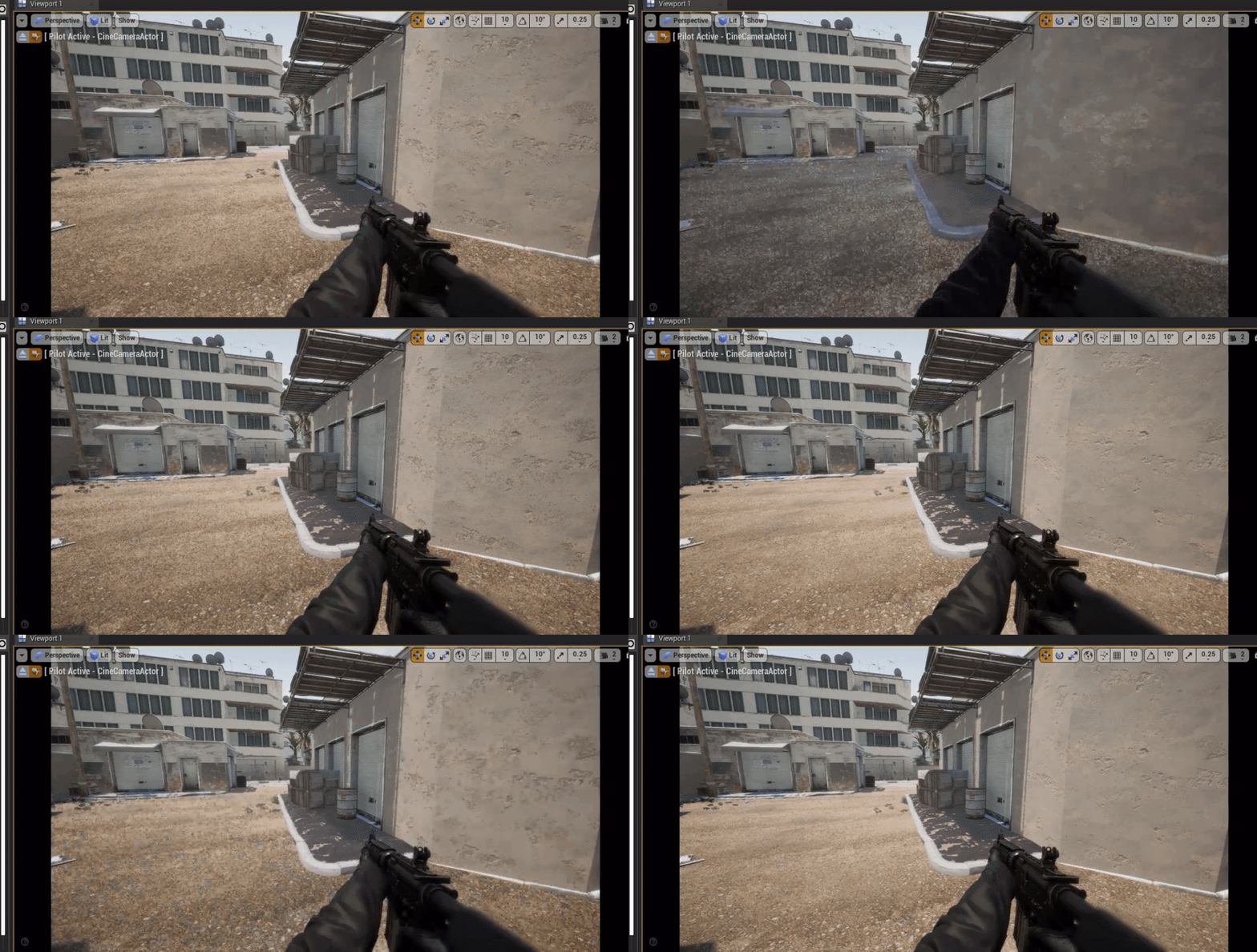
 tawdry lodge
never seen that
normal burrow
Maybe your near is too near?
 errant tusk
Hey i need help with something 
cerulean nova
@frigid trellis looks like a lighting issiu to me maybe even some ray tracing problems
errant tusk
Im getting a cook error when trying to package my project
abstract relic
Here’s a something. Happy holidays!
errant tusk
ExitCode 25
frigid trellis
yeah I use raytracing
it happens no matter what map I have open, it just randomly happens sometimes and I need to restart unreal for it to fix sometimes @cerulean nova
abstract relic
Do you have hardware that supports it first of all
 tribal river
Does chaos work on 4.24.1?
 quiet token
question, when players have the game do they have to wait 3 hours for shaders to compile when they first launch... ??
tribal river
Does anyone know the plugin is there but it doesn’t do anything
normal burrow
#engine-source @tribal river would be where you'd find other people trying to get chaos to work
if you wanted to skim through there
tribal river
I know a little about the ray tracing, you have to enable it in project settings-rendering-raytracing then also you need to use dnx12 in the window tab
normal burrow
also need hardware that supports it
tribal river
An overview of Ray Tracing in Unreal Engine 4.
Yes if you have a gyx 1070 and up you can get some drivers that do a great job
Gtx *



Did this last night but I enabled the setting after and followed that documentation
normal burrow
that is screen space reflection though, is it rtx shadows or something? (also gtx 1060 6gb is absolute minimum)
marsh swallow
Any particular reason UE4 makes us create variables for the Key Names for AI
why cant it just be a field IN the damn BP node. xD
tribal river
Im still learning about that, yes I did see screen space reflections and a box reflection I believe.
Def for the shadows
hidden aurora
Does anyone knows why this happens, the black things
 honest scarab
How do I get a reference to a Material in c++?
 autumn elbow
Hiya! Is there a way to get the DataTable Row names into an enum ? I would like to populate a Enum with the RowNames from my data table
 gentle crypt
is there a way to pop out a second viewport window into the second monitor?
quiet token
necro
harsh tiger
does anyone happen to know of a fix for this issue?
 worn granite
Seems that message is truncated.
harsh tiger
@worn granite what does that mean 😂
i dont see a lot of red so im hoping its a easy fix
harsh tiger
worn granite
it's saying you're running into a folder blacklist, maybe change the names of your folders?
Yeah, rename your Switch folder to be Change or Swiitch
harsh tiger
it might be switch actually
quiet token
so strange but yea makes sense
harsh tiger
i have a folder called "switch" inside a audio folder, so it must be that
i've had the same issue but with "windows" before
 late verge
hello! in the sequencer, how do i remove the 1,800 frames limit? my recording just stops on its own 😦
 short trout
Hi guys im currently working on a GTA lookalike game and im struggling how to add rigidbody to some objects like chairs etc. In Unity its called rigidbody but i can't find it in UE4 ,can anybody help?
abstract relic
Subsystem used to calculate collision and simulate physical actors.
short trout
@abstract relic but can you tell me how to implement it?
abstract relic
short trout
Thanks bro , works
late verge
would anyone happen to know how to remove the 1800 frame limit in the sequencer?
errant tusk
can i exclude the unused files when im compiling the project ?
fierce forge
hello i use translucent at blend mode on a material , why is this things locked ?
abstract relic
Translucency doesn’t use those pbr channels
crude vessel
anyway to make certain items in a character blueprint invisible? Like the camera?
fierce forge
i find this on documentation
abstract relic
Rendering > visibility > uncheck it
fierce forge
at what ?
abstract relic
The translucency tab
fierce forge
what i need to check or uncheck here ?
 sudden agate
Lighting mode
harsh tiger
@worn granite renaming the folders has fixed it and the project is building properly now, thank you
worn granite
nw m8
 leaden bear
Hey is anyone familiar with "World Composition" and could assist me with a few questions?
 chrome ivy
Merry Christmas! (it is 12:55 AM here so yeah)
 crisp fable
ok wtf is a yule log
is that what you get from indigestion
i think i got yule log from eating bad oysters once
it was NOT festive
late verge
would anyone mind explaining to me why a recorded sequence only lasts 60 seconds? it stops on its own.
is there a way to extend it?
plush yew
@late verge Someone else had the very similar issue recently that was caused by the default start point and end point of the sequence
the op solved it By moving the end point of the sequence represented by a vertical bar to the desired frame...
I don't have an image handy...
@late verge
late verge
@plush yew
didn't work unfortunately :/
even extending the end point it just stops on its own
anything else i can try out?
plush yew
@late verge One thing I can think of, perhaps some of your objects in a scene are being garbage collected?
I don't really use sequencer, are used the old one from unreal engine 3 for a while
You can also try #cinematics To ask your question...
late verge
@plush yew ooh didn’t see that channel i’ll have a look! could you elaborate on the garbage collection?
plush yew
The unreal object need UPROPERTY macro, Otherwise the engine has a built-in mechanism to automatically destroy objects, similar to C# does. But this may be overly complicated, and not even your issue, so just ignore me 🙂 @late verge
late verge
alrighty. thanks for the help friend.
 weak harness
I'm having an issue when trying to move assets to another folder. They don't move over and the new folder is empty. Ideas? Version 4.23.1.
If I try to move the entire folder it just creates the folder with no content.
If I try to move assets it doesn't even move them.
soft fiber
Anyone around to ask a couple questions about player controllers and navMeshBoundsVolumes?
plush yew
@soft fiber Look at the last 4 messages from mattwla In the #gameplay-ai , maybe by chance give you a pointer in the right direction 🙂
soft fiber
ok. thanks
 midnight bolt
how can i edit directional light rotations? in 4.23 i could use the mouse in the middle of icon, 4.24 doesnt do anything?
plush yew
@midnight bolt Does it work if you change the values in the light property panel? in the rotation fields?
I'm using 4.24.1 and my lights rotates fine...
midnight bolt
hm, no, i dont see any rotation taking effect. its set to movable.
maybe something to do with rtx turned on in the project wizard?
plush yew
@midnight bolt Unfortunately I don't know, it works fine for me 😦
plush yew
Hi Guys: I have a small basic cabin that I built in blender 2.81 -- I want to import it into UE4 so I can walk around and go in and out of it -- this is a first step down the long road of learning to do architectural visualizations that are first person walk around -- when I tried previously to import a cabin like this it tore it all apart, stripped all the materials off it and dumped it in a great heap -- I have been following the progress of this thread on blenderartists.org https://blenderartists.org/t/ncc-1701-enterprise-environment-fan-art/1195239 with great interest, but when I asked for whaever tutorial he was following, he sent me one in a language that I dont understand, so unfortunately I was not able to utilize it.

Blender Artists Community
Hello everyone, I’m creating an environment based on the movies STAR TREK from J.J. Abrams. My intention is to model it in Blender 2.82 and export to Unreal Engine At the moment I’m modeling some assets from corridors an lobby zone. So, live long and prosper! STAR TRE...
is there a really basic tutorial?
or something
I would really like to be able to do walk through visualizations, and I cannot believe that it is as hard it looks
 coral shoal
you're probably forgetting a small step like "complex collision as simple" on the model you imported. It hurts performance but it's fine for archvis.
then just use the first person starter project or third person starter for the walking around bit
plush yew
hi matt -- what do I do about the pile of pieces?
why doesnt it stay together like it should?
gentle crypt
Does it import the models separately?
I think when importing there is an option to not import it separately. im not sure what its called but its there.
coral shoal
pile of pieces... i suppose its all in separate objects in the blender file then i suppose?
yeah i think there's an option to import all at once. if you cant find it, could always just apply and merge the objects in blender before the export (and revert without saving in blender)
gentle crypt
I think UE4 separates floating objects anyway even if you merge them together in blender.

In this episode I will be Showing you guys how to go from Blender ot ue4 with all of its technical stuff. Hopefully this will help you guys and dont forget to subscribe for more :D
TIMES WHERE IS STUFF YOU NEED SO YOU DONT WATCH THE WHOLE VIDEO IF YOU DONT NEED IT:
Origin and...
crude vessel
Fun stuff when you're debugging a random color material generator when you accidentally hook the trigger up to TICK
random color changing at 60hz!
plush yew
@coral shoal thanks man, sorry to be delayed, we were eating dinner -- I'll try that -- thanks again
coral shoal
I've never had that happen iby, even for very disjoint mesh objects. Wouldnt really make sense for it to split up single objects into multiple subobjects anyways
unique kraken
hey guys, im more of an artist but i wonder. what would be the most practical way to creat a weapon for my character. would it be best to be a different object? does it need a rig? im just wondering how this plays together when creating animations
plush yew
@unique kraken Look into sockets, Specifically socket snapping
i.e.:Cast<AYourItem>(oItem)->GetStaticMesh()->AttachToComponent(Cast<AYourCharacter>(oCreature)->GetMesh(), FAttachmentTransformRules::SnapToTargetIncludingScale, "WeaponMainOn");
unique kraken
thx i will look it up.
unique kraken
intresting, just wondering in how far these sockets can have ther own animation
plush yew
@unique kraken I think the basic idea is that your character, most likely humanoid, handles the animation, therefore it requires a skeletal mesh
the actual weapon is a static mesh, most likely, although there may be situations when you want to add some bones
regardless, the socket is used so that the bone translation that owns the socket Is used to propagate said translation to the mesh that it's snapped into
Or something along those lines, I'm really not a 3-D person 🙂
unique kraken
okey so let me phrase it like this
plush yew
but in one of my projects I had the need to have the Sword in its sheath on the back when out of combat, So I used a similar command to snap it on the back, and when in combat, snap it to the dominant hand, with a fancy transition animation 🙂
unique kraken
in theory i want a sword, and masks wich enable abilities
dont really want a full game or something but thats kinda the idea i have
and im just kinda trying to get a general idea
plush yew
masks?what do you mean by masks?
unique kraken
k i think a sword is doable after watching some stuff
lets in theory say a mask+ abilities
plush yew
@unique kraken Equipping a sword on and off, or equipping a mask on and off are identical in implementation
Meaning the logical "how it works " approach is identical for both
unique kraken
ye agree on that
plush yew
What's different is the visual "how it looks "
Meaning the animation to move the hand to handle the sword has a different translation in the world compared to the animation to handle the mask
unique kraken
lel didnt even think about that
thats actually a tricky part now that i think about it
plush yew
but it's up to the animator to figure out the "how it looks"
The good news is that "the how it works " Is the same for any equippable item
unique kraken
well the "how it looks" aside, its more about the "how it works"
bcs im trying to get this logic together
plush yew
The"how it works" it's exactly as I described, snap the equipment will item for socket in combat or when equip is on
unique kraken
i would need animations, a kinda of inventory system, somehow to pick that stuff up from the ground, then the abilities where i legit have no idea how to do, i mean i can do mesh vfx but how to implement is something i dont understand yet
plush yew
And snap the same equipment to a different socket out of combat or when equip is off
@unique kraken Don't worry about it, watch YouTube videos, take Udemy unreal classes, Have patience and you will get there, as we all do at one time or another 🙂
unique kraken
i do understand the logics behind these things but its all spinning together in my head arrg. yea thx, just wanted to think about some stuff befor i creat certain things
but u helped me already to understand the sockets
ah @plush yew sry to bother u again. i just remember im actually stuck at a rather simple problem. i have really low res textures 32x32 and 100x100 or so and i need pixel perfect interpolation. and i played with the settings and got some better results but i still see certain seams
there are a few black lines to much
unique kraken
thx will try
dim plover
Yes. If they're UE4 related. 🙂
 vivid narwhal
only your UE4 problems, not your emotional christmas problems.
 fathom grove
so i have a packaging issue
lol
i dont have christmas lmao
but anyway merry christmas
wait i post the log
here
vivid narwhal
Can I just
Can I just commend youfor psoting the file and not just copy and pasting the whole thing into chat
vivid narwhal
commend means did good
right it looks like youhave some issues with the file "infinityPlus.cpp" and "infinityplustheforge.cpp"
 uncut osprey
🎅
 tropic snow
how can i reduce this ?
vivid narwhal
is it not compiling?
normal burrow
More threads/cores
normal burrow
(-183)....
 tawdry heath
anyone know why when I build lighting the shadows look like blobs?
fathom grove
Compiling shaders(674590)...
vivid narwhal
guess you gotta makea cup of tea
vivid narwhal
So I can't seem to cast a Instance of a level to the level in question to get the transform location I want to attach to. What am I missing here?
dim plover
Where are you doing the actual casting?
vivid narwhal
I thought I could cast off the Return Value of Create Instance but it doesn't appear to be an option
dim plover
I'm not really familiar with streaming levels. Do they typically get subclassed?
vivid narwhal
subclassed?
dim plover
the transform location I want to attach to
Where is this property?
tawdry heath
hey guys how do I remove this read only?
dim plover
Press Stop?
tawdry heath
oh that worked thanks XD
dim plover
Sorry, Jack. I don't think I know enough about streaming levels. But typically you only cast when you have a subclass/child class of something.
vivid narwhal
Sadly getting this error when I try to load an instance anyway so can't even get to tackling the transform er ror
Duhhh! I need to add them into Levels tab. Silly me
If I use Load Level Instance instead of Create Instance I don't need to add levels into the Level Tab. Interesting.
vivid narwhal
There must be a better way
 light coyote
Japi Crismas Slackers !! 🙃 🙃
vivid narwhal
Merry Crimbo to you too Richard!
plush yew
@tropic snow Yes, uncheck "Allow Static Mesh" in Meshes or in Project Settings for all
I was able to speak English without using a translator 🙂
 next badger

A brand new intro for Inside Unreal, the weekly Unreal Engine livestream that takes place every Thursday, at 2 PM EST. Created by award-winning studio Evil Eye Pictures. The intro was created in real time and entirely powered by Unreal Engine.
Founded in 2004 after contribut...
crisp fable
how what
also holy shit unreal engine is ...not smart sometimes
did you know every scenecomponent checks every physics volume in your level on every tick to see if its in it or not
no octree or anything, just brute force
plush yew
imagined
bad for those who use ddr3 ram memory or average processor
Does that happen with Event Begin Play too?
 sonic ruin
Merry Christmas everyone!!!
plush yew
tick with delicacy
vivid narwhal
So.
I wanted to stream in new levels into my Persistent level to make a Labyrinth.
Trouble is, if I just stream the levels in, there's no way for me to refer to the spawn location, since I apparently can't cast off Create Streaming Level or Load Level Instance to get the spawn point.
I was thinking I could just add the spawn-points manually but that would require for all my floor tiles to be the same size and not have any corners or nothing.
I experimented with having each room load up the next room, but since I'm using a Stream for my random int for the rooms (I want to be able to control the layout via a seed) the rooms will all be the same unless I've fucked up somehow and my stream isn't working how streams are supposed to work.
The other option, and I'd rather not do this, would be to have the entire level as one Actor BP as that way I can get my spawn locations, but I fear I lose so much from the level editor by creating all my levels as an Actor BP.
Any suggestions/Advice/Prayers?
plush yew
@vivid narwhal Is your labyrinth procedurally generated?
radiant haven
is someone experienced with mobile developement in GENERAL
vivid narwhal
Yes.
I mean I -could- create the first floors manually (0-99) but I want 0-99 to be all under 1 seed, then for dungeon 100+ to be created by either a random seed or a seed the player can choose. Which is why I want it procedural from the get go rather than doing half and half
plush yew
@vivid narwhal Is it 3-D? If yes is it safe to assume you have a pool of static meshes, To be used as floor, wall, etc.?
vivid narwhal
Yeah, 3D.
So far I've been creating each room/corridor as it's own map to stream in
radiant haven
cahnnel is literally dead
plush yew
@vivid narwhal Yeah, I think I understand your issue. Would it be possible to scrap the level of streaming approach and instead create a map of objects in your persistent level that are being generated as you go forward in your labyrinth?
and keep track of which objects (Walls, floors, ceiling) are compatible with each other via some data table maybe? @vivid narwhal
vivid narwhal
Do you mean generate all the walls, floors, objects etc procedurally?
plush yew
Yes, you already have the logic in place
It's just that your logic expects a level to be streamed in
Simply change level with Group of compatible meshes that Together look like a level 🙂
vivid narwhal
so let me understand this.
I'll take all my assets in say, Tower_00 and Group them as a single asset (But not make them a blueprint)
Then in my main map, Tower_P, I put every Group from Tower_00 to Tower_0N below the level so it's not accessible.
Then, with my group assets, I copy the entire group and paste it, via blueprints, to it's desired location in my generator logic?
plush yew
@vivid narwhal Perhaps another way would be to stream in the level And Use an iterator To look for your static meshes That make up the floor, walls, ceiling and update each static mesh position and rotation relative to the player
The idea is that level streaming brings in the objects into the world at that position you set them when you statically made the level@vivid narwhal
Your goal is to be able to somehow update the position of these objects to match the current players location, right? @vivid narwhal
vivid narwhal
no
plush yew
My bad, then I completely misunderstood 🙂
vivid narwhal
once the tiles are in place, I don't want them to change
hold on I'll grab my tablet and draw a picture, that might help
plush yew
okay
@radiant haven Meanwhile, what is the question you have related to mobile? 🙂
Whoops, gotta go eat dinner, my wife is calling me, be back in 30 minutes or less
vivid narwhal
like this
plush yew
@vivid narwhal I think that I agree with your statement: Then, with my group assets, I copy the entire group and paste it, via blueprints, to it's desired location in my generator logic?
radiant haven
atm i make an endless runner and i used a blank file but now i have the problem that my pawwn(character) spawn wrong
and it doesnt move
plush yew
And just keep track of that group asset In some sort of array/map... @vivid narwhal
@radiant haven It's unlikely this is mobile related 🙂 what type of project is it, relative to the camera: top-down view, side view, first-person shooter, etc.
vivid narwhal
Sadly @plush yew It seems I can't reference "grouped actors" in the level BP.
radiant haven
well actually i want that my character stands still but the map is moving
how do i do this firstly
plush yew
@vivid narwhal Darn it, I always use C++, I would most likely use a struct with some fields such as: static mesh asset, position, rotation, and then create an array of those structs
@vivid narwhal But there may be better ways though, perhaps someone else has some better ideas than me...
vivid narwhal
I know when I made an endless runner I spawned the runner's rooms/tiles as Actor BPs but I thought maybe I could do it using level BPs so I could include stuff like different sky spheres
and landscape tools
plush yew
@radiant haven By default Unreal Framework easily handles character moving, but you can move any actor in the world without any problem by updating its/theirs Location on tick with SetActorLocation
radiant haven
@plush yew its not working that way
wary wave
if you want it to work that way you never move the character (which can just be a pawn in this case), create your world as a series of actors or something, and spawn those and move them
it's not really rocket science?
vivid narwhal
surely you're better off just not having a movement animation and moving the character
midnight gate
anybody knows how to add double jump and speed up the characters movement speed in air?
vivid narwhal
double jump is easy you literally just change an INT in the character movement to2
wary wave
@vivid narwhal - if you want an endless runner, you want to move the world, not the character (and obviously you want animation)
vivid narwhal
He wants it to be the world moving, not the character. So aI was assuming he doesn't want the character to appear to be moving
wary wave
no, the character should still appear to move, it's an endless runner
plush yew
@midnight gate maybe https://www.youtube.com/results?search_query=unreal+double+jump ?
Enjoy the videos and music you love, upload original content, and share it all with friends, family, and the world on YouTube.
plush yew
Google and YouTube is our best friends 🙂
midnight gate
yup but not allways
plush yew
force delete for something with a reference seems to be very slow or freezes the editor, I dont know if it is because of the update
midnight gate
so i need help i want my character to slow wings down when moving slower in the air and when moving faster "i have 100% air control" i have a blend space set for this but i think the issue happends cuz it also counts in the up and down axis and i need it to read only the non up and down axis
plush yew
Hey guys I was wondering why does the get node look different sometimes it has a target pin sometimes it does not
short trout
Does anybody know how to disable character on trigger and enable Car Controller im struggling with this few days
plush yew
good morning everyone -- Merry Christmas
runic iron
Merry Christmas !
plush yew
😄
HOw do make this
Into this
why does my Get node look different?
(equipped gun is in different Blueprint)
 tepid ore
Hello! first time here, iv'e never done any particles in UE4 before and i need some very basic help with a particle system i'm trying to create, is this the right place to ask?
plush yew
@tepid ore try #visual-fx
tepid ore
@plush yew ok, thanks! Merry Christmas(:
humble ridge
Why do my geometry collections suddenly not have collision with my pawn
but have collision with static meshes
crude vessel
Hello Gentlemen! I have a question about making a utility to define a colorspace range and wondering if anyone here has an idea of how to preview this in game to make an editor widget of some kind?
 potent violet
Yo guys, what object lasts through the whole game? I need to save my game settings somewhere
any difference between multiplaer/singleplayer?
normal burrow
UGameInstance
 fickle wing
How to generate maps..?
kindred viper
@crude vessel Slate has a ColorPicker class for such things
@fickle wing do you mean create dynamically generated levels? Or TMap ? or some other kind of map?
fickle wing
Generate levels
silk sleet
so im messing around w/ a plugin that generates a mesh from gps and building data. collision works fine running single player, but w/ a dedicated server players will collide w/ the floor for only a second, and then fall through.
thoughts on where I should start looking for a fix? tia