#ue4-general
1 messages · Page 604 of 1
 chrome ivy
ur welcome
 delicate needle
Thanks, its project represents lots of work! And is part of a proposal, big bummer if lost. I'm not surprised though the project is a plain text.
 next badger
Does Convex Decomposition work in 4.24?
 young cliff
Hello. I just installed 4.24.1. When I choose 'Installed Plugins' from the Epic launcher, its empty. The plugins that are in my vault however states that it supports 4.24. Any idea why my marketplace plugins are not showing up?
next badger
cause you need to install them?
vault is cache, nothing else
to see them you need to install
 soft fiber
Dungeon made from a BP of static meshes. I don't believe anything is overlapping... but there is a lot of flickering? 💩
 cloud cobalt
Probably overlaps.
soft fiber
Is there a way to hide actors in the scene while the game is paused?
 abstract relic
Set their visibility
 wispy cosmos
Hello
Today i reset cache directory..
Double Click my Map and i get this crash.. 4.23.1
Why is that?Anyone help me ?
next badger
cache? like Intermediate? Saved?
wispy cosmos
And have problem this 4.24.1
What is Intermediate ? And i have only this problem my main map..Testmap its load
Assertion failed: OutMipChain.Num() == NumOutputMips [File:D:\Build++UE4\Sync\Engine\Source\Developer\TextureCompressor\Private\TextureCompressorModule.cpp] [Line: 2306]
UE4Editor_Core
UE4Editor_Core
UE4Editor_TextureCompressor
UE4Editor_TextureCompressor
UE4Editor_Engine
UE4Editor_Engine
UE4Editor_Engine
UE4Editor_Engine
UE4Editor_Core
UE4Editor_Core
UE4Editor_Core
kernel32
ntdll
next badger
those are folders in your project
wispy cosmos
- info (I right clicked my map again crash
 edgy moat
Find your projects folder, go into content, saved, backup, and then find your maps name, it will say your maps name but will also have the date next to it the day it was saved, copy that map you selected and paste it into your content folder
Are you using megascans in your level?
wispy cosmos
My level its fully optimized
edgy moat
Are you using megascans
wispy cosmos
No any problem here,before im clear derived cache
Im not using megascans,im using only megascan textures 1k and 2k
abstract relic
So yes 😜
soft fiber
Here's a short video is the issue. https://youtu.be/XhwspWJF0V0 Does this look like z-fighting?
 edgy moat
Ok find your project, go into it, go to your project saved backup, then when your in the backup folder find your maps name and then COPY it into your GAMES content folder
 digital anchor
thats frustum culling, its always one frame behind, an easy fix would be to increase bounds
abstract relic
Looks more like culling Free
edgy moat
your maps name will also have the date next to it, you will know which one to select. copy that map you selected FROM THE BACKUP folder into your CONTENT folder
soft fiber
The bounds are default to 1. How much do I increase it by? What is culling free?
digital anchor
lmao i though the same thing, whats culling free
then i realized free is your name
edgy moat

How much performance gain would there be if i were to use static lighting instead of dynamic?
next badger
depends...but generally a lot
edgy moat
For large scale landscapes and i mean really large would, static would be the best choice, right?
next badger
dynamic shadow depth maps are probably most expensive thing in current gen gaming
edgy moat
But also my scenes look a lot better with full dynamic lighting compared to when i bake the lighting (static)
next badger
i can't tell anything about landscapes, as soon as 4.24 has new pipeline for them
but for meshes, gpu memory bandwidth and its amount of it will be the main factor...and not the performance of the gpu
as soon as you manage the streaming of shadow maps it won't be an issue
better ask #graphics if you need more info
 versed surge
Where do I put in a request for a Houdini help channel?
next badger
um...on Think Procedural Discord...
 sweet relic
@versed surge https://discord.gg/b8U5Hdy
next badger
Prox already on it
@sweet relic also Discord links are possible reason to get banned, even if relevant
abstract relic
🤷
versed surge
@sweet relic thank you so very much.. kinda mad I didnt ask around in here if anyone knew it sooner. I just got in that channel today.. amazing what google tells us when we arent being lazy lol
@next badger awesome to hear I noticed they have UE4 and Unity channels in the Houdini discord and thought I was pretty sure slackers didnt have a houdini one last time i poked around in here begging for help
abstract relic
Slacker is a ue4 only server. There’s no dedicated software section
next badger
@versed surge i have zero clue what you are talking about...neither slackers or houdini discords have cross related channels...
 normal burrow
yeah, blender does the same with its unreal channel.
versed surge
yeah
Think Procedural has a channel for third party talk guess its Unity UE4 and some other softwares.
soft fiber
Hmm... I double the bounds from 1 to 2 just to see... that didn't really clear up the issue... Is there another setting? 🥺
 pseudo grotto
People! I have a huge problem. I can't stop getting an error in the game. Where can I post to see if anyone can help me? I'm desperate
 dim plover
Post the error would be the first step.
pseudo grotto
||LoginId:790c08384b6bb31b56ca7db5db777b7b
EpicAccountId:1c5f23a4e10646e3b1f3f4b502812740
Assertion failed: false [File:D:/Build/++UE4/Sync/Engine/Source/Runtime/CoreUObject/Private/UObject/LinkerLoad.cpp] [Line: 4789]
UE4Editor_Core
UE4Editor_Core
UE4Editor_CoreUObject
UE4Editor_CoreUObject
UE4Editor_CoreUObject
UE4Editor_CoreUObject
UE4Editor_Engine
UE4Editor_CoreUObject
UE4Editor_CoreUObject
UE4Editor_CoreUObject
UE4Editor_CoreUObject
UE4Editor_CoreUObject
UE4Editor_CoreUObject
UE4Editor_CoreUObject
UE4Editor_CoreUObject
UE4Editor_CoreUObject
UE4Editor_CoreUObject
UE4Editor_CoreUObject
UE4Editor_CoreUObject
UE4Editor_CoreUObject
UE4Editor_CoreUObject
UE4Editor_CoreUObject
UE4Editor_CoreUObject
UE4Editor_CoreUObject
UE4Editor_CoreUObject
UE4Editor_CoreUObject
UE4Editor_CoreUObject
UE4Editor_CoreUObject
UE4Editor_ContentBrowser
UE4Editor_ContentBrowser
UE4Editor_ContentBrowser
UE4Editor_ContentBrowser
UE4Editor_ContentBrowser
UE4Editor_ContentBrowser
UE4Editor_ContentBrowser
UE4Editor_Slate
UE4Editor_Slate
UE4Editor_Slate
UE4Editor_Slate
UE4Editor_ApplicationCore
UE4Editor_ApplicationCore
UE4Editor_ApplicationCore
UE4Editor_ApplicationCore
user32
user32
UE4Editor_ApplicationCore
UE4Editor
UE4Editor
UE4Editor
UE4Editor
UE4Editor
kernel32
ntdll||
dim plover
In the Epic Launcher, where you install the engines, click the dropdown arrow next to Launch and then select Verify.
pseudo grotto
I've done it, I've even downloaded another version of the newer engine
But it does not work
dim plover
Is it just that project?
You can also download the debug symbols for more information on why you crash.
 timid jacinth

How can i add the resolutions to a combo box
Or how can i turn int array to string
dim plover
Something like a for each loop.
timid jacinth
ooh thank you
pseudo grotto
I only have this project. I try to find information but nothing comes out. I hope this is not dead because repeat EVERYTHING
Blame me for not having a backup
timid jacinth
wut
pseudo grotto
It is very rare ... only one level has been damaged ... the rest seems to work if standalone shot
abstract relic
cough source control cough 
 vivid narwhal
I feel like I need to give my students an entire lesson on using source control
next badger
@pseudo grotto serialization error may be caused by the BP logic...(in constructor)
next badger
make new map, and start adding all the cator you had in that level
open the project file and change startup map file to some another map
pseudo grotto
And why could this happen? To never make the mistake again
next badger
it once happened thanks to Epic, since they've changed something in code, after migration our project had this error
vivid narwhal
if you write something bad in your construction script that crashes on complie and then save it your project will never open
next badger
change startup map, and you can open the project again
pseudo grotto
It's weird because I wasn't playing anything from the level script
Sisi, it works, I'll have to relocate everything again
next badger
construction script is run for every actor in level
pseudo grotto
Yesyes*
 errant ice
UE 4.24 is bugged as hell. Got 3 different crashes right away.
They should have done another two previews with testing and bug fixes.
 loud knoll
@errant ice what are the crashes?
errant ice
LandscapeRender causes a crash with level streaming.
New audio mixer causes a random crash.
Another another one I don't know about
loud knoll
@errant ice Also this is normal for them they get the last version done for the year, and then fix it in Febuary. I was surprised they already released an update.
Only new feature I have turned on is the 3d text, if you are expecting Beta features to work 100% at this point you are setting your sights too high.
errant ice
I haven't turned on any beta feature. All of this happens right after opening the project in UE 4.24
loud knoll
Some Beta features are turned on for you though.
errant ice
Which?
loud knoll
you have to check the plugins
go through the entire list
anything that you dont need remove it
errant ice
Why are they turning on beta features by default?
loud knoll
save you a lot of memory on your builds
they always do it
You will see Beta by the name
errant ice
Well the Audio Mixer isn't labled as beta
errant ice
And LandscapeRenderer isn't something new but I'm gonna check the plugins.
loud knoll
yeah well they for sure fucked with that a lot, they are adding a lot to that
they have a bunch of new features
errant ice
I don't see any plugins with "beta" in their names
errant ice
Nope, only experimental ones
errant ice
Oh I see
loud knoll
They turn all that stuff on because they want bugs and feedback reports on those new features so they can fix it
 plush yew
Pls my linetrace is not damaging the enemy pls help
loud knoll
LineTrace alone will not hurt anything
does your enemy have a health var? are you subtracting from that health var when the linetrace comes in contact with the enemy?
Is your linetrace set to the right type of collision?
@errant ice Another thing I do is download symbols and debug so I can see what code is breaking when something is crashing that might be a clue to why you are crashing, could be a driver, or could be something in your setup of your level if something has changed and you haven't adjusted to the new way they want you to work then you are going to have that error until you make those changes.
errant ice
I already got dbg symbols, coding UE C++ for 3 years now ^^. That's also why I knew where the crashes came from.
loud knoll
@errant ice ah ok man I didn't know that.
errant ice
Thank you tho
loud knoll
No worries!
 forest tree
Hey guys, hope this is the right place, I'm a bit new 😄
Is anyone aware of an issue with landscape painting where a whole segment of the landscape resets to the default checkered material when applying paint?
errant ice
Anyway, looks like I will stick with 4.23, very stable version
plush yew
@loud knoll Yes
loud knoll
@errant ice Yeah I am using 4.24 trying out new things but I not doing any real work in it yet, until next year. They are going or gone on Xmas break and will be back at work mid january then start making progress around febuary (normal pattern)
plush yew
It just passes through the player(enemy)
loud knoll
@plush yew Did you change it to static mesh detection and see if it works in debug on those items?
@plush yew If it was me I would try to get it to work on any object first then figure out why it's not working on the AI, maybe the AI collision is setup wrong or its not large enough etc.
plush yew
Ok thanks
timid jacinth
Ha nice Talos is here
plush yew
I need the linetrace to hit only the mesh so it can show me what bone its hitting
 barren coyote
Hey, is there a way to force a "play standalone" window to open in a specific resolution? I want to test on a lower resolution than my PC screen
 tawdry wren
Any idea what this error crash could be... ? https://hastebin.com/evigecufeh.nginx
It's been happening non stop and it's actually really annoying lol
 true leaf
Okay im getting a fatal error during build 'Failed to compile material for platform PCD3D_SM$, Default material will be used in game'
so i open up that material to view the editor and lo and behold it is PERFECTLY FINE
no error, i can save it, beautiful
soooooooo why wont it build/ compile....
i cant figure it out
 runic iron
@barren coyote A bit hacky and not sure at all if that will work but you could try this https://www.youtube.com/watch?v=ys1gOuzvuPs
barren coyote
@runic iron thanks, but it doesn't work, I end up with 2420x1399 because of Windows scaling, also I think the widget DPI scale is calculated on the desktop resolution, not the window resolution
next badger
@barren coyote standalone resolution is set in the editor settings (same as PIE)
don't forget, you have alt+enter to go fullscreen
barren coyote
well by default that is set t o1280x720 so that doesn't work either
I am runnig in a window
not in full screen
next badger
sorry, for me it always opening the set resolution window
barren coyote
but even when I do alt enter, it shows the desktop resolution
next badger
well, probably you're changing it somewhere
barren coyote
What I have been doing is resetting windows display to the desired size, but that's painful and messes up the desktop icons etc
next badger
also, your screenshot is 2420x1399...so
barren coyote
that's my point, it wont open a t the set resolution
I'll just keep messign up my desktop I guess 🙂
 gentle moth
I was just looking using my mouse and now I have kinda inverted controls in viewport
and I haven't found any solution to that
next badger
@barren coyote and r.setres does not work for you?
barren coyote
no, using that as an execute console node r.SetRes 1920x1080 gave me that 2040x1399
whihc is 1920 scaled up to 125%, that is MS Win10 scaling it, which is I think the real problem
sorry, typo, 2400 not 2040
next badger
and your dpi scaling is 1?
gentle moth
anyone had similar issue?
barren coyote
@next badger DPI scaling only effects UMG, at least that is how I understand it, but yes, it is at 1.0
yes thats is ticked as well, what does it do?
next badger
@barren coyote well, then no clues
barren coyote
same, I think it is windows 10 issue with running in windowed mode
next badger
95% probably using w10...
barren coyote
any one know of a quick resolution changing app I can put i the taskbar?
barren coyote
@next badger What can go wrong right? yolo etc 🤣
 dusk sphinx
why should i try to learn unreal instead of unity? just to throw out a question 😄
barren coyote
Hey Bob 🙂
dusk sphinx
hello
next badger
@true leaf
barren coyote
@dusk sphinx I am pretty sure your question has no real answer. For every reason to use one I am sure there is a reason to use the other.
next badger
@true leaf it says implicit vector truncation
vivid narwhal
Is there a way to deform a flat mesh so it always lies flat on the landscape regardless of whether it's a hill or slope etc
true leaf
hmm im just going to delete and reimplement from scratch i think cause idk what that is from
thanks
next badger
@vivid narwhal not out of the box, but you can use either vertex shader, or using mesh deformations (Custom Mesh Component, Runtime Mesh Component etc)
vivid narwhal
hmm whatever way I want to do this is going to be incredibly complex
digital anchor
if its a translucent mesh you can project
vivid narwhal
@digital anchor it is translucent
I've been trying to make the "damage zones" like in MMOs. I orginally tried decals but then there's obviously no collision data so made flat planes with a translucent material on them, but those don't deform to the landscape
vivid narwhal
That's perfect, thanks!
where does this plug into? Tessalation? Doesn't seem to like it in World Position Offset. Sorry I'm lost when it comes to materials
 grave nebula
To UVs of your texture.
vivid narwhal
Ahh that's problematic. I'm using vertex paramters not textures
grave nebula
Sounds like XY problem pretty much.
digital anchor
quick grab the link
vivid narwhal
Yeah that screenshot is from the twitter link but doesn't show the whole graph
digital anchor
it just gives the impression that the mesh conforms to the ground
its not modifying the mesh
vivid narwhal
Indeed
next badger
there is no point to conform the mesh to the surface in shader in this case...there are no benefits
vivid narwhal
Yeah, I just need one static mesh with total transparecy to act as the custom collision shape I need, then I need to show another mesh as a basically 2D object onto the ground that (visually) adapts to the surface angle or any bumps etc. I've tried using a decal but trying to use a decal as a component in a blueprint isn't giving me any results
 latent moth
hello all, i’m fishing for ideas on how to manage an approach to a planet, from deep space to surface. the last step should be a landscape, i wonder if i should just have a spheric mesh with a piece of it being a real landscape.
any ideas?
dusk sphinx
@barren coyote didnt notice you are a copy bob before no. i need some sleep 😄
yea, guess you are right. But people have to choose one over the other for some reason. personal, or not
like, why cry engine isnt where most is
crysis still holds up, considering how old it it.. 😄
 lapis thorn
hey guys can somebody help me i opened 4,23,1 for the first time and i got a notification that says A feature level 5 video card is required to run the editor. AvailableFeutureLevel = sm4, ShaderPlatform = PCD3D_SM4'' what should i do?
lapis thorn
how do i get that
 wary wave
you buy a graphics card that isn't 12 years old?
 fierce tulip
aka get a new video card
fierce tulip
good luck!
wary wave
what are you trying to run UE4 on?
lapis thorn
how do i find that
wary wave
click start, go to run, then type in DXDIAG
if in Windows 10 just type it into the search bar instead
lapis thorn
and under witch term do i find it
abstract relic
wary wave
screenshot both tabs from the DxDiag report
wary wave
I can read it
vivid narwhal
,it;'s the key right of F12
lapis thorn
o oke thnx
lapis thorn
it doesnt work
vivid narwhal
I can't seem to get that bump offset link from twitter working unfortunately
next badger
@lapis thorn if you're on windows 10 you have the "Snipping Tool" app
next badger
hmm...seems Win+Shift+S in new key for screenshot region
 upper heart
@lapis thorn Please don't post the same question in multiple channels.
 lethal snow
Hi everyone I have a quesiton... I have been working on a multiplayer game and eveythings fine.. But I have noticed something wrong.. When I test my game in the editor window, after around 15 seconds my fps starts droping reaallly badly (like 15 fps)
ONLY WHEN I TEST WITH 2 PLAYERS THO
when I test it with 1 player, everythings fine
Please someone help me... 😕
 crude vessel
Anyone else here found 4.24 kind of crashy?
I keep getting hard crashes when importing meshes/new skeletons or modifying mesh/skeleton stuff
 swift spindle
4.24.1 has addressed some of those issues I've found
crude vessel
let me see if i'm upgraded
vivid narwhal
a few reports I've seen today of 2.24 being crashing
next badger
@lethal snow #multiplayer
crude vessel
I don't see a upgrade option
 peak crane
I have a problem with the engine. During operation, glitches appear on the screen. This is not the case with games. I work for 1060 Nvidia. 16 GB RAM
next badger
glitches like?
peak crane
As if the screen is blinking in different places. Similar to an electronic chip.
next badger
@peak crane how long you've been using ue4?
peak crane
Already about 2 years.
next badger
so it's a new bug?
next badger
you can try running ue4 with -dx11 option
peak crane
And where to write it?
next badger
when starting the engine...in shortcut or cli
peak crane
Thanks, I'll try now
dim plover
In AnimGraphs, the Blend Poses by Int node only has two options, was it always that way?
I remember there was a way to add more poses.
 brazen knot
What would you guys say the "must use" plugins are?
 surreal anchor
are there any tutorials or guides on creating a dev kit for your game?
brazen knot
@surreal anchor With a quick google: https://wiki.unrealengine.com/Modding:_Adding_mod-support_to_your_Unreal_Engine_4_project
Or @surreal anchor You could use the Mod Browser & Manager plugin from mod.io
 cursive salmon
Hi, How to create a score and timer backup system during all parties
 light thunder
How performant are dynamic material instances? I have a MP plugin that creates spline meshes and in its construction script, appears to make a dynamic material instance for EACH spline mesh component...
crude vessel
I noticed 4.24 is givng me a weird bug when importing meshes
with importing tangents
next badger
@light thunder spline meshes are slow af
vivid narwhal
https://twitter.com/klemen_lozar/status/952255581233889280 Can anyone help me out with getting this running? Feels like I'm hitting my head against a wall but I've plugged the offset into a material and plugged that into the base colour to no effect. It also kicks up a fuss when into the Word Position Offset and The Ambient Occulsion channels

This is the important bit, influence parameter controls the amount of distortion based on the depth height map we've created #UE4 #gamedev #indiedev
Likes
195

 Twitter
light thunder
Twitter
light thunder
I'm using it to "drop" a length of hose on the ground, so far it looks okay but I the tiling concerns me because I end up with say, 50 spline points @next badger
I wish there were a way for me to somehow calculate that as one item because there is an element where the hose will just DROP and won't be used again
next badger
hmm...this is weird, i can't find any info on it now...but i'm pretty sure there was
next badger
digital anchor
doest make much sense, if the texture doesnt have details, what is getting projected on the ground? it will look the same anyway
vivid narwhal
Changing the texture still has the same effect
I mean what I'm trying to do could be done with decals, but it wasn't working when I tried earlier. Tried something different now and it worked
digital anchor
dunno i just tried with that material and looks fine for me, unless thats not what you were trying
true leaf
YAY!!! i fixed my 'unknown cook failure' !!!
OH MY GOD so happy
i had to validate all assets, then delete my cache project folders (derived data, etc) and rebuild it all
one hour later boom we are golden
vivid narwhal
Was that plugged into base color @digital anchor ?
digital anchor
i plugged on emissive, but should be the same on base color
the texture i used
vivid narwhal
That worked. having it into emmsive&opacity. also had to zero-out text coords
however, I'm going to just store that in the "cool materials" as it's totally not the effect I was after and I think I'm better off using decals
surreal anchor
how do you use the built in SQLite plug in made by epic?
soft fiber
How long does it normally take before devs update assets for the lastest release 4.24?
 thin tendon
Anyone know how I can fix these error messages
Attempted to access index 0 from array 'CallFunc_K2_GetComponentsByClass_ReturnValue' of length 0
After updating to 4.24 my arrays keep putting these out
soft fiber
Considering going back to 4.23 until next summer... 🥺
thin tendon
Why next summer?
soft fiber
I figure that would be enough time for most things to be updated... Maybe not... lol
thin tendon
ahh ok
soft fiber
Looks like there's an update for 4.24....
 copper flicker
After updating to 4.24 my build was not starting, without making any changes to my project. I had to go back to 4.23
soft fiber
any or many?
copper flicker
No errors during build, just dead exe
soft fiber
ok, I see...
copper flicker
No, just my game's build
soft fiber
I had one issue with replication, but I just disabled it for now...
copper flicker
I was advised to look into my log and try to figure it out.. It's easier to just stay in 23 : >
The only interesting feature in the new one is the long awaited Layouts....
soft fiber
Ya, I just started a project and I figured it would be best to start with the newest build. I didn't really consider the asset store..
thin tendon
I was able to go to 4.24 pretty easily. But its annoying me that every single array is throwing a warning about index of 0. I want to fix it soo badly but can't find any info
soft fiber
I haven't seen that... maybe cause I've only been using c++ for the most part.
thin tendon
Yeah I'm using Blueprint for the whole thing
soft fiber
Did you try 4.24.1?
thin tendon
Yeah I'm on that since yesterday and no change
soft fiber
💩
thin tendon
I even tried adding is valid index in before get and that just throws the warning twice
soft fiber
Weird...
copper flicker
they already have a fix for their buggy release? I didn't try it.. I'll give them at least one more release
soft fiber
I'm sure the update is great... devs always do their best work a week before Christmas... 😅
normal burrow
slimwaffle if the array is on a none object, trying to do something with a none object will do this.
 real saffron
Yo, is anyone having issues with UE4.24? mine is way too slow to perform anything. I used 4.21 before and everything was super fast.
thin tendon
@ Danny I also went from 4.21 and other then my array issues I'm finding its faster
real saffron
really? is it my pc then, because 4.21 projects are still lightspeed compared to 4.24.
thin tendon
I'm not sure it could be a just me thing. But I found going to 4.24 I had a ton of errors. And it gets faster each time I work through one. And for me its already a ton faster then 4.21
But I found my array problem using the nodes "Get all wdigets of class" and "Get all components of class" are causing these index 0 errrors
 mossy nymph
@real saffron running or starting? if its just starting you might had forgotten to allow for a larger DDC (assuming you need more then 512MB)
real saffron
when it is running, for example, deleting anything in 4.21 is almost immediatly. Now it takes almost a minute to actually delete an asset
mossy nymph
weird, fix redirectors on content folder?
real saffron
it even crashes sometimes
 humble ridge
@fierce tulip just as an fyi i managed to fix that issue with the DM by remaking the material .. weird haha.
real saffron
I havent seen anyone on the forums with the same issue. Dont really know what could be the cause of it
thin tendon
@real saffron I had the long wait time for delete issue back in 4.21 after moving up from 4.20. What worked for me was deleting the folders for; Build, Binaries,Intermediate, and Saved. If you try this though back up first
real saffron
oh ok, imma try that now
it is a little bit faster now, and it didnt crashed when deleting
Thanks @thin tendon that did helped me
thin tendon
Awesome I'm glad it worked for you mate
 halcyon flame
does anyone have a ballpark of how much time is added to the build process with exclusive nativization—say with 5-10 BPs nativized
?
true leaf
Here is how I am using an entity-component system with listeners to add interactive puzzle elements to my game: https://imgur.com/a/B8UytPX

Im realizing that its so powerful my mind is blowing itself
halcyon flame
I'm also seeing some comments from back when nativization was first launched saying it's pretty error-prone... is this still the case?
 potent violet
anyone have any go-to values for camera shakes that feels good?
 sonic pagoda
the one from the ue4 tutorial
turned down
by a lot
@potent violet
i think i decreased the shakes on all axis by like 10 ten fold, to get this https://youtu.be/M-fBw9Q8RQk?t=41

Work In Progress Pre-Alpha Footage of not another generic VR Game XD
made by Imagine-Games, LLC
#ImagineGamesOrlando #UE4

The importance of Camera Shake cannot be understated! Add weight and impact to your project with this micro tutorial.
(00:05) - Intro
(00:33) - Adding Camera Shake
(02:12) - Inside the First Person Character Blueprint
(03:11) - Testing
thats the one
potent violet
Sweet. Thanks! Nice game btw.
You're using it for emulating earthquakes right?
 alpine zephyr
guys, where can i find free animations like miximo ?
 chilly gale
Trying to figure this out, I get a Datasmith plugin to install of the market place for 4.23 BUT there's no installer for importers any where
Not ready to go to a preview version of the engine yet
 lapis vine
4.24 is not preview?
Also what do you mean by installer, Kiwi? I haven't used Datasmith, but see in your screenshots you got some plugins for importers that you can use.
swift spindle
You can get plugin on marketplace for free
wary wave
@halcyon flame - nativisation is very unreliable
chilly gale
@lapis vine, @swift spindle Those one's greyed out I can't find to install, what I got off the market place is what's highlighted and active, the others did not install
lapis vine
Weird... errors?
chilly gale
I don't get any importer options to install like I seen in video's
humble ridge
Is it normal to have to restart the engine every so often to get texture streaming pool back to normal ranges?
I find that without me actually adding anything to the level my streaming budget seems to always slowly tick higher over time
if i restart its not over budget and is fine for a few hours
chilly gale
@humble ridge I get that because the default is low for my card if I set it to 4gb I have an 11Gb card it goes away, That said I maybe doing this all wrong
 elfin bridge
how do i give faces of my modeled object different materials?
cloud cobalt
Do that in your modeling software
 autumn cove
Is there an easy way to scale up a particle effect wihout messing it up? I'm very very new to unreal engine, so please be kind if that was a stupid question 😅
 blazing owl
is there a way to start a new blueprint project without automatically including all of the vr plugins and files? Including the vr controls and camera in the default bp files?
light thunder
@autumn cove https://www.youtube.com/watch?v=OXK2Xbd7D9w If you increase the size parameter (a part of the actual particle, not scalingresizing it when you have it placed in the world) you can sometimes make it bigger without messing it up

For the full tutorial playlist:
https://www.youtube.com/playlist?list=PLZlv_N0_O1gYDLyB3LVfjYIcbBe8NqR8t
This video covers some key terms that you will need to know in order to comfortably use the particle effects systems in Unreal Engine 4.
(00:05) - Particle terminology
(...
 somber wadi
How can i have a full control on my 2D character when he's falling? I mean i'd like to be able to flip direction instantly when i'm jumping, for now i have to wait 1sec before my character flip
autumn cove
@light thunder Thanks, I'll take a look 🙂
 near notch
Hello folks. I am creating a landscape in world composition. The issues I am having are: The sub levels are unloaded every time I restart the level and also in the build version, they do show up in play mode. How do I spawn a sub level on the game start
play mode
light thunder
show me how you are loading the stream level @near notch
near notch
This is on the persistent level blueprint @light thunder
light thunder
is 01 your lighting level?
Try one thing, put a delay and a print string BEFORE the load stream level, like a 5 second delay
near notch
The sub levels are landscape tiles created using world compositions
light thunder
And are those events firing, when you put a break on it, does it actually complete loading?
near notch
Actually the levels are loaded automatically when I play them, I cant control which ones to load though, they all are loaded.
I have used level streaming before and I never had an issue. This is the first time I am using it with landscape wolrd composition.
light thunder
4.24?
Seems like it would be a common problem but I haven't done much with world comp
other than just verifying they are actually loaded by using breaks, not sure if world comp has more blueprint events you can verify other status
near notch
Yeah , I am confused too. Thanks for replying.
 ornate vessel
hey guys i followed a ribbon tutorial
but ended up with my ribbons glitchin out..
can anyone help me?
niagara unreal btw
nvm
changed lifetime of ribbon from 5 to .7
fixed
but why tho?
 sudden agate
you probably spawn particles with the same Ribbon ID.
 austere scroll
in animation blueprint , did the "Calculate Direction" get changed to another name in future releases ?
i cant find it
im following an old tutorial , from 2017
 dim merlin
Hi, anyone knows its possible to use a custom mesh as physics volume?
thin tendon
Is there a way to check if enum for a valid state before using a switch?
I want to check if the character state is valid before moving on
 mint horizon
With valid state do you meant not "None"? Or that the enum would have no value?
thin tendon
When everything first spawns I get an error? I don't know what they call it in unreal but its a null error. But after a bit its fine afterwards
I just want to validate it to remove the null reference
mint horizon
Is there an "Is Valid" node for the enum?
thin tendon
Not that I can find so I was hoping someone else knew of another way
 dark rune
is the sound from Spawn Sound at Location location based?
aka it will sound softer if i get further away.
thin tendon
yeah it will but you need to set up attenuation so you can control how much it softens and over what distance
austere scroll
im following a tutorial , but nobody in the comments talked about it .
AttachTo: '/Game/ThirdPersonBP/Maps/UEDPIE_0_ThirdPersonExampleMap.ThirdPersonExampleMap:PersistentLevel.ThirdPersonCharacter_167.CollisionCylinder' root component cannot be attached to other components in the same actor. Aborting.
 sturdy star
How would I go about making a trigger box that plays a video when you step over it, like a cutscene
austere scroll
it gives me this error ^^^
and the gun shows up on the ground instead of inside the characters hands
here is the tutorial , if that helps https://youtu.be/-Q2ZEFmnnmw?t=430

We take a look at how we can setup a projectile for a weapon, showing you how to create the socket and spawn the projectile actor.
We go over all the blueprints and skeletal work required to get our weapon/gun firing for our first person shooter.
► Resources: https://www....
edgy moat
İ have made an user interface options for my game but i dont know how to make it so that once the person changes EG: shadow quality from epic to high and apply it to the game
its a button, once you press it, more buttons show up underneath it like high medium low, but i have no clue how to put it in bp so that if epic is changed to high for shadows then shadows are Applied to high in the game
i need help bros
abstract relic
Would this be of any help https://m.youtube.com/watch?v=a5SOK9D2818

What is the Game User Settings: Shadow Quality Node in Unreal Engine 4
Source Files: https://github.com/MWadstein/wtf-hdi-files
edgy moat
İ will check it out, thank you
austere scroll
does anyone have any idea how to fix my problem ?
humble ridge
ah yes thats a good one
its something inside 1 of my buildings
its draw calls by the looks
GPU
weird because i thought it would all be occluded
since i can visibly see anything inside it
 solid matrix
what is your frame timers?
solid matrix
so 40 gpu, 37 frame? Yeah that's draw calls
solid matrix
use stat initviews
also if you think things should be occluded, use FreezeRendering and see whether they are or not
humble ridge
shadows taking up alot thatsodd
maybe the static lighting inside?
Some stuff that i think should have occlusion doesnt
Will prob help enough if i fix that
solid matrix
yeah you have 10,000 draw calls. you're going to have to merge stuff together and reduce stuff. it can also be collision too. just check everything
humble ridge
Yeah i did start merging some stuff as i thought that would be it... boy there is alot to get through haha
thanks for your help mate!
solid matrix
any time!
humble ridge
legend those commands are super helpful
ornate vessel
in the niagara unreal system
how can i make the ribbon width based on the particle size
because i have a range to my particle size
parameters didnt really work
used to just code them
 dusk steppe
is anyone running into issues with 4.24 linetraces returning null for physics material? can't seem to get the surface type. Same setup works fine in 4.23
 true leaf
wow I came across something VERY odd...
When i try to add a child actor component to another actor, it uses the WRONG child actor template
how could that be
oh and i cant change it
that ChildActorClass is completely unrelated to that ChildActorTempalte
it shouldnt be picking that one
humble ridge
Are draw calls inclusive off occluded objects?
@solid matrix You might know this one
I wouldnt of thought so but 10k seems like alot considering alot of it is occluded
solid matrix
I believe that it doesn’t include culled objects cause that’s the point of occlusion. There are other ways to debug performance. You can check out the optimization view modes, Particularly light complexity and shader complexity. If all else fails, use render doc to see exactly what each draw call is doing
humble ridge
Render doc?
 grim ore
@dusk steppe that has beend reported for landscapes and the "fix" is in the works
normal burrow
“fix”
 cosmic veldt
anyone having problems with installing plugins to 4.24? I can't install collision disabler.
dusk steppe
@grim ore thanks Mathew, I couldn't find it in the known issues.. I may or may not have submitted a ticket.. #SorryEpic
chrome ivy
@normal burrow @slow hearth I fixed my Sniper Scope issue. Thank you a lot for your help! Here is how it was done:
void ABASESniperRifle::BeginPlay()
{
    Super::BeginPlay();

    FTimerHandle InitSniperScope;
    GetWorldTimerManager().SetTimer(InitSniperScope, this, &ABASESniperRifle::CreateScopeRenderTarget, 0.5f, false);
}

void ABASESniperRifle::CreateScopeRenderTarget()
{
    APawn* OwnerPawn = Cast<APawn>(GetOwner());

    if (OwnerPawn)
    {
        if (OwnerPawn->IsLocallyControlled())
        {
            UTextureRenderTarget2D* ScopeRenderTarget = NewObject<UTextureRenderTarget2D>();
            UMaterialInstanceDynamic* ScopeMat = UMaterialInstanceDynamic::Create(ScopeMesh->GetMaterial(0), this);
            ScopeMesh->SetMaterial(0, ScopeMat);

            ScopeRenderTarget->ClearColor = FLinearColor::White;
            ScopeRenderTarget->TargetGamma = 1.0f;
            ScopeRenderTarget->InitAutoFormat(1024, 1024);

            ScopeCaptureComp->TextureTarget = ScopeRenderTarget;
            ScopeMat->SetTextureParameterValue("ScopeRenderTarget2D", ScopeRenderTarget);
        }
        else
        {
            ScopeCaptureComp->TextureTarget = nullptr;
        }
    }
}
Heads up
I think AI pawns will be locally controlled on server
so may need to check IsPlayerControlled() too
but nice!
chrome ivy
thank you for the tip! I won t be using any Sniper AI
 regal yoke
when my i uncrouch, my character stops moving
in thirdperson template
blueprint is just
C key
FlipFlop
Crouch, Uncrouch
 light coyote
 river magnet
looking for someone to make anims and stuff
abstract relic
#looking-for-talent read pins
regal yoke
@light coyote
thats blueprint
it just stops movement when its uncrouched
there is nothing else in crouch blueprint
This very weird
and stupid
barren coyote
Hey, I am trying to run in PIE with two players, but only one of the windows is loading the mean menu level. So I must be doing something dumb, any idea what?
next badger
maybe you're not spawning or attaching a widget to a proper player
maybe it's the pawn is not spawned in a proper level
barren coyote
yeah, I am spawning th eUI from the level blueprint, not a pawn. Wouldn't the second window still load the main level as set in the project settings though?
regal yoke
Why my movement brokens when uncrouch is used?
i can jump and crouch but cant turn or walk after uncrouch
lol i found what caused it
so stupid shit
 versed folio
how do you tranfer stuff from project to project
 glass ginkgo
What do you guys thing about making unreal engine an extra launcher and removing it from the epic store thing?
next badger
@glass ginkgo that would mean ue4 will be running crappy chromium engine all the time -_-
the only proper solution is to wipe out the chromium engine from the launcher at all
barren coyote
Has anyone used the CAll URL node from VA Rest in 4.24? I can't find it for some reason, I was expecting to find it here
barren coyote
@next badger what's your roll here boss?
next badger
@barren coyote I'm giving an advice, where you can find an answer with a higher chance. #2804
 jolly stratus
anyone know where I could find free, no copyright bird songs/calls/sounds?
next badger
freesound has some cc0 probably
next badger
filter by "Creative Commons 0"
jolly stratus
ah gotcha, jus found it; still 4k sounds phew
 iron oasis
Hey, newbie question, I downloaded some material pack from gumroad and I have a no idea how to mport it
The zip file contains ue project and uasset files
next badger
if it's ueproject - open it in ue4, then select assets you need and pick migrate
ue4 will handle connected assets migration
i.e. material will grab all necessary textures
meshes - all used materials, etc
abstract relic
select asset >>> asset action >>> migrate
more specifically
next badger
@iron oasis when you move assets inside ue4 folder structure, ue4 will generate redirectors...you should fix them asap (can be made by right click on the folder in ue4 an picking - fix redirectors)
not fixing them may cause a lot of issues later
 primal prairie
Is the "proper" way to do custom cursors, only in UMG?
or is there a setting in preferences
next badger
you want a custom cursor in UMG only?
ue4 has a setting to set up the cursors in the project settings
primal prairie
no in general
i saw tutorials, they seem to use UMG, but i found this in the settings
this one, right?
next badger
yep
primal prairie
ty
next badger
afaik those are well optimized to draw
primal prairie
okay nice
 limber mantle
does ue4 automatically create texture atlas with merge actors?
abstract relic
Going off memory. It adds mat id slots when you merge actors
 flat axle
 cosmic matrix
Hello,
Anyone know how to use a custom ufoliagetypeinstancedStaticMesh
cause seems to doesn t work
primal prairie
@flat axle maybe your install is bad
you could update too, because youre 3 builds behind by the looks of it
mint horizon
That's very hard to tell, looks like the crash details are optimized away
mint horizon
Alright so since you crashed it will have generated a .dmp file under your game's Saved/Crashes folder, open that in Visual Studio and it should tell you what line it crashed on
mint horizon
Yes
You open that with Visual Studio
That contains info for Visual Studio to be able to find what line it crashed on
tawdry wren
 tawdry wren
Unhandled exception at 0x00007FFB43989F0D (UE4Editor-Core.dll) in UE4Minidump.dmp: 0xC0000005: Access violation reading location 0xFFFFFFFFFFFFFFFF.```Does it not show where in the code? Does it just tell you that?
tawdry wren
 mint horizon
When does the crash happen? While just using the editor?
tawdry wren
i can close out of my game, and it will happen
i can start my game and it can happen
i figured if it was from my code it would say access violation from a line of code
but it's not..?
mint horizon
Might not necessarily be your fault, it can crash randomly at times, does it happen a lot that it is a nuissance?
tawdry wren
Yeah
it used to not do it, one day i just started back on a new project with UE4
and it started happening
mint horizon
What have you changed since then?
tawdry wren
i haven't tried it with my other projects
i mean i'm creating custom networking but i've never came across this issue before
mint horizon
it appears its coming from SlateCore though
If I look in the stack trace
so UI related probably
that's the only thing I can tell right now
tawdry wren
Hmm that's odd
 brittle stratus
cant sign in with epic games to the bridge for that quixel stuff ugh thats broken too i guess
mint horizon
Double check the UI you made, it is complaining you are trying to access something which is invalid or null
brittle stratus
i used it all time 4.24 existed since 4.24.1 i cant ...there is your issue
ill be back after holidays maybe they get this sorted
tawdry wren
@mint horizon
i doubt this would cause it.. ?

i legit have only 2 UI widget blueprints
mint horizon
I think that might cause some problems, remove it and try
mint horizon
You can also put breakpoints in your Blueprints, should be easier to track down that way
Right Click -> Add Breakpoint should be it
On the node you want it to be
tawdry wren
not working
 mint horizon
You need to click on one of your existing methods
tawdry wren
tried ticking context sensitive
mint horizon
Not on empty space
mint horizon
Haha :)
halcyon flame
@wary wave what kind of issues do people typically run into?
tawdry wren
anxiety and dpression
wary wave
well, in our case entire blueprint classes were just omitted from packaging for no apparent reason
pretty big problem tbh
wary wave
4.23
wary wave
no, the solution is to not use it
halcyon flame
hm. hoping but not expecting for different results
wary wave
there's no real reason to use it, tbh
halcyon flame
I'm seeing immense FPS gains
and I honestly don't have the bandwidth/skill combo to write C++
jolly stratus
are there any prominent youtubers or tutorial series for beginners in unreal?
plush yew
tom looman
jolly stratus
oki thx
halcyon flame
if Udemy is having a sale right now, there's an excellent C++ intro
the list price is like $200 but the actual ("sale") price is like $20 or $30
jolly stratus
oo noice ill check it out
halcyon flame
its the one with the most reviews
you're in luck my dude
do the entire tutorial
halcyon flame
yup
jolly stratus
tyvml
dim plover
The HumbleBundle UE4 pack might still be on sale/available.
halcyon flame
looks like HB UE is over
but <$15 for that is a steal. it honestly is almost worth the full price. it's an incredible tutorial series, Tristam is a consummate pro
abstract relic
Fyi. Udemy is always 95% off
halcyon flame
yeah. I just think that one is almost worth the fake list price
dim plover
Prices also vary from browser to browser, etc.
So if you really want the best deal... try across different browsers and OSs. 🤷
halcyon flame
that is strange. about the browsers
abstract relic
It changes by hardware and location too
This isn’t an uncommon practice. Udemy just doesn’t have any shame in it
abstract relic
People love those strikethroughs even if it was marked up before the discount. That class is worth the pretty penny though.
 surreal cloak
is ue4 capable of putting as many players on a map as planetside2?
abstract relic
More of a question of if you are capable of putting that many players in your game.
 rancid lynx

why is the light on the Hands so strange? i doubled checked no overlapping UVs.
the light and shadow on all other meshes are fine. but the hands are very strange.
something about blender export rotations? i dont understand.
------------FIXED---- randomly X_x after a week of thinking.
there was a modifier in blender, something about rotation. but it wasnt "applied" yet...
abstract relic
One of your normal channel is inverted
rancid lynx
somehow an unApplied rotation modifier in blender. after i clicked apply X + 90 rotation to the base mesh... the lighting is fixed. it alwyas looked correct in blender
i completely dont understand why. but it fixed.
wow sorry spam. now the animations are gone. so ill have to reapply them or something. perhaps it was the animation that did it. nevermind. sorry. idk yet.
ty hightide. ill check that also
whats a normal channel ? i know how to flip normals on polygons, but i dont know what normal "channel" means
i think it has something to do with, the mesh is turned 90 degrees whlie armature is active, in pose mode, but -90 degrees while in edit mode.
 covert ivy
Hello, I'm trying to understand the cinematic system with the Level Sequencer. I've just done a little test, doing like this :
When I click on Play in the Sequencer Panel, below, it does nothing. Is it normal ?
 burnt glade
is ue4 slow? it seems that data oreinted is faster than object oriented
i dont think ue4 is data oreitned, will it run ok on lesser computers?
 lavish sinew
@covert ivy you need to add your character to the asset list in the sequencer, with their animations and transform if they are moving on the timeline.
feel free to message me if you need a walk through.
timid jacinth
How could I store a money variable for each player in my multiplayer game
mint horizon
@burnt glade while Data Oriented may be faster than Object oriented, that doesn't mean anything using Object Oriented Programming is slow, it's just a bit faster in comparison, it does not make that much of a difference though I imagine
(yes UE4 is Object Oriented because it uses C++, OO is more common in general)
C++ is also pretty fast in its own right
 exotic otter
@timid jacinth multiple ways tbh
 tawdry heath
hey guys can someone help my small brain. I downloaded the InfinityBladeIceLands assets and I don't know how to add snow on the ground
do I create a landscape and add the material then what?
anyone?
I tried foliage and placed it around the map then my fps went to 30
lavish sinew
yeah, youve got a bunch of things you gotta do to optimize those assets instead of dropping them in
but a snow material would make sense on the ground planes you have
tawdry heath
I watched a youtube video of some guy doing it and I figured I could do it too. He made it look so easy
tawdry heath
GTX 1060 6gb
i5 8400
I am very new to Unreal Engine
the hardest part has been making land, I don't know how to do it I just use foliage tool to place grass and snow and that seems to be very laggy. Is there a way to fill the landscape with snow without killing the fps
lavish sinew
are you using quixel megascans foliage?
or where are your foliage assets coming from
tawdry heath
I'm using Infinity Blade Ice Lands from Epic Games
this is what I want
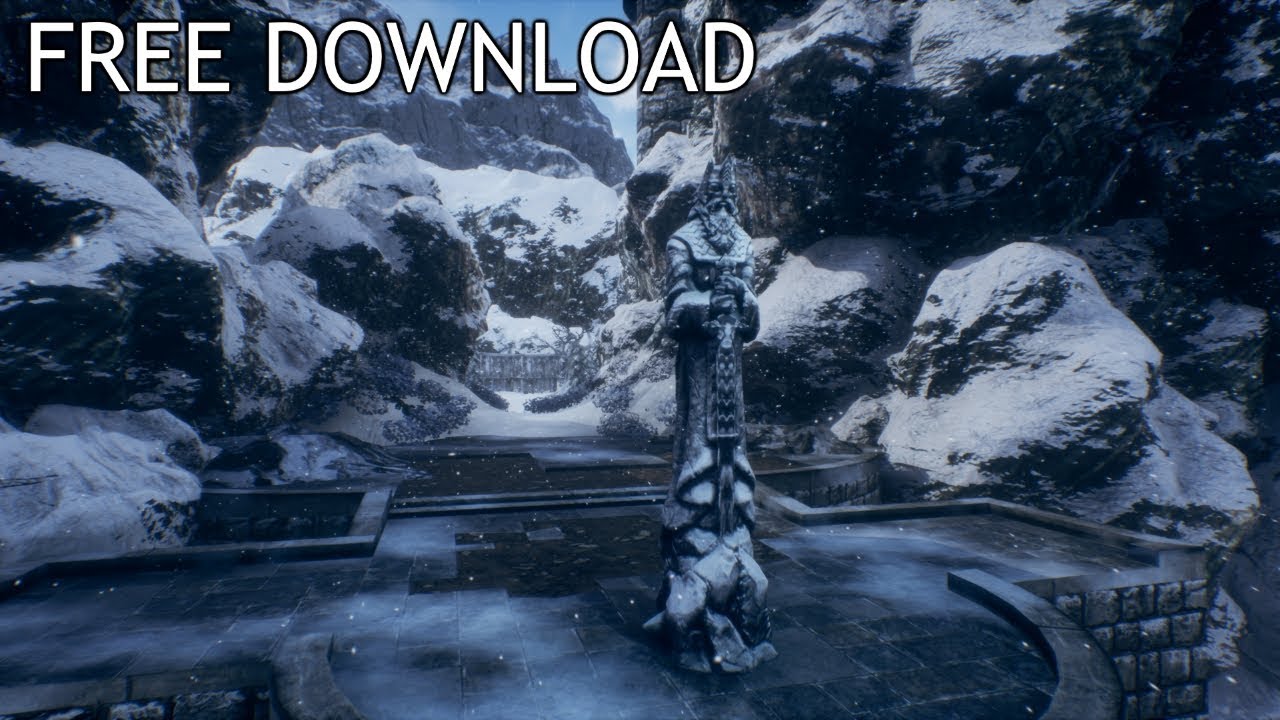
Help the channel using this link to buy games (pc, ps4, xbox, etc...): https://www.instant-gaming.com/igr/UnrealEnvironments/
Speed level design of a Misty mountain that hides ancient secrets made with free epic games assets, free for download!
Be sure to leave a like if y...
 noble frigate
hello guys, new to discord and ue4 channel here 
tawdry heath
Ok so am I suppose to use foliage tool to fill the snow or something else?
In that video he used landscape paint
noble frigate
using a material for your terrain plane or landscape should be a good start
tawdry heath
ok but how to do it
lavish sinew
no, id find or make a snow material that isnt a crazy high resolution to use. also, make sure that youre not using 4k textures from somewhere else potentially in your assets.
uhh there are some snow materials you can google online that are free to use most likely
i know youtube has a bunch of people that have some materials you can use for free
or check the free for the month
tawdry heath
The asset came with snow
lavish sinew
it came wit ha snow asset, but not snow for the ground, right?
like its a big asset chunk of snow
tawdry heath
 whole quarry
@tawdry heath check this: https://docs.unrealengine.com/en-US/Engine/Landscape/QuickStart/index.html and read down
Getting up and running with the basics of the Landscape System in Unreal Engine.
it will tell you how to make a proper landscape materials and how to add layers that you can paint on the landscape
tawdry heath
ok I will read it
whole quarry
Getting up and running with the basics of the Landscape System in Unreal Engine.
abstract relic
click on the + and generate landscape layer
tawdry heath
where's the +?
no I'm saying I don't have anything there
I put a landscape material on the landscape material
abstract relic
tawdry heath
yes right but I don't have the layers to start with, how do I add them? I'm new btw
abstract relic
Follow this tutorial. You'll need to have the material properly set up and compiled to see the layers https://docs.unrealengine.com/en-US/Engine/Landscape/QuickStart/index.html#4-creatinglandscapematerials
Getting up and running with the basics of the Landscape System in Unreal Engine.
covert ivy
@lavish sinew It's me again...
What if I want to spawn my character in the beginning of the cinematic ? I've tried to add a "Spawn Actor from Class" but I think this node works only with BP Class Actors. Yet, also, I believe that I can't put a BP Actor in the asset list of the Level Sequencer. Well, in fact, I can but it doesn't display the "Animation" and "Transform" options. Apparently, to have this options, it needs a skeletal mesh. So... 🤔
If someone knows how to do this...
Or maybe it's not possible and so I think I'll simply mask the visibility of the character then make it appear in the beginning of the cinematic. This should work, I presume...
halcyon flame
is there a way to move things out of their containing folder in the content browser of UE4?
I want to migrate a set of assets, but not all of them, from a series of folders. but at the same time so that all dependent assets come only once
 crude cliff
Already posted on the Unreal Engine forums, but anyways.
Finished compiling shaders and these are still left over, it's a pretty simple set of textures and it's a 31x31 area so pretty small.
I'm stumped and I'm new to the engine
Any help is appreciated
halcyon flame
rebuild lighting?
crude cliff
Building it has no effect
halcyon flame
move landscape a bit then ctrl-z?
crude cliff
High quality, low quality, rebuild didn't help
Wouldn't that cause shader recompiling? Hold on I'll try
Nope didn't work
Unreal Engine Forums
So, I'm rather new to UE4 development. I'm just following along with a tutorial, and while the guy in the tutorial is chugging along with a crappy laptop, I'm having shader compiling issues. Whenever it's not compiling over 3000 shaders on a small map, it's having issues disp...
This is My forum post about it
If anyone wants to write that would be awesome
abstract relic
Only quick and dirty way I can think of is make a stencil and use that to mask the background out in photoshop
tawdry heath
Ok I figured out how to paint the ground
I had to make some layer blend but I had to disconnect some nodes. Is there a way to combine all of these?
I want the layer blend so I can paint the ground
but I also want the lerp and add. I can only choose either them or layer blend so is there a way to do both?
tawdry heath
ok so this is my landscape material from my downloaded asset. I want this to have layers so I can paint it on my landscape. How would I do that?
pls help 😦
tawdry heath
Hello darkness my old friend...
normal burrow
lerp and add?
tawdry heath
yes I want to connect them to layer blend
wait I might of figured some things out
I just need my shaders to finish compiling
no I did not figure it out
I literally spend so many hours and have yet to figure out how to place snow on the ground 😦
I would love some help
tawdry heath
ok scratch that, I started new again. But now I'm getting this error....
sonic pagoda
what is the point of being able to have 2 viewports in ue4
if you collapse 1 the other disappears as well
or am i doing something wrong
 jolly steppe
Is there anyone around that can help me? I've been stuck on something for days and I'm about to lose my mind .-.
I just want to make a turning animation for a side scroller and I can't find anything that works.
I have the animation made but I don't know how to get it in the game
it's a 3D side scroller
tawdry heath
Sorry not me, I just learned how to paint on my terrian lol
tawdry heath
To make you feel better I spend 2 days just to make my character do the knife slash animation
jolly steppe
I've spend 2 days searching the internet for answers
how is it that something simple like turning around has no answers? : /
dim plover
Issa, what was the solution to your thing? I don't know much about landscapes.
tawdry heath
Oh I was suppose to connect the height to "A" and not "RGBA"
Yo finally I am figuring out things now
limber mantle
ue4.24 supports direct xgen hair?
tawdry heath
I can't imagine how hard adding zombies and guns is going to be :((((
 woeful glade
for some reason i cant make an object deal dmg to my character even though i referenced it
and the health bar works because ihave a key to make it directly take damage
jolly steppe
This is what happens when I try to figure out how to make her turn right .-.
soft fiber
Looks like your turning the wrong angle (x,y,z)...
PlayerInputComponent->BindAxis("Turn", this, &ATPSCharacter::AddControllerYawInput);
jolly steppe
I'm trying to make her do a 180 in a split second but not instantly
 blissful trail
i imported some music to my project and the music has a weird wind effect on it theres no other sounds
jolly steppe
looks cool! What did you do?
tawdry heath
I downloaded assets
jolly steppe
Did you place the houses and stuff?
tawdry heath
ye
So I made a landscape texture, filled it in. Then I sculpted some terrible terrain. Then I added fences and houses. Then I use foliage tool for trees and grass
jolly steppe
I don't think it looks bad.
tawdry heath
But I can't figure out a way to place a lot of grass without my graphics card having to delete system32. I have a GTX 1060 6gb
Look at this terrible path. Any tips on how to make it look like a path?
woeful glade
why is it that when walk this object its not dealing damage, i did reference the damage script
tawdry heath
All of those blueprints is like me reading a different language lmao
woeful glade
been stuck here for like 2-3 hours
and im like
i know its wrong but i dont know whats wrong and its so tilting
if collided -> cast to character for reference -> pick up code and activate it (dmg deal)
tawdry heath
so has anyone figured out how to place a lot of grass without killing their graphics card?
jolly steppe
Event Graphs are so hard to get. I've been trying to make my character turn right for 2 days : / I'm going to scream
woeful glade
same
tawdry heath
and that's why for me there is assets I can download so I don't have to do anything 🙂
jolly steppe
I can't even find assets that will help
tawdry heath
does anyone know how to remove these grid lines?
soft fiber
Do they show when running?
 gleaming herald
@tawdry heath rebuild lighting
woeful glade
its in maya
soft fiber
No, the grid lines...
tawdry heath
yes they show
what lighting do I need
I have a light source
Btw I'm very new so baby steps please
gleaming herald
@tawdry heath press on the build button and wait for the magic
tawdry heath
where's build button
soft fiber
press the arrow for the build button and choose build lighting only
and they save
then
normal burrow
@jolly steppe there’s a lot going on there. But you most likely are intending to compare < -0.05 instead of == -1. And >0.05 instead of ==1.0
gleaming herald
@tawdry heath
tawdry heath
oh
tawdry heath
this lighting is going to take years
jolly steppe
When I do this, I get really close to the result that I want.
soft fiber
Did you just build the lighting?
jolly steppe
This is what happens when I do that.
What I want is a turning transition between her turn.
Do you know how I can achieve that? @normal burrow
normal burrow
RInterpToConstant
soft fiber
@jolly steppe Is that the max zoom on your BP screenshot?
tawdry heath
ok I should probably ask. How long does it take to build lighting???
soft fiber
This will just rotate 90 or -90 depending on the input.
jolly steppe
I'm not sure what nodes to plug into it : (
gleaming herald
@jolly steppe I had the same issue with my side scroller game, simply use blend space 1D
@jolly steppe then call it from your Animation BP using an Animation graph
gleaming herald
@jolly steppe For walking running and turning
jolly steppe
I don't see how that solves it
gleaming herald
It will
soft fiber

What is the RInterp (Rotation) Node in Unreal Engine 4 .
Source Files: https://github.com/MWadstein/wtf-hdi-files
jolly steppe
oooh thanks
soft fiber
I'd watch the video... lol
tawdry heath
hey guys I have a snow material in my landscape but it's so thing. How can I add some depth to it?
abstract relic
Tessellation
gleaming herald
@jolly steppe look at this
jolly steppe
Yeah that's not what I need
abstract relic
An overview of the Material Nodes example level, example 1.12: Tessellation Multiplier.
gleaming herald
@jolly steppe sorry I thought you wanted turning transition, instead of her going full 180
jolly steppe
I do but she needs to make a FULL rotation
at the press of a button
I think P@t and Freelance got me hooked up : ) Thanks though.
abstract relic
360 no scope button does sounds hilarious
normal burrow
Very leet
So torbulous, yeah what I scribbled there but two times, second time you use -90 for z
Wonder if you can rinterp to 360
Don’t think so
jolly steppe
So I have to add a variable?
normal burrow
Yeah
normal burrow
Capsule component should be giving rotation
normal burrow
Your dragging from capsule?
jolly steppe
drag from here?
normal burrow
Yes
soft fiber
Actor
normal burrow
DeltaSeconds
jolly steppe
I need actor component and not capsule component?
soft fiber
I don't see why you'd rotate the capsule?
jolly steppe
well don't I want to rotate the whole thing?
I thought the capsule was like the base
normal burrow
I said get it from capsule only because your setting to it
But either way you want 360+90?
jolly steppe
I think so. I want to make sure she's turning 180 with the push of a button and it needs to be a smooth transition.
soft fiber
Shouldn't you be rotating the mesh?
normal burrow
What’s wrong with it right now?
jolly steppe
she can stop mid turn
normal burrow
Ok
jolly steppe
and face the camera
jolly steppe
what does that mean?
normal burrow
On false check if the rotation of capsule is closer to 90 or -90
plush yew
I don't have high speed internet speed can I pause the download in launcher
normal burrow
When both branches are false: If it’s closer to 90 then keep going to target 90, otherwise -90. If you know which direction is facing right in the world you could UnrotateVector by the rotation and check if axis value is negative or not (if -90 is not a thing)
jolly steppe
okay, I'm going to start over cause everything's a cluttered mess, lol. So far I have this.
so I want to do something like this right?
dark rune
guys, everytime I import an FBX (shotgun) using default settings with skeletal mesh it always breaks into pieces
I think I am doing sth wrong
jolly steppe
wait wouldn't doing it that way make it so she might turn back if you didn't turn all the way?
dark rune
static mesh too
plush yew
I don't have high speed internet speed can I pause the download in launcher pls reply
dark rune
@plush yew i think you can
soft fiber
Does anyone know anything about level streaming?
tawdry heath
why does compiling shaders take soooo long
dark rune
@plush yew isnt there a pause button