#ue4-general
1 messages · Page 602 of 1
 swift spindle
 bitter edge
Any one know what this rotates 90 on import
swift spindle
ugh... brain is toast
@bitter edge most likely your export is set wrong
is there a ue4 export in max ?
or you need to flatten your modifier stack or something (not a max guy)
 dire parcel
I mean adding them to your project
bitter edge
Shes flat as flat can be 🙂
 pliant yoke
@swift spindle can you explain how to populate the enumerator for this case? I'm not even sure where enumeration information is stored for physical materials. this was working in 4.23 using surface types, just broke in 4.24.
swift spindle
oh.. in that case.. sounds like a bug ha
I've had a lot of issues with the terrain.. both the older system and the new beta one
pliant yoke
yeah it broke when they implemented layers
swift spindle
I feel like they did not bother testing it with anything
 edgy moat
@grim ore can u show me your blueprint? to see how you have donen it
Because for me the cinematic keeps on playing
 grim ore
What are you using to stop it?
edgy moat
just stop
and target is sequence payer
player*
after the cinematic is done it cuts to my characters third person camera then cuts inside the player character and that becomes the camera that you control the character with
also when the cinematic does finish and it cuts to my players camera automatically i get no input and cann just look around but not move or anything
 exotic cave
Hi all; is there any way to define reusable terrain layers in Unreal Engine or do they have to be inserted in the Material Editor every time?
grim ore
@pliant yoke I was able to use the Hit Actor, not the component.
edgy moat
@grim ore if u find a solution it would mean the world
grim ore
@edgy moat that looks right, stop on the sequence player works here for me 😦
maybe you just cant call it from inside the sequence itself, that reference might be invalid
edgy moat
İ am
pliant yoke
ok, now I will try this, thanks again :)
edgy moat
İ cant get the sequence player node from inside the characters bp
so i did it inside the sequence
pliant yoke
@grim ore well that successfully returns the default physical material surface type assigned to the entire landscape material, but still not for the individual painted layers
I am trying to figure this out because my footsteps system was using it for different terrain types
probably should submit a bug report
 lone tapir
Hello people! Anyone have any idea how to stop and hold the media player in the last frame?
exotic cave
Anyone have any idea why my Landscape Material keeps putting giant checkerboards in the middle of my terrain?
All I have is an eight-layer version of the default landscape material setup
swift spindle
if each square has more then 12 textures working on it.. it will fail...
exotic cave
That is good information. So basically UE terrains are limited to six splats?
swift spindle
well no...
it's a material limitation
because they keep it as cross platform as possible
so.. you can use a max of 16 textures in a material
4 are used in terrain by default
giving you 12 left over
exotic cave
I'm fine with just having a six-splat material
swift spindle
but that's 12 x 4 B&W maps
exotic cave
I'm coming from Unity where there's no default limitation on the number of splats
swift spindle
but.. you got to watch your memory then
that's not true also
you can have lots of splats here
you just need to watch how you do each one
reusing parts is essential
like.. you could kill normal channel
and use a displacment to normal to save a texture
exotic cave
I'm not inclined to get too fancy
exotic cave
Unity can have dozens of texture layers in a single terrain with good performance; sadly, it's still Unity
And the default assumptions made in the graphics engine generally are just so much worse
swift spindle
you can do that here also
exotic cave
How?
swift spindle
well... when it goes grey like that.. it just means each grid part has to many textures on it
but the material itself can support many more
you just cant have that many in 1 grid section
but you can change grid size
just things to be aware off
it's not friendly I agree
exotic cave
I mean, functionally it seems like there can only be six normal-mapped splats per section 🙂
swift spindle
lol... not sure what else I can say hehe
exotic cave
If that's the case, that's totally fine, I just need to be aware of it.
swift spindle
as I said.. not the case.. but sure... if your just using a diffuse / normal.... 6 is your max
exotic cave
watches UE crash into little bits trying to delete an old terrain layer with dismay
edgy moat
Anyone know why after i skip a cinematic there is no input for the player character
swift spindle
because your no longer controlling your pawn
 raven nest
I crashed the Engine, reloaded the Editor, it crashed again... now it no longer gives a list of the files it is attempting to reload into the Editor, any way to expose that list?
it keeps trying to reload the bunk file and crashing in a loop
and I don't want to go through every file trying to find which one has the error and which might have had unsaved changes
?
 vital cosmos
Im confused as to where and how to put and structure my game logic. Coming from another game engine, it seems like there engine offers too many options and I kind of get stifled on where to begin
 mighty oak
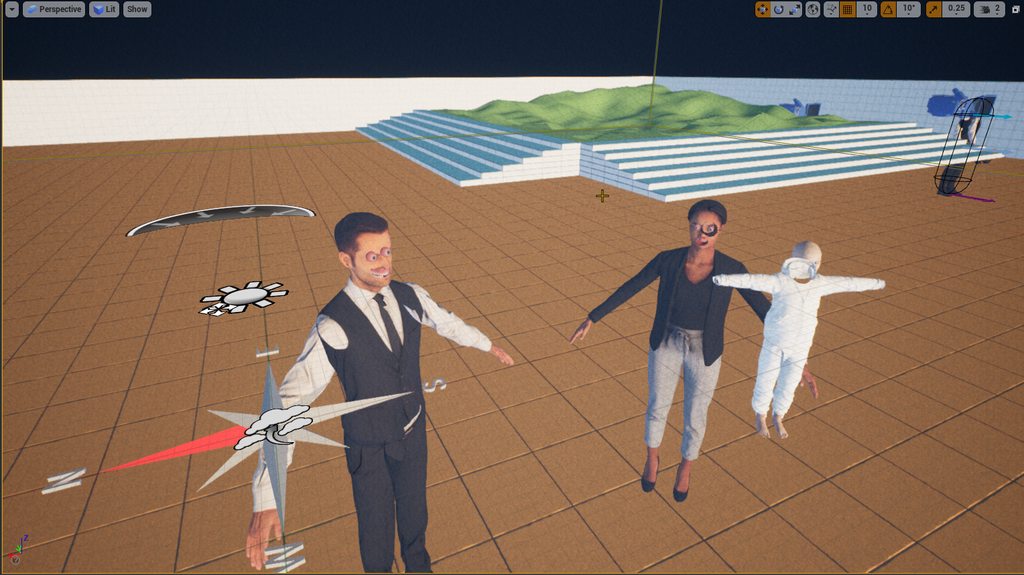
Hello folks, some help needed: I changed video cards, and now my project looks fubar. I've tried deleting derived data cache, but it didn't do anything. I hope the issue isn't beyond repair... https://imgur.com/a/UCRph3f
 normal burrow
it looks like mass effect andromeda
have you tried other things with your video card?
mighty oak
well this is the thing that has issues... I played some games, and they are fine.
 safe rose
Anyone else running into a memoryleak issue with 4.24? Or even it just freezing if left in the background after awhile?
normal burrow
would run that, then reinstall drivers
Don't think the stuff your seeing is cache related. but if no one else knows whats goin on its hard to say
mighty oak
Yeah, i'm going to install the studio driver from Nvidia, then try that. I've seen this happen with another project before, in 2.23 so I know it's an ongoing issue that others have seen, but I've never heard of a solution
normal burrow
yea ddu just completely uninstalls existing drivers
would be interested to hear if the studio drivers are any different though
 next badger
@safe rose no such issue, ue4 is quite often opened on my bg
safe rose
strange
next badger
but i'll take a look on it next time
safe rose
This is the second time I've noticed it freezing in the background after just opening it and forgetting about it
next badger
for me that only happens thanks to p4 -_-
when ue4 tries to access p4 and connection was lost
safe rose
Ah. Nah, that's not my problem for sure.
normal burrow
had my internet go out for like 10 seconds while it was doing an svn thing too s-ed. never recovered
 dusky inlet
I just noticed, whats happening to camera anims in ue4? They are making use of matinee, but matinee has been removed now in 4.24 afaik. You can still create camera anims and open them up though, and they use the matinee editor. 🤔
lone tapir
Guys I could think of a way to pause the video in the last frame. But another problem arose, when I switch to another video the new video gets frozen 🤔 Does anyone have any idea how I can solve this? Thanks a lot, I always learn a lot from the guys here! Thks!
 halcyon flame
does the new video play at all?
dire parcel
https://cdn.discordapp.com/attachments/536187480928550923/656649957045960728/unknown.png
freeze my whole computer every time i tried to delete this asset from my level is there anyway i can take it out from outside the engine?

 abstract relic
You are deleting a folder
halcyon flame
@dire parcel find the content folder and delete it directly from file explorer
I'd backup first
abstract relic
So it’s doing a ref check first. Hence the freezing
I’d remove the asset from the level first and delete the sub folders to offset load
Don’t group delete basically
lone tapir
@halcyon flame Not! I have to click the menu again to get it back to the beginning. But this is not the behavior that the user would find normal.
grim ore
@exotic cave if you haven't been given the answer you can change the texture sample source to shared and it will go past the limit
 fervent sigil
I'm getting an exception (crash~) when opening a level blueprint, even of a new level. Every time.
Anyone experienced it / knows what this is about? Never happened before 4.24
 thin tendon
Hey guys. I'm using a spline for my roads. How can I attach other meshes to the spline? Like if I want to have 1 of those white reflector poles at the side of the road for each section.
mighty oak
I'm still having issues with my project that looks like this, even after re-installing drivers: (UE4.24) https://imgur.com/a/UCRph3f Anyone have any suggestions? Should I report a bug?
thin tendon
@mighty oak With those characters just change the material type from translucent to something like masked or opaque. That will fix their faces.
mighty oak
No, that's not the issue. It worked fine earlier, they are not translucent, they are regular materials.
normal burrow
which gpu is it
mighty oak
The project was fine, now it's F*, I changed the video card, nothing in the project. I've had this issue, when upgrading from 4.22 to 4.23, again, doing nothing but opening the project made it like this, and I can't figure out how to fix it
swift spindle
amd by any chance ?
swift spindle
that makes no sense to me 😐
thin tendon
What exactly is the issue? The scale or the stretching?
mighty oak
yeah, and it's only random projects, at least no pattern that I can discern, other project didn't have this issue
normal burrow
do you have raytracing on?
mighty oak
not with the 1080
normal burrow
are you launching with -dx12?
mighty oak
no, vanilla 4.24 from the launcher
it's like the depth pass is wrong, it can't figure out what is in front and what is behind...
and all icon/widgets are flat on the xy axis and can't face the camera, like they are supposed to
Another beauty shot, to illustrate the issues: https://imgur.com/a/7paCRpZ

Scene depth buffer is completely blank: https://imgur.com/fqzX4gW
swift spindle
have you tried the things I suggested ?
also try Show > Use defaults in main viewport
mighty oak
Yeah, I deleted that stuff, no avail
I'm re-installing 4.24, as I tried a 4.23 project and it looked fine
swift spindle
something is very broken LOL
mighty oak
I just hope it's not permanent, lucky with these projects they are not that important, but if it happens with a project i'm working on, which I'm afraid to open now... I have no idea how to fix it yet, so that's scary
swift spindle
unlikely
last call... C:\Users\your user here\AppData\Local\UnrealEngine\Common\DerivedDataCache
mighty oak
Yeah, that was one of the first things I cleared, but it didn't change anything
 hardy field
Hey hey everyone, I have an issue with the 4.24, it seems I can't have proper reflection with a reflection capture if the lighting is dynamic
Baked no issue
Dynamic only SSR
Before it was working fine, I guess it's because of the new sky, but is it normal ?
dire parcel
how can i fix the hover? it only works for the first one and idk how to fix it
swift spindle
take a look into widget inspector
 true plover
how can i reduce this tiling?
 normal burrow
very tough to know whats going on or whats ideal bologna
could play with mip map settings if its not supposed to look like this from that far
true plover
ideally like this: https://prnt.sc/qcbtjj
 thin tendon
Is there a way I can make my landscape splines not leave gaps like this?
That didn't change it at all
thin tendon
But its weird I can't notice it in game only in editor
fervent sigil
How do I set the initial sub-level when starting to play?
 shy silo
anyone have an idea of why geometry is giving me a clipping sort of effect? It's intersecting nothing, just existing and doing it, using 4.24 it seems like it might be the axes or grid floor
thin tendon
ohh nvm its back again FML
I have no idea. But using a plane generated in Unreal instead of a mesh I made in blender the gaps vanish
None of that made sense to me. I feel dumb. But I also found a solution. Instead of using a plane for the roads surface I used a box. For some reason the mesh not using a plane fixes it
Thanks for the help though. I don't want to mess with my terrain too much. Its 121 smaller maps puzzled together in 1 big map.
Yeah
 midnight bolt
https://imgur.com/a/pDHiuFa any idea why i get culling toward edge of the screen in the editor? it's a simple baked animation for wind effect
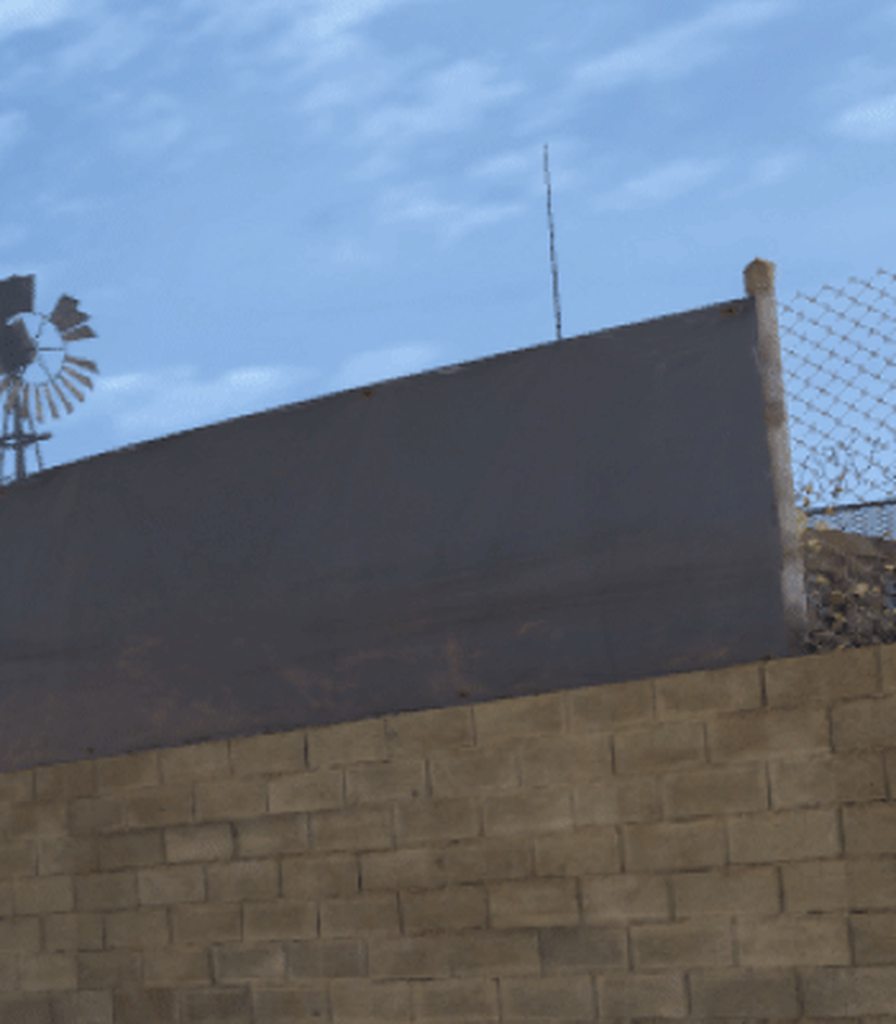
also happens right when i walk into it
fervent sigil
Is there a way to remove a sub level from a persistent level?
 junior scroll
Maybe a super basic mistake cuz im a noob. I'm making a sprite Flipbook for a 16 frame running animation on a tutorial video i'm using. I used a sprite sheet and extracted the sprites from it by grabbing the Source UV and picking a 256x256 dimension. The source region shows the proper sprite from the sheet, but it's not changing the actual sprite in the flipbook or in the game. Basically, every sprite is the first sprite on the sheet, but when i double check to make sure i have the right source region selected it is, in fact, right.
 vagrant iris
@junior scroll How's your naming conventions? If you don't name your textures correctly then when you go to extract sprites things will get kinda wonky
You have any screenshots?
junior scroll
all run animation sprites are named Run_0 and up. these pics are an example of how it's sourced correctly but not showing the correct sprite
vagrant iris
Hmm everything looks normal . . .
junior scroll
i followed a video from 2015, so it was a bit different to navigate, but i got an idle animated version working. although the method of extracting sprites was different. the idle animation was auto extracted from the program, but the run animation was manually sourced
vagrant iris
Can you link the vid?
junior scroll
ye. also i edit my messages a lot to save room 😉
vagrant iris
Save room? Not like they're taking up disk space lol
junior scroll
no i mean messages in discord lol. so i dont spam

For animated characters, UE4’s Paper2D plugin allows you to create frame stacks of sprites that can be played back sequentially. These are known as “Flipbooks,” and in this video we show you how to create them.
running flipbook starts at about 4:30
vagrant iris
pfft who cares? That's what this discord is for, asking help, but if you're worried about spam we can move to my fav channel #paper-2d if you want. Doesn't matter to me. Gimme a sec and I'll check out what they're talking about
fervent sigil
trying again: anyone knows how to set the initial sub-level ? It's driving me crazy
vagrant iris
This is a super not great way to do this wow
I thought paper 2d support was bad now . . . wow ue4 4.4 was rough for this stuff
vagrant iris
What's your end goal again mate? You're just trying to get each frame extracted for the engine yea?
junior scroll
correct
also, should i even bother with 2d tutorials? i figured it'd be a good starting point, but now reading what others say about it i may just avoid it altogether
i have no intention of making any serious 2d games
and currently no plan to make any serious games 😄
vagrant iris
jeez there's programs for that crap. I know that's probs not what you wanted to hear, but gimme that sprite sheet and I'll get it chopped in no time flat
junior scroll
well what program should i use for such a thing?
vagrant iris
UE4 is not gonna be the best for 2d games no, but depending on what you want to do there is some solid more up to date tutorials out there
junior scroll
i'd like as many tools on my toolbelt as i can get
i want to make 3rd/1st person adventure/rpg style games. nothing huge like a true rpg lol
vagrant iris
hmm yea you can def do that
normal burrow
Something like spore with world of Warcraft / fortnite?
junior scroll
nothing specific. just that type of game is what i'll be sticking to. story-telling/adventure/small-scale rpg
vagrant iris
There's plenty of good tutorials on it too, and if you feel like doing some toolset studying, ue4 even has a first person adventure toolkit on the marketplace for free that you can look at and study. Good knowledge there and oh here's what I use sometimes to chop sprites up https://ezgif.com/video-to-gif

Upload your video, select the part you want to convert and instanlty create a GIF in good quality for free and without watermarks.
they have a sprite cutter and it works like a dream
junior scroll
noice. thanks 😄
vagrant iris
no prob bob
i'll get you that other resource too

jRPG Template provides pack of the systems needed to create your own jRPG game.
More in line of a true rpg, but still good to look at.
Especially for the finer stuff like save systems, and party management. It's all super helpful
vagrant iris
it's certainly easier now than it used to be
but 2.5D is still tricky
Like here. Getting 2d sprites in a 3d world was almost more trouble than it's worth honestly
junior scroll
what do you mean @vagrant iris
 opal crypt
in the new update i read that the quixel materials would be in 4.24, where do i find them
 honest vale
they're on the marketplace
opal crypt
ah thanks
honest vale
you can also juts download them with the quixel bridge app and import the textures yourself
there's nothing magical about them, they're just textures
opal crypt
yeah but they're good quality and beats buying them 😉
honest vale
buying?
the whole library is free for UE 4 users
just link your epic account with your quixel account
opal crypt
im talking about the textures
 lapis vine
🤔
 ruby folio
Do people still use SpeedTree for UE4 tress and foliage?
There is a SpeedTree UE4 build but its for 4.19
honest vale
it's not only for 4.19
speedtree v8 requires at least 4.19
v7 works with 4.18 and previous versions
and naturally up to current versions 😄
 lethal cliff
is it possible to import the 3rd person character with all its settings and animations into the first person shooter ?
lethal cliff
thanks for the reply @kindred viper . ok it seems setting up a 3rd person character in the first person settings is hard to get well done, i will try to copy my whole project into a 3rd person setting and hopefully it copy all my stuff.
 wary wave
anyone diddled with changing actor roles during gameplay?
Google comes up with... surprisingly few results (zero that I've found)
swift spindle
You can import any of the templates into an existing project
wary wave
hmm, digging into code, it looks like actor roles are written in such a way that they can't be changed
alright, so stuff is getting complicated, looking to implement a pseudo-possession type behaviour, but not sure where to theoretically start
 kindred viper
how do you mean pseudo-possession? like switching replicating controllers without destroying the actor in the process?
 cloud cobalt
Basically you usually don't need to do more than SetOwner, most of the time.
As far as roles are concerned
wary wave
SetOwner doesn't seem to change the remote / local role
and not switching controllers, I need an actor that is directly controlled by a player that interacts with it
cloud cobalt
It does not because that doesn't make any sense
wary wave
but it can't be a pawn because reasons -_-
 crisp shale
Hey guys! I want to create a huge map world. I use a world composition for this. But when I set my actors in big distance from 0 point they are destoyed on begin play even tho level below them is loaded. What causes it and how to set things up so my actors wouldn't destroyed in distance from 0?
cloud cobalt
Local role, remote role are indications
What is the problem that you have right now ambershee ?
wary wave
well, how would one have an actor directly controlled by the local player?
kindred viper
Like an Autonomous Proxy?
cloud cobalt
What do you mean by control ?
wary wave
input on the local machine is 1:1
just like a locally controlled pawn
and yeah, something like an autonomous proxy
cloud cobalt
Do you mean "input" generally or literally the input framework in UE4 with input bindings ?
wary wave
I can call SetAutonomousProxy
wary wave
I mean input generally
cloud cobalt
Okay, so you don't need to touch the roles at all here
What is your problem implementing your control ?
wary wave
the problem is the actor needs to be controlled locally
wary wave
different clients would be able to take control of this object
cloud cobalt
Okay, I also did that before, still not a problem
Roles are not your concern
You can decide to use the autonomous role if it makes your code more readable but it's not required in any way
Never used it
Out of the box, it won't do anything, either
What is your actual technical problem here ? Just asking for planning it ahead ?
wary wave
well, the actor is spawned on the server, but it needs to behave like it's controlled by a local player
I'm not sure if you're misunderstanding, or not explaining a step or something, but I can't seem to do this
cloud cobalt
You are being way too vague, so let's take an example
If you want a player to be able to move an object, you would need to do this
- Do whatever the f you want on the local client
- Use SetOwner() on the actor when "possessing" it so that you can RPC from the client
- Use RPCs to tell the server how the object is behaving (player input, location updates, whatever)
- Probably interpolate that on the server because RPC rate != local framerate
- Replicate with a SkipOwner condition and interpolate on clients
This is something I do regularly - basically all the work is in interpolation for remote clients
kindred viper
so SetOwner in that sense is interfacing the input from the desired controller?
cloud cobalt
At the most basic example with a simple boolean state, you just need a local SetState, a RPC ServerSetState, and SetOwner
SetOwner gives you RPC permissions.
I clarified previously that "input" here was a general term, not literal UE4 input.
kindred viper
yeah and as the controller will be local it needs it. So switching it here is the issue then?
kindred viper
in terms of RPC calls. figuratively speaking I mean
crisp shale
So.. No thoughts about far actors?
wary wave
yeah, the explanation is clear - but since the server is authorative over say, actor rotation, I'm not sure how well this will work?
cloud cobalt
Very well
Disable the "replicate movement" option if you ever did
And do what I described
kindred viper
@crisp shale do you mean far away from the world origin of the map?
 dark rune
is there a blood particle effect in Infinity Blade FX
if yes then what's the file name
please I can't find it
crisp shale
@kindred viper yes.
wary wave
mobile games don't usually have blood
cloud cobalt
If you want the server truly authoritative over a client-moved object, you would rather send player input, and make sure when the server data replicates in the actor, that it's not too far off.
wary wave
well, I'll give it a go
cheers
the actor in question used to be a pawn
but since the main studio fucked up unpossession, I can't unpossess / reposses player characters -_-
dark rune
@wary wave alright that's fair
is there a place i can look at or a pack I can download for a particle effect
cloud cobalt
@wary wave Possessions doesn't give you more than input bindings anyway.
kindred viper
@crisp shale killz still applies per level. you can turn it off in world comp. But also, remember that your level will create LevelBounds the first time it's loaded so make sure its not conflicting with anything there too
cloud cobalt
Well, and camera control
wary wave
smooth camera control was the key thing I was after
cloud cobalt
Camera control can be handled trivially with SetCameraViewpoint or something on the player controller
wary wave
yeah
possession / unpossession is just normal when doing things like player controlled turrets / vehicles etc
cloud cobalt
Yeah it would make more sense
Still, for most of these, the true value for multiplayer is in Character class, not Pawn
Pawn has no production-ready replication support
Not for movement anyway
wary wave
turrets don't move 😄
cloud cobalt
Movement in general.
 dreamy lake
How would I go about enabling World Origin Rebasing in world settings, its currently greyed out, unsure why D:
crisp shale
@kindred viper Kill z works with only Z vector, doesn't it? I don't exceed on Z gap. And how to override default bounds? They don't appear in world outliner, just adding level bounds from modes doesn't do anything and googling about level bounds doesn't gives much too.
kindred viper
@dreamy lake world composition needs to be enabled
dreamy lake
Ah thanks
kindred viper
@crisp shale sorry its all I can think of. I've seen it before where actors beyond killz destroy on begin play. Does it work if you turn it off?
there is an EnabledWorldBoundChecks variable too in the persistent level world details
crisp shale
@kindred viper no. Thank you anyway.
 plush yew
Hi. one question for all 😄 is unreal suitable for creating a 2d/ 2.5d game?
for mobile ofcourse
 silver crown
2d game for mobile = probably Unity
silver crown
You don't use a tank to drive to work do you
silver crown
Then make a 3D game for pc/console
silver crown
That's smart
lapis vine
No, come back! C++ is cool!
 dim plover
Although there is value in learning both, I would imagine there's significant differences between Unity and Unreal.
Just a lot of time to learn both.
next badger
i want to start with something small
Wow, we rarely see some new devs who set realisic goals...generally it's
i want to make an MMO
wary wave
Unreal doesn't really support 2d
and it's very heavy for mobile devices
you can certainly do it, but it's not really a good use of the engine
 rancid jay
Yeah better you switch to Unity for mobile
dim plover
Some people do make 2D games in Unreal. Epic even has Battlebreakers.
Though, I think that doing mobile and 2D in Unreal is considered more difficult.
plush yew
aha. thank you
wary wave
Battlebreakers is all done in UMG
dim plover
Yeah, maybe that isn't the best example of 2D.
dim plover
I still don't fully understand why they did that as opposed to the more traditional 2D tools.
silver crown
Maybe they wanted to see if it was possible to make a game with it?
dim plover
Well, it took them 5 years to get their answer. 😄
silver crown
lol rly
wary wave
also because there basically aren't more traditional 2D tools
 digital anchor
they could have made it on unity
wary wave
Paper2D was someone's pet project that was worked on for a while, but has been abandoned and rotting for a long time now
dim plover
That's why BB should have been developed on Paper2D, just to improve the 2D tools.
And yeah, first BB announcement came out in Nov 2016. So it's been a long time.
 worn peak
guys, anyone knows if its commom to occurs a 'not responding', I use windows 10
I try to click but the UE windows just freeeze
kindred viper
umm... I made a slot machine entirely in UMG if that counts.
also, I would probably go external for 2d. UMG has enough animation to do basic movement tweening and stuff. But any shape tweening and real animation stuff for 2d is lacking. Not tried Paper2D because everyone knows you don't use Paper2D. It would be my avenue into Unity if I were to make an entire 2d game I reckon.
 dry merlin
I have had it with this. I download the Unreal Branch 4.24 or the Release branch, build and I no matter what I can't get Datasmith 2019 to build.
It builds everything but Datasmith. The Api is missing. Why the hell would you throw in a component that isn't going to build in the Engine if everybody doesn't have it on their computers?
Where do I get it without paying?
kindred viper
I wasted a day on attempting to get chaos to work with 4.24. That was enough for now. Better to wait and get something done
dim plover
You sure that you can't use Paper2D? I thought that it provided enough barebones, but you are expected to build ontop of that going forward.
dry merlin
I don't even know what it is in all honesty,
 crimson beacon
Godot is pretty cool for 2d games. Supports android and ios 🙂
dry merlin
Where do I donwload Paper2D?
crimson beacon
it's bundled with UE installation
fervent sigil
it's a plugin you can just enable
dry merlin
Well not when your downloading fromt he repository directly
crimson beacon
just check the Paper2D plugin in project settings
dry merlin
Yeah, you can't enable plugins until you build the github repository
I need the server element that comes with the github version
They need to fix this problem
fervent sigil
ok trying again: I can't seem to choose which sub level will be the one to load when starting my game. how do I do that?
dry merlin
I can not be the only one having this issue, I think I need to complain to unreal about Datasmith not building straight from the Repository
worn peak
anyone knows about UE freezes if u open the program but dont use it for a few minutes
dark rune
Hello. I want to spawn a decal at my character's feet. How do I do that? This is not spawning anything apparently
 short plaza
@dark rune add a decal component to the actor with the same material and see how it behaves
dark rune
becomes like this @short plaza
also I used actor location
it appears to be facing forward, but i set the pitch to -90
short plaza
@dry merlin Paper2D is going to be removed from the engine itself as Unreal seems not to be interessted in further development there. Is going to be a community plugin hosted on the unreal git. Might be they did that now with 4.24
@dark rune increase the size of the decal spawn node
cloud cobalt
@dark rune Just rotate your decal
It's vertical right now
Rotate along the direction on the ground and it will be fine
normal burrow
Where is the statement on paper 2D being removed?
dark rune
is alright now @short plaza @cloud cobalt
i just used these settings, now I just have to adjust a size
 thin gate
any idea why when i try to package my project it does this and says complete in like 1 second.
LogUObjectHash: Compacting FUObjectHashTables data took 1.25ms
no files are created
short plaza
@thin gate more infos. Packaging log, engine version, what you try to package for, ...
thin gate
Log and nothing else
LogUObjectHash: Compacting FUObjectHashTables data took 1.25ms
Binary built 4.23.1
Windows64/Linux both do same thing
it says complete
but no files are created
and nothing in log
cloud cobalt
Please provide the packaging log as suggested
thin gate
LogSlate: Window 'Project Settings' being destroyed
LogSlate: Window 'Project Settings' being destroyed
Cmd: OBJ SAVEPACKAGE PACKAGE="/Game/Maps/Twin_Island" FILE="../../../../Unreal Projects/BadBunch/Content/Maps/Twin_Island.umap" SILENT=true AUTOSAVING=false KEEPDIRTY=false
LogUObjectHash: Compacting FUObjectHashTables data took 5.57ms
LogSavePackage: Moving '../../../../Unreal Projects/BadBunch/Saved/Twin_Island87D03D964B4CE43258F45388EBD0C9D9.tmp' to '../../../../Unreal Projects/BadBunch/Content/Maps/Twin_Island.umap'
Cmd: OBJ SAVEPACKAGE PACKAGE="/Game/Maps/Twin_Island_BuiltData" FILE="../../../../Unreal Projects/BadBunch/Content/Maps/Twin_Island_BuiltData.uasset" SILENT=true
LogSavePackage: Moving '../../../../Unreal Projects/BadBunch/Saved/Twin_Island_BuiltDataED55D8794CC65E830DD2A6A2301A130D.tmp' to '../../../../Unreal Projects/BadBunch/Content/Maps/Twin_Island_BuiltData.uasset'
LogUObjectHash: Compacting FUObjectHashTables data took 4.63ms
LogSlate: Took 0.000316 seconds to synchronously load lazily loaded font '../../../Engine/Content/Slate/Fonts/DroidSansMono.ttf' (77K)
cloud cobalt
How did you start the packaging process ?
 vale silo
is it safe to say 4.24.1 isn't coming until late in the first quarter of 2020 ?
thin gate
editor file > package project > win64
i tried to do 3 builds in row
it just says that one line
it worked like a week ago
cloud cobalt
That's weird. Did you do any particular change to your project settings since last week ? Supported platforms etc
thin gate
nope
next badger
Epic gives 0F about 2d. I've asked if Chaos will have 2d physics...guess the answer.
cloud cobalt
I'm guessing you checked in source control already to confirm
thin gate
unfortunatly not :/ im just keeping track of the project through copies
cloud cobalt
lmao
thin gate
lol
cloud cobalt
Well that's something to change as soon as you can but okay
Check that your current engine has the required platform support
cloud cobalt
And now it doesn't
thin gate
haha
alrighty
ill try updating and building the newest binaries
does maybe this have anything to do with it?
cloud cobalt
Dunno, but I guess it doesn't help
vital cosmos
anyone here used the Modular Road Tool on the forums?
I have a issue where the number of mesh draw calls increase by around 2000 when I unhide it in the viewport
short plaza
@next badger Paper2D is going to get removed from the engine.
next badger
@short plaza so?
short plaza
why support it?
next badger
um...Where did i've said something about Paper2d?
short plaza
what you mean with 2d physics then?
next badger
well, ability to make 2d games
short plaza
yah... thats what paper2d was for (somewhat at least) and that is going to get removed.
next badger
yeah, but nothing will be added either...that's the issue
Where Epic said it will be removed btw?
cloud cobalt
UE4 is not a 2D engine, it has nothing to bring to the table and everything about it is inherently bad for 2D
It's good that Epic recognized that and stop bothering
short plaza
Can't find it anymore. Wasn't an offcial statement anyway. It came up while is was doing ... something ... dunno anymore
cloud cobalt
I don't think there is a single decently known 2D title made with UE4
Some fully 3D titles with 2D gameplay, sure, but that's still 3D tech
The engine is way too heavy for lightweight mobile use - it's hard to even go near 40-50MB in size
dim plover
I think mobiles games are allowed/able to be bigger nowadays.
And there seem to be quite a lot of heavy 3D mobile games now too.
wary wave
but they are an exception, and not the rule
lapis vine
3d terminal game with UE 💡
next badger
@wary wave they are exception cause of poor 2d pipeline within ue4
Unreal Engine Forums
Hey,
For the past year or so I've been working on a secret project for the marketplace. It's called Pixel 2D and it's sort of a beefed up sequel to my previous 2D
short plaza
@next badger sorry, messed that up with HTML5. HTML5 is going to be a community plugin in the Unreal Github, NOT Paper2D
lethal cliff
hi. is it possible to search/hihlight specific components in blueprints ? like as an example player/controller/character components ?
next badger
@lethal cliff yes...it is
lethal cliff
@next badger thanks for the quick reply. how to do it ?
next badger
Getting the most out of searching in Blueprints, from indexing all Blueprints to advanced search syntax
Nodes(Pins(ObjectClass=Static Mesh))
as example
lethal cliff
amazing. this helps alot and im also feel kinda blind to didnt saw that search window.
 fierce tulip
Unreal Engine Forums
The 4.24.1 Hotfix is now live!
Feel free to discuss this release on the 4.24 forum thread (https://forums.unrealengine.com/unreal-engine/announcements-and-releases/1695917).
If you experience a bug with the 4.24.1 Hotfix, please follow the How To Report a Bug Guide (https:/...
vale silo
saw it @fierce tulip 🙂 Unfortunately bunch of bugs were not fixed for 4.24.1... I don't even know why have Issue tracker and plan for bugs to be fixed, and then keep moving them to another hot fix / new release
(mostly VR bugs and related issues)
next badger
for my bugs target is 4.24.2 ;_;
 misty creek
unplanned features
vale silo
for my bugs (the ones I'd like to see fixed) target was initially 4.19 and now it's 4.24.2
and it won't be fixed there either
next badger
my - reported by me 😛
@vale silo what bug you mean?
seems like very annoying one so it was backlogged so many times
fervent sigil
how does one creates cinematics, like one before starting the game (but not a movie)?
I remember it was supposed to be done in matinee which is now deprecated
vale silo
just check issue tracker for 4.24.1 @next badger
next badger
@vale silo only 7 issues
https://issues.unrealengine.com/issue/search?q=fix%3A4.24.1
 crisp turtle
Do you know if unreal can detect passing through landscape collisions. I need to toggle off landscape along with attached instanced meshes and also things like rocks clipping through terrain. Not even sure if this is possible. Any idea? Thanks!
 frosty bloom
@crisp turtle Is this to enable your character or similar to pass through?
If so it'd be easier to just disable collision on your Character/Pawn
crisp turtle
N it is a pawn which acts as a camera that can fly around map and through objects in freeform RTS mode. The problem is when passing through landscape you appear out of map and can see the ugliness. I'd prefer to toggle that off somehow otherwise I'll have to not allow pawn to go through landscape or even meshes places to act as terrain (rocks, cliffs, etc) @frosty bloom
misty creek
Sounds like maybe you could use a custom collision channel just for the landscape
grim ore
@fervent sigil Sequencer has replaced matinee for the last 3 years, you can use that.
fervent sigil
great I'll learn that then; thanks!
crisp turtle
Would that toggle off landscape along with instances and even static meshes placed to look like part of terrain? The only other solution I can think would be volumes but it would be really hard due to how bumpy landscape is.
misty creek
What do you mean by toggle off landscape?
It would be a custom collision channel that you could assign to everything that you didn't want to player to be able to move through
crisp turtle
If the player passes through landscape I'd prefer to turn off landscape and associated foliage meshes
Ideally I'd like the player to be able to go through landscape but have it feel like he's not out of map bounds. So I would turn off skybox and make it black along with toggle off terrain and associated meshes until he is above ground again
Player being just a RTS camera not a skeletal mesh
mighty oak
Protip: don't set your Near Clip Plane to 0.
 brave carbon
Hi, I was wondering if anyone might know a potential solution for these odd lighting seams. The meshes are modular, have thickness, have a second set of lightmap uvs. Lighting is on production with pretty much standard world lighting settings.
 serene birch
don't do it basically
make the walls a single mesh
that or drop lightmaps entirely which is it's own can of worms
the last option/trick won't work for you 🙂
but there is a reason why modular dungeon pieces come with tons of pillars and other fixtures
they are meant for you to hide the seams between wall chunks 😛
cloud cobalt
GPU Lightmass might not have seams if lightmaps are good
serene birch
really? interesting
cloud cobalt
Regular Lightmass will not allow modular panels without seams, though
serene birch
btw, your lightmap resolution might be a little low? the seams aren't THAT much of a different light level usually
brave carbon
okay thank you, ill try gpu lightmass, and i tried cranking up the lightmap resolution to 256, didn't seem to change
grim ore
do you know how lightmass calculates the lighting when it runs?
like the practical theory behind it
brave carbon
No, haha not really
grim ore
pretty much each mesh ends up on it's own core/thread on the CPU when it calculates which is why the seams are showing up 😦
thats why they recommend making it 1 mesh so the seams are not an issue
brave carbon
ah okay fair enough, I just didn't think using modular meshes like this would result in such drastic seams
grim ore
there are ways around it, that thread has some options to mitigate it, but the only solution is to not have seams
 kind dew
Is there a way to Decode a string? This string which is representing a JSON object I'm getting from googles API is Base-64 Encoded so I cant use the json object. I need to decode it somehow
serene birch
I'm pretty sure the seams is because
well if your mesh has separate uv islands it might be hard to make sure those islands when rendered actually near each other blend perfectly 🙂
cloud cobalt
That's not the issue
If you do your job well with the lightmaps, separate UV island on the same mesh will render fine with no seam at all
The problem here is that Lightmass predates large-scale multithreading
And well, it never was updated to ensure consistency between meshes, which is harder than it sounds
 pallid talon
Where can I find a list of how many object types are in a map? For example, 12 lights, 20 actors, 1 post processing, etc.
 sweet relic
@cloud cobalt it would be great to get a lightmass rework in the future. As it stands it has a lot of limitations and it is really starting to show its age
cloud cobalt
It's coming.
sweet relic
swarm being VB based is a huge drawback imho
pallid talon
@sweet relic GPU lightmass is coming.
sweet relic
Ya i have heard that they are working on it
im really hoping it will be x platform
lightmass being windows only is one of the big things holding us back from using Unreal more extensively for our work
cloud cobalt
To be fair, all of UE4 is really Windows only
Even building Linux binaries is better done from Windows
sweet relic
True, but what we are using it for (animation rendering pipeline) the ability to have linux workstations/agents would be a huge boon (our studio is almost exclusively linux based)
it would also make pipeline automation a lot easier
but ya, it is mostly a pipe dream 😋
grim ore
You can't build lighting on macOS or Linux?
normal burrow
It’s weird to me that editor exists outside of windows lol. I wonder what it’s like frequently
sweet relic
afaik you cannot; unless I am horribly misinformed
swarm is written in VisualBasic so windows only
(nobody got time to support VB) 😝
 grim ore
looks like lightmass works fine on linux, I would expect macOS as well
swarm might not work in linux but that doesnt mean lightmass doesn't
sweet relic
can you use lightmass without swarm?
grim ore
yep
normal burrow
SwarmAgent?
How positive are you on vb?
Kinda was wondering if I should go with Linux for swarm farm. This is good to know lol
grim ore
swarm is windows only, yes. lightmass is cross platform, it's part of the UE4 codebase
 tawdry lodge
@brave carbon You just have to tweak some values on your lightmass settings in order to make your modular stuff to work
normal burrow
Very interesting
sweet relic
@normal burrow ya we wanted to do the same thing (linux farm), but it's not really possible atm
brave carbon
@tawdry lodge do you have any suggestion on which values to play with? open to any suggestions 🙂
sweet relic
at least not without a significant development investment
tawdry lodge
its super easy and quick
normal burrow
Swarm isn’t already set up for farming?
tawdry lodge
I will try to look on the web to find those Ive found
sweet relic
@normal burrow it is; for windows agents
tawdry lodge
or simply look up the last settings on the last project I did this on
sweet relic
we have our windows workstations set up as swarm agents
normal burrow
Ah cool cool, yeah that’s okay. Got keys. Just thought the 2990wx would benefit from Linux
Curious if that thing is worthy at light mapping or not lol
tawdry lodge
@brave carbon
LM Resolution: 64
Light Build Quality: Production
World Settings:
Static Lighting Level Scale: 0.1
Indirect Lighting Quality: 2
Indirect Lighting Smoothness: 0.6
You should be good with that, I had no problem in mine project
But in order for modular mesh to work better you need to put a second UV channel for your lightmaps too
sweet relic
@normal burrow ya, for us we have an absolutly silly amount of computing/rendering power, but its all running linux (and switching to windows would be extremely expensive)
normal burrow
I kick myself daily for the number of windows 7 and 8 keys I did not upgrade
lapis vine
gpu ligthmass in ue? That ongoing?
normal burrow
Gpu lightmass would be expensive for farm lol
lapis vine
But is it to be implemented in or no plans?
 manic pawn
aren't they making rtx lightmass now
normal burrow
Creator of gpulightmass regulars here
brave carbon
@tawdry lodge yes that reduced the seams very drastically, thanks so much. I also do have a second uv channel for the lightmaps so no worries there 😄
brave carbon
Thank you, much appreciated 😄
normal burrow
believe he's working with epic on a gpu accelerated lightmass now yea with epic i mean
I need to put this retired equipment to work though lol
 sly coyote
Hey all, i need a tip with master material set up...i want to have texture parameters that can be defined in instances but default to nothing in the master, so only the instances that use it have it applied, i try leaving it blank in the master and it craps out and complains, where can i set a texture parameter to default nothing in my master...its being used for npcs and some of my npcs have a secondary "accessories" diffuse but im forced to set something or it wont compile
sweet relic
@sly coyote you could probably use a static switch parameter to disable/enable the custom params
or just use a blank texture in the master parameter default
 sleek spear
wow! new record for me in 4.24... changed a material parameter and now...
there is definitely something wrong with 4.24
grim ore
@timid jacinth make a new project and use it's project file is about it, or restore from backup
 timid jacinth
Ah thanks
 jovial shuttle
.
how would you do this, so when yo enter a collusion box and press a key, it would display a widget and if pressed again, it goees away
grim ore
enter collision box -> event overlap -> make a boolean true that you are in the collision. on key press check boolean is true -> create widget -> add to viewport. reverse to reverse
jovial shuttle
thank!!
sly coyote
I tried static switch, it still required me to put something in the false.
I could try your second suggestion, maybe a blank texture sample...just see through
jovial shuttle
how do i add ascript to the box trigger??
kind dew
How would I go about calling this function
https://docs.unrealengine.com/en-US/API/Runtime/Core/Misc/FBase64/Decode/1/index.html
Decodes a Base64 string into a FString
sly coyote
Select the box in the bp, then scroll down the details panel, youll see a bunch of green event buttons
@jovial shuttle
jovial shuttle
kk thanks!!
sly coyote
Theyre self explanatory
Make sure whatever you plan to have trigger that script has the option to "generate hit events" turned on
Otherwise youll get the script to trigger
honest vale
hmm, the new project wizard has changed
where do I select whether I want a C++ or BP project?
oh now I found it
normal burrow
nice
 vernal thicket
Anyone know of a way you can live update lighting? Finding I need to rebuild every 10 mins
grim ore
switch to movable and it will be dynamic, otherwise you have to build if using stationary or static
vernal thicket
👌 Brill cheers bud
 loud knoll
anyone ever got mesh's in emitters to have collision?
 tidal wing
@slim gazelle already fixed it, it was a directx issue couldnt run it with direct x12 but was able to run it with the 11 version. But when i run from editor -game mode it works perfectly fine on DirectX12.
Do you maybe know if its possible to tell the Launcher that he should run the Editor in simulate mode? Because in -game the animations streaming from a plugin are not working atm.
jovial shuttle
Gah, ive been looking for ages for the blueprints on the trigger box but i cant seem to find it, would somebody be able to help
dire parcel
best way to get these to line up perfectly?
 cosmic matrix
Hello,
plush yew
hi
cosmic matrix
i got a question about conception
I want to know what is the best design between:
using dataTable and Data Bp
like for Game Items in game lika armors or weapons etc...
dim plover
Do you mean Data Table and Data Asset?
cosmic matrix
I find the databp systhem very interessing and intuitive
@dim plover DataTable an bp with only property no code
Do you want a screen ?
So i don t no what systhem i must use between those 2
dim plover
Depends on your situation. But Data Table is probably the better option.
cosmic matrix
Oh so what is the use case for using data only bp inheritence?
Cause that s mean i must look up in the table each time is it not a performance issue?
dim plover
It's not really a performance issue, no. That lookup should be pretty fast.
cosmic matrix
oh are you sure?
dim plover
But a lookup of some sort can't really be avoided, anyway.
cosmic matrix
yes of course
kind dew
How do i set up a function to take in a wild card data type in C++
cosmic matrix
But for exemple if i need to make a random loot systhem it s more difficult to use datatable with IDs than BP reference do you see what i mean?
dim plover
I don't think it would be more difficult.
jovial shuttle
@sly coyote ive been trying to find the blueprints you told me about but i cant find them, is there any chance that i can have like a reference image
its fine if you cant
cosmic matrix
@dim plover not more difficult but less friendly
are you sure about fact that get datatable row is really fast?
dim plover
I'm pretty sure, yeah. But I could be wrong.
plush yew
what was that thing you all used not to loose progress?
 delicate needle
Howdy, I'm trying to so something outside my knowledge zone. I'm working on the ability for a client to chose their furniture and once all permutations are decided, they hit a button and a itemization shows up that they can print/emailed. The project so far has the ability to choose furniture, paint, etc. I just need to parse that information into a distributel format. My initial guess was to send the variables to an XML/TXT, that a webpage could read from a web widget, then the web-widget can send it off to an email. Not sure, what would be the best way to go about this? Thanks!
 runic iron
@plush yew Perforce ?
plush yew
ah yes
runic iron
Check this https://www.perforce.com/video-tutorials/vcs/start-collaborating-unreal-engine-and-helix-core
Helix Core is the most popular version control system for game development. It's easy to use, handles large files, is fast, and has features that enhance productivity and collaboration. Use the Unreal Editor built-in integration to Helix Core to build the next AAA-game hit.
plush yew
Is it very helpful?
I made something before but lost it all so I feel like this will be a nice safety net
is that what most people use for unreal
runic iron
Yeah you need some kind of version control for projects, especially if you collaborate with other people. Helix core is free to up to 5 collaborators iirc, if you're solo you can even just host the repo on your own pc, no need for a server
digital anchor
@delicate needle not sure if thats what you asking but, theres a struct to json converter built in, sounds the easiest way to convert ingame info
runic iron
I think perforce is used by the majority of the industry working with UE4 yeah
delicate needle
@digital anchor Basically the client uses the unreal app, choses the apartment configuration they want, then prints the cost of that configuration.
dim plover
Pretty much everyone uses JSON nowadays.
plush yew
so what is the best option
plush yew
yeah I kinda just wanna use it formyself so whats the best option?
delicate needle
@plush yew So basically output my values to a JSON and then have a web page read those values?
digital anchor
yea sounds like it, convert your info to json > post to a page through rest, which calculates > that webpages email the person
plush yew
I just want something to keep my projects safe and i can change quickly through them
runic iron
No idea what would be the "best" option but perforce seem to work well for most people
Try asking in #source-control for more info
check the vid I linked earlier to get an idea of the workflow, the guy covers a few things
gl
delicate needle
@digital anchor "post to a page through rest, which calculates" what does that mean, can you give me a term to google?
dire parcel
anyone knows where i can get a weapon asset pack for a 2d side scroller ?
digital anchor
i use a IHttpRequest for posts and GetJsonStringFromStruct to convert struct to json
obviously will need an API on the other side that can read this json
delicate needle
Watching this now - https://www.youtube.com/watch?v=1tVCwv_BX2M

In this tutorial we continue our discovery of the fetch API by looking at how it can be used to load a JSON file. We also look at creating a request object for use with fetch.
Would you like to help keep this channel going?
https://www.patreon.com/allthingsjavascript
For mo...
@digital anchor, its all greek to me what you are saying. My goal is to use the browser widget object to fetch the JSON data, and output it in a nice pretty HTML table, that will list the items and allow it to be emailed. Looks like its all doable, maybe. I think the issue is all the complicated web stuff, complicated for me. The webpage would have to be localhost, which might be problematic, and also be able to send an email, or maybe... send the info to a PDF in the browser that then can be printed... ideas... no knowledge... humf..
digital anchor
oh so you dont need to send over to a "server" ? its all locally
delicate needle
The unreal app will be loaded on the sales persons PC, they will walk the client through their proposed apartment, then at the end of the meeting they will print it to their local office printer.
I'm guessing the sales person will need to run a mini lite webserver with its only webpage being the template.html that will read the JSON file with the chosen equipment and cost.
digital anchor
sorry if its confusing, im not a web guy myself, but i will explain what i did on my game and maybe u can get some useful info:
I have a struct named player, which contains the items, i use the GetJsonStringFromStruct function to turn it all into a json file, and a class called IHttpRequest to create a post request on my server (just opening the link with the json as the parameter).
On the python server i have a body = json.loads(self.request.body) which will load that request, and with body i can present the all the items in that json in any way, including a list or a pdf
delicate needle
So you use pyton to read the JSON that Unreal created?
digital anchor
yes
delicate needle
Can a webpage execute a .py file and draw the data out?
digital anchor
oh, idk, i run the py through a server
delicate needle
Yeah, the whole idea is trying to keep this as simple for the sales people. The second I require a server, it's outside their ability, and mine. Can't maintenance that, etc.
digital anchor
but you probably could, maybe save to file instead of POST, then use a browser to present the json
that would be the easiest way to be honest
just save the file, use HTML/javascript to show it nicely
delicate needle
Well it seems javascript can read the JSON and output it.
The issue is, the implementation of the web browser widget might be rather limited. I mean, maybe all this can be done with blueprint, and have that output to a file on their desktop... Or I'll have to overdrive my brain and code some custom C++ class.... ugh.. lots of work for a proposal that my boss would be selling....
Just a visual of what I am doing -
delicate needle
Okay, so the web browser can open a windows dir, but it has to be implicit... not good.. is there a way to %project%/content/info.html this?
If that makes sense, I need it to open relative to the project content folder.
sweet relic
could you post the data using REST instead?
and have a url that you connect to that is hosted somewhere
delicate needle
I can't rely on web or servers outside of the sales persons PC. I guess I would have to for emailing, but I need this to be out of my hands once sold.
The more self contained all operations the better. Even if that means custom C++ jazz, I'll try that route.
sweet relic
hmm, a local rest service could work as well. it seems like you just need to fill a web form with data from unreal
you will need c++ to do Json serialization in unreal at any rate
delicate needle
Yes, exactly.
sweet relic
look at FPaths for getting project/game paths
Path helpers for retrieving game dir, engine dir, etc.
 jovial solstice
Does anyone know why my 4.24 folder is 61GB? I have 4.23 installed and it's only 10GB
delicate needle
@sweet relic , @digital anchor for help! Got some stuff to bite onto and explore!
jovial solstice
50GB large? I installed preview first is that why?
normal burrow
thats about how big they are yes.
jovial solstice
can I reduce the size?
normal burrow
see if debug symbols are installed, if you don't need them you can remove them
delicate needle
Ah! Figured out a good way "launch URL", and Get Project Content Dir! I appended the string, and a HTML file I had, boom! Chrome opened the page!
 keen moss
is there a way in Unreal to render out color masks, for post processing similar to render IDs in Vray?
edgy moat
Do you mean LUT's?
delicate needle
@chis.k what are you using to render?
sweet relic
@keen moss Take a look at CustomDepth stencil, it may be what you are looking for: https://docs.unrealengine.com/en-US/Engine/Rendering/PostProcessEffects/PostProcessMaterials/index.html#customdepthstencil
How to author and blend custom Post Process passes with the Material Editor.
keen moss
we render using high resolution screen shots and sequencer, and i want to get color masks similar to this
delicate needle
@sweet relic - This is how I did the "first part" now to JSONS, stucts, and webby stuff.
sweet relic
@keen moss in sequencer you can select the render pass to output
not sure if the same thing is possible with high res screenshot, but you could just set the render pass in the viewport view mode
keen moss
right that makes sense, but how to i achieve the colored masks?
sweet relic
Use the custom depth stencil; you can set the value of an object between 0-255 which should work for a mask
keen moss
ok i will give that a try now
sweet relic
if you need a color you can do a postprocess mat to translate the stencil value to an rgb
@delicate needle the json seraliization stuff isnt that well documented
Unreal Engine Forums
Hello Community!
I've been out of the loop with serializing and deserializing Json in C++. I know in C#, say example I have this
{
"Name" :
check that thread out for a good example
 mild meteor
Hey guys! After updating UE4 from 4.23 to 4.24, tessellation in my landscape material stopped working, I've seen 4.24.1 hotfix notes and it says:
Fixed! UE-85561 Flat and PN Tessellation displays as No Tessellation
But I still got the same results, I'm using brushify material, does anybody have this issue?
keen moss
@sweet relic can i ask u about the post process material?
sweet relic
what about it?
keen moss
im trying to build the example on the link you posted and there are a few nodes i cant find/dont know what they are
sweet relic
which ones exactly?
dire parcel
hey, doesn anyone knows the easiest way to put guns into a side scroller?
keen moss
in indexed random color, it has 3 nodes, random R, random G and random B, what are those?
 grave nebula
@mild meteor tess works just fine on 24
sweet relic
looks like they return a random float value (0-1)
mild meteor
@grave nebula on landscape material, yeah?
grave nebula
correct
mild meteor
@grave nebula by any chance do you use brushify?
keen moss
how do i get that node?
mild meteor
weird
sweet relic
@keen moss hmm not sure (it could be a custom material function)
keen moss
crap
sweet relic
i might be wrong (i feel like there should be a random float node somewhere)
you could use a noise node to generate the random value (although its likely a bit more expensive)
keen moss
i have the rest of the material done but im stuck at that part
sweet relic
hmm ya there dosn't seem to be a "random float" node for materials
keen moss
the node has the letters idx in it, idk what that refers too
sweet relic
im betting that they are reading from a noise texture or something like that
@keen moss you can get a random color using a vector noise node (cell noise)
Expressions that output a vector value, such as a position or normal.
feed the "PerInstanceRandom" input node as position
vital cosmos
My editor crashed while I was migrating assets to another folder, now my project won't open, it's stuck on loading at 95%.
I've been waiting for like 10 minutes now
sweet relic
@keen moss hmm doesnt look like per-instance random actually works...
maybe add a vector parameter for the color, and use a blueprint/dynamic material instance to set the color to a random one
not the best solution but workable at least
I guess GPU isnt great at random number generation
ok per instance random is set by instanced static meshes
 copper elk
fierce tulip
copper elk
fierce tulip
place it in the project folder trough explorer
 coral robin
.6
vagrant iris
Anyone done some serious work with sequencer by any chance?
sweet relic
@keen moss Hmm, not sure (maybe not on the debug view mode)
@vagrant iris I have a bit of exp with sequencer (you could also ask in #cinematics )
vagrant iris
Eh I tried but it seems no one understands how to manipulate paper 2d characters through sequencer
sweet relic
i would assume that it would be the same as any other actor...
if you mean switching/setting flipbooks you will need to build functionality for that in your character blueprint
and maybe use and event track to call the relevent functions on the character
vagrant iris
no not even that you just can't manipulate them at all thru sequencer it seems
sweet relic
hmm, im able to use a paper character in sequencer just fine here
does not seem to be any different than a regular charcater actor (or any other actor type for that matter)
vagrant iris
that's weird, wasn't working at all earlier
plush yew
anyone know how to fix this? I've rebuilt the lighting multiple times lots of it is black and lights won't fix it.
next badger
make sure you have proper lightmap UVs (mapcheck)
plush yew
sorry I'm pretty new to ue4 how would you check that?
next badger
it's under Build Lighting in the same menu
plush yew
ok ill go check
alright I went into mapcheck its just got the logs
I don't know what else to do.
next badger
check how it looks in unlit, and lighting modes
plush yew
it looks like this
 fiery scroll
Looks Unlit to me.
next badger
and?
fiery scroll
What are you guys trying to achieve? 🙂
Yeah that's LightMap errors
Did you fix it yet Refragment?
plush yew
no not yet
fiery scroll
Want me to help ya? I can give you a quick Tutorial if you want?
plush yew
added
fiery scroll
😉
 left citrus
is it by design that custom attribute animation curves are not updated when played through the sequencer?
or is that just when scrubbing?
sly coyote
@jovial shuttle https://www.youtube.com/watch?v=23k5p_mYk0Y

Tutorial explaining how to create a blueprint actor that contains a trigger. This is just an example of what this method can be used for.
you create it yourself, there aren't any premade BP_actor triggerboxes
🙂 calling the code scripts makes me believe youre coming from unity to UE, am i correct?
plush yew
did something in UE4 change because I can now not change the angle of view with the left mouse button only the right.... which is annoying
sly coyote
in 4.24?
sly coyote
nah, all the editor controls seem to be the same for me in 4.22, 4.23, and 4.24....maybe something just took a dump in your config and messed it up, have you installed any plugins lately?
i would notice something that extremely annoying almost instantly
fiery scroll
Refragment and I and where able to find the solution to his Lightmap Issues. 🙂
And had some fun talking about Lightmaps and Modular Level Design. Good stuff! 😄
plush yew
doesnt seem to be local to the project and I cant find it in editor preferences
 humble ridge
anyone know how to get light to bounce better
seems really dark on the opposite side of structures
 dark depot
 humble ridge
that seems to dimish shadows quite a bit
i think that lighting is a sub level
everytime i build the lighting it finishes but that message remains
sly coyote
Lightmass Importance Volume might help?
humble ridge
Alright ill take a look at that
sly coyote

What is the Lightmass Character Indirect Detail Volume in Unreal Engine 4 .
Source Files: https://github.com/MWadstein/wtf-hdi-files
as always Matthew covers everyting so well
and this is the lightmass importance volume itself

What is the Trigger Volume in Unreal Engine 4 .
Source Files: https://github.com/MWadstein/wtf-hdi-files
humble ridge
awesome thanks man
sly coyote
just careful adding one too late in the design, cause it dramtically changes what you had set up for lighting once all the indirect lights kick in
and it might kill whatever mood lighting you had currently set up
humble ridge
Alright will keep that in mind
plush yew
is there any benefit to making a project a C++ project? I understand I can add code to a blueprints project if needed anyway, whereas a C++ project is more restrictive
humble ridge
Yeah better off starting with cpp
 thorn vector
Mainly performance
humble ridge
you can then do everything in bps if you wanted
but still have access to the base cpp
sly coyote
C++ can be used in all blueprint but if needed you can add c++ code to do stuff
thorn vector
Bp is slower than c++
sly coyote
ehh, speed doesnt matter now that you can nativize the blueprint on production builds
its more that you cant easly go and add c++ if you ended up needing it
in a blueprint only project
where you could do a CPP project and never even write a line of CPP
humble ridge
Yeah thats how i see it
thorn vector
I recommend use hybrid both c++ and bp like write calculation/complicated stuff in c++ and more visual and easy thing in bp
That's how mine
humble ridge
I'd recommend starting a cpp project anyway
thorn vector
Why though 🤔
sly coyote
you should clarify, make the project cpp, but just write everything in blueprints in that project...
humble ridge
yeah haha
sly coyote
it doesnt hurt you any to do it that way, but will allow you to use the CPP if 6 months later you needed to write a custom class
to handle some crazy logic you decided to add
i started a card game (mtg style) in blueprints, and after 3 months of working on it had to scrap it and go CPP cause i wasnt thinking about text parsering from a txt file blueprinting a card parser was ....not fun....where in cpp you can write a text parser in less than a day
humble ridge
Can also integrate some library
kind dew
if i was making a rock paper scissors-like mechanic like fire emblem. Is there a neater way of comparing attack types rather than just a bunch of if-elses comparing possible combinations?
normal burrow
dictionaries/maps
one could run every single combination of attacks and prebuild some sort of interaction table.
sly coyote
could also do it in a switch statement, but in the end youre still left with the equivalent of a bunch of if/else if statements
comparing them the type to each of the other types
could do it in a nested for loop too
if its a closed loop then a if.elseif solution is all you got...meaning roshambo where everything is beaten by atleast something else
kind dew
yea okay thanks guys
 vivid narwhal
So I'm having trouble working out a more, erm, technical/modular way to work out positions of a actor to spawn in the circle. I've calculated how to position 8 things in a circle around but I'd really like it to be able to change based on the Int of a ForLoop
 mossy nymph
for (0 to N) -> SpawnCenter + ArbitraryVector.RotateAngleAxis(Index / (float)(N - 1) * 360.f, UpVector)
where your ArbitraryVector is something along the lines of DistanceFromCenter, 0, 0
it basically rotates the ArbitraryVector in N equal increments (making a full circle) and adding that to spawn center @vivid narwhal
making one correction up there, screwed it up
vivid narwhal
So.
N would be Index
SpawnCenter would be Get Actor Location of Player (Or rather, Parent of this ability)
Then I'd + that to <something>
Then I'd * that by Index / 360, as a float, and ignore the Z axis since I'm not using it
mossy nymph
pretty much, its Index / (float)(N - 1) * 360, where N is your last Index of the for loop
you have to make it a float, since 4/13 would be 0 in integer division
but you rotate the DistanceFromCenter, 0, 0 vector first
then add it
as you are rotating it around UpVector (0,0,1) you are rotating it strictly in XY plane
vivid narwhal
sorry I'm a little slow when it comes to processing maths
I'm confused how we can get both X and Y coordinates from Index / (float)(N - 1) * 360 since it's giving me a float
mossy nymph
you good reading c++?
vivid narwhal
pseudocode yes actual code no
mossy nymph
FVector FirstOffset = FVector(DistanceFromCenter, 0.f, 0.f);

for (int32 i = 0; i < N; i++)
{
  float Angle = i / (float)(N - 1) * 360.f;
  FVector SpawnOffset = FirstOffset.RotateAngleAxis(Angle, FVector::UpVector);

  FVector SpawnLocation = SpawnCenter + SpawnOffset;
  FRotator SpawnRotation = UKismetMathLibrary::MakeRotFromX(SpawnOffset);

  GetWorld()->SpawnActor<AMyActor>(MyActorClass, SpawnLocation, SpawnRotation);
}
Index / (float)(N - 1) * 360 is an Angle you rotate the FirstOffset vector around the Z axis by
and rotated vector is a vector
plush yew
hhhhhhhhhhhhhhhhhhhhhhhhhhhiiiiiiiiiiiiiiiiiiiiiiiiiiiiiiiiiiiiiiiiiiiii
mossy nymph
almost
you don't add the location to the vector you are rotating
or it will work correctly only on 0,0,0
affecting your distance from center/radius proportionally depending on how far from 0,0,0 you are
even on this screen i'd say you're spawning/drawing debug at around 700 distance from center, not 50
vivid narwhal
Yeah it's quite a distance away
okay yeah creating a "first offset" vector fixes that
vivid narwhal
I'm thinking I'll plug X Offset into the custom event so when I use it I can set how far away from the caster the damage cones appear
mossy nymph
on that screen SpawnOffset it a vector from your manequin to your debug sphere
so MakeRotFromX from it returns a rotator whose forward vector is aligned with that SpawnOffset
(facing outward from the center)
delicate needle
I’m running in circles with figuring out a solution to my problem. Simply, how do output variables from unreal app, to an html page. Looking for a fresh answer from my current course.
vivid narwhal
Huh. Now it's throwing out an error
mossy nymph
if you want editable float for distance
then replace that FirstOffset with MakeVector that takes that float for X, and 0 for Y and Z
and it will work just fine
you can/might need to further upgrade this by adjusting the SpawnLocation.Z so things don't spawn halfway into the floor
or in the air
vivid narwhal
There's no way to move the pivot point of a spawned object is there? So if I want to I can have my spawned objects rotate around the enemy caster
that was supposed to be a question
mossy nymph
if you want them to rotate
you attach them to the enemy caster at SpawnOffset relative location
then you can either recalculate the offset each tick to get rotation - GetRelativeLocation().RotateVectorAroundAxis(RotationSpeedInDegreesPerSecon, UpVector) and set that as new relative location
vivid narwhal
I can't just attach them to a dummy actor and make that dummy spin?
mossy nymph
or you can add a SceneComponent and RotatingMovementComponent to enemy caster for each attached Actor, then set the UpdatedComponent of RotatingMovementComponent to the SceneComponent, and attach the Actor to it (this would also keep it at correct rotation automatically)
you can do that too
vivid narwhal
I don't mean rotate individually, but rather like a clock
mossy nymph
yeah, it doesn't have to be an Actor it can be a SceneComponent on enemy caster
then you can just add it and one RotatingMovementComponent to the caster's CDO
and attach those spawned actors to the SceneComponent, then SetRelativeLocation to SpawnOffset once
vivid narwhal
Sorry what's a CDO
Odd. My dummy actor does rotate but the damage cones do not rotate with it even though it's plugged into "Owner"
mossy nymph
class default object
there are few ways to go about this, depending on what the goal is
vivid narwhal
For reference I'm trying to create a series of "spells" that enemies can use and trying to be as modular as possible. I'd like to be able to just tick a bool to "true" to rotate the damage zone around the enemy
oh god typing on discord while a cat is throwing stuff off your desk is wild
mossy nymph
its probably still better then when its walking or lying on your keyboard
vivid narwhal
I'm clearly doing something wrong. Connecting the Owner pin of the spawned actor to a dummy actor that rotates, and the actor rotates but not the children. Then I tried to spawn the actors inside the dummy actor, and they didn't rotate either
mossy nymph
needs to be attached
vivid narwhal
not just "Owner"?
mossy nymph
not just owner
also, for modular here
your Dummy should spawn them itself
taking ExposedOnSpawn class of an actor its spawning, float for rotation rate, float for distance, integer for number of actors spawned
it should have a RotatingMovementComponent updating its RootComponent
mossy nymph
yeah, location and rotation should be keep relative
spawn location is irrelevant, you need SpawnOffset to SetRelativeLocation after attachement
vivid narwhal
relative makes them rotate weirdly
mossy nymph
i have to go, so gl
vivid narwhal
Thanks for all your help! greatly appreciated!
 warped current
are there crash logs that i can pull on the iphone? deployed and opened the app on the iphone but it crashes right after splash screen
im trying to get faceAR to work on the iphone. it works when i built it from 4.21 but when i build the app from 4.22 it crashes
unsure what is causing the crash
i have to have it use engine version 4.22 unfortunately
 real pasture
Is there a way to disable SteamVR from starting when you launch UE4?
 sullen rain
guys anyone know how the google ar lens work, like how do i integrate my ar videos and 3d which google lens can detect
@real pasture disable it from the list of plugins
 rich rose
Didnt know where to place this so i thought I'd place it in #ue4-general . Its a camera issue or SpringArm Issue.
why does the camera clip up into the object if the camera is clearly below the ceiling. Makes crouching through tight spaces a nightmare :/
 quiet token
anyone else ??
 sturdy star
Hey guys, how would I make a mama object that can teleport me from level to level
serene birch
@rich rose if you mean the clip on the right, it's due to the near clip plane
rich rose
@serene birch I actually wasnt talking about that one but thanks cuz i can definitely fix that! 😂 didnt even notice it.
I was actually talking about how the camera (when my character crouch walks under an object that it CAN physically crouch walk under). instantly makes the object invisible despite my camera being so far below it
serene birch
as a guess, your "spring arm" origin for the camera entered inside the bloc
rich rose
Yeah but I thought the purpose of the spring arm was to prevent that from happening 🤔 @serene birch
serene birch
make sure your origin point is INSIDE the player collision box them
rich rose
ooo ok interesting
serene birch
you could do a double spring arm setup maybe 😄
serene birch
well that's a way to restrict the pivot from doing inside geometry mostly 🙂
though don't forget that crouch probably lowers the collision box
 snow sphinx
So im trying to implement a player logo UI in a character menu, so when i press the logo on the UI, it changes on the screen, and if i choose another logo its changing again. How do i do that ?
rich rose
@serene birch Thats it! appreciate the help 👍