#ue4-general
1 messages · Page 585 of 1
 fierce forge
 sharp crest
he is saying his launcher crashes
fierce forge
i will make a video
sharp crest
ye maybe then we will understand lol
 abstract relic
You can keep repeating. You’ll get the same answer
fierce forge
i can put the video here ?

 fierce tulip
can upload. "unless its 5mb"
1mb is << 5 mb. so go ahead.
sharp crest
why less than 5mb 
fierce forge
sharp crest
oh it crashes during the loading
fierce forge
yes
fierce tulip
because not many people will bother with loading files :p
abstract relic
Same answer
sharp crest
ye u need to find the log
fierce forge
where ?
abstract relic
Lol
sharp crest
no idea lol try googling it
abstract relic
I’m done
fierce forge
i searched on google but nothing
sharp crest
UnrealEngine-4.X\Engine\Saved\Logs
 cloud cobalt
Try using the "Verify" option on the engine in launcher.
sharp crest
he said he reinstalled
fierce forge
@cloud cobalt i did this 10 minutes ago
cloud cobalt
Okay, did the engine ever run before ?
fierce forge
yes
cloud cobalt
Remove Intermediate in your project folder
And retry
If you have other UE4 projects, like the Content Examples, try loading that
To check if it's engine or project related
 minor flint
hey, i'm new here. I read a article saying unreal engine 4 can technically make a game without any programming knowledge. (i assume this was a white lie and you use plug scripts and edit them, but thats aside the point)
is it true? i'm looking to dabble in making something in VR as a hobby, using whatever is the easiest engine for hobby.
fierce forge
@sharp crest i don't have saved in UnrealEngine-4.X\Engine\
sharp crest
mm maybe thats source built only
cloud cobalt
You can ignore that guy tbh
 cloud cobalt
@minor flint It's true that you can do a simple singleplayer game without code
You'll need visual scripting instead with nodes
Which is programming too, just a more approachable type
fierce forge
i finded logs
cloud cobalt
Remove the Intermediate folder and try again.
cloud cobalt
The folder, called Intermediate
cloud cobalt
Doesn't matter
fierce forge
i hope it will work
minor flint
i imagine visual scripting is something i think it's called rpg maker uses? or is it something diffrent.
i'm not code-less, but my skills are extremely rogue, and definatly not suited to making things in a engine. or atleast not enough things.
sharp crest
@minor flint just try it
it's like programming u just dont need to remember syntax
logic is the same
cloud cobalt
@fierce forge Install the Content Examples project and try loading that
@minor flint You can google "UE4 Blueprint" to get an idea
sharp crest
did u try maybe a different ue4 version?
fierce forge
yes
sharp crest
rip
cloud cobalt
Install the Content Examples project and try loading that
fierce forge
ok
cloud cobalt
Again, to understand if your project has a problem, or your engine.
sharp crest
I can see his point, maybe one of the projects is causing the launcher to break
maybe try asking on Answerhub
cloud cobalt
How do you know ?
cloud cobalt
Just install Content Examples from the learn tab of the launcher
sharp crest
try installing a project and see if it loads
cloud cobalt
So that you do not need to create anything
fierce tulip
i'd probably repair the engine version you are using, andthen try a clean project.
 glacial storm
hi guys
sharp crest
he tried verify and reinstall
cloud cobalt
He did repair already.
 plain snow
dam i still cant figure out my problem lol
sharp crest
hey Uin
glacial storm
Who makes game skills vfx?
fierce forge
r.i.p 😦
cloud cobalt
@fierce forge So did you install the Content Examples project ?
fierce forge
from ?
cloud cobalt
I told you
sharp crest
go to epic launcher then ue4 then learn then content examples
cloud cobalt
Please read my messages and try seriously if you want a solution
glacial storm
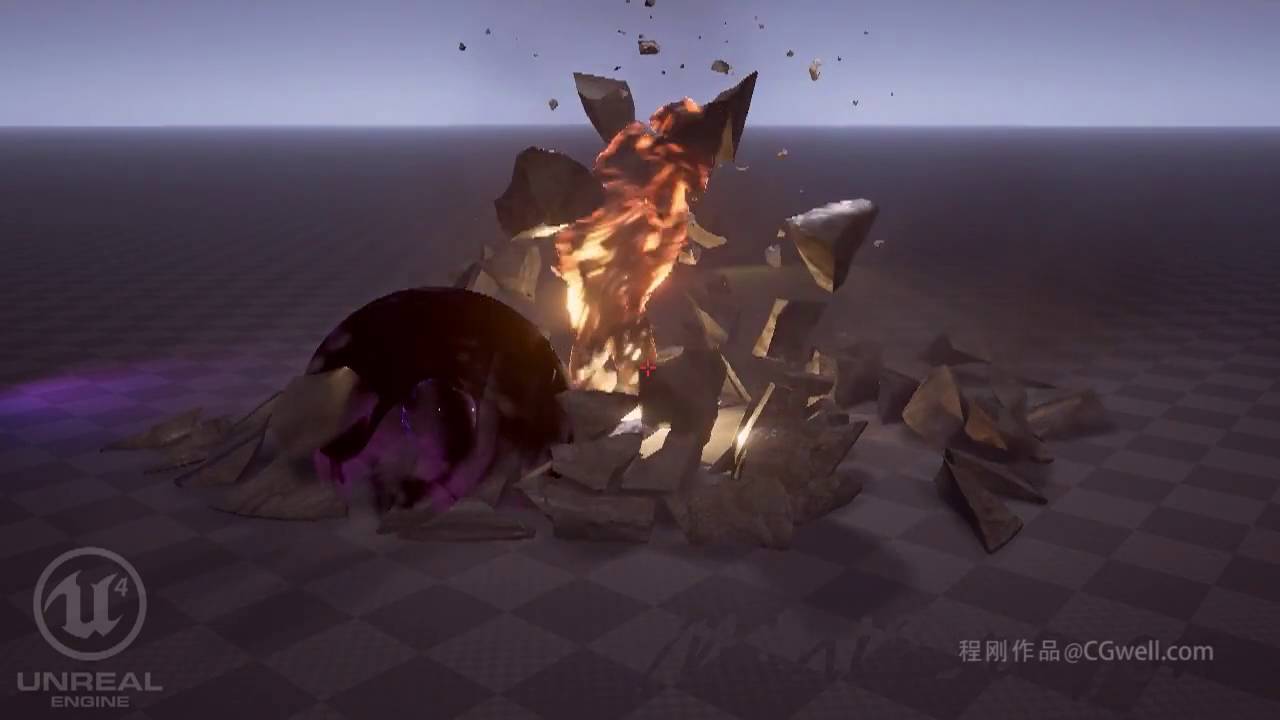
i seem this video
and when I contacted this instructor site
he company said that only the chinese could do it?
sharp crest
what
lol
there are lots of particles on the marketplace if u dont want to make urself
glacial storm
and i find another project
sharp crest
the company said that only the chinese could do it
quote of the day 10/10
glacial storm
ive only used C4D in 3D, so I dont know what to start with
fierce forge
ok , i'm creating the content examples project
glacial storm
I want to take that course im so 😦
does'game kill vfx know which is more popular, ue4 or unity?
 plush yew
Hi ! im trying to make a structure and put that as basic stats to my character, bud i think im pretty noob at that :p , is there something i did do wrong or is there a simple node that can make this happen ? so i can make my first attributes ingame to finely make skills that comsume the attributes and even got stronger if my attributes are higher ?
sharp crest
@plush yew you can connect any of those ints to a 'set by ref' node
or connect the struct var itself to a 'set members' node
 lone tapir
Does anyone know how I can play an Image Sequence (a sequence of PNG images) using the Media Framework on android? 🤔 🤔 🤔 I could only run on .mp4 videos!
cloud cobalt
Convert it to mp4
fierce tulip

Learn real-time VFX for games & film from industry professionals. Create magic as you master the elements in the latest video game engine technology!
fierce forge
@cloud cobalt i installed content examples
sharp crest
then try to open it
fierce forge
i'm in loading
sharp crest
go to the folder it installed at and press the exe
ok wait then and see if it loads up
sharp crest
@glacial storm I suggest maybe looking on youtube and google before paying for courses, there is lots of free education online
@fierce forge did u load the project itself and not the engine?
fierce forge
yes
lone tapir
@cloud cobalt I converted, but .mp4 files do not come with alpha! So I converted my alphas to .mp4 but I can't play both videos simultaneously! The color video starts and soon after the alpha video starts playing a few seconds later. 😕
glacial storm
Thx!!
plush yew
thanks @sharp crest
 near notch
Greetings people. I hope some one can help me out with this issue. Project background: I am creating a character BP which can switch between various animals. I am changing the size op capsule for each one. Problem: The character can gets pushed when it comes in contact with the AI. The AI also gets pushed sometimes when it comes in contact with the character although with not as much force. I have not fiddled with the physics settings and neither am I applying any force or impulse. Cheers.
plush yew
Does anyone know why My Health Value stucks on 105 ? on print string it says 105..105..105..105 i want it to be 110 115 120
sharp crest
@near notch I'm having the same issue, please let me know if you manage to fix it and how 😅
@plush yew you are setting the health to 100 and then adding one
every time
plush yew
yup
 patent ibex
did anyone try hosting UGS on linux?
plush yew
structures are a whole other level of thinking with this xD
sharp crest
for character stats I have
begin play: set default stats (or from save)
event tick with delay .1 cuz I'm lazy to do timers: add +1 with clamp node and max being the max stat
sharp crest
just gotta get the hang of it 😅
plush yew
yeah lol xD im thinking if i need an current xp and a max xp and xp needed for level up i will need a decent formula to how much xp u need to level up and then after i will need to change the max value with it
dam xD
not a single guide that explain this into simple steps
wel ima going to sleep, learning everyday more then 6 houres , going to play some borderlands xD
good day to you all and tbjbu thanks for your help
plush yew
feel free to add me and mentor me xD lol
sharp crest
😅 I'm usually here when bored so u will see me a lot
 normal burrow
@fierce forge you know where the .uproject file is but don’t see the Saved folder right next to it?
 next badger
who used Epic Leaderboard here? there are no Update node anymore.
minor flint
so how many layers are there to fucking install unreal engine
because it seems alot like
go to use UE4 -> make a account with our store
go to use UE4 -> download the fucking epic games launcher???
what other surprises are in store for me
i just want to make a unreal engine 4 folder i put it in, but i guess i can't?
?????
 manic pawn
what a surprise: you use the epic launcher to get software from epic
minor flint
you wouldn't with most other reasonable software
 serene birch
well he can also download the source and compile himself the editor
cloud cobalt
UE4 is software meant for creating blockbuster games with a team of 100, so it is not like most other software
You'll also discover that it will use 100GB on your hard drive and demands the most high-end hardware on the market, so do brace for that too
minor flint
okay, what do i name my folders and where do i put them. i want UE4 on my D drive, and only UE4 on my D drive. will the epic games store not play nice with multiple drives
serene birch
you select the install path
 grave nebula
Take it easy, you have whole life ahead. You will figure it out eventually.
minor flint
well, i have a gtx1080 and recently upgraded to a good CPU (i think? no idea, i can run emulaitors upscaled to 4K res no problem)
serene birch
you'll need to set a couple paths in UE4 itself too else it'll put some caches in your C drive
cloud cobalt
If disk space is a problem you are in the wrong business
serene birch
you can slim down a lot of the UE4 engine download with the install options in the EGS launcher btw
minor flint
disk space isn't a problem. i want to sort things to reasonable locations
serene birch
like if you don't intend to do Android development, don't install that part
 grim ore
this is why everyone should have 1 drive and just dump everthing into the c:\stuff folder 🙂
minor flint
mathew, i hope you say that in jest
cloud cobalt
Or the 50GB engines
minor flint
having only 1 drive, is so incredibly fucking horrible long term
serene birch
the projects are what eats the most disk space sneakily 😄
grim ore
eh why not have it all in one folder. windows can find what I want when I search
minor flint
because then you literally lose everything when you reformat, or your disk dies
grim ore
I only lose what I dont backup
minor flint
i was thinking of getting raid
grim ore
I reformat my machine every 3 months so I never lose what I don't want to lose
minor flint
wtf
serene birch
RAID mirror for simple HDD failure, backups for user mistakes and bigger failures
minor flint
how can you even operate your pc reasonably deleteing everything every 3 months
grim ore
why would it be an issue to reinstall software every 3 months?
minor flint
it takes like atleast a month or two just to reinstall all the essencial programs one uses day to day as a heavy user
grim ore
It's the holidays, all the mods are on vacation or in turkey comas. Riot in #ue4-general 🎆
I guess to back on topic for the channel 4.24 release next week or the week after? what do we think
cloud cobalt
Betting January
normal burrow
Lol matheww
serene birch
I could see up to January too
grim ore
I am 99.999994325% sure it will be december
normal burrow

serene birch
or trying to sync a little 4.24 with Mixer 2020
normal burrow
Def December if not Jan
manic pawn
what if: this evening
normal burrow
Previews can hit 8
minor flint
so where can i install the epic games store to. is it gonna be a cancer and slowly install a bunch of shit i don't want.
normal burrow
One a week
grim ore
they can but the goal is this year and that gives them next week or the week after if it's going to happen
minor flint
i'm also kind of sure i already have it installed somewhere for fortnite...
normal burrow
I don’t think thanksgiving will be 4,24 zeb
grim ore
just hit the windows key and type Epic, see what comes up in the start menu
near notch
Hello folks. I hope some one can help me out with this issue. Project background: I am creating a character BP which can switch between various animals. I am changing the size op capsule for each one. Problem: The character can gets pushed when it comes in contact with the AI. The AI also gets pushed sometimes when it comes in contact with the character although with not as much force. I have not fiddled with the physics settings and neither am I applying any force or impulse. Cheers.
grim ore
yeah the epic office is closed until monday so definitely not this week. next week is "We'll be back next week with a high level look at the upcoming Unreal Engine 4.24 features!" so it might be next week but I would lean towards a delay and the week after
normal burrow
January
Maybe Christmas
Lots of holidays coming up. Would not blame them for holding off
grim ore
@near notch you are seeing de penetration. When the 2 colliders are inside eachother they will get pushed apart. you are changing the capsule size and causing penetration which then the physics engine tries to correct
 wispy plume
hey, i have a question. Any one has a idea how to make a player slow down when they leave the track. Im making a racing game
Do i have to make a box collision for all the track
or is there a smarter way
grim ore
line trace down, get surface material/physics material, if not road then adjust speed?
wispy plume
so tick trace down?
grim ore
can do that from all 4 tires independently if you want to make sure its all the way back on
minor flint
oh, making it so they only speed on the road seems smarter then slowing down on not road
alot more not road then there is road
grim ore
@wispy plume yeah you can tick trace down and just check the surface hit
wispy plume
hmm, so line trace down get surface material, if road speed up
near notch
@grim ore Any workarounds for this? It happens even if I change it before colliding with anyone. Also, big fan of your content!
wispy plume
hmmm can i use tag for this traces?
becaause im planning to use different materials for the roads
grim ore
@near notch my guess is you are causing the AI to get too close to the target which is causing the issue. You might need to adjust the AI stop radius based on the targets capsule size. even then you are going to have an issue with the "square" animals like an elephant as the capsule is now more round than tall so they are going to try and go under it
look into using the physics materials for the surface types, you can check against that.
wispy plume
well, i guess ill fiddle with traces for a while. Thanks for the help @minor flint @grim ore
 thick herald
2.556 weeks til 4.24 - that's my guess... who's running the book? 😄
grim ore
I dunno that puts it at right before christmas break which seems a bit too close.
Im guessing the 3rd or the 10th
near notch
@grim ore Thank you! I will have a look into it, will try making the capsule taller.
grim ore
@near notch yep. Unfortunately non humanoids and the default character class are.... not fun 😦
thick herald
Have you played with the preview at all, the landscape layer system looks to be incredibly interesting
near notch
Yup. Experiencing that first hand now.
grim ore
I've played with most of the .24 features yep. The landscape layer one is nice and the blueprint landscape actors one is powerful but super confusing to a non artist like me lol
but atleast they give us an example to play with 🙂
minor flint
so, is everything in epic games installed to the epic games folder, including all of unreal. Presumably in their own sub folders
or does it fragment
thick herald
It makes a lot of sense after seeing the video on it. Non destructive landscape editing will help speed up design etc. Looking forward to playing with it.
grim ore
you can choose any install folder for any of the software you install from the epic games launcher, this includes each engine install. Downloaded marketplace content will go next to the launcher in it's own folder unless you change that
lone tapir
Does anyone know how I can make two videos play simultaneously? Because I have a .mp4 video that is my color and another .mp4 that has my alpha! So on the material I plugged both in and BP level I put to play both players! But the end result is two videos out of sync ... Could someone give me a light at the end of the tunnel to solve this? Thanks a lot for your help!
minor flint
i don't know. but you could cheese it by stitching them together
into 1 video
like, side by side
example if its a 1000x1000 video, and theres to of them, make it a 2000x1000video
theres obviously a better way out there, but this seems easy enough for your purposes
lone tapir
@minor flint Good idea, the only problem is that this video is in Stereo (side by side)! So I can't put Alpha together with the video. I'm having to do it with a video instead of an image sequence because I couldn't run a png sequence in Oculus Quest!
cloud cobalt
@lone tapir Easier way here is to just color key your alpha instead.
serene birch
maybe use a chromakey for tranparency
cloud cobalt
^
minor flint
oh hey your a VR person
cloud cobalt
Better yet, recreate the video in UE4
I don't see anything complex here
Just animate that on UI
 kindred viper
I managed an alpha video once for a UI because I couldn't be arsed rebuilding it from a stock video of the UI :p
lone tapir
@cloud cobalt Your ideas are good, I will try Chroma Key first! But I don't know how to recreate a 3D Stereo 180 (SBS) video on Unreal.. 🤔
cloud cobalt
I mean I'm sure there's a clever material hack to unpack the video
lone tapir
@cloud cobalt I also believed that I could not play stereo video on Unreal .. but following this tutorail I got: https://subscription.packtpub.com/book/game_development/9781789132878/9/ch09lvl1sec51/displaying-stereo-video
Let's begin by creating another map to hold our stereo video screen. With your MoviePlayback2D scene open, hit File | Save Current As...
 neat forge
I just worked on something for like 2 hours and the editor crashed and nothing saved even though I clicked save multiple times and have had dozens of auto saves?
Is there a way to get that stuff back?
grim ore
weird for sure, so none of the files are there and no work was saved?
sharp crest
Saved/AutoSaves
neat forge
Yeah, I went into the auto saves and moved the folder to the content but it still didnt restore it
 remote fulcrum
question
anyone found a fix to the unreal engine 4.23.1 play rate track not having an effect on renders?
any sped up or slown down pieces of a render with the play rate track are still at normal speed when you render
minor flint
im trying to make unethical snap moment decisions on buying a VR headset for UE4 dev, can someone link me a video showing off how 'simple' it is to make things in EU4
kindred viper
well the simple stuff is simple. The hard stuff is hard, and there is some in between. I mean, its as complex as you want to get
grim ore
there is an included template to allow you to pick up objects and teleport around in VR. beyond that there is alot of work making an actual game.
kindred viper
yeah its one of those tasks that you think "ahh its as easy as a normal game" and then you get stuck in some VR limitation or something that means you have to go find info that can be scarce
grim ore
lol if you want to get technical the robo recall mod kit is available for free to pick apart and use so there is that but uh... if you are new to UE4 then VR is going to be not simple to start with
 pulsar kraken
@grim ore What do you recommend for database connections inside your game? MongoDB preferred... and is it secure in unreal?
kindred viper
nothing is secure in Unreal. It's an open source engine.
grim ore
I don't have any recommendations as I haven't used anything more than va rest and socket.io for network communications. secure is relative and it's C++ in the back end so you can always just integrate something else
pulsar kraken
Marc.. just stop. lol
kindred viper
what?
grim ore
the one time I did networking it was just using the rest api calls to my node.js server running mongo and it was good enough for what I was doing.
kindred viper
there is an SQLlite setup in the engine, you can also add ODBC if you like.
pulsar kraken
how did you secure your API key @grim ore
grim ore
yep yep it just depends on your needs. something in real time is gonna be a pain but just stuff like account lookup its easy enough
I didnt, it wasnt for a production it was just for fun
i mean regardless of what you do you still have to send the key over the network so
pulsar kraken
yup
kindred viper
@pulsar kraken if I expand on the security statement, imagine you are wanting to hack something with UE4. You have debug symbols in the engine, you have debug tools available to read memory, and there is a scene for hacking UE4. So I don't trust it at all. In fact, SQL Injections in UE4 are probably easier than a browser these days
thats cool. You understand my lack of trust then 😉
kindred viper
yeah thats works I guess. I did attempt some security by offloading it out via VaREST into my server but I dont trust it still.
pulsar kraken
yeah its hard to trust.. https is going to be the best way obviously
That is the cavoite here as ... users build the engine and generate debug symbols making it very easy to get what they want to manipulate.. Just have to server side the things that matter the most and create detection mechanisms around manipulated variables that matter.
 plush marsh
anybody knows why I'm getting this on new blank c++ project compile dbsbuild: error: (4e631ed1-8d1a-4041-84d5-cef51c195bfc,55): template path is not valid : invalid Folder : D:\UE4Vault\UE_4.22\Engine\Programs\UnrealBuildTool\SndbsTemplates ( 2) VS has same components that I have at home and it works home. Right now I'm trying install everything on a new machine at work and it keeps failing
pulsar kraken
Obviously for performance sometimes you have to make sacrifices then protect that area of code.
is the folder there @plush marsh
pulsar kraken
all good.
pulsar kraken
try googling the error -> stack overflow. Not sure if you have created a item template path
plush marsh
Ok, thanks for pointing me on this
lone tapir
@cloud cobalt I generated a green channel video at 255, and exported it to .mp4! However it did not work very well, even changing Chroma Color and Alpha Cutoff this image result is the best I could. 😕
Well, now I'm out of ideas! I've tried everything I researched: I tried using the HAP codec, it works perfectly on PC but when I create the ".APK" fatal error happens. I tried to create the video in AVI with Alpha but I was unsuccessful to run in Oculus Quest maybe the file is too heavy to play in real time. I tried to create a sequence of PNG images to run the quest but unsuccessfully! I tried using Chroma Key but it failed! Does anyone have any other ideas? 🤔
 strong mesa
When i remove an item from the array the item is removed but the index is still valid
How do i remove the index too
grim ore
how are you removing it?
If you are using the Remove Index Blueprint node for an array in Blueprints it should resize the array after it removes it. The index of course would still be valid if the count is still high enough to be valid but the data will be different if the item that moved into that spot is different.
strong mesa
I just use Remove index node and i don't replace it
but then when i use add it adds the new item after that empty index
so now i have an empty index in the middle
and it's ruining the rest of the code
strong mesa
i do print the array index and it counts the items as if they where the same
grim ore
index or length?
grim ore
are you removing something in the middle of a loop?
grim ore
well that code there will just print out your 3 items so nothing wrong with that
strong mesa
I swear i find the most hard limits in this engine
but after they are removed it doesn't cut off the removed index
grim ore
show that code then?
 loud valve
Hey Guys, Question: I want to create "Gibs" or Broken pieces when blown up/broken by player. How do we do this? Is there a UE Feature or Marketplace plugin for that?
grim ore
are you sure it's actually removing it then?
grim ore
shrug without the code can't tell then
strong mesa
also when i print the names of all indexes it gives none
grim ore
well good luck, might just need to step thru it all
strong mesa
i've been stepping through everything xD
grim ore
I can say that the remove index node is intended to remove the item it is told to remove at that index and then resize the array by making a new one and moving the ones after it up into those positions then sets the original array to this new array. Chances are the code issue if what you are seeing is not that is not with that node
in that example above I would put a print string before the remove index and after and have it print out the length of that array that you are giving it. Then see if it prints out the same values or different. If it prints out the same then it is not finding the item to remove
also why use the find, why not just use remove item if you are just finding the item to remove anyways?
strong mesa
Because it could remove any duplicates from the array and i don't want that
grim ore
how can you guarantee find is getting the correct one then?
unless I guess you are ok with it just removing the first instance of it
 vernal thicket
How we all doing
grim ore
23 minutes away from doing good 🙂
vernal thicket
:D when the fun stops, stop
strong mesa
because it uses references not instances
vernal thicket
Sheriff what you trying to remove from index?
vernal thicket
Have you tried disconnecting the find node, and typing in the integer of the index you're trying to remove?
strong mesa
I'll tell you, just don't make fun of me
I had a macro and it had tow routes and i only connected the true route and forgot to connect the second route
and so it stopped executing at the macro
vernal thicket
I once spent like 4 hours looking for an issue in one of my inv systems, and it was literally just the fact I didn't check boolean to true lol
vernal thicket
For a channel with as many people on it as this does it's like a ghost town in here
abstract relic
It’s get fat day for the Americans
normal burrow
national get fat day
thick herald
feels a great disturbance in the force, as if a million turkeys cried out at once
normal burrow
national get fat day is quite cruel to turkeys as opposed to regular get fat days
strong mesa
so does a for each loop with break return complete if it never broke !
 frozen pond
so i got destructible mesh, it destruct as it should, but how to get destruction progress so i can trigger something when is destructed in > 50% ?
minor flint
So, if i wanted to use UE4 with blueprints to make stuff, what tutorial corse should i buy. i'm well aware using other engines, that google is a great tool, but their 90% off it seems, and it would maybe be more effective then searching everything myself
abstract relic
There isn’t such thing as destruction progress. It’s just real-time physics doing it’s thing
abstract relic
If you’re looking to get the absolute basic. There are some free courses by epic themselves https://www.unrealengine.com/en-US/onlinelearning

Learn common workflows in a series of easy-to-follow, modular videos. Browse courses by topic, author, or industry, check your understanding with built-in course assessments, and earn skill badges as you complete courses.
frozen pond
not absolute basic lol, i need idea how to use that destructible mesh
abstract relic
Not referring to you
minor flint
i mean things like this, altho thats a great link to! https://www.udemy.com/course/unreal-engine-4-blueprints/?utm_source=adwords-learn&utm_medium=udemyads&utm_campaign=DSA_CA_Tech&utm_content=deal4584&utm_term=_._ag_76808851565_._ad_384448311009_._de_c_._dm__._pl__._ti_dsa-796176360685_._li_9001157_._pd__._&gclid=CjwKCAiA_f3uBRAmEiwAzPuaMymS_QlSD9cHO-X_u3WpvL2hEJt5mhXsWbb5pe9C_4z0LcweHfYkGBoCnmEQAvD_BwE

i maybe prefer yours sense it has tests and stuff
but, im just trying to focus on black friday sale stuff
abstract relic
Ah going to tell you a secret
In udemy, everything is always 95% off. Regardless of the day
More like, “Sale ends in a day! Then the sale is back up and that also ends in a day!”
Rinse and repeat
frozen pond
@abstract relic https://www.youtube.com/watch?v=3-MgiTHqhFY&feature=youtu.be any idea how to make it "damage resistant" ?
 normal burrow
lol udemy
 unreal matrix
Hi, I was hoping somebody might be able to help me out with a problem I'm having regarding Touch Input on mobile devices. I'm setting the render translation of a widget image to the location of a touch input, but it's off by a factor on different devices. e.g. On iPad I can multiply the touch XY Coordinates by 0.71 and the touch image lines up perfectly, but on the iPhone I'm working with, I would need to multiply the touch XY Coordinates by 1.3 to make them line up. I'm using the "Input Touch" node to get touch input, and the touch location. Has anybody encountered a similar problem?
Oh, I probably should have posted this in the Blueprint or UMG channels, my bad
plush yew
What's the best way to spoof movement input on a player character? I need to force them to move in a direction and in the past I just disabled player movement input and triggered the add movement input node on loop for the duration of the action
normal burrow
probably a better way to do it than to spoof input
plush yew
yeah, I'm not sure how I want to do it but I'm pretty sure my old method isn't optimal
normal burrow
may be something in the movement component but i'm not sure. I know you can manually launch it in the air but not positive about just general locomotion inputs
plush yew
Right now I need to do it for a dodge mechanic but I'm hoping to repurpose my implementation for things like knockbacks and shoves
Yeah I'm avoiding physics for this, but if I wasn't launch character would be great
normal burrow
avoiding character movement component?
 harsh tiger
Is it possible for a mobile user to import a image from their phone into the game?
plush yew
No I 'm digging around in there right now though
harsh tiger
I’ve seen a plugin but it looked like a pc only thing
normal burrow
character movement component was what i was referring to
not a simulated body or anything (can't really use physics on a cmc)
normal burrow
maybe i'm just confused what you meant by physics is all
plush yew
Oh there's a "launch character" node that a lot of people use for jumping
and people typically recommend that for dodging or knockbacks or anything like that. I mean with knockbacks it'd make sense if you go airborne but I need a little more control over my dodges
normal burrow
using c++?
plush yew
another problem with these tutorials is that they're using a whole dodge roll animation set which they typically use alongside root motion
I'm trying to do all of this in BP, unfortunately
normal burrow
just asking because i'm unfamiliar with whats exposed to bp or not
frozen pond
how to check how many trues are in bool array ?
normal burrow
any or all?
plush yew
maybe a for each loop that increments an int?
 ornate ice
Hey
Is there a way to access a Child Actor variables?
I have a ChildActor object that holds arrow components inside
how can I access the arrows
plush yew
cast to child actor
normal burrow
@frozen pond
ornate ice
@plush yew there is no cast\
plush yew
what BP are you trying to access your child from
ornate ice
plush yew
ohhhhhhhhhhhhhhhhhhhhh
ornate ice
plush yew
you should be able to just drag that highlighted item into your BP
ornate ice
ignore the errors
I have it
but I cannot access the arrows
this is the actor inside
I want to get to the LeftArrow
plush yew
and dragging off of the climbing arrow node doesn't let you get left arrow? Because if not then I'm not sure what to do outside of making sure everything is compiled
plush yew
yeah that looks really annoying
strong mesa
I need a reverse for loop ASAP
I'll pay in Big Macs
plush yew
in BP?
strong mesa
yeah
plush yew
reverse for loop is a node
strong mesa
yup
 tidal totem
Hey everyone, I am new to unreal and am stuck on something that I am sure is very simple. I attached a script to an actor, which created an instance of it. But when I delete it, the instance is still technically stored somewhere as opposed to being completely deleted (I can't name it the same thing). How can I delete that instance entirely from the project?
near notch
@tidal totem So you can't delete the the blueprint from the project hierarchy?
tidal totem
Well I deleted is as I removed it from the actor heirarchy, but when I try and rename the new instance, which is a script, the same thing as I originally had, it says I can't name it that since an instance already exists
So it makes me add a number at the end
the number isn't a big issue. I just don't want to have a bunch of unnecessary instances just lying around somewhere, if that is what is happeneing
I wasn't too sure if this is one of those "memory management" issues that c++ is known for.
kindred viper
maybe sticking around in temp files
near notch
@tidal totem @kindred viper True. I recall having something similar a long time ago. It was resolved after I deleted the saved folder and intermediate. I won't recommend this if you have a big project or complex project though.Also create a backup if you want to try it out. Unless someone suggests better method.
abstract relic
Restarting the project will usually do the trick for that. It’s just hanging out as a temp file as other said.
tidal totem
kk i'll try that, thanks guys!
kindred viper
@vital cosmos it should be in the Engine/Config folder iirc
 vital cosmos
wheres engine @kindred viper
kindred viper
vital cosmos
oh is it not in the project
kindred viper
no its an engine default to make the DefaultEngine.ini from for new projects
vital cosmos
ah kk ty
lone tapir
Guys, does anyone know how to run a sequence of images on the Android media player? 🤔 🤔 🤔
kindred viper
you could make a Flipbook
abstract relic
Make it an mp4
lone tapir
@kindred viper @abstract relic I tried, but each image of mine has 2048x2048 my PNG with the flip images got 400mb! Do you have more experience have a better way of packaging this?
kindred viper
video. Its probably gonna give you the best compression/quality/filesize ratio
 sage silo
small question, I bought certain pack and I do not see it in project. physically, directories and .uasset files are present in Content dir and seem to have correct size. What I can do with that?
 lime gull
Is there a way i xan save how far I am into a song, and then play that back later?
lone tapir
@kindred viper Right! But how can I shoot play two videos simultaneously?
lime gull
Like : Its playing a theme, you enter a battle, it changes the song, and then you leave battle and it plays back where it was
 fervent sigil
Is there a way to add a plugin from source directory to a project?
(without copying it to Plugins directory, even though I'm just assuming it would work)
 gleaming creek
@strong mesa It's easy to make a reverse for-each loop, just make a for loop node, double-click on it to open its source, copy everything, then paste it into your own macro library
Then rewire it a little bit to go backwards
 autumn grail
Hello i'm back because my problem is not solved yet , when i use world composition and i right click on the level i havent the option Charge streaming method
I m not the only one i that case
gleaming creek
(Should just be replacing the + node with a - one and the <= node with a >= one)
 stuck musk
How to "not resize button to text size inside of button"?
 ancient lotus
@stuck musk wrap button in size box?
stuck musk
Yes, that helped.
Sorry for no response.
Actually having another problem. I want to for eg. sphere follow mouse in 3d world.
I cast a hit from mouse position to my terrain, and in result position I want to have sphere
But idk how to do this inside controller BP
Imagine it like big arrow following my mouse but in 3d space
I think I've got it
Enjoy the videos and music you love, upload original content, and share it all with friends, family, and the world on YouTube.
plush yew
hi
 vivid narwhal
Hate how the launcher locks your account if you get your password wrong only twice
sharp crest
never happened to me usually I only get it wrong once
lol
I have like 2 accounts one for my ue4 shit and second for my fortnite
so I always get confused on which password to use

funny enough the fortnite one is the one with the 2FA, it's much more expensive than my ue4 marketplace items
 nimble moat
https://i.gyazo.com/5544c5d86ccb5f876e82406c29e9d5ab.png
cant wait to import this to UE and get 4 fps
 nimble moat
ill make it a challenge to
vivid narwhal
About to apply for a phd wish me luck
 vivid narwhal
Doctorate
sharp crest
I heard of that
But don't know what it is

ye I dont go outside other for my boyfriend
vivid narwhal
So I can be Dr. Universe
sharp crest
mmmm
sounds cool

I was wondering how to do this lol
I bet u didnt know that!
vivid narwhal
Thumbnail?
 scarlet birch
Can anyone suggest a method for getting the locations from the fractured chunks from the destructible mesh of a destructible mesh component? The only method I've found is from 4.8 and it will take me a while to go through it and get it working for this. I'd also welcome knowledgeable suggestions for other methods to approach this. My goal is to spawn a particle at the locations of some of the chunks.
vivid narwhal
Tryng to butcher someone else's blueprints is just a reminder that most people are smarter than you
scarlet birch
Is that supposed to be in reply to my question?
scarlet birch
I think I figured it out.
I think I need to get the DestuctibleActor from the component and get the chunk transforms from it.
vivid narwhal
Well I harvested the animations I need now just to work out a different way of implementing them
Can someone show me how to calcuate "direction" in the anim blueprint? Can't find it anywhere when I google
strong mesa
search for calculate direction node
strong mesa
normal burrow
why is everyone using get length squared for speed? lol
kindred viper
one bad tutorial can leave hundreds in the shit
vivid narwhal
That's the official documentation I think
scarlet birch
There's a mountain of bad advice accumulating
 lapis vine
So, you get speed on square 🤔
normal burrow
yea whenever i see that calculate direction function, its always on top of a length squared
usually, connected to a float "Speed" 
lapis vine
lol, a design pattern
vivid narwhal
Anyone online who's knowledgeable in Animation?
normal burrow
Kinda
vivid narwhal
so I have a bunch of animations of my character rolling in place, I'm just stuck trying to work out how to get them to actually move. Using root motion really messes up the whole character
 radiant fox
im very confused on why this isn't working... I want something to happen if the float is equal to a certain value, but it ain't working chief
normal burrow
Is warmth exactly one?
vivid narwhal
stick a print string on cast failed and on branch false that should narrow down 2 possibilities
radiant fox
wait i mightve fixed it
normal burrow
Unsure what happens to the capsule during root btw jack
vivid narwhal
using a montage instead of just animation seems to have fixed it
naturally ran into a brand new problem. God I hate animation, I wanna go back to working on AI
if I use "default slot" on the anim slot it just moves without doing any roll animation, but if I use "upper body" naturally it just rolls the upper body and not the legs
either all the lower body rolls or all the upper body rolls
kindred viper
thats reminds me of something, but I have to post it in Lounge :p
 tired bramble
Morning guys
i was working on project for several weeks,
but i decided to change Player pawn
so i used cast to "old player" several times in my project
what is best practice to switch all casts to "new player"?
nimble moat
manually
tired bramble
even with rename the same however both players have the same structure ,variable ,etc
?
vivid narwhal
I can legally fail one of my students for submitting messy, uncommented blueprints right
 swift spindle
yes
rule one.. if working with others... other people need to be able to understand it
 storm juniper
Hey, do anyone here happen to know how to control the mesh and move it back and forth horizontally?
I tried the inputHorizontalaxis function and it didn't work
vivid narwhal
You just want to move a mesh back and forth?
storm juniper
Yeah, controlled by the Left and Right arrow keys
I know it's basic but I'm kind of new to unreal engine so ... help required
 versed spear
Messy code makes better team members. Better debugging skills.
vivid narwhal
right, 8 hours of game dev over now it's time to get back to uni work
 fallen marten
Hey guys 🙂does anyone know why the epic launcher won't get past the preparing launcher screen? It worked perfectly last week and now I can't log in to use my asset packs (now I finally actually want to use one)
Tried a re-install and same thing happens
Google hasn't been able to solve this problem today
fallen marten
If someone can DM me a fix, i sure would appreciate it
fallen marten
Make sure the door actor is set to replicate, as well as any properties or variables
 blissful trail
heres the code
 echo kernel
So I was trying to make a music system and I messed up, and it's an absolute nightmare of sounds! (I fixed it now but it was a funny messup) The low quality distorted music makes it worse. (the songs used are Toast and PIG by system of a down)
 glacial lantern
Is there anyway I can force the top event to come first. I'm trying to check if it's a headshot but the event "any damage" does it's thing before the headshot check
 ripe saffron
don't know where you call AnyDamage from, but you could just call it from the end of your component hit chain
glacial lantern
Any damage comes from the projectile we fire
ripe saffron
don't call it from there then?
glacial lantern
We'd have to change up a fair bit then annoyingly
ripe saffron
well not sure what your logic is but you could set a boolean that doesnt let the event fire unless head shot is true...then call it again
glacial lantern
I can try that
I was just hoping there would be a node that could delay another thing from firing until it has it's answer
ripe saffron
not sure about that but that's the point of chaining events ... one can call the next and so on
but a boolean should do the trick anyway
glacial lantern
yeah this is how I had it
If you hit a headshot then the shot after you hit the headshot will instead do headshot damage
ripe saffron
damage is set from the projectile?
glacial lantern
ripe saffron
looks like you can drag off your cast to get damage and then you dont need that event
glacial lantern
Problem is since we're gonna have grenades and I don't seem to be able to chain casts, I can only make 1 "On component hit"
per hitbox
ripe saffron
you should probably look into parent classes
fallen marten
Ok I'm assuming no-one else has had the problem I'm having?
 stark briar
Someone knows why Unreal don't wanna work with new 1050Ti drivers?
 plush thicket
@fallen marten try deleting the "Manifests" folder, it should be in "C:\ProgramData\Epic\EpicGamesLauncher\Data"
but it's a hidden folder, so make sure you have hidden folders turned on to visible
delete only the items with the ".item" extension in the "Manifests" folder
generally, any ".item" files that have a value of 0 on "InstallSize" will cause the launcher to get stuck
--
@stark briar wdym?
You mean the engine itself or the editor?
stark briar
Editor crashing without charger
plush thicket
are your GPU drivers all up to date?
stark briar
Yep
plush thicket
it's not overclocked either?
plush thicket
when you delete what
stark briar
Drivers
plush thicket
that's strange
stark briar
yep
plush thicket
drivers are usually buggy like that sometimes
stark briar
No. not realy
plush thicket
if you can, just use the driver that works for now, and wait for another driver after that
since the last one works
stark briar
I think, editor working fine, cause it works on CPU, when i uninstal drivers
None of drivers works fine for now
That's the problem
plush thicket
what's the crash log when it crashes?
we don't know what's going on unless you have that info
plush thicket
yup now I know
cloud cobalt
Basically your driver crashes
stark briar
Yeeeeey
stark briar
What we can do?
cloud cobalt
that's very unlikely
plush thicket
@cloud cobalt https://steamcommunity.com/app/389730/discussions/0/1354868867727429150/?l=french&ctp=2

Hi everyone!! Even you guys have the same problem?? It appeaers randomly. I notice that this error show up frequently: Unreal Engine is exiting due to D3D device being lost My specs: AMD Phenom II X4 956 Nvidia Geforce GTX 760 Ram 12 gb I've done many trials, update drier nvi...
cloud cobalt
Probably the driver just sucks or isn't up to date
stark briar
thx
cloud cobalt
"device lost" means the driver bailed, so it can be anything from hardware to driver
plush thicket
cloud cobalt
Usually it's just an old driver
plush thicket
yes, and the driver can bail when the GPU gets hot
@cloud cobalt his drivers are all up to date
GPU's have a threshold
just like motherboards, when there's an overload, they just kinda quit
plush thicket
I've had a similar problem before
stark briar
So i need msi afterburn?
plush thicket
@stark briar lmk if this fixes your issue
just any program that can automate fans to spin faster / slower depending on load of your GPU
cloud cobalt
If you didn't overclock your GPU with Afterburner, this is not your problem
plush thicket
are you using a laptop?
@stark briar
read this
this could also be your issue
this is the official patch note for it
exact Error hex code and everything
cloud cobalt
And it was fixed more than two years ago
plush thicket
@stark briar what version of UE4 are you using
 merry gazelle
Epic please add a filter to the damn marketplace vault. Search doesn't even work
stark briar
@plush thicket 23
cloud cobalt
regedit-ing your driver settings, what could go wrong
merry gazelle
@plush thicket I'm looking for a speaker asset pack I bought, but it doesnt show if I search "speaker"
plush thicket
what's the name of the speaker asset
merry gazelle
that's the point lol, I don't have a clue
if I knew I would search the specific name
merry gazelle
yeah, a lot of the packs have bad names tbh. Just being able to filter Blueprints, Meshes, Animations, etc would make life so much easier
plush thicket
i agree
lapis vine
Never heard ppl complain about the Launcher. They need to know.
merry gazelle
maybe sarcasm lol? People have been complaining about it for years, that's why some sellers have left the marketplace
lapis vine
Yeah... I'm even willing to go for paid asset manager. Just need somebody to step in. Its a mess.
 true finch
Are there any cool ray tracing project examples for UE that I can download?
 gaunt tide
I mean I’m just glad quixel and epic games teamed up.
 fresh laurel
Hi, I am new here. I would like to get more information about unreal-engine with Xamarin. Is this the right place?
merry gazelle
run into another issue. I remember seeing a fisheye lens camera asset in the store. I can't find it, searched "fisheye" "fish eye" even "fish" ha. If a dev randomly needed this lens effect that seller just lost a sale
 red crane
Is there any way to restore lost blueprints?
cloud cobalt
Version control
red crane
what do you mean?
cloud cobalt
I mean if you use version control software, you can always revert every single change to any file over years of work
So that's the way people restore stuff when they've broken it
red crane
@cloud cobalt where can I find that?
I searched for it and nothing came up
sorry for being dumb :)
fresh laurel
Hi, I am new here. I would like to get more information about unreal-engine with Xamarin. Is this the right place? Anyone can help ?
vernal thicket
Where do ya'll get your character models from?
cloud cobalt
@red crane Look up Perforce or Git
Won't help you now though
Just something to use next time to avoid losing stuff
vernal thicket
This message has always plagued me lol
gaunt tide
I feel that. It hasnt popped up in awhile but my current plague is my tiled landscape not wanting to assign more than 1 tile to a stream layer at a time.
fallen marten
@plush thicket thanks for the reply man - fingers crossed it fixes the issue
gaunt tide
Even when I select all the layers to add them to layer streaming it only adds 1
I dont think Ill be able to spawn all 961 tiles for a 64km^2 landscape to add them to level streaming will I?
@grim ore
Im assuming it would be a good idea to make 1 streaming layer. Add alot of foliage to see if I hit the pool limit and if not use that as a basis for the rest of my stream layers so I dont go over the limit?
 spare steeple
@red crane check your Saved/Backup folder
gaunt tide
Dang my player falls through the map. RIP
Dang Ue4 weak. Crashed again.
@spare steeple So before I imported my tiled landscape in the default third person template map I could control my player. Now I have no controls after spawning onto my tiled landscape
 opal spindle
Hey @regal mulch, did you ever finish/release that traffic system of yours? https://forums.unrealengine.com/community/work-in-progress/38325-wip-traffic-system-maybe-marketplace
Unreal Engine Forums
Building something cool? Tell us about it!
 regal mulch
No, most likely also won't as this has been put under NDA
opal spindle
I see, thanks
regal mulch
Sorry!
 rancid lynx
how do i get the velocity of a motion controller? all items attached to the player pawn always report 0,0,0 velocity.
opal spindle
Been having trouble finding any kind of traffic simualtor in UE4
plush yew
Hey, I'm getting this new problem where out of the blue I'm getting crashes saying "World Memory Leaks" every time I'm trying to load a level in UE4 editor. I can't open any other level than the editor default even when I've opened them multiple other times today.
Any insight what could be causing this?
gaunt tide

Unreal Engine
Memory leaks are an elusive category of bugs and often take quite a while to manifest. These bugs occur when we allocate memory for something then lose track of it without freeing up the memory it’s using. While it’s hard to patch up every leaky allocation, there are a f...
red crane
yt tutorials
 arctic narwhal
Hey i just recently joined this Discord. I am 16 years old and currently programming in other languages(Java,C#) in school. Game Developing was always something every gamer wanted to do at some point in life...I think everybody knows that. Well, I want to get started srsly but i don't know where. Could anyone maybe link a good task for absolute beginners/starters(although i am working with java in school atm). I would love to get to know this Engine
 worn peak
unreal doesnt have a internal code editor ?
there says 'required visual studio' if I want to use programming through c++ instead blueprints
arctic narwhal
I think it's not internal. at least i saw yt tutorials where an extra VCS window popped up
arctic narwhal
Don't ask me lol. i have no idea haha
worn peak
If I use blueprints instead I dont have to use third-part programs, right ?
arctic narwhal
yeah
arctic narwhal
Let your journey begin
worn peak
btw
arctic narwhal
ye?
worn peak
do you know some good ytb channel to explain the basics, interface, those things
abstract relic
You’re going on an adventure
Learn common workflows in a series of easy-to-follow, modular videos. Browse courses by topic, author, or industry, check your understanding with built-in course assessments, and earn skill badges as you complete courses.
arctic narwhal
I think it's the best xD
rancid lynx
youtube search """"ue4 wtf is""""" this guy has amazing 5minute tutorials that explain almost all the tools in unreal4 . he literally taught me 75 percent of what i know about VR dev

YouTube
This channel is dedicated to exploring Unreal Engine 4 and the Blueprint programming language that it uses. You can think of it as a companion to the API doc...
fierce tulip
lol
rancid lynx
but those are not day 1 open the editor tutorials. those are week 2, after you try to do something like "jump"
 marsh swallow
tbh the official UE4 101 videos 1-3 are pretty good for your basic stuff
rancid lynx
i agree. best 20 minute videos for new people.
how do i get the velocity of a motion controller? all items attached to the player pawn always report 0,0,0 velocity.
i can get the velocity after i throw the item. but while its attached to the player pawn using motion controls, everything reports 0,0,0 while attached to the HMD actor
abstract relic
Perhaps try vector length
rancid lynx
i dont know anything about that. ill search now. thanks.
abstract relic
Eh, something to fudge velocity at least
fierce tulip
@zealous cloak the camera's work quite like realistic ones
 zealous cloak
making a screenshot of a the camera viewport?
do rather simple, when you wanna have it basic?
zealous cloak
i don:t need any features since it is an ancient camera
gaunt tide
How would I go about delaying player spawning so as to prevent them from falling through my tiled landscape when it is loading. There is only a split second between the player spawning and falling through and the landscape loading.
rancid lynx
disable their physics . then on begin play, use a delay .2 and reenable physics
begin play - delay .2 - set simulation ON
gaunt tide
Ahh that’s the one. Someone said gravity in the forums and I was like there isn’t that option
Specifically
rancid lynx
gravity is a few tick boxes lower than the physics simulation button. that would probably work also
gaunt tide
So for the level set simulate physics off and on level loading set simulation ON.
rancid lynx
open the player blueprint. youll find the players simulat physics there. uncheck that. then inside the players blueprint also, create a "begin play" node, which leads to "delay .2" and then to a "set physics simulation" on
gaunt tide
Yeah it looks like it was already off to begin with
zealous cloak
@fierce tulip sry for pinging, but i was searching for photomode and unreal and i only got results for the normal camera ;/
fierce tulip
nvidia ansel
 gaunt raptor
do i need to tick something to get and effect to show up when i render out my seqeunce ?
zealous cloak
is there any other way around ansel?
or is a photocamera basically a screenshot with a new viewport
fierce tulip
it just used a regular viewport but can have additional options, like ansel or some of the MP-screenshot have.
 ornate surge
Fast question
Is this interesting for a computer engineer who wants to develop games in unreal?

Humble Bundle
Pay what you want for awesome content and support charity!
fierce tulip
some good stuff there. though the prices mentioned related to the udemy courses are total bs, and are about 20,- instead of the few hundreds they mention
true finch
The multiplayer course is quite nice
gaunt tide
@rancid lynx So I went through multiple layers of the player BP and Simulate Physics is turned off for every single one, maybe the physics settings is somewhere else like in the third persongame mode template?
Yeah idk than because physics are being simulated but no where is a Simulate physics box checked
ornate ice
can Anim Montage be played on a loop like the ones on the state machine?
if I want to play right shimmy animation when moving right on a ledge
I want to make it independent of the animation blueprint
is it possible?
lone tapir
Hello everyone, does anyone know How to stop a media player asset from playing? 🤔
true finch
You can call close or pause
 shell gull
You guys got any idea why when i try to record in a level sequencer one of my particle systems just won't spawn in the recording?
fierce tulip
its been a long time, but for some reason some do not want to activate for some reason
had to put them into a blueprint that activates em
(few years ago)
shell gull
Well it worked for a single recording and then stopped xD
so you think its just kinda bugged?
fierce tulip
its been a while since I used the sequencer, but it did made me pull out some hairs.
ornate ice
hey guys anyone of you know if there is a way like to composite the Animation Blueprint
like if I had a climbing system that has several stuff in it, is there a way to have those animations independent from the player anim graph
 dark rune
anyway to open up a preview of what the camera will be seeing in this scene?
true finch
You can drag the actor into a scene and then select the camera
There will appear a little preview window with the camera view
dark rune
ah ok thx
shell gull
@fierce tulip I've just discovered that even when i just play the level/simulate it just will randomly not work sometimes 🤣
 fierce tulip
looks like the materials have the old image, but where ported wrong or a mat function or whatever broke and now they all show the generic material.
 uncut echo
fierce tulip
uncut echo
fierce tulip
you either moved em and killed the redirectors, or moved them trough explorer and well.. killed the redirectors in a different way
cloud cobalt
Killed the references, really
lone tapir
Does anyone know how I can play a sequence of .png images within oculus quest? If you can I pay you some money to help me. 
grim ore
do material 2d flipbooks not work?
gaunt tide
So even with my character bp stating no physics are being simulated, my player is still falling through the map and dying due to the map not loading fast enough
grim ore
don't spawn in the player by default. Change the default pawn in the game mode to none. In your level BP or wherever you manage you level loading wait until it's loaded then spawn in the player manually
gaunt tide
Yeah ig that’ll work. For the world setting is it more efficient to set the mode, pawn, controller, etc to already established presets or write it manually for each level?
grim ore
depends on what you need, preset is better as you change it once and any levels can change that use it. If you do it manually per level you might need to change them all or forget some. Basically setting a variable for the game mode is more efficient then doing it by hand for each level
gaunt tide
Okay, ty Mathew!
nimble moat
anyone need any 3d models making lol
lone tapir
@grim ore Well, how could I do this? They are short sequences of 100 to 300 frames, but each frame has 2048x2048
lone tapir
@grim ore Thks for the help! I tried, but I'm not sure if I understood how it works, because my final .png with all images in 2048x2048 got 100mb
 pale forge
Hello everyone... Is there a viable workflow for getting UE4 Character animations, into Blender... make some tweeks... and then get it back into UE4? I can import the character, and the animation, but not together. They are always separated...
normal burrow
It’s more of a blender question spammer
 visual pawn
Unreal good for a 2D pixel art game? 🤔
normal burrow
When you import animations the animations are actions
Use the action editor to switch current animation
Read general guidelines on this stuff
pale forge
@normal burrow Ok Thanks
 solemn lava
Hello im new to unreal engine and need help installing unreal after trying to install I get this message
 wary wave
exactly what it says, the path is too long
normal burrow
wonder what the longest path is inside the install dir
gaunt tide
What is a reasonable light mass importance volume size? I think I will need alot of them for my tiled landscape but I am unsure
normal burrow
dunno if its the right thing to do, but i'll block out importance volumes
having one big importance volume kinda missed the point?
serene birch
the path length limit is not just for the root folder 😛
normal burrow
yea thats why i was curious stof lol
gaunt tide
The volume would be 64km^2 so it would probably take a a day or two to build the lighting
sharp crest

gaunt tide
I read an article on creating an empty copy of the level. Making the lighting than adding the lighting to my built level but they didnt really go into detail on it
https://gyazo.com/bbd7c931b2f0b1fa1f27763feeb03f74 Besides that I got the player spawning finally.

Except the hud is only present on one. 💩
And I cant control them
 dawn plover
Is there an updated version of this course? https://www.udemy.com/course/unreale4/

Udemy
Epic Games-Approved: learn the Unreal Editor, master the gameplay framework, and use Blueprint to program without coding
gaunt tide
https://gyazo.com/5024ecbaa896f88d261c5f34b0f6b8a0 https://gyazo.com/0f9d1eac8d117adbf5c3a0bec8280bc8 This is my player spawning system but I still dont have control over the character spawned..

 sharp crest
whats this get player controller index?
if it's singleplayer then just leave that as default @gaunt tide
gaunt tide
It is going to be a multiplayer or single player game
sharp crest
how r u getting the index?
maybe just use a reference?
whats exactly not working?
the possess?
fierce tulip
@dawn plover just use the ue4 version mentioned in that course and you are golden.,
gaunt tide
Yeah possess isnt working. Everything else works like a charm
sharp crest
try get player controller without index and see if that works?
with the default number 0 I think
Idk personally I never used the get player controller pretty sure thats only for singleplayer lol
gaunt tide
Yeah I followed this off a multiplayer tutorial
sharp crest
o god tutorials
why do u think they are making tutorials
cuz they cant make games
jk
well try without index and see if it works
gaunt tide
The index is based off max player count which is currently 4
sharp crest
try just one player online
and set the value to default
disconnect the index from the get player controller
also print it to see it gives u something and not null
just basic debugging
sharp crest
print the player controller string
gaunt tide
Duh my bad lol
sharp crest
it's running from the server right?
gaunt tide
yeah only executes on server
sharp crest
btw instead of that player index shit, if you want to do this for all logged in players, then I would just do a getallactorsofclass playercontroller
 runic iron
isn't getallactorsofclass super expensive though ?
sharp crest
mm
not sure about that, maybe @runic iron
maybe there is some var in game state of logged in players
Idk
here
first google result
gaunt tide
Ill be honest Idk where I broke the player controls
sharp crest
@gaunt tide did u try to print
gaunt tide
Yeah got nothing
sharp crest
and see if the player controller you are possessing is valid
then try what I suggested
and dont use that node anymore
 gaunt tide
I removed the index node as well and still same issue so
sharp crest
do that then from player state do get player controller or something like that
Idk how that node works exactly in multiplayer so I cant help u if u r using it
gaunt tide
Wait one second.
sharp crest
I removed the index node as well and still same issue so
if it's not printing anything with no connected index var then clearly that node sucks as I said
gaunt tide
Exactly so either way it isnt working lol
sharp crest
yes so just change the way u r gettign the player controller
dawn plover
@fierce tulip alright, cheers
sharp crest
@dawn plover what about my cheer
runic iron
@sharp crest Didn't check the actual question lol, just reacted to getallactorsfromclass. Afaik it's something to really avoid cause iirc it reads the class from all actors on the level so it's a waste for a big levels with lights, meshes and stuff
gaunt tide
Yeah this level is 64km^2 and already crashes Ue4 most of the time is I play the level directly
gaunt tide
But if I go through and play from my main menu and hit "singleplayer" it works fine
sharp crest
what works fine
gaunt tide
here one second'
Yes I know it says singleplayer. This is just for testing purposes atm https://gyazo.com/d7f9f8484d6246cf850f160bb0b91f4d

8km^2 empty area of the map
sharp crest
I dont get what u r trying to show
gaunt tide
Nevermind. Ima take a break. lol
sharp crest
lol alright
gaunt tide
Idk when the last time I slept was and im getting lost tbh
gaunt tide
Been trying to figure alot of this stuff out
dawn plover
@gaunt tide just to establish a baseline, what do you think is the current year? 😄
gaunt tide
Uh Ive been forgetting what day of the week it is but year i think 2019
dawn plover
@sharp crest that was my last one, out of cheer points


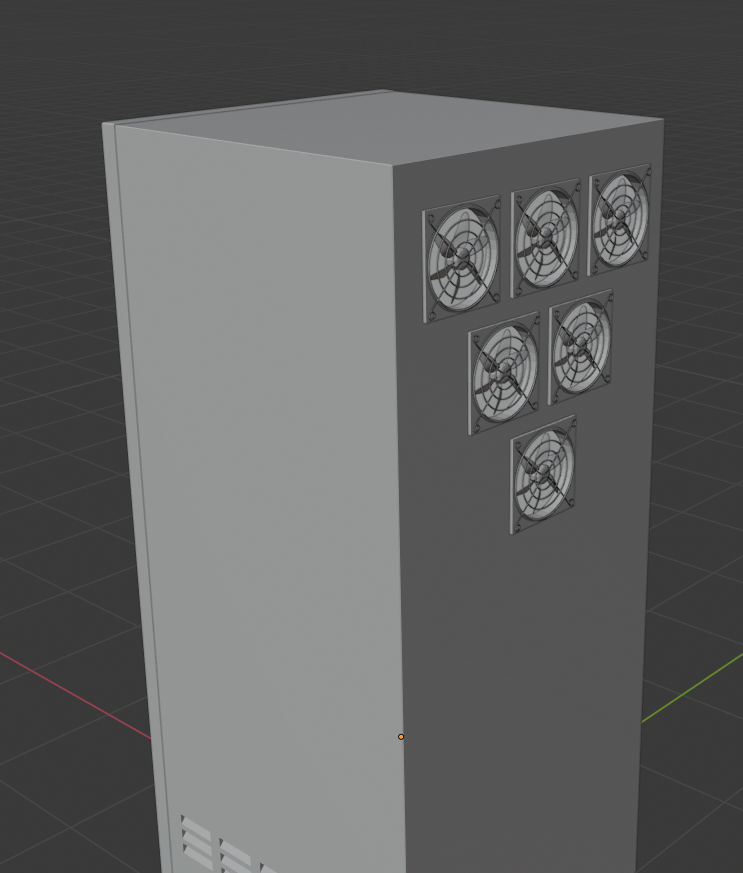
 gaunt tide
Been trying to get something presentable for kickstart or whatever other platform I decide to use to advertise the game. Im also giving myself 30days max so Im cramming lol
dawn plover
I think he meant 30 days for the kickstarter 😉
sharp crest
too short too
gaunt tide
I would change it to 3yrs but im already 1yr into this
sharp crest
o rip
gaunt tide
Well actually. I worked on it for awhile than got a job and was working 70-90 hours a week so developement stopped.
sharp crest
day jobs suck
gaunt tide
Yeah they do. Now that Im unemployed I figured Id start back at it again
dawn plover
what do you like to achieve with the kickstarter? the hire of team members?
gaunt tide
Yeah that was going to be the goal to hire some extra help
sharp crest
I don't believe in kickstarter