#ue4-general
1 messages · Page 580 of 1
 light thunder
But trust me, I've tried to save time and do cities as a single thing and you just can't get around it, if you need functionality with each building, it has to be seen as some sort of separate item, even if it's part of a group, there has to be somewhere where it is "by itself"
 oblique tangle
Don't worry, figured it out
I know one massive static city mesh isn't the best way to do this
But for what I'm doing right now it works fine
And is the easiest way of doing so
 cloud cobalt
It's not even not the best way
It's horribly bad
You will have to break it up later on
 crude vessel
So is there no way to do numeric inputs for physics objects or constraint positions?
 worthy flame
ive made a smiple mesh in blender and when I exported it to ue4 it was in pieces. how do I export it so it stays as one static mesh?
im new to blender
 copper flicker
does anyone know why MAPS load slowly, compared to spawning actors?
let's say I have 100 maps, each contains a unique horse
and 100 BPs, each contains a unique horse
loading 100 horses from maps is a lot slower
even if the content is exactly the same
I'm trying to spawn everything modular like.. so if I could have modules inside maps, I could add foliage to them. I can't save foliage as BPs.
 sweet relic
@copper flicker: When you load a map you are loading the world settings and doing a bunch of initialization
sweet relic
Asynchronously loading and unloading levels during play to decrease memory usage and create seamless worlds.
copper flicker
since Unreal doesn't support anything like nested prefabs
level streaming is different from level load?
I tested streaming too I think, the loading seemed slow
and.. it's complicated to set up
I don't want to manually add levels into a Persistent
since 1 level = 1 module, and there will be thousands
sweet relic
you could create a class that uses a data asset or something to construct your prefabs dynamically
save the object's in your prefab's properties and then spawn them in on initialization
copper flicker
that's what I'm doing, instead of level streaming
but I can't have foliage with this method
instantiating is very slow
so atm my only option is to have tons of geometry that loads for each module
which is not ideal at all
 azure shore
how do I create a volume that stops pawn sensing ais from seeing through but it has no collision
 scarlet birch
@azure shore ignore everything but visibility
 tropic snow
LogLinker: Warning: Failed to load '/Game/Megascans/Surface/03_Concrete_Slab_sdxkdfwa/03_Concrete_Slab_sdxkdfwa_2K_inst': Can't find file. When i trying to export anything from Bridge, i am taking this warning. The texture is coming without material. How can i solve this ?
azure shore
thanks Ill try it
 fierce forge
how i can check if a character is moving in bp ?
 gilded lichen
gilded lichen
gilded lichen
put a boolean in your movement
fierce forge
i already did this
 grim ore
you can generally check the velocity of an actor to see if it's moving
fierce forge
how , can you send a image ?
grim ore
are you using a template for your project?
grim ore
if you are using the third person then the animation blueprint already has code in it to get the speed. You use the Get Velocity node from the actor
fierce forge
i changed the animation bp because i changed the mesh
grim ore
ok
 plush yew
The arms was normal ingame also in V:4:23, But in V:2.18 is not weird, But not in the own skeleton just in master blueprint
Anyone know why?
 crystal salmon
Does one need to edit materials to work with raytraced reflections? I've followed the documentation, turned on DX12, enabled it in my project, added the post process volume, but I'm still seeing SSR when I move the camera around in the viewport.
grim ore
is your card DXR compatible with drivers?
and no you should not need to edit the materials, you can see the difference in the sample VR scene when you do new level for example with the reflections in the floor if it is working
 brittle gulch
Hi, If I want to see an object through another one (that is not transparent), I must use custom depth? Or there's another solution? I guess enabling custom depth on every single object would have dramatical performance impact right?
crystal salmon
@grim ore I'm running a 1080ti and an RTX2080. Maybe it's not using the right one?
 abstract relic
Both can ray trace
crystal salmon
I thought 1080ti required a specific driver unlock.
anyway, i went into the nvidia control panel and designated the 2080ti. seemed to fix it
 crisp turtle
does anyone know how to resolve this error of a map not saving under a new name, and crashing Unreal with this message?
I notice the map has no builtData as well, Thanks!
Can't save ../../../../../../Users/scott/Dropbox/I Am Evil's shared workspace/IAmEvil/Content/Maps/WorkPlease_01.umap: Graph is linked to object(s) in external map.
External Object(s):
LandscapeMaterialInstanceConstant_9
LandscapeMaterialInstanceConstant_7
LandscapeMaterialInstanceConstant_1
LandscapeMaterialInstanceConstant_11
LandscapeMaterialInstanceConstant_423
...
abstract relic
The driver was to allow casual users to access the feature.
 opal timber
Hey guys, Im currently playing around with the particle editor to create a sandstorm effect for my prototype game
However; my particle is not emitting all the particles like i want, I wish for it to be in a cloud like shape, or even a speherical or cube shape, its all emmiting from one point and it doesnt seem to be spawning all the particles like i specified
of course a picture doesnt really do it justice but lmao
abstract relic
Good lord that’s so many particles
Here’s some useful tuts https://m.youtube.com/watch?v=hDfKZh1tRmU

In this tutorial you will learn how to create Cloud in unreal engine. you will learn every step for this effect texture, materials, mesh and emitters. For an...
Enjoy the videos and music you love, upload original content, and share it all with friends, family, and the world on YouTube.
And shoutout to Luos of course https://m.youtube.com/watch?v=A7gGHTBMWgU

Lit Clouds Not using the best cloud texture, originally the texture was for a more corrosive effect, but did not have the time to create a new cloud texture ...
 fierce tulip
 dreamy lake
Is there a way to prevent Visual Studio from compiling the project plugin folder every time ?
 mossy nymph
you just do Build, not Rebuild
dreamy lake
Pretty sure thats what im doing :/
I mean, its on every restart of the editor, not necessarily everytime I click build - but everytime I either start up visual studio or the editor it seems to have to go through the process of compiling the entire folder - guess theres no real way around that then
opal timber
I actually just cheaped out and discovered that the InfinityBladeEffects asset pack carries some sandstorm esq effects i will work with
thank you though!
 plush thicket
Anyone else crashing when retargeting any skeletal mesh?
I’ve been trying to figure this out for literally days now, does anyone know what’s up?
No matter what, when I retarget ANYTHING, it crashes all of UE4
This wasn’t a problem 2 days ago
Could this be something with the Engine? Or some memory allocation thing with my system?
 dim plover
From what I saw with your earlier post, I think there's a good chance it's an engine bug.
Think you should debug with VS, you might be able to fix it. Maybe check the issues tracker.
opal timber
I have the particle effect set up, its showing in editing mode but when i click play it dissapears?
 bitter iris
Came home after working, loaded my project and wanted to do some more level design. I get this crash error; ```Assertion failed: LODIndex >= 0 && LODIndex < 8 [File:D:\Build++UE4\Sync\Engine\Source\Runtime\Engine\Private\StaticMesh.cpp] [Line: 1331]
UE4Editor_Core```
could anyone help me?
 kindred viper
something looking for a reference that isn't there. Probably a mesh asset. It's either not there, or not loaded in time for the assert to pass
azure shore
what would you guys suggest is a good idea for physics of something like health pickups
 strong mesa
I can't remember it's name , it's a node that tells you your movement Value
azure shore
I want them to sort of fly out of enemies but I also dont want them flying across rooms and getting lost
strong mesa
Add a Sphere Collision and set it to be the parent and set it to simulate physics and constraint it's X and Y rotaion
will look kind of like this
azure shore
yeah I tried with no x and y rotation but then it feels a little odd
 zinc crescent
Anyone hav eproblems with spatial panning audio in unreal? I just can't seem to get it to work with any configuration of the settings.
strong mesa
also Adjust The collision to overlap Pawns and World Dynamic
So that it Doesn't Bug Out
azure shore
but I kinda want the pickups mesh to be rotating in some way
would you suggest having them rotate whilst in the air maybe?
strong mesa
Just add a rotating movement component
you can also disable gravity which i don't like as items could get stuck in high places
azure shore
what even does the rotating movement do
 merry gazelle
are there any restrictions as far as being able to move a cursor using a gamepad analog axis? I feel like this setup should work however the cursor just stays at 0,0 (top, left of screen)
 visual belfry
Are you scaling the axis value?
Otherwise it seems like it'll mostly be 0 when truncated and occasionally 1
Try multiplying each by the respective screen pixel width/height before truncating
 frozen pond
how can i get landscape rotation at point ?
merry gazelle
@visual belfry Yeah that helps, it now only returns to 0,0 when I stop moving the analog which is to be expected
plush thicket
@dim plover ok I found a fix to my problem, so if anyone here has this issue listen up
Deleting the mesh and the physics asset will leave you with the skeleton only, if you retarget the skeleton in UE4.23.1 then you will not crash, but if your skeleton is parented with your mesh, then you will 100% crash
and then later, parenting the mesh with the skeleton
that seemed to work for me
the literal only way
this is a seemingly common issue with a lot of UE versions across the board, after checking the forums, the devs seem to be fixing this problem with almost every other version
 flat idol
I've run into crash before when mesh has a postprocess anim setup. Not without tho. Guess cloth can also present similar issues.
plush thicket
^^
 silk finch
this group is awesome! you guys are incredible! every time when i need for help, i find here! when someone comes to visit Brazil, i will offer the original brazillian barbecue!
zinc crescent
Guys, I need help with spatial audio. I'm using Unreal on Mac. It appears no motter how I configure attenuation on mac, it still doesn't sound with panning.
Does anyone know if there's a setting I have turned off that might prevent me from hearing it properly?
 light vigil
Any way to layer VFX (with niagara or cascade) over UMG?
light vigil
Is the only good option flipbooks then for VFX like visuals in the UI layer?
 hexed orchid
i want make fog of war effect is any tutorial how to start make it?
like League of legend
abstract relic
yes
one moment
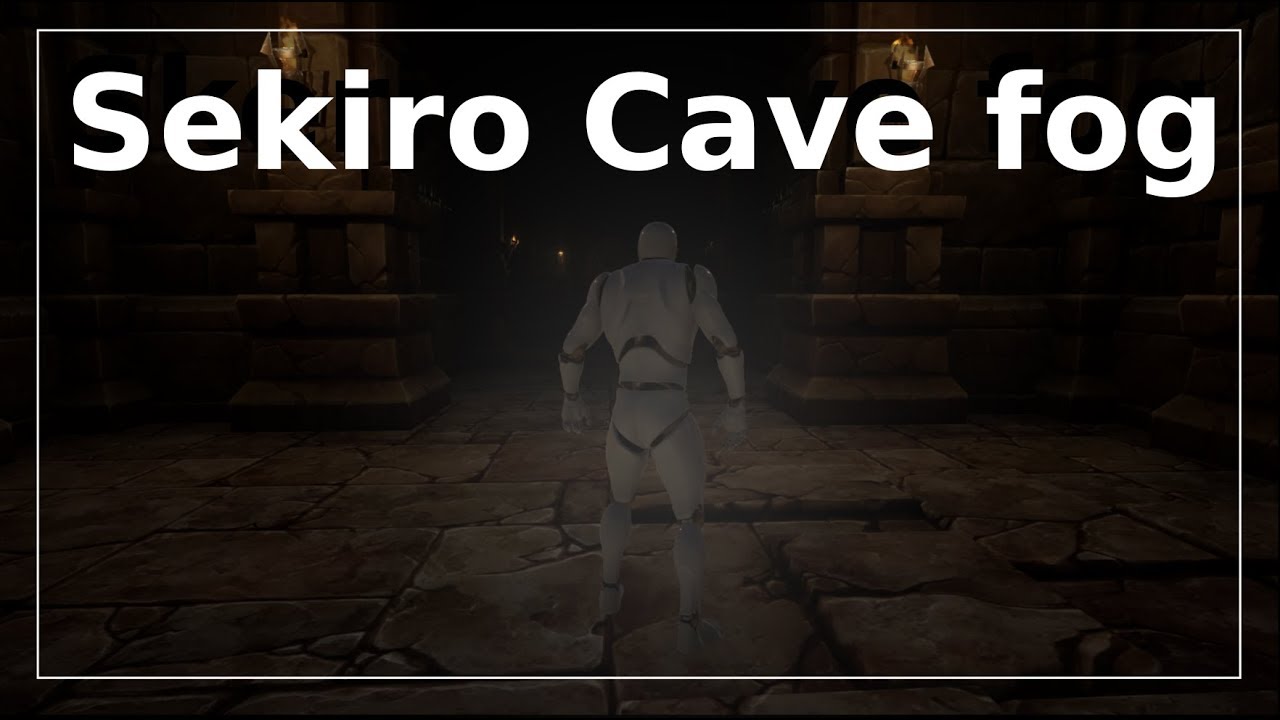
Project Files : https://goo.gl/jD94ge Hey Everyone, In this tutorial, I will show you how to make the Cave fog of war effect from sekiro shadows die twice. S...
hexed orchid
cave fog give the same effect?
 dawn gull
@vale cloak I saw your game Raindrop for the game jam. Thought it looked cool. I was wondering how you did the UI and the wiggling animation. Any chance that you could explain to me how you did it?
 lament star
I found a nasty bug in the POM function
 vague sable
is the scripting language UE4 getting a new language or something else?
 open eagle
flat idol
open eagle
flat idol
@vague sable Pkeod blueprints are for scripting, but there is javascript, skookum and maybe python too. Not sure about c# stuff idk, but plenty of ways. What else you need?
vague sable
I heard there was another new scripting method being added within a year from now
kindred viper
I've heard similar talk. I wonder if its Actionscript 2.0
dim plover
I would say it's not going to happen soon. Not within 2 years, at least.
azure shore
hi Im having hell with aim offsets can anyone help
its trying to blend the aim animations with the idle animation which makes the arms move too much, how can I make it without it blending
god this is so bloody difficult
vague sable
try asking in #animation
 icy mulch
Hey I need some help I'm trying to make some objects where you can pick them up and throw them at the ai and it knocks the ai out for few seconds
 obtuse root
guys, how would i play an animation when another player plays an animation? I'm using state machines between both characters
kindred viper
when the other player plays the animation, you can fire an event, or set a boolean value, or simply call the animation at the same time as part of the function that calls the original animation.
obtuse root
Thank you so much! I'm gunna try the anim event. a notify?
obtuse root
perfect! thanks a lot
 fervent sigil
I'm starting to design a house I have on my level, which is both indoor and outdoor, and I'm using multiple cubes to make the walls.
I was wondering about the corners though: should I use 2 cubes for walls + 1 cube for corner? or just stretch one of the walls? What are the pros and cons of each of these?
kindred viper
usually making a nice corner piece works. Then you can make sure it's lit properly and doesn't get shadowing crap because of intersecting or overlapping meshes
fervent sigil
@kindred viper Is there perhaps a video or picture illustrating the various pieces that are common to make? I'm trying to make the structure using separate walls as we speak, and now I'm also wondering how to do the wall with the hole for the door in it, or windows (that are transparent and you can see through), or a roof with a transparent part of it too? Should I make a unique piece for each of those, like a specific wall with specific size and hole in it for the door? or should I make it from different parts?
kindred viper
personally I would either use prefabs or just model the piece in Blender or something. Technically you could boolean your way through with BSP and convert to static mesh. Do it old school so to speak, but it's probably not the best way. Its always going to be with your 3d modelling app
fervent sigil
I'm using blender and I'm comfortable with it, so that's ok. I just found out it's called modular level design btw. I'm assuming you knew that already though.
and by corner piece I think you meant something like this:
(the one on the left)
kindred viper
exactly
fervent sigil
I have to wonder though: why would you need a mesh like the one in the right bottom? You can just take the one to the left of it and stretch it, right? Or Is stretching not a good idea in this case?
(strech=scale)
kindred viper
well you would have pieces at each end, then you can use construction scripts or other functions to create a stretching bit in the middle. Makes it easier to throw stuff together
fervent sigil
Why not just stretch the two pieces at each end? oh wait, I'm guessing it's because the pole, which is part of the mesh, would stretch too.
There isn't any reason to use multiple middle pieces though, right? the middle piece between the 2 ends can stretch, with probably the help of texture tiling?
kindred viper
I guess it depends what you want to do with them. I always avoid stretching and scaling meshes. If I do, I would use a modular kit like that, use un-stretched end pieces and have dynamically resizing connectors. So I could plant core pieces around and programmatically connect them. With materials that tile accordingly.
fervent sigil
you seem to be talking about 2 methods:
(1) Using modular kit (based on modular level design I'm assuming) like the one in the picture I showed: "dynamically resizing connectors" - isn't that just scaling with tiling? I'm assuming by programmatically connect them you mean use the constructor script to set the correct tiling based on scaling? What else is there?
(2) Avoiding stretching and scaling meshes completely. How can you do that? Is that not with a modular level design? if so, how?
kindred viper
yeah some pieces you would setup for tiling and stretching. ie. middle parts of walls. Then you would have static pieces, such as your corners, doorways. You make sure the tiling pieces are designed to do so, rather than just stretching what you have. Which means setting up the material etc
fervent sigil
ok cool, that answers the first question. What about the second? you mentioned you avoid stretching and scaling meshes completely. How do you do that?
kindred viper
make them to the size and scale you need. 1:1 match between DDC and engine
fervent sigil
DDC?
kindred viper
external 3d app like blender
fervent sigil
what does ddc stands for though? the initials?
and cool, got it. Thanks for all the help and the info!
fervent sigil
no worries. It's 5am here, though I just woke up hehe.
just fyi, I don't know what DCC is either, but this one came with results from google, so I'm assuming "Digital Content Creation"
kindred viper
aye
 serene quiver
Im very new to UE4 (Started really using it today) and uh, how would I edit a ThirdPersonCharacter's movement?
fervent sigil
Depends what you mean by Edit. It has many properties you can change to affect the movement; that's always a good place to start with
serene quiver
Let's start with something small, making me able to have more control over my midair movement
fervent sigil
There's a property called "Air Control" on the "CharacterMovement" component. Play with it and see if that's what you're looking for
serene quiver
How do I edit that, I don't seem to be able to do anything with it
fervent sigil
You can either change the value of the class it self or of the instance in the world.
To change the instance, you click on it in the scene, press on the component in the Details pane, which is "CharacterMovement (Inherited)" , then look for the property (you have a search box that can help with that).
To change the class, go to the class it self (e.g. by finding the character in the WorldOutliner and clicking on the 2nd column link with the text "Edit ThirdPersonCharacter"), and do the same with the component and the property
@kindred viper what about rooms in the interior? should they be made from modular pieces as well, or 1 piece per room?
kindred viper
I have a basic rule. Make everything modular. But then, im not a level designer or environment artist. Just a coder. So if it can be modular, im lazy enough to make it work in a modular fashion. But then again, if it was just a prototype room, i'd slap down anything to fill the space., modular or not.
fervent sigil
ok cool. I've done the prototype already, so I'll try to go with modular. We'll see how it goes. Thanks again!
mm how would you deal with height btw? I know I can simply "stack" walls, but different rooms with different heights usually aren't multiplication of the heights.
That is, if a room is 2.5m, other rooms can be 3m, 3.5m, etc.. they won't be 2.5, 5, and 7.
serene quiver
@fervent sigil Ayyy I got it, thank you!
It's easy I'm sure but considering this is day one with truly messing with UE4 the little steps are the most important ones
Second question, I'm sure this one is far harder but I want to lay down the foundation first, how would I make the ThirdPersonCharacter have a double jump?
fervent sigil
now you're getting into programming. Try this: https://www.youtube.com/watch?v=hFAr7gYV1rA
I did a quick look on it and it looks good. It uses FirstPersonCharacter, but it's based on the same class as ThirdPersonCharacter so I believe you can follow it.

Today, we give our character a double jump ability, used in games like Dirty Bomb, Paladins, Team Fortress 2, Titanfall, (like every Spider-Man game ever XD ...
serene quiver
Thank you!
Next step, how would I place some sort of collectible? In this case it can just be money you collect by walking into it
 digital oracle
error
crude vessel
@serene quiver I can't reccomend this series enough

raywenderlich.com
In this Unreal Engine tutorial, you will be guided through installing the engine, navigating the interface and creating your first game object.
It includes a collector tutortial
Including how to tie that to the HUD
crude vessel
Haha
crude vessel
It's under the material tutortial
I reccomend the whole series, ties stuff together
The tutortial for the material is a banana collector game
Also there is a tutorial on the UI which shows how to display what's collected
@serene quiver
serene quiver
Ah gotcha
crude vessel
But honestly I'd just reccomend going through the whole series because he touches on a lot of subjects and gives you a good overview of how to tackle stuff.
serene quiver
Oh I definitely will do, this stuff seems super informative
crude vessel
It's what got me stated.
fervent sigil
Is there a way to reimport an .fbx file with more meshes, but not to recreate the ones that were already imported? What is a good workflow with multi-mesh fbx? or is it simply better to use separate fbx for each mesh?
abstract relic
Not sure what you’re referring too. Importing several different objects from a single file? Add more detail in an existing fbx?
 fathom dust
is there a way to debug standalone game or get a more descriptive error?
fervent sigil
(1) I'm exporting multiple meshes into a single .fbx from blender, and then importing into UE4
(2) Over time, I'm creating more meshes in blender and exporting them with the previous ones to the same .fbx file
How can I reimport that fbx file for the new meshes? If I just reimport an old mesh, it won't create the new meshes. if I import the file, it will recreate the old meshes as well
@abstract relic If that explains the situation better?
abstract relic
Yes. To verify, the meshes are separate objects within blender correct? If you toggle edit mode on one, you’ll only see the mesh you selected yes?
fervent sigil
yup, separate objects
abstract relic
Lovely. Second verification, is export selected object toggled?
fervent sigil
yup
Changed various settings actually, such as face smoothing. Probably the only other settings I changed actually
I'm also now seeing an incorrect pivot point (when using both multiple mesh or single mesh in a single fbx) ignore that
abstract relic
2.8?
fervent sigil
yup
abstract relic
Would need to test it myself. I’ve imported several separate objects from a single file in the past. Objects in blender seem to be condensed into one object when you export it now, hence the odd pivot points. But in short, best to export each object as individual fbx. If you’re curious on achieving the former. I can certainly look into it tomorrow if you’re willing to dm.
fervent sigil
I'm willing to dm, but that's ok I can use separate objects. I'm just starting, so we'll see how it goes.
And I did a strikethrough for the pivot point object cuz I fixed it; it seems UE4 ignores the pivot point and simply uses (0,0), so as long as I clear the object position in blender it's all good (I usually do that, just forgot)
dim plover
0,0 pivot is forced? I remember that changing pivot points being possible without having to position the object relative to 0,0.
fervent sigil
doesn't seem to now then. It was either changed or there's an option I'm not aware of 🤷♂️
About modular level design: I made an L shape and a wall mid shape, and now wondering how can I setup the uv/texturing correctly so it will good when positioned near each other? Is anyone have any example/guides about this?
fathom dust
does unreal only build what you use or do i have to clean up whatever im not using before building
plush yew
i cant login on the epic games website, it keeps loading
@dim plover if you use an actor blueprint you can offset the static mesh component
vague sable
how do I tell if my character is actually falling? while it is going up in its jump arc Is Falling still returns true
 normal burrow
Get velocity, check if z is negative in addition to your falling check
vague sable
how to get the z component only?
 grim juniper
I can't login either
normal burrow
Break vector
vague sable
@normal burrow thank you again
it seems Is Falling is not useful in this case only the velocity
how do I make a new vector 3? I want to add the absolute value of the z velocity to the launch vector
do I just do vector + vector and plug in the z value after it has be abs?
how do I get this property in a blueprint?
do I just do vector + vector and plug in the z value after it has be abs?
this sets the z value to all properties of the vector, how do I make only the z value set and the others 0?
ok it's Make Vector
plush yew
why does this happen
 spare veldt
@plush yew i would check all the scale inputs
plush yew
in the normal model its self?
@plush yew Probably when the light sabre gets attached to the hand
it will inherit the scale
you can change it to not inherit the scale i think
oh lol
 light coyote
@plush yew That vid just made my day 😂
plush yew
@grim juniper I managed to log in with Chrome
When the Quixel License says it is for "UE4 based products" does that include using the textures in a 3d modelling software for models, that will end up in a UE4 project?
grim juniper
After a little while I was able to log in
It's actually not requiring me to relogin like it has been for the past few weeks now
 uneven tundra
I turned on virtual textures in my project and now it wont open. IS there a way to change this from outside of UE4?
 swift spindle
A lot of shader’s will be building in the background. Make sure it’s not that first
I’m pretty sure that setting will be in your “game name default engine.ini” somewhere
 wet robin
Guys i need help asap why does my pc crash whenever i try to rebuild/bake the lighting??????
lament star
is the editor capped to 120fps?
wet robin
144
lament star
I can't get it above 120 fps no matter what I do
wet robin
nvm it is 120
I thought I capped it on 144 to match my refresh rate but do i need to reduce it to stop my pc from crashing?
lament star
idk
wet robin
imma try anyways
lament star
I just found a workaround, playing in standalone mode let's you use the fps cap you want
wet robin
well I'm not really worried about the fps cap now but I just want to bake my lighting without my pc from crashing and i have a very solid pc so idk why it crashes
uneven tundra
If I wanna make just a nice lookinng scene. Ive setup a camera, but I cant figure out how to "play" the game and just beeing locked into the camera.
fathom dust
where can i get 4.23.2?
 manic pawn
it's not released yet
 proven ivy
not even sure there is going to be one tho, 4.24.0 is at preview 3
manic pawn
seems like 4.24 is still a month+ away then
proven ivy
preview 2 was two weeks ago
manic pawn
4.23 had like 7 previews
proven ivy
8, 22 had 7 and 21 had 4
the real argument would be that none of previous releases had less than .2
 stiff spoke
How to know if a target point is occupied?
proven ivy
asked the owner?
knock at the door and wait for an answer if you get none then it's unoccupied I guess?
stiff spoke
I don't understand
proven ivy
that's kinda intentional since your question is extremely vague and cannot be answered properly out of context 🙂
stiff spoke
I want to make Spawn an object thanks to a target point but only if there is nothing that is in the rental of this target point
copper flicker
so Load Stream Level is not necessary.. if you instantiate a stream level?
everything is already loaded?..
I don't understand how this works
or things are being loaded on demand, when you instantiate
?
azure shore
hey can anyone help me with spawning health pickups when an enemy dies like this
so I want however many health pickups spawn to sort of burst outwards but not fly across the room
kinda like in Doom 2016
copper flicker
you can try using projectile movement
it's versatile, you can achieve any kind of trajectory
 uncut echo
I'm new to this how do i make one of those boxes where you bps go inside?
stiff spoke
How to make my objects do not appear on the same target point?
 river magnet
Anyone wanna help me make a system like rust and Minecraft where there’s like crafting and stuff
I’m attempting to make a survival game
azure shore
thanks
I have been trying with projectile movement but it doesnt seem to be helping anything
I dont really get what that tutorials about
I just want a smooth burst movment
azure shore
from what I saw that video didnt even show actual movement of the pickups
and it looks like its predetirmined positions
 deep grotto
@azure shore do you have a video of how you want the drops to behave?
azure shore
not exactly but I want it like how it is in doom2016
I suppose I could link gameplay if you havent seen it
deep grotto
@azure shore I haven't seen them. I'm busy rn but in 10-20 mins I can give you a run through on how to do it
azure shore
ok thanks
fervent sigil
I created a constructor script, but I've noticed if I'm scaling continuously (e.g. by dragging the X scaling slider) it only runs when I release.
Is there an event for each scale change while it happens?
azure shore
well I can get the health pickups to spawn, but they either drop straight down in a clump or fly off
depending on the things Ive tried
deep grotto
ok
Let me just try to find a reference for what you're trying to achieve
ok
just like doom right?
@azure shore Z
azure shore
yeah doom2016, I tried to find gifs of it but its not always easy to see
deep grotto
Nah I think I found it
azure shore
and it might be a little more complicated than the effect I want
deep grotto
Just booting up unreal
Oh
Well Doom's isn't that complicated but if you want it more simple what you thinking?
azure shore
yeah like a simple sort of arc movement would be nice
dooms seem more fancy and bouncey or something
deep grotto
Yeah
So what Doom's seems like
Is it just has a simple projectile that bounces
and has some sort of speed dampening
So first things first
How are you setting the starting velocity?
azure shore
well Ive only tried things like apply impulse and radial force I wasnt really sure of the best way
deep grotto
Ok
So create a function called set starting velocity
then connect it to event begin play
dawn gull
Hi, I am doing a game where the main character is a snake like guy and I saw that in Snake Pass they used spheres to make it a physics object and I want my snake to just have a realistic slither effect like that. Any help on how I can do it? I know I have to get the head as a different model and I have no problem with that. (By the way sorry to interrupt) and please ping me if you have any idea on how to help
https://cdn.discordapp.com/attachments/595953904068591626/646462748284289034/unknown.png
 deep grotto
@dawn gull Just keep an array of previous positions then set the body to the previous places it's been
azure shore
but what do I actually do with the function
deep grotto
Ok
So in the function call random unit vector in cone in degrees
set cone dir to 0,0,1
Set cone half angle to 45 degrees
with the return value multiply by float
the float being the starting speed
then I assume you have a projectile component on the actor
@azure shore ?
stiff spoke
How to make my objects do not appear on the same target point?
deep grotto
@stiff spoke Do a shape trace on the location to test for a hit
@azure shore Just like this and it will work
azure shore
ah thanks
stiff spoke
I do not understand @deep grotto
 ember shadow
Hey guys, i was just wondering if someone could help me with something(which is probably a simple problem), it would mean alot
deep grotto
@stiff spoke You have to check if something is there
then if not spawn it
@ember shadow go ahead
ember shadow
Can i dm it to you?
deep grotto
sure
azure shore
sorry I cant really see it too well
deep grotto
@stiff spoke run a shape trace like so
on the location
@azure shore Open the image then press open original on the bottom left
stiff spoke
@deep grotto OK I will try
azure shore
also I have no idea whats going on with projectile movement cus it has no collision
but the object itself has collision
deep grotto
@azure shore Assuming the static mesh or whatever has collisions it will just work
azure shore
but it does and it just falls through the ground
 runic iron
check the collision presets
stiff spoke
We can also make that the trace is destroyed only at a desired moment? @deep grotto
deep grotto
@azure shore Double check the ground and collision presets. The code I have bounces off the ground and works perfectly
@stiff spoke Traces just check a location for hits and return a hit result if there is one
azure shore
the ground is a brush cube and the pickups only collide with static
 tame ocean
can someone tell me how to use this or a link tutorial
(Blueprint class parent: HUD)
deep grotto
@azure shore Can you send a screenshot of your static mesh for your healthdrop?
@tame ocean Can you be more specific with what you need help with for the hud?
stiff spoke
But we can also make the trace destroy itself only at a desired moment?
azure shore
just to double check the static mesh isnt supposed to have physics enabled right
tame ocean
@deep grotto so i already have this widget blueprint
and i kinda want this BP_HUD to switch between them by detecting which class the player is in
deep grotto
@azure shore It isn't but if it did then it should still collide with the map
@azure shore It's either trace settings or incorrect collisions for your model
azure shore
yeah if I have physics on then it ignores projectile movement and collides fine
deep grotto
huh....
azure shore
and Im actually just using a cube mesh with the pickup mesh attached to it
tame ocean
and i want to set this class as the HUD class for the GM or sth
stiff spoke
Another question
But we can also make the trace destroy itself only at a desired moment?
deep grotto
@stiff spoke All a trace does is instantly check a location. A trace does not physically exist
@azure shore Can you send a screenshot?
azure shore
of what exactly
deep grotto
@tame ocean You have to run code that sets it in the viewport
azure shore
the collision channels or what?
deep grotto
@azure shore The left panel of your health drop
azure shore
oh the components?
deep grotto
@azure shore Yeah
azure shore
this is all Im using plus the projectile movement below it
the cube has the collision
deep grotto
Set the cube over the defaultsceneroot
The cube should be the root component like in the screenshot I sent before
stiff spoke
When will I make a trace? And where am I going to make Spawn?
azure shore
OH I think I remember doing that for projectiles before
deep grotto
@stiff spoke So you do a trace and check the location. Then you either stop the spawn or find a more suitable spawn location depending on the result
azure shore
yeah that doesnt work
deep grotto
@azure shore Send the components again
azure shore
this?
deep grotto
Yeah
azure shore
.
stiff spoke
I use target point, for my appearances
deep grotto
The cube is still not the root component in that
azure shore
I switched them like you said them they just dont move at all, also I kinda need the root for when the player respawns it resets them
placed ones anyway
tame ocean
@deep grotto cool, thx
deep grotto
@azure shore Why do you need the root for when they reset?
azure shore
so that the moving pickups themselves reset their location which will be the root that never moves
deep grotto
@azure shore Instead of doing that just save a location as a variable and reset to that. It'll work just as well, be faster and should help.
azure shore
yeah I do that for some stuff it gets really annoying doing it with so much and having to save so many coordinates anyway what else can I do because either way they werent moving
deep grotto
@azure shore I can't really help you too much because when I did it my end it worked perfectly. Perhaps try on a new actor and set it up like I've got it then try to fix it
oblique tangle
Anyone know how I could implement something to make this seem more 'cinematic' if that makes any sense
deep grotto
@azure shore It shouldn't be too much work to do it properly
azure shore
ik Im surprised I can mess something this simple up
deep grotto
@oblique tangle Try messing with post processing as a go to. Like motion blur
@azure shore Don't stress man. Sometimes programs will just mess you around
I've spent hours debugging some pretty simple stuff
azure shore
also did you mention where to actually call the velocity thing or whatever
deep grotto
On event begin @azure shore
dawn gull
@deep grotto thanks!
azure shore
and that goes straight to the function?
azure shore
oh ok well mine arent moving at all
deep grotto
@azure shore Yeah no stress, just gotta work through it one step at a time
Can you send the components panel first?
again
Sorry to keep repeating
@oblique tangle Also play with moving the camera further and closer from the actor
@oblique tangle You could also try changing FOV
oblique tangle
Oh I've messed with that, where the FOV changes based on the player's velocity
I've just got no clue where to go with post processes
Literally no idea how to use them lmao
deep grotto
@oblique tangle Just drop a post processing cube in
Turn on motion blur, lens flares, chromatic aberration
(make sure it's extent unbound)
azure shore
ok Im pretty sure I have your exact setup and theyre still just falling straight down
deep grotto
@azure shore Are they bouncing off the map? Are they rotating at all?
azure shore
no they just fall down and bounce slightly
deep grotto
@azure shore Perfect, only thing that sounds like it's missing is the setting velocity
Double check the function is getting called from event begin
azure shore
wth so they DONT have physics enabled then
Im getting better results with physics off
deep grotto
@azure shore Yes, projectile components only work with physics off
You just need to make sure that it's setting the starting velocity and you should be done
@oblique tangle Have you seen mirrors edge? When you fall to your death in the first one at least it might be a good example.
azure shore
I think its mainly working now except they seem to have huge hitboxes which makes no sense
deep grotto
@oblique tangle The other thing is just making the camera position feel less robotic, perhaps smoothing the camera position
@azure shore Collisions should be determined by the static mesh components
 radiant haven
Invalid Simulate Options: Body (Piper_Pa18_C_0.Base base) is set to simulate physics but Collision Enabled is incompatible
PLS help
deep grotto
@radiant haven Make sure collisions are turned on
 deep grotto
@oblique tangle Obviously a lot less strong of an effect but something like that
radiant haven
@deep grotto fixed it
I had no collision group
deep grotto
@radiant haven Sick
 pseudo swift
hey guys im trying to rotate a static mesh which is added to my character blueprint, the hair is parented to the head socket, does that prevent me rotating the static mesh? its fixed in place and id like to rotate it
hmm deleting it and re-adding it seem to fixed it?
deep grotto
@pseudo swift You can't rotate or translate root components but all the children should be fine to rotate
pseudo swift
it was a child of my character not sure why it didnt work before I re-added it
azure shore
well thanks for the help dion, it mostly works just sometimes they freeze in the air but I know I cant have been too fun to deal with
deep grotto
@azure shore Nah dude no stress at all. We all start somewhere man. If you got any more questions just ask
azure shore
thanks
deep grotto
If they're freezing in mid air have you set Should Bounce to true? @azure shore
pseudo swift
also: im using simple textures plugged into emissive cause I dont want any shading etc, still a big difference in viewport, any tips why its so much darker?
deep grotto
@pseudo swift Make sure you set the material to unlit
azure shore
yeah theyre bouncing nicely when they dont freeze but the freezing is rare
deep grotto
also it could be because the scene is darker
flat idol
any tips why its so much darker mesh preview is using auto exposure, basically tweaking the brightness on the fly.
azure shore
carl I have no idea what youre making but it looks interesting
deep grotto
@azure shore Strange, I ran my code a ton of times and didn't get a result
pseudo swift
thx all
deep grotto
get that result*
oblique tangle
Anyone know the simplest, most effective way of producing a traffic AI that just follows a set path
deep grotto
@oblique tangle You'd probably want to run splines and then adjust the position along the spline based off deltatime and velocity
azure shore
hrm the freezing in the air does seem to be when the game itself freezes, it always runs badly for me but its fine in standalone at least so I can check in there
deep grotto
@azure shore Are you getting any errors when you end play?
deep grotto
@azure shore The errors that appear when you end play can often be the cause of hangs.
azure shore
well I have to go now thanks for the help I'll see what I can do in a day or two
deep grotto
@azure shore Good luck man
pseudo swift
I usually turn on "two sided material" for backface culling, or showing the negative normals, is there a more performance friendly way/correct way of doing this?
 fallen elbow
i cant access my account. On epic launcher it says credentials are invalid and when i try to reset pasword io get stuck here
on forums is the same
i press sign in and get stuck here
it may go for hours
any info?
or help i can get
flat idol
disable adblock site fail with tracking
 lilac wedge
pseudo swift
lilac wedge
pseudo swift
seemed to solve my issue by changing the values when creating a phys asset
 ancient lotus
any idea whats wrong with my aim offset? the animations used look correct but im not sure what is breaking it
https://gyazo.com/11a90e38d43713769d2b20ddbf3e6e90
https://gyazo.com/fc8fecbf6dad778aa346a261366c3405


 halcyon flame
@ancient lotus don't know, sorry
does it work to add a static mesh component to your player controller? I was going to use it practically as part of the HUD but I can't seem to see it in the world... I set visibility to true and new hidden to false at runtime as well
ancient lotus
hmm let me check
mossy nymph
aim offsets are applied as delta between ref pose and the poses in it
ancient lotus
each pose is from Aim_Space_Hip that comes in the animation starter pack, its just 1 frame from each direction (right up/center down/left middle and such). its using the Aim_Space_Hip as its base pose
mossy nymph
should be whatever it is without the aim offset i think
crisp turtle
Anyone know what the custon planar comment notes you can leave in eidtor viewport and fly around like many projects have for descriptions? I am trying to figure out how to create those. Thanks!
frozen pond
how i can get actor variable without casting ?
ignore execute pin
got custom enum, and i want to switch (due casting procedure for each parent class)
doing trace by channel but idk how to switch
halcyon flame
get the enum value from the class first
frozen pond
eletric nodes addon
love this addon
no moar spaghetti
back to topic, still idk how to get that enum without casting to class
i got actor (from line trace) and switch on enum
need to extract enum value from hit actor into select but i can't cast to actor due few base classes
looks like making it from reverse works, lemme check
halcyon flame
if you have a reference to the correct class, no need to cast if that class has the enum value
if you have a reference to an unknown actor or object you will need to cast to get a variable that belongs to that class
frozen pond
nope
@halcyon flame so i need to manual compare hit actor with a class on bool ?
Can't connect pins Target and Return Value : BP Budynek Object Reference is not compatible with Actor Object Reference.
Invalid pin connection from ' Return Value ' to ' Target '. You may have changed the type after the connections were made.
in editor class is null
i will try to save hit actor as actor ?
i need to get enum value without casting, i can't define parent class of actor due few classes
 safe rose
Anyone ever get this before? Only seems to happen on my Desktop, not my laptops.
Same build on all
All are on the same windows version and drivers updated
grim ore
@frozen pond I think you are missing what you are trying to do. First off the issue for your error is your return value is going to not be an exact class since your input is not an exact class (it's a variable so it can change). If you want an exact class you have to use the drop down so the output pin will be correct or you need to then cast to your exact class form the Get All Actors and then get what you want.
give more info like rubik is asking for on what you want to do
frozen pond
what i'm trying to do, but this one is "manual" checking way
and there would be next class with next branch etc
grim ore
learn to use a blueprint interface or a parent class that can hold the variable
manic pawn
@safe rose https://issues.unrealengine.com/issue/UE-81742 ?
grim ore
Parent/Child class structure is what is normally used for something like this, the Parent can be "person" and have all the person variables then you would have Children that can use the parent variables and their own children variables. You can then cast to the parent and access those parent variables
if your actors are all going to be different tho, like a door and a person, then you can use blueprint interfaces to talk to them generically
frozen pond
i created on parent/child my buildings, and there working fine, showing variables on cast etc, but now i created secound parent for new things in world
grim ore
if they are not the same parent/child relationship then look into using blueprint interfaces
you can ask the item for something, or tell it to do something and it can be any class it just has to implement the interface and the function/event
frozen pond
k thanks
grim ore
what is the difference?
crisp turtle
@autumn crystal Text Render was it, thanks much!
grim ore
you would have to have something that manages that and watches the time, maybe on a tick. You can get the elapsed time since game start or just track it from the time the actor starts up it's spawning events. Update that timer every time you tick and keep track of when stuff is supposed to spawn in an array or a list or something that you create ahead of time.
the other option instead of this or delays is to use timers that call themselves when done so they repeat. So Do event -> set timer to call itself again after (delay). and it repeats using timers instead of loops
 thick herald
I asked google, but looking for something more up-to-date on Level Streaming tutorials/guides. Any suggestions?
 drifting sphinx
I'm a bit lost here, i'm using a simple AND, when debugging i have true on both axis tests but the AND results in a false, i don't get it.
dim plover
You have a constant false in there. I think you just need to right click on the AND and remove the pin.
drifting sphinx
🤔
grim ore
@autumn crystal if you dont want it to repeat using timers then you would have to just have it tick every interval, look at the current time elapsed, see if anything needs to spawn based on your list you created earlier, spawn if needed and remove/flag it on the list to not spawn again.
dim plover
It won't be the last time something like this happens. 😭
grim ore
you have an array of your enemies, you just need to figure out when they should spawn and make a new list or something with that info. like a map of (time : enemy #) and just check the current elapsed time every tick against the map and see if the time has elapsed and if so spawn that enemy like you do now
thick herald
@autumn crystal thanks, but as I said up-to-date tutorials 😉
grim ore
@thick herald Why does it have to be up to date?
level streaming itself has not changed in quite a while. It';s like asking for a more up to date tutorial on what a boolean is
crisp turtle
Is there a way to have it so when you put a text render attached to a BP Sphere, when duplicating that BP you can change text without messing with others in the map, without having to make a new BP copy each time in content browser?
visual belfry
make a Text variable and set the text render to that in the construction script
grim ore
it looks like you are asking about instancing a blueprint and making a public instance editable variable which is what blueprints are designed for @crisp turtle
thick herald
Yeah, sorry for not being clearer 😬 I've not used LS, and was going to do some research for a friend who was under the impression some things may have changed between engine versions. Sorry for being dense.
crisp turtle
yes @grim ore that is correct
I just need to expose it as a paramater
so I can click each one in editor and have custom text without messing with master
grim ore
yep you click the eyeball next to the variable and it will show up in the instances (the ones in the world)
crisp turtle
ok let me give that a shot
grim ore
or click the Instance Editable option in the details panel in the BP, same thing just more steps (the eyeball is that weird closed eye to the right of the variable name in the My Blueprint panel
safe rose
@manic pawn not source. Launcher build. But it is 4.23
Running DDU right now and seeing if this clears it up
crude vessel
Okay guys help me out, I can't find ANY info on UE 4.24 hair/fur system
crisp turtle
perfect I figured it out thanks @grim ore
crude vessel
I've tried digging through plugins or other stuff inside of it, can't find any info.
crisp turtle
any way to have the text render rotation to camera world position in editor viewport mode? @grim ore
wet robin
Guys why does my PC crash every time I try to bake my lighting?
grim ore
@crisp turtle you could use an editor utility widget and have a tick running on it and then have it face camera world position every frame I guess if you really needed it at design time
@wet robin no one here could possible know why your computer crashes when you bake lighting. It's not happening to everyone else, it's specific to you. You can try pasting a crash log and someone might be able to help but it could be hardware or software related or something in your map
crisp turtle
https://gyazo.com/b090465dbbff81fb160c204e0e07386a I have this setup for the player, would your method be compatible? @grim ore
 manic pawn
@safe rose well, it only happening in a source build makes no sense to begin with, so they likely misidentified what the actual condition is
the line number from that issue is the same as yours
safe rose
@manic pawn https://issues.unrealengine.com/issue/UE-51650
grim ore
It would be similar but it wouldnt be using the player as the camera point to look at as the player does not exist in the editor
manic pawn

safe rose
It's been a reoccurring issues
manic pawn
d3d device hung is also the most common crash report I get
safe rose
It's obviously an issue 🙂
crisp turtle
Any idea what to replace get player with to make it work? @grim ore
manic pawn
they must have millions of them from fortnite
safe rose
And still haven't figured out what is causing it
It's kinda strange.
You'd figure this would be one of the highest priorities for them
manic pawn
I can only speak about the ~150 crash reports I got for that issue, but it seems to be happening across a huge range of hardware
safe rose
I just DDU'd graphics drivers, so I'll just go through this list and see
manic pawn
people are getting it on anything from potatoes to top of the line rigs with 2080tis
safe rose
Exactly.
grim ore
@crisp turtle I dont know why you would want to do it but this in an editor utility widget when ran will find the first text renderer actor in the world and make it face the editor camera at design time https://i.imgur.com/ZU6uzAw.png
crisp turtle
thanks much @grim ore its just for design, I will be sure to use this!
 vernal relic
 hard quarry
What is the best way to migrate content from 4.23 to 4.22?
kindred viper
ok. "I have this image and I want to have the wasd be variables instead"
uneven tundra
I need help with undestanding landscape and regular meshes and the differance between them.
 rich rose
hey do any of you guysknow when 4.24 will be released? or know where to find this information
 tribal steeple
In my tree shadows there's text that says preview, how do I get rid of that?
dim plover
@rich rose I don't think releases are ever announced ahead of time. It's really just best guesses.
rich rose
@dim plover ah i see. hmm would you an idea when? because 4.23 was just in september so im assuming 4.24 wont come for another 2 or so months?
dim plover
🤷 Your guess is as good as mine. Perhaps someone else knows more.
frozen pond
got werid problem with font, tested and looks like space ?
but space looks ok when i add it manually
yeah but accualy i'm converting integer to text
serene quiver
How would I edit how long a ThirdPersonPlayer would be in the air after jumping or walking off a ledge?
Yeah
serene quiver
I found gravity, thank you
 zinc cloak
how to use firebase in unreal engine, or any other alternative of firebase in unreal?
serene quiver
I gave a character a double jump, but I don't think they're able to use it if they walk off a ledge. How would I change that?
Here's what I have atm
light thunder
@autumn crystal looks like you need a struct or data table
annnd I'm replying to a coment two hours old, nvm
that's right kids, always "jump to present" when you get back on discord
serene quiver
@autumn crystal I am extremely new to UE4 (Started using it yesterday haha) and uhhhh, how exactly do I make an int variable?
 tepid veldt
zinc cloak
tepid veldt
zinc cloak
Question: how to use firebase in unreal engine, or any other alternative of firebase in unreal?
kindred viper
You can use one of my friend's plugins for that. https://www.unrealengine.com/marketplace/en-US/slug/realtime-database-firebase

The Realtime Database plugin lets you integrate out-of-the-box Firebase Realtime Database into your Unreal Engine project (compatible with all platforms).
right click the node and refresh it
different issue?
 turbid swift
Where do I put that I am looking to put together a team?
Thanks
Do I message the bot?
serene quiver
I'm still messing with it
Where do I copy paste to? I'm just copying the snip you sent
Okay he's able to jump after walking off of ledges now, thank you!
Now for my next question: It seems like if I use my double jump while falling it doesn't go as high as when I use it immediately after the first one. How would I make it that the jump height is the same no matter if you're rising or falling?
Just one static jump height
Would I just check ZOverride?
Seems to, seems like the character now permanently jumps at the same height
Ah that makes sense
Alright next off, how would I basic collectable? In this case it can just be money you gain by walking into it
Alright, will do
Gotcha
I have this down for destroying the actor, but it doesn't seem to be doing anything?
fierce forge
hello , i have a boolean and i want it to be check if the character is moving and if is not moving to be uncheck , how i can do this ?
kindred viper
you could save a boolean by checking the velocity of the character
 sharp crest
kindred viper
sharp crest
kindred viper
Star Citizen asking for money again?
sharp crest
@serene quiver you need a sphere collision component around the cube
 cosmic matrix
Hello
Is there any bp node to get current file directory?
I m googling but don t find what i m looking for
radiant haven
whats this
sharp crest
you are using too many high res textures in your scene
there is a command/setting to higher it tho (google it)
@radiant haven
serene quiver
@sharp crest How do I set a sphere collision?
sharp crest
you add it as a component by going to youtube and searching for 'ue4 tutorial'
cosmic matrix
@sharp crest what s your engine version?
sharp crest
4.21
radiant haven
other thing is
In Unity you have endles space to build
Endless Skybox
is it in ue possible
cosmic matrix
node name is get folder path?
sharp crest
comparing Unity to UE4 is like comparing Gold to Bitcoin, the second in both is not even comparable 
@cosmic matrix
@radiant haven you can have an infinite world and skybox yea
radiant haven
well I make a flight simulator
And I want a quiet big map (only an island)
already imported smth
sharp crest
just use the sky sphere actor and make it as big as you want your island then
cosmic matrix
I don t understang i can t get this node
sharp crest
@cosmic matrix maybe it's in one of my plugins - probably rama
cosmic matrix
i try to cast in actor but nothing
sharp crest
Unreal Engine Forums
Dear Community,
I've decided to create my own C++ Blueprint Function Library of any functions that I've written that think you will find useful!
A Blueprint
cosmic matrix
Oh ok
sharp crest
maybe it's in this one
but Idk it doesnt say on the node
so not sure
just right click anywhere in the actor and search for that node name
if you cant find it then it's probably in this plugin
radiant haven
but there is a limitation
cosmic matrix
ok try to get plugin if free
sharp crest
there is no limit
you are the only 3d developer that uses this grid
@cosmic matrix it is free yes
radiant haven
@sharp crest IF
i place my cahracter outside of the grid
cosmic matrix
Get Folder Path
radiant haven
sharp crest
@cosmic matrix https://docs.unrealengine.com/en-US/BlueprintAPI/EditorScripting/ActorEditing/GetFolderPath/index.html
I googled the node name and found it, so no plugin needed
Get Folder Path
@radiant haven drag the character up? lol
sharp crest
drag the character up
radiant haven
why UP?
sharp crest
beacuse its' below the kill z
cosmic matrix
yeah i found to but maybe it s cause i m in character class
sharp crest
now play and try
@cosmic matrix Begin Object Class=/Script/BlueprintGraph.K2Node_CallFunction Name="K2Node_CallFunction_176" bIsPureFunc=True bIsConstFunc=True FunctionReference=(MemberName="GetFolderPath",bSelfContext=True) NodePosX=5216 NodePosY=4112 NodeGuid=32AE12EA4324A3B0F14046BD002B8798 CustomProperties Pin (PinId=90FAA1FC424C5299C367F89C8D4FD175,PinName="self",PinFriendlyName=NSLOCTEXT("K2Node", "Target", "Target"),PinToolTip="Target\nActor Object Reference",PinType.PinCategory="object",PinType.PinSubCategory="",PinType.PinSubCategoryObject=Class'"/Script/Engine.Actor"',PinType.PinSubCategoryMemberReference=(),PinType.PinValueType=(),PinType.ContainerType=None,PinType.bIsArray=False,PinType.bIsReference=False,PinType.bIsConst=False,PinType.bIsWeakPointer=False,PersistentGuid=00000000000000000000000000000000,bHidden=False,bNotConnectable=False,bDefaultValueIsReadOnly=False,bDefaultValueIsIgnored=False,bAdvancedView=False,bOrphanedPin=False,) CustomProperties Pin (PinId=12CE1F724FB0EAE79E6A939C24DB97AE,PinName="ReturnValue",PinToolTip="Return Value\nName (by ref)\n\nThe folder path",Direction="EGPD_Output",PinType.PinCategory="name",PinType.PinSubCategory="",PinType.PinSubCategoryObject=None,PinType.PinSubCategoryMemberReference=(),PinType.PinValueType=(),PinType.ContainerType=None,PinType.bIsArray=False,PinType.bIsReference=True,PinType.bIsConst=True,PinType.bIsWeakPointer=False,DefaultValue="None",AutogeneratedDefaultValue="None",PersistentGuid=00000000000000000000000000000000,bHidden=False,bNotConnectable=False,bDefaultValueIsReadOnly=False,bDefaultValueIsIgnored=True,bAdvancedView=False,bOrphanedPin=False,) End Object
try copying this
radiant haven
nope
sharp crest
if you drag it closer to the landscape does it show?
sharp crest
what are you dragging, the player start or the player character itself
radiant haven
@sharp crest yes
cosmic matrix
but still can t found it in node browser
radiant haven
dont mind the rudders though
radiant haven
nope
cosmic matrix
Ok it only for bluetilities not for runtime
sharp crest
I can't help you with this much info, it seems like there is much more going on than just spawning the character
crude vessel
Nobody try 4.24 hair/fur yet?
light thunder
GetGameTimeInSeconds
So you Set a float variable named TimeLevelLoaded or whatever to the value from GetGameTimeInSeconds, and you add that to your LoadLevel event
@autumn crystal
note my edit
radiant haven
How can I make a mesh (I modelled landscape) to a landscape in UE
 sly spire
Hey guys, I'm bringing a Terrain object from C4D into unreal but when I tried to apply a material it just doesn't work. I'm using a material imported from Megascan library! When I use only the Abedo image then it works but when I use the actual shader with the rest of the components it doesn't. Not sure what I'm doing wrong
light thunder
In range and clamp
sharp crest
no one will help you with this amount of context, screenshot your graph 🙄 @autumn crystal
 vivid narwhal
lol
sharp crest
if the node is the issue, then reinstall your engine
😂
this loop will be always true
why do you expect it to not run infinite?
😂
that depends on your variable, but last one will
and since we cant see your variable, we cant help you
plug rand bool
and see if it still does infinite
😂
good luck getting help
^
btw it's DM not PM on Discord

and he continues
My IQ is much higher than yours that's for sure, so you can't really call me an idiot
 abstract snow
This guy.....pretty arrogant
sharp crest

vivid narwhal
Gotta love late night discord
abstract snow

sharp crest
Pretty sure someone said that yesterday too @vivid narwhal
First you need to help yourself by answering our questions
Then we will be able to help you

vivid narwhal
without seeing the whole loop we can't actually help that much, just fyi.
sharp crest
because all is static
vivid narwhal
then the issue isn't with the bool it's with the loop
sharp crest
you need the var to change to false at some point
or if u have a custom loop function then thats the issue
god why am I even trying
kbye
lol
it ticks too many times thats why it stops
you can try changing max loop number in project settings
vivid narwhal
See? You showed us more than just a single node and we were able to help
also that loop is horrifically expensive
sharp crest
might as well use event tick then after 2 weeks remake your game
will be a better learning experience
vivid narwhal
why?
If you're measuring in seconds, you could use something that would check every second. Not 30 times a second.
sharp crest
why are we even trying, he barely agreed to show us one node

thats not even possible
you need 100 frames and people dont want that lol
very helpful info thx
You need to explain or show us what you are trying to do, and we will tell you how to make it efficient and working
and you can always try googling it first
fervent sigil
@autumn crystal don't forget games re a lot about faking it. Even if you tell the player you're doing a rhythm and need to check every 1/1000s, like @sharp crest suggested, you won't be able to display that info to the user in that frequency - so what's the point? Use the update method, which has less frequency, and check what you want there.
vivid narwhal
I'm confused why a rhythm game is requiring 100 FPS in the first place
sharp crest
lol
because this loop runs too much
loops arent made for that
use event tick
you need to find a different way to do it
vivid narwhal
you're not running it every second, you're running it every tick
sharp crest
vivid narwhal
why am I even trying to help
sharp crest
I thought about that too but then realized I'm bored so @vivid narwhal
lol
thats my sentence
if what I screenshoted doesnt work for you then re explain what you are trying to do
not link us to a random message with no context
vivid narwhal
jfc
light thunder
I'll take this one guys
vivid narwhal
thank fren
 maiden swift
Hey folks, just reminder to please keep it civil and respectful in here. 👍
sharp crest
light thunder
https://www.youtube.com/watch?v=asyRwF6NooQ @autumn crystal this is a 2 minute and 41 second video

What is the While Node in Unreal Engine 4 Blueprints? Source Files: https://github.com/MWadstein/wtf-hdi-files


 light thunder
Let me give you a few to watch as well which will help out -
I'll help you but I want you to know of a few video tutorials you might not be aware of
would save you a lot of trouble/headaches later on
If you don't know what they are, how could you possibly know to watch them - so make sure you do the blueprint tutorial series if you haven't already, It's called Blueprint Essentials - https://www.youtube.com/watch?v=JH6zLAMFSi0&t=13s
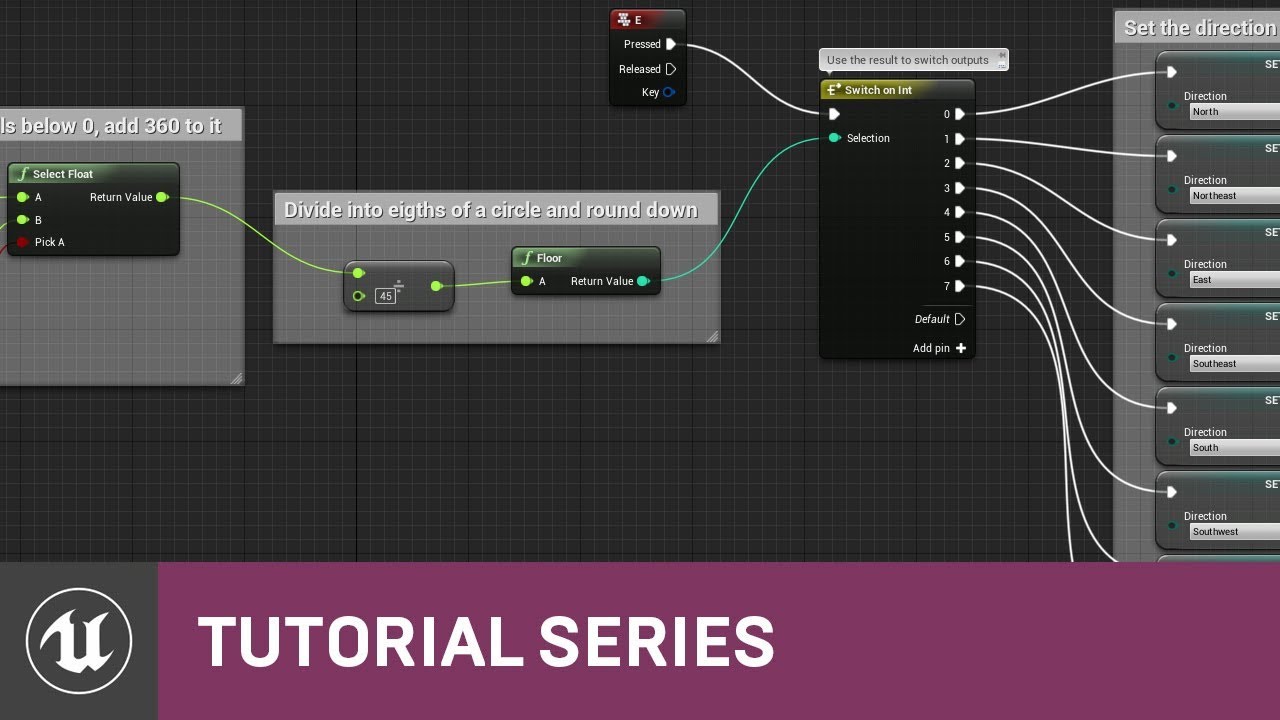
Blueprints execute from left to right, right? Well, mostly. But sometimes they have to execute in interesting ways that may not be obvious at first. In this ...
You don't need to use a while loop for what you are trying to do
light thunder
they are better than watching nothing
sharp crest
well there is that guy I dont remember the name he does great tutorials
light thunder
but yes, I highly recommend you take a Unreal course like on udemy or skillshare or whatever
You don't need a while loop from what I know of your issue
You want to get the time since the level loaded right?
maiden swift
What exactly are you trying to accomplish?
light thunder
I understand that but take it from someone who used to get yelled at when I first started, you need to be patient enough to take a course at least, it's very tempting to just keep on building what you are working on because you "just need to figure out one more thing..." but you will honestly save yourself so much time
Okay, I got it
Okay, so what are you doing with your level loaded time again?
tell me what you want to do in plain english
as in, "I want the guy to blow up when I shoot him" type of english
or "how do I move this object to a spot in the mouth"
maiden swift
Why do you want to compare game time against a float?
light thunder
Yes, thank you @maiden swift
maiden swift
What's the goal, speaking non-technically?
light thunder
You need to essentially "pseudocode"
I want to spawn a monster when they have been on the map for 5 minutes
ohhhh
maiden swift
OK, so you're trying to make a time limit.
light thunder
event set timer by handle I think
sharp crest
light thunder
This guy does some decent stuff - set time limit unreal engine

This is episode 12 of my Unreal Engine 4 Blueprint Creations Series, In today's video we look at how we can create a count down timer complete with a game ov...
Follow what he does and just compare that timer and have a boolean that when it equals zero, fire your event
scarlet birch
For something like that set the gametime at the event start to a float and use that to compare
light thunder
You don't need a while loop
visual belfry
@autumn crystal no, that'll loop infinitely
sharp crest

visual belfry
🤷 ok.
maiden swift
That's not how a while loop works.
light thunder
dude, listen to me, this guy LITERALLY says "set a timer and end the game" https://youtu.be/x98nZ64NAUQ?t=124
This is episode 12 of my Unreal Engine 4 Blueprint Creations Series, In today's video we look at how we can create a count down timer complete with a game ov...
visual belfry
and then unreal will never progress from that frame because it's looping infinitely
scarlet birch
This must be the week of threadlocking with while loops
maiden swift
A while loop is the wrong approach for creating a time limit. I recommend creating a timer that runs an event which checks if game time matches your time limit, and when it does, clear/invalidate the timer then execute the end-game logic.
 rancid jay
Lol
light thunder
if you click that button it is the FIRST thing he says
sharp crest
I doubt that will actually be everything
vivid narwhal
This was funny watching people try to help and fail one at a time now it's just sad
mossy nymph
the loops are executed synchronously - it means that no code can execute until the loop completes
sharp crest
there are like 10 people around this I can't even 😂
light thunder
we can do this guys! don't give up
visual belfry
every 5 minutes this goes on, someone new will join in
sharp crest
scarlet birch
I'm not convinced finding help is his goal
rancid jay
Watching
rancid jay
Yeah
light thunder
@autumn crystal I know you might feel we are giving you a hard time, but I think what your difficulty is, is you have trouble figuring out the correct "thing" to search for in your problem
If you don't know what to search for, you aren't going to be able to find the answer
maiden swift
^That's why it helps to describe the problem abstractly.
light thunder
- State what you want in plain english
maiden swift
As if you're speaking to someone who doesn't use Unreal.
light thunder
- Ask what game mechanism/blueprint/code deals with that solution
3 THEN you finally go technical and look for the solution
rancid jay
I am guessing the game never ends even is over the timer. Thats why he wants loop
scarlet birch
Guaranteed infinite loop.
dim plover
You can do timers on loop.
maiden swift
@autumn crystal If I understand you correctly, you don't need to do this on Tick.
mossy nymph
@autumn crystal as soon as a while loop executes once, it immediately checks the condition, and if true, executes again, then checks the condition again....
and so on, forever
sharp crest
mossy nymph
or until the condition is false
rancid jay
Exactly what zlo said.
vivid narwhal
the condition never goes false because the loop maxes out before that happens
maiden swift
Right. While loops execute on every frame until the condition is false.
visual belfry
are you sure that's the wording you want pfist 🤔
maiden swift
@autumn crystal But you don't need to check the game time on every frame. In fact I recommend against it.
visual belfry
garbo beans make great hummus
dim plover
Basically, GetGameTimeInSeconds will never increment.
maiden swift
@autumn crystal You're trying to make a time limit for your rhythm game, correct?
mossy nymph
you should probably use SetTimerByEvent node, set it to looping with some sane time interval 1-30 seconds, depending on the rythm
maiden swift
When the time limit ends, you want your game to end? "Time's up!"
mossy nymph
and in event handling it check if time is expired, if it is, run code to wrap up, if its not do w/e you wanted in that sequence
dim plover
Also, just sayin', this is not at all a BP issue.
visual belfry
hooray, what is it?
maiden swift
🤔
dim plover
That works, but the repeating timer is more ... better.
maiden swift
A timer is more efficient indeed, and easier to manipulate later.
vivid narwhal
I mean it's functional but I hate running all of that off tick
dim plover
Also, I think you need to call the Parent Tick too.
mossy nymph
and if you try spawning anything on Tick, your game will just... break after short while
vivid narwhal
I'd like to say get into the habit of writing cleaner blueprints but hey if it works who I am to judge * shrug *
sharp crest
Everyone finally gave up
vivid narwhal
lol