#ue4-general
1 messages · Page 579 of 1
 silk finch
but look this part of mensage: MyProject3.uproject requires a temporary target.cs to be generated (HDRIBackdrop plugin is enabled)
 grim ore
yep if you look mine says that as well
but then my build starts and yours does not, your build is failing
silk finch
yep
grim ore
another thing to test is if you can actually create and build a normal C++ project, like the third person template
but I would try the folder first to see if that is the issue
silk finch
i will try now
 sharp crest
Sooo I have light coming from underneath the landscape during night in my daynight cycle. Any idea how to fix this?
 pulsar kraken
can anyone send me some metal texture assets?
grim ore
turn off the light when it is below the ground
sharp crest
ye I'm doing that now but still weird lol @grim ore
@pulsar kraken there is the marketplace and quixel, this chat is not an asset by request channel 
pulsar kraken
thanks appreciate the support from such a great member 😉
pulsar kraken
yeah that wasn't the question though but its fine
no reason for a discord to talk and ask questions if you can just google anything. Kind of like stack overflow 😉
sharp crest
it's not a question tho u r literally asking someone to go to google and google it for u
it's not like someone will just randomly give u metal textures he made
pulsar kraken
no im really not. I was asking for a metal asset anyone has made. The ones on the internet are crap. Why use one on google thats crap when you have talented artists in this discord wanting their work showed?
sharp crest
lol
if u rly cant find a good metal texture then you clearly dont know how to search
thats the most generic texture ever
when you have talented artists in this discord wanting their work showed?
no, artists want payment for their work, not to give it away for free for a random guy in chat
 vivid narwhal
don't see why you can't just use quixel it's right there
sharp crest
^
pulsar kraken
nope don't know how to search bud.. guess you got me figured out. ha. Also not always I give my work away all the time.
grim ore
there are free metal textures on the marketplace
sharp crest
I give my work away all the time.
not something u should be proud of
when u make good work u should expect to get paid
grim ore
there are also plenty of epic supplied ones in their content packs and learn examples and sample projects like infiltrator
pulsar kraken
I get paid enough as is 😉
sharp crest
and 1000 texture websites with metal textures
pulsar kraken
all good thanks.
sharp crest
that sounds very hypocrite 
if you truly make a lot of money
u will know that making more is always good
do u see elon musk giving teslas for the price of production?
vivid narwhal
if you truly make a lot of money then you can afford to buy some damn premium materials lol
pulsar kraken
nope he sends them to space 😉
 dim plover
Pretty sure Tesla loses like $20k per car sold.
sharp crest
@dim plover It's still a company that aims to make profit
so my point still stands
vivid narwhal
You could invest in good asset packs for your game. That's called business.
sharp crest

pulsar kraken
Every good business man can social engineer to a certain point @vivid narwhal ... then you must make those business decisions.
dim plover
Is there a way to change the email associated with an Epic account?
Need to change my UE4 account to another one, but I don't really want to make an entirely new account.
pulsar kraken
I have to graphics artists and an animations artist.. They can figure it out ;D Ill focus on other things.
vivid narwhal
I don't believe you have any of those things
pulsar kraken
@dim plover manage account settings
sharp crest
I think they added email changing in the settings
it was tied to support contact with 10 months wait time for a while
whats this
pulsar kraken
Guess you caught me @vivid narwhal 😉
sharp crest
o proof u have a team
lol
we dont rly care and u shouldnt care proving anyone anything either
pulsar kraken
Ah its fun though
sharp crest
not rly
pulsar kraken
For me.. not for you
sharp crest
guess you are right
vivid narwhal
I feel sorry for anyone on your team
pulsar kraken
anyways appreciate your help guys. got work to do.
 pulsar kraken
says someone with no experience 😉
sharp crest
says with no knowledge of the person
vivid narwhal
I mean, I also have a team and a job teaching game dev but didn't you say you've got work to do? shoo
 pulsar kraken
Got my own schedule bud. I can afford to make you feel dumb
sharp crest
but that rly only made u look dumb cuz u assumed something without knowing
it wasnt even insulting
pulsar kraken
Sure
sharp crest
lol
pulsar kraken
Its fine
sharp crest
ye it is
vivid narwhal
"Today at 1:40 AM
anyways appreciate your help guys. got work to do."
Literally said you got work to do now you're saying "got my own schedule".
sharp crest
lol
vivid narwhal
and flexing about imaginary wealth again lmao
sharp crest

pulsar kraken
I remember my first time trolling. Brings back memories watching you kids but your good entertainment.
vivid narwhal
yawn ok boomer
sharp crest

 vivid narwhal
lmao I'd love to hear your thought process on that one
pulsar kraken
You wouldn't keep up.
sharp crest

 abstract relic
what is this dumpster fire?
vivid narwhal
discord at 2am apparently
pulsar kraken
After dark edition
sharp crest
4am*
 normal burrow
8pm*
abstract relic
international community time
normal burrow
zulu
sharp crest
@abstract relic wow blocked rip why 
abstract relic
inverse international community time Pat
sharp crest
 I should really stop repeating this mistake
normal burrow
1.0/deltaSeconds
 manic pawn
I wonder what a normal_brain emoji would look like
normal burrow
 🧠
🧠


 manic pawn




sharp crest
lol
normal burrow











manic pawn
oh this isn't lounge
normal burrow
or is it?
abstract relic
moderators aren't around, have fun
normal burrow
they all jamming
vivid narwhal
bit of a long shot but has anyone played around with the Over 9000 swords asset pack?
normal burrow
btw zeb, pfist was wondering about a build number incrementing automatically
manic pawn
huh
normal burrow
know of some thing like this?
manic pawn
nope
I made a thing in my Target.cs file that copies the perforce changelist number to a define in a generated header file every time it builds
normal burrow
can you put an event in on build.cs for when cl.exe runs? Was thinking if cl.exe needs to run, that might be the right time to auto increment some int in a text file.
manic pawn
hmm you could use a pre build action
normal burrow
hmmm, that doesn't trigger a build?
manic pawn
they are executed whenever ubt thinks something needs building
it's kinda 
because that means you can't use a pre build action to cause things to build
normal burrow
@maiden swift 
assume you couldn't define a new preprocessor for the int without triggering a mass rebuild of the module no?
would have to imply the cpp const decl of it to build too
manic pawn
that's why I came up with the idea of writing a header file instead of using a define
 maiden swift
Well uh, my game is Blueprint only. 😅
normal burrow
 you did not mention this lol
maiden swift
Sorry, I thought I did.
manic pawn
like everything else in unreal, there are probably 25 ways to do this and all of them are wrong
abstract relic
blasphemy!
normal burrow
probably something with packaging callbacks or something idk.
manic pawn
well to display it ingame you also need a way to retrieve the number from bp
normal burrow
you could use an editor utility blueprint to package, and have that do the int magic?
dim plover
Are there packaging callbacks?
manic pawn
I don't think editor bps can trigger packaging?
maiden swift
@manic pawn Indeed. I was complaining earlier about not having BP access to the data in Project Settings, i.e. project version, description, etc.
Would be so handy.
normal burrow
i bet they might zeb, but i don't know either, but theres a good chunk of editor things exposed to ufunction for python
manic pawn
manually run uat from python to package
maiden swift
Of course then you'd need to define what triggered major, minor, and patch builds. That sounds pretty messy.
Honestly starting to sound more and more like I should just continue doing it manually.
Wait, no you wouldn't. If it was a plugin, you could just add major/minor/patch Package Build buttons to whatever custom menu. 🤔
manic pawn
nahh, you gotta spend the next 8 hours building some unnecessary elaborate solution for updating this number that would've otherwise taken 30 minutes for life
maiden swift
lmao right?
normal burrow
yea i mean, using jenkins or someting to write to a text file the last commit or something and have packaging read said text file and put it to dt or something.. lots of infrastructure to get this change in automatic lol
but automated builds are cool
manic pawn
especially if you spend more time writing the build script than it would have taken to build manually every time
normal burrow
can be worth not-typos though
dim plover
Can't you just read the ProjectVersion in the logs?
manic pawn
he wants to display a number in main menu tho
dim plover
Yeah, just read the Project.log and parse for ProjectVersion in the main menu stuff.
normal burrow
lol 😂 could just get rid of the number in the main menu.
one could exploit localization too.
manic pawn
play in english and you get version 1, change to french for upgrade to 2
normal burrow
lol
 river magnet
abstract relic
river magnet
abstract relic
You'll only find friends in #looking-for-talent
 plush yew
Is there a way to take a audio file and a model with facial blendshapes and lip sync it?
 heady river
So, is Volvo having an event???
Press conference?
Stream on Twitch?
Events app on SteamVR?
Bigscreen?
plush yew
Is there a way to lipsync a mixamo model with facial rig to audio?
 grave osprey
Do unreal engine 5 will exist ?
plush yew
Bad grammar
heady river
Officer TimmyC Grammarly on duty!!!!
😉
@grave osprey What difference does it make, so long as they keep releasing incremental updates?
4.1, 4.2, 4.25, 4.256, etc?
 tulip helm
Is there any reason why Datasmith wouldn't/shouldn't work with Blender?
Seeing as UE4 donated an ishtload to Blender Foundation, I wouldve thought there'd be movement on that front. But...
 vague sable
is there a shortcut similar to End which moves an object to be flat against the object opposite of it and the camera? so if I want to stick something to a wall perfectly
 shell kettle
How could I play a footstep sound located at the player's feet? Right now I'm just using the character location
 scarlet birch
Is there a way to completely disable mipmaps? or can someone tell me what to use and which config file to add it to , to set the default to be no mipmaps for a texture? or to manually set the distance at which all mipmaps are LOD0 in the configs?
 swift spindle
you can set no streaming
 neat forge
I have been struggling all day to fix this, Im setting up recoil on a gun and after the player is done shooting I want the gun to subtract the recoil values from the players new pitch, but I also want it to take into consideration for whether or not the players pitched has changed - in order to prevent the camera from jolting way down if they were trying to control the recoil, since it would subtract the added recoil. I have it get the players pitch before recoil begins, and then get it afterwards. But the problem is, I cant compare them with < or > since 0 is looking straight, how should I go about this?
tulip helm
@shell kettle You can get the position of the animation notify. Just pass that location into the PlaySoundAtLocation
shell kettle
Oh awesome. How would the notify know the position though if I haven't set it? I just added the notify to the default walk and run animations
tulip helm
Hold on a bit. I have to check.
shell kettle
Alright sounds good. Thank you for helping!
plush yew
Is it me or does the blueprint nodes look different?
 opaque swallow
@shell kettle Would creating an component on your player controllers foot work like this?
shell kettle
That might work. I'm wondering if I could use the skeleton foot bone
abstract relic
you set it in your animation sequence, don't bother with bp
shell kettle
I'm not sure I understand how to do that. Am I missing anything?
abstract relic
scrub to your desired keyframe > right click on Notifies > add Notify > play sound
opaque swallow
I think they want the origination of the sound to occur at his players foot.
shell kettle
I set it up in BPs to change the sound based on material type. Also I don't think the sound would play at the player's foot
abstract relic
you can enable it to follow owner. It should be disabled by default though
opaque swallow
that is really cool, did not know that.
shell kettle
Oh snap so I can attach a bone
abstract relic
yep
scarlet birch
get socket location > bone name, but 99% of the time character location is more than sufficient
shell kettle
Thank you this really helps. Now I just need to figure out how to change that sound based on the physics material I'm standing over
abstract relic
that's the spooky part 😛
shell kettle
I may or may not be back with questions on that 😅
scarlet birch
Trace down, get physics material ,
 flat cloak
Hello everyone, not sure where should this go but I'm having this error when I'm trying to play a new level I created
scarlet birch
set a switch on int, or enum
abstract relic
I could of sworn there was a file type for that Axion. Let me check
shell kettle
Oh wait is the "Follow" bone thing also on notifs that I make? If so then I have no questions
abstract relic
Going off memory, yes
shell kettle
The problem is I'm using the Play Sound notify which doesn't give me access to change the sound file in BPs
abstract relic
Yeah, look into sound class and sound mix
That's about all I know. Too spooky for me. 😛 But I'm sure the lovely folks in #audio could give you better pointers
normal burrow
would see what the audio folks say axion but blueprint notify -> sound play may be needed if you need to check the ground surface. wouldn't be surprised if there is some specific approach to foot steps i don't know of though
shell kettle
I saw a tutorial that was checking material with line traces and playing the sound at the location of the hit which is pretty clever. I wanted more accuracy though :D I'll definitely check out what the audio folks say!
normal burrow
avoid that
if your using a Character actor, the movement component should hold the ground trace from the actual sweep of the player's capsule
just read the surface type off that hitinfo stored there
traces for that info with animation pile up quickly.
shell kettle
Yeah I'm using a Character Actor. Is there documentation on the ground trace somewhere?
scarlet birch
Nah, those are not a big deal. You can store the material from the capsule hit event, or do a trace when the notify event happens and use the material to decide which sound to play.
shell kettle
I like efficient :D
scarlet birch
for most uses a trace from character position down , or from the foot socket down is sufficient.
normal burrow
@shell kettle
scarlet birch
Traces are dirt cheap, using one for a footstep notify is insignificant.
shell kettle
Yeah I'd much rather use what's already supplied to us if it's there. @normal burrow Thank you, I'll be sure to use that!!
abstract relic
 normal burrow
3k traces per tick and about nothing else.
scarlet birch
Worrying about the overhead of using a trace to get the ground material is not needed.
shell kettle
I think it also depends on the line trace magnitude
normal burrow
it can axion, but a trace/sweep should be not ever be used in excess to avoid lookup of an already existing variable.
shell kettle
Exactly, I totally agree with you
normal burrow
think of the players without the cpu you might have lol
scarlet birch
The thing is, if he is worried about being so precise that the sound has to be at the location of the foot, then the sound will be wrong if the foot is over a different material than the spot the capsule hit occurs.
shell kettle
I want to show my superiority by using several line traces and lagging other people's computers
tulip helm
@p@t If one's straddling 2 different mats, problem with getting the material from capsule hit events is that you'd have to do extra work to distinguish which foot hit which material , no?
If that holds, seems simpler to just do a line trace on each footstep anim notify.
scarlet birch
So, it will always play the wrong sound when he moves from one material to the next for at least one step
normal burrow
foot sound precision v. degraded performance when lots of feet hit the ground
manic pawn
it seems unlikely that there would be tons of footsteps in the exact same frame for no reason
shell kettle
I can just use the capsule hit for the ground material and then determine the location to play the sound
manic pawn
on average... will have <1 total from all players
normal burrow
the capsule is what makes contact with the ground, and if its ice or something that makes you slip, you'd probably want ice foot steps even if your over a little snow
 lapis vine
Wanna see spider with 8 traces for legs.
shell kettle
Oh god
abstract relic
how about a millipede
manic pawn
they would still be distributed across multiple frames
spiders don't move 8 legs at the same time
 sturdy schooner
protip: bicycle-shedding questions like 'how should footsteps be implemented?' prevents you from shipping your game
lapis vine
(lost in thoughts)
shell kettle
Yeah the capsule makes contact with the ground and has a ground material enum I can read (I'm guessing). Then get the player feet and alternate sound play location with a flip flop
manic pawn
3k traces per tick is of course bullshit, but worrying about one for footsteps doesn't seem to useful either
sturdy schooner
aka ship your game then come back to the dumb arguments on traces lol
abstract relic
for all those would be spider animators. Enjoy https://www.youtube.com/watch?v=FfOrLNXIN-8
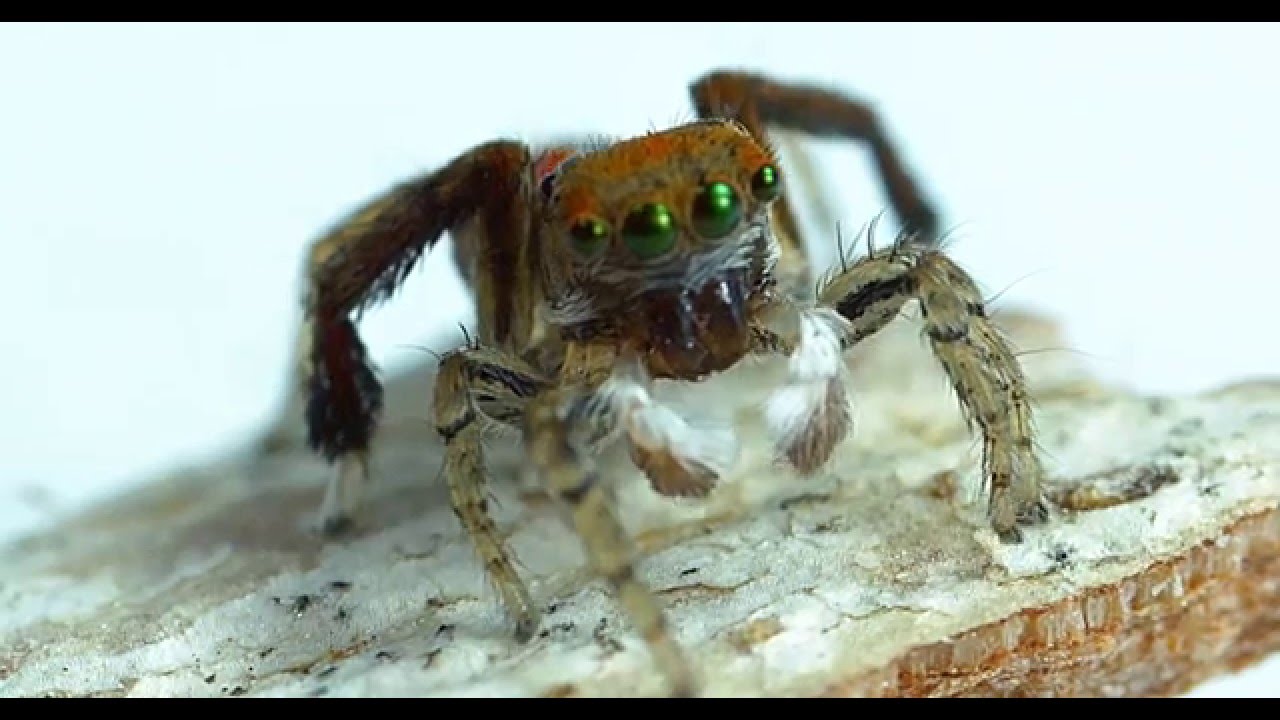
Welcome to the invisible world of jumping spiders. These little guys put on an energetic show for us all in the blink of an eye. Luckily we were able to film...
dim plover
I thought IK foot stuff involves a linetrace per foot at frequent intervals (tick).
normal burrow
did we upset you tundra lol
lapis vine
They should put that in tutz
sturdy schooner
its just that reading this is painful
shell kettle
Thanks now I won't sleep
manic pawn
like think about it, your game runs at 60+ fps, you generally don't hear "drrrrt", the average number of footsteps per frame is much less than 1
normal burrow
put off footsteps forever then?
shell kettle
That's the first thing I'm trying to implement 😂
sturdy schooner
when in comes to gamedev, there are higher priority things to be thinking about 😉
manic pawn
is the current floor even set for remote clients? 
shell kettle
Single player game so no remote clients
lapis vine
This can be computed tho. When you walk you have certain delays between the footsteps.
normal burrow
i've no idea zeb
swift spindle
once you know how to do more useful things... footstep sounds will be easy 😛
shell kettle
I once tried making a physics based door with physics handles... never trying that again
sturdy schooner
wait wait wait. if were now hacking in ghetto spatialization, can we trace from the foot to the ground, then to all nearby clients, getting the distance from them, then remote rcp'ing events out to each of them with custom 'play sound' delays on each? realism.
manic pawn
much more interesting than the trace is deciding which sound to play based on ground material, type of shoes, equipped items, environment, etc
lapis vine
I see now. Spider with different shoes.
shell kettle
I'm playing different sounds for different parts of the shoe touching the ground. Get on my level
abstract relic
look at this mess Axion 😛
normal burrow
yea axion, you've broke the channel with your desire of audible feet
shell kettle
Us audible feet lovers must rise up
abstract relic
make your character out of line traces just to spite everyone
sturdy schooner
@vernal compass, you need to create a volume bp which holds a specific air density var that level designers can place throughout the map to make the footstep sound switch squeakiness levels on the sneakers
manic pawn
clearly we should level up and fully simulate the vibrations in the air
dim plover
Just got ahead and simulate the entire universe.
normal burrow
mike isn't wrong though, if your game does need the traces it needs it.
shell kettle
rewriting the physics engine right now
scarlet birch
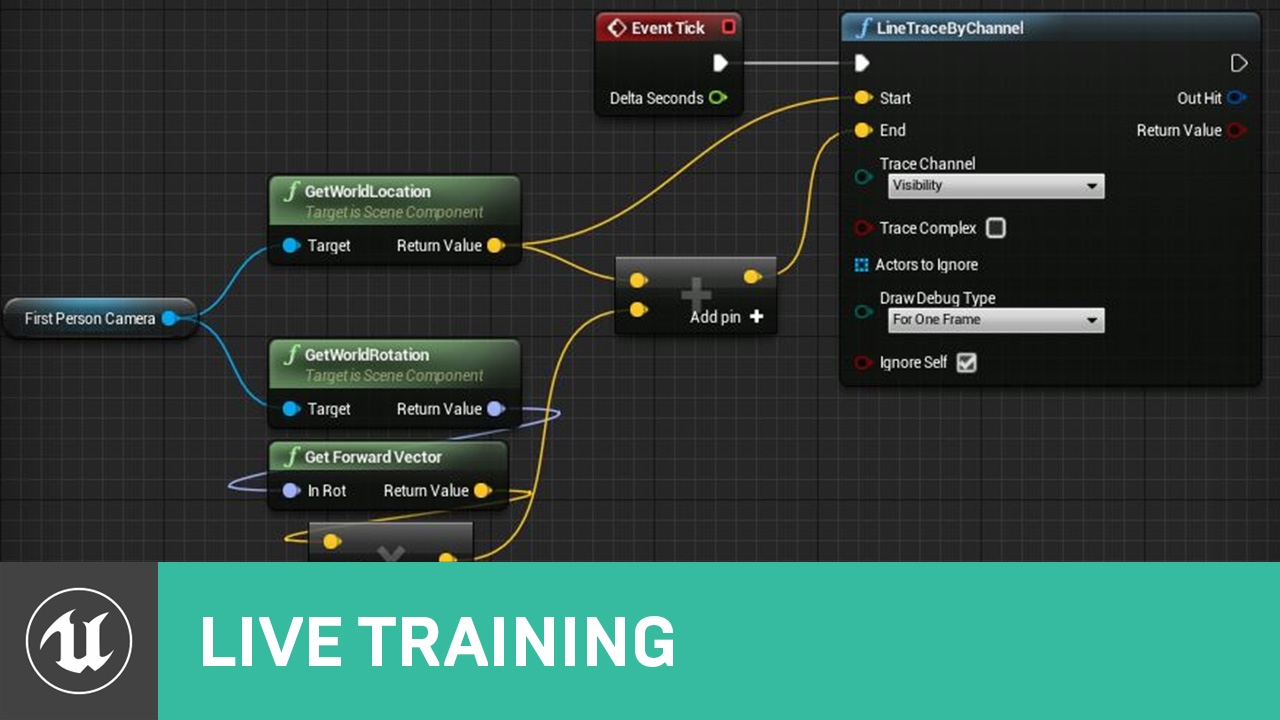
Announce Post: https://forums.unrealengine.com/showthread.php?131642 Ian and Alexander cover a number of ways available in Unreal Engine 4 to trace/ray cast....
normal burrow
but traces aren't cheap
abstract relic
make the world out of sound
normal burrow
i want to tap dance
shell kettle
I might just use the capsule hit event and alternate offset position with a flip flop. Close enough
lapis vine
UE gat new audio engine, time to use it
scarlet birch
Wasting even a moment worrying about the overhead of a trace is too long.
shell kettle
Challenge accepted: use no traces
manic pawn
executing that blueprint function has more overhead than the actual trace
normal burrow
traces are actually a thing thats very easy to check overhead on mike, and there is overhead in them
normal burrow
while your playing axion turn on collision analyzer record
sturdy schooner
for real though, every studio ive worked at didnt even expose traces to script because designers werent trusted to use them sparingly, because the perf impact
normal burrow
it times every trace
shell kettle
Oh awesome
normal burrow
anything that deserves analysis tools, not cheap
manic pawn
it depends on the complexity of the trace
manic pawn
a convex sweep across the map is thousands of times slower than a short line trace to the floor
normal burrow
it also depends on the complexity of the area
saying short traces make smaller overhead isnt true if you've got tons of things in the same small area
shell kettle
I think people's thoughts on impact of line traces is all over the place online. Someone should just dig deep and compare methods to truly find out if it's not efficient.
normal burrow
if you do a long trace into nothing its not gonna have as much overhead as something short surrounded by things
shell kettle
Is a line trace just an interpolation of points from one point to another and then checking to see if there is an object at that point?
swift spindle
you can even move to cheaper tracing when your not looking at your feet for instance
and you don't need to trace every frame
normal burrow
its more complicated axion
manic pawn
hmm
it would be interesting to compare the performance of physx3 line traces to physx4 ones
normal burrow
agreed
Wolf you could try #gameplay-ai but.. beyond putting a random int on the blackboard or something idk
manic pawn
but that would mean having to make a build with the old version again
normal burrow
spiders jump really far lol
manic pawn
delete all living things with more than 4 legs
dim plover
Centipedes > millipedes
dim plover
I only barely understood what you just said.
manic pawn
good thing that hellscape is on an island
dim plover
The scariest thing in Australia is actually not any animal, it is the Gympie Gympie.
https://en.wikipedia.org/wiki/Dendrocnide_moroides
manic pawn
fruit is edible to humans if the stinging hairs that cover it are removed ........of course someone has tried eating the stuff
I wonder how they found out that the hairs aren't edible
swift spindle
oh you understood me... you just did not want to...
manic pawn
The recommended treatment for skin exposed to the hairs is to apply diluted hydrochloric acid perfect. your skin can't hurt when it's removed.
swift spindle
fine.. 18cm... better ?
dim plover
The Collision Analyzer is a pretty cool tool. Weird how there's pretty much no results for it on Google/no one even mentions it.
normal burrow
It’s valuable for finding what the traces look like heh
dim plover
What does it mean if Owner is None?
https://i.imgur.com/fuvGC75.png
 swift spindle
means it gets processed with no owner... the owner basically is like a group that the system can organise as one
knows when to stop working with it.. or reduce quality or whatever
normal burrow
Floss it means you didn’t supply an owner in the query
normal burrow
Well
If you use sweep on movement it would give that an owner too
Depends on what ultimately calls one of the UWorld functions
dim plover
Hmm, alright. Thanks. I'll look into this later gtg -- I think I didn't specify an owner or something on those components (I assume those Owner Nones are components).
normal burrow
It’s the query arg iirc, don’t really need to specify an owner, can’t remember the benefits beyond optionally being able to ignore the owner
dim plover
Oh, it uses the WorldContextObject as the Owner. That seems pretty... not right.
normal burrow
WorldContextObject is just any object in context to the world iirc
Anything that doesn’t return null on GetWorld (usually self in blueprints)
dim plover
if (bIgnoreSelf)
    {
        AActor* IgnoreActor = Cast<AActor>(WorldContextObject);
        if (IgnoreActor)
        {
            Params.AddIgnoredActor(IgnoreActor);
        }
They're using it like this, though. Just wasn't clear to me that it wasn't just some proxy to get the world.
 sonic pagoda
do game instances persist differently in 4.23 than they did in previous engine versions?
normal burrow
Afaik no
normal burrow
They exist when you hit the play button I think
sonic pagoda
yeah thats how i always understood
have this sound that doesnt persist
but its fine no time to figure it out, just implement another idea
cheers Pat 
sturdy schooner
anybody know how to, when launching the game with multiple clients (in a single progress), stagger their launches? i keep running into this issue where both clients connect at the exact same frame (which gives them the same names, IDs, etc and breaks my logic)
my workaround right now is to literally dirty a bunch of assets, hit Save All, then launch PIE while everythings still saving so that the client launches and connections are delayed by my computer trying to save everything at the same time lol
abstract relic
Completely talking out of my arse. Why not set the clients to a dummy and then initial a switch after assigning them to a queue
sturdy schooner
what do you mean?
abstract relic
Have a dummy class > create an update queue > assign all existing dummy class to desired instanced player class
normal burrow
Spectatorish yea?
normal burrow
In general it’s good to have to not immediately throw someone in based on their connecting, dummy client is good idea
dim plover
Alright, figured part of my problems.
UKismetSystemLibrary::LineTraceSingleForObjects The Kismet wrapped traces don't pass in the OwnerTag for the linetrace, thus Owner None.
Good to keep in mind that if you have IgnoreSelf = true, the WorldContextObject must be the "self" -- I usually just passed in GetWorld() which in this case wouldn't work.
I haven't figured out why my components have Owner None yet, though.
 stiff spoke
Do you know why when my character is in animated offered, it's feet are under the ground
?
 hoary marsh
Hi, does anyone know when the Quixel Library will be accessible? I've read a few posts but they often tell different stories ^^ thanks in advance
 mint sequoia
Hmm remove from parent doesn't null widgets 🤔
Quite odd how they destruct and keep a valid pointer
hoary marsh
Ah ok thanks, you just have to log in via epic games, didn't see that option thanks
 honest vale
👍
 tropic snow
when i install UnrealEnginePython (through quixel bridge) , unreal engine doesn't launch , it stucks at 73.I deleted unrealenginepython and it worked without any problem.Why i can't install this plugin ? I tried so many solve way but didn't work.
honest vale
are you sure it's not just compiling something?
tropic snow
i am sure i watched over 5 videos for this and tried.
normal burrow
It’s a problem with the python and deps they pack with it.
Doesn’t seem to work for everyone
It’s pretty complicated to fix.
You have to delete python.exe out of the bin/win64 folder inside plugins/unrealenginepython, install python 3.6 (I think?) AND add to PATH then run
pip install clipboard pyrper PySide2
If you can find what version they pack that’s the version you want. I’m sleeping but will look it up later
tropic snow
thank you
normal burrow
Spent yesterday looking into the same issue. Got it working on python 3.8 without ui (the button, which ain’t required)
 somber crown
I have installed VS2019 and get an error from UE 4.23 saying 14.22 toolset is not supported and has errors, what do I need to install to make VS2019 work with it?
 drowsy kite
 cloud cobalt
Please don't ask the question on every channel
 brave salmon
welp the main reason I came to 4.23 doesn't work 😄
normal burrow
https://docs.unrealengine.com/en-US/Engine/Performance/UnrealInsights/index.html read. You need launch args on your packaged build
The Unreal Insights system for performance profiling
brave salmon
is it for build only?!?!?!?
I swear I remember them talking about editor on stream
#if !IS_PROGRAM && !UE_BUILD_SHIPPING && (PLATFORM_WINDOWS || PLATFORM_PS4 || PLATFORM_XBOXONE)
#define LOGTRACE_ENABLED 1
seems NOT meant to work in shipping for me
normal burrow
Could try the args on editor, packaged build != shipping
cloud cobalt
packaged != shipping
You can't profile anything in shipping ever
Nor can you meaningfully profile in editor
cloud cobalt
Uh ?
brave salmon
imagine bulding the project 100 times a day
meaningfully profile doesn't mean you can't profile editor tho
normal burrow
Packaging dev builds is quick
cloud cobalt
60GB projects should still package rather quickly after the first time if nothing changed
cloud cobalt
To answer your question, the point of the packaging tool is to precompile shaders on every supported platform, trim unused assets, and generally speaking have the game work without a 10GB editor
brave salmon
I know what's the packaging is
I don't use profilers for graphics
whatever
I guees we going to revert to 4.22
thanks !
always being helpfull here @cloud cobalt
cloud cobalt
You can always profile your title in editor build in game mode and accept that it runs slower than the actual game, with large differences in performance to some methods
brave salmon
yeah but not Insights apparently
cloud cobalt
Apparently not
normal burrow
You sure? I’ve never tried booting editor with the 3 args
brave salmon
do I need to specify args to enable this profiler?
cloud cobalt
Did you read the doc ?
brave salmon
yes 😄
there are customizing args and net related
On

Engine/Source/Runtime/TraceLog/Public/Trace/Private/Trace.h

Master control for the entire system

LOGTRACE_ENABLED

On

Engine/Source/Runtime/Core/Public/Logging/LogTrace.h

Controls whether log messages are reported to Unreal Insights

MISCTRACE_ENABLED

On

Engine/Source/Runtime/Core/Public/ProfilingDebugging/MiscTrace.h

Controls tracing for bookmarks, frames, threads, and thread groups

CPUPROFILERTRACE_ENABLED

On

Engine/Source/Runtime/Core/Public/ProfilingDebugging/CpuProfilerTrace.h

Controls tracing for CPU timers and timing events

LOADTIMEPROFILERTRACE_ENABLED

On

Engine/Source/Runtime/CoreUObject/Public/Serialization/LoadTimeTrace.h

Controls tracing for events related to load Assets```some stuff should work by default
brave salmon
The following UE4 command-line options, combined with some of the macros above, enable additional trace data.
-tracehost is obvious
also I don't need Android
so
there is no any other commands or args on that page
additional doesn't count 😄
normal burrow
cloud cobalt
^
normal burrow
From the page
brave salmon
I'll try
oh shit
It broke everything :)
PC crashed
But i saw some info
So i could tell it works. Thanks guys
normal burrow
Thing spits out so much data idk if it’ll be usable in editor but good luck heh
 drifting sphinx
I know pixel perfection is always a hassle in 3D engines but i still have hopes. Any hint on those artefacts ? Sometimes it's black lines (padding might solve it) but here i'm lost. Camera is at 0, ortho is at power of 2, textures at nearest neighbor
cloud cobalt
What does the texture look like ?
You probably should make sure you're displaying it 1:1, too.
drifting sphinx
Google Drive is a free way to keep your files backed up and easy to reach from any phone, tablet, or computer. Start with 15GB of Google storage – free.
@cloud cobalt at 1:1, what ? the camera ?
cloud cobalt
The texture should be displayed on screen exactly at the size it is stored, if you want pixel-perfect.
drifting sphinx
agreed but how do i do that
cloud cobalt
Well, you need to control the camera based on screen resolution
drifting sphinx
but it could actually be displayed as power of 2 anyway, but not sure even how do i display at 1:1
cloud cobalt
Basically pixel perfect is about displaying the texture as-is.
No scaling, no rotation, integer translations
drifting sphinx
i understand but i do not scale or rotate anything and position is floored
cloud cobalt
If your screen is 1920x1080, your background needs to be exactly that
Well, you do scale
If you have a moving camera
drifting sphinx
it does not move atm for that very reason i don't want to complicate things for debugging
cloud cobalt
You still need to ensure that the texture is displayed exactly at the size you authored it
drifting sphinx
ok but how
 rapid lion
i am reworking my game and deciding to use Behavior Trees, its my first time 😄 wish me luck!
plush yew
Where to warn people of scammer developers? A friend has worked a contract for 4 months adn teh contractor hasn't payed even a tenth of what had been agreed
The contractor is using ue4 so I thought it be fitting to warn people on this server
 fierce tulip
problem is, even with proof it'll turn into a he said, she said kinda thing
and since this is an unofficial channel, and we cant do anything about what happens outside of this discord..
we cant do much
its why you make proper contracts
plush yew
Yeah I know that but people should still be warned if someone says they won't pay you because tehy wanmted to pay artists instead, so they don't go into contracts with the guy; My firend has sveral screenshots of their conversations I'll ask him to share them if needed
But I agree with you on the point of making proper contracts
I just feel bad for my friend 😦
fierce tulip
yup, never a good thing :/
plush yew
On a side note; live coding feature, is that any differnt from hot reload, and in what way is it different?
drifting sphinx
@cloud cobalt got it working by setting the ortho to window width 👌🏾
rapid lion
is that mean the ai will stop moving for 5+ sec?
 cedar snow
the behaviour tree will stop at that node for 5 seconds +- a random value out of 3
 junior solstice
how to make my own character move like a tps character , 3 animation is enough
 stray smelt
Is it possible to set particle system at a specific time, like with animations? in-editor
 crimson lake
Yep, It should go under lifespan,
 buoyant robin
should be a move tool in landscape sculpt mode ....
 runic iron
@stray smelt Use an animation notify
 lofty pike
Hey guys
 crude vessel
I haven't tried to mess with this in specific yet, but is it true that the wind stuff in UE4 is only for speedtree?
stray smelt
does automation screenshots save somewhere else? calling Take Automation Screenshot at Camera but not getting any file
usually it's project\Saved\Screenshots\Windows
rapid lion
i have a problem with ai patrolling
its not really following the path
it just went to the middle for some reason
plush yew
hey how do i stabilize the "fill" , because with this setup it has to be like 1000000 for it to be fully masked
and only 5 for half masked
im doing simple health bar
honest vale
I'd say that's the wrong way to do it
find some other way to do it instead of using power there
 boreal topaz
Good Morning. I have this blueprint that allows me to pickup an object and bring it into a closer view for inspection. Works great! But if I click the object real fast then unclick the physics will fling it across the room. is there a way to avoid that?
rapid lion
https://www.youtube.com/watch?v=7Xp9RNd33NE&list=PLNTm9yU0zou51F_LFSz7e8-AaR9rTV6qU&index=2
i have follow this tutorials and then after everything i kinda have follow
for some reason my patrol ai is not following the path
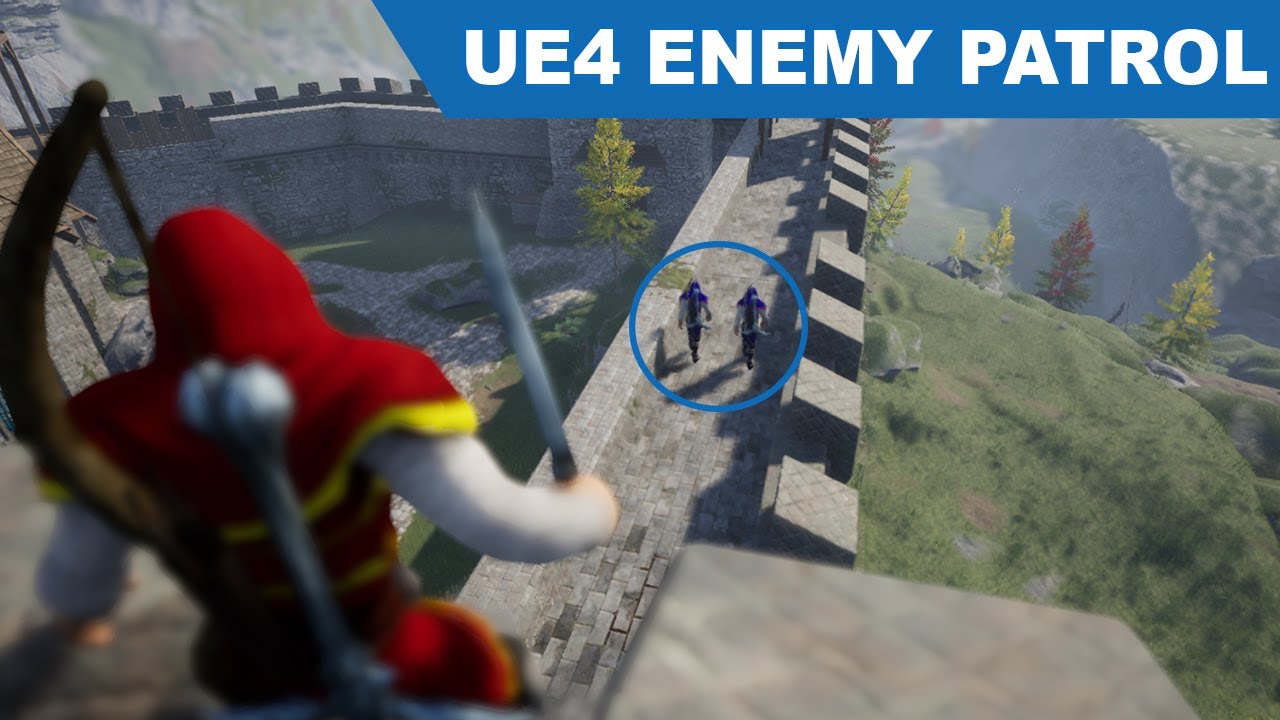
Project Files : https://www.patreon.com/CodeLikeMe/posts?tag=source code Today, I am going to implement an enemy AI which follows a patrolling path. The pa...
anyone please help?
anyone?
 wary wave
you have to ask specific questions about specific things that are not working
- nobody is going to watch a 23 minute tutorial to guess where you've gone wrong
rapid lion
alright thats fair
crude vessel
Why not contact the video maker directly, assuming your following their whole series?
rapid lion
im gonna try one more time, then if it happened again i will try contact him
wary wave
or you could use this as an opportunity to learn to debug your stuff :p
following along with a tutorial is all well and good, but if you've been learning anything from it, tracking down the issues should be perfectly doable
 plain tinsel
--
I need help with the save game object, it saves the transform but corrupts it somehow
this is saved build
this is loaded
I cannot figure out the problem, any help is appreciated
cloud cobalt
Really impossible to help without knowing more
Looks like you didn't save correctly
Or load correctly
There's a high chance the data that came into save came out properly
plain tinsel
I spawned all parts with ignore collisions, they are static at the moment. I don't know why they change positions
 mossy nymph
there are only 2 fault lines there
cloud cobalt
They probably change positions because you didn't save correctly
mossy nymph
that looks like it should work
try just spawning then teleporting them instead
see if its SpawnCollisionHandling that's causing this
plain tinsel
Ok thanks I'll try doing that
yep
That worked
Thank you for the help
@mossy nymph
rapid lion
look like i found the problem. its all my fault lol
i didnt create child blueprint class
 lethal cliff
any recommend way for beginner to learn how to open a drawer from a desk in Ue? should the animation better be made in something like blender and then be exported or better use a blueprint on the drawer mesh with a set location ? i found many ways on youtube, but the all dont work and only confuse me more and more
cloud cobalt
There is more than one way
Animations are probably the most efficient and artist-friendly
Programming the drawer to open is a more programmer-oriented solution, works fine if that's the only thing to animate in the entire game
lethal cliff
for the programing way, do i need sceletal meshes for it or static meshes ?
cloud cobalt
You could use two static meshes - desk and drawer
fierce tulip
lol, installing a new pack to a project that is currently open, and deleting that content in the contentbrowser before its done installing causes quite a system interrupt XD
mossy nymph
im shocked 🙂
lethal cliff
 radiant haven
I use UE4 but cant write C#
A games uses UE4 but mainly for mods and scripts uses c#
Am i able to make mods?
lethal cliff
ok i tried it with a simple desk and drawer. i put this blueprint on the drawer only, but if i right click nothing happens. what i made wrong ?
plain tinsel
Anyone knows how to add relative torque? I can't find any information about it
ok nevermind fixed it..
 opal timber
Hey, Im trying to add different footsteps for different surfaces, i have it mostly set up i think, but I need an AND gate if that makes sense?
I have the setup for one the footsteps to play in a delay interval, which i think i can duplicate but change the sound cue.
I think im doing it a real convoluted way but im sure im almost there
plush yew
is there a way to disable orient rotation to movement in blueprint?
runic iron
Yeah there should be a boolean in the Character movement component
bOrientToRotationToMovement or something like this
@plush yew
abstract relic
Anchor points? Text alignment?
 dire sentinel
Not sure where to ask this, but I used megascans assets to create a 3D model. This one in particular https://cdn.discordapp.com/attachments/226110055328514048/646914471255605298/KuX6aVra3j.gif
I have a personal licence, and my question is; if someone hires me for something similar, am I allowed to create 3D models using the megascans library and hand over the models to them (edited to the pont where just using the megascans assets as they were would be hard) if they dont hold their own licence?

please @ me with replies
 serene birch
you accepted a license for Quixel, the terms are inside
abstract relic
@dire sentinel https://quixel.com/terms

Quixel
Before you use a free product, apply for a revenue share product, or purchase a subscription product from Quixel, you may review the terms and conditions of Quixel’s limited warranty; including limitations and exclusions.
dire sentinel
Thx. Does anyone have a shorter, TL;DR, answer?
abstract relic
Tldr: Read
 spare eagle
Can someone give me a inveite of the group ?
I can't copy the link, it's saying that's invalid
spare eagle
Yes
abstract relic
Shoot
spare eagle
I sended to a friend, take a look
abstract relic
Go to #server-feedback and let them know. Ping the moderators if you’re brave
spare eagle
Thanks buddy
 rose shuttle
Hi, noob question here: How do I set the viewport camera rotation pivot on unreal engine? You know, like F but focusing on where the mouse is, Most softwares use Middle mouse click or alt+MMB
abstract relic
hold lmb on view port > move mouse around
rose shuttle
yes, I use alt+mouse to pan rotate and zoom, but I cant seem to find a way to set pivot point for the alt+LMB rotation
abstract relic
Oh gotcha
dim plover
I think you should ping them, having a valid server invite it's kind of important. *I'm not doing it though, :P.
abstract relic
It’ll always orbit around the center point of the screen. You can however enable it to orbit around selection in your editor preference
General info on that https://docs.unrealengine.com/en-US/Engine/UI/LevelEditor/Viewports/ViewportControls/index.html#orbitaroundselection
Learn about the various control schemes for the editor's viewports.
Fine floss 😛
Never mind pfist is on it
rose shuttle
yes, Seen that, and I was afraid the navigation I was looking for doesn't exist
Thanks
One more: Is there a way to import a model's full hierarchy or do I always have to either break it into its subparts and combine into a bp or import it all as a skeletal mesh?
sharp crest
is there a way I can paint only a specific layer
so I want my paint to only paint grass layer and not snow
 frosty heron
hello, how could I find the location at a u-coordinate for a spline?
 light thunder
trying to figure out what is this? Unhandled exception
UE4Editor_Engine!FActiveSound::Stop() [d:\build\++ue4\sync\engine\source\runtime\engine\private\activesound.cpp:625]
UE4Editor_Engine!FAudioDevice::ProcessingPendingActiveSoundStops() [d:\build\++ue4\sync\engine\source\runtime\engine\private\audiodevice.cpp:4251]
UE4Editor_Engine!FAudioDevice::Flush() [d:\build\++ue4\sync\engine\source\runtime\engine\private\audiodevice.cpp:5021]
UE4Editor_UnrealEd!UEditorEngine::Tick() [d:\build\++ue4\sync\engine\source\editor\unrealed\private\editorengine.cpp:1846]
UE4Editor_UnrealEd!UUnrealEdEngine::Tick() [d:\build\++ue4\sync\engine\source\editor\unrealed\private\unrealedengine.cpp:403]
UE4Editor!FEngineLoop::Tick() [d:\build\++ue4\sync\engine\source\runtime\launch\private\launchengineloop.cpp:3967]
UE4Editor!GuardedMain() [d:\build\++ue4\sync\engine\source\runtime\launch\private\launch.cpp:168]
UE4Editor!GuardedMainWrapper() [d:\build\++ue4\sync\engine\source\runtime\launch\private\windows\launchwindows.cpp:145]
UE4Editor!WinMain() [d:\build\++ue4\sync\engine\source\runtime\launch\private\windows\launchwindows.cpp:275]
UE4Editor!__scrt_common_main_seh() [d:\agent\_work\3\s\src\vctools\crt\vcstartup\src\startup\exe_common.inl:288]
kernel32
ntdll```I haven't updated anything as far as I can tell
sharp crest
@plush yew It looks messy Idk
@light thunder maybe wonna to tell us where this error is from?
light thunder
Crashes at runtime
4.22.3
seems like an audio component, I've disabled a plugin I thought was the culprit
The oepration I'm doing involves playing sounds and parsing multiple wav files and playing them one after another but I had it working fine
 rich reef
Hi, its my first time downloading anything from the unreal engine market place, do I have to download everything in full size or can I download things in a scaled down quality to shorten the download time?
https://www.unrealengine.com/marketplace/en-US/slug/megascans-forest-undergrowth

Enhance your forest scenes with hundreds of scanned specimens curated into 50+ assets including, moss, debris, rocks, leaves, sticks, stumps and mushrooms.
 pallid talon
Question - In sequencer I created a series of keyframes. But I need to make my timeframe longer. How can I drag the last keyframes to the new end of the timeline and the previous keys stretch accordingly?
light thunder
@rich reef They don't separate things like that but you might be able to check the item you've bought for a demo link, which would probably be smaller
rich reef
Im afraid I dont see any button like that
light thunder
You'll have to check the description of the item
rich reef
Yeah I am 🤷🏻♀️
light thunder
It isn't going to be very common, particularly for 3D assets like meshs or environments
 ornate ice
Hey people anyone knows why all my features dependent on Structures doesn't work when using the option "Play Standalone Game"
light thunder
My advice would be to watch the demo videos of the products and be sure it's the thing you want and just be patient while it downloads
ornate ice
If I play in the editor eveything works fine
if I play in a separate window all fine
but if I play in "Standalone Game"
all my quest actors doesn't have content, my inventory
wary wave
I have an odd problem that is not google-able - I can't edit config files and it is returning giving me the message "failed to add the configuration file"
mossy nymph
you got an UE process hanging @wary wave ? crash report or some such, locking them
wary wave
no, I don't think so
I can delete them in windows etc just fine
edit them in notepad, whatever
mossy nymph
just not from the editor?
wary wave
aye
pallid talon
Does anyone know sequencer?
 viscid jetty
🤔 so um idk why my grass is black if the landscape component is 100% painted grass
 main chasm
@pallid talon What do you need to know?
pallid talon
@main chasm I have a bunch of keyframes, and I need to extend my timeline. Is it possible to stretch these keyframes to match the new timeline?
Without having to manually place them again one at a time?
rich reef
Do anyone know of any good UE4 starter guides? ❤️
main chasm
Yea. On the bottom of the sequence window there should be a bar you can size the timeline with. To it's right there is some numbers that allow you to change the timeline length. As for keyframes you should be able to shift select them.
crude vessel
@rich reef yes
pallid talon
Yes, I've got that. But I mean stretching them to automatically fit the new timeline.
For example, if my keyframes are at 0, 250, and 500. And I move my last keyframe from 500 to 1000, then my second keyframe should automatically move from 250 to 500. Does that make sense? Is that possible?
 crude vessel

raywenderlich.com
In this Unreal Engine tutorial, you will be guided through installing the engine, navigating the interface and creating your first game object.
main chasm
@pallid talon No idea. I've just been doing it manually
 lofty wave
Hello guys!
I've been expierencing a weird issue where a white wall would turn green probably from the green ground
I dont know what causes it but it probably is the material, but i dont know what about the material is causing something like this since the material is just a simple diffuse
crude vessel
I found this helpful since it covers a lot of ground to give you a good overview
pallid talon
@main chasm Ok thanks
rich reef
Cool 😄
crude vessel
And I prefer it over a video format
rich reef
I've been deep diving into Blender in the past month and found Blender Gurus new donut tutorial quite nice
Its like as far as I know the most well known guide out there for Blender (Pretty much everyone knows of it), is there anything equal to that here on the UE4 side?
lofty wave
Can someone please help me?
grim ore
@lofty wave if you are using static lighting you might have bounce lighting turned up, it will bounce the light off a surface and then transmit that color to nearby surfaces.
grim ore
it should not be very high by default unless you adjusted it https://docs.unrealengine.com/en-US/Engine/Rendering/LightingAndShadows/Lightmass/index.html diffuse boost on the objects can increase/decrease it. Dynamic lighting will disable it as well but that's not a good way of solving it
pallid talon
@main chasm I figured it out! Retiming tool inside the Sequence Curve editor. Works awesome.
pallid talon
There is also a transform tool.
opaque swallow
@rich reef Matthew Wadstein on Youtube has awesome tutorials, also Virtus I find to be pretty good too!
rich reef
Thank you 😄 I will check them out
pallid talon
Do cascade particles not work with Raytracing in 4.23?
abstract relic
An overview of Ray Tracing in Unreal Engine 4.
normal burrow
Looks like N
abstract relic

A hilarious clip from Monty Pythons: The Holy Grail. Also for all you Python fans out there have yourself a gander at this fine collection. http://www.amazon...
normal burrow
Nee: too long to abbreviate, partially? Nah full word
crude vessel
I wish you could subdivide a bone in game
pallid talon
Question - Using "Particle Color" on a material that goes on a particle while having Raytracing enabled, produces an error. Is there a workaround for this?
pallid talon
MaterialEditorStats: Error: [SM5] Ray tracing closest hit shaders cannot read from the SceneTexturesStruct.
After looking into more details, cascade is not supported.
Looks like I would have to update my particles.
normal burrow
But it should draw, just will not raytrace
pallid talon
Oh! Well its not drawing at all.
normal burrow
Like BSP brushes. They do not show up in reflections at all. But they do draw triangles. One way not-mirror style
normal burrow
Yeah idk. That’s not cascade either way.
pallid talon
Yeah, I think you're right.
I figured it out. I added an "EyeAdaptation" and my material didn't like that.
normal burrow
A tutorial will show you this. It’s a module
 pseudo swift
Im importing an armature, leaving the skeleton to "none" in order to create a new one makes the import button go grey, what am I missing?
ah
 digital anchor
you cant import a skeleton without a mesh
pseudo swift
my export from blender was wrong
exactly, it didnt export my whole scene
only the armature
thanks!
Hey also this common error of UE complaining about "no smooothhing groups found"
how should I prepare my FBX exports from blender?
I right-click and set shading to smooth
and I messed around with the FBX export settings
but I still get this everytime
do I need to use a modifier in blender to define the edges smoothing angle or some shit?
abstract relic
It’s just a false negative, it won’t affect you if you choose to ignore it
but if you want to get rid of the warning just for the sake of getting rid of the annoying popup:
pseudo swift
normal burrow
Smoothing groups are super old, imagine that error gets removed entirely soon
pseudo swift
setting the export to smoothing: edge removed it
but now I get this
unsure if that is because of something else
maybe I didnt tick tangent space like in high tides img
abstract relic
means you have a non quad poly[s]
pseudo swift
ah
i can live with that for this project
thanks alot guys I learn a lot! appreciate it
 frozen pond
is there any way of adding full material as parameter in other material ?
grim ore
perhaps a material function?
pallid talon
What would cause my volumetric fog to not render when rendering a cinematic?
normal burrow
totalover yea, no not really. what matheww said. there was this layered material or material layer feature but its deprecated if not removed now.
what mathew said is the best way of sharing functionality
material attributes as well
 ocean wraith
@safe rose I am in a great confusion, your guidance will be a great help ...
pallid talon
My volumetric fog is visible in the editor, but when I render with cinematics, its gone. Any reason?
swift spindle
when you say.. render with cinimatics... are you talking about rendering to disk ?
if so.. plz check to see if your fog shows up in the standalone play mode 🙂
 quartz reef
Hey, so my texture gets stretched over one part of the mesh and on another part of the mesh its kinda okay. Mesh was created in Maya.
swift spindle
needs to be UV mapped
abstract relic
fix your uvs
swift spindle

In Maya, UV texture coordinates (UVs) can be created for polygon surface meshes using the following UV mapping techniques: Automatic UV mapping Planar UV mapping Cylindrical UV mapping Spherical UV mapping User-defined UV mapping Best Plane mapping Camera UV mapping - see Pla...
pallid talon
@swift spindle You're right, it turns off when I hit Play. Why???
swift spindle
@pallid talon most likely something in your Device Profiles is off.
pallid talon
Hmm.....
swift spindle
Window > Developer Tools > Device Profiles
WIndows > CVars > Console Variables > Rendering > r.VolumetricFog 1
frozen pond
how can i switch to camera from character to blueprint one ?
cast - > get camera -> actiavte dont work
pallid talon
@swift spindle Fog still turns off when I hit Play
swift spindle
@pallid talon Something about your "defualt game engine.ini" is overriding it then
pallid talon
Looking into it now.
Thanks!
Yep! Using a custom sky system and it was overwriting my fog on play! Entirely my fault!
Fixed.
swift spindle
ah... np 🙂
frozen pond
wont work, any other way for switching camera ?
pseudo swift
should I check the tickbox for Tangent Space when exporting FBXs from blender for ue?
plush yew
every time i build my lighting the the scene goes dark, even when the directional light preview seems to be working
says something about a lightmass volume? but when i add that and build it makes no difference, scenes all black
abstract relic
turn off cast shadow in the bp
plush yew
trying to find it
 sinful nimbus
I have a question about packaging a game. I am using Paper2D and my code compiles in the editor but when I package it I get the error that error: no member named 'GetSourceSize' in 'UPaperSprite'
normal burrow
take a look at the definition for GetSourceSize Nick
if its inside something like
#if WITH_EDITOR
...
#endif
then you can't use that function outside of editor, and should also stick that same #if around your code using it, as to not use it when editor is not available.
sinful nimbus
Oh, thank you. I didn't know that was a thing. Thank you for letting me know!
It is in that
grim ore
If you never package the game and just give them the source you never get the errors 🤔
sinful nimbus
That is very good to know. I will hopefully remember that if anyone I know has the same question
abstract relic
that's the spirit
normal burrow
one of us
 lone tapir
Does anyone know if Unreal has support for HAP Codec Playback Support for mobile? I am trying to build a build for oculus quest but I am always in error. 🤔
lone tapir
@grim ore Uhumm thanks for the link! It really doesn't seem to work. Do you know any way or hack that I can play a video with transparency on StereoLayer or UMG?
grim ore
not that I have seen for translucent stuff 😦
 signal bone
how hard is it to make telegraphed attacks?
normal burrow
7
signal bone
7 ?
normal burrow
out of ten
normal burrow
well idk, it matters how comfortable you are with things
signal bone
well i dont evne know how to approach it from a programming perspective
So ig its gonna be hard
and i dont seem to find any reference to guide me
normal burrow
you'd have to make decisions ahead of time to telegraph them
abstract relic
How hard is it for pat 😜
signal bone
I want to make for example
a static enemy like a necromancer that stands there and cast spells
by telegraphed attack i mean i want it to have some time for you to react
normal burrow
pufferfish on a scale of 0..47
signal bone
like, while he is casting , some red dots appear in the floor showing you where to avoid
normal burrow
yep, theres not really one way to attack any one thing stolas
signal bone
you mean there is a lot of ways i can tackle this?
well, i guess thats applicable to a lot of stuff
abstract relic
That wouldn’t be too difficult. More so, you want to lay out a good system before going Willy nilly
normal burrow
planning time is good time spent
signal bone
well, im trying to make an action combat based
in a sense that you need to avoid attacks
i think that makes it really action like even if youre attacks are automatically driven to the enemy
normal burrow
yea, get creative while you lay things out, then stick to your thoughts
frosty heron
is there a way to set a mat param on material billboard?
normal burrow
is it a primitive component?
frosty heron
yeah
normal burrow
would have to double check but i think primitive components have a set float/vector node on them
abstract relic
Look into Material Instance Dynamic
normal burrow
that too, that would be the better way
engine internally makes a instance where you have less control over it otherwise i believe
frosty heron
its to switch colors, maybe if reassign a new material
normal burrow
do what high tide said and you'll understand it
signal bone
Guys what you think about
Point and click vs dynamic combat
im trying to come up with a system that takes stuff from both worlds
So it doesnt feel so repetitive but at the same time its more quicker to handle when programming or adjusting
normal burrow
i think #design-chat might be the place to talk about this stuff but not sure
signal bone
oh
normal burrow
channel is kinda all over the place
plush yew
Any discord server with gay game developers
normal burrow
@plush yew 100% you want the 3950x, only down sides are dual channel memory and less pcie lanes. 3950x is gonna be much better of an experience in game dev (and cheaper too).
abstract relic
You have an overwhelming statistical chance
normal burrow
well if you look at benches, the 10980xe which has two more cores / four more threads loses out to the 3950x in most all tests.
quad channel memory is only really gonna help you for things with lots of memory movement and little processing, like video encoding
i'm waiting for them to start taking preorders on the next threadrippers personally
 dark depot
ue4 just cares about clock speed and cores for the heavy stuff in the end the price savings on ryzen are worth it for how amazing they work in ue4
normal burrow
probably talking about computer in the 6k range yea
i think the 10980xe is probably gonna require equal investments as a threadripper would in terms of more expensive mainboards and yea... double quad channel kits hurt the wallet
sounds like some of the thread ripper boards will have 16 slot quad quad
max my 1950x out daily heh
dark depot
nahh in the end it will speed things up why wait for light bakes haha
normal burrow
3990wx will be 64 core / 128 thread
and probably an absolute slug
if its not just a stripped down epyc, it might be interesting
 merry gazelle
Anyone got an an idea of what variable I need for a level/map. I want to get / save it in a function. Is it level streaming or level actor?
normal burrow
you need 4 ints just to set the affinity lol, its like a personal computer lab.
 cyan merlin
I hope epic implements GPU lightmass soon
normal burrow
is the idea with that to preview lightmaps faster?
merry gazelle
RGB lightmass ftw
lofty pike
Excuse me, I need help with something in UE4.
wary wave
how in the blue heck do you increase the size of an editable text box, increasing the font does nothing
can't find any other settings
god I hate UMG sometimes
everything in it is so counter-intuitive
 kindred viper
@wary wave size to content, or by the sizeX/Y
wary wave
cheers, ended up using a size box
 uneven fractal
what's the proper term for making textures specifc to a uv map?
 open eagle


 rough scaffold
Just uploading it to itchio already counts for UEJAM?
vague sable
TIL you can double click a blueprint path to add a reroute node to improve readability
dim plover
I'm learning Maya in the context of UE4, are Materials, Paint Effects, Animating with Dynamics, and Cameras and Lights useful?
These (for the most part) don't transfer over to UE, do they?
vague sable
generally no
some tools have ability to setup Unreal Engine setups which can transfer somewhat
material groups do matter
animations matter
you should test importing other things but I'm not sure if they would
dim plover
Are material groups just like material slots?
 plush thicket
hey guys, my client straight up crashes when I try to retarget a skeletal mesh
v 4.23.1
Assertion failed: (Index >= 0) & (Index < ArrayNum) [File:D:\Build\++UE4\Sync\Engine\Source\Runtime\Core\Public\Containers/Array.h] [Line: 614] Array index out of bounds: 61 from an array of size 61
is this something on my part?
or am I doing somtehing wrong
when I hit "retarget" it straight up crashes UE4
abstract relic
Yes floss
normal burrow
They have names and can be renamed too which can be helpful
And Mejko, it happens to me when I try and retaget something with many animation assets inside it, like an animbp or blendspace. Not sure how to fix (I was retargeting a dolphin to a shark using humanoid bones though so I didn’t think too much of it)
plush thicket
so should I go about retargetting individual animations first? @normal burrow
if I retarget the individual animations instead of the BP, will then retargetting the BP work?
normal burrow
I gave up once I realized how dumb I was retargeting a dolphin to a shark. It’s something you could try but iirc it will try and retarget everything.
plush thicket
well i need to retarget in my case
I'm using the AdvanceLocomotionSystem (ALS)
and I'm retargetting a skeletal mesh with the same assets
the thing is, I've retargeted to that system before and it's worked perfectly
but for some reason, this time it doesn't work
 rugged haven
I really want a 3D print of the Epic Mannequin for my desk, any ideas where I could find one if it even exists?
 bleak widget
Hi everyone! Who can tell me, why this groups not show in the Material Instance?
no matter how I call them, the situation does not change
rugged haven
Save and compile (if you heven't already)
rugged haven
Find the location of the folders, and cut them out
cloud cobalt
Revert in your version control
rugged haven
Make a new project, and then re-add in the floders (should be same version or UE4 or wont work)
 zealous cloak
havnt set it up, since my pc wasnt set up properly
rugged haven
(do that via windows folders)
zealous cloak
i tried and it also crashes
rugged haven
ko rupt!
zealous cloak
yep seems so
rugged haven
if the project is big then yeah, version control... if its not, then remake.
Try open with different version of UE4 in case you get lucky when it clones the project
cloud cobalt
Version control should be your first step after creating the UE4 project
swift spindle
Just nuke intermediate folder. Fixes most issues
And saved if that fails
( you can rename them )
cloud cobalt
The only thing you can do is remove particular folders until it doesn't crash
Next time, do use version control immediately so that such problems are impossible
zealous cloak
can i open bp sepeated if it crashes while openeiing a bp
i think it is because of my pawn
swift spindle
Question.... when you say it crashes .... like windows error or stops responding. Or acts like it’s loading forever
 glacial belfry
Question regarding virtual production. Is there any feature in Unreal that allows one to sync a tracking system(like a Vive tracker) with the timecode of a camera, to make sure the correct tracking pose is being used for the right frame?
 timber minnow
Hi everyone, i'm trying to create multiple landscape with world composition and houdini.
i have created a landscape in houdini, then split it in 4 heightmap , and recompose it inside world composer, but i get those line :
does anyone know why i get those ?
zealous cloak
i tried to import it in a new project when closing and reopening the project it crashes when opening the BP
honest vale
@rugged haven couldn't you just export the mesh from engine and then just.. print it?
swift spindle
@timber minnow those are artifacts from your bit depth. There is no way to totally hide him. But you can minimize them with dithering and proper scale
@glacial belfry as of 4.21 there was no prebuilt way to do those. But you can certainly code one up in BP
rugged haven
@honest vale Shhh... 😛
glacial belfry
@swift spindle yeah I was thinking the same, my only issue is how to figure out what data from Vive Tracker matches what frame from the camera. I guess the easiest way is to do manual sync, but thats also prone to errors
swift spindle
Unreal now supports timecodes
glacial belfry
yeah from the camera, but I dont think the Vive tracker reports any kind of timecode with it
swift spindle
Mmm you might need to use an external timekeeper signal
Unreal seems to hate system clock
Not sure why
glacial belfry
Best thing would be to have the timecode from the camera passed to the Tracker that sends that data along with it
swift spindle
Well... you could lerp your positional data to your film timecode
timber minnow
@swift spindle thx for answering :)
what do you mean by dithering ?
glacial belfry
Alternative, since the Tracker data comes so fast into UE4, if you can make a sync step that gets the exact delay from the camera catches the frame to its available in UE4, you could just make an array that stores tracking data for each frame with the totalt length of the delay
(if that makes sense)
swift spindle
You only need the average saved really
glacial belfry
but during jancky hand held movement, the tracking would seem too smooth compared to the camera if you go with averaging
is my guess atleast. Think I will have to try it out 😄
lethal cliff
i found out, i have problems with opening a desk drawer which i made in blender. trigger boxes do nothing, but the same blueprint on a ue4 cube works . what can i change/what i made wrong in blender?
swift spindle
Yeah... but you don’t mostly want that jerkynrss in video
glacial belfry
That depends on what style you're going for 😄 We've recorded lots of stuff with handheld REDs to get an "action" feeling
Basically, any virtual production setup should use the camera as ground truth
swift spindle
@timber minnow afraid you’ll need to google tonight. Pass out time
Ah
@glacial belfry Ping me tomorrow. I worked on a system like this awhile ago. I gotta sleep
glacial belfry
Will do 😛 Thanks for the input mate, appreciate it
swift spindle
Np good luck. There are solutions 🙂
cloud cobalt
What's there, mesh seam ?
cloud cobalt
is there a normal map on the landscape material ?
cloud cobalt
IIRC there is a problem with heightmap imports between components
Try adjusting it with the landscape tools ?
timber minnow
i should report this ?
i don't want to , everything must be procedural and not touch by hand if poss
but yeah if i smooth with the tools
cloud cobalt
It's not really a bug, it's more that heightmaps have no normal information by design
So UE4 generates some for you
timber minnow
it fixes the pb but i dopn't want to fix it by hand 😒
ok
and there is no fix arround this ?
cloud cobalt
Dunno, I haven't used heightmaps myself. It's probably possible to handle it, but it's not easy
Basically you'd need to take the normal from the neighbouring component
zealous cloak
What is a cooking filepath and what to do, if they are too long?
timber minnow
ok thanks
zealous cloak
and then put it back where thewere?
zealous cloak
can, they be relative?
cloud cobalt
The full path including your assets may be
zealous cloak
C:\Users\xxx\Documents\Unreal Projects\a\Content\ExampleContent\Interaction\Blueprints\xxx.uasset
 oblique tangle
Could anyone give me a little bit of insight into how I could implement a sort of outward force from building meshes next to my player while swinging to keep him centered? Any help would be greatly appreciated!
 gaunt void
heyho, someone here willing & experienced to help me with a mobile issue? Already asked several times in the mobile chat but got no responses
 golden condor
Anyone here knows their way in PerForce?
I need help reverting back, never done it and I am very worried I might mess something up.
plush yew
what's the best way to check if a spawnpoint is in the field of view of the player?
 thick herald
EQS maybe?
 fathom vortex
Hi all! I'm currently working on a vr project for uni and for what ever reason the motion controllers (oculus rift)have stopped working on my project. I have tried it on a starter vr project and it's still not working. Unknown sources have been selected on oculus. Oculus vr plugin is selected on unreal and I'm using unreal version 4.21.2. Please help
crude vessel
Has any feature in ue4 been depreciated but picked up as a community plugin?
 desert lava
Hi is there anyway to export unreal scene with baked lightmaps to sketchfab
cloud cobalt
Very unlikely
plush yew
does anyone know why when i pull out my weapon the weapon gos all big?
it like bugs out
crude vessel
Anyone mess.with the hair in 24 preview?
oblique tangle
Yo can someone help me out? I've got a .fbx static mesh of a city, but everytime I import it in, the collision is set up so that there is a massive box around the city model, and I can't move into it - Does anyone know how I can set it up in engine so that each building has its own collision?
fierce tulip
export/import separately. you should not have one massive city mesh