#ue4-general
1 messages · Page 578 of 1
 grim ore
 dire sentinel
[SM5] Function SimpleGrassWind: (Node Multiply) Arithmetic between types float3 and float are undefined
Can someone help me how to fix this?
idk why it wont work
grim ore
you are trying to multiply 2 different types
dire sentinel
simple grass wind seems to be causing it
?
where?
it is exactly same as this material
only difference is one works and the other wont
grim ore
Wind Intensity wants a float 1 (scalar) and you are putting in a float 3 (RGB)
dire sentinel
ha
grim ore
look at the output of your Texture Sample and compare it to the example
dire sentinel
ok thx but why the fuck did it work in the other material?
grim ore
the other picture you say that works is using the Alpha channel only so float 1
 sturdy schooner
RGB is a vector, and the grass func requires a single digit input
sturdy schooner
plug R in
dire sentinel
or is the only way to do it in to change black to alpha in gimp
thx
dont know how i managed to digure it out the first time i did it but was long ago
nope xD
didnt work
grim ore
are you trying to turn a grayscale into either black or white instead of grayscale? so white is white and not white is black?
grim ore
I guess we are confused by what you mean by greyscale into single digit output
 plush yew
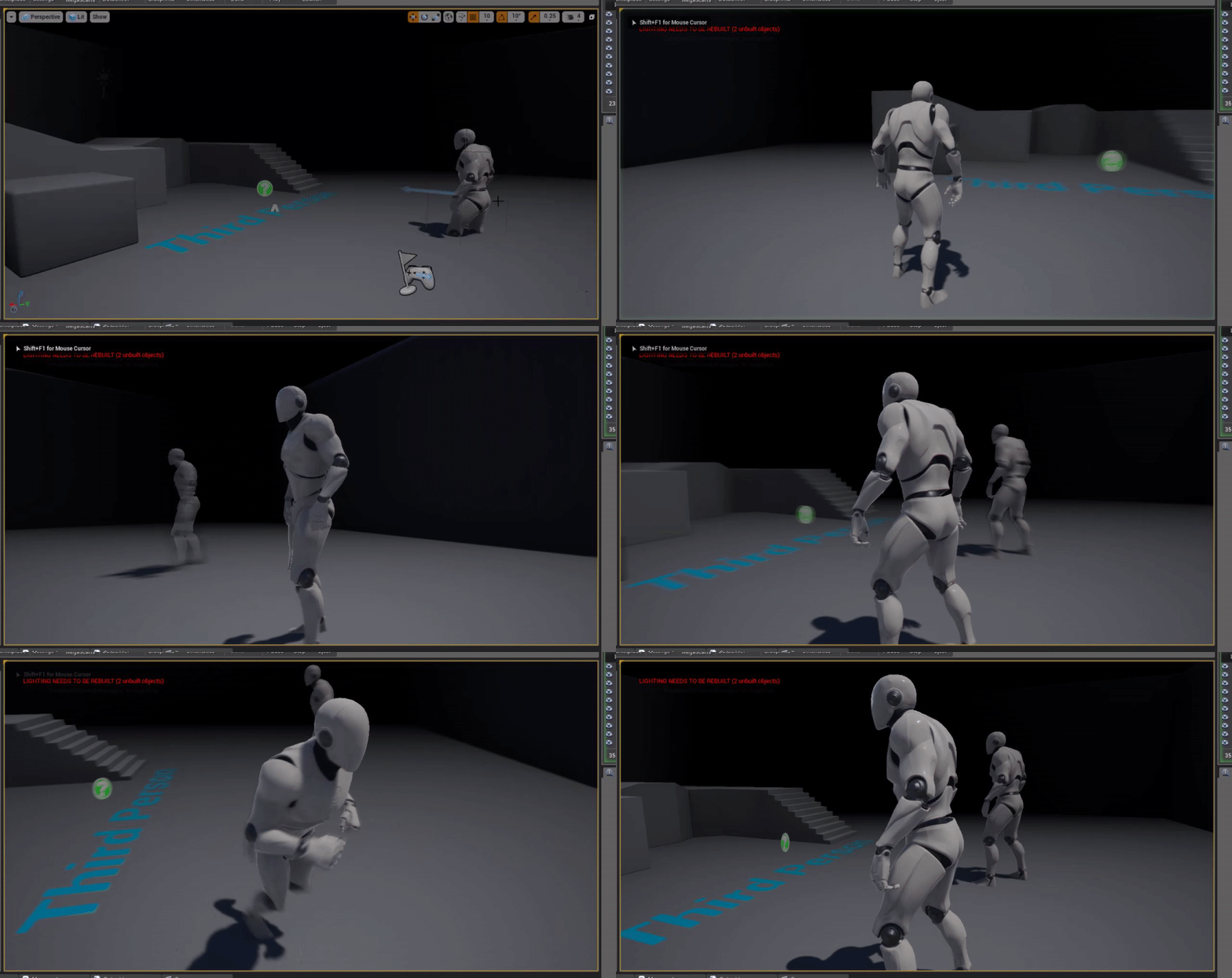
@grim ore it's just the vertical axis thats inverted, left and right are normal, and its a mouse
dire sentinel
isnt that an illness from game of thrones xD
 frosty heron
@grim ore was my keyboard .___. the driver was polling at 50hz and was only reporting 1keypress at a time, I adjusted it so now it's polling at 250hz :D
it fixed the issue, so weird
grim ore
@plush yew what are your input settings https://i.imgur.com/PA0Aqp7.png
@frosty heron lol, it's always the weirdest stuff
plush yew
where do i find those? Project settings?
grim ore
yes. If using the default third person template the Look Up is what is used for the mouse look up/down
plush yew
that was it, i flipped the scale negative to positive and positive to negative
thanks
idk how it got set to that
because i was never in there
grim ore
super duper weird
plush yew
i was normal on my last project this was a new map/project and the controls were inverted
i started cursing the ghosts
grim ore
lol
 light vigil
Hmm even changing the pivot point of the actor to be the bottom of the collision capsule
Doesn't cause the actor to scale up from that point, which I find odd
🤔
grim ore
the actor is a child of the parent, it is scaling up from that point it should still be in the middle of the capsule when you scale up the capsule isnt it?
light vigil
On the parent (the root actor, none of its components) I tuned a pivot offset to be equal to the collision capsule half height
Which points the pivot point on the root parent to be correctly at the bottom of the capsule
In theory (it looks right in editor at least)
but scaling still seems to scale from capsule center, not pivot point
grim ore
it depends on how you changed the pivot and how you are scaling. I dont think you are going to be able to change the pivot on the capsule from anywhere but the middle
grim ore
yep but man it really does not like that from what I can tell lol
light vigil
Yeah, it's odd, when I drop the actor into the editor level now it appears correct (pivot at bottom of capsule, as expected)
grim ore
it also says local space offset so it might not apply to scaling in the world
light vigil
But scales relative to center still
Yeah, must not be changing the world space offset point
🤔
grim ore
my assumption is it's working correctly as the capsule is the parent and you are scaling the root/parent/capsule and it's pivot is pretty much locked to the center
light vigil
Is there a best practice you recommend for setting up actors so that they can have scales but still correctly be positioned within levels?
grim ore
the normal way around this is to use a scene object as root and then scale the children but you can't with a character due to the capsule being root
light vigil
Yeah, for characters specifically in this case
grim ore
characters are.... special if you want to start going non humanoid and normal setup
light vigil
We want to scale the parent, not the mesh, so that attached objects li
grim ore
do you need the character movement stuff?
light vigil
like VFX scale as well
yeah we need the character movement stuff (this stationary turret doesn't but it's an anomaly, most are regular characters that run around)
Seems odd that scaled collision capsules can't be placed properly as just a general principle
 uneven fractal
grim ore
uneven fractal
grim ore
I think its more you want it to scale from the bottom rather than the middle being the issue
uneven fractal
I managed to make snap points and nothing has crashed so imma call it a day
 sharp crest
nice
👀
Idk how I will survive in these 2 hours
I hope they are adding wishlist finally
I want lists too where I can have like a 'stylized' marketplace packs list

grim ore
ok so something to consider @light vigil is the game will try its best to not let the item actually penetrate other surfaces like the floor so it's not going to get stuck when scaled
so when you scale it will scale from the middle but not be in the floor itself at runtime https://i.gyazo.com/ddc645daf9f445bbdf87d00f55e5ea9f.gif
light vigil
Yeah I do see them pop up correctly at runtime, so potentially not a big deal then 👍
grim ore
I do agree its weird but I think its just the way the capsule is designed to be annoying
 main chasm
For some reason when I package my game the materials on my terrain go missing
grim ore
grey?
main chasm
All thats left is the grey checkerboard
grim ore
did you try that material on something other than the landscape first like a static mesh? its flags are probably wrong
main chasm
I did. It works on normal meshes
 vivid narwhal
Am I missing something with Sockets here? The line trace is making the debug sphere at the bottom of the blade instead of the tip.
main chasm
I've tested other materials on the terrain as well. None of them make it past packaging
grim ore
@main chasm go into the material, go into the details panel, scroll down to usage, uncheck all the used with XXX boxes, uncheck automatically set usage in editor and then check it again and then resave and apply it and then it should work
main chasm
Got it, thank you!
 shell kettle
Is there a guide on how to open-source an Unreal Engine project? I'd like to look into potentially making a game from scratch along with the community.
sturdy schooner
@shell kettle this might help https://wiki.unrealengine.com/Modding:_Adding_mod-support_to_your_Unreal_Engine_4_project
oh, or do you mean setting up a repo and such?
 swift spindle
it's also advised to be aware of bandwidth costs when doing a open source project...
replicating data across many systems can get expensive and fast
shell kettle
Yeah I mean setting up a repository
swift spindle
git ?
shell kettle
Yeah
swift spindle
you'll want to make sure GitLFS is going also
shell kettle
Git and GitHub
swift spindle
github has issues out of the box with unreal
shell kettle
Oh really? What hosting service do you suggest?
swift spindle
when it comes to git... you need to "pay me" to even think about it.... PTSD 😛
just remember Git LFS
and make sure your not uploading just ref files by mistake
you might wanna look into gitKraken
shell kettle
Hmm so git lfs allows you to upload more basically?
swift spindle
not really.... the idea behind it is binary files
which is what most things in unreal are
shell kettle
Okay I'll be sure to use that. Should I just use the inbuilt version control of UE4
?
swift spindle
it does not have version control
it has plugins to work with Git / Perforce / SVN if I remember
 kindred viper
Coming soon, Epic buys Perforce. 😮
shell kettle
Right that must be what I'm thinking of. I've used it in the past put it was a bit hectic trying to solve merge conflicts and such between a team
kindred viper
perforce isnt as friendly to look at as Git in general, but once you get into it, its simple enough
shell kettle
git and github are two different things
swift spindle
some of the git clients are quite nice
sturdy schooner
"cant clobber files"
https://thumbs.gfycat.com/AnguishedCoarseFlamingo-size_restricted.gif

cupcakes, stains, dog, vietnam, platoon, war, flashbacks, comedy, funny, dogs, pets, tv, adagio, charlie sheen, daytime tv, parody, fun, australian shepard, shepard, breed, sweet, sugar, dessert, television, memories, trauma, pts, ptsd
swift spindle
but... ugh... I've seen it eat so many files and projects
kindred viper
i only used git for windows, it wasn't bad. Just lacked some features
swift spindle
easy enuf to deal with clobber issues
shell kettle
So local version control? If you're computer dies on you then you lose it all
kindred viper
local version control is ok as long as its backed up, otherwise, store your depot with something you can trust online
swift spindle
I'm personally running P4 on a nas with raid 6
shell kettle
It just seems similar to storing several versions of the game on several flash drives and dumping them all into a file cabinet
swift spindle
I've worked at large company's that did that...
shell kettle
Oh gosh...
swift spindle
and we had terrabyte amounts of data...
kindred viper
I have a picture of it somewhere, but I worked at an SEO company who kept the server next to the sink in the kitchen. It was the only server I knew of and nobody in that office backed it up unless the boss did.
shell kettle
That setup is bound for failure
kindred viper
it was like a meme come to life
shell kettle
Oh man that would make me so nervous washing my hands
kindred viper
I was quietly hoping it would fail tbh. They were charlatans.
shell kettle
Haha just act clumsy around the office space and "accidentally" knock it over one day
kindred viper
I ended up leaving with them owing me money and I just moved on because I knew it wasn't worth the hassle. Not my monkey, not my circus
swift spindle
this kind of thing seems.. entirely to common
kindred viper
yeah its why I ultimately left web development to do game dev
swift spindle
feels like we need a channel for ppl to whinge about previous work places
shell kettle
I'm working for a startup company right now and worried the same will happen to me
swift spindle
save what money you get paid 😛
shell kettle
You better believe I cash in my checks immediately
kindred viper
im working for a startup company and haven't been paid yet. Stupid self employment ¬_¬
swift spindle
good luck with that 😉
shell kettle
Yeah seriously
sharp crest
kindred viper
sure im not bad at football but my knees ain't what they used to be
what you looking to do xKingdom?
kindred viper
what is the key selling point?
 silk finch
Hi guys, someone finded trouble with building vr for win64, using hdri backdrop?
 river magnet
Well I just want a team to help me Im going to start creating a survival game that is a local/ solo game
It would be like rust but it would have zombies
And I don’t like the guns in rust
kindred viper
sounds like you would be better off modding rust
shell kettle
You could open source the game like I'm thinking of doing
river magnet
I’m not modding rust the game would be way different
I’m just saying that as an example
I’d need a level designer and some people to make models and texture
S
Then I would make the bps
And I already made the gun modes
Models
shell kettle
Open source it
river magnet
Could do that
swift spindle
what about gameplay / networking / UI / art direction / bug fixing / unit testing / hardware testing / optimisation / network hosting / file management
river magnet
I would need help with that a lot
shell kettle
I don't know how many people would want to start contributing right away though. You'd probably need to have a reason for them wanting to help out
river magnet
Well I’m going to put it on steam when it’s done
And if it pans out well you get good pay
kindred viper
hmm thats not gonna work out for you sir
swift spindle
nope it's not
river magnet
Rip
shell kettle
I've been on projects like that before and never get paid
swift spindle
lets start somewhere small
while I say " small " small in regards to a large production is still beyond most groups of people
river magnet
Ok Anyone interested in helping add me as a friend
shell kettle
The scope of all my ideas are so much bigger than what I could possibly do in a reasonable time by myself haha it's sad
kindred viper
its not sad. its just how game development works. its a team game
river magnet
Exactly
swift spindle
I'd sugest getting a collection of ideas / screenshots together and look at games credit lists to give u a better idea
river magnet
I’ve tried making multiple games I’m just not smart enough to code and make perfect bps
So I was trying to build a team
swift spindle
who is....
river magnet
Huh
shell kettle
Game dev really does need teamwork like you mention. I'm not sure how to get people to help out for free though...
kindred viper
I doubt anyone but those who follow Epic's coding rules does perfect Bp's and code, and even then its not always perfect. What is important is that it gets the job done in the least time possible without bugs.
swift spindle
what I'm saying is.. most of us are not good enough by ourselves
swift spindle
also.. very few ppl also don't have the time
kindred viper
I did free work for a few years to build up some portfolio work. There are people who will do bits and pieces for free. But in order for that to culminate in a finished product, you need strict project management and tasking the right people with enough modularity than anything can be replaced.
swift spindle
++
shell kettle
Very true. I was involved with a team that loved a dying video game so much that we attempted to recreate it. Was a lot of fun, but we had a reason for it which drove our passion. Without that passion, no one would be willing to help
So what I'm getting from this is that you need: 1) Teamwork, 2) Project Management, 3) Passion
swift spindle
and preferably+ some resources
kindred viper
it all helps. Project management can be the difference there though. Spending some time just creating an "idea" on paper through a site like Dundoc or Hack n Plan can give you motivation/passion. Then that shows others you put the effort in and that helps with the teamwork part. If you ever sign onto a project where nobody does the documentation of their work, consider mentioning it.
swift spindle
++
shell kettle
Yeah that makes a lot of sense. How do you guys feel about Trello for planning? I know Subnautica uses it and it seems to work for them. Having a plan would show others that you're really serious about the project which would hopefully attract more helping hands
river magnet
Ok
shell kettle
@river magnet You have a link to the plan?
river magnet
Nope
kindred viper
trello is better than sending each other post-it notes in the mail. So its all good 🙂
shell kettle
Oh gosh the post-it notes idea would be hilarious to see
river magnet
Lol
shell kettle
@river magnet I'm personally more interested in creating a horror game or class-based multiplayer
river magnet
Mine will be multiplayer survival
kindred viper
I want to create Path of Exile, but GGG already did it better than I would have :p
shell kettle
I just watched the trailer for Path of Exile and that looks really fun
 crude vessel
The first rule of your first game seems to be 'you won't finish it unless you have something super super simple'
 dim plover
Rust clone seems more than super super simple.
kindred viper
Rust has some shady code
shell kettle
I mean having a basis to work with really helps so yeah
Definitely simplifies things
crude vessel
Yeah,pretty much of your idea is like a real game you'd buy in a storez it's probably too ambitious for a solo projects
The thing about unreal is if you've been collecting free assets like I have, you pretty much have everything you need to make a shitty game.
dim plover
How many players/characters can Rust handle in one server, and on screen at a time?
shell kettle
I honestly agree. Personal experience has shown me that this is true. Others may have a different experience though with more motivation.
crude vessel
But what I'm finding. Just messing around in my free time to learn the engine, is each factor of UE4 is its own learning curve, it just takes time to figure each bit out.
crude vessel
Like I've done 3D modeling and texturing, but I had to learn to rig and import it to ue4, retargetinf, physics assets, the material system
Basic blueprints, retargetinf and source control
And I haven't even scratched the surface
I take one look at the Paragon assets and it's humbling
swift spindle
oh.... I'm not a huge fan of the paragon assets... to be fair they look good tho
crude vessel
So what I'm doing is just slowly building something to teach myself the skills
kindred viper
there are some whacky techniques done in those assets
swift spindle
somewhat nightmare'ish
crude vessel
Yes
shell kettle
I think I see other developers creating their game solo and think I can just jump right in and do the same. I totally fail to acknowledge that these developers have tens of years of experience with them though.
crude vessel
I agree
swift spindle
but for sure... lots to learn there
crude vessel
Yeah so my point is simply, don't think of your first game as a game but more of s vehicle to learn how to make a game
Because until you make something, you don't have a real grasp on the effort or resources involved
kindred viper
@shell kettle I have a friend who has made 5 games as a solo dev (with a little outsourcing here and there). He still barely makes a living off all of them combined. He gets his main source of money selling his modelling skills
shell kettle
Dang the fact that he's even made 5 games himself is impressive despite them not being popular
river magnet
What I miss?
crude vessel
I totally get the love of brainstorming a cool idea of s game.
shell kettle
I also think you could take those cool ideas and break them down into more manageable steps
crude vessel
Like I myself get caught up in 'this idea seems simple enough'
Yeah that's kind of what I'm saying
Right now I'm focusing on building stuff around a custom character model
kindred viper
I often take a month out to prototype things. Learn something new. See if I can make some magic that goes further than my archived projects folder. At the least, its fun. Kind of like playing an MMO that you can't really complete.
crude vessel
Other people might want to rock a pre existing character and just jump into gameplay stuff
Like I wanted to get more comfortable with blueprints
shell kettle
Yes the planning process seems very important!
crude vessel
So I made a random name generator, it has data tables, structs, enums, functions. It has adjustments to account for weighted random selection, it has all kinds of neat features, but ultimately it's just a silly name generator.
But I now have a better grasp of blueprints and how various items tie togeth.
Even learned a bit about UI stuff
 burnt aspen
after 4 hours of building I finally got ue4 on linux...
there really needs to be a ue4 linux binary database somewhere
kindred viper
i made a weighted RNG a while back. Was fun
shell kettle
I see game development as something that you have to constantly learn
crude vessel
But I guess I'm trying to say if your solo dev, you need to do it all, so my avice is to do a little bit to get your feet wet before you think of doing anything big
kindred viper
I see life as something that you have to constantly learn, so choose something you enjoy and master it 🙂
shell kettle
Very true Marc. And wise words from you both.
crude vessel
Yeha weighted RNG is fun
So pick little goals and do them
Make the simplest game you can think of, and work on that until you know what you're doing.
shell kettle
I like breaking up the goals into small goals. I do struggle with times when I get stuck on implementing something though.
crude vessel
Over the last year and change I've been getting back into games after tinkering a bit with HL mods in the late 90s
And a lot has changed and I've been slowly working on learning how to work in a modern game environment
crude vessel
But I guess my point is, when I do stuff now, I know the way I was doing stuff a year ago was kind of wonky
But a year ago I didn't have the experience
So that's why I'm suggesting. Work on something simple that's not your 'passion' or 'dream'
Because if you're new, you're probably going to want to start from scratch once you figure out what you did early on was a terrible way to do it.
kindred viper
I've been finishing up a plugin I started last year. And I already want to completely refactor it. Thats how much this game changes.
crude vessel
Yeah!
When I got substance painter I couldn't believe how amazing that software is
But I look at my early projects and am amazed by how shitty I did them.
Compared to how I would do them today.
shell kettle
I seem to get stuck trying to organize everything and do things the right way the first time which really does slow me down a ton
kindred viper
some of my first blueprints make me cringe.
crude vessel
Yeah, I get bogged down in perfectionism
swift spindle
it's a real problem that
crude vessel
But trying to improve has pushed me.to become.better.
If I just settled, I might have got more done but never learned as much
A guess like all things, a balance.
But I am.thankful UE4 has so much generously donated free content
shell kettle
Yeah true, I do learn a lot along the way due to the perfectionist route
crude vessel
Being able to look how things are done ', properly' really helps me learn stuff
kindred viper
I watched Exilecon this week, and the lead game designer for Path of Exile is in his 20's. Consider that. He's learned enough to become lead dev in one of the most popular free titles, controlling what i consider to be the craziest development flow in gaming today. And here I am, 43, picking up plugins I didn't finish last year :p
shell kettle
Wow! That does seem like a special case though. There are some extraordinary people out there.
crude vessel
But it's amazing how streamlined the tools.have become
Yeah, some people have extrodinary drive and skillets
kindred viper
yeah you can probably put that down to Unity's popularity pushing Unreal in the right direction
crude vessel
Its good to be inspired, but people also should have realistic expectations
shell kettle
I shoot for unrealistic goals, don't expect much, and exceed my expectations
crude vessel
The most heart breaking thing for me is to read about people who think games are just about art and passion and don't understand why their project failed.
kindred viper
I expect to die on the toilet, mid development cycle. And when they discover me, someone asks "what was he making?" and the forensic guy says "Chicken casserole by the smell of it"
crude vessel
Haha
crude vessel
That's why you should make a small project that's the most offensive thing you can think of, and have it go online via a Deadman switch
Just in case you pull an Elvis, you'll still be (in) famous
Or not..
kindred viper
I have a project for a game that isn't offensive so to speak, but it will offend a lot of people. So it's something I put on the backburner for when I have enough money to dump into it. So making tools for games to get funds seems appropriate
crude vessel
I myself am making a scientifically accurate dragon based battle Royale MMO survival building trading card game.
shell kettle
That sounds super fun and I would like to apply to be a playtester
kindred viper
I had my eyes on making a fighting game but in my research, I played some and it became so complex in terms of logistics and the whole process of making a fighting game, I bailed. But during that process, I learned some anim blueprint stuff that will serve me well
crude vessel
Alright, off to sleep
kindred viper
gl hf
crude vessel
I'd like to hear your insight on that
If you don't have it written up somewhere, feel free to DM or whatever, it sounds interesting
kindred viper
well im always around so catch me when you see me ranting in some channel as usual :p
 crude robin
anyone know of updated documentation for chase player in behavior tree. i can get random patrol to work but chase player never work no matter which way i do it.
i even set the condition if it can not see me continue walking if it does see me set it to chase but still nothing.
 normal burrow
try swapping the position of the two at the bottom
but the Can See player and everything below it on the left of Can't see
I don't know much about behaviour tree, but maybe you meant sequence instead of selector?
 plush thicket
anyone know what's causing this lighting issue on my mesh?
could it be overlapping UV's?
crude robin
i dunno myself. i was having better ai using pawn sensing.
 pulsar kraken
quick question what would you use to raise a character up and down slowly when a key is pressed? lerp?
 strong mesa
Hellooo !
 abstract relic
Hello not Spammer 99
strong mesa
Does any one know how do i compare tow actors one that i collide with and the other is stored in an array in my character
haha xD
i remember someone called spammer 99
normal burrow
what would you like to compare sheriff 🤠
strong mesa
okay so i have tow items , both are a duplicate from the same actor
one i have in my inventory already
and the other i will pick up
how do i know if i already had one in my inventory by comparing them
grim ore
You can compare classes if they are the same classes
normal burrow
suppose thats the answer lol
 vagrant trail
@grim ore Holy crap, what luck to see you in here lol
I was just watching your sphere trace vids and I have a question (if anyone has an answer as well though thats appreciated too)
I'm working on items in my game atm. I'm using a multisphere trace on the player to detect nearby items. When the player gets close enough, a widget pops up above the item telling you what it is. However, the widget still pops up even if its behind a wall and not visible to the player. How does one fix this so item info only pops up when its actually in view?
plush yew
Hey lads
strong mesa
i though comparing classes is advised to be avoided .. kinda like Event Tick
 leaden bear
Hey everyone! Can anyone assist me with this error?
plush yew
Is this the official discord server for unreal engine 4?
leaden bear
I get this when I try and package a build.
 weak reef
Is it possible to translate Blender3D material nodes to Unreal4 material nodes? (Ideally I'm trying to find a way to emulate Blender3D's procedural texture nodes for unreal4 material nodes, and to have it animated with parameters..)
plush yew
partnered doesn't mean verified
strong mesa
Yes it is
abstract relic
No acronaut
grim ore
@vagrant trail you can try using the was recently rendered node as a check before popping it up to see if it's on the screen. You could also stop the trace if it hits a wall or other item first
plush yew
Will i be violating the rules if i ask the following?.
Asking someone if they want to work with me on a project
grim ore
Use the #looking-for-talent channel
vagrant trail
@grim ore If I tell it to stop the trace on wall hit, wouldnt that stop it from tracing items near you on your side of the wall as well?
plush yew
Did i miss something?
grim ore
Maybe was recently rendered check might be better then
Check the pinned message in the channel
plush yew
Well, i got another questions guys for the more expert people who work in teams
How do you work with someone in UN4?
vagrant trail
@grim ore I'll give that a try, thank you so much!
plush yew
github will cause conflict if you both work at the same time.
Source control in the engine is the same really.
Mulit user editing requires you to be on the same lan connection
abstract relic
With lots of branches in your svn
grim ore
GitHub or perforce and you work in branches or with proper roles
It's mainly just proper roles
plush yew
ok, then if you merge everything things will be bad
hence you are doing something different to what the other person is doing
his code contains this and doesnt contain that from your code
abstract relic
You break it down into components. Ideally everything is modular as possible
plush yew
Well the issue is
normal burrow
yea you wont be merging anything but code in ue. everythings binary, thus why svn is a good pick
plush yew
The issue is most of the work is in the third player character
pulsar kraken
Any idea how you would get a mesh to land and stay flush with ground
plush yew
This server is unofficial lol
pulsar kraken
trying to land a hover tank ..
grim ore
You can break stuff up into components that go on the character like suggested or just keep one person working on it alone
plush yew
Why cant just epic games do something like peer to peer connection
grim ore
They dont have a need for it
plush yew
We, it makes the whole working experience better when working with people. Instead of breaking the work making you assemble everything again
grim ore
There are other alternatives to it as well out there and coming out like scene fusion
abstract relic
That’s not possible nor advised in a collaborative setting. You’d be creating a messy system
normal burrow
all you need is an apache web server for svn daniel. one of the two peers could run it
grim ore
But without being in the same place collaboration vlike you want is messy
plush yew
Isnt it the same as github source control but you have to host it@normal burrow
normal burrow
its more like git than github if that makes sense.
you just install a plugin to your web server
svn is much older, but it does better with binary files, and yea is very easy to set up and compresses things on the server nicely..
It does eat up hard drive on the client computer though as it stores a prestine copy without edits along side the one you edit.
leaden bear
I don't mean to annoy anyone, but this is my only roadblock for me to package my build. Any ideas on how to fix it?
plush yew
will svn allow us to work at once
abstract relic
Oh god redirectors
normal burrow
open up your engine ini file daquan sease
looks like you've got a manual redirector in it some how, that redirects to nothing
dislike redirectors.
leaden bear
Gotcha and thank you! I opened it up and not sure how to redirect
normal burrow
ctrl+f and type RecastNavMesh then find occurance
leaden bear
Here?
normal burrow
yea daquan... thats awefully malformed
i guess replace the ] at the end with ") and pray.
 maiden swift
Anyone have insights into how I might automate the process of incrementing the build number on my game's title screen? I'm terrible at remembering to do it manually every time I package a new test build. 😦
maiden swift
No CI at the moment, but even then, I don't know how that would work because I'm trying to increment a number that's in the game.
leaden bear
@normal burrow You rock!!!!!!
normal burrow
its something you could do with msbuild as a action. when build tool decides it needs to start running cl or something, modify the file and force it. but that is probably way more complicated than needed
leaden bear
Thank you so much, it worked!
normal burrow
was it me or the praying?
leaden bear
.......maybe both lol
abstract relic
“This doesn’t work, I will make it work” ~pat 2019
normal burrow
imagine the build number is used for client server protocol or something pfist?
frosty heron
Is there a way to fake directional lighting using the dot product in a material?
plush yew
Finally had the chance to try out the planet atmosphere addition in UE4.24. Amazing work guys, works for every thing I need to do 👌
frosty heron
thanks @normal burrow :D
https://rh2log.tumblr.com/post/189184230472 used it to fake lighting on the cloud layer
 normal burrow
Yw that’s just the diffuse but you can get the rest
Works 👍 clouds aren’t very specular in nature heh
frosty heron
yeah, could use this for city lights too
 rigid void
Does anyone know how to make a auto landscape material, or at least point me in the right direction
 brave salmon
Function can modify state and cannot be called on 'self' because it is a read-only Target in this context
huh
normal burrow
Uncheck const
brave salmon
never use that so it's unchecked
normal burrow
Need more context then
brave salmon
hm maybe it's not allowed to call recursively pure functions?
normal burrow
Likely not a good idea
brave salmon
yeah set it to not pure and seems working
normal burrow
Pure is similar to const. It should t modify anything
normal burrow
If you click on the error it should show you where your trying to set a non local
brave salmon
it doesn't, cause there is no such 😄
normal burrow
Getting a ref?
 spice canopy
@pulsar kraken
Makes hover tank bank and pitch along the slope beneath it.
run once every Tick
Might have to modify for yours since this is specific to my project
strong mesa
Does for loop with break return complete when it breaks !?
normal burrow
Double click it @strong mesa
plush yew
Is there a way for me to get the rotation data of a bone from a cached pose?
 tame delta
I'm getting a crash on startup when converting different VR projects to 4.24pre3, anyone seen something like this, perhaps has some stuff I can try to make it load?
Assertion failed: Key.IsValid() [File:D:/Build/++UE4/Sync/Engine/Source/Runtime/Slate/Private/Framework/Application/SlateApplication.cpp] [Line: 5531]
 cloud cobalt
What's the rest of the stack ?
tame delta
UE4Editor_Core
UE4Editor_Core
UE4Editor_Slate
UE4Editor_SteamVRInputDevice
UE4Editor_SteamVRInputDevice
UE4Editor_ApplicationCore
UE4Editor_Slate
UE4Editor
UE4Editor
UE4Editor
UE4Editor
UE4Editor
kernel32
ntdll
No debug symbols ?
tame delta
Nope
cloud cobalt
Install them ? 😛
tame delta
There's no cpp in that project
It's blueprint only
Don't I need to recompile the entire engine if I install debug symbols?
cloud cobalt
Of course not
tame delta
🤷♂️
cloud cobalt
Recompiling would create new debug symbols
You just need to downloads them with your engine
tame delta
Ouch, Unfortunately this is a shared 10 Mbps connection
24GB of symbols would take me hours and probably get some angry stares :x
cloud cobalt
Well you can try looking at the output log for more information then
... Why would you use preview builds on a low connection when you're gonna need updating this three more times for a working engine 😛
tame delta
Don't really have a choice :/
Well the reason I'm trying to make the preview version work is because I'm hoping Datasmith can finally import sldasm properly
It's not necessary, but I can download the engine overnight so that's not a big issue
Really can't see much else of value in the logs personally (https://hastebin.com/huwebutebe.log)
cloud cobalt
Not seeing anything either
 coral talon
Hey guys, is there a way to copy sockets trough the similar statick meshes?
 wary wave
@tame delta - you're going to need those debugging symbols, so if it means an overnight download, so be it
tame delta
@wary wave Yeah, I'll install them tonight 🙂 Just was wondering if there was quick and dirty methods that was worth trying (akin to deleting Intermediate/Saved...etc)
cloud cobalt
Probably not
coral talon
yeah, gonna do this thing by hand :C
cloud cobalt
@coral talon If you placed the sockets in your modeling app, you can copypaste them from there
And reimport the model
 mossy nymph
@tame delta they take 20GB on disk, but the download is less then 2GB
tame delta
@mossy nymph Oh right! It's not quite under 2GB, it's 4.16 for me, but I guess that's much more manageable 😄
 drifting sphinx
Hello, i'm new to ue4 and i'm having a weird issue (i'm printing my troll position and it is falling until it reaches the floor) What is the white fading supposed to mean ? Camera going away ?
cloud cobalt
No, that's just auto exposure
drifting sphinx
just disabled it, thank you very much 😮
wary wave
eye adaptation: fucking with users since 2014
that thing needs to be disabled by default, seriously
 honest vale
 zealous fossil
Hi people! Getting into the community with a basic question.
Do you know if it´s possible to keep the LOD settings of a Static mesh when re-importing?
plush yew
whats a good channel here where i can post my tut that i made
zealous fossil
I got it. Just had to clear this before Reimporting
 rapid lion
can anyone please read this out for me please, i kinda couldnt see
 radiant haven
or a better monitor
rapid lion
hahah thanks
i should wear glasses sometime , i dont use them anymore
its working 😄 Thanks @honest vale
also @radiant haven i am indeed saving up for a new monitor
rapid lion
why not HDMI?
rapid lion
oh really? thats cheap
radiant haven
and still use gtx650ti so It wouldnt worth it to buy a new montior
rapid lion
yeah true
i really like to save up for a curve monitor, im so curious how good will it be for gaming or playing the new Avengers 😮
radiant haven
😄
rapid lion
Me and you Avengers Assemble, when it release? 😄
radiant haven
idk I am not a fan of avengers
radiant haven
i am a fan of Star wars
rapid lion
oh me too, so keen to play that new star wars game
wary wave
Star Wars has been dead to me since 1997
wary wave
because no part of it is good?
rapid lion
well do you have a shot watch the others? 4-8?
wary wave
the writing is terrible, the acting is poor, the effects are passable, but so much of it doesn't even make sense in the context of the original films
4-6 are fine
5 is an excellent film
wary wave
you need to realise I saw the 4-6 in the cinema
wary wave
not really
rapid lion
what?
wary wave
the first film came out in 1977
radiant haven
yeah
rapid lion
i wasnt born that year lol
radiant haven
me too
wary wave
if I had to be 12 to see it (not true), I would have to be 54 using your maths
FYI, it was re-released at the cinema in 1997
radiant haven
the 4th SW?
wary wave
but that's also when they fucked it up with the bad special edition crap
rapid lion
i remember the starwars movie i watch through VHS
radiant haven
WHICH SPECIAL edition
rapid lion
yeah i had one too, the whole 4 of it i think
wary wave
there's a fan-made special edition set doing the rounds on the Internet that are so much better done than the George Lucas special editions it's not funny
rapid lion
may i see it ?
 vestal drum
guys you are in #ue4-general not in the #lounge
wary wave
hehe, probably
rapid lion
back to the lounge 😄
radiant haven
okay
 lapis vine
Unreal lounge, its close.
vestal drum
so... do i understand this correctly that you don't have to pay EPIC 5% royalty if your game gets awarded a grant from a fund like let's say your countries gamedev fund? Only if it means a copy of the game or in game content is being sold?
cloud cobalt
Uh, no
vestal drum
Royalties are due on revenue from Kickstarter or other crowdfunding sources when the revenue is actually attributable to your product. For example, if the user is required to purchase a particular funding package to obtain access (now or later) to your product, or if that package gives the buyer benefits within the product such as in-game items or virtual currency.

Here’s an example of what we mean by “attributable”: Assume you provide two tiers of offers, a signed poster for $20, and a signed poster plus game access for $50. No royalties are due on ancillary products like posters, so no royalty is due on the $20 tier. On the $50 tier, the user is paying for the poster with a $20 value, and that implies that the remaining $30 of value is attributable to the product. So, for each $50 tier sale, you’d pay a royalty of $1.50 (5% of $30).
 rancid jay
wary wave
rancid jay
wary wave
that's not what he's asking
cloud cobalt
@rancid jay Not how it works, not what he's asking
wary wave
but if you're not selling a product, you owe no royalty
vestal drum
this is the confusing part to me
when the revenue is actually attributable to your product. For example, if the user is required to purchase a particular funding package to obtain access
"when the revenue is actually attributable to your product"
if it's a development grant, then no
because the grant isn't for the product
vestal drum
this implies that funding would need royality payment but also in the next sentence says only to copies or ingame content sold
cloud cobalt
Is it for your company in general with no particular game specified ? Then no royalties
wary wave
even for specific game it isn't owed
vestal drum
no the fund is directly for completing the game
wary wave
if you get a grant to develop game X, the revenue is not attributable to the product
cloud cobalt
To be honest, the EULA excludes this :
Revenue from donations for a Product which are not tied to Product access or in-Product benefits; ```the product hasn't been sold, nor has something associated with it been sold
vestal drum
i missed that in the EULA
cloud cobalt
I'd honestly email Epic about it.
radiant haven
Blueprint Runtime Error: "Accessed None trying to read property Component". Blueprint: FlightFunctions Function: Get Socket LRV Graph: get_socket_LRV Node: Get Physics Linear Velocity at Point
Sadly still have this error couldnt fix it I am a bit frustrated
 drowsy kite
Hi Guys, I want to see the output logs from standalone , is it possible ?
cloud cobalt
They're in the same place
vestal drum
thanks @wary wave & @cloud cobalt, i'll try to contact EPIC
rapid lion
anyone know how to make your level dark?
cloud cobalt
See the red warning text?
 thick herald
Maybe try building your lighting 🙂
rapid lion
i try that
cloud cobalt
Mostly, there's no point starting from a default level template for this
Create an empty level, drag a mesh and very small light, build and you're done
radiant haven
is it normal that the lightning build needs forever
cloud cobalt
Yeah
You can try out GPU Lightmass on the forums, it's a much faster community fork
plush yew
in behavior tree, can i make the timeout decorator succeed instead of fail on timeout?
 opal timber
hey, Im currently playing around with unreal for the first time, I can't find anything online about this and i thought maybe you guys could help as im sure im just missing an easy fix.
Im trying to create an environment with a pack i just purchased and when i select create it just creates a large black shiney landscape instead of the material i selected
radiant haven
@opal timber u need to make an asset increment
opal timber
I also tried creating from a hightmap and selecting the material and it doesnt work.
I have however tested basic materials that come with unreal engine and they work fine.
oh right
ill google that now.
thanks
opal timber
thank you!
radiant haven
ur welcome
@cloud cobalt U said with Blueprint Runtime Error: "Accessed None trying to read property Component". Blueprint: FlightFunctions Function: Get Socket LRV Graph: get_socket_LRV Node: Get Physics Linear Velocity at Point
Well still couldnt fix it I odnt want to spam but I want to get it done
cloud cobalt
I gave you the answer three times
radiant haven
I know, the COmponenet but I dont know how to fix it
radiant haven
I think I have the Wrong
opal timber
should I not be able to just directly create a landscape from this?
ooooh shit
i think i got it
radiant haven
ye#
I can recommend this Playlist https://www.youtube.com/watch?v=GNjpkQpN6HE&list=PLL0cLF8gjBpo3EUz0KAwdZrDYr6FzfLGG

Ever wanted to create beautiful video game levels/maps but not too sure where to start? This series will teach you everything you need to know as far as leve...
cloud cobalt
Have you tried reading the red error messages ?
plush yew
but there is no fk skeleton missing??
cloud cobalt
Obviously one of your assets refers to that missing asset
cloud cobalt
It is, though
Since the log tells you as much
Don't act like you're magically right and the engine is wrong
Look around in the log for other errors or hints
If there is an error, it has to be fixed
plush yew
i maybe found it
but it says that ue4 will add them?
oh lol. I magically have added extra bone to charapose at some point
crude vessel
Not sure where to ask this, I was modding another game which I only had access to one vec3, and I encoded more colors into that vec3 in order to fit more colors in (with a lower color count obviously)
My question is, in regards to UE4, is there any scenerio Wich this would be a good idea?
I suspect not, but who knows
Like basically I encoded multiple say 8 bit colors inside a 16 bit color
wary wave
I'm not sure what you think you're gaining necessarily?
UE4 has LinearColors and Colors
one of which is low bit, but it's not used in that many places
wary wave
like in a material shader?
crude vessel
But I packed 4 masks into one texture so I needed to assign say 12 colors with one vec3
Yes
This was using the shader
But in my case only one vec3 was exposed to user shader
wary wave
UE4's material editor will allow you to throw as many vector params in as you want
crude vessel
So my qesuton is in regards to UE4, is there any value of encoding extra colors into a mask like that vs just using more texture masks?
Yeha I know
That's why I love it
wary wave
so a vec3 and a texture are not the same thing, let's get that out of the way
crude vessel
But I'm asking, for example, storing one vec3 and feeding multiple colors vs just loading in multiple vec3
Yes I know
wary wave
you do have a texture sampler limit
crude vessel
But in my case it was a multiply tint mask
And I was playing with level based mask cutoffs too
Vs UV offset packing
Just trying to get more masks into the system without being able to load more masks
And I'm wondering if this would be of use with ue4, even though I could easily just add more.
wary wave
you mean you want to pack more data into a single texture channel?
crude vessel
Well I know it's possible but I'm wondering if the extra commands would make it worthless.
wary wave
I mean it's doable if you can accept the limited range involved, would be good for binary masks etc if you are running low on texture samples
crude vessel
Yeah I understand it would limit the total tonal range, in my experiemceamy masks can get away with fairly hard cutoffs
Like you wouldn't want it for a grunge or fur mask with feathering...
But do say I break up a RGB tint mask into 4 color levels, with a bit of a buffer between the ranges to take care of compression bleeding
That gets me 12 color masks in one RGB texture, more of inpack them into UV subspaces
But ammo going to get bitten in the ass by all the code needed to process these masks
I'm also wondering, can I make a blueprint to render out such a compound mask in engine?
Like feed it 4 full range masks, and have it auto adjust them to fit within the shader limits and tender them?
Basically when I was looking at how many permutations I'd need to make for certain variations on characters, I realized I needed a procedural way to implement these vs manually making variations.
In that engine I was much more limited than UE4, so I had no choice
But I'm wondering if any of these methods have any place in UE4?
wary wave
I'd imagine they would only get used very sparingly
there's not much call to do something like that
 obtuse root
so I've given up trying to get all hits and reactions on one blueprint shared by 2 online players. I guess it's just not possible
plush yew
is there way to reset delay when not overlapping anymore
If i understood, maybe is better a timeline and also the end overlapping event.
I mean:
- Begin overlap->play timeline
- End overlap->stop timeline
- On timeline completed->do whatever you have to do.
 dark rune
let the server spawn the weapon, and have client input tell the server you fired and let the server call the firing functionality on the weapon on its end
then have that call a multicast where only the effects are called and nothing else
is there a tutorial that can teach me this
 safe rose
Damn. TIL (strange I've never ran into this in 5 years)... you can't attach a component (at least a box collision) to a simulating component and have it travel with it, unless you simulate that as well. I guess I never tried to before.
grim ore
have you looked over the documentation for networking @dark rune
dark rune
where is the documentation for networking @grim ore
lapis vine
lol
plush yew
when i put projectile movement to ball it disappears in 1 second
when i start the game
why?
grim ore
it's going somewhere using movement, find out where it is using the world outliner after you hit play. you can also simulate if you want to watch it in the editor
 dusky jay
Has anyone ever used the Asset Audit tool in UE4. I'm trying to optimize a bit and I'm not soo sure the difference between Disk Size and Exclusive Disk Size. Makes a big difference in this case :p
 stiff spoke
@midnight gate what's the problem? @midnight gate
radiant haven
is there an other node thats does the same?
stiff spoke
What do you want to do ?
radiant haven
well i got this error
 midnight gate
@stiff spoke the controller doesnt do anything
radiant haven
midnight gate
and yes i connected it
stiff spoke
In your menu of the game or in game?
midnight gate
its the start menu
plush yew
Is there way to make ball move infinity amount of time
in my ping pong game when i put ball to movement it stops
how to make it never stop or loose speed
stiff spoke
Me for that I watched a tutorial @midnight gate
In your menu text are in the button? @midnight gate
crude robin
Anyone good with behavior trees. been stuck with getting chase player to work it look like it not running the blueprints for aiperception even when i just put in print string
midnight gate
no i just used pngs but im gonna have it a text inside a button
crude robin
i walk in front of the ai and it doesn't even see me unlike if i code it in with pawnsensing
normal burrow
#gameplay-ai May know ayopunky
midnight gate
png is a format of image
crude robin
ok
midnight gate
my buttons are styled like that
radiant haven
@stiff spoke
stiff spoke
Yes
radiant haven
u know ma problem?
stiff spoke
I did not understand what you want to do
 opal berry
@tall crow My problem is fixed I am just trying to further understand light etc
wary wave
@Falk - there is nothing wrong with the node, as you have been told several times
the problem is you are passing an invalid thing into it
you will have to fix your code to solve that problem
sharp crest
For those that do rev share, how much do you give a level designer in %? (after platform fees or before)
 merry gazelle
Does anyone know if this node will take a game screenshot during the game (e.g. a camera mode for players)? The tooltip mentions the editor so I'm not sure it's just for developers
 lofty wave
All my meshes' materials turn black/dark after building the light
Could someone please help me?
radiant haven
show pciture
grim ore
there is nothing out of the box for making controllers just work with UI. There are many options @midnight gate you will have to do research
lofty wave
Also the walls around the area are turning green
Even though only the ground is green
radiant haven
sshow me material blueprint
lofty wave
radiant haven
delete nmodes from metallic and specular
lofty wave
Didn't work
radiant haven
delete Grass wind
lofty wave
The strange thing is that 2 materials are turning black
But I'm using one of the materials on a different thing and it isn't affected
grim ore
since you are building lighting, do you have proper UV's for lightmapping on that object?
lofty wave
Since I don't really know much about this I suppose this isn't gonna change it, right?
And btw the walls in my map are green tinted (probably from the green floor) even though the material is not green
I'm using the "M_Basic_Wall" Material
 grim ore
@lofty wave that would work in the mesh to generate new UV's from the existing UV's in channel 0 (the ones used for texture mapping) but we don't know if you even have valid UV's in the first place. If you go into a new basic map, drop that item in there and drop the material on it and build does it still look black?
grim ore
then it might be the mesh itself, if you open it up and click on UV you can see how many channels it has and see how they are laid out. It sounds like it might have bad ones
grim ore
that would definitely cause the issue
lofty wave
Will "Unwrap UV" in Blender do the trick?
lofty wave
grim ore
yay
 midnight tree
Are there must do tutorials for UE4?
grim ore
everyone of them!
maybe just the getting started with courses on the UE4 learn website then branch off to the specifics you want
lofty wave
And I have another Problem:
The Shadows beocme weird after I build it
midnight tree
I am not sure what I want - that's the issue
lofty wave
midnight tree
But I wanted to create levels with megascans
grim ore
the shadow quality on the item needs to be increased, the lightmap resolution. Or you just stick to movable lights
@midnight tree then start with the getting started courses then look into level design on the learn website and 80.lvl
midnight tree
I watched a few courses about interface, now I am looking at blueprint tutor but not really getting it...
abstract relic
Just keep at it
grim ore
well if just level design you can skip blueprints because those are evil programmer things
 mint raptor
Child Actors are giving me a rough time. The Child Actor doesn't seem to reflect the relative positions set in the actual actor. The changes don't propagate to the world.
On top of that I can't edit the positions of the individual components of the child
So I'm in this situation were the actual actor looks good but in the world it doesn't look right when used as a child actor
cloud cobalt
@midnight gate Can't read your screenshot, much too small.
mint raptor
oh noo looks like a bug
If you move a piece and Ctrl + Z it doesn't propagate the Ctrl + Z to the world.
cloud cobalt
So what doesn't work ?
cloud cobalt
What happens vs what should happen ?
 worthy flame
is there a way to make the variable not change its value. it stays the same?
midnight gate
well what should happen is i start playing the main menu level and use the buttons with a controller and what happens i open level TRY TO USE THAT CUTE GAMEPAD but only mouse works
light vigil
Is there any way to render VFX over UI? This is easy to do in Unity for example
cloud cobalt
@midnight gate So your problem is that controller input don't work ?
@light vigil No
grim ore
@midnight gate like we said you need to set up the UI to handle the controller, it does not work out of the box. There are many videos and tutorials and marketplace assets that can do it. https://www.unrealengine.com/marketplace/en-US/slug/uinavigation for example
cloud cobalt
Much of this is problematic really
You shouldn't create UI on a button press, but create it hidden beforehand
And action mappings only work when the game has focus, rather than UI
cloud cobalt
Is the mouse cursor visible when you try this ?
midnight gate
yah
cloud cobalt
Then action bindings can't work.
Mouse cursor visible = already in UI mode
Well, unless you're in "game and UI mode"
So try that 🙂
lapis vine
When working in the editor, is there an way to see what mesh/foliage type is the selected & instanced one? 🤔
light vigil
Does anyone know how to change an actor's base scale? I change the scale of its root component, but Get Actor Scale 3D still returns 1,1,1 regardless - seems like its not changing the actual actor's scale by doing that
midnight gate
@cloud cobalt so it has to be in both modes ok
 viscid jetty
Is it possible to create a TextWidget, let it show for a few secs then delete the TextWidget.
All inside a widget blueprint?
 ionic oxide
I have done a model of a smartphone, but I got a question. I did one object for the whole screen, and put the front camera under the screen, the idea was to make something like this model.

My question is, when importing to unreal, can I separate a part of the mesh to create the rest of the screen like apps and widgets using UMG or should I do a separate object in 3D for the screen and the other part where is the camera and flash?
drifting sphinx
Hello, i'm trying to make my camera position integers, my graph seems to kinda output position as integers but i'm not certain it's actually applied to the camera or simply, if i have the last word on its position or if its overridden somehow (i'm also working with a spring arm). Any help would be appreciated.
viscid jetty
So I dunno how to help ya, but I do wanna suggest VectorSnappedToGrid with the input as 1 instead of flooring the floats.
drifting sphinx
there are way less steps indeed, thanks
 winged crypt
Anyone here have exp with TextureGroups? I'm struggling to create a custom one, can't find anything on this online and I tried here + Reddit to no avail
swift spindle
@winged crypt https://docs.unrealengine.com/en-US/Engine/Content/Types/Textures/SupportAndSettings/index.html
Information over texture support both within the engine and hardware.
winged crypt
@swift spindle I looked through that a few times, I was able to modify existing groups which worked out fine, but I wasn't able to add a new entry. I tried adding it in the ini file for the engine, to a copy of the project's, no luck. The new entry never appears. I also noticed that in the existing options inside the texture window, there are some custom options at the bottom. When I hover over the first one, it says I can modify it / re-name it in the ini file, but it is nowhere to be found.
There's no mention of these custom groups or how to add new ones in the documentation :c
swift spindle
is there a big reason to use texture groups however ?
winged crypt
My target platforms are PC and console, I need to package the game with different texture resolutions on these separately, but also retain full resolution in the editor for cinematics
I can do this with the existing groups but it would help to add new ones for niche scenarios
swift spindle
mmm fair point
plush yew
Could UE4 potentially be used for cinematic stuff? Not just games?
winged crypt
Yeah, it's used in film / TV
swift spindle
@winged crypt were are you adding the texture groups ? "your game engine.ini ?
 brave patrol
Sorry to bother but its my first time trying to actually use this program (only tried 3d max for models and animation) so I need some help, when I copy a group of cubes some objects are not visible but still there, before it worked but now it just randomly stopped, help?
winged crypt
@swift spindle yeah
swift spindle
tried it on a blank project ? you might not be reading in your custom engine.ini
grim ore
Can anyone suggest a simple way of serializing blueprints into a save game so I can pull them back out on a load easily. Lets start simple, 2 actors in the world that can be picked up that have some instance properties that can be set uniquely per instance. I want to pick up one so it's removed from the world, save the state of those 2 actors (1 in the world alive with unique settings, 1 destroyed), and be able to reload them on the next game start.
grim ore
yep no C++ is a requirement
I don't even know if its easily possible but I wanted to atleast see if anyone had any crazy ideas I had not thought of 🙂
plush yew
I've got an animation that rotates my character during its walk cycle. It's applied with a layered blend so that the legs still follow the cached locomotion animation while the upper body follows any upper body animations like punching. Currently it works great, except that when players throw a punch their legs are rotated according to the upper body rotation. So if an upper body animation requires the spine to rotate 90 degrees then the legs will as well. The problem there is that even though the legs are now pointing 90 degrees off to the side, they're animated as if I'm walking straight ahead (which I am, but the legs are no longer pointed that way.) So I'm trying to find the difference in rotation between my hip bone in the cached locomotion pose and the current upper body pose. If I have that difference between the two playing animations then I can adjust my blendspace information accordingly, so that when the upper body is rotated 90 degrees in the middle of a punch, the lower body will be animated as if it were walking 90 degrees to the side as well.
If I can't get that type of bone information, then does anyone know of another way to find the difference between rotation values of two animations? I could probably put events in all of my animations that update a variable that reflects its rotation value but that wouldn't be very accurate and it would be very tedious
 pallid talon
Quick question. How do I transfer/move foilage from one level to another?
Is that even possible?
 agile silo
Oh @grim ore you're on this Discord :o
Your videos are the best way to understand very quickely how to use a lot of bp nodes/component

grim ore
🙂
pallid talon
I guess its not possible then?
grim ore
you can you just need to use the levels and sub levels option
open the main level with the foliage in it -> open the Window -> levels window
swift spindle
it can mess up however
grim ore
add your 2nd level into the levels as a sub level
open the foliage tab in the modes panel, go to the 3rd icon down for select, and select all or select whatever foliage you want to move
go to the levels window and right click on the level you want to move it to and do make current
go back to the foliage select window and click move to current level
pallid talon
Trying now..
grim ore
right click on the 2nd level in the levels window and remove selected to remove it from the 1st level, then open up the 2nd level you moved the foliage to and it should ask you to save both levels and the foliage should be in the 2nd
pallid talon
@grim ore "go back to the foliage select window and click move to current level"
After I went back to the foilage select window, I didn't see an option to "Move to Current Level", where is that?
grim ore
the 3rd option down is Select, it should show select all/select invalid/deselect all/and move to current level
grim ore
well crap it must be a .24 addition then if you are using .23 😦
swift spindle
World outliner
pallid talon
Ahh.
I do see a "Move foliage to selected level" under "Levels" > Right click level. I'll try that!
grim ore
yeah that works as well, you should be able to move most items from one level to another that way. Weird it was added to the select window in foliage
grim ore
Alter helped as well 🙂
swift spindle
haha naw...
grim ore
I wonder if the button does anything different or else why put it there unless people forget about the right click options lol
 vague sable
how hard would this be to do in UE4? https://twitter.com/minionsart/status/1197262886420258819



Simple effect on request after my latest devlog, depth fog plane I use for zone exits and chasms #gamedev #unitytips
Here's the code: https://t.co/JYk1AqIJ37 , also works in LWRP https://t.co/fF0hTAXQGp
Likes
309
 Twitter
grim ore
Twitter
grim ore
it should be doable in materials
vague sable
can you get depth beyond the object being drawn?
sturdy schooner
@vague sable pretty sure that was inspired by unreal lol
vague sable
what's the UE4 way of doing it?
 slender oar
Howdy! Just joined up, was wondering on something, lets say you are working on a game, you want to share between a couple people so you can all 3 work on the game in unreal and it updates when you do something. Anyone have a recommendation on maybe a server provider where we can all store our files? : )
grim ore
it would be the same way, you have the same access to camera depth and position and world positions you just convert it to material inputs
sturdy schooner
@vague sable
Material'/Engine/EngineVolumetrics/FogEnvironment/Materials/M_EV_FogEnvironment_Master_01.M_EV_FogEnvironment_Master_01'
Material'/Engine/EngineVolumetrics/Fogsheet/Materials/M_EV_FogSheet_1sided_Master_Addi.M_EV_FogSheet_1sided_Master_Addi'
^ that one might be better
 drifting kayak
@slender oar Youll need some sort of version control software like Perforce or Git
slender oar
Alright thank you
swift spindle
I would sugest perforce personally
git requires a good understanding to setup
but will scale to larger teams
perforce is easy'ish but costs to scale up
also technically requires more hardware... but in practice that's not been the case
sturdy schooner
its worth noting that all professional studios [that i know of] use perforce. i havent heard of github being used anywhere outside of hobbyist acitivities
slender oar
Basically its like me and a couple other people who are beginners, just wanting to mess around and I figured thered be an easy convienent way for us to all work on it without having ot compress and send the file over, which sucks because only one person can work at it at a time tbh
abstract relic
hell, use source control even if it's a one man team
slender oar
Hey I appreciate the help, I will. God bless y'all
silk finch
hello, has anyone seen this error?
if anyone knows, could you help me, please?
it happens every time I enable Hdri Backdrop
vague sable
what setting do I need to adjust (culling?) to make this not happen, white flashes around corners when I move in a level
silk finch
i cant see it
vague sable
it's caused by occlusion culling settings I think
@silk finch what's the full print of that error?
silk finch
no i crop it
i will send you
thats full log error
when i use project launcher
but when i try make package, other mensage appear
sturdy schooner
@vague sable are you experiencing this in a built & packaged standalone game? because if youre seeing this in unreal editor, it isnt exactly representative of the final game
silk finch
I'm trying to make a test, with a scene using hdri backdrop,
but when I go to test the result it doesn't work
vague sable
@sturdy schooner I'll test, might be only in editor sim
@silk finch could you try making / sharing a small stand alone project with the issue happening?
silk finch
and the log show me this mensage
thank you
create a simple scene, and use hdri back drop plugin, please
and try to build
vague sable
@sturdy schooner it DOES happen also in package+release build
grim ore
is this a BP or C++ project? do you have Visual Studio installed?
silk finch
yes, i have
but i make in BP
but you can try to create any empty project, using only hdri backdrop
grim ore
4.23.1 launcher build, BP only blank project. Enabled HDRI plugin and restarted. Packaged for Windows 64. No problems. Added the HDRI Backdrop. Packaged for Windows 64 no problem. It does run a visual studio compile during the package process.
 keen moss
i am having an issue with player scale varing between the rift and vive while in vr, anyone experience this
silk finch
@grim ore MathewW so the mistake is in my visual studio?
grim ore
it looks like yours is not even trying to build @silk finch , you can see my snipped here compared to yours UATHelper: Packaging (Windows (64-bit)): Running AutomationTool... UATHelper: Packaging (Windows (64-bit)): Parsing command line: -ScriptsForProject=C:/Projects/UE4/TestHDRI/TestHDRI.uproject BuildCookRun -nocompile -nocompileeditor -installed -nop4 -project=C:/Projects/UE4/TestHDRI/TestHDRI.uproject -cook -stage -archive -archivedirectory=C:/Users/isanc/Desktop/Ue4Build -package -clientconfig=Development -ue4exe="C:\Epic G ames\UE_4.23\Engine\Binaries\Win64\UE4Editor-Cmd.exe" -pak -prereqs -nodebuginfo -targetplatform=Win64 -build -utf8output UATHelper: Packaging (Windows (64-bit)): Setting up ProjectParams for C:\Projects\UE4\TestHDRI\TestHDRI.uproject UATHelper: Packaging (Windows (64-bit)): TestHDRI.uproject requires a temporary target.cs to be generated (HDRIBackdrop plugin is enabled) UATHelper: Packaging (Windows (64-bit)): ********** BUILD COMMAND STARTED ********** UATHelper: Packaging (Windows (64-bit)): Running: C:\Epic Games\UE_4.23\Engine\Binaries\DotNET\UnrealBuildTool.exe TestHDRI Win64 Development
so yes I would assume your project cannot compile for C++ properly
silk finch
i tried with visual studio 2017 and 2019
 rugged salmon
hey guys I've never finished a game before, are they wanting it packaged as developer or shipping for windows? Also are they wanting an install exe that needs to be done in a seaparate program?
for the game jam
grim ore
did you try file -> package -> windows 64 or are you just trying the project launcher? @silk finch