#ue4-general
1 messages · Page 563 of 1
 dry moon
 pulsar badge
Where do i find the Data Smith on 4.23?
 pearl sonnet
you have to finish the questline and unlock the recipes
 grim ore
are you enrolled in the Unreal Studio beta?
pulsar badge
no how do i
grim ore
how did you find out about data smith?
grim ore
yes I was just curious how you knew about it but didn't know about it. https://www.unrealengine.com/en-US/studio is the first result for datasmith in google
pulsar badge
omg, im so confused

Download the plugin from Cineversity: https://www.cineversity.com/vidplaylist/cv-c4d_to_ue4/cv-c4d_to_ue4_download_and_installation Update! v1.1 * NEW - Adde...
thats what im trying to do
 normal burrow
more abbreviations please
pulsar badge
I can't find the plugin for both partys UE4 and Cinema
normal burrow
did you follow the instructions https://www.cineversity.com/vidplaylist/cv-c4d_to_ue4/cv-c4d_to_ue4_download_and_installation?
pulsar badge
Yes and no, That was really old
from 2018 its not the updated one
Create stunning real-time visuals for architecture, product design and manufacturing. Unreal Studio drastically reduces iteration time through efficient transfer of CAD and 3ds Max data into Unreal Engine.
I'm here but i can't find the download for Cinema 4D
plugin
grim ore
that plugin from the video is NOT datasmith so thats the first issue
pulsar badge
i Figured out datasmith
I just can't find the plugin for my Cinema 4D to link to Unreal
grim ore
there is no separate plugin for it, it's part of datasmith itself. You can enable the engine plugin for Datasmith for C4D inside of unreal once you have a datasmith enabled project created.
pulsar badge
ohhh
 pulsar badge
So how do I put Datasmith into a project i already have?
grim ore
you don't
well you shouldn't I should say lol. https://docs.unrealengine.com/en-US/Studio/Datasmith/HowTo/SettingUpUnrealProject/index.html#convertinganexistingprojecttoanunrealstudioproject if you want to try
pulsar badge
already enabled
 marsh swallow
Animation Notifies from Play Montage's only work in Anim BP's right?
This will NOT work as this is in a regular BP correct? I sorta remember seeing something about this before.
 true leaf
I have a serious serious problem with UE$
UE4
EVERY TIME i make a change to the structure of one of my data tables, every single blueprint that references that table 'soft breaks'
 thin tendon
Is there a way to make my own volume that can block particle affects? For example if I don't want it to rain inside I place a few volumes around the house stopping the particles from reaching inside the house
true leaf
when it is 'soft broken' it will not build into a complete game, but i can run dev builds of my game fine (usually) but there are warnings and it can break
and to fix it i have to rebuild nodes and recompile 100 things
and im literally dying
im about to throw this piece of garbage in the trash
marsh swallow
its not "soft broken", the serialization gets jacked and you have to do a few things to make them work again.
true leaf
okay well is epic working on a fix ?
true leaf
its unacceptable
true leaf
what do you mean by taht
thin tendon
Structures are a little broke in that they sometimes don't update when being changed. There was a trick I remember seeing that involved making a duplicate and renaming it
true leaf
well the fundamental features of the engine should work
or else they should not release new builds as 'stable'
marsh swallow
thats not fundamental, its a wrapper for Cpp.
regardless, we all know the pain. lol
true leaf
making a structure and data table and referencing it in a blueprint is UE4 101
this is bullcrap
thin tendon
Bro your not the only one. I had a struct break on me that involved changing the references to it. Which were in every script of my game
I feel your pain
marsh swallow
you either backup often, submit your changes and then close the editor, open the editor with no map, make your change, build and test and roll back if it breaks
or you learn to do Cpp structs and it never breaks
or get lucky it only has a couple references. lol
and then its a quick fix
thin tendon
What Darnius is saying is totally spot on. I have a product on store already and I learnt quickly to back up at the end of every day
marsh swallow
also Source Control is super important
really helps quickly reverse
now that said.... it rarely happens to me anymore in 4.22
it was all the time in 4.18
thin tendon
Ohh I got off track. Anyone know how to make a volume that culls GPU sprite particles?
grim ore
@marsh swallow the normal anim notifies do not fire off just the montage notifies that you set up in the montage will show up in there
grim ore
that looks like an anim notify, when you are adding the notify look down the list for montage notify
grim ore
lol
grim ore
I dunno maybe?
marsh swallow
most of them say something about subclassing and they dont fire outside of the Anim BP etc
grim ore
if you look at the on notify begin execute wire it tells you it fires off from montage notifies
marsh swallow
I did see that!
i just didnt realize that Montage Notifies was in the lisat
i was going to Add Notify > new Notify
grim ore
technically that post is correct they just changed things over time to add default subclassed notifies to the list
I think around the time they added clothing simulation notifies
marsh swallow
interesting
grim ore
old info that sticks around is such a pain because you can't just go update every post and you can't assume people are using the latest stuff 😦
marsh swallow
lol
grim ore
like in .24 when it comes out and changes the launcher that has been in use for 24 versions..... how do you create content around that lol
"here is where you create a new project, unless you are on .24 and higher then you create it this way but if you are on .35 and higher you do it this way"
I think this is why people ignore "old" answers and content and I can't blame them
 arctic valve
hey does anyone know why objects delete themselves when you texture it? i have a house and i dont have much in it but when i textured a object it deleted a object. im on 4.22 as well
 plush yew
has anyone else encountered the issue where stationary characters are not properly pushed by other meshes/ actors? Like if you have a large wall that is moving and you walk into it, youll be pushed like you'd expect as long as you're airborn/ inputting movement. But if you're on the ground not moving you won't get pushed. The mesh will move until it overlaps the character's origin then it will teleport the character to the nearest acceptable spot
Unreal Engine Forums
General discussion about the game industry and the Unreal Engine community.
there's this thread but that doesn't yield any answers and there's this thread: https://answers.unrealengine.com/questions/227061/collision-unreliable-when-character-is-stationary.html
from 2015 that says no solution, so nevermind I guess
 tiny sonnet
If you have anim montage that is in place but you want it to move forward while performing it, how would u achieve that
plush yew
any info when the chaos system comes to the normal ue4 build?
outside of source i mean
 dense gate
I'll throw a wild guess and say 4.25 it will be an experimental plugin by default
I don't think I saw something about it coming for 4.24
 dim plover
Chaos is too big to be included as just some experimental plugin.
normal burrow
Idea of an entirely dynamic linked physics abstraction spooks me 
Would prefer it stays a compiler define
plush yew
does anyone have This
 sudden agate
you need a SM5 Video card
plush yew
where can i get it
 steel patio
Random question, does anyone know if there's a way I can stop UE from trying to open C++ classes/visual studio when I double click on a node for example? Frustrating how often this happens.
 gilded plinth
Hey all, I have multiple skeletal mesh components in my character bp for clothes. all additional Skel Mesh Comps use an anim bp with a copy pose from mesh. my really annoying issue right now is that when i pause the game, only my primary skeletal mesh comp moves and none of the skel mesh comps that use the copy pose anim bp node arg
Anyone have a fix? in short, can copy pose from mesh work when game is paused?
plush yew
can someone gimmie a video card
 dark depot
@pulsar badge you need to UV your models
 eternal orchid
I'm having problems. I keep trying to package my project for a demo launch, and every time I do my PC freezes durring shader compiling. Is there any way to fix this so I can get it exported? I have a amd Ryzen 5 2600, 16 gb of RAM, and an GTX 1050ti sc
 plain tiger
have you tried waiting for say 5 minutes?
@eternal orchid it can take a long while?
also: take a look at your logs: perhaps something is wrong and trying to tell you there
eternal orchid
@plain tiger are you saying it's possible it unfreezes?
plain tiger
Mine takes a while to create the package. The computer freezes (a bit) during 30 seconds. My mouse still works during that time though
but things like voice communication will stagger a lot, videos will halt playing and such
eternal orchid
Oh no I'm talking full on full system freeze
plain tiger
hmm
eternal orchid
Like can't do anything
plain tiger
you have to restart to get control back?
eternal orchid
Yes
eternal orchid
Damn it... I know I can export a basic level but if it has to do over 400 it faild
*fails
plain tiger
But basic empty example projects will package?
eternal orchid
Yes
plain tiger
when I did a 3500 shaders compile, it literally took 3 minutes before a counter showed up
but my computer did not 'totally freeze'
it only freezed like a little
hmm
eternal orchid
I've been trying to fix this for 5 hours and it's so frustrating
plain tiger
I would also really try to see if you can see the logs will give hints
eternal orchid
I've tried clearing the data chute, migrating files to the basic version, editing export settings, and some other things. Where would the logs be, because it dosent crash it just ceases to run and stops everything
eternal orchid
all of these directories are empty
plain tiger
Try compiling it on another machine if you can (to exclude your machine as factor in the problem, harddrives could be failing or something), try reinstalling unreal (to exclude a bad unreal being the factor). And/Or: if small example packages WILL build, I would slowly add components and shit to it, try to package it: untill I add the 'thingy' that makes it crash.
Other then that: I cant help you 😦
eternal orchid
Well, thanks for trying atleast. Guess I'll do this tommorow
thin tendon
I'm having issues changing my Clouds to a different colour. When I press the button it changes but changes right back
 random moon
is there a difference between checking if a pawns owner is valid and doing a cast to the object?
thin tendon
You can cast and still have it not valid. To check if its valid you want to use is valid
 surreal viper
is the forum working for you?
if I try to open the page the Logging in... text refreshes endlessly
 fierce tulip
@surreal viper yea more peeps seem to have that problem. think there is a thread about it.
plain tiger
If I add an empty class to the content, it compiles just fine, but why does it not show up in my content?
 whole quarry
plain tiger
whole quarry
plain tiger
it is in my project source folder, but it does not show up in my content folder nor in the content tab in unreal editor
 river apex
Hi guys I have a permission issue with remote building for ios on win10 on ue4.20
been searching for an answer for he last day and a half
Has anyone solved it?
 woven cliff
landscape blending material, how would u add multiple physical materials to have multiple types of sounds on a lansdcape?
fierce tulip
one google later:
https://forums.unrealengine.com/development-discussion/rendering/89292-landscape-multiple-physical-material
Unreal Engine Forums
For discussions about Materials, Textures, Lighting, Particle Systems, and Post Process Effects.
woven cliff
@fierce tulip sorry to let ur troll down, but iam looking for a work around since it's not really supported yet 😄
fierce tulip
In that case you should have stated that.
But I guess you missed the github one thats mentioned in that post.
And the paint weight setup works, though not as accurate as one would want.
so unless you go with custom code, or very painful workarounds like volumes or what not.. not so much.
Deathrey once mentioned raycasting the landscape
woven cliff
i missed the github indeed 😄 i think it would work nice with the landscape i have 😄 thanks
fierce tulip
also wondering if layered material setup would work for mat physics.
https://trello.com/c/D2cLHgdh/486-material-layers-beta
Beta Support for 4.24 Enables users to create stacks of layered materials in easy to use UI.
Labels
Rendering
woven cliff
i spent 3 weeks working on that project beliving that i can make landscape sounds easy, but i got bitch slapped today 😄
fierce tulip
we've all been there. "This should be easy!"
ONE BEARD LATER.. "I should have known better"
 pseudo swift
hey guys is there a way to attach other objects such as cubes and point lights to a cable actor so they follow the cable movment ?
woven cliff
@pseudo swift i would add them to an actor
pseudo swift
alright and then ?
 honest vale
phys mat handling should get an overhaul
pseudo swift
also is there a way to make point lights shine through translucent materials? for, example a lightbulb with a glass material and point light inside
for me it seems my glass material / sphere is blocking the light from passing through
honest vale
disable shadow casting on the transparent element
static mesh asset viewer should have an option for it
 iron wadi
hey is it possible to bind input to accented characters? I don't have numbers on top of letters on czech keyboard, but special characters instead
honest vale
should be
iron wadi
but how? 😄 I don't see those keys in input settings and can't find names for those keys for manual binding
pseudo swift
@honest vale do you know why my sphere is preventing my pointlight from shining through?
honest vale
are you sure it is actually blocking?
pseudo swift
i think it works ur right, need to tweak some radius, intensity etc. i will figure it out, thanks for your help!
honest vale
because I don't see any shadows in that pic
woven cliff
@fierce tulip apparently it was supported after all and i was just being dump, all what i needed to do is remove the physic material from the landscape material itself and just add them to the landscape layers that we generate before we paint. 😄 thanks!
normal burrow
Great game, murder death kill
plush yew
Hi do you guys tend to rigorously analyse your performance issues or do you just change stuff until fps 'looks okay'
 grave nebula
I prefer hypnosis and intimidation applied to QA, so that substandard performance passes instead of changing stuff.
plush yew
lol
normal burrow
Grunting too, unreal insights is great though if your looking into c++ optimization
Not sure how people go about measuring blueprint performance
 dusty glen
How much money does epic take?
If a game made with unreal engine was to make money, how much would epic take?
% wise
normal burrow
well, 12% on egs is what you pay for being on egs where 5% is waived. valve takes something around 25 percent
 abstract relic

Thanks for considering Unreal Engine 4 for your development needs. Here you will find a list of common questions answered to make informed decisions with little guesswork.
 ember cypress
30% is what Valve takes off the top for selling on steam, each sale*
normal burrow
doesn't it vary by agreement?
dim plover
For Steam? I don't think so. I think everyone is at 30%.
ember cypress
If you make over 10M you they take 27% or something.
 tame marsh
I think if you're a huge player there will be negotiations
ember cypress
Or it's like, 10M is 25%, 15M is 20% or along those lines. For indies it's not something they'd see.
abstract relic
I’ve been told there’s some additional fee that it comes more to 35%-40%
 serene birch
20% is after 50M
ember cypress
On steam, yes.
 storm burrow
if you are making millions, then you won't have to ask in this discord and yes, steam might offer you a lower rate
serene birch
the lower cuts only count for sales after the threshold too btw
ember cypress
On EGS they eat the 5%
tame marsh
@storm burrow Fair point haha
ember cypress
Last I checked, Epic still takes 5% gross for gross revenue over 3k each quarter.
ember cypress
Ok.
dim plover
Also... there are special royalty agreements for UE4. i.e. A good chunk of people don't pay that full 5%.
ember cypress
Been a while since I had to check that D:
storm burrow
yeah you can probably talk to epic
after all, based Tim is quite the philantropist
😉
normal burrow
same goes with steam
storm burrow
who gets a lower cut on steam while pushing low numbers?
@normal burrow
never heard of anyone who got that kind of deal
tame marsh
Remember the days when there were contests where the main award was a free Unreal Engine license
tame marsh
Red Orchestra started out like that if I remember correctly
honest vale
who here remembers playing RO-Berlin in mod 1.2 version? 😛
storm burrow
small indies who don't push millions of sales
has valve actually lowered royalty for them?
tame marsh
@honest vale I spent way too much time playing that with bots
normal burrow
if its happened its something they would have agreed to not discuss
storm burrow
ie say"oh, you guys are in the 20000-100000 range, but for x reason you will only have to pay 20%"
don't think valve does that
normal burrow
so your advice is, don't bother discussing a lower rate?
storm burrow
no, i was curious if you knew of an example
abstract relic
People rarely disclose it. If at all
normal burrow
yea you aren't allowed to make an example of it
storm burrow
looking at what valve has done, in terms of royalties and comparing to what epic has done, I think there is a clear difference in values there
but of course, asking never hurts.
dim plover
Speaking of people rarely disclosing things (in gamedev), gamedev seems to be quite secretive in general. It makes sense, but... 🤷
normal burrow
always ask yea
abstract relic
Egs is hard to get into regardless
storm burrow
of ppl sharing their technological, artistic, business and creative challenges
abstract relic
They decide if your game gets in. Not you
storm burrow
we have multiple conventions a year
dim plover
In terms of the business, only really small or failed indies give out their experience.
storm burrow
then, ppl do a lot of tutorials on twitter, reddit and forums
I would say our industry is quite open
in general
abstract relic
Compared to the Japanese game industry, we’re blabbermouths
storm burrow
yeah, but huge ones
normal burrow
lol :)
normal burrow
its rare for most companies to disclose that kind of stuff floss, it opens them up to unseen consequences
 wary wave
Eh, things only open up when the competitive advantage has passed
tame marsh
I think devs and gamedevs see something cool done by someone else, see that as a challenge, attempt to recreate it and then share their results
dim plover
You know what, I actually take back what I said. There are indeed a lot of information out there.
Even from big-ish indies, giving out numbers.
abstract relic
Devs do, not studios 😜
storm burrow
Eh, things only open up when the competitive advantage has passed
some devs post their tech talks before they release the game
😄

I found this on https://www.guerrilla-games.com/. Check it out!
2 years before launch
they published a complete presentation on their tech
so long about a competitive advantage
😄
And studios do share a shitton. Ready at Dawn, Crytek (when they were more active), Ubisoft, Unity, Epic Games and even recently rockstar games started
normal burrow
more like they claim it :D but yea graphics is a pretty open thing for sure, thought floss was saying more along the lines of business numbers
storm burrow
business numbers, fair enough
however for big studios, you can simply get it from their earnings call
big studios are usually parts of publicly traded companies, so you get that info
dim plover
Nah, they usually don't discuss specifics -- they are not obligated to.
storm burrow
specifics not
but you do get some info
what would you be looking to know?
exact units moved per platform?
dim plover
Well, let's say how much Overwatch made from lootboxes. That sort of thing.
storm burrow
ooooooh
that kind of stuff
well
lootboxes are really microtransactions/ingame-purchases
could imagine they disclose how much of their revenue comes from that vs other areas
but not sure
but MTX are def blizzard's main income
normal burrow
they probably still make decent money from wow subs too
but yea we're drifting from the royalty question lol
 light coyote
The wierd thing, that i belive to be true,,, is that once you convert your own currency to the game currency, you suddently give it less importance,, you dont see it as much as the money you spent just before. if you have an equivalent of 3.5$ left in game currency, you dont view it as like that money anymore and you are more likely to spend it on something to wich if they told you the price in usd, you would be more cautios.
normal burrow
I am very stingy with my smurfberries
light coyote
lol
pulsar badge
Am I able to make the 3D model and come back to the UV mapping ?
Cause I’m so confused on UV mapping
honest vale
UV mapping is simple, you take an orange, you peel it and you flatten the peels on a paper
😛
pulsar badge
.....
honest vale
meshes don't require perfect UVs to be visible in engine, you can always do them later if that's what you're asking
abstract relic
They’re not wrong
pulsar badge
My textures are really messed up when I texture
But I do not know how to So I wonder if I can just make the model and come back to it later
honest vale
textures use UVs, so you need those if you want textures to show up properly
abstract relic
Yes, you need to uv first 😜
plain tiger
you have blender 2.8?
pulsar badge
Talking to me?
plain tiger
yeah
pulsar badge
No, I use cinema 4D
plain tiger
oh, sorry, cant help in that case 😦
pulsar badge
Blender is to hard 😂
plain tiger
nah the latest version was all focused on making it more intuitive
it used to be waaaay more cryptic
pulsar badge
Oh
plain tiger
you should give it a try
https://youtu.be/dUeXGuGGHOw for example

Today we will learn what is UVs Mapping and how to Unwrap a 3D model in Blender. This tutorial was created in Blender 2.8 but the techniques can be also appl...
pulsar badge
I understand the unrapping part it makes it 2D I learned it in math class years ago 😂😂
But I just don’t know how to use it in the program
@plain tiger can I export my model from cinema 4D and import it to blender and fix the UV There?
plain tiger
I do think so, I dont use cinema4d, but there are lots of youtubes about it: https://youtu.be/yKIXBPe7YPI

blender does have an excellent 'export to unreal' plugin, btw
 radiant haven
grim ore
radiant haven
grim ore
that looks like a horizontal panel, if you want it to be a variable check the is variable checkbox on the top right in the design view
 dark rune
cool, thx @grim ore
 runic iron
Blender is weird at first cause you need to learn quite a lot of shortcuts and pannels. But once you got it figured out 👌 👌
pulsar badge
Ya
plain tiger
now you CAN do things with panels and such, it used to be that you 'had' to know al kind of magic keycombos to do simple things.
but once you get used to a tool, its hard to get used to a new tool
some like VI as editor, lol
runic iron
Oh in 2.8 you mean ?
runic iron
Didn't make the jump yet, still too comfy on 2.79 cause plugins but I'll need to in the next week
plain tiger
like boolean subtraction and such
pulsar badge
Well anything is easy if u know to lol
pulsar badge
I like cinema just don’t know how to Uv map things
plain tiger
make box: extrude side, do this, do that.
runic iron
Don't go too fast and practise as much as possible, you'll progress quickly
plain tiger
oh uv mapping in blender 2.8 is sooo easy
pulsar badge
Blender is hard though lol
plain tiger
na-ah
plain tiger
nah if you learned other 3d editors, the concepts will go in much faster
pulsar badge
Well I’ve been using a Addon that helps me with houses in cinema
And that’s cheating
Lol
grim ore
nothing is cheating, there is a reason there is a market for quickly making assets like houses, trees, and people
plain tiger
mathew have you used cinem4d and blender? which do you prefer, would you say is easier to use?
i dont know cinema4d, so hard to compare
grim ore
never used cinema4d, used blender a bit. I prefer MODO myself for DCC. I hate 3dsmax. I can stand Maya. lol
2.8 blender atleast has maya control mode and it's tolerable now for basic stuff. If i had to spend a year learning a 3d creation program for the future I would pick Blender at this point
plain tiger
the node system inside blender for lighting stuff etc is much the same as in unreal
well, the system, not the nodes perse off course
lol
pulsar badge
Lol
 deep stump
🤔
grim ore
yep Blender being supported by major companies at this point, being free to use, and being open to plugins is a big thing for the future I think
pulsar badge
Ok
grim ore
like 3ds max is a a fantastic program but the fact I can't just get into it and easily make a cube and navigate my viewport makes me sad 😦
pulsar badge
Maybe you guys can help me on a discord call later?
deep stump
I’m in the same boat as @pulsar badge. When I look at blender, it’s just like “ummm”
grim ore
but every program has it's uses, like archicad and revit for architecture stuff
plain tiger
@deep stump what in particular uhms you about blender
deep stump
Lots of buttons 😂
pulsar badge
Lol
deep stump
I used sketch up a bit
plain tiger
ah yes, they used to be hidden key-combos 🙂
pulsar badge
Sketch up is really easy
deep stump
But sketch up is like building Legos not modeling a game in unreal
pulsar badge
Lol
plain tiger
just make a cube. do things with it from the left hand panel (extrude, scale, transform). Perhaps click the middle widget to change from object to vertext to line to face mode.
its way more intuitive
grim ore
the interesting part is .24 with mesh editing tools mimics a large amount of those basics tools now
pulsar badge
How would you make a 3D house
plain tiger
You can make wall parts
pulsar badge
Like taking a cubs and making it holo
grim ore
download one from sketchup 😛
plain tiger
right hand side widget
pulsar badge
Lol Ik I’m cheap
plain tiger
it does read 4ds (or whatsitcalled)
if thats the flow you are comfortable with: do it.
Make house in cinema4d, export to blender, uv map the shit out it, export to unreal [x] done
pulsar badge
What is 4d3??
grim ore
omg... the branch for hololens 2 for UE4 in git is /Partner-HappyFinish
plush yew
i dont get that is it lewd
grim ore
it could be seen as lewd, also a funny name
usually platforms have names like lumin, scarlett, indigo and such. this one is weird
plain tiger
HackerS!
@pulsar badge I made this in about 10 minutes (it does not show uv maps, but its about the shape only): make box, make cylinder, make 'plunger box' , boolean substract both plunger and cylinder from box, array to x 6 times, array to y 7 times, extrude some faces/make border, [x] done https://media.discordapp.net/attachments/512961755895300107/635139337226551316/4op1rij.png?width=1034&height=582
 grim ore
so right now we have scalability settings such as texture, effects, foliage. They are adding ShadingQuality as a scalability setting in .24. any ideas what that might alter?
dark rune
i tried to copy-paste a few widget blueprints from another project into my project and it said "could not recognize extension: .uasset"?
what can i do to solve this (or can not solve)
pulsar badge
Bring it into the root file
of Unreal
instead of dragging and droping into the engine its self
dark rune
so drag and drop into the explorer itself?
pulsar badge
get the file you want
and drag it into the project file
in the content folder inside your project name folder
dark rune
nice thx @pulsar badge
 polar talon
soooooooooooooooooooooooooooo im making a game
After scurrying the internet for hours searching for a pc jojo game to no avail i have decided to create my own to play. I need a team of capable people to both help with develoment, and play test
cause im sorta new to ue4
pulsar badge
Ok good
 cloud cobalt
 lapis vine
My first time today hearing this. Anyway, godspeed!
dark rune
@polar talon looking forward to it
although im pretty sure you're gonna need to deal with some licensing issues because the jojo series might be owned by someone in japan
polar talon
its not big enough for them to notice
pulsar badge
Lol
polar talon
XD
polar talon
that blender?
runic iron
Youtube -> Blender beginner tutorial
Tons of content out there

This is part one of my free course to learning Blender 2.8. Create this fun scene and learn the interface, how to add objects, lighting, build objects, creat...
grim ore
oh that looks so useful @runic iron 🙂
 random frost
Yep. If you're gonna learn Blender (or any game dev software TBH), just better to keep google and youtube up. Searching for answers is gonna be a constant thing.
grim ore
oh you know what would be neato
doing a course like this, making a basic scene while learning then duplicating that content in .24 with the new mesh tools
runic iron
Yeah, same for programming tbh. You need to practise, be curious, learn to look for solutions, experiment and exchange with the communities. Also tutorials are great but too many tutorials aren't
Tbh resources don't lack nowadays most of the time, only motivation and time
grim ore
time.. we don't need no stinking time
what I need is less distractions... stupid outer worlds this week lol
runic iron
Oh I just typed blender 2.8 begineer tutorial on yt mathew lol. CGCookie has some great stuff too
grim ore
ah I did not see if CGC had new stuff, I used to watch them for olderstuff 🙂 good call
runic iron
Oh yeah Internet and media are a double edge sword lol. Tons of content but tons of distractions too
Yeah they completely changed their website last time I went
random frost
Everyone get the new free UE4 assets?
runic iron
i'll probably download the pack to take a look at the assets yeah but don't think I'll use them as is
grim ore
the hideout and temple look like they might make fun sample environments for tutorials which is nice
 knotty marsh
thanks for the info
random frost
Is always good to have meshes handy for when you need something random, like a dias, or barrel, or a column. Can always repaint or tweak it, and save some work. :)
runic iron
Definitely. I like to see how they reuse modular assets too
 pliant yoke
@grim ore your insanely comprehensive series on functions and nodes are the first tutorial videos that I genuinely find a joy to watch
pliant yoke
yep, the conciseness really helps, and yet they each contain an example
good use of the format
grim ore
🙂 I've got more planned but people are like do other work and I am like but I dont want to and then they chain me to the desk and I have to work
pliant yoke
relatable
light coyote
@grim ore i really feel the urge to say a really inapropiate coment about what you last wrote 😅
 tribal peak
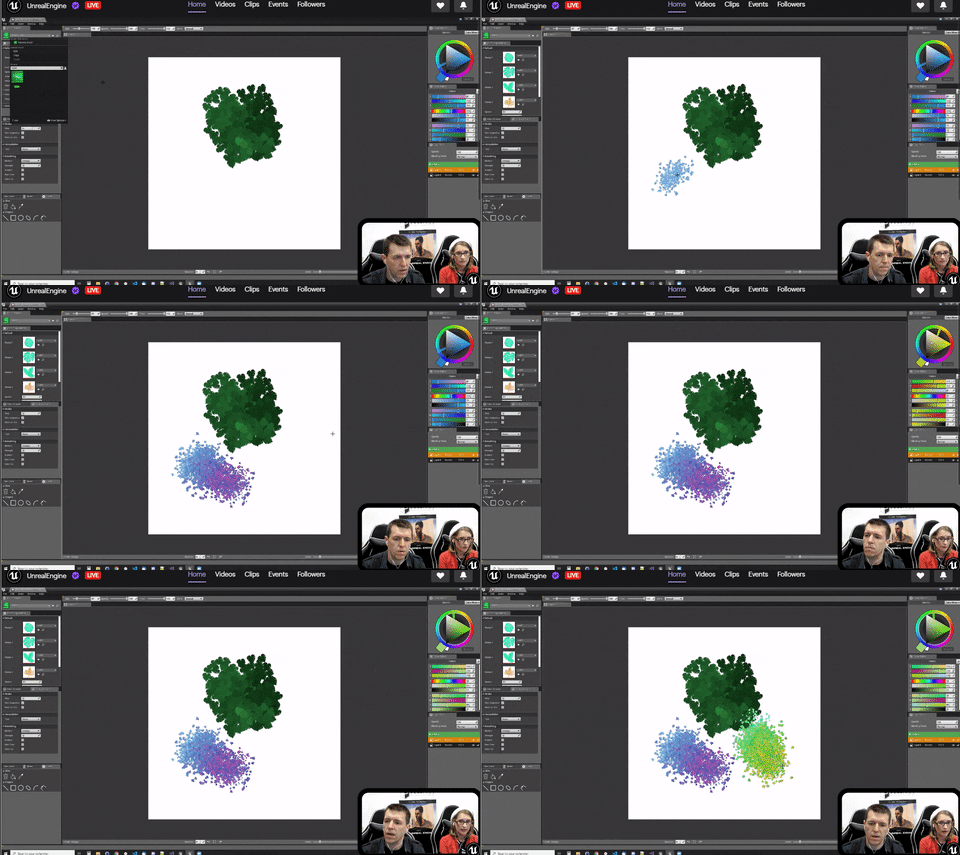
Woah WTH. Photoshop in Unreal. Crazy plugin on the live-stream:
pearl sonnet

For ages I've wondered if low-budget DIY motion capture was possible using Blender 3D. After some exploration and experimentation, I learned that it is. Here...
coo
 plush yew
hey could anyone give me a brief overview of how to transfer a github unreal engine project to a new computer where I can see it on the launcher?
 mystic oar
@plush yew I had to move an HDD to a new PC recently. The project was saved locally on the HDD (no GitHub repository), but to make the launcher recognize it all I had to do was open the project in UE4. After that, the launcher showed that project.
 stiff spoke
I have a problem my unreal engine 4 bug like that when I want to move the camera to look at another place but out of the game
Even in game it bug like that example I press the play button to test my game and the window test then open 5 min after. Even when I tried to walk he will execute the movement even 10 minutes after why?
mystic oar
@stiff spoke Not sure I understand. Are you having a problem with the UE4 editor taking too long to start up a "play-in-editor" session, or are you having a problem with your in-game character camera movement?
grim ore
@plush yew once you open up the project and it's using a version of the engine that the launcher knows about it will show up in the launcher after that. and I noticed @mystic oar already said that lol... yay for scrolling down
plush yew
thanks for the tips but im pretty sure i did it wrong anyways 😉
stiff spoke
Out of the game so in my level without trying to play so in the viewport of the engine it bug for same for open a folder
I tried to open another of my projects but there the pc does not bug on Unreal engine 4
mystic oar
@stiff spoke You're saying that the free-movement camera in editor mode is moving very slowly? Okay, it might be that the camera's movement scalar or movement rate has been scaled down. Alternatively, you might have placed too many objects or have some other kind of graphics-intensive thing that your PC is struggling to render.
stiff spoke
Yeah apparently this is the graph I chose that causes problem because before it was direct x 11 it is direct x 12. Where to change the graph in the Project settings is that? @mystic oar
mystic oar
@stiff spoke I'm not sure that I understand. What do you mean by "graph"? Are you talking about a static mesh you imported, or some other kind of asset?
stiff spoke
No
pearl sonnet
mystic oar
@stiff spoke Ah, so are you talking about the Rendering Dependency Graph mentioned in this documentation? https://docs.unrealengine.com/en-US/Programming/Rendering/RenderDependencyGraph/index.html <<
The Rendering Dependency Graph is a graph-based scheduling system designed to perform whole-frame optimization of the render pipeline.
stiff spoke
Graphic Resources @mystic oar
I speak of graphic ressources
Graph type @mystic oar
mystic oar
@stiff spoke Okay, are you talking about a material node graph? One of these: https://docs.unrealengine.com/en-US/Engine/Rendering/Materials/Editor/index.html ?
Guide to using the Material Editor for creating shaders.
mystic oar
@stiff spoke Yes, I am familiar with DirectX11 and 12. Are you having trouble with an implementation of DX in UE4, or a problem with lower-level shader code execution in a material node graph?
stiff spoke
No. On UE4 before I had put in the direct settings x 11 but just this morning I put live x 12 @mystic oar
mystic oar
@stiff spoke Ah! I think I understand. You were using DirectX11 as your rendering pipeline, but this morning you moved to DirectX12 and now you want to change back because you are having problems.
grim ore
how did you change it in the first place? reverse that
stiff spoke
I was just gone in the game settings in ue4 and I went to the package for windows and I put direct x 12 @grim ore
mystic oar
@grim ore I was thinking the same thing.
@stiff spoke I'm not familiar with that functionality, but an old AnswerHub post says "Project Settings > Platforms > Windows and uncheck the boxes for DirectX 10 & 11"
grim ore
but it should be here assuming you changed it in the project settings https://i.imgur.com/34gPGXD.png
stiff spoke
That's what I did to change @grim ore
mystic oar
Here's a link to the answerhub post, by the by: https://answers.unrealengine.com/questions/303400/how-to-check-if-the-project-is-dx12.html
@stiff spoke I would try unchecking DX12, re-checking DX11, then saving everything, closing the UE4 editor completely, and re-opening your project. Hopefully that will work.
stiff spoke
OK thanks
grim ore
https://i.imgur.com/jKyOim1.png is the ini file that changes, defaultengine.ini in your Config folder. you can see it at the bottom the change and you can remove both those lines to use the default
mystic oar
@stiff spoke No problem! I hope this helps. :)
stiff spoke
Yes
I try
If it's good, I'll let you know @mystic oar @grim ore
It works thanks again @mystic oar @grim ore
mystic oar
@stiff spoke Glad to hear it! Good luck in your UE4 endeavors.
stiff spoke
Thanks
 slow depot
I remember you could make text and number in one text on widget but not how. any clues?
stiff spoke
I do not understand @slow depot
mystic oar
@slow depot Well, that's a loaded question. Let's try it the easy way, can you use Format Text to merge the text and numbers together into one output?
 hexed dock
Hi folks. I'm pretty new to UE (though a veteran coder) and having a horrible time trying to figure out using fonts in text renders. I'm trying the most basic of things to figure out where I'm going wrong, which has led me to just copying the engine's RobotoDistanceField into my project and doing Asset->Reimport. What I'm trying to figure out is why what I get when I simply re-import I get something different than the one in the Engine dir.
Specifically, instead of the single page DF that I started with, now I get 4 pages, and the font looks WAY larger.
slow depot
@mystic oar it dont work like that for me. when i try it
mystic oar
@slow depot Oh dear. Okay, so just to be clear, you're trying to convert a float to text, then merge it with another piece of text (like a string) and output it to the HUD?
mystic oar
@hexed dock Hi! Welcome to the madness of UE4! Have you experimented with fonts in UE4 much at all, aside from in text renders?
@hexed dock Also, are you sure you should be using in-world text renders instead of a HUD widget?
@slow depot Hrm. Okay, are you having a problem connecting the number to the text in the graph (blueprint issue) or is the desired effect just not happening in-game (logic issue)?
plush yew
I managed to get my project open in UE4 but it is either empty or just a black screen, this is by right clicking the .uproject file. 99% I didn't do the github upload right, but just wondering if I'm missing something major - this is trying to access a UE4 project from github
hexed dock
@mystic oar No, I haven't, and that's a good question. Where it actually came about was that I am doing some VR dev (specifically motion controller locomotion) and I wanted some on-screen logging because with the Quest it's kind of a pain in the butt to get good debug logging (adb logcat is basically the only way). But I needed something to see while I was actually working with the controllers to make sure I understood what was going on. Anyway, I started out doing UI and widgets, but it's an area I haven't studied yet and so I went to a Text Render to try to simplify. And that worked just fine, but only with Roboto. I wanted to use a monospace font so the debug stuff (for coordinates) would line up. But I never could get it to show up (at least, in VR - worked fine when just showing it in the viewport). So I kept trying to back up a step and that's what led me to say "okay, but can I just get Roboto to work, if I just start with the engine font and follow the same steps." Hence me realizing the DFs I'm making don't seem to line up with what the engine includes.
mystic oar
@plush yew Sounds to me like the GitHub download didn't grab everything it needed to. What does your error/message/output logs say?
slow depot
the number to text if i add another text wont work (blueprint) @mystic oar
plush yew
no error. If I choose 'launch game' it's a black screen. If I choose 'Open' I just get an empty project
mystic oar
@slow depot Ahhh, conversion issue. Okay, I have UE4 up on my desktop, let me double-check to make sure I'm giving you the right advice. I've had this problem before, blueprint doesn't like to auto-convert some datatypes and you have to force it.
slow depot
ok
plush yew
this is by right clicking the .uproject file, after extracting to a different folder
mystic oar
@hexed dock Ooooh, you're doing VR. Okay, I don't have a ton of experience with that, and as I'm sure you know VR has a lot of its own graphical wickedness. Here's what I would recommend: Make sure you are importing the new font correctly. UE4 made some changes in a recent version that shifted how it handles fonts. I don't remember all the details (my brain is a sieve), but it now imports 2 different items and you're only supposed to use one of them.
Here's a video on importing fonts that I grabbed, I think this is correct and it should point you in the right direction if that's your problem: https://www.youtube.com/watch?v=tZWp4BdlfA4
@slow depot Okay, can you drag off of the float node that has your number, and use a ToText node to convert it to text?
https://docs.unrealengine.com/en-US/BlueprintAPI/Utilities/Text/ToText_float/index.html
Then, you should be able to drag off of that ToText node and plug it into your Format Text node. Make sure you have your arguments in curly braces {}!
https://docs.unrealengine.com/en-US/BlueprintAPI/Utilities/Text/FormatText/index.html
ToText (float)
Format Text
 trim granite
Can someone tell me what this is and how to unlock this? https://images-ext-1.discordapp.net/external/qSuqyLDalQqISeMkK4xNE6D4eYKSsxatZrrzI9RAw3w/https/image.prntscr.com/image/7sVeOGgWQReJTl9dxcJ5hA.png?width=702&height=665

I accidently hit some buttons.
and now my tabs are locked.
🙁
hexed dock
@mystic oar Hah, I think I watched that exact video. And the steps aren't really that complicated (not obvious). But I've tried it multiple times, even with just system fonts like Courier New and Times New Roman. And it just would never work. The font would be basically invisible, if it was rendering at all. That's what led me to try to back up and just see if I could follow the same steps with Roboto to check against the Roboto DF that ships with the engine. I wonder if that DF was made before they made changes to the process, so that the same process no longer works to produce an identical DF.
slow depot
@mystic oar the format text work but i can only do the number or the text like : Day or 1 but not like Day: 1
pearl sonnet
when a quest tells you to "search for Lupus"
thanks but i'll pass
mystic oar
@slow depot Right, you have to use curly braces to make multiple arguments in the format text box. So:
{Day} : {Num}
@pearl sonnet At least it didn't tell you that your wagon train needs to find their way to "Dysentery Junction".
pearl sonnet
lool
mystic oar
@trim granite Juggling a few plates here, but will try to help! Have you tried closing down UE4 and re-opening it? That might unrustle your tabs or at least unlock them.
trim granite
yeah, that worked, thanks!
slow depot
@mystic oar That worked 😄 ty dude or dudedette
mystic oar
@hexed dock I don't have a VR kit hooked up to my desktop, so I can't replicate your problems (since you mentioned it only occurs in VR). I would recommend you look into setting up a simple HUD widget for debugging, or using the in-editor PrintString debug commands. Those will (memory serving) also show up in the message log, so it might be more in line with what you're trying to do.
@slow depot No trouble, bud. Data massaging can be one of the most frustrating things about code. UE4 does a lot of good stuff behind the curtain, but sometimes you gotta punch a hole.
hexed dock
@mystic oar Don't know if I made it clear, but the Text Render worked with no problem with the built-in engine content Robot DF and associated material. It was only when I wanted to go monospace that I started running into issues.
mystic oar
@hexed dock Oh. Oooh, okay, monospace. Hrm. Does it manifest both in regular viewport and in VR?
stiff spoke
Do you know about online gambling? On UE4 @mystic oar
mystic oar
@stiff spoke No. Sorry.
hexed dock
@mystic oar But I've tried it with both monospace and non-monospace (creating my own DF/material, rather than using the Roboto one provided with the engine content) with no luck. And yes, it shows up great in the viewport, but just not when running it on the quest.
stiff spoke
OK @mystic oar
mystic oar
@hexed dock Hrm. Well, if it shows up in-game with Roboto then it's not a problem of the Text Render being set to "only show in editor". That was my knee-jerk reaction.
hexed dock
Ah well, I just don't get it, but if I have to I can get around it. Just like to know why things are as they are rather than have to just accept that I can't figure it out. 🙂
Thanks for trying to help, @mystic oar . I'll be sticking around as I'm sure I'll run into other mysteries
plush yew
does anyone know anything about the "Never Stream" checkbox on static meshes?
 mighty copper
Anyone have a quick moment?
I was using the link from the Unreal launcher for the Maya plugin for shave-and-a-haircut... https://github.com/EpicGames/Shave-And-A-Haircut and I get a 404 Error.
I've sent an email to the one for issues on the site https://www.unrealengine.com/en-US/blog/shave-and-a-haircut-v9-6-for-maya and sent an email to shave-haircut-support@epicgames.com... But I'm gotten no rely from anyone... can you help to shed some light on this please?

Unreal Engine
Shave and a Haircut is an interactive grooming and styling tool for hair and fur, with associated shaders for offline rendering in Arnold, RenderMan, and V-Ray. It is currently productized as a v.9.6 plugin for Autodesk Maya.
mighty copper
Ok wow... I feel... well then... some how my browser signed me out or doesn't remember my login when I use the link from the Epic launcher... I feel kinda dumb at the moment I didn't even notice it till you said something.... I thought the link was broken... 🙂 Thanks a million for setting me straight. wow... Need more caffeine apparently.
@digital anchor I've been trying to use the chaos demonstration but it requires building a copy of 4.23 from GIT Hub.. I have everything I need to do this... but require the assistance on bring it to a done (wipes sweat from brow) status... Would you be able to assist in this or know any good tutorials or other forms of help I could gain assistance from?
 digital anchor
just ask specific questions theres plenty of people to help
if its compiling ask on #cpp and if its problems with github ask on #source-control
 next badger
forums have a step by step guide how to build a chaos project
dark depot
^
next badger
Unreal Engine Forums
Follow these steps to enable Chaos in 4.23 (https://docs.unrealengine.com/en-US/Engine/Chaos/ChaosDestruction/ChaosDestructionOverview/index.html) (new
dark depot
god they need to fix the forums i was grabbing it hahaha stuck in a loop again
 versed surge
relogged and refreshed hardware and still seems to give me a 404 error on Shave and a Haircut. Any ideas?
digital anchor
the blog post have instructions, need to link your github to epic account
dark depot
do you have unreal connected with your git account
mighty copper
Thanks guys
dark depot
https://www.unrealengine.com/account/connected just hit connect under github
mighty copper
Is there any info of when Chaos is suppose to be out of Beta? by a certain version?
Road map doesn't list anything specific.
next badger
no...Chaos will replace Physx...so they should be pretty sure it works before doing that
versed surge
Still no luck. Though I am going to try a different account and see if it still gives me errors. If anyone has ideas let me know and thank you again.
next badger
@versed surge open this https://github.com/orgs/EpicGames/dashboard
mighty copper
@versed surge and it shows you are signed in... That was my issue and I missed it because of my browser.
what browser are you using?
plush yew
The templates disappeared. How do I get them back? 
dark depot
@plush yew if your using the launcher version oif the engine in the launcher on your engine version next to launch there is a dropdown arrow you can hit options and select templates
plush yew
Ah thank you!
mighty copper
For the github version of 4.23 and the chaos destruction demo project? when you build the 4.23 github version of UE4. How do you load the project for the chaos destruction demo, manually via the folder it's stored in once you've opened the 4.23 github version or can you load the project via the unreal launcher and it loads the 4.23 github version you built?
versed surge
@mighty copper yep it was logged in. and everything was set up correctly. I just messed with some network stuff and it works fine now. THanks!
 unreal comet
Has anyone experienced crashing issues with 4.23 when playing a packaged game? I've recieved several messages from people telling me their game crashes when using 4.23.
next badger
no issues here, we packaged few releases on 4.23
 quasi star
I have a strange issue with a simple UMG widget animation. When adding the widget to the viewport it's displayed as if the animation has played and ended (the last keyframe is shown by default), anyone have any ideas how to fix this?
cloud cobalt
@bright folio 4.23 apparently has an issue with full screen causing crashes
 ornate ice
4.23.1 is out already
Check out the notes to see if it's fixed
Unreal Engine Forums
The 4.23.1 Hotfix is now live!
Feel free to discuss this release on the 4.23 forum thread (https://forums.unrealengine.com/unreal-engine/announcements-and
unreal comet
I personally haven't had any issues with 4.23 but I had some customers message me with issues about their packaged games crashing. I just wanted to ask around. Maybe 4.23.1 will solve it for them. I'll let them know
 manic pawn
fullscreen crash was fixed after 4.23.1
unreal comet
🙂 Awesome! Thanks
deep stump
Alight i'm about to loose it lol. I've had to wait like 4 times to download different versions of the source build
I wiped my computer and my unreal engine projects are on different harddrives and I can't figure out what version it is
 haughty geyser
In World.h I just noticed that TimeSeconds (which measures seconds since the level began playing, and is used in many places for game logic) is a float, and there doesn't seem to be any periodical reset of it. Floats have only 6 significant digits precision, meaning that a little over a week (two at the most) of running a server, the precision would drop below seconds - or am I missing something?
manic pawn
you're not missing something, servers die after a few days, and epic doesn't care because fortnite servers only run for an hour
haughty geyser
Well, that's reassuring
manic pawn
only fix is to regularly restart it or change the map with non-seamless travel
 weary basalt
Yep, we have a server recycling system setup for GameLift because we cant have Servers running for to long.
manic pawn
it would be amazing to see a PR that upgrades this and all usages to a double
but you'd hit a wall where blueprint can not use doubles and you can access this value from blueprints
haughty geyser
-_-
manic pawn
and it would be a hugely invasive change considering it affects everything like timers etc
haughty geyser
I mean, I know that Unreal's main aim isn't MMOs... but still
UE 4 isn't -that- old, I can't wrap my head around why didn't they use doubles literally everywhere
manic pawn
slower
and bigger
there is no reason at all to use doubles for things like positions, meshes, etc
just... the time... I don't understand why it's a float
haughty geyser
Memory isn't really much of a concern nowadays
And it's not actually slower, either

Stack Overflow
I did some timing tests and also read some articles like this one (last comment), and it looks like in Release build, float and double values take the same amount of processing time.
How is this
At least not on any CPUs anyone would use for gaming
weary basalt
Legacy most likely. You have to remember that the Engine IS old, it has evolved from UE1
manic pawn
this is c#/.net
it's irrelevant
 : replace every bp exposed method that takes a float for time with a struct
...which contains a double
haughty geyser
I actually didn't know that blueprints can only work with floats
manic pawn
it's more that since they use floats all of the time, no one has bothered to make a double property and accompanying support classes
weary basalt
BPs have no double precision type.
manic pawn
they recently added int64
manic pawn
I imagine it went like this:
enterprise customer: I need to pass a ginormous number to this function from blueprint for no reason
epic: .......
epic: done
weary basalt
Yeah maybe, though if they are an enterprise customer, they probably have the ability to do it themselves...
manic pawn
oh wait
double property already exists
I wonder what you need to do to let bp use it
haughty geyser
Don't suppose there's any petition anywhere about the crashes? :D
quasi star
Is there a nice way to create new shortcuts in the create menu? A real common thing in my game is creating new data assets, right now I have to find data asset under misc and then choose the base class
What I'm hoping is possible is to have another category under Create Advanced Asset in the create menu for custom game related assets, so I might have a Construction Prefab item in there
weary basalt
@quasi star You will have to create a Factory that provides the necessary functionality to create the asset for you.
Factories can be added to the Asset creation context menu.
quasi star
Base class for all factories An object responsible for creating and importing new objects.
weary basalt
Yes
quasi star
Nice, thanks I'll take a look. Might be a good little side task to do
weary basalt

gmpreussner
Adding custom asset types is an important, yet underused feature in Unreal Engine 4. This article shows how to accomplish this task and offers some deeper insights into the various APIs.
plush yew
is it faster to distribute systems on multiple actors than to have one actor do all of the jobs?
f.e. I want to handle input, combat, movement on an actor that has a whole bunch of static mesh components on it
would it be faster to have those systems on empty actors?
normal burrow
your saying you would use components then?
plush yew
no I mean I have all sorts of functions to handle gameplay on an actor
and if that actor would have static meshes on it would it be slower than on one who doesnt?
normal burrow
no components is faster than any components
but if your asking if it would make tick slower, no. there is over head for moving such actors
plush yew
hm alright, might as well do all of the gameplay work on my map actor then thanks @normal burrow
thin tendon
Is there a way I can ask my game if a float is a whole number? I have a variable called hours in my day night. I need to query it and trigger an update event but only when its a whole number
 scarlet kiln
Can someone Please DM me if they know how to properly rig and set up a Vehicle in UE4 4.20?
I followed a tutorial and it looks ok so far, but my model has wheels that don't seem to be rigged properly and am not sure if I should rig them separately in Maya before importing to UE4....
When I put gravity to default, the wheels and body seem to spinning like crazy and seem to separate from the body...
 dim arch
just saw the latest live stream,, Nice new plugin for the engine!!
 uncut osprey
https://forums.unrealengine.com is stuck in an endless login loop for me
Unreal Engine Forums
Forum Description
 scarlet birch
@thin tendon That's a bad approach.
 neat rune
has anyone experience performance issues with the camera fades ?
eternal orchid
hi guys, i need help. so, every time my pc builds too many shaders it decided to fully freeze, making me shut it down and restart my computer to gain control back. my cpu and gpu arent overheating. i just cleaned my pc. i have 16 gb of ram and graphics drivers are up to date. please can anyone help me figure this out
uncut osprey
Upgrade your Windows 10 to Windows 7 😄
Sorry, I'm no help I know
My question: Where do I tell UE to use VS2019 instead of VS2017?
Never mind, found it by searching for "source code" in Editor Preferences
eternal orchid
Is it possible to make unreal engine take it's time when packaging? Like setting itself to only do so many shaders at a time? Let's say once it reaches 400, it pauses Abit, waits till it's finished with those, then moves on, and continues that cycle. Is it possible? I'm at my wit's end here trying to get this project to export
stiff spoke
You have to say it in the parameters of your project @uncut osprey
You must also specify VS 2019 in the windows package settings @uncut osprey
 regal mulch
@eternal orchid did you ever just wait for it to finish?
 hollow kayak
hello. im new to UE and im having an issue with the SweepResult.BoneName from my begin overlap event is coming back as null even though my collisition is set up on the skeletal mesh
i saw online that many people have faced this but the examples are with blueprints and im using c++
i mean none, not null
dim plover
I think you have to Sweep to get the SweepResult stuff.
hollow kayak
now that makes sense, lol, is that set up on the unreal editor?
dim plover
Check https://docs.unrealengine.com/en-US/API/Runtime/Engine/Engine/UWorld/index.html
And search for sweep, pretty sure you, more or less, have to use one of those.
hollow kayak
thx for the guidance, taking alook
plush yew
Hello, kinda new but been developing a VR project for uni, not sure what I've done but I think at one point I accidentally deleted the default motioncontroller pawn I've been using and tried putting a new one in but it isn't actually connecting with the HMD. I see the view from the camera on the pawn but in HMD theres just the normal steamVR loading view. Not really sure what to do and I can't find anything online like this
 silent chasm
clicking on mega jam on launcher I get domain error unrealengine-gamedev.ol.epicgames.net’s server IP address could not be found. is it just me?
 coarse wigeon
@gleaming narwhal We have spammers on the forums
fierce tulip
not really the place to mention this. they are prolly asleep :p
try twitter I guess.
haughty geyser
RE: TimeSeconds float problem, posted on https://answers.unrealengine.com/questions/932856/view.html to at least try to raise the visibility (though I'm not sure any Unreal devs read that)
plush yew
I somehow fixed my issue so no worries
tame marsh
I get a Login Redirect loop when checking the UE4 forums, any idea how to fix this
regal mulch
Cookies?
fierce tulip
its a bug some people seem to have atm.
tame marsh
Nope, I just cleared them and it's still looping me
Chrome is giving me issues, Edge works
Yeah I saw @uncut osprey mentioning the same issue earlier
 viscid quest
Can I someone pls help me I wanna make an equip/unequip weapon for my paragon wraith but how do I do it when the gun is in the same mesh as the character?
fierce tulip
you cant, its part of the skel mesh. only thing you can do is apply a material to hide/collapse it.
 elder hatch
Can someone please help me with my client? Its crashing every 10 minutes and i cannot work on my project like this
Seemingly no reason, and im doing something different every time
steel patio
Random question... does anyone know why the UE4 example character faces Y+ direction when the engine uses X+ as forward direction?
sudden agate
because epic sucks
steel patio
i just worry about authoring a character in X+ and then running into an issue which explains why they authored them in Y+ in the first place
 mint thunder
Hey guys can someone help, i made a decal with parallax occlusion, but if i rotate the decal, the height direction gets skewed.
fierce tulip




Sorry y’all I was young and this coordinate system stuff was confusing https://t.co/S2tkQRfAHr
Retweets
602
Likes
2312
 Twitter
steel patio
Twitter
steel patio
oh lol 😂
plush yew
So I'm trying to figure out if I can change the alt key to be a pan button modifier in blueprints viewpoint instead of right mouse button as I don't actually use a mouse but a graphics tablet instead and hate using the right click button on it.
I'm also trying to figure out in 3d viewports if it's possible to again use something like shift as a modifier instead of right click.
Any help greatly appreciated;p
 autumn trout
How to convert texture to color
To reduce volume
skeletal mesh
 tall pendant
can you elaborate a bit?
 steady furnace
Is the forum down for anyone?
sudden agate
if you are stuck in an endless login-redirect, delete your cookies
steady furnace
Will try that. Thank you.
pseudo swift
I have a plane with cloth painting applied to it, I added a directional wind source but it barely affect my plane? Any settings I need to tweak?
I changed the wind settings but seems like it have minimal effect
plush yew
hey guys, any clue about making a board game?
my primitive ideas are to make the spots you put down your character on seperate from the gametable itself
just use triggers that are activated by click, and getting the location of the trigger, moving char there
just getting the location of the click, and seeing if it abides by specified locations of where you can move your char
or just auto move by dice rolls
but the other problem is indexing them all, I'm guessing I can just make an array, and use that?
 acoustic sleet
Anyone have an idea, or willing to help implement a system whereby character blendshapes can be used and are are keyable in sequencer?
 copper flicker
Does anyone know how to publish an unreal game......
in such a way that....
MyProject\BUILDS\WindowsNoEditor\Engine\Binaries\Win64\UE4Game.exe
is not going to be called UE4Game
but
MyProject\BUILDS\WindowsNoEditor\Engine\Binaries\Win64\MyProjectName.exe
???
😄
that's the parent process of any unreal game
and it's wrongly named..
so when you drag a shortcut to taskbar, or when you look in taskmanager
you see UE4Game or UE4
instead of MyProjectName
thank you in advance!!
🍻
plush yew
@copper flicker project settings, I'd guess
so, guys, read up and any idea of how to?
pseudo swift
any idea why my cloth plane hit an invisible floor like this?
eternal orchid
@regal mulch what did you mean by wait for it? It was a full pc freeze? Are you saying it can thaw?
regal mulch
Packaging, especially the cooking stage and the shader stuff, can use up A LOT of resources, up to the point where it seems like the PC doesn't react at all.
Have you ever waited for a good chunk of time?
eternal orchid
I waited an hour and a half for the longest I think?
Should I try leaving it running for half a day or so?
pseudo swift
Guys, im really clueless about my cloth plane, it collides with an invisible floor and doesnt get affected by wind but the cloth paint and simulation seems just fine ?
 upper heart
Does anyone know how to toggle raytracing at runtime?
wary wave
I don't think you can
 sly coyote
@carl its a massive cloth and its hitting the 0 z plane in the scene
Scaled to 100, what size it it originally? 1=100% of original btw...
next badger
Just in Case you missed it.
pseudo swift
@sly coyote i actually fixed it by painting it again with different values, my problem was I previously used too low. My main problem now is trying to get it to respond to wind
sly coyote
Still why not consider painting it bigger to start with, scaling 10000% is whoa...
Glad you got it figured out tho 🙂
upper heart
@wary wave oh really? I would have thought it was r.RayTracing but that didn't work
pseudo swift
got it fixed
wary wave
seems to me like a setting that would require the engine to be restarted
light coyote
@next badger Thanks 🙂
 bitter iris
UATHelper: Packaging (Windows (64-bit)): ERROR: The following files are set to be staged, but contain restricted folder names ("Apple"):
Anyone know why id be getting thie error?
next badger
you can't call folder Apple
next badger
if you have ARKit enabled - you have
bitter iris
ARKit a plugin?
next badger
yep
next badger
xcode also enabled, and that's makes 0 sense on win
bitter iris
would having a folder contain an apple mesh called apple vbe a problem?
next badger
i have no clue how it works...just don't like Apple folders
bitter iris
ill see if disabling thesefolders gets rid of the error
next badger
bitter iris
ok
pseudo swift
is there a quick way / lazy way to add opacity/transparency to this water, the node setup is quite complex and I dont want to remake the entire shader etc, I tried using subsurface as a shading mode kind of faking it similar to a lamp shader surface but no luck
wary wave
change the blend mode, add opacity
pseudo swift
what blend mode would you then recommend ?
 mild charm
@pseudo swift It’s been a while, but i think there’s a translucency option
 lusty night
in UE4, the axis Z is UP and DOWN, Y is LEFT and RIGHT, and X is FORWARDS and BACKWARDS, right?
 supple totem
Yeah usually
lusty night
ok that confused me lol
supple totem
The mannequin looks in it's y axis tho
When starting a level block out, how do you handle initial lighting? Just out a neutral sky light up?
plush yew
so, could anyone help me? I'll repost
hey guys, any clue about making a board game?
my primitive ideas are to make the spots you put down your character on seperate from the gametable itself
just use triggers that are activated by click, and getting the location of the trigger, moving char there
just getting the location of the click, and seeing if it abides by specified locations of where you can move your char
or just auto move by dice rolls
but the other problem is indexing them all, I'm guessing I can just make an array, and use that?
I don't exactly have the time to try things out a lot right now, life's busy
grim ore
your game is going to need your rules and systems, you wont find a generic answer that fits. Your idea sounds fine for what you need.
when I tested something like this I used an array and a size to make a square board and layed out tiles around the edges based on the size I set up. when I moved stuff I just moved from one tile to the other using lerps
plush yew
Hi Folks: I have a simple building that I am using to learn on -- its designed to be a walkthrough (1st Person) for archviz. its drawn in blender 2.8. Is there a prescribed workflow for getting it from blender to UE4?
 vale silo
@gleaming narwhal @wary wave @wild kestrel the issue with UE4 forums keeps happening when using Chrome, at random. Every time it happens (infinite redirect loop) I have to delete cookies for UE forum and site, restart browser.
 tropic crypt
Just had to do the same thing this morning.
plush yew
Forums seem to be down. Im using Opera
Spent 3 days trying to troubleshoot stupid engine issues. The day where I finally narrow it down to just 1 issue, the forums don't work. I'm being scared off of Unreal more and more
digital anchor
that... doesnt work, apparently only works with asssets (not class/objects) and with the exact parent class
plush yew
Submit a bug report form
 cosmic matrix
oh ok
 gleaming narwhal
@vale silo The team is working on it, hoping to have it resolved soon
 midnight igloo
@deep citrus did you find a new good alternative to IKinema? As far as i've heard, they've been acquired by Apple, which means we will most likely not get to use our licenses in the future 😦
gleaming narwhal
@plush yew There are a couple of things that has worked for different users: 1, log in through unrealengine.com and go to the forums. 2, delete cookies and restart. 3, try a different browser
 deep citrus
@midnight igloo Nope... I'm just using regular non-IK animations in my game for now. =/ And now I have another reason to dislike Apple...
plain tiger
I have made some tutorial vids, is there a place I can post them?
spamming them in this channels seems inapropiate. Can I just dump them in 'streaming'? even if its not technically a stream? (well, its a one-man stream, but...)
plush yew
Accessing it from unrealengine.com worked
next badger
Is there any way to fix that w/o deleting the meshes?
lapis vine
@midnight igloo BIK? But I haven't used it, so can't say how good it is.
 midnight bolt
Can someone help me to make Blueprint Utility?
Asset Actions -> Select Actors Using This Asset [texture.tga] Move selected actors into new folder called [texture.tga]
folder in world outliner
I want to make it '1 click action'
so i select one texture, and it will link all objects using this texture in the material
fierce tulip

Unreal Engine
The winner of our previous Twinmotion Community Challenge explains how he created his archviz scene depicting a beautiful sunset over a canal in Amsterdam.
@midnight bolt afaik you can already select content using X trough the content browser, which then selects them in the world iirc
midnight bolt
which X?
I also want the selected objects to be put into new folder called with filename of original file
fierce tulip
using X as in using "X", as in "x" = whatever you select
and then rightclick in the outliner > place in new folder
midnight bolt
yes, manually it works. i want to automate my step
I can't rely on keyboard/mouse macro as the things are not always in the same place
it's fine for dozens of objects, but i have to work with several hundred objects before i merge them together. first i want to sort them into the same base color/diffuse texture
fierce tulip
then I get that yea.
in case you want it made: ask on forums or #looking-for-talent
in case you want to try it yourself, but need guidance #blueprint I guess.
though sometimes I wonder if a #blutility channel would be interesting hehe.
midnight igloo
@lapis vine I heard about it too, but haven't really been able to figure out if it's supported still/actively beeing worked on
midnight bolt
thank you Luos, gonna post now and hopefully someone will come along
lapis vine
I think yes, but they appear small team and a bit overwhelmed. Just search around. Anomotion. @midnight igloo
 astral tartan
where can I ask about material editing?
astral tartan
thanks
 floral moat
hi. is simple way get widget position in screen space coordinates (widget is umg child that is child of other widget ...) ?
 signal bone
Hello
im looking to make a voxel based building system like minecraft
i heard that ue4 is not that good for this kind of stuff, do you guys think is a good idea to make this on ue4?
 modern socket
How plausible is in game seasons live? Like it rolls from winter to summer, tree leaves fall of etc
 fierce forge
how i can make a huge plane for water ?
pulsar badge
Why is my textures doing that on the wall....
I use blender and when i Extrude it does that.
but it works fine for the floor
digital anchor
@pulsar badge bad uvs, the ground will be already unwrapped, but you need to unwrap what you model yourself
@signal bone it just wont have the tools to do it, but theres plenty voxel games on ue4, you will just have to code a voxel system or get a plugin for it
@fierce forge place a subdivided plane and scale it?
digital anchor
that depends if both the material and the UVs are correct
fierce forge
how i can do this ?
digital anchor
show some screenshots of the material and of the plane in ue4, does it have WorldPositionOffset? thats what makes the water wave
also make sure youre scaling your UVs to match the size of the plane
fierce forge
modern socket
@signal bone yes possible
fierce forge
the problem is with the plane
if i try a plane from ue4 engine it is working but it's so small
digital anchor
well i guarantee you if its working on a small plane will work on a big one if you make sure:
1 - its subdived, 2 - its UV unwrapped, 3 - the Scale parameter is set
 delicate needle
Help please! I think I might have "broke" my unreal project. While it is only one map, archviz scene, I've likely messed it up a bit. Everything is taking way way too long to operate, from saving, opening, etc. I think it was due to me moving assets around my content folder, but i'm not sure. Is there something that can be done? Does this sound familiar?
digital anchor
moving assets arround will create redirectors, i never heard them causing lag, but you may try to right click the main folder and select Fixup redirectors, that will delete all redirectors and may mess up with your source control (just sayin it cuz its a bitch when youre working with many people and many files are now modified)
also another option is just reverting everything till a version that was working
delicate needle
I don't deal with source control, just me on this project. It sounds about right with the re-directors though. I am using V-Ray for Unreal, and importing using their VrayScene files. Since I will often make changes, and delete imported meshes in my level, its leaving a lot of clutter. I don't think Unreal knows how to deal with this workflow, because if I were to run a "delete unused assets" script, a lot of the meshes remain, that I am sure are no longer used. Anyway, thank you for that tip!
I'll try it once the editor stops taking forever doing its current operation!
mystic oar
@delicate needle If you're doing an archvis scene, you might be working with really high-poly assets or other complex materials. If you have a bunch of complicated things in the scene, try setting some of the lighting options in their "Details" panel to "stationary" and see if that helps a bit.
delicate needle
@mystic oar - It's not viewport performance, its a sudden drop in operational speed in things like, opening assets, saving, deleting assets. I feel very confident is has something to do with the "redirectors" which was mentioned above. That sounds about right. Will test it soon!
 subtle glade
hello, is there a way to resize capsule component? my character is too big and i cant set a proper collision with capsule height and radius.
mystic oar
@subtle glade Yes, there is!
Hold on, your character is bigger than the height/radius options?
mystic oar
Wow, how many UE units is... oh. Ooooooh.
subtle glade
i think i've used the wrong bp class 😦
mystic oar
Okay, in that case you probably don't want to use the capsule component.
subtle glade
its a character class
mystic oar
Yeah, you likely want to make it an actor component and add in a custom Box Collision instead.
subtle glade
already done a lot of coding tho 😦
mystic oar
How large are you trying to scale the capsule collision to?
subtle glade
ill send you a pic
mystic oar
And would it be possible to just scale down the ship's size?
mystic oar
@subtle glade Huh. Have you tried rotating the capsule component?
mystic oar
Memory serving, it is width-bound, so you might be able to make it very long (enough to encompass the deck of the ship).
Ahhhh.
That's right, in Character it's the root component, so you can't rotate it.
subtle glade
yupp
mystic oar
Hrm.
subtle glade
no way around i guess?
i need to change the parent class?
to someting like pawn or actor i guess
mystic oar
How much coding have you done already? If it's all BP, you should be able to copy-paste the nodes over to a new BP pretty easily and recreate the variables.
subtle glade
I've made few arrays and few functions
most of them are for spawning the cannons
on each side
and firing them
abstract relic
You rotate the mesh to fit the capsule instead then work your input around the new axis. Annoying for sure.
subtle glade
something like this
@abstract relic ohh you mean like
make it face upwards
since i can size upwards
 uneven fractal
If redirectors can be removed with the "fix up redirectors" why aren't redirectors automatically deleted during the moving asset process 🤔
mystic oar
@abstract relic That's just crazy enough to work... spawn it in-editor rotated, and rework the input to move it on its' Z-axis?
subtle glade
@mystic oar crazy idea indeed but it should work i think 😄
mystic oar
Sheesh, first UE4 mixes up the X and Y standards, now they're making us use Z as X...
 bronze cipher
hi i am relatively new to unreal and am trying to have a senario where the player walks into the enemies box component and then it changes level to the battle level but i have tryed a few things in c++ and BP today the last thing i tryed was to have the player walk into it OnBeginOverlap then open level but as soon as i play it changes to the battle level, i think this is maybe because the enemy is an actor but idk
grim ore
if the actor is inside of the box component they could be triggering it yes, on the overlap event check to see if it's the player or not self and then you can do the transition. doing the player might be best or else enemies might trigger from other enemies
mystic oar
@subtle glade Can you rotate it 90 degrees in-editor, so it's flat on the water?
subtle glade
i can
mystic oar
Then just put all its movement into callable functions, like "sail forward", that moves it on the Z-axis.
subtle glade
trying atm
its going crazy
nope, good idea but it flickers all around the map
it rotates so fast my printscreen cant even catch a decent frame
i think i'll copy paste the whole code and work my way from there
mystic oar
Is that without any input? Because if so, it might be a physics actor that needs to be deactivated.
mystic oar
Make sure the static mesh itself has no collision, and nothing else spawned into the boat has collision. That's tripped me up before.
subtle glade
it will be pain to work with in future i think
mystic oar
Hrm.
mystic oar
Yeah, those might be collision-enabled, which can cause tons of interactions.
subtle glade
nope they dont have any collision
so what do you suggest, pawn or actor?
for these kind of characters
mystic oar
Hrm. Okay, before you burn everything down, just create a simple Actor class and add a Box Collision. Then give it simple movement, and a placeholder static mesh so you can see it. Try to move an instance of that around the map.
You want to get the movement issue figured out first, before you do anything else, so that you don't put in a ton of work only to discover that you're having the same problem.
subtle glade
yea i am not gonna delete the old bp
animations might be the problem as well
since its fully animated except for the cloth animation on sails
mystic oar
Hrm. Okay, yeah. Try to get a placeholder moving first, then come back and layer in the more advanced stuff.
@subtle glade Are you using a PlayerController component, or doing all your movement logic in the Character/Actor BP?
subtle glade
doing all in the bp i think
ohhh yea , yes i am doing all movement and some animations in bp
leaning animations are handled in a character bp
just using idle and forward animations for my character
i mean as an animation
mystic oar
What about the water? Is that standard "Flat ground" just retextured to look like water, or is there a special collision that might be fracking up the collision capsule?
subtle glade
its the starter content water modified to look more realistic
still not enough tho
i will work on that later
its not reactive
just a simple plane with a ocean texture
an*
i am think of creating all of water splahes and the trails on the water by using the particle system
thinking*
keeping everything pretty low poly so most pcs can handle it
mystic oar
Hrm. Okay, just make sure you try out the new class' movement with a simple pyramid or other static mesh. Get the movement functioning first, then come back and add in your animated stuff. Did you custom-make the ship's animations?
subtle glade
yep
I've orginally made 4 animations for the ship
idle/foward/lean right and left
but ended up using only idle and foward
mystic oar
Oooh, very cool!
subtle glade
leaning right and left are handled by the character blueprint
mystic oar
You're not using animation states?