#ue4-general
1 messages · Page 561 of 1
 frank escarp
 abstract relic
You are referring to blueprints
Which is more or less visualization of cpp
Everything runs off code whether you like it or not 😜
abstract relic
In my opinion: no.
 white plume
Yeah, of course but like the templates don't seem to indicate it has a way to make a game that's truly 2D like for example the classic Mario platformers
 serene birch
what does "truly 2D" mean anyway
just set the camera right and you are good to go 😛
white plume
Ah fair enough
 plush yew
if you can make games in 3D, you definitely can make games in 2D 😛
serene birch
it's interesting having a depth buffer for 2D games
plush yew
If you meant old school 2D pixelated games, that's not the same
 grim ore
one of the templates is literally a side scrolling 2d game...
serene birch
2D games without depth buffer have a strict draw ordering
white plume
Yeah like old school
white plume
For sure, like My Friend Pedro is 3D but 2D playable
plush yew
Yes
abstract relic
That’s typically coined as 2.5D
 scarlet birch
UE wouldn't be my first choice for 2D. For 2.5D it's great though. Both of my current projects are 2.5D in UE.
 normal burrow
3D side perspective platformers or whatever, not gonna be much different engine wise than other 3d games yea.
full 2D focused engines are a trending thing though yea (like full psd blend compatibility etc)
scarlet birch
You can still do most of it in UE, but other engines have stuff out of the box for 2D that with UE you'd have to use outside tools and/or implement yourself.
plush yew
At the end of the day, what matters is just that you make a game and learn from it
normal burrow
calling that a huge undertaking would be an understatement lol
plush yew
Like make a Quake 1 game, 1k poly per characters
Just a quick first game
Dont waste too much time on graphics the first time
abstract relic
I’d do something reasonable like breakout or spacewars as a starter
normal burrow
Yea, don't start with quake 1. you'll get confused.
scarlet birch
I did make a top down space shooter when I was looking to see what worked and didn't in UE
It's a good easy project to figure things out with
 next badger
2d is hard in ue cause:
harder to implement parallax
hard to implement shadows for 2d sprites
physics is using 3d collisions, which may cause some issues
also ortho camera has a lot of issues, that not happening with perspective projection one
 cloud cobalt
UE is not generally made for 2D
 ornate ice
Hey
Is there anything like a Static Class in BP?
like in other languages you can do
Manager.getHUDWidget
for example
plush yew
Heya, anyone experienced with inventory systems etc? Trying to get a good solution for the item management
grim ore
@ornate ice there is no real way now in pure BP without implementing your own in C++ using a custom class or something like a game subsystem.
ornate ice
:S
grim ore
with that said depending on what you want to do there are blueprint function libraries and items like the game instance and blueprint interfaces
grim ore
if you are using .23 there is a Get Actor of Class node now
plush yew
Can I make instances of a structure?
grim ore
and I mean at that point if you are just doing a get actor of class call under the hood in this BPFL no reason to not just use the node itself
plush yew
I have this "Item structure" that has everything like item name, weight, image, durability etc, how can I "Make an instance" of it so I can re-use the items (for example "Bread") again without having to re-type all the data over and over
grim ore
that's a good question, I wonder if you are going about this weirdly
plush yew
I totally might, never worked on anything similar, but I believe there must be a better way to do it rather than having to re-type the items over and over
grim ore
so, a structure holds data generically. did you set the "default" values of the item in your structure to be what you expected
that looks correct, you are using a data table
plush yew
I did do a data table with the items, but there is no way for me to "insert" a datatype var into a container
grim ore
that is what I was going to suggest you should use
plush yew
Yup, but at this point, if I have a crate/box/chest whatever that is supposed to hold items
How do I just give it "Raspberry" rather than trying to fill out all the fields
grim ore
you give it a string of raspberry
technically you should give it an array to hold the items
plush yew
it does have an array
grim ore
your row name is unique and you can go from there
plush yew
Okay so just base it on a string or int, and every time you open the container loop through all the id's/names to get the data from the data table?
grim ore
traditionally games would have the row name or an itemid to then just keep track of it all and you use those
you get items out of the data table by the row name
plush yew
yup I meant loop throught the items in the chest
plush yew
The script for "adding" items to inventory is simple
but having them in there using the "default" is surprisingly harder
grim ore
?
plush yew
This is the way I go about it now
Every container has an array of items, each item has it's data (durability, name etc) and quantity
grim ore
gotcha, never considered you didnt want the item at the default values
plush yew
Well, imagine having an armour piece that has lets say half durability left
grim ore
yep yep I gotcha why
the data table should store default values of your items then and I guess you can consider these as modifiers if they exist in the container/inventory.
just depends on how complex this is going to get lol
plush yew
Well, an option would be to make the slot structure store the durability
but that causes even more issues if you were to move items
so the best way is definitely to store it in the item itself
Hmm... I'll do some lurking around the forums and try to find something
grim ore
yeah depending on how complex you want it will determine what you need to do
if you do use data tables for your default values keep in mind you can use an external spreadsheet and import the .csv file which makes it easier for all the data input
lots of work, sounds like a fun system to design
plush yew
Yeah I've legit no idea what I'm doing, I'm usually developing trading algorithms, this is a totally different league 😂
grim ore
I want to say Data Assets are also designed for something like this but they are harder to use
ornate ice
@grim ore thanks for that node 😄
plush yew
Kk so I went with individual actors / classes for each item type
so now when I add the new item I just chose class, and it will go with the default class values UNLESS I change something in the instance ones
@grim ore
 sonic pagoda
Organize anything, together. Trello is a collaboration tool that organizes your projects into boards. In one glance, know what's being worked on, who's working on what, and where something is in a process.
plush yew
Not the sweetest way of doing it, but I guess it's fine for now
sonic pagoda
this used to be public
 quasi star
@plush yew You could use a DataTableRow handle data type to reference your items too. So have a struct for your item info as you currently do then populate your data table as normal. Then on your Chest actor have an array of Loot structures
Then you just pick from your data table the item you want and the quantity, this is quite nice as you can separate your items by category (weapons, armour, food, potions) etc...
Example showing two data tables (of the same item struct) and how you can reference specific rows using DataTableRow handle
plush yew
@quasi star That doesn't allow me to set custom values though
what if I want 2 swords, one with 50% durability and one with 60%?
quasi star
Though I would agree with @grim ore data assets would be better here if you have a lot of variety between properties on items, for example food will rot and have a health benefit on consumption but a shield wont have either of those properties, in that case a base Item data asset would have name, inventory icon etc... then create a few subclasses of this such as ArmourItem FoodItem etc... with the custom properties
Can you put a damaged sword back into a lootable container?
plush yew
Even if you couldn't, you can still loot damaged items
And I guess being able to store damaged items is quite an important factor too
After all, lootable containers work the same way as your personal inventory
But yeah, it seems like I'll have to read up on data assets
quasi star
Ah ok the static nature of the data table approach above or data assets would still work for your default / static properties but you are right it would need further work to allow you to store non pristine items
quasi star
You could remove all the dynamic properties out of the base item structures / data assets (durability, rot, uses left) and keep the static properties (name, inventory icon, rot rate, max uses etc...)
quasi star
Then create actors for the different items WeaponActor FoodItem, these actors are what contain the dynamic properties such as durability and rot
exactly
quasi star
you would instantiate these from the data table/data asset still though (this populates it with the static data) then the actor itself has it's own lifecycle for changing the dynamic properties independently
Correct, but that's not a problem is it, just use data tables to describe items in the game and don't worry about their condition. For example you would have a single row in the data table for Bread even though you may come across Bread that is 90% rotted and another instance elsewhere that's freshly baked
What is static about bread? It's name, inventory icon, max stack size (or 1 if it's not stackable), hunger boost on consumption
quasi star
Also, rate of rot per second/day whatever
Then your FoodItem object actually has the Condition/Rot property which changes over time based on the rate of rot defined in the data table
 flat idol
You can export the DT as a json it may be easier to remove columns. Alternatively you can just remove the column prop from the struct it is based on, that should get rid of the column data i guess.
quasi star
You would then switch out your lootable containers to store the item objects and not data table rows, this way you will be able to pick up an item use it to knock it's durability down then put it back in the container and it's durability will be kept
plush yew
@quasi star That's the whole problem, storing "items"
I can't see any good way of doing that
Right now I'm using "class defaults" for mostly everything
@quasi star Should the "Sub-classes" like FoodItem be Structures then?
quasi star
@plush yew c++ or bp?
plush yew
bp
Although I'm highly considering moving over to c++
since I have way more experience with it
quasi star
You cant extend user defined structs in the editor I believe
You can use PrimaryDataAssets instead though, these will let you extend a base item with subclasses for food, weapon, armour etc
It's not in the quick create menu so just search for it when creating a new blueprint class
quasi star
Yes
Here is what you may have in your base Item primary data asset
Then extend that for each subclass and add additional properties for that type, for example on weapon you may have a damage range and the mesh to spawn in the world when equipped/dropped
plush yew
Probably a normie question, but how do I extend it? Never worked with primary data assets
quasi star
Once you have your primary data asset classes defined, you can create assets for those types from the quick create menu
Right click, create subclass
Heres what creating a data asset of the weapon will look like, note it inherits to props from the base item too
But like i said, this is just to describe all the items in your game (their defaults)
not the dynamic changing parts (durability, rot etc...)
quasi star
You create actors for that, but you don't need to create an actor for every item in your game. You can have a Food actor blueprint and reuse that for every food item in your game.
Weapon would be the same but you may want a couple subclasses for melee weapons, ranged weapons etc...
plush yew
Okay, I'm confused af at this point, will read through all of this again slowly
and process it
 placid yarrow
I am creating an RPG that allows you to choose your avatar from a variety of character options. I am creating a Data Asset for each option that contains the mesh, icon, and animations for that mesh, and then the Player Character will have a reference to the relevant Data Asset corresponding to the character selected by the player at the beginning of the game. I then load that mesh and reference the animation montages from the Data Asset. Is that an appropriate way to do it? Am I correct that the only Data Asset that will get loaded during a given level (other than the one in which you select your character) is the one referenced by the Player Character's Data Asset variable, and it won't load all of the other 20 other Data Assets in the background just because the Asset Manager knows about them? I don't want to have 20 large character meshes and all of their associated animations sitting in memory even though only one of them is in use. Thanks!
normal burrow
depends on how they are stored in the data asset kelby
keeping in mind loaded into memory is different than loaded onto the gpu or whatever: for the representation of the asset to be available it must have an address with memory large enough to fit its contents into.
so in the data asset if you are storing your references as normal object references, that data asset requires all those things inside of it to exist before it will ever get passed to you.
but if your storing the references as soft object references
then its only the path to the objects that is stored and loaded with the data table/asset
however, the down side to soft references is you must load the object manually when you want access to it.
if its already loaded then there is (nearly) no overhead in using the soft reference. when its not loaded, converting the soft reference to an regular reference will pause the entire game. you can alternatively asynchronously load these over multiple frames to avoid (the brunt) of a frame spike outside of editor (it will hitch in editor regardless for things like materials that need compiling). @placid yarrow
Essentially, would recommend you have references to thumbnails / graphics/ animations be soft in your data type and just expect most all of your data types themselves to be in memory. its very difficult to not have this outcome
 marsh swallow
Question on some Enum Packaging issues.....
In Editor:
In Packaged Version:
Any reason why its using Display Name in editor and Variable name on package?
 wary wave
Display name is only for editor meta data, so it isn't packaged
you should really not be converting enums to strings for UI anyway
you should be using text variables
marsh swallow
i realized that I had a function i created that does just that
i just forgot about it. lol
placid yarrow
@normal burrow Very helpful. Thank you! I'll change it over to soft references.
ornate ice
Hey people any idea how to go around the issue
of having to do double click
on for a widget to gain focus on it?
the only thing that seems to work is to use the node Set Input Mode Game and UI and pass the widget to it
but that forces the cursos to appear
no matter if after that i ask the cursor to dissapear
 lime gull
This isnt particularly too importsnt to me but is there a way I can get text to automatically uhhh "Shift Enter" like this :
When reaching the end of a designated length?
Like I wanna do a text box and I dont wanna constantly Shift Enter myself when writing dialogue
But I will if needed
plush yew
Hi
Coder found
Now need modeler for rooms and. Models
Been trying to fix a bug for the last 3h now
for some reason my for loop jumps from index 3 to 0
from 0 to 15*
and it literally makes no sense
started happening after my UE4 crashed
Gotta hate these fken bugs..
 tawdry wren
how can iremove the rebuild lighting message?
plush yew
Idk ask Nikson
 blissful trail
my friend is trying to submit to source control and its saying a file is exceeding 100mb when no file is using more then 40mb
any fix
?
 autumn trout
@blissful trail https://git-lfs.github.com/

Git Large File Storage
Git Large File Storage (LFS) replaces large files such as audio samples, videos, datasets, and graphics with text pointers inside Git, while storing the file contents on a remote server like GitHub.com or GitHub Enterprise.
 signal minnow
'tis a difference between Megabytes and Megabits? (MB or Mb!
plush yew
then you knwo the difference
signal minnow
Idk why I put a ?
plush yew
Aha But you had a questionmark
signal minnow
I meant !
plush yew
It's the future, who care 
signal minnow
Someone was saying he was getting an error for a file over 100mb, but there's no file over 40mb
I was saying one was in Mb and the other was MB
Kind of? In an obscure way I did
If that makes sense
plush yew
it makes sense, I think

 pearl wigeon
If you've actually got values in side the timeline, then that looks alright
You'll have to make a post process material that has the radial blur
 oblique tangle
ive made a material parameter collection with the blurdepth in it, but everytime i start the scene i always have the radialblur on
pearl wigeon
You haven't actually got a material selected in the above screenshot
pearl wigeon
Got no idea, maybe print the vector length to string and see what value it is
oblique tangle
99% sure it's nothing wrong with velocity, it's either to do with the parameters i've set up, the timeline or some setting in the post process on my character
pearl wigeon
Well I can only suggest you manually change the values for those one by one to see what happens
 runic iron
The face when you found tons of presentations about UE4 but they're all in JP https://www.slideshare.net/EpicGamesJapan/presentations/
Read and download presentations by エピック・ゲームズ・ジャパン Epic Games Japan
blissful trail
is it possible to get ai pawn's to see a spotlight and goto the location of the spotlight
if it sees it
runic iron
@blissful trail Is the spotlight static ?
 dim plover
Anyone know if those presentations Dimy linked are unique to JP?
runic iron
@dim plover I'm pretty sure unfortunately...
Which is a shame since there seems to be a ton of content
dim plover
So, I think, if they are derivative from other sources, they'll say:
https://www.slideshare.net/EpicGamesJapan/montreal-dev-daypresentationv1jp
But this one looks completely unique:
https://www.slideshare.net/EpicGamesJapan/ss-135771323
blissful trail
can pawn sensing see invisible cones ?
runic iron
@blissful trail here's an idea, make a BP with the spotlight and a object volume roughly covering the area you want to be seen then use pawn sensing with this event
(replace the "Player" tag by a "spotlight" tag that you should add to the said BP, prevents casting everytime to check if it's a spotlight or not) then feed it's location to a blackboard value
@dim plover Indeed, some presentations seem to have an english counterpart
But some of them are unique, which is a shame since they seem to have great tips
For example that one about Action RPG is much more complete that any other resource I saw in English, all that I learned on my own was there https://www.slideshare.net/EpicGamesJapan/ue4action-rpg
 dim plover
dim plover
Oh shit, this series on multiplayer seems pretty good too:
https://www.slideshare.net/EpicGamesJapan/ue4-multiplayer-online-deep-dive-getting-started-ue4dd
plush yew
hey, could someone help me a bit?
 dim merlin
Hi, its possible to save / load actors outofthe box in unreal?
plush yew
I played with UVs, since this is what I get for some reason for my shadows
I have no idea why that's happening
dim plover
They also have what seems to be pretty good information on profiling:
https://www.slideshare.net/EpicGamesJapan/ue4loadinggcprofiling
blissful trail
the ai i made is only using blueprints
blissful trail
im not using a blackboard
cloud cobalt
@dim merlin Yes, though "saving actors" might not work like you expect
 plain tiger
😦 after I thought it was a good idea to move my BP_GameInstance, the project crashed, and now I cannot get to the uassets inside 😦 copying them to a new project wont work: it hangs on 'discovering assets' ... I could 'migrate' them, if only I could open the project, which I cant (unreal crashes)....
cloud cobalt
Revert to the last working version in source control
 mighty talon
for some reason after merging multiple actors, all of my materials had extremely weird and wonky looking materials
as you can see, even the default material with literally nothing on it looks like this
anyone know how to fix it?
plush yew
isn't that your uv map being complete shit? @mighty talon
mighty talon
maybe
plush yew
I'd guess so
mighty talon
my floor looks like it smoked meth
quasi star
I need to send a game setup object from my menu system to my game map, I've prototyped with using a SaveGame object and loading it on BeginPlay event in my game mode and I've also prototyped the same thing using a custom GameInstance. Both methods work but what is considered the right approach if trying to stick to the UE4 framework as close as possible?
Right now I kinda like how the game save method works but just uncertain if it's the best approach out of the two.
 brave salmon
real talk now 🙂 how often could async loading crash your game? If I launch let's say thousand of this processes am I gonna crash for sure?
 shell compass
Oh man, I really wish I could use the reference viewer to not only see which other BP references this thing, but also go directly to the node or variable where it is referenced.
 worthy flame
how does the foliage stay the same and not on a angle when placing them?
what is the setting, cant remember
 rotund scroll
should be something like align to normal
rotund scroll
your lightmaps are f'd
 waxen narwhal
Hey, is it possible to access external data sources like rest from within an app build via unreal engine?
If so, are there any documentions regarding this topic?
 radiant haven
Whats the difference between HUD and UI?
 fierce tulip
UI refers to the methods (keyboard control, mouse control) and interfaces (inventory screen, map screen) through which a user interacts with a game.
In video gaming, the HUD (head-up display) or Status Bar is the method by which information is visually relayed to the player as part of a game's user interface.
 pearl sonnet
any documentation on project setup for a dedicated server and many clients
i keep thinking that everything gets built into the build even when its not relevant for clients or what you dont want reverse engineered or exposed
maybe thats not even the case and there are like build flags but i can't find any information on it
i find people building from source and what not
it seems like the topic is mega vague
starting to wonder if i should go back to GL and C++ and build everything from scratch
at least it makes sense
cloud cobalt
Dedicated servers isn't something a lot of people use in the community
If you need dedis, you're probably not an indie developer
pearl sonnet
i'm just concerned that client builds expose too much of what should only a servers business
the line between them is washed away behind buttons and checkboxes if you're not very familiar with UE and a programmer
cloud cobalt
By design, yes, UE4 will leak your server code if you don't ifdef all of it
Since all the code (and content) is shared
pearl sonnet
so basically it'll have to be a C++ project or can you flag in BP
flag/ifdef
'is local' or whatever it is, will not cut it i'd guess
cloud cobalt
The server BP will be included in the client build, yes, not much you can do about that
Don't put any private data in here 🙂
pearl sonnet
then it makes a lot more sense to do a C++ project and implement ifdefs
you do have the advantage of shared code for RPC but not build it into a client
just have to figure out what when and where
cloud cobalt
I wouldn't expect a lot to be sensitive though
IP address of whatever private servers you have for matchmaking or databases, certificates for connecting to them ?
pearl sonnet
sure
no it's more of a principle/thought and getting an idea of whether such separation is possible
only started getting into 'replication' since last night so it's all kinda cloudy still
cloud cobalt
It's not really possible or useful
pearl sonnet
coming from typical client / server thinking
cloud cobalt
UE4 works by having your client or server being a simple runtime switch
So it doesn't have any clear separation
Dedicated server is different because it doesn't display, and that's it
pearl sonnet
that's funky
mighty talon
sure is
pearl sonnet
if it happens for all new projects with default settings you'd start to think that you're running some weird/old gpu but i have no clue
or like funky driver settings
lol
fierce tulip
@mighty talon means you messed something up in the engine content folder
you probably merged those things along with whatever
and since these are shared in every project of that engine version...
pearl sonnet
you mean in epic games\ue_4,xx\Templates ?
fierce tulip
that skybox mesh, and that flat box mesh are in an engine folder, not project folder.
pearl sonnet
thought they came from C:\Program Files\Epic Games\UE_4.23\Templates
\Engine has Content too
oblique tangle

could someone give me a rough idea of how to recreate something like this in my project, where the camera of the third person character tightens, the movement slows and the quest prompt comes up? Any response would be greatly appreciated, cheers! :)
oblique tangle
does anyone know of some good starting points to get a hang of the ui system, and to create really polished widgets like the one seen above?
fierce tulip
@mighty talon you can either find their location and replace them from an older ue4 version, or repair the version?
not even sure thats a thing.
pearl sonnet
as for reason to separate client/server beyond just reverse engineering and making private servers, would be anticheat
cloud cobalt
Yeah, that makes a lot of sense
You can actually prevent packaging a Blueprint, FWIW
If you can contain the most sensitive stuff in a few non-client-available Blueprints
pearl sonnet
hm, thanks for the tip
something to consider too
cloud cobalt
Check that it works before committing to it 😛
In any case, personally I strongly advise against competitive, server-based games
It's both challenging technically, costly to maintain, and your audience will dismiss the game entirely if you can't sell it to tens of thousands
pearl sonnet
true, there is definitely that
but i'm not aiming for the stars
small scale fun project
it'll be running on a server that's just sitting there doing nothing for a bunch of friends at best
i'm nowhere close to being able to make anything worth selling lol
and all of us with a hobby of doing exactly that xD reversing stuff and seeing if it can break lol
 vast fossil
why is Vinterp to constant interpspeed not working correct ? Its way to slow for the given interp speed. The Vinterp to node does work well but it has an ease in the end which I dont want.
pearl sonnet
how often does it tick
vast fossil
120 fps
pearl sonnet
are you sure lol
vast fossil
ye
pearl sonnet
it's common to take deltatime into consideration
vast fossil
delta time is hooked in too
I dont have this with the Vinterp to node
but theres no way of turning off the easing afaik
pearl sonnet
its kinda expected yea
vast fossil
what is expected ?
pearl sonnet
to slow down towards end
vast fossil
why ?
pearl sonnet

What is the TInterp (Transform) Node in Unreal Engine 4. Source Files: https://github.com/MWadstein/wtf-hdi-files
mathew covers it
about 20 seconds in
vast fossil
I will take a look, thank you
autumn trout
Hello 😁
I have a character with clothes and a hat
I want to make them one model and make them
One Texture
How do I do this
pearl sonnet
does blender / 3dsmax etc have a discord 😛
you'd do that in the process of making and texturing your model which is outside of the scope of #ue4-general channel
abstract relic
Blender does. No autodesk products however
mighty talon
@fierce tulip i'll check my UE installation if I messed something up
or I'll just reinstall it
pearl sonnet
they have a verify option too
autumn trout
If I changed the program
This will ruin the bones
pearl sonnet
yea ufhs thats an art in itself
abstract relic
Use the program they were made in then
pearl sonnet
modeling and texturing, rigging
autumn trout
If you have a slow computer
Art turns into hell
pearl sonnet
it's something i cant wrap my head around i can tell you that much
deep respect for artists
 merry gazelle
I'm using Ramma Save System plugin, any idea if I can share the plugin with a collaborator (sending them the plugin folders). Or would they also need to buy the plugin?
merry gazelle
ok but from what I understand teams can share the same assets (unless it's not allowed for plugins specifcially)? I thought they said this was ok in a stream
radiant haven
A good Checklist app/programm like Trello?
abstract relic
You can share the same project. You cannot redistribute a product as a stand alone however
pearl sonnet
sounds fair
merry gazelle
yeah thats what I mean, justt need them to implement some features and hand it over to me
abstract relic
Source control mate 😜
 light coyote
@merry gazelle You bought it with the your name,,, a company acts like a person, with its own name and its own identifiing number,,, just like ppl,,,
I think your friend can use it and everything, but not distribute if causes damages of any kind, like economic, or social image.
light coyote
😅
cloud cobalt
There's a Q&A on exactly this question
Yes, you can share your plugins and MP content with your project team
Only for that project
merry gazelle
ok great that's what I thought, although my question is more regarding how to distribute the files
cloud cobalt
Source control
Just like the entire project
If you don't have source control, drop everything, get source control
merry gazelle
ok I guess you mean Github or something lol, I'll look into it (It's just a small project)
cloud cobalt
Do you mind losing it ?
If yes - source control
Losing half of your Blueprints is literally one badly timed power cut away
"Let's move a Blueprint and resave ! "
Power utility 😬
abstract relic
My favorite is when fixing up redirectors gets corrupted. There goes your asset into an unrecoverable void of nonexistence
grim ore
the 2nd thing you should do after creating a new project is sync it to source control, even if it's going to be a small one. the 1st thing should be syncing it to source control after you create it... 😛
pearl sonnet
reading you guys im feeling lucky that nothing went bad yet lol
"Great repository names are short and memorable. Need inspiration? How about vigilant-couscous?"
those suggestions on github lmao
"Great repository names are short and memorable. Need inspiration? How about super-fortnight?"
yep thats the one
rotund scroll
ah yes, vigilant couscous, my favorite meal
abstract relic
pearl sonnet
haha
grim ore
man the .24 branch got updated with a ton of enterprise templates... sooooo much neato stuff
grim ore
the project launcher is changing to add more stuff and categories, it looks neato
Id expect a .24 public preview soon at this rate from the update notes
also a hair strands plugin....
pearl sonnet
where are you looking,
/templates looks the same, folder wise anyway
grim ore
you downloaded .24?
pearl sonnet
nah im looking on git
grim ore
ah the templates are all in the binaries download
light coyote
@pearl sonnet Name?
NotDixelicEvenRowst
light coyote
I dont know if it works in english but there is a relly cool one in spanish along those lines xD
grim ore
no by binaries I mean the setup.bat file you run that downloads all of the binary stuff
abstract relic
You gotta build from source. Say goodbye to the launcher 😜
pearl sonnet
oho this is new information tell me more XD
radiant haven
How can I make an object heavy?
grim ore
you can see the base template info in the github https://github.com/EpicGames/UnrealEngine/tree/4.24/Templates , the AEC stuff, the arch vis stuff, etc.
radiant haven
@light coyote My Cube isnt heavy enough
grim ore
give it more maaaasssss
light coyote
@radiant haven You have freedom in games to tweak certain things,, but in general, just increase its mass.
Increasing gravity strength will decive a little from actualy beeing more heavy,, it is notizable that something is not right.
Reducing its drag may also be a thing to look at.
And having it affect something to visualy see that it is heavy.
 valid pike
Add weight to it...
light coyote
It relly depends on what you are doing, maybe the answer is not making the object heavier, but reducing the other object of something.
light coyote
@valid pike You can add gravity or mass to add weight,,, weight is mass times acceleration.
radiant haven
radiant haven
🤷
light coyote
I said it depends before in the sense that you may be using a heavy thing to affect something else,,, and maybe the answer was not to make it heavier, but to make the something else less of a load
less of a restriction
valid pike
Mass times acceleration ? Its force ? F=MA
radiant haven
whaaaa
valid pike
So weight is a force we are forcing on the ground ?
light coyote
@valid pike yes,
weight is a force downwards to your weighing device.
Weight is mass times little g,,, but little g is the acceleration of gravity at sea level i belive
light coyote
I said it this way i dont know why, but i probably shouldnt,,, but yeah g is an acceleration.
Just corrected last msg
valid pike
Yes g is an acceleration of gravity
radiant haven
well u havent told me how i do it now
valid pike
It should be dependent on mass and radius of the planet ? Rock ? Stone ?
To increase g ? You have to increase the mass of the planet ^^
And lower its radius
radiant haven
WHICH PLANET WTF?
light coyote
xDDD
radiant haven
dude I jsut want to know how xD and not aa planet 😭
light coyote
@radiant haven i belive you have to add a rigidbody component
valid pike
There is a checkbox in mesh editor
light coyote
let me check
radiant haven
valid pike
Can you see the mass in kg ?
It is 2nd from top
See it ?
Click it
Write up couple metric tons
valid pike
And you increased the weight
Click on it
On the checkbox
At the left
What makes you think that it doesnt apply ?
radiant haven
still goes way high
valid pike
The speed of fall is not derived from mass
Go to nasa jpl and look at moon video where an austronauft drops a feather and a mallet on the moon - they both falls with the same speed
radiant haven
and I jump as well like low gravity
grim ore
jump? using what
radiant haven
FPT
radiant haven
radiant haven
OMG FUCKING FINALLY thats waht I wantet all the time
valid pike
-999999999
valid pike
13 i think
grim ore
so what was jumping?
valid pike
Dude you asked about physics weights and gravity
We answered you
Why are you blaming me
radiant haven
i aksed how to change the m not how they work
radiant haven
@grim ore looks like jumping in low gravity
light coyote
Check first the gravity in your map
radiant haven
ye
light coyote
it should be 9.8m/s/s
grim ore
ah yeah a character would use other systems is why
valid pike
@light coyote thats only on out earth
Our**
There are more rocks flying around
Which has different values
light coyote
@grim ore That is what confused me a lot when i was using unity a while ago,, you have so much freedom its even bad sometimes.
valid pike
Yeah... ue4 is gut enuf for us slaves
valid pike
That looks like a game
grim ore
@light coyote technically you have the same in UE4 for the most part the issue is the templates "hide" alot of that. It's a good and bad thing
valid pike
In ue4 you have the sourcw
grim ore
like the character class in UE4 is a bastard system that defies logic unless you know how it works lol
valid pike
Source - change whatever you want
Character... pretty simple actually
The implementation is just not readable
Like poorly commented
But all for all overall is simple enough
IMO CMC is over complicated for no reason
grim ore
I mean more the character has systems designed for it, the capsule and the way it moves being "physics" but not physics based. IF you don't understand the flow of the character it's annoying because you go "why can't I lie down or go prone" lol
valid pike
Oh
grim ore
compared to rolling your own character in unity you already have all the systems answered since you had to do it yourself
 sudden agate
Cmc is a nightmare
grim ore
90% of the way the character is good, once you need that last 10% of custom stuff you start cursing lol
valid pike
CMC is not a nightmare
It is dumbly codes
Coded
But... well... it is also simple enough to vet a touch on it
Once you rule out 30% of its inner functions
You can get the same movement
With lighter code
But yeah CMC is hard
To start with
But after 2k alt+g oresses
sudden agate
Cmc is just a monolithic monster so people who don't use cpp have something to work with
valid pike
It is suddenly comes easy
light coyote
Check the gravity of the world.
Check the gravity of your character or any individual actor, and make sure they are all the same to avoid confusion. If you want to change it sometime for some actor for some reason, make sure you remember to wich you did and everything should be ok.
When all gravitys are the same, just play with masses and drag of the objects.
Drag is like,, you know when you carry a big sheet of something and wind really pushes you??,, that is analogous to drag,,, is the fact that certain shapes have more or less drag depending on how much they can get affected by the air in fron while falling.
valid pike
@sudden agate yes I agree... it could be better designed
It could be slices into parts
For ease of use
And not just being 30k rows of poor code
Like a class for each phys movement
That would handle it
And the base for the movement itself
Like plug-able thing...
And not all the stuff in one cpp
grim ore
sounds like you volunteered to re engineer it and push a pull request 😛
 north kelp
Hey guys, For some reason my viewport camera has begun to slide all over the place like it's on ice. There is no controller connected and can't find a fix on google. Does anyone have an idea of what I could do to stop it?
sudden agate
@valid pike my thoughts exactly. I am working on an extensible movement component now
valid pike
@grim ore i did 12 PRs
Still in review since 2015
@sudden agate good luck 🙂 it is easy dont worry
I had to optimize it for my game
To run 200+ characters
That was a chalange
sudden agate
@valid pike wanna assist me? :D
sudden agate
Ty. Will message you when I am at home
valid pike
Sure np glad to help
light coyote
@north kelp wow, no idea
keyboard?
sometimes is the simplest answer, is worth a try
valid pike
@north kelp make the camera static with disabled physics ?
pearl sonnet
lol i thought setup.bat took so long but it threw one of those windows UAC things on another display
pearl sonnet
beats having to type your root password every time
😛
but yea lol
specially when it appears in the background as if nothing happened
went grocery shopping, stop by the pharmacy and everything lol
north kelp
@valid pike It doesn't seem to be the keyboard. Its the main viewport so I don't believe I can change the camera to static. It's happening on clean projects also.
north kelp
@valid pike I'm not able to do a re-install. I'm working on a client project. Seams like ill have to put up with it for now.
valid pike
-:-
 haughty geyser
Hello. I already had UE 4.23 working with Visual Studio 2017, but then I installed VS 2019. This led to problems with runtimes, so I uninstalled 2019, but now I can't seem to convince UE to switch back to 2017 - every time I try to create a new C++ Basic Code project, I get an error
Running C:/Program Files/Epic Games/UE_4.23/Engine/Binaries/DotNET/UnrealBuildTool.exe  -projectfiles -project="C:/Dev/MyProject/MyProject.uproject" -game -rocket -progress
Discovering modules, targets and source code for project...
WARNING: Visual Studio C++ 2019 installation not found - ignoring preferred project file format.
ERROR: Visual Studio 2019 (14.22.27905) must be installed in order to build this target.
I already tried to completely uninstall both UE and VS and install them again, but it still keeps insisting on 2019
 smoky bear
i'm having trouble with something on ue4, is this the right room to ask for help?
valid pike
@haughty geyser solution is easy - format your pc and reinstall UE4 4.23 with vs2019
valid pike
@smoky bear yes, the above answer is also applied
haughty geyser
I already removed it
grim ore
@north kelp is it doing this during gameplay as well or just in the editor when editing?
haughty geyser
And VS2019 is not working
cloud cobalt
@haughty geyser Did you set up the engine to use 2019 ?
There's a global setting for it
haughty geyser
No, it defaulted to it the moment I installed it
north kelp
@grim ore Just in the editor
cloud cobalt
Try reinstalling 2017, then.
grim ore
@north kelp damn. yeah a controller would do that for sure, other than that it's weird that it would do that 😦 No more ideas
did you try forcing the editor to use 2017? @haughty geyser
 idle dragon
Hi, does anyone know any good tutorials for cars in UE4? Specifically cars with suspension
cloud cobalt
There are at least two different settings for VS - the editor one, and the project one
north kelp
@grim ore Yeah, It's super weird. Never had it happen before. Apart from being annoying, it's not causing much of an issue so ill just deal with it for now.
grim ore
😦
valid pike
Format c: will make sure both are fixed
cloud cobalt
@valid pike This is the worst advice, please stop
There is no need to format anything, ever
valid pike
Well it worked for me
cloud cobalt
Buying a new computer works too ! Just don't, please, this isn't helpful at all
haughty geyser
The only Editor.ini that I can see in UE installation is in Localization folder, and that neither has VS version, nor does it seem like what I need
cloud cobalt
Check %appdata%\Unreal Engine\UnrealBuildTool\BuildConfiguration.xml
valid pike
Exactly what I was heading to write
cloud cobalt
Should be <?xml version="1.0" encoding="utf-8"?> <Configuration xmlns="https://www.unrealengine.com/BuildConfiguration"> <BuildConfiguration> </BuildConfiguration> </Configuration>
valid pike
Stranger ? I remember you are familiar with linux right ?
cloud cobalt
Feel free to ask questions and see if people know the answer
valid pike
Cool, I am trying to embed FFmpeg to the UE4
haughty geyser
@cloud cobalt thank you! That fixed it =)
valid pike
But I want to compile FFmpeg statically
But for some reason it disregards my LDLinker flag
cloud cobalt
Is it for a game ?
cloud cobalt
Nothing you'll release to anyone ?
cloud cobalt
I'm asking because the UE4 license makes it illegal to statically link against LGPL software
valid pike
Oh I want UE4 to link dynamically
But ffmpeg has dependencies
That it makes them dynamic as well
I want them as static
grim ore
just to note in the future if you change the code editor in the editor preferences in the editor to the exact VS version you want it will use that one. The default visual studio option just uses the env variables to figure it out
cloud cobalt
Dunno then coldsteel, haven't played much with that stuff
valid pike
Any idea how to override pkg-config files ?
I mean... it just throws errors that it cant find libass with pkg-config and I wrote it to usr/local/lib and even provided bloody ld flags to it 😦
Guess I will better ask it in linux forum 🙂
pearl sonnet
back in 2010 i completely broke my mbp in every way i could think of and havent gotten one since then
pearl sonnet
rocksolid they are
took a lot out of me to break it into little parts
valid pike
And it is almost gnuized 🙂
pearl sonnet
just getting it to bend, jeesh
valid pike
Hehe aluminium body
It fall from my waist height
On a stone road
Nothing happened
Only a little det
pearl sonnet
ya lol
pearl sonnet
yea its unreasonable imo
pearl sonnet
buying apple is a sure way to get poor haha
grim ore
so in .24 the splash screen when the editor is loading now has a loading ... that moves when its loading and it's got messages showing which part its at (pre, post, loading, etc..). Now it stalls at 9% when compiling engine shaders instead of 45% lol
grim ore
No Matinee option in the Cinematics in .24 🙂 yay
omg the new modeling/mesh editing tools are handy as hell in .24. Stupid default mesh cube doesnt have enough density to paint on so you can just remesh it and target a higher density and bam painting for days
radiant haven
did someone ever played Portal 2?
 hasty osprey
so i tried to cook but it failed
the error messgae was that 1 of my uassets were unversioned
what does that error mean and how can i fix it?
grim ore
open it up and save it in the editor?
hasty osprey
thats another problem, the uasset in mention was imported by just pasting it into my project in browser
therefore it doesnt appear in my editor
So yeah, that's probably my main issue how do i properly import the uasset into my project to begin with, i've googled but i still haven't managed it so far
grim ore
well it's in your project folder but not the content browser so are you even using it?
hasty osprey
it's in the content browser under a sub folder but when i start up my project it doesn't appear where it should
ue4 doesn't have native support for importing foreign uassets does it.
grim ore
.uasset files are versioned files so no you should not be putting them into your project directly unless you know what you are doing. where did the it come from? it's also a material instance so it is missing the rest of the parts for it I would assume
so unless you know exactly which engine version it came from and have all the files and the correct folder structure and you recreate it all it will not work
you need that info or to get the original files from the original source
hasty osprey
oh is that so
grim ore
in this case delete the .uasset file and your project would cook I would think
 stiff spoke
In my game I made random spawn at the beginning of the game so the problem is that it compared to what I did there is only one Assets that spawn on the map but random
plush yew
@rotund scroll mine?
 hoary silo
How can you delete an instance from an instanced static mesh that was hit by a line trace?
 civic saddle
@solid sierra @plush yew
Don't ask to ask, just ask
If someone can help, they will; Simply ask your question from the beginning to save everyone time
Instead of asking:
Does anybody know a nun?
ask:
How do nuns not melt on hot days?
You get help sooner, and we waste less time - win | win
 unreal galleon
Anyone know why the my floor isnt being lit by my lights?, its lit before I build lighting but afterwards it just doesn't recieve any light
civic saddle
try putting the material for it on something else and see if that thing works
civic saddle
recreate the floor object step by step to see where it went wrong 🤷
unreal galleon
Yeah thats what im doing
its just a few planes copy pasted so thats why im confused
Well that worked so idk
lmao
civic saddle
that's how it tends to go, haha
unreal galleon
Thanks anyways lol
 crude vessel
this is kicking my ass
I'm trying to use set all bodies below simulate physics function with ALS to make a character's tail (which wouldn't be in the animations) react to physics
I pretty much have it set up similar to the UE4 demo of physics driven animation but can't get it to work and I have no idea how to debug why not
it certainly executes the command, it comes file, I don't get any errors.
 austere dew
Does anyone know how I can make the unreal render what the camera is looking at?
 polar hawk
function with ALS
ALS
that might be your problem
ALS is great as a temp plug and play but you start getting technical and oof
 cosmic cedar
any clue how to import particles from houdini into unreal?
 lyric knoll
crude vessel
lyric knoll
crude vessel
Well, I'm pretty new to UE4 and wanted to use it as a starting point, I'm gonna be disappointed if I can't modify it to suit my needs, but i'm trying to take things slow and work on something one aspect at a time, right now my character has a tail and I'd like to use the physics to drive the tail when it's not being actively animated. Mostly because i'm lazy and I suspect 99.9% of UE4 mannequin animations will not include a tail animation 🙂
 harsh tiger
i need some help. my render targets are showing up exactly how i want in the content browser.
but when i open them it goes like this, any ideas?
 sacred sun
@harsh tiger the rgb values should be correct, render targets are weird when it writing to alpha. if you click the view button in the top left corner and uncheck alpha you should see your mouse.
harsh tiger
can i make it not be an alpha?
sacred sun
the scene capture has some settings, i think theres one where you can write to just rgb
sacred sun
yeah second option
or last
or you can invert the inverted alpha channel, either in an outside program or by baking the render target through an alpha composite material
sacred sun
try converting to texture and in the texture settings there's a no alpha option.
harsh tiger
in the widget or render target texture?
sacred sun
right click the rt in the content browser. theres a convert to texture option
or did this need to be dynamic? like a video?
harsh tiger
ahh, i see, still nothing in the widget though
dynamic yeah
its meant to act like a live feed of the character
i had it dynamic before, but it was just the silhouette of the animal in an alpha
sacred sun
do you want a black background?
harsh tiger
nope, but thats a whole other issue haha
ideally, it would just be the animal and nothing else in the scene in the render target. not sure if its possible. but its for a college module. so i can put all this stuff in my blog
sacred sun
k, so you'll need to make a material. add a tex sample..
then set the tex sample to the render target.
sacred sun
if that mat was set to ui and in the image of the ui it should work
to cut out the environment you have to use the first option on the scenecapt and invert the opacity of the alpha ..with a one minus node
harsh tiger
how would i set the material to ui sorry?
sacred sun
in the material settings the mode is currently set to surface. click that.
sacred sun
blend mode translucent.
just the 'a' into opacity. rgb to final color
invert only the 'a'
harsh tiger
sacred sun
scenecapt set to first option?
harsh tiger
i changed it to the material in the widget
yeah
https://gyazo.com/f9012b7847cac344205d95b388361fd1 its working how i want it, just need to get rid of the background
 sacred sun
hmm. thats odd. I guess you could use the show only list.
harsh tiger
it works! but i can still see the other skeleton meshes in the scene
this could be my answer
sacred sun
nah.
harsh tiger
it works!
sacred sun
the 'primitive render mode' thing has a show only list setting. you can select specific actors
harsh tiger
https://gyazo.com/1b40b0a29bae9e080b9c09991d0ce941 cant see the other animals
 sacred sun
if it works, it works. 🙂
harsh tiger
i turned on the show only list option and nothing popped up
an it kinda works. i set that override to 100 so they will only show when i get closed to them
sacred sun
the show only list array isn't grayed out so you can put things in it. when in show only mode
 sacred sun
i think that would work.
i guess the array doesn't show up if the scenecapt is in the bp.
not really sure that's the correct node off hand so youll just have to test
harsh tiger
it worked, but i have the option to add a hat to animal from the menu. an when i put a hat on the squirrel an then go in game. hes in the corner. but not wearing the hat. but i dont mind tbh
cosmic cedar
@sacred sun wouldyou know anything about importing particles into unreal?
sacred sun
there's probably another show only node where you can add the whole actor.
harsh tiger
ah, its because i have static meshes turned off
sacred sun
ah yeah
harsh tiger
still cant see the hat which is strange
im happy with what i have tbf, its only a minor bug
sacred sun
@cosmic cedar not really
harsh tiger
@sacred sun its 3:20am in the uk so im gonna head off to bed. thanks for the help mate. really appreciate it!
grim ore
sigh when testing multiplayer if you forget to check dedicated server and expect dedicated server results your gonna have a bad time. feel like a noob lol
plush yew
@harsh tiger animations not smooth/fluid, the camera to look at your character should have some post, looks way too sharp and bland, needs some color and blur
otherwise, reminds me of the better games on itch
making it into a human vs animal type of escape thing seems to bring some attention, seen games like that get it
but something like bear simulator is also weirdly fun/addicting
also, not exactly a fan of the third person default cam, I'd do a cam like bear simulator in this case, so you can see the paws, even if it's like your character is walking upfront
anyone know where i can find param (0)
?
cause in this tut he just paste but dont tell us
How to use physical materials and character animations to change the way footsteps sound based on which surface the player is on. Topics covered: Animation n...
 arctic valve
hey is there a way to make a object that has physics on it not wig out and shoot out from under you if you jump up on it with 3rd person view? been trying to make a movable chair to climb up on but cnat get the physics tow rk right
plush yew
got it fixed nvm
 shadow pawn
UE Forums being upgraded?
oblique tangle
any one know how i can recreate this post process depth material and put it on to my map?

^ thats the effect im hoping to achieve
^ and that's my map
Any help would be greatly appreciated! Cheers 🙂
sacred sun
@oblique tangle looks like the scenecapture is set to write scene depth in the red or alpha, not a post process
oblique tangle
@sacred sun How would I got about writing the scene depth in the red or alpha? Is that the easiest way to achieve the effect or is a post process not possible
sacred sun
there's an option on the scene capt called 'capture source' change it to 'scene depth in R'. then in the material use the r channel of the texture sampler. i think they inverted their gradient. use one minus node to invert a gradient. use add, divide/mult, power nodes to control falloff.
oblique tangle
@sacred sun i changed it to the scene depth in r, and inverted it, but now my map is just completely black
sacred sun
k just did a quick test...
values are [not] between 0-1
if you multiply the red channel by something like .001 then invert the value, you should get usable values
oblique tangle
just changed it to 0.001 like you said and it's still completely black
ahhh
hold up
0.001 wasn't working for
me
sacred sun
depend how far away the cam is
oblique tangle
yeah that might have been
the problem
looks like that
how do i change it so its darker? just play with the values?
sacred sun
i think 1 = 1cm. so if the cam is 10 meters above the ground those pixel in the render target have a value of 1000.
oblique tangle
looks awesome dude, ty sm 😄
was very fiddly, so i really appreciate the help!! 😄
sacred sun
No prob, looks good
 upper quartz
hi guys. i wanna get livelink subject in characterBP, have anyway to get that?
oblique tangle
Anyone know the best/most efficient way to model a large city?
wary wave
model individual 'panels' for generic buildings of a given architectural type, then repeat them ad infinatum?
next badger
Am i blind or there is no actual plugin anywhere?
Unreal Engine Forums
191031_ILIAD.jpg
WHAT
Developed by Praxinos, ILIAD brings drawing capabilities directly into Unreal Engine, enabling users to edit textures in engine, in real
 manic pawn
nice, trying to open that forum page just gets stuck in a redirect loop for me
next badger
ILIAD (Intelligent Layered Imaging Architecture for Drawing)
https://www.praxinos.coop/
Praxinos SCOP • Au service de l'animation


 cloud cobalt
That name is code for "French researcher culture"
Guarantee these guys are from a research background
runic iron
@oblique tangle Obviously it'll depends on the game, if you want something like GTA forget it. If you can do some tricks with angles of view and if the buildings don't need to be approached you can use tricks presented in this vid https://www.youtube.com/watch?v=JjnyapZ_P-g
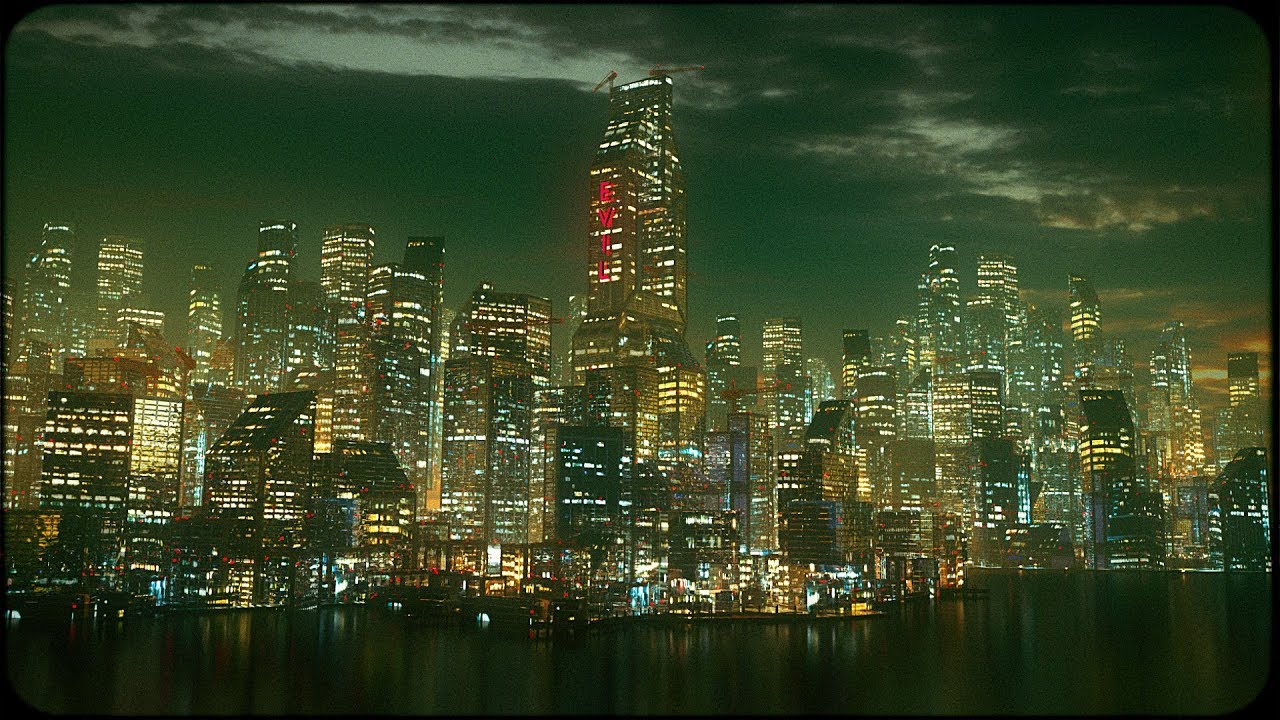
Lazy Tutorials for Lazy People extended uncut version here: https://youtu.be/ygGQaQld3mc Maaaaaaaaking cities. Download blender at blender.org
stiff spoke
You can also download a city with buildings in Epic Games store and you can change them a bit in UE4 @oblique tangle
runic iron
Also that one https://www.youtube.com/watch?v=v_ikG-u_6r0
Enjoy the videos and music you love, upload original content, and share it all with friends, family, and the world on YouTube.
stiff spoke
Or you simply download the objects that can be in a city (building, panel, road ...) @gibb0#4418
haughty geyser
Hello again. I've noticed that in the Project Settings under Engine -> Input there are "Speech Mappings" below Axis Mappings. Is this speech recognition? Does anyone know how to use it? It's not documented anywhere, and googling it only comes up with unanswered forum threads asking about what it is and how to use it.
harsh tiger
@plush yew thanks for the feedback! I’ll make a note of it. Luckily i still have around 6 weeks till deadline
plush yew
np
plain tiger
Unreal Forum cannot login? Keeps redirecting me (for over what, an hour now?)
 copper flicker
Howdy fine slackers!
My Question of the Day
😄
How do I spawn a nav mesh volume, or any volume from BP
plain tiger
This dude does lots of things with volumes : https://youtu.be/9-7SmkasS_A

In this video we show how to create a Blueprint system that spawns dynamic objects from random locations during player input, and also includes a system to d...
dim plover
I don't think that video covers spawning nav mesh volumes, which from what I remember, are a bit strange.
copper flicker
so is there some way to create them.. isntead of spawning?
I refuse to believe the only way to create volumes is manually
😄
[watching Zak meanwhile]
 light thunder
Can anyone point me in the right direction please? This morning I have set aside for settuping up Perforce but before I do, I need to find hosting - I can't seem to find the actual pricing for perforce server hosting, I thought you could get something on AWS too but they only have like 15 vendors, so I must be looking in the wrong spot - #source-control isn't too active and the video pinned doesn't have server information beyond what appears to be local hosting
 solid sierra
How do I flip an object in unreal?
copper flicker
@light thunder Why do you need hosting. If you only use P4 solo, you can install it locally, no server.
@solid sierra what does it mean.. flip? scale negatively?
cloud cobalt
There isn't a lot of Perforce hosting available, most people host it themselves on a random VPS.
light thunder
I'm not going to be solo - I guess I could get around it to host the same stuff on a dropbox but if my machine craps down
solid sierra
Oh yeah I didn't realize I could just do that thanks
cloud cobalt
Dropbox isn't source control
copper flicker
btw, if I try to migrate things.. it keeps telling me the folder I chose is not a Contents folder
wth?...
manic pawn
you can not put it to a subfolder
copper flicker
I can't place this inside Content directly
manic pawn
it must be migrated to the root of the new project
as the assets use absolute paths to refer to each other
copper flicker
I want to migrate inside the same project
manic pawn
that is not what it is for at all
copper flicker
and ywah, it doesn't change the paths...
manic pawn
just move the folder then
manic pawn
run fixup redirectors on the root after moving the folder
copper flicker
I just want to save some VFX particles and all their complicated connections
neah, I failed big time with moving
it takes ages, and it fails at the end
ok.. I don't get this migrate, it's a complete fail
it works without errors to a Content folder
but it doesn't repath anything
it keeps the original paths
which means if I delete the original files, everything is broken
: O
manic pawn
migrate is used to copy files to a different project
pearl sonnet
from what i remember from the videos it keeps a reference to the original but the file you see in the editor is new/cached uasset
i guess thats what u meant
copper flicker
but the references are to the old files...
even if it copies them over
I have to manually relink everything?
pearl sonnet
if i where you i'd go into the folder through explorer and just copy the usassets
copper flicker
no, doesn't work
it doesn't change paths...
same issue
I don't know how to do this via Move either
I would have to move all the hierarchy
first to figure out what all the dependencies are...
and then manually move everything? dunno if it would even work
pearl sonnet
i mean.. everything you import contain a reference to the original
so that when you do like reimport it'll take it from there
if you want your actual models and textures and what not, you'd import those into your new project
and it'll have references to those original files
copper flicker
that's.... catastrophic mate
😄
I need to move files from one project to another.. let's say
the paths change
I want to delete to original files
pearl sonnet
i dont know what the case is with migrating usassets
whether or not the new ones inherit the original files reference or a reference to like a usasset in old project i have no idea
copper flicker
they do... makes no sense, but they do
I mean how is the old project relevant in any way?
why would they not update the paths..
O o
pearl sonnet
because you're making a reference to usassets not your original assets elsewhere i guess
copper flicker
@plain tiger so that's a video of how to spawn things in a volume. the volume is created manually. I need to spawn the Volume itself, from BP
plain tiger
😦
light thunder
@copper flicker what are you trying to do?
pearl sonnet
i wonder how functional ue4 WebBrowser is
getting sick of google
inception style, build my own OS experience in UE lol
copper flicker
@light thunder I need to spawn a NavMesh
not create it by hand
so far nothing on google......
light thunder
can you modify a NavMesh in real time?
light thunder
I'm pulling up Unreal now
pearl sonnet
i was googling for national lotery statistics and 2 days later i get a phonecall for % off on tickets
that and the fact that they want to remove the URL-bar so you can only go through other websites and what not and build cookie chains
duck that
copper flicker
ideally I want to create a navmesh that encompasses the entire level
plain tiger
duckduckgo that
copper flicker
by calculating bbox or something
light thunder
Have you watched the Unreal engine livestream on AI ?
pearl sonnet
no
light thunder
Was asking @copper flicker, sorry
plain tiger
While looking for listview tutorials, I found https://youtu.be/-Uvf_9Mqb2k ... but it does not even use listviews! it just adds widgets to the bottom of a vertical box, lol
Enjoy the videos and music you love, upload original content, and share it all with friends, family, and the world on YouTube.
light thunder
PRobably this one - https://youtu.be/nshHCycft4A
Announce Post: https://forums.unrealengine.com/showthread.php?135116 Mieszko Zilenski is back in action with Alexander to talk about how to get set up in UE4...
copper flicker
Add a volume as a component to a blueprint.. is a question asked on answers.unrealengine
and there's no solution for it
light thunder
I don't think you need to do that, that's why you can't find it
copper flicker
other than... create a BOX collider and try to momic things
dim plover
Can't you do this?
https://answers.unrealengine.com/questions/81497/how-to-build-navmesh-for-dynamically-sized-procedu.html
Actually, I think I did this approach awhile ago.
light thunder
Unless I'm wrong, you don't need nav meshes all the time, just in problamatic areas that are complicated or you need to ensure a certain path