#ue4-general
1 messages · Page 557 of 1
 white plume
That's why I got out of 3D modelling, I could never make anything I thought looked good in my last few months
 thorny owl
@next badger like if i drag the blendshape slider in maya, will it reflect in ue4 as well?
 uneven fractal
If you can't model get good at materials so you turn bad models into good models
Or use gratuitous particles to mask the ugly till you can get good models
white plume
I might just download the freee nature asset pack and use those because my modelling is garbage
 next badger
@thorny owl i assume, i only linked blends to skeleton transforms...and those worked
uneven fractal
https://cdn.discordapp.com/attachments/155057141345026048/636011693520191508/unknown.png
This is made using just the stuff from the nature demo and the free icecool pack

*some assembly required
thorny owl
@next badger oh do you mean manual setup of skeleton driving morph in ue4?
white plume
How many GB is the nature pack?
next badger
just maya
thorny owl
oh ok. thanks
white plume
Oh right, also how do I actually use the content from the nature pack?
 cosmic cedar
the installation looks like itll take a bit 😦
thorny owl
@next badger i have many corrective blendshapes and complex deformer in maya, so i think live link might not be suitable for me though
next badger
ue4 only supports plain blend shapes, not sure about the limit
maybe that changed, you may ask on #animation
thorny owl
alrite thanks
 fading berry
When adding a C++ defined UCLASS(BlueprintType) to a BP as an Object Reference, when and how does that get instantiated? I've got a property panel customization defined for the object that I'm adding, but it only shows up if I add it as a pointer in C++ and instantiate it in the constructor. When I add it via the BP editor, nothing shows up. Does the object have a different class name in the BP or what?
So it works if I define an actor in C++ with my custom UObject as a pointer UPROPERTY and inherit a blueprint from that, but it doesn't work if I add that UOBJECT as an object reference in the BP
Also I don't know what channel I should be posing this question in, because it kind of involves both blueprints and code...
white plume
hmmm
I imagine there is a way to get an object with a particle system to behave like an AI
So I can have the lost smoke monster
Or, The Smoke Monster from Lost to be more clear
 normal burrow
Lurk what kind of object? You want Blueprintable as well as BlueprintType
next badger
@fading berry it wont be instantiated, you defined a type, a pointer to an instance...
fading berry
Blueprintable as well? I guess I'll try chucking that in there too
next badger
i'd love to answer those questions, but it's nap time...this fits #cpp as most of the cases you write cpp and then use it in BPs
fading berry
And it's an UCLASS class : UObject, with a bunch of UPROPERTYs and UFUNCTIONs, and it works as intended if I add it as
UPROPERTY(EditAnywhere, BlueprintReadWrite)
MyClass* instance;
And instantiate it with
instance = CreateDefaultSubobject(/*...*/);
in the constructor
I just have no idea how to make it so a user can just add this as a variable in the BP instead of having to do it in C++ and inherit the BP
It is attempting to be a new basic data type with a custom property panel appearance
 bleak aspen
Can someone help? After updating to 4.23.1 Engine just crash after map open!
fading berry
Does it produce a log?
white plume
so uh... where to my objects go when I import a package?
Like I cannot find them in my project
 rain coral
Is there a way to short this down ?
 late lake
@bleak aspen Having a similar problem. Did you recently update UE4?
late lake
The only thing I've found to be mildly helpful
is keeping it as windowed mode
Instead of full screen
Not sure what it is, but even when I just try to exit out of the engine, it would freeze up the entire system
bleak aspen
is keeping it as windowed mode
Instead of full screen
what do u mean?
I just run it in window mode anyway.
maybe I misunderstood something
late lake
ah I usually have the editor maximized
 mossy nymph
that looks like its missing default content
sphere mesh, white material, stuff like that
could tell more if you bothered to install debug symbols 😉
bleak aspen
that looks like its missing default content
can I reinstall it manually ?
mossy nymph
it should be in engine's content folder somewhere
bleak aspen
I just checked all the maps, and of the 4, only 1 opens, on which there is almost nothing.
late lake
honestly I don't even get that
For me the engine just freezes
I can't do anything about it b/c even task manager fails to open up
Haven't even seen the log since I just force shutdown the computer
mossy nymph
you can run it from visual studio, and exit by pressing stop inside of it
not ideal, but it should not freeze
 plush yew
Whats the best character maker for UE4?
mossy nymph
but first you should roll back your update and see if that works
bleak aspen
@plush yew iClone mb
 plain tiger
Preview (and windows package) works fine
But html5 is garbled.. any ideas as to why?
plush yew
@bleak aspen thx
bleak aspen
and I’m think whether to upgrade or not, well, I think, since it’s already 23.1, it’s probably worth it ... apparently it was a mistake
 fierce tulip
@bleak aspen they dropped htlm5 support in .23 or .24 i think
bleak aspen
its not for me.
 bleak aspen
@fierce tulip mb you know how to fix my issue?
After updating to 4.23.1 Engine just crash after map open!
late lake
@fierce tulip Plz help. Having similar problem if not same
fierce tulip
<_<
"This server is run by the community, for the community. Repeatedly begging for support or sending unsolicited DMs asking for help is considered harassment and may result in an infraction or a permanent ban, depending on severity."
late lake
Oops
fierce tulip
I am just a moderator, I am not someone working at epic.
all i know is materials and vfx*
late lake
My apologies
 polar hawk
You should tag a white name completely at random
fierce tulip
html5 is a rather specific beast, so while we do have #web where you can discuss html5, its a rather quiet channel. you might be better off going to the official ue4 forums and post your problem there, with as much detail as you can give about the problem, along with what you want the result to be.
 brave salmon
bleak aspen
brave salmon
bleak aspen
@late lake I managed to run the level. I think I understood what was the cause of the error. This was due to too many shaders that needed to be recompiled. I just opened level after level, until the main number of shaders was compiled. And after that I managed to launch my main level - it works.
 tame delta
I thought that turning a bunch of static actors and grouping them up into one would reduce my drawcalls, but it somehow increased it, I'm up to like 45k drawcalls now...
Does the fact that some meshes have thousands of material slots play a role? Even if they're mostly the same instances
 sudden agate
every material slot is atleast one additional drawcall
if you want to reduce your drawcalls, reduce your material count
 ebon goblet
Anyone know how I'd get an insect to attach to and crawl around on a player's mesh?
respecting all the twists and turns of the mesh like a real insect would
 vale bison
If I use Threadripper to compile a game the unreal engine is it gonna be bottleneck or not ?
sorry for my english 😦
 green phoenix
Any idea on why I'm getting these strange artifacts in the shadow when I enable mesh distance field?
plush yew
how much performance is lost going from static meshes to single-bone skeletal meshes?
lets assume there will be hundreds of these objects.
fierce tulip
remembers a client that imported all their meshes as skelmeshes
 regal mulch
Just read, does 4.22 auto handle instancing staticmeshes?
 dense gate
@green phoenix isn't that a result of ambient occlusion?
It doesn't look like a shadow to me, and might be AO in combination with temporal AA and motion blur
green phoenix
@dense gate Yeah but It only appears when I activate mesh distance field occlusion, is there a way to deactivate those effects in skeletal meshes, things like cars and so?
dense gate
Try disabling Distance Field AO
green phoenix
Yeah I can't, I know the problem disappear if I deactivate the mesh distance field ao, but I do need it activated, I'm trying to find a fix to this T_T
dense gate
Try using the command "r.DistanceFieldAO 0"
And maybe add it to your scalability settings
I'm seeing that DFAO works best with rigid and stationary objects rather than moving ones unless there's capsule collisions that are significantly easier to calculate
Though in your case, I don't think you can stick capsules to make it look good on a car with many edges
green phoenix
I'm trying it rightnow, and I'll tell you if it works or changes anything
dense gate
Aight
green phoenix
thank you!
dense gate
Papa bless it works out, I'll be building the new engine version for the next few hours
green phoenix
Well it solves that problem, but also disables all the distance field AO, is there a way to disable the DFAO only for the car? with that capsule you told me before?
dense gate
Check if the mesh has a Distance Field scale
I think it was something like Distance Field Resolution Scale or something like that
Set it to 0 for the car
green phoenix
Yeah but that option doesn't exist on skeletal meshes
So I can deactivate on the car mesh, that would act as a prop, but not in the car thats moving
plain tiger
Hmmm.. How come when I create a blank project, package it for windows, run it, it shows a black screen: then hangs?
dense gate
By default there's no "on startup map" for a packaged game unless you set it yourself
plain tiger
ah ok
dense gate
@green phoenix try adding capsules and collisions to the physics asset of the mesh
green phoenix
KK I'll try what you say 🙂 lets see if I can! haha thank you
 fervent sigil
Looking at the Create Widget node, the Owning Player argument; what it is used for? docs says Owning Player is the Player Controller and is applied to blank results in the default Player Controller. What does "blank results in the default player controller" mean exactly?
dense gate
The equivalent of putting a "GetPlayerController 0" in the pin
green phoenix
@dense gate nothing works T_T I've tried activating these options, first one removes the shadow completely, and the other does nothing (or it seems to do nothing)
dense gate
Try fiddling with any "distance field" options
green phoenix
already tried that too, there is only those options in the mesh
I guess the only option is not to use mesh distance field ao at all
 untold oar
Hey all. Anyone here having some experience with Samsung Gear VR projects? THanks
 stone oar
@untold oar I did a small test with Oculus Go and it is said to be binary-compatible to GearVR. Didn't do with it much, just converted one PC VR app prototype to it and tested how well it worked. Wasn't that hard to set up. Setting it up and converting the project to run (badly) took only one workday.
untold oar
Would you say the controller is hard to map for a BP noob?
I'm using ue4 for archviz and I avoided blueprints like the plague
stone oar
That project was 100% BP. I don't remember what kind of changes it required when compared to Vive Pro I used, but it required some. I was able to get simple laserpointer selection method working quite easily.
untold oar
At first I only need navigation controlls, will go deeper later. I suppose this shouldn't be SO hard?
stone oar
The project was not a game, not archviz... but it had some very high polygon meshes that were the main problem. If you don't need more than just pointing and clicking that's probable easy to do. I did that controller change in that day and don't even remember it, so it wasn't hard.
untold oar
I see, thanks for your input!
stone oar
np
 blissful trail
i can go thru the door if i put the static mesh in the world
but when i create a destructable mesh i can go thru the door
 pearl wigeon
Destructable meshes probably use convex hull collision
tame delta
So is /Game just the root of the game folder? So /Game/Content/Meshes would generally be valid?
Couldn't find much information on different paths
 worthy flame
hey what is the keybind to lower the selected item to the ground level
blissful trail
end
worthy flame
ty
 shell compass
I moved the ParagonMurdock and ParagonLtBelica folders that I imported into my project into another folder in the content browser. Should not have done that... The process has taken 15-20 minutes so far on an SSD and it's now only halfway on cleaning up old assets >_<
 chrome cedar
<-- unreal engine 4 noob here 🙈
why is my environment so low res when I try sculpting on it? wireframe shows it as well that it´s super low res.. can I somehow increase it and get rid of these sharp edges?
 pearl sonnet
maybe you made it low res to begin with
you cant put a ton of detail with so few vertices
dense gate
Generally speaking, if you've created a landscape from default settings, there's a ton of detail you can put in
But if you've decreased the resolution this is probs what's happened
next badger
@chrome cedar
those settings
dense gate
So, I got the same issue as the lad who also got it about the horrible performance in .23.1
And it is indeed horrible
I'll see if I can find any workaround
chrome cedar
hmm... when I increase the overall resolution there the whole terrain becomes much bigger. does that mean I have to make everything like 10x bigger? or can I also leave the area as small as I have it now and just increase the resolution of that?
chrome cedar
aah you´re right!
dense gate
To note, I'm using basically ancient hardware, so it might not be the case for you when you upgrade, i7-3632QM and a Radeon HD 7650M is what I have, both unsupported for coming close to 3 years now
next badger
you probably should read about section size vs components...since it will impact the performance
 buoyant viper
How can i make a new Animation Sequence
chrome cedar
yea I will 🙂 thanks for your help already!!
next badger
@buoyant viper add a level sequence to level, open sequencer
buoyant viper

 loud knoll
these are terrain settings for an old level @chrome cedar
buoyant viper
I would want a normal one @next badger
next badger
level sequence is the Normal one
buoyant viper
Editor is complete different
next badger
well, it is what it is

 next badger
it's not a sequence...
buoyant viper
This one isn't the same
next badger
animation != sequence
loud knoll
@chrome cedar you get it fixed?
chrome cedar
well kinda. I´m still trying to figure out if I created my asset with the wrong unit scale or if it´s an issue with my ue4 settings 😕
but thanks already for showing your settings!
 sick dawn
hi Guys, i have question, I found that in unreal studio 23 is included static mesh editor, any idea if it would be included in "normal" unreal engine?
 cloud cobalt
It's one of the most basic tools
sick dawn
@cloud cobalt how to enable it? is it in 23 only?
cloud cobalt
What ?
Just double click a mesh in the content browser ?
It's been there for a decade
cloud cobalt
No, UE4 does not have that then
sick dawn

Unreal Engine now includes a basic mesh editing toolset for quick, simple fixes to imported geometry. These tools are ideal for simple touch-up, or when you ...
UE studio does
:/
it would be great to remove unnecessary faces on meshes etc
cloud cobalt
Use your 3D modeler
sick dawn
yeah its also an option
but sometime when meshes are inside the scene it would be easier
without exporting, importing etc
especially for designers or non 3d developers to easy tweak some faces
cloud cobalt
Maybe it'll find its way into UE a few versions forward
But honestly, just open your source 3D model, cut out the stuff, export and import back
sick dawn
here is an example
merged stones
part of them is underground of course 😛
now to remove underground faces is pain in the ass
because when working in 3d you cant be sure if faces is abov or underground
cloud cobalt
I mean, is that a problem ?
Invisible faces aren't going to result in significant cost
 jade hawk
Hey all. My studio is looking for other games from indy devs to showcase during one of our weekly streams.
We recently changed up our streaming schedule so that once per week is for our development news, and the other weekly stream we are going play other games and show off an indy game in our new indy game spot light segment.
If anyone has a game they would like us to consider please send me a DM with the info.
loud knoll
@chrome cedar you can set all the settings to maxium res when you create the terrain, and then add sections to it and those additions will be high res. Another trick is to scale it down you can generate almost zbrush levels of triangle more then most hardware can handle so for your case it is a basic setting. Also you could have the amount of triangles is the editor set to downgrade or LOD based on FPS? I would turn that off, it is called monitor performance.
Make sure you set your settings to Cinematic quality level
or Epic
green phoenix
@dense gate Just to let you know, I've tried using that capsule thing, and now my shadows are like the capsules, but the bug still happens, so I asume it has nothing to do with the shadows 😦
chrome cedar
I´ll check that! thanks a lot @loud knoll !
cloud cobalt
 grim ore
@sick dawn There are mesh editing tools in the engine now, you need a console command to enable them. They will become on/off in 4.24 if you want to wait.
 peak crane
Hey. Can I publish my product on the marketplace on this server?
sick dawn
@grim ore is it also in 4.22 or 4.23 only? What console command?
peak crane
@cloud cobalt thank you
 neat forge
Can anyone help me fix instant swimmable water?
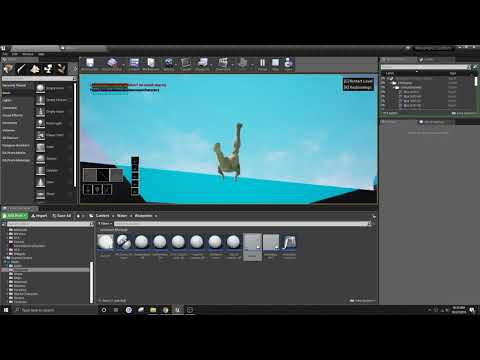
Im trying to fix it so I can swim to the surface without it freaking out
I just want to be able to simply swim to the surface lmao
grim ore
@sick dawn you have to enable the mesh editor plugin, then you should be able to use MeshEditor.Enable It was added in .20 and its still experimental until its less experimental in .24
I think it might be disabled again in .23 lol, it's in a weird state while they work on it
 celest ice
guys is there a way to write something on the objects??
grim ore
hit print screen, open the image up in paint, and use the text tool?
plush yew
LogCook: Warning: Unable to find package for cooking /Game/Map/SurvivalMap
This error make so my dedicated server can't be started as it can't find the file, And when i try launch the profile i get the error up here---
grim ore
is the object a blueprint actor or something else in the world? if so you can use a text render component. If it's not you can add a text render directly to the scene. If this doesnt work uh more info on what you want to do
celest ice
object..
grim ore
Objects do not exist in the world
celest ice
wait..
grim ore
@plush yew have you moved any of the maps? if so did you fix up redirectors. Alternately in the packaging options in project settings have you set it to exclude any folders? if not maybe force the maps in the include maps section
pearl sonnet
perm marker on monitor
celest ice
i wish i had balls to do that
pearl sonnet
😛 make a texture and drop it on there i guess
stone oar
Sure, the question are what (free text or fixed text like labels), how (mouse, gamepad, VR motion controller), and on what purpose? Do you want something like whiteboard or label in a beverage can?
 brittle gulch
Hi, do you guys use the Sam Deiter's UCX script on 3ds max? I can't install it on 2019.
plush yew
@grim ore I moved over the map before, And removed the other content such as the empty folder, But is look like it can't find any that is "Redirector" from the content filter
celest ice
@stone oar yeah
sick dawn
@grim ore Thanks man, i enabled that plugin, used console and still cannot see that mesh editor bar buttons
where to look?
plush yew
Got it working, No problems anymore
stone oar
@celest ice You can use rendertarget (look for those whiteboards tutorials) to draw anything on one (or couple of) surfaces, but you can't use that method on every surface the game has.
celest ice
ok thanks
and where can i find the SK_Mannequin_Arms??
i dont see them
anyone??
@upper heart can u help me out?
 upper heart
Please don't cold ping mods with technical questions
celest ice
aw.. ok... sorry
upper heart
This should help you tho

Announcement Post: https://forums.unrealengine.com/showthread.php?123164 Sam Dieter is on to talk about a powerful new feature from the 4.13 release, Bluepri...
plush yew
hey guys im having a little problem,i tried everything but I don't understand how to shoot in the basic twin stick shooter template in ue4 editor
how does that guy shoot?
please somebody help
np
got it
buoyant viper

Somehow my Anim makes the mesh invis
The animation works fine under blender
Nvm its visitble
Rotation is broken and the scale is super small of the mesh o.0
celest ice
i cant remove this character
pearl sonnet
where do the artsy people live
i'm so done trying to get my head into modelling
 abstract relic
We usually live in a cardboard box or under the desk if wealthy
pearl sonnet
haha can't be that bad
people from opposite ends of the spectrum need each other
abstract relic
Yes. At least one can draw on the box 😜
pearl sonnet
lol exactly
there's too little uniformity in art which is good i guess
not good if you can't do art but are in desperate need of different assets suiting one style
and let's be honest
biggest part of a game or render of some sort is the art not the stupid programming
the engine and tooling took that last shred of pride from programmers too xD
man i wish i went that route in life
'looks good' 'feels good' does not compute =C
abstract relic
Those of the art discipline will say the opposite. The game is just a slideshow of pretty pictures without some means to interact with it.
pearl sonnet
lmao yea
wish it was easier to peer with people to make something together
not everyone has a business of their own and can hire whoever and whatever they need you know
worst are the asset stores, like i said no to little uniformity
good for prototyping at best
pearl sonnet
ah yea wrong channel
abstract relic
Right on queue 😜
plush yew
does anybody know where i can download HeroFPP_Skeleton.fbx?
grim ore
@floral moat you need to reinstall the engine to get back that engine content or put back the file if you moved/deleted/renamed it
@plush yew are you trying to get the FPS mesh out to another program or something else?
 floral moat
thks already do it
plush yew
Man C++ makes no sense
There's zero tutorials for anything above moving a cube as well
grim ore
I disagree with that
this alone has more than that https://docs.unrealengine.com/en-US/Programming/Tutorials/index.html
and C++ is just Blueprints with code so if you know the basics of how C++ works you can always prototype in BP then convert that into code.
 radiant haven
what do i need to compile for Windows?
cloud cobalt
VS, C++ compiler that comes optionally with it, Win10 SDK that also comes optionally with it
plush yew
Maybe he's trying to use code or something? iirc you need to install a compiler separately for that
If you need a separate compiler for windows you should be able to find one on microsofts website
cloud cobalt
Tips, tricks, and techniques for setting up Visual Studio to work with Unreal Engine 4.
plush yew
Might be trying to use code though, i did at first. Don't do that unless you know what you're doing
regal mulch
@polar hawk Does it surprise you or is that expected?
plush yew
@grim ore i'm trying to get the fbx skeleton off the internet
 light coyote
@polar hawk I think i may have made a mistake in the cuestions regarding, pace,,, i understod it wrong i belive :/
And congrats @grim ore for beeing in the survey,,, i was like,,, wtfff xDDDD
grim ore
🙂
@plush yew You can export out the animations from the engine to FBX and use those skeletons if that might be what you are looking for. the old Hero stuff was from older engine versions
plush yew
then i guess ue4 documentation tutorials suck
cloud cobalt
Probably
polar hawk
@regal mulch the reddit section surprises me
mostly because I didn't really consider it and it was a write in
what I've learned from this is I need to post on reddit more
because its engagement rate is crazy high even if you don't get upvotes
polar hawk
someone gave me a reddit platinum award
which is highly confusing
and this bot was like
oh now you're invited to the platinum user club
and i click through it and its just random ass shit
and now i have coins
 hidden heart
that is confusing
polar hawk
what the fuck is this system
coins are apparently upvotes but in currency form that can't be spent
the only other feature is that there are no ads but adblocker anyway so
what the hell reddit
this is why i don't use you
grim ore
@plush yew If you are using the FPS tutorial https://docs.unrealengine.com/en-US/Programming/Tutorials/FirstPersonShooter/index.html then I just checked and all the files are there and working, the skeleton included https://i.imgur.com/rj1RxJE.png
I use reddit when I want to find video ideas, tons of people who ask for help and never get it there
grim ore
I love how your reddit post icon is your portrait @polar hawk
 ornate ice
Hey guys any idea how should I implement this interaction system?
Imagine you are near a Quest Item when you get near him and becomes interactable, and you want to play the interaction sequence that this InteractableObject has that could be [PickUp Interaction("remove from world and play pickup animation") -> Dialogue Interaction("Say something") -> Event Interaction("Play an event that could be anyting like: Open a Hidden Door")]
I want to make something reusable enough, so I can follow that pattern in other objects in the world
 harsh tiger
i have a execute console command with stat fps inside and when it activates, it shows the fps for a split second an then turns off again. any idea why?
i have 2 buttons which control the bool value
an then an apply button that calls the apply options func
grim ore
@ornate ice you can have each item that you want to interact with handle their interaction using generic interfaces. I guess it would depend on how specific you want it to be.
it might depend on what you want items to be able to do and if you need it to be super generic. You could use generic blueprint function libraries that anyone could call from anywhere that can handle most of that stuff then each object that you can interact with could have it's own custom set of events that call those libraries and stuff happens.
ornate ice
Yeah that makes a lot of sense using blueprint function library
grim ore
yeah it just comes down to how much work
if its a ton of re usable stuff then taking the time to make a system is good but just hard scripting a few items isnt too bad
@harsh tiger we would have to see more code but if this is the only way to toggle the fps on and off have you tried putting a debug breakpoint on the Branch there and then seeing when it triggers
the other option is the change of resolution is removing the debug text
 lime gull
Ive got 2 questions,
(If someone has an answer please @ me so i know to look)
How csn i make 2d sprites look the best (they look blurry and weird)
And does anybody know a good tutorial, or things I should learn to make a 2d turn based rpg?
example of the sprite*
Could it also be my monitor that makes them look kind of blurry? I have a 50 inch screen but its pretty old
mossy nymph
search for "pixel perfect"
lime gull
under what? like just on google?
mossy nymph
yeah
 median island
Can you show the material setup?
mossy nymph
or even better, search on this discord
you'll run into 2 links with tutorial/explanation
next badger
@polar hawk will we see the results?
median island
what is the mask threshold set to in the material?
I can't remember the exact name of it, but it should default to like 0.33
lime gull
Where would that be located?
median island
sec
ideally this value will be very low, like .001
but you'll have to clean up your images.
lime gull
its 0.3333
I changed it but it doesnt seem like it changed anything
Also as a better way of explaining it, the pixels arent sharp edges, they look kind of rounded
median island
What if you plug straight in the alpha instead of multiplying it. Does that fix the dithering?
OH, do you have TXAA enabled for your project?
lime gull
Is it enabled by default?
median island
yeah
I'm not sure if FXAA or MSAA will be better for your game, but try those out.
lime gull
MSAA Made it look 100 times better
median island
Yeah, TXAA plays hell with anything not in the UI
lime gull
its still a tiny bit blurry on some edges but not as much
but thank you very much it looks amazing
median island
What are your scalability settings on?
sure thing. You can try and crank up your scalability to imnprove the sampling
harsh tiger
@grim ore the only time its triggered is when the apply button on the options screen is clicked
lime gull
the pixel perfect ones?
median island
yeah
harsh tiger
lime gull
alright ill check some out
but ill also try to view them on a different monitor, cause as i said the one I have is an older Tv
its a 50 inch one, but not hd
median island
gotcha
lime gull
but thanks again! 😄
 stiff spoke
Hi
white plume
tfw import doesn't work?
I downloaded the nature asset pack and added it to my project and cannot find any of the objects
They're just... not there
median island
have you tried restarting the editor?
 dry herald
Yes. No luck
white plume
Is UE4 good for making simulated ecosystems?
dry herald
Any good suggestions which ad network is compatible with ue4
white plume
I was thinking of making my text game into a UE4 game but then I found out I lost the script for the old game and cannot be bothered to remake it at this moment
So could I code an AI relatively easily to
- Find food and water
- Find a mate to reproduce
- Avoid predators (If I add them in)
next badger
yeah...you can make behavior trees and environment queries
white plume
Is there a good guide for that out there somewhere?
median island
I doubt there's one for your specific needs
lime gull
YES! SO I found out its just the monitor
median island
You could start with behavior trees though
lime gull
I made a video and watched it on my phone and it looks beautiful (As much as pixely graphics can that is)
 median island
Cool @lime gull 🙂
median island
Lol I'm noticing some dynamic range stuff hapenning between the yellow and blue areas
I think...
white plume
@median island But I imagine it'd be as easy as having a tile called "water" with the code for being "water" and a tile for "food" with the code to be "food" and then each animal has a behaviour to seek the water and food tiles
grim ore
mabe you have scaling turned on the monitor then or it's not at the native resolution
white plume
So it'd really be a matter of getting them to move around and go grab the food
median island
Yeah, I think I imagined something more complex 🙂
white plume
So really, I need to learn how to make the AI have 2 healthbars for thirst and hunger and then how to make an object satisfy those 2 bars and make it move around and get those
But then the hard part will be making it able to reproduce and not just spawn a billion of itself and crash the engine
 misty creek
You could just cap the amount you allow at one time
grim ore
just make a cooldown on reproduction so it's adjustable and realistic
white plume
Right
median island
yeah... just like minecraft
grim ore
if you are just making the game of life might as well just follow the basic rules
white plume
Okay so I assume theres a basic AI tutorial out there to do all that?
Like movement will be the easy part
And then I need to add a camera to move around with
grim ore
I havent seen any AI stuff out there for that, this is less AI and more just rules and schedules. more of a state based machine
white plume
Guess that'd be more accurate
Is there a guide on getting behaviour to interact with items?
Like I guess I'd just use a hunger system and add it to the bot
neat forge
Are there any good water assets anywhere? Im going to go insane
I cant get swimmable water to work the way I want it to
grim ore
there would be nothing special about getting them to interact, it would be like anything else. You can use parent/child classes so you can just interact with the base class and do something with the specific child or use blueprint interfaces to allow stuff like "can be eaten" or "can be drunk" or "can take damage" or "can be interacted with" etc.
white plume
okay so I got my simple little rabbit and its food made in blender
I export as what file format to unreal?
I guess if I really wanted it to be realistic I'd also put a cooldown on plants regrowing, but that'd be as easy as put a timer and an if condition = met, regrow plant
grim ore
FBX would be the recommended format, there are some quirks to Blender -> UE4 as well so you might need to read up on them
white plume
Okay thanks
I might just strictly work on the rabbit behaviour first and get them to eat plants and then add in the function for them to drink water later
I guess I also need to get them to reproduce somehow too
plush yew
Reading the UE4 release guidelines:
https://www.unrealengine.com/en-US/release
Where exactly would I put the EULA? Epic Games seems to put a URL to the EULA on the app description. Does this mean I can do the same?
My next question is, is there a standard EULA that I can link or must it be my own using the template they provide in the guideline?
God damn it i've been banging my head against a tutorial for ages now but none of it makes sense
Yet it looks so simple
grim ore
@plush yew on that page for release there is a link for example language regarding a EULA
white plume
I might add fish to my simulator too, and bears and hawks
I kinda want to make a simplistic but somewhat advanced nature sim little ecosystem
plush yew
Yes, but my question is how would I go about displaying it. Would it be fine to just post i in the app description on the play store
grim ore
sorry I realized you tried to link the one example lol
white plume
Like 6 or 7 animals all with behaviour "unique" to themselves. Maybe a little advnaced for a first project but I think if I try hard enough I'll do it
grim ore
where the EULA depends on where it needs to be, some stores need it linked on the pages and some when you sell it or even when it starts up you make them agree (like ESO). as long as it's somewhere in theory before they play/download it should be legal and even then a EULA being legal is grey area lol
you will notice when you make an account with Epic they link the EULA for example and when you download the launcher or a game from the store even it links it or makes you agree
plush yew
I guess I'll just make a EULA screen when first starting up the app. Better approach without all the headaches
grim ore
I think epic wants your eula for legal purposes later if needed
plush yew
It's to protect themselves. Standard practice
grim ore
yep but I mean I think they want it want it, not just inside the app
pearl sonnet
anyone using UE on linux?
can anyone tell me how it performs
i have avoided linux for desktops for many years but i heard good things about vulkan
anyone using a 1060 on ubuntu for example and made a comparison?
pearl sonnet
oh
plush yew
Given all the bloat on win it should perform better, probably
pearl sonnet
thats such a cliché 😛
grim ore
once you get down to the hardware which most drivers do "better" is relative
pearl sonnet
yea drivers are my consern
next badger
and it's probably have nothing common with reality
pearl sonnet
also featurewise
i have no clue how vulkan compares and what compatibility UE provides to get roughly the same results
stopped 3d programming in dx9 era lol
white plume
Okay so. I'm thinking the easiest way to do this is to make a "timer" that if the timer reaches 0 the animal dies. They fill the timer by using a food or water module in the world. How would I add a function like that? Would it just be as simple as a timer and making them move around with a sight range to find stuff?
white plume
Because I'm thinking a true healthbar would be kinda complex
But having a green block on the world that is called "plant" and plant fills the timer of rabbit, deer and mouse would work. And then make the rabbit deer and mouse fill the timer of hawk, fox and bear maybe. Is there even a good way to implement what I want to do in unreal?
 grave osprey
until now. i confused how metal in our world and this engine work
white plume
I think I might go ask some reddit forums
next badger
metal is ios api
ue4 has support for several low level apis, like GLES, metal, vulkan and dx
next badger
metallness...
yeah, you can have the material pure metal...that means all the reflection will be metallic (not fresnel/dielectric)
grave osprey
@next badger somehow i didnt convinced how this engine shader work. is it close to substance painter shader ?
white plume
Planet Zoo comes out in > a month and I meet the specs! Yay
Gonna buy it on Christmas sale
pearl sonnet
chill out bro lets not make discord worse than what has become of IRC lol
white plume
Unreals node programming makes it a lot easier to use but still its pretty complex
I just realized too if I made the hunger system a timer I'd need to make it incredibly slow because then the rabbits would just eat constantly to keep the bar at 100 at all times
and as soon as it dropped to like 99 they'd eat or if I set the limit to stop at 75 they'd just eat at 74/100 back to 75 and be stuck eating always
next badger
this video has some charts about ecosystem simulations https://www.youtube.com/watch?v=r_It_X7v-1E

In this coding adventure I attempt to simulate a simple ecosystem. Will the foxes and rabbits get along? Probably not... If you'd like to support the creatio...
plush yew
Are there any videos about converting BP's to cpp?
uneven fractal
or make them only start eating when their hunger meter hits 0
plush yew
I'd kill for one
next badger
@plush yew https://www.youtube.com/watch?v=xr6qilHUxWA

Sometimes you can't find what you need in Blueprints so you need a little help from C++. In this video we cover converting a Blueprint Function into C++ whil...
i think you should start from #1
worthy flame
i didnt touch anything with the player and the camera, but when i click play camera is on ground level and I only see the sky and moving/jumping doesnt fix anything
anyone might know if i can reset this somehow without deleting anything else
next badger
hit F8 when play is active, take a look what's happening
pearl sonnet
transform 0, 0, 0 look at player
worthy flame
when i hit f8 looks like the camera is under the floor so it doesnt show anything above it, and the player isnt rendered
pearl sonnet
maybe its like zooming in too far you get too close it becomes invisible
worthy flame
even if i move the player above in the air still the same problem
next badger
you have access to world outliner, you can select player there, inspect its components
ofc when play is active
worthy flame
hmm still nothing
ive deleted one line of code that could have caused the issue, but still nothing
any way to reset this but to keep the BP?
next badger
version control...if no - no
 broken grove
version
pearl sonnet
control
worthy flame
what is that
pearl sonnet
yea poop happens
i started close to a hundred projects in the past few months
lol
worthy flame
its not the first time some similar things have hapened but never this
others were fixable
but for this one i got nothing, ive searched google
and docs
pearl sonnet
i havent been following chat
to me it just sounds like your camera transform is at 0,0,0
worthy flame
its not
pearl sonnet
i just peak in every now and then and see the last few lines 😛
pearl sonnet
make sure its attached or you actually position it through code or bp
most common is slap a spring arm in and attach the camera to it
so you can maintain an offset
worthy flame
it is following the player
when i click on the camera in the editor it shows the player perfectly without no issues
as soon as i start its gone
pearl sonnet
so you attached it to the player
attaching a spring arm to the player and the camera to the arm will keep an offset=distance between the player and camera
then maybe you're changing its transform somewhere in your code or BP
worthy flame
no, its just a newly started project with the ue4 manequin and just 5-6 blueprints im trying, and none have something to do with the camera
pearl sonnet
did you setup the proper default actor and is it actually posessing it properly
worthy flame
i didnt touch anything
pearl sonnet
yea but you added some blueprints so it's kinda guesswork what was changed and whats default
for all i know you dragged in some static mesh and expect the camera and input to work for it i dunno 😄
worthy flame
nah, nothing like that
I mean easiest fix is copy these bp's and delete this and new project
and this wont happen
pearl sonnet
might not be necessary, hard to guess
worthy flame
ok so something is happening and the player doesnt spawn and the camera is somewhere else under the ground
pearl sonnet
it happened to me before but i can't remember the conditions
i'd doublecheck that the proper default actor is set and kinda step through it's blueprint/code
or default pawn class i suppose it's called
in project settings
maps and modes
and throw in a player start just in case
pearl sonnet
thats what i do 99 out of a 100 times; theres not much in my projects anyway
pearl sonnet
ghostly enderman
grave osprey
the shadow are not supposed to be there
 dreamy talon
guys really stuck on UE4 .. trying to rig car and drive it.. everything fine but cannot setup that i can drive my car. can you suggest tutorial or so?
pearl sonnet
i had a bunch of trouble with getting it to behave, switching from blender to 3dsmax and it works great
the collision convex, the pivot points, no weird launching into the air
 midnight bolt
has anyone encountered the bug, where UE upon crashing sometimes will restart in about a minute, and sometimes just under seconds? performing the same action, with the same file. different loading times.
dreamy talon
@pearl sonnet yes i did it and it is works.. i using max.. but biggest problem for me it is how to start drive it..
pearl sonnet
oh you can make simple blueprint
dreamy talon
@pearl sonnet can i send you PM? with screens
pearl sonnet
yes, in the meantime i will pack my project for you to look at
dreamy talon
thanks
pearl sonnet
it's bare basic so should be able to look through
grave osprey
that alien shadow give me additional stress
do merged static mesh is a good idea ? do the lightmap resolution become ineffective if i merge too much ?
 mossy quest
I am having massive problems with UVs. I've cut every edge, every corner and unwrapped every possible tiny piece in blender 2.8, but when I export to unreal, I still have UVs overlapping. I did use the solidify tool on this, but I wouldn't think that would make a difference would it? I doesn't allow me to mark the seam on the solidified edge, so if that's the problem I'm going to have to build this model all over again.
Does anyone have any advice on how to fix this issue? I'm even having issues with a kitbash kit.
ornate ice
Binding Variables to UI in the widget is still a bad practice for performance?
also Is it possible to use behavior trees without ai character?
 real mantle
Hi there. Does anyone know if there is any mesh genreator plugin in the marketplace? (like probuilder in Unity) I remember seeing some but can't find them now
 visual belfry
Supergrid is close but not quite the same featureset as probuilder I think
 autumn elbow
Anyone have any experience licensing music?
 proud verge
Hi, since 4.23 allows paint tool to add BP actors, are they painted also as instances?
@autumn elbow Actually i wonder what hapens if you sell a game with that music you bought in the marketplace and make in game trailer for youtube with it? i mean... if buying music allows you to use it as you wish, make trailers, edit.... also are you abligated to add credits to that music creator in your game?
autumn elbow
Interesting questions...
I think it's pretty complicated.
In the US, copywrite and broadcasting laws are pretty strict...but it's kinda blurred with YouTube and online marketplaces.
proud verge
yeah but unreal market place sells music to use in the games... you own that copyright after buy, but does it also mean you can use it as you wish,
autumn elbow
Have to read the license carefully.
proud verge
where is it? bassically each store page tells you: you can use it in your games.---- LOL
like every asset you buy in there
autumn elbow
but... can you stream it on YouTube?
proud verge
exactly?-----
autumn elbow
Probably not, right?
proud verge
meaning if a youtuber makes a video in game.... and tries to moentize... the original song maker can block that video.... and then affect your game...
So, why use music from the market place then?
autumn elbow
It has to be listed as royalty free.
A good example is the Guardian of the Galaxy game from telltale studios.
ornate ice
anyone here has ever made an interaction system?
autumn elbow
They made the game with all these popular songs, but all the vids got flagged on YouTube
autumn elbow
That might be everyone here siba lol
ornate ice
lol
autumn elbow
check out RedTree Studios on YouTube. He has all that stuff...including dialogue
proud verge
I wonder how to make interaction beteen AI´s... for example if one is mad, attack another one, move to it and start sincronized fight animations..... no idea
autumn elbow
I'm sure that's on YouTube somewhere
 open eagle
Is there any way I can use listen servers that work on Xbox and PC crossplatform
 thorn spoke
If unreal is so open ended because you can just "change the source code" why is there not a single up-to-date attempt to "unlock" the terrain? coming from unity i'm a little disappointed in order to change terrain (map editors are a big thing nowadays..) you have to basically create a VOXEL engine? seems a bit overkill 💩
Anyone have any updated forums where i could start digging would be appreciated though..
proud verge
I wish we could create caves in Unreal Landscapes, or create spherical planets...
thorn spoke
Or just like edit it at all man lol
open eagle
Is there any online subsystem that supports Xbox and pc
thorn spoke
I know nodes worked with procedural generation which was cool to see even in it's simplistic format, but that was Also deprecated so like.. damn
proud verge
Also while painting a landscape, it never focuses on the painted area, so if you try to rotat around.... it throwes you to another place
 austere lintel
Does anyone know why blueprints/materials can't be docked alongside my viewport/content browser etc? I have a huge monitor so it'd be great if I could keep everything in one window and not have a new window open every time I open a material or blueprint
next badger
tabbed windows are main ones, but you can use win10 window snapping, works fine
pearl sonnet
Alexey, you surely know this; is there a known problem with Transform Bone?
in the anim blueprint preview i can rotate this bone just fine using the variable;
the variable is set, because when i Watch value, i verified that it is actually getting modified/updated correctly;
runtime, there is just no effect lol
 random frost
I have an actor blueprint with a single widget component that displays in world space. This works as expected. However, if I want to pass it any onSpawn parameters, something as simple as text value for a button, or size of a control, it appears that I cannot do this. So I am forced to set the values on BeginPlay, and simulate just to see the shape and content of my widget. Does anybody know a reasonable way to address this, so I that can see an accurate representation of my widget in the editor? Or am I doomed to simulate and tinker?
 mint sequoia
Landscape not returning physical material for trace? 😦
Oh, needs generate overlap events, probably some bug
Thats an extremely expensive checkbox too, although maybe its cheaper for landscapes since they're not mobile 🤷
white plume
Why did my rabbit object get so messed up after getting imported?
ah... fixed it with a solidify
 ancient lotus
how can i change the size of a child inside a wrap box?
for example make the grey slots larger
https://gyazo.com/1535740335e0a584f56126e97147389d
 next badger
@ancient lotus wrap does not set the slot's size, it uses the size of the child itself
ancient lotus
ah gotcha. ive been trying to change the size of the child without much luck either but thats probably due to it being a scale box instead of size box
thank you
yep that was why, thank you very much!
white plume
hm
How do I add my character box to my rabbit?
Here is my rabbit but he needs the character box to be a usable character object
next badger
what is character box actually?
white plume
pardon?
he doesn't have one, I need to add the little box thing onto him that makes him a character
so he'll wander around the map
next badger
it's not a box that makes character, is a logic...a class
specifically character actor
or a pawn actor (if it not suppose to be possessible)
white plume
Ah, yeah. Class
So I have my empty male rabbit class
How do I attach it to the object male rabbit?
next badger
you actually embed mesh component to this class
white plume
But how do I do that? My rabbit is currently a static mesh with the ability to move enabled
Now I have a pawn that I don't know how to add to him
next badger
static meshes have no any ability
white plume
So do I need to put it under blueprints then?
next badger
only actors have
yes
embed one to an actor/pawn/character bp
you need to learn how ue4 work
next badger
double click it
white plume
To bring up the editing box?
white plume
okay so I am now
next badger
no, the pawn
white plume
There he is
Ignore the axis is off centre
Okay so I got the actor to work... This one I am confused on though. There is no node called a reference in my node editor
 torn spindle
is the epic login down for anyone else?
 safe linden
idk where to ask something about accounts and me and an employee sharing one
plain tiger
@torn spindle my epic game launcher works just fine, and my unreal learning works as well
I do log in with google credentials, I dont type them in by hand
next badger
@safe linden afaik it's against eula
safe linden
thats what im trying to figure out, i might just email epic and see if they respond
plain tiger
why share an account. Does it have paid content?
if not: why not just use a new account. If so: well, there is your problem.
its against the rules for sure
safe linden
itswhy im asking, i see a section about distributing to employees, but i hate trying to read legalese, and mostly so he can see what assets i have, and sorta search them for resources for our projects
plain tiger
So, the problem you are having is that you want an account for your employee, but you want to remain 'in charge' of the account (for say when your employee is replaced)?
safe linden
nahh, more so he can look through the assets i have, cause i have a ton of them ive gathered, and we can determine what we can use and cant
and this is one employee ill likely not replace
plain tiger
cant you share the assets?
safe linden
i could, but transfer time is an issue
plain tiger
do you use github or anything?
I am afraid I cant help you legally etc, I am just trying to think out of the box 🙂
safe linden
yeah ,we don't have anything setup but we are working on it
white plume
Do any of you know a good youtube series on the basics of Unreal? I really want to learn it because developing a game sounds cool
I've spent 2 nights pulling my hair out trying to get stuff to work and feel I should just sit down and learn the basics so I stop doing that
plain tiger
Have you done all the https://www.unrealengine.com/en-US/onlinelearning ?

Learn common workflows in a series of easy-to-follow, modular videos. Browse courses by topic, author, or industry, check your understanding with built-in course assessments, and earn skill badges as you complete courses.
ancient lotus
someone kill me before this gets worse
https://gyazo.com/8578a7c6783800a27dbb40a66088af48





 next badger
too late
plain tiger
you can group parts together and comment box them, or even condense them into single nodes, but you probably know, right? @ancient lotus
ancient lotus
yes, this was just an addition as a quick test for a tutorial video to make the size of the inventory UI scale with the amount of items the inventory class is meant to hold. so if the inventory is a size of 4 (16 slots as a 4x4) it doesnt change as its default for player inventory. if its a size of 7 (28 slots as 4x7) then the height of the widget scales so accommodate the extra inventory slots for things like a chest. worked like a charm actually, just spammed ctrl + z to get rid of it all so i can end up remaking it in a cleaner fashion with functions tomorrow. man it just made such a mess to where i couldnt even read it lol
mossy nymph
you can do that better without having to readjust border sizes manually and such
just use one of the grid panels
instead of the wrappanel
uniform grid for example, all children will take the exact same amount of space, and after you AddChildToUniformGrid you get a UniformGridSlot return from the node
on which you can set the column/row
ancient lotus
thats not a bad idea
mossy nymph
grid will increase the desired size to accomodate all children
and border will increase the desired size to accomodate the grid
if there is a hard cap for what you can fit on screen at the time and there is a possibility the widget gets too large
border>sizebox>scrollbox>Uniform grid
and you just cap its maximum height in the sizebox, if the grid exceeds that scrollbox kicks in
you can similarly use the sizebox to cap how far a wrapbox can expand horizontally
 vast fossil
guys quick question. How do I create an event like this : https://www.youtube.com/watch?v=mKXtVQnqhB4 I have a working animation and a ball, but I dont know how to make them interract while playing the service animation.
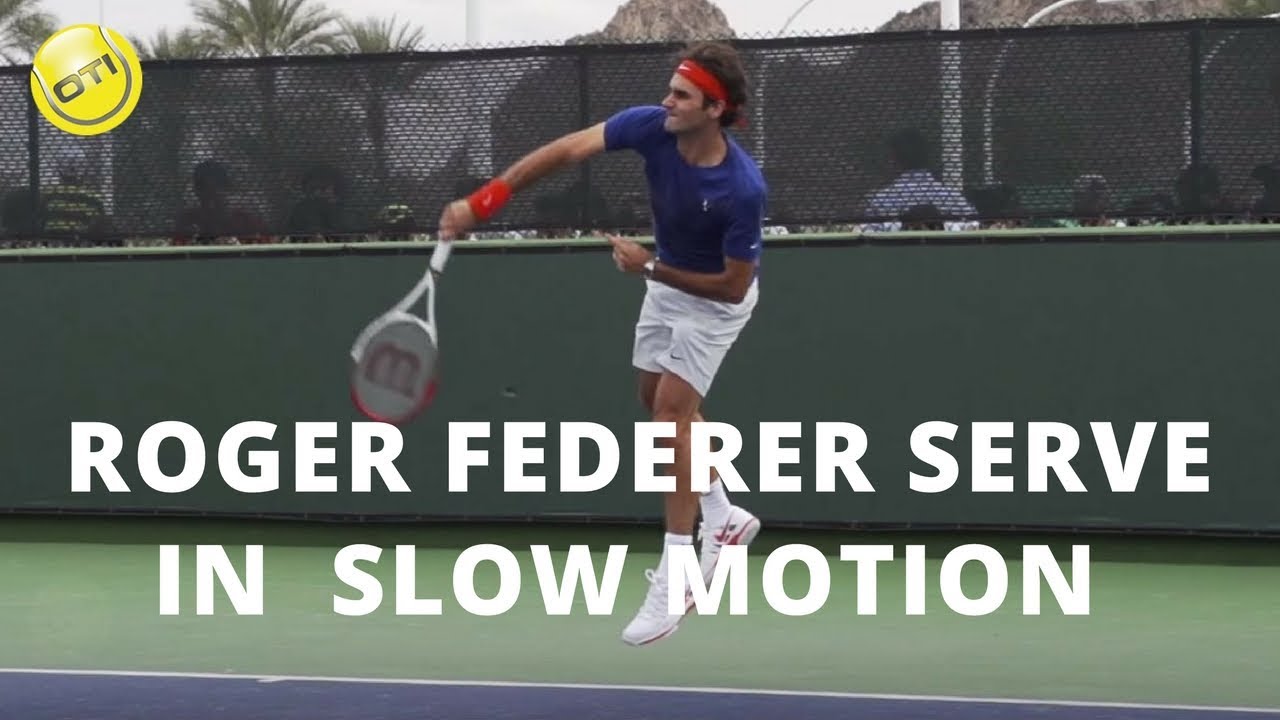
———————————— Are you ready to maximize your serve power? Click here to access our FREE serve power video series: https://go.onlinetennisinstruction.com/add-s...
next badger
probably by IK ...if you want for ball to control the animation
vast fossil
is there a tutorial for this ?
next badger
have not seen, but there are many for two bone ik (now it's called multi iirc)
plain tiger
I have a public variable in my level bp, that I want to change from within a widget when I press a button there, how is that done?
 carmine scroll
You cannot get information from a level bp via a cast or something of that nature
variables in the levelbp affect the level only
and isnt passable to UI
since the UI can be in other levels as well, and this wont work
plain tiger
would it work from say a playercontroller or sumthing?
I just want to set a variable from a widget, that the player can use later on 🙂
carmine scroll
do that inside either a game instance or the player BP
I would NEVER recommend to use the level bp for anything
ever
it can all be done in other bp's to a better degree
plain tiger
yeah, I thought i was going the wrong way when I was tempering with the ontick in the level 😦
so, player BP creates widget, some value on the widget is set, I can simply rightclick type name of variable in widget from player BP?
carmine scroll
yes
plain tiger
🙂
carmine scroll
via a cast of course
plain tiger
will try
plush yew
anyone know how to make teleport pads for VR in ue4, i had a way of doing it before i worked in unity but now im over here and im not sure what to search for
 safe forge
^ the basic gist of it, is use a BP to change the player position, when they get in contact with box collision
 dim arch
anyone know of any good UE crowd simulation plugins
I need some random humanoids walking around for an archviz project
 molten agate
How do I make meshes in ue
fierce tulip
you should make them in a 3d program like blender, maya, 3dsmax, modo, etc.
you can use bsp brushes, but the results are extremely sub-par
molten agate
Oh thx
plush yew
blender is probably easiest as is free and a lot of resources
fierce tulip
^
plain tiger
How do I set the focus of the player to a specific element in a widget ?
Editable text?
I have to click the element now to have a cursor appear there?
Ah, nvm, got it working with a Set Input Mode UI only in the event construct of the widget, then drag the editable-text into the graph (get) and connect that to the 'in widget to focus'
plush yew
i did it! teleport with keyboard/ teleport with trigger volumes
 foggy cipher
I need help with building light please
 autumn trout
How to easily work with a big city in ue4 ?
light coyote
@autumn trout There is no straight forward answer to that cuestion.
autumn trout
I have a big city and am having trouble controlling is there an easy way to work with big shapes?
light coyote
controlling what ?
autumn trout
Such as making zoom and moving shapes easily
light coyote
You mean because buildings are in the way ?
autumn trout
No, I mean the size of the shapes is too big and it is hard to zoom
light coyote
If so you can separate pieces in levels, toggle on and off parts of your city.
You need the levels window in the windows tab
.
I dont know what you mean.
You can use the scroll wheel in your mouse while moving in editor mode to increase or decrease speed
autumn trout
I have
shape
It has a size of 6000,00000.0
And I want to make the character stand above him
light coyote
I dont understand what you mean.
Send screenshot
 wary wave
I mean, if the object were actually 600000000 units across, that would be 6000 kilometers, which is insane
autumn trout
I have a format that has a size of 6000,00000.0
wary wave
use proper digit grouping, that number makes no sense?
like, what is that comma? what is that decimal point?
 stray smelt
Can I re-use a matinee I have created for another level? How do I re-assign it, in that case?
light coyote
xDDDDDD
wary wave
@stray smelt - yes, the level sequences can be dragged into other levels, though you may have issues assigning actors to them
I tried to get around that with streaming the level + all associated actors in and it works
but you can't have different world space transforms 😦
light coyote
@stray smelt I have not worked with matinees yet,, but im prety sure you can use event dispatchers to acomplish what you are trying to do.
autumn trout
@wary wave yes it is 6000 kilometers ,I have challenges in dealing with it
wary wave
yeah, no kidding
you can't have a 6000km across object in Unreal, that just doesn't work
I can't even begin to imagine what you're trying to do
stray smelt
it's technically a level sequence. Using replace on the camera has not worked yet. Will look around
light coyote
@stray smelt You can assign it to an event from any type of bp(i belive) to any level and vice versa,,
autumn trout
I'm trying to work the Earth
wary wave
yeah, that isn't remotely going to work
there is no solution for what you're trying to do
stray smelt
The sequence does run because I can see it performing all the stuff like fade to black etc, it just doesn't use the camera
 tepid knot
https://forums.unrealengine.com/community/community-content-tools-and-tutorials/85047-the-art-of-packaging-shipping-builds-in-unreal-engine-4 i followed this tut to create dlc for my game,i actually wanna change some code in the dlc,so will that work?
Unreal Engine Forums
This is the place to show, share, and link to your stuff!
light coyote
@stray smelt You need to assign it before, and that means you will bind it to an event,,,, if you cant find it where you are trying to assign it, make sure you disable content sensitivity when searching for it
wary wave
@stray smelt - I had trouble getting it to rebind stuff, but you can have the sequence create the camera
stray smelt
ah ok. Will try, thanks!
autumn trout
Even if you change the size to 10,000
I'm still having trouble dealing with him
wary wave
@autumn trout - I don't know what you're trying to do, but I'm pretty sure whatever it is isn't going to work
you can't just try to import gigantic objects, the tools and engine aren't built for that
light coyote
@fierce tulip wtf ¿?¿?¿ xDDDDDD
fierce tulip
i decided to stay out of the current topics in the end
light coyote
@autumn trout If you have such a number is because you set it to be
size of objects in terms of scale is a 1 to 1 ratio from the size it was imported
so... if you do not touch the scale number, it should be 1, irrelevantly of the size of the object.
Send screenshots of your trouble if you want any help.
People here are trying to help.
autumn trout
My question is simply can you make a game of
giant shapes
I try to make the earth and the moon on their true size
 digital anchor
no
fierce tulip
unless you have a very very big and experienced team making an insane amount of tools helping you and another very big and experienced env artists procedurally/artificially, and a bank account that's incomprehensibly well stacked? no you cannot.
light coyote
Finaly we got to the deal xD
its not a building,, they are planets and the idea is not wanted to be stolen
 thin tendon
Does anyone here have any experience in making buy to own games vs free to play games? I was after some advice
light coyote
Lots of people are thinking have thouight or are in fact atempting that,,, me myself im doing a solar system in another project,,,, dont worry, many people are doing the same thing
autumn trout
The goal is to prove that the earth is round and not flat for some people
light coyote
@thin tendon They are busines models,,, check out if you can write names of such games in google and add busines model to see what you can find
autumn trout
This goal of the project
light coyote
fierce tulip
there is no reason to prove it, and people who dont agree with it for whatever reason wont accept it anyway
light coyote
thin tendon
I am just wondering if free to play typically get a larger player base. The downside of being my first game is I don't have cash to advertise. So lately I am starting to think it might be better to try to build a following before trying to make cash
fierce tulip
enough with all the images :p
autumn trout
These people make a lot of inconvenience in my town
light coyote
What @fierce tulip says is true,,, making big spheres is perfectly fine, up to a certain limit.
The crazyness is trying to replicate the rel thing, its insane,,
so to reduce the diffrence, you can make the character very small(problems)
and planets very big(problem)
And maybe, you can get the size ratios of all of them to mach, and the thing be playable
doing this is just problems after problems, and you need to make your own solutions for all of them
The size its in relation to a 1km sphere,, and yes, i had problems xD,,
Im testing and experimenting
autumn trout
Really it's a big challenge
I did not think the size difference would cause this difficulty
 grave nebula
Ahh, lovely middle ages. My favorite times. People are still trying to challenge earth's flatness.
light coyote
@autumn trout I do it, cause i like it, i like the challenge in terms of learning, and because im hoping to make an interactive aswell
However, there is no guarantee of succes,,,, there are more chances i fuck it up
autumn trout
That means 100,000 unit
Really great
wary wave
32-bit floating point limitations means the game's physics sim will start to fall apart around 100k units
autumn trout
@light coyote Well I will continue but I did not even
Dealing
With 10,000
unit
what should I do?
wary wave
give up, probably
you're trying to achieve something that is well outside of your grasp
fierce tulip
we are not saying this to be mean, but to prevent you from going on a wild goose chase that will not end well.
light coyote
I just checked something, and my 1km sphere is actualy a 20km sphere, and earth is 0.0127 of that,,,,so is only 254m diameter,,,, what happens is that the sun is huge,, i have a 1 to 1 ration in it,, but still is not the right ratio,, but yes, problems,,,,,sun is 20.000 meters, earth is 254 and i still need to make the sun bigger and the character smaller in order to be the right ratio,,,, but not sure what im going to do @autumn trout
I just corrected another mistake,, it was radius. This is still testing for me, so i did various tests and mixed up names,, it was worth the check.
 open root
Hello, In blender there exist a "Node wrangler" Add-on : It basically automatic connect texture maps(Base on names): Albedo, Gloss/Roughness, Normal. etc - Is there something similar for Unreal Engine?
autumn trout
@light coyote How did you do that
How to make a zoom
How did you make the character stand up
Planet Earth
Do you have a certain way
Or do it in a normal way
light coyote
I dont have a character standing up anywhere
@open root No idea 😦 i think not
@autumn trout My character would have to be 100.000 times smaller to be the right size.
And yes, problems, problems, and more problems.
open root
@light coyote Oh 😦 I am exporting textures from Sustance Painter and there is amazing livelink to UE4 - but When I am trying to manually create material un UE4 it is always paint in the *ss :/
 frank plume
Are topdown shooters relevant right now and do people play it
 spark sonnet
Yes
light coyote
@open root I never used that,,, maybe is easyer to just overwrite textures with same name in the desktop,,, then select the textures in unreal and right click reimport to do it all automaticaly for you
open root
@light coyote Yeah you are right - But it is really time consuming just to import and prepare material manually :/
light coyote
Nahhh, takes 2 min,,, no fancy things,, just plug and go, and aply materials to mesh.
No instances no nothing,, when you are happy, you will do the material instances and all of that.
.
Are you having problems with the resoult you get in substance painter beeing diffrent from what you see in unreal ? @open root
Make sure your panorama is set to be one of the black and white ones that look like the Yin Yang thing.(i like the smooth one)
Otherwise you are not seeing the end product with white light.
Therefore, your color gets tinted with the panorama and you dont see the proper end resoult.
 plush bloom
Hey everyone! is this a good place to ask for some help?
light coyote
Just ask, maybe someone helps, or recomends something
 steady owl
Anyone know if you need permission from Microsoft to include Xbox gamepad icon prompts like RB / RT etc.?
Most games that support gamepad on PC are using their own stylized versions of the button icons
fierce tulip
i think someone made a free-to-use setup for that many years ago
steady owl
Is it legal in terms of fair use?
Many many games use the icons I just am not sure if they get permission before hand
 shadow portal

Game Development Stack Exchange
I'm currently working on a game that will be released on PC with controller support, and I'm trying to find a way on how to best represent controller icons within the game.
I'm assuming I can't si...
Think its generally fine - just don't use Xbox's art specifically
steady owl
Was just reading that very article! seems as though he suggests only using the text and not the shapes though
So RT / RB might be harder to show
shadow portal
If you just write the Letters I think you're absolutely fine
steady owl
Great thanks!
fierce tulip
XD I just found a list of free ue4 keys from when it was still 19,- month
#ThingsIstillCantGetUsedTo
wanting to move around in viewport, but instead it randomly grabs a thing you had selected and moves that instead
wary wave
I do that all the goddamn time
light coyote
#MeToo
 hoary marsh
#methree
 timber birch
Question, UE4 4.23 crashes when having more than 6 grasstypes, has this been fixed in 4.23.1? cant really figure it out in the changelog
 spare sun
vulkan got removed from the roadmap? 🤔
 manic pawn
they removed a bunch of useless things on the roadmap
vulkan has been working for several versions
open root
@light coyote No I Have same result 🙂
 calm widget
Trying to make a material that acts as a "fade to black". feels like it should be simple enough, but cant figure it out.
buoyant viper
Is it possible to have multiple animations without having to include the same model file like 4x?
And only like export the animation from blender
calm widget
yes
buoyant viper
As now i have to keep exporting my entire model with the animation
calm widget
you can export animations individually, though i prefer to export them with the mesh and then export the mesh without baked animations to have them separate, that way i can import animations only from the first file
buoyant viper
How?
Btw how can i have multiple animations in 1 blender file?
So like IDLE/Walk/RUN
Without needing to work with 3 model files like i got rn
calm widget
you create a new action
buoyant viper
Hm
 opal berry
Does the 5% that epic take from your revenue really affect your profit?
buoyant viper

 opal berry
(From a unity developer that wants to use C++ and UE4 but does not like the idea of the 5% thing
buoyant viper
So iv'e made a action
How would i export the file?
So the animations will be seperate files
I guess file-> Export -> FBX?
light coyote
@opal berry Not using the arguable best engine in the market to wich millions have been invested, totaly for free with all features, no pro plan to be paid for all features,,,, i think is a good deal
 warped tangle
you can import only animation
buoyant viper
I want the animations to be all in sep files
light coyote
@opal berry Would you pay 5 of every 100 you earn to who made you posible to earn those 100 in the first place?,,,
It allows people to get involved in this without spending crazy money to get incredible resoults
calm widget
@buoyant viper it's not effortless so if you'd like help with blender pm me, or i think you might have better luck at the blender discord server and not ue4 one.
fierce tulip
here we go again
https://www.unrealengine.com/en-US/faq
"Once you ship your game or application, you pay Epic 5% of gross revenue after the first $3,000 per product per calendar quarter. For a more detailed explanation of how that works, see the EULA"

Thanks for considering Unreal Engine 4 for your development needs. Here you will find a list of common questions answered to make informed decisions with little guesswork.
warped tangle
Unreal doesn't "take" 5%....you pay them 5% for the use of their product. Nothing is free, not sure why this is a consistently lamented over thing.
You want to get indignant, go look at how much you pay Steam to sell stuff on their store
fierce tulip
no experience with finances generally, or trolling.
light coyote
Yep, true @fierce tulip I knew but didnt mentioned yet,,, but thanks
warped tangle
Apparently....there's this general feel that things should be free. Nothing is free lol
light coyote
yep
fierce tulip
though generally
If you have to ask, you are often nowhere near finishing or experienced enough to finish a game yet
so make the game first (or better yet, learn first), worry later.
light coyote
someone has to make it, and that someone has to get paid, unnless its open source of course,, but its a diffrent story
warped tangle
I like that UE4 allows us to dev more or less for free, and pay upon success. Hell of a system
fierce tulip
dude, at least for the next few months, maaaaybe years, you might even get a massive amount of $$ to release your game on the EGS if it gets enough hype.
its rare, but also a consideration hehe
warped tangle
yeah def
light coyote
Exactly, we are able to compete with the big boys without having to have millions invested in developing our own tools
Hard anyway xD
 rotund scroll
real question, is there a more unprofessional smiley than "xD or "XD"? It's hard to take people serious when they use it
fierce tulip
hmm
light coyote
More AAA companys are using Unreal,, and that for me is like WTF,,
Its more afordable for them,,,, and by definition, for us.
Its a manner of time and UE features for more and more to jump on the train
warped tangle
LOL
light coyote
I use it xD
diffrent interpretation for diffrent ppl
Fuck, i was just going to write it again
 serene birch
I like to imagine that UE4
it's like having a 19 man studio, and hiring a 20th person that write the whole UE4 for you
that's basically what the 5% is 😛
from the point of view of the original 19 devs
fierce tulip
I hated smilies and gifs..
You all ruined me
stone oar
This model works... the competitor just had to up their monthly prices
 untold rose
hey guys im following throuhg the quick start guide in C++ and im getting an error with the samples code
polar hawk
I'm closing the education / documentation survey tonight
If you want your voice heard by people who have the power to change things, go do that <_<
Don't let twitter and reddit out represent Unreal Slackers
or do
im not a cop
serene birch
that link doesn't work
polar hawk
its in #unreal-news
fierce tulip

Google Docs
No email addresses are collected, all submissions should be anonymous. A Google email is required to help prevent duplicate entries. This form is not a product of Epic. Results will be aggregated and may be made public at some point so do not submit anything you don't wish to...
polar hawk
fucking lol
fierce tulip
lol
polar hawk
50.0000%
normal burrow
That was quite a lengthy survey
fierce tulip
blame pat
normal burrow
Nah I did days ago
grim ore
It's only lengthy if you take the time to read the questions 😉
normal burrow
But you can always blame pat
grave nebula
When them survey results will be published ?
cloud cobalt
Survey took.
next badger
@polar hawk have you posted survey on all the channels?
i've just noticed someone posted another survey on #career-chat ...but it collects emails