#ue4-general
1 messages · Page 544 of 1
 grim ore
they could do it but they don't, its just the way it's set up on the back end. Every version of an asset is kept separate because reasons heh
 manic pawn
marketplace delta updates would be useful
 wary wave
I worry that deltas would rapidly break down across multiple engine versions
 slow hearth
they already have something similar with the verify system
 gleaming narwhal
@wary wave From what I understand, Chris will show how we can generate the heightmap in editor (Using EUW) and generate the landscape from it
manic pawn
why would the delta ever break
wary wave
@gleaming narwhal - cheers!
manic pawn
use something like hdiffpatch, not the in-engine delta
grim ore
I would hate to have to do it because MP assets are not kept in one place, IE Kite Demo is not just 1 folder for all versions but separate plus you can migrate assets to multiple places and then you have the entire fact that people suck 😛
slow hearth
ah ok
I thought it was like steam's
I guess no single file in engine is big enough to necessitate it
manic pawn
though idk what you would use to create deltas for huge things like the engine that are several GB
well it's more that you can't use delta updates for verify
slow hearth
why? rsync would do it
manic pawn
since it's indended to replace invalid files
you can't have a delta from a version that never existed
slow hearth
if you change one byte in a random file in a huge folder and do rsync with an unchanged copy it will find it and only send the block around that byte using a rolling hash algorithm thing (it will also send some other hash traffic to verify everything)
slow hearth
but anyway for marketplace deltas it could precalculate all that like with a patch system and do a verify before patching
manic pawn
but say you delete a byte instead, now the hash would fail for every block
slow hearth
no delete would be fine
it uses rolling hash
so all the stuff shifted would still work
it is similar to alignment algorithms in genetic/bioinformatics stuff
A rolling hash (also known as recursive hashing or rolling checksum) is a hash function where the input is hashed in a window that moves through the input.
A few hash functions allow a rolling hash to be computed very quickly—the new hash value is rapidly calculated given o...
that's how steam updates work too, I think the epic store now as well
I'm not sure if they precompute the differences, or actually do something like rsync on every single user's update (maybe a mixture of both with caching based on some overall hash)
 next badger
are you sure launcher doesn't do all that?
what are those weird tiled charts that are filled with different colors when ue4 being updated?
slow hearth
yeah it doesn't seem to do it (I'm downloading 4.23 kite demo now)
The engine definitely has infrastructure around it though, you can see patch system does stuff with rolling hash:
Runtime/Online/BuildPatchServices/Private/BuildPatchUtil.h
43:      * @param ChunkHash      The chunk rolling hash value.
53:      * @param FileHash       The file hash value.
63:      * @param ChunkHash                     OUT     The chunk rolling hash value
68:      * Gets the file chunk GUID and file hash, from the filename, which is the new format.
71:      * @param FileHash                      OUT     The file chunk rolling hash value
148:     * Checks a file against SHA1 hashes. The function takes two so that it can return no match, match with Hash1, or match with Hash2, that way we can check the file for being the same as an old manifest or new manifest
162: * Checks a file against SHA1 hashes. The function takes two so that it can return no match, match with Hash1, or match with Hash2, that way we can check the file for being the same as an old manifest or new manifest```the issue with content it's provided with Compressed.ddp , and that's a huge chunk of data
@fading sandal holy f...remove it until it's not too late
slow hearth
@next badger I think a lot of that ends up the same between versions though; at least for shipping builds a version update doesn't usually have a huge impact and delta compresses pretty well assets wise
next badger
@fading sandal it's not #lounge
@fading sandal i'm sorry...you'll get better, i hope
grim ore
eep
 fierce tulip
 grim ore
he was dusted.... ⏳
 abstract relic
Did you do it Luos 😜
fierce tulip
im not allowed to discuss moderation in public :p
abstract relic

fierce tulip
but spamming nonsense on multiple channels and acting like wutido? yea.. can get you politely removed.


oh god, I almost want that gif with my head on the doordude, and pfists head on the dude at the desk
abstract relic
Would do it in aftereffect
 plush yew
how do I post when im looking for talent instead of lfw?
fierce tulip
top right there is a pin icon, if you click on it you can find a detailed text outlining how to do it
(in looking for talent)
slow hearth
the vault cache could be stored in delta format as well, making people clear it less often
finished downloading installing 4.23 kite demo..
about to try out rsync on a copy.. dry-run apparently doesn't do the bandwidth total correctly
plush yew
@regal mulch there is no option to get rid of the xyz axis on the bottom left right? just making sure i didnt look over it, working great other then that (and i know how i can fix it if there is no option)
where's that gif from lol?
grim ore
the toss them out one? Archer. Looks like season 9
 regal mulch
@plush yew you mean the thumbnail generator?
Afaik it shouldn't add that to the saved texture
plush yew
@regal mulch it does add that for me
@regal mulch but it only does so when my asset is behind it, when i try to fill the camera view so to speak
it doesnt show it if it just has background behind it
slow hearth
hmm well almost no rsync speedup =/ (edit: I'm wrong.. apparently rsyncing local files implies '-W' ...)
 timid pilot
Hi, How using GenerateProjectFiles.bat with custom path engine ?
grim ore
Generate Project Files should be in the root of the downloaded engine folder isnt it?
grim ore
yes if it's in the root of the downloaded engine it will find the engine for the folder it is in and create the sln file
is it not working when you run it?
timid pilot
I run GenerateProjectFiles.bat from the Binaries engine, LocalBuilds
I get A game project path was not specified, which is required when generating project files using an installed build or passing -game on the command line
grim ore
what does your folder look like where it is installed? where your source is
and did you run the setup script as well to download the required files as well?
timid pilot
I clone from source, use Buildgraph to build Rocket Engine (rocket is into LocalBuilds) and run GenerateProjectFiles into rocket folder
grim ore
ah, I can't help anymore maybe try #engine-source ? I don't use buildgraph when I build source
 atomic onyx
The reason I asked if it would be worth to develop product demonstration app is because I had 2 requests lately one of which was for a really good payment. So I thought that maybe making it a business that specialises in such thing could get more such products
 gilded igloo
hey guys, so I wanna add a menu to my game that behaves as follows: when I do something (for example press P), I want to add a sort of animation that just drags the menu from the left of my screen to the center of my screen. I know how to do it but its really not elegant, anyone got any suggestions? even if they are not super elegant I promise you its better than my solution.
How do I even approach such thing?
grim ore
are you using UMG for your menu?
gilded igloo
ya
grim ore
You have the animation system built into UMG, you can use that to create the animation. Alternately use a timeline in the event graph and move it.
gilded igloo
ill look into that, thx!
grim ore
if I had to do it and wanted to make sure it was resolution independent my first thought would be to do it in code with a timeline. I could anchor the menu to the left side of the screen however I need it and then in code when I wanted to move it I could change the anchor to the middle along with the alignment to center then use a timeline to lerp from the original position to the new position over time. This should allow it to always go from the fixed left position to the middle regardless of screen size or shape. Never tried it tho soo....
plush yew
does UMG has a lot of issues with different screen sizes?
plush yew
i didnt use it yet but i'm going to have to shortly
i wish i could just use html and css lol
grim ore
it's less of issue and more of you need to design it well and take the time just like with html and css
You could try using Coherent UI
plush yew
googles it
grim ore
I guess it's been rebranded to gameface but same thing
plush yew
nice ill keep that bookmarked in case umg is too hard
grim ore
I see mainstream games using it so it can't be too bad
UMG works alot like XAML which I am used to from C# so it was an easy pickup for me
plush yew
even does javascript i saw
grim ore
yep yep if you are from that background it's worth a look for a real game
I want to say there was another free solution similar to it was well but that was years ago
gilded igloo
MathewW ur a genius. Helped me a ton, thx!
grim ore
yay
 mint sequoia
How do I make it so only the actor details show up in the details panel, and not every single component as well (until selected)? Notice how both the meshes and this state machine show up when only the actor is selected https://i.drowningdragons.io/6mzAI3oMl.png

Is everyone else having this issue too?
Must be some categories set wrong because I made a test BP and it didn't do it
Seems to happen with anything I make in C++
I can't search for it on google because all the results from people who can't get them to show up when created in c++ plague the results
K got it (I guess), had to set them to VisibleDefaultsOnly
Now they work the same as if added in BP
slow hearth
ok.. rsync results between 4.23 and 4.21 kite demo, using --no-whole-file to prevent issue from before where local rsyncs imply --whole-file:
sent 4,319,635,035 bytes received 19,760,281 bytes 3,893,580.36 bytes/sec total size is 30,196,428,192 speedup is 6.96
so it only needed to send around 4GB instead of 24 that marketplace sends
Compressed.ddp was also about 4GB bigger in 4.23, so that may explain that part (maybe they added a new platform or something?)
regal mulch
@plush yew you are actively exporting it as a texture?
I'll let Celeste have a look at it when she has time
plush yew
@regal mulch yeah just "generate content selection" with some materials selected, (i did change the mesh used for materials to a cube) and i fill the frame of the camera with one side of the cube, but its not a big issue, i can fix it by cropping them all the same way, just thought i'd ask if there is an option or something already available
 sacred crater
Hi, creator here :)
What engine version are you using? I made it in 4.20 i believe, maybe its a version thing in 4.22?
fierce tulip
sends million of fuzzy llamas to Cel
sacred crater
sends millions of furry alpacas to yoes
plush yew
@sacred crater 4.21.1-0+++UE4+Release-4.21 (VXGI)
and i did change the mesh used for materials to a cube instead of sphere
plush yew
is the VXGI branch not liked here?
sacred crater
@plush yew hmm, i never tested the 4.21 engine but i heard others used it, and didn't get the issue. I'm not directly sure what would cause it, technically it uses the same method as normal unreal engine Screenshots, so worth testing if you get it in normal Screenshots with and without green mask
plush yew
@sacred crater thats really odd, everything works fine indeed, and this is not a big problem, i can just make my screenshots too big with edges, then crop em all automagically, also it does not do this if the mesh is not behind the xyz icon thingy it seemed
@sacred crater could also be nobody else noticed it since most people probably dont fill the camera frame
@polar hawk is the VXGI branch not liked in here?
 polar hawk
I have no knowledge or authority to speak on the behalf of everyone else here
 ashen brook
best just to ask your questions 🙂
 umbral sentinel
Okay
Do I have to make everything myself or is there like a marketplace where some people have stuff you can use for free?
ashen brook
yes, there is a marketplace
it's in the launcher, but also on the web at www.unrealengine.com/marketplace
every month there are some free assets, and some others are permanently free
just check out the free category 🙂
umbral sentinel
Yay! Thanks!
sacred crater
Hmm, then im not sure, I'd have to test it to see what could be
plush yew
@sacred crater yeah don't bother i can crop them, just wanted to make sure i did not miss an option or something, thanks a bunch of the plugin it saved a loooot of time
umbral sentinel
Does "Free for the Month" mean that I can't use it after the month or is it like PS-Plus where I now own that thing?
ashen brook
@umbral sentinel it means you can acquire it now for free, but then it's yours forever
if you don't get it during the month that it's free, it'll cost you
ashen brook
in the epic launcher, go to unreal engine -> library and scroll down to the bottom
that's where your owned marketplace content is listed
umbral sentinel
Thank you
plush yew
thanks for reminding me there is new free stuff 🙂
 grizzled hornet
Im sorry guys, wasnt there a place in the editor where you could specify what world settings to use for the level?
 ancient lotus
at the top click settings, then check world settings and a new box should appear with the world settings for that level
grizzled hornet
And if I want to override the world settings class? Do I just cast the world settings to my class?
plush yew
Anyone here with experience in outline on trace? Checked the videos and tutorials but all of them only support components, while I need this on the whole actor
ashen brook
never heard of that being done @grizzled hornet - sounds like an engine modification. What do you want to override the world settings for, exactly?
Most world-specific data is usually just as easily kept in placed actors or info actors
grizzled hornet
I need to add a few things which are level specific
Like store pointers to some actors and a few level settings
Well the world settings class is an actor
It is just spawned during play
 warm junco
anyone got any good optimization tricks for open world maps?
atomic onyx
does someone know how to upload a build to steam using steam cmd ?
uploading from the website is for less than 250mb or something..
next badger
ashen brook
@grizzled hornet that sounds like something a placed actor would be ideal for
regal mulch
If it's level specific then the levelScriptActor is the better choice
Or otherwise known as the infamous LevelBlueprint
If you have your own cpp class of it you can reparent your levels and expose settings to all of them at once
We for example have a boolean in it that says if the level uses dynamic gravity or just -z
 crude vessel
UE4 big brains i need a simple question answered.. specifically for the physics object editor but in general .. is there a way to do precise aka numeric input on an objects XYZ coordinate and rotation ? I understand they want you to use the Gnomon, but it's kind of hard to troubleshoot some stuff without being able to see the numeric coordinate info
plush yew
still wont let me
crude vessel
I'll check that out, thanks!

 visual pawn
I chose a game project that apparently no one on the interweb done anything similar, or they have done it but dont have a vid tutorial of it 🤔
 carmine spruce
Is it possible to put an emun in a struct?
plush yew
you mean enum?
matinee rotation or Event Tick rotation?
@plush yew That's the point 😄 Mix of RUST and Ark
@plush yew good luck lol
 warped tangle
lol @visual pawn are you trying to pick a project based on there being a tutorial showing you how to do it? What's the point then?
 golden hollow
where do I go for help on a project?
warped tangle
youtube, here if you have a specific question, google, unreal forums/answer hub
try to keep the questions in the relevant channel here, unless you're just not sure where to put it then you can ask in this channel
golden hollow
okay, I'm having a physics related problem
warped tangle
there is a #legacy-physics channel down below
golden hollow
thank you
warped tangle
happy hunting
 safe rose
Anyone have any editor crashes in 4.23 when saving certain blueprints?
 sand sparrow
Anybody know how I can easily bring in this design I created in at marvelous designer into unreal engine on my character?
plush yew
anything specific i can search for to learn how to dynamically alter an UMG UI? (generating buttons from a list for example)
grim ore
nothing really special about that, create new widgets and add them to a panel or other parent
just keeping track of it all and altering it as needed is the real work
 sly coyote
whoops wrong chat sorry
plush yew
thats why i start simple
next badger
@sand sparrow no, you won't be able to do that easily, you have to skin the mesh to follow the skeleton, and for that you need to work in maya or blender
also i assume your mesh is very dense, so you have to make retopo and bake the textures
*if it's a game project
 stiff spoke
Hello
 open eagle
Hey
I'm trying to build ue4 from source
It keeps saying I don't have any vs installation but I do
stiff spoke
You can't help me?
open eagle
Sorry no
Does anyone know how to fix visual studio now found
Not found
It can't find my VS installation
plush yew
how do you open the sln? 😒
i had a lot of issues as well i ended up removing visual studio and starting clean
who can code
in clickteam really good
and make cutscens really good
 twilit forge
hey im curious on how to post things for looking for work and looking for hire
i dont have permision to type anything
warped tangle
@twilit forge look at the pinned stuff
twilit forge
on where lol @warped tangle
@warped tangle wait!
i see it
thanks fam
you a legend
warped tangle
damn right
 storm mason
Anyone know of a UE4 equivalent of Unity's ProBuilder?
would love to have some level design tools that isn't a barebones BSP. I don't mind if it's still BSP, just need something that is an asset rather than a bottleneck
 sudden agate
Mesh Tool

Mesh Tool is an mesh editor for Unreal Engine. It allows you to edit mesh assets and prototype props and levels without leaving Unreal Editor.
@storm mason
storm mason
I've looked at this and it's decent, but lacks a bevel/chamfer and/or a cut function
sudden agate
UE has built-in geometry tools, too. They need to be activated and aren't that advanced
storm mason
Ah, I'll look into those too
real bummer that Probuilder isn't going to happen for ue4, it looked fantastic
thanks!
storm mason
eh, from what I'm finding the geometry tools in unreal are just the default feature-limited BSP tools that I was hoping to find an alternative for
storm mason
reading up on geo tools and it's not looking bright, looks like since 4.23 it's been removed?
plush yew
Where can I learn how to make stylized models?
or where can I get the models for free?
thanks in advance
 twilit ocean
anyone know how to convert ue4stats to csv files beside using unrealfrontend ?
plush yew
Well, I saw that there is stylized material in Substance Painter, I think I can make models in Zbrush
 tall pendant
depends on how much exp you have tho
plush yew
Is there anyone here who is familiar with aim offsets?
no problem, just set the value
, nt exp = 9999 ...
jokes apart
stylized in what way?
@plush yew
I don't work with textures too much, only models, sorry
.
@plush yew Ok
I got models with textures 🙂
I want to make a game with satisfactory graphics, I want to make a game with satisfactory graphics, like Fortnite's
2x
 gaunt raptor
Creating a cinematic in UE4 - if i have 5 different levels with shots in each - can i play that as one big sequence ? or do i have to go back and load the next map everytime ! Im guessing its possible im just not sure what its called - so maybe someone can quickly point me in the right direction ?
 dim merlin
Hi, is there any other way to preload assets to be spawned at runtime rather then including them in the map?
 cursive dirge
@storm mason yeah, the new geo tools got canned, no idea why
also probuilder is definitely not happening on ue4 since Unity acquired the company making it 😄
plush yew
<@&213101288538374145> u can remove my LFT posting. @humble stratus just helped me with my texture (:. Big thanks to Michael!
fierce tulip
done!
plush yew
hi everyone, do any of you have experience crash with the new 4.23? Everytime i open the engine for 30min-1h, it'll crash even tho i'm not doing anything
this does not happen to me when i'm using the 4.21.2
or older
atomic onyx
anyone knows of crouching animations with completely free copyrights?
 dense gate
On the marketplace, check out "Mobility Starter - MoCap Pack"
It's 6 EUR (I assume 7~8 USD) and is free to use as long as you own the pack
atomic onyx
I want to use them in my stealth template on the ue4 marketplace
dense gate
Are you looking for it to be entirely free?
It's a one-time purchase and has no royalties required beyond that
fierce tulip
he cannot put mp stuff onto the mp
atomic onyx
I don't think I can resell them tho, that's why I asked
dense gate
Ah
atomic onyx
I'll probably have to find an animator
dense gate
Is crouching required and can you instead make it with slow walk and fast walk/run?
At least for a demo, having a difference between slow/fast walk is enough
atomic onyx
What? I want to use the crouching animations and they are a must in my template
dense gate
If it's a must, then aight
But if you had the option to use slow/fast walk instead using the free assets, I'd do that
atomic onyx
Yes, I will use those but there's no free crouching anims anyway
dense gate
Just technically speaking, wouldn't crouching be the same as a slow walk, just making the character hitbox shorter?
atomic onyx
Not really, crouching animations are quite different unfortunately.
dense gate
I meant in terms of the stealth implementation, not the animation
As in, it produces the same (low/none) level of noise compared to the normal walk/run
Though if your example map explicitly has "crouch" spot it might be tricky
visual pawn
Maximo?
atomic onyx
I think they don't allow reselling those animations in templates too
visual pawn
aaah yeah... you can use it in your game but you cannot redistribute/sell the figures and animations
gilded igloo
Hey guys! so I have a lotta buttons on my UMG, is there a way to create a single event that activates when any of the buttons is pressed?
dense gate
Have all the buttons in an array and check for whether one of them is pressed?
dense gate
Don't think so
But create a new variable of array of widgets, add every button to it and per tick check whether at least one of them is pressed
Though I'd assume there would always be 1 or 0 pressed buttons
gilded igloo
ye
thats a good Idea, but i think ill just use each of the buttons events...
Thank u so much though man!
dense gate
Depends on what you need more and how many buttons you have
But if all of them are "standardized" you might as well create a child widget that has a button that does the specific event when you press it
E.g. make a sound
And replace all the default buttons with that widget
gilded igloo
thats a nice idea! ye... im not that advanced yet, but ill remember that! thx!
dense gate
Always strive to make something standard if you use it a lot, makes it a lot easier to change simply the BP that applies to every item rather than edit every item separately
 midnight bolt
Hello - is there some option/plugin to make 'demonstration' level with all my assets placed for preview?
like select them, and place 5 in a row etc
 dark rose
how to activate code editor window in 4.23?
crude vessel
I'm still using 4.22, I'm still learning, is there any reason to upgrade to 4.23, I hear a lot of bugs and compatibility issues.
dense gate
I'll tell you that it's not worth unless there's a specific feature that's only present there
And you want that feature
Otherwise, stick to 22
crude vessel
I mean I'd like to try chaos, but I don't NEED it
And I suspect most assets I want to use are set up for maybe 4.22
 serene birch
if you are still learning and aren't really making a project
crude vessel
Yes
crude vessel
I'm making a project to learn
dense gate
Chaos currently doesn't support collisions with most things to my knowledge
crude vessel
But I've heard people talk about bugs in 4.23 that scares me off
dense gate
It's really immature and the only collision is with itself and a floor
crude vessel
Because I'm so new I wouldn't know it's a bug and just think I'm doing something wrong
Yeha maybe I'll wait for the next major release
I love new features, but I don't want to be biting off more than I can chew
 tame delta
If I want to reuse assets (meshes, material, actors...etc) in a bunch of different project, do I have to go with a plugin?
dense gate
I personally had an issue with arrays of structs, but managed to work around it, after I contacted support they told me it's fixed in .24
tame delta
Specifically I want to reuse them so that if I edit them somewhere, the changes propagate to all my other projects
I'm currently piggy backing on some boilerplate plugin, but I feel like I'd rather clean that up sooner than later
next badger
Chaos is not in 4.23 in general sense.
visual pawn
How does one setup a vehicle in UE4? 🤔
Like i want to make a ship...or a box, on water, that you can enter and control from a top down perspective
yet i cant find anything on the subject on YT or online...i might be just phrasing the thing wrong....
next badger
there are tutorials on that topic
plush yew
@dense gate i had an issue as well on 4.21, got around it too
next badger
visual pawn
Ok...Does learning how to setup a car or a multi wheeled vehicle translate to implementing it onto a ship? 🤔
dense gate
A ship should be significantly easier no?
visual pawn
Well...yes and no? It doesnt have wheels yeah, but arent the physics different than a car on the road?
next badger
i assume you want something like this?
https://www.youtube.com/watch?v=ko6lDSSNhV8
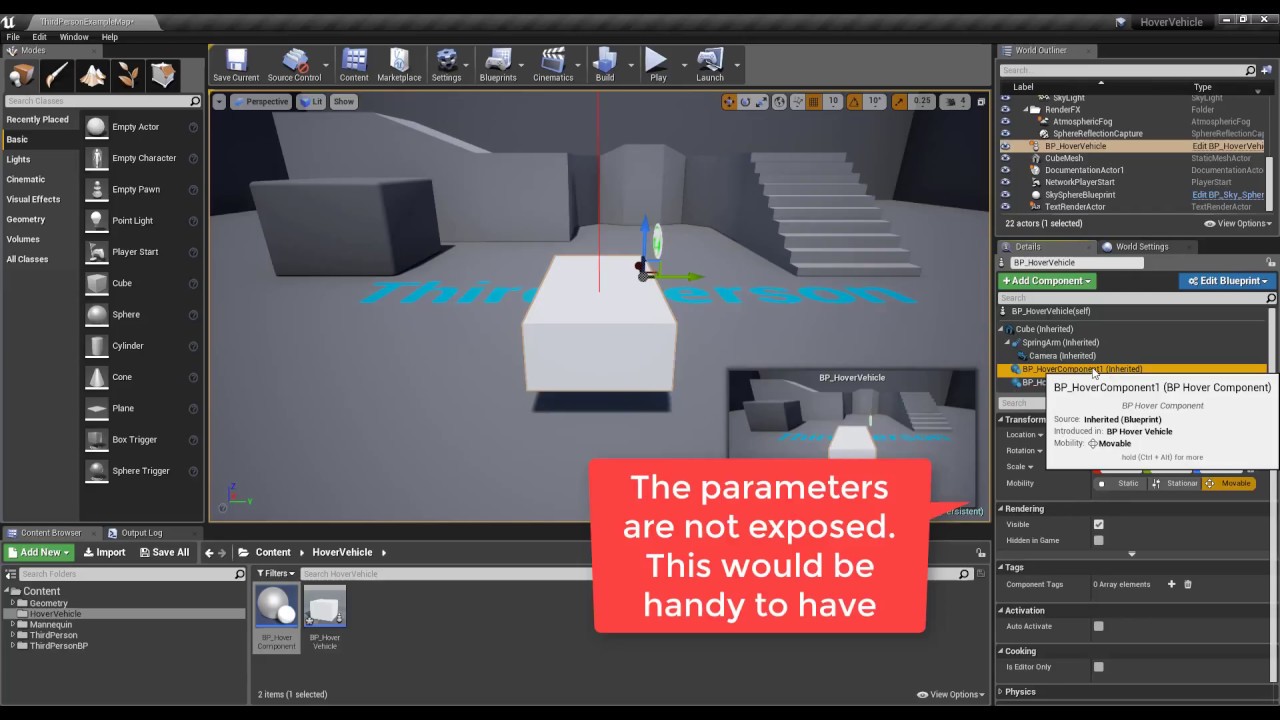
Step by step tutorial on how to create a hover vehicle which uses custom scene components as hover devices. The components simulate a spring and damper syste...
dense gate
I think it can be done with a floating object and air friction
Ye
To move forward, apply force with direction forward and have the air friction set to a realistic to water
dense gate
I mean, just unbind the event
Remove the InputAxisRight or whatever it was in the default
Or rebind it to add angular torque
 mental shell
"LogPlayLevel: Error: ERROR: Android toolchain NDK r18c not supported; please use NDK r14b to NDK r18b (NDK r14b recommended)"
I downloaded r18b from nvidia codeworks
plush yew
how do I move a prop relative to itself instead of relative to world coordinates?
seems to work for scaling but not moving. any way to switch it?
midnight bolt
is there any way to copy blueprints between levels? i can copy staticmeshactor ctrl+c ctrl+v between UE windows from the same project, but blueprints dont seem to do anything?
 wary wing
Right click on the BP and select Asset Actions->Migrate
Oh wait
Levels
Not projects
That should work
Just like things in your level?
Are the blueprints compiled in both editor instances?
midnight bolt
yes
i opened the same project in two windows, two different levels as i was working on some stuff
staticmeshes copy paste with no problems
but selected blueprints are not moved through
i could probably replace them with temp mesh and then replace with blueprint but thats not very optimal
im on 4.21
fierce tulip
opening the same project twice can cause quite some odd bugs
even corruption
(when editing stuff and what not)
midnight bolt
i have done that only for work on the level itself. i cant modify anything about meshes, materials when one project is opened twice, but it worked so far
i had complete level, but decided to keep geometry on one level to see how lighting will work and it was faster this way
now i want to merge it all, but blueprints dont copy paste
fierce tulip
pfoe, good luck
 limber sphinx
Anyone know how you would do the outside of the gameworld like this where its just nothing and only shows the inside of the room...
fierce tulip
easiest way is prolly a big plane
limber sphinx
hmm you really think thats what they did?
fierce tulip
iunno
grim ore
@mental shell if you are still having the NDK error, follow the instructions on the website for android and use the included codeworks installer that comes with the engine to make sure you have a compatible one
@plush yew If you are still having this problem, the coordinate toggle to the right of the move/rotate/scale button at the top right of the viewport is what sets that. In your screenshots I can see its set to world for translate (move) and local for scale. The World icon and the Box icon are World space and Local space
plush yew
@grim ore omg! thank u so much for that! U have no idea how much that helps
grim ore
it might be if you have DPI scaling on or another program that adjusts the menus such as MSI afterburner or another overlay
gilded igloo
Hey guys, So I made a UMG with an entering animation. when I want to use an exiting animation im just reversing the entering animation.
so when im pressing P I want to instantly get to the start of the animation, any Ideas of how to do it?
grim ore
how are you playing the animation?
gilded igloo
with the PlayAnimation node 🙂
grim ore
im assuming using the Play Mode -> Reverse option? If so plug in the Get End Time into the Start at Time from the same animation and it should work?
I know play animation reverse causes it to start from the current point which seems to not be what you want
grim ore
you could set it to the end or try what I suggested above
grim ore
so when you are playing an animation forward or reverse the time flips
gilded igloo
ye
grim ore
so play forward , 0 is the start. play reverse, 0 is the "start" which is the end point
gilded igloo
genius!!
grim ore
so if you leave the start at time at 0.0 it should snap to the end and start playing backwards
gilded igloo
thank u so much man, helped a tan
grim ore
Can anyone think of any assets that come with the engine, or any of the learn tab content, that has some "good" starter assets. I need to find a couple assets that would be nice to have in a "starter" pack to use for content pack/feature pack examples. Stuff beyond the normal "Starter Pack" like sized assets or common stuff that might be nice to have when you make a new project or level. I really want to be lazy and not have to mock up anything myself lol
as an example meshes that are sized out to human proportions with matching materials that show height are something I tend to see as useful "starter" content but I don't think anything epic provides has that right now 😦
 tepid knot
Hey does anybody know how can be steam microtransactions be used in unreal,I mean microtransactions via steam in unreal?
tepid knot
Ok
tall pendant
what do you want to sell as mtx?
 uncut osprey
Is there a way to put a delay on the editor tooptips?
 cloud cobalt
There's one already : https://www.unrealengine.com/marketplace/en-US/slug/top-down-stealth-toolkit

The Top Down Stealth Toolkit is a pure blueprint framework that enables quick & easy creation of Stealth games from a Top Down Perspective.
Competition's always good though
atomic onyx
Hm, seems like a different play style though.
I'm going for a hitman like gameplay mechanics
Also, everything has already been created anyways (almost)
It's all about competition in the end
 deft temple
does anyone know what port needs to be open in order to send data to Unreal Insights?
tepid knot
@tall pendant I want to sell skins for the game
midnight bolt
does anyone have the latest free UE free monthly nature-flower pack installed? i want to get the cannabis plant 3d model, but the download is huuuge and slow for me
grim ore
even if we had it we can't give it to you because it's still under license from Epic for use by the person who owns the content and has purchased it. There is no way we can guarantee you are licensed so if we gave it to you it would be piracy. The act of you logging into your account and downloading it from your account is what is needed to make sure this license it good
midnight bolt
i see. i do have it on my account. i will just wait it out then
grim ore
yep it's a bummer it even applies to the "free" stuff epic gives out in the engine such as the mannequin. I can't share projects with the mannequin freely because I cannot guarantee that the person getting the project is not bound to the EULA that Epic wants. It's a pain in the rear for content developers and educators lol
next badger
this plant was weird thing to include imo
midnight bolt
it's a plant, lets not demonize anything here
next badger
you need to ask the actual question
 amber tangle
Ok - question for all you folks: does anyone have any freaking idea how steam passes the "language" parameter to the game on launch?
I'm not able to capture it with any of the user environment stuff I've tried so far, like get current culture, get language, get default language, etc
plush yew
but the colours incorrect
plush yew
ok
amber tangle
All of these return en_US regardless of steam language setting - which one is steam passing?
amber tangle
Anyone? Anyone? It's weird to me that these all work when I set windows defaults, but regardless of what I set the steam game language to, it gets en_US
I'm sure most of us who distribute in UE4 are using Steam in some way?
dense gate
Isn't en_US the game's localization?
amber tangle
Yup
dense gate
As in, the download itself rather than Steam
amber tangle
in my game, we're fully localized, so if I launch it in a different language it runs in that one (for the locales we support)
The steam API seemed to suggest fully localized depots, but that seems a bit excessive?
dense gate
Apparently there's a way to get the language if you add a function to OnlineSubsystemSteam, but that was 3 years ago
Need to check if it's integrated in the current version
amber tangle
Hmm, I'll see if that's still accessible. I saw that one, but it didn't seem to return anything. Maybe I was doing that wrong
dense gate
This seems to be what I'm getting, but I don't feel like recompiling to test it as I'm not using Steam for my project anyway https://answers.unrealengine.com/questions/379352/get-language-from-steam.html
You should be easily able to add that to the source and hopefully it only recompiles the plugin rather than the whole engine
amber tangle
Oh man, an engine recompile would suck. I'll see if I can get to that
dense gate
Usually having only the plugin changed doesn't recompile the engine, but I've misclicked a few times that caused me to recompile the whole thing again
Wasn't fun, so make sure you're clicking everything correctly
amber tangle
lol - I did that with the UMG button method once
grim ore
sigh random question, anyone know why the "New Level Template" feature is broken in 4.23? I can't get it to notice any new levels in the engine
grim ore
not a level in the project but when you click New Level in the file menu you can add your own template levels. It seems to not notice them in 4.23
dense gate
Ah
grim ore
and I think it has to do with breaking apart the ini files per platform
dense gate
Haven't tried that one before so can't confirm
grim ore
sigh I got it figured out. For reference for anyone with this issue in 4.23 and New Level/Add Level template issues. 4.23 reads the Engine.ini file from the Saved folder from the PROJECT once it has been created so any changes to the templates in the ENGINE will not show up in projects after they are created. I don't know if this is a bug or intended changes (seems... odd) due to the new per platform settings
manic pawn
huh
the only thing it should read from the engine folder is BaseEngine.ini and the platform ones
dense gate
I think it's more intended to have a template only for the certain project
grim ore
it does read the BaseEngine.ini file, that is where the new level templates are referenced
the issue is .23 ignores that on project load now and uses the Engine.ini file from the Saved folder in the project for certain things and one of those is the new level templates lol
amber tangle
Ha! I did find that if I use "get default" instead of "get current" locale then it will take the OS setting despite Steam.
plush yew
Hi apa khabar everyone 😁
grim ore
Heya
plush yew
I have ue4 4.21.2 and 4.23 but the 4.23 crashes alot, do you know why is this happening?
is it becoz its not stable yet?
 runic iron
Unless there's a feature you really need you should wait for further updates yeah
plush yew
when i first use the 4.23 its keep crashing, but now its chill for almost 1 hour now
runic iron
First versions of a new version are always somewhat unstable
plush yew
but i just worried if its crash again, i'm in mid of level designing, i dont want it to crash when i've put so many stuff in the level and i forget to save it you know 😅
yeah i've used 4.18-4.21.2 but its not usually crash even tho i'm not doing anything 😆
i think i'm gonna wait till hotfix release
amber tangle
I would
we're not even looking at 4.23 yet, despite it having some tools we'd like access to.
 midnight gate
help me pls
plush yew
yeah i'm just change to 4.23 becoz i thought that maybe it have something fixed from the older version you know
midnight gate
my player spawns in difrent place than i put it in
mjy character is here
it spawns on the other side help
why does it spawn where im looking
and not where i set it to
amber tangle
You mean it spawns at wherever you were, not where your char is? Is it spawning at 0,0,0 by any chance?
Is 'auto possess' set?
plush yew
🤔 usually this happen to me when i didn't set the player start or the player start is at the wrong location
yeah you should check the auto possess
midnight gate
i have no idea what is auto possess
where do i check it
how do i set player start? i have a my own made first person charcacter
plush yew
midnight gate
is this in the project settings?
midnight gate
ah i found it thank you
plush yew
you didn't like it before? 😦
runic iron
You can also try this btw
plush yew
yeah! good intel @runic iron 😁 👍
midnight gate
@plush yew no i just never really tried being active here
ah yes default player start workes perfectly
thank you
plush yew
@midnight gate if the player start is set up well, but your character is still spawning at where you looking at, go with Dimy sugestion 😁
oh good
👍
midnight gate
eveyrhting works perfectly
nice so in only a week i did a user interface with pause and unpause coin system and you get scores for that and now my player works and moves aswell thank you
now does anyone know how to win the game when i get enough score?
and open a next level
visual pawn
Im getting this error when i was trying to follow a tutorial. Apparently the tutorial is from a older UE4 version, but i dont know how to fix this, could someone tell me what is wrong and how to fix it?
Trying to make a hover car thingy
dense gate
Set up a widget where you win, spawn it once you have enough score, have one of the buttons call a map change
What components are on the BP? @visual pawn
As in, CharacterrMovement, CapsuleCollision, etc
plush yew
the component must be a "primitive component"
dense gate
You should get the main collision component (usually capsule collision) and apply a force to that
visual pawn
This? The ParentComponent is set as a Primitive component. TraceLenght is set to Float, and HoverForce aswell
midnight gate
@dense gate yes i know how to set that stuff up but how do i make a create widget when i get enough score?
runic iron
@midnight gate All the rules of the game should go into a game mode. Have it check when you have the desired number of coins and make it switch levels
If you want to load another map that you did on ue4 as is without any tricks like streaming or asynchronous loading, just use the open level function with the map name
visual pawn
Ok, There is no error now... BUT all hell went loose 😅 dammit
midnight gate
i have the win and lose screen created
dense gate
Check for a condition every frame, second, or from an event
midnight gate
i juts need to plug it into "hey you got enough coins let me pop the win screen for ya"
visual pawn
runic iron
I'd do it with an event sent by the game mode
with mehteh's method
Avoid tick whenever possible
midnight gate
thank you humans
dense gate
Usually when your character picks up a coin, you'd call an event on the gamemode for "total coins update" and after checking if you meet the coin amount criteria, you'd send an event to the character that then calls an event on your controller to display a widget
midnight gate
thank you
dense gate
Though if you're doing singleplayer only most of this can be done inside the similar blueprints to get used to it
As in, only have communication between character and gamemode
midnight gate
its a full single player
dense gate
Ye, I'm making multiplayer so that's how it goes for me
For singleplayer you can simplify things
runic iron
@visual pawn looks like you have a null component somewhere
dense gate
If you have a simple child BP from an Actor, it usually tends to only have a main SceneComponent/ParentComponent
visual pawn
@runic iron not really sure where...
dense gate
Make sure you have at least some collision, like a capsule or box
Or even a mesh that has at least some simple collision
visual pawn
Something here is screwing up. Once i hit play and have this window open for simulation, there is activity from "Even BeginPlay" to "Init Component" but it cuts of there
dense gate
I don't know how the hover example works so can't help you unless I see the BP for it
 snow vortex
Hey all, just wondering why exactly stationary lights can only have 4 overlapping? Seems a simple question but I can't find an answer. Is it just for performance?
visual pawn
I can send you a link to the vid im trying to learn from, would that help?
dense gate
Perhaps
Also, have you tried having an object that's Z locked?
I think it'd make sense for your physics
Lemme check real quick
visual pawn
https://www.youtube.com/watch?v=cPVaDndT7tY
Here is the link. As for having a object that is Z locked, i dont think i have
Update 17/05/2018: Tutorial from Marco (with proper damping): https://www.youtube.com/watch?v=ko6lDSSNhV8 How to create a Hover Vehicle in Unreal Engine 4.7+...
dense gate
Oof 4.7
visual pawn
yeah...
dense gate
I think locking by axis was added in 4.11 or 12, not entirely sure tho
For a component, in the details window, Physics, Constraints, you can choose "Lock Position" for a certain axis
visual pawn
🤦 I havent put "simulate physics" on the mesh...so now, i dont have any errors popping up...which is good 🤔
dense gate

visual pawn
nope...still something wrong
Right, i found a newer tutorial...im gonna see how its been done there and maybe ill find a way to understand what ive done wrong
dense gate
For the Cube: Simulate Physics, lock Z axis, plop in level
Make sure it won't be immediately colliding with something
 hollow anchor
Just stumped by line trace for visibility, if the pawn is moving around the trace fails.. standing still hits. 🤔
dense gate
To add "air friction" change the linear and angular damping values under Physics tab for the cube
To something like 1
warped tangle
@hollow anchor what? post screenshots or something
dense gate
If you want to add some player controls, have a force be applied per tick while control is held
Might as well disable gravity to make physics a tiny bit less performance impacting since you're Z locking anyway
If you want to add some waves, you can add a timeline that simulates "waving" but that's for later
uncut osprey
Anyone know any good references for the "finding the ground ahead" problem? The one where you sweep/raycast ahead to find terrain. I'm wondering if there's anything that goes into the edge cases/bugs one can run into
visual pawn
Yeah, waves will be the last step xD first i want to nail this hover thingy
dense gate
@uncut osprey I had a similar problem to fix while creating a "sliding" projectile for a MOBA, but I dunno how much it'd be of help since it's sphere only
I'd predict the highest position the object would be in, trace to the lowest it could be (with an angle tolerance, simple sin/cos stuff) and take the location and set the projectile's location there
Tends to work well, stopping at curves that are too steep, but can create "surfing" in some cases where the projectile is launched from the side of a ramp/slope
uncut osprey
tries to imagine what this surfing looked like
dense gate
An example, the projectile has an angle tolerance and stops at the 50 degree slope, but if launched from the side it keeps on
Since effectively the slope it's moving at isn't over the tolerance
But you can fix that with checking the normals as I'm only taking the hit location in mind as it actually provides extra gameplay in my case
I'm doing line traces, but you can use practically any trace
Ignore the FPS counter in the top right as I'm on a 6 year old laptop
warped tangle
are you....line tracing down from a capsule/sphere trace?
dense gate
It's line tracing from the highest predicted location to the lowest predicted location
Basically, a sinD of the angle tolerance times delta tick time times velocity
warped tangle
wasn't the question lol
dense gate
I'm not sure what you were asking then
The line trace is first, the sphere trace is after to check for collisions
Since at the end of the day it's a projectle that hits stuff
dense gate
Add a Make Array to Actors to Ignore and have the Self input into it
warped tangle
Is your intended behavior for it to hit or not hit?
hollow anchor
ok, you think its the actor that might be in the way of trace sometomes, its possible
dense gate
Since you say it fails while standing, my guess is the interp on the movement makes it work correctly
hollow anchor
its success standing, it seemed to fail a lot while moving. But i need to check the ignore first
warped tangle
Again, what exactly is the intended behavior here?
dense gate
Something like this perhaps
warped tangle
@dense gate self is ignored....that's redundant
dense gate
From the BP my guess is whether there's a certain object in front, like an item or interactible
It's had some issues for me where some components aren't properly ignored
Though might be a personal convention I've had when that was a thing
warped tangle
Haven't had that issue before
@hollow anchor some context would be nice here. It's not clear what the intended functionality is
hollow anchor
yes i added the self as ignored array, no change
ok context is rather simple, its a "grenade" that traces from self to the player pawn. I used the direction vector to be sure the distance is always sufficient, actor location as endpoint is even worse in terms of hits
dense gate
Wouldn't it be easier if you checked for VectorLength first?
As in, VecLength(PawnLoc - GrenadeLoc) >= 1000
Unless you want to make sure you have line of sight also
hollow anchor
i have a lot of working calculations on the angle and distance, they are seperate. This is pure LOS
dense gate
Perhaps a trace for objects would be better to check for WorldStatic and WorldDynamic on the way to the player
warped tangle
or just launch the sumbitch and see what happens lol
dense gate
This is the LineOfSightTo node from the API if that'll perhaps fix the issue for ya https://docs.unrealengine.com/en-US/BlueprintAPI/Controller/LineOfSightTo/index.html
Line Of Sight To
hollow anchor
oh.. thanks guys, this has escaped my google efforts ! For some reason this LOS always returns true so far.
visual pawn
making a boat is harder than i thought it would be 😅
plush yew

Here's a quick demonstration showing AAA quality flipbooks inside of Unreal Engine 4, which were produced with EmberGen. EmberGen lets you simulate and rende...
yoyo check this
 trim trail
hey, I wanted to check vod of today's epic stream, but it's not up yet on youtube, is it just a youtube thing, or? I know I can check vod on twitch already, but I need auto captioning
visual pawn
I recon they just need time to upload it. Since it is not instant when uploading a vid on youtube, it just takes time.
next badger
it's on YT as well

Epic Evangelist Chris Murphy returns to share his latest adventures with shaders, procedural landscapes, and fully scaleable buildings. ANNOUNCEMENT POST htt...
no CC yet, cause it's a stream recap
trim trail
@visual pawn it was a youtube stream though, i thought its kinda automatically uploaded as it goes live
thanks @next badger i just wanted to use youtube auto captioning, but seems this option isnt currently available. I wonder whats the pattern with auto captioning on youtube, some vids have it, some dont
next badger
it requires time to generate those
grim ore
It;s an option to enable it, it takes time, and traditionally Epic has in house captioning that they do afterwards
trim trail
oh, i see
next badger
on one of the streams Victor mentioned that CCs can be opened side by side with video, is it possible?
trim trail
i was aware of employer who does hand made captions, used to be only Kait I think? Did they expend to team or?
there's option to show transcription on side, yeah
next badger
where?
 ruby ocean
Hey I’m trying to retarget a skeleton to a model I have. What blueprint is good for that when starting, or does it even matter?
trim trail
but i didnt like it, too much eye zip zapping between vid and right side, so didnt use it more
er
it was long time ago I did it 😄
found it, it's three-dots icon under video bottom right corner @next badger
"Show Transcript"
sorry, Open, not Show
next badger
wish search worked on YT ccs
@ruby ocean you don't need any bp for retargeting

In this video we take a look at how we can share animations between two Skeletal Meshes that are using different Skeleton assets. We go through the setup and...
ruby ocean
@next badger alright sound
trim trail
@next badger if you're looking for specific info/term in transcript, I'd suggest just downloading youtube vids together with cc/auto transcript as .srt file, for that i use 4k downloader
next badger
yeah, that's annoying af
Google suppose to be search engine...yet not able search through CCs
 indigo needle
Hi guys, I'm having some troubbles trying to create a bump offset projected texture contrained by world axis, I would like to be able for exemple to have a "bump offseted" texture on a linear world axis even when the shader is applyed on a leaned plane for exemple. If you have any idea of how I can do this just let me know 🙂 Thx guys!
next badger
you ca use vectors in material... as example [0,0,1] is a vector
 safe forge
component mask could help as well
next badger
there are nodes to convert those between world/local/camera space
safe forge
^ transform vector
indigo needle
I'm not that good with shader editor, vector3 is clearly not what I'm looking for but transform and mask are probably going to help me on this one
safe forge
its sounds like you are looking for world aligned blend 😉
indigo needle
I'm just looking to project a map from world axis so I can for exemple rotate my plane and the projection axis will not change with the mesh I hope it's clear sorry if it's confusing
safe forge
yea i think i know what you are going for
indigo needle
I'm going to try then
thx
@safe forge sorry to bother u again, do you have an exemple maybe of how to use this node in this context?
safe forge

Learn how to create a realistic, animated, windy field in Unreal Engine 4 using Megascans materials. Megascans http://www.megascans.se
good explanation in here 😉
crude vessel
Okay I need a newbie question answerredd
https://cdn.discordapp.com/attachments/443070368458997761/629457191199309844/unknown.png https://cdn.discordapp.com/attachments/443070368458997761/629457081203687424/unknown.png https://cdn.discordapp.com/attachments/443070368458997761/629459034096926731/unknown.png https://cdn.discordapp.com/attachments/443070368458997761/629458905965002762/unknown.png


So my character skeletal mesh shows the root bone being in the same position as the bottom of the foot just like the UE4 character, in Blender they had the same position pretty much, foot at 0
in the blueprint I noticed the little arrow thing is actually below the characters foot on my mesh
but if I manually position my character mesh to overlap the Ue4 character, once loaded into the level their feet are still a bit raised off the ground.
next badger
you can't/should not move root bone
or you have to rebind the skin, cause in ue4 mesh will reset to bind pose
you may ignore that if your animations work
since animations override bones positions anyway
 ebon goblet
I'm not sure how to phrase this question, but how would I go about having a creature attach to a model's arm and walk along it without "falling off" so to speak?
Giving the arm gravity which the creature is affected by, or something along those lines.
 harsh tiger
anyone got any clue why my constrains arent moving with the mesh? this results in the cape just going through the character model
crude vessel
animations work
im not trying to move the root bone
but what im asking is WHAT is that postion under the foot?
there is nothing in the skeleton or model that corresponds to it
like the model, in the skeletal mesh preview
has the exact same food position as the default mannequin
so I think my root is fine
ohhh
it looks like for some reason the retargeted animation is higher.. interesting. I wonder why the retargeting would fail like that I need to investigae
 fleet dock
What can I do to make the animation take the capsule and the camera?
character capsule and camera
crude vessel
so I think the animation retargeted off, is there any way to somehow overlay the original animation/skeleton over the retargeted version?
grim ore
well the character capsule is going to be the base of the character for movement and such, I dont know what you would want to animate it for. The animation can drive the capsule with motion along with it. The camera I would assume you can add a bone for it and then just attach the camera to it. The animation is tied to a skeletal mesh is going to be your biggest issue you won;t be able to just add items to it without using bones or sockets
crude vessel
did they remove the ability to display retargeted skeleton?
I see it in older tutortials but not where they describe it in 4.22
oh shit. my mesh bounds is too big, how the hell do I edit that
I guess that didn't do it 😭
 cloud wasp
Hi, it seems UE wont load any of my assets I really need these if anyone could help that would be greatly appreciated.
Its stuck
crude vessel
This is rather demoralizing.
 leaden mauve
10,376 files 
And i can't even keep track of 100
 noble tapir
I'm having a problem with a material not properly tiling on a landscape. It works on any kind of object like cube, sphere, etc. But when I apply it to a landscape, it doesnt work properly, anyone have any idea why this would be? Sorry for the shitty pictures, can't access discord on computer's network to send screenshots
Ive tried changing texture coordinate tiling to many different values, no change
 topaz thunder
Is there a way to make Fresnel effect local and not follow my camera?
it works well on spheres but when i put it on somethign flat it dosent looks like its on the centor
also when i look at bright light sources the surrounding scene turns dark does anyone know how to disable that feature?
grim ore
@topaz thunder the bright light thing is eye adaption/auto exposure. You can disable it in the project settings (set it to 1 min and 1 max) or you can use a post process volume set to unbound with the same settings for just that level
topaz thunder
oh i got it someone helped me on it already, thank you!
 modern sinew
What's the largest map size possible without scaling down the character?
 normal burrow
single world?
340282300000000000000000000000000000000.f (cm) in all directions. but stuff will break well before this.
modern sinew
Ok, without stuff breaking
normal burrow
Depends on threshold of accuracy you need. Further you get from zero, the measurable difference gets smaller. 70,000m is a number people say but your precision is fairly whacked out that far
 twilit rover
Can someone help me i want to make a game with cars but i want to use just one map and i want to make some objective/mission like you need to get from one point to another but every mission to be somewhere else
warped tangle
What is the actual question there
 cyan merlin
My editor has been completely frozen for almost 2 hours now after clicking build lighting
CPU Usage is around 97%
😭
I'm probably just going to let it run overnight and pray it's done something by tommorow
 placid arrow
anyone here ever used this plugin? what are your thoughts?
https://www.unrealengine.com/marketplace/en-US/slug/magic-node

Write C++ Functions within Blueprint Editor.
im looking at it and im thinking "thats a really novel idea" but to me it seems to blur the line that cleanly separates blueprint and C++ which have different use cases
(in a different way to e.g. just making a blueprint function library, or deriving a blueprint from a C++ base class)
@cyan merlin how have you got a nickname with no characters?
placid arrow
@modern sinew in my game, i cheated. the playable area of my game world is only 50,000 units in the X and Y space
however, i scaled everything down 10 times smaller than the usual unreal scale, so i can fit ten times as much stuff into that area
the reason i did that was because ive had issues with accuraccy loss on floating points in ue4 too far away from the origin at 0,0,0
plush yew
you'll still have accuracy issues with that though
placid arrow
it does cause a few issues, e.g. with particle effects that arent designed to be scaled down or up, apart from that its not really been a problem
not really, no
floating point is more accurate to the right of the decimal point than the left
plush yew
yeah really, you are still using floating points, so accuracy is the same
placid arrow
no, its not 🙂
plush yew
particle issues you have are floating point issues
you'll probably have issues with fine camera movement too
placid arrow
see the layout of the single precision floating point?
its nearly all alloated to 'fraction', which is why large whole numbers lose accuraccy
very very small whole numbers do, too
plush yew
in practice it doesn't matter though, if it did all the engines would've used such a thing
in fact unity does use such a thing
but accuracy is still the same
placid arrow
unreal has origin rebasing doesnt it?
ive not tried that in practice
my world isnt 'massive', we're talking GTA 3 sized, not just cause sized
plush yew
gta 3 map size should be fine without origin rebasing or any sort of scaling
placid arrow
it didnt used to be
placid arrow
bear in mind ive ported my project all the way back from 4.8, and some things are now 'stuck as they are'
plush yew
accuracy issues start around 4km away from the origin
placid arrow
4km isnt much
placid arrow
my map is about 5 or 6, iirc
placid arrow
but when you scale everything down by ten, it seems to the engine like its 0.5 to 0.6 km with ant-sized characters on it, but as everything is that scale you cant tell
plush yew
origin rebasing is pretty good, unless you have stupid amount of actors and components it should be fine
I've done 5000sqkm map for testing, all with landscape and foliage etc
it is totally fine
placid arrow
does that level stream the map in a grid?
plush yew
when you scale down you are just going for an uphill battle
floating point issues are still there, just that they are apparent in smaller scale rather than larger scale
ie particles, animation, physics etc
yeah, I used world composition, but that was mostly because I didn't wanted to import 250 something landscapes by hand
you can do any number of streaming levels, stream them in any way you want
etc
placid arrow
10x shouldnt be enough of a reduction to cause any problems with animation or physics, its just the decimal place shifted one to the left
if i'd said 1000x or 100x, then perhaps 🙂
 jovial venture
hey is this where I should go to get help?
placid arrow
help with unreal engine? sure.
jovial venture
im having an error when attempting to cook my level UATHelper: Cooking (Windows): LogInit: Display: LogPackageName: Error: DoesPackageExist: DoesPackageExist FAILED: '/Game/Mordhau/uSDK/' is not a standard unreal filename or a long path name. Reason: Path may not end with a '/'
Im pretty new to ue4 and got no clue what this means
ive shortened the file path as far as possible
placid arrow
what is uSDK?
jovial venture
a user sdk for a game, im making a map for it and I'm on the cooking stage
it has a bunch of bp's in it
it says Path may not end with a '/' but it doesnt
 scarlet tide
Hello, when I change projects settings in the editor.
More specific the input settings, which files are affected by this?
I need to copy over some bp's and these settings to a different project.
I tried both "DefaultEngine.ini" and "DefaultInput.ini", but this does not work
dense gate
If you don't have a kphjillion inputs, you can copy the BPs to the new project and then add inputs according to errors you're getting
But other than that, I'm seeing all changes in <Project location>/Config/DefaultInput.ini
plush yew
Hi
Why my texture doesn't look the same when applying on a mesh and when applying on a landscape ? 🤔

It is not a question of parameters because when I go into the Details pannel > tab "Parameters Groups", here :


I changed the color, the contrast, the saturation, etc... In short, a bit all... But nothing could be done : I can't have the same render.
( I can send the code of my landscape material and my vertex material but it is a bit complicated... It come from a pack that I downloaded on the marketplace... )
 robust tree
Hey is this card enough to run Unreal Engine? https://www.gigabyte.com/Graphics-Card/GV-N1030D5-2GL#kf

GIGABYTE
Features Powered by GeForce® GT 1030 Integrated with 2GB GDDR5 64bit memory Low profile design with 150 mm card length One-click overclocking via AORUS Grap...
 radiant haven
of course @robust tree
abstract relic
Minimum and recommended hardware specifications and necessary software for developing with Unreal Engine.
radiant haven
I use a GTX650ti
Can someone tell me why my Input is disabled when i switch level but when i play direclty in the viewport it works
dense gate
I'm running on the equivalent of a GTS 450, so a GT 1030 should be fine apart from perhaps low memory
radiant haven
@dense gate how much Vram?
dense gate
2 GB
radiant haven
thats much
dense gate
But I often run into GPU memory issues, mostly because I use the Paragon assets tho
radiant haven
I have only 1
 fallen marten
I do dev work at my welding bench on my smoko breaks with an Acer laptop - A9 dual core, 8gigs, Radeon rm430 graphics. It's a little slow but runs everything on high pretty smooth
fallen marten
Can be slow to load but does the job
fallen marten
Hey it's better than sitting in the smoko room talking to the old guys who sit in silence
dense gate
I'm on a laptop myself but beyond self-induced crashes, they're rare
radiant haven
hahah
fallen marten
Same
dense gate
But it loads fast for me since I have UE and my project on an SSD
fallen marten
Don't need atll fancy shit to make quality work
radiant haven
bp prblm
dense gate
Send over
dense gate
Usually as soon as I get an idea started I press Ctrl-Shift-S
Otherwise if I'm goofing around trying random stuff to fix a dumb issue, I don't save as much
fallen marten
Yep that's a good thing
Don't have heaps of tabs open either, that helps stop crashes
radiant haven
Can someone tell me why my Input is disabled when i switch level but when i play direclty in the viewport it works
dense gate
Is it the same controller/pawn?
midnight gate
i need help
how do i add a score ui to my game
i dont want to use the string method i want my placement and everything
dense gate
Create a widget, add a text to the canvas, place it/modify it to your likes, perhaps add some deco, then create a binding
dense gate
In the player controller, on begin play, create widget with the class, then call an add to viewport from the return
dense gate
The hierarchy usually is that the actual player is the controller, the controller has all the inputs and those inputs are sent to the pawn to do actions, those actions cause a change in the gamemode script, then the gamemode callbacks to the pawn and the pawn to the controller about any changes, though this is commonly how it goes for multiplayer
dense gate
But it adds a new widget every time
You'd be stacking a widget every time you collect a new coin
Create 1 widget and assign it to a variable on BeginPlay
midnight gate
cant i made the wigdet do the math instead of making a billion wigdets with difrent scores
hmm
dense gate
In what class are those nodes? The character, the controller, or the coin?
midnight gate
yes
dense gate
Aight
midnight gate
its a sinple mario styled thingy
atleast gameplay wise i juts need to learn how to code everything
dense gate
I would assume your widget looks something like this, if anything more decorated
If you're already storing the score in the pawn, then it should be simple
On the text, content category, click Bind then Create Binding
midnight gate
how do i make the text go from 0 to 1 when i collect monis
 calm widget
Think he just told you
dense gate
Create the widget after BeginPlay rather than BeginOverlap
After you create the new binding, it's this
Replace MOBAHero and Gold with your respective character class and variable
dense gate
In the Widget Designer
Click on the Text you have for the score
In the details, in the Content tab, there's a text and then a Bind button next to it
Click the Bind button and then Create Binding
midnight gate
ah got it
dense gate
Then it should generate a function like the one in the screenshot
midnight gate
okai now the nodes
dense gate
And you can adapt it to your character
Make sure the cast is to your character class, whether it is MarioPlayer or PlatformCharacter, whatever you named it
Drag from the blue output pin and then get your Coins variable
You can drag it directly to the return node and it'll generate the ToText function
dim merlin
Hi, so anyone could say how much impact traces have on performance, eg linetrace single. ?
dense gate
Traces are extremely light in my experience
I use multihits for my MOBA, with 3 lanes of minions and AI, it doesn't consume a full thread from my laptop CPU
midnight gate
how do i get that target node you have named gold for me it should be coin
dense gate
Drag from the blue pin and type "coin"
You should have a "Get Coins" context option or something like that
dense gate

midnight gate
i shall bother next time i need help
ok now time to learn the lose and win conditions
calm widget
Question for my PhysicsAsset
That is the mannequin, and the first one is mine. I'm not sure where those extra lines come frome? Think they might be important cause my arm can bend backwards without having much force put on it. All the settings for the constraint is identical afaik
dense gate
@midnight gate quick tip, the FormatText node can be of use to you
midnight gate
ill note that thank you
dense gate
The Coins input can be a float, text or int
Any name you put into the curly parenthesis will become an input once you click off the node
If you're looking to use the same text for both the "Score: " and score text
midnight gate
🤔
 sick escarp
Actually I think format text doesn't take texts as input
But yeah that node is a lot cleaner than appending a bunch of strings and then doing a to text at the end
midnight gate
I NEED HELP AGAIN
how do i tell unreal to "hey when this player gets 4 coins open that screen"
god damn it i instantly win the game as i open the level
fierce tulip
feature, ship it
plush yew
compare total score with 4?
 rapid ridge
Hey guys. Does anybody know a free tutorial on how to setup an In-App purchase system for Play Store? And also im searching for a tutorial on how to setup ads (with admob and appodeal). A documentation will work as well as a video. Thanks for the help.
midnight gate
how do i campare the total score with 4
runic iron
grab your total score value and type >, then choose float >= float or something like this
integer if you're using integer etc
radiant haven
why my Input is disabled when i switch level but when i play direclty in the level it works
midnight gate
hmmm
aaaaa it still wont work
and if i switch that >= node the other way it instantly wins the game
somebody send help pls
visual pawn
Ok, please tell me that im a idiot and have been learning Hover vehicle blueprints for nothing.
I want to make a game that looks like this...gameplay wise, so top down view, and from what i see...I dont need any hover blueprints and all that wacky stuff, plus this was done in 2004 so i bet there is a easier way to achieve this?
radiant haven
Well use bird perspective lock camera on X and Y and thats it @visual pawn
midnight gate
@runic iron it did not work T-T
visual pawn
Well, i know i can just bird perspective lock the camera. Im asking about if there is a easier way other than making the ship "hover". Like could i just add buoyancy to the mesh and add a controller on it with the ship's movement logic?
radiant haven
add physics to the Driver and add force
if u want it realistic then use prop physics
visual pawn
well, semi-realistic. I dont want like a ship simulator. Only the way the ship can maneuver, and react to wind force depending on where it blows
Right, i need to learn how to make a new blueprint 🙌
radiant haven
well thats a bit more complicated
visual pawn
i can imagine
 cunning zinc
Hey, Is there a thread for raytracing ?
I'm searching infos, actually raytraced refraction isn't working in 4.23, I can't set the Refraction index, there is no effect...
visual pawn
@radiant haven Well, thanks for the help 😄 Ima try out what you recommend, also maybe i'll find a way to add realistic curve turns ^^
radiant haven
hmmm, atm I work on gliding physics of a plane when no throttle
cunning zinc
@radiant haven what's the point of you're screenshot ?
 ember notch
What is better to do a mobile paid game or a game with ads?
midnight gate
game with ads
fierce tulip
@ember notch please dont ask the same question everywhere, thank you 🙂
ember notch
oh ok sorry
 brave salmon
[2019.10.03-10.11.09:024][424]LogWindows: Error: Assertion failed: GlobalDetailMode < 3 [File:D:\Build\++UE4\Sync\Engine\Source\Runtime\Engine\Private\Particles\ParticleComponents.cpp] [Line: 5542]
What parameter did we mess up?
next badger
some...
sorry, but 2 lines provide not much info
dense gate
Seems like you're trying to use a detail mode over 2
Since Detail Mode goes like:
0 - low
1 - medium
2 - high
3 - doesn't exist
And you're trying to set it to 3 and it crashes
crude vessel
Is there a way to show the physics body as solid but not 'xray' ?
I'm trying to match it closer to the mesh but when it appears to show through the mesh, its hard to see how much it's sticking out
next badger
@dense gate sorry, but how can you set it to 3 or above?
dense gate
I don't know either, if it's a BP only project it should never happen, but in C++ anything can happen
next badger
plush yew
I'm using third person's mannequin, and it's animations, but my AI doesn't use a single animation I try to throw at it
@next badger Yeah but that only captures the ingame image, is there any way to actually put an image as thumbnail
dense gate
@plush yew do you have an animBP set to it?
I had the same issue where my AI doesn't play any animation until I set a property
Lemme check it real quick
plush yew
a property?
dense gate
Ye, don't remember if it was in the CharacterMovement component tho
plush yew
I'm using the animbp for the mannequin
dense gate
Need to start the editor
plush yew
so I thought it would be working just like that
dense gate
But I also didn't get any animations beyond idle unless I turned that on
plush yew
but it just slides on the floor
dense gate
Gimme a few mins to start the editor and tell you which one it is
plush yew
what? now it works
dense gate
With the walk animation?