phew, that was hard work. my city wall was made out of VictoryISM's, four of them, built out of 300 static meshes. i had to extract all the transforms out of them into a text file, make an actor i called 'wallbuilder' that would take that text file and build that wall with standard static mesh components.... then position two of the wallbuilders in the exact same position as the victoryISMs, delete the victoryISMs, and then i could right click the builders and go 'merge actors'... finally, two hours later... giving me ONE large mesh of the city wall, 31K polygons. i'm well proud of that.
#ue4-general
1 messages · Page 533 of 1
 inner cloak
@placid arrow ... bad habit i have ... answering when i have not fully read ... sorry
 placid arrow
lol its ok, i didnt even see what you wrote first
 severe ibex
Burn
inner cloak
@placid arrow did you keep a copy of the meshes you merged in case you need to add to it or move some parts ?
 crimson junco
Anyone from Germany?
 midnight bolt
The brushes are merged, but i want to keep props separated so i can modulary remove or add some
 ornate ice
Hey good morning I wanted to ask a question. in UE4 how do you go about dividing and conquer in small classes? You know for example in Unity you can have PlayerInput.cs | PlayerController.cs | WeaponSystem.cs | InventorySystem.cs | etc..
How do you make this separation here in UE4?
 light coyote
@midnight bolt
You can merge things.
Look up on google ue4 merge fbx
 grim ore
@ornate ice if you want to be that granular and you have a plan to actually need to re use those items you can look into actor components. There is a Player Controller already used for pawns and characters as well that input passes thru.
ornate ice
yeah that one is the one I'm using
but is UE4 architecture to have everything in 1 BP?
grim ore
depends on what you mean by everything
input can go in the player controller or the item being controlled. Inventory can go in the player if it's part of the player or separate if it lives in the game world for example or a re usable actor component. etc.
weapons can just be actor blueprints that exist in the world and can handle their own controls when you just tell them to do something for example
 midnight sparrow
Hi, im unable to package my oculus game due to an error "NDK r18c not supported; please use NDK r14b to NDK r18b (NDK r14b recommended)"
Any idea what might be going on?
grim ore
have you tried installing the NDK that comes with UE4?
midnight bolt
@light coyote i have already merged the geometry of the prefab building. now things like corrugated metal i want to have modular - so from a full prefab, i could possibly remove those. if i merge it all, i won't be able to modify it anymore, and i think the lightmap res will have to be very high
ornate ice
@grim ore thanks for the answer, yeah I think UE4 is more of having all that relates specifically and only for the user on the same BP
what bothers me, is that everything requires variables for example
midnight sparrow
@grim ore Which one do you mean? i installed nvidia codeworks
ornate ice
and with a granular separation, you can have the inventory specifics in the inventory class
while if you have all that in the player controller
you will have this mix of User Input, Weapon System, Inventory
grim ore
yes did you install one from the internet or the one that came with your engine install? https://i.imgur.com/dnbiWKX.png
ornate ice
and seems a bit messy
midnight sparrow
@grim ore Thats there by default ? i downloaded one from the internet. i will try to reinstall it from this file
 unborn folio
is it worth getting quixel mixer does any one know?
grim ore
severe ibex
@unborn folio Mixer is okay, good if you want exactly what it makes, fancy textures that tile within 1x1M or so.
bet it's super powerful if you get good wioth it.
unborn folio
what about the other quixel products
severe ibex
with*
Bridge is great, really handy way to manage and import materials or assets into UE4 or other packages
but TBH the subscription costs are a bit shit unless you're using them constantly
light coyote
@midnight bolt
Yes sorry,, you only merge definitive things.
Do maybe you can build a section of something,, and then you can pieces that can use for larger things.
What could help on what you want maybe is making folders.
You can select a full folder i belive, but they are still separate pieces
 scarlet birch
@ornate ice I think you might have a mistaken impression of things. You need a bit more breadth of knowledge about the tools and techniques UE has to be able to have an accurate understanding of how those things can be approached in various ways. I know that's a bit of a word salad, but you can approach most things from an array of different design paradigms or mix and mash them. Knowing the tools UE has a bit more, I think, would change your assessment.
You also may be looking at examples or tutorials that do things one way, when that is not likely"The one and only way" or even the way most would use.
"PlayerInput.cs | PlayerController.cs | WeaponSystem.cs | InventorySystem.cs | " Where in Unity you might write an input script, in UE you will mostly handle input in the PlayerController and define input bindings in project settings. Weapons and Inventory can be approached in many ways. Actor Components are very similar to Unity scripts and can be placed on another BP. I've done weapon and inventory systems using those and without using them.
unborn folio
can anyone help me or explain how i can get night time and rain weather
ornate ice
@scarlet birch interesting I'll try to learn more about the tools and techniques to have a better understandment of how the UE4 environment works
but at least knowing that actors can be used on another BP
give me a bit of an idea
scarlet birch
You can definitely separate things out as you are describing. A lot of tutorials do things in one BP just for speed , or to avoid covering additional things, or they just don't know better.
ornate ice
I like code separation and clarity, you know the principle of single responsability
yeah that makes sense
most of tutorials always goes like
"I'm gonna do this to not overcomplicate stuff" or something like ithat
and there you know
thats not the right thing
hahahaha
I'm trying to learn UE4 the right way or the best way possible
grim ore
no one uses it the right or best way, they all just use it how it works for them 🙂
scarlet birch
I think in February I'll hit the 2 year mark with using UE. One of the things that drove me nuts when I first started looking at tutorials and breakdowns was everything was done on the player character it seemed. It took a while to find examples using the player controller and covering things like GameMode , Game Instance, GameState
placid arrow
@inner cloak yes and the "wall generator" blueprint
 misty scarab
I mean you can use the wire thing to make an entire game
You just need to put less work but it's much easier making stuff than hand coding causing cramps
Win win
ornate ice
@grim ore @scarlet birch that makes sense
@scarlet birch you are right jajaja thats what drive nuts too.
just gotta keep studying the engine
scarlet birch
I'm the same way. I want everything separated out, clearly defined and easy to manage. Most of the stuff you see is definitely not that.
ornate ice
exactly
jajaja
I'm a regular Backend Developer in my daily job, so you know I come here to UE4 to try to apply what I know from the standards I'm used to.
 ember notch
I heard if I learn C++ that I can better Blueprints is that right?
 cloud cobalt
C++ and Blueprint are different tools for different tasks
placid arrow
@ornate ice components are the way forward if you want to separate stuff out. For example in your player controller you can have a character movement component
Which does 99% of the movement handling for you and you just need to pass it velocities from the key binding events
Also beware of child actor components... They have some oddball issues still in 2019
ember notch
@cloud cobalt
cloud cobalt
You need to understand Blueprints well, and C++ well, to use C++ in UE4
midnight bolt
i'm still looking for tool/plugin to rotate selected actors by like 90 degreres. sometome linked to UE video with using bluetility, but its not available for 4.21. please help :( can be paid plugin as well
placid arrow
@midnight bolt tried grouping them first?
midnight bolt
parenting? yes, it will rotate them by whole 90, while i need each actor +90 separatly
placid arrow
No, group actor
midnight bolt
i did not. i'm not sure whhow to do that
placid arrow
I usually have the opposite problem that I want to do what you don't want to do, and what you want to do happens
Right click a set of selected actors and choose group
midnight sparrow
@grim ore Tour advice solved my issue, thanks
midnight sparrow
I am packaging that project for like an hour? It has about 20 GBs it shouldnt take that long, should it?
grim ore
what does the output log show it is doing?
midnight sparrow
Its pretty long, this is the last few rows "UATHelper: Packaging (Android (Multi:ASTC,PVRTC,DXT,ATC,ETC2,ETC1)): LogTexture: Display: Building textures: VT_DetailNoise (PVRTC4, 32X32)
UATHelper: Packaging (Android (Multi:ASTC,PVRTC,DXT,ATC,ETC2,ETC1)): LogTextureFormatPVR: Warning: Expanding mip (32,1) to (32, 32). Memory overhead: ~97%
UATHelper: Packaging (Android (Multi:ASTC,PVRTC,DXT,ATC,ETC2,ETC1)): LogTextureFormatPVR: Warning: Expanding mip (16,1) to (16, 16). Memory overhead: ~94%
UATHelper: Packaging (Android (Multi:ASTC,PVRTC,DXT,ATC,ETC2,ETC1)): LogTextureFormatPVR: Warning: Expanding mip (8,1) to (8, 8). Memory overhead: ~88%
UATHelper: Packaging (Android (Multi:ASTC,PVRTC,DXT,ATC,ETC2,ETC1)): LogTextureFormatPVR: Warning: Expanding mip (4,1) to (4, 4). Memory overhead: ~75%
UATHelper: Packaging (Android (Multi:ASTC,PVRTC,DXT,ATC,ETC2,ETC1)): LogTexture: Display: Building textures: VT_DetailNoise (DXT5, 32X32)
PackagingResults: Warning: Expanding mip (64,2) to (64, 64). Memory overhead: ~97%
PackagingResults: Warning: Expanding mip (32,1) to (32, 32). Memory overhead: ~97%
PackagingResults: Warning: Expanding mip (16,1) to (16, 16). Memory overhead: ~94%
PackagingResults: Warning: Expanding mip (8,1) to (8, 8). Memory overhead: ~88%
PackagingResults: Warning: Expanding mip (4,1) to (4, 4). Memory overhead: ~75%
UATHelper: Packaging (Android (Multi:ASTC,PVRTC,DXT,ATC,ETC2,ETC1)): LogTexture: Display: Building textures: VT_DetailNoise (ATC_RGBA_I, 32X32)
UATHelper: Packaging (Android (Multi:ASTC,PVRTC,DXT,ATC,ETC2,ETC1)): LogTexture: Display: Building textures: VT_DetailNoise (AutoETC2, 32X32)
UATHelper: Packaging (Android (Multi:ASTC,PVRTC,DXT,ATC,ETC2,ETC1)): LogTextureFormatPVR: Warning: Expanding mip (2,1) to (2, 2). Memory overhead: ~50%
UATHelper: Packaging (Android (Multi:ASTC,PVRTC,DXT,ATC,ETC2,ETC1)): LogTexture: Display: Building textures: T_CloudsNoise_MA (ASTC_RGBAuto, 2048X1024)
placid arrow
Waaaaaaaaaaaah
grim ore
yep its compiling all the shaders for all variations it';s going to take a bit depending on your machine
grim ore
It will be once it has done this part
midnight sparrow
So the next packaging will be faster?
placid arrow
Yes
midnight sparrow
Even though i will be still working with the project {rebuilding lighting adding assets or so}
Cool atleast something, thanks
midnight bolt
it's so strange that there are no built in tools for such a simple operation, add X to rotation of selected actors <_<
placid arrow
How big is your project?
grim ore
use the new editor utility widget to create that tool. Get selected actors, loop thru them, add local rotation, finish
placid arrow
The thing that bugs me ATM is the engine doing things at runtime during editing which it shouldn't, that should be done at cook, e.g. "baking landscape textures", "building navigation"... Grr.
That combined with auto save is pain
midnight sparrow
@placid arrow 20GBs if you were asking me
placid arrow
Yup I was :)
grim ore
turn off auto save if its annoying
placid arrow
Do you have your project on an SSD?
I decreased that to 60 mins, the default of 10 was a pee take
midnight sparrow
I dont :/ That affects the speed alot i guess
I will buy some one the way home.
placid arrow
It does
I got a 3 fold improvement in cook time, 35gb project, and a 8x improvement in compile time for c++
YMMV
midnight sparrow
wow, investing few bucks to save several hours why not
placid arrow
Exactly what I thought
👍 😁
Mines not even the fastest, it's Samsung QVO, I didn't want to lose capacity
midnight sparrow
I wanted to buy some M2 socket
placid arrow
I'd say go for it if you can afford it
How much ram do you have btw? I have 16gb but I keep swapping heavily when editing certain things in my project, e.g. terrain
midnight sparrow
I have 16gb aswell, but its my workstation at work and its pretty old
so i guess they are slow
if this is the actual speed its pretty sad 😄
placid arrow
I keep contemplating taking my server and making it my workstation, put win 10 on it, and put my graphics card in it
It has a really nice 15k raid 10 array
Its loud though
midnight sparrow
what do you use it for ? building light? render farm?
placid arrow
Home server; web, email, version control, media streaming, Jira, bitbucket, file server, offloading resource intensive tasks, and lab
It's a Linux box
It's in our utility cupboard above the washing machine and freezer lol
midnight sparrow
ah.. render farm would be better 😄
placid arrow
I don't really do any 3d art or static renders
I even have a folder I can drop videos into and it extracts GIFs on the fly
midnight sparrow
Ah, im a 3D artist so if love to have some at home one day 😄
What do you do ?
placid arrow
I mainly program
I've found I'm ok at audio sound effects too
But not amazing lol
I also kitbash
midnight sparrow
Nice, i have a brother programmer. He is just student for now.
Do you work yet ?
placid arrow
I don't work in gamedev, I'm an IT manager and full stack software developer for an engineering company
Gamedev is my side hustle
http://www.firework-factory.com my past project
http://www.ssod.org my current project
😁
midnight sparrow
Nice, is it just your work or did you do it with friends ?
ssod would need some work on graphics. I understand that you cant just hire artists to make it for you, but i mean like lighting and some adjusting atleast
Especially the lighting, its not behaving naturaly, the shadows are too dark for example
placid arrow
It's 99% my work, as far as code goes, but all the models are off the shelf, as is the music, in ssod
In firework factory I had someone do professional voice work, and a musician did the music
 spark sonnet
Who made the models in firework-factory? They look good
placid arrow
In ssod I've got someone who wants to help do 3d models, and someone that wants to do music
@spark sonnet it's kitbash of unreal starter content, turbosquid assets and some other bits
spark sonnet
Ah cool
placid arrow
Hard to tell isn't it 😁
midnight sparrow
The color of the windows is so unnatural.
Also with some work the light could be emitting the light on the ground. There could be some torches. Just few adjustments would make it look alot better
placid arrow
Yeah, I have a better village if you scroll down
The trailer features some quite old regions
midnight sparrow
cant find any other village
 midnight sparrow
Do you use static lighting ?
spark sonnet
That looks better
placid arrow
It helps that the models are a better kit
Nope 100% dynamic, with full night and day cycle
Those lanterns are connected to an alarm event they turns them on at night and off in the morning
midnight sparrow
Oh, you need it like that i understand. Im not very experienced with unreal im just doing some VR projects now.
But if you worked on your lighting your scene could be so much better.
placid arrow
The first one in the video?
Yeah, I turned off all the lights in town as I was having performance issues in an older version
4.11 just couldn't cope with it, more than 3 dynamic lights and it tanked to 15fps
midnight sparrow
Cant find it again 😄
placid arrow
4.22 has some performance related improvement and some settings available that allow it to cope better
midnight sparrow
oh i have seen some new videos on zour channel and it doesnt look that bad
Some parts are looking good and some doesnt feel that apealing
scarlet birch
You can use stationary lights and still adjust the intensity.
midnight sparrow
And back to the lighting the shadows would never be so harsh
But i understand its a beta, you can work on that later
scarlet birch
Delete it or add a crouch to input settings
 warped tangle
Did you delete or rename that in the input settings?
unborn folio
its a old project but it gives me that erro in the blueprints
so no clue whats up with it
scarlet birch
Delete it or add a crouch to input settings
It tells you what the problem is "unknown action"
Which means there isn't an input binding for it
unborn folio
well i fixed it but it still says warning on it
scarlet birch
did you refresh the node?
scarlet birch
If a timer by event is set to an interval that is less than the current tick rate, does it get called multiple times on a tick to catch up? I assumed this was not the case, but I'm having a problem that makes me unsure. If this is the case is there a better method to use for things that need to be enabled / disabled but when enabled need to be called once every tick?
Unless someone chimes in otherwise I think it does catch up and run extra times if it is set to an interval shorter than the current tick rate
 opaque plover
scarlet birch
opaque plover
scarlet birch
I'll just replace delta time with the timer interval. I assumed wrong and that made delta time not work since it was being used multiple times each tick
opaque plover
Does anyone know how I can fix this problem ?
 copper flicker
Hi guys, I have a problem with Set Sound Mix Class Override.
If I set it to zero...
it can't return to 1
does anyone know about this?..
I'm on the latest Unreal [.23]
scarlet birch
You have to push it
copper flicker
I am pushing it..
otherwise it wouldn't work at all
this wasn't necessary in .22
scarlet birch
Then , I'm out of ideas. In all fairness the screenshot didn't show it.
copper flicker
nono, the screenshot is a simple example
opaque plover
@next badger
Yeah, it only happens when I have the ad plugin enabled. I don't have the full log now, but I went through it and there were no errors in any other parts.
copper flicker
to explain the problem, it's not my code
the add plugin?.... is that enabled by default?
btw, I ahve this problem only with my music sound class
O o
all my other sound classes work fine.. I think
it's somehow surreal
like a bug
😄
scarlet birch
Does it disable or something as an optimization when you set volume to 0?
copper flicker
nothing that I would know of\
scarlet birch
IDk, I'm not overly familiar with that area.
copper flicker
I have a simple setup, 4 sound classes, a master and 3 children. one of them is Music
and one sound mix to rule em all
 next badger
@opaque plover as i've told you the issue with the missing library, you may ask #mobile
opaque plover
@next badger That channel is somehow dead 😄
But thanks anyway
 wild kestrel

 scarlet birch
I thought that was a drink .
 limber sphinx
looking for ideas on making a game like secret legend in unreal any one have anything i could reference? https://www.youtube.com/watch?v=Nxzuja6uQus

We talk to the creator of Secret Legend, a beautiful adventure game inspired by the original Zelda. Check out http://www.pcgamer.com for more coverage from P...
just the perspective and art style im going for
midnight sparrow
Does anyone know if there is a way to install a game into oculus quest without turning on developer mode? My colleague isnt here and its paired to his account
 night iron
Hey, is render order possible? I just want to make other objects on top of each other in VR.. and it seems impossible, at least to find a written solution. 😶
ornate ice
That game is looking beautiful
 simple summit
Hi! I am wondering if i can get a Copy/Paste thing going on with Foliage Actors... I started building my Project Level in 4.22.3, now i need to change the Engine Version, the Landscape copy/pastes fine, i just don't know how to copy/paste the Foliage with Actor Mesh, Transform, Info to the project, it's a lot of work to redo
spark sonnet
Looks like its not connected between the cast nodes
unborn folio
is there a simple way to fix shadows ?????????
 carmine spruce
@spark sonnet hahaaha wow sorry
spark sonnet
Have you built the lighting @unborn folio ?
unborn folio
yes i have
warped tangle
are those BSPs or Static Meshes @unborn folio
 plush yew
Does epic have a video series on creating walk cycles specifically intended for blend spaces? I thought I understood how to do it but when my character walks backwards problems arise. The front 180 degree blending is excellent but once I start walking anything other than straight backwards the animations don't blend well
I have the content example pulled up next to my own project and I've been going back and forth trying to see what I'm doing wrong but I can't figure it out. At this point I think that my animations themselves are the problem but I don't know what I'm doing wrong
warped tangle
#animation may be able to help
plush yew
thanks
warped tangle
you need to specify a socket name and set your location rotation rules to snap
 kind dew
gotta put in the socket name
carmine spruce
oh wow I forgot that
 fast finch
I got a question. Does UE4 have some kind of automatic backface culling? or is everything in the level always drawn no matter what?
carmine spruce
also is the target what you want to attached to the actor?
and the parent is the skeletal mesh component?
kind dew
yes
and @fast finch i dont know too much about the topic, i know its not automatic. But you can cull things not in view
Product documentation including reference and guides for Unreal Engine 4
warped tangle
@carmine spruce yes
carmine spruce
it wont let me pick skeletal mesh component
only lets me pick root component
from my player cast
in my anim BP
fast finch
thx
kind dew
anyone one know what might cause this turning issue?
i know its gotta be some setting in the character movement component i just don tknow which one
 ancient lotus
put the fast and the furious Tokyo drift theme song in the background and you have yourself a meme
kind dew
lmao
ancient lotus
the rotation of the horse does not seem to be matching up with the direction its moving

 ancient lotus
do you want the horse to be able to run full sprint and immediately rotate 180 degrees? or more of a soft realistic turning?
ancient lotus
possibly related to orient rotation to movement and use control desired rotation. play around with those? your rotation does not seem to be lining up with the direction your horse is movin
 summer turret
hey guys do i use blender to create grass for game? or is blender supposed to be for like solid models and stuff?
what do i use to make grass for ue4?
kind dew
hmm so i turned off orient rotation to movement
kind dew
or no sorry use controller desired rotation is what i turned off
its better now but i think it would be better if the camera didnt affect the movement
is there a way i can rotate the camera with the mouse but have it not affect how the horse turns?
ancient lotus
setup turning to be A/D keys instead of the mouse?
in the input thingy(sorry its been awhile)
 ancient lotus

i meant this and modify how it reacts(such as limit the input if your on a horse so it turns a little slower?)
 ancient lotus
then i have no clue, i dont think rotation goes by camera direction i think it goes by mouse specifically and both the camera direction and your character go by the mouse. im probably wrong here
kind dew
hey i got it

so get control rotation is like the "view"
so i replaced it with actor rotation
this is the macro you can see in my above screen shot
ancient lotus
random question while im just thinking about it, lets say i have a game that has something like stats or items or something for a player. if i wanted to store that data on a database somewhere what would be a fairly secure way of doing it and accessing that data? my thought was to go from the client/game, pass information about the user such as their steam ID to a web server, then have the webserver make a request via a sql procedure that goes through the database and returns whatever crap it gets for that player (assuming it found the player in the DB) and then return the information to the webserver, then to the client/game?
ah nice work
unborn folio
@warped tangle i think they are static
ornate ice
Hey people is there any node or any way to know the length of an animation
inside a Transition Rule
warped tangle
are you trying to do like a transition rule to go to the next state when theres 10% of the animation left or something?
@unborn folio I hate lighting so....I dunno lol
I've seen that with BSPs
scarlet birch
I did get the gravity thing I was trying to do yesterday working and with a much simpler solution. I ended up just using a modified jump and scaling the jump z force by a float curve on a time line.
unborn folio
ill just put a static object behind so it gives a shadow
scarlet birch
@ornate ice You can get time remaining I know for sure, as either time or a ratio of total length I think.
 unique ocean
Anyone know what's causing these sharp lights to appear in my sky?
I deleted the sky sphere and it still wouldn't go away
scarlet birch
Is there an easy way to apply something akin to wind to a single cloth actor?
ornate ice
@scarlet birch thanks bro
Hey Mike
do you might know what is going on here
not that
scarlet birch
ha
scarlet birch
I've been complaining all day that my inbox is full of unity questions
ornate ice
hahahaha
no no that was my project before
I'm moving it to
UE4
but because I'm starting
plush yew
All of my floats are showing up with a value of 0. I can only solve this by just making new floats but sometimes even those show up as 0
ornate ice
sometimes I get confused on some behaviors
unique ocean
nevermind my earlier message, it was the atmospheric fog
scarlet birch
@ornate ice I'd guess it's just transitioning immediately out of that one node. Try unchecking true and in the details there's something like use automatic transition rule.
It was just ironic. I haven't used unity in almost 2 years but my inbox gets like 10 questions a day asking things about it.
scarlet birch
Not really. I use to be really active on some of the forums, but I don't recall ever using my real name and I have no idea why or how people are finding my info to send me questions and really no idea at all why it's all Unity questions.
I wrote some tools for Unity a long time ago, but most of those are useless now and Unity has stuff built in for most of them.
 mint sequoia
Anyone else getting this crash in 4.23 randomly from Memstack.cpp? (stems from GEngine->ConditionalCollectGarbage();)
https://i.drowningdragons.io/lmjEm0zL5.png
 carmine spruce
sacred C++
 silk sleet
#pragma once

#include "CoreMinimal.h"
#include "Engine.h"

USTRUCT(BlueprintType)
struct FJobOrder
{
    GENERATED_BODY()

    UPROPERTY(BlueprintReadWrite, Category = "Job Order")
        FString Name;
};```

Can someone tell me why this (in the game's main header file, GameName.h) gives me an error saying that GENERATED_BODY is "missing type specifier - int assumed". I'm new to Unreal's C++.
 keen pawn
guys how can i see on the view port the dimensions of geometry
so i wanna see
like a 2x2m box
but i cant seem to find the dimentions
silk sleet
i know that if you hover over something in the content browser it'll tell you the dimensions there but
 cold hearth
Is anybody somewhat familiar with the UnrealEnginePython plugin? I just installed it and Im wondering how to best emulate return in a Python script since the "Execute Python Script" node doesn't have a return pin.
 scarlet birch
Get socket location for the hip and compare its z location to the gun's z location
carmine spruce
awsome thank you, and theyre both world location right?

how do I get the hip bone world location?
@scarlet birch
scarlet birch
Mesh-get socket by name or something like that
Oh, yeah that node you have posted, just type in the bone name
carmine spruce
that just returns the name
scarlet birch
err no, there's another one for location

 scarlet birch
I hate to ask again, but I'm having no luck finding a method to do this. Does anyone know how to add a wind effect to a cloth actor, or can they point me in the right direction to find a way to do it. Or a way to spawn a wind source at a location and move it with an actor? I need to have cloth items on a player affected by a wind and be able to turn it on and off.
or any method that will result in a similar effect
 light vigil
ToggleDebugCamera doesn't seem to work with dedicated servers running, anyone know why?
scarlet birch
or is it possible to change a cloth's gravity scale at runtime?
carmine spruce
@cobalt peak
why does the montage freeze up like that?


i subtracted the Gun z location from Spine Z
if its greater than 80, than it should play the "Floor Grab" montage
but it plays it when I move away and its really buggy
scarlet birch
That's not me you tagged. I didn't really look too closely at all that. You might try disabling movement input while the montage is playing.
carmine spruce
my montage doesnt play over the guns
it just short circuts at the begining of the montage
managed to pick up the gun but now im flying after setting "attachToComponent" node location, rotation, and scale, to snap to target
@scarlet birch

event dispatcher is led by anim notify in my anim BP class
scarlet birch
You really don't need to tag me. I don't mind answering questions when I have a second, but there's plenty of people here vastly more knowledgeable than I am and anyone who has a moment and wants to answer will. I'm working and just don't have the time to look through all that right now.
carmine spruce
thanks anyway
 atomic forge
Does anyone know how to record microphone and play it back later?
(or can refer me to a guide)
 honest ermine
How do I pass a parameter into a function through blueprint?
kind dew
you click on the input node and in the details panel you can add inputs
uhhhhhh
anyone know why thats happening? lmao
if i dont play the mount animation, he will sit in the correct place
light coyote
@atomic forge
No, but if you figure it out, let us know :)
light coyote
Apparently there is an audio capture component
Never used it
You have to investigate it
atomic forge
Yeah I discovered that one too
I'll investigate it when audio recording becomes a priority
light coyote
If its a component that means you probably have to put it in the bluprint of the player pawn, or maybe controller...
Players use instsnces.
So.. they are temporary copys of each thing that are generated while game plays.
Ex.. Cowboy_001
Same as you have the character mesh, or camera,,, a component goes there,,, you will see it on the top left, ,, add component
So an instance of the player Cowboy_005
May consist of, camera_143
Cowboymesh_412
Etc..
 cyan sandal
light coyote
cyan sandal
light coyote
If you doGetAllActorsOfClass,, it will give you an array with all the instances of that class in existence at that time.
So..
Of all the copys existing
 fringe drift
Ok, I'm looking for a way to 'smooth' an axial input. So that when it jumps from 0 to 1 when pressing and holding a movement key, it gradually ramps up from 0 to 1.
Should I just set up some true-false logic, and increment & decrement some variables?
Or is there a more efficient way?
light coyote
@fringe drift
You can use a lerp
Linear interpolation
Wich will provide a constant transition from A to B
fringe drift
I tried Lerp, but I could not get it to work. Doing a printscreen off of the Lerp output shows it instantly flipping between 0 and 1. I think the alpha input of Lerp needs to...have something done to it?
light coyote
They are few lerp types that exist, you just need to feed it the begining state, and end state whith whatever means you use to get the information.
@fringe driftyes
Are you intrested in a float ?
fringe drift
Let me pull up my project...
light coyote
You need a timeline
Right click
Create timeline
Name it
Doubble click it to oppen it in a tab
Create a float track, name it Alpha, or Percentage
Right click inside timeline, and add keyframe
With that newly keyframe selected, top left of viewport,, set time to 0, and value to 0
Create another keyframe, and set time to 1, value to 1
Top you will see timeline length,, its 5 by default,, set it to 1,, wich is your last keyframe time
fringe drift
Thank you, I will try this right away! This is what I have so far:
https://i.ibb.co/RYNHt6w/UE4-004.jpg
 light coyote
Ok
Listen one sec
What this thing you created does is
Is like an event tick for only the duration of it.
So you have the features of an event tick to call whenever you want, for the duration you set it to.
When you call play timeline. Update is your tick.
It will last for the lenght you set it to
And the way you setted it
It will give you a float that goes from 0 to 1 in one sec
The float output you created in the timeline is fed to the lerp
And the resoult of that lerp is fed to whatever you are setting, after the update output
So.. ex...
Start position
End position
After the update you will be seting the position of whatever is in between those two.
And that is defined by the alpha
0.5 Alpha will be half way of those two positions
Setting it every tick will smothly transition between them
fringe drift
The timeline's 'percentage' output goes to the 'alpha' input of Lerp?
light coyote
Yes
Can be tricky to get
But understanding lerp and timeline well will allow you to know their usefullness
Timeline can be very very usefull
Lerp without updating is just setting between A and B, to whatever alpha you give it
Alpha beeing 1 is just B
Alpha beeing 0 is just A
fringe drift
Yeah, I noticed that, when I tried an alpha of 1 and 0.5 just to see what would happen.
light coyote
Think of the alpha as a percentage between A and B.
As it is a percentage, is linear by nature
fringe drift
If I understand correctly, I need the timeline to start when I press & hold the movement key, then ramp up from 0 to 1. This probably shouldn't be executed to an input axis, it probably needs event tick, yes?
light coyote
You can make it non linear in relation to time, with the timeline
You can do loads of stuff with timelines
fringe drift
(This is my fourth day using UE4, this is all so new & amazing to me 😄 )
light coyote
Omg, this may be a lot at start
But good
The more headbangs against the wall, the better
fringe drift
Is it a bad idea to have a whole bunch of stuff tied to event tick?
light coyote
Update output from timeline is like an event tick.
But for the length of the timeline
 ripe saffron
just a note that you only need to fire your timeline once every time you need it .... you dont want or need to keep firing on tick
mint sequoia
@light coyote You don't need to resort to timelines for a non-linear lerp, there is already an 'ease' function which is exactly that
    /** Easeing  between A and B using a specified easing function */
    UFUNCTION(BlueprintPure, meta = (DisplayName = "Ease", BlueprintInternalUseOnly = "true"), Category = "Math|Interpolation")
    static float Ease(float A, float B, float Alpha, TEnumAsByte<EEasingFunc::Type> EasingFunc, float BlendExp = 2, int32 Steps = 2);
@fringe drift
Yes, event tick is bad,, they are calculations each frame.
That means that the frame image will not be rendered to screen untill it finishes all tick related stuff.
Event tivk means,, do all this before you make the image to be displayed on the screen.
If its not absolutely necesary to do every frame, is never done.
Frame rate goes down the more things have to be calculated, for the reasons i mentioned.
@mint sequoia
Cool man, you write all the nomenclature you dont have to write if you use bluprints.
fringe drift
My event tick (for my flying pawn spaceship-deceleration) does have a lot of nodes. I'm wondering if it's necessary or wise to put my acceleration code in there too.
light coyote
@fringe drift
Play with the timeline.
You have a straight line in it.
You can edit it and curve it to give you acceleration.
That means the output alpha will behave in an acceleration way.
fringe drift
My 'input axis' executes 'add force', so I already have linear acceleration. I just want to mimic the engine taking a moment to go from zero to full throttle.
light coyote
That is what i meant before.
Percentage is linear by nature.
But making the percentage change in a non linear way with resprct to time(tick), will provide you wiyh that behaviour.
I have to go now,, play with stuff.
Dont be affraid to break anything.
fringe drift
Kk, thank you!
kind dew
anyone know why my blend space interpolate time is being ignored in game?

those are my settings in the blend space
in when i play the game theres 0 interpolation. It just jumps straight to sprint from idle
misty scarab
Can I ask for help here?
Because I need help on programming paint the town red's voxel destruction mechanics
How do I do that?
Can I use a rendering technique?
I'm really unsure
honest ermine
I want to delete an actor after it hits something (like a bullet). How do I delete it?
I'm using DestroyActor.
But it doesn't seem to be working.
Also, the thing that is getting hit isn't taking damage.
 half yoke
Do you use apply/receive damage after physic detected the hit?
honest ermine
Yeah
half yoke
Is the receive event being triggered?
Calling Destroy on an actor is the correct way to Destroy it
honest ermine
half yoke
And in EvilSphere? Not sure how TakeDamage works, I remember using ApplyDamage
honest ermine
half yoke
And what is the thing not working? Everything seems to be fine
Your bullet is not destroyed? Put a print string after your EvilSphere cast to check that this part of the code is triggered
plush yew
if i want to procedurally generate an interior with a modular asset pack whats the best workflow? tools etc?
honest ermine
The bullet is not destroyed when it hits the evil sphere, and the evil sphere doesn't take damage.
half yoke
Ok, are you sure the overlap event is being called? Did you properly setup physic collision for your two actors?
honest ermine
Now I'm suddenly less sure.
half yoke
You need to check if they are setup to overlap, and with what kind of object they are set to overlap, and then finally check that the two have a compatible setting making them detecting each other on overlap :) I suggest to put a print string in your event begin overlap to see if it's triggered or not
honest ermine
@half yoke I put a string to output. Nothing is outputting.
I don't understand. I set up another collision the exact same way, without any problems...
half yoke
You may have missed something. What are the physic settings of both?
honest ermine
Where do I check that?
 timid pilot
Anyone get issue with pdbcopy.exe, when building from sources?
half yoke
@honest ermine not on my computer right now to make a screen but basically in your blueprint, whatever collision component you are using will have a physic section with "Enable component overlap" etc
 radiant haven
I am a bit confused, I use the TP Template and when I create a new level and play then I dont spawn as the character rather I spawn like the default/empty template
honest ermine
@half yoke
half yoke
Ok so in Collision you should expand Collision preset. I'm not sure BlockAllDynamics is what you want @honest ermine
Look for something like "OverlapAllDynamics" and set the same setting on your Bullet actor
And really take a close look at this documentation which explains all this stuff: https://docs.unrealengine.com/en-US/Engine/Physics/Collision/Overview/index.html
An overview of how Collision and Collision Responses operate in Unreal Engine 4.
lots of example on usual settings you would typically use in a project etc
honest ermine
Okay, this is gonna sound dumb, but how do I break a loop in Blueprint?
 dim arch
for loop with break (its a node)
half yoke
btw, do not hesitate to post blueprints related questions to the #blueprint channel 😉
honest ermine
Have I been posting questions in the wrong channel this whole time???
mint sequoia
Can't believe how much effort it was to make a spline do this 😐 https://i.drowningdragons.io/aP71tBepB.gif
 dim arch
shouldnt be too hard if its on a circulat shape
mint sequoia
@dim arch The difficulty was in computing the tangents
3+ points = as perfect a circle as a spline can be (they can't be perfect circles)
Even 2 was.. acceptable-ish, depending
Try it if you want a challenge 😄
Didn't even have answers on forums/answerhub that had arbitrary points
dim arch
ah yeah the tangents could be tricky
you can distribute the points using cos/sin functions
mint sequoia
That's what I did in the end
I'm gonna put it up on git so everyone can have the solution
Coz there was literally nothing
dim arch
but I guess the smooth spline point doesnt have the correct tangent
yea I wouldnt mind chekcing it out
mint sequoia
It's a single function, I'll post it here now if you're curious
void UHCircleSplineComponent::ConstructCircleSpline()
{
    // Remove existing points
    ClearSplinePoints(true);

    SplinePointTangent Circle;  // TMap<FVector, FVector>

    const float TangentLength = (4 / 3) * FMath::Tan(PI / (2.f * NumCirclePoints)) * Radius;

    for (int32 i = 0; i < NumCirclePoints; i++)
    {
        float sin = 0.f;
        float cos = 0.f;
        FMath::SinCos(&sin, &cos, 2.f * PI * i / ((float)NumCirclePoints));

        const FVector Loc = FVector(cos * Radius, sin * Radius, 0.f) * 0.5f;
        const FVector Tangent = FVector(sin, -cos, 0.f) * TangentLength * -2.f;

        Circle.Add(Loc, Tangent);
    }

    // Add them to the spline
    for (TPair<FVector, FVector>& Point : Circle)
    {
        AddSplinePoint(Point.Key, ESplineCoordinateSpace::Local, false);
        SetTangentAtSplinePoint(GetNumberOfSplinePoints() - 1, Point.Value, ESplineCoordinateSpace::Local, false);
    }

    UpdateSpline();
}
I should really change that typedef, it was just while deving
Easier to change if I had multiple
placid arrow
yay, i successfully removed victoryplugin from my project 😄
now theres nothing stopping me moving to 4.23
dim arch
thats pretty old
placid arrow
yeah @dim arch so is my project 🙂
dim arch
looks good vaei, Ill try it out
placid arrow
@mint sequoia what is it you dont like about it?
personally it was making upgrades a total pain in the ass, and some of the functions didnt seem very ... portable... e.g. "directly load file from disk with a windows pathname"
mint sequoia
@placid arrow Just don't trust anything Rama makes
mint sequoia
@dim arch I just edited it, forgot to put radius in tangent length
dim arch
to be fair that stuff was made around UE4.0 so the engine was missing a lot of code which he had to put in
mint sequoia
Rama preaches a lot of bad practices (IsValidLowLevel being the classic example)
In all my years in UE4 I have only ever once needed to use that
placid arrow
yeah, everything that was in there i could do myself now either due to more knowledge or the engine directly supporting it
whats "IsValidLowLevel"?
a null check?
mint sequoia
Rama is slightly infamous for telling everyone to use it instead of IsValid()
And for years we saw lots of new users actively using it and had to correct them
It's an absolutely unnecessary and not-so-cheap version
placid arrow
ugh 9.3 gb update.... ue4 just gets bigger and bigger
mint sequoia
The only time I've ever needed to use it is when I was manually handling cleanup of actors as a level comes down
placid arrow
i was using it for its instancing stuff
4.22 and upwards automatically instance duplicate meshes, which is really nice
it really did put its claws into the editor quite deep though
the plugin, i mean
going from 4.12 to 4.22 made me take out the editor frontend for it, which made it somewhat useless to start with, going to 4.23 has made me just say 'sod it' and take out the rest
took me 2 days of fannying last time to get it to build
mint sequoia
Oh ouch that's a big update
dim arch
does anyone know of a good touch input toolkit?
I am trying to make a touch interface setup, the default one only has one or two control rings
mint sequoia
I have something much better than that, the knowledge that I don't like making games for touch devices ;P
placid arrow
its not a market i want to be part of 🙂
mobile market aka freemium race to the bottom, dominated by two or three big games companies.
mint sequoia
Haha yeah, I thought about that stuff, but I decided I got into games rather than more lucrative industries because I enjoy it, if I can't make games I enjoy making then wtf is the point 🤷
dim arch
the mobile client is an interface to a PC version
dim arch
it's like the PC players play in ships, and the mobile players are grunts on the ground hah
I hope the switch-style controls become more popular in the future
this looks hideous
dim arch
but hopefully they have "gaming" phones
placid arrow
they already did this
dim arch
a lot of people are just mobile gamers these days
placid arrow
nokia N-gage?
placid arrow
everyone too young to remember the N-gage?
placid arrow
@mint sequoia i dont find them fun as a player/consumer, so why would i want to make them? 🙂
dim arch
I remember it, but never played it. it seemed awesome, but the time wasnt right
placid arrow
im 38
dim arch
you couldnt really download and share games on it
mint sequoia
@placid arrow Yeah that's my logic too
dim arch
well I figure if they use a technology like this:
where on either side a control interface would slide out
mint sequoia
I suck it up and make military shooters and so forth for work because I need to pay bills but I prefer to make platformers ;D
dim arch
with buttons and maybe a touch ring or something
placid arrow
@mint sequoia AAA dev?
placid arrow
ive no desire to ever go into full time gamedev for a studio
dim arch
yea, I worked in games for a few years. the industry is way too fucked up
mint sequoia
I did it remote
mint sequoia
I've been thinking about that
dim arch
now I work with UE but not games
mint sequoia
I might even just work in a damn cafe and make coffee for $ someday lol
The money isn't worth all the drama and working so hard for someone else
placid arrow
set up a high end gaming cafe, like they have in south korea?
mint sequoia
I'm not a people person 😄
placid arrow
nah, just be the manager, hide in the back room coding and counting profits? 😄
mint sequoia
If only
placid arrow
im a people person, but i need a break from people, you can get burnout from 'peopleing' too
mint sequoia
Yep
placid arrow
my break from people is gaming, single player western RPGs mainly
mint sequoia
I forced myself to become extroverted for a while and it was awful, I can turn it on when needed now though
It was basically just an experiment I did for my own sake
dim arch
being extroverted generally means you rely on the people around you to energize you
which is not ideal
placid arrow
i'd struggle to make games without people around to say if they like it or not
i cant imagine gamdev in a corner, with no interaction, and at the end of it putting out some game that you dont even know if it'll be liked
when im making something, i become the ultimate extrovert, i push it everywhere, "look at me look at me, look at this!"
dim arch
yeah, maybe its imposter syndrome or something, there is so much to learn in games
mint sequoia
@placid arrow I've been doing it for years while living on my own working at home
Not easy
I have discord friends I show my stuff too 😄
And when friends visit I show them
dim arch
positive affirmation is great and all, but you should have your own ideals, and most the time, people dont really know what's good, they just react generically
placid arrow
yeah i dont really show my games to too many real life people, family, close friends and some work colleagues
mint sequoia
Yup that's so true
placid arrow
but theyre useless for feedback
mint sequoia
I find my sister and her husband actually have some good ideas
placid arrow
your family and close friends are essentially yes-men
mint sequoia
But they're pretty intelligent people
radiant haven
Does Someone know how to make a ToonShader
mint sequoia
He's literally the closest thing to a rocket scientist irl 🤔
Mine aren't
My extended family are no-men, aka dicks
😄
Hmm
I think most of my friends don't have any problem speaking their minds
@dim arch This is what I used my spline circles for, making orbiting 3D clouds (that care about their WS position for the shader).. this wouldn't care about # of points but also using it for spline meshes which does 🙂 https://i.drowningdragons.io/JOBBccAFr.gif
Basically an actor that you can attach anything in the level to and it makes it orbit
dim arch
thats cool man
so it has a scene object you can parent a mesh to and it will interp between the points?
dim arch
I tried making some moving clouds, it was difficult to get them to move at a constant rate if the points were uneven
@radiant haven asking someone if they know how to make a shader is like asking us if we know how to program on a GPU
there are a lot of toon shader tutorials online,and some free projects int he launcher
mint sequoia
@dim arch Yep that's why getting the tangents right was important
@dim arch I definitely experience imposter syndrome, but I don't have any of the associated low self-esteem or depression 😐
Just read about it after you mentioned it
dim arch
ya happens to me too man, theres so much to learn, and peopel make it look so easy, its natural though
recently I have been learning graphics programming,a nd have to learn stuff like linear algebra for writing a rasterizer, and feel like a complete noob because I dont know highschool math hah
https://en.wikipedia.org/wiki/Dunning–Kruger_effect this is also related to imposter syndrome
mint sequoia
Ah I'm familiar with that one 😉
placid arrow
dunning kruger effect is the opposite
its where you think you know more than you do
radiant haven
@dim arch all outdated
 quartz lion
I have a weird performance issue. I'm creating a lot of UProceduralMeshComponent, and it slows my framerate down to like 5fps. However, if I select my single light source and change its location by any amount while running, the framerate shoots up to 60fps and everything runs great from then on.
placid arrow
ugh, ue4.23 is stuck on 45% for ages on first load after an upgrade... seems its recompiling an ass-load of shaders
hmm
4.23 just crashes
no dialog, nothing, bombs out
Unhandled exception at 0x00007FFCD47F8E00 (UE4Editor-Core.dll) in UE4Editor.exe: Stack cookie instrumentation code detected a stack-based buffer overrun.```ugh, visual studio crashed trying to debug it!
plush yew
this will be a lesson for you, no need to update the engine, for no particular reason
same situation with windows 10
 fierce tulip
only do so when you really need to
especially with win10, which has been a CF the last dozen updates
proving the point:
https://twitter.com/Luos_83/status/1172853582103797760

"Gee I wonder if there is an update to fix the Win10 search not working"
googles
 Twitter
 sweet plume
E
mint sequoia
4.23 is extremely buggy, I think its the buggiest one I've seen in the past 2 years
It's so buggy I even managed to report a bug and it's fixed already
😛
 silk lantern
hey guys another beginner question here:
when i create c++ classes of type "None" they aren't shown in content browser
other types like gamemode,character,pawn,.... are fine and i can see them with no problem
any idea?
 mossy nymph
i never upgrade versions before people here stop complaining 😄
they are not derived from UObject
so there is no point showing them in editor
as you can literally do nothing with them
silk lantern
so the only way to access them is from my IDE (visual studio,....) and widnows explorer?
mossy nymph
yeah
plush yew
Has anyone else been having an issue with UE4 where dropdown boxes would just flicker in an out of existence?
Specifically with variable choices
I've been having this issue for a while
 sleek spear
some static meshes have their pivot on the ground. i cant edit and reimport them. can i use them as foliage but have them spawn with their pivot a bit under the ground somehow?
plush yew
For some reason, when I open up my testmap from 4.22, the editor crashes too
silk lantern
Alright Thanks @mossy nymph 🌹

 fallen spear
hii
 gentle crypt
Does 4.23 support UDIMs?
fierce tulip
@plush yew I remember this being a bug a while ago, cant remember what it was or how to solve it though.
plush yew
@fierce tulip Apparently disabling windows animations fixes the issue
I tried it, and it fixed it
 solid apex
@gentle crypt Yes
grim ore
That is the google play store, that's outside of UE4
unborn folio
lmao:D
ember notch
If i learn normal C++ what i need to learn to use UE4?
grim ore
You would need to learn the API that UE4 uses as well as it's build system and the use of it's MACRO system that it uses for code
 honest herald
Hello Everyone, I am getting this distorted shadow from movable directional light, First i thought this might be my mesh issue underlined in blue but than i took a basic cube from ue4(underlined in red) as static object with lightmap res 1024 for test but getting the same issue.
ember notch
Is it better to learn Blueprints or C++?
 abstract relic
Both
ornate ice
Good Morning
People to stop movement while animation is playing (on a state machine) can only be done with the Event On State Enter, Exit Fields?
radiant haven
Wher can i set the supported Android version
I have Android 7.0 and it isnt supported
grim ore
did you test it on device directly, launching from the editor or pushing the APK, or are you trying to download it from the play store?
it should definitely run on a 7.0 device if the GPU is supported
radiant haven
Well i have the api level on 21(supported min 6.0) and i have it on ethe play stor as closed alpha
placid arrow
so far im less than impressed with 4.23 😦
its taking like 30 seconds to stream in levels
i arrive and theres like... NO town. just empty space
then i walk around and boom a town appears on me
radiant haven
And i tested it before on making the apk manually on my device and it worked
 glacial pecan
is it possible to put these "brushes" which are like cubes but which can be extruded and edited in the viewport inside a blueprint? (like a brush component, I guess?)
grim ore
@radiant haven then your issue is how you set it up in the play store, not something on the UE4 end if the APK runs and installs.
@glacial pecan not unless you convert it to a static mesh first
light coyote
@grim ore Need help please
im getting this error ive seen before of missing modules,
they are e few things ive done that may have caused problems, like a few xD
im trying the trick of reconstructing source files, but is not a c++ project, and im stuck with what to do
i click yes
and i get this when i generate visual studio project files
Running C:/Program Files/Epic Games/UE_4.22/Engine/Binaries/DotNET/UnrealBuildTool.exe -projectfiles -project="D:/PERFIL (NO BORRAR)/Desktop/PROYECTOS/MyCompany/MyCompany.uproject" -game -rocket -progress -log="D:\PERFIL (NO BORRAR)\Desktop\PROYECTOS\MyCompany/Saved/Logs/UnrealVersionSelector-2019.09.14-20.39.37.log"
Discovering modules, targets and source code for project...
While compiling C:\Program Files\Epic Games\UE_4.22\Engine\Intermediate\Build\BuildRules\UE4Rules.dll:
c:\Program Files\Epic Games\UE_4.22\Engine\Plugins\JPrinter\Source\JPrinter\JPrinter.Build.cs(8,9) : error CS1729: 'UnrealBuildTool.ModuleRules' no contiene un constructor que tome 0 argumentos
ERROR: Unable to compile source files.
i belive i dont have visual studio license updated, but i can use vs code
Anyone got a solution for this ?😦
honest herald
Do we have lighting issues when we place object below grid in ue4?
 winter plinth
I have issue. When i normally put character BP in level the character is normal height but when its spawn trough player spawn the camera position is very low
 kindred crag
recently downloaded the subway modular pack but all the icons are massive, how do I change this?
plush yew
@ember notch
C++ and blueprint are supposed to work together.
light coyote
@scarlet birch i cant open it there
scarlet birch
Why?
scarlet birch
I know nothing about VS Code. But does it build there? You can get a community license for VS, it's free.
 chilly crag
sorry i just joined so i don't really know the rules but if you send me the log i could help you i think 🙂 @light coyote he is here => D:\PERFIL (NO BORRAR)\Desktop\PROYECTOS\MyCompany/Saved/Logs/UnrealVersionSelector-2019.09.14-20.39.37.log
light coyote
@chilly crag
Running C:/Program Files/Epic Games/UE_4.22/Engine/Binaries/DotNET/UnrealBuildTool.exe -projectfiles -project="D:/PERFIL (NO BORRAR)/Desktop/PROYECTOS/MyCompany/MyCompany.uproject" -game -rocket -progress -log="D:\PERFIL (NO BORRAR)\Desktop\PROYECTOS\MyCompany/Saved/Logs/UnrealVersionSelector-2019.09.14-20.39.37.log"
Discovering modules, targets and source code for project...
While compiling C:\Program Files\Epic Games\UE_4.22\Engine\Intermediate\Build\BuildRules\UE4Rules.dll:
c:\Program Files\Epic Games\UE_4.22\Engine\Plugins\JPrinter\Source\JPrinter\JPrinter.Build.cs(8,9) : error CS1729: 'UnrealBuildTool.ModuleRules' no contiene un constructor que tome 0 argumentos
ERROR: Unable to compile source files.
chilly crag
@kindred crag use ctrl and mouse wheel to modify the size in the content window 🙂
light coyote
ahh, log from project files ?
chilly crag
yes ^^
chilly crag
np ^^
kindred crag
also hot pfp ;)
scarlet birch
Does it need a constructor?
chilly crag
it's a gift from an artist friend ^^ @kindred crag
light coyote
@chilly crag
AndroidPlatformFactory.RegisterBuildPlatforms: UnrealBuildTool.AndroidPlatformSDK has no valid SDK
IOSPlatformFactory.RegisterBuildPlatforms: UnrealBuildTool.IOSPlatformSDK has no valid SDK
HTML5PlatformFactory.RegisterBuildPlatforms: UnrealBuildTool.HTML5PlatformSDK using manually installed SDK
LinuxPlatformFactory.RegisterBuildPlatforms: UnrealBuildTool.LinuxPlatformSDK has no valid SDK
WindowsPlatformFactory.RegisterBuildPlatforms: UnrealBuildTool.WindowsPlatformSDK using manually installed SDK
ProjectFileGenerator.GenerateProjectFiles: Discovering modules, targets and source code for project...
WindowsPlatform.FindVSInstallDirs: Found Visual Studio installation: C:\Program Files (x86)\Microsoft Visual Studio\2017\Community (Product=Microsoft.VisualStudio.Product.Community, Version=15.6.27428.2002, Sort=0)
DynamicCompilation.RequiresCompilation: Compiling C:\Program Files\Epic Games\UE_4.22\Engine\Intermediate\Build\BuildRules\UE4Rules.dll: Assembly does not exist
DynamicCompilation.CompileAssembly: While compiling C:\Program Files\Epic Games\UE_4.22\Engine\Intermediate\Build\BuildRules\UE4Rules.dll:
DynamicCompilation.CompileAssembly: c:\Program Files\Epic Games\UE_4.22\Engine\Plugins\JPrinter\Source\JPrinter\JPrinter.Build.cs(8,9) : error CS1729: 'UnrealBuildTool.ModuleRules' no contiene un constructor que tome 0 argumentos
UnrealBuildTool.Main: ERROR: Unable to compile source files.
UnrealBuildTool.Main: BuildException: Unable to compile source files.
UnrealBuildTool.Main: en UnrealBuildTool.DynamicCompilation.CompileAssembly(FileReference OutputAssemblyPath, HashSet1 SourceFileNames, List1 ReferencedAssembies, List`1 PreprocessorDefines, Boolean TreatWarningsAsErrors) en
D:\Build++UE4\Sync\Engine\Saved\CsTools\Engine\Source\Programs\UnrealBuildTool\System\DynamicCompilation.cs:línea 361
UnrealBuildTool.Main: en UnrealBuildTool.DynamicCompilation.CompileAndLoadAssembly(FileReference OutputAssemblyPath, HashSet1 SourceFileNames, List1 ReferencedAssembies, List1 PreprocessorDefines, Boolean DoNotCompile, Boolean TreatWarningsAsErrors) en D:\Build\++UE4\Sync\Engine\Saved\CsTools\Engine\Source\Programs\UnrealBuildTool\System\DynamicCompilation.cs:línea 427 UnrealBuildTool.Main: en UnrealBuildTool.RulesAssembly..ctor(DirectoryReference BaseDir, IReadOnlyList1 Plugins, List1 ModuleFiles, List1 TargetFiles, Dictionary`2 ModuleFileToPluginInfo, FileReference AssemblyFileName, Boolean bContainsEngineModules, Boolean bUseBackw
Most recent one
radiant haven
@light coyote dutch?
light coyote
😦
radiant haven
Hh
light coyote
No, Spanish
chilly crag
the android sdk isn't installed 😮
radiant haven
Wut?
scarlet birch
It's hard with the language barrier and the logs, but It's complaining it doesn't have a constructor with no arguments
radiant haven
https://cdn.discordapp.com/attachments/588021789075177503/622345822377345025/unknown.png wann arecreate this skbox

Look good
scarlet birch
Maybe add one?
radiant haven
Hopefully not that hard
chilly crag
you have to add an explicit call or you have to add an parameterless parent constructor
tienes que agregar una llamada explícita o tienes que agregar un constructor padre sin parámetros
example
class Square : Shape{
public Square(int arg) : base(arg)
{ }
}
@light coyote
glacial pecan
@grim ore damn, ok... thanks... guess I'll create a bunch of trigger volume brushes in the viewport and then... figure out how to link them to what I want to link them to...
long list of brush object references in a map inside a master blueprint, I guess... and then check to see what I collided with against that map...
light coyote
@chilly crag
Wich is better?
Parameterless, or explicit call ?
chilly crag
i'm looking into it ^^
found a ressource for this particular question on stackoverflow 🙂
@light coyote https://stackoverflow.com/questions/3217441/why-does-my-c-subclass-need-an-explicit-constructor

Stack Overflow
I have a base class that declares and defines a constructor, but for some reason my publicly derived class is not seeing that constructor, and I therefore have to explicitly declare a forwarding
there is details on how the compiler interpret it ^^
scarlet birch
Don't worry about those
light coyote
chilly crag
did you upgrade your project from the engine from version 4.16 ?
light coyote
its version .22 it has not changed
chilly crag
oh you mean the red underline in Vs 😮
scarlet birch
Don't worry about the intellisense error. Worry about the build errors
chilly crag
^
light coyote
i created a c++ class,, then an error ocured and it could not create the class, i belive cause i dont have VS license active
Then i decided to delete the files in private and public folders of it, so i did not forget to do it later
Then i bought my first ever plugin
scarlet birch
Try adding a constructor
scarlet birch
Add a constructor and try and build again in code
scarlet birch
under the includes in the cpp
I haven't used c++ a lot with UE, but some of the stuff is universal
I'm not sure that's right though. Can you just share the cpp and header on like paste bin or something?
Sorry, the images you shared that's all of it?
scarlet birch
is there anything else in the files besides what's in the pictures?
light coyote
no explanation anywhere either
It says things that i dont know where they are
.
#include errors detected. Please update your includePath. Squiggles are disabled for this translation unit (D:\PERFIL (NO BORRAR)\Desktop\PROYECTOS\MyCompany\Source\MyCompany\MyCompany.cpp).C/C++(1696)
cannot open source file "CoreMinimal.h"C/C++(1696)
.
#include errors detected. Please update your includePath. Squiggles are disabled for this translation unit (D:\PERFIL (NO BORRAR)\Desktop\PROYECTOS\MyCompany\Source\MyCompany\MyCompany.cpp).C/C++(1696)
cannot open source file "Modules/ModuleManager.h"C/C++(1696)
scarlet birch
Try right clicking the include and see if it has a suggested fix?
Try closing, repopening Code,
chilly crag
vs likes to lock files in read only when you edit save and close them i think 😮
scarlet birch
Try building again after closing it and opening it again
light coyote
sorry
regular code just makes me angry
its problems problems and unnecesary problems
scarlet birch
You can get a free license for VS Community
light coyote
VS code should have no problem on checking problems in runntime,, i saved aswell to see if they disapeared
chilly crag
well let's go to this rabbit hole
light coyote
Cant i just write whatever i need to write in VS code ?
Running C:/Program Files/Epic Games/UE_4.22/Engine/Binaries/DotNET/UnrealBuildTool.exe -projectfiles -project="D:/PERFIL (NO BORRAR)/Desktop/PROYECTOS/MyCompany/MyCompany.uproject" -game -rocket -progress -log="D:\PERFIL (NO BORRAR)\Desktop\PROYECTOS\MyCompany/Saved/Logs/UnrealVersionSelector-2019.09.14-21.50.10.log"
Discovering modules, targets and source code for project...
While compiling C:\Program Files\Epic Games\UE_4.22\Engine\Intermediate\Build\BuildRules\UE4Rules.dll:
c:\Program Files\Epic Games\UE_4.22\Engine\Plugins\JPrinter\Source\JPrinter\JPrinter.Build.cs(8,9) : error CS1729: 'UnrealBuildTool.ModuleRules' no contiene un constructor que tome 0 argumentos
ERROR: Unable to compile source files.
scarlet birch
I don't know that you need to write anything. It looks right. It seems like it's not finding the includes for some reason.
chilly crag
light coyote
does not contain a constructer that takes 0 arguements
scarlet birch
I think that's just a result of it not finding what it needs and not the cause of the problem
Checking your build targets as Angelleo suggested is a good idea
chilly crag
🙂
scarlet birch
or seeing if right clicking the includes suggests a fix,
sometimes just restarting VS fixes it
or using the full path for the include files
chilly crag
i hope it's working >_>
scarlet birch
I'm kinda floundering for ideas, but I know how frustrating broken project is. Because, there is more than one possible cause
chilly crag
thanks for your help too Mike Slivinski o/
scarlet birch
Someone may chime in with a better answer between now and then.
scarlet birch
I haven't used c++ with UE very much. I mostly work with source builds, but don't really dive into code too often
chilly crag
same =/ but i generally avoid c++ it's so much fiddling with parameters and rules there is no end to it when i start >_>
scarlet birch
About the only time I do use it, is to either fix a bug or expose something to BP
or if something is really not working in BP
chilly crag
same ^^
i know i should dive into it but i'm lacking so much knowledge in c++ it just looks like a ten year journey
scarlet birch
I enjoy coding more than anything, but it's a time issue. I hope to have some time soon to do some more with it.
chilly crag
same 🙂
 half brook
Anyone knw how to do this enemy view in game,,,,,
 gilded plinth
is anyone here working on the Face AR stuff in ue4? I need to brainstorm with someone who has had success already with it. I think 4.22 and 4.23 broke something
 limber wharf

 normal burrow
cool lizard 3dlab
 wary wave
 median plaza
Does anyone here have any experience with Photon, Gamesparks or SpatialOS. If you have what is the limitations of them?
ember notch
Guys how do you learned C++ or Blueprints?
 dim plover
I think typically, and I would suggest this, people learn BPs first to accustom themselves to UE4. And then implementing their BPs in C++.
kind dew
how can i get the location where an actor entered a trigger
spark sonnet
Get the actor location?
plush yew
maybe he means relative to the trigger location
scarlet birch
Break the sweep result on the event. But, I seem to remember there's an issue with a hit not actually being created.
kind dew
hmm okay i always wondered what a sweep was
plush yew
yeah break result is super handy
 burnt hatch
ornate ice
burnt hatch
ornate ice
Hey anybody knows how to stop movement while animation is playing (on a state machine) can only be done with the Event On State Enter, Exit Fields?
mossy nymph
stopping movement has nothing to do with animation
animations usually just react to velocity
and your movement should be working just fine just hovering in a T pose
scarlet birch
Normally animation is driven by changes in the character. Not vice versa.
ornate ice
So it looks terrible if you can move while on the ground
scarlet birch
Stop the motion using the same criteria as whatever allows the animation to play
ornate ice
I'm using it
But one of the criteria to move is that the char is on the ground
But when you play the landing animation you are grounded
So you can move while you are on your knees jajaja
scarlet birch
I'd likely set a transition rule that let it exit the landing animation if it was not falling and velocity was greater than some low value
either that or delay enabling motion long enough for the animation to finish
ornate ice
Yeah I was thinking on having an event OnLandingStart and call a function there to set ableToMove to false
scarlet birch
Have you looked at the animationBPs in the paragon character assets?
scarlet birch
Those have some good concepts in them, even if some things have been left out
You should add them to a project and take a look
 earnest cape
How do you set crouched half height of the character capsule during runtime? All I see is get half height
Nvm it's in the capsule instead???? WHY
 obtuse nest
kind dew
obtuse nest
kind dew
master materials are like classes. You may have a character Blueprint class called "Character". Then you make a child class and call it the "Player" and maybe another one and call it "Enemy". So they inherit from the base class that you made but you can add your own functionality to them. Same thing for master materials. Material instances are just the child of the master
scarlet birch
@obtuse nest Parameters created in the master material can be changed in child instances, dynamic instances at runtime, or driven by material parameter collections that affect all instances. It lets you modify materials on the fly and at runtime without recompiling the material.
Spent 3 days working on a mechanic. Thought I was done. My 3 year old just sat down at my desk picked up the controller and found a bug/exploit in 2 minutes because she wanted the character to jump higher.
It's fixed, but man every game should have a 3 year old try and break it before it's released.
 shy silo
I bet 3yr olds are masters at finding bugs
chilly crag
if you need someone to play test your game i'm available @scarlet birch 😄
 rotund scroll
does anyone know if there is a tool to migrate functions/variables between blueprint classes?
chilly crag
rotund scroll
yeah I mean that's just brute forcing it
I was hoping there'd be a better option out there, like a plugin
chilly crag
at first i thought making parent and child blueprint was a way to organise function import
like in the parent i create a function and in all the child the function is now available
nope -_-
thought there was at least a way to declare a public variable i could call => nope
thought i could maybe do without c++ just to add a volume slider => nope
i have still a lot to learn in unreal and in c++ 😂
i see now each blueprint has independent instance in the same program
i can't call between them and can't interact with them >_> maybe i'm at a dead end for the blueprint part =/
scarlet birch
You should be able to call a function from a parent BP in the child if the access modifier is right.
You need an instance to access a variable, public or not. If you do have a reference to an instance then you can access it if its access allows it.
You can also do a volume slider purely in BP.
scarlet birch
Mathew Wadstein's WTF series has a great video (and the files are on git) that goes over the options menu stuff entirely in BP
chilly crag
thanks a lot i'm going to check it out
@rotund scroll Mike Slivinski Gave the solution 🙂 and gave me the answer too at the same time 😄
rotund scroll
huh?
I was looking for something that would let me move functions between blueprints that wouldn't require me to redo function variables
this sadly does nothing for me
scarlet birch
You just right click the variable after you paste it and it will give you the option to add it to the BP.
If you're copying functions a lot from one BP to the other I'd rethink the approach and consider either a macro or function library.
 coral shoal
Kind of a weird issue, if i try to rescale a brush actor with SetActorScale3D it doesnt actually scale the geometry. It moves the "outline" in the level editor but nothing else.
rotund scroll
@scarlet birch I'm refactoring
I know you can just create new variables, but it's a lot of work when you have many of them, plus local vars in functions etc.
scarlet birch
I see
 rustic panther
anyone have any idea why BL3 runs so poorly
ornate ice
hey @scarlet birch do you know how to smoth out a transition between 2 animations?
scarlet birch
Yes. I mean it depends on how well they blend together for the most part. You can play with the blend times, and other stuff in the details panel.
ornate ice
want to see whats my problem?
 ornate ice
scarlet birch
ornate ice
scarlet birch
Look at how they did Phase in paragon
It's broke up into a jump loop, a preland and a land
I'm not sure if they actually did that in the animBp but I know the animations for blending it that way are there
rotund scroll
the default animbp has a similar example
ornate ice
ok I'll go check out those
rotund scroll
you can also use something like get animation progress percentage and cut it off when it's 90% finished
ornate ice
got it fixed
changed the start position
of the animation 0.2
that worked like a charm
 modern sinew
What determines a non-moving object's vector? Because I just hooked up a line trace to my turret's vector and it output this:
 fierce hedge
Anyone ever deal with the editor being darker than the gameplay? I just opened my project and it wasn't being lite by any light.
I tried recapturing button inside skylight. Then tried every Build Lighting...nothing worked so far.
carmine spruce
I got all these animations in the same folder


but its not showing in the asset browser of my animation BP

 mighty field
@carmine spruce they are probably not bound to the same skeleton asset as the animation bp
carmine spruce
@mighty field how do I switch the skeleton correctly
to the one that the animations in the asset browser are already using
 mighty field
You need to retarget the animations, look it up in the docs
rotund scroll
@modern sinew static objects use their respective pivots as f/r/u vectors


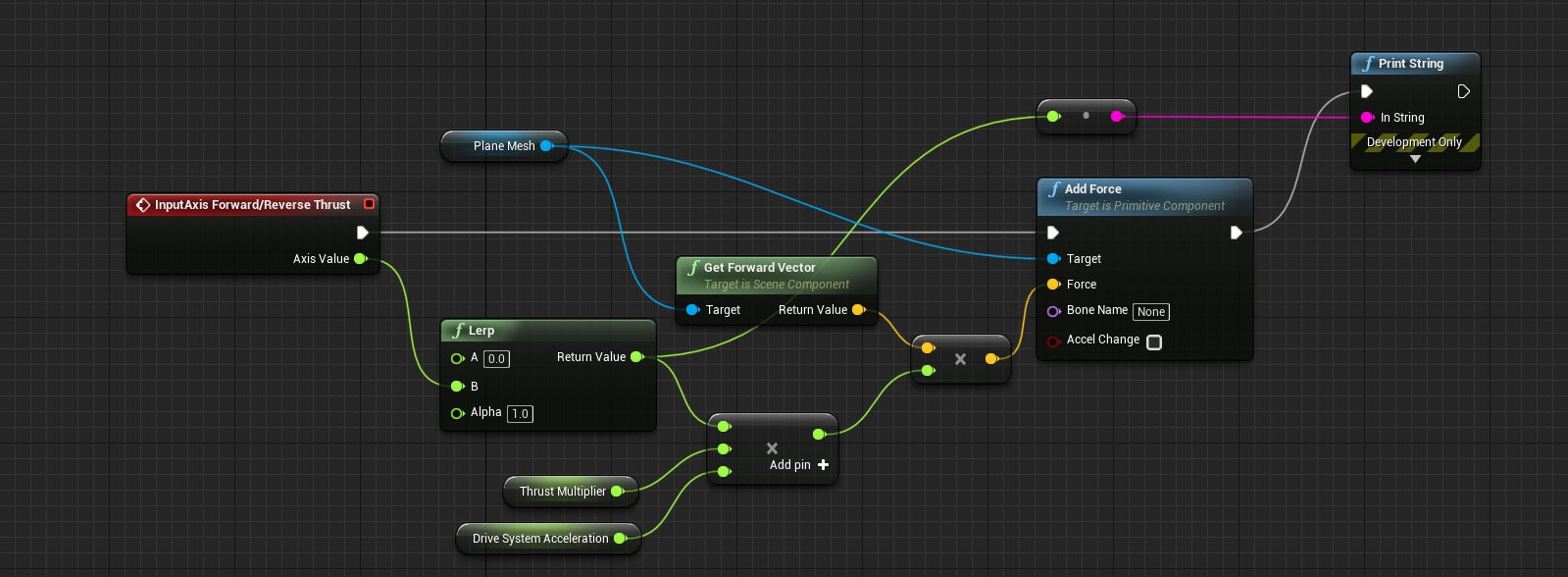


 deep stump
Does anyone know how to lock a third person camera to the main player character with the mouse? Like any other game does. I find guides on how to do it but it messed up everything lol
mighty field
When you import a skinned model, it asks if you want to create an skeleton asset or use an existing one.if you create a new one the animations will only work with that asset
Being similar doesn't cut it
carmine spruce
but these are the animations from animation starter pack
Oh I see, the skeleton is using another retargeted skeleton animations
mighty field
Anim bps are also skeleton specific
carmine spruce
but can I Retarget the animation starter pack animations to this retargeted skeleton as well?