#ue4-general
1 messages · Page 510 of 1
 light coyote
nice nice nicee
 plush yew
Can i Update a widget at runtime?
 novel lodge
The camera remains untouched because I need it to calculate stuff for the sideways and forward movement weapon sway
 grim ore
@plush yew yes
light coyote
I will try that, definetlyy
plush yew
@grim ore how?
grim ore
what are you trying to do?
 sterile bison
I think I finally got it to work after a LOT of pain
and now it's late as fuck and I don't have time for anything else..
plush yew
I want to change the image of a button at runtime but its not working. I have to remove the widget and create it again
grim ore
You can use the Set Brush option on the Image to change the brush to a new texture
plush yew
I know how to change the image but i want to change it from a other blueprint so its a cast
 real hound
When an actor pops into relevancy range of a client does its constructions script trigger?
Same with the event begin play
grim ore
then you need to keep track of that widget somewhere so you can cast to it
plush yew
How Can i do that?
grim ore
where do you create the widget at?
plush yew
From another widget
grim ore
when you create a widget there is a return value, promote that to a variable and you can then use it. Work down your chain of widgets then until you have somewhere you can reference this widget at since you have to create the first one somewhere at runtime (player, game mode, hud, level bp, etc.)
plush yew
All right. Thx man
 fringe pivot
why the fuck is it compiling the same shaders every time I open the editor
 vital kite
I'm attempting to create a mod for a game which has no official mod support, and no mods created so far. I could not find any useful information on the Internet about how I could modify the game's code, I only found certain stuff about modifying textures.
grim ore
ask the creators of the game
vital kite
Is there not an universal method of modding which applies to all unity engine games?
grim ore
there might be but you would have to ask in the Unity channel
now if you meant UE4, then no there is not a universal method as the engine is just an engine and how the developer used it to create the game varies. I mean in theory there are ways of getting at the files and replacing them but that is your "modifying textures" that you mention
 worthy ginkgo
Hey! I am trying to regenerate some stuff when Properties are changed in the Editor and PostEditorPorpertyChanges Call-back seems perfect. But it seems to give correct property names for simple floats and ints, but for FVectors it simply returns the name of the axis changed in the editor rather than the name of the FVector itself. For example, if I change the X axis value of a FVector called "Dimensions" in Editor the Property name returned by PropertyChangedEvent.GetPropertyname() is simple 'X' and not "Dimensions" .
 cosmic matrix
Anyone know why i do not have sound in ue4?
light coyote
shouldnt it be just property if you wanted to access the value ?
worthy ginkgo
I'm not trying to access the Value. Just to check if a Particular Property has Changed and React if and Only if It has Changed.
worthy ginkgo
I have a handful of Properties in my class. But I want to call a Set of Functions, if and only if a particular Property is Changed in the Editor. In order to find which property has changed I need to compare the name of properties one by and one against the PropertyChangedEvent.GetPropertyname() and if it matches, then I proceed to call the Necessary Functions. If there is no match, nothing Happens.The problem is the Name returned by PropertyChangedEvent.GetPropertyname() does not return the actual name of the member in the case of FVectors, but just the Name of the Axis which was changed in the Editor.
light coyote
ahhh
i think you said it only happened in the case of Fvectors, but maybe this helps,,, X would be the name of the property Value of The Vector
Is there any;
GetPropertyNameName
GetPropertyTag
GetPropertyName.Name
I am just inventing,, :/
worthy ginkgo
Ok. Just Figured it Out. There are two method : evnt.GetProperty and evnt.GetMemberProperty. Using the Latter Solves the Problem. Thanks!
 west fractal
hey im pretty sure i remember a command to disable compiling all blueprints at startup
does anyone know where that's located
 autumn elbow
Afternoon all. I'm trying to R&D adding UMG and Feed from a Camera onto a tablet. Any tips, thoughts, tutorials ?
I know the UMG part, just trying to figure out how to get it onto a geometry(like in the pic) and have it still be interactive.
 naive lotus
Hey guys? I've got an issue with Swarm, I've got my lighting settings to pretty dang minimalist, and it's still taking so long that the percentage never goes up. An hour in it's still at 0.00%. Any ideas what's happening?
light coyote
I belive you can change material type to something like Ui material or something wierd it was called
@autumn elbow
autumn elbow
Sweet! I'll look into that..thanks!
light coyote
@autumn elbow you can look up on youtube something like surveilance camera
autumn elbow
Ohh right! 😂
naive lotus
Think the issue I'm dealing with is that Swarm can't export the lightmap to local cache? It's hung up on that step, refuses to funcion
Anyone have any experience with Swarm?
 fair torrent
how can i add parameters to a material?
so i can controll it from outside, so i dont have to compile it everytime inside the editor
grim ore
you can add parameters to materials and then adjust them using material instances
 cursive nova
Ok so I'm having an issue and I can't seem to solve it no matter what I try. So, I have implemented an enemy targeting system and I get the player character to rotate towards the enemy by getting the closest enemy and setting the rotators in with a set actor rotation node. That works just fine, however the directional rolling I've implemented gets the players last input vector (along with some more math to keep it from looking like the player is teleported) and uses a set actor rotation node and sets actor rotation for the player character in the direction of the last input vector. However, since they both use set actor rotation they both kind of conflict with each other. Any ideas on a fix?
real hound
When an actor enters relavancy range for a client do the construction and event begin play fire on the clients side?
 mossy nymph
they do, as there is no Actor client side if its not relevant
fringe pivot
So what determines how close a pawn needs to get to the target before stopping when executing a MoveTo node in a behavior tree?
 errant spire
Hi everyone! Can someone help me with an animation issue I have? I've spent ALOT of time researching/experimenting to figure this out. But how can I go from these terrible rotating animations, to just rotating in place?
 alpine pagoda
@fringe pivot AcceptableRadius option in the MoveTo node details
errant spire
fringe pivot
@alpine pagoda thanks, I was wondering why modifying navmesh agent radius settings had no effect
errant spire
Disregard, figured it out
sterile bison
Guys
I feel really stupid
how the hell do you submit everything for the jam?
I can upload my project to itch but I don't know where the rest of the info goes!
grim ore
it says to submit it to the itch page and I can see all the info in the description on the other submissions
grim ore
sterile bison
ta
grim ore
this is in the notes ">> You need to upload your game to your Itch.io account page before you can submit it to the Summer #ue4jam page.<<"
sterile bison
yeah I was idling on my itch submission page basically
thought there was a forum thread for submissions but apparently its 100 itch now
SO wait again
they want us to post our emails on the itch description? what
it's nearly midnight hence why most of this doesnt make sense to me - thanks for the help so far @grim ore , certainly abused your kindness today! 😂
grim ore
well it does say you will need it but I don't know if you need it public on the page. I know before that info was emailed separately if requested
grim ore
yaeh I would grab someone elses info and copy/paste it then change it lol
looks like the biggies are how to play, team name, and any special stuff like special category or assets used for judging purposes
sterile bison
OK so for anyone that needs help
First you upload the game to itch
then you Submit the game - it'll ask you if it's an existing game, and you can pick the recently uploaded one
Through the submit prompt you add First/Last name, Email, Team Count
grim ore
😃
 fallen lava
Hello, i'm now here and i'm now, i started learning the basics things on unreal engine yesterday, but i just want to know, should i learn blueprint or c++ ?
( i know i should learn both, but what's more important )
grim ore
neither is more important
you can create a game using either one but both might be needed depending on the game. As every Blueprint Node is just C++ on the back end if you start with BP you can also see the C++ behind it and use it as needed. You can and should mix them if needed. What you should focus on depends on if you have programming knowledge already and want to use C++ with the engine as "Learning" programming or C++ is a daunting task to start with.
with that said I would start with Blueprints because you will end up using it in the end even with using C++ only
grim ore
you can start with either and use both, no problems with that. same with learning
if you have no C++ knowledge I would not start learning it and the engine at the same time but that is me
fallen lava
Yea but i'm now at programming, i only know css/html, so i think blueprint is much easier to learn first no?
cosmic matrix
Hey guys i got some troubles with procedural mesh component
I create 5 procedural mesh and then add section in but i got 15k draws calls anyone know why this happen?
I mean is a section same thing as a mesh?
grim ore
C++ is a very unfriendly language to start learning with, yes I would start with blueprints because it hides all the evil stuff you have to manage in C++
cosmic matrix
@fallen lava Tu parles un peu français?
cosmic matrix
Commences en bp mais le cpp n'est pas si dure que cela si tu prends ton temps ^^
 broken stream
Hi, so i was wondering how the Squad did ther map of the landscape that you press M ? any one ?
sterile bison
what like the picture?
another game I know of stitched screenshots taken from the editor if that's what yuo are asking
fallen lava
Oui c'est ce que je compte faire, dèja commencer par le blueprint après m'aventurer vers le c++
merci 😃
sterile bison
or you can use the inbuilt engine screenshot feature to get a uprezzed screenshot of the whole map
grim ore
@broken stream there is a squad editor in the launcher, have you checked it out yet?
broken stream
yes, a picture of the map, but it got higs and stuff on it
cosmic matrix
souhaites*
sterile bison
higs?
whatever is on top is probably UI magic
if you are talking about the dynamic elements.
fallen lava
@cosmic matrix Bah, la je viens d'apprendre a poser des objets sur la "map", mettre la ressource, les lumières donc je suis un peu loin pour crée mon premier jeu
broken stream
yes, like the numbers
cosmic matrix
@fallen lava ok il faut bien débuter ^^
fallen lava
Ouais, bah j'espère que ca va me plaire même plus tard, toi tu a dèja crée des jeux ?
fallen lava
J'ai 17ans
cosmic matrix
Oh tu as le temps alors...
fallen lava
Oui ca va 😂 mais à chaque fois j'ai envie de me précipiter c'est ça mon problème
donc la j'essaie de me calmer et d'avancer petit à petit
cosmic matrix
Oui sinon tu vas te dégouter trop vite de faire des choses qui ne fonctionnent pas;
Bon reflex
As tu un style de jeu qui t'attire plus qu'un autre?
fallen lava
Le roleplay, tu connais surement vu que y'a une hype ces dernières années
cosmic matrix
ouais mais cela est tres vague
fallen lava
Gta san andreas tu connais surement
C'est ce type de jeu qui m'attire, mais plus dans le roleplay ( création de personnage, travail etc )
cosmic matrix
ok je vois le plus difficile haha
fallen lava
Ca veut rien dire, mais graphiquement par exemple, un rendu comme ça, c'est juste parfait pour moi
real hound
Ugh, what would cause an actor spawned through a run on server event to still elicit collisions with the client but not spawn any of the static mesh or other compoenets when every - single- thing is ticked to be replicated, in the parent and the child.
 mint raptor
Do particle systems auto destroy? Can they be set not to?
Trying to workaround a 4.22.3 engine bug
grim ore
There is a kill on completed option in the required module of an emitter but by default it should not kill itself
but it can be set to only loop X times, but default is 0 so it repeats forever
mint raptor
Ok so unlike Spawn Emitter that has an auto destroy option there, when using a particle emitter, it uses the settings of the particle itself?
grim ore
by emitter you mean one in the engine you drop in?
mint raptor
There is the Spawn Emitter BP Node
And a Particle Emitter Component
I'm confused by all the different ways to manage the Particle Emitter
mint raptor
It isn't really consistent
grim ore
then an emitter component which is part of a blueprint itself
mint raptor
So is the auto destroy handled from the settings on a particle ?
grim ore
but none of them should auto destroy by default
mint raptor
What if I have a particle not set to auto destroy but spawned via an emitter set to auto destroy?
grim ore
well the auto destroy will only happen when the emitter finishes
if the emitter is set to always loop then it should never finish and never destroy
mint raptor
So in regards to a looping particle it is pointless to talk about auto destroying?
grim ore
correct
mint raptor
Even if all settings are set for it to destroy it never will because it will loop?
Unless I specifically call destroy on the emitter or particle system?
grim ore
Auto Destroy or kill on completed should only ever fire if it completes
and if it's set to 0 for the loops it will never complete
mint raptor
ok
other wise some val > 0 it will check settings to see if it should be killed or not
@grim ore Thanks
grim ore
yep if the loop is greater than 0 whenever it finishes it "should" trigger any auto destroys or X on completed events
mint raptor
Trying to work around this nasty issue https://issues.unrealengine.com/issue/UE-73016
grim ore
oh bummer
cosmic matrix
Anyone go a way to get the name of the pc?
 spark sonnet
What?
cosmic matrix
im looking a way to get the name of computer
cosmic matrix
Yes i know that but using ue4 ^^
spark sonnet
Oh
grim ore
Closest you might be able to get in pure BP is Get Device ID but it wont be the PC name but a generic ID hashed out of other stuff
otherwise yep C++ is what you need because it is there it's used for networking
cosmic matrix
thx guys
try cpp solution right now
@grim ore your video are really good thanks for your work
grim ore
😃
 marsh swallow
i am so close to wits end with camera animations. 😂 Does anyone here have decent experience and might be able to help me.
I am trying to make a camera animation that can be used anywhere in the map and play the same animation
grim ore
What is not working so far?
marsh swallow
well its going to be a moment to explain.
but.... i make a new camera animation and add the movement track. I then move the camera, then take a keyframe, move it, take a keyframe, etc
using the slider at the bottom and the viewport itself it looks correct
no problems
then when i go to play that animation using this:
happens regardless if i use the CameraPlayerManager camera, or just the one on the player character.
it goes crazy like this....
real hound
Man Net Culling Distance is buggy as shit
marsh swallow
but in editor out of play it looks like this.
Nothing makes sense. 😂 i have watched every tutorial i can find, read every article.
grim ore
I just plopped one in and it worked fine here sooo
marsh swallow
no matter what i do. lol
grim ore
first question is have you tried a new basic anim to test with
new anim, add a keyframe at nothing, move it to the right a bit after a second, test it
marsh swallow
does it matter that i am playing from a different location?
grim ore
I just tested it should be relative unless you did something weird with the anim itseldf
marsh swallow
i have tried different anims yes.
I created one where i slightly move right then forward
and it moved very rapidly still.
grim ore
ok weird question but does your camera have collision enabled on it?
grim ore
i dont know if you are using a pure camera or something in a BP for example
also any reason why the scale is 0.1?
marsh swallow
well the camera itself does not seem to have a collision setting.
oh its MUCH faster in 1.0
😂 goes real crazy real quick
grim ore
so the view target is going to be animating and the camera anim is going to be animating at the same time?
marsh swallow
grim ore
heh I never thought of trying a change camera and an anim at the same time. What happens when you remove the blend or set the blend to 0 blend time?
grim ore
well removing the blend target I would assume wouldn't work because it's going to be trying to animate the wrong camera at this point
but I dont know how your code is set up so 😃
marsh swallow
well i dont mind if the animation plays on the characters current camera
because thats where the view starts anyway
grim ore
so what are you changing to with the set view target with blend?
marsh swallow
IDK
😂 dude i have just been trying eveything
even when it makes no sense
okay well i removed that
i am down to JUST this
grim ore
mine doesnt have a preview pawn as well, just a movement track
marsh swallow
and its playing differently as well. Oh i just deleted that as well
it was something else i was trying
grim ore
I did manage to break it somehow when I split the track
grim ore
but I can't reproduce it lol
marsh swallow
lol
grim ore
it stopped working lol
marsh swallow
btw is your curve editor showing?
i just updated to 4.22.3 and its still broken. so i guess its really only fixed in 4.23
grim ore
no they broke it at some point lol
marsh swallow
okay so this is weird
i mean its better than its ever been yet!
its STILL NOT right
it makes 2 rotations.... it should do a 180 degree turn
grim ore
😦 this is just a basic anim playing back with 3 keyframes, I play it back on one camera, wait 3 seconds, blend instantly to the next camera, then play it back and you can see it plays it back relative to the camera https://i.gyazo.com/1f8f28410bc40d76b2ba43f8b616588f.gif
grim ore
maybe. this is just 2 cameras in the world, nothing changed at all in a normal FPS template
normal playback speeds as well
the blend with anim was kinda cool tho, I never thought to try it but it does work
marsh swallow
lol
well are you using camera actors in the world
or using the camera on the player
grim ore
for my example above yep, 2 actors I dropped into the world
marsh swallow
okay
grim ore
I can try one on the player going to another
marsh swallow
see the issue is, the spell is universal for all maps
so the camera actor wouldnt exist
grim ore
well you can spawn in the camera actor, then use it
marsh swallow
i also need the animation to be dynamic in that its centering itself around the enemy
grim ore
spawn in the camera in the correct spot, blend to it, animate it, profit?
marsh swallow
i guess... that would work
marsh swallow
so the movement on the camera actor is universal i take it
i didnt assume i could spawn the camera and use it, because i thought the anim track needed to know of its existence first
grim ore
yep it worked for me lol
well the anim track is relative to the camera it is played on with the 0 spot on the anim being where the camera is when you play it
marsh swallow
thats what i thought
which is why it goes NUTs
because the camera has changed
so i would get the targeted characters forward vector then add 200-300 and play it... i think
lol
grim ore
something definitely seems weird now that I am trying more 😦
grim ore
you arent, my anim is flat but when I play it back its not playing back flat
no Z movement on the anim but its going nuts
grim ore
the rotation one
marsh swallow
thats why i tried removing just rotation and while it helps its still jacked
grim ore
oh... thats... weird
marsh swallow
IM NOT CRAZY!
grim ore
so in the camera anim is an option for Relative to Initial Transform, which is what we want and is checked. If you uncheck it then the playback is fine just in the wrong spot
its got to be an issue with relative rotation
marsh swallow
wait where do you see that
grim ore
open the camera anim without doing anything and there is a details panel with 3 options
marsh swallow
i see that now
grim ore
I think its the swapping cameras
nope lol, its the relative thats just fubar... but.... whyyyy
grim ore
yep its the keyframe rotation, if you disable it in the movement details it is fine
 cloud palm
what type of variable should be used to storage and save game progress for users?
 warped tangle
@grim ore Next tutorial "HTF Do I?... un-F this"
grim ore
working on that now, might have a silly solution
marsh swallow
yeah that Relative to Initial Transform is exactly the issue i am talking about.
grim ore
ah blah cant change the look at group at runtime
@marsh swallow ok I think I got it working for me, for your camera anim when you scrub to frame 0 is your camera not flat, is it rotated at all? mine was rotated down a bit
grim ore
If I am going to be honest at this point I have no idea why, you can disable rotation if you just want moves but you want moves soo.... if it was me I would either swap to a timeline with relative offsets for rotation and position you can try and switch to or maybe don't use rotation on the camera anim and use a cine camera and have it lock to your center location for the look at target
if there is any rotation or offset on the camera it seems to screw it up
or in the anim
and it shouldnt of course lol
marsh swallow
so im pretty much screwed. 😂 Back to timelines
should we register a bug?
are you in 4.22 or 4.23
also i was going to pass a spline through that is built on the spell itself
which i had working, but i was told that was the wrong way, to use camera anims instead. lol
grim ore
4.22
heh and the solution I see on the interwebs is using the cine camera and the look at function
grim ore
Cinematic Camera is another camera type and it has a look at tracking option, you give it a target and it will look at that target when the camera moves. so in your case you can do the moving of the camera around the play field and tell it to not use rotation then use the camera look at to look at something in the middle of the field or the monsters or whatever and that should handle the rotation part
marsh swallow
great
grim ore
not working for me of course but... lol
yep even then any rotation on the camera the movement is relative to the rotation on the camera anim....
marsh swallow
i guess you could set the camera rotation first.
then run the animation on the cinematic camera with look at
grim ore
you would think so lol
marsh swallow
oh... you tried that
 ancient otter
Hey guys
real hound
Haaaaay
marsh swallow
and level sequencers only work in that level huh?
ancient otter
So slate is for GUI, right? Does Slate work for ue4 standalone window plugins?
real hound
Ooh that is way beyond my knowledge.
real hound
Someone else might know, just didnt want you to feel ignored
autumn elbow
Soo... didn't know this until now.. if I create a actor, add a scene node as the root, then add a mesh as a child and sim physics, the mesh will fall to the ground and roll around leaving the scene where I originally placed it.
Other than making the root the mesh, is there anyway to move the scene with the box while remaining the root? (Root motion option)
real hound
No sure exactly what you are trying but you need the mesh to be the physic's simulator but cant have it be the root?
Spring arm connection?
warped tangle
whats the purpose of moving the scene component around with the mesh?
real hound
Try a spring or or something
autumn elbow
I'm making snapping boxes..the pivot of the actor needs to stay with the boxes.
A spring arm to the scene from the box?
warped tangle
hmmm sockets as pivots?
 warped tangle
sorry, I was thinking more about querying the location....guess that doesn't really give you a pivot
autumn elbow
I mean, I can use the Mesh as the root. I was just wondering if I had the scene as a root, if there was a scene root movement thing.
warped tangle
nah the scene will just stay where it was before physics
autumn elbow
Gotcha
warped tangle
just for gits and shiggles I attached an arrow component to a cube
scene component as root
simulated physics on the cube, arrow stayed put on cube during physics
autumn elbow
I haven't tried this, but I assume the bounds will be huge for the mesh if it's a child of the scene.
warped tangle
So I'm guessing if you attached a scene component to the cube (which was parented to a scene component as the root), you could do htat
still doesn't help the whole pivot thing if you are relying on the pivot of the actor itself
ignore me
autumn elbow
LoL
As I understand, Unreal culls the object when it is no longer in the view of the camera. If the cube is outside the field of the camera, and the scene component in inside, does the cube get culled?
warped tangle
🤷
autumn elbow
😂. Things to ponder
real hound
Gah this is just so damn weird. So I have net cull distance to a low value for a top down game, and I am getting the weirdest behavior ever. Spawned actors at runtime only sometimes show up for other clients, and/or disappear after some time, load in or unload sporadially and slow when entering or leaving range, and the most weird quirk of all is they always seem relevant to to client that spanwed them, but have no owner to speak of when doing a print string check on owner.
 hollow dirge
Hi there.
I want to do the next: I want multiple cameras to render to different displays (screens in same computer is fine just to begin with)
I only found nDisplay to do this, but I can't even make it work, it just crashes. Also it looks like it creates the cameras instead of allowing me to select premade cameras (but can't even reach that point yet).
Any one with experience in this?
warped tangle
One way I did it, and it's SUPER DUPER hacky and will only work on multiple monitors on same PC, is to use scene captures to capture the content you want to display, then add those 2 render targets to a UMG side by side, make the UMG the aspect ratio you need (ex if you have 2 16x9 monitors, you need to make the UMG 32x9), then play, and stretch the window out across both monitors
Like I said, super freekin hacky and terrible, but it served it's purpose for prototyping
What are you trying to do with it? Do you need the features of nDisplay?
hollow dirge
mm yeah, I need actual displays
and they need to show different things
I want to do the displays in first place, but after that I'll need probably different devices
I'm just trying to get the basics to work..
warped tangle
It's easy enough, you can even do it with basic networking stuff
hollow dirge
so basically you mean different clients connected to a server instead of using ndisplay
hollow dirge
but is there anyway to attach the ndisplay cameras to actual Actors or sockets?
plush yew
Is it me or does ue4 lag the more tilemaps you have?
 plain egret
Is there a certain channel to go to when you're struggling with a BP or something UE4 forums is dry on help it seems haha.
Oh i see nvm
 blissful trail
When you make a game in ue4 and want to sell it how much would it cost ?
 steep rampart
so im hella new to unreal engine, so what would you guys recommend for tutorials?
warped tangle
@hollow dirge haven't really used ndisplay too much so I'm not super familiar with it (though I'm sure there's a way to set spawns). But yes, im referring to having a listen server and a bunch of clients connect to it
 serene sorrel
how does one test if a cube (or mesh) is overlapping with the terrain in landscape
plush yew
i'm planning on putting this in my game, the description tho fits right?
 weary basalt
@plush yew Please use #lounge instead for things like this.
This isnt relevant to #ue4-general
 regal mulch
@blissful trail some namespace in the build.cs causes this. But you aren't showing the full error
 bronze plinth
I fell weird using blueprints its like cheating making things easier and a lot faster to do
it doesn't feel like I am building the game from the ground up, but more like assembling legos
serene sorrel
thats a good thing right
bronze plinth
Not sure xd
serene sorrel
allows you know earlier if your gameplay ideas are shit or not 😛
 dim plover
Using a game engine is also like cheating. So is using a programming language that you didn't write on hardware you didn't architect. 😂
bronze plinth
yea but lets say you want to release a game for example, is it normal if the movement is made entirely through blue prints
And only keep like custom stuff for actual coding
@dim plover I know you are being sarcastic but in unity you code everything
dim plover
I never used Unity, but everything? That can't be possible.
serene sorrel
do whatever you can in blueprints, if its slow move it to c++
bronze plinth
Animations are made in nodes ofc
but like you cant do game mechanics through anything other than code
serene sorrel
coding in Unity is easier than coding in UE, so theres that too
c# language features make a lot of the ugly boilerplate in c++ go away
bronze plinth
tru
serene sorrel
yeah i dont mean just generally, i mean the UE boilerplate
obviously in general c# is a bit easier to work with than c++
bronze plinth
btw is it useful to learn like the new features of c++, I know that in its latest releases a lot of cool stuff has been added
(I learned c++ code that'd work on c++ 1998 prolly but I heard that in c++ 11 and 17 a lot of new features makes ur life easier)
serene sorrel
yes
C++14/17 are definitely nice improvements to c++, make it a bit more like c# in some ways
bronze plinth
yea at university sometimes we were forced to use C style arrays
bronze plinth
xd
serene sorrel
nothing wrong with c style arrays bruh
how else can you detect youve gone to end of array? You just try ... catch when you get index out of bounds bro, thats pro style
bronze plinth
damn
serene sorrel
i hate that c# has no macros
but in general ive grown to love c# a lot when i never thought i would
the new open standard and ability to hit so many platforms easily is nic
bronze plinth
yea i think c# is slicc
serene sorrel
and just the general way you can do "naughty" shit in c# that makes prototyping so much faster
but UE looks a lot better than unity out of the box and performs a bit better i think
bronze plinth
it does perform a bit better (as i've read)
serene sorrel
theres still a lot i would improve in UE though, its still very much a FPS engine at heart
bronze plinth
honest i started unity cz it seemed the easier option to get started with game dev (I kind of wanted to get a taste)
But honestly after researching it, I felt UE4 is by far the better option
serene sorrel
i wouldnt say "by far" i think it depends on your requirements
the unity marketplace is larger than UE I think
bronze plinth
yea but the quality of UE's assets is superior
serene sorrel
most people making stuff in unity or UE arent really pushing boundaries
theres only been a few indie projects that i would consider high end examples of both engines
serene sorrel
procedural generation in both engines still sucks
requiring you to pretty much do your own thing
bronze plinth
I think Epic games overall now has a shit ton more money compared to what they had before UE4
I only hope they'd invest that in some sort of form that would improve UE
dim plover
They have the MegaGrants.
serene sorrel
due to fortnite?
dim plover
More or less, yeah.
serene sorrel
yeah the engine stagnation needs to improve
UE has barely changed or added anything in the last 2 years since i was using it
dim plover
If I had to guess, I would say that the engine itself has always been a second class citizen. Epic makes money from their games.
And the success of Fortnite probably takes man power off of the engine.
serene sorrel
i feel like engine should be a separate department really 😛
dim plover
I don't know, I think UE4 has had very nice changes in the past 2 years and really nice stuff is planned for the next 2 years.
serene sorrel
like what?
dim plover
Well, the upcoming stuff: Chaos, maybe CMC-replacement, and there was one other big thing... Oh yeah, Niagara.
serene sorrel
theres always something exciting coming it seems 😛
i was more interested in what you think has changed much in the last 2 years
dim plover
Overall BP stability. 4.22 has auto-instancing, and faster build times, and I guess the Live++ plugin.
My mind's drawing a blank, but there's really cool stuff roughly every update.
bronze plinth
Just a quick question
I am still new to game dev overall and never did anything online/
Would adding multiplayer require a server if its Peer to Peer ? No right
?
dim plover
No, it's not required in that case.
serene sorrel
Usually you would want a server of some sort regardless, for things like nat punch through
if youre on steam, it simplifies these things for you a lot i believe
 midnight bolt
can i easily preview which statismesh are missing textures, ie are using default world grid material?
 wispy raven
Hey, i need a suggestion
i'm making a interaction system for my "horror" game
should i put something like a hand icon or just the text that says "Press [E] to use"?
 rustic imp
When saving a UObject with FObjectWriter it seems to save the pointers as just the actual memory addresses and not the objects they are pointing to, any way to actually serialize the full objects instead of the addresses?
wispy raven
ok, quick question, how do i change the prompt "press [key] to interact" with the interact key based on what the player is using (keyboard/controller) and the key set by the user?
bronze plinth
very good question
plush yew
Hi internet people ! Quick question : is impulse the right way to apply motion to an object in game ?
 cloud cobalt
If you're using physics simulation for movement, it's a possible way, yes
plush yew
Okay, after 6 hours of intensive BP/youtube, I managed to create a system to hold & throw an object (a banana, in my case), but I'm struggling on finding the right "impulse" settings, so I was curious if there would be a better way to handle this
cloud cobalt
Depends entirely on what you want to do. Physics simulation is something that usually works unreliably, so it's rarely used for gameplay
plush yew
FeelsBadMan my entire concept relies on it
cloud cobalt
problems of physics simulation include : doesn't work well in multiplayer, poor predictability, and physics bugs usually result in objects thrown at 5000 miles per second against walls or similar bullshit
It's much more reliable to use animations, interpolation or movement components, depending on the use
plush yew
okay then, I'll take a look at your suggestions ! It'll be less painful than the last 2 hours I spent trying to understand why that banana keeps on flying to Venus at the speed of light. Thanks ❤
 chilly sigil
if it's tweaking for the sake of gameplay reasons then there's really no better way than to keep tweaking until it feels good imo
plush yew
well, I managed to "make it work", but it's so unpredictable that I'm really unsure it'll be enough for the short game I plan to make
cloud cobalt
Long story short, physics is great if you need stuff falling down in a realistically messy way, which is the opposite of what you usually want in gameplay
 honest vale
numerical integration with variable timespans is a bitch
cloud cobalt
I actually struggle over that with regular speed-based physics, so yeah
 austere hinge
Hi.. Procedural foliage unable to generate instances on tiled landscape.. But It is generating on static meshes.. Can someone help me
 vital sonnet
Hello everyone, I have a question about clothing. I am working on a roman soldier with a skirt which consists of some cloth and some metal parts, hence it has two material sections. I created a proxy mesh to drive both but I can not assign the same clothing data to both... is there anyone who has some experience with setups like these?
 river surge
hello guys so like am a bit confused about the gamebuild
i meant game building process am in need of a mentor
 misty stone
light coyote
misty stone
light coyote
@vital sonnet I dont know exactrly ewhat you mean, but i belive i can help
can you explain in more plain words
Srry, im spanish, but i do know english
 shy locust
Why does outside of model count polys, but filled model doesnt count polys?
light coyote
What do you mean ?
shy locust
If you put a object behind a wall in game engine, it knows poly count. In 3d application, a filled 3d model doesnt have full plycount. The polys inside count as nothing
light coyote
I never noticed that before
But i am prety sure that does not happen on 3d max
You can now the total visible objects count, and selected one
But i never noticed that,,, no idea
 craggy perch
hi, is there a quick way to find textures that were imported but aren't power of 2 ? Got some old legacy imported project that is really badly set up and want to find the textures that are messed up quickly 😛
cloud cobalt
Add a texture filter, select all, right click,asset actions, property matrix
And find textures with mipmapping disabled, most of these will be nonPO2
craggy perch
ok thanks i'll have a look
 idle haven
vital sonnet
idle haven
vital sonnet
@idle haven
select faces, press b, b + leftclick slides adjusts radius
The feature is called soft select, more options (like by volume or by surface are in tool options)
 amber dune
if i'm using a 8192x8192 render target to paint on(not scene rendering) and the engine warns me that it will use 512mb vram and I have a 1080ti with 11GB vram, why the heck am i getting out of video memory from time to time?
 wary wave
because you have an absolutely massive render target
8192 is pretty enormous
where the rest is going, I couldn't say, but a lot of GPUs won't even support that
and if you're updating it each frame it's possible it may be being duplicated somewhere
vital sonnet
@light coyote
In the cloth paint editor inside the UE4 mesh window, I select a section of my proxy geo, create cloth data from section with remove from geometry checked.
This creates a clothing data entry in the "clothing" tab.
I have two sections I want to assign this clothing data because they belong to the same skirtmesh but with different materials. First section works, second doesnt because UE says the data has already been assigned to another mesh. (which is true but I need a workaround for this).
I semi solved this by changing textures and material assignments, the entire skirt now uses a single material, and the rest of the cloths another
amber dune
@wary wave but if the engine is saying its using 512mb, that doesnt seem so much to me
wary wave
for a single texture it's colossal
amber dune
well yeah, but why wouldnt most cards be able to handle it?
wary wave
most cards don't support textures that size
amber dune
especially my card, with 11gb vram
wary wave
some do, some like yours go to 16384
but you'll also have everything else in video memory too
amber dune
can i check vram usage somewhere in the editor?
wary wave
How to optimize the GPU demands of your game.
shy locust
130mb aren't bad
vital sonnet
@light coyote since 4.16 apparently
https://docs.unrealengine.com/en-US/Engine/Physics/Cloth/Overview/index.html
An overview of Cloth creation using the in-Editor tools with Unreal Engine 4.
plush yew
Is there no way to sort Function Categories? When you drag and drop them there is a tooltip saying they would be moved but it doesnt happen
Well it seems top tier categories are being sorted alphabetically but nested ones arent
EDIT: I was wrong they don't seem to be sorted alphabetically, seems that the ones you create or change are being sorted to the bottom
EDIT: Ok you can drag n drop top tier categories
Also you can't rename categories it seems, so I have to go to each function and change the name there
And to sort nested ones I probably have to "create" them in the preferred order
Some improvement would be cool
sterile bison
@shy locust I'm not sure I know what you mean - you mean "filled" such as a face made out of 10-20 vertices?
I have an idea of what the answer is. I just wanna make sure I understood you :
 sharp widget
Hey everyone, had a weird dark tint come over the unreal editor recently seemingly at random. Unsure of how to revert back. It is affecting the UI and viewports, and the game if I launch in window - running stand alone removes this dark tint. for a picture you can see here: https://answers.unrealengine.com/questions/916033/view.html?sort=oldest any ideas on how to fix this?
 dim arch
thats pretty weird, could be a gamma issue
is this a project specific problem? if you make a new project will it still be dark?
dim arch
which version of the engine are you using? are you using any plugins?
 mint thunder
Hi guys, so i built this prefab with static meshes, is there a way to instance it so that i don't get more draw calls per duplication?
something like - add component "instanced static mesh"
mint raptor
@grim ore It would seem that even looping particles are being destroyed for some reason even though they loop when using in scene Particle Emitter.
grim ore
😦
mint raptor
Trying to better understand what is going on
sharp widget
@dim arch 4.22, yes I have a few third party plugin from the marketplace
 viral fractal
was there a plugin that made it possible to import .tiff textures ?
sharp widget
@viral fractal if you are talking to me, I am unsure.
Gonna try some gamma console commands when I get home, found this tidbit https://answers.unrealengine.com/questions/662280/gamma-command-changes-in-the-editor.html
 vocal flume
Im getting a « mesh has some nearly zero ni-normale which can create some issues error » when I import an fbx created in Maya.
Any idea how to fix this?
There is one forum entry for this and I didn’t understand the solution.
 onyx cedar
I'm getting a fatal error when attempting to package my game:
LogProperty: Error: UStructProperty::Serialize Loading: Property 'StructProperty /Game/Blueprints/BP_SaveGame_01.BP_SaveGame_01_C:SavedBlocks.SavedBlocks'. Unknown structure.
That's a custom struct. I'm looking at it in the content directory. Any ideas why unreal wouldn't be able to find it or know what it is?
light coyote
@vocal flume If you can actualy get it in.
Search on google for, rebuild normals in your 3d software
Maybe is called recalcualte, rebuild, recompute or whatever
or just simply fix
onyx cedar
nevermind. the saved game variable wasn't marked as instance editable.
vocal flume
@light coyote Thanks. Will try that
onyx cedar
hold on
i know maya
if your normals are trashed, select the object in maya >> mesh display >> soften edge
that will average all of them, but it may fix whatever is wrong
vocal flume
@onyx cedar sure! Will do!
onyx cedar
alternatively, select a given edge >> mesh display >> harden edge (or soften edge, whichever you want to do)
sharp widget
I've run into this a few times
onyx cedar
if you don't see any apparent changes when you do these things, do mesh display >> unlock normals
then repeat the first steps
sharp widget
@onyx cedar did you rename any structs recently?
onyx cedar
didn't rename it
onyx cedar
wasn't marked as instance editable
sharp widget
this usally fixes this build issue for me
onyx cedar
it works now
sharp widget
ahh
onyx cedar
i'm just dumb
sharp widget
😛
 radiant haven
How to reduce file size of the final compiling
 zinc rivet
Is that supposed to be a question? And why bold it?
viral fractal
@sharp widget was just a general question, because UE4 doesnt support .TIFF and i heard that there is a plugin for it a few months ago
radiant haven
Can someone help me my AI stuck, its wiggling
light coyote
Did you do it with behaviour tree ?
If so, have it on second plane, see if its doing anything wierd
 strong fossil
i am gutted i was going to sell my project on epic game store but turns out you need to have a company 😩
 short coral
I got this bug report.
https://steamcommunity.com/app/1125000/discussions/0/1642045003576048497/?tscn=1565800693
"launch this game will automatically wake up SteamVR.
However, this game does not support VR.
When I exit SteamVR, the game will close together.
Could you improve this?"

Report bugs here. Reproduce steps are appreciate.
 halcyon wigeon
I am wondering if iphonepackager.exe can be opened on mac, is wine ok to open it or is it better to use boot camp
plush yew
heheh, I've gotten to the point where when I watch a tutorial, I can usually just read what the title will say and can have a good chance of figuring out how to do it myself, can i call myself a dev yet
cloud palm
I am creating a 3d Mobile Game with Multiple (100) levels.
I am trying to Save my Levels so that whenever a user launches the Game, the Levels that have been passed have a tick on them.
I have seen tutorials on how to Save a Game, but not one with individual / multiple Levels.
 humble kindle
Getting back into Unreal and got me a wee issue. When I try to import a PNG with transparency I get this mess
Yet when I preview it it's fine
plush yew
if it's texture for UI, set texture group to UI
humble kindle
It's for a particle effect.
 hollow frost
Hello
humble kindle
I set it to effect and nothing changed...
hollow frost
I'm making a call of duty like game, and needed to know if anybody here knew how to make a stim pack or healing potion?
In UE4?
I haven't been able to find any tutorials on how to implement anything like that in my game, and need some help.
worthy ginkgo
Hey! My DebugDrawBoxes wont go away even after Exiting play mode. Is this the intended Behaviour? I am putting the DebugDraw Calls inside an #WITH_EDITOR macro and I've set the Debug Graphics to persist.
I've called FlushPersistentDebugLines(this->GetWorld()) to remove persistent stuff too.
hollow frost
It could even be healing magic for all I care, but I need some kind of healing ability like the one from COD BO4.
grim ore
@marsh swallow just want to say I've been goofing off with this for a bit for the camera stuff and it looks like camera anims have probably been deprecated internally so they have not noticed the issue. I did however get something working using Level Sequencers, A camera added just to the track, setting a focus target, and a relative transform. It can work anywhere in the world since it changes the target to look at and the camera move is relative and "seems" to work properly.
light coyote
@humble kindle Im not sure its for a particle, you want it with black background and set it to additive
I know that works, havent put thought in to it, but that works
 robust grove
HELP, how do i stop the editor building the HLOD actors, yes afaik i've unticked the boxes in the world properties
halcyon wigeon
I am wondering if iphonepackager.exe can be opened on mac, is wine ok to open it or is it better to use boot camp
humble kindle
It didn't fix it... 😢
hollow frost
Can anybody help me?
humble kindle
@light coyote Oh thanks, yeah that worked for me!
light coyote
@cloud palm To save the 100 levels data you want,, @grim ore has a great tutorial on youtube on how to use save game related nodes,,,, use his tutorial,, but instead of saving all individualy,, maybe create a few structures or enumerators,, have a look at both,, and you can fill them how ever you feel like organizing the data,,,, when game opens, and data is loaded, images would change, or make others visible or whatever
worthy ginkgo
Okay! Fixed It. Apparently running the Editor through Visual Studio for Debugging Purposes forced the Editor to Execute The DebugDrawBox Code Indefinitely.
grim ore
@marsh swallow https://i.gyazo.com/7a7067c2d8ddeb1fb0fa01c712c4b4a1.gif and https://i.gyazo.com/4adcf92dd17f50328128bc630f44171e.gif for example. same sequence in 2 separate parts doing a really crappy circle around the player as the target. an imgur gallery with pics https://imgur.com/a/w5pgkp4 where one is the sequence event I call at frame 0 to set the tracking target to my player and move the camera behind the player before it starts rotating and the other is a pic of the sequence where I am using a camera spawned into the level sequence itself (the camera icon at the top of the sequencer window) instead of one that already exists. here is the same level sequence triggered in a completely different map and it works 😃 https://i.gyazo.com/d29189dadaadb9f883824ddec64a6521.gif
plush yew
I made an app. How Can i package it to a apk for distribution (so my Friends Can play it) without signing it
 glacial wyvern
I've goofed a bit and need to know, is there any way to change the format of textures you've imported? or at least change the source file and reimport them as a different format? or would I have to go through and manuallychange them in all materials I've got?
 chrome ivy
Hey there
I havent used ue4 in a while now
I am talking about a year
Had to study for exams
And i am getting a strange c++ compilation error
When i am compiling in ue4
But when i compile in vs2017
Build Successful
Why is that
Is there is anybody here who is willing to help
Please tag me
And ill give u more details
grim ore
@plush yew if you are just giving it to your friends you don't need to sign it you can ship it in debugging. If you do want to sign it for shipping then follow the documentation https://docs.unrealengine.com/en-US/Platforms/Mobile/Android/DistributionSigning/index.html
plush yew
So i have to select shipping instead of Development and dont tick "for distribution"
@grim ore ?
grim ore
it depends on what you are doing https://docs.unrealengine.com/en-US/Platforms/Mobile/Android/PackagingAndroidProject/index.html
chrome ivy
I guess im just gettin ignored here :)))
grim ore
or maybe no one in here wants to get a PM with more info, you can try pasting the error log in here or in #cpp
marsh swallow
@grim ore your just amazing!!! i didnt expect you to continue troubleshooting
grim ore
less trouble shooting, more trying to figure out a solution 😃
marsh swallow
^_^ thank you so much. So i guess we should or shouldnt report a bug?
grim ore
I would report it yes, the system is still in place and not marked as deprecated
but I would assume they haven't used it in a while as sequencer was intended to do stuff like what you want
marsh swallow
my other question is level sequencer can be used on different levels, just spawn the sequencer.
grim ore
the 3rd video i linked shows the same level sequencer being used in a different map so yep 😃
everything in the level sequence, the camera that is spawns and uses and the blueprint code are all self contained and no hard references
grim ore
it is a common thing and I think they use sequencer for the last few years to do it
the bad part is this is set up just like the camera anims with the relative track it just works while camera anims don't respect relative for movement
plush yew
@grim ore in this folder there is a install and uninstall file and also an apk. Can i just Abend this apk to my friends or do they have to have the installer?
grim ore
or it might and there is some other option we didnt check but man it's super non intuitive
you can send the apk to them, all the installer does is use an adb push to push it to a connected device
plush yew
So if i send this apk to them they Can directly play it without installer?
grim ore
if their phone supports installing APK's, which most do, then they can just click on it and it will run the installer on the phone
plush yew
Al right. Thx :)
 inner cloak
I'm having a precision issue with importing FBX content, i get major imprecision. Content is coming from a Solidworks fbx export, when i load the fbx in Unity all is fine.
 glacial pecan
@inner cloak use Datasmith to open the solidworks or step file direclty instead
don't use fbx... fbx is evil
inner cloak
Where can i find the exact steps to follow to make it import better ?
and Why is my FBX showing perfect in Unity and not in Unreal ?
glacial pecan
Unreal Studio tackles common problems in the CAD data pipeline including: conforming assets to match a real-time engine’s capabilities; retaining scene hiera...
because unreal's fbx support sucks (or rather, they deal with it in a very weird way)
inner cloak
Ok, lemme check that video and see what i can get ! 😃
viral fractal
use .obj ?
marsh swallow
@grim ore Okay so in that sequence event, ill just cast to my player controller and grab the variable for the targeted enemy and plug that in, as opposed to the get all actors of class.
Seems pretty solid for the most part, just a few extra steps. Now what i dont see in all that, is what you did to spawn the sequencer into the level. Do you need to spawn it at a certain position?
inner cloak
It seems DataSmith only support versions up to 2017 of SolidWorks, im on version 2019 😦
grim ore
@marsh swallow I didn't spawn in the sequence, I just had it in the level and then called a play on it from my player to test it. I am sure you can spawn it? maybe lol. you can see in the sequence event I just moved the camera itself as where the sequence itself was in the level didnt matter as the camera had its own transform info
marsh swallow
yeah thats the big thing, i will need it to spawn at a certain area. for the 0 reference point
grim ore
lol.. I just realized i wasnt even using the one I had in the level, I have a variable of type level sequence and it was using the one I had in the content browser not the level this entire time so nope you don't even need it in the level or the spawn it you can just call it right from a reference like this https://i.imgur.com/gnl6DYv.png
marsh swallow
I am hoping that like the Camera Animations it will use Local Space and not world space.
grim ore
well the sequencer player itself doesnt matter, its a container. the camera has it's own transform and when you use a relative track it moves it relative to where it is at which is why I move it to behind the player before it starts to move
marsh swallow
okay...... so HOW does it know where to START?! XD
okay however to be fair... your on different levels but most likely similar world space
 frail jasper
I'm getting the unknown structure bug a package fails. I was reading that I need to rename the structures to fix?
marsh swallow
but with that out actor you can set its location i can assume.
then it will pickup and run from there.
grim ore
so when I added the camera it was at 0,0,0
I then just assumed the 0,0,0 point would be my "target" and moved my camera around it to make my circle track
marsh swallow
okay so your thinking that the sequencer might consider the "lookat target" to be 0,0,0
grim ore
well my look at target is physically set in this case as the player using the look at settings of the cine camera
if i didnt do that then the camera would have to manually be tweaked to always be looking in the middle (which you can do of course)
marsh swallow
yeah but were going for a target, so what you did is more along the lines of what im going for
okay, this gives me a very good starting point!
grim ore
yep that was what I was assuming, just set the look at as a point or location or it doesnt matter but something to track when it moves
marsh swallow
If all goes well i SHOULD have camera animations
Someone should do a little video 😉
inner cloak
oh, i seem to be making progress ... this is so exciting !!
grim ore
you can see me scrub thru the track and note the camera is just moving not rotating at all which is why I use the look at to handle rotating it
marsh swallow
there is NOTHING online for this that i could find, playing a camera sequence/anim for something like spells or dynamicly located cutscenes
wow, very effective that little lookat checkbox
still man... i lost almost 8 days screwing around with this
Splines, Timelines, Camera Animations, all the tutorials online and i felt like i was going crazy because everything i was watching just WASNT working. 😂
grim ore
there is probably a ton of ways to do it manually is the thing
like spawn a spline and move the camera along it using a timeline but man that would be a pain
grim ore
heh
marsh swallow
it wasnt bad
but it was jerky as hell
from point to point
apparently i would need to use complex math inputs on the curve of the spline to make it smooth
grim ore
yeeeeeeep
marsh swallow
Math is NOT my strong suit by any means 😂
grim ore
I was trying to record me rotating around in the sequence but I couldnt figure out how that worked and gave up lol
marsh swallow
Oh btw good news for anyone using TrueSKY, they got a new build up and are testing it as of a few minutes ago. Fixes a lot of stuff. 😄
grim ore
this type of stuff is hard for me as well, math is something I failed to learn well and art (which this is) is not my goodness 😦
frail jasper
So I added a variable to a structure and now I can not compile.
marsh swallow
Cpp or BP?
frail jasper
Bp
marsh swallow
compile or package?
frail jasper
Package. I'm getting somewhere just got 6 errors now it was 90 before.
frail jasper
Yea
marsh swallow
okay good
so there is a few things you can try first
first off, do yourself a favor and if NOTHING else, learn Cpp Structs
but before that, find the BPs that use the struct and open them, then File > Refresh All Nodes
Save them and see if that fixes it.
frail jasper
Ah I'll try that on the last bp I need to fix
marsh swallow
If not, then close out of your editor, reopen the editor, find the struct you edited and move its location to another folder
Save
close editor and reopen, Package
if those dont work, you will have to revert/restore
This is why we test builds daily, BP structs are i feel, the bain of UE4's existence
frail jasper
The way I fixed most was I renamed one struct then changed its name back cleared most errors
frail jasper
Cool
marsh swallow
but i was serious. if you dont do Cpp
i know its scary at first, but its super simple for just Structs and Enums
frail jasper
I'll do it for a next big project. This game is done and released was just doing a small update to add teleport to town items and added a variable to the struct so I can tell if the item being used was a teleport consumable. Oh well at least I'm getting through it.
 lapis lantern
Has anyone run into the Steam online subsystem getting a RulesFailedToRespond callback from a ServerRules() call after successfully finding a Steam server? If so, do you know any more context for what's going on in that scenario? It only seems to happen for a select few of our players, and I'm having trouble finding any information on how this sort of issue can occur.
 icy mulch
Does anyone have any free forest Environments assets or height maps
hollow frost
Anybody here know how to make a cooldown timer that's linked to an ability?
frail jasper
Yea make a custom event. Then use an event timer too keep track of the time and set a bool variable true. When the time is up set the bool variable to false. When the custom event first gets called check to see if that bool is true. If it is have it do nothing so it will not recast the skill if you want it that way if it is false it will set the event timer and the bool variable to true and cast the skill when the event timer is done you can put your code to reset variables and the logic to turn off the ability.
vital kite
Hey, I'm fairly new to UE, but I have some experience with Unity.
From what I understand, the .pak file contains all of the resources and assets of a project.
Is that also where the game's compiled source is stored? If not, where is it?
real hound
I am going to lose my mind trying to get cull distance to work properly with my project. I think this is two days straight I have been sitting here not know what the hell is wrong.
real hound
Net Cull Distance Squared and Relevancy on actors that are spawned at runtime outside of their relevancy range. Or in it. I am just getting some seriously weird results.
autumn elbow
tell me if I were 5 years old . LoL I am a programmer, but not that keen on the Unreal API yet.
what is Net Cull Distance Squared ?
Is that a node?
 lilac wedge
Is there a quick way to copy and paste all meshes in world into a blueprint ?
real hound
Its a parameter that is used to determine if you wish to receive network updates from an actor. It is a distance range (squared for the parameter) that you do not want to receive updates from and actor over the network while outside of. The catch is I am spawning actors at runtime. I think I have some misconceptions that are biting me in the ass
Gonna setp back and redescribe what I want to happen.
grim ore
you can click on the blueprints button at the top of the screen and convert selected meshes to a blueprint
grim ore
yep it's hidden because who clicks on that button anyways lol
real hound
What I want: When the server determines an actor (in this case a light source) is within a range of my clients character I would like that light source actor to essentially spawn in for the client, and then despawn after leaving a range. I use "light" to determine some procgen behaviors but I reaally dont want the clients to have to compute everything for every light source in the world when they are not relevant to the clients game. Infact I really dont want the clients to know where light sources are other than the ones relevant to them for anti cheat reasons.
What I got: a fucking mess.
autumn elbow
Okay... So, in a nutshell... You have a character, you have some lights, you only want the light within some distance to the player to spawn. When it is out of range, destroy.
autumn elbow
and... so you have a setup that works locally, but not on multiplayer ?
real hound
Well I have a setup where the terrain generation is at runtime, the lights play a part in what is generated. I dont want to bog down the network (or server) by having the server do all the terrain compute and then replicating the vertex/normals information over network so instead I pass seeds. The terrain is computed and the mesh created purely clientside.
That might change though. Or at least have it all done one both server and client so any AI/mobs keep theri intelligent pathing.
autumn elbow
As far as I know, You dont need to have the server send the generation of the map. This should already be on the client side when they install the game. You should only be sending things like players location, AI location, player state..bla bl bla.. and the map name to load.
real hound
Map is created using runtime meshes.
autumn elbow
Right, is your terrain changing everytime the players start a game ?
So every game, the map is different ?
real hound
Terrain is generating while the player is playing the game. Sections are added as they move around.
autumn elbow
Ok, you are talking about LODs and not procedural generation of a map ?
real hound
When a map section needs to be created its mesh is calculated and then spawned.
There is no need for LOD's, its a top down game.
If the map is needed it is created, when it isnt it is destroyed.
A manager blueprint keeps track of what exists and the seeds
autumn elbow
but the map is designed by you? You set the layout, and place everything, correct ?
real hound
No. 100% proc gen
autumn elbow
Ok, so you have a blueprint build the terrain based on some equation ?
I'm trying to figure out if youre talking about viewing distance for performance, or seeding that is the same across all players
real hound
Yeah. I am using midgens UnrealFastNoise which is a UE4 wrapper on Auburns Fast Noise. I actually hope later on to use Auburns Fast Noise SIMD for even more efficiency.
autumn elbow
Ok, I see.
real hound
Its set up where basically modules will generate a 2d or 3d noise map and then there is a function that finally generates the noise output when you need it.
The view distance, or really the range outside the top down perspectives view that is relevant is both for performance and anticheat
I only want to know about modifiers to my terrain generation if they are within range to matter.
So, on the subject of essentially streaming actors existence to a client based on the range... any thoughts?
I think Net Cull Distance was never intended for that
autumn elbow
Unreal will cull objects that are not in the camera's view automatically
real hound
For rendering. However if I did a "Get all actors of type" -torches- is doesnt matter if they are not in view.
Every actor my client knows about will be returned
That is the crux of the situation. When I call "Get all actors of type" I only want to receive the relevant actors.
autumn elbow
Unreal doesn't destroy the actor, as far as I know, it just doesn't render them.
r.visualizeOccludedPrimitives 1
will show you what is invisible
real hound
Yeah.
autumn elbow
you want to destroy it, instead of hiding it ?
real hound
Destroy. Or atleast outside of a range destroy.
On client.
Yeah not quite sure what to do but I have some ideas.
Largely dependent on running some things only on the server.
Can I even do a run on server event from a client that doesnt replicate?
Like if I wanted to spawn something only on the server, but have that spawn be controlled by the client.
grim ore
technically I don't see why not but it would be weird as the client would never see it
client calls server command, server spawns item that does not replicate. Client does more commands to server and server does stuff with that thingy
real hound
I think I would do an overlap event on the server to spawn it on the client.
grim ore
the biggest issue would be if you spawn it on the server then try and spawn it on the client later its not the same thing
real hound
How do I even do that though without replication. "Run on Server" is replicated.
Hmm oh I see Mathew it would be a totally different actor
SHiiiiiit
grim ore
relevancy seems to be what should be used and you are trying, the server keeps track of it all and only relevant stuff is given to the player but if its all like computational heavy then 😦
real hound
That is where Net Cull Distance I thought would be practical but in reality I just get wonkey stuff.
That is where this all started
My giant issue with net cull distance squared
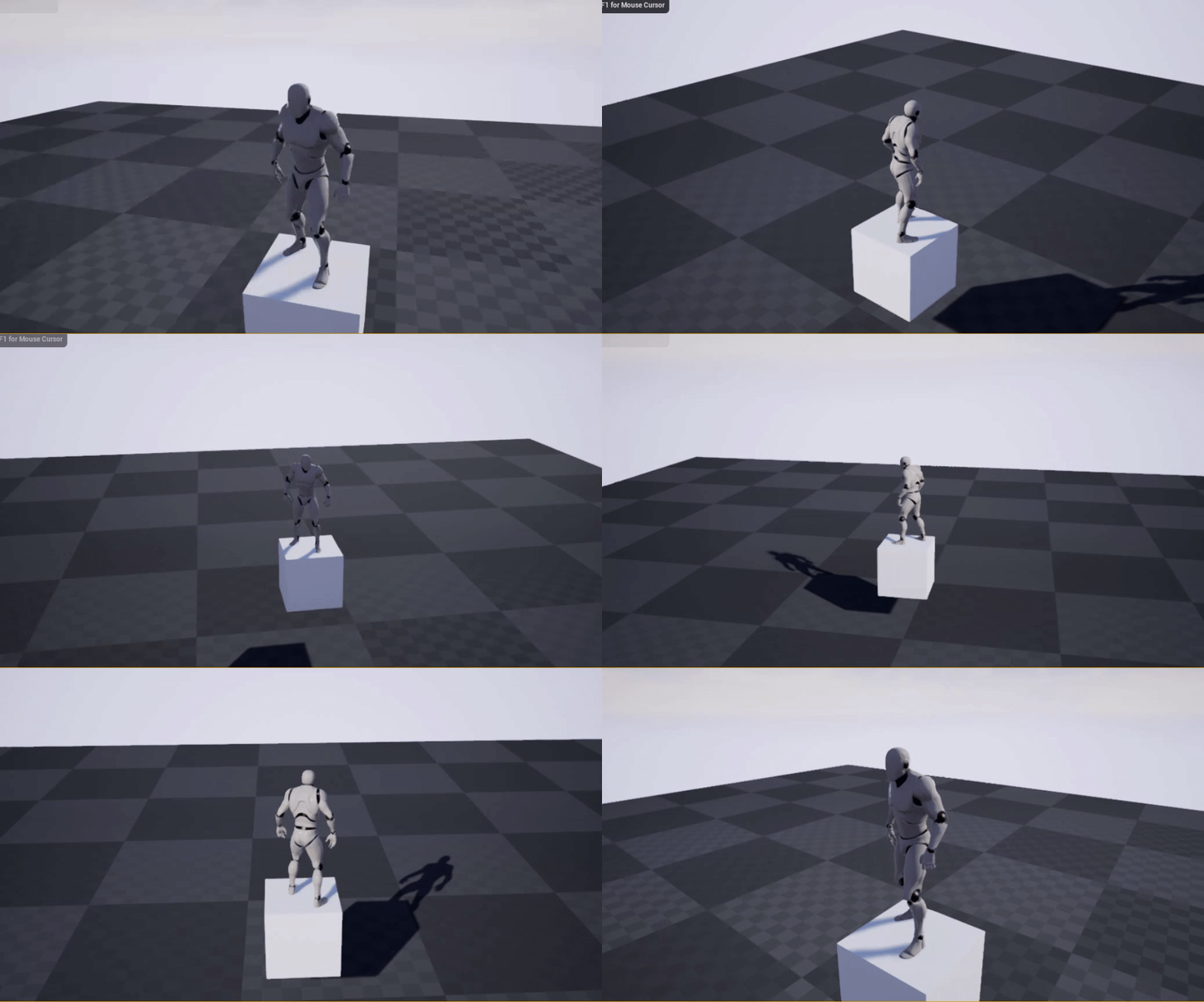
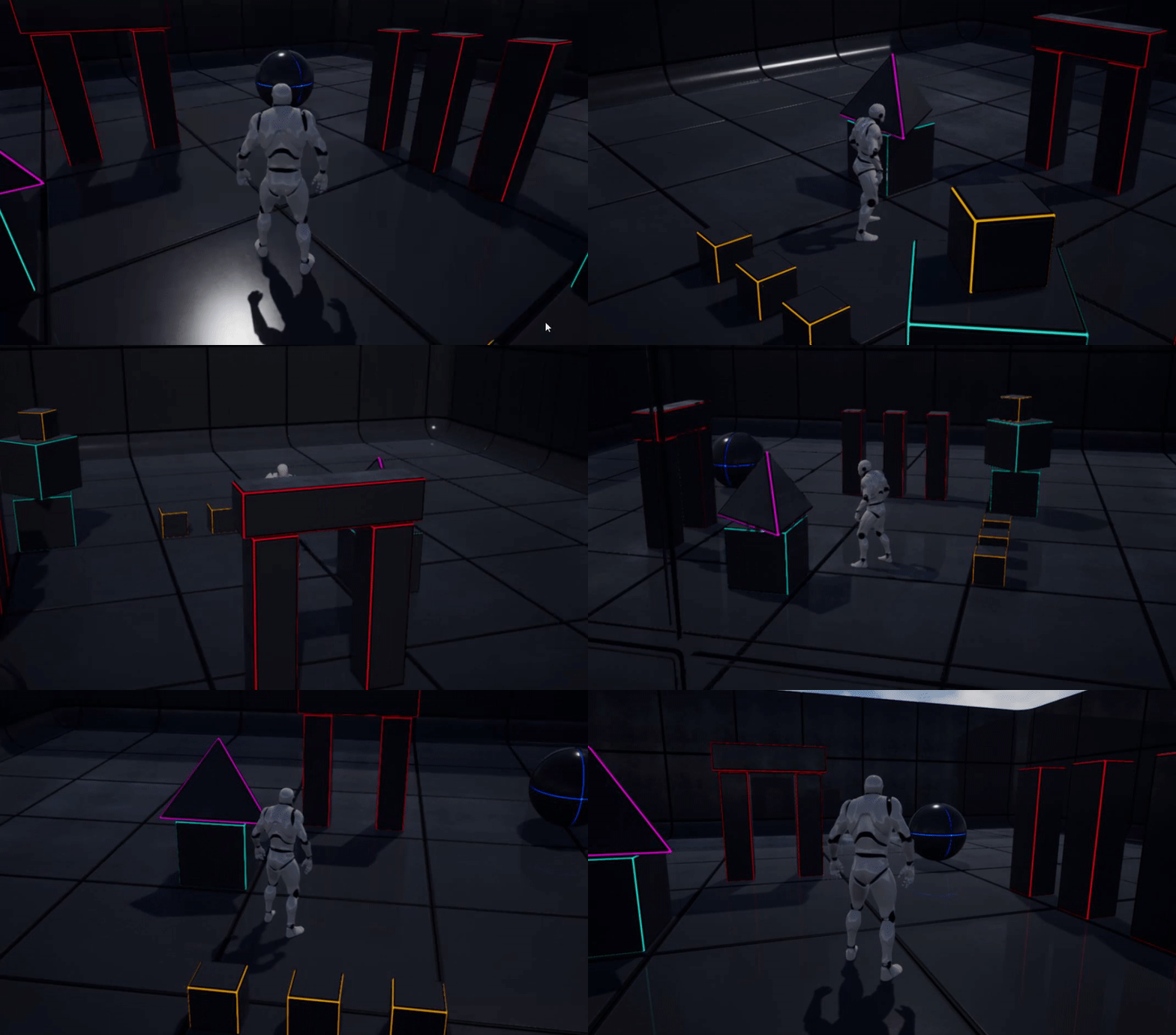
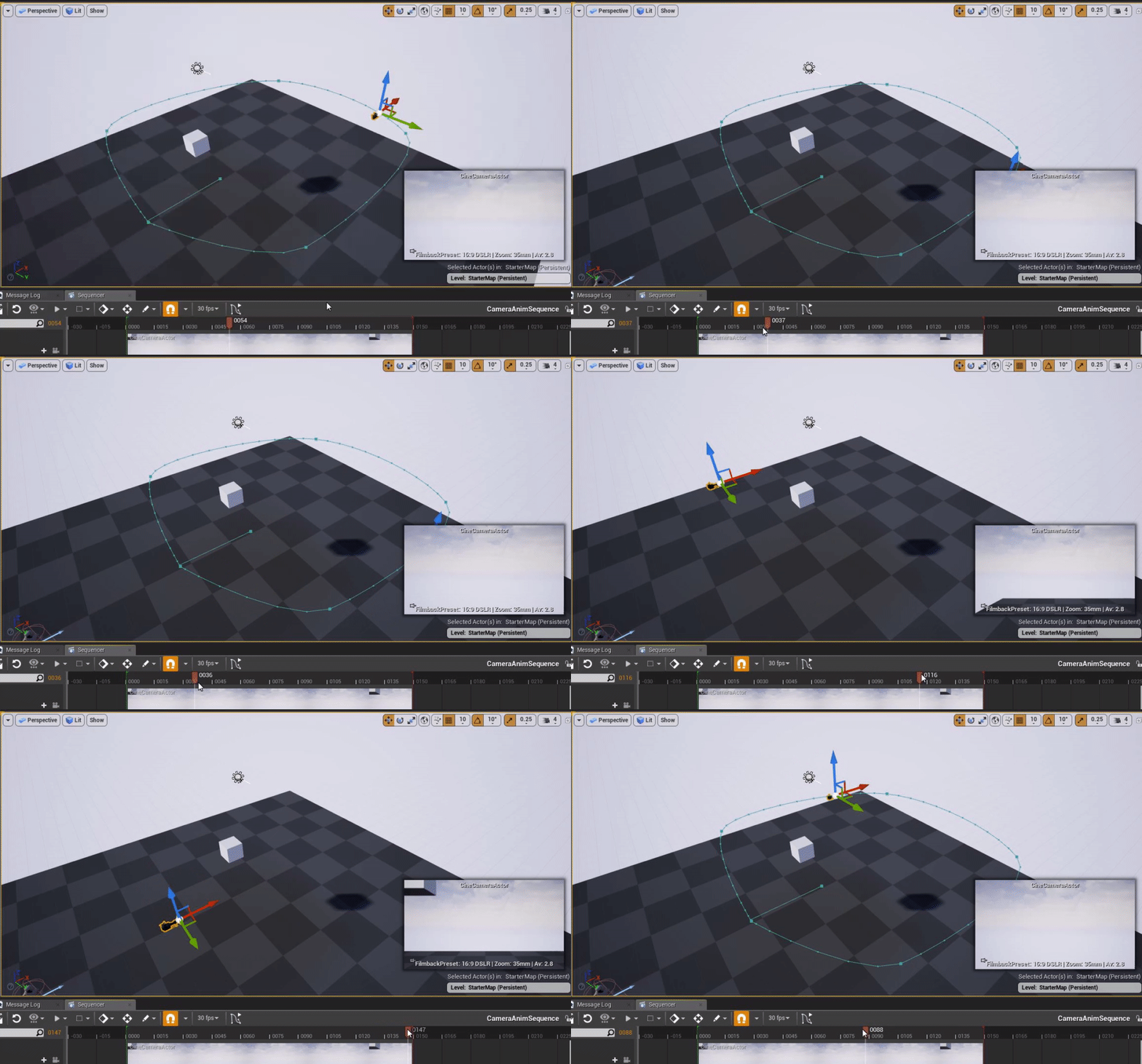
Here is a vid that shows the issues. Maybe you will spot something dirt simple I am not doing right.
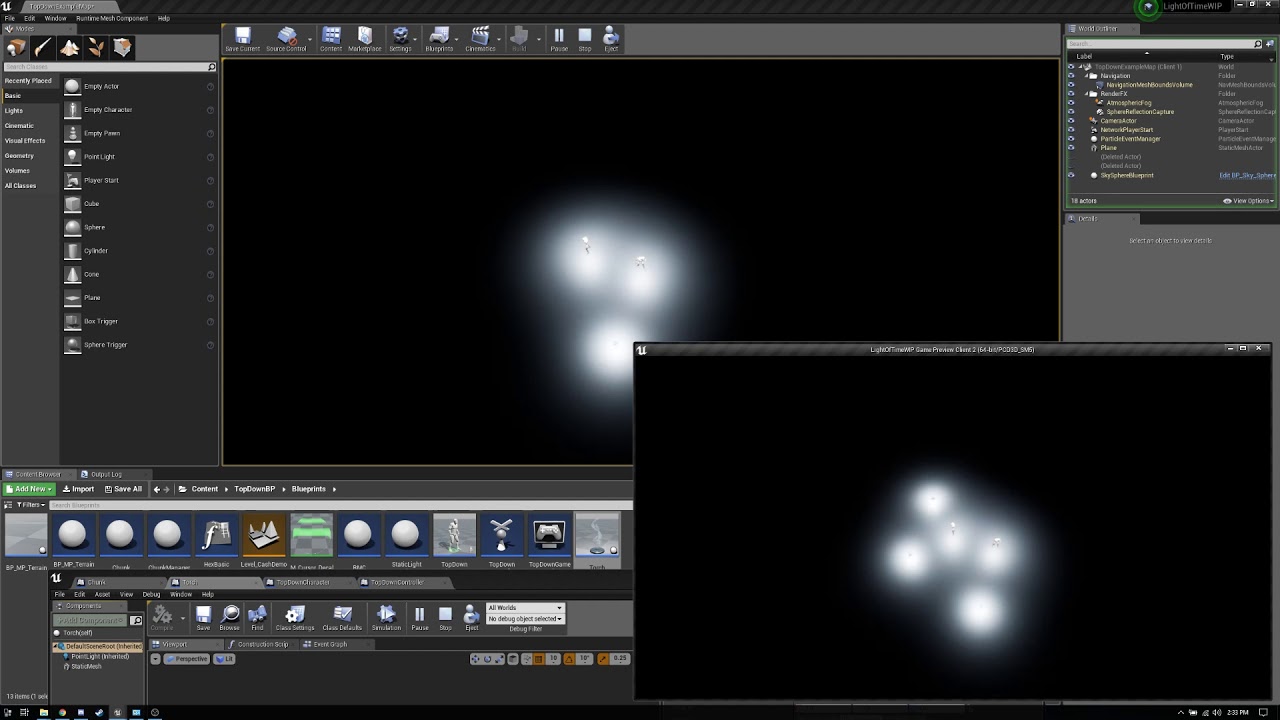
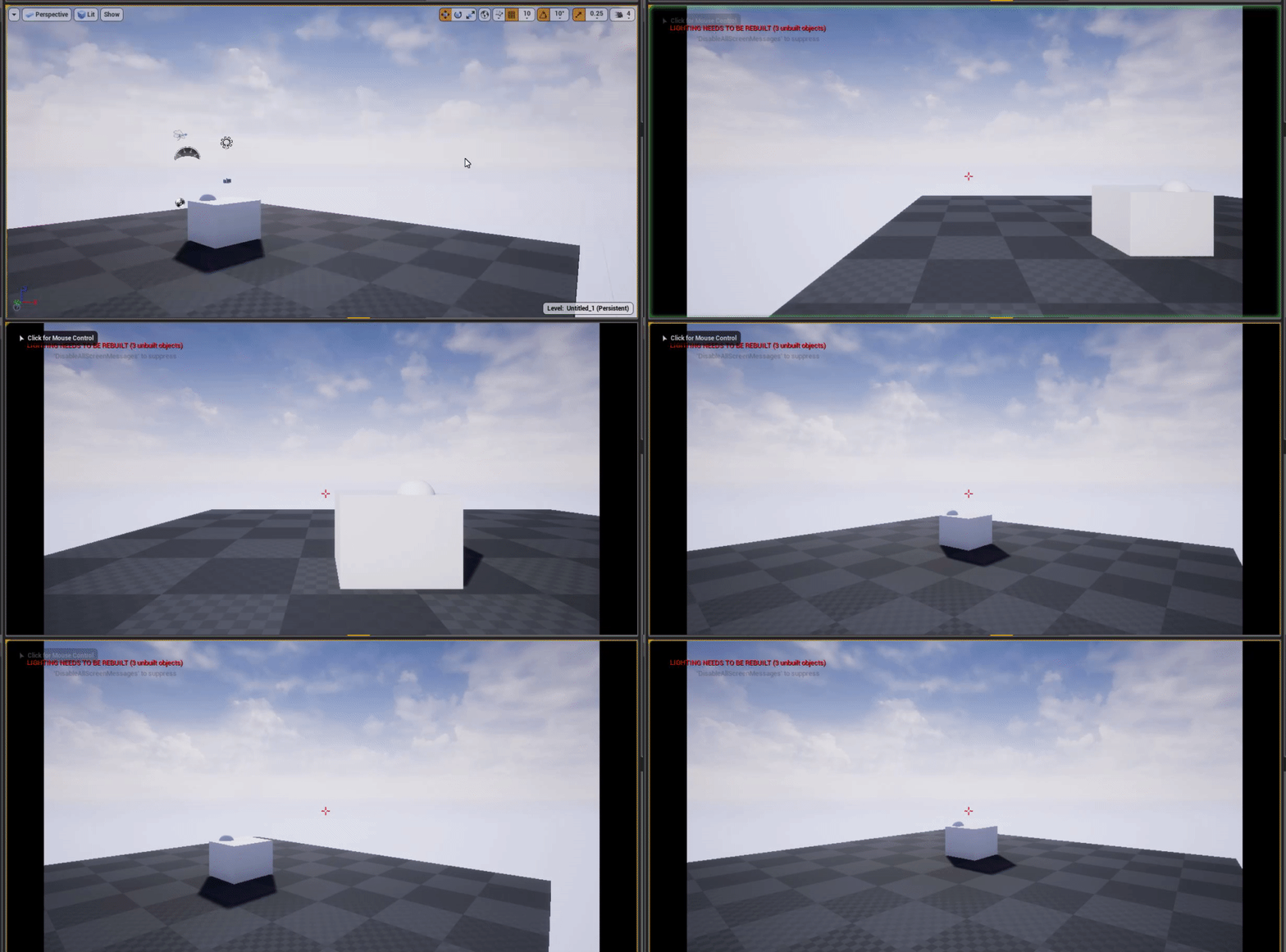
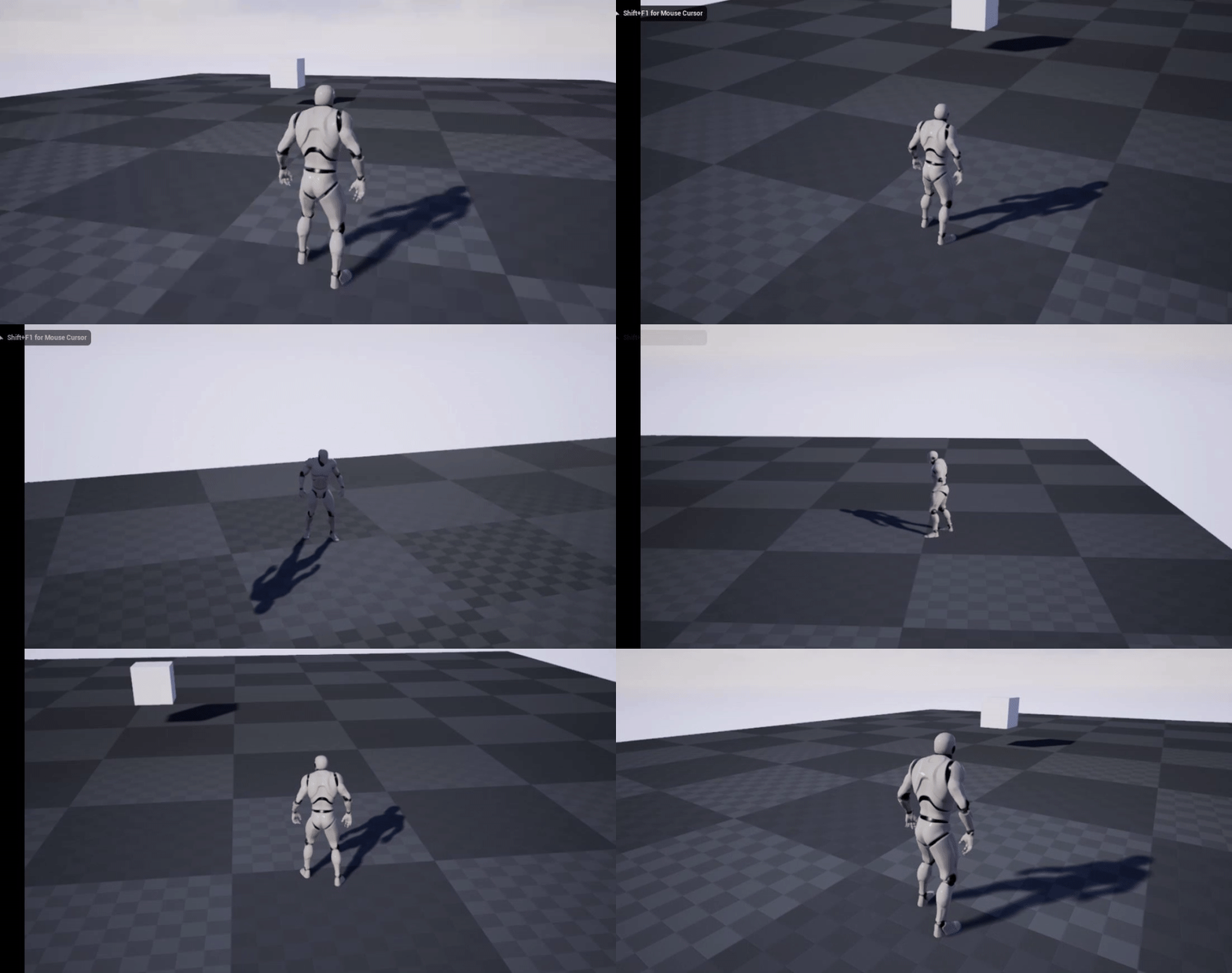


 light thunder
A quick UMG question -Can you make an animation template that takes an input of a UMG element of a simliar type (example, make a particular image glow), instead of having to make a seperate animation for each element? If not, what is a work around, besides cloning your animations and just reselecting/rebuilding the track?
grim ore
ah I think I see where you might think that the run on server is replicating to all clients it does its a client -> server call and doesnt involve the other clients
so the custom event that is set to replicates on server is ran only on the server when you call that event itself from a client that owns that event
autumn elbow
i see what you mean now.. lol
real hound
Well, I know it doesnt really show it in the vid the maybe 30% of the time the actors spawned from one client on the serve DO showup on the other client.
grim ore
how is that code set up?
real hound
And all that do are in the -x, -y quadrant
grim ore
it's possible you are accidently calling the same code on all clients which then tell the server to do it individually
real hound
I have changed a bit around since the video. Right now I am going directly from player controller to gamemode event graph
How should I be doing this?
The realy strange thing is everything that can spawn is in the -x and -y
autumn elbow
I havn't done any multiplayer stuff like this before, but you can break down your problem into 2 parts.
problem 1, is spawing the light in both places, and 2 is the culling of the lights.
real hound
Yeah. I need the server to track all the spawned torches, and then I need the server to only show them to a client when relevant
autumn elbow
i assume you have a array of lights that gets passed ?
real hound
Nope not currently. Was trying to strictly use Net Cull Distance, probably in error.
autumn elbow
Net Cull Distance doesn't have anything to do with the lights not spawning , right ? Try dealing with the light replicate issue first.
get it so when you create lights in one window, it is created in the other
What could be happening, and I'm probably wrong, but maybe you messed up on the numbers while playing with the culling somewhere.
So, 1 player's culling is alot smaller than the other. This maybe why only 2 lights are seen
real hound
That actually isnt an issue. I can create one in the other reliably when I set the Net Cull Distance to default
instead of the smaller number I am using
autumn elbow
ok cool, so you can get the lights to match in each window when your culling is default.
so now, when the player runs away from the light, it should disappear.
With the culling at default, does it not disappear ?
real hound
I can mess with my camera and check though
autumn elbow
that big?
autumn elbow
wait a minute.. maybe youre not culling based on the camera then
real hound
I think the massive range is covering up underlying issues with the method.
Culling for rendering does not = culling for network though
Your client doesnt forget about or stop recieving replication for actors out of view
autumn elbow
View Frustum Culling
Unreal Engine 4 tutorials, Tips & Tricks, and other curiosities!
cloud palm
so if I found some pictures on google but using the sort tool for commercial use, Is that mean I can use the picture in my game for a commercial purposes?
real hound
That view fustrum culling is only for draw calls on actors getting culled. Not for network replication.
autumn elbow
i see
real hound
@cloud palm Probably.
autumn elbow
@cloud palm
real hound
Ah yeha you want reuse
autumn elbow
yea
cloud palm
Did u guys create all your picture yourself or modify them in PS
autumn elbow
BUT!!! would be cool to just shoot an email and make absolutely sure
cloud palm
to google?
autumn elbow
to the site you get them from.
cloud palm
not sure if they will response lol
autumn elbow
Then take a screenshot to show you got it as Reuse
cloud palm
kk
autumn elbow
cover your ass lol
Dont trust the internet
@real hound sorry dude, I'm not up to replication in my game, so I don't really know. 😄
cloud palm
This might be a dumb question but what type of game would u call those game such as flappy bird or jelly shift?
real hound
Its all good. Pretty defeated on it.
Dont know why it doesnt work at one range and then does on another
autumn elbow
Runners, I think
cloud palm
I just can't find the name therefore can not find tutorials lol
autumn elbow
Platform Runners
cloud palm
I am sure that they are not endless runner because they do contain game levels in them
@autumn elbow I don't think so because nothing pops up when I search that lol。
cloud palm
I mean there should be people who made tutorials on them because these game are actually super common and popular
autumn elbow
flappy Bird is a endless runner
autumn elbow
let me look it up
cloud palm
did u see it?
autumn elbow
Jelly Fish is a platformer
cloud palm
so they are called the platformer runner?
autumn elbow
yea.. the creators of jelly fish tag it as Running Games , Reaction Games , Arcade Games , Highscore Games , Collect Games
I'd call it a runner
But to find tutorials, Search Runners and Platformers
cloud palm
There is just one part I try to find solution with those type of game
I am not sure how to save all the game progress, for example how many level did u pass. In particular when u pass level 1 and then u close the game, the next time u load it, it will show that level 1 is been complete and move on to level 2. Can anyone help me with it?
autumn elbow
There are tons of save game tutorials
you have a variable that stores that info..like how many coins collected. That variable gets saved to disk
https://github.com/nfrancisj one of those has the setup lol

@real hound incase you didnt see this .. https://forums.unrealengine.com/development-discussion/blueprint-visual-scripting/87160-net-cull-distance-squared-how-does-it-work
Unreal Engine Forums
Build powerful visual scripts without code.
real hound
Yeah I have read through that thread a few times hoping to gleam some insight but as far as I can tell
The OP wasnt spawning them at runtime
autumn elbow
kk
real hound
Its not clear
But when he talks about using the demo content I have a feeling it was just him placing them in the map prior to game
I am going to push on an come back to this rats nest later. Hopefully I can find a solution. For now I will just check every object that gets returned by their distance
expensive but what ever
This has held me up way to long
autumn elbow
lol.. come back with a fresh mind
real hound
Yeah. I just have this character flaw where I want every single thing to be graceful or like perfect. THE SOLUTION
I get hung up on things that arent minmaxed out the ass
But in this project in particular where I literally amd redrawing the terrain constantly with different game time seeds I know I need to penny pinch everything
autumn elbow
Thats what Producers are for
real hound
At least on the cpu
Not to mention future anti cheat if this thing every goes live
I do not want the other clients to know about every light source on the map
Think of it like Rust. If you could know where every single c4 item is currently spawned on the map.
I just dont want that shit.
autumn elbow
Only the C4 the particular player places... Tag it ?
real hound
Just a metaphor. This game is meant to make you feel lost when you havent even moved, left home.
Pushing on
autumn elbow
kk.. good luck
any game for production should be started with a blank project, i think. If you are doing R&D, then maybe a template.
I just hate the idea of using a template for my actual game because I never know what setting are set. I don't want things creeping up on me.
I use templates to build and test different gameplay stuff, then implement it on my actual project.
real hound
My advice is to use templates, and plugins, and get your project bloated as fuck. Get it looking and playing how you want, then restart from the ground up on blank on only use and do what you need.
Going from completely blank just means any "lemme try this" is going to take 10x as long
grim ore
I say take it one step farther, start with a sample project like oh the First Person Shooter example, and then add EVERYTHING you can find until it looks cool and then ship it! it worked for Ark.... 😛
real hound
Oh god
The post DayZ rush.
I have really not been a fan of the current state of top games. Someone does something cool, every other company makes a rip of it. Its like pharmaceuticals.
Dayz begot Ark and Rust and a load of other shit that didnt succeed.
PubG begot Fortnite and Apex and a load of shit that didnt succeed.
Dota Auto Chess begot Underlords and Team Fight Tactics...
None of the companies that have the recources to stretch their necks out on something clever and new will do so. Its just rip the current hot shit.
When is the next game like portal going to drop? A game that make you just go.... wait what?!
grim ore
real hound
Hahaha, I love the vid "No chicken dinners, just frags"
grim ore
Whoot
marsh swallow
The only thing i need to figure out now, is how to spawn the camera in front of the enemy. its show up to the side to start
I tried Get Actor Forward Vector x 1000 but didnt change anything
grim ore
getting the forward vector of your target right?
grim ore
you had it partially right, get that which will be normalized then multiply by a large float, then add that to the original location
its the same way you set the start and end points on a line trace going forward basically
grim ore
im sure there is a bit of tweaking but yay for so far 😃
 astral laurel
Anyone know if its possible to make a blueprint that types a string of text in the console? (kinda new to UE4 blueprints)
grim ore
there is an execute console command BP node if you are trying to do that
cloud palm
How do u create a animation clip and put into your level? For example putting a short clip at the start of the game to give the general background of the game?
grim ore
it would depend on what you mean by animation clip.
 hardy flume
hey guys quick question, for some reason my BT Move To task node keeps looping
- The nav mesh is set up
- The location is set
cloud palm
@grim ore like a story that basically introduce the background of the game. It will be around 6-10 second.
hardy flume
also is that the Matthew Wadstein
marsh swallow
@cloud palm Level Sequencer
cloud palm
Would that work@marsh swallow
marsh swallow
stay FAR away from Camera Animations!!! As, (yes, @hardy flume that is) MattW and I discovered, it is totally broken. 😂 lol
hardy flume
@grim ore you're practically a celebrity
grim ore
@cloud palm well like you have pre rendered videos you can play back with a media player, you could roll your own with a umg and animation if its just pictures and stuff. You can use sequencer to record out stuff if it's in game
😃
hardy flume
why is move to so gimmicky
cloud palm
Damn @grim ore are u the guy who post tutorials on YouTube?
marsh swallow
lmao. its a tricky node. lots can go wrong, but it does work.
hardy flume
tomatoes
grim ore
we couldnt really guess on why it's not working @hardy flume without seeing your setup but perhaps it really cant get to it?
@cloud palm that is what my profile on here says 😛
hardy flume
here I show it
cloud palm
I actually saw some video that u post
grim ore
and when it runs it never gets to move to or?
hardy flume
yeah it runs and the monster is supposed to run away, but just stands there. I even moved the monster to the location that was set as the vector, and it was both on the map and in the navmesh