#ue4-general
1 messages · Page 501 of 1
 cursive dirge
 cloud cobalt
Or someone without VS on the machine
 mighty copper
I've had someone do something like that, made a change saved it to github and then messed things up. luckily we have a local back up harddrive with backups and were able to work from that.
cursive dirge
well, that too
 rain venture
The, when I made some collision changes for some meshes, I was completely unable to do anything
Couldn't checkout in any way possible
cloud cobalt
First things first : do you usually compile the code ? Do you have Visual Studio and dependencies installed ?
Let's fix this step by step
rain venture
Even worse,I couldn't submit the files anymore
I can't do anything atm, I am on the phone right now
cloud cobalt
Okay, come back when you need help
rain venture
And oh yeah
I need to reinstall visual studio
I managed to infect it with neshta malware code
So if I would open it
The infected code would spread out to all programs
This happened a few months ago 😓
cloud cobalt
Well if you have malware on your machine you don't need to open anything for your code to be compromised
rain venture
Avast won't allow it to happen tho:)
When I launch the program, avast will immediately stop the spreading and remove the infected exe file
cloud cobalt
Antivirus software completely and hopelessly sucks, so if you trust that...
But okay
mighty copper
chances are it's not just in the program. usually stores else where on the drive as a loading point. about 80-90% of all malware out there already knows how to get about security programs with not much effort. the idea is to not get the file on to your computer. once it's there its fair game... removing the malware and all of it's source files is step one... and then scan all drives for anything remaining. and the repair any damaged files... removing it alone is not always enough. best of luck Maker26.
 empty marlin
Hi all,
Not sure about this problem is related to here or not.
Did anyone know how to add a curve in detail panel?(like screenshot)
I want to add a curve like screenshot under a UPROPERTY
The screenshot is plugin content which is named Niagara
But after seeing this plugin source code, I still have no idea. how to do that
cloud cobalt
Try UPROPERTY(EditAnywhere, Category) FRuntimeFloatCurve Curve;
 honest vale
hey, any juicy siggraph vids from Epic yet?
empty marlin
@cloud cobalt got it , thanks
 grim isle


 plush yew
hello
can someone help pls
@cloud cobalt The problem happens regardless of if I'm debugging
It just always gets stuck at 86.
?
someone help pls
how about you actually say your problem
that you need help with
ok
honest vale
😄
plush yew
so when i opened Animation Blueprint
I cant find anim graph
i just find the event graph
here is a screenshor
i cant find anim graph
which is supposed to be next to this
wait
i think i found solution
thanks anyways
 dawn holly
Hey everyone, I have an issue I can't wrap my head around. I am almost finished with my project so I wanted to try to package it. however the packaging always fails with the same errors, I am including a log. I've googled this issue and it was usually a blueprint error which was pointed at in the log file, but I can't for the love of me find any hints pointing towards any particular blueprint. Any help is very very appreciated.
The errors are usually : something.dll UnknownFunction
and at the end unknown cook failure
 severe ibex
has anyone used V-Ray for Unreal?
rain venture
ok, I wanna try again on collaborating with the user using perforce
I just need to know which options need to be checked to get the right program
 left citrus
Anybody have any idea why including "Render Core" in the build.cs gives an error about missing dependencies?
ok so it's RenderCore not Render Core
any way to edit this page?
left citrus
reading is for nerds
plush yew
The 💤 is aimed at Epic
left citrus
I was just embarrassed that I managed to miss actually the first thing on the whole page, with a big orange box around it 😅
cloud cobalt
There's a Wiki ? 
 serene birch
hey the wiki is huge, it takes THAT long to use a script to reimport the database on another wiki software 😛
 wary wave
nah, it's being typed out manually by an intern
serene birch
Wikipedia english is "only" 51 GB uncompressed it seems
well yeah, that's his name : Script
how does UE4 apply light attenuation when getting close to the max light radius?
wondering which formula UE4 uses mostly
wary wave
it will be this, most likely:
https://imdoingitwrong.wordpress.com/2011/01/31/light-attenuation/

The canonical equation for point light attenuation goes something like this: $latex f_{att} = \frac{1}{k_c + k_ld + k_qd^2} &s=2$ where: d = distance between the light and the surface being sha…
 marsh swallow
you know i just had a 9 hour flight from Hawaii, i am highly convinced Amber never sleeps. 😂
serene birch
nah the thing is
that's the "realistic" part of light attenuation
but lights are all infinite in radius
3D engines have a max radius and to avoid the sharp cutoff at that point they must be doing some extra attenuation for that 😛
marsh swallow
and i have found searching things on the wiki is much easier, trying to use their nav on the left side is awful
serene birch
I'm looking for that extra part
ah wait I didn't read the whole page, doing that now 😮
nope, still just a hard cutoff, although in this case he computes the light attenuation radius automatically when in UE4 you manually enter that value and so you can make a super bright light with a small radius 😛
rain venture
its so stupid using perforce gee....
I tried testing out if I can delete a newly created workspace in a remote server
and it just won't let me do it
this is what it says
To delete the client, revert any opened files and delete any pending changes first. An administrator may specify -f to force the delete of another user's client.
cloud cobalt
This isn't stupidity, it's safety
From its perspective, you have unsaved work here
So deleting the client would loose work, which is usually not wanted
rain venture
but this one is a completely empty workspace
I wanted to test out
and for no reason
I can't do absolutely anything
cloud cobalt
So revert your changes and then delete
rain venture
not even revert helps
cloud cobalt
So you have no pending changes ?
cloud cobalt
You haven't checked out any file ?
rain venture
I did right now
cloud cobalt
Post on #source-control if you want some expert Perforce help
I haven't used it in a decade myself
In any case, you'll need to spend time learning how this stuff is supposed to work, I've never known anyone immediately understand source control
Stay safe with your changes and take your time
rain venture
I'm all out of knowledge with this thing
I know nothing about it
and I can't find tutorials that actually help the beginners
cloud cobalt
Yeah, it's not very beginner friendly
Git has better tutorials I guess, but it's also much more complex, and not exactly better for game art stuff
 regal hollow
Quick question guys, If i want to make a terrain master material, is there a way i can 'float' materials? so instead of draging all the textures in I can create a library of terrains etc, and just string or float the materials i want to use into that master material?
 tepid knot
According to me,no @regal hollow
wary wave
@regal hollow - use a material function for each 'material' layer
 dawn gull
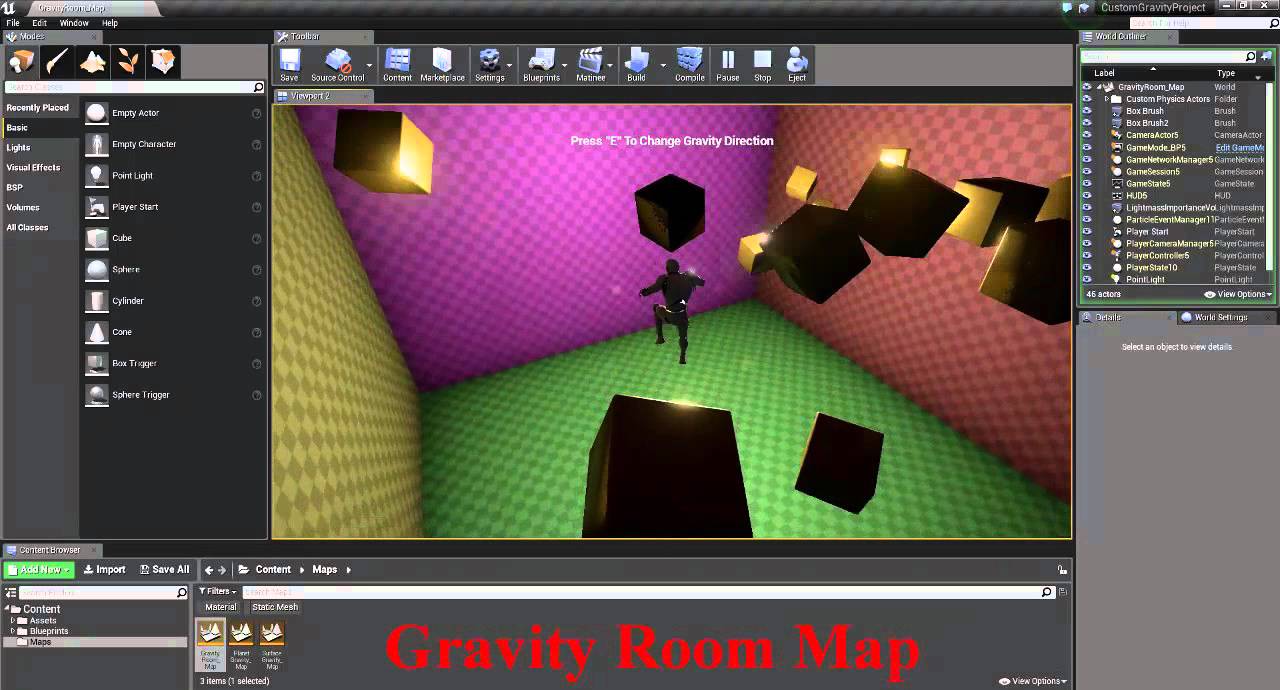
does anybody here have experience using this plugin?
Because i need to know how to use it but the example project is not loading
i got the plugin from https://ue4resources.com/
A collection of unreal engine 4 learning resources (Templates , Samples & Plugins ) for you to download
and as far as i know there are no tutorials on how to use it, just videos showing what it does
Please tag me if possible,
and thanks in advance
tepid knot
@dawn gull there must be a option inside an actor or pawn for this custom gravity plugin
dawn gull
ok ill look
tepid knot
There should be one
dawn gull
would it be in physics?
tepid knot
Maybe
dawn gull
tepid knot
Or check your project settings
Or do those plugin guys have any discord?,lemme check out for ya
dawn gull
k
tepid knot

GitHub
Unreal Engine 4 : Custom Gravity Plugin. Contribute to mhousse1247/UE4-CustomGravityPlugin development by creating an account on GitHub.
dawn gull
ok
tepid knot
Maybe this ones better
dawn gull
do i file an issue?
tepid knot
It's the same one
Yes you should file one issue
And check out there forum thread
There's a link there
dawn gull
ok awesome
tepid knot
Unreal Engine Forums
For announcing the release of new products, or showing off your completed work.
Maybe they help ya oit
*out
dawn gull
hey where are gravity maps located and how do i apply them
tepid knot
You can get a answer for this on the forum thread better👍
dawn gull
ok
 worthy inlet
hey, y'all! Got a weird little issue. I've checked around for a solution, but there's nothing that really fits the problem. Likely something small that someone came across before, though. Basically, when attempting to run a standalone version of the game (by either right-clicking on the project file, hitting 'launch game' or running it from cmd), the game can't find my custom game instance, resulting in a dead black screen. Works completely fine in a packaged build and in PIE.
tepid knot
Then you could see how it was resolved before @worthy inlet
worthy inlet
Oh yeah for sure. I scoured the forums and whatnot for some answers, but didn't come across anything yet. I'll make a post there, too, but I thought I would drop a message here in case someone had a quick fix.
dawn gull
how do i change the collision from simple to complex on a model? i can only change the view of the frames, not set the actual thing
 thick cedar
Go down the sidebar to the Collision section and change Collision Complexity from Project Default to "Use complex as simple."
dawn gull
thanks
 opaque plover
When I create a material from a texture, the texture looks too lit.
Any idea what could cause this effect ?
wary wave
that looks exactly like I would expect it to
 spark sonnet
Are you making minecraft? 😃
opaque plover
Sorry, the true texture is much less white. It is not shown on the screenshot I posted. This shows it in left corner:
cloud cobalt
@opaque plover Looks fine - you need to tweak roughness, and of course you'll need to change lighting
And use Color
Not Linear Color
opaque plover
@spark sonnet No, this is just for training x)
spark sonnet
Ok : )
cloud cobalt
Linear Color is for technically color stuff, that isn't stored in SRGB - basically non-display stuff
opaque plover
@cloud cobalt I don't understand what you mean by "technically color stuff".
cloud cobalt
I mean Linear Color shouldn't be used for colors you need to display
serene birch
well a texture where you put AO, roughness and metalness
cloud cobalt
^ that would actually be Masks
Linear Color would still bleed between different channels
I've honestly never used Linear Color ever before
worthy inlet
Fixed my issue by doing the ol' deleting binaries and regenerating files trick. Classic. Sorry for the trouble!
serene birch
well I use it for AO, metalness and roughness maps 😛
cloud cobalt
For separate maps or packed ?
serene birch
if they are packed together which Substance Painter does in it's UE4 default export settings
opaque plover
I am not feeding any color but the color of the texture itself.
serene birch
gltf also packs those three together by "norm" or something
cloud cobalt
For packed maps, you need to use Masks
@opaque plover Use "Color" in your sampler, not "Linear Color"
That's your problem
 copper flicker
I have problems saving from GameMode.. in fact I'm saving, I'm finding the slot name, but if I ask the save game object for validity, it's always invalid, and it errors
so the second image is inside Create Save Game
I do the exact same thing inside Player
and it works
opaque plover
@cloud cobalt The editor complains that the material requires LinearColor.
cloud cobalt
Open your texture and show us the settings
Should be "default" compression, SRGB on.
opaque plover
This is the texture itself:
Only change I made was changing the filter to nearest.
cloud cobalt
And ticking SRGB off
While it should be on
You can click the yellow arrow to revert to default
serene birch
compressed a 4k texture as mask instead of Default
I get a > 50MB file vs 3 MB 😄
yeah I think I'll keep the bleed in the AO/R/M texture 😛
cloud cobalt
If you're fine with random noise in textures, then yeah
I'm just saying I wouldn't do that
There's a reason the compression is better - it process the RGB components together, saying "R=1 B=0.1 is basically like R=1 B=0"
 green phoenix
Helly everybody, I have a question about the size of decals in UE, I'm trying to create a decal like this, but when I place it on the world its too big and I don't know how to set a lower default size for the decal, can you help me with this?
serene birch
well you need to like divide your texture resolution by 4 to keep the same GPU memory footprint
this also has effects on the quality
 stable crest
Does anyone know how to build and debug the UnrealAutomationTool/UnrealBuildTool?
serene birch
I'll keep my eyes opened for potential artifacts though 😮
opaque plover
@cloud cobalt Damn it, why did I not see that ?
Also, why did removing&reimporting the texture not reset the setting ?
serene birch
UE4 tries to autodetect what is a texture meant to be used for
so maybe it does see that small "8bit" texture as something technical in it's heuristics
cloud cobalt
@opaque plover reimporting shouldn't change settings, and it won't, generally, for any content
Reimport just changes the data
You can go in the folder where you have the texture, click "import" again with the same file - that will overwrite the file
(you'll be prompted about it)
opaque plover
@cloud cobalt This is very good to know. Thank you. As you can guess I am a very fresh newbie.
By the way if LinearColor should not be used for anything truly displayed, why is it the default setting for Texture samplers ?
EDIT: Wait it's not
cloud cobalt
It's not 😃
It is if the texture has SRGB off
"Linear" and "SRGB" are basically opposite notions
Linear means there is no SRGB
serene birch
two sides of a coin 😛
copper flicker
ok, let me try again... is there any difference between these 2?
I am saving to a slot, the slot exists... but Save Game Object appears as invalid
cloud cobalt
@opaque plover Since color output for display expects SRGB, it treats your non-SRGB data as SRGB, which usually makes all color brighter and less saturated
@copper flicker How did you create SaveGameObj ?
cloud cobalt
Do you create the object immediately before calling IsValid ?
cloud cobalt
So on begin play, you create the same game object and call IsValid on it immediately - same event - and it is not valid
Right ?
Because this :
should never work
It's begin play so the variable was not assigned yet
it will never be valid
copper flicker
the second time around it should be valid...
cloud cobalt
Well no
It's a variable, it's destroyed between runs
It's never going to be valid
copper flicker
I don't get this... I thought it's a SAVE GAME.. meaning once it exists, it cannot be erased, unless I erase it
opaque plover
Why does https://api.unrealengine.com/INT/BlueprintAPI/Utilities/FlowControl/Switch/SwitchonInt/index.html not exist for material? Can't the engine just compile them to Ifs ?
Switch on Int
cloud cobalt
You can save game to a file, but variables will be destroyed
copper flicker
I followed a tutorial tho.. the guy was checking the save game with a Vlid
cloud cobalt
You need to create a new save object, load the slot to it, and read it
honest vale
large portion of UE 4 tutorials are nonsense so that's a possibility 😄
cloud cobalt
@opaque plover Materials have a very particular output language that isn't suited to conditional stuff, though it would be possible to have it
cloud cobalt
You can use that, and then create a new save game object, read the slot to it, and load your data from that object
How to save and load your game using Blueprints
@copper flicker

This is what you need to load data from save
Create save object, load from slot, use data
The official doc is always better than random tutorials
cloud cobalt
All the data that you wrote into it manually
 sudden agate
honest vale
sudden agate
honest vale
right
cloud cobalt
Basically you create a new object with variables on it
You fill the variables, write it on save
Then you can get a copy of that object back by loading the save
It's just a list of variables with read&write
honest vale
is there some function or other interface that you can implement for actors and it works automatically?
cloud cobalt
Nope
wary wave
need to write function to save and restore pertinent data on a per-actor basis
it's not hard, but it does help to plan this stuff
cloud cobalt
Usually you have like 10 variables for your entire game tbh
wary wave
eh, depends on the game, a lot
some games will have literally millions of variables, most will have a couple of hundred
cloud cobalt
I'm aware, our game saves were like 50MB uncompressed with hundreds of thousand objects
Sim games.
Still, your average shooter doesn't have quite a lot
wary wave
I had to manually edit a Divinity 2 save file to fix a game-stopping bug once
that was a delight
2 million line xml file 😄
 rotund scroll
why wouldn't you just serialize at that point
wary wave
it is serialised, but you can decompress and recompress the files
either way I was fortunte that I had a pretty decent idea of what had gone wrong so it only took a couple of hours to find and fix the problem
rotund scroll
apologies, I meant serialize into a binary format. I get the use of xml as an intermediate format, but if your xml file reaches that many lines it doesn't seem like a great option
cloud cobalt
Serializing all objects directly is still going to make the save even more massive than it already is
We used JSON with similar scale
wary wave
that's what I mean, it is serialised into a binary format
cloud cobalt
With compression on top
wary wave
but they have tools to convert to XML and back again
cloud cobalt
The "compressed structured text file" approach means you get an easily editable, easily debuggable format that's quite small and very resilient to changes in format
 manic pawn
binary save files are fun when you get a mysteriously broken one and have no clue what's wrong with it
wary wave
yeah, absolutely essential for a game like OS2
Larian Studios forums
I was in a very long fight on bloodmoon isle, and my main and 2 npc's got wiped. Fane fled, went to town, got ress scrolls, came back and got everyone up. Beat the last 2 baddies. Shortyly after that my main could see all the bodies on the minimap as blue diamonds, and gui in...
but yeah, I was quite pleased with fixing this
cloud cobalt
Adding new data fields to a JSON/XML file is usually completely harmless to previous implementations, which is not as easy to get with a binary file
UE4 save files definitely are not as good on this
green phoenix
Hey guys, sorry to repeat myself, I have a question about the size of decals in UE, I'm trying to create a decal like this, but when I place it on the world its too big, and I don't know how to set a lower default size for the decal, can you help me with this?
cloud cobalt
resize it ?
green phoenix
I need to give it a default size since we place the decals with a blueprint, randomly
manic pawn
unreals binary serialization should handle adding and removing fields fine though
green phoenix
I know I can resize it by hand but I need a way to set a size, in the instace, for example
cloud cobalt
Make it a Blueprint ?
rotund scroll
not sure about the available bp nodes for decals, but it sounds like there would be a node that would allow you resize each instance as it is placed?
copper flicker
@cloud cobalt That doesn't work tho.. I don't understand why am I creating that Save Game Object in a Load
checking for the existence of the slot tho, that works
cloud cobalt
@copper flicker Okay, so the problem is that you don't understand how saving in UE4 works
Let me explain
green phoenix
damn I have no idea, I was specting something easy as a parameter in the instace hahaha
thank you anyway 😃
copper flicker
but I've implemented whatu sugggested, and it broke the game
cloud cobalt
Saving, and loading save data in UE4, works by using a save game object
The save game object is created at every single save operation
When you are saving, you put your data into it and then write it to a slot
When you are loading, you read data from a slot into the save game object, and then read your data out of it
You need to create a new object in both cases
copper flicker
ok, but if I create an SGO and THEN Load, nothing loads..
cloud cobalt
What's your full saving graph, and your full loading graph ?
copper flicker
well, I erased the changes, one sec
I think the errors were created by this check
if I remove the is valid.. all seems good
cloud cobalt
If you're going to use IsValid, do it on the output of CreateSaveGameObject before setting it
opaque plover
I have a weird situation:
Basically I want to feed a different texture to my material depending on the vertex. My material is to be applied on a procedural mesh.
I can do that by putting some value on the alpha channel of the color , then in the Mat BP I can access Vertex Color and just do an if on the input value.
So far so good. It works.
But assigning a Color to a vertex in a procedural mesh seems to be deprecated (see http://api.unrealengine.com/INT/API/Plugins/ProceduralMeshComponent/UProceduralMeshComponent/CreateMeshSection/1/index.html ) and now only LinearColor is supported.
I can't get LinearColor in Mat BP, so I have no way to know which texture a vertex should have.
Is there another way I can just attach some data to a vertex and get it in the material ?
Create/replace a section for this procedural mesh component.
copper flicker
@cloud cobalt oh I know now.. why the guy was creating Is Valids. To speed up computation.. and bypass creating save game objects if they already exist
cloud cobalt
More like "avoid crashing the game" tbh
copper flicker
nope. look
so in this case, if the thing is not valid, we are creating it anyway
 upper heart
Does anyone know how an animation graph can get stuck in a state? The only transition out of that state is returning true properly. I thought it was blueprint corruption but I rebuilt the blueprint from scratch and it is still happening. This is really baffling me 😦
The transition out of it is returning true
But it's not taking it 😱
And the "Active" time shown on the first screenshot in that state isn't incrementing. It stays around .02 seconds
I'm calculating the result of that transition in c++
And I can see that the breakpoint is continuously being hit and setting the value to true
        const FName MachineName2 = FName("Full Locomotion");
        FAnimNode_StateMachine* const StateMachine2 = GetStateMachineInstanceFromName(MachineName2);
        const FName GroundedStateName = FName("Grounded");
        const FName LandStateName = FName("Land");
        if (StateMachine2) {
            const FName CurrentStateName = StateMachine2->GetCurrentStateName();
            const int32 CurrentStateIndex = StateMachine2->GetCurrentState();
            const int32 MachineIndex = GetStateMachineIndex(MachineName2);
            if (CurrentStateName == GroundedStateName) {
                bGroundedToFallLoop = Velocity.Z < 10.f && bIsFalling;
                bGroundedToJump = Velocity.Z > 10.f && bIsFalling;
            } else if (CurrentStateName == LandStateName) {
                const float TimeRemaining = GetRelevantAnimTimeRemaining(MachineIndex, CurrentStateIndex);
                bLandToGrounded = (TimeRemaining == 0.f) || bIsFalling;
            }
        }
bLandToGrounded is the variable
 dim plover
(TimeRemaining == 0.f) Maybe this is bad?
 glossy oriole
Hi,For a chess game, is only blueprint enough? System vs player or player vs player🤔
plush yew
I have a question. This guy made this low poly game, and at the beginning he was stuffing his face and you could see him gulp. Was that animation or blueprints?
upper heart
@dim plover I can change that line to bLandedToGrounded = true; and it still has the same behavior. I have also printed out the current state name each tick and it is always returning "Land" when I'm stuck in this state. So I've confirmed that it isn't actually hopping between states quickly. It's so weird that the "Active" timer in the editor keeps resetting.
 wicked tiger
August's free content is now available: https://www.unrealengine.com/en-US/blog/featured-free-marketplace-content---august-2019

Unreal Engine
Create living, breathing worlds with authentic animations, magical combat systems, lush landscapes, and more with August’s free Marketplace content!
upper heart
Thanks Amanda, posted in #unreal-news 😃
left citrus
I'm completely stumpted
left citrus
is the update texture regions function just broken.. I'm losing my mind
serene birch
I see that nature picture and I really want to try that pack
manic pawn
is there some way I can get the "reference viewer" to actually show the name of the property referencing it?
 fringe pivot
This has me totally lost, I'm trying to programmatically delete all the spawned foliage.
I iterate over all the instances and what happens is that only half of them are processed, for every deleted mesh there is another that is not.
When it's done half of the map is totally clear and the other half keeps untouched.
Does this ring any bell to your guys? Any particular reason this could be happening?
 lofty edge
That feel when I'm 95% done downloading an update to the engine and "We are currently experiencing connection issues and are retrying."
honest vale
@fringe pivot how are you iterating the instances?
fringe pivot
     for (int32 i = 0; i < components.Num(); i++)
     {
         int32 k = components[i]->GetInstanceCount();

         for (int32 j = 0; j < k; j++)
         {
             if(components[i]->RemoveInstance(j))
                 UE_LOG(LogTemp, Warning, TEXT("deleted %d of %d"), j+1, k);
         }
     }
components array contains existing AInstancedFoliageActor instances.
In the map I have right now there is a foliage with 3264 instances.
The last logged line is deleted 1632 of 3264
As you can see it's exactly the 50%
@honest vale
what makes it really weird for me is that it process one side of the map and ignores the other one.
as if foliage is mirrored or something
honest vale
I guess for some reason the instance index isn't valid
fringe pivot
UInstancedStaticMeshComponent::RemoveInstance
Remove the instance specified. Returns True on success. Note that this will leave the array in order, but may shrink it.
maybe you are right
not really sure how to interpret that, will do some test
honest vale
isn't there anything to remove all instances?
fringe pivot
how so?
honest vale
seems that there isn't based on source
fringe pivot
sorry I don't follow
serene birch
I have selected a foliage mesh in the foliage editor
how can I know which mesh that specific foliage instance it?
short of scanning the whole list of meshes to find the one that looks like it?
 keen moss
Anyone use distributed lightbuilds with swarm?
 boreal topaz
@grim ore Does unreal work with scorm packaging and inserting into adobe captivate or a LMS? do you know
 grim ore
as far as I know it does not, all of the LMS stuff epic does right now is not integrated with the engine
boreal topaz
okay thanks
 zealous cloak
if I needed help getting my project upgraded from 4.19 source to 4.21 would this be the best channel?
grim ore
#cpp might be the best because if there are any issues they would be more apt to know how to fix them. In here is fine as well but the basics are upgrade to .20 and see what breaks then to .21 and see what breaks lol
and of course it's all in source control right now right?
zealous cloak
Thanks
well I have my 4.19 in source control
but when I opened 4.20 source control was disabled
and I don't know what that is about
grim ore
weird
zealous cloak
Its my first game
dawn gull
Hey, has anybody here worked with the Custom Gravity plugin? I am trying to figure out how to use it. If you could tell me that would be a big help. Sorry to interrupt.
zealous cloak
trying to get vehicle physics right and finish, had a recommendation for a feature in 4.21
😃
so I did it watching videos, reading guides, and tried 5-6 ways it feels. Hopefully they can help. Thanks MathewW
 regal mulch
You can thank me later: https://github.com/EpicGames/UnrealEngine/pull/5820
rotund scroll
anyone found a nice tutorial on a kuwahara filter made in ue4 without c++?
grim ore
niiiiice @regal mulch
regal mulch
They also went ahead and applied it to a few other struct breaks/makes I didn't target, so multi-win
grim ore
whoot
fringe pivot
@honest vale I figured out what you were saying, yes you can remove the whole set of meshes at once, but it's not my end goal, I'm trying to make sure I can arbitrarily manipulate specific instances.
rotund scroll
...anyone?
dawn gull
dang bro we both get no answers
 plush yew
try sending him an email at ue4resources@gmail.com @dawn gull
plush yew
@dawn gull do you know how to use email?
dawn gull
Yeah, but I can't for reasons
 cedar snow
what reasons?
dawn gull
lol i am not old enough to get one yet
legally
i have an icloud, but that is for emergencies and stuff
rotund scroll
imagine that
plush yew
Discord and GMail have the same age requirements.
dawn gull
Ik
still i can't do icloud bc real name and stuff
any other ways? like have any of you used it?
note: i did make a github
GitHub
Hello, yesterday I downloaded and put this plugin into my project, but the example project has not been loading, and so I need help adding the gravity effects to certain objects. Are there nodes? I...
plush yew
Github will work.
dawn gull
alrighty
rotund scroll
I was gonna say they start young these days
rotund scroll
but then I remembered I got into game dev pretty early as well
dawn gull
started before middle
plush yew
Email is probably a much faster way to contact this person.
plush yew
No.
dawn gull
dang
rotund scroll
how is temp mail different from setting up another email
dawn gull
ik thats why i was confused
plush yew
temp mail doesn't require any information.
rotund scroll
oh you mean like a 10 min mail
plush yew
also it exposes your email to temp-mail
dawn gull
yeah @rotund scroll thats exactly why i would be able to do that
i dont sign up
its free
eh, i can wait i'll just stick with github
rotund scroll
I mean what I meant with setting up another email was that you could use a fake name and still come off as legit
dawn gull
still, nah
rotund scroll
but whatever, perhaps a bit too early to start your social engineering career
now to find someone who knows about kuwahara
rotund scroll
it's a filtering technique for image rendering
rotund scroll
that I'm trying to engineer into a material function
even though it's clearly not meant for this in the node based material editor
grim ore
well if it's math you can do it in a blueprint and feed that data into a material, or you can use a HLSL node in the Material to do heavy math, or uh lots of nodes!
but asking for heavy maths directly in BP for stuff like this might be bad and implementing it in C++ and exposing it to BP is recommended
this has a shader and some HLSL code that might be a start
rotund scroll
that's amazing, thanks
what's the HLSL node called?
I know the code by heart now, I'm just having issues translating it into node based format without a million vector nodes
well, a million node threads
grim ore
rotund scroll
some 24 nodes
grim ore
and yes im sure this would look amazing in pure nodes lol
sooooo many nodes when doing math
grim ore
hey no problem I hope it works 😃
 brave lark
Howdy
brave lark
Usually same, but Life Art Studios is my company so I made a channel for it
brave lark
same, like 40
 dire coral
wassup?
brave lark
at my brand spanking new full time game dev job
and when I go home I'll be working on my own game dev stuff haha
24/7 game dev
dire coral
oh yeah.. better than doing bloody business software too
brave lark
but I am short on time which is why looking for a decent IK to merge with the VR expansion plugin for my game End of Days
and also for my spider-man VR fun project
dire coral
Well, my mates a Cooperative Innovations are doing an IK plugin system designed for VR stuff, they're also good guys.. but I dunno their business model for it licensing wise
They got some seed funds and whatnot.. very good guys. So if you can work out a deal I do recommend them
brave lark
whys all the IK stuff about licensing
dire coral
Because a lot of VR devs were licensing their IK stuff
brave lark
so a trend in the market?
dire coral
not really sure.. I don't really have a need myself, so I guess its just something they're being asked for a lot
I suspect they're doing a lot of work with companies that don't know VR, so they license some tech to do it more easily
Best bet is to drop them a mail
They wont bite 😃
brave lark
I greatly appreciate the clue to my hunt
dire coral
The other options are BIK, or IKinema. I'm guessing there are others
brave lark
both too much and cause tons of issues, I know devs using them
dire coral
yeah, I've worked with a team using them or trying them out.. ended up badly mostly 😃
brave lark
best thing I've found so far was something basic from the market, but it doesn't use quats for starters so lots of bad deform. it doesn't handle room scale movement very well either so eh
I need to make a decent anim blueprint for it and add quats or a solver I guess and it'd be good
dire coral
I get ill really quickly in VR these days.. so I haven't really followed the tech
brave lark
the index is so worth it for that
brave lark
it was like being in vr for the first time again, even in 90hz ( same as original vive ) somehow it was smoother and the res and fov were great
yes
dire coral
I'll wait until we get some in for work
and give it a go
unlikely it'll help though
brave lark
I've been in the test group for over a year for the knucks, but finally bought the HMD because wasn't going into VR much due to my eyes hurting and stuff
dire coral
to be honest, I'm more interested in just tracking rather than VR itself
brave lark
same, the new trackers are supposedly better
dire coral
yeah, by the tech specs, they're way better
brave lark
the camera passthrough is cool as hell as well
dire coral
and much bigger capture volume too
sad part is that we're losing our VR lab for a year as a new dept is stealing our lab for a year or so
unless they do as they say and give us another room, but I'm not holding my breath
brave lark
eh, what would yall be doing with it anyway
dire coral
VR research mostly 😃
well, not myself, most of my research is ML stuff
but most of our research students work in VR
brave lark
ooh, I want to buy a jetson nano for the house so I can set up a ghetto jarvis
dire coral
haha.. lots of stuff like that these days IOT and cloud ML stuff
I'm more of a computer vision + machine learning + AI guy 😃
brave lark
would be if I wasn't a well rounded nerd ha
opaque plover
With a material with multiple texture sampler, how can I specify where on the mesh which sampler should be applied ?
Without vertex colors (it's a procedural mesh).
plush yew
ue4.23 preview 4
this is bug?
Doesn't look like a bug
nvm, changed project name, made it shorter and bug dissapear
 grave thorn
finally at the right channel
Im in need of some help
(I'm in need of some help. Lighting related the lights are on but they only show up when i press actor hidden in game)
dire coral
is there an actor that is causing them to be moved and when its hidden it doesnt?
grave thorn
I have this lamppost inside the iv attached the spotlight
dire coral
what about glass? maybe its blocking the light?
grave thorn
ill bring up some images
dire coral
pretty new? so maybe 1, 2 years old? 😃
dire coral
just being silly, ignore me
 stray smelt
Is it possible to make particle vfx work with blendables? so that a line-particle is visible through all terrain or models?
 dim merlin
hi, just to know, whats the max of ai used in unreal, in general?
i know there are many things to optimize along
e.g. would it be possible to have 500 ai walking around and use navmesh?
 abstract relic
Impossible to answer
plush yew
Hello
abstract relic
depend on your system and how clean the framework is
plush yew
Is there any good templates / tutorials for ski games?
dim merlin
it should depend on the character movement code like out of the box in unreal @abstract relic
its important to know if i should use the basic character movement code and navigation or rather implement my own pathfinding for ai @abstract relic
its not 'Impossible to answer' if there are some things done well @abstract relic
keen moss
anyone do distributed swarm light build?
 proper crane
I've been looking for a good tutorial on Animation Blueprints for a few weeks, and have had 0 luck
The UE4 channel stream doesn't even really explain anything, just shows them optimizing one rather than showing how to make one
grim ore
did you follow the docs for creating an anim bp ?
https://docs.unrealengine.com/en-US/Gameplay/HowTo/CharacterMovement/Blueprints/Setup_1/index.html goes thru setting up a character and part of that is the Blend Space setup and the anim bp setup
proper crane
The docs give me links that just redirect me to the front page of the docs
dim plover
I'm having trouble importing (very simple) animations to UE. All the transforms seem to still be mapped to the Maya coords. i.e. Maya-Y will be interpreted as UE-Y.
And upon import, the mesh will be rotated along the X.
I export with Z up and import with Front X and tried other settings with no success.
proper crane
Just hold in mind that last time someone had me use the docs, the docs held literally nothing for the topic
just gave a page of links, every single link bringing me to the page I was already on
grim ore
I dunno then. I just clicked thru that tutorial and the main how to page at https://docs.unrealengine.com/en-US/Gameplay/HowTo/CharacterMovement/Blueprints/index.html and theres info there
 junior solstice
http://prntscr.com/on5nhs http://prntscr.com/on5nob aim offset not working online how to replicate

 dire coral
Razz: few things to test.. Is the lighting blocked by some geometry? Is the light set as moveable? static? What does it look like params wise during play in editor?
Mich: there's a limit of 50 set in the settings for crowd I believe. Although you can easily up it. Doing 500 characters would require a fair bit of work if you wanted them to animate etc.
grim ore
dim plover
That is quite interesting.
manic pawn
what genius decided to call them Unreal Authorized Trainers so now it has the same abbreviation as Unreal Automation Tool
 high sparrow
Hi everyone, I am trying to make two character move in the opposite direction of each other or in another word, the reflection of each other. For example, the first player move left then the other player would move right. However, I am not sure how to do that. I hope someone can help me with it, do i put the second character as AI controlled?
rotund scroll
also shortens very nicely to UnAuthorizedTrainers ayyy
 warped tangle
rryisthebest, could take the movement input values, and pass them to the second character. Wouldn't need AI for that if you just want exact reverse of the Player 1 input
high sparrow
Thank you for the response, I just want the exact reverse of my first player
dim plover
A physical center is a strange choice, imo. Wouldn't this sort of thing benefit from the Internet?
high sparrow
So can I do that through blueprint?
warped tangle
Yeah absolutely, I'm no whiz but it should actually be extremely simple. You could use the 3rd person template stuff, and just pass the reversed movement values to the second character
plush yew
"do it by doing it"
 autumn elbow
is there a way to get the rotation difference between 2 actors?
warped tangle
findlookatrotation I think would work
rotund scroll
I think find look at rotation is from the forward vector
so you can use math to define the point where you want the rotation to be defined from
obviously if it is the forward vector you need to do nothing 😄
high sparrow
Kharvey, I am new to the engine so, one of the character is controlled by human and the other one is not controlled by human, so would I still be able to use that method.
warped tangle
yes you basically need to pass the data from the controlled pawn to the mirroring pawn
I'm setting up a BP right now
 light thunder
So, less than a 20 mb sizemap....
how does that happen exactly?
I get that packaging will add some of the framework
but how can I reduce that bulk? did some things from my content folder (or engine content) get put in there?
manic pawn
make sure you manually specify maps to package in project settings > packaging
warped tangle
rryisthebest, message me if you can't figure it out
high sparrow
ok, thank u
light thunder
@manic pawn That's right, forgot about that - how does this look -
dim plover
I don't think your images are going through.
light thunder
me?
dim plover
Yeah. At least, for me.
light thunder
I didn't check "cook only maps"
no chance in file size, I guess because I only had one blank map there?
autumn elbow
is the fwdvector always pointing down x?
rotund scroll
the forward vector is where your actor/character whatever is pointing towards
if it was always pointing down x you could just replace it with a (1, 0, 0) vector
rotund scroll
what are you trying to do?
autumn elbow
i have 2 cubes.. and I am trying to snap them together
but.. there are opposing axis
warped tangle
pics?
autumn elbow
Red X... Blue Z .. Green Y
I get the target snappoint
@warped tangle @rotund scroll when i snap, as you can see in the vid... it snaps the pivot of the held object to the snappoint
rotund scroll
the pivot of your box is in the middle
rotund scroll
otherwise it looks like what you intended to do?
yeah so if it's in a blueprint just offset from the root component of the blueprint
that way you can move the box to where ever you want the pivot of it to be
if you want to change that in real time you can also do that by math
given that you probably want to snap to corners and sides
but I don't think you can get around it without changing the pivot
autumn elbow
thats the issue.. the relative positions are different for each box
rotund scroll
aren't they just instances of the same blueprint? and if not, then why not?
autumn elbow
they are
but i rotate them in the scene.
When a VR player picks up the block..it could be picked up at any orientation
rotund scroll
well you still know the forward vector
so you can just use that to offset the box in a particular direction
regardless of box orientation
rotund scroll
you can set the transform or location of the box to a new pivot by pushing the box in the opposite direction of where you want the pivot to be
if the default pivot is always central, moving it half of the box size will leave it on one face
then you can move a half box size distance to get to an edge, and once more to get to a vertex
autumn elbow
i have different objects that will snap together
rotund scroll
if they are non uniform you are going to be needing a mathematician
autumn elbow
soo... i have to rotate the vecotrs of held cube to match the other
rotund scroll
not sure that can be done without quaternions
in which case you'll have to dive into code
plush yew
i dont know if anyone's posted this yet but articy:draft 2 is currently deeply discounted on fanatical: https://www.fanatical.com/en/game/articy-draft-2-se
i personally havent used it, but it's a very big discount on what's normally a very expensive dev tool. and tbh i bought it but probably wont move away from using visio and ms project. 😛
Branch out your story with the official Steam Key for articy:draft 2 SE, making writing easy yet complex.
rotund scroll
sure
autumn elbow
Thx
rotund scroll
no worries, I guess...?
autumn elbow
i'll be back when it doesnt work
autumn elbow
@rotund scroll Getting closer... it works on X Axis
 gleaming lotus
How do I get the shadows on my trees to not be so ugly? I've tried a few different things and nothing is working.
This is after building lighting at production level
rotund scroll
good stuff @autumn elbow glad you got inspired
light thunder
@gleaming lotus What have you tried exactly?
plush yew
well that was fun
UBT could not produce my project dll and i spent 2 hours troubleshooting before finally deleting the VS folders (intermediate, saved, binaries) and recompiling
dim plover
What causes the intermediates (or binaries) to get corrupted?
plush yew
I have no idea, honestly
rotund scroll
probably memory addressed being overwritten
plush yew
I was writing a basic AI enemy to test out and after a few compiles (Hot reload, could be related?) it broke entirely
rotund scroll
while it is saving or some shit
dim plover
Yeah, HotReload will do that.
plush yew
is there a help channel?
im trying to get this fbx exported mesh to animate in unreal but idk how to apply it in the editor
dawn gull
@plush yew this pretty much is the help section. Try #animation though. They might know more.
dim plover
Probably not.
 gaunt iron
i mean you could try, but all you would end up with would be a mess that ran at 1 fps
keen moss
anyone have experience with swarm distributed lightbuilds?
grim ore
The more correct answer would be if you were asking that question then no, you could not recreate fortnite with 100% blueprints.
and it's not an engine limitation but more if you are asking the question then you would not have the skillset required to singly recreate that project.
light thunder
i would think you could nativize the blueprints for a fair amount of it...
grim ore
well you did ask if you could do it
plush yew
Sorry
grim ore
yes it would be possible with the correct team
plush yew
@grim ore do you know Virtus?
grim ore
your biggest issue would be waiting on epic to expose all of the C++ only stuff to blueprints over time that would make it perform the same
I have watched his videos yep
rotund scroll
anyone figure out how to add includes to the custom material node?
for some reason I can't add project specific includes, only engine version specific ones
gaunt iron
@grim ore what c++ only stuff is there, if you don't mind me asking?
grim ore
Most of the network replication stuff is C++ for the rep graph, I am sure there is more.
gaunt iron
ah ok
grim ore
Epic has slowly moved stuff they make in C++ over to the general use part of the engine, BP or the Editor, like exposing more of the animation nodes to the designers and such. Fortnite at this point is a very service oriented game so it's designer heavy so getting as much in front of them in the Engine and not in Code is important.
gaunt iron
that does make sense, i would assume they need a quick feature turnaround to update the game every week
autumn elbow
@rotund scroll I got it working, but then something happens..no idea what..and it stops working
 lime cobalt
btw I have constant editor freezes when using 4.22.3 ... It's becoming un-usable
not sure if it's coming from blueprint editor utilities or something else
 urban kettle
setting up a new side project,
what are the folders that you want to add to your perforce depot,
and where can i find that listed for future refference?
lime cobalt
I have versioned Config , Source , .vs , Build, Content and DerivedDataCache
autumn elbow

GitHub
A collection of useful .gitignore templates. Contribute to github/gitignore development by creating an account on GitHub.
lime cobalt
you can also version Saved if you wish, it's all the previously saved files.. I dunno what others are versioning
nice, that https://github.com/github/gitignore/blob/master/UnrealEngine.gitignore thing btw
 cunning siren
How would you attach a BP item to another BP's skeletal mesh socket?
I understand attaching a static mesh, but I've got an item BP that has a static mesh and a particle system attached to it... how do I attach that BP to a socket on my character? D:
 ancient lotus
BPItem->AttachToComponent(RootComponent, FAttachmentSomethingRules, FName("BoneName")); something like this, i cant remember all the params on the top of my head
cunning siren
Something this simple I'd want to do it in BP D:
ancient lotus
attachtoactor node? idk with blueprint, its effortless in c++
cunning siren
That said, what if I wanted to call it from the character itself.
ancient lotus
get a reference to the blueprint item, attach that blueprint item to your skeletal mesh. the bone name should be a parameter you can pass into attachtoactor
 stone finch
Hello guys anyway to import mesh, set it combined, but still be able to move and rotate parts of this mesh?
like in Unity?
ancient lotus
like a mesh with multiple parts?
ancient lotus
i have a knife will a few parts, ill import it real quick and see
do you want it as a skeletal mesh?
stone finch
the only way I see in Unreal is to import the mesh, fully seperated and combine them by hand again, or check - combine mesh in options and have a mesh combined where you cant operate with parts. No it is static object
 blazing shore
Hey all! Hope you don't I ask a quick question.
Need some help with a project... I was wondering if any of you might know how to get the oculus to play in standalone mode?
ancient lotus
just import the mesh, when you want to drag it into the world, simply select all of the parts and drag it out into the world. their origin offsets will keep the object in its correct form and you can move the individual parts
https://gyazo.com/fb67e8cad3576ec820dddd4443639fb4

like that?
stone finch
@ancient lotus Ok thx, i will try that, can I parent them in one game object... ah yeah, it is called Actor and Pawn here. Okay, thx Cody I will try this method
ancient lotus
not sure with how the meshes work in this case
yes there seems to be
is this what you meant? its a static mesh actor with alot of static meshes attached to the static mesh component
https://gyazo.com/a73a10bd35f052741d4c5692890e2253


@stone finch is that what you meant
stone finch
@ancient lotus Exactly, thx, I did as you say and it worked, then I just grouped them and going to connect with Actor (gameobject) so they will be under one controller
ancient lotus
nice
cunning siren
Okay new question. I have a smoke particle emitter attached to a mesh in a BP. I would like for when that BP object moves, the emittled particles (smoke trail, in this case) stays put (ie, the entirety of the particles do not move around with the object it's attached to)
Anyone know how I can do this/
never mind, I found it 😄
regal mulch
Am i the only one suffering from UE4 not properly reporting errors in blueprints after changing something? Often only if the asset is actively used when pressing play, this time it just failed silently instead of telling me the XYZ enum value doesn't exist anymore. Cpp wouldn't even compile, why do BPs not care-_-
 glacial pecan
I've duplicted all of the light sources and deleted the originals and still I get this... what gives?
@regal mulch I also noted that when I changed input action names, the old events remained without updating their names
I deleted them and re-created them in my blueprint just in case
regal mulch
Yop and you also get like 0 message about that
 spring eagle
hey guys. i'm suddenly having a problem with this:
this started happening today. yesterday it worked fine. I'm kinda stumped with what this means...
glacial pecan
woo, one of my reported bugs was fixed in 4.23 and boo, the other won't be fixed until 4.24... such is life
 little warren
Anyone here built a IOS C++ project before? I need some help
spring eagle
@tepid knot what's this bot? for discord?
tepid knot
yeah for looking for talent and work
spring eagle
shouldn't there be a add bot option in discord that you can use for adding bots to your channel?
tepid knot
dont know,i found this on github thats why i think its better
i think there isnt one
cuz the unrealbot does not have any option
spring eagle
as far as i know you create a bot with writing code. then you add the bot into your discord server with authenticating it.
I found this: https://www.digitaltrends.com/gaming/how-to-make-a-discord-bot/
maybe it helps you figure out what you are missing to make it work by working trough the steps.

Digital Trends
Discord bots can make life a lot easier for users of the gaming-centric online chat application. However, it's not as simple as clicking a few buttons to get one up and running. Here's what you need to know to get started making your own Discord bots, from coding them to addi...
tepid knot
the bot is made
its unrealbot
what i want to do is send a message on #looking-for-talent
spring eagle
@tepid knot did you check pinned message in #looking-for-talent ?
sing This Channel
To get started, send a DM to Unrealbot with the word talent (you can also say lft). The bot will ask you a series of questions, automatically format a message based on your answers and post it to this channel.
NOTE: Each question only allows up to 30 seconds for a response. It is recommended that you write the larger portions of your post outside of Discord and paste them in during the questionnaire. The questions are listed below.
The Questions
• What is the name of your company? For individuals, just enter your name. (Max 128 characters)
• What role are you hiring for? (Max 128 characters)
• What type of job is it? (Choose one: Permanent, Contract, Freelance)
• How will the job be compensated? (Choose one: Paid, Royalty, Unpaid)
• Where is the job located? (Enter Remote for remote-friendly jobs)
• What is the job description? (Max 1024 characters)
• What are the skills required for this job? (Max 1024 characters)
• Finally, add instructions for applying to this job. (Max 1024 characters)
If you any problems or want to help us improve this feature, please let us know in
pretty simple use of how to post in #looking-for-talent just message the bot and it'll lead you trough the process
 valid root
Hiya, I'm looking for up to date literature about PBR materials and lighting. Any suggestions?
if there's focus on UE4, that's even better
honest vale
I guess siggraph papers about it would be most up to date
SIGGRAPH 2015 Course: Physically Based Shading in Theory and Practice © Disney 2014. Course Description Physically based shading is …
 cerulean nova
Alexander Paschall on last UE4 Livestream  😄 Nice to see him back i realy like him in the streams 👍
 small creek
I have problem can anyone help me.......When i press play button the game looks blurred and displays at the left corner as "Texture Streaming pool over 97 MiB budget....
tepid knot
Is your computer showing some problems in graphics or only in ue4 @small creek
 wary raft
I need some very specific help
I'm making a VR Air Hockey game. I want the VR hands to not go through the air hockey table. How can I achieve this?
Please ping me
rotund scroll
make sure that the hands are on the same collision channel as the table, and then use IK bones @wary raft
wary raft
idk what that is
rotund scroll
well then google it
copper flicker
I need a solution for filtered randomness..
MW helped with a shuffle bag solution that's too difficult to implement..
in practice..
I mean in my game
I don't know how to explain this tho..
O o
I need to control random numbers so I don't get weird patterns like 0101010101010101...
instead of 01232102321203210123
 next badger
@copper flicker "I don't know how to explain this " then we don't how to answer this
copper flicker
haha yeah
you know what a shuffle bag is?
yo utake numbers out of a bag, when you run out of numbers, you refill the bag
so that way you never repeat a number until you're done with all numbers
the problem is implementing this
O o
in a function ideally
and it has to work between game saves
copper flicker
can u show me pls
rotund scroll
if it hits that number again, check for it in the array
then reroll
can't
simple to do though
copper flicker
I spent a few days going nuts with this bag
rotund scroll
so I'm sure you're a big enough boy to figure it out
copper flicker
I just can't figure it out
yeah, in theory it sounds SUPERSIMPLE
in practice, I can't do it in Unreal
O o
like.. how do you save something in an array
honest vale
can you do it in javascript? 😛
copper flicker
neah
honest vale
do you know how to program in general?
copper flicker
only in a language that I would invent myself
rotund scroll
just... take it out of the bag and as you have it, put it into the array with the same action
honest vale
Documentation over Blueprint Arrays, including creation, editing, and use.
make array, add stuff to it
next badger
@copper flicker https://www.geeksforgeeks.org/reservoir-sampling/

GeeksforGeeks
Reservoir sampling is a family of randomized algorithms for randomly choosing k samples from a list of n items, where n is either a very… Read More »
rotund scroll
but tbh you wanna do some quicksort level stuff to reduce the amount of rerolls you'll get once you hit a particular number
otherwise you got bogosort levels of complexity
copper flicker
ok, what I don't understand about arrays.. is they have generic entires, not numbered indexes
honest vale
what do you mean?
copper flicker
an array is like 0 1 2 3
rotund scroll
they have numbered indexes
honest vale
no it's not
copper flicker
if I reshuffle it it's still going to be 0 1 2 3
honest vale
the indexes are integers
the stuff in them can be anything
like in any programming language really
rotund scroll
pretty much
copper flicker
yes, but I don't need ints, I need to shuffle indexes..
copper flicker
I tried to reshuffle an array of something elses
wary wave
why would you ever "shuffle indices" of an array?
copper flicker
and then same issue, didn't know how to get indexes out of it
wary wave
that doesn't make sense
copper flicker
well, it doesn't make sense for me either...
basically, if I reshuffle the array... I get the exact same array
in terms of indexes
honest vale
stop thinking about the indexes 😄
rotund scroll
grabs popcorn
wary wave
the indices aren't a thing
next badger
if you really want to shuffle indices - use map
copper flicker
I don't know man, my brain is fried after like.. 3 days of failing at this shuffle thing
wary wave
what are you actually trying to do?
rotund scroll
reservoir sampling, as it is apparently named
wary wave
because this whole empty array shuffling indices thing makes literally no sense
dim plover
Why not just pick a random index.
wary wave
aye, just pick a random number?
copper flicker
I can pick a random skill, sure
honest vale
so you need to pick it deterministically?
next badger
random junk
rotund scroll
lmao
copper flicker
and the results will look like 0 111 0 00 1 01 2 10 00 1 010101 03000
dim plover
lol
 brave salmon
is there a way to store multiple curves at one asset? like this
next badger
...use reservoir sample algorithm
wary wave
@brave salmon - can use a struct or something
copper flicker
I mean skill 0 can happen again and again,or maybe in a pattern like 0101010101010101
plush yew
are you trying to say that you want to avoid repitition?
brave salmon
@wary wave structs are not curves
rotund scroll
a good contender for functionality that should actually be there though @wary wave @brave salmon
wary wave
you can put a curve IN a struct
brave salmon
but still there gotta be thousands of curve assets
wary wave
yes
copper flicker
@plush yew yes, that, and also avoid skill 3, for example, not being used for ages
so I want to be in control of this randomness
plush yew
right
wary wave
@copper flicker if you want to avoid the same skills coming up, literally all you need to do is put all the skills into an array
copper flicker
that's why the shuffle bag...
next badger
@copper flicker use reservoir sampling algorithm
wary wave
then shuffle the array
copper flicker
what's that... reservoir sampling?
rotund scroll
@next badger clearly that's too easy
wary wave
then just get array[0], then array[1] etc
copper flicker
shufflling an array is pure randomness
honest vale
next badger
@copper flicker i gave you the link...please pay attention
wary wave
I'm so lost, if you don't want it random, why was there ever any talk of shuffling at all?
honest vale
I dunno either anymore
next badger
@wary wave he wants no repetition out of shuffle until it depleted
wary wave
sure, so bung them in an array, then shuffle the array?
rotund scroll
hence, reservoir sampling
rotund scroll
actually what he wants is a priority queue
copper flicker
sorry, I missed that one
rotund scroll
but let's not argue semantics
copper flicker
Reservoir sampling is a family of randomized algorithms for randomly choosing k samples from a list of n items, where n is either a very large or unknown number.
honest vale
so you want sort of randomized selection but you don't want the same thing selected twice in a row? 🤔
rotund scroll
he wants whatever gets picked never to show up again
the priority queue is probably best solution
incidentally also a contender for missing functionality in blueprints, sadly
copper flicker
well, my list is small. 4 items. I want each item to be used.. frequently
yeap.
this is important stuff to have...
filtered randomness
😄
we need a C++ thing for it
wary wave
I still don't understand what's wrong with just shuffling an array
rotund scroll
I mean that's not what a priority queue is but whatevs
copper flicker
shuffling an array = pure randomness
wary wave
as opposed to what?
copper flicker
it's exactly the same as picking a random number
wary wave
do you want four items in a random order or not?
copper flicker
I don't want random...
next badger
no its not...
rotund scroll
lol how are we still having this conversation
next badger
honest vale
checks to what did I reply back at 16:43
 safe rose
@copper flicker Have two Int arrays, one that's 1-4, call that DefaultSequence. Another array 1-4, call that CurrentRandom (change these terribad names btw)
Now, SHUFFLE CurrentRandomArray only once.
Now, get 0.
Do whatever.
Remove 0.
Until there's nothing left, repeat.
Once CurrentRandom is empty. Fill it up with DefaultSequence.
Now you've used everything at least once, it'll be shuffled again (different order hopefully)
copper flicker
@wary wave again. I don't want randomness. I already asked and explained this a few times. I need something like a shuffle bag. controlled randomness.
wary wave
I'm going to ask my question again - do you, or do you not want a list of four things, in a random order?
copper flicker
@safe rose thanks, that might be something.. I'll give it a try
copper flicker
amber, I do want 4 things picked randomly. but once the 4 things are picked, we reshuffle and pick the same 4 things again.
safe rose
yeah, so just do what I said
wary wave
right, so all you need is one array
put the four things in an array, shuffle it
pick 0, pick 1, pick 2, pick 3
shuffle it agaiun
repeat
safe rose
Right, but then there's a chance that one won't get picked ever
wary wave
no
safe rose
Or that one will get picked multiple times
wary wave
there is no chance
honest vale
you iterate through all and not remove them, only after then you reshuffle
wary wave
^
safe rose
Right, but you still need to put them back 😃
wary wave
yes!
grim ore
this makes no sense, this is literally the code and answer you were given a few days ago...
safe rose
Yeah, that does work as well
copper flicker
oh oops.. MW is back
the problem with that solution is that it was only working as is, not inside a functoin, so on..
safe rose
Dunno, many ways to do it @copper flicker
honest vale
if you want to do some weighted shuffling then you can use a second array and add the skills to it (A, B, C, D) and if you want A to be twice as common during the shuffle you just add two copies of A to the array to be shuffled. Then get 0, use it, remove 0, etc...
safe rose
Try the solutions we've stated