#ue4-general
1 messages · Page 488 of 1
 wary wave
 copper flicker
oh ok
wary wave
you can copy / paste just about anything out of the editor into notepad
wary wave
blueprint compiles down into bytecode which is then interpreted by something akin to a virtual machine
copper flicker
after it gets built
wary wave
whenever it compiles
copper flicker
ok, so maybe the problem with a lot of Unreal stuff then.. is that there is a ton of complexity in built-in components..
and u end up with way too much code being processed?
most of which is not needed by most projects
wary wave
it's seldom anything to do with the amount of code, and more to do with how things are handled in a general sense
for example updating component transforms in UE4 is expensive
spawning actors, certain types of casts, also expensive
copper flicker
if casting is expensive, what's a good way to communicate?
or just CERTAIN types?..
 plush yew
I personally use casting between directly related classes and use interface Events* between urelated classes that need to communicate
wary wave
casting isn't communication it's type checking
copper flicker
what's the difference..
 lament slate
@plush yew But when I right click, there is only option for retargetting which is duplicate retarget Anim offset, when I go there it doesn't show any skeleton
plush yew
@lament slate Follow this retarget guide and create a retarget profile first
plush yew
copper flicker
btw, can I check if a navmesh is valid?
plush yew
at runtime?
copper flicker
yes. if I create a navmesh at runtime
plush yew
apostophe and you should get ai data and navmesh data on screen at runtime
copper flicker
and spawn some bitchz on it.. after it's done generating
plush yew
' this button at runtime
copper flicker
I need to check that I have a fully healthy navmesh first
nono, I mean in BP
how do I check the state of the navmesh from BP
like.. if valid?
is valid... kind of thing
plush yew
Aha, hmm haven't tried generating one at runtime
 thorn topaz
Is there a way to reduce the size of my .pdb lower than 100mb so i don't have to deal with git lfs?
plush yew
let me see @copper flicker
 manic pawn
to reduce size of the pdb file, delete some of your code
thorn topaz
@manic pawn got it 😄
manic pawn
most of it are probably the absolutely incredible symbols generated by uht
 cloud cobalt
@thorn topaz Don't commit PDBs ?
plush yew
Vertical shearing cuts off text. Any way to fix this?
@copper flicker Ok so I'm not sure if that is the most effective way to do it, have you tried nagivation invokers instead of navemsh bounds? You will need to go to the "Project Settings - Engine - Navigation System" and change some of the settings first before
First, Change data gethering to lazy, set update freq. to 1 and check Use Only Navigation Invokers
copper flicker
dunno what nagivation invokers are
in fact, I might even go without a navmesh
letzzzseeee.....
plush yew
then go to "Project Settings - Engine - Navigation Mesh" and set some of the settings there to; Set 'Max SImultaneous Generation Pool size' to 1 and set Runtime Generation to *Dynamic' THen you can do this and you should be mostly set
thorn topaz
@cloud cobalt @manic pawn now i'm confused because I just added more code, but now the .pdb is 20mb smaller
plush yew
Also remember, you need a navmehs bounds in teh actual level, the nagivation invoker adn the settings you just changed is what makes it dynamic within the volume you set up, If you place a navigatin mesh bounds otherwise it generate nav tiles all places it coovers basically @copper flicker
Sry for my crap spelling right now, if you click the "Add Navigation Invoker" node you can see it's default settings "tile generation radius" "TIle Removal radius"
copper flicker
yeah I saw a couple of vids
interesting. dunno if I need this, it's more for open worlds
and looks a bit slow
is it much slower than normal navmesh generation?
not to mention, it keeps computing constantly in the bg
well.. had to be mentioned
plush yew
Yes, but you will only caclulate 1 tile in the background if you set teh settingsas I said, whihc will keep it low
 abstract relic
Makes sense, since it isn’t baked
plush yew
the default setting is to compute 1024 tiles at a time but if you set Set Max Simultaneous Tile Generation Jobs Count to 1 it will only compute 1 at a atime7
copper flicker
myeah... maybe that makes it slow?
plush yew
It could make it slow, but I would think those situations where it could be problematic is when you have many actors with navigation invokers running at the same time, also range of of teh invoker might affect it's generation time
copper flicker
ok, meanwhile I kinda figured out that's it's not a problem for me to spawn my monsters even if the navmesh is not yet generated
plush yew
I would say, atleast try it, if it proves too slow for you then skip it, but you can set it up in 5 minutes and test it out
plush yew
also you could try generating several actors after setting it up, to see how much it slower it becomes with for example 20 actors compared to 2
copper flicker
@plush yew it's friggin beautiful! XD
works like a charm
gotta build now, and see if it affects performance
but at a glance it looks promising
plush yew
Can anyone guide me in the right direction maybe to a tutorial to make some Basic AI, and how to implement ragdolls for death using blueprint?
This engine is coded by monkeys
Cant even code a vertical shear correctly
like wtf is this? really epic?
 mint raptor
Yes, we are all primates.
 crisp hawk
is there a way to edit vertex attributes in the static mesh viewer?
i can't seem to find a way, just wanted to update some normals and texture coords
it would be a simple enough operation so i'd be a little surprised if you couldn't at least manually adjust them
 versed spear
I think there should be a better way for us at unreal slackers to help support the games made in this community. An example would be a Free Game and Paid Game channel. We should encourage each other to download these games and leave reviews when possible. It would help boost our listings on any given platform and give us the boost we need to get the exposure we all deserve for our hard work. Maybe a weekly reminder to help support these games would help. I am open to suggestions because right now it is like we are all on our own when it comes to promoting our games and I know some of us do not have the funds to do that in the most effective ways.
 torpid compass
Any tutorials on 3D perlin noise?
wary wave
there may be some examples out there
but as I recall the most common implementations are patented, so they're only useful for academic purposes
ah wait, it's the Simplex 3D variant that is patented
plush yew
@copper flicker I'm back now, ok neat!
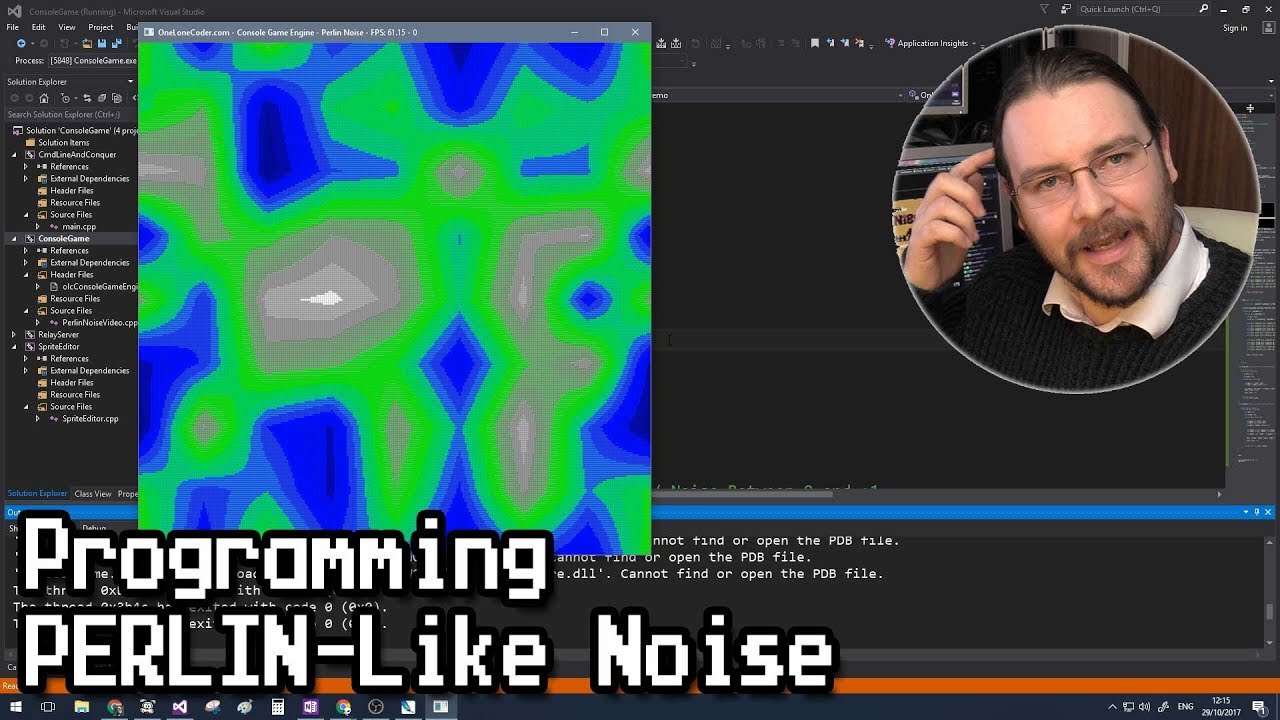
NOTE! This is an approximation of Perlin Noise! :-S Noise is at the root of most procedurally generated content. However, just choosing random numbers alone ...
Not true perlin noise, but works well and is similar to simplex, he doesn't show 3d , but he goes from 1d to 2d by by only small changes to the code so the logic should be same from going 2d to 3d
@torpid compass
plush yew
@torpid compass https://github.com/devdad/SimplexNoise

GitHub
- This is a clean, fast, modern and free Perlin Simplex noise function.All Public Functions are BlueprintCallable so they can be used in every blueprint. From DevDad and Dedicated to you and Unreal...
Plugin then 😃
copper flicker
so.. my AI works fine only when placed manually in the scene
if I spawn it via spawn actor, it doesn't have any gravity.. [char movement..], and no navigation
but char movement is active
any idea why?
 shy silo
dont know where to ask this, but is there something like Blender's array modifier for unreal where I can place something, then repeat it at a specific interval?
 grim ore
nothing in the editor that i know of. You can make an editor utility widget to do it, or you can of course do something like that in Blueprints with loops
@copper flicker for the AI Controller on a Pawn you have the option of "how" it is possessed in the settings. Placed in Scene, Spawned, or Both. Make sure yours is set to both.
also there is a special Spawn AI node for spawning in AI
copper flicker
ohhhhhhhhhhh
this sounds like it.. let's see
thank you!! that was it 😄
@grim ore 🍻
grim ore
yay
 inland kettle
Hello everybody, I am trying to flip (mirror) a mesh at runtime. To do so i set the scale of the corresponding axis to -1. Unfortunately the normals are reversed, too. That was not the plan. 😃 Doas somebody has any idea?
grim ore
set the material to 2 sided? if not...
inland kettle
I would like to spare that.
grim ore
if this is in the scene you can try right clicking the mesh, transform, mirror but I think it does the same thing
and yeah won't work at runtime soo.. nope 😦
plush yew
setting the scale to -1 will invert all polygns, which will turn the faces inside out and invert textures, so 2 sided material OR I woudl say model already inverted layer of polygons behingd outward facing polygons
Might be tedious
inland kettle
yeah. i think i go for the 2sided method
i need the +1 scale & teh -1 scale so for now 2sided ist the best way i think
thank you
 dawn gull
Does it cost anything to put your game on gog?
 digital anchor
 proper crane
I can't really find a setting to lock rotation or something to keep him from falling over like that (I posted the video cause it's funny to me)
grim ore
so what is the thing that is falling over? a pawn or a character
proper crane
pawn
grim ore
what are you using for collision on it?
proper crane
capsule
grim ore
well under physics -> constraints are the locks
 compact girder
I am trying to ponder what would be a good state name for "walking backwards" x.x
proper crane
That in bp?
compact girder
WalkingBack? Backstepping? Backpedalling???
proper crane
Backstepping seems standard, and why does it matter? Something You'll remember
compact girder
Alright, guess I'll go with backstepping. My team will have to remember it too
grim ore
WalkForward / WalkBackwards 😃
grim ore
MoveForward / Move Backward if it covers running and walking for example
compact girder
I have running for a different state, as pressing the running button causes the character to orient towards the velocity
proper crane
Ah, constraints was opened with an arrow so tiny that You wouldn't be able to see it if it was zoomed in on a Samsung phone
compact girder
But holding the back button also allows for dodging with the A/D keys
State machines are discombobulating sometimes 🙃
proper crane
"By the laws of perpetual motion"
https://cdn.discordapp.com/attachments/596925797223104522/598226979250110466/2019-07-09_15-59-38.mp4
 next cloak
sup guys
is there a way to change a local variable to be a field?
cant copy paste
cant move
remaking is tedious
 normal burrow
i'm curious of this too. don't know the answer but can be painful
i usually collapse graph on the nodes with many connections coming off them , insert a reroute, uncolapse
but would be better if one could upgrade a local. agreed.
 bitter iris
has anyone here tampered with Frustum culling
wary wave
Why would you want to?
bitter iris
I saw it on a ue4 training video
it seems very interesting and wondering how I could visualise it
wary wave
There's a freeze rendering console command you can use to visualise it
plush yew
@compact girder Call it moonwalking
plush yew
😛
I call my parent calsses Grandpappy cause they often have atleast one child class with a child class of its own
we don't always gottta follow convention, sometimes just make things up heh
compact girder
I do at work :/
plush yew
😦
compact girder
Though it is still fun to call something SK_MiddleFingerToNature as long as I change the final one
plush yew
Do it
I actually have some work to do but I've had pneumonia last 2-3 days, wanna get back to it though but I can't really think straight yet either
compact girder
Oh gee, get some rest and drink plenty of warm water!
plush yew
Got alot of vanilla milkshake, takes aways that awful taste of sickness you know, maybe I should drink so many milkshakes though haha
proper crane
Any tutorial on AI that doesn't use the 3rd person template?
plush yew
@radiant haven maby the Weight map its not set properly
plush yew
@proper crane What issues are you having regarding AI?
proper crane
Tutorials all say to "use the movement blueprint from last time", but I nowhere in the previous tutorials do I see them make one. And it's clear I need one to get it to move
grim ore
which tutorial?
proper crane
It's not just a certain one, it's every single one I've gone through
plush yew
No, tell me what you are actually wanting dto do with the AI, forget about tutorials for now, what is your goal @proper crane
proper crane
Get it to move to a point on its own. Follow a player would be a start
grim ore
are you sure they don't mean movement component?
proper crane
I don't think so, they show a blueprint, but never zoom in enough to see the components on video
plush yew
I would say, set up a Behaviour Tree and prepare a blackboard, lets move this to #gameplay-ai and I can guide you with example images from my laptop
proper crane
Aight
grim ore
I will say tho first person or third person for the AI really should not matter. I assume you wanted an AI setup without using any template character
 severe ibex
This is a big ask I think but do you think it’s possible to create an app that’s just a front for a company with the option to input a projects name and or password and a whole “game” could download to the device? Or I presume that would be a grey area for the AppStore/Playstore as I guess they couldn’t check what downloadable content would be available?
In short, a company app that just acts as a portal to download and run projects the company produces without the need to create a new app every project.
wary wave
you're literally describing a launcher
severe ibex
I literally have no idea haha
wary wave
well, kind of, you'd still need a new application for every project
that's unavoidable
severe ibex
So a launcher “app” is out of the question?
severe ibex
I guess though... thinking about it, clients would rather have their own app and not piggyback off a central app
I’m thinking purely for the company I work for, they could have their app any client could download and then use a password or whatever to gain access to their project. But I’m starting to see the redundant nature there.
However it might be useful for company devices and not clients.
grim ore
for company devices you can use ad hoc and internal apps in the Play Store so no issues there making a launcher, IOS does not appreciate that even for adhoc and business accounts
@plush yew are you sure your crosshair is in the center?
I am betting you are drawing your crosshair image from the top left
severe ibex
Typical Apple. I’ll be using Android anyway as it’s way easier to test on, and any internal app could just be installed from UE4. It might be worthwhile, a good way to carry an interactive portfolio around without having to be constantly updated by me.
grim ore
how are you doing your shooting now?
plush yew
ProjectileMovement
grim ore
but you want it to hit the middle of the screen? but you also want it to have gravity and physics?
grim ore
I dont know if you can have both, your range to target will determine where the projectile hits just simply due to gravity
100 meters and 1000 meters for the same projectile will not have the same impact point
severe ibex
As in hit the centre, not off to one side but with gravity? I think MathewW is right, your cursor looks off.
plush yew
like Pubg and BF
grim ore
well the crosshair looks off but he is ignoring that so we move on
if you aim your projectile forward from the center of your viewport and launch it you should get your forward projectile going to the center. it will of course go down over time if you have physics applied to it
severe ibex
Ooooor the line trace is coming from an angle and not the centre of the player? So the bullets are shooting from right to left?
grim ore
if you expect something to hit square center at any distance you have to use a really fast projectile or line trace hit
that is possible to, we dont know if you are spawning your projectile from the center of the viewport, the center of the player, the end of the rifle, etc.
plush yew
Damn
severe ibex
Fixed?
severe ibex
Is that because it’s wrong or are you compensating for the error? I am guessing your cursor wants to be drawn from the centre and also the line trace from the centre of the player?
However trust @grim ore as he knows WAY more than me.
Tbh almost anyone here does.
plush yew
i am using ProjectileMovement not line trace
severe ibex
Then it’s beyond me.
plush yew
but the bullet hiting off the cross
grim ore
projectile movement just makes something go someway based on the settings when you spawn it
if your some way is forward, probably +X only, then you need to figure out 1) where is it spawning from and is that correct and 2) how do you know it's not going to the correct spot
for #2 you need to make sure your crosshair is actually centered
plush yew
how survival games do that physics ?
grim ore
different ones do it different ways
you can do line traces over time, you can do an arc based on the projectile, you can do real physics
every "weapon" will be different based on what you want to happen
severe ibex
If only someone did a neat YouTube series covering these things...
plush yew
yeah
grim ore
I see a couple different videos covering physics projectiles
grim ore
ok if the cross is centered, what is the code for the spawning the projectile look like
grim ore
and when you spawn it in, what is the transform you give it to spawn at
plush yew
Muzzel
grim ore
well your muzzle is not centered or rotated straight i would assume
plush yew
what if my gun is not pointing at the center ?
grim ore
well if your cross hair is in the center why would you not "fire" to the center? if your goal is to fire where the weapon is including sway then you need to move your crosshair based on that
severe ibex
Ironically using a line trace.
grim ore
with the crosshair you are telling the player they will be firing to that location when they pull the trigger regardless of where the weapon is pointing
so move the transform for firing your weapon to the center of the viewport/camera and it will fire forward and straight
plush yew
when spawning i use the forward vector ?
grim ore
so do that, or remove the crosshair and it lands where it lands, or move the crosshair so it is more accurate including weapon sway, or uh
you can get the forward vector of the camera if that is the direction you want it to go in yes
you can always make a new projectile spawn point in front of your character, just a scene component, that you can use for firing your projectile from
severe ibex
General question on the topic, now that I’m interested, but to do something like this, presumably with random accuracy you’d just input a random float to induce a different angle or position?
grim ore
depends on how much variance you want. you can alter the starting angle for example and you would get a much wider hit pattern the farther out you go
you can alter the ending point and it would give a more controlled pattern at the hit location regardless of distance
severe ibex
That’s cool, just thinking a little. And I assume the way guns in TF2 worked were predictable? Not truly random? I remember seeing videos on how they always kick one way and then the other.
But anyway, off topic. Many thanks for the input and I hope @plush yew gets it working.
grim ore
for something like that you could have a curve or a data table with offsets that are pre programmed, or you can use a random with a seed so the "random" is repeatable
plush yew
i have removed the Cross
severe ibex
Sounds about right. Many thanks again.
 hardy flume
Hey guys, I was wondering why my unreal kept crashing, anytime I move a model in Dungeon Architect or press play, the game crashes and this shows as my crash report

Pastebin
grim ore
I see alot of possible issues. There are a few reported missing files and scenes, it has issues connecting to the P4 server, and then it gets a quit command and shuts down
 bitter edge
Does anyone know how to make audio timing in Sequencer more accurate? Right now my audio slowly desyncs over a span of a minute with events in sequencer. Everything runs great on my PC but when deployed on mobile hardware there's a noticeable delay over time even when running at a locked frame rate.
hardy flume
@gilded eagle thanks I'll try it out
plush yew
@grim ore Still up?
grim ore
nope I am playing FFXIV so I am definitely not up
plush yew
😂
grim ore
and trying to talk a noob thru a new 3d printer setup over hangouts soo.... I will never be going to bed tonight
plush yew
Shh, your'e sleeping
normal burrow
let him enjoy his game 😄
plush yew
I gotta go, almost finished helping allen, there is some minor issue I think he has forgotten to check some movemnt settings in his character, his ai' navmesh upadtes to teg target but character stads till, I have plenty of images guiding him an explaingin, if you have time that is, otehrwise, does anyone else have 10 mins to spare to help allens figure teh last part out
grim ore
apparently I forgot to eat dinner as well so I guess I am not doing that either lol
grim ore
I can try checking in, he seems sorta stuck lol
plush yew
Yeah I spent some time teaching him teh basics of how teh BT works and how to set eberything up so he came a long way for first day, I have learned that many tutorials don't explain well so I thought just explain it all as well as possible without adding too much for his first basic Ai
 faint ingot
Is it worth cheaper to use Distance fields for my ambient occlusion rather than the normal SSAO?
I'm using fully dynamic lighting
plush yew
@plush yew 2tb for what,unreal engine projects?
 karmic basalt
Anyone knows why I can't pull up the AI Debugger in 4.22?
I change the key, nothing. I enable it in Project Settings, nothing.
Can't get it to show.
karmic basalt
Anyone successfully used the debugger?
 meager tinsel
Any know how to save BP logs out to a file? I've tried using -log LOG=filename.txt to no success
 still moth
hey, i have a question
does field of view actually change the angle of images you pick up, or does it basically just compress what is on screen?
like will a high field of view show you more angled to the left and right, or just a wider straight forward shot
 sonic ruin
May anyone help me on how I can create a tessellated plane for UE4? In 3DS Max or blender?
 oblique sorrel
I'm looking for a tutorial about making an AI for a racing game. Anything comes to mind?
proper crane

This episode carries on from our previous one and we improve the enemy AI so that it will chase the player more accurately. Watch the next episode where we b...
This out of date? It doesn't really seem to work
grim ore
It looks current and nothing in there seems to be broken
proper crane
Would it be necessary to use third person example for it? Cuz it's not working for my blueprint
grim ore
no it's not needed to use the third person example for it, you just adjust things as needed like casts
proper crane
casts?
grim ore
Cast to First Person Character, Cast to Third Person Character, Cast to My Blueprint, etc.
proper crane
It never really asked for that
grim ore
I never said it did
There is nothing really special in this one beyond making the movement make stops instead of always following
by special I mean nothing out of the ordinary, the code in that video should work fine in any template on any setup using behavior trees
proper crane
I've tried it
I'm not sure if anything's necessary in the blueprint's event graph, but he didn't really change anything there and it's only player input stuff
 autumn elbow
Ello Elloo... Is there a shortcut to show and hide the Content Browser???
grim ore
all the video does is change the simple follow player code into move to players location every so often so it looks like you are following them
if it doesnt work then it's something in your code
proper crane
I've looked through a few times, I can't really find the issue
grim ore
Do you know how tasks services and decorators work and what they are for in a behavior tree? Can you debug your existing tree to see why it's not working?
If the answer is no to these then you need to go back to the basic documentation and learn the basics. Behavior trees are not a zero level concept
 hasty bough
anyone know if the new RTX's with NVlink will work in unreal engine supporting both cards?
grim ore
You want to make a more advanced ai,. Simply copying stuff from the internet to piece it together is going to end up like this with non working stuff randomly stuffed in places.
proper crane
probably much like a turducken
grim ore
It looks like it does not @hasty bough https://forums.unrealengine.com/development-discussion/rendering/1597917-rtx-6000-sli-slow-down-the-performance
autumn elbow
Shortcut for Content Browser, anyone? 😃
grim ore
If there was it would be under shortcuts in the editor preferences
proper crane
Well, now I'm at a loss. The documentation tells Me to do exactly as I've already been instructed to do
grim ore
Nice
autumn elbow
How do I get an Interface to show up when inherited ?
hasty bough
@grim ore thank you for that. kinda sucks instant double perofrmance potential and its not at the top of the list
grim ore
Well it's never double and it's possible for it to work in packaged products with some work. It's not really in epics hands they do support afr in the engine itself.
@autumn elbow show up where? In the functions list? If so only functions show up there, events have to be added like any other event.
autumn elbow
I'll make a little clip.. 1 sec
grim ore
And did you compile it after adding the interface.
grim ore
Ohh.. huh. I dunno if it will work if it's not in the parent, I never tried it
That's a really good issue there lol
autumn elbow
😄
Lemme restart the engine.. 4.22 seems to need alot of restarting.. in my experience
grim ore
It obviously knows it's supposed to be there because there's a whole section for inherited interfaces LOL
autumn elbow
Yea
grim ore
Now I'm curious if a function blueprint interface where it shows up in the list on the left would show up in the child class
There is the check box to show inherited items. I'm not at the PC so I can't even try and the internet has apparently never had this issue lol
autumn elbow
restarting didnt help
you know what... I'm an idiot LOL
I'm in the Construction Script, Not the Event Graph
LOL
somehow the tabs swapped places
Now it shows up.
grim ore
Ok that's funny
And answer the other question inherited functions won't show up. I found an answer hub post from 2016 asking for it and then an answer dated 2019 saying it's still not implemented LOL
autumn elbow
so if there is a function in the parent class, it won't be in the child? Thats odd
lemme try
grim ore
In the list on the left
There is a toggle for show inherited variables but none for inherited functions apparently.
autumn elbow
it shows up
grim ore
Man the internet lied to me lol
autumn elbow
first time for everything
plush yew
why am i getting this error https://i.gyazo.com/ae1cec8b4cdcf5af95805744377f2b07.png

I have this working vehicle system
and out of no ware this error appered
autumn elbow
Function Inherit
plush yew
when ever i walk up to the car i see the press e widget pop up and i press e and my charcter pawn disapers and i turn into a invisible character and i get that errror for some reason i cant enter the car like normal
autumn elbow
None mean whatever you passed in to whatever function was Null. Make sure what you're passing in exists at that moment.
Before fiddling with anything, try a engine restart.
autumn elbow
Check your BP_IMV... or just before it. Make sure things are Valid
If you don't already, Add some isValid checks.
and Print on isValid Fail pin.
plush yew
ok
autumn elbow
It's good practice to add isValid when passing objects around. Bullshit always happens LoL
plush yew
XD roger will do that
grim ore
@autumn elbow what I meant is the list on the left doesn't show that function in the child
grim ore
Yep. Most people barely know override is there and just see the blank list
autumn elbow
gotcha
grim ore
And there's no simple show inherited functions option live variables. Super weird it never got put in
autumn elbow
i think if people understand inheritance, they will know its there. 😃
but yea, would be nice if they made something like the Interface (inherited)
but then again... there could be hundreds of inherited functions. To populate them in the list will be very messy
grim ore
Well no more messy than the parent class in theory but yep I've seen some really full variable lists.
plush yew
Ok so i tried chaning get player pawn to get player controller
but still nothing i dont get how this isnt working somone please help
autumn elbow
you have a cast to node ... put a print on the failed and see if the cast failed is triggered
autumn elbow
is there a way to convert scene component to primitive component
I would like to loop over the snap points and turn Generate Overlapping Event on
 mossy nymph
if component is a PrimitiveComponent, but you only have a SceneComponent reference, a Cast would do
if its not, you're out of luck
autumn elbow
I had to manually make an array
 timber glen
Hey guys, is there a Content Examples project with this:
How-To use Blueprints and Render Targets to create realtime fluid surface Actor.
?
can't manage to find it, since i copying the steps shown here gives me nothing
autumn elbow
@timber glen https://www.youtube.com/watch?v=pX82z77TZc4
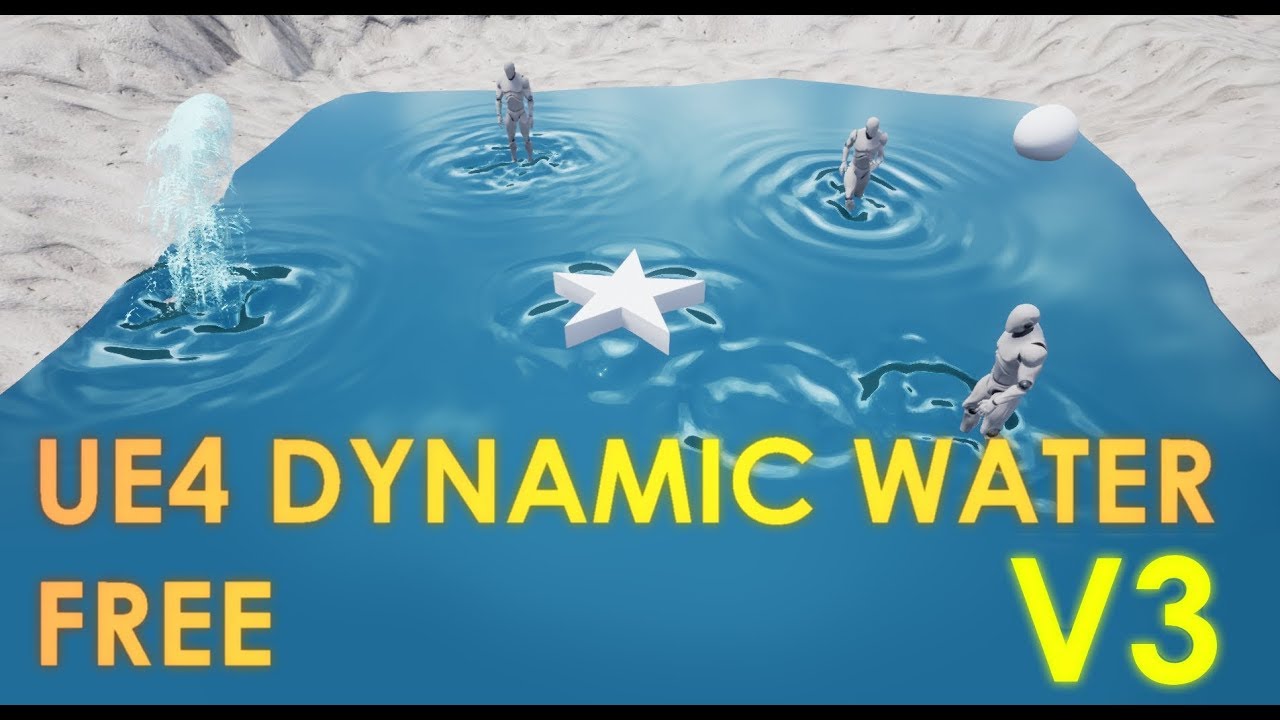
because of many donation requests...if you wanna support my work check the video description at the very bottom ^^' This time I am presenting Unreal En...
cloud cobalt
It's in the content examples project
autumn elbow
Ugh... i didn't know the sender and the receiver for overlap events had to be active for it to work 😐
cloud cobalt
@timber glen Should be the "BlueprintRenderToTarget" example map in ContentExamples
 autumn elbow
if i have a cube with Generate Overlap Events ON and another with it OFF... Then neither will Generate Overlap Events
Isn't that odd?
If both are ON then it will work. If one is OFF, neither runs
cloud cobalt
@autumn elbow Answer is here : https://docs.unrealengine.com/en-US/Engine/Physics/Collision/Overview/index.html
An overview of how Collision and Collision Responses operate in Unreal Engine 4.
plush yew
❗️My grass disappears on a distance. Can anyone help me with this. Cull distance in the instance setting doesn't work ❗️
 astral marsh
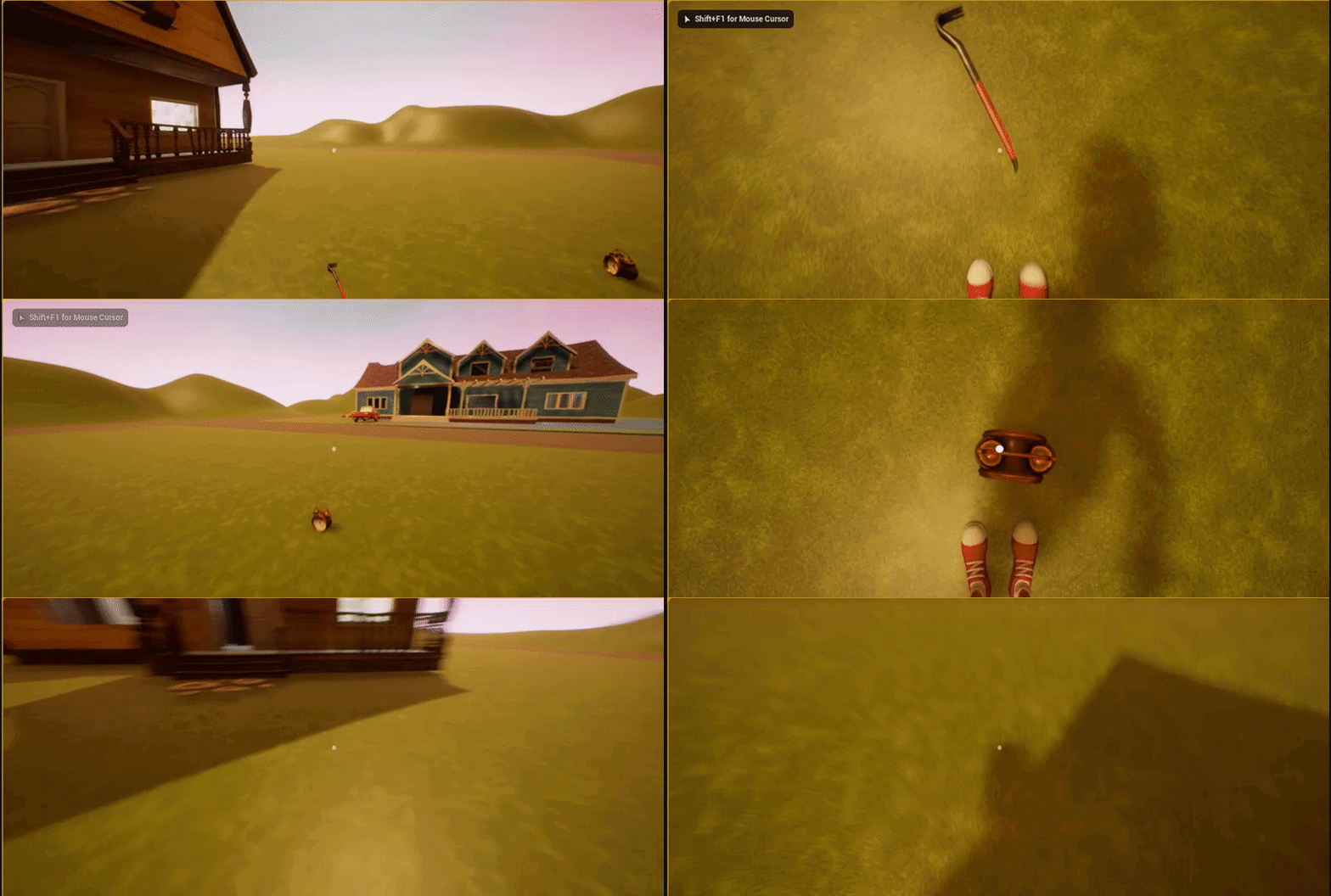
so i've made a object so if i go near it my player camera starts shaking very weirdly can anyone pls help?
wary wave
you're going to need to be more specific
astral marsh
lemme send up a gif
wary wave
alrighty
 astral marsh
but won't it make it overlap through it?
 sudden agate
yes
astral marsh
i dont want it to overlap
sudden agate
you can make the collision bigger so your pawn can walk on it properly
which is retarded but its your game
astral marsh
i don't have any collision box
sudden agate
make one
astral marsh
then?
wary wave
I have an oddity with Box Collision
it seems that if you set the extent, and then set the relative location, the location isn't updated as I would expect?
the origin of the box does seem to shift
but the box itself stays exactly where it was
is this expected behaviour?
 frank iron
Could anyone help me on fixing timers? It gets stuck when it reaches halfway. All the code checks out. I'm confused
wary wave
timers don't get stuck
but if you have faulty code, you need to show it
otherwise all anyone can do is speculate
 strong fossil
hey guys im having a issue i have tried most of the tutorials i could find but i got a destructible mesh and when i shoot it with my projectile it doesn't break it but when i walk into it its fine it breaks
frank iron
@wary wave https://blueprintue.com/blueprint/-uxtne0l/
BlueprintUE
wary wave
you're doing nothing to prevent SetTimer being called multiple times before it has completed
that's probably your problem
strong fossil
found the issue
frank iron
@wary wave what do you mean?
wary wave
you're not doing anything to stop another overlap event trigger the timer again
if you call set timer again before it finishes, it will reset
 regal mulch
Yop, use the returnValue of the SetTimer node
Save it to a variable
And check with that if the Timer is already active
If yes, don't start it
frank iron
@wary wave is that why it gets stuck after ticking half way? Cause when I first pick it up it ticks to 4 and gets stuck
 blissful trail
is it possible to create an account system in ue4
blissful trail
yeah im assuming a sql database would work fine ?
cloud cobalt
You'd need a server somewhere that has a database and takes client requests etc
Also people hate accounts tbh
You'd better try to use account functionality of the platform
 radiant haven
How to make a mesh bright without using any spot lights or smth and no textures
cloud cobalt
Emissive
sudden agate
make the material unlit
 empty condor
Is there any information anywhere on the best way to build UE4 from source? I'm building according to the instructions on the repo and it's taking forever when I build from scratch.
cloud cobalt
Compiling about a few dozen million lines of C++ is slow, news at 11 😃
empty condor
I was watching an AwesomeAllar stream yesterday and he was saying he can compile it in 15 minutes. I guess I assumed he meant "from scratch"
takes me 90 minutes and I have 32 hardware CPU threads and 192GB of RAM
cloud cobalt
15 minutes is unlikely
On a fast SSD with a fast CPU, it should be about 40min IIRC
manic pawn
I'm expecting 15 minute or less build time with the new 3900x when it finally arrives
cloud cobalt
Also depends a lot on the target build
empty condor
yeah Allar had a threadripper I think.
empty condor
I'm doing Development Editor
empty condor
Once I finally get the licensee stuff sorted out I'll need to be building from source because I keep finding a ton of bugs in Datasmith
contracts & lawyers and stuff takes forever
I don't work on games, but enterprise apps with Unreal
manic pawn
yeah 15 mins for the editor
empty condor
15 minutes.... that seems impossible to me at this moment
manic pawn
packaged game is usually somewhere at 5 minutes
empty condor
so I'm on an SSD, with dual 8-core 16-thread Xeon CPUs, 192GB of RAM and it takes me 90 minutes. What am I doing wrong?
either my CPUs are just THAT BAD at compiling or there's something wrong.
IDK which
cloud cobalt
Xeons aren't great yeah
RAM size is irrelevant, a tenth would be enough
Latest Visual is also a bit faster
empty condor
I am pretty sure the hardware we buy isn't available with i7 CPUs at all - only Xeon, at least the desktop hardware. And of course being a corporation we're not allowed to customize the PCs at all with aftermarket parts, even if they are from the appropriate hardware vendor.
blissful trail
is there a way to improve this code ? (its meant to be a in game currency)
wary wave
I'm sat on a stock i7 and my compile times aren't much more than 20 minutes
aren't you folks using incredibuild or anything?
 dim plover
I'm on a i5 6600k at 3.6Ghz, and I'm at ~45 minutes. You guys' times are unbelievable. 😦
wary wave
if you have it set up properly with the correct license you can use all your cores + distributed compiling
locally here we were getting 30+ cores on compile
empty condor
I don't think I have an incredibuild license. I might, though.
I have 32 hardware threads on this PC, and the compile should be using those, I'm assuming.
I'll have to check that
it's not installed, and I don't have a license anyway. MSBuild is capable of using multiple cores, and I've been assuming that this has been turned on. I'll check that in a minute.
empty condor
MSBuild is what Visual Studio uses, I think.
you can use it outside of visual studio as well. it understands .sln files, I know that.
cloud cobalt
Yes, but I'm pretyt sure UE4 specifically doesn't use it
It uses UBT instead, which then goes on to call the MSVC compiler instances directly
Unless I'm mistaken
For instance, the core count available to compiling is available in a UBT setting
 civic marsh
bonjour ya t'il un staff français ?
empty condor
UBT builds the sln file. I can see the UE4 c++ project uses Engine\Build\BatchFiles\Build.bat to compile, and that definitely uses msbuild.
oops I'm wrong.
one sec while I dig through this
regal mulch
@civic marsh Please stick to English on the Server (:
civic marsh
okay :p
 serene birch
debug apps tend to have a LOT of symbols that take very long to pack in a PDB file
civic marsh
hello are you a staff who speaks french?
serene birch
production release apps tend to do link time optimization that just is slow and eats RAM like mad 😛
regal mulch
@civic marsh No, I'm from Germany and I'm not sure if we have staff that is from France.
Why are you asking?
 ruby robin
Guys, does anybody know, how to set replay spectator class?
If I set it in gamemode, it works in editor, but not in build
empty condor
OK, MSBuild spawns UnrealBuildTool.exe and msbuild ue4.sln /p:configuration="Development Editor" /p:platform=Win64 /m runs a parallel build, so presumably it can spawn UnrealBuildTool in parallel to speed this up. When it's done I'll know if it went any faster.
cloud cobalt
Looks like a rendering crash, make sure your video drivers are up to date
civic marsh
how do we look at his
cloud cobalt
Get on your GPU vendor's website and download the drivers, I guess
civic marsh
ok thanks i would look at his ta their
blissful trail
does anyone have experience with the varest plugin ?
 young stratus
Yo
empty condor
Rockman, what's up
young stratus

Landscape disappeared
Tried LOD settings, restarting etc nothing helps
Anyone please?
torpid compass
reimport the texure
 lusty carbon
Hello
Is there a way to include debug lines in the packaged game? (by default shipping mode excludes all debugging stuff)
cloud cobalt
Obvious question is, are you sure you want this ? The performance is horrible, it looks horrible, it's purely a developer tool
cloud cobalt
If it's in the game it really really should be anything but a debug line
Like I said, it looks and performs like shit
lusty carbon
Do you know how I can substitute it with a mesh?
I'll have to create all its logic and stuff from scratch
cloud cobalt
Depends on what you need exactly, could be a mesh, spline, or HUD
HUD class has a "draw line" too
Though it's a 2D overlay
lusty carbon
I want it a mesh
young stratus
@torpid compass thanks mate
torpid compass
np
cloud cobalt
@lusty carbon Make a dumb cylinder with 8 faces and a solid color material, with origin at one end, set its location at the start of the debug line, set rotation using the (end - start) direction, set scale as (end - start) length / lengths of mesh
And you're done
lusty carbon
What about attaching it to my motion controller to follow its orientation?
cloud cobalt
Whatever you are doing right now with debug line can be easily done with a mesh
lusty carbon
alright thanks
plush yew
@autumn elbow https://gyazo.com/c96c6716e39a65d278a063040dff67f4 done
regal mulch
@lusty carbon Easiest way is to make a mesh, yes. For example a simple Cylinder that is oriented to X when exporting
And then making sure it's exactly 100 units or so long
Then you can easily math out the scale. You trace from the controller where the mesh is forward and when you hit you check how long the distance between start and hit is.
e.g. 1400 Units. If your mesh is 100 units long, you could now see that would be 14* the scale on X.
And the math behind that would be "Distance / 100".
then place a simple sphere mesh a small one where the hit occured and you would have a pointer for your vr controller
plush yew
can i fix input lag when i using vsync? when i cap fps to monitor frequency, i have no input lag
civic marsh
@regal mulch
regal mulch
Yes?
cloud cobalt
Did you update the video drivers
 old nacelle
anyone wanna team up for a hobby project?
I am a prorgammer, but bad at level design etc.
civic marsh
I do not know how to do
@cloud cobalt
I am French and have trouble speaking English sorry
regal mulch

 cloud cobalt
@old nacelle #looking-for-talent , but generally you won't recruit here - create your project, get to the point there's something to show, show it on social media / UE forums
@civic marsh If you can't install video drivers for your machine you'll have a hard time developing UE games :/
 gleaming narwhal
Unreal Engine Forums
PREVIEW!
Preview 1 of the upcoming 4.23 release is available now on the Launcher and GitHub. We are making this Preview available so that our developer community
regal mulch
Oh no.
lusty carbon
Can anyone explain this master - HEAD thing? (SourceTree) right now I'm working on the version that says HEAD in pink. I have modified it and want to commit a new version of it without breaking shit up. thanks!
regal mulch
@gleaming narwhal Shared it.
 rapid geode
where's the July marketplace free stuff?
 thorn vector
they already out @rapid geode
rapid geode
yeah but why arent they on #unreal-news
thorn vector
idk
cloud cobalt
@lusty carbon Head = current commit
master = latest commit for a branch
You should stash, checkout master, and apply the stash.
Sourcetree should have warned you about "detached HEAD state" before you had this state
regal mulch
💥 (no idea, just joking)
lusty carbon
lol
regal mulch
Also, #source-control is a thing in case you need more help in the future
rapid geode
@regal mulch can you put this on #unreal-news https://www.unrealengine.com/en-US/blog/featured-free-marketplace-content---july-2019?
or is it too late at this point

Unreal Engine
Bolster your projects with this month’s free Marketplace content. Add explosions, start building with environment sets, or create a first-person story adventure!
cloud cobalt
@lusty carbon You would be committing outside of a branch
Since you aren't on any
You won't be able to push the commit
And moving to master will render your new commit invisible
regal mulch
@rapid geode We might have not seen it, not sure if it's too late, I'll forward it
cloud cobalt
It's a simple problem - you are not on a branch.
rapid geode
ok thx
lusty carbon
IDK what that even means
lusty carbon
So I've unstaged them files. I click Stash and this message pops
cloud cobalt
Stop and let me explain
You have a few options :
- save your changes, checkout the branch, and apply the saved changes
- create a new branch, commit your changes, switch to master, merge your new branch into master
- create a new branch, commit your changes, rebase it on top of master, switch to master, merge the new branch into master
The entire point is that you need to be on a branch
 fervent compass
Hi
cloud cobalt
Right now, you are on a detached commit that is not the latest commit of any branch
fervent compass
Impossible to run unreal smoothly in a 3 gb ram pc?
cloud cobalt
@lusty carbon So the simplest way is to stash like you're doing - just set a stash name and confirm - which will save remove all your local changes, allowing you to actually go to a branch.
lusty carbon
Stranger, It's all nice and clear when you say it, but I can't translate that knowledge into practice. I am also too scared to touch anything after last time.
cloud cobalt
You can then apply the stash to get your changes back
lusty carbon
to stash the files, do they need to be staged or not?
regal mulch
The second option sounds fairly straight forward to me, given you have teh "Branch" button at the top etc.
cloud cobalt
@lusty carbon They don't
Stash means "discard every single change from the computer and save them"
Meaning, you will actually destroy your changes
Except they'll be saved, and you'll be able to re-apply them after you have moved to a branch
Since you have frequent issues here I very highly recommend a Git tutorial because Git is largely the most powerful tool of its kind, and you have to learn its ways
cloud cobalt
Checkout master, apply the stash, resolve potential conflicts
If you modified the same files in the commit you don't currently have and in your local changes, you'll have to decide what to keep
aka "you're fucked" - which is why Git specifically hates what you did here
(and warned you about it)
lusty carbon
did what?
cloud cobalt
You checked out a commit outside of a branch
Sourcetree specifically warns you about it
cloud cobalt
That's normal
old nacelle
@lusty carbon just go through a tutorial
lusty carbon
cloud cobalt
Now just find your stash in the UI and apply it
Left pane, stashes
And if you don't have any conflict you can commit and be done with it
old nacelle
Do you push assets into the repo as well?
old nacelle
Could lead to problems with big files btw.
lusty carbon
aaaaand my files are a mess again.
cloud cobalt
Yes, you have conflicts
lusty carbon
cloud cobalt
You modified the same files on the branch, and in your local state
So now your best bet is to remove the conflicting changes (discard them) and re-create them
old nacelle
just don't push binary files into the repo, just the code and stuff you can easily merge (if you are working alone, don't know how big studios do it).
cloud cobalt
Do push the binaries
old nacelle
there is a size limit
lusty carbon
Stranger can you walk me through this?
old nacelle
not a good idea
old nacelle
there is with big files
cloud cobalt
Git does not have a size limit
Your current Git hosting service might
@lusty carbon I can't really tell you more than discard the changes on conflicting files
You have to pick which version you want now
Right click and pick "resolve using theirs"
cloud cobalt
That's not a Git problem, that's a Bitbucket problem, don't use that
"not pushing binaries" is a stupid idea
old nacelle
which means if you push a couple of maps and textures you are going to hit the limit sooner than necessary.
cloud cobalt
@lusty carbon You have two parallel realities now and you have to pick one
old nacelle
but if he uses sourcetree, I bet he uses bitbucket too
cloud cobalt
@old nacelle These things are completely, horribly unrelated
old nacelle
no
cloud cobalt
Yes, they are
I used Sourcetree with GitHub and Gitlab, for example, before moving to something else
lusty carbon
Jesus DaOnlyOwner please let me finish this and then come back and prove your point
I need the man's help
cloud cobalt
@lusty carbon Okay, so this is even easier
Did your local state before the stash work ?
old nacelle
okay @lusty carbon
cloud cobalt
Was it okay ?
lusty carbon
yes
cloud cobalt
You're going to need losing one of your states here, either that one, or the one called "FPS version"
Sure you want to lose the FPS one ?
serene birch
We have expanded and improved Blueprint Diffing!
maybe we'll have Map diffing in 2050 too 😃
lusty carbon
Yes I can lose FPS one
serene birch
in the mean time, don't fork work on binary assets
lusty carbon
yes
cloud cobalt
Now we're going to reset master to the commit that your work was initially based on
lusty carbon
ok
cloud cobalt
The one that has 467xxx as a hash
Should be the one just before the current "FPS" thing
Is that right ?
cloud cobalt
So right click hit, pick "reset, hard"
Make sure you have no local change, and apply your stash again
this is a destructive operation
"reset hard" basically wipes the tree after that commit
lusty carbon
done
cloud cobalt
What does it look like now
lusty carbon
cloud cobalt
Now apply your stash and commit
And you're done
You've also obliterated your "FPS" commit, as you can see
 hoary silo
does anyone know how to use the new Chaos Destruction system?
cloud cobalt
It's been available for minutes 😄
hoary silo
I know
cloud cobalt
So probably not many people
hoary silo
true
serene birch
To enable and use the Chaos Solver, you'll have to download and compile 4.23 Preview from Github.
lusty carbon
@cloud cobalt Thanks a bunch!
I'll try not to bother you with my poor git issues any more.
You've been very helpful
@old nacelle You can come back and argue now.
old nacelle
@lusty carbon ah well, just wanna ask you, do you use github, bitbucket or something else?
old nacelle
so only git and no remote ?
cloud cobalt
Np
 errant ice
UE 4.23 preview 1 Virtual Texturing !! It's happening
hoary silo
What's virtual texturing?
grim ore
if you are using the launcher version you can't fracture stuff, it says so in the notes. That fix was not put into the launcher version for preview 1
grim ore
download it and compile it from https://github.com/EpicGames/
young stratus
Now its just got worse http://prntscr.com/od72et

 grave nebula
Virtual texturing is amazing. Suddenly, all your textures turn from real, physical ones, to virtual and you can fire those pesky texture artists and forget about em. Looking forward to virtual modelling and virtual animation.
hoary silo
ah i see
young stratus
Im only trying to paint cracks over asphalt and it destroys the mesh
Im starting to hate
this thing

Nothing unusual here right?
grim ore
you are using displacement
young stratus
No
Wrong guess mate
Even it was I need it
If*
I tried almost every option trust me
grim ore
then if you were does the mesh you are painting on have enough triangulation to support that
young stratus
Not sure what you mean exactly, its a landscape vertex based painting isnt it? it doesn rely on the amount of vertices to see the texture right?
Its the alpha that destroys everything

here, no DP
the same thing
perhaps its a limitation to direct painting
sudden agate
there is a texture sampler limit. you need to make the landscape textures use a shared sampler if you want to use more textures
young stratus
Except that I can still paint the same material on the other landscape components you see
What heck is going really
on*
plush yew
8 Materials max unless you set shared samples as @sudden agate said
plush yew
It can be issues on less, I think per tile it's less then 8 materials max if not using shared, don't wuote me on the exact number of materials per tile I haven't painted a landscape since early 2018
so I might be outdatred with my info
4 materials might be the max amount per tile then, maybe
young stratus
Google doesnt show much info on "shared" materials
plush yew
Let me find a docs link for you
didn't find a link, heres I show you where you set it though
 gentle moth
I came back to my projexct, first time from few months and my nav mesh doesnt work
I have navMesh bounds volume but AI can't move
plush yew
Ok in play press apostrophe
serene birch
Virtual Textures are enabled by default in 4.23
gentle moth
yeah i know
gentle moth
and after pressing 0 navmesh didnt show
plush yew
Hmm, what is not working, maybe brokjen connections?
 gentle moth
I can't even see the navmesh
plush yew
Did you activate teh nvmeshvisibility option in the AI debugger*, when I press ' I get teh overlay anv option 0 (navmesh visibility) is turned off some times for me and I need to press 0 to show
gentle moth
even with enabled navmesh using 0 key i can't see it
plush yew
Hmm ok, maybe something has broken
sudden agate
@young stratus unreal compiles different materials depending on how many layers you paint onto a component
plush yew
have you tried just deleting and replacing the navmesh bounds volume?
sudden agate
if you paint 32 layers onto a component, it will compile a material variant with 32 layers. if you only paint 8, it will compile a variant with only 8
young stratus
@plush yew Didn fix it((
young stratus
@sudden agate in other words?
sudden agate
use shared samplers
gentle moth
@plush yew Any other idea?
sudden agate
Are you on mobile? @young stratus
gentle moth
I also searched in google but I can't see anyone having problem like that
young stratus
@sudden agate PC
astral marsh
https://gyazo.com/8f56897af198248b651480cbc45c3d7e anyone knows why my camera is shaking randomly during gameplay?
plush yew
@gentle moth So you mean the navmesh isn't building or isn't showing?
gentle moth
I can't see it and it's not working
grim ore
@astral marsh no one responded to you the first time because I don't even think we can guess. We have no idea how your game is set up, no idea how your inputs work, no idea what it should look like compared to what it should not look like. Do you mean the little glitch near the end where it;s not smooth?
plush yew
Show your controller Or your animBP for more assitance I would say, you don't have to but is gonna be hard to help you otherwise
astral marsh
anyone free so i can screenshare?
young stratus
Okey now its actually did something,, but does this affect performance too much? or limits your creativity in some way?
Whats the difference between Wrap and Clamp?
plush yew
Not really, but I would say the issue is either in your controller regarding rotation or in the animbp
plush yew
No changes to it?
astral marsh
nope
grim ore
well I can guarantee you that is not the first person template lol, it does not have sprint
astral marsh
i implemented my own sprint
plush yew
Ok well you've changed it then, added to it, do you blend states in the animBP? maybe the issue is there
astral marsh
astral marsh
i mean i move randomly in map and all of sudden screen starts shaking and then stops and after few seconds it again shakes
i just dont want it to happen when i package this
grim ore
does it start shaking if you are doing nothing. just standing around for 5 minutes
astral marsh
lemme try
 merry gazelle
guys what do I need to do to make this CineCinemaActor a "shot" in sequencer?
clicking the camera previews the camera but not if I switch to the shot camera icon
plush yew
THe issue is cause by rotation in the gif it seemed like, how are you calculating this rotation?
@astral marsh
plush yew
@astral marsh
astral marsh
plush yew
This must be the issue, trying to visualize the problem in practice
young stratus
@plush yew Thanks dude, but is this how its done or is it more like a workaround?


 plush yew
@young stratus It's not a workaroudn, they added it in aroudn 4.7? I don't remember but they added ti becasue people had this issue all the time back then
young stratus
@plush yew ah really, okey thanks again
astral marsh
these were the shakes i was talking bout
grim ore
I would assume that is gimbal locking and the end results due to your rotation math going wonky
 urban meadow
is there a 4.22.4 update? have an update button but it doesn't work. and launcher is super laggy, seems borked
grim ore
@urban meadow do you have any plugins that need updating?
plush yew
extreme angles, ok I gotta ask when you are setting the rotation around the x axis to 360 when the rotation around the y axis is over 270?
urban meadow
@grim ore not that i can see, what's the easiest way to tell?
astral marsh
I didn't get you?
grim ore
Under the launcher version does it show plugins with an !
astral marsh
@plush yew
urban meadow
oh yes, one update
grim ore
you are rotating the X while checking the Y is his question
well setting the X rotation
grim ore
I don't know. your code says tho get the rotation of the pawn, if the Y is over 270 then set the X on your rotation value to 360
which seems odd
any reason you have to set the rotation in your anim bp?
astral marsh
i tried to do it on original BP it didnt seem to work too good so i found like animbp was fixing this control rotation
urban meadow
thanks @grim ore thought epic learned how to count past x.x.3, was excited for a second. launcher still laggy as shit though, has been for a while though
grim ore
yeah the showing an update and it being a plugin is a weird "issue" that seems to catch a few people. The launcher being laggy is uh.... the launcher 😦
astral marsh
also note that this rotation bug happens only when i "interact"
grim ore
#animation might be able to help more at this point as it seems tied to your animation setup
astral marsh
or when i click the key E
 viral fractal
unreal
tell me the secret
how can i run this engine on my pc ?
waiting since 17min, its not open yet
cloud cobalt
That's normal on a new engine version
grim ore
@merry gazelle I dont know if you fixed it but the shots track is for adding in other sequences, you should have a camera cuts track which is what will play back for that sequence and lets you change cameras in that one sequence for example
viral fractal
i have 100% load on my cpu and gpu without anything open
da hell, this seems unreal to me
couldnt resist the joke
grim ore
what % is the engine at when loading?
viral fractal
dunno, doesnt show anything
grim ore
you are opening the launcher or the engine/editor?
viral fractal
engine
cloud cobalt
Just wait.
merry gazelle
Thanks it worked 👌
grim ore
it should show a splash screen
cloud cobalt
Not at every phase.
grim ore
what does task manager show is using your 100% cpu?
grim ore
when you click on the editor and the little drop down to access more info below it, does it show anything else
like shader compiler
viral fractal
nothing
astral marsh
What's your PC Specs?
viral fractal
it worked 2 weeks ago, but the engien was super slow
AMD Threadripper 1950x, 64gb ddr4 3600ram, RTX 2080ti
astral marsh
Which OS?
viral fractal
Win 10 Pro 1809
astral marsh
I think its trying to use your internal graphics instead of RTX 2080ti
viral fractal
that cpu has no internal gpu
next cloak
sup, my fellow 8gig mem warrior
viral fractal
i even reinstalled the engine yesterday
next cloak
just had a bluescreen after changing in editor graphics settings 40sec ago 😄
viral fractal
still nothing
next cloak
need to download more ram
plush yew
@viral fractal Opening a project and it's freezing at the load window?
plush yew
Not even teh loading screen whereyou see how much has been loaded? Hmm do you get the unreal icon onyour toolbar, sometime it's invisible for me until I click the icon and the loadwindow just shows up
viral fractal
nothing
grim ore
this is when you click Launch from the editor correct?
viral fractal
also if i open it directly
grim ore
have you tried downloading a sample project and loading that directly
viral fractal
yes
grim ore
well that's a bummer. If there is no long and nothing showing up, nuke windows!
plush yew
Norton AV blocked my shaders form loading, causing issues when trying to start up, I've heard the same with Avast and AVG
viral fractal
no AV installed
 lunar palm
So after using the Landscape Editor, whenever I move the location of an object, it increases by 1000 instead of 100. For example, if you moved an object to the left or right and the Z Axis turned from 400 to 500, it would be from 400 to 1400. How can I fix this?
plush yew
do you have more the none enigne version installed, other version work fine? @viral fractal
@lunar palm Have you set the grid options to 1000 units? and lock to grid?
grim ore
well that's a nice small change in .23, the level selector in the viewport is now hidden in maps that only have 1 level. Kudos for that change 😃
viral fractal
lunar palm
How can I do that? @plush yew
 visual belfry
awesome \o/ I was having issues with that overlapping the HDR visualization graph
viral fractal
cant spot the UE here
grim ore
The UE is right in the middle
viral fractal
yes, but not active
plush yew
maybe cryengine and can't both run at teh same time, maybe your cpu gets overworked?
plush yew
Hmm I can't think of anything other then my suggestion for now, maybe corrupt install of the engine version
viral fractal
after 2 reinstalls ?
plush yew
maybe not then, but lets presume you have some process casuing issues with writing some files to disk, then it could happen again
viral fractal
hmmm
what could that be ?
there is not much running except windows, discord, CE, deezer and drivers
and steam
lunar palm
Nvm got it
astral marsh
i recreated everything on the other project and i seem to have no shakes in that
only in the project which i sent gifs
 primal prairie
whats the new engine version?
plush yew
@viral fractal I don't know, bug have you tried downlaoding a source version of the latest version and building the engine in VS instead of using the binary
I think 4.23.0 preview
@primal prairie
primal prairie
ah ok cool!
 rotund scroll
nope
you can't do that
without formatting
formatting is literally changing from mbr to gpt
 midnight bolt
Hello fellow Unrealers. I have 100 textures - how do I make 100 material instances out of them?
autumn elbow
@viral fractal uninstall everything (epic related), clear any registry items, delete any folders left behind. Restart your computer, update any drivers, update windows, then install UE v4.20. Also choose a different directory for install, and with admin prev.
@midnight bolt I assume you want to automate? Maybe look up the Python API for Unreal.
midnight bolt
@autumn elbow yes, i would like to automate it to a degree. let's say i create one Main_Material with diffuse, normal, specular, metallic parameter. Now I want to make instance of this main material of my textures
I can right click on textures and click create material, but not instance
grim ore
swapping in textures to instances... thats gonna be some work!
midnight bolt
does it really matter for the end result, if i use 100 materials vs 1 material and 99 instances, other than build time?
i want to make new material. so each texture would get new material instance, and i would work from there to add specular etc
grim ore
it should be less memory at the minimum as 100 materials with 100 shaders is more than 1 material with 1 shader
autumn elbow
Watch the UE Python Live Stream on YouTube.
 maiden swift
Pretty excited to check out the 4.23 preview. 😄
autumn elbow
LoL...assuming your question is fastest way to create 100 materials and hook up all the textures
maiden swift
First stop: gonna check out what's new with utility blueprints.
midnight bolt
well 100 was just a number here. it's actually over 300 right now, and will be more in the future, i want to create a good workflow
autumn elbow
So.... is your question about Performance or Automation?
proper crane
"Check the documentation" The page doesn't have any links
midnight bolt
well, i want to do it right. so far i've been doing it all manually - making new material for each texture. i can do it manually, but the thing slowing me down was saving time... i could plug all textures in nodes in like 10 secs, but then it takes about 40 secs to save it
so instancing would be faster here. other than fast save time, i didnt really see any issues with having '100 materials'
grim ore
If the materials are the same layout but the textures/value you plug in change then 1 master materials set up to use small/tiny/basic textures and values then an instance for each variation would be optimal