#ue4-general
1 messages · Page 459 of 1
 grim ore
man like 2 weeks ago, how did I miss it
 brazen void
@obsidian nimbus Yes Ive been at this for about 6 months now, I really just need someone's working example that works with the game. I understand it's generally frowned upon to unpack and look at someone elses work/mod, but in this case it's the only thing I can think to do to just see someone's working example within the game I'm also modding.
 frank escarp
 cursive dirge
"Undo/Redo, unstable - will likely crash
Copy/Paste between graphs, unstable - will likely crash"
😄
grim ore
don't care, must play with new stuff!
 astral phoenix
when i walk over my target i get a point as u can see in the top of the picture but when i shoot it i dont get a point because its not connected (''Cast To TracerRound_BP'') so i want it to get connected so i can get the points how do i do that??
i dont want the walk thing to work its only there for test
grim ore
which Blueprint is this in? this code doesnt trigger on it's own so how are you detecting something hitting/colliding/overlapping with your target?
 sullen wraith
I've had an issue where the host is fine, but the next player to join the server's game freezes and crashes, I've deleted the "event handle start player" and it fixed it
has anyone else experienced this?
im wanting to know what could be causing it
grim ore
ok so this works when the player goes over it but not the bullet?
sullen wraith
 abstract relic
Delete on component overlap sphere. It’s not doing anything
astral phoenix
yeah i get a point when the player walks over it but it makes since because in the first picture its connected
grim ore
so what is this blueprint made out of, what components?
astral phoenix
static mesh? idk what u mean :/
grim ore
well how are you detecting if something collides with this? normal there is something like a box collision but I guess you could be using your static mesh as well
your components are the items in the top left, it could be just a static mesh
astral phoenix
u mean the 2 events i have?? i have 1 with ''Event ActorBeginOverlap'' and ''On Component Begin Overlap (sphere)'' and the sphere is my collision
grim ore
on the top left is your Components list, in your blueprint. Something in there has to be set up or be used for checking for collision/overlapping. based on your code it looks like you are using a sphere collision object
your actor overlap event should never really fire if it's a static mesh since it would hit and block not overlap
astral phoenix
can i just call u so u can get a better understading of my problem? because it sounds like u dont understand :/
grim ore
and the biggest issue here is overlap should not work because you are hitting it
I can't take calls, no mic here. it seems like you might have skipped a few parts of learning how the engine works
abstract relic
Is the doc down again?
astral phoenix
every thing u have said works fine and thats not my problem my problem is that i cant connect my bullet point to my hud so i can see when i get a point like i do when i walk over it..
as u can see in the first picture i sent
grim ore
so your bullet, which you fire once then destroy, has a points variable that you want to show on your hud when it hits the target?
astral phoenix
if i could just connect it then it will work fine
abstract relic
Two things to look into. Fix your collision https://docs.unrealengine.com/en-us/Engine/Physics/Collision/Overview#overlapandgenerateoverlapevents
And don’t you dare move onto this until you fix that 😜 https://docs.unrealengine.com/en-US/Engine/Blueprints/UserGuide/Types/Interface for hud
grim ore
so if you fire another bullet should it be adding to the score on the hud or showing the same number again?
astral phoenix
it will add +1 to the HUD so if i have 1 point and then i shoot a target i will get 1 more point so i will end with 2 points
grim ore
ok. none of the code you posted will do that
astral phoenix
i know!
grim ore
so we have to fix it from the start which is your target knowing what hit it. then adding to your score variable in your player or game mode if it's a bullet. then updating the score on the hud.
astral phoenix
like i said before when the player walks over the target it works fine the point system works fine
grim ore
click on the Actor begin overlap node in your target, hit the F9 key to put a red dot on it (breakpoint), then play and see if it pauses when you walk into the target
astral phoenix
this is a function inside my bullet
grim ore
the code above doesn't seem like it should work (adding score when you walk to it)
astral phoenix
and this is my hud
u see?
the bullet is not connected like the FPSPawn (player)
the top if the last picture is for the player
then the point get in the hud
just need to connect the bullet
grim ore
yep you have a binding to your text widgets in your ui that asks the player every frame what his points variable is and shows it
you can't ask your bullet the same thing since it does not exist all the time
astral phoenix
but every time i try i get a error because i need a abject like ''get player character''
grim ore
unless you have a magical bullet that spawns and is never removed?
so what you need to do is when your bullet hits the target, it adds a point to the player, and then it will work like you want (not efficiently, but it will work)
so we need to fix the target so it knows when the bullet hits it so it can add that point/coin to the player's points variable
because right now the target knows when the player hits it somehow and does what you want, we just want it to only do it when the bullet hits it
so.... we need to know how the target it set up (the components list in the top left) so we can set up the correct event (probably on hit something something) and then check to see if its a bullet (can just cast to the bullet and if its good its a bullet), then do the same code as before telling the player to add coin
sullen wraith
oops wrong pic
astral phoenix
@grim ore the problem with that idea is that i cant connect the bullet to my ''Add coin'' function inside my player
grim ore
why would you do that? your bullet and your add coin should not be connected
your target should care if something hit it, it doesnt matter what but it should care if something hit it.
after that your target should see what hit it and then do something based on what hit it
astral phoenix
can u show me a code for that?
grim ore
the points variable on your player and the number on your hud should not care that the number is from your bullet
what does your components list look like on your target? right now the blueprint you posted with the actor overlap and sphere overlap do not seem like they should work and you did not debug them to see which one is actually working right now
astral phoenix
this is from my target
grim ore
ok so my guess is your overlap sphere is what is causing your actual check
astral phoenix
idk what causing my checks because it only works when i connect event overlap and sphere collision
abstract relic
Add a print string node to each of your events.
You’re not going to get anywhere without understanding which is being triggered and why
 hidden aurora
Trying to improve my node arrangement
grim ore
your target should look more like this https://i.imgur.com/RspHjet.png with the FPS Pawn BP being cast to instead of ThirdPersonCharacter like I have (since this is my character)
your sphere is overlapped by something -> you check to see if the other actor (whatever overlapped with the target) is your trace round -> if it is you get your player character -> cast to his specific blueprint type -> add coin
It's still not the best way to do it, an interface would be better in the end if you wanted to make the game more robust, but this should work
hidden aurora
Thanks so much epic to expose slate folder so that i can make my own ui
 faint crescent
Difference between C# and C++ ?
 rustic imp
They're different languages
 rustic imp
c++ is way more low level, has no auto memory managment, has multiple inheritance, c++ compiles to machine code while c# uses IL, c# is pure object oriented
and so much more
while they are similar at some points, they are definitely not basically the same thing
faint crescent
I know, that doesn't sound like enough of a difference to me
So I'll learn the basics for both 
rustic imp
saying c# is the same as c++ is like saying Java is the same as JavaScript
but you'll see for yourself I guess if you try to learn both
 plush yew
does anyone know how to fix my box collider (added on character) only being triggered when being hit, not when running into another object?
same issue for both overlap and component hit
 coral patio
Heyhey! Does anybody know where to find some good and helpful tutorials for getting into creating your own complex shaders and/or particle systems? I see lots of tutorials that show you how to do certain things a certain way without explaining anything about why exactly they do their steps... which is fine if you just want to get to that certain result but if you want to understand what exactly is going on how to create your own shaders it doesn't really help.. I'd just love to know more about it. ><
 mellow turret
I kind of want to know what's FMatrix and how a FMatrix is used to get a direction (GetUnitAxis), but since I didn't find much on the documentation im just gonna live without the "how"
 wary wave
all 3d games use matrices

A brief introduction to 3D math concepts using matrices. This article discusses the different types of matrices including linear transformations, affine transformations, rotation, scale, and translation. Also discusses how to calculate the inverse of a matrix.
 modern sinew
Anyone know any good water tutorials that aren't from like 2015?
plush yew
@modern sinew https://www.youtube.com/watch?v=UmXvVFxDMSA
 modern sinew
that's even older oof
plush yew
well yeah, it's not from 2015 😂
modern sinew
ok, does anyone have any good updated water tutorials
because the main area of my game is a city on an island in a bay, IE, surrounded by water
plush yew
man unreal sure did change a lot over the years
modern sinew
ok, I found a tutorial for the visuals, and I think I can figure out the physics myself
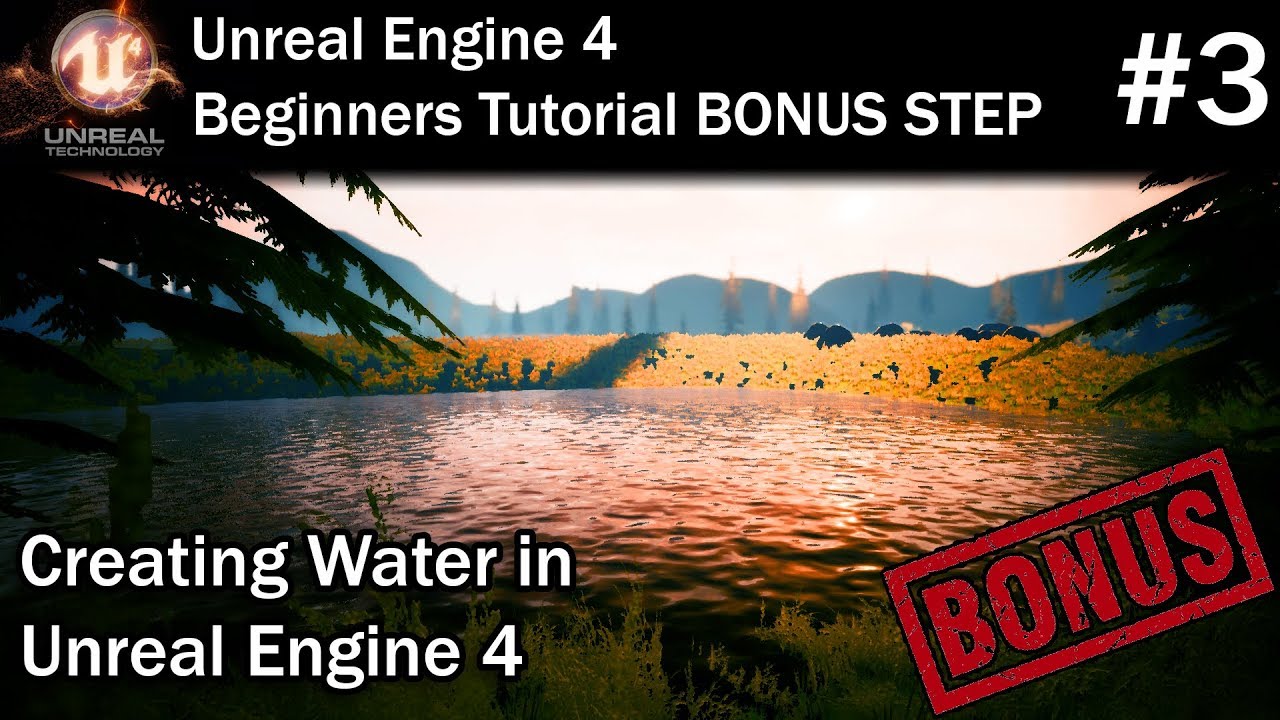
In this final bonus step of my Unreal Engine 4 for Beginners tutorial series, I'll show you how you can create and add water to your level. This will involve...
 slow hearth
is there a mirror of the docs anywhere?
modern sinew
https://www.unrealengine.com/marketplace/en-US/slug/advanced-water-material Anyone know if this is worth the money?

Multipurpose animated water material with refraction and wave displacement
 barren coyote
hi, I am running my packed game in a window mode on windows10, but when in starts it is always slightly too high on the screen so half the title bar is not visible like this
and at the bottom of the screen like this
So the window is the right size, but shifted up a few pixels, how can I fix this?
 white copper
Does anyone know someone named Hexus?
He might have changed his user name.
I think he's in his early twenties.
 wanton zinc
Are docs down for everyone?
barren coyote
yeah, maintenance message pops up
wanton zinc
:(
 cyan bough
In the third person example I use set show mouse, then turn it back off via an ability from input controls.
When I turn the mouse off the rotation locks on to single rotation of camera.
Which node would I run to unlock the rotation again?
sullen wraith
is there a way to get testing in editor same as a built version
my game works in editor even with dedicated server on
but in built version thinks break
 grim juniper
After I updated 4.22.1 to 4.22.2 I get this error message every time I launch the engine 
It doesn't prevent the editor from launching and working, but I also don't think this is supposed to be showing every time I launch it
 dim plover
Maybe delete binaries and regenerate VS files.
grim juniper
It's not built from source. It's from the launcher. I'm verifying files right now to see if that works
Verifying files seems to have fixed it
 languid aurora
Hey everyone I randomly starting getting this crash: Unreal Engine is exiting due to D3D device being lost. (Error: 0x887A0006 - 'HUNG')
Now every time I open Unreal Engine 4.22.2 it crashes with that error
 manic pawn
did you overclock your gpu?
languid aurora
No, or at least not that I am aware of lol
It just started all of a sudden, without me changing anything
Basically it seems the "trigger" for this crash is when I am using the blueprint and try to make a sequence node it crashes right away
 languid aurora
Bump
 cerulean nova
soo...
ive been trying to make a functional car for testing and i cant get it to work the animations worked fine but it wasnt moving at all even tho the weels worked i was thinking if the wheels might be to small or something or is there some kind of magic to it? In the documentation i found nothing pointing towards such problems and im pretty sure that the way i made the bones for the "car" where right since the animation and steering worked fine. could this be a problem with the 4.22 ?
i saw many people while searching on google who had a simular problem but no solution
and yes they are diffrent shapes since i "cleaded up" the mesh because the other one hat Ngons because it was just a 1 minute model
the vehicle just "falls" at spawn with the wheels having no colision

 modern sinew
That’s only after looking substantially
 broken shadow
I found a thingy
https://www.youtube.com/watch?v=86pXo9-9axU

Complete Tutorial with All the Notes: http://www.worldofleveldesign.com/categories/ue4/materials-starter-content-water-instance.php Using water material from...
modern sinew
I wouldn’t have asked that second time otherwise. Afterworld I found one, but at the time of the post the only decent tutorial that I could find, Virtus’s, was using an out-of-date version of UE4
broken shadow
I wouldn't fret about UE4 version, us ARK Modders know well that despite the fact we're using a forked version of UE 4.5.1 doesn't matter in most cases, knowing the core aspects of UE4 is generally much more useful 😄
ARK/4.5.1-ism's are secondary concerns
cerulean nova
untill someone like be spills gas over the flame hmmm u want good water right? Search for Gerster Waves they have a plugin also "Nvidia Waveworks" is quiet amazing u just have to do some things to get linked wich Nvidia and github and stuff but then u can tinker around with cool ocean & water simulations stuff

Latest WaveWorks integration with Unreal Engine 4.15 as seen as GDC 2017. Notable highlight is wave interaction with a shore line.
 fierce tulip
@modern sinew you have been asking for various tutorials for weeks. often the exact same question in google would net you proper results
lets keep it at that.
broken shadow
In my case, I acquired the video I linked by searching for the following:
"Unreal Engine 4 water"
modern sinew
I just ask to see if anybody knows any specific good ones, rather than sitting through an hour of mediocre tutorials to try and find a good one. But I have been trying to find specific channels with reliably good tutorials, Virtus being one of them
fierce tulip
well, dont waste everyones time. waste your own.
broken shadow
I think the video I linked a pretty serviceable final result, NetPeggle's got something pretty good too
Oh wait
modern sinew
IMO it’s only wasting times when it’s multiple posts; one post is not wasting time; now I’ve had multiple posts in the past, but I can tone that down
broken shadow
His video's just a demo lol
modern sinew
Yea
broken shadow
My video's a full on tutorial
cerulean nova
so how about my problem with the car tires not having collision any thoughts and yes i have searched before and the only awnser i "found" was where someone reuploaded the model from the guy in a working state but never realy awnsered why... so thats not realy an option
modern sinew
I found one that gives decent water visuals at least. I’ll have to figure out my own swimming physics
 earnest cape
:(
fierce tulip
if you are following tutorials and hit a snag, or want to know something in-depth, ask about it in the correct channels. but just straight up asking for tutorials is somewhat frowned upon.
we are more than willing to help, but we are not your personal google.
cerulean nova
i followed the documentation from UE4 and even everything besides the model not moving forward is working animations like wheels spinning even steering works like i set it i had a wheel config with a data set and all that fancy stuff as listed in the doc´s
fierce tulip
@cerulean nova while I cant help you, I do remember quite some answerhub posts and a forum thread or two about it.
cerulean nova
yes i know and it seems to be something about the bones but i never found out what ...
thats why i posted a picture of my bones above maybe someone who has made a vehicle can give a clue on what i made wrong
 weary basalt
@earnest cape #unreal-news
earnest cape
Yeah good thing they're working on it
modern sinew
ok
earnest cape
Is there an offline version of the docs I could download?
modern sinew
:/
 whole quarry
Usually something needs be online in order to download it
modern sinew
Anyone know the dimensions of a "Landscape Component"? Epic's down rn so I can't see their page about it
cerulean nova
depends on what u set it i guess
if u mean measure in general i belive 1 Unreal Unit = 1 "Meter" but dont qoute me on that
 mossy mortar
Could someone help me out with blueprints?
whole quarry
#blueprint @mossy mortar
languid aurora
Hey everyone I randomly starting getting this crash: Unreal Engine is exiting due to D3D device being lost. (Error: 0x887A0006 - 'HUNG')
Basically it seems the "trigger" for this crash is when I am using the blueprint and try to make a sequence node it crashes right away
https://pastebin.com/zXmdqJaz
grim juniper
If you don't scale a landscape at all, then each unit is equal to 1 meter
dim plover
I thought 1uu is 1cm.
 potent wing
How to merge couple of meshes into 1?
whole quarry
1uu is indeed 1 cm
cerulean nova
if anyone has a clue for me about my vehicle problem i posted more up i dont mind getting pm´s or tag me i dont realy mind ^^
 kindred viper
So. I have a PNG sprite sheet. I am removing the black background using Blend_Darken currently. But its not feathering the objects at all really. Is there anything I can do to clean this up?
modern sinew
Anyone know why I'm getting this impossible reflection?
 finite wind
@kindred viper I'm no Photoshop expert, but if you're just removing a black background couldn't you use the magic wand?
kindred viper
well this is in the material editor, but I might have to take it to the external progs
finite wind
@potent wing If it's meshes already placed in a level: select all your meshes, right click->Merge Actors
@kindred viper Ah, sorry. Minimal knowledge with materials, but if it were me I would do this in an external program.
Actually, what about this?

Unreal Engine
With AR and mixed reality content creation on the rise, Epic Games’ Principal Technical Artist Ryan Brucks breaks down the process of crafting a basic chroma key function in UE4.
kindred viper
yeah I just figured I may as well use a shader to do it. I could probably do a second pass and do something more explicit with the pixel but Blend Darken with a value of 0.0001 should be eliminating everything but black really
sorry. everything black
finite wind
The website is black?
kindred viper
no. in my material, when I used blend darken, it gives me the pixel color that is higher than the value. So 0.00001 is black as a vector. Or as close to it as you can get.
Perhaps a bit of tweaking might work, or another pass I dunno.
kindred viper
yeah cool ill give that a go thanks
finite wind
If you go that route I feel that it would be kind of hard to prevent any black inside the sprite from being removed as well, so ymmv
Good luck!
 sudden agate
@modern sinew use pixel normal offset
finite wind
For volumes, is moving each face independently instead of scaling the volume a built-in feature?
Not BSP, btw
modern sinew
@sudden agate the only page I could find to explain that is the Epic page, which is down; what is that?
sudden agate
translucent materials have a Refraction category
modern sinew
@cerulean nova where’s the reflection? I only see the shadow of the ball down at the bottom of the pool
And what’s SSR?
cerulean nova
Screen space reflections
modern sinew
So how do I make reflections show back up again?
cerulean nova
whats your roughness set to in the material ?
modern sinew
0.1
cerulean nova
and metallic?
cerulean nova
should be fine then
u might overrate the look by these "simple" techniques
here White color + Roughness is set to 0 its "reflecting" but not as much as on the 2. where metallic is set to 1
and yes this stuff looks weird ^^
thats from SSR ^^

Left = SSR reflections Right = Planar reflections A more fine tweaked version with much better opacity and color. I also made it all in one material instead ...
potent wing
@finite wind, no i want to merge it outside level, how do i do that?
Like from the folder
@ me
fierce tulip
you cant
potent wing
I think i once done that, but i forgot how
fierce tulip
export, merge in 3d app, import.
potent wing
Its like if i donwload a free 3D assets, for example a flashlight, then when i try to import them in into UE, the flashlight splits into 3 parts. I want to combine them into 1 meshes
fierce tulip
on import, tick the box.
potent wing
I will try them later, thanks!
 light lark
Hey guys! Really stuck with a problem for the past couple hours.
I want to make a shopping cart that works with the car template. That for I need to rig it but I simply dont get it. I would appreciate it so much if you guys help me out ther! Seriously!
Thank you so much!
cerulean nova

 celest dew
is ue4 doc site down? It says maintenance for me.
 thorn vector
Yeah it down
celest dew
thanks... guess I'll experiment for a while
plush yew
anyone knows why this happens at import from fbx.... I tried everything to export with smooth normals, faces, edges but It just displays that https://gyazo.com/45412d4abbd2630c5fbf2c1b338e2e4a

 bitter iris
No matter how much i mess with DFAO still got these annoying shadow problems..
anyone know how to fix
plush yew
anyone know why my box collider (added on character) is only getting triggered when others thing run into it and not the other way around?
 next badger
@cerulean nova you need to enable planar reflections, for things like mirrors and water ...they are expensive tho
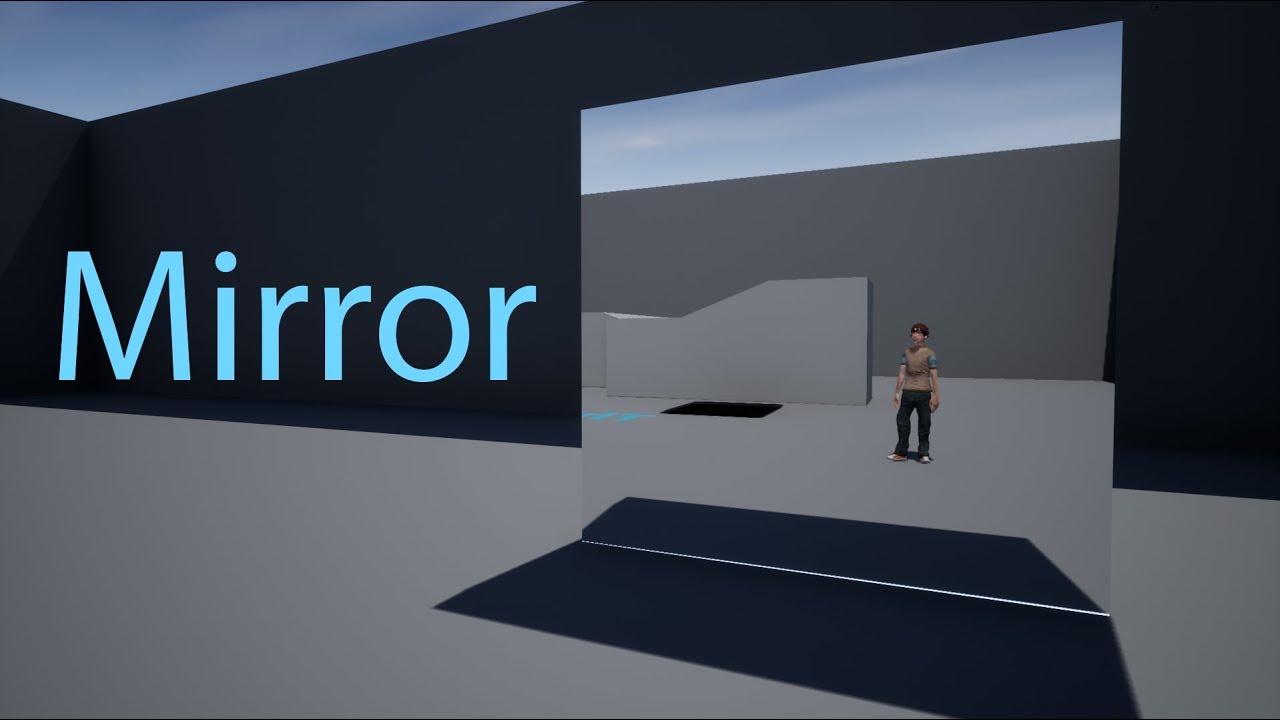
Unreal Engine 4.17.1 Music: Foundation from Audio Library
 honest vale
@bitter iris what's the DFAO resolution scale on the mesh?
honest vale
try 2 or 3
do the shadows happen if you don't place another modular piece next to the other one?
bitter iris
It only happens when more than 1 present
example of compiled house
Its not just these meshes either, it happens on some road pieces also
 dawn vessel
Do you want DFAO? It's a lot of nonsense, too many issues IMO.
I've always disabled it. I get better results just from tweaking other stuff tbh.
bitter iris
I've had problems since 4.22, where is it that I can disable it?
Cause im fed up of my world looking crap cause of this issue
dawn vessel
Project Settings.
bitter iris
Okay thanks I'll go look
dawn vessel
No problem. I've had the exact same issue as you did. Looked into it for months. Just kept persisting and wasn't worth.
bitter iris
the bottom one?
dawn vessel
Top one.
bitter iris
ahh okay
dawn vessel
😃
bitter iris
Really annoying how broken it is
dawn vessel
It will require a UE4 Restart.
dawn vessel
Shouldn't 🤔
bitter iris
hope not lol
Feww looks good ish now lol, i need to make the lighting darker however as it's too bright for inside
Thanks a bunch
next badger
@dawn vessel it's down cause it is 8am in the US (at Epic HQ)... -_-
their web dev always like that...
bitter iris
ahh much better 😄
bitter iris
wait whats currently unavailable ?
next badger
@dawn vessel maybe it's just cause it's Sunday 🤷
dawn vessel
Ah yes. I'm Australian. So bit different for me.
next badger
not sunday there???
bitter iris
its monday there probs
dawn vessel
It is. But almost Monday morning.
next badger
or it's a working day?
@bitter iris no, it's 22 (10 pm) there
cause o these issues with time, i've added JST and EST times to my clock
dawn vessel
I'm still thinking it's Saturday for all you Americans. Hehe. Time zones are confusing.
bitter iris
think its like 5am in West
plush yew
How do I keep a team working on a hobby project engaged and motivated?
next badger
it's actually more interesting to work on own project, and you have full power in case if you go commercial
so, i can't help here -_-
plush yew
Yeah, I'm actually "in charge" of the programming side of the project and the other two guy are just absent
next badger
few things that make people motivated
- streaming the dev process
- forum/discord feedback on dev builds
bitter iris
Personally I work solo, just because im very limited with money and finding people to work for free its next to impossible
manic pawn
it's technically not much different from keeping employees motivated with the only difference being money is unavailable as a tool
bitter iris
@plush yew Whos in charge of the project?
next badger
@manic pawn yeah, but in case of a commercial product, you at least have money in case your project will not be released
plush yew
So the one in charge is a researcher/artist that got everyone together
He doesn't know much about programming so he appointed me to keep the programming team moving
next badger
@plush yew
- is there a goal?
- how far is it?
- do people see progress?
- is everyones needs satisfied?
minor milestones, and build releases may help
plush yew
anyone know why my box collider (added on character) is only getting triggered when others thing run into it and not the other way around? same issue when using overlap instead
next badger
@plush yew #legacy-physics
plush yew
@next badger i'm not using physics simulation tho
next badger
collisions related is for that channel, since ue4 using physx for it
 austere shard
is the docs website in maintenance? https://docs.unrealengine.com/en-US/Engine/Blueprints/UserGuide/Components
plush yew
Hello darkness my old friend
 vale silo
So, are there still people who don't mind teaming up for profit share? I thought those times are long gone
wary wave
I'd consider it, if the team and project looked reasonable
they almost never do, though
 ember cypress
^
I got my start off profit share, so I'm not fully against.
It's just like looking for a unicorn though
wary wave
"We're gonna make an MMO shooter with physics vehicles and none of us have ever made a game before!"
plush yew
I personalky want stuff to do but if your down to sugar daddy ne up I'm down
wary wave
the reality is, most of the people competent enough to make games are already making games
and not on a revenue share basis
(because they're competent enough to get paid, either through salary or through funding)
plush yew
I just have a low effort job that let's me dev
ember cypress
Yea, you need to be smart and careful with what you take on. Contract up if necessary.
The profit share I did was for content for a well established game
So the risk was lower than if it's a fresh game/IP
dim plover
How much due dilligence is there typically when people team up? Because I can't imagine teaming up with random people ends up pleasant.
plush yew
So I've got experience in that
It's normally up to the game pitcher to have everyone involved and when the main guy stops posting everyone does
vale silo
@wary wave well, I have existing project that I'd like to port to UE4 and release on XBO/PS4 ;)
plush yew
Interesting
@dim plover in terms of doing stuff with randos there can't really be much of an expectation
vale silo
One thing I probably wouldn't want to work on with profit sharing is VR project (unless the game is subscription based MMO, which is a no-go project for a small part-time indie team anyway, IMO)
 hoary silo
im making a multiplayer game using steam, how can i test it with multiple players?
plush yew
hi guys someone can help me making a game i need some teammates because single i can t
hoary silo
what do you need help with?
plush yew
i want to make a RPG 2D game
hoary silo
ok
hoary silo
sorry, i cant help you with that, but I bet someone else will
I can answer questions if you have any
wary wave
you probably want version control
grim ore
is this using paper2d or using the 3d system with an ortho camera?
cerulean nova
@next badger i know im not the one wanting it ^^ if u read closely i was telling RedPandaz about it
honest vale
docs are down? NOOOOOOOOOOO
mellow turret
is there a way to pilot a component in the blueprint viewport
 viscid haven
Not really sure what the best channel for this is, but currently am on the road a lot for work - anyone got any advice on a solid laptop to work on UE4 with while I'm not at my main rig?
 frail jasper
When filling out the release form, it asks for a product url. Is it ok to use a social media url or wait until I have a product url of my own?
viscid haven
@rare pulsar Yeah I've seen the recommended hardware, but that was outdated to say the least last time I checked
I can't take a PC around if I'm in a different hotel every other day 🙂
I need something mobile, my current rig is ~£5k and is completely fine with UE4, but taking that around for work is not feasible
Ah right sorry, yeah, I was looking at a few of the Dell machines but wondered if anyone had any proper advice on it 🙂
dw I'm team blue/green all the way
frail jasper
You wI'll definitely want one that stays cool. I had a i7 16 gig and it was good for what I was using it for. It cost about 400 dollars.
viscid haven
might see if I could use it as BYOD for work and just run dual boot
so would like to be presentable, awesome thanks for the link
mellow turret
docs are down, is the debug window the place to see watched values?
 atomic meadow
https://answers.unrealengine.com/questions/897990/view.html Hello, can someone help me?😋
austere shard
whats the right place to ask for game design advice? eg. how to split my idea into blueprints/BT/components
 cobalt snow
how practical is it to use tessellation to create cliffs-stones for desktop mid-end pc targeted and rpg game? or in other words: im planning to use substance materials to create cliffs and stuff, how can i do good stuff in ue4 without shitting optimization?
 cloud cobalt
@cobalt snow Tesselation is not the answer
Use regular meshes
It will always be cheaper and look better
 heavy ether
seems the latest geforce game-ready drivers + 1060 + unreal editor don't mix well
 broken stream
i can only find closeslocation of bone
 normal burrow
GetSocketLocation i believe dezusa, bone name for socket name
cobalt snow
should i create mesh out of height map? im not planning to model them manually because substance way it would be much easier and better @cloud cobalt
broken stream
ok thanks
cloud cobalt
@cobalt snow Manual modeling is what works best
It's what people do, really
Substance is easy to use but AFAIK it doesn't let you bake a model
It only exports displacement maps that unfortunately can't be used with good results in UE4
cobalt snow
what do you mean by bake a model
cloud cobalt
I mean what you want to use, for good performance and decent rendering, is a regular mesh. Substance isn't a tool to create meshes, it's a tool to create textures.
If Substance was able to export ("bake") its displacement maps as meshes, it would be fine
 tall pendant
you can bake down displacement and do a retopo in any 3d package in a few mins tbh
cloud cobalt
But (as far as I know) it doesn't, so you either use something like Blender to bake for you with some setup
Like Dizco just said
Or you model directly
tall pendant
create the heightmap in SD and use whatever 3d tool you have to bake it down
cloud cobalt
^
mellow turret
im making controls for an isometric game, is set world rotation the best way to rotate a character? "Use controller desired rotation" messes up the camera
cobalt snow
i meant that by saying "should i create mesh out of height map" displacing in blender
but
cloud cobalt
You can create a mesh in Blender, apply displacement to it after you subdivide the fuck out of it, then apply the displacement, decimate the result, and export it.
cobalt snow
yes but which displacement
cloud cobalt
The result would not have any displacement, it would be a regular mesh
cloud cobalt
Displacement in UE4 is a shit idea
cobalt snow
applying material to a low poly stone mesh in substance painter with tri planar
and export textures
create a slightly high poly mesh via height map and import to ue4
cloud cobalt
Look, I've told you - IMHO, displacement in UE4 is a shit idea.
tall pendant
create a highpoly using a heightmap, retopo that to a low/mid poly mesh, uv it, use in ue4
cobalt snow
im just gonna apply textures
yes
exactly
but
but i wonder if its worth the effort
tall pendant
yes. it is.
cloud cobalt
So do that - create your height map in Substance, apply it to a subdivided high poly in Blender, apply all modifiers, then decimate it back to game level tri count, and export it for UE4.
That will work
cobalt snow
and i want substance because designer is awesome software and by tweaking sliders you can easily generate lots of different shapes
cloud cobalt
The only drawback is that decimation is hard, and if your meshes need to tile, it won't work without manual adjustments
tall pendant
the only way using substances directly would mean use a generic shapes mesh and have proper uv's
as in tiled textures
cobalt snow
i could simplfy height map in designer to keep only big shapes
and handle small shapes in normal map
tall pendant
but you can't change the shape in a drastic way
it's a trade of as usual in gamedev hehe
cloud cobalt
Let's just say it's something you should practice and test @cobalt snow
Tools in this day and age are very versatile so whatever works for you is fine
cobalt snow
im just trying to find the best way to use substance designer
i see a lot of great material renders but are they practical
cloud cobalt
Indeed, they aren't
cobalt snow
probably best result with painter
blending several materials
instead of drag and drop
cloud cobalt
Just like high polys and sculpts aren't usable in games either
Doing that, or a great Substance mat, is half the work
 reef kayak
im having an issue where my lightbake gets stuck at gathering scene geometry. before it even bakes.
anyone have an idea?
could it be a swarm issue?
UE 4.15. btw
tall pendant
iirc skylights are not included in the update progress. they're still calculated and baked tho
that could cause long times w/o the progress bar moving
kindred viper
you coudl try rebuilding the swarm prog if you have a source build
grim ore
did you block the network access for the program when it started up? lightmass needs local network access
 junior solstice
epic skeleton animations to mixamo characters want to retargeting this possible? sry for my bad english
kindred viper
yes
GitHub
Blender addon for converting mixamo animations to Unreal 4 rootmotion - enziop/mixamo_converter
 gentle crypt
just curious, can you access the console command in a complete UE4 game like on steam? It would awesome if i could view a game in wireframe.
kindred viper
nope. But you can use a shader material to draw your wireframe from your packaged product
 slate vessel
Does anyone know how to make it so particle effects don't get culled as the camera moves away from or too close to them?
kindred viper
I wouldn't know but I had an issue earlier with that happening and it was due to my Lifetime module not living long enough between the min/max for the distance
slate vessel
ill check it out cheers
Seems to be effected by literally the cameras direction rather than distance....ive got a smoke particle that drifts a distance from the source point but if the source point is too far out of frame it just disables the particle
 trim granite
Are there any disadvantages using ''Material Domain: the user interface'' option? I read it was for UMG only or something, but my material looks fine and i only need the Emissive and Opacity channel. http://prntscr.com/ntnx4r
 kindred viper
If those are the only outputs you need yeah its fine. No mipmaps though afaik. Or rather, just the base one.
trim granite
okay, good to know, thanks.
Are the mipmaps just disabled and does this mean it doesn't resample the textures at all?
Btw, are there some free test environments i could use for displaying materials?
abstract relic
 mellow turret
the cube is forward but animations rotate for some reason ...
lmfao the skeletal mesh was not rotated properly
 mellow turret
is it a good idea to check a minimum distance from character to mouse point if I want the character not to start rotating like crazy when I click too close to the character (when clicks are close to the character it seems to have trouble finding where to go. so it rotates everywhere but barely moves..)
weary basalt
Sounds like a good idea.
mellow turret
well it works but maybe there is a better way, doing it this way feels like making the character less responsive
trim granite
@abstract relic Damn, this is good. I remember stumbling over it a couple of month ago.
 vague walrus
How to set mesh to be in T-pose in viewport for a moment? I want to add capsule component, T-pose would be nice, but I can only pause anim
grim ore
I dont think you can specifically select the T Pose, it would revert to your default pose on the skeleton (A or T). You can set the animation mode on the mesh in your blueprint to custom mode and it would revert to no animation
 idle stump
While the docs are down, for those who don't know, Google caches web pages. You can click the little drop down next to the search result URL:
Of course there is also the "Wayback Machine"
 mint hill
where do i ask about animation help?
mint hill
oh, i had that section minimized
kindred viper
its fairly quiet in there anyway
 oblique trench
Is there anyone knows what is processing on docs?
mint hill
i cant really find a good video for making an animation for my simple mind.
and most of them have a body rig thing but i dont have it
mint hill
i need to take a break from this, im not able to find stuff xD
oblique trench
Seems that not passes responsive for mobile devices
kindred viper
Well the Third Person Character is a rigged model you can use
there is full tutorials and documentation for it. its really easy to use, to retarget anims onto, and to control as most of it is already written
plush yew
having trouble baking lighting on to translucent materials. Can anyone help me?
All my translucent materials are like this. If I set it to opaque then everything shows up fine
idle stump
Docs appear to be back online, and with a little makeover
And now some of my bookmarks are broken 😅
 crisp hawk
when i do "Load Level Instance (by Name)", it is NOT placing the instance in the location i'm giving it
is there a reason why that could possibly be happening?
i can manually give it a location and it still won't change
its wherever i had it in the persistent level
mellow turret
did they release updated docs? I might give another chance to reading the programming guide documentation if they did, first time I got kind of frustrated, too many features and poor examples imo
nevermind, they didn't update the articles I couldn't handle :pepehands:
plush yew
Does anyone know how to fix this transparency issue?
grim ore
heh, the new getting started page on the UE4 docs is targeting version 4.9
I know what they are intending as the old site has the info but man... it's gonna confuse so many people looking for "updated" docs
abstract relic
I wonder how many even notice targeting version
grim ore
well it's giant and up front of every page now 😦
 worn granite
maybe we just pick an old version as the official onboarding version
you gotta get learned with the old editor
once you learn that, you can use latest
grim ore
Like the basic scripting page has "4.12" as the version number at the top of the page then when you scroll down you find "As of Unreal Engine, version 4.15, Blueprint Sets and Maps have both been added..." soooo....... /hug Docs team 😃
abstract relic
Again, I wonder who will notice 😜
 real mantle
what's the right channel to ask for a paid consultor in some topic I'm needing?
real mantle
thanks
 lapis bronze
Not sure if this question is better suited in a specific channel;
Has anyone had success with using the Level Sequencer to record a "demo" recording of gameplay
My ideal plan is to have a recording of me playing the game running at the main-menu screen
Or is that better suited for the Demo recording that UE4 has built-in
lapis bronze
@lament cedar Are you coming from Blender by chance?
Blender doesn't have node renaming to avoid duplicate names
lapis bronze
You have to make sure every single node in your model file (.fbx in this case) has a different name.
The thing that is causing the import error however, is blender related specifically.
I dont use blender anymore, but this is an answer hub with the same exact error you got.
 lament cedar
ok thanks
lament cedar
Yea I tried that with a different model and I didn’t get the error and it exported nicely, except the materials just showed up as flat color
I guess I just need to create new mats for the textures with the normal maps and such
I’ll figure it out
Thanks for your help
Still really new to this whole thing, tryna get started
lapis bronze
@lament cedar Materials rarely and typically don't follow you from Maya/Blender/3dsMax w.e to unreal. You will have to remake that material using your maps in UE most cases.
that's normal
I'm assuming that other model imported because it wasn't rigged? Is that correct?
lament cedar
It was rigged, I didn’t make the model, my friend did so idk what he did to it
Lol
I couldn’t model if my life depended on it
lapis bronze
Ah i see well, good luck
glad i could help even if it didnt help that much
plush yew
i5 sandy bridge > amd rygen3
 silver crown
 ebon spade
Anyone here have Robo Recall and the mod kit?
sudden agate
@lament cedar the error message literally says whats wrong
heavy ether
just having raytracing enabled with nvidia 1060 and the game ready drivers absolutely f---s up everything 😐
 near trout
Not sure where to put this. I was hoping to get an experienced opinion on how I should generally approach a 4vs4 PVP online multiplayer project that is a class based shooter.
For example: should I first focus on making my different classes/characters, then create the gamemode that those characters will be playing in, then address networking, and then polish?
Or is there a more efficient route (eg. getting networking established ASAP, and then building everything off of that?)
whole quarry
Is it your first game (with ue4) ?
near trout
I suppose it's my first real game, but not my first experience with the engine.
I am still fairly new however.
whole quarry
Usually with little background, multiplayer is one of the most difficult things to do
 lusty carbon
what's this??
cloud cobalt
A crash in the SteamVR plugin
lusty carbon
Ok
So I set the VR template to show me the Vive controller models instead of the hand. by ticking some checkbox in the BP. problem is, when I package the project the controller models appear with the default World Grid Material instead of proper materials. what's a solution?
cloud cobalt
Looks like the material either wasn't cooked, or cooked with errors
 winged crypt
I have a uasset in windows explorer inside the content folder but it isn't showing up in the editor's content browser. It used to, it suddenly doesn't. Any idea why?
lusty carbon
Well what can I do then?
cloud cobalt
Check if it cooked with errors, or cooked at all, by looking at the packaging log
And then fix the material if error, add it to the forced cooked folders if missing
lusty carbon
no errors in the log
cloud cobalt
Look for the material, too
lusty carbon
can't find neither the material nor the model in the engine content
its none of these
cloud cobalt
It's in a plugin
lusty carbon
so?
 dim merlin
hi, in 4.22 why arent runtime created components not visible in details anymore?
lusty carbon
Unreal Engine Forums
I have a problem with the draw "SteamVR Motion Controller" option, in the editor I see the right material, but it gets not affected by light and in
im guessing there no fix for my little issue
is there a way to dynamically change between the controller model and the hand controller during game?
 deep basin
Hey, how are asynchronous parallel tasks processed in the engine? Like lets say I have a move command, which I then stop by broadcasting an event. The ongoing task must somehow still execute code to run, yet it doesn't block the main gamecode thread. This leads me to the suspicion that it will be executed on a seperate thread, but someone told me it is not an now I am going crazy to try and understand how it is done xD
atomic meadow
 wary wave
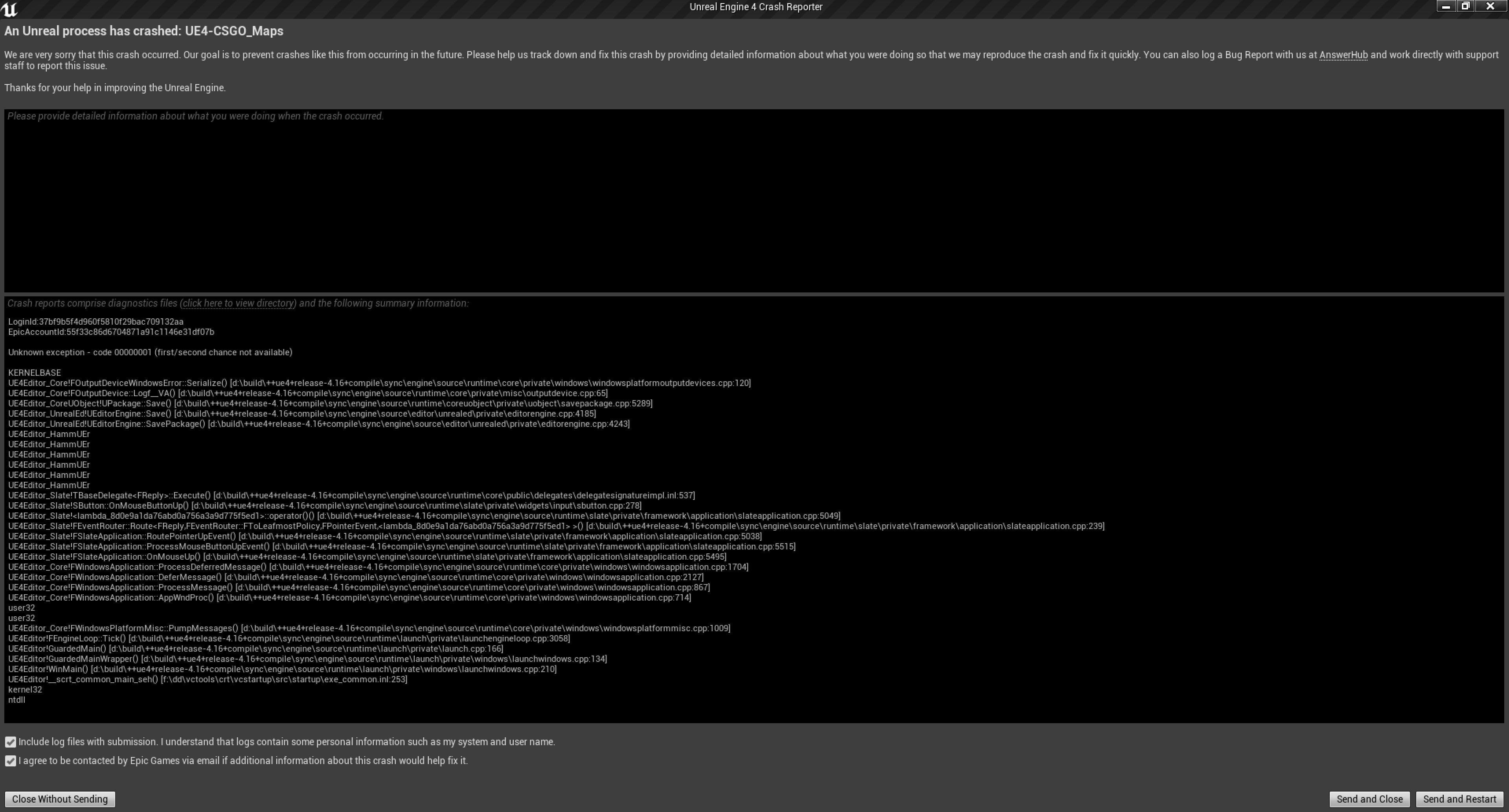
Hammuer crashed.
atomic meadow
the problem is with hammuer plugin?
wary wave
probably
atomic meadow
when I had the previous drive ssd the same system wi10, ue4 4.16 I did not have any problem importing material / models
cloud cobalt
We told you it was Hammuer like, twice already
atomic meadow
now i have this problem in ue4 4.15 4.16 4.21
cloud cobalt
It's a community plugin, it has issues, report the issues so that they get fixed
atomic meadow
ok thx
 night pond
Hey Guys - is there any good tutorial or documentation or suggestions you may know of when it comes to optimising your game?
cloud cobalt
There is
Profile first, optimize later 😛
Seriously though, it depends a lot on your game
Check if CPU or GPU is slow for your game, then use the profiling tools to know what exactly is
 leaden dust
in what circumstance does hot reload work
cloud cobalt
Changes to C++ classes that do not affect the Blueprint interface
leaden dust
I can change default values of variables not exposed to blueprints?
cloud cobalt
No changes to anything related to UPROPERTY, basically
Not the declaration, or the default value in constructor, or the type, or the fields of a structure if it's UPROPERTY'd somewhere
Nothing related to it
cloud cobalt
Yes
night pond
Thanks @cloud cobalt - This is the first game I am making, so I'd like some kind of process or tutorial to follow in order to perform basic checks. So far I have the profile... but I don't really know how to make sense of it all lol
There really should be a tutorial or something on this xD
cloud cobalt
Well, run stat unit in a packaged development game to see if game or GPU lags, first
Once you know that, https://docs.unrealengine.com/en-US/Engine/Performance/index.html
How to identify performance problems and fix them.
night pond
ok - so I actually have to package it in order to test for optimisation?
oh wow! Thanks for that link that's awesome 😄
cloud cobalt
You can simply run your game by right-clicking the uproject and hitting "launch"
It won't be the optimized shipping build, but usually a good start
Then run stat unit in console and you'll have the basic numbers
night pond
huh... ok that's interesting. When I launch it your way it seems to not really lag.. thanks man!
 latent moth
given the 3d widget motion blur bug (https://issues.unrealengine.com/issue/UE-72601) is there an alternative way to display UMG widgets in 3D space?
or am i stuck waiting for 4.23
i'm on 4.22 and downgrading is... well
 glad stone
 queen canyon
Hello people!
May someone remind me how to get character's movement vector relative to it's face looking vector? Need for blendspace (forward, backward, strafe e.t.c)
queen canyon
@regal mulch if only I know how dot product works >< I'll try that!
 regal mulch
It's a node
It basically multiplies X with X, Y with Y and Z with Z of each vector
And then adds them together
queen canyon
sounds like not what I need...
regal mulch
Maybe I understood you wrong
Ah yeah I did
I thought you wanted to have the relative movementspeed
E.g. if you move Foward and Left at the same time, how much of that are you moving forward etc.
That's not what you want, right? @queen canyon
queen canyon
Yeah, mb, sorry for english...
Simply, top down game, character rotates to mouse cursor, wasd moves character up left down right on screen, so it's moving animation (strafe, forward, backward) must be changed (blended) depending on it's looking and moving vectors
ah, damn, nevermind, I fucked up much earlier trying to get char forward vector in anim bp, it just doesn't changes while I rotate character so that's why nothing of what I tried works...
 ember thorn
hello everyone, quick question, does anyone have a good tutorial or sample to rig a character in Blender 2.8 that would be compatible with UE4? Cheers!
queen canyon
In first bp is how I rotate character and it works well, in second animBP actor rotation is always 0,0,0 (but something else like vector length is fine). What am I doing wrong?
 buoyant marlin
So I make a Blueprint and double click on it and I get this window
And then I close it and double click on it and get this window, with no obvious way of reverting to the old window, wtf?
plush yew
Hey there, can anyone give me a keyword to search for approaches how to send messages from a non-Unreal application to an Unreal application (via interprocess communication, TCP ...)? Surprisingly I do not find any ressources on this topic and don't really know where to start.
kindred viper
I use VaRest for stuff like that but if you want a hardcore TCP socket connection, there is a class for that.
plush yew
Thanks Marc! I'll have a look at VaRest first then. Any good documentation / tutorial on the TCP classes you know of, or are they pretty much self explanatory?
kindred viper
yeah standard. check the socket classes and it will have what you need
plush yew
k. Sounds good 😃
latent moth
All... I've got a 3D widget that is seriously messed up with TemporalAA, while it's ok with FXAA... anything I can try to make it look better without switching antialiasing?
https://gyazo.com/f057a70bbf2ce78eabfcab7a4c2d7ff1

this is only from 4.22
next badger
try to disable motion blur (if it's enabled)...no other options known
kindred viper
make sure the textures are in the UI domain too
kindred viper
aye
latent moth
so the only thing that fixes this is to set FXAA instead of temporalAA
OR to decrease antialias quality to MIDDLE on temporalAA
not sure if middle temporalAA is better/worse than high FXAA
 sonic ruin
hey it's been awhile sense I hopped on UE4 how would I change the size of an object
kindred viper
Select item -> Detail Panel -> Transform
sonic ruin
thanks
thorn vector
@dawn vessel we cant really verify it but my guess is procedural landscape ecosystem based on the tree and the ground texture
sonic ruin
is it different with engine version 4.22.2 cause it's not working?
kindred viper
what are you trying to change?
sonic ruin
the size of an object
kindred viper
I know that. what? An actor, mesh, UMG, particle, etc?
sonic ruin
mesh
kindred viper
select the mesh. In the details panel there are all the properties of the object you selected. Transform is there for a mesh
plush yew
Is GetActorRotation Nomalized?
 spark sonnet
I dont know if its that one but there is a free asset pack on the marketplace called Open World Demo Collection @dawn vessel
kindred viper
@plush yew nope
plush yew
thx for the heads up
dawn vessel
@spark sonnet @thorn vector Thankyou both for your answers, I really appreciate it. I will look into them now and see if they're it.
vague walrus
I'm using this to knockup my enemy, and to prevent multiple knocking up on one use I use the DoOnce with delay. It works like charm for one enemy, but when I hit multiple enemies only one gets knocked up. Any simple way to fix this? I'm using On Compontent Begin Overlap event
 halcyon flame
create a bool inside the base enemy class for bCanBeKnockedUp and have each enemy reset it to true when it's available again
 rotund scroll
knocking up your enemy... that's a bit of unfortunate wording
vague walrus
feared it will require that
also, in blueprint viewport I've selected 'Show floor' but there's no floor
it's not working or what?
halcyon flame
I don't know what the floor even means. why is having a property in the actor for which it is relevant something to be feared?
vague walrus
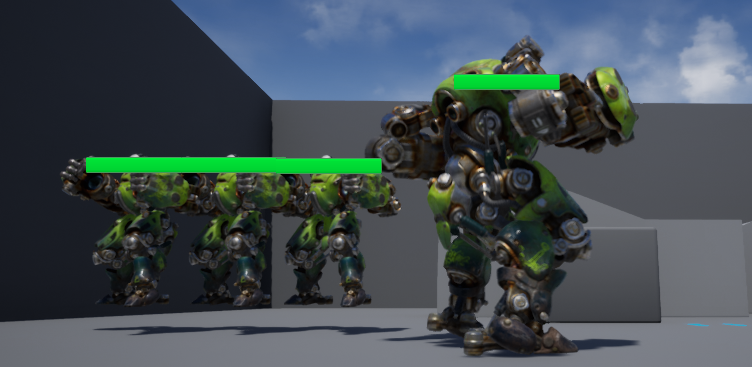
I want to move the mesh so it's walking on the ground level, not flying 20 centimeters above
right now I can measure that by eye
halcyon flame
oh. it's just a mesh preview
vague walrus
 halcyon flame
if you go into one of the orthographic views and ensure that his collision capsule is flush with his feet he should land on the ground
vague walrus
ortographic mode sounds reasonable
btw floor showed up... in the middle of capuse, not possible to move
very "useful" ^^
plush yew
Why is my box collider not getting blocked even tho both mario and goomba are set to pawn collision?
vague walrus
dingoman: ye, looks cool, but for some reason I can't move mesh in ortographic mode
halcyon flame
looks like the goombas capsule is the only thing that's colliding
vague walrus
I'm trying to grab it but it does not move
halcyon flame
can you move the capsule?
vague walrus
Capsule can't be moved
halcyon flame
in all ortho views?
grim ore
the floor preview is the floor, it shouldnt be moved even if you could as its just to show you easily where the 0,0,0 intersection point is in a visible way
halcyon flame
even changing the numbers in the location in details won't do it?
vague walrus
yep
grim ore
@plush yew if that is a character then any collision below the capsule(root) will not be used.
halcyon flame
what is the root component?
halcyon flame
restart engine is the next thing I would do. put the mesh location back to 0,0,0
firdst
plush yew
@grim ore what should i do instead? how do people handle a deer in unreal then for example?
vague walrus
Restarting helped
alligned perfectly :)
though on child class, where I change root scale to .75 they begin to float
I'll readd them
grim ore
@plush yew you can use a non character, its the character itself that is causing the issues.
@plush yew you can use a non character, its the character itself that is causing the issues.
@plush yew you can use a non character, its the character itself that is causing the issues.
plush yew
@grim ore in this specific case how would i best handle goomba-mario collision? calculating the direction vector?
wary wave
yes
grim ore
if you don't need the character specific stuff, make the goomba a pawn instead and set up your custom collision
plush yew
@grim ore the problem with making goomba is pawn is that doing movement will be a pain in the ass
wary wave
should be trivial as a pawn
grim ore
then do what ambershee suggested and just calculate direction based on collision
plush yew
because i'd have to reimplement my own gravity for a pawn
wary wave
why?
ember cypress
Pawns can use physics
wary wave
why?
plush yew
how will you make a pawn fall otherwise?
wary wave
pawns are affected by gravity?
if it's a character you can also just use character movement directly
plush yew
and then do movement with addforce or what?
wait, you can use character movement on a pawn?
wary wave
no, through an AI Controller
and no, it needs to be a character
but it should probably be one anyway
plush yew
AI controller needs character right or no?
vague walrus
Okay I don't understand why changing scale in blueprint have no effect when I'm adding actor do map
they are full sized
it was working 10 minutes ago -_- I've restarted everything
oh, after placing in world for some reasons every instance has scale changed to 1.0, I can revert it to default
plush yew
anyways i'll just calculate direction based on collision
vague walrus
why though it started happening
halcyon flame
I'm watching the training on the new Editor Utility Widgets and I'm wondering, is there a way to set custom hotkeys with blueprint?
(not set shortcuts for any of the existing actions in the editor preferences, but to create new ones for actions/events I define... alternatively, is there a way to create a new mode that doesn't require slate/python/C++ or another way to register/consume/listen to keyboard input in the editor?)
heavy ether
yep, just got around to confirming that path tracing/ray tracing seems to not work with 1060 in unreal, and when you have raytracing enabled, it wants to toggle the "developer->path tracing" on every time you load a map.
grim ore
which 1060 card do you have?
heavy ether
um.. whatever one my office bought for me 😄 the in-editor display pretty much just turns to garbage when developer->path tracing is enabled, which it re-enables every time i open anything
the manual page indicates that if you want to use path tracing, you turn it on when you want it.. but it defaults to on. which is annoying.
grim ore
DXR is supported on the 6gb 1060 only, not the 3gb is why i ask
halcyon flame
@grim ore ... what I'm talking about isn't possible without actual plugin coding is it?
grim ore
@halcyon flame I don't know for sure, I know there have been some tweets of someone doing just what you want but he has not published his work and I don't know how he actually did it. I could not find a way myself 😦
halcyon flame
thanks man.
 thin hemlock
if I'm a programmer learning Unreal Engine is it best to dive headfirst into C++ (no prior experience, only been using Unity C# for 4 years) or should I learn blueprints first?
grim ore
you will need to use blueprints at some point in a large project even if you plan on coding in pure C++ so learning both is fine
heavy ether
@grim ore dxdiag says it's "GeForce GTX 1060 6GB"
grim ore
with that said learning C++ is a pain in the ass lol
halcyon flame
do you mind telling me the name of the user on twitter?
grim ore
@heavy ether ah damn, yeah with the latest drivers it should work then. What does turns to garbage mean to you?
thin hemlock
I know the basics of C++ but overall it seems like the issue is learning how to work with the engines built in methods
grim ore




Adapted an old input editor to work with the new Utility Widget :) #screenshotsaturday #UE4 #UnrealEngine #unrealdev #gamdev https://t.co/AwUEcZkPKb
 Twitter
halcyon flame
Twitter
halcyon flame
ty
grim ore
@thin hemlock well there are some get started with UE4 and C++ videos on the official docs page and learn pages. Other than that starting to learn the engine by learning BP might be an easier way as BP are just C++ behind them so you could for example learn the engine with BP then look at the source for what you did and learn the C++ way to do it at the same time
heavy ether
@grim ore hmm. kinda looks like all the meshes have been mixed with "tv-tuned-to-a-dead-channel" static
grim ore
@heavy ether that might just be the ray tracing. Its super duper noisy on the older cards.. like super super
heavy ether
@grim ore well it stops when i click show->developer->path tracing to off
grim ore
yeah It might just be normal for that card, post a screen shot I am trying to find one
heavy ether
however, if ray tracing is enabled in the engine at all, that settings ticks to on every time i load a map
grim ore
like this https://chunky.llbit.se/spp-compare-1.png ?
 heavy ether
yeah i'm working on it, i have to restart the editor to do that, and it had to rebuild shaders
yeah everything looks like the top part of that
grim ore
yep thats DXR with low path traces and a slow ass card 😦
you can increase samples per pixel but then it just goes slower lol
heavy ether
even worse here
grim ore
I have a 1080 and it's still pretty noisy, I just enabled reflections only as the path tracer was too noisy
heavy ether
here's a floor that actually shows up
grim ore
yep that's what you are going to end up when path tracing on a 1060, it's just not going to be pretty
heavy ether
i was hoping that it would work like the engine docs describe, and that i could turn it on, render a scene, then turn it off. but it looks like it defaults to on at all times
and on + not useful. i wouldn't mind if it took quite some time to render a frame if i could see it done right
grim ore
render for a screenshot or ?
heavy ether
to get a comparison of how a specific thing looks with it. we've got a team at my office that is writing a path tracing renderer that they are going to plug in to Unity, and once they've got it working, they're also going to check into plugging it into Unreal ..
well they have it working in Unity now, but it's nowhere near complete enough to be used for a full scene yet.
grim ore
gotcha. well play with the settings, like samples per pixel, https://docs.unrealengine.com/en-US/Engine/Rendering/RayTracing/RayTracingSettings/index.html and see if it helps at all. your scene itself might have things not supported yet by the tracer as well
you can see on the slider image here https://docs.unrealengine.com/en-US/Engine/Rendering/RayTracing/PathTracer/index.html that even the sample test they are showing does not support all features yet 😦
heavy ether
even if i could get it to render perfectly with settings, i don't want it to default to on though
grim ore
I'd try and help more but I only havea 1050ti here so I can't even try lol 😦
 languid star
When exporting a rigged model from blender over to unreal, should the apply scale be All Local, FBX All, FBX Custom Scale or FBX Units Scale?
 golden walrus
hello, can i ask a question about cloth physics render distance here?
hello, can i ask a question about cloth physics render distance here?
abstract relic
Use default unknown
normal burrow
cazarecon don't think there are distance related cloth physics?
golden walrus
which one of this affects cloth physics render distance, if any?
normal burrow
you'd just lod
golden walrus
ah?
r.SkeletalMeshLODBias=0
r.SkeletalMeshLODRadiusScale=0.9
r.ViewDistanceScale=0.8
normal burrow
you'd just lod
golden walrus
yes exactly
normal burrow
Yea you would just not cloth the higher numbered lods
golden walrus
oh i see, so there is basically no way for me to render cloth physics that are a certain distance away from my position?
normal burrow
correct, afaik. i'm not 100% on this though. but i know that the way cloth is set up as material channels.. its unlikely they just turn it off
golden walrus
hmph, seems doubtful
abstract relic
Physic asset doesn’t have its own LOD no?
normal burrow
no, but cloth lets you provide custom physics assets per simulation
golden walrus
i agree with pat though probably not @abstract relic
normal burrow
you can have multiple on a single character
but yea the tapered capsules
but yea the tapered capsules are limited to cloth simulation
like if you have a dress you usually only put the legs in the physics asset for the cloth. its kinda silly
would be nice to have lod'd physics assets tho
abstract relic
I imagine quite a bit of clipping and bouncing would occur
normal burrow
it can get complicated. its like 2 dimensions of weights
plush yew
Damn, messing around with the collision system makes me feel like such a dumbass
golden walrus
i highly doubt what you're saying though pat, as matter of fact when i raised all of those 3 lods the cloth phyisics render distance increased, but it didn't increase the "initial" render distance. let me explain. for instace you might be 80m away from a character and not be rendering their cloth physics, though once you get to a distance of about 50-60m from them you start rendering them again. now, if you get let's say 200m away from them once and only once you already rendered their initial cloth physics, you still will render them, even 200m or more away.
what i am trying to say, is that there is some sort of way of toggling the initial cloth phyiscs render distance radius
which isn't here: r.SkeletalMeshLODBias=0
r.SkeletalMeshLODRadiusScale=0.9
r.ViewDistanceScale=0.8
isn't
@normal burrow ? what do you think?
abstract relic
He’s multitasking at the moment 😜
normal burrow
appreciate it 😄
unsure what you mean about initial cloth physics. cazarecon
those are console variables
so they will adjust the existing lods to display differently
lod0 shouldn't load in until your within its vertical screen space percentage or whatever
(again i don't think there is any control specific for cloth distance)
 fleet cedar
https://youtu.be/j6mskTgL7kU?t=2761 This talk is great
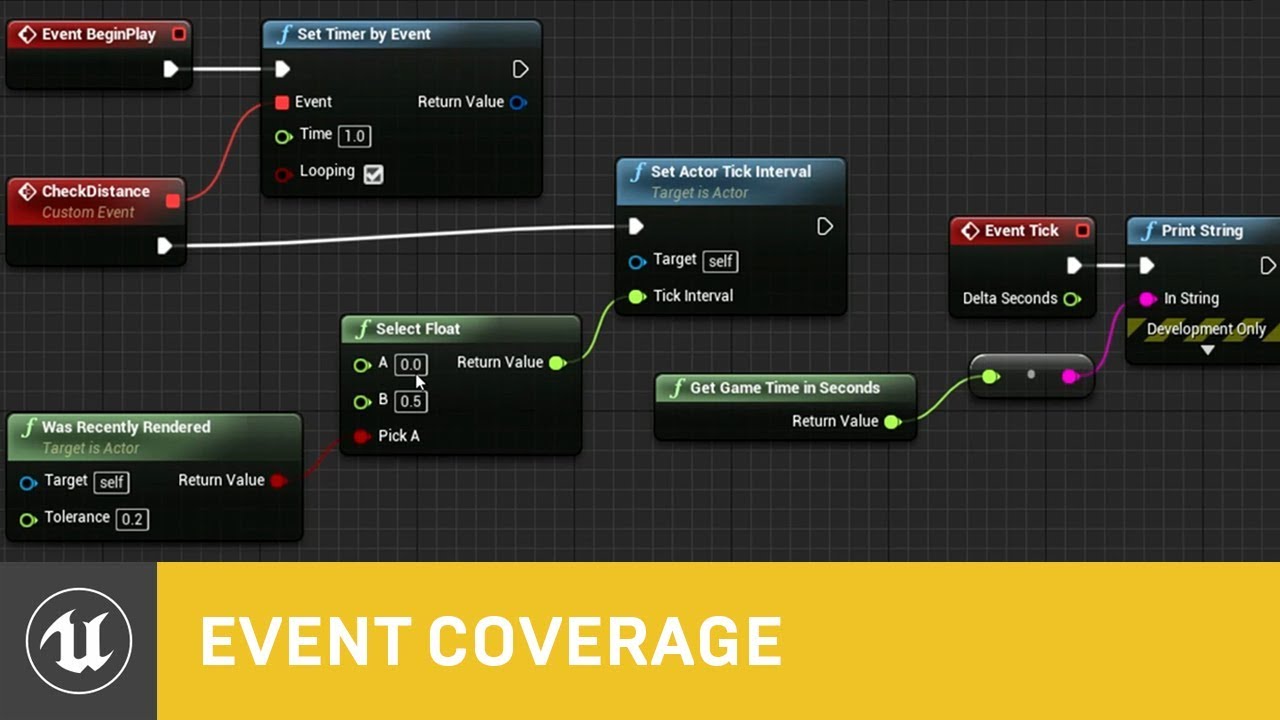
In this presentation from Unreal Fest Europe 2019, Epic's Sjoerd de Jong offers an in-depth look into Blueprints. Best practices, dos and dont's, and recomme...
I've got to binge watch all of these Unreal Fest talks, there's some really good content in these
golden walrus
err.. i see kinda more complicated than i thought, what i mean by initial cloth physics rendering is like, let's say that there is a circle with 100m of radius, with my character being the center, now, only those who enter this circle will get their cloth physics rendered. BUT if this were to be the only cloth physics render distance, how comes that once they get out of the circle their cloth physics are still rendered? what i want to to do is to increase the size of this circle, so even those whore are 300m away from me(the center) will render their cloth physics
normal burrow
pretty sure LOD's are based on how much screen space they take up and not distance btw. (just mentioning it)
golden walrus
that's the best way i can put it
normal burrow
sounds like you'll just want to have LOD0 have the phyics and LOD1 not have the physics
plush yew
How do i null a reference variable in BP?
 dark depot
just use a set and plug nothing in
plush yew
works with actors?
dark depot
any variable
golden walrus
@normal burrow nice, and how'd i make it so that lod0 always renders cloth physics?
normal burrow
cloth physics should always render. if lod0 renders it will render too.
cloth updates are different maybe
grim ore
@fleet cedar I watched those last night and have been working on the rest today lol. Got to love the community guys 😃
golden walrus
@normal burrow what do you mean? with lod0 cloth physics will only render within a certain undetermined radius
dark depot
yeah they are pretty great Mathew
hidden aurora
Can someone help me: The rocket is shooted but instead of following the purple arrow y curves down
grim ore
I just feel bad whenever I see Sjoerd in person I cannot for the life of me pronounce it right 😦
hidden aurora
The Socket on the weapon is placed like this
normal burrow
cazarecon, i mean when lod0 shows, the cloth physics will too afaik
grim ore
@hidden aurora what does your code look like for firing the weapon?
dark depot
^
hidden aurora
This macro get the muzzle forward vector
next badger
@grim ore have you seen new Docs ? how do you like it?
hidden aurora
The selected nodes are the loc and rot for spawning the proyectile
grim ore
@next badger It's uhm.... cleaner looking but the giant green button with the engine version at the top of the page is such a bad idea
next badger
@grim ore green button? i have no...seems
dark depot
i wish the recently updated docs list was back or they added a new docs section its so easy to not know something was added
golden walrus
@normal burrow yes but then how comes that cloth physics will only render witihin a certain distance and not across infinity? isn't there a way to tweak that specific lod so that it renders cloth physics indefinitely?
grim ore
sorry lol its blue, the one that shows the engine version # that the page was last updated for
hidden aurora
That is the RocketProyectile Bp
normal burrow
want to show me the cloth distance setting your referring to cazarecon?
grim ore
@hidden aurora what happens to the rocket when you fire it now, or are you just spawning it and letting the projectile movement move it or how is it actually firing off?
hidden aurora
It spawns but it curves down instead of going forward
dark depot
your using projectile that uses gravity
grim ore
also your socket rotation for the grenade appears to not be X+ forward unless I am reading that wrong, the picture has the X+ to the right of the rocket
golden walrus
@normal burrow one of these probably
grim ore
^ it sounds like your not using enough force to get it to go forward then if you have it using gravity
golden walrus
@normal burrow r.SkeletalMeshLODBias=0
r.SkeletalMeshLODRadiusScale=0.9
r.ViewDistanceScale=0.8
hidden aurora
Whats the proper orientation for the scoket
normal burrow
these are all for Level Of Detail cazarecon. which physics simulation (afaik) need to be tied to.
grim ore
Red Arrow forward (+/Positive) is considered engine forward when using vectors
hidden aurora
So the X axis should be the one looking forward right
normal burrow
you have to setup cloth for each level of detail if you want cloth on all of them
grim ore
Red Arrow forward (+/Positive) is considered engine forward when using vectors
hidden aurora
Right
dark depot
i mean you can have it be Z be weird bb
grim ore
UE4 is a Z up/ X forward / Y Right engine
hidden aurora
Silly me
grim ore
UE4 is a Z up/ X forward / Y Right engine
dark depot
we told you
hidden aurora
mass
golden walrus
@normal burrow then i don't have it?
normal burrow
you have to setup cloth for each level of detail if you want cloth on all of them
golden walrus
yes exactly, but how do i do that?
dark depot
projectile has gravity and you need to set a big enough force applied @hidden aurora click your projectile to look at these and you can also set them when spawned
golden walrus
@normal burrow ?
abstract relic
@normal burrow 😜
golden walrus
i am sorry for asking so much questions @normal burrow you've been of great help so far
lapis bronze
Random question.
If I wanted a 'recording' of my game being played running behind the main menu.. Would i use the Replay system, or the Level Sequencer?
normal burrow
no problem
how many levels of detail (LODs) you have on your character now cazarecon?
hidden aurora
Thanks, i do have a Variable for Speed and Gravity i forgot to change them silly me
golden walrus
that i don't know
normal burrow
this might be why were repeating ourselves 😄
kindred viper
@lapis bronze sequencer is your best bet. But feed info from your replay, or perhaps its hooked in with replay system now anyway
normal burrow
lods ard like different versions of the same mesh at different quality levels
you have to make them and assign them before they are there
but
golden walrus
oh well, then i am at the highest lod level(0)
normal burrow
but if your saying that currently your cloth sim turns off at a distance, i've not experienced that
golden walrus
oh well, then i am at the highest lod level(0)
oh well, then i am at the highest lod level(0)
lapis bronze
@kindred viper
Thanks marc! I was avoiding the replay system because it requires all my stuff to be setup with replication right
golden walrus
@normal burrow oh well, then i am at the highest lod level(0) yeah that's exactly what i am saying
kindred viper
well yeah it would be in multiplayer. However you can simply store a bit of data for use in your sequence I guess
golden walrus
oh well, then i am at the highest lod level(0)
kindred viper
well yeah it would be in multiplayer. However you can simply store a bit of data for use in your sequence I guess
golden walrus
yeah that's exactyl what i am saying
normal burrow
Set Cloth Max Distance Scale
the documentation gives me little idea on what this does
but maybe it will help you
dark depot
i think that is max it moves total
normal burrow
cazarecon is saying that his cloth sim turns off at distance, so idk if this scales that factor or its related to the simulation bounds. both sound possible though 🤷
hm yea volkillergames is probably right
i've never experienced what your running into cazarecon with cloth turning off
golden walrus
then i guess i am done for, but my love for cloth physics pushes me
normal burrow
sigh hold on haha
golden walrus
still, gotta try that
normal burrow
Max Distance
This is the maximum distance the clothing simulation particle can move from its animated position.
you might want to see if the character does have multiple LODs if your unsure
 upbeat tendon
Hi, other than json what other serialisation formats are there?
kindred viper
whatever you want to use. Its open to your choice
upbeat tendon
Json is included are there any others?
grim ore
XML is supported using the XMLParser Module
upbeat tendon
Stupid auto replace
hidden aurora
lmao
grim ore
There are plugins for zip support
upbeat tendon
Cool was looking in the wrong place
hidden aurora
Cannot open the editor
kindred viper
have you made sure your video drivers are up-to-date?
hidden aurora
Ive just updated them
golden walrus
crap, @normal burrow maybe this requires new assets
normal burrow
don't know
golden walrus
A reference page for the available properties used with Clothing Tool.
normal burrow
yea looked through that quickly, did not see anything about a culling radius
 fringe pivot
guys any idea why the OnDragDetected event is not triggering?
Tried setting the widget root visibility to visible, it makes no difference
hidden aurora
Bro i cannot use unreal
hidden aurora
https://cdn.discordapp.com/attachments/225448446956404738/582635876517937162/unknown.png I keep getting this error

 heavy ether
what video card? overclocked?
hidden aurora
2060 msi gamingz no oc
heavy ether
huh. i just installed the current game ready drivers a couple of days ago, that worked. although i see there's an update since then i haven't installed it yet
maybe try the creator drivers
hidden aurora
Ive just installed the last nvidia drivers
golden walrus
@normal burrow hey dude, thanks a lot for your help. where'd it be more likely for me to get an answer to this very nasty problem?
languid star
I get the error The following bones are missing from the bind pose. The components that it lists below have bones imported seemingly improperly.
The bones are just in the wrong place when imported.
Is there a way to manually adjust this and save it within UE4?
This is the misalignment issue
In the skeleton for the model, I can get the preview to modify the bones into their proper position. But saving it from there doesn't seem to work
normal burrow
ya?
fringe pivot
@hidden aurora fuck game engines, real men program directly over graphics API
I'm here just for the memes
languid star
This is the skeleton fixed in UE4's skeleton editor's preview.
hidden aurora
@fringe pivot lmao
languid star
However, going back to the mesh preview, the changes done to the skeleton are not applied at all : \
Do I need to retarget the mesh skeleton to convince it to update?
I'm grasping at straws here guys. I see the light at the end of the tunnel only to be blocked by steel reinforced bars.
golden walrus
@languid star you seem to be a guru, help me!
can i ask something about UE4? let's say that there is a circle with 100m of radius, with my character being the center, now, only those who enter this circle will get their cloth physics rendered. how can i make it so that cloth physics are rendered indefinitely? why is this happening?
plush yew
So lads, does anyone have experience with Unreal 3? Me and a friend are currently trying to mod a old unreal3 game but we're struggling to figure out how the game is loading external content
I could use some assistance figuring out how the Unreal Script of the upk file can be re-assembled to make sense of the package headers?
kindred viper
eek. thats some old school remembering.
plush yew
Tell me 'bout it, I'm struggling to find anything
languid star
@golden walrus Sorry dude. I haven't really meddled around with cloth physics too much. All I can say is to make sure your cloth is subdivided properly.
kindred viper
probably have to find an old mirror of the UDK docs and see really. Or wayback machine for the info.
plush yew
I did take a look at the udk docs