#ue4-general
1 messages · Page 451 of 1
 surreal tundra
 manic pawn
they never finished it
surreal tundra
because for certain materials you can subdivide right? i just know for the megascan materials you can subdivide them inside of ue4
ah, okay!
manic pawn
tiling textures != subdividing meshes
surreal tundra
or maybe its a custom blueprint?
hmm okay
if you had to solve this what would you do? see if a subdivision can be baked before exporting from maya?
manic pawn
bake different levels of subdivision for different lods probably
surreal tundra
okay!
do you know if its possible to bake subdivisions in maya?
sorry, i'm not to familiar with maya
manic pawn
no, but the guy who sent you the model probably does
surreal tundra
yes, true. thank you so much!
 dawn vessel
Anyone know of any large Marketplace asset pack that's like a huge multi-story building or anything? (That also looks good)
 lusty carbon
I have a scene with quite a lot of meshes spawned on begin play. in 4.22 it takes a lot longer to Play Simulate the game
 tawdry maple
hey can somebody help me
the actors are hitting each other and getting destroyed... how can i disable it?
And the actors are moving if i run against it... how can i disable this too.
I have an brilliant idea, but so unskileld to realise it..
 zinc heron
What is the best way to approach presenting story text?
I have a Widget Blueprint which will show different story texts at different points in the game.
Where should I manage this Widget Blueprint? In the GameMode? PlayerController? GameState?
What if I want the same Widget Blueprint to show for multiplayers too?
 rigid ibex
@tawdry maple I think you need to set collision presets. on the Details panel of your actors..
tawdry maple
@rigid ibex i tried it but doesnt work. what do i have to activate?
rigid ibex
i think there is a collision debug option but you'll have to look it up.
 rotund scroll
@worn spade timelines are like very limited timers. performance wise they tick every frame while active, but because their scope is so limited it's almost no performance overhead
Otherwise I have no idea what you are doing
with the vector lerp and everything
 sullen wraith
is there a way to disable shadows completely, i want everything to be bright, yet everything is always dark underneath
rotund scroll
Unreal Engine Forums
For discussions about Materials, Textures, Lighting, Particle Systems, and Post Process Effects.
rigid ibex
I opened a project with hundreds of "Static Mesh Actor has NULL StaticMesh property" errors, every mesh in the level is missing, except the null dot.. all the meshes are from the Starter Content but it wasn't loaded,
when I imported the SC pack and re-loaded and built the project, that didn't fix the problem. basic stuff Cube, Wall_500 etc.. is there any way to re-link these?
rotund scroll
literally the first link on a google search @sullen wraith
you can do better than this
 fierce tulip
seriously the third comment in the link @rotund scroll provided.
sullen wraith
turns out it was a directional light in one of the blueprints 😂
fierce tulip
@rigid ibex it would if you didnt save anything till you reimported the starter content
else, no
rigid ibex
@fierce tulip ok I have a backup so I'll try that. to be be clear.. open the project, load SC then save and re-open?
fierce tulip
load SC, open project, hope it works
rigid ibex
wait load SC first?
rotund scroll
@rigid ibex the order doesn't matter as long as you re open after you add it
fierce tulip
else its just empty static mesh actors not having their static meshes
rigid ibex
ok thank you! I'll try it
rigid ibex
@fierce tulip Awesome! that worked, there are about 100 that didn't but I can fix those.. thank you!!
 plush yew
https://answers.unrealengine.com/questions/183345/multiple-aim-offsets-in-animgraph.html I tried that and it doesnt change
surreal tundra
can someone please give me a good way to make fur in ue4 that looks good
 tall pendant

Notes: This tutorial was originally hosted on www.sgtconker.com. Sgt. Conker is no longer online, so here is the original article, reprinted. Enjoy! Fur Rendering in XNA In this article, you will s...
obv you need to adapt it to ue4
but its still an ok approach imho
 frank escarp
@tall pendant shell fur will nuke ue4
like, really hard
shellfur is a technique for the ps2 days, where overdraw was almost nonexistant
tall pendant
you need to use it wisely yeah. But i can't think of a fur tech. thats better suited... i'm not a rendering coder tho hehe
surreal tundra
is there nothing newer than this one? this tutorial is published 7 years ago?
also im not really a coder so this one might be a bit tricky
tall pendant
i don't think the technique changed dramatically.
ahh well. there's a plugin on the mp you could use then
which is also shell based iirc
surreal tundra
hmm okay, i tried this "advanced fur shader" and it didn¨t work great
is it the "gfur" youre refering to?
didnt try that one but it seems really omplicated
tall pendant
thats the one yeah
surreal tundra
mmm
 wary wave
neofur worked really well, but that just plain disappeared 😐
 paper kernel
borrowed code, maybe?
wary wave
no, they got bought
then the plugin just stopped being updated and was withdrawn from sale overnight
if you had an existing license, well, you were borked
surreal tundra
anyone knows what i do wrong in importing fbx or exporting from maya to have my mesh have these polygonal shapes in it?
 orchid marsh
@surreal tundra did you try checking "Compute Normals" on import?
 ebon hill
hello, I just finished creating my kinematics with sequencer, I would like to save it in.avi, except that when I want to save, the camera doesn't work
surreal tundra
@orchid marsh yes this is with compute normals. it did solve some other wierd uv/mesh thing but this polygon leg appeared haha. do you have any other tips?
orchid marsh
@surreal tundra hmmm - maybe those polygons are marked as "hard" edged instead of "smooth" in Max/Maya/Blender (may have different names in different tools)
 fringe pivot
Would it be possible to use a Scene Capture 2D component to generate 2D Thumbnails?
I mean, to make it capture an specific mesh rather to whatever is visible in the screen.
surreal tundra
@orchid marsh hmm okay. the model is made in maya, i'll see what i can find
thank you so much
@orchid marsh it worked!! now i just have the problem of the mouse being low poly, since i'm not used to working in maya i didn't manage how to subdivide it well so it looks good
for example the mouse's tale
orchid marsh
yeah maybe just add a few more edge loops to the tale.... smoothing normals wont help with silhouette - just add more geometry to the tale
surreal tundra
it kind of applies to the whole model more or less. so would you just do "edit mesh" and then "add division" and that should solve the problems?
@orchid marsh
orchid marsh
im more an engineer than an artist 😉 but in maya you can enable modeling toolkit and add some edge loops to the tale - this is better than subdividing whole model because it only adds polys to the tale. https://www.youtube.com/watch?v=2BS4E6sXlyI
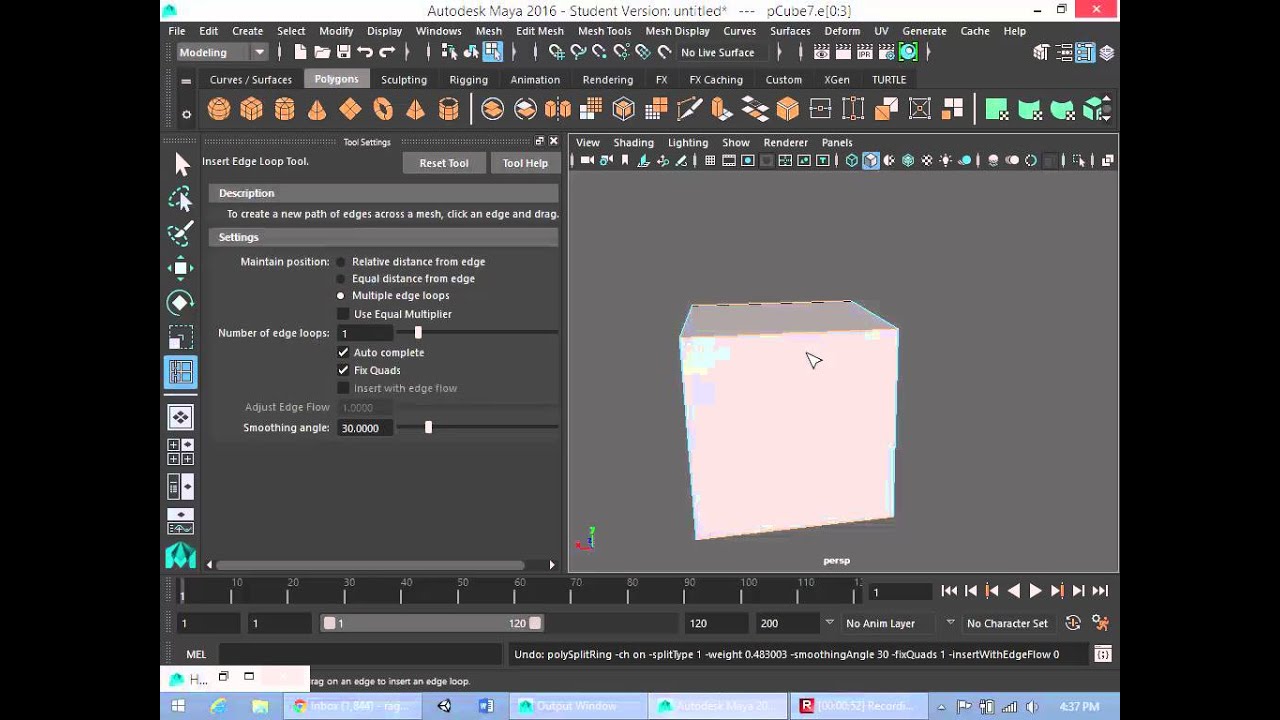
In this tutorial, I demonstrate how to use the Insert Edge Loop tool to add an edge loop to a mesh. By using the Insert Edge Loop/Multi Cut tool and the Extr...
surreal tundra
haha okay, thanks!
but if i add subdivision to the whole thing that would work aswell? just that its a bit more performance intensive?
plush yew
hey guys I have a weird problem and I don't know how to fix it.... I have reinstalled a fresh new windows installation on my pc but have everything unreal related on a separate drive but the moment I start the epic game launcher my engine versions or projects aren't here anymore and I can't seem to find a way to make another path for unreal in order for unreal to find the engine versions and my projects again.... any ideas ?
 blazing topaz
Hi all ! any one know how remove reflection in sky box ?
 blazing topaz
how remove reflection in sky box
plush yew
@hidden aurora well I would say that yes a bottleneck could be here but in all honesty way too unreal to ever produce some.... It could maybe happen, but only to a small degree ( just my opinion)
 hidden aurora
I have an i7 3770k and the 2060 but idk if i can trust that
hidden aurora
Its at 3,5 ghz i think
plush yew
I don't think too that it will happen, maybe in really strange situation but imo you could just overclock to fix the problem if it happens
plush yew
yes exactly you overclock it to something like 3.7-3.8
hidden aurora
well thats an arguemnt
 viral fractal
I would suggest to increase step by step, always check if stable, if you reached the highest stable clock Go 1 step Back, keep that
hidden aurora
The probelm is if buy a new cpu i would need to also buy new ram and motherboard
fringe pivot
You still need a motherboard with the right chipset, and a good cooling solution if you want to achieve high frequencies
hidden aurora
I would need to upgrade to DDR4 but money
viral fractal
Keep CPU and overclock
viral fractal
No
hidden aurora
I have stock cooler lmao
fringe pivot
with stock cooler and low end motherboard just use the turbo thing
that's all the OC you will get
viral fractal

I was able to put an 2600k to 4.2ghz With stock cooler
It was Jet engine Mode, but stable
hidden aurora
jet engine mode lmao
https://www.asus.com/us/Motherboards/P8Z77V_DELUXE/ thats what i have i think its very highend

I overcloked to 4.2 ghz with stock cooles but the temps lmao
fringe pivot
well 4.2 is still low for that CPU, and also, you will greatly decrease the processor life due the high temps
viral fractal
Your not doing it right, until you can cook on your heatsink
I would never ever in my life waste my Money on an AiO
Get a decent Air cooler for less than half the cost
hidden aurora
Any good cooler?
hidden aurora
OG gamers
viral fractal
EKL Alpenföhn Brocken 2 is a great one for ~30€
Keeps i7 6700k @ 5.1ghz under 65° all the time
hidden aurora
Are you sure
hidden aurora
I have cooler stock from intel its a risk
fringe pivot
what mb is it @hidden aurora ?
hidden aurora
viral fractal
A rather cheap one i guess, no one would buy a high end board but use Stock cooler
hidden aurora
It wasnt cheap
hidden aurora
It has switches on board but dont know what they do lmao
- Industry leading Digital 20 + + Phase Power Design
- Industry leading Digital 2 + Phase DRAM Power Design
fringe pivot
it will OC just fine, but stock cooler won't
fringe pivot
the cooler I mentioned isn't expensive, and it's fucking awesome
hidden aurora
I almost ran out of money with the 2060
 sudden agate
okay, question.
How do I play Audio between Level Changes, if I also want to change the GameMode?
Persistent Level + SubLevel doesnt seem to work in that regard
hidden aurora
Game instances?
sudden agate
Audio is destroyed when OpenLevel is called
hidden aurora
Game instance is always loaded
sudden agate
I am talking about Audio. You know?
hidden aurora
yep
plush yew
But if audio is played via game instance it will still reset on level load
Curious as to specifics, maybe you could do a fade out with delay while audio plays, then load?
sudden agate
Nah, I strictly want to have Audio be playing during Map Load
plush yew
Well map load is more or less instant right, maybe some logic gets initialised
Or maybe my game just isn't complex enough to have slow loading XD
sudden agate
https://streamable.com/nf6cq
Here you can see what I am trying to do

the music should not stop when I go to the second screen
 mellow turret
is stop movement immediately necessary because if there's a high velocity it would keep moving until it completes the length of the velocity vector?
hidden aurora
@sudden agate oh i get it now
Why dont you wait for the sound to finish and then load the level
hidden aurora
Wait until the sound to finish and then load the level
 split wedge
not sure if i ran into a bug but i was working on my project last night and i saved everything and then when i left and got home plugged in and half my project is missing and the editor crashes without displaying errors
hidden aurora
do you have the crash log
split wedge
its not giving me one just closing
i think my file may have gotten corrupted
yep the file got corrupted :/
 worn spade
my character becomes michael jackson after these set actor rotation and location functions
ah nvm, just using another set actor rotation zeroed out fixes it.
 cyan bough
Can anyone explain what I did wrong on this?
I am very new and following a guide to making an inventory. I have som errors but not sure how to fix them.
Thanks in advance for any help.
rotund scroll
you might be better off posting a screenshot
don't think anyone's gonna download your asset
cyan bough
Yep that fixed it all. Thank you very much. That tutorial segment took 2 hours to complete and I could not find that exact spot again to see what I did wrong. Saved me hours of time :)
rotund scroll
👌
 kindred depot
Hi
Is There a way to cut bsp brush? I dont mean change to substractive, i want to apply this effect same way you can do with boolean modifier in blender
Cut one brush using another and apply The cut
Can i do it in ue4?
rotund scroll
there's a brush mode that allows some manipulation, but it can be a bit buggy
it does cutting though
but you're not going to get a boolean csg in unreal beyond brush subtraction
kindred depot
Brush substraction is fine, as long as i can apply the substraction and get rig of substractive brush
Can I?
paper kernel
such is a nature of bsp
rotund scroll
well, no, you can't
kindred depot
Do should i even consider using bsp for modeling my house? Walls, floor etc. ? Or model all in blender?
rotund scroll
you're going to get greater detail in blender
and if you're already familiar there's no point in using brushes
brushes are mostly for prototyping
plush yew
Has some videos/playlists been deleted off of https://www.youtube.com/user/UnrealDevelopmentKit/playlists?

YouTube
Welcome to the official Unreal Engine channel! Unreal Engine 4 is a complete suite of real-time 3D tools made by developers, for developers. Create and take ...
paper kernel
bsp is only intended for blocking out initial sizes and approximate shapes, which are then turned into static meshes and exported from the engine to 3D modelling software
so you dont actually have to measure everything and draw it on a paper
paper kernel
sure you can do Quake 2 style level editing with bsp but...
kindred depot
Also I made first floor in bsp ..just main walls and it looks super small and claustrofobic
And i used real measured values from plans
Assuming 1 unreal unit is 1cm
rotund scroll
you're going to find that most real life metrics need to be scaled up
especially if you're using third person camera
kindred depot
Im using fps cam
Doors height seems right but amout of space inside is extra small.
Is there like roles how to scale dimmensions to looks right
rotund scroll
try with 30% larger
kindred depot
How people are doing interior prezentation using real metrics
fringe pivot
I set my Scene Capture 2D to render some specific actor only, however it still capture the blue background
Not the skysphere but the other one
How to avoid that?
fringe pivot
It doesn't make sense that's not even a world's element
rotund scroll
experience
you could also change the camera values
if you limit the fov your rooms also get larger
kindred depot
Hmm isnt fov in real life much bigger than in game? Shouldnt i increase it to get more realism? Just asking?
rotund scroll
you're never going to get a 1:1 relation between real life and game unless you manipulate values
fov in real life is about 70-80 not counting peripheral vision
but most games use a fov of 60, mostly for performance
you have a few choices to make about how you want to scale your things. either you make the rooms bigger and add larger fov or you could try making the fov smaller and see if the current room sizes are big enough
 scarlet birch
Is Niagara far enough along to where a game can ship with it?
Think I've answered that on my own.
 vagrant spindle
hello there, i would like to have some thought about a situation, my brother wants me to work on a game he has some ideas for but i dont really have the ability yet to make this game by myself but he seem to believe i do, he's offering me 5000$ if i make it happen and 50/50 share on the sales of the game
 abstract relic
That’s less than a month wage for most game dev (in US)
vagrant spindle
should i tell him, maybe he should offer this to a more competent person? in this case i'd still need to do stuff for him because he doesnt speak english and have very basic knowledge on where to find someone to do this and do transactions and just about anything but having his ideas
vagrant spindle
5000 cad/
abstract relic
And ideas do not have value
vagrant spindle
haha
abstract relic
There’s an unsavory title for those. Idea guy
scarlet birch
What's the scope of the project?
paper kernel
5k for a mobile game, I'm sure Uni students wouldn't mind the extra money
vagrant spindle
well to give a general idea, it would be similar to splatoon
abstract relic
Work on your own idea
scarlet birch
Ha
vagrant spindle
im not really a fan of it anyway so i dont really have motivation to work on this
lol
abstract relic
Then a harder no than previously
vagrant spindle
lol
abstract relic
Cute story though 😜
vagrant spindle
he wants me to make a simple game so i can sell it and make money off it but what he says is simple is still beyond my ability 😅
abstract relic
Pong is challenging to make. Never underestimate the amount of blood and tears have been put into such titles
rotund scroll
first pong was made on an oscillator
vagrant spindle
Yeah well all he wants is to get rich easily so he can stop working, i mean, i understand that, but its never that easy XD
AND he's trying to do it through me so... thats annoying
 dim plover
Tell him to make a hentai game if he's really that desperate to make money.
That's my trump card.
worn spade
do an asset store flip on app stores. Strange Rope Hero, Mystery Neighbor, Fortress Night
vagrant spindle
😂
hidden aurora
Should i wait until 3rd gen ryzen comes out or buy the 2700x
manic pawn
wait
 grim ore
buy a cheap 1700 and a 450 board, pocket the cash savings for a year and upgrade to 3rd gen whenever the 1700 feels sluggish since the board would be compatible.
also none of this advice is good since we don't know what you are upgrading from lol
grim ore
if you buy the 2700x or the 3700x or whatever you are gonna regret not getting better or not waiting so accept that as a fact. Budget is a biggie and what you want to do with it is the important parts.
 gleaming creek
Haven't really noticed much CPU-based bottleneck in years, either with the 1600 I have now, or even with the previous CPU I had before
hidden aurora
I have to say i have no money to buy a motherboard, ram , cpu
ill need to wait
Unless somehow i get money
grim ore
3770k isnt bad if you have it overclocked to 4.4 or so but going to any 8 core or 6 core currentish gen is gonna be a nice boost
gleaming creek
But the universal rule of computer hardware is: There will always be something better in a few months
You can wait forever, wait for one thing, then when you finally think of buying it, there's something new and even better coming soon
grim ore
we went the lazy route I suggested above with my son. went from an amd x4 840 and a amd rx 360 to a ryzen 5 1600 and a gtx 1060 for ~400 us including 16gb memory
hidden aurora
I didnt upgrade my pc since 2012 thats when i bought the components, the only thing i changed is GPU and SSD
grim ore
we went that way because he can upgrade to a top end 3rd gen ryzen in a year or 2 if he wants and the 1600 was super cheap and faster than what he had now
hidden aurora
I would need to see how to overclock the CPU and wich Cooler to get
grim ore
stock can overclock a few hundred mhz for sure, check your temps now under a full prime95 load or a cinebench
if you are at 80 or higher already then maybe not but under that, go for it
hidden aurora
I have stock cooler lmao big oof
gleaming creek
Oops, I wrote 1700 when I have a 1600. Either way, I can run all games at max settings on the 1600, I only have a 1920x1200 screen resolution though. UE4 building / lighting is a little slow I guess, though
But it having lots of cores does help with that
grim ore
find your bottleneck and dont upgrade because you want to, it's important. your CPU is definitely less than your GPU but still its a quad core with HT running ~3.9 on boost which is far from horribad
hidden aurora
With my i7 3770k and the 2060 i can ran all games at 1080p ultra 85+ fps ,
But i have bottleneck for sure
grim ore
clock it to a 40x multiplier and see what happens lol
hidden aurora
Based on a page i have 27% bottleneck
grim ore
at stock speeds, overclock that bad boy.
its a K chip, you are making it sad leaving it at stock speeds
hidden aurora
The problem is that i have stock cooler
hahah poor processor he wants to be fast af
grim ore
that is only a problem if your temps are bad, what are the actual factual temps when running cinebench multi core or prime95
hidden aurora
I dont have t hat program installed tho
grim ore
and regardless of that your core voltage is the one that is your primary cause for more heat when overclocking and most K chips are already ~overvolted~ higher than needed at stock. you can probably eek a few hundred out without changing it at all
hidden aurora
Yea i heard that going to high with speed might mess up voltage and rip
grim ore
well if you do it manual its not really an issue, you put your voltage to the safe range and then start making your multiplier higher till it refuses to boot or windows freaks out. then you back it down and move on
hidden aurora
I would need 1000 usd and my life will be complete lmao
I recently bought the 2060 and almost ran out of money sad face here
grim ore
you can get a 1600 and board for ~200US, memory for ~80US (16gb), and you are good to go
assuming your PSU has the correct CPU power pins which it probably does
grim ore
it's not horrible but is the cost over a 1600 or 1700 worth it?
the ryzen 5 chips are insanely good for the cost
hidden aurora
If i have the money ill definityl buy them
As im 16 and i dont work getting the money is difficult
grim ore
I have a 5820k overclocked to 4.3 and the 1600 we just put in the machine gets about the same cinebench score running at 3.8
hidden aurora
Also in my country everything is like 2x expensiver
grim ore
another good reason to find older stock 😉
hell maybe someone will be upgrading to 3rd gen in a bit and you can find a used 1st gen cheap
hidden aurora
Amazon doesnt deliver to my country
My cpu is boosted at 3.9 ghz
like it goes from 3.5ghz to 3.9ghz
grim ore
yep but the boost is normally not all cores depending on the cpu
hidden aurora
I see
When i buy a better cpu cooler ill try to boost to 4.2
Im running cinebench
 deep basin
how can I set how fast an animmontage is playing in code? Like if I want it to play 50% faster?
grim ore
@deep basin how are you triggering the montage to play in the first place?
deep basin
I have a fire function that I want to play a selected montage in relation to the fire speed of my weapon
hidden aurora
Isnt there a play speed node?
deep basin
only found RateScale so far, which is not doing what I need
grim ore
well the play montage node itself has a play rate on it which is why i was asking
deep basin
mhhhhhhh then something must be wrong with my values
hidden aurora
Wait that says that an i5 is faster than my i7
deep basin
PlayRate = 1 (default) means play it at original speed I suppose?
hidden aurora
Yep
grim ore
is it perhaps the montage is not overriding your existing BP?
hidden aurora
1048 score on my cpu smt is wrong
grim ore
maybe you have other software running slowing it down
or its overheating so its slowing it down
deep basin
not sure, doing it in c++, but that should not make a differnce
grim ore
yes
hidden aurora
It needs a juice oC
grim ore
@deep basin I have very little experience in animation #animation might be better but I can get the play montage node to work at a faster speed but only if I have it overriding and existing montage on the skeleton.
 alpine frigate
Is there a simple way to make a project package as the currently selected graphical setting? Whenever I export it runs the project at maximum quality
alpine frigate
@hidden aurora I didn't really plan on having a menu for it atm. I'm just trying to find out if maybe there's something I can add to the INI maybe
grim ore
@deep basin ok so I actually read the docs on blending montages to anim bp lol and yep the Play Montage should work, I can fire it off and play a montage I created and set the play rate and it worked fine. 1.0 is normal speed, 0.x is slower and higher than 1 is faster playback
@alpine frigate https://docs.unrealengine.com/en-US/engine/performance/scalability/scalabilityreference are some of them, you can set them in the ini file or use the execute console command to run them at startup
but there is no easy way to say "hey I am testing it in low settings in the editor so package it like that
alpine frigate
Yeah I'm starting to realise that, thank you
grim ore
I would almost be willing to bed you could somehow use python or blueprint utilities to make something, or even whip up a C++ function to do it and write out your .ini file for you but out of the box
alpine frigate
Honestly just getting the rendering resolution to half for a lower end machine I'm testing on would be fine for me at this point
grim ore
yep you can set that
alpine frigate
Yeah my scalability config on my package is blank though, so I'm thinking I might to have edit the project .ini and repackage
 storm venture
sorry to interrupt; does anyone know if running the game at a fast speed (example, slomo 10) with AI Characters running around would be just as accurate as running it at normal speed (slomo 1) ? I imagine physics will behave differently at different speeds but an AI Character is only driven by its input controller, so it should remain accurate, right?
grim ore
honestly just open your main level blueprint , hook up an execute console command node, and plop in "r.ScreenPercentage 50" on the begin play and should be good
alpine frigate
Alright I'll do just that, thanks Mathew
 bitter oyster
does anyone have any ideas on how games like ARK/Conan regrow their foliage over time? i have a few ideas in mind on how it could be achieved, but i'm curious as to how other games have done it
grim ore
have you checked out the ARK mod kit? or the conan one
bitter oyster
nah, i wasnt aware they even had one
hidden aurora
Maybe create a custom f oliage type class and modifiy it
I tihnk it must be done in C++
bitter oyster
yeah aiming for c++ solution
does the ark/conan mod kit include data on how they're regenerating foliage? or does it just let you see the assets?
hidden aurora
Try to make a custom Foliage Intance C++ class and write like grow over time or smt like that
bitter oyster
thanks, i hadn't considered that, i'll look into it
mellow turret
As you can see the blue/green fire particle spawns from the character chest (as intended) but it then stops emmiting particles for certain distance and continues after a while, is there a way to trouble shoot this?
the "fire" is a blueprint actor class with a particle system and a projectile movement component
sullen wraith
someone testing my game got this error
is this something I've done wrong, or something on their pc?
other people have launched it fine
hidden aurora
@grim ore talking about cpu temps I remember one day that cpu reached 105 c degrees lmao don’t know why
 rapid compass
hey uh
what’s the best way for an artist to start making a game within UE4?
i don’t have programming skills
but i heard about Blueprint
 weary basalt
Watch some tutorials on Youtube.
 real mantle
Hi there, is it possible to create multiple players for a local multiplayer game without instancing many cameras and player camera managers?
 bitter plover
Each player is going to need it's own camera @real mantle
real mantle
uhm, so is there any way to do something like, let's say SmashBrothers where you have only 1 camera and multiple players?
What's the right approach? not using controllers for each? ignoring the cameras?
 safe rose
@real mantle https://www.youtube.com/watch?v=VATImPiTj1g

UE4 / Unreal Engine 4 Multiplayer Playlist: In this collection of videos, we will cover setting up a project for both local and networked multiplayer project...
and if you still need help, just Google UE4 Local Multiplayer Single Camera , that's all I did
@bitter plover And you. It's Steam
No, you can't use it anywhere but PC
bitter plover
Damn
safe rose
@real mantle also: https://www.youtube.com/watch?v=ZOc9fV6Sap4

Announce Post: https://forums.unrealengine.com/showthread.php?127674 In this session, Sr. Technical Writer Wes Bunn takes a look at a few different local mul...
bitter plover
There isn't a good cross platform service then is there
That's cheap an effective
Amazon game lift looks expensive
real mantle
I saw these videos @safe rose , but they still spawn multiple cameras even if just using one
safe rose
Each Controller has a Camera Manager
I haven't done or remember anything about Local MP in a good while
But anyway
Each controller has a PCM
so it will spawn its own camera that you are seeing
 patent lance
for someone that has 2% programming knowledge, which would be easier for me to pick up? unreal or game maker studio 2?
bitter plover
@patent lance depends what you want to do
safe rose
I don't think you can get away without some C++
bitter plover
Anything 2d go for gm2
patent lance
make a simple ish 2d game
patent lance
not an RPG , no
real mantle
yesh, looks like that's the case, I was checking the source code, and looks like PlayerController always has a camera, but AController not, however you can't create AController right? if you createplayer will be always a playercontroller
safe rose
you can create w/e you want
as long as it lets you
but no, you can't
BP- only AIC and PC
real mantle
I cna use c++ I think, that's all good
safe rose
go for it boss, do your thing
real mantle
my boss is now letting me go throught with it becuse it says that you can't have multiple cameras doing nothing in a project
(they don't know any UE btw)
so I'm really struggling with this
so what's the alternative? Creating a c++ class extending from AController and reimplement EVERYTHING a PlayerController has expect the camera?
 worn granite
Ought to be able to manually spin up additional input components
probably easier than making a new controller concept
real mantle
do you mean using just 1 PlayerController but adding to it multiple InputComponents? @worn granite
rapid compass
Am I able to import Google Blocks models into Unreal engine?
Or do I need a specific program to convert them into meshes?
mellow turret
still cant figure out why this bp class with particle system and projectile movement spawns at the chest (as intented) but stops emitting particles a certain distance, it is created at chest and particles stop and then it starts emitting at the hand again ...
real mantle
What's the purpose of possessing pawns if you can just move them using the input in the PC?
plush yew
Hey, I keep getting a "compilation" error every time I restart unreal
All I need to do is compile the files again manually and it works, but it's annoying every time
real mantle
does cleaning up intermediate folder help?
plush yew
Where can I find that?
These are the errors I get
But if I just save all the other files in the project again the compilation works fine
real mantle
in your project you have a few folders like Intermediate, Binary, Saved that you can delete and regenerate (right click generate solution in the uproject file and the compile it)
it helped me a few times where things were not working nicely and I had some weird issues like yours. I can't promise it'll fix your case tho 😦
 plush pike
Hi guys
Wanted to ask a question unity 3D has this asset called rewired which basically adds input of various controllers support for the project like a plugin
Just wondering for unreal engine is there such asset or does the engine not require this? I am new to unreal 😄✌🏻
 ember notch
I am a Java Developer, what would be better for me Unreal Engine 4 or Unity?
ember notch
Ok
plush pike
I would say UE4 after trying both
I love the blueprints
Oh just realize @ember notch you have the ninja look 😄
 oblique coyote
Quick question how can i delete a posting from myself for looking for talent kinda want to rewrite it ?
 whole quarry
dm a mod
deep basin
@grim ore Hey, sorry had t go to sleep, was very late yesterday. So, when I use the PlayAnimMontage() function in C++, it didn't change the actual playtime returned as a float, leaving me to think that it might not work properly in C++, bt in BP.....
lusty carbon
How can I add a fps character to a VR project? I need someone to test it but he has no VR equipment
plush yew
Heya, my team has ran into a problem with UE4 4.21.2 where when we play our game on steam and close it; steam still reports the person that was playing as in-game for another 30-60 seconds (as it doesn't fully close the process)
We use the following plugins:
GameAnalyics 3.1.1
Houdini 1.7.0
SVG Importer 1.4
FMOD 2.0
If anyone knows what we could do to fix this do tell, and thanks in advance!
plush pike
Has anyone try to use assets from unity to unreal? And did it work?
 blissful aspen
is it possible to save viewport postion?
surreal tundra
anyone have any experience importing xgen groom from maya to ue4? if this is a difficult procedure or not?
hidden aurora
Ryzen 7 2700x or i7 9700k
ember notch
Blueprint is visual scripting right?
sudden agate
ye
 tardy sapphire
Anybody know a nice particle effect like a firefly? To make a magical forest
ember notch
What is better for students? Unreal Engine 4 or Unity
tardy sapphire
Unreal
I was a student who started with Unity 5 years ago, wish I did Unreal instead from scratch.
Unity is a scam
 glacial pecan
@tardy sapphire why is Unity a scam?
plush yew
i can't find a way to increase the shadow quality of my directional light, they seem to be a bit wonky, where do i have to look for this? sorry, total newby here in UE
glacial pecan
@plush yew that's a #graphics question, but you should first tell people if you are talking about dynamic or static light
plush yew
oh, sorry, i will go there thanks! : )
tardy sapphire
@glacial pecan They sell a crap ton of features on the marketplace that should be natively available in Unity in the first place, a lot of stuff available for free in Unreal are sold in Unity and they are developed by third-party developers who almost always provide terrible support
Unity is a total scam
glacial pecan
@tardy sapphire That certainly... a perspective... another would be that Unreal is so locked down and inflexible that unless you are a paying AAA studio, you are at the complete mercy of Epic who may change things at a whim depending on how Fortnite goes, and that you can't easily swap out stuff from the engine, like for example different anti-aliasing or ambient occlusion solutions, that you can easily do in Unity via that marketplace that you dislike (that I find absolutely wonderful).
So, I strongly disagree with your assessment.
glacial pecan
And the support is equally terrible in the Unreal marketplace, because there's a lot fewer customers there so there's less incentive to keep add-ons alive, it seems.
tardy sapphire
Have fun paying hundreds of dollars for basic crap that come out of the box in Unreal
Something most indies arent capable of
glacial pecan
yet most indies use Unity... funny that
tardy sapphire
Most indies build crap games 😉
sudden agate
uses probably blueprint only
complains about missing features
glacial pecan
that does not have anything to do with whether Unity is a scam or not (which it isn't)
glacial pecan
Hey. My first Discord block... that felt nice 😃
Hope he doesn't continue providing misinformation in the channel for others, though...
tardy sapphire
Sigh
 upper sluice
Wow I can't resist. I'm currently working on an Unreal project and have an indy Unity project going. A lot of the whines about Unreal come from my code lead who prefers Unity. I worked on 3 shipped games in Unreal, it's not perfect but what engine is?
viral fractal
any way to speed this engine up ?
it uses only 20% of my system, compiling takes forever this way
wary wave
depends what you're doing
 graceful sky
Generally i feel the editor is extremely bad at handling file related stuff 😕
import, export, copy, move, delete..
viral fractal
its damn slow anyway
 cloud cobalt
Importing stuff should be pretty quick if it's meant for game content
sudden agate
Get a SSD
cloud cobalt
If it's too slow it's probably shit
graceful sky
Got an ssd.
viral fractal
its running on a NVME drive
graceful sky
even
viral fractal
an FBX with 1900 tris with 4 4k maps
cloud cobalt
Should be pretty quick.
sudden agate
Enough memory to hold everything?
cloud cobalt
The FBX alone should be instant
viral fractal
always takes ages and sometimes crashes like now
cloud cobalt
The texture files will be slower but nothing more than a few seconds
sudden agate
Crash report should tell you what's wrong
cloud cobalt
Probably not TBH
Try importing the FBX without textures
Textures will be in separate assets in UE4 anyway
viral fractal
JPEG
cloud cobalt
jpeg for game content ????
cloud cobalt
Try converting to a real format first in case that's the problem
I'm guessing "multiple 4K textures with lossy compression" isn't exactly tested often
24b TGA works like a charm and 4K should be quite fast to import
 cloud cobalt
Which kind of error ?
TGA has worked perfectly fine for me since 2014 so I'm pretty sure it works reliably, I've yet to use another format
It's also the fastest to import
Since it's uncompressed.
cloud cobalt
Dunno, never tried anything else than TGA.
cloud cobalt
Should be a few seconds ?
viral fractal
more a few minutes
viral fractal
AMD Threadripper 2990WX
wary wave
ah, there's the problem
cloud cobalt
Ah, right, that's a bit slower that what I use
wary wave
but even then it shouldn't be too slow
but it's not great when it comes to heavy tasks
viral fractal
everything except unreal worked perfect yet
cloud cobalt
UE4 doesn't multithread importing, so it will be slower for that than a regular Intel
wary wave
that processor was designed for multi-threaded operations at the expense of single threaded
(even compared to other Threadrippers)
viral fractal
singlecore isnt that bad
cloud cobalt
It's not great either
viral fractal
its overclocked though
cloud cobalt
Make sure your TGA was uncompressed, too
viral fractal
it is
fierce tulip
Early Access: Low-overhead tracing infrastructure and graphical tools for visualizing and analysing engine behaviour. Includes CPU/GPU/IO profiling.
viral fractal
let me try it with my i7 6700k
cloud cobalt
That looks dope Luos
viral fractal
OCed to 5.1ghz it should singlecore pretty solid
cloud cobalt
I'm running an 8 core, 5.2 stock I7 and the perf's fine
Anyway, it's not like importing textures is a bottleneck
viral fractal
wish it could compile with GPU
wary wave
I use an i7 4790k, and importing meshes and textures takes seconds
viral fractal
rtx 2080ti 2.3ghz should be fast then
ember notch
When will Unreal Engine 5 come?
cloud cobalt
Probably never
viral fractal
never
cloud cobalt
In a decade maybe
fierce tulip
once they run out of numbers behind the 4.
 serene birch
would need some massive paradigm change for some new tech
ember notch
Unreal Engine 5 - 2030 release
viral fractal
i want a working global illumination
cloud cobalt
@viral fractal Of course, it's not really possible to put textures importing on the GPU because the importing job is not really one that can be run in parrallel.
wary wave
whenever a hardware generation requires an architectural shift, you'll see a new engine version
cloud cobalt
^ which isn't going to happen with this console gen
fierce tulip
even virtual texturing is being added atm
viral fractal
didnt happen from 3 to 4 too
cloud cobalt
3 to 4 had massive changes
Like, dropping an entire programming language and moving to Blueprint
Rebooting 100% of the UI
viral fractal
i mean architecture wise
wary wave
it changed a lot
fierce tulip
lol
serene birch
ok maybe UE5 will exist if they want to drop Blueprint
wary wave
the entire UI system changed etc
viral fractal
the engien changed a lot for sure
cloud cobalt
Few parts of UE3 remain now, except Cascade (soon to be taken over by Niagara ?) and Lightmass (soon to be replaced by LM2)
viral fractal
we were speaking about hardware changes that require new engine
wary wave
the brush tools are still there
cloud cobalt
Saying this as a longtime UE3 user
wary wave
remnants from the mid 90s, lol
cloud cobalt
😛
viral fractal
i hate lightmass
viral fractal
slow garbage
cloud cobalt
Yup
wary wave
sadly, console hardware probably still isn't in a place where we'll be able to push decent real time lighting
viral fractal
it is
just not with unreal, because epic does not seem to be interestet in real time lighting anymore
serene birch
I think UE4 will focus on RTX for real time lighting 😮
cloud cobalt
DXR*
wary wave
I haven't seen performant real time bounce lighting in any current console games
cloud cobalt
TBH, a better implementation of LPV would probably work fine on PC today
wary wave
and I'm not sure we'll see it on the next gen either
viral fractal
Kingdom come deliverance
wary wave
console version doesn't have it
you need to be on a 1080Ti+ to be able to enable the real time GI features on a PC
viral fractal
all the lighting is real time gi, just because the fact that cryengine doesnt have baked lighting lul
wary wave
only the ultra-high settings on PC have the RTGI features enabled
cloud cobalt
And funnily enough, a 1080Ti is also the entry bar for ray-tracing, which is why Epic has decided to only implement RTGI as part of raytracing
There's just no point
fierce tulip
^
viral fractal
but has real time gi on consoles though
cloud cobalt
It doesn't
wary wave
it does not
fierce tulip
^
cloud cobalt
HZD looks amazing without it too
viral fractal
gimmie xbox dev kit and ill port my game over in 3 days, it will have
cloud cobalt
But HZD is a Sony first-party title so they've got the best talent for the console
Or something close to that
wary wave
second party, but yeah
cloud cobalt
Yeah
I'm not exactly a DXR fanboy, I don't even have hardware that can run the tech and I don't plan on getting some any time soon
But DXR as a requirement for RTGI seems logical
viral fractal
hopefully
surreal tundra
CAN SOMEONE PUT SOME FUR ON MY CHARACTER IVE TRIED EVERY POSSIBLE ALTERNATIVE NOW NOTHING WORKS PLEASE I AM ON THE BRINK OF SANITY HERE
cloud cobalt
I've yet to see any implementation of Vulkan raytracing, and Vulkan + raytracing is only needed for high-end Linux gaming PCs, which is hardly an industry driver
 languid shard


#BreathoftheWild Global illumination approximates multi-bounce with a light probe above Link's head. Radiosity is determined by proximity https://t.co/QPINu39aJq
 Twitter
wary wave
Twitter
wary wave
quite a hacky approach, but it works for BOTW
sudden agate
but only in a certain distance^
viral fractal
its not about linux here
cloud cobalt
Vulkan raytracing is pretty much about Linux
languid shard
BOTW is full of wonderful TechArt hax
ResetEra
Posted on behalf of brainchild courtesy of the Adopt-A-User program, Gaming Edition.
NOTE: Do you also have a thread you felt like that is worth posting, but you lack the posting capabilities to do so? Give the volunteers at Adopt-A-User a call, and we will assess whether o...
wary wave
tbh, when you watch that in motion, that "GI" is just plain wrong and pretty bad :/
languid shard
sure is
sudden agate
better than none
sudden agate
you mean a 52" tv?
sudden agate
tbh BOTW looks shit thanks to the Celshading
languid shard
playing on the switch undocked mostly
graceful sky
i feel undocked generally got better performance , sadly
 ember cypress
cloud cobalt
ember cypress
cloud cobalt
It's actually somewhat true, Squize, depending on the game.
languid shard
third party games can look pretty bad undocked tho
hope the new OC profile they added will help a bit
graceful sky
Thats the only reason im hoping for a switch pro.. push that 1080p60 atleast
sudden agate
how does Unreal behave on Switch? Docked = Epic Scalability , Undocked = Medium?
graceful sky
even ps4 pro struggle with lag and uneven framerate even on "easy" titles like spyro tho... sadly
cloud cobalt
PS4 is quite old now
graceful sky
so is spyro 😛
fierce tulip
docked is about medium quality, high in some regards. undocked = low with some medium
viral fractal
how does unreal behave on mobile ?
graceful sky
there's also a diff in resolution, impacting perf
wary wave
it's too heavy for mobile, generally speaking
fierce tulip
ue4 runs well on mobile, if you know how to develop on mobile
fierce tulip
or rather, if you know how to develop on mobile using ue4
sudden agate
Empty template is already like 500MB or something-
fierce tulip
you kinda need a good coder who can rip out everything you wont need
viral fractal
i pretty new to ue4, coming from CryEngine
lusty carbon
Can anyone recommend a good vfx pack for player movement indication?
fierce tulip
not any of mine at least
cloud cobalt
UE4 works well on mobile if you're doing a 3D game
The real kicker of course is that 2D is very much a thing on mobile and UE4 sucks at it
graceful sky
extremely short an bad gif, but it worked https://cdn.discordapp.com/attachments/294102192430776320/569111336743862293/SmartSelect_20190420-124503_MobileRC.gif
 cloud cobalt
Hell, 2D is great overall
graceful sky
mostly used assets from the RC template epic provided, pushed into a new project
recorded the gif with the phone i played the game on, which overlayed and blocked my control inputs sadly, so had to cut it short
done on a Note 9
deep basin
Azure Lane was made in ue4 and is 2d
bitter oyster
@graceful sky are you using an opacity mask for your road to make the edges blend like that?
 earnest coyote
Guys what type of PC (components) you think will be great for unreal engine? (High end)
fierce tulip
<_< join the newegg discord or whatever
fierce tulip
or lennys hardware or whatever hardware channel :p
languid shard
😄
 shrewd shuttle
Does split screen increase the required processing power?
fierce tulip
obviously
fierce tulip
especially back in the day (gamecube for instance) when you play mario kart in split screen, most animations, particle effects, and other little details in the env. would be removed.
cloud cobalt
MK8 on Wii U noticeably runs at 30fps instead of 60
serene birch
at minimum it needs a second pass of camera culling I guess
though maybe it can batch shadow rendering/maps for both view when they are in common
deep basin
only if both are in the same render area. otherwise it needs more rendering as well
languid shard
@fierce tulip MK on the switch runs at 30fps in 3/4 player splitscreen
and the quality takes quite the hit
games is a bit sluggish at 30fps
 kindred viper
dont most games run at 30fps on the switch? From what I saw, Fortnite does
paper kernel
limited mostly in handheld mode to preserve battery
 dim merlin
hey guys, just a average question: is it possible to 'cut' in terrain at runtime?
 manic delta
I am new to UE4 but have 2 years experience in Unity.
Could someone he;p me out with a problem in unreal engine.
?
I am facing problem while changing environment in plugins like Action RPG and Close combat sword man.
- When I replace new environment in the level and play the game, new environment doesn't load, instead the old one loads. I am not able to get the result.
*** Unreal 4.22
 naive bloom
Have you double checked the world settings doesn't have the old one selected? I fell into that trap a few times
 cyan cargo
Quick question: I want to enable AI Perception Sight to be visible in debug, but don't know how to activate on a keyboard w no numpad
cyan cargo
NVM got a Numpad emulator
grim ore
I had to buy a USB numpad just for that issue lol
surreal tundra
anyone knows why me mesh in maya looks like this? (see tail)
and my mesh in ue looks like this? (see tail)
ive activated smooth mesh in maya and preserve smoothing groups on export into ue
: I
sudden agate
you need to apply the subdivision modifier before export
surreal tundra
@sudden agate do I do this to the whole mesh? It won't break my skinning?
sudden agate
idk. not a maya guy
 opaque ferry
Any idea how to import assets from a demo project to my content browser?
 latent minnow
Not a maya guy either. But based on the edge loops on the tail I agree with @sudden agate it looks like you didn’t apply a subdivision modifier.
opaque ferry
The import option can't find any files
grim ore
migrate the assets out of one project to the second project
latent minnow
Right click the assets in your content browser and migrate them to your other project’s content folder
opaque ferry
Can I also do that outside of UE?
win explorer for example
I just started yesterday so I am total noob. lol
latent minnow
I recommend checking out some of @grim ore ‘s videos. He’s a legend in the ue4 tutorial community.

YouTube
This channel is dedicated to exploring Unreal Engine 4 and the Blueprint programming language that it uses. You can think of it as a companion to the API doc...
surreal tundra
@latent minnow won't that break the skinning?
latent minnow
If it subdivides UVs as well it shouldn’t.
grim ore
@opaque ferry you can put .uasset files in your content folder in your new project but they will not work properly if they are not the same version and other magic voodoo. The proper way is what was said above, you migrate out from one project to another.
opaque ferry
750ti 
 pseudo swift
any1 know why I cant get this to import properly into unreal? I tried converting it to mesh and all but its always missing after import:/
opaque ferry
Alright, so I just open one project, the infiltrator demo for example and then press migrate to My project 4? @grim ore
grim ore
I am doing work right now on a machine with a 750ti, it's better than the iGPU I had on my old machine lol
latent minnow
Are the normals flipped? @pseudo swift
grim ore
any serious game dev uses whatever they have available to them to get their game done
opaque ferry
Can I basically choose all assets from that demo file?
latent minnow
A 750ti is plenty. The UE wiki still recommends a GTX 470
grim ore
you can chose all the assets sure but if you are doing that why would you not just use the original project
opaque ferry
Ah, simply because I want to create something new and don't copy the UE team. @grim ore
latent minnow
If editor performance continues to be a problem, I would recommend turning down your engine scalability setting @opaque ferry
opaque ferry
Mind if I send a link to a cool UE level I found on yt?
https://www.youtube.com/watch?v=QWd9jMvJfuM& I really like cyberpunk and all that futuristic stuff. That video instantly catched me. I want to try creating something like that.

This is my personal project: level in cyberpunk city. It was made in Unreal Engine 4. I've used assets from "Showdown", "Infiltrator", "Sci-fi Hallway", "Sci...
ANd that guy also stated that he used assets from various demo projects.
grim ore
if you are just moving all the files from the one project to the others then there would be no point in not using the original project lol. Migrate is intended to move pieces so maybe just move the ones you need and go from there
 leaden kindle
how to turn on opacity on particles? material works fine, but on particles alpha channel seems to be omitted https://cdn.discordapp.com/attachments/485204327800242177/577553685681537030/unknown.png
 opaque ferry
What do you think about that video? I need all the assets from all the other projects to recreate that one. @grim ore
pseudo swift
@latent minnow ill check the normals and report back xd
hmm i guess my issue is the hair with eevee just becomes splines when converted
so i guess there is no geometry
grim ore
@opaque ferry why would you assume it used them all, he just said he used some.
opaque ferry
oh, you're right. I just wanted to let my imagination play and have a huge amount of available assets.
Play around with assets, find or replace new ones.
grim ore
start up infiltrator, make a new level, start using the assets in there and anything you find you want migrate out to your project
opaque ferry
Or did I misunderstood the concept of UE?
So I can have infiltrator and my new blank project opened at the same time?
grim ore
sure you can import 20gb worth of assets into your project and go from there, it's just going to be a giant mess of files you will have to go thru to find what you want
you can yes
you can have as many projects open as your machine can allow
you can also open infiltrator, create a new map, start making stuff out of it and when you like it migrate out the map and the items in the map to your project and then continue working on it in there
opaque ferry
Well, my pc is gonna have some limitations. Opening such a demo project already takes like 2-5 minutes
grim ore
yep and It's not going to be any better if you combine 4 large projects into one
opaque ferry
hm, so first I should just check all the available assets and just migrate the interesting ones, right?
pseudo swift
So do I have to convert hair particles from blender into a mesh in order to have them show up in ue?
grim ore
it would be smarter to only have the ones you plan on using in your project yes, the project would run better on your machine
opaque ferry
I found some huge meshes of a group of skyscrapers that act as some kind of horizon
latent minnow
@pseudo swift what are you working on making? If you are trying to create fur I would recommend creating a material in ue for that.
pseudo swift
im just doing cartoony hair
like the screenshot
just want any basic ugly looking hair on characters in unreal
latent minnow
@pseudo swift https://m.youtube.com/watch?v=BHU0-9EURRc
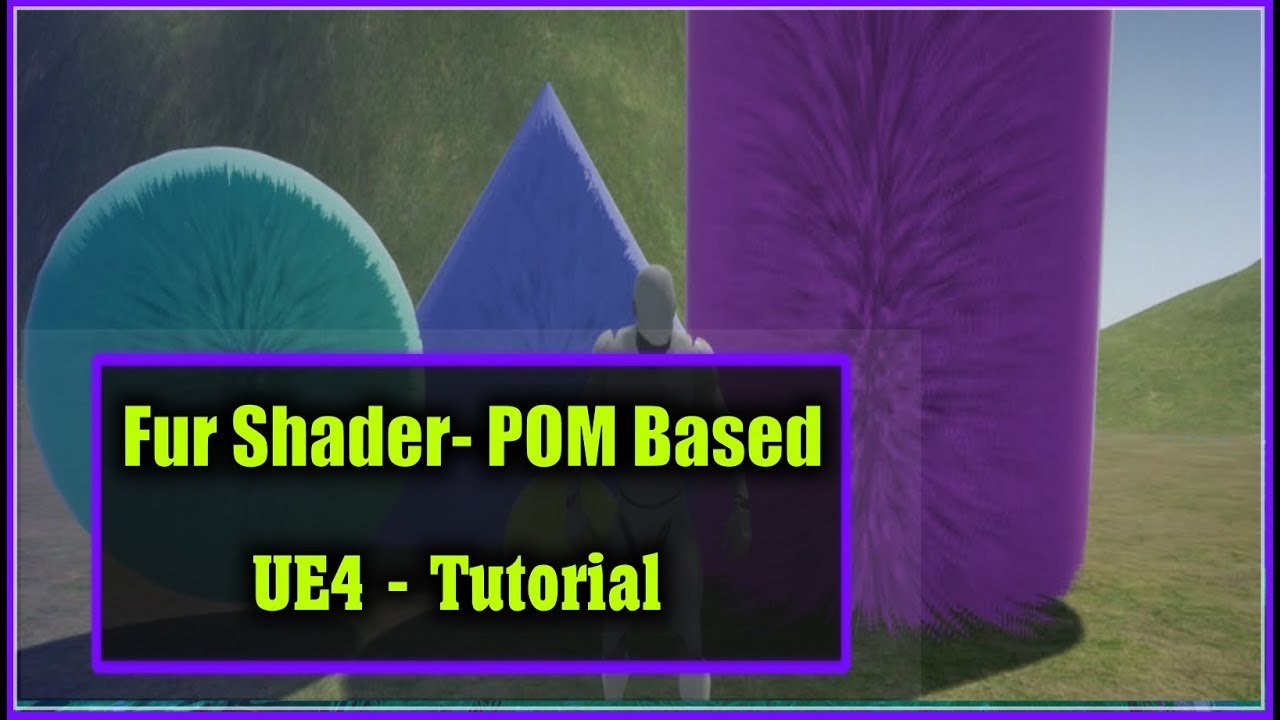
Fur material in unreal engine 4.16 using parallax occlusion mapping.I will also show you a trick to create normal map within the engine using normalfrom heig...
fierce tulip
https://forums.unrealengine.com/development-discussion/content-creation/1618799-monetizing-engine lolkek
Unreal Engine Forums
How is criteries for monetizing game bonuses?
Donat, Skins, DLC etc...
Where is download ready blueprints for this.
pseudo swift
thanks for the help but im not sure how that material would help me recreate something similar to this
plush yew
I asked support how to change currency, And this was there answear
Baddest support ever
 rustic hull
Where's the best place to ask for tutorials for Unreal Engine ?
fierce tulip
<_< yea so annoying dev's get the same fortnite bs passtrough for support.
CC: @gleaming narwhal
plush yew
Any off you know how to change currency
fierce tulip
@rustic hull we dont have a spot for that, people either make em or dont. generally everything you need can already be found if you break down your desired things to the most basic fundamentals
rustic hull
ok thanks
plush yew
Cuz I want sek but it is in euro
rustic hull
i mean i've looked for tutorials online
but i'm really looking for the basics basics
Just wanted to know where the best place is to learn it
fierce tulip
then google is your friends.
"ue4 -basic thing-" is often enough.
i.e. ue4 basic material tutorial
rustic hull
Thanks for the help
opaque ferry
What are map files?
plush yew
I won’t purchase asset for 55 € when is not even right currency
opaque ferry
I just opened the assets folder and there are plenty of level files
fierce tulip
levels are called maps
 gleaming narwhal
@plush yew @fierce tulip I can't see what you wrote them so difficult to judge which part of support you should've been referred to. Are you trying to change your email as well? I would provide them with the information they requested since they need that either way.
In the meantime I'm going to figure out what the process for changing country is
plush yew
No I wanted change from Euro to sek when purchase a asset
And the said how to change a email
gleaming narwhal
Gotcha
fierce tulip
did you try: marketplace-support@unrealengine.com
plush yew
The didn’t help
gleaming narwhal
I would think it's just the default response when they don't have enough info to process your request, but let me figure that out.
plush yew
The use bot as support and formats
fierce tulip
anywyas, afk, need to go. victor can take it from here :p
gleaming narwhal
Thanks Luos
plush yew
Well do anyone of you know how to change currency
As Wish China support got better with helping than epic games
gleaming narwhal
I believe it's supposed to be tied to the credit card you have on file
gleaming narwhal
I used to have a Swedish bank that I had tied to the account and it would show me Euro prices as well, but that was many years ago
plush yew
Why can’t The have a currency choice
Also notice before signed in to the account the asset costed 49$
But when logged in it costed 55€
gleaming narwhal
Currency is tied to your Billing address. If there's no billing address on file it will default to US.
gleaming narwhal
We currently don't support SEK, so Euro is what your prices will be shown in
plush yew
Well is bad that it will cost more when is in Euro
Then like 80 sek lower when is US
Also stupid question, Is assets 1 time payment 😂
gleaming narwhal
Yes, there's no subscription on marketplace assets
plush yew
So 1 time drag of credit card
I never used mine on epic games and 1 time I got in a debt with 2000$ cus i entered my details on Amazon prime
 midnight bolt
how do I use this decal texture in UE? There is no alpha mask, it should remove white background. In Photoshop "multiply" works PERFECT, but i can't reproduce anything like that in UE with multiply. Could someone please show me the correct material?
plush yew
So I’m more careful now
grim ore
when do you want them to show?
if you mean in the editor that looks like it might be showing a geometry brush
 wary barn
Does anyone know here what the average time is for a post on the forum to be approved?
grim ore
off the top of anyone's head say I have a dash move on my character, he hits the button and I set the enum to dash. the anim bp picks up that enum in the event graph and the state machine grabs it like it should and everything works great. The issue I have now is how can I, if at all, set that enum in the character back to idle when the dash finishes if I want it driven by the animation so when the animation ends the character is back to idle.
 minor pulsar
When you import a prop ( fbx ) should the materials and texture auto apply to the prop within unreal?
wary wave
@wary barn - it's usually less than 24 hours
if it's a foreign language post it may take a little longer, but ideally shouldn't
grim ore
no the fbx will usually not auto apply the materials and textures, it will create a generic material for each material ID but you have to do the rest
wary barn
Thanks @wary wave . Its just English. I'll have patience then!
minor pulsar
Thanks mathew
wary barn
I'll post my question here too.
I'm working on my BSc thesis, and I potentially want to use UE4 to generate data for my thesis. For my thesis I have to classify whether a sound source originates from outside a playing field or form inside of it. This is in relation to the NAO RoboCup. There has already been made a simulation of the NAOs in UE4.13, but that is mainly for positioning. The simulation. I would potentially continue working in this existing project.
I want to know whether it is possible to simulate a soundwave, so that I may measure the time difference between arrivals of microphones. I believe my two main problems are the soundwave itself, having it move at 340m/s and the measurement of the time delay between the microphones.
 neat rune
does unreal read avi video formats?
grim ore
^ to answer my own question I forgot I could use anim notifies to do this, just did not want to do the work required lol 😃
@neat rune https://docs.unrealengine.com/en-US/Engine/MediaFramework/TechReference it can use the .avi container if the formats are compatible
tawdry maple
I want to Package Project but I am getting the ERROR: Unable to compile source files.
neat rune
@grim ore thanks Mathew love your tutorials 😃 I made my clip with the sequencer there has to be a way to plug it real quick into the menu widget have you ever tried that'
tawdry maple
and this ERROR: UnrealBuildTool failed. See log for more details. (C:\Users
wary barn
You can delete the previous one to prevent confusion
I cant help you much further, as I dont know too much about UE4 myself
tawdry maple
yes but its something with the sdk i think
grim ore
@neat rune if you exported it out you should be able to bring it back in as a media clip and use media player to play it back. I don't know how materials work with UMG for media playback tho
but I would assume the same as they work in the world. the page I linked has information on the media framework for playing back items using materials
blissful aspen
@grim ore I tried geometry brush, but it did not show up. Is it possible to deform in ue4
grim ore
if you have a geometry brush and go to geometry editing mode the vertices and faces and edges should show up, that is what your picture "looks like" to me.
deep basin
quick stupid question - when adding a second camera, I cannot pitch and yaw it anymore when I swap to it ? why is that? (added a camera boom just like I did for my main camera)
ha! found it! use pawn rotation, if anyone else has the same problem 😃 need to tick it to true
btw, I still couldn't speed up animations in c++ only in bp. anyone encountered the same problem?
grim ore
😦
deep basin
very very weird
I was even logging out the resulting anim speed,, which never changed
hidden aurora
Mathew i managed to oc to 3.7ghz and in cinebench the cpu never wnet above 80 c
 versed spear
anyone ever run into an issue with overlap not working on spawned actors during runtime. If I place them into the world the overlaps trigger perfectly.
opaque ferry
How would you recommend me to start a level?
I want to build a huge city.
Build a giant floor, with let's say a 100x100 scaling?
opaque ferry
I mean using the standard floor pane that spawns on start and just increase its scaling by 100
 cedar moon
Does the collision component need to be the root component of the pawn for it to play a part in SetActorLocation(GetActorLocation() + (Direction*Magnitude*MoveSpeed),true,&hit);?
I recently moved the collision component to another component, and that seems to have broken my movement's collision detection. So if it should work I don't know what to fix.
opaque ferry
I am more looking for a cinematic, not a gameplay. @cloud cobalt
blissful aspen
@grim ore what I am actually trying to do is to bend this. Is this possible in ue4?
 digital anchor
does it need to be a static mesh? would be easier to do animations on an external program and import as skeletal mesh
blissful aspen
I thought of exporting it to blender
but wasn't quite successful.
it seems like only the mesh is exported
grim ore
if it's a static mesh you cannot do anything with it out of the box in UE4, you would have to do that in your DCC program
opaque ferry
@digital anchor How long would it take to create a level and an animation like this? Idk, a guess would be nice. cyberpunk street level
Oops
Forgot the link
This is my personal project: level in cyberpunk city. It was made in Unreal Engine 4. I've used assets from "Showdown", "Infiltrator", "Sci-fi Hallway", "Sci...
blissful aspen
i see
tawdry maple
i have problems with the "advandes steam sessions"
I cant package project after I turn the plugin on
 distant river
Hey y'all, have you guys seen the new minimal UI theme? 🌟 https://forums.unrealengine.com/community/work-in-progress/1618822-ue4minimal-my-unreal-engine-minimal-theme
Unreal Engine Forums
Hey friends!
I've been working on re-theming Unreal Engine recently, the studio I'm working for found similar feelings but I personally find that the current theme
 regal mulch
Yet another attempt at that mess
hidden aurora
It needs a bit of work but looking nice
I would love to see a minimal ui in the editor
regal mulch

GitHub
Flat Theme for Unreal Engine 4, get rid of those ugly tabs and windows 7 buttons - Xerios/LazyTheme
They all tried
hidden aurora
@distant river when can we have a test
regal mulch
Pretty sure it's not from Vlady, as Alessa is not on Discord, at least not with her usual nickname/s then.
distant river
Yeah, this is Alessa's work https://twitter.com/codekittah/status/1128001962249682945


Current work in progress on #UE4Minimal - so far so good, I'd really like to keep going and minimalize iconography, but for now at least it's looking quite good! High Res: https://t.co/0iIsocLFGr #Gamedev #UE4
 Twitter
grim ore
Twitter
grim ore
I wonder if this is mainly an issue for people with 1 monitor or lower resolutions
hidden aurora
Why
grim ore
I dunno people keep wanting to make stuff smaller or less detailed with info
regal mulch
It's not really less information.
It's the style of teh elements
I actually dislike the Nodes she created
hidden aurora
I love them everything lol
hidden aurora
It needs works but looks amazing
regal mulch
Epic should just release a proper way of doing this