#ue4-general
1 messages · Page 443 of 1
 livid haven
 digital anchor
Youre talking about games that intentionally released a different version on piracy websites, thats not a anti-piracy solution
livid haven
And how it utterly fails.
 late olive
Awe nuts really? So they’re completely different versions?
In that case I guess it would be okay to make a spam version
 zinc rivet
it's pretty much not worth doing. spend the effort on making a better game that people want to buy
livid haven
Yep
zinc rivet
larger studios with large budgets can delay pirates because they know that while they're fighting using delaying tactics, they're getting sales that they otherwise wouldn't. It's not really worth it unless you're getting hundreds of thousands of sales though
like, if companies who's sole purpose is antipiracy have issues keeping games out of the hands of people for more than a month or two, you have no chance
livid haven
Nope, UI for the most part these days.
Haven't done much in the way of replication, even, in a while. Well over a year ago.
I mean, sure, you could potentially run a non-UE4 server with a UE4 client.
Lot of work.
Really, it's the serialization you'd have to copy into your server. Do all your own server work and then package up messages to send to the UE4 clients that will be received by them as though they were communicating with a regular old UE4 server.
Not sure there's much incentive or benefit to doing this.
Improving upon what's in UE4 and replacing what you can't is going to be easier and more maintainable than writing your game twice - once inside UE4 and once in a totally separate custom server engine.
 graceful sky
Why would you want 1000+ players? Are you sure you can even reach 1000 players online?
which game, if i may ask?`
Gotcha, that's ok
I just know there was a discussion about this earlier,
and some interesting numbers about concurrent players even on famous games
being alot less than one would expect from a game which claims a million players
but if you got the numbers, you got the numbers
Unrelated to this, anyone know why it's recommended to stay away from custom macro library in ue4?
 olive scaffold
Hey all, I'm auditing collision preset settings.
Any hints on how to procedurally find all my blueprints using a specific preset?
 azure shore
ok so is unreal just unable to handle deleting 35 physics objects at once
seems to crash every time I do
graceful sky
Aight thanks anyway scotty :) ill google around and see what shows up
 ivory veldt
hi all
i wish information
I recently downloaded unreal engine and unfortunately I have an integrated GPU and hoped to buy a nvidia gpu to work better I have a question to do there is a way to do the poses in real time with unreal engine for example with unity that you selected the biped and did animations?
 grim ore
do you mean rigging characters inside of UE4? if so not easily and not very well, UE4 supports importing animations from your external program.
ivory veldt
yes rigging characters inside of Ue4
 static arch
Hello ppl :)
Is it just me or does material refreshing take longer now?
I think I remember it being faster, might be wrong though
(circa year ago)
 kindred viper
@ivory veldt you don't rig a model in UE4 unless you use a plugin. There is one though. https://www.unrealengine.com/marketplace/en-US/slug/allright-animation-rig

Allright Rig is a plugin for automatic creation of character rigs and working with character animation in Unreal Engine 4.
static arch
:'D
 pale estuary
Hello everyone, super glad I've found this server ! Finally somewhere where I will find answers to my questions (when I don't find them on obviously)
kindred viper
Yeah and the answers are cheap here too. Only 2€ for a reading, 10€ for an answer
pale estuary
Oh
I better start selling my creations then
I've made 3 games on UE4 on my main PC, but when I run them on my laptop (a really shitty one) which has no GCU (only the one integrated in CPU) it's really laggy so my question is : Is UE4 really optimized to works with GCU or am I just still really bad at programming with it ?
kindred viper
if you wanted to, it could run on CPU only, minus a few things that require GPU. But yeah, optimisation might be needed
kindred viper
check your drawcalls, frametimes, analyze stat GPU and see where its doing the most work. You can figure it out with the tools provided dont worry. Its kinda fun to see the results
 lofty wave
I have a problem!
Can anybody please help me?
I have a map where all lightings are completely red
even though all lightning sources are white
ivory veldt
You Like My creature fantasy?
 radiant fable
anyone know if 'xref'd' assets are on the roadmap for ue4 in the future
f ex i have a constantly developing master material, and mat functions that could be kept uptodate and easy to manage if they were pooled from a single location
ivory veldt
You Like?
 shrewd shuttle
i want to replicate a wall with some decor meshes on it, how do i select the wall and the decor
grim ore
ctrl click on the items to select more than one? you can do this is in the viewport or world outliner
shrewd shuttle
thnx 😃
 analog blaze
 warm timber
does anyone have a working method for makehuman -> UE4?
 shell compass
Anyone able to understand why my xbox360 controller often isn't detected while playing in editor?
It seems to work fine to navigate in the editor viewport
But absolutely no response whatsoever while playing. Except some days.
If I play Standalone, the gamepad moves the selection in the content browser. Seems the game doesn't receive focus for gamepad, but only keyboard and mouse for some reason.
radiant fable
i've had similar behaviour at times, don't have a solution though
 tiny stirrup
Hi all,
I'm trying to recreate the anim blueprint from the Third Person Character example in UE4 and i'm having some issues with the jump animation appearing "twitchy". I've imported the exact animations from the example into my own project and recreated the state machine but i don't get a smooth transition between the jump loop and jump end animations. I have a feeling it has something to do with the ratio nodes in my transition rules as i couldn't recreate them exactly as they were in the example.
Would someone mind looking at my video which shows both the animation in-game as well as the state machine and help me figure out what could be causing this twitchiness? I'd really appreciate it!
Video: https://youtu.be/sFXROWjIWDQ

 abstract relic
Looks like bad transition. Fiddle with Time Remaining node in your transition rules
tiny stirrup
@abstract relic How do i fiddle with it?
It's the exact same animations with the exact same values 😦
thats the third person anim
That's mine
only difference is the ratio node itself, which i couldn't figure out how to recreate...
abstract relic
There’s two nodes. Don’t use ratio.
tiny stirrup
@abstract relic What would i use then?
abstract relic
Also check the transition detail. Check the blend type, duration, etc
tiny stirrup
@abstract relic All settings are the same as the third person example. Any idea how i recreate the third person jump asset node?
See how they are different?
 fringe pivot
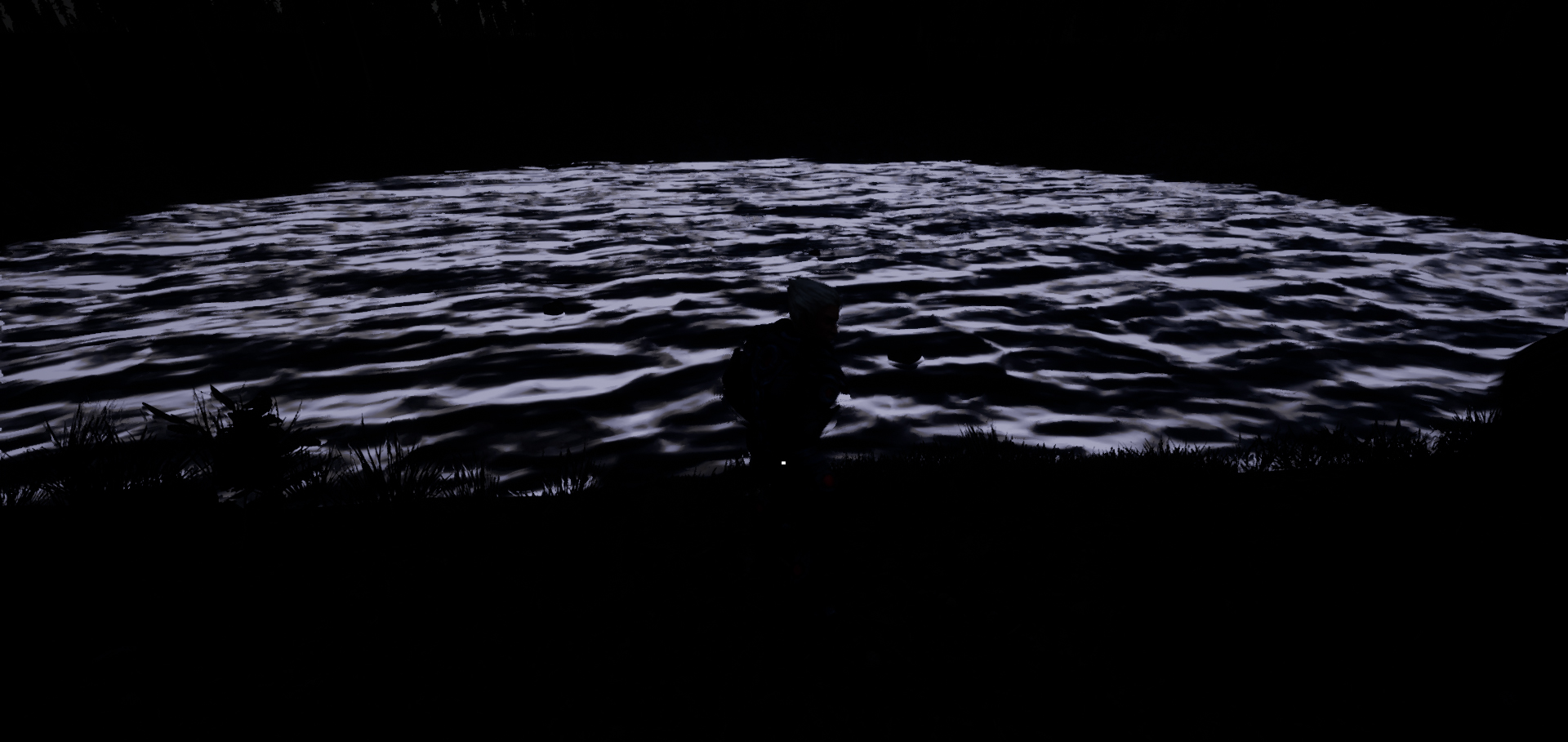
what kind of light could be the water reflecting?
directional light and skylight are 0
intensity
tiny stirrup
@abstract relic Ok i figured it out. I changed the values to 0.9 instead of 0.1 and it fixed it. I have NO idea why when the example's values were set to 0.1 lol
Thx for your help though
 idle garden
😔
 restive eagle
anyone encountered an issue that when adding a nav mesh bound to a persistent level the editor or a standalone game would freeze and would stay frozen?
 slender vale
How many polygons is good for an optimized tree?
grim ore
16
graceful sky
WC
 hallow sleet
hey everyone, when i import a model not all the textures get assigned to the model, how do i fix that? they look fine in blender
 plush yew
what do you mean? is everything UV unwrapped?
and that is for graphics question I suppose
hallow sleet
yes it is but i got it figured out some what its still missing one texture but i can work with it as is
hallow sleet
how do i find the component tab?
 worn granite
Doesn't exist anymore
hallow sleet
ah okay
grim ore
seriously, 16 poly for an optimized tree. I assume you are doing low poly?
worn granite
1 poly if you're counting imposters
grim ore
true, I didn't think of that
worn granite
Actually you can get sub 1-poly-per with batched imposters too
grim ore
lol
worn granite
So... Truncated, 0 poly's for the most optimized tree
worn granite
42
grim ore
you keep asking the question without any info. Is this a realistic looking game? is this single player? is this a hero asset? is this multiplayer and you need 100 of them without instancing? with instancing? what type of tree (fern, palm, pine)?
worn granite
A WinRAR is u
grim ore
here is a tree post about polys, https://answers.unity.com/questions/1205453/polycount-for-trees-used-in-forest.html , it says ~250tris for a mobile tree. Speedtree gives you 6-8k trees. so uh... 7k?
oooh here is a polycount post about a tree scene in UE4 with numbers and pictures https://polycount.com/discussion/149632/forest-lighting-study, he used ~20k tris for the hero levels of his trees of different types (using speedtree tho)
hallow sleet
how do i import one texture that didnt get imported?
 coral shoal
BSP sure is odd. Noticed BSP stuff was causing a lot of draw calls when in the view, like a huge amount. Visualizer shows excessive bsp splitting. even stranger, there is a minimize bsp sections thing in world options it says checking it will reduce draw calls...
but it doubles them and makes it a constant doubling even if you dont look at the bsp
hallow sleet
fixed
hallow sleet
every time i try to test my camera position etc it keeps defaulting to under the map rather than to the camera, is there a setting i am missing?
 blissful willow
I installed Visual Studio 2019, but Unreal still doesn't think I have it installed and it won't let me package my project...is there any reason why?
livid haven
I don't know that we officially support VS2019 yet.
I mean, at least not across the board. Pretty sure not all platforms that use its compilers yet support VS 2019.
fringe pivot
https://i.postimg.cc/PtWmCgS7/Untitled-1.jpg
What light could be the water refracting when directional light and skylight intensities are set to 0?
 zealous glen
i need help
how do i use the complex collision intead of the simple collision in foliage editor
 deep basin
So I am currently building an inventoy using the controller and it is painful.....
Therefore my question, how are the various console exclusive ue4 games are handling this problem? Since Set Keyboard focus always show the cursor by default and if a button is focused I cannot close the inventory again with my open inventory event (yes, I did set consume input to false) and it fells just very hacky....
are there any add ons? Or are bigger projects use their own inventory tool / get one they can integrate?
 cloud cobalt
Don't use the builtin focus system
It's really not that great, meant for PC more than anything
Switching from UI to game focus is also really painful
deep basin
I agree. But how should this problem be solved instead?
 wary wave
last game I worked on: code, lots of code
livid haven
I'm about to go to sleep, but
wary wave
we essentially had to rewrite the entire focus system, because it just wasn't adequate
livid haven
In Fortnite, we have a concept of a "centered widget" that is persistently tracked.
And we basically have an invisible cursor that is updated to be centered over whatever the current centered widget is.
When navigation events happen, we set the centered widget to whatever it is we're navigating to.
cloud cobalt
I've just finished handling gamepad navigation on my UI and basically, I don't use a single Slate class outside of the basic layout stuff. All focus code is 100% in the game, the engine navigation is disabled, and I just process every input to find the next widget
deep basin
mhhh, sounds like s smart solution
livid haven
You can probably use the navigation stuff, but power it with all your own things.
cloud cobalt
I do use the "find next focusable widget in direction" method from Slate
That's the extent of it
livid haven
We use more than just that, but yeah, that's useful at least so you don't have to reinvent as much.
deep basin
yeah I guess I need to play around with those hings
livid haven
It's an undertaking, for sure.
It's something we have in an internal plugin that is, vaguely, intended for sharing but... it's not there yet.
Don't know when it will be. Corners had to be cut to get features working for Fortnite on consoles and now changing some of those fundamental flaws is expensive. Very expensive.
I had a refactor of our concept of the panel stack, but that was maybe 2 years ago now. That code has most certainly rotted profusely and there hasn't been enough urgency to prioritize picking it back up.
deep basin
sounds like a pretty big undertaking for a solo dev .... guess I will play around with what is there first....
cloud cobalt
Basically it goes like this : "button" type widgets can be focused and accept a "virtual click" (pressing A/cross on gamepad). That alone is pretty simple to do. Next step is having your menu intercept arrow inputs and change focus in response to that.
My code for focus took 50 iterations but the result is a few hundred lines I think
livid haven
Basically, a panel has inputs registered, and if that panel is active, it's input bindings will be considered when processing input. But there's a stack of these panels.
Ideally, we'd allow a panel to have a nested panel within it that can be activated or deactivated at will, which would put its input bindings in higher priority but not deactivate the underlying panel.
cloud cobalt
I have a "panel" class that all my menus inherit from. Panels have a list of focusable buttons, a default focus button, and when I have nav inputs, they go to the current focus panel and pick the appropriate "next" button.
Granted it's all C++ Slate so not that accessible
But it's not hard
livid haven
Very much UMG over here. So any system has to be presentable via UMG.
So for us, that just means "OnActivate", do a "SetCenteredWidget".
That idea of being able to nest activated panels was something I was trying to move us towards back when, but again, got halted by other priorities and has since gotten a little crispy on the back burner. 😬
Other stuff too like being able to have layers within the stack, otherwise all you're saying is "Push" and things can get wonky. None of this stuff is about visual layering, it's about input processing.
kindred viper
my rule with UMG, after testing several different methods for making menu systems, is to stick to the KISS principle.
I used to make whole menus in a single UMG. Now everything is isolated widgets combined to the whole
deep basin
My hacky solution at the moment was to store every button available in an array (since I dynamically add buttons on item pickup). This was okay, besides the fact tat it always sows by default my cursor and if a button is focused I cannot close the menu
*shows
maybe making the cursor invisible and simply move it to the position where the next element in my array is could ealy solve it
kindred viper
I once made a VR menu with UMG (before the Widget Interaction Component) and focus was a real issue there. What I did was manually track the CurrentWidgetFocus. However after some time, the focused widget was exposed so it made that system moot.
deep basin
*really
livid haven
So, for instance, an issue we can and have had before is that the UI visually layers things and that can desync from the input layering. You're on a screen and initiate some process that takes time. Now, something else causes a pop-up message. All good thus far. Now, that process from earlier completes and pushes a new screen. That screen is, visually, above the old screen and underneath the pop-up layer. But because it was blindly pushed on the one input stack there is, it's now eating input and the pop-up message isn't what you're interacting with at all.
livid haven
Sounds like a fundamental flaw in the system that needs refactoring. 😃
kindred viper
honestly I started out hating UMG (came from Scaleform background) but its grown on me. Im sure you have issues with it I don't, but it does the job if you know its quirks
livid haven
But it doesn't need refactoring more than many other things need implementing or fixing.
cloud cobalt
Scaleform is why I will always love any UI frameworm that is not Scaleform
😬
"Frameworm", nice one there.
kindred viper
Scaleform was another product that if you knew its quirks, it was great, but most people didn't. It took some time to get used to them. Like it's whole scaling issues
which was ironic considering the name
livid haven
In any case, it's 3 AM and I have to deal with an electrician putting ethernet in my walls at 10 AM, so I must bid y'all adieu.
kindred viper
have fun
livid haven
o7 'night, folks
deep basin
thanks, bye 😃
 tropic oracle
love when the Build Solution starts throwing random errors from whacky places. Then after closing it all down and bringing it all back up and doing Build Solution again it's all fine. Yay for UE4 quirkiness!
cloud cobalt
@tropic oracle This happens when your includes are messed up but unity build makes it compile anyway because of file merging
Disable unity build, fix all the errors, re-enable it
 proven oxide
Well I have been having all sorts of nice crashes
in a commercial game
how would i send the crash logs to the publisher?
cloud cobalt
Open a support ticket on their store ?
tropic oracle
@cloud cobalt is just adding the bUseUnityBuild=false; to the innards of <ProjectName>.target.cs in the Source folder enough?
proven oxide
yeah as if epic games are interested, i mean the developers of an early access game on epic
cloud cobalt
@tropic oracle bFasterWithoutUnity=true, if I recall
@proven oxide Ask the developers then
Or ask for a refund
cloud cobalt
Sounds like terrible QA
cloud cobalt
More like not the right channel
tropic oracle
okay, I'll look into it. Thanks @cloud cobalt
cloud cobalt
@proven oxide You're aware this is not a support channel for Satisfactory, or the Epic store right ?
Ask the devs
proven oxide
Yes i am asking how would you do that when you don't have the crash logs once you have clicked close on the engine crash
cloud cobalt
How would we know ?
Ask the developers
This is a development channel for UE4, not a helpline for games using UE4, if you have issues with a UE4 game bring it up to the people working on it
wary wave
I've put 40 hours into Satisfactory and only experienced one or two crashes
Satisfactory has it's own support channels
 regal mulch
I want to kindly remind everyone that this is not the right channel to discuss this (: Please move to #lounge!
wary wave
including a Discord, I believe
plush yew
hey can some one help me with a battle royale game im starting to nake today
wary wave
define 'help'
plush yew
um what
wary wave
you need to be more specific
'help' can mean a million different things
what 'help' do you want?
plush yew
with making a game
cloud cobalt
Help here usually comes in the form of answers to questions
If you're looking for partners, #looking-for-talent
 willow void
@plush yew With making a game? What part of making a game? The coding side.. Modeling. texturing.. Sound... etc Thats why you should specify with what you need help with.
idle garden
C'mon😦
wary wave
it's been disabled for a very, very long time
I'm pretty sure nobody is working on the new wiki
 manic pawn
years now
wary wave
at this point, I wouldn't be surprised if much of the content on the old wiki has simply been lost :/
 grave nebula
I just love that most of UE4's documentation is in the folklore.
 sudden agate
wasnt the wiki just a collection of RAMA articles anyway?
wary wave
probably
🌈 🦄 💖
Rama documentation
huh, looks like if you stream in an instance of a level, Begin Play in that level's blueprint is never called
this is a problem
 languid shard
haha
sudden agate
like so often. Initialization order is a mess
wary wave
it is
but in this case it's skipping over what I'd consider to be a fairly critical function entirely 😐
 dim merlin
Hi, so for the terrain material should i implement my own slope function, or should this be done by layer blend node?
kindred viper
@wary wave can you put in an initializing check for validity and fire a pseudo-event for it or bind to another event from the streaming side?
warm timber
Any good tutorial on how to create a decent underwater effect?
I've been playing around with filters, blur mainly and can't gen anything that worth it
kindred viper
presumably in an object loaded into the level. Something that has a tick, even just a barebones object to tick over and check, then delete itself once the event is bound and fired.
 twilit hill
Actor with slot tickrate and an overlap event
 cosmic coral
Hey guys, my "GameMode Override" doesnt get saved and resets whenever i reload my project. how can i save the world settings?
kindred viper
yeah. select the button then scroll down the Detail panel on the right. At the bottom are green event shortcuts
cosmic coral
Hey guys, my "GameMode Override" doesnt get saved and resets whenever i reload my project. how can i save the world settings?
i set it up, click all possible save buttons, close without error/message, reopen, its back to default
 thorn topaz
I'm looking at this billboard material code at the bottom https://docs.unrealengine.com/en-us/Resources/Showcases/Stylized/Materials
but i'm not sure where to hook the output to.
 sullen wraith
one more quick one, how can i destroy a hud?
like one that i add to the players hud
kindred viper
if its a UMG, then Remove From Parent.
sullen wraith
its a widget blueprint
digital anchor
probably WPO @thorn topaz
kindred viper
yeah UMG is the proper name 😃
thorn topaz
@digital anchor That's what I thought. Guess I did something wrong
kindred viper
I make the point of calling blueprint widgets UMG so I can seperate it from slate widgets
sullen wraith
so would that be correct for adding the widget?
and for removing
remove from parent?
kindred viper
yeah
 dawn gull
Hi, Sorry To Interrupt, But How Can I "Blend" The Texture Together So I Don't Have To Move These Objects, So I Don't Get This Crap?
(I'm Pretty Lazy, I Know)
kindred viper
that is overlapping textures z-fighting. You need to align it properly
sullen wraith
its not creating the widget:\
dawn gull
k ill try that
kindred viper
@sullen wraith owning player needs a player controller
thorn topaz
@sullen wraith after you create it, you need to add it to the viewport
dawn gull
that didn't really help. it just made it partially better.
 pseudo swift
is there a quick way i can make the green space completely filled
like a solid color
i basically don't want the diffuse map to be visible through the green color, i tried changing the blend modes but didnt have any success
kindred viper
would material layering not work for this? Im not good with mat work, but the new system seems to lend itself to this kind of scenario when you need multiple material base effects to deal with an issue
dawn gull
Well, it all looked fine and good, had no glitches, unitill i compiled the lighting.
wary wave
material layers have been abandoned
twilit hill
The b part, with the one minus node as a lerp alpha
kindred viper
abandoned why?
kindred viper
thats oddly disappointing and I dont even do mat work
digital anchor
all they do is lerp anyway, just put a lerp on the BC with the mask on alpha, and it will be the same thing
pseudo swift
what lerp should i use? lerp_multiple_float work?
 still moth
hmm
you guys know that anomaly you get with the animation starter pack on the forward-left direction of a blendspace?.. ive had that issue come up in other animation sets.. how is it fixed?
pseudo swift
does the lerp go before or after the multiply?
im doing something wrong with this
digital anchor
put a lerp on the BASE COLOR with the mask on ALPHA
digital anchor
then keep what you had, didnt tell to delete :p
put back on the emissive the green + the mask
pseudo swift
alright alright haha
think it works now:) thanks alot for the help much appreciated!
 full quarry
when you delete an asset it gives you an option to replace all references to that asset, How do I replace references to another asset without having to delete the other ?
 sleek spear
oh this is driving me nuts, can someone with experience in texture packing help me? i cant get same results with original and packed textures
but i also cant understand the behavior of unreal with packed textures
cloud cobalt
Show what you're doing, what the results are, what they should be like
cloud cobalt
The material graph too
sleek spear
ok give me a sec
 ??
grave nebula
??
grave nebula
It is.
digital anchor
top pin of the parameter is a float3, not the function
grave nebula
append output of bottom pin to output of top pin.
languid shard
yeah that'll work too
sleek spear
@cloud cobalt its either this textures blue channel or the others any channel
you have experience with texture packing?
 paper kernel
append what to what?
oh ye
no the top pin is float4
it simultaneously wants and reject float4
cloud cobalt
@sleek spear Might want to plug the other textures too, but do check the texture compression settings
Should be "masks" IIRC
digital anchor
masks is same compression as default
i dont think its avoidable
happens when the masks are too different i think
sleek spear
@digital anchor what do you mean too different?
cloud cobalt
@digital anchor How would it be the same ??
Mask would prevent color bleeding between channels
I'm very sure it's not the same thing
sleek spear
masks doesnt change the result
cloud cobalt
Which file format did you use ?
sleek spear
i tried with everything, png tga bmp psd and many others, any format i could export to
cloud cobalt
Stick to TGA, to start with
cloud cobalt
Can you show the texture's blue channel in the texture viewer
abstract relic
Turn off sRGB too
sleek spear
i ma just trying to understand, is packed textures an option for unreal?
cloud cobalt
It's not "an option", you just need to set up your material & texture for it
Works perfectly fine
cloud cobalt
Show the rest of the screen for the first one please
digital anchor
cuz it doesnt compress
sleek spear
ok but then i have to use linear color instead of color
and everything is way brighter
digital anchor
45%?
 worthy flame
yea
digital anchor
compiling shaders
digital anchor
ye
 fair pike
Hey, I'm wondering if there's a solution to a problem of mine? I'm using the foliage tool and it keeps throwing foliage wayy out of the brush. Is there a setting to turn that off or something?
As an example, here you can see my tiny brush, and the tiny bush to the side was when I clicked once.
 limpid turret
This is going to be extremely ambitious but would it be at all possible to make the climbing mechanics from shadow of the colossus or dragons dogma
regal mulch
As with most of these questions, what do you think, is it possible? (:
limpid turret
well it obviously already exists for those games
i just wouldnt know where to start
regal mulch
Yes, it is possible. But without actively creating it -> Now idea how.
Your best bet is to analyze how the system works in other games.
limpid turret
yeah
regal mulch
And then research what you need for that in ue4
limpid turret
i guess the main difficulty would be making 'shake off' mechanics along side it
regal mulch
It's all just animations
If you are hanging on an enemy
And they say "I shake now"
you would play an animation on the player and do whatever happens then
(haven't played the games yet but it's on the todo list)
limpid turret
yeah
well you could argue its simular in breath of the wild
the core of it all would just be a climbing system that either reacts to anything in the world that has a 'ledge' or manually placing grabbable areas
still moth
hmm, i was just following a tutorial on an interaction system and noticed some people are using sphere collisions, others use line traces..
limpid turret
@still moth what one are you following? i used titanic games' rpg one
still moth
that has me thinking.. wouldnt a sphere collision clip through objects that maybe you wouldnt want an item interactable through?
like for example, picking up an item that is on the other side of a wall
limpid turret
yeah that would happen, but you could argue that it happens in other games anyway
the simple solution would be decreasing the radius
but that may be annoying for players
still moth
im guessing theres no way to make a collision sphere be blocked by other objects?
still moth
the other option is to run a line trace between yourself and the object to see if you have a clear path before activating said item
if line trace is blocked before reaching the intended pickup, then it doesnt register
regal mulch
Well you would indeed combine the two
The SphereCollision to first get a reference of items in your range at all
And then a lineTrace to check if you are allowed to pick it up
still moth
yeah, thats what i was saying
 gleaming narwhal
4.22.1 Hotfix is live!
https://forums.unrealengine.com/unreal-engine/announcements-and-releases/1612034
Unreal Engine Forums
The 4.22.1 Hotfix is now live!
Feel free to discuss this release on the 4.22 forum thread (https://forums.unrealengine.com/unreal-engine/announcements-and
 royal temple
#cpp
Hey, I ran into a problem using the FFrameGrabber class. What I was doing - Using UE 4.21, I was using Frame Grabber to capture the viewport and send it across the network. I used the Blueprint node - Set Spectator Screen Mode to do a split screen, one for VR player and another for a Scene Capture 2D. The problem is that in UE 4.22, Frame Grabber is only capturing the VR eye view, while UE 4.21 was capturing the correct view So I would like to know if something changed with Frame Grabber and I did not find anything about frame grabber in this link - https://www.unrealengine.com/en-US/blog/unreal-engine-4-22-released
#ue4-general

Unreal Engine
Unreal Engine 4.22 is now available on the Epic Games launcher and GitHub. Push the boundaries of photorealism in real-time environments with ray tracing, capture live performances and composite them in real-time, and take advantage of the fastest version of UE4 with up to 3...
 mint trail
can you like, post a link to a bug report here to make it more known?
theres a quite important bug about keyframes
grim ore
what would we do about it knowing about it?
mint trail
voting it up
grim ore
you can try but I think most people would ignore it and some mods might get bummed you posted it but hey, let's find out 😃
grim ore
maybe if you post it in the related channel for it?
regal mulch
If you post it into the realted channel once, it's fine
I did the same with a UMG problem
mint trail
its basically if you make a key(auto key included) for a X(o YZ)rotation, then keep tweaking that rotation, the two other YZ will exponentially increase
so animating is basically useless right now
regal mulch
Gave you a vote
mint trail
so, content creation >animation?
regal mulch
Backlogged gg
regal mulch
I think sequencer is #cinematics or so?
wary wave
there's a third person in cinematics with the same problem
if I add a relative transform track, all my coordinates get doubled for no apparent reason and you can't edit them properly
mint trail
yeah it renders 4.22 unusable for us that animates right now
 mint trail
its been in since 4.20??
wary wave
¯_(ツ)_/¯
wary wave
I'm trying to track down the bug in the source at the moment, but tracking this kind of thing down is a nightmare - haven't even located the sequencer 'add key' function yet
ah, got it, right
gleaming narwhal
@wary wave @mint trail Let me know when you folks have a bug report that I can take a look at
wary wave
I can give you repro steps here if you like, it's 100% reproducible, and easy
gleaming narwhal
4.20 or 4.22?
wary wave
Found it in 4.20 and duplicated it in 4.21 unmodified, locally
don't have 4.22 installed
regal mulch
mint trail
i can reproduce it on 4.22
wary wave
@regal mulch - I thought so too, but dropped a breakpoint and it wasn't it, hah
regal mulch
The closest thing I found
One thing you can try is to use the WidgetReflector
And track down what that widget is doing
wary wave
WidgetReflector was useless, but I did find it
FReply OnAddKeyClicked() - inside SKeyNavigationButtons
but yeah, will step through
mint trail
i dont have enough knowledge to track things down, but the guys I know that found it, for 4.22, does
wary wave
@gleaming narwhal - to repro in a blank level:
Add a cube
Create a level sequence
Add cube to level sequence
Add relative transform section for cube
Add a key
Result: transform properties all double and cannot be edited properly for that key
it's bizarre
gleaming narwhal
Thanks!
 wary wave
@Hubert - not sure what I'm seeing there, but that looks like a different issue
mint trail
i got autokey on
and im simply rotating on one axis
the other two change values on their own
im nto sure why the values doesnt update realtime any longer(since i went from 4.19 to 4.22)
replaced gif with a better explaining one
this is the same issue we're having, isnt it?
wary wave
no, this looks different
mint trail
😰
wary wave
I can't see a problem stepping through the code though, it gets the right value, and sets the right value, yet when I come back to the editor, it's wrong :/
grim ore
switch the keyframe display to curves, I bet it will look cooler lol
mint trail
im going to install 4.20 and see if its any different
because for you @wary wave it only happens on one axis? the value doubling per added key
wary wave
I'm getting it for all values in a transform, including scale
mint trail
so the bugs temperament settled down between the engine updates? 😄
wary wave
no, I think it is a different issue
warm timber
So HDD failed, going to reinstall OS in a new drive, the engine and the launcher are in another drive.
Will I be able to run UE from there without need to reinstall everything from scratch?
 tardy sapphire
Did anybody make a standalone pack of the deer flock system from the Kite Demo? It's sort of a nightmare to get it working
wary wave
can you not literally just migrate the actor?
tardy sapphire
Along with the flock/movement system, it won't work and I didn't find any documentation online
Made a new level with a flat landscape, can't get a flock to work
They just idle
wary wave
probably missing a function call or something tucked away
tardy sapphire
Strange no documentation on this exists honestly
wary wave
well, it's not really a feature, so I don't expect it to be documented
those deer are an implementation using other systems
(which are documented)
I suspect their behaviour is controlled from blueprint somewhere
 somber quail
It's a demo sure but expecting documentation is like expecting documentation on how the AI for zombies works in Fortnite STW
mint trail
yep, the rotation thing happens in 4.20 as well
somber quail
They documented the foliage because that led to a feature implementation
manic pawn
my launcher engine just updated to 4.22.1 but there seems to be no announcement yet
nvm there it is https://forums.unrealengine.com/unreal-engine/announcements-and-releases/1612034-4-22-1-hotfix-released
Unreal Engine Forums
The 4.22.1 Hotfix is now live!
Feel free to discuss this release on the 4.22 forum thread (https://forums.unrealengine.com/unreal-engine/announcements-and
plush yew
@willow void everything because otherwise it will take me ages
plush yew
Why does the "on see pawn" (pawnsensing) only work some times? (Blueprint character)
Exactly same issue as this one: https://www.reddit.com/r/unrealengine/comments/8jnoj4/pawn_sensing_problem_that_i_have_no_idea_how_to/
reddit
3 votes and 6 comments so far on Reddit
There is no answer on the link
 round hemlock
There is an option on how often the pawn is sensing, you have to increase its interval to make it work more accurate. default is 1. which is to high. @plush yew
plush yew
@round hemlock I have tried with 0.1 and 0.5 and there is no difference if it detects the player or not. On some areas it works without any issues. On others areas, it doesn't work at all. (Using the same materials and surface)
round hemlock
try .01 or .001, its also needs to see the player. who has to be on the navmesh. alternatively try the new system. its only needs the stimulus on the the player added. but they are both with workarounds.
grim ore
you are comparing a component to a blueprint, that should not work @wolf, try plugging in the other actor instead
plush yew
@round hemlock No difference changing "Sensing interval" to any of those values. I am using a Nav mesh bounds volume. What is the new system?
round hemlock
wait, if zero is never sensing, try make 2 or 4 instead.
plush yew
did that aswell
round hemlock
I had the same issue but I fixed it somehow
round hemlock
the new system is the perception on, where you have to add a stimulus component on the player. you can also try to increase the pawnsensing radius to max. it maybe doesnt see it in the 90 degree angle.
plush yew
@round hemlock Changed pawnsensing radius to max aswell, and degrees. Thanks, I will try to dig deeper
round hemlock
np I´m not an expert, but it should work fine somehow.
plush yew
@round hemlock I solved the issue, It seems pawnsensing doesn't work with simple overlap zones blocking view...
overlap zones are invisible and everything
round hemlock
awesome, will keep that in mind for the future. thanks
 obtuse goblet
Hey guys, I have a rather noob question about moving files around in content browser - please point me the right direction if this is the wrong spot -
Can I know what is the recommended procedure for moving content in content browser?
For example, loading up ThirdPersonExample, ThirdPerson folder refuse to be moved, and in file explorer, Geometry and Thirdperson if moved will cause the example to break.
When how should I apply fix redirection?
 dreamy pier
anyone having trouble installing megascans livelink on 4.22?
proven oxide
Here is a question, Is it possible to generate streaming levels from data without creating manually? (ie procedural generation)
 surreal tundra
can someone explain to me what this means?
I set Negative and Pozitive ZBounds Extension from -100 to -1 and problem solved.
pseudo swift
is there a way I can have a shaded normal material have a part of it which is set to unlit?
sudden agate
use emissive
proven oxide
Is it possible to have switching loaded areas? so that if 2 people are apart in the game they have their own instance but when they get close enough they both are in the same instance?
ie similar to how star citizen works with its seamless moving
I am just trying to determine how the engine fully works
and what is or isnt possible
 teal tulip
the server need to load every area where the players are at
but UE4 only allow one map loaded at the time on the server so
about the areas idk how well or bad will work
pseudo swift
@sudden agate my emissive is still receiving shadows
sudden agate
@proven oxide there is a flag somewhere "allow client side streaming"
proven oxide
if UE4 only allows one map to load, how does a huge MMO work?
so if i am in the starting zone and someone is in the middle zone does that mean one of us can;t be in the game?
sudden agate
a huge mmo has multiple servers
teal tulip
MMO made on UE4 have custom engine code
sudden agate
you basically travel from server to server in an MMO
proven oxide
but it says you can use streaming for levels
this is what I am asking., it sounds a bit confusing, you can stream levels to make a huge map but all players have to be in the same area....
abstract relic
Like everything else. It all depends on how you delegate client side vs server side
 mint sequoia
@proven oxide ue4 is absolutely incapable of anything remotely resembling an MMO out of the box
You're only doing yourself a disservice by even considering an MMO when you're inexperienced
 proper comet
I just created a plugin without anything in it and I get this size. Really?
livid haven
Have you tried... hovering over the warning? Disregard, was scrolled up. Wasn't scrolled up that far. @plush yew
grim ore
intermediate should be quite large yes
pseudo swift
Im using a diffuse map and a black and white image together with a lerp to mask out a certain part and it works fine, but the same step creates weird visuals when the diffuse map is replaced with a roughness map instead, is there a way i can mask out parts of a roughness map with a lerp in a similar fashion?
 tawdry raptor
HOW COME IN 4.22 MY MOUSE SCROOl wheel now controls the camera speed
its like over riding it
even if i put 3 it makes it fast
grim ore
@tawdry raptor in your editor preferences try disabling Use Distance-Scaled Camera Speed and see if it helps, it was added in 4.22.
proven oxide
@Vael I am not considering an MMO, at least not at the moment, but I am trying to find out how versatile the engine is
pseudo swift
trying to achieve an unlit surface
how come I still see lines?
(changing the material shading is not an option for me)
 upper heart
Is there anyway to sort the tasks by time taken in session frontend?
plush yew
Hey! 👋 fairly new here and I'm sorry to bulge in like this, but...
Thank you @grim ore for all the work you put into building your youtube channel 🙏
tawdry raptor
@grim ore thanks, I notice that every time I open my map now it looks like this, even if I build the lighting save close project it always looks like this, this was never like that
grim ore
@tawdry raptor no idea on that issue 😦 definitely weird
 sterile sinew
Hey all!
Does anyone know, please, how to get pixel streaming working on a personal machine without using localhost (as this works ok), Amazon Web Server or MS Azure?
grim ore
@plush yew 😃 Hopefully it's been useful to you
plush yew
Loads... can say I "grew-up" with them 😅
static arch
Oh it's Mister Wadstein
I just realized
Big thanks from me as well @grim ore!
and..
TOMATOES
grim ore
😃
static arch
By the way.. do hotfixes get updated automatically through the launcher?
grim ore
they will show up as an Update on your Library part of the launcher and you can choose to update
limpid turret
anyone got a link to a ledge climbing tutorial?
abstract relic

Enjoy the videos and music you love, upload original content, and share it all with friends, family, and the world on YouTube.
 storm venture
anyone know how to get material slot names from a Static Mesh Object Reference?
i can do it to a Static Mesh Component Object Reference, not sure why i can't do it for the first
plush yew
where can i ask for people to join the project
 midnight mantle
what's the term for when there is lack of color in your monitor?
not monotone, or grayscale
looking for a different word
plush yew
lab?
storm venture
brightness, contrast, temperature, gamma
midnight mantle
okay I think I got it
sorry it was washed out lmao
probably not the best way to describe how I want color scheme to look, but it was bothering me lol
 sage tree
Im having a rather annoying issue using BSP edit mode, it will not allow me to select the face of a BSP no matter what I do, I can select the vertices, and the edges, but not the faces. anyone have any idea whats up?
sage tree
Oh thank you! that has been pissing me off for over an hour now.
grim ore
Yeah the launcher is weird sometimes and it doesn't check for the update until you relaunch it and with the launcher hiding instead of closing that might not be until you restart the pc
 dim plover
Fixed! UE-72605 Component names do not increment correctly when duplicating a component whose name ends with a number
I wonder if this also applies to Actors/Objects.
 coral patio
Hey guys! I'm pretty much done with my lion and its rig is almost finished as well. However, due to the difficult nature of handling hair cards in Rigging my rigger used a follicle system so the strands move smoothly with the rest of the body. Before they were all combined, parted into three color regions (for the mouth, the front part of the mane and the rest). Now they are all single cards which takes ages to load and is really heavy to handle in the scene. I thought I found a solution (by simly merging the actors) but for some reason they don't get merged at all - all that happens is that I get a copy of the first object I selected if I try that instead of a merged version. Does anybody know, why? This would also help a LOT with applying shaders since I got ~2100 hair cards which is already a damn high number of singular objects to apply shaders to but even worse they're mostly obscured by other cards so it gets ridiculous at some point... Any help is really appreciated!
plush yew
ok, guys I have a big problem.
coral patio
Regarding the shaders - I already thought of deleting the original materials that come with imported objects and replacing its reference with the shaders I want but for some reason I didn't have that option..
plush yew
1 - open project
2 - error at initializing 71%: The game module 'MyProject' could not be succesfuly initailized after it was loaded
can anyone tell me whats going on?
This started after the new version was released, I did not transfer the project.
or mess with the c++
dim plover
Anything in the logs?
dim plover
Yup.
plush yew
am looking for warnings?
dim plover
Or Errors, should be the things at the very bottom of the text file.
dim plover
Probably just the latest one.
plush yew
ok, thanks
[2019.04.26-00.13.27:446][ 0]LogModuleManager: Warning: ModuleManager: Unable to load module 'C:/Users/demat/OneDrive/Documents/Unreal Projects/HorrorGame01/Binaries/Win64/UE4Editor-MyProject.dll' because InitializeModule function was not found.
only warning/error I could find yet
oh
wait
[2019.04.26-00.12.42:664][ 0]LogFileManager: Warning: MoveFile was unable to move '../../../../../../Users/demat/OneDrive/Documents/Unreal Projects/HorrorGame01/Intermediate/AssetRegistryCache/5a627529.bin.tmp' to '../../../../../../Users/demat/OneDrive/Documents/Unreal Projects/HorrorGame01/Intermediate/AssetRegistryCache/5a627529.bin', retrying in .5s...
[2019.04.26-00.12.43:165][ 0]LogFileManager: Warning: MoveFile was unable to move '../../../../../../Users/demat/OneDrive/Documents/Unreal Projects/HorrorGame01/Intermediate/AssetRegistryCache/5a627529.bin.tmp' to '../../../../../../Users/demat/OneDrive/Documents/Unreal Projects/HorrorGame01/Intermediate/AssetRegistryCache/5a627529.bin', retrying in .5s...
[2019.04.26-00.12.43:665][ 0]LogFileManager: Warning: MoveFile was unable to move '../../../../../../Users/demat/OneDrive/Documents/Unreal Projects/HorrorGame01/Intermediate/AssetRegistryCache/5a627529.bin.tmp' to '../../../../../../Users/demat/OneDrive/Documents/Unreal Projects/HorrorGame01/Intermediate/AssetRegistryCache/5a627529.bin', retrying in .5s...
[2019.04.26-00.12.44:166][ 0]LogFileManager: Warning: MoveFile was unable to move '../../../../../../Users/demat/OneDrive/Documents/Unreal Projects/HorrorGame01/Intermediate/AssetRegistryCache/5a627529.bin.tmp' to '../../../../../../Users/demat/OneDrive/Documents/Unreal Projects/HorrorGame01/Intermediate/AssetRegistryCache/5a627529.bin', retrying in .5s...
[2019.04.26-00.12.44:666][ 0]LogFileManager: Warning: MoveFile was unable to move '../../../../../../Users/demat/OneDrive/Documents/Unreal Projects/HorrorGame01/Intermediate/AssetRegistryCache/5a627529.bin.tmp' to '../../../../../../Users/demat/OneDrive/Documents/Unreal Projects/HorrorGame01/Intermediate/AssetRegistryCache/5a627529.bin', retrying in .5s...
[2019.04.26-00.12.45:167][ 0]LogFileManager: Warning: MoveFile was unable to move '../../../../../../Users/demat/OneDrive/Documents/Unreal
Projects/HorrorGame01/Intermediate/AssetRegistryCache/5a627529.bin.tmp' to '../../../../../../Users/demat/OneDrive/Documents/Unreal Projects/HorrorGame01/Intermediate/AssetRegistryCache/5a627529.bin', retrying in .5s...
[2019.04.26-00.12.45:668][ 0]LogFileManager: Warning: MoveFile was unable to move '../../../../../../Users/demat/OneDrive/Documents/Unreal Projects/HorrorGame01/Intermediate/AssetRegistryCache/5a627529.bin.tmp' to '../../../../../../Users/demat/OneDrive/Documents/Unreal Projects/HorrorGame01/Intermediate/AssetRegistryCache/5a627529.bin',
[2019.04.26-00.12.47:670][ 0]LogFileManager: Error: Error moving file '../../../../../../Users/demat/OneDrive/Documents/Unreal Projects/HorrorGame01/Intermediate/AssetRegistryCache/5a627529.bin.tmp' to '../../../../../../Users/demat/OneDrive/Documents/Unreal Projects/HorrorGame01/Intermediate/AssetRegistryCache/5a627529.bin'.
LogWindows: Failed to load 'aqProf.dll' (GetLastError=126)
LogWindows: File 'aqProf.dll' does not exist
LogWindows: Failed to load 'VtuneApi.dll' (GetLastError=126)
LogWindows: File 'VtuneApi.dll' does not exist
LogWindows: Failed to load 'VtuneApi32e.dll' (GetLastError=126)
LogWindows: File 'VtuneApi32e.dll' does not exist
LogConsoleResponse: Display: Failed to find resolution value strings in scalability ini. Falling back to default.
LogInit: Display: Running engine for game: HorrorGame01
dim plover
Hmm, maybe that's causing your problem. Perhaps look into what LogFileManager: Warning: MoveFile was unable to move is.
plush yew
ok, thank you
what about this? LogWindows: Failed to load 'aqProf.dll' (GetLastError=126)
LogWindows: File 'aqProf.dll' does not exist
LogWindows: Failed to load 'VtuneApi.dll' (GetLastError=126)
LogWindows: File 'VtuneApi.dll' does not exist
LogWindows: Failed to load 'VtuneApi32e.dll' (GetLastError=126)
LogWindows: File 'VtuneApi32e.dll' does not exist
dim plover
I'm pretty sure you can ignore those.
 pliant tapir
Heya.
I've got an issue with Unreal Engine 4.22.1, my OS is Manjaro and whenever I switch the Gizmo to Rotation, the Editor crashes
 steady owl
Would anyone know why the draw thread in PIE is less than 1ms but in a shipping packaged build it rockets up to 8 ms?
 broken pawn
I have a strange issue I cant quite figure out
in the editor it uses 99% GPU and i get over 100fps but in simulate or play mode GPU use drops to 50% and I get ~23fps
i chekced CPU use and no single core is being pegged and overall use is 13%
steady owl
Type in stat unit to the console
If Game or Draw are higher than GPU then those are the bottleneck
broken pawn
that doesnt seem to be a valid command
steady owl
It is
broken pawn
it doesnt do anything or show up as a valid entry
steady owl
You can also activate it via the UI for enabling stats
Unit is the one you are looking for
steady owl
So are Game or Draw higher than GPU?
steady owl
Ok you are bound by draw
broken pawn
out of play mode its 5ms but simulate and play mode its 38ms
everything looks visually the same so idk what is causing it
steady owl
Honestly I'm running into something similar
Though the draw times in 4.22 PIE seem to be crazily low
Compared to old builds I'm referencing
steady owl
The old builds are hitting about 8ms average, but in PIE 4.22 the draw is only 1-2 MS
Not sure if it's not the correct number
Because in packaged builds it goes back to 8
broken pawn
the fact that GPU use drops to 50% makes me wonder if there is an editor bug for simulate/play mode
cuz it happens in empty scenes too
funny thing
if i rapid click the gray space in the toolbar the FPS rises
lol
steady owl
@broken pawn There's always more stuff happening in the editor, you should always profile packaged builds
Then you know there's no editor interference at all
plush yew
[2019.04.26-00.12.42:664][ 0]LogFileManager: Warning: MoveFile was unable to move '../../../../../../Users/demat/OneDrive/Documents/Unreal Projects/HorrorGame01/Intermediate/AssetRegistryCache/5a627529.bin.tmp' to '../../../../../../Users/demat/OneDrive/Documents/Unreal Projects/HorrorGame01/Intermediate/AssetRegistryCache/5a627529.bin', retrying in .5s...
look closely
steady owl
@plush yew you can delete your intermediate folder and it'll regenerate AFAIK
plush yew
oh thanks
broken pawn
@steady owl click play and mouse over the stop button and watch draw go down to like 0.05ms lol
plush yew
I was just confused why movefile was trying to move a file to itself...
broken pawn
hold on we goin to the past
broken pawn
nintendo 64 mode?
tawdry raptor
everything gets messed up on HISM like it did on 4.20
broken pawn
I havent seen that issue yet, but I mostly use realtime lighting
broken pawn
i think i need a bigger threadripper
im going to be really mad when this build fails
plush yew
Im still getting this error, but there are no warnings in the logs: 2 - error at initializing 71%: The game module 'MyProject' could not be succesfuly initailized after it was loaded
broken pawn
and it did
dim plover
Oh, sorry, I misread your early post. [2019.04.26-00.13.27:446][ 0]LogModuleManager: Warning: ModuleManager: Unable to load module 'C:/Users/demat/OneDrive/Documents/Unreal Projects/HorrorGame01/Binaries/Win64/UE4Editor-MyProject.dll' because InitializeModule function was not found.
That's probably what failed.
dim plover
Did you change your project name?
plush yew
yes.
dim plover
In HorrorGame01.cpp, what does IMPLEMENT_PRIMARY_GAME_MODULE look like?
dim plover
Should say IMPLEMENT_PRIMARY_GAME_MODULE( FDefaultGameModuleImpl, HorrorGame01, "HorrorGame01" );
dim plover
I'm not entirely sure, but you should clean up the MyProject names.
plush yew
how could I do that?
broken pawn
any idea whats causing my packaging to fail? I am not seeing anything familiar
LogWindows: Error: === Critical error: ===
LogWindows: Error:
LogWindows: Error: Fatal error!
LogWindows: Error:
LogWindows: Error: Unhandled Exception: EXCEPTION_STACK_OVERFLOW
LogWindows: Error:
LogWindows: Error: [Callstack] 0x00007ffdbfc2fa5d UE4Editor-Core.dll!UnknownFunction []
 broken pawn
do i really have to open 700 blueprints to find the one that crashes the editor
plush yew
hmm
dim plover
Sorry, was eating.
You might have to rename the MyProject.h, MyProject.cpp and the .uproject. I don't know. *and the .cs files.
Also, Tyberious, you can download debug symbols. Maybe that'll help.
broken pawn
would be great if there was a blueprint analyzer to find the corrupt one
or material, last time it was a mateiral
plush yew
there is actually only MyProjectEditor.Target.cs
@dim plover
I went in MyProjectEditor.Target.cs and:
using UnrealBuildTool;
using System.Collections.Generic;
public class MyProjectEditorTarget : TargetRules
{
public MyProjectEditorTarget(TargetInfo Target) : base(Target)
{
Type = TargetType.Editor;
    ExtraModuleNames.AddRange( new string[] { "MyProject" } );
}
}
and the error is: The game module 'MyProject' could not be succesfully initialized after it was loaded
wait when I build in HorrorGame01.sln I get two errors Severity Code Description Project File Line Suppression State
Error MSB3075 The command ""C:\Program Files\Epic Games\UE_4.21\Engine\Build\BatchFiles\Build.bat" MyProjectEditor Win64 Development "C:\Users\demat\OneDrive\Documents\Unreal Projects\HorrorGame01\HorrorGame01.uproject" -WaitMutex -FromMsBuild" exited with code 5. Please verify that you have sufficient rights to run this command. HorrorGame01 C:\Program Files (x86)\Microsoft Visual Studio\2017\Community\Common7\IDE\VC\VCTargets\Microsoft.MakeFile.Targets 44
and
Severity Code Description Project File Line Suppression State
Error Could not find definition for module 'MyProject' (referenced via MyProjectEditor.Target.cs) HorrorGame01 C:\Users\demat\OneDrive\Documents\Unreal Projects\HorrorGame01\Intermediate\ProjectFiles\UnrealBuildTool 1
@dim plover
anyone?
ok goodnight.
ill be back.
broken pawn
hmm
I have uassets not showing up in the editor anymore
aha
got the editor to crash on a folder
broken pawn
is there a difference between play mode and edit mode?
to explain why performance is considerably worse in play mode than edit mode when everything is visually the same
builds have the same performance as play mode
and i have no idea why edit mode gets over 100fps and builds and play mode get ~25
edit mode uses 99% GPU but play mode uses ~50%
grim ore
by edit mode do you mean working on them in the editor without playing or simulating?
if so you can try profiling to see where the delay is but playing turns on things like particles and ticks for example which will generally not be running when working in the editor.
broken pawn
yes
I have tried that and the distribution is the same but the times are different
it just seems to take longer in play mode lol
most likely because its only utilizing about 50 of the gpu
but out of play mode it uses 99% of it
dim plover
@plush yew I think anywhere you see "MyProject", you have to replace with your new project name.
hallow sleet
when i import my model and set it as a static mesh on a pawn it is not facing the X axis, is there anyway for me to rotate it?
abstract relic
Import menu >>> transform >>> rotation
hallow sleet
what about when i click play it does not default to my camera instead i go under the floor?
 tame bluff
Any ideas on how to sync marketplace assets with perforce?
Mark For Add doesn't seem to work if you select the topmost folder
My assumption would be to just use P4V to mark the assets manually but something tells me that isn't necessarily the best approach. I feel like this should be possible from within UE4, right?
broken pawn
is it a plugin or just an asset
tame bluff
Asset
The music collection.
I'm not even certain I want to include all of it, so I'm going through some of it now.
Deleting what I don't want.
 dim arch
so, I pulled origin/release for 4.22.0 to 4.22.1 and it is doing a full rebuild, is that normal?
is there some way to just rebuild the engine modules/binaries which were modified by the new commit
tame bluff
A few people were active in #engine-source recently.
You might get a faster reply there.
dim arch
alright
hallow sleet
how do i make it default to my pawn when i click play?
tame bluff
You likely have collision enabled on your skybox.
That happened to me before.
Sounds like collision to me, at least.
hallow sleet
it wont default to the camera i have setup for the pawn
basically when i click play i see my player model above me
but its not defaulting to where it should
tame bluff
You're using a player start and letting the game mode control spawning the pawn?
hallow sleet
tame bluff
You aren't manually dragging the pawn into the scene, right?
hallow sleet
nope
tame bluff
Is the camera set to collide with geometry? Spring arm setup and whatnot
hallow sleet
no i am following a tutorial and in the video when the person clicks play it auto defaults to the camera they setup but mine will not do that
also is it supposed to put the model i am using into the game world automatically?
or i should say pawn
tame bluff
Did you add a player start into the level?
hallow sleet
it was auto added
tame bluff
Then it will automatically place whichever default pawn is derived from the gamemode at the location of the player start.
If you have the player start, and the gamemode is setup to spawn the correct pawn, your issue likely lies within the pawn itself.
hallow sleet
i dont know what the issue could be
all the pawn settings are default
okay i got it to work once but it didnt add the pawn to the game world
and now it does not work again yay
 boreal crow
hey guys, I have a data table UDataTable* MainDataTable; and am trying to populate it from an asset (ScrollButtonNamesColors), but I haven't been able to get it working, this is what I'm doing in the constructor:
static ConstructorHelpers::FObjectFinder<UDataTable> TableObject(TEXT("DataTable'/Game/Data/ScrollButtonNamesColors.ScrollButtonNamesColors'"));
if (TableObject.Succeeded())
{
    MainDataTable = TableObject.Object;
    bLoaded = true;
}
is there a problem here, or would it lie elsewhere?
sullen wraith
i have my bp inside another bp
is there a way to get the actor my bp is in?
i want to destroy it :3 but the bp is in the lower actor
 safe rose
sullen wraith
safe rose
sullen wraith
I tried those it didn't work
I did a workaround and just got it to save it's overlapped actors on beginplay
and then called a function to destroy it instead.
boreal crow
@cedar snow I have tried multiple different versions of the asset path, including what you have suggested trying, same result
 cedar snow
@boreal crow have you tried the version without the second ScrollButtonNamesColors?
basically ConstructorHelpers::FObjectFinder<UDataTable> TableObject(TEXT("/Game/Data/ScrollButtonNamesColors"));
what is your actual result? exception, empty table, etc?
also #cpp might be the better channel 😉
boreal crow
@cedar snow I tried that variation as well with same (non)result, I think the table variable is pointing to nothing, although I don't get errors, warning logs, or crashing. I will move my question over to #cpp like you suggest
 brave lark

 plush sky
Im using VS2019, upgrading to source 4.22.1 and im trying to generate project files and i tried -2019 in commandline when running the bat but it didnt work. vs2017 worked for 4.21.2 with -2017
is 2019 compatible?
cloud cobalt
Yes
Though as of .0, source engines didn't build without errors
Should be fixed in .1
cedar snow
do launcher builds of 4.22 work fine with 2019? @cloud cobalt
cloud cobalt
They do.
cedar snow
cool thx
cloud cobalt
Getting UE4 to pick 2019 when you also have 2017 installed is a bit painful but it works fine
wary wave
is there a way to find a specific changelist on Epic's github?
cloud cobalt
What's a changelist ? Is that a Perforce term ?
You can browse commits on GitHub
You can search commits with most Git clients
wary wave
anyway to do that without the client
cloud cobalt
Don't believe so, Github's pretty limited
wary wave
bah
 frank escarp
@wary wave i think the changelist is stored in some config file
so you can track the history of that file to find the commit closest to the CL you want
wary wave
that'd still need me to install a Git client just to view a changelist 😦
wary wave
same difference - I can't view it if I can't find it
cloud cobalt
Yup
 worn sparrow
Does anyone else's camera wiggle around when moving close to a landscape actor?
worn sparrow
yeah
wary wave
it might be something to do with the daft new camera speed feature they added
wary wave
camera speed is affected by size of the currently selected item
@cloud cobalt - is there a decent, free client I can use
preferably one that doesn't additionally require me to install further software
sudden agate
i can recommend SourceTree.
I use it for work
wary wave
ooh, also one that doesn't require registration, hehe
I've used SourceTree before to be fair
sudden agate
you dont need a registration for SourceTree
wary wave
Yeah, you do
sudden agate
oy. my bad :(
cloud cobalt
@wary wave I moved from Sourcetree to GitKraken this week
It's not free for commercial use but it's very cheap
Neither depend on third-party software, though both will require accounts (GK works with a GitHub account)
wary wave
yeah, I need something that I can just install and use on my work machine without running into legal issues etc
if it's commercial, it'll have to go through an approval process etc
cloud cobalt
Oh, Git Extensions is also recommended by colleagues here, though I've never even looked at it
wary wave
cheers
Ergh, I can't see a way to view private repos in Extensions :/
it doesn't have a password field of any kind
fucksake, this is ridiculous
cloud cobalt
@wary wave If you're not familiar with SSH keys, use Sourcetree or Gitkraken that have support for GitHub accounts directly
SSH keys used to be the bane of setting up Git, these days it's both way easier, and not needed anymore
wary wave
I can't use either because of their licensing
cloud cobalt
Isn't ST free even for corporate ?
wary wave
free, but with restrictions
licenses are tied to individuals and can only be installed on one machine at a time
cloud cobalt
🙄
GitHub desktop might be another contender, no idea if it has search though
Apparently not
@wary wave Wait a sec, GitHub actually does have commit search : https://github.com/EpicGames/UnrealEngine/search?q=fix&type=Commits
cloud cobalt
Maybe it doesn't because that CL was never introduced on the Git version of UE4 as a single commit
wary wave
no worries, thanks for trying anyway
currently cloning their repo in SourceTree, license be damned (takes a while)
wary wave
yeah, it does
and here's hoping 😐
I've got three commits I want to take a look at and all I've got are the CL numbers
cloud cobalt
I don't even know if people outside Epic have access to the Perforce server these days
frank escarp
they do
wary wave
we're getting our version of the engine from another source internally
(so that all studios are working on the same engine version)
but if you don't have access to perforce, how on earth are you supposed to find these changelists?
cloud cobalt
If the automated megacommits still include the CL #s in commit messages, should be easy
That one does for example
"Change 3038116 on 2016/07/05 by James.Golding"
wary wave
yeah, some do
it seems some don't
at the same time, if it's just a megacommit, how am I supposed to find what's relevant to me anyway?
 vagrant pagoda
how can i get 4.16 engine to show up in the downward arrow in launcher. Only has 4.19/4.21 need to try and get a plugin to work with it. Cheers
cloud cobalt
@wary wave You're not, really. If you're looking for a small particular change in UE4 history, that's really not easy over Github because of that whole automated process thing.
wary wave
so basically there's nothing I can do :/
surreal tundra
Anyone knows why this happens with my UV in unreal? the model is made in maya and everything looks great in maya, but it comes in like this in unreal
cloud cobalt
I would search with a Git client, and then search the full repo with grep or a similar full-files search tool
You might still find something, if only a changelog file, I dunno
wary wave
that wouldn't be very useful to be honest
I wanted to look over those changes to see if they looked like fixes for my sequencer issues
...but now I'm going to have to e-mail someone else, detailing both the bug, and the issues, and have someone else deal with the whole thing
which is absurd
surreal tundra
never mind - worked it out. exported it with the triangulate setting!
cloud cobalt
Yeah, I don't know how to handle that @wary wave . Maybe asking the person who mentioned the CL which Git commit this would end up into, should these CL already be on the public repo (since Epic has hidden rbanches there)
Overall Epic sucks at transparency, same for issues really
plush sky
Ue4.22.1 and vs2019. Failed to.build fresh source engine. NDIS MINIPORT MAJOR VERSION error anyone seen this?
warm timber
Epic's password reset system works like shit
still moth
i followed a tutorial for an interaction system, but i do not think i will be using the end result.. its a lot of convoluted code to calculate the mass of objects, a lot of redundant "is valid" nodes. all to determine which item to highlight for selection.. i think there has to be a simpler way to determine which of two overlapping objects is the one to select
wary wave
you can probably just use distance to the player
but tbh, I would just trace forwards and grab the first xD
 faint cedar
Anyone know if there's any way to differentiate between a mobile phone android or a "desktop" android?
e.g. a custom board like Arduino running Android
warm timber
how can I make the launcher detect existing engine versions after a fresh OS install?
@regal mulch maybe?
regal mulch
(: Hey, please don't just ping the peeps you see on the right cause you have a general question.
I'm always around and if I have the time I will answer, just not on command.
warm timber
ok
** not the friendliest staff **
plush yew
regal mulch
I'm not "Staff". I'm moderating the Server. That doesn't mean I'm answering everyone's questions. (:
 fiery harbor
@regal mulch and you're still writing your smileys to wrong way 😂
plush yew
The default first person character can actually walk on those extremely thin surfaces (extremely close into the wall)
regal mulch
@fiery harbor It's not "wrong" if I do it on purpuse (: (: (: (: (: (: (:
fiery harbor
I think it is surely possible to do something wrong on purpose 😄
regal mulch
@plush yew You could technically mark the meshes as "CanStepOn = false"
plush yew
@regal mulch thanks, will check it out
@regal mulch I changed collison "Can character step up on" from Yes to No on the meshes. The character can still walk on them
 minor rivet
hey guys, so I created a thread on reddit and Im an absolute noob here, so any help on this matter will be appreciated!

reddit
0 votes and 0 comments so far on Reddit
regal mulch
That's "simple"
The "CurrentWeaponPickup" variable is of type "BPWeaponPickup (Object Reference)"
While the "WeaponToGive" variable exists in a class called "BPPickup (Object Reference)"
The "Target" pin of that Variable wants you to specific a "BPPickup (Object Reference)"
Now without more information on what exactly should happen in that code part, I can't suggest you a fix.
plush yew
@regal mulch It worked when changing collision to "IgnoreOnlyPawn", but seems like a shitty solution
regal mulch
@minor rivet
Ignoring the pawn would make them walk into it too
CanCharacterStepOn should def stop them from standing on them
plush yew
It would be great to make the character capsule component slippery or something