#ue4-general
1 messages · Page 425 of 1
 tall pendant
It's the one made by Epic Staffer Luoshuang. But yes Evermotion has a blog to his version.
Not sure if you want to use it for Archviz tho. Since IES profiles aren't supported (and according to him not going to be a thing as they're working on the new lightmapper already).
 hoary pier
Could be good to use for quick tests and then do a CPU build closer to final though
Like a preview-preview 😛
 desert vigil
Greetings all;
I have recently started to learn the Unreal Engine 4. I have got the basic premise down for a level. Which resembles a dungeoneering from RuneScape. The issue I am having is when I go to hit play I am chucked into the lit view mode. Is there a way of which I can change the view mode to be unlit from lit instead? I have done some googling but am not coming up with any clear results. In my opinion. Either that or I am not capable of reading; one of the two. 🙂.
Thank you. 👌
 restive fern
i cant make inventory:(
 honest dagger
@hoary pier haha yes just like that
honest dagger
@tall pendant I see, will check it out
 wary wave
@potent quartz - try the function keys
if they don't work in the editor window, try opening a new PIE window instead
 pure snow
hey guys I have some brush geometry in the hammer editor that I want to bring into UE4, I swear I was able to to this before by just copying and pasting but cant seem to do it now, does anyone know how I could import it?
wary wave
Play-in-Editor
desert vigil
As soon as you said it I was at google 😄
I remember there being a key to press; but I cannot for the life of me remember it.
 grim ore
try the Function keys like f1 etc
nope its the ALT-# keys, so unlit is ALT-3
but this is just for viewing, it won't change the rendering mode permanently this is for previewing
 surreal flame
hey boys, i bet someone is here that can help me out make surfing (like in csgo) work correctly..?
I managed bhoping, strafinf, and even surfing to some extent (i can surf down ramps, surf horizontally without trouble, but i cannot gain hight by steering up a ramp, i just lose all the speed and gain no hight.
I suppose i have to somehow check the surface i am sliding along, and which angle it has, and then change my velocity manually. with calculating angle, horizontal speed and vertical speed. but i am not sure how to aquire the angle
pure snow
surf in ue4?
surreal flame
yes
pure snow
interesting
surreal flame
i know its kind of a struggle because physics work quite differently
but implementing stragfing and bhoping did half the job
read a lot in the source engine source code and got it working quite well
just this little thing is missing
grim ore
if you are trying to get a surface angle you can fire a trace down, get the hit, and then the normal direction is the angle
surreal flame
trace down, get normal, sweet i am gonna try that
its my first project in ue4 so i am missing knowledge about tracing and stuff, thanks!
the problem is that while surfing the character is in falling state, so its hard to find out if i am actually falling or actually surfing :'D
 plush yew
I have an issue with lighting. Without built lighting the colouring is correct
But with built lighting...
Any idea how on earth to solve this?
grim ore
correct in what way is the question?
plush yew
Frame and mattress become completely black
grim ore
and if it's a drastic change between dynamic lighting and static lighting like this, especially if stuff goes black, look at your UV lightmaps for those meshes
static lighting uses your lightmap UV's for the meshes, dynamic does not
 spare sun
is it just me
or is the 4.21 editor leaking descriptors
left it open for a day, returned with 15k
hm hot reload appears to keep adding them. 25k damn
surreal flame
ooof so much vector maths my brain cant handle it
plush yew
@grim ore Yeah, just seen there's a 66.7% overlap. Gotta figure out how to solve that now, cheers!
grim ore
you can try and have UE4 make the lightmap itself and see how it does
surreal flame
alright yeah i not capable of figuring out the maths, someone good with vectors?
I have a velocity vector and a normal vector of a surface i am currently on, the velocity vector is pointing "into" the surface am am standing on, i now need to get the velocity vector up this ramp.
I should actually lose some speed on the way but i guess thats just playing around until it fits. optimally the vector up the ramp scales correctly to the upward angle.
i bet this is easy vector maths but i dont know it D:
no friction tho thank god
surreal flame
pardon?
 dry moon
return bSelectA ? A : B;
surreal flame
select is the node you are looking for
dry moon
what
dry moon
Yeah but I'm trying to return make it in blueprint to output a bool from an A B float
surreal flame
yeah i cant follow you
plush yew
so what is your issue with vectors, you can't get it to follow the ground?
https://i.imgur.com/MlZK3TQ.png
For each unique item in my game I have it set its variables on a beginplay event. I assume this is incorrect. I should be using a data table, correct? And each item will set its variables based on that?

Or am I misreading, sry if I misunderstood
dry moon
I'll figure it out
surreal flame
@plush yew yeah the vector which follows the slope in direction of velocity vecor
also the scale but if its not done itself i can scale it seperately
i mean i guess maybe dot(dot(normal, velocity),normal)
If i remember correctly what the dot does :'D
plush yew
you want to check that it's always perpenicular?
yes dot works prefectly
output should always be 0
surreal flame
i thing i dont understand dot correctly, i googled it so much but i just get more confused
isnt the dot of two vectors a vector which is normal to both of them?
plush yew
no that is the crossproduct
surreal flame
oh yeah cross. god damn it why cant i remember
i think that would give me the right direction, completely ignoring the magnitude
i am pretty sure there must be a better way but i could play around with that
i try to draw what i need but i cant do it haha
maybe just scale the magnitude with the angle or something, where 90° up is just 0 and 0° is 1
i probably just have to play around with it i suppose
plush yew
Are you trying to adjust movement speed based on slope?
So to give a mini , mini lecture, dot prodocu( vectA , vectB ), where vectA(x1,y1,z19 and vectB(x2,y2,z2) = ( x1 * x2 ) + (y1 * y2 ) + (z1 * z2)
if this equals to 0 the angels are always 90 degrees, so they ar prepedicular
angles*
surreal flame
yes, so, i am trying to build surfing in UE4, like in source games. it works to surf down ramps, and surf along them, but i cannot gain hight on a slope, so if i steer intop a ramp, i just lose all the speed and gain no hight whatsoever.
to get around this i want to manually set the celocity vector up that ramp, scaled and in the right direction.
the theoretical maths is what i kinda udnerstand, but i am having touble imagining it in a 3d environment
plush yew
also dotproduct equals the absolut length of vectA times the absolute length of vectB time teh cosine of the angle between tehm (this is relevant if they aren't perpendicular
surreal flame
ooh that sounds like a good way to scale the velocity
plush yew
dot(A,B) = |A| * |B |* cosine(theta)
surreal flame
ah yeah i was confused by the spoilers :D
and the cosine of the angle is 0 when 90° makes sense
plush yew
Exactly
surreal flame
so dot(veloctiy, "vector up the ramp with lenghts 1") should scale my velocity magnitude correctly
man i like vectors. i just wish my brain would work better with them
and then
(veloctiy x normal) x normal
should give me the right direction if i am thinking right
maybe in the wrong direction because stuff but that would be workable
alright now i need to implement that
see if it works :p
spare sun
ohok, the descriptor leak only happens when building with VS so unreal picks it up. If compiling from within the editor, descriptors stay just fine 🤔
surreal flame
is there a nice way to display a debug vector in the world?
 surreal viper
surreal flame
surreal viper
surreal flame
well i am not ready for c++ yet, a little later :'D
hat to write a small engine in c++ for uni and i am still traumatized
spare sun
it might be easier than you think :p
surreal flame
drawdebugline works in BP aswell :D
surreal flame
i bet it is, i read so much c++ for my bp to run, and its a pain, I mean 3 lines of code is a complete spaghetti mess in BP
@plush yew it kiinda wooorrrks :DD
just kinda tho haha
hoary pier
roger, just wanted to mention that as it draws three axes instead of the single line
surreal flame
but i guess that was forseeable
single line is perfect, the problem is my code runs even if it shouldnt
hoary pier
lol, did you try an exorcism?
surreal flame
:D
nah it makes sense, my mistake in thinking
no idea how i should detect if i am currently surfing or not
hoary pier
isGnarly==true?
surreal flame
well surfing is gnarly, not sure if unreal has noticed yet :p
surreal flame
surfing like in counterstrike
hoary pier
ahhh
surreal flame
emulating source engine movement :'D
because its fun to force buggy code onto a not so buggy engine
is there a way to check if i am touching a surface?
hoary pier
You can track overlaps and hits, or at any time query overlapping surfaces
There is also a built in Basing system but I don't know how much blueprint can interact with it
hoary pier
You are using Character?
surreal flame
yeah i do
i am not allowed to say that in the rules, but i am currently online somewhere showing how my shit workes
if you know what i mean
(or not works lol)
hoary pier
Pawn has a function called getMovementBaseActor that could possibly help, I just don't remember much about the basing system
and if falling then it would probably be none
surreal flame
i am standing on a surface that is to steep for standing, so i am falling, but i am still touching something
plush yew
how areyou getting the angle of the slope btw, you said it kinda works
hoary pier
Hmm, give it a try maybe. If it doesn't work you could try tracking hits instead or doing a sphere trace based on capsule size.
surreal flame
i am gonna post my stream thingy in the #share-your-stream channel, i can show you what i did if you want
plush yew
you could reflect the normal vector in regards to world z vector and get a reflectionvector , that vector would follow the slope perfectly, and to get the new speed you can check the ratios of the x y and z components of the actual slope and calcutate the falloff in velocity
surreal flame
that all works actually quite good!
the problem is that i just need this code to kick in if i am moving up a ramp and not down (which cant be to hard) also i kinda need to check that i am touching something because when i jump it does weird stuff that should not happen
this code should just kick in if i am falling and also touching the ramp
i currently try to figure out if i am touching the ramp or flying/faling/jumping
plush yew
Just check if either yaw, roll or pithc is over/under 180 degrees
surreal flame
yeah that would solve the "just up the ramp not down again" thing
plush yew
or below or above 0, to be exact
In regards to you velocity vector direction that is @surreal flame
surreal flame
true thats even easier caus ei have that already
 worn granite
Yeah I was going to say the control/actor rotation wouldn't give you whether the pawn was going down a slope
plush yew
You would need to project your velocity vector ontu world x or world y, and then to the yaw/pitch/roll chekc in regards to the new vector direction
worn granite
you might wanna project the velocity onto the normal plane as well so you can see whether you're sliding along it versus just falling next to it.
surreal flame
everything worked out by itself when i used a sphere as collision and not a line trace
damn this is aaawwwsooome i can suuurf :D
thanks @hoary pier :D
and @plush yew for the maths part
plush yew
surreal flame
but ofcourse there is more problems waiting for me, but that was clear :D
dang man awsome i got you into something here
thanks!
i wish i could udnerstand that as well
plush yew
Nice you got it fixed tho,
surreal flame
yeess i can actually surf now
plush yew
so teh N Z W etc with lines above them shows that they are vectors
surreal flame
seems super floaty tho
plush yew
the line above indicated they are vecotrs
and the lines encompassing teh Z vecotr shows it is the absolut value of the vector
so projecting vectN on vectworldZ --> NewProjectedVector = ( dot(N,Z) / (abs(Z) * abs(Z) ) * vectworldZ
and refelcted vector
Reflected vector = (2 * ( dot(N,Z) / (abs(Z) * abs(Z) ) * vectworldZ) - N
surreal flame
this is mad man
plush yew
( dot(N,Z) / (abs(Z) * abs(Z) ) ; this part gives a numerical value which you scale vectworldZ with
surreal flame
maybe i should look into that for an alternative solution, because now i can walk up the ramp which should not be possible :D
plush yew
(2 * ( dot(N,Z) / (abs(Z) * abs(Z) ) * vectworldZ) and this part calculates two projections, basically creating a double length prjection vector, and then you need to negat the x y and z from your nomral vector from it, so you add - N to it and get ; (2 * ( dot(N,Z) / (abs(Z) * abs(Z) ) * vectworldZ) - N *** CORRECTION
you can just add another parameter check as teh one for being able to glide, just set it up to not being bale to walk if it is above zero
surreal flame
yeah but i have to use the input so i dont slide of the ramp, it shouls just cancel out normally
should be able to stand on the right side of the ramp while holding a and just stand there
so the input shouzld be equal to the down force
thats what it did before i could gain hight with momentum
have to thing about whats happening here
thats kinda dependet on gravity i suppose because the sliding down part was not implemented by me
surreal flame
i have not, yet
i actually dont even know how to :D
but the implenentation right now allows for climbing up ramps, makes total sense, i totally negate all gravity by just setting the velocity
plush yew
maybe it gives a less floaty feeling if you set the g acceleration to a littel bit higher
surreal flame
yeah i am gonna try that
i actually think i have to apply gravity by myself in this case, i am not sure tho
i feel like it doesnt change anything :D
plush yew
you can edit those varaibles fast in either your character bp's momvement component to change per character, or to change it globally in the world settings
surreal flame
yeah i am playing around with it but it makes close to no difference when climbing the thing, probably because i am setting the velocity directly, i think i have to add some down force manually in my code.. i suppose i have to thing about what exaclty is going on
plush yew
you only get access to a few settings to change globally you will need vs to make edits to the physics volume and the rest of teh physics settings
surreal flame
alright i see
if i set my velocity directly in bp, when is gravity applied? before or after my bp? (not sure if it makes a difference lol)
plush yew
In teh event graph? is it set to change by tick or by input or when/how do you change velocity
plush yew
I was first thinking if you were overriding the gravity by updating you velocity at tick, hmm maybe it does teh opposite, sorry my brain is also a bit potato mash right now hah
surreal flame
its alright :D
i should finally stop and game a bit to get my head clear for sleeping but i am obsessed :D
surreal flame
nope, never tried actually :/
plush yew
try mtga, it's an online version of mtg similar to hearth stone in UI , but mtga has way more intricate plays possible so they are really not the same otherwise
surreal flame
i was always ultra bad in hs, to lazy to remember cards and stuff :x
i hated deck making :'D
plush yew
so it's free aswell, well you can buy sleeves bosster etc but you also can win booster for free just by playing
well you get about 20 free prebuilt decks in it in total
plush yew
you start with about 5 decks I think, five great starter decks tho, so no need to decks make unless you get a liking to it
ok true, itkeeps you awake lol
I'll take this conov to lounge haha
surreal flame
:D
 austere badge
When moving objects around in Unreal how do I scale the object to make it larger and smaller? What key combination accomplishes this?
 fierce tulip
spacebar
austere badge
Thanks
 finite slate
What are some common causes for ads not working?
My ads wont work and I have followed all of the documentation
 dark depot
@finite slate are you testing on a device that is where you will see them
dark depot
Then you should see ads or the test ad of you setup blueprints or c++ right
finite slate
All I need is the "show ad banner" node, right?
Event construct, show ad banner
Event destruct, hide ad banner
finite slate
Do they take a bit to show?
dark depot
They can depending the the phone connection
You need to wait
People answer all the time
finite slate
And by take a bit I mean like a couple days
plush yew
whats better cry or unreal
dark depot
Depends on your need error and skill
dark depot
Which
 dark depot
Ue4 does have more support from what I seen. Cry is terribly documented. But use whatever you can to make a game..
Try all the Engines see what you like
plush yew
ye
that is true
i just dont like the ue4 marketplace
it feels empty
i just think they should have more free stuff also
ore like a mix
finite slate
Think of it this way
plush yew
yes?
finite slate
They are giving you access to documentation for the entire engine, the engine itself that has been developed over about 20 years, all the assets from their older games, example projects, and a whole series of live tutorials for free
 void kraken
Anyone got clue when UE4.22 released is coming out?
 icy bone
the unreal community is growing quite fast, and with access to full engine source code exposed, u can learn much more than what the docs says
plush yew
ya
but what if the project i have is not for ue4 should i move or stay
cause i love this kit but i awnt it on e4 lmfao
I have only learnt BP and have not felt the need for C++ except of course its a transferrable skill... source code wouldn't know where to start
finite slate
@plush yew Ue4 probably has the broadest range of possibilities
finite slate
If you can do it in any other engine, you can probably do it in unreal
plush yew
can i use c++ code from cry in ue4
 slim gazelle
you have to adapt what you have into UE4 components
plush yew
ye
worn granite
I would jump ship so fast from cry
go to lumberyard if you can't port to UE
0 reason to work with CE
 heady bridge
0 reason to work with Lumberyard tbh lol
Personally in the current stance, I'd take Cry over Lumberyard, but I'll take Ue4 over all lol
 wintry forge
hey guys I got a couple basic questions:
Get is using basic values from an actor you have access to.
Casting is basically gaining access to another actors values and being able to read/write them(using get)?
worn granite
@heady bridge why cry over lumber
heady bridge
Lumberyards setup is fucky, and I've just had better experience with cry overall, I haven't used either for a year now though
void kraken
How to remove these green titles?
heady bridge
I've never seen those before in my life 👀
plush yew
beginner question, i set up an interact key, but it shoots out this red laser every time i use it. how do i get rid of this?
grim ore
@plush yew are you using a line trace? if so you have debug on
grim ore
@wintry forge If you have a variable you can Get or Set the value of that variable. Casting is telling the engine that what you are casting is something specific and not generic. You would Cast an Animal into a Dog if the item you were talking with was a Dog in the world and you just simply were looking for all Animals. You would grab that specific Animal, Cast it to a Dog (since it is a Dog), and then you would be able to talk to that Animal as if it was Dog and have all the Dog specific things available to you now.
wintry forge
what would be the name for this action? its trying to decide if the collision that has happened is with sphere "fingertip" instead of the whole hand
ty mathewW
so its something like color vs dog.color, cuz dog.color is more specific?
grim ore
that is the equals node
wintry forge
like right now im working on BP_Button and he casts to BP_motioncontroller, which i dont think motioncontroller is a more specific button
grim ore
casting is used because of the common case of Parent -> Child relationship or Inheritance.
all the items in the world for example are going to be of a base type Actor which gives it things like being able to be in the world and other properties
wintry forge
i thought itd be something like that but so far none of the uses of casting i have seen in these tutorials has been in what i would interpret a parent->child usage
grim ore
for example when you hit something with a line trace you get an object back
or an actor
but if the item you hit was your player for example and you want to tell that player it needs to die then you need to cast what you hit to your player so you can access the function that tells it to die, or its life, or anything specific to the player you are hitting and not generic like the actor or object that the hit result returned
wintry forge
it sounds like its just accessing player's variables at that point, because the player isnt a child of the item right?
grim ore
its accessing that specific class yes
 gilded plinth
hey peeps, i spent weeks preparing a skeletal mesh human for ue4 and unfortunately got a very small but very annoying detail i can't figure out. I have a weird dark patch right at the top of the lid that's not caused by the material (default ue4 material looks the same). I checked normals in maya and don't see anything funky but not certain
grim ore
parent <-> child can refer to the relationship of classes and not just ownership or hierarchy
gilded plinth
it could be some kind of UV stretching but i'm doubting that's what it is : /
it looks fine in Maya
wintry forge
I am not fully understanding, think I will try a couple more videos. I have looked at other resources but they say the same as you, but I dont fully understand it yet.
grim ore
ok here is a good way I explain it, do you know who hugh jackman is?
wintry forge
It just seems like it accesses other actors variables, and has the capability of accessing the parents as well, as opposed to get which only lets you get variables you already had access to
sorta yea, actor
grim ore
he is an actor yep, and he plays roles such as wolverine and barnum
so lets say you have wolverine and he has a clawattack function
and you have barnum who has a sing function
now you see hugh jackman in your world and you want to make him sing, you cant just go "hey hugh, sing" since hugh has no idea how to do that
you get hugh, you cast him to barnum, and now that you have barnum you can tell him to sing
sometimes you might want to get hugh himself since he has the act function but if you need something specific from one of his alter egos you have to cast to that alter ego to get access to it
wintry forge
so it takes an actor and gives that actor access to another actor's(in this case the child) function
austere badge
So I'm creating a scene (following a tutorial) and my light is much brighter than the video I'm following. If I zoom all the way past the ground and then back out so I can see the ground, the light turns darker and then slowly gets brighter an brighter. Is there any way to fix this?
grim ore
in the case of the engine all the stuff in the world is probably going to be an actor at the base so it can exist in the world. you make children of the actor class and make it your own class and do what you want with them.
wintry forge
im not sure in this case why "Button" is casting to "MotionController", as its not trying to use any function from MotionController, only access its variables
grim ore
it doesnt really give you access to it, its your way of referencing it specifically and knowing what it is. Hugh Jackman is a class, when you cast to say Barnum you are now saying this Actor (Hugh Jackman) is now Barnum so treat this Actor as Barnum from now on
maybe you are mistaken with what he is doing?
because a button to motion controller seems weird
accessing variables that are specific to the MotionController is part of the reason to cast yes because the Button (parent) might not have those variables so it would have no idea why you want them
wintry forge
i can link you the video, but for now he is comparing if the "motioncontroller"'s "fingertip" is the same object colliding with the "box collision"
grim ore
what you said seems correct, he wants to know if you are touching something with the motion controller it sounds like
wintry forge
yea
maybe im having an issue with the idea of parent-child
i always saw child as something modified from parent (like NPC modified into Player Character)
in this case its just a string of logic it sounds like (the logic being Button is making the controller a child)
grim ore
Disable Auto Exposure in the Project Settings or add a Post Process Volume, set it to unbound, and disable it there
you might be having an issue with it yeah, its a basic concept in OOP programming
i dont know the video so I cant comment on what he is doing but maybe its just a weird naming thing he used
i mean it sounds like he is getting the controller and checking to see if it is colliding with something
austere badge
Where are the project settings?
grim ore
Edit -> Project Settings
wintry forge
iv always programmed in OOP but I havent programmed seriously in a while, but unless the parent-child meaning changed I thought i had it pretty down
grim ore
well casting is a concept in most OOP language, C# and such
austere badge
Wow that's much better. Thanks again Mathew!
grim ore
link the part of the video ?
wintry forge
are you saying that casting an object (Button casting to Motioncontroller) is making Button the parent and motioncontroller the child?
i thought parent-child was a precreated thing (slightly modified objects or functions for example)
grim ore
I cant really say exactly what is happening since I dont know the video
wintry forge
k one sec
grim ore
it sounds weird casting a button to motion controller
but it could just be a naming thing
wintry forge

Let's create an interactive watch menu with some cool 3D buttons that actually do stuff. Enjoy!!!! Head to my website for the full project: https://www.unrea...
it shouldent be a naming thing, they are 2 separate blueprints, one being a button for a menu and the other being the motion controllers
grim ore
he is not casting a button to motion controller
wintry forge
he has the begin overlap -> branch -> cast to BP_motioncontroller
grim ore
when a collision happens it keeps track of what colliders to it
yes but look at the input (blue pin on the left) for the cast to
wintry forge
hmm ic
grim ore
something collided with the collision box
wintry forge
so once it collided, its acting upon that somthing
grim ore
but the problem is we dont know exactly what, so we are casting what collided (a generic actor) into the motion controller to see if that was what collided (since we want to only do stuff if the motion controller collided)
we are going "hey, something collided with us. Hey you actor that collided with us are you a motion controller? if so lets do stuff, if not nevermind"
wintry forge
interesting that theres no if statement for that, it just takes care of it itself
thanks for the info here 😃 I think I am getting it
grim ore
the cast as node is an if internally, if it does match the top output runs and if it does not match the failed output runs
wintry forge
still stuck at finding a command to compare "target fingertip" and "other component"
grim ore
that next part is getting the fingertip variable from the motion controller
grim ore
and comparing it to the exact component (part of the actor) that collided
so you get the item that collided, see if it's a motion controller? if it is you ask it for the fingertip variable that is has and check to see if that fingertip variable (probably a mesh component or something similar) matches the component on the actor that collided with you.
wintry forge
right, that way the whole hand wont trigger the button
but idk the function that the picture i linked before is
grim ore
correct, they want to make sure that only part of the motion controller triggers this
wintry forge
theres several of them and none of them allow for "primitive component"
normally they say at the top 😂
grim ore
well that would just be an equals
so drag off the component from the collision or drag off the fingertip variable and type equals
wintry forge
this is the only function i have for equals
grim ore
dragging off the "Other Comp" from the collision does not give you an equals option if you type it?
grim ore
in cases like this you want the context sensitive to be on so it picks the correct nodes
wintry forge
ty, man i couldent get that to appear without dragging apparently
true
good point
dang
grim ore
yes there are a few nodes that don't show up without context sensitive on, its annoying lol
wintry forge
aight thanks a lot lol 😃 I appreciate it!
wintry forge
im working on my sr project and gotta learn this whole program heh
worn granite
@grim ore some things will only show up with context !?
grim ore
I want to say yes but now I have to go find an example
worn granite
....
I'm not confident enough on BPgraph actions to straight call BS.... but it wouldn't surprise me
grim ore
I think its some of the stuff that is graph specific, like stuff that only shows up in anim graphs or UMG graphs
wintry forge
the one i needed in particular was equal (enum), there were like 20 other entries heh
worn granite
Equality in BP is a meme
wintry forge
it was available without context though, just didnt choose the right one
grim ore
well it shouldnt be the equal enum because that component is not an enum soo.....
worn granite
I made a plugin that implemented generic equality
grim ore
yeah object lol, the other cheater way is to do the double == sign as well
worn granite
ofc I havent shipped that plugin because it relies on the engine not handling wildcard types in a bad way
 silver crown
PRs...
 rancid lynx
when i edit terrain, and try to make a shoreline, the beach is always very square and jagged, but when i see terrain in videos, the beach shore line is always very very smooth. how do you get smoth shores in ue4 ? surely the answer isnt 1 million polycount
the smooth tool is terrible, it doesnt smooth two points, it just lowers the highest of all points to the lower verts
 brave lark
whats the difference between a blueprint async action and a c++ async task?
worn granite
@silver crown I did lol
 sudden agate
@rancid lynx Smoothing is the way to go on hand-crafted landscapes.
try turning the Brush Strength to 0.1 for more control
 neat rune
hey guys in terms of performance what is most expensive 4 spot lights in real time or 1 spot light real time with IES
wary wave
probably 4 spot lights
desert vigil
Greetings all once more.
I have been presented with the following throughout my level's development and I would like to gain some insight into these so called FBX Import messages that I am concurrently getting.
Furthermore; is there a sequence of precautions that I can take during the modelling, export and/or import process to guarantee that this won't happen again.
Thank you. 🙂
wary wave
the named mesh has potential issues with it's normals
desert vigil
Within 3D Studio Max where I modelled the mesh in question. I simply extruded one of the faces. Of which, seems to be the trouble.
 grave nebula
@desert vigil Warnings relate to your UV channel 0 unwrap.
gilded plinth
i'm normal hell right now with a character : ( i can't seem to fix all the normals in maya no matter what i do. I'm importing normals andt tangents and ue4 (ue4 does a bad job if i compute).
desert vigil
Excellent, thank you @grave nebula
gilded plinth
anyone got a tip on a normal fixing maya plugin i could try? : /
desert vigil
But if I am going to be using solid colour then that should not be an issue correct? @grave nebula
gilded plinth
and more importantly, i'm willing to pay if anyone can fix
grave nebula
@desert vigil Not gonna be an issue, until you try to use any feature, that relies on tangent space.
 hot tusk
Hi guys, anyone has this problem before? My reflections all have this building in the reflection
desert vigil
Would you be able to elaborate on tangent space or send us a link over about the subject in question. @grave nebula
 hollow junco
Hey guys, having a trouble with my character being instantly destroyed on spawning. I can spawn from camera or from 'Play here' but when I try to spawn from the Player Start, I get killed and the camera gets sent to (0,0,0) unable to move
grave nebula
@desert vigil Long story short, just make a proper unwrap for your mesh.
desert vigil
Okay got it; thank you @grave nebula
 manic pawn
unreal 4.22 release tomorrow?
 normal burrow
p8
 leaden dust
how many previews are there gonna be?
I don't think I've seen this many previews for a long time
 regal mulch
So, I can't (don't want to use source) modify the AController.
What's the best way to add a Quaternion to AAIController and APlayerController without much trouble?
Guess an interface
fierce tulip
i'll tell you if you tell me to make replication of giving wood to other person on server
:p
 dim merlin
Hi, i got a question about spawning actors and streaming levels.
if im in a sublevel, and when spawning a actor, its spawned in the persistent level right? but what if i leave the sublevel? (actors wont be deleted) ?
is there any way to 'manage' procedural spawned actors and know what to delete?
regal mulch
@fierce tulip Just reading this actually makes me feel bad
@dim merlin Good question, hm..
@dim merlin Would you be open to using a small c++ function?
dim merlin
@regal mulch yeah, sure 😃
regal mulch
 bool ULZGameplayStatics::MoveActorToLevel(AActor* ActorToMove, ULevel* MoveToLevel)
 {
     if (ensure(ActorToMove))
     {
         return ActorToMove->Rename(nullptr, MoveToLevel);
     }

     return false;
 }
Tom Looman posted that
dim merlin
ah, ive seen that around
regal mulch
Seems like you have two ways
dim merlin
only i dont get the basics of spawning actors and streaming levels..
regal mulch
Either you specify an Owner when spawning
And that owner is part of the sublevel already
Or you move it manually
I assume that otherwise all newly spawned actors are within the persistent level
dim merlin
basically what i do right now is spawning actors with a owner to force spawn in a sublevel.. but is that even good to go?
regal mulch
Should be okayish
regal mulch
Only problem I see with the code above is: Do you have access to the ULevel
dim merlin
my issue is within quit game and move to main menu
 cursive walrus
Hi im having trouble with authority switch. why does both server and client returns has authority? how do i remove the authority for the clients?
dim merlin
but ive just tried to just load level instance
regal mulch
@cursive walrus It shouldn't?
 queen arch
hey guys, what is the oldest ue4 compatible gpu in the market?
 worthy flame
is the newest version 4.16.3?
regal mulch
No, the newest one is the one with the highest number
wary wave
4.21.whatever
fierce tulip
@grim ore hi! how can i do replication of my wood inventory?
other people cannot see wood i send them, y it doin this?
fierce tulip
i only hav google drive
 proper summit
Hi... I am working on a multiplayer game. I want to ask, can I build a linux dedicated server for my game from my windows machine. If Yes, HOW??
regal mulch
Yes you can. Just the MAC stuff is locked to actually having a mac.
I only build a Client for Linux (went actually quite well).
You gonna need UE4's source for the Dedi Server anyway
leaden dust
this is a call in editor function. The DoorClass variable is just a TSubclassOf<ASwingDoor>
This should be spawning a actor when I press the button for the function right?
It isn't for some reason
regal mulch
Yes, but try FQuat::Identity
leaden dust
ok
fierce tulip
you need make classroom first so door intendifies as a door for a classroom. it turns into doorclass
fierce tulip
but mah replicatjun
desert vigil
Greeting's once more. Does anyone happen to know of any in-depth material tutorials that cover literally everything there is to know about materials. As am currently in the process of creating a level for a project and am unsure if I can use say a texture that I've made in Substance Painter as part of a material within Unreal.
fierce tulip
thats fairly un-depth
there should be enough documentation about how to export substance into ue4, with or without the plugin
desert vigil
Excellent thank you 😃
regal mulch
@cloud cobalt ): Stop laughing at me
wary wave
Sequencer question, for those in the know - is there a way to make a sequence a bit more "local"? For example creating a self-contained actor that uses a sequence that is saved as an asset but doesn't exist in the level?
looks like it should be possible
also a local coordinate system?
that part I couldn't see anything about
to be fair, this seems kinda academic since it can't act on components
🤔
fierce tulip
@wary wave @grim ore my dedicat server I made on google drive works not good, i cant not see other person joined my server, can you help it out?
 deep basin
If you would build a targeting system, how would you do it? My initial idea is to get all enemies in a certain radius, sort them by their distance to the player and determine thereby the initial target to focus. Upon target switch, I would get the switch irection and search for the closes target next to the one I initially targetted, in the given direction. On targetting, I would spawn an actor, functioning as the targetting symbol at the target location.
is this a valid approach? and has anyone experience dsigning such a system?
wary wave
I'd probably do it in screen space
deep basin
One obvious misbehavior with that approach is that it could target enemies that are behind the viewport
yeah
can I target the screen space in a given range?
 cloud cobalt
@fierce tulip This needs to be a Twitter account
fierce tulip
XD
wary wave
@deep basin - you can do whatever you want
did a sneaky:
turns out you can diddle sequences with a bit of faff and bind anything you want at run time 😄
 chrome summit
Guys i need help , am making a mobile game and i want it when i rotate my phone left and right to move my character [ i thing it has to do with accelerometer ]
 spare steeple
has anyone figured out how to load cooked content in the editor? its possible according to the 4.10 notes
id like to be able to share materials and other things with modders without giving out raw uassets
leaden dust
@spare steeple Hey,
If you find any good learning resources for modding, then can you please send link to me
 mental kettle
hey guys 
chrome summit
@cloud cobalt did you said that for me?
cloud cobalt
Yes
regal mulch
The syntax of Execute_InterfaceFunction(Object, Bla) is so annoying
The amount of times I hit a breakpoint cause I called the Interface function directly is too damn high
 glad gulch
Is there a way in general, to say all meshes - they have to be on contact? I know, its easy to grab them, but them a bit down on the Z-axie, but it happen a way bit to often. I would appriciate every advice.
manic pawn
someone must have had a  moment when coming up with that syntax being required for objects implementing it natively
glad gulch
Complex Collision is activated for every mesh (Just for say)
plush yew
There is a button to snap location to nearest surface below but I can't remember what it is
you could just select every mesh and do that
plush yew
lol i didnt even know where that was
glad gulch
I just googled surface snapping UE4 and the first pic shows up the context menue 😃
Maybe one question in general: What is the better way for buildings. Modular meshes and so they are like.. i dunno - open world games a la the witcher - always enterable. Or is there a way, to set up a mesh, for example with a (trap-..)door, press "use" -> enter and then you build up a new level and set up the interior?
So the goal for ue4 - the implementation of enterable buildings. I didnt have exp in such kind of ue4. Thats why ask so general. Maybe somebody had the same prob befoe
grim ore
both ways work for buildings, how you do it is up to you and your skillset and how you want them to work.
plush yew
Ive been messing with UE4 for a while now and Im still a noob 😅
grim ore
you can make all the buildings in your world real sized and some with open or openable doors and interiors or you can make the buildings separate levels so you can make them "bigger" on the inside than the outside similar to like diablo 3
fierce tulip
stares a hole into the back of @grim ore 's head
https://giphy.com/gifs/crazy-dance-kermit-jx5MJyZqAFsLS
REPLICATION WOOD
 grim ore
if your name was not orange I would be more inclined to help 😛
fierce tulip
:p
glad gulch
Thats was my first thought @grim ore Thanks for your advice. I guess, thats a good plan too. nod
grim ore
yeah both methods work, its more about what you want in the end 😃
leaden dust
could anybody convert a few max files for me into fbx?
glad gulch
Next goal: "How to set up a door - useable - to port you into a new level"
manic pawn
0/10 the unnecessary 3d effect goes behind the other cards to the right
cursive walrus
@regal mulch yes, it shouldnt but for some reason it does XD
grim ore
hey neato new free marketplace stuffs https://www.unrealengine.com/en-US/blog/featured-free-marketplace-content---april-2019
 bitter iris
Is there a way I can make a render distance? For example, dense fog and cull for lower end systems
or like link the fog to the view distance, so that it gets thicker with closer render distance
cloud cobalt
Cull distance volume
cloud cobalt
In that scenario, you'd configure the fog to match your max render distance
 sullen wraith
im wanting to know if there's a way i can move all these static mesh actors at the same time via blueprint? they are in a folder and grouped
restive fern
@sullen wraith flexin
sullen wraith
?
grim ore
the folder in the outliner is just a visual item, you can't really select based on it. Your blueprint can have an array of static mesh actors that is exposed and you can put all the doors in there that way.
or you could put all of those doors into the blueprint and have it control them
sullen wraith
only in the editor, i mean during runtime 😃
mathew, for that would I need to manually add each door?
im more curious if there is a way to move them all :3
grim ore
yes you make an array in your blueprint and add all of the doors to it then you can loop thru the array in your blueprint and make them do stuff
sullen wraith
one more question, can I call a "global" function? for example, make a bp with the doors in it, and have the player call a function "open" and each individual door blueprint would act on it?
grim ore
yes to both?
Blueprint Function Libraries are the equivalent of a global function with some restrictions
it seems like it might be easiest to just have some sort of a door manager or something, a single blueprint that holds all of the doors, that you could talk to and tell it to open/close and it would tell all of it's doors to open or close
just in terms of ease of use for a one off thing like this
I would suggest an easier way like having your game mode hold all the items for you but they are all individual static meshes, not like door BP's, so no real way to get those items into the game mode soo.... work around it 😃
sullen wraith
thanks mathew 😃
 silver relic
Is there a shortcut key for the snap rotate function? 😃
icy bone
is there any system like prefab for ue4? In ue4, components need to be put into actors, but i think it would be nice to put actors into eachother for more mainstream pipeline
like the Capture2d need to be made into actor and also component
cloud cobalt
Blueprint
icy bone
blueprint as i said is made up of components
which is additional work to make beside the actor
sullen wraith
how can I stop the camera from moving when i get in confined spaces
you can see how it goes off center
once the player moves inside
nevermind i think disable camera collision worked
austere badge
Is there anyway to make the grass the same color, instead of having it have that ugly look to it"?
sullen wraith
by changing the color of the grass? I could miss understand what you mean
change the material associated with it.
austere badge
Well you see how there are two colors? Is there anyway to make it more uniform?
The dark and then the light
 scarlet birch
Hey does anyone know if the "DENT - Networked Destruction" included in the free assets allows changing the collision responses on the fragments so that they differ from those on the original mesh?
I guess, it's moot. As soon as I asked that I realized a couple of simple solutions to work around it anyway.
 topaz pebble
does anyone have a large list of example scenes
cloud cobalt
Normal if you've changed something drastic like forward rendering
austere badge
I don't seem to have any shadows in my game at all. All settings are turned up to the max. I'm on a step in a tutorial where we position the sun.
 maiden sundial
How should i make an object look like it's on focus ?
Like a yellow frame or something like this around the object
 hot drum
I think that kind of stuff has happened to me in the past, I'm not sure if it will help, but try just simply restarting or saving
@austere badge
In blender I have a spinning block model
and I have collision blocks set out
there are two collision blocks
I import it to unreal
and it DOES hide them, but is not getting any collision out of it
this should be extremely simple, but no matter what I try It just doesn't work
 rotund bramble
Hi I am trying to rotate with the left motion controller. Project settings is ok but I am only getting strafe can someone help. I am in the VR template and a total noob. But I did get forward and back working. Any help would be great.
austere badge
I also can't move the sun
plush yew
there should be an update button for the sun or the directional light @austere badge
austere badge
@plush yew The update button doesn't change the suns position.
It changes the light but the sun stays in place.
plush yew
Could anybody give me a quick explenantaion on how replication works. I am very confused as to how to go about making my game multiplayer ready.
regal mulch
@plush yew Check the #multiplayer channel. There is a pinned message saying "Multiplayer Compendium"
That's all you need for the start
@sullen wraith You are just showing the struct. That's not telling us much.
You can't see the variable in a child of that BP?
austere badge
I'm following a tutorial and the light achieved I have is this:
I want this:
No matter what I try, changing the color does not produce the intended effect.
If I change the light to blue, the light doesn;t seem to go everywhere if that makes any sense
Only certain places change
as seen above
plush yew
@grim ore
I got unreal working
I cracked it
``in regedit changed the following: Computer\HKEY_LOCAL_MACHINE\SOFTWARE\WOW6432Node\Microsoft\VisualStudio\SxS\VS7
C:\Program Files (x86)\Microsoft Visual Studio\Preview\Community\ changed to
C:\Program Files (x86)\Microsoft Visual Studio\2017\Enterprise``
I tested it by changing it back and forth and its definitely that
grim ore
weird, I wonder why it kept going back to preview if you reinstalled windows
but atleast it is fixed 😃
plush yew
I lied about reinstalling windows
😂
funny thing is I used to have preview installed only because of a similar reason with another c++ engine
in that preview worked better for some reason
vs is a mess
why does vs studio parse files with each new unreal project?
grim ore
parsing the solution for intellisense?
cloud cobalt
Because it caches millions of stuff in the project folder
plush yew
😦
I just trying this
to check if its working

done
I am genius game programmer
plush yew
I am pretty happy I got it working
although is weird how bad the coding works compared to c# in unity
but thats kinda what I wanted
even though I am running on $2500 pc its quicker than unity
 icy mulch
Hello
grim ore
ahoyhoy
icy mulch
Why does my package freeze on unreal engine
grim ore
gremlins in the PC not being fed?
we can only guess because we don't know what package, when it freezes, and any other info that might help
icy mulch
Im trying to package my game and it get stuck at 78 compiling shaders i have no errors on my map at all
grim ore
so it's trying to compile shaders while packaging? are you packaging for windows or another platform?
icy mulch
Windows only
grim ore
super weird then. does it do this every time? what does the output log show
icy mulch
Yes it does it every time this is the 6 time it does it maybe i need to turn on wifi when i packed it
Like
grim ore
well what does the output log show?
icy mulch
Hold i have to reboot it casued it crashed
 worn spade
Can someone point me in the right direction for moving player spawn in relation to exits? I got my character entering a building instance, but when they leave they go back to the one player start location instead of spawning outside the building.
grim ore
two ways I can think of off the top of my head. Save the location where you entered from in the game instance and move the player back to that location when they come back out
set up exit points connected to your buildings and when you exit, get that point and move them there
worn spade
I guess I need to figure out how to access and/or stream information across levels. event for exit 1 in level 1 updates player start to exit 1 in level 2.
 mint umbra
Does the Procedural Foliage tool have a limit as to how many assets it can spread? I've masked out which landscape layers I want foliage on and even set the Minimum Layer Weight to 0, but the foliage just wont prioritize spawning on the hillside.
It nearly cuts off in a straight line aswell.
grim ore
the Game Instance is an object that you can use to store data across levels if you need it, it's created when the project loads and destroyed when the project closes and persists across open levels
cloud cobalt
@frosty torrent You can download the sources as a zip and build it yourself
 brave beacon
got a issue im having in ue4 is anyone available to help a mate?
worn spade
thanks matt, sounds like what I need
grim ore
I had a livestream where I showed how to do this basic system but it's really basic and if you have a ton of places it might be a bit wonky. I just rewatched it to remember how I did it and meh lol
worn spade
sounds like what I'll need for doing inventories and stuff, glad to see it early on
austere badge
What's the difference between a float value and an integer?
 abstract relic
grim ore
abstract relic
abstract relic
grim ore
abstract relic
Oh now you’ll self promote 😜
austere badge
Subscribed
grim ore
well it's alot easier to just show how floats and ints work in UE4 this way lol
I wonder if epic has documentation on them lol, they do but its not very helpful lol https://docs.unrealengine.com/en-us/Engine/Blueprints/UserGuide/Variables
grim ore
ah nah the API stuff is useless for this 😦
austere badge
Does anyone know if the default value type to player acceleration is a FLOAT?
grim ore
look at the color for it
abstract relic
Apparently programming math is universal. They didn’t bother to doc it
austere badge
Well I think I changed and want to change it back.
But am not sure what it was set at
grim ore
well you can't change the type if it's part of the pre built stuff, like a property of the character component
austere badge
grim ore
well that would be your variable you created
austere badge
I created the player health not the player acceleration
grim ore
well I would guess its a float if you are putting it into the movement input nodes
abstract relic
I imagine char movement has an built in acceleration var. You can’t accidentally change var type without digging in vs though
fierce tulip
sees "the crusher"
almost grabbed my hammer :p
abstract relic
Shush. you did this
fierce tulip
:p
abstract relic
Probably wise not to help today until I can justify changing the name back though 😜
No one should listen to crusher advice
austere badge
Could someone give me a rundown of what each node is doing? Like I know the nodes with the comment movement are controlling movement but the first one says InputAxis MoveRight. Where does it say to move left for example?
abstract relic
I don’t know how to make wood in slot after all
icy mulch
It frooze again i dont get it
grim ore
An axis is 2 directions and a resting state, so -1 to 1 with 0 being resting. like a joystick. using a single axis input you can define the 2 states, the -1 and 1 or in this case Left on the keyboard makes the axis value -1 and right on the keyboard makes the axis value 1.
doing it this way lets you set up multiple inputs in the input manager for one event so you can have a joystick and keys assigned to MoveRight and they all work with this one node
austere badge
So for something like up and and down you would only have to have an up node with 2 values 1 being positive and the other being negative?
grim ore
if you are using an axis yes, you could always do 2 nodes one for each direction if you wanted and just checked key down or up
with a keyboard there is no real difference but with a joystick you get the subtle movement between -1 and 1 which might be a walk animation for example
icy mulch
Can someone package my game cause mine is wont let me package it freezes the pc only for my mouse to move
grim ore
the other main different is the axis event node runs every tick in that blueprint so it constantly checks for the value where a key press (action) node fires only when an event happens to trigger it like key down or up
austere badge
When it says target is pawn, does that mean the character?
icy mulch
Log unreal edwisc warning heartbeat event firing too frequently
wary wave
a character is a pawn
icy mulch
???
grim ore
It is saying this node is ran on the target, and it is designed to run on a Pawn. a Pawn is a type of Class in UE4.
and yes like ambershee mentioned a Character is considered a Pawn since it inherits from it which you can see here https://api.unrealengine.com/INT/API/Runtime/Engine/GameFramework/ACharacter/index.html
icy mulch
Is there. A way to fix it
spare sun
do you guys explicitly disable default plugins you don't use?
manic pawn
yes
grim ore
we would need more than that, we would need the entire log if possible or the last chunk showing any errors @icy mulch
manic pawn
it makes the engine build faster without all the unnecessary plugins
spare sun
ty
manic pawn
it's kind of annoying how that just makes your uproject file a huge list of "plugin x disabled"
grim ore
can you disable them in the engine itself?
manic pawn
why are they even on by default
I guess you could switch the enabled by default off in all the uplugin files 🤔
grim ore
😉
I saw that mentioned somewhere when someone asked the same question but I never bothered to test it, seems like it would work tho
I've always been afraid of stuff randomly not working in the engine when I hit the wrong plugin lol
spare sun
wouldnt an engine update enable them back to defaults
grim ore
it probably would but if you are working in an older version you won't update the files and if working in source pretty much the same
and each version is it's own folder so once it's done you never have to change them again 😃
brave beacon
can anyone help me?
 languid patrol
is there any benefits to adding a nav modifier volume to areas nobody will reach? (its a fps/tps game, not VR)
grim ore
text is lightweight so it does not take up much space
it is, then there is another 8gb to download of resource files
 feral fjord
Hey guys, Anyone knows how default UE4 mouse input sensitivity compares to any popular game? I'd like to set it up to match something people are familiar with.
cloud cobalt
@frosty torrent Will download more stuff later
All the dependencies are downloaded before build
Just use launcher builds
Tablet ?
If the launcher doesn't work the engine won't
manic pawn
why do you not have internet at home
austere badge
Why does the axis value go into the scale value? What does it do?
cloud cobalt
@frosty torrent Install the engine once, you won't need to update it all the time
icy mulch
Maybe my pc is to weak to package my game i just give up
cloud cobalt
@icy mulch #packaging for pack questions
icy mulch
@cloud cobalt no one is there i just don't why mine keeps freezing when ever i try to pack the game
cloud cobalt
Step 1 : ask your question on the right channel with as much information as possible
Step 2 : help comes
grim ore
well we have asked for your output log many many times and you refuse to give it to us so we literally cannot help
plush yew
When I add two 90 degree rotations at once it just completely ignores the rotation of my fist items. I need to flop them over then roll them 90 degrees to get them facing the right direction, it works all the way up to 90. Like, if I use 89 degrees then everything rotates as expected. But if I make the step over to 90 it all just resets and acts as if no rotation is being applied
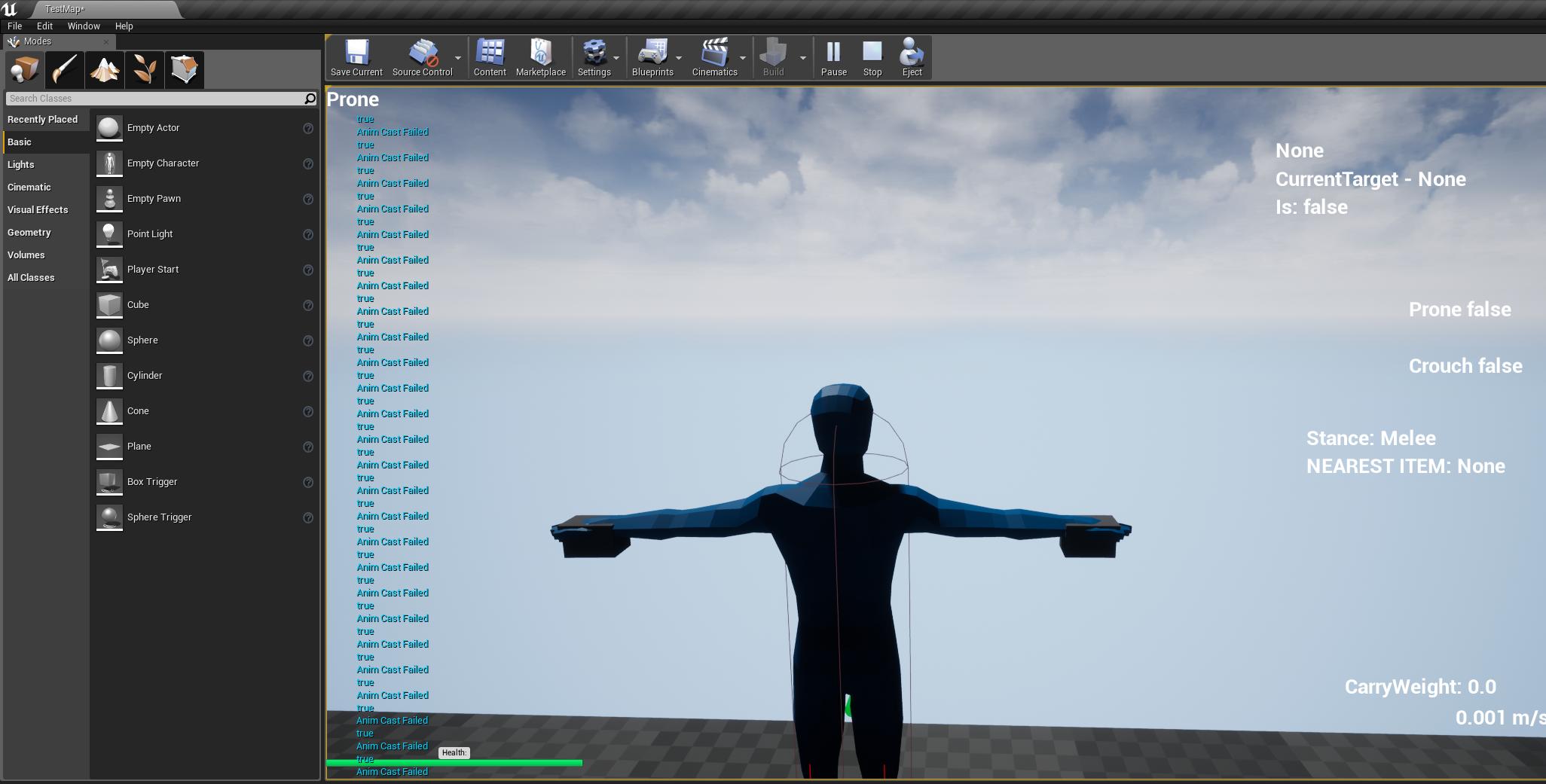
Rotation at 89
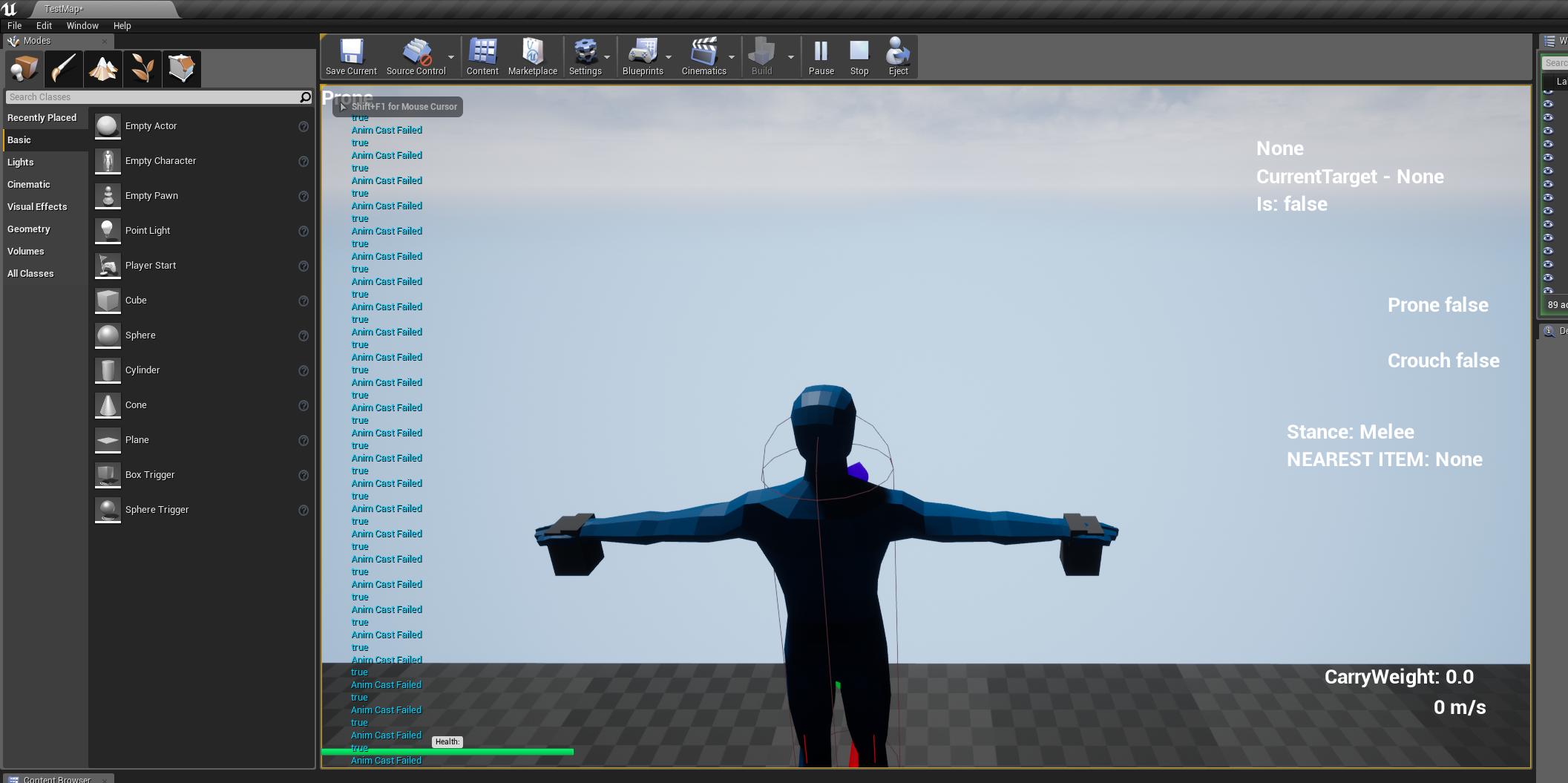
rotation at 90.
plush yew
Right now I am having trouble implementing multiplayer into my project. Client one updates fine but Client 2 I am having trouble with
austere badge
Could someone explain in basic simple terms (pretend I'm in kindergarten literally) what GetControl Rotation means?
plush yew
How do you put the dots in blueprints to re-direct stuff and organize it?
double click on the line
scarlet birch
@austere badge It returns the rotation of a pawn.
austere badge
See I'm just stupid. That still confuses me lol.
What do you mean by returns first of all?
scarlet birch
gives as output
 kindred viper
@scarlet birch technically its the rotation of the player controller right?
kindred viper
it can confuse people when it comes from the pawn, but gets the pawn's controller
scarlet birch
/** The control rotation of the Controller. See GetControlRotation. */
UPROPERTY()
FRotator ControlRotation;
plush yew
@plush yew Thank you!!
kindred viper
TFW your photoshop sub ran out and the wife is asleep and keeps hold of all the money -
dare I use mspaint
scarlet birch
@austere badge I'm going to suggest that if you aren't familiar with a return statement spending a little time reading an intro to coding tutorial/book might save you some time and frustration.
hollow junco
Hey, has anyone managed to export a landscape spline as a SVG? I want to be able to export the roads I've made using the landscape spline editor, and then create a heatmap to distribute housing? Is that possible?
plush yew
Will we ever get to port to other platforms? (Port to Mac from a PC and visa versa?)
kindred viper
@hollow junco you can do it. Store the relative locations of the spline points, any curves, etc, in an xml format for parsing externally.
hollow junco
Okay, so I'm using prefrabicator to create my houses, all made up of modular pieces. Is there a way to quickly populate my level? A BP that perhaps casts to the spline in the level that is my roads, and randomly add instanced prefabs along the sides of the spline?
plush yew
how do I get visual studio to show the drop down thing for code as I am typing?
like for unity I just installed a package
and it works
 supple totem
@hollow junco take a look at the splines map in the content example map. You can spawn actors along a spline easy.
 dim plover
Ctrl + Space? For the dropdown thing. I think it also shows when you're typing automatically usually.
plush yew
gimme some code
to test it
#include "NewActorComponent.h"

// Sets default values for this component's properties
UNewActorComponent::UNewActorComponent()
{
    // Set this component to be initialized when the game starts, and to be ticked every frame.  You can turn these features
    // off to improve performance if you don't need them.
    PrimaryComponentTick.bCanEverTick = true;

    // ...
}


// Called when the game starts
void UNewActorComponent::BeginPlay()
{
    Super::BeginPlay();

    // ...

}


// Called every frame
void UNewActorComponent::TickComponent(float DeltaTime, ELevelTick TickType, FActorComponentTickFunction* ThisTickFunction)
{
    Super::TickComponent(DeltaTime, TickType, ThisTickFunction);

    // ...
}
eg I have that
?
dim plover
I guess just type a letter and then hit Ctrl + Space.
dim plover
Yeah.
plush yew
thanks
people say unreal is easier
but its taken my like 3 days to understand how to open it
unity takes like seconds to build a game in comparison, but I like the speed and optimisation and smooth flow of unreal
plush yew
just ask
go on
do it ask
🎵 believe in yourself
🎵 do what you can
🎵 you can ask the question
brave beacon
so how does landscaping work and adding like houses and trees and etc
gilded plinth
anyone here done any vertex normal fixing on characters for ue4? I'm in normals hell with a character and the top of their eyelid where the crease into the fold is
worn spade
you can do really big hills with the landscape editor, and you can have multiple textures to a landscape so you can paint on rocky textures to the hills. But that's gonna be like, old world of warcraft mountains, good looking one will have a bunch of rock meshes added, probably one base mesh scaled up to mountain size to start off with
plush yew
but he dont update as much now
 blazing rock
Why can't I see the walls and floor in wireframe mode? I just started learning UE4 today and I think I may have hit the wrong hotkey. I don't think they're hidden because ctrl+h doesn't do anything.
worn spade
I like Titanic Games channel so far. tho I think they stopped making videos a while back, still good tutorials to go through
plush yew
are those the same guys building the titanic game?

YouTube
Titanic: Honor and Glory is a Virtual Reality PC game project set aboard a complete re-creation of Titanic, utilizing Epic Games' Unreal Engine 4. It's curre...
these?
worn spade
nah

YouTube
We are a small Indie Game Studio developing games and creating tutorials on the multiple facets of game development. We hope you find our projects and tutori...
plush yew
thanks
sullen wraith
I'm wanting to change this
into, if my mouse is over item < distance
what do I call instead?
 cobalt scaffold
GetHitResultUnderCursor
worn spade
Learning that my third person character blueprint in the world outliner is a separate instance from the actual third person character blueprint. Everytime I cast to it I'd get the default mannequin again instead of my custom character. Finally figured out how to edit the original
And now I can load new levels to run around in. Opens up a lotta stuff
icy mulch
Hey i got the game to package but when ever i click on it says steam vr not readyy why
grim ore
Are you using steam vr? If not disable the plug-in and repackage.
worn spade
Ey Matt I looked up game instances and realized I was watchin your tutorial
plush yew
@grim ore hey have u tested out the 4.22 raytracing stuff? was strongly considering looking at it
grim ore
I havent, only have a 1080 😫
plush yew
ahh
 potent wing
I have 1 question here, I'm starting a horror game project. the question is, can i make a story game that player's choices effects the ending of the game with Only using First person blueprint (UE 4.21.2) and without any coding?
Tag me
worn spade
The blueprint is coding
grim ore
@potent wing you cannot, there is nothing built in to press a button to do that. You will have to code in blueprints, c++ , or another supported language to accomplish your goals.
potent wing
I mean i can only do and understand blueprint
I do not understand any codimg language
potent wing
Okay thanks
Also, can i finish the game in like 7 weeks if i works 8 hours a day?
I once finish a mobile game in just a month, idk about Pc
grim ore
That's up to your skill level and the goals of the game. Yes you can if you design it for that timeframw
silver crown
Ye, get a 2080 ti
plush yew
I probably should get into Niagara shouldnt I
I was trying to use a particle system in cascade to spawn only one particle by itself, that lives forever (I have the lifetime down just how to I make the burst only happen once?)
I just need it to Immediately spawn one particle, never spawn it again, and I already have the lifetime set to infinity, but I cant find a good tutorial on it
plush yew
I mean you can use an FBX that is exported from blender yeah
Anyone know if dedicated servers treat client 1 differently then client 2?
worn spade
did you also make a collision box for it?
worn spade
guess unreal can generate some pretty complex collision then.
 timber bloom
Yeah
Like perfect
@worn spade it hugs it perfectly
You take it you click remove collision then set the collision from default to use complex as simple
And boom
Perfect collision
worn spade
so Im tryin to use player start on my level but player wont start from there, it starts from where the pawn is placed on the map. and if I delete the pawn, all I get is an immobile camera at 0,0,0 when I hit play
on another level it does spawn the pawn and I can move around, but it still spawns at 0,0,0
 sharp kindle
@timber bloom You don't actually have to remove collision, just set complex collision as simple.
Skip a step 😃
sharp kindle
It should only use complex as simple if it's set in collision settings.
That's weird
Do you make these with blender?
timber bloom
yes
sharp kindle
What export method?
timber bloom
fbx
regal mulch
The Complex Collision is neat for some very unspecific meshes.
But for more complex ones or ones that are frequently used, I would be careful.
Collision checks on these tend to fail or not snap to the mesh surface.
It's often wiser to make a simple collision shape and export that with the mesh
timber bloom
idk how to do that
worn spade
ya'll tryin to fix somethin that's working
timber bloom
and so far all the collisions have worked perfectly
regal mulch
I had a very "simple" robot mesh. It was basically a flat surface lowpoly body.
Complex collision often made me sink into the mesh.
Just saying :P if you notice something going wrong with collision, it might be that
worn spade
I think my player start issue might be that I looked at the Choose Player Start game mode function. No idea how it was set at default, and I dont see how to stop it from being in override mode
at this point hitting play just gives "no player start found"
regal mulch
In BPs, you just delete the function. Then it's not overriding anymore.
Or if you need both yours and the parent function, you can right click the start node of the function and hit "Add Call To Parent"
sharp kindle
@regal mulch It depends how the mesh is made
worn spade
alright that works. I was afraid that deleting them was gonna completely delete them
silver relic
Hi guys. I have a question. I created a bit bumpy terrain so now my first person is quite shaky when running around 🤔 is there a way to fix that? I was thinking about maybe making a second, more smooth terrain on top, and using it as an invisible blocking volume. Or setting up some kind of dampening? Any ideas?
 deft temple
Is 4.22 coming out today?
 honest vale
nein
 native cradle
@worn spade are your game mode and game instance set in settings?
World Settings and Project settings
Can anyone point me to any tutorial (pref something you have tried and works) for running a Dedicated Server with Steam?
dim merlin
Hey, anyone has a idea about saving asset references to savegame, eg a staticmesh?
what is the best way of doing this? when the asset is being moved or renamed the savegame is corrupt right?
 paper kernel
soft asset references maybe
but it probably invalidates the save file between builds
 mental hollow
Hello, I'm having trouble with collision in paper 2d, especifically with Maps, I added tiles there and they doesn't have collision even thought I added it on the original sprite, if anyone can help me I'd be so thankful.
 errant chasm
not sure what I did but I think this has some meme potential
proper summit
Can anyone please share a link to UE4 Networking Docs that explain the concepts of Networking for Game Devs? Things like how to cop with delay, How to resolve problem "I killed you first " type.
leaden dust
What is OnlineSubsystemNull?
sudden agate
LAN
plush yew
Hullo
cloud cobalt
OnlineSubsystem is the online platform abstraction, null is "no online" aka LAN
 mental yarrow
Hey guys, i am woriking on a car in ue4 and if you type "ShowDebug Vehicle" you can see all these values, so i am trying to create realistic skid mark from the tires and i seee there is a value called Slip Ratio i would like to acces in a blueprint. Anyone have any idea how this would be done?
wary wave
@proper summit - check the pinned posts in the multiplayer section
 wintry willow
I can remove a foliage instance static mesh by index, but can I hide or disable it instead?
wary wave
no, I don't think so
 high ore
Hey guys I'm looking to work towards making an online mmorpg like runescape . Would I be better off learning c++ or blueprints? I want the gsme to be massive open world and have multiple servers.
 dusk fern
 languid shard


 cloud cobalt
Well shit
leaden dust
How would I go about implementing any of this?
 flat idol
It depends on what are the specific needs of your voip implementation.
leaden dust
@flat idol Kind of like talking to other players within a certain radius
of the player
cloud cobalt

GitHub
https://forums.unrealengine.com/showthread.php?151253-SteamVoicePlugin - MidsoftEntertainment/SteamVoicePlugin
Here ^
flat idol
cool_da_noob, you must have to be more specific than that. But at any rate, online subsystem has the voip implementaton ready to use, and you can try to use the voip extensions that have been added to the engine (a voip component) to gain some more control over the talker features.
As for me, i decieded to rip the whole thing out of the online subsystem and am rolling my own implementation which takes care of just about everything regarding voip, and that way i gained full access to the module to customize it.
leaden dust
@flat idol is there any documentation about the voice system?
Can the whole thing be sone from the subsystem steam
flat idol
here, i used this example when i was learning about the way it is working
While it's for tests only, you can grasp the general idea of handling audio packets, and compression etc
In case that's a bit over your head, then just go on the path Stranger have recommended above.
Just udpated the link for the correct one :)
flat idol
IT does, you just have to be registered with epic game's github repo since it is private by default
leaden dust
ah
flat idol
There's a registration process on the website you have to fill in
leaden dust
ok
paper kernel
crazy question, is there a way to make inverse vector curve?
3 values in, 1 value out
flat idol
Nope. Just read it again.
paper kernel
inter curve vector only supports time as value In
flat idol
Yeah
You can maybe do the following. Take your vector length, and use a regular float asset perhaps.
It may not work if you want some exotic vector curves here.
paper kernel
I cant really do that, as all the values are individual data points