#ue4-general
1 messages · Page 392 of 1
 regal mulch
 wary wave
I think using a naive technique like that you'll be lucky to get 100+ without multithreading
regal mulch
We have a lot on the screen atm. NDA sadly.
wary wave
I got 14k odd on one project I worked on
 edgy totem
I was more wondering about how i'd go about accessing variables of the other pedestrians from a given one
wary wave
but the requirements were pretty flexible
regal mulch
By writing a good system that can query other agents
wary wave
might as well just query them directly for now if we're going naive
regal mulch
e.g. you can put them in a grid and only query the same and the surrounding squares
wary wave
later it will make more sense to store that information into a data structure
regal mulch
Yop
edgy totem
I see, i've been writing initial code for 1 pedestrian in a blueprint so each pedestrian will be an instance of the blueprint with a different goal/velocity etc
 humble stag
@wary wave do you know how to play a specific animation in a task blueprint ?
wary wave
the animation BP should control animation
said anim BP should get it's data directly from the thing it animates
humble stag
so its just setting up a boolean to play animation ?
wary wave
something like that, yeah
 placid arrow
hmmm
is it safe to say that these days unreal engine is a general purpose engine, we see lots of games written in it that arent an FPS deathmatch game right?
wary wave
plenty
placid arrow
that being the case there seems to be a ton of UT specific, or FPS-deathmatch specific stuff hard coded all over the place when i really dig under the surface, that is of no relevance to a game like mine.
wary wave
it's pretty much always been general purpose
placid arrow
e.g. in gamemode, NumBots, numSpectators, etc
wary wave
those concepts could apply to any number of different types of games
 grim sinew
Why would an RTS not have bots or spectators?
placid arrow
it looks like for most cases we shouldnt even use AGameMode
"GameMode is a subclass of GameModeBase that behaves like a multiplayer match-based game. It has default behavior for picking spawn points and match state. If you want a simpler base, inherit from GameModeBase instead."
grim sinew
Okay. So why would you not want spawn points in a racing game, moba, rts, or fighting game?
placid arrow
well, it depends on the fighting game
for a 1v1 fighting game, like street fighter iv, there are exactly two spawn points :)
placid arrow
in my game, there are exactly zero spawn points, no bots or spectators (its not multi player). seems to me for stuff like mine, i should really just inherit from AGameModeBase
wary wave
also those games have things like tag-team modes, so there are more than two spawns, hehe
also you probably have at least one spawn point, even in a singleplayer puzzle game or whatever
even if said point is 0,0,0
placid arrow
nope
there is no spawn point
in fact, no real player pawn
unless you count the camera
wary wave
I count the camera, yes
grim sinew
In all seriousness, there are way too many people that end up under the impression that they need to arbitrarily avoid general Unreal coding convention because they feel like it, when in reality it won't -hurt- and you may have benefits down the line you aren't directly anticipating.
And you are one of them.
Unless you have a strong reason not to, try and follow standard convention for the engine, it can save headaches later.
placid arrow
in my case, that isnt 'spawned' as much as it is part of an actor called 'level' which is attached to a boom arm, and can be rotated and zoomed around a centre point
 grim ore
You are correct tho, they split off GameMode into GameModeBase for just your issue
well more made GameModeBase and then based GameMode off it but backwards because why not lol
placid arrow
in fact if i look into my source code, i was kind of railroaded to follow some convention, to be able to receive input events etc
so i do have a player pawn technically, and its just an actor that is nothing but a camera component
rather than the assumed behaviour of perhaps a skeletal mesh etc
grim ore
The engine has extra stuff, it's always going to have it unless you have a completely modular engine or you make it yourself. Just ignore the stuff you don't use and make the game
wary wave
I've made games without pawns before
but I've always had a PlayerController and a spawn point of some description
placid arrow
the player controller is the essential bit isnt it
my previous game before this one was based on the third person template, there player controllers, pawns, ai controllers, etc, all made much more sense
and to not use them there would have just been masochistic
wary wave
player controller is the player interface of sorts, so yeah, it's kinda essential
placid arrow
iirc even if i didnt define one, it will still spawn a default one
grim ore
the PC kinda takes most input events so if you don't need them then ignore the PC, if you need them then yeah you want one 😃
placid arrow
the only thing i really did that i know is bad, is bypassing the input mapping system.
im having to undo that now, and define axis etc in the project settings
without it, im basically shooting myself in the foot in terms of providing a way to remap keys
i basically bound events to the "W key" for 'forward' etc
thats gonna be an hour or two's work soon to fix
grim ore
thats a bummer but weird it should take that long. define inputs, replace inputs, move on.
placid arrow
yup
the only reason it will take that long is that as i change each event, i need to test it to make sure ive not broken something
grim ore
makes sense 😃
humble stag
@grim ore i have a question on level maps problem
on the default example map level, my npc location key can display the coordinates hence the npc can move properly
but when i create a new level map, the npc location key kept showing invalid aka cannot find my player's location
why is this so ?
i'm not sure what modifications my team mates made but i just created another new level and it works
hmm....
grim ore
weird for sure
 plush yew
just us chickens
grim ore
cluck cluck click
wary wave
if you have a specific problem you can ask
 abstract relic
There are nearly 5000 chickens on this server
One of them will give you a nugget of information
If only you ask
grim ore
I like that pun
plush yew
i can watch a stream and usually hang out in voice chat while here
whats the question though before im horrified by your desktop
grim ore
the level map or the variable map.... come on be specific... gosh
abstract relic
Lol
plush yew
👀
abstract relic
Was that a live reaction Matt?
grim ore
so you want to use the terrain tools to make terrain? https://docs.unrealengine.com/en-us/Engine/Landscape/Creation
so you want to use Maya to make an island? https://www.youtube.com/watch?v=rZVTpYRYI1o

in this Tutorial you will get to learn how to model an island.
plush yew
or Blender
grim ore
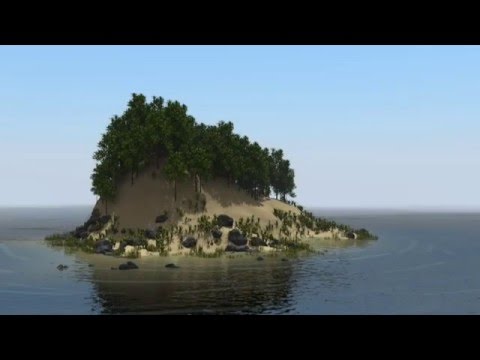
Part 2: https://www.youtube.com/watch?v=ykyM5Lc57QsWebsite Link: http://tannimator.drupalgardens.com/c... How to Animate an Ocean in Blender: https://www.you...
is it surrounded by water or nothing?
sculpt it using the terrain system, drop a water place in at 0 Z, and profit
abstract relic
Add some sharks in there for good measure
grim ore
Sharks with Frigging lasers man
plush yew
and chickens
plush yew
You can build "Forknite" ..so we can make fried chicken for sharks on an island.
abstract relic
Or just have blocking volumes
 fierce tulip

 grim ore
you still can use the landscape system to make the landscape if you want landscape
other wise you use meshes and build terrain from meshes
or... do both..... 😃
 hardy spruce
hi, I' m looking for a tutorial "from scratch" as in: a tutorial that starts with nothing and slowly builds up with a playerstart and so on. It's very nice to have all the tutorials starting from a template, but then I don't follow 80% of what is actually happening ( not seeing the forest for the trees).
grim ore
There are atleast 3 examples of terrain in the Learn tab on the Marketplace you can look at and learn from if you want a start.
plush yew
American saying "There's more than one way to skin a cat." You can find a multitude of methods, workflows, and tools for every aspect of the design process. @atomic sandal Have you built any assets yet?
 proven oxide
someone broke our character position / camera
we are now looking one way and the arms are pointing back (as is the gun) what could they have changed to mess this up
plush yew
So then you can build assets; what was the question in regards to the island though then?
proven oxide
camera and movement are correct
grim ore
@hardy spruce you might have trouble with that as the templates are a core part of the engine. Most people would use one so they have a foundation to build on. You can learn the missing parts before that or try and recreate it from the docs if needed. Also what if a from scratch doesnt use a player start or whatever you are expecting a "from scratch" to be?
plush yew
You are talking about advanced replication stuff if you mean the scope of size. You should look at the open world project. Games use illusions, and large open worlds often are multiple smaller maps tiled for loading.
fierce tulip
sometimes I wonder if we should have a minimum age requirement for this channel XD
 grim ore
@fierce tulip unfortunately Age is not always equivalent to knowledge so it would be unfair to the smart little shits out there
 misty creek
Thanks for that... XD
abstract relic
Much appreciated
 hardy spruce
@grim ore the issue is that even with an empty level, I can still press "play" and the engine does -things-. Meaning that if I want to make my own game I will first have to remove -things- and have no idea what all the -things- do compared to a real-real empty scene where I can enable the stuff I need without worrying that the game is trying to make a first persone shoot out of my space-opera simulator.
grim ore
reaching deep with that 21 jump street gif
@hardy spruce even with an empty level the engine is still doing those things, you just don't see them as apparent as they are blank things instead of things with presence
hardy spruce
I noticed that 😃
grim ore
yep so learning that part would be a good idea then, the gameplay frameworks https://docs.unrealengine.com/en-us/Gameplay/Framework
hardy spruce
now I have no clue whether my blueprint works, or whether it's unreal-default-doing-things-for-me.
but I guess I' ll find out soon enough.
thanks for the link!
grim ore
well the intro to UE4 series on my channel tries to cover the basics of the engine and I know the MVP FPS series starts from scratch but again no idea if it will have the info you want
having a "complete" game or lesson is going to be subjective based on the presenter and person watching it
abstract relic
Make a series that will solve all imaginable problems 😜
grim ore
I tried but it just ended up being me uninstalling the editor and going outside and I don't think anyone wants a video on that lol
Can't have a problem with ue4 if you don't use ue4 😉
abstract relic
You’re not wrong. Sounds like the prefect April fools at least. 😜
grim ore
LOL I did an April fool's video a couple years ago where I said I was switching to unity
 gusty flame
When everyone here are really good with UE4 And I'm literally a minor
abstract relic
The truth is. We have no idea what we’re doing
gusty flame
Fair point
hardy spruce
at least the PC is not on fire (yet)
grim ore
oh I know exactly what I am doing. It's the how and if it works that I am at a loss about knowing 😃
gusty flame
I am so eager to get a new laptop because my other one broke but nobody in my family can afford a new one yet
grim ore
I keep trying to buy a new one but I can't justify the money just to surf reddit in bed on a bigger screen lol
gusty flame
The new agus mothership laptop seems pretty good but again I'm broke
hardy spruce
I buy my laptops from a broker, half the price and nice professional quality ( not the fastest, but cheap and good build quality).
refurbished FTW.
gusty flame
If it's not fast download a driver for whatever graphics card it uses
And then apply some settings
wary wave
I harvest my laptops only from finest laptop forests of darkest Peru
hardy spruce
ah, yes, those excreted by civet cats are the best.
grim ore
yep I've got my eye on a used one here locally for a good price, I just can't pull the trigger on it with GDC so close
gusty flame
I am actually scared now
I just saw someone sitting on the corner of my brothers bed then I looked again and they were gone
hardy spruce
wasn' t me.
gusty flame
That's pretty obvious
hardy spruce
is currently watching VIRTUS education on youtube, if there are better tutorials about blueprints out there I' m all ears.
gusty flame
Unreal Engine does
 inland granite
@hardy spruce for blueprint stuff Unreal engine official youtube channel. For C++, I recommend UDEMY
Was like 10 bucks and over 100 hours of pure c++ stuff
hardy spruce

YouTube
Welcome to the official Unreal Engine channel! Unreal Engine 4 is a complete suite of real-time 3D tools made by developers, for developers. Create and take ...
next week I hope to have a look at the amount of gamepads UE supports, but first: WEEKEND!
https://youtu.be/EFXMW_UEDco was exactly what I was looking for, thankyouthankyouthankyou

This video gives us an overview of the Introduction to Blueprints video series as well as jumps into a high-level overview of the concepts behind Unreal Engi...
grim ore
lol
would be quicker on the uptake but playing division 2 and UE4 is taking a backseat this weekend lol
plush yew
https://api.unrealengine.com/INT/ <<<Needs a pin

Complete resources for learning to use Unreal Engine 4
proven oxide
our mannequin arms are rotated for some reason (90 or 180 degrees clockwise) cant see any reason why , any suggestions where to look?
When you jump its the right way round
proven oxide
ok found it someone messed up the anims
 timber python
i need a help
 vale silo
@ionic sedge do you still mess with Blender for UE4 ? I am wondering if that LOD hack for FBX works for FBX in Blender 2.8
 dull oyster
Can someone explain me why i have this weird white color on my material? i used vertex paint on it. Im following tutorial to make this, but im not satisfied with the effect, cuz of this white color around. In the second screenshot i ll show my material blueprints.
material
with diffuse
 ivory crag
How do i make a "scene" in my game, sort of like a game intro where for a minute or two, NPCs and the player are controlled and told explicitly where to go by the game, then the player takes control and can move
 maiden sundial
Is the basic integer well defined in the blueprints, or will i run into a UB if this type overcome his max value ?
 true leaf
Well.. you can use world-placed cameras of course. Then you can place walking waypoints around and write code (a system) that makes the characters walk from waypoint to waypoint
You can possess and unpossess the character via BP . Unpossess the character and set the player view to a world camera
To make a waypoint I would make a new actor and place an invisible collision sphere in it. I would also make a instance editable Actor variable for it called NextWaypoint maybe
That would be a neat trick 😁
So then in your level you can link the waypoints together by editing their instance settings ...
You can tell the character to walk indefinitely toward the next waypoint and you know if they got their because they collided w the sphere
regal mulch
@ivory crag Check out "Sequencer"
true leaf
Good luck 🎉
 lofty hollow
how do i check velocity of characteR?
lofty hollow
CalcVelocity?
or GetLastUpdateVelocity()
I mean, I just want to like see the velocity of the character while im in-game
 spiral island
I'm trying to make my pawn rotate to face the direction of travel
this is the code I'm using (I don't want it to rotate instantly to the new orientation)
 FVector v = GetVelocity();
        FVector loc = GetActorLocation();
        FRotator newRot = UKismetMathLibrary::FindLookAtRotation(loc,loc+v).Add(0, 90, 0);
        FRotator current = GetActorRotation();
        UE_LOG(LogTemp, Warning, TEXT("newrot = %f"),newRot.Yaw);
        //set the rotation
        if (newRot.Yaw - current.Yaw < 0){
            SetActorRotation(current.Add(0, -5 * deltaTime/evalNormal, 0));
        }
        else{
            SetActorRotation(current.Add(0, 5 * deltaTime/evalNormal, 0));
        }
It gets the current position, and the current velocity, and then uses FindLookAtRotation to get a desired angle
however, this just causes the pawn to spin around or shake
any ideas?
 gleaming creek
sigh
Just wondering if there's any way to get around the fact that fullscreen doesn't work in PIE
Find a post on answerhub from myself asking that question two years ago
Where Epic staff link to a bug
Which has since been marked with "won't fix", because of course it has
gleaming creek
Well, why wouldn't I want fullscreen?
I mean, the view of the editor in the background isn't exactly useful
But especially if trying to see how something like UI would look in-game
There's a workaround where you do play in current viewport, maximise the viewport, and then fullscreen the whole editor, it's kind of fiddly though
true leaf
Guys you should also make bat files to test launch your game
Esp of you are making a multiplayer game
Super helpful
 dim plover
Isn't F11 like fullscreen?
gleaming creek
It's supposed to be, it doesn't work
When using Play In Editor > New Window
It does work when you are playing inside the editor viewport (so you have to F11 / Shift F11 to toggle it)
dim plover
Oh, wouldn't setting fullscreen via... game settings or other methods work for New Window?
gleaming creek
Haven't found any way of doing so, even if you set the window height/with the border and title bar remains
so the bottom of your view is off the bottom of the screen
Could probably use AutoHotkey to forcibly move the editor window off the top-left of the screen by the height of the title bar and width of the left border ?
A bit of a hack though
Especially considering playing your game fullscreen seems like pretty basic functionality for an editor?
I also have the vague idea that it used to work years ago
But I may be mis-remembering there
 dry moon
How the hell do you rotate each object individually but together

in Maya
I legit did it so they all point up from their pivot
but can't do it again
spiral island
you don't
you can group them all, rotate the group, and then ungroup
dry moon
Yes you can
spiral island
you might be able to press D, move the pivot to where you want, and then rotate, but i don't remember if that works
dry moon
I legit did it
but don't remember how
The way you are suggesting is moving them as one
I'm trying to rotate them individually
spiral island
Oh I know what you mean
go into tool settings, and set pivot to Object
spiral island
there's a hotkey for it as well (i don't remember what it is)
you might have hit that
ivory crag
I downloaded a plugin from the UE forums that has a .uplugin file, but no binaries/intermediate directory
how do i compile it?
 teal tulip
 lyric reef
if someone who knows Vectors and Rotators well could answer my question in "cpp" section I would be very happy ❤
 hollow mesa
what do I need to add to my c++ actor to give it a transform?
gleaming creek
I got annoyed at the lack of PIE fullscreen that I was complaining about earlier, so I wrote an AutoHotkey script to work around it

(Don't know if anyone else will find that useful)
plush yew
I feel like this is one of those “stupid questions” but should I invest in maya or 3ds for assets creation or can I get away with blender and still have good quality assets (with practice ofcourse because goodness knows that I am bad now) I never used maya before but alot of research and lurking on here shows people using it. Its not a cost thing its a quality thing is all.. I just know blender
grim ore
might be better suited for #graphics but I would say whatever seems to work for you should work for you. They both should be capable of doing the same stuff but it's up to the artist that is using it.
with that said some of the artists in Epic use both programs and the ART toolkit and live link is in Maya so if those are important to you then Maya might be worth a look/trial
plush yew
Thanks! I have been doing this on my own for yr or so now and I have made several mistakes :/ thanks for the input (edit: hillbilly autocorrect-.-)
 grim juniper
If I use PIE I just hit F11
gleaming creek
F11 doesn't work for me
It makes the editor window in the background fullscreen
not the new PIE window
grim juniper
I have it use the viewport and not open a new window
 fathom hollow
Hi guys! I have a small live-link issue. I've tried searching over the net and all I could find is a youtube comment with a similar problem to mine
I'm trying to test out live-link with UE + Maya. Once I click "Enable Camera Sync", the unreal view camera is out of sync 90 degrees on its Y axis to the maya file
I've tried re-exporting the FBX and re-linking Maya and unreal together. Has anyone come across this issue and fixed it before?
I posted this in the #animation and realised not many people must know about the issue there
 maiden swift
@gleaming creek When you open PIE in a new window, it uses the resolution settings for your game, not the editor. If you want the game to launch in full screen you need to set the game to use a full screen resolution on BeginPlay somewhere.
gleaming creek
You can change the resolution, e.g. with console commands
but setting the resolution to a fullscreen one can't go fullscreen in a PIE window
It will go mostly fullscreen, but you still have the border and window title and taskbar visible
maiden swift
That shouldn't be the case. You're talking about window maximizing. Are you adding the f to the end of the resolution string?
For example: setres 1920x1080f
maiden swift
wf is my fav. Borderless window mode. 😄
gleaming creek
r.setRes 1920x1200wf
I'm amazing how much more you see problems in your own projects, than you see in games when you play them
A fair while ago, I was working on a system for reading books, by putting a book in front of your view and animating it to turn the pages
Just looking at it again now because I never finished it, and I remembered an issue I'd had with it - that if your camera is so close to the book, turning the page makes the edge of the page go off the edge of the screen during the animation, which really bothered me
Out of curiosity, I went to check the book animations in Skyrim... their book pages go off the edge of the screen while turning the page too
Of course I never even noticed that while playing it
vale silo
that's why when I play games, I don't deconstruct them
gleaming creek
But how do you stop deconstructing your own game while you are making it?
vale silo
that is a million dollars question
😛
I guess that's all you do when you build your game - it's always in the deconstructed state
I had to take a break after I was done with my projects in order for me to play it without deconstructing it
gleaming creek
Even back when I used to do modding for far more primitive engines, things like a misaligned texture would annoy me... and probably no one playing it would have noticed
vale silo
oh, I notice this like that in other games.. I just ignore it
if I catch myself deconstructing a game, that usually means it's a meh game
(for me at least)
gleaming creek
True enough, you should have better things to do
plush yew
hi
 silver crown
hi
vale silo
hi
 worn granite
hi
 agile walrus
hey anyone around to help me with a project been in the works for a little while now and im ready for the whole concept to start really coming into play and need a team or someone to help out this is my first time reaching out.
abstract relic
agile walrus
ive been trying to contact a couple of peoples
abstract relic
I hope it wasn’t unsolicited
 oblique sorrel
Is there some plugin/tool/whatever that'd allow me to capture the entirety of a large Blueprint graph at full resolution without having to stitch multiple screenshots?
abstract relic
BlueprintUE
BlueprintUE.com is a tool for sharing, rendering and rating blueprints for Unreal Engine 4. UE4 is a game engine which use visual scripting called blueprint.
maiden swift
Someone was working on a tool called ODIN Tracker that does graph capture at some point, but I don't know if it's still in active development.
Unreal Engine Forums
All Things Related to the Unreal Engine Marketplace. Discuss Marketplace Offerings, Request New Content, Promote Your Work.
Last updated 2017. 😦
 honest rune
I'm considering giving world composition a shot but I don't understand something about persistent levels.
Are you only able to have a single persistent level in a game or are you able to have multiple completely separate persistent levels that you can switch between, each having their own streaming sublevels?
Not sure if I'm just misunderstanding the purpose of the persistent level or if I'm missing something in the editor
 shy silo
Sorry if this is probably really basic, but how do i fence in my player since I don’t want them to go everywhere they see through blueprint? Thanks for your time
proven oxide
I am trying to understand how the "airtime" is done with the demo characters, I have tried overriding the stop jumping to apply a negative force to the character but they are still floating down
When i release the key i want them to completely stop and fall with little control once they stop jumping, how can i do this?
is that the "air control" 0.2 setting?
I have tried everything, cannot make him stop arcing
its an unnatural float how can i stop it
if i step off a ledge i want to drop straight down with no float down
 tall pendant
@maiden swift you might want to ask @scarlet echo if he's still actively developing odin tracker.
 ember shadow
Hey guys, im just wondering if i bought this for £0 would i have to pay £74 later?
seems to good to be true??
tall pendant
nope. you don't have to pay those later.
ember shadow
WHAT! thats amazing
maiden swift
@ember shadow It's free for the month of February. No strings attached as long as you get it before March 1. 😃
ember shadow
@maiden swift So you are sure i wont get £74 out of my bank account later?
maiden swift
Yes.
ember shadow
Thats amazing
maiden swift
They release free content every month.
Get it during this month and it will remain in your library indefinitely, at no cost to you.
ember shadow
Ok thanks for clearing it up 😃 Im shocked that they do that as it was £74
maiden swift
Yeah some of the items are pretty expensive.
But they pay the developers, so don't worry. No funny business going on. 🙂
ember shadow
Ahhhh!!!
maiden sundial
The total value of my library is probably already over 400€ just bcuz of this 😄
ember shadow
I was about to say, i feel sorry for the devs
 wise prism
Anyone looking to join a team working on a tactical swat game message me.

Special Response Team is a tactical FPS Police Shooter: Experience the life of a police tactical unit leader. SRT is a pulse pounding, high octane joyride cu...
ember shadow
@wise prism I could do some level design if u give me the objs, im quite new to it tho
tall pendant
 hot drum
Idk why but I always get stuck on these >.<
Could anybody kindly tell me what to connect to "object"?
This is the button class bp
 runic fern
actor
hot drum
it is trying to refrence another class bp
runic fern
other actor
runic fern
np
hot drum

It's kinda weird but it doesn't seem to be working at all
hmm
(the capture gif is kinda weird)
maiden sundial
A good method is always to try all 3 :D
component, other actor, other comp
grim juniper
Big chungus 
hot drum
You got it 😉
@maiden sundial Lmao I legit tried that after you said that, still didn't work
rip
runic fern
ok what is level_1_puzzle_block is it gamemode or character ?
maiden sundial
Hmm, i guess the problem is that your button doesn't have a overlap component.
You could add manually one
hot drum
you gotta press five buttons
and when you do that the cube blows up and you can advance
wait huh?
I got a trigger box lol
maiden sundial
Is the trigger box in your blueprint or in the world ?
maiden sundial
Show
hot drum
maiden sundial
Is the code in your char or in the button ?
hot drum
Also unreal-ated (hah see what I did there) https://gyazo.com/0b59d583feadb2dd902319f33925c16d

I made this fox boi jiggle
in the button
the code is in the button
maiden sundial
Ow, then ofc it wont work xD
hot drum
Level BP?
maiden sundial
Your block does not know what he should cast when he can't refer it to anything.
When your player runs over it you can activate it, but that's not enough informations for the button
hot drum
well the button is casting, not the block : P
basically
there's a value in the block
for the amount of presses
and if that hits 5 it will die itself
maiden sundial
You could set a reference to this in your character. Then cast your char when he triggers the block and then you can access the reference to whatever from your player
hot drum
a refrence to what?
ok ok
explain this to me step by step
I'm still a huuuge noobie to this
lol
maiden sundial
Actually, there is a easier way
If i understand your need correctly
Your button has a counter which should increase whenever the player triggers it, right ?
 novel spire
How can I design an automated test for my inventory system?
I'd like to simulate user input, like hitting "Tab" key to open inventory, clicking on buttons to add or remove items, and so on. How can I do this in Unreal?
I've seen the doc regarding automated testing but I don't know how to implement one in my case.
maiden sundial
@hot drum Go to your block BP
And create a new variable in there. This variable should be a reference to your player
@novel spire Your character can have key events
if you mean that
novel spire
Can I "simulate" a keyboard input, without me touching my keyboard?
hot drum
@maiden sundial
infoman I would help you if I had any clue how the hell this engine works lmao
 static viper
we are not really supposed to tell you how the engine works
are you back again at basics? still
hot drum
oh no
static viper
man wake up
static viper
have you checked out the pinned messages in #blueprint ?
you need to put some effort in learning at least...
hot drum
I tried that but it's all so confusing
it's easier to have somebody I can respond to in realtime
maiden sundial
That's how the world works xD
It will be always confusing until you put some time into it
hot drum
🤔
static viper
if we hold your now like.... Then you have no chance
you dont get the privilage of easier
hot drum
thanks
on the brightside I learned how to refrence other objects n shit through variables
buuut
it still will not work
hot drum
I did
maiden sundial
How ?
maiden sundial
That's just the type, it's not settet
hot drum
put in the class name
maiden sundial
I choosed C++ as my first and only language, soo 😂
static viper
its not.
maiden sundial
^
xD
hot drum
I followed a tutorial for this
static viper
you didnt follow it through then
maiden sundial
You can drag and drop your this variable into your blueprint.
Then you can see that you can get and set
And you have to set it, but for this you need to get somehow your object in your blueprint
hot drum
so it just brought me back into a loop
i'm tryna refrence another class bp outside of the button
that's been stated
maiden sundial
If it would be code, then i would just do
std::cout << "Magic" << '\n';
But sadly i can't do that with blueprints xD
hot drum
crap
i'm very tempted to just make the buttons in the level and individually refrence then in the level bp (same with the block)
and just have it all exist in the level bp
hot drum
you aren't helping tho
static viper
i dont want too.
hot drum
then why respond?
hot drum
every time i do try to get help from another person you are always here to fuck with me
I know
we were all noobs at one point
static viper
go #blueprint and read the pinned message
hot drum
you think i didn't do that before
maiden sundial
Or just ask for help when you are confused
static viper
i mean this is natural selection.
if it is too hard for you
then ue4 is not for you.
hot drum

Announce Post: https://forums.unrealengine.com/showthread.php?101051 This Training Stream takes a look at Blueprint Communication. We find that Unreal Develo...
static viper
a simple challenge.
maiden sundial
That's literally just toxic to say xD
static viper
why is that toxic
maiden sundial
That's like saying;
"If you can't calculate 50^125 now, then you'll never make it" xD
static viper
well it isnt supposed to come over like that.
more like
if you cant 50 yet
then learn it first
then you can 125
maiden sundial
Well, with that i can agree 😄
static viper
we are not supposed to teach people everything about ue4. We are literally having bigger issues XD
static viper
i give you keywords.
that would be the best
You get: Public Variables, Blueprint references.
you can now google these with ue4 before them
maiden sundial
For Public Variables, yes
hot drum
what's the point of a public variable if you can't access it through all bps
i've tested it
static viper
the point is that it is public... you can change it yourself.
If you guys keep answering all his questions with insta solutions... you will end up making his game for him.
while you could spend your time on so much better things. Like, reading a book! Watching tv! Food!
hot drum
do you really think I'm trying to make this a game
static viper
if you have specific blueprint issues, go to #blueprint by the way.
maiden sundial
Imho, sometimes it is better to show the solution, but just sometimes
hot drum
And the thing is I have tried to get this stuff my self
so I come here
but then I get shut down by you
literally every time
you are the most toxic person I've seen here
static viper
and you didnt thought about why yet?
static viper
the thing is... i am not the only one telling you this
the very same stuff.
soooooooo
wanna think about why now?
i might be their master
hot drum
literally nobody talks to me this way
because a lot of people are people that know how to give advice
static viper
are you now offended that i tell you to go and google?
are you offended that i dont pet you
hot drum
like i've said before
I've looked shit up multiple times
and when I still don't get it
I come here for real time help
static viper
but you come with so tiny basic issues.
hot drum
because I'm still learning
static viper
its unbelievable how less you learned then...
hot drum
you really think I'm trying to make a game out of this
yeah
nos hit ovo
but the thing is
i'm still trying
aren't I?
static viper
that doesnt matter. If you have blueprint go to #blueprint from now on
so people can use this channel again.
hot drum
I've had trouble with casting for a while
and there's a reason I call it a tough subject for me
so we can pollute the blueprint channel with our bullshit?
maiden sundial
Just keep learning.
I know back in the days how confused i was about such c++ code 😂
std::vector<std::pair<int, std::string>> someStuff;
But at somepoint it's just normal xD
static viper
you mean they are petting you more?
static viper
@maiden sundial it would be nice if you could at least guide him to #blueprint instead
its better there
hot drum
if petting means legitimately helping
 opal hornet
so recently EGL has been maxing my CPU usage. it has no pending tasks. I've seen a bunch of people experiencing the same thing online, but no solutions. any ideas?
nvm, simply restarting it helped apparently
 cursive dirge
@hot drum I'll give you a tip: https://www.dropbox.com/s/gfe5pkcvg1jfkhd/owl.gif?raw=1
saves you from lots of frustration
 lime gull
In ubrral engine, wheres the option to turn sprites to nearest neighbor
Ubrral? Definitely what i meant
grim juniper
Probably in the texture's settings somewhere
plush yew
Hello guys I have an error with my project
yesterday all was good I could start the game vut now I can't when I start the game it writes me this:
How to fix this problem?
I haven't got any loop in the MasterTile
omg?
 pallid compass
good ol blueprint bugs
 earnest cape
When you figure something out after a few days of tinkering, and the problem was the foundation of the entire project
currently copy pasting like a mad man
well migrating
One feature at a time
 frail coyote
How long should it take to build lighting on a 2x4 map?
With a good deal of foilage
plush yew
how to fix the problem man? @earnest cape
earnest cape
infinite loops mean something is flowing back into itself
grim sinew
@frail coyote How long is a piece of string?
(could be literally anything, nobody has any way of knowing that. Depends on scene complexity, your system specs, quality, and a ton of other factors)
(also don't bake lighting on foliage, that's stupid. Foliage lightmaps are stuck on only a 1k lightmap and that's not sufficient for foliage baking)
earnest cape
Click build and time it lol
frail coyote
@grim sinew That is fair. I was just unsure how to know if I needed to adjust something or if it was working as normal
grim sinew
I just told you everything you -can- adjust
frail coyote
this is my first time working in this engine, and I am making a forest scene for a short video
earnest cape
you need to know about overdraw
frail coyote
ok, I will try that out. Thank you for your help
frail coyote
That worked very well, thank you guys
earnest cape
Just know that transparency can get very expensive very quick. Especially foliage
frail coyote
yeah, I had no idea
and the lightmaps were making the trees very dark also, so this is great.
earnest cape
Dynamic lighting is also expensive. Which is why you can set the draw distance on lights
also turning off shadow casting lights can help
frail coyote
Ok, I am not super worried about the expense, I am going to animate a camera and render that out, for a bumper video
earnest cape
It's just a few things I point out to everyone
earnest cape
I haven't had many issues with disappearing meshes.
You can find a lot of answers in the documentation and live streams
frail coyote
Ok, I will check that out.
I am sure it has something to do with the fact that it is a mesh that I created
earnest cape
Check the mesh doc
frail coyote
on it
earnest cape
they explain pretty much everything from collision to LODs
frail coyote
Ok, I think that I figured it out. When I imported the mesh it was tiny, so I boosted the build scale to 100, I changed that down to 20, and rescaled in the level, and it seems to have fixed it
earnest cape
Ah yeah it's best to just have it at the right scale from the start
frail coyote
that is true
earnest cape
like it's fine to scale meshes, but there's always some risk of weird things happening lol
 fast crystal
 sharp crest
Hey, let's say I have a multiplayer game, and I let people build structures that let them use the web browser widget thing. And it's only showing for their client (website they are in isn't replicated to other players), and I want to put my game on Steam, is there anything that can go wrong?
For example someone going to a bad website, picturing it, and reporting the game?
Even tho he chose to see that content and it's only showing for him.
Is there a better place to ask this?
Ping me for answers please
earnest cape
@sharp crest People will 100% go to porn sites if you let them. It's the same thing with creation games, people will always make penis shapes or whatever just because.
sharp crest
@earnest cape I'm not asking if they will, I'm asking if it can cause issues with Steam and people reporting the game for that in an attempt to take it down
earnest cape
I would look at how other games handled it, but from what I've seen, steam is very lax on that stuff
They do have guidelines somewhere too. You'll have to look that up
plush yew
hello
dry moon
Hi
shy silo
how do I make a blue tint from my post processing volume? seemse differnet from vid im following
found it nvm
 abstract marsh
Hey all, does anyone have enough experience with morph targets to answer a few questions?
I want to know performance hit. We have a character creation system that allows people to customize characters. Some things use bones, others use morph targets.
Players will make a character with the creation system, and the game has to load the characters into the scene.
If they all use the same 2 base meshes (male and female) with morphs applied, how heavy of a performance hit might this be?
Please @ me when you can. I could use your expertise!
shy silo
can I do something akin to commenting out with //in java to blueprints?
maiden sundial
How can i move the CapsuleComponent to the following position from an Animation Sequence which moves the character ?
I start this animation from a BT, if it matters
 hoary silo
quick question, is it bad that my UE4 doesn't make a wooshing sound whenever I stop simulating?
abstract relic
it makes a whooshing sounding? 😛
shy silo
amazing the things people wont question
my destiny raid group has never questioned my method of checking that everyone's ready by telling everyone who isnt here to say their name and it's never gone wrong
 raven ledge
I'm using 3DSmax and Unreal isn't using local axis points when importing. am I gonna have to manually set all my objects to 0,0,0 to get it to inherit my rotation points i've set?
fierce tulip
thats normal
here, add this plugin to your 3dsmax and be thankful of Jos who made it almost 8 years ago and keeps updating it.
http://www.scriptspot.com/3ds-max/scripts/batch-exportimport
@Applefat.GOV#2071
raven ledge
oh, neat!
dry moon
Max doesn't have a game exporter?
raven ledge
generally speaking no Max doesn't have engine-specific import/export options
dry moon
Neato, they should get on that
raven ledge
I've been considering swapping to Blender once 2.8 is more stable and has better documentation.
as it is currently the documentation on features and changes is super sparce
worked like a charm!
gonna have to learn how to make collision meshes at some point though., seeing as it read the collissions as just a box for the pod inside
fierce tulip
ue4's auto generator handles collision generation quite well, but in some cases yea, you might need custom ones
raven ledge
I'm gonna be working with VERY low poly assets, so the sooner I learn to custom build my collissions the better.
fierce tulip
https://docs.unrealengine.com/en-us/Engine/Content/FBX/StaticMeshes check the ucx part
raven ledge
somehow it read the edges of the door as flat, which means there's a possibility that if I were to make it a physical prop it would just stand on it's edge rarely
oh, this is very easy.
I've done this sort of collision mesh before.
fierce tulip
if your mesh is super low poly (just a handful or so) you could opt to set the mesh to "use complex as simple"
raven ledge
oh? where is that?
fierce tulip
mesh viewer
you can actually generate quite a few collision primitives in the mesh viewer
raven ledge
ok that was easy enough then
plush yew
😦
spiral island
Using primitives like boxes and capsules is even better
fierce tulip
^
plush yew
bc its says Eva^^
raven ledge
I can now have the player actually start inside the pod now.
spiral island
If your mesh can be approximated by a couple of boxes, that’s much better than using a complex shape
plush yew
i cant change it
fierce tulip
@plush yew if its about multiplayer, try #multiplayer
raven ledge
the pods themselves won't be physical objects under normal conditions. if I feel like using them as such though, I'll set the collision back to simple as there's no reason to keep them in complex mode.
they're intended as static objects mostly.
fierce tulip
whats your full path name?
fierce tulip
people making projects on their c drive hehe
then you'll need to move your projects to a place where it doesnt say eva^^
fierce tulip
yes because I just told you
plush yew
yep ^^
 prime nymph
hey
im making a single player rpg game and want to have a guild/faction system with guilds giving the player good buffs on being a member. later i wanna have guilds become manageable by the player, but i cant find a way to implement this system. would anyone have an idea of how to go about this?
 junior maple
hello anyone here that can answer me a question
worn granite
~6k
 keen frigate
@junior maple Ask away and we'll see what we can do. 😃
abstract relic
6k chicken specifically
junior maple
i want to start learning about making a game
but i been looking where to start with moeling a character
unreal engine doesn't have tools to model characters?
abstract relic
or maya or 3ds if you have 2k to spend
worn granite
what you can afford
junior maple
Like my work? You can now donate if you want! :) https://www.paypal.me/predcaliber After my first Unreal Engine 4 interiors demo, I got a lot of questions ho...
keen frigate
But, I have to say that learning to make a game and modelling a character are two entirely different things.
abstract relic
zbrush
junior maple
because i want to learn stuff like skin stretching
and all that
yes i know they are different
abstract relic
they're all tools, you can achieve whatever you want. They're merely different paths to the same thing
junior maple
but i have to start out with my character lol
worn granite
not really
abstract relic
yes
junior maple
okey thanks
worn granite
and if not, then you can find other tools
junior maple
they are all compatible?
worn granite
you'll need to get comfy switching tools
keen frigate
Why do you HAVE to start with your character when you don't know the basic rules/theories about making a game?
junior maple
why is this so
worn granite
It might totally not suit your game.
junior maple
where should i start then
abstract relic
indeed, you can use some starter assets and paragon
worn granite
you might find something fun but it doesn't feel right with your model.
fierce tulip
@keen frigate it takes a few years or more before people understand that the visuals are pointless if the gameplay isnt set in stone
but, its good practice one way or the other
keen frigate
Because you have to learn game design, game theory, flow and so many principles regarding proper game development.
junior maple
i mean, im not gonna start and make a game out of the poket my idea was to start learning modeling
worn granite
If you're going to one-man-army it, then go have fun. Don't let me tell you how you gotta go about it.
abstract relic
honestly, you should start out making spacewars, breakout, etc
junior maple
and once i make something i like, see how can i make that model do stuff
like mining
runing
ect
you know
abstract relic
your scope is too big
junior maple
lol i've got time
fierce tulip
if he just starts out, let him have some fun playing around before he focusses on actual gamedev
keen frigate
Nope, you have jumped ahead, if you want to make a game you have to fiirst learn about game design. Otherwise you will end up making a crappy game and not because you are stupid or something because you will be trying to create something without a plan/blueprint. design.
junior maple
of course
like i said, im not gonna make a game out of the pocket, if something make litle projects
that i can learn out of my mistakes
lol
keen frigate
@fierce tulip How many year must pass? We are some decades after pong????
keen frigate
All we are saying learning to model a character as your first step is a waste of time and resources if your end goal is to make a game.
abstract relic
for the headaches 😛
fierce tulip
@keen frigate when you begin, its better to play around imho
abstract relic
In the epic launcher. There's a learn tab
In addition, all paragon assets are free
use those
fierce tulip
if you are not having fun when your journey just begins, meh can just as well go home
keen frigate
@fierce tulip Yeah to see if you like it after all, problem is that everything seems fun when you're at the beginning and learning new things.
junior maple
i agree
abstract relic
project image?
keen frigate
@hoary silo I suppose without stretching?
keen frigate
Not that I know of. What kind of decal do you want to wrap around?
wary wave
decals don't work like that I'm afraid
dry moon
Uhhhh I think you need to do extra stuff in the material to warp it correctly
wary wave
tbh, UE4 decals are a bit rubbish in general
fierce tulip
they are powerful, but could use some under-the-hood updates
hoary silo
hmm
dry moon
Just look into how light functions are done and apply it to a decal material to warp it correctly
keen frigate
@wary wave @fierce tulip Yeah they need updating...
dry moon
Its almost the same kinda deal
hoary silo
@dry moon show me what you mean
junior maple
so the first thing i should learn is blueprints
abstract relic
some like to use bp starting off, others prefer cpp
keen frigate
@junior maple Actually the first thing I would suggest learning is game design theory but tbh you can learn whatever you like first.
junior maple
alright
keen frigate
Picture it like this. It's like you want to cook a meal but you decide to buy the materials first without learning the recipe.
abstract relic
yes
dry moon
@hoary silo I think it would be better to use @keen frigate method of mesh decals
It'll be better for your performance
hoary silo
ok
abstract relic
epic games has a bunch of live streams
hoary silo
i'll look into it
abstract relic
udemy if you have a few bucks on hand
junior maple
keen frigate
Coursera has a fantastic game design course the only downside is they use Unity.
abstract relic
and use the doc
hoary silo
@dry moon just curiouse, but those mesh decals wrap around the objects and act like a decal?
keen frigate
You basically use part of the mesh as a decal hence they fit perfectly no matter the surface.
dry moon
^
hoary silo
interseting, can you send me a good tutorial on how to use them
keen frigate
So if you want to wrap a decal around a cylinder you create a cylindrical decal etc, etc,
dry moon
because there is no good method to have it warp correctly without having issues of moving the mesh with triplanar projection
the thing would stay in world space rather than the object space
Its best to use that method
keen frigate
hoary silo
thx
 novel ember
How would I go about doing the math needed to scale a rotated mesh along a "world space axis" as opposed to scaling it in local space?
hoary silo
@keen frigate im not understanding how i would set up a mesh decal
novel ember
novel ember
BP
hoary silo
that node right there
or you could use this, and right click on the transform node (orange node) and click "split struct pin"
novel ember
the mesh is the child of a scene component
junior maple
i opened a project file i downloaded from the epic games and it all looks black
when it should look like this
 whole quarry
the map you have open is Untitled, its empty
have you tried to open a different map?
hoary silo
thats what i said
hoary silo
it just the map then
junior maple
hoary silo
try opening it again
junior maple
whole quarry
open that map then
junior maple
what do you mean open that map
whole quarry
those stuff is in a example/showcase map
the map is called Blueprint_EssentialsConcept
keen frigate
@hoary silo If you want to just wrap a simple design decal around a corner, just create a corner in any 3d software, unwrap it so the that the texture of the decal warps around the corner properly, export it as .fbx then follow the instructions on the links I posted.
If you want to wrap it around a corner of a particular mesh, export that mesh to a 3d software of your choice, delete the mesh except the corner you want to apply the decal to then follow my first instruction.
whole quarry
weird
 finite slate
hey guys, I am trying to change the texture of the sun
whole quarry
check if its there via the windows explorer
fierce tulip
dont look right into it
whole quarry
@finite slate open the material and study it
whole quarry
select the mesh of the sun and look at the material
fierce tulip
the sun is in the skybox material
whole quarry
if you mean the sun from the skybox, its in the material of the skybox
fierce tulip
and I think mathematically added
keen frigate
if you mean the Directional light just change the color of it.
finite slate
whole quarry
its set in the construction script of the blueprint
finite slate
I just want this to be my sun
Could I make a reference in my blueprint and replace the math with it?
also that isn't the final product that is just a test to see what it would look like
whole quarry
its changing a few nodes in the material
keen frigate
Just click on the sky sphere, open the material and replace the color node with a texture node and add your texture.
finite slate
thats it?
I was thinking I could replace that whole thing with a texture node
geez
it's even simpler
keen frigate
Well that is what's giving the sun it's color.
fierce tulip
doubt thats going to work properly hehe
keen frigate
Yeah with the intensity of the sun no matter what pattern /texture you place it will still be bright.
@finite slate Care to share with us what exactly you are hoping to achieve?
finite slate
Something pretty similar to outdrive
I wanna get the things right that they get wrong
in my own version
https://www.youtube.com/watch?v=RLDTEdLlEu8&t=500s how they have the sun glowing in the background

OutDrive Gameplay on PC/Steam | No Commentary | Let's Play. In OutDrive put the pedal to the metal or your girl will die! Buckle up! Her heart works with hel...
I wanna make a more artistic version of outdrive with less gameplay worries
keen frigate
That sun would be more easily achieved with a plane, a texture and a mask.
finite slate
Exactly what I was about to get to
I was thinking if I could figure out how to move the anchor point, I could attach the sun to the car]
novel ember
"a more artistic version of [game] with less gameplay worries", huh
finite slate
Yeah
People were saying they played outdrive for the aesthetic, the music synchronization
they said they found themselves worrying about the not so great gameplay too much
and couldn't enjoy it for what it was
I bought the game since it is on sale and I agreed
The game doesn't sync with the music very well
the gameplay is kinda clunky
fierce tulip
try Thumper
fierce tulip
yea, especially when you are high on life :p
keen frigate
yeap 😛
finite slate
Ok is there a way I could move the anchor point of a blueprint component?
I tried using arrow component
keen frigate
@finite slate You could always treat it like a camera and attach it at the end of a camera boom
or create the sun in your 3D software with the anchor point where you want it to be.
finite slate
both great ideas
lemme try the camera boom first
dang it wait I can't add constraints to the cameraboom
 ebon thistle
Hey guys! Does anybody here work with world machine + ue4 and willing to help a fellow newbee ?
keen frigate
@ebon thistle Hi 👋 I'm here but haven't used world machine.
plush yew
😃
vale silo
no such thing
but then again, "cheap" means different things to different people
what's your budget ?
vale silo
Brekel Kinect 2
vale silo
don't expect clean capture
plush yew
how do I clean it up?
vale silo
you need Kinect 2
plush yew
I have it
vale silo
dunno, never used mocap myself
vale silo
np
 storm venture
hey, anyone know a solution to the rolling ball template bug?
where the ball gets popped up when rolling over seams between meshes
apparently it's a floating point rounding error, so the ball thinks one surface is higher than the other, but surely there should be SOME solution, it's been a bug for years
oblique sorrel
Is it possible to create a library of buttons, text boxes, etc. that look the way I want, and then export them for use in other projects?
If so, any tutorials on the topic?
 thorny cipher
best way to do switches in bp?
e.g you have a value, and you want to check if its < 100, > 200 >300
i guess lots of branches
¯_(ツ)_/¯
oblique sorrel
Yep, a lot of branches. There's nothing like if, else if, else in Blueprint.
thorny cipher
😠
oblique sorrel
And switches don't really work on bools regardless ¯_(ツ)_/¯
You can make it into a macro/function library for future reuse, though
abstract relic
Eh, you can do a for loop and run a check through that
oblique sorrel
Only if the increments make sense, and you check x>y where y grows in increments of 10/20/432/5543 or whatever
Doesn't work if you need to compare to 20 first, then to 6665 and lastly to 739002
 eager anvil
hi everyone! what is the best poly limit for props?
grim sinew
https://docs.google.com/spreadsheets/d/1xJmSuBZbdMOlIcdXmO9hu46GJ7-wIiWCclJwimIOJa4/edit#gid=0 @eager anvil

Google Docs
Sheet1
Asset Type,Max Polycount (Pre-LOD),Unique features/considerations,Examples
AAA - 8th Gen Console (PS4/Xbone/PC),Hero,Foreground,Midground,Background,Mobile
AAA - 7th Gen Console (PS3/360/Nintendo Switch),Hero,Foreground,Midground,Background
VR - High end,Hero,Foregrou...

 grim sinew
The list is a little old, but still accurate since there hasn't been a new console generation just yet. It was compiled by the polycount forums, when someone from turbosquid asked for guidelines on what the site should consider to be game ready assets. So that list is generally what the polycount community, or at least those that saw the thread, agreed upon
eager anvil
this is still amazing nonetheless, extremely thankful someone took the time to type this out
you saved me alot @grim sinew !
storm venture
can you give 3d text / widgets normal maps or some way of mimicking depth?
grim sinew
UI is unlit, so you need to just paint it onto the texture before you import it