#ue4-general
1 messages · Page 390 of 1
 spiral island
 last echo
I have a RTX 2060, approx 38,000 mbs of memory
spiral island
system memory or dedicated video memory?
 distant river
Has anyone tried making a battleship controller? Like a ship in the water with physics. I'm wondering how to approach that
 karmic basalt
Anyone knows if there's any Open Source Game project developed in Unreal Engine currently in dev?
@distant river Are you trying to make a Sea of Thief style boat or World of Warships style boat?
distant river
@karmic basalt Like this https://www.youtube.com/watch?v=FBGUBKGwBqM
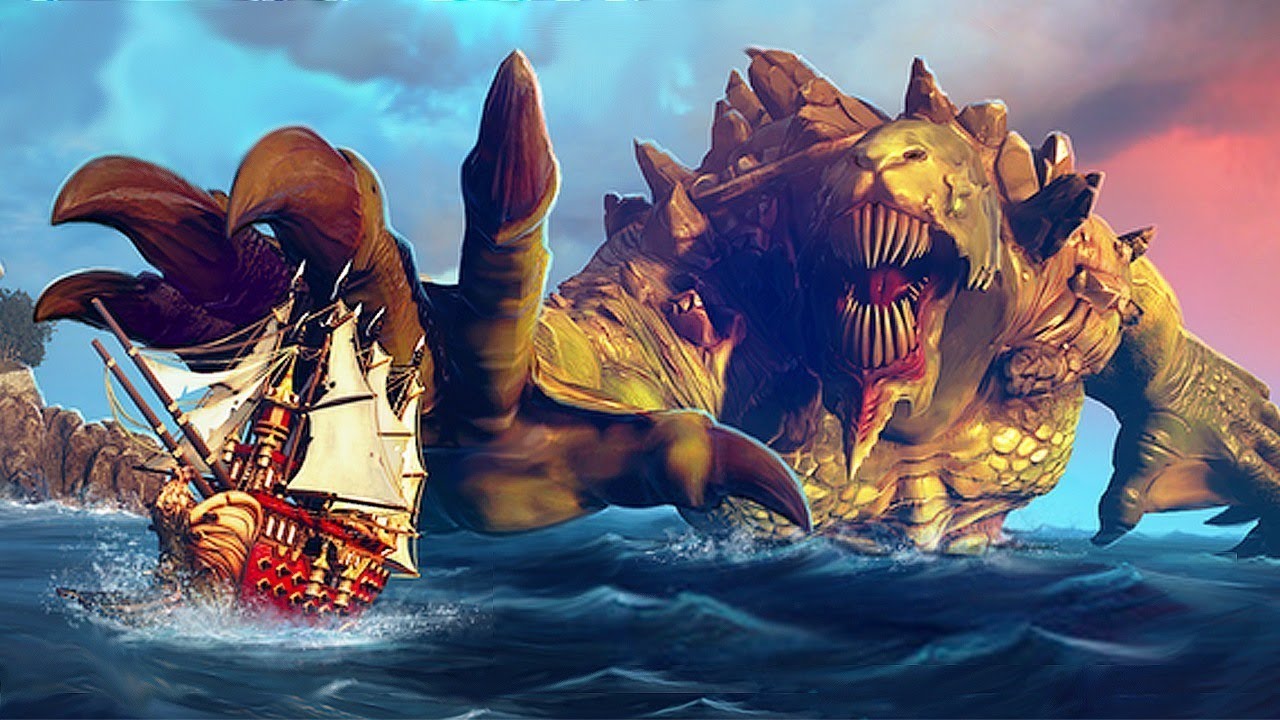
Maelstrom is a unique and original twist on the classic Battle Royale formula with naval combat, out-of-match progression, and sea monsters! Subscribe to IGN...
 high stone
Ship battle royal?
 indigo viper
@dry moon ok thanks 😄 i will try it out
 atomic sandal
 abstract relic
World composition wizardry
 wary wave
anybody who spends an hour watching some basic tutorials.
 cursive dirge
lol

AngryJoe & OtherJoe love pirate games, we recently heard about a new fantasy naval game that's got multiplayer battles and monsters so we decided to check it...
abstract relic
Press and pray
But seriously, there isn’t at least an automatic launcher test before it get set loose on the market?
high stone
Still waiting for Lost Ark to come stateside. It has pirate ships.
 plush yew
Hello everyone.
Can anyone help me with an animation problem in unreal engine 4?
All I need is 5 minutes of your time, a voice chat call so I can explain the issue and show you screen
abstract relic
An answer cannot be given to an unasked question
plush yew
I am brand new to unreal engine 4, and never developed games before. So my question may not be asked properly in text form. But I will try...
My question: i made the blender space animation for my flying when I press F
I coded all properly for my character to fly when I press the button F
all works well
but the designated animation for flying doesn't show on the action of key of F
it still just walks (animation of walking in the air versus flying)
my hunch is that I designated the wrong skeleton and animation blueprint for the right player character
but can't figure it out on my own
so if anyone would be kind enough to help me solve this, I will give him or her credits in my game
abstract relic
Throw screenshots into #animation
plush yew
ok
abstract relic
Of you character bp, the mesh component, and animation bp
plush yew
ok will do - launching my project now. seems to take a while
had to restart computer - project didn't open
ok I dropped all the pictures where you requested
 frail coyote
Hello everyone, I am having an issue where all of the landscape materials are showing glossy black, and I have no idea why
 dry moon
It turning black could be due to varies reasons, such as not having landscape layers set correctly in the material
or not having a layer info set correctly
frail coyote
I have tried several downloaded mats and they all see to behave the same.
frail coyote
Will do, thank you
plush yew
Anybody using github build?
 viscid sky
Hey everyone,
I'm trying to export obj file from static meshes in ue4 and am observing that 3 different objs are generated. Mesh.obj , mesh_internal.obj and mesh_uv1.obj . Can anyone please explain the significance of these?
abstract relic
Mesh: contains vertex data
UV: a map in which projects 2d images to the mesh
Not sure what internal is doing
And what are you using to export? I’ve never seen an app split the asset as such
viscid sky
@abstract relic I am using the Asset actions -> export mesh (inside unreal editor)
abstract relic
Why obj then?
viscid sky
@abstract relic I need it for a specific use case
@abstract relic while I export an fbx , I just get a single file. But exporting to obj creates 3. Also I think the UV data is already there with the mesh, and should not need a separate obj. Correct me if I'm wrong. :)
plush yew
So writing a research report on the process of video game development and the professor somewhat screwed me over as they where not clear on the scheduling and other instructions. so now I have to cram 3 weeks worth of work into one. Fun
abstract relic
Always is
plush yew
Could use some suggestions if any are needed other wise I ma slap in some extra sources cause apparently need 8 now instead of 5. great to know a week before the final report is due. So far have 6 sources covering the, What type of games people play, the video game development cycle, market research, and roles in video game development. Anything else to add? cause I feel like that's pretty much all I need and should just slap in to more random but "related sources"
mmm
just ma look up two more sources another on the cycle of development and another on more market research
I think that will do
plush yew
thanks mate
 plucky reef
is unreal engine great for XR development? every xr demo is created only in unity, I wonder why
plucky reef
oh we don't have plugin in AR that support the unsupported mobile device, I mean we got one but it's not in the marketplace
yeah, they are ahead, A LOT ahead
plush yew
UE just hasn't focused it's development on that
plucky reef
I wonder why
plush yew
we have AR stuff for UE
plucky reef
UE is great but I wonder why stop there
yes but it only support the device that has arcore
plush yew
cause probably not current focus
plucky reef
look, unity got vuforia, they don't care if your device is arcore ready or not
we got one
here
but need to buy it, not in the marketplace either
plush yew
unity also has alot more indy devs as it is still seen as the go to for indie devs
plucky reef
ok lets say you got a device capable of arcore, then to test it you need to manually build and install it in the phone, time consuming, why can't we use webcam for debugging
plush yew
ue 4 is still seen as a Triple A game engine that bigger companies use
alot of AR and VR stuff is done on unity cause their a good portion * of indie developers doing that as it has been a good niche market for them.
as that's what I have seen so far
plucky reef
yes, I know that UE is a strong engine but I wonder why only focus on AAA game, why can't we do ar/vr/xr
they managed to get this engine so great but why stop there
plush yew
cause that's simply not their focus rn
plucky reef
I see
plush yew
Like
spiral island
they probably build the engine for what they need for their own projects
they might not care much about what other people want or need
plush yew
right now what is big with UE4 compared to unity is that crossplatform technology were getting of off fortnite if I remember correctly and that rav said
what rav said*
spiral island
Unity sells only the engine, so their whole business is building what other people need
plucky reef
@spiral island is that a good thing or a bad thing? hmmm mixed thought
this year is currently the best year for AR Devs I think
spiral island
you end up with a capable engine but strange oversights
for example, Unreal is practically unusable on a laptop on battery power because of how inefficient it is
plush yew
Been thinking about developing my own engine on the side. Whilst making games on UE4. Got a long road ahead still as I still have yet to learn actual programming.
spiral island
even if you set scalability to absolute lowest
as someone who has tried developing a game engine, I can confirm that it's hell
plush yew
not entirely ground up as it will be based on the forgotten blender game engine that was thing
spiral island
they ditched that in 2.8 iirc
spiral island
I've found that what Unity is good at, Unreal is terrible at, and vice versa
plucky reef
sigh
plush yew
mmm
actually
might jsut use godot
instead of making my own and going of that since it's free and opensource
plucky reef
godot is good at what?
plush yew
Being godot
plucky reef
lol
plush yew
it is as good as much as you can utilise it to be
which applies to any enigne in the end
Sorry guys, wrong language on my mobile keyboard.
XD
you had me lost
Armory3D is the Blender game engine. They separated it and it now has its own repository. It seems they still plan to do something with it
yeah
future plans and ideas XD
first gotta actually learn to code and stuffs
and make actuall game for once\
 cloud cobalt
Godot is clearly where the OSS community is going to be these days
IMHO, Blender Game failed in large part because Blender (while a pretty amazing tool) isn't the tool you want for creating games
I doubt Armory is going to upend that
plush yew
@plush yew you may try Xenko. It's also open source. And C#.
plush yew
What are your thoughts on game engines that are new, allow devs to produce high quality games, but at the same time... also require much better hardware?
By example, on my old PC I can run UE4 games on the LOWEST settings at 70-110 fps with noticeable input latency. And frankly, the games look pretty average. Your typical AAA game from Xbox 360 and higher. But I would run DOOM 2016 at MAX settings + max Anti-Aliasing + no noticeable input lag + 140 fps. And I'm sure Id Software doesn't have the same budget that Epic Games to make a solid game engine.
And every time I bring this up, the argument that people bring to the table is always... oh must be incompetent devs.
I dont think it has anything to do with incompetency.
 grave nebula
Ain't engine issue. That would be devs, using the engine.
plush yew
The LawBreakers team had very competent engineers.
plush yew
Fortnite gives me lag spikes all the time.
Only UE4 games do this.
No other games in my library give me those issues online.
only Fortnite, Unreal Tournament and LawBreakers
I don't know where it's coming from in UE4, but something aint right.
grave nebula
It mainly comes from high budget requirements when working with UE4 rendering. As a result, strong workaround and acceptance culture exists.
plush yew
I know that the programmer who worked on a FPS training game reported that after updating his UE4 build, a bunch of errors in the background were dropping the frame rate.
 graceful sky
If it were engine issue , wouldnt an empty project prove that?
Seem to remember someone testing it..
plush yew
im running the FPS template and get random FPS drop with a released build.
As I said, something is wrong with UE4.
grave nebula
Nah, nothing at all.
plush yew
You must be right. must be my PC.
🍿
But players complaints say a different story with UE4 games.
If you research the subject, players have been experiencing performance problem with UE4 for a long time.
grave nebula
How many of released UE4 titles had rendering engineer onboard full time from total number of tiltes released ? That is mostly your answer.
graceful sky
Goes for most engines imo. They all got their querks and flaws
But havnt noticed anything specific to ue4 with your statements
Then again im still running at 60hz so might be my end.
 spare sun
🤔
plush yew
You should since I explained that the issues that Im experiencing only occurs with UE4 games. And all UE4 games at this point that I have played had similar issues.
Either related to a fully meshed map, AI or multiplayer.
I run UDK with bots in multiplayer. It's fine.
And Im getting the same average frame rate.
It's possible that the UE4 architecture has issues with some older hardware. I can't tell.
But I find it very interesting that the only games that have those issues... are UE4 games.
And I've heard from people who have high end PCs that their UE4 games are running butter smooth, no problem.
grave nebula
Simply because UE4 makes false impression of not requiring engine coder ?
 restive basalt
Anyone around that has made the UE4 keybind setup work to detect mouse X / Y axis?
grave nebula
An individual or a team, responsible for adapting the engine for specific project's needs.
No, I mean, perceptively, points by ChrisPG are valid. UE4 games are slow, especially rendering wise.
wary wave
There is something clunky about UE4 games, but I can't say I've experienced something like rendering spikes
there is a noticeable input latency though
UE3 had it too
it's like you're 3-4 frames behind at all times
grave nebula
But I'd say the perception comes from very low entry level threshold to actually releasing something UE4 made, and surely due to existence of insane workaround culture.
wary wave
quite possibly
plush yew
A few years ago, the UT dev team reported that UE4 had an input-to-photon latency of 22ms.
In comparison, Quake 3 Arena had approx. 8ms.
However, you frame rate will affect this as well.
And your graphics settings too.
Personally, if I set my graphics to high or Epic, it's the equivalent of turning On Vsync. And that's something I've never seen before.
Im not a game programmer or 3D graphics programmer. I can't explain why this is occuring. I just know that it's how UE4 works and it's not pretty.
It might be one of those cases where you need a certain level of hardware to bypass this issue.
I can't say, I don't have a high end PC of like this year.
I cant compare
grave nebula
Well, get rid of threaded rendering and you will get to acclaimed latency.
plush yew
Epic does explain here that players cannot use anymore r.oneframethreadlag 0 to fix input latency issues like we used to wdo with UE3 games. Because UE4 runs with parallel rendering.
https://docs.unrealengine.com/en-us/Platforms/LowLatencyFrameSyncing
grave nebula
What makes UE4 stand out here? Everyone does it this way nowdays.
plush yew
I remember that some devs were frustrated that Epic forced Deferred Rendering instead of Foreward which is faster.
At the time, i had zero knowledge of those things so I didnt really know what to think about it
wary wave
Deferred rendering isn't really slower, it just has limitations
I would have strongly preferred a forward plus / tiled approach and said as much at the time
that's more or less what Doom (2016) is using (a tiled hybrid renderer), and you can see the difference
plush yew
I can personally feel the big difference when I play UT between the two.
It gives use the option to use Forward Rendering instead.
It's noticeable
wary wave
the renderer shouldn't make much of a difference with respect to input latency though
generally speaking rendering is running in parallel on nearly all modern game engines and has done for a while
plush yew
How can I say this... it's a bit difficult to put into words
wary wave
worst case scenario you should get maybe one frame difference input latency wise :/
plush yew
When I use the defautl deferred rendering. When I move the mouse, there is like a delay. Like some sort of deceleration occurs and then after a few frames the graphics catch up and as long as I keep moving the mouse it's fine. But if I stop and remove it again, whenever I do this... there is an issue with how UE4 processes graphics
It affects the mouse input.
And unlike other engines, the mouse input is more affected in UE4
grave nebula
I guess everyone reading it, understand you @plush yew . But.. it is not the engine issue in the end. If you are to a release a fast paced FPS shooter, why not adapt the engine? And here under why not you have high budget multiplied by lack of qualified personnel available.
plush yew
There is no other game to my knowledge that is this unstable when it comes down to aiming at stuff.
Every little thing makes the aiming inconsistent.
Sometimes, your input dont even reg
In any other game, even if I get FPS drops it doesnt have much impact on gameplay
it's your regular frame rate drop
it's barely noticeable
but in UE4 games, they are very noticeable
It's hard to explain.
But I think it's due to parallel rendering.
And it's possible that it only occurs on older hardware
spare sun
dunno, framerate smoothing should actually make frame drops less noticeable
wary wave
parallel rendering in theory should have lower input latencies than single threaded
unless your input thread is way behind, but that seems unlikely (and in that case, in single-threaded cases, your rendering would also slow down)
plush yew
I know that Counter-Strike Global Offensive offers an option to turn off multicore rendering and on my PC it does make a significant difference. It's better to turn it off.
im not sure if it's the same thing as parallel rendering
spare sun
never really noticed input lag anyway. But default postprocessing certainly adds to it
plush yew
I wanted to develop a light FPS game with either Unity and UE4 and ... and when i tried to get as light as possible with both Unity and UE4, UE4 couldnt match Unity.
too heavy
grave nebula
Total input to display latency in stock config of UE4 is high. But why it ends up being so in actual shipped titles is not related to any potential engine issues.
plush yew
When I was playing LawBreakers, some games were butter smooth between 90-110fps and on the same map later on, the frame rate would be a mess running between 40-85fps. I've never been able to tell where that issue was coming from.
I can't say if it was graphics related or multiplayer related
In Fortnite every now and then, ever X second I get lag spike that I assume is coming from the multiplayer.
either players joining, etc.
i dont know
I know other players are experiencing it too
but no one really understand the cause of it
I remember that the UT devs told us, the UT community, that UE4 was using PhysX 3.3 physics engine and the price to pay was it was heavier to handle by servers to calculate where players move, projectiles, etc
it could be that
graceful sky
They did some updates in 4.19 regarding input lag
saved in 2 frames of input lag
But by the sounds of it, you havnt noticed any difference? Or use an older version?
plush yew
I did notice some improvements recently.
But if Fortnite is up to date, the lag spikes in multiplayer still occurs.
We also had those in Unreal Tournament Pre-Alpha since 2014
And I mean... we are running graybox maps that should run steady at 150-250 fps and the game is capped online at 150 fps.
UT Pre-Alpha was last updated in 2017
hard to say where it's at
 grim sinew
Not really a fair comparison, seeing as how Unreal Tournament isn't running 100 player multiplayer
It's a very different situation
There are UE4 games that run deferred that run, just fine, and don't have horrible input lag. There was a whole thing with Tekken 7 where they got the input lag to be lower than any other Tekken game before it
plush yew
According to Kovaak, 4.19 might have introduced some issues. It is unclear if he completely fixed it later on or partially fixed it.
https://steamcommunity.com/games/824270/announcements/?l=thai
@grim sinew I mean... i'd rather use lawBreakers, UT or Fortnite as example instead of an empty UE4 FPS template 😃
grim sinew
Tekken 7 is hardly an empty FPS template
plush yew
I havent played tekken 7
and it's a fighting game
XD
Most of the issues I have with ue4 require players to move the camera
grim sinew
Yes. It's a fighting game that has better input lag than any other fighting game in the last 10 years
plush yew
I've read article about Tekken 7 having input lag
grim sinew
Before they patched it
They made a patch that cut it to less than half
Around the same time Unreal 4 officially got a patch that did something similar
plush yew
The only figthing game that I ve played that uses ue4 is dragon ball fighterz
grim sinew
UT4 is still considered alpha and hasn't had active development in 2 years. Fortnite has 100 player multiplayer and frankly with 100 players, there are bigger problems than input lag. And Lawbreakers at that point is just one game and is statistically insignificant.
grim sinew
spare sun
is that still the case?
grim sinew
So Tekken 7's input lag is about on par with the input lag of running a 12 year old game on modern hardware.
plush yew
After a game is released, how much can devs change the game code with a patch?
could they completely recode let's say the rendering or network code?
grim sinew
Those numbers are small, Tekken 7 is about what's considered possible to get input lag down to
wary wave
you could replace and entire game with a patch if you wanted to
it comes down to cost and effort ultimately
plush yew
Thank you
wary wave
but Tekken 7's input latency is not bad
spare sun
dunno, 60ms
 fierce tulip
its also why people in the Street Fighter community where totally furious about the input lag in the latest SF
wary wave
60ms is pretty standard for fast games
plush yew
What Im personally waiting for is how UE4 would run on Vulkan
grim sinew
Tekken 7's input lag was originally 116ms
plush yew
Im really really really curious to see if this can make a big difference
grim sinew
They got it down to 60ms in a patch
graceful sky
thats a solid patch 😛
wary wave
DisplayLag
Be sure to check out our display input lag database as well!
grim sinew
^Pretty much this
spare sun
🤔
grim sinew
60ms is AMAZING, compared to most games
 sleek hearth
Hello guys!
Does anybody have any idea if I can use a lambda with the BindAction function?
fierce tulip
"Street Fighter V: Arcade Edition PS4 1080p Attack 6.3 frames 105ms"
grim sinew
Not every game here runs on UE3? This is just every fighting game in the last 10 years
Or so it looks like
wary wave
not sure if this accounts for controller latency though
the Ps4 wireless controller adds something like another 20ms
 cobalt scaffold
Q) how do people usually handle AI cars on multiple lane roads in a racing / endless runner game ?
grim sinew
Nah this is probably without controller latency
But yeah. Point is Chris, the placebo effect is a very powerful thing. 😛
grim sinew
Unreal can make the most responsive inputs around if you code it properly. It's not the engine's fault
And certainly not deferred vs forward
wary wave
I'm not sure the renderer has much to do with it at all
grim sinew
Pretty sure it's irrelevant
wary wave
it's not totally irrelevant, because there is always delay between input processing / gameplay update and render thread updates
in some game engines this will mean that your input can be 2 frames behind rendering as standard
2 frames isn't huge though
spare sun
hm oke, I must've accounted for the 60ms above the base
wary wave
in UE4 though I would expect input/render thread specific latency to be one frame or less
possibly 1.X frames depending on how inputs are processed
cobalt scaffold
^ i'm assuming 1 frame, but never actually checked
plush yew
@grim sinew
"Unreal can make the most responsive inputs around if you code it properly. It's not the engine's fault"
If I position myself in an area of a map that gives me a few on multiple areas and move my camera left and right to make those rooms visible, it has a significant impact on my hardware more than what i would normally get on other games.
It's not placebo.
And this is just 1 of 3 issues I get with UE4 games
1 is tthat... the other is AI and the other is multiplayer
wary wave
if you're getting variable input latency it's suggestive of a hardware issue
it shouldn't vary
wary wave
that suggests even more that it's a hardware issue than the other way around
plush yew
All im saying is even barebone, I get perf issues with UE4
wary wave
either that or background operating problems
plush yew
Sure, you could say it's hardware related.
Like obviously... it is.
But on the other hand, all other games run fine
Unity runs fine
So, UE4 obviously requires a higher level of hardware
wary wave
UE4 is more hardware intensive than a lot of engines yes
but what you're describing should have zero effect on input latency
plush yew
If you visit the UT forums, you'll see that players are for the most part in full agreements that UE4 is very unstable.
And that performance and aiming isnt great
Sure, it runs on an older build
but come on... that's not an excuse
grim sinew
UT4 at the time was the best looking UE4 game out there, it wasn't exactly cheap to render
plush yew
I remember like it was yesterday in 2014 devs kept suggesting to use UDK instead of UE4
because of performance issues
Like Rocket league
Or Guilty Gear
grim sinew
Rocket League was in dev before UE4 came out
Guilty Gear was UE3
Again, before UE4 came out
Shock horror, games that are in development before UE4 stuck to UE3
grim sinew
Also, yes, in 2014 it was a demanding engine. You know, the year the engine came out.
plush yew
But how it runs a full game, the unstability is greater than UDK
 shrewd lantern
where am i supposed to ask for performance advice in this discord? cant see a fitting room for it
spare sun
we're currently discussing actual performance-related stuff so ur probably in the right place
grim sinew
Yes, the UDK is more stable if you ignore the fact that it wasn't. Rose tinted glasses are strong here.
UDK had a ton of bugs, not the least of which was if you hit "undo" while doing BSP, it crashed the entire engine immediately.
plush yew
In August 2005, Mark Rein, the vice-president of Epic Games, revealed that Unreal Engine 4 had been in development since 2003.[58] Until 2008, development was "basically" done by Sweeney.[59] The engine targets the eighth generation of consoles, PCs, and Tegra K1-based devices running Android announced in January 2014 at CES.
In February 2012, Rein said "people are going to be shocked later this year when they see Unreal Engine 4".
UE4 is old...
Stop saying you need PCs like from this year to run it correctly
grim sinew
2014 is this year? Are you sure about that?
plush yew
My PC should run it fine.
grim sinew
My calendar must be off
shrewd lantern
oh okay, well I just wanted to test my game in a worse environment, but the task manager says it uses only 40% of CPU and 40% of GPU. How can I let my game use all the power it wants? I don't have vsync on, so it should just use up all it wants, doesn't it?
grim sinew
It'll probably auto cap at 120 fps, so that's why.
plush yew
All Im saying is UE4 is so demanding that it only seems to work great on PCs that were built in 2017 and after.
I don't think that's right
grim sinew
And you're totally wrong in saying so, I ran UE4 on my GTX 780 just fine
shrewd lantern
it caps at slightly below 100fps right now. Any way to remove a cap? I set t.MaxFPS to 200, but it does nothing
grim sinew
Which was a card that came out in 2013
spare sun
time to put out my intel hd
grim sinew
Every single tech demo Epic put together, aside from the kite demo, ran at a solid 1080p 60 fps
cobalt scaffold
i played conan exiles on 750m just fine .. ark ran like crap on a better card before it died now i dont even dare to try it
plush yew
UE4 games run at lowest settings at max 110fps on my hardware when any other game run at higher FPS and at higher graphics settings.
I don't think that's normal
Unless maybe uE4 really hates my i7 970 or my AMD gpu
or whatever
grim sinew
Wait, jesus a 970? Like the ORIGINAL i7 processor?
plush yew
Yes
grim sinew
From 2010?
plush yew
Yes
wary wave
UE4.21 is a pretty different bast to UE4.0, heh
grim sinew
I'm surprised the cobwebs alone didn't kill it
grim sinew
What AMD gpu, while we're on the topic
plush yew
R9 290x
cobalt scaffold
😃
grim sinew
So another GPU from 2013
plush yew
yes
grim sinew
You're complaining that a 6 year old GPU is only getting 110 fps
My cell phone has more horsepower
spare sun
dunno, pretty much on the level of my laptop and I don't really have the trouble
wary wave
is the i7-970 not a complete bottleneck?
plush yew
All other game run fine on this PC that has less horsepower than your cellphone apparently
wary wave
I mean which motherboard would that have to be on?
plush yew
DOOM 2016 runs at 150fps steady at MAX SETTINGS when UE4 struggles to get 70 fps on lowest settings
Like seriously, it's laughable
graceful sky
UE4 doesnt like AMD very well *
grim sinew
Your lowest setting benchmark went from 110 fps to 70 fps really quick there
I think we left 40 frames somewhere back a few messages, should we send someone to go get them?
plush yew
UE4 games run average between 70-110fps depend on the scope of the environment
on lowest settings
When most other games run at higher frame rate at higher graphics settings
graceful sky
70-110, talking about 1080p here?
grim sinew
First off, "higher settings" means nothing and you know it. Settings are generally arbitrary. High settings in one engine are not high settings in another.
shrewd lantern
I now started my game as a standalone game and it uses up all resources. Always used "new editor window" and that seems to cap at 95-100fps for whatever reason
plush yew
Like the visual quality of what I get from UE4 games is really bad VS the performance I get
cobalt scaffold
visual quality is more down to the artists these days
plush yew
if UE4 gave me 110fps for the Doom visual I get on max setting at 150fps, Id say oky, UE4 is just less optimized
but Im getting that on lowest settings
cobalt scaffold
which ue4 games are you talking about
plush yew
All
grim sinew
Second, you keep taking everything we're saying out of context. Nobody said you need a computer from 2017 onward. In fact, I distinctly remember saying that computers from 2014 onward would do just fine, which your is not. Second, I had a GTX 780 and know first hand what hardware from 2013 is like in the UE4, and it's not as bad as you make it out to be.
plush yew
All the UE4 games basically run almost identically
grim sinew
Thirdly, framerate is not the same as input lag
So this is a totally different topic now, just so you're aware
cobalt scaffold
in my experience how they run varies wildly
plush yew
I am aware
wary wave
my home machine is an i7-4790k based machine and it has none of these issues - it's also a fair few years old now
grim sinew
^
plush yew
So, UE4 is probably really picky about the hardware
grim sinew
You're not listening to us, Chris. People here HAVE hardware from that era. It's distinctly you.
plush yew
Im just surprised to see that a game engine that as been in dev since 2005 would have issues with hardware from 2010-2014
spare sun
my laptop is about equal to ur gpu and cpu and has barely any of the described issues either
grim sinew
Likely that CPU, is my guess, but it could be anything in something that old
wary wave
grim sinew
You have three people here with hardware equivalent to what you're talking about and don't have this issue. At what point do you look at what you're saying and ask yourself "Maybe it's my setup"
wary wave
note the HUGE difference in single threaded performance between the 970 and the other two
plush yew
For the record, my old CPU rarely runs above 35% with UE4 games or any other game
if that can be relevant
it's usually the GPU that takes the hit
wary wave
35%, because it's not using all the cores
but also because your GPU is probably CPU bound
plush yew
that's probably right
graceful sky
well the r9 290x doesnt perform to well in ue4
ime atleast
same goes for the rx 580 for that matter
plush yew
The only other issues Ive seen in other games is when I hit water in Crysis 3 either it's physics or sound related
Or Quake Champions in post match or pre match when the VFX spawn.
it triggers lag spikes
wary wave
I had a GTX970 for ages and it worked like a charm - good enough for UE4 games in VR
plush yew
fps drop
 manic pawn
you'll want to upgrade that ancient cpu lol
plush yew
then that's probably my bottleneck
grim sinew
Physics and audio is easily CPU issue, yeah
plush yew
maybe I'll return to UE4 once I change my PC then
😃
Im still waiting for vulkan support with UE4 😛
graceful sky
its already there isnt it ?
plush yew
last time i checked, not for high end PCs
manic pawn
it runs similar to dx11 on windows, but like absolute garbage on linux
plush yew
unless they released it recently
grim sinew
Vulkan has been in Unreal for a while
plush yew
I remmber a thread saying it was for 2018 but we are in 2019 now
wary wave
UE4 has had Vulkan support for quite some time, I think
grim sinew
DX11 is still generally the best
Vulkan and DX12 have been supported for a very long time now
Just not a good idea yet
They're slower
spare sun
afaik ue4 vulkan support isnt really full-on vulkan support
grim sinew
Vulkan is fine on high end PC, it's just worse than DX12 right now
It just... is.
And Linux is universally slower than Windows
cobalt scaffold
so, i'm making a simple game and have a simple problem, but can't find a simple solution for it...
it's a racing game of sorts, and I'm using a spline to make the track, now i'm trying to add multiple lanes of cars to it.. but i can't offset the original spline to make the lanes
wary wave
@cobalt scaffold - maths
spare sun
is still on the roadmap
manic pawn
appearantly the vulkan backend only has one guy working on it so it takes a while
spare sun
though it hasnt been updated since 4.21
wary wave
for each point on your base spline you need to calculate a new point on the parallel spline
grim sinew
All Roadmap means is that it's ongoing, not that it's not in yet
spare sun
which proves the point
plush yew
Unreal Engine Forums
For discussions about Materials, Textures, Lighting, Particle Systems, and Post Process Effects.
 pallid compass
Splines are complex things
cobalt scaffold
@wary wave i calculated new points parallel to the original spline points.. it comes close after tweaking the tangents .. but after reasearching you can't offset most of the splines liek bezier and catmul etc
plush yew
Yeah, it's not there yet.
grim sinew
If you start the engine with -vulkan, yes it is
plush yew
it's not the same
grim sinew
Oh, so I guess -vulkan is just pretending to be vulkan, got it
plush yew
It's an early implementation of Vulkan
grim sinew
Define early, they've been making regular commits for over a year
plush yew
It's not DOOM ready. XD
wary wave
it never will be Doom
cobalt scaffold
@wary wave thanks, at first glance seems similar to what i did, i'll look at it in detail to see any differences
wary wave
Doom is using a hyper specialised engine for a specific purpose
plush yew
no, but it will be better than it is now 😛
grim sinew
Nothing is Doom ready, iD Soft are anomalies in the industry
wary wave
it does one thing, and as a result can do it very well
grim sinew
And yeah, it's not a generalized engine. You lose a lot when you need to support everything from tappy chicken to space sims
plush yew
The UT devs told us Vulkan or DX12 were likely to fix our CPU issues
But they had a long way to go
And help reduce input latency
grim sinew
lmao, you're kidding, right? You think Vulkan will make your 9 year old CPU work without issues on modern games?
plush yew
Yep
wary wave
it'll be worse, not better
plush yew
So far so good lol
grim sinew
Your CPU is weaker than the PS4/Xbone CPUs are, and those have been plaguing devs that optimize for those platforms specifically with their entire engines
wary wave
don't talk to me about XBOne dev 😂
plush yew
Well so far my PC performs better than those consoles so, Im good
cobalt scaffold
@wary wave the problem with my approach was that separation between splines was not always constant, it was at calculated points, but between points cars would sometimes clip through each other (drift to other lanes)
grim sinew
Maybe your PC overall, but your CPU sure doesn't
wary wave
@cobalt scaffold - not sure what your approach was, but this implementation shouldn't really have that problem
it is however only for meshes, I don't think the side splines actually exist as such
but the data /result is technically all there
grim sinew
Vulkan will not save you. It just simply won't.
wary wave
can't have accurate tiling spline meshes without the spline essentially being good
plush yew
Are there any configs tricks that players could use to work around a CPU bottleneck?
grim sinew
Yeah. Turning off settings that cause CPU strain
grim sinew
Drawcalls, so both. Drawcalls are going to be a big hit on the CPU
There's also the profiler you can run and isolate exactly what's hitting the CPU
plush yew
In general, limiting the view distance, lowering or turning off post process in any FPS game is a must
for my hardware lol
Except for Doom 2016.
Because you know... no one else makes games like Id
(lol)
grim sinew
I know ambershee said this earlier, but because you have willful ignorance I'll restate it. Specialized engines designed around one specific game or genre can cut corners to make it run faster than more generalized ones.
manic pawn
it's true that doom runs significantly faster than basically every other game from the same year
plush yew
You do realize that Unreal Engine started with FPS games?
grim sinew
Your point being?
plush yew
And people expect it to work really great with FPS games
plush yew
Exactly
cobalt scaffold
@wary wave that bp is for making a mesh track from spline, which i already have sorted, what i want is to add splines for all the lanes for AI cars to follow, unless i'm missing something ?
plush yew
Im saying if I had a company that makes a game engine, Id make sure it's top notch for gameplay and then performance
so that all games feel good like CoD did
wary wave
but you don't know what that gameplay even is
how can you make an engine 'top notch for gameplay' before you know what the gameplay is?
wary wave
shooters aren't that popular these days to be fair
plush yew
...
wary wave
you can thank market saturation for that
wary wave
interestingly, two of those games you picked have very different technical requirements to the other two
plush yew
halo
wary wave
but also, cherry picking examples is easy
plush yew
Im going back in time.. but shooters have been huge since... forever
wary wave
I can just as easily just do this:
https://steamcharts.com/top
An ongoing analysis of Steam's player numbers, seeing what's been played the most.
four of those top 20 are FPS
five if you include Ark, but I really wouldn't
@cobalt scaffold - if you can get the spline track right, it should be as easy as effectively using the end points for each spline mesh tile
spare sun
you are manipulating the numbers. first 3 are in the hundreds of thousands, whereas the other 17 are in the tens.
cobalt scaffold
@wary wave i was under that impression but evaluating the new spline between points the curves get closer or further apart depending on how the original spline bends
wary wave
that's probably a tangent issue?
cobalt scaffold
at calculated points the offsets are what they were calculated
the spline line deviates from the spline mesh component result
wiki says that bezier curves etc can't be offset
wary wave
use one spline per mesh component
cobalt scaffold
i can get prety close manually tweaking tangets not not really exact
plush yew
And if you include shooters, add GTA and Warframe
wary wave
you're conflating 'games with shooting' and 'games with first person perspective'
plush yew
How many Unreal games were either FPS or shooters?
grim sinew
Oh yes, GTAV, a game known to have some absolutely horrid movement and shooting controls
wary wave
Warframe has more in common technically with CSGO than it does PUBG
a lot of that comes from environmental requirements
the Witcher 3's engine probably has much more in common with GTA V than CSGO or PUBG
plush yew
Certainly
All im saying is shouldnt a game engine like UE4 be bulletproof for a FPS or a third person game?
Wit hsolid performance and mouse input?
I think it should
wary wave
probably not at the expensive of not supporting anything else
plush yew
I think Epic has even the resources to lead the industry in those areas
grim sinew
Screw other genres, only the game Chris is working on is important
wary wave
if you're making a game with UE4, you should really be tailoring it to your needs
it's a generic framework that does things generically
spare sun
I wouldnt be saying it cant compete with specialized engines too fast. Best possible scenario it should only package the things you need without any additional overhead whatsoever
wary wave
if you need genre-specific or special-case features it's probably not going to cater
(IIRC Yager actually did a talk about that at Unreal Fest last year)
plush yew
My point of view is FPS or 3rd person games are pretty basic
And UE4 should be king at those
As soon as we have open environments, anyone is going to expect a drop in performance. nothing to be surprised there
grim sinew
UE4 needs to cater to everyone from flappy bird to star citizen. It's a general engine. If you want it to be more specialized, you have the source code, so you -make- it more specialized
plush yew
But what im seeing is UE4 struggling equally at doing anything
Hey i have a question, how would i transfer my 3D models to unreal engine 4?
grim sinew
Import the FBX file
grim sinew
Step 1: Make an FBX file (thought that went without saying)
plush yew
i tried using this
Convert 3D Models online for free - OBJ, STL, 3DS, Collada, FBX, DXF, LWO, MDL, MD2, MD3 (Quake) and 30 more formats supported. Batch conversion of up to 10 files a time.
grim sinew
Or in your case export from lightwave to fbx
grim sinew
lwo? lightwave?
spare sun
.lwo
plush yew
@wary wave
Don't you think it's strange in 2019 that if someone was to remake le'ts say... Quake 2 in UE4 it would feel worse than the original?
spare sun
im afraid he didnt make it
plush yew
i am using it for test runs
wary wave
you're just assuming it would be worse
but at this point, I'm done with the endless and pointless back and forth, so I'm ducking out
plush yew
No I know it will be worse
UE4 has 22ms input latency when Q3 had 8ms
wait so how do i make it a fbx file
i tried using a online converter
the mouse input in UE4 feels floaty and we kind of stuck with that
im confused
grim sinew
Yeah, this conversation isn't going anywhere fast.
At this point the goalposts have been moved so many times Chris may as well have installed rocket engines
plush yew
so how do i make it to where i can upload those .max and lwo into unreal
do i have to put it in blender first?
@plush yew What 3D app are you using?
 digital anchor
im willing to bet you gotta put .max into max and the lightwave file into lightwave
plush yew
lightwave?
blender
2.79b or 2.8
The ligthgray one or the dark gray one?
how to put both in unreal engine 4
On the left side of the screen click on File -> Export As -> FBX
And then you create a UE4 project, create a folder and you drag and drop it in there
@plush yew are you good?
 vale silo
What notable single player FPS games used UE3/4 ?
plush yew
UT, Borderlands, Chivalry, Bulletstorm, Borderlands, Bioshock, etc.
plush yew
You said FPS
 static viper
UT has singleplayer
static viper
they all had a campaign
vale silo
Borderlands seems the only one that fits the bill
plush yew
You wouldnt have Unreal Engines without Unreal
vale silo
Unreal 1 was made with Ue3 or Ue4? News to me
vale silo
UT is in no way a single player story driven game
 languid shard
Borderlands 1 was made with UE2
spare sun
I only played ut singleplayer
vale silo
Lol
static viper
the first UT was purely story.
fierce tulip
uhm no
vale silo
When it comes to FPS, iD Software is still the king
static viper
and ut3 was 2007
fierce tulip
or well, at least it doesnt have an annoying story like ut3
static viper
but it has one
fierce tulip
go up a roster, fight xan. end of story :p
vale silo
IDTech engines always were tighter on performance and responsiveness than Unreal engines
spare sun
I wanna shave my beard
static viper
or your head.
vale silo
I am saying ue4 is not the engine that comes to mind when thinking about FPS games 😝
plush yew
when i put it in unreal it just shows a cube
spare sun
check what you exported
plush yew
spare sun
in blender I mean
plush yew
spare sun
I mean open it in blender 😅
plush yew
it only allows me to open blender files
cobalt scaffold
file / import
spare sun
hm blender cant open an fbx 🤔
always thought it can for some reason
plush yew
@vale silo
To answer your question earlier...
spare sun
ah yea its an addon nvm
plush yew
If FPS games or Shooter games isnt what comes to your mind when you think about UE games, I dont know what else it could be
fierce tulip
he said UE4 games though
plush yew
We'll see i guess... it's kind of early to tell.
But Im expecting the trend to continue... as it did since UE2
spare sun
when I think about ue, first thing that comes to mind is how tera managed to stay at 20fps on highend pcs
but thats not ue4 nor is it relevant, so
plush yew
UE gave birth to Splinter Cell and Gears of War.
vale silo
Those are not FPS games
static viper
no get back into your box
XD
he never even finished that game
he went to solus right away
plush yew
static viper
solus where is that
plush yew
lul
spare sun
yep import it
spare sun
which means this is whats inside the fbx
plush yew
so did i do it wrong or the character model that i downloaded didnt have anything in it?
i made the max fbx
spare sun
either that or you export didnt work out
plush yew
i mean if i downloaded the models that had a max file what should i do?
In all honesty, for a game engine that has been out since 2014... Im disappointed by the list of games developed with UE4 that are currently available
there arent many... it's been 5 years
spare sun
you can open the .max file with 3ds max for example
grim sinew
3ds max is around $200 per month, if you were wondering
plush yew
shoot so when i download these 3d models i have to get lucky and get one that can be open in blender
fierce tulip
@plush yew I find the list rather long, especially considering it was expensive af back in the day.
plush yew
what about a .iwo file?
plush yew
whaaat
grim sinew
Whoever told you being a 3d artist wasn't expensive lied to you
plush yew
usually when i download free models are most of the times there able to be open in unreal or not?
grim sinew
Usually not, unless they're made for Unreal specifically from the marketplace
plush yew
usually not?!
grim sinew
They usually give you the source file otherwise, which they expect you to open in the original software
plush yew
whaaaat
grim sinew
Only Unreal's marketplace assumes you're bringing it right into Unreal
Otherwise, they normally just provide the project file for whatever they made it in
cloud cobalt
Free models are free, they're not supposed to work with anything
They're just whatever the author wanted to be
plush yew
so ur saying to find a free model that can work in unreal is a very low chance?
grim sinew
Out of the box? Yep
spare sun
usually it will require a little fiddling with the model
fierce tulip
and shader
plush yew
man so it is a hit or miss
got to keep downloading lol
but real quick mind if i ask, if i downloaded a model and if the person who made the model didnt leave a note saying "You need my permission to use it" is it illegal to use it in published free game?
fierce tulip
that depends if they really made it themselves or not :p
plush yew
so if they didnt leave a note saying you need my permission to use it, am i free to use it in a published game?
or is it illegal
graceful sky
Typicly it's unsafe to use it unless you got the licence for it
plush yew
even for models?!!
graceful sky
either free to use licence or otherwise.
plush yew
so ur saying i need to get the liscense for the model even if its free?
grim sinew
Copyright law is that, by default, everything made has copyright once it's made, even if it's not registered
So unless they say otherwise, free or not, you need a license
plush yew
so how do i get a lisence for that model i downloaded?
if it says free for public use does that count as a liscense?
graceful sky
Either it's on the same page attached to it, and if not your safest bet is to contact the creator afaik
I guess you need it in writing for that specific model if mister lawyer pays you a visit ? Idk, never really been through that process
plush yew
what if it comes with a royalty free liscense?
graceful sky
If anyone has, please fill in..
vale silo
Lol, that's what happens when democratisation of game dev tools happens
spare sun
or create your models yourself^^
cloud cobalt
@plush yew Either the model comes with an explicit license that says what you can do with it, and you just need to read it, or you can't use it
It's simple
plush yew
but isnt that the royalty free liscense or it is something else?
spare sun
there's also the fact that ur using a character from dragon ball z
cloud cobalt
Like the second asset is clearly off limits
It says so right there in the text
Read the license file in full - if you're going to make money one way or another, ask a lawyer
The UE4 marketplace has a clear, generic and permissive license so start there for your assets
It allows any commercial works basically
cobalt scaffold
 paper kernel
that's bit silly example, Zamboni is a trademarked product, yes?
spare sun
oh damn so it was a full character export from paragon after all
plush yew
yeah so even if it is free now i see i cant even use it for advertisements or to make a game because the model isnt from Unreal Engine 4
spare sun
wdym
plush yew
because the key words
 stray smelt
but how? where's the code telling the camera how to move?
stray smelt
so controller yaw input always references the camera? it's hardcoded / c++?
stray smelt
I have a top down game and I'm moving the camera using set location, but that stops the camera collision from working
grim sinew
It's a function in the character class. If you want to do something different, you need to make it custom
stray smelt
trying to figure out how the third person template correctly stops the camera when it/the spring hits a wall
grim sinew
Well just look at the C++ for yourself then
grim sinew
I wasn't talking to you
grim sinew
Read the license you derp.
It's right there
You need permission from the copyright holder to use it in a game
plush yew
ok but here is the tricky part
grim sinew
There is no tricky part. It's clear cut.
plush yew
what if i change it to where it doesnt look like goku
grim sinew
Then I question why you're downloading it in the first place
cobalt scaffold
might wanna start from scratch then
grim sinew
Start from scratch
cobalt scaffold
with a free base model
you'll run into trouble trying to use random models in your game anyway
plush yew
why not just start with a goku model and then change the way it looks
so it can be easier
cobalt scaffold
because it's a bad idea to use copyrighted stuff as a base
grim sinew
It will be harder to change goku where you're not breaching copyright than to make a new one
cobalt scaffold
- that model isn't all that great
plush yew
how is it a bad idea to use copyrighted stuff as a base?
cobalt scaffold
bacause you can potentially get sued
plush yew
is there still a risk of a lawsuit?
whaaaaaaaaat
but how will they tell the model was made from a copyrighted base?
grim sinew
Because people aren't blind and stupid
spare sun
we could argue on that one 😅
plush yew
so ur saying even if i change everything, height, skin color, cheekbones, hair, if i used copyrighted stuff as a base i could still get sued?
cloud cobalt
Yes
cloud cobalt
Yes
grim sinew
How many times must we repeat ourselves
cloud cobalt
Technically yes
Anything you use that you didn't make, is technically not yours.
That's it
"what you didn't make" includes the look and style of characters
spare sun
basically it falls down on whether the copyright holder cares or not
graceful sky
bluecopying things also breaks copyright law doesnt it?
cloud cobalt
Just don't use stuff unless it's written black and white in full text that you are authorized to use, modify, distribute it 🤷 it's that simple and 100% safe
static viper
bluecopying?
graceful sky
well, manually creating an identical model
plush yew
so if it doesnt look like goku than im saved from getting sued by dragon ball z but not saved from getting sued by who ever made the model?
cloud cobalt
Yes
static viper
they still can acuse you of stealing their property even with a fangame
thats what a cease order is for
they have the right to stop you.
even if everything is your work.
plush yew
i didnt know making a game was this complicated
cloud cobalt
Did you make it 100% yourself ? OK ! Did you take it from someone who gave you written permission for any use ? OK ! Any other situation ? Not okay, can get sued for your house
It's really simple
Every UE4 marketplace asset comes with a written permission to use comercially for pretty much anything (aka a license)
So start there
plush yew
you are right lol
static viper
but with dragonball as i already mentioned its a bit easier. They have a good history with fangames.
you might just wanna ask them
plush yew
UE4 is the safe road
to download 3d models
because it is Strictly free of use for games
static viper
its free in general terms, you can create games with it. it is no pass to rip assets of
or abuse licenses
fierce tulip
or pay others for their art, and make sure you have a good contract set up
plush yew
so if i use a 3D model that came from Unreal Engine 4 and use it in my own game im good
cloud cobalt
Yes
plush yew
i love the freedom of unreal engine 4
cloud cobalt
In my humble opinion, no one cares about games that are 100% made with other people's art on the Internet. Art direction, original content are valuable things that players recognize.
That's not relevant for small personal projects obviously
Just saying.
plush yew
but it is best not to take risks lol
spare sun
we always take risks
plush yew
so ur saying if i use a 3D model that did not come from unreal engine 4 and if the guy that made the model gets butthurt that i used it in my game even though it was free, boom lawsuit
O-O
cloud cobalt
Of course
He made it, he has every right to it
Though usually it's more like "please remove this model from your game ASAP"
spare sun
^
plush yew
so basically when making a game u got to be really careful
cloud cobalt
Copyright is simple : you made something - you own any right to it automatically for life, and then some.
Currently something like 90 years after your death ? 🤔
grim sinew
Copyright is very simple to work around unless you're deliberately going out of your way to try and rip someone off. In which case, it's doing exactly what it's supposed to.
cloud cobalt
Yeah, basically it all boils down to whether the author shared his rights with you
Plenty of people are happy to just give away everything with a permissive license
Many more people give away for personal use, but will require money for a product
plush yew
so when downloading a model in turbo squid the royalty free liscense does not help u from not getting sued from who ever made the model?
cloud cobalt
Start by reading the license text
And use common sense - no one has rights to sell you 3D models of Dragon Ball
plush yew
Editorial uses of this product are allowed, but other uses (such as within computer games) may require legal clearances from third party intellectual property owners
grim sinew
"may require legal clearances from third party intellectual property owners"
plush yew
but this doesnt say that u have permission from who ever made the model to use it in ur game?
cloud cobalt
aka "we don't have any rights to it"
grim sinew
No, it says that you specifically don't
At this point, we have told you this so many times that we could probably be witnesses in your court case against you.
No reasonable person can go on like this, for days, and not understand.
You're going out of your way to look for excuses
fierce tulip
XD
cloud cobalt
Stick to the UE4 marketplace, @plush yew .
abstract relic
You’re at it again. This is the third day in a row
spare sun
its not a very impressive model though.
You could take a free base and do something similar on top in a matter of hours
plush yew
trying to look for free 3d models in unreal lol
grim sinew
There are a ton of them on the launcher
 hot drum
Why is it that with this collision box it does detect when my character is in it
but this one with the actual same exact settings doesn't
 light bobcat
fastest way to kill my self?
without feeling pain!
manic pawn
a spectacular explosion
light bobcat
fffffff
abstract relic
All game engine are torture. You just gotta lose you’re sanity to enjoy it.
fierce tulip
its like stockholm syndrome
 willow stratus
Has anyone got any good foliage packs?
abstract relic

Huge foliage library for forest, landscape, grasslands, meadow and mountains. Assets are optimised,trees are blilboarded.
cloud cobalt
Probably not
 gleaming creek
 sharp crest
When Epic makes Marketplace packs free 
When Epic makes Marketplace packs that you already bought free 
 grim ore
If you never buy any Marketplace Assets you can never have that happen 🤔
sharp crest
@grim ore But then that means you are broke and that's even worst
Who said that? Not me.
grim ore
lol
 sleek solar
A bit of a strange question, but is there a way to mount content from another project?
 frosty copper
If it's raw, just copy & paste the files
I wouldn't symlink project files, though. 🤔
 abstract marsh
Can anyone help out with an issue I'm having?
 olive edge
is it possible to use overlap event in an Acotr Component blueprint?
abstract marsh
Sorry, got distracted.
olive edge
im trying to explode a box by making a actor component to add to existing boxes but im trying to find a way for overlap event and cant figure it out
can someone help?
 bold wyvern
I imported a mesh between Unreal projects (to the latest version). The mesh had a cape with a clothing asset. When it was imported, the cape was gone. Even adding a double-sided material did not make it show up. The LOD for the cape was also missing.
 next badger
@bold wyvern you can't import anything except static meshes and skeletal meshes (well, if you're not using plugin)
what clothing asset was in your case?
bold wyvern
@next badger It was a skeletal mesh.
next badger
so, it was a skeletal mesh cape? it had own skeleton or your skeleton shared bones with it?
bold wyvern
The skeletal mesh encompassed the whole character. The cape did not have any bones in it, but was attached to one of the bones within the character. Only the cape had an APEX clothing asset (made in Unreal). However, when importing between projects, it did end up creating a new physics asset rather than importing the old one.
next badger
um...how...how did you imported mesh that was made by ue4 already? if it was uasset you only could migrate it
bold wyvern
@next badger I imported the mesh from Blender to my earlier Unreal project. I then exported that custom mesh from the earlier Unreal project to a different Unreal project (that uses the latest version).
next badger
@bold wyvern well, probably cause you exported it - it's gone
olive edge
so no ideas on my component blueprint collisoin?
next badger
since ue4 does not export all the data
bold wyvern
@next badger Should I make a copy within my older project, remove the clothing from that copy, and then export again?
next badger
@olive edge you probably should use colon and semicolon, cause i have no clue what you asked
olive edge
ok so im trying to make a bp actor component to add to existing boxes but to activate with collisoin
plush yew
https://gyazo.com/eb5fddaa3a403a649c76edb0a6cb454e.gif
What could cause this to happen? i made 0 changes to the character movement
 next badger
@olive edge to add what?
next badger
@olive edge oh, you want to add an actor component on collision?
olive edge
but with a overlap event instead of begin play event
so when palyer touches the actor it explodes instead of exploding as soon as the game begins
next badger
@olive edge well, you replace the event to on begin overlap and set the proper collision settings...that should work
next badger
@plush yew happen what? looks fine to me
plush yew
well when moving left or right he should be turning that way when im not turning the camera
olive edge
im asking for help to figure out how to impliment same on begin overlpa event but in actor component bp
 regal mulch
bold wyvern
regal mulch
bold wyvern
@next badger I just reimported without clothing. It did the trick.
plush yew
its sorted just realized what had happened
digital anchor
BeginOverlap is a primitive component function, actor component is a uobject @olive edge
olive edge
so i cant have a collisoin activation with the bp?
digital anchor
not with ActorComponent, add any box, capsule etc and it will allow you, eighter on that component or create anew
abstract relic
Ideally, do it on the static object and not the character. The collision component is incredibly unoptimized.
next badger
collision component works worse than static mesh?
 proven oxide
here's a question, whats better these days? Lightmaps or light sources in a game
abstract relic
No no. Adding collision to a pawn is worst than adding to a static mesh
proven oxide
ie single mesh for all signs used to be the way now UE4 renders multiple of the same mesh with less overhead
as it only loads the mesh once in memory now, what about lights?
next badger
instancing was always better, it just doesn't support lightmaps (it is bugged and backlogged)
 lofty hollow
are there any guides on how to implement moving using UCharacterMovementComponent?
grim ore
the FPS and TPS templates use a character using that component. you could use them as examples.
lofty hollow
any tips on how to get started with knowing what to do? 😄
 silent cloak
Anyone have time to help me getting started on some flying controls and maybe some level editing ? 😋 I can repay the kindness with some graphic design 😅
grim ore
what kind of flying? There is a flying template in the engine and there is a UFO flying in the input controls demo in the Content Examples learn project.
 tawdry storm
@plush yew was it a collision going bonkers? 😄
proven oxide
Can anyone point me to how to make a pawn move when an option is detected. (ie Press D to dock and the pawn auto docks with the mother ship
3D this is BTW
 civic bobcat
as in make it immediately attach to the mothership once the player presses D?
@proven oxide
proven oxide
no as in it rotates to face the docking point, flies to the docking point rotates to face into the docking bay and flies in
it would be 3PV
grim ore
welp sounds like you need 1, 2, 3, 4, 5 different things and you know what they are so start with pressing D to start the dock? look into using umg to display the message if needed and then a collision volume maybe to determine if the player is in the right area to start docking
 plush marsh
 silent cloak
@grim ore i send you a private msg 😄
 honest rune
pretty sure he has them disabled