#ue4-general
1 messages · Page 357 of 1
 cloud cobalt
 static viper
A map with 2gbs sounfs like it has huge built data
 clear junco
oh.. do you know any assets that i can use? that look like the kite things? like trees and that stuff?
yea because the cliffs they have over 300mb
and the size of them isnt that big
cloud cobalt
Yeah it was real-time on a liquid-cooled gaming rig
It doesn't even run at 30fps on my work machine today
 fierce tulip
with at-that-time high end titans
clear junco
can someone send me free assets ?
cloud cobalt
No
static viper
Yes!
clear junco
what no? lol
static viper
Theres frer stuff on the launcher
 wary wave
it ran on my machine at a bit sub-30, and my machine wasn't all that high spec
(i7-4790k + GTX980)
cloud cobalt
I have slightly less than that myself
wary wave
took about an hour and a half to do all the damned distance fields etc
cloud cobalt
@clear junco Look at the store for paid assets that will work out of the box, look at the free stuff on the launcher that's not Kite, and look at the Internet for free stuff you'll need to integrate yourself
But mostly, free assets are not what you want for your game imho
clear junco
i can ask for tips wtf.
cloud cobalt
Unless it's just for learning
clear junco
dont be like that
clear junco
or do you wanna hear something like that when you need help?
 sudden agate
google is your friend
cloud cobalt
I am helping you right now 😃
clear junco
and no its not too "difficult" i just wanna have some tips.
no your not helping
your just saying "no"
thats what you said first.
sudden agate
"can someone send me free assets" how is that asking for tips?
static viper
You got lots tips :3
 grim ore
The Learn tab has other assets you can use for free in your project that include trees. The Content Examples has trees as well.
cloud cobalt
@clear junco No one is going to send you assets. People might help you finding where to find some, which I did.
fierce tulip
- google is your friend
- Free assets are on the marketplace and learning tab in launcher.
- dont tell people about fight club
 frozen halo
i got a tip right here also
static viper
Theres a fightclub here guys
 dim merlin
Hi, anyone of u guys think a city simulator could make use of the unreal AI system (navmesh) ?
static viper
It secret
wary wave
I would build a totally custom AI setup for a city sim
static viper
Ue4 nav system can use crowd mqnager
wary wave
city sims are hard though, when you get down to that kind of level of detail
traffic management is an absolute nightmare
dim merlin
just about it, the problem seems that ai might not reach the target location when its bugged
cloud cobalt
The problem with city sim is that it needs to work on the entire city to make sense, while navmesh will be very tactical and "shortest path ignoring traffic"
Traffic isn't "shortest path" at all
Game nav usually is
dim merlin
yeah @cloud cobalt true,but besides that
i could make ai use roads and paths as prefer right?
however untill i have just bugging (stuck) ai with navmesh i dont believe that i can make it like this
cloud cobalt
Navmesh is the answer for how to move a pawn across an mostly-open level using the shortest path, city sims is pure network navigation with congestion, so imho it's not the right tool
Navmesh's strenghts will be wasted, and it won't answer the most important problem
Which is congestion
dim merlin
any idea how i should start on this?
wary wave
I'd imagine with a lot of reading
cloud cobalt
Frankly I would go all custom. Implement a concept of "road" that goes from one intersection to another with vehicules that move from one end to the other
Then move on to intersections
And then to navigation (the easy part)
 lyric merlin
Poop, cheers anyway
wary wave
there'll be academic articles regarding traffic simulation out there somewhere
cloud cobalt
Navigation is probably the easiest because graph theory, and AI driven vehicles that just need to look correct
If they take a 2x longer route it's fine
But I fear you'll need to reimplement the concept of road
dim merlin
okay, however, my project wont have physX vehicles btw, its like a historical city builder
cloud cobalt
Yeah physics sounds like a terrible idea for a city builder
dim merlin
yeah:)
cloud cobalt
Game physics are a terrible idea alltogether, as someone who just finished a very physics-based game
😛
dim merlin
@wary wave its not about traffic simulation that much
ai should be able to find paths to
like a forest
cloud cobalt
The problem is, it's really hard to show even random traffic on a road network
I mean it's not that hard, but it's not a day of work either
dim merlin
yeah indeed
its just like, i can do c++ but i should know what to do first 😄
perhaps i could use the ai navmesh with a few fixes..
ive come this far im using navmesh invokers on my ai
fierce tulip
so I had a udemy course bookmarked about a year ago.
I remember it saying "3 days left at this price"
its actually still three days.
silly udemy
cloud cobalt
The most basic traffic simulation would be like that : network of road segments (splines) that connect at intersections, and vehicles that pick intersections A and B as start & end, find a travel itinerary, and move along the splines, not bumping into other vehicles
It's not that hard
 lament dagger
anyone knows where I can get trees for free?
fierce tulip
hehe one of those mondays
dim merlin
@cloud cobalt i assume that your idea's will cover AI (walking pawns) to?
i dont like to call it 'traffic'
grim ore
There are atleast 3 trees in the learn tab. Kite Demo, Open World Content, and the Content Examples. Now that I think about it the flying example with the hangglider has some as well
cloud cobalt
@dim merlin Dunno about that. For that, navmesh is probably great
wary wave
pedestrian traffic and road traffic is more or less the same
dim merlin
@wary wave but, what about procedural generated buildings?
wary wave
unless you have a small number of pedestrians (unlikely), I'd probably forgoe details like collision etc
cloud cobalt
Simulating realistic pedestrian + cars is not easy at all
dim merlin
as its a city builder, all navigations needs to be recalculated
its just im asking because i still notice my AI being stuck all the time
so i doubt about the navmesh stuff at all!
i mean, is it capable of being 100% 'stuck-free' ?
dim merlin
@grim ore thats really the point, as like all stuff in my map is procedural added
but, u guys really have any idea of a project or thing that does custom ai?
maybe a plugin to buy?
wary wave
you really want to roll your solution by hand
dim merlin
yeah, its pretty project-specific to
cloud cobalt
Basically navmesh doesn't have the logic to say "this path is congested, try another one", or the logic to say "this is a road, use the road"
dim merlin
@cloud cobalt but i suppose i can add that logic ?
but my opinion is that, when i would decide to create another solution, i might remake the navmash :S
cloud cobalt
Like I said, for cars, I'm doubtful navmesh has any use
lament dagger
did someone just @ me
dim merlin
not here @lament dagger 😉
lament dagger
k
wary wave
I doubt I'd use it for people either
not at that kind of level
a game like Planet Coaster isn't doing much for navigation for each of those individual people
dim merlin
@wary wave but how would u see the improved solution then?
i mean, still.. the collisions etc should be used
cloud cobalt
Nope
wary wave
you're more than likely better off not using collision
cloud cobalt
Collision testing on a crowd ? Nope 😃
wary wave
I don't think any city sim does
in most games in the genre, people just walk through one another
cloud cobalt
How often do you rely on collision IRL for your navigation ? 😛
dim merlin
so that would just be like attaching ai to surface using traces?
wary wave
I probably wouldn't even do that
I'd just query the spline path directly
'location at distance'
dim merlin
@wary wave but what if there's no spline at all 😃
cloud cobalt
My take, again : network of splines. That's a serious approach to the problem imho
wary wave
if there's no spline at all then you may want to seriously reconsider how you're building basic navigation data
grids are one option
dim merlin
imagine just a terrain, a few dozens of trees
i think its pretty hard to let ai find their path trough it right?
navmesh can do that easilly ..
cloud cobalt
If your entire game is just a terrain with 20 trees, navmesh is fine
But you said "city"
wary wave
yeah, there is a very defined difference between a handful of people on an empty terrain, and a 'city' with a road network and potentially hundreds of people
 tepid karma
Hey All, recently upgraded from 4.18 -> 4.21 and after some testing I am unable to bake lighting scenarios from the command line. Whats the best way to report a bug to unreal I posted on udn last week but haven't heard back at all is there a better end point for bug submissions?
cloud cobalt
If you're actually on UDN you should get the best support
You can report a bug using the bug report form
If you're sure it's a bug and you have a simple project to reproduce it
 lavish marlin
hey guys im trying to use a spline how would i rotate the axis of the object t make it like this ...
so the spline is like this ( paint edit )
like the spline line on the yellow so i would need to rotate 90degrees but im not sure how to
 plush marsh
setActorTransform ?
lavish marlin
im new to this tbh
i clicked and dragged and what do u know done it
click and dragged rotation it didnt work by manual
but the splline stays where it is
im just trying to curve it and then flatten to make a road
grim ore
are you trying to curve/adjust the spline or adjust the item that is on the spline point?
either way there is a live training for this and they simulate a road with it https://api.unrealengine.com/INT/Videos/PLZlv_N0_O1ga0aV9jVqJgog0VWz1cLL5f/wR0fH6O9jD8/index.html
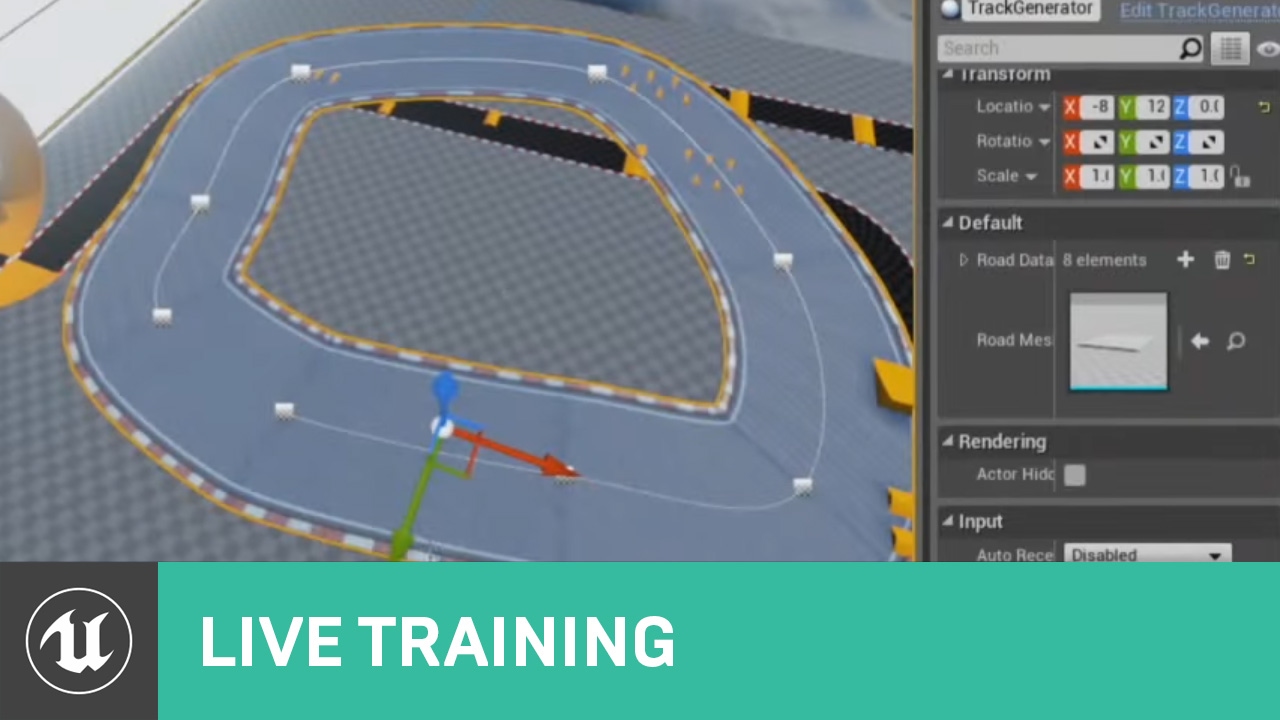
In this Livestream Tutorial we'll show how to use both Spline and Spline Mesh Components to construct an easy-to-use racetrack generator tool in UE4. Viewers will learn about custom structs, functions with local variables, using for loops, and much more!
lavish marlin
i was watching that lastnight
but when u try to curve a flat plane it wont do it the way i want it like there examples i done many scripts for this
now im just looking for a curved plane i can just use for a road thats static i can put together
still cant find tho
ill just have to buy a road pack its much easier for me
still no idea what ones good
plush marsh
I don't really understand what you are trying to do. If you are using spline with spline meshes, then orientation is here. In SplineMesh
 upper heart
@south ridge Thank you, that was helpful. I found this https://wiki.unrealengine.com/index.php?title=Unreal_Engine_Crash_Reporter
But it looks like they removed it from source in 4.18
 mint umbra
I have 20 different photogrammetry rock meshes from the marketplace. They all have one material each, no instancing etc. I have three different variations of the material: regular, moss and snow. I displace the snow / moss. What's best performance wise, one material per mesh or make a master material with a material instance per variation?
I guess the latter, but just wanted to get that confirmed before I begin putting down the work hours
mint umbra
Yeah, I thought the same. It makes everything much easier. 60 material instances, leeet's go.
 vivid vale
Hye, the "free for the month" assets in the marketplace stay in my account forever? or do I have to pay to keep using them after the month is over?
 dawn vessel
Is it hard to make a Minecraft like generated world using BP and is it bad to do it in BP?
vivid vale
I have a feeling it is but I have no idea...
dawn vessel
Well Performance is the big thing
It's not that I will do whats easiest. It's also the risks
vivid vale
well
 abstract relic
I personally like to do a prototype in Bps. Transferring it to cpp once the logic has been hashed out
 plush yew
Hi do I need to make model for every single item lying on the ground ?
game is topdown
graphics
grim ore
you only need to make a model for anything you want in your game
static viper
Yee
grim ore
There are alternatives such as using textures as decals to simulate stuff on stuff like grafitti or I guess technically papers on the ground. You can always use particles as well to fake items in a scene.
static viper
Create minecraft in c++
Was done before tho. With detail
Actually
Its free on forums...
Miecraft game
grim ore
making a game is hard. just keep doing it and it will get easier.
abstract relic
Just keep at it. Learning takes time
grim ore
wait... that sounds like everything in life...
plush yew
i mean every time i want to include something like inventory or items i need to google and watch tutorials
grim ore
well you don't have to if you know how to do it already
otherwise I guess you have to learn =/
plush yew
i did know in the past but i forgot
abstract relic
Time to relearn 😜
 tall pendant
if you have to look up tuts all the time ... you might not ready for a production yet.
plush yew
can I cover default ue4 model with skin armor etc?
 lunar bobcat
Anyone willing to help me out with Game Design in the #design-chat chat?
plush yew
so I dont have to make human models which are hard
 gleaming creek
I'd imagine there's no way to convert a project from one version of UE4 to an older one?
Not sure what to do about the guy asking for a 4.19 version of my Marketplace product, probably nothing to be done
lunar bobcat
Anyone?
 glossy ibex
Try opening the unreal project file with a text editor and changing the engine association? @gleaming creek
 silent pelican
hi everyone. Which channel should I post in if I want to make changes to the underlying rendering pipeline of UE4 ?
grim ore
@plush yew you can cover it with a new texture but it's going to match the layout (the robotic look) of the original mesh. You can add items to it with sockets, like armour and over itself as well.
glossy ibex
@silent pelican #engine-source
lunar bobcat
😐
silent pelican
@glossy ibex thanks a lot ! 😃
lunar bobcat
0of
plush yew
@grim ore yea that robotic looks is weird man XD
okay thanks
ill try to cover it with skin and see
maybe ill add skin as armor
to not look robotic
i mean in sockets, and then normal armors in sockets too
grim ore
you can use Mixamo to get humanoids but there is some work involved in getting the skeleton setup correctly in UE4 now. it's some work but it's free humanoids
plush yew
are they high quality
abstract relic
It isn’t too bad though, just clean up the vert weight and rig
grim ore
they are good nuff, check them out on the interwebs
high quality is relative lol. You can use the fuse software to create your own humanoid then rig it in mixamo as well
grim ore
that plane is just a static mesh actor blueprint, you can see that on the right side. Create a new BP actor, add a static mesh component to it, set it to what you want, and you have the same but in your content browser you can re use.
If you just mean the actual mesh resized, you can export it out and change it in your DCC program
or use geometry brushes to create one the right size then covert to static mesh
lavish marlin
im just trying to make it a size of a road as i got splines to work a guy was helping me
so change it to a blueprint and then inside the bp edit the X - Y
grim ore
yep so pick one of the above? the actual static mesh itself is only one size unless you change it
lavish marlin
yeah i understand that bit
grim ore
if you need a blueprint you can just change it inside it, if you need the static mesh itself changed you have to do it with another program or create one the right size and export it out.
lavish marlin
ok im gonna try do thos blindly X D
thanks i understood u cant change the size as it is
ill try
grim ore
do you need it as a blueprint or a static mesh?
lavish marlin
static mesh
i made it into a blueprint and then changed the size its perfect but
we are using it for splines so is there a way to change bp into static mesh
lavish marlin
oof
grim ore
or you can use geometry brushes
create a new geometry brush, size it to the correct size in the brush settings, then the little drop down below it has create static mesh
lavish marlin
all we need to do is make the static mesh size bigger
ok mate i will do that right now
i cant find when i right click
grim ore
? Geometry brushes are in the main modes window on the left
grim ore
nope, the first tab is Place. then in the list on the left you have geometry
lavish marlin
yeah im on that
LOL
ffs ignore me...
yeah in place gotya
yeah right so ill use a box as its closest thing to what i can use i can always thin it
grim ore
yep use a box, in the brush settings is the size in units, just change that (dont scale it, change the brush settings size)
then the drop down advanced options below that has the create static mesh that exports it out to a static mesh
gleaming creek
@glossy ibex That tricks the old editor into opening the project, but it can't load any of the assets
glossy ibex
welp that's a shame
if all the assets have been modified by a newer version of the engine I don't think there's a way to convert it to an older version tbh :/
lavish marlin
i have made my spline as a road curved the road added textures and im happy with it all
but i cant walk on it
collision is set to block all as default
on the mesh im using that i added to the spline
or is this in the spline bp?
im not the best at making roads X D
paths that is
curved more with splines ok i found that bit out but walking on it is the problem
 paper kernel
alt-c to show the collision
but I can tell, the collision is not gonna be very usable
struggling with the same problem myself
grim ore
Chances are, and this is probably because you created it with a geometry brush, the static mesh does not have a collision collider set up.
lavish marlin
you told me to create it with a geometry brush so thats what i done
paper kernel
yes that's also true, but spline mesh doesn't deform the existing collision, but seems to generate a new one
there's the option(in case it's not dynamic) to convert the premade mesh into static mesh
which then lets you to create new(and better) collision for it
lavish marlin
grim ore
click on the collision menu at the top and add simple box collision
grim ore
not the collision icon, the menu at the top that says collision
Collision -> Add Box Simplified Collision
lavish marlin
that is the only thing i can see at the top
grim ore
so you don't have file, edit, asset, mesh, collision, etc? at the top?
tall pendant
🤔
 lavish sparrow
Hello people. I was wondering if someone may help me real fast. I just completed my first month for unreal in school, but unfortunately that's the only time we use it. Is there somewhere good to go to find tutorials for how to do stuff. Mainly to be able to make a game with base building.
 high stone
Google has gotten pretty awful at searches in present day. I also recommend Duckduckgo, and CGsociety org. I used CG to learn how to make better skin. There's a few additional game developer websites that can help. You might have better luck finding them on Gamasutra/ Game Developer.
plush yew
@weary basalt
I would add
- will power
- persistence
to the list lmao
grim ore
http://academy.unrealengine.com for some stuff to learn and then just spam this channel till someone makes you a custom tutorial 😛
 inner socket
Does anyone have a simple way to replicate animations?
 next badger
till someone makes you a custom tutorial or you get banned
 weary basalt
@grim ore then just spam this channel dont encourage rule breaking please lol
lavish sparrow
Oh no wasnt going to spam. Unless I posted my question in the wrong chat. In which case I apologize
next badger
Yeah, Unreal Academy is good place to start, some of the tutorials even have non trivial info.
lavish sparrow
Okay I will check that out tonight then. Thank you
Wait base building wouldn't happen to have another name for it would it?
 idle sail
Would people be interested in a blog that has indepth break downs of the paragon shaders/vfx?
lavish marlin
has anyone bought any road or paths and used them in UE4?
as im abit stuck after i bought one just
i read the whole import tutorial on the page i imported it real good just dont know how to apply them like the video shows u


Use the power of Substance for all your environment building needs!
it uses a substance plugin
 grim juniper
What are you asking? How to edit the substance parameters like in that video?
lavish marlin
yeah!
tbh half the time i dont know what im saying X D
but yeah im using the correct file to edit each material/texture but its not doing anything im missing something but unsure what
lavish marlin
im fine for now as i can add the road in it looks perfect but id love to edit it sometime
grim juniper

In this tutorial we showcase how to use Substance in Unreal Engine 4. We cover importing sbsar files, using Substance Source and the basic usage of the Subst...
 thorn vector
Hi do any of you guys know yt channels that do tutorials for 3D Maya For Animation And Modelling
 velvet depot
since this is probably way more active, I`ll just drop a note that I'm in need of some help with 2D issues, should be simple beginner stuff
I wrote in #paper-2d
ty
mint umbra
Has anyone else had rendering issues with True Sky's 4.21 binary version? As an example the cloud shadows aren't accurate at all and the sky goes fullblown overcast in PIE without me having any keyframes that suggests it to.
 wise barn
Hey guys. Anyone uses Substance Painter for textures?
And do u use the LiveLink plugin?
 bitter iris

welp
for some reason server can see the door properly but client cant
its way over on the right 😂
abstract relic
Substance painter is an artist’s dream. A poorly optimized dream but still a dream 👌🏽
Sounds like a feature mate 😜
bitter iris
fixed it by unticking replcation on the door (i already replcated the mesh in a variable)
 vernal tapir
Any ideas what can it be?
abstract relic
Oh my, what have you done to your poor computer
vernal tapir
It's an Android
Weird spikes on simplistic scene
How s this possible? What can cause it?
There's like zero info at all
I've seen they match with some GC stuff but there's no info about it at all
cloud cobalt
@vernal tapir Well, you could look into how many objects you're creating & destroying
Though it seems pretty extreme
How many ticking objects do you have here ?
cloud cobalt
Does it happen on a blank project ?
 brittle gulch
imagine an actor with a simple custom movement behavior logic, like move to a target and rotate towards it.
Now I want 100 copies of this actor in the world.
Is it better to have a single actor with an array of vectors (representing all the actor's location), and update all the movements at once with ForEachLoop on tick?
or is it better to have a single object per actor in the world?
Assuming that the actor is a simple arrow.
 spice spire
Hello, all connaisseurs. I am wondering if anybody else has been bumping into this issue with gamepads in Unreal. Analogue input essentially seems like a difficult thing to get working across all sorts of controllers.
 regal mulch
@vernal tapir Does that happen in standalone versions?
Cause the GC is hard coded to to a full cycle or so if run in PIE
It gives me hickups here too, but it's fine in standalone/package builds
spice spire
I am doing a third person RPG and have implemented a Root motion controller which works decently enough with a PS3 pad that i had lying around. I have nice progressive movement with the character. I `ve had windows 10 acting out suddenly not recognising the controller and so I bought one that is Xinput / Dinput compatible and to my surprise does not work whatsoever with my project, pawn or camera, (it does work fine with games and other UE projects). Looking at the showdebug input I can see that it logs values of 0 or 1 for the axis while the PS3 has a nice float between 0 and 1.
vernal tapir
@regal mulch I'm already thinking to try it out in a blank project, but it's frustrating that there's literally 0 info about all these profiler stuff
Only like broad talk about improving performance in general
regal mulch
Well the things you see on the left are scoped stats
They basically put them into a function
And if the function calls it will record it
vernal tapir
Yeah, i know all that stuff
And how to load graphs from each single task
like memory load or CPU things
But it still won't give me clear answer why the game is SO laggy
So here's another issues, for example
Should i google like staticdrawlistdrawtimefronttoback?
vernal tapir
I'm using stat startfile/stopfile to record logs from android device
It's not rendering, as far as i can see, cause it behaves the same even at the map with 20k tris
all baked with no roughness and stuf
 woeful thorn
Hey guys! Quick question, are the 3d models of Unreal Tournament free to use for my own game?
 grim sinew
No.
No mod kits on the launcher are free for you to use in your own game. None of them.
That includes UT4.
cloud cobalt
Uh, I thought UT4 was the exception.
Otherwise sure, mod kits are very much not free assets
Alright, UT4 is clearly off limits too.
grim sinew
UT4 has a restrictedassets.txt file that outlines the policy, aka "don't do it"
 delicate needle
Howdy. I'm back yet again on this long toothed project. The one concept I am still stuck on is BP communication / casting. I just not getting it. I think the main issue is, most of my functionality of my project takes place on a run time created HUD Widget for interfacing with the project.
Specifically I am trying to: "Call a function within a static mesh actor from a button on the HUD" - More specifically, I have a static mesh fridge with a mesh array of various fridge options, and a button/function that will cycle through them. I would like to call this function from outside of this object, from the HUD.
 glacial pecan
@delicate needle looks like you're trying to do this: https://www.youtube.com/watch?v=OwDF19laceg

Join design visualization expert Paul Kind in taking an in-depth look at creating an amazing product configurator in Unreal Engine using Blueprints! Learn mo...
delicate needle
@glacial pecan I've recently gone through that series, but I will take another look!
 obtuse path
Anyone else's Docs showing up in (what I think is) Japanese despite the URL specifying en-us ?
 sick meteor
please Can someone help me figure out how to add melee weapons to the advanced locomotion system
 misty creek
@obtuse path I'm getting English. What did you search for?
obtuse path
Anything, I tried all sorts, in this specific example I just typed in something as simple as FVector
Okay, most things are showing up in a mixture of English and non-English now, but FVector still comes up in (what I think is) Japanese
Must be a weird glitch in the docs code, when I click on any of the results, the pages come up in English
misty creek
I'm getting the Japanese too on that page
 stoic cobalt
guys did any of u have this issues
Unreal Engine Forums
After using UE4 for a year I noticed weird and annoying shading/rendering artifacts which are pretty easy to reproduce. Basically just open any heavy and
 drowsy spade
Hi all, how should I go about making a functioning screen monitor like this?
with my limited knowledge, that screen only uses a plane with UI ontop of it. Am I right?
 errant lintel
Hi there, someone already tried to use the HTTP Chunk installer plugin ?
grim ore
You can either use a material on a surface and then animate what you want it to show, something like a progress bar or other static data is easy this way. IF you want something that is more interactive or adjustable then using a UMG widget in world space would allow you to overlay a UI element on a surface in the world
 teal tulip
Sounds like some computer component is broken or some driver @stoic cobalt
stoic cobalt
nothing is broken
because im only facing this issue in ue4
and apparently not only me is having this issue
already downgraded drivers to 391 and will check if it does anything
drowsy spade
@grim ore Ok so the materials assigned to the geos are what animates it, do you have any tutorials you could recommend?
As I can only understand it vaguely but I have no idea on how to do it technically
grim ore
I don't but googling ue4 animated materials came back with a few. You have the flipbook way of something that is basically just a playback of a video on the material or you can animate each element like a progress bar moving over time. it all depends on what you want. Something high quality like that picture seems like a pre rendered effect tho for a video
woeful thorn
Hey guys
Any solution for the packaging warning of
UATHelper: Packaging (Windows (64-bit)): LogInit: Display: LogOnline: Warning: STEAM: Steam API disabled! ???
I just saw now that of course the steam overlay it's disabled in the build
drowsy spade
@grim ore I googled it and got me with the flipbook method. What keywords should I use to find the second (animate each element), and the third method (Pre rendered) you mentioned so I can just google it?
grim ore
the pre rendered is not something you would use in the game, I was just mentioning that the screenshot you are showing looks like it was rendered out in high quality and is not something you would see in a game environment.
the animating one has no real keywords, you just have to learn how materials work and how you would change them over time. I guess material parameters would be a good start as that is how you adjust parts of materials at runtime
drowsy spade
@grim ore Ok Ill start from there. Thanks for the help!
plush yew
Anyone know of a prefab setup that’s kind of like xcom would love to play around with that turn based style in unreal.
abstract relic
There’s a turn based example under the learn tab of Epic’s Launcher
plush yew
Thank you 🙏
stoic cobalt
is there anywhere i can directly report some issue with the engine?
except forums
cuz no one gives a fuck about forums
i wrote a thread about 2 weeks ago and got no real response
grim ore
Thanks for reporting a bug with the Unreal Engine 4. Here you will find information on how to submit a report and what you can expect afterwards.
stoic cobalt
ty
fierce tulip
he asked for a banhammer
 graceful sky
Lol 🙄😅
static viper
Thanos was here
static viper
You prolly would agree to that...
fierce tulip
with my luck, it would ban the 50% thats never active
graceful sky
Should be possible for automated rules, inactive for X amount of time (months, half a year or whatever) gets removed :p
fierce tulip
we do have purge options, but dont use it
 vivid girder
How can i trigger a full runtime navigation rebuild?
I've tried RebuildNavigation as a console command but it is blocking the game thread
static viper
You dont need that
You can force nav to dynamicly fast rebuild on change
At runtime
Read up on invokers
vivid girder
If I spawn 200 actors that are all 'Navigation enforcers' wouldn't that be less performant than a full navmesh?
static viper
This highly depends on so many factors
Navmesh luckily works with clusters
So the generation happens at the speed always
You should try rly
vivid girder
I'm currently generating a world at the start of the level, then placing a few other buildings in afterwards. I've tried dynamic navmesh, but it doesn't register all the colliders, especially when they're spawned in on the same frame...so my AI tends to just run into walls because the navmesh wasn't updated.
When I do the console command it rebuilds the navmesh correctly
But i'll try invokers
static viper
Invokers do that too
vivid girder
Would i still need the runtime navmesh as well?
static viper
Invoker are freaking buggy
They generate at all times
And they dont ever break
It gets annoying in editor
But its gold in a game
The mesh ofc needs to be
Generate only around invoker
vivid girder

Google Drive
static viper
Its in kite demo
fierce tulip
so odd, watching a blueprint tutorial and I almost fall asleep, see the person do stuff in material editor and im wide awake and be like, bro.. you can do that more optimal :/
one day i'll be the same with blueprints :p
 worn granite
which tut?
fierce tulip
mr murphies first two games tut from udemy.
worn granite
haven't seen that one
fierce tulip
for someone without any bp experience, imho he explains well
people who are able to ignore this are the real mvp's
https://i.gyazo.com/175032880bd4c1bdbc308239960722bd.gif

 lime tulip
How do you even turn it off?
fierce tulip
(right?)click on it, disable
grim ore
You can disable it completely in editor preferences -> General - Tutorials -> Disable all Tutorial Alerts. Highly recommend doing this on any new project lol
regal mulch
Or, you use it to check if the engine isn't frozen
static viper
Engine usually is frozen tho...
 spark pike
Real MVPs learn the engine via that and nothing else
vernal tapir
Ok guys that's REALLY weird. Completely empty scene on android with just one camera and ALL possible settings reduced to minimum gets +- 7 ms in world tick time with GC giving 50ms spikes regularly
 vale silo
that's because UE4 expects 100 players in the scene
because of Fartnite of course
Are you developing for Oculus Go ?
vernal tapir
No, regular cardboard devices
vernal tapir
Cause you have to use 2-sided materials
lavish marlin
im not sure but we bought this pack and its enter-able ?
is this set by them u think
vernal tapir
It supposed to work this way
Rendering the backside of objects is expensive and not necessary
lavish marlin
so kinda saying its landscape buildings to view at distance or
i want to make this a house that my player can go inside
misty creek
@lavish marlin You could probably go into the material and check Two Sided
lavish marlin
yeah i got it sorted by going into material cheers for the reply man!
 dire storm
Hey guys its been a bit since I've been able to be really active. These 18 credit hour semesters are rough! I'm burning through C++ learning atm and I have a [Question]. How would yall recommend learning the structure and flow of the UE4 engine. Basically I feel like if I can understand how everything is broken down from a top level down it will really help me learn how everything works. Vice just diving into one thing and getting confused on how it all works.
I should have added I'm referring to coding in C++ in the engine and navigating everything.
 oak temple
vale silo
oak temple
vale silo
hmm... so if I use launcher version of UE4, my Android build is ready in 5-10 min. If I use UE4 built from source, it takes hours to build Android project. Why?!
 pallid compass
ur prob building the engine as well by mistake
pallid compass
if its bp only why the heck do u have source
vale silo
Oculus fork
pallid compass
ahh
vale silo
(because launcher version has old integration)
pallid compass
ur prob building stuff u shouldnt be building then with source
when u first build source
it has to build the whole engine
vale silo
i7-7700 32Gb of RAM
pallid compass
does not matter what type of editor you build, if its source its source
ye slow af
vale silo
eh?! daaamn
pallid compass
for building source that is
vale silo
what's fast af ?
pallid compass
takes me 11 mins ish to build a full fresh engine
 manic pawn
wtf 11 minutes
manic pawn
did you figure out what was holding it back
pallid compass
ram
Ram speed shaved off 25$
25% ish
by pushing to 3600mhz
i had to let immut watch me do it ages ago
because he didnt believe me
was 10/10
manic pawn
I need this cpu but 5ghz
pallid compass
im stuck at 4.4 when all cores are loaded
but that sucks a huge amount of voltage
manic pawn
oh shit when did that happen
manic pawn
I heard they were gonna announce a new series of these cpus soon
pallid compass
Yeah they are
vale silo
btw, in the Project Settings > Packaging, there is a drop down menu for build option (the very first one). Which one should I choose ?
pallid compass
I always stay away from that stuff though
Takes over a year for a cpu to stabilize
through bios updates and stuff
manic pawn
it doesn't with intel 🤔
pallid compass
normally with either intel or amd
if u go and buy a top end cpu as soon as it comes out
with a brand new board
and just go for it
you run in too problems
stability mainly
manic pawn
tho I guess intel hasn't done a revolutionary new cpu in forever
pallid compass
Never had it not happen every time i have done it
manic pawn
I like how people always come up with crazy nonsense for "leaks"
16 cores at 5.2 ghz! because of course!
pallid compass
everytime i read 5ghz
and it comes out, there is always a catch
"oh ye u can have 5ghz if all your other cores are sleepin"
 dry moon
You can hit 5.2ghz if you burn your house down
pallid compass
I honestly think if i didnt have a zenith extreme, and i was doing 1.54v
My capacitors would explode
vale silo
we need #hardware
meanwhile, in the Project Settings > Packaging, there is a drop down menu for build option (the very first one). Which one should I choose ?
manic pawn
what are the possible options
vale silo
no, there are like 4 options
plush yew
Hello
vale silo
always, never, when project has code and editor is locally built, and when editor is locally built
manic pawn
never seen this option before 🤔
vale silo
just building my android project that is BP-only
pallid compass
Its the set of options that dictate how your project is handled during packaging
like if your working on mobile and making odd tweaks
you normally want to full rebuild
to avoid issues for example
vale silo
so I am guessing if I am building an apk for a device, I need to choose "always" ?
manic pawn
I can't think of any case where you would want a full rebuild when ubt thinks you don't
pallid compass
I said i use to do it to make sure the package was cleaned because i was making engine changes and doing odd stuff to paper2d
I had odd shit happening zeb
Stuff not getting updated and pushed too the android device
I think somehow the launch to device push too the android device was fucking about with the package when it was launched on the device
as launch to device and putting a packaged game on the device is totally different
plush yew
Kind of new to this ive done some lessons but need some information on a blank project. The skybox is gone and its just black where should I go from there?
pallid compass
top left search for sky box and add new one
manic pawn
there's a default sky sphere blueprint
plush yew
Thank you working on that turn based game and appreciate the advice 😃
But mainly learning for myself to be honest.
velvet depot
Can someone help me with suuuuuuuuuuper simple camera shit I can't figure out
It should be simple, I just need to set it up so I can spend the next 20+ hours setting up sprites for my level
t-t
velvet depot
soryr,so
when I play the game it just goes black
When I put in this guy
The premade one
he doesnt check collisions
velvet depot
pallid compass
The background material is set to lit and theres no light maybe?
plush yew
Sweet needed Atmospheric fog and directional light and now I can see.
velvet depot
Idk, I think I haven't set up my char spawn properly
will ahve to watch tutorials on that
OMG
It's on a different level
because I've set them up on different levels, under 1 persistent
but why is it not playing them?!!!!!
SO i've got the 'Mother level' Innisttrad All
under that there's Throne Room and Backplate (the grey background)
If I play the game from the Persitent Level
innistrad All
It hides the backplate level and the throne room
??
Why
😢
grim ore
do you have it set to auto load the sub levels at all times?
grim ore
right click the streaming level in the level browser, streaming method, always loaded
 boreal shadow
hey guys, if anyone got time, ive got a problem with my first person character dying after 5-10seconds after spawning, would be cool if someone could help me using screen sharing
grim ore
add the on destroy event on your character and breakpoint it so you can see what might be happening when it happens. KillZ (below the world) and a destroy timer (lifetime) are obvious ideas as well.
velvet depot
Now If I can only get help in figuring this out
I can finish off my demo layout
so
Camera isn't following character
Char spawns where he should and cam looks at where it should but when I move char, the cam doesn't follow
misty creek
I don't know but just one idea the camera is attached to the character?
velvet depot
I followed a tutorial for this in a different project, I can't figure this out by myself sadly
The camera isnt attatched with a red string arm or anything
I'm not sure how it operates and tutorials skip this part because it's premade in unreal...
for Paper 2D...
But I set this up so it can only follow on X and not when char jumps
so
This is the player thingy
There's no camera in it, CAM is a seperate blueprint
and it has Auto Activate for Player 0, and I've set char to be indx 0
I'm not sure where the connection between the two lies..
It's supposed to be in the CAM Blueprint, where it gets the Player Actor's movement and copies it over
misty creek
Okay, so here is something that should work, in your camera blueprint use the tick and cast to your player get the players location and use that to set your camera's location. Since you don't want it to move on X leave that at 0.
grim ore
chances are that custom event, which moves the camera, is supposed to be an event tick and not a custom event.
misty creek
That would work, but is rather hacked
 muted minnow
Hello, anyone have any suggestions on how to handle a charged attack with gameplay abilities? I'm thinking I should do it with an animation montage with anim notifies for levels of charge, and then somehow pass charge variable to the gameplay ability? Right approach? Another?
velvet depot
YES, That's it
It has to be AN EVENT TICK
ffffffffssssssssssssssssss
@misty creek thanks to you for the input too, I'm sadly quite bad at unreal at this point but I`ll try to do that setup just for training !
see what happens
but it worked when I changed the custom event to event tick..
misty creek
Your way is better
 sonic pagoda
if i have a top down character, with 8 movement directions, but his legs blendspace sometimes mix up those animations when its between 2 animations (at a certain angle), my solution i guess would be to detect if that character is closer to 1 of those 8 directions, and i can do that , messily with branches and such, but is there something that could easily faciliate such calculation?
instead of having to do like 8 of these
boreal shadow
guys, i wanted to make a 4km x 4km landscape, whats the best way of doing it?
grim sinew
A ton of level streaming
 torpid compass
unity better 
high stone
@elfin jacinth I shot you a pm. Had a quick question. Thanks!
 fathom gust
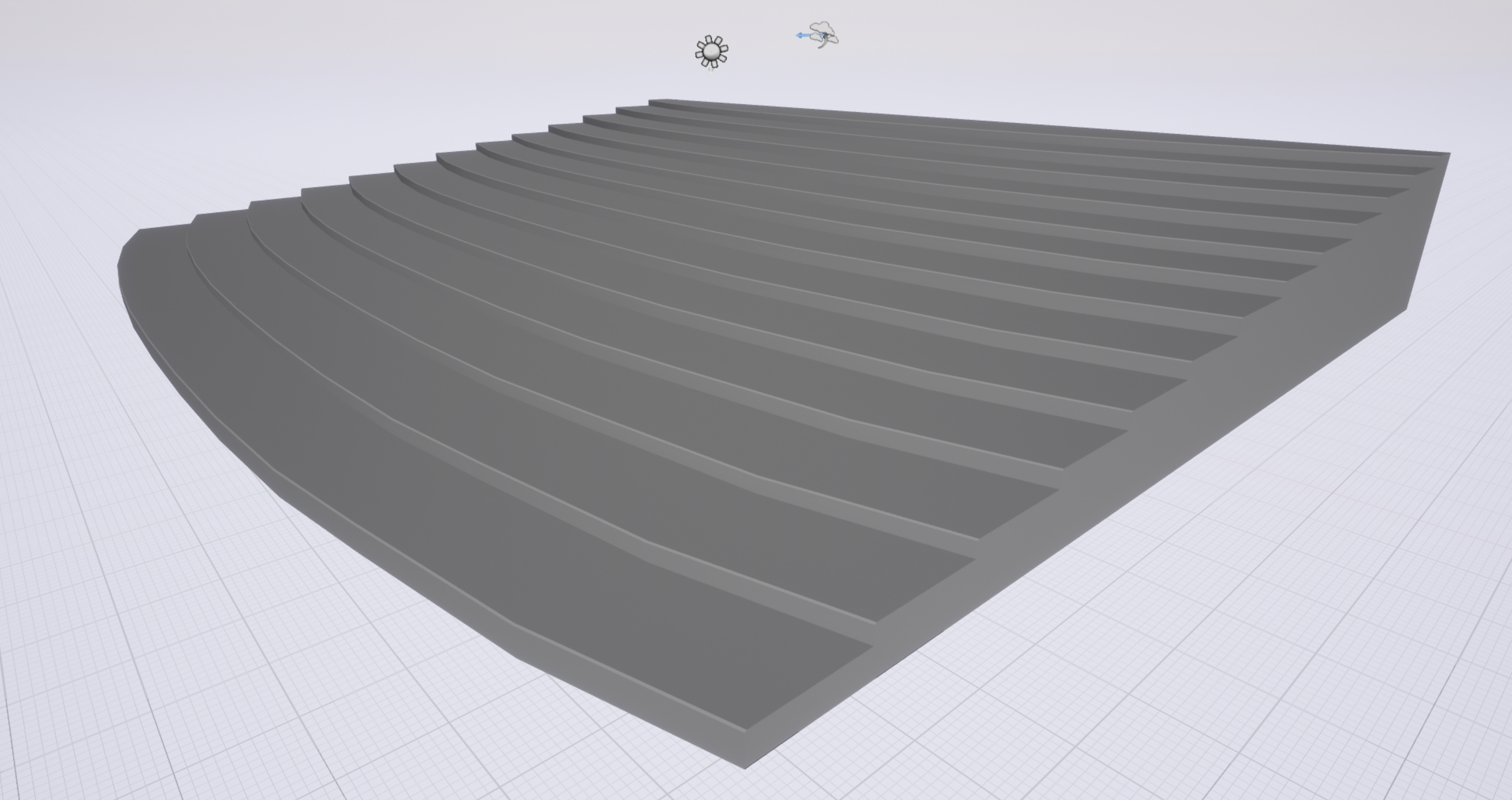
Hey can any one help improve lighting issues
high stone
See if you can bake in AO, ambient occlusion?
grim sinew
fathom gust
bake in AO as in turn AO on in the world settings
Lightmaps build by unreal are good but even if I crank up the res nothing seems to change.
no, Infact its getting worse when I increase lightmap res
plush yew
Hello guys I have this problem
how to solve it?
how to compile to find my error
anyione can help me?
fathom gust
Here is comparison
 honest vale
@fathom gust looks like poor lightmap UVs
fathom gust
this is what unreal created for me
honest vale
yea that's really really bad
plush yew
what about me?
honest vale
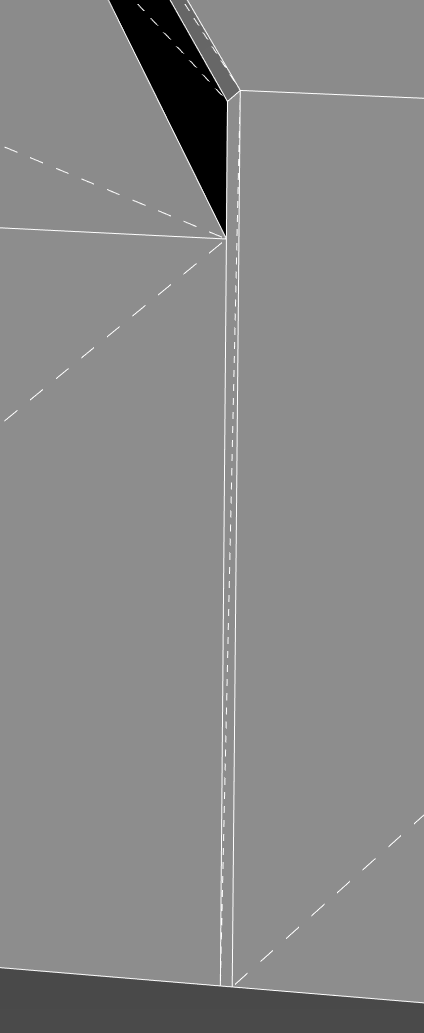
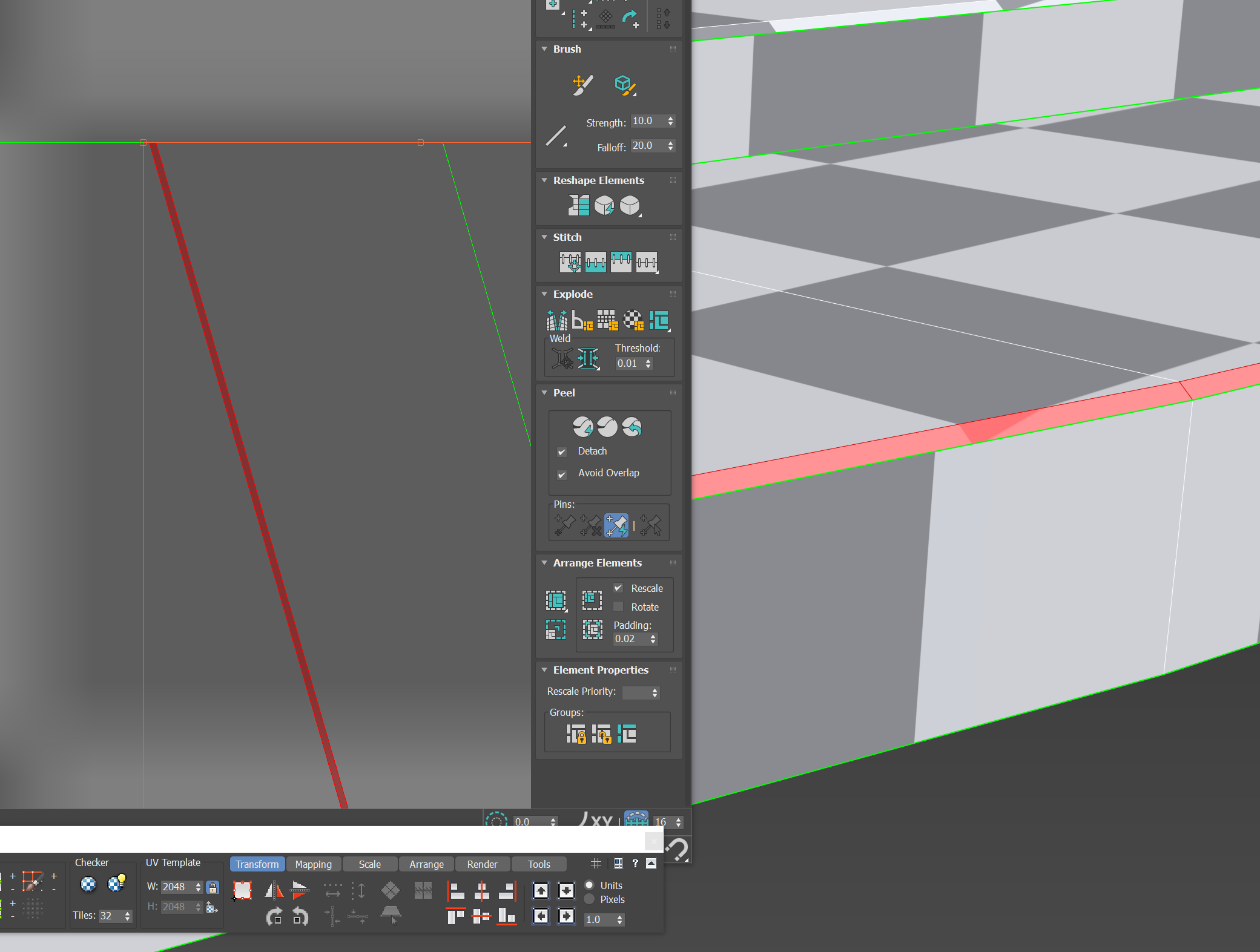
I'd stitch the stair surfaces and the 90 degree angled wall parts between steps together
and then relax it
honest vale
another option would be to have enermous amounts of padding between each island
well, not enermous, whatever is required by the planned minimum lightmap resolution 😄
fathom gust
@honest vale the padding is good enough in the above uv right ?
honest vale
I'm not sure
plush yew
ehoooo
honest vale
are you sure your lightmap UV channel is correct?
honest vale
try it with default settings
fathom gust
nothing is working
sudden agate
@fathom gust is your Lightmap UV Channel correctly set?
In the Static Mesh Editor, make sure you have two UV Channels (UV0 and UV1) and your "Lightmap UV Channel" is set to 1.
fathom gust
yes Its correct
sudden agate
your lightmap is shit anyways.
fathom gust
both of them ?
sudden agate
I'd suggest to straighten the Lightmap UVs
fathom gust
okay ill give it a shot
 spare sun
 languid shard
grASS
fathom gust
There are two emissive billboards opposite this prop at a distance. which are acting as a light source
are these uvs good enough
languid shard
much better
fierce tulip
that the lightmap?
fierce tulip
edges cant be used for lightmaps, need a pixel between em
also needs a pixel between each island
sudden agate
with "straighten" I mean to actually straighthen your uvs. Not to separate each piece @fathom gust
fierce tulip
and with pixel i mean if its 64x64 lightmap, only have 62x62 pixels left for lightmap uvs
fathom gust
I used maya's layout and set the shell padding to be 10 pixels
fierce tulip
128x128 means 126x126 pixels left for lightmap
but at what resolution did you make that layout?
if thats 10 pixels, looks like you generated it on 4k or so
fierce tulip
set it to the lightmap res you'll use in ue4
1 pixel is enough, could use 2 for safety
sudden agate
the point is:
You should align your UVs to pixels. Otherwise you will see more bleeding on lower resolutions
fathom gust
So i can use the checker map to get an idea of the pixels positioning right and then i can allign the uvs
?
sudden agate
yeah. 3Ds Max has a Pixel Snap setting for UVs. Maya probably has the same
your uv's should look something like this (just straight lines. I only have a mouse here)
fierce tulip
also, you can make ue4 look at your lightmap, and rearrange it for the lightmap resolution you use. if your lightmap is rather well made, it does quite a good job
ship it Rail :p
fathom gust
Initially I was using ue4 lightmaps only.
sudden agate
tbh making Lightmaps is the most fun part in Modelling.
fierce tulip
haha
cloud cobalt
🤔
fierce tulip
sounds like I have a partner in stockholm uv unwrapping syndrome
cloud cobalt
I will admit to enjoying regular unwrapping
sudden agate
it's probably because I suck at modelling itself 🤔
sudden agate
better
fierce tulip
whats that weird edgy at the top right
sudden agate
but the parts on the upper part should be connected aswell
fathom gust
they wont be seen.
sudden agate
then why waste UV space at all?
Remove these polys from your model
fathom gust
In case my seniors change there mind in future. The modellers and my seniors dont know shit about game engines.
Bad news
fierce tulip
my ocd is tingling af. hehe.
send me that mesh please
fathom gust
can I attach it in discord ?
fierce tulip
dm me
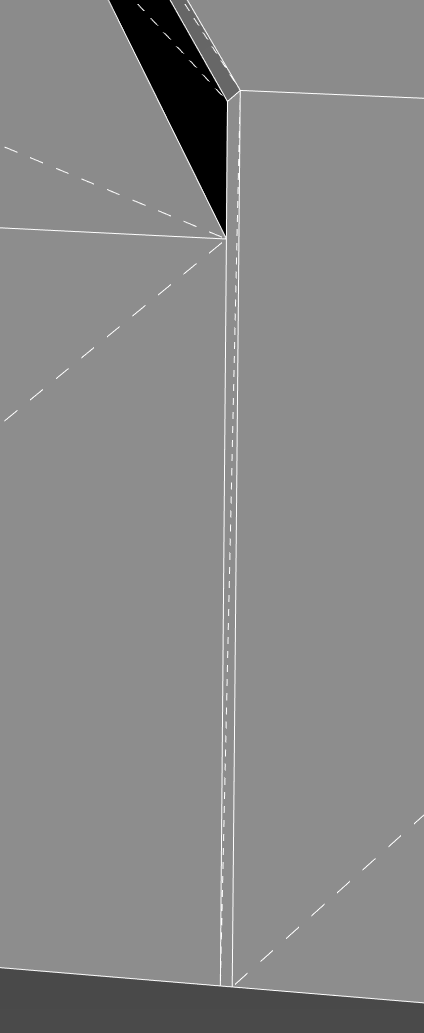
https://i.gyazo.com/a5a65a335d1d799df53e2c36d97d6dc2.png
this is a bit problematic on meshes, its not the reason the map goes wrong, but these thin things are not really liked by engines.
 fathom gust
yeah. I will tell the modeller to remodel the entire scene. its not good.
fierce tulip
the texture uv is.. well.. you wouldnt get any proper texturing on the wall surfaces
nothing too bad, but the thin edges would have a bit of stretching
 fathom gust
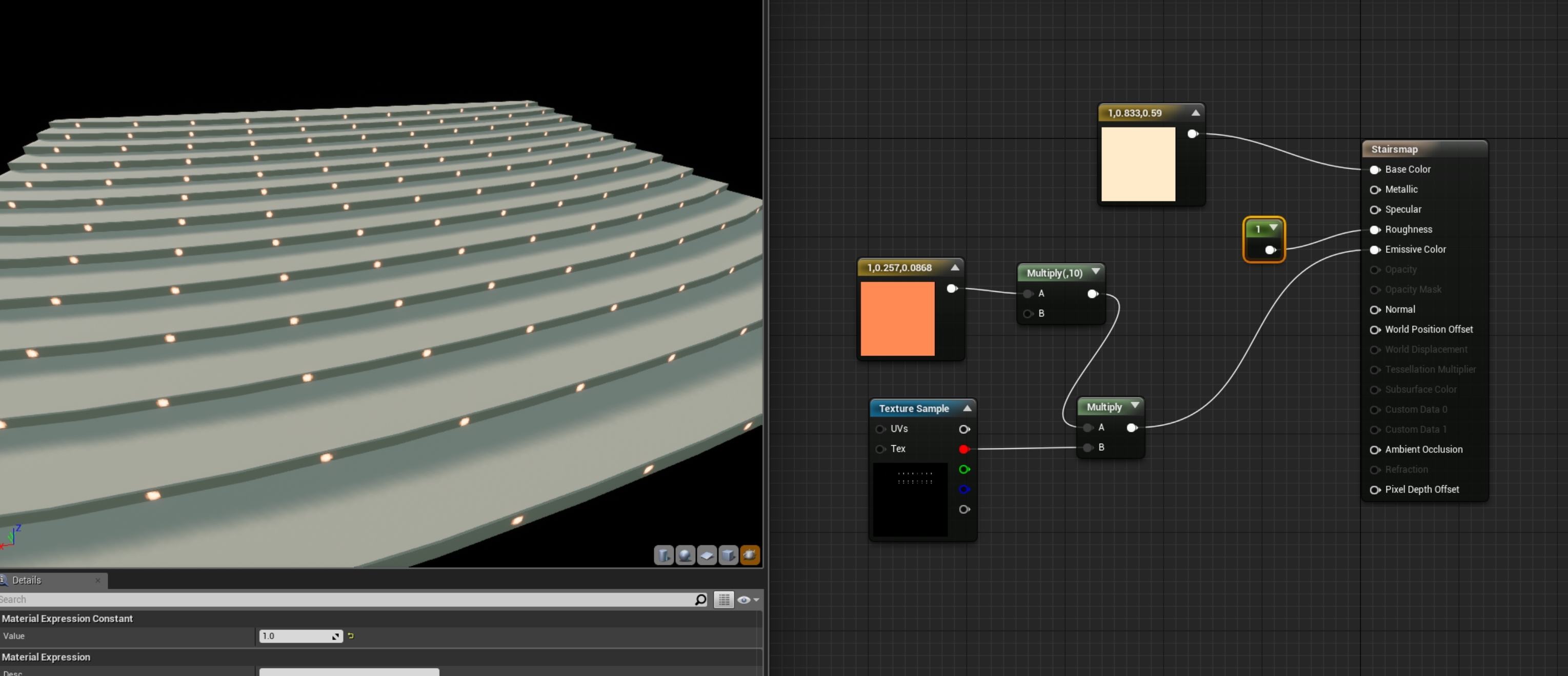
I am not texturing it. I am just using a mask for the emissive lights with a base rough material in unreal
fierce tulip
can you show me the material?
fierce tulip
your lightmap is actually fine hehe

no need to put something into metallic or specular btw
fathom gust
so what is causing those issues, should I change something in the lightmass settings
everything is at default right now.
fierce tulip
this is just a simple 64x64 lightmap
not sure whats going on with yours, dm me the texture as well hehe
then i'll send you the uassets back, and see if that works

¯_(ツ)_/¯
only thing I can think of, is that somehow the wrong uv channel is being used
 fathom gust
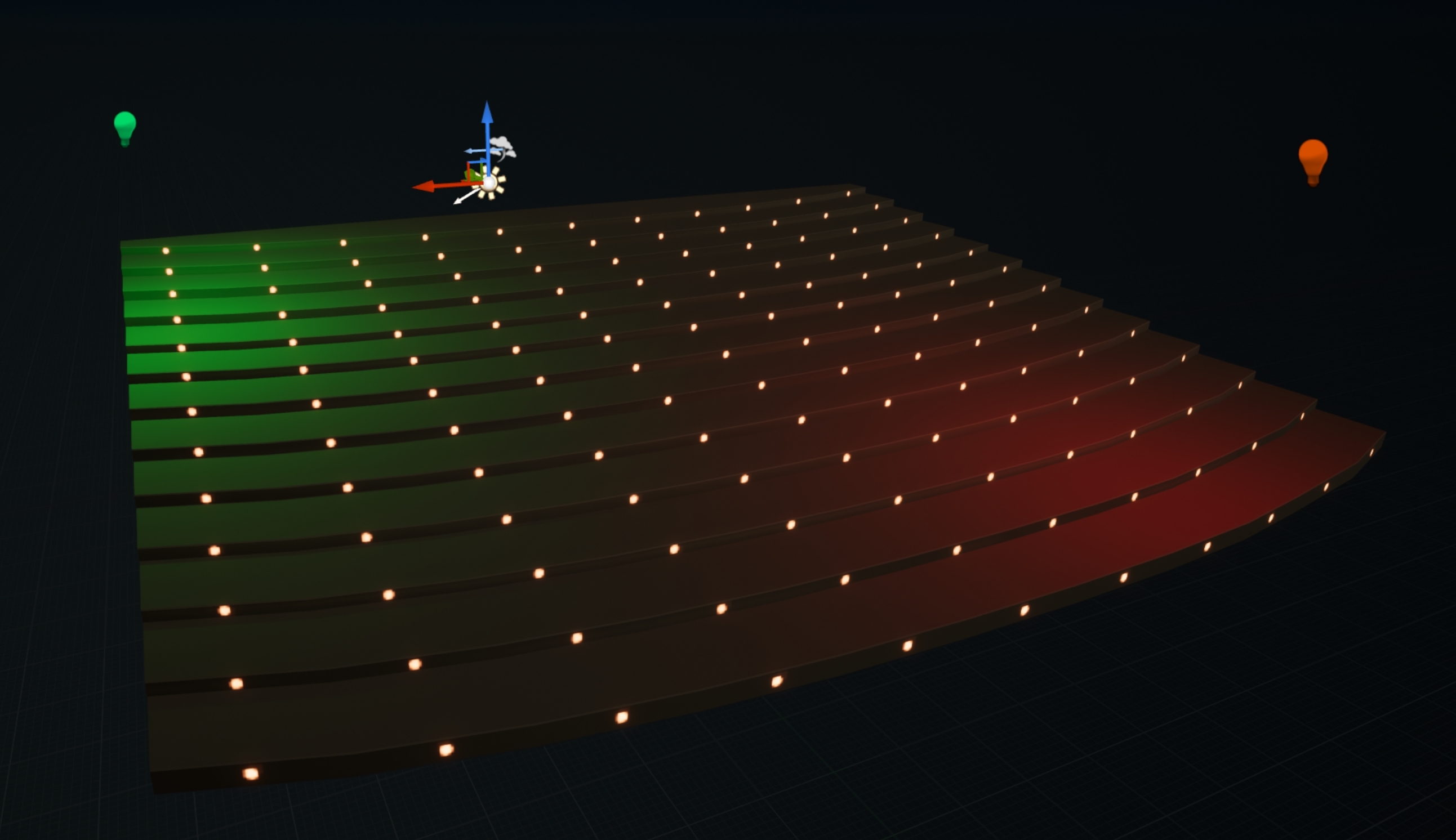
I turned off the shadow casting from those two masked emissive light sources. Looks better now.
 unreal spoke
Can a cloth asset be created from a static mesh? Or does it need to be skeletal mesh?
cloud cobalt
If you want the Nvidia APEX cloth system, then it needs to be authored from their tool, and yeah it's handheld as a skel mesh IIRC
unreal spoke
@cloud cobalt didn't they change Apex for Nvidia something?
static viper
Arent they replacing apex?
unreal spoke
NvCloth
fierce tulip
@fathom gust if it works, it works hehe
fathom gust
true
unreal spoke
ok, so self-answer: cloth asset must be generated from a skeletal mesh. Good thing is that I don' t need the apex file as before it can create one automtically from lod 0 (of the selected section).
 ancient otter
fierce tulip
ancient otter
fierce tulip

 grave nebula
Oh damn, pinball! They used to be fun.
 surreal viper
is there a way to modify a value(float) in BP which was passed as reference? 🤔
nvm, found it, set float (by ref)
 upbeat trench
stoic cobalt
upbeat trench
stoic cobalt
i can also say that
when the light gets closer to the wall this effect gets stronger
cloud cobalt
Basically, light rays parallel to a surface will look like that in UE4
It's been a problem for years
Unreal Engine Forums
Tell us how to improve Unreal Engine 4!
unreal spoke
Trying to create a cloth mesh with the new nvcloth. I select the section to simulate and right click, then I create the "clothing data". Then I apply this new clothing data to the same section paint the influences. And nothing moves. I go to Character/clothing and enable "enable cloth simulation" and set the value of wind to 200(the slider is limited to 2, but you can type higher values). And nothing moves. Except one single time it moved.... So is the NVCloth system preview super buggy or am I doing something wrong?
cloud cobalt
Because it gets almost ok with shadow bias, careful composition, and little use of dynamic lighting alltogether (because static is faster and looks better)
It's only really a problem in games that use lots of dynamic lighting
stoic cobalt
weird
cloud cobalt
UE4 rendering has always been very geared toward static scenes imho
Which is what you'll do on stuff that's not a PC anyway
stoic cobalt
yea
vale silo
But Crysis 3 is not static and it runs fine on consoles
stoic cobalt
btw im also getting this weird ao on some of my brushes
i had this problem with hbao and when normalmap compression was set to default but now everything seems to be fine except this
(this is ssao only)
unreal spoke
Can I have like a cloth hanging from the ceiling that moves (cloth simulate) when the character passes through?
grim ore
Going thru the Content Examples project 2 years ago and it's amazing how much is in there. Going thru it again today and I am like "I know how the did that!" lol
plush yew
Hello...?
Lp! Im looking for a tutorial on how to create bike/bicycle that can be possesed by 3rd person character. It seems that there is a tutorial for every single thing but not one for this :D. I would be realy gratefull if someone can help.
Im looking for Help, i want create a Game!
i would help u but im a begginer
Same
I was "Trying" to make a Game
But yet im not Ready...
what do u want to make?
An a Multiplayer Game
Like a Game with so much Gamemodes in one (Ill tell u un Private)
k
fierce tulip
@plush yew #looking-for-talent
plush yew
Alright
grim ore
Yep crap anim curves add bone is broken in 4.21 lol =/ Can't really learn this stuff if it literally does not work
 regal stone
I went to build, and all my objects are black. Does anyone know why?
Build lighting.
plush yew
......
delicate needle
Has anyone here messed with the new Pixel Streaming? I'm trying to run the signaling server and I'm getting errors.
 dark depot
i havent but its always best to post the error/issue so people can reply faster
might not be a pixel streaming specific thing or if it is we can use the error to figure it out
regal stone
delicate needle
dark depot
did you follow a tutorial for anything @delicate needle
delicate needle
Yes
 icy bone
anyone here make VR game
grim ore
you didnt follow the tutorial
grim ore
you are missing Node.js
delicate needle
Ah. I remember reading about that Mathew! Thanks!
In my defense, that Node.JS was not mentioned in the linked guide!
Oh it was...
AHHHHH!
grim ore
heh
delicate needle
Sorry! Doh!
grim ore
even linked to the download
delicate needle
Old age.
grim ore
I can verify the tutorial works if that helps as well 😃
delicate needle
Have you port foward tested it across the cloud?
grim ore
yep, its nothing abnormal if you work in a virtual server environment
delicate needle
Also, what about multiple instances, is that pita to set up?
grim ore
I have not tried that yet but I would not expect it to be based on what I tested
the networking guide gives a good breakdown of how that works and the matchmaking server
icy bone
so any VR guru here?
fierce tulip
< follows tutorial, something doesnt work
< doubt myself, follow the last hour of tutorial again.
< finds out it still doesnt work.
< spends 10 minutes googling on why
< finds out its because after pressing "play"I didnt click the mouse in the viewport.
 delicate needle
Got the pixel streaming working, were stoked!
worn granite
that's better than the tut being wrong in the first place.
looks at half the tutorials on youtube, including some from epic
fierce tulip
never had that issue though, when did they add that joke in?
never happened to me in 4.18 and earlier
assuming this got added, or flipped recently
https://i.gyazo.com/c369db72aa4ce5cbad5ea71208e55103.png
 delicate needle
01> Looks at tutorials for the answer to one simple problem.
02> Tutorial dances around the issue but ultimately takes an entirely different approach
03> Redo work to follow the approach found in tutorial, get stuck yet again with a new issue. Go to 01.\
regal mulch
@fierce tulip Probably also depends on the game setup.
Think you can bypass that if the InputMode is set to Game Only at the start
Maybe the projects you worked on have that
I don't have that ticked
And my current 4.20 project instantly gets focus
regal mulch
Time to improve your coding skills!
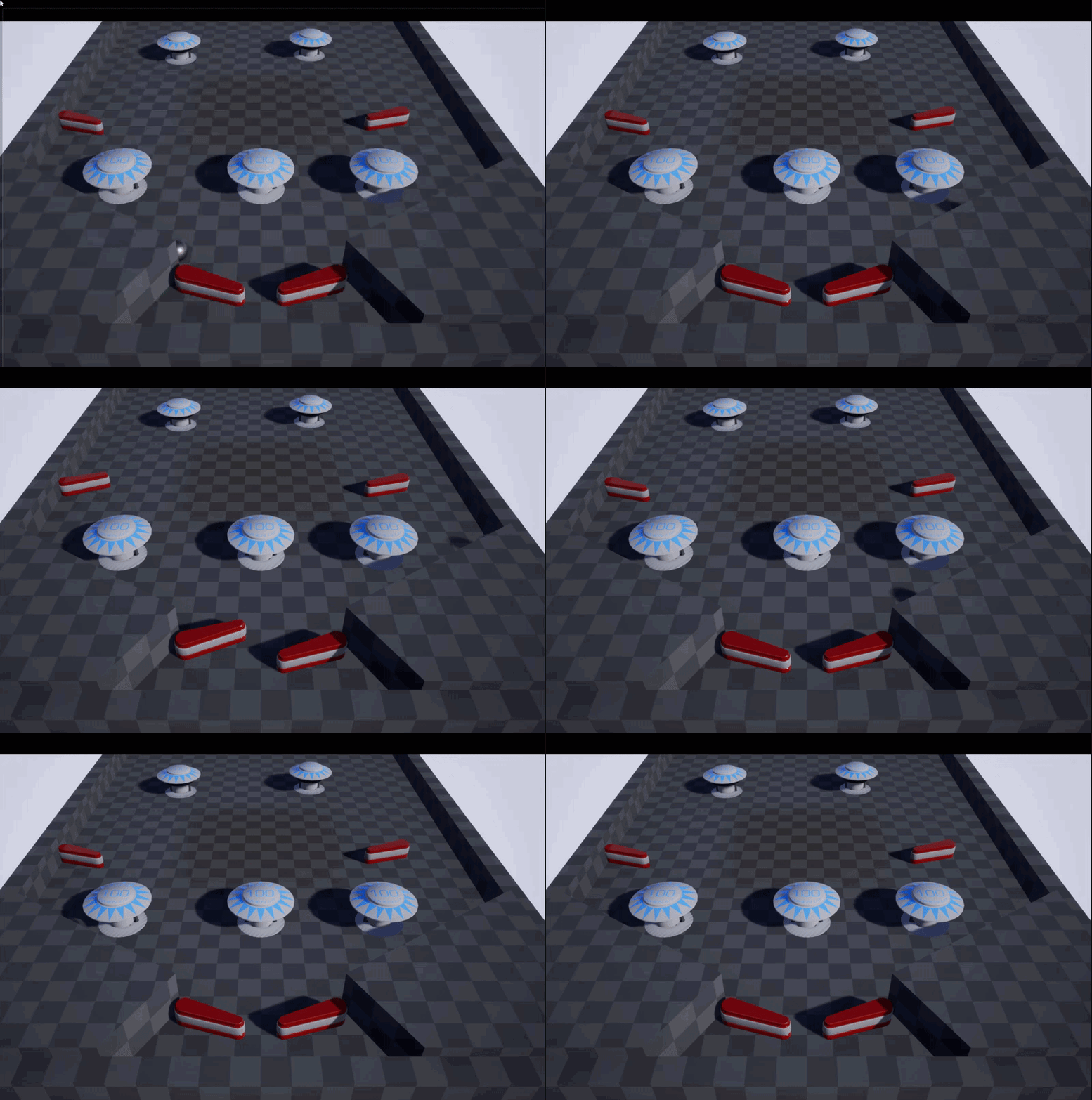


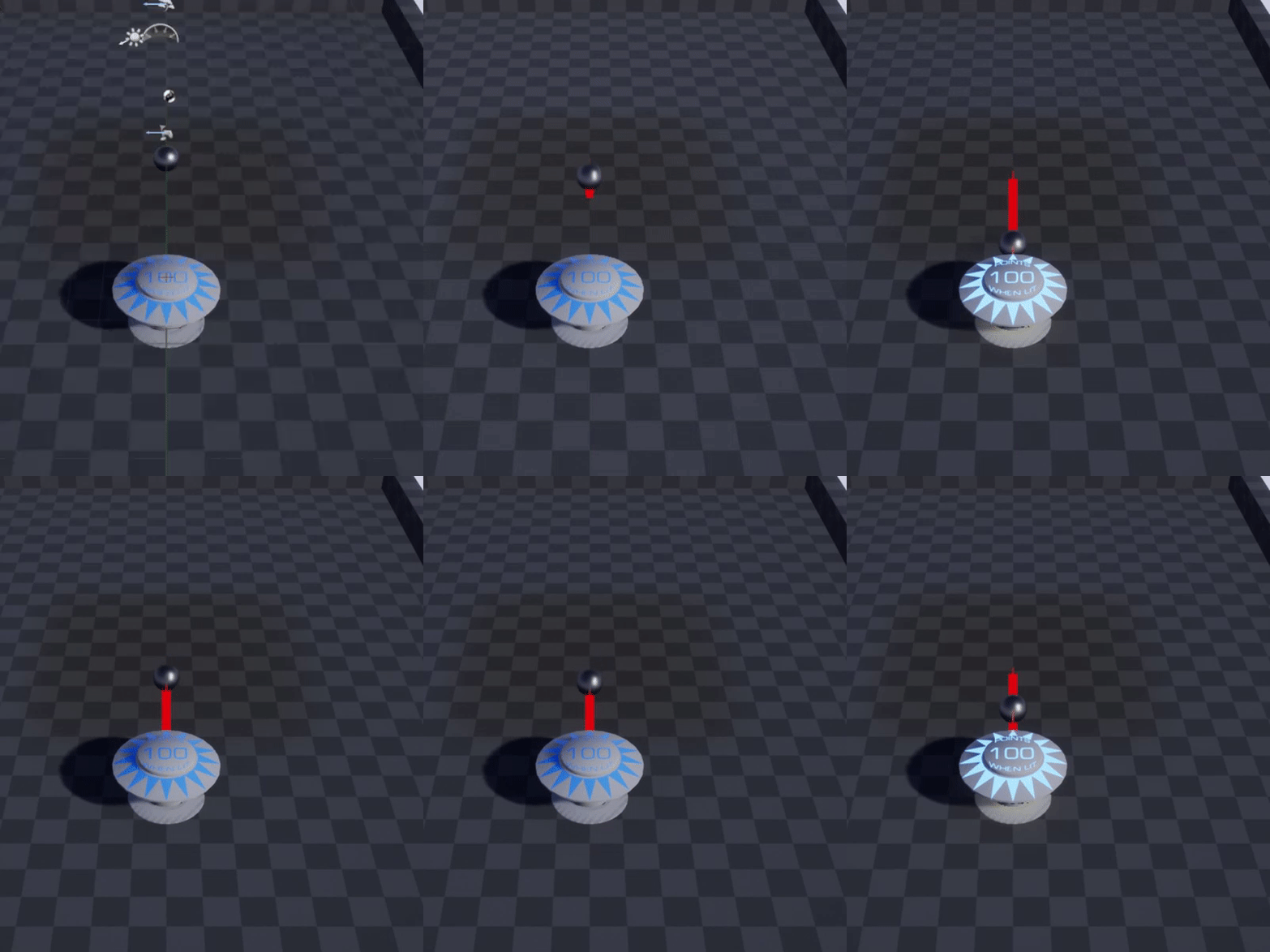

 grim ore
That reminds me of the Pinball tutorial that Chris Murphy has on Udemy
worn granite
p sure that's what he's doin
fierce tulip
yup hehe
grim ore
well then that would be why lol
fierce tulip
threw my dailyschedule around so I can spend an hour a day on bp's, something I just didnt have the time to touch, not to mention found really daunting
grim ore
I've been spending all day trying to learn animation stuff so I am right there with you
so many frigging words I don't understand lol
fierce tulip
hehe iknowthatfeelbrohug
grim ore
I got to say tho the content examples if you pick them apart are amazing resources
I really with Unity had something like it
regal mulch
:P plus points for understanding what I meant
plush yew
Hey, is there a way to become notified when UE4 release free assets ?
like the monthly ones they're releasing ?
fierce tulip
@regal mulch if anything I totes agree that both are (a form of) coding.
regal mulch
@plush yew Probably only via Twitter, their blog or the #unreal-news or #fab channel
grim ore
make a marketplace scraper and have it check daily 😃
fierce tulip

I automatically post when a new @UnrealEngine asset gets released on the marketplace. Made by @KiaArmani
Tweets
3203
Followers
149
 Twitter
^ scrapper
grim ore
you can also read about how allar made a replacement launcher years ago if bored and use his code to make your own 😃 https://allarsblog.com/2015/12/06/creating-custom-marketplace-frontend/
Allar's Blog
This weekend I woke up late Saturday night and was working on an unrelated web project. This project was giving me some issues that required some HTTPS debugging using a tool called Fiddler. Fiddler is a great tool for reading HTTPS traffic. During my debugging, I caught glim...
 crisp fable
guys i have a bit of an issue
we need to visualize a city, easy enough right
but we also need to be able to turn individual buildings on and off
this pretty much rules out HLOD
so drawcalls are through the roof
and uh, i dont know what to do
 copper fable
hey guys, is there a way i can make a component function implementable?
crisp fable
wait a minute
maybe if i encode a building ID in the vertex color
and just shrink it to zero in the material to make it disappear
🤔
 frank escarp
collapsing vertices could work better due to less pixel shader stuff
crisp fable
yeah
and i still have to encode the vertex color because the buildings will be combined into a single material
oh wait ill ne...
hmmf
i need to encode its centroid as well
i hope colors are rgba not just rgb, although a centroid in the horizontal plane only would be ok i guess
crisp fable
oh yeah im not animating it
plush yew
oh alrighty thanks @regal mulch I had thought, I heard about a news letter sub via the pod cast?
but Im unsure o.O
 maiden latch
Has anyone achieved crossplatform chat between oculus go and windows?
grave nebula
@crisp fable Have a control render target, to which all builds are mapped. Write to the target to control visibility and cull building instance in vertex shader. Something like that.