#ue4-general
1 messages · Page 314 of 1
 plush yew
 grim ore
That's a trippy one but I bet it's due to the audio source changing which UE4 does not seem to like
I know I can't start most UE4 games with my speakers then swap to the headphones in game
 unreal spoke
What's the best format for videos in ue4? If not the "best" at least some guidelines would work for us. mp4? wmv?
 smoky stream
im pretty sure mp4 will work
grim ore
For the best compatibility and performance, it is recommended to use H.264 encoded MP4 (.mp4) container files.
smoky stream
hey i was right
 foggy chasm
I am facing some issue with UWP-UE4 development. Is there anyone who has worked on platform!
Issue: Integration of Xbox-live into UWP application!
 queen arch
Anyone has any tutorials on how to use Blueprint Interfaces to get a return value from the receiver class?
grim ore
Shouldn't be anything special as long as the Interface Function has some return values it should return them when the function finishes executing
 fickle relic
Hey there, I don't want to annoy anyone, but someone has a fatal error playing a gane and I'd like to know what causes and fixes it.
Where do I ask or look for an answer?
grim ore
If it's a packaged game like fortnite or ark then you would need to go to the support forums. If it's a game of yours check the crash logs
fickle relic
Edit: nvm
grim ore
c plus plus file, funcom should have support forums on their own website

Funcom Forums
Conan Exiles is the open-world survival game set in the brutal world of Conan the Barbarian! Survive. Build. Dominate.
fickle relic
Yea nvm I came from there for the guy because he'd already searched the web 😉
I thought UE like some game plugins might have a FAQ or something that it is maybe-maybe in.
grim ore
yeah we wouldn't be much help in here as they are using their own branch of the engine
unreal spoke
@smoky stream , @grim ore Thanks
 eager anvil
hi everyone, trying to get better at lighting and i was wondering what is the best tutorial out there that explains the basics of lighting and its ue4 tools?
grim ore
the official docs work and there are some general studies about it on the web such as https://80.lv/articles/lighting-studies-in-ue4/

Andrew Prince provided a detailed breakdown of his awesome Lighting Studies in UE4: working with natural light, adjusting color and temperature, playing with the angle and much more!
eager anvil
i think this is what I'm looking for, really appreciate it thanks!!
 robust cedar
tries to make a black hole without blueprints
cries
plush yew
cant you just use a material?
 silent lintel
I'm confused, my OnClick now works like a charm, but i can't get OnReleased to trigger, no matter what i do https://puu.sh/BxY1P.mp4
 lunar sluice
how to fix must double click on button?(Post to PHP by Varest plugin)
 dim merlin
Hi, anyone knows why hierarchical instanced static meshes might not create navmesh blocks in the editor?
 somber crown
Hi guys, is there a way to copy a material onto another mesh but not have them linked? Changing one's properties should not affect the other
in c++
 steel shuttle
hello. i don't know which channel should i ask this problem. what exactly happen. i launch the packaged game and crashed
 cloud cobalt
@steel shuttle You need to debug it
Launch the packaged game through Visual Studio, wait for it to crash, and use the .pdb file the build generated to get the call stack
steel shuttle
@cloud cobalt is it because of the memory?
cloud cobalt
Well, technically, this is C++ code calling code on a destroyed, non-existing or otherwise invalid object
But you won't know a,ything about it before you debug and get the actual symbols
 glacial arch
Hey there boys. Might've asked this before but I don't recall now.
Recently started streaming as a means to pay for my new meds - and since I'm doing this seriously now I really wanna put my all into it. I have some animation experience and I wanted to look into possibly creating a 3D avatar as a gimmick for the channel. This would mean creating an Unreal-based application since it's what I got most experience with.
The biggest hurdle is the fact that while I did do some mocap before, I have no idea how I would go about doing a live 1:1 mocap onto a rig imported into Unreal. Do you guys know of any handy plugins out there that I can use for free? Maybe some of you worked with mocap in Unreal before and can point me in the right direction?
 pallid compass
U got a few thousand $$ for a mo cap suit?
Also if u want money for meds u picked a stupid af thing to try and make money on
Streaming but streaming game dev, 0 money in that
 fierce tulip
facerig + pay someone to make custom avatar > done.
glacial arch
@fierce tulip I wanna roll my own shit because Facerig kinda sucks tbh I tried it.
@pallid compass I'm also doing adult animation on Patreon now so I'm just using all the free time I got to make money while not losing my mind. Streaming is just a part of that cuz I play Overwatch a lot and I wanna turn it into a not-waste-of-time
Like, I do a lot of stuff. Streaming is just a way for me to monetize things I enjoy and also limit those things to a scheduled time slot so I don't procrastinate too much 🙃
fierce tulip
well one thing for sure, some of the adult anim people on patreon make ffin bank
glacial arch
nope
I checked with a few people who do it, apparently they just tucked it further into the platform so it's not as blatantly there
 frank escarp
its a similar concept to japanese doujins, where people make hentai of popular characters and sell it XD
and legally, wich is even funnier
glacial arch
also some rules against violence and rapey shit
@frank escarp I think it's a bit different to japanese doujins. The whole thing about Patreon is that it provides a loophole. You're not selling copyrighted porn, you're just letting your donators see what you're up to
fierce tulip
anyways, not really a topic for #ue4-general
glacial arch
@fierce tulip it's a slight tangent, the main topic is still that I'm looking for a way to build real-time mocap into an Unreal-based app
frank escarp
what a loophole lol
fierce tulip
I think @ashen brook dabbled in mocap related stuff, but afaik its hard and expensive
glacial arch
@fierce tulip Thanks for pointing me in his direction!
@ashen brook wanna share your expertise?
fierce tulip
he is busy as hell atm, so might take a while before he replies
glacial arch
yeah that's ok. It's not an urgent thing
fierce tulip
shhh
 tawdry storm
man I read that as "I think @ Jan Kaluza dabbed" and got a heartattack for a second
 static viper
stop ig noring me!!!!!!!!!!!!!!!!!!!!!!!!!!!!!!
glacial arch
I'm currently working on a flagship animation of sorts. Safe for work, just a way to like flex animation quality a little and catch some eyes. SFW cuz I get to toss it on Reddit for attention
@static viper
 iron wadi
I need to reset multiple actor's components to blueprint
is there easy mass way to do that?
the actor's share the blueprint class and components
fierce tulip
there are a few adult sims4 anim creators who make around 1200-2000 dollar/month
makes me almost regret not paying attention during animation classes
fierce tulip
i have it, havent touched it much recently
static viper
can i see pls
glacial arch
@fierce tulip Yeah my girlfriend showed me those. I had no idea that Sims had enough of a fanbase to really capitalize on that
fierce tulip

Patreon
Become a patron of Yoeri - Luos - Vleer today:
Read 149 posts by Yoeri - Luos - Vleer and get access to exclusive
content and experiences on the world’s largest membership
platform for artists and creators.
iron wadi
yet still no proper adult game in ue
tawdry storm
man this is the weirdest thing I read all day, adult animations for sims4? wtf is wrong with some people 🤣
 wary wave
Heh, the Sims has a colossal fan base
glacial arch
@fierce tulip animation really isn't something that you cannot learn by yourself. Just like, look at shit and read up on the fundamentals
tawdry storm
oh wait, you're the dude that did the 1 particle effect per day thingy?
wary wave
Who are already very familiar with being fleeced for minimal content :p
glacial arch
theres a blind spot of techniques that are commonly used but not commonly talked about, like moving holds etc.
fierce tulip
yea, thing is I use max, sims only accepts blend files. not gonna happen
glacial arch
Blender is free tho
fierce tulip
or at least the custom tool for the animations does, and its creator doesnt want to make a max version because "nobody in the community has the money for it" so he rather sees quantity over quality.
¯_(ツ)_/¯
fierce tulip
no but the people who want to animate probably have more expertise than 90% of the people making the animations for sims in blender
most of em are horrible
static viper
thanks luos
glacial arch
Blender is a perfectly valid tool for animation, just sayin. Max is an industry standard because it's very versatile but for simple animation you honestly dont need it
iron wadi
i use blender for quickly editing models for tests and prototypes
fierce tulip
thats not my point dude, my point is that its mainly experienced maya/max users who want the tool to work for them, which would skyrocket the sims animation quality, since only a handful people making anims in blender for sims know what they are doing
iron wadi
our graphics and animators are always raging at me for not using max tho
tawdry storm
The difference is that people that use max usually are way better at doing animations than the hordes of people that do crappy animations because they don't care to improve
iron wadi
like I need max to delete bones and shit
glacial arch
I think any halfway competent animator who wanted to work with Sims would just learn how to use Blender which is not that different as far as workflow is concerned
tawdry storm
and all of that just because people want to see polygon sex 🤦
 teal tulip
@fierce tulip what is the patreon royaltie ? or you can't say
fierce tulip
i have zero clue
teal tulip
You don't know how much cut they take from that income you have ?
fierce tulip
i make a few bucks every month with it, since I have zero time to make tuts atm
glacial arch
@tawdry storm perfectly valid reason - it's not less valid than any other kind of entertainment
frank escarp
Blender is first and foremost designed as an animation tool
the projects the blender foundation does to stress test blender are allways CG movies

This three-minute teaser for a full-length animated feature is based on Dutch artist Martin Lodewijk's classic comics series Agent 327. The Blender Animation...
glacial arch
@frank escarp and it has every single tool that an animator needs. Relax, push, breakdown etc.
frank escarp
does have some issues with layering i think
and of course, export is a fucking disaster
they are going to rework the animation systems for 2.81
after 2.8 with the viewport and stuff is finished, they will focus on having the best animation tools
glacial arch
Oh god don't even talk to me about exporting
frank escarp
by taking a bunch of professional animators (pixar level), not only from blender users, and implement the features they want and need
glacial arch
@frank escarp they should focus on getting their shit to play nice with commonly used game engines
glacial arch
exporting to Unreal is a nightmare
teal tulip
@fierce tulip is 5% per payment of each user + fee of each web like paypal etc so like a 10%
frank escarp
@glacial arch it will keep being shit until unreal finishes the GLTF importer
then it should work better
FBX just cant work
by design
becouse autodesk uses fbx specifically to fuck with blender
and with other 3rd party software
glacial arch
wew lad
frank escarp
FBX is 100% a monopoly power grab
to use FBX, you need to use the FBX Sdk, wich is not fully featured
so 3rd party suites cant really have the best export/import with FBX
and if you dont use the FBX sdk, autodesk changes the format yearly specifically to avoid that
becouse autodesk FBX sdk comes with a bullshit license
glacial arch
dealing with export/import of animations and models from blender to Unreal makes me compulsively suicidal
frank escarp
with great stuff such as "if you implement the fbx sdk, you need to give user data to autodesk when autodesk asks it"
and "if sometime autodesk gets tired, you get fucked and remove the sdk or get lawsuited"
wich is why blender runs their own custom reverse-engineered FBX
fierce tulip
<_< getting moar and more offtopic
teal tulip
4.21 still Epic don't looks like will finish it
 silver crown
hehe Luos
glacial arch
@fierce tulip how is exporting models from Blender into FBX offtopic?
teal tulip
they added it on 4.19 or that and keep it without finish like they usually do
fierce tulip
because its ue4 only
glacial arch
this is Unreal chat
fierce tulip
exactly
glacial arch
yeah and FBX is what UE4 uses
teal tulip
we are talkinbg about UE4 things luos
glacial arch
primarily
fierce tulip
doesnt matter
teal tulip
someone of you even know a way you can get the UE4 animations on Blender ?
teal tulip
and how you use the mocap and that ?
glacial arch
@fierce tulip respectfully, how does it not matter? It's directly related to UE4
frank escarp
becouse mocap isnt on FBX
teal tulip
what comes in ?
cloud cobalt
@frank escarp I use Blender FBX to import animations
cloud cobalt
Works fine here.
fierce tulip
because while its fbx related, the topic discussed wasnt
teal tulip
tell us the secret @cloud cobalt
frank escarp
just commenting that is impossible to make blender work great on UE4 unless UE4 gets an FBX alternative
cloud cobalt
The only non-default-settings thing I do is 0.01 scale on Blender export
It's default Blender with no plugin, default UE4
frank escarp
but epic games uses maya, and maya has great fbx couse its a first party autodesk software
cloud cobalt
🤷
frank escarp
so of course they care little
glacial arch
i dunno man conversations tend to go on tangents and then go back on track
frank escarp
they do care a bit, Epic games has funded the blender fbx dev
glacial arch
its how people talk
frank escarp
who was about to quit
fierce tulip
yes, and offtopic goes into #offtopic
glacial arch
i don't know who's gonna bother going back and forth between channels like that. It's just annoying. If I had to dance between channels like that I would just not bother talking at all
teal tulip
@frank escarp that isn't true at all, as FBX was before the donation from what i know
fierce tulip
then dont 😉
teal tulip
nobody of you actually told me how import the animations after all
wary wave
You can't restrain me!
cloud cobalt
Import the FBX
teal tulip
@frank escarp how you do it ?
glacial arch
ok mein fuhrer
wary wave
riots
cloud cobalt
Just import the FBX, really, it works fine for me
The "import animation" box is probably unchecked by default
teal tulip
what about the scales ?
 oak linden
Don't mean to sound like an ass, but like, the question regarded the importation of things into Unreal
teal tulip
I changed blender x100 scale to m
oak linden
The warning feels a bit nitpicky
teal tulip
all the bones come always broken to me, if you import from UE4
fierce tulip
it wasnt a warning, i was just stating it was getting more and more offtopic
if anything I could give a warning/infraction for that hitler remark
cloud cobalt
@teal tulip I don't have scale issues. Export at 0.01 scale, import at 1 scale, bones are working OK for me
I've been doing this for years
teal tulip
you must bt ethe only person in the world that works, cause if you import in UE4 with the default scale then is broken
and if you import into Blender from UE4 all the bones aim other direction 🤔
cloud cobalt
Have never imported from UE4
Just design your thing in Blender, export at 0.01, works
No issues
teal tulip
well that is what we was talking at the first when you came
glacial arch
@fierce tulip I just don't like when mods micromanage conversation. It's creepy and uncomfortable.
teal tulip
import from UE4
frank escarp
@cloud cobalt ive had so many problems
that i run the models through houdini first
specially for rigs
so i bring the model from blender into houdini, rig it to Mannequin there, and then export it
cloud cobalt
I have never attempted that whatsoever, just saying exporting from Blender works fine provided you respect the rule that Blender does meters, UE4 does centimeters
teal tulip
the whole topic my friend was import the animations on Blender that you bought 🤦 and you said it worked fine for you
frank escarp
are you sure your physics assets dont get 100% fucked?
becouse the bone scale also gets scaled, and its one of the biggest issues
fierce tulip
no discussing moderation, if you dont like it. take it up in private.
cloud cobalt
Bones work fine for me
glacial arch
im not discussing moderation, im explaining my reaction
teal tulip
yeah i got the problem you named @frank escarp
cloud cobalt
Who wants a sample Blender file to test ?
fierce tulip
previous blender animator I worked with got his stuff into ue4 easily
teal tulip
that isn't the point, was about import animations into the 3D tool, you can't use animations then there is nothing to do
cloud cobalt
Sure, I'm just saying the Blender to UE4 workflow works perfectly for me
The opposite might not be true
teal tulip
I have to scale Blender to get proper import on UE4 that is what I have to did after many tests
Epic even changed the import code to hack it
just when came from Blender
cloud cobalt
Yes, I have to scale iot too at export - 0.01, since Blender uses meters, UE4 centtimeters
Then 1 at import in UE4
frank escarp
it also depends on blender version and unreal version
ive never been able to get the perfect settings that dont fuck things up
like addign the Armature bone...
teal tulip
well
Blender don't uses meters
you changed it
Blender uses the Blender unit, so you scaled the whole Blender
oh lord
glacial arch
@teal tulip afaik its a common practice
cloud cobalt
Set the Blender export scale at 0.01 and it works
glacial arch
I remember having to switch scales and axis when working for UE4
cloud cobalt
Done
frank escarp
my issue with the scaling is that then the bone scales are weird
or the animations
so i was never really able to get it working properly
speically if i wanted it to be compatible with mannequin
and retargetting
teal tulip
So yeah its like him invented the whole conversation: Came as sais you can import into Blender animations
Then says him don't import animations
Come and says don't scale nothing
Now says have Blender in meters
30min lost talking about the air
glacial arch
🤔 excuse me sir are you ok
cloud cobalt
What I said and keep saying is : Blender to UE4 works perfectly flawlessly with a 0.01 export scale in Blender
People keep saying that doesn't work
But it does
teal tulip
not sure if you get anything from the conversation or even read the lines at all
and tbh anyone can read the old topic that we was talking about
fierce tulip
thing is @cloud cobalt people fall over a lot of hurdles they dont have with max/maya for some reason. I think people would actually appreciate a tut on how to set blender up and eventually prepare for export/import
glacial arch
might wanna change your tone big guy
@teal tulip i don't think you're gonna get an answer from people if you give em sass like that
frank escarp
@cloud cobalt make a guide please
teal tulip
@glacial arch I have any tone, other than the one you imagine on your brain, as this is a text chat
frank escarp
getting the correct settings is near impossible to do for most people
cloud cobalt
A guide on what now ?
frank escarp
would like to see the exact settings to get animations to export properly to unreal
cloud cobalt
Importing in Blender, UE4 ?
fierce tulip
 cloud cobalt
It really is that simple 🤷
teal tulip
You're giving the guide wrong.
Install Blender, change scale to meters
teal tulip
then the scale by what you say could be 0.00001
cloud cobalt
No, it's 0.01
teal tulip
but clear is not as you have meters and you named it before
frank escarp
there are way many other settings
wich are your specific settings?
becouse there are a ton of them
and the default one does things like add extra bones randomly
 vale silo
I have no issues with Blender FBX as long as I model in 1:1 scale
frank escarp
ive tried many times to rig a mannequin skeleton in blender, and have it compatible, and i have never had it working
no matter the settings
cloud cobalt
So do you want a test file that just works ?
teal tulip
haha
vale silo
I animate in Akeytsu
teal tulip
well I'm out this is like a joke
frank escarp
well that simplifies things so much
@vale silo now that you have used it a bit, how is it?
i was very interested on that
cloud cobalt
I'm out too, this is mindblowing
frank escarp
nvida dropped the opengl and vulkan extensions for turing
including the stuff to use raytracing from vulkan
vale silo
It's a bit quirky, but at some point I wanted to go back with Blender and I just couldn't. While Blender has more powerful features, it's a pain in the ads to rig, weight and even animate in some cases.
frank escarp
@vale silo with that, the pipeline could look like
blender model/asset/etc
houdini for bone and rigging
and then akyetsu for animation
vale silo
Lol, your pipeline looks inefficient
frank escarp
(btw the houdini tools for bone weighting are godlike)
and allows me to effectively skin modular characters or variations
vale silo
Currently I don't even touch Blender because I use Marketplace assets
Otherwise it would be Blender to model, Akeytsu to rig/weight/animate/export
Check Akeytsu tutorial for skinning - almost a few clicks process.
frank escarp
the main thing i like of houdini skinning
is that the autoskinner is god tier and gets you 95% of the way there
and then, for the rest, you do it as procedural nodes
non-destructive
so iterating for the bone painting is very easy
vale silo
Like I said, Akeytsu has awesome skinning tools
teal tulip
@frank escarp @cloud cobalt Vblanco comes and tell me can't import Blender animations on Blender, you came and say yeah <while you didn't get it atr all as we was talking about BLENDER IMPORT not UE4 IMPORT then you say the Blender come in meters and actually come on Blender units equal none options> chat resume
so that was the awesome infinite loop conversation
frank escarp
i was wrong on the animations
cloud cobalt
I'm not here
frank escarp
what you cant do easily, is import an animation, edit it, and export it back
becouse the bone formats change
and that basically trashes the animation
teal tulip
yeah well that is another point
Plus blender changed
Last version units is picked that way
that is jus the 2.79
cloud cobalt
Never saw that in my life
teal tulip
well the image I posted is the one every tutorial Epic and every person on earth have to do to switch Blender to meters

cause Blender don't come in meters
teal tulip
rolf
frank escarp
@cloud cobalt can you uplload a test file with your settings, it could really help people
to know an example of how to export anims to unreal without much issues
teal tulip
static meshes work fine on default scales
animated ones yes, but no on preview or collision generation
and you can see here from a Blog of the last year how the Unturned guy changed the UE4 Epic hack to import from Blender
they added back the 4.15 or that
teal tulip
do you generate the collisions of the animations ?
the only problem I had was at lets say generate the collision or physics asset of the model that is an skeletalh mesh
or at move the bones in the skeletal mesh viewport of UE4
if you try to rotate them
rotates like if was scales 0.001
if Blender export isn't on metric
cloud cobalt
I haven't played with collision recently but the bones rotate perfectly fine
I did use that last week
frank escarp
its very common to have the bones badly scaled in unreal, and that makes ragdolls essentially completely broken
teal tulip
But I don't mean while on game or animation preview, but manually rotate each bone on the skeletalh mesh preview 🤔
idk used to happen to me, probably they fixed it
in other hand still the problem of import to Blender the bones and animations
a real pain, the 2.8 by the way set all units by default to meters and other things, so probably the exports will change another time
other than that see you later
cloud cobalt
@teal tulip You keep being annoying here - I do mean manually rotate each bone on the skeletalh mesh preview
That works
So yes that does work thank you and no I don't have any weird setting
teal tulip
and by the way make yourself a preset on export FBX that way you can export in on one click rather than change the unit export to 0.001 all the time @cloud cobalt
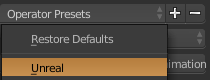
like tha
I use that
cloud cobalt
I have that too
teal tulip
👌 nice then
cloud cobalt
I have been doing Blender to Unreal since before UDK
vale silo
It's 0.01, not 0.001
teal tulip
me bad
vale silo
Why would anyone want to import anims into blender?
cloud cobalt
Probably to ensure the rigging works well on shared anims
teal tulip
idk animate the mocap you bought and adjust to to a custom skeleton
the unturned guy seems like dropped Blender and moved to maya
 tiny stirrup
Hey guys. Thought i'd drop my message in here since the Unreal forums moderation queue seems to have eaten my post there! Just wondered if anyone else is experiencing an issue where when they destroy an actor, it remains in the World Outliner as a "Deleted Actor" during runtime. Is this even an issue or a feature? I know they were trying to fix it in 4.7, so i'm assuming it's the former...
vale silo
@teal tulip Use anim retargeting and you don't have to worry about a thing
teal tulip
yeah but you can't edit the animations
 slender horizon
so is possible ?
teal tulip
nope from what I know
slender horizon
ok
vale silo
@teal tulip why would you want to edit anims? Make new ones instead
plush yew
Can anyone help me make with my low-poly water?
I'm already done with most of it but i want the edges to kind of foam up or whatever
and i want the stuff below the water to kind of fade with distance
 digital anchor
plush yew
digital anchor
plush yew
Thanks :)
teal tulip
@vale silo that is liek say why would you want edit models, textures or sounds, make new one from ground
vale silo
that's the idea @teal tulip
make additional anims and retarget those to existing character
I don't see how you can edit existing anims
for once, existing anims are already solid - no need to "improve" them
grim ore
since animation was brought up, got a general question. Ignoring the basics of animation, what is what and how you hook up what in UE4, what more intermediate tasks have you seen people frequently ask for help with? for example blending top and bottom anims so the top can rotate while the bottom still runs for example, rotating a beck bone for a look at function, stuff like that.
vale silo
@grim ore Well, since player's anims are covered by Epic in droves, I'd say animations for AI is what I find difficult to setup
and I don't mean just basic stuff like moving forward and jumping.. I mean having several idles/pains, turning around, turning to face target, backpedalling, going from idle to other states, directional movement like player's, etc.
and that's just on the animations side
also: IK legs, mixing anims with procedural anims (e.g. Ai idles, player passes by, Ai turns head, then body, then does full body turn to face playes, then either turns back or follows player), aim offset
grim ore
so what makes the AI animations different from player animations?
 tawdry raptor
can we automate prefabs?
I created a prefab of a hospital and was wondering if I could still open doors
grim ore
how did you create this prefab? is it a blueprint with components or a static mesh?
tawdry raptor
I highlight all meshes and then go to Blueprints and crate a blueprint
and it makes them all 1 mesh but I can still move the parts around
grim ore
is it all 1 mesh in the blueprint or multiple static mesh components?
tawdry raptor
This is episode 36 of my unreal engine 4 beginner tutorial series, in today's episode we go over how you can create a prefabs using blueprint classes to save...
prefabs helped me make my vents 2 sides
im surprised nobody even mentioned I could do that
grim ore
well it's just making a blueprint from what I can see unless I missed something
 weary pebble
anyone German ?
vale silo
@grim ore the animation as an asset is no different. The difference is in what drives those anims and state changes. With player input come from .. player's input. It's pretty straight forward and all cases are accounted for beforehand. With AI, there are a lot more inputs and a lot of them kinda hard to define (at least for me; maybe because I am just starting with AI).
grim ore
yeah so it's less about the animation system itself and more having to set up the AI to drive it
gotcha I will add that one to my list since I have seen stuff like the rotating in place animations being an issue
plush yew
I'm finally back
 midnight mantle

Humble Bundle
Pay what you want for awesome ebooks and support charity!
 latent moth
All, this may sound really weird, but sometimes my grenades just disappear in the landscape...? Could it be that it's an object that is too small...? It's completely random (at least, I could not find a pattern)
vale silo
@grim ore perhaps, but it's still about about animation FSM too and how to set it up efficiently, so that there are no issues transitioning from state to state (or using montages and blending) and proper way to set up conditions from transitioning.
plush yew
Hi
Where can I ask for help?
I have a very stupid question but forum posts dont go into enough detail for me to figure out.
pallid compass
well theres tons of help channels down the side
take your pick for what seams right
 manic pawn
they are all help channels
static viper
oh they are almost all help ones
 ruby folio
I've been thinking about starting a dev blog of my work on one of my projects.
Do it on the unreal forums? Or should I make my own blog?
I think writing a blog of what I have been upto will help keep me on track, but as with everything, too many choices stops me from doing anything.
Any suggestions?
grim ore
do it on your own site or you can do it in the work in progress stuff on the forums or you can do it on both? I don't know if it's against the rules on the forums but a snippet on the forums pointing to the full post on the blog perhaps.
ruby folio
Do people use twitter as a blog?
 paper kernel
twitter is a "microblog"
ruby folio
I could always set up my own wordpress for it, but thats £££
May just use the forums for now
grim ore
I was using an amazon EC2 micro instance for a free blog personally. installed ghost for the blogging software and free for a year
and if your super cheap you just backup your blog and restore it on a new instance after a year lol... I might have done that
 dark depot
yeah and there are free bog sites quite a few people us if you dont want to spend money
grim ore
yep even stuff like this , https://itch.io/board/10021/devlogs
itch.io
 light thunder
Is there a trick to being able to visualize an imported mesh? right now it only shows me changes AFTER the fact?
 grim sinew
You should really be importing stuff at a neutral rotation and rotating it in the world after the fact
Same with translation.
That's why it's not doing that for you. Those changes there are baked in, it's not how you're expected to use it.
light thunder
I know, this was a quick model that I didn't bother to even open in Maya...i was just wondering if it could do it after the fact - it lets me rotate the collision and I was hoping I could copy those translations and rotations over but they didnt' appear to be relative....
grim sinew
Step 1: Reset all of that to default (except scale, get scale correct). Step 2: Translate/rotate the mesh in the scene directly, using the regular tools.
 dusty cape
Anyone know why BC7 compression still shows textures as being saved in DXT1?
grim sinew
Are you not using DX11?
dusty cape
i am
grim sinew
Oh wait you said BC7 not BC5
dusty cape
checked, my machine is dx11. targeted RHIs only set to DX11
grim sinew
I think BC7 is broken
dusty cape
still?
grim sinew
Never fixed
dusty cape
its been broken for like 3 years
grim sinew
And it will stay broken for the foreseeable future since Epic doesn't need it right now with Fortnite 😛
 gleaming sandal
Can i use this chat for help? Or is there a designated chat
grim sinew
Put it in the most relevant channel, do not post the same question in multiple channels.
Also be sure to read #old-rules
dusty cape
@grim sinew i re-opened the project and the texture IS BC7 now. funny guess it works after you close
its half the size of the DXT1 too
slender horizon
unreal engine can make the spider man web ?
manic pawn

plush yew
unreal engine can make cryengine?
manic pawn
🤔 🤔
vale silo
it can make cry engine cry 😛
fierce tulip
talking about a new contract with client, told him its fine if he pays me in exposure.
he laughed, I laughed, people where triggered
 ashen brook
@glacial arch hey, hi, I'm here now, what's up?
only realtime live mocap thing I did was with the Kinect v2 on PC. We had someone on the team write a custom plugin because all the ones out there are pretty shit. Afaik if your hardware/SDK/driver has the API you can just integrate whatever you need into UE with a bit of C++
what are you trying to do?
glacial arch
I wanted to set up a character to use as a channel gimmick, since I recently started doing the whole Twitch thing. Pretty much all I need is to be able to track my face and catch relevant values on the UE4 side of things to animate the character and just pick it up from there.
Any idea if there are existing plugins for this sorta thing for UE4? I'm sorta feeling out the subject to minimize the amount of prepwork required, you know?
I know C++ and have a bunch of animation experience so I thought why not? If I'm gonna do this whole streaming thing I might as well have my own unique thing going.
ashen brook
hmm
the kinect does full body, but not face
I know there are a few face things out there
no idea about UE integration
(also the kinect deserves to die, I hate that device. But it works)
glacial arch
@ashen brook Even if the plugins aren't too great I reckon I shouldn't have trouble retooling them since I'm not distributing this. I just need to make it work in a single case, for me. I think Kinect is a bit overkill given that I really just need face capture.
once I get that working I thought I might get a few accelerometer things online and rig a suit for arm/head movement but that's feature creep for another day 😃
glacial arch
yeah! It's in the realm of reality, I think, and sounds fun enough to be a good draw to the channel.
ashen brook
go for it 😃
glacial arch
While you were iterating on your Kinect thing, did you come across any plugins I might wanna look at?
If push comes to shove I'll try and find something more generalized but if there's something already made to kinda work with UE4 I'd rather take that as a starting point.
ashen brook
hmm, nothing public. As I said, we ended up rolling our own because what's out there was all a bit... lacking
there's one that's not bad, but they have ridiculous licensing and cost
and there's a free one that's a bit shit
glacial arch
the latter would be interesting to look at. Do you remember what it's called?
glacial arch
ah, kinect.
those are pretty expensive these days, I did look into them.
@ashen brook Thanks anyway! I'm gonna keep at it
glacial arch
Yeah, I think they quit their Kinect experiment after people just didn't like em
ashen brook
there just wasn't a market for it
glacial arch
its almost as though people enjoy the fact that they don't have to move to play videogames 🤔
fierce tulip
the less I have to move, the better :p
paper kernel
not the sporty type ?
fierce tulip
gaming-wise
glacial arch
@ashen brook I still think VR with motion controls is a gimmick as it is now. The only thing I feel a compulsion to add support for in my game is the headset, and only because of immersion.
sure, it's neat that you get to move shit around in 3D space but how useful is it, really? What does it offer gameplay-wise that you can't get working with a mouse and keyboard that isn't a sporty toss-throw type of deal?
 potent jungle
@glacial arch seriously? The immersion that comes with control is something very crazy. I dont know how much you have played touch enabled or vive based VR games, but they add another level to content. If your game includes "Moving shit around in 3D space" then its way better in VR than mouse and keyboard, which compared to touch controls is very stale. And gameplay wise, it adds full user control. Instead of the user giving the character control, the user is the character. Its a gimmick just as much as a controller to a mouse and keyboard. Its up to you as a developer to decide what its use is, every game/application/experience is different. Its up to you to decide if your game is going to benefit from VR and Touch controls. If it doesnt suck, end users will obviously use it, if it does suck, then kiss your VR revenue goodbye.
glacial arch
@potent jungle having tried VR I don't think VR motion controls have value beyond initial wow factor
plush yew
Hello guys i don't know if is the right place where ask this , but it's possible a project it's running perfectly on 1 pc and not working in another ?
 shy silo
Might be about hardware
How would you recommend one learn ue? I know there’s YouTube and the docs, but where should I focus on. Don’t really have any coding skills
glacial arch
@shy silo gotta learn coding to properly use UE4
shy silo
Yeah ik. Just wondering what other aspects are important to focus on. Def going to do blueprint first
glacial arch
dont
blueprints are a shortcut that you should use once you understand object-oriented programming
its not that hard
but if you start with blueprints without at least an intuitive understanding of whats happening under the hood you'll make clunky shit and learn bad habits
also blueprints are slow af to work with, coding is way faster
 ionic osprey
is unreal development usually this fraught with bugs or am i doing something wrong?
i'm on 4.20.3, and it seems like every hour I get a random crash, or things just disappear in the editor for no reason and i'd have to restart the editor or i have to delete my components and remake them in order for the editor to persist them
i spend a significant amount of time out and googling bugs so that i can work around them instead of just doing things logically
grim sinew
4.20 is the most unstable release in nearly 2 years. Use 4.19.
ionic osprey
I see, I'll try out 4.19. Is there a known issues list for 4.20 somewhere?
potent jungle
4.20.3 is unstable, 4.20.2 at least is extremely stable.
 south ridge
Idk, I just run from the source and I fix or step over bugs when I encounter them
In my experience 90% of "crashes" happen on asserts and other not very important stuff - I'm not sure if it's a common experience though
silver crown
4.20.3 ain't good?
grim sinew
Apparently not. I dunno I'm avoiding updates until 4.21 soonest.
vale silo
how is 4.20.3 worse than 4.20.2 ?
 umbral tartan
Not sure what place to throw this, so I guess I'll throw it here unless someone objects.
Anyone know if there's already a way (like a checkbox somewhere) to make Actor viewport work like World Viewport - in that holding shift while changing the location of an object moves the camera with the object?
Actor Viewport camera seems to function exactly the same as the World Viewport one, so I'd think it should have that functionality.
 boreal night
Hi guys, I am still learning about Behaviour Tree. Let say I have 3 Cube in a level. How can I get their location set in a BT task blueprint?
 devout lintel
i want to make the player ride a prototype " Cube" instead of a car, i know how he can control it, but i also want him to be attached to the cube "like sitting on it" is there any tutorials on this?
grim ore
you are looking to do something like "Attach to Component" where you can atach your player actor to the cube
plush yew
Starting a game development club at my school and got about 17 people to sign up for it! 😄
Can't wait to push people towards using UE4 instead of unity
 austere hinge
BOUNCE Motion VR Physics-Based Puzzle Adventure..
Is this made with unreal or unity?
south ridge
Yes
 shrewd axle
Is it possible to animate a texture that's overlaid on a 3D model? I'm guessing this is shader territory but that's a rabbit hole that I'm a bit wary to jump into
paper kernel
well, mostly material animations are basic panning
shrewd axle
to try to illustrate what I mean
imagine a default unwrapped box
and I made this growing line pattern in after effects and exported it into a sprite sheet
but as far as I can tell you can only create sprites from sprite sheets (who knew) and it seems like flipbooks are just that same thing
There's like 5 different hypothetical ways I could imagine doing this but I'm not really experienced enough to know if it's possible at all, just trying to find a proof of concept with a basic shape first
paper kernel
I think the starter content explosion particle is done using sprite sheet
you could check that
same principle should apply, yes?
shrewd axle
I know particle systems can use sprite sheets for sure, but I'm not sure if those are treated the same in-engine as a material for a 3D model?
paper kernel
particles are just material planes
shrewd axle
it's the plane part that bothers me, because at that point it's just square one of it being a sprite again

maybe I'm just grasping at straws here
paper kernel
for 3D model, it's really only a matter of how you unwrap the UV
since, UV is a plane too
shrewd axle
so can you use a flipbook in a material?
paper kernel
I don't see why not
shrewd axle
worth a shot I guess
paper kernel
assuming you know the coordinate math
paper kernel
as I mentioned the starter content explosion particle, that should have a preset example
shrewd axle
worked as advertised. Neat. Was making it way more complicated than it needed to be
Is it straining to do so? Not sure what final resolution for a character would be in this context but the sheet's like 4096x7680
paper kernel
I would imagine only strain being how optimized the material math is, and memory imprint from the sheet
shrewd axle
I'm just happy it works, can figure out the rest once I get more experience in general
appreciate the input
shrewd axle
Already, weird secondary issue.
Tried re-making the sheet without the box color in each frame
but now UE4 is throwing a fit with it
had to set the texture group to 2D pixels, but now it's just showing as a solid color in the material editor
 sudden agate
austere hinge
sudden agate
austere hinge
Did anyone here ported pc game for ps4.. I if yes.. How difficult is that
 rose quartz
Im trying to get the animation from the animation starter pack to this swat mesh. I did try to follow a tutorial from unreal but still im getting the arms not in the right position with the bones, What can i do about it because the bones are in the right place that the side provided for me
 stuck dagger
Hey everyone, im working on a Xbox title and would like a proximity voice chat system.|
anyone any experience with this in Unreal?
(can't use the steam plugin as this is no PC title)
 tawdry hedge
Hey, guys. I'm wondering if there is a volume in UE4 that basically does nothing but just shows up in the editor using a color of choice
stuck dagger
you can use a BP for that
with a cube mesh, add a transpararant material & disable all collision
tawdry hedge
Great idea! Thank you 😃
stuck dagger
so i assume no one has any clues for how to set up a proximity voice chat system haha 😅
 upbeat trench
doesnt sound like it would be too difficult tbh
plush yew
hey guys
im having a little trouble here
im getting BP errors when rebuilding
MMO starter kit
anyone have any idea why?
upbeat trench
Accessed None is typically a reference thats not been assigned
plush yew
well they were not there before i renamed all of my project
so
how do i rename a project without killing the references?
upbeat trench
carefully
plush yew
.........
i followed 3 guides and it still doesn't work
+ActiveGameNameRedirects=(OldGameName="/Script/ThirdPerson_BP",NewGameName="/Script/NewName")
+ActiveGameNameRedirects=(OldGameName="/Script/CleanThirdPerson",NewGameName="/Script/NewName")```presumably it's something to do with those
i don't know what to rename in the DefaultEngine.ini
stuck dagger
@upbeat trench yea thats what i thought too, but there is suprisingly little info to be found on the topic
plush yew
how would some1 here explain to a 6 year old
how to make hitboxes for melee attacks that are bad ass and pwn alot
upbeat trench
well as far as Im aware console dev is under NDA
plush yew
in a singleplayer game
game with mouse aim
mouse aim in a third or first person perspective and u swing ur sword and the hitbox matches the fkin weapon identically
https://youtu.be/cmK-A8Dh_Ms
https://youtu.be/U7orYFIsYYc
https://answers.unrealengine.com/oauth/authorized?code=a6926c37f65746a8942da22fac69f15d

This video is a quick tutorial on how to rename a C++ project in Unreal Engine 4, more specifically the MMO Starter Kit by CodeSpartan. Game Redirects Text f...

This video helps rename the UE4 MMOkit project base name(CleanThirdPerson) to your game project name. I am currently learning the kit and may make mistakes a...
in a singleplayer or offline multipalyer game
upbeat trench
a 6yr old needs another 6yrs before attempting anything close to that
plush yew
who do i trust from these 3?
meh i used 2 make games when i was 8
i havent in 15 or so years
upbeat trench
@plush yew youre on the right track, I think you might have the syntax wrong
plush yew
what syntax?
i haven't written any code nor added anything new to any BP
how can syntax be wrong?
upbeat trench
for your ini redirects which you will need if you renamed classes
+ClassRedirects=(OldName="/script/BlueprintExtension.ActorDamage",NewName="/script/GamePlan.ActorDamage")
and if you renamed a folder
+PackageRedirects=(OldName="/script/BlueprintExtension",NewName="/script/GamePlan")
[CoreRedirects] in the DefaultEngine.ini
I hope its the same for BP as it is for c++ since Ive never had to redirect a BP, I tend to open it and change the parent class but with references you have to modify the type
upbeat trench
then create it 😃
plush yew
nope doesn't wanna fix it
any other has problems with new nvidia driver? (want to check before install new drivers) https://www.reddit.com/r/unrealengine/comments/9hb23p/upgraded_nvidia_driver_to_41163_and_now_the/?utm_source=reddit-android
reddit
4 votes and 6 comments so far on Reddit
these Redirects are so much pain in the ass
fierce tulip
redirectors are love
re: Blender <> ue4 https://80.lv/articles/add-on-blender-for-unreal-engine/

Check out a new add-on that will let you export content created using Blender to Unreal Engine 4.
paper kernel
speaking of nvidia, I've been having a lot of gpu driver soft-crashes with 4.20
upbeat trench
I tend to trust official documentation over rando youtube videos but thats just me
plush yew

UE4 Daily
Mortido is a third-person action-adventure game set in the dark world of human afterlife. Influenced by the Greek mythology, the game te
:3
upbeat trench
@plush yew are you advertising?

 upbeat trench
yeah just be careful cuz the rules, theres channels there under share your work
 daring saffron
ue4 is annoying me again
installed 19.2 after long while of not using ue4
couldnt open a C++ new blank project, said try from source.. so i tried from source but theres a failed build on my project
iron wadi
can I somehow test culling?
Like I want to see what is happening when object is culled
daring saffron
im trying to remember which folders i can delete again to rebuild all vs files?
iron wadi
maybe move camera and "act" like the camera is pointing elsewhere
daring saffron
Anyone ever come across Visual Studio 2015 Update 3 error in when launching UE4
though im using 2017
iron wadi
ue4 4.19 still uses 2015 compiler if you are on that version
so you need ti install the old compiler
iron wadi
paste the error?
iron wadi
yes
 wet dome
easiest way of creating a minimap which you discover as you roam along the map? so not fully visible at start?
vale silo
has anyone experienced the following issue - FBX file with skeletal mesh with smoothing groups imports into UE4 without smoothing groups (yet, in Autodesk FBX Converter smoothing groups are clearly present)? I am talking about 4.20.x
iron wadi
@daring saffron support != uses compiler
can I somehow disable skeletal mesh on certain lod?
the mesh is rendering + animating and I want to disable both on certain distance
 nova cloak
Hello everyone. I’m hitting a wall and hope someone can help me out. Has anyone here hit the SteamAPI Error 44 when trying to upload to the workshop?
light thunder
I had a question about build errors - I'm getting a
ProcessResult.StdOut: LogProperty: Error: UStructProperty::Serialize Loading: Property 'StructProperty /Game/IncidentCommand/Board/IC_W_Unit.IC_W_Unit_C:UnitData'. Unknown structure. ProcessResult.StdOut: LogProperty: Error: UStructProperty::Serialize Loading: Property 'StructProperty ' build error (about 10 different strucs)
however when I check the blueprint, it compiles fine and there are no errors....Where should I look?
iron wadi
i cant disable physics on my skeletal mesh component
what could force me to enable it?
plush yew
@light thunder it might be the errors that are mentioned here https://docs.unrealengine.com/en-us/Programming/Development/VisualStudioSetup#turnofftheerrorlistwindow
light thunder
Sorry I meant I was having Build Packaging errors @plush yew , I should have specified as such
doubt these are related - incidentally that audio plugin is checked ON in Unreal...I guess I can try unchecking, saving, reloading, checking it ON again and saving and try building in VS
iron wadi
So I disabled everything related to physics on a mesh that has physics asset but it keeps simulating
wtf
do physics just magically enable themselves when I set collision to block all?
 karmic thistle
Guys, Do you know why does not my hit scan point in the correct direction?
grim ore
your origin for the line scan is 0,0 in the world
karmic thistle
what should I use?
grim ore
I would assume the start point for your line trace would be where you want it to start, the end of the gun or the middle of the camera or some other point
karmic thistle
🤔
grim ore
what does the line trace node look like that you are using now? how are you setting up the start and end points
grim ore
the end float you are passing seems super weird
but the start point seems fine assuming that first person camera reference is correct
karmic thistle
grim ore
but your picture looks like it's taking in a 0,0. Try breakpointing on the code that sends the values to your event and breakpoint on the line trace itself and make sure the values are correct
you are working with networking there so that could be causing issues. is there any reason why your causing all of the clients to do this code instead of just the person firing?
karmic thistle
Im following a tutorial but my project doesnt work like the tut, Im not a programmer 😦
I cant find my error reviewing the tut
grim ore
😦 you would have to debug at this point to trace back where the break down is. Is the client sending the wrong data to the server? is the server using the wrong data? is this being ran multiple times instead of once? things like that
I can say that the end point for your trace seems very wrong tho
karmic thistle
🤔
grim ore
normally you would get the forward vector, multiply it by an amount, and add that to your location to get a distance forward X units
as a forward vector would be in the 0-1 range on each axis indicating which way is forward and multiplying it by a number would get you a distance X units away from that point in that direction
karmic thistle
I think Client and Server are wrong
I shooted with the right windowand you can see how my scan is pointing to the left in the left windows
grim ore
the server in that screenshot seems like the start is fine but the end is not forward, if you are using the code you posted originally that would be wrong
and if you are firing this event on the server and not the client then you would only see it on the server as well
karmic thistle
I can see the line on the client too, but only if I move a little
grim ore
is the code for your end point still the minus and not multiply?
grim ore
I would say at this point it might be good to step back and try and make sure your line trace is working fine in local non network mode first before you try and get it replicating on the network. the base line trace seems off
normally you would use a multiply similar to this , https://answers.unrealengine.com/storage/attachments/57330-linetrace05.jpg
karmic thistle
omg
i used "+" and not "*"
this happens when you miss click a simple shortout
is working now, thanks @grim ore 🙏
but the problem now is that the red point isnt in the center
grim ore
yep
so your red pointer is the center of the HUD or the screen in this case
and your starting line trace for the camera is probably in a different spot or angled differently
alternately if you are using the FPS stuff the projecticle itself comes from a different spot from the camera so that's not going to line up either
karmic thistle
how can I adjust this?
grim ore
are you just trying to make it so it goes directly forward from the middle of the screen or somewhere else?
karmic thistle
i didnt
but I can see the vector under the main camera in the viewport
maeby im shooting with the VR Gun and not with the normal?
grim ore
the other option is to make sure the crosshair is actually centered as well, the HUD might not have it centered.
the default FPS template is really weird, it's designed for physics shooting so it's not really that accurate lol
 hushed rivet
Hey guys for mesh objects that will be sunken in the ground(such as rocks) do they have to be a watertight mesh? Meaning do they have to include a closed bottom to be rendered properly? Any issues with leaving the bottom of a rock open?
The reason I ask is I figured out a way to create rocks via height maps with a decent poly count, but keeping the bottom of the rock open greatly keeps the polycount down. I just want to make sure there wont be any UV issues, or rendering problems.
karmic thistle
I ll check it @grim ore
grim ore
I would love to give the exact answer but I am not at home @karmic thistle so I can't fire up UE4 😦 it's just best guesses from memory at this point lol.
karmic thistle
I m looking if the crosshair is in the center and it isnt
I think this is the problem
grim ore
yeah I remember that being an issue, like it draws from the top left instead of center
karmic thistle
grim sinew
The default crosshair is off-center due to a mistake someone made setting it up that never got fixed
karmic thistle
how can I fix it? @grim sinew
fierce tulip
@hushed rivet while generally its fine to keep open holes in meshes, depending on the type of light and some settings there is a chance that lights will bounce trough the open holes. so it might be better to close them. a few more polygons for that isnt something current gen (and prev gen)gpu's care much about, lighting, drawcalls, pp, etc is much more a bottleneck nowadays
hushed rivet
@fierce tulip Thank you! To add on to that, obviously each project will differ in budgets, but is there a general polycount I should shoot for in regards to rocks? Most that I will be generating would be small-medium, so no large boulders or cliff faces.
grim sinew
@karmic thistle You can probably figure it out if you open the widget that controls it. It's been a while since I've had to but I remember it's just offsetting the texture in negative X and Y by half its resolution
fierce tulip
@hushed rivet thats fine, could easily make that 5x as much (for pc) but use as much and as little as you need.
hushed rivet
@fierce tulip Great! thanks again! The end goal is to use my substance designer rock generator to generate actual geometry instead of displacing planes. Its not the best workflow right now, but I displace a plane in blender, and then import that into Mesh Mixer for retopology and decimation. Later stage would be to apply a material with normal detail and whatnot.
I was most concerned with polycount since I didn't know what my target should be, but now that I have a general direction its forward from here.
fierce tulip
hehe you should see what @lethal hull does with substance and that sort of thing :p
ahh there he is
fierce tulip
I JUST PICKED A RANDOM ONE
 lethal hull
fierce tulip
lethal hull
fierce tulip
shoves @lethal hull to Irkie and explain some stuff if he has the time
lethal hull
this one was all Substance Designer tho
hushed rivet
Hahaha, now that you are here, I have seen a bunch of your work. Did you use just tesselation or POM on those textures to get the depth? What was your workflow?
lethal hull
most of them don't have any height mapping actually
well, the older images anyway
the new ones use bumpoffset
so cheap parallax
vale silo
back with my question - has anyone experienced the following issue - FBX file with skeletal mesh with smoothing groups imports into UE4 without smoothing groups (yet, in Autodesk FBX Converter smoothing groups are clearly present)? I am talking about 4.20.x
lethal hull
the backbone of the workflow was just building a few high quality trimsheets and reusing the crap out of them
clever layering of planes with alpha textures etc
fierce tulip
happened a few times in random occasions @vale silo
not sure what causes it, or that its just normals/tangents not properly imported.
hushed rivet
@lethal hull Since your faking the geometry and using bump offset and whatever other clever tricks, the actual polycount is significantly lower on meshes since they all dont need to be hand modeled correct?
karmic thistle
solved @grim sinew & @grim ore | Thanks you 💪 💪
lethal hull
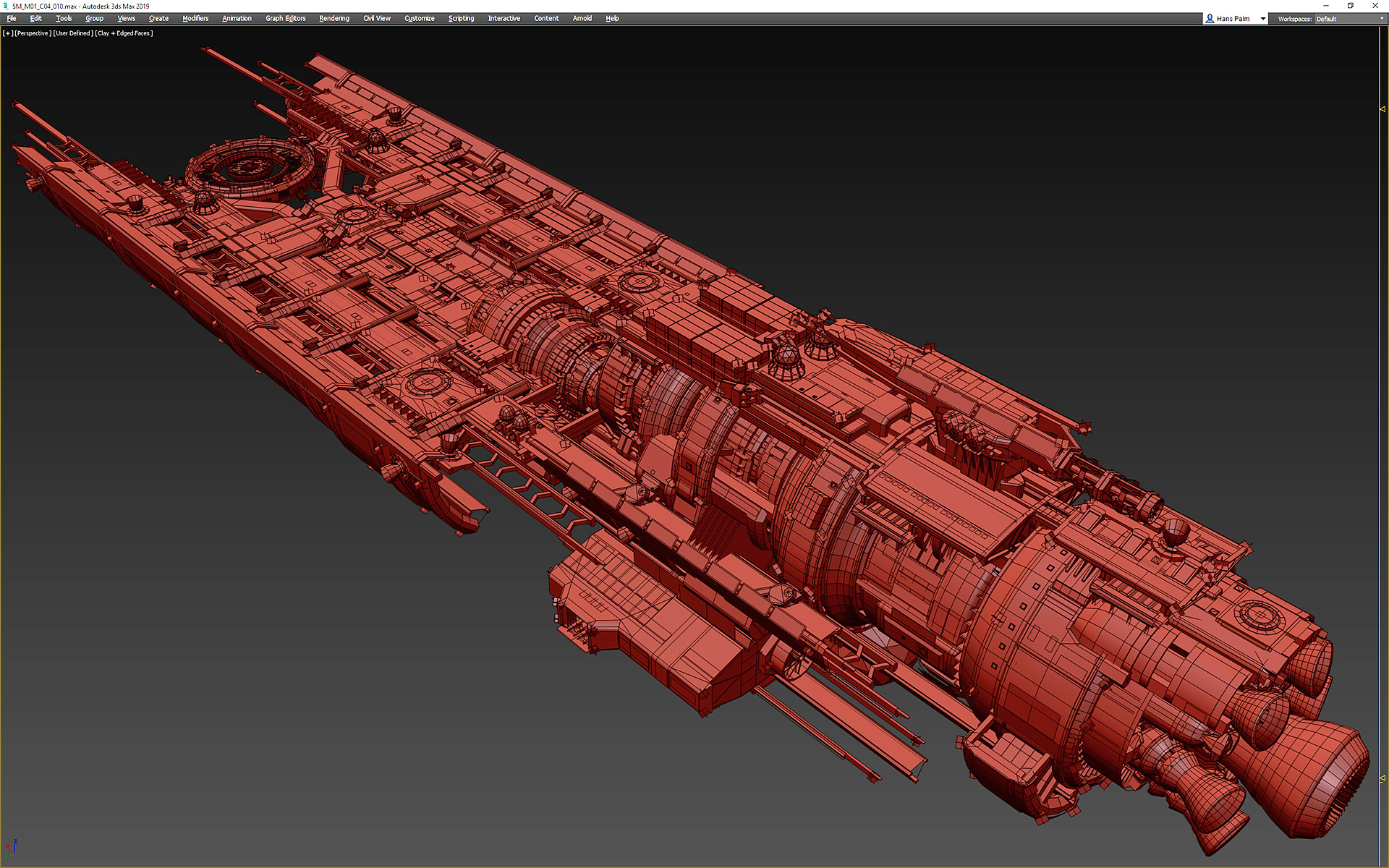
yeah kinda, they are still pretty heavy to sell the sense of scale
but the latest ones we made were about 160-200k tris
hushed rivet
Forgive me I don't do a ton of sculpting or modeling in general outside of CAD so I am not that well versed.
lethal hull
the old ones went up to and past 400k tris
which was a bit excessive
that's LOD0 though so mainly on your own ship
you'd practically always see LODs on enemy/ally ships even on Ultra
hushed rivet
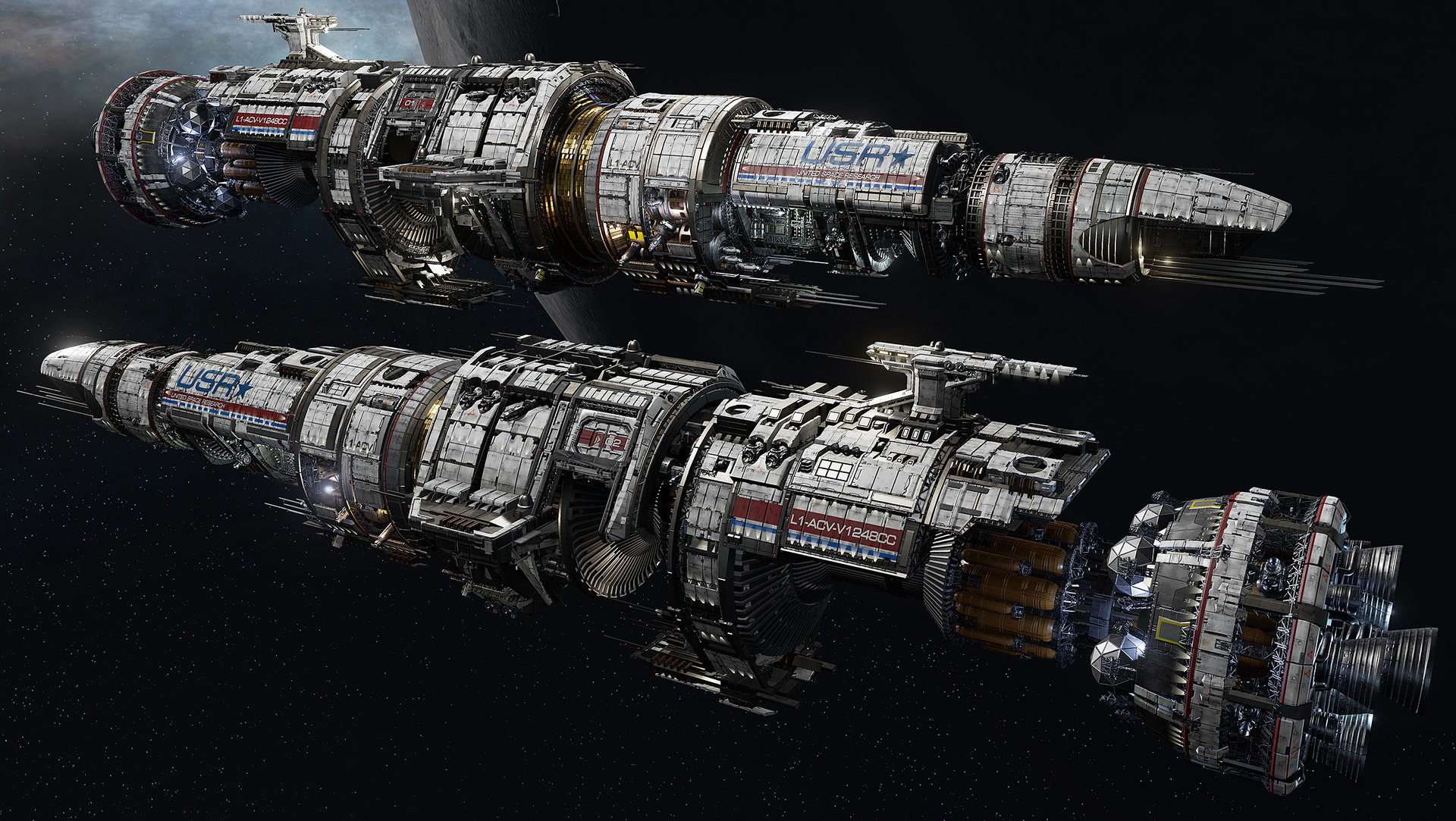
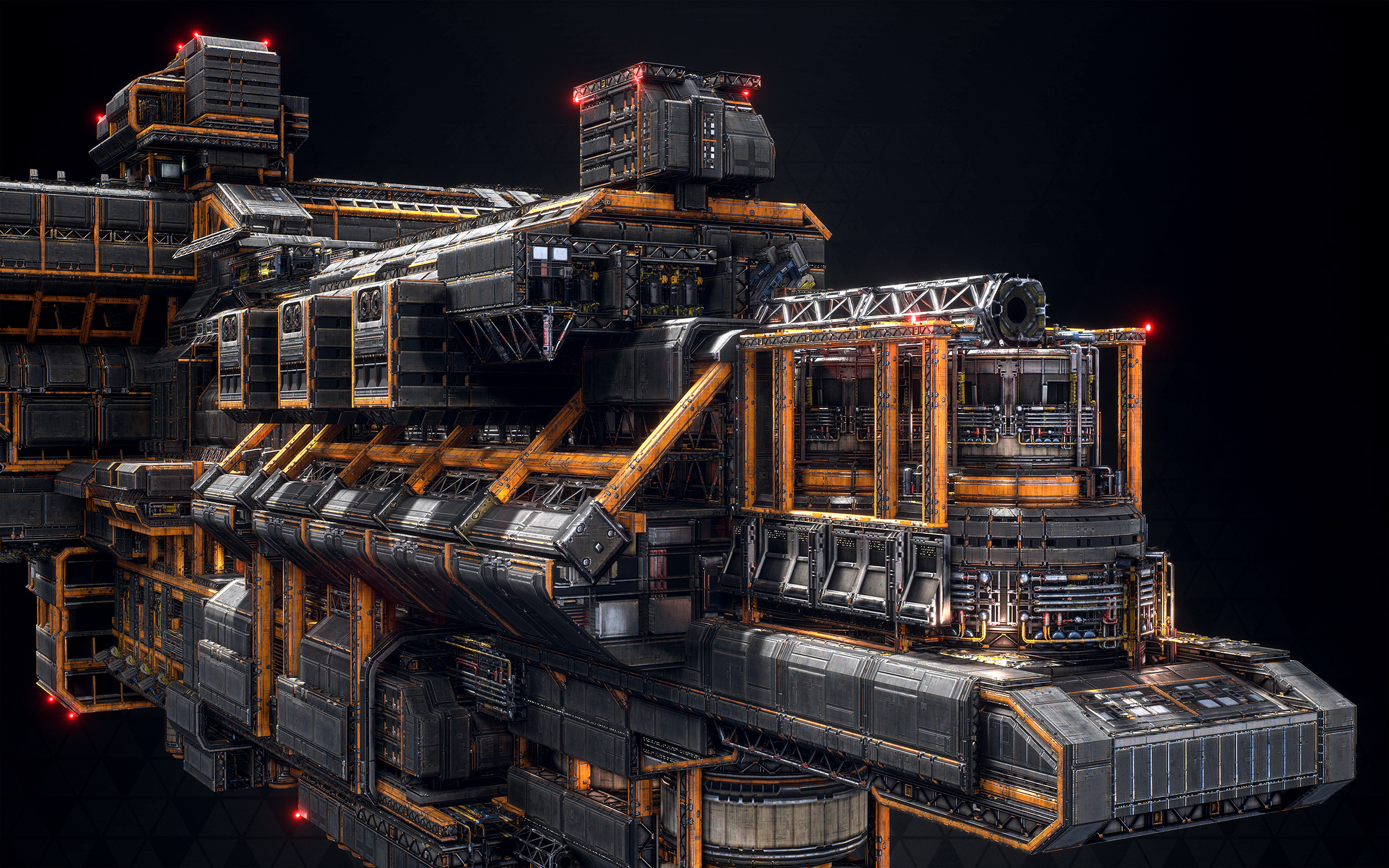
I played the game for a bit, the visuals always impressed me, which is really hard to do in a space game since there is so much emptyness.
lethal hull
that one was 169k tris
heavy use of vertex colour & colour ID maps to do the materials on the fly, it's all procedural
vale silo
@fierce tulip so, how to remedy this issue ?
hushed rivet
Thats fantastic man! Ill dig deep on your artstation later(instant follow) lol. I just rewatched Ben Wilson's presentation about his work on wolfenstein and how he used physics simulations combined with material ID maps to create procedural rubble piles.
lethal hull
yeah, I left my job a couple months ago but I do miss it already
good fun building these things
but it is a lot of work
about a month each
hushed rivet
Definently will be exploring that workflow if blender allows material ID's and whatnot. I am getting a firm grasp on SD finally so seeing all these new ideas makes me want to try them all lol.
fierce tulip
@vale silo cant recall, double checking import and export settings, and eventually calling files like
https://i.gyazo.com/a98284549e22e3cd30b73240371ee556.png
hushed rivet
You freelancing now? or move on to another studio?
pallid compass
How come u left that project millenia?
hushed rivet
Side note/question here, my main goal is to eventually start selling small asset packs, or biome packs for just a little extra dough on the side. I am just curious how much there is to be made doing things like this and how often people really rely on community made content for an actual production. I would assume the main market would be indie guys who dont have the resources to make everything themselves.
vale silo
lol @fierce tulip 😃
lethal hull
didn't feel like doing full time work any longer
burned myself out a little bit obsessing over the project and trying to get it as pretty as possible
fierce tulip
@hushed rivet we dont have any stats or other information so its hard to tell, it depends on the versatility of the objects, the quality, quantity, etc. generally though they are mainly used for blocking out/placeholders, while some indies do rely on them more strongly. heck, Shenmue 3 is an ugly mess of mp content hehe
lethal hull
here's an example of one of those trimsheets
as you can see you get a fair few params to tweak
hushed rivet
Hahaha I know its such a general question its hard to give specifics. I think the better direction though would be to head the teaching route and develop tutorials and sell Substance SBS's on the side.
lethal hull
per colour ID (up to 8 in a material), you get base colour/roughness/metallic
and then there's separate grunge controls for metallic and nonmetallic parts
various other things like edge wear as well, all parametric
hushed rivet
Damn fine work sir!
 broken shadow
Guys like Millenia3D & ZeroNight are who I aspire to be.
I'll be dealing with mushy-fleshy characters & creatures though
lethal hull
vertex colour is good for big areas and colour ID maps are better for fine textural detail
so I'd have a combination of the two
as you can see i also made a custom 3ds Max viewport shader that replicates all the core functionality of the shader so you can get representative results right in your viewport 😄
fully customizable on the fly also which makes previewing skins for the ships a sinch
hushed rivet
Dude that is amazing stuff, thank you for sharing! Most of this is going over my head a bit, but good learning reference nonetheless!
lethal hull
np 😃 it's really just years of cumulative experimentation on the project
took ages for us to hone the process
the early stuff looks terrible in comparison to now
hushed rivet
Oh absolutely! but thats the brilliance of learning right? My early substance work from just last year compared to what I posted the other day on artstation is miles ahead from where I was.
Hell even a few days makes a difference to me!
lethal hull
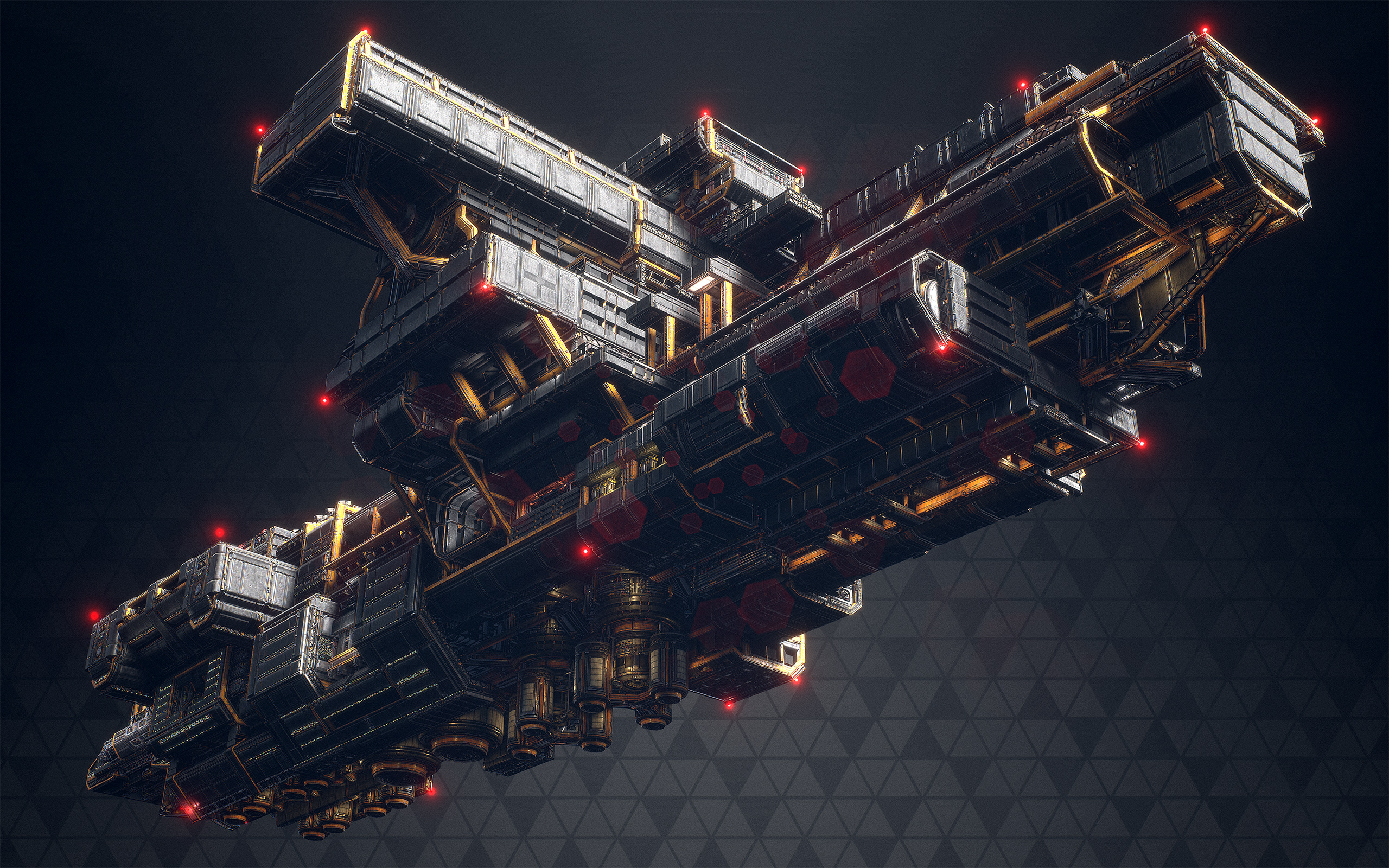
this mining station is the last piece I made before I left
need to get some pics and put it up on artstation
hushed rivet
I love when I can watch someone do something and I learn just one cool trick I can use later down the road, it makes me so happy lol.
lethal hull
only 55k tris, two materials (1024x1024 for the panels, 512x512 for the alpha detail texture)
hushed rivet
God that looks great at 1k!
lethal hull
haha yeah the mats are very procedural
there's a detail panel pass over the whole thing
triplanar mapped of course
hushed rivet
what is triplanar mapping, using X,Y,Z coordinates to get correct orientation?
lethal hull
yeah world space texture projection
great for big things like this, all major games utilise it to some degree on their environments
hushed rivet
Since I am just a hobbiest I tend to learn new things as I go. So if I havent needed triplanar projection yet, I really dont know the use cases lol.
lethal hull
Mostly environments!
hushed rivet
Im close, but once I really get myself locked in on SD, I want to create a small environment pack. Going to challenge myself to use only 5 materials and as few assets as possible.
The presentation EA did for Star Wars Battlefront was great for looking at things like that. They only used something like 15-20 assets per map, just playing with rotation, scale, color, things like that to make it feel more natual.
natural*
plush yew
hey guys
hushed rivet
Quick question going back to tri planar projection, Substance Designer has a node for that, but I am unsure what I would use it for. Would I import a custom mesh and use that node to map the texture to it properly?
plush yew
has anyone tried to use AHUD to manually code an inventory system?
manic pawn
what does the hud actor have to do with where you put your inventory system?
lethal hull
the one in Designer works based off a baked position map
which is the same as the Absolute World Position node in Unreal, i.e. the object's XYZ position gradients stored into RGB
so you don't need the mesh in there, though obviously it helps to visualize it
hushed rivet
Gotcha, honestly there are so many nodes in SD I hardly use, but are so useful. One I discovered a little while ago was Mosaic, fantastic for making rock like surfaces.
lethal hull

ArtStation
http://store.steampowered.com/app/310380/Fractured_Space/
So I got the chance to make a gothic style skin for one of our ships for our Halloween update and this is what I came up with. Materials/normals done entirely with Substance Designer for speed's sake as I needed to get...
this was probably my fave piece to do with Designer
I can't draw or illustrate worth crap so I decided to make the ornate stuff all in Designer
hushed rivet
God damn what a gorgeous ship
I too cannot draw or sculpt worth a damn so I would have made the same approach lol
manic pawn
🤔
hushed rivet
@lethal hull What workflow did you use inside SD if you remember? Just transform 2d's and shape nodes to get the shapes you want and go from there?
I grabbed a couple ornate zbrush packs and was having great results using the shape mapper node, lots of fun to play with.
lethal hull
yeah pretty much, just shapes, transforms and blends mostly
I made that right before they added the shape mapper node haha
would have been usefukl
hushed rivet
Oh man lol
Also was having great results pulling free SVG images from the web, using mirror and symmetry nodes, along with the shape mapper node to create some really neat things.
lethal hull
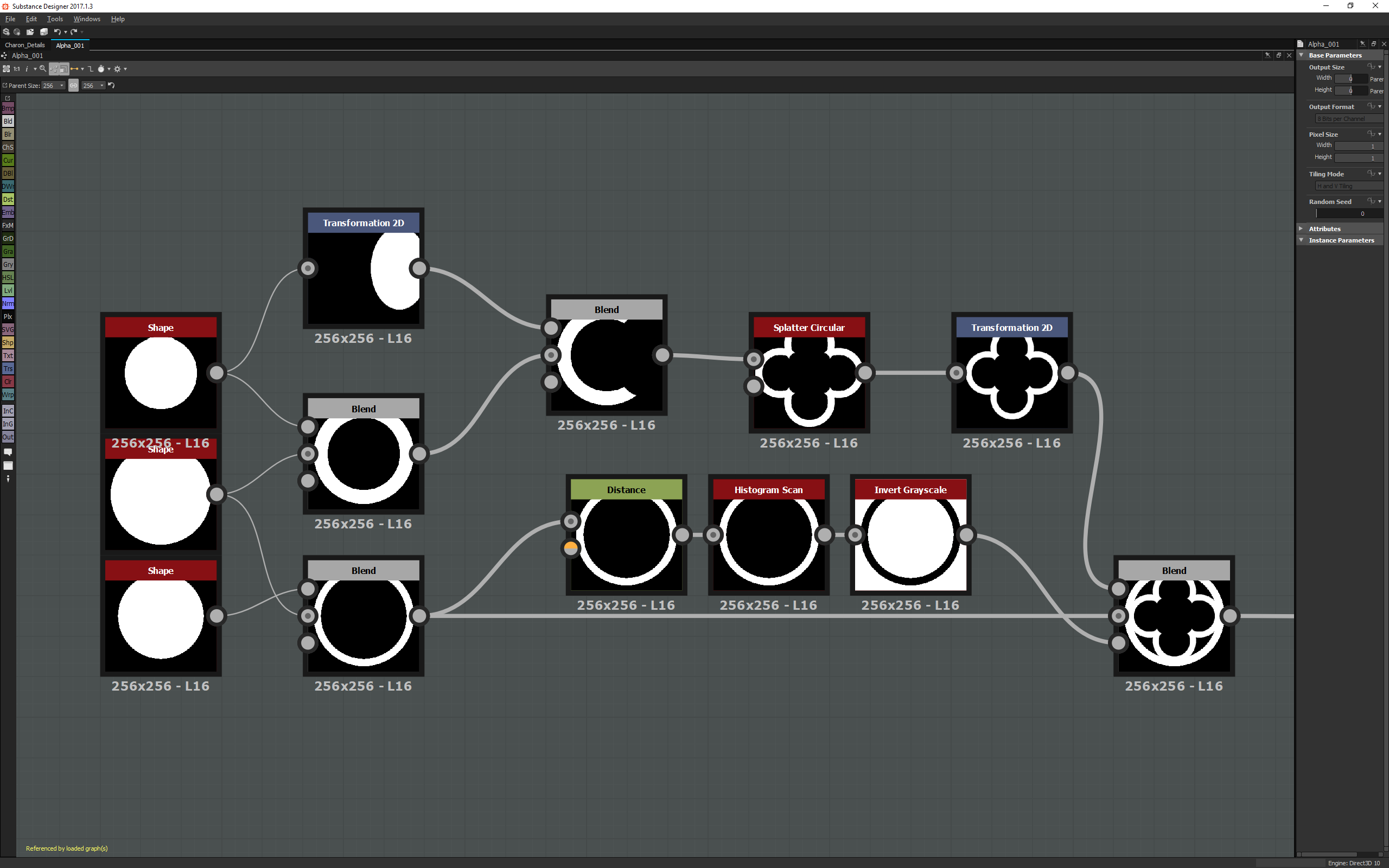
had this saved
small part of the graph haha
some warps as well, very handy for manipulating shapes
think I did a warp right after that last blend there
hushed rivet
This is just one SVG file mirrored and whatnot, looks super cool.
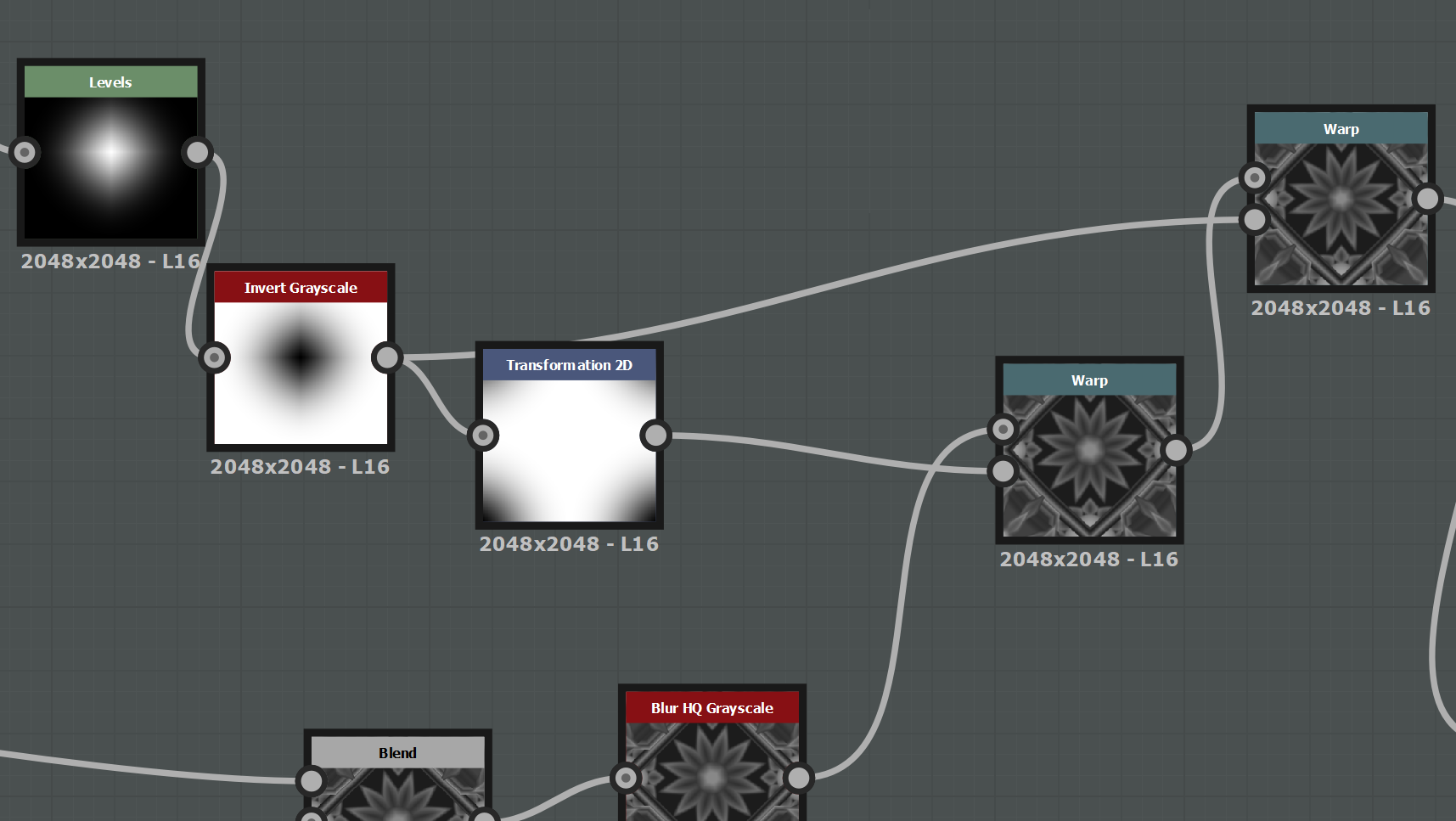 hushed rivet
The eye thing in the middle is what got me though, like that would have taken quite some time to model by hand.
lethal hull
ah yeah that golden eye logo was actually a separate decal from the 2d artist
just applied with world space projection also
hushed rivet
Oh im sorry I was referencing what I ended up with in the middle of my image lol.
lethal hull
ohhh right yeah
hushed rivet
When did you start learning SD? Any particular tutorials or people you would recommend?
I own just about everything from Daniel Thiger, and several assorted SBS files from other top guys, but I take in as much as I can.
silent lintel
Hey guys, got a Blueprint widget with a button on it, is there any possiblity to implement the function for this button in c++?
lethal hull
hmm must have been a couple years now
I just picked it up on my own really
too impatient to sit and watch other people do stuff haha
 astral rain
You can do anything in c++.
hushed rivet
Same here, its hard finding structured courses on the subject. I find watching other peoples workflow gives me ideas on how I can improve my own. The problem is until you grasp SD itself you dont really understand whats happening haha.
astral rain
You have to extend it, first, I'd imagine. I haven't really messed with umg too much.
After you do your headers, reparent it in the globals via the widget BP.
I'm going to need to dive into umg at somepoint and figure out how I can get it to make use of flipbooks. Doesn't seem to be a thing, by default.
 unkempt isle
guys
need help
tried to make a thing
so day number grow by 1 every 2 seconds
and i tried that if day number is bigger than 5 to -5 them
and doesn t work only if i reload
latent moth
All, I've got two vectors, how can I get the horizontal angle between them?
 livid haven
Remove their vertical components, then get the angle between them?
Thought there was a simple angle between vectors function.
Eh, worst case, dot product on the two normalized, Z-removed vectors.
Cosine of that is your angle. The shortest distance angle.
plush yew
I noticed that there is @static torrent here
does this mean that this server gives assets away?
 worn granite
silent lintel
worn granite
silent lintel
Uhm i figured out some UI stuff now
Now I want to spawn an actor on button click tried it this way:
https://i.imgur.com/SwDCTHT.png
Because NativeConstruct() is no real constructor FClassFinder says nope, only useable in constructor
Now I could go back to the Playercontroller and let him spawn this... but I don't want to cluster up my playercontroller with that
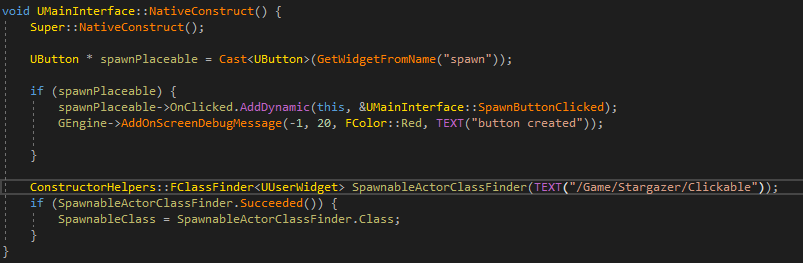 livid haven
Don't. 👏 Hard. 👏 Code. 👏 Asset. 👏 References.
livid haven
UPROPERTY(EditAnywhere)
TSubclassOf<AActor> TypeOfActor;```and then add it inside the editor?
livid haven
Set the default in a blueprint subclassed from that native class, yeah.
Except, I'm not understanding your code. What actor are you trying to find?
FClassFinder<UUserWidget>, but you're trying to find an actor?
livid haven
It's fine, you can get rid of it entirely by doing the TSubclassOf thing
silent lintel
So it makes the loading automaticly?
livid haven
Which will also avoid hard-coding asset references.
silent lintel
my spawnable class is actually
    UPROPERTY(EditAnywhere)
    TSubclassOf<AActor> SpawnableClass;
didnt know i can just add it inside the editor
livid haven
Yeah, that's what EditAnywhere will do. It implies both EditDefaultsOnly and EditInstanceOnly (except minus the only part)
It's far less brittle this way - you won't end up with broken asset references due to renaming or relocating assets.
And also, it's easier to change assets - you don't need to change source code and recompile just to reference a different asset.
silent lintel
https://i.imgur.com/Ivip1U5.png
Where can i find that var now?
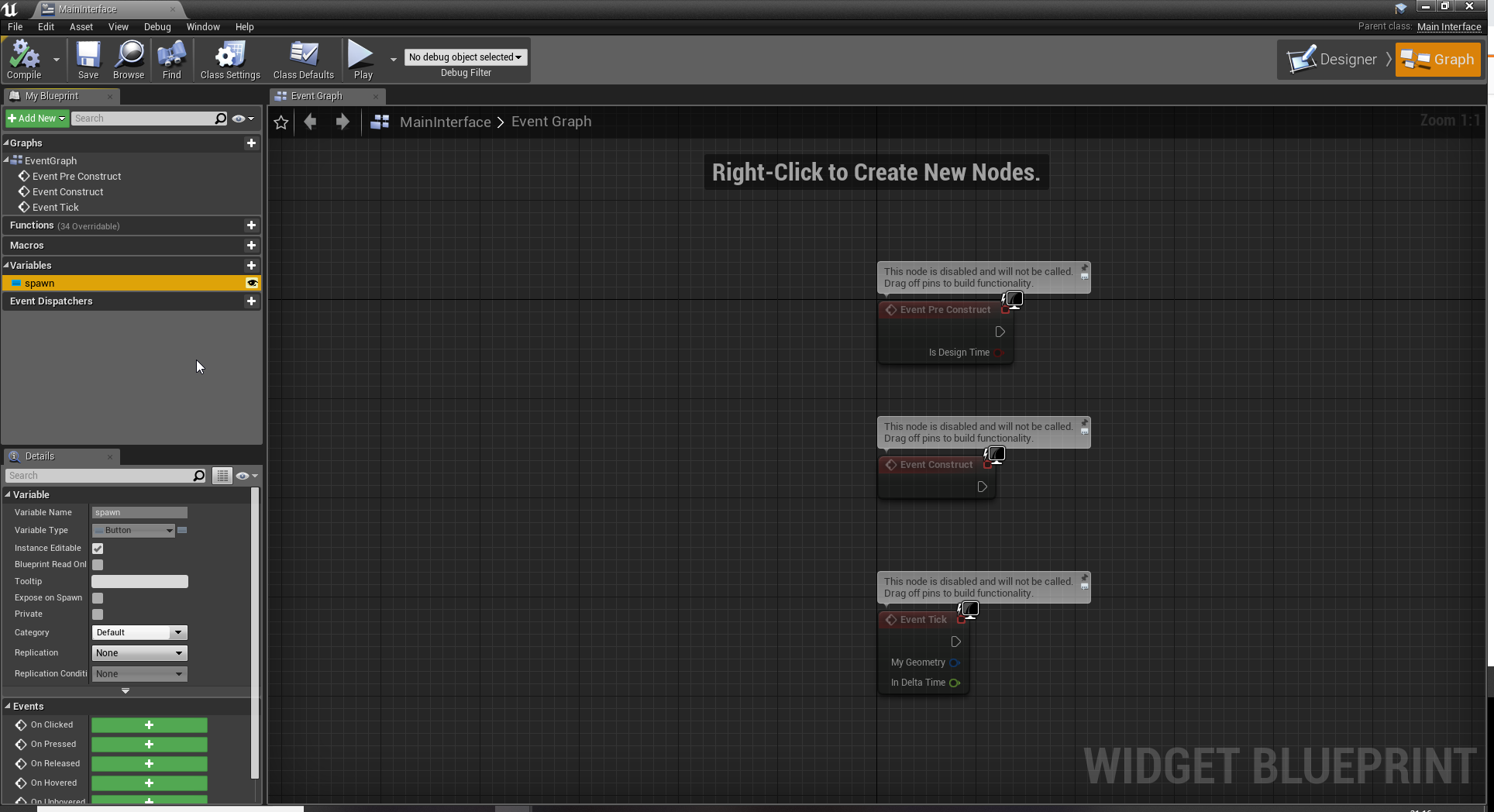
the spawn is a button
nvm
found it
silent lintel
Thanks Sion, everything i tried to do works now 😃
livid haven
👍 No problem
plush yew
Got a question
for some reason
UE4 wont load my meshes
theres like 90 in the folder
yet it only "discovers" 4
livid haven
Check your logs
plush yew
I
cant really read it
"LogEditorActor: Deleted Actor: StaticMeshActor"
is the only thing that seems out of order
 crisp turtle
is it possible to code a full body animation, for example a run or strafe from the animstarter kit, but keep it from affecting upper body at all, including no bounce from pelvis, but still rotate pelvis.. so result is something like this? Notice how spine3 and up isnt affected.

Yes, yes, I know this is the dev build that Techland accidentally released and we aren't supposed to do this and all. But that doesn't change that the animat...
fierce tulip
@grim ore likes these sort of questions, probably for future youtube vids
livid haven
@plush yew You sure you've got 90 actual meshes? Like, are these files all really tiny? Might they be redirectors?
plush yew
Well
I forcefully ported them from one UE4 build to another
lemme see how many it actually is.
fierce tulip
ue4 isnt backwards compattible
fierce tulip
so unless you reimport the meshes, chances are they wont work (same for all other files)
plush yew
I just really wanted the scifi soulcity assets in my map and it felt like a shame to not do it.
Engine build should not affect 3D models or materials right?
fierce tulip
data in the usasset changes
fierce tulip
good luck
plush yew
thanks
Oh damn, https://forums.unrealengine.com/community/released-projects/1367988-200-free-sci-fi-mobile-game-assets
Well that was easy.
Does not fit the style as well as the other assets but its still hella cool.
Unreal Engine Forums
Originally these were for a mobile sci-fi RPG I was developing, but it ended up not working out, and I now have a ton of assets just sitting around. Hopefully these
What is this about?
I got the textures, the meshes
and the materials
so why cant it find it, is the path incorrect?
livid haven
The log should have contained errors telling you that those assets could not be opened with an older version of the engine.
It's why I mentioned reading the logs.
plush yew
Alright
vale silo
Is the doc about root motion anim still relevant to 4.20.x ? I have a few anims for my AI that use root motion and I'd like to use them in the state machine, not in montages.. Wondering about how to enable root motion in those in UE4
 carmine wind
does someone know how can i make so if the character makes a roll in the floor the camera will also roll with the head?
because it is attached but is not rolling
is like its steel the camera follows the char and the character turns when i turn the camera but if i do a roll or backflip animation the camera wont do a roll it will only stay looking infrony
infront
 winged crypt
Stationary skylight = light leaks
Static = no light leaks
Solution = reflection captures (but too expensive on my scale). Any suggestions?
 weary basalt