#ue4-general
1 messages · Page 305 of 1
 frank escarp
 plush yew
i have this
as you can imagine, when touching the door, the player doesn't immediately go trough, we have a delay of 0.xx ms before the door opens
this normal?
frank escarp
you could just math it
have the doors do a distance check, and if the player is close enough, it starts to open
frank escarp
im saying you could have the doors with no physics
and just have some code to open/close as you get near
plush yew
hm ok.. :/
 pure jacinth
vsts is surprisingly good for unreal teams
full tasking, vcs and automated builds with snapshots and monitoring
 deep yoke
Anyone there? I need some c++ help
I cant make this function work because I cant get access to this variable
deep yoke
thanks
 pallid compass
@deep yoke cpp and it means you are missing an include
 sudden flax
Does anyone know why when im building my PC shuts off without warning?
PC spec
Ryzen 5 1500X
8gb ram
980 Strix
 heavy falcon
Checked the temp?
sudden flax
wheres that?
 fierce tulip
lol
heavy falcon
Temperature
fierce tulip
temperature
fierce tulip
i thought temp folder for a second as well hehe
sudden flax
my thermals are just fine
heavy falcon
Try CoreTemp (program)
sudden flax
WC
heavy falcon
Yeah I thought that of my WC too and it wasnt
fierce tulip
for all you know its just win10 being a whiney little baby
heavy falcon
at idle?!
heavy falcon
what the heck
heavy falcon
I'm assuming load is 100%?
sudden flax
90% 96% 93% and 92$
fierce tulip
not too hot, but still quite hot.
loadis really high too, ram would help with that a bit
aaand im afk
sudden flax
jfc ue4 is weird
i dont understand why my sky is blue when i have it set to black
I cant make it dark
 austere hinge
How to fix
Moviescene. Pdb not loaded error
Iam trying to play a sequence through c++ and I added a public dependency module "Moviescene "
Which is required to play sequence..
Then I got that error.. I removed the module and compiled again.. But still getting the same error 😶 😶
 ancient sandal
I have two static mesh components, same UCLASS properties, one is missing location + rotation under transform (scale), the other have all 3, any idea why is that?
I just deleted and added the same component and now its there.. weird..
 lament lotus
Morning everyone. Extreme beginner here (1 week in). Is there a specific channel I should go to for help?
 safe ivy
hey there, im following a tutorial on painting ladscapes, now i have made my blended materials and saved, added the material to the landscape so the map gose black but on the left i cant add any layers. iv followed the UE tutorial and it says click on the + symbol next to the spyglass symbol. problem is those symbols are not there. can anyone help please?
plush yew
I tried in the editor, packaging in 32-bit, 64-bit for shipping. I'm still getting the same result.
 grim sinew
Do you have mouse smoothing on in the project settings?
Might be messing with it
It's on by default
plush yew
Mouse smoothing and FOV scaling were turned off, but Im messing with fov scaling at the moment
Seems like this could be why the mouse had less precision.... Investigating
 wary wave
Unreal just plain has mouse issues 😦
 split stirrup
hi guys, anyone know a good way to share Blueprints/Assets between projects and keep them updated, something like a plugin or a shared package?
 cloud cobalt
Not easily
In UE4, it's very easy to change stuff in a file and have the change affect other stuff
Like, setting a material to a skeletal mesh will set the "skeletal mesh" flag
split stirrup
What options are there?
 grim ore
Look into creating a feature package that you can keep updated and just import into your project as needed. It';s not going to keep it 1:1 as if you move/delete/rename stuff it won't know to just replace. all the other others are pretty much the same such as migrating from one project to another. Your issue will be if you update something in the new project then bring in a replacement from another project the existing items in the new project might not be set up correctly when you replace it.
split stirrup
got it, need to be a controlled environment
probably just keep the code/bp/assets versioned in a separate git project will be enough
 soft trench
Hey I need help for starting
 tiny pier
If I have a static mesh occluding with a collision volume, is there any way to tell how much space is being taken up by the collision? Like units cubed.
 lofty nest
how should I go about marketing my game before and during kickstarter?
 fresh epoch
Is anyone good with ue4 ok with me adding them, in case i have any questions? Cause i need help tomorrow for a problem i encountered, and in general would enjoy having people that are willing to help me improve
fierce tulip
better to just ask the question 😃
fresh epoch
I know, but sometimes i prefer to dm because if i forget to check right away, the answer might be lost in a couple hundred other messages
heavy falcon
Theres a funny invention, it's called a forum 😁
fresh epoch
Lmao, those take longer to get answers
heavy falcon
depends on the question and the board, I almost always get answers. But why would it matter you're said you'd probably not be available anyways
fresh epoch
When i ask the question, I’m usually working on a program, so sometimes i forget about it and continue with my work instead of checking the answer
fierce tulip
i know you dont mean it that way, but that comes across as if your time is more precious than ours.
you could have had answers by now :p
fresh epoch
Sorry, i didn’t mean it that way, i just meant like i don’t always check in here, so if i dm someone if they are able to respond, i have an answer I’ll see and have saved within DMs, if they can’t answer or aren’t online, then i ask gc, that’s kinda the way i prefer it
plush yew
any info to nintendo look in ue?
heavy falcon
What?
heavy falcon
Ohhh
plush yew
new mario + rabbids game e.g.
fierce tulip
i want this: https://www.youtube.com/watch?v=akZHaKCO7_8

A CatMechtroidvania game coming to Nintendo Switch and PC in 2019.
heavy falcon
I don't
fierce tulip
to nintendo look in ue4?
as in nintendo visuals? thats all up to your art style and optimizations. not just a random button you enable.
plush yew
I have no clue how to make that.
fierce tulip
practice :p
plush yew
I don#t have a big visual team
heavy falcon
Soft plastic shader with low-detail textures or something
plush yew
Ehm no... Not everything is soft plastic in a typical nintendo game
Probably very little stuff is it
I'm sure it's the shader. Textures etc. not important. Just the Shader.
plush yew
ground, characters, = not plastic
fierce tulip
its more about limiting drawcalls, texture resolutions, and other performance related stuff over its style
heavy falcon
Especially the characters look like plastic to me
plush yew
okey.. you need better eyes sir
heavy falcon
Nay
plush yew
 fierce tulip
if anything its more fresnel than plastic
plush yew
obviously clothing
heavy falcon
Looks like soft plastic to me. Like the joycons
 dull viper
that rubbery foam stuff
plush yew
0.0
dull viper
i bet you can squeeze marios leg and it will puff back out like memory foam
plush yew
@fierce tulip what fresnel value would you guess they use?
dull viper
his shoe looks like plastic
heavy falcon
Are you mixing reality with looks in your head maybe?
fierce tulip
no clue. its good roughness values, simple color values, good normal maps, and some fresnel
plush yew
😄
heavy falcon
definitly very scattered specular(?)
fierce tulip
depending on spec/roughness pbr, either/or
plush yew
nods
heavy falcon
I replaced one of mario's legs with the a colored side of a razer sabertooth xD it has a little more reflection/spec
plush yew
how did you doo that
heavy falcon
Changed to color in photoshop
plush yew
oh. 2d pro o.
heavy falcon
Lol not really, I'm also just a developer
plush yew
but wait.. doing it post... is probably totally wrong result
you can't change reflecctin/spec in photoshop 😄
only in ue
heavy falcon
I just colored it, the lighting is exactly the same
plush yew
öh
ya but when changing spec, the white color gets bigger or s maller
not just the color?
heavy falcon
Not sure what you mean
plush yew
the reflection will change
you didnt change the reflection
you just colored it oO
you cant create real spec
heavy falcon
Yeah I just shifted the colors
 heavy falcon
There are certain effects in photoshop to change colors, like this one https://youtu.be/ZVIpwxlhd0A?t=56

Tutorial Photoshop CS6 english - How to replace the color of something - how to change the color of objects, cars, flowers, etc. using the quick selection to...
fierce tulip
ue4's hueshift does that too
plush yew
but you said spec/ref
heavy falcon
Yes, I did not change the spec, that's why I said it looks like soft plastic to me, because it has the simmilar lighting properties
plush yew
im still riding on spec ref
yes. same.. eh
but youre right.. the right leg looks like a different material
can you do this with the shoe too?
 obsidian nimbus
doesnt look like a verry complex material to me
heavy falcon
@plush yew maybe this will help https://80.lv/articles/making-realistic-materials-for-3d-scenes/

3d artist Sungwoo Lee talked about the way Substance Designer helped him to create detailed materials to build an awesome realistic scene in UE4.
@plush yew Overview of how different settings affect the material, this is from blender but it should help none the less (I'm afk for a couple of minutes)
heavy falcon
(re)
 brittle furnace
Why is there one with a question mark 🤔
heavy falcon
Because I added a question mark
@brittle furnace I thought it looked the most like the material(s) in mario+rabbids
brittle furnace
Ok 🙂
 sage bough
Somebody has a good tutorial to know how translate a game in UE4? Thanks
 analog blaze
@sage bough Localization dashboard
Select a main language
add more
translate
save
done
 hot drum
 smoky stream
when you export the fbx you have to turn off the smoothing options
they're clearly labeled from what i remember so it shouldnt be too difficult to know what to uncheck
@hot drum
smoky stream
nice
 spiral anvil
Any good Unreal C++ tutorials out there? I have been doing tank vs zombie and battery collector so far.. couldn't find anymore tutorials about c++
Thanks in advance as always
 plucky reef
anyone here know a tutorial of basic quest map and navigation?
 sour pine
hi
plucky reef
it just display the location of somewhere you need to go and the METERS etc etc cause i'm not gonna use a mini map
hi
 hard willow
Does it ever work out in Unreal, that the entire world is in one level? Or do you have to split them up and illusion-ify it somehow?
plucky reef
something like this, I just want to display the goal and location

WORLD WAR Z Gameplay Demo E3 2018 Zombie Game • Release Date: 2018 • Platform: PS4, Xbox One & PC ►SUBSCRIBE: http://goo.gl/w0ca4q
hard willow
(Non-experienecd) It looks like the minimap could just be taking position coordinates from objects that you want to track, within a radius. The marker-through-the-walls.. hmm, I assume there should be a way to take something far away, and have it drawn as a layer "on top" of everything else.
plucky reef
I don't need minimap
yes the it's a widget I think that display the distance and location of the quest marker
do you know any tutorials somethink like that?
 forest steppe
@plucky reef you can use AHUD and project world coordinate to screen coordinate and use the many HUD draw functions to draw image or text or anything
plucky reef
AHUD? please educate me more, I don't know that
forest steppe
if you want to use UMG, then you can do the same thing, but you need to project the world into viewport location instead
plucky reef
how can I do that? can you please help me? i'm new into this
forest steppe
yes there is, unreal already have an example project on how to use HUD, you should check that out
Quoted from the HUD content example documentation :
In the HUD Blueprint, if the Current Objective is not null:

    The objective marker uses a Project function to convert a 3D location vector (representing the objective's location) into 2D screen coordinates, so that the objective label and icon drawn at those coordinates will always be hovering over the objective Actor when it is on the screen.
    The text is centered over the objective by using the Get Text Size node. This node measures the height and width a string will be when drawn on the HUD, taking into account the font used and the scale of the text. Because text is aligned left by default, and its coordinates will be at the top left, this node is useful for adding an offset to those coordinates to center the text.

 static viper
that would be a 3dwidget wouldnt it
and it would get player controller as second actor
send that distance to widget
and done :3
plucky reef
I'll take a look
so I just need to redraw that?
imean remove that big + and just display the distance and location right?
and how about the quest one? I do need to drop multiple of this one and toggle the visibility?
ancient sandal
Everytime I recompile a static mesh is resetting, any idea why? (A custom StaticMeshComponent, but I don't even touch the code there.. I touch something else, recompile, and it resets)
 tribal totem
is there no off-topic chat
ancient sandal
I actually have 2 customs StaticMeshComponent's and only one of them does that, previously the other one did, as soon as I added a new one (different one) it switched
 latent moth
all, is there a way to smoothen aimoffsets? they are a little stiff when moving
 sonic notch
I'm not sure where to ask this, but is Arch-viz production still 100% royalty free?
 midnight mantle
any recommendations for eye tracking devices to use with UE4?
I was looking at tobii, but it seems they're not up-to-date
 slate fable
looking for a group to started making games with?
static viper
yes
slate fable
@static viper you Interested
static viper
in what
fierce tulip
@slate fable please read the pinned message in #looking-for-talent
static viper
:c
slate fable
ok sorry
fierce tulip
no worries
slate fable
how do i post on that message board
fierce tulip
read the pinned message :p
slate fable
lol ok
soft trench
Where I can get desginer?
fierce tulip
from their website?
plush yew
Hi! I'm considering adding Gameworks into my title, however I wouldn't like to annoy AMD players, is there a way( like a console command) to disable/enable gameworks at runtime? Thanks a ton!
grim sinew
Yes. They all have console commands or post process volume controls. Have an options menu setting that toggles them.
plush yew
@grim sinew I had a look at the documentation however it doesn't include a list of console commands. Any luck of where I could find a list of them?
Or is it mostly trial and error
grim sinew
The console commands autocomplete, and the engine can generate an html help doc for you in the help menu of the engine
so you can figure them out
plush yew
Ah alright, thanks!
Hello! I'm new here. I have advanced RLua knowledge (Pretty much simplified Lua) and I want to learn C#.
Where should I start?
pallid compass
Sorry to burst your bubble, no c# here
fierce tulip
c++
plush yew
Ouch
pallid compass
Welcome to the real world.
Dont worry though
We have blueprints
Basically safe visual scripting
plush yew
Do I look like I am gonna learn C++ and spend 5000 hours learning how to define mouse and keyboard as input
because sure as hell I am
fierce tulip
¯_(ツ)_/¯
 manic pawn
5000 hours to learn cpp seems about right
pallid compass
or you can start with BP's and learn how the engine works first.
plush yew
No. Not all of cpp
pallid compass
Then see where you want to go from there
pallid compass
Oh there is ton's of supportive framework
Try PONG first
You dont have to go that low
fierce tulip
not sure ue4 is the best for that, but good practice it is
pallid compass
Honestly your better off starting with 3d
plush yew
Sure
fierce tulip
if he wants to learn how to code for a game engine, not sure he'd need 3d
 silver crown
It's more fun?
fierce tulip
thats pers. pref. (ffs typos)
silver crown
🙃
 chrome cedar
Hey 😃 I´m a real beginner with unreal 😛 I´m currently trying to light my scene but I´m not quite sure how to do that. Do I always need to build the lighting again after placing a new light or changing values from the different lights?
fierce tulip
at first it helps understanding how light works, though once you get better at it you only need to do it once occasionally.
 sonic pagoda
do you guys have this issue where play in new window never opens at the correct screen resolution
i always need to click on the maximize window to get it right
no matter what resolution i put it at, its never correct, so 1920x1080 is like 1920 x 1120 or something
plush yew
@sonic pagoda You could do perform an easy workaround for that
sonic pagoda
how so
sonic pagoda
i actaully tried that
plush yew
Oh?
sonic pagoda
via a console command on the game instance init
 astral pond
do you start in Pie or Standalone game?
sonic pagoda
the only thing that fixes it is applying a graphics settings like a scalability setting
neither
play in new window
plush yew
That's PiE
plush yew
You know the f in r.setRes?
Try changing it to a w for windowed mode, that could be a potentional issue.
astral pond
well dont have much tested with Pie... because its scales sometimes weird... i always use viewport or standalone game
plush yew
Have you tried to enter console commands yourself?
@astral pond PiE is really good when I need to test a small difference. Standalone for bigger test cases.
sonic pagoda
yea i use standalone for performance
but for testing out level design i just use pie
plush yew
Since, on my rig, it takes a bit to load standalone.
plush yew
Wait,
sonic pagoda
its clipping my hud at the bottom if you see it, and then i click on another program so i can get out the window, and then back in
plush yew
The reason why it's not going to 1920x1080 in windowed mode, is because the window's title bar needs some space.
sonic pagoda
oh?
plush yew
You're looking for borderless mode
sonic pagoda
but you see when i double clicked the title it did scale to the window size?
so my fix is borderless mode?
plush yew
Think so, lemme find the command for it
plush yew
fullscreen 1
Should be the command
Or fullscreen 2
Hmmm, windows 10 is being annoying.
:/
sonic pagoda
lol
windowed fullscreen
thanks
whats still funny is
i need to put a delay
or else if i try to change the window to fullscreen on game instance initialize it wont do it... so i need like .2 delay for it to work
whatever, its just a quality of life improvement so i dont have to keep manually doing everytime
sudden flax
Would making a terror radius like dead by daylight did be hard?
I wouldnt even know where to start with it
sonic pagoda
terror radius?
ive played the game but im not sure what you mean by that
like the heartbeat increasing as killer gets closer?
sonic pagoda
pretty simple, you could have a sphere collision , and then on overlap with players you start checkijg for distance to players, and increasing sound and music based on the distance
sphere collision on thr killer
get distance to is a blueprint node
use that value as a multiplier
sonic pagoda
AI ? theres no ai in dead by daylight
its PvP
youd have to get an introduction to networking, because the checks would happen on the killer, but the sounds play on the other victim clients
epic has some great intro tutorials to networking
plucky reef
how to open content example?
sudden flax
@sonic pagoda I'm not making a multiplayer game
I just like the idea of a terror radius
For my AI
sonic pagoda
ah
ok
so
single player?
in that case then run it on your own player, you dont need a "radius"
you just need to get distance to (evil ai pawn)
sonic pagoda
a radius is something spherical, which would be used for multiple players
a line in this case, from 1 actor to the other is what you want @sudden flax
@plucky reef thats in the content examples project
sudden flax
Ah okai
sonic pagoda
have you downloaded it
plucky reef
where can I download this?
sonic pagoda
when you open your epic games launcher
plush yew
hello guys I have a problem with my widget-when i type "Create widget" I must to choose MainWidget and when I choose it to show me the inventory and slots per row as in the video but it doens't show me-how to fix this problem?
plucky reef
and then?
sonic pagoda
if you scroll down you will a lot of learning projects
one of them is content examples
plucky reef
this content example?
sonic pagoda
click on it
plucky reef
ohh! I see!
plucky reef
I thought it's in the default one! I've been searching for content browser for so long!
they should rename that haha sorry, my bad
sonic pagoda
lol
plush yew
hello guys I have a problem with my widget-when i type "Create widget" I must to choose MainWidget and when I choose it to show me the inventory and slots per row as in the video but it doens't show me-how to fix this problem?
pallid compass
Might wann give some ref because i doubt anyone has any idea what video you are talking about, or even how your stuff could possibly be setup
plucky reef
@sonic pagoda thanks sir
sonic pagoda
your welcome
you then need to open the specific map for the content example you want, in that case for the hud one
plush yew
this is the video:

Unreal Engine Version: 4.12.5 Template: Top-Down Template Since we created the widget for all of our individual slots in part 5, we can now go ahead and desi...
16:03
sonic pagoda
you can always ask unrealgaimedev on his youtube comment section, this is more for unreal general problems, in this case you would want us to watch the video to understand everything it would be a lot to ask from people... this isn't an official thing, its a tutorial from youtube so you should get support from him (unreal gaime dev)
plush yew
okay
plucky reef
there's a discord for his channel and I'm a member there
join his discord for faster communication
 iron cobalt
is there another place to post unreal questions besides answershub, the forum, and reddit? I've tried all three but i'm hardly getting any views or responses
grim ore
Might not be a question that can get traction then
iron cobalt
maybe. mmh.
was just hoping for someone to tell me if it's an issue with my installation or my hardware.
grim ore
That's a tough one unless it's a known issue
iron cobalt
it's not... I've not found anyone with a remotely similar issue
fierce tulip
no, ue4 does not run on a toaster
iron cobalt
hehe
it's just that whenever i enter vr mode since the official 4.20 release, this pattern appears
kinda looks like the us flag. but it looks like it's the distortion pattern UE applies to VR games.
fierce tulip
O_O
iron cobalt
clean reinstalls didn't help. the preview builds worked flawlessly
and 4.20 didn't introduce any new VR features.
(as far as I can tell)
fierce tulip
made an answerhub post and embedded the dxdiag to it?
iron cobalt
made an answershub post, haven't heard the dxdiag suggestion yet.
the pattern only appears in directx. vulkan and opengl work fine, actually!
i'll try dxdiag, thank you so much.
fierce tulip
just add it to your original ah post, that way it gets bumped.
grim ore
an easy check would be to make sure you have the latest drivers, then if it still fails roll back like a year on the drivers and try again. should help eliminate that part
 hoary silo
hey, i'm creating a new game right now, and i'd like to get some feedback on it
fierce tulip
oh yea, there was some odd (nvidia?) driver issue in 4.20
fierce tulip
@hoary silo generally you can put that in #work-in-progress
static viper
r.TemporalAACurrentFrameWeight = .2
r.PostProcessAAQuality=5
r.TemporalAASamples=16
r.TemporalAASharpness=.9
r.Tonemapper.Sharpen=1
fierce tulip
you okay there Owl
 proper quiver
how were these anim notifies created? I don't see them in the animation notify tracks at all
static viper
in the animation graph
proper quiver
when I right click in the anim graph I only see these three
how were they defined in the first place?
iron cobalt
@grim ore rolling driver back a year might have been a bit much, unreal just crashes now. lol
I'll try with something more recent.
astral pond
@proper quiver you add anim notify/events in the animation... you can select on which frame/time the event should get called

new notify = is like a custom event for that frame
proper quiver
Thanks, yeah, I understand that, except these three are somehow made without doing that?
from the epic animation starter kit
so this has anim notify jump right? let's look at jump animation
no notifies at all
am I going crazy or not understanding something?
proper quiver
I didn't check all of them, but this is the one used in the graph
astral pond
its weird.. i only know notify that way
proper quiver
ok, thanks for confirming anyway 😃
I'm still new to anim blueprints so that was REAL confusing
 primal geyser
is there a way in unreal engine to create something like prefabs? Or is there no performance efficient way in ue4 yet?
grim sinew
Shove them into a blueprint actor.
 vagrant tapir
I've just started unreal and I've got it all working, but whenever I save any code in Visual Studio it says:
"The following modules are missing or built with a different engine version:
UE4Editor-FirstThing.dll
Would you like to rebuild them now?"
I know it's not built in a different engine version, so what could I do to prevent them from going missing?
Thanks in advance
iron cobalt
@vagrant tapir sorry that you've not gotten any responses yet. have you checked out threads like these? https://answers.unrealengine.com/questions/356577/the-following-modules-are-missing-or-built-with-a-1.html
vagrant tapir
Yes I have, and none of the solutions seem to work
I've made exceptions for all folders related to it in my anti-virus, I've changed engine version, etc.
iron cobalt
anything in the log that's out of place?
i don't have any experience with that problem, but i'm happy to guess 😃
 inland seal
Heres a fun question....
Anyone ever made a geodesic sphere with meshcomponents/proceduralmesh?
iron cobalt
not me, but here's someone who's attempted it in the past. https://forums.unrealengine.com/development-discussion/content-creation/23044-programmable-shape-mesh-brush-procedural-generation
Unreal Engine Forums
Talk about Level Design, Static Meshes, Physics, and more.
vagrant tapir
@iron cobalt It just says that it can't find the .dll file at the directory it's supposed to be at
iron cobalt
seems like there are several things that could cause that. I'd suggest reading though more threads on the answershub, one of those is likely to be your answer. also make sure everything is up to date, etc. etc.
since you're new to unreal it's probably safe to assume that visual studio is up to date though.
but yeah... i've had issues with that error before, and some other peole still do
for example: here's a thread from last week https://answers.unrealengine.com/questions/801688/frequent-error-the-following-modules-are-missing-o.html
maybe someone else can chime in - at this point i'd just link to different threads. hope you can solve your issue though.
vagrant tapir
Thank you for the help
iron cobalt
you're welcome 😃
 whole aspen
Has anyone figured out a way to make an event handler listen for a particle death in niagara. I would love to be able to kill a particle then immediately spawn another different emmiter at the same location
fierce tulip
try #visual-fx
 graceful grove
@whole aspen You can use the GenerateDeathEvent module to get an event on particles from an Emitter being destroyed. In a given Niagara System you can have two Emitters, one generating death events and the other receiving the death events and spawning in response.
yoink 🤠
whole aspen
Beautiful.. thank you
inland seal
@iron cobalt thanks for the link. I was thinking about this the other day, when I was modeling a geodesic in Maya. Was curious if it someone had taken advantage of the meshruntime component and had UE do most the work
plush yew
I am new to Unreal Engine.
iron cobalt
@plush yew welcome!
 storm venture
looking for a quick confirmation, by using a blueprint interface for my events, I can have one actor call an event and have all other actors that use that interface automatically listen for that event and execute their side of it?
manic pawn
no
that would need a multicast delegate of some sort where all the actors subscribe to
storm venture
oh, well then why use an interface over just normal Custom Events?
or even just calling a function off of an actor's reference
 weary basalt
Interfaces and Delegates are 2 completely different things
grim ore
too many tylers to tag lol but basically an interface lets you add common functionality to stuff easily, like hey anything that is going to get shot can implement a get shot interface so I can make sure they all can use the same signatures for events and all handle being shot. Another good use is being able to see if something implements an interface if you want to do something with it, for example all of my walls that I want to run on might implement an interface for being run on and I can easily check to see if whatever I hit with my linetrace implements that interface without having to know exactly what it is as I might have blue walls actors and purple wall actors and ceiling actors and actors that fade away over time etc.
a more realistic option might be handling something being interacted with using an interface and then calling an interface event on it to interact with it. If it's a custom event or function on a blueprint you would have to make sure that custom even or function is in every actor, is the same signature, and then when you try to interact with it you would have to cast to the exact actor you hit (unless using a parent to control this event) or that event would not exist on the generic "actor" you are trying to interact with off a line trace
 dire fjord
Hey guys.. I have an odd bug here. My AI pathfinding isn't triggering until I ram into the AI unit. I recall it was working before, but I've been doing a bunch of non-movement related stuff and just noticed that the two AI units I have which have a movetoactor called on the, just aren't doing anything when I start it. If I take my unit over and run into them (hard, a soft touch doesn't do it) it seems to wake them up and then they'll start trying to follow me. Any idea what could possibly cause that to start happening?
dire fjord
After some testing.. I need to position the AI quite high above the ground, and then start the game, the AI unit hits the ground, bounces a little, and then can move freely..must be some kind of collider issue..
 upper quartz
 polar hawk
restart
 tropic pilot
has anyone worked with Mixamo characters befor? i need some help with the Rasta dude (Material)
 leaden dust
My UE4 is stuck compiling shaders at 2000 something value
and to make a matters worse
i deleted the material it was compiling
weary basalt
...
leaden dust
So the compiling shaders thingy is there for like forever
leaden dust
I was doing some blueprinting so didn't try
I'll try in 2 mins
@weary basalt ummm
I got some other problem
I tried to save a material
to close the editor
and UE4 froze
weary basalt
Open Task Manager and force it to close?
polar hawk

leaden dust
that was liike 4 hours work right there
I hope it was autosaved
ok
I opened it again
and voila 3 hours work erased
 bitter iris
Any ideas on what HZB is? Its currently at 4ms/5ms
weary basalt
Its probably finished compiling them mate.
weary basalt
It doesnt need to recompile shaders everytime you open the editor.
weary basalt
Your system specs will impact how quick you can compile them.
Give it itme.
Its not instant
leaden dust
Its not even gone down a single no,
from 222
what about that
it usually works at like 10-12 per second
bitter iris
HZB is just going crazy in areas and basepass too
bitter iris
didnt really make a difference on hzb, its sticking around 1.5/2 ms
polar hawk
im talking like content browser tabs, the Modes window, etc
bitter iris
you want me to close them?
bitter iris
Still around the same
leaden dust
It remains stuck at the loading
polar hawk
then iunno /shrug
polar hawk
its occlusion shit
but
theres a bug where editor ui drawing performance leaks into that stat
bitter iris
ahh
polar hawk
so packaging should make it go down
if its the bug you're seeing
or just running as standalone
if you right click your .uproject file
i think you can simply launch it
as opposed to editing it
alternatively -game cmd line
leaden dust
For some reason when I use touch controls on my client
the server character moves
could someone explain why this happens
bitter iris
@polar hawk Okay Ill give that a go
This is when I launch the game
I'm going to see if the buildings are rendered in, maybe thats the cause
leaden dust
could I get some help
When I use the virtual joystick ( default touch) on my server, the server recieves the input and the server moves, but when I use it on my client, still the server moves and not the client.
 whole quarry
@leaden dust #multiplayer
leaden dust
@whole quarry It wasn't that big of a question so I thought I would ask it here, sorry
could someone help me in #multiplayer
ok
I found out something
normal axis inputs work for the client
but not the virtual joystick
any idea how to dix this
fix*
bitter iris
Welp, opened gpu profiler to figure out whats going on
wary wave
Morning folks, I'm looking for an algorithm or similar to create a graph from a series of points with the following general rules;
- No connections (edges) should overlap
- All points should be connected; no islands
Anyone know any good references or examples? Seems tricky to find
 green lake
Wonder do i make a health & armor system and pickups right now in a almost empty project, or first must set up the animations and hands and everything else?
whole quarry
I would first work on the functionalities
 languid shard
code comes first, visuals after
a debug.log for your actions is more than enough :p
I mean a text print
green lake
Okay so guess i should start the huds.. and health before everything else
languid shard
well a barebone HUD and UI then
fierce tulip
I wonder what game dev jobs are least represented in this discord.
my best guess is story writers, perhaps second to sound/music designers
 void cipher
eyy, everyone
wary wave
I hardly ever hear from animators in there, so I guess they're pretty few and far between (no surprises there I guess)
audio folks exists but tend to be fairly quiet
fierce tulip
hehe, quite understandable for people working with sounds to be quiet, listening to them beeps and beats
wary wave
that and the animators tend to hide in their channel, haha
fierce tulip
I was in a more gamedev focussed discord, but all they did was argue about whatever the trend was on twitter that day
wary wave
I steer clear of the general ones for similar reasons
all hot-topics and a lack of general knowledge
actually, I wonder if there are any QA folks in here
or producers
polar hawk
animators by fucking far
wary wave
neither are strictly devs, but they're poorly represented in here
polar hawk
producers if you omit people who aren't producers who call themselves producers
fierce tulip
lol
 grave nebula
@wary wave I've did a bruteforce thing once, where I ran through all possible combinations, checking total length of the line. The one with minimum length is a solution that has no intersects. It is only viable for low point count though.
fierce tulip
yea, besides the few animators I know trough clients or talked with because marketplace content.. they are hard to find as well
wary wave
thanks for that - I think I'm looking at 45 - 135 points, so something might be viable
fierce tulip
idea-peeps are perhaps overrepresented :p
wary wave
I think what I'm going to go for (oddly enough) is just iterate through each point, connect it to the nearest point that it isn't yet connected to
and do a line-line intersection test against all current connections
hopefully those intersection tests won't be too costly
 dawn linden
@wary wave You should try to constrain your definition a bit. As written, the following would satisfy it, but I'm guessing you probably have some extra requirements on the topology:
- Pick a random point.
- Create an edge from it to every other point (splicing in unlikely event that you have points lying on exactly the same radial).
wary wave
well, there's a semi-solid 'rule 3' that connections should ideally be nearby
but that's allowed some flexibility
I'm nearly there actually, just need to write the connection intersection tests, got distracted xD
dawn linden
Okay, yeah I figured that probably wasn't what you were after 😉
wary wave
yeah, once the intersection tests are in, this will likely give me what I want:
https://snag.gy/41V7br.jpg
 frank escarp
@wary wave cuadtree that thing to make it fast, if you need to
its similar to what i needed to do in my space battle, get the closest points to a point
i did it on 6 miliseconds on 60.000 units
wary wave
tbh it's already pretty damned fast, I was worried it was going to be really slow
frank escarp
too few points
its Nsquared but its ok with that amount of points
how many points are you going to have?
wary wave
unlikely to be more than 150
frank escarp
at 150 might want to accelerate it i think
wary wave
above is 100, and it does it almost instantly
frank escarp
you can go with what i did for the ue4 version of the space batlte, wich is SUPER trivial to implement
you can grab the code if you want, its less than 20 lines total
wary wave
it also only happens at the beginning of the game, so it's not a time critical task
frank escarp
divide the space in a grid, and use a hashmap
where the key is the grid location, and the value is an array of objects in that grid location
wary wave
I'm deliberately dodging grids, hehe
wary wave
I think I'm fine for now, but I'll bring it up again if I run into trouble ^^
as long as generation remains in the milliseconds range, I'm pretty happy
frank escarp
yeah in my case i was just insane
i had 600 "writes" into the grid, to write the spaceship locations
and i had 4000 "reads" from the homing bullets
per frame
frank escarp
the non-unreal version has 60.000 writes and 60.000 reads
wary wave
I'll have 'fleets' that will either be on a system, or at a semi-fixed interval between two systems, so it's pretty easy to manage
especially as fleets won't be numerous, and their contents are purely statistical
frank escarp
yeah its best to just do the simple,stupid thing first
you can just replace the algo if it runs slow later
dire fjord
So still battling this weird bug. If I set my AI unit to a Z height of 115, the AI unit falls to the ground on level begin and moves normally. If I set it to 114 or less, it falls to the ground and then refuses to move until I slam in to it. Anyone ever run in to this before?
 crimson trout
does anyone have a links to such web sites with realtime viewer like scetchfab or unreal that u can fly around your model and choose color and configs? like this one https://www.youtube.com/watch?v=XuoFq1ZXVsY
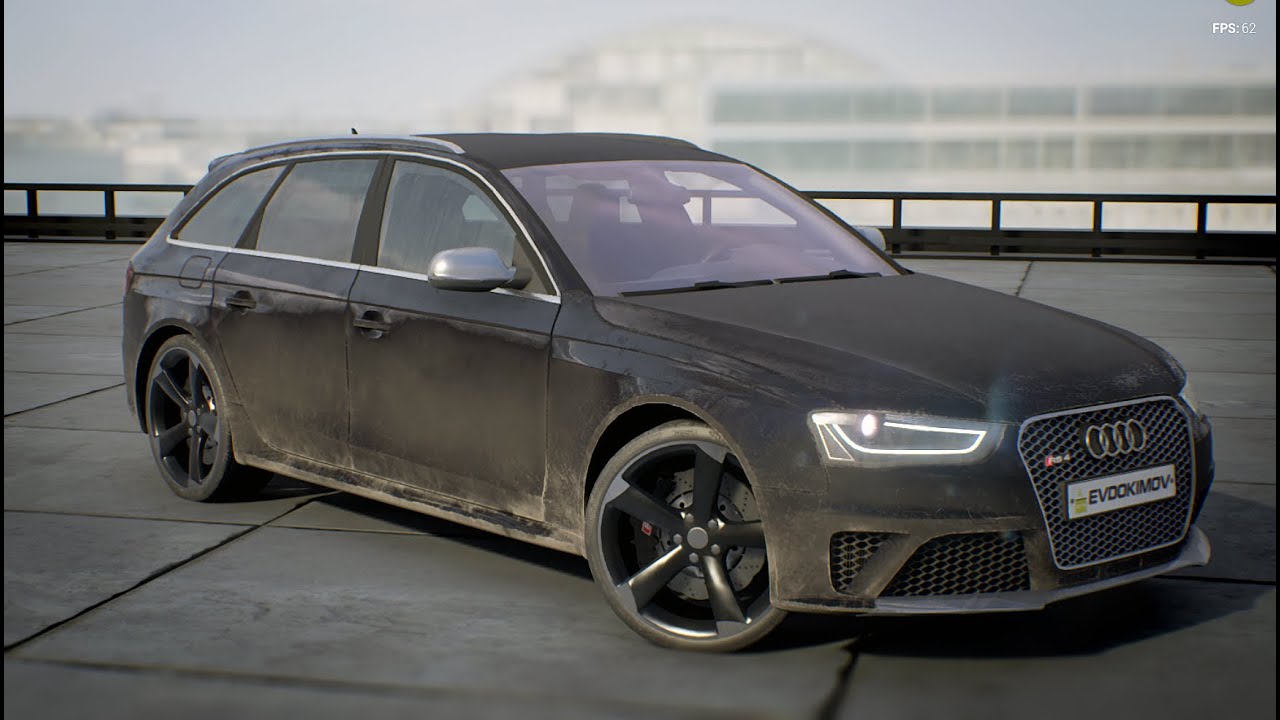
Интерактивный конфигуратор Audi RS4 Interactive Configurator of Audi RS4 Autodesk Softimage / Substance Designer / Substance Painter / Adobe Photoshop / Audi...
i need some reference to show to client

 silent drum
People i need help with something super easy tho i can't fix it myself couse i suck haha, nah but how do i do it so i can open a widget in a widget? like a Friendslist in a menu, pls anyone message if u have time to help
whole quarry
just create another widget @silent drum ?
silent drum
i have
whole quarry
then add it to viewport
silent drum
i tried that to
whole quarry
supposed to work ¯_(ツ)_/¯
languid shard
in your primary widget you can add other widgets (check the "User Created" category in the palette section)
silent drum
Yea i know that one to, but i dont want the widget to always be open
imagine PUBG
when u press invite friends
thats what i want, a small widget but still the main widget in the backround
but i will try around
silent drum
oo ok
spiral anvil
If I add any code into my constructor, and to keep my class BP updated, I must closed out of Unreal and open it again..
is there an alternative to this?
wary wave
not really
you can call functions from a constructor though, so if you can modify those without necessarily needing to restart the editor
 mighty talon
Guys is it better to export my sketchup model to blender or 3ds max into unreal or directly towards unreal?
pallid compass
to ue4 prob
mighty talon
i'm seeing people who are exporting it into blender or 3ds max before exporting it towards unreal but i dont know why

 fierce tulip
O_o
 cursive dirge
@mighty talon they probably clean the topology as the middle pass
sketchup at least in past did really messy topo
 frosty bloom
Could anyone help me out here, I'm trying to bind Tilt in C++ but I'm having zero luck..
Been googling for 2 hours without any success as well
I tried this PlayerInputComponent->BindVectorAxis("Tilt", this, &ABall::OnTiltInput); with a few variations to no avail
 trim night
Should I scale an object or create a new one?
grim ore
yes?
 fathom gale
E
 tawdry raptor
 velvet ravine
Hey everyone 😃 sorry for jumping in, My UI Screen Blur has started kicking out a Error not had much luck with google just wondering if anyone else has come across this
LogRHI: GetAndOrCreateGraphicsPipelineState RenderTarget check failed with: 480 !
@tawdry raptor all the time, Just give it time if its a big Project
plush yew
hello mathew-ca you help me in DM with my inventory because I confused-I follow the steps from the video:
Unreal Engine Version: 4.12.5 Template: Top-Down Template Since we created the widget for all of our individual slots in part 5, we can now go ahead and desi...
but when I start the game finally
velvet ravine
don't think he is a member of this discord i could be wrong
 winged crypt
what is it that determines whether emitters destroy on Deactivate other than the "destroy on deactivate" option? Cause I have it disabled & all the particles disappear when I deactivate the emitter alone.
whole aspen
I have ran into a similar issue getting the particle position at the end of a loop or on death to generate an event in niagara. I cant find one like on cascade where you just specify on death as the event type.
winged crypt
i mean deactivate should just stop new ones from emitting, not sure why it kills all the existing ones 🤔
winged crypt
nvm I was destroying actor elsewhere
grim ore
@tawdry raptor it's not hanging at 45%, it's creating your Derived Data Cache at 45%.
plush yew
isn't there supposed to be some sort of audio checkbox here as well?
the media I want to play has audio in it.
grim ore
Looking at the documentation, https://docs.unrealengine.com/en-us/Engine/MediaFramework/HowTo/FileMediaSource , no
plush yew
So they changed it?
grim ore
the Media Framework was changed in 4.18, correct.
plush yew
ahhh the tutorial I used was 4.15
so will I have to set up a UMG UI for playing a fullscreen video, or is there a function that'll do it for me?
grim ore
It looks like the Image Widget in UMG will take in a Media Texture so you should be good to go with setting up your UI. I don't think there is anything besides the startup video that supports just simply playing a video fullscreen
the only real issue I see now is making sure you get some audio from it since you have no audio source in a widget lol 😦
 craggy birch
what's the best and easiest way to use Python within Unreal Engine? As in, use blueprints to run Python 3.x code
grim ore
after it's open it needs to be played, you can do this from the on media opened event
craggy birch
you could have the video in a 3d evironment and have the camera locked
plush yew
also the media player has Play on Open set to true..
and, no, my game isn't 3D.
it's all UI-based
craggy birch
oh
well you're one brave sod
2d blueprint?
or literally UMG
tbh Unreal isn't really the best engine for 2d stuff
pallid compass
How are u trying to construct that
 brittle gulch
guys, my cursor changed to a weird rubiks cube icon, how can I change that?
static viper
show
sudden flax
How would i make a random playlist of set music that i want to play in the background?
I've been trying with a play 2d sound and a selection loop but that doesnt work
brittle gulch
It disapeared when I restarted the engine, but it's not the first time I activate this cursor without knowing what key I pressed.
The cursor appears like this :
grim ore
So that is the preview mesh, you can get it in the viewport using the Backslash key
@sudden flax you can set up sound cues that can contain multiple sound wave files and a random node inside it.then you just play the cue and it will randomize the sound wave from the list inside it
craggy birch
anyway, python in ue4?
sudden flax
is there a way to have blueprint automatically detect the duration of a music track in a delay?
plush yew
im looking for a good place to start any good video series , books. i have no prior knowledge
craggy birch
should I use 20tab's code?
storm venture
ever since 4.20, i cant open two projects at once 😦
sudden flax
Infinite loop detected. Blueprint: House Function: Sequence Call Stack: Show
I keep getting this
I'm trying to have it be infinite
Its never ending
static viper
than loop those files
sudden flax
i have that
static viper
show?
static viper
a while loop??
static viper
for a function this tiny?
sudden flax
self
sudden flax
yes
sudden flax
me\
craggy birch
dude change your name
sudden flax
the player
craggy birch
it's obnoxious
sudden flax
🤔
static viper
you can create an audio component
assign the music to that
from that you can get bool
sudden flax
how would i do that lel
static viper
then you have to endure
Next up, we continue inside our Class Blueprint by adding the Components that will make up our interactive Light Blueprint. We add a Static Mesh, Spot Light,...
basics are told through youtube here :3
cause we are not here to teach basics
plush yew
Hmmm, I should see if it's possible to dust off that "Cinematics" toolbar icon and use it to create an in-game cutscene that animates the entirety of my in-game OS
opening programs, etc
 crude jasper
/cdn.vox-cdn.com/uploads/chorus_image/image/56481507/MRKB_Posing_FullTeam_E3_170612_215pm_1497264698.0.png)


 static viper
ok
craggy birch
I can't find anything online, why are there hardly any UE4 tutorials compared to other engines like wtf
static viper
what you lookin for
craggy birch
oh
static viper
but you can call py scripts in console
craggy birch
kk
static viper
they are meant for editor only
craggy birch
I wanted to have completing a level execute python code
static viper
its easier to write that in c++
python in unreal isnt really made for this
and you have to manually set the console to py...
craggy birch
i don't know c++
and I tried learning it and it's way too difficult
atm I just use blueprints
static viper
wich is ok
but if you want something that isnt possible with blueprints... you have to evolve.
there is no way around it.
craggy birch
kk
or I could find a 3rd party plugin
it's just I had an idea thats all, I can always use a different engine
plush yew
hmmmmmm
trying to think of the best way to create a "cutscene" but it's all UI
as in, you're watching someone else control the UI
static viper
umg?
plush yew
yes.
plush yew
the issue with that is opening a program in my game involves spawning an entirely new widget
at runtime
that the game doesn't know about until it's done
and the cutscene I want to make involves opening programs.
plush yew
Yeah, I guess.
craggy birch
can blueprints interact with c++?
static viper
yes
 naive forge
anyone here got a chromebook
plush yew
@naive forge i have 2 of them
craggy birch
so I could call c++ code with blueprints?
 gilded silo
sure can, just have to set the C++ code up properly
craggy birch
hmm...
I might try learning at some point, but again for now I'm a BP guy
also the level editor sucks so if there's an easier way to make levels in ue4 let me know
gilded silo
go try unity for a week then come back
like magic the level editor doesn't suck anymore
craggy birch
unity has an easier level editor imo
proedit
I like editors similar to hammer
bsp-style level creation is best
sudden flax
Is there a way i can have the audio finish if you're not in range?
 regal mulch
And C++ gets easier the better you get with BPs
Also BPs are child classes of C++, so yes, they interact with each other
craggy birch
c# is apparently WAYY easier
regal mulch
@sudden flax Finish or just get quieter?
regal mulch
@craggy birch Things like classes, if/else, conditions, for loops, member variables, etc. are all the same for C++ and C#
Yes, Pointer stuff is a bit of a pain in C++, but UE4 handles that for you mostly
It's more of a UE4++ than C++
(still allows you to go full c++ though)
gilded silo
it sure is 🤣
regal mulch
@sudden flax Where is your sound?
You could maybe use a Collision Sphere
On the Actor that has the Sound
And when your Player leaves the sphere you can stop the sound
craggy birch
lol i was wondering if there was a way to order pizza from dominos with c++
there is with python and it's kinda easy
sudden flax
@regal mulch its a bit complicated
craggy birch
just have a button in a ue4 project that orders pizza, it would be pretty cool
sudden flax
I've made it so the previous sound stops when this sound plays, but now when this sound stops when im out of it's radius, i want the sound that stopped to play again
its a fear radius in a sense
regal mulch
@craggy birch You can basically do everything that you want if you know how to use C++
regal mulch
Blueprints are limited to what Epic games exposed for you
Or what you expose yourself (which then requires C++)
Or what Plugins you may want to use
regal mulch
Someone's code?
craggy birch
if anyone already knows how to do it with c++ pls send me the code
I have no idea how the hell it would work
or how to test it without having to pay for piza
regal mulch
Why do you need to order pizza via ingame buttons of a UE4 game ?:D
And why do you need UE4 for that
gilded silo
everquest 2 had /pizza for a while
gilded silo
it was a marketing thing
craggy birch
but yea someone who acutally knows c++ should figure it out
https://github.com/Magicjarvis/pizzapi
this is the python APi

GitHub
A Python wrapper for the Dominos Pizza API forked by a mediocre youtuber - Magicjarvis/pizzapi
I wanted to just run the python code within ue4
craggy birch
yea
thats what the others said
so what CAN you do with Python editor-wise?
what does it do
regal mulch
It's really just for extending what the editor can do for you
New tools and such
Also that python stuff you posted simply requests a json from the website
regal mulch
E.g. to find a store, it uses this: https://order.dominos.com/power/store-locator?s={line1}&c={line2}&type={type}
Example Data: {line1} = '700 Pennsylvania Avenue NW'
{line2} = 'Washington, DC, 20408'
{type} = service
That spits out some JSON with all the store information
{
   "Status":0,
   "Granularity":"Exact",
   "Address":{
      "Street":"700 PENNSYLVANIA AVE NW",
      "StreetNumber":"700",
      "StreetName":"PENNSYLVANIA AVE NW",
      "UnitType":"",
      "UnitNumber":"",
      "City":"WASHINGTON",
      "Region":"DC",
      "PostalCode":"20408-0001"
   },
   "Stores":[
      {
         "StoreID":"4336",
         "IsDeliveryStore":true,
         "MinDistance":0.8,
         "MaxDistance":0.8,
         "Phone":"202-639-8700",
         "AddressDescription":"1300 L St Nw\nWashington, DC 20005\nALL Credit Card orders must have Credit Card and ID present at the Time of Delivery or Pick-up",
         "HolidaysDescription":"",
         "HoursDescription":"Su-Th 10:00am-1:00am\nFr-Sa 10:00am-2:00am",
         "ServiceHoursDescription":{
            "Carryout":"Su-Sa 10:00am-10:00pm",
            "Delivery":"Su-Th 10:00am-1:00am\nFr-Sa 10:00am-2:00am"
         },
         "IsOnlineCapable":true,
         "IsOnlineNow":true,
         "IsNEONow":false,
         "IsSpanish":true,
         "LocationInfo":"ALL Credit Card orders must have Credit Card and ID present at the Time of Delivery or Pick-up",
         "LanguageLocationInfo":{
            "es":"ALL Credit Card orders must have Credit Card and ID present at the Time of Delivery or Pick-up"
         },
         "AllowDeliveryOrders":true,
         "AllowCarryoutOrders":true,
         "ServiceMethodEstimatedWaitMinutes":{
            "Delivery":{
               "Min":41,
               "Max":51
            },
            "Carryout":{
               "Min":14,
               "Max":19
            }
         },
         "StoreCoordinates":{
            "StoreLatitude":"38.9036",
            "StoreLongitude":"-77.03"
         },
         "IsOpen":true,
         "ServiceIsOpen":{
            "Carryout":true,
            "Delivery":true
         }
      }
Wups
That's too much hehe
Actually kinda funny. Let's make a Plugin to Order pizza and sell it
manic pawn
best plugin 2018
 tall pendant
uDominos plugin 😄
plush yew
did someone mention adding support for Domino's in UE4
plush yew
If you can find a c++ library for its API and you know it supports the platforms you want
manic pawn
orders a pizza every time the engine crashes
plush yew
just do what I did with docopt.cpp and create a BP function library over it
sudden flax
Okay how would i play a sound in a CollSph?
plush yew
@manic pawn Nah, they'd run out of dough.
hmmmmm I know what I want for my birthday this year
my parents know someone who will take any picture and bake a cake and sorta print that picture onto it.
I want.....a chocolate.....Unreal Engine 4 cake.
manic pawn
but then you can't eat it, since the cake is not real
plush yew
what
manic pawn
unreal cake
plush yew
OH MY GOD
that didn't click
okay, fine, what if it's just the UE4 logo but with an "R" instead of a "U"
effectively making it a "real engine 4" logo thus making the cake real
manic pawn
rnreal engine 4
manic pawn
🤔
naive forge
@plush yew i'm trying to test our UE game on an x86 chromebook ( we have it working on a crappy $120 ARM based one right now )
(we are running our game using the built in android app emulation on chromeos)
if you are willing to help could you send the model numbers
sudden flax
@regal mulch i did the collision thing, but when i go near the inner collision sphere, the music just stops, even though im still in the main sphere
regal mulch
I though you want to stop it when you leave the sphere?
plush yew
@regal mulch you seem to know your stuff
any idea on what the maths would be to keep my character right on the wall?
instead of freaking out
sudden flax
@regal mulch Would i be able to show you in a call, its super hard to explain in text
I would need to show you whats happening
regal mulch
@plush yew as far as I saw, you were tracing the top edge even though you were climbing.
I would try to deactivate that code when you are climbing on the wall.
Despite that you can probably limit the movement to a plane, instead of doing crazy math
The CharacterMovementComponent should have code for that
plush yew
ohi got rid of that
regal mulch
@sudden flax Sorry :/ can't offer that. Time is very limited.
regal mulch
Well technically you would just trace forward with the Character, hit the wall, use the wall normal to define the plane and then limit the movement to that
Go into climbing mode (animation wise and movement wise)
Climbing is basically just flying but limited to the plane
plush yew
see thats fine