#ue4-general
1 messages · Page 289 of 1
 sour minnow
can i control hud elements (position, specifically) from outside the HUD class?
sour minnow
im using blueprints :/
 pallid compass
Just cast to your HUD
 dire storm
There's a training stream today correct?
 astral marsh
avout what
dire storm
idk it says every tuesday and thursday on the twitch 😃
 river breach
I have a question for you
what is more worth? Learning unreal and C++ or learning assets?
river breach
actually I wanted to delete and repost on carrer-advice
but since you asked.. I have a bit of knowledge in both
but I want to focus on one thing
 cloud cobalt
But are you asking for real-life job advice or hobby skills ?
river breach
like, what should I focus? Trying to understand unreal engine and start making games
well, I don't know that either
It can be both
for start, hobby skill. But if I get something that I love I start doing it like crazy
cloud cobalt
The reason I ask is, game development is a notoriously harsh, unstable and underpaid career
river breach
and game-design?
cloud cobalt
Game design is a field of game development
river breach
then let's ask in other way
is it okay to learn modelling and in-game design?
is it worth?
 worn granite
what do you enjoy more?
cloud cobalt
Personally ? Sure
river breach
well, I enjoy both
cloud cobalt
It's always worth it to learn stuff
river breach
but since I am alone, it's not really that fun
worn granite
I'd go with your preference
river breach
I have a lot of stuff's in my head and I can't go with one thing
worn granite
If you're truly neutral then split your time until you start to get better at one or the other.
Or flip a coin and go with the result you hope for in the air
cloud cobalt
The thing is, you're overall unlikely to earn a living from game development, be it code, art, design, tools, etc. It might possibly happen for a few years after some time, but you shouldn't count on it if you're looking for stability, family founding, etc
That's kind of a downer, but it's a thing to consider
river breach
well, just to say in advance
actually I got in University of music (Romania)
so for start it will be a hobby
this thing with unreal/modelling
I'm looking to make some pocket money
and at the same time I want after 10 years to change the hobby to carrer
cloud cobalt
So again - if you want money, game dev is probably the worst idea
river breach
can we discuss more in private? I'm not sure if it's right to discuss this here..
river breach
ok
 safe rose
PSA: No More Short Form for ESRB Rating Submissions after August 13, 2018.
cloud cobalt
What's replacing it ?
 plush yew
I have a quest for myself.
My quest is to create a character AI that learns as it interacts with its environment.
 frank escarp
@cloud cobalt IARC
cloud cobalt
OK
 digital anchor
yep just some squared pieces, a grid to keep them in place, nothing really fancy
plush yew
what are the most likely causes for when I overlap a collectible, but it doesn't get collected
dire storm
Starting to feel like I made a mistake going with the Ryzen 5 2600x. Paragon assets killing my new computer 😦
plush yew
RAAAAM
dire storm
I thought all 6 cores would be used.. maybe they are I havent opened the core profiler but my cpu hitting 100% ceiling
plush yew
16 gbbb
dire storm
I have 16gb. Only using 9gb just to open the sample map
everything is up to date with the latest drivers. Just think the paragon assets may be too heavy for Ryzen 5 I guess. idk probably chokes everyone's average PCs I'm guessing?
I guess the good news is that CPU max temp at 95% load over 10 minutes stabilizes at 60c with a slight overclock only being air cooled so there's more head room if I want to tinker!
 dark depot
^i have a fx6300 its old as yeck and can handle them fine after shaders are built.
i would look into it
 trim tapir
My editor froze :(
 shell kettle
What would be the best way to store a mass-user settings list? I know there is a Game User Settings file and an Input Settings file, but they don't have everything I need in there. Should I make my own .ini file or use a struct (or something else)?
shell kettle
Subclass it?
Also, there are already parameters in the GameUserSettings. Can I add my own parameters there?
Sorry if this isn't the correct channel. I just don't know where I would ask this kinda stuff
cloud cobalt
Working with C++, or BP ?
shell kettle
BPs
cloud cobalt
Well, principle's the same - create a Blueprint deriving from game user settings, put your properties there, set GameUserSettingsClassName in the engine settings to your BP
dire storm
@dark depot How long does it take your maps to open for the paragon assets?
shell kettle
Huh so I could use a blueprint with all my variables there to be used as a settings file?
cloud cobalt
GameUserSettings class is basically a class to hold properties and save them to a file
You'll need to call some engine method to save, too
dark depot
@dire storm when first opening it was like 5-10 minutes now like 2-4 its on my HDD so that doesnt help
shell kettle
Right. There's an ini file for the GameUserSettings.
I'm sorta wondering if I can add stuff to it
cloud cobalt
The ini is generated
By that class
People can edit it if they want, or you can have a menu
But the engine will read it, and it can save to it too
shell kettle
I have a menu system to set volume and keybinds and such, and I want to save those settings. So you're saying I can create a BP with a bunch of variables there for the settings if I set the UserGameSettings class in the engine settings?
dire storm
@dark depot okay hmm. Yeah I just opened the paragon sample map and it took around 5-10 minutes but it seems to be going fine now. First time opening it. Whats funny is my old PC could open the kite demo even though it was screaming and crying the whole time. New PC doesn't want to even look at it at all
shell kettle
Just want to make sure
dire storm
might be an engine build issue idk.. I'm just ripping assets so I can play in the editor and see how they build stuff
cloud cobalt
It will handle the ini for you
shell kettle
Alright awesome. And where do I find this engine setting to set my BP to it?
cloud cobalt
Project settings - All classes, search for "settings" 😃
shell kettle
Are you talking about in the project directory, or the content folder in UE4?
cloud cobalt
"All" at the very top
shell kettle
Okay I'm there
cloud cobalt
And search
shell kettle
Alright sounds good
cloud cobalt
Change /Script/Engine.GameUserSettings to YourGameName.YOurClassName
Strange that this isn't exposed
shell kettle
Yeah that is weird
cloud cobalt
UE4 in a nutshell
shell kettle
Hm I don't see GameUserSettingsClassName in there either
dark depot
yeah
cloud cobalt
Uh
Mine looks like this https://github.com/arbonagw/HeliumRain/blob/a3b37a03a1e352272238d07ef5396318a60d551f/Config/DefaultEngine.ini

GitHub
HeliumRain - HELIUM RAIN - Full sources for Helium Rain, a realistic space opera using Unreal Engine 4
[/Script/Engine.Engine] is kind of huge
Like 80% of the file
shell kettle
Mine is not like that really 😂
dark depot
should be
shell kettle
cloud cobalt
Well, add it
shell kettle
Ah that must be why ^
cloud cobalt
GameUserSettingsClassName=/Script/GameName.ClassName```Alright sounds good. And from there, I just edit the BP to have several variables for my settings?
cloud cobalt
Yeah
cloud cobalt
Really thought this was going to be a "create class, set class in drop-down menu" situation
shell kettle
Wouldn't that be nice? 😄
cloud cobalt
That's how it works for the HUD class or the default pawn class, etc
shell kettle
I don't even see a GameUserSettings.ini
dark depot
you wont till you change something
cloud cobalt
That's fine, like I said, it should be generated
shell kettle
But I know it should exist since there are BP nodes for it
cloud cobalt
And should actually be YourClassName.ini
cloud cobalt
GameUserSettings
shell kettle
I don't have a GameUserSettings BP Class
Others online are suggesting I use the SaveGame Class
worn granite
You can't create a BP GameUserSettings?
shell kettle
Nope. There's no option for it
plush yew
Axion you can use SaveGame as well, to store data that persists after the binary is closed.
shell kettle
worn granite
Well that's odd
dire storm
[Question]: When creating static mesh assets in Blender and importing them into UE4. Are LODs still a thing or does the UE4 auto LOD with the Hierarchical thingy mo bobber doo hicky
shell kettle
Kinda seems like my project is screwed up based on your responses haha
 hidden berry
how would i allow the hotbar and inventory screen too communicate ?
worn granite
Eh, I'm just not in tune with some of the stuff you can(t) do
And I just looked at the class, but didn't see any particular reason why you couldn't make a subclass of GameUserSettings
hidden berry
sorry @dire storm i didnt see that you had asked a question until i pressed enter, i didnt mean too steal your shine lol
shell kettle
Well I'm glad you can at least find the class haha. Mine is nowhere in sight
dire storm
no worries. I'm just trying to wrap my head around understanding LODs while I'm reading about them.
shell kettle
Which is probably because I haven't told the engine to use that class yet
worn granite
Should be loaded?
dire storm
I wanna start making basic assets in blender to get my feet wet and I watched a video on fortnite a few weeks ago. I'll probably have to revisit that one to get a better understanding of how the hierarchical lod system works. I was under the impression UE4 will do the LODs for you completely now with 4.20 but I wasn't sure if I still had to do anything in blender.
digital anchor
well, im doing lods exclusively on ue and no problems so far
works as good as blender's decimate
dire storm
cool. So slap the asset together in blender then import and let UE4 LOD do the rest. Thats what I was looking for 😉
digital anchor
i want to do some timers by frames instead of ms, if im capped at 60fps can i trust a frame will be exactly 16ms? so i can 16xframes and make sure it wont miss?
dire storm
the blender 2.8 update looks amazing. I was really putting off getting my hands super dirty until its released so I don't have to relearn the whole pipeline. Looks like a lot of changes
digital anchor
obviously, if it doesnt go below 60
plush yew
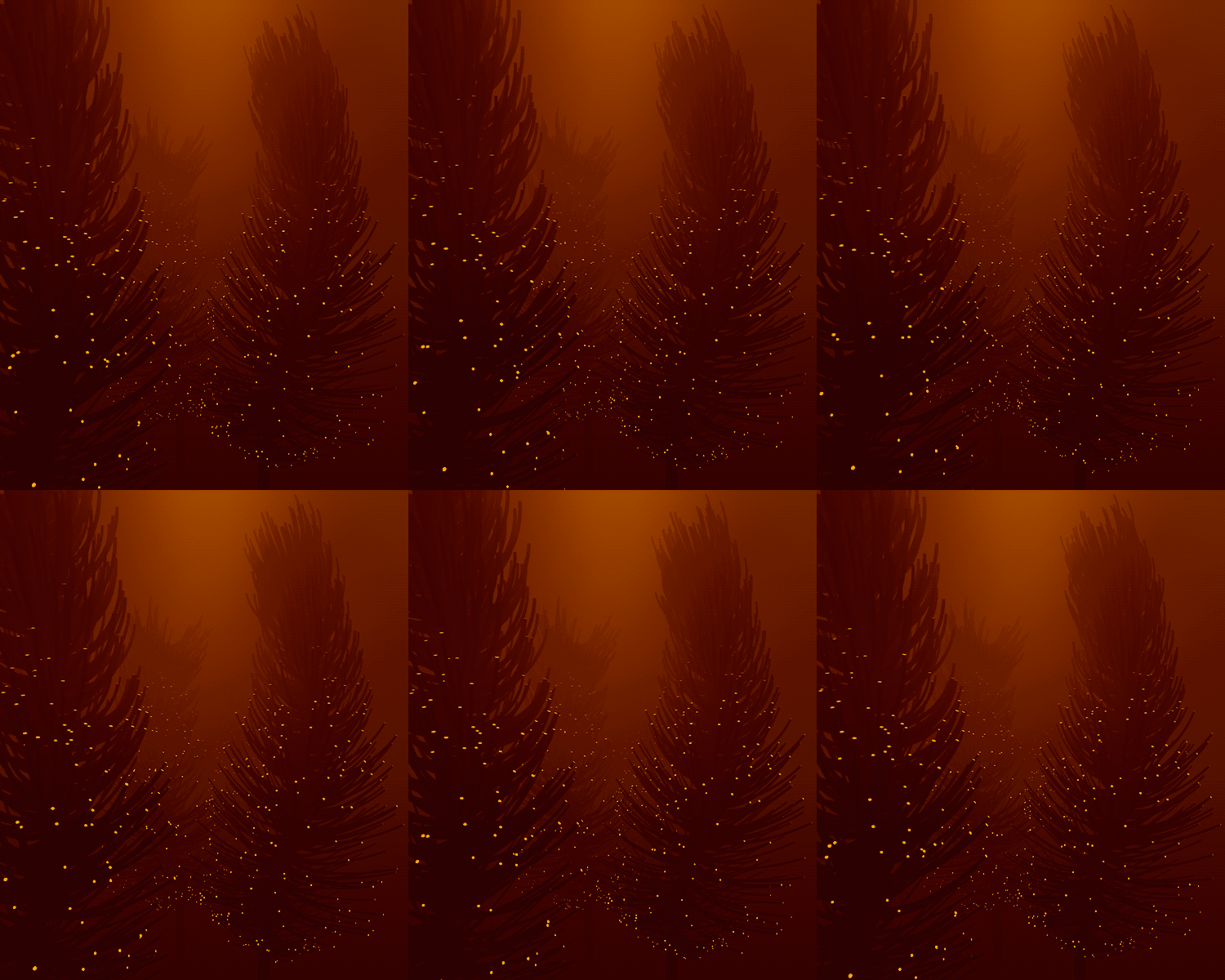
https://i.imgur.com/aw0pXQ3.gif how to get this effect guys?
 dire storm
one of two ways. Black magic or science! Its really purdy btw!! That sounds like a question for @fierce tulip
dark depot
it just looks like an emissive material
plush yew
i mean it gives that weird sense
digital anchor
yeah, just the tips are some emissive, some bloom, some WPO for the leaves, fog...
plush yew
like if you were dreaming
or drugged
@plush yew you can model out the trees, and set MATids differently on the end caps of each of those branches
and then apply emissive yellow to the end caps
and animate it, not sure how the animation is done or in what toolset though
yuou might be able to get the entire tree pre animated with separate mat ids from some program
digital anchor
this animation specifically would be pretty easy with a gradient on the UVs, + some noise into world position offset
 weak thunder
Is it possible to export an entire Level (trees, grass, buildings and etc...) into blender?
Essentially everything becomes 1 object file.
Does anyone know? Rather than exporting each individual mesh there has to be a better way of exporting a whole bunch of them that make up... lets say a house.
 tawdry narwhal
@weak thunder File -> Export All...
weak thunder
Ok thanks. I will test it, kind of surprised its that simple, a level is made of hundreds of pieces making up the house, landmass and vegetations around it. Obviously each piece has its own textures too.
to move all this in 1 shot into blender is kind of surprising.
shell kettle
Hi there. I've been following this tutorial post in the Unreal Engine Documentation, but when I create my class, it doesn't look near the same as what they have. The documentation seems to be for version 4.9. Is there any updated tutorials out there for this? https://docs.unrealengine.com/en-US/Programming/Introduction
 marble spire
Hello guys, anyome know why my anim montage is not playing on my enemy?>
nvm found it
 broken shadow
@vale halo Thinking about what you said last night about
how animal physics would be costly:
Maybe I should also consider developing what amounts to a Level of Detail system for this AnimalCapsuleComponent (OvalComponent? CubeComponent?)
If I have 10-15 animals on a scene like from your example I figure it would make sense to resolve a way to only fully simulate animals the player is focused on along with any special priority creatures like a pet, antagonist, or player.
And leave the rest to update less frequently depending on distance and the number of actors currently in proximity to each other.
plush yew
Fuck this fucking piece of shit laptop that takes half an hour to load a God damn Level and compiling shaders =£=££=€%
 versed solar
F
plush yew
What the heck man. How am I supposed to do anything if loading my project takes an hour. This crap pretends to have an i5.. i5 my ass this feels like pentium 4
versed solar
honestly, it does well enough for what I need it to
plush yew
Whats funny this crap runs witcher 3 on high settings
versed solar
This computer runs AoE3 at med settings
versed solar
I would download more ram
plush yew
I have 4gb of ram
And everythinf works fine besides unreal
With its compiling shaders crap
wich takes an hour
and whata funny its only using 300mb of ram
So its not the ram
the problem
dire storm
Really blows my mind how bad some of the "training" material people are selling on udemy. There's a few shining gems of course but daaaaaaamn alot of trash on there too
hidden berry
what kind of genre would a real life strategy/tycoon gamebe classified as? icna givemy exact idea if that would assist in the answer better
@plush yew my main cpu does that, its cause o teprocessor and SSD more than likely
plush yew
I have sata3
hidden berry
or lack of SSD
plush yew
Its done!!!
hidden berry
my laptop has lower specs than my main build, but it neve compiles , ever, becase it has an NVME in it
plush yew
Finally!
hidden berry
i have a trick for outoo speed it up though
well a couple
intentionally make a change for it too start compiling real quick
trustme its worth it
hidden berry
niceeee
next time youre compiling, 1: go to task manager, ad set the priority of UE4 itself too low, and putl the shadercompile to "Above Normal"
also
pull up your calculator from the stock apps, and make sure thats in focus, for some reason, i just pull up calculator, and make sure its intheforeground,and compiling goes so much faster
plush yew
Tha k you very muc!!!
Hang on I am recording a bit
And uploading tobyoutube
This is from my upcoming videogame project
xD
dire storm
I was considering making a youtube channel for a completed project and portfolio. It would keep me busy actually being productive I think however I would have to learn the ropes of the you tubes which would eat up even more time away from UE4
 winged crypt
Has anyone ever done elongated projectiles that are visible when flying
dire storm
like star wars lasers?
winged crypt
Kinda, yeah. More-so call of duty or hollywoodized war films where they show the yellow-ish streak
dire storm
I think there was a very good tutorial on exactly that on youtube actually. I recall seeing it when I was searching around
winged crypt
I mean I got it to work and it looks great but there's a dilemma:
If the mesh is behind the collision, it spawns inside the gun and player. If in front, it ends up penetrating players and walls even though the actual collision happened on the player/wall making it look like penetration without there being any.
Wasn't 100% on where to post this, its both a physics & design problem 🤔
dire storm
lemme search the youtube real quick. I'm very certain I saw something on exactly what you are talking about
https://www.youtube.com/watch?v=7krvAVH3ZqA like this right @winged crypt

Work in progress for bullet tracers particle effects for Switch. Grey Games - Mitch Manders & Tom Looman More info & dev updates: http://tomlooman.com Twitte...
winged crypt
yeah pretty much. But my projectiles are pretty close to real-life speeds, the only way I could make it visible was to elongate it enough
unless tracers are done differently
dire storm
Pretty sure the one in the linked video uses particle effect system
plush yew
Ok it's uploading now
The wait was worth it when it compiled the shaders 😄
Unreal is truly amazing
It's done https://youtu.be/cRYH8RJIl2w
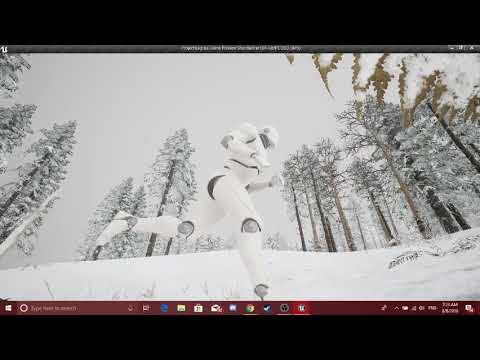
Project Kagura - an upcoming videogame deloped by Seventh Eagle Gaming Studio. If you want to join the team, head over to our Discord Dev Server: https://dis...
versed solar
Looks great!
plush yew
Thank you very much for your kind words!
If any of you people would like to join this crazy project dm me it's a big project and we need as many people as we can gather. For now we're 3 people me (wich does stuff like level design modelling, concept art, and many other stuff that is needed for the project) a programmer and an animator 😄 and we have big hopes and dreams with this project.
 tight birch
@versed solar Wait you can run the UE4 editor on a Compute Stick???
plush yew
He should become a Phd hunter then
shell kettle
I made Visual Studio 2017 look like the Atom One Dark Theme :P
dire storm
Hey guys. I see a lot of Demo videos floating around kinda like people's case studies and personal projects. My question is about when they make these videos of their level designs are they doing this in the editor still or do they fully "complete the game" then do the videos.
 atomic hull
is there anyway to play particles in content browser?
 grim sinew
No, the content browser doesn't animate
plush yew
Atom is nice but it launches slower than gta V
im using winscp editor if from ftp/wordpad/notepad instead
dire storm
hmm I think most people just use the sequencer to make their videos I'm guessing while they run the engine.
Just watched a youtube video on "ancient video games that are still alive today"... I played like every one of them growing up. Guess I should be glad I'm still alive today LOL
 manic pawn
voting is useless after "target fix" has been assigned
actually it's useless in general 
 long lantern
how can i remove the default lighting that is builted where dont want the light
?
plush yew
@long lantern remove the light and rebuild lighting in your scene. the shadows appear because it is baked into your scene. first stop the simulation before you click build.
 ember cliff
Does anyone know if there is any documentation for the control rig plugin for 4.20? I haven't been able to find anything beyond a question last year where they said none existed. (And then a bit about there being some big updates coming in 4.20, which there does seem to be, I can't find anything talking about what said changes are though.)
 static lintel
can anyone tell me how to use IFileHandle->Tell() ? documentation says it returns current readwrite position, But is it index, or what? because i am getting really big numbers, and after 1 write operation it changes to big negative value
 exotic thicket
is multiplayer shootout crash ?
 tame bluff
How long does it usually take for new updates to come out for UE4?
Not like, whole versions, but bug fixes.
cloud cobalt
You mean minor versions ? Usually something like once a month
cloud cobalt
Dunno
long lantern
thanks it worked but when i go inside it shows lighting needs to rebuild cause of the bp this if i build lighting again will it be same ?
@plush yew
 unreal shore
What do you think ?
 whole quarry
that it belongs in #work-in-progress 😛
 glacial arch
bah lord i feel so stuck
whole quarry
whats up?
glacial arch
@whole quarry just dealing with compute shaders. I got a bunch of answers from folks around here that were generally constructive and useful and a few tutorials that explain some things
despite having info on the subject though, I'm like walking around the problem lol not knowing what angle to jump at cuz I have no experience
ive been circling it for quite a while now just trying to get this little angle so I can get a grip
like the biggest problem here is that i got hella bad ADHD and i learn the best by just hacking at it until it works
but i got nothing to hack at. There's a lot of required reading that you just gotta know
whole quarry
uff, are there no video tutorials available?
glacial arch
not UE4-specific
whole quarry
for me its easier to follow a video than a document
glacial arch
i found a forum entry that describes a way. And there's also an example project for UE4 4.17 that doesn't include returning the data to C++
but no video tutorials that walk you through the process
so technically speaking I think I got all the info I need I'm just having so much trouble sifting through it
whole quarry
couldn't you find a easier thing to get stuck at? 😄
glacial arch
haha I get that a lot
I picked a steep concept as my first game
learning a ton though
cloud cobalt
We all do
glacial arch
@cloud cobalt i genuinely did not think that this would be this much more involved than simple multithreading on the CPU
I've been told that "multithreading is the ultimate rabbit hole" but jeez I really had another thing coming huh
cloud cobalt
Yeah
 covert tinsel
Has anyone seen updates on dynamic global illumination or light propogation volumes lately?
cloud cobalt
We just know there is an active and growing team at epic on lighting
Might have new features next year
covert tinsel
At least it'll likely be available before my game is done.
 tall pendant
The team is focusing on GPU Lightmass and the progressive Lightbaker atm tho
cloud cobalt
Don't base your game on the idea that the engine might get drastically better
Unless you control the engine and develop it yourself
With UE4, it's always a safe assumption that most of it will not change at all, literally, over the course of development
grim sinew
To be fair, if you cared enough about a feature, in the 6 years it'll take to release, you could do it yourself
covert tinsel
I just wanted emissive materials on dynamic objects to mildly light the character and environment. I guess it was too far to expect.
grim sinew
Screen space GI might do it, but that's not a thing ever happening in this engine
You would need to code it yourself
cloud cobalt
Realistically, environment lighting works fine with a few lights
covert tinsel
It's fine. It'll just look odd to have the character's emissives not have the same effect as baked stuff. sigh
grim sinew
If the character itself has emissive, just manually paint the effect it would have on that emissive map.
glacial arch
i have no mouth and i must scream
covert tinsel
Sorry, I'm new and don't understand. I'm talking about weapons that glow as the character walks around getting close to stuff. Is that what you also meant?
cloud cobalt
The key thing is, do you want one specific object to light up, or the scene (ground walls etc) ?
grim sinew
lets stranger handle this one
cloud cobalt
In that case, the easiest solution is to place a light - like a point light - at the center of the character for example
And use lighting channels to not have the character cast shadows
covert tinsel
Yes, I already thought of light sources and believed that it was too expensive. Am I wrong?
tall pendant
Unless you want to use VXGI and waste a lot of perf i guess
covert tinsel
Yes, I would use point lights.
cloud cobalt
Especially unshadowed.
 plain nebula
If its not VR, its not expensive to have one dynamical light.
cloud cobalt
Which you probably want
grim sinew
Point/spot lights are going to be orders of magnitude faster than any sort of dynamic GI
cloud cobalt
My best guess : single unshadowed point light attached to your character
covert tinsel
Actually, I did a test and had shadows coming from the object the light was in. Is there a way to avoid that?
cloud cobalt
Overall, as far as lighting goes, we always fake it
The performance cost of actual light simulation is infinitely high, and will pretty much never be worthwile in this century
We just get better and better tools to fake it
 languid shard
even better, use an IES profile for your light
covert tinsel
Thanks for the help with the lighting, guys. The effects look fantastic.
 leaden dust
Can someone give some criticism of my channel posed in #share-your-stream
posted*
Except for my voice
Thats just my accent
covert tinsel
I posted a new answer.
covert tinsel
My solution is to lower the Hz of the processor, which would directly reduce the heat without disabling the use of any cores. If Swarm can do that, then you're alright. Otherwise, you'd have to enter the BIOS.
 fossil ore
My Lenovo PC cannot go to BioS
covert tinsel
Odd, but I've heard of that.
whole quarry
does it start in to UEFI then? 😛
dire storm
Good morning UE4!
 grim ore
no. you take your good morning back. it's too early for a good morning!
dire storm
[Question] When making videos of level design and small projects would it be better to do that with a fully packaged project or just use the editor?
@grim ore Every day I get to wake up and go straight into UE4 is a blessing. No distractions, full learning. Its a good morning
grim ore
I would say it depends on what you are showing off? Completed project or design stuff then the packaged or standalone so it's performing better and you can probably do full screen easier. If you need to show off the editor then.... editor 😛
dire storm
its mostly I'm toying around with level layouts and I was thinking about starting a youtube portfolio somewhere down the line or so I could share my progress on the forums or whatever.
grim ore
It's a good idea, having stuff for others to see or just for you to look back at your progress is always nice. My thoughts are only show what matters and don't give extra stuff that might distract if possible. It's why I dont use a webcam when doing videos because that just takes up screen space that could be used for real information.
dire storm
nobody wants to see my mug anyways. The lightmap is fucked and the whole thing is poorly rendered.
grim ore
heh
just keep the stuff clean and to the point if needed. Showing it in editor might be nice if you want to "prove" the performance is in real time for example
dire storm
Thanks for the feedback 😃
grim ore
With the new threadrippers coming out the older ones are dropping in price. $400 12 core chips... neato 😃
dire storm
shhh I just bought a ryzen 5 and you're making me regret it
grim ore
I'm sure it was cheaper than that tho
 cedar snow

Wccftech
AMD appears to have taken an axe to the price of its 1st generation 1920X Threadripper CPU, delivering the most insane CPU clearance deal we have ever seen, no doubt in preparation for the impending arrival of its 2nd generation Threadripper processors next Monday. AMD’s 12...
though not sure if there are any left
plush yew
@plush yew i recommend investing in a laptop that takes a desktop i5. Mine is from http://www.eluktronics.com/ I spent 450 on the shell which is just the graphics card and put my own cpu.
Buy high performace custom Laptops, Gaming Laptops, Desktops, and All in One PC's for sale prices! We sell a range of PC components like: SSD, HDD, and RAM
ram, storage space in there
@static torrent Heard you. I will try to upgrade but at the moment I can't.
my models takes cpus ranging from g4550 to fancy i7s
yeah i couldnt upgrade right now if i wanted : / munnneehhh
too bad im not a giveaway bot
im just saying dont buy another shitty laptop with shitty cpu
manic pawn
but it was already fixed
 vivid girder
It was fixed in 1 hour holy shet
grim sinew
Looks like it was an easy fix, someone just forgot to run an automated tool
 regal orbit
dire storm
regal orbit
dire storm
How stable is Niagra right now? Was considering learning the particle system from the ground up there and skipping learning the current version since it will be retired?
grim sinew
 strong kayak
oops
grim sinew
@dire storm Cascade will likely remain in the engine for some time, just like how we still have both Matinee and Sequencer years later. Niagara right now is working, but about as unstable as the rest of 4.20, meaning if you're just learning it's probably not the best thing to get into until the next hotfix patch. But, if you look in #visual-fx people are using it all the time, it's certainly -usable-, just not -stable-
dire storm
Thanks for the feedback 😃 -1 gold star awarded 😉
+1!!! I meant +1. Can't be taking away gold stars from people. I'm not a monster
plush yew
If someone would be kind enough to join me a little in a screencast to help me with a problem it would be awesome
Just DM me, I will do all the talk 😄
 short night
This save glitch is getting worse I cant even save a Mesh or Material
Can someone help me with this
plush yew
 grim sinew
It's telling you exactly what to do. Place a lightmass importance volume in your level, surround the playable area in it.
manic pawn
I wonder if it's trying to include the sky sphere in the automatic one
short night
Does anyone have a way to solve this annoying glitch
plush yew
Can someone help me please ? After I apply material to my landscape this happens http://prntscr.com/kgb1az

Solved it
dire storm
Dang now I really has a sad. Tried migrating the sun temple assets to play with in a 4.20 project and all the materials lose their information when I go to use them
 carmine wind
does someone know if its posible to change the shape opf a scroll box like instead of it being a square or rectangle it can be a circle
 nimble crater
Hey guys,
I tried to make a C++ Class in my Blueprint project, and now when I try to open my project I'm getting a UE4Editor-"Projectname".dll is missing error, it's asking me to rebuild and it's not successful.
I've tried googling the issue and haven't really found a soution
solution*
I'm using 4.19.2
 rapid ridge
Hey there, I have a question that bothers me since a long time.. In my game I have implemented sontroller support, but as you may know, it doesn't work with the PS4 controller. I don't want to use third party softwares like DS4 Windows (that is what will always show up on google), because it needs to be implemented in the game, so when the player starts the game it should work for anyone without downloading any 3rd party software. Do you know a way to really implement PS4 controllers into the game or have other suggestions?
Also I don't know wich chat I should use for this kind of Question
long lantern
Go to project settings and input there you bind keys for the controoler turn rate all that stuff left horzontal x axis and y inside inputs and some blueprint to implent it @rapid ridge
You have bind the keys and program for that thats all
 tranquil sphinx
Got a question but I'm not sure which sub channel i should ask, this relates to off site storage for projects, does anyone have any recommendations for alternatives to GIT LFS?
A team I talk to have been using it for a while now and it's recently been mentioned there's a big security loophole where people could pull from the repo without auth in some form but not fully clone the project.
I'm wondering if there are any alternatives which might give better security?
 static cradle
I'm really looking forward to the day when UE4 development is less about constantly dealing with unanswered questions (even for as basic things as to what is the purpose of a mysteriously named setting in a component) and more about easy access to resourceful documentation.
 high stone
Unreal's advertising is spot on. Their market presence is great. They need to expand on their Q/A, tech support. I have recommendations on how this could be accomplished without drastically increasing staff size. With that said, they may already be addressing the issue.
 ocean hemlock
Can someone help me URGENTLY, i got 40 min to finish the project and i got a ton of errors
if you can help me its appreicated
winged crypt
@ocean hemlock Looks like your SWeapon file has incorrect formatting
Does anyone know if UE 4.19 supports VS 2015?
winged crypt
@ocean hemlock See the line references. For example in SWeapon.cpp (line 33) syntax error: missing ';' before '{' You're probably missing the ';' at the end of that line before opening up with a '{' in the next line.
ocean hemlock
oh
winged crypt
I'm not sure about a few of those errors with redeclarations, someone else can comment on that but most of those errors are just due to missing symbols (you can track them down easily, the error explains & references the line)
ocean hemlock
were would i put the ;
 frosty bloom
A code snipet around the errors would make it far easier to help you tbh
high stone
33 needs a { ?
winged crypt
I don't think that's the right file
Is that SWeapon.cpp?
Do a search for SWeapon.cpp in the solution explorer
frosty bloom
Cut all the text from your function, Put a { in there after Fire(), past it back in and end with a }
high stone
Yeah looks like your placement of {} is the problem.
 olive flare
Hi, is there anyone in this discord that works with legacy unrealscript? UE1?
dire storm
I have serious problems chasing rabbits in UE4. I can literally not focus on anything for more then 5 minutes before running into a question of "What or how does this work" and Alas and wonderlanding myself into a 3 hour time sink down a twisting, winding path completely forgetting what I originally set out to do. UE4 is digital crack for those with ADD.
ocean hemlock
anyone know how to fix error C2447: '{': missing function header (old-style formal list?)
 weary basalt
@ocean hemlock Dont post the same message in multiple channels pleasee
Read the #old-rules
ocean hemlock
Okay
 mild tendon
transl: "could not open source file"
This is on a new project in 4.20.1. Also tried the 4.20 binary; same issue
this is what I found through googl
weary basalt
This is normal. VS Intellisense does not play well with UE4 code
mild tendon
though I am unsure what he means for the solution
ok
so i can keep working and it will probably compile normally?
weary basalt
Compile your code, if it compiles everything is normal
mild tendon
ok
appreciated
when the poster says "right click the project"->properties, where is he finding this? certainly not in windows explorer.
weary basalt
In the Solution Explorer
ocean hemlock
anyone know the issue for this? UGameplayStatics::SpawnEmitterAttached(MuzzleEffect, MeshComp, MuzzleSocketName);
i mean
'{': missing function header (old-style formal list?)
whoops
weary basalt
Mate.
Go to #cpp
And stay there.
You already asked your question there.
Stop spamming or i will get upset.
If no body is around to answer.
Wait
Be patient
weary basalt
That doesnt give you any special rights mate.
safe rose
I am outta patience as well though. Can someone finish up my MMO game in 30 minutes? I just barely have a rough draft of the first idea on the GDD. Game development is much harder than I thought it would be. Definitely not rainbows, unicorns and cupcakes sadly.
 oak swallow
So I have a question, if I'm making an RPG game that'll likely take a few years for me to finish since I'm making everything from scratch including 3d models, do y'all think I should make it vr compatible? (I don't own VR though so likely it'd be really hard for me to test it unless I get a friend to do so) or do you think just making it a regular PC game is fine bc I do prefer PC games over VR personally but in the long run I believe that VR is gonna get really good over the next few years
Although I don't know the first thing about VR so maybe I'm wrong 😅
weary basalt
Im of the opinion that VR is a fad and has no real long term practical place in Gaming. But thats my opinion. I think you should just stick to making it a PC game. Trying to dev for VR without a VR devkit i imagine would be impossible.
plush yew
/Game/StarterContent/Maps/Minimal_Default```
I keep getting this error message on every project i try to save in robust shadow
was stupid simple
But I’m proud of it... 😂
(steam achievements from my own steam app id) 😈😂
 strong fossil
does anyone know how to apply the static mesh collision version of my tank to the skelital mesh?
 queen arch
Any tutorials/advice on how to keep my UMG from turning into a spaghetti code?
If I put too many buttons it turns into spaghetti really fast
glacial arch
@dire storm i dont know man
I have crippling ADHD to the point where i completely failed academia
to me UE4 is thoroughly frustrating and difficult to learn
queen arch

MVP (Minimum Viable Product) Series showing you a basic introduction to Unreal Engine 4 covering most of the Editor and Engine itself. In this video we will ...
Do this @glacial arch
strong fossil
@glacial arch wrong chat?
 delicate needle
Oh boy, bad issue here! My viewport is black upon opening my levels, and wont play, but will play if open split windows, perspective wont work.
queen arch

Announce Post: https://forums.unrealengine.com/showthread.php?101051 This Training Stream takes a look at Blueprint Communication. We find that Unreal Develo...
glacial arch
@strong fossil nah some posts above a guy said that to people with ADHD UE4 is digital crack
@queen arch i learned the basics a while ago. I'm just saying it was difficult
right now im tormenting myself with compute shaders
strong fossil
oh ok sorry i didn't see that guys name
queen arch
Shaders I don't know much about...
strong fossil
im trying to figure out how to put my tanks static mesh collision to my tanks skelital mesh
queen arch
But hey! At least you learned the basics 😄
glacial arch
@queen arch not a lot of people do it seems. I'm just reading articles now
yeah, at least i managed that 😃
queen arch
Shaders are different than materials?
glacial arch
@queen arch @Darksouls
@strong fossil im dealing with actual HLSL shaders used to accelerate computations
queen arch
oh, then the Unreal live training video is the best
glacial arch
aint none there for that
queen arch
I too had problems understanding materials
glacial arch
not materials
compute shaders are basically GPU instructions that are dispatched from C++ side of things to accelerate computations where applicable
strong fossil
do u guys want some of my materials or my project that i got the pack cost £140
would make your life much easier
the blending on it is the best
queen arch
Oh ok, I know nothing about gpu instructions :p
glacial arch
🤔
oak swallow
oo that would be cool
strong fossil
want me to send u guys a pic of the map?
queen arch
have you made any other game DarkSoul?
strong fossil
no im working on this one very annoying to im making my tank stuck in the ground so the cant just drive it or it wouldnt be a fair battle royale with a tank XD
queen arch
Dude, please start smaller :p
strong fossil
queen arch
By the time you finish a battle royal that isn't shit, the fad will be over and it won't be that good as the whole of Epic working on Fortnight anyway :p
strong fossil
delicate needle
My perspective view has stopped working, but my ortho views still work. If I try to play the game, in one of the active ortho views, it works, but if I try it in my black perspective window, it get errors.
strong fossil
@queen arch PUBG is 5 years old and yet millions of people play it
its all about adding better things in like pubg its boring it only has weapons and vehicles i want to make more like tanks and stuff like that to make things fun and challenging
@delicate needle have you got a camera in the map?
and a player spawn
delicate needle
Yeah, a pawn w/ camera attachment
I dont need a player spawn, per say
Everything has been fine until... something happend
strong fossil
must be a bug does it work in selected viewport?
delicate needle
Only if that viewport was ortho to begin with
If I change it to perspective, as in the pop up you see there, Its black, if I go to play it, I get "Failed to create entry point. Try another location, or you may have to rebuild your level." and "Failed to create PlayerStart at desired starting location."
which are just nonsense errors
Its only effecting the current version of my map, if I got to an older one, its fine.
strong fossil
so what are you making?
delicate needle
Arch viz walkthrough prototype
strong fossil
to show off homes or something?
delicate needle
Trying to make a polished protoype to get a client hooked. Yeah, retirement apartments.
strong fossil
UE4 is for games not what your doing you have to have a player start and a camera or it will just glitch and show you under the map or something
well don't have to have a player start but a camera yeah
grim sinew
There is nothing wrong with using UE4 for Archviz, ignore him. Check the #aec-visualization if you have a specific question on that. As for the error itself, hard to say, it sounds like it thinks the spawn is inside something, it may be something's colliding with it.
delicate needle
Zero, I already did ignore him, I literally went to a Epic hosted unreal academy where I was "wined and dined" because of their strong support of enterprise.
Zero, from what I have figured, this has to be a bug.
What works:
- Orthographic views
- Playing the game from a selected orthographic viewport
What does not work:
- Any viewport that is switched to perspective.
- Playing the game from a black active perspective viewport.
My game logic is fine, it was working for the past month. Something is bugged.
worn granite
do you have a pawn in the level you want "play" to start at, or were you using a player start?
worn granite
Did you recently make this map? Its possible your pawn wasn't set to Auto Possess
That's literally my suggestion - just double check that setting on your pawn.
worn granite
Alright. Its just that its the only thing I can think of where you'd start to get errors relating to starting/spawning. No clue what you mean by playing via ortho views.
delicate needle
Okay you see how 3 orthos work, yet perspective is black. Remember the perspecive view should use the default editor camera
Now, when I select the black non working persective viewport - and hit PLAY, I get errors. When I select an ortho view, and hit PLAY it works.
worn granite
try selecting something in outliner and then pressing F
worn granite
you might have to go back to 1 pane
delicate needle
I only have 4x up to illustrate this bug
worn granite
another thing might be that your perspective cam ended up at infinity
or otherwise OOB.
delicate needle
That sounds like a theory
delicate needle
Sorry if my tone is shitty, its not ment to be!
I like that idea of the pserspecive cam being OOB
I appreciate the help, honestly, thank you.
shell kettle
Hey guys! I was wondering if it's possible to rotate a character upside down? I've done a bit of research online but nothing has given me insight on how I can do this.
I read somewhere that the SetActorRotation function clamps at 90 degrees, basically reorienting the player after that point.
 thorny cipher
Really stuck on this issue if anyone has any ideas: https://answers.unrealengine.com/questions/815225/linux-dedicated-server-stops-handling-connections.html
 thin hemlock
anyone here use CGTrader for getting models for their game?
I haven't ever bought anything off of it but with my current project there's certain things I can get for quite cheap without having to pay a modeler a bunch of money for
I guess my real question is what is your stance (the person reading this) on using marketplace assets or assets from other online markets in your game that you plan on selling?
I know PUBG has done this with many of the models like the SKS and all the medical supplies are all easily findable on the Unreal Market
grim ore
You're still paying a modeler to model your stuff if you get it off of cgtrader, it's not like it came into existence out of nowhere
thin hemlock
no I mean there's a big price difference
grim ore
That doesn't change anything I said
thin hemlock
I get that but that doesn't really answer my question, maybe I didn't word it clearly, do you think paying a premium for a model that you exclusively will use in your commercial game, better than buying a model off of CGTrader than can be used by other people?
 maiden swift
Using stock assets is fine, particularly if you're on a limited budget.
thin hemlock
or is it a better idea to use CGTrader models because you pay less and if your game becomes decently successful then other people are less likely to use that same model if they come across it in their commercially developed game?
maiden swift
Just consider the costs of each approach and decide which one works better for you.
Hiring a modeler will cost more time and money, but you will have more control over art direction and style.
Buying a stock asset will cost a lot less time and money, at the expense of control.
grim ore
well you didn't have to like the answer but you did ask for what my stance was and it was what I said you're paying for a model either way so either you personally have an issue with what you paid for it and getting the quality or you don't. It's your game it really doesn't matter what anyone else says
thin hemlock
It's not that I didn't like your answer it's that your answer didn't fit my question that's why I clarified
grim ore
It's like saying you can't use the doom door sound or The Wilhelm scream just because someone else used it before
maiden swift
Right. It comes down to which one is more important to you: saving money or having control.
grim ore
yep you pay for what you want or you pay for what you get but either way you do what you want to do to get what you want lol
You do you!
thin hemlock
ty all of you for your feedback 😄
 dim arch
anyone know how to package additional data for android
I am using the packaging options in project settings but it doesnt seem to copy it to the device
nevermind, I derped out
-___-
 remote roost
anyone know how I can mirror a rotation, so that the player character will turn the opposite way?
 honest vale
multiply it with -1
or call the inverse function on a rotator
or something
wait, mirror or invert?
mirroring implies you'd mirror it along some plane but inverting is just inverting 😉
remote roost
uhhhh
I need him to turn the opposite direction
I'm setting up a walljump system
so when he jumps off the wall
he flips himself in the opposite direction
so the yaw
 steel shuttle
sorry for asking here because i don't know which channel is suitable for my question. Why my project stuck at 72%?
honest vale
@remote roost doesn't that return a rotator?
remote roost
I don't need it to, I just needed the yaw
remote roost
it has an invert but it doesn't do what I wanted
honest vale
you could get the tangent of the wall surface and then mirror the rotator by that
cloud cobalt
Let it complete
cloud cobalt
How long did you wait ?
steel shuttle
i left it for 3 hours++ still at 72%
cloud cobalt
New project, something you changed recently ?
steel shuttle
whenever i create blueprint gamemode derived from c++ the project will stuck
if i remove it the project can load
 warped monolith
rapid ridge
warped monolith
rapid ridge
Hey there, I have a question that bothers me since a long time.. In my game I have implemented sontroller support, but as you may know, it doesn't work with the PS4 controller. I don't want to use third party softwares like DS4 Windows (that is what will always show up on google), because it needs to be implemented in the game, so when the player starts the game it should work for anyone without downloading any 3rd party software. Do you know a way to really implement PS4 controllers into the game or have other suggestions?
@long lantern It doesn't work for PS4 controllers I guess. At least in the Editor Window Preview
 tough talon
Hi, quick question, what does 2P mean in Mesh2P?
leaden dust
for some reason my game over UI keeps sisabling itself randomly?
can anybody tell me why?
disabling
fossil ore
Guys can you help me?
Is there a way to tell a spotlight to start giving light at specific distance?
I want to make spot light giving a light from green line.
Think about lamps
cloud cobalt
No, you can't do that in the light itself
You can however make the lamp not cast shadows
And put the light inside it
 sudden agate
maybe increase "Source Radius" maybe it wont cast light on things that are within Source Radius
LightFunction may help too, to mask out a certain range
but yeah, Stranger is right. Disabling the Lamp to cast shadows is the most convenient solution
 tranquil bone
@fossil ore is that the warframe ship?
tranquil bone
How you get it?
fossil ore
I rip it ?
tranquil bone
Fair
 north nova
how does one put something in #looking-for-work
tall pendant
check the pinned messages on that channel @north nova
north nova
ok thanks
 trim night
Is it possible to change the button of quit simulation from ESC to another key?
long lantern
mobile @upper quartz
?
if it is mobile you can assign it thro blueprints and project settings > inputs
tranquil bone
Just wondering anyone good with landscape auto materials if so can you take a quick look at this just too see if its possible to spawn grass on the green vector3 parameter
im using a material instance to decide the colours that why i used snip paint tool to colour it in
Ik this isnt the right channel but no ones talking in graphics
leaden dust
I don't want to spark debate but this is the only server I have that can answer this kind of a question, I am helping a friend in unity, is there an equivalent of ue4 pixel depth node in unity shader graph?
 upper quartz
@long lantern Ty
 dire fjord
Did they ever fix the bug/anyone come up with a solution for unreal continually trying to open steamvr while you're not working on VR stuff? Usually I just close it once and it's done for that session..but now for some reason while i was taking a break it's just started opening continually
I even removed the SteamVR plugin from this project and restarted and it is still spamming calls to SteamVR.
pallid compass
Its not a bug
U need to just turn it off in the engine
Not project
But engine i believe
dire fjord
I renamed the exe for now. I did find something about editing an engine file. I'll try that next time. It really annoying me and I spent way too long getting it to turn off.
pallid compass
cant help you if ur using a launcher binary build
i only work with git builds sadly
remote roost
Is launchcharacter framerate independent?
 gloomy helm
Are spline segments meant to increase draw calls?
pallid compass
Is there a function for rounding too a specific number set? like down in 200's
so 355 goes too 200
etc
safe rose

Discord Blog
Three years ago, we set out to bring people together around games. Now, we’re going to bring the games to you.
GGWP Discord
cloud cobalt
Yup
frank escarp
i must say
using that to release a beta
looks fucking amazing
becouse you have discord as the official chat of the game and also as the launcher
in 1 place
pallid compass
Thats kinda nice
 gaunt raptor
hello everyone - im trying to figure out how to show some of my ue4 work - i have a huge level but having a hard time showcasing it - how do you guys do it ? Just some fly by's ? or any great ideas ?
grim ore
Pick out a few key areas and pan thru them a few seconds at a time, highlight one of the bigger areas or an overview for a longer pan of fly over
 lusty carbon
Exporting LODs from blender to UE4 ?
UE4 doesnt seem to be doing it automatically like in unity
tall pendant
Is Discord hosting those games in their own depots or just re-selling steam keys of curated games?
cloud cobalt
Don't know yet, but don't see any reason they wouldn't actually host them etc
I see a "Downloading" status on one of the game in their screenshot
So it does look like they do it all like Steam
@frank escarp By the way I alreayd sent out the submission form myself
😛
frank escarp
so have i
 safe laurel
The only experience I have in game design is RPG Maker.
Can't wait to get started with this 😄
grim ore
Does that mean if I pay Epic in Dallar my jam entry will win?
 polar hawk
All Dallar awards controlled by Dallar
There is a special award for most entertaining game during my playthrough
grim ore
oh no you are playing the games again?
polar hawk
Guess so
grim ore
Allrighty then. That is a reason to make a jam entry if I knew of one.
polar hawk
Aww yeah
grim ore
The fact the jam is scheduled at the same time as the WoW expansion tho... ouch
tall pendant
If i submit a Dallar miner app. does it win by default?
 spring pendant
 plush yew
is there an easy way to upgrade my project to the newest engine version without it basically resetting all my editor options like losing colours on folders etc.?
trim night
Am I able to manually add text to my localization dashboard?`
When I click on 'Gather Text' it adds duplicates and material names
plush yew
yeah it changes loads of settings like adding the green writing all over the editor and stuff like that, its why i stayede 4.18 for so long but i wanted to update to 4.20 to get rid of a minor bug
is it better to do in place upgrades or copy?
cloud cobalt
You're confusing things, I think.
Installing a new engine and running it might reset some settings
Projects are unrelated
In-place upgrade / copy / etc is about your project
The editor setup is not stored in the project
grim ore
@wispy raven do you mean the little circular throbber that spins around and makes it seem like stuff is loading?
cloud cobalt
So no, you can't do anything about it
 wispy raven
nope
plush yew
yeah thats what i mean when i upgraded my project to work with the newest one it changed a bunch of editor settings
grim ore
well if you mean like a gif so something that is animated you would need to look into making a flipbook material with some images
so the linear throbber?
wispy raven
uuh, yes, i think...
grim ore
look at the Throbber widget its probably what you are talking about then
 sonic pagoda
so last game jam there was a page where you could create teams
i haven't seen this page yet
create/join teams
tall pendant

Join or form a team for Summer 2018 UE4JAM on CrowdForge
tall pendant
np hehe
delicate needle
I do like Jam, but its really too much sugar for me.
sonic pagoda
?
 wild glacier
Just found this Channel:

YouTube
Lusiogenic is dedicated to publishing tutorials and resources focusing mainly on game development. The main subjects are Unreal Engine 4, Blender and Inkscape.
shell kettle
Hey there. I was wondering if it’d be possible to invert player gravity through BPs or C++ without modifying the engine source code. Is that something that’s currently doable?
frosty bloom
@shell kettle I'm pretty sure Elhoussine Mehnik's custom gravity project isn't using modified engine source
shell kettle
Is that on the marketplace or is there a tutorial?
frosty bloom
shell kettle
Thank you! 👍
dire storm
live stream today?
tall pendant
Yes. "Introducing the FaceAR"
dire storm
my body is ready
 crude jasper
Am i the only one that gets this kinda of problems ?
My AI was working Fine
just like i wanted it
I Do some changes
Stops working
I Disconnect them
Doesnt work anyway
fffffffffff
anyway
I have a question can anyone help ?
tranquil bone
Just wondering can you put another material into a material
tranquil bone
Ah okay thanks
pallid compass
yes make array
tranquil bone
How could i plug a material attribute into a lerp
when i use break material and plug the base colour it, it causes this
 tropic pilot
in the "Vehicle Advanced" BP from Epic Games how does they make the camera follow the car (with some delay)? :S im inside it now but there is no BP....
warped monolith
 candid veldt
Having a weird thing in my viewport window; It seems like my project "pauses" whenever I don't move the camera around; My particle effects freeze, my materials stop animating, etc. It was working fine just a few minutes ago. Anybody know how to solve it?
tranquil bone
i have to use lerp cos im using it as a auto material for landscape
pallid compass
@warped monolith can u remove that, we dont have postage of other discords in here
@tropic pilot prob delay in a camera spring arm
or boon
w/e there called
warped monolith
Ok
tropic pilot
@pallid compass my camera doesn't move AT all :S it just stays behind the player -.-
pallid compass
Look at the settings in a spring arm.
 glad orchid
Anyone having packaging bugs due to navigation with 4.19.2?
Game packages and runs fine in 4.18
Basically crashes 1/10 launches into map
 digital siren
Alright one question: How difficult is it to create your own "Master" server
dire storm
Hey team. Did they ever release the complete material and material functions used in paragon that was discussed in the live training Texture and Material pipeline video? I've been playing around with with paragon assets but I haven't found all those amazing materials yet to rip apart and learn from
plush yew
Hello, can someone advice me a good Plugin to create multiple Planets (not procedurally, I don't need it) as Landscapes? So have something like 4-5 handmade landscapes that are Planets
tropic pilot
@pallid compass i can't get the camera to work like in the "Advanced Vehicle" template :S
the camera is just static!!! it doesn't follow and rotate with the player
 obsidian coral
Guys I need help
obsidian coral
I can't find Use controller rotation yaw
im using 4.20.1
Hello?
Can anyone help?
Alright then.
 heavy falcon
Set Controller Rotation Yaw?
heavy falcon
Try disable "context sensivity"
obsidian coral
Where is that?
heavy falcon
obsidian coral
No like
im in thirdpersoncharacter
and i need to find USe controller rot yaw
but i cant find it
digital siren
Alright one question: How difficult is it to create your own "Master" server
heavy falcon
@digital siren probably as difficult as getting an answer on this discord server
heavy falcon
not really
astral marsh
Guys i made a ai where it can perfrom day to life activities i made a activity for sitting te ai move to wasnt working for it so i did Move to location it teleports there directly without even walking till there any way to fix?
can anybody check through screenshare that would be appreciated
 hollow thunder
how does it determine what animation to do?
astral marsh
could you spare a min looking at my bp through screenshare?
hollow thunder
sure
pallid compass
Anyone here got any exp with AStarGraph.h ?
digital siren
Alright, so in WarRock you have after the postlogin an menu to choose the server which you want to join (Europa or NA)
I presume such system can be created with "master servers" ?
heavy falcon
Spin up regional servers, let the master know who they are and let the game ask the master server where to connect to ?
 mint umbra
Is TrueSky viable for realtime gameplay? Does anyone know the actual performance costs? For the visuals it's clearly worth the bucks. My game is massive and the plugin would bring the game environment up a notch. I'm trying it out at the moment, just wondering if anyone's got any experience with it, good or bad.
heavy falcon
You can buy the ebooks on amazon
heavy falcon
Yeah seems like the PDF/eBook Version is still not free although the HTML version exists. (Also no kindle required)
 limpid sandal
I'd prefer to read it there as I don't like reading on the phone
heavy falcon
What do you need the 14 to 11 year old gems for anyway?
limpid sandal
Techniques and math are still relevant
plush yew
Is there a place in this server where we can show off our work?
limpid sandal
Unless you got something better to recommend @heavy falcon
I'm a curious cs student
heavy falcon
Nothing I can personally recommend sorry
Never read the gems. Last books I got were Practical Rendering & Computation with Direct 3D 11 and 3D Game Programming with DirectX 11. But - since most math math and some techniques are still relevant, they're basically covered everywhere.
 kind temple
sup, this compiling time of shaders and light is really working on my nerves. Does anyone know how I can fix ths'?
pallid compass
faster cpu
kind temple
sigh
manic pawn
more cores
kind temple
look guys
pallid compass
where lookin
digital anchor
better pc
kind temple
an i5 6400 with a gtx 1060 is more than adequate to make small games. surely there is something causing the engine to render the shaders and lighting slower than normal. Was just hoping people had some info... I see the UnrealShaderWorker is set to below normal priority and on older version of UE you could edit the amount of shader workers per core and I currently have 3 shader workders.
kind temple
People have been saying to set affinity to low and bump the priority to above normal
pallid compass
Honestly, just leave it how it is
manic pawn
problem + 💰 = no problem
pallid compass
Let windows automatically allocate system priority, dont go faffing about with it
kind temple
mmmkay . sad days. Well thank you anyway guys .
manic pawn
get one of those 32 core threadrippers 🤔
pallid compass
god i hate AStarGraph.h
manic pawn
y
pallid compass
my brains are falling out my ears
i can not for the life of me figure out how u are ment to properly check if u can go from 1 node to another
digital siren
@heavy falcon Is there any documentation how to create the "master" server ? I cannot seem to find any info about that
heavy falcon
Yup
digital siren
So the master server is just the "backend" ?
heavy falcon
The master server is the first server your client talks to
heavy falcon
the other servers register themselfs at the master server
pallid compass
u wouldnt have every client every talk to just 1 server
Then u wont be able to deal with load / region's
heavy falcon
And the master server enables you to be directed to a regional server
pallid compass
Master Server -> Login Server's -> Game Servers
digital siren
So every region get its own "master" server which would interact with the same API ?
pallid compass
U would never talk directly with a master
a Master server just manages everything else
heavy falcon
No one master server is enough
pallid compass
dude stop it
heavy falcon
it only tells you what regional servers are available to handle the rest
pallid compass
ur gonna confuse him
A master server is a system that manages and maintains other servers, starting more up, or shutting them down.
etc
heavy falcon
That's not correct, also he was talking to me, and I've told him exactly the same thing
A master server does not spin up or handle maintanance of regional servers
pallid compass
Explain how that is incorrect
heavy falcon
Ask blizzard
digital siren
xD
pallid compass
Ofc it does
"master"
do u know what that means
Your master is your manager / info link to everything else.
heavy falcon
Ask the Unreal Tournament 2004 master server if it spins up servers
heavy falcon
The master server is a gateway to get to know the actual servers
pallid compass
from god knows how many gear's ago
heavy falcon
not more
pallid compass
jfc
sure
what ever man
U think that then
"better connect too the primary backend to get to game servers derp"
heavy falcon
Yeah u think that the master server makes IT personel obsolete then
pallid compass
what, how did u even get that from what i was saying
heavy falcon
"A master server is a system that manages and maintains other servers, starting more up, or shutting them down."
pallid compass
What does that have to do with IT personel?
 obsidian nimbus
this is great 😄