#ue4-general
1 messages · Page 270 of 1
 cloud cobalt
Try exporting at 0.01 scale
 plush yew
okie
Ah
I see whats wrong. I have two files named Bullet and Basic Bullet
I should delete the Bullet, as its... not that detailed lol
Wow, this one worked instantely! lol
 vale halo
I'm pretty new to using Macs/XCode, but I can't seem to find anything about this/figure out how to solve it. So when creating a project, I open my XCode project and it only shows the various UE4 build targets, and "one" for my project, instead of (just) the different schemes for the game/editor/etc. build options (like I'm used to seeing and from what I can tell should be seeing on mac).
I'm using a Source build of 4.18 with OpenGL support bodged in so it works on my mac, but that shouldn't make a difference when it comes to project generation 🤔 Any tips?
vale halo
Can confirm the same is happening here.
For now using http://api.unrealengine.com/INT/index.html may work @wet grotto

Complete resources for learning to use Unreal Engine 4
 crude vale
@wet grotto yep this started about 1 and half ago
 wet grotto
some pages are on docs
crude vale
@vale halo I didn't know that existed thanks
 sharp crest
hey, any ideas why this isn't working?
it returns the default physical material
maybe it's because I changed the physical material after I placed the foliage?
@ me pls
sharp crest
we cant help you without knowing the issue
 astral marsh
like
i have a object in front of the AI
which blocks the way for AI to catch me
but
he cant even pass through the box
and catches me
like
 shy silo
Interestingly enough that’s related to my question. Is it viable to make enemy AIs to play the game if it’s more of a pvp game
astral marsh
he stays ther
and catches me
there*
anyone willing to help i'll show in screenshare
sharp crest
https://docs.unrealengine.com/
Anyone else?
 boreal patrol
Hello everyone
cloud cobalt
Everyone @sharp crest
sharp crest
Ok ty
 sudden agate
Anyone else waiting for Lightmass updates?
 balmy sand
hey, I dont know if this is the right place to post something like this. But I was wondering if someone could help me with an assignment I have due in today. It is just a simple menu using nodes and buttons. I was an idiot and did not attend classes now I am freaking out. I have scene and the main menu sorted I just need help with transitioning from the main menu to the options screen using a cutscene (all ready).
I am happy to discuss it in voice. This is the last part of my course I need to complete then I am finished and I get my qualifications.
sudden agate
why a ctuscene though?
balmy sand
it is to show you know how to use the camera and keyframe in UE
so the only way I can explain since I am a novice at UE is. There is a 3D scene I created. you start off with the main menu looking at a car (racing game) then when you click options the camera pans over to a monitor which will be used for the options. the cutscene is complete I just dont know how to implement everything
cloud cobalt
@sudden agate Everyone waiting for GPU lightmass I guess
 vague ferry
Hello!
How to set the path for the DerivedDataCache directly trough EditorPreference Global Settings?
nwm
sharp crest
hey, any ideas why this isn't working?
https://cdn.discordapp.com/attachments/225448446956404738/464053306516307971/unknown.png
it returns the default physical material
maybe it's because I changed the physical material after I placed the foliage?
@ me pls
 cloud cobalt
Traces don't return physical materials by default
sharp crest
How to enable that then? @cloud cobalt
sharp crest
@cloud cobalt 
 vale osprey
I think you need to enable it in the object settings too
it's a part of collision settings
the other way is to get physics materials from the object reference->component reference, you have both in the OutHit structure
 vale osprey
I can check home how I do it
vale osprey
ahh, actually I did it differently, instead of returning material reference you can get enum
if you go into ProjectSettings -> Physics -> Collision
sharp crest
yes but the material is the default one
vale osprey
You will see collision and trace, channels. Underneath them there is another category, don't remember how it's called
sharp crest
vale osprey
you can add your own custom records there, like wood/stone and etc.
sharp crest
hm yea I guess that can work
vale osprey
under presets
sharp crest
I prefer to just use the physical material tho
vale osprey
the point is that you assign those categories then to you physical materials and you can retrive them directly
then you can easily do select and other operations on them
instead of comparing to a class of physical material
and it works with any objects - landscapes, static meshes and etc
 hoary charm
Does anyone know why when sometimes you move throughout your scene the exposure changes? I guess the viewport goes from light to dark.
sharp crest
@hoary charm in ur post process/camera
BoredEngineer, I just want to get the physical material to work lol
hoary charm
@sharp crest Thanks! It was not turned on as default.
vale osprey
@vale osprey not sure what you mean by that
to my understanding you want to know what surface you are hitting - aka is it a wood or a stone or whatever else
sharp crest
yes, by using the physical material
I assigned a different physical material to my foliage meshes & foliage component but it still returns the default physical material
 dense galleon
are there any settings to reduce memory usage of PIE? the UE4 itself seems to only use about 800MB of memory when launched initially but it jumps up to almost 4GB after PIE
it seems to have reduced by a lot after updating to 4.20p5
hoary charm
@sharp crest https://gyazo.com/7f572ace55362ea34e825c48d57c28a8 All my lights and fogs are deleted and this is lit. Can this be from the exposure settings?
 sharp crest
Try disabling it and checking?
hoary charm
Yeah sorry I shouldn't of asked that while I was doing that xD
 still island
Hi guys, we have recently converted our project from Cryengine to Unreal Engine. The thing is, we're learning now and experience this issue that is shown in this video. Is this a bug? Or anything to be set up inside material settings?
https://www.youtube.com/watch?v=uPZ8Dh8F1MY&feature=youtu.be

 ancient herald
First post in this group, has anyone ever had the issue were the editor would lock the frame rate to 30fps? I can't seem to unlock it and its really bugging m
shy silo
Is sword play hard to add in to a game?
plush yew
is there any way to combine landscapes?
i have two landscapes that need to be combined
 elfin jacinth
@wet grotto Still having issues? I just checked it and it lloaded for me
vale halo
Working for me here too 👍
crude vale
and offline docs? like pdf staff today the servers were down so if anybody knows where to get the offline documentation can you share?
wet grotto
@elfin jacinth I've already solved it, anyway thanks!
 keen crane
I have a question. I am debating on using UE4 instead of RMMV for my game. I want to use the top-down like view for exploration, towns, dungeons, world maps and the like. I then want to make the battles 3d. Sort of like a mix of FF6 exploration and FF8 or FF9 battles. Any ideas on the best way to accomplish it on UE4? I'm thinking Paper2d wouldn't allow me to make that kind of battle system.
 idle stump
Do you keep your art source files within your UE project folder? Like right now my models/anims are completely outside my unreal project folder. When it imports them does it only take a reference or does the uasset file store all the data it needs?
 manic pawn
the uasset stores all data
but you should still keep the source files around and version them
we just put a folder for them next to Content
idle stump
👍
what's the Import folder for? (edit: it might actually be something i added myself, i don't see it in all my projects)
vale osprey
@keen crane support of paper-2d is kind of dropped
but you don't have to use it
it's really for actual 2d cases, with flipbook sprite anomations and etc
idle stump
@keen crane I think that's 100% doable in UE. Paper2D is really just some helpers for animated sprites and making levels with a tilemap editor. It all still exists in 3d and you can mix the two. I've never worked with any other 2d game engine so I don't know how it compares.
vale osprey
if we would have something like Spine integration it would be great, I dunno if Paper2D had functionality like that

Spine is an animation tool that focuses specifically on 2D animation for games. Spine aims to have an efficient, streamlined workflow, both for creating anim...
but there are other tools like that
ha, they did made integration
idle stump
@vale osprey Yeah something like that in UE would be awesome. You could probably make art in that style with regular skeletal meshes in Maya/Blender. Probably wouldn't be as nice of a workflow though.
vale osprey
yeah, like Spine have a full fledge editor for making and autoring animations, I think it make a mesh cutout too, with skinning and etc
keen crane
@vale osprey and @idle stump Thank you very much for the info!
 fiery harbor
this HISMC bug is super bad. even happens when you only call update instance transform: https://i.gyazo.com/ca77a18b95092ca97f83d8ca900ce35b.gif

all wind gets reset for all existing instances
fiery harbor
problem is my game depends on that working
vale osprey
then there is hope, can be tracked by looking into changes
theoretically
practically there will be like 50k changes
fiery harbor
I dont actually think there were any changes to HISMCs specifically there
vale osprey
this should be a shader thing
like speed tree has that "instance random" special node
 lime cobalt
hello, is anyone skilled with android UE4 ?
fiery harbor
it could be that that somehow gets regenerated, but I looked at the HISMC code and thats definitely correctly specifying that when a new instance is added or updated, the per instance random stuff is not regenerated
lime cobalt
I have everything installed correctly ( I think ) but UE4 doesn't recognizes my device
vale osprey
dunno how exactly wind is done, have you looked at vertex shader?
fiery harbor
@vale osprey I have not looked at the vertex shader, but I assume it only looks at that per instance random number
so I dont think theres something wrong in the shader
UpdateAllInstanceData is called with InUpdateRandomStream = false by the HISMC
 storm venture
hey sorry to interrupt, but where's the camera component in Realistic Render? There's no camera, but the character still sees, lol
vale osprey
the thing with instances is that you can pack all kind of stuff into instance data, like this is how people do instanced skinning, so under the hood they might be passing more than just using random instance
just intuition, I might be completely wrong
fiery harbor
thats the function in StaticMeshResources.h thats called by UpdateAllInstanceData for every instance
the 4th component of the FVector4 at the top has the random instance ID inside
vale osprey
ahhh, the other thing that is needed is time for such animation
they must be doing some sin(t) cos(t) for movement
vale osprey
interesting, shoudn't it use just game time?
fiery harbor
@silver crown why do you think that?
vale osprey
yeah, the movement looks the same
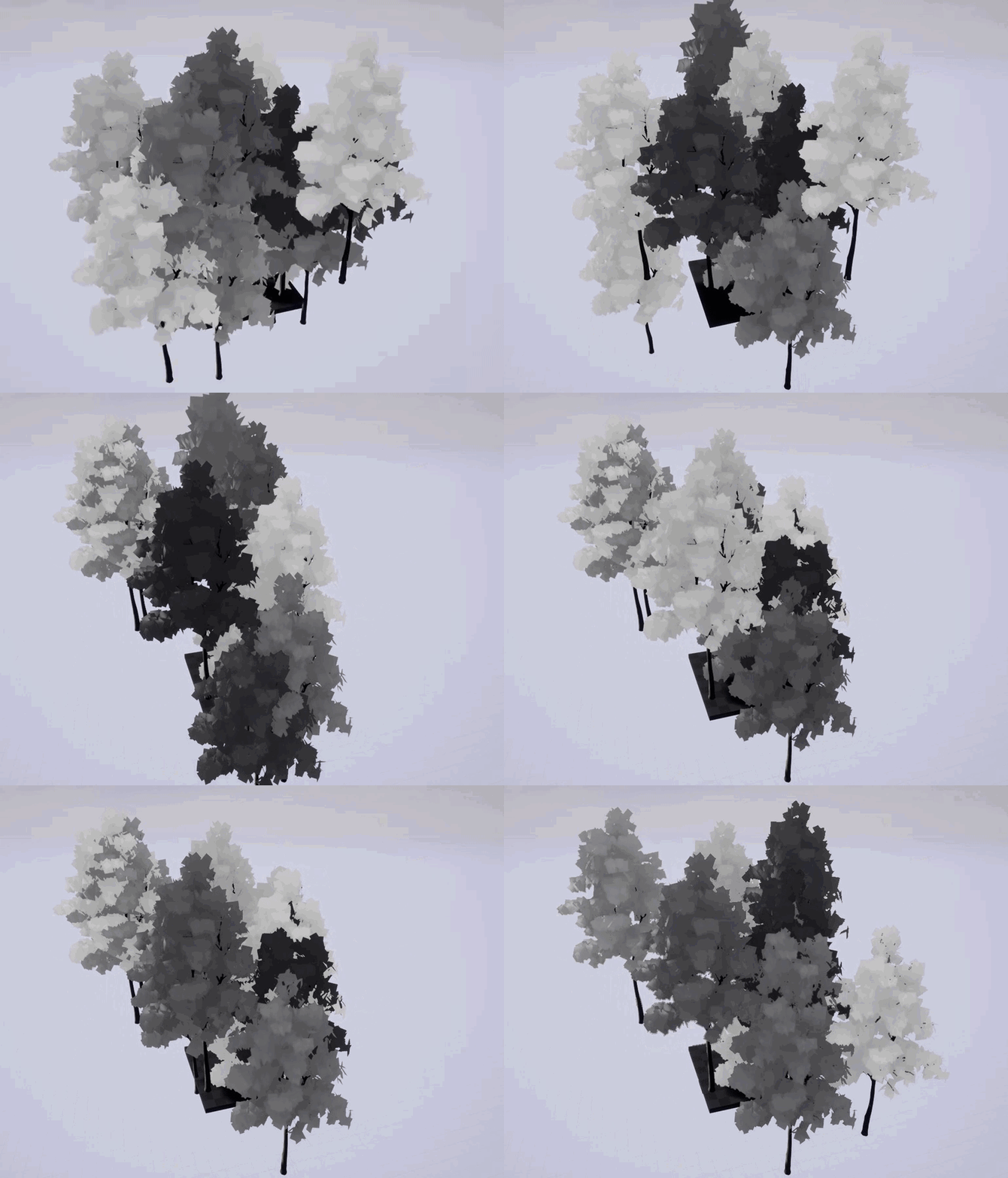
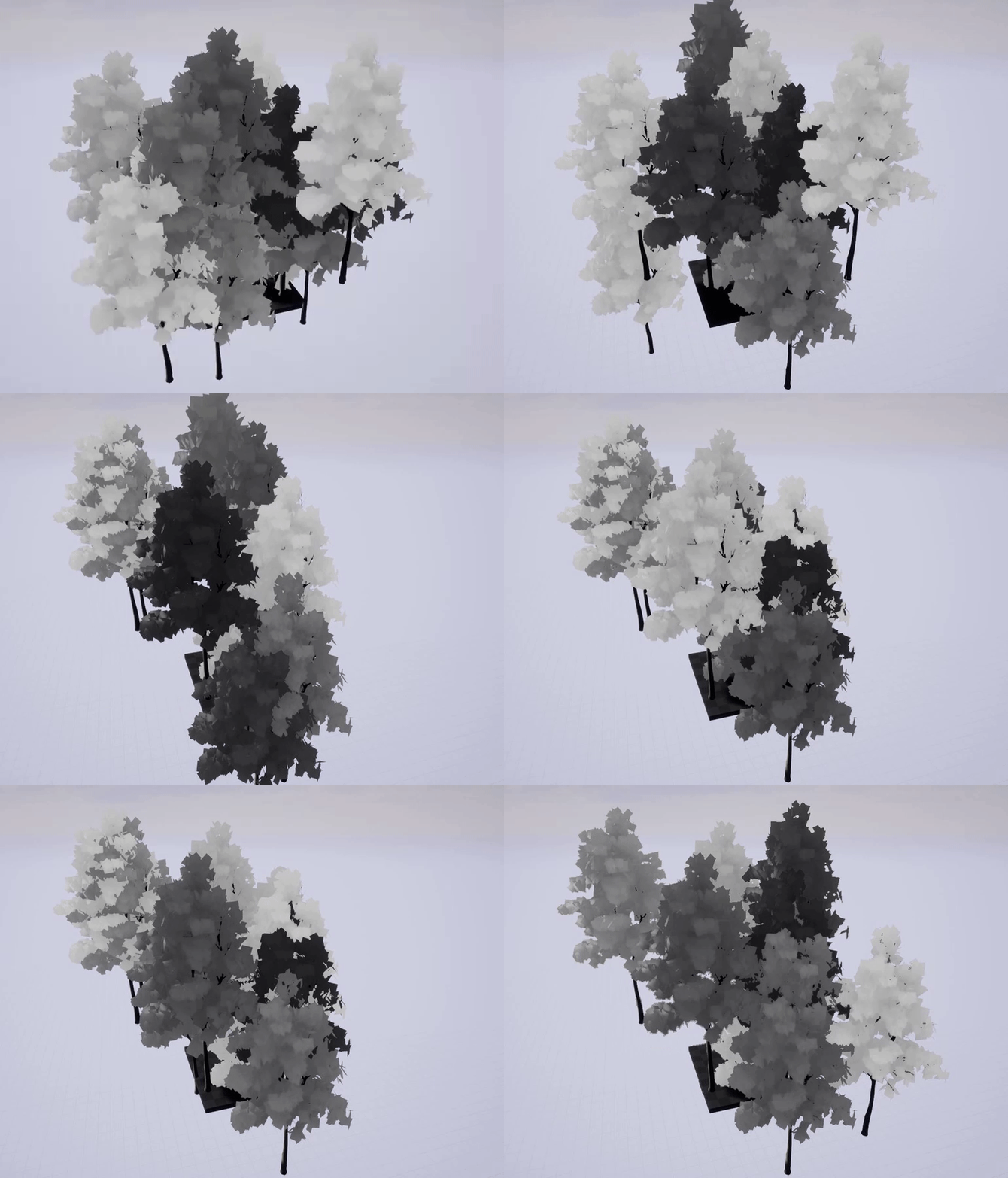
 silver crown
Ah lol
fiery harbor
so I think it definitely looks like the PerInstanceRandom that should stay same does change, right?
fiery harbor
but there it looks like it only happens for some instances
I can test 4.18 too, yeah
vale osprey
it shoudn't reset animation, but no idea how it's used
fiery harbor
I do agree when looking at the wind, it looks as if the time is reset to 0
but the Time in a material is something global that doesn't care about what that HISMC specifically is doing
right?
vale osprey
maybe some other time is used
silver crown
hehe
fiery harbor
but the wind stays consistent, so does it not use the PerInstanceRandom at all?
silver crown
So it's not that 😛
vale osprey
it might be using for amplitudes
but time drives animation
or random is used to just shift phase
silver crown
fiery harbor
the Time in the material is definitely increasing correctly for all trees:
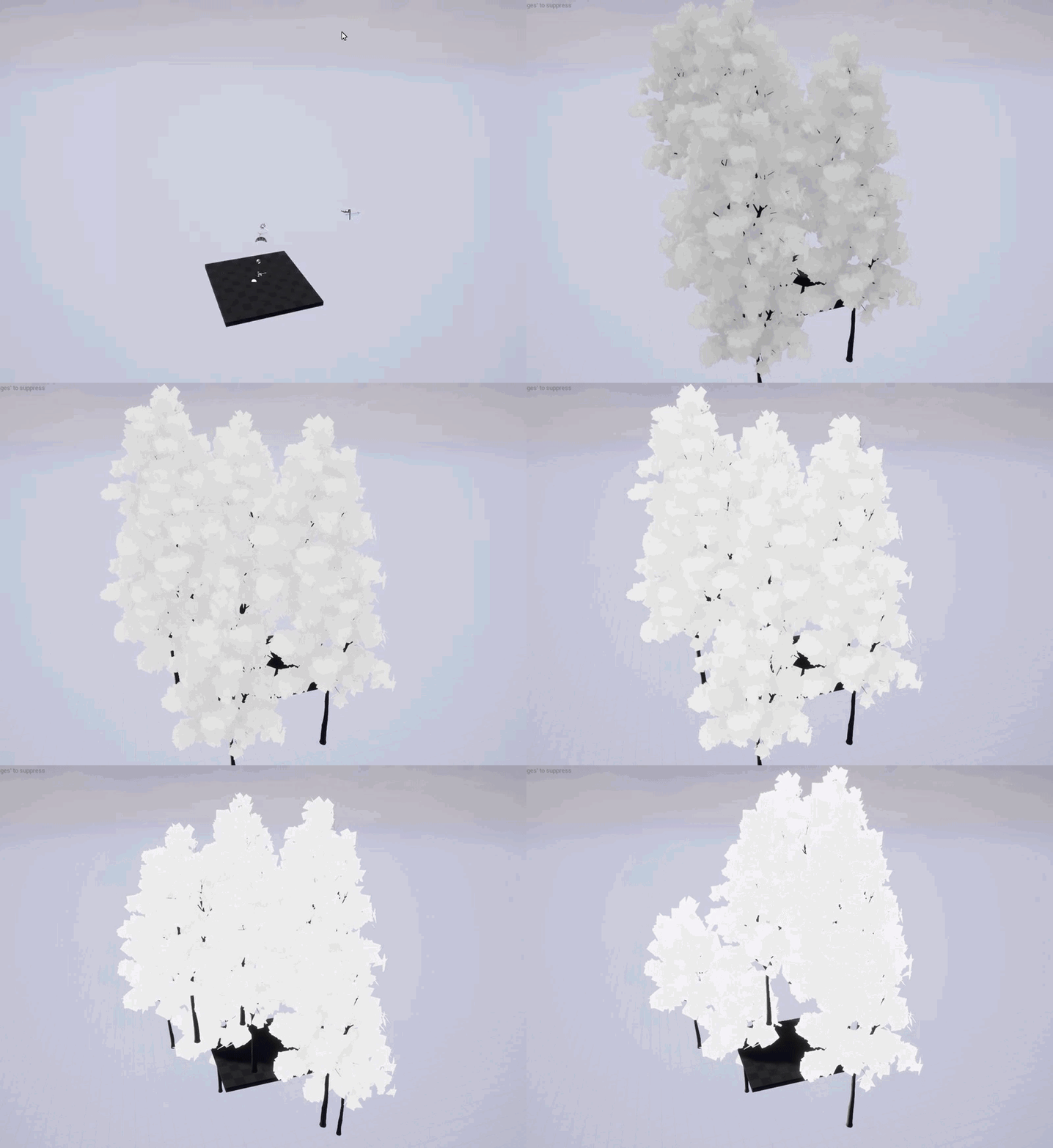
thats Time connected to emissive
vale osprey
so you think it's not resetting?
fiery harbor
the time is definitely not resetting, thats something global by the engine
@silver crown whats there on your screenshot?
fiery harbor
4.19 has a new speedtree integration, so I assume a lot changed regarding that stuff in 4.19
vale osprey
that one should be fine as position of instances stays the same, unless, for a single frame it goes into some infinity
fiery harbor
yeah, using position should be fine
vale osprey
but if time is not stored per instace, which I doubt it is - as no sense in doing that math in that case, it shouldn't matter
can it be that you are debugging different time?
like if game time is replaced with some normalized 0..1..0 curve
fiery harbor
I don't know
vale osprey
to keep animation "the same" over time
@silver crown do you have a git link to that shader?
silver crown
Speedtree.ush in Engine/Shaders/Private
fiery harbor
you mean SpeedtreeCommon.ush?
silver crown
Yes
fiery harbor
vale osprey
thank you! looking at both
fiery harbor
@vale osprey and this in MaterialTemplate.ush: https://github.com/EpicGames/UnrealEngine/blob/4.19/Engine/Shaders/Private/MaterialTemplate.ush#L1055
silver crown
@fiery harbor Can you check with a second speedtree thing in the scene?
To see if it resets all or just the HISM ones
fiery harbor
sure, good idea!
silver crown
As the buffer seems to be global
fiery harbor
I also have the 4.19 repro project where I take the gifs with uploaded here: https://drive.google.com/file/d/18MoQ280TLuOcS69rzgjOu_8DHYON1mX8/view?usp=sharing
Google Docs
so I'll add the tree as static mesh and see what happenm
vale osprey
the time is used in so many places there
fiery harbor
eh
vale osprey
in shader
fiery harbor
if I have one static mesh tree placed in the level, the HISMCs do not reset their wind any more 🤔
vale osprey
so fix is found 😄
fiery harbor
I thought I was on 4.18 by accident, so I triple checked that, and this is indeed 4.19
silver crown
What the hell though
fiery harbor
if I remove the static mesh from the level, the wind is buggy again
vale osprey
something to do with how shaders are cooked for istanced and for static
 fiery harbor
both AddInstance and UpdateInstanceTransform works fine with the static mesh placed in level
vale osprey
lol
fiery harbor
@silver crown have you tested that?
only a second HISMC with the exact same tree mesh then I assume?
fiery harbor
just tested deleting the static mesh while the game runs, and once I delete the static mesh the HISMCs instances immediately start the wind bug
silver crown
Like the scene not detecting any speedtree during the update
vale osprey
@silver crown do you know where data for these shaders is passed into gpu?
silver crown
Yes
vale osprey
I don't even know if usf are responsible for this or some other code
fiery harbor
placing the static mesh at 0,0,100000 still works
silver crown
@vale osprey FScene::UpdateSpeedTreeWind in Engine\Source\Runtime\Renderer\Private\RendererScene.cpp
Buffer declared with some black magic macros in Engine\Source\Runtime\Engine\Public\SpeedTreeWind.h
😃
fiery harbor
when the static mesh is set to "invisible", the HISMCs do show the bug
static mesh set to "hiddeningame" also breaks the HISMCs
@silver crown so you think that reference count is broken in some way?
silver crown
Nearly there...
My guess is that when updating the HISM release all the resources
Hence destroying the speedtree data
vale osprey
And that buffer^ is getting trashed
silver crown
Yep
vale osprey
So it can be some internal speed tree time
And if objects are reset it starts from 0
silver crown
Well if the buffer is trashed it's over, the sim is reset
vale osprey
And that explains why single static mesh or other instance fixes it - it keeps at least one reference
silver crown
Yep
Crap, used launcher build instead of source build 🤦
No wonder breakpoints don't work
vale osprey
Imho just Report it and use workaround
silver crown
I want to find a fix 😃
vale osprey
You don’t want to keep an instance of an object just in case 😄
I hope it’s easy one, but it can be just unfortunate result of how resources are managed
silver crown
Yeah
vale osprey
Like if you have HiSM without instances - just empty - you don’t want to keep an instance of speed tree
Sorry wind object
Maybe it’s better to force it to use game time as a starting point
silver crown
It does that
vale osprey
It might have been doing that already but some reference in 4.19 broke
silver crown
But the speedtree ticks
vale osprey
Ohh, ok
silver crown
Complex update stuff
fiery harbor
they somehow broke it between 4.18 and 4.19 without noticing, so it probably has to be some simple problem that can be easily introduced by accident
fiery harbor
no?
fiery harbor
and its not possible to add new info like that static mesh works later
but hey, thanks so much for having that great idea with adding a static mesh to the scene @silver crown 😃
vale osprey
could open second issue and ask to merge them
it can save so much time, or one who will look into it can find issue in few minutes with presented info
silver crown
Yep ^
Basically AddInstance call MarkRenderStateDirty
Which recreates the primitive
But first destroy it
Removing the ref
Don't know why it worked before, maybe they kept some kind of ref somewhere
vale osprey
maybe that or "time" input is "broken" so it starts internal cycle from 0
not from current time + something internal
silver crown
Nah it starts at current time
vale osprey
I mean if current time is 0 for it, then thats how it will behave
vale osprey
let's say you have function like
time = GetTime(); --initialization
and then time+= something --tick
so if GetTime() fails and returns 0
fiery harbor
@silver crown no, I don't have one
vale osprey
then you will always start from zero state
vale osprey
but then it should work
silver crown
No, as I said
vale osprey
then it shoudn't matter if object is re-created
silver crown
It doesn't work that way
silver crown
ftime = current time
vale osprey
but that thing should be staying in some bounds
 cinder iron
Where do you guys recommend me filling an array from a UPROPERTY with a dropdownlist depending on the skel mesh? Post init or oncontruction?
vale osprey
the last one is a mapping into 0..1 range
silver crown
Yep
vale osprey
if ftime is more than first term, then it won't be 1 anymore
it will be over 1, so maybe ftime is not normalized but then start and end should be shifting
fiery harbor
you know what's really bad? I see there's another HISMC bug in 4.19, which is even worse I'd say 😞
look at that flickering
silver crown
lol
fiery harbor
I think that happens when the bounds of the HISMC change
vale osprey
this happens with various things
don't place all blame on HISM, I have it on just flat planes with tesselation
vale osprey
I have it since like 4.14 or earlier
silver crown
That's expected
vale osprey
it is related to bounds
fiery harbor
well this issue is definitely not old expected stuff
since I know that the trees in my game in 4.15 don't flicker
silver crown
I don't have it
silver crown
Mind copying that to blueprintue?
silver crown
Same, nothing
fiery harbor
I do notice the issue is way worse if I'm hovering with my mouse over the stop button at the top
like I did when I recorded the video
and I did adjust the timer to spawn new trees every 0.01 s
so way more often than the 0.5 s before
silver crown
Right, got it
fiery harbor
in my packaged game, it seems to be very bad though. so similar to like when you're hovering above that stop button in the editor
well, not that extreme like on the video
maybe 40% of that
it is extremely visible that trees seems to be invisible for 1 frame very often
not sure if they are inisible, maybe its also their scale being way less for 1 frame or something like that
I think this is definitely not related to speedtree stuff now but purely HISMCs
fiery harbor
if you look at the tree in the bottom left corner of my video, I think thats definitely fully insivible sometimes?
silver crown
Ah yes 😃
fiery harbor
some slight LOD changes always happened from time to time with HISMCs when it adjusted the clusters
and thats not a problem
I think this flickering looks more like some... threading issue, where its rebuilding something on 1 thread and the other displays something when its not ready then and ends up displaying nothing?
or something similar?
silver crown
Maybe
fiery harbor
or like I said, wrong scale
that some instances get scale 0/0/0 for 1 frame sometimes
do you also see that its way worse when you hover above the stop button?
silver crown
Yes
fiery harbor
I've tested 4.18, that's same like 4.19 as far as I can see. and I've also done the exact same in 4.15, where the trees are 100% stable with no flickering ever
I dont actually have 4.16 and 4.17 installed any more, so I'll have to download those first to see where the issue was introduced
do you have those installed?
 tight sun
is the cinematic sequencer just hella buggy or am I doing something wrong? so annoying it just to work!
silver crown
@fiery harbor Nope
fiery harbor
hm
if anyone here has 4.16 or 4.17 installed, it would be great if you could open this 4.15 project in there and tell me if it flickers or not: https://drive.google.com/file/d/1AppK_pL1xWVQM3dMEanciH0bhUwkgZG6/view?usp=sharing
Google Docs
epics servers are super slow lately, so downloading 4.16 and 4.17 will take a while for me
@vale osprey do you have 4.16 or 4.17 available at the moment?
plush yew
@fiery harbor i always dl releases from github source, works well. i used to use launcher but not anymore now that i am using vs. excited for 4.20 to finally go into qualified release after previews
silver crown
Launcher is useful if you don't have the time to build the engine & don't want to waste disk space
plush yew
yeah, hadn't considered that. i always pipeline everything out to minutia lol. i have nothing but time at home. now that i'm finally understanding cpp a bit more it's even more tempting to stay with it. really enjoying it.
silver crown
- when you build you can't really do anything else, unless you have > 24 threads 😉
plush yew
haha yeah
fiery harbor
building the engine from scratch definitely takes longer than downloading it in launcher
so for quickly testing a version you don't have, launcher is better
plush yew
you doing some kinda QA for a company or something?
silver crown
QA for himself 😃
plush yew
ah
vale osprey
@fiery harbor sadly no
fiery harbor
I need to know when that bug was introduced
silver crown
Why?
fiery harbor
would you not like to know that when you see a bug like that?
it's definitely something that epic would want to know when you report a regression I think
plush yew
well that's good of you. i only ever reported like 3 or 4 things to epic so far. i might start doing more bug reports
i don't notice them too much yet. (windows only for me)
i keep hearing android issues but i never touch the stuff
fiery harbor
I have reported a huge amount of bugs, mostly 2-4 years ago
recently not so much
I stayed on 4.15 for over a year
so there were not that many bugs in there that were not reported already and fixed in newer versions
silver crown
So you're downloading 4.16 + 4.17 @fiery harbor ?
silver crown
😂
fiery harbor
currently verifying
@silver crown whats funny about that? 😃
4.16 is ready
I do think this issue should be easier to fix since its really only HISMC stuff without any speedtree/shader stuff that could be wrong
so maybe just diffing some HISMC files between working version and next non-working one
4.16 works fine, no bug there
so either 4.17 or 4.18 that introduced the issue, and I do assume its 4.18
idle stump
I have a Masked material applied to a plane but I can see a little thin line at the top of the plane's edge where it should be masked off. i've seen this issue before i just can't remember the solution
I thought i remembered it having something to do with tiling so i went to the texture's settings and set tiling x and y to Clamp and that fixed it in the Material editor preview but not in game 🤔
nvm it seems to have updated...
😂
silver crown
yay
fiery harbor
so, something about updating instances became broken with 4.17 that still worked with 4.16
4.17 was released august 7 2017
silver crown
And?
silver crown
Well why do you give that info 😉
fiery harbor
well, the dates are needed to look at the commit history for HISMC code 😃
fiery harbor
well I don't use tags that often 😄
silver crown
Like
git diff 4.18.2-release Engine/Source/Runtime/Engine/Private/InstancedStaticMesh.cpp
Easier
fiery harbor
I just look at github
fiery harbor
its very nice that between 4.16 release and 4.17 release there were <2.5 months or so
thats all commits that changed HierarchicalInstancedStaticMeshComponent.cpp between 4.16 and 4.17 release:
so not a lot 😄
silver crown
¯_(ツ)_/¯
fiery harbor
the first one is Fixed foliage occlusion culling after world origin was rebased
next one is:
Change 3491717 by Michael.Dupuis

    #jira UE-35083:
    The component is now the owner of the PerInstanceRenderData instead of the proxy
    Add an Update path to only update specified instances range
    Always call BuildTreeIfOutdated so we have a standard code path to make sure static mesh are fully loaded before trying to build the tree
    Moved the Instance Buffer aysnc to the base class, as it's not related to UHierarchicalInstancedStaticMeshComponent
    Expose a new property to decide if we require dynamic instance buffer
that might very well be related
@silver crown why did you remove that screenshot? 😄
silver crown
@fiery harbor Confidential data
fiery harbor
?
silver crown
jk, not interesting
fiery harbor
ok 😄
so the other 2 commits are small
I'm quite sure that commit I quoted above is the one that introduced the bug
silver crown
Yeah some async building
fiery harbor
silver crown
🤮
fiery harbor
@silver crown do you mean you find the code ugly? 😄
silver crown
No, the commit
fiery harbor
I thought I linked it so that it automatically jumps to the HISMC.cpp file
since all the others are irrelevant
silver crown
Nope
@fiery harbor Actually it probably won't happen if you do the tree cook on an other thread
So should be fine
fiery harbor
so you mean I should try to do it async?
silver crown
Yeah why not
fiery harbor
can I just set bIsAsyncBuilding = true? 😃
fiery harbor
why do you think it will "probably" not happen when its running the cook on another thread?
 remote roost
Why does Cryzenx stuff get so popular when it's mainly just reused/ripped assets with basic programming?
and bad lighting
lol
remote roost
"NINTENDO HIRE THIS MAN"
nah, i'm pretty sure they have more competent workers already
silver crown
Like

Any advice, i will be thankful. Our Demo Game Will Be Available These Days On Our Website: https://www.youtube.com/watch?v=GSPwYcAQ1kU https://www.sevencommu...
Why the hell this has 1M views
¯_(ツ)_/¯
remote roost
oof

Subscribe ► http://goo.gl/jf55Lc | https://twitter.com/CryZENx | https://www.facebook.com/CryZENx/ Patreon Support ► https://www.patreon.com/CryZENx / Suppor...
vale osprey
should start working on jiggle physics
vale osprey
always wanted to build my own soft bidy sim 😄
fiery harbor
@silver crown isn't it actually automatically doing the tree build async?
vale osprey
depends on features 😄
fiery harbor
vale osprey
^ reason why I don't like "fan" projects
remote roost
i think people think that cryzenx remakes all the environments and stuff from scratch
when they are just ripped
vale osprey
they just drive on someone elses IP
silver crown
I think people don't think
remote roost

i'm technically working on a ""fan-project"" i guess you could say
it's a framework in UE4 that allows for easy JRPG development
with games in the style of Xenoblade
vale osprey
(take a note in "bad people" notebook)
vale osprey
😄
silver crown
remote roost
and it's not graphical focused
silver crown
😐
remote roost
it's all functionality based
mainly just doing it for learning C++ but i'd like to see some more xenoblade x style games which people could use my framework for
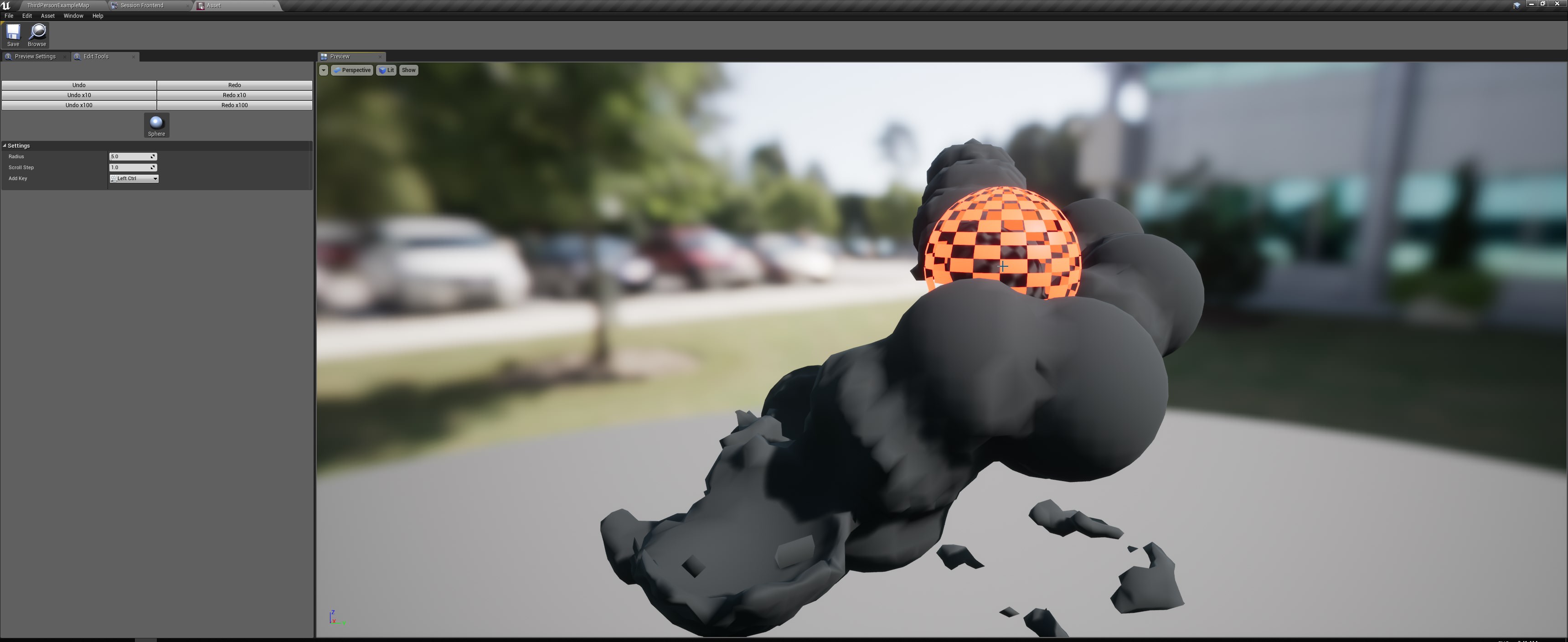



 vale osprey
Nice! 😄
vale osprey
@remote roost copying features is a great way to learn, as you can have easier time with the gamedesign part
but cases when people just copy art/character - like I really don't see how that can help learning modelling
plush yew
yeah. another way is ben's unreal cpp tuts on udemy, really good stuff
vale osprey
its like making a copy of the photograph with a pencil, it might help hypotetically with handling pencil, but just as drawing something original will get the same result
Ben's tut is good, haven't finished it but it was quite nice
plush yew
just got to the part about CreateDefaultSubobject in the tank game. yeah it's incredible
remote roost
I'll probably be using a character model from the game because I'm not a 3d modeller
animations will be done from scratch tho
plush yew
you can look at 3d models from google sketchup or turbosquid too. you probably already know about those though.
remote roost
ye
plush yew
like all my space ship models in my game are from sketchup lol
remote roost
I'm not really a new game dev, I've been using UE4 for like 3 years now and Unity for like 5
plush yew
you like ue more?
remote roost
uhhhh, for certain things
I don't like how plastic the lighting looks a lot of the time
plush yew
i havent touched unity lol. i was curious about it but not touched it yet beyond really really browsing the asset store
remote roost
but I am interested in learning it to use C++ for better performance
plush yew
yes in my game, i am suffering some minor net lag. i am learning cpp to optimize that
remote roost
gonna try and make mine mainly C++ because I'm already a programmer who isn't really interested in visual scripting
plush yew
not sure if you can notice the brief lag spike in there
that's most likely caused because of either setting too much stuff to reliable or the fact that some of my BP code is lagged. so i have no choice but to look at CPP
remote roost
yeah I see it
remote roost
shouldn't it be easy to debug with BP and see what's being called when the lag spike happens
plush yew
its in binary exe form, and it always runs smooth when its local with spawned actors, i am running a t2.micro isntance and on there once enough powerups get spawned in and another player joins, some spikes happen for me
so i have a ded binary i created using the project launcher, and a client binary i run on steam from my local machine once i uplaod the package
it connects and everything works out, it's just the lag spikes i am looking at - Zlo was talking about how not to set too much stuff reliable and i thought that could be it for me
i set a ton of RPC calls as reliable in my games BP
 hot thistle
What coould be an unique idea for a 2d side scroller game?
like, any general tips
Want to do something kirby-ish
 worn granite
Make a 2D sidescroller about being a hangglider or something
hot thistle
Being a hangglider?
vale osprey
😄
ha, actually this guy has a whole collection

ArtStation
Challenge submission by Sebastian Kings
silver crown

vale osprey
wild west aviation 😃
hot thistle
any other tips? xDDD
shy silo
That would actually be cool. You hang in the air to make longer jumps
I’m trying to look for a guide on sword and shield combat mechanics, any tips?
fiery harbor
@silver crown @vale osprey I think the bug might actually be fixed in 4.20!
4.20 does crash after 20 seconds or so in that level, but the trees don't seem to flicker at all
plush yew
gotta wait until actual release
fiery harbor
its great that the flickering doesn't happen in 4.20, if thats really the case then that means I can easily apply the fix in 4.19
plush yew
wouldn't that mean you would need to update to 4.20? 4.19 still has it according to what you said
plush yew
k. im learning how to do blueprintcallable rn. fun
fiery harbor
ok 😄
there really were a lot of HISMC fixes in june: https://github.com/EpicGames/UnrealEngine/commits/4.20/Engine/Source/Runtime/Engine/Private/HierarchicalInstancedStaticMesh.cpp
I should have tried 4.20 earlier. the wind issue still exists though, and its still fixed by having a static mesh in the level
fiery harbor
the wind issue is different in that its not resetting the wind, the HISMC just has no wind at all, ever
silver crown
Eh
fiery harbor
but adding a static mesh still fixes it the same way
silver crown
What
fiery harbor
so with static mesh in level, there is wind
fiery harbor
I'm super happy that the flickering is not happening in 4.20... I really hope its not just maybe that it works in editor and still broken in packaged or so
silver crown
🤷
fiery harbor
i've just downlaoded the 19 GB debug symbols for 4.20P6 to see why it crashes when it crashes
the output log looks nice in 4.20
black background
fiery harbor
yeah
fiery harbor
I liked how it looked in 4.15, in 4.19 (or anything other between 4.15 and 4.19) they somehow increases contrast of the font a lot which I disliked, and in 4.20 the background black is nice
silver crown
🤷 , started in 4.17
fiery harbor
I dont really know whats new in 4.20 apart from a black background in the output log 😄
silver crown
Maybe 4.16 🤔
fiery harbor
fixed HISMC flickering is new, best feature ever
fiery harbor
maybe they had to fix HISMCs due to fortnite lol
silver crown
🙃
fiery harbor
I cant get 4.20 to crash any more
crashed 2 times, always after a few seconds, then I downloaded 19 GB debug symbols, and now it doesnt crash any more
I'll complain to epic about why it stopped crashing
😄
silver crown
fiery harbor
it feels like the editor is starting significantly faster in 4.20
silver crown
That's cool
fiery harbor
yeah
silver crown
You spent your day on HISM?
fiery harbor
yes 😄
silver crown
lol
fiery harbor
and probably a bit more of the "day"
I can't just cherry pick all commits to HISMC stuff between 4.19 and 4.20
silver crown
Not surprising
fiery harbor
so will take a while before I have the 4.20 version running in 4.19 I think
silver crown
Why not moving to 4.20?
silver crown
🤔
fiery harbor
I have a shit ton of engine changes and spent the last few weeks with redoing those in 4.19
sure, from 4.19 to 4.20 will be easier than 4.15 to 4.19
silver crown
That's why engine changes are bad
fiery harbor
but I'm happy that I have 4.19 working now
engine changes are not bad, they are awesome for improving performance
and adding features you want
they are bad since it means you spend 3 weeks doing stuff again that you already did for maintenance, yeah
silver crown
Pretty convinced this can most of the time be done without changing the engine
fiery harbor
will first try to just copy the 4.20 HISMC.cpp and probably also ISMC.cpp and make that work
plush yew
really excited about the niagara stuff in 4.20. will be a great opportunity for me to learn cpp more hyiumungo was talkin about it a lot when it came out in preview haha
fiery harbor
I know nothing about niagara, but I don't think you do much with c++ there @plush yew ?
fiery harbor
I thought niagara is about nice material-like stuff
silver crown
Yes
plush yew
its for particles and stuff
silver crown
Yes, but through a node based editor
Maybe I should do that 🤔
Write my own HISM
😅
fiery harbor
@silver crown ha, you mean just using them as my own components? I guess thats also working
silver crown
Faster compile time + easier to maintain
fiery harbor
yeah, and they can't introduce bugs as easily
silver crown
And for instance you'll easily be able to switch to 4.21 without doing anything
Having the same result
fiery harbor
"for instance" lol
plush yew
ah ok i saw the niagara node editor lol mb didnt see that recently
silver crown
shhhh @fiery harbor
plush yew
i meant extending it with cpp. i am a total novice at cpp right now.
just figured out blueprintcallable lol and it still confuses me rn
like the args you pass in, each of those are actual input pins, think i sorta get it
plush yew
i am not familiar with UHT. are you talkin about the blueprintcallable thing?
silver crown
Unreal Header Tool is the thing parsing those
plush yew
i know you gotta include what you use in teh latest unreal builds
so if you mean header includes then yea
i do that
including actor.h to use GetOwner()
silver crown
UHT is the program that creates the .generated
plush yew
that kinda thing
k lol i will figure it out
just cooked up 🍤 🐟 and 🥚 so i have enough energy to learn it lol
once i get it i get it. its like training wheels for me really
plush yew
i think i understood what u said lol
looked at doc for UHT
apparently its split between UBT and UHT
says that both are build tools
so i'm guessing that means UHT is invoked compile time as unreal's extension into vs
or something of that sort
fiery harbor
funny what includes epic now has in InstancedStaticMesh.cpp:
idle stump
Priorities
I'm still a bit confused on Events vs Event Dispatchers. Is the only major difference that Event Dispatchers are sort of 'public broadcast'? Like my enemy can subscribe to know when my Player has died with a OnDeath dispatcher on my player? But what if I also want my player to have an event to do something when it dies? The event on the player can't also be called OnDeath because the name's taken. So I was thinking of having my internal events start with an underscore or maybe "internal_"...not sure if elegant or hacky.
plush yew
pretty sure events are local to one BP, while dispatches are used with interfaces
and dispatchers can target multiple BPs. i use interfaces to affect enemy properties, or use dispatches to add a powerup to my possessed pawn, etc.
if you had all your events start with internal_ it would take a ton of time to prefix all that stuff... so you might wanna think about time management on that lol
i use like maybe 500 or so events in my game no way i would prefix all those with internal_
but yeah dispatches are like "messages" that's why they have the "little letter" icon. think of them as a bird sending a message to a farway island and back. easy enough analogy 😃
oh you can also bind / call event dispatchers
idle stump
Right... So I have my base Character class that my player and enemies extend from. In this base class I do lots of boilerplate health and state logic. And I made some Events that get called for things like entering certain states, getting hurt, death, etc. Then in the child classes they can do some custom logic in response to these events.
But now I have a need for OTHER things to know about when stuff like this happens. So I've realized you can't bind to regular events, you bind to event dispatchers. So that made me rethink everything I've done and I think most of these events need a corresponding event dispatcher. Like a 1 to 1 mapping. 🤔
plush yew
oh man. lots of recoding??
i have to do that to my code for RPCs i set reliable lol
i set too many reliable and now my net games lag a bit
idle stump
Not to bad for me. I'm early stages. But still a pain. Rather get it right now tho
plush yew
that's basically what i do for inter-object calls
if i had to make it affect another object i would call another interface message
but i only have stuff like ship flies through powerup, it sends a message to ship and that ship acts onit
 sage hinge
who knows how to do this
plush yew
here's the corresponding code i have in the possessed pawn
@sage hinge haha cool effect you would have to have an anim triggered when in range of get all actors of class "some type of actor" and then execute the animation for both possessed pawn and enemy ai that it matches, and then kill the enemy ai char
idle stump
One thing I'm doing now, for example. Is an AI Task for an Attack that takes time. You know, the enemy does a backswing that gives the player enough time to dodge. In the Task begin Execute. I call the Attack function and bind an event to AttackFinished dispatcher. Which will then call Task Finished. I previously had OnAttackFinished event already, and this is where I realized my need for Dispatchers
sage hinge
Does anyone know how to do it
idle stump
@sage hinge There's no straightforward answer. There's many steps involved.
do you have your characters, animations, etc?
sage hinge
I have the animations ... but I do not know how to do it@idle stump
idle stump
Well have you started at all? What specific thing are you trying to do next?
You have to break it into smaller steps
fiery harbor
plush yew
@fiery harbor No Visual Assist? Can you actually code in UE without it?
fiery harbor
@plush yew I use visual assist
plush yew
Okay thats just a screenshot of some other poor soul.
fiery harbor
no, thats a screenshot I took
plush yew
lol
fiery harbor
I have no idea why you think you can see if I use visual assist based on that screenshot
plush yew
Its not all orange and pretty.
fiery harbor
the visual assist colors (orange etc) are horribly ugly
so I disabled those of course
plush yew
ahaha Touche.
Good stuff, Im going to have to buy it, trials up.
Seriously loving UE4, ill probally interject a bunch. Dont mind me.
worn granite
You can change the colors of VAX, but its pretty limited in contrast to VS color customization.
But you gotta turn on intellisense to use VS's colors
@plush yew how dare you be new at unreal
idle stump
After I respawn my player with GameMode->RestartPlayer, his animations do not work. He just slides around. Any ideas?
worn granite
does your player start out placed in the level?
idle stump
Nope, it uses a PlayerStart
worn granite
Ok, was gonna suggest using a player start - no real ideas spring to mind though.
at least that narrows your testing (both spawns using the same method)
idle stump
After double checking the AnimBP is set, i notice it is set to a different name. Like: my character is named Buff. And there is a Buff_AnimBP asset. In the meshes animation blueprint dropdown I can see my asset it's called Buff_AnimBP as normal.
BUT... after I actually select it it says "Buff_AnimBP_C". What's the _C?
plush yew
haha :[ Im not new, I have always had an affinty for it, used it here and there to create some stuff. But Im back and using C++ this time around. Full time!
idle stump
i have no such asset
worn granite
Sure you do
_C refers to the generated class - there's a generated class for any blueprint
The thing you select is just cleaned up
idle stump
Ah, i see. Yeah now that I check my other characters it's like that too. Damn, thought I found a bug.
plush yew
Its the best, it really is.. :0
I used em all man, in the end, the UE API has so much awesome stuff stashed away..
The feature set with the licenesing is what sold me.
worn granite
aye its a good combo
plush yew
Unity is great, and I like c# but, C++ just faster right?
worn granite
Eh, but a game isn't going to be made or broken on that difference.
I mean, look at minecraft
JAVA
like UE4 would be a good choice as you can tinker with the engin e
plush yew
Oh right, I just like that it has so much stuff for free, right in the engine. Ive made stuff in construct lol. Its not the engine, its the developer.
worn granite
But as for C++'s raw speed
Half the things you'll be doing in UE4 will engage with a reflection layer and garbage collector
plush yew
UPROPERTY the best
Oh heres replication lol...nice.
I love how its all setup, I can see why so many AAA titles come from this engine.
worn granite
Yeah, fully agree, just saying you shouldn't choose based on lang
plush yew
Agreed.
fiery harbor
c++ is great
worn granite
One thing I'll say about UE4 is that I've never once felt the need to reach for std constructs while writing UE4 code
Its really solid
fiery harbor
if you never once had it, you just didnt use it enough 😄
plush yew
lol
worn granite
lol ok where have you used std in UE4
plush yew
Not yet.. 🤞
worn granite
actually curious
cloud cobalt
Yeah I don't have any std stuff here and it's 4 years, 120 000 lines of C++
Does that qualify as enough
plush yew
Im not sure if this is the place for screenshots, but heres something I made in UE4 with blueprints along time ago, UE version 4.14 or something. Was Just practice to learn ,It will never see the light of day!
cloud cobalt
#work-in-progress
worn granite
Ah might do
plush yew
@cloud cobalt Oh thats not WIP thats vapor ware.
worn granite
There's FSemaphore
no idea how long that's been there
nothing by the name of shared mutex
cloud cobalt
@plush yew Still, the channel for posting your stuff is #work-in-progress
plush yew
@cloud cobalt Alrighty, will do.
cloud cobalt
:p
idle stump
@cloud cobalt What's this project of yours? Is there a twitter or trailer or anything?
fiery harbor
@idle stump he won't tell you here obviously, since "posting your stuff" he only wants in #work-in-progress 😛
 noble minnow
Hello guys, i need a little guidance, i'm new with Unreal Engine. I want to use it as architectural purposes, my daily software is 3ds max. My problem is that i cant manage to make my character or my camera to pass through the doors or the hallway of my little office
fiery harbor
I think it fits same well here in #ue4-general like in #work-in-progress, doesnt matter where you post what you did
plush yew
@noble minnow 5179 Make sure every static mesh has a collision Box.
Woops, sorry other kevin.
noble minnow
yes they are ok i think, cause i can pass through the big windows, but not the door, it seems like my character is kind of big or something
cloud cobalt
@idle stump it's a released game : https://store.steampowered.com/app/681330/Helium_Rain/

Build your fleet, trade, explore and conquerHelium Rain is a single-player space simulation that places you at the helm of a spacefaring company. Trade resources, buy ships and stations to fulfill contracts ! Dock at stations to buy and sell you wares or upgrade your ship, up...
Price
$12.74
Posting here to annoy @fiery harbor
plush yew
@noble minnow Check the players Collision Capsule Radius, theres two settings that control it.
noble minnow
can you tell me where i can find that?
idle stump
@fiery harbor Personally, I think there's wayyyy too many channels in here. There should be like, 10 max. Also, I really wish Discord had a "Solo" option, e.g mute everything EXCEPT x/y/z.
worn granite
I mean, technically its not a work in progress amirite
fiery harbor
you can mute the channels you dont care about
noble minnow
i have this "Playerstart" and i've tried to scaled it in "Transform" section but it doesn't help
idle stump
@cloud cobalt Very impressive. Size of team?
cloud cobalt
Thanks, we're two. (Hence the 4 years........)
fiery harbor
@cloud cobalt 95% is great, but only 65 reviews isnt so great
cloud cobalt
Sales aren't so great, which is why 😃
I think we've got the average 1 review every 50 sale or so
idle stump
Seems about normal to me. Do other games have higher review rates?
plush yew
@cloud cobalt Amazing, I love space shooters. Must feel good to have "Very Positive". I think subconsiously I dread having that red negative review...
Do you plan to do multiplayer?
idle stump
I would expect space sims are a somewhat niche market; I've never gotten into the genre. But it looks very polished from what I can see.
cloud cobalt
Nah we're not doing MP
fiery harbor
95% is really good for early access
cloud cobalt
👍
Mostly I think we didn't advertise enough, though we'll try to get that into shape for the final out-of-EA release
fiery harbor
@silver crown I finally have the 4.20 HISMC and ISMC and ISM running in 4.19, that took a while
a surprising amount of stuff has changed between 4.19 and 4.20
I had to disable all nav data stuff in the HISMC
I don't need that, so its fine
plush yew
What does HISMC stand for exactly? I know it has to do with SpeedTree, but what is the acronym?
fiery harbor
Hierarchical Instanced Static Mesh Component
3 years ago I made a SHISMC
Shared Hierarchical Instanced Static Mesh Component
surely possible to make that name even longer 😃
cloud cobalt
<3
storm venture
Has anyone encountered a bug where you're forced to double click to get a response?
It's not a focus issue, I can click as many times as I want with no success if there is a delay between clicks, it must be a quick double click
plush yew
Is your Mouse dying? Could be hardware.
idle stump
Hardware bugs are the hardest to squash
storm venture
I'm pretty sure it's code related, it only happens when i do a specific string of actions
idle stump
I figured out the other day that my keyboard's space key does not fire when holding Shift+W
storm venture
i used to have keyboards that did that, super frustrating
idle stump
Funny enough i've never noticed it while playing games. I guess I just subconsciously got used to letting off shift for a split second to jump, without really noticing. Then when making my own game I was like "why the hell is the jump not working while you're springint?!?!" ...took a lot of googling to lead me to a review section for my keyboard where a bunch of others had the same problem
storm venture
yeah, keyboard like that seem to be picky about which key combinations they allow
they might let you do A+S+D but not A+S+F, etc
i think the term is ghosting?
idle stump
People were saying it's a purposeful thing, made to force you to buy a "gaming keyboard". I don't know if i buy into that conspiracy but it's possible
storm venture
Well either way, if I encountered a keyboard that did that, I wouldnt continue buying from the same brand, just to spite them
So their loss, lol
idle stump
Well, Logitech is a pretty huge brand
storm venture
oh shit, lol, yeah, i was expecting a more uncommon brand
idle stump
It's a $60 or $70 wired keyboard from Logitech. Light up keys. Low-profile or 'laptop' style keys, like i prefer. I've had it for like 6 years. Never noticed that issue until a couple weeks ago. And I play a ton of games that involve that key combo.
storm venture
play with this if you wanna check out any other potential ghosted keys
https://scratch.mit.edu/projects/20966625/
Make games, stories and interactive art with Scratch. (scratch.mit.edu)
idle stump
After I realized the issue i was like, "how much was this cheap piece of crap?", had to track down my Newegg invoice from when I built my computer and I think it was like $60-70. Which i would fully expect not to have these type of issues.
plush yew
@cloud cobalt I did a quick Skirmish, 3v3, just fought by some huge blue planet with a saturn ring. 👾
cloud cobalt
Eh eh
plush yew
I won!
Im going to have to play the campaign, I like the designs of these ships, nice touch with the F1 Ship menu.
How hard was it to get on steam?
plush yew
Oh I meant pluggin up the achievments and stuff.
Pay 100$ and prepare all these beautiful screenshots and trailer and game info.. :p
cloud cobalt
Yeah lots of pics to provide too.
plush yew
Wow, I just got a trading card of one of the ships, cool!
Ill have to play more tomorrow, good job on the game man.
cloud cobalt
Thanks
 visual hollow
I have used media player in my level, and added a box with a box collision and when my player overlap the box media player should play , its working on my pc with simulator but when I tested it on the pc to which my VR is connected its not playing
storm venture
Hey my lighting build is ending after about 60 seconds
it finishes, but wayyy to fast and it looks terrible
I'm using the gpu lightmass btw
any ideas?
sudden agate
terrible in what way? lol
 honest vale
you need to show pics...
storm venture
it looks about as terrible as a scene with all meshes set to movable would be
guess what the issue was too
i honestly have no idea how they all got set to movable, but the lightbuild takes more than 60 seconds now
@honest vale pics arent really needed when a lightbuild takes 60 seconds, it's usually several minutes at the least for even small scenes
honest vale
😄
storm venture
if i was tweaking a real scene then for sure, but i know i had something totally "off", but its fixed so now hoorah 😄
visual hollow
Can someone plz answer my question
The error I'm getting is the path name and then media player enable not supoort it something error
 cerulean nova
anyone a solution for allowing camera to only rotate 90° in all directions from standard while controling it with the mouse? some kind of free rotate look
visual hollow
The answer I got is that format should be mp4 or wmv and my video formate is already mp4 and tried wmv but still not working
Its working on my pc but not the one I am testing
Version is same 4.19.2
 surreal viper
might be a codec problem? 🤔
visual hollow
I thought may be something is missing on the other pc so I made the package but still not playing.
cerulean nova
if it even works because with VR u even loose the ability to use stuff like Normal maps because 2 eyes = 2 cameras or something but VR will never make it same as all these other stuff that came before... Motion tracking and stuff like that
visual hollow
So is their anyway I can fix it. I want the media player its imp asset in my scene
Its not working in simulation too on that pc.
If its a VR thing you saying.
surreal viper
do you use H.264 encoded mp4?
visual hollow
Well seriously I dont have the knowledge right now. I will check and tell you.
remote roost
anyone know why my UE4 initilizing is freezing at 45%
i installed an older version for a plugin and now I can't get into the editor
nevermind starting going again right when i said that
lol
i guess it was waiting for me to ask for help here
lol
silver crown
@remote roost 45% is the shader compilation
That's why it's stuck a bit the first time you launch an engine version
 celest merlin
FIrst time you start just let it go, it can take 20 + mins
remote roost
@sudden agate
cerulean nova
in Blueprint i can only place 1 Event tick event is there a way to get around that so i can "clean up" the Blue print
 whole quarry
nope. only 1 event tick can exist
you can put stuff in to functions tho
or make custom events and call them after the event tick
generally bad practise to use event tick at all tho
storm venture
also consider the "Sequence" node, that's fun sometimes
cerulean nova
what else could i use instead of a event tick to check on a changing value based on player input?
whole quarry
usually, player input gives a tick themselves
i.e. Input Axis events have continues event trigger
Input Action events only fire once when the key is pressed
if the player presses a UI button, there is a Event OnClicked
cerulean nova
yeah but i need to "tack" players pitch yaw and roll on camera angle
whole quarry
tack?
cerulean nova
track*
cerulean nova
🙃
whole quarry
does the camera rotation change upon mouse movement?
cerulean nova
yes
whole quarry
then you have InputAxis event for the Mouse..
it sets the mouse rotation, you can script the check and function in there that you want
cerulean nova
interesting i take a look at it but i also want to check the pitch yaw roll and 0 it by - it with itself to give out a float and then make a limitation based on + and - 90° not to sure how i go on from there but thats kind of the plan ^^
whole quarry
you can use 'clamp' to set a minimum and maximum
storm venture
Although that won't work as first expected when using that on the Input Events
whole quarry
why not?
storm venture
Input Events don't set the value, they just add or subtract
so if you wanted to clamp that you would need to do a little workaround, right?
cerulean nova
its just to fire the calculation
whole quarry
it kind of depends on what you do with the Input Events..
cerulean nova
instead of event tick
whole quarry
InputAxis gives a continues tick, plus the current axis input value
what you do with that information has nothing to do with the Input event
cerulean nova
but forward = up and down ?
whole quarry
yes, 1.0 = up, -1.0 = down
cerulean nova
so moveright = 1 =right || -1 = left?
i saw that its "always" on like event tick is it "slower" then event tick? event tick = fps -> amount of triggers and is that movement lower and there fore more efficient?
whole quarry
it depends on how you setup your Input in Project Settings
afaik its the same amount as event tick
In both C++ and Blueprints, Axis events will fire every frame passing the current value of the Axis while Action events will have the Pressed and Released outputs fire as the key(s) are pressed.

Unreal Engine
In Unreal Engine 4 we wanted to make binding input events as easy as possible. To that end, we created Input Action and Axis Mappings. While it is certainly valid to bind keys directly to events, I hope I can convince you that using mappings will be the most flexible and conv...
cerulean nova
i have more fun fiddle around with the engine and make a game then playing a actual game 😬
 tame bluff
Can we all just take a moment to appreciate the real MVP Mathew Wadstein who has a video on basically everything about UE4
"What does this node do? I'm too lazy to read documentation"
Mathew: I gotch yu
whole quarry
@grim ore ^
honest vale
too bad I'm too lazy to watch videos
 silk sleet
so I'm trying to make world inventory items to pick up with paper sprites
oh wait nevermind it's too hard for me to explain
whole quarry
ok
 leaden onyx
guys, anyone knows how to download UE4 from a PC that has no GPU? Launcher does not cooperate and compiling from source will take a while :(, thanks!
That's launcher's error message
silver crown
😂
If you don't mind having a custom engine version, I have some binary builds here: https://github.com/Phyronnaz/UnrealEngine/releases @leaden onyx
leaden onyx
I'm afraid I can't, but thanks for the option 😄
silver crown
I guess your main PC doesn't have internet?
leaden onyx
I wonder if its safe just to copy directory
silver crown
Or a slow one?
leaden onyx
internet is not a problem, its just that I can't download it through normal means due to launcher not working
silver crown
What's your PC specs?
leaden onyx
just a build machine basically
whole quarry
GPU is kinda a requirement..
leaden onyx
it has xeon cpu and some other server stuff
silver crown
Which xeon?
silver crown
And yes UE is self contained @leaden onyx
You can copy the directory
@whole quarry Not for a build machine
leaden onyx
Xeon E5620
whole quarry
doesnt it need to do some cooking?
leaden onyx
cooking is done on cpu
vale osprey
how about shader compilation?