#ue4-general
1 messages · Page 189 of 1
 devout gulch
 grim sinew
Well yeah, we have Crysis 2 to thank for that. LPV GI that cost 1.2ms on a GTX 280, so cheap that it's practically free on modern hardware.
And then we have current SVOGI in the Cryengine V that's running great, we have tons of screen space GI that can supplement any voxel solutions to prevent leaking, etc
And best of all it solves two problems at once, realtime GI can often let you get realtime reflections too on every single object.
It's an incredible leap forward in what a scene looks like
devout gulch
yes everything gets softer and more realistic
grim sinew
Also of course, there are more hidden benefits to it. Like you can make your assets more modular, since you don't need to worry about taking up lightmap uv space on unseen parts.
It's inevitably where things have to move to though. The market has spoken loudly the last few years, open world and player generated content is where it's at, and you can't bake either of those.
 fierce tulip
https://i.gyazo.com/6734df6fd34c08418178c0a61c391848.jpg
https://i.gyazo.com/54e2bac33246f07aeee795c5ba7f7fc3.jpg
two of the bigger dutch game shops


gonna go to the physical stores now to make some photos
 honest vale
@frank escarp and you still have to hand create the proxy geometry for it
grim sinew
So what, if it works?
devout gulch

GitHub
SimplePhysicsDemo - A simple lil demo showing a jobified physics system
 plush yew
Good morning, how are y'all today?
jesus christ... why is my name Cardi B....
oh god, im logged in under my brothers account... forgive me ><"
 wintry kelp
Good morning, how are y'all today? - much better >.>
 wild glacier
 crisp fable
is it a known thing that you cant combine material attributes and tesselation or something?
oh nevermind, i had to multiply it substantially
 slow estuary
So I was trying to set up the gearvr motion controller following the tutorial in the docs with UE 4.18, but am unable to get the plugins listed in the content browser..
after some googling I found an answer on the forums which led me to set "installed" to "true" in the uplugin file, and now it is listed as installed, but it is still not listed in the content browser.
Yes, view plugins is checked, and the plugin is the build-in OculusVR plugin.
Anyway to get them into the content browser? or do I need to compile the engine from source...?

 frank escarp
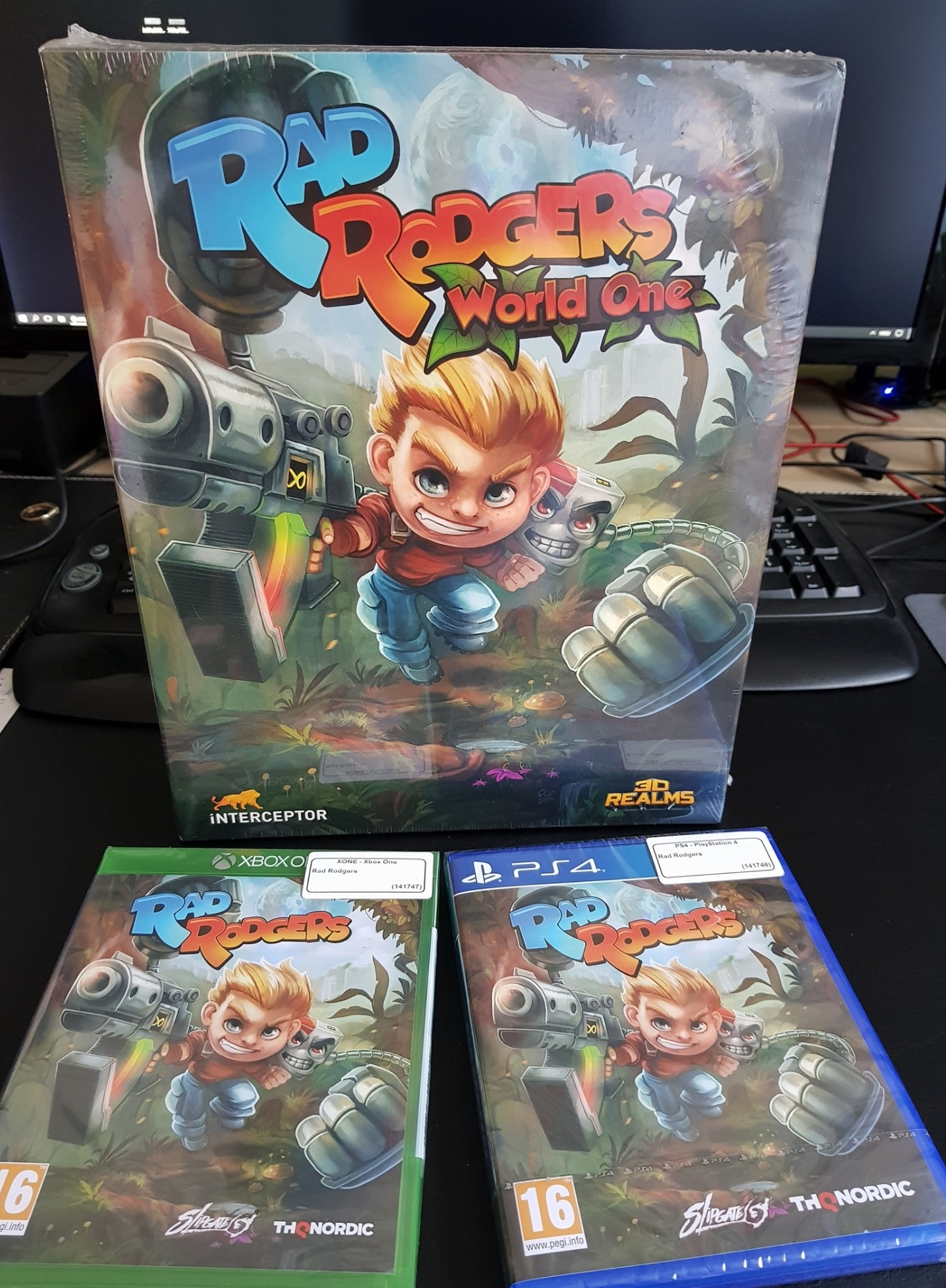
@fierce tulip wow you did physical?
fierce tulip
yea
frank escarp
normally physical is stupidly expensive and hard to deal with from an indie/medium sized studio
frank escarp
3k dollars PEGI, 3k dollars ESRB, minimum 1000 discs to print
fierce tulip
quite proud of that
 tall pendant
THQ Nordic probably helped with the physical release 😛
fierce tulip
@frank escarp kinda surprised it made it trough esbr, my worded explosions have words I wouldnt even dare to say out loud XD
 tender dome
hi, i want to create a light shaft kinda thing and for that i need a cone. can anyone help me out. i need a fbx mesh. thanx
 grim ore
Is there not a cone as a basic object in the place mode?
tender dome
i dont have a modelling software or knowledge of one.
 halcyon shore
@fierce tulip :P https://twitter.com/Bakscratch/status/966697182446473217

 grim ore
@tender dome the Place Mode, top left in UE4 editor, under basic. it's in the engine.
fierce tulip
I'll forwardit to the team
halcyon shore
I'll tweet it from my work Twitter ;)
tender dome
@grim ore but can i add it to a directional light also i want it hollow with no top and bottom
fierce tulip
I cc-ed the team and rr twitter acc. btw.
halcyon shore
What's your team's Twitter
fierce tulip
SlipgateStudios
grim ore
@tender dome If you need something that specific you can look into using the geometry tools in the editor and make one exactly like that. Other wise the default cone would not be hollow. they can both be static meshes which is the result of bringing in an FBX from outside the engine so yes they would work.
tender dome
okk lemme see
halcyon shore

Want a game to play? Try @RadRodgers a 90's inspired platformer! With hot run and gun action with challenging platforming! At a great price too! @SlipgateStudio

 Twitter
fierce tulip
Twitter
fierce tulip
just to point out, i have zero intention to promote the game in this chat, if anything take it as a "if you put your mind to it, you can do it too!"
Work hard, keep focussed, take some time off when you get too stressed, and dont give up!
halcyon shore
I probably wouldn't follow that account you'd get a lot of rubbish from us trying to sell stuff :p
fierce tulip
if it gets too bad I can always change settings hehe
halcyon shore
Yeh I'd like the clarify I did this as been a friend of luos for a while and doing out of heart :)
fierce tulip
awww
btw, re-LBP if you find a glitch/bug in lbp you can enhance the game, if you find one in ue4 you are prolly ffed XD
frank escarp
@fierce tulip dont worry everyone here plugs their games constantly
 restive eagle
http://prntscr.com/iickyg
Could anyone break down how these models could be displayed? I know how to add 1 model like that, but how would you add for every single mesh, it seems a bit stupid to spawn each mesh just to get a preview. Maybe its possible to have 1 render scene for the current object that rotates and other ones would be static. If you played fallout 4 you probably know what im talking about
 halcyon shore
I'll keep a look at for things to break ;)
 crystal vapor
Hey guys i used to be a Dev maybe 5 years ago, im well out of practice..... Have not used UE4 much, any recommended tutorials?
 vale osprey
@restive eagle it's fine to just spawn them
do you mean just GUI part or preview when you place them?
either way, it's not like performance will die if you spawn them
grim ore
@crystal vapor start https://docs.unrealengine.com/latest/INT/GettingStarted/index.html with a quickstart and then go from there 😃 the official YouTube channel for Unreal Engine as well has some random things.
Introductory information for developers starting out creating games with Unreal Engine.
restive eagle
hmm, i was trying to think of a more modular way, because if i spawn each mesh, i would need to create seperate renderer and material just for that, maybe there is a way to reuse just one hmm
crystal vapor
@grim ore Thank you for the tip!!!
vale osprey
@restive eagle there should be a way to do it programatically
grim ore
also if you have the launcher open the Learn tab is basically the same thing but with more examples 😃
vale osprey
restive eagle
hmm i might just stick to using pre-made picture if i cant figure it out, because as it is now i only have to add a row inside DT and it will be functional
vale osprey
2nd option might be not the most performant but 1st maybe can be done with blutility
I'll be doing something like that myself, was planning to create a data table with name of the BP and position/rotation of the camera to make a capture of it
just to semi-automatically make images of parts
actually, with 2nd option you can just save results of render to texture and use as instance parameter to material that you apply in UMG
by 2nd option I mean this tutorial
https://engineunreal.wordpress.com/2015/04/21/render-3d-objects-in-umg-widget-hud/
A tutorial on how to render a 3D object/mesh in a UMG Widget/HUD
restive eagle
i already have second method done, and was playing with the parameters a little bit last night, but couldnt figure out how to save/update that material correctly. Will take a look at your link. thanks
oh its exactly what i have now 😄
need to spend an extra day on that, hopefully will figure it out in the end
vale osprey
I wonder if you can do first method with blutility for automation, I know that blutility can place objects in the level, not sure if you can create assets
 soft garden
hi, there is a console command to remove all material during runtime?
 lunar scaffold
Hey Anyone know how to setup a new score on http://epicleaderboard.com/ need it to work with Endless Runner Template
 vale osprey
Nice!
 mellow pulsar
how do i fix this?
 versed shadow
How do I make use of the job bot to post job opportunities?
 upper heart
@versed shadow see the pinned message in the job board channels
versed shadow
gracias... I forget about pinned messages
 sudden agate
Layered Materials are so fucking cool.
You need a Vertex Colored Mesh Material? Just make a Material Layer with Vertex Color Blend
You can make Instances from the Same Material and simply disable/enable other Layers for Vertex Colours or other blends. Really nice
devout gulch
2,117 changed files with 739,977 additions and 34,965 deletions. wtf
 iron belfry
i have a question about streaming levels. I used the unload level, and that works fine, everything in the unloaded level disappears. However, the next node that should destroy the blueprint that unloaded the level never hits the breakpoint. So, the blueprint remains. Has anyone encountered this behaviour?
vale osprey
Is the actor in the same level?
 harsh tiger
i'm using the rollingballtemplate. it's set up to work with controllers by default which is fine. the problem is. if i hold W i go forward a lot slower than what i do if i go forward on the left analogue on the controller. does anyone know how to get them to be the same?
iron belfry
@vale osprey the actor is in level b, which unloads level a
iron belfry
i think i found the cause. its a setting called "always loaded" . i will fiddle with that behaviour and come back when i have an answer
yeah, that fixed it
changed the level to streaming via blueprint, loaded it in the begin play of the persistent level and then tried again. now the unloading completes correcly
vale osprey
that sounds like a bug - as if it's set as "always loaded" then what it contains should NOT unload
at least by this command
 gloomy pollen
Has anyone seen a plugin or API or something that allows you to access a shell/terminal on another server? Like a passthrough for a linux shell.
iron belfry
ok, next question
i have a light behind the wall, how do i make it so that it wont bleed to objects behind the wall?
 copper knoll
Hey all. I would have a quick question. I stumbled across Udemy, and wanted to know if anyone here has experience with it. Can you recommend it? I am already a bit familiar with Unreal Engine useing BP´s. What i want to do now is learning C++ within the UE. I have some knowledge also in other languages, mainly php.
I was thinking of maybe getting this two courses:
https://www.udemy.com/unrealcourse/
https://www.udemy.com/unrealengine-cpp/?couponCode=TL15ST2
Any advice, or other platforms to learn from ?
I also tried finding stuff on youtube, and such, but i find that most tutorials are quite old by now, and not very "Noob-friendly".
frank escarp
@Pablo Rueda#7652 SSH?
plush yew
I’m looking at game design to be a path that I want to go down for a future job / hobby and I was wondering if I should start with learning blueprints or C++
I’ve got no coding experience so neither one really jumps out to me as a better option
 rugged viper
Hey I'm looking for a beginner modeler to work with. We already have other two modelers all beginners so if you want to learn with us just DM me
gloomy pollen
@plush yew I'm just a hobbyist, but I would say if you have no coding experience start with BP since its more newbie friendly. I think what really matters is that you start learning the engine and either one will allow you to do this. Even if you start with BP, those engine functions you learn will still apply to C++ if you switch.
 lavish garden
@plush yew learn python. comparing blueprints to programming isn't something you should really do, as blueprints are really just visual shortcut chunks of code.. if you are going to learn to code, learn to code..
 tribal sapphire
Sorry I keep not knowing the right place to put things...is there a way to import 1 asset from the example proejects into a new project? I want to import the first person character, models and all, and the third person character, models and all
grim ore
you can right click on any asset in the content browser then go to I want to say asset something and choose migrate. This lets you move from one project to another.
Alternately you can import the FP and TP feature packs/templates right into your project using the green ADD button on the content browser and choosing the top add option.
tribal sapphire
So to do the first choice, I'd go into the first person / third person example projects and migrate them over that way?
grim ore
yep
it will ask you for the content folder in the project you want them in and it will move them over
tribal sapphire
Gotcha, then I just delete the first person / third person projects after I have migrated them over... Correct?
grim ore
if your doing migrate you select the actual item(s) you want and migrate. you could do the FP blueprint for example and it would move over just that blueprint and anything associated with it
so in that case you wouldn't have to delete anything if you wanted the first person character and its animations and such as that would be all that moves over
tribal sapphire
Sorry if I am absorbing what you're saying of it slowly... If I'm in my main project with in unreal, how would I migrate over the FP blueprint for example without creating the FP project and then deleting it?
grim ore
oh yeah in that case yes, I thought you meant deleting stuff from your project that you didnt want anymore. Yes to migrate you need both projects. To import the entire template you can do that inside your project but then you would have remove anything you didnt want as it would bring in all the items in the template.
tribal sapphire
Thank you... Final question on the subject I hope, if I migrate the blueprint, it will bring over both of model and any scripts that has associated with it? Cuz that has been one of my hesitancies about manipulating the files at this point
grim ore
when you migrate it checks to see what is associated/dependent to that item and it should move them all over. It will show you all the items it thinks is correct and let you know what it plans to move. in the case of like the third person character it should move the model, blueprints, anims over
tribal sapphire
Thank you...
 tough quiver
Is there any tutorial series that you guys recommend for quality Displacement? Thanks in advance.
 winter galleon
Dumb question but where do i find all the key inputs for the third person blueprint? Want to know what you press to trigger Event Possessed lol
grim ore
there is no key that I know of to do that, the player is set to auto posses by player one
well player 0 technically
winter galleon
Gotcha. Thank you so much
plush yew
i'm sorry again if this is the wrong area...now that i migrated the assets, wen i go to test it, the controls wont work, but the controller i'm using works in the editor...wut am i doing wrong?
grim ore
The input settings in project settings are probably not set. You would have to match those up. It’s what let’s the keys map to events in the blueprint.
 sleek spear
can i set widget / user interface elements properties through blueprints? the size for example
sleek spear
i want a throbber to spawn at random location and with random size every time a widget is displayed, on construct probably. how do i do that?
 spare blade
I want to add a .mov file to a screen in my game. Like a tv playing some footage. What kind of file format works best when package into a game?
plush yew
sup people
plush yew
yes
 obtuse sable
how?
plush yew

This is a short tip for Unreal Engine 4 (UE4) fo rthe feature vertex snapping and how to use it. I demonstrate also how to change the pivot point of your mod...
Modifying the location, rotation, and scale of Actors placed in levels.
obtuse sable
Awsome thx
plush yew
np

 fierce tulip

So much for the #ue4 marketplace quality control
https://t.co/ke1v3VTTij
not sized to skeletal, not pbr, can be made in less than 10 minutes, meshes in material catagory, etc, etc.
how? @amandambott how?
Twitter
 languid shard
:/
There was a pretty heated debate on the subject a few months ago here right ?
It started with the goofy licorn asset
which apparently isn't sold anymore
 cloud cobalt
"I replaced all of the tables in my game with these and experienced an improvement in performance. Two thumbs up!"
languid shard
 fierce tulip
that and the duck
cloud cobalt
I sometimes consider doing MP assets, not sure how much a good idea it'd be
tall pendant
money money money
they still get their 30 cut. So why care about Quality...
same for Steam 😛
 hazy swan
Could someone point me to the right channel to ask this qustion?
(x64 windows) I am wondering if it is possible to attach Crash Reporter to games launched with the Launch button of the editor. If I run the game inside the editor window and it crashes, I get the Unreal Crash Reporter as expected. I can set it in project options to attach the Crash Reporter to the packaged game. But I don't know what to do about game level started with the Launch button 😦
 obsidian nimbus
that unicorn is an emote in fortnite now 😃
plush yew
Can we please get an option to disable auto expand on the editor? seriously, it's driving me insane
@fallow cliff @prisma phoenix @blissful reef @finite flame @hot carbon @plush yew
frank escarp
@plush yew doing that kind of tagging is REALLY rude
plush yew
@frank escarp Why?
There is no tag for all Epic staff or anything, so I just tagged the epic staff that are online right now. It's been asked for few years, maybe it's the time...
obsidian nimbus
there are other channels for those kind of things
plush yew
Sorry, didn't find any better channel to post that in. Which channels if I can ask?
fierce tulip
@plush yew dont bother epic staff please, this will be your only warning
obsidian nimbus
make a reddit post? twitter tim sweeney 😛
cloud cobalt
@plush yew Tagging random people who didn't ask for it is generally rude to start with
All of them are currently away, too
plush yew
@cloud cobalt Not that I'm going to do it again, but rude? that's a bit of exaggeration
cloud cobalt
That's how many people here would describe it really
plush yew
only thing it does, if they didn't disable notifications (which they probably did) is leave a message on their phone if they even got the app
fierce tulip
none of them have anything to do with auto expand, so yea its rude
obsidian nimbus
some of em have nothing to do with editor dev
frank escarp
@plush yew its also the equivalent of showing in a group like "HELP ME NAWWWW"
plush yew
@fierce tulip Right, but it's been asked on reddit and their forums few times already, so maybe they could pass it to the people that have something to do with it
fierce tulip
or maybe its not important enough to put many manhours in atm?
plush yew
and how them not even anything do with it is rude?
at worst it would be dumb to tell them about it, but not rude
obsidian nimbus
thats like me sending a mail too every1 in ur facebook to tell ur mom ur tagging people here 😛
plush yew
It would have been rude if I demanded something, or cursed them, which I didn't
fierce tulip
i rather refrain from calling someone dumb etc
plush yew
@obsidian nimbus Ok, but that's not rude... just annoying spam and dumb. I tagged UE4 staff so they can maybe pass it, wow big deal
plush yew
So exactly would I reach them? give me a better solution.
There are threads about that issue from 2014
hazy swan
Ask a question, hope for an answer
obsidian nimbus
forum feature request or something
hazy swan
Though this doesn't seem to work for me right now 😦
plush yew
Right... so I thought they could pass it to the guys working on the editor. Probably they didn't even see the message, and if they did they could ignore it if they want to
Calling it rude is a bit of exaggeration
hazy swan
Not at all
obsidian nimbus
might be some culture diffrence 😛
hazy swan
I'd be pretty annoyed if I was pinged with an unrelated question on channels I'm a moderator of
plush yew
Ok, tagging people on discord is rude. Let's agree to not agree
plush yew
It's related. I wouldn't think that someone making my discord app having a small icon displaying the amount of messages I have received is rude, but whatever
cloud cobalt
Let's say it's annoying and counter-productive rather than rude if you like
hazy swan
What about the notification sound, if you have that enabled?
plush yew
They are all away
hazy swan
And that makes the sound disappear?
I honestly don't know, but I do get notifications when I'm away on Slack or IRC
plush yew
It's just a quick audio sound, still wouldn't think someone making this sound play on my PC is rude
fierce tulip
they are all away because we have to keep telling people not to bother them. its also why we react so forward with it.
obsidian nimbus
@fierce tulip how do u track the last warning, do i have 1?
plush yew
@hazy swan Right, but you said sound notifications, you don't hear them when you are away
hazy swan
Look. You get a notification, you might stop doing the thing you're currently focused on, only to see that it was a spam from someone
being away on a chat service doesn't mean being physically away
plush yew
It wasn't a spam, and seriously stop exaggerating. It's just a message, chill
cloud cobalt
We're just telling you how we feel about it, chill
hazy swan
Spam is just a message, one that the receiver doesn't want nor need
nor particularly related to them
plush yew
So he fucking ignores it, big fucking deal.
hazy swan
and that's what I called "You can just ignore the spam" approach.
plush yew
If you think that someone making your discord app having a small icon right next to the actual discord icon is rude, that's not my problem
cloud cobalt
The important thing to understand is that this Discord is a support community for developers, once that's not run by Epic, but that tries to be welcoming to Epic developers.
We want them to feel welcome here, not harassed
hazy swan
I'd say it is your problem @plush yew, since it was you who received the warning...
cloud cobalt
You might have only tagged them once but think about if everyone does it
plush yew
@hazy swan It's not even spam. They could pass it to the editor devs, since we have been waiting for this feature for 4 years.
cloud cobalt
We all have real problems with the engine too, if we were all tagging Epic staff every time we have an engine bug, they would disconnect immediatly
obsidian nimbus
I for one have no idea what this auto expand thing is 😛
plush yew
@hazy swan Well, apparntaly you aren't allowed to tag devs, which I didn't know, so ofcourse I won't do it again, but it still doesn't make it rude. Now please stop spamming me
obsidian nimbus
i hate the blinkin tutor thing, but others might like it
hazy swan
I'm glad you accepted my argument.
plush yew
When you edit your level it will expand everything in the world outliner, and same in UMG for widgets
@hazy swan I didnt, but that's a waste of both of our time. Have a great day / night
@cloud cobalt That's not a bug, that's been a feature that we have asked an option to disable for 4 years on the Fourms, reddit and every other place, so it clearly doesn't work. That's why I thought that it would be a good idea to tag them, so they can pass it to the devs that can change it
obsidian nimbus
you can change it yourself too! 😄
cloud cobalt
^
If no one cared about it for 4 years, then do it yourself, because no one else ever will
We all have feature requests for the engine about stuff we'd really really like and would change our lives
plush yew
Well, if I had an idea what code is doing this... I tried looking it but couldn't find it
obsidian nimbus
its there somewhere
plush yew
Yeah that helps 😄
vale osprey
"Can we please get an option to disable auto expand on the editor? seriously, it's driving me insane"
Not even sure what are you talking about
obsidian nimbus
thats what i said
When you edit your level it will expand everything in the world outliner, and same in UMG for widgets
plush yew
@vale osprey I already said that it is lol, look it up
cloud cobalt
Still don't get it tbh
plush yew
"When you edit your level it will expand everything in the world outliner, and same in UMG for widgets"
cloud cobalt
Can you explain it further ?
plush yew
How?
cloud cobalt
Might be super easy to fix
obsidian nimbus
ok this conversation is gettin super spammy, im out 😛
plush yew
That's what it does. Expand everything when you edit the UMG widget / your level
cloud cobalt
Expand what ? Can you hare a screenshot highlighting what's expanding ?
cloud cobalt
Being really honest here, I really don't get it
cloud cobalt
Is that the widget inspector ?
plush yew
UE4 really likes auto expanding it, and when I have UI blueprints with a lot of widgets, it's not really cool
it is
cloud cobalt
So you're saying the widget inspector auto-expands hierarchies ?
plush yew
Yes, same for the world outliner when editing levels
cloud cobalt
Okay
vale osprey
so you want editor to save all collapsed/open branches, everywhere, in every BP and places in editor?
fierce tulip
I have to agree i findthat frustratingly annoying as well
cloud cobalt
You're looking for STreeView or something close to that
plush yew
@vale osprey Why save it? just don't auto expand it when I didn't ask UE4 to do so
obsidian nimbus
i wunna make a jack nickolson one flew over the cucoos nest gif about auto expanding but too much work
plush yew
@cloud cobalt Thanks, will look into that
obsidian nimbus
so just make a mental picture plz 😛
vale osprey
@plush yew so what it should do? show everything as collapsed?
plush yew
It was collapsed, but UE4 auto expanded it
vale osprey
what else are you gong to do without saving the state of it
cloud cobalt
Maybe the state didn't really change
plush yew
No, it expands when I'm editing it
there is some auto expand feature
whenever you do some actions, not sure when
vale osprey
you collapse a branch, close widget then open it and it's now all expanded, yes?
cloud cobalt
If the contents of the tree change, then it's normal that it auto expands, because it would need really complex state save to not do it
vale osprey
^
cloud cobalt
The question is whether the contents did change - if they didn't, it shouldn't auto-expand
plush yew
@vale osprey Now, I dont mind if it expands when I reopen it, but it does so when I'm editing it
vale osprey
I agree that it's annoying - have pawns with 100+ components, but at the same time it's not something that you can just "fix"
plush yew
Why? Again, not talking about when I reopen a widget, but when I'm currently working on it and for some reason it auto expands
vale osprey
@cloud cobalt just dragging something around in hierarchy over collapsed branches should open them, otherwise you have to open them beforehand
imho that part needs more than this, sorting, layer and etc
at the same time, I got impression that if you have to many objects in hierarchies you are not following pipeline that Epic uses (not that I know what their pipeline is)
cloud cobalt
From a cursory look, it almost sounds like updates to the tree can remember expansion
vale osprey
that sounds really awesome
cloud cobalt
I'd suggest looking for one widget, like the widget inspector, and look around
Once you feel like you get it, you can ask Nick Darnell in #slate about specifics
 weary void
Hey, anyone knows about Maya please ? I'm having a really noob question
Like, how to create a triangle between 3 existing vertices
 celest creek
Take a look at the append to polygon tool
It's pretty backwards if you ask me but might get you what you need. Fill hole might work for you as well
sleek spear
i want a throbber to spawn at random location and with random size every time a widget is displayed, on construct probably. how do i do that?
grim ore
construct the object, add the object to your ui usually as a child to a parent panel, and uh profit?
if you need it positioned randomly it would have to be a child of a canvas since those are the ones that let you use positional positioning
 mental cliff
Hey guys, I'm making a file parser for reading .ini files, but I'm still kind of confused about what the ".", "+", "-" and "!" prefixes mean
Is this the channel to find out about that, or would the programming section be better?
 uneven fractal
Programming
sleek spear
@grim ore but how do i access objects via blueprints. i can find the appropriate blueprints
also i cant access parameters of widget objects via blueprints?
uneven fractal
Your saying you have a refrence to a widget object but cant access its variables?
hazy swan
Is repeating questions allowed if sufficient number of messages/amount of time has passed?
 steep trout
Hi everyone, I've made a Reddit thread that's intended to collect information about what sorts of infrastructure (tools, software, etc) developers are using to make their games. If you have a moment, mind contributing to the thread? I'll be collecting the data and making a spreadsheet with the most popular. Thanks! https://www.reddit.com/r/gamedev/comments/7zpyb1/game_development_infrastructure_whats_yours_2018/
 sudden agate
wtf is epic doing? I cannot create Material Instances anymore.
The parameters won't be saved!
4.19 P5
someone else has this issue?
 kindred viper
perhaps its to do with the new material layer system
cloud cobalt
Works fine here
sudden agate
changes do not apply to the instance
kindred viper
are you sure the original material has the parameters?
grim ore
the alpha in that picture is 0
sudden agate
doesnt matter
grim ore
yep it looks like a bug in p5 for sure. When you turn on layer blending in experimental that section changes to Global parameters and it stops you from changing them like you expect. Disabling layer blending fixes the problem. So far I can't seem to find a way around it
 digital anchor
why do i get some artifacts, when i try to bake to render target
the material is fine
but it only appears to happen with noise
 unborn matrix
is 4.19 gonna be out soon soon?
its on preview 5 i know but I have a new project that I might just wait
grim ore
accord to the thread not "soon" but "soonish"
and p5 seems to have some nasty bugs so maybe p6 then 2 weeks final? so 2-3 weeks maybe?
sudden agate
isn't it time for 4.20 already? 😄
grim ore
UMG
honest vale
is there a more manual way of drawing to the render target?
like, I want to paint a pixel at XY with colour RGB
I don't want to use a material
 snow crown
you can draw to a canvas and then render that to a texture
honest vale
ah, okay
 quiet harness
They should have made Fortnite open source like UT
kindred viper
If they did then it would have been really difficult to develop any anti-cheat methods for it. Which I think in the longterm would serve the community better this way. from a dev standpoint though, I would harness the power of those optimisations.
sleek spear
@uneven fractal i dont know how to do that. how to have access to a widget element from within the widget blueprints
gloomy pollen
time to find out how fast UE4 builds on a dual proc EPYC server 😄
 vivid girder
Anyone have 4.19 previews?
 cursive dirge
@vivid girder ?
anyone can get access to those
or do you actually have question about it?
vivid girder
Yeah, looking for someone that has them downloaded
 floral heart
Each individual one?
vivid girder
Nah, any of them
cursive dirge
it would be easier for everyone to just ask the thing you are wondering about
vivid girder
I'm trying to verify an engine breaking crash in 4.19 before submitting the bug report
Don't feel like sitting through a 4 hour download to make a 30 second check
cursive dirge
how do you know it crashes in 4.19 if you don't have it?
vivid girder
I'm trying to verify it hasn't been fixed
 icy basin
uneven fractal
icy basin
uneven fractal
I like how GNE image manipulation program(GIMP) is a skill on freelancer.com yet unreal 4 isn't
sleek spear
do i have to use the unreal logo in my game?
 opal hornet
is it a good or bad idea to use anim notifies for dealing damage?
(for melee)
im reading the docs and I would think a melee combat mechanic would utilize anim notifies, but all they keep using as primary examples are sounds or particle effects
uneven fractal
that's one way to do it I suppose
opal hornet
I'm basically trying to figure out the best approach for a melee system where damage is dished out at a certain point in animation
using delay nodes seems clunky lol
uneven fractal
I would just have the hit event do all the processing that ends with an multicast event that uses all the processed data to modify stuff like sounds/animations/particles for all the players to see
Animation you say? I don't really mess with that so you would probably want to ask #animation
opal hornet
ah okay, thanks
 faint cedar
Anyone know if it's possible to define a "minimum length" for a spline mesh actor?
plush yew
hello
I'm getting an error
Dis
"ERROR: No 32-bit compiler toolchain found in C:\Program Files (x86)\Microsoft Visual Studio 14.0\VC\bin\cl.exe"
I have Microsoft Visual Studio 2017
 elfin jacinth
In Visual Studio, you may not have the dependencies installed for a 32-bit compiler.
or C++ as that link suggests.
elfin jacinth
When you installed Visual Studio 2017, what options did you pick?
plush yew
I opened the installer again, clicked modify and now I'm installing "Universal Platform Tools for C++'
I pretty much just installed it right away.
Not choosing anything.
elfin jacinth
Ah right-o.
plush yew
Should this fix it?
elfin jacinth
Potentially.
plush yew
nay
still not working
I even have "VC++ 2015.3 v140 toolset for desktop (x86,x65)" installed.
So it should work right?
I just can't find any other option when modifying my visual studio installation
plush yew
Idk, I'm trying this. https://www.visualstudio.com/vs/cplusplus/

Visual Studio
Use Visual Studio to build cross-platform apps for iOS, Android, IoT, and Windows devices using modern, standards-compliant C and C++. Download today.
devout gulch
there os some open world
work going on
in l;ast frtnite branch
fortnite
thoigh not much leaked ;d
 merry gazelle
I have a question regarding character rigs. I've assigned a new (UE4 manq) skeleton to a character mesh. The joints seem to have been applied however the shoulders seem extra wide on the new mesh
 quasi lake
Bros how do solve endian problem of data sent from a third party server?
plush yew
Hi guys i've some technical question
just for a learning purpose im writing a simple minecraft like cube builder.
1). instancing cube, do it cost more in performance than face optimized "ProceduralMesh"?
2). do ue4 automaticaly cull hidden face of a cube? so can i avoid point 1?
Actually im setting a flat 1d bool array as if it is 3d
with that formula "bArray[x + HEIGHT * (y + WIDTH * z)]" then rebuild the mesh to fit it
3). is there actually a better way of storing a cubegrid?
Using instanced cube actualy avoid me to use an array, couse the engine store all the information for me and i just need to remove the instance that i'm pointing at with a raytrace but it seem to have sphere trace issues between cube
soft garden
Any news for 4.19 stable?
cloud cobalt
Probably not before end of the month
soft garden
👍
 gentle ivy
additionally you probably don't want to upgrade most production projects until the first hot patch anyways
 desert gorge
Can someone report this account
https://answers.unrealengine.com/users/616583/gabriellaella6.html
 cobalt mountain
for what
desert gorge
this account is spamming with movie links
You can check out the post of that account
I am going though the answer hub and I found some accounts are posting pirated movie links 😑
even this account
https://answers.unrealengine.com/users/616557/gfrtyuyy.html
obtuse sable
Anywhere you can get some nice high quality textures for free?
with normal map and such
 cedar snow
https://www.gametextures.com/ offers some free ones, though no idea what strings they might have attached

The worlds largest library of stunning, ready to use video game materials.
obtuse sable
its a
monthly sub tho
so not free 😄
oh i see here now tho
3 free downloads per month
 languid flax
You could go to textures.com, where you sign up an account and have like 10 credits daily or something like that. Then get B2M to make maps out of it. B2M free has watermarks tho, but I think there are other apps out there that do something similar.
It's what I do, just that I have B2M full.
"Awesome Bump" is apparently something similar, but free.
cedar snow
depending on your exact needs you could also make them yourself via photogrammetry (https://unity3d.com/de/solutions/photogrammetry) or if at least some money can be spent could go the Substance Designer route

Unity
Unity is the ultimate game development platform. Use Unity to build high-quality 3D and 2D games, deploy them across mobile, desktop, VR/AR, consoles or the Web, and connect with loyal and enthusiastic players and customers.
cursive dirge
http://store.steampowered.com/app/441770/MindTex_2/ has been bundled on some dev bundles many times already too

OverviewMindTex is a normal map generation utility for game developers and 3d professionals. Built to rival the competition in quality without the steep price, whether you want to generate a normal, height, specular, gloss, self-illumination, occ...
Price
$19.99
I have it, never tried it
there are free normal extractors out there too but usually the workflow isn't that nice
hmmm, this looks tad fancier than the most free ones http://awesomebump.besaba.com/about/
@teal tulip what did you contribute to it?
 teal tulip
The preview models
and some changes in code I think
I'm everywhere
That is why i posted that tool here years ago
Don't think have much difference that tool
But its like th 100$ tool from Allegorictmic
Actually I was in more things back in the time
obtuse sable
Is there anywhere i can learn more advanced techniques about the sequencer? Like making realistic camera motions and such
fierce tulip
@desert gorge I removed his posts/banned him
obtuse sable
Really cant find anytihng on it
cursive dirge
@obtuse sable you may want to ask that in #cinematics instead
fierce tulip
i always suggest bitmap2material for normal map creation
cursive dirge
(just thought you might get more answers there)
b2m is nice as you can include it with your substance pipeline
like literally feed it in your substance graph
or use with their automation tool
(B2M is just substance file itself)
 rough garnet
Anyone wanna try something as a test real quick? Not sure if me or engine bug.
Make a bp struct and within it make a few arrays (in my case 5). Then populate the arrays with a few items each. Reference that struct as a blueprint variable somewhere and open the struct pin so you see the arrays. Look in details and see you have x y z arrays with 1 2 3 items in them. Now go back to the struct and remove an item from one of the arrays. Save/compile/reload both files, even reload the engine. I can't seem to get the 'amount' of stuff in the array to change on the reference.
The only way I can get the new array count is to make a fresh struct variable in the editor. Nothing will make the amount change. I was going for a setup where I was gonna put lots of fixed info into a large struct array, all by buttons/scrollers will have limits based on counting the length of one of these struct arrays (so if I want to add a map, and all the data that goes with the maps appearance, I can do so in the struct, keep adding, game keeps scrolling further, etc).
But looks like, if the engine won't update the variable properly, I'll have to do it elsewhere like game instance, would have rathered struct arrays, seems a good way to store packs of info
teal tulip
@cedar snow yeah that textures can't be used in commercial games
@obtuse sable go and use Awesome Bump do more than the Paid tool
cedar snow
@teal tulip i guess that's understandable. though when you're releasing a commercial game with PBR materials, there has to be some budget for them 😃
cursive dirge
awesome bump lets you batch process?
teal tulip
let you store the preset you made
but no idea if him added batch process
But not all the images can be edited in the same way
A batch process to convert images is a bit absurd or someone is trolling you
Cause each image have a different range of black-white
And the metal etc is calculated by it
You won't get the same other if are total procedural
cursive dirge
you can use these tools for more than just recognizing normals from photos
teal tulip
So the best one is go https://www.textures.com/ and take https://github.com/kmkolasinski/AwesomeBump/releases Awesome Bump and generate the tiled textures and then the normal etc

Textures.com
Textures for 3D, Graphic Design and Photoshop 15 Free downloads every day!

GitHub
AwesomeBump is a free program written using Qt library designed to generate normal, height, specular or ambient occlusion textures from a single image. Since the image processing is done in 99% on ...
Well yeah the normal is a bit different still an artist is needed
The tool do his best but need to calibrate the colors
And yeah that web is 15 credits per day can be 15 images or 5 decent quality images
If you need some better then you can do as they said @cursive dirge etc and get the 300€ Allegorithmic pack
If you want procedural things etc
desert gorge
Thanks @fierce tulip
but still I can see some other accounts doing same things maybe they are bots
obtuse sable
yo
how can i get bokeh depth of field to be in the middle of something?

If you see here
its blurred near the camera but not in the middle
then further away its blurred
again
So its like focusing on something

Here in my scene
i only have a blur infront of me
 urban gyro
Has anyone experienced a discrepancy between animations in a 3d modeling program and in Unreal?
 bitter meadow
Hi guys, anyone here with a good AI perception knowledge ? I am trying to call if the AI has heard something, how do i achieve that ? Because when i break the stimuli, it only returns successfully sensed and now the AI does always the same, on seeing and on hearing
fierce tulip
@peak light yea, every few days we see an influx in bots. we try to get to em asap whenevre we get an answerhub mail that looks spammy, but sometimes they fall trough the cracks.
frank escarp
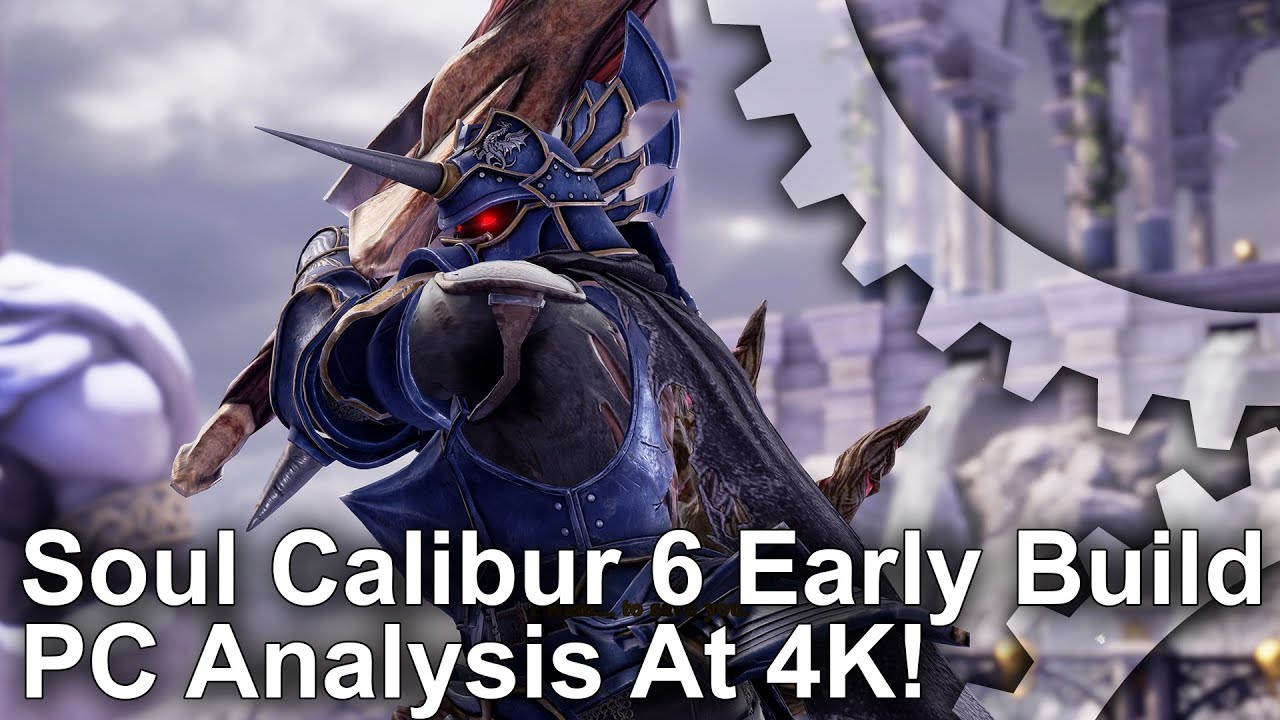
@fierce tulip have you seen the FX here ? https://www.youtube.com/watch?v=qVftZNeREI8
Armed with a GTX 1080 we set about playing one of the most anticipated upcoming fighting games at a full 4K. The results on Unreal Engine 4 look stunning - f...
in soulcalibur 6
check those flashy weapon trails
its ue4
like somehow every single japanese fighting game lately
fierce tulip
nothing too special on the trails, and imho the impact effects are rather generic atm. though knowing general fighting games they end up looking much better near the ending stage of production
refraction all the things hehe
 ruby folio
Can anyone tell me which was the last Adobe Photoshop released that wasn't subscription based?
 glossy flame
CS6, but it's no longer sold
ruby folio
I was thinking I could probably get a copy off eBay or Amazon
 bitter iris
Can anyone help with this
I have it depleting at 25 and max hunger is 100
But it still has the green left in it even though its supposed to be empty
 regal mulch
Well, show us your code etc.
bitter iris
languid flax
If I work collab with somebody, does he need a plugin like Linter if I use that?
regal mulch
Only if Plugins give Code/Nodes
 latent moth
Hello all, what is the proper approach to replication of firing events? Having the client to wait for the server to confirm that a firing is happening does not make much sense to me as the player would perceive a lag. I understand that the actual computation of hit must be done on server
So how do you guys do it?
Fire effects local on client that then runs the event on server that checks and multicasts the fact that a client is firing? But then how to avoid the client firing twice?
Or do you approach this differently?
languid flax
thanks!
regal mulch
@latent moth Client Presses Fire -> Client does local LineTrace/Projectile Spawn -> Client tells Server to fire -> Server does LineTrace/ProjectileSpawn -> Server tells all other clients about LineTrace ProjectileSpawn
Local Client and Other Clients only do Effects
Server actually deals damage
And maybe Effects if a ListenServer
If you multicast and you want to filter the local player, just check if the owner is valid on Remote
Usually you specify a PlayerController as owner
For Pawn or Weapon
And that is only valid on Server and local client
So the other clients won't have that. So only proceed if owner is not valid
latent moth
Oh nice
Thank you, will try that
Sorry, I don't get what you mean with specify a PlayerController as owner
obtuse sable
Can i transfer a project or lik everything inside a project in to another project?
like blueprints
 hoary wadi
Yep, right click it and choose export. It'll also export everything that it depends to your other projects content folder @obtuse sable
obtuse sable
Awesome
plush yew
Who here has steamworks? I have some questions
sleek spear
about the unreal logo, do i have to use it in my game?
plush yew
ffs
sleek spear
cant find more info about it, do you maybe have a link that talks about these things?
 paper kernel
I can't recall source, but someone has asked it before
toss email at Epic, they will probably tell you more
plush yew
does anyone have steamworks
 floral lion
@sleek spear https://www.unrealengine.com/en-US/eula
plush yew
no
sleek spear
alright, i see
plush yew
please can someone answer my question
 ocean ridge
I can't enter virtus discord
sleek spear
though i still cant be sure about unreal splash screen
ocean ridge
ahh I think it was temperal problem
plush yew
@ocean ridge do you have steamworks?
sleek spear
@thanks @floral lion and @paper kernel
ocean ridge
never tried steamworks before
floral lion
@plush yew i guess no one currently here has
plush yew
fuck
floral lion
(like in who is writing right now)
plush yew
Well, I just need to know if we can put a game up privately on steam
I dont want it public
floral lion
Well I actually have it - but ... never bothered with it
plush yew
Like I want to know if I can put an unlisted game on steam
and not have it show up in the store
or community
floral lion
you can set it to closed beta somewhere iam pretty sure
plush yew
Okay
because I want to put my battlefront 3 build on there
just not have it show up to the public
Because well...people would freak out and then the legal issues
elfin jacinth
When you upload the build to steam you decide how people access it - if it is pushed to teh store, obviously people will be able to access it.
You can put it on a beta branch of it is on sale, and you want people to be able to buy the game, and have access to the beta.
You can put your build up and key restrict it, you'll just need to request keys
elfin jacinth
I mean the only way to give people access to a game on steam (Unless you want to add them to your dev team in the back end) is requesting keys generated from Steam to provide users to download
plush yew
And I can do that as many times as I want?
paper kernel
duly note, Copyright takes effect immediately when you share the project with someone
elfin jacinth
Request keys? Sure
I just requested 300,000 keys for a partnership I am doing with an org
Took a few days, but got them pretty quickly
plush yew
Ah alright
And you can have your custom steam game name on there if you want?
So when you play it shows the game name
if you have it on private ofc
elfin jacinth
If the game is unlisted, to anyone playing it - their friends will just see 'In a steam game'
Unless their friends also have the game
plush yew
Oh okay
Yeah I just need some sort of DRM and multiplayer stuff, thats why Im putting it on steam
Its not going to be publicly released
Its just a small game for me and my friends to play, so if someone leaks it they cant play it 😃
elfin jacinth
Are you integrating steam into the game? To use Steam servers/Friends list?
plush yew
yeah
elfin jacinth
Have you already done that work?
paper kernel
to be fair
doing a master html login wouldn't even be hard
no need to get steam involved
plush yew
nah its also the fact that alot of the free radical devs also have steam
And my goal is to give the game to all the FRD devs
since theyre still super pissed their game got cancelled, they gave me alot of the files for me to finish it
Ive just gotten to the point where its nearly finished and I want to put it up on steam so they can play, so that reason too
elfin jacinth
Do you have account auth outside of steam?
elfin jacinth
IE Are users going to have to link their steam account to your 'X accounts' that sit outside of Steam
Or just pure steam auth?
plush yew
Yeah having to have them link to my account to auth would be waaaay too much work
elfin jacinth
I ask because we had our own OAuth and integrated with steam was a butt ton more work
plush yew
ah I see
Ill keep that in mind
Thanks for answering my questions though, really helps
elfin jacinth
Most welcome!
plush yew
Is it okay if I add you as a friend and when I get steamworks and if I have more questions I can just PM you?
elfin jacinth
Sure
plush yew
Alright thanks
elfin jacinth
But, I'll forewarn
I am moving to North Carolina this week, so I will be a bit out of touch
plush yew
Oh, ill have it in like 2ish weeks
Im doing a side job to get the money
So itll be a bit before I get the money to buy the pass
elfin jacinth
Right-o
mellow pulsar

Game Jolt
Malus us a spiritual successor to Increpare's "Salome." In this game you are a ball that you control with 6 buttons, the goal of the game is to reach the end of each level, you will soon realize...
just finished my first game
 azure shore
nice congratulations
I think I should do some more
I was wondering about animation blending, so somehow luckily the aim offset I made works while running and standing but not with falling
I was wondering how that's detirmined
*determined
plush yew
In general is ShooterGame still a good example to base a multiplayer game on for reference?
In terms of coding standards
plush yew
Any things in particular that may need to be overlooked? It seems to tackle many different things at once- pc (steam + non steam)/consoles/lan/splitscreen/local multiplayer/dedicated servers etc
UI stuff can definitely be redone in UMG for sure
I just ask as I have been creating the same classes to break down how they work and you can't really get it to run correctly without completely recreating all of the subsystem / session / UI stuff which has tons of logic, so I wanted to make sure it is all still relevant and valid
regal mulch
Uff, probably
It didn't change that much in terms of c++
The base framework is still the same
There are a few things that are a bit over the top
Like inheriting SessionSettings, just to set default values
plush yew
Great to know thank you! I've wanted to just make sure I'm doing things in a way that would make sense as my first prototype was just what I thought should work, not the best practices.
I just made that class for session settings which basically just did that- set the defaults, I'll keep in mind that it's not essential!
Any other things spring to mind? Anything is really useful to help me figure out what is mandatory, thanks a lot!
regal mulch
Well, the whole system is not necessarry, despite making sure to keep in mind what exist on server, client etc.
:D
You can desgin that your own way
You don't have to do put Session functions in the same class as epic did
Or handle returning to the main menu the same way
It's ONE way
plush yew
Got it! I'm trying hard to separate each element into its own separate chunk so I can then break them down into what I need, but it's all completely sandwiched together - pawns get spawned by gamemode which makes calls to gamesession and game instance before it properly starts the match, so everything has to be implemented for it to work without knowing what you can strip back
Thanks for the help!
Also I can't find this class from the ShooterGame docs This is stored in the RemainingTime property of the game replication info class (AShooterGRI), which is then replicated to clients.
Any idea where I can find it? "AShooterGRI"
cedar snow
are you two talking about this? https://docs.unrealengine.com/latest/INT/Resources/SampleGames/ShooterGame/
Documentation for the C++ example game project ShooterGame
plush yew
Yes those docs are the ones I'm reading
cedar snow
ah cool. will also take a look at it and try to fill the gaps
plush yew
Great! The docs are nice for the weapon systems but there is loads more stuff that I wish they had the same amount of detail on
 sterile stream
is it hard to import materials from substance designer?
into ue4 that is
or does it get all messed up
grim ore
Haven't had too much of an issue here. You export out your textures and then just match them up to the correct inputs on a material
azure shore
for some reason when I press E it causes a slight height offset for my character, it goes slightly above the ground, when I respawn or start its fine again
I swear there's no E scripts even in the blueprint
azure shore
hey anyone how do you change the walk speed in the blueprint?
glossy flame
If you're using the CharacterMovementComponent, it's a simple float to set
azure shore
but I'm not sure what it's called there
paper kernel
it's included in characters
 weary basalt
Its called MaxWalkSpeed
azure shore
like normally where you change the speed it's called maxwalkspeed but I typed that into the blueprint and nothing shows up
weary basalt
Its on the CMC as explained above
azure shore
I can't think where to find that sorry
sudden agate
Your Blueprint has a "CharacterMovementComponent"
weary basalt
The CMC is an Component on your Character
azure shore
ah ok thanks
thanks guys now I've made basic sprinting
lol if I respawn whilst falling it sends me to space
it used to just give me the fall damage there but now it does that instead
urban gyro
Just out of curiosity, why isn't there a Radio Button in UE4? I know how to use the Check Box and turn it into radio, but damn those things are standard pretty much everywhere.
sudden agate
A checkbox is not a radiobutton
Checkbox : Allow multiple settings
RadioButton: Allow only a single setting of a given set
azure shore
Well at least even though I haven't used ue in ages when I did today I actually made some little bit of progress
I mean sure all I did was make running and walking but you know, it always feels good
 radiant fable
imported a bunch of new stuff to a new fps char project, set the imported ground to have col, but i get erratic spawn behaviour on play, launching me outside the skysphere falling down the side of it
 tiny prawn
lookin for feedback in wip. ❤
radiant fable
nvm, somehow the surrounding env sphere acted solid, with collision on
grim ore
ooh I had that problem before. I want to say the firelands demo map has collision turned on for the sky sphere by default. Took me a long time to figure that one out.
halcyon shore
anyone know why my UE4 is going super slow all the sudden?
radiant fable
 gentle ivy
ah that cisco brand licensing
urban gyro
@sudden agate Yes, and there is a checkbox widget, but not a radio widget, they aren't hard to set up, but is annoying when you have several.
 simple pebble
anyone avaliable to give a guy a hand
weary basalt
Just ask your question and someone maybe able to answer it for you.
simple pebble
im making another level, in the first level you can see your character in the viewport, in the second i cant i only have the playerstart, im trying to reference my character in the level blueprint
grim ore
If it’s a template and default map then you probably have a blueprint character in the scene is why. You can just drag it in from the content browser in to the new map if you want.
Also you might want to think about if you need to do it in the level blueprint as that is generally not used for common events
simple pebble
i tried dragging it but it just spawns another of the same character
grim ore
You need to change the character you have added in to be auto possessed probably. Check the details on the added character and look for that section at the bottom and change it to player 0.
simple pebble
il give it a shot
quiet harness
Does anyone know any other 2D editors with visual scripting or some good C++ tutorials?
 languid quarry
Anybody know what ever happend to destruction 2.0? Is that going to become Blast now?
bitter iris
Does anyone know why I'm getting this
LogD3D11RHI: Error: D:\Build++UE4+Release-4.18+Compile\Sync\Engine\Source\Runtime\Windows\D3D11RHI\Private\D3D11Viewport.cpp:(203): BackBuffer->GetResource() has 2 refs, expected 1
quiet harness
Follow the directory and check out line 203 of D3D11Viewport.cpp
But try reinstalling DirectX too
Here go to the directory C:\Program Files\Epic Games\UE_4.18\Engine\Source\Runtime\Windows\D3D11RHI\Private and run D3D11Viewport.cpp, find line 203, delete the line and paste "checkComRefCount(BackBuffer->GetResource(),1);"
@bitter iris
plush yew
Hello everyone
I'm having some trouble with UE4 and I need to make a question...
I want to add some walking animations on the standard UE 3D humanoid model, but when I open the Blendspace, it only shows Horizontal Axis, and Vertical Axis is missing. I don't know how to show Vertical Axis to work on it, I need some help...
I'm also using UE 4.17
 jaunty zephyr
Can anyone explain why looking for work is read only thanks 😉
 grim juniper
It says how to use it in the pins for that channel
vivid girder
Still looking for anyone currently using 4.19
If you are, could use your help testing this
Go into any material Add a SetMaterialAttributes node Click the + icon a few times Click on 0 and try to change from "missing" to basecolor or something
Save your work first
Lemme know what happens
latent moth
@restive eagle did you manage to solve the Aim Down Sights with Set View Target With Blend? I can't seem to manage a working example...
I am unable to just blend to the new camera. All positions get messed up.
I mean, this should be ptretty trivial, moving from one camera to another
plush yew
Would Unreal engine be fit for a game as big as Kingdom Come Deliverance? ( I'm not gonna make a game like that obviously I'm just interested)
latent moth
Ok, I got it. If anyone searching this chat in the future needs a proper aim down sights with Set View Target With Blend so that you can have a smooth transition and set your ADS camera in the weapon BP, just ping me and I'll share it with you.
grim sinew
@plush yew You can try, but you're going to fight the dynamic lighting performance a lot.
It's not impossible though, especially since the game's singleplayer.
quasi lake
Bros what's the difference between
Func(TSharedRef<MyClass> &val){ }
and
Func(TSharedRef<MyClass> val){ }
?
Isnt TSharedRef already a reference to the object?
latent moth
I'm experiencing a weird thing with a reticle in a gun, it looks perfect until I aim down the sights, in which case as you can see it flickers... anyone knows what this might be due to? https://gyazo.com/5ad9f49837c40febb46711b9af32f2b4
 obtuse sable
Can i delete the DerivedDataCache
 real bolt
How do you make a brush invisible and only serve as collision ?
latent moth
"hidden in game"?
weary basalt
@obtuse sable Yes. It is auto generated.
obtuse sable
so it will come back when i open the project again?
no point in deleting it then right?
weary basalt
You can if you want. It wont break your project if you do.
obtuse sable
yeah
cedar snow
when i reload a level, will the game mode be reset/newly constructed?
regal mulch
@real bolt Use a collision primitive
@cedar snow Yes, given it's not a seamless travel
Even that should reset though
cedar snow
on that note: for single player games there's no other choice than using a game mode on client side?
weary basalt
An single player game can just be considered an listen server
 cinder iron
you are not playing online so, consider you are the server
paper kernel
stupid question, can you rotate capsule trace?
cedar snow
thanks ladies/gents 😃
cinder iron
@paper kernel setting its origin and end point
cinder iron
what do you mean
paper kernel
putting capsule sideways
cinder iron
can you do a quick paint picture?
cinder iron
this?
paper kernel
yea
paper kernel
capsule trace
cinder iron
well setting its location and end point would make it imo lul
cursive dirge
@paper kernel you can't
but you can sweep your own convex collision
not sure if you can do it from blueprint only, I think @vale osprey might know more about that, I've tried to stay away from BP stuff for years
paper kernel
I've tried doing a custom c++ function for BP usage, turns out not that easy
cursive dirge
it's not that difficult once you get used to it
I think the wiki example had one error
if you followed that
it missed ctor from other file
paper kernel
it's inside a component, whiich then screwed over my world context
and google just wants to give me VR related results
cursive dirge
oh right, unreal didn't expose convex collision shape on sweep 😄
physx can do it
they just don't implement it on ue4
cinder iron
so you cannot do this?
cursive dirge
@cinder iron not unless you rotate the whole UE4 scene 90 degrees
the shape traces in UE4 orient themselves always so that Z is up
real bolt
@regal mulch What you mean ? How do i conver bsp to collision primitive ?
real bolt
um i know
cursive dirge
you can convert BSP into staticmesh
real bolt
No thats not what im looking for
cinder iron
good to know, I supposed something like this would mimic the behaviour @cursive dirge
cursive dirge
btw, while having worked on game physics for years, I almost never use blocking volumes 😄 it's kinda funny as it's so basic concept that you'd expect to need it all the time
real bolt
The ut devs usually convert bsp to collision meshes somehow
cursive dirge
@cinder iron @paper kernel well, if you need a horizontal capsule trace, you can just use sphere trace
capsule doesn't even make any sense in that context
cinder iron
not really but I mean, wouldn't this work as supposed?
cursive dirge
other than for getting the initial hit easier
not sure what your image means
but sphere trace in trace direction should do what ctzn wants
cinder iron
its a capsule trace with 50 radious 0 half heigh origin on scene 1 location on scene 2
paper kernel
already tried, problem is spheretrace will yield biased normal results toward the start
cursive dirge
yeah, I can see the issue if it hits before full capsule length
I guess you could use https://docs.unrealengine.com/latest/INT/BlueprintAPI/Collision/ComponentOverlapActors/index.html etc for the initial check
ComponentOverlapActors
but it's not very clean approach
cinder iron
they actually included some kind of improvements on the sphere/capsule/box trace
to know which is the first hit on the full sweep
I think Zak M posted something about it
cursive dirge
it doesn't really help here
cinder iron
🤷
cursive dirge
as if his sphere trace hits something where it's supposed to be capsule side and sphere trace hits it on front, it gets wrong hit normal
cinder iron
oh, right.
paper kernel
I tried calculating the normal from impact point to capsule center line, works fine on flat surfaces, angled gets random negative results
cinder iron
are you sure they are random? because maybe you are embeding somehow the orientation
bitter iris
@quiet harness thanks
paper kernel
I was still using the normal, but for some reason the trace penetrated the surface and got result from the other side
paper kernel
guess I just have to live with Z oriented traces for now 😓
cedar snow
when (re-)loading a level, is the GameInstance the only thing that doesn't get constructed new (w.r.t. to the GameFramework)?
aka where do i put data that should survive level changes?
cinder iron
as controller or stuff?
cedar snow
@cinder iron are you asking me or @paper kernel ?
cinder iron
you
cedar snow
i just need a place to store the player state that survives a level (re-)load. the actual PlayerState, configured in the GameMode, gets constructed new on (re-)load so i guess all it's data is gone. same for the configured GameState.
cinder iron
you can make the controllers survive using seamless travel between levels
and there is indeed a way to recover your player state data
but I cannot remember the actual setup, but pretty sure cedric's compendium says something about it
cedar snow
it's for a single player game, though i might want to keep the MP path open
i'am currently using level reload as a way to reset the level after the player has lost
so i guess in my case seamless travel would be counterproductive
cinder iron
I've never used PlayerState on a SP game
cedar snow
so you keep track of things in game mode and/or player controller?
cinder iron
usually every persistent thing gets saved on the GameInstance as is the most accesible stuff to save.
so for example if I need to save the Lifes my character has, or the total coins I've recollected in my way through I'd do it on the instance
it serves aswell to hold game settings
since it's very accesible and persistant
so I don't need to worry about anything else
cedar snow
thanks for clearing that up for me
cinder iron
but level related things
you can do it on the controller as is more accesible by the UI
and... well things get easier
cedar snow
nah, you got that right in your example: i need to store data that's not specifically tied to a level
cinder iron
level related things as... a property you get in the levesl that oyu dont need to save afterwards
cedar snow
yeah
player controller seems a good place for those
or player state if one really wants to be proper i guess 😄
plush yew
hi, I don't know where to say this, but my agame is not using the put down thirdperson, rather spawning one
vale osprey
@paper kernel in BP to make a custom shape sweep you just need to move mesh with setPosition and set Sweep flag to true
plush yew
 upper flame




 still ingot
So my game has some weird stutter every few seconds when I'm running the packaged project or when I'm running it as a standalone game. It even happens on a completely blank project. Has anyone encountered this before?
It only happens when I'm moving the player character. While standing still everything seems normal
plush yew
how do I block ambient sound inside a volume
fierce tulip
Going to do a livestream presentation/turial for the israeli meetup in a few hours so did another test-run and obviously everything went wrong.
oh, ue4 crashed.
oh, material broke.
Oh, my cat is singing the song of its people, loudly.
 lime cobalt
and i'm not this cat
fierce tulip
*pets @lime cobalt *
restive eagle
@latent moth y you are correct, new view target needs to be a blueprint with its own camera and it will work
latent moth
ok thanks
restive eagle
such a simple solution but didnt see a single tutorial using that method... all of them have a crazy workaround which just brings more problems..
plush yew
how do I fix this
restive eagle
there should be autowrap check box
plush yew
I did use it
but that just moves it a line down
still continues on with it
in fact, I was using that on the screenshot
space for 4 lines of text
so why is it doing that?
restive eagle
not sure what you are trying to achieve, you just want to hide extra text?
plush yew
what laptop whould you guys recomend for unreal game development(if you would recomend one at all)?
restive eagle
any high end laptop would do, but still if possible try to get a pc
 opal spindle
Guys does UE4 support raw mouse input?
lime cobalt
yes you can get it via Input:: in cpp and via the player controller in blueprints
opal spindle
Is that raw though?
tall pendant
isn't ue4 using dinput?
lime cobalt
get player controller => get mouse position , that's how i get it anyways
tall pendant
i dunno about actual raw input support
opal spindle
I get that, Pillows
That's what I'm doing now
But I'm talking about a deeper level
lime cobalt
i guess you could get it from cpp, but it's kinda difficult to get what you mean
opal spindle
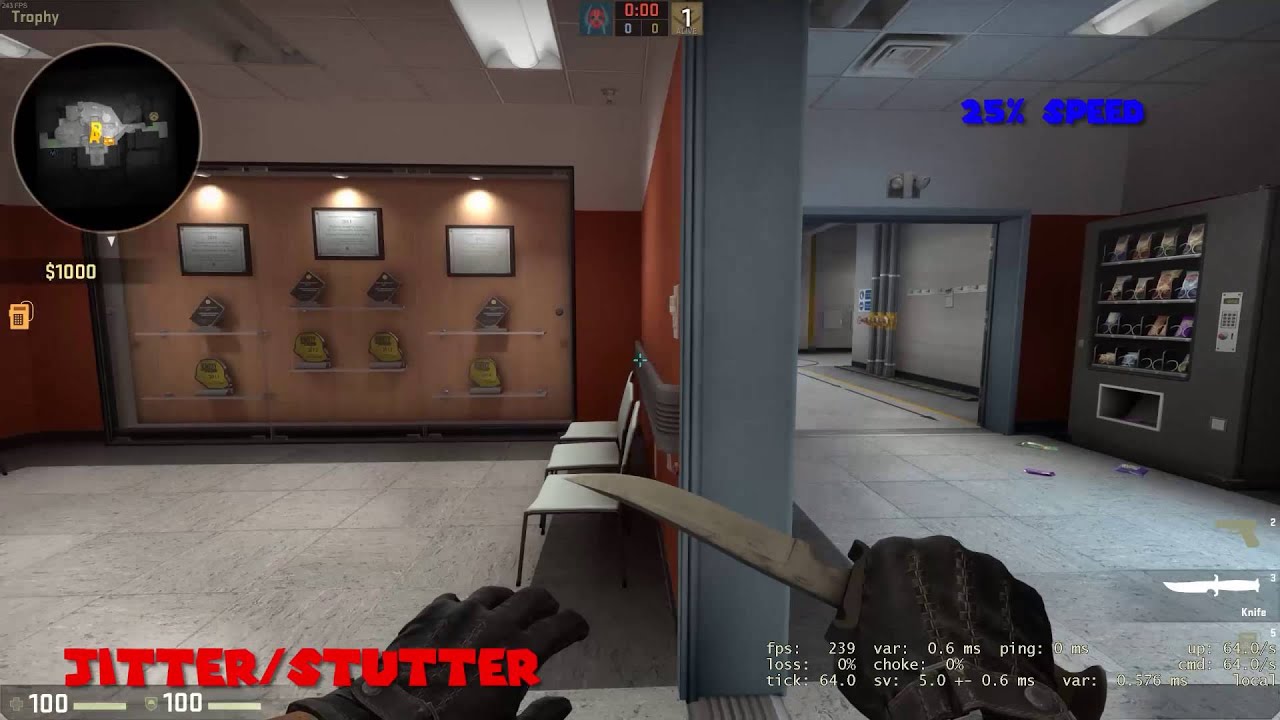
TL;DR Turn Raw Input ON Song: Madeon - Pop Culture This is an update video to "THIS GAME IS BROKEN" I FOUND THE PROBLEM!! It was that CSGO turned off Raw Inp...
lime cobalt
you mean getting infos like " mouse moved X pixels up and Y pixels right ? "
lime cobalt
then i'm not aware of that
interesting issue though
@tall pendant and UE4 uses directX as well as openGL and whatnot
tall pendant
raw mouse input is usually used for all the comp. shooters
lime cobalt
so i'm not too sure about directInput
tall pendant
@opal spindle app. there is an raw input thingy starting from 4.15
@Pillows#3505 yes. its xinput by default. Not dinput. my bad 😛
lime cobalt
@tall pendant sure, then it's awesome because xinput may allow to get the raw input for every platform
plush yew
Hello All
i have a question if anybody could help
how do i make a texture loop a ring over and over concentrictly
@restive eagle no
I want the text to continue, not cut off or go out of the screen
restive eagle
put it in a horizontal box and set text box to fill
you can probably use a size box too
opal spindle
@tall pendant that is only for misc devices, raw mouse input is something else
Difference between raw and non-raw input is that raw input takes the mouse input directly from the hardware while non-raw goes through the settings you have set in Windows first, generating a tiny bit of lag
 warped topaz
Anyone that does archiviz here, would you be interested in streaming on twitch? Or if you already have posted tutorials?
plush yew
@restive eagle where do I set it to fill?
 opal ocean
Grr. My temp placeable mesh for building objects collides with pawns, BPs that I've placed, but not static meshes placed in the world 😦
the placeable is set to overlap with everything, the static meshes seem to be set to block all
warped topaz
I'm guessing that's a no...
warped topaz
But if anyone does that or is interested, please do let me know.
azure shore
oh great, my windows are broken again
like before it was just really tiny but now it doesnt seem to open properly
on the bottom of the screen when I hover over it it just shows the ue logo
uuuuhh please ue just work for crying out loud#
azure shore
never mind
 south ridge
Anyone here working with planetary/terrain rendering and UE4?
snow crown
@latent granite please don't spam multiple channels with your crash
#cpp is probably the best channel for it, but you will need to provide more information
 latent granite
i did
floral heart
It's in #engine-source which is almost better.
But you scared the blueprint peoples.
😛
snow crown
also, pastebin your stuff
and share samples of the crashing code
that's generally the best way to get help
 analog cedar
how do you capture gameplay in the editor? I know matinee's can get footage but I can't 'play' the game while it's recording
grim ore
Has anyone here used the new Material Layers in 4.19p5?
plush yew
can you make a 2d game in unreal?
grim ore
yes
plush yew
how
south ridge
Using unreal engine
 noble barn
Hello. Reading into installing Prerequisites on client's PC's for UE4. Found a thread that said I need to check the "Include Prerequisites" box in the launcher config, however there is no such setting
The post was created for 4.15, we are working on 4.18
Oh nevermind, I found it unter "Packaging settings". However, if we build our game via a custom profile created in the project launcher, how do we transfer those files over to our build-server?
We use the UAT command line to build our app on a remote server
plush yew
how do i fix this
noble barn
so apparently this "Include Prerequisites" is checked by default, however I want to make really sure those Prereqs are in the build release version
@plush yew
or the arrow on that icon and select "build lightning only"
fierce tulip
https://i.gyazo.com/33c22615b116bdd42f488e35a04a16ba.jpg
did a presentation/turial for isreali ue4 meetup haha.
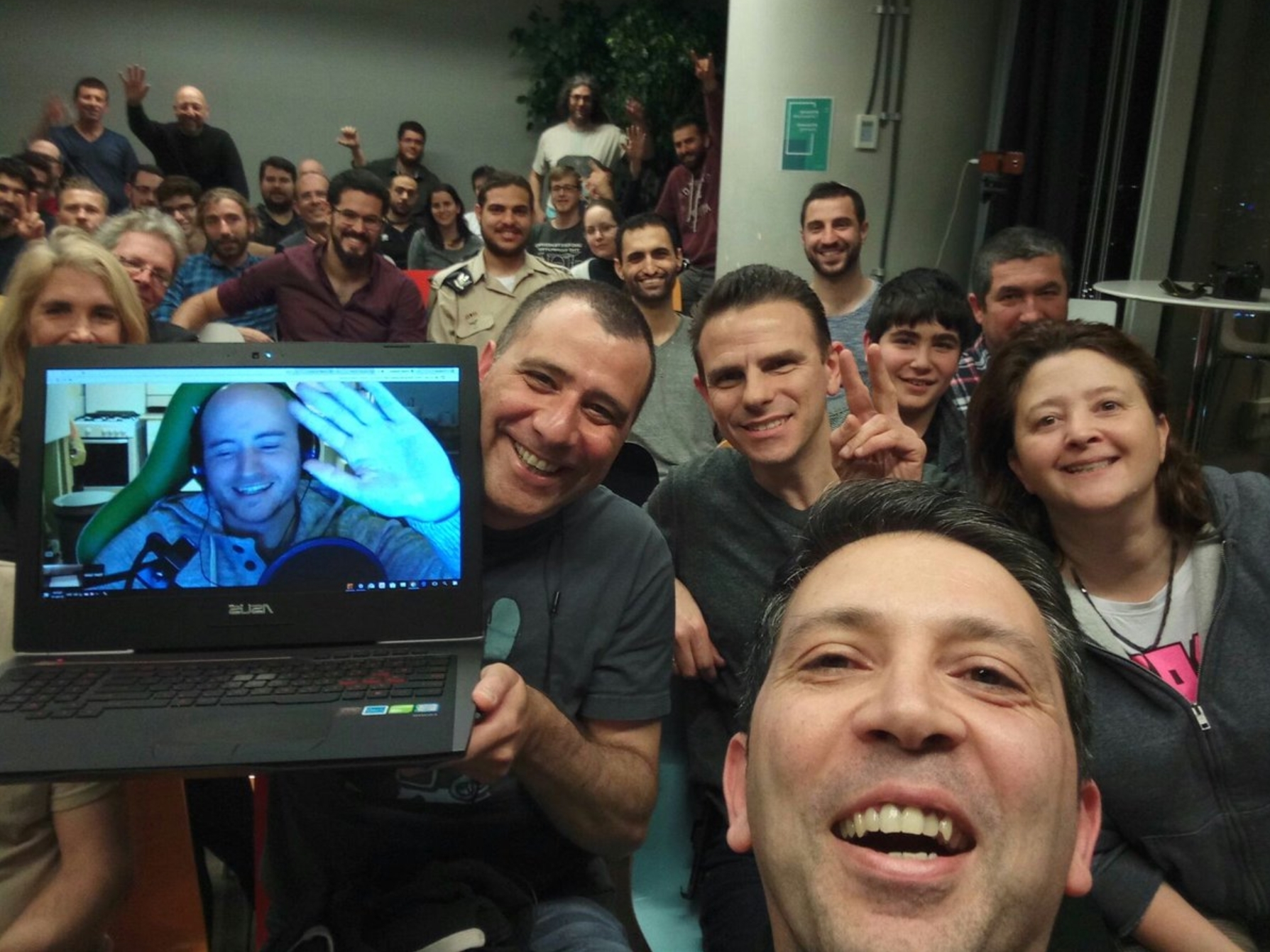
 plush yew
nice
fierce tulip
I expected maybe a dozen people, but room was filled to the brim.
fierce tulip
when starting out with materials and the like I always suggest going over all the nodes in the material editor: https://docs.unrealengine.com/latest/INT/Engine/Rendering/Materials/ExpressionReference/
in your case, check out this: https://docs.unrealengine.com/latest/INT/Engine/Rendering/Materials/ExpressionReference/Coordinates/ and focuss on the texturecoordinate node.
Reference for all material expressions available for use in the Material Editor for creating complex node-based shader networks.
Expressions that perform actions on texture coordinates or output values that can be used as, or to modify, texture coordinates.
noble barn
I'd suggest starting with a basic tutorial playlist @plush yew
https://www.youtube.com/watch?v=QMsFxzYzFJ8&list=PLoJ1QVW2Xa7QYlCR5xO9EvFOCRrCPMEko&index=1

For the full tutorial playlist: https://www.youtube.com/playlist?list=PLZlv_N0_O1gasd4IcOe9Cx9wHoBB7rxFl In this video, learn the basics of the user interfac...
Luos, can you confirm "Include Prerequisites" is defaulted to true when building via the UAT command line tool on a remote server?
fierce tulip
i do materials, particles, and their optimization. I never touch that stuff XD @noble barn
plush yew
how do i do that
noble barn
oh I think I confused you with someone @fierce tulip sorry 😄
fierce tulip
s'all good
plush yew
also when i make a blank empty room it says i don't have visual studio
noble barn
and do you?
plush yew
yes
noble barn
huh, where does it say that? Need to go now, 2am in the morning here, but maybe someone else will help you out. You seem new to UE4 and programming in general, just an adivce before I go, keep doing it. It won't be easy, it will be frustrating a bit at the beginning, but it will be wort it. And don't be afraid to annoy others in here, we all did at some point (in some forum). Just stick with it and good luck solving your issues
plush yew
ty
south ridge
Where did you install visual studio from?
simple pebble
hi there so iv used GetActorLocation and wish to put it into SetActorLoactionAndRotation but i want to add 1 to the x coords before setting actor locaation
faint cedar
Has anyone here done spline / spline meshes that loop vertically?
 spare steeple
how can i save bone transformations to a skeleton and apply them to the mesh?
sleek spear
can i manipulate planar reflections through console commands?
azure shore
@analog cedar I have he same problem with OBS well if it runs fine whilst recording the output is horrible
I can't find a way to fix it
 vale halo
Is it just me, or has UE4 become more unfriendly to Intel HD over time?
I remember getting like 40-50 fps a while back, even with some things in the level, but just the default level won't get me much more than 20fps 🤔 Even while editing (and not using PIE)
 floral pagoda

GitHub
projectcodename - PROJECT: CODENAME — For when you need a codename.
For those of you who need project names
vale halo
😂 I kinda like that generator...pretty cool
floral pagoda
😃
faint cedar
It seems that every single solution to vertical spline loops without twisting is either not working in the latest engine version anymore, or I am simply implementing it wrong
I am leaning on the latter but the former wouldn't surprise me either 😛
 grim rock
Hey guys i seem to have run into a bug and I've been trying to fix it for the last hour or so and can't seem to get it right XD
So basically i rigged a prop and put it in a pose. I save that pose > export to unreal. But when i place the prop into the scene it goes back to it's original pose before i edited it.