#ue4-general
1 messages · Page 186 of 1
 vale osprey
 raven sphinx
I think its the 2017 with the setting i have, thanks for the tips and the documentation 😃
 silent lintel
Uhm does somebody know how epics current statement to server implementation that can hold a lot of people in the same place (like MMOs do) currently is? Do they want to implement it or how does it get handled? If you got info please ping me as I might get to bed in the next minutes
 loud phoenix
'Only Tick Pose when Rendered' - does this mean it'll tick when the camera can see the skeletal mesh or when the skeletal mesh is not culled but may not be visible (behind a building, for example)?
 crisp fable
so some chimp emailed my boss and complained about a post i made on the unreal forums
we all had a laugh
he emailed him back and told him not to be a tattle tale
 safe rose
happens all the time around here @crisp fable , they have nothing better to do ¯_(ツ)_/¯
Also, probably just envious
@crisp fable link to post though? curious
 cursive dirge
VB wants to email your boss as well
crisp fable
 cloud cobalt
sigh
TBF it's common for beginners to blame the tool when it's too hard
People who ask about UV mapping are skeptical about it because they haven't used it, and it looks like a huge waste of time because they're doing square blocks of everything
It's important to be patient and explain that any real attempt at game assets will involve it
 static viper
 surreal viper
My monitor is about to be thrown out the window again. 🤔
I could use that monitor
 tall pendant
military grade display eh? 😄
 regal mulch
Dat duke guy though
 paper kernel
so uh, were there any news about the unreal fest?
 devout gulch
I have forgotten about it
I guess
there will some news after GDC
or just before GDC
probabaly all Epic is doing now is focusing on GDC build
tall pendant
hm those events and development should be separate tho
but im more concerned about the actual date and location
devout gulch
no if you also palnning the show, which is strictly connected to engine development
of there is nothing to show, there is nog going to be show ;
tall pendant
since there are quite a few dev events around at pretty much the same date
 wary wave
if they wait until GDC to actually give any details, it'll be too late
if anything, it's fast becoming too late as it is
paper kernel
date and location would be nice, need at least 6 weeks heads up for getting flight tickets at reasonable price
wary wave
"Those interested in learning more can follow @UnrealEngine on Twitter and check back here on UnrealEngine.com as details are delivered over the next two weeks." - from the blog post
(over two weeks ago)
paper kernel
3 weeks ago
wary wave
IMHO, the date needs to be pushed back to summer
it clashes with just about everything where it sits
wary wave
it's right between GDC and E3, the same weekend as FMX and AMAZE, and three days before Reboot Develop :/
also EGX Rezzed, if you're in the indie scene is two weeks before
wary wave
has anyone encountered a problem where the default scene root of an actor ceases to be the root?
I can't change the hierarchy to make it the root again
it's a child of another component, but I can't detach it from that component, it seems
paper kernel
I've only had issues when moving multiple components
say moving multiple components on X axis causes somewhat random results
try duplicating the class, see if problem persists
wary wave
the problem is apparent across multiple different actors
we've changed a component to derive from SceneComponent instead of ActorComponent (so that it now has a transform)
in some cases, it's become the root over the top of the default scene root
this shouldn't have happened, but also, I don't seem to be able to unparent the default scene root from our component
paper kernel
by default, doesn't actorcomponent always have a parent
I could see the conflict there
wary wave
actor component doesn't have a parent
it has no transform, ergo doesn't need to be in the hierarchy
by making it a scene component, it does
but for some reason Unreal has made the new component the root where a default root already exists
the default root cannot be moved / deleted etc, but the new component can
the result is this:
https://snag.gy/iwgZU4.jpg
 paper kernel
🤔
 tulip vault
I keep on trying to learn Unreal, nothing sticks
makes me sad
been at it for like a year... i must be doing something wrong
crisp fable
i have a material with ~1800 instructions, it takes about a minute to compile 😦
wary wave
that's kind of a lot
 floral heart
Add a few more instructions, and you'll feel better.
wary wave
whelp, I'm gonna modify the engine to let me delete the DefaultSceneRoot
vale osprey
@wary wave but is it actually a root - maybe just how GUI draws it
wary wave
it's a scene component that is the default root component
the problem is, isn't actually the root
vale osprey
I see what you mean now
wary wave
yeah
vale osprey
So it’s a GUI bug where “attach/set as root” is done only for top component in the list
wary wave
I don't think it's the GUI
what it is, is that a component that is not flagged as the default root component has been set as the root
and because the other component is flagged, I cannot move it, delete it etc
 fierce tulip
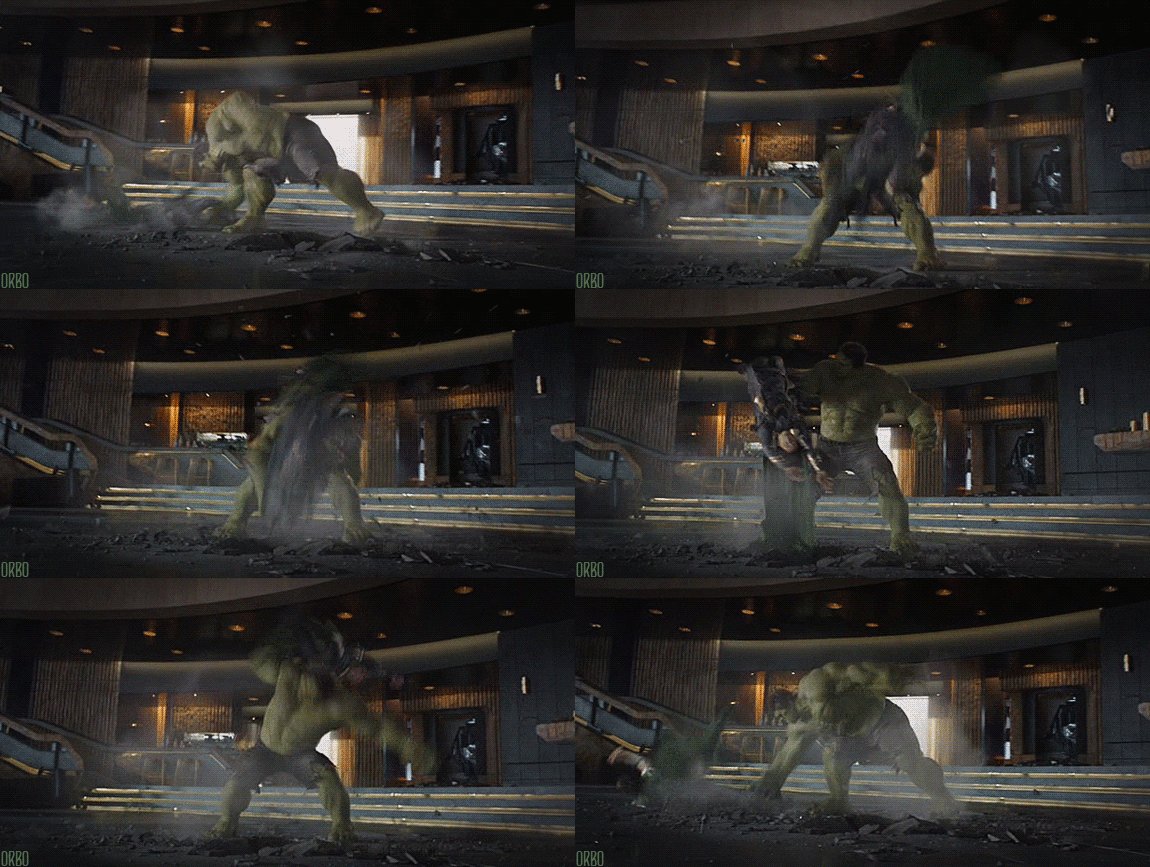
"i have a material with ~1800 instructions, it takes about a minute to compile"
http://www.reactiongifs.com/r/2013/12/hulksmash.gif

hehe
wary wave
bah, can't actually modify the engine locally it seems, not sure why, something to do with project setup -_-
 frank escarp
@fierce tulip have you seen the layering system stream?
you could use it to create material functions to do specific things, like for example a dissolve, or a glowing sine function, or a editable deform
fierce tulip
i watched 10 minutes and then had to go
i do understand the gist of it, but will watch the video again soon
annoyingly, need to go now as well XD
 sudden agate
Unreal Engine really needs to utilize Multithreading. It freezes when Autosaving and compiling shaders really drains my CPU Power
devout gulch
shaders are compiled on CPU
to byte code.
and then bytecode is optimized by driver for specific gpu
 stoic moth
is there a down side to having 3 timers per actor (where said actor has 20+ instances in the game) ? can someone tell me if all the timers in the engine run off of one single master timer and fire off each registered method at it's registered interval like an optimization or are they separate threads and thus you can slow down your game if you have too many timers?
found the answer from TheJamsh to answer my questions
fierce tulip
rofl @crisp fable
reminds me of someone who was whining about lightmass rebuilding taking so long even though he had 980ti's in sli
crisp fable
haha
i come from the 3d world, and i remember people asking what GPU they needed to render faster
does anyone know the difference between MatLayerBlend_Simple and MatLayerBlend_Standard?
i cant find any source code for them
also refraction doesnt appear to work with blended materials, shit
stoic moth
yep, i was lucky enough to find the forums that describes this exact thing + how to create a continous firing weapon like a laser or spray gun 😛 anyways thanks for confirming
cloud cobalt
@crisp fable Simple only does a few attributes, standard does all
Simple doesn't blend normals for example, IIRC
 rustic pecan
Hey guys really really quick question
Do console command nodes in BP work in a shipping package?
rustic pecan
Alright cool, thank you. I'll do some testing to be sure
surreal viper
I think the BP nodes not working in shipped are marked development only (e.g. the print node)
cloud cobalt
Console commands are a bit lower level than the console IIRC
 paper rampart
is there any place in here that i can look for a team?
i need help with my game well not really
i jus dont wanna work alone XD
cloud cobalt
You can share on Internet forums when you have a playable project with videos etc
That's how I recruited teams for my two previous games
 plush yew
Anyone find the in game viewmodes (F1, F2 etc) for wireframe etc really inconsistent?
They work sometimes first time and others not
As in I press F1 F2 etc and nothing happens sometimes
Nvm just can't do it when in dedicated server mode! makes sense
 vale silo
what's going on with Epic? No commits to github, no replies on forums about 4.19 release... As if they are in China celebrating Chinese New Year.
frank escarp
i think they have 4.19 just ready to publish
frank escarp
and are waiting to hit "the button"
cloud cobalt
Doubtful they'll wait GDC
frank escarp
i also doubt that
frank escarp
they are probably doing the work on a private branch
and then they gonna merge it for full release
but stopping commits out of the blue? weird
cloud cobalt
I expect 4.20 at GDC
wary wave
anyway folks, I have a question - I have a component used in BPs, I want to find every BP that has that component
how do I do it?
frank escarp
i do also expect 4.20 preview features at GDC
wary wave
(as in, from the editor)
frank escarp
niagara finally ? 😛
i wonder what they will show
last year they showed tons of super cool vr tech for robo recall
but this year, what?
fortnite BR stuff is too recent, normally this stuff is planned months before
vale silo
heh
cloud cobalt
@wary wave You mean a component class, right ?
cloud cobalt
Doesn't the reference graph show it ?
wary wave
reference viewer?
not exactly a great tool
in fact no, it does not
if I use the reference viewer on that class it just returns all BPs
cloud cobalt
Well, I generally use that tool for such problems
wary wave
it's even returning anim BPs etc
cloud cobalt
Sure you know how to read it ? Referencers should be in the left column
wary wave
yeah, can't use the reference viewer to find things referencing a native component
it doesn't work
wary wave
it's giving the references for '/Script/Project' :/
if I rename it, I don't think anything will break
this is actually kinda tricky :/
fierce tulip
https://i.gyazo.com/20849729df19ef60ca57e41ed33d45f6.gif for the lazy non-clickers hehe
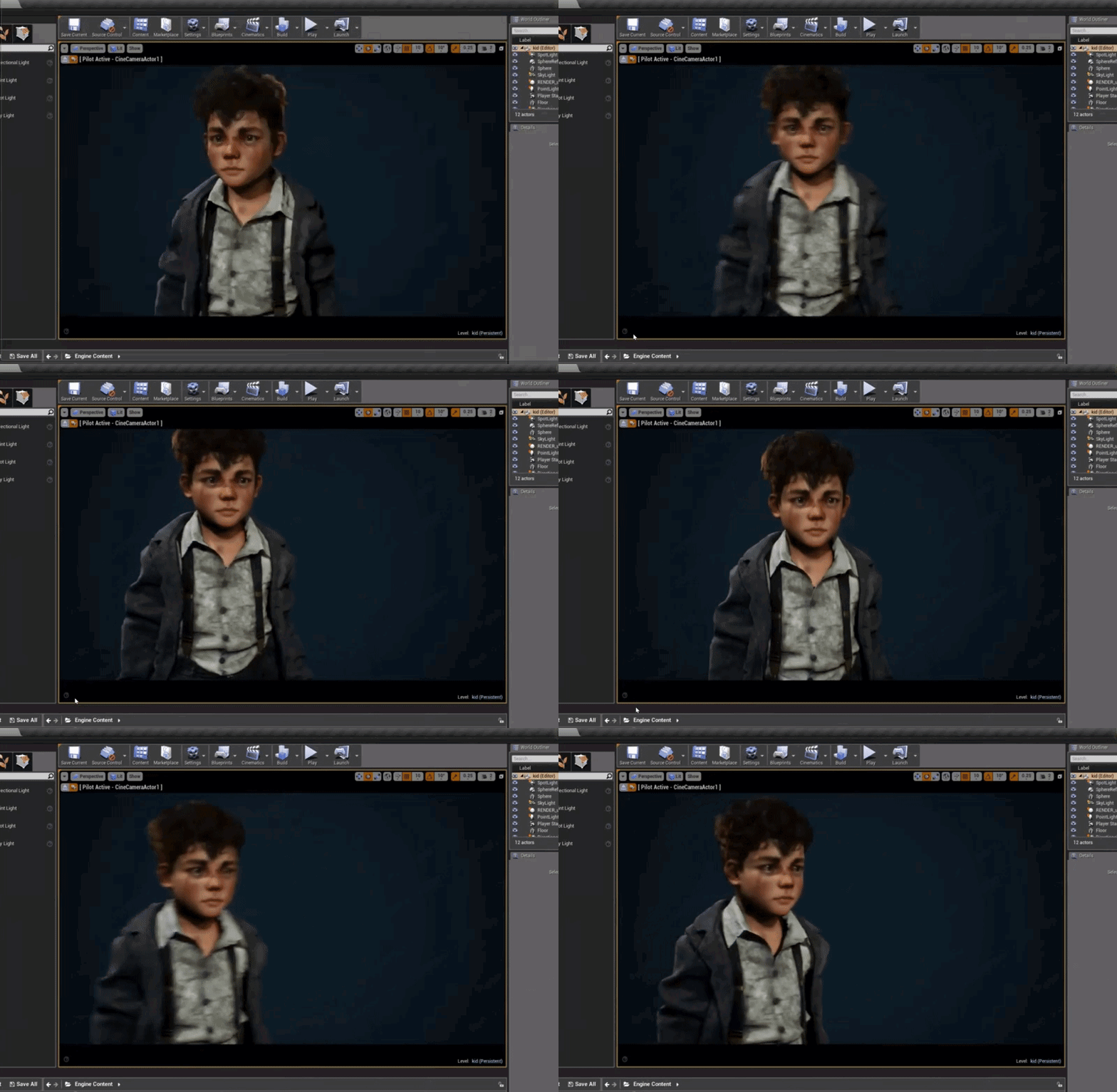 tall pendant
@fierce tulip you mean for the smart peoples who dont use data crawlers such as facebook 😛
looks pretty nice tho
fierce tulip
hehe
tall pendant
is this related to this one? https://vimeo.com/253123173

My new work devoted mainly to mastering Unreal. Under the supervision of my master ;), I managed to achieve this face, I know its not my regular level of creepy,…
fierce tulip
dont think so, also neat quality thoug
 sick agate
Did in packaging aswell, asked here so that if anyone awnsers, could direct them to the question there.
 upper heart
Please only ask in the channel that fits your question the most.
sick agate
That's the thing, im not completely sure 😄
cursive dirge
you can still ask if anyone could help you with your issue and refer to the channel where you originally posted
crossposting is bad
sick agate
I did ask if anyone was familiar with AppleApp store, didnt post the whole question here though
upper heart
#mobile or #packaging would have been fine. Just not both.
sick agate
Deleted from mobile then, feels more like a release and packaging issue
upper heart
Thank you
sick agate
Anyone got any ideas though ? 😄
plush yew
HI, is it true that only students and hobbyists use blueprints? Are there only a small part of the code in the AAA games (eg Fornite) written using visual scripts?
fierce tulip
nope
if thats even a rumor, its a stupid one.

How to determine whether or not you should be using Blueprints or C++.
plush yew
Ok, so I'm preparing the game on the Unreal Engine 4 and wanted to show it to the employer. And I wonder if I should write more in C ++, because now I wrote only a few classes to overwrite some components (it could not be done using blueprints).
@plush yew Depends on the game, scope and experience level. Fortnite likely only does have a small part of the code in BP for pure performance reasons (they mentioned they ported most of the BPs to CPP in recent patch notes). Also it's much harder to maintain very large and slow blueprints, and many pieces of logic are far simpler and cleaner to write in CPP. That said, it's completely fine to use BP for an entire game as long as you don't run into any issues with it.
surreal viper
yeah use whatever you feel like using
maintenance is bigger factor than performance imo
at least for me in the bp vs c++ question, but both is cool for different things
plush yew
Yeah exactly, when you have layers of nested node graphs it becomes way harder to step through than CPP
Loads of tabs etc
surreal viper
but if you are not experienced with coding maybe you can still handle those easier 🤔 I can't
plush yew
Oh definitely, if learning BP all the way
But if serious about a project and you want to cleanly maintain it into the future, CPP base for sure
Again depends on the scope, you can definitely maintian a small ish BP project just fine
Hmm, I have already written a few projects in c ++ for my studies, so as I give advice and in the UE4 😃
*i'm fine with C++ on UE4
but writing blueprints is faster 😃
surreal viper
for me writing something simple is, writing something complex isn't
also when you add a new line you don't have to move all the other lines manually and fix wires in cpp
 earnest cape
Is the decal system broken in 4.18? I can't make any Opaque decals
cursive dirge
@plush yew you can use nativize blueprints
then UE4 editor will turn your BP's into c++ and compile them on packaging
it's almost as fast as if you wrote it in c++ yourself, it still have some overhead but it's not something you'd worry about
and, like Allar said in the video, you can always profile :p
you can write slow code in c++ too
so it matters more what you do with your code
in general anyway
 patent cobalt
Question (didn't know where to ask it so I will try here): I have a number of UE4 experiences on various remote computers. They have been installed manually just by copy/paste in a folder and are run through a custom cockpit application. I would like to distribute updates for these experiences automatically via a web server + update files. I can use the cockpit application to handle the updates. Can anyone recommend a library or similar to achieve this? No ClickOnce.
 opal ocean
Can I use AI move to with just a pawn? or do I need a character?
 tawdry narwhal
does anyone know what would be the most efficient way to make physx check for collision against a set of FVectors? I don't want to create actors or components for them as they're basically just markers, and they only represent single points in space. they're also stationary.
basically these vectors should only exist for collision detection purposes, and wouldn't be tied to any actors per se
fierce tulip
 teal tulip
Have nice PP
 maiden swift
I'm preeeetty sure he meant post processing. 😛
 livid haven
... oh.
fierce tulip
haha
fierce tulip
thats the third fricking time im snorting my drink while laughing today
livid haven
You're welcome.
maiden swift

 fierce tulip
"youll never believe what hurt his nose three times in a row,"
livid haven
Hashtag milk is a thing
fierce tulip
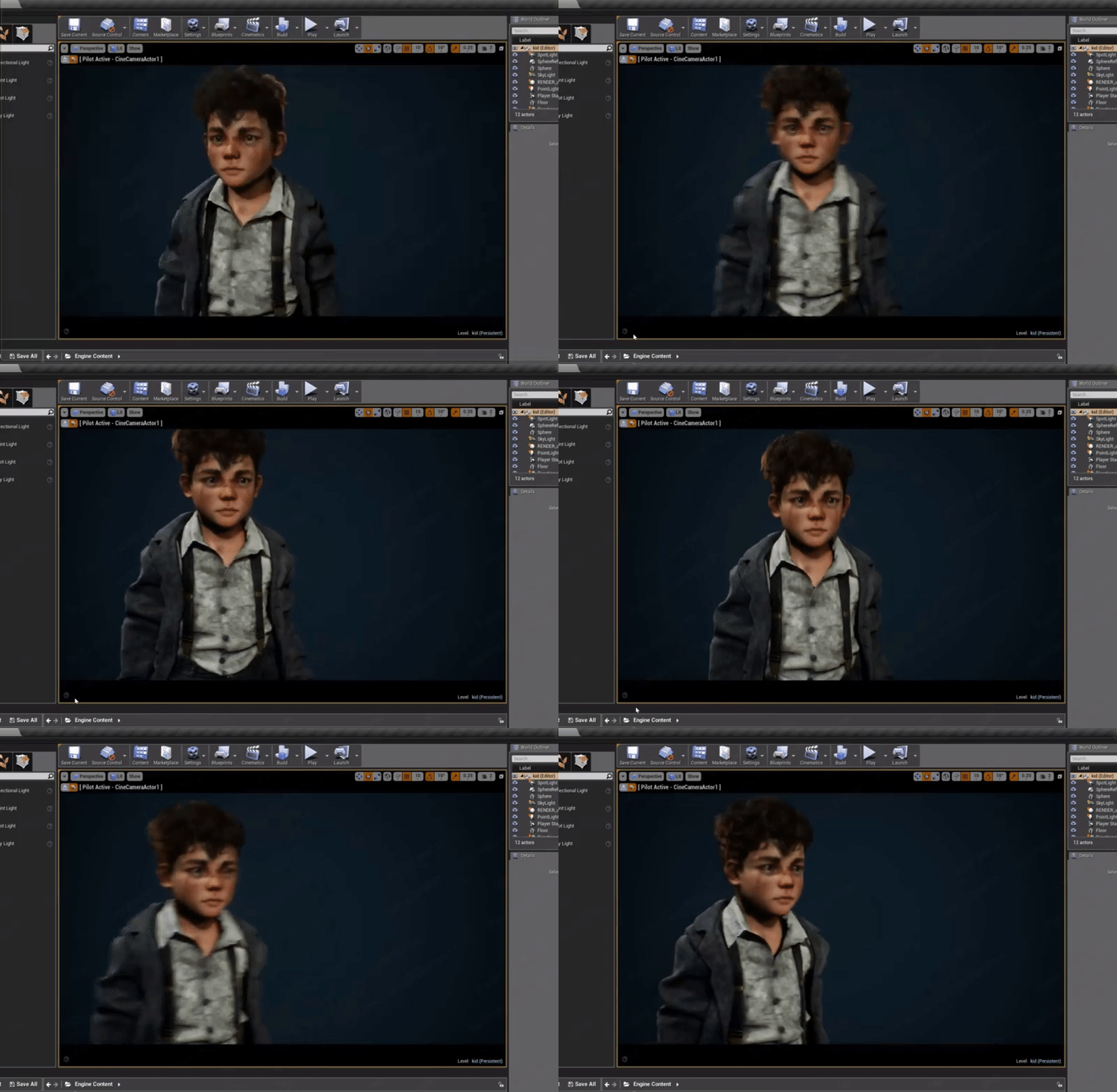
https://s-media-cache-ak0.pinimg.com/originals/04/82/e8/0482e8d9b92c309e6e933ad84a7ba1bf.jpg my fav image still. especially because the kid looks like a young me
 teal tulip
@maiden swift hey how is doing the work and the game ?
And yeah I mean Post Processing before
plush yew
hey check mobile chat if any of you are interested in a question i just asked about launching to various android devices
 grim ore
so 4.19 next week apparently, https://store.speedtree.com/speedtree-8-ue4/

SpeedTree 8 is arriving next week for UE4.19 with an open public beta of the SpeedTree 8 for UE4 modeler! All current subscribers will be able to access both the SpeedTree 7 and SpeedTree 8 modelers with full editing capabilities, while anyone with a SpeedTree Store account can try the new export-only mode and sample …
 viscid fern
:O
 grim sinew
Finally Speedtree 8 is coming for Unreal. About time.
 floral pagoda
yay
 patent wren
hey y'all, got a swarm question. having trouble getting it to distribute anything
when you do a Ping Remote Agents, if it's working normally, should it show you the details of each agent it pings?
or should it just come back with this
3:20:01 PM: [Network] Pinging remote agents...
3:20:01 PM: [Network] Remote Agent ping complete
 sonic yacht
Well
How would I add a rotation to an object with the keyboard
like the player
Nvm figured it out
plush yew
Is possible to enable ghost/fly/walk... commands when the game is cooked? You can use most commands, but not those.
I execute the command but it does nothing
opal ocean
My pawn with FloatingPawnMovement is right on the ground... Using the basic MoveTo command in the behaviour trees is always going to have that result isnt it?
am I going to have to write my own movement?
opal ocean
ok, I am setting the relative height of the skeletal mesh, with random targets and VinterpTo.... seems to work
Have a base character class with the health and whatnot
the other characters would be parented to it
 open merlin
If that isn't an option you could also create a blueprint interface and apply it to each character
 upper flame
thank you so much
opal ocean
its the way I would do it. One way of a few I'm sure
if you've already got the characters built, it might be less work to go the interface route
rather than tediously reconnect all the uses of the health variable to the new parent variable
I had a bad experience with them in 4.7ish, so I parent everything
plush yew
anyone here use linux
google has just said "you are trying to run a 32 bit on a 64 bit"
but then i check my linux machine, its runningh 64 bit lel
 trail bison
Hey, anyone here have experience with using Nav meshes - or would point me to a channel that might, seems like none of them fall under that category
I've been having lots of trouble with them for the entirety of this project a partner and I are working on
And would appreciate any assistance
plush yew
@trail bison me but im about to get off for the night
 uneven fractal


ぷちコン進捗
だいぶBlueprintを編集してる感でてきた!
#ue4con https://t.co/DOMcAWAp2n
Retweets
1004
Likes
2551
 Twitter
obligatory not mine
trail bison
@plush yew You ever have issues where sometimes there are giant random holes in areas that generated navigation fine in the past?
We are having issues with our game where the navmesh preview that appears in editor is always looking good, but sometimes chunks of it refuse to generate unless we go in and delete all the recast nav mesh actors, then rebuild pathing
Which - sometimes that doesnt even work
trail bison
As you can see it's a fairly consistent giant square hole that appears randomly in random areas
In editor there are never any problems, only in-game, with preview AND also when packaged
plush yew
hey guys, im looking for an engine on which to develop my million dollar idea game.
Could you tell me what languaces does UnrealEngine use?
Epic game launcher
Uses English
viscid fern
C++, Visual scripting
viscid fern
xD
plush yew
Preparing for stupid math exams
 quasi lake
UFUNCTION(BlueprintCallable,meta = (CompactNodeTitle = "AND", Keywords = "& and",CommutativeAssociativeBinaryOperator = "true"))
static float UFunc9(float val1,float val2);
float AMyActor::UFunc9(float val1, float val2)
{
return val1 + val2 ;
}
Bros help
Why isnt's here an "add pin" button
Document says "This node lacks pin names, but features an "Add Pin" button that creates additional input pins."
I'm trying CommutativeAssociativeBinaryOperator specifier
plush yew
How to use uebot to hire someone
loud phoenix
I forgot my epicgames FTP password and trying to reset it says "Denied."
Anyone encounter this before?
 fossil ore
Is there a way to "Ignore" object in UE4?
as like, ignore selecting this model...
Like in Blender. You can see the object but you can't select it
loud phoenix
@fossil ore I noticed that objects that are transparent are often not selectable in the viewport but that was in 4.16 (may be the same in 4.18)
I had to manually find it in the dropdown
Even if the object wasn't fully transparent,
I couldn't select it in the viewport
patent cobalt
@fossil ore short answer is no. All you can do is to Lock actors in place so they cannot be modified, but to my knowledge there is no way to prevent actors from being selected.
 real bolt
Have anyone used a recenet version of mesh editor on github ? How do i edit meshes per instance ?
patent cobalt
@quasi lake Try with BlueprintPure
 latent moth
all, what is the easiest way to know if the character is moving backwards?
patent cobalt
@latent moth Do you have the speed of the character or the frame by frame displacement vector?
If so, do a DOT product between either one and your character's forward vector. If the sign of the DOT product is negative, your character is moving backwards
latent moth
I'm currently using Get MoveForward and if that is negative then I'm stating that it's going back
However I do not know if that is an input-only function, or if that will return negative even if the character is sliding down a hill, for instance
(thanks marco)
tawdry narwhal
Hey guys/gals if anyone has some spare time I'd really appreciate if someone could help track down an issue with foliage culling. I have an answerhub thread where I'm going back and forth with an Epic rep, even though I believe it's very easy to reproduce my problem. Even have a sample project available. It has to do w/ foliage culling distances in standalone mode. https://answers.unrealengine.com/questions/730766/bug-foliage-distance-culling-incorrect-in-standalo.html
it works fine in PIE and in the editor, it's just standalone and packaged mode where the issue appears
patent cobalt
@tawdry narwhal Just a random though. If it behaves differently in Editor vs. Packaged, there may be a dependency on the scalability settings. https://docs.unrealengine.com/latest/INT/Engine/Performance/Scalability/ScalabilityReference/#grassandfoliagescalability
Scalability options, properties, and console variables.
tawdry narwhal
@patent cobalt thanks, I've tried it both with and without density scaling, unfortunately it didn't change a thing. my quality settings are set to Cinematic too
any chance you might be able to download the sample project I've put up? https://1drv.ms/u/s!Avvuj_oU4avll9cFJZhFM0NNxON_XA

Compressed (zipped) Folder
it was made in 4.18
patent cobalt
Yes, looking at it
tawdry narwhal
thank you so much
patent cobalt
Did you also play with the View Distance settings?
tawdry narwhal
you mean via cull distance volumes? no, not really
tawdry narwhal
well, view distance in scalability settings is set to Cinematic as well
patent cobalt
In the packaged test application, open the Console and try sg.ViewDistanceQuality n
n=3 or 4
Do you see any change?
tawdry narwhal
hold on let me repackage real quick
in the meantime: do you see the difference between PIE and standalone?
I'm much closer to the landscape on the right (standalone) as I am in-editor, and culling is just wiping everything out
patent cobalt
Do this
tawdry narwhal
sg.ViewDistanceQuality 4 DOES seem to make a difference
in packaged as well as standalone
(sg.ViewDistanceQuality 3 is still too little)
patent cobalt
I believe this happens because of the different screen sizes which lead to a different choice of scalability settings
In the Editor the scalability settings are forced by your settings, but in standalone/packaged they may be different
Unless you force them specifically
patent cobalt
I know, but that doesn't count in the Editor because sg is force by your settings
tawdry narwhal
since what you're saying worked, I guess it's just a matter of ini settings for the standalone/packaged versions
 mortal barn
whats the best video series for learning on ytbe?
patent cobalt
Quick and dirty: use an Execute Console Command node to set sg.ViewDistanceQuality to 4 on Begin Play
But yes, playing with the INI files should do the trick
Mind the fact that this may affect performances in general
tawdry narwhal
yeah I'll probably just find the corresponding ini settings and make changes there - would be weird to use the console on a demo :D
patent cobalt
You don't need to use the console, you can run the same command via Blueprint
tawdry narwhal
thanks so much man, this was very helpful. also just goes to show how much I'm unfamiliar w/ the packaging process
patent cobalt
Execute Console Command
@tawdry narwhal I think the documentation doesn't explain this too well either.
tawdry narwhal
yeah instinctively I would think that packaged / standalone = highest possible quality, but I can see how that logic is flawed
patent cobalt
The common understanding is that whatever scalability settings you use in the Editor will also apply to the packaged version, which is not the case
tawdry narwhal
exactly
btw, when starting a project, I remember there were 2 broad graphical settings: maximum quality and scalable 3d/2d. would the latter affect packaged settings?
patent cobalt
@mortal barn The Unreal Engine youtube channel has plenty of learning series to get you started.
They may refer to an older engine version but all the fundamentals are the same
@tawdry narwhal Yes, they have an impact on some of the settings
tawdry narwhal
good to know, I'll investigate
patent cobalt
tawdry narwhal
again, thanks so much for taking your time to help, this foliage culling was driving me nuts and would have made a dent in our demo
tawdry narwhal
thanks!
mortal barn
tkx! @patent cobalt
 merry gazelle
Does anyone know if how to export a datatable from UE4? I want to create an external spreadsheet
 brave drift
Please release this 4.19 -.- Got bored to work on 4.18 with C++
frank escarp
speedtree already said that 4.19 thing
its confirmed to be next week
dunno wich day tho
cursive dirge
I'm most interested if it will work like LY speedtree modeler
so we can import all previous speedtrees, regardless for what engine they were initially made for
I expect it to be, as they seem to talk about speedtree 8 for games as unified thing too
and they already ship unity and ue4 freebies for montly subbers as single package now
fossil ore
What is Speedtree?
cloud cobalt
Tool for tree creation
Kind of a hallmark for quickly generating lots of background trees in movies & games
fossil ore
ohhh
plush yew
4.19 wont be out'
until like next week
probably on tuesday
isnt that when gdc is
?
tall pendant
lol nope
 dire tundra
could someone tell me how to ragdoll the upper body? i tried to copy the nodes from the anim started pack, physics animation blending 1.1, but setting set bodies below or all bodies to simulate physics and blend weight 1 (should enable all physics) is not having effect. my animation rifle hand is calculated to the pose, not the physic ragdoll
some forum post said to override the physics body, but that didnt help eighter
paper kernel
did you remember to change the kinematic settings in phat?
 honest vale
@dire tundra you turn on simulate physics on some bone of the skeleton and on its children
dire tundra
hi yes thats what i tried to do
using set all bodies simulate physics (ticksed new simulate) and also set all bodies below simulate ph and giving bone name spine_01 (default white robot mannekin)
and also blend weight both options all and bodies below, using same bone name and also root bone name. it always only pays the animation
i do have a blend space animation, when the example has only one animation straight up, but it shouldn't matter?
the physics animation component i added is with default values, and afaict it's the same as in the anim example 1.1
trying the "all" option, firstly tried the below body route. two boxes below. also tried setting the simulate physics for the character, but it didn't help, and that definitely not in the example
ah forgot to say im using also fabrik to control the arms and head, is that really the problem here? so sad if so
 tender dome
hi, is there an way i can attach a class bp to a socket for example, i attached a static mesh perma. by adding it inside my player bp. so kinda like that can i attach a bp to a socket within a bp?
 twilit gate
is there some kind of deployment platform for test builds?
 velvet ravine
hey guys/Ladies, Im after a little advice,
Whats the best way to take a screenshot of assets. (Like weapons/Players) I tride setting a green background but u can see Green bleeding into the asset slighly,
patent cobalt
@tender dome https://docs.unrealengine.com/latest/INT/BlueprintAPI/Utilities/Transformation/AttachToComponent/
AttachToComponent
 forest marsh
Is there some 3D modelers ?
mortal barn
can i get some experienced opinion over the question i posted on #source-control
and do you think sRGB is really bad?
plush yew
Umm good morning
 urban flare
22:50 in the afternoon in Germany 😂
plush yew
anyway im from Poland
and im new about using Unreal Engine 4
and i search somebody who can teach me how to using
urban flare
Depends on what you wanna do?
plush yew
I wanna create a 3D Platformer based on Klonoa Universe
urban flare
There is a ue4 YouTube site. Best way to Start. Basic stuff
plush yew
yeah, but some tutorials focus on FPS
urban flare

YouTube
Welcome to the official Unreal Engine channel! Unreal Engine 4 is a complete suite of real-time 3D tools made by developers, for developers. Create and take ...
U can just Check this out. For key bindings etc
plush yew
okey, Anyway here is Project what i wanna start
urban flare
Ah. Okay
plush yew

Klonoa - Part 1 Player : Davincstyle / Davinstylepro Hello guys, i am back with one of my favorite old games for the playstation 1, called klonoa. It's an pl...
And wanna recreate this mechanics to 3D version
Klonoa is a titular character from PSX game
plush yew
No, a 3D Platformer like Super Mario 64 or Rayman 2
 keen birch
Anyone here got any idea how I'd go about replicating a skeletal mesh component's position?
I'm ragdolling it, and while I don't really care for the entire ragdoll, I would like the positions to be sort of similar across clients
livid haven
I'd imagine for that you'd have to actually rag doll the mesh, but not drive the component's position from it - leave the mesh/actor being moved by a movement component.
That will limit how believable/realistic the ragdolling will be, though.
plush yew
Do anyone knows a command for disabling a motion blur in ue4?
keen birch
Actually, general confusion
How do I call the ragdoll thing on the server from an owning client?
Like, I've got a "call on server" event
Hm
I'll go look into this myself a bit
x3
grim ore
@plush yew you can start with edit -> project settings -> rendering -> and uncheck motion blur.
livid haven
Yeah, depends if you want to do it temporarily or permanently.
There's probably an r. command to do it temporarily.
r.DefaultFeature.MotionBlur 0 maybe?
plush yew
@grim ore Like, i need a command to use it as graphic setting, so like i have this with HBAO+ (r.HBAO.Enable 1 = Enabled r.HBAO.Enable 0 = Disabled)
just like here
grim ore
Above suggestion about r.defaultfeature.motionblur should work then. I believe it’s a true or false to enable or disable it.
But who knows I’ve never used it lol. 0/1 probably works.
livid haven
I think it's 0/1.
livid haven
Same system in use as what he's shown there with r.HBAO.Enable
grim ore
There’s an option in the help menu to dump all commands and then you can search them if that might help to find some items.
plush yew
A'ight, thank you guys.
livid haven
NP
(Honestly, I just googled ue4 r command motion blur and clicked the third link: http://www.kosmokleaner.de/ownsoft/UE4CVarBrowser.html)
keen birch
So better question from my side than before
How do I get my animations to replicate?
Host to client is replicating nicely
Client-to-host is not
livid haven
Google and VAX symbol search are how I answer like 75% of questions. 😛 But I do know enough to have an idea of what to search for.
keen birch
(And I've tried google 3:)
livid haven
Host to client??? You mean server to client?
keen birch
Yeah
livid haven
(My Google comment wasn't at you)
keen birch
(I know, but still ;3)
livid haven
Depends exactly what you want to do, I can't really give a lot of info on any of the answers though
keen birch
Variables driving the animation BP are set to replicate, but it's not doing a lot
livid haven
There's replicating the CMC controlled motion as usual
There's trying to replicate the physics driven motion, whole can of worms
keen birch
I've literally got a 2D blendspace with two floats being input
The floats are set to replicate
livid haven
And there's trying to replicate the actual poses created by the rag doll simulation.
keen birch
But the client animations aren't appearing on the server
This is just me wanting to sync the variables driving a 2D blendspace
livid haven
🤷 About the extent of my ability to directly help, alas. Sorry. I haven't messed with that in forever.
keen birch
But I can't figure out why it's not replicating those variables
livid haven
Obligatory debugging/logging, maybe use repnotify?
 dawn linden
Maybe I'm missing something, but you're expecting client changes to be replicated to server?
keen birch
Yeah
dawn linden
The replication in UE4 is server authoritative, no?
keen birch
Think so, yeah
But that just gets me to the main thing
How the heck do I get anything from the client to be taken on by the server
(In this case animations)
dawn linden
So it only goes one way. To get a client to change anything, it has to rpc the server I believe.
keen birch
So repnotify is the way to go?
dawn linden
Though I'm really not the right person to ask, I've done very little network related stuff in ue4.
Rep notify is just to allow responding to replicated changes arriving.
keen birch
Right, so that still won't let me send from the client to the server, then
dawn linden
You need a server function. If you're in BP, I think it's maybe a property on a custom event node?
livid haven
replication in UE4 is server authoritative Sort of. Not exactly?
livid haven
The whole role thing is really what controls that, which for 99% of things is the server, yes.
dawn linden
Ah, my terminology was probably off. All I was really trying to say is that I think replication (as opposed to RPCs) is exclusively Server -> Client direction.
livid haven
I think that's not strictly true though? Hmmm. I'd have to double check but can't afford to right now.
I was under the impression player controller was a very particular edge case, as it's authoritative for the owning client or some such.
 halcyon shore
Is there an issue with Steamworks and ue4 4.18?
plush yew
has anyone here shipped a mobile game using UE4 or experience test launching on various android devices
 narrow pasture
Working in unreal sure is hard when it crashes every 7 minutes
viscid fern
that sucks
loud phoenix
@narrow pasture Try closing the Epic Games launcher completely once you start loading your project. I had problems with 4.18 crashing constantly but this fixed it.
Just leave the Launcher closed.
 wise prism
can anyone tell me why radial damage only works once?
plush yew
hey
 fathom seal
Hi
plush yew
im thinking of using unreal to make a 2d rpg should i?
plush yew
yeah
fathom seal
Question 2: You think you can?
plush yew
uh ty
fathom seal
But make a GDD first
plush yew
?
fathom seal
Will increase your success chance a lot
fathom seal
Game Design Document
plush yew
oh
plush yew
ok
well im only 13
so im not sure if i will get a game out there
i would just want to play it for my slef
self*
fathom seal

reddit
I am new to programming. Would like to see some good ones to get an idea of what to put in a GDD.
See this
fathom seal
And this

Game Development Envato Tuts+
Every indie developer or team has asked themselves how best to manage the development process. Is it obligatory to use detailed
documentation, such as the legendary game design document (GDD)?...
plush yew
this one?
fathom seal
The first is a some models, the second is a explanation
you choose
But read the second link first
this
Game Development Envato Tuts+
Every indie developer or team has asked themselves how best to manage the development process. Is it obligatory to use detailed
documentation, such as the legendary game design document (GDD)?...
The first link is just a some gdd to you see and inspire youself
I really recommend you try to make your game only after make totally your GDD
fathom seal
Yeah!
But start with something easy
And ever finish your project, dont matter what
plush yew
yeah
fathom seal
If u need any help, just tell me
plush yew
ohok
fathom seal
If i can, i will help haha
sonic yacht
If I've created a chracter and added controls, how would I make it so it had no gravity
plush yew
wow UMG is such a waste of time
i've just wasted 2 hoiurs trying to figure out how to force update text, but there's no way to "send" anything to umg, and even in the umg widget blueprint event graph you cannot access any widget, like what sort of fuckery is this lol
I mean I knew it was bad from the tweets moaning about it from various developers bug fuck sakes this is on another level of crap
they say you bind it, then update it in the widget but that doesn't do anything lmao, think it'll actually be quicker to write my own ui system at this rate
 supple cape
atleast you didnt spend a entire day procastinating and thinking of how youd actually pull off what you wanna/wanted to do like me yesterday xD
plush yew
aaahhh thats why "UMG is not for displaying real time information, but only static information"
that'll be why
my guesss is the options for composing UI for ue4 is either buying a third party UI solution, or the ol "stick a plain to a camera" ui
i made a custom widget that im trying to use in a menu, i enter the text in a varaible but there is no way to update this on the widget, and before you say "binding" that shit DOES NOT work, i've spent almost 2 days forcing it to work
like, where are my widgets, how tf am i supposed to do anything lol
i mean gamedev.net reccomended ue4 but it did have a warning about UE4 not having a working UI solution :/
paper kernel
🤔
 weary basalt
@plush yew What are you trying to do? I dont have an issue using UMG. Try the #umg channel, you may get better support.
plush yew
i have a text thingy in a custom widget, and im simply trying to display the text, but that is aparently not possible in ue4, works just fine in Unity
paper kernel
that whole line sounds like a trollbait
weary basalt
Did you create the widget and add it to the viewport?
plush yew
yes
and it's bound, but it doesn't update the text
this should NOT be this difficult, why is this so badly designed?!
paper kernel
oh I see, have you looked into commit events of the edit box?
plush yew
its just a text not an edit box
its simply a menu selection, except now all my menu entreies are going to have "Text"
and ignore any strings i send
weary basalt
Does it have the correct string when you play the game? Or is it just in the Designer?
Binds dont execute in the Designer
Only during play
plush yew
i've spent too long working in the industry and im used to designing these things in a modular fashion, my guess is UE4's UMG isn't quite there yet in terms of that, and i have to just remake all of this in one widget and have no support for my own localisation solution
not tested it in the game yet. Isn't there a way to send a force-update or should I look at changing the engine source and implementing this myself
weary basalt
FText was literally designed to add Localization
plush yew
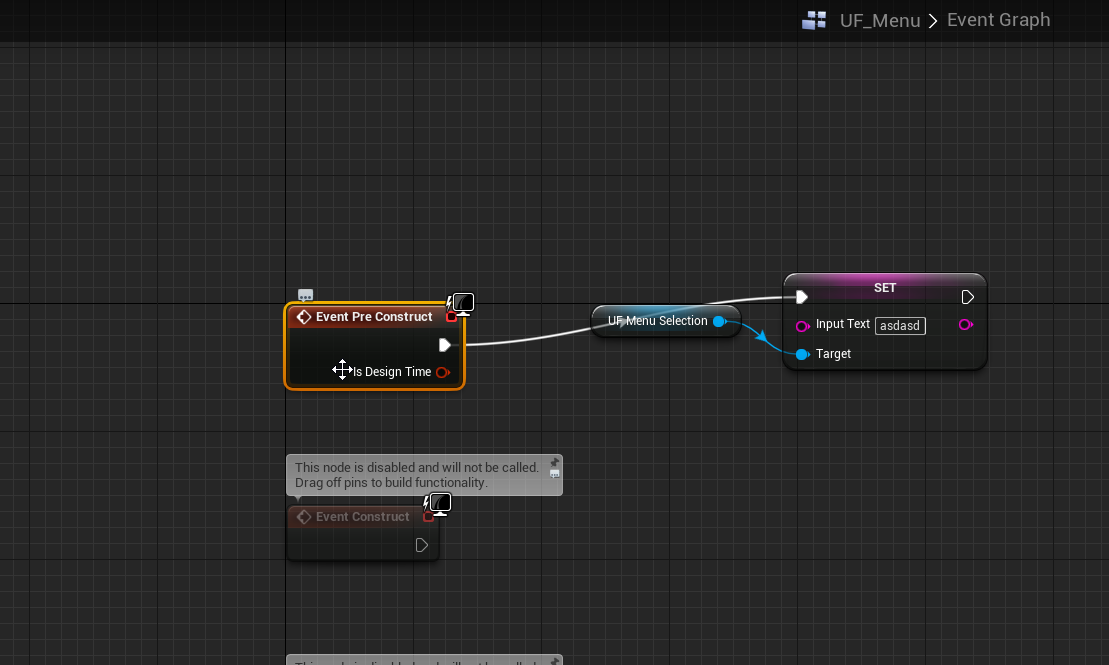
we have these things, which say they update in the editor
what i don't understand, is why i can't, inside the widget simply 'send' updates to the text, and why it has to use binding
quasi lake
Is there any demo project for Third Party Socket Server Connection?
I've checked the tutorial,it'll be better if there's one.
 cinder iron
@plush yew what do you mean by "send updates to the test"
dire tundra
how to cancel out (or add) localrotation? my vive controllers always give me "absolute" coordinates, even when I locally rotate the actor. meaning, that when im rotated, the hands keep their direction as in the real world. I have a direction vector, that im using to point the actor, I now need to translate the coords too, there must be anode for this available?!
cinder iron
@quasi lake nothing official by epic
plush yew
I've foundd it, by pure luck https://i.imgur.com/IwL1oTE.png
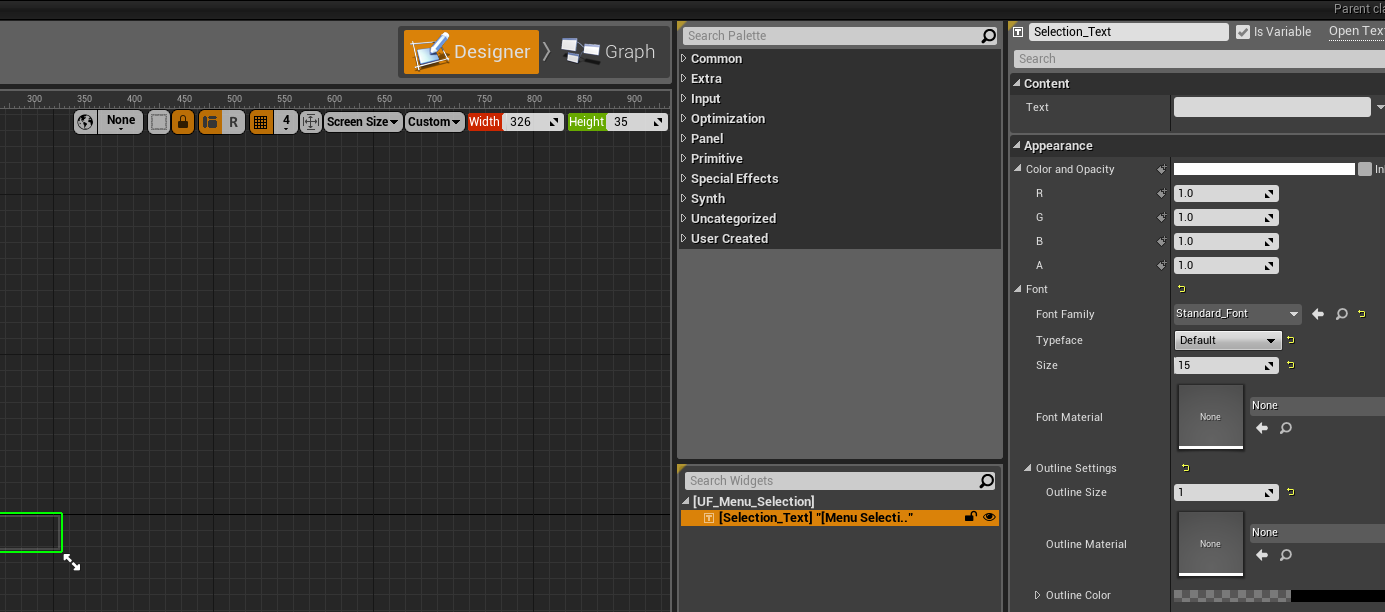
see that little checkbox boi hiding up there in the top left most corner. NOWHERE in the documentation does it mention that
in the rest of the editor there's a standard way to make something a visible variable, in the UMG editor it's different and i couldn't find that option anywhere, even frantic googling couldn't help me out
cinder iron
Hahaha welp, at least you figured out, there are a couple training streamings about UMG, you might be able to find them on the UE4 official youtube channel or Twitch channel
plush yew
yeh thats great but watching videos always seems so inefficent if you want to find something simple like that
cinder iron
Ayee. But in your case, new in UMG would be great. The person making them is a beast @ Celizzaa
paper kernel
well, there's no tutorial for every small issue
tall pendant
back in my days we had no tutorials
paper kernel
is that in grandpa voice?
tall pendant
in Daddy voice lol
quasi lake
A question ,is it possible to communicate between ue4 FSocket and third party java nio server?
paper kernel
no doubt it's possible
dire tundra
hello, just cant get it to work 😦 I want to apply a rotation to coordinates. rotation is -180 < 0 > 180
floral heart
Blueprint or material? Both provide rotatevector nodes to keep the learning to a minimum.
dire tundra
bp. thanks I knew it had to a ready node!
fierce tulip
I love it when autodesks own documentation says "Extras toolbar > (Spacing Tool), on Array flyout"
while in fact its in tools > align > spacing tools
fierce tulip
<_< one of those days where everything in max messes up
lets always show the editable poly menu regardless of the modifiers
 lone prism
😐
fierce tulip
hey Alex
lone prism
Hey
fierce tulip
hug
keen birch
Unreal feels less communicative without you 3:
fierce tulip
I can partly understand now that eu4 is more than established and they need to move focus on other aspects
hows mr bobblehead? :p
lone prism
Bobble is doing well, it's up on the shelf here
fierce tulip
aaand, what you been up to?
 grave nebula
@lone prism o/ Alexander, nice to see you drop by.
lone prism
Good to see you!
Just working at the school and writing a book. Today I should be writing, but I was feeling kinda cruddy so I wanted to see if anything was going down with the slackers
I also set up my Dallar miner yesterday, so that's fun
grave nebula
We are all hoping for Dallar to hit 500 for one Dollar exchange rate soon, aren't we ?
lone prism
If they ever become worth anything at all, I can see it becoming the new way to fund indys. Kickstarters are risky and a lot of work
fierce tulip
good idea for donating to people making tuts etc as well
frank escarp
@lone prism you still at the barcelona school?
lone prism
Yep. Teaching and helping some indys out here with training and consulting
 gaunt raptor
does anyone know why my landscape material looks different on the outside of the map ? It has like clear segments where it is way darker than in the middle
 harsh tiger
hello everyone, i've made a death animation for my player in maya and i've got it imported into unreal and its working fine. but my player dies when it hits a wall object and i cant figure out how to get the animation to play when the player dies. can anyone help?
lone prism
Not sure what's up with the landscape @gaunt raptor But check the viewport in Unlit mode. That will at least tell you if it's a shadow or texture issue
@harsh tiger Sure, what does your machine state look like? You can just have a bool that flips when the player dies and then use that to drive a death state
gaunt raptor
its a lightings issue for sure - am i allowed to maybe post a screenshot ? Im guessing its pretty obvious what is what for something with a little bit of experience
grave nebula
@gaunt raptor You definitely can post a screenshot, but generally it is better to post it in a more specific channel, like #graphics or #level-design You might get a more targeted assistance there.
gaunt raptor
allright 😃 Its my first time in here, and my first time in unreal engine - so my guess is its super simple stuff 😃 But ill do that next time for sure ! Here is a screenshot https://imgur.com/a/viqbW its just a blank starter scene with a flat terrain and a material - thats all
 grave nebula
@lone prism Co-authoring a book was a bit harsh for me. I felt lack of motivation from the very start and every time I wrote a passage, leaned back and re-read it, it looked terrible. I ended up contracting a technical writer to correct and re-check the texts. Well, after writer's iteration on the texts, it looked considerably worse. FML.
lone prism
My problem is just when I want to get started... I am a terrible procrastinator. Luckily my ego allows me to think my writing it pretty decent at least.
fierce tulip
hehe wring the story synopsis for a game myself, but im below-mediocre at writing so at one point I will need someone who can rewrite it to a proper story. thats gonna be expensive yo
grave nebula
Well, procrastination and laziness, that is what drives the human race 😃
lone prism
If humans weren't lazy, then we'd still be doing everything the hard way. Laziness is the mother of invention really
harsh tiger
@lone prism its currently set to just destroy actor while i was testing, now when i die i'm moving the player to 0, 0, 0 and displaying the death screen. but before that i want the animation to play
latent moth
I get a warning that a safe function that I'm using in a state machine transition can be potentially thread-unsafe. However, if I copy the content of the function in the condition itself, I do not see such issue.
Anyone knows what I should be doing? I have basically the same logic in multiple node transitions and want to just use a function.
regal mulch
@lone prism I'm pretty sure what ever you procrastinate with isn't going to invent something :D
harsh tiger
https://gyazo.com/dc0691f7122866e94e52770ec12e48b5 that doesnt work but i feel like it should
 lone prism
We should invent something that invents for us while we procrastinate
regal mulch
That already exists and takes a few years to be properly setup to then do that for us
Or it becomes as lazy as we are
lone prism
hah
@harsh tiger Just take out the destroy actor node and put in a "play animation" node there. Is the animation associated with the same skeletal mesh as the one in the character?
harsh tiger
https://gyazo.com/7670b2e7263bd70099d8585a8a129cc7 thats the ball static mesh and thats the animation https://gyazo.com/c6e071d066e26e9feef6620c8528acd0

 lone prism
it's an animation and a static mesh? not skeletal?
harsh tiger
https://gyazo.com/f5bac86c6cd47de2b25a6f5c7f90e29f i noticed i was just using the static mesh on my player and not the skeletal mesh

they are basically the game
same
done it, im really stupid apparently. i had my ball static mesh as the character but it needed to be a skeleton mesh for it to animate haha
lone prism
Yup! Excellent 😄
harsh tiger
it seems like i can spend hours scratching my head at a problem and once i ask in this discord i tend to find the problem a few minutes later haha but thank you for the help
regal mulch
Some sort of Rubber Ducky effect
plush yew
hi
harsh tiger
i've heard of the rubber duck in game dev quite a fair bit. is it something that a lot of people do?
fierce tulip
yea
trying to explain the problem and then realizing the solution
it comes from coders who try to explain their code to an actual rubber duck line by line
harsh tiger
interesting haha
regal mulch
Okay, seriously, does anyone have these random low FPS in the whole editor?
I have this since like 4.16 or so
Where suddenly EVERYTHING lags
Even in new empty projects
fierce tulip
ive seen reports about it on ah as well
regal mulch
It's impossible to work during that time as even dragging nodes just lags
harsh tiger
i dont have much open on my pc and it will suddenly happen
happened a few times today. or when i press play to play test it might lag or might not. its literally random
regal mulch
Yeah
And I have that in every project
Doesn't matter which one
-_- It feels like some sort of memory leak
fierce tulip
Im still on 4.16 for most content I make and for me its rather stable
its 4.17 which had that issue for me
harsh tiger
i'm using 4.17
fierce tulip
but ive seen people report a variety of versions
regal mulch
4.18
fierce tulip
not using that one much due to cascade being a b....
patent cobalt
4.17 had tons of issues
fierce tulip
I went from 4.12 to 4.16 because i wasnt fond of the version in between
hope 4.19 is more stable
patent cobalt
4.18 is much more stable, but it may be beneficial to disable everything that may affect DirectX, including NVidia Share
fierce tulip
hope it fixes 4 monitor issues with pop-up menu's
they either pop up halfway 1st and 2nd screen, or imaginary 5th screen
especially the latter sucks balls
 kindred viper
nvidia overlay absolutely killed my editor fps in 4.18
patent cobalt
I am developing also an an Asus laptop and I had to remove various applications such as Sonic Studio II
It would totally crash Unreal each time I tried to play VR
honest vale
sometimes the viewport controls lock up and I can only zoom in and out with my mouse regardless of what I click and push
that's kinda annoying too
fierce tulip
that has to do with alt and another button
keep forgetting what keyboard shortcut exactly
alt spacebar or so
yea, alt spacebar messes mouse controls up hehe
holding alt changes mouse controls and I think some other shortcuts might lock alt accidentally
 earnest pawn
hey can someone answer a question for me
i want to create a reloading animation, but at like half way through the animation i want to attach an object to my player
how would i do this?
regal mulch
What object?
 honest rune
Awhile back I had asked if the engine ticks actors and components synchronously or async and was told its synchronous. But I've noticed a component setting that specifies if the component should tick on the game thread or any thread. My sqlite implementation uses no thread safety because if ticks are synchronous it wont matter. Are all components set to tick on the game thread by default or do some actually get set to tick async by default?
I should also ask, is there anything in the engine that ticks async by default that I should be aware of?
cinder iron
try refreshing fps @regal mulch t.MaxFPS = 60 and then t.MaxFPS = -1 for me that does the trick
 bitter iris
Anyone using world machine? When I run a tiled build, it never saves the files into the folder
 silk torrent
I'm creating a top down game multiplayer game and I am unsure on how to represent when a player dies. I've seen one approach is to create a death actor which the player posses on death and other approach is to create a death state
what would be the recommended way
plush yew
A How To Guide for using Raycasts (Tracing) in Blueprints.
i love how the ue4 raytracing tutorial
tells people to call a linetrace
on tick
:^)
frank escarp
@plush yew 0 issues with it
traces only get expensive when they are in the thousands
in this case they want some kind of line picker so its actually the correct way of doing it
wary wave
I do it about 60-70 times a tick for one of our visibility systems, hehe
frank escarp
i had 300 a tick
on ps4
psvr
due to some enemy logic that checked against close walls and similar
but i just async-d it
now i only have like max 30 normal traces in tick
plus more, but async, wich get done on other threads (ps4 has 6 cores for the game)
paper kernel
I introduced artificial stress on gamethread using 200k linetraces
got around 20fps
frank escarp
benchmark it properly
std::chrono is your friend XD
i have the code to start/end a measure of time
its useful for small tests
just calculate time beetween begin and end
keepin in mind that compiler is a tricky bastard, so in the "log" function that logs the time, i have a variable that depends on the code
for example, an "average distance" on a raycast benchmark
just in case the compiler doesnt just nuke the whole raycast function becouse its not used
plush yew
@frank escarp I guess so
dire tundra
the weirdest thing! vive controllers seem to be linked, when i move other hand, the other moves as well 😄 seems like a good time to call it a day :p
"where's the hidden camera?" 🙄 😜
 honest raven
Hmm
Today I made a Data Asset, then changed its value in bp, and the Data Asset value changed in the asset itself
Is it a feature or a bug?
😄
 south ridge
@honest raven well if there's just one object and you're changing its value, you could expect that all instances of this object would change value too
In shipped game it wouldn't commit to disk in any way though
honest raven
Hmm its just strange
I mean the Static Data Asset's (The asset it the editor) itself changing in runtime
I mean I know its a reference, but I thought its would set back to defaults
 worn granite
Data assets aren't instantiated like normal objects - so when you modify it you're effectively modifying the CDO
If you need to be able to modify the data and keep a default, consider having a struct you copy out
regal mulch
Or just use a UObject
And instance that
UDataAssets are really just assets
Like textures, sounds etc.
You don't want to modify the values runtime
honest raven
I just made a copy function
Inside them
Well I wasnt able to find any better way then it is :/
Currently just using Data Assets for skills, and effects
honest raven
Hmm by the way guys, is data asset replicateable? So "cheat" proof?
 winter birch
Hello, I am new to this server, and I have a question that hopefully someone will answer. I am thinking of having fun prototyping a dynamic combat system in Unreal Engine (something similar to dark souls 3) in my free time and was wondering how the development speed and difficulty in general would compare to the Unity 5 game engine?
plush yew
@regal mulch i fixed it lel
plush yew
Lol.
regal mulch
Post your issues into the proper channels
winter birch
game design?
regal mulch
Wasn't directed at you
plush yew
Was at me
winter birch
oh
regal mulch
Unity 5 uses C# while UE4 has Blueprints and C++
Blueprints are fast to iterate on and don't need that much programming knowledge (despite objects knowledge)
winter birch
yes, I have read quite a bit about both engines, though my question was a bit specific so I thought Id ask here
regal mulch
What ever engine you feel good working with
winter birch
Assume I will program in C++ and Blueprints
regal mulch
The thing can be done in both engines
winter birch
It can, but which is more tedious and time consuming?
Id really like to do it in Unreal Engine, but Ive read a lot that unity's development speed in general is much faster
 long comet
No one can answer you , cause depend of the proyect
winter birch
Implementing a dynamic combat system, should I be more specific?
regal mulch
Well no idea tbh :D
long comet
I dont know what is a dynamic combat system
regal mulch
You might just want to start with one Engine
What ever feels better to you
It's both gonna be work
plush yew
I have used both Unity and Unreal
Though, I've used Unity for about three years.
And Unreal for only 1 basically, not even a full year yet I think.
winter birch
 regal mulch
If you are able to pull that off
Then it's easy in both engines
Really no one here can really answer that to you
winter birch
I am not going to make a game, only going to try to make a combat system
plush yew
Oh
You can do that in any of the engines.
Both engines can do this.
Though
ApexDestruction isnt in unity out of the box
If that's a big deal to you
long comet
Unity is quickly to animation things
Quicly to prototipe this cause is more automatic managing montages
winter birch
alright I see
regal mulch
Given that UE4 gives you a lot already with the character classes etc
In Unity you'd need to code it from scratch or get weird store assets/script packs
winter birch
one more question, are blueprints efficient performance wise compared to unity's C#?
given I create the exact same mechanics and scripts with both engines, the difference being blueprints and C#, which will perform better?
long comet
Dont worry about that thing
Artist stuff is who cost performance and put the limits
Blueprint have worst performance ,but it doesnt matter if you are not doing critical things
Has
winter birch
Is there a way to increase performance later on? For example by converting the blueprints functionality into C++ code yourself?
long comet
Yes
long comet
Np
cursive dirge
@winter birch there's nativize blueprints option for packaging
it will automatically convert your blueprints into c++ and build it when you package your game if you have that enabled
but you should pick engine by the perf of the scripting in general
if you use the engine right, scripting perf will never be an issue for you
cursive dirge
as for other things, I could make a list but I think it's better for everyone to try all alternatives out
install Unity and UE4, see if you like the workflow more in other
winter birch
I do indeed have both, unity was completely fine but was just interested in the blueprints and C++ language in general, plus unreal UI looks crisp clean & smooth
cursive dirge
both UE4 and Unity have bit outdated look in the editors but UE4 looks more polished
it's not the looks tho but what you can do with it
winter birch
Yeah, thats why its just a plus ;)
 carmine lion
hey is it possible to use extracted Sprites as textures for materials?
maybe like a dynamic material instance?
fierce tulip
dont see why not
carmine lion
how would you go about doing this?
south ridge
Sprites extracted from what
south ridge
Sure, you can do it
carmine lion
i just want each texture to become a material and I have a cube emitter blueprint that I want each cube to randomly select a material
but I guess I don't get how to go from my Extracted Sprites to materials
fierce tulip
there is a flipbook material function, check that out.
carmine lion
yeah, I tried that but I don't want the materials to update
just pick a sprite, use it as a texture, and apply that material to a cube without updating
fierce tulip
ahh you dont have much experience with bp/materials?
you make the animation phase 0-1 a scalar parameter (divide by amount of frames for easier usage) and update a dynamic material (instance) in the blueprint
just change that scalar parameter once on spawn
carmine lion
I have some. but mostly in arch viz material
fierce tulip
if you made some blueprints and know some materials it should be rather easy
(thats being said by someone who never touches blueprints though XD)
carmine lion
haha ok
 coarse cradle
how would I setup an animation where if theres an object in the way of the animation, it stops or pushes the object?
im trying to recreate something similar to surgeon simulator except where 1 key held down makes the players fist close
fierce tulip
glad it worked 😃
bitter iris
Anyone using world machine? When I run a tiled build, it never saves the files into the folder
 carmine wind
wt why cant i open the map now come on i only worked on it on the mornign and now that im back it cant be opened
quasi lake
Bros need help on network programming
I created a java nio server
And opened a FSocket of UE4
And it connects successfully
crisp fable
hi guys, im a full blown moron - whats the difference between bump offset and parallax mapping?
quasi lake
But the server dosent receive the message
I'm using mina framework actually
And if I create a client with mina itself,the server can receive the message
And in UE4 it did send the message
I just followed the 3rd party server connection tutorial
FSocket* Socket = ISocketSubsystem::Get(PLATFORM_SOCKETSUBSYSTEM)->CreateSocket(NAME_Stream, TEXT("default"), false);
FIPv4Address ip(127,0, 0, 1);
TSharedRef<FInternetAddr> addr = ISocketSubsystem::Get(PLATFORM_SOCKETSUBSYSTEM)->CreateInternetAddr();
addr->SetIp(ip.Value);
addr->SetPort(9999);
bool connected = Socket->Connect(addr);
UE_LOG(MyLog, Warning, TEXT("connect chenggong?? %d"), connected);
if (connected)
{
FString serialized = TEXT("loadPlayer|1");
TCHAR serializedChar = serialized.GetCharArray().GetData();
int32 size = FCString::Strlen(serializedChar);
INT32 sent = 0;
bool successful = Socket->Send((uint8*)TCHAR_TO_UTF8(serializedChar), size, sent);
UE_LOG(MyLog, Warning, TEXT("send success?? %d how much sent? %d"), successful, sent);
}
And my server is created with eclipse,an nio framework base with session
In short,the problem is
The connection is done successfully.And the message was sent successfully by UE4 side.
But the server didnt receive it.
quasi lake
Anyone knows?
quasi lake
nvm I've found the answer
sonic yacht
If I have a character with no gravity. It can move back, forth, left, right and rotate. But as soon as you leave a plate you stop moving. Also how would you make it use force, not just move and stop.
also, i've tried to add up down movement, but it's not working

 warped topaz
Hey
crisp fable
whats hip in UI's these days, round, angled, or square corners?
or some godawful mix
floral heart
distance fades and end caps
 paper kernel

bitter iris
Anyone here experienced in World Machine?
fierce tulip
https://twitter.com/pafuhana1213/status/964866132359331846
for when you want your waifu around when ued-ing


UE4の標準機能を使って、FaceRigからの画像表示とマイク音声の再生ができたー!やったね!(音声が遅れてるのは使ってるマイクがしょぼいから…) #UE4 #UE4Study https://t.co/xGCsmQLF8d
Likes
107
Twitter
floral heart
"people"
paper kernel
hey, you can't argue with it. R6S sales went through the roof when they added waifus
floral heart
Sure, it's possible a certain market would-
They what?
tulip vault




 tulip vault
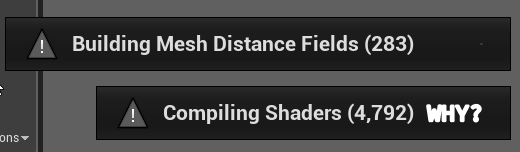
there's gotta be a more efficient way than all the time every time
 versed pawn
Hey guys! Is Someone working on Linux? I have succesfully compiled the engine, and I would like to build my game for Android, but there is the Configure Now button, which is red and has to turn green. When I press it, it says "Cannot overwrite Project File". I tried searching for a solution, but I have no luck... Any help?
cloud cobalt
@tulip vault How often are shaders recompiled ? It should only happen with you update the engine, change some huge options like forward/deferred, etc
tulip vault
happens every single time and i'm tired of it
i just poke the engine, i've not been able to do anything with it
place a prop here and there
that's all i do
cloud cobalt
If you get shaders compilation all the time, then something's really wrong
Is there enough space on your hard drive ?
~4700 shaders + distance fields basically means you lost all cached data since the last run
cloud cobalt
Yeah it really is enough
Are you sure the engine was cleanly stopped last time you used it ?
fierce tulip
where is your cache stored?
floral heart
4.19?
tulip vault
4.18 because of some very finicky custom code my team has that is crucial to function
but it doesn't touch this issue
fierce tulip
Disord detectives unite!
"the shader compiling complication"
 obsidian nimbus
compilation
cloud cobalt
@tulip vault Did you have engine crashes ?
wary wave
I've noticed in the latest version shaders are recompiling every time I load a level
tulip vault
no engine crashes
wary wave
not all of them, just a few, they seem to be related to shadows
cloud cobalt
In 4.19 I also had engine shaders recompiling on 2/3 first boots, and after that they were OK
But 4.18 works fine
tulip vault
my relationship with Unreal is complicated
always trying to learn it, but then make no progress and go back to what I know and love for a while: Source. and then i come back and try again
because i have to learn new technologies if i don't want to be left behind
but man, recompiling everything on each change
cloud cobalt
That really shouldn't happen.
wary wave
anyone know if it's possible to fade the edges of decals as they get farther away from their projection point?
Like this:
https://snag.gy/RSYrfl.jpg


I'm assuming nothing is built in that's useful and it'd all have to be done with shader magic
that link won't work, one sec
upper heart
@tulip vault and others having the shaders issue
"For those having this issue with the shaders compiling, try deleting the folder AppData\Local\UnrealEngine\Common\DerivedDataCache ."
wary wave
there we go, above image should work fine
tulip vault
will try
paper kernel
you mean decal fade along the surface?
I'd assume the alpha would be a dot product of vertexnormal and input normal param
as in, more it curves the more it fades
I guess you don't even need input param normal if you just get the world forward of the parent 🤔
wary wave
in this particular instance I'm not really sure what the designer specifically wants (it's not like they'd necessarily understand the difference)
fierce tulip
when world offset suddenly doesnt work
wary wave
but that possibly could work
I'm also thinking a simple object world position to pixel depth test might work
fierce tulip
aaand ue4 crashes
wary wave
(as in just checking one axis, not a full distance check)
paper kernel
I doubt you would get consistent results with pixeldepth tho
wary wave
well, it's not pixel depth, it's Pixel X versus World Position X