#ue4-general
1 messages · Page 175 of 1
 honest rune
 gentle ivy
I can't believe most are still on win 7
honest rune
I know right
 keen birch
The Linux community tends to be pretty enthusiastic about any game that works well on their os afaik
honest rune
win7 has been gaining more ground over the past year over win 10.
keen birch
I used w7 until I got my new laptop with w7 a few months ago
Otherwise I'd still be on w7
honest rune
@keen birch Probably very true
gentle ivy
@honest rune not according to the stats you posted. Win7 is down -1% and win10 is up 1%
honest rune
I thought win 10 was over 70% last year
honest rune
yea its monthly
gentle ivy
is it though?
seems like it's quarterly from what I saw
like they only pull stats per quarter.
gentle ivy
apparently they don't include steam OS stats either

The usage share of operating systems is an estimate of the percentage of computing devices that run each operating system at any particular time. This also approximates to the market share of those operating systems. Differences arise between shi...
 high oar
Would any1 know why I can't animate some Skeletal Meshes and why I can others? Im not understanding the difference. I've tired through Animation Blueprint as well as Martinee but no animations are showing up when im trying to attached them to a Skeletal Mesh.
gentle ivy
probably skeletons differ
high oar
How could I sync them to bypass that or modify to allow them to work?
gentle ivy
uhh you probably can't there is skeleton retargetting but it's never going to give you a result you are 100% happy with most of the time.
Retargeting animations for use between different skeletons.
high oar
Nice!! Thank you Michael! This helps a lot. It'll be a good starting point. I just want to get something that works right now. Fairly new to this.
gentle ivy
ah, yeah if you don't mind some bend bones then retargetting will certainly get you there.
high oar
Got it, thanks again!
 tawdry quail
is hololens working on unreal 4.18 or do I need the source version?
 wary wave
Unreal doesn't support Hololens
Microsoft's UWP branch might
Honestly though, it really doesn't have the hardware to cope
 gleaming shore
installing a plugin from market place, this happen to anybody else? https://i.gyazo.com/b920055ee4e0698651f3870ea7dd613d.png
 shell jetty
there is bug in Mixed reality in 4.18 what is hot fixed in 4.19 if @safe rose is correct
 safe rose
@shell jetty Yup
4.19 the fix for WMR is coming
Which is good because so many WMR wanna play the demo 😉
WMR via SteamVR btw
Is the only route unless your branch off
Which the majority of WMR users are using SteamVR anyway
shell jetty
@safe rose so that is minor feature in WMR and get full use of those controllers what are able to get via UWP
 prisma vector
what do you guys usually do to get plugins from the marketplace using a source build?
do you install a binary build and just copy it from that?
wary wave
Should be able to install directly to source built project?
prisma vector
doesn't seem to give me that option in the launcher
 wild kestrel
You need to build it toghther with the engine, modules from launcher are not compatible with modules build in VS, as version number thta they are signed don't fit so engine reject them. Place plugin source inside engine source plugin folder and build engine, alternativly you can place plugin inside project in plugin forder then it will be build with the project
"Plugins" forder :p
prisma vector
I guess what I am trying to do is get the plugin to download somewhere so I can grab it
wild kestrel
yes install binery engine
prisma vector
ah ok, so I have to do that
wild kestrel
downlaod plugin it should come with the source... i think
prisma vector
I am already on that path just taking a bit to download so I wanted to see if there were alternatives
I appreciate the help 😃
wild kestrel
Laucher don't see source builds anyway :p
prisma vector
hmm I have it installed to the binary engine but have no idea where the files actually went lol
wild kestrel
you can select path when you install, but by default in insalled in forder back to the laucher
prisma vector
well the launcher says its C:/Program Files (x86)/Epic Games/Launcher/VaultCache/
but that folder is empty
prisma vector
ah found it in C:\Program Files (x86)\Epic Games\UE_4.18\Engine\Plugins\Marketplace
wild kestrel
^^
Now place Marketplace forder in same spot in source build engine
and it should work
build enigne and it should build the plugin too
prisma vector
yep, always work in a source build and rarely use the launcher so just needed to get the files. looks like its working now
thanks a bunch
wild kestrel
no problem
 rustic panther
Why hasn't ARTv1 been updated since 2016??
(The Animation and Rigging Toolkit) for Maya
 fierce tulip
i think the trello board mentioned something about an update coming
rustic panther
can't use it unless you have 4.16 installed, think it's a bit outdated...
is there a better tool somewhere? is that why it's been forgotten
fierce tulip
dunno, dont use maya
ahh this is what I was reading
https://trello.com/c/vj5WJJMB/118-animation-live-link
Ability to stream animation data from different sources into the engine. The aim is to allow live preview of animation in-engine, from motion capture, or from animation tools such as Maya. The system is designed to be easily extensible to support...
Labels
Physics/Anim/Audio
rustic panther

The Animation and Rigging Toolkit (ART) has shipped with Unreal Engine from the beginning. We are now making it available on the marketplace so we can more quickly roll out updates and have a centralized place to get the latest version.
 loud knoll
can someone check the launcher and see if they can set the online status? right now my is red and I cant change it
rustic panther
mines red too
fierce tulip
yea seems od they arent updating that
loud knoll
well the down dector reports some troubles with fortnite so maybe they have a server issue related to that part of the structure.
fierce tulip
everything server related to epic/ue4 has been crap since a few hours
rustic panther
yesterday there was a queue to login
loud knoll
wow
its ok just working on my own game like a mad man so I don't get to play anything right now
I am hoping they let me have the paragon source so I can fix the game for them, I offereed them help years ago for free but they rejected it. 😃
that what happens when you let a bronzie 4 league player design your game
rustic panther
@wicked tiger Can you refer my query to the appropriate person? ARTv1 is wildly outdated and seems like a pretty important thing to be up to date... https://www.unrealengine.com/marketplace/maya-tools Thanks!
loud knoll
bronzie 4 that plays teemo top lane only
I knew the project was in trouble at that moment
rustic panther
it doesnt even seem like anything that requires engine compatibility
 tacit chasm
https://youtu.be/erIaSavA-A0 Has anyone commented on how "Halliday" from the Ready Player One trailers sounds exactly like Tim Sweeney?


 oblique sorrel
Well, Epic isn't kidding about cable component collision being an experimental feature
 mystic fjord
guys i have this problem
so i made this character creator
with the umg
i made a certain button in the umg trigger a anim montage
but when it triggers the animation
the animation snaps
if anyone can help me i would be extremely grateful
 queen arch
I can't find tutorials on mastering the umg
gleaming shore
Is it more effiecient to use functions or realistically is it just to clean up a blueprint?
 weary basalt
As opposed to using what?
An Event?
Events and Functions have different capabilities
Your choice to use one over the other should focus on what those capabilities are and how you intend to use them.
I doubt there woulnt be many people who have gauged the overall performance of Functions vs Events
gleaming shore
Well, my blueprint was looking messy (long exe lines from custom events) so i just changed them all into functions so my custom event now just calls the function rather than a long line (i understand it still uses the long line)
weary basalt
Large swathes of code are not ideal for alot of reasons. Condensing code down into more manageable blocks is good practice.
If you have an large function, consider looking over it an identify parts that could benefit from being inside its own function, which at the end of the day can be reused elsewhere as well.
safe rose
If you can't figure out what a function does in 3 minutes, it's too big and complicated
Or so said Master Bob
gleaming shore
https://i.gyazo.com/4f0f88982bd5751c1345b4e486ddea16.png This is the longest exe I have, I do do what you said about checking over it and seeing if it can be done "shorter" however im still new to Unreal, only been using it for a few weeks
 gleaming shore
Ah good, I tried to make it smaller by only getting all actors once however it wouldnt let me
weary basalt
Why didnt you just save the Array into an variable?
gleaming shore
I just gave it ago, the get node wont accept the variable? (actor array variable)
weary basalt
Umm you shouldnt need the Get node.
Your ForEachLoop literally gives you the element its looking at
gleaming shore
Yeah, looking at it I think I could move the set variable further down the line
gleaming shore
Yeah exactly what I was thinking, was just thinking it through before hooking everything up
mystic fjord
so i am guessing no one can help me what i said above?
weary basalt
Try the #animation channel if you havent already.
mystic fjord
i have,but i dont think this is a matter of animations
 cursive dirge
@gleaming shore get all actors of a class can be slow
so be cautious about using it
also, not sure if I'd use local variable to make tht wire shorter, just use reroute node to make the wire nicely under the few nodes and be done with it
but if the distance would be longer, definitely put a temp variable there
also, who names events with single letters?
put some descriptive name for it
you'll thank me later if you ever have to revisit that code
 regal mulch
You'd need to debug that a bit or share more info
 leaden dust
hey people i am live
leaden dust
hey @fierce tulip are you gonna be making any more particle system tutorials any soon?
like your tuts the only ones on youtube
fierce tulip
there are some others who also make particle tutorials, but well.. I need time
and time I dont have much of atm
 honest raven
Guys is it just me the compile time is alot more in 4.18.3
Its used to be 5-20 sec in C++, and about 1 min / 1k shader compile
Now in 12 minutes it just compiled less than 1k shader
:/
 paper kernel
math question: I need to get closes point on axis between 0,0,-40 and 0,0,40 from vector input value
as in, closest point on line
best I came up with was measuring ratios, but not sure is it accurate
and all the formulas I find are based on infinite lines, while mine is limited
 silver crown
@paper kernel You want to project your vector on (0,0,1)
And clamp the result
(if I understood your question correctly)
paper kernel
it is indeed projection, I blame it on sleep
 strong shoal
Hey i would like to add the master bp to a struct so i can set the value to its child, but instead i got the variables of the master actor. Is there any other way of refrencing a child actor bp thru struct?
paper kernel
interesting note
single trace and multi trace initialize results differently when no result is returned
silver crown
¯_(ツ)_/¯
paper kernel
no wait, I guess it's the loop
 sleek spear
hello can anyone help? i am trying to spawn player at random X,Y on the landscape height, every time the game starts
this, in level blueprint doesnt work. probably probably player gets spawned at player start before level blueprint runs?
 mighty pelican
I just wanted to start a new project in C++ and this message came up: "The project could not be compiled. Would you like to open it in Visual Studio?
Running D:/Program Files/UE_4.18/Engine/Binaries/DotNET/UnrealBuildTool.exe MyProject4 Development Win64 -project="D:/Projektek/unreal/MyProject4/MyProject4.uproject" -editorrecompile -progress -NoHotReloadFromIDE
Performing full C++ include scan (building a new target)
Creating makefile for MyProject4 (no existing makefile)
@progress push 5%
Parsing headers for MyProject4Editor
Running UnrealHeaderTool "D:\Projektek\unreal\MyProject4\MyProject4.uproject" "D:\Projektek\unreal\MyProject4\Intermediate\Build\Win64\MyProject4Editor\Development\MyProject4Editor.uhtmanifest" -LogCmds="loginit warning, logexit warning, logdatabase error" -Unattended -WarningsAsErrors -installed
Reflection code generated for MyProject4Editor in 8.6790984 seconds
@progress pop
ERROR: Windows SDK v8.1 must be installed in order to build this target."
Can somebody help me, it can't be opened in Visual Studio, an error message keeps appearing...
 fair violet
The error is right there 😃 Windows SDK 8.1 must be installed
You can rerun the visual studio installer and make sure it is checked
Tips, tricks, and techniques for setting up Visual Studio for development with Unreal Engine 4.
mighty pelican
oh I tought that it requires windows 8.1, didn't know what that SDK was, I am new, and just trying to learn how to develope games, Thanks!
mighty pelican
Now it's checked, hope it will work manny thanks again!
fair violet
No problem have fun!
sleek spear
can i animate the first person camera in sequencer?
 amber dune
anyone around have experience writing plugins?
ive added a settings page for my pl ugin, a
atm, it just has a single setting to assign a data table but when i try to set it it crashes the editor with an array index out of bounds error
oblique sorrel
I've a spline mesh actor in the world, is there any shortcut to insert new spline points at mouse location? Or will it all be rmb -> inster point at -> drag?
amber dune
ok my plugin setting seems to be working now, but how do i actually access the setting to use it?
oblique sorrel
Everybody's just doing it the hard way, I take it?
 plush yew
Does UE4 4.18 use Dedicated Server + Steam ?
 gentle crypt
I just heard the news about paragon on 80.lv. are they really shutting down? the environment in that game looked beautiful. I hope the make a mod so i can see how the environments and stuff are made.
gleaming shore
How can I set the audio volume in game for audio in a level sequence?
 surreal viper
just wait a small amount of time then check your condition again
 obtuse sable
How can i disable an object
in preview?
WHenever i press play
its still there even if i hide it
surreal viper
search for "visible" flag in the details panel and uncheck it
gleaming shore
Is it ethical to message developers and ask how they did certain things in games theyve made/working on?
 glossy flame
I don't see why that'd be unethical, but they're definitely not under any obligation to respond or anything
gleaming shore
Yeah, I understand that. Im sort of new to the whole game making thing and I seen a game im really interested in and there is a mechanic which id love to know how the implemented. I just thought maybe its a no no to ask how its done
glossy flame
There's a fairly decent chance that information is under some sort of NDA if they're not an indie studio (maybe even if they are) anyways, but I personally wouldn't say asking would hurt anything
gleaming shore
It is an indie studio, ah well ill ask, as you say it wouldnt hurt
paper kernel
as lethal said, information is worth money in this industry
artists especially don't like to share their shaders
gleaming shore
Personally I wouldnt say its worth money as the actual mechanic has been around for decades and there are tons of games using it
Im guessing you've seen BeatSaber gameplay teaser?
I just want some insight as to how they're dealing with spawning the "notes"
paper kernel
you're talking about beatmap generation
gleaming shore
I didnt know it was called that, yes
paper kernel
afaik most rhythm games have preset maps for each song
some do generate them on the fly
gleaming shore
Ah that was going to be a question are they manually mapped or automatically generated using a blueprint or plugin
gleaming shore
For example if you was to create a step mania/guitar hero clone how you go about spawning the notes, i gave level sequencer a try but it seems ineffiecent
Ah I have that plugin and have been messing around with it for awhile I cant quite get to grips with it
paper kernel
get numeric values out of the music data, spawn notes from said values with your desired logic, track user input based on note timing
gleaming shore
Ah I see, would a certain beat in a song have a specific frequency?
paper kernel
that would be all up to you really, songs have lots of usable data and patterns to work with
gleaming shore
I know that plugin has a "get specific frequency" node which I could output to spawn notes maybe I could get frequency of certain beats and use that
maybe that would be to unpredictable though
paper kernel
as long as the visuals make sense to the sound
or, there is a clear connection like low notes are red and high ones are blue
or lows left, highs right
but, if you do go with the generated method, make sure it's consistent
gleaming shore
Yeah thats what im going to try and go for, I feel if the notes was in different places every time it would be frustrating to get good at the level
fair violet
You’ll have trouble mapping freqs to notes as with most music, the spectrum is full most of the time.
 opal ocean
if true when entering, upon completed, bool AllPawnsReady should only be true if all characters are valid right? https://pasteboard.co/H4UZyt2.png

Super simple and lightning fast image sharing. Upload clipboard images with Copy & Paste and image files with Drag & Drop
fair violet
Also it wouldn’t be easy to define notes apart from one another without some kind of input using the dynamics of each fundamental, also separating rhythmic atonal instruments from musical sounds is likely challenging
Writing the notes manually would almost certainly give the best results
But maybe a tool can get you some of the way there, like what an automatic unwrap does for UVs! 😄
If you relied solely on get specific frequencies to spawn notes, you could have half of the notes coming from cymbals and half coming from a vocal since they both occupy the same freq ranges in most cases. If you settled purely for rhythm it would be easiest to map the loudest transients to notes which usually come from drum hits.
@opal ocean Nope because AllPawnsReady will be false until you set it true, so it’d never get set.
opal ocean
Its set to true at the start of the function
that logic is correct, but my issue was different
I have my pawns register, and once they all register, they init and the game can start. THe first one registers and so it returns true and runs the init, before the second pawn inits
fair violet
Sorry my bad I misread it, it’d get set but constantly on the loop
opal ocean
each character has an index number, so say Character index 2 registers first. But index 1 and 0 havent registered yet, So if all three arent valid, it needs to return false
My biggest issue related to this is not knowing when what is calling its begin play and starting up when I start PIE
fair violet
Sorry the naming is a bit confusing, yeah what’ll happen is that as long as AllPlayersReady is true before starting the loop, and there are no invalid characters, it’ll stay true, otherwise it’ll be false when the loop ends.
fair violet
Sorry it’s been a long day and I can barely think haha
opal ocean
it was returning true and trying to initialise characters that werent actually there yet
I can barely think at the best of times 😄
fair violet
You might have to delay the calling of that loop if that’s the case
Maybe set a 2 second timer or something before it gets called
To give enough time for the players to definitely be in the world etc
opal ocean
I'll try psuedocoding my process... Character::OnBeginPlay->Controller::RegisterCharacter : Store character in CharacterArray, all valid? if yes, run initialising code that puts stored character info into each pawn
Right now I only have two pawns, but later might have up to 4.
I dont know how to spawn the characters on launch, from the array of character info, so I place blank pawns in the world, then initialise them
fair violet
You are initializing all players in a match in your controller or is it two controllable players for your player? Regardless of that, the timings of the various begin play / other unit functions are a common issue as it’s hard to know which gets called first in some cases, especially in multiplayer with latency involved
opal ocean
2-4 pawns to be controlled by a single player/controller. Its a turn-based strategy type game
fair violet
The spawning can be done from the GameMode which is commonly how it’s handled
Ah I see!
Maybe I’m missing something but can’t you simply spawn the pawns on begin play from the GameMode, have the characters initialize themselves on Begin Play, and the use the controller to possess whichever pawn you want?
If you need character info that is chosen from another map or the menu, you can store a struct in the GameInstance and get it from the GameMode when spawning
opal ocean
I have the character info in a save slot, But if I only put a regular player start on the map, the game automatically spawns my gamemode default pawn, and I dont know how to change that
fair violet
You can change the defaults in the GameMode Blueprint
If you have created one that is
Or you can override in the worldsettings
You can use the playerstart or any custom actor as a spawner
opal ocean
yeah I have a gamemode, with my default pawn class set to my pawn
fair violet
Or if you want you can drop all characters into the world before playing and possess one of them
I’d say for your case, have no pawn by default in the GM and do your own spawning and possess whichever character you need then
opal ocean
oooh
 idle stump
I have a projectile that is oblong shaped so I'm using a Capsule as the root for collision, however I can't rotate the capsule to be long along the X-axis. If I try making a Scene component as root and then rotating the capsule, it doesn't collide during movement (add location with sweep checked). What's the right way to do this?
opal ocean
@fair violet That works 😄 Just doing a GetAllActors of class PlayerStart to get the starts
which seems to spawn the two in start 1 and start 4...
thanks for the help @fair violet 😄
fair violet
No problem, glad it worked 😃
paper kernel
meanwhile, I just keep finding new bugs
opal ocean
My game has so many bugs there are exterminators lined up out my front door
paper kernel
and it's one of those "at this floor angle, and under this delta velocity, you will fall through the floor"
like why
it stand fine on flat ground
opal ocean
the solution is to stand still
paper kernel
I think I found the problem
fucking spheretrace
I swear this piece of shit is causing me to lose hair
trace true, result normal 0
wat
one job
 pallid compass
Out of curiousness, say i have a ore patch or crystal patch thats nade up of two parts, and the crystals are going to be see through, but the ground patch will be opaque, is there any better ways to handle this than two materials?
opal ocean
opacity mask?
pallid compass
like opacity dither?
crystals tend to be mostly translucant and stuff, but i dont know how to do opacity dither for glass yet, i need to look at the robo recall demo
opal ocean
All one mesh? Mask the part that is opaque as solid, the crystals as translucent?
pallid compass
thats two materials tho right?
opal ocean
no..
pallid compass
wait how do u seperate opaque and translucent?
when u switch to trans on something the light works differently on it
opal ocean
An overview of the Material Nodes example level, example 1.6: Opacity.
pallid compass
so u cant just have solid translucent materials can u?
opal ocean
the material would be transluscent, but the solid parts would be masked as a solid 1.0 alpha
but probably does have a higher material cost
opal ocean
huh, I dunno then
pallid compass
yeah im wondering if there is away to tackle it with out two materials
apart from the obvious, dont have a ground mesh
lmao
fair violet
If they absolutely have to be see through probably no other solution
 azure shore
I never even found out how to do opacity
pallid compass
i was thinking of opacity dither
fair violet
But it’s likely better to have 2 mats anyway to get both looking decent
pallid compass
like they do in robo recall
azure shore
sure it's easy enough tho
fair violet
It’ll look noisy but might work out!
keen birch
If you use TAA it could work
pallid compass
might not even be worth the trade
depends how it looks i guess
anyone got any good examples of crystal shaders by any chance?
starting to learn more about materials and envrio lighting and stuff now rip
well crystal material*
fair violet
I don’t have examples on hand but yeah trying to do a nice crystal and realistic ground in the same mat is probably not worth it over 2 separate mats
I know someone here was posting really nice crystal mats a while back, can’t remember who
fair violet
I remember it was definitely possible to open them but they were greyed out the first time I loaded
Can’t remember how exactly sorry
But was def in the material graphs
pallid compass
dw got some of em open
 timber slate
Hey Im building an realistic apartment for a vr application. I want to know if it´s possible to create a collision mesh of the walls just for the nav mesh. My walls are in several pieces so I can light map it. I also built a more simple shapes for the places I want it to block teleportation. Because Im always changing something and exporting it to UE I want to build these collision shapes and not associate it to any mesh (e.g: SM_wall01, SM_wall02... UBX_walls, UBX_floor). Is it possible to just create a separated mesh for the whole wall collision ?
 kindred viper
you dont need collision for the navmesh. It has a component called NavMeshModifier. Its like a volume that excludes parts of the navmesh for such cases
safe rose
What's a sure way to crash a game?
safe rose
Hmm, need one for BP tho
gentle ivy
you will have to write this in C++
safe rose
Ya because I can't crash in BP easily 😭
gentle ivy
there is no BP call out of the box designed to crash. Even then the simple stuff is protected against unless you nativize
It's kind of the whole point of BP
safe rose
Yeah, that's a damn shame actually
gentle ivy
It's super easy to simply just write a UFUNCTION that does this and expose it to BP though. Just call it makethegamecrash()
safe rose
K, thanks.
 light thunder
Anyone ever play with Unreal Web Server?
safe rose
I'll try that if this Infinite Loop doesn't work in packaged game
gentle ivy
I do know infinite loops are protected from in the editor
might break in a packaged game?
@light thunder the crash reporter one?
silver crown
Won't crash, just freeze?
light thunder
@gentle ivy No, the one that lets you use HTML files to communicate and fire off events in Unreal
Usually pretty ususual use cases
but I need it for mine currently
light thunder
plugin off marketplace
gentle ivy
oh okay
silver crown
HTML in BP must be so ugly
light thunder
not as bad as I thought but not very pretty
normally I have the html file already written
it works great but I'm trying to see if I can generate the html file in blueprint (you can) by simply breaking up the chunks and appending the array of buttons (it's an admin interface)
then I don't have to ever edit the html file again and can add buttons by simply adding a new element to an array
the only thing I'm stuck on is the formatting text
you can see on that first picture, the giant node on the right works but is not dynamic at all
silver crown
I guess you can't do any C++?
light thunder
I want to figure out a way to format the string into that text and send it as a response
I can do some but I work mainly in blueprints
I'll check blueprint, that's the closest thing
 floral pagoda
kindred viper
floral pagoda
kindred viper
I know there is a boolean for animations to adhere to custom time dilation, but for the life of me I can't find it anymore. Anyone know where it is by chance?
 drifting ocean
Any tips on how to deal with the editor being super obnoxious when renaming folders? It seems to have zero issues changing all references to the new file locations, but it still throws an error and refuses to delete the old folder
obtuse sable
Are there any issues importing Alembic files?
When im doing it its just stuck at 0%
obtuse sable
nvm it just takes longer
idle stump
So, when I reach my "LevelExit", I'm disabling input on my player pawn. My movement is done in a function called every tick that uses the "GetAxis" node (GetMoveH in my case)... but my character keeps auto-walking after I reach the exit, even if I let off the key. I started logging out the axis value, and sure enough it stays "held down" once I disable input. I would expect "DisableInput" to make axises be 0. What am I doing wrong?
plush yew
any way to replace inhereted mesh /rig system with a flipbook in third person charactar template?
 lost wasp
how do i make a spline mesh have shadows?
cursive dirge
Like any other mesh?
 boreal meteor
hey guys
i was wondering if it is better for camera to be inside character or to be inside the player controller in a 2d platformer game
i think maybe it is a better idea for a 2d platformer to have its camera inside player controller rather than character
idle stump
@boreal meteor I think usually you will have a camera component on the Character... but you can affect in certain situations from the Controller if you need to... like for certain camera transitions and stuff
honestly there are a dozen ways to do it... it's kind of a crappy answer but there isn't one correct way
boreal meteor
i guess it needs to be put into some tests
plush yew
Hey Im some noob fucking up with keybinds
I pressed r and it brought up these weird squares instead of arrows while trying to move an object
How do I get back to arrows?
To actually be able to move the object
 crisp mesa
 final owl
Lol
 frosty copper
Or you could change the setting to "Use old UE3 movement", which means you press Space to swap between translate, scale & Rotate transforms.
that QWERTY thing pisses me off to no end. o_o
 turbid jewel
Does anyone know where to get free realistic looking car assets?
cursive dirge
blendswap?
 sudden agate
Is the Reflection Capture big enough and the pipe is enclosed in it?
 cloud onyx
what object would an uncontrollable pawn be?
I am trying to cast a variable from it to the players ui
lost wasp
actor?
lost wasp
idk about blueprints
sudden agate
no, your object you try to access
cloud onyx
+1ps is my object
sudden agate
you need to multiply the UV Coordinates (TexCoord Node) with a scalar
lost wasp
so how do i fix my problem?
sudden agate
@light lintel show your material
lost wasp
okay
@sudden agate oh i see is the enviroment
but my map is indoors without exterior light
metal is working but i have light issues
i think i got it
lets see
okay this part is done but i have lighting issues. i recive light from the skybox
okay i will see a timelapse of an indoor map`
silver crown
Hey guys! I'm doing a multiplayer stress test, and I'd need a few more people to join me:
Google Docs
 timber galleon
hi
 dapper zenith
Hey why does a project say it needs to be reompiled for a new version even though I haven't changed the version
And now I can't open my uproject cause it fails to compile
Fixed - delted intermediate folder
silver crown
https://www.youtube.com/watch?v=yfcN5VnQ4IE&feature=youtu.be https://www.youtube.com/watch?v=RIacHTGaXVQ&feature=youtu.be

There's still one small issue with players close to each others being teleported (that's why I sometimes fall through the terrain), but apart from that it wo...

 south ridge
@silver crown looks lovely, needs some dithering in LOD transitions for the chunks 😄
 frank escarp
@silver crown actually pretty easy
but its annoying as fuck
essentially you make every material of the chunks, masked
with masked dither
and instead of snapping one chunk to the next one, for a second you have both
and you fade in one, and fade out the other
silver crown
I can do that pretty easily indeed
frank escarp
issue is that now your transitions increase the polycount
and drawcalls
unreal dither LOD is a hungry feature
silver crown
Could do that for LOD 0/1/2 only
south ridge
What you can do is retain your current LOD system and add a dithered LOD transition option on top of it
When LOD has switched, it starts rendering old chunk as an additional drawcall with a special material (unlike normal chunks)
So the proper chunk goes from high LOD to low LOD, but a high LOD chunk is rendered in addition on top of it, smoothly dissapearing
silver crown
SetMaterial would do it right?
south ridge
Yeah. Look into how UE4 does LOD dithering, maybe you can already use existing stuff
I'm just presuming he uses custom mesh rendering etc so he's not using the normal LOD system
frank escarp
that too
silver crown
"with a special material"
frank escarp
lod dither is probably on the shader itself, so maybe you can hijack into it
@silver crown but you wouldnt set a new material
south ridge
It might only be enabled for some materials
silver crown
Everything is custom
frank escarp
you would just dither the current one
south ridge
Yeah
 cinder iron
but don't use native dithering, just use a grid like mask... if you don't want to suffer ghosting btw
silver crown
Ok
btw @frank escarp you might be able to help me on the multiplayer
As I have an issue with the UE networking that I really don't know how to solve
For the collisions I'm spawning additional meshes around the players
And I'm teleporting those meshes when they're too far
However if there's a player on it he is tp too
I guess because networking works based on deltas relative to the mesh under the player
If anyone has an idea on how to solve this 😃
 faint cedar
Silly question but has anyone here attempted something similar to the line-trace spring suspension system described here: https://www.youtube.com/watch?v=LG1CtlFRmpU&feature=youtu.be

A rundown of the general principles used for arcade-style vehicle physics using Unreal Engine 4 for the upcoming party combat racer Space Dust Racing. Dev bl...
cursive dirge
sure
main issue with that is that if you target PC and you just run that from Tick, your suspension will break on low fps
so you need to use substepping instead and run the traces directly from them via physics delegate
and never use UE4's component getters for locations as they are only updated for Tick, not for physics steps
that also doesn't discuss suspension damping at all
faint cedar
Yeah I know, suspension damping is where I'm stuck at right now, my car keeps bouncing indefinitely
cursive dirge
damping is just additional force to the spring
which is velocity of the wheel multiplied by your damping coeff
faint cedar
 faint cedar
This is my force calculation
I actually just replicated the calculations found in this kart physics template: http://ue4resources.com/3d-projects but it seems I'm missing something
faint cedar
I don't, I apply gravity separately before calling that. That's just a single spring calculation, I got 4 springs on 4 corners.
cursive dirge
I don't get why there's gravity and vehicle mass involved in the spring math
otherwise it looks ok, you may need to swap the sign from + to - tho
I never remember which way it's supposed to be
but you can tell it immediately by testing
faint cedar
That's from that kart physics template that I'm trying to replicate as a starting point
cursive dirge
ah
faint cedar
The mass I get to have the force work as an acceleration change when applying, but I'm not sure why gravity is involved either
cursive dirge
I think the last part is just a hack
it makes no sense physics wise
unless he doesn't apply gravity in the physics settings
faint cedar
He doesn't, gravity is applied manually
cursive dirge
but still odd to apply gravity 4 times
faint cedar
faint cedar
Yeah, there's that too
mind y ou, in his BP gravity is a positive numbber
he adds it there prior to the spring forces
then in his spring calculations he effectively counteracts gravity
faint cedar
Yeah I know that it breaks, I will move the calculation the physics delegate once I actually have it running at all :p
Right now I still get an infinitely bouncing car.
 tawdry narwhal
might be a stupid idea but can you try turning CCD on
cursive dirge
it's not that
faint cedar
There is no collision involved here, and if you mean substepping, that's on already
cursive dirge
oh
turn off substepping
if you don't use the delegate
otherwise you'll not get stable suspension
faint cedar
Just did that, no change unfortunately
I just tried removing the custom gravity force application and just use normaly gravity
also removed the gravity portion of the suspension calculation
well, now the force is extremely low, so I have to ramp up suspension stiffness
but in either case, still way bouncy
faint cedar
The SpringDamping?
cursive dirge
yes
faint cedar
Well, if I set it to around -0.4 instead of the default 0.1 I can get my compression to hover between 0.26 and 0.24 and stabilize after some 15-ish seconds, so that's SOMETHING, but still, if I have the car start above the ground and land, it still behaves eratically.
cursive dirge
0.4 sounds like super low value for that
altho it directly depends on your spring stiffness
also, what's weird about your code is that there's stiffness and suspensionmultiplier separately
you can have two multipliers, but it's kinda odd
faint cedar
Yeah about that, the stiffness is per wheel, multiplier is global for tweaking all at once
cursive dirge
you'd usually just have same value for all or same for both front / back
faint cedar
Right now stiffness is 0.75 for each wheel, multiplier I had to crank up to 1400 or so otherwise I'd just drop to the ground
Yeah this is just as a test to see if we can get different wheel settings for some exotic cars
But in most cases they'd all be identical for all 4 wheels
cursive dirge
you'll also face this issue with single linetrace per wheel:
it should be pretty obvious why that happens
can be fixed with level design tho
or by adjusting the colliders
faint cedar
Yeah I will switch that to a sphere cast most likely, but again, first I want to get anything to work :P
cursive dirge
like in that image example, that collider could just have small ramp on each side
and nobody would notice
sphere's have their own issues
but yeah, one thing at a time
basic raycast suspension is super simple tho
F = - kx - bv
k is spring stiffness, x is travel
b is damping coeff and v is velocity
you calculate those all there already
and bunch extra
so, I'd guess your damping value is still way too low
plush yew
Got a window asset, my shadows don’t seem to match up with the sun, the shadows move when i change my directional light which is acting as the sun, but the sun doesn’t move
cursive dirge
@plush yew default skysphere?
you need to sync the direction light to it
there's that update checkbox thing
plush yew
I’ve ticked the checkbox yea
cursive dirge
you need it to be dynamic?
faint cedar
I know it ought to be simple, which makes the fact I can't get it to work extremely frustrating
plush yew
Tried changing between static dynamic and moveable
plush yew
Only in editor
cursive dirge
@faint cedar https://github.com/0lento/UE4-FixedTimestepDemo/blob/master/Source/FixedTimestepDemo/Private/SuspensionComponent.cpp

GitHub
UE4-FixedTimestepDemo - Example project for Fixed Timestep UE4 fork
plush yew
cursive dirge
those extra things like world location and transform getter are there are mainly so one can use it with substeps
@plush yew then just put the directional light ref to your sky sphere blueprint in the level and hit the refresh checkbox after you've changed the directional light angle
faint cedar
Wait, it's enough to move from Tick to Update(float PhysicsDeltaTime) forr it to work in physics step?
faint cedar
yeah, thought it seemed too simple
cursive dirge
yeah, you wish 😄
opal ocean
argh, I dont know what I did but I cant seem to rotate objects in the BP viewport now >_<
faint cedar
Your mouse broke?
opal ocean
no, I rotate the on the transform gizmo, and nothing rotates... trying to rotate a camera
cursive dirge
@opal ocean is it the root component?
opal ocean
no
plush yew
@cursive dirge if only i knew what you meant. Sorry i’m new to all this
cursive dirge
you can't rotate the root in BP editor
opal ocean
if I create a new object, it works fine
deleted the old camera and put in a new one...
cursive dirge
is that BP derived from your own c++ class?
opal ocean
nope, just a pawn
cursive dirge
k, just checking
opal ocean
I was following a tutorial and I button mashed by accident, and things stopped being able to be rotated
faint cedar
@opal ocean - Those kind of things happen to me as well sometimes, just restart the BP Editor / UE4 and it should work
opal ocean
ok
cursive dirge
it's common for blueprints to break with hotreload
hence asking about the parent class
opal ocean
now just a matter of the physics question I asked in #legacy-physics
yeah. lots of stuff breaks with hotreload, afaik
cursive dirge
@plush yew
you need to have your directional light ref right on the sky blueprint
and then you can refresh it
that will move the sun
you need to do that again each time you rotate the directional light
with the stock skysphere anyway
 silk torrent
I am making a RTS styled game and am trying to spawn a unit from my PlayerController. My unit is a Character object but when it's spawned, it's stuck in the air. I read that you need to give a Character a playercontroller before it can do anything so tried calling Character->SpawnDefaultController(); but that doesn't work. Is making the unit a Character an okay approach?
faint cedar
@cursive dirge - Thanks for the help, I'll play around with these numbers and see what's missing. Would you mind telling me what your values for SpringCoef and DamperCoeff are?
plush yew
Ah ok, thank you
tawdry narwhal
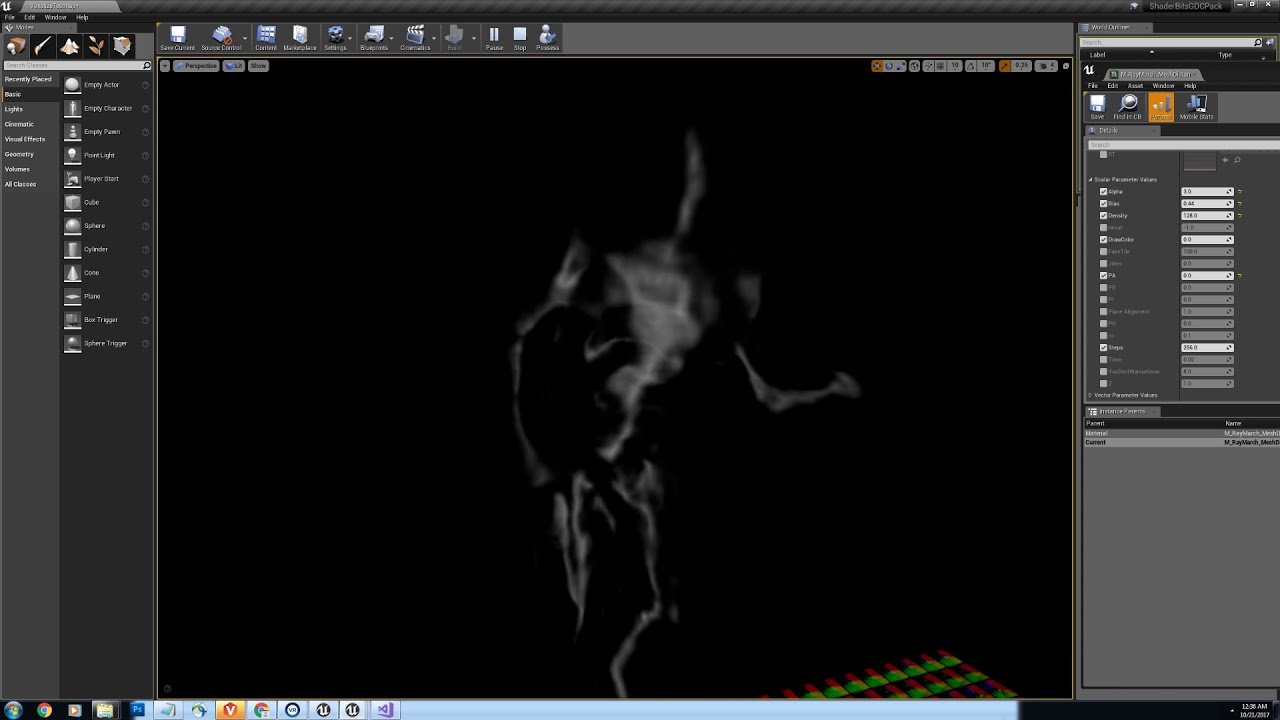
does anyone know if there's a tutorial for this jumpflood / distance field gradient video by Ryan Brucks? https://www.youtube.com/watch?v=GvI7qt3kmz4
A mesh is voxelized and then jump flooded to create a realtime 3d distance field. A gradient is then extracted from the distance field. The ray march materia...
cursive dirge
@faint cedar float SpringCoeff = 250.0;
float DamperCoeff = 50.f;
but I use those to make a simple "ufo" on that example
I think there's like 8 of those which I just use as thrusters
faint cedar
Enough to get me started, thanks
I quickly went t hrough how you hook up the Update function to the physics tick. With that setup I need to have substepping on in the project, yes?
cursive dirge
that project is basically my test bed for testing determism for fixed timestepping for physics but it also hooks those physics steps to the physics delegate
so yeah, the setup is there
it's not the most straight forward example for that purpose tho
if you want something more robust
you could check out MMT
it has whole suspension stack that implements all these things

there are sphere traces and sweep options too
it uses the old physics step delegate
it still works
cursive dirge
he has a simple 4 wheeled vehicle example on the demo level too
it's pretty basic I think
faint cedar
I'll dig through it and see what I was missing, this'll be a great resource
cursive dirge
one of the biggest factors on vehicles is the tire physics, after you get the suspension done, how you deal with tire friction will be the next biggest factor on the overal feel of the vehicle
well, there are three main things IMO
good suspension with damping, tire friction done right and antiroll bars
well, engine sim is also one factor but your use case might not always require realisticly behaving engine
faint cedar
This is for a very cartoony karting game, so I don't think I'll do much more than what that video suggested (moving the center of mass below the vehicle)
cursive dirge
you don't even ned to spoof the mass below ground if you do things properly
antiroll is basically fixing the rolling issue those space dust racing guys fixed by the COM hack
another downside of putting the center of the mass below the vehicle is that it'll lean in wrong direction after that
like if you accelerate the vehicle, it'll tilt forwards
when you'd expect the exact opposite
same happens when you turn
your vehicle actually leans into turn direction
well, if you handle the turning with friction anyway
if you just use torque like in that video, then you'll not notice
faint cedar
Well, I suppoe I'll burn that bridge when I get there
for now, I've replicated your suspension calculation, let's see if it actually works now
@cursive dirge - Got it to work man, thanks a bunch. Although my damping is ~500 and my stifness is ~15k
faint cedar
Ah, yes, mass
cursive dirge
with vehicles, it's constant tweaking if you change one parameter
you usually end up changing bunch of others as things depends on others
faint cedar
Yeah, I'm just happy I am finally getting somewhere
So last thing - I'll move this thing to the physics delegate thingy now, do I need to turn on substepping in the project for it to work properly?
opal ocean
thats my physics question! I've got a 6DoF ship, and I got it to fly right while using a placeholder, I switched ONLY the mesh to a larger ship mesh, and suddenly its all sluggish!
cursive dirge
when you do, then yes, you need to enable substepping
just remember what I said about ue4 getters
none of the regular location etc getters have up-to-date data during substep
faint cedar
aye, get the body instance data instead, yes?
faint cedar
Goodie
cursive dirge
things like velocities are read directly from bodyinstance anyway so those you can read with basic getters
and things that execute right away
like linetrace which returns the result immediately
I tend to check the t.maxfps thing when I work with these things
it's really quick to test with it if you have missed somethin
as lowering the fps will break the thing immediately in such case
faint cedar
I got some firsthand experience with that...
While we're on that subject of that... Epic implemented some sort of kinematic substepping, right? For Robo Recall, to be able to hit fast moving bullets if I remember correctly
faint cedar
Meaning I could theoretically now have my swords swings just be normal colliders and play the animation, I no longer have to fuck around with tracing the sword's path
Oh, last question... if I wanted to apply a custom gravity force, I'd do that in the same physics step update as the suspension forces?
cursive dirge
yes
faint cedar
Thanks
This is probably stupid now, but if I just apply GetGravityZ() * DeltaTime, it's way too slow on its own, even though the math is correct
Do I skip the DeltaTime bit for gravity? Sounds wrong
cursive dirge
in arcade game, you usually use bigger gravity values to make it more responsive
to apply gravity you use F= ma where m is your mass and a is acceleration (gravity value)
there's no deltatime in the equation
faint cedar
Yeah but a is m/s^2 so there's time in there
cursive dirge
since you use AddForce for that, deltatime is taken care of automatically
faint cedar
Oh
cursive dirge
don't mix the units with the actual values in the equation
force in SI is same as 1kg * m/s^2
if you want to put the units in, they'll add up eventually
but you don't really need to care about them if you use the same base units as what's expected in the equation
faint cedar
I stopped doing that once I figured out that AddForce boils down to something extremely stupid like decanewtons orr something silly like that
cursive dirge
in UE4, the core issue is that base unit for lenght/travel is one cm instead of meter
so that kinda messes up with everything
faint cedar
yes, but mass is still kilogram, so it calculates force as cm/kg
tawdry narwhal
has anyone tried using 3D jumpfloods / distance field gradients as demonstrated in this video by Ryan Brucks or have a tutorial? https://www.youtube.com/watch?v=GvI7qt3kmz4
A mesh is voxelized and then jump flooded to create a realtime 3d distance field. A gradient is then extracted from the distance field. The ray march materia...
faint cedar
@tawdry narwhal - I've tried it briefly but didn't get very far. It's an extremely advanced technique and there are some papers on jumpflooding that you can read up, but don't expect to get up and running in an hour
tawdry narwhal
yeah I guess it ain't easy, but since then guy actually did it I thought he might have made a tutorial or some such
he's doing exactly what I want to have in an effect
faint cedar
I doubt anyone here could really help with that, it's quite an advanced technique
also 0lento, it seems that the shift to the physics update worked, it works fine at t.MaxFPS 5
thanks again for your help
cursive dirge
np
faint cedar
So if I wanted to do a break function, I would directly do BodyInstance->SetLinearVelocity() and just feed it GetLinearVelocity() * BreakingFactor?
or just set LinearDamping to FMath::Lerp(OriginalDamping, MaximumBreakDamping, BreakInput);
that seems more sensible
obtuse sable
Any way to do actor hidden in game on everything except one thing?
So basically solo show something kinda
 foggy kraken
Is there anyone that would be able to help me with my college project please? I've unfortunately lost all my work on a USB Stick and need to start again, however it's not been particulary helpful my Game Engines Lecturer being ill all the time, barely teaching the class and my own health issues. Need to create abilities for an Overwatch Character. Already have the ideas, and an Overwatch Template, just need help with the mechanics/blueprints etc.
plush yew
Hii
 tropic pilot
anyone know where i can grab som free GUI / UI stuff?
 cerulean nova
i need awnsers to everything 😄 someone willing to help ? 😭
 brave drift
Hey everyone, anyone know that when we are gonna have 4.19 release? This week?
 floral heart
re: Konners
42
 devout gulch
did anyone tried to replace broadphase collision detection in unreal and integrate it with physx ?
Just wondering where to start looking, if I wanted to have my own system for sweeps/overlaps/traces and let the physx handle rest of simulation (ragdolls, cloth, etc)
cursive dirge
@devout gulch then use immediate mode
It allows you to solve constraints and sim without physics scene
So you can implement your own and solve what you want manually
 grim juniper

polycount
Searched but couldn't find anything. Sorry if this has been asked before (wouldn't be surprised).
cerulean nova
@floral heart 42 does not help in that case
cursive dirge
@devout gulch oops, yeah, immediate
but the plugin itself drives the animation physics
you actually want the functions that plugin calls
they are set to private in that plugin, unless they've changed that
so you need to make your own plugin or modify that
devout gulch
idk if it cloud be made into plugin, replacing broadphase would mean changing tracing functions, overlap handling in components
cursive dirge
oh
 austere yacht
If learning the blueprints is like learning a language, do you learn the language by constructing easy games first? Like i have it in my mind how its supposed to be but i cant word my thoughts if you get my drift.
cursive dirge
you would need to implement a whole lot things yourself
devout gulch
and use physics to simulate ragdolls etc, only around player
devout gulch
yes, unfotunetly replacing the real backbone of unreal physcs is not that easy ;s
devout gulch
basically I want to bypass 20km limit for simulation. for that I need 64 bit positions (fixed point). Origin rebasing is not going to work for multiplayer, but things like overlaps and traces should work in single space for all players
I figure out I don't need any kind of physics server side
(I mean I don't nee detailed simulation, just broadphase)
and let clients simulate the more fancy visual stuff
cursive dirge
well
you could just ditch the built-in physics
it's pain to work and modify anyway for this purpose
just run your own physics in doubles outside of engine core
bullet can run in doubles for example
tropic pilot
Natalie Imbruglia - Torn
great song
anyway
anyone know where i can grab som free GUI / UI stuff?
 leaden venture
so im trying to remove the eye adaption from my camera, its disabled when im in the viewport but when i play the game its enable how do i remove it?
cursive dirge
@leaden venture project settings, PP volume, pick one
leaden venture
i cant find anything under project settings about that
 bitter iris
i think you just answered your own question @plush yew
 nocturne goblet
cursive dirge
nocturne goblet
cursive dirge
UE4 version is hardly a factor
plush yew
i downloaded soul cave and clicked play to see it and rip xD
plush yew
i know, i see other people with lesser graphics and they work fine with it
maybe 8gb ram isnt enough?
it says that it's recommended
cursive dirge
8 GB is fine unless you need huge worlds or need to build static lighitng
if you build lights, you need more RAM in most cases
but that will only make the building slow
not lag the edior
plush yew
or is it problem because im using laptop
kindred viper
if someone said to me "from now on you have to do unreal editing with 8gb". I would say "screw you honcho im off to Unity !"
 cloud cobalt
Like @cursive dirge said, 8GB can be enough for UE4 development. I only moved to 16GB for heavy Blender baking onto 8K maps
kindred viper
I read that as ram btw. not GPU ram. 8gb gpu is more than enough :p
yeah its not that UE4 particularly takes up all the ram, its the artwork editing on the side that does it
cloud cobalt
Yeah. Photoshop can be voracious too
kindred viper
yeah it does use a scratch disk tho so its not that bad
cloud cobalt
If you're on the programming / gameplay side I'd say 8GB is a least concern
kindred viper
I started out on 8gb but it definitely didn't seem enough for my tastes. So I moved to 16gb and that was fine. Then I went to 32gb just in case.
frank escarp
uhm, visual studio chugs ram
i got 16 gb specifically for that reason
i was hitting the limit constantly with VS + unreal at 8 gb
kindred viper
This is just loading up the robo recall modkit.
 dim merlin
Hi, retargeting a skeleton gives 'Invalid Assets' ? anyone knows why?
cloud cobalt
Anyway, it's obviously better to have a fast 8-threads / 16GB system with a great desktop GPU 😃
And a dedicated SSD
tropic pilot
uhm
everytime i try to save in UE4 i get this
The asset '/Game/GAME/Widgets/Player_Interface' (Player_Interface.uasset) failed to save.
Cancel: Stop saving all assets and return to the editor.
Retry: Attempt to save the asset again.
Continue: Skip saving this asset only.
 grim ore
do you happen to have the project open more than once?
 frozen horizon


 harsh tiger
hello everyone, im making a city in a open world and for performance im using level streaming. but it seems really annoying to use. i was wondering if theres a better way to make is items on the other side of the world arent rendered until i get close to them
plush yew
hi
grim ore
generally items not visible or at a certain distance should be culled out or using lower LOD if you set it up like that.
sudden agate
is it only me or does 4.19 crash when trying to type something into the console?
 gilded crest
I've had more problems with 4.18 than in any other version 😛
kindred viper
I guess you dont remember the great war of crashing bugs during the 4.13 period then. It was the best of times, it was the worst of times.
grim ore
I've had more problems with every version I use compared to the ones I don't 😦
kindred viper
I accidentally got the 4.20 pre-release from github and it lasted less time on my pc than it took to compile.
grim ore
heh
cloud cobalt
4.18 was pretty decent for us, except on Linux
grim ore
some of the master releases can get quite funky depending on when you grab em. I've had some that just refused to even start lol.
then you see a commit a few later saying "Fixed the startup issue"
or "backed out change #XXXX"
cloud cobalt
Yeah, using master only makes sense if you're an engine dev working in the office
I think Epic game devs work with the promoted branch, which is a nightly ?
gilded crest
I don't remember working on 4.13, sometimes I skip whole versions cause I don't migrate my project yet for months 😛
grim ore
so 4.19 p3 this week, p4 next then 2 more for final so 4.19 release on 2/20?
yay for new stuff 😃
kindred viper
Im so hyped for the Audio engine. I've been planning some Markov Chain work with it and see how far it can go
grim ore
I wish I could understand the Audio Engine on a basic level. There is quite a bit I should know but Audio, like math and graphics and art and shaders and physics and lol..., is one of those black boxes for me
 fiery harbor
so I'm having the issue that some (very very few) people who are trying to play my game are having one very, very weird issue:
The best example is one guy with a threadripper 1950x. the issue is that his CPU is always at 100% and everything lags due to that. it is definitely not my code creating such a crazy amount of CPU usage on a 32 thread CPU, so do you guys have any idea what could cause that or how I could find out how to fix it?
silver crown
@fiery harbor 100% usage by your game ofc?
fiery harbor
@silver crown by my game, yes
sometimes it works for a few minutes and then suddenly starts to get 100% CPU usage
silver crown
So UE is creating at least 32 threads
fiery harbor
yeah
and the fact that it lags and stuff likely means that it creates quite a few more threads so that its more like 60 or 100 threads or so causing the game thread and render thread to be slowed down a lot
silver crown
Maybe some issue with the code detecting the number of physical cores?
fiery harbor
but that would just mean it would spawn too many threads for some things, not actually use them
all those threads have to be in something like a while(true)
silver crown
Do you have his log file?
fiery harbor
shipping config has no log files
silver crown
TIL
fiery harbor
I also dont think the log files would help
silver crown
There's that at the beginning of mine: ```
LogTaskGraph: Started task graph with 5 named threads and 14 total threads with 3 sets of task threads.
yeah but even if that would say it spawned 1000 task graph threads that would still not cause this issue
1000 threads that do nothing are not a problem
fiery harbor
hm
silver crown
He is on default Windows, not Insider or anything like that?
fiery harbor
quite sure, yeah
the other person having the same 100% CPU issue is on a regular i7 4xxx
silver crown
How many users do you have?
fiery harbor
well my game released on friday, so its not a crazy amount yet
amber dune
Why the heck isnt this working? World->SpawnActor<AWorldItem>(Result->WorldItemBlueprint, FVector::ZeroVector, FRotator::ZeroRotator, FActorSpawnParameters()); Result->WorldItemBlueprint is TSubclassOf<AWorldItem> WorldItemBlueprint;
fiery harbor
@silver crown hm, I wouldnt expect it to be related to spectre. especially that it happens on both AMD and Intel means its unlikely I think
silver crown
No
amber dune
It's saying there are no overloads that take these parameters but the default fps character does exactly this to spawn a projectile
amber dune
ok thanks
fiery harbor
I just wonder if theres any way how I can remotely find out whats going wrong for those people
silver crown
Almost every system is affected by Spectre: Desktops, Laptops, Cloud Servers, as well as Smartphones. More specifically, all modern processors capable of keeping many instructions in flight are potentially vulnerable. In particular, we have verified Spectre on Intel, AMD, and ARM processors.
FYI
But it's 100% unrelated
fiery harbor
any way how they can look at how the threads currently running are named or something like that?
I guess it would show whats the issue if I would know the names of the threads that are taking all the CPU
fiery harbor
it has no names, right?
silver crown
Yeah I'm dumb 🤦
fiery harbor
maybe... I could add a shortcut to the game making it crash, then let me send the minidump file from the user who also showed me the screenshot of that thread list...
do I still see the TID of the thread on a opened minidump?
hm, maybe not...
silver crown
You need symbols to see threads names
fiery harbor
oh I think I do still see the TID then
yeah I would open the minidump file on my system where I have the symbols
silver crown
(just learned that, you probably already knew)
fiery harbor
thanks 😃
fiery harbor
check what?
fiery harbor
confirm that the task manager really shows 100% CPU usage?
silver crown
Can also see thread count in task manager
Well who knows
¯_(ツ)_/¯
I guess a failing hardware could increase CPU usage?
fiery harbor
well if 30 threads out of the 32 ones would be dead then yeah
 bright wave
hi
is there any way to get better performance in unreal engine (pubg), with decompressing the .pak files?
i know it from earlyer unreal engines, there was a way to unpack them
silver crown
No
bright wave
then you got better performance
silver crown
No
bright wave
😦 kk
opal ocean
Making a vehicle, will mostly be driving from inside.. Better to be a seperate mesh from the exterior? or all one object?
 tranquil moth
is there a unreal content library to download free models?
looking for a turret that i can use in a tutorial
opal ocean
opengameart has some turrets... may have to convert to fbx tho
tranquil moth
does the startercontent have anything that can act as a turret
opal ocean
yeah, it has basic shapes that you can call a turret
tranquil moth

Creating a simple tower defence setup in the Unreal Engine 4 Software Used:Unreal Engine v4.14.3 Part 1: https://youtu.be/O8SXhKbEG7c Part 2: https://youtu.b...
im trying to follow that tutorial, but he doesnt have a link to download his turret model
 fossil socket
can you no longer report posts on the UE4 forums? i'm logged in and i don't see it
but in case a UE4 forum mod is here, here's a spam post that went unnoticed: https://forums.unrealengine.com/unreal-engine/announcements-and-releases/1413780-unreal-engine-4-19-preview?p=1420066#post1420066
tranquil moth
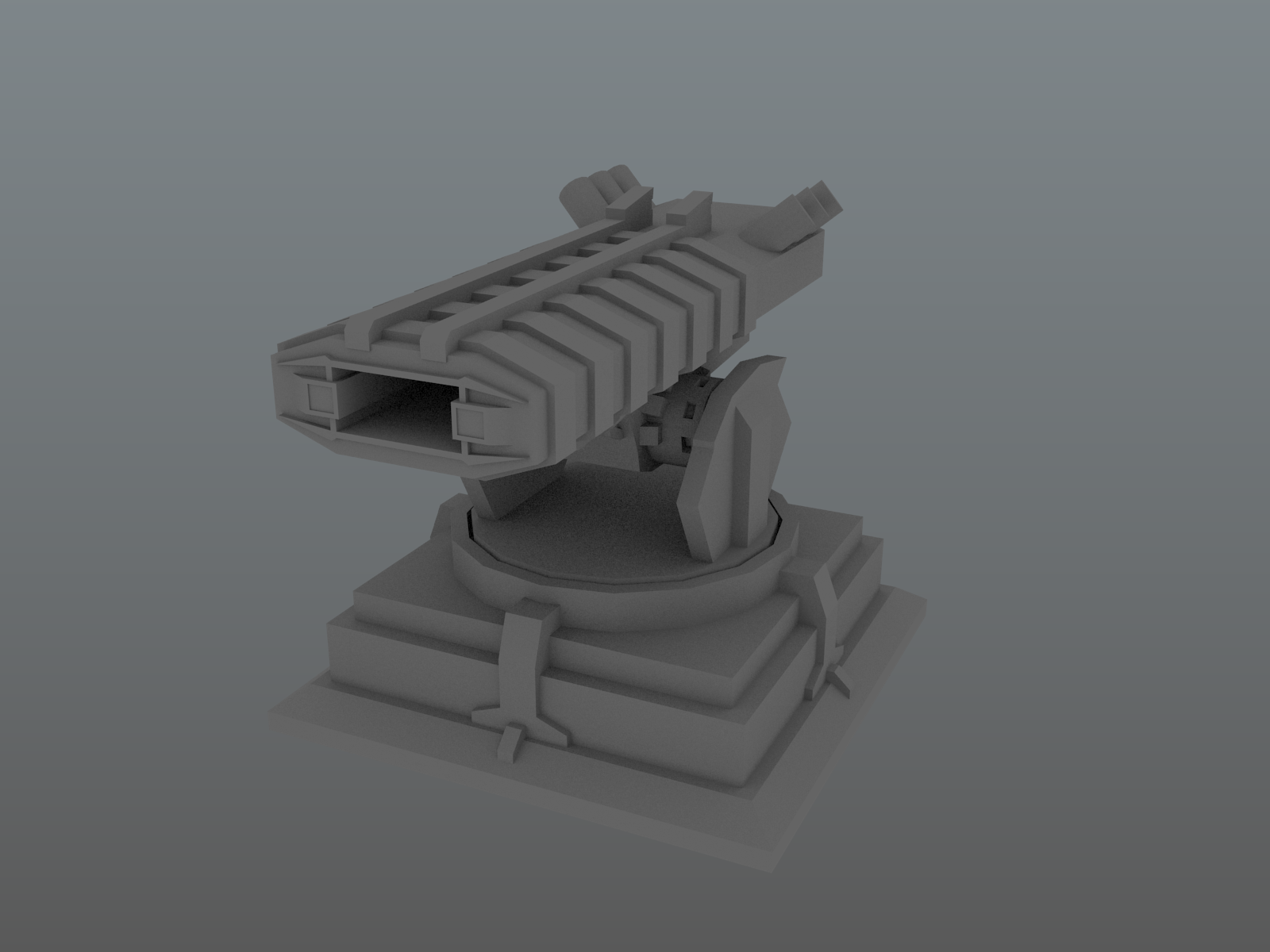
@opal ocean so if I download https://opengameart.org/content/turret-0 I have to convert it to a certain file?
OpenGameArt.org
A turret i made just for for fun, no real purpose. Just leave a line if you use it :)
its a blend file right now
opal ocean
you'd have to open in blender and export to .fbx
and make sure of the scale
if you just need a stand in for a tutorial, the starter content would probably work fine
tranquil moth
just like a cylinder and cube on top?
opal ocean
yup
tranquil moth
thanks man
high oar
Which Source Control do you guys recommend to use if I’m just casually sharing assets/projects with a friend?
 sturdy walrus
Hello
 tiny coyote
when I play in the viewport and press f8 for the free camera movement the courcer is blocked by the screen edges, any idea hot to solve this problem?
silver crown
FYI, SetScalarParameterValue doesn't work if the value is too big
ie if Value - 1.f == Value 😐
Which seems to be true for Value = 1e10 😦
 livid haven
Define "doesn't work"
silver crown
Well it doesn't update the value
void UMaterialInstance::SetScalarParameterValueInternal(FName ParameterName, float Value)
{
    FScalarParameterValue* ParameterValue = GameThread_FindParameterByName(
        ScalarParameterValues,
        ParameterName
        );

    if(!ParameterValue)
    {
        // If there's no element for the named parameter in array yet, add one.
        ParameterValue = new(ScalarParameterValues) FScalarParameterValue;
        ParameterValue->ParameterName = ParameterName;
        ParameterValue->ExpressionGUID.Invalidate();
        // Force an update on first use
        ParameterValue->ParameterValue = Value - 1.f;
    }

    // Don't enqueue an update if it isn't needed
    if (ParameterValue->ParameterValue != Value)
    {
        ParameterValue->ParameterValue = Value;
        // Update the material instance data in the rendering thread.
        GameThread_UpdateMIParameter(this, *ParameterValue);
        CacheMaterialInstanceUniformExpressions(this);
    }
}```The - 1.f is lost for too big numbers
¯_(ツ)_/¯
livid haven
But... that's universally true.
silver crown
Yep sure
But SetScalarParameterValue(1e10) does nothing
Even if default value is 0
livid haven
Ah, that's a different story. Weird.
silver crown
To be clear it doesn't work the first time
if(!ParameterValue)
{
// If there's no element for the named parameter in array yet, add one.
ParameterValue = new(ScalarParameterValues) FScalarParameterValue;
ParameterValue->ParameterName = ParameterName;
ParameterValue->ExpressionGUID.Invalidate();
// Force an update on first use
ParameterValue->ParameterValue = Value - 1.f;
}``` wicked tiger
@fossil socket Thanks for mentioning the spam post. It's been removed.
 ashen brook

Unreal Engine
All European Unreal Engine developers are invited to save the date as details of a major developer-focussed event will be announced shortly.
livid haven
@silver crown Yeah, that's odd. I'll mention it.
silver crown
So doing ```cpp
NewMat->SetScalarParameterValue(FName(TEXT("EndTime")), 0);
NewMat->SetScalarParameterValue(FName(TEXT("EndTime")), 1e10);
@wicked tiger when can we expect the announcement of where the Unreal Fest will happen?
ashen brook
Hehe
kindred viper
its at my house. dont mind the kids. please take your trash with you when you go thanks.
ashen brook
I suspect details aren't finalized so
kindred viper
I hope its close enough for me to get off my arse and go outside for a change
keen birch
But then they could've just waited with announcing it until they knew the place?
Because I'd rather not have to keep this in the back of my head while not having a clue about whether I should even care
:/
silver crown
The important part are the dates
keen birch
But that's just my take on it
silver crown
"to save the date" 😉
keen birch
I'd say time and place. Both are crucial to knowing if you're available
keen birch
Well yeah, but saving the date is silly if it ends up being on the other stide of the continent ;3
Gotta love dat ™
kindred viper
Im selling fake doctors certificates in case anyone needs to get off work.
2 dallars
silver crown
Yay!
kindred viper
I may as well get some use out of my photoshop subscription :p
ashen brook
hehe alright
wicked tiger
Will let you all know more once we can share.
kindred viper
Are Epic going to fly us all there in Lear jets with their Fortnite money? 😉
keen birch
I doubt I'll be able to go, though
That's more or less a week before my finals
Possibly actually during some of my finals
😛
 unique ocean
I got unlucky and my PC crashed while I was working, everything seems to be in place but UE4 set all my project settings back to their defaults?
I have a backup folder with my project but I've never had to use it before, which files should I replace
livid haven
Take a look at your project's Config folder
Those ini files are likely what you need to restore.
 celest creek
Hey, I'm pretty sure I've seen a non-executing branch node... but can't seem to be able to create one, how do I do that?
ashen brook
look for select
celest creek
hmm.. that doesn't seem to be it?
livid haven
Select is the data equivalent to branch. Or vice versa in a sense.