#ue4-general
1 messages · Page 166 of 1
 cursive dirge
 wild glacier
Top-right corner
 plush yew
@wild glacier Dont see anything but world outliner there
plush yew
How?
wild glacier
Press the arrow
It should be "screenshot"
There is also "immersive Mode" (full screen) for the viewport
Found it? @plush yew
plush yew
No sadly
 tranquil osprey
press F11 for fullscreen
plush yew
I meant I dont see screenshot
plush yew
wild glacier
Here
 cinder iron
Multiply
plush yew
ah thanks
cinder iron
Or just look for "*"
plush yew
which one?
plush yew
Thanks!
cursive dirge
these are all color coded
plush yew
u know
the flow of knowledge sometimes
really devalues the worth of that knowledge
(Thinking aboubt the number of marketplace assets)
Unity fps assets
lel
really devalues my job as a coder i feel
Value is created from scarcity
Not from abundance
So selling stuff on marketplace is bad?
i didn't say that
im saying that it devalues the worth of a programmer => Why hire someone when you can just buy something for $10?
it only benefits the seller of the asset
no one else benefits
Also creates lost job opportunities
Also, if you coded something in your own game, and a marketplace asset comes out doing what you spent 2 months on... Someone else can now copy your idea with no effort needed
Further devaluing your time spent
That seems like it can be said about anything and be used as an anti-open source argument
Idc about open source
I just care about the fact that if I spent 5 months on something and you come out with a marketplace asset for $20
im gonna be a bit annoyed
With 1 tweak of what you said it can be used as an open source argument
Also, if you coded something in your own game, and an open source game comes out doing what you spent 2 months on... Someone else can now copy your idea with no effort needed
yeah
and u support that?
Yeah I support open source anything
You support the devaluation of someone's hard work and time
All software, should be free and open sourced.
Sounds silly.
Never said free, I meant anything that had a source code you could buy without thousands of dollars
But yeah it sounds silly but thats not exactly what I meant
The company I work for made $450,000 last quarter by "selling" software
Imagine if they went open source
All of us would lose jobs
Open Source = Communism
Open source doesn't mean no license by the way
You can have source licensed to no commercial products and for private use only
Yeah
that's different
That... I support
But I don't support just giving shit out to people for free
Imagine if it was made by a team of 100 people
i doubt they would agree
to just go full commie
Remember Doom going open source?
They all agreed to open source it (Or atleast a majority)
 grim sinew
What year was this?
plush yew
1997
grim sinew
So 4 years after it came out
After it made all the sales it would have
Not much of an argument
plush yew
That's not @plush yew's point
grim sinew
It kinda is. If they released it for free intially, id as we know it would not exist today.
All the subsequent games would have no money to make them.
plush yew
Never said it had to be free
grim sinew
If you release source code publicly, it may as well be since the first someone does with source code is compile it.
grim sinew
Oh, so it's worthless to anyone except their competition then looking to rip them off.
plush yew
Nope
grim sinew
Nope isnt an argument, you going to elaborate at all?
plush yew
Not worthless to anyone except for competion, people study source code to learn programming too
grim sinew
Isn't that what GDC talks, whitepapers, etc are for? Anyone that can't really understand those anyway won't understand the raw source code, it's not like someone that hasn't coded before can look at it and then magically understand it from reading the source.
Isn't there already an abundance of information on the subject where anyone could learn anything without needing to release giant investments for free?
 cloud cobalt
@plush yew We released the full source code for our 4-year project ourselves.
No one is going to steal a massive undocumented piece of code for a game. Because games aren't just code - they're code, art, design, and players.
What's the point then ? Well, plenty of people have used it as a learning resource
People can see what we're working on, we can be transparent about what's happening
Sometimes people give us advice too
Overall it's just a small gain with zero cost
 upper heart
what project is this?
cloud cobalt
 frank escarp
and useless without all the assets due to blueprints
cloud cobalt
Our code is kind of a disaster sometimes too, tbh
 digital anchor
xd
cloud cobalt
We didn't release assets though - some of them are marketplace, some of them are kind of ours and kind of not, and overall we consider the art to be tied to our commercial project.
So basically a dual license : open code, proprietary art
plush yew
So is the code in the game once you buy it or what?
upper heart
it's on github https://github.com/arbonagw/HeliumRain

GitHub
HeliumRain - HELIUM RAIN - Full sources for Helium Rain, a realistic space opera using Unreal Engine 4
cloud cobalt
The code is free for everyone incl commercial purpose, we just ship a compiled version with art on top.
The content being the real part
plush yew
My problem with giving out source code for free
is it feels communist lol
Why is it payed on steam if its open source?
Like, I like what Epic Did... They made a fuck ton of money FIRST, then released source. It's not even open source it's just "source available" but epic owns it still
cloud cobalt
@plush yew It's a commercial game. We just don't care if people use the code for their own work.
plush yew
I think what Epic did was the right way to do it
@cloud cobalt Ah, do you plan on allowing people to pair it with the game to actually edit it?
cloud cobalt
People can rebuild it themselves and replace the executable if they care to (they don't, but we'd be okay with that)
@plush yew Roads are communism too, if you look closely
If you need something and others can benefit from it, why not share ?
plush yew
Yeah if you look closely on an atomic scale they print Communist flags every mile or so
@cloud cobalt Ah, makes more sense now with them being able to replace exec, how will they be able to share the modified program without running into legal issues though?
Yeah but a road doesn't devalue the hard work that the construction workers prut in to make it
For me, it's all about not devaluing the work of others.
Games devalue other games since it's already been made then
Like all these shitty FPS tool sets on marketplace, unity asset store... Really devalues the entire "FPS" genre because you have a bunch of idiots doing it
cloud cobalt
@plush yew They can release the executable if they want, it's open source. Content isn't open-source and needs to be bought on Steam.
plush yew
@cloud cobalt Ah, so you can just release the executable and they can overwrite the steam exec and it will work fine?
cloud cobalt
Yes
@plush yew FPS are devaluated because every fucking game on the planet is a damned FPS. Not because of asset stores
plush yew
Ah very smart and awesome
You don't think assets on asset stores may have greatly increased this though?
Does Helium rain have orbital dynamics?
cloud cobalt
If your game is just from the asset store, your game is shit
plush yew
Mhm
digital anchor
no one gonna buy it anyway so it has no value in the first place
cloud cobalt
If your game is just an open-source game with your own art, your game is kind of shit too
plush yew
i agree
but thats not my point lol
Before fps toolkits were a thing, there were not so many shit tier games on steam begging for $30
Now, we have like fuck loads of them
These shitty, unity games
made on like a $500 budget
Idk I guess I blame unity more than ue marketplace tho
cursive dirge
you can make a quality game with $500
 fierce tulip
did timezone change again or is there no twitch stream now?
plush yew
Tried to import a 16k texture to UE4, RIP save
 quasi lake
plush yew
quasi lake
plush yew
Immediately crashed RIP
grim sinew
I never lost it, I can do it right now
plush yew
lost what?
quasi lake
Anyone knows?
cloud cobalt
@plush yew I do agree that low-effort asset flips with marketplace content suck, and devalue games overall. Where I disagree is that authors of marketplace content, or open-source work, are the one to devalue the work of authors.
You can use marketplace assets and not do an asset flip with 90% paid assets
And if you build a game engine, you don't need to reinvent PNG decoding, because it's open-source.
 keen birch
^
cloud cobalt
If open-source didn't exist, 95% of programming would be writing allocators and string classes
Seriously, it's pretty dull
keen birch
A rotten apple spoiling the bunch, really
 loud phoenix
Anyone know why 'FindPathToWidget' is being used without implementation? Not sure what category this falls under.
keen birch
I personally won't be putting my source up, because I've put my time and effort into creating it, so I don't feel like giving it away for free
loud phoenix
BP only
keen birch
At this time
I still fully understand where Stranger's coming from, though
I might put source up one day, probably under some relatively restrictive license
 latent moth
Good evening everyone! I'm new here, as I'm currently doing a feasibility study for an engine choice.
I am extremely interested in having an engine able to support User Generated Content. I have found a topic in the wiki (https://wiki.unrealengine.com/Modding:_Adding_mod-support_to_your_Unreal_Engine_4_project) which seems to be a little old, and a thread that seems to contest the actual usability of such system (https://forums.unrealengine.com/unreal-engine/feedback-for-epic/114359-ue4-needs-a-more-friendly-modding-system).
Though, I have seen that games like Ark evolved and Squad have a modding system available.
Can some kind soul point me in the right direction on how to gather this information? As said I'm just doing a feasibility study for now, hence why I am asking the experts here...
keen birch
Well, for UGC you're definitely going to want to stay away from Unity, in any case
Never looked into UE4's systems for it, but seeing how some awful game I happen to know of already has support for custom textures etc, I'm guessing there's decent integrated support
latent moth
The first feedback I got was that unity had good support for it, so it's interesting that you're saying that
however given the quality of the worlds that UE4 is able to render I am relatively already "sold" with it. Terrain generation is a big interest of mine.
Though, I need to have an understanding on how difficult / what constraints do I need to put on devs that would like to mod the game
After this I will do a basic "proof of concept", as soon as I understand how to do it and gather feedback
 safe shoal

Tim Sweeney talks to David Lightbown about UnrealEd, one of the most popular level editors in the games industry, which was used to build levels for Unreal, Deus Ex, Gears of War, BioShock, Rainbow Six, Splinter Cell, and Mass Effect, and many, many more.
 wheat pendant
Ah! vblanco! I knew the guy that gave me the link was still here
frank escarp
?
frank escarp
might actually be
frank escarp
i dont know
wheat pendant
Is it possible you said that using it it takes like, 3 months to actually become competent at making games?
frank escarp
yes
wheat pendant
Hell yea, I knew I remembered that shit
frank escarp
took me 3 months from starting C++ with that book
until i was making 2d games and other stuff
 vale osprey
@plush yew people and companies have different reasons to open-source their work. It's a bit naive to say that they devalue work of others.
plush yew
Ehh...
Let's say you have one product that you are known for. How would you feel about it when someone releases a free alternative
Obviously... that's "free market"
but it wouldnt feel g ood
im not arguing whether or not it is good or bad
lol
im just saying it doesnt feel good
feels like shit
 glossy flame
And? Somehow competition is "communist"?
vale osprey
sorry but how "feelings" are relevant to anything?
plush yew
No
You're making an argument out of nothing
Lol
This isn't an argument. I'm simply expressing how I feel about it
vale osprey
I don't know how old are you but some of us had to pay a good bucks to use something like SpeedTree
plush yew
Exactly, and you probably don't like that it's free now
It is right?
I know it's implemented into a lot of engines
 obsidian nimbus
sppedtree is free now?
vale osprey
I'm not making an argument - I don't have to, just politely pointing out that what people do is not necessary to hurt your or someone elses feelings
with this logic there should be no tutorials or sharing of knowledge - what if you get upset that someone shares for free something that you know?
 vale osprey
overall, if a free (open-source doesn't mean free btw) alternative is endagering your business, then you might need to do something else with your time/business
plush yew
Let me restate that I never once claimed people shouldn't do it. I simply stated I don't like giving stuff out for free that devalues someone elses hard work and time.
Keyword:s: I don't like it
The fact is, people will do whatever they want though.
 polar elm
my UE4 seems to be crashing in specific types of simulation since yesterday. is there a channel here on this discord that maybe people may know the reason? thanks
vale osprey
you see, this is the problem - saying you don't like it its fine, but don't claim that it devalues someone elses work
obsidian nimbus
blender is free cuz it got bought by the ppl with kickstarter
 floral heart
Without blender there'd still be sketchup.
 hollow ridge
and there are no errors
 safe rose
Formstack Form - Unreal Engine Bug Submission Form
plush yew
It definitely does devalue others work.
safe rose
Shut your mouths
And pay attention
New Bug Submission Form
For UE4 issues
Formstack Form - Unreal Engine Bug Submission Form
vale osprey
how exactly it does it?
safe rose
Make sure you pass that shit along
 hoary wadi
It seems like it's free in the same way unity/ue4 is free. They're making it available so there's a larger pool of potential employees know the software, and thus studios are more likely to license it
safe rose
You guys are going around in circles, it's pretty funny
floral heart
First bug: NO DYNAMIC GI
safe rose
Without open-source, we would probably still be in the stone-ages in software....enough said
Let's move on, this has NOTHING to do with UE4
Move this crap to #lounge
Even though it start wtih Helium Rain
It's not anymore
hoary wadi
New form looks slick
safe rose
<@&213101288538374145> ^
vale osprey
how so, couple of people here have open-source UE4 projects
obsidian nimbus
can we get stats what % of moderator pings comes from vicB? 😃
safe rose
And it wll drown out other real issues
hoary wadi
Lol
obsidian nimbus
im guessin over 30% 😃
plush yew
@vale osprey Because you cannot compete with "free." Did you know walmart had this rule for all suppliers that they must reduce cost by 5% every year or they would not be allowed to have their products in walmart? This literally has the exact same thing with releasing stuff for free. Walmart made fuck tons of money off of it and is still the biggest company to sell stuff (amazon, believe it or not is still smaller than walmart.) My point is, that when you lower the price of something to "free" and it's of the same quality, there is no more competition.
upper heart
Sweet new bug tracker 😃
 wicked tiger
Use the form!
safe rose
lol
hoary wadi
VictorBurgos 2018 mod run
safe rose
Yeah, use it, use it
Nah
I have been denied server moderator status a million times
And Forum Mod too @wicked tiger , no love anywhere
😭
Still missing something in Unrea
 tawdry quail
any guide on how to use the cpu profiler properly? Can't seem to wrap my head around it. I know how to create a file and open it, but interpretating that data, I don't get how
safe rose
@tawdry quail lol
You and everyone else
There is one on github that's nice
I forget what it's caleld
By those babylon battle royale decs
devs
That's better
tawdry quail
I will vote for victor as mod in the next election
fierce tulip
caleld? :p
safe rose
lol
fierce tulip
had the L on the brain hehe
safe rose
I know 😉
hollow ridge
dude can someone point me in a good direction to figure out
why my game won't build
there's no errors
just unknown build error
it's a C++/blueprint hybrid
tawdry quail
check for other warnings
usually it's an issue with references
try fixing up redirectors and see if it can do it without errors
try migrating one map to a new project and building from there
try moving assets between folders, usually reference/blueprint errors pop up in these cases
safe rose
@tawdry quail But yeah, I've asked for them to do a Profiling/Optimization stream for a while
They have a few though, old ones
But I mostly get my info from various blogs I google
tawdry quail
thanks victor, so a babylon profiler thing in github is my best option
or native cpu profilers from intel and stuff, or google
safe rose
Yeah the Intel one looks good as well
I haven't tried that one
For those wondering
keen birch
Ew, Intel, they're an awful company, their CPUs have issues!
obsidian nimbus
the intel is decent, the robo recall optimization stream was good too
safe rose
@obsidian nimbus yeah, I think that's the one I was talking about
I think there was another one
tawdry quail
I used gpa, it is awesome
safe rose
But it had old info
tawdry quail
but it's gpu only
 tender dome
hi people, ive been thinking of installing win 10 now but im afraid that after i install 10 ive to redownload ue. is there any way so that i dont have to download ue again?
keen birch
There is, but you won't want to do that
You'll want to backup important data and completely clear your harddrive when you re-install W10 - the upgrade system is batshit broken
 rocky portal
just backup your projects and re-download it like you would anything else
whats the problem
keen birch
^
obsidian nimbus
no broadband perhaps
 compact compass
i have a question but you have to be very advenced at blueprints to tell me so i have 3 abilities and i need to accseesss them by money so if i have 100 money i can buy the move can you tell me what to do (im using blueprints )
 obsidian veldt
https://gyazo.com/ea023a446020e3080e1943bf255c30fa
I'm not sure which channel I should go to, to report bugs, but I don't seem to be able to access other windows in UE4 anymore for some reason.
 safe rose
But anyway, head over to #blueprint
compact compass
ok
obsidian veldt
I can still access my blueprints, and other content browser windows, but I can't open any animation related windows now.
 karmic igloo
@obsidian veldt Have you tried restarting the editor?
obsidian veldt
Yep. And even tried restarting my entire computer.
karmic igloo
Okay, well it looks like the window is open but not drawing properly. Are you using a source build or from the launcher?
obsidian veldt
https://gyazo.com/64c44e8ec6ece73593c530fe9fefb16c
By launcher, you mean this thing, right?

Cause that's what I've been using to open my project this whole time.
karmic igloo
Yeah. Try verifying the engine, and if that doesn't work, then I don't know what the problem is.
cursive dirge
@obsidian veldt how can you only have 4 projects but to have ancient swing ninja as one of them? 😄
also, missing the most useful one, content examples
obsidian veldt
Well, two of those are example projects I just downloaded. 😛
The other two is my main project, and a back-up of the same project.
obsidian nimbus
never downloaded swing ninja
cursive dirge
yeah but you need to go through a lot of trouble to get swing ninja
it's not in the launchers learn tab
still sad to see tappy go
tender dome
@rocky portal @keen birch i meant that do i have too download the engine again or scan for missing files that were deleted from C drive just like se can do for games on steam
 worthy steppe
Can someone show me a tutorial for volume sliders please ?
I can't find nothing that works
obsidian nimbus
can u do umg?
 restive eagle
its not smth you can do from 10min tutorial
obsidian nimbus
depends on previous skills
restive eagle
ye if hes able to get all relevant refferences then its easy
obsidian nimbus
first u need to make a slider, than make it set a float , feed that into whatever u use for audio
 grim ore
obsidian veldt
grim ore
obsidian veldt
Verifying it didn't fix it.
tawdry quail
is hierarchical instanced static mesh not working with translucent materials on 4.18 normal?
quasi lake
Anyone knows how to make rootmotion for animation in level sequence?
It seems in level sequence/matinee ,animations with root offset can not be played with rootmotion
Solution in official tutorial video is quite dumb,which is to set the character's position at the first frame of the next animation
It needs you to scale the time bar very very much to hit a precise time,and still not accurate,which is very very not elegant and time costing and stupid and inaccurate.
Hope there's one dude knowing level sequence a little bit here
safe rose
#animation #level-design @quasi lake plenty some dude(t)
quasi lake
Copied and pasted there
I'm suprised there are so many apparent but important problems left in this engine but nobody gives a fuck
obsidian nimbus
99 problems but the bugs aint one 😛
quasi lake
I encountered a lot of crashes (not memory overflow),but I can tolerate that
obsidian nimbus
ive used seq, not with root anims tho
quasi lake
So how do you solve it when you use some animations with offsets
obsidian nimbus
but sequencer demo from epic does use root motion tho
with the 2 guys fighting
and playing tappy bird
obsidian nimbus
animations that dont play in place
he walks down the stairs too the middle with 1 anim and than goes to the fighting anim, something like that
so his location isnt keyframed
not 100% sure this is what u mean, but might wunna check it out
perhaps u need to make an anim montage from it first?
quasi lake
Level sequences cannot play montage
And rootmotion can be used on raw animation as well
obsidian nimbus
ok, havent used it in a while
quasi lake
Anyway,at least I can delete root offsets in 3dmax and export a new animation
Then make translation in level sequence's curve editor
Yet translation of the animation itself which is created by the artist wont be possible to be used in this way
obsidian nimbus
@quasi lake Rclick the anim u wunna use and create animcomposite
no thats prolly not it, its somewhere in the settings i think
plush yew
Do you have price information with the battley anti hacking system?
 high oar
Any idea how to solve this warning error? Im getting a weird camera snap when i try to toggle between 1st and third person
Also noticed, my movement once toggled is very locked. I can't look up up nor down, and when using A or D its sort of snaps to the right or left.
Additonally, When pressing tab to swap POV's. I just noticed they're 3 different POV's even though I only have 2 cameras set up?
 ashen brook
Tim Sweeney talks to David Lightbown about UnrealEd, one of the most popular level editors in the games industry, which was used to build levels for Unreal, Deus Ex, Gears of War, BioShock, Rainbow Six, Splinter Cell, and Mass Effect, and many, many more.
 timid yarrow
Hey guys I am 100% new to unreal and was wondering if there are any online courses you guys could recomend to start learning
 heavy ether
I'm sure there are plenty, but I have no recommendations. Are you new to games, or just Unreal ?
timid yarrow
Just Unreal. I am wanting to transition from Unity for Unreal's better rendering.
 silver crown
@timid yarrow Might help: https://docs.unrealengine.com/latest/INT/GettingStarted/FromUnity/
Translate your Unity knowledge into UE4 so you can get up to speed quickly.
timid yarrow
Thank you 😃
 shut jay
ay there
i was wondering if using this model as a character with animations would be difficult to do so with ue4?
it's just a model from the looks of it, but I am guessing I can convert it into an actual character with animations such as crouching, walking, etc
grim ore
well it's not rigged so you would have to pull it into a DCC program to rig it then you can animate it or apply animations. It's not super hard to do in blender but it does take some work.
 flat pilot
hey guys, I'm doing the tutorial here and the helping panel is sitting over the thing that it asks me to do and it seems like I can't move it, can someone help me ?
grim ore
well thats a bummer. can you drag it onto the base then move it down?
flat pilot
that's fine, it's sticked to some part of the "details" panel and moved along when I scaled the said panel
grim ore
yeah im checking it out on mine and its not supposed to be there, its supposed to be to the left so I wonder why its not on yours
flat pilot
there must be a way to move it and I did it accidently
😦
maybe that's because I have a 1440p screen
photoshop goes nuts with high scaling displays
 amber shuttle
what causes the need for this "photon emittion"?
never had this red bar taking so long
is it the amount of particles in the level?
cloud cobalt
No, it's just the lighting
"Emitting photons" is the phase where the renderer sends ray
If it's that long, the overall baking will be pretty long
cloud cobalt
@amber shuttle Less lights, smaller light radius, less objects...
Don't forget the light importance volume either
amber shuttle
ok ty
 hollow crescent
So, I guess it's safe to say that this tutorial is outdated...😩
 wary wave
Okay, I have some blueprints that have spontaneously stopped compiling without having been modified for quite some time
the issue is that 'PLACEHOLDER-CLASS is not compatible with Self Object Reference'
appears in Answerhub a lot but no solution has been offered
any ideas?
the node and function do correctly refer to the right types
recompiling the blueprint / refreshing the nodes and recompiling 'fixes' the issue
but on restarting the editor it's a problem again
wary wave
oof, this is a real problem :/
fierce tulip
that sounds ffed up
wary wave
looks like it's a problem with the ULinker
this is exactly how I like to spend my mornings 😠
 faint cedar
This damn Asset Manager is driving me insane
Has anyone actually gotten secondary assets to load properly together with a primary asset?
wary wave
@fierce tulip - what's happening is that the blueprint cannot refer to itself (e.g. get a self reference), it's just getting that placeholder class, which isn't the correct type, ergo compilation is failing
fierce tulip
its cases like that where I wish things on the computer could feel pain so you could kick them around a bit untill they are behaving
then again, 3dsmax would probably start tweeting about how much i'd kick his arse
 paper kernel
question: how does one make curve spline during runtime
all I'm getting is linear
oop hold on
LogOutputDevice: Error: Ensure condition failed: Position.Points[Index - 1].InVal < Position.Points[Index].InVal [File:D:\Build\++UE4+Release-4.18+Compile\Sync\Engine\Source\Runtime\Engine\Private\Components\SplineComponent.cpp] [Line: 145]
ok it decided to start working on it's own, but still throwing a nice callstack of errors
frank escarp
@paper kernel what i do is to have a blueprint function that receives an array of points and creates the spline from there
mostly due to asset reference stuff, so set the spline meshes and stuff
paper kernel
as I am doing, on loop
or should I use the AddPoints function on spline?
I'm currently adding one by one
not that it should make a difference in theory
hmm, I think the function is just broken
AddSplinePointAtIndex does not throw an error
 gleaming thistle
Ok I need Visual Studio to package my project, and I have downloaded the 2015 and the 2017 version but it's still not working
cursive dirge
@gleaming thistle make sure you installed c++ build tools along with VS
cursive dirge
@gleaming thistle in the VS installer
you have to separately select that, at least on VS2015
VS2017 installer is all messed up anyway, anything could happen 😄
gleaming thistle
aaaaah crap
cursive dirge
if you just do "express install" in VS2015, it doesn't install the build tools required to build c++ projects in UE4
gleaming thistle
Yeah, well apperently you can't uninstall vs2015
Can't fin it.....
Is it just the Visual C++ ?
cloud cobalt
You definitely can uninstall 2015
And yes, you need to tick Visual C++
But you should really just use 2017, it's much cleaner and leaner, it's way faster to install
And Epic will drop 2015 at some point just like they dropped 2013
gleaming thistle
UE told me it needed 2015
cloud cobalt
It doesn't
gleaming thistle
:Y
gleaming thistle
cloud cobalt
Which version of UE4 are you using ?
gleaming thistle
4.18
Meh wth now I know the reason so when it drops 2015 I do the same with 2017
I don't use VS but if I one day will it'll def be 2017
cloud cobalt
All I can say is that 2015 is definitely not required, nor the ideal version to use today
Where did you get that message ?
gleaming thistle
where?
cloud cobalt
Somewhere in the project settings, probably Windows platform
gleaming thistle
searching for visual showed nothing
I really just want it to work for now and if it does I'll leave it
cloud cobalt
It should be in project settings, really
In Config/defaultEngine.ini, i have this myself
Compiler=VisualStudio2017```So in project settings / platforms / windows you should have "Compiler" (deleted previous answer that wasn't correct)
cloud cobalt
Which one ? In 2015 ? You don't need 2015.
wary wave
salutations clever Unreal people
I'm thinking of having an effect a bit like a dust storm that is directional in nature
gleaming thistle
@cloud cobalt I'm getting the C++ things for 2017 now
wary wave
i.e. it is encroaching from a given direction, and in that direction you'd have an effect (likely fog) - best / cheap approaches?
fog volumes seem like an option, but not sure how cheap that is nor how mobile
a post process effect using depth and world direction might also work?
gleaming thistle
Ok apperently C++ for VS2017 is like 15 gigs
cloud cobalt
Obviously you need C++ in 2017, else UE4 will keep telling you it can't work
cloud cobalt
Tried rebooting ?
 mellow echo
Hello guys! Anyone here have some experience with porting an existing game to XBOX ONE? Or in general experience with using unreal with XBOX ONE? We are currently porting our exisisting game but we have some trouble so any help will be appreciated! Thanks!
gleaming thistle
restarting the engine or the whole system? @cloud cobalt
cloud cobalt
Your computer
gleaming thistle
nah, I can try that
fierce tulip
@mellow echo isnt that what udn is for?
most console stuff cant be discussed publically
cloud cobalt
UDN is for high-end engine users, not even for console developers
But that's correct, console stuff can't be discussed here
gleaming thistle
Nope same error
cloud cobalt
The "Installing VS" error ?
Check that the Visual Studio Integration plugin is turned on
Edit -> plugins
mellow echo
@fierce tulip @cloud cobalt I posted on unreal engine forum and to the xbox portal but I just wanted a closer support from somebody that had experience in this field. Anyway thank you. Will keep searching on dedicated forums
cloud cobalt
Great !
Feel free to remove 2015, it's not useful, and it's pretty bloated
Not to mention 2017 is supposed to output slightly faster code
gleaming thistle
Thx!
You don't happen to know how to update a plugin I have installed?
Can't figure it out
cloud cobalt
What kind of plugin ? I think engine plugins will be updated with the engine, and project plugins that you added to your project would need to be reinstalled, I guess ?
gleaming thistle
Hmm can't seem to do that, I'll figure it out some other time
upper heart
Anyone experienced with generating the rsa/aes keys for DefaultEncryption.ini ?
paper kernel
anyone know the math for this : http://animation-nodes-manual.readthedocs.io/en/latest/_images/project_on_spline_node_example.gif
 cloud cobalt
Bezier curve ?
frank escarp
i think there is a "get close point to spline" function
ashen brook
Does anyone know where and how collections are stored?
upper heart
posted in case someone knows: https://answers.unrealengine.com/questions/745142/defaultencryptionini.html
 main pewter
hello there. what are the requirements of the end user for running a ue (4.18) game in windows? the https://www.unrealengine.com/en-US/faq doesn't really provide a answer. I think: DirectX End_User-Runtime - June 2010 and Some of the Visual C++ Redistributable - But which one? 2010/2013/2015/2017?
cloud cobalt
@main pewter You'll need DX 2010, and the Visual redistributable, yes.
If you're shipping with Steam, these are simple checkboxes
You want the VS redistributable for your VS version
main pewter
@cloud cobalt yes, but what is my VS Version in a BP Only Game? I would suggest the newest one - because I have VS 2017 installed - but Is it compatible to older windows, let's say Windows 7? Or would you simply check all the VS Redist. in Steam? (Not sure if this picks the correct one or installs all of them)
cloud cobalt
@main pewter UE4 should provide its own redistributable already (the root executable calls UE4Redist.exe, then your game executable)
So if you don't build the game yourself because it's BP only, my guess is that you don't need an additional redist
Redist are backward compatible with older Windows, too
main pewter
on a end user pc. so when he installes my shipping game with steam - which redist. do I need to deploy?
ah ok - thanks , then i go for 2017
cloud cobalt
Don't
Steam will check and tell you, anyway
We had to add DX and 2015 redist ourselves
Using 2017 would be just a guess, you don't know that UE4 was built with 2017
it might have been built against 2015
main pewter
yes - they told me i need VC Redidst - but they don't tell me which one - this is why I asked here. so I go with DX2010 and VC 2017. don't have any win7 (without installed UE) around at the moment to test it. when they are backward compatible then everything should be fine allready
cloud cobalt
They are not compatible with each other
They just work on older Windows
2017 won't work for 2015
nor 2015 for 2017
So I just looked back on UE4 and Steam and I found Steam's response
"the Steam installation is expected to resolve all dependencies without third-party launchers"
Our list was : VS 2015 redist, DX 2010
So I'd go for that
 little oyster
So I'm following the Tanks and Zombies live training videos, but my X-axis seems reversed. S moves up and W moves down. Is it possible to invert the X-axis in the project settings (just thinking maybe I accidentally checked something I shouldn't have)
vale osprey
just re-import your model
it's part of the learning process 😄
your models should be always properly aligned with positive X
 opal coral
for about a month now I've struggled with Unreal becoming very laggy in the editor, but most of all every time I run the game in a separate window (as opposed to in the main viewport), it becomes very laggy. 3-4 FPS. while running in the main viewport is smooth.
any ideas what could be causing this?
the change happened when importing a new character model. not a high poly count or anything very controversial with it
plush yew
Anybody here that can help us out building dlcs in 4.17.2 or 4.18? Very much appriciated to our pipeline going. Send me a private message or email me at maikel@moyosa.nl
 velvet ravine
anyone onse had a problem when they take a window to another screen there is loads of fps drop?
If there all on the same screen im getting 120fps soon as i drag a window to another screen the fps drop kick in
wary wave
@velvet ravine - your GPU is probably only controlling one screen
dedicated one one screen, onboard on the other
that would cause the symptoms you are describing potentially
velvet ravine
Its only happend recenly not been a problem, just hope i dont need a reinstall
just made me think cause builds are taking much longer
 gaunt lintel
you could try and update gpu drivers maybe something f*cked there
 gaunt lintel
always worth testing
velvet ravine
update lol
gaunt lintel
mine has been saying that for few months now xD i dont update
if it aint broke dont fix it
 opal coral
@velvet ravine do you get the issues only when running it on literally a different screen, or also when you run in a separate window? (latter being my issue)
 crude verge
hey
im planning on trying to make an indie game, but ive realised how crap i am at 3d modeling despite many attemps
how/is it worth listing on the job board, i wouldnt be able to pay
keen birch
I'd say the odds of getting anyone actually good are rather low
keen birch
Still, might as well try
crude verge
and how do i
is there a website or something
as i cant leave a message in the chat
ashen brook
@crude verge check the pinned messages in the job channels
obsidian nimbus
there are a bunch of assets in learn tab too
 silent frost
Hey all. Does anyone know how in UE4 with the twin stick shooter I can get the ship to float a fixed height even when flying over debris and other low level objects, rather than just bump into them? I've been playing, and learning, and want to expand it further :)
 lofty edge
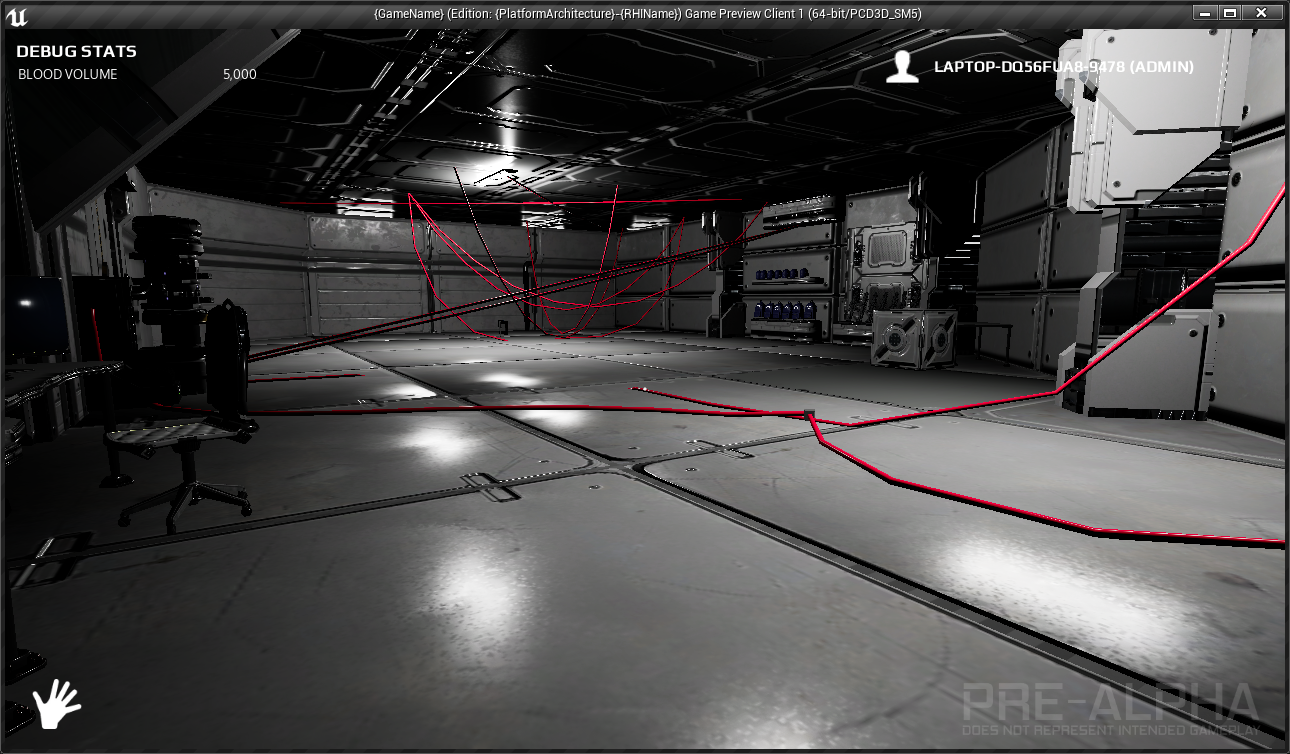
When you discover cables are easier to use than you originally thought, you have far too much fun with testing
 obsidian nimbus
cable component, splines or houdini? 😛
wary wave
cable component
lofty edge
One thing I noticed is you have to do a whole lot of calculations based on distance and figure out the appropriate segments and distance to use for each cable
quasi lake
Anybody knows how to lerp translation from level sequencer's cinematic camera to our own player camera?
 floral lion
@quasi lake https://docs.unrealengine.com/latest/INT/BlueprintAPI/Game/Player/SetViewTargetwithBlend/
Set View Target with Blend
floral lion
You blend from Players controller to player pawn
Dunno if that is really what you want to do
quasi lake
I want to blend from cinematic camera in sequencer to character 's camera(spring arm)
floral lion
Then I guess plugin cinematic camera in target and plugin players pawn in New Target
quasi lake
But that camera is a temp instance created by the sequencer
When the sequencer is not played, or ended,it doesnt exist
floral lion
Guess, then don't make it temp?
quasi lake
Emm I'm trying
frank escarp
fortnite battle royale GPU performance
at 4k
remember fortnite BR is ue4 with the deferred render, few dynamic lights but i think it still uses DFAO
keen birch
It does
Epic's a big fan of their DFAO implementation
And honestly, despite its issues, so am I
 shell jetty
what about in DX 12?
quasi lake
Still not working
Anybody knows how to lerp translation from level sequencer's cinematic camera to our own player camera?
wheat pendant
Hey @frank escarp , I'm having some.. troubles with your book-learning thing. You free to talk about it now?
obsidian nimbus
@frank escarp fortnite BR servers send a lot less data than pubg
way lower amazon server cost
prolly lower CPU too, sadly i cant check that
server cpu i mean
fornite has a lot more RPC and less replicated stuff i think
havent checked the update of pubg tho
fierce tulip


Do you wanna finish your game in 2018?
My new free Designer plugin can help with that!
Spawn, rotate and scale an object with a single mouse click.
Download Plugin (including source): https://t.co/JtMunqaw7R
Forum: https://t.co/F0wLT0yodD
@UnrealEngine @UnrealDevs #ue4 #gamedev https://t.co/njRmPLZbh1
Likes
131
 Twitter
plush yew
Twitter
plush yew
@fierce tulip thats pretty sexy
lots of static meshes tho
lol
not good for an open world game
D:
fierce tulip
can always merge or whatever
wheat pendant
Wait what's wrong with static meshes and open worlds?
plush yew
In small numbers nothing
but instanced static meshes are the way to go when you start having thousands of objects
like trees, rocks..etc
if i were to convert the 50,000+ foliage props i have on my map into static meshes
fierce tulip
could always add it to his source code to make instances
velvet ravine
@opal coral Even happens when its on the same screen, Its strange AF cause its never happened before
grim sinew
Static meshes that have been instanced
obsidian nimbus
its more like 1 mesh? 😛
wheat pendant
Why not just have them load only if you're within X distance of them?
obsidian nimbus
if that works for u thats good too 😃
fierce tulip
and LOd's, etc, etc
obsidian nimbus
but thats not really good for open fields
wheat pendant
I mean instances are good and all but if you have an open world and you cross an instance's border, then look behind you, wouldn't you see.. well, nothing?
fierce tulip
thats not exactly how it works hehe
obsidian nimbus
if u see 1 instance it loads all
unless its instanced hirarchial
or however u write that 😛
if u use the foliage tool it groups them automatically i believe
opal coral
@velvet ravine with me it started happening after I switched out a mesh for another, I think. still no idea why though.
 queen arch
quick question: I have disabled gravity on a character class camera, both inside the BP and in the world
but the camera keeps on falling on the floor and doesn't rotate up and down
 floral pagoda
Any forum mods around?
frank escarp
forward render
 iron belfry
yes, in a tutorial i was explained it was better for vr
frank escarp
it is
iron belfry
im using it
frank escarp
its just that in the deferred renderer, the instructions dont count lighting
so the numbers are allways much lower
to compare it with something, ive been optimizing the SHIT out of my toon shader
its at 350 instructions
but i went to engine core and starting removing stuff as i dont need it for the toon shading
iron belfry
well, thanks i was worried
im going to keep looking why my performance went down so much
best regards
wheat pendant
Hey vblanco
how do you motivate yourself to keep going forward in that book-thing?
floral heart
the heck do they need 600 instructions for in lighting?
fierce tulip
its probably the other rendering
forward or whatever
i keep mixing the two
that adds a gazzilion instructions
floral heart
My question stems from that. What could they possibly be doing that adds 500 instructions?
fierce tulip
¯_(ツ)_/¯
wheat pendant
I mean I want to git gud too but it's lonely and boring
frank escarp
wtf do you expect
proper programming is serious business
once you get the basics you can at least start doing small stuff
wheat pendant
Agh this is killing me
 surreal viper
what book?
frank escarp
a C++ basics book
wheat pendant
^
frank escarp
the same one i followed to learn how to C++
velvet ravine
@opal coral I'm still having the issue god knows why
wheat pendant
Speaking of which, you got any tricks on how to progress without just blasting through all the chapters, finishing the book, and realizing you learned nothing?
velvet ravine
Think a reinstall us in order
 maiden swift
@wheat pendant Practice. That's the only trick that works.
There's no other proven way to get better at doing something.
Every good programmer got that way by doing a lot of programming.
wheat pendant
Yea, but they're not very numerous
frank escarp
chapter by chapter
yes, but you still need to do them
just reading the book will get nowhere
wheat pendant
Aight
frank escarp
the exercises are designed to start from easier to harder
after you are done with the book, the recomended path is to get into 2d game development
on PURE c++
its a huge leap, but if you can create Pong in SFML, you are pretty much ready to get into Ue4 without much trouble
Pong might be too easy, something like Breakout is barely harder but needs a few more things
wheat pendant
Right
 oblique vortex
what book are you guys talking about
opal coral
@velvet ravine me too =[
wheat pendant
Holy shit
You can make macros that automatically refer to a life of code?
Can you make macros that automatically refer to more than one line?
 worn granite
__LINE__ ?
surreal viper
yep
worn granite
AFAIK you can't refer to a range in the same way
surreal viper
You use \ as a line continuation escape character.
anyway line is an illusion
in c++ using more only means
that you can read that junk
maybe
worn granite
idk it's useful to have a line number in outputs though.
but yeah LOC as a metric is pretty bad.
surreal viper
lol this makes me remember a guy from my last workplace
he did not use the cool visual assist code navigation
he just jumped to code using line numbers
like how the hell did he remember
worn granite
Oh man
surreal viper
and how often did he refresh his built in dictionary
surreal viper
anyway what I tried to say is that purely from the compilers point of view line breaks are ignored
so the macro won't care about them
so it is kinda logical that we can have multi-line macros
as there is no reason against it
worn granite
See, I thought he wanted a range of line numbers, and was talking about line numbers in general.
I know about multi-line macros lol
surreal viper
that is indeed possible, maybe the misunderstanding was on my side
tbh reading it back again idk
can't decide
most likely you was right lol
now i feel stupid, time to go to bed 😄
floral heart
My favorite part is that you can evidently set the line number arbitrarily. Line 82? That's now line 85.
worn granite
But yeah, like <Failed to find component for blah blah: UMyType::Function(ln:w/e)>
<Failed to find component for blah blah: UMyType::Function(ln[22:36])>
@wheat pendant
wheat pendant
what
worn granite
were you talking about line numbers? I'm curious.
wheat pendant
No, just that in this book they introduce us to macros, tells us to write
For example, the following line of code defines a macro PRINTHELLO , which hen written, executes the statement: cout << "Hello" << endl;
worn granite
oh, derp.
wheat pendant
So it means everytime you type PRINTHELLO it does cout << "Hello" << endl;
worn granite
Yeah, like @surreal viper said you just use \
wheat pendant
wooh
surreal viper
holy shit my interpretation was right, I'll sleep better
worn granite
#define MyMacro \
some code here; \
some other code here; // no need for another \
btw debugging macro codes is a nightmare
worn granite
Always assume anything you write will be debugged.
surreal viper
either you made a mistake, or the function you call from the macro makes one, or the guy who uses your macro or the ones uses the function which uses your macro...
doesn't matter, macro is a very powerful tool and also a very dangerous one
I kinda like them but one has to use them wisely
they were my favourite tool until I found out that I can get private variables from any class using templates, now macros are second best only 😃
floral heart
// Programmatically set the line number after all the material inputs which have a variable number of line endings
// This allows shader error line numbers after this point to be the same regardless of which material is being compiled
#line 1633``` nova heath
Any suggested fix for this?
Blueprint Runtime Error: Attempted to access BP_Stone_Wall_C_0 via property CallFunc_Array_Get_Item, but BP_Stone_Wall_C_0 is pending kill from function: 'ClearTemporary' from node: DestroyActor in graph: ClearTemporary in object: PlaceablesLibrary with description: Attempted to access BP_Stone_Wall_C_0 via property CallFunc_Array_Get_Item, but BP_Stone_Wall_C_0 is pending kill
I'm trying to place objects between a placed point and the mouse, the placement works as does the cleanup but performance degrades rapidly and the error log fills with these messages.
nova heath
Nevermind I fixed it
safe rose
k
nova heath
I'm a dummy and I'm tired lol
For some reason I thought I was looking at instances of my static mesh
really it was instances of my actor
So I just needed to clear the actor array after I destroyed the actors
Now it's peachy
Game dev after 15 hours of work is difficult.
velvet ravine
@opal coral just takes so long lol
 buoyant pine
Hey! I'm facing a really annoying problem right now, anyone good with logic/blueprints, please do check the programming->blueprint section 😢
 livid haven
Use Visual Assist X
It'll help with renaming things, such that all references to it are also renamed.
rocky portal
i can afford it i just don't like to spend money lol
mainly bc I have a 10 month old who eats like a horse
livid haven
VAX is one of those things that increases productivity several orders of magnitude.
worn granite
I'd say its worth checking out
rocky portal
yeah ill run the trial then probably buy
livid haven
Mind you, if you rename anything that is reflected, you're going to need to be wary of breaking any references to it from assets:
rocky portal
we spent too much money on christmas
livid haven
http://blog.sheevok.com/ini-redirectors/
Password is Ishimura
WIP blog post about using the INI-based redirector system for when you change native code that's reflected/exposed to assets/blueprints.
rocky portal
hmm
i basically have: APickupItem : AActor
which I want to change to AWorldItem
since it's a better reflection of what this thing is
there are no properties on it
i only use it for TSubclassOf<AWorldItem> properties atm to limit options
livid haven
The problem is, if you have any blueprints that are based on the class you rename, those blueprints will be broken
rocky portal
and i think one thing is extended from it
as in not compile and I can fix them?
i don't have enough content yet for that to be a big issue
livid haven
The blueprint will fail to compile, yes.
rocky portal
now..if editor won't open that's another story
livid haven
And no, you may not be able open the blueprint or reparent it or there may be some data loss in the process.
rocky portal
gross
livid haven
Various factors as to exactly what would happen.
rocky portal
suppose I would be better off cleaning up the references first
like retarget them all to Actor
livid haven
You might open it fine and be able to reparent it to the right class with no data-loss.
Nah, that could still lose you data.
livid haven
It's the references in assets that are the problem.
rocky portal
yeah i mean I will make a new class entirely
livid haven
And that's what the INI-based redirectors are for.
rocky portal
delete it in c++ to break all the properties
and then fix the BPs that won't compile
or can that screw it up too
livid haven
Any time you rip out some native code that an asset depends on, you're in dangerous territory.
How dangerous is what varies.
Depends on how well you understand the systems and what will or will not "damage" the asset.
rocky portal
i see
livid haven
Generally, if you never resave the asset, then you won't permanently lose any data. The moment you do though, you'll likely have blasted out any saved values for properties that no longer exist.
rocky portal
still gonna install this VAX thing
livid haven
IE: Reparenting from Pawn to Actor means that any values you set for properties you inherited from Pawn will be lost.
rocky portal
yeah not doing anything crazy like that
Have you ever done composition stuff in UE4 where you have like zero code in the Actor itself?
it's bothering me because I have some stuff like: BP_Backpack_World which has a PickupItemComponent (spawns a BP_Backpack_Inventory) which is what exists in inventory
livid haven
I don't know about zero, but relatively little, yes.
I definitely favor composition and components over inheritance and even interfaces (to an extent)
rocky portal
sometimes just seems redundant..like _World would naturally be picked up
but _Equip also has PickupItemComponent to tell it how to go back into inventory
like BP_Item_Equip has EquimentComponent which could probably just be moved to the EquipmentItem which is the Actor
livid haven
It's pretty handy to not need to use some particular base class to get some behavior.
rocky portal
this part has me a bit caught up...because why have a component like "InventoryItemComponent"or EquipmentComponent when only that actor type will have those
livid haven
Eventually, you're likely to need something from multiple of those bases classes, and then you're fucked.
rocky portal
but like you just mentioned...i have these helper functions in a bpfunctionlibrary
IsEquipment
IsInventoryItem
livid haven
I wouldn't use base actor classes at all if they're not necessary.
rocky portal
etc... which validates everything and returns the component along with boolean success
livid haven
If you have the components, why do you need a base class for all items or all equipment?
rocky portal
i only use them to carry common components to build assets faster
so I don't have actors floating around with like 20 components
for example: _Equip might have SkeletalMesh to deform to char animations
_World has staticmesh
_Inventory has no mesh
just to blueprint them faster and limit options in what the components can spawn
livid haven
🤷 If that works better for you, I guess why not.
rocky portal
PickupItemComponent has TSubclassOf<AInventoryItem> so you can only select those...but they're passed around as Actors
rocky portal
right...don't want to see every actor in the list lol
livid haven
Yep. And doing it otherwise involves a bunch of invasive editor customization.
rocky portal
yeah no thanks
Only place I think I might house code in the base class is perhaps Weapon class and most likely Bullet
because I believe you can technically think of even melee weapons in an FPS game as a "gun"
and Character/Controller bc it's easier to route input through there
unless ActorComponents have a function to properly initialize Input for MP
anyways, thanks bud...got me back on track. I started questioning my design, which has been working fine
 spring fjord
Hi, does anyone know how to delete post process volume in already packed game? (Shipping build)
silver crown
Not possible @spring fjord
 river mirage
Hello guys, anybody know why Unreal changes my pivot position? what i could do if i want my pivot where it is?
 half mango
right click "set pivot here"
on the object
then
again
right click, set as pivot offset
so it stays
 unkempt spoke
how's it going?
I'm new to both this discord server, and to unreal engine, is there any good beginner tutorials? I am fairly experienced with things like blender, so I can do rigging and models and all that junk, so I just need to know how to do basically everything else.
I am specifically looking for using unreal engine for making VR games.
plush yew
look in youtube
 open merlin
Anyone having issues with Windows Defender Antimalware Service Executable and PIE windows? Whenever I go to play it's usage spikes to 15-30% and it affects frames. (Windows 10, UE 4.18.2) I've added numerous Unreal folders/processes to exclusions but it has no effect. 😫
river mirage
@half mango so, its impossible to import with the pivot on the choosen position?
half mango
ah no
it imports with the pivot centered on the axis thing
at 0,0,0 etc
so put the object right there
0 the object in w/e software
then import again
and it should be in the middle
river mirage
@half mango the problem is that i need the pivot in a specific position
half mango
then you gotta get that exact position
on the 0
in the mesh software
then import it
should be there
maybe there is a diff way though im not sure
 smoky pilot
hey, how can I remove the background in the preview material window ? Show > disable Background does not work, background still visible 😦
surreal viper
I have a character and a monster, monster is humanoid and about 3 times as big as the character
I want the character to be able to jump on the monster and collide with it properly in general
if I use capsules results are terrible, because the monster doesn't really fit well the capsule, especially in some of his animations. also if the monster falls down on the character it is stopped which is meh
If i make the character collide with the physical asset of the monster that would be better, but then some animation of the monster will totally ruin everything because it simply goes through the character, making it stuck
maybe there is an obvious way to handle the situation better, any idea?
vale osprey
I don't think there is an easy solution for that
to have accurate collisions you have to use "complex" geometry of monster, but you can only query against it
so it mean you need some sort of custom locomotion system build for your character
 steep token
They usually do that with an animation
vale osprey
kind of what devs had to do for the Shadow of Colosus
steep token
try that ?
vale osprey
yeah, that would be easier, like how Shadow of War does, separate animations for riding ogres
surreal viper
what do you mean? I don't think I get it
like coming up a clever way to handle penetration in character movement component?
and moving my character out of the monster somehow?
or should I try to use overlap instead of blocking collision, and work with that using queries each frame?
steep token
interfacing with an npc, when it comes to collision could be done with an animation
like pushing someone away, or some kind of head dodge when you jump over him, or make it look natural, posibilities are endless
vale osprey
do you want something like this:
https://youtu.be/Cbqt_XlXRl4?t=53

(Read Discription First) After months of planning to do this but the lack of time to actually do it, I'll be doing a Shadow of the Colossus Boss Battles Only...
or more simple predefined interaction
steep token
You could add like a collision box and put a condition that your character is in the air or in JumpStart, then when he collides with the box, trigger a reaction
vale osprey
or like this :
https://youtu.be/GX0PQ5neh7w?t=188

Shadow of War - Trolling Achievement/Trophy Guide - Kill a Captain while riding an Olog More Shadow of War: https://www.youtube.com/playlist?list=PLBmi6vaTfD...
surreal viper
not really, I'm doing a platformer like game
monsters aren't that big, and I don't want to do anything context sensitivly different on them
a character is almost a sphere and it can bounce on things, I want to make it able to bounce on the enemies as well
surreal viper
so my goal would be to somehow handle physically correctly the collisions without removing much control from the player over the character
not really like mario, because my enemies are humanoid , slightly bigger then the character
the animation isn't the problem
steep token
I see
surreal viper
the problem is that if I use capsules my character will jump on invisible things all the time when the animation of the enemy is a tricky one
but if I use the complex collision it will end up stuck inside the enemy
because the enemy is controlled by the animation and that does not push the character
steep token
It's hard to understand your description of what your trying to do. You should tinker with some methods, i'm sure you can do it
You can also remove it's collision and make a mask collision for example
based on a mask
surreal viper
?
steep token
mask layer
surreal viper
I don't get your point with the mask thing (I'm totally in 3d)
steep token
yes, a mask in 3d
you can use virtually everything as a mask
and then ofc disable it's visibility
vale osprey
@surreal viper can you get overlaps or collisions with physics assets of the enemy?
I barely touched characters and skeletal meshes
surreal viper
I can
vale osprey
but if you can then you could extend character component
surreal viper
e.g. if the enemy does not move, my character collide with it properly
problem comes when the enemy is animated
vale osprey
yes, as it can move "into" your character
you could simulate collision - detect when penetration happens and push character out, PhysX has function for this
surreal viper
I'll try to do something like that
character movement component has a function ResolvePenetrationImpl, it seems to me that it is called properly when the issue comes for
vale osprey
surreal viper
I think I'll be able to do something there
vale osprey
most likely it uses the same function under the hood, would be only logical
surreal viper
I guess so, but that default implementation is way not enough to solve my problem 😄
I think I'll use the information that I know the position of the monster
and I want to go away from it
maybe I can come up with some heuristic with more stable results
so i'Ll just override the function and see if I can make something out of it
 honest vale
need more context
wary wave
world grid