#ue4-general
1 messages · Page 155 of 1
 quasi lake
When the old one and new is at a horizontal direction
This trace line wont hit the enemy collider
Not correct position
 frosty bloom
Those traces moves with the sword, if your animation strikes upwards the trace will follow suit. (if my assumption is correct)
quasi lake
And what is the local position of this point on your sword?
frosty bloom
Where ever you want it to be, you specify it
quasi lake
That's not about I want the point to be where,we need to get a point get the right positon
@frank escarp
And what is the local position of this point on your sword?
old one ,new one,both need to be set to a location right?
 frank escarp
not local, its all world space
quasi lake
So where
Dont tell me you are firing 6 rays
6 pairs of points
Man waiting for your answer
 quasi lake
May you answer me about that first
frank escarp
FVector start = FMath::Lerp(OldHiltLocation, OldTipLocation, f);
FVector end = FMath::Lerp(HiltLocation, TipLocation, f);
f is from 0 to 1 depending on how "far" the trace is, for the iterations
quasi lake
Is HiltLocation the root of sword?
 flat locust
Hey I have a short question. Maybe you will laugh because it is so obvious but i cant find it out. I tried to play a little bit withe the geometies like boxes and I want to split the Object with the geometic editor mode, but I dont know how to mark one face of a box.
frank escarp
red is old, green is new
the "f" in that paste above is "how far" the trace is, beetween the hilt and the tip
flat locust
What button do I have to press so one face of an object turns orrange?
frank escarp
thats why i use a Lerp
quasi lake
So how do you get this f
quasi lake
ok
frank escarp
or you can pay 5 dollars for a blueprint plugin that all it has is that specific function
quasi lake
No I just want to know how it works
ok, so you're firing "iteration" times of trace ?
frank escarp
yes
quasi lake
So how do you determine which result to use?
The codes contains much other information sorry for my asking
I finish reading the code
You choose the nearest impact point
Em this is not the problem
quasi lake
This solustion could cause some deviation when the tip hits the surface while the hilt doesnt but the hilt still traces the surface successfully
Can be accepted though
Final question is,how do you prevent second hit happening while the sword is still in damage state
With collider solution the collision wont happen again cuz it uses the onoverlap
frank escarp
@quasi lake you disable the sword tracing
until it hits nothing
and then enable the sword again
well, not the tracing
the damage logic
 tiny prawn
Has anyone had this issue? Some time after updating from 4.10 to 4.17 my build time has changed from 10 minutes to 5+ hours.Is there a cache or something that needs to be cleared? The compile package is about 800MB and of of the other developers can publish in about 10 minutes still i seem to be the special flower of the pack...
tiny prawn
UObject or Actor either or
quasi lake
@frank escarp eh,there could be other enemies
 thorn cradle
Well the weapon system im going for is that the weapon is a blueprint
with all it's settings on it's blueprint e.g. ammo and that stuff
it gets attached to the player's first person mesh
and anims are done on it
quasi lake
When I hit this guy,this guy should not be hit anymore during this move,but other guys still should be able to be hit
Em ,maybe I maintain an actor list that has been hit during this move
Every actor has 0.2 behit cd time
This will cost some extra calculation for cpu,but worthwhile I suppose
Then this solution is complete thanks man
@frank escarp
 upbeat tendon
I am trying to understand why the swarm agent doesn't always kick off err load
tiny prawn
what room would i be able to go to for packaging questions?
quasi lake
here
tiny prawn
im going insane with this issue...
i just dont see what would make packageing go from 10 minutes to hours
 grim ore
have you tried the good old nuke it all and do it again approach? Nuke your UE4 installs, your epic folders for temp stuff, your DDC folder, then re download the launcher/engine and the source from your repo?
frank escarp
@quasi lake yes, that is exactly what i do myself
on this enemies, they can only attack each thing once per attack
so they have an array of the stuff they have already hit
quasi lake
Heros share same idea
 nova heath
Would this be the proper place to ask about Complex Collision in UE4?
 mint raptor
@nova heath Probably #legacy-physics
nova heath
Thanks
 drifting ocean
Anyone have any ideas on where to look for help on arbitrary editor performance drops? I'm running a fairly decent machine and generally have around 4ms frametimes in this scene, but occassionally it drops to to something stupid like 50 and everything chugs. I'm assuming this is just Windows10 fucking with me ?
Can't see anything else using CPU time so very confused
Apparently the Epic games launcher is using more GPU power than the editor according to Windows.....
 upper heart
more gpu or cpu power?
I've seen the launcher munch on my cpu. I normally don't keep it open. I only open it if I'm downloading something with it.
drifting ocean
Honestly not sure what's going on, don't have a lot of GPU nor CPU usage by anything visible when it starts chugging
And nothing else is slow except the editor
tiny prawn
@grim ore >.< that would send me into holiday trying to get a defect fixed for the QA Depo to start testing.
thorn cradle
in c++ should i name accronyms as NASA or Nasa ?
grim ore
@drifting ocean check to see if you have the default setting of slow down the editor when its in the background turned on in preferences. Maybe something is causing it to lose focus. Alternately I had issues similar to that when I had an overlay program on such as Afterburner or anything else that shows GPU FPS
drifting ocean
Thanks, will do. Do you know what the setting is called?
 magic sedge
@drifting ocean Huh?
drifting ocean
In regards to my question
magic sedge
@drifting ocean Oh ok
drifting ocean
Did you import those textures properly? That tutorial isn't using startercontent assets @magic sedge
drifting ocean
So the issue is that they show up when you just search the content browser but not when you search through the Texture sample in the material?
Have you tried just dragging and dropping it from the content browser?
drifting ocean
Then it probably didn't actually import correctly
magic sedge
@drifting ocean Hmm...
Lemme double check
I'm re-doing it all over again.
@drifting ocean What does this mean: "If you have your own meshes to import, this section is for you."
Learn how to prepare meshes for your Unreal Engine 4 project.
I don't think I have my own mesh.
@drifting ocean
 vale osprey
@drifting ocean discord pop-ups since some update, de-focus editor window on win7.
magic sedge
@vale osprey Hello! Could you please help me?
vale osprey
Not necessary a discord specific issue, might be some windows update
magic sedge
@vale osprey In this page: https://docs.unrealengine.com/latest/INT/Engine/Content/QuickStart/1/4/index.html it
Learn how to prepare meshes for your Unreal Engine 4 project.
it's* said that "If you have your own meshes to import, this section is for you." I don't think I have my own mesh to work with.
So....I shouldn't do the page/link?
I'm confused.
upbeat tendon
i don't know much about this, i am to create a third person shooter, i am having issues figuring out what i should be doing with the aiming solution and camera. if i go for something like dead space, the character seems to be offset to the left and the aim seems a bit odd as that character is always aiming to the right
vale osprey
@magic sedge If you need some example meshes and textures to work with, you can add starter content into your project when you create project
magic sedge
@vale osprey I did
vale osprey
That rock texture is not necessary there
magic sedge
@vale osprey My question is...should I do the page or not? I don't have my own mesh to import, so I shouldn't bother doing the page anyway. But I'm not sure that's the path to go.
@vale osprey Or does the page go for those who have meshes of their own to import and who don't.
vale osprey
don't bother with it, you can skip to another tutorial or just use some other textures or meshes
@upbeat tendon there are different ways to solve it, for example your character can aim in parallel to your aiming vector
where your character looks at and where he shoots, doesn't have to be the same direction
upbeat tendon
i wonder if having the character project a laser into the scene would feel better
vale osprey
it might, try it out and see
it will depend on many things, like how far your character is offset from camera, how camera moves
what kind of crosshair you have - larger crosshair hides mis-alignment better
upbeat tendon
i am using some samples for learning
i think i will try and put some direct control over some bones, animation seems to cause issues
 tranquil bone
Hello!
 restive eagle
why my dm has these white lines?
https://prnt.sc/hn2luu
 magic sedge
@vale osprey So don't bother with the Rock mesh I'm trying to figure out?
@vale osprey Just don't bother with these textures anymore? https://answers.unrealengine.com/questions/735706/i-dont-see-t-rock-04-d-t-rock-04-n-in-the-material.html
tranquil bone
Im trying to make manuelbastionini characters use the default UE4 manniquine does anyone know how to do it i cant get it to work
vale osprey
@magic sedge yes, you can use any pair of diffuse and normal texture just fine. There are starter asset pack. You can select it in UE4 launcher and add into your project - there is a button for that.
magic sedge
I believe I had that selected @vale osprey
@vale osprey How do I check though if I do have it while I'm working in the project?
vale osprey
There will be a folder in your assets
magic sedge
I don't want to have to start all over again just to make sure I have the starter content assets.
Yup! It's here!
The folder is StarterContent.
I'm already done with my issue.
vale osprey
Good, there are some textures you can use
vale osprey
It’s fine, don’t get stuck on those things, just move on
magic sedge
Thanks! 😄
 queen arch
Unreal is great and I'll never ever ever going to leave it. Ever.
(I just tried unity)
(for a week)
queen arch
I can't believe people are using this shit
 cursive dirge
UE4 or Unity? :p
queen arch
unity
cursive dirge
every game engine out there is shit on it's own way
queen arch
It's like comparing windows 10 to windows 98
cursive dirge
well, win10 is more bloated for sure
frank escarp
On February 14, 2016, Defendants moved forward with their plan for Squadron 42 notwithstanding their failure to obtain a license and began offering the video game for separate purchase. As a result, Defendants are intentionally and willfully using CryEngine without a license and in violation of copyright laws.
On December 23, 2016, in reference to Star Citizen and Squadron 42, Defendants announced that "[b]oth games are currently in development and are backed by a record-breaking $139 million crowd funded effort." ```we got drama boysss
Crytek suing star citizien
frank escarp
becouse they say the license was for star citizien only, and that "squadron 42" wasnt in the deal
 teal tulip
@queen arch your windows 98 have better light than your windows 10 then
All depends and if you're new in all of then can't really compare at all the engines, as the food you don't get how make the different foods in 1 week
each tool have pros and cons
magic sedge
@teal tulip Preach!
teal tulip
wat
 tame bluff
Are there any guides for properly downloading and maintaining a UE4 source?
On github, that is.
so I have source control
 glossy flame
There's a guide to cloning and building it on the repo page, not sure exactly what you mean by "maintaining"—that might be somewhat out of the scope of the UE4 repo itself
If you're not familiar with basic Git operations like pulling new changes and checking out different branches, I would do that, as it'll help pretty universally in any project using Git
If you need help with that, there's #source-control 😃
(and #engine-source if it has to do more with the engine itself)
 fiery harbor
@frank escarp I don't see why that even matters. squadron 42 isn't released yet, so there is no problem. and they are using the the Amazon engine now, so no more cryengine.
 livid haven
Lots of factors in the whole thing, but it really isn't #ue4-general material.
fiery harbor
well, #general was also about general game industry stuff, so I would kinda say it fits here
it's way too on topic for #lounge
 white magnet
CryEngine talk doesn't have much to do with Unreal talk 😃
white magnet
Also the channel description: "General discussion about Unreal Engine that doesn't fit in other channels."
livid haven
Talking about CryEngine with respect to Unreal? Sure.
Talking about CryTek suing CIG over Star Citizen, though, doesn't really have any connection to UE.
fiery harbor
well, I never look at #lounge, thats a place for memes and people who want to dicsuss politics. something like crytek suing against star citizen is super interesting though and related to the game industry, so I wanna read about it in a channel like this
livid haven
I get that, but whether that's what we want doesn't mean that's what makes sense. 🤷 Lounge is, unfortunately, a bunch of totally random garbage rather than casual off-topic conversation.
white magnet
If you want, you can probably talk with Mods and discuss having a Game Biz/Game News channel
 fierce tulip
i just threw it into the mod-chat
nova heath
Is there a simple way to set global constants?
I'd like to be able to set things that are reused constantly throught the game that need to be consistent i.e. Grid Size.
grim ore
Your game mode is almost always available, you could store some in there if using just blueprints.
Other things I have seen is making a new global class in c++ and exposing that for common stuff
 keen juniper
@nova heath is this in c++ or blueprints only?
nova heath
@keen juniper It's presently Blueprints only, I wanted to add C++ class but currently I have a bug that causes linker errors if you add any C++ class, not sure why.
I made an AnswerHub question for it, but it hasn't got any answers: https://answers.unrealengine.com/questions/735390/linker-errors-if-any-c-class-is-made.html
keen juniper
In that case I'd put it in your game instance
Make a custom blueprint overriding GameInstance, then in Project Settings change Game Instance Class
You can get GameInstance from just about anywhere
nova heath
Ah gotcha, those were the keywords I needed. I saw weird suggestions about adding actors to the lever or saving using SaveGame to do it, seemed there had to be a better way.
keen juniper
Yeah don't do that 😛
You'll have to cast it to your custom class, but it's still a singleton which is what you're looking for
nova heath
Is it difficult to blend C++\Blueprints assuming both are working?
Seems there's usually a blueprint way of accessing things.
 weary basalt
Blending C++ and BP is pretty common.
keen juniper
Yeah I haven't ever seen anyone do a pure C++ project to completion
 warm mountain
hey guys quick question on optimization
i see that ubisoft games they actually have geometry or height done to their brick walls
is it better to model the bricks or leave it to height maps?
especially in building a large map where all the walls are modular assets
weary basalt
Do you have an example image of what your talking about, because that explanation is really vauge
warm mountain
let me find one
logging into watchdogs rq
dang it can't find it atm
thing is I notice some brick walls in the game
they seem to have modeled all the bricks
weary basalt
Im going to assume that your probably talking about Tesselation or POM
warm mountain
yea I'm wondering if they used the engine to do it or did they really model all those bricks for the walls
it would make sense to use a height map or something to push the bricks out
with tesselation
but wouldn't that be hella expensive on the gpu to handle?
weary basalt
The engine would most likely be using some sort of map to determine how to project the material
keen juniper
they probably heightmapped it via a shader if you're sure it's not just a really good bumpmap
warm mountain
hmm
yea that sounds fair enough
it wouldn't make sense for them to create special walls for all their brick assets
and there are tons of them all over the map
keen juniper
I don't think many people really investigate the texture stretching on cement between bricks in a brick wall in their games
warm mountain
fair enough
it doesn't seem very consistent though
some of their walls have it and some do
I just feel it would have been more optimized to just leave all of them flat haha
weary basalt
It probably would have but that area you see them in may hold an important cutscene or something like that
So they can afford to spend an little more resources on that area to make it look nicer
Since its going to be directly in the players face at some point
keen juniper
^^ Or alternatively, different artists
weary basalt
That to
warm mountain
gotcha
I think I'm getting the gist of it
I need to fix the roughness map though
nova heath
Would anyone know a way of loading a list of assets and their assets by their subclass?
I tried using the Asset Registry and Find Objects By Class but the only class name it operates on is "Blueprint" which doesn't help me much. I've seen examples of it in C++ but if I try to create a new C++ class it causes linker errors as mentioned here:
https://answers.unrealengine.com/questions/735390/linker-errors-if-any-c-class-is-made.html
I want to dynamically fill a menu with objects of the desired type.
I'd like to avoid having an Object Library that I have to fill out manually.
keen juniper
GameInstance and AssetManager! There's very little documentation (I think this was introduced in 4.17 or 4.18) sadly
nova heath
Yeah I've seen AssetManager, I've tried lots of methods of getting the correct class name but they always return nothing.
i.e. BP_Stone_Wall_400x400 while the blueprint name is not the class name.
There's a way of doing it by path, but I couldn't find a path that worked? I tried both absolute and relative.
keen juniper
There's a bit of overhead when using AssetManager - you have to scan paths, then get asset IDs, then load the asset IDs, then store them somewhere in your game instance
My paths use /Game/* (so for loading a DataAsset from /BP/Ships, the path is /Game/BP/Ships)
nova heath
Ah okay so it is relative, just not relative from where I thought it was.
I was using /Content/
/Content/Placeables/Walls for example.
You're a goddamn hero.
 grim juniper
I have a potentially easy to answer question. Is there a way to prevent two decals to not add on top of each other? Since spline decals aren't a thing I'm trying to place decals along a spline, but since they're at different angles I'll need them to overlap a little to prevent gaps. The problem is you can see the overlap, and I don't know how to prevent it.
 south ridge
@grim juniper You can do spline decals
Through mesh decals
Or well... they will not project onto surface
But they can be attached to a spline
grim juniper
Yeah, I'd need them to project onto the surface or else there'll be areas where the lines seem to float.
south ridge
Is your game VR?
If your game isn't VR, you can get by with raytracing against your surface and placing mesh decals along it as a spline, the small bias error won't make any difference visually
The mesh decals will render on top of pixels they cover up (so there is no easily visible shift for small offsets), though they will not match up to surface 1:1
Depends on what kinda effect you're trying to do and what's your target surface
grim juniper
The thing is the surface itself is made of spline meshes. I'm trying to make a road tool with editable lines.
south ridge
How editable?
Let me clarify, do the lines only follow road contours (with minor bends sometimes) or can they be very arbitrary?
In other words, is axis of the line mostly coincident with road axis or you want to support arbitrary contours?
grim juniper
I guess it'd be more arbitrary at times. I've already tried using spline meshes for the lines. It sort of worked, but I was running into issues when the road banked or had elevation changtes that could be solved if they were proper decals. I'm at least trying out what is possible with decals at the moment to see if I can use them.
south ridge
Well, you might be able to prevent overlap by enabling DBuffer and using it for decals instead
DBuffer is a separate rendertarget, decals get rendered into DBuffer before they are mixed in with the scene
I don't know if there's an option already that would overwrite decal on top of another (instead of mixing them), but you can certainly modify the behavior in C++
grim juniper
DBuffer seems to work as long as opacity is set to 1. I'm also not sure what it'll look like if I use a proper texture instead of a solid color for testing.
Thanks, this works at least for now. I'll have to dig into it more later since I might want them to be somewhat translucent.
grim juniper
Oh my goodness... this is awkward... so the reason you can see the overlap in the image I posted above is actually because I have the blueprint selected and it highlights all the decals. The highlight adds onto itself. 🤦
south ridge
So the way they blend normally results in no visible overlap in your case? 😛
grim juniper
At least with solid colors that aren't translucent.
I'll see what it looks like with an actual texture
 candid verge
Hi, I was wondering if anyone could tell me how to improve Unreal's compile time? I tried looking it up but the most time people had with theirs with a few minutes. Mine takes upwards of 20 minutes even with a digit change in the code : - /
candid verge
I'm not even sure what's causing it though, my system has the same specs as the one I use at university yet it has 30 second compile times.
 digital anchor
if you changed engine versions middle project you may want to delete intermediate, saved and bin and derived data cache and recompile everything
that fixed for me once
candid verge
Hmm, that's worth trying I suppose. Thanks I'll give it a go.
digital anchor
(will take a while to recompile everything)
 fair violet
@Safebox#2116 are you changing any of the engine source, especially header files? Some of those can take forever even changing one digit.
candid verge
No, it's only been the one CPP file thus far.
fair violet
20 mins definitely is crazy then
 cloud cobalt
What kind of hardware are you running ?
Having the project on a SSD is a must, in terms of build time, but 20 minutes sounds way excessive, even with a shitty CPU
candid verge
It's on an HDD. CPU is relatively decent, it was only upgraded a year ago. Having said that, it seems to be using nearly 100% RAM and Disk Usage on the Task Manager.
 wary wave
How much memory do you have?
100% disk usage also sounds suspicious
I'm suspecting this is Windows 10?
candid verge
Windows 8, not 8.1 or 10. Only 6gb
 green cape
@candid verge It sounds like a problem where the search index process hogs Disk Usage and RAM. When compiling check the search index process and end it.
This is in task manager of course.
candid verge
Search Index process is already ended. I stop it every time I turn the pc on
 paper cedar
yo I know this is a bit of a stupid question, but can you run outside a skybox?
let's say I have an infinitely expanding map that goes along with it
wary wave
Unreal doesn't really have skyboxes
(so the question is redundant)
IIRC the last engine version to use skyboxes was UE2, the feature didn't even make it into UE3?
 keen birch
That said, you'll be using sky-domes, which is basically the same thing but different
wary wave
it's completely different, it's just a mesh
keen birch
And you'll probably want to make them A. Very big and if B. not big enough for some reason just make them move with the player
wary wave
I'd move it with the player
keen birch
If you make it too small it'll collide with the visible world, though, which looks really bad
paper cedar
Making it move with the world seems like the best option to me ( my solution so far)
just add some expo height fog to shade off the distance
candid verge
Just a possible alternative that I use myself in Unity for pseudo-skyboxes, maybe try putting the sky-dome as a child / component of the player?
paper cedar
ah putting it as a child component, didn't think of that one
might turn out simpler that way, thanks 😃
wary wave
which stat command lets me see the number of draw calls?
for some reason I can't find it
warm mountain
is vertex color in ue 4.18 broken?
I can't seem to paint anything at all with it
warm mountain
nvm just fixed it
frank escarp
@wary wave stat RHI tends to be better for it
wary wave
doesn't include draw calls
frank escarp
it does
wary wave
ah wait, yes it does
the d3d specific ones don't
documentation on stat commands really needs updating, because it's all pretty wrong now
lots of commands missing, and various stats moved between stat commands D:
warm mountain
i might be wrong
but I'm starting to realize most houses in games are modeled as a whole and aren't modular wall by wall
thats more for interiors apparently
building exteriors seem to be modelled from the outside relatively whole with some additional geometry on occasion
 celest creek
Morning morning. For some. Sooooo... I am using dynamic material (unlit) in a mobile game, on an iPhone7 it runs just fine but in the mobile preview (ES2) they don't show up at all. What's the deal here - I'm trying to read up on it but thought ES2 is what I'd see on a mobile device as well (which I would've expected to match UE's ES2, which in my case is, again, black)?
fierce tulip
ES2 is quite old
ive tried setting it to a more current shader setup but it never sticks for me
celest creek
So if I try it on, let's say an iPhone 5 I should expect it to be match UE's ES2?
fierce tulip
so ignore most es2 errors unless its a really cheap fix that doesnt affect the end result
fierce tulip
its just for much older shading systems on ios/android
tame bluff
Hey folks, I forked UE4, cloned it locally, and tried to run Setup, it ran fine the first time, but when I try running the Generate Project Files I get the following error(edited)
I tried re-running setup but it's stuck at "checking dependencies"
Any suggestions?
celest creek
Right, but is that tied in with old hardware or software?
fierce tulip
most of my materials have a handfull of es2 errors, yet run fine on most newer ios devices
celest creek
Meaning if it's hardware I might get errors on old mobile devices, if it's software I should be fine..?
fierce tulip
iunno, both? :p
celest creek
Right right.. 😃 I guess I'll dust off some of my old devices and try it..
fierce tulip
you can always add a quality switch and use something cheaper for lower end stuff
celest creek
Oh, and I believe you helped me the other day with that hueShift issue - I think I solved it by putting together an HSVtoRGB material function so I can do my own hue shift, then convert back.
fierce tulip
interesting
celest creek
Yes, but it's unlit and not using any fancy stuff apart from a dynamic material (I'm rotating colours at game time, flashing and stuff), so not sure how I can make it cheaper - short of having an image sequence with said colour rotations baked in, which is a silly fix imo, and probably close to unmanageable with all the different combinations I need.
So my hueShift is then just an add, of course, at HSV mode. We'll see how that works out once I've put my sandbox test into the game but it's not superheavy I'd like to think (the S and V leave a lot to wish for in my implementation but saves overhead, just needed the H).
fierce tulip
for some effects I do have a "rainbow" texture that pans over the effect, and have a hueshift change the colors as well.
its fricking orgasmic eye candy hehe
celest creek
sounds like it haha
fierce tulip
 celest creek
That's how I feel after having play tested my game for too long
fierce tulip
hehe
celest creek
I guess one could try blending in RGB: 1,0,0 - 0,1,0 - 0,0,1 images on top of each other in some way.. but that would still need dynamic materials which is what I believe is causing the ES2 problem. Meh. I'll rip a bunch of stuff out and try to see if a super simple dynamic material still shows up black, and if it does.... sigh.. maybe I'll rework it.
fierce tulip
you'll manage 😃
celest creek
So you're doing mobile dev right?
fierce tulip
for one of my clients yes
celest creek
I hear it's pretty tough.. I have yet to release anything..
Tough to get decent sales I mean
fierce tulip
all I need to do is make sure its low on instructions and such, so far not much problems
the rest is in the clients hands hehe
fierce tulip
i do vfx, shaders, and adding live to the environments
celest creek
ah cool
I'm trying to do it all here myself, challenging, but that's how I like it 😃
...most of the time.... -______________-
 celest creek
Gorgeous.
fierce tulip
I getthe static env's, and just add some effects & shader magic to stuff
and now I need to do the dishes XD
celest creek
Cool. Don't have anything online to show yet, I guess if you watch Star Trek Discovery you could see what I normally do for a living.. (vfx)
Dishes ain't gonna dish themselves!
fierce tulip
yea I did watch STD
hehe STD
its a bit different from regular star-trek, but im fine with it being more action focussed and less stand-alone episodes
great work on the vfx 😃 i always love watching vfx, pause it, replay frame for frame, and move on
 pallid compass
Does anyone have a clue why in maya if u have a group selected and export, it does not export everything in the group
 bitter iris
Won this bad boy 😄 thanks to @wicked tiger nvidia an ue4 water cooling it tomorrow also!
fierce tulip
congrats!
bitter iris
I am just not loving the heat of it
So I've ordered an NZXT G12 and a 240mm Water cooler
frosty bloom
A beast! I use the Corsair Hydro H100i v2
grim ore
The easiest solution to too much heat is to just move somewhere that is cooler 😛
bitter iris
Oh apperently I purchased the H55 fk
oh well
@grim ore Okay I've booked tickets to live in antartica
😂
frosty bloom
Just get a big case and put a lot of fans with that water cooler and you'll be good 😄
bitter iris
Won't work like that tbf
I have 12 fans right now
360mm AIO for my cpu
Pushed my CPU to 5.2 ghz
frosty bloom
you have to have like a Big Tower to get that many fans in right? or are they like 80-100mm?
bitter iris
most are 120mm
all front are 140mm
Just hoping I still have the modding techniques when i used to do PC modding
frosty bloom
I see. I have a mid tower case, 3 fans at 140mm and 2 at 120mm, 2 fans at 40mm or something. Works really good for my setup. Keeps the computer at 27-29 celsius at all time
bitter iris
At load?
frosty bloom
Yeah
frosty bloom
Load means at startup right? I'm not 100% what you mean 😄
bitter iris
no
Load means when you have UE4 or games running
Idle temps is what I think you mean
frosty bloom
Oh. I can't push my computer above 15% in any off them tbh. I've been able to push my comp to 32 celcius once, with fortnite, 5 UE4 projects open and a ton of browsers etc
bitter iris
Think your temps are being calculated wrong tbf
frosty bloom
There is a test somewhere I've heard tho. I could google for one and see if it can push some
bitter iris
Ahh okay
frosty bloom
Nope, brand new setup. I can even feelhow cold it is. (I'm not sure if its faranite or celcius tho)
bitter iris
Well time for me to kill my brain cells tryna work out how to make cutting trees then adding to inventory
frosty bloom
Have fun with those, 2 functions that both needs a lot of love to feel good 😉
bitter iris
i dont even know where to start
haha
I've been focusing on creating a map that is suitable
Its 256km^2 so took me a while so now to start on gameplay
frosty bloom
Nice, I'm 1 year ~ into my project. Still in that starting cube lol
bitter iris
lmao
People moan at me for starting with the map
I'm not bothered how long it takes me, my aim isnt money or fame its impressing people an allowing them to enjoy their experience
frosty bloom
I save the graphics til last tbh, there is a ton of stuff that needs to be done and the graphics just ain't that highly prioritized in my list
bitter iris
i guess im just nervous to start gameplay thats why i started with the map
feel like an idiot that i cant do anything others can
wary wave
if you make the map first, you don't know if the gameplay will fit it
you should really work the other way around
frosty bloom
Well, graphic is usually a soft start into game dev. I started out with designing stuff too. Now I barely got time to even look at it lol
bitter iris
I've always worked like it in university an stuff
wary wave
build coherent gameplay, ensure that it works and feels right, and then build the final map
bitter iris
guess im just a backwards child 😂
wary wave
the process doesn't work that way around - it's like designing what a car should look like before you've designed the engine
you don't want to waste time on that frame only to discover the engine doesn't fit
frosty bloom
I strongly have to agree with that opinion. Even if it's uncomfortable doing something you don't know how to do being in your comfort zone never lead to anything good in life
bitter iris
It's been successful in graphics design at university
Worked for a lot of companies earning a successful wage
But I guess Game dev is completely different style of work
bitter iris
i kn ow
fierce tulip
first, some vert slices, then loads of testing shit, improving upon vert slices, loads of devving, and then finish the game without even a percentage of visuals done. (and a lot of steps in between that im too lazy to write out)
celest creek
@fierce tulip Thanks! It's a pretty hectic schedule so it's not always looking like feature-level vfx but for TV I think it's not too bad.
fierce tulip
as long as it not noticable for general public its generally fine.
loved the tardibeast-thing & its interaction with the spores
celest creek
haha thanks, yeah he was fun to work with. 😃 I must admit I was like wtf when I read it but it kinda worked out... I'll let the team know people on UE slackers liked it. 😃
fierce tulip
@celest creek see DM
bitter iris
Anyone know anything about ADSing can you help #blueprint
tiny prawn
Anyone know about FDisplayMetrics that can help me over in c++? Im not getting any display data from this function anymore at all
tame bluff
Anyone able to help?
I've searched and tried various things and can't resolve it
:<
bitter iris
 tame bluff
Also solution explorer is empty
 plush yew
anyone know how i can reverse the hood so it fits properly?
bitter iris
@tame bluff Tbh I have no idea i just found that link from the error
tame bluff
Oh okay 😦
 austere finch
@plush yew Is the hood attached with shoulders?
Actually it's attached the head, that's why.
 heavy yew
See, i WOULD try to make a shooter game but i allways imagined enemy AI as something beyond my ability.
plush yew
@ZephyrExtreme#3201 yeah ive attached it to shoulders aswell but it does the same
tranquil bone
can anyone reccomend anythng to help me get started with animation ive never been good with it and want to try to be able to animate 2 legged animals and 4 legged animals
bitter iris
Mixamo or mess with the Anim pack that ue4 provides
then eventually go into 3ds max or something
austere finch
@plush yew One thing you can do is add a little rotation to the upper body in the direction of head, it should make the upper body move with the hoodie as well, this should cover it up. Not really pro in it so can't say much
tranquil bone
@bitter iris ive used mixamo and the anim pack and they dont really acomplise what i want to spefically do
pallid compass
Just curious, how flexiable are ISM and HISM?
like
Can u change material paramaters?
rotation of each one
etc
pallid compass
man whats that node called
to blend animation states / anim montages
before the final anim pose
teal tulip
@pallid compass well are static, no flexible

No, must be the same mesh and the same material
but you can change the location and rotation aswell the scale I think
south ridge
General question - what do I need to enable in firewall for Swarm to work?
The current situation is - I've got full permissions on swarm coordinator and swarm agent, but it only manages to ping the coordinator when I disable firewall completely
So I'm wondering what else is it probing that's blocked on my machine, other than swarm stuff itself
I think it was relying on Windows pinging to check machine status, it seems like enabling pings worked
But it seems like pings is not the only thing it wants
 safe rose
south ridge
safe rose
south ridge
Well, it seems like swarm isn't distributing the right sort of load to clients anyway
I can see the second machine crunching some numbers, but I don't see how it contributes to total build time
"Processing mappings" seems to run only on local swarm client
south ridge
Both clients fire off some initial calculations in parallel (lets say for 100 seconds total), then I can see local client processing mappings for 700 more seconds
I don't understand what process mappings is, but I guess it's something that ends up being done by only a few cores out of 20 total involved
Because even on local machine I can see only 2-3 cores doing process mappings for a long time
I have a handful of objects with very large lightmaps, so I think that might be the reason
Dunno if I'm right or wrong. It would make sense that those few large objects would take up a lot of time, so there's no performance gain from spreading it out over several machines since only few cores are handling those specific big objects
fair violet
@south ridge Correct- large lightmaps will take longer no matter how many threads you have available, so everything has to wait until they complete.
 floral heart
Does it do the same for Epic's Zen Garden project? Because there's a thread about CPU perf, and a 16 core cpu has twice the speed of an 8 core in that project. But I've also seen claims that large lightmaps seem to take up a single thread.
Which is especially weird since Zen Garden doesn't even appear to have 16 lightmapped objects, and one of them, though only 256, is larger than the rest.
fair violet
@south ridge However if you have a large amount of objects with similarly sized lightmaps, more threads / CPUs can spread this load nicely
south ridge
@fair violet makes sense then
@floral heart I don't know, but from what little I know, "process mapping" is something that's per-object. I have a lot of small objects, but there are five huge ones with 2048 (or 1024) sized lightmaps, so it would make sense that those would be glaringly obviously taking a long time
I don't really want to break it down into more objects. It's a singular very big mesh already broken down into five pieces
fair violet
2048 is pretty huge
Can you drop it down and notice significant quality loss with textures / lighting?
south ridge
Yes and no
Yes I can notice immediate loss of quality, but no, at this stage it's just preview quality and we're not optimizing this yet
So it's probable that we might be able to modify it a little bit in the future
But as far as lightmap density goes, 2048 results in ideal density by UE4 defaults
fair violet
I never really go over 512 unless it’s a large surface or doing an archviz / light study project
Unless shadow quality is very important, it might not make the biggest difference if you drop it down. Plus you’ll get much faster build times!
You can also optimize your lightmap to favour the faces that are seen most in the level, so you can essentially double the resolution of a prominent wall face and make the backside shell much smaller if the player won’t be able to get close
floral heart
I had a bizarre idea. Putting a hero asset into a sublevel so you can bake the hero asset separately. I've never used sublevels before.
frank escarp
@floral heart you cant
how are you going to put it on its place later
you can if then you dont move it
but only if you dont move it and you dont add it twice
fair violet
Even still it'll take the same amount of time as baking with the level- one thread will still be used to bake the lightmap
frank escarp
no, it will be far faster
floral heart
Is adding it twice a thing... oh right, multiples of the same sublevel.
frank escarp
becouse it doesnt need to bounce lights around the map
@floral heart if you just use the completely normal level streaming/layer feature, then it might work
but it willl definitely not work if you want to move it
fair violet
It wouldn't get correct GI then though right which would eliminate the point of baked lights? I've never really looked into sub levels etc
frank escarp
yup, it wouldnt get the perfect GI
but you could sublevel the hero asset and its inmediate surrounding
south ridge
@fair violet Yeah, it's a big asset where shadow quality matters and lighting conditions are very unconventional (most of brightness comes from indirect lighting)
frank escarp
but of course good luck "syncing" it
fair violet
@south ridge Ah yeah in that case it may be impossible to avoid high resolutions.
south ridge
(it's a subway train station, the ceiling is painted white and lamps are mostly directed to reflect off the ceiling)
floral heart
Might even be better if the wider area isn't ideal lighting for it, since hero assets often get customized lighting sources.
fair violet
@floral heart It could look very out of place in comparison to the rest of the scene
south ridge
There's very little direct light here, lots of indirect lighting, lots of complex speculars, lots of things that UE4 doesn't render, but we have to hack it in somehow
fair violet
@south ridge Try also playing with overkill sphere / box reflection capture values
south ridge
More resolution?
fair violet
Can get some cool results when balancing the GI amount / reflection capture amounts etc
Resolution might not hurt but even just the intensity
Sometimes dropping the GI real low and boosting the reflection captures can actually turn out ok
Really old scene^^ but it was made with the most stupid values on reflection captures
south ridge
Interesting. What do you mean by dropping GI btw? The movables/dynamic objects are lit alright, we mostly have issues with reflections with static surfaces
fair violet
Dropping the GI as in the Global Illumination value in the post process settings
fair violet
Have a play around- also can get nice different looks with things like the environment intensity in lightmass too
Just to keep your sanity- test with lower lightmaps if possible 😄
south ridge
It seems to just scale all lighting contribution
Which makes sense, since entire scene is indirectly lit
 light thunder
So, in a few weeks I need to give a bunch of Fire Chiefs a quick and simple primer on Game Development - anyone recommend some good source material? Right now I'm just building a small glossery of terms to build a common language
south ridge
Btw, so about lower lightmaps
Does UE4 have some sorta feature to limit light calculations to just one section temporarily
Source Engine had "cordon tool", which limited all processing to be only done on a subsection of a map
grim ore
Lightmass Importance Volumes
plush yew
anyone used the cloth tool yet?
south ridge
@grim ore Lighting is still computed outside of importance volume, with 1 bounce
AFAIK
Cordons would completely kill everything outside of their range
I can simulate cordons by making a second scene with less lights 😄
 dry wraith
Net Neutrality, gone but not forgotten..
 weak thunder
Is anyone here good at Foliage? I dont understand why when paint trees/bushes they dont point upwards on small height differences on my map there are trees at 45 degrees angle
How do I make my trees point upwards?
I cant individually select each tree and make them straight.
white magnet
https://docs.unrealengine.com/latest/INT/Engine/OpenWorldTools/Reference/index.html#placement
Try disabling Align To Normal
A listing of properties and descriptions for the Open World tools.
weak thunder
That worked. Ty so much!
 patent siren
4.18 added vs code support right?
white magnet
Correct
patent siren
thank fucking god
 waxen raptor
@dry wraith Don't think so, other people have to vote on this too, and has to be passed on to somewhere else. But... needless to say holy crap this is dangerous as all hell
dry wraith
@waxen raptor it has to go through Supreme Court which is majorly republican, it’s going to pass
 late adder
What are some ways in which a Game Engine could be Data Driven?
weary basalt
@late adder Didnt i give you an answer to that question an few days ago?
late adder
Did you?
weary basalt
Pretty sure i did
late adder
Oh, you did
weary basalt
Basically anytime you define an configurable value externally that affects how the Engine operates, then it can be considered to be using an Data Driven design.
Does that help?
late adder
It does, kinda
weary basalt
Do you want specific examples
late adder
That would help
weary basalt
Ok well take an Loot System for example
You have an CSV file with all the available Loot and their stats for the game saved on disk somewhere.
Essentially your defining this as Data that the game can use.
When the game decides it needs to drop an Item, it will select some random Data from your Loottable and use that Data to fill out an GameObject
This data can be changed without recompiling the Game
This is what Data Driven design describes.
late adder
That definitely did help
weary basalt
Thats good.
If you define your data explicitly within the game code this is not Data Driven design.
nova heath
Is it possible to access the thumbnail of a blueprint inside of another blueprint's function?
heavy yew
has an FPS Metroidvania been made yet?
 dim merlin
Hey, trying to linetrace for worldstatic only
GetWorld()->LineTraceSingleByObjectType( RV_Hit, Start, End, UEngineTypes::ConvertToObjectType(ECollisionChannel::ECC_WorldStatic), RV_TraceParams );
however physicsactors also got hit?
dim merlin
yeah, right;)
quasi lake
Anyone knows how to reduce the rotate speed of ai when it turns to another direction?
quasi lake
nvm I figured it out
 fluid stag
quasi lake
fluid stag
quasi lake
Can I set a minimum distance of this random point?
Like I want ai to move within a ring shape range
Like this black area
I dont want it to move to the middle white area
How can I do this
I know I can do my own random and create a vector,but that could be outside the navmesh area
Anyone knows?
 paper kernel
@quasi lake how about you do random unit vector at given direction, the multiply it with random float in range(black band width) ?
quasi lake
but that could be outside the navmesh area
wary wave
do that, then check if it is on the navmesh, if not keep going until you get a point that is
quasi lake
how to check if it's a on a navmesh?
wary wave
there's a node for it
wary wave
I don't know
quasi lake
OK,I know if I want to develop a game I need to open a computer
But I need to know which software will do
Anyone knows what's is this queryExtent?
pallid compass
anyone decent with anim i need some advice on blending
 safe shoal
How to celebrate your games' first birthday...
fierce tulip
hehe
 sacred crater
@quasi lake that's the extent in which you want to project the point. 200x200x200 would be in a region of 200 units of the point it will project the point to a location on the nav mesh, if it's returning false then there's no point in that area with that extent
@safe shoal 🎊
plush yew
Hello!
I have compiled an extensive list of all the Discord Servers related to Game Development, 3D-2D Art, Music Production, Programming, Marketting etc. And This server is on it too!
I hope the community will find the directory useful and amazing 🙂
Here is the Link - https://goo.gl/Zfkf1B
I'm Afraid to tag mods 😨 so If Any mod sees it or member with pin permission can Pin It in the relevant channel that would be great.
Shower me with your emojis if you love this 😛
eh here goes tagging, please don't hate me plox - @sacred crater 😐

Google Docs
INTRO
Please Drop me a DM on Discord( AlphRolf# 1760) in case
Change the description of the server in( Type/ Usage), has to be verfied by mods or above role
Link doesn' t work
Want the status of the server changed
Want to add a new server link
PRMIE LEGENDS Server are well Legends for thei...
cloud cobalt
Cool looking vehicle @safe shoal
 hard quarry
Is it possible to restart the whole engine from blueprint?
wary wave
no
hard quarry
Is it possible to Write a Plugin in c++ which is possible to do this?
cloud cobalt
Why would you want to restart the engine ?
This is probably not needed to start with
wary wave
certain system settings changes, I guess, but it is not normal for any game to do this
I'm not sure Windows even allows you to do it
seems like a safety issue
cloud cobalt
Well many games do this to apply settings, tbh - I found UE4 never requires it
wary wave
they don't restart the engine, those games just reset the D3D device or whatever
cloud cobalt
You can always start a new process that waits for you to exit and then restarts
wary wave
but not all renderers can do that
 modern kite
help really appreciated
cloud cobalt
@wary wave FWIW we have a full settings menu ourselves with many options, and we don't even have an apply button. Hence the "why do that". The only thing I can think of are stuff like forward vs deferred, which probably can't happen in a packaged game because shaders
hard quarry
I want to build a launcher inside the engine which patches the game.
So after downloading the patchfiles I guess I have to restart the game
May there is an Option to trigger the patching progress After the Engine already started.
cloud cobalt
Well, your launcher will be a separate executable, so it can remember the process handle of the game and kill it / update / restart it
Very tempted to ask why you'd need a launcher at all in this golden age of everyone on Steam, but well
FWIW we developed an open-source launcher/updater for UE4 games, for use in private testing before Steam

GitHub
UnrealUpdater - GAMEDEV - Game launcher, updater for Unreal Engine 4 games
hard quarry
Thanks
I try to avoid a seperate Programm if possible, thats why I asked if it is possible to restart the Engine
cloud cobalt
You definitely want a separate program
It's incredibly simpler, and the transition to a real platform will be much easier when you launch the game
Updating a game is tricky to begin with, even when you're not the one doing the updating ; I don't think you want a bug in your game to break updates
modern kite
hey guys i think this is a different question then nomally but yeah need some help here. I want to buy me a new ram stick with 16gb more ive tried to get my stats and im not sure about that my number 2132 is right so these are my given specs:crucial ddr4 2132/3 15 cl 1066mhz but i can only find in the internet 2133 anyone has suggestions?
help really appreciated
 grim sinew
2132 shouldn't be a number that exists (stock at least) but as long as you can find similar you're probably fine. I think ram usually downclocks to the slowest speed in the system but I may be completely wrong.
If you want the same ram, just get the same ram. Might be able to find it if you look up the model number.
modern kite
ok i will do that wait a moment
 faint cedar
Do I have to make a build to test out startup movies?
Or is there another way to debug them?
 sour bough
hi, can someone tell me the exe that should be associated with *.uproject file please ?
 pearl night
Can we do like a group project? I would love to collaborate and work on like a community project.
 sage stag
hey yall, how might I write in blueprint something like "variable =/= any of the values of the integers contained in this array"
grim ore
so checking to see if an int is not the same as any other int in an array?
 worn granite
idk I'd do Array.Contains(Variable)
 honest raven
Guys is there a way to know which AnimState is running?
honest raven
Keep it up mate 😃
 long garnet
Thanks👍
plush yew
hey whats up everyone 😃
quick question to those who have built a large map inside UE4. Did you use world machine or any similiar tool? If not what tool did you use to create a large map/terrain? I know that world machine is awesome and all, but i would need it maybe twice a year and cant really afford the software right now 😃
 neon sparrow
Hi all! Another question if anyone can help - is possible to globally define settings for lightmaps (not just size)? I can click on each individual lightmap and then change things like 'Filter' but it'd take me ages! 😃
fierce tulip
hmm, my import menu is off-screen, tried moving it / resetting monitors but its nowhere to be found :/
reset layout it is
honest raven
Hmm quite interesting
Control rotation is 0-360 while Actors rotation can be just between
-180 : 180
plush yew
how to have camera follow my mesh?
plush yew
actor
plush yew
ican use the normal camera and springarm?
honest raven
yeah
 vale solar
honest raven
vale solar
honest raven
@plush yew
Its fine
Its looks for a camera component in the actor
If there is a camera component, it will use it
If there isnt, will just use the root's center
As view target
plush yew
how to do that to a statimesh
honest raven
Weeell, the static mesh should be a component of an actor
plush yew
i cant put anything to the blue socket
honest raven
that the play controller
plush yew
cant put anything to that new view target
white magnet
Get an Object reference of the mesh actor and plug it in
plush yew
how to do that
plush yew
Look
white magnet
How to use one Blueprint's functions, events, and variables from another Blueprint.
plush yew
I took camera and spring arm off from example ball game
white magnet
Make a actor reference variable and make it editable
plush yew
and then i put manually it back cus i had to add one sphere on
white magnet
Then assign the mesh to it
plush yew
hmm
why is it so complicated to do one simple thing?
i dont find any actor reference variable in my variable list
white magnet
You have to make it. It's complicated because it's programming...
livid haven
You seriously need to follow a tutorial
white magnet
We can't just tell you. You should learn to do it
plush yew
u didnt even listen
livid haven
Maybe don't expect strangers to hold your hand for free because you refuse to use readily available resources.
plush yew
i took camera and spring arm away from ballgame
and i want to put them back
they didnt have any of that shit in the blueprint
what you telling me
livid haven
You might have even got links to some nice tutorials, if you hadn't been a dick about it. 🤷
plush yew
And im sure there is easier way of doing that. I am sure.
livid haven
Adding components and variables, creating classes, all that is fundamental and is super necessary.
livid haven
Blueprints. Are. Classes.
white magnet
Sorry, it's just not really clear what you're asking.
"i took camera and spring arm away from ballgame"
What is ballgame?
Is that a pawn?
plush yew
yes i changed it to not pawn
changed the main class for actor
cus i use nvidia waveworks phsysx and flex
so i had to have special mesh
livid haven
... what?
A Pawn is an Actor
You only lose functionality but changing a Pawn into an Actor.
livid haven
No.
plush yew
soz caps
livid haven
You didn't.
plush yew
lol yes
livid haven
Because Pawns have everything Actors do.
Literally, they inherit everything from Actor.
white magnet
Pawns should support other mesh types I think
livid haven
Actor -> Pawn -> Character
Character forces specific requirements on mesh and collision and movement.
Pawn does not.
Pawn introduces the concept of possession by a controller.
Actor is the base class for things that exist within a world and introduces many, many things over it's parent class, Object.
Among which are actor components.
plush yew
Masonian - Today at 1:10 AM
Make a actor reference variable and make it editable
I did that still cant connect it
and i did compile it before
white magnet
How are you trying to connect? What's your BP?
plush yew
ok it says actor component
it needs to be actor object
Cant find actor object from variablelist
white magnet
Find Actor, then it should have a dropdown. There you find Object Reference
plush yew
found it
linked it and nothing happened
compiled and made it editable
and again compiled and saved
Do i have to execute that somehow?
set view target with blend
I have alreadyevent begin play linked to something else
how should i start the thing
i executed it and nothing happened 😄
white magnet
I mean...you're not showing us your blueprint so the amount of help you're gonna get is limited. You should really look up some tutorials on what you're trying to do
worn granite
Ok, so like.
press your windows key, then start typing snipping
There's a program that'll pop up
Open that program.
Use that program to take an image of your screen.
Then, come back to discord, and then click into the text box. Where you type.
Right click, and find Paste
plush yew
?
worn granite
Then hit enter
plush yew
why i cant take screnshot
worn granite
Cause snipping tool is better than prntscrn in that you can tailor the area
^ see?
Also, if your question is blueprint centric, go #blueprint
Also if someone gave you a blueprintue or w/e link and you wanna use the nodes
click down your mouse on one corner of the group of nodes
while holding the mouse down, drag to the other corner
release, and then use Ctrl+C to copy the nodes
Then, in ue, use Ctrl+V to put the nodes into ue4
its gotta be a blueprint graph btw
plush yew
I didnt know that putting camera is blueprint centric
livid haven
Are you writing C++ to interact/interface with a camera or are you editing blueprint?
worn granite
I didn't know you couldn't understand that there's a BP way to do something and a C++ way to do something.
worn granite
Are you expecting Set View Target With Blend to work, as it is, right there?
plush yew
thats what i was told
worn granite
Then whoever told you that missed that blueprint has this magical thing called execution flow
plush yew
YES
worn granite
look into it, I heard the cool kids are using that
livid haven
🎵 Which is why you need to follow a tutorial 🎵
worn granite
its almost like some things require multiple steps, and the steps may be redundant without context
livid haven
🎵 and not expect shit to just work when you don't know what you're doing 🎵
plush yew
first of all
livid haven
🎵 and have strangers drop everything to do it for you 🎵
plush yew
I did everything right
worn granite
Suuuuuuuuuuuuuuuuuuuure
plush yew
Well?
worn granite
which is why we're here
worn granite
congratulations, you have a problem you can actually try to solve
plush yew
Yes been trying to solve for many hours and had solven much harder ones
just putting camera is and not should be hard at all
and nice to be an ass about helping
why help at all?
just wasting your own time if you do it halfassed
worn granite
Heh
I mean if that's what you think I'm doing here
I walked you through how to copy and paste
plush yew
sigh
worn granite
Am I really trying hard to solve your problem?
worn granite
from the looks of things, something didn't immedaitely work and now we here
plush yew
:DDD havent work in 2 days
watched so many times how to put camera but in my project it just wont happen
nova heath
I have my HUD class and I have some selection box logic which includes variables and functions, if I wanted the Seleciton Box to be a reusable class which class would I parent off of?
Doesn't seem you can have a Blueprint Class that parents off none.
 wild kestrel
You use canvas or UMg?
plush yew
You know they save insulting your customer is a great way to help them learn the software.
Laughing at your customer also helps. 
dry wraith
im trying to create a players alive count ui picture in photoshop, just a recangle that says alive, can someone help me figure this program out?? im so lost haha
 arctic pecan
hey! small question about UE4
is there a way to start UE built from source not via visual studio, but with fancy desktop icon?
arctic pecan
@weary basalt the editor
weary basalt
In the project directory will be an .uproject file
This is your projects editor
Create an shortcut of this and you can use it to open the Editor for that project directly.
Without VS
arctic pecan
thanks, I'll try
but won't it launch "default" UE, from epic launcher?
weary basalt
Not if its an project that you have created no
First time that you build an source build of the Engine you need to create an project with it.
Or associate an existing one with that engine build
arctic pecan
well, I've had a couple of projects in my project folder (~/documents/unreal projects) before I've built the engine. this means that they are associated with my new handbuilt UE now, or what?
weary basalt
No
You need to right click on the projects .uproject icon and Switch Engine Version option
Then navigate to where ever the new Engine is
weary basalt
Take an look at Epics youtube channel. They have many beginner tutorials that explain many features that are going to be important moving forward.
arctic pecan
I'll take a look, thanks. I've already started to learn UE by Game Audio Implementation book, since I'm not a programmer, but a sound designer 😃
weary basalt
👍
nova heath
Is it possible to move assets up in the hierarchy?
You can click and drag onto a folder and click "Move Here"
But there is no "Move upward" or "Move Back" which means you can only shift assets down the tree unless I'm missing something.
pearl night
Hey guys I'm trying to do a 3way vertex paint. But, for some reason its doesn't want to listen to me haha. I try to paint a little bit with a small brush and it paints the second texture in this wierd diagnal, no bigger no smaller. As well as the fact that it wont let me paint my third texture. Any ideas why this wouldnt be working?
pearl night
Nevermind, figured it out. It was the polycount of the default cube I was playing with.
arctic pecan
hey! I have one more question about building UE from source
so, what am I doing:
first of all I clone ue4 git repo
then I make changes I need and commit them to a local repo
then I build it.
but when I run Setup.bat it creates about 15k of unstaged files in my local repo, making git pretty hard to use. I thought those files are supposed to be in .gitignore, but as far as I can understand now I was wrong.
so, the question: how am I supposed to work with git on UE4 sources?
 proven ivy
You can edit the .gitignore. But more importantly you should not git the engine but only your working directory (aka where you created your project not the engine)
frank escarp



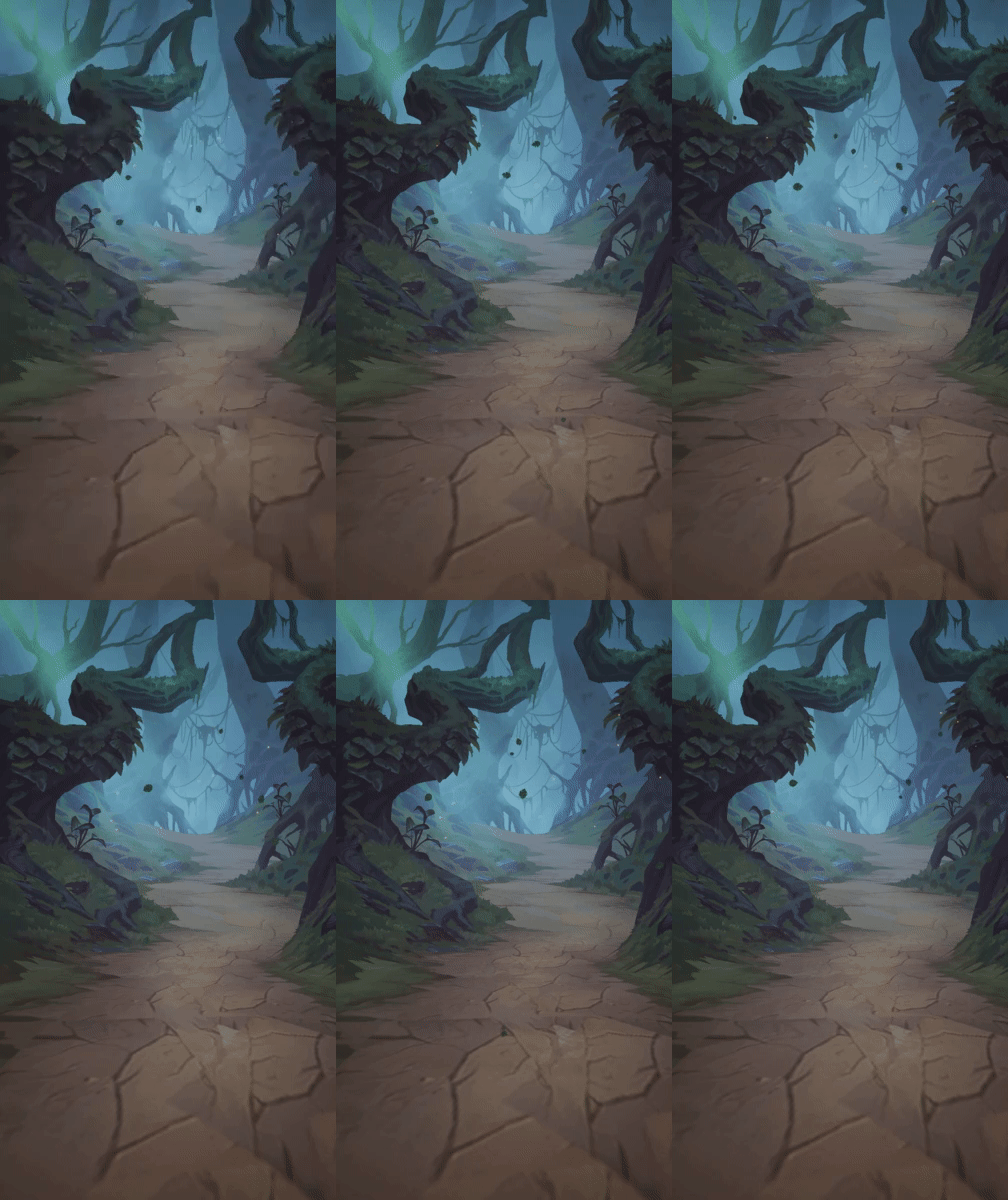

wip of my "headcase" demo. Whole scene is lit with emissive objects and voxel gi. 2200 meshes and 7.5 million points in scene. Can get full HD 60fps 8x MSAA on my gtx78ti without SSAO in debug mode ...please excuse my shakycam capture :) #GodotEngine #gamedev #indiedev #b3d https://t.co/QrzYXPKjFB
Likes
108
 Twitter
daaaaaaaaaaaaaaaaamn
its all dynamic GI
quasi lake
I set the trace collision filter of the character to ignore camera channel and set the camera collision goes camera
Why does it still calculates the collision?
I found the answer
Using camera channel for spring arm collision test just wont ignore the camera channel on a character
Stupid thing
 languid lava
I need to increase my camera speed past 8, I'm seeing people say you can hold LMB and scroll up but when I do that it just locks my camera in place. I need god speed for this map.
languid lava
Ah okay, I was using RMB but not WASD, I think I forgot about that.
Was just using the scroll wheel, it was painful. Thanks!
 crystal ledge
has anyone played with the new gFur plugin yet?
plush yew
@crystal ledge looks interesting
arctic pecan
@proven ivy but i need to build the engine from source, as far as i understand this has nothing to do with my project directory?
I’ve actually decided to solve the problem this way: keep git and changes in one folder and then copy and build in another
crystal ledge
gotta love the UE4 community for not being stoned 24/7
crystal ledge
Luos! I think i did said this before, but once again - thank you! For the all your streams (which i'm normally not able to watch in the real rime) and tips. But back to the matter, it would be great to see any tips on the new gFur. I hardly tried it, but it's not working the expected way, and the documentation is lacking. cheers
 shadow juniper
Thats quite an unsual praise. 😄
plush yew
i changed from UE to construct 2
sorry fanboys
😦 but construct 2 is so much easier than UE 😄 and you can do everything with it
 obsidian veldt
Alright. That 10 minute time limit's kinda weird. XD
Hey everybody!
plush yew
hi 10 min limit hater
obsidian veldt
XD
obsidian veldt
For a chat that has over 2000 people online, it's surprisingly pretty quiet in here. 😛
plush yew
tell me about it
obsidian veldt
Also, I feel like your question would fit more in the animation channel.
plush yew
I really wonder sometimes why some obvious stuff is setup so wrong in ue and sometimes some obvious stuff you just cant do or its halfassed
obsidian veldt
I just started to seriously fiddle with UE4 yesterday, so I'm not sure yet. 😛
plush yew
i started with construct 2 @obsidian veldt
its much easier 😮 you can make any vanilla 2d game with it
someone who can help me?
obsidian veldt
@plush yew I'm making a 3D game though. 😛
plush yew
is it your first one?
i need to set Resolution but the command r.setRes dont seem to work
obsidian veldt
Kinda sorta?
white magnet
@plush yew Are you entering the command in correctly?
white magnet
🤷 Is the event being executed? What blueprint is this in?
plush yew
in mainmenu
white magnet
Ok...what's the event?
plush yew
white magnet
And you're sure these are being executed?
Have you checked your logs?
Maybe there's a warning about command not found or something
white magnet
Logs can be found in your project folder. I would also look into debugging your blueprint to make sure it's actually executing
 celest merlin
Has anyone here used SkookumScript?
white magnet
How are you testing this? Are you trying this in standalone game window?
white magnet
Pretty sure that's not gonna work
plush yew
xD!
white magnet
Try launching in standalone game window
plush yew
now works
now one more problem
when press on my little play it dosen't remove the overlay and the cursor so i can play
.<
@white magnet can i chat with you over private ?
white magnet
Not the best idea. I suggest checking out some of the other channels and see what's the best place to ask your questions. There are plenty of people that can help you
Also suggest looking up tutorials and documentation to get better familiar with the engine and editor
neon sparrow
The new volumetric lightmaps work really well for dynamic objects - has anyone considered using them for a complete real-time lighting solution for the whole world (inc buildings etc)?