#ue4-general
1 messages · Page 145 of 1
 grim ore
 vale osprey
If mesh is small like few by few cm you get this warning
grim ore
hah
 vale halo
Yep, I already scaled it up in blender
It's imported as a thousand models, but it apperas to have worked
 fierce tulip
blender needs x100 afaik
grim ore
combine lunar lander with choplifter on a spherical planet
grim ore
lol take that model, put it in side view, print screen and paste it in paint. cut out your 2d image and win!
use gpu particles to hide the low quality 2d artwork 😛
vale osprey
We through making small asteroids that you could drill holes in and fly around. Never got to that part 😄
fierce tulip
and use more gpu particles to hide the poor gpu particles :p
vale osprey
Like fly inside of it
grim ore
I remember some weird game like that where you had to navigate the lander in an enclosed area and that was a super bitch to play
fierce tulip
talking about that old arcade game Mathew?
vale osprey
There was an “extended” version of Lander, kind of like a puzzle levels
Different gravity, different payload and levels
Could be that one
grim ore
oh I have no idea it was over 30 years ago 😦
fierce tulip
then it prolly is hehe
grim ore
I just remember hitting shit on the top of the screen in caves and knowing I could never go to the moon lol
vale osprey
😄
There is one recent 2d game with lander@mechanics
But you control it with a mouse
vale halo
Dat FPS
vale osprey
Like very easy coordination of flyght
grim ore
4fps is playable if it's a sim
vale osprey
Lol, how many polys?
vale halo
Ammm...a lot
~101k, I should probably bring that down to 30k....max, probably less
(but keep in mind this is on intel HD ^^)
grim ore
100k tris according to blender lol
so kenney has some 2d and 3d space assets... I am thnking make a simple lunar lander game in 2d and 3d in both unity and ue4 for a video series
would be a hell of fun thing I think
welp now I have something to do this weekend lol 😃
fierce tulip
https://i.gyazo.com/5985949583a90a41e99dca0759e1823f.gif
some bug where it loads the material of the master, then realizes the texture should come from the instance
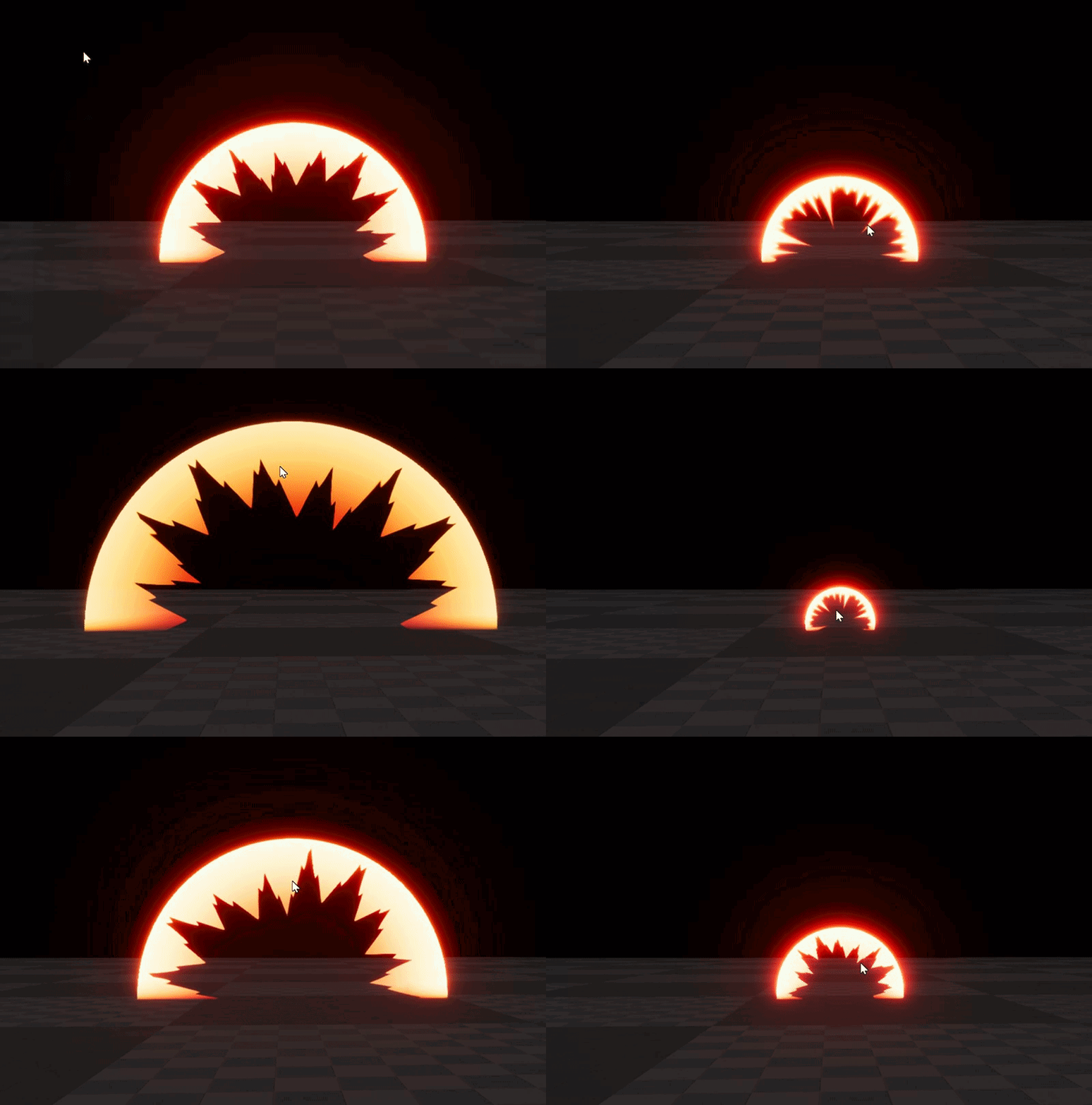
<_<
grim ore
weird
vale halo
That game's supprisingly addictive 😛
 plush yew
Should grass meshes be skeletal or static?
fierce tulip
static
plush yew
Alright, thanks.
 hexed lance
when dragging in items is there anyway I can make it so that they automatically act as though I pressed the "end" key?
because dragging them up and pressing end is tedious when using lots of objects
 minor wigeon
hour in to my project and ive already got them in a moving around 
Fixing the Mixamo animations took most of my time >.<
my plan is to do a little bit every day now ^- ^
 white magnet
@hexed lance You can adjust the origin point so they're at the bottom of the actor.
 livid haven
Awww man, I missed an conversation about academia in games (or games in academia?) and one on Star Citizen? Sleeping is lame.
My biggest frustration is that my lowest mark at university was entirely out of my control - the entire team got the same grade individually no matter what. Some of the artists didn't act on the feedback they were given, so the entire team's grade was pulled down. That felt like total bullshit. Yes, it reinforces the idea that the game sinks or swims as a whole, but that doesn't properly correspond to my personal performance and expressing that I understand the material - which is what grades are supposed to do.
As for SC, I think they've definitely broken new ground on some art pipeline/workflows, which they make somewhat transparent to everyone, so game devs other than them and outside of CryEngine/LumberYard can learn from it.
Its their game design philosophies that, unfortunately, run pretty gods damned counter to everything else ever.
The pervading "psuedo-realism" for immersion makes actually playing really, really, really uncomfortable. Like, UI/UX is awful because of the insistence that things happen like they would in reality. Every time I lose control of my character to play a canned animation that lasts several seconds, usually starting with an instantaneous teleport to the necessary location/orientation, my stomach does barrel rolls.
white magnet
@hexed lance If it's a blueprint, it'll be the root component. If it's a static mesh, it'll be wherever the "center" of the mesh is. I'm not a modeler so I'm not sure the best way to fix it. But it's something you can fix in a modeling program. You can also adjust the pivot in the UE4 level editor but I can't remember the short cuts to do that. Look up the Editor Preferences > Keyboard Bindings
 long comet
any strategy to do a Translation container for all game text?
livid haven
Yeah - use the ones I spent 2 years making that ship with the engine. 😛

Unreal Engine
Creating a localization ready game in Unreal Engine 4 is fortunately really simple. Just follow this one basic rule and you’ll be set.
An overview of the elements involved in localizing your project.
plush yew
My final piece is coming in the mail next week for my pc. I can't wait to run unreal 😃
 ashen brook
minor wigeon
ashen brook
minor wigeon
Im trying to set this up so if you are using WASD movement the mouse Camera controls turns on... then when you arnt moving it stops
i have it working so when you are still and middle click, the camera rotates... but cant figure out how to enable and disable with the WASD.
thoughts?
long comet
@livid haven thanks but , my question is how can i do it for the best way , cause i know how to do but , if you have text here and there you ,have a lot of times the same text for example "Accept text " or "Cancel" , so i think that there should be a class container where store all text and displays goes to this container class and use the same text that others displays
livid haven
That's what loctext does. If you have two different strings with the same namespace and key, it's a loc error.
There's also the string table system.
String Table
long comet
Im using blueprint , so i have to check each string that have the same text and be sure that all use the same key?
livid haven
The localization pipeline will yell at you about conflicts if you do screw up.
It's a resolvable issue.
 worn granite
I'd actually go to the string table method if you gotta clean up
 dense patio
So, i dont know who has pull over at Unreal, but .... this part of your site has been "hacked" for the better part of a day now
worn granite
rather than go make sure all the namespaces and keys are correct
dense patio
not sure I would call it hacked, just dont know another term for it
long comet
Thanks mates
livid haven
@dense patio Ah, it's a wiki page so, yeah. It's been defaced.
dense patio
defaces, kk... well whatever admin staff wants to fix that, its been that way
livid haven
I think you'd have to log in and report the page.
dense patio
i did
livid haven
Or manually fix it to the previous revision.
dense patio
well the reporting part
livid haven
I could try kicking it to some Slack channel, but I doubt it'd do more good than reporting it through the appropriate channels to whatever wiki admin/mod is available.
minor wigeon
any hints <.<
dense patio
nod no prob
worn granite
@minor wigeon flipflop connected to both press and released.
minor wigeon
tried that... didnt work
worn granite
you press, and it enables camera. When you release it disables it
Not sure if that's what you actually want
minor wigeon
works for the Mouse press... not for the WASD
minor wigeon
yes
worn granite
Input axis events fire every frame
you have to check the input is nonzero if you wanna do that
Anyway if you want the flip flop behavior where releasing it disables it, you don't actually need the flip flop at all. Just connect pressed to the true one and released to the false one.
minor wigeon
That sort of worked... now my Middle mouse click sticks :/
minor wigeon
this worked
i tried adding in a second disable Set Rotate Camera to the False... but the tick was just disabling my Middle click every time i tried using it
this sort of fixed the issue <.<
god knows how
worn granite
this is how I'd structure the boolean logic
 uneven fractal
Is there a way to capture all the individual unreal 4 windows when streaming the editor?
minor wigeon
i managed to get it working @worn granite <.< i have a habbit of fudging things 😐
minor wigeon
im only prototyping
i dont see this project going anywhere
mostly a bit of practice and something to go on my portfolio... and show of my character work
- it works (currently) and its only using 1 Boolean
worn granite
Less vars is not always better, but I'm not going to try to get you to do it "my way". Working is good if you're just trying to play around with mechanics.
minor wigeon
im just seeing what i can do over a year or so <.< been working on it so far about 4 hours total now...
if it gets to the point where its a Viable project... i will likely kickstart the project and pull in a Person who Knows how to C++ code and have them overhaul all the mechanics anyway <.<
im a character artist XD Blueprints are the closest i will ever get to coding
minor wigeon
ok... had a bug <.< so used your method @worn granite 😐 tyvm
worn granite
Yeah? Glad its working!
minor wigeon
it was just an annoying bug being caused when i hit middle button when moving inverted everything >. <
next on my list is, click movement
worn granite
jw, what kinda game are you doin?
minor wigeon
RPG
worn granite
iso view?
minor wigeon
yeah
worn granite
Neat
minor wigeon
but i plan on mixing Action adventure controls
the idea is to allow players to choose between click move, and WASD move.
WASD will allow for better dodging... whilst click move will mean quicker ability casting
but you will be able to switch on the fly (hopefully)
 stuck chasm
Maze Collision Bug Please Help
 frosty copper
Interadasting 🤔
 weak thunder
Why is Albedo pink when viewed in UE4 but when I try to find tutorials to make Albedo none of them are?
Its very confusing...
 frosty bloom
In an ActionRPG game, what kind of statistics would be nice to be able to check? For example, "Deaths: ", "Kills: ", "Total time played: ", Longest time spent alive: " and stuff along those lines?
Asking because I can't come up with anything special and I have no idea what keyword to use for a search engine..
minor wigeon
Hit accuracy (when firing in the direction of a target, how many hit (eg: 10/18))
to set that up you could say (is player looking in the direction of enemies? Yes so how many bullets hit and how many where fired?)
frosty bloom
Yeah it would be a good stat to have around. The game is more fantasy/medieval themed though
Makes it a little harder for me lol
 junior echo
Hey, do the DitherAA methods work if you're using MSAA or do they require TAA?
junior echo
@stuck chasm What's the problem?
junior echo
ah so the maze is a single mesh?
stuck chasm
yes
junior echo
it will have gotten auto-collisions on import, for such an accurate shape, you either need to open the mesh and go collision -> remove collision, then change collision complexity to "use complex as simple" or, the better solution, make custom collisions in blender and bring them into unreal,
off the top of my head, in blender place boxes on all the collisions and call them UCX_MeshName_##
though the nicer solution may be to bring boxes or use unreals boxes and make the maze inside unreal, this would be the easiest to change later too
stuck chasm
can i send you the blend file?
junior echo
I dont use blender im afraid, but if you want to go along the custom collisions in blender route, see this link, and scroll down to collisions
Setting up, exporting, and importing Static Meshes using the FBX content pipeline.
stuck chasm
ok thanks
junior echo
if you just wanna get it working quickly though, removing the collisions and enabling per-poly is super quick and will work, its just a slightly more expensive method in terms of performance
junior echo
@stuck chasm This setting
junior echo
Yes that should be all you need
It will now ignore the standard collisions and instead collide into polygons
junior echo
no problem, glad it works
stuck chasm
junior echo
nice, and nice character
fierce tulip
 paper kernel
mmm
 fleet wraith
How do I get a character to move and rotate with the left stick only? I've tried copying the 3rd person template as that's exactly what i want, but my character wont rotate to face the direction he's moving. He always faces forward
TPP Movement
stuck chasm
@junior echo Are you still on?
 whole sonnet
Hey all
 hot ledge
how can i get a socket location and rotation through main character bueprint
stuck chasm
@Festus type get actor socket location
And plug in main character
Btw get main character ref
Why wont my nav mesh go on my custom static mesh?
whole sonnet
@hot ledge What is the socket for? I have a socket in my 'character controller' that is used to get the location of the socket on the muzzle of my weapon and fire from there to center of my screen. I use the weapon as reference to the socket location, i can give screenshot to show it if you like.
hot ledge
yeah sure i want when the game to start to spawn a gun in character hands (weapon_right socket) i have added a preview asset to move around the socket to look nice and in my characters blueprint they ask me for spawn transform and i did get socket transform and used FPS hands as target and used the socket i want and it works in game but the gun isnt positioned correctly as in the skeleton when i set the preview asset
stuck chasm
Get actor socket location
hot ledge
I searched and can’t find it
whole sonnet
@hot ledge May be good to try what Derock said, but here is a snippet of how i am getting my socket location, this is for components such as my 'Mining Laser' mesh that you see, so i hooked that up to the location and then have to type in socket name which is 'Laser'. The camera is dragged in and attached to the get world location and get world rotation nodes, so that my line trace shoots from my socket inputted towards my camera. Not sure if this will help but maybe give you an idea, i am sick today so sorry i cant help much. Right now my character only has a 1st person weapon not a 3rd person weapon set up, so havent got that code to show
 light thunder
Can someone advised why white materials have turned orange (or blue) those are the materials here below, could this be a lighting build issue?
minor wigeon
I have a weird bug where if i use my middle click Camera rotate then use WASD the camera wont rotate... but it works if i Alt Tab in and out <.<
the print string says the Boolean is being changed correctly <.< but the Camera just isnt saying "hey i can move again"
 lucid jetty
Hello friends.
A small question. Memory usage increases in time whenever I use Unreal 4.
It starts 2.4k but after around 10 hours it can go up to 6.5k.
Is there a way to empty stuff out? Note that I only work in Paper2D and blueprints.
Thanks in advance!
 thorn cradle
i love UE4, but it doesn't love me back

after closing the behemoth

probably corrupted my map or something 😛
 pallid compass
its so god dam cold in the uk that it actually hurts to touch my laptop when i got it out
its metal body was freezing
lucid jetty
I suggest warming it up time to time
pallid compass
i stuck some stuff on in 4k but its taking ages to warm because sli disabled
lucid jetty
@thorn cradle I am thinking about IOBIT Smart Ram to empty out the ram UE4 is not using.
thorn cradle
UE4 sometimes does this, it's like a memory leak. cause the editor just freezes or is really **really ** slow
minor wigeon
or you have multiple versions open <.<
thorn cradle
well i did have 2 editors running, but i closed one and it's still at 95%
lucid jetty
I am not sure if the answer is really that simple. Unreal really increases ram usage sneakily with time.
pallid compass
Iv never noticed any issues and iv had editors open for 3 days +
all the time
i bearly close mine
 ebon saffron
This sounds interesting https://www.google.co.uk/amp/s/venturebeat.com/2017/08/01/heroic-labs-launches-nakama-open-source-backend-game-servers/amp/

Game developers are turning to outside vendors for backend services, but there is always a danger they could get locked into one with bad results. So Heroic Labs is announcing the formal launch of its Nakama 1.0 open-source real-time game servers to help with this.
 kindred viper
nice find.
pallid compass
best compression settings to get the most quality our of masks?
minor wigeon
this bugg is really confusing me now <.<
pallid compass
u tried asking in bp?
 rotund jacinth
Does anyone know if it is possible to set the movement speed in the static mesh editor slower than the scroll wheel allows? I have a lot of small parts I have to carefully place sockets on and the slowest movement speed is still too fast. Also, does anyone know how to set static mesh editor defaults project wide? I want to change the exposure settings default settings
 heady quartz
I'd like to ask how many polygons are "good" for a 2017 game
I've been optimizing my game assets for a week now.. i don't know if its "useless".
 short onyx
Send the most beautiful blueprint you have or you have see 😃
pallid compass
Depends on target hardware
 frank escarp
@heady quartz 2 million polygons a frame
if VR, 1 million polygons
if mobile, around half a million
pallid compass
vblanco u got any tips for increasing mask quality in the engine?
heady quartz
Damn and i though 100k..
frank escarp
@pallid compass distance field mask
same thing the text does
but RIP hard corners
pallid compass
sorry i mean, for like texture mask's
grime and scratch sorta thing
just wondering if there is anything i can do to sharpen or boost the quality
frank escarp
tile it more
pallid compass
Cant tile the mask
frank escarp
first of all, those scratches can just be a separate tiled texture
second, if those edges are just the edges, you can use vertex colors
pallid compass
im staying away from that, tiles way too much
frank escarp
have the mask "baked" as vertex colors
pallid compass
its curvator wear
frank escarp
that "could" work
pallid compass
the scratches soft and hard are only in places that can be caught on the object
as random as it looks, its not
frank escarp
nothing you can do, really
pallid compass
GOTTA GIT THAT INSANE RES
go big or go home
wait i frogot
i didnt even do the UV's good
it was a rush test lmao
oh lord, look at all that extra quality ima be able to snag
frank escarp
try to keep edges axis aligned
all you can
becouse axis aligned edges do not do stair case
and look far higher res
btw, can you show a bigger picture of the whatever thing that is?
pallid compass
its just base shell of a ship
frank escarp
very nice model
pallid compass
thanks its a concept, of a concept of a concept :')#
Someone made there own concept that was inspired by SC, then i bought there concept to use as concept art
lmao
 tardy ocean
why i can't change display? it's block to 'perspective' and i want other display, how can i do it?
plush yew
Does anyone know why my rock and grass meshes are in the ground instead of being on the surface,
I want the mesh on the surface, not partly in the ground.
 silent frost
Guys and Gals - If I want to import a couple trees from the Kite Demo Content, but not everything, how do I go about that?
By 'Trees' that would include the mesh, materials, textures etc. They are all in one folder. Simply copy and paste from one folder to the next?
plush yew
Couldn't you migrate it?
silent frost
How do I go about migrating it?
pallid compass
ima guess its ur pivot meenit
plush yew
Right clicking on it
silent frost
Sorry....newb 101
plush yew
It's alright
 storm snow
@plush yew are you using paint tool? you can change the height of the meshes youre painting from the paint tool
silent frost
OK, let me check
storm snow
@plush yew you can change it from there also
plush yew
How so?
I made the grass part of the material in the blueprints
Wait there, lemme open the project up/
silent frost
OK, sorry - can't see migrate
plush yew
So you want to migrate a folder from one project to another?
silent frost
Yes
storm snow
hmm oh you have it straight from there, making foliage type you can change it.. but im not sure if that works with that sample grass
storm snow
hmm theres no options for that
storm snow
probably you have to use nodes inside material for setting new height
no clue what those could be
storm snow
would make sense if there was just a setting for that
plush yew
Did I use an untraditional way of making grass?
storm snow
because it is already on foliage type
well theres different ways and that is good way for making dynamic material
if you want make roads etc which doesnt have grass
plush yew
Yeah,
Another question, how would I add rock to the terrain but make it paintable
What I did was add the rock to the foliagetype
But now its part of the terrain and it can't be painted, it's just placed around the terrain like that grass
plush yew
Ooh thanks!
plush yew
Alright!
storm snow
its dynamic so you can paint roads and sand and stuff
storm snow
though that still doesnt fix the grass height, weird that there is no option in grass type it should be added
 ornate forge
my project moved from 4.17.2 to 4.18.1 and switched from VS2015 to VS2017 by default as well
now Unreal can't find Visual Studio when I'm trying to recompile
LogVSAccessor: Warning: Couldn't access Visual Studio
does anyone know how to fix this?
I'm also getting a bunch of other errors during recompilation https://pastebin.com/sUqL57sN

looks like Unreal fails to include some headers for unknown reason
I never had such problems before the switch to 4.18
 narrow ingot
hey guys, has anyone been able to get the projectile and world / terrain interaction working correctly
ive gone through multiple old posts for over 3 years ago
and still running into where the projectile only wants to explode on dynamic objects and no the world
not*
plush yew
Ahh when is the last of us 2 set to release?
ornate forge
@narrow ingot maybe you could track the velocity vector's length of the projectile in the tick function, and when it becomes 0 you explode the projectile? I had this idea when I encountered this problem myself but never tested it
narrow ingot
could try that out! just seems silly that this is sitll a probelm 😦
 pine parcel
Hi folks. Having a beginner issue that I can't seem to sort out (short of maybe doing a reinstall). When I create a new empty c++ project, I have an issue saying that the default template can't find a texture (which I had modified yesterday thinking it was just within the project at the time) ... is there anyway I can restore the stuff in the default template?
 opal ocean
so is cocaine!
whole sonnet
Helluva' drug
opal ocean
which one is more destructive to ones personal life?
opal ocean
all my free time is being spent on my new games from the steam sale...
but I started developing a new idea :/ again...
whole sonnet
I know that feeling 😃 The past week though ive mainly been developing my game and not playing so much, but it makes it all the more sweeter when i do sit down and play. I usually play more than i have this week, just enjoyed seeing changes and results bit by bit with the development so it keeps me going i guess
brb 5-10
 buoyant pine
Hey everyone, got a question for you devs
Right now, my university workload is getting light so I can work on my projects
I want to create some prototypes of a few ideas I have been having, but most of them are 2D
The language that I want to use for this prototypes is C++, but I don't know if Unreal is really that optimized for 2D games
Opinions?
I don't even know if you guys can recommend other engines here, so yeah, sorry
opal ocean
I've heard a few times that UE4 isnt the best for 2D games
and ppl have suggested Unity
but if you're just doing prototypes, UE4 does have the bonus of being able to quickly throw something together with blueprints
 weary basalt
@buoyant pine If you want 2D, go with Unity, UE4 basically just tacked on 2D support.
buoyant pine
*using c++
 silver crown
You may want to have a look at Godot
buoyant pine
Godot can't build to PS4/Xbox /recent consoles
light thunder
Can someone advise why this text isn't changing color even though I can change the text itself??? doesn't make sense
I can watch the text update in the game but it doesn't change color
this is the dumbest error I've yet to encounter....i've tried opacity because it's a 3D widget, it does nothing
I can't do anything but change the text itself, fuck I'll just do a period and hope no one notices
plush yew
Is udemy a legit place to get educational material?
Not sure if this is the right channel to ask
weak thunder
Does anyone here know where I am suppose to ask for landscape and materials advice? I have a huge terrain and landscape materials set up but I want the materials to be applied based on existing height.
It is so much work trying to do everything by hand... are there no procedural generated options?
 tepid steeple
Hi folks. I'm trying to do a line trace against the actual geometry of a skeltal mesh, not it's physics asset. Does anyone know how to do this? Pulling my hair out...
 south ridge
@merry violetzzzzzzaaaaaaa#7556 Why do you want to do that?
tepid steeple
@south ridge I'm make a boat bob up and down on my water plane
I'm animating the vertices using morph targets on a skeletal mesh
And I'm line tracing down the -Z axis to find where the surface is
But I can't get the line trace to see the mesh
I was originally using GPU tesselation and world displacement, but you can't trace against that either :/
Any advice greatly appreciated!
*I'm trying to make
I might try this guy's approach
plush yew
glad I started to learn ue4 basics, the more im learning the more it gets interesting. I feel this will become addicting Lol
frosty copper
@light thunder Try creating a node directly from the target/text node; usually fixed those type of issues for me.
frosty copper
xP
Eugh. 😐 Tutorials that don't explain everything drive me up the fucking wall. >:|
 autumn sandal
no
frosty copper
dude.... type it all in one line, plz. DX
or just staph, that works too. :>
else you may get the ebil oompaloompas raging because "offtopic". :I
weary basalt
Yeah seriously man, type it all out first 😐 lol
frosty copper
Dewd. DX
frosty copper
Don't be that guy, please. :I
frosty copper
Isn't the bot able to delete messages? 😮
frosty copper
Would probably be a good idea to include if not. xD even if you do end up using the functionality once every blue moon. :p
 coarse mulch
What's wrong about this when I package my project?😱
 sinful umbra
anyone happen to know how to fix this?
vale halo
Oooh, UE4 supports isometric stuff out of the box 😮
@sinful umbra Do you have visual studio installed? If so, which version? Additionally, are you using a source build, or a binary build. If it's the latter, which version of UE4?
sinful umbra
yeah i have VS 2017. Source build
vale halo
Hm
You had this issue before? Or haven't you been able to compile (any c++) projects?
If it's the latter, please check that you have installed the c++ components too (they're not installed by default)
vale halo
Oh, got it. Strange issue 🤔. Never had it myself, so maybe someone else'll know 🤔
 wanton zinc
Why does the vehicle in the vehicle example drive left in circles on it's own?
in a new project
it seems to be ignoring any of my input
junior echo
@sinful umbra Iv had this, I was missing some parts for VS, if you want to compile win32 you need the 2015 c++ option, you also generally need win8.1 sdk, c++, c#, net framework 4.5,
plush yew
Hey did anyone know that IntelliSense can help you fill UPROPERTY(), UFUNCTION(), and related macros using internal namespaces?
UF:: for UFUNCTIONs, UP:: for UPROPERTYs, and so on
 faint cedar
Is there any way to prevent SteamVR and the Oculus Launcher to start up every time I run UE4?
Found it
plush yew
 light thunder
I just built like 840 HLOD's....however I still see that Unreal is using like 12 gb of RAM....is that because they are currently unsaved? How long should it take before Unreal sorts that memory out? Last time I tried this it never freed that memory up and Unreal just kept hogging that memory and it broke my project, forcing me to load a backup
frank escarp
@light thunder HLODs hog memory
to start with, you need to store multiple lightmap textures instead of one
light thunder
i mean after the fact
they've already generated the meshes, that happened last night
frank escarp
they also create a lot of new unique textures
and new unique meshes
in my experience they hogged memory in a completely absurd way
they are best when used with moderations
light thunder
Can you tell me what happens to the textures/meshes when you generate NEW ones, what happens to the PREVIOUS/OLD ones?
frank escarp
do not allow a blanket "do all the map", but make sure to do them yourself
i think they get deleted
to get the best quality with hlods, try to setup them yourself
for example avoid chunks with only 2 meshes, or try to create the groups yourself in a more logical way
to get higher quality
light thunder
So, I generated HLOD's and saved....then I closed Unreal... however I still see it running in the task manager (though there is no window) ....what is happening now exactly, It doesn't seem to be stepping DOWN the memory
apparantely even when you close Unreal it still writes the HLOD's to disk...I figured when I hit save and it saved all the assets it did that
pallid compass
How does texture memory acumilation work for materials?
Is it as simple case of every texture + every texture used = total memory cost
 keen birch
Does anyone here know if HISMC still cost performance if they don't contain any instances?
short onyx
Hello guys, i have my Player Controller that make my engine freez and take all my RAM and a lot of my CPU. (screen bellow)
I have just change some CharacterMovement parameter like aircontrol and other. Befor i change this, it was working perfectly (i have not touch the blueprint and anything, only the CharacterMovement). Can someone help? The engine is still freez after 15min and i can't use my PC correctly. Thanks.
Update : After 18min, unfreez, saved and usable. But if i try to change something on the character blueprint and compile, re freez for 20min and can't use my PC ._. Someone know why? I can screenshoot if needed
btw i'm in 4.16
whole sonnet
Hi all.. I am curious what you think is a fair price to contract a 3D modeler to make a good quality gun for an indie game? What is considered too cheap and what is considered too much? I know alot of this varies alot, but its nice to have a feel for it. I wouldn't want the models to be shared or sold elsewhere, only licensed for my game. I don't need a modeler right now but I am just interested in potential prices if i didn't make everything my self like I am right now.
fierce tulip
depending on talent, speed, location anywhere between 40 and 80/hour
pallid compass
@fierce tulip How does texture memory acumilation work for materials?
Is it as simple case of every texture + every texture used = total memory cost, cant find much info on it
fierce tulip
no exact clue, since material itself also costs some memory
size map kinda shows some info on it
but not sure if thats just stored memory or loaded-into-gpu memory
though might be the same unless mipmapped?
pallid compass
hmm not sure trying to figure out single gpu material costs, but cant really find any information on it
i can get memory info out of the texture files, but nothing when textures are in materials
pallid compass
wtf i didnt even know that was a thing
tyry!
oh lord lmfao
ty god this is come down drastically once i turn that 4k off
dam they really need a mipmap option for these windows, that be 10/10
seeing costs at dif mips
fierce tulip
yea def.
 mint raptor
Anyone know of a good place to get 3D assets? Or are the top Google results the best aka unreal marketplace, turbosquid?
 quasi lake
What‘s the difference between getRotationXvector() and getForwardVector()?
pallid compass
Forward vectot is the way your facing in 3d space
Working on the floor like an animal
How i miss my desk rn
fierce tulip
I would go insane without my desk hehe
light thunder
Can someone advise the simplest way to do this? I have motion controller with teleport that keeps collidiing with trigger volumes in my world....i need the trigger volumes to obviously react to the player pawn but isn't the motion controller part of the pawn? Is there a way to fix this without doing some crazy custom collision channel?
minor wigeon
i literally just put in a new desk <.<
got a Cheap Top with a Single leg and wall mounted :3
pallid compass
Check if the comp for the overlap is the motion controller if true do nothing
fierce tulip
@light thunder not once over the past year have I seen you give someone else advice, not interact with anybody from the chat just for the sake of interacting, which is fine ofcourse, but looking at almost all the questions you are asking, you also never use google or the answerhub.
whole sonnet
@minor wigeon Nice Catie, always good to get a new desk, got one recently myself 😛
light thunder
You can see I'm hitting the invisible wall right there , that's where a trigger volume is located, the ground is much lower and that's what the teleport should hit
pallid compass
Dam son the burn
paper kernel
huh, you can actually make a cone trace by overlapping spheretraces 🤔
opal ocean
a "let me google that for you" -> lmgtfy
fierce tulip
not saying we should just ignore blake, and nothing wrong with asking questions. just pointing out something that was bothering me. I have nothing against Blake as a dev or a person. just pointing that out
plush yew
@fierce tulip hey luos when is your stylized effects releasing
fierce tulip
januari probably
worn granite
@fierce tulip He's interacted with lounge once I think but it was after I pointed out he was tagging Nick Darnell
light thunder
I'll post this in case anyone needs it, since I'm obviosly going to : https://en.wikipedia.org/wiki/List_of_burn_centers_in_the_United_States
This is a list of burn centers in the United States. A burn center or burn care facility is typically a hospital ward which specializes in the treatment of severe burn injuries. As of 2011, there are 123 self-designated burn care facilities in th...
pallid compass
sometimes i really hate maya's layout system, i know its keeping it all uniform scaled but i hate it when it looks like there is tons of space left over
opal ocean
is having a perfect UV layout important with something like substance painter?
pallid compass
its more to do with me
plush yew
@opal ocean always have a perfect layout
pallid compass
squeezing the living day lights out of every bit of quality i can get
plush yew
can someone advise me on how to save everything?
plush yew
...............
opal ocean
if I were to just do a auto-unwrap, and then paint entirely in substance, it'll automatically rotate the pixels (?lol?) to match the mesh right?
just curious, cant afford substance 😦
plush yew
no you need to do a good UV map and then unwrap
light thunder
It will be some time before I consider myself proficient but one day I'd like to make a "Here's how to find shit out for Unreal" other than a general recommendation to google or check UE forums/answerhub....my biggest problem is understanding what phrase to actually google. It's the classic problem-solving problem, if you can articulate your problem well enough, you have half-solved it.
opal ocean
whats the saying, half of all IT work is knowing how to google properly. Its something I suck at too
plush yew
@light thunder its ok asking people but like @fierce tulip said we arent your personal google so if you keep asking and then dissapearing then nobody will give you advice, butyou wont learn unless you put the effort of researchng your problem for a fix instead of going hey i cba to open google how do i fix this
light thunder
@plush yew Yeah I understand.....I think I should do a better job of posting "hey, here's what I've tried to do and here's what I've searched"...believe me, I ALWAYS search google/UEhub/forum, but I think it might show that I have respect for your time if you saw some of that behind the scenes haystack searching
plush yew
also looking at it, you never even considered posting in the help section known as #blueprint
pallid compass
u know we have a rule in my little shitty studio " if u cant figure it out in 15 mins on your own, then ask someone"
minor wigeon
what would be the easiest way for me to get a Boolean to talk to another blueprint?
light thunder
I almost did, but then I almost went to VR because anyone working on VR has likely encountered the problem but then it is a blueprint issue, so I guess I tried "general' as a catchall
plush yew
thing is when it comes to collision volumes, you would never have to ask on her cause you can google the right thing and bam its there
light thunder
@pallid compass I've got like 2 hours trying to fix this
plush yew
@minor wigeon google it
minor wigeon
i have 😐
pallid compass
@minor wigeon Casting from one bp to another.
light thunder
I got this guys

Announce Post: https://forums.unrealengine.com/showthread.php?101051 This Training Stream takes a look at Blueprint Communication. We find that Unreal Develo...
plush yew
@light thunder took me 3 days to fix my turn based system and then i asked someone and he pointed out a reset state
light thunder
@minor wigeon that's what you want to watch if you haven't
minor wigeon
thats 2 hours T- T
pallid compass
@minor wigeon
plush yew
guys take this to #blueprint
pallid compass
its not off topic, no need.
plush yew
it really is
minor wigeon
its a small question 😐
paper kernel
problem #1: "this tutorial is so long"
pallid compass
we are not diving in to a huge bp thing
and if u know, general chat is for everything ue4 related
plush yew
its questions about blueprint programming that belongs in #blueprint am i right @fierce tulip
pallid compass
then by ur logic i should of been banned along time ago
plush yew
you woulnt get banned
pallid compass
people always ask small questions in here
plush yew
its very rare to get banned on here
pallid compass
well iv been in here a year and a half+ so i think if it was not okay id be in trouble by now.
plush yew
congrats on that, its still off topic
plush yew
#ue4-general - General discussion about Unreal Engine that doesnt fit in other channels <------
pallid compass
I think you might need to losen your belt up a little bit then
minor wigeon
your actually pushing this in to off topic <.
light thunder
@minor wigeon https://www.youtube.com/watch?v=0LG4hiisflg is another good video, understand blueprint is like, the core of what makes Unreal accessible to non-traditional developers. If you spend a few hours now you can save a TON of time later.....it's not 2 or 3 hours for those videoes, it's like 20-30 hours of your life you are SAVING
 plush yew
not the fact of loosening my belt its more the fact the more people post about off topics the more people are gonna use the wrong channel and then it becomes a pain
minor wigeon
its a small question -.- your making it a big deal 😐
pallid compass
Well if u have an issue with us talking about bp stuff for 5 seconds, u better go take it up with a moderator, end of conversation.
@minor wigeon but yeah try that small cast example.
plush yew
i simply said take it to #blueprint before you go post links and pictures all over the place and sure, @upper heart am i in the wrong for asking that
light thunder
Here's a question - does a discussion on HLOD belong in Graphics, since it's technically asset creation, or level design, since it affects how you build your level, and maybe even VR since it's one of the biggest things to do for performance?
plush yew
either or seeing it comes under both catagories
pallid compass
u can ask in HLOD in here if u want
light thunder
I'm looking for more information but beyond Epic's livestream there isn't much...there's like 10 or 20 unasnwered questions in the forums and plenty of, "I don't know HLOD's that well"
plush yew
google it, i just did and got about 9 pages
light thunder
show me how you are googling this "delete HLODs unreal"
because I get stuff for LOD's from like 2014
pallid compass
im not sure blake im yet to dive hard in to HLOD work
light thunder
it's sorcery i swear but it's just as mysterious
plush yew
@regal mulch mind settling somethin for me
 regal mulch
@plush yew Which is?
plush yew
they was asking a bunch of blueprint problems, with screenshots videos etc and also same with caitlyns question, am i wrong for telling them to take it to the #blueprint channel
@regal mulch
worn granite
When you're putting more effort into curating the channel than the moderation team, consider if your efforts would be better spent elsewhere.
Like I dunno, your turn based 'AI'
regal mulch
You can redirect them to #blueprint of course
light thunder
You aren't "wrong" IMO but there was like a 15 message back and forth about a concept meant to keep the general chat free
regal mulch
If they don't move you can always text a mod
plush yew
lol you mean the AI thats finished and you got something to say about my game then im all ears
worn granite
you don't want it
plush yew
lol bring it, see feedback doesnt bother me
cause i dont see you posting anything youve done anywhere
worn granite
cause I don't normally have to ask 5 channels about my work
plush yew
lol 5 channels? you mean here and game dev league
worn granite
idk you're wanting me to "pony up" but I haven't even leveled any serious critique at your game
I'd hate to see the level of "oh yeah do it better" if I actually did
plush yew
no but you seem to keyboard warrior anything i say lol
worn granite
you're free to explore our post history, you'll find that isn't true
pallid compass
tldr i answered a blueprint question in around 7 seconds and that was an issue that it wasent in the bp channel
no offence greggy, but u will find unreal slackers is rather chilled, im not trying to start a big debate about this, but the bp thing didnt cause any issues, we didnt interupt anyone elses chat and you need to take things with a pinch of salt, by my guess is you havent been here long as first time iv seen you and you didnt know where the save button was before, so no hard feelings but relax a little.
plush yew
ive been in unreal slackers for a while bud and try getting the sarcasm as it was a burn towards blake over the google issue
light thunder
Here, I knew we would need this again, https://en.wikipedia.org/wiki/List_of_burn_centers_in_the_United_States
This is a list of burn centers in the United States. A burn center or burn care facility is typically a hospital ward which specializes in the treatment of severe burn injuries. As of 2011, there are 123 self-designated burn care facilities in th...
plush yew
lol XD
pallid compass
gotcha well, didnt seam like it as u felt the need to go on and even tag a mod so you know.
pallid compass
I believe he said you can be redirected#
pallid compass
When there was no need.
plush yew
whenit wasnt
pallid compass
well you need to losen up in here, 7 seconds of bp isent going to set the discord or fire or start a revolution of off topic channels.
regal mulch
It's a bit situational
plush yew
end of the day multiple people aka blake and caitlyn was asking questions about blueprints and i simply said can you take it to #blueprint
regal mulch
You can redirect people to channels if they exist for the topic they ask about.
That's generally okay and the redirected person should also move to that channel.
But if no one is actually annoyed by it and the answer is short, I wouldn't mind if it's answered here quickly
plush yew
never said i was annoyed i just redirected them
 keen parcel
i'd prefer one off topic question versus this flood of bitchin 😉
pallid compass
There was once question asked and that was it, and answered in about 5 seconds, so no need to redirect i dont see how you cant understand that.
plush yew
and luos got irritated with blake over the fact he just appears in general to ask questions
pallid compass
Thats got nothing to do with this.
light thunder
So what you are saying is, this is all my fault, everyone in this chat is dumber for hearing it, you award me no points and may God have mercy on my soul?
pallid compass
Actually im just gonna say im done, and let you have your victory as this is obviously not going to end and is a little childish imo
worn granite
💯
pallid compass
@fierce tulip when u going to make a nice shield material i can buy off you cus im a bum when it comes to VFX
plush yew
@light thunder no wasnt saying that i was saying about when the questions was asked dont worry haha
fierce tulip
me and blake talked it out in dm, so lets keep it at that allright
plush yew
also @fierce tulip whilst your here
fierce tulip
@pallid compass shields are on my list, but not for a long time
opal ocean
https://i.imgur.com/MrW5mUX.gif <-watching general chat
 plush yew
@pallid compass theres a nice video on youtube for the shield
pallid compass
I doubt its anywhere near the quality i require, but feel free to link
plush yew

Now with added volume! :) Again, huge apologies, but it's finally 100% sorted!
is that 1
pallid compass
nope sorry, no where near what i need
plush yew
(Note, this is a repost. Now with licensed music!) This tutorial shows how to recreate Winston's Shield from the video game Overwatch using Unreal Engine. I ...
this one?
theres loads of them
pallid compass
@fierce tulip im waiting for kern to send me his shield shader, i remind him every friday but hes so busy lmao
Still no where near close
plush yew
any examples?
tbh i want 1 of luos's stylized effects so im gonna have to buy the whole set -_-
plush yew
ooooh yeah i get what you mean now, thats quite a complex shader by the looks ofit
pallid compass
mask's, uv hit location, some fanncy math etc
not too bad
im just busy af as it is
oh boi @fierce tulip did i show you my new base layer ship shader?
fierce tulip
i did not I think, and I need to be afk for a while. dm me an image or so 😃
pallid compass
Alright will do!
pallid compass
Base underline shader, only 1 material.
can also get about 40% more resolution out of objects.
plush yew
thats nice
pallid compass
it was just a quick test.
scratches and wear are not tiled at all, its all unqiue
and the layer under it is tiling textures, so inf resolution and no blur the closer you get.
all in 1 material with only 150 instruction count
10/10
pallid compass
well our limit is around 300 per material
pallid compass
im fixing this up at the moment, will see about a 40% detail increase
Still all 1 material and no repeating scratches or anything
then i gotta mesh decal it
and actually get thick machine paint and stuff in
was just testing with base metal first.
and there is also no grime mask on atm
so far we managed to pull 4k detailing from 2k maps
i think i can get 6k detail coverage from 2k maps at the most
short onyx
I re post it :
Hello guys, i have my Player Controller that make my engine freez and take all my RAM and a lot of my CPU.
I have just change some CharacterMovement parameter like aircontrol and other. Befor i change this, it was working perfectly (i have not touch the blueprint and anything, only the CharacterMovement). Can someone help? After 18min, unfreezed, saved and usable. But if i try to change something on the character blueprint and compile, re freez for 20min and can't use my PC ._. Same if i right clic on the BP. Someone know why? I can screenshoot if needed.
btw i'm in 4.16
plush yew
yeah a player controller wouldnt do that
pallid compass
does it happen with no player controller?
short onyx
Why? It's freez when i try to modify it
And i already recreat it and check everything in the BP
short onyx
No, cause it's only freez when i try to compile the controller
worn granite
this is unsurprising to me, but you guys are right that the problem isn't the controller.
welcome to ue4 boys
plush yew
you mean surprising?
worn granite
no
plush yew
oh ok thought you was being a dick then XD
pallid compass
u got custom c++ controller?
pallid compass
try in new project
short onyx
🤔
plush yew
wait
plush yew
@short onyx did you update your ue4 from 4.15 to 4.16 with this project
plush yew
ok
try updating to 4.17 or 18 that should help
if not you may have to make a new project
pallid compass
stay on 4.16.3 i can clarify its very stable
short onyx
I don't know if it's safe for my game :/ And it's complicate no?
pallid compass
been working in it and customising my engine in it for awhile
plush yew
really?
pallid compass
4.16.3 is the most stable ver as far as i know rn
plush yew
i never got on with it, my favourite was 17 but im on 18 for the new physics
short onyx
Need screenshoot from my BP?
short onyx
France
plush yew
ahh , dont speak french, if you was finnish or german id be able to help alot better with speaking
short onyx
Really simple
but when i try to compile, freez
PS : it's start when i have touch the CharacterMovement settings
plush yew
yeah thats definatly not the player controlle doing it
try recreating this in a new project
plush yew
hey uh
anyone got this issue with....
the " movies" in unreal
just skipping?
like the startup video that players
its just skipping it
even though i have "Can skip if level loaded" set to false

 prisma dagger
what is the best real world height map generator with really high resolution so I can import it in ue4 ? I'v tried terrain.party and nasa usgs but both are not accurate as I wish
 sacred bay
Would a solar system with real metrics fit in Ue4 ?
white magnet
Technically yes, it's a flexible engine so you can make almost anything
sacred bay
Maybe, i won't get enough precision for Real units, but maybe a 100 or 1000 down scale can fit on, i'm looking to change the grid scale, right now
frank escarp
technically no
unreal engine coordinates are stored in Float
this means the maximum values are around 10 km to each dimension
from the center
20,km in fact
if you go past that, you start running out of floating point precision
and stuff will jitter, light and physics break, etc
sacred bay
@frank escarp That's exacly what im getting, there is no way to twwek, and transform cm to meter ? or km ?
frank escarp
it doesnt matter
you still lose the precision
yes, you can use one unit per kilometer
but then at a couple "kilometers", you lose centimeter precision
so no you cant
there are ways of doing it btw
essentially you move the world
not the player
you would use doubles for the location of the planets and similar, doubles have many more digits of precision
but its still hard
if you truly want planetary scale, you gotta do your own engine
no commercial engine supports it
sacred bay
Oh, ok nice precissions.
I wan to do a space game, with a lot of space stations, asteroids, etc. i wanted something quite realistic.
I think i can tweak something with stream levels, i do levels of 5 - 10 km, scale, and change level when u go out the border, with sorts of quantum drive, or somethink like thtat
pallid compass
isent there an offser system vblanco
to fix it?
offset
i forget the name of it
sacred bay
I will test a prototype, i get you in touch ^^
frank escarp
yes
there is world offset
that can help you, but it is kind of buggy, and might give a bit of trouble
you usually do not need such ultrahuge maps
i mean skyrim is like 4x4 km
pallid compass
from what i heard from someone & from live stream
u really really need to know what your doing with it
frank escarp
unreal allows 40x40 km before the "end of the world" where physics go to shit
pallid compass
dam 40x40 thats way more than enough lmao
frank escarp
or was it 20 by 20?
anyway thats a fuck ton
the thing is that that is the actual hardcoded limit
usually you dont want to go past 10 km becouse stuff might start to jitter
sacred bay
nice tx
 unborn pasture
hi
plush yew
Yo
 floral heart
Is there an easy place to see that in code?
plush yew
Yo?
floral heart
https://en.wikipedia.org/wiki/Single-precision_floating-point_format
I guess it's just that.
Single-precision floating-point format is a computer number format that occupies 4 bytes (32 bits) in computer memory and represents a wide dynamic range of values by using a floating point.
In IEEE 754-2008 the 32-bit base-2 format is officially...
south ridge
So world size isn't a set thing
You can really do 100x100 km. With conditions
The physics don't even explode
If you want everything to work fine, your world size should be limited to 2x2 km
It depends on the game and how you use things, but 2x2 km provides you with precision with every case for all things
In our game, world origin rebasing triggers every 1-2 km, otherwise there are minor graphical annoyances that pop up already at 2 km distance
Oh uh
floral heart
I think graphics is 16 bit. But I was looking up actor positions, which are 32 bit.
south ridge
I patched out the hardcoded limit
@floral heart The transformations are all done in 32-bits for rendering
Only UV maps and some other mesh data is stored in 16 bit format
With minor adjustments to the engine, I expect we'll be able to run 100x100 km without origin rebasing (on server)
The adjustment involves running more physics scenes, so kind of a physics origin rebasing situation, without actually having more precision in actor coordinates themselves
But on the clients, the world would be rebased so all rendering is done in 2x2 km range
floral heart
I tried to make a walkable-surface shader that used the normal, but it's accuracy was limited to about half a degree. That might have been the normal buffer have only 8 bits per direction?
south ridge
Hope that works as an illustration that world size is a 'blurry' range
@floral heart It depends, were you using vertex normals or reading pixel normals from the buffers
For pixel normals from the buffers you need to enable 16-bit mode (default is indeed 8-bit per axis)
The per-pixel vertex normals should be 32-bit (or at least 16-bit?)
plush yew
Anybody here familiar with vector math?
south ridge
What about it?
 cursive dirge
his issue isn't vector math
but how to build a character controller in the way he wants
(question was on #legacy-physics)
plush yew
yes and no
the problem I'm having is caused by a quirky way I'm handling acceleration
which involves vectors
Basically I've reintroduced the Doom wallstrafing bug
and I'm trying to figure out what causes it and how to deal with it
but my experience with vectors is miniscule
im gonna elaborate in just a second, I got myself into an overwatch match
cursive dirge
you have issue with movement, not necessary math error (so more like logic error in this case)
if you have math issue, just say what you want to solve and what you've done so far to solve it?
I'm only saying this as if you seek for math help on your issue, you might not get responses you want
plush yew
my problem is ultimately rooted in the way I'm calculating acceleration and limiting it
I mean if it's not vector math I don't know what is tbh
Anyhow, here's the problem and the illustrations

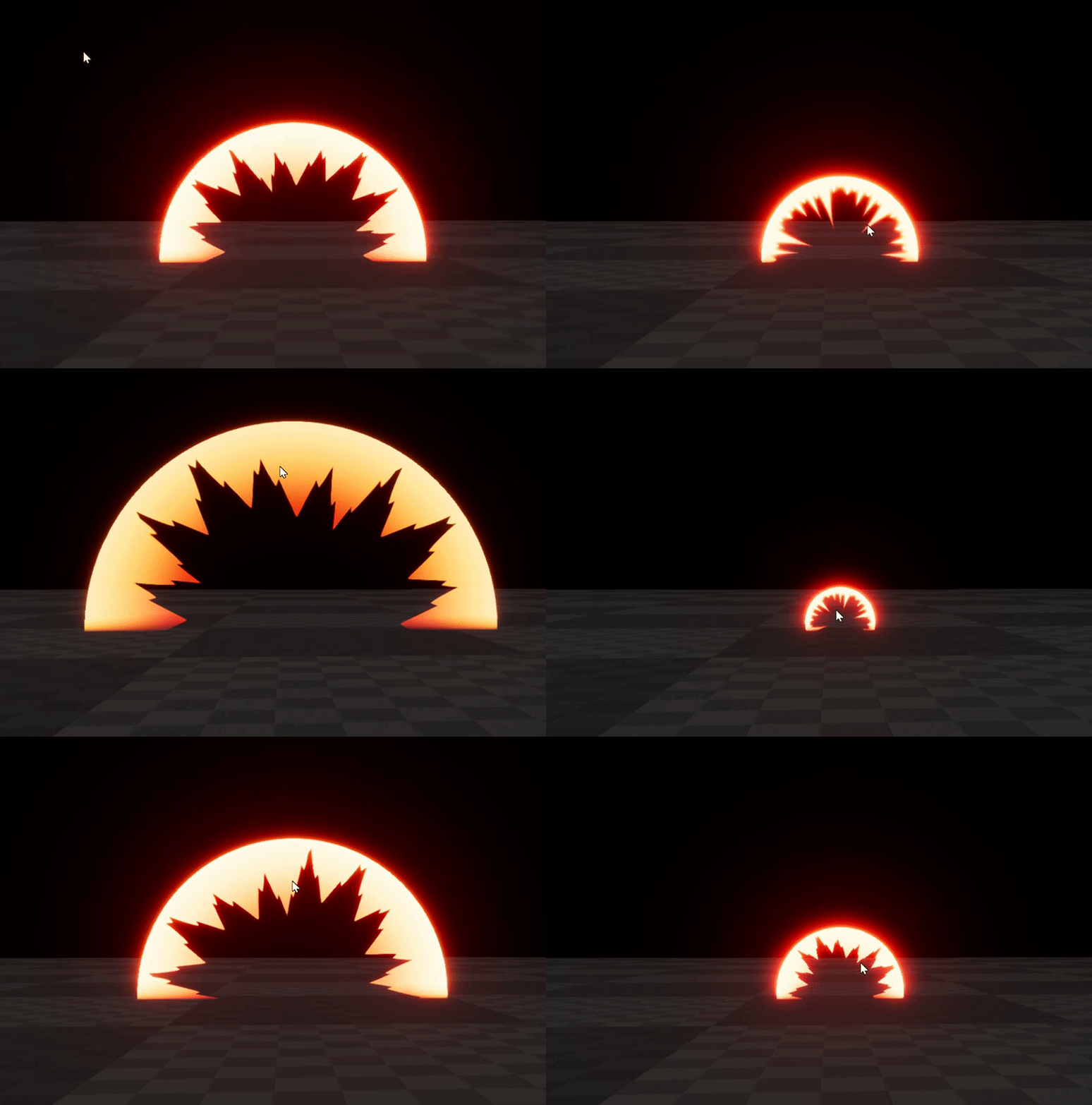



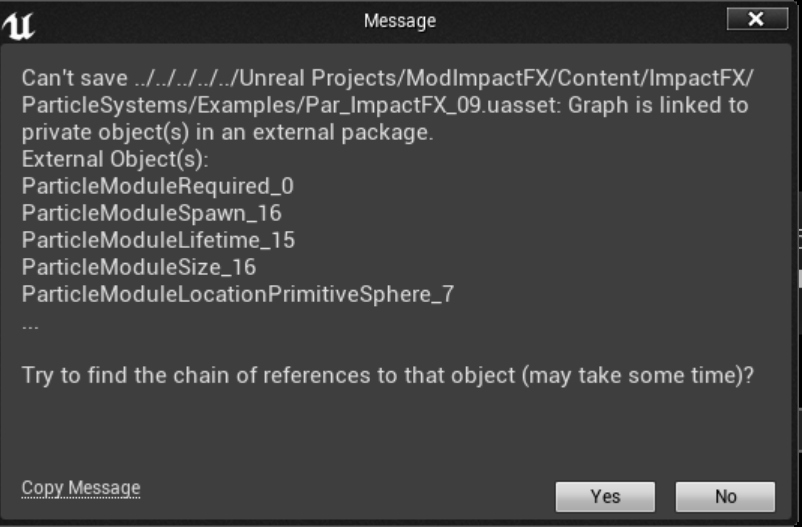
this method of calculating acceleration was taken directly from Source movement code
unfortunately, reintroducing it in UE4 caused two things to go wrong:
- Changing direction rapidly midair breaks velocity limit
 fluid stag
rad
plush yew
- Running into walls breaks velocity limit
- straferunning also was reimplemented
basically two Doom bugs
and the first one I have no idea what's up with that
the only bug I really want from this is strafejumping, which causes acceleration. It's what makes bhopping possible
But these three others, I've got no idea what to make of them or how to fix them.
I just really need a fresh pair of eyes on this
fluid stag
by source do you mean ue4 source or source engine
plush yew
Source engine
cursive dirge
you can't just post random code and expect people to figure out what's going on
plush yew
It's commented, and it's three simple operations
cursive dirge
tell what you are doing and why, if you have a doc that tells how to implement that, link it
also, that wire mess is really painful to follow 😃
there isn't that many nodes there, should be easy to tidy it up
plush yew
i mean you don't need to follow it
south ridge
I would help, but I'm remotedesktopping on a poor wifi right now
plush yew
I wrote exactly what's happening
fluid stag
IIRC source engine had some wierd physics artifacts when a player would bounce off a wall or phys object
maybe that has something to do with the piece you are missing
plush yew
here's a code version if it makes it easier:
{
    float projVel = Vector3.Dot(prevVelocity, accelDir); // Vector projection of Current velocity onto accelDir.
    float accelVel = accelerate * Time.fixedDeltaTime; // Accelerated velocity in direction of movment

    // If necessary, truncate the accelerated velocity so the vector projection does not exceed max_velocity
    if(projVel + accelVel > max_velocity)
        accelVel = max_velocity - projVel;

    return prevVelocity + accelDir * accelVel;
}```@fluid stag That's what I'm trying to figure out. I've been looking over the way Source does it, and I read an article discussing bhopping, but replicating exactly the function used in Source causes these three bugs
I can't quite figure out what I'm missing, it must be handled somewhere else. That's why I'm throwing this out here, maybe someone will know what's happening
this acceleration method was used since the original Quake, so surely someone knows something
floral heart
The wallrunning thing is because of collision, which is not handled by that function.
fluid stag
Wish I could help, you might be stuck digging further into the code to see if you can find where other parts are handled ( probably the physx engine they use)
cursive dirge
@floral heart well, we don't know that, he hasn't told were he put that acceleration
the point is, we don't know half of the puzzle atm
plush yew
The acceleration is applied directly to velocity
cursive dirge
anyway, I suggest doing debug draws for the different vectors if you suspect the issue to be there
just draw debug lines with lengts
use the arrow component
floral heart
When you say "changing direction rapidly breaks velocity limit" what do you mean? Because that's pretty close to how I'd describe straferunning.
plush yew
I posted a video, if you're interested. Basically when you jump and start mashing movement keys, you can see the speed going beyond 500
@cursive dirge I've been staring at these values for a two days now, I just kinda lack the frame of reference to know exactly what is wrong. I'm reading up on it and asking questions but you know, there's not exactly a whole lot out there
cursive dirge
I've seen the video
I couldn't tell what's going on
we still don't know what you feed that acceleration into
plush yew
What do you mean?
cursive dirge
like, are you using character movement controller, are you adding a force to a rigidbody, are you calculating movement fully on your own...
plush yew
I'm slapping this on top of Unreal's character movement. I've disabled vanilla acceleration because it felt like garbage and instead added this.
cursive dirge
ah, if it's CMC, it could be anything
as it's meant to handle all kinds of edge cases
floral heart
The code you posted multiplies the acceleration by the delta time, which you don't do in the blueprint. Do you do that somewhere else?
cursive dirge
well the original code was meant to drive the movement
I don't think he directly moves the char by the result
plush yew
Dementiurge, adding delta time to the calculation basically cut it down to nothing
Sooooooo
😇 i just didn't put it anywhere and it kinda works fine except for these two things
three things
I'm assuming this is because the original calculation was performed per-frame
what I have is per-tick
south ridge
Per tick and per frame is the same thing (with some exceptions)
floral heart
1 and 3 are the same issue to me, because that's exactly how Quake's straferunning works. Yours is just much stronger, as it's ordinarily a subtle effect that takes some skill to achieve results with.
2 is less certain, CMC is unhappy for some unestablished reason.
plush yew
@floral heart Thanks. I guess I'll just keep grafting snippets of Source onto my pawn until it works
fluid stag
a new week, a new empty map to craft 😓
it always starts well and by the end is 10 coffees per hour
plush yew
yoyo, can anyone help me with a driver problem i'm having I cant seem to fix it :/
I recently had my sli bridge break and right now just have the two drivers working independently
but, both drivers are displaying an error 42. I cant run programs because it says my drivers might be out of date. I have updated them to the newest nvidia update. I dont know how to proceed..
 autumn haven
Anyone here know where i need to go to change my UE4 forums signature? I've looked all over but can't find it. Thanks in advance!
 verbal blaze
anyone able to help with replication? trying to figure out how to make my replicated weapon not show up for the owning player
 winter gale
@verbal blaze Try MyReplicatedWeapon->WeaponMesh->bOwnerNoSee = true; This will hide that mesh from the owning player.
grim ore
I got an email about them a bit ago @unborn matrix
verbal blaze
I was doing it through blueprints, but I found some interesting behavior. It wouldn't work if I set ownerNoSee to true, but if I enabled it by default and flipped it off in the other scenario, it worked
¯_(ツ)_/¯
 unborn matrix
@grim ore oh shit
google my dude
Cyber Monday UE4
and look
there it is
oh look theres a tab in the ue4 launcher
 warm mountain
Hey guys when you pack your textures into your rgb channel
do you pack your diffuse in it too?
I still don't quite get it from the videos
south ridge
Diffuse? You mean albedo?
warm mountain
so they do up all the individual maps and than connect it into a single file
yup
the color map thingy
south ridge
Currently I'm lazy so I've got three textures (RGB albedo, RGB physmap, RGB normal)
Physmap = heightmap, roughness, metallicity, other things
warm mountain
fair enough
is it possible to pack the albedo though?
I don't see it done often
at least the videos I see
warm mountain
I see
south ridge
If I wanted to optimize 3 maps into two, I would pack roughness into A of albedo, and heightmap/context specific into A of normal
warm mountain
I notice most people do phys map and the albedo and the AO they put it in the Albedo alpha if they have emissive or something
gotcha
any idea what a fuzz map is Fox?
south ridge
It's for FuzzyShading node
Functions for handling special shading types, such as Fuzzy Shading networks.
If you want fuzzyness in one place and not the other
 sage inlet
🤔 hi, if i wanted to have a database of weapons in UE4, would it be best if it was a csv file?
livid haven
Why should it be a formal table?
sage inlet
oh, i wrote in weapons as an example but
i'm trying out making an RPG in UE4, and was wondering how i would keep "data"
livid haven
Just don't mistake "having a set of data" for "this should be in a table"
sage inlet
oh, then how would I best approach it?
livid haven
Data Tables should be used pretty much exclusively for things where you really do want a designer to be working in something like Excel, dealing with stats and numbers and such, and importing them as such.
Best approach for anything is highly contextual. Really need more details to tell you why you would want to do something one way or another.
A data table might be fine if you've got something as simple as an Excel table of weapon names, weight, damage, attack speed, and that's it - absolutely zero custom stuff for any one weapon.
sage inlet
hmm
it would theoretically be possible to reference the data from the table
then apply modifiers to it for "dynamic" weapons for example?
livid haven
If weapons can have different types of data though, then that'd be a very awkward approach.
So, for example, in Fortnite.
We basically have an "item definition" class that's Blueprintable.
And we just make blueprints that subclass "item definition" (or a subclass of it), and set the values and asset references as necessary.
Of course, some of the data in these item definitions are in fact references to data tables describing, say, how much damage the weapon does at each level. Or some such.
sage inlet
in that case, it would result in each weapon entry having its own blueprint object?
livid haven
Each weapon type would have its own blueprint asset and class, yes.
livid haven
Data tables are, particularly, tables. Of the sort you make in Excel. It's an awkward workflow to edit data tables in the engine - you really should be importing data in to them from Excel/CSV/etc.