#ue4-general
1 messages · Page 132 of 1
 pallid compass
Yeah ud have to be mental to take it imo
pallid compass
imagine having to reverse engineer your own engine
 stark linden
 pallid compass
NEver heard of snow
pallid compass
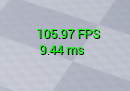
i get about 120 fps
with titanxp
but no maxed gpu usage
no idea why foszor
i tend to start profiling when im having issues with 60 fps lock in place
wtf lmao
@frank escarp Sonic Boom, rise of lyric on wii u was made with cry tk engine 3 wtf
stark linden
I'm always surprised by the lack of use of the id Tech engine
pallid compass
whats that?
 frank escarp
they didnt really license it to public
pallid compass
im really starting to love ue4 past 10 months
stark linden
Bethesda
frank escarp
and the engine wasnt a "generic" engine
stark linden
John Carmack is literally my hero
pallid compass
Engine, made by developers who makes games, for developers who make games. and these people see the bigger picture
frank escarp
but their internal toolset made for RAGE
frank escarp
yes, epic does that. But it has the downside that ue4 is made for them
pallid compass
and honestly, it makes such a difference imo
frank escarp
and for THEIR needs
pallid compass
True that!
frank escarp
the features get proven on AAA quality games, but they are for their needs
indies just get the spoils.
tbf, better than unity (go to the store for that lmao)
pallid compass
The only thing that truely flexible in the engine
Is the Gameplay Ability System, can be used for ALOT of stuff
stark linden
hey at least they make games... the problem with Unity is its developers don't make games and depend in their users for ideas
frank escarp
i still find some of the stuff unity does is great.
pallid compass
but then again, thats the forbidden one
frank escarp
unity is more of a framework, it is SUPER flexible
pallid compass
ue4 feels very fps focused tbh
frank escarp
sadly, ue4 isnt
pallid compass
Do you feel the trade offs are worth it?
frank escarp
im using ue4 myself, but im knd of 50/50 on my next project
unity flexiblity would become a huge thing, becouse i will write all the shaders on the game myself
but unreal has better tools
stark linden
sometimes too flexible... the fact the concept of a "gamemode" doesn't inherently exist in the engine is strange
frank escarp
but unity coding is way better
but ue4 coding can be much faster and controlled (c++)
pallid compass
do you have access too udn?
frank escarp
i did
its just answerhub, pro edition
with epic games actually answering on it, and no noob questions
pallid compass
Do you find its helpful?
frank escarp
i didnt need it other than a couple questions
personally having the source code means its faster for me to track the stuff through the engine than to wait for an answer
pallid compass
true
Do people ever ask about best practices on there, things they should avoid, when implimenting unusual stuff
frank escarp
its mostly about bugs
pallid compass
gotcha
frank escarp
or people having some weird issue
what was very useful is to search on it
becouse there is the chance some one had the issue
and the stuff there is solved in 99% of the cases
frank escarp
keep in mind devs themselves dont really use it, unless its a last result
community stuff is faster
well, depends
frank escarp
its mostly for those kind of niche as hell errors/bugs/problems
pallid compass
"this is really really broken, and after 3 days no one knows anything, to UDN"
yeah makes sense
Would you mind if i asked you afew questions tomorrow regarding building with scale in ue4?
as its kinda late here and im gonna fall asleep lmao
 hot ledge
So what’s trending on ue4 marketplace
 forest kiln
Am I the only one who would enjoy a voice chat section on this server?
 safe rose
yes
it was very rarely used
which I found very surprising
I thought it would be used more often, but I guess internet people are scared of each other
 uneven fractal
Is it possible to resume a cook when the unreal 4 editor crashes during the cook?
 toxic wagon
I'm always running into those niche situations
safe rose
@toxic wagon ?
forest kiln
is there anyway we can add it back? id be on that all the time
 fluid stag
🥉
 urban pumice
 warm mountain
hey guys since UE4 runs on C++ and blueprints is it possible for a plugin made in C# to work with UE4?
Or would it be incompatible
 fossil ore
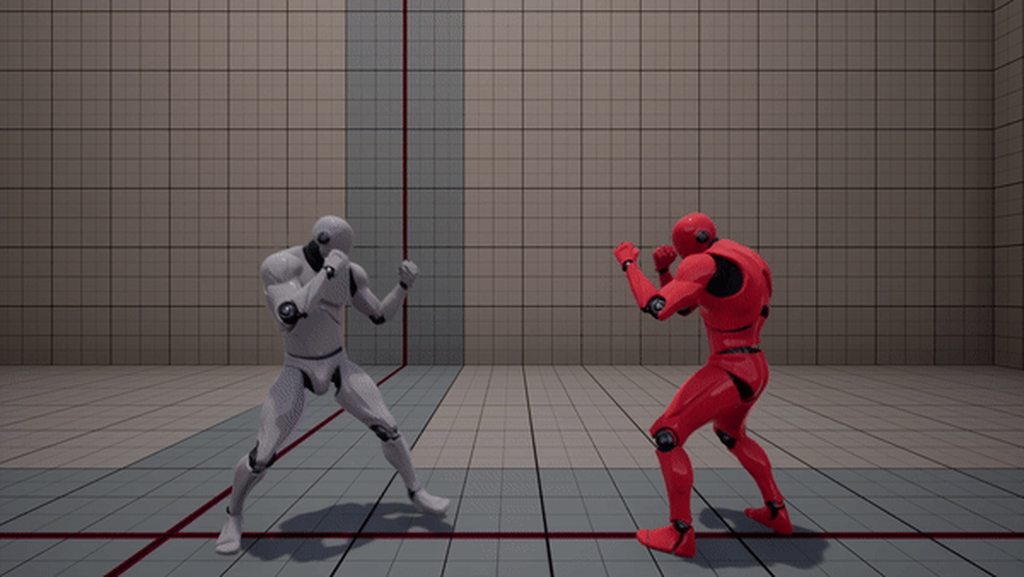
@urban pumice That looks AWESOME.
 mental shale
@warm mountain I second this^
but I think it might be kind of weird because someone would have to constantly port everything from c++ every release
mental shale
I mean
 wary wave
Possible, probably, but why would you?
mental shale
probably
because
@wary wave c# is useable
it would be pretty cool
but annoying to maintain?
wary wave
You'd also end up artificially restricting which platforms you can deploy to
 weary basalt
Unity is C++, its scripting is in C#
mental shale
yeah
wary wave
I don't know what Unity does under the hood, but C# doesn't run natively on a few.platforms
You'd need to use Mono on the Ps4
weary basalt
I never understood why people want C# or any other language to use in UE4 than whats already available, they just seem to not want to learn BP or C++
mental shale
not sure, but doesnt the compiler turn everything into bytecode anyway?
also @weary basalt cuz c# feels pretty good to write in
wary wave
Seems to be the case with most of the vocal c# proponents
weary basalt
C++ feels good to write in
wary wave
UE4 is so macro and API heavy it'd look almost identical...
mental shale
it is?
weary basalt
Yes
mental shale
dont you still have to do memory management?
wary wave
No
weary basalt
Not if you stick to UObjects...
mental shale
no garbage collection?
wary wave
Has garbage collection
mental shale
but do I have to interact with garbage collection at all?
wary wave
No
weary basalt
You should go and read the docs and checkout how the C++ backend works
wary wave
UE has had these things since before c# even existed,heh
wary wave
90% of the time it just means declaring a variable with an * and nothing else, lol
It's not a big deal
weary basalt
Basically
But seriously once you understand Pointers and References properly it will seem really silly that you didnt before.
mental shale
10% pointers > 0% pointers
mental shale
wait
 cursive dirge
you essentially write duplicate code
which is waste of your time
sure VAX (and probably VS too) can create those for you
but it's still pain
mental shale
from what I remember, is that stuff like " Something :: Else<>; "?
weary basalt
It gives you an much better overview of the class though
cursive dirge
sure
but then again, your functions shouldn't be bloated so that they obfuscate the contents
wary wave
You can distribute and compile against headers without having access to implementation
weary basalt
lol fair enough each to their own
wary wave
Meh, autocomplete does it for me
wary wave
And I like having headers for reference
cursive dirge
but I do get the appeal
mental shale
how good is the intelisense for C++ compared to c#?
mental shale
but is it good?
weary basalt
UE4 and intellisense arent friends
mental shale
dealbreaker
wary wave
But that's UE4, not.C++
weary basalt
VAX masterrace
mental shale
VS
wary wave
VAX is the tits
weary basalt
Intellisense is fine if your not writing for UE4 lol
 boreal meteor
you know, dont judge things without trying. No one here is obligated to make you like somthing
cursive dirge
I happened to have versions of VAX that was pure garbage
it just kept crashing VS
and then I ran out of 12 month updates
VS2017
weary basalt
Im sure its come a long way. I only just got it 18 months ago
cursive dirge
VS2015 might have been fine
I ran out of maintenance at the late spring this year
there isn't many updates since
wary wave
I'm not even using 2017 yet
mental shale
17 is aight
wary wave
I always wait for as long as possible to let plugins etc sort their shit out
cursive dirge
I use it to trace around the codebase all the time when I have it installed
weary basalt
Meh im still on 2015 as well
mental shale
the only thing I dont like about 17 for the short time Ive used it is the theme
but Im too lazy to change it
everything else is pretty much the same
maybe a little bit better git implementation?
also easier to install extentions
 river scarab
anyway to force hot reload of classes in the editor? Compiling C++ code from Visual Studio (after changing default value from a .h file) and had to restart the editor for the change to be reflected in the editor.
weary basalt
If you modify an header file then Hotreload wont work.
Modifying an Header or an Constructor requires an restart
boreal meteor
If you modify an header file then Hotreload wont work.
Modifying an Header or an Constructor requires an restart
I didnt know those, thanks for that
weary basalt
Why?
safe rose
Horror stories from devs on here
and answerhub
about 2017 failed hard
man
Epic...
and their word censors on AH
so dumb
Assertion failed: !F->GetSuperFunction()
 random mulch
Visual Studio 2017 failed hard?
random mulch
Please share some knowledge! I'm an idiot on this one
safe rose
My life is being wasted before the jam starts
cursive dirge
you can't even compile physx with VS2017
nvidia does explicit checks if you have VS2017 and then it autofails
apparently VS2017 compilers optimization breaks something from it and therefore they simply don't allow it for the time being
 plush yew
hows everyone doing
boreal meteor
cool man, how about you
is there a way to do a global search(all blueprints and widgets) for a variable of a certain blueprint
mental shale
boreal meteor
thanks for that
mental shale
ya
mental shale
he developed for the community, duh
safe rose
4.18 credits
cursive dirge
huh
safe rose
what PR did you submit?
that got accepted
Anyway
I keep forgetting about doing PRs
I only remember when new releases come out
mental shale
whats a PR?
safe rose
Pull Request
I've actually never done one
Basically, you fix some code, and send it for review back to Epic
They choose accept the PR and merge it into their code if it works
Or however they do it
 marsh loom
Hey guys
 cursive dirge
@safe rose that puzzles me
safe rose
@cursive dirge lol
cursive dirge
do you have a link to that page?
safe rose
it's in 4.18 wierdo
cursive dirge
I haven't submitted anything for 4.18 afaik
cursive dirge
I'm looking at the blog post but I don't see it
cursive dirge
my name is not in the 4.18 contributors
cursive dirge
so I'm curious where that text is from
safe rose
I can only open one of 20 maps
cursive dirge
I did put some stuff for 4.17
safe rose
I kinda want to figure out wtf is going on, but feel like I should just revert everything and call it a night
Ohhh
Maybe..
It's because I update my project?
That's funny if it doesn't change
actually...let me make sure I have a 4.18 project
wtf
cursive dirge
heh
cursive dirge
heh, I guess I'm on some permanent list then 😄
oh, or is that actually all devs who have contributed to UE4?
like, since 4.0.0
yeah, that would make sense
I think there's like 7 PR's that Epic has accepted
they've actually accepted every one I've sent :p
cursive dirge
but then again, I haven't sent anything that they would have issues with, I have custom fork that contains such things, I don't even try to PR it
yes
it's on github
marsh loom
oh that's cool
cursive dirge
you need to link your epic account to your github account
safe rose
If it is perma credits
cursive dirge
then you get access
marsh loom
link?
cursive dirge
safe rose
So I can be on top
cursive dirge
you'll get 404 without linking your github account tho
so, to fix that: https://www.unrealengine.com/en-US/ue4-on-github
marsh loom
o
cursive dirge
basically the step 2
marsh loom
that's really cool
cursive dirge
if you have epic and github account already
cursive dirge
why would you think that?
UE4 shipping with all sources has been a big selling point for the engine
cursive dirge
only freely available higher end engine that does that is Lumberyard (for both editor and engine)
Cryengine also has engine sources on github but not editor
well, it's not "open source" as some people think open source, you are still bounded to unreal engine EULA
but that's another thing
cursive dirge
@safe rose heh, I can't put my real name there now
I'd fall in the middle
it's still not intentional, I only picked zero as leading char as someone had taken olento already from github and it kinda stuck
cursive dirge
I was at the beginning of this groups userlist too, before people started putting some chars in front of their nicknames to show up first there
I don't really like the online status thing on the sidebar at all
wish regular users could hide that
@safe rose anyways, my last PR's just exposed some breakable constraint settings to blueprints (and made it easier to use from c++ too)
previously, you couldn't set the breakable settings from code (or blueprints)
you could only set them from constraints editor properties
also did getter that reads if the constraint is broken or not
 hollow tendon
Hi, all! Can you please tell me if UE4.18 plays nice with VS2013? I need to have it. I installed both VS2013 and VS2017 and UE4 C++ seems completely broke 😦
safe rose
@hollow tendon no
cursive dirge
I'd expect it to require either VS2015 or VS2017
cursive dirge
(both should work)
cursive dirge
make sure you install c++ build tools
cursive dirge
VS doesn't install them by default anymore
hollow tendon
ok, thanks!
hollow tendon
I reinstalling everything 'cause I lost my whole day yesterday for the problem and messed up my system. Should I install C++ build tools separately or is it enough to include C++ support in VS2015?
in Programming Language->Visual C++->Common Tools for Visual C++ 2015
@safe rose It was not working on blank project. I pressed "Add C++ class" chose parent class Actor, left everything default and UE4 gave me error that it couldn't make MyProject.dll module
cursive dirge
you can install the tools separately, you don't have to reinstall everything
 twilit hill
that moment when you import a huge mesh into ue4 and it freezes for half a hour straight ...
twilit hill
its stuck on a single core
an engine update if anything, multi core logics are default since like 2008, ue4 is single threaded all around with some exceptions
marsh loom
oh that's why
safe rose
meh
Looks like 4.17->4.18 is not going to happen
That sucks
I was hoping it would be an easy upgrade
I can't even manually migrate over asset to a blank 4.18 project
 midnight mantle
not sure if off topic, but schedule doesn't allow me to use my home pc a lot so I was wondering if anyone could recommend a laptop that could let me work in UE4 comfortably
warm mountain
Hey guys
does anyone happen to have the contact of John AngelH(@)rt Falgate
he used to be one of the best map designers in UT2004's community I've been searching to find his contact for work but to no avail
wary wave
why would you even want his contact details?
weary basalt
Try asking in the UT subforum?
warm mountain
A level designer for 16 years and did up his own impressive rendition of blade runner for a side project.
hmmm gotcha
wary wave
You see, this is the thing, people aren't in the habit of handing out other people's contact details to random people on the Internet on a whim
hence the question - 'why do you want his details'
warm mountain
I want his consult, his someone I've looked up to be a great level designer throughout my childhood. If its possible I would like to seek a few hours with him and his knowledge to set my direction straight. I'm willing to pay for it.
I know its been a long time since the UT2004 days, and I do know there are other professionals out there but I want to at least start with him. His maps were the favourites among me and the kids who played UT2004 after school.
We would spend hours just wandering around his huge maps particularly his cyberpunk 2019XS which is an inspiration to me
wary wave
I suspect he has long since retired from level design by now
warm mountain
Understandable
It seems he was last contactable in 2008 which saddens me, his a person I hold in high esteem. I would like to credit him as one of the main people who made me decide to go into the industry
 surreal viper
is there a way to exclude maps from a package?
I have a persistent level which is the starter map with a few levels added
packaging exports them all
I want to have a "demo build" which only contains some of the sublevels
is there any way to exclude maps, or the only way is to copy the project, remove the levels, and package that way?
 tawny brook
You can pick what maps go into the packaging in the project settings
I believe it's under maps & modes
Then some advanced setting in that @surreal viper
surreal viper
the starter map is picked automatically
with all sublevels
question is if there is a way to cancel that, but I couldn't find any in the settings
tawny brook
There's some advanced setting that lets you exclude all maps then you add them individually
I'm pretty sure that is in there
surreal viper
oh cool I'll try that then, thx
plush yew
Hi, what discussion channel would make sense to start asking about navmesh generation and setups ?
wary wave
probably level design
frank escarp
or AI
plush yew
thanks
pallid compass
yes a phone
 mortal mason
the phone is not too bad, but for gamers I would have went for a headphone jack
frank escarp
@foggy patrol ?
 foggy patrol
You, know, add actual paintings in #graphics instead of just meshes, materials and such. Like illustrations, textures etc.
frank escarp
well, thats logical
 ionic sedge
If you've got any questions sure (no idea if people will answer though), but if you just want to "show off" #work-in-progress is a better channel.
Channel? Category?
 dusky jay
Can anyone point me to the documentation on how to build for mac [On a mac] I know it needs some key signing or something. I just can't find it for the life of me.
 cursive swift
unreal on mac Oo ?
wary wave
people genuinely try to run UE4 on macs
nevermind that most models haven't had a proper GPU, let a lone a decent GPU in years
dusky jay
game is built in windoes, we are looking to package it for Mac (which requires a mac)
dusky jay
I can't type today 😦
cursive swift
never seen a UE4 game on mac at least i can't remember one, maybe bioshock but it was unreal 3
wary wave
you can package for Mac, also Linux if you're feeling brave
dusky jay
baby steps
cursive swift
I have a problem non related to that on my side :D
more a decal problem
Well look simple at first, i m bascially making a master material for my decals problem is that i oculd like to use the alpha of the diffuse for the opacity (until that no problem it works) But i want to use the rgb of the diffuse with a tiling value and when i just duplicate the texture node (which is a parameter) to use the alpha whithout the tiling the opacity doesn't work
I just can't get over it and i dont want to have an other texture just to pack the mask
dusky jay
I don't think it's that big of a deal. Generally you will have quite a few mask textures that can be greypacked together then use regular images for the rest of the decals
So I have things like GrassMasks that are 3 greypacked masks
one per channel
including an alpha in your texture is the same memory wise ase another RGB anyway
 celest creek
Does anyone know when animated alembic caches would become reasonably useful (I guess out of the experimental phase)?
Right now 'running' seems buggy, also no way of scrubbing animation in the timeline afaik, can't play/stop/resume/play from start etc..
'in the timeline' meaning sequencer's timeline... not BP timeline.. obvs. 😃
celest creek
Yea I guess that's true.. is there no way to hack that though?
What things are we able to drive via the sequencer (apart from the things in the details panel with the keyframe icon)?
 vestal cloak
Hey quick question, I am tring to make a town and i need to add some houses and buildings, any ideas on how to do this? I am running 4.18
ionic sedge
@celest creek Actually a lot of things, you can click the + for an actor or whatever and get lots of options.
But not being able to see stuff like the anim BP playing back is really annoying.
At least that works now, before anim BPs didn't play at all. 😛
But Sequencer is probably one of the most buggy parts of UE4 right now. Pretty amazing how they managed to make the fortnite cinematic with it. 😛
celest creek
Thanks cyaoeu (had to double check the spelling there). So with 'But not being able to see stuff like the anim BP playing back is really annoying' you mean it is working but scrubbing only does not work? So normal playback works?
..seeing as you said it does work now..? Or do you mean it's all fine but if it didn't play back it would be annoying? 😃
Thanks for the help by the way, I'm obviously not super familiar with it. I'll hopefully be able to spend today looking at it..
ionic sedge
No normal playback doesn't work either, but you get the correct result when rendering.
ionic sedge
I would like Sequencer more if it was hooked up in to the game play world and you could actually see what you were doing if you were using anim BPs, but it seems like it is meant for using animation sequences only (in the animation tracks).
Yeah.
And even if you use animation sequences you need to add the sequence to every skeletal mesh in your actor (like body, head and so on), even if you're using copy pose from mesh on the head and other stuff that should copy the animation of the body skeleton.
celest creek
I saw a presentation where a company was rendering their tv animation project in Unreal.. I'm wondering how they played back their deformations then. Probably just wrote their own abc handler.
ionic sedge
Right now it seems like it's more designed to resemble an offline non linear editing style instead of using the advantages of a real time environment which to me seems really strange.
celest creek
It sure seems lacking so far. So those examples with animation sequences (I'm pretty sure I saw that online somewhere) where done like that then - adding the sequence to every bone?
A little bit disheartened so far with these findings.. -_-
Would also be great with ways to do simple numeric scale/offset in the curve editor
mortal mason
anyone has been running into issues generating projects files from the sourcecode on windows
error MSB3644 apparently netframework 4.5 is not found but I have the whole windows sdk installed
 cerulean kernel
@mortal mason have you checked Microsoft website for that?
 flat spear
Hi people! Just one quick question. I'm building a mobile game for iOS, is it possible to generate the project in XCode?
safe rose
@flat spear #mobile channel for all your needs, but AFAIK, yes you can use XCode
Compiling individual game projects using Visual Studio on Windows, or Xcode on Mac.
flat spear
yes but it only shows as Mac project, anyway i will ask in mobile channel ❤
 dim geyser
I'm not really sure where to post my question but I was wondering, how to deploy my game to other (Windows) computers connected to the same network, I read something along the lines of Unrealfrontend but I wasn't able to send it to the other computers as it'd always end up with an error when I try to launch the exe file there
safe rose
@Devo#7236 ?
@dim geyser
What do you mean by "deploy game"
you wrote .exe
So I am assuming this is packaged
If so, you don't use Unrealfrontend for that (AFAIK)
Not sure what UFE would give you really
You would use UFE for projects though
dim geyser
I want to test the game on the other computers
dim geyser
It's a multiplayer game so I need to test out different stuff, but without everytime having to copy the packaged game
safe rose
Are you just wanting to package a game and give the folder to other PC and let them play?
Then use Standalone
and we have a whole #multiplayer channel to help you if you need further assistance
dim geyser
I'm not sure what you mean by Standalone?
If you mean just packaging the game, yes I know that but I'm talking about the option to deploy it to other devices(computers in this case) faster than just copying the packaged game every single time I edit something out in the code
Like how a game is deployed to an Android device connected to my PC, I want to deploy the game to other computers in my network
mortal mason
@cerulean kernel yeah i needed to install the .net component of vs
 kindred viper

 ashen tartan
however vast the darkness, we must supply our own light
frank escarp
when is the jam stream?
 ashen brook
unsure, 30mins?
we're in DST transition land
where Europe is out of DST but the US aren't
 frosty drift
you just missed it?
 fierce tulip
^
 stuck chasm
Can anybody help me with blender to ue4?
ionic sedge
Yes.
ionic sedge
Then you can save that as a startup blend file from File.
 cloud cobalt
Making a character is very hard, very advanced 3D
stuck chasm
yea
mortal mason
Compiling Unreal Engine from source.
ionic sedge
That's a harder question to answer. 😛 You can start off by getting a rig that is similar to the mannequin skeleton (like http://www.lluisgarcia.es/ue-tools-addon/), then you can retarget animations to your own character.
ionic sedge
But outside of that it's just poly modeling, or sculpting and retopo, or any other way you want to create models.
stuck chasm
thanks @ionic sedge i will try that
stuck chasm
Ok i downloaded uetools onto blender . Who do you use it?
ionic sedge
To install the addon,� in blender go to File >�User Preferences and then you can use the Install Add-On button in the header of the Add-Ons window. Simply click the button and locate the zip file UE4Tools1_2.zip on you computer. Once installed, the script will show up in the panel. If you have a previous version , uninstall and remove the previous version before install the new version

This is the main panel , you will find the tools under the newly created tab called “UE4 Tools”```I aldready installed it and by the way i meant to say (How)
ionic sedge
You go to the tab, click "open UE4 tools", go to animation tools, click Append Hero Rig.
Then you get a rig. You can name the armature "armature" so it works better in UE4. Then enter pose mode and drag things around, control the character. If you add keyframes you can make an animation that way.
stuck chasm
oh ok thank you so much
 wheat sand
Just packaged my game to demo and the grass cards come up gray in the packaged ver. but show in editor, any help?
frank escarp
man its been so much time till i did non-vr stuff
time to add screenshakes and finally have dynamic lights
plush yew
Hello.
 halcyon cradle
is anyone using modo? I wonder if I can use packed textures and split the RGBA Channels of my packed texture into roughness, metallic, occlusion.
 deft shard
does anyone have any good resources for building complex road systems? articles to get me started? i have a road mapped across a spline, but things like intersections, traffic, even hairpin turns I'm not sure where to start
cerulean kernel
@Shady#2008 you might want to check your grass material
 empty adder
Need help down in UMG if anyone is willing!
 dawn apex
How to add it in my project
 livid haven
In the editor, in the content browser, you can add new classes - really, it's just a "wizard" that creates an H and CPP file with the stubbed out class you specify.
Add/New button, just like for assets.
But there's one that let's you add C++ classes
I don't recommend using it. But at least using it initially will set up the necessary folders and files, other than just the H and CPP for that one class.
pallid compass
Is there a draw back to UDIMs? they feel too good to be true
livid haven
UDIMs?
pallid compass
UV stuff
livid haven
Lost me
pallid compass
Its away to use multi UV sections for a model
livid haven
Ah
pallid compass
i got a little be of teaching from the guy who makes the star citizen ships
and did some research and digging
livid haven
Nice
pallid compass
and my pipline has improved soo much
Feel like im cheating
There must be draw backs since epic dont do it as far as i know#
livid haven
Having a quick read
pallid compass
also hello its been awhile, i hope your not working your self to death :p
livid haven
Nah. I mean, I was. It's more chill now.
pallid compass
Good to hear, dont work your self to death now 😂
livid haven
👍
pallid compass
It was you who recommended SC to me right?
livid haven
Maybe?
I do follow it, yes.
I generally don't go around evangelizing for it though
pallid compass
I actually bought it just to look at there models lmao
livid haven
Probably could have gotten those without buying it, but welcome to the club. 😛
 oak linden
How do I enable 8k textures?
I followed around a few tutorials online but I didn't really get anywhere
none of them work
most of them are "add this to your ini"
and everything stays the same
safe rose
?
safe rose
Information over texture support both within the engine and hardware.
@oak linden Did that help?
oak linden
I tried the method in the documentation but it didn't work
I'll try the one from the forums now, thanks
plush yew
hey can someone help me with something so im trying to import what i got so far from maya to unreal but when i import it. It imports all the parts seperatly that how its suppose to be like a model like how i made it in maya: https://gyazo.com/199175d0e6d31b452c1c551428173a89
When i import it this happens: https://gyazo.com/b3cc4851cf3f00be158203ccd52340f5


and i want it to be that exact model in ue4
in stead of pecies
pallid compass
tick combind mesh on import in ue4 @plush yew
dam i just realised with tiling textures u cant really have Scratch and grime masks using UDIMs ;o
plush yew
Thank you @pallid compass
pallid compass
dam i cant get my head around away to have scratch masks for UDIM's with tiling textures D:
 digital anchor
i created some kinda complex scene on blender with hundreds of objects, is there any problem if i combine all of them in one mesh just so i dont have to setup it all again?
it will be a static camera, no need for culling
pallid compass
sure but
Have fun Texturing that
and all your pivot points will be screwed so u wont be able to rotate anything
and if your gonna bake static lights your in for a nightmare
 radiant gull
any one know how to get "Water Planes" from "learn" working on gear vr/mobile ?
marsh loom
any good books on the general ue4 ecosystem
mainly the basics of blueprints, and interacting with the game
(videos are fine too)
 silent frost
@marsh loom Unreal YouTube channel has a great intro to Blueprints series of videos, plus a few more, if that helps.
silent frost
Who? Me?
marsh loom
nvm
also if I ever come off as being overly annoying lmk
I'm a mood of another coding server
Mod*
And when ppl come in and are annoying it's the worst
silent frost
No worries - Will be sure to let you know 😄
marsh loom
Ik you will
 cerulean nova
i need some help 😄 i got a window for view scaling FXAA and all that stuff where i could set the view ports graphics but i cant find it again... it came from low fps but its all good now again somehow and wanted to pull it back up anyone know where the window is hidden ?
silent frost
Not in front of my PC - Settings -> Engine Scalability Settings possibly?
 tropic pilot
anyone know of any good tutorials on making big explosions? 😃
silent frost
How big? Grenade? IED? Missile? Nuke?
 south ridge
Isn't there a 4k limit anyway?
16k support would be cool though
Most of our textures are downscaled from 16k, so we could update it in the future
radiant gull
any one know how to get "Water Planes" from "learn" working on gear vr/mobile ?
warm mountain
i've been curious guys when people say 4k do they mean 2048x2048x? or 4096x4096x
youtube seems to consider videos that are 2160x2160x to be 4k
but is that definition the same in textures?
what cameras do you use to take 16k textures @south ridge ?
south ridge
@warm mountain I use an old Canon camera
The final textures are a composite of many, many many photos
warm mountain
oh
 tropic oracle
just make sure teh files sizes are multiples of 4 for optimization sake
south ridge
Assuming they are from one source, it'll be something like 100 to 500 photos
tropic oracle
as in height and width
warm mountain
fair enough
south ridge
@warm mountain Yeah, it was a given that I had to work with a really crappy camera
south ridge
The newer textures are done with a better camera, and I'm going to buy a good one for myself, but that doesn't change much
I think the one I used was 5 MP? 7 MP? Something like that
tropic oracle
also, if your texture files are that large you may want to consider LOD view distances extensively to save on rendering time where applicable
tropic oracle
to display a lower resolution when it makes sense that is
south ridge
You mean mipmaps
warm mountain
definitely Chaos
tropic oracle
for good rendering sure 😛
warm mountain
I intend to create 3-6 LODs depending on the mesh
south ridge
So the masters for textures are 16 k, but downscaled to 4k
warm mountain
does UE4 reduce texture resolution with their automatic LOD system?
south ridge
Which improves quality by hiding various small defects from editing
Yes it does
Well
tropic oracle
there was a discussion earlier about using 8k textures
south ridge
It depends on what you mean by that
south ridge
Well
Model LOD has nothing to do with texture LOD stuff
You can reduce number of materials
You can specify mipmap offset in the texture to ensure that only a smaller version of texture is gonna be in shipped game
warm mountain
i have a few master master blueprints which is called on for different set of textures
this mipmap offset is it done in the blueprint itself? I'm not very good at this D:
south ridge
It's done in the texture settings
But you can also specify global mipmap offset I believe
And some other settings that are per-model
south ridge
So about 8k, 16k textures
While I certainly welcome support, early on in our games development I've set on a course to have high pixel density that does not rely on high pixel count in textures
So it would improve subtle detail, but we use tiling textures and multilayering in shaders heavily
tropic oracle
VictorBurgos posted this earlier regarding textures: https://forums.unrealengine.com/development-discussion/rendering/41643-how-to-set-in-game-texture-resolution-to-8k?70493-How-to-set-in-game-texture-resolution-to-8K=&viewfull=1 . Noted that an Unreal Engine Dev on 2015 said the following in that thread "Seems the code should be working with 8k & 16k textures. "
@south ridge ^^^
tropic oracle
may depend on onboard memory of the graphics card. I wouldn't expect all of them to handle 8k 16k textures the same
and architecture. Modern graphics cards should be fine though. Think minimum for VR was a 1070
granted it works on a GTX 980 also
just not as great, lol
cerulean nova
yeah i was more on a trach for easy terrain satelite map based on the satelite texture with the 1 px/m resolution for example
cursive dirge
min spec for VR is GTX970
or GTX960 if you believe Oculus
1070 is a high end card, I don't know what it's got to do with the whole discussion even
only hard core gamers will have that card
if people wonder if 8k is supported, then they are thinking of some older gear obviously
 fiery harbor
@cursive dirge most vr gamers have a gtx 1080
cursive dirge
I highly doubt that
considering VR gear arrived well before that card was out
is there any hw survey from oculus or steamvr?
steam would have that info but they don't separate it in theirs
also
what's the point?
I thought the question was whether currently used gpu's support 8k textures or not
fiery harbor
I mean most desktop VR gamers of course. the gtx 1080 was released when vive/rift were released I think?
fiery harbor
I didn't look at your earlier discussion, I just saw you said only few people have a 1070+
and since I know the numbers for VR gamers, I just wanted to contribute those
fiery harbor
hw survey from a popular vr game
cursive dirge
link?
fiery harbor
I also know the numbers for other less popular games and they show the same number
majority has a 1080, then 1070 I think. majority also has an i7
cursive dirge
you are talking about VR again
fiery harbor
yeah
cursive dirge
in bigger picture, 1070 has 1.93% and 1080 has 1.03% share on steam users according to october 2017 hw survey
cursive dirge
and UE4 games could be totally optimized for their gear too
both many devs have some weird elitist approach that you need to have high end gear
it's sad
fiery harbor
why?
cursive dirge
because, that lower end gear would play the games just fine too if taken into account
fiery harbor
I have that elitist approach too, why is it bad? sure I only do VR, but even there I have a more "elitist" approach than many other vr devs
cursive dirge
targeting your game only for users with 1-2k$ PCs is stupid
well, for VR, you can afford that
but desktop, you are limiting your customers
fiery harbor
well, target the people with money, the one with no money also dont have money to buy your game 😄
cursive dirge
and even in VR, you should make sure the game runs on GTX970
fiery harbor
yeah I'm "elitist" when it comes to the CPU
I say min spec i7 4770k or something like that
and recommended spec some 16 core CPU
GPU is easy because you can just lower the screen percentage
cursive dirge
I know you are sarcastic but there's a worrying trend of devs putting really absurd hw requirements (when considering what the games are about)
it's totally different if the game is really pushing the limits here
fiery harbor
I'm sarcastic? I'm not
fiery harbor
yeah? thats realistic
cursive dirge
and 16 core cpu for recommended? 😄
fiery harbor
thats what I recommend
cursive dirge
you have yourself such?
fiery harbor
no
cursive dirge
how can you recommend that then?
fiery harbor
but I made sure my game will fully use 16 threads, so I will also recommend such a CPU
cursive dirge
and does your game support multithreading so well it scales still properly on 16 cores?
fiery harbor
yes
cursive dirge
and doesn't get limited by lower clocks on individual cores
as 16 core cpu is most likely having worse individual core perf
fiery harbor
well, it has to be 16 cores with at least 4 ghz on every core of course
fiery harbor
both AMD and Intel get that ghz on their high core cpus
livid haven
"16 cores with at least 4 ghz" - wat?
cursive dirge
he's targeting computers of 2025 here
fiery harbor
intels high core CPUs you can get to something even higher
cursive dirge
when casual gamers actually have that gear
livid haven
Targeting low end hardware also means bothering to make a game that appeals to a bigger audience.
Choosing your hardware spec also means choosing your target demographics.
cursive dirge
yup
fiery harbor
@cursive dirge its really not 2025, the 16 and 18 core CPUs were recently released
livid haven
So it's not as simple as just painting the broad strokes of maximizing who can play your game.
cursive dirge
I'm well aware that there are such CPU's
it's just, those will not become common amongs gamers any time soon
livid haven
The 16 cores at 4 Ghz example is absurd.
cursive dirge
it is
fiery harbor
and a 1950x is really not much more money than a 1080 ti
cursive dirge
you can make UE4 run even on celerons
fiery harbor
so if I say recommended 1080 ti, why should I not say recommended a 16 core CPU?
livid haven
Logically, the minimum specification should give a consistently stable frame rate at the lowest settings, at least.
fiery harbor
@livid haven why is it absurd? thats the default clock without any overclocking for amds 16 core
livid haven
The recommended specification should do the same at medium settings.
fiery harbor
I see recommended as maximum settings, because I recommend playing my game at maximum
cursive dirge
well, IMO recommended should be pretty fancy looking
not ultra
but like high default
as that's usually the sweet spot for perf/visuals
livid haven
@fiery harbor that's a meaningless recommendation
fiery harbor
why?
livid haven
Because your recommendation is get the best thing possible.
That's not a recommendation.
No shit.
fiery harbor
it isnt?
livid haven
Obviously the best experience is had on the best possible hardware.
fiery harbor
why should I not recommend people to get the best experience?
cursive dirge
but yeah, this is good example of that said elitism amongs devs, maybe your game can afford that but it's also reason why UE4 and CE have bad name for unoptimized games
cursive dirge
people just expect everyone to have 2k$ computer
fiery harbor
many games can't even make use of something like a 16 core CPU, so there it doesn't make any difference if you have a 4 core or a 16 core CPU, so then you can recommend a 4 core. to me recommended means "the maximum that the game is actually able to make use of"
livid haven
Well, I can say with absolute confidence that you're categorically out-of-touch in this respect with the vast majority of users.
 fringe mango
Did the graphics channel get removed? Or am I blind?
fiery harbor
it will likely come back, they are arranging stuff
cursive dirge
@fringe mango #graphics
it's a weird name for the channel
like mentioned, they'll likely rename it back
fringe mango
Oh, okay, thank you!
cursive dirge
I don't know why mods didn't object that naming when they discussed it
fiery harbor
@livid haven why can you be so confident that the majority does not see recommended as "maximum that makes sense"?
cursive dirge
I'm still pretty sure you are trolling
I just woke up, my senses aren't at their best 😄
livid haven
Because of what words mean in the English language and contextual clues, first hand experiences...
fiery harbor
well ok I'm not a native english speaker
livid haven
Recommend is a synonym for advise.
Advice that can't be applied is useless.
If your advisor keeps advising you to do things you can not do, they are a bad advisor.
Equally, a recommendation that you can't reasonable act on is not a good recommendation.
Recommending to every player that they spend $2000 on PC hardware to play your game is a bad recommendation.
cursive dirge
also, it's common knownledge that recommended means that people buying your game, should have that gear to have a good experience
fiery harbor
who "acts" in any way based on the recommended specs of a game? people dont usually buy hardware specifically for a game
livid haven
No, but they should expect to have a decent and stable experience playing your game at the recommended specs.
If your recommended specs are a 2000 dollar machine...
fiery harbor
the decent and stable experience they should get on minimum specs, I don't want that anyone who plays the game does not have a "decent and stable experience"
livid haven
... they will expect that the game will either look like shit or behave poorly at anything less than the recommended specs.
fiery harbor
hm
livid haven
They will expect that anything less than the minimum specs will outright cease to be playable both practically or technically.
fiery harbor
but I want to make sure that it doesn't behave poorly for anyone, isn't that good?
cursive dirge
then target i5
livid haven
So will your game run on a 10 year old machine using DirectX 8?
Or on an embedded Intel GPU?
fiery harbor
no
livid haven
Then you've failed.
cursive dirge
I really want to target those celerons 😄
fiery harbor
but I mean, everything at least minimum spec will be the "decent and stable experience"
cursive dirge
but may need to go for i3
fiery harbor
and if min spec is already "decent and stable experience", then whats recommended?
cursive dirge
as compromise
livid haven
Decent and stable experience at the barest minimum.
cursive dirge
there has to be some really good reason to need i7 for a game
livid haven
No one expects to run 4K 120Hz gameplay at ultra settings on the minimum spec hardware.
cursive dirge
otherwise, it's just indicator of a lazy dev who's put zero effort on optimization
fiery harbor
even at min spec you want constant 90 fps
cursive dirge
and even still, even regular lazy devs can't make ue4 game require i7
livid haven
Sure, but you are aware that people change the super sampling settings, right?
cursive dirge
you have to do some really fucked up stuff 😄
fiery harbor
@livid haven I use dynamic resolution stuff in my game, people should keep their settings at 1.0 since my game handles it
livid haven
Dynamic resolution in VR?
fiery harbor
yeah
cursive dirge
it's a thing
livid haven
That sounds like it would be disorienting.
fiery harbor
it smoothly scales the resolution so that your gpu is always perfectly used while you still have 90 fps
cursive dirge
you dynamically downres if you struggle to keep up 90 Hz
fiery harbor
valve introduced it for the lab
livid haven
Are you talking about reprojection?
fiery harbor
so my game automatically looks better on better GPUs
cursive dirge
it literally changes your game resolution to make sure you can stick to 90 fps
fiery harbor
a 1080 ti will run at 200% screen percentage and a gtx 970 will run at 90% or 100%
fiery harbor
livid haven
Fair enough. You still have to have a minimum resolution however, which means you need to make the rest of your game actually run decently on the min spec at the lowest resolution.
fiery harbor
yes
livid haven
And that lowest resolution needs to be playable at your min spec and not look like you've got glaucoma.
fiery harbor
it needs to look acceptable
livid haven
Acceptable/playable. Players are going to know that they're running at the bare minimum, but they shouldn't be sick or struggling to play.
fiery harbor
sick comes from bad fps
livid haven
Not alone, but yes, that is a deal breaker.
fiery harbor
90 screen percentage still looks quite ok
livid haven
Blurry text can make it frustrating.
Anyways
Tangents. Point is, your recommended spec should not be the best hardware available on the market at time of release.
From a marketing stand point, that suggests that your game is extremely intensive and players will have to accept subpar graphical fidelity or performance at anything less than the recommendation.
From a purely semantic standpoint, if your recommendation is whatever is the best hardware at the time of release, then you should update your recommended hardware every single time better hardware releases.
fiery harbor
for most games that doesn't really change anything because batlefield 2 won't look better on a gtx 1080 than it does on a gtx 980
but my game will look better on a gtx 1180
livid haven
As well, if your recommended spec is the hardware that will run the game properly at the maximum graphical fidelity and load, then it should probably be the "maximum spec" or "ideal spec".
Sure it can.
An 1180 might do 4K at 120 Hz. That 980 won't.
Extreme example.
cursive dirge
@fiery harbor your comparison doesn't make any sense
I'm sure bf2 looks better on 4k than it did look on 1024x768
if it renders at 4k 😄
livid haven
Sure, if you want. I'm just saying that the recommended spec should play at an appropriate frame rate, all the time, at the default settings for the game - if you default based on hardware, then it should be the medium point.
fiery harbor
even the minimum spec "play at an appropriate frame rate, all the time, at the default settings for the game"
but yeah, not at "medium" look
livid haven
Right.
Obviously, if your game is really about being absolutely gorgeous, then your expectation for what it should look like is at maximum settings, but you also know that most people can't do that. So, at what settings do you expect the average person to enjoy the game and still find it graphically impressive? Hopefully somewhere around medium.
Medium just make sense. There's a minimum (lowest settings), a recommended (medium settomgs), and ideal (highest settings) spec.
fiery harbor
well as I said, most VR gamers have a gtx 1080, so most can get the almost best look, only a 1080 ti will be a bit better
livid haven
I'd look at your distribution platforms for their data on hardware.
You can, of course, target the 1080 experience if that's what most of your users are going to use.
Just know that if you put a 1080 as recommended, then players should expect that they're sacrificing quality by having anything less than a 1080.
fiery harbor
VR gamers know that
livid haven
They will expect that they can pump settings up if above 1080 and will have to lower settings if below a 1080.
fiery harbor
most VR games don't have graphics settings I think
fiery harbor
people just put their resolution slider in the steamvr settings up if they have a good gpu
livid haven
Most games also don't try to do anything fancy, graphically, because there won't be much difference between the lowest and highest settings - they just make the graphics simplistic so that they don't lose any customers to subpar hardware.
Forward rendering hurts, man.
All that post processing and dynamic lights and other fun techniques - gone.
fiery harbor
my game is so that it always looks really good, it can't really look bad. I'm also using deferred
I have a fully dynamic lighting VR game
not many VR games like that out there
livid haven
For the reasons I described before.
If you want to make the Crysis of VR games though, then yeah.
Your recommended spec and minimum specs are probably going to be way higher than everyone else.
fiery harbor
well min spec gpu I will say gtx 970, only cpu will be higher than other games
I have optimized my game a lot
livid haven
If you say so.
fiery harbor
spent more time on optimization than on gameplay 😄
livid haven
Don't put that on your marketing. 😛
fiery harbor
well, marketing with graphics is easier than marketing with gameplay I think, right? 😛
surreal viper
just spend more on marketing than on optimization and u will be fine
livid haven
Depends. When it comes to graphics and gameplay, it's like networking versus skill/knowledge/expertise at getting a job.
A graphically enticing game is easier to market, sure, but that gameplay needs to be at least decent enough that people still want to play it and recommend it.
Certainly easier to market a game with great graphics.
But marketing doesn't guarantee sales. And some amount of marketing is also making your game marketable.
Those big publishers don't just market a game that exists on its own, those games have been designed specifically to be maximally marketable.
cursive dirge
I'm still curious
if the game is optimized
how on earth it can require i7 4770k?
like, do you do all proc gen every frame?
what makes you consume all that CPU?
fiery harbor
I need a certain single core performance so that you get smooth 90 fps, and I need at least 8 threads
cursive dirge
is this some RTS?
livid haven
Getting more beer and killing nazis. I'll be around. o7
south ridge
Our game benefits from an i7
cursive dirge
I can't think any other genre that could be CPU heavy
sure, most games get tad better perf on high end cpu's
south ridge
Though it demands more cores than GHz
cursive dirge
but only few would really need one
wary wave
a game that needs 8 threads?
'at least 8 threads' is hilarious, since almost nobody has more than a quad-core with hyperthreading
cursive dirge
which is, 8 hw threads
fiery harbor
@wary wave a quad core with HT has at least 8 threads
wary wave
a quad core with HT has a maximum of 8 threads
fiery harbor
and now with ryzen many people actually have 16 threads
and with coffee lacke many have 12 threads
wary wave
Steam HW survey says less than 1% of people have a machine with more than 4 physical cores
livid haven
They're also talking about the context of VR PC gaming, in their defense
But their claims are still... questionable.
fiery harbor
majority of VR gamers have an i7, so 8 threads
wary wave
no, because you won't get all 8 threads, ever
livid haven
I would definitely not say that many have 12 or 16.
And with hyperthreading that's not 8 real hardware threads simultaneously.
fiery harbor
no, because coffee lake was a paper launch it will take a while
but in a few months more people will have 12+ threads
wary wave
your operating system needs to be able to allocate at least one hardware thread to everything else, including itself
fiery harbor
I dont say my game needs to have all 8 threads
I say i7 min spec because then my game surely has 6 that it can use
with 4 threads my game might only have 2 if windows or background apps use 2
and 2 threads is just way too few for me
wary wave
I dunno, if you're 'needing' that much, it sounds like you're just going to run out of stack space
livid haven
I don't ge the stack space comment either, to be honest.
But I still think you're going for Crysis level hardware requirements.
And while that's easier to swallow for VR, where the adopters are largely enthusiasts, you're still demanding a lot of your potential customers.
fiery harbor
I find it better to have fewer customers due to higher requirements than having more customers that then might give bad reviews due to occasional frame drops when windows decides to eat some CPU
this is what I define as "high end gpu" in my code: https://puu.sh/ydEjt/af33292985.png

for setting the maximum screen percentage
those gpus can go to 200, all others only to 140 because theres some constant cost associated with bigger buffers
 devout gulch
What I find hilairous is arguing that it is better to make game optimized to 4 threads than to 8+
consoles have more cores
CPUs will get more cores, because you can hardly increase clock and IPC
and if by chance you are doing multiplayer with dedicated server, you better scale off horizontally (more cores), because it's cheaper
(our in house engine is heavily multithreaded for example, and almost everything run on custom job system)
the exception from it are gameplay scripits, but there is working moving as much as gameplay code to jobs as well
(things like AI for example)
there is work*
wary wave
RE threads - if you need a quad core with HT, it implies that at least 7 of those threads require a large amount of contiguous stack space, otherwise you could still have 8 threads and not really need a quad core. You could have a thousand threads if you really wanted to, providing sufficient contiguous stack space.
Also, if you hard code your graphical settings and tie them to specific device IDs like that, you'll have to patch the game every single time a new model comes out.
fiery harbor
its just for having good defaults
and I don't think what you're saying regarding stack space and threads makes sense @wary wave
the issue with few threads is that if you have 7 threads running at 100% on a 4 thread CPU, the game thread and render thread are both slowed down a lot by the other threads
so your fps are lower then
and its becomes impossible to get constant 90 fps
 uncut iron
Anyone know if there is there a page on unrealengine.com for registering for enterprise support? I was sure there was but I can't find it now.
 keen birch