#ue4-general
1 messages · Page 131 of 1
 safe rose
safe rose
safe rose
I suggest watching the video I linked and starting off a bit slower though. AI is a complicated beast.
So much crap going on .
 wild ivy
Holy cow! Thanks alot for your effort. I will take some to read through everything you wrote again and try to understand
And i will follow your lin
K
safe rose
And I am always available for Paid Tutoring
wild ivy
My purse isnt lel
wild ivy
Thanks alot though!
safe rose
When you become rich and famous for making an awesome game
At least put me in the credits
Big red text please
wild ivy
I would rather appear on a Top 10 Worst Games ever developed list
Looking at my current skills
If it generates enough hits to generate money, I'll make sure to give you a cut
safe rose
@wild harbor the answer you got was incorrect
Tick is frame dependent
You can however force tick at desired results.
 plush yew
My b ad*
 urban pumice
Achievement accomplished: evolving Neural Networks with Genetic Algorithms for controlling Racing Cars. :-)

I've made a Two Layer Feed Forward Neural Network that is evolved using a Genetic Algorithm for controlling a 2D racing car.
plush yew
maybe its temporary
plush yew
Not everyone is super programmer
safe rose
Or is it just for that game duration?
 wild harbor
@safe rose Ah thank you for the clarification. I don't plan to use ticks for any kindof of timing but was curious about how fast they fired off. That explanation of that blueprint above was awesome btw, thank you for that
urban pumice
Genetic Algorithms improve from generation to generation
they are based on evolution
wild ivy
Is there anyone else new that would want to learn with me? 😄
safe rose
@wild harbor There are only very few scenerios you'll need to use tick. But timers are a great alternative to them if you need something constantly looping.
urban pumice
that is why in the beginning the AI is crasshing and crashing
but if you look until the end of the video... 😉
safe rose
@urban pumice yeah dude, I am jealous
plush yew
Couldnt you have a default beginning pattern?
safe rose
That's some awesome work. But are you exporting that data at all?
plush yew
or something to where it wouldnt crash right away
safe rose
Or could you I guess
urban pumice
Not yet
safe rose
So that in the beginning of the game, it could query that data
And have a base to start off with
wild harbor
What would you suggest using for orienting an object to the player's aim point, event tick or a timer? (I'm making an aimable turret, using event tick right now, but it's gated off so it only does things when the player is actually on the turret)
safe rose
That's cool. That type of stuff would be fun to try out one day.
urban pumice
the idea is to show that this approach works very well
plush yew
Yeah, save all that data man though
Yes
but
if you want a better experience
save the data and dont make it current game based
more work, but I mean its better
wild ivy
@safe rose talking bout paid, can you tell me a price?
plush yew
"1200"
wild ivy
In private if you prefer
safe rose
Yeah, PMs for that please.
plush yew
If making money was that easy for me id be rich
safe rose
@wild harbor Are you using FindLookAtRotation?
wild ivy
Victor can you pm me? Im on mobile
plush yew
hold on the player icon
or discord icon
should bring up a tray
scoll up and choose message
wild harbor
Not using that, haven't tried it yet; currently using get base aim rotation, break/make rotator after some math, then setactorrelativerotation
wild harbor
Alright I'll give it a try, thank you!
wild harbor
Oh, hmm. This node requires a target, I can see that being good for autoaim but player-controlled aim not sure how to use that since there is no specific target. I'll do some research on it
safe rose
@wild harbor Hmm, you said that the turret uses the players "aim" to rotate to?
wild harbor
tl;dr I'm trying to recreate the UT2K4 manned turrets
safe rose
no idea
wild harbor
So the player is inside the turret
safe rose
never played
But anyway
The target would be the line trace
coming out of the player's aim
The end point
Start from the forward vector of the turret
target would be the end point of the line trace of the player's aim
You can even smooth it
via lerp
wild ivy
Where would you guys recommend me to start?
Should i learn everything at least on basic level? Or decide for one game genre and get good at that
 harsh tiger
https://gyazo.com/5979f009dfda6dc8c6377aeaa850cf5f I've come across this issue when building lighting and I have looked around ue4 and on the internet and can't find where I can compile unreal lightmass. I found this https://answers.unrealengine.com/questions/413190/unreallightmass-wont-build-by-default.html but I can't find the unreallightmass.cpp file to build in Visual studio.
 wild harbor
Which node would be appropriate for determining a line trace in this case? Haven't used those before, I just figured setting player transform = turret transform would be easiest since they are in the same spot in the world
wild ivy
I know the very basic stuff.. also a BIT about blueprints and variables and simple stuff, but not too much
safe rose
Hook me up with a few Upvotes please: https://issues.unrealengine.com/issue/UE-51765
Want to make sure this bug doesn't get lost
 tame delta
@wild ivy Think of a simple game idea, try to do it, look Doc/Api/Answerhub/youtube tutorials whenever you're stuck, using unreal templates as a base
if all else fails, we're here for undocumented questions 😃
safe rose
@wild harbor What, you've never used Line Traces before?!
Oh, you'll be in a world of love after using them
wild harbor
This is my 3rd week working in UE4 LOL
 fair violet
@wild ivy watch that vid Victor sent earlier + the many other BP QuickStart videos and docs. Start with a small goals like make the default character class sprint when holding shift or add a flashlight to his arm. Then work your way up using examples you are interested in like making a gun fire, projectiles, basic patrolling AI, a simple working GameMode. As you do more things, it will start to click into place. There’s no one resource that’ll help, just have to practice.
wild ivy
@tame delta Victor explained a whole AI blueprint to me because i was thinking about my first project as a "zombies chase you and you cant do anything but run" game
harsh tiger
Does anyone have a soloution for me?
safe rose
@harsh tiger solution for what?
harsh tiger
@safe rose https://gyazo.com/5979f009dfda6dc8c6377aeaa850cf5f I've come across this issue when building lighting and I have looked around ue4 and on the internet and can't find where I can compile unreal lightmass. I found this https://answers.unrealengine.com/questions/413190/unreallightmass-wont-build-by-default.html but I can't find the unreallightmass.cpp file to build in Visual studio.
tame delta
@wild ivy Haha, well you never know how far in anyone is already, in that case start by making a character run like eoinobroin said
wild harbor
Yep, I am, I admit it :) Trying to convert over an entire UT2k4 Assault map to UE4, it's a learning experience
harsh tiger
the problem occured once I started adding more lights into the scene
tame delta
Hey if I got some cool techno I implemented and wanna brag about it with a fancy webm or two, what's the best place/channel?
safe rose
@harsh tiger read this: https://wiki.unrealengine.com/Swarm_Agent_Troubleshooting
harsh tiger
@safe rose will do, thanks
wild ivy
@fair violet thanks for your advice! I did the tutorial on character setup where you learn how to setup the different movement types and stuff (crouch, jog, jump, prone, etc..) and i think i understood that one. Problem is that the ue4 docs f.e. are all mixed up, not sorted "zero to hero" :/
fair violet
@wild ivy just search for what you need at any given time. There’s usually plenty of forum posts / answer hub posts from other users having similar problems trying to figure something out. Just go and create and when you hit a wall, search for resources to help you understand how you can work around it
plush yew
is there any programs or something that i can use to display images like work ive done before, something like a portfolio
tame delta
@plush yew Do you mean a website?
fair violet
@plush yew Artstation
wild ivy
@fair violet thanks alot! Will do! I'm glad that there is a disc server to take those questions to
fair violet
It’s a great sever and I’ve learned a lot here 😃
wild ivy
@plush yew srsly?
wild ivy
For what?
plush yew
sec

CNET
The hottest video game in the world may lose out on the most populated country in the world.
plush yew
No, because it goes against core socialist values
wild ivy
Why china sucks and japan rocks, reason #161671716
harsh tiger
@safe rose I read the page and done some of the possible fixes but it still doesn't work. I have an error in the console saying "WorldSettings" Maps need lighting rebuilt. But whenI try to build the lighting I get the same error as befor
e
plush yew
I think its good though
im ready to see something else
besides PUBG
and the sheep which flock
to whatever is cool
wild ivy
So you dont personally like PUBG?
plush yew
I don't like games which have no reason they are popular, no
wild ivy
Youre right actually
plush yew
The concept behind that game is you, as a player, running to stay inside of a sphere collider, and an if statement of if(Players.Length == 1 && Players[0] == this) { YouWin(); }
 solar quarry
how's everybody doing?
plush yew
the game has no depth to it
that whole genre is only fun with friends
i can say that though
solar quarry
yeah
I don't think I could get into pubg
I'm not a multiplayer or battle royale type of guy
plush yew
i seriously want to make a video series
which makes a joke
out ofsome of these games
and literally just laughs
at how easy they are to make
solar quarry
I may check out mmorpg's but not games like pubg
plush yew
MMORPGs are actually impressive... I don't like them personally but I actually respect those games because of their massive amount of story, quest, visual effects, large open worlds, and constant patches
^ This is more impressive to me
than PUBG
wild harbor
Problem with MMOs these days is many are trying to copy WoW instead of being unique/trying something different
plush yew
Being unique has nothing to do with how good a game is or how successful it will be
PUBG is a clone of H1Z1 and that arma mode
yet its very successful
i dont want uniqueness... i want complexity.
Like, look at any RTS game...
solar quarry
isn't pubg based on a mod for h1z1 (or was the mod for arma?)
a mod that PlayerUnknown made himself?
wild harbor
Is complexity even a selling point for MMOs anymore? I've been out of that market for a while tbh
plush yew
Yeah
the guy literally
Is a leech
The person who made PUBG
is a fucking leech
he leeched from ARMA I believe
solar quarry
no I'm pretty sure he's a guy that made a mod for h1z1
and PlayerUnkown was his ingame name
Hence the fact that his game is called PlayerUnkown's BattleGrounds
plush yew
yeah
so hes a leacher
?
Idk I feel kind of bad for saying that because ive made some mods before
 plush yew
but... theres a difference
between someone who makes a mod for a game, and someone who makes a mod with the intent of stealing an entir eplayerbase
and making yourself rich
u know?
solar quarry
@harsh tiger he's a modder https://steamed.kotaku.com/the-modder-who-created-playerunknowns-battlegrounds-1794193444

Steamed
PlayerUnknown’s Battlegrounds is the title of Steam’s latest million-seller. It’s also a damn mouthful. So, why call it that? Who, or what (or when???) is PlayerUnknown?
PlayerUnkown is a modder, he wasn't one of the developers
harsh tiger
a very rich modder now
solar quarry
he didn't even become a developer until he started working on pubg
a mod that turned into a bestselling game
 maiden swift
PlayerUnknown worked as a consultant on H1Z1. Sony hired him because they liked his ARMA 2 mod.
maiden swift
Yeah, like many, many other game developers. 🙂
harsh tiger
i need lighting to be rebuilt for 263 objects and every time I click rebuild lighting it fails! I have deleted a load of lights and items and it still won't work
solar quarry
@harsh tiger I doubt it has anything to do with quantity. Just yesterday I built over 12k lights (which almost killed my pc)
maiden swift
@harsh tiger Did you check the logs?
 plush yew
@solar quarry I don't even build lighting
Just use dynamic lighting
so u dont have to deal with that bullshit
harsh tiger
@maiden swift yeah, it says WorldSettings Maps need lighting rebuilt.
but that: https://gyazo.com/5979f009dfda6dc8c6377aeaa850cf5f happens when i try to build lighting
@plush yew I trying to create a horror indoor maze with jump scares etc, so i dont think i could get away with dynamic lighting. it's a college project so if i can't fix it tonight i will speak to my tutor tomorrow and see if he can help
plush yew
Alright
I only build lighting
for small enclosed maps
like inside buildings and such
Call of duty style games
lol
harsh tiger
thats my scene at the moment https://gyazo.com/31eb5932c05739c49d72747ab2d5fca3 I feel like i shouldn't be having any issues with this. It was working fine and i added a few candles and now this is has happened xD so I deleted the candles and it's still fucked
 harsh tiger
yep
plush yew
@harsh tiger Have you tried to redo this
harsh tiger
it's more of a demo than a game
plush yew
In an empty project?
Like, create an empty project and just hit build
see what happens
Your firewall could have blocked the application
harsh tiger
i done that in the FirstPersonExampleMap and it worked perfectly fine, in the same project
its a problem with this level
harsh tiger
hold?
plush yew
open up the output log and message log
should look at those two places first
for issues
harsh tiger

seems like a lot for building light
"LogStaticLightingSystem: Warning: Failed to build lighting!!! Lighting build failed. Swarm failed to kick off. Compile Unreal Lightmass." i think this is the main problem, but @safe rose linked me to something that could fix that and i done all the steps and it still doesn't work
and sometimes my fps drops right down to about 10-15 and then the next second back to 120 when i dont even change anything
plush yew
yea
harsh tiger
i dont know how to compile unreal lightmass. I read somewhere I need to do this in visual studio but i can't find how to do that
i got the message log down to just this: https://gyazo.com/0120c30a640890a8e13e7cbbef724b41 I just need to find out how to do the visual studio thing haha

could it be that I have 11 lightmaps or is that normal?
i set allow static lighting to false and now i cant build the lighting at all and it has "preview" written everywhere xD
 spare kettle
Any idea why I can not bring up any blueprint edit window? it creates the window, but I cannot see it on any desktop. (clicking on it in taskbar and using win+arrow keys doesn't help)
 fierce tulip
for me that only happens when win10 decided I have another monitor somewhere. so it might be locked in a fake new desktop. moving your monitor in the display setting solves that for me.
spare kettle
thanks, that helped!
plush yew
you know
blueprints is great and all
but i honestly feel sometimes its just cleaner, and looks nicer in c++ lol
fair violet
@plush yew PUBG may be very simple but sometimes people prefer simplicity over a needlessly complex game
It’s very easy to see what’s going on so it’s enjoyable to watch as a spectator too without having to know exactly how the game plays.
Similar to many real life sports
spare kettle
@fair violet I feel the same. Can't be bothered to try most new games simply cause many of them have overcomplicated mechanics that take a lot knowledge to master.
fair violet
@spare kettle exactly- even looking at some mmos on twitch, it is impossible to know what is going on without understanding the game mechanics.
Just a cluster of numbers and ui elements
spare kettle
yeah, even smaller games usually have so many things you have to know about
recently friends asked me to join in on this game called "Throne of lies", I knew a similar game like it but hell it was confusing and I just refunded unfortunately
plush yew
Coding in this framework... also known as "UE4" literally makes u rusty because i feel like im not inventing any new tech, or new concepts lul
unless im making a whole new game
any of u gu ys feel that way
 cloud cobalt
no
plush yew
i do
I feel like it ruins any base skills i had
with things like assembly lol
Because im not using them
You don't use it, you lose it ^_^
spare kettle
feel free to add as much of inline assembly as you want 😄
cloud cobalt
Obvious skills unrelated to gamedev aren't kept up while doing gamedev
plush yew
N_N
 drifting spindle
What would be the best course of action if I wanted to create a building out of a bunch of different assets, the import it into another project?
plush yew
what type of level should i make first for my portfolio on art station?
 prisma dagger
hi there
is there any way so I can package only used assets and materials in my level automatically ?!
 upper heart
Pretty sure that's already how packaging works. If your asset isn't referenced in any level then it won't get packaged.
prisma dagger
I mean by automatically , like ue4 knows by itself what is used from this and that folder and pack only used one
as I know it includes all starter content as example if it is there even I didn't use it all
prisma dagger
hahhhha that is why I said automatically 😃
maybe after leaving my game for a while I will not remember what is included and what is not
 glossy flame
Notice he said the starter content levels, not the starter content at large
prisma dagger
something like archive in 3ds max if I remember well
glossy flame
If there are levels in the starter content that get packaged, yeah, it's going to include the starter content in those levels and package them
There really isn't anything that differentiates "your" level from the starter content levels if you're not explicitly marking them to not be packaged
It's your job to keep track of what levels are being packaged—after that, UE4 should take care of the rest 😃
upper heart
Deleting the starter content levels is what you need to do to get it to "automatically" only package what you are using in your levels.
prisma dagger
maybe cause am not organized well , assume like I had a 20 folder using one material inside one and 2 assets from the other , and so on ,and I don't want to search and clean by myself , that is my idea
 brave lark
anyone know a good way to network quadruped characters for an online multiplayer game? I need to add vr support too as per what my client wants
 wary wave
I don't see why quadrupeds would necessarily be different to any other character
as for 'VR support', well that's a whole other vague problem
brave lark
i have the vr support part down actually, the quads are another beast. character BP's only support verticle capsules
so if I use a pawn I have to figure out my own write my own networking solution
if I use character BP the networking is in place with some ray trace checks to deal with the extra length of the quadruped, BUT theres collsion issues with the capsule and VR
it's doable in either direction, but I'm a noob and would rather take the shortest road here
it's a momentum based running game though so fake walking can't happen. I need the server to have a firm grasp of what's going on
wary wave
gotcha, the problem is your collision yeah
you will want to subclass the normal character movement and modify it to work with different collision geometry
blueprint isn't an option at this point
brave lark
I'm not fluent in c++....
wary wave
I'm afraid there's not really any way around it
 paper kernel
you can't really modify the existing movement anyway
paper kernel
quadruped is probably easier to make a custom pawn alltogether that doesn't rely on existing movement systems
brave lark
when I say I'm a noob I mean I've been officially game deving for about a year
hmm
how hard would it be to create a networking solution in blueprint
c++ if I absolutely have to
paper kernel
replicating movement should be pretty easy
brave lark
but that could be unresponsive right
paper kernel
as long as it looks ok on clients screen
and since you would be doing velocity math manually, you can throw a minor prediction system in there too
brave lark
the client is a speed freak and really wants to move fast. does that make prediction harder?
should it be on a tick?
paper kernel
obviously you would want network updates at regular intervals, otherwise movement speed tied to time
wild ivy
Whats the best way to create AIs with 3 different intelligence levels(or 3 difficulties for the player if you want to) on a zombie chase game
brave lark
behavior trees
that's the route i'd go anyway. works well enough for my own zombie game
 uneven fossil
https://giphy.com/gifs/3o7aDfOEf7tVYhtIJ2/html5 what do you guys think about the vibrations during the chest opening ?

 shut gulch
plush yew
shut gulch
plush yew
like everything i place like rocks etc they all say preview on them
 restive eagle

try uncheking this
if it doesnt help you can remove this http://prntscr.com/h44hmm
 fair violet
@wild ivy depends on if you want completely different logic for each difficulty (then 3 separate behavior trees) or just heightened senses (faster reactions, better sight, less forgiving)- if that then you can use one BT with tweaked vars.
 serene otter
um, newb here: I just bought a plugin on the marketplace. Nothing happened. Can't find it in my local UE editor, and have no idea how to actually use the thing
halp?
oh, haha. I had to update my Games Launcher, it wouldn't connect properly to the backend, I think. Nevvvvermind
brave lark
lolol
serene otter
this happened because I thought to myself "I'm a professional programmer. I'm sure the switch from Unity will be easy!"
pride cometh before a fail
 river sierra
hey everyone, weird general question
why is it that in general, "forward" in UE4 is X forward, but when you import a mesh, if you want it to be straight in the thumbnail, it has to be Y forward? seems weird
 ionic sedge
Because animation software usually has Y forward.
You can just rotate meshes in the BP anyway.
river sierra
i wish there was a way to unify, cause i can export from blender with X forward but it's somewhat annoying that it comes in and is basically facing the wrong way in the thumbnail
ionic sedge
Just export it with the normal orientation and rotate it in the BP. 😛
river sierra
ya it definitely works, just would like my thumbnails to be facing the right way instead of having to redo all of em
okay nvm, looks like if you check convert scene and force front X axis, you get what I'm lookin for
brave lark
you can always recapture thumbs too
 crimson basalt
ugh, finally got over my sickness and freed sometime up to get back to unreal
okay uhm... I am trying to create a basic static mesh that rotates around a central pivot, like an orbiting planet. I'm pretty sure I need a Pawn BP first, and I've already put a static mesh under the BP's default scene root, and I'm not sure if I need to re-root the BP;
 grim ore
Chances are if you want to rotate around a central separate pivot then you should be find with your actor root being your main root that you rotate around. You can just offset the child meshes now.
crimson basalt
that's what i was figuring too
oh that's pretty much exactly what i need... lesse...
okay now i got it offset. now how to make it orbit. I... have no idea where to start.
grim ore
Type in rotate and start playing with nodes. Something like a timeline and an add or set rotation node is a good start.
 tulip vault
I'd put a request in Jobs for a small project i have but i fear nobody would bite for a poor hobbyist
safe rose
With that attitude no
wild ivy
good morning everyone 😃
plush yew
@wild ivy Morning
wild ivy
- Make a Decorator
i dont quite get it
do i somehow get the variables from step 11 and 12 into step 13 or create them again
?
 honest vale
that feeling when you get to correct someone by slapping them a direct quote from official docs page along with a link to it 8)
wild ivy
ok so i finished the docs and messed up.. fck me.. back to the blueprint vid
wild ivy
i have my character all setup, now how do i add a weapon to it? 😮
fair violet
@wild ivy That is a good question for our good old pal google! One of the most common things that is done in UE4 😃
wild ivy
Well, all i found was some docs but not rly the ones i was looking for
fair violet
There’s hundreds of results when I search! This server is great but should be used as a second resort if you can’t find anything while searching. You’ll need to be able to find information without help from others
If you want the steps at a high level: create weapon blueprint, add mesh, spawn and attach weapon blueprint to a socket on the character.
That’ll give you barebones weapon functionality- you’ll probably have to read up on spawning, sockets and more before you feel comfortable with it. A good small goal.
 severe glen
hello . when I use set simulate physics node in Blueprint its working wrong
Its working excatly when Camera looking object which is getting simulate physics
 short onyx
Someone know how to do the same in blueprints (Surf like Counter Strike)? 🤔 https://www.youtube.com/watch?v=QsLwNEQAqF4

I've added custom ramp splines and fixed a huge bug in the movement physics. This map took about a half hour to make, all the 3D meshes were procedurally gen...
wary wave
lots of maths
short onyx
hmmm, i think i first need to make my charactere in jump/falling states on the surface. But how? 🤔
 surreal viper
damn area selection, why don't u select actors with arrow component
plush yew
Going to display more of my work here:
Im new to ue4 level design https://www.artstation.com/mrmaxy

 light thunder
what's the quick console command to remove all stats on your screen?
safe rose
hmm
clearmessages?
nah, that would be too easy
DisableAllScreenMessages
that's it
 humble rivet
Is it possible to refer to the same map with different Gamemode ?
Palyer chose leve A -> Load map1 + Game mode 1
Player chose level B-> Load Map1 + Game mode 2
fair violet
@light thunder “stat none” also works for stats specifically.
light thunder
@fair violet THANK YOU
 umbral trout
Is it not possible to scale simple collision for Static Mesh in smaller grid units? I tried lowering my grid size or even disabling grid snap in asset window when adding simple collision, but it keeps snapping to intervals of 100 units
 sleek spear
i created a cinematic sequence and then i changed the hierarchy of my level a bit. not when i try to open and edit my sequence unreal engine crashes. can i edit the sequence paths somehow externally or do i have to setup a new sequence?
safe rose
Oh, another one responded to
Hook me up with some votes: https://issues.unrealengine.com/issue/UE-51834
 carmine wind
heloooo guys im baaaaaaack
its been idk 2 years
😆
hows it going guys
no welcome allright
😢
 uneven fractal
channel categories?
 rustic panther
text/voice channel folders basically, discord added them a month or so ago
uneven fractal
ah I know what you mean I think I've seen em in other discords
short onyx
 feral echo
lol
plush yew
Anyone know of a good free (or cheap) tutorial or book that can get me jump started in Unreal? I've had some experience, but I would really just like to start working on a lesson by lesson and really get to know the engine. I mainly operate with programming and C++ right now at school. I've also used the Unreal manual a lot, but I would prefer a lesson by lesson style of learning for now. Thank you!
 azure sierra
plush yew
azure sierra
plush yew
Abweichungen vom Regelbetrieb.
safe rose
@plush yew If you can wait for 3 months, they'll be something sexy for Blueprints coming out. But basically, any book you may pick up, especially for C++ will be quickly outdated
But there are a ton of free tutorials from Official docs to Community YouTube channels
plush yew
Okay that's what I figured. I found like one book but it was more of a reference
I'll just keep at it then, and I will but I'm gonna keep working until that update. I'll keep my attention to it for sure. Thank you! @safe rose
safe rose
interesing layout
 grim cargo
is it ok to install a unreal engine to Drive D ? -Dont mind my name cuz i use it in my discord group lol
 digital anchor
@grim cargo i have it in D and no problems
grim cargo
ok thanks
 gentle ivy
 tawdry hedge
Hey, guys. I have a strange problem. I upgraded my project to 4.18 and now I can't build the lighting. The only way to build it is to delete all brush boxes...
It built just fine with them in 4.16 :/
Anyone know what the problem could be there. Strange that it suddenly stopped liking my box brushes 😛
 proper mica
Any place on this server where I can mention a confirmed bug to the devs regarding 4.18 and one of their learning assets?
carmine wind
mostly idk why my accoutn deleted and when i created the new one i didnt have a way to join back
grim cargo
i completely uninstall my old unreal engine and i download the new one in Epic games.. but this pic bother me 😦 anyone can help me
the loading stock in 45%
ionic sedge
Probably compiling shaders for the first run.
safe rose
@grim cargo PC specs?
grim cargo
i3 3210
ionic sedge
"Probably" 😛
grim ore
the first run of the engine will compile the shaders into the DCC cache, this is 100% cpu
and yep it will look like its stuck at 45%
grim cargo
ooh i see thanks guys
 next badger
@maiden swift wait, you've made #ue4-general out of ue4 general?
maiden swift
It's the same channel, just a slightly different name. We're discussing alternatives to better differentiate it from #lounge though.
 trail atlas
So after my breakdown last week, I will take another shot at networking, anyone got a good tutorial?
next badger
i think #general-ue4 is kinda of better representation, cause now it's more like #lounge
maiden swift
Because it has the word chat added to it?
 tropic oracle
anyone have a good link for Unreal Engine documentation? Which includes their samples? Looking for a good offline and snapshot solution for when internet is acting up
grim ore
@trail atlas have you checked out https://www.unrealengine.com/en-US/blog/blueprint-networking-tutorials ?
Unreal Engine
A previous blog post offered a crash course in blueprint networking, but now we’re back with a thrilling six-part mini-series on creating blueprint content that works in a networked game!
tropic oracle
for now have grabbed a local snapshot of the website from the Unreal Engine 4 Documentation page outward
grim ore
yeah after that you just have to start playing at random. the content examples is where I learned most of mine
 vague shoal
well now. I just wasted a few gigs of download
I can't run 4.18, or anything newer than 4.14 apparently.
I didn't realize OpenGL support was dropped on OSX
🤷
 weary hull
osx metal only now?
 hot ledge
i bought a level from the marketplace when i play it its a scenery kind of thing
 sterile grove
must say i REALLY lik ethe structure of the chat rooms now 😃
 tidal bluff
 honest raven
Guys
Just updated to 4.18.0
But the UI scale looks bad
So the fps and pribts are small
The "compiling shader" is small
And quite alot thing are small
trail atlas
I don't know how to feel, I feel really happy because I got my bunny hopping function working in multiplayer, but I kinda feel infuriated because I have no clue as to how I managed it
grim ore
@honest raven 4.18 supports dpi scaling now. Check the release notes for more info on how to change it.
light thunder
just saw updates, what channel would rendering/optimizations fall under?
plush yew
Hey so when ever i press play on my game this preview thing shows on all my things https://gyazo.com/6faace85b744fcfbbcfc1ecb36a88839 but when im in the editor mode non of that preview thing doesnt show up https://gyazo.com/4097d939479525576aea813f2cabf244


 upper heart
You need to build lighting
plush yew
ayyy i can talk
i'm not a developer
@upper heart im new to unreal engine could u tell me how to do that?
if u dont mind
digital anchor
upper heart
With a number of Actors placed and customized, one of the final steps for creating any level is the Build Process.
plush yew
ok thank you
upper heart
np
plush yew
do you guys use bp or c++
digital anchor
both
digital anchor
i mostly use BP to call stuff from C++
plush yew
i think i want to learn c++ just because
how did you guys start to use unreal engine?
or how did you learn to use it
digital anchor
ty
 obtuse sable
How do i change where a project is saved after ive created the project?
obtuse sable
Ah i was thinking that i cant open it from the launcher then?
But i guess i dont need to launch it from the launcher i guess
obtuse sable
Ahh okay nice
safe rose
update it
obtuse sable
thx 😃
safe rose
It should anyway
Can't remember what happens to the old one, pretty sure it does a sweep each time it opens, no idea. I don't move folders
obtuse sable
Seemed to work
grim cargo
im working on Fps horror game.. question.. i want my charater to hide in Locker*.. when i press F the character hide inside of it any idea ? or youtube tutorial link ? cuz im hardly looking for it but sadly i fail
 carmine lion
Hey guys I have a situation
WorldInfo_0 Maps need lighting rebuilt
does anyone know why this happens or how to fix this?
safe rose
?
carmine lion
"WorldInfo_0 Maps need lighting rebuilt "
safe rose
Rebuild the lighting then?
carmine lion
it won't let me build at all
carmine lion
that's the only one I thnk
safe rose
It's not
carmine lion
i'll do it again and screenshot
urban pumice
Another fight test. Now with some physics-based animations. :-)
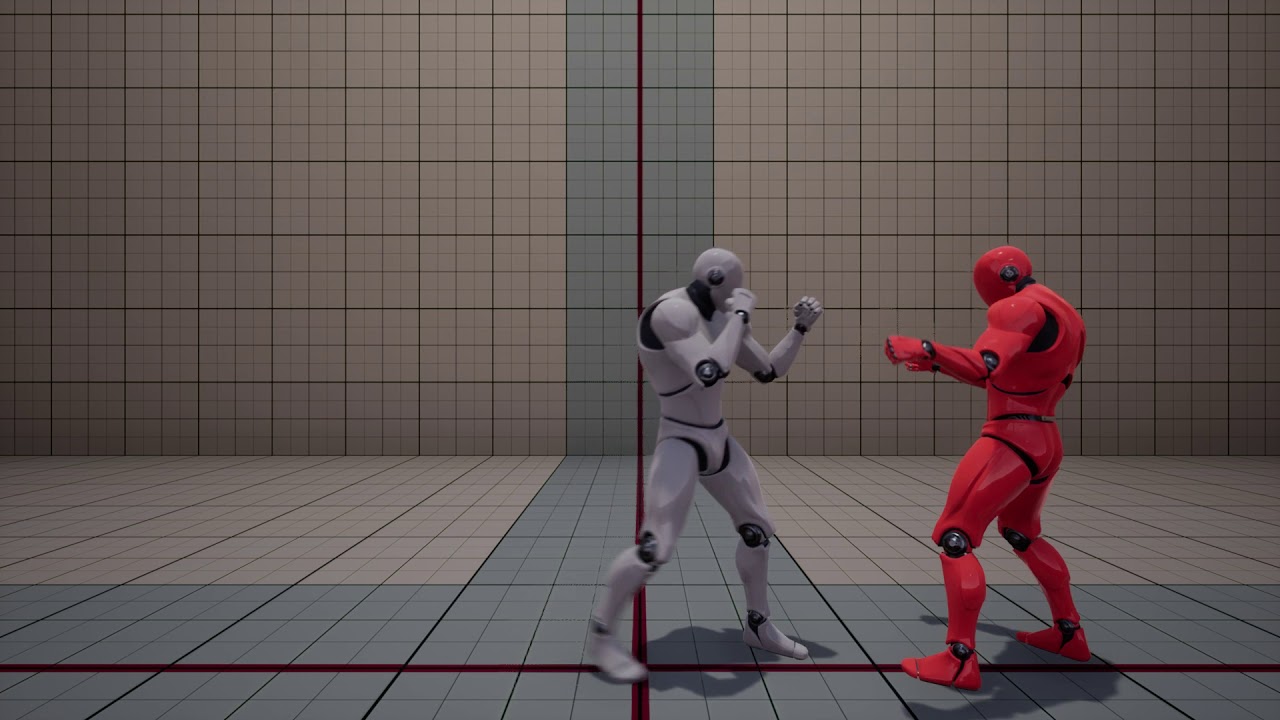
Fight Test 2: Skeletal Mesh Animation with Physics
carmine lion
only 1 error i think
i've tried Checking Force No Precomputed Lighting in World Settings
carmine lion
i haven't, i'll try looking through that
urban pumice
@safe rose Kubold fight animset pro
plush yew

ArtStation
This is a project for my starter skills and how good i am as a starter in level design!
added new photo to my portfolio! scroll now
note: im new to level design
what kind of level is that supposed to be for
like a platformer?
 river scarab
anyone with experience doing 2.5D games? I'm trying to mimic the same turning animation found in Insider. But I'm having hard time canceling an animation mid-turn, while keeping the character locked on the same plane (I'm using all root motions). I'm looking for some tips on how to do it.
basically this:
I'm trying to do root motion for all movements but the turn animation, but I'm not getting a good result. Wonder if there's something obvious I'm missing
drifting spindle
Is there a "best" or most efficient way to handle foliage dispersion?
plush yew
@plush yew im just doing it to improve my level design skills
@plush yew thats cool bro keep it up
plush yew
Thank you and I will
honest raven
Guys
Its just me or 4.18.0's FPS is alot slower?
I upgraded a project from 4.17.2 to 4.18.0
And my fps dropped to 20
from 50
And noticed my FPS is the same in both small window, and full window
 ebon saffron
OMG I'm soo confused all the channels have changed /moved lol
honest raven
Yeah x)
ebon saffron
What does xr mean on the other channel or is it a typo and meant to be VR ? Seems like they talking about VR stuff in their @maiden swift
 weary basalt
includes both AR and VR i think
ebon saffron
Ah I see thanks .
tawdry hedge
Hey. Does anyone know how to troubleshoot Swarm issues?
 faint cedar
Does anyone know where UE4 puts the dependencies that are downloaded via Setup.bat?
 analog sigil
@plush yew Playerunknown is the created of the Arma Mod and help consult with H1Z1 (Sony hired him) he didn't leech anything just finally had th oppotunity to make his own Stand Alone version of the game he wanted to create
wary wave
what are you even replying to?
analog sigil
a post above when I was here last
ebon saffron
@tawdry hedge check my guide section 6 . Should fix it
https://wiki.unrealengine.com/Dedicated_Server_Guide_(Windows_%26_Linux)#6._Fixing_the_lighting_swarm_error

In this video i will show you how to get rid of the lighting swarm error that happens in unreal engine when you try and build lighting.
tawdry hedge
Thank you, will check it out
 cursive dirge
@analog sigil we could debate about that as h1z1 shared a lot of things that pubg has, he totally cloned the work he did for sony. While there's nothing preventing you from doing that, it's bit sketchy when you are the person gotten hired to design the other game and then have your company attacking epic claiming they did the very same thing as well
in the end, you can't copyright ideas (usually), but there's also a moral line here when you work for someone
that being said, I do help out people doing similar games to mine, it's just, if you are a lead designer, it's bit different imo
 dusky rain
Any sound designer willing to team up for the Mega Gamejam?
 stray smelt
Is it possible to take a skeletal mesh with a physicsbody, make it go ragdoll and then "capture" that into a static mesh?
or I could perhaps just make it rigid after i have the pose I want. If it's not much difference in optimization
It's for a pile of corpses
 fossil ore
Good job with organizing discussion channels 👍
honest raven
Its just me or 4.18.0's FPS is alot slower?
After moving my project to 4.18.0
My fps from 50 droped to 20 (draw calls, renders takes ages)
And the fps is the same in full screen and windowsed screen
Any idea why?
Is it a bug or wut?
upper heart
what version did you upgrade from?
weary hull
new ue4 have a grass drawing bug don't they
honest raven
From 4.17.3
I do not have grass
Just soke foliage (30-40 overall)
And some static mesh
Some point light
And 2 skeletal mesh
That it
But in the previous version (4.17.2)
My draw calls just costed 6 ms
Now the same time as rendering
So do not really know which is the bottleneck
honest raven
Its just bad after upgrade my project from 4.17.2 to 4.18
Now in 4.18.0 its reaaallly slow
Maybe smrhing wrong woth the resoultion or idk
But feels like
Because the same render time on full screen and window screen
After arriving to home try to make some print screen
But there is really nothing ehat could affect my fps this badly
Static lighting
Just some actor etx
grim ore
do a stat graph to see what is causing it to go slow as well as a profilegpu. There is also a nice tech talk from Zak on optimization that goes over finding out problems for situations like this
honest raven
And as said in 4 17 my fps was 50
Yeah I checked it
And that ehy its fubny
I cant see what takes this much times
grim ore
if you still have the 4.17 version then that is good. The profile gpu will show the difference
honest raven
Hmm
Yeah make sense
I think the dofference is with the draw culls
Is the profiles show that aswell?
grim ore
stat scenerendering will show that
 forest kiln
anyone here willing to help me create a character for my FP game? Im really really new to unreal, and all the videos that ive looked at and wiki forums are obsolete and I cant figure it out at all (been trying to export my character to .fbx for like 3 days straight now)
(am willing to pay for help)
DM me for info or if you are interested
 buoyant echo
Is UE compatible with VS 2017? I forget
 tall pendant
yup
sleek spear
hey people, i want to make a reflective cube that rotates
 tawny brook
Reflective texture?
sleek spear
yes, but reflections are bad
i get good quality by attaching planar reflection objects to each side. but culling doesnt work
so it is very heavy for the gpu
i can only see three sides at one time but all six are being calculated
are there other ways to do this?
sleek spear
tried that but thats even heavier on the gpu
and not that good quality
any other ideas? box reflection capture cannot be used with this, right?
can i simulate culling with blueprints? turning on only visible planar reflections?
honest raven
Same project
One is 4.17.2
and will upload a 2nd of the same project but an upgraded version (4.18.0)
I do not know how much you can see here
BUT
safe rose
can't see shit
honest raven
The fps is just 20?
honest raven
Yeah
So
Basically
I have a project
Its was made in 4.17.2
And my fps was around 60
50-60
BUT upgraded it (copy) to 4.18.0
And now my fps is just 20
As you can see(well maybe xd) my GPU time is fine (10-20 ms), so somewhy the draw calls takes too much time (46 ms)
AND the projects are 100% are the same
Fuu my UI is too small xD
Like this even if I send my draw call profile
You cant see it xD
safe rose
make sure some defaults you may have turned off in 4.17
aren't reenabled in 4.18
stuff like bloom FXAA, whatever
honest raven
Yeah will check it
But not the rendering time is the bottleneck this time
But the draw calls
Wow
There are some cool stuff
In this 4.18.0
safe rose
Even though, I still read them and miss stuff
honest raven
Is kinda buggy
That why I thought: "Hmm... 4.18.0 sounds good" x )
Victor
Oooor nothing... will just google it 😄
Hmm this global find in bp looks insanly useful
Hmm
This Render Query Result kills me :/
Guuuuys
An empty level culling time is over 8000
(43 ms)
So 43 draw call from the ABSOLUTE nothing
oke...
safe rose
@honest raven hmm
honest raven
43 ms draw call sry
safe rose
there are things drawing to the screen though
as for 43ms
you understanding that the CPU coudl be waiting on GPU?
And vice versa
Now, unless you've screwed up your project settings
And/or have this really poop PC
honest raven
HMm
ionic sedge
Did you check standalone?
safe rose
But do note, there are items in teh scne that will get calculated, regardless if you see them or not
honest raven
ofc I know
safe rose
Packaged build
ionic sedge
Play - Standalone game.
safe rose
Or Standalone Game
honest raven
Ah yeah 1 sec
safe rose
Packaged build is better though
ionic sedge
Packaged is fine too but a bit overkill. 😛
honest raven
1 sec, waiting for it
😄
LOL I am totally confussed
I copied the Particle showcase from epic
AND
When I went to standalone game
This came out
I do not even have this map anymore
upper heart
it's still compiling shaders in that screenshot
honest raven
Yeah, but as I said
I do not even have this map anymore
I started the standalone game on a blank level
(btw my draw calls, and ui scale here is fine x ) )
Fuu lets leave it... will just go back to my 4.17.2 copy
There everything was fine
Here everything is messed up
:/
(I mean after upgradeing from 4.17.2 to 4.18.0)
 narrow zealot
A liiiiiiiiiiiiiittle help with UE4?
I've noticed that holding Ctrl + Click not only does the multi-select thing, but it also moves anything I've selected if I move my mouse one billionth of a nanometer in any direction.
-
Is there any way to disable that?
-
If there isn't, is there any painless to kill myself?
ionic sedge
Why not multi select with shift?
narrow zealot
...Because I just now learned I can do that
I think I'm going to kill myself anyway just from the thought of how easy that was
But thanks actually
drifting spindle
So I've imported a DDS to eventually turn into a skybox, and for some reason, I can't save the changes I've made to the file, when changing the compression settings and texture group.
I get a generic message that says it "failed to save"
Any ideaS?
buoyant echo
anyone develop for iOS?
cursive dirge
maybe ask in #mobile ?
@buoyant echo
or rather, ask your real question there
people tend not to answer generic questions like that
buoyant echo
Fair enough, that honestly was the question though haha, I'll direct the rest of my questions over to mobile now though! Thanks!
 muted apex
Hello. I have a problem with my unreal Engine vxgi 4.17.2. i have just finished installing it and everything seems to be working just fine. Vxgi in postprosessvolum are working just great. My only problem is that when i try to open console it won't let me open it. i have tried to change key ''edit->projectsettings->engine->input'' but it does not work. I have tried almost every key.. I hope someone here have a soloution for my problem.
i have norwegian keyboard, and norwegian windows
 stark linden
has anyone else noticed random FPS drops using 4.18? Possibly also using the latest GeForce drivers 388.13? Maybe the Windows 10 Fall Creators update? I'm struggling with this issue and I'm not sure which one of these screwed it up
weary basalt
Your not using an GSync monitor?
 pallid compass
@frank escarp you around?
 frank escarp
just arrived
pallid compass
Would you like to see something very insane.
frank escarp
i know
they are genious
but thats becouse they have created the uvs to cheat
not to actually paint/bake it
pallid compass
frank escarp
thats UDIM
frank escarp
its really not that complicated
pallid compass
oh?
frank escarp
i think they added support for it
all UDIM is, is to add more space than the default UV cube
pallid compass
I tile everything i use, and use masks
frank escarp
essentially UDIM gives you multiple UV squares
frank escarp
instead of only having a square from 0 to 1
both x and y
you can have multiple squares
that essentially are different textures
pallid compass
intresting
frank escarp
you can do the same thing on unreal by just setting up multiple materials
udim just makes it more automated and faster to use
pallid compass
Hmmm nothing on the wiki
You will find you wont really get 144fps in the editor when its got some weight loaded in too it
Even with a titan xp being beffy af
for some reason you just dont geti t.
dont it*
stark linden
yeah I'm not really looking for 144 in the editor, I just want to stop these huge fps drops
weary basalt
#work-in-progress ?
 slim mica
It's finished xD
stark linden
editor/PIE/event graphs/everywhere
pallid compass
Dam i cant find UDIM support info anywhere 😦
safe rose
@stark linden try to set monitor to 120fps
but I did have issues with Gsync
and had to disable it for ue4
sad, but I really don't play as many games as I used to anyway
If ue4 for some reason is having issues with >120hz monitors
I wouldn't doubt it tbh
pallid compass
@frank escarp This is the cloest i can find about it, am i blind or?
stark linden
I'm in that same boat... I don't play PC games nearly as much as I work on them. 120hz, 60hz, nothing fixed it
safe rose
hmm
frank escarp
that is indeed how it works
safe rose
I haven't noticed any changes in 4.18 myself
frank escarp
but you need a way to switch beetween different textures
pallid compass
Thank you very much, always super help ful ^^
frank escarp
so maybe vertex colors?
safe rose
And I have a 144hz monitor
frank escarp
or the X of a uv map 2
pallid compass
Im using MF for everything.
safe rose
3x Rogswifts
pallid compass
and RBG masks
stark linden
what video card/driver version are you using?
slim mica
@pallid compass there's a plugin for unreal that support UDIMs with supposed good perfomance
pallid compass
Oh?
Im just trying to squeeze as much as i can out of my MF setup for large objects
slim mica
yup it's kinda expensive
slim mica
It actually looks awesome
safe rose
@stark linden
ya, I forced my screen to 120hz for some reason
Oh, some bad flickering
at 144hz
I couldn't really tell a different from 120/144 anyway
60->120 on the other hand
stark linden
normally the only difference you feel between 120 and 144 is input
slim mica
Oh, I'd like to see 144 fps in my eyes
safe rose
I couldn't tell
pallid compass
i feel nothing 120 to 144
safe rose
yeah
safe rose
I haven't tried a 200hz monitor yet
slim mica
Max I've seen is 90 for VR
pallid compass
it makes 144 look like 60
safe rose
I couldn't even imagine how silky smooth that would be though
safe rose
But GL on your GPU
pallid compass
u can never play a console anymore
safe rose
In games
pallid compass
lets thank god that its only 1080p
pallid compass
titan xp here
frank escarp
hdr is awesome but its 100% a fucking disaster on pc
safe rose
I want to see 4k 120hz, and I will be happy
stark linden
when I'm not working, console is where I play the most. not that I prefer it, but its nice laying back in my lazye boy and having a drink
pallid compass
I play overwatch on ps4 actually
stark linden
OW on XB1
pallid compass
only because some friends do, but i have to scumbag it with mouse and keyboard because my left arm is damaged
it does not like pads
stark linden
Xim4?
pallid compass
yeah
stark linden
same
stark linden
haha
pallid compass
do you ever look at your old UV's and wonder, "why was i even allowed in the uv editor"
stark linden
well, I had brain surgery on my left side, I have a slight numbness and weakness on the right side of my body, but I'm way more familiar with a mouse so it helps me
pallid compass
totally understand man
imo if your allowed pads with padels and stuff, so u dont gotta remove your thumbs off the aimers
then where is the line
stark linden
off to DDU and revert drivers, brb
pallid compass
-scratches head-
I really want to understand how SC use tiling textures and UDIM's with there crazy UV's
frank escarp
they take tiling textures to a whole new level
its called mesh decals
search about it
 floral heart
Yay draw calls.
frank escarp
who cares
pallid compass
they have tiling textures with panel lines on and its blown my mind
frank escarp
mesh decals is just +1 drawcall
pallid compass
Mesh Decals cost like nothing dementiurge
frank escarp
their spaceship already has a good amount of materials and drawcalls
adding 1 for the mesh decal is nothing
pallid compass
I asked in my uni about this stuff, and tutors where clueless
so im going digging mad
ima take a big guess that millenia3d must use UDIM's then, his texture sheet finally makes sense lmao
frank escarp
that does look UDIM
pallid compass
Iv never got to see his uv's, but he was nice enough to show me a texture sheet & model
also vblanco iv been meaning to ask you, what do you specialise in, or is your strong field? just curious as you have good wide know of things
frank escarp
programming
pallid compass
Thought so!
frank escarp
the reason i know a bit of everything is becouse programming was actually the last thing i went to do
pallid compass
oh ;o
frank escarp
before learning programming, i learnt 3d art, design,4 years of professional music training, animation....
pallid compass
btw i remember you recommending SC awhile ago, and i actually bought it last week just to look at there content, its quality is really really nice
oh wow ;o
frank escarp
but the music part was only for performer (piano). i was never able to compose anything
frank escarp
but i never recomended SC?
safe rose
what's SC?
frank escarp
might be a misunderstanding, i might have talked about their tech articles and tech videos
pallid compass
I thought it was you who recomended it to me?
frank escarp
nope
safe rose
Substance?
frank escarp
i havent played it at all
pallid compass
might of been someone else
frank escarp
Star Citizien
safe rose
oh
safe rose
I don't think I go around recommending it either, but I do have my KS ship
pallid compass
Yeah the art dumps, and being able too see it was really nice
safe rose
Aye
pallid compass
I think they swapped over to lumber yard engine now?
The idea of stuff like that spooks me, going over to brand new bresh engine from company who is kinda fresh in this industry?
pallid compass
Ohhh? 😮
frank escarp
its just another version of cryengine
pallid compass
Did they buyout cry engine or?
frank escarp
at some point, crytek was about to die, and amazon licensed cryengine from them
safe rose
Nah, they bought out GameSparks though
pallid compass
oh dam
stark linden
then they added all their AWS stuff to it
frank escarp
btw, it was like the 3rd time crytek was about to die?
pallid compass
not suprised cryengine died lmao
safe rose
which is still unforseen wtf is happening there
pallid compass
"here indie devs, have our engine for 700,000$ licence"
oh wait it was 1.2mil lmao
pallid compass
and it still does not support fbx LOL
pallid compass
jesus christ