#ue4-general
1 messages · Page 110 of 1
 paper kernel
you then set the excluded ones back to 1
 gloomy horizon
and adjust the actor/player's time dilation by the opposite amount?
ah
okay that makes sense
paper kernel
🤔 I think, never tried it
gloomy horizon
so I would need an event that is used on every actor affected by dilation.
triggered whenever I trigger time dilation
makes sense I guess
paper kernel
some BP interface would probably work for that
paper kernel
yea I think so
gloomy horizon
Alright, I'll give it a shot! Thank you 😃
gloomy horizon
If I wanted to create a "Spawnable" actor, where it has a spawn and despawn function so that I can have them respawn after a specific amount of time
How would I gain access to the list of actors spawned in a map?
so I can do that initial startup sequence to spawn all the actors manually and they can then respawn themselves automatically after their specified cooldowns
I was thinking of just doing a check onbeginplay that checks if it should spawn by default
 undone coral
can we convert skeletal mesh to destructible ?
gloomy horizon
you can convert to static
and then convert to destructable
Answers so far appear to be "No."
But there are weird solutions like "I have not tried, but what if you create a squeletal mesh with only the bones and attach static mesh to them, after your model is even hard"
Perhaps something has changed since then however. This was in 2014.
 south ridge
Export skeletal mesh, re-import it as a static mesh
gloomy horizon
I do exactly what you describe i this video!

As long as your mesh is not contiguous / the various pieces are not connected,

you can simply use your skeletal mesh physics asset!

just delete all the constraints

and you will get the effect you want when you run simulate in the Physics Editor!
Perhaps an answer lies somewhere in there.
I guess deleting the constraints makes sense.
 restive oxide
hey guys, not sure where to post this one: I have perforce setup but I'm having an issue. I have added a few 3d packs from marketplace and I'm using a few items, but not all from those packs. I'm wondering if there's a way to only add the models I'm using to perforce so I'm not wasting space on the server
 warped silo
Yea, there definitely is a way to do that; but I've never done the process myself -- it could be as wasy as figuring out where UAssets from those content packs get stored, or as annoying as having to migrate out the ones you need from another project where you added the content pack. I wish I could be more help but I don't know your exact setup or config, but I'm certain that it's doable.
@restive oxide Once the pack is imported, can't you just delete the ones you don't need? This will remove the UAssets and perforce shouldn't hold onto them if you either a) use the engine integration or b) manually mark them for delete and submit.
restive oxide
how do I delete the not in use ones?
I'm not sure which ones I'm using, marking them individually would be time consuming, I was trying to find a way to automate the process
 plush yew
Please welcome @plush yew to the community! :beers:
gloomy horizon
@restive oxide when you try to delete something it'll ask if you're sure you want to delete it and it will tell you where its being referenced.
At least it does on my client?
plush yew
Please welcome @round token to the community! :beers:
Please welcome @halcyon holly to the community! :beers:
Please welcome @median geyser to the community! :beers:
Please welcome @vapid panther to the community! :beers:
plush yew
Please welcome @slate storm to the community! :beers:
Please welcome @candid goblet to the community! :beers:
gloomy horizon
Is there anything special about the default damage event?
Can I just plug in my own instead (without losing any serious functionality)? I'm simply triggering their damage event on overlap anyhow.
 fierce bluff
I'm so bad at my own game... wtf
plush yew
Please welcome @hot ocean to the community! :beers:
paper kernel
@gloomy horizon not really, it's just in every actor class by default
 plucky reef
how to create a clothing physics ? I just need to add bones in the clothes then after adding bones what now?
gloomy horizon
No lol what
paper kernel
you can do basic clothing with bones
gloomy horizon
Tian you import a plane that has no bones and import as a skeletal mesh
Then you can make it into a clothing asset using the experimental tools
It's pretty buggy though
If that's your question
I should add importing as a skeletal mesh adses a base bone but it's irrelevant
 polar fossil
Is anyone aware what's the UI toolkit used for the Launcher?
plucky reef
I should check the Experimental tools
after creating bones, I will just only activate the APPLY PHYSICS right?
I got another question tho
look at my model
I want to make him more like brownish like a mexicano with tacco lol, and I want to make him more rough not shinny like that
Here is my material, I'm not yet familiarize with the material section, currently studying proper topology
can I add a white/brownish color to combine with my Base Color? or my only option is to repaint him?
plush yew
Please welcome @cold pecan to the community! :beers:
 ionic sedge
@plucky reef You can multiply the base color with another color, or use 3ColorBlend.
For the shininess reduce the specular or increase the roughness.
Import mesh (oh crap, forgot to tick import morph targets). Click import mesh again, selecting the mesh (oh crap, that reimports without a dialog box now). Open it in Persona, go down to the bottom of the settings, open Asset Import Data, tick Import Morph Targets, reimport with Persona button (??? no morph targets were imported), close Persona, click Import mesh and select mesh, morph targets appear now.
Epic please.
plush yew
Please, why it says it isn't in Content? Looks on adress, it is in content.
ionic sedge
Migrating only works properly when importing into Content/
You can move stuff after that.
plush yew
Oh, thanks
It doesn´t work for me
When I migrating to Content
"An asset already exists at location I:/Hry/WalogomCarvings 4.17/Content/HUDs/HUDSounds/Score.uasset would you like to overwrite it?" But they don't exist there
When I click on "Yes all" that is the message
plucky reef
@ionic sedge "You can multiply the base color with another color, or use 3ColorBlend." how?
ionic sedge
What's the message in the message log?
 maiden swift
@plush yew What is the problem?
ionic sedge
@neat yacht You put the nodes in the material editor? 😛
plush yew
@maiden swift I can´t migrate sound wave files to content folder
when I migrate it to another folder inside my project, it also copy every folder to those files
maiden swift
@plush yew Please don't tag moderators for troubleshooting. Only do so when you see someone violating the rules.
 fierce tulip
and why are you calling out us moderators?
plush yew
@maiden swift ok, sorry
 sacred crater
We're here to moderate the community, not to help with every question :)
Oh pfist got it
maiden swift
👍
plush yew
But who can help me with that?
sacred crater
people from this community
answerhub
forums
facebook groups
lots of places to request help
maiden swift
@plush yew In a chat like this, it's best to just ask your question and wait. If someone is online and can help, they'll answer you.
ionic sedge
@plush yew I'm trying to help but it's not easy when you ignore my questions. 😛
plucky reef
@ionic sedge I don't get it
ionic sedge
@neat yacht https://docs.unrealengine.com/latest/INT/Engine/Rendering/Materials/index.html Here, read everything.
Controlling the appearance of surfaces in the world using shaders.
plucky reef
now that's helpful! can't study this one since I'm currently studying proper topology Thanks @ionic sedge
maiden swift
@plush yew Are you sure the file doesn't already exist? If you deleted it in UE4, it might still be there in Windows Explorer. Check the folder for the file outside of UE4 to see if it's there.
plush yew
I had it only in Sounds
and I want move it to another folder
so it can't exist there
and I don't see it there
ionic sedge
Try right clicking the folder you want to move it to and do Fix Redirectors.
ionic sedge
I didn't say you should move a folder... 😛
plush yew
you want to move
ionic sedge
Try right clicking the destination folder and do Fix Redirectors.
ionic sedge
Yes, does it work?
ionic sedge
Try right clicking the folder with the sound files in it and do Fix Redirectors there too.
plucky reef
hmmm so just try this one if you don't have a choice left but this is also 50-50 chance rate okay?
plush yew
How can I fix redirectors in Content? I though, only folder with sound files
plucky reef
first exit UE and locate the "FILE EXISTING" outside UE, in windows explorer and try to move your "SOUNDS" to desktop for example and run UE, try to re import the thing you want to import then after save exit and try to import the sounds too
plush yew
I can' import it again
I am used them
in BPs etc.
everything will broke, when I import it again
plucky reef
then just move it
plucky reef
try to backup first
plucky reef
just copy your whole UE project to another folder
plush yew
it doesn't copy BPs, no?
plucky reef
then that's your TEST folder, then try to do the RISKY moves, and if successful and nothing broke then do it in the original file
it does
just locate your project in desktop then copy it
to other location
and that's your safe testing project
so if something goes crazy then at least you got your original project
plush yew
Please welcome @buoyant slate to the community! :beers:
Please welcome @lunar maple to the community! :beers:
 upper heart
4.17.2 coming this week?
ionic sedge
Next week according to 4.17 release thread.
It seems like there's an option in the Editor Preferences called "Show Import Dialog at Reimport" (in miscellaneous), good to know. 😛
Really disliked the 4.17 behavior.
 humble rivet
https://forums.unrealengine.com/filedata/fetch?id=1094020&d=1448557350 is this still a good way to create an RTS camera ?
 plush yew
Please welcome @fiery hamlet to the community! :beers:
plush yew
Please welcome @paper glacier to the community! :beers:
gloomy horizon
You can send a pawn through an actor node but not an actor through a pawn node
plush yew
Please welcome @plush yew to the community! :beers:
 thorny iron
good lord the marketplace is annoying to navigate
when I click < Back, it returns me to the top of the page
making me scroll each time
gloomy horizon
Yeah I still have 30 bucks from when they handed it out after UE4 went free to play 😛
Can't navigate their store since it launched so I just don't spend it
 uneven shard
anyone know if theres an option to make the new folder button in world outliner create a child folder instead of a parent? im looking through the options and don't see anything obvious
 silk pumice
if you hold alt key and and arrow left or right it moves the box on the grid up and down but if I do up and down arrow it does not do anything. how do you move the box with keyboard across all axis?
like left,right,forward,back, up, down
plush yew
Please welcome @plush yew to the community! :beers:
Please welcome @plush yew to the community! :beers:
gloomy horizon

Anyone know what the reset button does here?
I can't seem to figure out much about it.
plush yew
Please welcome @opal ice to the community! :beers:

 floral heart
E.g. Air control?
upper heart
yeah I'm messing with that. That is for keyboard, not mouse. but I guess it's a place to start
 floral pagoda

A first look at the under development Blender 2.8. Specifically the new Eevee realtime renderer, as well as clay rendering mode. It's pretty staggering how m...
gloomy horizon
@upper heart it's not air control with mouse
it's a constantly moving forward direction based on character rotation
and it just so happens mouse movement plays a larger role in that
You want to limit your forward momentum with your normal speed limit but crank up the velocity whenever your mouse is moving and W is pressed
upper heart
I see 😃 That is helpful, thank you Supa
gloomy horizon
Indeed ^_^
plush yew
Please welcome @plush yew to the community! :beers:
 frank escarp
blender 2.8 is going to be super stacked
better viewport than any other software
it seems it will even look better than Marmoset
i made this today, wich is a beautified render of a model from my game
i just remadde the same materials they were in ue4
gloomy horizon
decent
frank escarp
blender 2.79 adds the "principled" shader
this shader for cycles is basically the same thing as unreal engine material
so you can plug the textures directly
ionic sedge
I hope 2.8 brings better performance for rigs with the new dependancy graph, can't view the mesh and play back at 30 fps now, using a mirror modifier and stuff.
plush yew
Please welcome @ember widget to the community! :beers:
Please welcome @candid vale to the community! :beers:
 pallid compass
Thoughts on limit to the amount of materials u would have on the character?
frank escarp
btw, blender 2.79 releases tomorrow
@pallid compass just dont be a fucking idiot
more materials = more drawcalls
not much more of a performance hit
and of course, it lets you separate special materials for things like glass
pallid compass
Yeah im aware
But what really is too much
i have no scope of too much for say 10 chars on screen each
or 100
etc
frank escarp
btw, remember the guest in last UE4 Blender Stream?
mike erwin?
he is going to work on the GLTF workflow in blender
 bleak cargo
Depends on what your use is for
frank escarp
just remember. Even the incredibly high quality characters of Paragon dont have more than 3-4 materials
and thats for incredible high fidelity stuff, with things like skin material or hair material
pallid compass
wait what..
theres like 3
for just the head
i remember seeing that
its gotta be more than 3-4?
Skin, hair, eyes, armor, weapons? etc
frank escarp
weapons arent counted
armor usually goes alongside the rest of the body
yeah, skin, hair, eyes are all separate materials
due to how different they are
pallid compass
im just thinking for my ships thats all
Body, wings, engine, then weapons
and other stuff
getting worried its too high
plush yew
Please welcome @plush yew to the community! :beers:
frank escarp
why would you need multiple materials there?
you can put everything in 1 map
im sure 1 4k texture is better than 4 2k textures
pallid compass
no lol
not if u have loads of parts
u cant fit it in single 4k map
the normal map texture loss is awful
plush yew
Please welcome @stoic agate to the community! :beers:
gloomy horizon
What would you folks recommend for spawning text in 3D Space?
I wanted to make it something I can call from other classes at random
so I can display text above damaged enemeies (Like damage dealt)
 livid haven
Do you really want it in 3D space?
gloomy horizon
Yeah, borderlands style.
livid haven
Or do you just want it in 2D space corresponding to a 3D position?
gloomy horizon
Hmm
livid haven
I don't recall how it looks in Borderlands.
gloomy horizon
That's a good point, neither do I actually.
Yeah I think 2D text
in 3D space would be bettter tbh
especially in VR
 digital anchor
livid haven
digital anchor
livid haven
So, what comes to mind is that you'd have a Canvas in your HUD
Spawn a widget at the deprojected position of their head.
Have it update it's position each tick based on the old 3D position it was spawned at.
gloomy horizon
how do I get the deprojected position
livid haven
I don't recall the exact API.
But you can find some hits on deproject, project, world, viewport, screen
Alternatively (sorry for the delay)
You could try using the UMG widget component. Probably best to spawn 'em on a separate actor located where the original actor was, so it doesn't get destroyed with them.
I think you can make the UMG widget component auto-billboard.
gloomy horizon
no prob for the delay
i had a spider crawl on me and due to recent back injury hurt myself more than I should of tryingto get it off
plush yew
Please welcome @uneven fractal to the community! :beers:
 uneven fractal
any starter tutorials you guys would recommend?
plush yew
Please welcome @elfin field to the community! :beers:
Please welcome @wheat grotto to the community! :beers:
 wheat grotto
@uneven fractal what were you looking to start with? Have you looked at the starter content?
uneven fractal
Not entirely sure the engine is dling atm so I'm just making a list of need to watch guides and such
wheat grotto
Introductory information for developers starting out creating games with Unreal Engine.
Has a lot of introductory stuff.
If you're going to program, might want to check out the reference library as well.
uneven fractal
very intresting stuff my only coding experience is going from bottom up with java making shite little programs for a programming class so this is very intresting how it's much more top down oriented with everything already being there
plush yew
Please welcome @jade ginkgo to the community! :beers:
plush yew
Please welcome @sour lotus to the community! :beers:
Please welcome @unique spire to the community! :beers:
Please welcome @blazing shell to the community! :beers:
plush yew
Please welcome @snow pier to the community! :beers:
 snow pier
nah dont mind me im just here to lurk
plush yew
Please welcome @chilly schooner to the community! :beers:
 tulip vault
!gameidea
plush yew
A horror game where you whistle at conspiracy theories to gain levels and you can only make one mistake.
tulip vault
!gameidea
plush yew
A shooting game where you poison magic cards to unlock a mysterious door after landing on a mysterious planet.
tulip vault
sounds kinda like doom
plush yew
Please welcome @analog isle to the community! :beers:
 analog isle
I like beer
 steady frigate
Is it just me or is downloading 4.17.1 painfully slow for anyone else.
 fiery harbor
@steady frigate how slow is painfully slow?
steady frigate
fiery harbor
ah, that's quite slow
steady frigate
Yeah should still be done before UE5 comes out though 😄
fiery harbor
you can get it from github if you don't mind compiling it yourself
steady frigate
that would mean compiling on windows
I dont mind compiling software, I detest compiling on windows.
fiery harbor
eh?
I think you can compile it on Mac too if you prefer that
or are you a Linux guy?
steady frigate
Linux 😄
fiery harbor
ah nice
what's the alternative to visual studio on Linux?
visual studio is so great, I can't imagine Linux has anything better, so why do you dislike compiling on windows?
steady frigate
for the stuff I've done which isn't a lot mind you I never use anything except geany and G++
like those are the only 2 things I need. Dependencies not included
fiery harbor
ok
I dislike windows, because I dislike closed source software from huge companies, but I still think it's an awesome platform for developing software
it seems to be possible to compile UE4 on Linux though: https://wiki.unrealengine.com/Building_On_Linux
@steady frigate did you take a look at that already?
 safe rose
Hmmmmmmmmm, I have a question... is there a way to ENTER Editor windows with the keyboard currently, specifically DataTable window?
Like I can't enter them, I have to click on it.
https://i.gyazo.com/258b38721b36f3c290b71a9dda457351.gif
 steady frigate
I saw it ages ago but never tried it. Which is why I still have windows in this dual boot machne
plush yew
Please welcome @gritty dirge to the community! :beers:
steady frigate
Well its finally downloaded now thanks for the help and sorry about just coming here and moaning about my slow internet 😛
 shy heron
WHO WANTS TO PLAY [MAD GAB] ????
Its easy ... ill say some words like
ASK RUDE ARRIVE HER
and you gotta say it out loud and type what it sounds like your saying , in this case
if you say "ASK RUDE ARRIVE HER" out loud , it sounds like your saying
"A SCREW DRIVER "
GET IT ? if you want to play give me atleast 3 thumbs ups and we will begin
 ruby chasm
Anybody ever get lag in UE4? Looks like low FPS but no FPS warnings, my mouse lags behind a little, project takes long to load etc. I have an i7700K, GTX 1080, 16 GB ram and my CPU and memory usage is between 10% - 40% when I'm not doing anything heavy but the lag still happens.
I updated my GPU driver.
 icy wind
anyone have experience with perforce? used to a single classic depot but trying to make 2 different stream depots but i keep getting a ...#head - file(s) not in client view. error, not entirley sure how to fix it but im sure its simple x.X
ooohhh.... think i might of found the issue x.X
icy wind
yea, but i noticed in the history the revision are going up strangley like from 5 to 8 etc
or 4 6 7, is the history still showing the difference between the two depots?
anyway to get each depot its own history?
nvm, got it... tend to find the answer right after i finaly ask the dam question x.X
icy wind
@safe rose created two additional folders inside the the holding folder for my projects for perforce
not sure if its what your supposed to do or is a hacky method but hey it works >_>
 jolly void
anyone accustomed to packing to UWP could give me some lights? my first issue is straight not being able to build the UE4 generated file from the uwp to unreal fork
frank escarp

Home of the Blender project - Free and Open 3D Creation Software
blender 2.79 released
the last stable release before the madness of the 2.8 branch
ionic sedge
I tested 2.8, pretty cool.
 steep flicker
 cloud cobalt
What's wrong with 2.8 @frank escarp
frank escarp
its incredibly half-baked right now
and will be very buggy for a long time
i remember the 2.5 days. It didnt become properly stable until almost 2.6
cloud cobalt
Well, it's not released, is it ?
ionic sedge
It's not done but there are experimental builds if you want to try it out.
I think the transition to 2.8 will be way smoother because of the devs experience with the 2.5 process though, they planned things way better this time.
frank escarp
@cloud cobalt its not released, but when 2.8 itself releases officially, you can be sure as hell its going to be crashtastic for a while
cloud cobalt
I certainly hope not :/
ionic sedge
I doubt that you will have many crashes.
frank escarp
few people will use blender 2.8 before official
wich means that only part of the bugs will be reported
ionic sedge
I tested it and didn't crash once. It will crash if you've got an old GPU that can't handle the new opengl requirements though.
frank escarp
once a blender version gets released, WAY more people try it
as such, much more bugs get reported
and eventually get fixed
right now blender is rock solid
but thats becouse they have been chilling with the features a bit lately
blender 2.8 is balls to the wall FEATUREEEEEEEEEEEEEEEEES update
so much new stuff will be buggy
ionic sedge
Buggy, sure. I doubt it will crash though.
ionic sedge
I don't see why that would be the case, Blender is still C (+ python) right now and doesn't crash. 😛
I think you're way more likely to crash now rather than later, but you can still report any bugs on the Blender bug tracker if you find them.
frank escarp
its stable now becouse they have been fixing bugs for a lot of time
Blender 2.5 was all the new stuff, it was ridiculously crashy
by 2.6, they made it stable
and broke it becouse on the 2.6 series they started to add features at a extreme pace
from GSOC and similar
but kept it under control
the 2.7 series slowed down a bit, and they focused more on bugfixing before releases
 keen plank
@Epic Staff i really wanna thank you so much to all epicgames team, everyday i`m discovering new awesome stuff, you really Rock EpicGames, this is MadNess, love you all 😃 🤘
 topaz jay
Has anyone had issues adding a plugin as an engine plugin on version 4.16 ? mine is simply not being listed it seems and i can't figure out why
 bold siren
has anybody else had a bunch of crashes when using the sequencer in 4.17?
 scenic chasm
@bold siren I see that there are some fixes in 4.17.2. Here's one of them: https://github.com/EpicGames/UnrealEngine/commit/5e41c856d1a8ac654aaf814a43444712abb9950d
Not sure if this is your issue. Might want to roam github on the 4.17 branch to see if anything is upcoming.
bold siren
thanks teak, i think i found it here https://github.com/EpicGames/UnrealEngine/commit/a70eea219782413f28d6bbddb44cedfe5b4ab694
scenic chasm
awesome...!
thorny iron
Hey guys - what are your tricks for organizing marketplace assets in your folder?
as opposed to having lots of 3rd party folders ;\
 stoic agate
I keep all marketplace in a separate project organized by however its delivered by default. If I come across something that is actually usable (seems like 90% isn't) I then Migrate the asset I want to my project
thorny iron
Still when you migrate it, it'll come with all its named folders
why do you say 90% isnt usable?
I MUST know why you find them unusable :p
@stoic agate
gloomy horizon
How can I grab the rotation from one actor to another?
Not necessarily the player either, just the rotation that would be the heading direction towards another object.
stoic agate
@thorny iron Sturgeon's Law
 obsidian nimbus
from what i read the cpu are pretty decent for price atm, vid card mwehhh
was hoping for more power for less power 😛
frank escarp
threadripper is cool for compiling
and baking lights
pretty sure of that
but its singlethread performance is just "ok"
obsidian nimbus
as for marketplace stuff , a lot of stuff u can find free on the forum and it will work better cuz many more ppl contribute
there are a few good sellers , but there is a lot of hacky stuff on there
i gues its good for props like trees and materials
thorny iron
trees yes
grass yes
materials - maybe - although I find it more productive and more control with Substance
absolutely love substance
 halcyon marlin
thorny iron
halcyon marlin
thorny iron
actually does anyone know if this looks any good:

12 high-end Water Materials, ranging from Ocean to Waterfall, created with Vertex painting and Material Parameters to give you full control over the final look of the Material.
obsidian nimbus
yea u get free materials if you have substance... its only for ppl that dont have it/ dont do materials i guess
for furniture and scene building its great i guess
it looks good on the pic
and epic has a water planes project in learn tab
thorny iron
I do use the ocean plugin from community but it's not good for smaller planes
(ie lake, pond etc)
yea ill check epic's, last I checked a couple years back it was kinda lacking but will look again
they're not too difficult to make either - ive used them in some instances, but i dunno, sometimes its nice to see what other ppl make 😉
obsidian nimbus
yup true , its hard to see from a few pics if its any good, could be worth the money i have no idea
 toxic wagon
what all does the animation starter pack have?
obsidian nimbus
grab it , its free 😛
toxic wagon
I don't want to install it just to see what it has :v
floral heart
Do it anyway
floral heart
Step 1: Buy 2 TB SSD
Step 2: Download all the free things
Step 3: ...
Step 4: Bankruptcy
 proper quiver
hey all, I have a folder I need to add as additional non asset directory but I want to EXCLUDE a specific folder in that directory
how do I do that?
 surreal viper
exclude what from where?
proper quiver
I have a Content/Scripts folder I want to include as Additional Non Assets To Copy
but I DON'T want Content/Scripts/game/node_modules
 cyan grotto
kind of a dumb first question but I'm litterally taking my first steps with UE right now
my visual studio is checking LOTS of files at moment
is it going to do this each time, or with each project, or is it a one time scan?
livid haven
@cyan grotto First time cost, generally, but that's Intellisense. Intellisense is kind of shit at coping with UE4's size and complexity. The only alternative is buying a 3rd party plugin called Visual Assist X from Whole Tomato Software, $100 US.
livid haven
Shouldn't be a huge problem.
The bigger problem is that Intellisense just doesn't behave very well and you might be left without autocompletion in some cases or unable to easily jump to the declaration/definition for something.
cyan grotto
yeah, I had a couple times where autocompletion didn't really keep up
...that's going to bother some people at school
I am looking at you, people who_name_your_stuff_like_this
uneven fractal
where do I find the parameters tab in persona_animations?
uneven fractal
not sure just got unreal 4 and I'm doing the tutorials but part of it seems to be outdated
I guess X-axis label X-axis range and X-axis divisions @safe rose
safe rose
@uneven fractal they are broken up into 4 chunks now
It is no longer one whole "persona"
It has split personalities
Editor for previewing and editing AnimBlueprints, AnimationSequences and other animation assets.
uneven fractal
oh god
uneven fractal
alright I wasn't entirely sure since this was like the baby tutorial before it branches off into distinct branches like graphiics animation audio ai ect
 unique spire
guys is there a way to send a game asset as a prefab?
with all the mats already on the object?
unique spire
hmm okay is that the only way?
safe rose
I mean
I don't understand your question
This isn't Unity
We don't have Unity Prefabs
BUT
There is a plugin that does that
unique spire
so a 3 artist made a model for me and she wants to send it me but when it goes in the ue4 engine i will need to manually add the textures and mats
safe rose
well duh
UE4 uses Materials
You will need to hook them up in Mats
and then put those Mats on the Static Mesh
or SK
unique spire
yeah thats what i thought
safe rose
Your question was confusing 😉
unique spire
sorry bro
safe rose
It's okay
unique spire
bit silly how u cant send a model over to ue4 and have all the textures applied onto it
safe rose
Umm
I don't think you can do that even in Unity
But I didn't do any 3D work in Unity
So, I guess I wouldn't know
unique spire
yeah same been agers since i used unity
safe rose
Yeah, you would be hard pressed
To find an engine that could do that
I mean, I don't think it's impossible
There must be a way for the importer to handle it
There was a discussion about this last night
Actually
Someone wanted a programmer to make such a plugin
uneven fractal
so I'm totally new if I'm interpreting this right you wanted your model that's already skinned to be imported into ue4 with that skin already as a material?
safe rose
@uneven fractal I was assuming he already knew how to import into the engine
and that these: https://gyazo.com/b47e39f66ff43c11b5a163a1e5910495

since they are default on
uneven fractal
oh don't worry I got it eventually
The parameters I was looking for were there by they changed they names of the ones I was looking for in an update
safe rose
icy wind
glorious... especially the needs update button x.X
safe rose
Post if you have any ideas
Or just if you support or hate it
Epic really needs more input
More constructive ones obviously
icy wind
ue4 evolves at such a pace it should almost be a prerequisite that theres a need update button
safe rose
I agree
I thought I had proposed this once
But I think I was talking to someone directly though
 urban salmon
UE docs turning into a wiki is a... bad idea.
safe rose
not a wiki?
icy wind
i say start with the needs update, then if it comes to a certain point rely on the community
if anything should have needs update button or - this doesnt exist in ue4 button anymore x.X
j/k sorta >.<
plush yew
Please welcome @final oar to the community! :beers:
safe rose
@Pingu#2287 Sounds like a #blueprint problem
 plush sky
Hey, does anyone know if we can use the unreal logo for a splash screen when the game is opened?
and what are the guidelines?
can we edit anything?
livid haven
I can't answer any of that but I'm pretty confident that stuff is answered on some legal page or some such
livid haven
I know it's not without constraints, especially after less than savory titles used the logo and thus associated Epic/Unreal with their content.
safe rose
Aye
And they want us to use Black Logo now
versus the colored version
😭
Which is obviously 100% up to their discretion. Since it's their new logo.
livid haven
The link you provided actually says to talk to them about customizing.
 livid haven
plush sky
livid haven
plush sky
i just want to add Powered by above it
safe rose
Look up
livid haven
Look down
safe rose
lol
plush sky
thanks guys
livid haven
Aye.
plush sky
i mena i just think they should have the credit of the game makes it. lol
livid haven
Just saying you can customize it, with their approval - they're not unwilling to discuss that and include instructions for getting it cleared with them.
plush sky
by creedit i mean that they get credit the game was buildwith unreal engine
safe rose
Aye, they are pretty quick to tell you what's good or not
literally less than 24 hours from when I submitted once
livid haven
I think the main credit they care about is that 5% royalty. 😉
plush sky
haha yeah
safe rose
Their Legal staff doens't look to be overworked ;0
safe rose
3k
livid haven
Oh, way lower than that AFAIK
safe rose
3k per quarter
safe rose
so 12k per year
livid haven
Yeah, 3K is what I recall.
safe rose
I mean
plush sky
so 9k per year
safe rose
?
plush sky
my bad i am brain dead, been on this for 2 days straight
safe rose
Heh, trust me, I can understand the feeling
plush sky
haha, yeah. and i was stuck on such a simple BP issue.......took hours to work it out and it was such a simple fix....
i think i need sleep lol
plush yew
@safe rose, Sent you a DM with information.
safe rose
hmm, guess I never noticed that
plush yew
Please welcome @mellow thicket to the community! :beers:
 remote roost
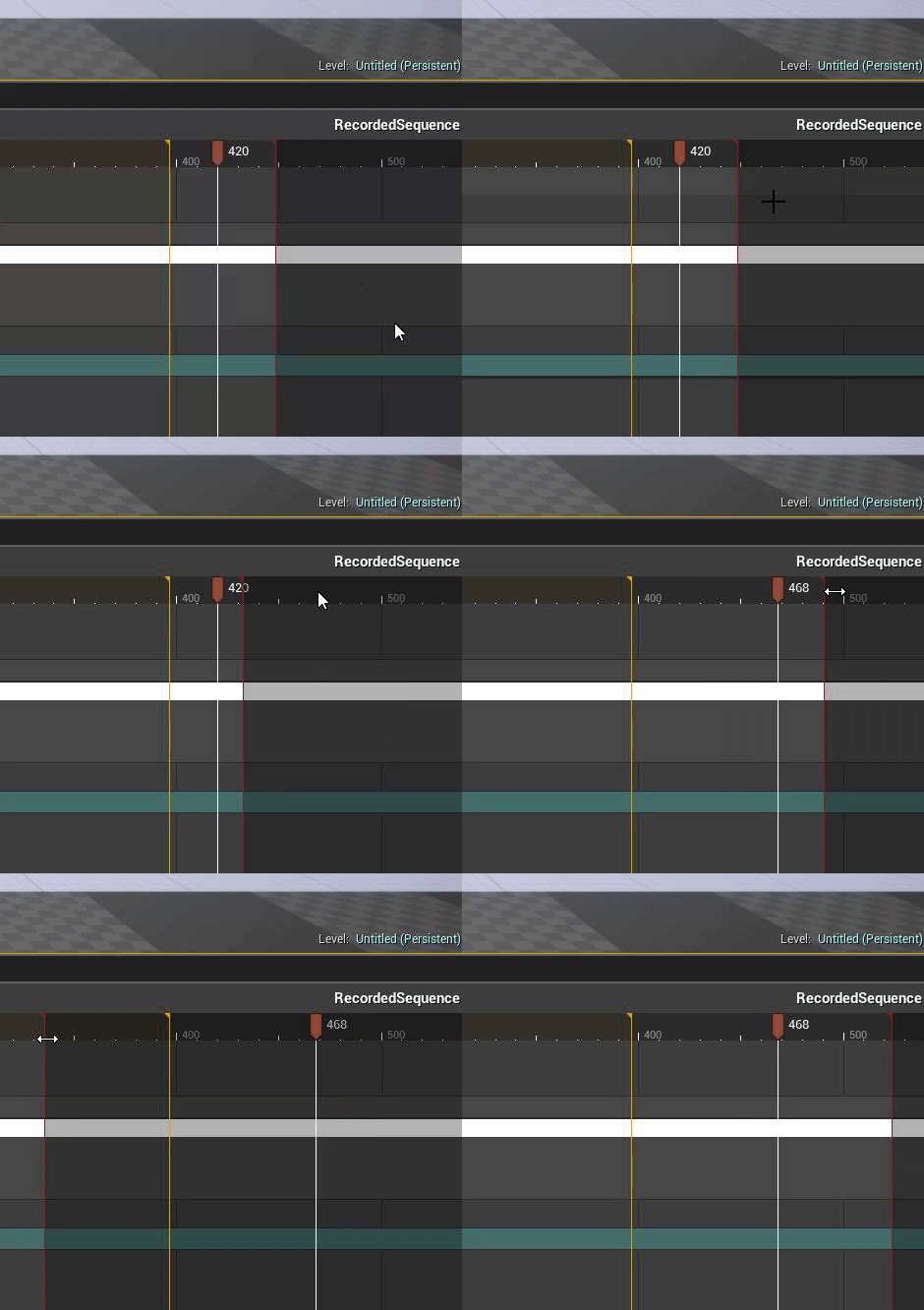
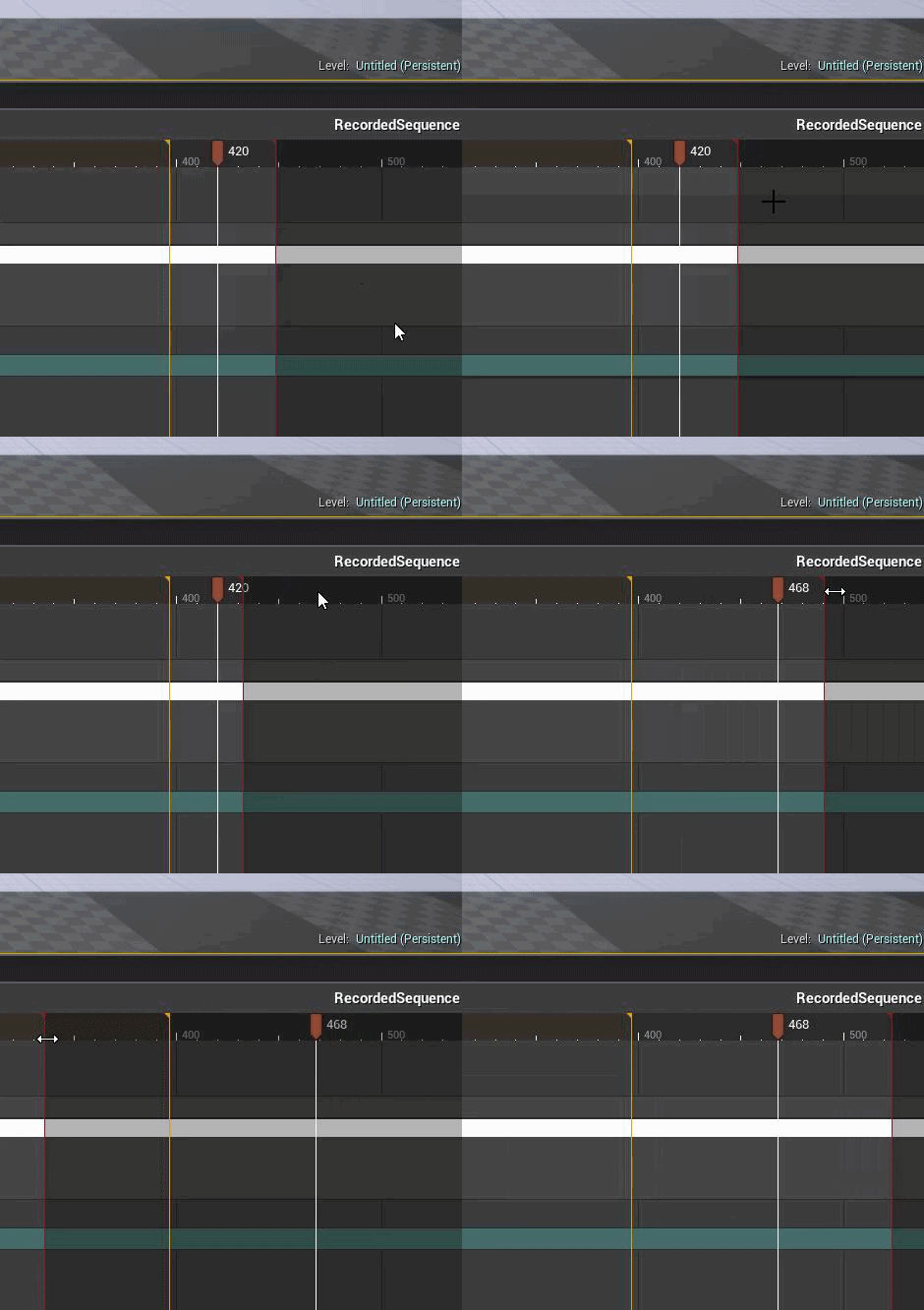
Alright, I can't for the life of me get the length of my level sequence as long as I need to get it to be.
How can I extend the length of it?
 remote roost
Isn't changing anything, my camera cuts is below what I want it to be
should i just redo the end part
as it probably wasn't being recorded
I just can't get the track to be any longer for some reason
Making camera cuts longer just breaks the level sequence and it won't even spawn
plush yew
Hi all. My message log is kind of not on screen so I can not see what it wants to tell me. Is there some way to get it back into view? Closing and opening again doesn't help =/
plush yew
Please welcome @wintry dragon to the community! :beers:
 robust tree
hey
Can i ask you for retweet https://twitter.com/Bart_Kamski/status/907890518868324352

Sale is over. But new sounds are finnaly there. If you have it update it, if u don't buy it! #gamedev #indiedev #gameaudio #ue4 https://t.co/6S2V4BDXgf
 Twitter
plush yew
Twitter
plush yew
Please welcome @steep shoal to the community! :beers:
Please welcome @noble lichen to the community! :beers:
plush yew
Please welcome @karmic sluice to the community! :beers:
Please welcome @fallow latch to the community! :beers:
plush yew
Please welcome @acoustic dock to the community! :beers:
plucky reef
Now I'm done with my model
safe rose
@lean fog @steady fractal so sexy
plush yew
Please welcome @winged belfry to the community! :beers:
 winged belfry
Hello guys! Can you explain me how it here works?
 steady fractal
I know I'm sexy
I just thought I was the only one who knew it

Oh man that felt good
winged belfry
Oh well, I found it in #more-resources
plush yew
Please welcome @primal prairie to the community! :beers:
 primal prairie
Hey
winged belfry
I have got problem with Editor (there is missing channel for #editor), I'm installed CLion plugin yesterday and everything worked great. But I miss compile button today. Anyway C++ Source files all still in editor, only the Compile button is missing. Can anyone help me fix this issue?
UE: 4.17.1
I'm tryed to regenerate Visual Studio project files.
There is screenshot how I mean it.
plucky reef
how did you create that facial animiation @steady fractal ?
steady fractal
I MAKE THE MONKEYS
ionic sedge
Blender 2.79 says "what's up"
steady fractal
It's blender 2.8 I'm looking forward too 😉
plush yew
Please welcome @polar fog to the community! :beers:
surreal viper
just make weird faces in front of a mirror and u will know everything
cloud cobalt
What do youw ant to know exactly ?
It's not exactly something you learn just like that
primal prairie
Does anyone know much about important blender FBX to unreal?
i find my scale is very off
ionic sedge
You need to change some settings from the default.
primal prairie
Can you point me in the right direction?
ionic sedge
It should look like this.
ionic sedge
Then select your rig and scale it up by 100 times, then select it and do Apply Object Transform selecting scale, then do the same for the mesh.
primal prairie
Wouldnt that just make it so the unit scale is actually 1..?
ionic sedge
You would think so, but that's not what happens. What happens is that things look normal but are really 100 times bigger, which solves scale issues for rigs in UE4.
ionic sedge
Blame UE4 for not handling rig scaling well. 😛
But with the settings I posted things should work the same as in Maya.
primal prairie
so then i have to change camera clipping settings etc just to look at the mesh in blender
ionic sedge
Yeah.
primal prairie
Pretty sure its still the same size in unreal :/
ionic sedge
So what is the scale problem?
primal prairie
Or maybe it is just huge.. im trying to figure it out
basically i have a pine tree
that is something like 65m tall
ionic sedge
Did you apply transforms for the rig and mesh? You should also export at 1 scale.
plucky reef
I need workflow for facial animation hmm
primal prairie
I appled scale to the object
and rexported at 1
how do i apply transforms to the mesh?
ionic sedge
If it's not a rig you should only do it to the mesh.
But scaling works properly for static meshes so that's not your issue probably.
What happens in UE4?
primal prairie
One second let me check something
how do i make a box in unreal with metre dimensions?
 graceful falcon
I'm having troubles getting SceneCaptureing to work the way I want. I set the Capture Source of my SceneCaptureComponent2D to "SceneColor (HDR) in RGB, Inv Opacity), as you can see in the screenshot. Also, the preview of the render target looks perfectly okay. But when I open the render target, the object is being rendered fully transparent. Render Target Format is set to RTF RGBA16f.
That's what I really get:
ionic sedge
Try changing inverted opacity to something else.
graceful falcon
I've tried all of the options, I either get a fully transparent texture or the object starts to glow:
SceneColor (HDR) in RGB, 0 in A leads to a fully transparent texture.
The glowy thing comes from using "Final Color (LDR) in RGB"
ionic sedge
So in the mode with inverted opacity, what shows if you double click the texture and disable alpha?
graceful falcon
@ionic sedge By selecting a Render Target Format without alpha channel, you mean?
ionic sedge
The one you showed first above.
Try double clicking the texture target and disabling the alpha channel.
ionic sedge
If you double click the render target texture?
graceful falcon
Ah. Never mind, found it.
graceful falcon
Fun fact: When I switch to a different tab, then back to the render target, it is rendered as it should be, then it changes to the image you see above
How do I change the texture to LDR? Switching to TF RGBA8?
graceful falcon
... it still glows.
ionic sedge
How are you using the render target?
graceful falcon
I'm rendering it to my HUD using DrawTexture
ionic sedge
But how are you capturing the mesh?
graceful falcon
That's my blueprint setup:
In C++, I do:
    capture_->bCaptureEveryFrame = true;
    capture_->bAutoActivate = true;
    capture_->TextureTarget->ClearColor = FLinearColor::Transparent;
    capture_->UpdateContent();
    capture_->TextureTarget->UpdateResourceImmediate();
That's in BeginPlay
That's how I draw it: DrawTexture(camera_->GetTarget(), 500, 400, 128, 128, 0, 0, 1, 1);. GetTarget() returns a pointer to the render target.
ionic sedge
You could try using a material instead, and use 1-x on the opacity.
 dim quiver
graceful falcon
dim quiver
graceful falcon
That would be a possible workaround, I guess. I just copied my capturing setup to a new, empty level, disabled Capture Every Frame and it looked like the way I want it to look. Maybe I fucked something up somewhere, I'll keep looking. Thanks for your help so far, @ionic sedge !
graceful falcon
@ionic sedge Looks like it has something to do with orthographic rendering
ionic sedge
Okay, you could just try a camera with really low FOV then.
plucky reef
okay okay, now how do I make a animation? facial animation to be exact, tell me details I know the different expressions but how will I put it into animations? the easiest workflow (adding bones and weight painting and move it manually one by one etc) like that, step by step
ionic sedge
Choose either bone animation or morph target animation, then animate it in a 3d software like Blender.
cloud cobalt
Motion capture is what people do nowadays
plucky reef
that's the one I wanna talk about, the motion capture
can I use my dslr or this c922 pro to record my animations and then bind it in 3d software? (facial capture)
ionic sedge
You could put markers on your face and track that in 3d software, I haven't done that myself though.
For me just animating with keyframes is way easier.
plucky reef
but I can do that with any HD camera right? I don't need kinetic camera right?
but I need many facial animations
so this recording project will save a lot of time
cloud cobalt
Frankly, I'd advise against doing a game that requires facial animation, as an indie.
 next badger
@dim quiver Wanna get banned?
cloud cobalt
It's something the biggest studios sometimes fail to do properly, it's a huge lot of work
You still need to know animation
ionic sedge
What kind of animations do you need?
gloomy horizon
Is 1 Unreal unit 1cm?
cloud cobalt
By default, yes
plucky reef
@cloud cobalt it's fine but I wanna study that too, so all I need is a proper help
there's nothing wrong if you wanna expand your knowledge right? hmm
curiosity
cloud cobalt
Just a warning. You're talking about needing "many facial animations", so I need to be clear that you don't do that as an indie
Just like you don't build a MMO, etc
plucky reef
yup I'll remember all your warning/sayings since you're a good indie creator ^_^ much respect to you sir
next badger
@plucky reef You may stick with FaceRig, it's probably the cheapest solution on the market
plucky reef
but can you tell me how? I got HD cameras
facerig? can I put my custom made character there?
next badger
@plucky reef yes, You can, otherwise why would I suggested it...
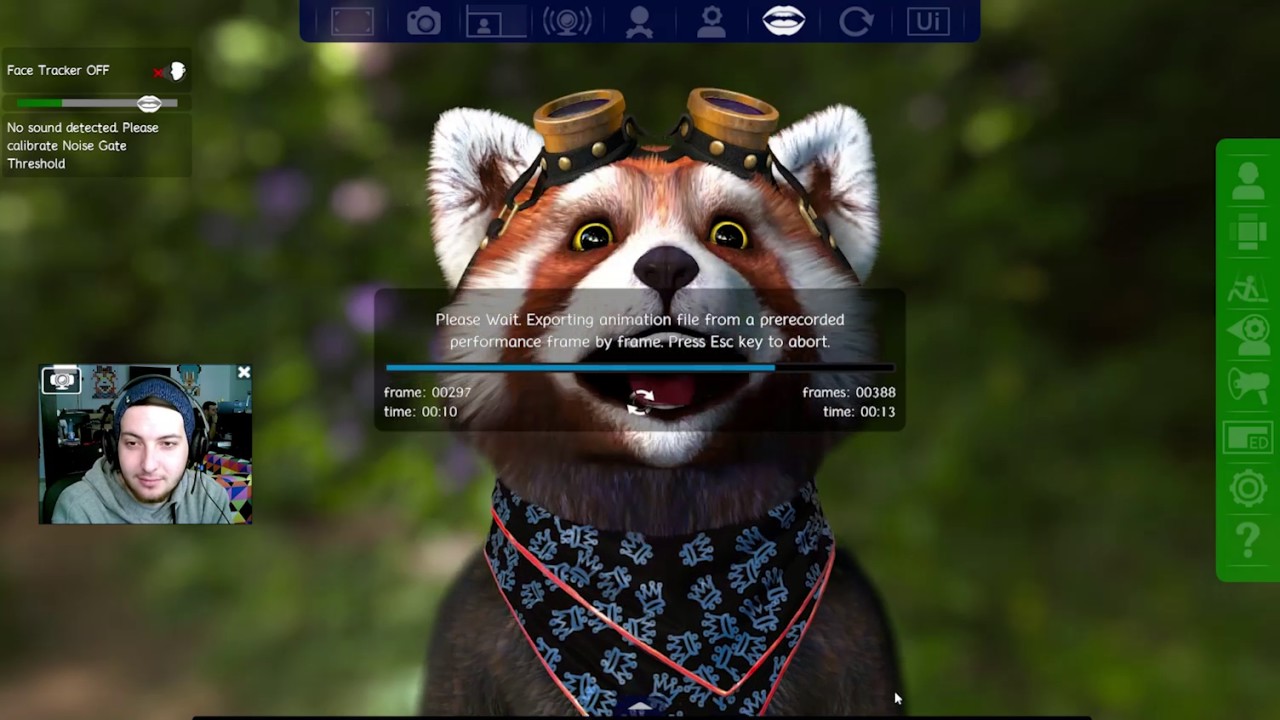
The fbx animation export is just the start of FaceRig-Studio centric features. We are starting with FBX animation export at 30 Hz, but we are also working on...
plucky reef
@next badger thank you so much, I'll try to look at it
I think it's a character that comes with software
can I import my custom character there?
next badger
@plucky reef https://www.youtube.com/watch?v=5Em4PZlA8j0

This is an overview tutorial process from 3D software to FaceRig covering issues like textures not exporting, FaceRig crashing, model orientation naming and ...
plucky reef
now that's a perfect answer!
I tot facerig can only track your movement ONLY with their base characters
IRFaceRig enables you to embody awesome digital avatars in real time. IRFaceRig expression tracking is powered by Intel® RealSense™.
what if I got thread ripper?
($299.00) oh a 300 dollar software, haaaaaays RIP WALLET
pallid compass
A) 36.6 sens, too 2400 dpi
B)21.20 sens too 2400 dpi
now i need A and B for 3200 dpi same ratio ofc
plucky reef
I only know the addition, sorry lol
pallid compass
actually i should ask in programming oops
plucky reef
so I need to ratio it?
ionic sedge
I wonder why reimporting my head mesh made morph target editing suddenly crash UE4. o_O Importing without reimporting fixed it, so I would have been screwed if I didn't know about the option to change the Import button into a real import button (instead of just reimporting since 4.17).
But I sent 5 crash reports or so, hopefully it gets fixed. 😛
 ashen brook
Check it out, timelapse from a UE4 art installation I worked on at Burning Man: https://vimeo.com/233625309

This is "Magic Paint Mirror Burning Man 2017 Time Lapse" by Kyle Ruddick on Vimeo, the home for high quality videos and the people who love them.
plush yew
hey im a bit stuck on something i've been at this for 17 hours so far and gotten exactly nowhere
im trying to calculate rotation from yaw and pitch only and pass that variable into a material
the 'roll' is always 0 (its the suns direction), but if I pass in both vectors and use a constant to set the roll to 0, my sun disk doesn't work right
i have no idea whats going on and i've been timed out by google from google searching too much
after 6 hours of trawling google i got nothing
and the few bits i did find led to dead ends so i kinda really need some help here
basically I need this, but inside the material, how do i do this? https://docs.unrealengine.com/latest/INT/BlueprintAPI/Math/Vector/CreateVectorfromYawPitch/index.html
no one?
 keen birch
@plush yew Patience, if people see this and can help you they probably will. Not everyone neurotically checks their Discord every five minutes 😛
plucky reef
@plush yew so what do you really need?
plush yew
Please welcome @marsh kraken to the community! :beers:
 thorn topaz
Is there a way to turn off automatic compiling when adding a new c++ class?
livid haven
I don't think there's a setting for it, no.
You might be able to use the widget reflector for Slate to find the code for the new class wizard and figure out where it does the build request.
plucky reef
someone has maya software here?
 cursive dirge
most likely someone has
plucky reef
oh I got it now
just the problem with the tools
I deleted the psy file
just reverted it back to its default setting
 wintry raven

"Zafari'"director David Dozoretz on how his animated tv series is using real-time rendering - and the new possibilities that tv creators have with real-time rendered CG series.
livid haven
Interesting.
Never even considered how a lack of real-time rendering was a factor in getting CG on the small screen.
Make some sense though - offline rendering offers higher quality but far slower rendering times and that means speeding it up through the application of sheer processing power... which requires the application of sheer sums of money.
ionic sedge
CPU.
 inner mountain
@ionic sedge thanks!
 green spear
maiden swift
green spear
maiden swift
Since the button says "Resume", I'm guessing you paused an update?
 scarlet jackal
Not that I know of, but it's a possibility.
I just clicked resume and it instantly popped up with a message saying install failed.
maiden swift
Hm.
scarlet jackal
Okay, thanks for the help.
 reef python
 tiny loom
SpaceX you could either unload/load widgets or you can use a separate levels
there are actually a ton of ways
if you are looking for recommend way, i'm not sure sorry
gloomy horizon
Anyone here know how to convert a rotator into a vector that could be used for impulse?
I'm currently using the player location for testing purposes, and the location of an object, and I'm trying to get the impulse direction that would be required from the player's direction towards the objects.
livid haven
Rotator.Vector()?
gloomy horizon
As if the player were blasting it b ackwards
livid haven
Pretty sure that's legitimately the API.
livid haven
Buh... there should be something for it? Direction maybe?
Forward? Direction? Vector? One of those has got to have a search result that looks right.
livid haven
👍
 harsh tiger
Hello everyone, so I made a bp thats makes tree logs and rocks fall down and when they hit the player you take damage. It was all working fine then I made a build of my game and when I loaded it up some textures were missing that I don't care about but more importantly some tree logs dont give me any damage but all the rocks do. I use the same code on both rocks and tree logs but i dont always take damage from the tree logs. The key thing is its also stopped working in the editor and I dont know why because I didnt change anything.
Does anyone know why this may happen and do you have a fix for this?
If anyone has a solution please message me as a seperate discord message as I don't see every message that gets sent to me.
 tough berry
Yes, my name is green.
tough berry
😦
safe rose
Tagging's the right term I think anyway
So, if you guys do anything cool and we want to mention you. We can't.
ggwp
proper quiver
hey guys is there a way to get the target output folder when packaging? like when using postbuildsteps here: https://answers.unrealengine.com/questions/411431/prepost-build-step-in-ubt.html
I want to copy a scripts folder from one of the plugins to the packaged game's folder
there's an EngineDir, ProjectDir but no "TargetDir" or some such
 oblique sorrel
Could I get some help in #blueprint ?
plush yew
Please welcome @mortal moth to the community! :beers:
plush yew
Please welcome @grim prawn to the community! :beers:
 toxic vale
Why does
Assertion failed: Offset >= 0 [File:D:\Build++UE4+Release-4.16+Compile\Sync\Engine\Source\Runtime\PakFile\Private\IPlatformFilePak.cpp] [Line: 148]
KERNELBASE.dll!0x000000007494A9F2
AutismoDrift.exe!0x0000000001362AAB
AutismoDrift.exe!0x0000000001362AAB
happend after importing some assets..
on the game launch, so confused, keeps happening on some assets
gloomy horizon
Is there a way to explicitly delay an action from triggering by literally 1 frame?
I basically want to execute this code and then the code at the end of that set with 1 frame in between them haha
 grim ore
As far as I know a delay node of 0 is 1 frame
But if your doing it on a tick you can just store the value then use it the next tick
Which it seems like you are doing? So set the toss speed before you set the last frame position variable and it should be what you want?
toxic vale
meh never gonna understand this import issue why it causrs the error on packed client
gloomy horizon
@grim ore My goal is to stop doing all this logic on tick, and just do it 1 frame before I execute the rest of this code.
But if you say delay of 0 is 1 tick
that might be what I'm looking for.
I'll give it a shot haha
Should a projectile component be colliding with a Simulation disabled, Collision Set to Query, object?
That also has its own Projectile Movement deactivated
toxic vale
appearntly my compile issue is only in the current project and not a fresh compile.
Wellll then
 raven cedar
@gloomy horizon just do you logic, and at the end "set" a variable. On the next "tick" you check if that variable is set, and switch to the "execute" part using the calculation from the previous "tick"
and clear your variable, obv.
gloomy horizon
@raven cedar doesn't doing anything on tick, including checking if a boolean is true or not, cause massive strain?
especially if I have like 20 objects
=\
raven cedar
not for that small of a use case, no
unless you plan to do a few dozen calcs, per object, etc... per tick
even then, prolly not for "most"
gloomy horizon
Yeah I was doing https://i.imgur.com/6ErHtsr.png on tick

it's just too much imo
for an object that's replicated like 15 times
raven cedar
that is honestly nothing per tick
I would do the entire logic on that tick, unless there is some reason to delay it
but as for optimization, no
and even then, just stuff it into C++
gloomy horizon
haha I wish I knew how the engine interfaced with C++
I haven't looked into the C++ side of the engine yet at all.
Which is funny considering C++ is my main language I know
Blueprints just feel good
raven cedar
yeah, so, some hard limits, dont try to move 1k instances around (or statics) per tick, and you will be fine
for 20+ objects, with a few calcs per tick, no problemo
gloomy horizon
fair enough
raven cedar
esp to get things working for someone to translate into C++ etc... later if need be
gloomy horizon
Haha indeed.
Gotta love projectile componenets
I'm torn
on one hand I want projectile to stick in him
but I also want it so you can pick the projectile up afterwards haha
and if you stick it in you have to disable physics
and disable collision
so you can't do query's when ready to take it back
plush yew
Please welcome @grim carbon to the community! :beers:
 grim carbon
Ola
 vale root
Is the import meshes in bone hierarchy option broken in 4.17?
plush yew
Please welcome @noble gate to the community! :beers:
tulip vault
@gloomy horizon why not do it like skyrim where you kill someone and then you can pull the arrows out of them?
plush yew
Please welcome @jaunty quiver to the community! :beers:
 olive schooner
So 90% of our assets are only used in a single level. From experience should we place them in a directory named after the level? What about those that we reuse? Do we move them in a bucket directory?
 wary wave
I'd always leave them in descriptive directories so that it is easy to find and reuse them
 regal mulch
We usually put assets in asset folders:
- Content
-- Blueprints
-- Widgets
-- Meshs
--- Skeletal
--- Static
-- Materials
-- Textures
-- Sounds
But everyone does that differently
Others put Textures, Materials, Sounds etc to the Mesh it's meant for
olive schooner
I think we're gonna do the latter (Others put Textures, Materials, Sounds etc to the Mesh it's meant for), it makes more sense to do that in this project 😃 Thanks for the suggestions
olive schooner
And we will probably end up grouping things by level and moving them in a bucket folder when we need to reuse
gloomy horizon
I don't want the throwable daggers to be lost for ever just by tossing them somewhere weird
so i think just disabling collision is probably fine.
olive schooner
We had the guideline talk yesterday, if it hinders our workflow it's just bad practice.
frank escarp
like "environment", or "characters", or "misc", or "blueprints". Becouse to check a mesh, you only need to use the built in search to find meshes
all guidelines hinder workflow
their point is to keep stuff sane over time
olive schooner
I just wanted to hear some suggestions that's all 😛
frank escarp
you should see how bad the DWVR project is
olive schooner
After that it's common sense, perspective and trial & error
frank escarp
for newer projects ive decided to stick to the guidelines (maybe small changes), even in prototypes
also, do not put stuff directlly under content
use Content/Game/ActualStuff
becouse if you dont, you end up like this
(wait till i can make pic)
olive schooner
The thing is our project is consisted by autonomous levels, reusable stuff are pretty rare (for example NPCs, which they have their own directory anyways)
plush yew
Please welcome @toxic urchin to the community! :beers:
frank escarp
its not about the reusable
its about finding stuff quick
having a NPC folder that has their meshes, their blueprints, and other stuff, its actually legit
ionic sedge
Having all things related to an asset in the same place is pretty useful, that way you can find related assets quickly instead of having to search all over the place/click magnifying glasses.
frank escarp
this is the kind of shit that happens when you dont control properly
if you see, i have tons of folders from marketplace stuff
but then i also have Characters, Cinematics, etc
thats why you create a "Game" folder
in this case it would be "Game/DWVR/ActualStuff
that way the top level contains all the marketplace stuff
and its waaaaaaaaay more practical
olive schooner
Yup I got that part right after the Great Asset Refactoring 😛
frank escarp
in this Aquila prototype i tried to keep it better
the reason i have SFX folders and the like are due to migration from DWVR...
but all the actual game stuff is under the Aquila folder
olive schooner
Messy structure bleeding everywhere after migrations 😛
olive schooner
Well if you're not going to get assets downstream from the older project you can move those
I'm gonna try to use the git plugin from now on, the repos doesn't know I'm moving stuff in-editor and re-starting from a clean repos I want to fix as many annoyances as I can
 patent bane
#when you open google maps and your first attempt is to move around by right clicking
plush yew
Please welcome @strange pond to the community! :beers:
 frosty bloom
I love subjects about organizing, spent 2 days cleaning up and fixing a project last week
olive schooner
I love subjects too, I also love scolding team members when they fuck up 😛
What I hate is going after designers and level editors and cleaning up names...
frosty bloom
Now it looks like this
-Content
--EnvironmentAssets
---Map1
---Map2
---Map3
---Map4
---SharedAssets
--Characters_Monsters
--PlayerCharacter
and then a few specific maps for stuff such as inventory system, attribute systems and such
10 folders, all that i will ever need (don't quote me on that)
frank escarp
@frosty bloom not sure about all that "map1" stuff
personally, i would sort them by type
or by theme
for example, "ruins"
and then i have Floors, Walls, Ceilings, Misc
the idea is to find the asset you want quick
in your case, "was that asset on map 1 or map 3?"
frosty bloom
Yeah, the maps have their own themes thus their own map. The name map 1-4 were just examples, they got the map name in in my project
under each map, they got meshes, materials, textures and perhaps a specific FX and sound etc 😄
 honest vale
what if I want to use stuff from map1 on map5?
frosty bloom
If a name of a map isn't specified it can at least have some kind of indication in the name, perhaps grassland, fireland, iceland etc
frosty bloom
You have a sharedAssets folder, its really important to keep your sanity
It's usually the biggest one
plush yew
Please welcome @cloud bluff to the community! :beers:
 sudden agate
What does assigning Assets to different chunks do?
ruby chasm
Any PSN developers here?
plush yew
Please welcome @modern kite to the community! :beers:
 modern kite
hello
harsh tiger
Does anyone know why the flowers are missing textures when I build the game but they are all fine in the editor?

 pallid compass
Cant even read it
harsh tiger
i can read it fine, sorry i'll get a better pic
InstancedFoliageActor_0 The total lightmap size for this InstancedStaticMeshComponent is large, consider reducing the component's lightmap resolution or number of mesh instances in this component
InstancedFoliageActor_0 The total lightmap size for this InstancedStaticMeshComponent is large, consider reducing the component's lightmap resolution or number of mesh instances in this component
InstancedFoliageActor_0 The total lightmap size for this InstancedStaticMeshComponent is large, consider reducing the component's lightmap resolution or number of mesh instances in this component
InstancedFoliageActor_0 The total lightmap size for this InstancedStaticMeshComponent is large, consider reducing the component's lightmap resolution or number of mesh instances in this component
No importance volume found and the scene is so large that the automatically synthesized volume will not yield good results. Please add a tightly bounding lightmass importance volume to optimize your scene's quality and lighting build times.
SM_Plains_Flowers04 Object has overlapping UVs.
SM_Plains_Flowers04 Lightmap UV are overlapping by 96.7%. Please adjust content - Enable Error Coloring to visualize.
And them last 2 lines just get repeated
scarlet jackal
Does anyone know how to keep the editor from hiding when I go into VR Preview?
 tame delta
@scarlet jackal This one right here https://puu.sh/xzCDT/f62d446290.png