#ue4-general
1 messages · Page 15 of 1
 jade shell
 regal mulch
Thanks for reporting, cheers.
 naive thorn
does anyone here own ida faber models
 honest cosmos
hey i have a question does anyone have the Flexible Combat System - Magic???
 spice ruin
Is that something off the marketplace?
honest cosmos
yea
 keen spade
anybody available to help me? I'm stuck on my blueprint and don't know how to fix it
 cinder kayak
use blueprintue.com and show us
 cinder kayak
whats the error?
keen spade
it's not showing the widget at all unless i put the min value for the first range to 0, then it incorrectly displays the WP_TH_Burning widget constantly no matter how close or far I am to the Lava actor
 haughty steppe
where are relative location fields?
UPROPERTY(EditAnywhere, BlueprintReadWrite, Category = "Component")
  UStaticMeshComponent* door;
they should be there I'm pretty sure

 drowsy snow
haughty steppe
where are relative location fields?
```cpp
UPROPERTY(EditAnywhere, BlueprintRe...
drowsy snow
haughty steppe
where are relative location fields?
```cpp
UPROPERTY(EditAnywhere, BlueprintRe...
ew camelCase
How do you construct it in the .cpp file?
haughty steppe
drowsy snow
~~ew camelCase~~
How do you construct it in the .cpp file?
//in constuctor:
door = CreateDefaultSubobject<UStaticMeshComponent>(TEXT("doorComponent"));|

//in OnConstruction():
door->AttachToComponent(doorFrame, FAttachmentTransformRules::SnapToTargetNotIncludingScale);
door->SetStaticMesh(doorMesh);
Try the normal SnapToTarget rule
haughty steppe
drowsy snow
Try the normal SnapToTarget rule
i can drag it manually in editor. Not as precise as I need but it is not locked
using FAttachmentTransformRules::KeepRelativeTransform and FAttachmentTransformRules::SnapToTargetIncludingScale hasnt changed anything
drowsy snow
Are you compiling with Live Coding?
haughty steppe
drowsy snow
Are you compiling with Live Coding?
I am
drowsy snow
AFAIK Live Coding in UE4 doesn't support changes to constructors. You'd need to close the editor and compile from IDE
Though if the issue persist, reach out to #cpp
haughty steppe
drowsy snow
AFAIK Live Coding in UE4 doesn't support changes to constructors. You'd need to ...
Ah oh i misread your question. I did it every time and rebuilded from vs
 pallid olive
back to basic
 clever marsh
Yo so I have been working on this project with my team for like a while now and have been avoiding this one feature, can anyone help me make an enemy that only attacks if no one in the server is looking at it? I had it working but I've had to rewrite the entire system to replicate it and I can't figure it out
 peak hare
One way would be to do a line trace from all player cameras every. 5s or something
And dot it with camera forward vectors

 coarse jetty
which kind of mobile preview are u using, check for vulkan render instead of android es3.1
 fierce tulip
@shell quest please dont crosspost the same question.
pallid olive
In behaviour tree got some logic but somethimes the ai is getting killed before it can execute any task, problem is somethimes i got runtime error stating pending kill
 rotund sorrel
Anyone knows a good place to find music freely usable in commercial videogames?
spice ruin
Google licence free music. There's a ton of it around.
rotund sorrel
spice ruin
Google licence free music. There's a ton of it around.
Some link?
spice ruin
Haven't used it myself, but people use it all the time on streams and things, so there must be a lot of resources.
Maybe google "stream safe music" and see what you find.
rotund sorrel
Thanks man!how do you guys do when it comes to put music and sounds in your games(and you are not composers yourselves)?
 oak patio
rotund sorrel
Thanks man!how do you guys do when it comes to put music and sounds in your game...
oak patio
rotund sorrel
Thanks man!how do you guys do when it comes to put music and sounds in your game...
Money. Buy some sounds. Bought a couple of music packs for a game I'm working on, simple sounds I make myself however
Managed to make a nice interaction sound for example by the sound of a diploma tube popping open, edited a bit
Also in terms of music I have made mine customizable, it checks for a folder for MP3 files and loads them if they exist.
That way if you don't want the games music, you can have your own :P
peak hare
Mone into microphone and enhance in audacitie
drowsy snow
rotund sorrel
Thanks man!how do you guys do when it comes to put music and sounds in your game...
Personally I'd hire music composer(s) to make minutes worth of original music, something that can be an identity to the game.
But you can still look for sites like Epidemic Sounds to get royalty free music just to sonically decorate your game.
oak patio
Out of interest how much do you think it would cost/has cost for you if applicable
drowsy snow
oak patio
Out of interest how much do you think it would cost/has cost for you if applicab...
Me?
oak patio
Yeah
rotund sorrel
oak patio
Also in terms of music I have made mine customizable, it checks for a folder for...
Clever
rotund sorrel
drowsy snow
Personally I'd hire music composer(s) to make minutes worth of original music, s...
I'll check the site thx
peak hare
For real though I find freesound.org good for sfx for my purposes
oak patio
Thankfully you don't really have to worry about MP3 licensing now to implement it. They lost that one a while ago
drowsy snow
oak patio
Yeah
I'm allocating around $150 / minute of original music, likely spanning across 3 CDs.
drowsy snow
oak patio
Thankfully you don't really have to worry about MP3 licensing now to implement i...
This is kind of irrelevant since UE doesn't use MP3 anyway
oak patio
Free sound is good for base SFX, not finished ones in my experience.
Also beware of the license type on there. Some or attribution non-commercial which is useless for a game
oak patio
drowsy snow
This is kind of irrelevant since UE doesn't use MP3 anyway
Not for me :P
I load em into a sound array, got a plugin that converts MP3 to unreal format.
drowsy snow
oak patio
Free sound is good for base SFX, not finished ones in my experience.
Also beware...
This
I personally "stole" few CC0 sounds and mangle them myself to make new sounds lol
oak patio
Yeah all of mine are modified cc0 sounds or cc-attribution
Most notably edited wind sounds
For when you deploy the glider
drowsy snow
drowsy snow
I'm allocating around $150 / minute of original music, likely spanning across 3 ...
In my spreadsheet I estimate for 190 minutes, so not full 3 CDs, but on the shorter side for JRPGs.
oak patio
drowsy snow
In my spreadsheet I estimate for 190 minutes, so not full 3 CDs, but on the shor...
Thought it would get pricey quick. However it's the price you pay for originality. Don't really need that myself since the music is just for calm ambience
 steel pasture
Is there any way to switch one game mode to another gamemode in game ?
oak patio
Unless you want your own music in it in which case ig you could rock out to some metalcore or smthn
steel pasture
ue4]\
oak patio
steel pasture
Is there any way to switch one game mode to another gamemode in game ?
No, not mid level, it defeats the point of a gamemode
steel pasture
oak patio
No, not mid level, it defeats the point of a gamemode
So what we can if we have to use multiple game mode in game
without changing them again and again
like it will switch characters
sort of
oak patio
steel pasture
So what we can if we have to use multiple game mode in game
Nothing. If you need multiple gamemodes in one level you are doing something wrong
drowsy snow
oak patio
Unless you want your own music in it in which case ig you could rock out to some...
Metalcore might be out of place lol, I'm thinking of more proggy side of things (since FF pioneered JRPG trope of having proggy compositions)
steel pasture
oak patio
Nothing. If you need multiple gamemodes in one level you are doing something wro...
i want it like we can switch character in games when we switch that character all the other blueprints and all other function come with that
animations to
drowsy snow
steel pasture
i want it like we can switch character in games when we switch that character al...
You don't switch game mode in that case, just changing what character BP to possess.
oak patio
drowsy snow
Metalcore might be out of place lol, I'm thinking of more proggy side of things ...
It would be for mine too lol, my system optionally loads the game music along with any mp3s. It's meant to be calm casual, but I gave the option to mount your own music easily because why not
steel pasture
drowsy snow
You don't switch game mode in that case, just changing what character BP to poss...
ik that but in game thats the problem
its like a multiple character system
without esc
drowsy snow
steel pasture
ik that but in game thats the problem
The one I'm suggesting is not a problem in-game, in the same level
oak patio
If someone wants metalcore music in their game I ain't gonna stop em. In fact imma make it easy so they don't even need a ue build to do it
drowsy snow
Game Mode is per level basis, and meant for server side
steel pasture
ok lets see if we change only character will it change it animations and all the blueprint functions in it ?
steel pasture
drowsy snow
Game Mode is per level basis, and meant for server side
ohh i get it now
drowsy snow
steel pasture
ok lets see if we change only character will it change it animations and all the...
If you put different character in the other character class, then yes
oak patio
Yes
steel pasture
thx for the help i can do it now
oak patio
You can easily find out by typing possess into the BP node search
steel pasture
i was thinking if we change the gamemode then it will change all the hud and blueprints
but i can do the same thing with that posses
thx
oak patio
Possessing a character won't change the hud unless your hud is in the character
steel pasture
yea yea i can change that
drowsy snow
Even then you can tell the HUD class to change the widget
steel pasture
yea
 ember holly
Guys i dont know why every media i render on UE4 does act crazy like u see ? but in the viewport preview works perfectly ! any solution ?
rotund sorrel
peak hare
For real though I find freesound.org good for sfx for my purposes
Know that one👍
drowsy snow
ember holly
Guys i dont know why every media i render on UE4 does act crazy like u see ? bu...
Try using image sequence instead of video file.
 dreamy wasp
Is there a way to find out where this will go?
Because I am just telling it to move to a target actor, but When I try to display, or show the transform (by using get world transform), I get 0 0 0.
It follows the actor, but I'd like to know the destination, to create an effect, so the player knows to move.

 brittle sage
Does anyone know a good website besides the Unreal Marketplace to find meshes w materials/textures?
drowsy snow
brittle sage
Does anyone know a good website besides the Unreal Marketplace to find meshes w ...
Sketchfab
brittle sage
drowsy snow
Sketchfab
Thank you, I'll check it out
 dusk ingot
Hey guys, is there a way to hook blueprint functions? I'm trying to mod a game without official mod support, but I'm not sure how to modify a function at runtime
drowsy snow
dusk ingot
Hey guys, is there a way to hook blueprint functions? I'm trying to mod a game w...
No.
oak patio
dusk ingot
Hey guys, is there a way to hook blueprint functions? I'm trying to mod a game w...
We also don't support unsupported modding here
dusk ingot
umm wot
drowsy snow
dusk ingot
umm wot
See #rules no 5
By permitted by developer, it means officially supported.
oak patio
And if modding was officially supported you would have a mod kit
dusk ingot
The rule itself forbids piracy talk, not modding
oak patio
It does forbid modding
dusk ingot
And btw, a developer can permit modding while not supporting it
dusk ingot
permit = allow
drowsy snow
I'm saying this as a modder myself
oak patio
We still don't even really support permitted modding. You are always better off asking your community. A general use Dev doesn't know how to mod to the specifics of a certain game
drowsy snow
Underground method can be applied to other games where the developer have no consent of modding.
That's the real problem
oak patio
This also isn't an argument. The mods have said what I've said many times
No point fighting on the rules when the mods have made it clear
dusk ingot
Which I still don't understand, but okay I guess
pallid olive
hello got question, trying to make a zombie game, but the thing is if 500 of them are spawned the game laggs to 5 fps
oak patio
pallid olive
hello got question, trying to make a zombie game, but the thing is if 500 of the...
You will need some serious optimization. Look at mass ai
pallid olive
in the master zombie object are basicly no codes only 1 bpi
oak patio
The standard ai system isn't really built for 500 ai controllers
pallid olive
ahhh
oak patio
You may also want to consider a solution that uses one controller for multiple zombies
pallid olive
because most game handle 1000s ai like call of duty
drowsy snow
pallid olive
because most game handle 1000s ai like call of duty
Call of Duty used ECS for that.
Even in the credits they mentioned EnTT, which is an ECS library
pallid olive
ecs is like what haha
oak patio
Mass
Data oriented/driven design. Common technique for optimization
Also can't say I have played a cod game that has 1000s of concurrent ai
(I have also played every cod game)
pallid olive
no but like their zombie co-op have mass ai walking
will check into mass ai 🙂 thanks guys
oak patio
Np
coarse jetty
hi does anybody know some project or example where they work with perfect collisions and physics made with unreal? just for curiosity
oak patio
Define perfect collisions and physics
That is a rather broad spectrum that is entirely up to interpretation
coarse jetty
like iron adjustments, you have a hinge where 2 cylinders can rotate, but if the adjustment is 0,01m less the two cylinders just fit and dont rotate. Or for example a functional screwdriver
dont know something very detailed
like a forklift grabbing something
oak patio
Ue5 isn't built for those types of simulations. Not without extensive editing or paid plugin use
coarse jetty
hmmm ok i was curious
 short cipher
I want to make a RespawnSystem like a DarkSoul'sBonFire. But When I touch this bonfire, I want to fully recover my physical strength and reset the positions of all enemies, so I use "reset level". However, if you reset the level, the player's position will be fixed at the "player start" position. I tried to change the position of "Player Start" with "set actor location", but this actor only supports static and cannot be moved.
Is there a good way to reset the level and change the player's respawn point?
If there's a better way to reset all enemy positions other than resetting the level, I'd like to know that too.
fierce tulip
no coder, but instead of resetting the level, remove all enemies / reset them to their starting positions.
best bet is to prolly ask it in one of the blueprint/coding related channels
short cipher
I understand. thank you
steel pasture
@winged bane
 winged bane
steel pasture
winged bane
steel pasture
yea
drowsy snow
short cipher
I want to make a RespawnSystem like a DarkSoul'sBonFire. But When I touch this b...
Unless you're actually destroying the enemy actors when they died, you can simply reset the location to its spawn point and reset all the stats.
If you're using level streaming, you'd only have to worry about enemies in loaded level responding to the interface's event call when the bonfire is lit.
If the enemies are placed on each sublevel, they should come back once the levels are loaded again.
pallid olive
does loop body do the whole workflow or only the node after ?
ember holly
drowsy snow
Try using image sequence instead of video file.
Worked Perfectly ❤️ Thanks a lot
 young basin

Error when packaging for Quest2
error doesn't happen on Windows version
i don't think people will know about this one but posting in case i'm lucky lol
 plush yew
Anyone knowledgeable on Unreal and 3DS Max free for a super quick consult? I'm really new.
 fierce tulip
depends on the kind of consult if its free XD
 sand dust
Does anyone know how I can fix this normal decal shading in UE4 ?
 peak hare
not without more information, including how you want it to look
pallid olive
how can i get a normal refence from actor
short cipher
drowsy snow
If you're using level streaming, you'd only have to worry about enemies in loade...
Thanks! I 'll try after the work.
 stable harness
Where can I find UE 4.25?
drowsy snow
stable harness
Where can I find UE 4.25?
In the Epic Games Launcher
drowsy snow
stable harness
Where can I find UE 4.25?
But why not 4.27?
stable harness
drowsy snow
In the Epic Games Launcher
oh, I could only find the newest one
How do I find previous builds in the game launcher? ^^'
stable harness
drowsy snow
But why not 4.27?
🤷
drowsy snow
stable harness
🤷
Why specifically 4.25?
stable harness
What is the difference between
4.25 and 4.27?
I guess what's really important is to figure out how to download previous versions from the launcher?
drowsy snow
stable harness
What is the difference between
4.25 and 4.27?
I guess what's really important i...
A lot changes from 4.25 to 4.27, many quality of life features are present in 4.26 since.
In any case:
 fierce tulip
@gleaming mica Please dont crosspost the same question in multiple threads as by the #rules thanks.
Please be patient.
 gleaming mica
my bad, apologies
 young hollow
Hello Guys! I have problem, procedural mesh don't display on android devices. In PC build it's work perfect. Does anyone know, how to solve this problem?
 heady ridge
how can you create your own items and stuff? can you 3d model in programs like CAD and then import those to UE? lets say a building or sth
or is there an other way?
 latent sonnet
heady ridge
how can you create your own items and stuff? can you 3d model in programs like C...
latent sonnet
heady ridge
how can you create your own items and stuff? can you 3d model in programs like C...
i dont know about cad (look up on exporting cad models as .fxb files so you can import them), but the usual method is to make your own models through any modeling software of your choice (blender for example), and export your models as .fxb, which you can then import to unreal as a mesh component. plenty of tutorials about how to do that aswell
heady ridge
latent sonnet
i dont know about cad (look up on exporting cad models as .fxb files so you can ...
Thank you!
latent sonnet
heady ridge
Thank you!
https://www.youtube.com/watch?v=h1hDATnJEu4 no problem. i found this tutorial but i dont know anything about cad, so i dont know if this and auto cad are the same. if not theres plenty of other references out there

Hey guys, how to create and export 3D models from AutoCAD, and import into Unreal Engine game project as game object and scene? AutoCAD is an awesome 3D modeling software which can let you create unlimited 3D models, props, interior, 3D scene etc. You can import your creation into your Unreal Engine game project! This is my step-by-step tutorial...
 grim raft
Lmao my eyes after 12 hours in ue
 heady ridge
latent sonnet
https://www.youtube.com/watch?v=h1hDATnJEu4 no problem. i found this tutorial bu...
heady ridge
latent sonnet
https://www.youtube.com/watch?v=h1hDATnJEu4 no problem. i found this tutorial bu...
I think its the same. I just used CAD as an example because thats the only program in this field that I heard of lol, im not set on using thaz
latent sonnet
heady ridge
I think its the same. I just used CAD as an example because thats the only progr...
i see. for modeling your best option as a beginner is probably blender. but do consider using free assets from the market place for now. learning unreal is that hard already, y'know?
no need to confuse yourself with stuff like asset importing before you know what you want in terms of collision (as a game mechanic) and rigging (for animations)
in the unreal marketplace you have the option of sorting by free, and then its just a matter of looking up the things you want. and it should do the heavy lifting for you
either way you choose much luck
 hidden dew
Just throwing this question here while I keep googling:
I'm using an Instanced Static Mesh component for grass.
I want to be able to cull instances beyond some distance.
During my searches I've read that ISM can't do per-instance culling, but HISM can, and that the Landscape foliage tool actaully uses HISM.
Can someone who knows comment on this? If I'm trying to cull grass beyond some distance from the camera, does that make ISM impractical and HISM recommended?
Or is there some other trick/preference to stick with ISM. (I've read something about HISM doing occlusion handling differently... but I'm still learning)
 royal arrow
hidden dew
Just throwing this question here while I keep googling:
I'm using an Instanced S...
royal arrow
hidden dew
Just throwing this question here while I keep googling:
I'm using an Instanced S...
I can't see a reason not to use the foliage tool for foliage. It's designed specifically for it.
Is there a reason you're trying to avoid it?
hidden dew
royal arrow
I can't see a reason not to use the foliage tool for foliage. It's designed spec...
I'm using a sphere, not a landscape, and the sphere changes shape
royal arrow
hidden dew
I'm using a sphere, not a landscape, and the sphere changes shape
The foliage tool can paint on static meshes and you can choose to align to normals, which should follow the shape of your sphere.
hidden dew
It changes shape at runtime. Eg:

I don't know about this aligning to normals though... Do you know if that can update things at runtime?
Although yeah, this isn't a static mesh, it's a procedural one
royal arrow
Oh yeah.... you're probably not gonna be able to use the folaige tool for that. You could try, but I doubt it'll work.
hidden dew
Just trying to get a static screen as well
 royal arrow
How are you getting the foliage to stay at the moment?
hidden dew
Lots of maths
I'm still learning about ways to optimise things, hence the question about HISM
I use ISM at the moment, with per instance transform updates
Unsurprisingly, that's not really viable for huge amounts
But I don't have any distance culling yet either (hence the HISM question)
royal arrow
I feel like the tick based logic to continuously move the meshes, no matter how optimized they are individually, is going to be the killer here.
hidden dew
yeah
royal arrow
And tbh I don't know what a HISM is versus a standard ISM
hidden dew
I will take it out of tick eventually
royal arrow
I've never really gone down that rabbit hole.
hidden dew
Just that's probably like step 17 of steps to optimise
hidden dew
lol
royal arrow
I hope you're able to keep it running smooth cuz it looks insanely fun to run around on.
hidden dew
Looks nice above, but as you can see it's not much grass heh.
Yeah, so do I
Currently, with a lot of grass it tanks
But that's expected. I'm still more on the side of expecting that it won't really be possible at all at a large scale. I don't think I've seen a game that has lots of shifting grass
But eh, lots of optimising steps to learn still.
Oh and all I know about HISM is that it's an ISM that lets you also use LOD.
But the component apparently has its own extra expense, hence the reason both still exist.
royal arrow
hidden dew
But that's expected. I'm still more on the side of expecting that it won't reall...
I'm sure it'd be a nightmare to figure out, but maybe you could do this with a material.
It'd be a LOT cheaper.
And as long as your grass doesn't have collisions it shouldn't matter if it's just a visual trick.
You could also add the grass to the shifting mesh, but you'll likely end up with weird distortion.
Or perhaps the grass could simply be a material on the mesh. While it wouldn't be the same style, you could alter the style to work with the gameplay if absolutely necessary. Some displacement and a good texture might give you enough to be happy about.
You could use vertex painting to paint the material onto different deforming spheres.
hidden dew
Yeah, updating the transforms in the material is something I'm intending to work on. Yet to start trying it (I'm still stuck on per-instance culling atm).
It'll be interesting to learn how viable it is to send that many pieces of custom data to the shader at once.
hidden dew
royal arrow
You could also add the grass to the shifting mesh, but you'll likely end up with...
"Add grass to the shifting mesh"... Not sure what you mean. Do you mean as in change the mesh to actually have the grass as part of its topology?
That's an idea I hadn't thought of... definitely will think about. Although as part of all this, it's quite possible I'll be actually morphing the whole mesh via material. That might be a possibility because I don't actually use collision on the surface either; it's all maths. But maybe it's not a possibility at the same time. Just another thing waiting to be learnt.
But maybe that's not what you meant
royal arrow
Yeah. If you're not using collisions on it then there's a lot of options to fake the grass, especially if it's merged with the mesh that's being deformed.
hidden dew
Hmmm
Definitely an idea
So that's what you meant yeah? Combing the grass verts with the proc. surface mesh verts?
royal arrow
I think if all your grass is using the same shader to determine it's location is can't be that expensive. I use the same material to manipulate all the grass meshes in my game with a wind effect.
This is not much different, right?
I suppose the operation to find the sphere's location may be more complex, but I have no idea how you're handling any of that... lol
royal arrow
hidden dew
So that's what you meant yeah? Combing the grass verts with the proc. surface me...
Yeah. My art brain would have gone that route. Then a material if that wouldn't work.
But that does mean that you wouldn't be able to manipulate the location of the grass at runtime, and you'd need to hand model the grass onto the sphere somehow. Or merge them in-engine.
hidden dew
If the grass clumps are part of the moving mesh, not being able to manipulate them beyond that is ok. Like, I would need each clump's transform to change at runtime, but only with the same changes/same maths as the mesh, so that's viable.
What I do also need, per grass clump, is being able to show/hide it. Just something else to figure out. (I was hoping to mess with clump scale too, but not a big loss.)
hidden dew
royal arrow
Or perhaps the grass could simply be a material on the mesh. While it wouldn't b...
This is something I'm clueless about.
royal arrow
Just like you'd UV map and texture a character, you could just have a textured sphere to begin with.
It would just be a 2d texture.
hidden dew
oh ok
Ah nah I definitely want some 3D grass
I have been wondering, do you know if it's possible for a material to actually place 3D meshes in places?
royal arrow
I know you can use a material to denote where grass should be placed.
For instance... I have a project in which I'm able to paint a grass material and it spawns grass meshes in the editor.
No clue if those would move in real time in-game.
hidden dew
Right. That's something I definitely need to learn about
royal arrow
I don't remember how I did it, but it's pretty simple iirc. I honestly may have just used a material from an asset pack as that project was mostly just a prototype I was testing out.
hidden dew
What I can do already is update the material on the sphere in runtime. Ie, those hexagonal cells you could see in the .gif, I can change their colour whenever, to whatever. The entire surface is 1 material
hidden dew
Do you know if it's possible to do what you said, not just "If a material is here", but "If the material here is X colour" ?
royal arrow
Yeah. I'm sure you can find the vertex color of a material.
hidden dew
I suppose that's actually already what you're thinking.
Ah yeah, that's what I already do
The hexagonal cells use vertex colour to figure out which they are
hidden dew
royal arrow
Yeah. I'd say you have a lot of options to work from.
Yeah, heaps. You've given me some good brainstormy ideas. Ty
royal arrow
I know the material based foliage (might be the best way to google that) will probably be landscape layer based.
But I'm not positive if that's a restriction, or just a feature of it.
royal arrow
hidden dew
Yeah, heaps. You've given me some good brainstormy ideas. Ty
Hey, no problem! lol I once built an MMO in RPG Maker back in 2007. I'm pretty good at fitting square pegs in round holes when I need to.
hidden dew
Well, the thing about painting a material for it to put meshes on... I don't know if that's just an in-Editor thing
An actual MMO? It was online?
royal arrow
Lol yeah.
royal arrow
It didn't last long and I think the most we ever got connected was like 16 players before it started to lag too bad to play, so I guess it was more of an MORPG, but it had potential. lol
hidden dew
That's still pretty epic an achievement
hidden dew
noice
I've also just discovered such thing as "Light Weight Instances" - UE5 only. So that's another thing I have to learn about
royal arrow
Is there a reason you're using UE4 over UE5?
hidden dew
Only procrastinating really
 bleak spade
This might be a dumb question but how do I add this node in my blueprint?
https://docs.unrealengine.com/4.26/en-US/BlueprintAPI/Rendering/Components/TextRender/SetText/
Set Text
hidden dew
Well, also aversion to adopting early, but it might be ok now
royal arrow
bleak spade
This might be a dumb question but how do I add this node in my blueprint?
https...
Grab the text render component from the components list in your blueprint. Drag off of the output pin and type "set text"
Should pop up.
The right click menu is context sensitive, so if you're not dragging off a text render you won't see it. You can turn off the context sensitivity, but I don't recommend it.
royal arrow
hidden dew
Well, also aversion to adopting early, but it might be ok now
Yeah. My main project is still in 4.26. Mostly because it's live already and switching will likely take a month to clean everything up and properly test it.
And that's a month of not developing content.

 royal arrow
Are you in a widget or an actor blueprint?
bleak spade
ah i think I got it
 royal arrow
The top one is likely what you're after, yeah.
But you don't need to "set" the "text01" you need to "get" it.
bleak spade
actually I want to use the rich text one - so I can have bold/italic fonts etc.
bleak spade

basically I need this
but the rich text somehow does not want to connect to the point here
the "normal" text works fine
royal arrow
So... a text render is a separate thing not typically used in a widget.
It's more for like... labeling your actors in the world.
So you'll need to make sure you're using a Rich Text component.
 royal arrow
Drag off the pin and type "set rich text"
bleak spade
 royal arrow
I'm assuming you've turned off context sensitivity and you're trying to call a function from something other than the rich text reference you want to set it for.
bleak spade
 royal arrow
You just want this.
 bleak spade
Basically what I am doing is reading data from a datatable to put into the textbox
royal arrow
So you'll need to do.... this....

I don't have a data table set up in this project.
So mine's empty. You'll need to choose the table you want to use.
You'll need to break the out Row as well to get the data you want from it.
Drag off the Out Row and type "break" if you're wondering how to do that.
bleak spade
The datatable stuff I have already - but I can't seem to connect the rich text block
royal arrow
It's just "Set Text"
 royal arrow
The "Rich Text" you're trying to set is for a different blueprint somewhere called "Master Maschine Migate" and that's not what RTB PDESC1 is.
royal arrow
Np.
bleak spade
Great - seems to work
One other question I have is regarding text blocks - is there a way to somehow have 2 columns and once the first column is full it will continue the text in column 2?
 copper hornet
why is it i get this overlapping whenever i restart my project, it goes away once i move the static mesh and put it back in place

the orangey brown floor is using some logic to basically tile in depending if it has a collision with the grey tile there
if i come into the static mesh on project restart it's correct
 hidden dew
My rolling hill moves the grass that it rolls under.... then doesn't bother to move it back 😄
 hidden dew
Hi all.
I'm learning/using a HierarchicalInstancedStaticMeshComponent to render and move lots of bits of grass.
I've just gotten per-instance culling to work, and for far distance culling it does what's expected.
But for near distance culling, it's seemingly too aggressive, depending on how I angle the camera.

What is interesting/a clue is that it isn't exactly affected by the camera being too close. For example, in this image the camera is as close as I can get to the surface before it moves right through the surface. As you can see, the grass isn't culled here:

But when I take a particular angle, the grass is culled.
The educated guess is that it's culling grass that would have appeared off-screen if it hadn't been transformed (ie, the rolling hill moved what would've been offscreen grass back onto the screen).
I was going to ask why/how, since it looks like shader behaviour but I'm not using a shader for these transforms.
But now that I've written all this, I'm thinking this is possibly a built in behaviour of HISMs too.
I'm guessing I have to ... checks code ... BuildTreeIfOutdated() again to avoid this.
.. which I'm guessing is not performant to do every update.
Edit -- Lol, this dropped things to 0.16 FPS. Ok so that's out. And yes that is the issue, after a very painful test.
I've literally just gotten this working at all so I barely know what I'm talking about
Maybe #cpp ?
I only built UE4 once, long ago, and kind of lucked through it I think
oak patio
or even #engine-source
hidden dew
oh that sounds smarter
Heh, I get errors like that just trying to compile my own code in the editor if I have a game running simultaneously sometimes
I just ... compile it again and it works. 😐
oak patio
both will probably help you, but if i had to hazard a guess having never built from source, running out of heap space sounds like a RAM issue
hidden dew
I second that
oak patio
hidden dew
Heh, I get errors like that just trying to compile my own code in the editor if ...
i always get intellisense going screwy with me on any project. keeps telling me function definitions cant be found when it can, because it uses them 😅
hidden dew
Right? Sometimes I'll regenerate VS files just to make some random cpp file stop turning all green
oak patio
this isnt even unreal++ quirks. just vanilla c++ and it breaks so often
hidden dew
oh lel
oak patio
i had a red squiggle telling me my class had no member of "timer" yet when i go to said class it indeed has that member and the file compiles ok
yet squiggle no go
hidden dew
Yeah the squiggles are a sometimes food
But outside Unreal? That's rough hehe
The lack of BuildTreeIfOutdated() was indeed the cause of the issue. The HISM was culling things according to their outdated positions. Issue removed in this pic by calling BuildTreeIfOutdated() every update (and nerfing everything just to get it to run at 2fps), but that is not remotely viable/realistic/sane.

At least I'm learning stuff.
I can't even find a good resource about HISMs. I only tried BuildTreeIfOutdated() from... its name.
hidden dew
(Much later)
So I've added a whopping 1000 units to all dimensions of the grass clumps' mesh bounds. That solves the issue of too much near culling without rebuilding the HISM tree.
I think this isn't going to hurt performance really, since I can just reduce the far culling distance to aim for this rough ideal: The increased number of far meshes that will now get culled (from the reduced far culling distance) is the same as the number of previously-absent near meshes that will now be rendered.
I think that balancing act works in my favour too. Reducing far culling distance culls many meshes, while messing around with near culling distances doesn't add as many. So all up it should only result in a slightly smaller, maybe not noticeable, far culling distance.
All in theory because this is all super early stages so everything's still at rubbish performance anyway.
Just typing it out here in case someone wants to say "No, that's a bad idea"
hidden dew
I still need to get performance to many many times what I'm getting now. But there are so many more tricks to work through, so I'm hopeful
 urban oracle
Hi !
I'm working on a game that will have a lot of abilities.
Each ability is contained in a UObject (The dash for exemple is a UObject)
I'm having trouble having them loaded, they work fine but i need to open them in the editor first (and they don't work at all on a packaged game)
I've looked into the asset manager but it doesn't seem to help that much, do you have any lead I can follow or any idea ?
Thanks !
 marble iris
Not sure how UObjects load but maybe you can store them in a game instance subsystem
urban oracle
Nonono GAS is kind of fitting for my game but i'm really just starting with the c++
I think GAS would be to complicated for now
Besides, for now my light GAS does work (when the UObjects are loaded tho)
latent sonnet
urban oracle
Hi !
I'm working on a game that will have a lot of abilities.
Each ability is co...
Hey, dont know much about what you are doing, since im trying to get into c++ myself. By uobject do you mean an actor, or component? Im just curious cause im gonna doa similar thing on my game
oak patio
latent sonnet
Hey, dont know much about what you are doing, since im trying to get into c++ my...
neither, an object
actors and components both inherit from a UObject iirc
oak patio
latent sonnet
Or am i getting this wrong?
i recommend you researching it yourself. haven't used them enough to know much about them personally
latent sonnet
Alright. Thx for clarifying
urban oracle
I think the UObect are as bare bones as it gets on Unreal
This is why is use them to store my ability code, as I understand them is is fire and forget
 wraith stratus
hello everyone. i have a question about packaged games with unreal. is it possible to unpack/decompile them or anything and change the source files?
 autumn flame
No
If you don't have access to those files in the first place, then it's maybe not your business to
urban oracle
I'll try to reference my UObjects in a data table 🤔
 spring abyss
Hey is there any tutorials related in app purchases, how to set the money? After setting the game currency in game
In Playstore
wraith stratus
autumn flame
If you don't have access to those files in the first place, then it's maybe not ...
its not about whose business it is. its for my own project. im just making sure that unreal games cant be hacked.
autumn flame
They will always be able to extract models / animations / textures easily
And see the generic hierarchy of your entire project and assets inside, mostly just names tho
Not worth the effort worrying about it
drowsy snow
wraith stratus
its not about whose business it is. its for my own project. im just making sure ...
I'd say don't bother about it too much. Unless you have huge fan following (e.g. Five Nights At Freddy's), nobody's savvy enough going to bother reverse engineering your game.
wraith stratus
Okay. thanks for letting me know.
wraith stratus
autumn flame
They will always be able to extract models / animations / textures easily
but i still own the assets so they cannot use them right?
drowsy snow
wraith stratus
but i still own the assets so they cannot use them right?
If you're actually creating them and your EULA enforces it, then yes.
They won't be able to rip them for releasing their own game project, but they may still be able to use it for fan-made creations, like machinimas. But again, the latter is only possible if you have large following.
wraith stratus
make thieves sign a eula before robbing you.
drowsy snow
latent sonnet
eula? you can make people sign for not stealing your stuff?
Lots of games prohibit reverse engineering in their EULA
wraith stratus
drowsy snow
Lots of games prohibit reverse engineering in their EULA
makes sense.
latent sonnet
yeah i guess that makes sense, theres no way it can actually be enforced though
drowsy snow
wraith stratus
make thieves sign a eula before robbing you.
Then send cease and desist using the EULA as the basis.
latent sonnet
unless your game is actually succcessful and you have money at your disposal its probably not gonna be worht it chasing people shilling off of your assets
autumn flame
Most of them won't care if you don't commercialise stuff tho
If you make like a free fan made whatever, you can technically enforce the IP but most of the times that's seen as being an asshole
latent sonnet
the best things you can do is hide framing data like your name or watermarks everywhere in your code, so if you do confront thieves you can trace it back to that
autumn flame
You gain from people making things of your game anyways, so don't enforce it too harshly if you get there
latent sonnet
i mean, if someone does care about their product staying theirs i assume its worth discussing
i myself dont mind it that much but i have given thoughts to that, and people do fall victims for ideas and game assets being ripped off. just dont be like nintendo for example.
drowsy snow
As a modder turned developer myself, personally I'd welcome anyone making fan-made contents like machinima and mods for my game project. Even giving the modified Unreal Editor as a mod kit. The only real limitation would be not to plagiarize them, e.g. claiming the assets as your own and use it in your commercial project.
latent sonnet
yeah stuff like that. if you do get your assets being used in someone elses very successful game without your premission or against your eula this is a liable cause for confronting them.
just make sure these are your assets and that you are not being an asshole
the latter being a recommendation
gleaming mica
Any idea how to change Mouse Sensitivity / Default Sensitivity ?
 mortal jacinth
yall should i stay in modern day or go near future for my open world game?
 wild crag
Think you should probably wait on deciding til your vision is a bit more developed for your game
mortal jacinth
no offense meant by this but why say that? i asked for a idea for my game and you proceeded to not say anything about it.
ima keep those since the others were rude
 real heath
Yeah I think the comment was just commenting that as your game mechanics, your prototype and/or your story flesh out, the answer of modern vs futuristic will become more obvious. Modern vs future should serve these elements, rather than the other way round
mortal jacinth
well yeah i have a good amount of friends in this discord and it was more just people liked. i have decided and have been doing my game everyday. i just disliked the way this dude just went and the way he said annoyed the shit outta me. i see where they came from but it was not really the right thing to say to someone else
this guy obviously has no idea how anything with my game is going and i was decided since the way my game is i can swap it out for futuristic if i please. i would rather them say the way you said it other than the way they did which was controlling and authoritative
latent sonnet
i feel like modern is a bit played out at this point. never seen a futuristic zombie grand theft auto type game before
to be fair you also dont know where your game is going lol. jkjk
yeah go with futuristic this way you also dont need to worry about realism as much
oak patio
mortal jacinth
this guy obviously has no idea how anything with my game is going and i was deci...
i feel i disagree. its generally a safe bet that if you havent figured out the setting of the game its probably not very far through. since most games are planned out, they were just saying you should develop ideas, and the answer will reveal itself. its also one of those where it depends entirely on the game your making. Your original message was presented in a way that made it appear you were still at the initial concept stage, as it didnt detail anything about the game. Nothing meant by it at all. Not controlling or authoratative, just good advice.
real heath
Yep and when people write messages they may be short on time and it loses tone. Best to try and read messages as if they have the best intentions behind them
oak patio
^^
Its hard to interpret tone in text so as rule 1 says, assume good faith in others. Don't treat someone as hostile until they've done it openly.
What they said is extremely sound advice for a game.
by planning and fleshing ideas not only do things become obvious but it leads your development a lot better
mortal jacinth
It’s in Washington DC i have that where it’s set. i had a few different times to set it in. the choices were 1976,1982,1995.2003,2007 or 2026
also i have been working for 2 months
oak patio
that still doesnt explain much though. a lot more than the place goes into deciding the timeframe of a game
mortal jacinth
yeah i know i was answering the question before
oak patio
i see where they came from but it was not really the right thing to say to someone else
I also don't get this. You asked people's opinions and received on of the best pieces of advice you could have gotten.
mortal jacinth
i dislike it when people act like they know everything. i feel like Mike, Pal, Sph and a few other know i good amount
i’ve been doing ue for 2 years lol
oak patio
you are acting like you know everything about what others know though you see?
real heath
I mean... 2 months IS early stages in a game. Anything and everything can be changed at that point. That's exactly why you don't have an obvious answer. Keep at it! The answer will come
mortal jacinth
oak patio
> i see where they came from but it was not really the right thing to say to so...
well yes a simple thing that Sph answered
in a very well way
that’s what i was asking, not for someone to tell me i am not making my own game right
mortal jacinth
latent sonnet
i feel like modern is a bit played out at this point. never seen a futuristic zo...
right here
i respected the guys opinion that’s why i removed my rude comment. yet i don’t agree with him.
mortal jacinth
oak patio
you are acting like you know everything about what others know though you see?
i’m not tho
oak patio
mortal jacinth
i’m not tho
you are. you're assuming they know nothing about this, yet for all you know they could be a professional game designer.
mortal jacinth
y’all kinda keyboard warriored your way into business far away from the innocent question
i’m not, i never said anything about that
i disagreed and that’s my right too, i asked for a opinion i respected theirs
i have said multiple times that i know very little about this kinda stuff yet i do know i good amount
oak patio
im not the one that blew up on someone giving really good advice.
The fact is you are early in your project. And if you are at the point where you can hotswap timeframes out you havent developed ideas into a fully formed product. things like that dont have that much wiggle room when theyre fully planned
WoW wouldn't be WoW if it was set present day. Halo wouldnt either.
mortal jacinth
i’m not though? i’ve been working on it for months, yes that’s not how long most people but i don’t really want to fight with you. i got my answer in a good way by Sph
oak patio
people can still be planning after two months
oak patio
 lavish ember
Can I ask a question?
lavish ember
Can I ask a question?
fire away
lavish ember
But I'm working on my student project and can't find the logic for a next level button widget
I do have the end level widget but I don't want to create a new blueprint for every level just to get the next level name
oak patio
the way i would do that is have a general level button, that has the name of the level to load next, and then you can use multiple buttons, and on click, it loads whatever level is held in a var
lavish ember
This is the blueprint I made
 lavish ember
oak patio
the way i would do that is have a general level button, that has the name of the...
lavish ember
oak patio
the way i would do that is have a general level button, that has the name of the...
How would I do that? Should I build an array and check for the next level in sequence..? I don't even know if that's possible 😓
latent sonnet
have an array of predetermined level names to cycle through when you move levels.
oak patio
defo one way of doing it
latent sonnet
you could either indicate which level you are in by systematically naming them numerically and just convering the string to an int or you could store a variable to be passed with you to the next level as to your level count
lavish ember
That's way beyond my knowledge 🤣
latent sonnet
not that hard, havent done it myself but i can help you with that if you want
lavish ember
latent sonnet
you could either indicate which level you are in by systematically naming them n...
Yeah!! I thought of that, I'm naming the levels "001" "002" and so on
latent sonnet
i mean, ideally you would store a propper int of sorts somewhere in the game instance
actually you should do that
cause the game instance keeps its variable no matter where you go
latent sonnet
its simple. if you want i can join in vc and show you
lavish ember
How would I go to creating that variable? In the Player Character blueprint?
latent sonnet
so you need to make a custom game instance class, and then put that in the engine defaults in the engine settings
in that class you can put whatever variables you want and use them directly since they are fully local
lavish ember
Perfect
latent sonnet
and out of that just have a name array and plug that right in
mortal jacinth
another happy customer
latent sonnet
lavish ember
Yaya!! Thanks bro!!!
np let me know how it went
 jade thorn
Can I get help on a text widget blueprint?
 south isle
Hey! I’m working with content creator socksfor1 on YouTube.
Looking to hire a developer willing to work on the recently released game “choo choo Charles” on steam.
I have a few mod ideas we must accomplish. If anybody is interested in this opportunity please feel free to add me.
No I do not have the source code of the game, but I promise it will be worth your time and efforts.
 queen shuttle
Alright everyone, so I've got my widget and buttons functioning and it works! Now it doesn't show that it is hovered or which option you are on. Hahaha if it's not one thing its something else. Anyone know of an explanation on how to do on hovered for gamepad for 28 buttons?
latent sonnet
south isle
Hey! I’m working with content creator socksfor1 on YouTube.
Looking to hire a d...
prove it.
dont dm me i watched his video about choo choo charles, awesome game.
south isle
Would you be interested in modding the game or is that out of your capabilities
I can invite you to our discord server @latent sonnet
latent sonnet
south isle
Would you be interested in modding the game or is that out of your capabilities
it is lol, just cool game in general wanted to know that you are legit.
south isle
well I’d hope I’m legitimate
If you know anybody who would be interested feel free to contact
wild crag
mortal jacinth
no offense meant by this but why say that? i asked for a idea for my game and yo...
missed this, wasn't trying to be rude at all, I just meant that as that comes along you'll be able to decide better stuff like that, and if you don't know that, there's no need to limit your possible creative options to modern or futuristic yet, but just my opinion
south isle
wild crag
missed this, wasn't trying to be rude at all, I just meant that as that comes al...
Mythical as in old fnaf dev that made cool projects for us? New account sir? :D
wild crag
I've done done fnaf stuff yeah
yeah I lost my old one when my pc upgraded to w11 and I couldn't find my auth codes lol
oak patio
south isle
Hey! I’m working with content creator socksfor1 on YouTube.
Looking to hire a d...
unsupported modding is not allowed here
if the modding is supported, then post to the job board as this isnt the place for hiring anyway
south isle
My bad
wild crag
oak patio
if the modding is supported, then post to the job board as this isnt the place f...
Who said it was unsupported?
oak patio
wild crag
Who said it was unsupported?
no one, hence why i also gave information on what to do if it is supported
cover both bases
wild crag
fair enough  ngl I'm a bit blind sometimes
oak patio
south isle
My bad
all good!, #instructions will tell you what you need!
good luck on whatever you are trying to accomplish
jade thorn
where do i get help with widgets?
oak patio
jade thorn
where do i get help with widgets?
you never explained your issue so nobody helped you. you just asked for help
jade thorn
should i explain it here, or is there another channel?
latent sonnet
yeah just go ahead here
unless its like a specific aspect with a more suitable channel like #multiplayer
jade thorn
oak patio
which would be <#221799467689574410> which they have also posted in
didn't know how to start the question
oak patio
it's all good
latent sonnet
yeah just explain your issue there ill hop on, to be fair not many go to just check on it so i guess here is also fine
oak patio
it wasn't a dig at you.
if it's a complex issue i'll redirect to umg
if its something easy might as well solve here
jade thorn
I have a stamina system set with my sprint and i want to put a text widget ontop of the bar that shows the amount of stamina that displays
im pretty fresh to ue4 and only started a few days ago
oak patio
ok? so what is the issue you are having
what have you tried to do, whats going wrong etc.
or are you just not sure how to approach it
jade thorn
I don't know where to start with it
jade thorn
Yes
oak patio
so drag a text block, and format it's text to be the {currentStamina} / {maxStamina}
to get those values cast to the character and get them
you can separate the two however you like, or format it however you like, but its just making a binding of the text in a text block, to the value gotten from the character
then as for getting it on top of the bar, just put it on top
jade thorn
I have a widget blueprint set to show a stamina bar should i make it in another blueprint or can i make it in the same one
latent sonnet
oak patio
you can separate the two however you like, or format it however you like, but it...
is the / set in the binding or somewhere else?
oak patio
its stamina related so group everything in the stamina widget
oak patio
latent sonnet
is the / set in the binding or somewhere else?
you can set it in the binding
oak patio
literally the format text node, with the thing i typed verbatim
then it gives you pins for those values which can be pure casts to the character
latent sonnet
im assuming you will need a function that casts to the player character to get the values?
oak patio
can afford a pure one as stamina should only display when we have a character anyway
latent sonnet
and bind that?
oak patio
latent sonnet
im assuming you will need a function that casts to the player character to get t...
no
can just do getPlayerCharacter > castToWhateverClassYourPlayerIs > getWhateverValues
all can go in the binding
latent sonnet
oh nice wait let me try
oak patio
isnt really going to affect performance, and if it does you can always change it up like caching the cast and only updating when the stamina changes, but generally it shouldnt cause issues unless you plan on having like 500 stamina bars
jade thorn
im not sure on what to do after i create the binding, i tried without it and it just showed the raw text
oak patio
do what i explained above in the binding
format the tyxt
type what i said
for the things it gives you, get the values from the player
jade thorn
Im not good at Ui yet im sorry
oak patio
don't apologise
just read what i have said
i have given you the nodes and their
order
jade thorn
i don't know how to get the stamina, or node names
oak patio
format text, input {currentStamina} / {maxStamina}
on the new things it gives you make those the values on the player

you get the player character > cast to the player > get the stamina
again read what i have said above, i have given you the names of what you need to type, you just need to plug em in
 oak patio
latent sonnet
like so?
oak patio
latent sonnet
like so?
that works, but i find format text cleaner
latent sonnet
do i put it the same place?
oak patio
look at the image above of what format text does
latent sonnet
no i mean do i put that format text node in the same place i did my rendition?
and is so thats what i meant by "function" lol
i dont know the specific name for it
oak patio
yes
thats a binding, which is a function, its just the engine calls it every time the widget is redrawn, which is every frame. bad for performance in large numbers but generally doesnt matter


 latent sonnet
omg its even more useful now
oak patio
very very nice node
and you can change that to have as mmuch as you want or as little
just make sure params are in curly braces
latent sonnet
latent sonnet
im assuming you will need a function that casts to the player character to get t...
yeah thats what i thought of when i said functions sry
latent sonnet
jade thorn
i don't know how to get the stamina, or node names
did you get all that?
jade thorn
idek


 latent sonnet
wait we are getting sidetracked with awesome text formatting nodes here
we need to help him first
oak patio
not sidetracking, crucial to the problem at hand
jade thorn
is this in the stamina blueprint or gamemode
oak patio
in the widget for your stamina
latent sonnet
latent sonnet
look
oak patio
why would you put it in the game mode? stamina isnt a part of a set of rules to play the game
latent sonnet
i get the pawn and then cast to my pawn class, then use whatever variables are in there that represent my stamina
oak patio
latent sonnet
look
i get you are trying to help but giving code to copy paste is very counter productive for learning
for future reference
latent sonnet
@jade thorn what variables in your pawn represent the stamina?
jade thorn
Stamina and max stamina
latent sonnet
ok. what class is your pawn?
jade thorn
both integers
oak patio
so, as i said above. in your binding setup a format text node as shown
latent sonnet
im assuming its a custom class
oak patio
your pins on that will then be those variables from the player, gotten by casting to the player
latent sonnet
when you add a text object to your widget, find this button and click it, than add the code i sent you with the right class being casted to and the right variable names

the right class being the name of the character blueprint that you are using to set the stamina on
jade thorn
i cant find the event tick, i dont think i can put it in the binding
latent sonnet
you dont need to. it reads these variables on event tick automatically as they update
jade thorn
i didn't read the not in widget part of the message my bad
latent sonnet
all good
oak patio
also take some beginner tutorials on the epic dev community
latent sonnet
thanks to brother you also hav e really neat node to set the text with
oak patio
things that will help you find your way around the engine, you need it more than messing with gameplay stuff atm
latent sonnet
@jade thorn let me know if it worked for you
jade thorn
so i got the code right i think but its not showing up, i messed up at the cast to my character part , it does''t look the same
oak patio
show what you have done
oak patio
also please for future dont give them the entire solution. having to work it out at least partially does wonders as a beginner
oak patio
now go follow some beginner tutorials on the dev community
jade thorn
i will
jade thorn
so i was watching a tutorial and and went to press play in the viewport and it didn't work, kind of like how its like it never started out as my character
the UI was there but i wasn't moving like my character
when i stopped playing the message log showed "Blueprint Runtime Error: "Accessed None trying to read property K2Node_DynamicCast_AsMy_Player". Blueprint: StaminaBar Function: Stamina Text Info Graph: StaminaTextInfo Node: Return Node
" was the issue but everything looks the same as i left it
does anyone know why this is happening?
plush yew
Hello, i have a slight issue, i have a level sequence and its already all animated but that level gets streamed at a place other then 0, 0, 0 and when i play the animation it sets all the trans forms to 0, 0, 0
is there any way i can fix this?
spice ruin
Not sure you can, other than to parent every actor you animate to an actor at the centre of the level. Then their relative transforms should be relative to that actor / level instead of world origin.
Then just hope it's setting relative transforms and not world transforms.
 cloud flax
Currently working on a 2d side scroller type of game, have a question regarding the movement. Right now when you run in one direction for a while and then try to turn to go the other direction, your momentum slows you down and makes the turn slow. How do I make the turning input instantaneous movement in the other direction? Here is the script of the movement and the settings currently

If anyone has an answer or can help in anyway it'd be appreciated, thanks
urban oracle
You can increase the acceleration,
The character will reach its walk speed much faster
 worn silo
Hey guys, I'm working in 4.27 and i've imported a 3d mesh that i've generated of some real life streets but for some reason the lighting behaves very strange on the mesh, anybody knows what to do?
 drowsy snow
worn silo
Hey guys, I'm working in 4.27 and i've imported a 3d mesh that i've generated of...
drowsy snow
worn silo
Hey guys, I'm working in 4.27 and i've imported a 3d mesh that i've generated of...
Seems like geometry problem than lighting problem to me
worn silo
the mesh is created in Reality capture from imported 3d laser scans
oak patio
that doesnt mean it can't be a geometry problem
worn silo
True, just thought i'd give some background.
But what kind of geometry problem are we looking at here, does it have to do with the normals of the pointcloud?
oak patio
unsure, don't do photogrammetry myself.
drowsy snow
worn silo
the mesh is created in Reality capture from imported 3d laser scans
No retopo at all?
urban oracle
urban oracle
I'll try to reference my UObjects in a data table 🤔
So turns out that it does work.
My DT is basically just an array of Soft class ref that i load when the character gets an abilty
It works !
pallid olive
hello fello devs
have a question about spawning emitter after bullets collide with the actor sphere collision. it spawns the emitter 1/10 time i wounder why, i think the collision is set properly soo any help is welcome


all zombies are childeren of parent class
 hollow meteor
is there a way to enable camera thumbnail when in the blueprint designer for an actor? it's a bit annoying to pull my pawn into the world just to check the camera distance is where i'd like it to be.
or even set the viewport to the selected camera would also be nice.
queen shuttle
Hello! Is anyone familiar with the "event on added to focus path" node?
 sharp willow
queen shuttle
Hello! Is anyone familiar with the "event on added to focus path" node?
sharp willow
queen shuttle
Hello! Is anyone familiar with the "event on added to focus path" node?
Of what class?
queen shuttle
sharp willow
Of what class?
Widget
 oblique trench
I have this error message on 4.27 after trying to open a new level, any possible solutions?
Fatal error: [File:D:/Build/++UE4/Sync/Engine/Source/Editor/UnrealEd/Private/EditorServer.cpp] [Line: 2021] World Memory Leaks: 26 leaks objects and packages. See The output above.
Which part are you confused about?
 queen shuttle
sharp willow
Which part are you confused about?
queen shuttle
sharp willow
Which part are you confused about?
I'm adding it into my widget in order to allow the gamepad to focus on the buttons so I can have the on hovered effect
sharp willow
queen shuttle
I'm adding it into my widget in order to allow the gamepad to focus on the butto...
Ok. In response to your original comment: Assume I have familiarity with this event.
cloud flax
urban oracle
You can increase the acceleration,
The character will reach its walk speed much ...
how would I go about doing that if you dont mind me asking, not exactly sure which setting to change
autumn flame
cloud flax
how would I go about doing that if you dont mind me asking, not exactly sure whi...
In the CMC you have Acceleration and Braking Friction
cloud flax
Turning those up usually doesnt work
autumn flame
You have to check Use Separate Braking Friction
Else it uses the PhysMat Friction iirc
 wise dirge
is there a way to "invert" an exponential height fog? I want my sky to be foggy but ground level clear.
cloud flax
autumn flame
You have to check Use Separate Braking Friction
It seems to work perfectly fine, but sometimes if my character doesnt register stopping when turning, then it keeps all momentum in the direction it was going so it slows down, but this only happens very rarely
autumn flame
cloud flax
It seems to work perfectly fine, but sometimes if my character doesnt register s...
Make this minor equal

 autumn flame
Minor equal, not equal equal :p
cloud flax

this?
it also didnt work sadly and forces the character sprite to always face 1 direction tho
unless im wrong again
which is possible
autumn flame
It should not, you're just unchecking moving right if not moving or moving left basically
cloud flax
yeah but the animation switches depending on if its moving left or right
either way it doesnt end up fixing the slippery momentum turning so
sadly
 fleet sparrow
How to find out center of a landscape? A shortcut maybe
wise dirge
fleet sparrow
How to find out center of a landscape? A shortcut maybe
pressing "F" will get to to the origin of any selected actor, i never worked with landscapes tho so not sure if that'll work
 scenic nebula
Is it correct that on 4.26.2 there is no no "duplicate loaded asset" or "delete loaded asset" function?
I want to be able to edit uncooked assets, but "uncooking" them and editing them.
 hidden dew
Hi guys,
When I update a Texture Parameter value that a material is using, is the performance cost of doing so affected by the size of the texture, or is it only affected by the size of how much I update?
Eg: Say I have a 1024 x 1024 texture parameter and I need to update 1 pixel of it.
Is the performance cost associated with having to send a whole 1024x1024 to the GPU again?

 harsh jungle
Hey I am unable to build source file because I don't have vs2019 installed but I cannot find a valid download link for vs2019. Is it possible to build ue4 using vs2022?
 wraith cradle
hi is someone able to help me with animating a character in unreadl 4.7 the guy talked about notifies and my attacs wont work

 stiff bane
wraith cradle
stiff bane
wraith cradle
question, why are you using ue 4.7? but if you right clock on the notify channel you can add a notify if that is what you are looking for
stiff bane
harsh jungle
Hey I am unable to build source file because I don't have vs2019 installed but I...
yes you can
wraith cradle
It's just the one I use and it works for uni and ah ok I understand thank you
stiff bane
wraith cradle
It's just the one I use and it works for uni and ah ok I understand thank you
oh i see, interesting
harsh jungle
stiff bane
yes you can
How can I do that

 cerulean sequoia
Hi, I'm currently trying to implement a system where when the player presses a the letter N on their keyboard, the enemy will stop moving/start moving.
I've been trying to make it so the enemy blueprint can see the keybind but so far both casting and custom events haven't worked.
I know it's probably something incredibly simple that I've missed but I don't suppose anyone could help me out in any way?

 grim ore
do you get any errors when you press the key bound to NVG?
cerulean sequoia
grim ore
do you get any errors when you press the key bound to NVG?
Yeah, two errors, both saying "Accessed none trying to read EnemyObjRef".
I'm guessing that means enemyobjref isn't set up properly is it :/
grim ore
yes, also what type of custom event is the one on the left, I cant recognize the icon and it doesnt look like a normal custom event
your error is telling you that you are trying to talk to something that is not set, or not valid. When do you ever set the Enemy Obj Ref variable in the right screenshot?
cerulean sequoia
grim ore
yes, also what type of custom event is the one on the left, I cant recognize the...
just a normal custom event I believe
 grim ore
its because you have call in editor checked for some reason
anyways, i dont think you need that checked unless you plan on clicking on a button in the editor to do that. You need to fix the other issue, letting your right screenshot know which blueprint to talk to to tell it to run the NVG event
plush yew
is there a way/tool I can merge these 2 points together?

into a sharp point
only way i figured is by this spaghetti
 cerulean sequoia
grim ore
your error is telling you that you are trying to talk to something that is not s...
cerulean sequoia
grim ore
your error is telling you that you are trying to talk to something that is not s...
right... so I've gone through that bp and cant see anywhere where I defined what that was, I thought I had but it absolutely wasn't.
Just so I avoid messing up again as badly, how would I go about telling the bp to run the event?
plush yew
is there a way I can move objects by their relativity not world location

also a cute diagram to explain
grim ore
@cerulean sequoiayou have to set that variable to the object you want to talk to. Is this blueprint and the other blueprint at the level before you press play?
@plush yewmove them in the editor, or at runtime?
 grim ore
so move it in the editor?
plush yew
they move to world not object
grim ore
your not trying to do this when the project is running right?
plush yew
if you mean by running = playing then no i'm not
grim ore
if its in the editor, in the top right of the viewport are the controls, next to the 4 common controls is the coordinate system. click on that to change from world (globe icon) to local (cube icon)
hidden dew
Anyone know how to get an angle and axis of rotation between 2 transforms ?
cerulean sequoia
grim ore
<@235781258595008522>you have to set that variable to the object you want to tal...
are they at the level before I press play? I'm not sure what you mean but if I were to guess, the enemy is spawned in so probably not?
grim ore
ok then you need to somehow find that enemy at runtime so you can tell it to stop when you press the key. There is a get actor of class node that could find it if there is only one for example. Epic does have a course that covers Communication between blueprints as well if you want some more info https://dev.epicgames.com/community/learning/courses/LWv/unreal-engine-blueprint-communication
cerulean sequoia
grim ore
ok then you need to somehow find that enemy at runtime so you can tell it to sto...
got it, thank you so much for your help!
 grim ore
you should be able to get them like any other node, or you can use the palette to find it
if you want the right click and find to work, you would drag off whatever it says is the target type (looks like primitive component?) and it should find it
hidden dew
If you want to use the right-click menu and find it without dragging off something, you can unclick the Context Sensitive checkbox

... Though it looks like you often don't even need to do that for SetMaterial in particular
wraith cradle
That's just what he's doing, do I need to have the material made before hand or is that a stupid question
hidden dew
Not sure what you're asking.
If you're just asking how to produce the SetMaterial node, there shouldn't be anything else to it. Right-click, type "SetMateria", and possibly unclick the Context Sensitive box if need be
FFVII victory jingle here
spice ruin
SetMateria. Very FF indeed!
hidden dew
Rubber ducking this just because.
I have an actor with its initial transform.
I have a new UP I want it to take.
I can get the angle and axis between the old up and the new up, and rotation the actor with that angle & axis.
This orients the actor so its up is now aligned with the new up that I wanted.
All good so far.
What I'm worrying about is: If for some reason I find that I want the actor to yaw from old to new orientation, then this approach won't work. It won't do anything, since angleBetween will = 0.
But as far as I can picture, this should never actually happen. (This is based on the particular logic of the situation I want to use this for.) So I'm considering making the assumption that I will never want the actor to only-yaw to a new orientation.
If that assumption is valid, then is the above approach of a) get angle & axis between old & new UPs b) apply that angle & axis as a rotation to old actor... also always valid?
I think I just have to try it and see, since my brain isn't doing anything for me.
Edit - Thinking through the results of a 90° pitch, followed by a 90° roll, produces a different orientation to what my angle/axis approach would.
Well dammit 😅
 wraith cradle
i have this when i try and find it
 hidden dew
untick Context Sensitive at least, see if that works
However, I find that if I have any static mesh in my Actor, I don't need to untick Context Sensitive
Eg: My actor's parts on the left, and the palette on the right:

So it's possible you don't yet have anything that SetMaterial can actually work on
Your Viewport should probably contain the mesh that you want to set a material on
Ie, are you seeing some 3D object when you click here: ?
 peak hare
Set control rotation doesn't work with AI controller right?
 odd loom
can anyone help me with this issue? i dont quite understand why this is happening, i've set the lightmap resolution higher but im still facing the issue with wrong shadows of a single stationary light


also each wall is a single mesh
plush yew
Any help with this? I try play a timeline ONCE and it keeps spazzing out and resetting even though I haven't stated for it to reset


Order

 stoic bane
for first timer. should i use UE4 or UE5 first? or unity? i been messing with UE5 for abit to give it a feel.
fierce tulip
stoic bane
for first timer. should i use UE4 or UE5 first? or unity? i been messing with UE...
I'd give em all a whirl, the engine is just a canvas, you just need to find the one that lets you paint freely :)
drowsy snow
stoic bane
for first timer. should i use UE4 or UE5 first? or unity? i been messing with UE...
Unless you have existing UE4 project far into development, I'd say go with UE5. You can scale things down to fit for lowspec.
There's more to UE5 than just Nanite/Lumen stuff
 vocal viper
any clue why the widget not full when i put it in the world ?
 latent sonnet
hidden dew
Well dammit 😅
latent sonnet
hidden dew
Well dammit 😅
have you figured this out yet? i may be able to help
in case you havent figured it out yet, ill give you the explanation and solution.
when working with one axis based rotation unreal applies normalizations, meaning the actual "up" direction of the rotation derived from a single vector is always bound within the world up direction, in other words, you can't tell the actual "roll" values of an axis, because you can't roll a vector.
the way you would solve this is by making a rotation from 2 vectors, and using that as your new rotation. this way the engine now has enough information to derive your roll from the given input axis. the most common method is getting the up direction and forward direction of whatever you want to derive the rotation of, and then search "make rotation from xz (order matters)" and plug the corresponding axis in. now you have a rotation that is derived from enough information to represent the roll of the actor accurately enough.
royal arrow
I'm running into an odd issue in my project. Whenever players enter first person mode, the landscape shifts to a lower quality LOD and leaves tears and choppy geometry. I assume this is an LOD distance issue, but where/how do I fix this?
latent sonnet
vocal viper
any clue why the widget not full when i put it in the world ?
its probably your widget component in the blueprint that owns it. thers a setting for a fixed size that you can adjust. its not within the widget.
its either a matter of turning this setting that i highlighted on "draw at desired size" or manually setting the size to be big enough
 cloud flax
I have max walk speed crouched set to 0 but the character can still move forward while crouched, any solutions?
If I set max walk speed to 0 they can also still move at max speed crouched
latent sonnet
is it a template you are working with?
latent sonnet
cloud flax
I have max walk speed crouched set to 0 but the character can still move forward...
you might not have the right character blueprint set in the world's defaults
cloud flax
how would I go about checking that
cloud flax
yeah thats enabled
cloud flax
got it
latent sonnet
in the game mode override, do you see what does it say? is it a default mode?
cloud flax
2dsidescrollergamemode
latent sonnet
ok. are the options beneathe it grayed out or can you modify them?
cloud flax
i can modify them
latent sonnet
ok. so open the default pawn dropdown and select the character class that you are modifying
if it wasnt set to that before that would explain it.
cloud flax
it was set to that before sadly
it was working the last time I used the project but now that ive come back to it it doesnt
so its been real confusing what went wrong
latent sonnet
it was working before? when set to 0 you couldnt move?
cloud flax
yeah the character wasnt able to move while crouched and with no prior momentum, but because max acceleration was still up it could almost slide using the momentum it had
now the character can still move max speed while crouched
even with max crouch walk speed set to 0
latent sonnet
so you turned the max acceleration down and it started doing that ?
cloud flax
no i didnt change anything with that code specifically
just as soon as I came back to working on the game that code stopped working correctly
cloud flax
no just the blueprints
latent sonnet
and are we talking about the default values that come with the movement component? or something else?
cloud flax
yeah just the CharMoveComp
latent sonnet
is it multiplayer by chance?
cloud flax
no
latent sonnet
do you have any extra code that modifies that component's values within the blueprint?
cloud flax
nothing else that modifies crouch walk speed
hold on Ill see if I can send a video that may help
latent sonnet
so its not set anywhere, you made sure you are using the right blueprint in the world settings, you didnt change anything since the last time that it worked for you?
cloud flax
the only changes Ive made were some number adjustments to max speed and accelerations, along with some new code in the movement department
latent sonnet
well, al of those can have an affect.
the thing is the physics on the movement component is a bit sketchy, and acceleration settings and max speed may not account for cases where your walk speed is actually 0
cloud flax

this is the move right code i changed
which is the only code ive messed with
i apologize for how bad that probably is to look at
but still i dont believe anything in there should affect it but maybe im wrong

and then this is the charmovecomp
and the crouch button is just a simple input action - crouch, released - uncrouch
latent sonnet
when you crouch you dont want to move?
cloud flax
yes
 thin tendon
cloud flax
thin tendon
cloud flax
Instead of using 2 different checks on the input axis value. Just use an is not = to 0 check.
latent sonnet
and right now what does it do in crouch mode?
cloud flax
allows the player to move while crouched at normal walk speed
latent sonnet
is it even crouching?
cloud flax
it does crouch
cloud flax
no change sadly
latent sonnet
wait..
set it to 100
does it have any control over your speed at all?
it doesnt even slow you down?
thin tendon
cloud flax
Also instead of using gates and sequence nodes. You could simply say is falling = false then add movement
cloud flax
no it doesnt at all
latent sonnet
thats either a setting or something really broken
cloud flax
but when i press crouch the animation for being crouched plays
latent sonnet
do you wanna hop on vc so i can actually have a better look?
cloud flax
yeah sure
vocal viper
latent sonnet
its probably your widget component in the blueprint that owns it. thers a settin...
ok, thanks
hidden dew
latent sonnet
when working with one axis based rotation unreal applies normalizations, meaning...
Many thanks. I was thinking about using 2 rotations but didn't know if it would actually be a solution or just a red herring with its own issues. Thanks for explaining that this is actually a thing.
hidden dew
I am not sure if/how I can use MakeRotFrom___ though, because I'm doing this in a material
As far as I'm aware, I can only play with RotateAboutAxis to apply rotations... so I can't use a Rotator value.
There could well be some fundamental about Rotators that I could use that I don't fully grasp

 untold summit
Hi, I'm making a time attack game in which the time it takes a player to finish the level is displayed in a leaderboard. The problem is that I did a test in a level that is just a straight line in which you just have to press W and nothing more to beat it and when I test it in different framerates the time it takes to beat the level differs (by only tenths of a second, but in a game with leaderboards is important).
I suspect the problem is in the way the inputs are applied to the player character which is using the default UE4 method, which would be a good alternative to this?

 ember hare
Hi guys,
Does anyone have any good recommendation of "Brackeys"-like tutorials for UE4?
I am looking for someone who can provide a solid introduction to UE4 with practical examples for people who are used to developing games using other engines (i.e. no need for a programming 101)
vocal viper
any tips how to call/load file that include text and image (any format) or video from internet (website/database/http) to unreal ?
at first i using web browser plugin but it's not working when i packaging it for mobile (for ue4/ue5)
oak patio
ember hare
Hi guys,
Does anyone have any good recommendation of "Brackeys"-like tutorials ...
Not really any brackeys for ue sadly
thin tendon
untold summit
I suspect the problem is in the way the inputs are applied to the player charact...
It would be natural to see some variation in a natural game environment due to things like frame-rate input delay etc. The only way you could expect the exact same result each time is if everything was pre-set and timed. But a few tenths of a second sounds about right for what you are describing.
drowsy snow
ember hare
Hi guys,
Does anyone have any good recommendation of "Brackeys"-like tutorials ...
Closest you can get is https://dev.epicgames.com/community/learning
But most of the courses are made with UE5 in mind and may not backward compatible with UE4. (besides by this point new project should start with UE5 anyway)

Epic Developer Community
Epic Developer Community Learning offers tutorials, courses, demos, and more created by Epic Games and the developer community.Learn UE and start creating today.
 gray socket
Hi! I just joined the server and I have a few questions about Unreal, is there a channel for that or do I just drop them here?
untold summit
thin tendon
It would be natural to see some variation in a natural game environment due to t...
Thanks for the answer! I assumed something similar but if I set the character to move alone with a constant value of 1 on the Scale Value of the "AddMovementInput" node the difference still exists.
coarse jetty
hi does anyone know how can i make hand socket mesh visible in game?
Something like this, but it disappears on play.
 thin tendon
coarse jetty
hi does anyone know how can i make hand socket mesh visible in game?
Something l...
thin tendon
coarse jetty
hi does anyone know how can i make hand socket mesh visible in game?
Something l...
There should be two options. Visible and hidden in game. Visible will set visibility in editor as well as game view. Hidden in game will hide it in game only.
hidden dew
gray socket
Hi! I just joined the server and I have a few questions about Unreal, is there a...
Here is fine. You might get better responses from the dedicated channels if they're about something specific (cpp, materials, etc.)
 earnest tendon
Hi all, does anyone have any ideas as to why my AI decides to take a huge detour and run upstairs above my last known location instead of just moving to it on the ground floor? (Vid attached). I have tried lowering my EQS projection settings but this doesn't help.
 narrow loom
hey guys for my game should i use ue 5.1? Or ue4
cuz i see a lot of tutorials for ue4 but not as many for ue5
will the ue4 tutorials work on ue5?
fierce tulip
most of them will. coding/blueprints might have altered the most between the two versions.
I always suggest to try and use the same engine version as the one in the tutorials so you arent hit by walls due to changes, while the gained knowledge can still be applied.
Nothing worse than following a tutorial and having to bugfix due to changes.
narrow loom
and i saw in ue 5.1, i saw that new enhanced input thing, is the same thing possible in ue4
 rocky timber
How do I lerp between multiple transforms?
spice ruin
Like more than 2?
spice ruin
YOu'd lerp from a to b and then b to c? Or do you want to somehow combine them all at once?
rocky timber
The latter
spice ruin
That's a good question. I'm not sure how that would work with rotation...
spice ruin
Shrug
plush yew
Is there a thing as "Set Transform Array" for unreal 4? I'm trying to follow this tutorial for rigging a car in unreal 4 but without luck.
https://youtu.be/0PO4M4hvqpg?t=411
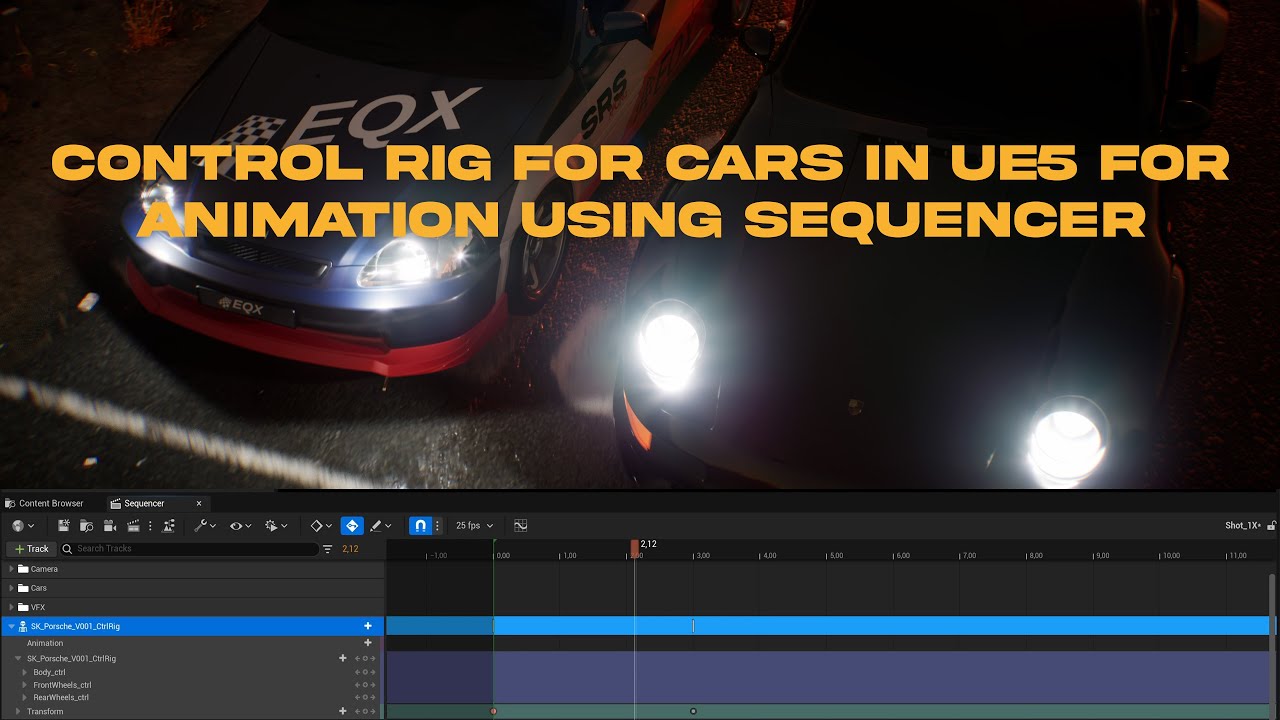
Learn how to setup a control rig in UE5 using a rigged and skinned car/vehicle model that you can use to animate directly in sequencer. Perfect if you want to animate by hand like a traditional 3D package and not use blueprints etc to make the car move around your scene.
This is the second part where we'll dive into Unreal Engine and continue ...
 surreal cloak
I just found a folder in my C drive called "Vault Cache" which seems to hold all of my downloaded marketplace assets.
It's completely bloating my C drive an I need to migrate it.
How would I go about migrating these vault files to a different drive?
(Am I able to just drag and drop though file explorer?)
spice ruin
You can change the location. I'm not sure how, though. I guess it's an option in the launcher somewhere?
hidden dew
Is it possible for a material graph to remember values?
Eg:
Say I want to set a material's World Position Offset X to 1, then 4, then 7, then 10, then 13 ... I can send in a scalar parameter that is first 1, then next update is 4, then 7, then 10, then 13.
But is there a way instead to only need to send in a "3"... and something in the material can remember whatever the X was in the previous update? That way I can then create the material logic in a way that is more like "Just add 3 to whatever that X offset was before".
drowsy snow
hidden dew
Is it possible for a material graph to remember values?
Eg:
Say I want to set a...
No, materials refresh every frame and by itself have no concept of local variables. Closest you can get is Time, but that's the elapsed time and no way to slow it down preserving numbers.
You're going to need to help it with BP logic (or C++, possibly compute shader)
hidden dew
Ok, thanks. Thought so but needed it confirmed.
 idle garden
Is there any way to copy multiple static meshes in editor and paste them into one BP? (Without losing the meshes values)
spice ruin
hidden dew
Ok, thanks. Thought so but needed it confirmed.
Materials can have parameters and you can change those parameters with a material instance dynamic (and they are remembered)
You would need to update the value manually though, when you want it to change.
 primal stratus
Newbie here, im looking to create a custom sweater (Just a recolour) and upload it as a mod onto steam. Are there any good tutorials?

i made the albedo map (UV map i made in photoshop) and put it into the games dev kit but thats about it
oak patio
we dont really know how to use ark's devkit. this is a general ue server, we are just devs, we dont know the modding process for your game
ask in a server dedicated to ark modding
Even though it is the unreal engine, it will do things differently to the normal Dev process
hidden dew
My current puzzle:
I have an object that is rotating to match the ground moving beneath it. The ground's movements can be anything.
Figuring out what rotation I need to apply to my object is done by simply finding the angle & axis between the ground's old & new normals. That angle & axis rotation is then added to the object, using AddActorWorldRotation. This works fine.

Now I want to do the same thing again, but via material.
The big difference is that the material has no concept of the object's current orientation; it only ever knows what the object's original orientation was. So I can't just add rotations; my job now is to instead tell the material how to rotate the mesh all the way from that original orientation to the desired new orientation, every time.
Because of this, the earlier approach of simply comparing old & new normals ... doesn't work. It still gets the object's new UP correct, just fine. But the object's new FORWARD will typically be wrong because the "compare the normals" approach just doesn't account for the object's full history of rotations that have occurred since it rotated away from its original orientation.
In other words, it doesn't work because despite the weird spinning, the monkey's UP is still always correct here (but the spinning is not desired):

So ok. This means need to know the object's new UP and the object's new FORWARD.
That's the problem, I don't. In similar calculations, I've always just let the object's forward deal with itself, thanks to being able to use AddActorWorldRotation back on the CPU side. Since I was only ever adding to the current rotation back then, there was no possibility of some weird history of other rotations existing in between that could produce inconsistent forwards.
The only thing I can think of is to actually maintain a dummy invisible helper on the CPU side, so I can keep applying the angle/axis approach, then reading its new forward every time.
Problem is, there will be hundreds of thousands of these. Which sounds bad.
That's about where I'm at. (The end.)
The puzzle kind of comes down to "How can I get the complete new orientation that I want to set an object to, without actually storing its ever-updating orientation".
I can get the Up from the ground that the object is on. But I can't think of how I can get its Forward or Right.
This is the actual use case. Lots of grass (more than this shows) on a spherical, procedural surface.
The gif is using a HISM and instance updating, but the aim is to have the shader handling all the translations/rotations.

Sorry for the wall everyone. It was half me thinking it through. Now to sleep.
 crisp moat
spawn emitter at location is causing a lag spike on first use, is there a way to fix this without having to spawn all emitters at begin play so latter stutters don't occur like having them already loaded into memory ?
 wooden apex
untold summit
Hi, I'm making a time attack game in which the time it takes a player to finish ...
wooden apex
untold summit
Hi, I'm making a time attack game in which the time it takes a player to finish ...
just use a hit box to start the timer, less work and works the same
yo kinda weird problem but
when i try resuming media player IN widget BP it cant reach the media player

wait
i thinki forgot to set it to

yea this
no its still broken lol
and so on the rest of the localisation for the things that cant reach

okay got it working
ITS WORKING
you dont need to reply
wooden apex
wooden apex
it was this
untold summit
wooden apex
just use a hit box to start the timer, less work and works the same
But I already use a hitbox to start the timer
wooden apex
untold summit
But I already use a hitbox to start the timer
so the problem is that the timer runs on fps?
like in old games?
untold summit
Sorry but I don't understand what you mean by a timmer running on fps
wooden apex
in old games physics were running on the frame rate
sometimes games do that with other things
and engines too
and
you could do some math stuff to calculcate for 30fps
lets say the game runs in 60
and the base time is always checked in 30
so we just 60/2
or
hm
i wont be able to help you as i dont quite understand
you need to provide more info or more ss of code
be aware that i might not have the info to help
 thin urchin
Anyone know why my reference viewer would be showing objects that are from a different project and can I delete the references?
fierce tulip
I would try to find out why they are referenced beforehand.
thin urchin
Basically I migrated some MS assets from one project to another and it is still showing the directory for the old project for those assets...resulting in it not packaging anymore because it's trying to find a directory that doesnt exist
 untold aurora
Hey all! I'm sure there is a simple solution to this but I am so new I am just overlooking it.
I am using Unreal Engine's Hype Chamber aka Broadcast Sample.
I am trying to figure out how I can output the viewport onto another monitor/screen that I can record from using OBS Studio for streaming purposes?
I don't know if this is the most effective way to do it, but it's the only way I can think of right now.

 winter zenith
When I launch my game in Standalone my water goes away
Using Unreal Engine water
 dreamy wasp
QUESTION: Is there a way to move the navMeshVolume?
I'm playing around with an infinite runner as a learning tool, and I added AI obsticals.
Physics based boxes, and things the player needs to jump, work fine, but when I need the navMesh.......
I can make a 1million unit navMeshVolume, and just hope the player never gets to the end. I'd like it to actually go infinitely.
spice ruin
The best way to go to infinity is not to move the player, but move the world. Create track in front of them, move it toward them and delete it when they have passed it.
I'm not sure what that would do to your navmesh though 😛
hidden dew
I barely understand Rotators, but is the idea that if I:
- take some actor's Rotator (let's call this Rotator
foobar) - then take a copy of that same Actor with its rotation set to 0,0,0,
- then rotate that copied Actor around the world's X, Y, and Z by
foobar'sx, y, and z
... then the copy Actor will have the same orientation as the original Actor?
spice ruin
What are you trying to achieve?
plush yew
anyone know how to fix?
hidden dew
spice ruin
What are you trying to achieve?
I want one object to match a base object's orientation, but via a material.
So I was thinking I could grab the base object's Rotator to get the 3 world axis rotations that I could apply inside the material-driven object's material.
hidden dew
Rotate the whole visual mesh, just as if it had been done in the actor blueprint with something like AddActorWorldRotation
... but in the material instead.
Eg, this monkey head is rotating via material (but has a spinny mistake going on):
https://cdn.discordapp.com/attachments/225448446956404738/1053403234036875375/Goober.gif

So my question would basically be: Can I grab the green cube's Rotator, and use that Rotator's X, Y, and Z to rotate the monkey head to the same orientation?
hidden dew
I can find 100 guides on rotatings things around 1 world axis in a material
And 0 guides on rotatings things to any orientation in a material
 dark venture
Hey everyone! I have a lobby and another level, my character is choosing it's color and weapon in the lobby and then gets into the other level but when it gets into the other level its color turning back to its default color and the weapon disappears can someone help me please?
pallid olive
dark venture
Hey everyone! I have a lobby and another level, my character is choosing it's co...
if its a offline game u should put the logic in game instance, it is persist to all levels, or make a savegame object to store that data
fellow developers get a question about semi multiplayer idk how to call it, for a chat system do i need a dedicated server
dark venture
its a multiplayer game. I have a game instance blueprint and a C++ class but I don't know how to implement the weapon system to the game instance
spice ruin
pallid olive
fellow developers get a question about semi multiplayer idk how to call it, for ...
No? Depends on the scope of the chat system how you would use it. You could have an external one that spans sessions or just have a local game chat based on who's connected to your srever (be it dedicated or listen).
pallid olive
spice ruin
No? Depends on the scope of the chat system how you would use it. You could have...
the chat system should be on server ?
unreal has eos right, it could be using this plug in for chat system ?
spice ruin
I'm not sure what EOS provides. Probalby more info in #epic-online-services
pallid olive
okee thanks daekesh
 sudden vault
How to move unreal engine 4 project to ue5?
plush yew
sudden vault
How to move unreal engine 4 project to ue5?
Just open the project with ue5 then click open a copy
sudden vault


 plush yew
Try creating a unreal engine 5 project then on the project file content drop the files off uasset
And if this doesn’t work
Then open the ue4 project and the file you want to convert right click and select migrate then select the ue5 project file
sudden vault
Great thank you so much again.
plush yew
No problem
lavish ember
latent sonnet
np let me know how it went
Bro, I just wanted to let you know that I solved the issue of "Next Level" button in a stupidly simple way and wanted to share. So: since I'm already editing every level BP cause each level has a slightly different scoring, I added a variable in every level called Next Level, type Name, and in each Event Begin Play, set the variable to the name of the level I want to be next, then bound the button "Next Level" in the menu widget to Open Level by Name and get the variable name. Is stupid easy and I freaking love it cause it was one of those eureka moments you get sometimes, right after our convo. Thanks a lot for the ideas bro, didn't used them but you helped me think and that's awesome
 glossy carbon
You
lavish ember
no, YOU!
Yo guys, I have a problem......
So, I created a platform that is kinda like a "leap of faith", you step on the platform and jump in the direction where the platform has a tiny pointer then platform A disappears and platform B appears where you should land. The issue I'm having is that I want that platform to reset every time the player dies, but I'm not finding a way to do that....
I tried "Is Actor being Destroyed" with a reference to Player Character, does not work
Tried checking the overlapping event that causes the player death and also doesn´t work
The logic:
plush yew
xD its look cool
 lavish ember
Until the first enableing collission and visibility for platform 2 everything is ok, but then when I try to check if player dies to reset the platforms to their initial state, fail miserably and I don´t understand why 😢
 modern kite
Always asked myself where this will end up in the final product. Searched for a text file or something in a final build, but didnt find anything. Anyone knows how to add yoour whole license to the game?
 lavish ember
Until the first enableing collission and visibility for platform 2 everything is...
lavish ember
lavish ember
Until the first enableing collission and visibility for platform 2 everything is...
nvm I found how to do it, bound the event like this
 hidden dew
Thought I'd put this as a little guide in an image since it took me a couple of days to figure out, and I couldn't find anything online showing how to do this.
It's how to make a material set a mesh's full orientation, given a Rotator (that you can just get from GetActorRotation). So you can rotate on GPU instead of CPU.
Not new or anything, just something I couldn't find steps on how to do. Includes translation too.
