#ue4-general
1 messages · Page 12 of 1
 wooden apex
 static viper
it has a path attached
static viper
it has a path attached
ue4 or
static viper
of ue4
static viper
well you already got the mesh viewer open
now on the right side
where the mesh details are
youll find a category called import
there you can scroll down after you pressed it to open
youll find source file with a path
make that window very large by dragging it to the side
wooden apex
 static viper
anime-classroom is the source
now we can find where it came from

This is the project made for my 3D modeling class in the first quarter of this year (2018).
I decided that it would be good to teach my students how to create a simple environment, using the principles of modular modeling. - Anime Classroom - Buy Royalty Free 3D model by BigMiniGeek
is this your asset?
wooden apex
okay i think i found where is the rpoblem
the folder /desktop/anime... is in /desktop/(game name)/anime..
im so dumb
thank you
but
static viper
🙂
wooden apex
wait still cos it can not work somehow
static viper
well do you still have the source fbx file?
you can download blender 3d
and look at the fbx in there
to see if the assets are ok
wooden apex
static viper
well do you still have the source fbx file?
i can serach for it

found it
wooden apex
static viper
and check them out in blender 3d
ok leme unrar them
i opened it with another program
here

LOL okay i found the problem
i moved the models into a different folder and ue was angry
 amber shuttle
when placing meshes into a room it places it somewhere beneath it like the room doesnt have collision but it does
why could it be
its pretty annoying
static viper
make sure to fix it
wooden apex
gona remember that
wooden apex
static viper
make sure to fix it
still cant launch
 grand jetty
Hi guys, is there any tutorial on how to mod a UE4 game ?
Specifically for the music
I see
 drowsy snow
grand jetty
Hi guys, is there any tutorial on how to mod a UE4 game ?
drowsy snow
grand jetty
Hi guys, is there any tutorial on how to mod a UE4 game ?
If the game has official mod kit, then you're in luck.
Otherwise, reach out to respective underground modding forum of the game.
grand jetty
Tried to, unfortunately there isn't any forum for it. It was essentially to restore No More Heroes 3 ost but oh well, i'll try to find something myself.
I'll keep being there tho cause i want to make some games on UE
👍
 median ferry
Hi all, is it possible to use a live link to a similar mocap in a build or on a dedicated server? Maybe other plugins are designed for this? Please help those who know.
 plush yew
How should I create npcs for a bus simulator? I thought about using splines and waypoints in the bus
wooden apex
hey i have this problem what can i do?
okay

i got it to cook the shaders
well noipe
it doesnt work
WAIT WHAT
IT STARTED TO RUn
Missing global shader FSetAlphaOnePS's permutation 0, Please make sure cooking was successful.


0x00007ffb793acd29 KERNELBASE.dll!UnknownFunction []
0x00007ff7b350b316 Kill_Me_Baby_Please.exe!ReportAssert() []
0x00007ff7b350ead8 Kill_Me_Baby_Please.exe!FWindowsErrorOutputDevice::Serialize() []
0x00007ff7b32540dd Kill_Me_Baby_Please.exe!FOutputDevice::LogfImpl() []
0x00007ff7b6eb598e Kill_Me_Baby_Please.exe!VerifyGlobalShaders() []
0x00007ff7b6e77d64 Kill_Me_Baby_Please.exe!CompileGlobalShaderMap() []
0x00007ff7b1e66dbe Kill_Me_Baby_Please.exe!FEngineLoop::PreInitPreStartupScreen() []
0x00007ff7b1e5a436 Kill_Me_Baby_Please.exe!GuardedMain() []
0x00007ff7b1e5a7ca Kill_Me_Baby_Please.exe!GuardedMainWrapper() []
0x00007ff7b1e6d900 Kill_Me_Baby_Please.exe!WinMain() []
0x00007ff7b82916be Kill_Me_Baby_Please.exe!__scrt_common_main_seh() [d:\A01\_work\12\s\src\vctools\crt\vcstartup\src\startup\exe_common.inl:288]
0x00007ffb7b5f7034 KERNEL32.DLL!UnknownFunction []
0x00007ffb7b8c26a1 ntdll.dll!UnknownFunction [] ```heres the error
 grim ore
does it do that on a new project? say just the third person template
wooden apex
grim ore
does it do that on a new project? say just the third person template
Okay i mostly know whats happening
Swarm coordinator cant run
wooden apex
wooden apex
```Fatal error: [File:D:/Build/++UE4/Sync/Engine/Source/Runtime/Engine/Private/S...
And this error is only for this project
The "launch " function works on other projects
grim ore
well swarm is for lighting, not shader compilation
wooden apex
grim ore
well swarm is for lighting, not shader compilation
Yea but i cant do lighting on the whole engine
Like
Every new project i cant do lighting
grim ore
and launch normally isnt used except for special cases, what are you launching for?
wooden apex
grim ore
and launch normally isnt used except for special cases, what are you launching f...
Checking if everything is working as i donr want to package the game as it takes too much time for me
grim ore
you would use play on pc, not launch
launch will give problems on PC if you dont know what you are doing, its meant for other devices
wooden apex
grim ore
you would use play on pc, not launch
Huh hmm
Well its weird cos it worked before
It was perfectly fine before it but thanks for letting me know but is it possible to stil somehow launch ut?
grim ore
it might be but I can't say. your not supposed to use launch for playing on PC, it says so in the docs. I have never used or needed to use Launch for a non external device
wooden apex
grim ore
it might be but I can't say. your not supposed to use launch for playing on PC,...
Hm
Cos sometimes i need to launch it to confirm how my code works as PLAY works a little differently than LAUNCH
 latent sonnet
Hey there! Does anyone know how I can randomly stream levels in different locations?
Pretty much how do I use this but spawn the level in a different location each time?
 grim ore
look at the load level instance node
latent sonnet
Looking into it! Thank you!
 spring abyss
I'm sorry I couldn't understand , Can you explain it ?, in ue4 we just have to replicate and add sessions for multiplayer? But How To Add Solo , Duo , Squad thing?
latent sonnet
grim ore
look at the load level instance node
I couldn't really find much on how to use it but this is what I attempted. It does not work.

How should I go about this?
 zealous ginkgo
how do i get rid of this error i get for not deleting things properly
 grim ore
which print string do you get? what does "not work" give you?
latent sonnet
grim ore
which print string do you get? what does "not work" give you?
Nvm looks like it did work I just had the wrong player character 👍
Is there anyway to unload the levels on a collision?
grim ore
look at Set Is Requesting Unload and Removal, you can feed it the output from your Load Level Instance (save it after using it)
you could also set the Should Be Loaded variable but it wont remove it
lots of variables and functions you can use from that return value after loading 🙂
 toxic merlin


Hi,everyone
My problem:
There are 2 attack sections in my AnimMontage
And I use a integer called AttackAnimCount with Random Integer in Range
to select my sections
But the numbers in the Client and Server are different.
I don't know how to solve this problem.
How can i set this integer to be the same for both client, and server side?
Sorry about my bad English because I come from Taiwan.
 coarse jetty
toxic merlin
My problem:
There are 2 attack sections in my AnimMontage
coarse jetty
toxic merlin
My problem:
There are 2 attack sections in my AnimMontage
check for events that "replicates"
in the details panel
toxic merlin
coarse jetty
check for events that "replicates"
And what is the next step~
 regal mulch
toxic merlin
I don't know how to solve this problem.
How can i set this integer to be the sam...
regal mulch
toxic merlin
I don't know how to solve this problem.
How can i set this integer to be the sam...
Instead of using a normal RandomInteger, you can use a RandomInteger from a Stream. The only thing you need to ensure is synced between Server and Client upfront is the Seed for the RandomStream.
If both request a RandomInteger with the same Seed, it should produce the same Random Value (if the Min and Max are the same of course).
It would de-sync if one requests a value more than the other
So resetting the Stream every now and then might make sense
coarse jetty
toxic merlin
And what is the next step~
i guess is taking care of how to you treat the logic and the info, and maybe migrate info to an API and use the VaRest plugin
regal mulch
What does that have to do with Random Ints being different on server and client
There is no need for an external API and VaRest o.o
toxic merlin
regal mulch
Instead of using a normal RandomInteger, you can use a RandomInteger from a Stre...

What Is the Set Random Stream Seed Node in Unreal Engine 4
Source Files: https://github.com/MWadstein/UnrealEngineProjects/tree/WTF-Examples
Note: You will need to be logged into your Epic approved GitHub account to access these examples files. https://github.com/EpicGames/Signup
This one?
regal mulch
Yes
As long as Server and Client have the same Seed, they will produce the same Random Values
toxic merlin
Oh thx!!
regal mulch
I would advice to setting a new Seed or at least setting the Stream from the same Seed every once in a while, in case the Client or Server skipped producing a value.
coarse jetty
hi is there any channel to talk and ask about ue4-cmd and unreal docker and related stuff?
 lusty carbon
LogLightmassSolver: Warning: Error, AddTask failed with error code -13
anyone familiar with this lightmass fail problem?
regal mulch
coarse jetty
hi is there any channel to talk and ask about ue4-cmd and unreal docker and rela...
Maybe some of the devops channels?
 tawdry eagle
hey the node "apply physical animation settings" doesnt appear to work, whatever values i set it gives the same result, anyone knows whats going on?
 thin tendon
Anyone else get issues with bridge dropping its installation and export settings when updating?
 normal breach
hey y'all, struggling a bit with localization here. I have set this bp to change the current culture when the new option is picked and the behaviour is quite puzzling:
- return value is always true
- the save to config works
- when switching from it to en (default value, incidentally) language does change instantly in all UI
- when switching fron en to it language doesn't instantly change, but will be loaded correctly when restarting the game
What's going on here? How do I force the UI to reload also when switching from en to other cultures?
 thin tendon
normal breach
hey y'all, struggling a bit with localization here. I have set this bp to change...
thin tendon
normal breach
hey y'all, struggling a bit with localization here. I have set this bp to change...
I'm not sure about your set up. But all I had to do to get mine to work was this.
 normal breach
mmmm maybe I'm just missing the part after the first -
thin tendon
normal breach
mmmm maybe I'm just missing the part after the first -
it could be something to do with setting the culture. Mine sets the language and locale instead
normal breach
lol finally figured it out seems: the in game UI is switching my editor settings

wtf
thin tendon
yeah that sounds familiar now lol
normal breach
so I guess I just need to build the game and test language switching in the build... but man, that's WILD
thin tendon
normal breach
so I guess I just need to build the game and test language switching in the buil...
From memory there were two different methods of doing this. Setting the culture and the way in my picture. The way in the picture was the only method I could find that allowed me to switch languages without changing the editor.
wooden apex
okay
heres a really cool thing
i broke the whole ue4
not even doing a reinstall fixes it
i cant launch i cant build lighting cos swarm cant connect to ITSELF SOMEHOW
and i cant do s**t
if you somehow help illbe very gratefull as im trying to fix this for a very long time
heres whats happening when i try to launch a game not even talking about packaging as i cant do that too
Missing global shader FSetAlphaOnePS's permutation 0, Please make sure cooking was successful.


0x00007fff7f92cd29 KERNELBASE.dll!UnknownFunction []
0x00007ff75f19b316 Kill_Me_Baby_Please.exe!ReportAssert() []
0x00007ff75f19ead8 Kill_Me_Baby_Please.exe!FWindowsErrorOutputDevice::Serialize() []
0x00007ff75eee40dd Kill_Me_Baby_Please.exe!FOutputDevice::LogfImpl() []
0x00007ff762b4598e Kill_Me_Baby_Please.exe!VerifyGlobalShaders() []
0x00007ff762b07d64 Kill_Me_Baby_Please.exe!CompileGlobalShaderMap() []
0x00007ff75daf6dbe Kill_Me_Baby_Please.exe!FEngineLoop::PreInitPreStartupScreen() []
0x00007ff75daea436 Kill_Me_Baby_Please.exe!GuardedMain() []
0x00007ff75daea7ca Kill_Me_Baby_Please.exe!GuardedMainWrapper() []
0x00007ff75dafd900 Kill_Me_Baby_Please.exe!WinMain() []
0x00007ff763f216be Kill_Me_Baby_Please.exe!__scrt_common_main_seh() [d:\A01\_work\12\s\src\vctools\crt\vcstartup\src\startup\exe_common.inl:288]
0x00007fff81507034 KERNEL32.DLL!UnknownFunction []
0x00007fff81d626a1 ntdll.dll!UnknownFunction []```heres what hapening when i try to package
AutomationTool exiting with ExitCode=25 (Error_UnknownCookFailure)
 robust marten
Can someone verify an engine bug for me? I'm trying to play an Animation Montage but I believe there is a bug where if the anim montage to play is a variable, it does not play. It plays if I set the montage inside the node, but does NOT play if the montage is a variable when connected.

It does. I even promoted the "Montage To Play" to a variable to get that.

 spice ruin
Add a breakpoint to the montage play node and check the value of the variable at that point.
robust marten
spice ruin
Add a breakpoint to the montage play node and check the value of the variable at...
I can't break it
spice ruin
Print string?
Add in a switch which statically checks the value of the variable with what you think it should be?
Plenty of ways to do things.
robust marten
spice ruin
Print string?
Yes, it prints the correct montage. Trust me, I've already troubleshooted with prints just a few minutes ago, that's why I think its an engine bug lol
spice ruin
There is one thing, and I don't know if this is because of name formatting, but it does say "ReloadAnimMontage" on your variable and then "Reload Anim Montage" in the graph. I assume this is just because it's added spaces automatically... but you don't have 2 variables, right?
Major straw grasping there.
robust marten
spice ruin
There is one thing, and I don't know if this is because of name formatting, but ...
Nope, I changed the name of the variable(By default, promoting it names it "Montage To Play") but if you look in the screenshot above I posted it's the same Anim Montage to play. But yes, the graph adds the spaces when you put caps in
 echo crater
How can I get a widget button to be transparent but still have an outline?
For example:

I've gotten transparency by [Draw As -> None] or setting alpha to 0
spice ruin
Use an image with an alpha layer?
echo crater
Is there an image built into the engine I can use or would I have to make my own
echo crater
I'll try it, thanks
spice ruin
If you want a dynamically sized button/outline, you could use the Border widget.
echo crater
I tried that but it wouldn't let my assign it as a child to the button for some reason
spice ruin
Make the button a child of the border?
spice ruin
A button only has a single child slot, so you'd have to add something that has more than 1 child slot (like a size box or overlay) to the button and then add multiple children to that.
You could add the border to the button that way
(I'm assuming you already had hte text added and it wouldn't let you add the border as well)
Also, #umg
 pallid olive

hi question about widget
how can i set the Zorder of a new created wighet and the coordination
 fierce tulip
too late.
 desert dawn
oh Sorry for it
but after how many time I can reask my question? because the ue5 chat is going really fast so questions always past much to top
echo crater
Is there a way for an actor to begin play with a component already deactivated?
Or should I be taking a different approach?
Basically I have a 2 part explosion
A particle effect occurs, then I have a sphere that appears (blocks bullets and bounds used as reference for radial damage range)
I'd like the sphere to begin disabled, instead of just disabling it on begin play
 sharp willow
echo crater
Is there a way for an actor to begin play with a component already deactivated?
...
sharp willow
echo crater
Is there a way for an actor to begin play with a component already deactivated?
...
Actor Components have an Auto Activate boolean on them.
This is true by default
echo crater
sharp willow
Actor Components have an `Auto Activate` boolean on them.
Thanks, that's just what I needed
Don't know how I missed it
 robust lintel
Is it possible for a level blueprint to change a variable in another level blueprint?
 autumn flame
Why would you want that
robust lintel
autumn flame
Why would you want that
I have a level Menu with save file slots. If player clicks save slot 1, i would like the level Menu to send this value to the main gameplay level, which saves and loads from this save slot. I see it useless to save it in the player as the main gameplay level is the only blueprint using it.
autumn flame
No
grim ore
@robust lintelthe game instance is used to allow data to pass from one level to another when not streaming, you can also pass a parameter to an open level and read that parameter on the new level if you want. https://youtu.be/XRbpiF4xvW8
robust lintel
grim ore
<@697847676833890406>the game instance is used to allow data to pass from one le...
thats exactly what i needed! Thanks!
spice ruin
If it's super simple data you can also pass it to the level uri, but that's old tech 😛
 forest knoll
If i download ue4 is the 2d template still there?
And also is unreal engine good for making 2d games?
robust lintel
forest knoll
If i download ue4 is the 2d template still there?
And also is unreal engine good...
Im pretty sure i saw the 2d template there. Also, from my experience, UE is better than Unity, becouse i understood Blueprint WAY faster than C#. But ive been using UE for only 2 months, so...
forest knoll
robust lintel
Im pretty sure i saw the 2d template there. Also, from my experience, UE is bett...
yes but is the 2d of unreal good?
ik its good at 3d
but how about 2d
robust lintel
forest knoll
yes but is the 2d of unreal good?
Sorry, i JUST understood what you're asking. I actually don't know... i looked online and multiple sourses say that for 2d Unity is better.
forest knoll
robust lintel
Sorry, i JUST understood what you're asking. I actually don't know... i looked o...
ah alr
robust lintel
Also, i saw a lot of tutorials for BP and the people had the game running in aseperate window. How do i set that?
 oak patio
robust lintel
Also, i saw a lot of tutorials for BP and the people had the game running in ase...
oak patio
robust lintel
Also, i saw a lot of tutorials for BP and the people had the game running in ase...
There is a drop down on play where you can set different modes
oak patio
forest knoll
ah alr
Yeah unreal ain't the best for 2D. Personally not a fan of it, although apparently paperZD plugin makes it more bearable
echo crater
I've been learning about gameplay tags and I understand the basics of how they work, but I'm a little confused as to the cases when you'd want to use them over other means
For example - checking class types, enums, or using interfaces
Could someone maybe help clarify this with an example?
 lucid flint
Im having some issues with UI not displaying in my build, anyone know what might be going wrong?
wooden apex
hey hey how can i get a variable of how long is the sound file ?
like i have a loading screen and i want to play a sound but i want to aoutmatically get the duration of the music file and set of how long something needs to wait
something like this but i dont want to have 14 variables

is there a way?
like you know i have a flac file and want to get its duration
drowsy snow
echo crater
Could someone maybe help clarify this with an example?
For example, in an RPG, you would use it to have an enemy respond to certain attack type the player gives (e.g. immune to fire, weak to poison, halved physical damage)
Or also in RPG, you would have a player affected by certain status/ailment
It's much more manageable than having a bunch of bools and losing track of them
drowsy snow
wooden apex
like i have a loading screen and i want to play a sound but i want to aoutmatica...
I'm afraid I can't make sense of loading screen with your proposed setup.
wooden apex
drowsy snow
I'm afraid I can't make sense of loading screen with your proposed setup.
i want to get the sound file duration somehow into a variable
so i can automatcally set of how long berfore it loads into another level
drowsy snow
This sounds like XY Problem, no pun intended
wooden apex
okay so my problem is that i cant or rather i dont know how to get the sound files duration
this is the problem , i want the "Duration" to be automatically set by the sound file duration
 thin tendon
wooden apex
okay so my problem is that i cant or rather i dont know how to get the sound fil...
thin tendon
wooden apex
okay so my problem is that i cant or rather i dont know how to get the sound fil...
This is how I get the duration of sound files in one of my BPs. I hope it helps.

 frigid crescent
can someone help i cant delete the pins i pressed backspace and its not working for some reason
 thin tendon
frigid crescent
can someone help i cant delete the pins i pressed backspace and its not working ...
thin tendon
frigid crescent
can someone help i cant delete the pins i pressed backspace and its not working ...
you tried delete instead of backspace?
frigid crescent
yh
thin tendon
weird delete works for me
frigid crescent
i think its because my keyboard is 60 percent i tried fn plus backspace but idk il look it up
thin tendon
echo crater
Could someone maybe help clarify this with an example?
A good example of how to use tags. In my project I tag all the ground objects with game-play tag "ground". So regardless of static mesh or landscape the rest of my code knows to treat it as a ground object.
For example. My ai spawners (not water based or for flying animals) should only spawn an entity when the trace hits a "ground" object.
 toxic lily
question

trying to hook up a "hitbox" to an attack animation,
however the sphere trace is hitting every frame of the animation the notify is on, im trying to get it to "hit once, save to that array, and dont hit again until notify ends"
ive made an array to place all the hit items into but i figure i didnt set this up right, can anyone help?
i even have a clear array at the start to make sure its not registering anything before the hit happens
 thin tendon
toxic lily
question
thin tendon
toxic lily
question
You are using an event notify on your animation. That tells your player to fire an event. (I'm guessing here. Probably for an unarmed attack). Then in that even you are using a sphere trace. So all you got to is stop it from firing more then once during the animation?
 thin tendon
Right so just gate the event with a variable. Call it something like hit once.
so the first line of code would be if hitonce is = true. Right after set to false. Run your code. Then on the animation. Create another notify that fires at the end of the animation. In that event just set hitonce back to true.
toxic lily
talking about using a gate node?
thin tendon
that works to. The idea is that the event can't fire until its told the animation is finished
toxic lily
okay, makes sense so far, how do i call the animation ending in the anim notify BP?
thin tendon
You could check for the animation manually. The way I would do it is just add an event notify at the end of your attack animation
 wooden heath
unreal 4 dedicated server crash when using MeshMergeFunctionLibrary for the main character? when i try to connect locally to the server it crash cause of that
 pastel lagoon
does anyone know why a static mesh that is invisible, which was used as a root node in a BP actor, would be offset from the origin? It's a material sphere which under normal circumstances the mesh is at the origin of the object
right after I parented to this sphere I started having tons of orientation issues. but as a root node, there is no location or rotation setting. Screencap of the origin where I have my object set to, and the actual root node is yellow

 cunning marlin
So, my sudden struggle with UE4 continues. Sometimes the fbx works other times weighting it effeed up. BTW all looks OK in Blender and also in UE5.


Also, now my old scenes have started to show weird skin issues on fbx animation files.
With animted mesh breaking apart.
so truly weird. Those files have not changed, the engine is the same. What gives??
 cunning marlin
Can someone with a 4.27 installation, help me out please? If you can import a mesh and associated animation on your system to see if you also have similar issue or not, that help me out.
spice ruin
 young crag
I have problem in BeginPlay() . Can someone give solution for this .??? Ue4 C+...
young crag
I have problem in BeginPlay() . Can someone give solution for this .??? Ue4 C+...
That isn't a problem.
 spring delta
hi so me and my friend have a animation problem, he uses rigify on blender and the animation looks fine in blender but when i load it on Unreal Engine it like glitches the head or moving the eyes and such
like eyes pops out
 main vigil
Bit of a random one, not sure if this is the appropriate place: did where the editor layout gets saved/stored change to be stored in appdata from the project Saved folder at some point?
 hidden dew
I finally got this working.
The character runs perfectly over the terrain based on tracking tris. Works even with animated terrain/objects, and most importantly, doesn't use physics / linetraces.
Took way longer than I thought it would.
Very low quality, sorry.

In that clip the physics is still actually turned on, hurting performance. It's just the camera's Spring Arm using it. Haven't thought of a solution for that yet with animated terrain.
(Apart from just letting the camera go underground)
amber shuttle
Building geometry and building navigation doesnt really fix everything, i have to delete the mesh and place it again then its ok
like here

i can fix it by delete and reapply
but id have to do this many times
maybe im missing something and it can be fixed easely on all instances?
because its clearly a bug
wooden apex
thin tendon
thankss <3
 honest vale
amber shuttle
like here
honest vale
amber shuttle
like here
change your navmesh settings
looks like the pawn radius is simply too big for the doorway
or the voxelization somehow misses it, you can change the generation voxel size too
make it smaller so that the build process is done at a higher resolution
fierce tulip
@buoyant scaffold if you have a problem with a user, tell a moderator. changing your name to annoy them is not the way.
 sharp stirrup
Hi guys !
we have something like problem we dont have any idea anyone can help us?? please there is such a problem when we import the video as unreal.Which codec can we use?
 sharp willow
Please don't post in multiple channels at the same time
 hardy trout
 drowsy snow
Seems like someone had wrong priority and triggered by clay buttocks.
oak patio
Someone also apparently never heard of a base mesh
 brisk drum
Does anyone know of a way to fix Z fighting quickly?

 magic helm
What does 'Make sure ES2 DDC data will generate (not used)' mean?
fierce tulip
brisk drum
Does anyone know of a way to fix Z fighting quickly?
move one of the things thats z-fighting up a unit
brisk drum
fierce tulip
move one of the things thats z-fighting up a unit
Well, that's like 90% of things and the meshes aren't the best. Was hoping for an easier method 😆
 marble iris
static viper
why are you importing cod maps into unreal again?
marble iris
static viper
why are you importing cod maps into unreal again?
Why not
static viper
i want him to answer
i looked at this tool
and you are decrypting assets from the games
while its running
thats called datamining
or ripping
marble iris
Let's see what Activision has to say about that:
 rain badger
If I'm creating a currency/points system, where would be the best place to have that set up? I want to say in the player controller
drowsy snow
rain badger
If I'm creating a currency/points system, where would be the best place to have ...
I'd say GameInstance.
GameInstance persists through level load, and you can clear them on demand. Think of it more as your game's memory.
rain badger
drowsy snow
I'd say GameInstance.
What about if there is local multiplayer?
I was thinking per player. So maybe player state might be best. But is it persistent across levels? I guess if it's not, I can send that info to the GameInstance from there maybe?
I'm not too certain of how game states and player states work
drowsy snow
Alternatively you could have Game Instance store the moolah for up to 4 players.
(at least AFAIK 4 players are the max local split screen limit)
rain badger
drowsy snow
Alternatively you could have Game Instance store the moolah for up to 4 players.
That sounds ideal. I think I'm only going to be working with up to 2. I've already got it set up in the Game Instance. But that's just for 1 player.
I don't know how to go about really setting up for split screen stuff. I've got some stuff set up. But I haven't tested too much of it yet. But from the Game Instance, would it just be getting/setting from the owning player based on the controller index? (if that makes sense)
Or... actually, I don't know lol. Currently, my Game Instance just holds a variable for the currency lol
So here's what I'm thinking:
Whenever I gain currency, it will get the PlayerState and update a variable there and then before changing levels, it will send that value to the Game Instance to a variable there.
But it will need to be assigned to that specific player.
spice ruin
Is this for single player?
drowsy snow
spice ruin
Is this for single player?
Local MP he said
I don't think he mention listen server
spice ruin
Ah.
If you want to keep things like that cross map changes, you can copy them from PS to PS on map change.
drowsy snow
rain badger
So here's what I'm thinking:
Whenever I gain currency, it will get the PlayerSta...
Personally I might as well cut the middlemen entirely
spice ruin
Or just always store them on the GI. Why copy them to/from every time? Seems a waste.
drowsy snow
And all players will use the same game process, and in turn the same game instance
spice ruin
If you want to store it between maps for local players, you should just literally have an array on the GI, TArray<int32> PlayerMoney. Index of the array is the player index.
Don't need anything fancy.
magic helm
If a material appears different packaged than in the editor, why would that be?
grim ore
the packaged product is using a different scalability level, or a different platform, or renderer?
or it could be something else if you are using post processing for example and that works differently
magic helm
grim ore
or it could be something else if you are using post processing for example and t...
Yeah it sounds like it could be something to do with that. I believe it's a default material in UE4 'LaserPointerMaterial' and it says 'Make sure ES2 DDC data will generate (not used)'. I've tried to find out more information about this but I can't seem to find any.

 blazing valley
 crude pagoda
Good afternoon all,
I was hoping for a bit of advice on how to fix an issue with a school project I am working on. We are working on making a 2D platformer but making everything in 3D (not using paper2D) and I am having trouble getting the player and the NPC only looking left or right on axis. For some reason I can't seem to find the correct search terms to find a solution but I am sure there has to be a simple fix. Can anyone point me in the right direction?
grim ore
there is a side scrolling 2d template you could try and looking at, locking the axis would prevent the player from moving other than left or right.
crude pagoda
grim ore
there is a side scrolling 2d template you could try and looking at, locking the ...
I just got it to work by going into the character movement rotation setting and changing the value to -1 on the Z axis. its an instant turn, its ugly but it works.
 zinc topaz
Hey how can i set view target with blend within a pawn bluebrint, thanks
 stable halo
is there a way to make landscape splines not stretch the segment mesh? or at least increase the segments between the control points so the stretching isn't as obvious
 west merlin
10 points to Hufflepuff if someone can figure out how the hell to get the darker texture to match the lighter one LOL

 young crag
UObject has no member .... Error . Anyone Know Solution????

 trim belfry
young crag
UObject has no member .... Error . Anyone Know Solution????
trim belfry
young crag
UObject has no member .... Error . Anyone Know Solution????
Ignore it. Intellisense dumb
young crag
But in Ue .compile is failing ....
trim belfry
young crag
But in Ue .compile is failing ....
Why is it failing? You haven't posted the output log

 trim belfry
young crag
Output in vs
trim belfry
young crag
Output in vs
It tells you that your generated header needs to be included last
rain badger
@drowsy snow, @spice ruin, @shy nacelle; Just a quick thank you to all of you for the tips. Sorry I had to run away so suddenly before lol. I'll see if I can get it set up now! 👾
young crag
My header .... I try , but not work. Tell me what can I do ???

 drowsy snow
young crag
My header .... I try , but not work. Tell me what can I do ???
drowsy snow
young crag
My header .... I try , but not work. Tell me what can I do ???
Put generated.h include AFTER all other included headers
rain badger
For testing purposes, I am making it so that when I press a button in my character, it will increase my funds for that player but through a variable in the Game Instance. But I don't know how to actually get the information to change for the variable. If that makes sense.
rain badger
spice ruin
If you want to store it between maps for local players, you should just literall...
*As described here
grim ore
it doesnt really make sense, being honest here, because your describing how to do it
rain badger
So what I am trying to do was get the array from the Game Instance and set the value of the int array variable at the specified index from the character for example.
The problem is, I don't know how to set the values for the variable.
Is it the 'Set Array Elem' node? I just found that (don't know why I didn't find it before) But does that sound right?
And then just plug in the IntArray to TargetArray, plug in controllerID to Index, and the whatever I want to set there as the Item
grim ore
it also depends on how you GET the value from the array, if its by reference or a copy of the value. If you get the reference, you can set it directly
this for example prints this


 marble shoal
So its not possible to migrate from UE5 to ue4 as All I get is empty folders
drowsy snow
marble shoal
So its not possible to migrate from UE5 to ue4 as All I get is empty folders
No.
marble shoal
drowsy snow
No.
Thanks, I already found out 😦
 dark venture
Hi! these are my attack nodes and my teacher wants me to use a dot product to node to make my character be able to attack the enemy only if the character is facing towards the enemy but I don't know how to use dot product to can someone help me?

 ebon linden
Does it make sense to use an input buffer for something that isn't a fighting game with a bunch of button combinations for attacks? I'll just be using it to remember inputs that were pressed and to perform those inputs after the current input action has finished. Would an input buffer be overkill?
For example, when the character dodges, it can't switch weapons until after the dodge has finished. If they switch weapons during the dodge, I want it to automatically trigger the weapon switch function after the dodge has finished.
drowsy snow
ebon linden
Does it make sense to use an input buffer for something that isn't a fighting ga...
If it's a slow paced game, input buffer might not work well, but you can experiment with it
ebon linden
drowsy snow
If it's a slow paced game, input buffer might not work well, but you can experim...
Do you know of any alternative ways I could achieve this?
The game isn't slow-paced but it's not particularly fast-paced either
drowsy snow
ebon linden
Do you know of any alternative ways I could achieve this?
You can dismiss the inputs before current action is finished, at the cost of your game compared to Dark Souls.
ebon linden
Gotcha. If I were to go the route of input buffer, would every action input need to go through the buffer for it to work properly?
drowsy snow
ebon linden
Gotcha. If I were to go the route of input buffer, would every action input need...
Yes.
 spare trench
Can someone help me. My car floating in air (also run in air). There is no issue with wheel vehicle bp. May be I imported it wrong way. Anyone have the solution?
 static viper
patent it, get rich!
spare trench
Lol 🤣 these wiered problems happens to me everytime
pallid olive
can you ignore acces none if its not something value
its a remove from parent node, widget but if its none but error displayed in log can this be ignored or will this have dramatic effect
 latent abyss
Hello guys do you think it’s good idea to update my OS to windows 11
pallid olive
hello
if you have 50 widget switcher in a widget
will this take alot of performance?
drowsy snow
pallid olive
will this take alot of performance?
Ask it on #umg
 junior kettle
Okay, FR can someone tell me how to populate a combobox with another widget FOR EACH item in a struct or database??
I can get it to generate the first widget for the first item in my database, but it seems the for each loop wont run inside the OnGenerateContent event binding.... any insight?
 lament locust
It is probably a really dumb question, but i am still new
I want a camera to move with the player as the player is falling, but not the main normal one that is attached to the third person character, like a sperate one
is there a way to move object down in blueprint code
 signal jay
Hello, I'm trying to get some Android specific media to play inside the media player for Android but no matter if I use .3GP .MP4 .AVI video formats I can't get my movie to show up. I'm working on a windows OS. Any help would be appreciated?


 drowsy snow
signal jay
Hello, I'm trying to get some Android specific media to play inside the media pl...
drowsy snow
signal jay
Hello, I'm trying to get some Android specific media to play inside the media pl...
What engine version are you using? 4.27?
signal jay
drowsy snow
What engine version are you using? 4.27?
Correct
drowsy snow
signal jay
Correct
Good for you, because I'd recommend using Bink media instead.
 frank lichen
anyone used the GameAnalytics plugin before?
having a weird issue with it where when I add an "Add Design Event with value" node it refuses to package and says this
 spice ruin
You may find certain pins don't exist at runtime?
frank lichen
hmmm. maybe. Unfortunately the documentation for it isn't ideal and doesn't say whether its runtime or not. I'll look into that though
zinc topaz
Hello, im trying to post in #hire-a-freelancer and the manny bot is not working
what should i do
 lyric palm
spring abyss
lyric palm
spring abyss
Heyy guys
Does anyone know how to make squad , duo , solo in the lobby , invite people to join the squad , duo?
In a Multiplayer Game
 potent reef
Hi everyone! If i wanna make a Boat animation in the water with ripple and splash, is it possible via sequencer? Or which method?
Thanks before!
drowsy snow
potent reef
Hi everyone! If i wanna make a Boat animation in the water with ripple and splas...
One way to do it is to actually script a gameplay with boats, and have all the buoyancy and particles handled while you're recording it with Take Recorder
potent reef
drowsy snow
One way to do it is to actually script a gameplay with boats, and have all the b...
Thank you thats what i think too.
My intention is like this:
- I create UMG widget
- I press the button, triggering sequencer animation.
- Ship moving with trails effect, and splash.. bouyancy no priority.
Is it easier just to create particles fx and move with the ship? So i dont need to record?
drowsy snow
potent reef
Thank you thats what i think too.
My intention is like this:
1. I create UMG...
Yes, but you'll have to figure out the buoyancy animation yourself.
potent reef
drowsy snow
Yes, but you'll have to figure out the buoyancy animation yourself.
Alright thanks! Will try to make a driveable boat first. Do you have a recommendation for water system with cheap resources? (Waterline/oceanlogy) Or just water material? Need to playable with low pc spec.
 heady dirge
If you care about tesselation of the water then a custom one or unreals default water system if not just make a material with two paning textures the oldest trick in the book
There are some plugins too but idk how they are performance wise
potent reef
heady dirge
If you care about tesselation of the water then a custom one or unreals default ...
Thank you! Will try. I need to make an infinite water/ocean, Is two paning textures method will do?
heady dirge
It should do
potent reef
heady dirge
It should do
Alright thanks!
 runic fern
Hi guys .. i have project content character , gamemode, UI im trying to template it in a plugin when i package it as a plugin the references inside the character bp being lost how can i fix that ?
All reference variables being Object after package
rain badger
💢 I am trying to figure out how to rotate my turret enemy in place. Sounds pretty simple. So I just want it to spawn in and rotate in place. I've got it set up with a sensing so that when it sees the player it will follow them and fire. But when it doesn't see the player, it just needs to rotate until it does. Why can I not figure out how to set that up?
spare trench
Hey my vehicle was floating in air. But when I used this console command I saw these tire. H ow can I fix it??


idk where these wheels came from and how can I remove them?
ebon linden
spare trench
Hey my vehicle was floating in air. But when I used this console command I saw t...
Did you scale the tires at all?
It's showing the tires' collision but they're clearly not lined up with the tires themselves
spare trench
I scaled this in whole mesh in blender but not in unreal engine
spare trench
ebon linden
It's showing the tires' collision but they're clearly not lined up with the tire...
How can I lineup them correctly?
young crag
Character Not waking or running ... But it's move which like this position .... How to solve ??

 rough wyvern
Hi! I got a problem : In folliage mode, my folliage goes through my mesh and my created bp actor, even though I check in the filters sections "static meshes" and "bsp". Anyone have an idea why ? I can't find a solution online..
 bleak plank
Did you figure this out?
 floral solstice
Is it better that I use my character as an als and then use the third person weapon combat system ALS too instead of doing it manually myself
 tame token
I was wondering I want to make a launcher that shoot water balloons does anyone know how to convert the first person gun to use water balloons
Or somthing that resembles water baloons
Thanks
 worn oriole
Anyone able to get the event dispatcher OnMediaOpened working with Bink? For whatever reason, I can't get it to fire
worn oriole
Ah figured it out -- unless specifically called to close media, the Bink Media Player asset will keep the file open in the editor so it won't fire when playing via PIE
 storm kayak
Hello, Im new, and was wondering which channel would be the best for me to ask and discuss recreating a blueprint from an extracted fmodel file. I've pretty much reassembled it, just need help figuring put the last part.
spice ruin
Good question.
storm kayak
I'd like to verify the proper channel, since it might become a long in depth discussion and I don't wish to flood the incorrect channel with that
 mellow topaz
So I am using the "Add Child To Vertical Box" node in UMG. It works fine. However, All of the widgets added are stacked on top of each other. Am I missing Something? Ideally, I would like to have a list. (edited) If someone could point me to a video that covers this, It would be appreciated. Thanks.
 storm kayak
It is an app that allows you to extract (to a certain extent) already baked assets from a pak file and view them, for example I am trying to recreate a data table.
It is not piracy, it is for moding purposes, and I am allowed to mod the game
The developers are perfectly fine and enjoy seeing mods
spice ruin
If they love mods, then there's probably a modding community. Might be better to ask there. This server isn't about supporting mods.
storm kayak
spice ruin
If they love mods, then there's probably a modding community. Might be better to...
I'm not here to ask about mods xD
spice ruin
It is not piracy, it is for moding purposes, and I am allowed to mod the game
spice ruin
Well there's only 1 reason to try to extract models from baked assets... and that's to re-use them.
And that's not something that's allowed on this server.
And by re-use I mean steal.
drowsy snow
storm kayak
not why I'm here
With ripped assets, you're on your own.
fierce tulip
yea, we don't facilitate modding here, you'll need to find a modding community for that specific game.
storm kayak
Ah, i'm not trying to take any models or anything, Just wanted to figure out how their data tables worked. But I understand that, sorry if I caused any issues, was just genuinly curious how they handed their tables.
fierce tulip
no worries, but sadly we cannot allow support for it.
 sick patio
QUESTION: I'm following a AI tree tutorial, but when i select third person anim bp, nothing happens and when i click play he doesn't move and stays in A-Pose

 cerulean notch
can i ask general questions about where to start on an idea i have, in this text chat?
 queen shuttle
Thoughts on how to display a "Progress will be overwritten" when someone clicks new game and there is a save progress active?
oak patio
cerulean notch
can i ask general questions about where to start on an idea i have, in this text...
yes.
oak patio
queen shuttle
Thoughts on how to display a "Progress will be overwritten" when someone clicks ...
if there is a savegame in that slot, create a widget
i would do it
OnNewGamePressed > if(DoesSaveGameExist()) > CreateWidget
with the new widget being the progresss will be overwritten window
sick patio
it's been 30 minutes can I ask again now?
 earnest cloak
Hello, i was just moving objects around the level and i got a crash with this crash log showed up, how do i fix this problem from occuring ? I just have Nvidia driver up to date and my current engine version is 4.26.2
 grim ore
@sick patioif you mean about this? It's still sitting on my screen so.... that seems weird to ask before it's even scrolled off the screen

but to answer your actual question, you havent given us any actual info on what you have done so your question is more "my stuff isnt working, help!"
the A Pose means your anim bp isnt working (1 problem), the character not moving means your AI code is not working (2nd problem)
sick patio
oh ok, let me clarify. in following Ryan Lalley's basic AI tree tutorial, when he clicks add Anim BP to his animation mesh, it immediately goes into idle mode. I knew immediately mine was not working, but when I double click the actual anim BP it's fine, all of the animations work. And HOPING the animation just wasn't working in the Character AI viewport, finishing the tutorial, of course it did not move, according to the AI tree. Which then brings me back to the animBP not working. And I watched that section of the tutorial 10 times, (which was nothing but him putting animbp in the slot)
grim ore
run the project, open the anim bp, make sure its set to debug one of your AI's that is in the world, and look at what is happeniong
you should be able to see where its failing, the live wires will be stopped somewhere
if this is just the same animation BP as the player has, my guess is for some reason its doing a cast and failing against the original blueprint and now the new one you have it on now
sick patio
Thank you MathewW I appreciate it.
I believe some other content, I added to the project broke it. because when i pulled up an empty project and did it, it worked perfectly.
sighs
grim ore
oh yeah thats super weird
I know the new templates in UE5 have issues working with AI and the animation out of the box, but the 4 ones should have been fine.
earnest cloak
earnest cloak
Hello, i was just moving objects around the level and i got a crash with this cr...
anyone have any clues what is causing the editor to crash ? i was just trying to create a new folder in the world outliner and the same crash happened again
sick patio
I believe it is the "basic driving pack"
grim ore
Nvidia crashes are normally timeout crashes, for example the editor takes too long to do something so the driver crashes since it thinks its stuck. theres a few random posts out there with ways to try and "fix" it
spice ruin
The main fix is to just increase the timeout, isn't it?
grim ore
or roll back to another supported driver
drowsy snow
I found that Control Rig with any control type but (Euler) Transform will crash the GPU. Increasing the TDRDelay only prolongs how it froze and sits there until it calls itself quits.
It's like you're murdering someone and then try defibrilating him until you gave up and giving him phoenix down
 grim raft
what caused that? Why cant I modify my components anymore
 grim raft
what caused that? Why cant I modify my components anymore
grim raft
grim raft
what caused that? Why cant I modify my components anymore
nvm i just reopened the blueprint
plush yew
i got a question: so like, i just did the lighting on my map, but the further from the center i get the less vibrant the color becomes, does anyone know how i can solve this
 spring delta
so i have a child blueprint but i can't see the viewport
how do i see the viewport in child blueprint?
nvm i found out
 slow rover
Ok
 stoic nest
Hi.. I found that updating plugins from marketplace cause my UE4 source to be rebuilt everything again.. is there any trick to get only plugin built?
spring delta
ok i have another question, does anyone know how to make it where if a sound is far distance it's like a echo? like a lion roar and you can hear it in the distance but it's like a echo but when your close it sounds clear
thin tendon
spring delta
ok i have another question, does anyone know how to make it where if a sound is ...

How to get started with audio in Unreal Engine - read the full guide here: https://www.asoundeffect.com/unreal-engine-audio-primer/
spring delta
Thank you!
sharp stirrup
sharp stirrup
we have something like problem we dont have any idea anyone can help us?? please...
please help if anyone knows
 glossy oriole
hi, this is my ue4's project log file. i am troubling critical crashes ,like 1. Failed to open assets whenever i opened main project map 2. System freezing and display goes to black screen. only one solution is remain for me ReStart to computer. I am unable to find out actual problem/error because of editor says to me everything is okay. Can Anybody help me ? Thanks for Attention.
thin tendon
glossy oriole
hi, this is my ue4's project log file. i am troubling critical crashes ,like 1. ...
The guys in #cpp are pretty good at answering these sorts of questions.
glossy oriole
@thin tendon okay 😀
drowsy snow
Don't Just Say "Hello" in Chat.
sharp willow
lmaoo
oak patio
static viper
.ru
 primal osprey
Hi guys, Is anyone here knowledgeable on Physical animation for a playable character? To give you a Idea of what im trying to create is basically a Pogo stick movement and balance for a clickly pen. I was told to go to the Youtube Inside Unreal Tutorial how ever this is out dated and hard to follow along to. Many thanks for anyone who can help in advance. Sorry if this is in the wrong channel*
 normal oxide
Hi! Does anyone know why I get this weird offset above text when using certain fonts? It doesn't seem to be padding/margin settings as far as I can tell as you can see it happening here on a default duplicated text element...
drowsy snow
normal oxide
Hi! Does anyone know why I get this weird offset above text when using certain f...
Tick the Size to Content box
Also check the kerning (or something, I forgot what it's named) in the Font asset to Bounding Box
normal oxide
drowsy snow
Tick the Size to Content box
Also check the kerning (or something, I forgot wha...
Thanks! Size to Content did nothing, but changing Layout Method to Bounding Box fixed it 😄
plush yew
Hey guys, I've been mass googling and couldn't find anything so I'm just putting out some hooks here. I'm trying to very simply mod a UE4 game (Drake Hollow to be precise) and I cannot figure out how to edit a single sound file. From the looks of it I would have to download UE4 to actually make this edit which is not an option right now. Does anyone know how to replace just a single sound file to change a song?
oak patio
plush yew
Hey guys, I've been mass googling and couldn't find anything so I'm just putting...
Unfortunately we do not help with modding here.
fierce tulip
^
plush yew
Fair enough
 daring saffron
Would anyone know if it would be possible to somehow grab or somehow query what is being shown on the viewport (or even query a texture and a specific colour of it) if a linux build is deployed with -nullrhi command arg.
(Trying to find out if the client which is a bot in this case is seeing what it should see, but no option to enable rhi)
pallid olive
hi
have small bug

i have here node get all widget of class and saved the hud as ref

and the widget i set one button to visible which by default was set to hidden
why is this not working ?
 rotund sorrel
Very stupid question but doesn't seem that trivial. Who do someone decide which scalability settings the packaging will actually use?
pallid olive

in default the button is set to hidden
tried to make it visible in an another actor but didnt succeed
any suggest would be helpfull
sick patio
QUESTION: advanced locomotion system ALS says it is not game ready (I'm too new to understand why) so it's for noobs like me to learn the systems? not make a game using it? just curious what's your advice about it?
 whole abyss
im using the character controller. How can i make the player slide off narrow ledges? Right now it only slides off if im standing still
 jaunty zinc
sick patio
QUESTION: advanced locomotion system ALS says it is not game ready (I'm too new ...
jaunty zinc
sick patio
QUESTION: advanced locomotion system ALS says it is not game ready (I'm too new ...
in my opinion it is pretty much game ready, but for newbies it'll be difficult to understand it (it's quite complex and doesn't work like the standard movement, camera, etc...) and also difficult to integrate new stuff to it.
 limber cradle
guys does anyone know how to put decals in glass surfaces? please tag me if u have any clue
 rustic bramble
does anyone know why my cpp files arent working? Im not getting an error from visual studios and ive already regenerated my files.
drowsy snow
sick patio
QUESTION: advanced locomotion system ALS says it is not game ready (I'm too new ...
It's nowhere near game ready, with some of the features prone to glitching out
Also it is brutally difficult to modify and expand upon, but you can learn and reverse engineer on how it is constructed
sick patio
drowsy snow
It's nowhere near game ready, with some of the features prone to glitching out
hey Makoto, nice to see you.
I made an AI and when I pulled up ALS and put mine in there I saw they used very similar AI (maybe more advanced by 2 or 3 nodes than mine) I don't know if their's is better. I don't see what the extra nodes do differently. AI wanders around. #shrug
I do wish they would have left comments on stuff. I do see they left giant signs in the level though.
 delicate magnet
how would i go about doing NOR for 4 options at once?

so the condition is true is if none of them are true
 waxen raven
And?
delicate magnet
and if a single one is
then its false
nah
i want it so that
if Nthe variables are True
*if ANY of the variables are true
then it changes the condition
dw just seen that you can add pins to OR
waxen raven
That works too, but iirc both are true if all 4 are false anyway right? Been a bit on nor.

 wind lava
Ive been lurking in this discord and started working with unreal for just over a year now and ive never had so much fun in my life. Even when blueprints dont work at first i just keep trying until it works.
Been working on a cel shaded multiplayer game to developing my skills until i can make the game i want to make.
Started with something more simple before i jump into what i really want to make in hopes i dont bomb my end game project.
oak patio
"multiplayer game"
"simple"
🤔
wind lava
Those are two things i havent had much practice in. Been looking for a good place to learn blueprints so i can make an equip system.
wind lava
Ill look into those! Thanks!
I remember briefly seeing those but never dived into them
wind lava
Oh man looking at it now and wondering why i didnt start there. Why on earth did i watch so many youtube vids lol
Adhd that's probably why
spice ruin
😛
plush yew
so i just coded a sprint button, but it doesnt work
i was wondering if anyone would know why
it works fine in other worlds
but in this one the characters are 2x bigger
so i was hoping someone might know
oak patio
plush yew
so i was hoping someone might know
not from that description. We dont know how you have made your sprint so we dont know whats wrong. showing your issue, and the code behind it will help
 bleak zodiac
screen your issue 👍🏻
sick patio
QUESTION: so i know target (and I am trying to get a clue) but how would I make a "janitor" character + have dirt / people spill soda randomly spawn + janitor goes over to "clean it up"
 dark stirrup
sick patio
QUESTION: so i know target (and I am trying to get a clue) but how would I make ...
dark stirrup
sick patio
QUESTION: so i know target (and I am trying to get a clue) but how would I make ...
Set it up in the actor's tick component and parent him to the children trigger components, and I would advise that you make the components his children that way he can refer to them.
So you just have them check all the components that have spawned and then for starters, you can have them go to the first one in the array that gets returned when you try to pick up their children
And then it acts on the first one in the array by moving towards it or whatever.
You should have a base trigger component that you can create a child component too.
You can parent the janitor to the child by importing the component into the cpp file.
If you're using blueprints I'm not sure how you would go about it though.
I'm actually incredibly new to Unreal Engine, but I think that's how you would do it.
sick patio
so instead of a target point it checks the array, right?
drowsy snow
sick patio
QUESTION: so i know target (and I am trying to get a clue) but how would I make ...
If wiping accuracy isn't a concern, you can have it behave like a weapon. Basically the janitor would hitscan/linetrace to a stain within range and apply "damage" until it goes clean.
That's how it was done in Viscera Cleanup Detail games.
sick patio
I finally found a mopping animtaton, so now I have to figure out how to have it animate walking over to the stain, then execute the mopping animation, till the stain is removed then go patrol elsewhere
dark stirrup
drowsy snow
If wiping accuracy isn't a concern, you can have it behave like a weapon. Basica...
Wow that is clever.
 midnight dagger
Hello everyone. I need some advice. I'm thinking of creating some complex GUI inside of UE4. Stuff like radial faders, xy pads, whatever custom ui widget that is let's say not provided out of the box. How would you go about it? Are those features maybe supported and I'm not well informed? If not and it needs to be implemented from scratch, how exactly would you do it? Would you use textures, vectors, or you'd draw it dynamically? Also I'm not sure by heart how would I handle input exactly, but I guess that will not be an issue
 hidden dew
Hi all
What are some good things to look up for putting grass in my game? Grass that waves around a bit. I don't know anything about it really.
However I'm pretty sure I can't use Unreal Landscape options at all. I want to put the grass on a surface that is a) spherical, and b) animated.
Edit -- This looks like a good basis, but I'd still have to figure out a few things: https://www.youtube.com/watch?v=FT-QfuzoQEk

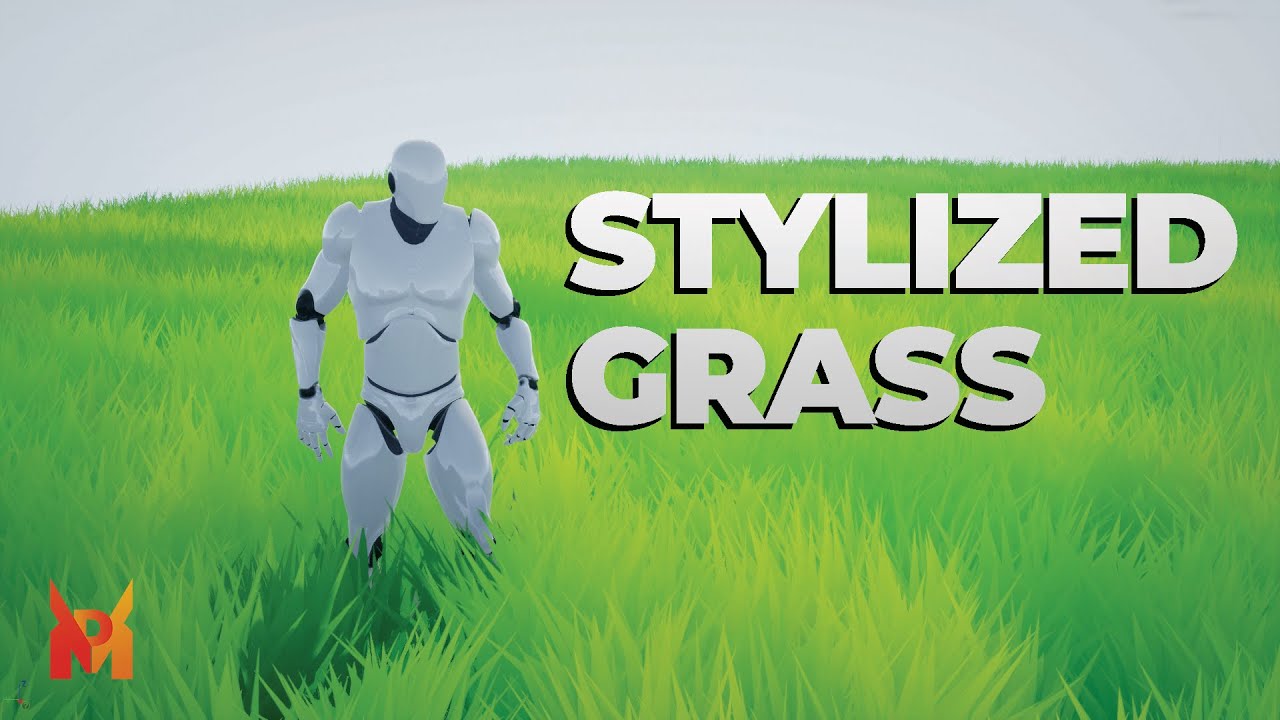
In this tutorial, you will learn how to create your own stylized grass.
Patreon: https://www.patreon.com/marpetakdev
Discord: https://discord.gg/ZgaManTRvg
Textures: https://drive.google.com/drive/folders/1TsUkyxht-AyhjIsRBLpSRK-2Vo3xFQbb?usp=sharing
00:00 Intro
00:14 Creating Mesh In Blender
04:38 Creating Material in Unreal Engine
11:30 Out...
 mortal quarry
Hi all, I have two meshes that currently overlap/have a seam. They have material instances on them with different settings, but I'd like to blend the two objects together / minimize the seam visibility.
What would be the best way to do this without merging the objects together and assigning a single material?
Thanks!
Edit: I can't use world aligned texture as both objects use flowmaps that go in different directions
plush yew
Can someone say how to do this?
https://www.youtube.com/watch?v=ZrhNgBXQiCA

Want to purchase my full Android multiplayer ue4/ue5 project file 👇🏻msg me
Telegram - - AniketG7
Link👇🏻
https://telegram.me/AniketG7
Touch code 👇🏻
https://drive.google.com/file/d/1fXnT...
Subscribe for more updates 😊😊
#androidprojectmultiplayerunrealengine
#androiddevelopmentue4unrealengine
#androidprojectmultiplayerunrealengine
#ue4an...
if you can then please dm me and say how to do it
 fierce agate
drowsy snow
hidden dew
Hi all
What are some good things to look up for putting grass in my game? Grass ...
fierce agate
drowsy snow
hidden dew
Hi all
What are some good things to look up for putting grass in my game? Grass ...
Have you tried messing with grass spawning in material?
fierce agate
Why my mesh is like this?
fierce agate
fierce agate
It has a wall inside but it doesn’t have a wall outside
My mesh was perfectly fine on the blender
Both sides had walls
fierce tulip
fix the normals. if you do a search on slackers you'll find a few thousand people with the same issue, and how to solve it
 fierce tulip
you need to fix em in blender, not unreal
drowsy snow
fierce agate
Which one?
I don’t have what’s this problem called
Fix the normals in blender
By default Blender has no backface culling, giving wrong idea about which way the mesh normals is facing
And please, avoid enabling Two Sided in the material unless you have to.
hidden dew
drowsy snow
Have you tried messing with grass spawning in material?
Ty. I've had trouble finding tutorials that don't talk about Landscapes, but I don't think I've just tried "grass spawning in material". Will try.
drowsy snow
midnight dagger
Hello everyone. I need some advice. I'm thinking of creating some complex GUI in...
You can use material trickeries to achieve those kind of progress bars.
It might be difficult to wrap your head around at first, but once you do, you're unlocking whole new possibilities.
rain badger
Question/Help regarding projectiles!
I'm working on a twin-stick shooter and I'm trying to figure out how to make the projectiles work lol. Full story, made a game in a game jam it's done now, great. Now I'm going through to clean it up and make it a full release. yada yada yada. Looking at the twin-stick shooter template and everything, the projectiles are spawned with an offset, making the projectile spawn wayyy above the player. I don't want that. I want it to spawn from the player. I don't know how to set up collisions and everything to make it: one, not hit the player (and their components). Two, hit enemy ships. Three, hit other players.
TLDR:
I need help with projectile set up with a few conditions in a twin stick shooter.
fierce tulip
I dont know the inner workings of it, but you can set up different collision channels for player and its projectiles, as well as for enemies.
so player projectiles can hit enemies, but not itself.
plush yew
plush yew
Can someone say how to do this?
https://www.youtube.com/watch?v=ZrhNgBXQiCA
anyone? <@&213101288538374145>
regal mulch
Aaaah the sin of all sins
Tagging mods for something else but help with server moderation

drowsy snow
Also be specific with the question
"How do I do this" then proceeds to refer to a whole system is not a good way to ask.
static viper
He had a knife but i disarmed him. Now i have the knife. 🔪
drowsy snow
My good way would be to ask something specific, and give broader context for it.
plush yew
static viper
i am glad you banned him
LOL
plush yew
static viper
i am glad you banned him
No one can ban me
static viper
just dont tag anyone when asking a question please XD
plush yew
static viper
just dont tag anyone when asking a question please XD
who are you to say this lmao
static viper
still rule 2!
oak patio
plush yew
who are you to say this lmao
Who are you to personally ping mods for help 🤔
plush yew
oak patio
Who are you to personally ping mods for help 🤔
I am just built different
plush yew
 loud berry
WHO TF- oh ue5 update, chill
loud berry
WHO TF- oh ue5 update, chill
xD
spring abyss
Helloo
Do Anyone Know how to create a shop like in pubg , fornite ??
Can anyone send any tutorials or say the steps to do it?
 weak urchin
A general question, is it a better choice to use plugins created in c++ instead of blueprint coded logic?
drowsy snow
weak urchin
A general question, is it a better choice to use plugins created in c++ instead ...
Depends.
It's not a cut and dry answer
sharp willow
weak urchin
A general question, is it a better choice to use plugins created in c++ instead ...
If something is better coded in blueprints, then it should be coded in blueprints. Whether it is a plugin or not has little bearing on that.
 dry lion
Hi all!
I would like to retry to approach and efficiently learn UE4 (i've done some tutorials and wrote some small projects). Do you have any solid roadmaps to follow to ensure i won't miss anything? Would be a plus to start with learning the advanced topics of c++? I tried blueprints and, for me, doesn't make sense. TIA
oak patio
dry lion
Hi all!
I would like to retry to approach and efficiently learn UE4 (i've done s...
Try again with blueprints. The two are designed to work together it isn't really pick and choose.
Not to mention is BP was confusing I doubt you would find advanced c++ easier, since BP is just a visual interface for simple c++
 lapis ore
I am trying to import an FBX that was created in Houdini, that has two LODs. Unreal is not importing the UVs. It seems to work sometimes, like yesterday for example, but today it's not working.
 lean leaf
is there a help channel here in this discord. im being driven crazy rn.
grim ore
Every channel can be a help channel if its the correct topic
lean leaf
my first person controller seems to havea sorta low gravity effect put onto it once i decided to come back to my project after a brake. my previous build does not have these floaty physics and i cant figure out whats causing it. its like the fpc is runing in slow motion
anyone have any ideas?
pallid olive
Hi what can you do if game keeps crashing after pressing start and its 20% crash rate
spice ruin
Debug it.
pallid olive
Is there a badloop or something
pallid olive
spice ruin
Debug it.
How Daekesh
spice ruin
Do you know how to use visual studio?
pallid olive
spice ruin
Debug it.
Problem is also that there is a chance of corrupt files after the crash
spice ruin
Highly unlikely.
The logs, if there are any, will be visible in notepad.
If you don't know how to use VS, then the answer you're looking for is beyond the scope of the couple of minutes I might take to explain how to debug with it.
pallid olive
Yea ofcourse thanks anyways
spice ruin
Good luck 😦
 flat trail
 grim ore
only if you change the default engine font
lapis ore
I am trying to add custom LOD 1 geo to a Static Mesh in UE4. When I choose the dropdown option to reimport LOD1 and point at a file on disk, then hit the Import button on the file browser window, UE4 crashes hard, instantly. Is there a workaround? What am I doing wrong?
 sage coral
Might be a weird question but do submaps impact fps at all?
sage coral
lapis ore
I am trying to add custom LOD 1 geo to a Static Mesh in UE4. When I choose the ...
Ue4 has an auto LOD built in thats what I use. I set mine to 3 or 4 LODs Generate it and leave it at the defaults
lapis ore
FWIW, it's getting stuck here - happens on some geo, but not others. I need to use a custom LOD in this situation...

...but if I open Unreal through Visual Studio I can just hit "Continue" each time it complains at this line, and force it to do what I need. WCGW, right?
 viral void
is ue4 still good to work with as ue5 doesnt work for me or should i really try to switch up
thin tendon
viral void
is ue4 still good to work with as ue5 doesnt work for me or should i really try ...
works fine for me. Depends on your needs really.
 storm dune
Hey, how can I create a landscape with c++? I tried with spawn actor, but i get Assertion failed: LandscapeGuid.IsValid() error.
spice ruin
Find the "add landscape" button or whatever it is in the editor. Use the widget reflector to find the button in code and see what it does.
Then do that.
thin tendon
storm dune
Hey, how can I create a landscape with c++? I tried with spawn actor, but i get ...
#cpp is the best place to ask c++ questions. My best guess though (I havn't used c++ in a while). IsValid() is a valid check and should work regardless right. So if that is failing then it is likely missing some kind of input parameter in your command.
storm dune
thin tendon
<#221799439008923648> is the best place to ask c++ questions. My best guess thou...
So I followed the advice of Daekesh and yours and I ended up with fixing the earlier error, but now I get another one.
Assertion failed: Pair != nullptr [File:D:\Build\++UE4\Sync\Engine\Source\Runtime\Core\Public\Containers/Map.h] [Line: 630]
I checked that line a it's check(Pair != nullptr); in
FORCEINLINE const ValueType& FindChecked(KeyConstPointerType Key) const
    {
        const auto* Pair = Pairs.Find(Key);
        check(Pair != nullptr);
        return Pair->Value;
    }
Any idea how could I go around fixing that?
thin tendon
storm dune
So I followed the advice of Daekesh and yours and I ended up with fixing the ear...
No idea to be honest mate. Like I said I haven't used c++ in a pretty long time. But if you use bread crumbing it will help you figure out exactly which part is the problem.
drowsy snow
storm dune
So I followed the advice of Daekesh and yours and I ended up with fixing the ear...
There must be fuller context behind this. You can't blame the engine code until you ruled out your own code.
 abstract wave
Hi there sorry if I'm using the wrong chatroom but I got a problem with projectile collision if anyone wants to please help me.
potent reef
Hi! Good day everyone!
Is there a possibility to Zoom In Photo /Image in UMG widget? If so, how?
Thanks before!
drowsy snow
potent reef
Hi! Good day everyone!
Is there a possibility to Zoom In Photo /Image in UMG w...
Yes, you can.
The problem would be more on coding the input without making spaghetti mess of a BP
thin tendon
potent reef
Hi! Good day everyone!
Is there a possibility to Zoom In Photo /Image in UMG w...
You can always use a material to scale the texture image. Then adjust UV coordinates based off input.
thin tendon
abstract wave
Hi there sorry if I'm using the wrong chatroom but I got a problem with projecti...
I understand you are trying to be polite mate. But you are usually best just asking your question
potent reef
@drowsy snow @thin tendon thank you! Am trying to modify ArchvizExplorer, there is a menu button called Gallery. If you click that Image showed up. But you can’t zoom in the photo.
Will try recommendation above. Thanks again!
 azure plank
does anyone know how make an opaque object not overlap?
abstract wave
Alright so I'm making a beat em up and one of the power ups is a bow and arrow. I'm trying to make an arrow projectile collide a vase actor, but it only works within the playable character's AOE attack hitbox. It's really hard to explain through text and I'd rather just call someone.


Basically the problem is despite the arrow being a separate actor, it won't collide with the vase unless the player gets near it.
 low thunder
Hiu guys im trying to create LOD's for a skeletal mesh in Unreal4 but I dont have the option to add LOD's to it like with a static mesh
does anyone have any advice?

 real stratus
I want to move the capsule a little higher, but I can't find that setting. Where can I find it?

Or is shifting the sprite the only method? Will it interfere with other animations?
 drowsy snow
real stratus
Or is shifting the sprite the only method? Will it interfere with other animatio...
drowsy snow
real stratus
Or is shifting the sprite the only method? Will it interfere with other animatio...
Yes, you have to shift the sprite, and no, it won't mess up the animation by itself
real stratus
drowsy snow
Yes, you have to shift the sprite, and no, it won't mess up the animation by its...
That is, the new animations are tied to the Pivot of this particular setting?
New animations created with Blueprints*
drowsy snow
I don't know much about Paper2D workings but unless you change the relative transform, it should be fine
real stratus
ok th
potent reef
Hi everyone! I made a Keyboard Shortcut in Level Blueprint when i press U, it display config setting.
I want make an UMG button on click that pressed U in the keyboard, but i dont find any in the web that works.
Is there any easier way to do this? Thanks before!
sage coral
Well this was probably the rudest thing someone has said to me about my "unfinished" work when they messaged me to volunteer
"I see no way how you can improve that to an even acceptable or even good level where one can be proud of" 😥
thin tendon
potent reef
Hi everyone! I made a Keyboard Shortcut in Level Blueprint when i press U, it di...

Configurable controls for common commands in Unreal Editor.
This one is how to change the editor keybindings for shortcuts.
pallid olive
hello
if you have a 10 classes that makes up a array and do a random node and spawn one random the array starts from 0 till 10
do i need to do -1 on the index ?

because i have one null class but im pretty sure all classes are set
real stratus
Do you know why my collider has a different value in the game and in the settings? Here is a demo:
 potent reef
thin tendon
This one is how to change the editor keybindings for shortcuts.
potent reef
thin tendon
This one is how to change the editor keybindings for shortcuts.
Thanks! But what I mean:
I created level Blueprint and create: Press T = to Change Config graphic
And then i make a Widget Blueprint, make a UI Button with On Click function. I want the button simulating pressing T on the keyboard.
 thin tendon
pallid olive
thin tendon
pallid olive
Correct mate. When you are setting the maximum number in your get random number. You want to get the length of the array and subtract 1.
thin tendon
potent reef
Thanks! But what I mean:
I created level Blueprint and create: Press T = to Ch...
So one way handle this issue. In the level Blueprint create a custom event. To replace the T press event. Then use T press to trigger the custom event. Then in the widget OnClick() ask it to trigger the new custom event.
pallid olive
thin tendon
Correct mate. When you are setting the maximum number in your get random number....
hi slimwaffle so basiclly first get the length and then you have to get random class
pallid olive
thin tendon
Correct mate. When you are setting the maximum number in your get random number....
or shall i promote the random int to a variable and set default value of -1 ?
thin tendon
pallid olive
or shall i promote the random int to a variable and set default value of -1 ?
Kind of like this mate

 thin tendon
pallid olive
didnt test it but should also work ?
thin tendon
pallid olive
didnt test it but should also work ?
I'm not sure you need to promote it. This method would also work. But won't spawn if a null reference is found. -1 probably works the best.
 pallid olive
thank you kindly waffle
hidden dew
Hi all.
So I want to do grass with what appears to be the common methods of grass cards; this kind of thing:

And this guy shows a tip for making the grass normals work nicely with different slopes: https://www.youtube.com/watch?v=U94pwpZQsRY&ab_channel=PrismaticaDev

You CAN SKIP the part in 3:33 - 6:46 where we Duplicate the Mesh and simply put this in your Grass Material first (YOU STILL NEED TO MAKE UPWARDS NORMALS) - https://imgur.com/a/2LEZdEL
You can also skip when I mention creating Duplicate Faces in Blender from 9:33 - 11:38, basically just ranting about how the backfaces of Normals are always the ...
Eg:

But what I want to do has 2 problems:
- I can't use a Landscape (because I'm on a sphere)
- The sphere changes shape, so the grass needs to move with the ground.
Like so:

(Ignore the jankiness, it moves much better than that now)
I'm only just learning how to do this grass now, and my understand so far is basically:
- A. Make a grass "clump" by just chucking a couple of planes across each other with a grass texture.
- B. Use Unreal's tools to "paint" the grass clumps wherever
- C. Use a material to make your controls for how the grass looks and moves.
**The Questions! **- So my first two questions at this early point are:
-
What's a good/efficient way to actually have so many grass clumps in the level, since I can't rely on Unreal doing that work for me? Is Unreal still able to efficiently deal with hundreds of the same mesh appearing everywhere? And if so, can each such mesh still have its own translation/scale/rotation?
-
Any tips or buzzwords I could look up for actually putting this grass on the surface programmatically? Ie, I don't want to be placing them individually, and don't know if there's a way to still "paint" them that can still work with my need for a morphing surface.
coarse jetty
which is the most optimal way to create a mirror?
sharp willow
hidden dew
But what I want to do has 2 problems:
1. I can't use a Landscape (because I'm on...
I'm not a VFX artist, but this sounds like the perfect use case for a vertex shader
hidden dew
sharp willow
I'm not a VFX artist, but this sounds like the perfect use case for a vertex sha...
Ty. I edited my previous post to prevent my questions getting split up.
Could you go into what you mean by vertex shader a bit more?
I only know a bit about Materials... The most advanced thing I've done is use vertex colour data, and an updating texture parameter, and a DMI, to change the hexagons (that can be seen above) across the planet all with the 1 material.
That first line is clarifying
So is this part of saying "Do your translation in the vertex shader, not on the object itself"?
That I get
(Assuming that's where that advice was leading ... ) I remember some vid of a guy rotating 300 items on the CPU -vs- in a material. The material one was obviously a lot faster. I don't understand the reasons behind that yet, but for now that's ok.
Right, cool
Is there anything special I should look into for optimising having so many grass clump meshes in the level?
But I'm guessing that uses a Landscape (from a super quick google)
So it's got a heap of optimisations running that I won't have
I just mean the problem of having a few hundred of the same mesh in the scene; if there's any particular technique or buzzwords I could check out
Instanced Static Meshes?
Thanks, learning about that
 finite grail
sharp willow
finite grail
sharp willow
oh that's cool!
real stratus
Few people look at paper2d, so I'll ask here.
Save me somebody. My character is not displayed correctly, I will show how it should and how it looks in the game.


In Unity, this was fixed with camera resolution settings and setting pixels per game unit. I can't do this in UE? Come to think of it, if I saw pixel art in UE, it was very close to the player. Is there any way I can make it further without pixel loss?
 slender egret
Having such a weird stupid issue.
I posses a vehicle. Possesion works, able to move the vehicle, able to unposses and re-enter previous character model.
Once I move a certain distance, and attempt to unposses the vehicle, I do not reposses my previous character. It switches to a different view in the world and I'm unable to control or input anything.. wtf?
at this "certain distance" i do not enter any box collisions, volumes, etc.
Any help would be appreciated, spent hours trying to diagnose wtf is causing the weird unpossesion
drowsy snow
real stratus
In Unity, this was fixed with camera resolution settings and setting pixels per ...
Usually pixel art games in UE don't concern about per pixel accuracy and just let it having "subpixel" movement
real stratus
But it's very ugly, what's the point in pixel art then, if all pixel art is lost.
I understand that I'm trying to kill a fly with a bazooka, but I really liked the functionality of UE, I really don't want to change the engine.
drowsy snow
real stratus
I understand that I'm trying to kill a fly with a bazooka, but I really liked th...
You could do some tick function on setting the screen percentage based on the real viewport resolution
I don't know if disabling AA also disabling the bilinear interpolation though
real stratus
drowsy snow
You could do some tick function on setting the screen percentage based on the re...

I tried to play with it but nothing works
real stratus
It didn't work(

 scenic lance
is there some reason manny wont post my revshare job?
 jovial barn
guys i need help with importing a .uasset file


im the same version
i put in content
and nothing happens
 mental gust
Is Epic going to provide an update for UE4 that works properly with Windows 11? I upgraded to 11 yesterday and it still has the issue of popup/right click menus eventually blacking out requiring me to restart the editor
spice ruin
I highly doubt anyone is working on UE4 right now.
mental gust
ok. I figured that was the case
drowsy snow
mental gust
Is Epic going to provide an update for UE4 that works properly with Windows 11? ...
This sounds like the good ol' NVIDIA driver issues
mental gust
Is that fixable via a driver update? Of course ... I'm taking advice from a talking potato
drowsy snow
mental gust
Is that fixable via a driver update? Of course ... I'm taking advice from a talk...
And the potato doesn't have an NVIDIA GPU, so maybe?
mental gust
{not filled with confidence}
There is a new driver available today ... going to see if that helps ...
 split tundra
I've been trying to get Quixel's Megascans Plugin to work but every single time I've installed it, the MS_DefaultMaterial is literally broken with unconnected pins and "Unspecificed Function" calls.
I've uninstalled and reinstalled it multiple times, both by using Quixel Bridge and also by downloading the .rar from the Quixel website, to no vail.
Any ideas? I'm using 4.27
jovial barn

if someone actually guides me how to do it , we will negotiate a reasonable price i will give you
drowsy snow
jovial barn
You can't bring in packaged/cooked .uasset in editor.
jovial barn
what do i need to do
drowsy snow
Pull up your backup of the project.
jovial barn
i don't have the project
its from another game
i just got the uasset file from the game
jovial barn
thats unfortunate
So theres no way i can get and import like a whole level from another game?
even if i got level.buildata and uasset file
drowsy snow

 rotund sorrel
What is the best solution for saving data nowadays?ex: player state, where are enemies,box triggers which haven't have already triggered, locked/unlocked door and so on?could you just save the whole scene or do i have to make some structured data to save all of this?
drowsy snow
rotund sorrel
What is the best solution for saving data nowadays?ex: player state, where are e...
The actors itself, if you don't destroy/unload them every room
rotund sorrel
drowsy snow
The actors itself, if you don't destroy/unload them every room
Wait you can save the actor itself?are they serializable?
magic helm
My enemy characters models saw of clip through walls a bit if they go up against them, what's the best way to prevent this?
drowsy snow
rotund sorrel
Wait you can save the actor itself?are they serializable?
Ah, you mean making save files, not keeping things persistent
rotund sorrel
drowsy snow
Ah, you mean making save files, not keeping things persistent
Yeah sry, i meant save files to load later. How would your advice change?
 low sonnet
Not sure if this helps but https://youtu.be/69LBMT_zD3w

First part of a series aimed at people interested in using databases in their Unreal projects.
I have created a Discord server, the intention being that interested parties can help each other, share tips and tricks, etc. Early days yet, but join up and spread the word: https://discord.gg/jjy2aJ3hj9
Chapters:
0:00 Intro
0:24 Why databases for g...

In this video, I demonstrate how to setup an Unreal project to use the SQLite plugins that ship with the engine, and go over some sample code to begin using it.
I have created a Discord server, the intention being that interested parties can help each other, share tips and tricks, etc. Early days yet, but join up and spread the word: https://di...
drowsy snow
rotund sorrel
Yeah sry, i meant save files to load later. How would your advice change?
Unfortunately I don't know much about data serialization, so can't help much.
My game's save data is bunch of values and flags, and that does the job because it's an RPG
rotund sorrel
drowsy snow
Unfortunately I don't know much about data serialization, so can't help much.
My...
But how do you save let's say if an enemy is dead and it should spawn again or not when you load the game?same for a box trigger which opens something if you triggered it yet or not
fierce tulip
@gentle wyvern no need to link to other channels. (against the rules), people generally active in the channel you posted will take a look and reply if they can help out.
 gentle wyvern
fierce tulip
<@492349000247279642> no need to link to other channels. (against the rules), pe...
gentle wyvern
fierce tulip
<@492349000247279642> no need to link to other channels. (against the rules), pe...
I'm sorry! won't do it again
magic helm
What does 'Make sure ES2 DDC data will generate (not used)' mean? I can't find ANYTHING about it.
lapis ore
Does anybody know why importing an custom LOD mesh will cause UE to crash? I'm guessing there's something about my FBX that UE does not like. Are there any known 'gotchas'?
mental gust
FYI, Nvidia driver update does not fix the blacked out popup menus in UE4 on windows 11. I guess this is just a hassle I need to deal with unless I upgrade to UE5.
 digital lynx
what's the best resource for learning the basics of ue4 now that learn.unrealengine.com has been replaced by dev.epicgames.com?
and that is completely ue5 focused
lapis ore
lapis ore
Does anybody know why importing an custom LOD mesh will cause UE to crash? I'm ...
Note to self - import LOD works better than reimport LOD.
 keen holly
how do i find includes of materials or shaders as cant find em Addditinal Includes
potent reef
thin tendon
So one way handle this issue. In the level Blueprint create a custom event. To r...
This is what i ended up… instead using Keyboard keys. Thanks for your help!

 wary gyro
I added VR hand physics to my project, but the fingers are just limp because of the physics asset. I want to keep the detail I have on the physics asset, but I want it to be “static” instead of the fingers being like limp. How could I do this?
wary gyro
I basically just want it to be more stiff
drowsy snow
potent reef
This is what i ended up… instead using Keyboard keys. Thanks for your help!
That For Each loop is completely redundant though
Considering you only give it 1 element
plush yew
I imported an FBX file into unreal, the meshes were fine but the animations were sideways, i exported out of blender, does anyone know why this happens?
drowsy snow
plush yew
I imported an FBX file into unreal, the meshes were fine but the animations were...
Can you screenshot what it looks like in UE?
plush yew
drowsy snow
Can you screenshot what it looks like in UE?
sure gimme a sec
my computer is a litteral potato so its taking a while
drowsy snow
plush yew
my computer is a litteral potato so its taking a while
You said that to a talking potato.
plush yew
oops

 sage crystal
dis you find a solution on this on Quest 2?
plush yew
for some reason when i use this, it doesnt change my character speed, would anyone know why

 harsh tiger
sage crystal
dis you find a solution on this on Quest 2?
harsh tiger
sage crystal
dis you find a solution on this on Quest 2?
This was a few months ago so my memory is a bit hazey haha. I did eventually get it working. I think it had to do with android permissions and allowing the headset access to the storage
rotund sorrel
https://github.com/sinbad/SPUD any thoughts on this?

GitHub
Steve's Persistent Unreal Data library. Contribute to sinbad/SPUD development by creating an account on GitHub.
Any user?
 real heath
I think Steve uses it
drowsy snow
rotund sorrel
Any user?
Steve.
sage crystal
harsh tiger
This was a few months ago so my memory is a bit hazey haha. I did eventually get...
Im asking pemiissions already, and getting access ( i use it for saving and loading user profile avatar, etc).
And i´m also using the file browser plugin you used for browsing image files in an image viewer i have.
Works fine with Windows paths, but on Quest 2 shows the virtual paths you showed in the post 😢
spare trench
Having this problem when changing the skeletal mesh using "set skeletal mesh" node.
How can I fix it?
Im using blocking volume on every 4 side of the car to avoid the vehicle thrown away problem for now
rain badger
Working on collision with projectile and enemy. The projectile is going through the enemy except for when the enemy starts to move toward the player (enemy is a mine with a box collision that gets activated when the player overlaps it) I want the player to be able to shoot the mine to blow it up when it isn't moving too, but I can't seem to set the collision up properly?
rain badger
Collision is complicated.
static viper
yes
ey
there is a function
that you should turn on for bullets/projectiles
CCD you can find it below the collision presets
its continious collission detection
this will give your projectile a much bigger chance to overlap/hit
plush yew
How do i move the menu you get when you right click. my screen is not so big and the menu is at the top of the screen when i right click a asset so i can only see half of the options.
queen shuttle
Alright, I’ve found so many tutorials but have no idea. What is the best practice for using controller on a main menu? The game functions with controller and uses everything perfectly. Soon as I open the main menu, I lose all function and it doesn’t work.
 steady vale
Yooo is this some kinda issue
look how everything's tilted a bit, altho they are not rotated
drowsy snow
queen shuttle
Alright, I’ve found so many tutorials but have no idea. What is the best practic...
You can use UMG/Slate's focus system (though it'll involve a teeny bit of C++ to make it work with gamepad)

 spare trench
Having this problem when changing the skeletal mesh using "set skeletal mesh" no...
spare trench
spare trench
Having this problem when changing the skeletal mesh using "set skeletal mesh" no...
If someone knows please help me out
 dawn flint
when I try to build light only, it takes around 1 hour and then when its done this error shows out saying out of memory. i have gtx 1650 4gb. my scene doesn't have that much, just a house and only added 3 lights. it used to take longer when there is grass but i removed it while working on this. so how can I fix it?.
 toxic lily
spare trench
If someone knows please help me out
toxic lily
spare trench
If someone knows please help me out
when you set the skeletal mesh are you reinitializing the pose?
queen shuttle
steady vale
Have you tried opening another viewport and if its not tilted, closing the one that is?
drowsy snow
drowsy snow
You can use UMG/Slate's focus system (though it'll involve a teeny bit of C++ to...
The C++ code in question for remappable focus input:
https://dev.epicgames.com/community/snippets/7Wy/custom-remappable-slate-navigation-config

Epic Developer Community
Custom UE4 Slate navigation, customisable with input action mapping (Project Settings -> Input)
spare trench
toxic lily
when you set the skeletal mesh are you reinitializing the pose?
reinitializing the pose? I guess not. How to?
Im a begginer
 clear narwhal
Hey guys I'm looking for a but of help. I am currently creating a VR project and after adding hands my teleportation is limited to just a bit in front of my character pawn. Has anyone encountered this issue before?
steady vale
queen shuttle
Have you tried opening another viewport and if its not tilted, closing the one t...
The viewport isnt tilted, all the gameobjects are (probably)
toxic lily
spare trench
reinitializing the pose? I guess not. How to?
Im a begginer

if your using a set skeletal node, its the bool tick on the bottom,
also double check your collisions, it could be a query issue
queen shuttle
steady vale
The viewport isnt tilted, all the gameobjects are (probably)
I was saying to rule that out I mean
spare trench
toxic lily
also double check your collisions, it could be a query issue
Ok I'll check it tomorrow and I have collision issues too. Idk how to solve them
I set collision body to sphere on tires and multi convex on root body of car in physics asset
Also I was having car floating problem so I used Vehicle Wheel blueprint to adjust the size of tire.
Im using seperate Vehicle Wheel blueprint for every different vehiocle mesh as they have different tire's radius
Having a lot more problem with vehicle Idk how to fix them🫤
toxic lily
well, just make sure all your collission presets are uniform, check all the collission settings on a skeletal mesh thats working and apply those same settings across the board, 50% of issues like this that i have are related to collisions or query
keen holly
Anyone know ho to find the location of these includes in shaders
 dawn flint
when I try to build light only, it takes around 1 hour and then when its done this error shows out saying out of memory. i have gtx 1650 4gb. + 8gb ram. my scene doesn't have that much, just a house and only added 3 lights. it used to take longer when there is grass but i removed it while working on this. so how can I fix it?.
 queen shuttle
dawn flint
when I try to build light only, it takes around 1 hour and then when its done th...
queen shuttle
dawn flint
when I try to build light only, it takes around 1 hour and then when its done th...
Have you added a lightmass importance volume?
dawn flint
Yes I did
dawn flint
queen shuttle
Have you added a lightmass importance volume?
It used to render in less then a min. But not it takes an hour and then show that error
queen shuttle
dawn flint
It used to render in less then a min. But not it takes an hour and then show tha...
Have you used Light density to check where lighting is the heaviest?
dawn flint
I remember using something about light from a tutorial to show green blue and red stuff and everything was green.
It says in the error I should lower resolution or something how can I do that?
queen shuttle
dawn flint
I remember using something about light from a tutorial to show green blue and re...
Yeah thats light density
Thats in settings that is left of your megascans plug in. It will show like quality and stuff like that in there
dawn flint
I'm confused haha
queen shuttle
Hahaha it's okay, so on the top tool bar in your viewport there is a gear that is labeled settings. Click that and there is some options in there that you can lower. It's under scalability
dawn flint
one sec doing that.
i had to delete data cashe thinking if it redid the shaders it could help haha
i opened the project and its doing the shaders again, haha
dawn flint
queen shuttle
Hahaha it's okay, so on the top tool bar in your viewport there is a gear that i...
i checked it and its allready at medium. and i wasnt talking about that i read that some people said you can lower a resolution of the quality in some ini file, but idk what file exactly or what to lower

they lowered it from 2048 to 512
queen shuttle
dawn flint
i checked it and its allready at medium. and i wasnt talking about that i read t...
Have you used the Lightmap density and checked stuff in your level? It checks the lightmaps and if the lightmaps are high, it will take a while to build
dawn flint
queen shuttle
Have you used the Lightmap density and checked stuff in your level? It checks th...
i told you i used it and it was green. but i ll try to do it again after it finished shaders, is it okay if you remind where i can find it ? and what to do next if it was still green ?
queen shuttle
dawn flint
i told you i used it and it was green. but i ll try to do it again after it fini...
There is lightmap density and Shader complexity. My bad, I got them switched up. Its under the "Lit" on the view mode tab. "Optimization View modes"
dawn flint
you mean these ?
 queen shuttle
Yep!
Shader complexity and Lightmap Density should be green for the most part. Check your glass on the house. Those things are expensive because of translucency
dawn flint
i ll try to use them when its done shadering, and if im stuck on how to i lll google it haha, it really confuses me i thought its because of my pc build but i found people on the internet with way better pc builds but get the same error
dawn flint
queen shuttle
Shader complexity and Lightmap Density should be green for the most part. Check...
oh i see, i ll make sure to check well,
queen shuttle
dawn flint
i ll try to use them when its done shadering, and if im stuck on how to i lll go...
Yeah, some things just need to be optimized in order to build faster and better. I've been struggling with that here recently. Hahaha
dawn flint
what should i do if everything was green and well ?
queen shuttle
dawn flint
oh i see, i ll make sure to check well,
I'm here if you need anything. I'll be working on my game for a few more hours
dawn flint
it will take hours for my pc to build 6000 shaders haha so i may have to try it tomorrow.
dawn flint
queen shuttle
I'm here if you need anything. I'll be working on my game for a few more hours
thank you again,
for taking the time to help
queen shuttle
dawn flint
for taking the time to help
Yeah for sure! I've been there when I started 2 years ago! It's a lot to learn, that's why we are all here to learn and help each other!
dawn flint
thank you, i found i can try it now instead of waiting for shaders,

this is shader complexity
dawn flint
queen shuttle
Yeah for sure! I've been there when I started 2 years ago! It's a lot to learn, ...
not really sure what to look for haha
lightmap density

 queen shuttle
dawn flint
lightmap density
queen shuttle
dawn flint
lightmap density
Can you click on something else so we can see the house. It turns pink/purple when you click on the object and it hinders you from seeing what it is reading

 queen shuttle
dawn flint
it turns pink like this
queen shuttle
dawn flint
it turns pink like this
Yeah that happens when you click on the static mesh. It's the green/grey color because the shaders aren't finished yet
Yeah, we can't see the information until the shaders finish.
dawn flint
but to be honest im not sure if its the cause because even with all these glass and items it was building light in less then 15 seconds but just yesterday did this, or when i add foliage
queen shuttle
This is what the lightmaps look like
 dawn flint
i added 10m verts grass and it build light in like an hour but no error but when i add forest it takes hours and show error
queen shuttle
dawn flint
i added 10m verts grass and it build light in like an hour but no error but when...
Yeah, So I had a huge issue with that a while back. I had to create a new level and bring everything over to get the error to go away
queen shuttle
dawn flint
any idea on how i can fix it ?
It seems to be a bug. Are you running 4.26?
dawn flint
4.27.2
queen shuttle
My wife helped me with my errors because she doesn't want to throw everything out of the window. So what I would suggest it, put the trees in another world and build the lighting and see if the error is still there. That way its an object of elimination type of thing
dawn flint
queen shuttle
My wife helped me with my errors because she doesn't want to throw everything ou...
oh i see, when i finish that will i be able to bring it from another level ?
so i build the forest tree type and rock type at a time and the build light each time to see whats causing the problem
queen shuttle
dawn flint
oh i see, when i finish that will i be able to bring it from another level ?
So the trees you put into the world that caused the error. If you put those in a blank level and you still get the error, then they are the reason you have an error and you will need to find better trees that aren't corrupted, or delete them and reimport them
dawn flint
quick question is there a way for me to select an object and hide it or make it so that when i build lighting its excluded? so i can do that to the building and see whats causing the lighting error ?
queen shuttle
dawn flint
quick question is there a way for me to select an object and hide it or make it ...
Never really tried that but in the details panel you can uncheck visibility and check hidden in game and see if that will work.
dawn flint
queen shuttle
Never really tried that but in the details panel you can uncheck visibility and ...
i ll try that, thank you a lot for all the help
queen shuttle
dawn flint
i ll try that, thank you a lot for all the help
Yeah for sure! I've been where you are and I try to help people as much as I can so they don't get stuck for so long like I was. Hahaha
dawn flint
yeah, it hurt haha, thanks . and good luck to you with your work
queen shuttle
dawn flint
yeah, it hurt haha, thanks . and good luck to you with your work
Thanks, You too! I'm here if you need any help. I'm on my computer all day everyday
dawn flint
queen shuttle
Thanks, You too! I'm here if you need any help. I'm on my computer all day every...
I won't say no. Don't regret it haha
magic helm
What do I do if the windows mouse keeps flickering visible at the edge of the screen when playing my game when it's set to not be visible?
queen shuttle
magic helm
What do I do if the windows mouse keeps flickering visible at the edge of the sc...
Need to the input the game only
magic helm
queen shuttle
Need to the input the game only
It is, it's not to do with the game seemingly. Seems to be some kind of glitch where the Windows mouse is somehow still registering with movement or something.
queen shuttle
magic helm
It is, it's not to do with the game seemingly. Seems to be some kind of glitch w...
Its set up right and after the set game mode you have a "Set show mouse" node unchecked?
\
 magic helm
queen shuttle
\
magic helm
queen shuttle
\
OOOOH! This might be it! I have it but the 'Set show mouse' is before the 'Set input mode'. I'll try rearranging it, thank you!
pallid olive
hello was curious if someone know some tutorials about how to make a progress bar have a slider with a sphere object
queen shuttle
pallid olive
hello was curious if someone know some tutorials about how to make a progress ba...

Hey guys, in today's video, I'm going to be showing you how to smoothly drain and fill or regenerate a progress bar for your games. This works for anything you want, I.e. a stamina system. (It will slide/wipe instead of jump through.)
Sprinting And Stamina: https://youtu.be/cUAvmje9Pyg
Creating A Progress Bar: https://youtu.be/KrkYzeBzZ_U
#Ue4...
 rotund sorrel
How to add collision to skeletal mesh?i want to use the mesh, like "use complex as simple" in static ones
drowsy snow
rotund sorrel
How to add collision to skeletal mesh?i want to use the mesh, like "use complex ...
Physics asets, or per poly collision
The latter is way more expensive to calculate, so only use it if you really have to.
rotund sorrel
It's expensive at runtime or to calculate only once?
drowsy snow
rotund sorrel
It's expensive at runtime or to calculate only once?
Runtime
rotund sorrel
drowsy snow
Physics asets, or per poly collision
The latter is way more expensive to calcula...
Can i then set block ignore etc. to trace channels using the physics assets?
 austere smelt
so iv been kinda tinkering around in the unreal 4 engine for a bit, mostly making small enviorments, but i wanted to start making a playable game, any good advice on where to start?
sage coral
How can I make it so when I use a line trace it interacts with a box collision instead of overlapping the player?
Im just unsure what to cast the box collisions overlap to get the linetrace going out
thin tendon
austere smelt
so iv been kinda tinkering around in the unreal 4 engine for a bit, mostly makin...
Keep your idea small mate. The simpler the better. Obviously you want to have room to grow and learn. But the smaller your idea the less likely you are to be overwhelmed with a ton of stuff to do all at once.
thin tendon
sage coral
How can I make it so when I use a line trace it interacts with a box collision i...
If your collision box and player mesh use different collision channels. Just trace on the channel you need.
 silk sundial
austere smelt
so iv been kinda tinkering around in the unreal 4 engine for a bit, mostly makin...
silk sundial
austere smelt
so iv been kinda tinkering around in the unreal 4 engine for a bit, mostly makin...
Id suggest first planning out what mechanics you actually want among other things like singleplayer or multiplayer etc etc becomes a lot harder to change stuff the further along you go so its always good to just have an idea for what you want to start off with then you can do some research and ask for help on specific things you may get stuck on
theres plenty of resources and questions answered on here and on the forums along with tutorials online though the quality of some of them may not be the best
sage coral
@thin tendon I think I had my trace on the wrong channel
steady vale
queen shuttle
I was saying to rule that out I mean
the problem still persists
ad i was able to reproduce the issue on a new level
i am using the Universal Camera Plugin (Free on this month) and it comes with a default pawn
when i spawn any object at rutime
it spawns tilted
ad i f i stop play, then the viewport dont get tilted
but if i press f8 during playmode and stop the game pressing escape, the viewport gets tilted (Only in that level)
 queen shuttle
steady vale
i am using the Universal Camera Plugin (Free on this month) and it comes with a ...
queen shuttle
steady vale
i am using the Universal Camera Plugin (Free on this month) and it comes with a ...
Can you check the pawn in the plug in and see if anything looks odd?
steady vale
queen shuttle
Can you check the pawn in the plug in and see if anything looks odd?
but, even if something was wrong on the pawn class, that shouldnt cause the gameobjects to be tilted on the viewport after game stopped right?
plush yew
queen shuttle
steady vale
but, even if something was wrong on the pawn class, that shouldnt cause the game...
Unless there is a setting on the camera in the blueprint
steady vale
queen shuttle
Unless there is a setting on the camera in the blueprint
i opened the .h file but dont know where to look at
spring delta
Does anyone know this variable type?
 thin tendon
spring delta
Does anyone know this variable type?
thin tendon
spring delta
Does anyone know this variable type?
integer
spring delta
how fuse 2 integers like that?
drowsy snow
spring delta
how fuse 2 integers like that?
Structs
spring delta
so it's a integer struct?
thin tendon
spring delta
so it's a integer struct?

What is a Struct in Unreal Engine 4?
Source Files: https://github.com/MWadstein/wtf-hdi-files
spring delta
Thank you
 violet jungle
Ndisplay : Set up the ndisplay for ue5 using Switchboard settings !!!
Issue : we can't render the game UI ( While playing in stage character only moving ?? )
Note : Currently...using with switchboard settings to connect the 4 screen
 empty prism
How do you rename a packaged game automatically? Don't want my released game to be named "CombatGame" in file explorer xD
drowsy snow
empty prism
How do you rename a packaged game automatically? Don't want my released game to ...
Valorant's project name is named "ShooterGame"
dawn flint
@queen shuttle I wanted to let you know ho wit went, nothing helped until I copied everything and pasted it in a new level, now even if i build lighting in production quality in doesn't take more than 5 seconds. thank you so much for your help
rain badger
Need help setting up simple collision between projectiles and enemy
 opaque seal
hi guys im creating a clock system but it has this wired bug someone can help me?
and sorry for bad english
https://cdn.discordapp.com/attachments/915658037384081438/1043147248890019921/bandicam_2022-11-18_16-21-17-399.mp4
https://cdn.discordapp.com/attachments/915658037384081438/1043147249376575529/Screenshot_41.png
 static viper
oh nonononono
do never ever attach a delay to a tick
give me a minute ill make something for you
opaque seal
static viper
give me a minute ill make something for you
ok tnx
static viper


this is how you should do it
but i would go a bit further

this is very clean
it will count exactly one serialized second
and then when it reaches 360 degress
it will reset itself
mh we could use the same logic for the hour pointer
static viper
my clock works
oh no sorry
it doesnt
gimbal
a second
A CHALLENGE

ok you can use combine rotators here
forgot that node
this will go in the right direction too
my clock was inverted in the world
opaque seal
ok let me try it
rain badger
rain badger
Need help setting up simple collision between projectiles and enemy
bump. lol.
opaque seal
@static viperit works thank you so much ❤️

