
#virtual-reality
1 messages · Page 248 of 1
 granite idol
Strangly, I got it to work by putting a delay before the animation is set to play

It's hacky though
 sturdy coral
was that your spawn actor of the widget component failing, or a different spawn actor failing elsewhere?
you can find out with a breakpoint before your call
granite idol
All breakpoints and flow was working fine
sturdy coral
and see if stepping over triggers the log
granite idol
It was a timing issue
I put a delay before I spawn the menu. That fixed it
That said, on begin play, everything and their grandma is starting up so adding a delay here and there is wise
sturdy coral
initwidget happens in widgetcomponent beginplay
 sturdy coral
spawning widget in level blueprint beginplay may not call beginplay on the spawned one until next tick or later in init if other stuff hasn't started up
granite idol
for sure, good old call stack
It was just weird how I could see it play fine if I wassn't in VR or in preview screen but could in blueprint play haha
Like, why?
lol
sturdy coral
beginplay order is more random than tick order I think
since the engine sets up a bunch of tick dependencies on core stuff that kind of orders them
I don't know the ordering guarantees for beginplay
granite idol
Word on the street is, it's not good to depend on begin play's anyways for that reason
Strange, these lessons we have to keep learning. I probably learned that a couple years ago then forgot
now my widget interaction is short, like I have a sphere around my interaction line
sturdy coral
granite idol
now my widget interaction is short, like I have a sphere around my interaction l...
curved widgets only interact to where it would be if it were planar and don't extend to the curve
you have to manually fixup the hit position
granite idol
Seems to be the thing, how would you suggest I do that?
I'm not so sure of that, it was working decently on the curve prior?
Maybe I was using a line trace before for a different thing
But still, if the line trace traced well, this debugger should to on the widget interaction comp
sturdy coral
granite idol
But still, if the line trace traced well, this debugger should to on the widget ...
tracing will also fail if the trace starts in the region between where the widget would be if it were a plane and where it is as a cylinder
 granite idol
Yeah it's hard to tell, well it's like it's 5 feet away from the player, but the laser pointer is about 2 feet. It's like there is something invisible infront of the player
 sturdy coral
add something to log what it is hitting every tick
granite idol
It's spawning 500units away from the player, yet the interaction pointer is stuck at like 2 feet radius around the players head
good call
sturdy coral
or do a breakpoint if you can, break on
```cpp
else if (HitResult.bBlockingHit)
{
// If we hit something that wasn't a widget component, we're done.
break;
}```
probably just hitting pawn/character collision sphere
or flashlight
granite idol
Even if I move my hand away from the player the pointer does not shrink or grow
 lofty iris
turn on show collision and you see what blocks it.
granite idol
Duhhhh, it's hitting another hud

@sturdy coral @lofty iris We're go flight!
Thanks for the rubber ducking and suggestions guys!
sturdy coral
don't get excited yet, much more is buggy with it 😛
granite idol
Oh?
granite idol
sturdy coral
don't get excited yet, much more is buggy with it 😛
Like what?
sturdy coral
depending what you are doing you may need:
PlayerController->ConsoleCommand(TEXT("Slate.EnableFastWidgetPath 0"));
it will manifest as a focus issue that only happens on widgetcomponents and not normal viewports, I can't remember the details but I think it is only with comboboxes
granite idol
Aye, my menus are going to be basic for this stuff so I'm not tooo hardcore worried. I will look into it though.
sturdy coral
several other issues with sending keys and some other things you may not run into
but there are many bugs in it
granite idol
My question is, when I destroy the widget actor, the widget comp ref gets garbage collected to?
sturdy coral
just using laser pointer to click on things mostly works, but the rest of the stuff I don't think is tested well
granite idol
I miiiight vouch for just using the controller thumbstic and A button for navigation only. Also helps for controller players on PC
Might help avoid that issue
Seems like pointing and clicking is easy enough, but agreed there is always something
You been a big help today man, thanks again @sturdy coral
Now it's time to eat some supper
sturdy coral
here's another to watch out for if you more than just laser pointer, oculus plugin will randomly steal focus from your widget back to main viewport:
                if (OCFlags.NeedSetFocusToGameViewport)
                {
                    if (bAppHasVRFocus)
                    {
                        [...]
FSlateApplication::Get().SetAllUserFocusToGameViewport();```I'll have to set some sort of timer to be sure that it doesn't do that. I remember I had an issue with that on my last game. It kept yanking my focus onto the viewport
sturdy coral
PressKey will sometimes return false when it really had a reply
granite idol
I forget how I fixed it, but I remember that was an issue that cause me a headache for a bit
sturdy coral
just going through my commits looking for widget component/interaction component stuff
granite idol
I think I had to ask if the focus was on viewport and if so, to set focus to last button that had focus
sturdy coral
yeah you may need something like that anyway because the console tends to break focus in weird ways in development
granite idol
I swear by all things that are holy, when making an options widget, I'm sticking to a straight line of buttons haha. No sideways movements. I managed to get it to work on my last game but it was being a dick
sturdy coral
another: scroll wheel events on UWidgetInteractionComponent aren't consumed even if RouteMouseWheelOrGestureEvent returned a reply with IsEventHandled == true
 marsh crystal
Does anyone have any info as to why my vr pointers do not work in a packaged build but do in vr preview?
 tired tree
@marsh crystal they are debug draw calls, debug drawing is off by default in shipping builds, you can enable it for shipping builds in your build target settings but its generally better to use mesh based pointers of your own anyway.
marsh crystal
@tired tree Thanks for the response! So mine are setup as a UI widget that's drawn a few thousand units in front of hand. So it's not like a debug line trace. Is that what you mean?
Cause I technically dont have a mesh pointer. I only have these UI Widgets at the max distance I want them.
tired tree
@marsh crystal ah, you worded it like you were using the built in pointer to the widget interactor
marsh crystal
ah nope these are custom
tired tree
if you are just moving a widgetcomponent then it should be functional
marsh crystal
yeah the weird thing is my left one works in packaged builds
 bronze cave
Hey! Just a question. How come the template does not need Android to be installed to work on the quest but a blank project does?
bronze cave
bronze cave
Hey! Just a question. How come the template does not need Android to be install...
sorted .
lofty iris
I have made a build for my game now and it hitches every 3-5 seconds but the ms only change by like 1 on draw. otherwise its stable 13.8 to .13.9. that makes no sense, these problems dont appear in editor preview at all.
like even in the main menu, where nothing is going on.
 wheat holly
Make a development build and profile it, then you should be able to see what’s the issue 🙂
sturdy coral
lofty iris
I have made a build for my game now and it hitches every 3-5 seconds but the ms ...
you can try out unreal insights and try and see if any events are taking too long and mixing up the normal pattern of events on the timeline
lofty iris
I added now some console commands for profiling but why should 1 ms changed cause a hitch with audio distortion. Even if the MS are like around 5 its still stutters all the time, I think this is caused by Nvida drivers, because I have hard stuttering on DBD as well lately.
as if there are not already enough issues.
lofty iris
Okay I did install older drivers and played some pavlov vr and it has the same issue, maybe its my pc.
 mystic tinsel
Anyone have any experience with large room scale movement? We have a level where there are multiple people in the same physical space all wearing Quest 2s. We have a server that they join, and then they calibrate their position and the rotation of the virtual world so that everyone is all lined up and walking around exactly the same space (9 meters x 9 meters). The calibration happens around point A. Here is the issue we're noticing:
The physical user and their avatar are basically in sync around point A. However as we walk in a circle around the space, by the time we get to point B, the physical user and their avatar become about 30 cm or so out of sync. As we get closer back to point A the avatar and user go more into sync. like they were. Now, there is no outside tracking, so I can't possibly imagine what it is that would throw the avatar and real user out of sync.
There is no movement component. All movement is done by walking around in real space and then replicating our position through the server. So we have a timer (every 0.05 seconds) that gets the transform of the hands and HMD from the client and multicasts that to the other clients. Since each clients world is is syncrhonized to the same spot in the physical world, this should, and does, result in 1:1 movement at least around Point A until we get farther away from that.

 fathom temple
The largest guardian I've ever done is 6 meters (20') and I haven't used a server, just local tracking and a Character so it has a capsule. Physical walking within that space has not gotten out of sync. If it had, the capsule would no longer be around the HMD and I would have had geometry collision issues that wouldn't seem to make sense. So it seems to me you might be losing some precision in your network traffic?
mystic tinsel
No guardian here, it's completely disabled because of the size. Also no collisions for the very reason that we wouldn't want someone's avatar to get jammed up on a wall or something, as that would immediately throw them out of sync. There isn't any need for a capsule or anything as there is no gameplay, this is a visual thing only. So the HMD and controllers just move completely independently of the actor root which never moves. The precise method we're using here is having the client report it's position in the world to the server and multicasting that out. I'm not sure how that could go out of sync unless somehow the quest itself was losing tracking in that part of the room except that it is consistent.
fathom temple
It's an interesting problem, certainly. And I assume the same is true if you reverse everything. Start at B, go in the opposite direction.
mystic tinsel
it might be, We'll have to try that and see if we see something similar or if they're just out of sync in B to start with
fathom temple
Or C, a point directly in between A and B. Any different behavior there?
mystic tinsel
C is a pillar in the middle of the room, so we don't walk there 😉 but on the left corner for example they seem slightly out of sync there.
fathom temple
I'm grasping...but just thinking of ways to get different data points to get some sort of insight to the problem.
It's very odd that it gets back in sync when you return to A.
That's why I was thinking there might be some sort of floating point error. if A is 0,0,0 and B is 999,999,999 or something like that. Losing precision as you get further away from the origin and it starts to show when you hit the extreme end.
 somber pulsar
does anyone know how to stop unreal from crashing everytime I try to run vr preview of my game it is very simple pretty much only the default vr template with some walls?
 fiery cloud
somber pulsar
does anyone know how to stop unreal from crashing everytime I try to run vr prev...
fiery cloud
somber pulsar
does anyone know how to stop unreal from crashing everytime I try to run vr prev...
Which headset? Sometimes the "SteamVR Server" process can hang (which will also crash unreal editor) if it was automatically started by unreal editor instead when you try using VR Preview in unreal editor. If it's a steamvr headset, solution is to just make sure steamvr is running (just start it manually through steam) before starting unreal editor. Hopefully helps for you.
sturdy coral
mystic tinsel
Anyone have any experience with large room scale movement? We have a level where...
if your rotation is off by just a few degress, then A can be aligned and B be off by the 30cm pretty easily
try to get a point in the center translationally aligned , then you can compare two opposite corners to rule out rotation error, rather than aligning one corner translationally and not being able to walk to an opposite point
 silver brook
Is it possible to show decals on Quest 2?
silver brook
So I turned on Mobile HDR, , I can see decals now but everything is super dark. can barely see anything. One scene has Post Process FX the other does not. Both have very bad visibility with Mobile HDR on. Going to turn on Forward Shading to see how that goes
somber pulsar
fiery cloud
Which headset? Sometimes the "SteamVR Server" process can hang (which will also ...
I reinstalled unreal and it worked!
mystic tinsel
sturdy coral
if your rotation is off by just a few degress, then A can be aligned and B be of...
That's not how we're aligning. Our area is in alignment and we have fixed points for the alignment algorithm in the real world. Both players align on the same points. If there were any issue with the alignment, both players would be out of alignment by the same amount and their virtual worlds would still line up, even if it was out of alignment with the real world space. In that case their avatars would still be in sync with their movement. Last night we found some code that was still getting called from another avatar system we had, and that may have been what's throwing it off. We'll do another test today and check it.
somber pulsar
can you use vr expansion in unreal 5?
tired tree
yes, though chaos is bugged in the preview version (of the engine) currently
somber pulsar
I tried to install it but it gave me the rebuild error
tired tree
@somber pulsar there are no precompiled binaries for ue5 currently, you need to compile it
there will be likely tomorrow, its still better to learn to compile it though
the website has a compilation tutorial at the top menuu
somber pulsar
ok thank you
 tawdry bough
I need an opinion. I'
I'm making a forklift simulator
When the player is driving and then decides to grab the wheel, this is a very noticable jerk in motion
but I'm thinking it's not normal for people to drive without their hands on the wheel anyway
so to avoid having to worry about this, should I just make it so you can't move unless you have one hand on the wheel?
or should I try to find a way to fix this?
somber pulsar
I would try to fix it
mystic tinsel
Is positional voice chat possible on the Quest since attenuation seems bugged on it?
 snow fossil
submitted an app to applab and they said changes requested for metadata but there is no changes on the dev portal for oculus apps I see nothing
they claim in an email there is a dropdown called "Publishing Review"
I do not see that dropdown anywhere
snow fossil
sent them a video of the site and lack of the dropdown button for me on my end hopefully they fix it
tired tree
@tawdry bough you just need to manage initial grip location to offset steering is all
 neon egret
How are you peeps handling projects that allow VR and non-VR? We are currently using Login of the GameMode and the WornState to decide if the Player is playing as VR or not. A lot of things change depending on that and there isn't really a way atm for us to swap after the initial assigning of PlayerType (although one could set that up if there is a convinient callback).
The problem is that e.g. the Vive doesn't instantly update the WornState properly. We could check Connected instead, but the VR headset might be connected yet not used.
Quest 2 for example updates quickly enough so that this work, but you can even have the Vive (Index) on your head for a few seconds and it still returns Unknown for the WornState
 river pewter
Is anyone else having issues with the "Scale world to meters scale" node?
I set it to 750 in the beginplay of my gamemode in a fresh, new scene in UE5 and I cannot get it to do anything in the PRpreview of PIE.
tired tree
@neon egret yeah oculus has a proximity sensor for it and index does not, so steamVR takes motion into account and its not super accurate
connected though should only show true when the actual runtime is up for the headset
that should "Generally" be good enough right? if they have it both plugged in AND the runtime running you would think its intended to be used
lots of games also offer different boot up modes (iE: steam games with two launch options, vr or non)
somber pulsar
tired tree
<@!94211915902889984> yeah oculus has a proximity sensor for it and index does n...
when building the .sln in my project do I build solution or build the project?
tired tree
@somber pulsar project
mystic tinsel
neon egret
How are you peeps handling projects that allow VR and non-VR? We are currently u...
For steam, we just created a VR and Non-VR start and had the VR start pass a command line argument and checked for that. If you're talking about switching during play well..
 tired tree
@somber pulsar you cloned the wrong version, win32 was deleted so it had to be removed in checks
though the warning is coming form "your" project
so I guess in your case you need to resolve win32 checks
did you have the top compile set to win64 in visual studio?
somber pulsar
I downloaded the wrong version
tired tree
@somber pulsar i'll note that chaos is utterly broken in 5.0 preview atm
if you intend to do anything with constraints / physics, don't use ue5
there is actually very little reason to use ue5 with VR at this moment
the constraint issue is hopefully slated for a fix in preview 2
 subtle raft
in there a cvar that disables Start in VR in a packaged build with Start in VR enabled?
if there was it'd be put in Game.ini right?
I have an old build of a project that crashes without a HMD plugged in and would like to open it without it crashing and without having to plug in a HMD
it crashes because it's using the Mixed Reality VR runtime which doesn't support disabling VR
 strange mirage
🤔 SteamVR plugin is enabled, so why might I not see anything through my Valve Index headset?
Answer: because I can't just click 'Play'; I need to select 'VR Preview'
 opal bough
Hey, I'm using UE4.27.2 and use a directional light combined with a skylight and exponential height fog to achieve my lighting. It looks pretty good but I have one issue where it seems like only the left eye is being rendered correctly. Things like reflections sometimes don't render on certain surfaces. For example when I use a WaterBodyCustom it only renders shadows on the water in the left eye. I also have a feeling the fog gets rendered slightly differently in the right eye as you see more or less fog in one eye depending on where you look which makes for a very disorienting experience. Also things like lens flare (which I've disabled due to it being too distracting) only get properly rendered in the left eye as well. Is this something I can fix or am I just doomed?
In my project these settings are modified to create the proper lighting I want:
r.GenerateMeshDistanceFields=True
r.SSGI.Enable=True
r.SupportSkyAtmosphereAffectsHeightFog=True```But enabling or disabling those doesn't really affect the problem.
 hidden crest
neon egret
How are you peeps handling projects that allow VR and non-VR? We are currently u...
hidden crest
neon egret
How are you peeps handling projects that allow VR and non-VR? We are currently u...
I did something like @mystic tinsel but I use the "Has Launch Option" function. Then I initiate VR if Steam launches with the "VR" option. So far no issues on Steam.
neon egret
Alright I will keep that in mind
hidden crest
opal bough
Hey, I'm using UE4.27.2 and use a directional light combined with a skylight and...
I've been having the same issue but my gripe has been volumetric fog. I have found no solution so far and have searched far and wide and submitted a bug report but never got a response.
mystic tinsel
hidden crest
I did something like <@!282730861047185418> but I use the "Has Launch Option" fu...
Yeah has launcher option. Sorry I set it up a year ago or so. That was what we did. And included a couple batch files
somber pulsar
does anyone know how to stop vr character from the VRExpansion spawning in the ground. for some reason the height doesnt change like in the default vr template
tired tree
@somber pulsar set tracking mode to floor
i assume you are on oculus
they default to eye level still for some reason in engine
somber pulsar
Thank you been stuck on this for so long.
 zealous turtle
Hey guys, I have a problem with VR pause menu, where I cannot interact with the menu. When I use the menu when its not paused it works fine. Basically I cannot interact with the widget. I did check Widget Interaction component is set to tick when paused, so is the actor and widget. Are there anymore ideas what could be the problem?
 cerulean wigeon
so setting enableHMD to false closes the game. Is that the intended behavior or did I break something?
sturdy coral
cerulean wigeon
so setting enableHMD to false closes the game. Is that the intended behavior or ...
which plugin? I think that was happening to me with openxr and I changed things to not exit in that case
cerulean wigeon
sturdy coral
which plugin? I think that was happening to me with openxr and I changed things...
yeah, with openxr
cerulean wigeon
it was indeed the openxr plugin, after disabling it no longer closes the game. thanks @sturdy coral
mystic tinsel
Anyone know how to get any log files generated by Unreal back off the Quest 2? I need to provide some logs to Agora for debugging an issue with their plugin. They have a command _rtcEnginePtr->setLogFile("agorasdk.log"); that will write log files to the project directory, but i'm not sure how I can get those back on to the machine. or if they'll be generated properly on the quest.
 balmy scarab
I have a weird issue. VR, on Quest 2 only. RIft and Desktop(screenspace) behave as expected. Going from one text box directly to another (email, password fields) inserts a space. UMG is in world space.
User will type email, then click on password text box and a space appears. They don't see it and type password which is now wrong because it has a space.
I am trimming whitespace on email, but I can't really do that on passwords, they may start or end with space.
I made changes to the UI so they had to press a next in between the text box: type email, next button, collapse email textbox, set keyboard focus on password textbox, type password. This was to try avoid the issue, but then I found you could also "double click" twice (trigger x4) the textboxand it highlights the text (if any), deletes it, inserts a space...
I feel it must be how quest/android is interpreting the press/release pointer key
Anyone else seen this bug/behavior before?

 tranquil tree
Hi, I got a problem with AR project. I build it using UE5, AR template. My phone is samsung galaxy note 9. when I launch my AR app, It has a black screen not a camera screen, but the other part of the app is working correctly. I want to see my camera. does anybody who fix this?
tranquil tree
I can't see my camera... I don't know why
Hi, Did you fix this? I'm in same trouble with you 😂
 twin elm
tranquil tree
Hi, Did you fix this? I'm in same trouble with you 😂
twin elm
tranquil tree
Hi, Did you fix this? I'm in same trouble with you 😂
No, Unfortunately I haven't been solved it.
 native holly
Hello, please share thoughts: VR default template - not working on steamvr (index)
Just starting new clean project, virtual reality template, 4.27.2 - straight to pack for windows64.
Quest 2 - launch exe, no problems.
Steamvr - launch exe - doesnt pull steamvr on.
Start steamvr, then game - nothing appears on index, sits in steamvr home, game open on monitor.
quest 2 and index on different pc's, tried with two different pc's with index.
 red grove
Hi, I have a problem with Oculus quest 2 with Unreal version 4.26. Here is the description of the problem:
Problem -> black screen after succesful package, or build by the book.
First of all, I need to use 4.26 because of the plugin support, so unfortunately switching to 4.27 is not a solution for me.
For my build I downloaded Oculus Unreal engine from source 4.26 succesfully. I have android studio 4 with sdk level 29 and ndk 21.4.7075529
In my project settings I have set target and minimal SDK version to 29, allowed large OBB files, setup build for arm64 and opengl and most of the settings I have found online.
Can anyone tell me whats the most probable reason for having a black screen (but not crashing) after building oculus app. Maybe some other project settings I havent tried might be helpful. Also prints on beginplay will display, everything else is black.
Thank you very much for all your help!
red grove
red grove
Hi, I have a problem with Oculus quest 2 with Unreal version 4.26. Here is the d...
Ok, today i spent 8 hours accomplishing this, and after I posted here finally I found solution.
Dont know why, but disabling Support Opengl and enabling Vulkan solved the problem for me, still dont know why thou...
What is the best debugging tool for inside the app in oculus? thanks
 idle marten
[Help] anyone got a good way of making it so you can't see the back of your eyes when placing the camera in the head... the body just looks better when I place it in the head instead of using a 6 cm offset to be in front of the head..
Im thinking some culling setting right?
I just can't find it
 mystic plaza
I want to make feets moving according to upper body movement (with oculus). Is there any good tutorial of that?. Please mention if any.
 ashen thunder
Water plugin looks really bad in VR on 4.27.2. Is there a way to make it work?

 coral swallow
Does the OpenXR GripPosition and Rotation automatically get set to 0.0 by the engine when it detects what type of controllers you are using. When trying to set my grip point using XR grip position and grip rotation they just return all values as 0.0
balmy scarab
idle marten
[Help] anyone got a good way of making it so you can't see the back of your eyes...
If head has its own mesh make it not visible to owner.
Otherwise more drastic janky solutions:
Offset the head bone in the anim bp. Move the head back behind camera.
Scale the head bone to zero in the anim bp. Turn that head into a singularity.
 outer scaffold
Can anyone help. Loading up the VR template in 4.27 and VR Preview is grayed out. Using an Index.
 balmy scarab
outer scaffold
Can anyone help. Loading up the VR template in 4.27 and VR Preview is grayed out...
balmy scarab
outer scaffold
Can anyone help. Loading up the VR template in 4.27 and VR Preview is grayed out...
I usually only encounter grayed out vr preview if the headset isn't all started up before project is launched.
outer scaffold
balmy scarab
I usually only encounter grayed out vr preview if the headset isn't all started ...
I've tried opening the project after launching Steam VR and still it's grayed out. Very annoying, failed before I've even begun!
balmy scarab
Sorry not sure about the index. I do not have that headset.
My vive and steam vr starts up with the project and usually works. Oculus I have to manually launch before hand, so I spend a lot of time restarting projects after realizing I forgot...
outer scaffold
I might try my Oculus with Link. See if that works
But like you say you have to manually connect Oculus each time
balmy scarab
The link is out of beta, so you only have to start the oculus app.
outer scaffold
balmy scarab
The link is out of beta, so you only have to start the oculus app.
Funny the Index works on the UE5 preview build. Would you know if it is worth starting a VR project in UE5 and getting used to the layout etc?
 real needle
hallo, I have a fairly peculiar issue with movement and a spectator pawn, I can use all VR controls just fine as a character, but when I am spawned in as a spectator it reads everything except for thumbstick movement -- anyone got an idea what it could be?
balmy scarab
outer scaffold
Funny the Index works on the UE5 preview build. Would you know if it is worth st...
I have never really had issues migrating from preview to release builds
so I would go for it.
outer scaffold
balmy scarab
I have never really had issues migrating from preview to release builds
👍
 somber narwhal
Hi. I've got the start of a UE4 Oculus Quest 2 project that I'm wanting to set up hand tracking in. I've got it tracking the hands, but I can't figure out how to set stuff up beyond that (For instance, Gesture Recognition)
Any pointers anyone could give?
 maiden willow
somber narwhal
Hi. I've got the start of a UE4 Oculus Quest 2 project that I'm wanting to set u...
maiden willow
somber narwhal
Hi. I've got the start of a UE4 Oculus Quest 2 project that I'm wanting to set u...
Check out this video: https://www.youtube.com/watch?v=W1xGv_YEb6k&t=89s

Grabbing objects in VR is pretty straight forward if you have a pair of controllers. With the hand tracking feature grabbing becomes a bit harder to implement. In this video, we go over one way of implementing this feature.
☕☕☕ If you enjoy our content and want to support us you can do so with buymeacoff.ee/just2devs
Head to our website where ...
somber narwhal
Thank you, will check that out after dinner.
 mortal spire
According to Oculus's docs: https://developer.oculus.com/documentation/unreal/unreal-controller-input-mapping-reference/
If I want to map the trigger, I need this.

Overview of the Unreal Touch input mappings.
But I did that, and for some reason it's not triggering
 graceful frigate
Hey, I'm looking for a solution how to have a VR tracker moving camera in one PC, and then see the camera view in another PC in other room.
Is this something that UE multiuser or livelink setup could help out, or am I supposed to have some sort of cluster build within these two computers?
I just can't find and straight answers, but I wonder this could be somehow done as there's livelink ability with iPhones&Pads?
balmy scarab
graceful frigate
Hey, I'm looking for a solution how to have a VR tracker moving camera in one PC...
You can use ipad/iphone as a virtual cinema camera. Uses AR tracking to track its position and update in ue4. I do not think it will be able to be sent to another pc. Probably would be able to cast a second screen or something like.
balmy scarab
graceful frigate
Hey, I'm looking for a solution how to have a VR tracker moving camera in one PC...
https://docs.unrealengine.com/4.27/en-US/AnimatingObjects/VirtualCamera/VirtualCameraActorQuickStart/
I think this is what you need.

The Virtual Camera Actor is a sample Virtual Camera that can be used as a starting point for your project.
graceful frigate
I've actually done that way too, there was few issues why I wanted to utilize VR tracking instead.
I maybe also found something, livelink related solution from Unreal itself. Lets see if I manage to get it work as I need it.
graceful frigate
One hour of trial and error, and error is the state we're at.
I dunno, I felt being close as finding LiveLinkXR plugin, but then I realized I didn't get any solution how to create the connection from pc to pc like it's done with Apples.
real needle
i am looking into development in vr, specifically for vive and steam vr. are there any good guides for getting started? i have already gotten all the stuff like android studio set up
 idle osprey
Maybe someone's asked this already but, what happened to Oculus Open XR? I don't see that plugin in UE5p1.
idle osprey
real needle
i am looking into development in vr, specifically for vive and steam vr. are the...
Why would you need android studio for steam VR?
sturdy coral
idle osprey
Maybe someone's asked this already but, what happened to Oculus Open XR? I don'...
idle osprey
I'm always late to the party. Anyway, tried that, and it doesn't seem to be OpenXR, but instead Oculus as my controller models don't show up.
real needle
i'm using android studio because i have a quest 2
idle osprey
real needle
i'm using android studio because i have a quest 2
Ok, so...you mentioned steamvr and vive. You only need Android Studio for native Quest apps, not using Link. Tho you might already know that and I'm just blabbing along. 🙂
real needle
yes i know, i'm also planning on putting my game natively on my quest for a standalone test
i already had to wait for it to compile shaders, now it has to compile twice as much! this is taking forever
idle osprey
Yep...welcome to UE. 😉 At least it's only really really bad the first build (per platform)
 languid prairie
I have a working inventory system that I want to convert to VR, I know the issue is that it's setup for Viewport usage instead of 3D widget usage but I can't figure out how to convert it because I don't know how to get a reference to the 3D widget actor inside my actor component. Anyone know how to do so?
 thorn zealot
Hello everyone. I am a college student working on a Capstone Project and I have been building an AR application using the UE5 Early Access 2 AR Template. Everything has been going great and it's all worked perfectly. Last week when the Preview came out, I decided to make a copy of the project and use it in the more stable UE5 Preview 1. After importing the project and making a build for my phone, I opened up the app and the camera wasn't working right. The application acted like it was using the camera on my Pixel 6, but the screen was black. I decided maybe it was just a bug of using the older version of template from early access, but when I created a new project with the newer version of the template, I had the same issue. The app acts like it is taking input from the camera, but the screen is black outside of the UI elements. Has any of me else encountered this issue, and has anyone found a fix? Otherwise I can revert back to using the Early Access version without an issue. Oh, and before anyone wonders why I am not using a more stable version of UE4, like 4.26 or 4.27, it's because I had a lot of issues trying to get the AR App to work on Android and it apparently had to do with the AR Core being out-of-date in those older version.
real needle
i don't understand what i'm doing wrong
I'm just trying to build the vr test app to put it on my quest 2
i don't know what i'm doing wrong
i installed android studio
i installed the ndk
I already have java
I keep running into these errors that I can't understand
idle osprey
real needle
i don't understand what i'm doing wrong
I'm just trying to build the vr test app...
4.27 or 5?
You need to have some very specific versions of things as well as set some settings to particular values. It's a pain. It's something I think Unity handles better, the way they include the JDK and NDK in the install.
real needle
5
coral swallow
Does the OpenXR GripPosition and Rotation automatically get set to 0.0 by the engine when it detects what type of controllers you are using. When trying to set my grip point using XR grip position and grip rotation they just return all values as 0.0
real needle
i built a test game for the quest 2, but when i opened it, i had vive controllers in game despite the fact that i'm on an oculus quest 2
 pine surge
Hmm.. Is there a easy fix to stop having camera move out of character when building IK Based on a Manequin?
mystic tinsel
What exactly do we need to set up to get voice chat working in quest? We did the standard ```[Voice]
bEnabled=true
[OnlineSubsystem]
bHasVoiceEnabled=true``` and we set pushtotalk=false in our case.
We've requested permission to record audio. We did set up positional, using attenuation, per this guide: https://couchlearn.com/positional-voice-chat-using-blueprints-in-ue4/ we set a very generous attenuation distance (5 meters full volume, out to 8). But even with 2 HMDs right on top of each other, we can't hear anything at all. Nothing comes through. We do have advanced sessions installed and tried this both with and without 'start networked voice'. Neither made a difference.
This app isn't going on to oculus's store or anything. We have a local dedicated server and this will only be used in local space.
coral swallow
If im already using OpenXR plugin should i have OculusXR enabled or will that conflict / take priority on OpenXR
tired tree
@coral swallow it HAS to be enabled in 4.27
in ue5 the oculusXR module is gone and rolled into the oculusVR one and you can pick in engine settings if it should be native openXR or baseline oculus api
coral swallow
tired tree
<@!241149394722750465> it HAS to be enabled in 4.27
Ah ok... but i dont have to worry about SteamVR as that will automatically use OpenXR by default?
tired tree
yes, OculusXR is a patch work to make up for some missing implementations
its removed later
coral swallow
not uncommon for oculus to make things more difficult than necessary 😅
thanks mate!
 cursive ether
Hello slackers! I was able to package for android quest without any issues. After making some code changes, my apk would not start and I would be stuck in a loading screen with 3 dots. Even after removing my changes this still happens. I tried removing some files and regenerating visual studio files, but have had no luck. I also compared the android project settings to another project that I am able to build a successful apk with. Not sure what is up
idle osprey
I'm making some progress with UE5, but everything is so dark?

I feel like it's an overcast, rainy day and the clouds are about to rip open and drench me.
real needle
omg whyy every time i want to preview my test, it has to compile shaders and takes like an hour
this time it seems to not be as long, but it's still compiling and taking forever
 hallow knoll
thorn zealot
Hello everyone. I am a college student working on a Capstone Project and I have ...
hallow knoll
thorn zealot
Hello everyone. I am a college student working on a Capstone Project and I have ...
Known problem, fixed for Preview 2, but if you're using the project you created in EA2, you'll have to add this line to your Projects DefaultEngine.ini:
; Temporary fallback to HLSLcc for ARCore until DXC supports external textures r.OpenGL.ForceDXC=0
thorn zealot
hallow knoll
Known problem, fixed for Preview 2, but if you're using the project you created ...
Thanks for the help. Is Preview 2 already available for download at all or is it still being worked on?
hallow knoll
Still being worked on, but you can use the 5.0 branch on GitHub if you don't want to wait 🙂
real needle
is there any way to optimize compiling of shaders on a mid to low end pc? and also to speed up the baking process?
real needle
nevermind, i just need a better cpu
idle osprey
Super dark and only 18fps on a Quest 1 with a new VR Template project in UE5p1. Does anyone have any ideas what to try?
real needle
is it running natively on the quest?
hallow knoll
idle osprey
Super dark and only 18fps on a Quest 1 with a new VR Template project in UE5p1. ...
Static lighting and up the lighting intensity. To visualize what the scene will look like on Android/Vulkan use Rendering Preview Level options for the Editor Viewport
 snow dawn
Has anyone figured out an easy way to automatically play a selected 360 video on the Oculus when the headset is picked up and put on by a user?
idle osprey
real needle
is it running natively on the quest?
Yes, and super dark. Not if I preview on the PC.
snow dawn
I would like to bypass Oculus HomeScreen, When headset is picked, It should play the video
idle osprey
Nice and bright in preview.
 thorn zealot
hallow knoll
Still being worked on, but you can use the 5.0 branch on GitHub if you don't wan...
thorn zealot
hallow knoll
Still being worked on, but you can use the 5.0 branch on GitHub if you don't wan...
Awesome. I will certainly look into that down the line, just before finalizing the app for Google Play Publication
idle osprey
hallow knoll
Static lighting and up the lighting intensity. To visualize what the scene will ...
Wow, that is a huge difference than UE4. Rendering for Android wasn't usually so dark. (shaders still compiling, but I get a feel of what it's going to look like)
 real needle
i'm looking for a good, general course or class for developing quest 2
idle osprey
real needle
i'm looking for a good, general course or class for developing quest 2
If you find one, please share! I've done several courses and only one is recent enough to be using the Quest 2. It's not "good" but it gets you started if you're a complete beginner.
idle osprey
https://www.udemy.com/course/unreal-engine-vr-development-fundamentals is the most current one I know of.
sturdy coral
pine surge
Hmm.. Is there a easy fix to stop having camera move out of character when build...
several things, like if the camera is so far from the hips that it can't reach, move the hips closer, or do stretching; or if it is so close to the hips that the spine would crumple, move the hips away; some of that can be done automatically with the new full body ik node probably by pinning the head as the most important
coral swallow
Does anyone know if there is a way to check (in BP or C++) what the specific motion controller is for each hand? I know for most cases it will match what the HMD is and each controller will match but if someone is say using a vive with Index controllers I want to check to make sure
sturdy coral
coral swallow
Does anyone know if there is a way to check (in BP or C++) what the specific mot...
mordentral has some extensive stuff in his plugin for it
I modified the engine for it because I needed some other stuff, can't remember all the reasons but one was I needed to distinguish connected vs disconnected controllers and tracked/untracked and some other stuff
coral swallow
damn that sound... extensive... I love open XR but they still dont provide with everything
sturdy coral
I can't remember what I did for openxr, I had to abandon porting to that because they don't give frame timing data that I needed for dynres
mordentral handles it by now for openxr in his plugin
coral swallow
im trying to build a base functionaly vr plugin similar to the one that is already out there which I think is the Mordentral one but I thought I'd give one a shot myself and I'm realising 1: how much information we are still lacking from hardware developers 2: how difficult it is transfering realistic interactions into some gamepad + body mashup contorller
idle osprey
sturdy coral
I modified the engine for it because I needed some other stuff, can't remember a...
Do you handle if they've got multiple headsets connected and which one is active? It's a scenario I never thought I'd have to deal with but...sometimes you do, I guess.
...still trying to figure out my dark scene and 18fps issue. If I make a new project with only a blank scene, without the template, I'm at 72fps, but still really dark.
sturdy coral
I don't do anything for that, it is only possible with multiple different runtimes I think
like an oculus headset and a pure steamvr headset both hooked up
idle osprey
Yeah, that's kind of what I was thinking of. And it's probably a Dev's box.
coral swallow
Do i need to use different functions when setting haptics for VR? when I just ran through SteamVR i remember I actually had haptics because they worked for the first time in a while yet when using Oculus they dont work (or might be too weak if there are different haptic values)
idle osprey
If you're using OpenXR, I wouldn't think so....but I haven't played with haptics yet.
mystic tinsel
@tired tree Is there anything special i should have to do to get the advanced voice working on quest? I enabled the 3 ini settings for voice, I've tried it both with push to talk = true and = false. I've requested android permission for record audio (it pops up when we start the app). On the player character I've tried this two ways. 1 had it do it on begin play where I add the voip talker and then start network voice automatically. That didn't work. So I changed it so I push a button to register a voip talker and then push another button to start networked voice. None of those scenarios result in any voice coming through (i have 2 headsets here to test). We're connected to a local dedicated server as well.
coral swallow
idle osprey
If you're using OpenXR, I wouldn't think so....but I haven't played with haptics...
Its crazy cause openXR was meant to solve incompatibility issues yet now it just seems that there are more issues about. not to mention XR still not giving us all the information we want/need. When playing games like beatsaber haptics always feel stronger when playing through steam vr as opposed to oculus so it might be the way they are multiplying haptics values but id need to test it more when I unbreak my game
mystic plaza
Ue4 detects floor on the top of the character. Can anyone explain and give a solution?
 quiet swan
is there anyway to get the viewport to be showin in VR on a widget? I have some code that tracks the player but it updates in the viewport, is there a viewport to widget node or something
tired tree
@mystic tinsel voiptalker doesn't work with oculus at all, they aren't actually spooling up a full voice engine and they bypass the creation of it.
ie: they don't follow engine convention
other than that, you also need to manually register the talkers, they are auto registered on every other subsystem but that logic is not implemented without a voice engine so you have to do it yourself for oculus
those registration nodes finally have a real use ;p
@mystic plaza set tracking origin to floor, i'm going to assume you are on oculus, they are still defaulting to eye level vr for some reason from way back before CV1:
https://docs.unrealengine.com/4.27/en-US/BlueprintAPI/Input/HeadMountedDisplay/SetTrackingOrigin/
Set Tracking Origin
@coral swallow it generally does the job, the standard has to have some time to evolve and for manufacturers to provide extensions for it.
coral swallow
tru true
 fervent pecan
Hi there, avid arcade lovers!
We made a new arcade ski simulator in VR! Imagine playing classic arcade games in your brand new VR headset. There are different locations to ride, game modes to show your best, peaceful landscapes, and relaxing music. It seems like a good option for a weekend, isn’t it?

Ski anytime you want on perfectly designed slopes. Find your way to the finish line and prove that you're the best skier!RIDE WITH OTHER SKIERS OR WITH AIHave a good time with your friends in a multiplayer game and find out who is the best skier or challenge riders from all over the world.But sometimes, we all need a single ride. You can have a ...
Price
$14.99
mystic tinsel
tired tree
other than that, you also need to manually register the talkers, they are auto r...
Thank you so much. I've been spinning my wheels here and there wasn't much information.
So with no voip talker that means I can't do positional since I can't apply attenuation right?
tired tree
@mystic tinsel correct unless you go in and modify their code
i think their core setup pre-dates voiptalker and the usefulness of the voice engine and they have never gone back to correct it
mystic tinsel
We have a weird setup.. it's local lan. But we will be using Agora to connect users inside our area, to people outside our network with 2 way voice, 1 way video, but we also want local voice communication. So.. since i was struggling to get the regular voice working, I had the idea to just create Agora voice rooms for each room we have and then when someone needs to connect with someone outside, just jump them into an Agora video channel. I was thinking that if we were using two different voice systems, we'd have to be careful about leaving one and joining the other so the mic didn't have issues. I didn't think we could use two different audio recording systems at once.
so it might just be simpler to use Agora to handle everything.
tired tree
i would drop their native yes
mystic tinsel
That really gets me out of the mud there. So if I do want to use the native temporarily (we're also dealing with Agora having an issue with their plugin) do I just need to run the register all local talkers?
is everyone on the same server considered a local talker?
mystic plaza
tired tree
<@!742508311043244093> set tracking origin to floor, i'm going to assume you are...
I have done it but the issue persists
mystic tinsel
I guess the description is a little confusing: "Registers all signed in players as local talkers" makes it sound like it registers all players
tired tree
@mystic plaza you totally sure its being called? that shouldn't be the case unless you are also resetting orientation and position
@mystic tinsel signed in players are local
its for party play
regardless, its epic comment that I just display ;p
mystic plaza
tired tree
<@!742508311043244093> you totally sure its being called? that shouldn't be the ...
I have implemented it on event begin play of VR pawn.
mystic tinsel
ah okay, I'll dig into that more than and see if I can sort that out temporarily. Thanks.
mystic plaza
It's also detecting floor higher in VR template too. Even I have settup the Guardian.
 wanton thicket
Quick question:
Anyone happen to know what's currently the best VR headset to visualize high-quality scenes (pretty high poly, raytracing, etc)?
 upper hinge
@tired tree I am looking to adjust the constraint stiffness on a gripped gun when I begin shooting it. What should I look at to find out how to do this?
My goal is to create controllable recoil for the weapon.
sturdy coral
wanton thicket
Quick question:
Anyone happen to know what's currently the best VR headset to vi...
probably varjo
tired tree
@upper hinge with my plugin or in general? little vauge
wanton thicket
sturdy coral
probably varjo
oh wow I didn't know about this one, looks clearly above the others, altough at a quite spicy price point.
Thanks for the info!
upper hinge
tired tree
<@!600774060439371807> with my plugin or in general? little vauge
Sorry, yes with VRE plug-in. I was looking at the VRgrip interface for constraint stiffness but when I change in real-time nothing updates
tired tree
@upper hinge its recorded when gripped, you cant just live set values to change constraints, however there is a node called from the controller to change the stiffness on a grip SetGripStiffnessAndDamping
however the guntools grip script does have physical recoil emulation built in as well
 sullen vortex
cursive ether
Hello slackers! I was able to package for android quest without any issues. Afte...
sullen vortex
cursive ether
Hello slackers! I was able to package for android quest without any issues. Afte...
are you still having that issue? same started happening to me, i was able to package and test the apk without issues, made minor change in a widget, and now my package builds don´t run anymore as usual on quest....just black screen. Log files don´t show anything weird. Also went back into my git, rebuild project and still get a black screen...
idle osprey
mystic plaza
Ue4 detects floor on the top of the character. Can anyone explain and give a sol...
I've had the most success with a Character, not a Pawn. I add a VR Origin between the camera and the capsule. I set the origin at -90 on the z axis and in Begin Play I set tracking mode to floor. So far that's worked perfectly for me with Oculus equipment.
I show how I set up a project on my YouTube channel.
coral swallow
right so Im trying to figure what controller is being used so I can set the hand position accurately (cos sime are different based on the controller) and im trying to use this LeftMotionController->CustomDisplayMesh->GetName() but it will only work if I manually set the Custom display mesh like the first image but If i let it automatically set the mesh it returns null (because there technically isnt a custom display mesh set). Anyone know what I might need to do?

 wintry crown
I have used a video(mp4) as a material (on a TV static mesh). when i play on the viewport it works fine but when I package it(for quest2) it is not working
upper hinge
tired tree
<@!600774060439371807> its recorded when gripped, you cant just live set values ...
This works, thanks!
upper hinge
@tired tree I'm trying to achieve the effect of a recoil pattern that rotates the gun along an x,z axis. Using the included physical recoil I can make a set pattern on the z axis but including an x value to the recoil rotates the gun in an undesirable manner. I would go through the functions myself and see what's going on but it's not opening when I double click on it so I'm not sure what steps to take.
tired tree
@upper hinge the physical recoil is literally physical, it applies an instance of force, which will be effected by your grip location (pivot) and the direction of force
you likely need to apply the force at the top of the gun and only slightly in X i would assume to get the effect you want
you can add a component at the tip and use its orientation as the force vector so its easy to adjust
you can also apply non physical recoil and enter in direct rotation and linear offsets for the instances
but the physical just feels better when setup correctly generally
cursive ether
sullen vortex
are you still having that issue? same started happening to me, i was able to pac...
I ended up reverting files from our source control and that solved the issue. So not really a fix but it worked for me. Good luck
sullen vortex
cursive ether
I ended up reverting files from our source control and that solved the issue. S...
doing exactly the same haha, its not a solution, but works. Wonder why on earth sometimes oculus / unreal ecosystem breaks so easy, has no logic
upper hinge
tired tree
<@!600774060439371807> the physical recoil is literally physical, it applies an ...
I'm still confused as to exactly what Add Recoil Instance does. I understand that it's adding a Recoil Instance to the gun but I'm not sure what the Recoil Instance is doing exactly. I've managed to achieve an up and down control by changing the Z axis under the RotateVector node for Recoil Addition Location. I'm looking at the names of the input variables and trying to decipher what changes what but I'm still lost.
tired tree
@upper hinge I'll take it to pm to not flood here
idle osprey
So what I've learned this weekend is UE5pre1 APKs look fine on a Quest2, but are super dark and horrible FPS on a Quest1. As far as I know, Oculus/Facebook/Meta/whoever-they-are-this-week doesn't allow us to specify Quest2-only applications.
 cyan chasm
Hello there, is there a way to fix the HMD to a camera?
I’d like to attach the user POV to this one:


I tried with this BP node, but the HMD POV is shifted among the z axis

 next light
can anyone tell me how to switch between widgets in UE 4.27 VR
 dense drift
starting new VR project now, is there any reason to choose between 4.27/5.0 one over another, when I dont need marketplace assets for 4.27 or Nanite/Lumen/World Partition from 5.0? I am inclined to the 5.0 simply as its newer, but someone might argue that 4.27 might be better choice as its more stable, any tips?
mystic tinsel
next light
can anyone tell me how to switch between widgets in UE 4.27 VR
if you're using VR, I assume you have your widget on an actor in the scene?
mystic tinsel
For some reason Quest Mic does not want to give me anything. It's not muted. Permission is requested to record audio, and it's authorized.
mystic tinsel
So i tossed an audio component on the character on the quest. The mic is working but it is super quiet. Like I can barely hear the feedback when I'm talking quite loud and nothing is coming through on on the agora listener.
 jade kettle
dense drift
starting new VR project now, is there any reason to choose between 4.27/5.0 one ...
jade kettle
dense drift
starting new VR project now, is there any reason to choose between 4.27/5.0 one ...
AFAIK, Nanite does not work with VR I should learn to read full messages
I'd go with 4.27 regardless.
coral swallow
does anyone know a way of actually getting the mesh or the path that UMotionControllerComponent decides to use when showing motioncontrollers in vr because no matter what way I try to do it it returns none or doesnt work...
 strong dawn
Does anyone know how to get started with ooenXR in c++
 summer geode
jade kettle
I'd go with 4.27 regardless.
summer geode
jade kettle
I'd go with 4.27 regardless.
what if you're just starting your project and it probably won't be released sooner than an year (if at all)? 😆
strong dawn
summer geode
what if you're just starting your project and it probably won't be released soon...
I would prob start with 4.27 and when 5.0 is stable go with 5.0
So like migrate it to 5.0
summer geode
I see
 charred blaze
Hello, I am using the VR template in UE4 and I am trying to add interactive UI to the spectator screen that you can enable by pressing the tab key. I have added the UI via a Widget Component attached to the spectator camera, and it renders correctly, but I cannot figure out how I can make interact with the mouse pointer, mouse buttons, and so on. Has anyone had success with this?
 exotic mango
anyone experience character jitter or shake while moving like this?
the video doesnt show the jitter well it actually skips alot more
exotic mango
figured it out it had todo with a setting within my fullbody ik
sturdy coral
exotic mango
figured it out it had todo with a setting within my fullbody ik
is VRIKBodyDemo a marketplace thing? or you built things up with the newish full body ik node?
exotic mango
sturdy coral
is VRIKBodyDemo a marketplace thing? or you built things up with the newish full...
I started with the demo map the creator of the plugin made to build my game upon but yea the support for it is really good. So no I haven't used the full body ik node. I think I have a good system tho just gotta be creative
idle osprey
strong dawn
Does anyone know how to get started with ooenXR in c++
Get that working, and then we can talk C++
@exotic mangoI've had OK luck with Dragon.IK. I also liked UBIK, but I can't get it to compile on a Mac.
 prime frigate
Are there any good resources for understanding the constraints that exist that make pixel streaming of Virtual Reality or Augmented Reality difficult/infeasible? I am only beginning to attempt to understand this particular problem space so all knowledge that can be passed is much appreciated. My rudimentary understanding is that pixel streaming of VR/AR exists, but it is not ideal for several reasons. I'd like to go deeper.
strong dawn
idle osprey
Get that working, and then we can talk C++
I have that working
exotic mango
Anyone ever experience random crashing or lighting not fully loaded sometimes when doing "load level stream" it's weird there's no consistency to it just random.
 wet marsh
Help: ➡️ Anyway to fix clicking out of the window in VR?
I can't seem to either get the game to go full screen, even with Enter+Alt, it does go full but the mouse still leaves the exe window. And i can’t move the vr controllers anymore unless i take my mouse cursor and click the window of exe again to resume working. Does anyone have a solution to this?
Mind you, this only happens in UE4 pacakged game, doesn’t happen in other VR games.
 inland oak
Help!
I started up the VR demo project in unreal, and I can look around with my headset and that works.
But my vr controllers don't work at all. I can't even see my hands in VR
Does anyone know the solution?
 white gulch
Currently working with Level Streaming for the first time, using Level Streaming Volumes to load/unload levels depending on whether the Player Pawn is within them. This functions perfectly in the Editor. However, upon loading this to my standalone VR headset, attempting to move to the next chunk of level crashes the game. Are there any immediate pitfalls to using Level Streaming in VR?
 dreamy ivy
PSA I'VE LOST MY OCULUS ACCOUNT AND SO HAVE OTHERS.
If you cant log in to your oculus account on any platform, go to this link https://tickets.oculusvr.com/hc/en-us/requests/new , Chat With Us and explain the situation. Don't forget to be nice. The support person didn't do this lol.
Quick explanation of what I did here and the response I got from Oculus Support chat.

#UnrealEngine #VR #VirtualReality
► Join the Discord: https://discord.gg/xw65fg7
► Description
► Patreon: https://www.patreon.com/GameDevXR
► Twitter: https://twitter.com/GameDevXR
► Instagram: https://www.instagram.com/gamedevxr/
---...
 serene haven
Has anyone of you used a Volumetric Fog in an VR Game?
wet marsh
Help: made this to change between player1 to player2 with a button press, but once the button has been pressed, it changes to the other player2 but pressing it again won’t go back to P1, any help?

 lone jackal
I'm having issues with Quest 2 Inputs. I'm using the VRPawn from the VR Template (didn't work with a custom pawn either). The Auto Receive Input is set to player 0, and the player is being possesed. Controllers move correctly, but when I press the buttons I receive no events in blueprints. I tried running the "Enable Input" at BeginPlay but it didn't work either. In the input mapping menu I'm using Oculus Touch inputs. The Android's volume up/down events work correctly. I have the OculusOpenXR plugin enabled and "Oculus VR" disabled. Any idea what I'm doing wrong?

 serene haven
What Unreal Engine Version are you using?
lofty iris
@lone jackal check if they are mapped twice on your input mappings.
hallow knoll
Oculus Touch (R) A Press is as it's assigned to the teleport axis input event (by default in the VR Template)
The VR Template has inputs set up for Oculus Touch by default
lone jackal
serene haven
What Unreal Engine Version are you using?
4.27.2
lone jackal
lofty iris
<@!380514741015019530> check if they are mapped twice on your input mappings.
I checked and have no repeated mappings
dreamy ivy
Forgot to mention anyone with the Oculus issue on being locked out. Make sure to open a ticket with Oculus so they know your account needs fixing
hallow knoll
dreamy ivy
Forgot to mention anyone with the Oculus issue on being locked out. Make sure to...
Did they fix yours yet?
dreamy ivy
hallow knoll
Did they fix yours yet?
No, still haven't heard anything from them. As soon as I do I'll let you know what they say.
hidden crest
serene haven
Has anyone of you used a Volumetric Fog in an VR Game?
Yes. It works well in 4.25 but seems broken in 4.27.
serene haven
hidden crest
Yes. It works well in 4.25 but seems broken in 4.27.
Have you ever used it in a standalone version, or always a HMD which is connected to your computer?
hidden crest
serene haven
Have you ever used it in a standalone version, or always a HMD which is connecte...
My game only supports PC VR. I assume Quest users must be using the link cable or the video streaming method.
serene haven
Yes. It works fine when it is connected to the pc. I made a standalone Oculus Quest 2 built and the Volumetric Fog is not there, it seems like it is not supported?
hidden crest
serene haven
Yes. It works fine when it is connected to the pc. I made a standalone Oculus Qu...
I would assume that as well. The standalone version breaks a lot of other effects from what I understand since it has to run on Android spec. I haven't done any research on it because I assumed my project would never be performant enough to run on those specs.
serene haven
My scene consists of many stationary lights with IES Profiles. Which work fine when connected to the PC. But when built onto the Quest everything looks so bad. Its really not good
hidden crest
serene haven
My scene consists of many stationary lights with IES Profiles. Which work fine ...
I'm no expert on standalone, but I just assumed I would have to primarily use static lighting to get decent performance.
serene haven
The performance from Static to Stationary is almost the same. But you cannot really use dynamic lights
I am not quiet sure, if Unreal sets my Stationary lights to Static when I build it for mobile
inland oak
Does anyone know why I can't see my hands in VR? Headset works fine but no hands. I'm using the example vr project, no changes
😭
sturdy coral
serene haven
Yes. It works fine when it is connected to the pc. I made a standalone Oculus Qu...
I doubt it is supported on quest, it is pretty perf intensive
it might be supported but I don't think it would be useable
idle osprey
inland oak
Does anyone know why I can't see my hands in VR? Headset works fine but no hands...
You should see controllers, not hands
 buoyant jacinth
Hey everyone, trying to package a test scene from Unreal 5 to an Oculus Quest 2
I have been following tutorials online and when packaging the scene im getting this error:

Any suggestions would be amazing, Im on the art side usually and I have no idea what any of this means hahaha
I have andoird studio version 3.5.3 not sure if thats right or not

 plucky phoenix
Hi, This must be a common question, but damn, i cant find enough info on how to make this work for me. I am using UE 4.27 Android Studio 4.0. NDK 21.0.6113669 Any clue to what i am missing here? Many thanks in advance


 mystic plaza
Please tell me what's am I doing wrong. it's urgent

 polar valve
plucky phoenix
Hi, This must be a common question, but damn, i cant find enough info on how to ...
polar valve
plucky phoenix
Hi, This must be a common question, but damn, i cant find enough info on how to ...
Looks like you have multiple VR plugins enabled (I.e. Oculus and WaveVR)
polar valve
mystic plaza
Please tell me what's am I doing wrong. it's urgent
Anything above that error?
wintry crown
is there any way we can give audio input command in unreal engine
i researched about this
i have only got some paid plugins in the marketplace
can anybody share ur knowledge if u guys know about
i am planning to implement this feature in quest 2
plucky phoenix
@polar valve Thanks for the reply. Im not familliar with WaveVR. Is there a thing that i cant have both OculusVR and OpenXR active at the same time or soemthing?
 polar valve
@plucky phoenix
 plucky phoenix
@polar valve Ahh. Well, i guess i need to slow down a bit while learning this 😛 thanks 🙂
polar valve
plucky phoenix
<@!198931879791951872> Ahh. Well, i guess i need to slow down a bit while learni...
Np 🙂
exotic mango
I am very stuck on this situation teleporting on a landscape. I have done test, its getting a valid teleport location, I can see the xyz, the debug cylinder shows up, but no matter what it just wont teleport. My normal surfaces I can teleport on just fine but if its a landscape that has been sculpted nothing. p.s. I can do normal movement locomotion fine. I also deleted the nav mesh and recast navmesh just to make sure and rebuilt the navigation and still no luck
exotic mango
This setting needs to be set to no
 mystic tinsel
Anyone know if it's possible to get minidump files off the quest? Are there any options i need to enable for that?
fathom temple
If there's a file on the Quest, you should be able to copy it off with adb or by mounting the drive.
 high socket
hey all, quest 2 here using oculus air link. i have an unreal vr project, it has steam vr plugin disabled, openxr enabled. i run the game in the editor in vr and steam vr window pops up and interferes and crashes everything, even after setting the oculus desktop app to the openxr runtime client. anyone know how to squash this bugbear, i basically dont want steam interfering
 jovial hamlet
high socket
hey all, quest 2 here using oculus air link. i have an unreal vr project, it has...
jovial hamlet
high socket
hey all, quest 2 here using oculus air link. i have an unreal vr project, it has...
is oculus set as the default OpenXR runtime in the oculus app settings?
fathom temple
You've got Link running when you do this?
high socket
yep
fathom temple
mmm, no idea, I'm afraid. You're sure you've got the SteamVR plugin disabled and it isn't starting when you start Unreal and not noticing?
I shut it off in the Editor so it is disabled by default.
high socket
steamvr plugin sure is disabled. it seems to be a steam client vs oculus client issue in its behaviour, how steam is somehow abducting the openxr runtime. its eliminated if i kill steam client. the theft is not always reproducible
high socket
thanks all for the help. i think i have determined that running steam vr does infact steal the openxr runtime, so each time you have to try and get oculus to steal it back, and do all that before running ue4
jade kettle
I'm wondering, has there been any attempts at VR tracking with ChArUco boards (https://docs.opencv.org/3.4/df/d4a/tutorial_charuco_detection.html) ?
 sullen kite

Has anyone had this issue in vr for unreal engine 5 p2… I have it working in 4.27 but 5ea and 5p2 have given me issues on windows 10 and 11
 mighty carbon
did anyone succeed in packaging project with UE5p2 for Quest 2 ?
sullen kite
Nope
sullen kite
mighty carbon
did anyone succeed in packaging project with UE5p2 for Quest 2 ?
Never does it for me 4.27 is fine
mighty carbon
yeah, 4.27 - no issues
UE5p2 - nopes
I get the following error:
java.lang.NoClassDefFoundError: Could not initialize class org.codehaus.groovy.vmplugin.v7.Java7
high socket
anyone know a video that shows you how to set up sky atmosphere, height fog, and project settings in vr - to get both eyes rendering these effects
white gulch
Does anyone know why, when run on a standalone headset (Focus 3, Quest 2, etc.) Unloading a Streamed Level could cause a crash?
sullen kite
white gulch
Does anyone know why, when run on a standalone headset (Focus 3, Quest 2, etc.) ...
what version because im only having issues in 5p2
white gulch
Oh, pretty far back, 4.25.4
white gulch
Including the Unload function?
Loading works fine, both async and standard.
@sullen kite How do you Blueprint script your Level Streaming? Could you give me an example of what you've done?
sullen kite
level steaming? Like for editing and testing?
white gulch
As in streaming a sub-level into your persistent level
sullen kite
so you can use variables from the sublevel?
How to stream levels with a custom streaming Actor created with Blueprints
Im not sure but this is the documentation on it
white gulch
Hmm. Well, this is the part that is causing the crash:

The Unload Stream Level gets triggered, then the whole app crashes
All the levels are packaged onto the headset
and it WORKS when doing a test runtime via Play within UE4
jade kettle
I haven't dived into level streaming yet, but is it possible to load a new streaming level first and then unload the old one?
 nimble edge
Anyone else using the VRExpansion plugin with OpenXR/WMR (using 4.27)? I building for the HP Reverb Omnicept - and every time I exit play in VR mode the editor freezes/locks up. I've narrowed it down to the player controller ... but I'm not sure if it's just me or if something about VRExpansion isn't playing nicely.
nimble edge
Maybe @tired tree has some insight ... ?
tired tree
@nimble edge one of the openXR devices had issues with starting vr late, I switched the 4.27 player controller over to enable HMD earlier in the chain of setting things up. You might be on a version prior to that change
that is in the player controller as well
that is if you use the example one
otherwise, not likely it has anything to do with VRE specifically
nimble edge
Thanks
dreamy ivy
Hey everyone Im working with 4.27 VR to see if we can easily add some VR hands to the template. Why not drop by.

Working to see if we can add skeletal mesh hands to the VR Template for a buetter Gaming Experience.
 raven sedge
Hi! I have created a brand new project based on the Collab Viewer Template (https://docs.unrealengine.com/4.27/en-US/Resources/Templates/CollabViewer/)
And I am not making any changes to it except basic Android packaging so I can run it as it is on my Oculus Quest 2.
However when I open the APK on the Quest, it opens in a window rather than me being immersed into the environment.
And if you take a look at the template it has a menu in the top right with different navigation modes - Fly, Walk, Point of interest, and VR.
When I click VR in my Quest, nothing happens.
Any help would be appreaciated.
I simply want to run an Unreal Template which is built with support for VR, in my VR headset!
jovial hamlet
raven sedge
Hi! I have created a brand new project based on the Collab Viewer Template (http...
is "start in VR" enabled in the project settings?
also, even if the template is built with support for VR, it is likely not built/optimized for mobile VR, so expect a lot of other stuff to break too
raven sedge
jovial hamlet
is "start in VR" enabled in the project settings?
also, even if the template is ...
thank you for the reply
yes it is enabled.
And I understand that, I only want to get the multiplayer part of it (host session join session stuff and players being able to see each other)
plucky phoenix
Hi, ny clue to how i can attatch the VR view to the guy/grind so it follows the animated crane, that is going up and down? Now when i play the VR build, my VR position is just floating in thin air. I have tried to attatch to bot the guy and the mesh grind.

 tame plover
Hey Folks, I'm new at VR-Development and I wanted to ask if I could use a Vive VR - Headset in UE4 with a Remote Controlled PC for example via AnyDesk? Do you think this would work or does my own PC need to be able to handle the Vive VR?
outer scaffold
I can't seem to get 'Rect' lights working in any Unreal 4.27 VR template projects. I remeber using them a couple of years backj in a VR peoject. Has anyone used them, is it now a limitation in VR?
 jade kettle
tame plover
Hey Folks, I'm new at VR-Development and I wanted to ask if I could use a Vive V...
jade kettle
tame plover
Hey Folks, I'm new at VR-Development and I wanted to ask if I could use a Vive V...
That won't work, I don't really see how technically that will work. Also VR is very latency sensitive
tame plover
I feared so, alright thank you for the quick answer! ^^
 rocky nexus
stuff like virtual desktop works, people also use 'shadow' to stream vr from remote pcs, it is doable
it obviously is suboptimal, but if you have very good latency it is doable
tame plover
rocky nexus
stuff like virtual desktop works, people also use 'shadow' to stream vr from rem...
Oh really? I will have a look into that! Thank you
rocky nexus
https://shadow.tech/ this thing, tho i never used it
i suspect development like that wont be fun, but probably doable
 lost flame
Hey guys. I'm making a VR Hands pack with Valve Index support. Is there a go to base for Valve Index projects in UE4 that would be the perfect starting point?
mystic plaza
Hey guys I have height of 5'5 and my friends height is 4'5 when I wear the VR headset the position of head is correct but when My friend do the same the head positioned in the chest of mannequin. Can anybody help?
plucky phoenix
Hey, i got a VR game packaged and installed but that wont start on my OQ2. Is there a way to find out why? Its only about 300mb so i guess its not the size..??
sullen vortex
plucky phoenix
Hey, i got a VR game packaged and installed but that wont start on my OQ2. Is th...
which android settings did you use? engine version?
plucky phoenix
@sullen vortex Thanks for the reply. Im using UE 4.27 with these setting 🙂
 sullen vortex
those are the Android SDK settings. What about the Android settings?
plucky phoenix
Ahh. ok, sorry. like these?
 sullen vortex
plucky phoenix
<@!310970043548827648> Thanks for the reply. Im using UE 4.27 with these setting...
sullen vortex
plucky phoenix
<@!310970043548827648> Thanks for the reply. Im using UE 4.27 with these setting...
this is what i´m using in sdk settings
 plucky phoenix
Ok, tnx. ill try to match this. I had the 21.4 ndk installed as well, so hopefully this can help a bit 🙂
sullen vortex
these are my android settings
 sullen vortex
Oculus VR, haven´t tried Oculus OpenXR. Can´t recall where i read that Oculus Open XR was giving a hard time
plucky phoenix
Ok, i just read in the UE5 settings that the OpenXr was to be used moving foreward or something. could be i misunderstood the meaning
sullen vortex
yo xan also use ODH ( Oculus Developer Hub) for debugging what is going when you are running your app on quest
plucky phoenix
yeah, im using it as well, but i cant seem to figure out whats going on there, or any clues really. Now when i installed the new Apk i saw the game for a brief secound, and then it just went black. and i could not even quit the game and return to menu. had to restart the OQ
sullen vortex
sometimes it can be a pita getting apk settings right for quest
plucky phoenix
yeah, i believe that! But its odd, Now im just trying to build the VR preset that comes with UE 4.27 with your settings
controllers and hands are showing up, but after that secound i see its just black and a loading screen..
And i unplugged the pc cable and put it back it shows again a few secounds and the back to black..
I will try to disable OpenXR and activate Oculus VR instead
 misty halo
Guys, I normally package VR stuff for windows and use a windows server option when packaging
I can package android builds
But where do I find the damn server build for android?
Is it just the ASTC and ASCT Client is meant for client?
When packaging to get the server build files
plucky phoenix
This is what i got. Can you see the Android stuff?

@sullen vortex Ok, so i got it to work, But now its only on my left eye, and everything in the scene is doubled 😛 One step closer i guess 😛
sullen vortex
are you using project launcher? have you tried using file / package project / Android / Android ASTC
plucky phoenix
Yes. i am using the file/packaging method
I also got a Rift connected and in those it looks great... so i guess its something going on with the Android / OQ2 part
sullen vortex
also, it might be useful if you remove all project temp files, or you can force a fresh build., on project settings look for full rebuild and enable it. As name says it will do a full rebuild each time you package, it will be slower but you will ensure everything is fully rebuilt
plucky phoenix
Ah, ok. I will test that! thanks
sullen vortex
misty halo
Guys, I normally package VR stuff for windows and use a windows server option wh...
can i ask why do you build for windows server? generally if you build server is cause you are also going to use clients too
plucky phoenix
@sullen vortex I got it to work! Finally. Thanks for helping me here 🙂
sullen vortex
good to hear! enjoy!
plucky phoenix
Tnx 😄
mystic plaza
jade kettle
Why do you need the mannequin?
I have my full body VR character based on mannequin.
misty halo
plucky phoenix
This is what i got. Can you see the Android stuff?
Awesome, I have the right settings! So that is the correct server file set for quest, awesome!
misty halo
sullen vortex
can i ask why do you build for windows server? generally if you build server is ...
Oh I used Windows Server since I generally test using rift/PCVR stuff
But I gotta run a gamelift dedicated quest 2 server now and was unsure if the ASTC build versus ASTC Client was their difference between Server and Client
As how Windows is Windows Server and Windows(for client builds)
sullen vortex
misty halo
Oh I used Windows Server since I generally test using rift/PCVR stuff
there is no need of deploying as server for that. Server is meant for server/client networked apps.
Although if you want to run a dedicated server, you should be building dedicated server on windows or linux, not on Android Quest...for Quest you should build Android Client
sullen vortex
misty halo
But I gotta run a gamelift dedicated quest 2 server now and was unsure if the AS...
are you gonna be using gamelift with blueprints from multiplayscape? i highly recommend you to read more about dedicated servers and networking before jumping into their plugin & support. Their dev support is gonna eat you alive if you don´t have any experience or basic network knowledge.
misty halo
sullen vortex
are you gonna be using gamelift with blueprints from multiplayscape? i highly r...
Ahh so not at all like a windows dedicated server and a windows packaged game with AWS? Basically, Android uses Windows Server or Linus to manage dedicated servers but still successfully connects?
misty halo
sullen vortex
are you gonna be using gamelift with blueprints from multiplayscape? i highly r...
That works! Thank you! Just needed to generally know if there was a server type architecture for it since I've only done windows/pc dedicated server stuff
 flat shoal
I had no idea that deferred VR worked with MSAA... are more people using that instead of forward these days? What are people's experiences with it? Have they fixed SSR? AO still seems out since it relies on TAA...
 hybrid crag
i searched for questions and didnt find anything, my problem is that i dont have a hmd or budget for it, bough one base station and one tracker 2.0 , the solutions i was found was outdated, cant even download old versions of steamVR, is there any up to date solution to use my tracker in unreal without hmd?
mystic tinsel
is there a way to access/display FPS other that the stat fps command? while useful in many applications, on a quest that tiny bit of a text is near unreadable. Can we access the current fps in blueprint somehow and display it?
sullen vortex
mystic tinsel
is there a way to access/display FPS other that the stat fps command? while usef...

#UnrealEngine #GameDev #VR
This video goes over how you can create your own FPS Counter while in VR, this is easier to see than the original especially with a headset on.
Discord: https://discord.gg/xw65fg7
mystic tinsel
sullen vortex
https://youtu.be/c_At2uXEe7w
Thanks, I guess that's one way to check it.
it needs to have the updates flattened out a bit though, that FPS numbers seems mostly unreadable because it changes so fast.
idle marten
Hey guys, im in a project where we're spending 24ms in FEngineLoop_Tick_PollGameDeviceState ... is this just widget stuff? thats usually what slate is right? or is this overall game input

its a VR project.. we use SteamVR and its version 4.27
I know that you can technically just use OpenXR in 4.27, but its a project that's been rollin for a while so no one wants to have to change it.. not unless its like the breaking thing
but yea.. wayyy too much time on PollGameDeviceState and I'm just hoping someone can tell me more about what that is
 thorn sky
Hi all, I am trying to build the template project for the quest2 but I do not see the quest2 in the platform dropdown menu. I can run adb devices and it shows the device as being connected ut the device is not showing in the menu or under the android menu. I am using UE5.0 preview 2. Anyone have a clue as to how to fix this?
 nova quiver
Hi all! I'm testing the AR on UE5 P2 but the environment is black! I can do place the actor but there's not environment. Does anyone know how to solve this?
 little marsh
time to throw some fireballs
 hallow knoll
idle marten
Hey guys, im in a project where we're spending 24ms in FEngineLoop_Tick_PollGame...
hallow knoll
idle marten
Hey guys, im in a project where we're spending 24ms in FEngineLoop_Tick_PollGame...
Looks like you're profiling in editor? I've seen the editor UI eat a significant amount of performance in 4.27. Do you have the same results in a dev build?
idle marten
hallow knoll
Looks like you're profiling in editor? I've seen the editor UI eat a significant...
yea same results in a package
I saw someone in a forum say something about.. if your game isn't hitting the device's target frame rate.. it stalls it till the next tick or something
like.. if you're not hitting 80fps.. its going to just stall it to hit 40
idk
PollGameDeviceState... sounds something like that
but its all in slate tick.. sooo.. idk
sullen kite
LogPlayLevel: Error: 03-18 22:02:17.196 4510 4557 D UE4 : [2022.03.19-03.02.17:196][276]LogAndroid: Error: === Critical error: ===
LogPlayLevel: Error: 03-18 22:02:17.196 4510 4557 D UE4 : [2022.03.19-03.02.17:196][276]LogAndroid: Error:
LogPlayLevel: Error: 03-18 22:02:17.196 4510 4557 D UE4 : [2022.03.19-03.02.17:196][276]LogAndroid: Error: Assertion failed: (Index >= 0) & (Index < ArrayNum) [File:D:/Build/++UE4/Sync/Engine/Source/Runtime/Core/Public\Containers/Array.h] [Line: 703]
LogPlayLevel: Error: 03-18 22:02:17.196 4510 4557 D UE4 : [2022.03.19-03.02.17:196][276]LogAndroid: Error: Array index out of bounds: 36 from an array of size 1024
LogPlayLevel: Error: 03-18 22:02:17.196 4510 4557 D UE4 : [2022.03.19-03.02.17:196][276]LogAndroid: Error:
LogPlayLevel: Error: 03-18 22:02:17.196 4510 4557 D UE4 : [2022.03.19-03.02.17:196][276]LogAndroid: Error:
anyone know why i would get this error?
i made a landscape map that is 4033x4033 and this error happens packaging the vr template map and this error is gone
sullen kite
looks like its just too details a sculped landscape is fine
exotic mango
whats the goto for near clip setting? I have it set to .1 but my character meshes head keeps popping in the view slightly. Thanks for any advice!
sullen kite
 mighty carbon
Does anyone use VRE?
How do I disable those green wireframe debug spheres on the hands in Vive Pawn ?
Checking off visibility on the component doesn't seem to work
 vague galleon
So if my project is faster on deferred rendering on 1660/3070/3090 than forward shading, it means that im good to go with deferred and Temporal AA ??
 blissful bear
mighty carbon
How do I disable those green wireframe debug spheres on the hands in Vive Pawn ...
blissful bear
mighty carbon
How do I disable those green wireframe debug spheres on the hands in Vive Pawn ...
Try checking Hidden In Game on the Sphere Collision components?
mighty carbon
blissful bear
Try checking Hidden In Game on the Sphere Collision components?
That doesn't work for some reason
idle marten
exotic mango
whats the goto for near clip setting? I have it set to .1 but my character meshe...
I've been playin around with it lately.. and 3cm isn't bad.. can push it all the way up to about 8 but then it gets noticeably bad
also you can HideBoneByName on the head if you want
you can do that from any BP with a reference to the mesh
we're working on a project right now where the client wants a mirror in teh damn level... scene captures in VR are horrible.. it added an extra 10ms on the render thread.. we're gonna have to figure something else out
dreamy ivy
Happy Saturday I'm going to be streaming some more work on the VR hands in a couple minutes. The goal today is to add more animations, create some offsets and hopefully get some UMG interactions working with a pointing animation. So we can make some touch screens. Why not drop by?
exotic mango
idle marten
also you can HideBoneByName on the head if you want
Thanks for this!! Pretty sure this is what I needed. I guess it just hides the mesh that is connected to the bone. I was thinking about having a mirror in my game too lmao maybe I'll have to pass
 atomic bay
can anyone help at all trying to get VR working in UE5 can't get it so that where ever the player is looking with the camera it will go forwards with the camera.
 paper epoch
any ways of optimizing physics pickups? We have 20 plus physics pickups in our scene and we have started hitting bottlenecks.
paper epoch
atomic bay
can anyone help at all trying to get VR working in UE5 can't get it so that wher...
multiply your movement vector with the camera forward vector.
tired tree
@paper epoch thats not very descriptive, 20 simulating objects at rest shouldn't be anywhere near to a bottle neck normally
or in motion for that matter
wheat holly
Has anyone found a better solution for asymmetrical games btw? (1 or more PC players with one VR player). Last time I tried to do this it was severely lacking functionality, kind of wonder if it’s still the same as it was a year ago with using the spectator view system?
tired tree
@wheat holly for what parts of it? input? rendering to the preview window?
wheat holly
tired tree
<@!158195342158987266> for what parts of it? input? rendering to the preview win...
Mostly input, the struggle I had was that because it was a scene capture component being used for the spectator view I had trouble doing things such as UI or clickable UI. I couldn't find anything that was really a great solution. Things like moving around worked 'okay' though, but still wasn't too great either because I could only use 1 pawn for both PC and VR. So essentially I created a separate actor for my PC player that then would receive input from the one pawn.
tired tree
you can forward input to the secondary player and it just works normally
but the clickable ui is still an issue somewhat
i have a mockup of the clickable ui using some tweaks to the new real time framework for movie sets they have in 4.27 sitting around somewhere
wheat holly
I think I also saw someone using local multiplayer a while back, although with engine modifications because it doesn't support it by default, but it was all a bit too complicated 😅
Really wish they would just create a proper solution.
tired tree
@wheat holly you can just add player, I have a game instance that overrides input to shuttle all non VR controller input to the second player input
and then it works correctly
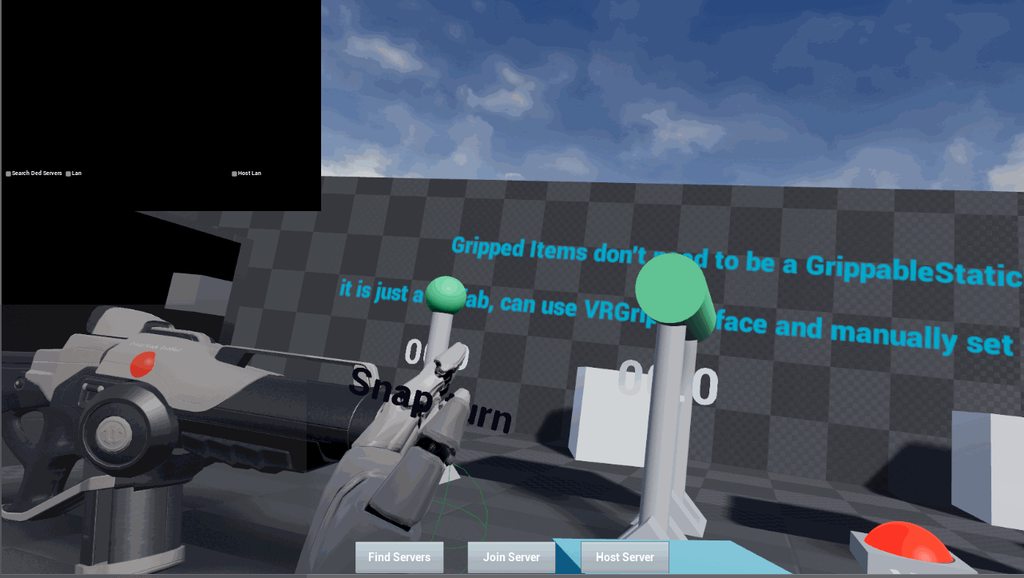
and a proof of concept of registering a custom hit check against the preview window
i can provide source for both to you if you work in source
otherwise, yeah things are going to be hacky for you
wheat holly
Would be interesting to see yeah! I've not made engine modifications I must say. But for everything is a beginning I guess xD
Is it on Github or something?
Oh wait, I misread your message lol.
wheat holly
Yeah, sorry. I completely misread that part 😅
C++ is not the issue for me 🙂
Would love to see it 😄
tired tree
will PM you
paper epoch
tired tree
or in motion for that matter
I am just trying to find ways to shave off ms.
VR is networked so hitring some bottlenecks
mystic plaza
Guys I want to calibrate my VR character based on mannequin to my real height. How can I do this?
tired tree
@paper epoch have you been profiling where you are hitting performance issues? or guessing
paper epoch
I disabled some unnecessary ticks and network send rates in some places. Ruling out the obvious first. Our older apps which do not use physics work fine vs physics pickups which we use now.
Doubt it is gpu as our models are already heavily optimized. (checked the debug views as well.) @tired tree
Unfortunately, I am not sure how I coukd profile with our apps crashing in development mode.
little marsh
Does Unreal have any sort of CloudXR support? All I'm seeing on their forums is Unity questions.
tired tree
@paper epoch how are you ha doing the physics replication? Native engine default or a custom solution / marketplace plugin
Native shouldn't be that costly
paper epoch
tired tree
<@428266140385411075> how are you ha doing the physics replication? Native engin...
I am firstly using photon replication and what I do is basically broadcast the location and rotation of the object when it hits something on server while not being held. The client objects then snap to this location (crude version similar to how rocket league corrects its ball location.)
All my pickups have a good amount of dampening so they dont bounce much.
When a pickup is held, it stores the player number and the hand its held in which is then tallied on other devices. Collision is ignored during this to avoid replication to go off.
mystic plaza
mystic plaza
Guys I want to calibrate my VR character based on mannequin to my real height. H...
Guys please help me
real needle
i need help with this
 sullen kite
real needle
i need help with this
sullen kite
real needle
i need help with this
Looks like your sdk android studio isn’t set up correctly you should re install
Gradle is part of that
 sour iris
Hi! Has anyone worked with 4.27 Template VR menu? I would like to turn off the teleportation disable when Menu is open, but I do not find where that is set inside blueprints. Any hint would be appreciated.. 🥲
 blissful rain
Hey, oculus trigger axis feels interpolated when approaching 0... any way to overcome this?
 spare geyser
Has anyone tried the Hololens template?
I just tried it in both 4.27 and 5.0 Preview 2, and both of them have issues with the Datasmith plugin or changes.
UATHelper: Packaging (HoloLens): LogInit: Display: LogBlueprint: Error: [AssetLog] C:\Users\germj\Documents\Unreal Projects\UE5_HololensViewer\Content\CollaborativeViewer\Blueprints\Commands\DataSmith\DataSmithFunctions.uasset: [Compiler]
real needle
sullen kite
Looks like your sdk android studio isn’t set up correctly you should re install
i have no idea what i'm doing wrong, i already re installed android studio
i have been having sdk issues for weeks this is so frustrating i want to explode
sullen kite
We will be covering how to make a game for the Quest 2 inside of Unreal Engine 4. This video covers the basic of using your Oculus Quest 2 headset to create your first game. Beginners to quest development in UE4 can be hard so this video should help out.
Quest 2 Link Cable : https://amzn.to/3saZyBu
00:00 - Intro
00:46 - Installing Android St...
do it this way then
this solved my issues
sullen kite
real needle
i have no idea what i'm doing wrong, i already re installed android studio
look above3
real needle
oh nooo
i switched to unreal engine 5 EA because i got frustrated and followed another video that used EU5
does EU 5 EA not work with quest 2 development yet!?
now i have to go back to EU4 ugh
wait what? he used android studio 3.5.3
mighty carbon
UE5p2 doesn't even build for Android
sullen kite
yup thats your problem
real needle
sullen kite
https://www.youtube.com/watch?v=Nqg3qlJdCCM&t=571s
i'm using UE 4.27, not 4.26
sullen kite
real needle
i'm using UE 4.27, not 4.26
if you do this it works in 4.27
thats what im in

This is a basic but detailed run through of how to install and configure Android Studio (SDK, NDK, JDK), Unreal Engine 4.27, and SideQuest to easily build and deploy VR .apk apps! When you're done with the video you'll have a solid design toolchain. No coding is required.
Android 10
SDK 29.0.2
NDK(Side-by-Side) 23.0.7599858
SDK Path: /Users/~yo...
you also have to do this to the sdk manager
I used both these videos and got it working perfectly
im packaging as we speak to oculus
i do this everyday
you should have no problems if you do this
you should unistall and delete all you android folders and do it from the start
real needle
how do i delete all the android folders?
sullen kite
look them up how you installed android studio the first time
i imagine you have installed android studio already correct?
real needle
yea
but i uninstalled android studio 4
then i installed android studio 3.5.3 and it asked if i wanted to delete the 4 files and i said yes
moreso a checkbox
so
the video says to use android sdk version minimum 23 maximum 25
but i'm pretty sure the quest 2 uses 29
so far this seems promising, none of the other tutorials went into this depth
real needle
sullen kite
https://www.youtube.com/watch?v=ZW67GXo5Td4
his video has no sound after like the first 10 minutes
i can't hear what he says
!!!contradicting things why
he says use oculus openxr
the other video says use oculus vr
this is so annoying
android studio 4 or 3.5.3 so much annoying contradiction everybody says use 4
whyyyyyy
this is making me so angry
i've uninstalled and reinstalled this thing about 10 times already
 idle osprey
Used to be 3.5.3, now it's 4. Truth is, you don't need Android Studio at all. All they're after is you getting the SDKManager installed. That's it.
On Windows, Epic uses a single registry entry in their script to find where AndroidStudio was installed because the JRE is under it. If you look at the SetupAndroid.bat file, that's about all they do...then they run the sdkmanager to install the android SDK and NDK. You really never use Android Studio at all and it's wasted disk space.
Ultimately, you need these things installed and configured:

This is one thing that Unity has over Unreal. They make installing the Android files easy. 3 checkboxes, and a license agreement checkbox. Done. The ugly part is, Unity ties to the editor version, so each time you upgrade Unity, you're re-downloading the Android packages. It's overkill if they're the same between minor releases.
idle osprey
real needle
but i'm pretty sure the quest 2 uses 29
28, I think.
And....stay away from UE5 right now. Stick with 4.27. Stay with something stable while you're learning because you're going to have far more headaches than necessary. The new shiny thing has sharp edges that will cut you and make you cry. I certainly did. 4.27 is fine for anything you're going to do in VR.
real needle
thank you all for helping out
i finally got it working
turns out my gradle issue was because i was using a different version of the jdk instead of just the one that android studio comes with
idle osprey
Yeah, that'll get ya
also, you want arm64, not arm7
The nice thing is, the same android setup will work with UE4 and UE5.
idle osprey
Sure, but lumen isn't available for VR yet, I don't think. At any rate UE5pre2 is very very unstable still. You don't want to fight Epic bugs while you're learning.
Everyone here who's taught me has told me to stay away from anything below a x.1 release and preferrably use a .2
sullen kite
I stopped using ue5 for anything that isn’t testing. Using it for world partition only rn
idle osprey
Yeah, play with UE5...but don't do anything serious with it yet.
@real needlewhat is in the log.txt file?
mighty carbon
why would anyone use UE5EA when P2 is out?!
real needle
doed P2 work with vr ye
mighty carbon
no, but p2 has a ton of general fixes and improvements over EA
idle osprey
P2 is actually less stable than EA2 in some places. I don't know if you're familiar with Stephen Ulibarri, but in his courses he's recommending to not use P2 and either use EA2 for his UE5 courses, or just use UE4.27.
P2 does work with VR, kinda. I can't get P2 to build an APK. P1 did. EA2 did.
The same MiniVR project I've had running in 4.26, 4.27, EA2, and P1 refuses to build an APK in P2.
fiery cloud
I can't actually even get my OG Vive to work in VR with UE5p2 at all. Same setup works fine in 4.27. Trying to preview just crashes the viewport for me. I'm sure it's user error but I'm baffled. XD I usually know what I'm doing.
To be clear, that's with lumen and virtual shadow maps turned off and all that stuff
 cursive wigeon
Is there a way to make the Quest 2 development/iteration cycle not suck so hard? Even changing a single variable in a blueprint means redeploying to the device which takes about one and a half to two minutes, without even rebuilding the APK...
I mean other than using Air Link and running PCVR preview which isn't really the same thing
rocky nexus
its not the same thing, but do you need the same thing to test single change? only stuff like graphics and perf you need quest for
test on pcvr, validate on quest. tho there is that live reload stuff, probably faster, never bothered to try it
cursive wigeon
I guess if there's no better way... But for some reason when connecting via Air Link and running VR Preview, the camera seems to be extremely shaky, even though I have 72fps stable... I'm not sure why this happens
real needle
@tired tree For VRExpansion, how does MeleeBase determine which objects it can lodge into? I've searched the blueprints and the dummy and I can't find what I'm missing to make my own stabbable target.
tired tree
@real needle their physical material, there is a list in the project settings / vrexpansionplugin that contains stabbable physical material types
as well as damage and force scalers specific to those
 hard relic
Hi there, anyway to get a the device ID of my Quest? or something useful that can be used for licensing etc...?
■ Get Devices ID node return no value...
■ Get Platform User Name return "Generic User"...
I'm using UE4.27
 honest wyvern
Hi, does anyone know if volumetric fog (exponential fog with volumetric fog ticked on) works in VR? I only get it in one eye.
hidden crest
honest wyvern
Hi, does anyone know if volumetric fog (exponential fog with volumetric fog tick...
In my tests it's broken in 4.27 but works just fine in 4.25.
honest wyvern
hidden crest
In my tests it's broken in 4.27 but works just fine in 4.25.
oof... that is very unfortunate. I might take a look at the source, thank you for your insight!
idle osprey
hard relic
Hi there, anyway to get a the device ID of my Quest? or something useful that ca...
Oculus Entitlements is the way to go for that, afaik.
hard relic
idle osprey
Oculus Entitlements is the way to go for that, afaik.
thank you 🙂 i will check this way
sullen kite
honest wyvern
Hi, does anyone know if volumetric fog (exponential fog with volumetric fog tick...
volumetric clouds and fog do not work in mobile no matter what you do. Ultra dynamic sky can help it has mobile preset. thats all you can do.
red grove
Hi, quick question, Can I use lightfunctions with android vulkan? Thanks
 knotty wyvern
Hey guys, which headset is the most popular for virtual reality development?
idle osprey
I'm trying to learn how to use "Controllers and Hands", which is an option in the Oculus plugin. I've seen an older tutorial for EA2 that showed how to set up for Hands. But I'm looking for an option that lets me switch dynamically much like the Oculus "Environments" do. Does anyone know of a resource I can look at? I imagine I can just turn on/off the bits I need to show hands or controllers, but I don't know how to signal that either hands or controllers should be used.
jade kettle
I'm wondering, if you connect a Vive Tracker to a battery bank, would that improve its refresh rate
Because I've noticed if I connect a Vive Tracker to the computer, it has buttery smooth tracking
But that might be because it's transmitting its data via the cable
(don't have one on hand to try it out atm)
idle osprey
I'm getting a UPL error in UE5 trying to package an APK. Does anyone know what this is? It's a super simple project. I just don't know what this error means. I started getting it with UE5 Pre2. It worked in Pre1.
...let me try that again..
hallow knoll
There's a known issue in UE5 P2 with a missing .XML file, you can find more info here: https://forums.unrealengine.com/t/how-do-i-find-this-file-oculusopenxrloader-apl-xml/505818

Unreal Engine Forums
I keep getting an error that this file is missing from the openXR plugin directory whenever I try to build for oculus quest 1. using ue5 Preview. Any ideas as to how to resolve it. Build works fine on ue4.27
idle osprey
Thanks, @hallow knoll ! My google fu is weak, I guess.
I'm only experimenting, so no real hardship. But I couldn't package and I couldn't figure out why it'd suddenly broke other than the version change.
 limpid widget
anyone else having the issue that when using the spectator mode texture and rendering into a rendertarget texture, as soon as you resize the window the visible area does not scale with the window and instead you see black pixels (or less of the texture)?
 chilly pasture
Anyone have experience with running Asan with Quest ?
real needle
Hi,
Have you had a problem with microphone permissions in Oculus Quest 2?
I have set ** android.permission.RECORD_AUDIO** in Unreal but it still does not work. I checked the application's permissions with AAPT and record_audio permission was in them.
Here is what error android studio displays:
E/IAudioFlinger: createRecord returned error -1
E/AudioRecord: createRecord_l(0): AudioFlinger could not create record track, status: -1
E/AudioStreamRecord: open(), initCheck() returned -1
E/IAudioFlinger: createRecord returned error -1
E/AudioRecord: createRecord_l(0): AudioFlinger could not create record track, status: -1
E/AudioStreamRecord: open(), initCheck() returned -1
Can You help me ?
 upper lily
Hello! I would like to know if others are also having issues with ARCore and Unreal 5 Preview 2. I can't have the camera texture (pass-trough) working. It looks like the planes are being detected but I don't have an image feed. Everything works on 4.27.2.
 craggy yarrow
are we the first who made UE surface interaction for hand tracking? ) Like hand physics lab game (Unity) **Made in Russia. **more on my twitter 🤗 https://twitter.com/zamorev4d

#VR artist & game designer at VIRE, working on indie game and commercial VR,
Oculus Start member
Followers
70
Tweets
172
 Twitter
 radiant garden
Has anyone done any work on supporting a UMG UI in VR and also outside VR on a (flatscreen platform)?
With VR the widgets really need to be placed in a World Space Widget Component. But with non-VR they more often need to be under a viewport.
 trail pagoda
hey guys, do you know if the default subtitle that are within ue also works for VR?
vague galleon
hey i'm working with a Oculus headset and everytime i switch to DX12 for the project i get a massive stutter and rotation/direction loading problem at HMD, is there any fix for this ?
p.s. this problem persist even on Vulkan
btw i get a great performance boost with dx12 so i need it to working
real needle
Which oculus headset?
idle osprey
Is it intended that Mac's can no longer access Android in UE5pre2? I can install the Android modules in the Epic Launcher, but ue5p2 doesn't list Android as a valid platform. I am able to build and deploy APKs to my Quest in 4.27 on a Mac. Am I going to be forced to use Windows to do anything with my Quest now?
 violet spear
App with google vr plugin crashes on launch on mobile with UE4.27.2
Any help?
violet spear
epic doesn't support this plugin for a while! why EPIC???
and there's googlevr-UnrealEngine with the 4.20 version in github!
it still sucks to downgrade from 4.27 to 4.20!
any help would be appreciated!
 rocky siren
violet spear
epic doesn't support this plugin for a while! why EPIC???
and there's googlevr-U...
rocky siren
violet spear
epic doesn't support this plugin for a while! why EPIC???
and there's googlevr-U...
You can update the plugin, just re-compile with the version that you need
violet spear
rocky siren
You can update the plugin, just re-compile with the version that you need
you've done this before?
did it work?
rocky siren
Yep
probably you'll have to do some minor API changes, depends how old is this plugin
violet spear
as far as i know they're not supporting it from 4.21 i guess! not pretty sure.
but there's a version in github they say it works well, but i started my project on 4.27.2 and that's not make sense to downgrade to 4.20!
so you say, i need to copy the plugin from 4.20.3 to a source code of ue4. 27.2 and then build it!?
right?
 vague galleon
real needle
Which oculus headset?
vague galleon
real needle
Which oculus headset?
i use quest
real needle
vague galleon
i use quest
directX 12 is a windows only graphics APi, no? Shouldnt you be using the android optimised vulkan?
vague galleon
real needle
directX 12 is a windows only graphics APi, no? Shouldnt you be using the android...
no i don't compile it for quest itself, it is a PC exe project, i just use quest with oculus link for that, it works with PC VR games like steam vr .. but having this problem with dx12
real needle
ah
 golden current
Hey everyone, Im trying to get started with VR in unreal, any recommended learning resources?
lofty iris
unreal online learning one modul is called "vr production" its a bit outdated though. @golden current
 tall grotto
golden current
Hey everyone, Im trying to get started with VR in unreal, any recommended learni...
tall grotto
golden current
Hey everyone, Im trying to get started with VR in unreal, any recommended learni...
Begin with VRExpansionPlugin or probably you will suffer a lot with physics related stuff.
golden current
Whats that?
tall grotto
 stone cargo
I try to make Mobile HDR working for an Oculus Quest 2 to get some emissive effect. Unfortunately, when I use transparent material, it does not work for a large distant SkySphere, the material are only working in front of opaque material. Any one face that issue ? https://youtu.be/0mnESzvcTsQ

I create a Transparent Material in Unreal Engine and I activate Mobile HDR to get emissive light. I create a large Black SkySphere but unfortunately, it does not work well on Oculus. Any suggestions ?
Note: I know Mobile HDR sucks on Oculus Quest 2 but I still want to get emissive light.
mystic plaza
Is there any way to test VR multiplayer in editor with one headset?
idle osprey
mystic plaza
Is there any way to test VR multiplayer in editor with one headset?
You could support desktop, too. One instance in the hmd, one running locally on the desktop.
dreamy ivy
stone cargo
I try to make Mobile HDR working for an Oculus Quest 2 to get some emissive effe...
Mobile HDR isn't supported for the Oculus Quest 2 unfortunately.
mystic plaza
idle osprey
You could support desktop, too. One instance in the hmd, one running locally on...
Thanks you very much.
stone cargo
dreamy ivy
Mobile HDR isn't supported for the Oculus Quest 2 unfortunately.
Yes I know, that a bummer. My goal is to get emissive material working and it's look only Mobile HDR does it. Do you have a suggestion on how to get emissive material working ? Should I explore post processing ?
rocky nexus
it doesnt work cus it requires post processing, thats what hdr stuff is
stone cargo
rocky nexus
it doesnt work cus it requires post processing, thats what hdr stuff is
and post=processing does not works either ?
rocky nexus
you can do it old timy way, add a light
stone cargo
rocky nexus
you can do it old timy way, add a light
do you think it works for Niagara particles effect ?
rocky nexus
pretent it is year 2000 and dev like that
stone cargo
rocky nexus
pretent it is year 2000 and dev like that
😄
rocky nexus
you want glowing niagara particles? probably not
q2 is pretty powerful, but it has tiny power budget and needs to render a lot of pixels per second
stone cargo
rocky nexus
q2 is pretty powerful, but it has tiny power budget and needs to render a lot of...
so I have to play with the white balance and transparency to create a fake glow effect ? I guess I will re-install MS-Windows 98 to be in the mood of that dev area... 😄
idle osprey
How do companies handle developing in Unreal on multiple OS platforms when not everything is supported on each platform? My situation is I'm trying to work with a single code base that's going to run in Windows, Mac, and Linux in Desktop mode, and also PCVR and Quest native. There are modules and libraries and so for that are available on Windows that aren't available on the Mac. And any iOS stuff is true in the opposite direction. I'm trying to understand how I can have a single codebase and not separate branches for each OS, defining OS-specific things wrapped in #ifdef. That seems obvious to me, but it falls apart when I start thinking about generating the blueprints from C++. Example: Oculus Hands is a very specific component only available on Windows with the Oculus VR plugin enabled. I would use it in a VRCharacter.cpp and a BP_VRCharacter. But I wouldn't use it in a TPCharacter.cpp or a BP_TPCharacter. Yet the BP_VRCharacter will still exist and be in my code when compiling on a Mac. What do I do? Wouldn't that create a build/package issue if that blueprint fails to compile because the underlying C++ class won't support it on that OS?
Or do games like Fortnite have a OSX branch, a Win branch, etc...and they cherry-pick everything between the branches? That sounds like a nightmare.
jovial hamlet
idle osprey
How do companies handle developing in Unreal on multiple OS platforms when not e...
One way to handle it is to put platform-specific stuff into different modules / plugins, and only load these modules on the platforms that support them
idle osprey
I hadn't thought about that, thanks! I haven't made a module yet, but I found some docs for it.
sturdy coral
idle osprey
How do companies handle developing in Unreal on multiple OS platforms when not e...
Inheritance heirarchies cause a lot of problems like that like that, but they pretty deeply baked into the engine. one I've run into is all the gameplay framework stuff https://docs.unrealengine.com/4.27/en-US/InteractiveExperiences/Framework/ relies on a inheritence heirarchy that makes spectators inherit from pawn and not character, so your vr stuff has to go into pawn and then be further overridden in character etc. if you want to stick to the framework, and that just adds complexity. Spectator probably should have been done as an interface and not inheritance.
sturdy coral
idle osprey
I hadn't thought about that, thanks! I haven't made a module yet, but I found s...
just making it into a plugin won't help much as it will cause blueprint errors when not loaded (unless you can make it all as a component and only reference it through some interface but it would take a lot of boilerplate code). What some platform specific plugins in engine seem to do is just still have all the blueprint definitions in a header that gets included everywhere, but #ifdef out the bodies of the implementations that actually call into the third party library on unsupported platforms
jovial hamlet
stone cargo
and post=processing does not works either ?
tbf it is possible to have bloom on quest, I've seen Unity games do it and run just fine (and they use the standard build-in bloom, not something fake). There are Quest games that do auto-exposure, filmic tone-mapping and LUTs. Most of these things are just too expensive to do in stock UE. So it should be possible to do in UE with custom shaders and maybe custom render subpasses, I just haven't seen anyone actually pull it off.
I really want to figure it out at some point too
idle osprey
sturdy coral
just making it into a plugin won't help much as it will cause blueprint errors w...
Thanks, I was thinking that the BP side of things would still be dicey. I believe I'd still have to generate BPs for each platform and have those checked in to each branch. This could be painful when needing to update them if the C++ version changes, but no different than any other C++ > BP change.
If coding were easy...everyone would do it and we wouldn't make the big bucks, right? 😉
sturdy coral
I wouldn't go with separate branches if you can at all avoid it
keeping them all up to date would be a pain and searching etc. becomes bad too
jovial hamlet
sturdy coral
just making it into a plugin won't help much as it will cause blueprint errors w...
yeah, that's what we've been doing for now, have a platform-agnostic interface and have platform-specific plugins implement it in a mixture of c++ and bp
it can get tedious
mystic plaza
idle osprey
You could support desktop, too. One instance in the hmd, one running locally on...
Basically two different builds windows for desktop and Android for oculus how can I connect these?
Can anyone please elaborate it's urgent for me
idle osprey
mystic plaza
Basically two different builds windows for desktop and Android for oculus how ca...
I PM'ed you a tutorial. No, I'd not use two different builds. I'd use a feature flag.
real needle
valve index thumbstick input mapping is the same as quest? like you press the stick?
mystic tinsel
is it possible to walk up a ramp if we're only using a pawn and not a character? Since we're not using any 'gameplay' features, we switched from the full VR expansion character to the basic motioncontrollerpawn. The actor root does not follow the camera, as it was completely unnecessary. This was fine in the flat level we have as the user walks around in a large square in real space. However an older level we'd like to set back up (that was built before I got involved) has the user walking on a spiral walkway that has an incline. I feel like that's not going to work with the motioncontroller pawn since there is no collision on the camera or anything like that. Any thoughts on the best way to address that or has anyone dealt with that kind of thing?
tired tree
just trace downwards from the camera
its no different from how a character handles it
offset by thenew floor
mystic tinsel
tired tree
just trace downwards from the camera
That's what I thinking. A line trace down from the camera and adjust the height. I wasn't sure if that would cause performance issues or any kind of noticeable stutter when moving or not. Thanks.
chilly pasture
Anyone have experience with running renderTarget DrawMaterial on quest.
It crashes whenever i call this method.
Is there any work around for this problem ?
tired tree
@mystic tinsel not at all, make it part of your movement, you know the speed and direction you are moving, project out and then trace down prior to moving. The character movement component is logical not physical, its doing the same thing with many more steps and balances
and traces are actually fairely cheap
compared to actually moving something
mystic tinsel
tired tree
<@!282730861047185418> not at all, make it part of your movement, you know the s...
We're not using character movement
We're moving around in real space
mystic tinsel
oh I see. Sorry I misread that.
tired tree
its how most game movement is done, verify location via sweeps and traces
mystic tinsel
So I can't actually set the offset or position of the camera itself, I need to adjust the VR origin.
tired tree
yes, in your case with 1:1 movement
though you'll have fun simulating gravity and the like in that situation, it can be done
mystic tinsel
We don't need to worry about that. They can't fall off the incline.
This is basically an infinite spiral going upwards. so as people circle they're changing their level.
tired tree
yet they can walk through the walls yes?
you'd have to handle the edge case of that happening
so that it doesn't trace downwards then
mystic tinsel
They can walk through walls, but the physical space somewhat prevents it in the case of this level. This basically an infinite art gallery. we're not going to have people tearing through the place. The inner sphere will have physical ropes around it and in game those will be indicated with a railing.
sturdy coral
mystic tinsel
They can walk through walls, but the physical space somewhat prevents it in the ...
Stuff like brief loss of tracking still means they can go through any physical IRL barrier
Then end up on the wrong level of the spiral when it comes back
mystic tinsel
sturdy coral
Stuff like brief loss of tracking still means they can go through any physical I...
We're using Oculus Quests. We've not experienced any loss of tracking in our space that we have set up.
sturdy coral
People put their hands all over it etc in a gallery situation, dont rely on that
Unless you mean you've already run through lots of non devs and none lost it
or overall experience is so short they could just start over easy
mystic tinsel
We've had several non-devs go through it. There's no gameplay, just walking. Unless someone starts smashing their head into a wall, they're not going to do much to the quest to throw it off.
sturdy coral
mystic tinsel
This is basically an infinite spiral going upwards. so as people circle they're ...
I did something similar to the spiral thing demoing some character movement stuff back in 2016, it is a cool feeling 😃 : https://www.youtube.com/watch?v=-T3o1DWa3O4&t=25s

Don't just trace down, you at least want a moving window around the traces so standing still and moving head doesn't cause any up and down movement
Gallery:starseed did simple absolute trace underneath and was pretty sickening in some areas, even if it was a sphere trace
mystic tinsel
ours is a little larger, so I think you won't see much variation just standing around. Our spiral is about 10 meters across.
but we'll test that and adjust it if we find it moving too much.
Cool video though. That looked good.
sturdy coral
If the ground is all fully smooth under it will probably be OK if the spiral is wide enough and shallow enough, stuff like standing on stairs in starseed was sickening from it even though they had a ramp geometry in the physics I think
mystic tinsel
Yeah ours is smooth and pretty gentle and people will generally be walking through it fairly slowly. i may put in something to only check for height adjustment if they've moved more than X distance though.
sturdy coral
A moving window is easy to add, you just trace from center of it instead of head, say a .5m circle around head, and don't move the circle/trace origin until head goes out of it, then stop moving it when head is within it again
mystic tinsel
That's an interesting idea. okay I'll try that.
sturdy coral
You can do more advanced stuff that feels better but that's probably the easiest
tired tree
@sturdy coral yeah with the character movement its resting on the capsule cap so its eased when moving the head up and down stairs
but hard traces would be snappy
 fringe blaze
None of my movable lights are on when I play on the Quest 2, but they work on Windows / Rift S. I have 5 lights in the scene, is there a limit that I'm passing?
 ancient herald
Have an issue with oculus input mapping.
when I'm moving the right thumbstick, the A button pressed event is Fire.
- use openXR in ue4.27

 warped yacht
Hello everyone. I am trying to run the AR template on UE5 in Android. But unfortunately the camera does not show a picture. Did anyone have the same issue and an idea how to solve it?
hallow knoll
ancient herald
Have an issue with oculus input mapping.
when I'm moving the `right thumbstick`,...
Remove the binding for Oculus Touch (R) A Press in Project Settings-> Input -> MovementAxisRight_Y. There's an issue w. using Action Events (Pressed/Released) in Axis Mappings, and vice versa. We're working on updating the entire XR input system to take advantage of Enhanced Input when it comes out of beta, which will solve this, and many other issues 🙂
hallow knoll
warped yacht
Hello everyone. I am trying to run the AR template on UE5 in Android. But unfort...
The ARCore Camera Media Texture was fixed after UE5 Preview 2. You can download 5.0 on GitHub if you want to try it out.
warped yacht
hallow knoll
The ARCore Camera Media Texture was fixed *after* UE5 Preview 2. You can downloa...
Oh that is unfortunate. I assume I need to build the current 5.0 version myself?
Or is there an older version where it is working?
fringe blaze
Is a 700 x 700 meter world in a 5-person multiplayer game feasible for the Quest 2? Or is that too big of a world?
I'm using Synty assets, so it's all low-poly
Is that too vague of a question?
mystic plaza
How Can I open my project from steam VR. Basically I want to create a game that runs on desktop and I will play it by plugin my HMD through Steam (steam VR). Can anyone guide me or correct ). I am beginner in VR can anyone plese help me?
Sorry I forgot to mention I want to make it in multiplayer.
sturdy coral
mystic plaza
How Can I open my project from steam VR. Basically I want to create a game that ...
enable the steamvr plugin, then search project settings for vr and turn on start in vr, then restart. or migrate the assets of your project into a new vr template project, so you'll get its optimized graphics settings in your config
dreamy ivy
I put the hands back into the VR template.
cursive wigeon
Hi I have a question regarding the Quest 2 and some of the renderer options, namely Mobile Multi-View. From the UE4 documentation:
    Make sure that both Mobile HDR and Instanced Stereo Rendering are disabled.

    Currently, Mobile Multiview will only work with modern Mali-based GPU's.

    If you package a project with this feature on, but don't have a compatible GPU, it will be disabled at runtime. ```

Does that mean that this won't work when using Vulkan, or is the documentation outdated?
Does this feature support Quest 2 at all? Not sure what kind of GPU it uses and here it says that it works only on Mali-based GPUs.Outdated - the VR template contains up-to-date project settings for Quest
Mobile MultiView is supported on Quest 1 and Quest 2
cursive wigeon
Does that mean that Instanced Stereo can also be left on? Or did I toggle it on myself and it wasn't from the template 🤔 I forgot
Btw, thanks!
hallow knoll
It's enabled by default in the template
 mental igloo
idle osprey
I'm trying to learn how to use "Controllers and Hands", which is an option in th...
mental igloo
idle osprey
I'm trying to learn how to use "Controllers and Hands", which is an option in th...
hello again @idle osprey . bumped in to this message randomly. I use the Advanced Framework and it has a way to do this somewhat easily
 ashen dome
So I thought I would try to be clever and Instead of having skeletal and static mesh pickup actors . I would create a actor and add both of them as components and set the mesh to either static or skeletal in the child actor classes I will create from it. But Im having all sorts of issues. the actors only pick up correctly if one of the meshes is the root. Is what Im trying to do possible
just wanted to make a single base actor that both the skeletal and static mesh actors can inherit the code from
I did manage to make a primitive component variable that I can set as either the static mesh or skeletal mesh , but there is no option to have that in the components drop down as a root 😦
which is a shame because it works well for changing between static and skeletal from a bool option I created
 gilded ferry
Hello guys, does anyone know if Oculus quest 2 hand tracking works with air link in Ue4?
 trail shale
Did someone say 4.27 was screwed up for VR stuff?
trail shale
tired tree
https://i.imgur.com/fP15SZH.mp4
Am I looking at the a specator screen that works without breaking input or using 2D Capture on a 3D widget and changing the spectator screen texture to that 2d Capture texture?
 gloomy crescent
gilded ferry
Hello guys, does anyone know if Oculus quest 2 hand tracking works with air link...
gloomy crescent
gilded ferry
Hello guys, does anyone know if Oculus quest 2 hand tracking works with air link...
yeah, it works
i don't know how to set it up, but people at work were using it
i'm just a design boi
tired tree
@trail shale yeah I showed you that a while ago
it couldn't be done pre 4.27 (i think 4.27, might have been in 4.26 and I just missed it), epic added some new back end stuff for the Virtual Production plugin that I was able to tap into
trail shale
and just needs to be compiled in the source, basically as a plugin?
tired tree
yes, but its incomplete, I slept the branch for ue5 work, its in my notes to finish it up and make it release worthy. Its functional but not clean yet
when it is done it should be backportable to 4.27
 west juniper
Anyone know how to solve the "uproject does not look like uproject file but no targets have been found!" when trying to make a build (specifically oculus vr)
 ashen dome
Why is it that the default UE5 VR template have over 6000 shaders to compile. This practically kills my computer and renders it unusable for long time. Ue4 VR template does not have this issue
raven sedge
Hi, I want to load and play the collab viewer template on my oculus quest 2. I tried building its APK and installing it using SideQuest but it opens the template's initial menu in a window and post that the game is also in a window and I can't use controller input at all. Someone please help
tired tree
@ashen dome sure it does, on the first time you load it
then its cached and doesn't happen again
ashen dome
tired tree
then its cached and doesn't happen again
Thanks. I guess I need to be more patient. Until i can build a better computer
 bitter dome
Hi everyone,
I'm looking for an easy way to show VR keybinds to the user and I'm wondering if there is something premade for this.
I was thinking about highlighting certain buttons and display their use.
Something similar to this: https://cdn1.epicgames.com/ue/product/Screenshot/11v2.32-1920x1080-96ab3b3befb3c15a113077e217c7643c.png (but I don't need the hand)
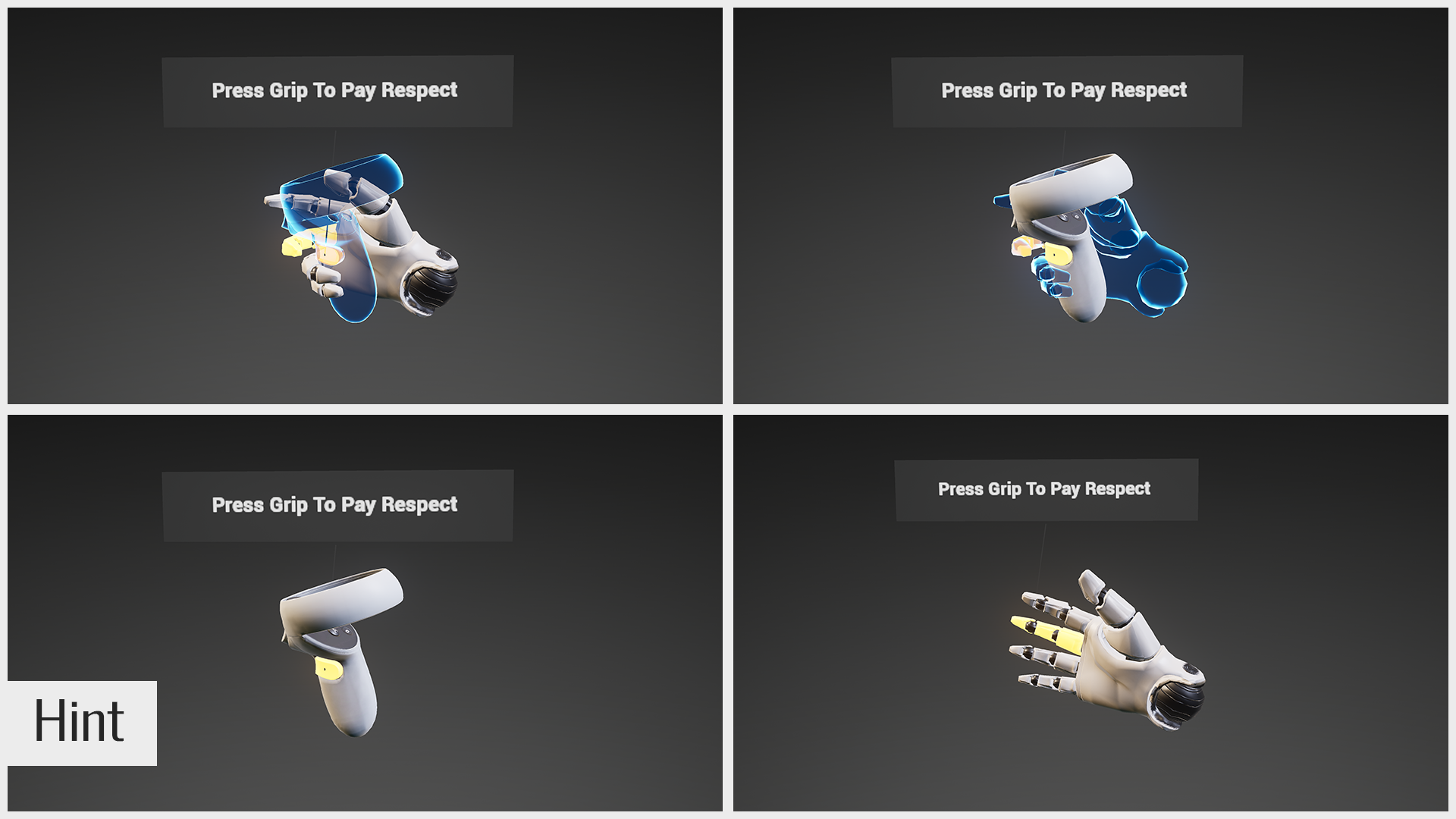
is there something like a preset or plug-in or add-on or whatever, that supports doing this?
the picture is from this https://marketplace-website-node-launcher-prod.ol.epicgames.com/ue/marketplace/en-US/product/vr-immersive-hands marketplace item. It doesn't have to be free, I just want to check all my options before buying this. And I was thinking, I've seen this effect in SO many VR-games, maybe it comes with the engine and I'm just missing it?
Thanks in advance 🙂


Unreal Engine
VR Immersive Hands is an optimized and easy to use system that adds immersiveness to VR applications.
 north tapir
Hey @bitter dome it was a pain to build the Hint System for every controller 😄 It definitely doesn't come with the engine 😄 Though engine has some controller meshes you can use to build it yourself if you want. As for other assets, I didnt go through every VR assets for some time but there isnt any as far as I remember. I remember that Advanced Framework has hint too but I dont think they highlight buttons
bitter dome
thank you for your reply
tall grotto
I have my own system for highlight buttons. But… I’m not going to share until a few years (or get hired by a gamedev company)
TL;DR: Make a Texture with guided with original textures, use red, blue and green channel.
Like Green = Left A, Red = Left B, Green = Joystick left.
And then make another texture with other controller buttons.
And then split the texture by channels control it with Material Parameters (Using Lerps, I think?)
And then control it with BPs/C++
Result:
(This is a old video/screenshot version, actually has trigger support and bugfixes xD)
fiery cloud
trail shale
is water still broken for VR in 4.27?
SingleLayerWater material is broken if you are using Instanced Stereo, yeah. 😦
trail shale
I'm disabling instanced stereo - I've got a beefy system (i9, 3080 ti) but seriously, this is still a thing?
what's the current best practice for this?
fiery cloud
I'm in the absolute same boat. Trying to make somewhat 'modern' outdoor scenes is a nightmare in VR if you are, say, trying to make an island environment where there is plenty of foliage, and reflective water. It's a mess. I'm hoping unreal 5 fixes it eventually, because right now this really limits what types of scenes are feasible, especially on lower-end hardware where the 15% or more benefit of instanced stereo HURTS when removed
trail shale
fiery cloud
I'm in the absolute same boat. Trying to make somewhat 'modern' outdoor scenes i...
does it at least work if you have a high end machine? I've heard conflicting reports, even with stereo instancing turned off
fiery cloud
I'm uncertain, my understanding is that the 'flickering and whiteout squares' bug is specifically the shader not being compatible with instanced stereo, but there may be other seperate issues as well. There are a few solutions to things I've read, such as making sure that any terrain underneath water should have "affect distance field lighting" turned off if you are using distance field shadows, as that fixes some issues with some things only rendering in reflections in the right eye. And other such things. But nothing seems to work completely on all platforms.
At least niagra and volumetric clouds are fixed, they used to not work in the left eye for a few versions, lol
trail shale
so now the performance boost is only 15 %, not 257% when it was around 2017?
tired tree
it would have never been 257%
fiery cloud
trail shale
so now the performance boost is only 15 %, not 257% when it was around 2017?
Honestly, it's dependent on your scene, what types of materials you are using, and maybe some factors like how many instances you have and stuff... 15% is just an estimate for a particular hypothetical scene I was working on, some scenes may see more or less benefit
Unfortunately, going from 100 fps to 85 fps may be pretty harsh depending on your target hardware for vr, in another hypothetical
 dawn lark
is there any Virtual World in VR as SecondLife on PC?
tall grotto
dawn lark
is there any Virtual World in VR as SecondLife on PC?
VRChat
And Neos, all of them use Unity
Oculus Home (PC) use UE4
quiet swan
im trying to make a VR and mobile game where people can play together, packing wise, will VR things pack in android or willi it alwats shoot out errors?
trail shale
fiery cloud
Honestly, it's dependent on your scene, what types of materials you are using, a...
Is there a way to disable the instance stereo -semi- on the fly? I'm doubting it since it recompiles shaders each time but still
fiery cloud
@trail shale not that I can find. Maybe someone else knows, but I doubt it
I don't know enough, but perhaps there's a way to fix the water shader to work with stereo instancing, my knowledge is insufficient still
trail shale
How the hell in 2022 can the VR template not have working teleport controllers?
trail shale
landscape should be world static right? it wasn't working there
 gloomy crescent
anyone has any idea on how to do the smooth grip like in alyx?
let's say, the closer your hand gets to a specific gripplable object, it "desyncs" from the real controller, gravitating towards the grippable thing?
trail shale
Why does the VR template not work in my project - I've migrated it from a fresh VR template project where it works fine and I've overwritten everything else. What am I missing here?
Again, if I load up the template project, it works fine - so what could I have broken in the project/editor settings that wouldn't have been fixed when I migrated the template back over and overwrote everything?
I've checked and all the inputs are the same
jovial hamlet
trail shale
Why does the VR template not work in my project - I've migrated it from a fresh ...
is the navmesh alright?
trail shale
first thing I checked - yeah seems fine
the only thing i noticed - look at the difference (Blake is the project that is broken)

interesting - enabling steam vr in the project is what broke the project
that appears incredibly stupid
radiant garden
Did you still have the OpenXR plugin enabled?
trail shale
yes but in my defense, it only says to disable the oculus plugin if you have it enabled
which one should I use if I operate exclusively in steam vr? I haven't much experience messing with open xr
radiant garden
I can't really speak with any authority on this as I side railed the VR portion of my project while working on stuff that works outside VR.
The way I understood it, OpenXR is supposed to replace SteamVR
So I wouldn't expect the two to be compatible
trail shale
radiant garden
I can't really speak with any authority on this as I side railed the VR portion ...
Thank you very much for the clarification - I had no idea
radiant garden
Seeing the struggles people have in this channel gives me a little concern as I get back into VR myself
trail shale
kinda wish they would update it to say deprecated or something
radiant garden
My knowledge is based on info about a year old, so maybe incorrect?
trail shale
the good thing is most of the stuff, like this, is all or nothing, so when you find someone familiar with it, it's a simple fix
radiant garden
Hopefully!
I've been getting back into VR this week
Seeing if there is any chance of my destruction system running at the scale I want on the Quest
I wish there was better support for running a project on both flatscreen and VR platforms
My VR iteration times really suck right now because I build to ASTC, deploy, put on the headset, navigate to the game, then can finally test
Where as outside VR I just hit play for PIE
trail shale
Does the VR template allow you to disable requiring a nav mesh?
I've looked at the blueprint but can't find any "require nav mesh or not"
radiant garden
Isn't teleportation based on the navmesh?
I've been using smooth locomotion for my testing because I haven't wanted to worry about navmeshes for my test content
trail shale
I just wanted to have something quick and dirty to move - what's your smooth locomotion you are using? the template doesn't have that right/
radiant garden
Right now I'm using VRExpansion plugin
It is great, but also very very complicated
I have an inheritance conflict with it now
I need a character base class that integrates with the GAS stuff I wrote, and the VRE character is quite complicated
jovial hamlet
radiant garden
My VR iteration times really suck right now because I build to ASTC, deploy, put...
most things can be tested in vr preview, but sometimes it is not really less of a pain than deploying to quest
radiant garden
jovial hamlet
most things can be tested in vr preview, but sometimes it is not really less of ...
I've heard of this, but haven't got it working. Is there a quickstart guide on it that I might have missed?
I think I maybe had something like this working before
But it has been a few months since I did much VR deploy
jovial hamlet
if your pc is vr-ready it "just works"
radiant garden
Just click the VR preview for PIE?
jovial hamlet
but you need to kinda support pcvr of course
radiant garden
Guess I should have just tried it
jovial hamlet
radiant garden
Just click the VR preview for PIE?
yeah
jovial hamlet
jovial hamlet
if your pc is vr-ready it "just works"
except when it doesn't
radiant garden
I may have a conflict for how I'm detecting "in VR" vs not in VR for determine which character to spawn
Oh VR Preview is greyed out for me
jovial hamlet
you need to make some vr runtime running before launching the editor
so connect your quest via airlink / link first
radiant garden
Oh I see. I will have to get that working first
I started doing something with it, but I can't remember what. I originally ran an index off this computer so maybe I hit a conflict with SteamVR
jovial hamlet
jovial hamlet
you need to make some vr runtime running before launching the editor
btw is there any way to make the editor detect the vr runtime without restarting the editor?
radiant garden
Thanks for the info! I don't want to waste any of your time since I haven't spent adequate on this part
jovial hamlet
radiant garden
I started doing something with it, but I can't remember what. I originally ran a...
you can use quest with steamvr too, but it may be a bit of a pain
radiant garden
jovial hamlet
you can use quest with steamvr too, but it may be a bit of a pain
Yeah I imagine. I will have to sort it out. I bought a computer to be a dedicated VR computer last year and moved the index off this computer
So it won't be a big loss if I have to uninstall steam vr
jovial hamlet
also I use both oculus and steamvr and have no issues, just make sure to make the one you need your active openxr runtime (if you are using openxr)
radiant garden
jovial hamlet
btw is there any way to make the editor detect the vr runtime without restarting...
Not sure if this helps, but at runtime I am doing this check for VR: bool UGameLibraryFunctions::IsRunningVR() { return (GEngine->XRSystem.IsValid() && GEngine->XRSystem->GetHMDDevice() && GEngine->XRSystem->GetHMDDevice()->IsHMDConnected()); }
I'm not sure if this is the correct way to do it
This is wrapped in a UFUNCTION so I can easily check in BP
I'm surprised there isn't an easy way to do this from the engine
I found this in the BP of VRE and ported it to C++
God looking at my VR code from several months ago hurts. I was such a novice with UE then.
jovial hamlet
I only do VR, so I haven't used anything like this, but it seems fine
radiant garden
I'll probably have to add a WITH_EDITOR check of some sort to support PIE
 half halo
Hello All, I have mastered the basics building movement and grab world building ect, I want to now focus on animation or manipulation. If i explained what i want to achieve could someone point me in the right direction? I still consider my self a uber noob but i am willing to put the time in learning, i don't want to be spoon fed if that makes sense.
In RL i build and repair 3D printers they have a lot of movements and such and all in sequence. Using a in game UI i want to be able to move parts of the printer in x y z and even more simply the machine has a lid i want to grab and lift it up to then grab components and stuff. for Instance the part i am starting on is z axis of and i would like to move it up 1cm down 99mm up 1cm down 98mm and so on but i cant really find a learning path to this. would it need a skeleton mesh or just can i achieve this with State Machine?
trail shale
you need to understand the difference between animation and simple movement -
any typical animation tutorial will work, in terms of learning how animation blueprints work, state machines, etc - the main thing I think you'd need to be aware of is how important exact dimensions are when making animations
the advantage to just manually setting things and moving them over a timeline is you can clearly see and control exactly how much they move via a distance
if you did it via animation, you'd need to make sure the animation moved a certain amount and if it was baked, you couldn't change it as easy
for industrial stuff, I'll consider just chaining movements via timelines together
so a lifting arm could be 3 timelines, rotating arm, lifting arm up, grabbing item, then reverse the 3
state machines are more useful if you having a character that's going to be changing, well, states a lot, like jumping, falling, etc
if you are doing 3d Printer simulation, you have a lot more event based components'
but this is mainly an animation thing, not VR, let's move the discussion there -
half halo
Thank you so much for this! this gives me a good start for next steps you don't know how may tutorials i watch and its not anything i am after.
Sure!
 shut hollow
can someone recommend me a good video/ inform me on how to actually get ue4 set up with my oculus quest 2? I am on Windows 11, using 4.27.2, just want to know how to get started, Thanks!
fiery cloud
Hmm. Distance field shadows (or something?) seem to be only working in the left eye in UE5 preview 2.
gloomy crescent
Anyone here familiar with VREP?
Seems to have installed sucessfully, but after creating a VR character, it's kinda weird
Event graph is blank, i do spawn in VR, but even after checking "Display device model" under visualization i can't see anything
Seems like i fixed the controller thing, but the event graph is still blank
maiden willow
The VRCharacter is the same as creating a normal character. You have to add the logic for it to do what you want.
 iron pine
@gloomy crescent The logic is there you just have to call it. For example if you want to grip you have to call from the motion controller that you want to grip from “grip object by interface”. This tutorial goes over setting up some of the basics https://youtu.be/EsSLW6ezu40

In this video I will be going over setting up various interactions in the VR Expansion Plugin. I will go over setting up a player, as well as creating a button, lever, and slider that can be used and manipulated using the VR Expansion Plugin.
If you don't know how to setup the VR Expansion Plugin, or would just like to learn a little more abou...
Also you can use the template project instead of the plugin which has a lot more functionality already built
raven sedge
Can someone help me to put the Collab Viewer template in Oculus Quest 2?
 quick hawk
Hello VR people
Has anyone ever drawn Stats onscreen?
And if so, how did you get it to be readable and not baby ant size font?
native holly
trail shale
does it at least work if you have a high end machine? I've heard conflicting rep...
so how did you solve your water? God damn silly this one eye not working and no talks or information about that in the web either..