#virtual-reality
1 messages · Page 246 of 1
 hidden moat
Greetings; we have a sort of legacy project in 4.24 for mobile VR on Android (Quest 1). We've consistently had some lightmap issues on building to APK, which usually just required rebuilding lighting. A few months ago the dev team reported lighting issues and I was brought back on to look into it again, but when I saw what was happening now it seems that ALL textures packaging in the APK are extremely low resolution, blurry, and this affects the lightmaps as well obviously. I'm wondering if anyone out there has an inkling what kind of global setting might have universally affected all textures in the packaging of the project to Android ASTC?
If I change Mip levels for any given texture then it is no longer blurry when packaged which makes me suspect an issue with the VR camera and "screensize" setting for LODs and mips chosen. But I'm not certain where someone may have unintentionally globally changed this calculation for our VR camera.
If it helps, I'm generally the only person who works on the texture files individually, so something happened globally that affected all textures. So that's what I'm looking for - any advice on what may suddenly make all textures display at their lowest quality in android apk in a project that was previously building with higher resolution textures displayed.
 dusky talon
Hello, I want to try in making a VR game for quest 2, but when I start a project I dont get any project settings, to set for android (only "starter content" button is showing up)
hidden moat
@dusky talon what engine version are you using?
dusky talon
hidden moat
<@!347810444666339348> what engine version are you using?
4.27.1
 jovial hamlet
hidden moat
If it helps, I'm generally the only person who works on the texture files indivi...
jovial hamlet
hidden moat
If it helps, I'm generally the only person who works on the texture files indivi...
I'd diff all config files with an older version to see if anything suspicious shows up
like sg.TextureQuality or TEXTUREGROUP properties, which can affect mip bias
hidden moat
@jovial hamlet good call; Ill try that
Thank you.
@dusky talon You're starting engine, going to Games and then VR for a new project? You'll want to follow a starting setup guide I'll link you here. There are unfortunately no one-click options to set up the editor for packaging to mobile VR.
But it's fortunately well-documented to set up 🙂
Provides instructions on how to create a UE4 project for Oculus development.
 bronze sable
Hey, everytime i try to build to Oculus quest 2 i get this error saying that an item key has aleady been added

any idea how to solve it
?
 sturdy coral
 golden kestrel
I actually cannot use it
golden kestrel
I actually cannot use it
you might try on the virtual desktop discord and see if they know a fix
 reef willow
Hello, I'm building a cross-platform game that uses OpenXR and Hololens, i was wondering what implementation of spatial audio would most likely work with all these platforms. It seems that resonance was used in fortnite.
 broken hearth
Hey, I was thinking about starting a VR project in the near future and would love to hear some quick / general opinions on whether unreal is a good engine for the XR space currently. Is UE4 actually the best choice to get into XR development assuming that I already know my way around the engine and C++? And will UE5 bring significant changes for XR development or is the focus of the new feature set still mainly on regular 3D?
oh and is it possible to develop for say Quest2 on a Rift CV1 without issues, or are the builds different enough that I would need a new meta HMD to test properly / ensure stability
jovial hamlet
broken hearth
oh and is it possible to develop for say Quest2 on a Rift CV1 without issues, o...
if you want to develop for quest standalone, it is not feasible at all without a headset
there are a lot of weird quirks
if you develop for PC (link/airlink), it's probably gonna be fine, but still nothing beats having your target hardware
broken hearth
jovial hamlet
if you want to develop for quest standalone, it is not feasible at all without a...
good to know, ty !
golden kestrel
sturdy coral
you might try on the virtual desktop discord and see if they know a fix
I use link, not virtual desktop
 tribal lintel
if SetupAndroid.bat opens and closes, cd and run it in CMD, For Windows 64-bit users getting the "_ was unexpected at this time" error, add usebackq to line 52:
FOR /F "tokens=2* usebackq" %%A IN ('REG.exe query "%KEY_NAME%" /v "%VALUE_NAME%"') DO (set USERPATH=%%B)
The error is caused by parentheses and spaces in your %PATH%.
Posting this here since it may disappear from the answerhub
 manic tapir
How do I implement VoIP for quest 2?
 polar valve
manic tapir
How do I implement VoIP for quest 2?
polar valve
manic tapir
How do I implement VoIP for quest 2?
You can either use the Oculus platform VoIP or Unreal VoIP. I had a lot of issues with the native Unreal VoIP on 4.26. This plugin seems to work well though https://www.unrealengine.com/marketplace/en-US/product/cross-platform-voice-chat-pro
 past forge
does anyone have an idea how to make blob shadows without mobile hdr?
 stiff fern
Hi! Oculus question > Does somebody knows, if it's possible to distribution switch from app-lab to store, and (vice versa) once the app is created?
polar valve
past forge
does anyone have an idea how to make blob shadows without mobile hdr?
Afaik it isn't possible to do it properly without scene depth
 trail shale
is VR still borked in 4.27?
 median wasp
trail shale
is VR still borked in 4.27?
median wasp
trail shale
is VR still borked in 4.27?
For what device? Its working perfectly fine for Quest 2 given you have the correct configs.
trail shale
Index
 royal plume
Started up a new project and for some reason the sky is black in the quest 2, any idea why?

Any help is greatly appreciated :)
 tired tree
@trail shale borked how? index has never had issues in 4.27 afaik
manic tapir
polar valve
You can either use the Oculus platform VoIP or Unreal VoIP. I had a lot of issue...
I really do appreciate it. I'll use the plugin. :)
trail shale
tired tree
<@!273265779175194624> borked how? index has never had issues in 4.27 afaik
just talked to a dev who said don't update to 4.27, it totally breaks VR - I came here to confirm it
tired tree
Not sure who that dev is, but they are pretty wrong?
they might be confused about openXR being default on the engines template now?
trail shale
tired tree
they might be confused about openXR being default on the engines template now?
incidentally - does openXR reach across windows into the input stack - would there be a way to maintain input handling even if the window is switched? (I'd pay a dev to do this but I don't know what to type of engineer I'm looking for)
tired tree
it does not change input handling in that way no
trail shale
didn't think it would but I figured I would check
royal plume
royal plume
Started up a new project and for some reason the sky is black in the quest 2, an...
Solved: Mobile HDR wasn't playing nicely with the sky sphere
bronze sable
I'm trying to build to Oculus quest 2 but i get this Error, I also use GAS plugin. but not sure what the problem is

it just runs for 1 sec and just closes on the quest
 chilly ocean
trail shale
just talked to a dev who said don't update to 4.27, it totally breaks VR - I cam...
chilly ocean
trail shale
just talked to a dev who said don't update to 4.27, it totally breaks VR - I cam...
I’m using 4.27.2 with valve index and it works fine
 ivory juniper
Anyone run into the issue where lighting is way off for an android/VR build but building an exe and preview in editor is totally fine? We get was appears to be heavy shadowing/characters normals look off in some spots/glossy floors when building to Android, but its also not 100% consistently an issue either.
trail shale
chilly ocean
I’m using 4.27.2 with valve index and it works fine
thank you for confirming this
 proper anvil
I guess it has been asked a few times, if so pls forgive me.
I'd like to only render in HMD, and disable the rendering on the monitor, for performance reasons.
I tried the command for disabling stereo rendering, but that disables the HMD.
Tried a few from here, but most of them didn't do anything or just did the thing above.
https://nerivec.github.io/old-ue4-wiki/pages/vr-console-commands.html
 somber cloud
I am using 4.27.2 with Quest 2 and it works perfectly fine. (Except when I personally break something of course...)
past forge
polar valve
Afaik it isn't possible to do it properly without scene depth
Thank you for your replie, will use mobile hdr then.
 rocky nexus
If only it worked on quest
somber cloud
Quest and low price points are why we can't have pretty games/shaders!
**Person when VR headset priced above $300: ** It is so expensive who would have that kind of money to waste on technology that replaces so quick.
**Same person:**Can't wait to spend $1200 on a new phone that does nothing new compared to my current phone I got last month.
tired tree
pretty disingenuous when the more expensive headsets generally require a capable computer as well currently.
somber cloud
You misunderstood, I am not talking about currently available or developed headsets.
If the public accepted a price point of $999 for a wireless device it could be built. Clearly the influx of players on the Quest 2 price point will drive the market down to that level for awhile though.
A gaming computer could be purchased if you skipped a generation or two of phones. So my "disingenuous point" still stands. No excuse to not have a proper computer if you have a modern smart phone.
tired tree
Plenty of excuses......most people use their phones as their computers.
Also you are still form factor limited on headsets, there is only so much you can pack into a stand alone currently.
price point aside
 tribal osprey
somber cloud
Quest and low price points are why we can't have pretty games/shaders!
**Person...
tribal osprey
somber cloud
Quest and low price points are why we can't have pretty games/shaders!
**Person...
There's a lot of subtext and shady marketing practices that drive the smartphone craze though, it's not quite the same
Companies offer free upgrades with existing plans which gets new phones out to markets and drives hype for more people to go out and pay full price for a new phone to keep up
Also It's essentially like a designer luxury now, having the new phone is a point of superiority and class
VR Headsets aren't mainstream enough for that yet
Although it's almost undoubted that they will be at some point
 south fractal
Question - The install for AR development instructs the user to install "Android Studio 4.0" from May 2020. But the latest version is, "Android Studio 4.2.2" from June 2021. Why should I use this much older version instead?
 rocky nexus
presumably the idea is that it was tested to be working with engine version you are using
you may find that it was whishfulf thinking
 south fractal
That image comes from the bottom of this page...
https://docs.unrealengine.com/4.26/en-US/SharingAndReleasing/Mobile/Android/Setup/AndroidStudio/

How to set up your Android development environment for Unreal 4.25 and later
rocky nexus
latest works for me for 4.27
proper anvil
Just wondering if there is a way, to disable monitor rendering, and only render in the HMD?Mainly for performance reasons.
I tried these, but none did what I want:
https://nerivec.github.io/old-ue4-wiki/pages/vr-console-commands.html
rocky nexus
Unless you have extra spectator camera it just shows view from one eye, that should be essentially free
 sharp forum
question about switching the view on the PC while the VR player is playing... how Can I manage this without changing the view in the HMD?
I tried using a sceneCapture2D and setting the 'SetSpectatorScreenMode' to Texture, but the screen capture makes the VR Player view choppy.
I tried 'SetViewTargetWithBlend' Setting the new camera to the 2nd ingame camera, but it also switches the HMD view to that camera.
Is there a way to allow the PC viewer to switch between cameras while the VR player plays?
sharp forum
proper anvil
Just wondering if there is a way, to disable monitor rendering, and only render ...
If you only want to render to the HMD, then create a sceneCapture2D camera somewhere. Put a card in front of it with your game logo, or some image. Then capture once. Or you could just add a texture (material) to the camera (I haven't tried this).
then use the node 'SetSpectatorScreenMode' set to Texture.
Make sure Capture every frame is NOT set to ON (as it is in default).
This will make it so there is a single image on the PC, and it will not be showing the HMD view.
proper anvil
will try thanks
sharp forum
proper anvil
will try thanks
Also, (if you are not already using it) try Round-Robin in Project settings. It will alternate between rendering Left eye and right eye, so both eyes are not rendering every frame. saves a lot of fps.
proper anvil
I don't have gear to test it now, but will do on Monday. Cheerios
tired tree
@sharp forum huh? round robin "occlusion queries" won't alternate rendering, its for the occlusion.
it just samples occlusion in a cycle, not rendering itself
sharp forum
tired tree
it just samples occlusion in a cycle, not rendering itself
ahh... correct. sorry. It does save a lot of fps, though. Mine jumped from 80fps to 110, after that.
Yeah it checks what should be rendered, by alternating eyes, instead of checking everything for both eyes each frame. mistake.
 fervent raven
guys any help !, z postion doesnt changes when a go down with the headset !
sharp forum
fervent raven
guys any help !, z postion doesnt changes when a go down with the headset !
I had someting like this before.
Check what you are trying to get the information from.
If it's the actor, it may be looking at the pawn, and that is always on the ground. the HMD and the component it is attached to move independantly.
 hard relic
Hi, any way to avoid translucent/adaptive material to rendered in front of everything in forward rendering?
 rare tulip
When using the oculus openxr runtime, does the Get Motion Controller Data node Hand Key Positions and Hand Key Rotations currently if you're holding a controller? It works wonderfully for SteamVR's xr runtime and index controllers, so I'm wondering if this is expected behavior with Oculus via link. Testing with UE5 EA.
Edit: 5 EA and 4.27 oculus touch via link motion controller data do not contain key positions/rotations.
 radiant wind
My main menu is super zoomed in when my game is launched in VR. Doesn't seem to be affected by the UI scaling settings. Not sure how to fix it. It makes it impossible to get into the game in VR without console access to load directly into the level.
rocky nexus
are you trying to use simple hud? you pretty much need world widgets for vr
trail shale
We are doing a demo at a conference for our training VR simulator - I've done it before but this is the first time I've had extra equipment - is there a reason why I wouldn't use 3 trackers, if I have space and can secure the tracker stands effectively?
 exotic mango
Does anyone know within blueprints I assume how to change the texture resolution within the game sorta how you can go on sidequest and send the adb command but instead I just want my game to automatically do it for the player or atleast give them the option.
radiant wind
rocky nexus
are you trying to use simple hud? you pretty much need world widgets for vr
Okay. I'll look into it. At the moment they are regular UMG widgets
rocky nexus
radiant wind
Okay. I'll look into it. At the moment they are regular UMG widgets
in vr they are also regular umg, you just show the in world
rare tulip
trail shale
We are doing a demo at a conference for our training VR simulator - I've done it...
Are the trackers steamvr 1.0 or 2.0? 1.0 will have a flat front, 2.0 will have a curved front. If 1.0, you can use a max of 2, if 2.0, go nuts.
tribal lintel
trail shale
We are doing a demo at a conference for our training VR simulator - I've done it...
The 2.0 lighthouses/base stations can support up to 16 running at a time for huge playspaces, HTC has tested it. Unless your planning on physically walking further then a 9ft x 9ft playspace, I would stick with 2. More doesn't always mean better, It looks like it took some configuring to make the base stations not interfere with each other, so if it comes down to demoing a project I would personally just stick with 2, both around 7ft high, in opposite corners pointed to middle of playspace so you don't risk anything going wrong during the presentation
trail shale
tribal lintel
The 2.0 lighthouses/base stations can support up to 16 running at a time for hug...
Thank you very much - this is exactly why I asked, I wasn't sure if there was some possible interference that could occur
tribal lintel
trail shale
Thank you very much - this is exactly why I asked, I wasn't sure if there was so...
Cheers, while you might get 0 interference out of the box, I wouldn't risk it without some testing
trail shale
Yeah, it wasn't the time to experiment but I can at least mention it is doable
tribal lintel
definitely doable, HTC shows you can get 33x33ft off of 4 base stations, and with 16 a total area playspace of 726.5ft lol
trail shale
Why is this popping up the moment i move the motion c ontroller -

it's never happened before, it's like I put a break somewhere (I didn't)
It only happens when I move the motion controller itself, not when I press a button - I leave it on the desk, it's fine
 sage gulch
anyone pushing a SteamVR manifest file into steamworks? It doesn't seem to see mine, as best I can tell.. I used to use Steam all the time back in Q3F/TF2 days but have mostly been Oculus native the past few years.. looking for some SteamVR hardware testers for Bombyx Edge Alpha branch
https://store.steampowered.com/app/1814920/Bombyx/
when listing the path to the manifest file is there some formatting trick? Is there a preferred forum or chat for Steamworks/SteamVR integration?
Thanks
 celest basin
I'm trying to get shadows working in VR in 4.27 and I need some advice about the changes that happen when you run something in VR as opposed to just running it in the editor
This what I got in the editor

But when I run it in VR, it's like it just turns all the nice shadows above off

basically looks like that
I'm running a quest 2 on an rtxgi 3070ti, I have forward rendering off and also disabled stereo instanced rendering
Is there a way to say to 4.27 please STOP DISABLING SHADOWS IN VR???
Just to be clear, outside the house, there is some very low detail shadowing on the outside walls from the eaves and roof so I don't think the shadows are completely disabled, they just seem to be turned down to crappy useless quality levels
celest basin
Aight, so it's raytracing yah, won't work in VR
Here's what's so annoying about that:

Two cameras, in the editor, rendering two different angles of a scene, fully raytraced at 60fps
Why why why can't we just send one camera to one display in the the headset, and the other to the other?

 wet canyon
is there a way to do VR development without wearing the HMD
 mild trail
I need some help, cant figure this out. I am getting this messege when trying to build for quest2.
LogPlayLevel: Error: ERROR: Stage Failed. Missing receipt 'C:\Users\kugle\OneDrive\Desktop\Quest2Setup\Binaries\Android\Quest2Setup.target'. Check that this target has been built.
The Binaries folder does not exist at all.
Can anyone help please?
 sonic lake
@wet canyonmost dev use a traditional pawn/character and then revert to VR when needed. The alternative is to disable/block the proximity sensor of the HMD (with Oculus you can do it from the dev hub) so it works even if you are not wearing it.
@mild trailif the binary folder doesn't exist you may have other errors before. Or your dev environment is not set up properly.
mild trail
@sonic lake This is actually the only red I get in my log. Where do I go about looking for a solution.
sonic lake
@mild trailI would start by not building to OneDrive, that may cause issues as well
Also make sure your SDK/NDK and Android environment are setup properly, including the manifests for the Quest2.
The header of the Android settings inside the engine config should turn green.
mild trail
Header is green, now running from D: -> Getting a new error
LogPlayLevel: Error: ERROR: cmd.exe failed with args /c "D:\Unreal\VidenDjurs\Quest2Setup\Intermediate\Android\arm64\gradle\rungradle.bat" :app:assembleDebug
 mild trail
LogPlayLevel: FAILURE: Build failed with an exception.
LogPlayLevel: * What went wrong:
LogPlayLevel: Could not initialize class org.codehaus.groovy.reflection.ReflectionCache
LogPlayLevel: * Try:
LogPlayLevel: Run with --stacktrace option to get the stack trace. Run with --info or --debug option to get more log output. Run with --scan to get full insights.
LogPlayLevel: * Get more help at https://help.gradle.org
LogPlayLevel: BUILD FAILED in 2s
LogPlayLevel: Error: ERROR: cmd.exe failed with args /c "D:\Unreal\VidenDjurs\Quest2Setup\Intermediate\Android\arm64\gradle\rungradle.bat" :app:assembleDebug
 sonic lake
@mild trailI believe your dev environment is not setup properly
Did you follow a guide or something?
mild trail
This guide https://www.youtube.com/watch?v=TXQhGjVZJ-8&t=119shttps://www.youtube.com/watch?v=TXQhGjVZJ-8&t=119s

Packaging your project for and Oculus Quest can be quite the challenge the first time around, fortunately the setup is pretty simple. In this tutorial I will be showing you how to setup both your Quest 2 and Unreal Engine project to make the packaging that much easier when its time to test your project.
// WEBSITE LINKS
Android Studio: https://...
Pretty good tutorial all the way up til it failed 😉
trail shale
How do I get the touch events (like putting your finger just gently ON a button) from the index? is it somehow an axis event?
sonic lake
@mild trailI am not familiar with that tut. You may want to review all steps and make sure you haven't missed any. Also it is 6 months' old so some SW versions may have changed meanwhile.
rocky nexus
trail shale
How do I get the touch events (like putting your finger just gently ON a button)...
isnt that just another input event? button touch instead of clicked
trail shale
rocky nexus
isnt that just another input event? button touch instead of clicked
yes thank you - it wasn't coming up but my dumbass wasn't looking in the right spot - found it
I cannot develop when this occurs though
\
 mild trail
@sonic lake I've reviewed all steps and been through a bunch of websites looking for solutions all day long.
@sonic lake Do you have a suggested tutorial?
rocky nexus
trail shale
I cannot develop when this occurs though
You check if its valid, it isnt so it triggers
trail shale
why is it checking it? it only triggers when the motion controller MOVES
it's not happening otherwise
trail shale
all I did is debug from VS, to check some other crashes
sonic lake
@mild trailnot really, beside double checking against the Oculus Dev documentation
Maybe someone else on this channel can recommend an alternative tutorial which worked for them
tired tree
@trail shale look in your key bindings, there was an index key that got changed in 4.27 that will throw that over and over until you un-map it
any vr keys in the bindings that show a keyboard icon are not loaded as VR keys
tired tree
w/e
same thing
input changed in 4.26
don't remember off the top of my head which key was re-named
but you just have to remove and replace
trail shale
so I'm looking for vr key that is listed under keyboard?
tired tree
in your mappings that has a keyboard icon
trail shale
something like that, I'm looking for??

It's weird - the crash happens when I move the controller, but as you said, maybe I'm thinking it's when I move it, when it is really a "touched the grip" event
trail shale
tired tree
in your mappings that has a keyboard icon
otherwise I have no idea why it crashes when I simply lift the motion controller off the desk
Does this seem familiar?

And would these cause crashes in a build? Or just editor?
tired tree
@trail shale yeah it was that button
and it will throw that as a crash only in debug enabled builds, its a check
don't think it would crash out in shipping
trail shale
tired tree
<@!273265779175194624> yeah it was that button
Dude, I am still indie dev, no budget, but is there a way I could buy you a beer? I would have had no clue and there is hardly anything I could find on google explaining this - god knows how long I would have searched for that
tired tree
nah, paying it forward, had it show up when I was porting to 4.26
there is no documentation around the change so had to find the cause myself
trail shale
ugh, it's like all the companies doing VR (Valve, Facebook) WANT it to not spread
I know the default bindings save when I change something - but how do I KNOW the changes have taken affect? I regenerate action/axis manifest ,(that whole 1.2.3 thing in the steam vr menu in the unreal editor menu)
tired tree
it should have taken effect, but I guess just see if it crashes now, it shouldn't
trail shale
it didn't - thank god
back to the issue of the touch event I made in the action menu not being detected, can't get a simple print string to fire when I rest a finger on the facebutton
 tired tree
open the steam input overlay and check if its actually mapped
the auto mapping is fairly bad
if you turn on steamvr developer mode it lets you save over the default mappings for the program
trail shale
 tired tree
have to have the program running for it to default to it
trail shale
Hmm - is there a good resource to learn about this default mapping - I'm not clear when I need to do it and when I don't
for example, when I sent over a build to another dev, they didn't have to do anything there
trail shale
So what is the right syntax for just touching it? is it touch?
                   "mode": "button",
                   "path": "/user/hand/right/input/b",
                   "inputs":
                   {
                       "click":
                       {
                           "output": "/actions/main/in/360Jump"
                       }
                   }
},```you can rebind right in the overlay if you want to avoid manually editing json
trail shale
it put it in there finally, when I changed it in the editor - but as integrated as perforce is, it doesn't tell you (at least not for me) that the knuckles.json is not checked out
so it phantom saves them
default bindings are checked out though
tried reloading action manifest and all that, can't get the event to fire
trail shale
tired tree
you can rebind right in the overlay if you want to avoid manually editing json
What is the correct process for this? I see it listed in the defaultInput.ini - I've confirmed it is also in the Knuckles.Json - I've regened/actionmanifest all that, and I've restarted editor and Steam VR - I can't get that input event to show up in the overlay
 tired tree
right button touch doesn't show up in your editing?
trail shale
the touch event
that I created
what is the defined process - I see 2 events I made there, from last year, but the process was so convoluted I just probably got lucky but never documented the "step 1, step 2, etc)
scratch that - the event IS there, but is this setup correctly?

 trail shale
Because I have no idea what I'm doing
tired tree
you have radio key up, 360 jump and another mapping just for the touch
make them all one mapping
and you can't use the same button for two seperate actions, it bugs out the input system
trail shale
ah
tired tree
can throw random input events
delete two of the entries and add the righ bbuttontocuh to the touch entry on that
 tired tree
override developer defaults
if you don't do that, you'll have to manually port changes back by copying the json files to your project or pasting the text
if you are in developer mode it should let you override defaults though and it does that for you
then you need to lock down the json files in version control
trail shale
where am I looking for what override
tired tree
and not auto generate them
trail shale
can't find the developer override
tired tree
bottom of the input overlay, if you don't see it you didn't turn on developer mode in steamvr

not sure its called the same thing anymore tbh, haven't had to go into that section of settings in a long time
but it will give you more debug options and this button:
 trail shale
found it, it was at the top

Why is it you don't have to do this in a build though?
like once I get this working, package it, It will deploy fine and the keys will work
tired tree
you are setting up the input
that gets packaged with the game
it sends these jsons files
trail shale
save failed - I checked out the config/input folder

that was when I tried to "Replace default binding"
sage gulch
I've been stumbling over this for a while now and finally got to the screen

afaict you actually can map inputs to multiple actions, but you need to watch out for having them active at the same time.. there is also a 'consume input' box for the actions in bp
trail shale
Anyone here have a index controller asset with the keys set as different materials (or with a dynamic material instance for the keys then, if you just have one element)
 sullen vortex
mild trail
LogPlayLevel: FAILURE: Build failed with an exception.
LogPlayLevel: * What went...
sullen vortex
mild trail
LogPlayLevel: FAILURE: Build failed with an exception.
LogPlayLevel: * What went...
Jacob, i had the same issue, had to reinstall all Android SDK and fixed it
just make sure you remove all android related folders before installing the SDK again
trail shale
like did someone fix the damn backwards B on the motion controller yet?
 dreamy ivy
After popular request. I created a video dedicated to my Oculus Quest 2 settings in Unreal 4.27 which I use daily to build projects. I also cover some reasons why your build might fail so it could be helpful for those having issues.
I also go over some settings you can use to get your project running better reducing some overhead by half and dropping the CPU level down to 2 so your quest isn't running as hard. As well as more settings to think about.
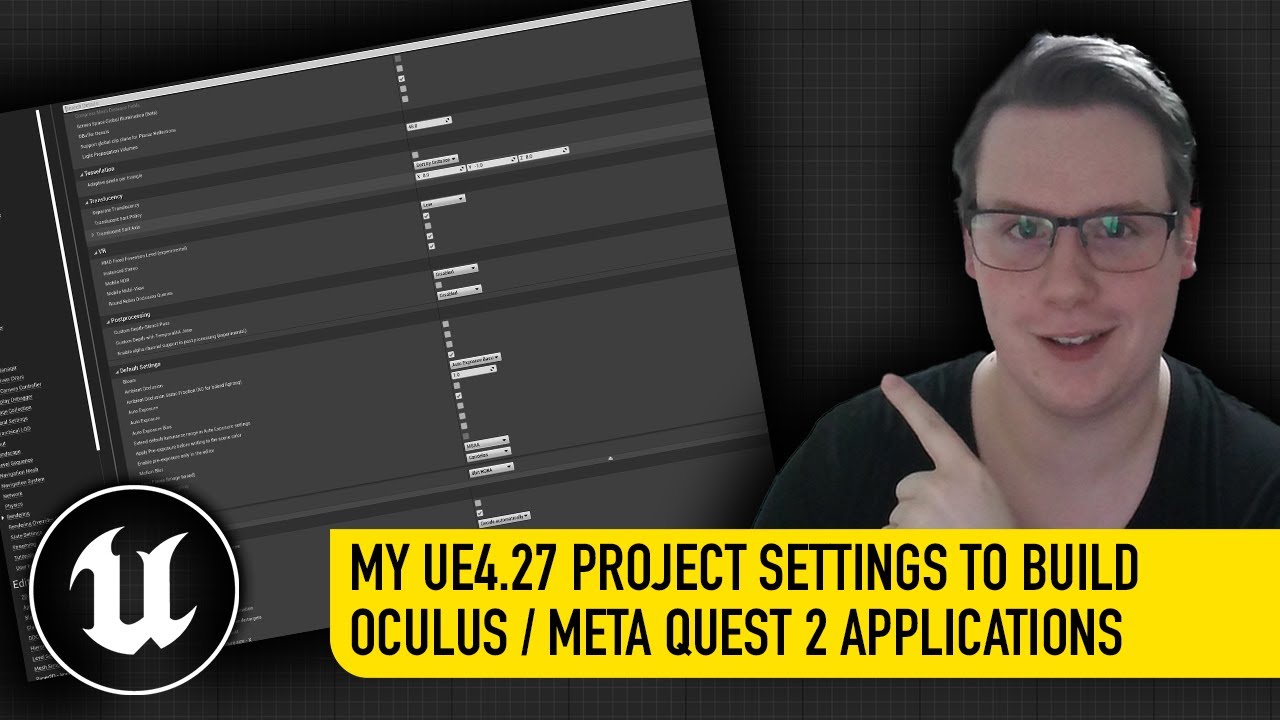
#UnrealEngine #VR #VirtualReality
► Join the Discord: https://discord.gg/xw65fg7
► Description
I show my project settings for building applications to the Oculus / Meta Quest 2 using Unreal Engine 4.27
► Patreon: https://www.patreon.com...
 cerulean pasture
Hey, I'm currently developing a product using a Quest 2. When I PIE VR the first time, everything works just fine. However, when I try to PIE again after the first run, the editor freezes up and I have to force exit and recompile. I was wondering if anyone has had this problem before, and what could be done to fix this? Thanks!
 velvet panther
Hi, not sure im in the right channel now... But I am having trouble making my Oculus Quest 2 controllers work properly with UE4. I can walk around with no problems using the A button or the right stick. But no other input works. In the default vr map I cant pick things up or see no laser pointer. All guides I find is about setting UE up for running on Quest but I am looking to do a PC aplication that has to work with multiple headsets. Will these Android solution solve my problem too?
sharp forum
If you are running through PC, then are you running through Steam?
You can change the bindings.
Also, you might want to check the Project Settings> Input, and then check your Action and Axis controls, to see if any of those are set to Quest Inputs.
sharp forum
cerulean pasture
Hey, I'm currently developing a product using a Quest 2. When I PIE VR the first...
It crashes when you did something odd, normally.
For me, it was infinite loops. The game would pause then crash.
You should normally get a bunch of red text in to output window.
If it works the first time, but not the second, there is something sticking around.
did you create a save, that is getting called?
velvet panther
sharp forum
If you are running through PC, then are you running through Steam?
You can chang...
I have tried both with SteamVR and Oculus native. Have also packaged the project with the same result. In the input settings I have Oculus Touch bindings by default together with valve, MR and Vive. Maybe that is the problem? I can´t find any input specifically for the Quest though.
 ripe crypt
Hello All, i was getting some weird results on Quest 1 and Quest 2 while doing performance profiling. Quest 1 is giving better performance than Quest 2!. on the same application build and settings.
When i look at a trace in Android Monitor the surface resolution on Quest 1 shows up as 2432x1344 compared to 1440x1584 on Quest 2. Any directions on what could be causing this?
If I understand correctly Quest 1 does not have hardware multi-view vs quest 2 which has hardware multiview..
could this be causing this?
The binning phase seems more or less same on both devices however the rendering of tiles seems to be twice as expensive.
trail shale
how do you make it switch back to steam VR when you are streaming a level? it just kills the frame rate, I would rather cut out and just wait until everything is loaded
 jaunty wadi
Hi all hope you are doing well, I have come across a weird issue when testing meta humans in a networking scenario if I place them on the Server level and I join in with a client sooner or later the app will crash on me and I have this in the debug log. I am using Oculus Quest 2 and Vulcan API. If i test the same map, but in standalone.. I am not experiencing crash. Any advice or recommendation would be much appreciated
 cerulean pasture
sharp forum
It crashes when you did something odd, normally.
For me, it was infinite loops....
cerulean pasture
sharp forum
It crashes when you did something odd, normally.
For me, it was infinite loops....
I get no red text, we have multiple people working on the project and I'm the only one with this issue haha.
 glad sedge
QUESTION:
Heyhey, i am packaging my vr game and when i spawn my head is always in the floor/ in the PlayerStart Origin. This does not happen in editor, it works fine there. Changing the VRPawn Set Tracking Origin to "Floor Level" or "Eye Level" has both the same result spawning with the head in the floor.
Does anyone know how to fix that?
Appreciate the help 🙂
trail shale
glad sedge
QUESTION:
Heyhey, i am packaging my vr game and when i spawn my head is always i...
What happens if you reset orientation of the headset (like in Steam VR or Oculus)
glad sedge
trail shale
What happens if you reset orientation of the headset (like in Steam VR or Oculus...
Changing the first image to the second fixed it (Inside VRPawn blueprint). Not sure why, but its an easy fix and now i am spawning correctly when running the packaged version. Quite unfortunate that i have to change the premade VRPawn blueprint for it to work
 tired tree
its because its taking awhile to spool up the tracking system
you would want to delay a bit before checking if the hmd is enabled
trail shale
Not sure why, but its an easy fix and now i am spawning correctly when running the packaged version. Quite unfortunate that i have to change the premade VRPawn blueprint for it to work
This is one of the reasons VR hasn't spread more - not enough support for developers - higher ups just don't care enough at the moment
tribal lintel
Yeah speaking of support for developers, how in the sam hill are people developing for quest 2? I can't keep the device wirelessly connected to ADB/ODH no matter what I do, not seeing others having the same issue when searching
jovial hamlet
tribal lintel
Yeah speaking of support for developers, how in the sam hill are people developi...
You get used to the pain haha
tribal lintel
Oh wow please tell me your joking 😂
well good thing the $80 16ft usbc cable is $20 off today on amazon
 hollow tiger
Can anyone recommend some packages or learnings to buy around blueprints to place items in a VR game using a catalogue similar to how you would in the Sims games?
Ty in advance
 lapis tide
Hey, so I just found this vr channel haha. I got this problem when playing my game on the ocolus quest 2. Does someone know what causes this problem? I tried googling for an answer but couldn't find anything
 jovial hamlet
Does anyone know how long does it take for Oculus crash analytics to update? Or do I need to somehow enable them separately?
I've experienced crashes on my Quest a day after the update went live (and most likely other users are affected too), but after several more hours the crash analytics still report 0 crash events.
sharp forum
 robust bramble
what should i buy for vr development?
robust bramble
what should i buy for vr development?
I'd start with a Computer and a VR setup, like Valve Index or Quest 2 HMD. Then, get a development software like Unity or Unreal.
This should get you started. The rest is mostly study and practice.
 earnest root
I have a Rift S and I'm thinking about upgrading to a quest 2. The main reason I'm considering is just the need to not have a long cord constantly coming from my back and over my shoulder as I move around. Development wise, do you guys feel the quest 2 is good? I heard each time you want to test a change you need to make a whole deployment for the device
jovial hamlet
earnest root
I have a Rift S and I'm thinking about upgrading to a quest 2. The main reason I...
If you develop for the PC, your workflow won't change, you'll still typically connect your Quest to the PC over wifi instead of a cable
You only need to deploy your game to Quest if you want to test a native Quest game
earnest root
Cool, thanks
 subtle raft
anyone know of a product or way to track a gamepad controller with a Quest? There's OpenCV if it was possible to access the passthrough cameras and ARCore, is there a little tracker like Vive Tracker with IR?
 dry fjord
does Reset Orientation and Position not work with oculus touch or over air link or something?
or does it not do what I expect? I see it nudge a tiny bit the first time it's called, but it's not calibrating for HMD orientation at all
tired tree
its bugged in openXR in 4.27, it got fixed but don't remember if it made it into the hotfixes or not
well...not sure bugged is the right word, they forgot to implement it for openXR
pretty sure the fix is slated 4.28 or ue5 since it required a decent amount of overhaul to the openXR codebase
dry fjord
heh
lemme see if I'm even using openXR
either oculusVR or openXR didn't work for me at all. it was one of them....
damnit I'm using it
guess I'll try rolling my own again
tired tree
its literally just a transform applied to the cameras location
they take the current and inverse it and apply that to all future updates
should be fairly simple to emulate that by moving the vr root
dry fjord
that's what I tried. relative transforms are always finicky though
 distant nest
earnest root
I have a Rift S and I'm thinking about upgrading to a quest 2. The main reason I...
distant nest
earnest root
I have a Rift S and I'm thinking about upgrading to a quest 2. The main reason I...
One downside of doing wireless to Quest 2 is that with the headset unplugged, it goes into a deep sleep after a few minutes. So you lose your connection to the Oculus streaming process.
So if you are doing a bunch of headset on/off testing, you're often better off leaving it plugged in to avoid that. Otherwise it's headset on, re-connect oculus airstream. Sometimes that fails. Sometimes you have to then restart UE4. It can often be a big wrinkle in rapid prototyping.
 jade kettle
subtle raft
anyone know of a product or way to track a gamepad controller with a Quest? Ther...
jade kettle
subtle raft
anyone know of a product or way to track a gamepad controller with a Quest? Ther...
Unfortunately I don't think there's a way to do that, that part is closed off
We've looked into accessing the Quest's tracking cameras/data and use it to find a tracker that would represent a zero transform for co-location/multiplayer VR
I couldn't find an opening for it
Though anyone is free to prove me wrong
distant nest
jade kettle
We've looked into accessing the Quest's tracking cameras/data and use it to find...
I've never seen such an interface either. But if you're just trying to calibrate some zero transform for same-space VR, you can do that with some photogrammetry (or good space measurements) and a cardboard box taped to the floor to use as a fixed point cradle for initializing the headset orientation.
 hallow knoll
glad sedge
Changing the first image to the second fixed it (Inside VRPawn blueprint). Not s...
hallow knoll
glad sedge
Changing the first image to the second fixed it (Inside VRPawn blueprint). Not s...
Which UE version, device and runtime are you using? I haven't come across that issue on PC or Oculus Mobile
hallow knoll
lapis tide
Hey, so I just found this vr channel haha. I got this problem when playing my ga...
We're not going to know what the issue is from your screenshot alone. Provide some more details to help us help you 🙂
glad sedge
hallow knoll
Which UE version, device and runtime are you using? I haven't come across that i...
UE 4.27.1, Oculus quest 1 via Oculus link and steamVR, VRPreview (if that is what you mean, not sure)
hallow knoll
Is there a particular reason why you're using SteamVR instead of Oculus? (referred to as the Runtime(s)). While SteamVR's OpenXR runtime supports Oculus devices, support isn't 100% yet, and we rarely test that path
PSA: If you don't know which OpenXR runtime is set in your environment variables, get OpenXR explorer: https://github.com/maluoi/openxr-explorer. You can switch runtime in a dropdown when switching VR hardware (Oculus/SteamVR)
There's also options in both Oculus and the SteamVR software, but they only let you switch to their preferred ones. If you've used an Oculus device with OpenXR on your PC and then later use a Vive/Index, chances are it's still set to use Oculus as the OpenXR runtime. OpenXRExplorer removes the guesswork or diving into environment variables 🙂
glad sedge
I noticed that using only oculus link, the controls in the VRTemplate are not working except for correctly displayed movement of the controllers. Grabbing does not work and teleportation only aims to the map origin.
When additionally using steamVR it seamed to have fixed that problem, but i am developing for a few weeks now and the above described broken tracking happens A LOT when simply developing in engine. E.g i start the engine, test something in VRPreview...everything is fine and works... i develop for a bit, play VRPReview again... suddenly no grabbing and only teleporting to map origin. Butten presses and other stick tilt blueprints work fine though.
To describe better how i connect my quest: Start quest-> connect to pc -> establish oculus link connection -> start steamVR via steam, quest goes to steamVR home automatically-> start unreal -> VRPreview button is enabled.
hallow knoll
If you can I'd suggest to update to 4.27.2. I updated the VR Template to not rely on GetMotionControllerData, which is the function that fails sometimes when the VRPawn blueprint is opened in Editor (close it and the problem should go away)
Also, make sure you're using the Oculus Runtime when you're working with Quest through Link (see my little PSA above)
glad sedge
hallow knoll
If you can I'd suggest to update to 4.27.2. I updated the VR Template to not rel...
I just tested to play VRPreview agian after restarting unreal and closing steamvr and only using oculus link. Seems to work fine controler wise
glad sedge
hallow knoll
If you can I'd suggest to update to 4.27.2. I updated the VR Template to not rel...
On a sidenote, this is what i enabled in my plugins. When i also enable "Oculus OpenXR" as well, packaging fails. With the plugins as shown in the picture, packaging works fine. No problem for me, cause i have the top one disabled, but just letting you know.
 distant nest
When you enable Oculus OpenXR you're supposed to disable Oculus VR
glad sedge
distant nest
When you enable Oculus OpenXR you're supposed to *disable* Oculus VR
ah thanks, did not know that. since i am only using vr though, i guess i will stick to oculusVR
distant nest
glad sedge
ah thanks, did not know that. since i am only using vr though, i guess i will st...
Oculus VR is the old system that's getting dropped, so you probably want to move to OpenXR if you care about the future of VR
glad sedge
distant nest
Oculus VR is the old system that's getting dropped, so you probably want to move...
Oh! Well in that case u guess i should switch then.
 blissful bear
distant nest
Oculus VR is the old system that's getting dropped, so you probably want to move...
blissful bear
distant nest
Oculus VR is the old system that's getting dropped, so you probably want to move...
Until Apple come along with there own API.
distant nest
That would be sooo apple to do that
OpenXR has been a big change, I'm still struggling to get our build system to properly handle some of the off-brand headsets that don't have the best OpenXR implementations. Hopefully beyond 4.27 things will all be ironed out.
 little marsh
Anyone here ever experienced choppiness with the Vive face tracker? The tracker behaves properly on the computer I build on but updates abruptly on any other.
The runtimes are the same.
hallow knoll
glad sedge
On a sidenote, this is what i enabled in my plugins. When i also enable "Oculus ...
The VR Template is only designed to work with the OpenXR, and OculusOpenXR plugins enabled. SteamVR and OculusVR should be disabled. SIDENOTE: If you're working in 5.0-Release branch on GitHub or for some reason are reading this after 5.0 has been released: ||OpenXR and OculusVR should both be enabled, and in Project Settings -> Plugins -> OculusVR you can set which version of the OculusVR plugin you want to use (OpenXR or Legacy)||
little marsh
The fix was switching from USB 1.0 to 3.0
glad sedge
hallow knoll
The VR Template is only designed to work with the OpenXR, and OculusOpenXR plugi...
I think i have to talk to my teacher. This seems like a lot of stuff that i was taught wrong or at least not up to date🙈
I will try and see if it changes anything
distant nest
glad sedge
I think i have to talk to my teacher. This seems like a lot of stuff that i was ...
This is new as of last August on 4.27. Game dev is a moving target, it's a part-time job staying current.
 reef scarab
Does anybody know if LAN multiplayer is possible on the Oculus Quest 2? I just tried it out, and am getting create session failed. Joining session via IP Address also does not work. I do get a session to pop up when using Find Sessions, but joining that fails as well. About to give up on this one...
glad sedge
hallow knoll
The VR Template is only designed to work with the OpenXR, and OculusOpenXR plugi...
As mentioned earlier, when enabling the "Oculus OpenXR" plugin, i am not able to package anymore because there are a bunch of different Errors in ...\Intermediate\Source\myproject.Target.cs. Never touched that. Several CS1519, CS1514, CS1520, CS1002, CS1022. Mostly "invalid token" errors.
jade kettle
distant nest
I've never seen such an interface either. But if you're just trying to calibrate...
To be honest, that sounds like such a bodgy solution... I love it!
glad sedge
hallow knoll
The VR Template is only designed to work with the OpenXR, and OculusOpenXR plugi...
VR Plugin constallation to check if packaging works:
Oculus OpenXR✅ , Oculus VR✅ , OpenXR✅, SteamVR✅ -> Packaging working❌
Oculus OpenXR❌, Oculus VR✅ , OpenXR✅, SteamVR✅ -> Packaging working✅
Oculus OpenXR❌ , Oculus VR✅ , OpenXR✅, SteamVR❌ -> Packaging working❌
Oculus OpenXR✅ , Oculus VR❌, OpenXR✅, SteamVR✅ -> Packaging working❌
Oculus OpenXR✅ , Oculus VR❌ , OpenXR✅, SteamVR❌ -> Packaging working❌
The one working setting seems to have no problems in VR though. So i will stick with that for now
distant nest
jade kettle
To be honest, that sounds like such a bodgy solution... I love it!
It works incredibly well. Just cut some holes so that the HMD cameras can see out of the box, put a post-it note over the HMD occupancy sensor and you're good. The biggest problem is that it's cardboard and my dog is a recycling enthusiast.
hallow knoll
reef scarab
Does anybody know if LAN multiplayer is possible on the Oculus Quest 2? I just t...
For LAN I generally just add ?listen to the OpenLevel function, and then connect directly using the IP of the host. Quest 1 had no problems connecting to PC, Android, or another Quest and I doubt Quest 2 would be different 🤔
hallow knoll
glad sedge
VR Plugin constallation to check if packaging works:
Oculus OpenXR✅ , Oculus VR✅...
If you just create a new VR template and hit package are you getting the same errors? I would close your project, delete the intermediate folder, then start the project and try to package again
glad sedge
hallow knoll
If you just create a new VR template and hit package are you getting the same er...
I tried the deleting intermetiate folder, did not work
hallow knoll
reef scarab
Does anybody know if LAN multiplayer is possible on the Oculus Quest 2? I just t...
If you keep the Quest plugged in you can debug it in realtime using the Device Output Log - check to see what errors you're getting
 fathom temple
@glad sedge I have no trouble packaging with that last line of your matrix.
hallow knoll
glad sedge
I tried the deleting intermetiate folder, did not work
Are you working from source or binary (launcher) version of the engine? Either way I'd test with a new VR Template project to verify if it's the project or engine that's causing issues
 idle osprey
You might try without the VR template, too. I don't use the template and I don't think I've ever had a problem with packaging.
hallow knoll
The Template doesn't typically have issues, there's something funky locally
idle osprey
In 4.27, I should say. I stopped trying to use 5.
glad sedge
hallow knoll
Are you working from source or binary (launcher) version of the engine? Either w...
Just creates a clean vr template project. Default settings for plugins were oculusopenxr and openxr enabled... packaging not working
The error is different this time though.
Cant find NetFxSDK install dir; problems with swarminterface should install .net feamework 4.6.0 or higher
hallow knoll
glad sedge
Just creates a clean vr template project. Default settings for plugins were ocul...
How did you install the editor?
glad sedge
hallow knoll
How did you install the editor?
Throufh the Epic games launcher
hallow knoll
Can you package a blank project?
glad sedge
hallow knoll
Can you package a blank project?
Yes
In a blank project oculus vr, openxr and steamvr are all enabled by default. Thats the one setting that works anyways
distant nest
glad sedge
Just creates a clean vr template project. Default settings for plugins were ocul...
If you're getting a NetFxSDK error then you need to install the .net runtime via visual studio installer
glad sedge
distant nest
If you're getting a NetFxSDK error then you need to install the .net runtime via...
Currently checking what i have
glad sedge
distant nest
If you're getting a NetFxSDK error then you need to install the .net runtime via...
Is it important to do that via Visual studio? I would have just downloaded it from Microsoft
distant nest
glad sedge
Is it important to do that via Visual studio? I would have just downloaded it fr...
Honestly not sure. VS has a package manager which does it for you, I'm not even sure if you can download it raw 🤷, might work fine if you do. But I'm assuming you followed this guide at some point? https://docs.unrealengine.com/4.27/en-US/ProductionPipelines/DevelopmentSetup/VisualStudioSetup/

Tips, tricks, and techniques for setting up Visual Studio to work with Unreal Engine
glad sedge
distant nest
Honestly not sure. VS has a package manager which does it for you, I'm not even ...
I did not follow that guide.
I use unreal since a few months and know visual studio only through 6 years of unity development.
I also just used blueprints until today. Never used cpp in unreal.
But since i see a difference in the dowloads for running and developing apps with .net i will just do it via the vs installer
distant nest
glad sedge
I did not follow that guide.
I use unreal since a few months and know visual stu...
Well this might not be your only problem, but this (the instructions) would be the minimum setup I'd expect a dev machine to have to be able to produce builds.
glad sedge
Waiting since 30 mins for the vr template to finish shader compiling...
2k shaders to go... i wonder why the priority is low when ressources are available
glad sedge
@hallow knoll @distant nest After 1 hour waiting i successfully packaged the vrtemplate. I installed the latest and recommended version of .net (4.8) via visual studio. When connecting my quest via link the quest got updated. Not sure if it was a super unlikely coincidance with an oculus update or the .net did something to my quest. But i can run the packaged VRTemplate project without problems. The spawning in the ground when packaging issue i mentioned way in the beginning was fixed and even the controller orientation when picking up the guns got fixed. (they were on a weird wrist angle before)
Unfortunately my personal project does still did not want to package using only Oculus open xr and openxr enabled, but the problem is still the invalid tokens at ...\Intermediate\Source\myproject.Target.cs.
So i went ahead and tried to have a look at what the problem might be.
🙈 🙈 🙈 After another hour i finally fixed it.
To be more general, i wrote ...\Intermediate\Source\myproject.Target.cs being the problem file... but the actual filename was this ...\Intermediate\Source\Murmur_VR-Ready.Target.cs. "Murmur" being the game title i am working on and VR-Ready is my team name. This was also how i created and named my unreal project initially. As i was looking into the file i noticed that the "-" messed up the Class name recognition resulting in invalid token errors. After changing the project name to a simple name without "-" and deleting and recreating the project folders... the problematic file did not even exist anymore. I can now package and run my game without any problems.
TLDR: Install .net 4.8 via visual studio and the "-" character is forbidden in unreal project names.
Thank you a lot for your support @hallow knoll and @distant nest
Here a picture of the naming issue

After this months long hassle i feel like writing an article about this so people are informed.😅 But also i though high .net versions would be pre installed on win10.
 stray sundial
Not sure if this is the place to ask this question. Anyone run into problems trying to use action "cast to bp motion controller"?

 void parrot
Anyone know why VR controller overlap grip would be working perfectly fine in editor and on a Windows build in both Oculus and SteamVR mode but not overlapping/gripping in a Quest build that averages about 50 fps?
Its still not making any sense, I reverted to the original control scheme we had for PCVR and for some reason it just refuses to work on the Quest 2
void parrot
stray sundial
Not sure if this is the place to ask this question. Anyone run into problems tr...
You've gotta get the AnimBP from the Skeletal Object attached to the actor
So it'd be Cast To Actor > Get Skeletal Mesh > Cast to Brute_Anim_BP
stray sundial
void parrot
You've gotta get the AnimBP from the Skeletal Object attached to the actor
So it...
 stray sundial
void parrot
You've gotta get the AnimBP from the Skeletal Object attached to the actor
So it...
stray sundial
void parrot
You've gotta get the AnimBP from the Skeletal Object attached to the actor
So it...
thanks for the response. heres a clip of my screen compared to the tutorial. he types it out and finds it but i dont see it
void parrot
stray sundial
thanks for the response. heres a clip of my screen compared to the tutorial. h...
If you have a class called BP_MotionController then you can use it, otherwise see what your class is called. The Motion Controller as far as I know is just the class that contains the VR Controller + Hand
jaunty wadi
Hi All, working on a VR project and we are using OpenXR, with Oculus OpenXR enabled and the OculusVR disabled however, it seems that we are losing access to the Oculus Library functions if we are not using OculusVR plugin. Wondering if this is worth it? What is the general opinion on this? Thanks
tired tree
@glad sedge historically the engine version number also causes problems in project names, I haven't tested it in several versions but people kept naming their projects after the engine versions they were in and causing compilation issues
hallow knoll
jaunty wadi
Hi All, working on a VR project and we are using OpenXR, with Oculus OpenXR ena...
If you're planning on multi-device support, OpenXR is the way to go. However, if you're only targeting Oculus devices and the Oculus store, and you're planning on shipping soon-ish, the Native OVR plugin is what you want. In 5.0 the OculusOpenXR plugin has been removed as Oculus rolled their OpenXR support into the OculusVR plugin. In Project Settings → Plugins → OculusVR there’s now a setting to select which “plugin” you’re using: Legacy, OVR OpenXR, or Native OpenXR:
All of the features available in the Legacy OVR plugin doesn’t have counterparts in OpenXR yet and that’s why you’re still seeing the Legacy OVRPlugin as an option.

What this means is that you get all of the Platform (read: Oculus Store) features and the OpenXR API for Oculus in the OVR plugin
The OculusOpenXR plugin was a stopgap for OpenXR support on Quest before the native OpenXR plugin supported a bunch of Android related stuff
In 5.0-release branch on github you can now package and launch on Quest with OpenXR being the only enabled VR related plugin 🙂
(however once again if you're planning on shipping soon-ish I wouldn't do that as it's missing some features like Fixed Foveated Rendering)
tired tree
@hallow knoll any news on the hand tracking XR extension working with oculus in engine?
dreamy ivy
Last live stream before I go on leave for a month. Wasn't sure what to work on so thought we could do some more AI or movement stuff.
https://youtu.be/X2_otdPGaU0 Why not drop by.

#UnrealEngine #VR #Blender
Hey everyone, Thought id do a live stream where I take a look into UE4s AI Perception system so we can create some AI that try to attack us.
► Description
Hey everyone Unreal just announced the new Unreal Engine 5 so I thought we could take a look into it.
If you're new to VR and want to get started with O...
 neon geyser
Small question, when I'm not using the tick of an actor I always disable it. There's also a tick per component, is it also necessary to disable it?
hallow knoll
tired tree
<@!531923466799284244> any news on the hand tracking XR extension working with o...
AFAIK we're still waiting
 gray bane
Hello,
Has any body tried to login using Oculus authentication. I am trying to use Subsystems but they aren't working
And if it does, does it show Oculus's own authentication UI or do I have to make my own
cerulean pasture
Hey, around last week I asked about hand gestures and finger placement not working in VR. I tested in 4.26, they work fine. I tested with 4.27, and they don't work. They also don't work on a packaged build in 4.27; I'm wondering what could cause this. I've reinstalled the oculus software, and rebuilt the UE4 4.27 source code a few times now
 ivory magnet
idk why but I can't get my project to run on quest when vulkan is enabled
it refuses to work unless its openGL
 coral swallow
cerulean pasture
Hey, around last week I asked about hand gestures and finger placement not worki...
coral swallow
cerulean pasture
Hey, around last week I asked about hand gestures and finger placement not worki...
it might be due to the XR plugins and components conflicting with the regular oculus and steam things
dry fjord
my landscape texture is dropping resolution radically on quest 2, and sometimes displaying using nearest-neighbour sampling randomly. the device profile is set to export full res textures and I've set them to never stream. is there anything else I can check to make sure that it stops downressing?
 primal sky
dry fjord
my landscape texture is dropping resolution radically on quest 2, and sometimes ...
primal sky
dry fjord
my landscape texture is dropping resolution radically on quest 2, and sometimes ...
Remove the mip levels and/or force it to only ever use the highest one
 rocky condor
Hi all. I made a VR Grip Drag Rotate movement implementation that I wanted to share with the community. I went ahead and stripped it out of my project and included a little readme with steps to add it. I'll add the Git repo link here. If anyone wants to check it out and use it, feel free. If you're able to make any improvements or know how I can get the scaling to work please let me know. I tested to make sure it works using 4.27.2 and my Quests (1/2) , works with the VR Template as a base. https://github.com/KavanBahrami/UE_VR_Locomotion_GripToMoveRotateScale
GitHub
Contribute to KavanBahrami/UE_VR_Locomotion_GripToMoveRotateScale development by creating an account on GitHub.
rocky nexus
ivory magnet
idk why but I can't get my project to run on quest when vulkan is enabled
vulkan works for me with oculus source build
coral swallow
is there a way to make a component ignore the collisions of a specific component / actor or do i have to get creating on how I setup collision channels?
 maiden willow
coral swallow
is there a way to make a component ignore the collisions of a specific component...
maiden willow
coral swallow
is there a way to make a component ignore the collisions of a specific component...
Jonathan has a video specific to that
maiden willow
coral swallow
is there a way to make a component ignore the collisions of a specific component...
And then I realized we weren’t in his server. GDXR on youtube and here is the link: https://youtu.be/4g5IUmx7osg

#UnrealEngine #VR #VirtualReality
► Description
Hye guys, this is a quick video to help one of our Discord users "Corysia" who is having collision issues when creating smooth locomotion within there project. This stop actors from causing the player to move when holding the grip button.
Jump into the discord to follow there work.
If you're n...
coral swallow
oh right ive watched a good few of his videos for my project lol. I'll have to check this one out. Thanks!
 dusky arrow
Doing a project in UE4 and I see it is recomended to activate stereo instancing - is there any downsides to this? I have read the benefits but do not see any mention of any restrictions or problems it can cause? For example what are the cases when I would not want to use S.I?
tired tree
@coral swallow there is a plugin on the marketplace that implements physxs collision filtering to ignore only between two objects, I also have an open source implementation in my plugin as well
But that is generally if you specifically need just between two, as in some cases collision channels just don't handle it well enough
 ashen knot
I am making a VR archviz project for quest 2, and came across this video, https://www.youtube.com/watch?v=_GT0KtzPRBA&t=21s, how can I achieve results similar to this guy, especially in the lighting and reflection dept.?

SideQuest - Release (APK file for download)
https://sidequestvr.com/app/6296/virtual_walk_wojciech_michalski
 hard mantle
Looks like everything is probably fully baked, with that one
exotic mango
Does anyone know how to increase the number of max movable spotlights / point lights higher than '4'. The setting is under "Mobile Shader Permutation Reduction"
hard mantle
Mobile is only applied for mobile targets- it should be something like 16 on consoles and desktop
exotic mango
hard mantle
Mobile is only applied for mobile targets- it should be something like 16 on con...
Yea im developing for the quest 2 the lighting looks good on the editor view but when I build it to the headset the lights start flickering
not all of them just a few I assume those are the ones that put it over that threshold
 jovial violet
Hey all, sorry if this has been asked before but my game for quest 2 crashes to home immediately when I try to launch it, can someone help me please
jovial violet
I package successfully but the game just closes to home screen immediately after the initial quest loading screen
I've disabled mobile hdr and multi-view and tried with both on or off individually. I've tried multiple android versions (from 21 to 32) to package for. All my levels are in the package array. I tried debugging but I can't find any fatal errors but it does show that my game closes just after booting up. It's just weird I've tried so many different things..
I've tried vulkan only, open GL only, arm64 only etc..
I've followed quite a few recommended quest 2 setting tutorials from different sources and nothing just seems to be working
jovial hamlet
jovial violet
I've disabled mobile hdr and multi-view and tried with both on or off individual...
did you look at the logs during the crash?
ivory magnet
Does debugGame not provide logs?
Having trouble locating my quest logs for crashes and issues with subsystem
nvm figured out DeviceOutputLog
rocky condor
@jovial violet did you set up oculus entitlement? If so, the default setup quits if you're not entitled, so you need to approve the data agreements on the dev site - can cause the immediate quit issue https://developer.oculus.com/manage/applications/[YOURAPPID]/data-use-checkup/
 rocky condor
ivory magnet
me?
rocky condor
ivory magnet
me?
sorry, no i was responding to the person just above you.
velvet panther
I am having problems getting my Oculus2 controllers to work in the 2.7 demo scene. I can teleport around both with stick and button and use the menu on the right controller. But I cant pick things up. Is this supposed to work out of the box or is it something I have to do to set it up?
glad sedge
velvet panther
I am having problems getting my Oculus2 controllers to work in the 2.7 demo scen...
Maybe check your VRPawn blueprint and see if any warnings about not setup input is shown
like this:
 velvet panther
glad sedge
Maybe check your VRPawn blueprint and see if any warnings about not setup input ...
velvet panther
glad sedge
Maybe check your VRPawn blueprint and see if any warnings about not setup input ...
I see no such errors. When I run the VR mode where you can edit in real time every button seams to work perfectly. But when I VR preview it does not. I also tried with vr content from the marketplace specifically stating to work for 2.7 and with quest 2. I have tried to package it too but it same result. I must be missing something some where.
have changed this between oculus and steamvr too and switched plugins to all combinations possible with no better result.
 jovial violet
rocky condor
<@!190941343885819915> did you set up oculus entitlement? If so, the default set...
jovial violet
rocky condor
<@!190941343885819915> did you set up oculus entitlement? If so, the default set...
Hi, I did see something about this in the logs and I have no idea what it means. How do I set entitlements please?
@rocky condor I'm just sideloading it myself atm
rocky condor
Describes how you check the users entitlement.
jovial violet
So just followed the info there and it seems this entitlement check is only for checking whether someone obtained this app through the store by legal means. I didn't have anything regarding this initially since I haven't built from a template or anything so I'm not sure on how it would affect my game running on the headset if I'm sideloading it myself. What's confusing is that it's asking me to grab the playerId for verification when I personally don't need any of this. For me to be able to get the playerId I need to give a good reason for it in the 'my app' section under 'API'. The only reasons available are for things like achievements and other unrelated stuff. so I haven't requested this either.
Could this really be why my app is just immediately closing down? I have to request players Id so be able to give entitlements?
@rocky condor
Oh, and for some reason, I don't know if this is related, but I cannot select 'amv7' support. It's just greyed out
I'm stuck with arm64
jovial hamlet
jovial violet
So just followed the info there and it seems this entitlement check is only for ...
You don't have to verify entitlement for Oculus apps. You only need to do it if you use the oculus platform services like achievements or leaderboards.
distant nest
What's your reason for wanting to build armv7?
jovial violet
I just wanted to test whether armv7 build would work over the arm64. I'm just trying to trouble shoot. I'm on my last test right now by starting a completely fresh VR project from the oculus ue4 build and seeing if that runs. If it doesn't, but the build is still successful then I think it's down to the engine build because everything else seems to be consistent with the settings and setup everyone else does
There is this one issue though, this oculus ue4 build doesn't allow me to choose quality settings and always gives me this message:

but the plugin is actually there and is enabled
so I don't know what that's about
distant nest
jovial violet
That sounds like a full stop situation, figure that out. Maybe do an engine installation verify and see if there are some files missing
jovial violet
I can't do that since this is a build from github but you are right I've just noticed that specifically 'oculus openxr' plugin is not there
just the openxr ones
distant nest
UE4 or UE5?
tribal lintel
ashen knot
I am making a VR archviz project for quest 2, and came across this video, https:...
check this out https://www.youtube.com/watch?v=DHmuhAjLZfw

You can Use Blender and Unreal Engine 4 to make workflow for your project whithout buy expensive software but all for FREE.
All that you need is:
- Blender, in my case 2.82.3
2)Unreal Engine 4 - Datasmith Plugin You can download it here: https://github.com/0xafbf/blender-datasmith-export
DOWNLOAD
Archviz: Blender To Unreal Engine Step By S...
distant nest
That's going to be an issue for sure, if you don't have the OculusOpenXR then you either need to get it or disable OpenXR and enable the old OculusVR plugin
distant nest
Just curious, what's in the oculus branch that you want?
because 4.27.1 is a hot mess for VR
jovial violet
it was a recommendation by GDXR to use and comes with the new oculus spacewarp feature
distant nest
News to me, the spacewarp feature only works in OpenXR, not surprising. Are you following the settings here under How to Enable AppSW in App? https://developer.oculus.com/documentation/unreal/unreal-asw/
jovial violet
Yea this is how I set it up
I followed that
I'm trying a build now, after this I will use my standard 4.27.2 build that comes with the launcher and see if I can get a successful build
distant nest
Looking at the latest Oculus commit in 4.27, they've done something kind of odd that they didn't publish. They deleted the OculusOpenXR plugin and they've now re-purposed the OculusVR plugin with an internal name of OculusOpenXRHMD. So for project you're in, when on this Oculus branch, you want to remove the OculusOpenXR plugin and put OculusVR in its place. And then leave the OpenXR plugin enabled as well.
jovial violet
😮
right
thanks lemme take a look
yea I can see in the folder for oculusopenXR there's no files
You think I should copy/paste everything from openxr into there?
distant nest
no no
Just open the project, edit plugins and make sure OculusOpenXR is off and OculusVR + OpenXR are on
Or edit your .uproject file directly, same result
jovial violet
I see, well they already are. In the project itself when I look through my plugins there's nothing with the name 'OculusOpenXR' in there anyway
distant nest
The message you got about the plugin not existing is because the plugin is listed in your .uproject file, but the UI won't show it obviously now that I think of it
jovial violet
Ok so just a matter of editing the uproject or just hitting yes to continue
distant nest
yeah
jovial violet
ok I'm getting something different now
just an endless loading screen which is new
it used to just immediately quick to home

This is the live log for it
distant nest
Sometimes it can be more useful to look directly at the UE4 log to see what it's trying to do
The full system log can be a bit noisy
jovial violet
I haven't launched it from within the engine unfortunately, this is a sideloaded build of the game
distant nest
You can grab it with adb
If your game is named MyGame it would be:
adb pull /sdcard/UE4Game/MyGame/MyGame/Saved/Logs/MyGame.log
jovial violet
oh right nice, do I execute that with the oculus developer hub?
distant nest
adb is a debug utility provided by the android sdk, if you followed the epic install guide, adb should be in your system path, so dropping to a command line and typing adb devices should show you the headset connected
jovial violet
I do have that yea I'll check now
looking at the log seems like there's a lot of weird stuff happening
look at this bit
[2022.01.23-20.39.10:063][ 0]LogAndroid: VulkanRHI will NOT be used:
[2022.01.23-20.39.10:063][ 0]LogAndroid: ** Vulkan is disabled via console variable.
[2022.01.23-20.39.10:063][ 0]LogAndroid: OpenGL ES will be used.
[2022.01.23-20.39.10:063][ 0]LogAndroid: Vulkan SM5 is available but disabled for this device.
I have checked use Vulkan in the project so I don't know why it's doing this
distant nest
ahh, maybe you have a DefaultEngine.ini setting to disable it
jovial violet
and then this here specifically:
LogInit: Display: Project file not found: ../../../DavysTreesQuest2/DavysTreesQuest2.uproject
LogInit: Display: Attempting to find via project info helper.
LogUProjectInfo: Found projects:
LogTemp: 8 cores and 3 assignable cores
LogPakFile: Display: Found Pak file DavysTreesQuest2/Content/Paks/DavysTreesQuest2-Android_ASTC.pak attempting to mount.
LogPakFile: Display: Mounting pak file DavysTreesQuest2/Content/Paks/DavysTreesQuest2-Android_ASTC.pak.
why is it trying to find that uproject file?
distant nest
That's a new one, could be debug log related
distant nest
You don't specifically see one r.Android.DisableVulkanSupport?
distant nest
And you built specifically for vulkan astc?
jovial violet
yea
from within the engine, the engine build itself is provided by oculus via their github so whatever that comes with has been built
distant nest
I'm totally unfamiliar with that, there might be an actual Oculus "Use Vulkan" checkbox you have to hit, they do stuff like that
maybe just open project settings and search for Vulkan
jovial violet

alreach checked
already*
I'm doing another build since setting the vulkan SM5 thing to true
distant nest
sm5 is for desktop
distant nest
Oculus doesn't have settings in there about a "legacy" plugin?
jovial violet
I'll check now
distant nest
Or oculus specific XR?
Can't help much, never used that branch so can't say if it even works. I'm in 4.27.2 epic branch all day
jovial violet
You know I think I'm just gonna migrate this over to the core engine and see what happens
distant nest
But logs seem to indicate that there's a deliberate setting turning vulkan off
jovial violet
feel free to take a look if you'd like:

1 file sent via WeTransfer, the simplest way to send your files around the world
put the logs in there
I don't know what I'm looking for exactly but nothing sticks out
[2022.01.23-20.40.56:957][ 0]LogAndroid: VulkanRHI will NOT be used:
[2022.01.23-20.40.56:957][ 0]LogAndroid: ** Vulkan is disabled via console variable.
[2022.01.23-20.40.56:957][ 0]LogAndroid: OpenGL ES will be used.
[2022.01.23-20.40.56:957][ 0]LogAndroid: Vulkan SM5 is available but disabled for this device.
does this mean anything?
jovial violet

Sorry I'm not trying to spam. This seems to be the biggest and most repeated error in my build output log
I don't think that's enough to stop a game from actually running though :/
dry fjord
I've forced my landscape textures to use mip 0, forced them to never stream, forced them to do everything possible, ensured that they're not limited by device profile, but I'm still seeing massively low detail textures using nearest-neighbour sampling, and ONLY on the landscape.
what could be causing this?
ivory magnet
@jovial violetare you verifying entitlement?
jovial violet
I did but I don't have data use checkup enabled so I can't verify user ID. However after researching this I shouldn't need to do any of this since I'm just trying to play my game on my quest 2 for development purposes. It's not going to be released publicly
distant nest
jovial violet
I did but I don't have data use checkup enabled so I can't verify user ID. Howev...
Hey I'm in and out, but what I see:
[2022.01.23-20.40.56:883][  0]LogInit: Applying CVar settings loaded from the selected device profile: [Android]
[2022.01.23-20.40.56:884][  0]LogConfig: Setting CVar [[r.MobileContentScaleFactor:1.0]]
[2022.01.23-20.40.56:884][  0]LogConfig: Setting CVar [[slate.AbsoluteIndices:1]]
[2022.01.23-20.40.56:884][  0]LogConfig: Setting CVar [[r.Vulkan.DelayAcquireBackBuffer:2]]
[2022.01.23-20.40.56:884][  0]LogConfig: Setting CVar [[r.Vulkan.RobustBufferAccess:1]]
[2022.01.23-20.40.56:884][  0]LogConfig: Setting CVar [[r.Vulkan.DescriptorSetLayoutMode:2]]
[2022.01.23-20.40.56:884][  0]LogConfig: Setting CVar [[r.Android.DisableVulkanSupport:1]] <-------
[2022.01.23-20.40.56:884][  0]LogConfig: Setting CVar [[r.Android.DisableVulkanSM5Support:1]]
[2022.01.23-20.40.56:884][  0]LogConfig: Setting CVar [[r.DefaultBackBufferPixelFormat:0]]
So the default android profile is disabling vulkan. Maybe you have some odd settings in a Config/DefaultDeviceProfiles.ini?? Or maybe Oculus fubar'd the default device profile. You can view this in the engine.
rocky nexus
dry fjord
I've forced my landscape textures to use mip 0, forced them to never stream, for...
perhaps low precision material
dry fjord
hmm could be. where do you check that?
jovial violet
distant nest
Hey I'm in and out, but what I see:
```
[2022.01.23-20.40.56:883][ 0]LogInit: A...
Thank you man, you didn't have to check all that I know it's a lot. I'll take a look and see what I find 🙂
I don't have a defaultdeviceprofiles.ini in my folder
distant nest
You'd only have on if you had overridden any settings, if you haven't overridden then you're taking defaults that are defined in the Engine/Config folder, maybe BaseDeviceProfiles.ini. It's generally easier to look at them via the engine: Windows->Developer Tools->Device Profiles
distant nest
When I load a project on my quest 2, I see my logs load a profile called Android_Adreno6xx_Vulkan
jovial violet
just reading some unreal documentation and it does say it will load that profile by default: Android_Adreno5xx
distant nest
5x is the quest 1, 6x is quest 2
 distant nest
I don't have Oculus Quest entries in mine, must be some secret sauce in the oculus repo. Why your device isn't loading them though 😕
 distant nest
The setting is correct, the problem is that the app is loading the Android profile instead of the device-specific one
oh hold up, what's this
[2022.01.23-20.39.09:993][ 0]LogModuleManager: Warning: ModuleManager: Module 'AndroidDeviceProfileSelectorRuntime' not found - its StaticallyLinkedModuleInitializers function is null.
 distant nest
well you're missing the module that matches device profiles to the device
distant nest
🤷, never seen this before
jovial violet
why me
lol
this is a super important project
and I need it to be playable on other people's quest 2 for demo purposes. I'll look into this module issue but thank you so much for this
I think we just narrowed it right down
distant nest
AndroidDeviceProfileSelectorRuntime is yet another engine plugin and maybe it got munged in the oculus repo
jovial violet
oh no
distant nest
One simple workaround could be just copying the properties of the Quest 2 device profile into the Android profile since that's what will get loaded by default. But if this is having issues, who knows what else could also be broken, it would likely just kick the issues further down the road.
 distant nest
lol, give that a try
distant nest
You could disable the oculus online subsystem if you want to get rid of that mess of warnings
distant nest
I always disable it when I'm prototyping
jovial violet
good idea honestly, I shouldn't need to be checking user Id's n stuff while I'm testing
distant nest
I dunno, I have a good feeling about this
And I think if Han Solo were here, he'd agree
jovial violet
If this works, it's probably worth highlighting somewhere as something to check
haha
yea he probably would
I don't know if this is worth mentioning but:
"LogBlueprint: Error: ProxyFactoryClass null in K2Node_AsyncAction /Game/Levels/L_PersistentLevel.L_PersistentLevel:PersistentLevel.L_PersistentLevel.EventGraph.K2Node_AsyncAction_0. Was a class deleted or saved on a non promoted build?" I just got a spam of these in the output log
anyway I'll wait to test the build first
it might be nothing
distant nest
sounds like you might need to take a look at level blueprint in that map, make sure it compiles, save it. You didn't perhaps have the project loaded in a newer engine and then loaded in a lower version?
If build fails, just keep grabbing logs and we'll continue down the rabbit hole .
jovial violet
So what happened was I built this in 4.26 first, then migrated to 4.27, then to 4.27.1 and then 4.27.2
but the oculus repo is 4.27.1 still
so I opened it with that and it have to convert everything to that version
seemed to work fine and it all builds fine
but I never got this game built and running before using the oculus repo anyway. I always used the valve index for testing
distant nest
It's possible, if you saved in 4.27.2, if there were any changes to binary format between 4.27.1->4.27.2, it could be causing the issue. I don't know if Epic has a policy about that for patch releases.
You would have had to explicitly save. Otherwise it's also possible you have a bunch of dirty intermediate files from the newer engine 🤷
jovial violet
I can double check that, but I did delete the original intermediate after the migration to the oculus repo just for a clean start
however, this version of the project is almost double the size of the one before the migration and the intermediate folder is huge
almost the build time this time around is taking much longer
I think this is a good sign
distant nest
quality takes time, we can hope lol
distant nest
I gots to run for a few hours, will check in when I'm back 🤞, good luck
jovial violet
thank you 🙂 We're closer. I got into my first level which is meant to load the splash screens. What happened was the screens didn't display but the widget was there. My hand models were also doubled up in the left lense but non in the right lens at all
dry fjord
rocky nexus
perhaps low precision material
it was this, thanks 🙂
jovial violet
@distant nest Good news, the game now runs! I got into the first level. It's just splash screens playing a simple animation for the studio logo. It crashes loading for the next level though which is the main menu that is based in a small 3D location. Here's the log, very big error at the bottom
1 file sent via WeTransfer, the simplest way to send your files around the world
I'm gonna try and figure this out myself.No rush but when you get back, any advice would be much appreciated 🙂
 distant nest
jovial violet
I'm gonna try and figure this out myself.No rush but when you get back, any advi...
distant nest
jovial violet
I'm gonna try and figure this out myself.No rush but when you get back, any advi...
Well 💩, vulkan crashed. Unfortunately 4.27 has a few vulkan issues that are still being worked on. This call stack doesn't look like the other 2 crashes I was getting. Unfortunately something like this, the best you can do is try to single out the object in your level that's causing the renderer to die. A mix of adding debug, symbolicating the stack trace to dig deeper or just by starting to strip back features and actors until you get a baseline working level.
You might start just by puting your level into Vulkan Preview mode in the editor and just see if any shader issues come up. You might have some ridonkulous shaders in there or something.
jovial violet
I do have a pretty intense shader in here tbh
thank you I'll check that now
How do I do just a vulkan preview?
distant nest
under settings, preview rendering, don't have it in front of me, same area where you change from epic quality etc, you can change from desktop SM5 to vulkan
jovial violet
ah that one I got you
thanks
I remember
Do you happen to know if the quest2 has issues with level streaming and loading splash screens for the loading screen?
hard mantle
Anyone hitting crashes previewing in VR on ue5-main, I've got a workaround and am trying to investigate why the workaround is necessary
This should get you back up and running until I've finished investigation, or an Epic dev gets back to me on what's going on here
distant nest
jovial violet
Do you happen to know if the quest2 has issues with level streaming and loading ...
Splash screens are fubar'd in 4.27, I'd avoid them
jovial violet
that makes sense. I've just managed to load into my first real level. So I turned off loading splash screens originally and tried a vulkan build and still could load my main menu level but after changing over completely from vulkan to openGL I get into my main menu level but unfortunately I spawn in at z=0.0 while my level floor is at z-100.0 height. I also noticed that in my left lens it only renders some shade of solid grey while everything else has rendered in my right lens just fine
bit weird
oh and my ui widget was flipped horizontally. I'm gonna test some things. I can't believe how awkward this has become but I'm closer than ever now I can't give up. I really appreciate all of your help so far @distant nest thank you
 paper egret
Hey guys!
Total noob here in terms of UE, i am a graphical designer and wanted to test out the VR game mode in Unreal engine 5.
I am using a Rift S, steam VR is enabled, i also enabled VR mode in the editor preferences and also checked the "start in VR" in project settings.
However, when clicking on play, it does not load me into VR, i tried and find some tutorials online on how to link your VR headset to UE5, however, no luck.
Is there anything i need to do that i am forgetting?
Thanks in advance,
Revi
Ah! I just checked out the pinned posts, seems like someone made a guide on this, awesome 😄
hallow knoll
@paper egret If you're using a Rift S you should use the Oculus software and not SteamVR. If you're using UE5 Early Access and your VR system is properly configured, just create a new VR Template and you'll see "VR Preview" available in the drop down

No other settings are required! It's important to know the difference between "VR Editor Mode" and "VR Preview". VR Editor Mode is a mode that lets you use the editor to build your level in VR. VR Preview is how you test your VR game.
hallow knoll
hard mantle
Anyone hitting crashes previewing in VR on `ue5-main`, I've got a workaround and...
UE-Main is not being tested as thoroughly as the release staging branch: https://github.com/EpicGames/UnrealEngine/tree/ue5-release-engine-staging
paper egret
hallow knoll
No other settings are required! It's important to know the difference between "V...
Thanks mate, appreciate it
 sleek sandal
So i have this weird "Bug", i think, i have been trying to solve since a week ago, basically the first image is the view that i have in the Unreal 4.27 editor, but when i package it to my Oculus Quest 2, all the lightning goes crazy and the lightning, shadows and color changes, i don't know if there is a setting i'm missing, anyone knows what is happening with this?


 idle marten
Hello everyone! I'm following a tutorial to setup a project for Quest 2 with UE4.27.. however.. I have a Quest v1... what shortfalls should I be ready for?
 granite idol
You guys ever get the issue where when you press play via VR preview, nothing happens? I'm on Quest 1, connected linked to PC, it's not grayed out
nvm, it worked
 hasty granite
granite idol
You guys ever get the issue where when you press play via VR preview, nothing ha...
hasty granite
granite idol
You guys ever get the issue where when you press play via VR preview, nothing ha...
yes, i also sometimes get this issue
granite idol
For sure, seemed like I had to do things in right order
hasty granite
Hi all, i am getting this issue. When i turn on oculus link , i get this loading screen forever. and cant enter oculus link. And on oculus pc app it says hardware not found, but its shows connect. I tried to update, uninstall insall, restart everything , but no luck

anyone can help me please, DM are also allowed
hallow knoll
sleek sandal
So i have this weird "Bug", i think, i have been trying to solve since a week ag...
The rendering path on PC is different than it is on Quest. You have to enable Vulkan Preview Rendering Level in editor to simulate what it's going to look like on your Quest: https://docs.unrealengine.com/4.27/en-US/SharingAndReleasing/Mobile/Previewer/

Previewing your games inside the UE4 Editor is based on the selected Mobile Platforms.
hallow knoll
idle marten
Hello everyone! I'm following a tutorial to setup a project for Quest 2 with UE4...
Which tutorial? The only difference between the two should be performance-wise
sleek sandal
hallow knoll
The rendering path on PC is different than it is on Quest. You have to enable Vu...
I will try that 🤯 thnx
trail shale
Installed editor on new machine is fine, the controllers track and steamvr but they do not track in the editor. They track in a build just fine though - what am I missing I don't believe I've even done anything to any blueprint
Steam says I am missing an action manifest
idle marten
@hallow knoll I was looking at the API level and it seemed to be different.. but I was definitely looking at old posts on forums... so I should just be good to follow the Quest 2 tutorial then..
just trying to make sure I set up android studio right.. and all the stuff related to just building to quest.. I followed a tutorial a few years ago but it was in 4.24, which didnt use the same android studio setup.
thanks!
https://www.youtube.com/watch?v=XR2t_PMQbn4&t=984s this tutorial

In this video I will show you how to setup Unreal Engine with the Android Studio to build and deploy all your sweet developed games directly on your Quest 2. I was not able to find a nice Tutorial how to do that with UE 4.27 and I wanted to use the production ready openXR plugins soo. Enjoy watchin!
Twitch
https://www.twitch.tv/erikengineengin...
the most recent thing I saw on youtube.
 wheat holly
Hi all, maybe a silly question but do we need to have the SteamVR / the Oculus plugin enabled when using the OpenXR plugin? I can't seem to get it to work without on 4.27.2 on my Index through Steam.
hallow knoll
@idle marten the VR Template in 4.27 (and later) doesn't require any changes as long as you have the android development environment for 4.27 properly configured (nothing different for Quest): https://docs.unrealengine.com/4.27/en-US/SharingAndReleasing/Mobile/Android/Setup/AndroidStudio/
How to set up your Android development environment for Unreal 4.25 and later
hallow knoll
wheat holly
Hi all, maybe a silly question but do we need to have the SteamVR / the Oculus p...
If you want to use OpenXR you should keep the other plugins disabled
If you have SteamVR/OculusVR enabled they'll take priority and you won't be using OpenXR
wheat holly
I tried disabling both and running just with the "OpenXR" plugin, but my headset stopped tracking and so did my controllers. I'll try it again I guess 🙂
hallow knoll
Have you had an Oculus device installed on the computer previously? You have to make sure that your OpenXR environment variable is set to use the appropriate runtime (SteamVR), and launch it prior to running the editor (it usually works either way for me but to make sure). Use OpenXRExplorer if you don't know how to configure the environment variable: https://github.com/maluoi/openxr-explorer
GitHub
A cross-platform OpenXR capabilities explorer and runtime switcher with a CLI and GUI. - GitHub - maluoi/openxr-explorer: A cross-platform OpenXR capabilities explorer and runtime switcher with a C...
wheat holly
Huh interesting, apparently it wasn't using Steam? I guess I must have installed the Oculus software at some point, or maybe it uses the developer system from Oculus for the Quest I have. I currently have the Oculus plugin running as well and now it works fine again.
idle marten
@hallow knoll dude thanks! Awesome to know ALL OF THAT lol
wheat holly
Neat little tool, thank you!
OpenXR even made my input system work that didn't before xD
I am curious though, can people run into this issue as well with OpenXR enabled? Lets say I put my game on Steam, can people run into these issues where they need to set their environment variables?
distant nest
wheat holly
OpenXR even made my input system work that didn't before xD
I am curious though,...
I'm sure it won't be any worse than the mess of the early days of oculus + steam
as a PC VR user, you just got used to dealing with a certain threshold of shenangins to get stuff to work
wheat holly
I would expect there to be a few issues yeah, although I'm sure they'll get fixed over time. But just curious if this a general thing that can happen with openxr or only when using the editor 🙂
distant nest
I think it's going to get better over time. Right now it's all based on a priority list of devices frameworks. In OpenXR, when engine starts up it enumerates OpenXR plugins based on the priorities you've given them. By default it's Oculus > Steam > OpenXR > Windows Mixed Reality.
hallow knoll
@distant nest in 4.27 OculusVR and SteamVR plugins are not using OpenXR
distant nest
That's the problem in my mind right now. There's no checks or anything preventing my generic android HMD that has its own OpenXR plugin, from binding to the Oculus OpenXR plugin. So you have to re-prioritize during packaging, specifically for that headset.
distant nest
hallow knoll
<@!128759256605392896> in 4.27 OculusVR and SteamVR plugins *are not using OpenX...
I know, I'm talking about the [HMDPluginPriority] in DefaultEngine.ini, I'm abstracting the names of the detected HMD frameworks
hallow knoll
Just clarifying "In OpenXR, when engine starts up it enumerates OpenXR plugins"
distant nest
Maybe better to say, it goes through HMDPluginPriority from highest to lowest and attempts to bind to each OpenXR framwork listed in priority order.
hallow knoll
But OculusVR and SteamVR plugins, in 4.27, aren't using OpenXR at all. I wrote up some details earlier how the Oculus plugin is configured in 5.0 though: https://discordapp.com/channels/187217643009212416/221799478364078081/934126896462069760
distant nest
Probably confusion in naming, in 4.27, OculusOpenXR plugin maps to the HMD name OculusHMD
hallow knoll
OculusOpenXR is where functionality to package for Quest with OpenXR went for 4.27, but it's now been rolled into the OVR plugin, and the native OpenXR plugin received updates to how it handles android and can now package and launch on Quest 🙂
distant nest
hallow knoll
OculusOpenXR is where functionality to package for Quest with OpenXR went for 4....
That'll be nice. I hope I can eventually build 1 package for both Quest and Pico Neo where I don't have to manually adjust HMD priorities
hallow knoll
I've yet to get my hands on a Pico Neo 3, but last time I checked their SDK didn't support OpenXR
distant nest
I've only been working with it a month now, but they've had a full OpenXR plugin since I've started. I recently submitted a patch to make some of the input capturing fit more into OpenXR ecosystem, where it only grabs input if it detects the correct HMD name.
hallow knoll
If they were OpenXR compliant it should work with our native OpenXR plugin like Quest does, but perhaps there's something missing there 🤔
distant nest
It's honestly kind of a mess, the way they did the OpenXR defeats the entire purpose behind Open XR: https://sdk.picovr.com/docs/UnrealXRSDK/en/chapter_two.html
So one challenge of OpenXR is to make sure vendors aren't just breaking everything by doing 1-off implementations 🤣
hallow knoll
disable OpenXR 👀
distant nest
lol, yes I fell out of my chair when I read that
So basically I ignored most of their advice, fixed the input binding, left OpenXR on and set PicoXRHMD=50 in the [HMDPluginPriority] and that's the working formula with the least amount of ridiculousness for me.
But now, back to unique builds for each device, so net-net nothing gained with OpenXR for our build system. I'm hopeful that the Pico folks will fix things eventually, they are part of the consortium but maybe it'd help at the next consortium meeting to just ask them about this stuff.
hard mantle
I'm sort of stunned how much of a difference in latency and smoothness arises switching from openxr to steamvr
The motion controllers can't keep up with my hand, with the OpenXR plugin, but they keep in almost perfect lockstep with the steamvr overlay if I use steamvr
it feels almost as if openxr is polling instead of evented...
 plain apex
this might be a better place to ask, but im trying to use the oculus quest 2 to control the movement of a camera, ive tried a few things but cant get it to work quite right, ive been able to get it working where it moves in the cardinal directions, but it doesnt move where the camera is looking which is slight problem
So the Forward input is always scene forward, not based on the actual cine camera actor
The Better movement graph isnt working but i believe that is the solution im looking for

 distant nest
plain apex
this might be a better place to ask, but im trying to use the oculus quest 2 to...
distant nest
plain apex
this might be a better place to ask, but im trying to use the oculus quest 2 to...
The math is off here. You want basically Delta Location = Input * Right Vector
So get your camera vector, zero Z, then multiply that vector times your input.
plain apex
distant nest
The math is off here. You want basically `Delta Location = Input * Right Vector`...
for which blueprint, first or second image?
distant nest
The 2nd
plain apex
alright, just a note, when i begin play and move the thumbstick nothing happens, ill put a print node to see if its even doing anything at all but nothing happens when i move the joystick
if it matters im also using steamvr, not oculus, because i need steamvr over oculus for this specific thing
distant nest
The math is the same regardless
plain apex
ok thats interesting, that print result isnt working, so that means nothing is being fired regardless
plain apex
distant nest
The math is the same regardless
gotcha ill fix that
distant nest
One clarifying question, I had assumed you wanted to move the cameras location. Are you only trying to rotate it?
plain apex
no no, i would like to move it, basically how a FPS character would move
where, the direction they look is where they go based on joystick
its just been a bit tricky to get working with the bp being a cinecamera actor, and the oculus quest controllers
distant nest
Got it, ok that's what I thought. Input * Right/Left Vector gives you a Vector. So when you're making a transform, use that as the location and the existing rotation of the camera as rot.
plain apex
akin to this?
 distant nest
Replace Rotation from Vector with a Make Vector
Rotation of cine camera component goes to final make transform rotation
plain apex
hm, unless ive done something wrong that doesnt seem to work

i have two inputs that im testing as im making these changes, one i know for a fact works, and the other is what i would prefer to work, one is essentially D pad movement and the other is Joystick
neither trigger the print string at the end
distant nest
Get rid of the rotation from vector
plain apex
done
distant nest
Get rotation of the component
Actually if you are adding relative then rotation should be zero
plain apex
I am setting relative transform at the end

all of the nodes currently
i was gonna get that top chain working then clone it to the bottom chain, since theyre the same logic
distant nest
Sorry I'm on a phone so node names are fuzzy when I zoom
 distant nest
If you are Setting relative transform then you need to pass the existing relative rotation of the camera
Relative being the key word
plain apex
right, so that would pass the direction im looking in then?
would it be better to split the new transform struct and plug in stuff that way?
rather than trying to make transform
distant nest
Righs. Get world rotation is not relative
plain apex
ahhh, i see, i can get relative for scene component then plug that into make transform
distant nest
Do that
plain apex
well this is odd, so the inputs for this are mapped to the directions, up down left right, and none of those appear to even be working, regardless of being plugged in

this is all in the same BP if that matters, but i know that code at the very least moves the camera in the scene, but all my other actions are working sooooo
distant nest
Your input bindings sound sus, might need to sort those out
plain apex
yea im reloading the steamvr manifest rn
idk why just the thumbstick ones wouldnt be working
ok so now my left right and back work, but the forward does nothing
to be clear, this does nothing
 distant nest
Why would it? You have a branch hard coded to true that only has the false branch connected...
plain apex
most of the nodes are from a youtube video that was showing motion controllers in VR space, i attempted to adapt it for a cine camera, but the axis mapping works like an event tick, iirc the tut left the branch there to know how far the joystick moved, but I can make the axis mapping a toggle of sorts to even see what it does
cuz piping true into the setrelative makes it just jitter a LOT while printing that last string
plain apex
got it working

this apparently does the trick
i did some searching and this seems to do the trick, now i just need to make that last mult node a movement speed and ill be in business
 spark cave
I've been struggling to find this, but is there a good reference for C++ development for VR? All I want to do is figure out if the HMD device is enabled, but all I can find are blueprints
hard mantle
Generally, blueprint nodes will have a very similarly named equivalent in C++, and the translation is trivial; you may not find many C++-only examples, considering single-target documentation is doubly effective if blueprint users can understand it
https://docs.unrealengine.com/4.27/en-US/API/ is generally where you'll find them by name- you can narrow documentation searches to API documentation
spark cave
I've tried to make that work. I have tried to do the one-to-one mapping, and usually that works, but there is something I am missing here
I've gone thru the api documentation as well, asking here is a last resort
hard mantle
Let's try from another angle: what piece is missing? What's the blueprint node that does what you're trying to do?
spark cave
I can't find IsHeadMountedDisplayEnabled in C++
everything I have read leads me to using GEngine->XRSystem
but that just gives me an error saying that is an incomplete class
I don't think thats right either way, becuase XRSystem uses HMD vs HeadMountedDisplay
hard mantle
return GEngine->XRSystem.IsValid() && GEngine->XRSystem->IsHeadTrackingAllowed(); is how it's implemented, but you have to make sure you're starting at the right time
spark cave
So that is my issue, when trying this I get the error `Type IXRTrackingSystem is incomplete, so it won'te ven let me build
hard mantle
potentially, it's just being called at the wrong time- before it's finished initializing?
whoa.. Okay, checking
#include "IXRTrackingSystem.h" and it should work
spark cave
ahh I see, so my C++ knowledge is what has failed me today 🤦♂️
hard mantle
(in the .cpp file where you use it)
TLDR: Headers can say "there's a thing here, but I won't tell you its shape- just its name"
Then other headers can come in and explain that shape for you when you need it
"Incomplete type is not allowed" is produced by the C++ compiler when this is used and you lack the info on the type you're trying to access
hard mantle
C++ is an endless language- you'll always be missing something; Generally, this is the secret weapon for figuring it out:
 spark cave
I always do ue4, but I guess I should just type unreal moving forward
spark cave
lol okay, i'll add that one to the arsenal as well
thanks @hard mantle for all of the help here
 spark cave
lol so you have a little time to burn
hard mantle
this is the sixth build in 24 hours
apparently RunUAT BuildGraph threw away my entire incremental cache
spark cave
oh so it basically is starting from ground zero
hard mantle
for the sixth time since last night, yep
spark cave
that sounds painful
hard mantle
I'm idly browsing used xeon servers as a result 😛
spark cave
😆 I guess you might as well
hard mantle
god help me though- the varjo xr3
I'm glad I was at least able to set the impulse buy threshold to "any funding toward it has to come from the game, if you want one" 😛
spark cave
hahaha yea thats a smart plan. I need to do something similar, but I wouldn't be getting a headset for a long time lol
 olive ferry
Did someone managed to voice chat using Quest 2 ?
 rare ridge
Hey guys, I am currently working on a VR project and I want to be able to navigate through the scene without a VR headset as well. Therefore I startet with the VR template and copied the movement logic from the first person template into that (just the WASD movement part). That does work in theory (the MoveForward function gets called), however the character is not moving in the scene. I noticed that it is not even falling to the ground even though gravity is enabled. Any idea why that happens?
Also I noticed that while the VRCharacter (from the VR template) spawns a camera itself, there is the default CameraManager that spawns a camera as well that is not used. Can/should I turn that off (somehow)?
 wheat holly
Does the movement code actually invoke the move method, tried printing out some messages already? Also showing what you did so far in terms of code / blueprints may be a good idea 😄
tired tree
tbh sounds like its not spawning / possessing the actual character and he is getting a debug camera
glad sedge
velvet panther
I see no such errors. When I run the VR mode where you can edit in real time eve...
Try updating your microsoft .net version. When using OpenXR and Oculus OpenXR or OpenXR and Oculus VR Plugins, packaging and correct controller input failed until i installed the newest version of .net and that fixed it for me. Maybe it helps you too. Or try packaging and see what happens or errors occur
lapis tide
Hey Is there somebody that has a lot of experience building apps for oculus quest 2? I'm trying to build my apk and install it but it only shows black and i've been through every corner of the forums but can't find a workable solution. Does anyone else has a similair experience with the quest 2?
rocky nexus
Start by checking logs
lapis tide
rocky nexus
Start by checking logs
you mean the output logs?
rocky nexus
device logs, black screen likely means it is crashing
instaling fresh vr template might be useful as well
granite idol
Possible easy question: When looking down in VR, my character slows down. I do want to steer with where I am looking as well. So any clues?
 tired tree
@granite idol project the forward vector to a 2d plane on XY
otherwise with that setup you are putting in less than 1.0f on those axis's when looking away from level
distant nest
^^ It's also equivalent if you zero the Z and then normalize the resulting direction vector, assuming you don't want to move vertically.
distant nest
olive ferry
Did someone managed to voice chat using Quest 2 ?
I've been using Vivox for voice chat on the quest pretty successfully
 distant nest
project is the keyword you might want to google, as in the node project vector on plane
tired tree
@granite idol https://docs.unrealengine.com/4.26/en-US/BlueprintAPI/Math/Vector/ProjectVectorontoPlane/
Project Vector on to Plane
plane normal being Z=1.0f
when flying you wouldn't project it
granite idol
I'm not worried about that. All I want to do is walk around and if my player looks up or down, I don't want the forward movement to slow down
tired tree
i only mentioned it because you have a flight check in that SS
reef willow
anyone have any luck integrating OnlineSubsystem (EOS) with HoloLens Platform
 primal vessel
Yo complete noob here. How would I go about preventing the player from teleporting until a particular time? I've got a character taxiing into a scene on a spline and I don't want to be able to teleport onto navmesh until it finishes
maiden willow
Put a bool check in your teleport event "CanTeleport" and if it is false then do nothing
olive ferry
distant nest
I've been using Vivox for voice chat on the quest pretty successfully
Can't find any blueprint about vivox on the project, do you have an exemple, screenshot I can see to get an idea ?
distant nest
olive ferry
Can't find any blueprint about vivox on the project, do you have an exemple, scr...
It's a whole thing. https://docs.unrealengine.com/4.26/en-US/ProductionPipelines/VivoxPlugin/VivoxIntegrationGuide/
A basic integration and planning guide showing developers how to plan Vivox-enabled voice and text communication for their games.
olive ferry
distant nest
It's a whole thing. https://docs.unrealengine.com/4.26/en-US/ProductionPipelines...
Yeh I was reading this page but step two got me lost 😢 Select a User ID. Login using an appropriately generated VAT, which can be supplied by the VivoxVoiceChat Plugin. during development.
What is that ?
distant nest
olive ferry
Yeh I was reading this page but step two got me lost 😢 `Select a User ID. Logi...
Sounds like you skipped the first instruction where you create an account on the Vivox dev portal. All of that stuff comes from there.
olive ferry
distant nest
Sounds like you skipped the first instruction where you create an account on the...
Ooh I see thank you 👍
Did you set it up using Cpp or blueprint ?
distant nest
olive ferry
Ooh I see thank you 👍
Did you set it up using Cpp or blueprint ?
I do everything in cpp, but I don't think it's required for vivox.
olive ferry
distant nest
I do everything in cpp, but I don't think it's required for vivox.
Thank you for your replies, you helped me a lot 👍
 civic prawn
Anyone seen this error before?
 signal 11 (SIGSEGV), code 2 (SEGV_ACCERR), fault addr 0x70e13d7888
F/DEBUG   : Cause: execute-only (no-read) memory access error; likely due to data in .text.
Causing crash on start, not sure where thsi came frome, blueprint only project
hard relic
hi there, i have collision that works on PIE and work on Oculus Airlink ... but do not work when packaged.
Its a thin static mesh ...double side ... with tag... nothing special at first ....
in fact i do not understand what is causing the difference between the PC and the Oculus...
Any idea?
 marsh salmon
Hi, I'm trying to get help with performance profiling, hope this is the right channel. I'm getting framerate spikes in my scene. I'm looking at both the Session Frontend and Unreal Insights tools. For Session Frontend, all of the costly tasks are reading as CPU stall - waiting for other threads. In Unreal Insights (see image) it's not showing me which specific task is causing the ~40-50 ms frame time. The most costly task is only about 2.8 ms. What am I doing wrong here?
 hard relic
hi there, i have collision that works on PIE and work on Oculus Airlink ... but ...
hard relic
hard relic
hi there, i have collision that works on PIE and work on Oculus Airlink ... but ...
or maybe complex collision are unsupported or bugged on Android?
Or maybe because it is a splinemesh?
idle marten
Hey anyone know what this means? and what needs to happen? I'm tryin to launch on the quest

quest v1 dont know if that matters.
 mystic tinsel
idle marten
Hey anyone know what this means? and what needs to happen? I'm tryin to launch o...
mystic tinsel
mystic tinsel
idle marten
Hey anyone know what this means? and what needs to happen? I'm tryin to launch o...
mystic tinsel
I would like to know if there is something I can change to properly test this in the editor though.
coral swallow
ive set my character up to make the capsule move along with the players HMD. the only problem is that when coming up to a small ledge, the capusle will hit it and stop as it should when moving with thumbstick, but if i move my head forward slightly i get put to the top of the ledge. How might i go about stopping that
tired tree
@coral swallow you would have to inject the movement into the characters movement input instead of just setting location, setting location you skip all of the world collision and step up logic that is normally done in a character. Granted for the world collision you can sweep your movement addition but its still going to cause edge cases
coral swallow
tired tree
<@!241149394722750465> you would have to inject the movement into the characters...
i never thought of doing something like that. Thats a pretty smart solution actually. I'll give it a shot thanks!
tired tree
@coral swallow well injection is limited by the players max move speed and suffers when already walking so its not perfect
unless you do it in c++
i've mentioned the downsides to the naive location setting to everyone doing it in here but think you are the first one to actually try a complex movement and see it ;p
granite idol
Question: When spawning an actor with a widget component in it, it auto starts the widget, but when the widget gets closes, does it also remove the ref of the widget? As in, does it garbage collect on actor destroy? Or is the widget still created in the background somehow? Might be a dumb question
subtle raft
I got Oculus Hand Tracking to work in editor, but when packaged it isn't working. No hands are being shown and I don't believe they're invisible because when they were invisible during testing they were still functional. I'm linking to my Quest same way for both editor and packaged.
hard mantle
tired tree
<@!241149394722750465> well injection is limited by the players max move speed a...
You can get around this by allowing a temporal budget for real-space movement to allow brief bursts of extra speed refilled during times of low motion
hard mantle
granite idol
**Question:** When spawning an actor with a widget component in it, it auto star...
Try putting debug prints or breakpoints in destruction to get an idea of when, but the GC should be cleaning them up, ya, but only if the pointer is not holding it anymore
granite idol
Agreed. @hard mantle
hard mantle
hard mantle
You can get around this by allowing a temporal budget for real-space movement to...
I recommend a falloff cap such that if the player uses the budget, a constant-times-proportional factor is subtracted from their max speed and filled back onto the budget with each frame thereafter. This will keep their top speed “apparently” consistent in the case of even a malicious user trying to speedhack in a VR FPS, while avoiding the jarring “capped speed” feeling or potential desyncs in position present if you cap their HMD movement speed purely based on the normal controller movement speed
In other words, if someone teleports immediately across their entire playspace, it’s better to let them than to desync with tracking, so take the cost out by slowing them down for the next few seconds.
You can do more by having a maximum HMD speed limit that’s calibrated to be unlikely to be hit in practice, and applying that cap prior to the movement tick, but that’s not necessary unless you’re making a competitive game where movement matters significantly
tired tree
i was talking about the characters max movement speed and if you inject into the movement input naively that you will artifically limit movement
but yeah, in my plugin I have a threshold detection for too much movement in one frame and I cap the player around the human limit, freezing their position for that update, which can happen entirely naturally from tracking loss (intentional or otherwise) and walking around during it.
I also handle the actual movement differently though since its c++, I roll back the movement prior to the CMC update and then play it back as part of the movement velocity
 wicked quarry
hey guys, would anyone happen to understand this error ? I'm using a MacOSX and am trying to hook nit up to a Quest 2 on Unreal 4.27.2
my sdk is android 10.0
and my ndk is 23.0.7599858
any help would be much appreciated !
 subtle raft
I got Oculus Hand Tracking to work in editor, but when packaged it isn't working...
subtle raft
subtle raft
I got Oculus Hand Tracking to work in editor, but when packaged it isn't working...
This is crazy, but apparently Oculus only supports hand tracking with link through the editor... 
I can't believe they've done this
They basically have a bool in their SDK that turns off hand tracking through link if not using it through Unreal VR preview
distant nest
wicked quarry
hey guys, would anyone happen to understand this error ? I'm using a MacOSX and ...
In Epic Launcher, 4.27, Options, did you install the Android target platform?
distant nest
subtle raft
They basically have a bool in their SDK that turns off hand tracking through lin...
Looking at their OpenXRHandTracking plugin, it looks like it supports both live link and standalone. I haven't used it, but, dumb question, is hand tracking enabled on your quest?
subtle raft
yea it works in the VR Preview
distant nest
that's different
subtle raft
I'm air linking to my Quest in VR Preview
distant nest
Quest, when not in live link specifically has a hand tracking setting you need to enable
subtle raft
and I operate my Quest with hand tracking in the main menu before linking
distant nest
subtle raft
and I operate my Quest with hand tracking in the main menu before linking
ok, that's what I was asking
subtle raft
when you Air Link to the Quest though you no longer have Hand Tracking and I thought that was odd at first, but I get it now, it's because they don't allow you to use hand tracking while linked... because they're Oculus or something
they just turn it off
unless you're running VR Preview through Unreal or Unity
wicked quarry
distant nest
In Epic Launcher, 4.27, Options, did you install the Android target platform?
yep i installed that
i can try re-installing it ?
distant nest
And you followed this guide meticulously? https://docs.unrealengine.com/4.27/en-US/SharingAndReleasing/Mobile/Android/Setup/AndroidStudio/
How to set up your Android development environment for Unreal 4.25 and later
subtle raft
subtle raft
when you Air Link to the Quest though you no longer have Hand Tracking and I tho...
has anyone got hand tracking to work with OpenXR in 4.27? does it work linked in OpenXR?
wicked quarry
distant nest
And you followed this guide meticulously? https://docs.unrealengine.com/4.27/en-...
yeah i did - although the guide is for android 4.0 which is a bit older
distant nest
wicked quarry
yeah i did - although the guide is for android 4.0 which is a bit older
I'm out of my depth on the mac, but in general for android you should install the exact versions specified.
wicked quarry
distant nest
I'm out of my depth on the mac, but in general for android you should install th...
ahh okay no problem. thanks though !
idle marten
Hey everyone, I just updated a VR project to 4.27.. not sure what version it was in previously.. I'm a contractor.. but I'm getting thiiiss..

now it's tellin me to just touch or modify anything in the texture editor to fix it... but theres like.. 300+ files here? sooo.. any way I can do this more efficiently?
distant nest
idle marten
now it's tellin me to just touch or modify anything in the texture editor to fix...
I don't think this has anything to do with VR. Maybe use the bulk edit property matrix.
idle marten
I just noticed it's all the same file
but yes I was thinking about that.. but it didn't come up in the drop-down when i rightclicked on them
wicked quarry
also managed to solve the earlier issue, but has anyone deployed their VR environment into Quest 2 and it just turns up showing a black screen ?
 flat shoal
anyone seen different reflections in archviz VR than what's seen in the editor? like, when you press play in VR it doesn't look the same...
rocky nexus
vr is not editor
flat shoal
rocky nexus
vr is not editor
so you've seen it? do you know how to compensate for it?
rocky nexus
nope, all im saying that you cant assume that what you see in editor will be the same as in vr
flat shoal
yeah, well that's obvious from my question so it doesn't really help me 😉
rocky nexus
perhaps scalability settings, or material. if thats mobile vr you are testing its entire different rendering stuff there
 mighty carbon
Has anyone managed to build and run UE5 project on Quest 2 ? (UE5 built from current branch, not EA)
idle marten
Hey everyone! is anyone familiar with settings that change a project to being VR or not VR in the quest? what I mean is.. well.. here's a screen shot..

this was supposed to be a VR project when I packaged it.. I'm working as a contractor on some older stuff for a company.. updating it
distant nest
idle marten
Hey everyone! is anyone familiar with settings that change a project to being VR...
You can reproduce this by deploying to android with the OculusVR plugin disabled, or openxr if you're using that.
idle marten
I think it ended up being I was missing "package for oculus mobile devices" and then ya know.. adding the quest and quest2 in the drop down
we'll see
a few other settings were also missing
not sure what version this project was previously in but bringing it to 4.27 definitely shook things up a bit lol
@distant nestthank you!
distant nest
yeah, sometimes running in that pancake mode can be a useful tool, it lets you see if oculus is breaking certain features
idle marten
cool
anyone have any ideas on this? UATHelper: Packaging (Android (ASTC)): ERROR: cmd.exe failed with args /c "D:\AR_BrianL\ARS18042_LTW_Church_VR\Intermediate\Android\armv7\gradle\rungradle.bat" :app:assembleDebug
 marble frost
idle marten
anyone have any ideas on this? UATHelper: Packaging (Android (ASTC)): ERROR: cmd...
marble frost
idle marten
anyone have any ideas on this? UATHelper: Packaging (Android (ASTC)): ERROR: cmd...
Try doing full rebuild, it has worked for me in the past
marble frost
No, in the packaging settings in UE4
idle marten
oh ok
granite idol
Alright folks, I need some rubber ducking or some pointers.
- To see spawned VR widget actor that's in the world though objects. So it's visible even if something is in front of player
- See hands when in front of widget
I know it has something to do with materials, depth or stencil, but whatever I tried yesterday didn't work. So if anyone has done this in the past and has some pointers, let me know!
chilly ocean
Is there a way with software to force the Oculus headset to not go to sleep within Unreal when taking the headset off of your head?
tired tree
@chilly ocean tape over the sensor is the easiest
chilly ocean
@tired tree Correct. I’ll be more specific and state I am asking for a software solution.
I don’t understand why they can’t take an approach like Steam did and keep the experience running through the headset…
tired tree
ah for shipping
there are several active complaints about that very thing on their forums
distant nest
as someone who regular tapes over the sensor, and then forgets and comes back to a dead headset 2 hours later, I'd say the defaults make sense for the majority of users. The best software solution right now is instructing users to tape over the sensor if you really need that.
Oculus won't even let us control the strength of the anti-aliasing, doubtful they'd ever let us disable auto-shutoff at the software level 😠. Would love to do both though.
 ornate raptor
chilly ocean
Is there a way with software to force the Oculus headset to not go to sleep with...
ornate raptor
chilly ocean
Is there a way with software to force the Oculus headset to not go to sleep with...
While you're working in the editor, you can toggle a setting in the Oculus Debug Tool. Not sure how well that plays with Link/Air Link, though. Haven't tried it
 tired tree
yeah that is still not shipping though
hard mantle
Does anyone know how to tweak USceneCaptureComponent2d to run a single-pass-instanced stereo capture?
It appears to run with EStereoscopicPass::eSSP_FULL, https://docs.unrealengine.com/4.26/en-US/API/Runtime/Engine/EStereoscopicPass/
which indicates... no stereoscopic rendering
Stereoscopic rendering passes. FULL implies stereoscopic rendering isn't enabled for this pass
wheat holly
Why do you need a scene capture component to do that if I may ask? Correct me if I'm wrong, but to my knowledge the technique is used to, in a lot of cases, optimise VR headsets considering there are 2 'screens'/eyes. A capture component isn't used to render a VR headset view as far as I'm aware of.
In a typical OpenGL stereo rendering, each eye buffer must be rendered in sequence, doubling application and driver overhead. With Single Pass Stereo rendering, objects are rendered once to the left eye buffer, then duplicated to the right buffer automatically with appropriate modifications for vertex position and view-dependent variables such as reflection. It primarily reduces CPU usage, and the GPU performance is unchanged largely. If your application is CPU-bound or draw call bound, we strongly recommend using Single Pass Stereo rendering to improve performance.
hard mantle
I'm doing a render-to-texture for in VR and doing two separate renders is extremely expensive when a single-pass-instanced render would be valid
I'm making a portal effect- most people seem to use two scenecapture2ds but it should be doable with one if they use instanced rendering for the pass
wheat holly
Ah alright, then I'm not sure. That's a bit outside my knowledge xD
manic tapir
packaged version of my game is crashing with this:
Assertion failed: ClearValue.ColorBinding == EClearBinding::EDepthStencilBound
this only happens when vr headset is plugged in
hard mantle
manic tapir
packaged version of my game is crashing with this:
```
Assertion failed: ClearVa...
Does the assertion say which file it was in? https://github.com/EpicGames/UnrealEngine/search?q=EDepthStencilBound are the candidates
manic tapir
d3d11commands line 1150
hard mantle
Texture: %s does not have a DS value bound for fast clears
manic tapir
what does this mean?
hard mantle
no idea; presumably you don't have a depth stencil bound for fast clears, yet you have clearDepth or clearStencil set to true
manic tapir
set to true where? This seemingly came out of nowhere.
hard mantle
dunno, a debugger might help
manic tapir
So this doesn't happen on a shipping build. weird
hard mantle
some types of asserts are elided in prod builds; instead, you'll just get unexpected / undefined behaviour
 elfin stirrup
Has anyone been able to do VR with NvRTX_Caustics Branch? When I previewed it in VR, the reflections and refractions were only rendered on the left side.
mighty carbon
RTX only works in deferred renderer
tribal lintel
I've found upgrading to windows 11 completely destroys my VR performance. When starting steamVR, everything in the home is fine, when launching any shipped unreal game, I get this terrible frame stuttering that continues even when going back to the home, and restarting steamVR. Restarting my PC fixes it but then it happens again when opening any unreal game. It's not just headset lagging because the entire FPS is below 40. Others are reporting this as well and saying VR support isn't high on the priority list for windows 11 right now. Definitely avoid for now if you are developing for VR. After going back to windows 10, my next restart will force me back to windows 11. If your system is compatible, go into your UEFI settings and disable TPM so your machine is no longer compatible with windows 11. Despite me disabling TPM windows update is still saying my next update will install windows 11. I hope this wasn't an oversight and I will brick my machine if I accidently "restart and update", anyone else gone down this rabbit hole? Win 11 has been out a while idk why it's just now being forced on me
distant nest
My win 11 VR performance is identical to win 10
tribal lintel
distant nest
My win 11 VR performance is identical to win 10
whats your hmd
distant nest
tribal lintel
whats your hmd
Vive business with vive streaming, Quest 2 with oculus streaming
tribal lintel
distant nest
Vive business with vive streaming, Quest 2 with oculus streaming
have you tried either with steamVR yet?
distant nest
tribal lintel
have you tried either with steamVR yet?
I played boneworks on the Quest 2 for a few hours yesterday via steam
tribal lintel
strange, for me it only happens when using steamVR with unreal or an unreal game, thanks maybe I'll try to see whats going on
distant nest
I don't use steam home though, maybe it's related to that
tribal lintel
every other game and steamVR home is perfectly fine, it's only when running anything using editor vr preview or even playing a steamVR unreal game like pavlov
then it continues until restart
distant nest
maybe take a look at your task manager processes tab, sort by GPU, might find a process using GPU that you don't expect
mighty carbon
Oculus doesn't support Win 11 yet
 viscid olive
Hey. I'm having some trouble with replicating rotation of my character Mesh in VR.
In single player, The Mesh rotates based on the HMD rotation. Works great.
In multiplayer, rotation only happens locally. Server or client.
Tried to RPC the Mesh transform to server, then to multicast with no luck.
Anybody have advice or maybe an idea in the right direction? I have EVERYTHING else replicated except rotation. It's annoying me. lol.
 dim imp
Hey! Is forward rendering still the way to go for VR in 2022?
 reef rune
Hi all, I'm experimenting with RTXGI and got it to work (after setting r.ForwardShading=False), however in VR the performance is very poor. Is there anyone who has it working smoothly? Using Reverb G2.
 fiery cloud
reef rune
Hi all, I'm experimenting with RTXGI and got it to work (after setting r.Forward...
fiery cloud
reef rune
Hi all, I'm experimenting with RTXGI and got it to work (after setting r.Forward...
Good luck! Even on the most powerful enthusiest gamer desktops will struggle with RTXGI in VR. You'll almost certainly have to use something like FSR or DLSS to get a reasonable framerate for warping, let alone hitting 90 or 120hz
reef rune
I'm using DLSS but yeah still quite choppy. Especially warpy visuals around the controllers.
 hollow cosmos
Has anyone come across a workflow where you could write on a body in VR and get a material for the mesh on its own layer of what you'vr just drawn?
Even better if I can do it on a body with collision and physics but I know that's a whole other level.
hard mantle
reef rune
Hi all, I'm experimenting with RTXGI and got it to work (after setting r.Forward...
I've been trying to get deferred rendering to work but - while SteamVR has smooth tracking, something about the OpenXR plugin performs much worse
It is far worse as the framerate drops (fluctuating from 119 to 120 instead of definitively locked at 120 makes it track extremely poorly).
I'm still trying to determine what's going on here, because Unity doesn't exhibit this issue at even worse framerates under deferred rendering
 copper chasm
mighty carbon
Oculus doesn't support Win 11 yet
copper chasm
mighty carbon
Oculus doesn't support Win 11 yet
Vd does
 wraith sky
Default VR project has broken Debug View modes, is it possible to fix?
I understand that's probably due to Forward shading.
jovial violet
real quick, If im building for steamVR but I want to use my oculus quest 2 headset through steamVR which plugins do I have enabled in ue4? oculusopenxr, openxr, steamVR or oculus VR? bit confused by it all
wraith sky
jovial violet
real quick, If im building for steamVR but I want to use my oculus quest 2 heads...
OpenXR
jovial violet
so JUST openXR and nothing else?
wraith sky
jovial violet
so JUST openXR and nothing else?
yep
jovial violet
Thank you 🙂 I'll give it a shot
wraith sky
Basically, OpenXR plugin in UE4 will talk to SteamVR API
jovial violet
great

 paper epoch
is there any android permission to prevent the quest from going to sleep? I am making a multiplayer app and removing thr headset causes it to sleep and disconnect.
wheat holly
I believe in the developer application from Oculus for PC you can change it for development purposes, if you want it for regular users I’m not sure.
paper epoch
regular purposes for multiplayer. Headset sleep makes it disconnect.
 sour iris
How do you properly rotate 4.27 VRPawn to a desired rotation? Seems like Teleport and SetActorRotation rotate something else not the VRPawn's camera
I'd like the player to face certain way after pressing a button
 quasi radish
Trying to launch a project for VR (Oculus Quest 2) for the first time. I did all the android setup and all the setup in the quest; unreal recognizes the device. But when I hit launch, I get the following errors:
ERROR: Unable to find a valid SDK for Android. Must be between r21a and r23a
ERROR: Platform Android is not a valid platform to build. Check that the SDK is installed properly.
Has anyone faced something similar?
I'm not sure where I can see which android sdk version, but I did follow the android studio setup (found in the documentation)
my VR Preview play in editor is also grayed out, probably due to a similar issue (but my pc is recognizing the oculus, when I do the adb devices command it gets listed, and it appears as an option)
dim imp
dim imp
Hey! Is forward rendering still the way to go for VR in 2022?
Would love a response to that. thanks 🙂
paper epoch
sour iris
How do you properly rotate 4.27 VRPawn to a desired rotation? Seems like Telepor...
well you could reset hmd rotation and set a world rotation. I did it by modding the teleport in the VR template will have to check the exact code.
paper epoch
quasi radish
Trying to launch a project for VR (Oculus Quest 2) for the first time. I did all...
go to android studio and check what sdks you have. Probably might be missing those
paper epoch
quasi radish
my `VR Preview` play in editor is also grayed out, probably due to a similar iss...
If you are trying to use quest 2 on pc you need to turn on oculus link to use it like a rift

 jovial violet
I'd like to know this too, I'm building specifically for oculus quest 2 and the documentation recommends NDK 21b, SDK ~29 and API 32 but I thought the API was the SDK
I can't really find a straight forward answer on which settings I need android studio to be. Specifically which API, SDK and NDK (which I presume is the one created by the android setup bat file within the engine itself
rocky nexus
32 doesnt work without some changes, install 29 and get rid of 32
quasi radish
rocky nexus
32 doesnt work without some changes, install 29 and get rid of 32
this didn't solve it for me. I event uninstalled android studio, deleted all the AppData android stuff, re-installed everything, uninstalled 32 and installed 29, run SetupAndroid.bat... but nothing
paper epoch
quasi radish
no oh wait I think the latest does not work. We build ours on sdk api 21 or 19 (cant recall) to retain quest 1 and 2 compatibility.
It could also be your jdk. It was a pain setting up for me at least. But then again we use 4.26
quasi radish
i thought the jdk was installed automatically when you run the SetupAndroid.bat ?
quasi radish
paper epoch
no oh wait I think the latest does not work. We build ours on sdk api 21 or 19 (...
same thing. Installed 21
(presuming sdk version == API level)
wraith sky
@paper epoch there is a small glass between the lenses, just tape it (face sensor)
or stick a camera shutter
 paper epoch
wraith sky
<@!428266140385411075> there is a small glass between the lenses, just tape it (...
paper epoch
wraith sky
<@!428266140385411075> there is a small glass between the lenses, just tape it (...
Ummm not something that can be said cuz boss passes around headsets in bulk. 😅 Plus android does have a permission to prevent sleep. I have seen it in some apps.
paper epoch
quasi radish
(presuming sdk version == API level)
What you install is the max version. In your sdk settings set it to android-21
quasi radish
in unreal? I have it android-21
paper epoch
Did you check your settings in platforms android
quasi radish
yeah. I did all the settings described in this video:
https://www.youtube.com/watch?v=TXQhGjVZJ-8
Packaging your project for and Oculus Quest can be quite the challenge the first time around, fortunately the setup is pretty simple. In this tutorial I will be showing you how to setup both your Quest 2 and Unreal Engine project to make the packaging that much easier when its time to test your project.
// WEBSITE LINKS
Android Studio: https://...
paper epoch
You have to configure your sdk per project. There is a button you press
Ok are you packaging for arm 64?
Arm 7 can have problems
quasi radish
do you mean this?

for now I'm not even trying to package. Just trying to launch it, (or even the VR Preview, but it's grayed out)
quasi radish
here?

yeah, it's UE 5
(the support arm64 wasn't on. I turned it on. But still can't launch)
paper epoch
Why not package and UE5 is a reaaaaly bad idea considering it’s not stable yet. Also is openxr off? It has been causing trouble for a while
Also turn off Vulkan. Quest does not handle it well at least via UE
quasi radish
unfortunately the project I'm working is ue5. Trying to get it running on VR. If I open the project with an earlier editor version, the assets don't load (asset saved with an engine version higher than the current one)
paper epoch
Bad idea doing it in ue5. 4.27 is the latest advisable. And you can’t open with older engine
How much did you code in your project?
quasi radish
if the ideia is to re-create the project in ue4.27, it's completely impossible at this point 😄
I am however first trying to get the Unreal VR starter project running in the oculus, since i've never done VR before. I'll try that in 4.27 to test it
using the default android studio setup in the documentation
paper epoch
yeah I think that is a better idea. I could crosscheck my config at work tomorrow. TBH openxr is a mess and so is their new template esp considering no hand meshes
distant nest
Vulkan works great on the quest in UE4, it destroys the performance of opengl. Been using it for the last 2 years.
distant nest
quasi radish
do you mean this?
Set your minimum and target SDK to 26. Set to use arm64 + vulkan only. Make sure you have quest items specified in advanced apk packaging. Set ndk API laevel to android-26.


 round cliff
Hello everyone, does anyone know how I can get the oculus passthrough to work?
I wish I could do something similar to this.
https://www.instagram.com/p/CYuYeHyBJDP/
I followed this guide but I can't get it to work
https://developer.oculus.com/documentation/unreal/unreal-mrc/?locale=es_LA
Mixed Reality Capture with Unreal Engine | Oculus Developers
Describes how to implement Mixed Reality Capture MRC in your Unreal app.
Describes how to implement Mixed Reality Capture MRC in your Unreal app.