#virtual-reality
1 messages · Page 245 of 1
 wet marsh
Update! ✅
Now after i open the apk, it does actually work in VR!
But as you can see, since this is a login section, my pointers doesn’t exist on screen so i can proceed on ( NEXT )
And when i do wave my controllers and blindly highlight the NEXT like in the video. Pressing the trigger to proceed doesn’t work.
Any help with this?
I’m very happy with the current state of this, very close to solve this issue 😃 thanks to you guys
 limber cape
Well, in my application login section is in desktop mode for now, so can't help you much there.
Possibly check if your window is actually focused if you are running this via your pc
wet marsh
limber cape
Possibly check if your window is actually focused if you are running this via yo...
oh i'm running it on quest2
 tired tree
going to be really limited in what you can do with quest 2 native and not airlinked
wet marsh
tired tree
going to be really limited in what you can do with quest 2 native and not airlin...
you're right, but it's fine for me, only thing is to know how to display the pointers in the login screen only :" )
limber cape
Maybe look at the pawn the login game mode is using
You might be able to implement some laser pointers there
 granite idol
For optimization purposes, is this to many trees for one level in VR?
I know VR hates transparency, just trying to optimize better

 daring pasture
Depends on what renderer you're using and target platform. My world has a little over 22k trees and runs fine at 120hz on index and quest linked
granite idol
Aye, I'm going for Oculus Quest. I'm going to attempt to delete all trees and grass and see how it goes.
Or at least put them in a seperate level
@daring pasture
 paper epoch
is mobile hdr viable for quest 2 if our scenes are just a single room with interactable props? I managed to get it to run without any fps drops so far
granite idol
Im using forward rendering
daring pasture
Thats probably going to be too many on quest, youd have to have billboards and extremely aggressive lods
granite idol

Aye, I'm fairly certain I'm going to have to slim it down big time. Use billboards instead as well
 neon wigeon
Hi! I am totally unknowledgeable about VR in Unreal Engine, is it alright to ask here how it works on a basic level?
I thought that it would be a very nice feature for a project I work on to allow VR observers (with extremely basic controls, just floating around and watching other players play).
I don't know if that is easy or even feasible. Anybody could point me to some good documentation/resources to get a general impression?
 ruby trellis
does anyone know if this is real? It looks really coolhttps://www.youtube.com/watch?v=cB94bqv5GqA&t=50s

Hey everyone! In this video I show off the new VR level editing tools in Unreal Engine 4.16. I hope you enjoy the video!
Consider supporting me on Patreon: https://www.patreon.com/matthewpalaje
Social media:
My Blog: https://www.matthewpalaje.com/development-blog/
Twitter: https://twitter.com/Matthew_Palaje
Instagram: https://www.instagram.co...
tired tree
@ruby trellis Yes, and NO, yes in that it "technically" works currently in ue4
no in that from what notices on the forums appear to read about the ue5 migration, the VR editor is going away in ue5
ruby trellis
Thats fine, I can stay on UE4 since I'll just be using the level maker to make levels then import those into Unity (Since Its a lot easier to make levels from a VR perspective)
tired tree
import them to unity how exactly...?
ruby trellis
In this tutorial I explain how to export 3D assets from Unreal Engine and Into Unity, using the PBR workflows of both engines. We look at the textures used, the ways to export and how to then import these correctly into Unity, after making some conversions in Photoshop or similar. We focus on the standard render pipeline but I mention URP / HDR...
Export map as multiple Models
Then paste those together in Unity
tired tree
thats not very useful for actual level design aside from the block out portion
ruby trellis
...What do you mean?
tired tree
you can't align and set scripted elements, that is purely models
not to mention it won't have prefabs
ruby trellis
tired tree
not to mention it won't have prefabs
You do know you can simply just drag models into the Assets folder in Unity to make it a prefab right...? It's very basic level design so I dont need any scripted things.
tired tree
specifically was talking about trying to convert an entire map
ruby trellis
Ah
its not a big map, its a climbing game. All I need is perspective on how it looks in VR and a background (Which I'm also making as 1 big model since I dont actualy need anything specfic to do a specific thing etc cuz its just background)
tired tree
seems very backwards, its easy enough to preview in VR in both unity and ue4
and the vr editing is rather lack luster
ruby trellis
True true, but I wasnt able to get my locomotion and Camera working yet in Unity hehe
tired tree
sounds like you have much more important things to take care of first then
ruby trellis
:)
 manic tapir
Anyone here do dedicated server for VR multiplayer game? I ran a debug and there seems to be an error with the "GetHandTrackingEnabled" in the OculushHandTracking.cpp file.
This happens when I join my dedicated server with a VR player, and then the server crashes.
I'm using 4.26 with AFCore
paper epoch
manic tapir
Anyone here do dedicated server for VR multiplayer game? I ran a debug and there...
AFCore?
 hallow knoll
tired tree
no in that from what notices on the forums appear to read about the ue5 migratio...
hallow knoll
tired tree
no in that from what notices on the forums appear to read about the ue5 migratio...
This is not the case as the Virtual Production Scouting plugin relies on them at the moment. It's a bit unclear what the future of the framework(s) looks like, but we're going to continue to support Virtual Scouting which requires in-editor-VR. VR Editor currently doesn't work with OpenXR, but it does work with SteamVR/OculusVR.
granite idol
Question, why is it that my builds still look like they are using deferred rendering instead of mobile rendering? I'm getting terrible performance


The one above is what it should look like, the one below is what I get
Which still looks good, but performs bad
Forward rendering is enabled, so what gives?
granite idol
Looks cool
 balmy elk
 civic prawn
Anyone know why... drop actor would cause it to disappear? I'm using the supplied Pickup Actor Interface... copied drop event from the cube... on this particular actor, it is disappears when drop fires
Nevermind I figured it out... I have relative settings and not world... not sure how that happened.
 limpid widget
I'm using the OVRPlugin OpenXR with the latest Oculus Branch, 4.27.
Now when I launch the game on the quest, everything is just black, but the game is running, I do see the "lightning needs to be rebuilt" in the quest and other debug messages I print, but expect for that it's black.
Anyone had this issue before?
 mystic tinsel
anyone using FMOD for sound in VR? I didn't set this up, but we have FMOD and it was missing a Dll. I finally found the DLL and it runs without issue, but only in the editor and only on my USB headset. When I preview in VR using my oculus rift, regular sounds come in over the rift, but anything created by FMOD is piped through the USB Headset. When I build the project and play it on an oculus quest, the sound can't be heard.
tired tree
@hallow knoll
the text in the ue5 notice on the forums is a bit misleading then regarding that
it mentioned the virtual production side of it, but seemed to imply total lack of focus on it for other uses
 steady robin
limpid widget
I'm using the OVRPlugin OpenXR with the latest Oculus Branch, 4.27.
Now when I...
steady robin
limpid widget
I'm using the OVRPlugin OpenXR with the latest Oculus Branch, 4.27.
Now when I...
Have experienced this before when we had a wrong combination of toggles enabled - I think MobileMultiView and MSAA both enabled at once causes this to happen.
 jovial hamlet
limpid widget
I'm using the OVRPlugin OpenXR with the latest Oculus Branch, 4.27.
Now when I...
jovial hamlet
limpid widget
I'm using the OVRPlugin OpenXR with the latest Oculus Branch, 4.27.
Now when I...
Is mobile HDR enabled?
daring pasture
Oculus branch forces mobile hdr off I believe
mystic tinsel
I added 2 permission to my quest app, record audio and internet. When I install the app via sidequest, the record audio appears as a permission I can enable now, but internet doesn't. Everything i read says this is correct android.permission.INTERNET am I missing something else?
limpid widget
steady robin
Have experienced this before when we had a wrong combination of toggles enabled ...
Right, I disabled Mobile MultiView and it works now, thanks!
Also read in a comment somewhere here that OpenGL + MultiView doesn't work in 4.27. I'll try going Vulkan
wet marsh
My quest2 controllers work on PC when i hit play (as you can see: rotation +laser+ fist works)… but when i package 📦 to APK on quest2 the controllers won’t register my inputs, why is that,any help guys?
steady robin
mystic tinsel
I added 2 permission to my quest app, record audio and internet. When I install ...
Did you try accessing the internet from the app? I think that permission is just allowed by default.
mystic tinsel
steady robin
Did you try accessing the internet from the app? I think that permission is just...
I think you're right. I tried the web browser widget, but it seems totally broken in quest. I just thought it might not be working because the internet permission wasn't enabled.
steady robin
Actually, our app is multiplayer and doesn't specifically ask for that permission, so yeah, it's auto-enabled - the web browser IS broken in quest, but presumably for other reasons 😄
 ruby turret
Hello! Does anyone know of a way to draw a widget to the VR Preview without being visible in the actual VR view?
I think Half Life Alyx does something similar with Health Bars.
I just need a "close" button on top of the VR Preview that closes the app
 agile marsh
i packaged a Vr game tried opening in another Pc but i am getting this effect,this is not a part of the game
mystic tinsel
steady robin
Actually, our app is multiplayer and doesn't specifically ask for that permissio...
Don't suppose you guys are using FMOD in your game are you?
 pliant nimbus
I can't seem to get a Vive tracker to be detected through the motion control component with UE4.27 and OpenXR.
Does anyone have a solution that is not LiveLinkXR ?
I am looking to package and am unaware of a solution to do this with LLXR.
hallow knoll
pliant nimbus
I can't seem to get a Vive tracker to be detected through the motion control co...
You have to use SteamVR instead of OpenXR for Vive trackers. There's no support for trackers in OpenXR yet. As soon as there is we will implement it.
 ornate raptor
https://github.com/ValveSoftware/openxr_engine_plugins/tree/main/unreal_engine/ue4/OpenXRViveTracker

GitHub
Contains Valve-provided plugins for using OpenXR extensions with various game engines - openxr_engine_plugins/unreal_engine/ue4/OpenXRViveTracker at main · ValveSoftware/openxr_engine_plugins
pliant nimbus
hallow knoll
You have to use SteamVR instead of OpenXR for Vive trackers. There's no support ...
Thank you !
pliant nimbus
ornate raptor
https://github.com/ValveSoftware/openxr_engine_plugins/tree/main/unreal_engine/u...
This look like exactly what I need , thank you !
 jade kettle
ornate raptor
https://github.com/ValveSoftware/openxr_engine_plugins/tree/main/unreal_engine/u...
jade kettle
ornate raptor
https://github.com/ValveSoftware/openxr_engine_plugins/tree/main/unreal_engine/u...
There's something about an OpenXR implementation for a very specific device that brushes me the wrong way
jovial hamlet
Hi all!
I have a strange problem with MobileMultiView. If I enable it in DefaultEngine.ini, everything is fine on Quest, but all lit materials on PC start z-fighting with black copies of themselves
If I disable MMV in DefaultEngine.ini, and enable it in Android/AndroidEngine.ini, everything is fine on PC, the variable is correctly set to 0 on PC and to 1 on Quest, but rendering on Quest becomes monoscopic (??!!)
How is all that even possible?
- Why does MMV break desktop rendering? I thought it is only relevant to mobile?
- Why does transferring one variable to a platform config file change anything?
I use binary 4.26.2, OculusVR and SteamVR, Vulkan on android and DirectX on pc, forward rendering; Mobile HDR is off
Issue 1 goes away if I switch to vulkan rendering on windows, but then it crashes in VR preview...
I have to have MMV enabled on Quest because rendering becomes broken otherwise (something weird like half of each eye renders a completely different stuck image and flickers)
 dawn lark
Decal is not visible in Quest2, anyone met this problem ?
 gusty dawn
So let's hope someone can awnser my question 😅 I'm rn working on an desktop for in VR. I was hoping if anyone had any experience with this already if you could give me some tips on creating it. I'm also using the VR Expension pack so I have some problems using the left en right hand controllers.
tired tree
@gusty dawn that isn't so much a question as a blanket statement
however my plugin has a dedicated discord for support you can join, unknown what your issues are with left/right controllers but that would be an engine level thing that should be easily solvable
 sullen vortex
dawn lark
Decal is not visible in Quest2, anyone met this problem ?
sullen vortex
dawn lark
Decal is not visible in Quest2, anyone met this problem ?
i dont think decals work on mobile / quest
granite idol
Would one still use Forward Rendering when making a Steam VR game?
daring pasture
Depends entirely on the scope of the project
granite idol
For sure, my game if fairly small anyways. I'm reducing the amount of foliage, trees, and slimming down the materials to be just basic diffuse and normal map with slight roughness.
I think the killer is that my geometry from 2019 and being lazy about making it cleaner is coming back to haunt me

Sometimes I wish epic used quads instead of tri's
Those greens need to be more blue me thinks
gusty dawn
tired tree
however my plugin has a dedicated discord for support you can join, unknown what...
Oh that would be amazing! What's your discord server I'd happily join!
 real needle
Not necessarily related to UE, but does anybody know how to get steam vr to stop trying to open whenever I open Unreal Engine? It's not even opening a project, just when I open the engine before selecting a project. It keeps opening multiple windows that keep erroring our because my vr headset isn't attached and it's annoying.
tired tree
@gusty dawn www.vreue4.com has the link
 sturdy coral
real needle
Not necessarily related to UE, but does anybody know how to get steam vr to stop...
sturdy coral
real needle
Not necessarily related to UE, but does anybody know how to get steam vr to stop...
launch with -nohmd
sturdy coral
real needle
Thank you
nope =/ you may still need this patch I made I don't remember the current state of things: https://github.com/EpicGames/UnrealEngine/pull/6980
sturdy coral
you have to link your github account to epic to view engine source
yeah, I think it shouldn't activate until you click a toolbar button or something by default (with an option to always do it)
real needle
Ah, right.
sturdy coral
and you should be able to turn it back off or launch another vr game without killing the editor
real needle
I could probably just exit stream before opening it
sturdy coral
it will still open
sturdy coral
because steamvr can run without steam
 idle storm
Anybody else get wildy different values using Get Play Area Transform?
I'm running 4.23.1 and Quest 1
UE4 Simulate mode
Play Area: Translation: X=0.000 Y=0.000 Z=0.000 Rotation: P=0.000000 Y=0.000000 R=0.000000 Scale X=1.000 Y=1.000 Z=1.000
UE4 Standalone Game mode
Play Area: Translation: X=-253414473728.000 Y=-nan Z=-253386817536.000 Rotation: P=0.000000 Y=-89.999992 R=0.000000 Scale X=-nan Y=14334504960.000 Z=1.000
 spare ginkgo
@hallow knoll I've read on the forum that UE 5.0 will be using ARCore 1.26 (4.27 is using 1.22).
However, ARCore is already at v1.29.
Any chance UE5 will not fall too far behind ?
wet marsh
Hey everyone i packaged as APK and tried on quest 2
Why this flickering is happening, thoughts on how to fix?
jovial hamlet
wet marsh
we are having the exact same problem in both our games
no idea why this is happening, it only appears for a small group of users, and I wasn't able to find anything suspicions in renderdoc
but apparently enabling MobileMultiView fixed it (hard to be 100% sure because I have no idea how to purposefully reproduce it tho)
Overall I have a LOT of trouble with weird rendering bugs on Quest: broken stereo layers that flicker and artifact, widgets that randomly disappear and render on a face-locked stereo layer instead (that I never even created!), this flickering thing
Is it 4.26.2 that is so broken, is it vulkan, oculus, am I just extremely unlucky or am I doing something completely wrong?
I'm a bit lost tbh because a lot of these issues are not something I can purposefully reproduce, and even when some of them are by any chance reproduced, I have no idea how to troubleshoot something like this
wet marsh
I’ll definitely try enabling the MobileMultiView thing and see how it goes
Thanks for that info @jovial hamlet
It’s difficult for people to answer sometimes, but i appreciate the fact u actually helped me with this
And yeah i see what you’re saying about 4.26.2, not completely sure what’s going on either, but 4.27 ain’t a solver either
jovial hamlet
wet marsh
I’ll definitely try enabling the MobileMultiView thing and see how it goes
Thank...
btw enabling MMV breaks desktop rendering for me, and I am not able to enable MMV for android builds only
slowly losing my sanity here
if you get to try it please let me know if at least that is fixed in 4.27
but I think I have to dedicate a week just to try all engine versions between 4.25 and 4.27 on original and oculus branches, and try most reasonable combinations of project settings to find the least broken combo
wet marsh
i completely understand your frustration, i went through alot of BS myself, but sure thing i'll let u know
jovial hamlet
wet marsh
btw the first time we had someone report this problem was Nov 20, and the same apk has been most likely fine for a couple of months before that
so it could be an Oculus update that broke something, idk
wet marsh
jovial hamlet
btw the first time we had someone report this problem was Nov 20, and the same a...
huh you might be right, oculus update may broke something
 untold crescent
jovial hamlet
btw the first time we had someone report this problem was Nov 20, and the same a...
untold crescent
jovial hamlet
btw the first time we had someone report this problem was Nov 20, and the same a...
It was fine for several weeks before that for the same player, the same headset, the same apk
On our headset the problem appeared only 2 days ago
wet marsh
jovial hamlet
btw the first time we had someone report this problem was Nov 20, and the same a...
well i gotta update you, enabling MMV DOES fix the flickering ☑️
 chilly ocean
jovial hamlet
Overall I have a LOT of trouble with weird rendering bugs on Quest: broken stere...
chilly ocean
jovial hamlet
Overall I have a LOT of trouble with weird rendering bugs on Quest: broken stere...
I’m having stereo layer flickering problems in 4.27 too…
Why is there no information on it besides one page on unreal that doesn’t even tell you how to set it up properly?…
jovial hamlet
chilly ocean
I’m having stereo layer flickering problems in 4.27 too…
I think I read somewhere (discord or forums) that they worked in 4.25, but didn't get to try it out myself yet
but how do people do UI without stereo layers? it flickers like crazy
do people somehow manage to get stereo layers working? or is there some other secret to make widgets render with no flickering?
jovial hamlet
chilly ocean
Why is there no information on it besides one page on unreal that doesn’t even t...
I mean example projects from the oculus branch didn't even start on quest out of the box
 sonic lake
@jovial hamletwas is with the launcher version of the engine or did you build the Oculus branch?
jovial hamlet
jovial hamlet
I mean example projects from the oculus branch didn't even start on quest out of...
@sonic lake here I meant oculus sample projects from the oculus branch
for everything else - I'm rocking 4.26.2 from the launcher
sonic lake
Yes, I was asking if you run the project on a build engine version of the Oculus branch
Ok so you took that project and run it on 4.26.2 launcher
jovial hamlet
sonic lake
Ok so you took that project and run it on 4.26.2 launcher
no, I use launcher 4.26.2 for my projects
the oculus samples were run on the oculus version of the engine of course
sonic lake
ok, but then it should run flawlessly
because it has been developed / tested on that branch
I will try it out asap, we are using an older version of the engine at present time so I didn't have the chance to play with the latest Oculus branch
jovial hamlet
sonic lake
I will try it out asap, we are using an older version of the engine at present t...
I don't think it was on the latest version either
it was a couple of months ago so I don't remember the exact version (it was one of the tags though) and the exact project, but I did experience it more than once
I'll try to reproduce it next week too
idle storm
@charred blaze , did you ever get a solution to this? I'm using 4.23 and the Get Play Area Transform bp function returns unusable values for the position of the play area when I'm previewing in the headset.
 charred blaze
No.
 bronze raven
any ideas why a camera wont work on the HMD when spawned from the server? lock to HMD also enabled
sturdy coral
bronze raven
any ideas why a camera wont work on the HMD when spawned from the server? lock t...
if it is replicated make sure replicate movement isn't on or server might keep overwriting it maybe
wet marsh
I have 2 vr quest headsets, set one as host, the other as client to join, unfortunately whenever i press find servers, it says: “ No server found” any help?
What works:
Windows as host android as client
What doesn’t work:
Android as host windows as client
Android as host different android device as client
 rocky nexus
did you set oculus as android online subsystem? google play is the default. ive tried to do this as well, with no luck.
seen some reddit thread about this, about some engine source changes. tho i didnt try with latest oculus branch version @wet marsh
wet marsh
rocky nexus
did you set `oculus` as android online subsystem? google play is the default. iv...
if you're talking about the Plugin ( Online Subsystem Oculus ) then that's disabled
here are my plugins:

anything wrong?
rocky nexus
pretty sure you need that on quest
and not google play one, as thats not on quest
and i meant to set it as default in androidengine.ini file, tho i didnt had time to check if that helps
wet marsh
rocky nexus
and i meant to set it as default in androidengine.ini file, tho i didnt had time...
i read some stuff like that too, not sure what they wants me to add in that file " androidengine.ini "
rocky nexus
pretty sure its [OnlineSubsystem] DefaultPlatformService=Oculus
just what it says in https://developer.oculus.com/documentation/unreal/ps-setup/
Describes how to set up your development environment and initialize the Oculus Platform.
wet marsh
rocky nexus
pretty sure its ```[OnlineSubsystem]
DefaultPlatformService=Oculus```
okay so from what i understood, i need to add this line, just like this:
[OnlineSubsystem]
DefaultPlatformService=Oculus

The site seems to be implying my apk needs to be in google play store, while i'm only using sidequest
rocky nexus
there is no google play store on quest
wet marsh
rocky nexus
there is no google play store on quest
sorry i meant oculus store
Don't know if adding this line
[OnlineSubsystem]
DefaultPlatformService=Oculus
then saving
would make it work, i doubt it does : //
rocky nexus
the default was wrong, so it probably wont hurt
rocky nexus
you certainly want the plugin to be enabled as well
wet marsh
well well well
what do you know!
It worked !
@rocky nexus i have to inform you that it worked☑️
and it seems like only 1 quest 2 headset was Master for only host
and the other Quest 2, only could join, meaning the second quest couldn't Host.
but i'm happy with the result for now, thanks @rocky nexus for your time!
didn't expect a simple line would do wonders : )
rocky nexus
nice! ill need it soon enough


 ember pumice
I set the owner of the controller classes to the vrpawn and it worked
 vocal aurora
I'm currently making a VR game for valve index (and vive). I want to try and use the left system button on the controller to pause the game, however it always just brings up the steam vr menu. Is there a way to disable this or perhaps a better way to trigger a pause menu for my game?
vocal aurora
is it possible to use the index's system button for pause or will it always just show the steam vr menu?
sullen vortex
hi guys, i just ported to 4.27 my project from 4.26, and im getting this error when compiling for Android / Quest:
Copied file E:\PROJECT\ue\427\PROJECT\Intermediate\Android\arm64\gradle\app\src\main\assets\main.obb.png.
UATHelper: Packaging (Android (ASTC)): Creating rungradle.bat to work around commandline length limit (using unused drive letter Z:)
UATHelper: Packaging (Android (ASTC)): Making .apk with Gradle...
UATHelper: Packaging (Android (ASTC)): To honour the JVM settings for this build a new JVM will be forked. Please consider using the daemon: https://docs.gradle.org/6.1.1/userguide/gradle_daemon.html.
UATHelper: Packaging (Android (ASTC)): Daemon will be stopped at the end of the build stopping after processing
LogSlate: Only BGRA pngs, bmps or icos are supported in by External Image Picker
UATHelper: Packaging (Android (ASTC)): Build-tool 32.0.0 is missing DX at C:\Users\MalCriado\AppData\Local\Android\Sdk\build-tools\32.0.0\dx.bat
UATHelper: Packaging (Android (ASTC)): Build-tool 32.0.0 is missing DX at C:\Users\MalCriado\AppData\Local\Android\Sdk\build-tools\32.0.0\dx.bat
UATHelper: Packaging (Android (ASTC)): * What went wrong:
UATHelper: Packaging (Android (ASTC)): Could not determine the dependencies of task ':app:compileReleaseJavaWithJavac'.
UATHelper: Packaging (Android (ASTC)): > Installed Build Tools revision 32.0.0 is corrupted. Remove and install again using the SDK Manager.
UATHelper: Packaging (Android (ASTC)): * Try:
UATHelper: Packaging (Android (ASTC)): Run with --stacktrace option to get the stack trace. Run with --info or --debug option to get more log output. Run with --scan to get full insights.
UATHelper: Packaging (Android (ASTC)): * Get more help at https://help.gradle.org
UATHelper: Packaging (Android (ASTC)): BUILD FAILED in 9s
UATHelper: Packaging (Android (ASTC)): ERROR: cmd.exe failed with args /c "E:\STIMULUS\ue\427\Stimulus\Intermediate\Android\arm64\gradle\rungradle.bat" :app:assembleRelease
maybe @sonic lake you know what might be happening?
 sonic lake
@sullen vortexyes, go into the directory where dx.bat is and rename d8.bat
Do the same if you get a similar error on another dx like file. Rename to d8
sullen vortex
sonic lake
<@!310970043548827648>yes, go into the directory where dx.bat is and rename d8.b...
will check that now, thanks!
sullen vortex
sonic lake
Do the same if you get a similar error on another dx like file. Rename to d8
crazy thing is that i don´t have a dx.bat but i do have a d8.bat file already
sonic lake
sorry other way around
rename d8 to dx
my bad
@sullen vortex
I should not multi-task between two channels 😉
sullen vortex
BUILD SUCCESSFUL i love when that happens, hopefully my apk doesn´t crash on Quest now! thanks a lot @sonic lake
 chilly pasture
hey i want to confirm, this approach, where i want to create a masked shader for my text, using render Target, will this impact on performance too much, i only intend to update this whenever i change the Text, which will be once per each session.
I get too much aliasing for Text inside Quest 2 , I am thinking to check if converting it to texture will help me any better ?
And someone has an approach for generating mip maps, for texture which i download in runtime for quest 2
dawn lark
sullen vortex
i dont think decals work on mobile / quest
so what should i do if decal is not able to work on mobile/quest?
anyone know how to make a Decal on mobile/ oculus quest? or anyway to make a similar effect like Decal?
sullen vortex
dawn lark
so what should i do if decal is not able to work on mobile/quest?
if you are using them for designing walls or floor, i would recomend you to paint them over the surface in substamce or similar
mystic tinsel
Why are all the right hand input events missing on the VR expansion example project for 4.26?

if I check in the input area for project settings they're both there.

 viscid olive
mystic tinsel
Why are all the right hand input events missing on the VR expansion example proj...
viscid olive
mystic tinsel
Why are all the right hand input events missing on the VR expansion example proj...
Does it show if you disable context sensitive?
 sullen vortex
dawn lark
nope. i want shot mark, bullet hole
sullen vortex
dawn lark
nope. i want shot mark, bullet hole
maybe something like this?
https://www.unrealengine.com/marketplace/en-US/product/bullet-hole-system

Unreal Engine
The Bullet Hole System implements realistic, see-through, three-dimensional bullet holes.
dawn lark
how about its efficiency compared to Decal?
and is it able to get effect of Bomb on the ground?
and Why UE does not surpport Decal on Mobile...so weird...
sullen vortex
have no idea tbh, just googled it. You can ask the dev on the marketplace 😉
dawn lark
inside UE, only left Deferred Decal now? so cannot support ForwardRendering on Mobile?
ok,thanks so much
viscid olive
So this has been confusing me for about a week now. I created my VR character using the VR cookbook and UE tutorials. My Head Transform is attached to FABRIK. It causes my clothing to warp and stretch. No luck with Two Bone IK either. Stretch is also not enabled. First pic is FABRIK disabled. Which works and I can move my head but the camera lags behind the character a bit.
Also sorry if this is considered double posting. I did put this in the forum too. Rarely get responses there it seems.
https://forums.unrealengine.com/t/4-26-2-head-transform-with-fabrik-causes-protruding-chest/266978/3


Unreal Engine Forums
This is what is happening when my character wears clothing. Shirt is a skeletal mesh attached to the main mesh. Notice the jagged edges and warping. First pic is without FABRIK. 2nd pic is with FABRIK. Also causes same issue when using Two Bone IK. Head Transform is set to Z = 170. 160 causes it to slump forwards. No stretching enabled. I thou...
tired tree
@mystic tinsel its openXR, those events are supposed to be accessed from the action they are bound too,
they aren't actual "buttons"
should be looking for teleport_left, PrimaryGrip_Left, ect
mystic tinsel
Sure but they should still be present shouldn't they for quick debugging or anything else?
tired tree
no
they literally don't exist
they are references for the binding
they are used to generate the JSON files that define what gets mapped
mystic tinsel
Ok. I guess I'm just used to all input events being there in a default project
tired tree
@mystic tinsel in how old of a project
?
as of 4.26 even it should have been gone
they added "FKeyDetails::NotBlueprintBindableKey" to all of them
mystic tinsel
That's probably why. I just spent awhile working on 4.23
mystic tinsel
@tired tree You have the component that makes the capsule automatically follow the HMD, but does it actually update the actor location? We're working on large space room scale movement, no controller based movement. At the beginning of play, users have to calibrate at a starting point (they'll be using a quest) so that their movement can be properly tracked. I was just testing this with my connected rift. Upon entering the level, I hit the button which would calibrate the character in the game to the physical space. I then walk a bit and hit the calibration again, but it doesn't seem to move me back to the starting point.
mystic tinsel
Anyone know what is causing these random black shapes to pop up on the quest? It's a very basic level. Couple cubes, sky sphere, directional light, sky light, and that's it.

 gaunt pumice
does anyone know how to change to FOV for VR/HMD? the goal is to zoom in and out of some 360° images since the scale seems a bit off
tried chaning fov of the pawns camera but that didn't change anything
tired tree
@mystic tinsel no it does not, it seperately updates the collision on the physics and render thread but retains the actors location
essentially splitting the actors transform into "Actor location" and "VrLocation"
it works with roomscale 1:1
though you have to disallow wall collision if you want to make sure that it doesn't get pushed around out of sync
tired tree
you can force it to move based off of the HMD location and rotation though if that works easier for you, SetActorLocationAndRotationVR works like the normal node, but places the actual players perspective at the requested values
gaunt pumice
tired tree
you can force it to move based off of the HMD location and rotation though if th...
how can i force it? it seems to be either locked to hmd (bool) or not moving at all
tired tree
@gaunt pumice was still talking to crossmr
hmds rendering is based off of the headsets projection, i don't think the FOV is directly editable for them, though I may be wrong I haven't had a reason to try and inject there
gaunt pumice
haha oh, thx! 😆
yeah it seems to be more complicated.
but nevertheless, zooming/changing in FOV inside 360° panoramas is not a good idea, I just learnt. I built a workaround by offsetting the pawn closer/further away to/from the skysphere plus adjusting the this rotation/offset, while looking around, to keep the distance.
it gets veeery trippy 🤪
mystic tinsel
tired tree
you can force it to move based off of the HMD location and rotation though if th...
Thanks I'll have a look at that. We aren't using any controller based movement, everything is 1:1 in a large open space
steady robin
Hi guys, does anybody have any experience with getting the phone's camera texture to do some custom CV (just reading the contents of a QR code, really) on the iPhone?
The GetARTexture(Camera) call returns a UAppleARKitCameraVideoTexture which I have no idea how to get any image data from. I am now attempting to copy the data from the bare-metal Metal texture (since that's the only thing it seems I can get from the U__VideoTexture), but that seems like a pretty hard way to go about it.
Any help would be extremely appreciated 🙂
dawn lark
is there any way to get Decal on mobile platform, eg. Quest 2 ?
steady robin
Ok figured it out myself, leaving this here in case it helps anybody in the future:
Reading pixel data from GetARTexture on iPhone
`#import <Metal/Metal.h>
...
auto VideoTexture = Cast<UAppleARKitCameraVideoTexture>(ARTexture)
id<MTLTexture> DecodedTexture = VideoTexture->GetMetalTexture();
    int Width = DecodedTexture.width;
    int Height = DecodedTexture.height;
    int BytesPerPixel = 4;//[DecodedTexture format?]

    MTLRegion region = MTLRegionMake2D(0, 0, Width, Height);
    int BytesPerRow = BytesPerPixel * Width;
    int TotalBytes = Width * Height * BytesPerPixel;

    void* RawBytes = (FMemory::Malloc(Width * Height * BytesPerPixel));

    [DecodedTexture getBytes : RawBytes
        bytesPerRow: BytesPerRow
        fromRegion : region
        mipmapLevel : 0];`
 rocky condor
Question for someone who might know... What are your thoughts on using Niagara vs a perhaps more traditional spline/mesh-based VR pointer? If I'm trying to get every drop of performance I can, is there a better route (of those two or another I'm not aware of?)
mystic tinsel
Not sure if it this better asked here or in #mobile. Just did a test with 2 quests. Using VR expansion plugin and advanced sessions. This was a very simple basic test. Peer to peer multiplayer using the 'lan' setting. Getting the 2 quests together wasn't an issue, what happened after they got together was.
- This is a very basic level for testing movement replication in real space. A large space was taped out on the floor (L shaped, 8 meters in one direction 5 in the other ~3 m widee).
- The host would start the app, click a button to start a session and load the floor map as a listen server.
- After the host did this, the client's quest would display that a session is found and they could join it. They would click a button and do so.
Problem: After the client joined the host, the host became unable to move properly. Prior to the client joining, the host could walk around in room space without issue. As soon as the client joined, the world became glued to the hosts HMD. When the host moved around in real space, the whole word just stuck to the HMD and followed. The client however was able to walk around freely.
We included 2 calibration points one for host and one for client. They would stand on the spot, and look straight ahead and hold a button to calibrate their position. The client was able to find their spot and calibrate and walk through, anyone ever seen anything like this? @tired tree I'm tagging you just because it's using your plugin and maybe this is a setting or issue that you're aware of.
 frigid carbon
Hi, does that mean there's no oculus passthrough api in Unreal?

there's nothing about passthrough in Unreal docs in Oculus developer site.
mystic tinsel
As far as I know it's coming later. They haven't released it for Unreal yet.
frigid carbon
thank you
tired tree
@mystic tinsel sounds like the host may be unpossessing? something in your spawn logic?
I have apps with multiplayer quest for testing and they work just fine, quest to quest and quest to pc
mystic tinsel
tired tree
<@!282730861047185418> sounds like the host may be unpossessing? something in yo...
Hmm.. it's very basic, Player controller enters the map, a pawn is spawned and the player controller is told to possess it. Each player gets a different pawn. There is no unpossess called anywhere. So I'm not sure why or how it could unpossess
tired tree
well there isn't anything directly in the "plugin" that could cause that
mystic tinsel
Outside of spawning and possessing the only thing I do is assign a player number so that when they try to calibrate they know which spot they're trying to calibrate to.
tired tree
loss of movement / input sounds like loss of the host pawn normally
mystic tinsel
It's not exactly loss of movement.
I do have stick movement as backup
stick movement works.
tired tree
if the headset isn't tracking at all thats entirely outside of the plugin\
mystic tinsel
but when I try to move in roomscale the whole level is attached to the pawn.
mystic tinsel
Yes that's the base class.
tired tree
and engine level
its just the camera moving
the only other thing would be something always colliding with the pawn
keeping it from moving
mystic tinsel
Hmm. Yeah nothing should be colliding. It's just 2 static mesh floors and an open level.
tired tree
i would normally suggest leaving the character in movement mode none with the movement component not even active / ticking when doing 1:1 roomscale anyway
mystic tinsel
and it only happens after the client joins.
tired tree
to reduce tick costs and ensure the character never moves on its own
mystic tinsel
The setup we have is stripped down. I didn't set it up, but it uses the VR character as a base. All the movement modes and things have been removed since the use case is room scale movement only. I just added some stick movement back in for testing in small spaces.
but you know..now that I look at it. Whoever set this up added some sphere collision to the character. It doesn't seem to have any references, and I have no idea why its here. I wonder if the client joining somehow could cause this to behave like a collision and trap the host.
 tired tree
no it couldn't
would require custom logic somewhere to sync to that capsule
the camera movement isn't swept
with what you are doing you don't need a character at all really
all of the seperate components are spawnable in a simple pawn / actor
uncoupled
mystic tinsel
We're doing more later with this, but the main thing we're looking at now is simply to check tracking fidelity and to make sure multiple users can move around in the same space and not run into each other.
The final goal is a standalone local server that all the headsets would connect to, but I figured we could do a quick test using a listen server.
tired tree
yeah but was saying that you don't need a full character for that, you aren't doing actual movement or level collision
its actually counterproductive to use one
mystic tinsel
No level collision, but there will be gameplay later.
and that may involve hits/overlaps
This is pretty much the entirety of the code for the listen server.

 tired tree
hits and overlaps are against the mesh
not the character
or the capsule
still something not character related
the hosting won't have anything to do with your issues
the client was able to join
mystic tinsel
Right, I can't just see what would cause the host to unpossess or otherwise lock up like it did. There is no other code there.
There is some tick code on these characters they created, I should go through that. That might not be set up properly for multiplayer like this. Maybe something in there is causing it. Thanks. I just wanted to verify if you'd ever seen anything like this.
tired tree
no i havent
 prime halo
My engine locks up at 3fps after I run VR preview the first time. I have to restart to fix this.
Who has solved this issue?
 misty halo
What is your rig set up? Could be that you might not have enough power to run both UE and the VR preview.
Most issues I've seen with VR and fps flips might be over heating/100% CPUs. Does it stutter super bad and not just normal FPS lag? See black on the side of the headset view when it freezes?
Fixed one of my VR rigs doing the same simply by replacing the thermal paste and cleaning it
Also, check to make sure you're not also compiling shaders still whike running VR preview.
misty halo
prime halo
My engine locks up at 3fps after I run VR preview the first time. I have to rest...
@prime halo
prime halo
misty halo
What is your rig set up? Could be that you might not have enough power to run bo...
My rig: https://pcpartpicker.com/list/DYxs68
-Only gpu usage went to 99%
-I don’t get stuffers. Just extremely low fps
-This only happened after the first VR Preview run.
Started happening only today after I’ve been developing for a month.
-Not compiling shaders
And yes I do see a small ring of the screen in my headset and the rest is black.
 astral nymph
Hello, someone already worked with Vive Focus 3 ? I'm using OpenXR vr template and its 2D on the HTC Vive (but not on the Quest 2)
 dim imp
Is it safe to say that a dynamic (movable) directional light is cheaper than any other dynamic light type? or is it the opposite?
 tropic kestrel
Does anybody know how you can unlock fixed framerate for VR? I tried r.VSync 0 and t.MaxFPS -1 but it doesn't seem to allow a variable framerate. I know it's typically not something you'd want to do but I need it for profiling purposes
 pastel topaz
Hi all, I'm playing around with the default VR template in UE5ea
I've added a simple Line Trace to see where my gun shots would travel, and enabled debug draw
for some reason the debug line is correct in my Left eye, but is off to the right in my Right eye. The head tracking is also correct in the left, but the line moves strangely in the right with tracking.
I haven't added any custom logic, does anyone know what might be wrong?
misty halo
prime halo
And yes I do see a small ring of the screen in my headset and the rest is black.
Have you used the PC for development for a year already? Shouldn't be hitting 99%. Download coretemp and see if you have single CPU threads hitting 100% and also going above 80°C
Rule of thumb I have discovered from VR dev and the stupid ass CPU usage of the VR preview; replace your thermal paste every year lol
Also, what headset are you using? I believe you should look for a diagnostic tool and look for IMU tracking lost errors
Oculus has one I know how to use, never had to use it for the vive
hardly touches the vive and treats it like an unloved child
misty halo
prime halo
And yes I do see a small ring of the screen in my headset and the rest is black.
And ye, the 2070 should run it smoothly. I have a laptop 1070 that runs it so I'm thinking your CPU might be overheating.
prime halo
misty halo
Also, what headset are you using? I believe you should look for a diagnostic too...
I’m using a valve index. I know my cpu does not have a overheating problem because last week I did a stress test on my hardware. Everything was well cooled, and not thermal throttling.
 tribal osprey
Have you tried just re-installing the UE application?
 vague nova
Hi, I have a problem on my VR project and I would like to know if anybody have a solution, im new to unreal engine
So basicly I use the base VR template everything work fine then I change the player from the base VR pawn to a VR character I created from a video and my controller are not visible (yesterday everything was working fine and I didn't touch this thing at all I only worked on another actor today) and when I put the base pawn again I can't grab and I can only teleport at one spot even tho I didn't touch anything
mystic tinsel
Does anyone know if there is a way with the oculus quest to keep the app and headset active while the headset is off for doing room scale calibration? In order to perfectly calibrate the headset for 1:1 movement, we need to have the player come to a specific point with specific orientation and calibrate. It would be more precise if they could take off the headset and place it on the floor with a matching diagram that they could line it up with.
tired tree
@mystic tinsel use a controller, not sure why you are using the headset in this case
have them place their controller in that location, you can still infer roomscale position and facing from those
without requiring the headset be removed
mystic tinsel
Doh. Of course. I'd seen another app do the hmd placement so I was just thinking about that.
 summer geode
Anyone know of tutorials for simple VR physics drawers, doors or buttons?
 thin sundial
So i'm trying to create a DayZ like VR game where you have a inventory system while running around looting and a storage system once you get back to your camp to put all the loot you find in there, but i have searched and cant find anything my idea is that you have a backpack that is attached to your back like the Saints and Sinners one where you can attach weapons on the side of it, but i cant find anything on how to make it or something similar, can anyone help or send me a link to a video that has that mechanic? Also just saying i am no professional at Unreal Engine this is the first VR game i'm trying to create.
 little marsh
I'd imagine it is a collision box attached behind the headset so it feels like your back and when the player grips in the collision box put the backpack into their hand.
The backpack itself is looking for items that overlap with it that can go inside it when the player ungrips it within another collision box.
thin sundial
I know you went through it just then but are you able to DM me like a detailed tutorial or steps to be able to create what you just went through? I have only been using UE4 for about 2 months and only just got into UE4 VR so it would help alot.
ember pumice
MY project is no longer receiving input from my knuckles controllers
The same exact setup was working just yesterday
I'm using openxr
Does anyone have similar issues?
Restart fixed it
ruby trellis
What is the best version of UE to develop for VR? I've tried out different versions and they all seem to spit out different errors
Not errors on my side tho, Just new projects with nothing else than a base
ruby trellis
tribal osprey
Probably 4.27
Which one do you use?
ruby trellis
hmm Okay, I havent actually tried 4.27 yet
Swapping from Unity, hopefully wont be too hard
tribal osprey
I'm a blueprint programmer for the most part
ruby trellis
What's that? Is UE4 not Object-Code based?
tribal osprey
I rely on blueprint nativization
tribal osprey
ruby trellis
What's that? Is UE4 not Object-Code based?
UE4 Is but there's also a visual scripting language called Blueprint
ruby trellis
OOooooh
tribal osprey
It's block programming except more like a flowchart
ruby trellis
hmmm sounds good, but also quite limited in some fields
tribal osprey
Not really
It's limited in that there's some parts of the API not exposed and you can't edit the source code from bp, but otherwise it's fairly versatile
tribal osprey
It's also slower because it has to be converted through a vm,
tribal osprey
ruby trellis
What if I wanted to make a hand-based input system that tracks movement
As in get the position of the motion controllers?
There's already classes for it
MotionController Compinents
Components*
ruby trellis
tribal osprey
As in get the position of the motion controllers?
As in manually move the player around with hands, velocity saving, Different animations playing depending on how you move the controller around, etc
tribal osprey
All of that would be your design but it's doable
I'm in the process of doing some of that myself
tribal osprey
I mean you could probably do gorrila tag locomotion without programming at all
ruby trellis
tribal osprey
I mean you could probably do gorrila tag locomotion without programming at all
I'm in contact with someone who recreated it, they have 3000 lines of code
They tried Visual
Nothing worked
ruby trellis
ruby trellis
Nah I'm trying to make a pause system like SAO
Where if you hold a specific Combination of buttons and then swipe down with your controller, a menu opens
Is THAT possible with Blueprint?
tribal osprey
ruby trellis
Where if you hold a specific Combination of buttons and then swipe down with you...
Yeah totally
That's pretty simple
ruby trellis
UE sounds amazing
tribal osprey
I came to UE4 from knowing Lua,JS, and C++, and I think bp is pretty versatile
It is pretty awesome
ruby trellis
Damn, sounds amazing!
I also read something about a VR Editor, is that still a thing? Making scenes from a VR Perspective sounds amazing
tribal osprey
Sorry, just got my phone charged
tribal osprey
ruby trellis
Damn, sounds amazing!
I also read something about a VR Editor, is that still a t...
As far as that vr editor thing goes, I haven't seen anything about it. maybe there's some plugin for it but as far as I know it's not in UE4
 autumn condor
i just need lil bit help related to VR can someone help me
ruby trellis
tribal osprey
As far as that vr editor thing goes, I haven't seen anything about it. maybe the...

Build worlds in a virtual reality environment using the full capabilities of the editor toolset, with interactions designed specifically for VR.
 solid haven
Has anyone set up UE5 with the Quest 2 recently? I saw that they've launched the Oculus Developer Hub, and they barely mention the Android SDK and NDK you usually have to install in their setup guide, is it included with the Developer Hub?
ember pumice
I use a physics handle to interpolate the hand mesh to the controller location. But when I add world offset to the VR root, the hands lag behind and flicker like in the video.
tribal osprey
ember pumice
I use a physics handle to interpolate the hand mesh to the controller location. ...
Add the offset to the hands aswell, and set sweep and teleport on
tribal osprey
Found this today, been searching for something like this for a while now https://youtu.be/rqLEL3kE4hc

Join the Discord ► https://discord.gg/PPX5qcq
Patreon ► https://www.patreon.com/nimsony
Twitter ► https://twitter.com/nimSony
Itch.io ► https://nimsony.itch.io/
HL:Alyx's Hands seem like they are just Physics based, but there is always so much more going on than what you see.
Let's see how it works!
Check out the rest of the videos on this cha...
It's pretty awesome to see the tricks they use
ember pumice
tribal osprey
Add the offset to the hands aswell, and set sweep and teleport on
Shouldn't the offset affect the hands too since they're also children of the vr root
Or does adding world offset not affect children physics bodies?
vague nova
Hi, im pretty new to unreal and im having multiple time the same issue, I try to get the character movement of the player character in a bp of an actor but It never work
 graceful wigeon
Same
mystic tinsel
tired tree
its actually counterproductive to use one
So I took your advice here and for the level where we are doing the 1:1 roomscale walking test, I just switched to the basic motioncontrollerpawn which is based on pawn and not character. I got a somewhat.. interesting result?
I built the android package for quest and tossed it on there. I was able to host on the quest and connect to it from the rift attached to my machine in the editor. This time the host didn't lock up, but the client did. Progress at least. I'm going to check if something isn't replicating properly that might cause that issue.
graceful wigeon
legit just came in here to ask for help with player movement 🤣
(with oculus touch)
and i cant find any docs/vids on it anywhere 🤣
I've got the camera and controllers working, just not movement sadly :(
mystic tinsel
if you need character movement using sticks or teleport use mordentral's vr expansion plugin.
viscid olive
I did character movement without the VR expansion. Not everyone needs that…
viscid olive
graceful wigeon
I've got the camera and controllers working, just not movement sadly :(
Just look into the basic third person template/anim BP. It’s very easy to add movement to a stick.
mystic tinsel
sure it's just an easy template if someone doesn't know where to start.
viscid olive
Just tired of everybody suggesting that and not actually knowing the inner workings of common issues. Every time I see a VR post in the forums someone always says “just use the VR expansion”.
mystic tinsel
I find most people learn well from a working example that they can tweak and learn how each part works. it's frustrating to bang your head against google and half answered unreal forum posts when nothing is working and you don't have the foggiest idea what's wrong.
graceful wigeon
mystic tinsel
if you need character movement using sticks or teleport use mordentral's vr expa...
it's just not working well lol
i'll probs just look at the template and see how it works
although, the template is very messy 🤣
viscid olive
Oh yeah definitely. But it doesn’t really help those who avoid that plugin when everyone else is using it. Like me, I’ve been able to pretty much accomplish everything with a full body model just using the old VR cookbook and the learning section of the UE site. And yeah I’ve had my fair share of head banging but now I have the knowledge to help others if they get stuck on the same thing as me.
mystic tinsel
Maybe you could help me bang my head against this locked view issue I'm having.
This is a very basic setup. I'm just using the motioncontrollerpawn from the VR template. I've gone through and made sure it's all replicating. What we're setting up is tracking 1:1 movement in a large physical space.
Ultimately this will run only on oculus quests, but I only have 1 quest at home so I'm doin some testing between the quest and rift before I go back into the office in a couple days.
Last time I tested this with 2 quests, when the client joined the host would jam up. Client could move fine, but the host's view would suddenly lock to the HMD and they could no longer move free in the world. At the time I was using the VR expansion character, but mordentral suggested just using a pawn since all movement is physical.
So I switched that out. On joining the server, the server assigns a player number, spawns the pawn and tells them to possess it.
We have physical calibration points the player can walk to and calibrate so that the world is properly rotated and positioned in relation to the headset.
The issue I have during testing is this locked view.
viscid olive
Have you tried “is locally controlled?” Right before any client only commands?
I recently have been having replication issues as well.
mystic tinsel
after switching to the pawn, the host no longer locks up on connect.
However now the client locks up.
So the host starts a session, jumps into the level and can look around freely. The client joins and the client appears, but the client's HMD becomes glued to the world and they cannot look around freely
viscid olive
Is the client appearing at world origin?
mystic tinsel
My current test setup is a built package on the quest, and my rift running the program in VR preview in the editor.
The client is appearing in the spawned pawn.
default character is none, so the client controller spawns, a pawn is spawned and they're told to possess it.
The game mode is super simple: https://blueprintue.com/blueprint/mus900cf/

No description provided
viscid olive
Interesting. I had a similar issue where the client lost control on login. Which is where “is locally controlled?” helped.
Then once I did that, the client would spawn at world origin due to colliding with the server pawn on launch.
mystic tinsel
the server pawn and client pawn should spawn in 2 physically different locations
and I've even gone ahead and 'calibrated' the server pawn before the client joins so that the server is nowhere near the client on join.
This is the floor space we have for testing this in real space, on calibration the server is teleported to the top spot and the client would be teleported to the right spot.

the only thing I've done to the basic motioncontroller pawn is add a sphere child to the camera. But that sphere is set no collision in defaults and to replicate, so it shouldn't cause any kind of interference at all.

this is only a pawn so there is no movement component. All movement would be done in real space by someone physically walking around.
The whole reason for putting the sphere on there and using multiplayer is because we will have multiple people walking around a large physical space and we want to calibrate and make sure they can see each other in the virtual space so they don't run into one another.
since it's not working I'll try building it without the sphere and see if that changes anything.
viscid olive
Alright. Sounds like the server is gaining control over it? Also I added the is locally controlled to my PC right before it spawns too. Which will ROS afterwards.
mystic tinsel
That was one of those half answered forum things i saw. Someone mentioned something like that. The game mode is spawning the pawn.
you're right though the begin play has no is locally controlled
viscid olive
Ah okay. Yeah I spawn mine from the PC. Which is called from the server and client automatically. The pawn also runs on server and client too. So the server may be calling the nodes before the client is able to.
prime halo
My VR motion controller view is not set to my headset, instead I control the movement just as it would be in editor, with my mouse. anybody see whats wrong?
First image: How a working environment looks like.
Second image: How I have mine set up.

 viscid olive
Not sure. Auto Possess to Player 0?
mystic tinsel
viscid olive
Ah okay. Yeah I spawn mine from the PC. Which is called from the server and clie...
Well that didn't help
the only thing that that really runs on the motioncontroller pawn is to set the VR tracking origin and then to spawn the motion controllers.
I don't really see how either of those things could cause the HMD to lock up like this.
viscid olive
Ahhh okay. That’s unfortunate.
mystic tinsel
Very. I'm not sure if it's an editor only issue or not.
I think it might be.
I just tried using the rift as the host and having the quest join as the client.
both could look around freely
the problem was the quest couldn't see the rift as host in the level.
The rift could see the quest's hands though.
So maybe that's working and it'll work in a dual quest environment.
the last thing I need to do is replace the turn function from VR expansion pack. On calibration I need to rotate the motioncontrollerpawn to match the calibration point. With the VREP there was a nice little function in there for turning a VR character.
but set rotation seems to work, so I think I'm good. Thanks
sometimes it helps just to talk even if there isn't a clear answer.
I find about half my solutions come after I've walked through something typing it out on discord.
viscid olive
Well that’s good to hear! Yeah VR testing is so tedious in UE. Never know if anything will really work unless it’s fully packaged. And even then, with SteamVR sometimes it can be weird too.
mystic tinsel
Yeah it's just so hard to test multiplayer VR in the editor.
and in my case since I'm using the quest that's even more of a pain.
viscid olive
Right. Same
I almost have my VR player complete but ran into an annoying issue where my characters clothing will warp with FABRIK. Nobody has any idea it seems.
viscid olive
Yeah it’s weird. Without it, my character works fine but the camera lags behind the skeletal mesh.
mystic tinsel
have you looked at that net smoother mordentral made? While you might not use the plugin, you might get some ideas. I think that net smoother is supposed to sync everything up on the VR character.
viscid olive
I have not. Is that part written in C++? I use mostly blueprints for now.
mystic tinsel
It is, most of his is. But it's all there. It might be worth just having a look at it to see if you can follow what he's doing. It's mostly the same concept. a lot of the functions and commands have similar names.
tired tree
@mystic tinsel oh you can't perfectly test vr multi in editor
were you trying that this entire time? I had assumed you were doing it across connections from you saying you were trying quests in cross hosts
and the net smoother has nothing to do with the movement and control logic
mystic tinsel
at the office we have multiple quests, while I'm working at home, I just have a quest and a rift.
tired tree
its a proxy component that is used to add the net smoothing back in to the VR char
mystic tinsel
So mostly I was trying to make due at home and figure out that weird locking up issue before I got back to the office.
tired tree
since normally smoothing only runs on the character mesh and i wanted it on the HMD and hands aswell
for that vr character the hmd isn't "syncd" to the character, i intentionally de-coupled them and re-wrote all of the character movement code to work off of the hmds location
harder than aligning them for sure, but keeps roomscale intact
the Simple version does the other method of just aligning things
mystic tinsel
well I'm using just the Unreal motioncontroller pawn from the epic VR template, so that's completely out of the equation for me now.
I think it's working.
so I'll be able to test in a couple days.
Quest as host and rift as client was the only issue, but I think that was an editor issue, I can try building a windows version and see if it happens or not. But with rift as host and quest as client there was no issue.
tired tree
quest as host with rift as client works
but nothing is going to be perfect trying to run two instanced from editor pie
so that would have been your issue to begin with
mystic tinsel
The quest was a packae
mystic tinsel
only the rift was running through the editor. But I did see on google several people complaining of their VR behaving oddly in the editor as client.
tired tree
since otherwise you couldn't test vr in editor
as both players would be in vr at once
which is what it used to do and double up vision
you can always launch your game or package it and run from the comp
mystic tinsel
Yeah I may do that just to double check.
tired tree
just PIE non standalone is going to have issues
ember pumice
I'm trying to attach the hand mesh to the motion controller so that the "controllerSocket" socket lines up with the controller origin

I get this

This is the socket

 sage gulch
any info on realistic max resolution, frame rate or data rate for playing mp4 movies in VR?
chilly ocean
SteamVR hand controller tracking in UE4 4.27 is garbage compared to Oculus. It is rendering the motion late for whatever reason.
Someone probably has made a PR for it reverting whatever they did in the past, maybe @sturdy coral ?
tired tree
@chilly ocean with openXR? because yeah steamvr doesn't pass through the openXR commands correctly
other than that if you aren't on openXR it should be the exact same as 4.26
or do you literally mean the hand mesh animation'
tired tree
mmmm, whats your perf hitting
because that is definitely not the case and none of that code changed in 4.27
chilly ocean
Running 90 FPS on 1080 GPU (6.5 / 11 ms)
tired tree
however oculus has significantly better reprojection
ghosting isn't on the tracking side
the tracking code itself hasn't changed since they fixed using the incorrect api method, and that was a few versions back
chilly ocean
I remember this started happening after 4.25 for me
before that it was working fine
tired tree
and you said it started for you in 4.25? why were you saying 4.27
its just stil lthe same is all?
chilly ocean
My project is currently on 4.27. My project doesn't involve using hand controllers as the main peripheral
But yes, it's the same behavior

Is this what you are talking about?
tired tree
yes was curious if you had late updates off, though since the api fix it shouldn't matter too much anymore
not sure where your hand lag is coming from but I have hundreds of users with no such issue in 4.25+
so its not a standard / typical thing
would have had to look at it by now if the engine really was messed up there
real needle
hey guys, I am facing an issue with oculus quest 2, and have been trying to debug it for the past month, so this is my last effort to try to fix it before going in and redoing 5 months of work. I am facing an issue with a black rectangle that follows the headset movement and covers a big portion of the screen inside my app. I managed to take a screenshot of the issue. I would love any type of help if anyone faced this issue before. Thank you very much.

Worth to note, this issue was not there, and it came up after oculus pushed an update i assume, because the app was working then one of my clients reported the issue a month ago out of nowhere. It was working for a good 1-2 months before this issue came up.
chilly ocean
tired tree
would have had to look at it by now if the engine really was messed up there
Disabling the late update makes it so much better for me, it is the desired behavior
tired tree
you aren't running anything on the render thread are you?
that shouldn't be having issues there unless hitching / thrashing querying in it
or your component somehow being denied on it
it doesn't hurt too much anymore to tick that on though
chilly ocean
tired tree
you aren't running anything on the render thread are you?
I may have changed a tick pre requisite order with rendering updates since I was getting behavior where I was trying to drag something and the updates were lagging behind. So I was getting the opposite problem where objects I was moving were lagging behind input. Going to check that now, that may not be related though
real needle
real needle
hey guys, I am facing an issue with oculus quest 2, and have been trying to debu...
Captured a video of the same issue
chilly ocean
tired tree
it doesn't hurt too much anymore to tick that on though
Ok, its a bug with a popular plugin I was using called VRTunnelingPro. That was attempting to do this, trying to modify the render thread:
/ View extension object that can persist on the render thread without the motion controller component
    class FViewExtension : public FSceneViewExtensionBase
    {
bool UVRTunnellingPro::FViewExtension::IsActiveThisFrame(class FViewport* InViewport) const
{
    check(IsInGameThread());
    return MotionControllerComponent && !MotionControllerComponent->bDisableLowLatencyUpdate && CVarEnableMotionControllerLateUpdate.GetValueOnGameThread();
}
@chilly oceancheck its priority it was setting for the view extension
it just existing shouldn't be an issue
though its weird its checking controller low latency
the controllers have a special max priority setting on their extension
they may have copied that
chilly ocean
tired tree
the controllers have a special max priority setting on their extension
virtual int32 GetPriority() const override { return -10; }
💀
chilly ocean
Would you happen to know where I could find that priority setting?
tired tree
change it there in that function
motion controllers are set to run last with that -10
unsure if they want theirs before or after the controllers
but it should be -11 or -9 in one or the other case
the extensions are sorted by that priority
should likely be before
they probably just copied what the controllers had in them for the extension
depends on what their code does
jovial hamlet
real needle
hey guys, I am facing an issue with oculus quest 2, and have been trying to debu...
enabling mobile multi view fixed this problem for me and several other people
what I can't figure out for now is how to enable MMV for mobile only and disable it for PC...
somehow enabling MMV in AndroidEngine.ini doesn't work - the variable is set correctly, but it seems that it packages the wrong shaders as rendering becomes monoscopic
and MMV breaks rendering on PC
real needle
jovial hamlet
enabling mobile multi view fixed this problem for me and several other people
Thank you so much! I will try that now.
real needle
jovial hamlet
what I can't figure out for now is how to enable MMV for mobile only and disable...
Off the top of my head, and probably not a permanent fix is to make multiple builds, since it will be multiple too in the end..
I will dive into this if this fixes the issue for me and i hope to be able to assist you aswell
jovial hamlet
yeah, for now it seems like keeping MMV off during development and turning it on before building for quest is the easiest way to go
still that's pretty annoying
jovial hamlet
real needle
Off the top of my head, and probably not a permanent fix is to make multiple bui...
Thing is, it's not just the PC builds, all shaders in-editor are broken too
real needle
It fixed it for me thank you so much @jovial hamlet
real needle
jovial hamlet
Thing is, it's not just the PC builds, all shaders in-editor are broken too
I have never heard of this option its very odd to suddenly require it
jovial hamlet
real needle
I have never heard of this option its very odd to suddenly require it
it is recommended throughout the docs and is also recommended in Oculus Performance Window in OculusVR settings, but I didn't use it before this breaking update too
real needle
Thats very odd, must be updated documents maybe?
jovial hamlet
real needle
Thats very odd, must be updated documents maybe?
nah, it was a thing even in Oculus Go times
mystic tinsel
So of course this works in the rift, but not the Quest. When hitting the calibration button in the rift, the player character is teleported towards the in-game calibration point, offset by the rotation and location difference between the HMD and left controller. So if the player is 1 meter behind the controller the character will be teleported 1 meter behind the calibration point so that it all lines up. If the player is looking to the side, the character will be rotated that much so that it perfectly lines up. Works fine in the rift. Just tried it in the quest and it's all over the place. Placed the left controller down, hit the button on the right to calibrate and the rotation is completely out of whack. Location seems right.. but I'm rotated a good 90 degrees (not sure if its exact) off what I should be.

is there any chance the rotation of the quest touch controllers is read differently from a rift touch controller?
 coral swallow
does anyone get a sort of weird watery latency when testing ue4 project using the quest 2. Its not just unreal being weird my entire guardian system seems to slightly shift along with it but only when working in ue4. Games and everything else seems to work fine.
little marsh
Are you testing the Quest on an empty world?
It shouldn't really melt on simple maps.
jade kettle
Are you using Oculus runtime? I've had issues when using SteamVR + Oculus Quest
 still rivet
So I am trying to setup my oculus quest 2 for Unreal Engine but when I try to use the SetupAndroid bat file this error comes up. I tried to change the environment variables but I don't know where to put the destination folder for Java_Home. Any help would be awesome!
 tired tree
@coral swallow don't have an open BP graph
been a problem since 4.24 or so, but is much worse in 4.27
whenever they added the new live BP debugging tools
coral swallow
tired tree
<@!241149394722750465> don't have an open BP graph
Wait so are you saying once I’m done changing whatever just to close each individual bp open and it’ll work fine
That’s wack but I’ll give it a shot
tired tree
@coral swallow yes....
switching to level view can also work
but sometimes not enough
coral swallow
I’m not sure if it’s just a quest issues since I just gave away my old rift but that is such a strange and unexpected thing to happen
tired tree
its not
coral swallow
Thanks for the help though!
mystic tinsel
Has anyone used the oculus quest hand tracking feature in a game yet? Is it supported at all?
jovial hamlet
mystic tinsel
Has anyone used the oculus quest hand tracking feature in a game yet? Is it supp...
iirc oculus recently released an UE4 sample project with hand tracking
mystic tinsel
jovial hamlet
iirc oculus recently released an UE4 sample project with hand tracking
Thanks, I'll see if I can find that. If that works, it'd be pretty neat.
paper epoch
is msaa broken in 4.26 for quest 2? I am getting a lot of aliasing.
 ripe crypt
mystic tinsel
Has anyone used the oculus quest hand tracking feature in a game yet? Is it supp...
ripe crypt
mystic tinsel
Has anyone used the oculus quest hand tracking feature in a game yet? Is it supp...
Yes, works as expected, Using in 4.26.2
mystic tinsel
ripe crypt
Yes, works as expected, Using in 4.26.2
is it fully functional? Like can you use it to pick things up, fire a gun like an index or is it more primitive?
 dreamy ivy
Hey everyone, thought id doing a live stream while i work and figure out UE's damage system for VR. Why not drop by.
https://youtu.be/IUUbwNzY0F8

Hey everyone, Thought id do a live stream where I take a dive into UE4's Damage System and see if we can set it up to destroy our AI, and add headshot/limb damage.
dim imp
Why is it recommended to use Static or Movable only for Directional light in VR? What's wrong with Stationary?
rocky nexus
Pretty sure its static onlu thats recommended as its cheapest
 outer flicker
Anyone tried runtime virtual texturing on quest/mobile? I'm seeing flickering when updated with a new (in this case ISM) comes in. It seems like the tile swaps to a lower mip for a frame or two before stabilizing.
Using it for blood "decals", but with the flicker on the tile updates its not feasible. I've tried lowering the RVT resolution, various settings in the RVT uasset, not much luck.
 somber pulsar
does anyone know a good vr locomotion tutorial with the joysticks, all the ones I found use packages and outdated versions of the unreal engine vr template to make theirs?
 clever iron
Anyone know how to properly link HMD to ControlRotation?
clever iron
Cuz this selection corrects pawn position online (so pushes the right rotation to everyone else)

but then really messes with camera orientation and hand location in vr
and this option

fixes the orientation in multiplayer but doubles the camera rotation with headset on
 next light
Hello guyz, i got a problem, can someone help me.
i have made a vr project in ue 4.27.2 and packaged it for ASTC (.apk file) to run on quest 2 but when i opern the app in quest after installing ,it give error that the app keeps crashing.
Any solution?
clever iron
What's the error?
prime halo
Why does switching Gamemode not play the preview in in First person pawn?
 paper epoch
next light
Hello guyz, i got a problem, can someone help me.
i have made a vr project in ue...
paper epoch
next light
Hello guyz, i got a problem, can someone help me.
i have made a vr project in ue...
connect your quest 2 via usb and check logs under device output log
 ruby ore
Does anyone know how Into The Radius did their Backpack? I am guessing that its a box collider, that when an actor is released inside of it, locks its position until its interacted with by the player, this is probably the neatest backpack inventory ive seen in a game. (Into the Radius is done in Ue4)
clever iron
How do ya'll handle replicating camera rotation when locking camera to HMD? Everything with Controller->SetControlRotation doesn't seem to be working for me
clever iron
Edit: I'm keeping this here just for knowledge... but dont do this, just set your mesh relative to world instead of parent and you can manually set it on server with RPCs.
Keywords: HMD Rotation, HMD Replication, SetControlRotation
Hi kids, do you like violence and throwing your HMD across the room? No? If you want to replicate your HMD rotation to others (because you dont use actualy controllers) you do so by disabling Use Controller Rotation Yaw on your character, and then enabling it for all remote players + server, then you set ControlRotation manually on tick. Make sure you have no applied rotation to your PlayerStart or your control rotation will always be offset
Fun.
I have a player camera manager setup with the following:

I set my character up with the beginplay call:

and on tick I locally set the controlrotation which is NOT used by my pawn but is still sent to the server for use everywhere else (if you let your pawn use it you rotate wayyyy too fast locally)

Sorry for the spam I could not find this answer ANYWHERE

 vale jungle
Can someone help?
next light
vale jungle
Can someone help?
yes they intouduced a new vr template
coral swallow
does anyone know of a way of making a character capsule rotate along with the hmd. I followed a solution by GDXR for capsule height and movement but when trying to implement my own solution for rotation it moves the capusle in seemingly random ways and im not exactly sure what could be affecting it as it doesnt seem like a collision thing.
vale jungle
next light
yes they intouduced a new vr template
And is the VrPawn renamed?
tribal osprey
coral swallow
does anyone know of a way of making a character capsule rotate along with the hm...
Are you using a default Character or making your own
real needle
Hi folks, I'm struggling with this problem for quite some time for an AR app. I'm trying to use a SceneCaptureComponent2D that shows a building's interior and displays it in a mesh material, as if it were a dimensional portal. But I can't make the projection look the same in ARCore/ARKit as it does in the PIE.
I have attached several images of how it looks and the implementation. Could someone advise me?
PIE(PC): https://gyazo.com/ab3475577314a0164bbc5d94d444cab5
ARCore/ARKit: https://gyazo.com/fccefe2580242f7d1a0bc1b902e200df
implementation: https://gyazo.com/7e40d0ac817868f449d2a34e238ba275
https://gyazo.com/dff1df2289589c7266df076022c6804b
This is what happens if I only update the component rotation and not the position, both on PIE and ARCore/ARKit.
https://gyazo.com/f9fcd29b47ab58f60b9555f4d30f747c


 coral swallow
tribal osprey
Are you using a default Character or making your own
coral swallow
tribal osprey
Are you using a default Character or making your own
Just a regular character class
coral swallow
Though I’ve put motion controllers and stuff into it
 fathom temple
coral swallow
Though I’ve put motion controllers and stuff into it
fathom temple
coral swallow
Though I’ve put motion controllers and stuff into it
Why do you need the capsule to rotate?
coral swallow
if im using holsters for objects i want them to follow the players rotation
theres probably a smarter way to do that im not seeing
fathom temple
Forward is determined by the HMD in that example. The capsule moves with the HMD, so roomscale is supported. Physically turning is tracked by the HMD. Smooth or snap turning is also covered. Ah...! That makes sense.
I'd guess that as the capsule size is checked, also check the forward vector of the HMD and then rotate the belt the holsters are on to match.
Or did you attach the holster to the capsule directly?
coral swallow
the holsters are attached directly as child actor components
i might be able to have them rotate according to hmd rather than capusle and limit their movement
fathom temple
What if you made them children of the HMD?
fathom temple
Sure, let me know how it turns out. I plan to eventually do the same, once I get an IK solution working.
coral swallow
i mean if i were using IK skeletal mesh then i could attach them to sockets so they would follow the mesh like boneworks and such but for now im just trying this
fathom temple
I'm going the other route. IK first, then sockets for weapons (boot, belt, back, sleeves, etc)
real needle
real needle
Hi folks, I'm struggling with this problem for quite some time for an AR app. I'...
ok i've already fixed it, I set a custom projection matrix for the scenecapturecomponent2d
 cobalt jackal
hello everyone, I have a very urgent doubt.
I am making a configurator for oculus quest 2 (used in stand alone) in the configurator you will have to change the materials and the mesh. From what I know you have to use them as dynamic mesh without being able to bake so for now the yield I'm getting is really bad. does anyone have any advice on how to solve the problem to get the best possible quality despite the limitations of the vr?
clever iron
I wasn't able to get dynamic materials working on quest, but I was able to manually switch materials on meshes
clever iron
well I fixed how to replicate rotation from HMD but if I manually set a mesh relative location it rotates around the actor world location weird. Fun.
 onyx shore
does anyone have any experience with scaling the motion controller hands up/down in size and the rate at which they move?
a bit more context.... i'm trying to have hands that grow/shrink with the world as I zoom my camera in and out
so if I zoom out really far, then try moving hands, it looks like they're moving only a few pixels around and they don't grow in size with the camera
so my hand controllers stay a tiny speck
rocky nexus
how do i get hmd recentered event to work? i have VRNotifications component added and delegates for the events, some of them work and some do not, like recentered. is there some trick to make them work?
 bronze sable
Hey, dose anyone know which Unreal engine is best to work on a game for VR quest 2 if you have any experience in that ? Is Unreal 5 a good option or older versions ?
jade kettle
Not really UE4 + VR related, but has anyone worked with Tundra trackers yet?
Does it also have a limited refresh rate compared to hand controllers?
rocky nexus
bronze sable
Hey, dose anyone know which Unreal engine is best to work on a game for VR quest...
5 is still in early access. im using oculus 4.27.2, ive tried epic 4.25, 26, 27. in my experience all of them have various broken things. kinda annoying. tho usually the custom one seems to work best
dreamy ivy
Probably my most requested video of 2022 (and the rest of last year) Hope it helps. https://youtu.be/_glVA42GRy4

#ue4.27 #VR #Setup
► Description
I will show you how to INSTALL and SETUP Android Studio 4.0 So you can PLAY your own VR Games in UE4 4.27 on your Oculus/Meta Quest 1 or 2.
► Join the Discord: https://discord.gg/xw65fg7
► Patreon: htt...
 formal vapor
u guys think i can airlink with unreal?
 lofty iris
yes
mystic tinsel
I'm getting ever closer to my VR video chat solution..however despite a successful build and package it's crashing on load in quest. Anyone know how I can get crash logs or debug it running on the quest? is there a guide for that?
astral nymph
Hello, anyone using WaveSDK please ? 🙂
 gray bane
Hi
Has anybody tried using Web Browser Widget on Oculus Quest 2? It works fine in the editor, but in the headset it just shows white overall for the widget. It has android support.
chilly ocean
Is mouse input in VR on multiple monitors still not an issue that is fixed?
I.E. - when moving mouse to a side of the screen where there is a monitor, then the mouse leaves the screen EVEN IF you have pressed in to that window, which should "lock it" but it doesn't in SteamVR at least
mystic tinsel
gray bane
Hi
Has anybody tried using Web Browser Widget on Oculus Quest 2? It works fine i...
It doesn't work on the quest. Known issue with the engine itself.
Though most people report black not white for their widget
gray bane
Any ideas if the web browser plugin available on marketplace works on Quest? @mystic tinsel
At least they say it supports VR
bronze sable
Do I need to enable developer mode for the oculus before start working ? or can I skip that for later? + is there a way to enable it without having a headset ?
rocky nexus
Developer mode is to install on device
bronze sable
so i dont really need to do that step to start developing
only if i need to test on oculus device
 trail shale
I'm doing some VR demos soon - what are the goto/recommended solutions for cleaning VR headsets because of COVID
clever iron
bronze sable
Do I need to enable developer mode for the oculus before start working ? or can ...
You can disable guardian with dev mode on oculus so it's worth it, otherwise you're gonna have intermittent interruptions because it thinks you have no floor oh wait youre stationary now, nope forget do you want to setup guardian now?
bronze sable
clever iron
You can disable guardian with dev mode on oculus so it's worth it, otherwise you...
what you mean
clever iron
guardian is that system on oculus used for not bumping into walls or going outside of a play area. I should clarify, for oculus quest / Go
with developer mode enabled you can disable it
mystic tinsel
gray bane
At least they say it supports VR
It does not. It's just a wrapper for the unreal widget browser. It supports PCVR, not quest. I also can't recommend financially supporting the creator of that plugin either.
mystic tinsel
trail shale
I'm doing some VR demos soon - what are the goto/recommended solutions for clean...
That seems outside the scope of this channel. Check with your local health authority.
tribal osprey
trail shale
I'm doing some VR demos soon - what are the goto/recommended solutions for clean...
I agree with cross, this is out of the scope of this channel.
However, out of the sake of wanting to help good health practices, I'd recommend gathering some spare silicon face cushions for the headset, and changing them out between each use. Wipe the headset down thoroughly with disinfectant and make sure to really clean the inside of the headset. When you take off a face cushion soak it in some sort of cleaning solution, check online to see what will and wont damage your particular cushion, depending on the headset you have. If you have the porous quest 2 ones or something similar, I would recommend keeping a good few on hand so that you can wash each thoroughly after each use without waiting on them, since sweat will soak into them.
Really the more you can do the better, especially with the Omicron strain
mystic tinsel
I'm trying to package an app for quest, and it seems like the obb file is too large. But we're not uploading it to the play store so we don't really care about the file size, but UE4 refuses to build it. if I check allow large obb files, it kicks out another error: : Execution failed for task ':app:packageDebug'.
If I uncheck it, during the build it'll error out complaining that the obb file is over the 2 gb max.
The : Execution failed for task ':app:packageDebug'. error may be related to java heap space, but I'm not sure where to configure that in the context of building android for UE4.
clever iron
anyone know what the Oculus api call is for party invites? the party headers dont really do much.
 mighty carbon
There is whole dev portal with documentation by Oculus
clever iron
Yup, and in it I can't find any piece of documentation that describes what headers would be used to send and accept party invites
the most that I can find is about party information
ornate raptor
clever iron
Yup, and in it I can't find any piece of documentation that describes what heade...
To use the Platform SDK, you only need to include the OVR_Platform.h, because it includes the other Platform SDK headers.
clever iron
In there the closest things are https://developer.oculus.com/reference/platform/v35/o_v_r_party_update_action_8h/ and https://developer.oculus.com/reference/platform/v35/o_v_r_party_update_notification_8h/
Neither which describe how to send an invite
Unless there's some further documentation on something like
ovrPartyUpdateAction ovr_PartyUpdateNotification_GetAction ( const ovrPartyUpdateNotificationHandle obj )
it seems like actual party functionality is shielded
Since I can't find anything like "SendAction" or "Accept", only "Gets" everywhere
ornate raptor
Oculus Parties are only used for VoIP outside of games. You can't start them from within a game. What are you trying to achieve?
 twin elm
Hey!
I am developing an app for oculus go from ue4.27,
when I deploy it from the unreal engine it's showing me a black screen,
I have put some audio in the background so I know that the app is running but I can't see anything,
does anyone know what's going wrong or how to fix it?
clever iron
ornate raptor
Oculus Parties are only used for VoIP outside of games. You can't start them fro...
Exactly that, starting a party from within a game, cuz if you include VoIP in your product you’re beholden to a bunch of fcc rules for accessibility
clever iron
twin elm
Hey!
I am developing an app for oculus go from ue4.27,
when I deploy it from the...
Do you have mobile hdr on?
jade kettle
For real, there's got to be a better way to develop on stand-alone VR devices
jade kettle
Where is the Vive Pro's origin physically situated?
 chrome elk
trail shale
I'm doing some VR demos soon - what are the goto/recommended solutions for clean...
chrome elk
trail shale
I'm doing some VR demos soon - what are the goto/recommended solutions for clean...
For expos we bought a bunch of silicon face pads from Amazon. They're easy to swap out and wipe down and since they're not foam they dry quickly. Pro-tip: it's important to sanitize and it's also important for people to be able to see you sanitize. This accomplishes both. The main downside is these aren't nearly as comfortable as the foam ones and they make you sweat fast. We did an event in Florida that required masks. The humidity + masks + silicone gave you about 3-5 minutes before you fogged up.
trail shale
chrome elk
For expos we bought a bunch of silicon face pads from Amazon. They're easy to sw...
It's for Fire Chiefs/Officers, so yeah, I'll take a look at those - it's indoors in January, with AC at a conference center, so hopefully it won't be too humid
chrome elk
trail shale
It's for Fire Chiefs/Officers, so yeah, I'll take a look at those - it's indoors...
Good luck! I've been exhibiting VR since 2016 so I have lots of learned lessons. Feel free to hit me up with questions.
trail shale
mystic tinsel
That seems outside the scope of this channel. Check with your local health autho...
Why would the local health authority? I'm a paramedic and have no clue what VR mask/sanitation thing would exist - beyond an ozone machine which can't be used with people nearby and UV light breaks down the plastic material super fast (though it might be doable for a single day) as a solution
mystic tinsel
trail shale
Why would the local health authority? I'm a paramedic and have no clue what VR m...
They can give you advice on cleaning different types of surfaces like plastic and foam.
chrome elk
@trail shale Even without COVID I'd avoid anything using foam in a public setting unless you're bringing enough foam replacements for nearly every user. Sweat happens, even if it's air conditioned. Make-up is a nightmare to remove.
trail shale
chrome elk
Good luck! I've been exhibiting VR since 2016 so I have lots of learned lessons....
thank you - I have too but it was pre-covid
 trail shale
chrome elk
<@!273265779175194624> Even without COVID I'd avoid anything using foam in a pub...
trail shale
chrome elk
<@!273265779175194624> Even without COVID I'd avoid anything using foam in a pub...
Good point
 somber cloud
twin elm
Hey!
I am developing an app for oculus go from ue4.27,
when I deploy it from the...
somber cloud
twin elm
Hey!
I am developing an app for oculus go from ue4.27,
when I deploy it from the...
Sent you a message, I ran into this last night. I think I know the issue you are having if you hear audio.
Anybody know why when I deploy my ue4.27 VR project to apk for Quest 2 I get a weird "world jitter" when I crouch in real life. Almost seems like a physics timestep issue if this was Unity
My VRPawn has a capsule collider attached and I have a blueprint that updates capsule half height for crouching collisions.
There is no "world jitter" when I rotate in real life or with snap nor when I use my smooth locomotion. Also no jitter when the project is running through editor/pcvr
clever iron
I used to get hardcore hitter because of physics interactions with the default character capsule, maybe it has to do with scene collision? Mine was with hands.
somber cloud
I found that it is my capsule half height update blueprint. Works in pcvr but Quest 2 it breaks. No idea how to fix yet but disabled capsule height updates for now
Still new to Unreal coming from Unity. Probably need to tie the update to the physics timestep somehow instead of every n seconds
rocky nexus
every n seconds is certainly bad idea for stuff like that, updating it each tick in proper tick group likely will work better
somber cloud
What event would be appropriate to tie something like that do with the VRPawn XR style setup?
Right now it runs after my update to room scale movement
somber cloud
rocky nexus
every n seconds is certainly bad idea for stuff like that, updating it each tick...
I tied it to the Event Tick and my problems resolved instantly. Thank you!
 tired tree
@somber cloud that is a pretty bad idea to do on tick
scaling a capsule re-creates the shape on the physics scene entirely
its expensive
vague nova
Hi, im trying to get a VR Character but I use gun and when grab by left hand and use trigger with right hand it shoot, so I separate in 4 thing, grabL/GrabR/TriggerR/TriggerL so I can use branch to solve this but I saw that on the VR pawn of the template it only have Grab/Trigger and I would prefer that but can't found a way to make it work even when copy the VR Pawn bp
My VR Character for now

 clever iron
How are you creating your hands? UEs basic vr level caused a right and left hand to instantiate on each hand when I used it way back
jovial hamlet
Hi! I am once again trying to figure out how to fix aliasing/flickering of UMG widgets.
What I've tried (no luck so far):
- Stereo layers. They are broken for me and start randomly flickering in and out or become corrupted. Also they are fairly limited, e.g. afaik you can't have both depth support and translucency. Also we are limited to 3 stereo layers on mobile (or is it just about Go and Quest can do more?)
- Proper filtering with mipmaps. I've tried playing with the render target settings in the UWidgetComponent, but I can't get mipmaps to generate, all mipmaps but 0 are empty. I see people suggesting manually creating mipmaps on the CPU, but there has to be a better way, right?
How do you get nice and smooth UI in VR?
I'm developing for Quest and use 4.26 from the launcher, but will gladly switch to another version if stuff is less broken there
 steep steppe
guys help i move left hands follow my turning why?
for character bp class
however in unreal's test vr project they used a pawn
twin elm
Hey!
I have a panorama video I want to display in oculus go this is the material

I am getting a different view in different eyes,
does anyone know how to fix it?
 hushed nova
I'm trying to draw the center of the sphere at the center of the tracked image
I use get local go World transform on the tracked image to get its location
The problem is the transform of the tracked image moves with the camera
Is there a way to fix this?
 covert creek
enabling Spectator Mode means that you can observe (or, in certain scenarios, interact) with the VR experience while a player uses a HMD in a VR environment.
Is it possible to interact in the Spactator mode ?
 fiery crow
Has anyone had any issues with the oculus controller not appearing in a build? I followed a tutorial on getting the quest 2 controllers set up and it works when I launch the game but when I package the project the controllers disappear. I can still interact with objects just the quest models are not visible.
 young cipher
Has anyone had any success in making a mock VRPawn that you can control with keyboard and mouse so you don't always have to have your headset to test changes?
 maiden willow
young cipher
Has anyone had any success in making a mock VRPawn that you can control with key...
maiden willow
young cipher
Has anyone had any success in making a mock VRPawn that you can control with key...
Check out the free VRE plugin, and more so the template. Mordentral has this implemented within the template
 neon geyser

Someone already experienced this error?
Can't build my project anymore on Quest, black screen and then crash
neon geyser
young cipher
Has anyone had any success in making a mock VRPawn that you can control with key...
You just need to add the keyboard keys in your inputs, it'll work when you launch the VRPreview
 tender dagger
Hey all!
I'm trying making a project for the Hololens 2.0 in Unreal
I'm trying to do spatial mapping but my project keeps crashing when I toggle AR capture on spatial mapping
tender dagger

 smoky swan
@here does anyone have low level knowledge on how Niagara works on Android? I have a big problem with loading in particle effects on the Quest 2 that i dont see when I use Cascade. Loading any Niagara asset no matter how optimized or cheap it is, causes a freeze/hiccup where I lose all frames for about half a second. Any help would be appreciated! 🙏
mystic tinsel
Anyone know what causes this on quest?

 formal ridge
twin elm
Hey!
I have a panorama video I want to display in oculus go this is the material
formal ridge
twin elm
Hey!
I have a panorama video I want to display in oculus go this is the material
Set it to a 3D widget?
formal ridge
hushed nova
I'm trying to draw the center of the sphere at the center of the tracked image
If it’s a widget you should set the lock to center and zero it out
twin elm
formal ridge
Set it to a 3D widget?
The material is set in the Sphere mesh.
formal ridge
smoky swan
@here does anyone have low level knowledge on how Niagara works on Android? I ha...
There is a asset called lightning bundle it has examples of optimized Niagara effects for VR and Non-VR originals
twin elm
it's an unlit material that's why all the other pins are disabled.
formal ridge
mystic tinsel
Anyone know what causes this on quest?
Did you build your lighting?
formal ridge
twin elm
it's an unlit material that's why all the other pins are disabled.
I see, reading up the original question again then
mystic tinsel
formal ridge
Did you build your lighting?
Yes, more than once, and no dice. Also removed a bunch of stuff and it was still doing it.
fog and a post processing volume.
formal ridge
twin elm
I am getting a different view in different eyes,
does anyone know how to fix it?
Can you snip the different views using oculus mirror?
formal ridge
mystic tinsel
fog and a post processing volume.
Play around with your rendering settings do you have forward shading on currently?
Is that 4 or 5?
mystic tinsel
It doesn't happen in other levels just this one. So I don't think that's the issue, but I'll check it
formal ridge
mystic tinsel
It doesn't happen in other levels just this one. So I don't think that's the iss...
Isolated to one map, hmm, if you need the actors maybe create a new level add to level with old one then select all actors on old one, then right click on persisting level and move all actors to it then delete the old level, back up the old level first though
twin elm
@formal ridge First of all thanks for the help,
because of the covid rising, The project gets canceled tomorrow,
so I am no longer working on it.
and for the answers
yes, I am using forward shading and I am using unreal engine 4.27
formal ridge
twin elm
<@!667516809536208908> First of all thanks for the help,
because of the covid ri...
No worries at all! And copy that! Best of wishes to everyone!
tender dagger
Does anyone know how to use the MR mesh for collision?
 nova rock
@young cipherlook at VRExpansion plugin on github, the template has a fps pawn that inherits from the vr pawn that can be controlled with mouse & keyboard, you can copy the code
tired tree
@nova rock there really isn't any code to copy there, its a subclass of the primary VR pawn with the controllers attached to the camera and the camera set to use control rotation.
someone can't really just take that and use it as is somewhere else, its character based
nova rock
By copying I meant learning, however I have to give you credit the idea is a must have for VR development that I haven't seen it being implemented else where
young cipher
@nova rock @tired tree thank you guys for your help. I will look into the VRE template.
 vagrant surge
young cipher
<@327554816480116747> <@109429294907801600> thank you guys for your help. I will...
vagrant surge
young cipher
<@327554816480116747> <@109429294907801600> thank you guys for your help. I will...
I’m very happy with VRE. Takes a lot of the shitty YouTube tutorial part out of initial development. It’s well made
jovial hamlet
jovial hamlet
Hi! I am once again trying to figure out how to fix aliasing/flickering of UMG w...
I have finally figured it out! After some tinkering with the source code of the UWidgetComponent (and widget materials) I was able to override its rendertarget with a render target with mipmaps and proper filtering.
How is it not available out of the box? Stock UWidgetComponent is borderline unusable in VR
 exotic mango
real needle
It fixed it for me thank you so much <@!712346258550816879>
exotic mango
real needle
It fixed it for me thank you so much <@!712346258550816879>
And @jovial hamlet I'm having this issue when I try and use Mobile HDR. As you probably know when you enable Mobile HDR it gets out MMV so then I get this rectangle in my app (see image) is there a work around for this that anyone knows of?

*grey's out
jovial hamlet
exotic mango
And <@712346258550816879> I'm having this issue when I try and use Mobile HDR. ...
No idea, for me mobile hdr is no-go for performance reasons, so I haven't played with it
exotic mango
jovial hamlet
No idea, for me mobile hdr is no-go for performance reasons, so I haven't played...
I'm getting to that point if I dont get it figured out this weekend, just blows you cant have bloom without it so vfx and what not look like dog sh!t
somber cloud
I gave up on getting mobile hdr to work on quest 2. I had a beautiful chalkboard shader that looked slick in VR. The moment in hit quest native it just could not do it.
Only PCVR lets you do all the fun stuff 😦
Forward rendering is the only way
jovial hamlet
exotic mango
I'm getting to that point if I dont get it figured out this weekend, just blows ...
Yeah good luck getting bloom to work on quest
somber cloud
I cannot wait for something to blow Quest 2 out of prime market position. Tired of programming for phone VR lol
exotic mango
I got it working just crashes and destroys your eyes with this obnoxious rectangle
jovial hamlet
somber cloud
I gave up on getting mobile hdr to work on quest 2. I had a beautiful chalkboar...
I wonder if application spacewarp could be the key. Is it not yet a thing in UE?
exotic mango
It is

However it requires mobile multi-view which gets greyed out with Mobile HDR
young cipher
@nova rock @tired tree I tried building the VRE template project but got this error around step 38, I am just using UE_4.27
Here is the build output:
Here's the blurb at the end:
1> [36/43] UE4Editor-OpenXRExpansionPlugin.dll 1> Creating library D:\UnrealProjects\VRExpPluginExample-master\Plugins\VRExpansionPlugin\OpenXRExpansionPlugin\Intermediate\Build\Win64\UE4Editor\Development\OpenXRExpansionPlugin\UE4Editor-OpenXRExpansionPlugin.suppressed.lib and object D:\UnrealProjects\VRExpPluginExample-master\Plugins\VRExpansionPlugin\OpenXRExpansionPlugin\Intermediate\Build\Win64\UE4Editor\Development\OpenXRExpansionPlugin\UE4Editor-OpenXRExpansionPlugin.suppressed.exp 1> [37/43] UE4Editor-OpenXRExpansionEditor.dll 1> Creating library D:\UnrealProjects\VRExpPluginExample-master\Plugins\VRExpansionPlugin\OpenXRExpansionPlugin\Intermediate\Build\Win64\UE4Editor\Development\OpenXRExpansionEditor\UE4Editor-OpenXRExpansionEditor.suppressed.lib and object D:\UnrealProjects\VRExpPluginExample-master\Plugins\VRExpansionPlugin\OpenXRExpansionPlugin\Intermediate\Build\Win64\UE4Editor\Development\OpenXRExpansionEditor\UE4Editor-OpenXRExpansionEditor.suppressed.exp 1> [38/43] Module.VRExpansionPlugin.gen.2_of_8.cpp 1>D:\Program Files (x86)\Microsoft Visual Studio\2019\Community\MSBuild\Microsoft\VC\v160\Microsoft.MakeFile.Targets(45,5): error MSB3073: The command "D:\Epic\UE_4.27\Engine\Build\BatchFiles\Build.bat VRExpPluginExampleEditor Win64 Development -Project="D:\UnrealProjects\VRExpPluginExample-master\VRExpPluginExample.uproject" -WaitMutex -FromMsBuild" exited with code 6. 1>Done building project "VRExpPluginExample.vcxproj" -- FAILED.
nova rock
I thought the template came with prebuilt binary & only when you install plugin it needs build, I guess mordentral can help with this
tired tree
@young cipher is your harddrive full? windows paging ran out of memory and failed to compile because of it
@nova rock I have a pre-built binary but the template itself would still need compiled
and the template is often more up to date than the pre-built package
its 1:1 with the current latest repo
exotic mango
Been doing all my testing for my game on my old quest one, yall think I will notice any big differences doing testing/development on a quest 2 instead like is it really anymore powerful?
jovial hamlet
exotic mango
Been doing all my testing for my game on my old quest one, yall think I will not...
It is more powerful, but also has more pixels to crunch. I'd say they are pretty similar overall, but I didn't do extensive testing on Q1
formal ridge
exotic mango
Been doing all my testing for my game on my old quest one, yall think I will not...
I’m using the Q2 and in UE5 most of the time, but I will say it runs surprisingly well, and renders quite nice
 lament arrow
I'm trying to Install the NDK's from UE's Android folder, but when I launch SetupAndroid.bat, it says I don't have Android Studio installed, when I do and in the correct location
Also something about REG.exe not being locatable.
chilly ocean
Has anyone ever encountered a pink screen that slowly forms over the period of running their game/experience in UE4 + Oculus? It's really weird
That appears at the bottom of the screen and with the link cable plugged in
sonic lake
lament arrow
Also something about `REG.exe` not being locatable.
Make sure you don’t have a JAVA_HOME environment variable pointing at a JRE somewhere else. Also make sure you run the bat as administrator
neon geyser
Someone is able to make an Oculus Quest 2 build with ARM64 and Vulkan? (UE4.27) It keeps crashing after few seconds on the map
This is the only issue appearing in the logs: Ensure condition failed: NewTextureLayout.AreAllSubresourcesSameLayout() && (NewTextureLayout.MainLayout == VK_IMAGE_LAYOUT_UNDEFINED) [File:D:/Build/++UE4/Sync/Engine/Source/Runtime/VulkanRHI/Private/VulkanTexture.cpp] [Line: 1439]
 errant magnet
hello, another reverb user here with issues.
got headset to work, typical no controller function. i'm able to open up the radial menu on a controller, but other than that, i can't do anything.
- i've made the changes to both .ini files as per https://docs.microsoft.com/en-us/windows/mixed-reality/develop/unreal/unreal-reverb-g2-controllers?tabs=steamvr
- i've tried unreal 4.27 and unreal 5.0
- I've tried variations of plugins, only steam, only openxr, no hp plugin, etc.
errant magnet
nvm. looks like this has been brought up numerous times, and it seems no one has the knowledge on how to fix this.
wet marsh
Problem: PC version vs Quest2 apk version: why when i package my game on Quest2 as apk it looks different color and low fps? Any help please?
What settings should i change to make it have right colors and right fps? Thanks!
neon geyser
wet marsh
Problem: PC version vs Quest2 apk version: why when i package my game on Quest2 ...
There's some videos on YT about optimizing Quest build
A quick things you could do is to be sure you're on UE4.27, disable mobile hdr, disable all post-process options, build with ARM64 and vulkan. It should gives you a FPS boost. But there's a lot more you can do, I would suggest to learn everything about optimization if you're serious about making a Quest game.
wet marsh
neon geyser
A quick things you could do is to be sure you're on UE4.27, disable mobile hdr, ...
I tried these and some of them increased fps, but i wanna point out that packaging as ARM64 just won't lunch in quest 2, so i sticked with arm7
Also the scene still looks reddish
wet marsh
neon geyser
There's some videos on YT about optimizing Quest build
I watched a video but don't think it helped much with the rendering ( the looks of the scene )
neon geyser
That's weird I can package with arm64.
Also your environment might be too heavy
You have a limit of drawcalls and tris to respect for quest, try using LODs and merging static meshes
Getting the same render will be hard, you'll never be able to have the exact same render than on pc, try to play with lighting
Also on quest it's better to only use static lighting
 somber marsh
does anybody know how to create a flashlight effect as shown here on Quest without using dynamic lights?
https://youtu.be/g7OsvZMgtfY?t=20

Project TERMINUS is a survival horror VR set in the city of Paris. In Terminus, every element counts. As you explore the sinking city of Paris, you will come across dangers, allies, and mysteries.
The game is divided into 3 Acts of equal gameplay length. An Act contains several new chapters and gamemodes.
For each new Act release, the price of ...
jovial hamlet
wet marsh
Problem: PC version vs Quest2 apk version: why when i package my game on Quest2 ...
different color is mainly due to exposure, tonemapping (making proper tonemapping was big for me) and other postprocess effects that are not available on Quest by default
you'd most likely have to implement / roughly match them yourself to make it look good
filmic tonemapper can be pretty cheap btw, but I'm yet to figure out how to make a global shader out of it
solid haven
Are there any tutorials on doing vignette or screen effects in VR? I’m wondering how to visually represent taking damage in VR with something akin to the "Blood splatter on screen"-effect most FPSes have nowaday
rocky nexus
without post processing you pretty much have to do a stick a mesh to camera and use a shader. unless there is some smarter way. something like this https://github.com/sigtrapgames/VrTunnellingPro-UE4 @solid haven

GitHub
Plug-and-play VR comfort for Unreal Engine 4. Contribute to sigtrapgames/VrTunnellingPro-UE4 development by creating an account on GitHub.
jovial hamlet
jovial hamlet
I have finally figured it out! After some tinkering with the source code of the ...
made a post (and a plugin) about enabling mipmaps and filtering to fix aliasing in UMG widgets, because stereo layers are limited and broken for me, and I spent way too much time figuring out a viable alternative
https://hollowdilnik.com/2021/01/09/widget-filtering.html
Hollowdilnik
TL;DR: Enable bAutoGenerateMips for the RenderTarget of the UWidgetComponent and set its Filter to TF_Trilinear. Call RenderTarget->UpdateResourceImmediate(false) after every update of the widget. In the widget material, change the Sampler Source for SlateUI to From texture asset or enable trilinear / aniso-linear filtering for TEXTUREGROUP_Worl...
 fervent raven
guys any help, everything related to vr turns black after building the light, like controllers as i mentioned, how can i prevent that, is it a thing related to light values and post processing !

 upbeat marsh
wet marsh
Problem: PC version vs Quest2 apk version: why when i package my game on Quest2 ...
upbeat marsh
wet marsh
Problem: PC version vs Quest2 apk version: why when i package my game on Quest2 ...
They are very different. The color space is different and a whole lot of render and post process features don't work on mobile (quest). The fps will go up once you change the render vr settings to disable mobile HDR and enable mobile multi-view. You will have to change your art to look better on the quest without post processing, hdr sky etc.
upbeat marsh
Yes, it killed a production running app for me.
Did you find the answer?
Did you manage around this?
Mobile multi view cannot be turned on when using mobile HDR, and not using mobile HDR is a no go on my project.
jovial hamlet
upbeat marsh
Yes, it killed a production running app for me.
Did you find the answer?
So far I've only seen that fixed by enabling mobile multi view
astral nymph
Hello everybody !
Anybody know why particles doesnt work in HTC Vive Focus Pro 3 ? (It work in Oculus Quest 2)
Its weird
thanks
somber cloud
What is the max draw calls I should be shooting for before turning an open world level into individual levels? (For Quest 2)
300+ seems to be what I have found personal testing on my physics-based interaction game, was curious if anyone agreed/disagreed with that number.
rocky nexus
the only solid number is 'less is (likely) better' here are some ballparks https://developer.oculus.com/documentation/unreal/unreal-debug-android/
Performance recommendations for the Oculus Quest
how are draw calls and levels related?
somber cloud
Thanks that was a helpful article that I have not seen yet.
 marble frost
Has anyone built apps for HTC Focus 3 or Focus Plus? I am making an app for Focus Plus and Focus 3 where I need to detect which headset the user is using, so I can show the controller model related to that headset and instruct the user about controls. Has anyone done this?
This node is only giving me "WaveVR" so I can't distinguish between the headsets
 mystic tinsel
Has anyone done any work with calibrating an oculus quest controller in real space? While I have the basic system done, using the left controller as the calibration device, the main issue is that calibration in real space for a multiplayer scenario requires perfect rotation. While I can easily line up the location so that the player's controller is calibrated in the virtual world, if the rotation of the controller is off it results in the virtual world being rotated around them. I've determined, by attaching an arrow to the controller itself in the game, that unlike the rift controllers, the quest controllers do not sit flat and have a tilt to them. While the X-axis comes directly out of the top of a rift controller at 90 degrees, it comes out at like.. 70? 75? degrees from a quest controller. I'm currently trying to determine that angle so that a guide can be created to properly align the controller for calibration with real space.
somber cloud
mystic tinsel
Has anyone done any work with calibrating an oculus quest controller in real spa...
I use controller orientation for a physics hand arm ik setup. 75 r and -115 l were the numbers I found felt best.
I forgot the original rift were indeed more oriented toward 90 and need to account for that and other setups in my IK build later. Thanks!
mystic tinsel
somber cloud
I use controller orientation for a physics hand arm ik setup. 75 r and -115 l w...
in this case, what I need to do is orient the controller on the floor so that the up axis is pointing straight forward.
Ignore the horrible art, but what I found is that with the button panel at a 90 degree angle that seems to be right in terms of the arrow coming off flat, but from the top it needs to be rotated a few degrees because the digital transform doesn't seem to line up with the button plate on top like the rift controller.

My crude measurements seem to make it about 8 degrees, but I need to be really precise.
 worthy quest
hi guys, does '''vr.PixelDensity'' or ''r.ScreenPercentage'' work for anyone in 4.27? Doesn't change anything for me in the VR template
 median wasp
upbeat marsh
Yes, it killed a production running app for me.
Did you find the answer?
median wasp
upbeat marsh
Yes, it killed a production running app for me.
Did you find the answer?
Hey sorry only just seen this so these are the settings you want in the VR section with an oculus quest. Instanced stereo is for desktop platforms and Mobile-Multiview is basically the mobile version of instances stereo so you cannot use both or Instanced Stereo on an Oculus Device since their new update last month.
 upbeat marsh
median wasp
Hey sorry only just seen this so these are the settings you want in the VR secti...
upbeat marsh
median wasp
Hey sorry only just seen this so these are the settings you want in the VR secti...
True, but mobile HDR and mmv don't work together, and we need the mobile HDR enabled. Without it there is no translucent decals, and other lighting features, which are crucial in this production.
It worked very well till the last update. Seems like meta botched some code. Hopefully they'll be able to fix it.
jovial hamlet
median wasp
Hey sorry only just seen this so these are the settings you want in the VR secti...
btw is there a way to disable MMV for PC and enable it for Android? I tried putting it into AndroidEngine.ini instead of DefaultEngine.ini, but it seems it is packaging the wrong shaders if I do that (rendering becomes monoscopic on Quest)
MMV in 4.26 messes up rendering in editor and in PC builds
median wasp
In what way does it mess up? I use the settings shown above on both 4.26 and 4.27 and mine works perfectly fine in both cases.
median wasp
upbeat marsh
True, but mobile HDR and mmv don't work together, and we need the mobile HDR ena...
Its one of those, your not supposed to be using it on Oculus so cant expect it to be fixed.
 jovial hamlet
I have this in 4.26, desktop rendering is messed up (most meshes are z-fighting with black copies of themselves), android vulkan preview is fine
 median wasp
upbeat marsh
True, but mobile HDR and mmv don't work together, and we need the mobile HDR ena...
median wasp
upbeat marsh
True, but mobile HDR and mmv don't work together, and we need the mobile HDR ena...
They changed the hardware rendering techniques in the last update they havent botched anything Instanced Stereo was never supposed to be used on mobile.
jovial hamlet

 median wasp
jovial hamlet
I have this in 4.26, desktop rendering is messed up (most meshes are z-fighting ...
median wasp
jovial hamlet
I have this in 4.26, desktop rendering is messed up (most meshes are z-fighting ...
You got forward shading enabled I imagine?
jovial hamlet
median wasp
You got forward shading enabled I imagine?
yep
jovial hamlet
jovial hamlet
disabling MMV fixes that, but breaks rendering on Quest
so for now I'm stuck with using vulkan preview
I don't seem to have this issue in 4.27, but I haven't switched yet
still enabling MMV for android builds only seems like an easy thing to do, I don't know why setting in in AndroidEngine.ini doesn't work
median wasp
Send me your Default Enigne ini config file and I'll take a look there will be something somewhere causing this. Mine doesnt do it and it seems like a bit of a shit fix that.
Worst case you can set up a batch script that will override the settings for mobile multi view when building for Oculus but again its not the best solution, better to find where the issue is happening.
median wasp
jovial hamlet
I don't seem to have this issue in 4.27, but I haven't switched yet
still enabli...
Try changing r.EarlyZPass=3 to r.EarlyZPass=0
There is allot of modified render settings in your config also I am sure you needed to change some of these but if that doesnt work give the config I send you over a try so make a backup of yours and replace it with the one I DM'd you with. Its got the same render settings I have that seem to be working fine for me.
[/Script/Engine.RendererSettings]
r.DefaultFeature.AutoExposure=False
r.Mobile.UseHWsRGBEncoding=True
r.MobileMSAA=4
r.MobileHDR=False
r.DefaultFeature.Bloom=False
r.DefaultFeature.AmbientOcclusion=False
r.DefaultFeature.AmbientOcclusionStaticFraction=False
r.UsePreExposure=False
r.DefaultFeature.MotionBlur=False
r.DefaultFeature.AntiAliasing=3
r.ForwardShading=True
vr.InstancedStereo=False
vr.MobileMultiView=True
r.Mobile.AllowDistanceFieldShadows=False
vr.RoundRobinOcclusion=True
r.Mobile.AllowSoftwareOcclusion=True
r.EarlyZPass=0
jovial hamlet
median wasp
There is allot of modified render settings in your config also I am sure you nee...
nope, the shaders have been recompiled and the issue is still there
tbh I'm pretty sure I've had this problem pretty much from the very beginning
it is a binary 4.26.2 from the launcher btw
upbeat marsh
median wasp
Its one of those, your not supposed to be using it on Oculus so cant expect it t...
The issue is hdr, not instanced stereo.
There is no reason not to use HDR. It does suppose to work, just it might take up a lot of resources and one needs to know how to work with it.
If something specific within mobile HDR needs to be changed, they should definetly let developers know.
The change they've made, which is undocumented, has caused published apps to suddenly stop functioning properly.
median wasp
jovial hamlet
nope, the shaders have been recompiled and the issue is still there
Hmm just strange, anyone else got any Ideas 😆 yeah I have had a colleague have the same issue but it doesnt seem to happen in our most recent projects.
median wasp
upbeat marsh
The issue is hdr, not instanced stereo.
There is no reason not to use HDR. It do...
Yeah I agree but you know what Facebook or "Meta" are like they dont care
jovial hamlet
median wasp
Hmm just strange, anyone else got any Ideas 😆 yeah I have had a colleague have ...
thanks for your time anyway!
median wasp
In there eyes they say dont use it
median wasp
upbeat marsh
The issue is hdr, not instanced stereo.
There is no reason not to use HDR. It do...
Have you contacted them on the developer ticket system?
jovial hamlet
upbeat marsh
The issue is hdr, not instanced stereo.
There is no reason not to use HDR. It do...
I have submitted an app with this bug to AppLab and the response was as if they have no idea what's going on btw
maybe they never tried builds without MMV
this was before I knew this bug was a thing, I never had it on my devices
upbeat marsh
median wasp
Have you contacted them on the developer ticket system?
I will. Only just confirmed this was the root cause a few hours ago.
median wasp
upbeat marsh
I will. Only just confirmed this was the root cause a few hours ago.
Yeahh they made major changed to the hardware side of rendering but I dont get how they can do that and not test it against apps released on the marketplace completely agree with you but their business model means they dont actually care which is why most developers hate working with them.
jovial hamlet
we might need to bombard them with tickets then, or else I expect getting the same response of "we do not provide support for your projects, go ask for help on forums instead"
median wasp
Valve need to release a headset to compete with quest XD bit late at this point though, hopefully they get more competition before VR blows up.
median wasp
jovial hamlet
we might need to bombard them with tickets then, or else I expect getting the sa...
Sounds about right.
median wasp
jovial hamlet
we might need to bombard them with tickets then, or else I expect getting the sa...
Only other thing I can think of is maybe the shader cache is having some trouble but I highly doubt that could be the issue. Other than that I'm lost on it sorry about that.
upbeat marsh
jovial hamlet
we might need to bombard them with tickets then, or else I expect getting the sa...
Will do.
Not having decals, proper lighting and post process optimized is one thing; not being able to turn it on without turning one eye off is another...
Mobile HDR and mmv shouldn't be exclusive, it doesn't even make programmetic sense.
jovial hamlet
median wasp
Only other thing I can think of is maybe the shader cache is having some trouble...
yeah I'll try to rebuild the project later with DDC disabled
jovial hamlet
upbeat marsh
Will do.
Not having decals, proper lighting and post process optimized is one th...
the weirdest thing btw is that I didn't see anything suspicious in renderdoc, everything seems to be rendered properly and then suddenly the displayed image is different
upbeat marsh
jovial hamlet
the weirdest thing btw is that I didn't see anything suspicious in renderdoc, ev...
Have you tried openxr instead of ovr?
jovial hamlet
upbeat marsh
Have you tried openxr instead of ovr?
no
upbeat marsh
jovial hamlet
btw is there a way to disable MMV for PC and enable it for Android? I tried putt...
I believe you'll need to set up a device profiles ini.
"Setting Device Profiles | Unreal Engine Documentation" https://docs.unrealengine.com/4.27/en-US/SharingAndReleasing/DeviceProfiles/

Setting device profiles for platform-specific configurations
jovial hamlet
upbeat marsh
I believe you'll need to set up a device profiles ini.
"Setting Device Profiles ...
aren't they runtime-only? do they affect cooking?
upbeat marsh
jovial hamlet
btw is there a way to disable MMV for PC and enable it for Android? I tried putt...
But in any case these are two separate packaging processes and formats, so why do you need that?
jovial hamlet
upbeat marsh
But in any case these are two separate packaging processes and formats, so why d...
to avoid changing DefaultEngine.ini on every build, even if it is done through a script
that just doesn't seem right
but most likely I'll just live with that bug for now and switch to 4.27 in the future anyway, where it seems to be fixed
upbeat marsh
jovial hamlet
but most likely I'll just live with that bug for now and switch to 4.27 in the f...
What seems to be fixed on 4.27?
upbeat marsh
jovial hamlet
to avoid changing DefaultEngine.ini on every build, even if it is done through a...
You can toggle in on the project settings and in console, but you'll need to restart on any change anyway, so it doesn't matter. I think it also recompiled a few shaders (not certain).
jovial hamlet
upbeat marsh
You can toggle in on the project settings and in console, but you'll need to res...
I build with Jenkins anyway, so I don't need to restart. Also use shared DDC, so they don't get recompiled every time.
upbeat marsh
That's great.
Don't count on it being resolved on other versions, thought. Tried with 4.26, 4.27, 4.27 oculus source code and 5.0ea. All problematic. But maybe you mean a different issue.
jovial hamlet
jovial hamlet
I meant this
jovial hamlet
upbeat marsh
That's great.
Don't count on it being resolved on other versions, thought. Tried...
yeah, I feel you, I myself am procrastinating the task of finding the engine version with the least amount of problems
upbeat marsh
jovial hamlet
yeah, I feel you, I myself am procrastinating the task of finding the engine ver...
For vr - 4.27 oculus source code will give you the most recent options to play with. Openxr, application space warp, late latching. It works rather well. So worth the effort.
For for flat screens - ue5 is awesome.
Personally I found all of the versions to not have any substantial differences in terms of bugs. All packaged well.
If you are moving to 5, keep in mind that it might change some of your physics and lighting (it did to me), but you should be able to fix it. Worth the hassle.
rocky nexus
Im fairly new to ue dev, but this clustertruck with various settings not working is extremely frustrating. Finally on latest oculus 4.27 umg with vulkan doesnt crash. Spent a bunch of times testing rendering settings. Hdr being required for many basics rendering features is also pita
Or the template that runs at 20fps on quest
jade kettle
UE4 + SteamVR question, is there a way I can get a list of connected devices? Rather than tracked devices
 olive ferry
Trying to use the spatialization system on the Oculus Quest 2 but even without any sound on the map I can ear the sound all around the map and spatialization doesn't work.....If anyone can help that would kind ❤️
 sharp thunder
Hi guys, I need some testers before going into media and make some real noise, could you give a try to this short demo (is just 5 minutes long at most )--> https://toniabellan.itch.io/project-m Any feedback is really appreciated, Thanks in advance

 marsh salmon
Hi everyone. I'm running into an issue trying to build for Quest 2. I'm using SideQuest to load my APK. When I try to install the APK, I keep getting this error: INSTALL_FAILED_OLDER_SDK, Requires newer sdk version #30 (current version is #29)
I've checked all my SDK and NDK settings in Android studio and in the project settings and I can't figure out why it's still registering as SDK version 29
Here are my settings from Unreal and Android Studio


 somber cloud
Theres a youtube video for Android SDK settings for Unreal. Will have to track it down again or you can look it up
marsh salmon
Forgot to mention I'm using 4.26.2
This is the base video I followed for my initial package and SDK settings

Don't spend several hours struggling to set up Unreal Engine for developing Oculus Quest and Oculus Quest 2. I spent many painful hours trying to set up Oculus Quest 2 development in Unreal Engine, with little information available in the usual tutorials you find here on YouTube. After many hours of research, I decided to share my knowledge wit...
I was getting an error with Java when building, so I also installed the Java JDK (video only shows JRE, but author mentioned this in the comments)
From there, I tried playing with the SDK and NDK versions to avoid the installation error from above, but no luck
jovial hamlet
marsh salmon
I've checked all my SDK and NDK settings in Android studio and in the project se...
that sounds like your apk is v30 while quest is running v29
for example I'm rocking minimum sdk level 23 and target sdk level 25 with no problems
marsh salmon
Ohhhh...so I was basically reading it backwards
Haha, I'll give it a shot, thank you!
 ivory juniper
upbeat marsh
Did you manage around this?
Mobile multi view cannot be turned on when using mob...
ivory juniper
upbeat marsh
Did you manage around this?
Mobile multi view cannot be turned on when using mob...
ah, we don't use mobile HDR so it wasn't an issue here.
.
Anybody have any idea how to refresh UE to recognize that VR Preview is possible without having to restart it with the Rift/Oculus connection?
 sterile bough
Hey guys, I have the problem that my hmd is not spawning at the players location, vr is not working with standalone or new window. Only Vr preview works and still its at a strange location
Even a camera with auto activate for player and lock to hmd is not working
marsh salmon
@jovial hamlet you were right. I removed any SDK packages beyond 29 and it installed successfully this time!
Set target for 29 with 21 minimum
marsh salmon
My app is crashing immediately on launch though inside the headset. Worked fine in the editor and with desktop VR
rocky nexus
check device logs, might be packaging issue, like not included content
marsh salmon
This is a dumb question, but how do I access the logs on the headset? Again, this is after I've installed the APK and it's running locally
jovial hamlet
marsh salmon
This is a dumb question, but how do I access the logs on the headset? Again, thi...
simplest way is to launch the game when the headset is connected (or launch using the launch button in editor) and check the device output logs in the editor
jovial hamlet
marsh salmon
This is a dumb question, but how do I access the logs on the headset? Again, thi...
btw oculus performance window might suggest some changes to the project settings if you haven't checked it yet
marsh salmon
I tried restarting the project with the Quest 2 connected over usb-c. VR Preview is grayed out
 golden kestrel
Having trouble getting my project to actually pass through to steam vr in my hmd. I have it running in the flatscreen preview window, but it's just showing "next up" with 1.0.0.0 as the preview image in my hmd through steam vr. I am using a quest two for this, but I can't actually test anything in the current state. The flatscreen preview window is taking input from my controllers and hmd, it's just not actually showing anything. Using unreal 5, any help is appreciated
 crisp mirage
What is the best way to attempt to use Vive Motion Controllers without HMD tracking in UE?
Could also be oculus controllers
 reef willow
How can you check if your application is running on Hololens?
GetPlatformName() = Windows
GetHMDDevieName() = MicrosoftMixedReality...
reef willow
Turns out GetPlatformName() will return "HoloLens"
 merry ember
Hello everyone, has anyone come across this error?
ERROR: Module 'OpenXRHMD' (Engine Plugins) should not reference module 'OpenXR' (Project). Hierarchy is Project -> Engine Programs -> Engine Plugins -> Engine.
I'm trying to compile OpenXR example to Quest on UE4 4.27.2
 gloomy basin
jovial hamlet
that sounds like your apk is v30 while quest is running v29
for example I'm rock...
gloomy basin
jovial hamlet
that sounds like your apk is v30 while quest is running v29
for example I'm rock...
same
gloomy basin
marsh salmon
My app is crashing immediately on launch though inside the headset. Worked fine ...
have you tried connecting your headset to your pc while in unreal editor and trying the launch feature of unreal before packaging? click the arrow next to launch if it doesnt show your quest 2 you should make sure you adb installed to your pc and make sure you have usb debugging enabled on your headset
manic tapir
I need some help getting quest VoiP working.
https://developer.oculus.com/documentation/unreal/ps-voip/
I don't know how to get FUniqueNetIdOculus and this document doesn't appear to show much implementation.
What I'm trying to do is have my players join VoiP when they join the server.
Describes how to integrate voice chat in your Oculus apps.
real needle
May i ask someone here regarding AR ue4, it was made with 4.26 and now in 4.27 some original functions are missing
i cant make my AR project work
this is completely missing in 4.27

help D:
 fiery crow
I am developing a simulation for the Quest 2. On the menu screen I have 3 widgets that when pressed loads a level. That all works but if the trigger on the quest controller is pressed before a selection is made I can not select the widget to load the level.
I hope this makes sense and if I need to go into more detail please let me know.
manic tapir
fiery crow
I am developing a simulation for the Quest 2. On the menu screen I have 3 widget...
Hey. Have you tried changing your button event to be 'onpressed' instead of 'onclicked'? I believe this is what I did to fix issues.
fiery crow
Using both onpressed and onClicked
I guess I am trying to figure out if it's a widget issue or a MotionController issue. @manic tapir
manic tapir
When the trigger axis < .1(So not being held down), have the widget interaction component release the left mouse button key
fiery crow
@manic tapir Oh man, I am very new to UE development. I wouldn't know how to do that. Where would I do that? Off of the inputactionTrigger?
 fiery crow
what's the green connection on the <.1 going to? Or does that not matter?
manic tapir
It's the input axis' Axis Value
fiery crow

This is all I am doing for the Quest trigger to select

This is what it should look like?
manic tapir
You're pressing but not releasing. On the release event, execute the 'release pointer key' function
fiery crow
Well I need to fix the trigger Right
manic tapir
My var is based on my event being an axis not an action
So don't worry about the branch
Get rid of the branch and connect the bottom nodes to your release exe pin
 manic tapir
exactly
fiery crow
About to test, hope this works!
manic tapir
You might want 2 widget interactions. 1 on each hand.
fiery crow
Yeah the right works but the left doesn't
manic tapir
Should be able to fix that by making another widget interaction that's childed to the left controller. Make sure you replace the reference.
fiery crow

Would I duplicate all of this and change it for the left hand?
Guess it helps to say how the left hand is getting created
 manic tapir
I believe so
fiery crow
@manic tapir Got a new problem

Also the left controller is still not working, even when I just hover over the selections the widgets don't react.
manic tapir
I would just work on debugging the duplication issue and then focus on getting a second interaction component working. I'd just manually add the component on the components tab but I'm not sure how your project is setup.
fiery crow
Thanks for all your help! I did manually add the components and thought I disabled the create instance for the left hand. That part should be too hard to debug. Just still have not idea on why the left hand isn't working

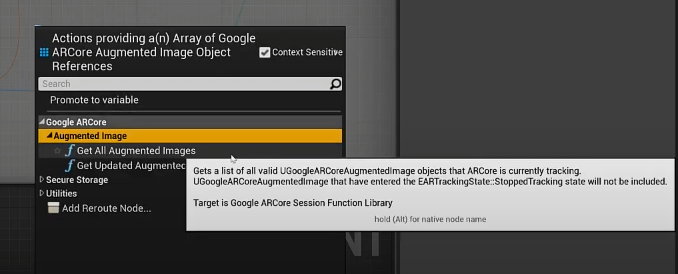 fiery crow
Good call, I missed that.
@manic tapir I can point with the right and select with the left, so there's progress lol
Also Fixed the duplication issue
manic tapir
Good to hear
real needle
upbeat marsh
For vr - 4.27 oculus source code will give you the most recent options to play w...
LOOKING FOR FREELANCE WORKERS ON VR STUDY. NEED ASSISTNACE WITH SOCKETTING AND LOCOMOTION IN WHEELCHAIR (2 WEELED VEHICLE PROPELLED BY WHEEL MOVEMENT.
 jovial violet
Hey anyone here know how to get a proper splash screen working in VR please? Using async loading screen plugin atm but there's no VR splash screen and when I try to add one as per the documentation of ue4, it doesn't work and I just get the generic steamVR loading scene instead
 tribal lintel
Do you think oculus is going to do their launch pad program this year? Applications are closed and there's no word anywhere of them doing it again this year
ornate raptor
Probably, yes
Last year they opened submissions sometime in the early summer, I think
tribal lintel
Great, I'll keep an eye out then, cheers!
marsh salmon
I was able to run Android's debugger and I'm getting the following errors when I launch my application on Quest 2. It's crashing immediately after launch:
01-12 14:01:57.304: E/libEGL(32663): eglGetCompositorTimingANDROIDImpl:2430 error 300d (EGL_BAD_SURFACE)
01-12 14:01:57.304: E/libEGL(32663): eglGetCompositorTimingANDROIDImpl:2430 error 300d (EGL_BAD_SURFACE)
01-12 14:02:01.798: A/libc(32663): Fatal signal 11 (SIGSEGV), code 2 (SEGV_ACCERR), fault addr 0x7cc4795888 in tid 32694 (GameThread), pid 32663 (main)
Has anyone run into this before?
tribal lintel
Oculus quick start docs says to use VS code with a oculus debugger addon, is that really what people are using when using the Oculus branch?
golden kestrel
Is there a way to just passthrough unreal with steam vr to a quest 2? I'm not developing for the platform I just have to use the headset. When I try to do this I'm getting input in the desktop preview from my HMD and controllers, but in the headset I only see "next up 1.0.0.0". I appear to be stuck in the vr loading menu. if anyone knows how to fix this, please ping me
somber cloud
I had that issue when using virtual desktop. I resolved it by using Air Link instead.